Forza Horizon 4
This is what the game needs and is missing from Wine
api-ms-win-core-kernel32-legacy-l1-1-2.dll:
VerifyVersionInfoA

api-ms-win-gaming-tcui-l1-1-0.dll:
ShowProfileCardUI
ShowPlayerPickerUI
ProcessPendingGameUI
Jup, same here, thought it would work after MS Flight Sim did but apparently there's something that need's more work.
I've written two patches:
https://source.winehq.org/patches/data/201351
gamingtcui patch
diff --git a/configure.ac b/configure.ac
index 5b7f09de924..f584cecf733 100644
--- a/configure.ac
+++ b/configure.ac
@@ -2979,6 +2979,7 @@ WINE_CONFIG_MAKEFILE(dlls/api-ms-win-eventing-controller-l1-1-0)
 WINE_CONFIG_MAKEFILE(dlls/api-ms-win-eventing-legacy-l1-1-0)
 WINE_CONFIG_MAKEFILE(dlls/api-ms-win-eventing-provider-l1-1-0)
 WINE_CONFIG_MAKEFILE(dlls/api-ms-win-eventlog-legacy-l1-1-0)
+WINE_CONFIG_MAKEFILE(dlls/api-ms-win-gaming-tcui-l1-1-0)
 WINE_CONFIG_MAKEFILE(dlls/api-ms-win-gdi-dpiinfo-l1-1-0)
 WINE_CONFIG_MAKEFILE(dlls/api-ms-win-mm-joystick-l1-1-0)
 WINE_CONFIG_MAKEFILE(dlls/api-ms-win-mm-misc-l1-1-1)
@@ -3320,6 +3321,7 @@ WINE_CONFIG_MAKEFILE(dlls/fusion/tests)
 WINE_CONFIG_MAKEFILE(dlls/fwpuclnt)
 WINE_CONFIG_MAKEFILE(dlls/gameux)
 WINE_CONFIG_MAKEFILE(dlls/gameux/tests)
+WINE_CONFIG_MAKEFILE(dlls/gamingtcui)
 WINE_CONFIG_MAKEFILE(dlls/gdi.exe16,enable_win16)
 WINE_CONFIG_MAKEFILE(dlls/gdi32)
 WINE_CONFIG_MAKEFILE(dlls/gdi32/tests)
diff --git a/dlls/api-ms-win-gaming-tcui-l1-1-0/Makefile.in b/dlls/api-ms-win-gaming-tcui-l1-1-0/Makefile.in
new file mode 100644
index 00000000000..5007bd06de2
--- /dev/null
+++ b/dlls/api-ms-win-gaming-tcui-l1-1-0/Makefile.in
@@ -0,0 +1 @@
+MODULE    = api-ms-win-gaming-tcui-l1-1-0.dll
\ No newline at end of file
diff --git a/dlls/api-ms-win-gaming-tcui-l1-1-0/api-ms-win-gaming-tcui-l1-1-0.spec b/dlls/api-ms-win-gaming-tcui-l1-1-0/api-ms-win-gaming-tcui-l1-1-0.spec
new file mode 100644
index 00000000000..d7fa8a12e75
--- /dev/null
+++ b/dlls/api-ms-win-gaming-tcui-l1-1-0/api-ms-win-gaming-tcui-l1-1-0.spec
@@ -0,0 +1,7 @@
+@ stdcall ProcessPendingGameUI(long) gamingtcui.ProcessPendingGameUI
+@ stub ShowChangeFriendRelationshipUI
+@ stub ShowGameInviteUI
+@ stdcall ShowPlayerPickerUI(ptr ptr long ptr long long long ptr ptr) gamingtcui.ShowPlayerPickerUI
+@ stdcall ShowProfileCardUI(ptr ptr ptr) gamingtcui.ShowProfileCardUI
+@ stub ShowTitleAchievementsUI
+@ stub TryCancelPendingGameUI
diff --git a/dlls/gamingtcui/Makefile.in b/dlls/gamingtcui/Makefile.in
new file mode 100644
index 00000000000..0a88c98c539
--- /dev/null
+++ b/dlls/gamingtcui/Makefile.in
@@ -0,0 +1,4 @@
+MODULE    = gamingtcui.dll
+
+C_SRCS = \
+	gamingtcui_main.c
diff --git a/dlls/gamingtcui/gamingtcui.spec b/dlls/gamingtcui/gamingtcui.spec
new file mode 100644
index 00000000000..998bf4edafd
--- /dev/null
+++ b/dlls/gamingtcui/gamingtcui.spec
@@ -0,0 +1,29 @@
+@ stub DllCanUnloadNow
+@ stub DllGetActivationFactory
+@ stub DllGetClassObject
+@ stub CheckGamingPrivilegeSilently
+@ stub CheckGamingPrivilegeSilentlyForUser
+@ stub CheckGamingPrivilegeWithUI
+@ stub CheckGamingPrivilegeWithUIForUser
+@ stdcall ProcessPendingGameUI(long)
+@ stub ShowChangeFriendRelationshipUI
+@ stub ShowChangeFriendRelationshipUIForUser
+@ stub ShowCustomizeUserProfileUI
+@ stub ShowCustomizeUserProfileUIForUser
+@ stub ShowFindFriendsUI
+@ stub ShowFindFriendsUIForUser
+@ stub ShowGameInfoUI
+@ stub ShowGameInfoUIForUser
+@ stub ShowGameInviteUI
+@ stub ShowGameInviteUIForUser
+@ stub ShowGameInviteUIWithContext
+@ stub ShowGameInviteUIWithContextForUser
+@ stdcall ShowPlayerPickerUI(ptr ptr long ptr long long long ptr ptr)
+@ stub ShowPlayerPickerUIForUser
+@ stdcall ShowProfileCardUI(ptr ptr ptr)
+@ stub ShowProfileCardUIForUser
+@ stub ShowTitleAchievementsUI
+@ stub ShowTitleAchievementsUIForUser
+@ stub ShowUserSettingsUI
+@ stub ShowUserSettingsUIForUser
+@ stub TryCancelPendingGameUI
diff --git a/dlls/gamingtcui/gamingtcui_main.c b/dlls/gamingtcui/gamingtcui_main.c
new file mode 100644
index 00000000000..792a4e64b50
--- /dev/null
+++ b/dlls/gamingtcui/gamingtcui_main.c
@@ -0,0 +1,73 @@
+#include "config.h"
+
+#include <stdarg.h>
+
+#include "windef.h"
+#include "winbase.h"
+#include "hstring.h"
+#include "wine/debug.h"
+
+WINE_DEFAULT_DEBUG_CHANNEL(gamingtcui);
+
+BOOL WINAPI DllMain(HINSTANCE hInstDll, DWORD fdwReason, LPVOID lpvReserved)
+{
+    TRACE("(%p, %d, %p)\n", hInstDll, fdwReason, lpvReserved);
+
+    switch (fdwReason)
+    {
+        case DLL_PROCESS_ATTACH:
+            DisableThreadLibraryCalls(hInstDll);
+            break;
+    }
+
+    return TRUE;
+}
+
+typedef void (*GameUICompletionRoutine)(HRESULT returnCode, void *context);
+HRESULT ShowProfileCardUI(HSTRING targetUserXuid, GameUICompletionRoutine completionRoutine, void *context)
+{
+    FIXME("%p %p %p: stub\n", targetUserXuid, completionRoutine, context);
+
+    if (completionRoutine) {
+        completionRoutine(S_OK, context);
+    }
+
+    return S_OK;
+}
+
+typedef void (*PlayerPickerUICompletionRoutine)(HRESULT returnCode, void *context, const HSTRING *selectedXuids, size_t selectedXuidsCount);
+HRESULT ShowPlayerPickerUI(
+  HSTRING                         promptDisplayText,
+  const HSTRING                   *xuids,
+  size_t                          xuidsCount,
+  const HSTRING                   *preSelectedXuids,
+  size_t                          preSelectedXuidsCount,
+  size_t                          minSelectionCount,
+  size_t                          maxSelectionCount,
+  PlayerPickerUICompletionRoutine completionRoutine,
+  void                            *context
+)
+{
+    HSTRING* selectedXuids = (HSTRING*) xuids;
+    size_t selectedXuidsCount = xuidsCount;
+
+    FIXME("%p %p %lu %p %lu %lu %lu %p %p: stub\n", promptDisplayText, xuids, xuidsCount, preSelectedXuids, preSelectedXuidsCount, minSelectionCount, maxSelectionCount, completionRoutine, context);
+
+    /* Assuming xuids == all xbox live user ids for the machine, and preSelectedXuids == the default one, perhaps this will work? */
+    if (preSelectedXuidsCount) {
+        selectedXuids = (HSTRING*) preSelectedXuids;
+        selectedXuidsCount = preSelectedXuidsCount;
+    }
+
+    if (completionRoutine) {
+        completionRoutine(S_OK, context, selectedXuids, selectedXuidsCount);
+    }
+
+    return S_OK;
+}
+
+HRESULT ProcessPendingGameUI(BOOL waitForCompletion)
+{
+    FIXME("%d: stub\n", waitForCompletion);
+    return S_OK;
+}
I haven't yet tested the game. The gamingtcui patch is preliminary, based solely on the (mostly lacking) MSDN documentation. In other words, I don't expect this to work. But perhaps it'll shed some light on where to go next, or save those interested in debugging this from the boilerplate trouble.
Thank you for the patches. I've tried them and now the game crashes with Unimplemented function errors: KERNEL32.dll.GetSystemCpuSetInformation and KERNEL32.dll.SetThreadSelectedCpuSets
Hmm, from what I found, it seems that these functions are probably mostly used by UWP apps. Interesting, I thought that Forza Horizon 4 from Steam is no longer based on UWP.
Here are some bad stubs (I haven't written a patch, @jas0n098 did the test):
BOOL WINAPI GetSystemCpuSetInformation(void* information, ULONG buffer_length, PULONG returned_length, HANDLE process, ULONG flags)
{
    if (!returned_length) return FALSE;

    if (!information) {
        *returned_length = 50; /* good enough? */
    } else {
        *returned_length = buffer_length;
        memset(information, 0, buffer_length);
    }

    return TRUE;
}

void WINAPI SetThreadSelectedCpuSets(HANDLE thread, ULONG* cpu_set_ids, ULONG cpu_set_id_count)
{
}
Specfile entries should be something like:
@ stdcall GetSystemCpuSetInformation(ptr long ptr ptr long)
@ stdcall SetThreadSelectedCpuSets(ptr ptr long)
It appears to be crashing after though, for seemingly unrelated reasons: Edit: nevermind, this is not the right crash!
11038.547:0144:0148:Ret  KERNEL32.K32GetModuleBaseNameA() retval=00000009 ret=143016517
11038.547:0144:0148:Call ucrtbase._stricmp(0022ebf0 "ntdll.dll",0022ec50 "ntdll.dll") ret=143016528
11038.547:0144:0148:Ret  ucrtbase._stricmp() retval=00000000 ret=143016528
11038.547:0144:0148:trace:seh:dispatch_exception code=c0000005 flags=0 addr=0000000000000000 ip=0000000000000000 tid=0148
11038.547:0144:0148:trace:seh:dispatch_exception  info[0]=0000000000000008
11038.547:0144:0148:trace:seh:dispatch_exception  info[1]=0000000000000000
This is called from a TLS callback (144BAC930) in ForzaHorizon4.exe , and it appears to iterate over loaded modules, trying to find ntdll.dll (~60,000 lines of K32GetModuleBaseNameA), where it subsequently crashes on trying to run a null address. Apparently this game has pretty heavy anti-hooking/cheating code, so this might be an intentional crash?
Alright, the actual crash seems to be here:
11064.402:0144:015c:trace:module:load_dll Loaded module L"\\??\\C:\\windows\\system32\\rsaenh.dll" at 000000006FC40000
...
11064.405:0144:015c:trace:module:process_attach (L"rsaenh.dll",0000000000000000) - START
11064.405:0144:015c:Call LDR notification callback (proc=0000000143010560,reason=1,data=000000000BC9CD90,context=0000000000000000)
...
11064.832:0144:015c:Ret  KERNEL32.K32GetModuleBaseNameA() retval=0000000e ret=143010888
11064.832:0144:015c:Call ucrtbase._stricmp(0bc9c2b8 "kernelbase.dll",0bc9c8a0 "kernelbase.dll") ret=14301089c
11064.832:0144:015c:Ret  ucrtbase._stricmp() retval=00000000 ret=14301089c
11064.832:0144:015c:trace:seh:dispatch_exception code=c0000005 flags=0 addr=0000000000000000 ip=0000000000000000 tid=015c
...
11064.832:0144:015c:trace:seh:dump_unwind_info unwind info at 0000000146EB1B20 flags 2 prolog 0x3d bytes function 0000000143010560-000000014301206F
(I'm keeping the earlier crash because of the similarity to this crash)
This seems to me like some kind of anti-hooking code:
11037.569:0144:0148:Call ntdll.LdrRegisterDllNotification(00000000,143010560,00000000,0022ede8) ret=1430123bc
Right after this crash, it'll run:
11064.832:0144:015c:Call ucrtbase._wfopen(7f0aebc40580 L"C:\\users\\...\\Local Settings\\Application Data\\ForzaHorizon4\\scratch\\CrashReport.xml",1450430a8 L"w") ret=14335d1bd
A quick look at the file doesn't appear to show much useful information (at least nothing that isn't already present in the log)
I think this is as far as I can figure out, I'll leave this to the geniuses at wine :)
(Big thanks to @jas0n098 for trying patches and sending the logs)
Apparently this gets it to boot:
diff --git a/dlls/ntdll/loader.c b/dlls/ntdll/loader.c
index a7e6d712df1..4e2dc538862 100644
--- a/dlls/ntdll/loader.c
+++ b/dlls/ntdll/loader.c
@@ -1581,6 +1581,8 @@ NTSTATUS WINAPI LdrRegisterDllNotification(ULONG flags, PLDR_DLL_NOTIFICATION_FU

     TRACE( "(%x, %p, %p, %p)\n", flags, callback, context, cookie );

+    return STATUS_SUCCESS;
+
     if (!callback || !cookie)
         return STATUS_INVALID_PARAMETER;
Looks good enough to upstream? :stuck_out_tongue_winking_eye:
So it's almost certainly some kind of anti-hooking code then.
Trying to patch out more (e.g. if the callback is 0x62166B50 in TpAllocWork, set it to a fake callback instead) does advance further, but I don't think this is going to work properly. There are numerous checks littered through the game, including within work threads that also handle game code.
I think all the issues preventing the game start are clear now, while it might take a bit of time for cleaning up the patches and debugging what goes after the game start .
@qsniyg since you've done some debugging and might be curious what it wants at this point I can share our findings if you contact me on IRC or e-mail privately.
Any new progress? :-)
Vkd3d-proton work is needed to go further, and is ongoing. Please be patient :wink:
How can i use these patches ?
Can somebody please explain
How can i use these patches ?
Can somebody please explain
@edd-dev It doesn't work yet, so there's no point really...
My forza is giving error when trying to open
this Dll is missing:
can anybody help me?
My forza is giving error when trying to open
this Dll is missing:can anybody help me?
what dlls are missing? You haven't given any.
My forza is giving error when trying to open
this Dll is missing:
can anybody help me?what dlls are missing? You haven't given any.
007c:err:hid:parse_descriptor Unknown (bTag: 0x0, bType: 0x0)
00c8:err:module:import_dll Library api-ms-win-gaming-tcui-l1-1-0.dll (which is needed by L"Z:\ForzaHorizon4.exe") not found
00c8:err:module:import_dll Library api-ms-win-core-memory-l1-1-3.dll (which is needed by L"Z:\ForzaHorizon4.exe") not found
00c8:err:module:import_dll Library api-ms-win-core-kernel32-legacy-l1-1-2.dll (which is needed by L"Z:\ForzaHorizon4.exe") not found
00c8:err:module:LdrInitializeThunk Importing dlls for L"Z:\ForzaHorizon4.exe" failed, status c0000135
Sorry dll:
api-ms-win-gaming-tcui-l1-1-0.dll
This is what the game needs and is missing from Wine
api-ms-win-core-kernel32-legacy-l1-1-2.dll:
VerifyVersionInfoA

api-ms-win-gaming-tcui-l1-1-0.dll:
ShowProfileCardUI
ShowPlayerPickerUI
ProcessPendingGameUI
noob question here maybe, but how did you find out the wine dlls that are required for this app to function?
Those aren't the only issues to fix for the game to run though.
This is what the game needs and is missing from Wine
api-ms-win-core-kernel32-legacy-l1-1-2.dll:
VerifyVersionInfoA

api-ms-win-gaming-tcui-l1-1-0.dll:
ShowProfileCardUI
ShowPlayerPickerUI
ProcessPendingGameUI
noob question here maybe, but how did you find out the wine dlls that are required for this app to function?
@netizener Looking at the log after attempting to run the game...
@Tk-Glitch Those aren't the only issues to fix for the game to run though.
What (do we know of so far) needs to be implemented for FH4 to run?
Sorry dll:
api-ms-win-gaming-tcui-l1-1-0.dll
same :< where i can DL that DLL?
Sorry dll:
api-ms-win-gaming-tcui-l1-1-0.dllsame :< where i can DL that DLL?
@paulopogi01 afaik it needs to be implemented in Wine...
@CCF100 It's not only functions to implement. The game has special needs on both wine and vkd3d-proton fronts, and they are being addressed. The last bit can be found here if you're curious: https://github.com/HansKristian-Work/vkd3d-proton/pull/621
Forza Horizon 4 should now be playable with latest Proton Experimental on AMD GPU with mesa-git. :-)
What's the problem with NVIDIA?
So this game doesn't run with NVIDIA?
Forza Horizon 4 should now be playable with latest Proton Experimental on AMD GPU with mesa-git. :-)
As far as I understand this is a UWP game, is there a chance that with the new version proton and other uwp games will start?
Game does start with latest Proton Experimental, but crashes during the first race. BTW its NVIDIA GPU
Same here, Game works perfectly fine just driving around running on Nvidia GPU, but also crashes on the first race.
Also doesn't launch again, after the crash, it throws a page fault exception:
Unhandled exception: page fault on write access to 0x00000000 in 64-bit code (0x00000001432fe38c).
Also noticed, while at it, controller doesnt seem to work in the welcome menu, but works fine afterwards.
Forza Horizon 4 should now be playable with latest Proton Experimental on AMD GPU with mesa-git. :-)
@rejedai As far as I understand this is a UWP game, is there a chance that with the new version proton and other uwp games will start?
Forza Horizon 4 is a special case, while it is a UWP game, it was (mostly) ported to Win32 so that it could be released on steam. It still uses some UWP functions, however.
(This is all based off of my understanding, so things could be wrong, lol)
Same here, Game works perfectly fine just driving around running on Nvidia GPU, but also crashes on the first race.
Also doesn't launch again, after the crash, it throws a page fault exception:Unhandled exception: page fault on write access to 0x00000000 in 64-bit code (0x00000001432fe38c).
Also noticed, while at it, controller doesnt seem to work in the welcome menu, but works fine afterwards.
@jannis3005 What driver version are you using? The game doesn't even start for me...
Same here, Game works perfectly fine just driving around running on Nvidia GPU, but also crashes on the first race.
Also doesn't launch again, after the crash, it throws a page fault exception:
Unhandled exception: page fault on write access to 0x00000000 in 64-bit code (0x00000001432fe38c).
Also noticed, while at it, controller doesnt seem to work in the welcome menu, but works fine afterwards.@jannis3005 What driver version are you using? The game doesn't even start for me...
@CCF100 you mean the nvidia driver? 465.24.02
Same here, Game works perfectly fine just driving around running on Nvidia GPU, but also crashes on the first race.
Also doesn't launch again, after the crash, it throws a page fault exception:Unhandled exception: page fault on write access to 0x00000000 in 64-bit code (0x00000001432fe38c).
In the present case, that is an explicit assertion in the game code which it usually fires when gets an expected error from d3d subsystem. I think if you look at 'dmesg' command output you will likely find GPU memory faults.
Same here, Game works perfectly fine just driving around running on Nvidia GPU, but also crashes on the first race.
Also doesn't launch again, after the crash, it throws a page fault exception:Unhandled exception: page fault on write access to 0x00000000 in 64-bit code (0x00000001432fe38c).
Also noticed, while at it, controller doesnt seem to work in the welcome menu, but works fine afterwards.
Same here. I even tried with the latest Vulkan beta driver. Someone have to tell NVIDIA for this bug.
weird. it seems to sometimes work and sometimes not work. I was able to play the story and even do a face. but the Next time i Start the Game, it crashes while loading
Try this:
steam_dxvk_forza.txt
rename it .conf and add it as dxvk config file in steam launch options. with that I have it almost working without issues on nvidia.
EDIT: Updated the config. Hint: if the game stutters weirdly, enable vsync and cap your framerate, that may help.
Try this:
steam_dxvk_forza.txtrename it .conf and add it as dxvk config file in steam launch options. with that I have it almost working without issues on nvidia.
EDIT: Updated the config. Hint: if the game stutters weirdly, enable vsync and cap your framerate, that may help.
With this config, the game doesn't crash on you? How long were you able to run?
Try this:
steam_dxvk_forza.txt
rename it .conf and add it as dxvk config file in steam launch options. with that I have it almost working without issues on nvidia.
EDIT: Updated the config. Hint: if the game stutters weirdly, enable vsync and cap your framerate, that may help.With this config, the game doesn't crash on you? How long were you able to run?
I played for about an hour and I had one crash, but I also sometimes have crashes when playing the game on windows on the same PC, so I don't think that crash was proton related
Replying to https://github.com/ValveSoftware/Proton/issues/4667#issuecomment-825915355
That sounds great, but I had refunded the game before I could try this since I don't have a windows machine to play this game. Hoping someday it becomes playable ...
Replying to https://github.com/ValveSoftware/Proton/issues/4667#issuecomment-825738356
I think I have the same problem with the game being stuck in the splash screen.
Hello @gabibbo97, the changelog note for Proton Experimental mentions that a bleeding edge mesa build is needed, and your log mentions that there are missing video driver features, which hints that something on your system is too old for VKD3D 2.3. Most likely mesa/radv, small chance that the kernel is too old.
glxinfo says
OpenGL renderer string: AMD Radeon R9 200 Series (HAWAII, DRM 3.40.0,
5.11.16-300.fc34.x86_64, LLVM 13.0.0)
OpenGL core profile version string: 4.6 (Core Profile) Mesa 21.2.0-devel
Mesa version is built from a12b844 commit.
I'll retry with version 7e905bd0 (latest master) and update my report
On Sat, 24 Apr 2021, 15:04 kisak-valve, @.***> wrote:
Hello @gabibbo97 https://github.com/gabibbo97, the changelog note for
Proton Experimental mentions that a bleeding edge mesa build is needed, and
your log mentions that there are missing video driver features, which hints
that something on your system is too old for VKD3D 2.3. Most likely
mesa/radv, small chance that the kernel is too old.—
You are receiving this because you were mentioned.
Reply to this email directly, view it on GitHub
https://github.com/ValveSoftware/Proton/issues/4667#issuecomment-826089923,
or unsubscribe
https://github.com/notifications/unsubscribe-auth/AA35XFQ4GN2YCP7DA4MY2R3TKK6UVANCNFSM4Y4KJRGQ
.
I wouldn't be surprised if VKD3D-Proton has a harder time running on pre-Polaris / GCN4 AMD cards and the Hawaii chipset is a Sea Islands / GCN2 card.
Yup, does not work even with the latest Mesa, guess I'll be in the market for GPUs, thanks anyway
On my desktop, I can pretty much 99.5% of the time get Forza to crash my GPU by attempting to enter a race.


Forza Horizon 4 should now be playable with latest Proton Experimental on AMD GPU with mesa-git. :-)
@AsciiWolf
I has mesa from git and latest Proton Experimental 6.3-20210423 and I launch Forza Horizon 4
20 minutes later...As you can see the game can only show splash screen on my system.
Yep, I'm having the same issue. RX5700XT on Fedora, using che's mesa git. But then again, maybe my mesa driver isn't the newest (it has been updated yesterday though, and AFAIK it is the master branch).
Forza Horizon 4 should now be playable with [latest](https://github.com/ValveSoftware/Proton/wiki/Changelog#available-in-> Yep, I'm having the same issue. RX5700XT on Fedora, using che's mesa git. But then again, maybe my mesa driver isn't the newest (it has been updated yesterday though, and AFAIK it is the master branch).
276:err:vkd3d_init_device_caps: Timeline semaphores are not supported by this implementation. This is required for correct operation.
That's weird, something probably went wrong with host Mesa setup.
@gabibbo97 and @NicoSoler, please copy your system information from Steam (Steam -> Help -> System Information) and put it in a gist, then include a link to the gist in this issue report. Hopefully we can find a pattern that hints as to why there's missing driver features.
Working very well on Nvidia here, though I had to upgrade from 460.x to 465.24.02 (and use dxgi.customVendorId = 10de ) to prevent a crash in the second stage of the first race.
Did anyone manage to get a wheel controller to work? My G29 is not detected, not even as a generic input device.
According to game's inputmappingprofiles.zip it should be looking for VID/PID 0x046dc24f which matches with how my controller presents itself.
The game manual warns that Logitech gaming software is necessary for correct controller detection, but it also explains that is purely to ensure the controller uses the right VID/PID, so that shouldn't be an issue under Proton.
Any ideas what else might the game expect from the controller to recognize it?
Here's +hid,+hidp,+hid_report,+rawinput,+xinput,+dinput,+plugplay,+joystick,+winmm:
trace.txt
In particular, the trace suggests the device is available to wine:
0234:trace:dinput:find_sdldevs Found a joystick on 0x7efbf8080900: Logitech G29 Driving Force Racing Wheel
0234:trace:dinput:find_sdldevs  ... with force feedback
0234:trace:dinput:find_sdldevs Found a joystick on 0x7efbf801c080: Xbox 360 Controller
0234:warn:dinput:find_sdldevs Ignoring force feedback support for "Xbox 360 Controller"
0234:trace:dinput:fill_joystick_dideviceinstanceA 580 0x1dfff420
0234:trace:dinput:fill_joystick_dideviceinstanceW 1100 0x1dfff700
Replying to https://github.com/ValveSoftware/Proton/issues/4667#issuecomment-826169878
Hello, please find my hardware survey results in this gist
Stuck on Splash Screen too.
Gist
steam-1293830.log
71.625:00f4:00f8:err:winediag:SECUR32_initNTLMSP ntlm_auth was not found or is outdated. Make sure that ntlm_auth >= 3.0.25 is in your path. Usually, you can find it in the winbind package of your distribution.
Might be the problem.
Thanks @gabibbo97, that eliminates some guesses I had last night. Can you easily test if the game and Proton behaves the same with a GNOME/X session as a GNOME/wayland session?
Thanks @gabibbo97, that eliminates some guesses I had last night. Can you easily test if the game and Proton behaves the same with a GNOME/X session as a GNOME/wayland session?
The previous log was with Wayland, this time with Xorg the game crashes
Thanks @gabibbo97, that eliminates some guesses I had last night. Can you easily test if the game and Proton behaves the same with a GNOME/X session as a GNOME/wayland session?
In my case X Session fixed it and i was able to play the first couple of races without any crashes or other problems. DualSense controller works just fine too.
Great, that log looks healthier and I think it tells us that the VKD3D / Timeline semaphore missing issue is connected to running in a GNOME/wayland session.
So for pondering the game on your system, we're back to VKD3D having a hard time with GCN2, but now with less fireworks in the log.
Working very well on Nvidia here, though I had to upgrade from 460.x to 465.24.02 (and use
dxgi.customVendorId = 10de) to prevent a crash in the second stage of the first race.Did anyone manage to get a wheel controller to work? My G29 is not detected, not even as a generic input device.
According to game's
inputmappingprofiles.zipit should be looking for VID/PID0x046dc24fwhich matches with how my controller presents itself.The game manual warns that Logitech gaming software is necessary for correct controller detection, but it also explains that is purely to ensure the controller uses the right VID/PID, so that shouldn't be an issue under Proton.
Any ideas what else might the game expect from the controller to recognize it?
Here's
+hid,+hidp,+hid_report,+rawinput,+xinput,+dinput,+plugplay,+joystick,+winmm:
trace.txtIn particular, the trace suggests the device is available to wine:
0234:trace:dinput:find_sdldevs Found a joystick on 0x7efbf8080900: Logitech G29 Driving Force Racing Wheel
0234:trace:dinput:find_sdldevs  ... with force feedback
0234:trace:dinput:find_sdldevs Found a joystick on 0x7efbf801c080: Xbox 360 Controller
0234:warn:dinput:find_sdldevs Ignoring force feedback support for "Xbox 360 Controller"
0234:trace:dinput:fill_joystick_dideviceinstanceA 580 0x1dfff420
0234:trace:dinput:fill_joystick_dideviceinstanceW 1100 0x1dfff700
With all these settings, mine still crash at first race at 3rd stage (Spring)
With all these settings, mine still crash at first race at 3rd stage (Spring)
Same, hangs on "spring is in the air" text
With all these settings, mine still crash at first race at 3rd stage (Spring)
Same, hangs on "spring is in the air" text
After hours of trying, I had to add PROTON_HIDE_NVIDIA_GPU to my launch option and it works ....
Update: the game did somehow start in Gnome40/Xorg, allowing me to access the main menu, the game then crashes while loading the map, the only option that I added was VKD3D_DEBUG=info to the launch options
steam-1293830.zip
I think that 352:err:vkd3d_create_image: Sparse images not supported with format 139, type 1, samples 1, usage 0x7, tiling 0. is the line of interest from your log, which is immediately followed by an access violation (c000005) and the game goes downhill from there. Reference: https://gitlab.freedesktop.org/mesa/mesa/-/commit/d2524ed4a072430ca4acba50f00041d03d7039b1
With all these settings, mine still crash at first race at 3rd stage (Spring)
Same, hangs on "spring is in the air" text
SystemAfter hours of trying, I had to add PROTON_HIDE_NVIDIA_GPU to my launch option and it works ....
No luck for me, I'm still getting [ 5492.215482] NVRM: Xid (PCI:0000:08:00): 31, pid=7567, Ch 00000038, intr 00000000. MMU Fault: ENGINE GRAPHICS GPCCLIENT_T1_3 faulted @ 0x2_78415000. Fault is of type FAULT_PDE ACCESS_TYPE_VIRT_READ
No luck for me, I'm still getting [ 5492.215482] NVRM: Xid (PCI:0000:08:00): 31, pid=7567, Ch 00000038, intr 00000000. MMU Fault: ENGINE GRAPHICS GPCCLIENT_T1_3 faulted @ 0x2_78415000. Fault is of type FAULT_PDE ACCESS_TYPE_VIRT_READ
Yeah, hangs on transitions between videos and game with dxvk.conf spoofing, proton env, without, changed game settings, nothing helps
Great, that log looks healthier and I think it tells us that the VKD3D / Timeline semaphore missing issue is connected to running in a GNOME/wayland session.
So for pondering the game on your system, we're back to VKD3D having a hard time with GCN2, but now with less fireworks in the log.
Sorry for not responding earlier. I actually just tried it in an Xorg session and it runs just fine.
I finally passed first race, I just set settings to "very low" and set 72 fps lock instead of 144, no gpu hiding
I think something different affects hangs
Some odd behavior I've noticed, I'm trying to run Forza on an NVIDIA Optimus (hyprid GPU) laptop, and as long as the setting in my BIOS is set to use both GPUs, the game will refuse to get anywhere past the start splash, (and before you ask, I do set the proper env vars to tell it to use the NVIDIA GPU)
I manage to run this game on my RX580 with newest mesa-git, game is somehow smooth but looks very glitchy.
Gpu is fine i've tested it.

Hello @patgrajkowski, please add PROTON_LOG=1 %command% to the game's launch options, reproduce the visual corruption, and attach the generated $HOME/steam-$APPID.log to this issue report as a file. (Proton logs compress well if needed.) Also, please copy your system information from Steam (Steam -> Help -> System Information) and put it in a gist, then include a link to the gist in this issue report.
It looks the same here too with the current mesa git. It works without such glitches though on RX580 on Mesa listed as known good in release notes 899dd8e60a5228c4506400d621ef6b5abfe5e32c.
Here is log and here system information i dont know why system information is saying I have mesa 21.0.3 I've checked this in terminal and terminal says that I have OpenGL version string: 4.6 (Compatibility Profile) Mesa 21.2.0-devel (git-496f99e8d1)
I finally passed first race, I just set settings to "very low" and set 72 fps lock instead of 144, no gpu hiding
I think something different affects hangs
This worked for me as well, on NVIDIA. I turned down the settings to very low, reduced resolution and got through the first couple races with no issues. Even afterwards it seems to run really well for me now.
Edit: And a few minutes later it crashed again, this time with:
[ 2496.842036] NVRM: GPU Board Serial Number: 0323818176837
[ 2496.842039] NVRM: Xid (PCI:0000:08:00): 13, pid=433, Graphics Exception on GPC 0: 3D WIDTH ZT Violation. Coordinates: (0x566, 0x2f4)
[ 2496.842053] NVRM: Xid (PCI:0000:08:00): 13, pid=433, Graphics Exception: ESR 0x500420=0x80000004 0x500434=0x2f40566 0x500438=0x5050000 0x50043c=0x0
[ 2496.842071] NVRM: Xid (PCI:0000:08:00): 13, pid=433, Graphics Exception on GPC 1: 3D WIDTH ZT Violation. Coordinates: (0x568, 0x2f4)
[ 2496.842082] NVRM: Xid (PCI:0000:08:00): 13, pid=433, Graphics Exception: ESR 0x508420=0x80000004 0x508434=0x2f40568 0x508438=0x5050000 0x50843c=0x0
[ 2496.842099] NVRM: Xid (PCI:0000:08:00): 13, pid=433, Graphics Exception on GPC 2: 3D WIDTH ZT Violation. Coordinates: (0x5ee, 0x2d8)
[ 2496.842110] NVRM: Xid (PCI:0000:08:00): 13, pid=433, Graphics Exception: ESR 0x510420=0x80000004 0x510434=0x2d805ee 0x510438=0x5050000 0x51043c=0x0
[ 2496.842127] NVRM: Xid (PCI:0000:08:00): 13, pid=433, Graphics Exception on GPC 3: 3D WIDTH ZT Violation. Coordinates: (0x5f8, 0x2dc)
[ 2496.842138] NVRM: Xid (PCI:0000:08:00): 13, pid=433, Graphics Exception: ESR 0x518420=0x80000004 0x518434=0x2dc05f8 0x518438=0x5050000 0x51843c=0x0
[ 2496.842155] NVRM: Xid (PCI:0000:08:00): 13, pid=433, Graphics Exception on GPC 4: 3D WIDTH ZT Violation. Coordinates: (0x600, 0x2dc)
[ 2496.842166] NVRM: Xid (PCI:0000:08:00): 13, pid=433, Graphics Exception: ESR 0x520420=0x80000004 0x520434=0x2dc0600 0x520438=0x5050000 0x52043c=0x0
[ 2496.842182] NVRM: Xid (PCI:0000:08:00): 13, pid=433, Graphics Exception on GPC 5: 3D WIDTH ZT Violation. Coordinates: (0x5f6, 0x2d8)
[ 2496.842194] NVRM: Xid (PCI:0000:08:00): 13, pid=433, Graphics Exception: ESR 0x528420=0x80000004 0x528434=0x2d805f6 0x528438=0x5050000 0x52843c=0x0
[ 2496.842558] NVRM: Xid (PCI:0000:08:00): 13, pid=9110, Graphics Exception: ChID 0038, Class 0000c597, Offset 00000000, Data 00000000```In terms of controller support, simply disabling Steam Input gets my G29 to work - it is available in game, recognized as a wheel, and named "Logitech G29". However, button images use generic (1), (2), (3) ... symbols, and default bindings are all wrong, so I assume it is detected as a generic controller. All buttons and axes bindings are customizable, and with that done the controller works well. Force feedback (using new-lg4fff) seems to be working perfectly too.
Concerning crashes on NVIDIA: in my experience "very low" graphics settings does indeed tremendously decrease the chance of a crash when entering an event or transitioning into race by other means. It does not completely eliminate such crashes, but brings their frequency down to playable levels. This has no effect on rarer crashes in free roam mode that manifest differently, though.
I will attempt to pinpoint if there is a specific graphics setting that affects event loading crashes, but considering their random nature it will likely take me a while to reach reproducible results I'm confident to share.
https://youtu.be/7IGQ1r9vZj8
This video may be helpful
Between https://gitlab.freedesktop.org/mesa/mesa/-/commit/9bcaeddf77298a32f567723359e714b61eef6479 and https://gitlab.freedesktop.org/mesa/mesa/-/commit/8b31092bcd38db242eba9e2267fb17b841c93735 the visual corruption with bleeding edge mesa/RADV should be resolved. Please retest with mesa git that includes these commits.
Some odd behavior I've noticed, I'm trying to run Forza on an NVIDIA Optimus (hyprid GPU) laptop, and as long as the setting in my BIOS is set to use both GPUs, the game will refuse to get anywhere past the start splash, (and before you ask, I do set the proper env vars to tell it to use the NVIDIA GPU)
Damn, my laptop is one of those ones that's missing that option. What launch options did you use to get it running without Optimus though? I'm using nvidia-xrun to run the whole X server and DE on the dGPU, and I've already set VK_ICD_FILENAMES=/usr/share/vulkan/icd.d/nvidia_icd.json, so I don't see why Optimus would still interfere in my case, and yet I'm stuck on the splash screen too (the game also pegs one CPU core almost fully, so like ~10% total usage on a 4 core 8 thread CPU).
Edit: My Steam system information is here, and the log is here (I let it run for about 15 minutes in case it was just slow, doesn't seem like it).
I will attempt to pinpoint if there is a specific graphics setting that affects event loading crashes, but considering their random nature it will likely take me a while to reach reproducible results I'm confident to share.
Try enable "Allow flipping" in nvidia-settings and turn on vertical sync in game
Try enable "Allow flipping" in nvidia-settings and turn on vertical sync in game
No luck, in fact, all my tests so far were done with "allow flipping" enabled.
So I decided to try running it on my integrated graphics (Intel HD Graphics 530) instead of my discrete graphics (NVIDIA GTX 960M), and it actually got past the splash screen, and I could hear the sounds of the intro videos as well as the title screen music. Granted, the screen was either fully white or fully black the whole time, but now I'm wondering what the issue is with running it on my NVIDIA GPU. (My previous comment about trying that is the third above this one).
My system information in Intel mode is here, and the log is here.
Replying to https://github.com/ValveSoftware/Proton/issues/4667#issuecomment-826345146
You were right, on my new PC (5950X + 6900XT) the game now runs properly with occasional crashes
Game exits after pressing "Return" on main menu.
https://gist.github.com/macktab/31d239bfb7ded7f841b38b2a587af18d
steam-1293830.zip
wine: Unhandled page fault on write access to 00007F08507F84D0 at address 00007F09B45933C2 (thread 0284), starting debugger...
Unhandled exception: page fault on write access to 0x7f08507f84d0 in 64-bit code (0x00007f09b45933c2).i played through the entirety of summer without issue. but now that i got to the autumn part of the game, it crashes a few seconds after showing my my home's menu.
proton log: https://gist.github.com/mathew2214/2cabe57978c7dd82125f0a874b0c91bb
system information: https://gist.github.com/mathew2214/bfc6632f0905b1de27d0091480134f0e
AMD Navi10
MESA 21.1.0
proton 6.10-GE-1
Did anyone notice that there is no way to invite friends to private adventures? and there is also no way of joining their sessions...
Did anyone notice that there is no way to invite friends to private adventures? and there is also no way of joining their sessions...
yes i did notice that. the invite friends button just does nothing. but my friends on windows are able to join me.
also, anybody else constantly crash on Fortune Island?
I have tried many times to travel to Fortune Island but it crashes in the loading screen almost every time with this messages in logs: NVRM: Xid (PCI:0000:01:00): 31, pid=12954, Ch 00000055, intr 00000000. MMU Fault: ENGINE GRAPHICS GPCCLIENT_T1_6 faulted @ 0x1_f1fba000. Fault is of type FAULT_PDE ACCESS_TYPE_VIRT_READ. The two times it loaded through the loading screen it crashed early in the introduction race for fortune island with the same error message. Lego dlc I could travel to once but after I left I have not been able to travel back with the same issue as fortune island. I have not tried with the new mesa git yet.
Replying to https://github.com/ValveSoftware/Proton/issues/4667#issuecomment-877833154
i find that switching to Valve's proton experimental and then recreating the game's prefix temporarily fixes fortune island. but after less than an hour, it starts crashing again.
here's a log of Fortune Island crashing on load: https://gist.github.com/mathew2214/0430fdc5126aba33c9e4a4917aa5319d
I tried the game with Nvidia 470 beta driver and I haven't experienced any crash for hours. However, there are frequent frame drops during game play.
Hi,
When I press play button on steam game devours 1 CPU core to %100. Game doesn't open a window. Steam says its running.
Both proton-experimental and proton-6.3-5. Can anybody help me to get this game working?
[ali@archl ~]$ pacman -Q | grep vk
dxvk-bin 1.9-1
vkd3d 1.2-1
vkd3d-proton-bin 2.4-1
System Specs:

Log File:
steam-1293830.log
Hello @PxChainWarden, these look like the lines of interest in your log:
err:module:process_init failed to load L"C:\\windows\\system32\\explorer.exe", error 4000000e
err:winediag:nodrv_CreateWindow Application tried to create a window, but no driver could be loaded.
err:winediag:nodrv_CreateWindow The explorer process failed to start.
I suspect that you're seing an NTFS-related issue, similar to some of the feedback on #4269. Out of mild curiosity, what filesystem are you using with /HDD/SteamLibrary Linux/?
The system-installed dxvk and vkd3d packages are not used by Proton.
Hello @PxChainWarden, these look like the lines of interest in your log:
err:module:process_init failed to load L"C:\\windows\\system32\\explorer.exe", error 4000000e
err:winediag:nodrv_CreateWindow Application tried to create a window, but no driver could be loaded.
err:winediag:nodrv_CreateWindow The explorer process failed to start.
I suspect that you're seing an NTFS-related issue, similar to some of the feedback on #4269. Out of mild curiosity, what filesystem are you using with
/HDD/SteamLibrary Linux/?The system-installed dxvk and vkd3d packages are not used by Proton.
It's using NTFS. I forgot proton-experimental is installed on /HDD/SteamLibrary Linux/. Changed library for proton, game opens now. While "Optimizing for your PC" game freezes steals so much CPU time cant even move cursor. Proton log file too large but i think line of interest is this:
850.112:0454:0778:fixme:bcrypt:BCryptCreateHash ignoring object buffer
859.153:0454:0778:fixme:bcrypt:BCryptCreateHash ignoring object buffer
859.287:0454:0778:fixme:bcrypt:BCryptCreateHash ignoring object buffer
871.208:0454:0778:fixme:bcrypt:BCryptCreateHash ignoring object buffer
934.414:0454:0778:fixme:bcrypt:BCryptCreateHash ignoring object buffer
1113.971:0454:0464:err:ntdll:RtlpWaitForCriticalSection section 000000007BC6A580 "../src-wine/dlls/ntdll/loader.c: loader_section" wait timed out in thread 0464, blocked by 0778, retrying (60 sec)
1134.576:0454:04c4:fixme:bcrypt:BCryptCreateHash ignoring object buffer
1139.521:0454:03e8:err:ntdll:RtlpWaitForCriticalSection section 000000007BC6A580 "../src-wine/dlls/ntdll/loader.c: loader_section" wait timed out in thread 03e8, blocked by 0778, retrying (60 sec)
1141.442:0454:0474:err:ntdll:RtlpWaitForCriticalSection section 00000000002B4560 "../src-wine/dlls/ntdll/threadpool.c: threadpool.cs" wait timed out in thread 0474, blocked by 06e0, retrying (60 sec)
1141.442:0454:06d4:err:ntdll:RtlpWaitForCriticalSection section 00000000002B4560 "../src-wine/dlls/ntdll/threadpool.c: threadpool.cs" wait timed out in thread 06d4, blocked by 06e0, retrying (60 sec)
1141.442:0454:06d8:err:ntdll:RtlpWaitForCriticalSection section 00000000002B4560 "../src-wine/dlls/ntdll/threadpool.c: threadpool.cs" wait timed out in thread 06d8, blocked by 06e0, retrying (60 sec)
1151.775:0454:06e0:err:ntdll:RtlpWaitForCriticalSection section 00000000002B4560
 "../src-wine/dlls/ntdll/threadpool.c: threadpool.cs" wait timed out in thread 06e0, blocked by 0474, retrying (60 sec)
1158.213:0454:06dc:err:ntdll:RtlpWaitForCriticalSection section 00000000002B4560 "../src-wine/dlls/ntdll/threadpool.c: threadpool.cs" wait timed out in thread 06dc, blocked by 0474, retrying (60 sec)
1165.233:0454:03ec:err:ntdll:RtlpWaitForCriticalSection section 000000007BC6A580 "../src-wine/dlls/ntdll/loader.c: loader_section" wait timed out in thread 03ec, blocked by 0778, retrying (60 sec)
1180.869:0454:03f4:err:ntdll:RtlpWaitForCriticalSection section 000000007BC6A580 "../src-wine/dlls/ntdll/loader.c: loader_section" wait timed out in thread 03f4, blocked by 0778, retrying (60 sec)
1180.869:0454:0464:err:ntdll:RtlpWaitForCriticalSection section 000000007BC6A580 "../src-wine/dlls/ntdll/loader.c: loader_section" wait timed out in thread 0464, blocked by 0778, retrying (60 sec)
1189.281:0454:06dc:err:ntdll:RtlpWaitForCriticalSection section 000000007BC6A580 "../src-wine/dlls/ntdll/loader.c: loader_section" wait timed out in thread 06dc, blocked by 0778, retrying (60 sec)
1206.031:0454:03e8:err:ntdll:RtlpWaitForCriticalSection section 000000007BC6A580 "../src-wine/dlls/ntdll/loader.c: loader_section" wait timed out in thread 03e8, blocked by 0778, retrying (60 sec)
1209.176:0454:06d4:err:ntdll:RtlpWaitForCriticalSection section 000000007BC6A580 "../src-wine/dlls/ntdll/loader.c: loader_section" wait timed out in thread 06d4, blocked by 0778, retrying (60 sec)
Reporting that Forza Horizon 4 does work with Latest version of Glorious Eggroll (6.12-GE-1) but I've got three issues:
- I cannot connect to a Multiplayer Session.
- Occasional random lockups (unrecoverable) for no explainable reason during driving.
- Switching to Windowed mode causes a crash.
Specs:
AMD Ryzen 5 3600
NVIDIA GTX 1060 3GB
16GB DDR4
Ubuntu 20.04 derivative
The following problems still remain unresolved:
-
At startup and when changing graphics settings, the game shows a black screen. To show the picture from the game, you need to press <Alt + Tab> twice to switch to a any other window and return back to the game.
The bug is repeated with both RADV and AMDVLK.
Demonstration: https://youtu.be/GSOvB-LeUkA -
During first race in Fortune Island event the game crashes every time.
Demonstration: https://youtu.be/k73nyalMLPs
Proton log: https://drive.google.com/file/d/1bRO5nTtGyM6TEhxyFOjTbIoxcT8DLHMq/view?usp=sharing (105.1 MB)
UPD: Fortune Island event is playable with Proton experimental-6.3-20211004 -
Unable to add a friend to the session. The game says that there are no friends online. Game Bar is also not called by <Super + G>.

-
When trying to find a club, the game shows the error "There is no Windows program configured to open this type of file."

After clicking on the "Ok" button, the screen goes out, and to return the picture you need apply workaround solution from issue 1, after which we see another error "There was an error communicating the Forza Horizon 4 server. Please try again later."

-
PROTON_LOG = 1 is too verbosive, which makes it impossible to use it. If it's just stupid to go in and exit the game without playing for a second, then 500Mb of logs will be written to the disk. And for an hour of the game, 100Gb of logs are accumulated. The logs are flooded with messages
trace: seh: dump_unwind_infowith assembler opcodes. And FPS with PROTON_LOG = 1 sags at least three times.
steam-1293830.zip -
Vibration of triggers does not work on Microsoft gamepads imitating traction, thus killing the wow effect that I got playing for the first time in Forza Horizon 4 on Xbox One X.
Game Bar is also not called by <Super + G>.
@NTMan Proton does not have any kind of implementations for the Xbox Game Bar, which is a Windows component. It is only natural that it cannot be called on Linux.
It crashes with NVIDIA. Sometimes I can pass Autumn but it always freeze at the start of Winter.
Running Nvidia driver 470.57.02 the game crashes for me now during the "optimizing for your PC" part every time. Same on my partner's PC. We are both on Manjaro. Tried with Proton Experimental and the newest GE build.
I'm with 470.57.02 too but I can pass rhis screen. Unfortunately it crashes on the first or second season.
Downgraded to the 465 nvidia driver and playing with the current Proton Experimental it seems to work. Even managed to play through summer and winter and bits of spring. Sometimes still freezes up though. I have a log, but it's 2.3GB so below are the last 5000 lines. My partner's been trying to get it to even get past the introductory mini-races with the same setup as me with 0 success.
steam-1293830-n5000.zip
Was anyone able to get Forza Horizon 4 running on Flatpak Steam with community Flatpak build of Proton? On my system, it always crashes right after start because of a wine64-preloader coredump. Are the Forza Horizon 4 patches compatible with Proton running inside a Flatpak sandbox?
I tried running the game on my desktop, an older i5 with a GTX 970. The maximum that I got out of the game was playing the intro, after which it crashed and didn't start. I don't have access to that system at the moment.
I have a laptop with a discrete NVidia GPU now and using Optimus the game never goes beyond the splash screen. To start the game I use the following command line options: PROTON_LOG=1 __NV_PRIME_RENDER_OFFLOAD=1 __GLX_VENDOR_LIBRARY_NAME=nvidia __VK_LAYER_NV_optimus=NVIDIA_only %command%
When not specifying anything the game defaults to the internal Intel GPU and the game seems to start i.e. it goes beyond the splash screen but the game window just stays black and has to be killed from another machine via ssh since the machine is running but the X server is not responding.
Here is the Steam log, Proton log and system information.
slr-app1293830-t20210828T180524.log
steam-1293830.log
system_information.txt
I have a laptop with a discrete NVidia GPU now and using Optimus the game never goes beyond the splash screen. To start the game I use the following command line options:
PROTON_LOG=1 __NV_PRIME_RENDER_OFFLOAD=1 __GLX_VENDOR_LIBRARY_NAME=nvidia __VK_LAYER_NV_optimus=NVIDIA_only %command%
When not specifying anything the game defaults to the internal Intel GPU and the game seems to start i.e. it goes beyond the splash screen but the game window just stays black and has to be killed from another machine via ssh since the machine is running but the X server is not responding.
Seems like a common theme with Optimus, I still have that issue too, gets further with Intel than with NVIDIA, although in my case I was running Wayland with Intel (switched to X11 for NVIDIA via nvidia-xrun), and with that it didn't freeze, I could hear the intro sounds and music, still black screen though.
More on my experience in my earlier comment.
I notice that not only is it really unstable but on my Nvidia card using the latest driver (GTX 1060 6GB using 470.63.01) it will memory leak and use all my ram until all 16gb and lock my whole computer up making it unplayable.
I notice that not only is it really unstable but on my Nvidia card using the latest driver (GTX 1060 6GB using 470.63.01) it will memory leak and use all my ram until all 16gb and lock my whole computer up making it unplayable.
I believe nvidia fixed this bug in 470.74
Recently I tried running Forza Horizon 4 on Linux also. Tested on Mint 20.2 and it crashed every time it loaded into first race. I used proton experimental, and 6.3 , nothing changed. Used prioprietary driver for nvidia.
Tried to run that also on Manjaro with hybrid driver and works until half of first race, recently crashed after finishing that race and moving into open world. I have a laptop with 8gb ram, geforce 1050 and cpu intel i7-7700. I set swap to 8 gb. Using proton experimental.
Game looks pretty nice without any glitches.
I notice that not only is it really unstable but on my Nvidia card using the latest driver (GTX 1060 6GB using 470.63.01) it will memory leak and use all my ram until all 16gb and lock my whole computer up making it unplayable.
I believe nvidia fixed this bug in 470.74
The memory leak but not the crash, right?
I notice that not only is it really unstable but on my Nvidia card using the latest driver (GTX 1060 6GB using 470.63.01) it will memory leak and use all my ram until all 16gb and lock my whole computer up making it unplayable.
I believe nvidia fixed this bug in 470.74
Oh I see well it leaks and uses all my ram and swap, I have 470.63.01 atm as that's the latest on Manjaro
I just tried with latest driver (470.74) and it does seems to have reduced memory utilisation. Try using Proton Experimental with launch option PROTON_HIDE_NVIDIA_GPU=0 PROTON_ENABLE_NVAPI=1
Will this help for the crash?
Will this help for the crash?
Well... it should if the crash is due to high RAM usage.
I'll try, thanks :)
U
Will this help for the crash?
Well... it should if the crash is due to high RAM usage.
Unfortunately it does not help. Actually I reached to Summer for the first time and then it crashed. Until now it used to crash on Autumn or Winter :)
I tried also a solution given by @shyam-s00. It didn't work. Game randomly freezes and crashes after ~10-15 minutes of almost flawless gameplay. Even my PDP Xbox controller works (maybe without force feedback). I updated the driver and it didn't give any result too.
Does NVIDIA know for this problem?
On Tuesday, September 28, 2021 12:42:32 AM EDT Marcin Szynkowski wrote:
I tried also a solution given by shyam-s00. It didn't work. Game randomly
freezes and crashes after ~10-15 minutes of almost flawless gameplay. Even
my PDP Xbox controller works (maybe without force feedback). I updated the
driver and it didn't give any result too.
I'm having a similar issue on my end. I don't know why it keeps crashing after
15~ minutes or so. Would really love to be able to play this game without it
pissing itself like it does - what was the solution that shyam-s00 said?
Yeah with the current driver once I load into my current save my ram will leak til all my ram is used and cause freezing of my system, the suggestion sadly didn't fix it but I wanna see if the new driver fixes the issue.
It didn't crash my system, just the game grashes.
On Tuesday, September 28, 2021 3:35:44 AM EDT mozo78 wrote:
It didn't crash my system, just the game grashes.
Same here. Sorry if I did say it crashed the computer - kinda double tasking
here ^^;;
yeah using the launch option only caused the game to crash but it did still ramp up to 15gb or so once I continued my game.
To play FH4 with 470.63.01 driver you need to have a lot of RAM or Swap space but even then you're still gonna crash randomly, otherwise the issue regards memory leaks that was a part of a problem vkd3d had with Nvidia drivers which got fixed with the 470.74 driver.
Using Proton 6.3-7-rc with FH4 has a flawless experience on my laptop with a Nvidia GeForce RTX 2060 dGPU with some exceptions:
- Online features like Horizon Life, Forzathon Challenges, Forzathon Shop, Rivals, Online Racing etc. don't work and seem to be a common issue on Proton 6.3 and experimental.
- Loading the DLC expansions either crashes on the loading screen or soft locks the game.
- Stutters here and there and if you don't disable Motion Blur it's really annoying to play with.
Are you using PROTON_HIDE_NVIDIA_GPU and export PROTON_ENABLE_NVAPI=1?
Oh right, I forgot. I created a dxvk.conf file to the location where the game is installed containing the following dxgi.customVendorId = 10de.
Are you using PROTON_HIDE_NVIDIA_GPU and export PROTON_ENABLE_NVAPI=1?
I tried this solution but it changed nothing.
Replying to https://github.com/ValveSoftware/Proton/issues/4667#issuecomment-930984680
Are you using the 470.74 Nvidia driver?
Replying to https://github.com/ValveSoftware/Proton/issues/4667#issuecomment-930986328
I'm using the newest version of hybrid driver on Manjaro (intel + nvidia, it's probably named video-hybrid-intel-nvidia). Recently it was updated, so I've installed the update, but it doesn't work. I haven't installed single nvidia driver, because I don't know what does it change to the system itsefl, I'm using hybrid driver because I have optimus (intel integrated + nvidia gpu) and preferred to use this.
You can find out the Driver version by running nvidia-smi in a terminal.
You can find out the Driver version by running
nvidia-smiin a terminal.
Although I've updated the driver, nvidia-smi showed me that I have 470.63.1.
I've tried to install video-nvidia driver, but manjaro doesn't want to boot again and had to install video-hybrid-intel-nvidia again. RIght now linux510-nvidia has this version and I can't install newer :)
I've repaired my linux by chroot, reinstalled video-hybrid driver and started the game to play, and it worked flawlessy for an hour, I've achieved autumn horizom without any freeze.
Over 13GB of RAM usage and crashes on Autumun beginning for me. Using a fully AMD system (R5 3600 + RX 580) running on Fedora 35.
It seems it's very difficult to fix this game. It take a lot of tame already.
Crashes once I press "continue" in the main menu with this error:
Unhandled exception: page fault on write access to 0x00000000 in 64-bit code (0x0000000143333c9c).
Using Proton Experimental.
AMD Radeon R9 390 Series (HAWAII, DRM 3.42.0, 5.15.2-2-MANJARO, LLVM 13.0.0).
I might be missing something obvious since it appears to be working fine on others' AMD systems.
Proton log as in OP full of trace:seh:dump_unwind_info, had to truncate some out of the middle as file was too large to upload here or as Gist.
steam-1293830.log
Forza Horizon 4 still crashes periodically with Proton 6.3-8. Additionally, it always crashes during the first race in Lego Speed Champions (aka Lego Valley).
Logs
Here are all error logs, and all warning logs, as well as the first and last 5000 lines of the crash log. I also tested with Proton Experimental, as well as Experimental with latest vkd3d-proton. Of note, this appears in the log file.
0154:warn:vkd3d_allocate_device_memory: Memory allocation failed, falling back to system memory.
0274:warn:create_shader_stage: Failed to compile shader, vkd3d result -3.
0274:err:vkd3d_shader_validate_shader_type: Expected VkShaderStage #1, but got VkShaderStage [#10](/issue/ValveSoftware/Proton/10).
warn: 6097.724:010c:0180:trace:seh:dump_unwind_info 0x10: pushq %r14
System Information
CPU: Ryzen 5 5600X
RAM: 64GB DDR4
GPU: RTX 3060
Driver/LLVM version: Nvidia 495.44
Kernel version: 5.15.6
Link to full system information report as Gist.
Proton version: 6.3-8 (also tested with Experimental)
Steps to replicate:
- Open map, select Lego Speed Champions as destination (North of map area).
- Fast travel, or drive to destination.
- Press X to enter Lego Speed Champions / Lego Valley.
- After the cutscene, you will be dropped into a race. After a few seconds the game crashes.
About a week ago, the in-game "billboards" stopped working for me and are just black now. Anyone else run into this?
About a week ago, the in-game "billboards" stopped working for me and are just black now. Anyone else run into this?
Can confirm. I bought the game around 2 weeks ago, and the in-game billboards have been blank for me from the very first run.
Additionally, the game randomly freezes, and sometimes also takes down my entire system with it (with a hard-reboot being the only option). It sometimes freezes at the title screen itself, while it sometimes crashes only after 2+ hours of play.
I've just bought it and I'm got the same crash after 2 min into the game. It's not a memory problem since I still have got some memory available during crash (more than 5GB of free mem). I've got a Rizen 5 3600, a Nvidia GTX 960 (4GB) and 16GB of RAM, under Fedora 34. I've tried Proton 6.3-8 and Proton Experimental and it's the same.
Morever, with Proton Experimental, the gamepad is detected half the times.
Edit: I've also tried 7.0rc3-GE-1 and 6.21-GE-2 and it's exactly the same. The game freezes, but the music and engine sound keep going on. And If I don't disable the "HIDE-NVIDIA-GPU", it doesn't launch.
I've also tried the benchmark and it froze at 12%.
I'm also having the blank dark in game billboards. Oddly enough on my desktop it runs fine without freezing with an rx 5700xt. On my laptop the billboards do render but it is crash happy and the graphics become janky (raven ridge Ryzen 3700U with a vega 10)
Crashes the moment you hit the ground in the winter intro, others in protonDB have reported this as an issue aswell.
Crashes the moment you hit the ground in the winter intro, others in protonDB have reported this as an issue aswell.
Good news, It doesnt crash at the winter part now! Bad news, it crashes right after at the spring part now.
Baby steps, I guess
@Bitwolfies, with what version ? I've just tried with Proton Experimental, and it crashed after a minute, or so, on the intro race. I tried with all the lowest settings and it's the same.
@Bitwolfies, with what version ? I've just tried with Proton Experimental, and it crashed after a minute, or so, on the intro race. I tried with all the lowest settings and it's the same.
Experimental, though because that changes so often its hard to say we were on the same version of it.
I should mention graphical settings or time have nothing to do with it, it always would crash the moment you touched the ground in winter, now it crashes a few seconds into spring. The one thing I noticed was everyone who reported the issue has a NVIDIA card like mine.
I have only played FH4 on windows before, but I tried launching it on my linux and it displays the weirdest behaviour:
It gets stuck on the little "Forza horizon" splash screen that you see when just clicking the game. It does eat a decent amount of resources in this state but does not crash or do anything, except spam this line into log:
1631.695:0120:0214:fixme:mmdevapi:SAORS_GetAvailableDynamicObjectCount (000000001FFC0050)->(000000002644FA80)
Same behaviour for both experimental and 6.3-8.
"Hide Nvidia Gpu" (im on Nvidia) and "Enable Nvapi" seem to have no impact.
What am I missing? Please help if possible.
Edit: I'm on Steam version and I did delete the compatdata folder several times and checked game integrity.
Replying to https://github.com/ValveSoftware/Proton/issues/4667#issuecomment-1019986046
Are you by any chance on a laptop with Optimus switchable graphics? So far I haven't seen any reports of anyone with that setup (myself included) being able to get past the splash screen at all, but other people with NVIDIA graphics with no Optimus stuff seem to get past that just fine.
In my case that SAORS message is all I see in my logs too for the most part, and it eats up one CPU core/thread and like 1 gig or so of RAM.
Replying to [#4667 (comment)](https://github.com/ValveSoftware/Proton/issues/4667#issuecomment-1019986046)
Have you done this?
I created a
dxvk.conffile to the location where the game is installed containing the followingdxgi.customVendorId = 10de.
Remember to read the comments in the issue and try the solutions mentioned before making a report.
Are you by any chance on a laptop with Optimus switchable graphics?
Yes, I am on a laptop with an integrated intel card and an Nvidia. However, I do not seem to have Optimus - systemctl status optimus-manager.service returns "not found". 1 gig of RAM, some cpu load and SAORS message spam is my case as well.
Have you done this?
Yes and with a custom env variable too just to be safe.
I have also tried switching kernels between 5.16, 5.15-liqorix and 5.13 because some old reddit post said different kernel helped them. I have also tried launching the game with Proton 5.0-10 and installing dotnet via protontricks because this helps with some games.
I have also dug up an error from the very same log:
err:winediag:check_version ntlm_auth was not found or is outdated.
which should be fixed with sudo apt install winbind but it does not seem to help.
The thing is - I dont even really understand what its trying to do or what part of the system its trying to reach. I have noticed that the second address is always the same between different launches, while the first part varies: (00000000203C0050)->(000000002644FA80)
Replying to [#4667 (comment)](https://github.com/ValveSoftware/Proton/issues/4667#issuecomment-1019986046)
Have you done this?
I created a
dxvk.conffile to the location where the game is installed containing the followingdxgi.customVendorId = 10de.Remember to read the comments in the issue and try the solutions mentioned before making a report.
Adding a dxvk.conf doesn't rectify the issue with an optimus video card.
I've just retried it and when forcing the game to use the dedicated NVidia card it just hangs at the splash screen.
Using prime-run or any of the following enviroment variables __NV_PRIME_RENDER_OFFLOAD=1 __VK_LAYER_NV_optimus=NVIDIA_only __GLX_VENDOR_LIBRARY_NAME=nvidia VK_ICD_FILENAMES=/usr/share/vulkan/icd.d/nvidia_icd.json will cause the game to remain stuck on the splash screen. I found that using the dxvk.conf file was the only way to make it run on a laptop with PRIME.
I don't have prime-run but when I remove the environment variables a black window appears and dies after about a minute or two. I do hear sound, though, but nothing shows. Just a black window. So at least in my case it doesn't run either way.
Replying to https://github.com/ValveSoftware/Proton/issues/4667#issuecomment-1021279786
Correct me if im wrong but Forza 4 doesnt use DXVK, it uses VKD3D as its a directX 12 game, so a DXVK config shouldn't do anything.
Replying to [#4667 (comment)](https://github.com/ValveSoftware/Proton/issues/4667#issuecomment-1021505968)
Nope, it definitely does something otherwise without it the game would either use the iGPU if no enviroment variables are set or get stuck on the splash screen when using forcing it to use the NVIDIA dGPU.
Also PROTON_LOG=1 shows that DXVK does indeed work alongside VKD3D.
Log
warn:  CreateDXGIFactory2: Ignoring flags
info:  Game: ForzaHorizon4.exe
info:  DXVK: v1.9.2
info:  Found config file: dxvk.conf
info:  Effective configuration:
info:    dxgi.customVendorId = 10de
info:  Built-in extension providers:
info:    Win32 WSI
info:    OpenVR
info:    OpenXR
info:  Enabled instance extensions:
info:    VK_KHR_get_surface_capabilities2
info:    VK_KHR_surface
info:    VK_KHR_win32_surface
14568.414:0114:0220:fixme:mmdevapi:SAORS_GetAvailableDynamicObjectCount (0000000012130050)->(000000002922FA70)
info:  NVIDIA GeForce RTX 2060:
info:    Driver: 510.39.1
info:    Vulkan: 1.2.194
info:    Memory Heap[0]:
info:      Size: 6144 MiB
info:      Flags: 0x1
info:      Memory Type[7]: Property Flags = 0x1
info:    Memory Heap[1]:
info:      Size: 11566 MiB
info:      Flags: 0x0
info:      Memory Type[0]: Property Flags = 0x0
info:      Memory Type[1]: Property Flags = 0x0
info:      Memory Type[2]: Property Flags = 0x0
info:      Memory Type[3]: Property Flags = 0x0
info:      Memory Type[4]: Property Flags = 0x0
info:      Memory Type[5]: Property Flags = 0x0
info:      Memory Type[6]: Property Flags = 0x0
info:      Memory Type[8]: Property Flags = 0x6
info:      Memory Type[9]: Property Flags = 0xe
info:    Memory Heap[2]:
info:      Size: 246 MiB
info:      Flags: 0x1
info:      Memory Type[10]: Property Flags = 0x7
info:  AMD RADV RENOIR:
info:    Driver: 21.3.5
info:    Vulkan: 1.2.195
info:    Memory Heap[0]:
info:      Size: 1194 MiB
info:      Flags: 0x0
info:      Memory Type[1]: Property Flags = 0x6
info:      Memory Type[3]: Property Flags = 0xe
info:      Memory Type[5]: Property Flags = 0xc6
info:      Memory Type[7]: Property Flags = 0xce
info:    Memory Heap[1]:
info:      Size: 2389 MiB
info:      Flags: 0x1
info:      Memory Type[0]: Property Flags = 0x1
info:      Memory Type[2]: Property Flags = 0x7
info:      Memory Type[4]: Property Flags = 0xc1
info:      Memory Type[6]: Property Flags = 0xc7
0124:info:vkd3d_get_vk_version: vkd3d-proton - applicationVersion: 2.4.0.
0124:info:vkd3d_instance_init: vkd3d-proton - build: 173b8ecef016661.
Anybody here tried to play without gpu I jave integrated gpu on cpu and it just crashes on loading screen with all options selected as said here and on protondb
Replying to [#4667 (comment)](https://github.com/ValveSoftware/Proton/issues/4667#issuecomment-1022784099)
I tried to play on the iGPU but AMDGPU was crashing because it couldn't assign more system memory as VRAM for some reason.
@Giovani1906 Great so a separate GPU will solve this issue right .Need to know before getting one
As of Proton 7.0-1 (Build ID 8190344), Forza Horizon 4 does not detect my Logitech G29 wheel. Works on 6.3-8 (Build ID 7834618) The game works properly, but the device is not detected at all, giving me only options for Keyboard and Controller input binds.
After some testing, seems it's an issue with FH4 particularly.
The following is a list of games that detect and use a Logitech G29 Driving Force wheel, including the force feedback functions, both on Proton 7.0-1 and 6.3-8:
- Automobilista 2 (Steam AppID 1066890)
- Dirt Rally 2.0 (Steam AppID 690790)
- Project Cars 2 (Steam AppID 378860)
- RaceRoom Experience (Steam AppID 211500)
- rFactor 2 (Steam AppID 365960)
Testing conditions:Steam Flatpak (provided from Flathub remote) and each game tested independently, removing compatdata folder and restarting steam after each test. All tests were made with the game's default settings, except when wrong pedals axes had to be swapped.
Hello @Willdrick, can you please share the same information as requested in https://github.com/ValveSoftware/Proton/issues/245#issuecomment-1044738007. (With the logs for this game.)
Sure, here you go
steam-1293830 (Proton 6.3-8).zip
steam-1293830 (Proton 7.0-1).zip
Thanks @Willdrick, you may want to try the test build described in https://github.com/ValveSoftware/Proton/issues/4966#issuecomment-1047738213, I believe the changes could fix your problem too (and tell me if it does so I can make sure these changes are in next release).
I ran into the same problem with my G29 wheel.
It seems to be fine on Proton 6.3-8 and working on the system side.
I've tried to opt-in to the bleeding edge proton experimental, but with no luck.
I'm attaching the information as above, with Proton 6.3-8 and with Proton Experimental (bleeding edge beta enabled).
dmesg:
[  321.166512] usb 1-9: new full-speed USB device number 5 using xhci_hcd
[  321.490761] usb 1-9: New USB device found, idVendor=046d, idProduct=c294, bcdDevice=13.50
[  321.490768] usb 1-9: New USB device strings: Mfr=1, Product=2, SerialNumber=0
[  321.490771] usb 1-9: Product: G29 Driving Force Racing Wheel
[  321.490772] usb 1-9: Manufacturer: Logitech
[  322.087635] input: Logitech G29 Driving Force Racing Wheel as /devices/pci0000:00/0000:00:01.3/0000:03:00.0/usb1/1-9/1-9:1.0/0003:046D:C294.0005/input/input21
[  322.087721] logitech 0003:046D:C294.0005: input,hidraw4: USB HID v1.00 Gamepad [Logitech G29 Driving Force Racing Wheel] on usb-0000:03:00.0-9/input0
[  322.100044] usb 1-9: USB disconnect, device number 5
[  322.676519] usb 1-9: new full-speed USB device number 6 using xhci_hcd
[  322.995924] usb 1-9: New USB device found, idVendor=046d, idProduct=c24f, bcdDevice=89.00
[  322.995932] usb 1-9: New USB device strings: Mfr=1, Product=2, SerialNumber=0
[  322.995934] usb 1-9: Product: G29 Driving Force Racing Wheel
[  322.995936] usb 1-9: Manufacturer: Logitech
[  323.020275] input: Logitech G29 Driving Force Racing Wheel as /devices/pci0000:00/0000:00:01.3/0000:03:00.0/usb1/1-9/1-9:1.0/0003:046D:C24F.0006/input/input22
[  323.020432] logitech 0003:046D:C24F.0006: input,hidraw4: USB HID v1.11 Joystick [Logitech G29 Driving Force Racing Wheel] on usb-0000:03:00.0-9/input0
[  323.020644] logitech 0003:046D:C24F.0006: Force feedback support for Logitech Gaming Wheels
/proc/bus/input/devices
I: Bus=0003 Vendor=046d Product=c24f Version=0111
N: Name="Logitech G29 Driving Force Racing Wheel"
P: Phys=usb-0000:03:00.0-9/input0
S: Sysfs=/devices/pci0000:00/0000:00:01.3/0000:03:00.0/usb1/1-9/1-9:1.0/0003:046D:C24F.0006/input/input22
U: Uniq=
H: Handlers=event21 js0
B: PROP=0
B: EV=20001b
B: KEY=1ff 0 0 0 0 0 0 ffff00000000 0 0 0 0
B: ABS=30027
B: MSC=10
B: FF=300040000 0
Running protontricks -c 'wine control joy.cpl' 1293830 brings up a GUI which can see the wheel.
steam-1293830 (Proton experimental bleeding-edge).log.zip
steam-1293830 (Proton 6.3-8).log.zip
Thanks, @tomaskallup I pushed another fix to bleeding edge, it should hopefully actually fix the issue now if you want to give it another try.
Hello there!
I have (kinda) the same problem with my G923: Forza does not detect the wheel.
But it didn't detect by Forza even on Proton 6.3-8 so it's not regression bug. May be related only to G923. On Windows with this exact version of the game G923 detects and works out-of-the-box.
Wheel in other games (ETS2, DIRT, etc) working absolutely fine.
I'm using new-lg4ff module.
Kernel: 5.16.0-1-amd64 (Debian 5.16.7-2).
Mesa: 21.2.6-1 (Debian testing)
Running control joy.cpl via protontricks detects the wheel, and FFB works fine at other games.
/proc/bus/input/devices:
I: Bus=0003 Vendor=046d Product=c266 Version=0111
N: Name="Logitech G923 Racing Wheel for PlayStation 4 and PC"
P: Phys=usb-0000:00:14.0-1/input0
S: Sysfs=/devices/pci0000:00/0000:00:14.0/usb1/1-1/1-1:1.0/0003:046D:C266.0012/input/input31
U: Uniq=YFAJACOFISYJYDEFAJASOFUHI
H: Handlers=event25 js0
B: PROP=0
B: EV=20001b
B: KEY=1ff 0 0 0 0 0 0 ffff00000000 0 0 0 0
B: ABS=30027
B: MSC=10
B: FF=31fbf0000 0
Proton-experimental-bleeding-edge-20220223.tar.gz
Proton-7.0-1.tar.gz
Proton-6.3-8.tar.gz
One more bug.. Game stuck to splash-screen and does not launch with Proton 6.3-8 + Wayland.
Just like here: https://github.com/ValveSoftware/Proton/issues/4667#issuecomment-1019986046.
Kernel: 5.16.0-1-amd64 (Debian 5.16.7-2).
Mesa: 21.2.6-1 (Debian testing)
Logs:
Proton-6.3-8-SAORS.tar.gz
With Proton 7.0+ (and Proton Experimental) game launches perfectly.
@rbernon Thanks a lot, the fix seems to work! (Wheel loads fine with proton experimental bleeding edge and every button seems to work correctly)
I'll play longer with the experimental proton to see if I encounter problems.
After some more playtime, the game seems to freeze or crash in about an hour of playtime. Is there a preferred to provide logs for such crashes? The entire log file would probably be way to big for the session.
Thanks @Willdrick, you may want to try the test build described in [#4966 (comment)](https://github.com/ValveSoftware/Proton/issues/4966#issuecomment-1047738213), I believe the changes could fix your problem too (and tell me if it does so I can make sure these changes are in next release).
Sorry it took me a few days to go and test it.
Indeed I can confirm that the patched bleeding-edge version fixes the detection of the G29 wheel, however I noticed that starting a fresh prefix directly from proton-experimental would lock up the game (leaving a hanged ForzaHorizon.exe proccess running). Running it for the first time in 6.3-8 and then switching to experimental fixed the startup.
I'm still getting some random crash to desktop occasionally, just like @tomaskallup. Sometimes it happens at ~15 minutes sometimes an hour in. I'm almost positive it has something to do with multiplayer/sync/xbox interactions: most (if not all) of the crashes happened when trying to join a convoy, or setting a record on any of the online activities (forzathon, speed zones, etc) or trying to join a friend's session.
So I'm trying to run the game and keep getting a CTD on load with
Assertion failed: swapchain->vk_acquire_semaphores_signaled[swapchain->frame_id], file ../src-vkd3d-proton/libs/vkd3d/swapcha
in.c, line 1860

pid 12345 != 12344, skipping destruction (fork without exec?)
The pid keeps changing, but it always differs by one.
I've been playing with Proton Experimental for some time now and I just noticed that if I start the game with gamescope, I get no input from the wheel. Is there something I can do to fix this? I'd like to try running the game with gamescope + FSR for better FPS
Have you enabled the steam integration on gamescope? It should be the "-e"
flag.
On Fri, Mar 11, 2022, 00:42 Willdrick @.***> wrote:
I've been playing with Proton Experimental for some time now and I just
noticed that if I start the game with gamescope, I get no input from the
wheel. Is there something I can do to fix this? I'd like to try running the
game with gamescope + FSR for better FPS—
Reply to this email directly, view it on GitHub
https://github.com/ValveSoftware/Proton/issues/4667#issuecomment-1064627026,
or unsubscribe
https://github.com/notifications/unsubscribe-auth/ARWI5C3TDIJZFYWMKRMTRMTU7KCGLANCNFSM4Y4KJRGQ
.
Triage notifications on the go with GitHub Mobile for iOS
https://apps.apple.com/app/apple-store/id1477376905?ct=notification-email&mt=8&pt=524675
or Android
https://play.google.com/store/apps/details?id=com.github.android&referrer=utm_campaign%3Dnotification-email%26utm_medium%3Demail%26utm_source%3Dgithub.You are receiving this because you were mentioned.Message ID:
@.***>
@tomaskallup the problem is, that proton per defaults logs unwind. You can have a way smaller logfile using: WINEDEBUG=+timestamp,+pid,+seh,+debugstr,+loaddll,+mscoree %command% instead of the protonlog one. The size for me shrinks from tens of GBs to tens of MBs.
@IndubitablyLeft I've been getting the same issue. Super frustrating. Can't find any answers online as to what it might be.
Assertion failed: swapchain->vk_acquire_semaphores_signaled[swapchain->frame_id], file ../src-vkd3d-proton/libs/vkd3d/swapchain.c, line 1870
What distro are you on? I'm on Manjaro.
@OneSons
Same, Manjaro.
Crashes after 1-2 races, without fail.
steam-1293830.log
Hi,
I'm a Arch Linux user, i have an issue with this game. When i launch it, it stuck on the splash screen. I have read on internet and ProtonDB that some Nvidia GPU Pascal's users have some problems, i tried Experimental and GE Proton version but nothing changes. I don't know if it's an vulkan/proton issue or if it's my graphic card.
My config:
OS: Arch Linux x86_64
Kernel: 5.17.3-zen1-1-zen
CPU: Intel I5-9300H 4.100GHz
GPU: NVIDIA GeForce GTX 1050 Ti Max-Q
RAM: 15 Go
WM: bspwm
and some logs:
ForzaHorizon4_dxgi.log
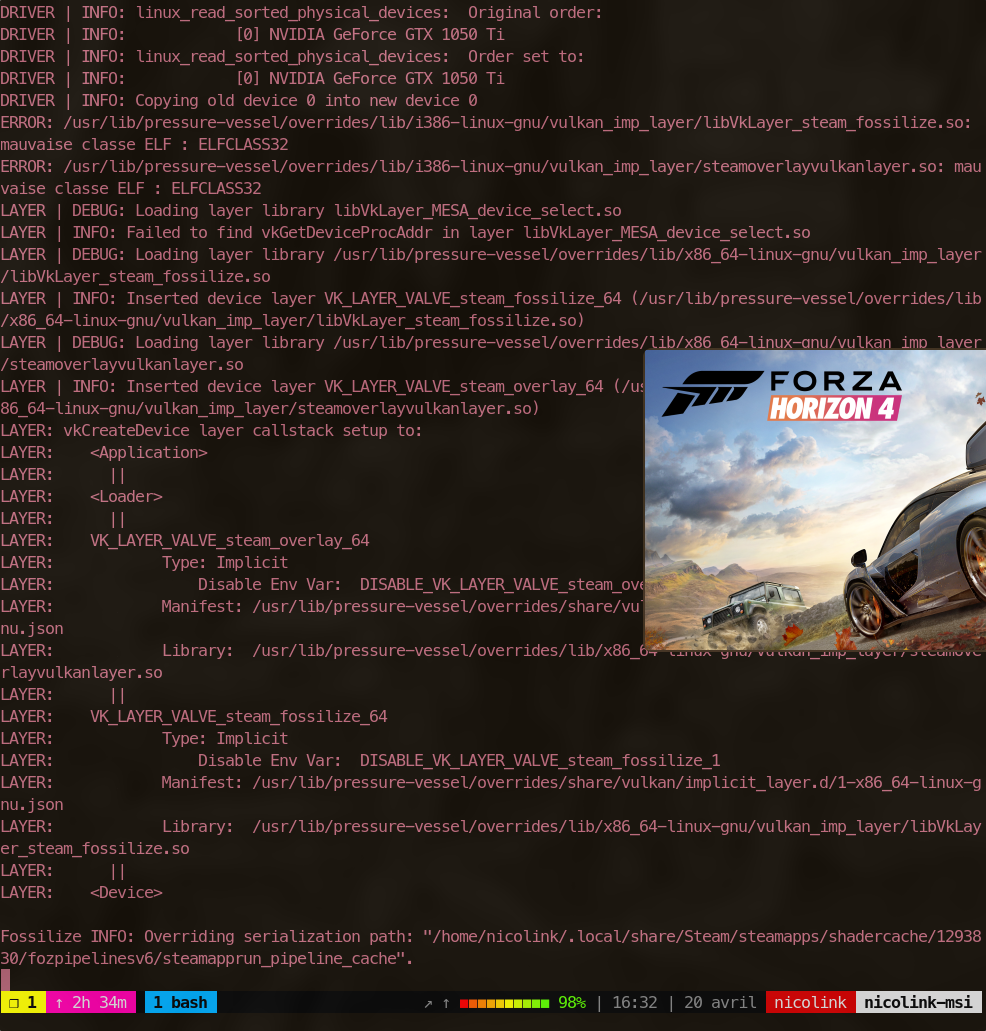
If you can give me some advices please, and sorry for my bad english, i'm french.
Thanks you !
I'm afraid you're out of luck there. I and some other people have also reported this problem in this issue. It looks like this game just doesn't work if you have an integrated and a dedicated video card in your laptop. Personally I haven't tried just using the dedicated card so I cannot say whether that would work.
Well i tried with and without prime-run (well currently my Xorg config have been set with nvidia-xconfig, so my X11 use my gpu) and no changes. Did they have not a way for bypass or hide this feature ? @segvee
Probably it would work like a charm with VFIO gpu passthrough... but hard to configure this.
I wonder if isolate steam or make a container can change something... Well it's maybe stupid ^^'
I'm afraid you're out of luck there. I and some other people have also reported this problem in this issue. It looks like this game just doesn't work if you have an integrated and a dedicated video card in your laptop. Personally I haven't tried just using the dedicated card so I cannot say whether that would work.
I've got AMD + NVidia graphics and everything works fine (excepting sudden crashes). But I haven't tried on integrated mode, using only nvidia mode, cause have external monitor.
Replying to https://github.com/ValveSoftware/Proton/issues/4667#issuecomment-1114654315
Do you mean you have an AMD integrated video card? I have an integrated Intel card and a dedicated NVidia card and it doesn't work. When setting the appropriate environment options to use the NVidia card the game is stuck on the splash screen. When forcing the integrated Intel card the game starts but immediately crashes (if I remember correctly).
I think @CCF100, @X-m7 and @nicolink47 have similar issues.
Do you mean you have an AMD integrated video card?
Yep I have integrated AMD card. I'm using nvidia mode with optimus-manager.
I think @CCF100, @X-m7 and @nicolink47 have similar issues.
Have these crashes always been there or have they only appeared recently?
Replying to https://github.com/ValveSoftware/Proton/issues/4667#issuecomment-1114667102
I cannot speak for the others but the way I described it has been the case since I've had my laptop with the dedicated NVidia card (August 2021).
When forcing the integrated Intel card the game starts but immediately crashes (if I remember correctly).
Heh, in my case forcing the integrated Intel card actually made it get past that splash screen and the game actually starts, nothing much actually gets rendered but the intro music plays, so it actually got farther than with my NVIDIA card. I don't remember any crashes aside from when I didn't set the VK_ICD_FILENAMES environment variable to point to the NVIDIA one (when my system is set to NVIDIA mode).
long story short. I was playing Forza some time ago on windows and had the same sudden crashes. There was some way to play Forza not buying it. (using other guys Microsoft account with Forza bought on it and yours Xbox account), when you play Forza this way you would get sudden crashes. And the way to fix this crashes was to kill explorer.exe while playing the game. And I was thinking is proton starting explorer.exe when playing Forza?
Well for me is like @segvee, using my Nvidia make a splash screen and that's all, Recently Proton Experimental have an update and ProtonGE have a never version. I didn't try it yet, i need to reinstall Forza
@IndubitablyLeft I think I found a solution! Using ProtonTricks and winecfg, I enabled Wine's Virtual Desktop feature, and I don't have the problem anymore! Although I still have issues with the game freezing up after about 5 minutes or so :/
I've changed my GTX 960 by a RTX 3070 Ti. I'm able to finish some events/races but the game often crashes at the launch or the end of an event.
I'm trying to use Virtual Desktop, but when I do so, I only get a fullscreen blue screen. The game is running in the background and I'm hearing the music of the logos and the one in the main menu.
When I try to disable the Virtual Desktop, winecfg crashes. I have to edit user.reg to remove Virtual Desktop. Is there something else I need to do? Like to add some launch options or something like that?
On my system (Fedora 34) I've got wine-7.2 (Staging) and I'm using protontricks 1293830 winecfg.
@OneSons Sadly didn't work for me, still crashing.
I've noticed that before the game freezes, the are some mini freezes for a few seconds, than it's a complete freeze.
Another bug report on an Nvidia 3060GTX with 470 drivers.
Can only get it to start on Proton 6 (with and without the GE) and 7 (but not GE), but it crashes during the intro race (spring is the furthest I've got), more recent Proton Experimental hangs at the small splash screen.
I some cases I confirm the report above, a few stutters and then a complete stop.
The trick with dxgi.customVendorId = 10de in a conf file referred to by DXVK_CONFIG_FILE from protondb doesn't seem to help.
Hello @edwardando, the NVIDIA 470 series video driver is too old to be used with the build of VKD3D-Proton in Proton Experimental. Please update your video driver to 510.47 or newer if you want to tinker with this game and Proton Experimental.
Thanks @kisak-valve I wan't aware of this limitation.
Indeed with 515 drivers, the current Proton's Experimental works, but I still get stuck on the transition to Summer on the intro race systematically.
I've tried a hodgepodge of different launch options without much success, any thoughts to get this running?
Thanks @kisak-valve I wan't aware of this limitation. Indeed with 515 drivers, the current Proton's Experimental works, but I still get stuck on the transition to Summer on the intro race systematically.
I've tried a hodgepodge of different launch options without much success, any thoughts to get this running?
The only thing I found that reliably got past this was setting everything to low, try that out and see if you can get out without crashing
The mailbox Vsync and setting FPS to 30 in MangoHud is the solution.
I've tried PROTON_ENABLE_NVAPI=1 MANGOHUD_CONFIG="fps_limit=30,no_display" gamemoderun mangohud %command% and the game still freezes after 10-15min of gameplay. Once I've noticed that the music kept playing as if nothing happened, so the game is not totally froze. I've tried to make a log file, but the game crash when I hit the 10Go log file.
You have to set mailbox vsync in mangohud conf.
If I understand well the obscure mailbox vsync suggestion, combined with this this documentation means passing MANGOHUD_CONFIG="fps_limit=30,vsync=2"
As @Skiski says above, all this combined does allow for about ten minutes of play (on Proton Experimental), which is no bad, but not that comfortable either. Any other ideas, or routes to debugging?
Thanks for all the help so far.
Yes, those settings help me to play the game without crashes for hours. I'm with NVIDIA.
I've tried with the mailbox sunc and it's still the same. The only difference is that after the freeze, the game crashed when change the window. I'll try again tomorrow.
It's very frustrating since the game runs very well but keep crashing after about 10 min. Can t be something with e-sync or f-sync. Some people guessed that it could be related to memory or something like that. I play with the highest settings but I've got a 3070 ti and 32Go of RAM.
You have to set mailbox vsync in mangohud conf.
And what about game settings? I tried this, but there's no difference for me, game still crashes after 15-20 min
Tested on laptop with hybrid graphics, ryzen5 4600h & gtx1650
In game settings I just disabled vsync.
I've just tried with the game vsync disabled and it's the same. The game froze after one race.
Same here. @mozo78 Are you using proton experimental? Which drivers?
I'm on a 3060 with 12 GB of ram and 64 GB of system ram, so I don't think it's an overflow issue.
I'm trying to run at 3440x1440 which maybe is a complicating factor?
I was running it at 1920x1080. Played a few hours and that's it for I don't liked it. I'm with GTX1080Ti.
I'm also at 1920x1080 at max settings. I had the freezes with my gtx 960 and now with my rtx 3070 ti. I'm not sure it's totally related to the model of the GPU.
On the other hand I've not changed my system since the upgrade of my GPU. I'm using the 510.60.02 drivers.
The game is on my SSD.
The only difference between my 960 and my 3070 is that with the 960, the freezes happened faster and I couldn't end the intro race. Now I can do a race, if I'm lucky.
I've tried with and without gamemoderun, with and without vsync, 30, 48 or 60 FPS. It's all the same.
Did you tried with a virtual desktop? I was running it with virtual desktop.
I've tried to set the virtual desktop, but I only got a blue screen. I may have missed something. I should try it again. Even to disable it, I had to edit a config file because winecfg wasn't displaying either...
Very strange indeed, the game was starting for me with virtual desktop. I was using it to fight the double window problem.
Try to disable Steam overlay though.
If I disable steam overlay, I cannot use my xbox one gamepad. If you could tell me how to properly set up virtual desktop, I could try once again.
Thanks.
protontricks --gui
Choose a game->Select the default wineprefix->Run winecfg->Graphics->Emulate a virtual desktop :)
That's what I've tried and even if I try to launch winecfg a second time, I get these errors:
0218:err:module:LdrInitializeThunk "comctl32.dll" failed to initialize, aborting
0218:err:module:LdrInitializeThunk Initializing dlls for L"C:\\windows\\syswow64\\winecfg.exe" failed, status c0000005
I only get the blue screen and nothing on it.
I've tried without the steam overlay and it still froze...
Ok, there must be a problem with my version of wine or something like that sine I also got the problem with virtual desktop on my main wine prefix...
The wine desktop mode crashes have been reported:
https://bugzilla.redhat.com/show_bug.cgi?id=1946118
But it says it's a mesa bug and I don't use mesa, since I've got a Nvidia GPU...
I don't know, I'm sorry :(
Thanks for your help anyway. I'll upgrade to Fedora 36 in a few week. I'll see if it's still the same. Unless another solution is found before. Maybe @edwardando can try wine virtual desktop to see if it solves the problem for him.
I was trying it on Arch. Let's hope it will work fine on Fedora. I wish you luck :)
On my side the virtual desktop runs OK, but I have the same crashing problem, so it doesn't change anything!
Since the virtual desktop doesn't seem to be the ultimate solution, I've tried a few things. I've tried with the lowest settings and it still froze as usual. I've tried just driving aroud, and it's still the same. I've tried staying in Lego Island (maybe it takes less memory) and, once again, it froze. I've even tried staying on the starting screen movie (the one with the car going through the 4 seasons) and it also froze after 10min.
In the last case, I thinks it's just a movie, so it doesn't seem to have anything to do with the 3D engine. Maybe there is some kind of memory leak or something like that.
I am getting the same random crashes on both my desktop and Steam Deck. On desktop, I have an Nvidia 3090, and I am usually able to play 3 or so races before it decides to crash. The crashes are random, not at a a specific spot. On my Steam Deck, it also has the same crashes but it usually happens much quicker, like during the first or second race.
For those who aren't getting force feedback on their Xbox controllers, you might need to disable Steam Input for Forza.
When you say "crash", do you mean that "the game closes itself and back to desktop" or "the image freezes, nothing happens anymore except for the sound that may loop in the background and I need to kill the game"? It is the second case I call a freeze. It seems to only happen on nvidia GPU, and and think it's not the case of the Steam Deck which has an AMD GPU.
It's just to be sure that it is the same problem.
For reference, in my case, it's a freeze (sometimes with audio continuing)
When you say "crash", do you mean that "the game closes itself and back to desktop" or "the image freezes, nothing happens anymore except for the sound that may loop in the background and I need to kill the game"? It is the second case I call a freeze. It seems to only happen on nvidia GPU, and and think it's not the case of the Steam Deck which has an AMD GPU. It's just to be sure that it is the same problem.
@Skiski Apologies, I should have been more clear. On the desktop with the Nvidia GPU, I've had one crash to desktop and many, many freezes where the sound keeps going and I have to force quit. On the Steam Deck, it has always been crashing straight back to the Steam UI.
Okay, so the good news (for me) is that after a software update the virtual desktop thing solved my CTD on startup issue. The bad news is that it still has random crashes.
@Skiski I've noticed that for the intro scenes, I've had three crashes that occur at the point where you get transferred from cutscene to in-game. Possibly it's some sort of asset loading issue?
Debug gives me this:
GLib-GObject-CRITICAL **: 10:39:50.510: g_object_unref: assertion 'G_IS_OBJECT (object)' failed
Looks to be another assertion error similar to one that was causing the initial CTD.
Edit: Seemed to be a PID collision with the Steam game overlay UI. Disabled it and now the above error no longer happens (far as I can tell). Alas, we seem to still be no closer to a solution for the game itself freeze-crashing.
Edit 2: Incidentally should also mention it does not seem to be a memory issue, as the game froze while I still had comfortable amounts of RAM and VRAM (~50% usage).
I can confirm that if I disable steam input, I get vibrations on my xbox one pad. But I've had multiple "disconnected gamepad". I don't know if it's linked.
I can also confirm that I get the freezes with lots of free memory. With pstree, I've noticed that there are more than 300 Forza processes. I don't know if ités a lot or not and if it can explain the crashes.
The last time it crashed, it was when I disabled steam input and it didn't free but crashed. I had multiple 0.5s freezes but it kept going and at some point I had no control of the car. It was like the input of my gamepad where locked with my car doing spinning around. And at some point, it crashed.
I've also tried 6.3-8 but it did not recognized my gamepad.
Okay, so this just got interesting. I noticed that while the game runs RAM usage will slowly climb until it reaches ~50% (mangohud tells me I was using 15.9 to 16.1 GiB) which is when it freezes or crashes. My computer has two physical sticks of RAM. Is it possible Forza doesn't like using RAM over multiple physical sticks?
For me, it never really gets over 12GiB. I have 32 and it still freezes.
On the other hand, I've played for more than 30 min with 6.3-8 without any freeze or crash. I've completed 3 events in a row, wich I never achieved with newer versions of proton.
The only downside is that my xbox one gamepad is not recognized.
Maybe there is some kind of regression in newer version.
Ok, I've found a way to make it work with my gamepad and 6.3-8.
I moved the pfx folder to a new one, then tried to play the game but it crashed at launch.
I copied the config folder from the old pfx to the new one and my gamepad works. I'll play a little more when I'll have more time to see if it solves the problems.
To sum up, first move the pfx folder:
mv ~/.steam/steam/steamapps/compatdata/1293830 ~/.steam/steam/steamapps/compatdata/1293830.old
Switch to 6.3-8 and if it crashes, do this:
cp -rf ~/.steam/steam/steamapps/compatdata/1293830.old/pfx/drive_c/users/steamuser/AppData/Local/ForzaHorizon4 ~/.steam/steam/steamapps/compatdata/1293830/pfx/drive_c/users/steamuser/AppData/Local/ForzaHorizon4
So after closing some background apps to keep RAM usage below 16GiB, I had a freeze that actually managed to recover itself, but it ceased to recognize any keypresses from either the keyboard or controller. This seems to suggest the component that handles input is crashing, freezing the game along with it.
Edit: Yup, getting more confident it's an input issue. Had another freeze that recovered, but input kept working this time, followed by an immediate freeze again the instant I pressed a button on my controller.
@Skiski can you please elaborate on what you did exactly? I am in the same boat- my gamepad (PS3 controller) works in 7.0-2 (with steam input disabled), but there are crashes. I get no crashes in 6.3-8, but the gamepad isn't detected (regardless of steam input settings).
I tried playing in 7.0-2 with the gamepad, moving the compatdata folder, then starting in 6.3-8 with a fresh compatdata folder, exiting the game and then copying the pfx folder over from the 7.0-2 version, but no luck. Is that what worked for you?
This is exactly what I did. I had to copy the old pfx folder because the game crashed at launch because it was not fullscreen. Copying the pfx folder was the easiest way to solve that. Do you have steam input enabled? And Steam overlay? I need both to have my gamepad working.
Maybe it was luck, but I used to have a lot of freeze, even if trying proton experimental, proton-ge, 30fps limitation tweak... In all those tests, game was playable for something like 10mn (1 race and a half...).
I just had a session of 2 hours in a row without freeze or slowdown by using Proton 6.3.8, no fps limitation (I just have "gamemoderun %command%" in steam start command) and disabling steam overlay and steam input. I was initialy on a 40fps ingame limitation, but I changed it to illimited during my session without any issue.
I played with a xbox one controler and xone drivers, but for this session, controler was wired. I am playing on high preset with a R7 3700x and a gtx 1660 super. I hope this feedback will help.
edit: I just tried another session and got a freeze as usual 10 mn after. My controler was wireless, so I started again with controler wired and I have been able to play more than 30mn without issue.
edit2: no link with gamepad, I have been able to play wireless for one hour today. steam overlay and steam input are still disabled tho. Just a problem to restart the game in full screen, I have been able to get it with a alt+enter combo just before it crash and return to desktop. I have played in window mode for this session to prevent this issue at the next start.
With a lot more tests I confirm that @Skiski 's method of resetting the PFX file does end up working for a reliable system.
It really doesn't seem to depend on launch options or game options after that, really worth trying.
Hello! I've been having trouble running this game since around the latest update that was released.
Namely, the issue that I've been experiencing is that when the game reaches the main menu and I press enter or x to get into the game, it crashes. I did some analysis and ran the game with PROTON_LOG=1. The log was massive and full of repeating redundant lines so attached is the extract of relevant logs right as the crash happened.
Unhandled exception: page fault on read access to 0x0000000000000010 in 64-bit code (0x000000014278f715).
Register dump: rip:000000014278f715 rsp:000000000c2ee320 rbp:000000000c2ee458 eflags:00010246 ( R- -- I Z- -P- )
 rax:000000000c2ee3e0 rbx:00000003c1d03e80 rcx:000000000c2ee3e0 rdx:000000033ea290a0 rsi:000000000c2ee3e0 rdi:00000003c1d03e80 r8:0000000000000019 r9:0000000000000003 r10:00000008fa44fa38 r11:0000000a3f200040 r12:00000003c08293b0 r13:0000000000000000 r14:00000003c1d03e80 r15:000000000c2ee558Stack
dump:0x000000000c2ee320: 00000003c1d03e80 0000000000445c300x000000000c2ee330: 00000003c08293a8 00000003c30516800x000000000c2ee340: fffffffffffffffe 00000003c30516800x000000000c2ee350: 0000000000000003 fffffffffffffffe0x000000000c2ee360: 000000000c2ee428 000000000c2ee3c80x000000000c2ee370: 000000000c2ee688 00000003c0f725800x000000000c2ee380: 0000000000000000 00000000000000000x000000000c2ee390: 00000003c0780b40 00000003c08293a80x000000000c2ee3a0: 000000000c2ee4b0 000000014279917d0x000000000c2ee3b0: 0000000a3f200040 000000000c2ee3e00x000000000c2ee3c0: 0000000000000000 00000003c0cfdfb00x000000000c2ee3d0: 000000000c2ee558 00000003c0766810
Backtrace:=>0 0x000000014278f715 CentreGainGetDSPDescription+0x24cd025() in forzahorizon4 (0x000000000c2ee458)
1 0x000000014279917d CentreGainGetDSPDescription+0x24d6a8d() in forzahorizon4 (0x000000000c2ee4b0)
2 0x000000014273de62 CentreGainGetDSPDescription+0x247b772() in forzahorizon4 (0x000000000c2ee609)
3 0x00000001428181d2 CentreGainGetDSPDescription+0x2555ae2() in forzahorizon4 (0x000000000c2ee609)
4 0x000000014281744f CentreGainGetDSPDescription+0x2554d5f() in forzahorizon4 (0x000000000c2ee770)
5 0x000000014273a082 CentreGainGetDSPDescription+0x2477992() in forzahorizon4 (0x000000000c2ee930)
6 0x00000001427f1159 CentreGainGetDSPDescription+0x252ea69() in forzahorizon4 (0x000000000c2eed40)
7 0x000000014273f198 CentreGainGetDSPDescription+0x247caa8() in forzahorizon4 (0x000000000c2eef90)
8 0x0000000141f19145 CentreGainGetDSPDescription+0x1c56a55() in forzahorizon4 (0x000000000c2eee70)
9 0x0000000141f27c66 CentreGainGetDSPDescription+0x1c65576() in forzahorizon4 (0x0000000147432778)
10 0x0000000143799889 in forzahorizon4 (+0x3799889) (0x0000000147432778)
11 0x000000014379a87b in forzahorizon4 (+0x379a87b) (0x0000000147432778)
12 0x000000014332033e in forzahorizon4 (+0x332033e) (0x0000000147432778)
13 0x0000000143323c32 in forzahorizon4 (+0x3323c32) (0x000000000c2ef5e0)
14 0x0000000143084a50 in forzahorizon4 (+0x3084a50) (0x000000000c2ef5e0)
15 0x0000000142b72342 CentreGainGetDSPDescription+0x28afc52() in forzahorizon4 (0x000000000c2ef5e0)
16 0x0000000143060ab5 in forzahorizon4 (+0x3060ab5) (0x0000000000000000)
17 0x00000001427a1720 CentreGainGetDSPDescription+0x24df030() in forzahorizon4 (0x0000000000000000)
18 0x000000014332538a in forzahorizon4 (+0x332538a) (0x0000000000000000)
19 0x000000007b62ca29 ActivateActCtx+0x20db9() in kernel32 (0x0000000000000000)
20 0x000000017005fc17 A_SHAFinal+0x3d027() in ntdll (0x0000000000000000)
0x000000014278f715 forzahorizon4+0x278f715: movq 0x0000000000000010(%r13),%rcx
If I'm correct this A_SHAFinal function seems to be the cause of the crash? Is there a package I'm missing in my prefix for some reason?
Additional details:
My distro: Arch Linux, Latest kernel
My system specs: Ryzen 5 3600, 16GB Ram and RX 6700XT.
Steps I've tried to resolve this: switching from the regular mesa package to aur's mesa-git, using proton experimental, proton 7.0, proton 6.3-8 (which gets stuck on the splash screen and doesn't boot into the game). I also tried removing my compatdata prefix for the game multiple times to no avail.
Looks like I'm also getting nonstop stutters + audio cutout now (as described here, it's FH5 but apparently the update kicked in at the same timing), and it didn't happen before.
I wonder if others are also affected by this issue? Let me know if you have stutters, or more importantly, if you don't have stutters.
Anyone else who uses NVIDIA gpu experience crash to desktop if you try to play the game in any other setting other than low ?
EDIT: It seems the culprit was MSAA
EDIT2: Another VKD3D regression on proton experimental the cars flicker black and brown or silver instead of showing the actual textures.
Does anyone else get crashes every 30-40 minutes? The game runs like normal until it just crashes out of nowhere (audio continues, but picture frozen), and a few of my CPU cores go up to 100%. Memory doesn't seem to be abnormal during crashes however. Proton-GE, 7.0-4, and Experimental all crash after 30-40 minutes, while 6.3-8 just gets stuck on splash screen.
My system info:
OS: PopOS 22.04
RAM: 16Gbs of 3200MHz DDR4
Driver: Mesa 22.2.0 Kisak
GPU: RX 6600 XT
using i3wm, proton doesn't detect screen resolution right when the game is set to borderless windowed. On my 1080p display, it renders the game at 1894x1065, placing black bars on the right and bottom of the screen. This doesn't happen on KDE plasma. I tried multiple different versions of proton, all with the same issue.
SysInfo:
Arch Linux
24GB RAM
i5-9500H
Nvidia 1660Ti 6GB (Prime setup), 515.76 drivers
Game is not able to get past splash screen at the beginning.
Proton Experimental
System information from Steam client:
https://gist.github.com/Leopard1907/c0d0491416e5a83ed5119953da664f12
inxi -SMGxx output:
System:
  Host: asus-fx553vd Kernel: 6.0.2-arch1-1 arch: x86_64 bits: 64
    compiler: gcc v: 12.2.0 Desktop: KDE Plasma v: 5.26.0 tk: Qt v: 5.15.6
    wm: kwin_x11 dm: SDDM Distro: EndeavourOS base: Arch Linux
Machine:
  Type: Laptop System: ASUSTeK product: GL553VD v: 1.0
    serial: <superuser required>
  Mobo: ASUSTeK model: GL553VD v: 1.0 serial: <superuser required>
    UEFI: American Megatrends v: GL553VD.308 date: 04/29/2019
Graphics:
  Device-1: Intel HD Graphics 630 vendor: ASUSTeK driver: i915 v: kernel
    arch: Gen-9.5 ports: active: eDP-1 empty: HDMI-A-1 bus-ID: 00:02.0
    chip-ID: 8086:591b
  Device-2: NVIDIA GP107M [GeForce GTX 1050 Mobile] vendor: ASUSTeK
    driver: nvidia v: 520.56.06 arch: Pascal pcie: speed: 2.5 GT/s lanes: 16
    bus-ID: 01:00.0 chip-ID: 10de:1c8d
  Device-3: Realtek USB2.0 HD UVC WebCam type: USB driver: uvcvideo
    bus-ID: 1-6:3 chip-ID: 0bda:57f5
  Display: x11 server: X.Org v: 21.1.4 compositor: kwin_x11 driver: X:
    loaded: intel,nvidia unloaded: fbdev,modesetting,vesa alternate: nouveau,nv
    dri: i965 gpu: i915 display-ID: :0 screens: 1
  Screen-1: 0 s-res: 1920x1080 s-dpi: 96
  Monitor-1: eDP-1 mapped: eDP1 model: BOE Display 0x069c res: 1920x1080
    dpi: 143 diag: 394mm (15.5")
  OpenGL: renderer: Mesa Intel HD Graphics 630 (KBL GT2) v: 4.6 Mesa 22.2.1
    direct render: Yes
Steam itself being run with __NV_PRIME_RENDER_OFFLOAD=1 __GLX_VENDOR_LIBRARY_NAME=nvidia VK_ICD_FILENAMES=/usr/share/vulkan/icd.d/nvidia_icd.json
Does anyone else get crashes every 30-40 minutes? The game runs like normal until it just crashes out of nowhere (audio continues, but picture frozen), and a few of my CPU cores go up to 100%. Memory doesn't seem to be abnormal during crashes however. Proton-GE, 7.0-4, and Experimental all crash after 30-40 minutes, while 6.3-8 just gets stuck on splash screen.
*** English (Google Translate) ***
I just bought the game. I played it for less than two hours. I have the same problem. I have already requested the refund.
*** Esperanto ***
Mi ĵus aĉetis la ludon. Mi ludis ĝin malpli ol du horoj. Mi havas la saman problemon. Mi jam petis la repagon.
I got a Proton 7.0-4 log that shows what happens during crashes. This happened when I tried sign in to my Xbox account.
Unhandled exception: page fault on read access to 0xffffffffffffffff in 64-bit code (0x0000000001bb26e0).
Register dump:
rip:0000000001bb26e0 rsp:0000000063c7f670 rbp:0000000000000000 eflags:00010246 ( R- -- I Z- -P- )
rax:00000000079fcc20 rbx:00000000ae901d10 rcx:00000000ae901d10 rdx:000000001263b060
rsi:0000000016da14b8 rdi:00000000ae6cfb90 r8:0000000000000088 r9:0000000063c7f5b8 r10:0000000016da0020
r11:a55a5aa5a55a5aa5 r12:0000000000000001 r13:0000000000000000 r14:0000000016da14d0 r15:0000000007baf842
Stack dump:
0x0000000063c7f670: 0000000000000000 0000000000000000
0x0000000063c7f680: 0000000000000000 0000000000000000
0x0000000063c7f690: 0000000000000001 000000000000000a
0x0000000063c7f6a0: 0000000000000000 00000000ae6a0050
0x0000000063c7f6b0: 00000000abe655d0 00000000018fc6ac
0x0000000063c7f6c0: 0000000016e91000 0000000000000001
0x0000000063c7f6d0: 0000000000000000 0000000000000000
0x0000000063c7f6e0: 0000000016da1e50 0000000000000001
0x0000000063c7f6f0: 0000000000000001 0000000000000000
0x0000000063c7f700: 00000000abe655d0 000000017002a1cb
0x0000000063c7f710: 000000000000000a 0000000000000001
0x0000000063c7f720: 0000000016da1e50 00000000abe655d0
Backtrace:
=>0 0x0000000001bb26e0 cef_add_cross_origin_whitelist_entry+0xfa0e06() in libcef (0x0000000000000000)
1 0x00000000018fc6ac cef_add_cross_origin_whitelist_entry+0xceadd2() in libcef (0x000000000000000a)
2 0x00000000018fd3b0 cef_add_cross_origin_whitelist_entry+0xcebad6() in libcef (0x000000000000000a)
3 0x0000000001921456 cef_add_cross_origin_whitelist_entry+0xd0fb7c() in libcef (0x000000000000000a)
4 0x0000000003105a15 CrashForExceptionInNonABICompliantCodeRange+0x9f17e5() in libcef (0x000000000000000a)
5 0x0000000003a8abf7 CrashForExceptionInNonABICompliantCodeRange+0x13769c7() in libcef (0x000000000000000a)
6 0x0000000003a8ad34 CrashForExceptionInNonABICompliantCodeRange+0x1376b04() in libcef (0x000000000000000a)
7 0x000000000301e140 CrashForExceptionInNonABICompliantCodeRange+0x909f10() in libcef (0x00000000084fc8c8)
8 0x00000000039aa067 CrashForExceptionInNonABICompliantCodeRange+0x1295e37() in libcef (0x0000000003a8ac9b)
9 0x00000000039a9dc6 CrashForExceptionInNonABICompliantCodeRange+0x1295b96() in libcef (0x0000000000000001)
10 0x0000000003047cd5 CrashForExceptionInNonABICompliantCodeRange+0x933aa5() in libcef (0x0000000000000001)
11 0x00000000030473ee CrashForExceptionInNonABICompliantCodeRange+0x9331be() in libcef (0x0000000000000001)
12 0x00000000039aa6c8 CrashForExceptionInNonABICompliantCodeRange+0x1296498() in libcef (0x0000000000000001)
13 0x00000000030083aa CrashForExceptionInNonABICompliantCodeRange+0x8f417a() in libcef (0x0000000000000000)
14 0x0000000003963a9d CrashForExceptionInNonABICompliantCodeRange+0x124f86d() in libcef (0x0000000000000000)
15 0x00000000039649bf CrashForExceptionInNonABICompliantCodeRange+0x125078f() in libcef (0x0000000000000000)
16 0x000000000304df1d CrashForExceptionInNonABICompliantCodeRange+0x939ced() in libcef (0x0000000000000000)
17 0x000000007b62c9e9 ActivateActCtx+0x20da5() in kernel32 (0x0000000000000000)
18 0x000000017005f5d7 A_SHAFinal+0x3ca57() in ntdll (0x0000000000000000)
0x0000000001bb26e0 libcef+0xfa26e0: calll *0x0000000000000058(%rax)
Modules:
Module Address Debug info Name (141 modules)
PE 0000000000690000-0000000000722000 Deferred msvcp140
PE 0000000000730000-0000000000749000 Deferred vcruntime140
PE 0000000000760000-00000000007ad000 Deferred concrt140
PE 00000000007b0000-0000000000a71000 Deferred partywin
PE 0000000000a80000-0000000000b81000 Deferred partyxboxlive
PE 0000000000b90000-0000000000c0b000 Deferred bink2w64
PE 0000000000c10000-0000000008b24000 Export libcef
PE 0000000008b30000-0000000008c31000 Deferred chrome_elf
PE 0000000008c40000-0000000008ca5000 Deferred xrnm
PE 000000000ed10000-000000000ee98000 Deferred gameoverlayrenderer64
PE 0000000015840000-00000000158ea000 Deferred targethardwareprofiler
PE 0000000028f60000-000000002938e000 Deferred d3dcompiler_47
PE 000000007b000000-000000007b0d9000 Deferred kernelbase
PE 000000007b600000-000000007b812000 Export kernel32
PE 0000000138000000-000000013956e000 Deferred steamclient64
PE 000000013b400000-000000013b444000 Deferred steam_api64
PE 0000000140000000-0000000149b25800 Deferred forzahorizon4
PE 0000000170000000-00000001700a1000 Export ntdll
PE 0000000180000000-0000000180063000 Deferred commoneventlogginglibrary_release
PE 00000001c4ee0000-00000001c4f10000 Deferred winspool
PE 00000001c69e0000-00000001c72fc000 Deferred shell32
PE 00000001c8b40000-00000001c8b60000 Deferred msacm32
PE 00000001c8db0000-00000001c8e47000 Deferred msvcrt
PE 00000001cd860000-00000001cd868000 Deferred api-ms-win-crt-utility-l1-1-0
PE 00000001cfdf0000-00000001cfe13000 Deferred dxva2
PE 00000001d0830000-00000001d0980000 Deferred actxprxy
PE 00000001d97a0000-00000001d97a7000 Deferred api-ms-win-core-fibers-l1-1-1
PE 00000001dc810000-00000001dc81d000 Deferred schannel
PE 00000001dd3f0000-00000001dd4bd000 Deferred crypt32
PE 00000001ec2b0000-00000001ec2d6000 Deferred ws2_32
PE 00000001f48d0000-00000001f48e0000 Deferred wpc
PE 00000001f51e0000-00000001f51f0000 Deferred hid
PE 00000001fdfd0000-00000001fdff8000 Deferred wintrust
PE 0000000200660000-00000002006ae000 Deferred ia2comproxy
PE 0000000201cf0000-0000000201d0f000 Deferred secur32
PE 0000000212690000-0000000212698000 Deferred api-ms-win-core-memory-l1-1-3
PE 000000021a7e0000-000000021a855000 Deferred setupapi
PE 0000000222120000-000000022216d000 Deferred sapi
PE 0000000226310000-0000000226317000 Deferred api-ms-win-core-string-l1-1-0
PE 0000000228450000-000000022847b000 Deferred propsys
PE 0000000231ae0000-0000000231b62000 Deferred rpcrt4
PE 0000000236370000-000000023639e000 Deferred winepulse
PE 000000023d820000-000000023da6e000 Deferred user32
PE 0000000240030000-000000024005d000 Deferred iphlpapi
PE 0000000241850000-0000000241857000 Deferred api-ms-win-crt-environment-l1-1-0
PE 00000002419a0000-00000002419e0000 Deferred wbemprox
PE 0000000249680000-00000002496a1000 Deferred amd_ags_x64
PE 000000024f470000-000000024f48f000 Deferred mpr
PE 00000002522e0000-0000000252324000 Deferred oleacc
PE 0000000253cc0000-0000000253cde000 Deferred xinput1_3
PE 000000025cf30000-000000025cf38000 Deferred api-ms-win-core-winrt-string-l1-1-0
PE 000000025d740000-000000025d74e000 Deferred dwmapi
PE 0000000262250000-0000000262259000 Deferred api-ms-win-crt-runtime-l1-1-0
PE 0000000263a00000-0000000263a07000 Deferred api-ms-win-core-sysinfo-l1-1-0
PE 0000000269740000-0000000269747000 Deferred api-ms-win-core-libraryloader-l1-2-0
PE 000000026b4c0000-000000026b53a000 Deferred gdi32
PE 000000026ebe0000-000000026ebe7000 Deferred api-ms-win-eventing-classicprovider-l1-1-0
PE 0000000270f60000-0000000271228000 Deferred d3d9
PE 00000002739c0000-0000000273af7000 Deferred oleaut32
PE 0000000274a50000-0000000274a5d000 Deferred kerberos
PE 000000028ba60000-000000028ba67000 Deferred api-ms-win-crt-time-l1-1-0
PE 000000028dfa0000-000000028dfac000 Deferred nsi
PE 000000029cfc0000-000000029cfd6000 Deferred dnsapi
PE 000000029e400000-000000029e436000 Deferred msctf
PE 000000029ea80000-000000029ea87000 Deferred api-ms-win-core-datetime-l1-1-1
PE 00000002a0070000-00000002a007d000 Deferred sspicli
PE 00000002a4090000-00000002a409e000 Deferred wtsapi32
PE 00000002a9540000-00000002a9548000 Deferred usp10
PE 00000002ba290000-00000002ba298000 Deferred api-ms-win-core-winrt-l1-1-0
PE 00000002bb750000-00000002bb894000 Deferred comctl32
PE 00000002bdd50000-00000002bdd58000 Deferred api-ms-win-gaming-tcui-l1-1-0
PE 00000002c5060000-00000002c506b000 Deferred atlthunk
PE 00000002cc880000-00000002cc88c000 Deferred wevtapi
PE 00000002d23f0000-00000002d2417000 Deferred credui
PE 00000002d4d40000-00000002d4d57000 Deferred bcrypt
PE 00000002d63e0000-00000002d63e7000 Deferred api-ms-win-core-version-l1-1-0
PE 00000002d8800000-00000002d8807000 Deferred api-ms-win-security-cryptoapi-l1-1-0
PE 00000002de970000-00000002de9a2000 Deferred rsaenh
PE 00000002e1360000-00000002e1367000 Deferred api-ms-win-core-processenvironment-l1-1-0
PE 00000002e3540000-00000002e3591000 Deferred shlwapi
PE 00000002e8f10000-00000002e902a000 Deferred ole32
PE 00000002edf00000-00000002ee0f7000 Deferred dxgi
PE 00000002f1fa0000-00000002f1fae000 Deferred version
PE 00000002f3920000-00000002f3930000 Deferred esent
PE 00000002f6140000-00000002f6193000 Deferred xaudio2_8
PE 00000002f7230000-00000002f725e000 Deferred uxtheme
PE 00000002f7560000-00000002f757d000 Deferred xmllite
PE 00000002f7f20000-00000002f7f2c000 Deferred vcruntime140_1
PE 00000002fa030000-00000002fa037000 Deferred api-ms-win-core-localization-obsolete-l1-2-0
PE 0000000308050000-000000030809b000 Deferred dinput8
PE 000000030a2c0000-000000030a2c9000 Deferred api-ms-win-crt-stdio-l1-1-0
PE 000000030a950000-000000030a9c2000 Deferred dwrite
PE 000000030c980000-000000030c988000 Deferred api-ms-win-core-synch-l1-2-0
PE 00000003126f0000-0000000312709000 Deferred shcore
PE 0000000319900000-0000000319932000 Deferred mfreadwrite
PE 000000031adf0000-000000031ae43000 Deferred xaudio2_9
PE 000000031f800000-000000031f8ff000 Deferred comdlg32
PE 0000000327020000-0000000327073000 Deferred combase
PE 000000032a700000-000000032a72a000 Deferred sechost
PE 0000000330260000-00000003302a0000 Deferred advapi32
PE 0000000330a70000-0000000330aa9000 Deferred uiautomationcore
PE 0000000335260000-0000000335272000 Deferred rtworkq
PE 0000000336850000-000000033687b000 Deferred mmdevapi
PE 000000033a7c0000-000000033a7c7000 Deferred api-ms-win-core-profile-l1-1-0
PE 000000033ea00000-000000033ea09000 Deferred api-ms-win-crt-string-l1-1-0
PE 00000003422e0000-000000034237c000 Deferred urlmon
PE 0000000344840000-0000000344848000 Deferred api-ms-win-crt-filesystem-l1-1-0
PE 0000000346ba0000-0000000346bc1000 Deferred jsproxy
PE 0000000350a30000-0000000350a39000 Deferred api-ms-win-crt-convert-l1-1-0
PE 0000000351680000-0000000351688000 Deferred api-ms-win-core-localization-l1-2-1
PE 0000000355100000-0000000355107000 Deferred api-ms-win-crt-locale-l1-1-0
PE 0000000358120000-0000000358166000 Deferred winhttp
PE 0000000359050000-000000035933e000 Deferred d3d11
PE 000000035e4e0000-000000035e742000 Deferred d3d12
PE 0000000360a80000-0000000360a8a000 Deferred api-ms-win-crt-math-l1-1-0
PE 0000000361450000-0000000361457000 Deferred api-ms-win-core-synch-l1-1-0
PE 0000000361860000-00000003619ec000 Deferred windowscodecs
PE 00000003673d0000-00000003673f8000 Deferred netapi32
PE 00000003696a0000-00000003696c3000 Deferred directmanipulation
PE 0000000375610000-0000000375648000 Deferred win32u
PE 00000003785e0000-00000003785ed000 Deferred vulkan-1
PE 0000000379f20000-0000000379f28000 Deferred api-ms-win-eventing-provider-l1-1-0
PE 0000000388e20000-0000000388e2e000 Deferred userenv
PE 0000000396e50000-0000000396e5c000 Deferred gamingtcui
PE 000000039b510000-000000039b518000 Deferred api-ms-win-crt-heap-l1-1-0
PE 00000003a0440000-00000003a04c3000 Deferred wininet
PE 00000003a19e0000-00000003a19ef000 Deferred ncrypt
PE 00000003a6d40000-00000003a6da1000 Deferred mfplat
PE 00000003a87a0000-00000003a87a8000 Deferred api-ms-win-shcore-scaling-l1-1-1
PE 00000003a93b0000-00000003a93c3000 Deferred xinput1_4
PE 00000003aa4c0000-00000003aa4cc000 Deferred dhcpcsvc
PE 00000003af670000-00000003af730000 Deferred ucrtbase
PE 00000003afd00000-00000003afd1a000 Deferred imm32
PE 00000003b6dc0000-00000003b6de5000 Deferred winevulkan
PE 00000003b8f00000-00000003b8fc1000 Deferred winmm
PE 00000003b93d0000-00000003b93d7000 Deferred api-ms-win-core-kernel32-legacy-l1-1-2
PE 00000003bb250000-00000003bb358000 Deferred cryptui
PE 00000003be590000-00000003be5f3000 Deferred dbghelp
PE 00007fd798fd0000-00007fd798fd3000 Deferred wineopenxr
PE 00007fd79b760000-00007fd79b763000 Deferred lsteamclient
PE 00007fd79d020000-00007fd79d024000 Deferred winex11
Threads:
process tid prio (all id:s are in hex)
00000020 steam.exe
00000024 0
000000c0 0
0000013c 0
00000030 services.exe
00000034 0
00000038 0
00000044 0
00000054 0
00000068 0
00000074 0
00000098 0
000000b0 0
000000f8 0
0000003c winedevice.exe
00000040 0
0000004c 0
00000050 0
00000058 0
0000005c 0
000000bc 0
000003f4 0
00000060 winedevice.exe
00000064 0
0000006c 0
00000070 0
00000078 0
0000007c 0
00000080 0
00000084 0
0000008c 0
00000324 0
00000328 0
00000090 plugplay.exe
00000094 0
0000009c 0
000000a0 0
000000a4 0
0000031c 0
00000320 0
00000338 0
000000a8 svchost.exe
000000ac 0
000000b4 0
000000b8 0
000000c4 explorer.exe
000000c8 0
000000d8 0
000000dc 0
000000e4 rpcss.exe
000000e8 0
00000100 0
00000104 0
00000108 0
0000010c 0
00000110 0
00000118 tabtip.exe
0000011c 0
0000012c 0
00000130 0
0000043c 0
00000134 (D) Z:\home\user\Drive2\SteamLibrary\steamapps\common\ForzaHorizon4\ForzaHorizon4.exe
00000138 0
00000140 0
00000144 0
00000148 2
0000014c 0
00000150 0
00000154 0
00000158 0
00000168 0
0000016c 15
00000170 0
00000174 15
00000178 0
0000017c 15
00000180 1
00000184 0
00000188 0
0000018c 0
00000194 1
00000198 1
0000019c 1
000001a0 1
000001a4 1
000001a8 1
000001ac 1
000001b0 1
000001b4 1
000001b8 1
000001bc 1
000001c0 1
000001c4 1
000001c8 1
000001cc 1
000001d0 1
000001d4 1
000001d8 1
000001dc 1
000001e0 1
000001e4 1
000001e8 1
000001ec 1
000001f0 1
000001f4 -2
000001f8 -2
000001fc -2
00000200 -2
00000208 -1
00000210 1
00000214 2
00000218 -1
0000021c 0
00000220 15
00000224 15
00000228 2
0000022c 15
00000234 0
00000238 0
0000023c 0
00000240 0
00000244 0
00000248 0
0000024c 0
00000250 0
00000254 0
00000258 0
0000025c 0
00000260 0
00000264 0
00000268 0
0000026c 0
00000270 0
00000274 0
00000278 0
0000027c 0
00000280 1
00000284 2
00000288 0
0000028c 0
00000290 0
00000294 0
00000298 0
0000029c 0
000002a0 0
000002a4 0
000002a8 0
000002ac 0
000002b0 1
000002b4 1
000002b8 -2
000002bc -2
000002c0 -2
000002c4 -2
000002c8 -2
000002cc 0
000002d0 0
000002d4 1
000002d8 0
000002dc 0
000002e0 0
000002e4 0
000002e8 0
000002ec 0
000002f8 -1
000002fc -1
00000300 0
00000308 0
0000030c 0
00000310 15
0000032c 0
00000330 0
00000334 0
0000033c 0
00000344 0
00000350 -1
00000354 0 <==
00000358 0
0000035c 0
00000360 -2
00000364 0
00000368 0
0000036c 0
00000370 0
00000374 0
00000378 0
0000037c 0
00000380 0
00000384 0
00000388 0
0000038c -2
00000390 0
0000039c -2
000003a0 1
000003a4 1
000003a8 1
000003e8 0
000003ec 0
000003f0 0
00000420 0
00000428 0
0000042c 0
000004dc 0
000004e0 0
00000530 0
00000578 0
00000394 ForzaWebHelper.exe
00000398 1
000003ac 0
000003b0 0
000003b4 0
000003b8 0
000003bc 0
000003c0 0
000003c4 0
000003c8 -2
000003cc 1
000003d0 0
000003d4 0
000003d8 1
000003dc ForzaWebHelper.exe
000003e0 0
000003f8 0
000003fc 0
00000400 0
00000404 -2
00000408 0
0000040c 0
00000410 0
00000414 0
00000418 0
00000424 -2
00000454 0
00000458 ForzaWebHelper.exe
0000045c 0
0000049c 0
000004a0 0
000004a4 0
000004a8 -2
000004ac 1
000004b0 0
000004b4 0
000004b8 0
000004bc 1
000004c0 0
000004c4 0
000004c8 0
000004cc 0
000004d0 0
000004d4 -2
000004d8 0
00000524 ForzaWebHelper.exe
00000528 0
0000053c 0
00000540 0
00000544 0
00000548 -2
0000054c 1
00000550 0
00000554 0
00000558 0
0000055c 1
00000560 0
00000564 0
00000568 0
0000056c 0
00000570 0
00000574 -2
So after closing some background apps to keep RAM usage below 16GiB, I had a freeze that actually managed to recover itself, but it ceased to recognize any keypresses from either the keyboard or controller. This seems to suggest the component that handles input is crashing, freezing the game along with it.
Edit: Yup, getting more confident it's an input issue. Had another freeze that recovered, but input kept working this time, followed by an immediate freeze again the instant I pressed a button on my controller.
Maybe this is the issue?
Once I had something similar. The game seemed to crash, but recovered and after that it was as if was always turning left. I don't remember if other input worked. But it crashed for good a few minutes later.
Does anyone else get crashes every 30-40 minutes? The game runs like normal until it just crashes out of nowhere (audio continues, but picture frozen), and a few of my CPU cores go up to 100%. Memory doesn't seem to be abnormal during crashes however. Proton-GE, 7.0-4, and Experimental all crash after 30-40 minutes, while 6.3-8 just gets stuck on splash screen.
My system info: OS: PopOS 22.04 RAM: 16Gbs of 3200MHz DDR4 Driver: Mesa 22.2.0 Kisak GPU: RX 6600 XT
Tested the game yesterday on PopOS as well and with forced Proton Experimental and I can confirm that this is happening. The game actually runs like a charm on max settings but it eventually just freezes out of seemingly nowhere. The only other issue I found is that fullscreen doesn't really work
System specs:
OS: Pop!_OS 22.04 LTS x86_64
CPU: AMD Ryzen 5 5600 (12) @ 3.500GHz
GPU: AMD ATI Radeon RX 6600
Memory: 16GB DDR4
Steam Deck, SteamOS 3.3.3 shaky\spiky frametimes with 45 refresh rate, but if you open either of side menus shaky frametimes stop. Am I only one who experiencing this?
Steam Deck, SteamOS 3.4.2 20221221.2 - Black screen with audio similar to Forza Horizon 5 issue.
SteamOS 3.4.3 20221222.1 (testing branch) - Intro videos are not visible, but game is visible afterwards.
Forza Horizon 4 freqeuntly crashes on SteamDeck
Issue transferred from https://github.com/ValveSoftware/Proton/issues/6464.
@deadeyye posted on 2023-01-19T21:42:50:
Compatibility Report
- Name of the game with compatibility issues: Forza Horizon 4
- Steam AppID of the game: 1293830
System Information
- GPU: Steamdeck
- Driver/LLVM version:Mesa 22.2.0 (git-17e531202)
- Kernel version: 5.13.0-valve36-1-neptune
- Link to full system information report as Gist: https://gist.github.com/deadeyye/9d03f55e734d42abf6d102f06a02c92b
- Proton version: happens on every of those: 7.0-5, 7.0-6, Proton Experimental
I confirm:
- [x ] that I haven't found an existing compatibility report for this game.
- [ x] that I have checked whether there are updates for my system available.
Here are a couple of logs ending in crashes https://drive.google.com/file/d/1wZP5ZNuL23fj_Eb8uTv7TEP3bkhN4uhD/view?usp=share_link
Wanted to upload them here but the size limit is too low.
Symptoms
The game frequently crashes, after 5-30 minutes of running. Happens most frequently in menus, during loading, or when showing UI information. Those crashes happened from the start, but the frequency was much smaller (ie once per week). After spending many hours in the game, they become persistent (100% it will crash within 30 minutes of play). Reinstalling the game, and clearing the proton cache doesn't help.
Reproduction
- Run the game (I use the game of the year edition with all the DLC)
- Play normally, use menus a lot (which is normal in this game)
- Game will crash at a random moment, sometimes within 5 minutes, sometimes within 30. Every time I run the game, it will crash, making it unplayable on steamdeck.
Forza 4 Steam Can't sign into Xbox Live
Issue transferred from https://github.com/ValveSoftware/Proton/issues/6531.
@UberDog55 posted on 2023-02-13T20:03:39:
Compatibility Report
- Name of the game with compatibility issues: Forza Horizon 4
- Steam AppID of the game: 1293830
System Information
- GPU: AMD Radeon 6950XT
- Driver/LLVM version: amdgpu
- Kernel version: 6.1.11-arch1-1
- Link to full system information report as Gist:
- Proton version: 7.0-6
I confirm:
- [ *] that I haven't found an existing compatibility report for this game.
- [ *] that I have checked whether there are updates for my system available.
Symptoms
When loading up the game, there is no option to login. Only two options, both of which just provide an error warning saying:
"You may not proceed without being signed in to a profile."
Screenshots below:
The game did work briefly when I bought it last year when my PC had Zorin OS 16.2 installed. But I couldn't play it due to the nvidia drivers at the time.
Now what I have Arch installed using Proton experimental, 7.0-6 and 6.3-8 (anything earlier doesnt load the game) I experiance what it mentioned above.
Steam report:
https://gist.github.com/UberDog55/861b8a41da4fe15ef0af2a64053b44c2
Reproduction
I tested on Steam Deck with Proton Experimental and the game is now in an enjoyable state! Here are the issues that Proton 8.0 Experimental has solved:
- The crashes that would occur every 30-40 minutes don't happen anymore. I was able to play a session for an hour and a half without issue.
- The issue where graphics settings above medium would make crashes more frequent seems to be gone since I played the game for nearly an hour on high without issue.
- Transitioning seasons no longer crashes the game.
However, there are a few issues that can still be fixed:
- In Gaming Mode, videos (like the intro video) don't show, but the audio plays. Desktop mode doesn't have this issue.
- On the first sign in to Xbox, the game will crash when the login window shows up. On the next launch, this doesn't occur.
- Sometimes, after 20 minutes of gameplay, the game will stop responding to controller input. To fix it, you can bring up the on screen keyboard and press v, then use the d-pad to select something from that. Do it multiple times, and it will start accepting contriller input.
- The game streaming could be improved. Similar streaming issues occur in other games like Forza Horizon 5, Spider-Man Remastered, and Spider-Man: Miles Morales.
- Once you're disconnected from a session, you cant join an online session again until you restart the game.
With that, Forza Horizon 4 has definitely become more stable with Proton 8 Experimental! We just need to iron out a couple of minor, but manageable issues and the game will be a platinum experience!
Forza works pretty well for me as well using Proton 8 Experimental. It no longer randomly crashes. However, there's this weird bug where if you attempt to retry an event after you've just completed it, the game will just get stuck at the loading screen. Retrying mid-event seems to work fine, it only occurs at the end.
Forza works pretty well for me as well using Proton 8 Experimental. It no longer randomly crashes. However, there's this weird bug where if you attempt to retry an event after you've just completed it, the game will just get stuck at the loading screen. Retrying mid-event seems to work fine, it only occurs at the end.
I retried an event after it ended and I did not encounter that issue.
I just discovered that suspending the Steam Deck while playing this game makes it impossible to connect online until the game is restarted.
UPDATE: I also discovered that after awhile of playing the game across many sessions, the game starts to get buggier (like Fortune Island not loading) and eventually stops the game from launching at all. To fix it, you have to delete the game's compatdata folder, but you'll have to do this every week or so.
[Steam Deck]
The default Proton for FH4 (7-ish if I remember correctly) caused crashes almost every time something was loading. With 8.0.2 forced, the crashes are completely gone in the game, haven't encountered any crash in 4 hours. I think Proton 8 should be the default now, I've read many threads about the game crashing on 6 and 7.
The only two things I've noticed:
- During initial setup, the game has crashed once when Xbox login popup appeared.
- Exiting the game takes pretty long. The exit screen freezes for about a minute, but eventually it manages to close the game.
There may have been a recent Proton Experimental regression causing Forza Horizon 4 to crash while loading into the game from the title screen. Switching to Proton 8.0-2 fixed it.
Hello @GalacticalEdge, please add PROTON_LOG=1 %command% to the game's launch options, reproduce the regression, and attach the generated $HOME/steam-$APPID.log to this issue report as a file. (Proton logs compress well if needed.) Also, please copy the contents of Steam Runtime Diagnostics from Steam (Steam -> Help -> Steam Runtime Diagnostics) and put it in a gist, then include a link to the gist in this issue report.
Hello @GalacticalEdge, please add
PROTON_LOG=1 %command%to the game's launch options, reproduce the regression, and attach the generated $HOME/steam-$APPID.log to this issue report as a file. (Proton logs compress well if needed.) Also, please copy the contents of Steam Runtime Diagnostics from Steam (Steam->Help->Steam Runtime Diagnostics) and put it in a gist, then include a link to the gist in this issue report.
Here is a link to the Proton log
https://drive.google.com/file/d/1QIEjx7bmWs3cfri9p9N9pL3UzwpK8BQj/view?usp=drivesdk
@GalacticalEdge If you are still seeing this failure on Experimental, could you please try dropping the vkd3d-proton files from Proton - Experimental into Proton 8.0-3? If that causes a failure, then we have the issue narrowed down, and you can delete the "dist" folder in Proton 8.0-3 to reset the files to the original versions.
cp -rf ~/.steam/steam/steamapps/common/Proton - Experimental/files/lib64/wine/vkd3d-proton/* ~/.steam/steam/steamapps/common/Proton 8.0/dist/lib64/wine/vkd3d-proton/.
cp -rf ~/.steam/steam/steamapps/common/Proton - Experimental/files/lib/wine/vkd3d-proton/* ~/.steam/steam/steamapps/common/Proton 8.0/dist/lib/wine/vkd3d-proton/.
Please also copy your system information from Steam (Steam -> Help -> System Information and Steam -> Help -> Steam Runtime Diagnostics) and put each in a gist, then include a link to the gists in this issue report.
Replying to https://github.com/ValveSoftware/Proton/issues/4667#issuecomment-1662220202
I did the steps you asked me to do and the game is working fine under Proton 8.0-3 with Experimental's VKD3D build.
@GalacticalEdge Thank you for testing that! And just to confirm - when you switch back to experimental you are still hitting the crash? I was unable to reproduce this failure, so if you still see the crash with experimental, please copy your system information from Steam (Steam -> Help -> System Information and Steam -> Help -> Steam Runtime Diagnostics) and put each in a gist, then include a link to the gists in this issue report. If you are uncomfortable doing this, we have a system for encrypting the data via public key/private key so that you can encrypt it on your end and I can decrypt it on my end.
I have an issue with this game not properly working with a modern Xbox One S/X controller (1914, usd id 045e:0b12), most of the buttons do not work, including analog sticks and triggers. (firmware version 5.17.3202.0, which is reported as the latest)
I have an older Xbox One controller (1697, id 045e:02dd) that works 100% correctly.
Using something like jstest I can see that all buttons on both controllers work correctly, (except jstest doesn't support the share button)
@GalacticalEdge Thank you for testing that! And just to confirm - when you switch back to experimental you are still hitting the crash? I was unable to reproduce this failure, so if you still see the crash with experimental, please copy your system information from Steam (Steam -> Help -> System Information and Steam -> Help -> Steam Runtime Diagnostics) and put each in a gist, then include a link to the gists in this issue report. If you are uncomfortable doing this, we have a system for encrypting the data via public key/private key so that you can encrypt it on your end and I can decrypt it on my end.
Switching back to Proton Experiemntal still caused the crash. On Proton 8.0-3, however, I face periodic freezes that recover after a couple seconds.
But do you know what is causing the crash?
@GalacticalEdge Thank you for testing! I was able to finally reproduce the crash based on the info you provided and we are in the process of investigating it. I do not know what is wrong at this time, but I will try to remember to update this issue when we've figured it out, and the fix should be listed in the changelog too when it is discovered and shipped :)
@GalacticalEdge Thank you for testing! I was able to finally reproduce the crash based on the info you provided and we are in the process of investigating it. I do not know what is wrong at this time, but I will try to remember to update this issue when we've figured it out, and the fix should be listed in the changelog too when it is discovered and shipped :)
I just switched the game to Proton Experimental bleeding-edge and it works again.
Was the issue debugged and fixed by any chance?
@GalacticalEdge It was - I usually follow up when we do experimental releases, so I didn't get a chance to follow up on this yet. Basically, it turns out this was a game bug. Apparently the game will crash if it does not detect an ethernet interface, which the deck does not have. After ethernet interface detection was properly implemented for another game, FH4 was able to properly detect that there is no ethernet interface on the deck and it crashes. We added a hack to fake an ethernet interface for FH4 which avoids the crash.
There are a couple of minor issues that impact FH4 still:
- Sometimes after pressing continue in the main menu, the game gets stuck on a black screen and GNOME will tell me the program is not responding and asks if I want to kill it.
- Sometimes when exiting the game, the game will hang and I have to force kill it.
Game used to run fine before but now crashing for me on the splash screen. Opened it once somehow but can't get it to work again. Tried proton 8.0-4, experimental, GE8-20 and proton 7.0-6. All of them give similar results. Got the logs for 8.0 and experimental.
steam-1293830-experimental.log
Here's my steam runtime diagnostics and system info:
Steam Runtime Diagnostics
System Information
I'm running Arch Linux with kernel 6.5.8-zen1-1-zen on a laptop
iGPU: Intel UHD Graphics 630
dGPU: NVIDIA 1660Ti
Currently on Hyprland
If I could provide more logs or help somehow with testing, I'd be glad to, just let me know
Hello @LazarusCat59, skimming over your Proton log, these look like some lines of interest:
err:   DxgiFactory::CreateSwapChainForComposition: Not implemented
[...]
[Gamescope WSI] Creating Gamescope surface: xid: 0x1200042
[Gamescope WSI] Atom of T was wrong type. Expected XCB_ATOM_CARDINAL.
[Gamescope WSI] Made gamescope surface for xid: 0x1200042
[Gamescope WSI] Surface state:
  steam app id:                  1293830
  window xid:                    0x1200042
  wayland surface res id:        5
  layer client flags:            0x0
  server hdr output enabled:     false
  hdr formats exposed to client: false
[...]
err:vkd3d-proton:dxgi_vk_swap_chain_create_surface: Failed to query for surface support, vr -3.
[...]
err:   DXGI: CreateSwapChainForHwnd: Failed to create swap chain, hr -2147467259
The last line is immediately followed by an access violation (c0000005) which is probably where the game is falling over.
As a quick test, can you test how the game behaves with its launch options set to DISABLE_GAMESCOPE_WSI=1 %command%?
As a quick test, can you test how the game behaves with its launch options set to
DISABLE_GAMESCOPE_WSI=1 %command%?
Thanks for the quick reply! Adding DISABLE_GAMESCOPE_WSI=1 to the launch options does stop the crashing at splash screen and the game mostly runs fine, except that it drops to below 30 FPS every few mins. Didn't used to have that when I played before. Also had to disable steam input to get my gamepad to work in-game but I'm not sure if that's related. Anyways, are there any relevant docs where I could check what this environment variable does, or any other environment variables like it for gamescope? I'd love to read through, sounds like it could be helpful when running games under gamescope.
Thanks, that tells us that your issue is likely somewhere between gamescope and the NVIDIA proprietary driver, and it's unlikely to be a Proton issue.
I found that environment variable at https://github.com/ValveSoftware/gamescope/blob/master/layer/VkLayer_FROG_gamescope_wsi.json.in#L27 to turn off that Vulkan layer (https://gist.github.com/LazarusCat59/9755867a2462d4ad95e58674c918ee25#file-steamruntimediag-txt-L2807-L2817)
It may be worthwhile to mention your findings to gamescope and/or your video driver vendor.
I found that environment variable at https://github.com/ValveSoftware/gamescope/blob/master/layer/VkLayer_FROG_gamescope_wsi.json.in#L27 to turn off that Vulkan layer (https://gist.github.com/LazarusCat59/9755867a2462d4ad95e58674c918ee25#file-steamruntimediag-txt-L2807-L2817)
Cool, thanks
It may be worthwhile to mention your findings to gamescope and/or your video driver vendor.
Will do
Just a comment for dumb people like me, I had to install Vulkan, otherwise the game wouldn't launch at all. I am on Gentoo, so for me I just enabled USE="vulkan" system-wide and recompiled @world.
@Ahwxorg whaaaat you had to install vulkan for DirectXoverVulKan? otherwise the game wouldn't launch? yeah sorry but "turns out having not even the basic dependencies makes things not work" isn't really relevant to this issue... next you're gonna inform us of the breakthrough we need a working kernel to launch that one specific game too?
yeeahh you and your best buddy downvoting isn't gonna make that more ontopic sorry
@Ahwxorg whaaaat you had to install vulkan for DirectXoverVulKan? otherwise the game wouldn't launch? yeah sorry but "turns out having not even the basic dependencies makes things not work" isn't really relevant to this issue... next you're gonna inform us of the breakthrough we need a working kernel to launch that one specific game too?
I know, it's so unbelievable for one to expect sudo $whatever install amd-drivers would pull in all the dependencies you need, but I guess we will have to wait until someone creates some sort of package manager program to automatically do it for you...
@Ahwxorg whaaaat you had to install vulkan for DirectXoverVulKan? otherwise the game wouldn't launch? yeah sorry but "turns out having not even the basic dependencies makes things not work" isn't really relevant to this issue... next you're gonna inform us of the breakthrough we need a running kernel to game on?
Like I said:
Just for the dumb people like me
Steam never told me, nor was it a dependency of Steam itself to have Vulkan installed. If you search online for this issue, this comes up. I wanted to add it here for people like me. I did not create a bug report or something else, because it's not a bug. It's just something to look out for. Nothing more.
If it's to no help for you, just ignore me. It might be helping others. If you've got nothing good to say, say nothing.
@soleofthesea @Ahwxorg sure, but it's less than 0% related to this issue you spammed. and if you search online for "for some dumb reason gentoo still can't figure out sane defaults", this issue very much does not come up. so unless you're spamming that on EVERY online post mentioning forza at all, your reasoning doesn't really follow to me.
again, this aint reddit, and even there the voting system doesn't work like you think, just because you don't like me pointing out you're using this ticket wrong, doesnt mean you aint using it wrong.
and to prevent further offtopic spam because you just cant shut up, i'mma answer above your OBVIOUS question:, YES one message that has less than nothing to do with the issue at hand is considered spam in a support ticket, and ALWAYS has been, not just "now", because this is a support ticket, not your discord server. and you don't need to explain yourself, i understand perfectly how you misunderstood the purpose of this ticket, that's why i told you that. before the two of you decided to post 3 more offtopic messages.
and AGAIN, who linked you here doesn't matter. you don't spam your offtopic general hint (which btw has been on the gentoo wiki page about steam for more than TEN years now!) on all github issues protondb links to, do you?
(on that matter, you can also teach your buddy/sockpuppet the difference between "forza ticket on the proton issue tracker" and "tweet about portage being not to their liking")
sure, but it's less than 0% related to this issue you spammed. and if you search online for "for some dumb reason gentoo still can't figure out sane defaults", this issue very much does not come up. so unless you're spamming that on EVERY online post mentioning forza at all, your reasoning doesn't really follow to me.
to this issue you spammed
Is 1 message now considered spam? I only reply to you because I would like to explain myself.
I think I got here because it's ProtonDB page linked to this GitHub issue. Pretty normal place to look when trying to game on Linux.
VRAM consumption on Proton Experimental
Issue transferred from https://github.com/ValveSoftware/Proton/issues/7685.
@Skote2 posted on 2024-05-01T00:13:39:
I am playing Forzo Horizon 4 on my arch desktop with a Ryzen 2600 and Fury X. Compared to the pinnned 8.0-5 release experimental is maxing out my 4GB of VRAM in Forza. The pinned 8 release is using only 2.8GB of VRAM on minimum settings. On high (dynamic) it's consuming 3.6GB. just my KDE 6 Wayland desktop is running behind it, taking around 800MB of VRAM. High settings on experimental we're still just maxed out and failing to draw textures.
Replying to https://github.com/ValveSoftware/Proton/issues/4667#issuecomment-2087758861
I have the exact same issue I think, but on 9.0-2 and experimental. Using 8.0-5 doesn't start the game for me (It crashes after pressing continue and showing the first loading screen). For some reason it looks like VRAM and RAM are swapped around. When I do a benchmark it says it uses 16-18GB of VRAM when only 4GB is available and the usage of RAM is 2.5-3GB with 32GB available. It basically pins the VRAM to the max and then allocates the rest on normal RAM.
It's missing a lot of textures and/or takes a long time to load them in. It's still playable, but obviously not a great experience. Would appreciate if someone could help.
Benchmark
Textures that are missing
I use EndeavourOS with KWin wayland (kernel 6.9.6-arch1-1)
CPU: Intel i7 4790
GPU: AMD R9 290 (4GB)
I just discovered that suspending the Steam Deck while playing this game makes it impossible to connect online until the game is restarted.
I'm still experiencing this inability to reconnect after sleep on the latest Deck beta OS (but it's happens in stable as well). It seems to vary from game to game. For instance, Hitman WoA is always online but I'm successfully able to reconnect, but games like Ghost Recon Wildlands and Breakpoint refuse to. Would really love to see this investigated and fixed.
I just discovered that suspending the Steam Deck while playing this game makes it impossible to connect online until the game is restarted.
I'm still experiencing this inability to reconnect after sleep on the latest Deck beta OS (but it's happens in stable as well). It seems to vary from game to game. For instance, Hitman WoA is always online but I'm successfully able to reconnect, but games like Ghost Recon Wildlands and Breakpoint refuse to. Would really love to see this investigated and fixed.
Seems like that part might be a general issue on Steam Deck. Also, Forza Horizon 5 doesn't have this issue.
Replying to https://github.com/ValveSoftware/Proton/issues/4667#issuecomment-2198771640
That is a pretty funky issue. Also, I'm not experiencing this on my Steam Deck, so maybe it's an issue specific to certain configurations?
Replying to https://github.com/ValveSoftware/Proton/issues/4667#issuecomment-2198815029
It's strange that it affects some games and not others. I've also noticed this inability to reconnect to the game's online if I put the Deck to sleep for at least an hour. If I sleep it for a minute and resume, there are no issues reconnecting.
Apparently the game still boots to a black screen on the oled deck with steamos 3.5.19.
I am also experiencing this issue, however I find that I'm getting the game just to boot enough so that it displays the small splash launcher before instantly closing
System Specs:
CPU: AMD Ryzen Threadripper 1950X
GPU: AMD ATI Radeon RX 7700 XT / 7800 XT
OS: Linux mint 22 x86_64
Kernel: 6.8.0-39-generic
Steam install: Native Debian
Attempts using the following proton compatibility as of 07/08/24:
Experimental, 9.0-2, 8/0-5, 7.0-6
Preformed game file integrity check as well during testing and still containing the same results
I don't have a Proton log file, but the game still seems to not play nicely on a first time start on a Steam Deck OLED if you're booting the game through game mode. The splash screen doesn't show, and the intro videos don't show despite hearing sound. It'll reach the main menu, but either it will get stuck and not let you press any buttons/keys to open the login window and continue, or the login window will show and let you sign in, but then not progress afterwards. The main menu also won't have any background video, just a black screen with the logo and start buttons.
This can be worked around if you launch the game in desktop mode, where all of the above does display correctly and lets you progress all the way to actually playing the game. Once the game's logged in and set up on desktop mode, the game will work correctly on game mode other than still not showing the splash window or intro videos.
Other than if I get a chance to get a Proton log file, I'm going to presume that the issue's relating to something with Gamescope not playing nicely with the game's startup behavior considering it works fine on desktop mode where Gamescope isn't used on SteamOS. This is happening both on the latest version of Proton 9.0 as well as Experimental at the time of writing this.
Steam Deck OLED 1TB
SteamOS 3.6.9 20240814.100 (Beta Update Channel)
Kernel: 6.5.0-valve16-2-neptune-65-gc9ad4106624e
Video Driver: Mesa 24.0.5 (git-09d9c2fd7f)
This game no longer seems to connect to Horizon Life anymore on my Steam Deck. Issue occurs on both Proton 9 and Experimental.
Nvm, signing out and back into Xbox fixed it
Any Idea on how to fix this issue?
System Info
I came into the issue that when I signed in successfully ( I can confirm that sign-in is successful, otherwise it would complain "incorrect password" etc. but that not showed up), but then it immediately poped "sign in needed, you may not proceed without being signed into a profile".
I've tried several version of proton, namely "experimental/GE/8.0", all the same symptom. (AMD GPU on arch Linux by the way)
This issue could be reproduced every time when I clean the proton files and tried to login. If proton files not cleaned, only error popup shows up without any login popup.
Could anyone please help?
Unable to login to xbox when playing forza horizon
Issue transferred from https://github.com/ValveSoftware/Proton/issues/8219.
@yuyalun-allen posted on 2024-11-05T09:17:04:
Compatibility Report
- Name of the game with compatibility issues: Forza Horizon 4
- Steam AppID of the game: 1293830
System Information
- GPU: AMD Radeon RX 6650 XT
- Video driver version: 4.6 Mesa 24.2.5-arch1.1
- Kernel version: Arch Linux 6.11.5-zen1-1-zen
- Link to full system information report as Gist: https://gist.github.com/yuyalun-allen/76c9e6c2e1e23bb80fa84800bfec0add
- Proton version: Proton 9.0-3 (and I've tried other versions like hotfix, experimental, 8.0, 7.0 and GE 9-13)
I confirm:
- [x] that I haven't found an existing compatibility report for this game.
- [X] that I have checked whether there are updates for my system available.
Symptoms
when I signed in successfully ( I can confirm that sign-in is successful, otherwise it would complain "incorrect password" etc. but that not showed up), but then it immediately popped up "You may not proceed without being signed in to a profile."
Reproduction
This issue could be reproduced every time when I clean the proton files and tried to login. If proton files not cleaned, only error popup shows up without any login popup.
I post issue here #4667 ,but no one came to help, so I want to provide more information here. I hope these would be helpful.
I really appreciate it if you could come and help!
Replying to https://github.com/ValveSoftware/Proton/issues/4667#issuecomment-2439558587
I finally solve this "cannot login problem", but I'm not sure which step made effect. I hope the process that I solved this issue could be helpful.
- Uninstall;
- Copy the installation folder from a windows pc;
- Reinstall it (check integrity);
- Turn off the network proxy;
- Start and login.
Everything would go well (Except some screen flickering and texture errors).
As a quick test, can you test how the game behaves with its launch options set to
DISABLE_GAMESCOPE_WSI=1 %command%?Thanks for the quick reply! Adding
DISABLE_GAMESCOPE_WSI=1to the launch options does stop the crashing at splash screen and the game mostly runs fine, except that it drops to below 30 FPS every few mins. Didn't used to have that when I played before. Also had to disable steam input to get my gamepad to work in-game but I'm not sure if that's related. Anyways, are there any relevant docs where I could check what this environment variable does, or any other environment variables like it for gamescope? I'd love to read through, sounds like it could be helpful when running games under gamescope.
Can confirm this also fixed the issue for me. Gamescope wouldn't be needed if the game just did fullscreen correctly. Without gscope I have black bar on the bottom and right side
steam-1293830-7z.zip
I am having a Problem with Forza Horizon 4 with running any Proton 9.x (Experimental, or current / recent versions). The Game plays fine when driving, but if I access the World View map it freezes - it can for say half a second move the cursor in the World View map with an Xbox controller before it freezes (occasionally it doesn't freeze in the world view map but 98% of the time it does).
If I switch to Proton 8.05, then the World View map freezes no longer occur. The game plays it seems with no issues. Until I found this issue, my work around was to Boot Windows, open Forza in Steam on Windows, get passed the World Map bits, and then boot back into Bazitte / Steam OS setup.
It seems to be some compatibility regression that was there with Proton 8.x but is missing / reverted in Proton 9.x. I have tried Proton Experimental, Proton 9.04, Proton 9.03, also I have tried GE-Proton-21 and it has the same issue.
CPU: Intel Core i7 12700h
GPU: Intel Arc A770m (16gb vram)
Linux OS: Bazitte OS (Latest Steam OS updates applied), Latest Mesa Library updates applied
I've attached the Steam Proton Log (.Zip ended up being 36mb, so I used 7Zip, but renamed the extension to add it, rename to .7z to be able to extract it)
Gist: https://gist.github.com/pboard/d8dca6e7d045e53c414f618b649e2a59 - with Steam Client Diagnostics
I've just tried to run Forza Horizon 4 on Linux Mint 22 (kernel 6.8) using Steam installed from DEB file from the official Steam web-page and Proton. The computer had AMD A8-7600 APU, which has integrated graphics "Radeon R7 series". After configuring Linux to use amdgpu I was able to start the game and the main screen was working fine and usable (I could go to any settings). Soon after trying to start a race the game experienced huge memory leak instantly eating whole RAM (some 6+ GB) and swap space (8 GB). Then everything was frozen - the game and the whole system.
I was trying Proton Hotfix, Proton Experimental and Proton 9.0.3. The same effect each time.
I couldn't find error messages in Steam log.
NOTE: I've removed this infamous DLL file that was causing initial memory leak on FH4 start. Still I've experienced abovementioned memory leak on a later stage.
Hello @pboard, please add PROTON_LOG=1 %command% to the game's launch options, reproduce the regression, and attach the generated $HOME/steam-$APPID.log to this issue report as a file. (Proton logs compress well if needed.) Also, please copy the contents of Steam Runtime Diagnostics from Steam (Steam -> Help -> Steam Runtime Diagnostics) and put it in a gist, then include a link to the gist in this issue report.
Hello @pboard, please add
PROTON_LOG=1 %command%to the game's launch options, reproduce the regression, and attach the generated $HOME/steam-$APPID.log to this issue report as a file. (Proton logs compress well if needed.) Also, please copy the contents of Steam Runtime Diagnostics from Steam (Steam->Help->Steam Runtime Diagnostics) and put it in a gist, then include a link to the gist in this issue report.
I've uploaded the Steam Client Diagnostics into GIST, and the Proton Log with Proton Experimental for you. I had to use 7zip to compress the log to get it under 25mb, as Zip made 26mb, and Tar / Gz was 29mb. You'll need to rename the extension to .7z after to extract it.
I just tried playing FH4 on my Steam Deck, and the main issues I ran into were all graphical. I was able to log in fine (the login window is broken in desktop mode, but works fine in game mode) and haven't noticed any obvious memory leaks.
The issues I saw were all texture-related and mostly boil down to the following:
- Some textures have a purple hue while maintaining detail. I've noticed this on certain roads, fences, street signs, and road decals.
- Some vegetation renders as a solid, opaque, off-while/purple texture.
- Some vegetation renders solid black.
- Some road decals (e.g., arrows) render blue/purple.
- Many dirt decals over roads (dirt roads and asphalt) render as a solid opaque color.
- Distant terrain randomly turns completely white for several seconds.
- Medium-distance terrain sometimes turns white and only becomes textured in areas you're near.
Here are screenshots of everything described above in an Imgur post:
https://imgur.com/a/0CM78tp
Besides these issues, the game ran great, maintaining 60 fps at high settings.
I can play Forza 4 solo without problem (LMDE6 / AMD GPU) but the online session with friend is not working.
We are friends in the XBox website, our steam accounts are both linked.
When one of us was on Windows, it worked: I would send an invite with the Android XBox app, he would receive a notification in game "do you want to join your friend session?". I think it worked because the Windows Game Bar received the notification and propagated it to the game.
Now that we are both under Linux, we do not see each other online. The invites sent with the XBox are not notified anywhere.
In game, we don't see each other in the convoy menu. The "Invite friend" menu does nothing (interestingly if I am alone online, this menu shows me "you have no friend online", so the game DOES detect if you have friend online or not).
We have tried several kind of configurations: both players online, one online / one solo, both solo: no chance. No notification is visible in-game.
Has anyone managed to play online with friend, all players being on Linux ?
On my System76 Adder WS laptop with an RTX 4060 and PopOS, this game runs well except for the fact the game isn't deemed a screen saving inhibiting window and the laptop will start dimming.
Then I have the next issue, if I alt-tab, the game will just freeze when it's focused, but will run normally if out of focus.
So if I don't touch my track pad from time to time (since I use controller), then the game will stop being playable. Could be a GNOME issue (especially since I'm using an older GNOME due to PopOS being LTS)
Hello @robotman40, see https://github.com/ValveSoftware/steam-for-linux/issues/11694#issuecomment-2623294271.
Hello @robotman40, see ValveSoftware/steam-for-linux#11694 (comment).
Well I would like to state I am not experiencing this issue with Forza Horizon 5, so I am not sure if it's part of a broader issue or game specific.
With the default compatibility layer with Steam Play, a Red or Orange Color Graphical Error can occur on at least certain buildings (possibly with a certain GPU or certain GPUs).
Solution: Change the compatibility layer to another version of the compatibility layer.
Windowing part of this game regressed.
On Proton 9 Experimental and Experimental BE game boots normally. On Proton 10 Exp ( non BE ) game starts as a black screen window. Such as if game spawns two windows, one of them is just pitch black, other one is staying behind. Alt-tabbing between windows doesnt solve the issue but stealing focus completely from app via Windows/Meta key+D and clicking to game window from taskbar fixes the issue.
Game is set to fullscreen in game settings but i guess that doesnt affect anything.
Video of the issue:
https://youtu.be/nZJkmRoH2gQ?si=8iZ3toUz6Drx4Sok
Proton log:
System specs:
System:
  Host: beast-b650mds3h Kernel: 6.14.6-arch1-1 arch: x86_64 bits: 64
    compiler: gcc v: 15.1.1
  Desktop: KDE Plasma v: 6.3.5 tk: Qt v: N/A wm: kwin_wayland dm: SDDM
    Distro: EndeavourOS base: Arch Linux
Machine:
  Type: Desktop Mobo: Gigabyte model: B650M DS3H v: x.x
    serial: <superuser required> UEFI: American Megatrends LLC. v: F33
    date: 03/12/2025
Graphics:
  Device-1: Advanced Micro Devices [AMD/ATI] Navi 31 [Radeon RX 7900 XT/7900
    XTX/7900 GRE/7900M] vendor: Sapphire PULSE driver: amdgpu v: kernel
    arch: RDNA-3 pcie: speed: 16 GT/s lanes: 16 ports: active: DP-2
    empty: DP-1, HDMI-A-1, HDMI-A-2, Writeback-1 bus-ID: 03:00.0
    chip-ID: 1002:744c
  Device-2: Advanced Micro Devices [AMD/ATI] Raphael vendor: Gigabyte
    driver: amdgpu v: kernel arch: RDNA-2 pcie: speed: 16 GT/s lanes: 16 ports:
    active: none empty: DP-3, DP-4, DP-5, HDMI-A-3, Writeback-2
    bus-ID: 12:00.0 chip-ID: 1002:164e temp: 40.0 C
  Display: wayland server: X.org v: 1.21.1.16 with: Xwayland v: 24.1.6
    compositor: kwin_wayland driver: X: loaded: amdgpu
    unloaded: modesetting,radeon alternate: fbdev,vesa dri: radeonsi
    gpu: amdgpu display-ID: 0
  Monitor-1: DP-2 model: ASUS VG32VQR res: 2560x1440 hz: 165 dpi: 93
    diag: 800mm (31.5")
  API: EGL v: 1.5 platforms: device: 0 drv: radeonsi device: 1 drv: radeonsi
    device: 2 drv: swrast gbm: drv: radeonsi surfaceless: drv: radeonsi wayland:
    drv: radeonsi x11: drv: radeonsi
  API: OpenGL v: 4.6 compat-v: 4.5 vendor: amd mesa v: 25.0.5-arch1.1
    glx-v: 1.4 direct-render: yes renderer: AMD Radeon RX 7900 XTX (radeonsi
    navi31 LLVM 19.1.7 DRM 3.61 6.14.6-arch1-1) device-ID: 1002:744c
    display-ID: :1.0
  API: Vulkan v: 1.4.313 surfaces: N/A device: 0 type: discrete-gpu
    driver: mesa radv device-ID: 1002:744c device: 1 type: integrated-gpu
    driver: mesa radv device-ID: 1002:164e
  Info: Tools: api: clinfo, eglinfo, glxinfo, vulkaninfo
    de: kscreen-console,kscreen-doctor gpu: amdgpu_top wl: wayland-info
    x11: xdpyinfo, xprop, xrandr
@Leopard1907 Thank you for the report! We are looking into this as it had a hack on Proton 9 that was impossible to move to Proton 10.
@alasky17 Thanks for the quick response.
https://github.com/ValveSoftware/wine/commit/bb9d0e7029721d3dfc636618565a4886bee604b9
This commit on Proton Exp BE improved the behaviour a ton. No more black screen. Just game starts as it is somehow windowed but clicking to game icon on taskbar makes it fullscreen.
Hello @pboard, please add
PROTON_LOG=1 %command%to the game's launch options, reproduce the regression, and attach the generated $HOME/steam-$APPID.log to this issue report as a file. (Proton logs compress well if needed.) Also, please copy the contents of Steam Runtime Diagnostics from Steam (Steam->Help->Steam Runtime Diagnostics) and put it in a gist, then include a link to the gist in this issue report.
FYI, just wanted to report back that I just tried the Proton 10.0-2 Release Candidate build, and accessing the map in Forza 4 no longer freezes the game (9.0 had this bug). So that's great. I saw that the Proton 10.0 had some bug fixes for Forza 4 and 5 so I thought I'd test it.
Is anyone have frame pacing issues on eGPU or non-eGPU setup?
Unplayable on full-screen (serious frame pacing issue, 1% low dip to 0fps. Windowed mode works fine. Latest proton experimental, archlinux kde latest, nvidia-open 595
edit: in full-screen mode, kwayland process have 99% usgae on single core
For all people having problem to play in a convoy on Linux, this comment helped a lot:
Direct multiplayer invites cannot be accepted because the Xbox App and Xbox Game Bar features are completely unavailable on Linux.
Workaround: You can bypass this restriction by hosting an in-game Convoy yourself. Set the Convoy privacy setting to "Open to Friends" (instead of Invite Only), which allows your friends to manually see and join your lobby directly through their in-game menus without needing an invite link.
Tested today and it works flawlessly. It seems the option is reset every time the game is launched and needs to be changed again.
Proton versions
proton experimentalx49 2026-05proton 10.0x1 2025-06proton 10.0-2x1 2025-06proton 9.0x2 2024-12proton hotfixx1 2024-12proton 8.05x1 2024-12proton 9.03x1 2024-12proton 9.04x1 2024-12proton 9.0-3x1 2024-10proton 7.0-6x1 2023-10proton 8.0-4x1 2023-10proton 8.0-3x3 2023-08proton 8.0x2 2023-08proton 8.0-2x1 2023-07proton 7.0-4x1 2022-10
Launch options
PROTON_LOG=1x8 2025-06PROTON_LOG=1.x1 2022-07MANGOHUDx2 2022-05PROTON_ENABLE_NVAPI=1x1 2022-05DXVK_CONFIG_FILEx1 2022-05WINEDEBUG=+timestamp,+pid,+seh,+debugstr,+loaddll,+mscoreex1 2022-04PROTON_LOG=1`x1 2022-01PROTON_HIDE_NVIDIA_GPUx4 2021-09PROTON_ENABLE_NVAPI=1?x2 2021-09PROTON_ENABLE_NVAPI=1`x1 2021-09PROTON_HIDE_NVIDIA_GPU=0x1 2021-09PROTON_LOGx2 2021-07VKD3D_DEBUG=infox1 2021-04WINE_CONFIG_MAKEFILEx1 2021-03WINE_DEFAULT_DEBUG_CHANNELx1 2021-03
Launch lines
DISABLE_GAMESCOPE_WSI=1 %command%x3 2024-11gamemoderun %command%x1 2022-06PROTON_ENABLE_NVAPI=1 MANGOHUD_CONFIG="fps_limit=30,no_display" gamemoderun mangohud %command%x1 2022-05PROTON_LOG=1 __NV_PRIME_RENDER_OFFLOAD=1 __GLX_VENDOR_LIBRARY_NAME=nvidia __VK_LAYER_NV_optimus=NVIDIA_only %command%x2 2021-08
Upstream links
- ValveSoftware/steam-for-linux/issues/11694x2 2025-02
- ValveSoftware/Proton/issues/8219x1 2024-10
- ValveSoftware/Proton/issues/7685x1 2024-05
- ValveSoftware/Proton/issues/6531x1 2023-02
- ValveSoftware/Proton/issues/6464x1 2023-01
- ValveSoftware/Proton/issues/5285x1 2022-08
- ValveSoftware/Proton/issues/4966x2 2022-02
- ValveSoftware/Proton/issues/245x1 2022-02
- HansKristian-Work/vkd3d-proton/pull/621x1 2021-04
DLLs
comctl32.dllx1 2022-05api-ms-win-gaming-tcui-l1-1-0.dllx8 2021-04api-ms-win-core-kernel32-legacy-l1-1-2.dllx4 2021-04api-ms-win-core-memory-l1-1-3.dllx1 2021-03kernelbase.dllx1 2021-03ntdll.dllx1 2021-03rsaenh.dllx1 2021-03kernel32.dllx1 2021-03gamingtcui.dllx1 2021-03
Error codes
0x80000004x1 2021-04
Compatibility Report
System Information
I confirm:
steam-1293830.log
Symptoms
The game crashes at start.
Reproduction
Always.
UPDATE with Proton experimental-6.3-20210723b
The following problems still remain unresolved:
At startup and when changing graphics settings, the game shows a black screen. To show the picture from the game, you need to press <Alt + Tab> twice to switch to a any other window and return back to the game.
The bug is repeated with both RADV and AMDVLK.
Demonstration: https://youtu.be/GSOvB-LeUkA
During first race in Fortune Island event the game crashes every time.Demonstration: https://youtu.be/k73nyalMLPs
Proton log: https://drive.google.com/file/d/1bRO5nTtGyM6TEhxyFOjTbIoxcT8DLHMq/view?usp=sharing (105.1 MB)
UPD: Fortune Island event is playable with Proton experimental-6.3-20211004
Unable to add a friend to the session. The game says that there are no friends online. Game Bar is also not called by <Super + G>.

When trying to find a club, the game shows the error "There is no Windows program configured to open this type of file."


After clicking on the "Ok" button, the screen goes out, and to return the picture you need apply workaround solution from issue 1, after which we see another error "There was an error communicating the Forza Horizon 4 server. Please try again later."
PROTON_LOG = 1 is too verbosive, which makes it impossible to use it. If it's just stupid to go in and exit the game without playing for a second, then 500Mb of logs will be written to the disk. And for an hour of the game, 100Gb of logs are accumulated. The logs are flooded with messages
trace: seh: dump_unwind_infowith assembler opcodes. And FPS with PROTON_LOG = 1 sags at least three times.steam-1293830.zip
Vibration of triggers does not work on Microsoft gamepads imitating traction, thus killing the wow effect that I got playing for the first time in Forza Horizon 4 on Xbox One X.