Dualsense not working on kernel 5.12
5.12 introduced hid_playstation driver that handles some of the extra features of the controller and exposes a few more devices.
kernel: playstation 0003:054C:0CE6.000B: hidraw2: USB HID v1.11 Gamepad [Sony Interactive Entertainment Wireless Controller] on usb-0000:00:14.0-9/input3
kernel: input: Sony Interactive Entertainment Wireless Controller as /devices/pci0000:00/0000:00:14.0/usb3/3-9/3-9:1.3/0003:054C:0CE6.000B/input/input41
kernel: input: Sony Interactive Entertainment Wireless Controller Motion Sensors as /devices/pci0000:00/0000:00:14.0/usb3/3-9/3-9:1.3/0003:054C:0CE6.000B/input/input42
kernel: input: Sony Interactive Entertainment Wireless Controller Touchpad as /devices/pci0000:00/0000:00:14.0/usb3/3-9/3-9:1.3/0003:054C:0CE6.000B/input/input43
kernel: playstation 0003:054C:0CE6.000B: Registered DualSense controller hw_version=0x00000313 fw_version=0x000100bc
But hidraw, which Proton uses, should work just like it used to work.
And indeed, DualSense seems to be working just fine for me in RE2 on Arch with 5.12.9 + Proton Experimental. I've checked both wired and bluetooth. I will need some extra details to be able to troubleshoot.
- You should check if you can access the hidraw device. Steam ships with udev rules which grant you the access:
$ pacman -Ql steam | grep input
steam /usr/lib/udev/rules.d/70-steam-input.rules
$ grep 0ce6 /usr/lib/udev/rules.d/70-steam-input.rules
KERNEL=="hidraw*", ATTRS{idVendor}=="054c", ATTRS{idProduct}=="0ce6", MODE="0660", TAG+="uaccess"
The uaccess tag should allow any user with active session to access the device even if the mode doesn't look like they can.
We can verify that it works with hid-record /dev/hidrawX (packaged as hid-tools). To know which hidraw device to use, check the kernel logs.
If the tool doesn't complain about permissions and spits out a lot of raw data then all is good here.
-
What's your Steam Input status? (right click on the game -> properties -> controller) It should display blue dot besides PlayStation to indicate that controller is detected. The controller should also work without any mappings, so it shouldn't say 'enabled' next to it.
-
If everything is okay here then we should check wine logs. Can you attach a log from RE2 with
WINEDEBUG=+loaddll,+pid,+tid,+hid,+dinput,+xinput,+plugplay?
Sorry for the delay, since then the games now open but they either hang for like 30sec-1m~ at startup with black screen or open but i need to wait mostly the same time for the controller to start working.
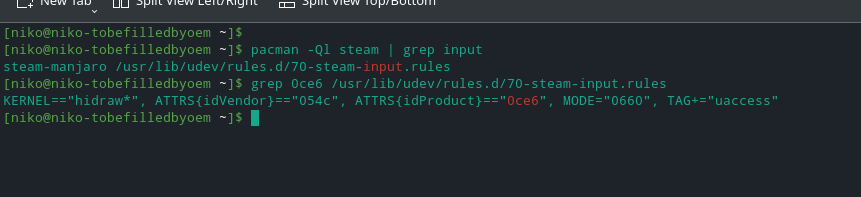
Steam terminal
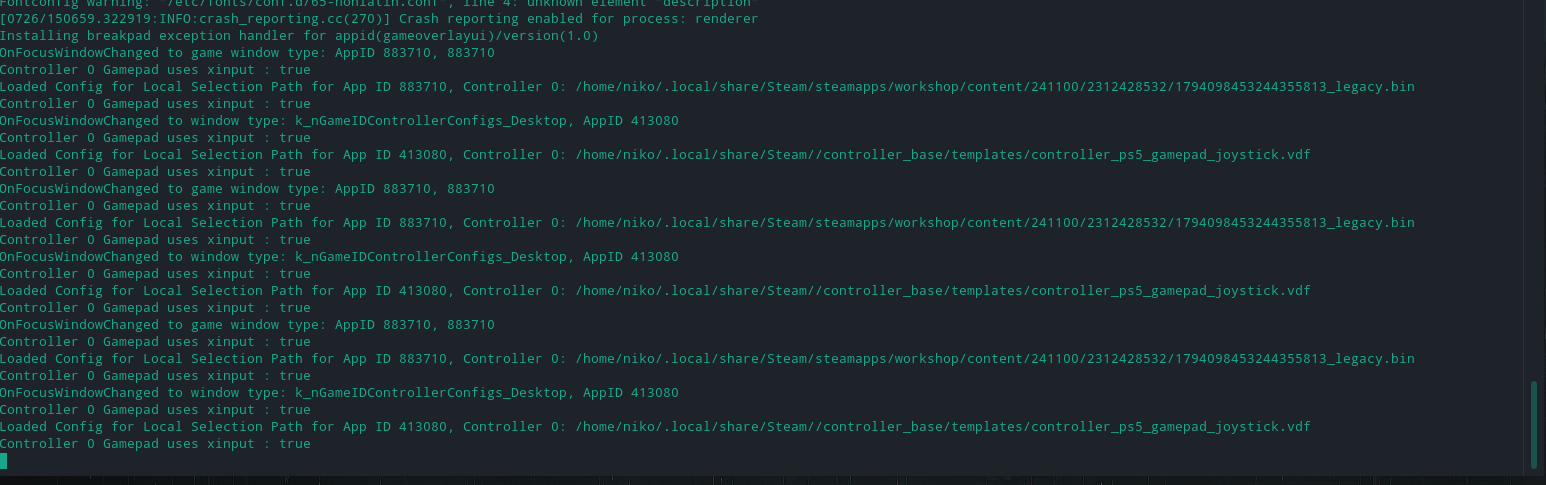
Log with WINEDEBUG=+loaddll,+pid,+tid,+hid,+dinput,+xinput,+plugplay (RE2)
steam-883710.log
Also tried hid-record /dev/hidrawX in terminal after installing hid-tools but it says command not found not sure if that's the way to do it.
What you are describing here sounds like this Steam Input problem. Until recently Steam Input had hard time with DualSense with hid_playstation (Linux 5.12+), but it was fixed.
I am not sure what controllers the game supports but you can try disabling Steam Input and see if the 30-60s delay is gone to confirm.
Ok can confirm now that works fine with no delays or hangs disabling the playstation config on big picture
Proton versions
proton experimentalx2 2021-06
Launch options
WINEDEBUG=+loaddll,+pid,+tid,+hid,+dinput,+xinput,+plugplayx1 2021-07WINEDEBUG=+loaddll,+pid,+tid,+hid,+dinput,+xinput,+plugplay`?x1 2021-06
Compatibility Report
System Information
I confirm:
Symptoms
The dualsense doesn't work with kernel 5.12 but works on older ones, with proton experimental all games just hangs on black screen and eventually also hangs steam and need to kill all processes manually.
Every game i tried did not work such as Resident Evil 2, GTA 4,Tekken 7, Batman Arkham Knight and others.
Reproduction
Plug in the controller and open any game.
I'm not really sure what to send but here's the log from re2
steam-883710.log