Resident Evil Village
Hello @NTMan, /usr/include/c++/11/array:188: std::array<_Tp, _Nm>::value_type& std::array<_Tp, _Nm>::operator[](std::array<_Tp, _Nm>::size_type) [with _Tp = unsigned int; long unsigned int _Nm = 512; std::array<_Tp, _Nm>::reference = unsigned int&; std::array<_Tp, _Nm>::size_type = long unsigned int]: Assertion '__n < this->size()' failed. looks like a line of interest from the log.
System Information
- GPU: RX 5700
- GPU Driver: 21.1.0 - kisak-mesa PPA
- Kernel version: 5.10.35-051035-generic
- Distro version: Mint 20.1 (64bit) (Cinnamon)
- Proton version: experimental-6.3-20210507
system_info.txt
Compatibility Report
With Proton Experimental (6.3-20210507) I'm able to get into gameplay (played only like ~10 minutes though so far of the beginning). I can confirm that the display settings can't be changed. Also the cut-scene videos are just a place-holder image.
With regular Proton-6.3-3, the game crashes on launch.
steam-1196590-experimental-6.3-20210507.log.zip
steam-1196590-proton-6.3-3.log
In Proton experimental-6.3-20210512b fixed bug with unable changing display settings. But the game still crashing at start.
steam-1196590.log

UPD: Updating mesa solve this issue.
Game is fully playable for me but returning to main menu crashes GPU
Pop!_OS 20.10
Vega 56, Mesa 21.0.0
steam-1196590.log
Game works perfectly (excluding cutscenes) but I'm having an issue where after viewing notes, my mouse is unfocused on the game window and camera movement no longer works until I press ESC to open the pause menu and resume the game.
Happens on both borderless and fullscreen.
Running KDE on OpenSUSE Tumbleweed
RTX 2080 Ti, driver ver 460.73
System Information:
- GPU: RX 6800 XT
- GPU Driver: 4.6 Mesa 21.0.3
- Kernel version: 5.12.1-2-MANJARO
- Distro version: Manjaro Linux
- Proton version: experimental-6.3-20210514
- Full system information as https://gist.github.com/Realitaetsverlust/dd33e42b7bb0f8eaa3ab1f4640e5dae6
Compatibility report
Game works in general (apart from the graphics menu as OP described), but I have some very weird stripes in the game.

Cutscenes are all placeholders too, but that is due to media foundation afaik, so not unexpected.
Hello @Realitaetsverlust, we'll probably want to re-evaluate rendering issues in this game and mesa/radv after https://gitlab.freedesktop.org/mesa/mesa/-/merge_requests/10692 lands (or try a build of mesa which includes that merge request).
Hello @Realitaetsverlust, we'll probably want to re-evaluate rendering issues in this game and mesa/radv after https://gitlab.freedesktop.org/mesa/mesa/-/merge_requests/10692 lands (or try a build of mesa which includes that merge request).
Thanks for the answer! I used whatever mhwd delivered me as driver, so I guess I'll just wait for the next rolling update. Thanks for the reply! :)
Working so far for me with Proton Experimental. However I notice fps drop when shooting an enemy or reloading. Anyone else experience this? I'm using a GTX 1070 I don't get this in Windows.
@Hunk4TH Digital Foundry had the same issue. So it seems like it can happen on Windows too.
Not sure what causes it though, the demo ran perfectly fine on an AMD card.
@Hunk4TH Digital Foundry had the same issue. So it seems like it can happen on Windows too.
Not sure what causes it though, the demo ran perfectly fine on an AMD card.
That's odd. I beat it on Windows 10 and never encountered that issue. Of course everyone's setup is different. It's still enjoyable imo. Hopefully that occurrence can be fixed though! Of course I'm running KDE Plasma maybe that could be the issue too?
Game has been running well with Proton Experimental. Running it on mesa-git has resolved the striping issue that @Realitaetsverlust mentioned.
I've ran into a consistent crash to desktop attempting to cross a bridge several hours into the game. I ran the game again with logging enabled and caused the crash. Here is the log steam-1196590.tar.gz
It crashed 5-6 times at roughly the same spot and I tried to changing all the graphics settings to minimum at 720p but the crash still occurred.
Hello @Equivocal90, in your log, it looks like the game hit the same assert as the opening post https://github.com/ValveSoftware/Proton/issues/4811#issuecomment-834898196.
The game stopped working after today's update. I see a black screen, and then the game closes. It worked fine before that (except for crashes when it ate too much VRAM, and also sometimes I saw white space instead of map and inventory).
steam-1196590.zip
System Information
- GPU: RX 5700
- GPU Driver: Mesa 21.3.0-devel (git-8413c57 2021-07-19 focal-oibaf-ppa)
- Kernel version: 5.11.0-22-generic
- Distro version: Linux Mint 20.2 (64 bit) (Cinnamon)
- Proton version: 6.3-5
Retest Compatibility Report
Can confirm the game crashes on launch after todays update, just a window with a black screen that then closes.
Tried also with Proton Experimental and 6.12-GE-1
steam-1196590-6.12-GE-1.log
steam-1196590-experimental-6.3-20210719.log
steam-1196590-proton-6.3-5.log
system_info.txt
Hello @SergeyLatyshev, these look like some lines of interest from your log:
328:err:vkd3d_dxil_log_callback: dxil-spirv: Raw 16-bit load-store was used, which must be implemented with SSBO or BDA.
328:err:vkd3d_dxil_log_callback: dxil-spirv: Failed to convert function.
328:warn:create_shader_stage: Failed to compile shader, vkd3d result -3.
328:warn:d3d12_pipeline_state_init_compute: Failed to create Vulkan compute pipeline, hr 0x80070057.
[...]
324:err:vkd3d_dxil_log_callback: dxil-spirv: Invalid component type for image.
Which is followed by an access violation (c0000005). It hints that the game's trying to do something that VKD3D-Proton hasn't been taught to handle yet.
the game's trying to do something that VKD3D-Proton hasn't been taught to handle yet.
So, Capcom added something new and I'll have to wait for further VKD3D progress?
Did this just start happening when you used a newer proton version? Maybe try a older proton version and see what happens.
Always possible they overwrite the workaround for this.
Did this just start happening when you used a newer proton version? Maybe try a older proton version and see what happens.
No, it was the same Experimental and 6.12-GE. What was changed is the game itself, it got an update yesterday that added AMD FSR and some changes regarding Denuvo.
Actually, I updated the Nvidia driver today from v465 to 470, and after that the game launched once. It ran at exactly 9 fps and crashed as soon as I pressed the inventory key. I had Proton logging turned off, so I don't have a log file, and the game cannot launch since that.
Yeah maybe something in FSR support not quite ready for Linux atm. Hopefully very soon.
It does also not start any more for me after the update :(
https://gist.github.com/ChrisLauinger77/ac3f8a7cf89c1499688617bbad1d0cdb
The crashes with the new update are caused by the added fp16 FSR shaders and should be fixed in vkd3d-proton master. Users on older AMD gpus will also need this Mesa patch for FSR to look correctly: https://gitlab.freedesktop.org/mesa/mesa/-/merge_requests/12004
I hope the vkd3d-proton fixes can make it into the next experimental update, in the meantime, you can manually overwrite the 64bit d3d12.dll shipped by Proton with a build of vkd3d-proton master to make it work again.
Also the game needs to be launched with WINEDLLOVERRIDES=dxgi=b %command% to get any kind of decent performance as recent Proton is missing the dxgi factory workaround for dxvk's dxgi.
Also the game needs to be launched with
WINEDLLOVERRIDES=dxgi=b %command%to get any kind of decent performance as recent Proton is missing the dxgi factory workaround for dxvk's dxgi.
Also without WINEDLLOVERRIDES=dxgi=b %command% the current Proton Experimental 6.3-20210723b leads memory leak.

Updated today Proton Experimental runs the game fine, even FSR works (but sometimes the game crashes when I change FSR settings). The game consumes too much RAM though, about 17 GB, even with WINEDLLOVERRIDES=dxgi=b.
It works 4 me as well - could finish the game now
Proton experimental + Latest Game Patch shows blue flames on pillars while FSR is enabled. The issue is immediatly fixed once FSR is disabled.
proton-experimental-20210730 + mesa 21.1.6 + RADV + RX6800
Screencast of the issue: https://streamable.com/terer1
@Mershl i can reproduce this on the vkd3d-proton version shipped in Proton Experimental, but it seems to already be fixed in vkd3d-proton master - it works fine if I overwrite the d3d12.dll in Proton - Experimental/files/lib64/wine/vkd3d-proton with a vkd3d-proton master build. @aeikum for awareness that vkd3d-proton might need a bump in Experimental :)
After latest update Resident Evil 8 crashes for me:
-
When I load save when I go to Karl Heisenberg factory first time.
steam-1196590-1.log
https://youtu.be/Nr97A8fMozU -
When I load save when I go to Donna Beneviento first time.
steam-1196590-2.log
https://youtu.be/piUZTpkWc28 -
When I start new game.
steam-1196590-3.log
https://youtu.be/hJX0Yqr7tgg
All these crashes unites one error "Unhandled exception: assertion failed in 64-bit code"
Hello @NTMan, your assert has changed slightly from before: /usr/include/c++/11/array:188: std::array<_Tp, _Nm>::value_type& std::array<_Tp, _Nm>::operator[](std::array<_Tp, _Nm>::size_type) [with _Tp = aco::{anonymous}::Idx; long unsigned int _Nm = 512; std::array<_Tp, _Nm>::reference = aco::{anonymous}::Idx&; std::array<_Tp, _Nm>::size_type = long unsigned int]: Assertion '__n < this->size()' failed.
@NTMan Thanks for the bug report. How do you get the logs that contain the mesa assertion failures? I'm able to reproduce a game crash but I can't see any of these assertion failures here. I simply get this:
wine: Unhandled page fault on read access to 000000000000000C at address 000000035E594CB6 (thread 0148)
I did find a possible ACO issue by replaying the game's Fossil file. We emit invalid IR when fddx or fddy have a uniform source. I was able to fix that issue, but the game still crashes here, and I still don't see an assertion failure.
I switched to Proton-6.16-GE-1 and with latest mesa, now I can no longer reproduce a crash in Resident Evil Village.
I switched to Proton-6.16-GE-1 and with latest mesa, now I can no longer reproduce a crash in Resident Evil Village.
For me nothing changed the game still crashing with Proton-6.16-GE-1 and latest mesa https://gitlab.freedesktop.org/mesa/mesa/-/commit/a6a89aaa2f2943532d99d9bc7b80106a1740f237
Only RADV_DEBUG=llvm helps workaround this problem.
@NTMan Please let me know what graphics settings you use in the game. I used the "balanced" preset for my testing.
@NTMan Please let me know what graphics settings you use in the game. I used the "balanced" preset for my testing.
Usually I use "Max" preset with 4K
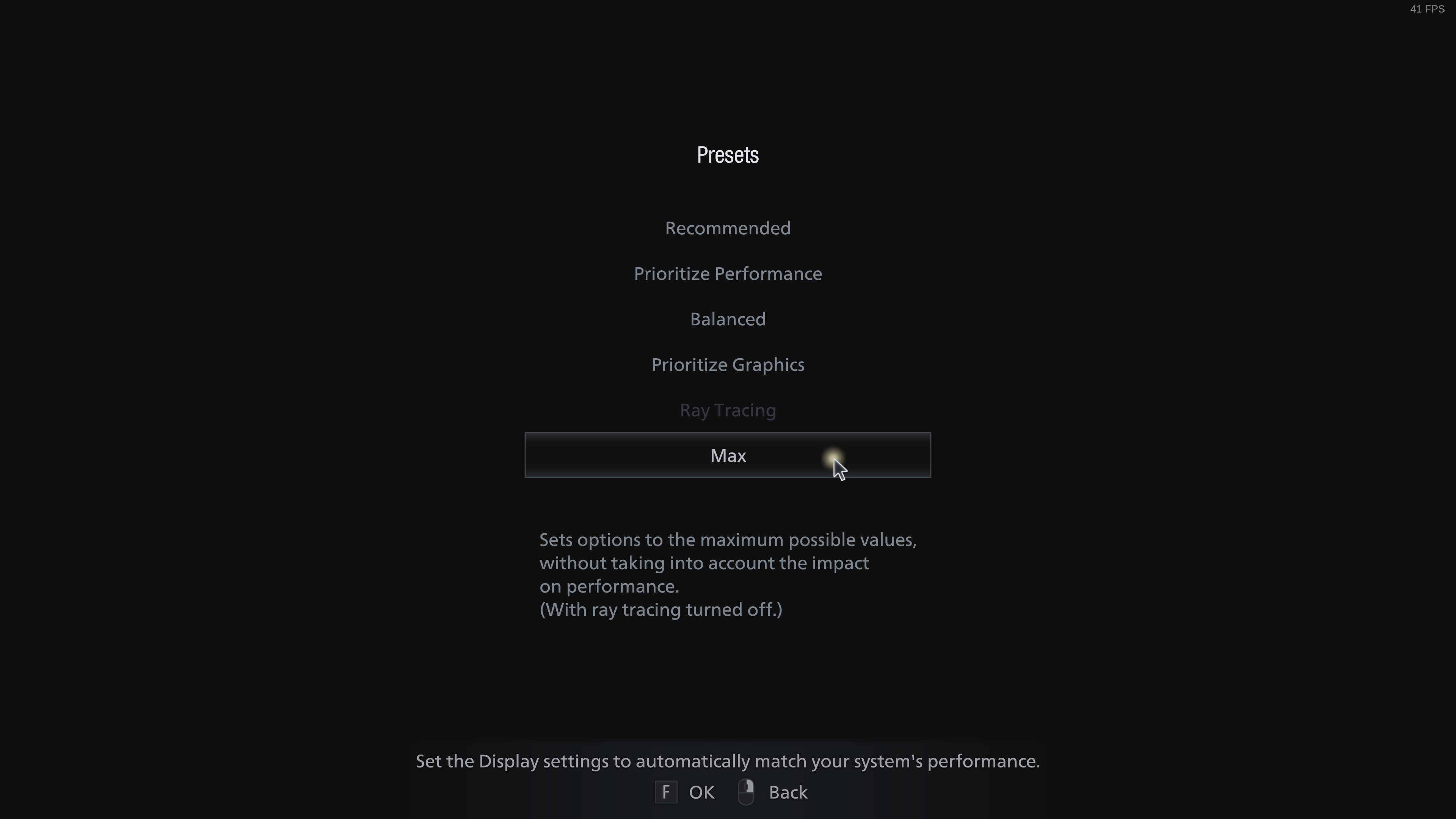
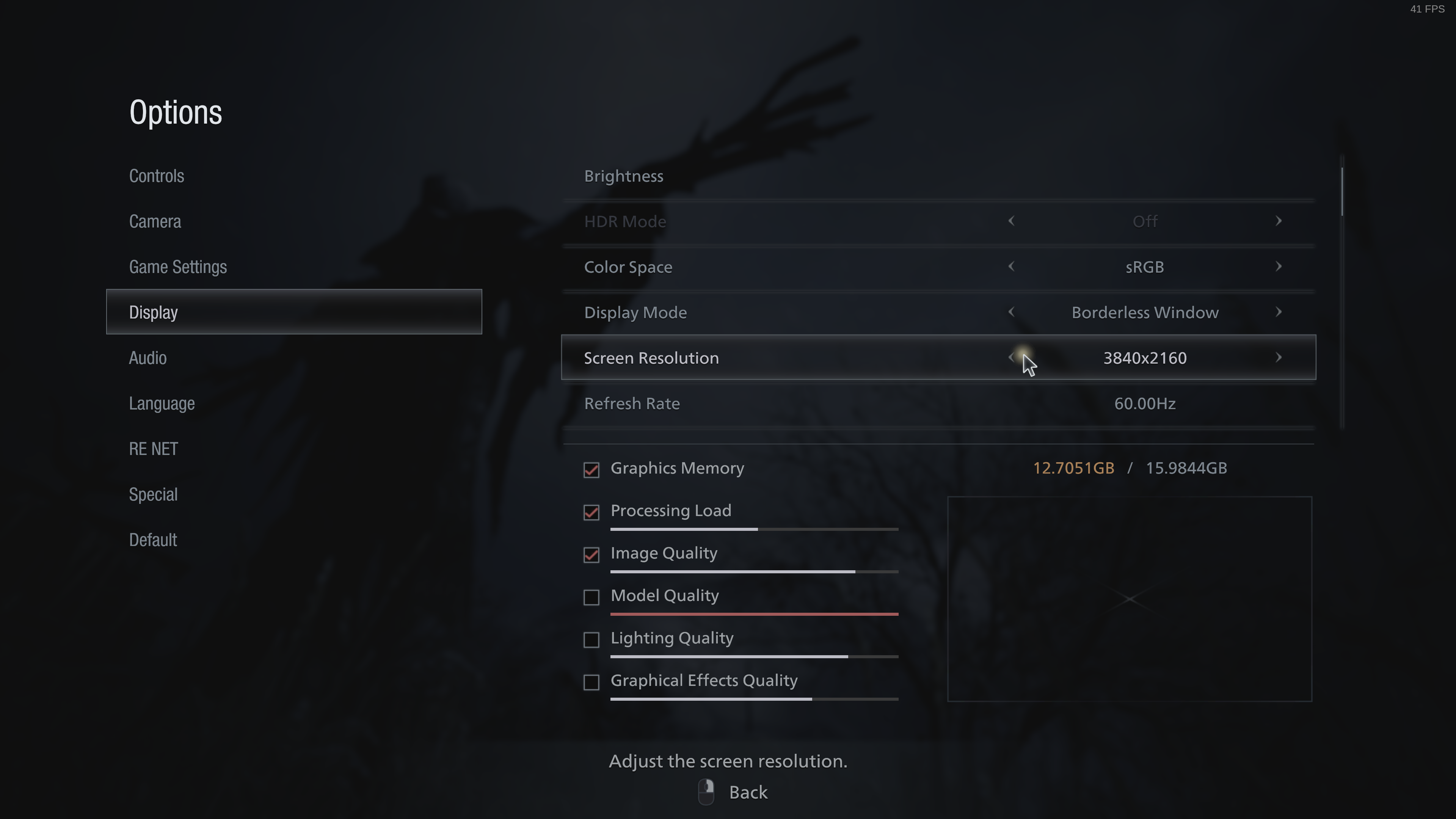
As you suggested I also checked the game with "balanced" preset. And I can confirm that crash still happening also with "balanced" preset .
@NTMan Looking at the two log files attached to your last comment, I no longer see any message in the log like the previous assertion failure, nor anything else that would indicate a mesa crash.
@NTMan Looking at the two log files attached to your last comment, I no longer see any message in the log like the previous assertion failure, nor anything else that would indicate a mesa crash.
Looks like Proton GE is less verbose than Proton Experimental.
The line with EXCEPTION_WINE_ASSERTION is present in the log with same code.
131388.327:0110:0254:fixme:secur32:get_mac_algid unknown algorithm 200, cipher 23
131398.202:0110:014c:trace:seh:dispatch_exception code=80000101 flags=1 addr=00007F344ADDD743 ip=00007F344ADDD743 tid=014c
131398.202:0110:014c:warn:seh:dispatch_exception EXCEPTION_WINE_ASSERTION exception (code=80000101) raised
@NTMan I will try the "Max" settings tomorrow. I'm pretty sure that the game is stable for me on "Balanced". At least, I can start a new game and get as far as the snowy scene, without a crash.
Are there any other settings in the game which may be different on your machine?
Do you use a packaged version of mesa or do you build the latest main for yourself?
Can you please try this environment variable? ACO_DEBUG=noopt
Thank you!
@NTMan I will try the "Max" settings tomorrow. I'm pretty sure that the game is stable for me on "Balanced". At least, I can start a new game and get as far as the snowy scene, without a crash.
Are there any other settings in the game which may be different on your machine?
I has two machines with same configs: ROG Strix X570-I/Ryzen 3950X/64GB RAM/Radeon 6900XT/512Gb SSD/18Tb HDD/4K monitor
The only difference between them is the used filesystem on one ext4, on the other xfs. The game crashes both there and there.
I almost forgot to mention that the Resizable Bar is enabled everywhere.
Do you use a packaged version of mesa or do you build the latest main for yourself?
I checked both mesa. My distro shipping with mesa 21.2.1-3 and with this mesa the game crashes too.
steam-1196590-mesa-a6a89aaa2f2943532d99d9bc7b80106a1740f237.log
steam-1196590-mesa-21.2.1-3.log
Can you please try this environment variable?
ACO_DEBUG=noopt
Hmm, I can confirm that this environment variable fixes crashes on both mesa versions.
steam-1196590-mesa-a6a89aaa2f2943532d99d9bc7b80106a1740f237-ACO_DEBUG=noopt.log
steam-1196590-mesa-21.2.1-3-ACO_DEBUG=noopt.log
Thanks @NTMan - I have a very similar system: Ryzen 3900X with RX 6900XT. I don't know why I don't see the crash, but I'll try again.
Do you have a save game to reproduce the crash? Or does the game crash for you immediately after starting a new game?
If the game works with ACO_DEBUG=noopt that means the crash is an optimizer bug. Judging by the assertion you had in the logs, it's likely a bug in the post-RA optimizer.
Thanks @NTMan - I have a very similar system: Ryzen 3900X with RX 6900XT. I don't know why I don't see the crash, but I'll try again.
Do you have a save game to reproduce the crash? Or does the game crash for you immediately after starting a new game?
Starting new game with any difficulty is enough.
The main thing is initial video begin playing.
@NTMan Do you use GCC or clang for building mesa? Also do you use any experimental compiler features such as LTO? Can you please share with me what commands you used when you built mesa? Just asking so that I can reproduce exactly what you have.
@NTMan Do you use GCC or clang for building mesa? Also do you use any experimental compiler features such as LTO? Can you please share with me what commands you used when you built mesa? Just asking so that I can reproduce exactly what you have.
GCC with options
LTO_FLAGS="-fcommon -g0 -ffat-lto-objects -flto-odr-type-merging"
export CFLAGS="$CFLAGS -falign-functions=32 -fno-semantic-interposition $LTO_FLAGS "
export FCFLAGS="$CFLAGS -falign-functions=32 -fno-semantic-interposition $LTO_FLAGS "
export FFLAGS="$CFLAGS -falign-functions=32 -fno-semantic-interposition $LTO_FLAGS "
export CXXFLAGS="$CXXFLAGS -std=c++14 -falign-functions=32 -fno-semantic-interposition $LTO_FLAGS "
export LDFLAGS="$LDFLAG0S -flto=8 "
I ran your export commands before meson, then compiled with ninja as usual. I can't reproduce the crash still... From the build log I see that you also use Fedora. Can you send me the rpm files that you built? Maybe I can try those.
I ran your export commands before
meson, then compiled withninjaas usual. I can't reproduce the crash still... From the build log I see that you also use Fedora. Can you send me the rpm files that you built? Maybe I can try those.
Here is all rpms: https://drive.google.com/drive/folders/1ygVHf5JeQ2tSSU89xAxWEi0nhmzfwIJC?usp=sharing
Thanks. Is this really a build for Fedora 36? It seems that it can't be installed on Fedora 34 due to missing dependencies.
I also tried building the .spec file, but fedpkg doesn't work with it. Can you give me some instructions how to build it?
Also, I think this is a typo:
export LDFLAGS="$LDFLAG0S -flto=8 " should be:
export LDFLAGS="$LDFLAGS -flto=8 "
Thanks. Is this really a build for Fedora 36?
Yes. Fedora Rawhide switched to F36 branch.
It seems that it can't be installed on Fedora 34 due to missing dependencies.
Yes, needed fresh glibc and llvm.
I also tried building the .spec file, but fedpkg doesn't work with it. Can you give me some instructions how to build it?
1. Download source mesa archive.
$ spectool -g -R mesa.spec

2. Create source rpm
$ rpmbuild -bs mesa.spec

3. Build rpm packages with mock container.
$ mock -r fedora-rawhide-i386 --rebuild ~/rpmbuild/SRPMS/mesa-21.3.0-0.3.20210830.20.a6a89aa.fc36.src.rpm && mock -r fedora-rawhide-x86_64 --rebuild ~/rpmbuild/SRPMS/mesa-21.3.0-0.3.20210830.20.a6a89aa.fc36.src.rpm
Of course for F34 instead of fedora-rawhide-i386 and fedora-rawhide-x86_64 should be used fedora-34-i386 and fedora-34-x86_64 values.
Missed source files you can extract from src.rpm package.
Can you confirm that this patch fixes the crash? https://gitlab.freedesktop.org/mesa/mesa/-/merge_requests/12664
Can you confirm that this patch fixes the crash? https://gitlab.freedesktop.org/mesa/mesa/-/merge_requests/12664
This patch helps only for the game "Aliens: Fireteam Elite", unfortunately "Resident Evil Village" still crashes.
/usr/include/c++/11/array:188: std::array<_Tp, _Nm>::value_type& std::array<_Tp, _Nm>::operator[](std::array<_Tp, _Nm>::size_type) [with _Tp = unsigned int; long unsigned int _Nm = 512; std::array<_Tp, _Nm>::reference = unsigned int&; std::array<_Tp, _Nm>::size_type = long unsigned int]: Assertion '__n < this->size()' failed.
45778.643:010c:0144:trace:seh:dispatch_exception code=80000101 flags=1 addr=00007FA529921743 ip=00007FA529921743 tid=0144
45778.643:010c:0144:err:seh:dispatch_exception Fatal EXCEPTION_WINE_ASSERTION exception (code=80000101) raised
steam-1196590-6.16-GE-1.log
steam-1196590-experimental-6.3-20210830.log
Does this help?
[Timur@timur-zen mesa]$ git diff
diff --git a/src/amd/compiler/aco_optimizer_postRA.cpp b/src/amd/compiler/aco_optimizer_postRA.cpp
index 4c385174b0b..e4c308884ae 100644
--- a/src/amd/compiler/aco_optimizer_postRA.cpp
+++ b/src/amd/compiler/aco_optimizer_postRA.cpp
@@ -125,7 +125,7 @@ last_writer_idx(pr_opt_ctx& ctx, PhysReg physReg, RegClass rc)
    unsigned dw_size = DIV_ROUND_UP(rc.bytes(), 4u);
    unsigned r = physReg.reg();
    bool all_same = std::all_of(&ctx.instr_idx_by_regs[ctx.current_block->index][r],
-                               &ctx.instr_idx_by_regs[ctx.current_block->index][r + dw_size],
+                               &ctx.instr_idx_by_regs[ctx.current_block->index][r] + dw_size,
                                [instr_idx](Idx i) { return i == instr_idx; });

    return all_same ? instr_idx : written_by_multiple_instrs;
@@ -137,6 +137,7 @@ last_writer_idx(pr_opt_ctx& ctx, const Operand& op)
    if (op.isConstant() || op.isUndefined())
       return const_or_undef;

+   assert(op.physReg().reg() < max_reg_cnt);
    Idx instr_idx = ctx.instr_idx_by_regs[ctx.current_block->index][op.physReg().reg()];

 #ifndef NDEBUG
Does this help?
unfortunately nope
steam-1196590-experimental-6.3-20210830.log
steam-1196590-6.16-GE-1.log
I figured out how to enable the libstdc++ debug mode, and compiled mesa with that. I fixed the issues that I found. I still don't see a crash in this game, but hopefully this helps. Can you try this branch please? https://gitlab.freedesktop.org/mesa/mesa/-/merge_requests/12682
I figured out how to enable the libstdc++ debug mode, and compiled mesa with that. I fixed the issues that I found. I still don't see a crash in this game, but hopefully this helps. Can you try this branch please? https://gitlab.freedesktop.org/mesa/mesa/-/merge_requests/12682
https://gitlab.freedesktop.org/mesa/mesa/-/commit/34f0aef19bb2c1022a3e4f9f069538be28b8e7e6 + https://gitlab.freedesktop.org/mesa/mesa/-/merge_requests/12682
unfortunately Resident Evil Village still crashes
steam-1196590-experimental-6.3-20210830.log
steam-1196590-6.16-GE-1.log
Do you use the Steam version of the game or something else?
Do you use the Steam version of the game or something else?
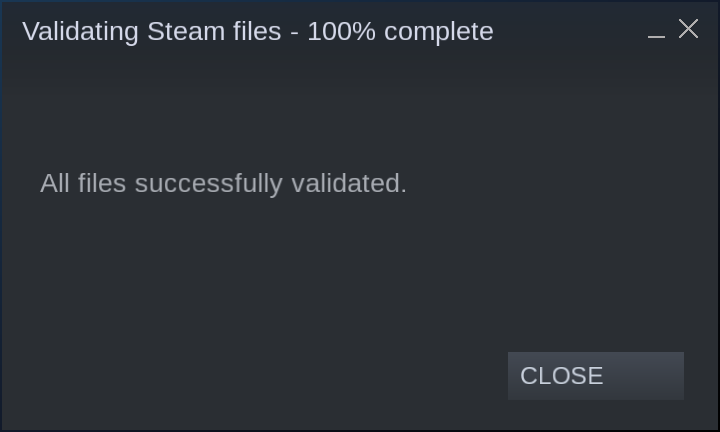
Of course I use steam version with passed integrity of game files.
And also I tried delete old proton bottle (and save and settings files which stored at ~/.steam/steam/userdata/122206813/1196590/remote I purged too), but nothing changed.
Screenshot
Okay. I'm sorry but I still couldn't reproduce this crash here, even if I enable the libstdc++ assertions in my build. I made a patch which is supposed to print the problematic shader: https://pastebin.com/raw/fULbjJLc can you please apply this and send me the output?
Okay. I'm sorry but I still couldn't reproduce this crash here, even if I enable the libstdc++ assertions in my build. I made a patch which is supposed to print the problematic shader: https://pastebin.com/raw/fULbjJLc can you please apply this and send me the output?
The debug message should have printed to terminal or proton log?
Anyway I didn't see nowhere substring last_writer_idx which was expected.
If you go to aco_interface.cpp and comment out this line, does it still crash?
//aco::optimize_postRA(program.get());
If you go to
aco_interface.cppand comment out this line, does it still crash?//aco::optimize_postRA(program.get());
Yep, the game still crashes even with commented line.
steam-1196590-experimental-6.3-20210830-2.log
steam-1196590-6.16-GE-1-2.log
Thanks for checking. Then I think the problem isn't in aco_optimizer_postRA.cpp but probably in aco_register_allocation.cpp.
Do you see any extra output in your logs (or in the terminal) if you run the game with ACO_DEBUG=validateir,validatera?
Do you see any extra output in your logs (or in the terminal) if you run the game with
ACO_DEBUG=validateir,validatera?
Leave the line //aco::optimize_postRA(program.get()); commented out?
If yes then I did not see any extra output last_writer_idx in the logs.
The problem has nothing to do with aco_optimizer_postRA.cpp so it hasn't got anything to do with last_writer_idx either. ACO_DEBUG=validateir,validatera tells ACO to validate the emitted code, if you don't see any extra output that means you don't have any validation errors, which is good.
Considering that the crash originates from aco_register_allocation.cpp and it doesn't crash when you use ACO_DEBUG=noopt this is probably a mistake in the optimizer or the register allocator.
@daniel-schuermann Do you have any idea how to investigate this further?
@NTMan With merge request 12682, do you still see the crash when you start a new game, or only when you load a save game? I only tried starting a new game and that still doesn't exhibit the crash.
@NTMan With merge request 12682, do you still see the crash when you start a new game, or only when you load a save game? I only tried starting a new game and that still doesn't exhibit the crash.
In all of the above checks, a crash was found when starting a new game. I have not even tried to additionally check for crashes when loading saves.
@NTMan mind testing https://gitlab.freedesktop.org/daniel-schuermann/mesa/-/tree/aco_ra_fix if that solves your issue?
@NTMan mind testing https://gitlab.freedesktop.org/daniel-schuermann/mesa/-/tree/aco_ra_fix if that solves your issue?
Unfortunately no. The game crashes again when I start new game and watch intro video.
steam-1196590-experimental-6.3-20210830.log
steam-1196590-6.16-GE-1.log
~~P.S. The next 24 hours I can no longer check new builds as the game was blocked after I switched from Proton-Experimental to Proton-6.16-GE.
https://support.codefusion.technology/rev22_d9o4r7f2/?e=88500006&l=english~~
UPD: After 8 hours, the lock was removed.
@daniel-schuermann @Venemo
Firstly, I want to say that the game's crash was fixed after this MR https://gitlab.freedesktop.org/mesa/mesa/-/merge_requests/12725.
I found this MR with git bisect when I found that the game stopped crashed on master.
$ git bisect log
git bisect start
# good: [268158a758551a46feb120af3f3cff5fb9292310] aco/optimize_postRA: Use iterators instead of operator[] of std::array.
git bisect good 268158a758551a46feb120af3f3cff5fb9292310
# bad: [43c4f5eb63e48c3d19f7dddd6320cca233aed12c] ci/windows: Build spirv-to-dxil
git bisect bad 43c4f5eb63e48c3d19f7dddd6320cca233aed12c
# good: [9cf232c9a8296a589f76707e81f500accd6ff93f] freedreno/ir3: Clarify what's going on in a4xx SSBO atomics.
git bisect good 9cf232c9a8296a589f76707e81f500accd6ff93f
# good: [3b289c9f30e91b329dc8e6d68053ee45b82ef9e9] tgsi_to_nir: force int type for LAYER output
git bisect good 3b289c9f30e91b329dc8e6d68053ee45b82ef9e9
# good: [5610b5840dea16794cc0ae25ba884ab4d703e567] osmesa: Add a unit test for resizing buffers.
git bisect good 5610b5840dea16794cc0ae25ba884ab4d703e567
# bad: [015cc73407934ed68ee05936524089bd00956901] spirv2dxil: Fix build after spirv_to_dxil signature change
git bisect bad 015cc73407934ed68ee05936524089bd00956901
# bad: [8de60a1654a875d0b55512a1508f541f706f9b97] util/fossilize_db: Don't corrupt keys during entry read.
git bisect bad 8de60a1654a875d0b55512a1508f541f706f9b97
# first bad commit: [8de60a1654a875d0b55512a1508f541f706f9b97] util/fossilize_db: Don't corrupt keys during entry read.
Here is good means the game crashing and bad the game stopped crashing.
Secondly, I want to say in addition to what I wrote in the post above that the https://gitlab.freedesktop.org/daniel-schuermann/mesa/-/tree/aco_ra_fix branch not only did not fix the game crash, but also added graphic artifacts, which are clearly visible on the skin of persons in motion.
Demonstation: https://youtu.be/YJ2bPccTi5M
Thank you for your help Mikhail. I'm happy to hear that the crash is solved on your machine. In the meantime I found a way to reproduce the issue here.
Resident Evil VIllage is always crashing on startup no idea why but i guess it doesnt hurt to post the proton log maybe it helps. This log was generated when using Proton Experimental, Proton GE doesnt work either.
Hello @TimeFreeze1337, these look like some lines of interest from your log:
440:warn:vkd3d_allocate_device_memory: Memory allocation failed, falling back to system memory.
440:err:vkd3d_allocate_device_memory: Failed to allocate device memory (size 16777216, type_flags 0x1, type_mask 0x80).
[access violation c0000005]
It should be noted that your 750 Ti has half the VRAM of the game's listed minimum requirements.
Yes i know but it should still at least let me into the Game? On Windows i could get into the demo just fine. And looking at some videos on youtube it seems like the 750 TI can play the game just fine with 2GB.
@TimeFreeze1337 As this is a different problem from what was reported here, I suggest you to open a separate bug report for this.
The crash is this line:
Unhandled exception: page fault on read access to 0x00000000 in 64-bit code (0x0000000143c980fc).
Unfortunately it contains very little useful information.
Sorry, that's my mistake - I was unaware of the rules of this bug tracker. Feel free to discuss other problems with Resident Evil Village here.
MF cutscenes in-game show distorted video in those sections:
Castle Section:
- The scene that Alcina Dimitrescu is looking at a mirror shows distorted video
House Beneviento Section:
- The section that you have to mess around a film puzzle, after getting all of them in the correct order it plays a video in the wall that is also distorted. https://www.gamesradar.com/resident-evil-village-film-puzzle-solution-house-beneviento/
Tested in Proton Experimental 26/10/2021 (DD/MM/YYYY)
System:
OS: Arch Linux
KERNEL: 5.15.5-arch1-1
CPU: AMD Ryzen 7 3700X 8-Core
GPU: AMD Radeon RX 6900 XT (SIENNA_CICHLID, DRM 3.42.0, 5.15.5-arch1-1, LLVM 13.0.0)
GPU DRIVER: 4.6 Mesa 21.2.5
RAM: 16 GB
With Proton 6.3-8: The intro "cutscene" in which the RE engine logo should be presented just shows this placeholder (works with 6.21-GE-2):

I already had the same issue in RE7. Every cinematic only showed this placeholder image when cinematics/cutscenes should be played.
Proton 6.3-8 and Proton 6.21-GE-2: Text in settings is not shown:

Only the display settings do show the quality statistics:

I don't know if it helps in any way but the game also does not start in fullscreen.
@ngreve Please upgrade to the latest mesa and let us know if that still has this issue or not.
Updated to GPU DRIVER: 4.6 Mesa 22.0.0-devel (git version). Exact same issues as before. (Also Updated and clarified my original post)
@ngreve it seems to me like you are actually using the proprietary vulkan driver from amdgpu-pro to run the game and not mesa, i can reproduce this issue only on amdgpu-pro 21.40.1, not on Mesa/RADV or amdvlk 2021.Q4.1-1.
Using 6.21-GE-2 it seems to run perfectly. I have to explicitly use RADV by setting the launch options to VK_ICD_FILENAMES=/usr/share/vulkan/icd.d/radeon_icd.x86_64.json %command%. Thanks for the hint!
Using 6.3-8 it seems that the issue with the placeholder image is still there, at least for the startup scenes when the RE Engine logo is presented. Multiple users at ProtonDB reported the same issue for cutscenes in general.
Thanks again and thanks for your work in general. I will use 6.21-GE-2 for now.
The new Proton Experimental version causes the game to not start now; I just had it running before I updated experimental just now...
steam-1196590.log
PROTON_LOG=1 PROTON_ENABLE_NVAPI=1 VKD3D_CONFIG=dxr gamemoderun %command%
the resident evil village gold edition demo is broken
you can't interact with objects in-game, tried from experimental to stable proton and none of them worked
might be DRM related
Hello, I'm not able to reach a playable state when it comes to this game.
Proton experimental: crashes on start
Proton 7.0-5: crashes on start
Proton GE 7-43: runs but freezes within 5 minutes
System info:
- CPU: i5 10500H
- GPU: NVIDIA RTX 3060 Laptop GPU
- RAM: 16GB DDR4
- OS: Arch Linux + GNOME
- Steam system information: https://gist.github.com/headlesscyborg/e9a2ac00fbf8034284fb29e443b8295e
Logs:
- terminal output (first launched using Proton experimental, then launched using Proton 7.0-5): https://gist.github.com/headlesscyborg/cac494b055c939af99f5923c1eb2d9e7
I can only play the game with Proton GE but in that case the game keeps freezing, for example it's impossible to leave the first building in the forest but the game also crashes prior to that.
It would be much appreciated if someone could look into it, it seems I'm not alone (see ProtonDB). if there's anything you need to investigate it, just let me kno.w
MF cutscenes in-game show distorted video in those sections:
House Beneviento Section:
- The section that you have to mess around a film puzzle, after getting all of them in the correct order it plays a video in the wall that is also distorted. https://www.gamesradar.com/resident-evil-village-film-puzzle-solution-house-beneviento/
I have noticed yesterday that game has "Verified" status, so i decided to give it a try and load some old save.. Film puzzle in House Beneviento does not play movie, but only green screen is visible. This i have discovered by accident loading game exactly at this part.
Running Ubuntu 22.04 with RX 6700 XT and mesa 23.0.1 from Kisak Mesa repo and default Proton 7.0.6
CPU: AMD Ryzen 5 3600XT
GPU: AMD Radeon RX 5600 XT
RAM: 16GB
OS: Arch Linux
Kernel: 6.2.12
Mesa: 23.0.2
Proton: experimental-8.0-20230417
The game works fine except for frequent crashing on a highly irregular and random basis. Sometimes I can play for hours, other times I don't even last a few minutes, and I sometimes have to retry a couple of times to get past a single checkpoint. I can see no rhyme or reason in when it happens - it can occur at any point; it even happened while I was in a shop menu once.
What happens is that the game window ceases rendering (it freezes and turns black when the window is moved), and the game locks up, but the background audio keeps playing until I terminate the process.
I have tried to collect a log with PROTON_LOG=1, but the logging ceases once a crash happens and I see nothing out of the ordinary appear in it the moment it happens.
I could play the base game with only 2 or 3 crashes in total but the DLC Shadows of Rose keeps crashing every 5 minutes so it is barely playable. Happens with both Proton 8.0-4 and experimental. I wonder what makes the difference that the base game works close to perfectly and the DLC is basically unplayable. I was using the same graphics settings obviously. Only thing I can think of is that the DLC forces you to play in 3rd person view and I played the whole base game first person.
i7-6700K
GTX 1070
Arch Linux, Kernel 6.6.7, Nvidia 545.29.06-6
game freezes and never recovers when you play the Dimitrescu mirror cutscene, seems to be Media Foundation related.
Video showing the issue:
https://youtu.be/yAhaibkIWGM?si=6aRuW53xhDAH45J9
Proton logs:
steam-1196590.log
Hello @kabinbr1, can you check if that is a change in behavior when compared to running the game with Proton 9.0?
@kabinbr1 Is it also possible for you to upload a copy of your save file so that we can get straight to the problem area in order to test this locally? Also, could you please copy your system information from Steam (Steam -> Help -> System Information and Steam -> Help -> Steam Runtime Diagnostics) and put each in a gist, then include a link to the gists in this issue report. We've seen some differences in behavior between devices with this type of bug. Thank you!
Hello @kabinbr1, can you check if that is a change in behavior when compared to running the game with Proton 9.0?
Proton 9 is also broken
@kabinbr1 Is it also possible for you to upload a copy of your save file so that we can get straight to the problem area in order to test this locally? Also, could you please copy your system information from Steam (Steam -> Help -> System Information and Steam -> Help -> Steam Runtime Diagnostics) and put each in a gist, then include a link to the gists in this issue report. We've seen some differences in behavior between devices with this type of bug. Thank you!
I can reproduce on both a Vega APU (ryzen 4600G) and a RDNA3 APU (Ryzen 8700G)
https://gist.github.com/kabinbr1/fd23599cdd3e75bf399527a07f2d5442
Here is all my save files including that one near the cutscene, you should be able to open the game and press "Continue" or something like that in the main menu:
save file location: .steam/steam/userdata/186024828/1196590/
1196590.tar.gz
Hello, I can confirm the crash as well. On Bazzite, kernel 6.14.6, with nvidia open driver 3060. Game crash 100% reproductible right after the phone call scene in the castle, graphics are frozen but sound keeps running. DLC is installed but switching 1st/3rd person does not prevent it, neither does skipping the cutscene. The game can't be completed on current proton. Reverting to Proton 9 does allow to get past that scene and progress.
i can confirm that Proton Experimental (as of 2025-08-07) fixed the game hanging after a mfplat video is running, making it fully playable again
the problem that remains is that in the castle cutscene with dimitrescu in front of a mirror the video that should reproduce there just doesnt reproduce, same for other areas of the game that uses mfplat videos, this makes one of the game puzzles kinda confusing (the one in the beneviento house that shows you a well that you need to get down into it)
edit: this is the puzzle in the beneviento house that i'm talking about, the video simply doesnt play or play so distorted that you cant even identify what it is https://youtu.be/QgXMz-xGtuY?si=amUr2f3Xi-nZj1wf&t=104
I am experiencing frequent freezes in the initial snowy town area, particularly when you are fighting Lycans. The interesting part is that if I cap my framerate at 60 instead of 120, the freezes go away. I've reproduced the crash with PROTON_LOG=1 enabled and here's a video capture of the freeze at a particularly troublesome spot right after you get the jack lever to lift up the tractor. You'll notice the game completely freezes at the tail end of the video.
https://github.com/user-attachments/assets/e44107d8-6c5c-4062-8ce9-4ef9bc694cc7
Replying to https://github.com/ValveSoftware/Proton/issues/4811#issuecomment-3420973465
This happens for me as well in snowy areas. Interesting that it goes away if you run it at 60fps. Indoor it is completely fine for me as well.
@VirtualBoost can you give more information about your setup and the issue? your hardware and drivers, as well as if only the game freeze or the whole computer, game graphics settings, and frequency of freezes. I got to the old lady after failing a couple of times in the town chase and no freezes on my end yet.
Sure let me try!
Mobo: ASROCK X870E Nova Wifi
CPU: AMD Ryzen 7 9800X3D
RAM: 32gb DDR5 CL28 6000mhz
GPU: Nvidia RTX 4090
Distro: CachyOS
Proton: proton-cachyos-slr (version 10, 20251120)
I use the latest Nvidia driver (nvidia-open-dkms, version 580.105.08-4). What happend was that during the holdout in the beginning of game (just before the old lady appears), the game would randomly freeze. I tried everything, including changing to various proton versions, settings, using Wayland or XWayland, turning off my secondary monitor, etc., but nothing would fix it. When it froze, I could still hear audio from the game but the picture was completely frozen. However, I could simply alt-tab and kill the process, as my computer was totally fine. Before this I played RE2 Remake, RE3 Remake and RE7, but none of them crashed like this.
One thing worth to point out is that I play these games with Reshade + the Renodx addon, however, removing reshade did not fix the crashes either, so it was not due to that.
Eventually after many attempts, I could get past the area and the game wouldn't crash until the Dimitrescu boss battle, where it would crash without fail. Only changing locking the framerate to 60fps would let me beat the boss and get past it. Then after that I switched back to an unlocked FPS, but the game never crashed even once after that. Not sure what caused it to crash.
@VirtualBoost at least your symptoms sound a lot like those urbenlegend saw, if they have the same root cause, then we can probably rule out gpu drivers as one of you is on amd and the other on nvidia. So as I understand, between the start of the game and until the old lady you had freezes, which then didn't happen until you got to Dimitrescu. Leaving the boss aside, do you recall how often you were having these freezes? I wouldn't be surprised if there was some variability to how often they happened, but getting some rough estimates still helps. Also, as you switched around settings, I'm guessing you tried low graphics too, right? Sometimes issues only happen by features enabled by higher presets so it's good to narrow things down.
For now, I'll try getting to Dimitrescu and see if I can get it to happen on my end.
@urbenlegend I know it's been a while since you went through this, but if you learned anything else through your play through you think may be relevant, it'd be good to know.
@simifor Unless you're referring to the earlier reports both @VirtualBoost and I are on Nvidia. I have an Nvidia 3090 and at the time I was using the nvidia-open-dkms 580.95.05 drivers. Game settings were completely maxed out including raytracing at 4k 120 hz.
The part of the game that I screen captured was a 100% reproducible crash. I wish I had saved that game file but it was an autosave and I lost it. However, it is relatively early in the game and is right after you get the tool to lift up the tractor blocking your path so you can crawl underneath it.
I played through the rest of the game in 60fps just fine. It really did feel like it was a high refresh rate only bug. It felt like it was very common in snowy areas AND with lycans on screen. That combo was particularly potent.
@urbenlegend indeed, I must have mixed your log with someone else's, thank you for the correction. I was checking on amd thinking you were on that, but I guess that might be the reason why it wasn't freezing on my end, but I'll check on nvidia going forward as it looks like it might only happen there.
Proton versions
proton experimentalx16 2025-08proton 9.0x2 2025-04proton 8.0-4x1 2023-12proton 7.0x1 2023-04proton 7.0-5x1 2023-01proton 6.21x1 2021-11proton 6.3-8x1 2021-11proton 6.16x1 2021-09proton 6.16-ge-1x2 2021-08proton 6.3-5x1 2021-07proton 6.3-3x1 2021-05
Launch options
PROTON_LOG=1x2 2025-10PROTON_LOG=1,x1 2023-04PROTON_ENABLE_NVAPI=1x1 2022-01VKD3D_CONFIG=dxrx1 2022-01RADV_DEBUG=llvm`x1 2021-08WINEDLLOVERRIDES=dxgi=b`.x1 2021-07WINEDLLOVERRIDES=dxgi=bx2 2021-07
Launch lines
PROTON_LOG=1 PROTON_ENABLE_NVAPI=1 VKD3D_CONFIG=dxr gamemoderun %command%x1 2022-01VK_ICD_FILENAMES=/usr/share/vulkan/icd.d/radeon_icd.x86_64.json %command%x1 2021-12WINEDLLOVERRIDES=dxgi=b %command%x2 2021-07
DLLs
d3d12.dllx2 2021-08
Error codes
0x80070057x1 2021-07
Compatibility Report
System Information
I confirm:
steam-1196590.log
Symptoms
Impossible to change display settings. Clicking on "Display" item in options has not any effect.

The game crashes after start.
Reproduction
Always.
![Demonstration here]()
Below the demonstration video (will opened on youtube)