Mass Effect™ Legendary Edition
System Information
- GPU: RX 5700XT
- Driver/LLVM version: 21.0.3-3
- Kernel version: 5.12.1-zen2-1-zen
- Link to full system information report as Gist: https://gist.github.com/fardragon/ad3cc29c8698b94bf0c396c9545bbc36
- Proton version: experimental-6.3-20210512b
Same behaviour here
Same here. I tested other games that require Origin, like Jedi Fallen Order, and it's the same thing.
I tried to install Origin manually and that failed, too, with error 3:0, and another time with 9:0
New Proton update a few minutes ago. Any change?

New Proton update a few minutes ago. Any change?
Nope
Currently looking into 9:0 error. Does Proton install the latest .NET?
Latest Proton update says that Origin has crashed, so I guess that's progress.
I'm currently watching my System Monitor, and I can see that EALink is working...It's slow, though. Trying to remember if it ever was this slow.
Edit: just logged into my Origin account and Legendary Edition definitely got linked.
I'm installing latest .NET (https://dotnet.microsoft.com/download/dotnet-framework/net48) rigth now in the prefix. On slow internet connection though, so it takes a while. Will update when I have tried it.
Using the command:
STEAM_COMPAT_DATA_PATH="/mnt/storage/SteamLibrary/steamapps/compatdata/813780" WINEPREFIX=$PWD "/mnt/storage/SteamLibrary/steamapps/common/Proton - Experimental/proton" run ~/Downloads/ndp48-web.exe
Edit: I had to install it via Protontricks due to otherwise failing. It however does not start properly. Same error message. I'll continue testing installing other windows components using protontricks.
Proton 6.3 - "Try relaunching your game to continue linking your accounts".
Proton Experimental - "There's a problem with your game's setup."
The game is linked in my Origin account as well, but I can't download it through Origin to try installing/playing that way (not sure if that's as expected, never tried that with a Steam-linked Origin game). Tapping the download button in Origin does nothing (works for other non-Steam-linked games). Tried running through Steam again with the latest proton update and get the same message as before, "There is a problem with your game's setup. Please re-install your game."
I keep getting pop ups saying "Try relaunching your game to continue linking your accounts".
Try deleting (rename the folder named pfx) the prefix: /path/to/steamlib/common/compatdata/1328670
Why "813780"?
Why "813780"?
Sorry, wrong. Updated by reply with the correct one...
Origin launched once, but the game wouldn't
https://steamcommunity.com/app/1328670/discussions/0/5002914669818221672/ Possibly not just us having the problem?
Interesting, so changing the locale should help?
Interesting, so changing the locale should help?
How would we do that in Proton? Is that possible?
Interesting, so changing the locale should help?
I'm not certain? I think it may be an issue with windows 7.
Interesting, so changing the locale should help?
I'm not certain? I think it may be an issue with windows 7.
Apparently not. The locale thing works on 10 only
From this:
gez1122
3m ago
@EA_Mako I found a solution that seems to work for a lot of people.
go to control panel- region- change date time or number formats- administrative- change locale- and then check the box >that says
BETA: use unicode UTF 8
Rather than the locale, it appears to be a option that enables UTF-8 (Codepage 65001) support for Win10.
Don't know how Wine deals with that, I doubt it's implemented / exposed since if I understand correctly Wine has a whole logic to re-implement Windows codepage into Unicode which is natively supported on Linux:
https://source.winehq.org/git/wine.git/blob/HEAD:/tools/make_unicode
Not sure if just adding the registry keys that option implement would be enough or if this needs proper Wine patching.
i doubt it has to do with utf-8 support. i presume it is one of the usual windows bugs that solve them selfs as soon as something is changed.
https://steamcommunity.com/app/1328670/discussions/0/5002914669818221672/?ctp=4#c5002914669818808341 Latest reply on this thread says UTF-8 is causing the issue and fixing it makes the game work
I tried adding LANG=en_US.UTF-8 to the launch params for the heck of it. No effect. I assume wine/proton sets this in the prefix based on the host system anyway, but maybe there's some obscure windows-specific reg key that isn't set/created by this.
Here's a response from an EA Community Manager about this. Does Wine do some special characters that appear normal in Linux?
Yes, Proton game paths contain a . by default if they're located in your default Steam Library. Can you check with PROTON_SET_GAME_DRIVE=1 set, maybe?
My game, prefix and Proton version are all located in /mnt/storage (not in home folder), so I don't think it matters that there is a "." in i file path.
Yes, Proton game paths contain a
.by default if they're located in your default Steam Library. Can you check withPROTON_SET_GAME_DRIVE=1set, maybe?
No change, sadly. I have no special characters in my username or file paths.
So after rooting around MELE's pfx, I came across the following at the very end of ProgramData/ProgramData/Origin/Logs/MassEffectLauncher_OnlineActivation_Log.html:
3 | [21:48:27 GMT] | Error | | | Missing DLL: api-ms-win-core-psapi-ansi-l1-1-0.dll Function: K32GetModuleBaseNameA
So after rooting around MELE's pfx, I came across the following at the very end of ProgramData/ProgramData/Origin/Logs/MassEffectLauncher_OnlineActivation_Log.html:
3 | [21:48:27 GMT] | Error | | | Missing DLL: api-ms-win-core-psapi-ansi-l1-1-0.dll Function: K32GetModuleBaseNameA
Can confirm I have the same error log, the dll file does however exist at:
./pfx/drive_c/windows/system32/api-ms-win-core-psapi-ansi-l1-1-0.dll
./pfx/drive_c/windows/syswow64/api-ms-win-core-psapi-ansi-l1-1-0.dll
So it looks like function K32GetModuleBaseNameA is not implemented:
https://github.com/ValveSoftware/wine/blob/f94b0f7590d43bb3e6aefcc6e16cf69bffc25122/dlls/api-ms-win-core-psapi-ansi-l1-1-0/api-ms-win-core-psapi-ansi-l1-1-0.spec
This is happening for me on Windows 10 so I think EA has a problem here...
This is happening for me on Windows 10 so I think EA has a problem here...
Could you confirm whether you get the same DLL error in the "ProgramData/Origin/Logs/MassEffectLauncher_OnlineActivation_Log.html" file?
This is happening for me on Windows 10 so I think EA has a problem here...
Could you confirm whether you get the same DLL error in the "ProgramData/Origin/Logs/MassEffectLauncher_OnlineActivation_Log.html" file?
Will do. Give me about half an hour I'm out of the house right now.
Could you confirm whether you get the same DLL error in the "ProgramData/Origin/Logs/MassEffectLauncher_OnlineActivation_Log.html" file?
I have that error in my MassEffectLauncher_OnlineActivation_Log.html file.
This is happening for me on Windows 10 so I think EA has a problem here...
Which version of Windows?
Could you confirm whether you get the same DLL error in the "ProgramData/Origin/Logs/MassEffectLauncher_OnlineActivation_Log.html" file?
I have that error in my MassEffectLauncher_OnlineActivation_Log.html file.
On Linux or Windows?
I have that error in my MassEffectLauncher_OnlineActivation_Log.html file.
On Linux or Windows?
Arch Linux
Apparently, ME:LE uses DENUVO Anti-Tamper, i think that is causing the "There's a problem with your game's setup." message.
Can anyone verify please?
Apparently, ME:LE uses DENUVO Anti-Tamper, i think that is causing the "There's a problem with your game's setup." message.
Can anyone verify please?
That's looking pretty likely.
It will boot on windows 10 for me now that steam updated the game -- but if I set it to windows 7 compatibility mode I get the same error everyone is getting in Proton. Gonna go ahead and request my steam refund while I still can -- this likely won't work on Linux unless EA decides to re-release it sans-DRM
How do you change the version of Proton from 7-10?
Apparently, ME:LE uses DENUVO Anti-Tamper, i think that is causing the "There's a problem with your game's setup." message.
Can anyone verify please?
I was under the impression that Denuvo Anti-Tamper largely works with Proton these days. Several games use it and run just fine in Proton:
- Final Fantasy XV
- Hitman 2
- NieR: Automata
- Tekken 7
Those are the ones I can think of right now.
Is Proton's Wine Prefix running on Windows 7 or Windows 10?
Is Proton's Wine Prefix running on Windows 7 or Windows 10?
Windows 10. That was one of the first things I tried-- switching winecfg between the two. Doesn't make a difference either way.
This is happening for me on Windows 10 so I think EA has a problem here...
Could you confirm whether you get the same DLL error in the "ProgramData/Origin/Logs/MassEffectLauncher_OnlineActivation_Log.html" file?
Yup

Trying to find out if I can download the missing DLLs but all I'm getting are sketchy websites.
Where do I place those?
So it looks like function
K32GetModuleBaseNameAis not implemented:
https://github.com/ValveSoftware/wine/blob/f94b0f7590d43bb3e6aefcc6e16cf69bffc25122/dlls/api-ms-win-core-psapi-ansi-l1-1-0/api-ms-win-core-psapi-ansi-l1-1-0.spec
Well that was a fun rabbit hole. These just forward to the kernel32 functions, so I decided to try to add them to the spec sheets to be forwarded:
First I hit:
Error | | | Missing DLL: api-ms-win-core-psapi-ansi-l1-1-0.dll Function: K32GetModuleBaseNameA
Then I hit:
Error | | | Missing DLL: api-ms-win-core-psapi-l1-1-0.dll Function: K32GetModuleBaseNameW
Then I hit:
Error | | | Missing DLL: api-ms-win-core-psapi-l1-1-0.dll Function: K32GetModuleInformation
So I added all of them:
diff --git a/dlls/api-ms-win-core-psapi-l1-1-0/api-ms-win-core-psapi-l1-1-0.spec b/dlls/api-ms-win-core-psapi-l1-1-0/api-ms-win-core-psapi-l1-1-0.spec
index c54c1077843..321fc3fe928 100644
--- a/dlls/api-ms-win-core-psapi-l1-1-0/api-ms-win-core-psapi-l1-1-0.spec
+++ b/dlls/api-ms-win-core-psapi-l1-1-0/api-ms-win-core-psapi-l1-1-0.spec
@@ -14,3 +14,5 @@
 @ stdcall K32QueryWorkingSet(long ptr long) kernel32.K32QueryWorkingSet
 @ stdcall K32QueryWorkingSetEx(long ptr long) kernel32.K32QueryWorkingSetEx
 @ stdcall QueryFullProcessImageNameW(ptr long ptr ptr) kernel32.QueryFullProcessImageNameW
+@ stdcall K32GetModuleBaseNameW(long long ptr long) kernel32.K32GetModuleBaseNameW
+@ stdcall K32GetModuleInformation(long long ptr long) kernel32.K32GetModuleInformation
diff --git a/dlls/api-ms-win-core-psapi-ansi-l1-1-0/api-ms-win-core-psapi-ansi-l1-1-0.spec b/dlls/api-ms-win-core-psapi-ansi-l1-1-0/api-ms-win-core-psapi-ansi-l1-1-0.spec
index e4f758581f6..340198c6edf 100644
--- a/dlls/api-ms-win-core-psapi-ansi-l1-1-0/api-ms-win-core-psapi-ansi-l1-1-0.spec
+++ b/dlls/api-ms-win-core-psapi-ansi-l1-1-0/api-ms-win-core-psapi-ansi-l1-1-0.spec
@@ -4,3 +4,4 @@
 @ stdcall K32GetMappedFileNameA(long ptr ptr long) kernel32.K32GetMappedFileNameA
 @ stdcall K32GetProcessImageFileNameA(long ptr long) kernel32.K32GetProcessImageFileNameA
 @ stdcall QueryFullProcessImageNameA(ptr long ptr ptr) kernel32.QueryFullProcessImageNameA
+@ stdcall K32GetModuleBaseNameA(long long ptr long) kernel32.K32GetModuleBaseNameA
And after adding those, it allows me to go in game, however my menus arent showing up sadly:

still digging around to see what else is missing...
Additionally -- please don't link psapi files from windows, distributing them is legally problematic.
Replying to https://github.com/ValveSoftware/Proton/issues/4823#issuecomment-841587666
Link Deleted
Edit: good work!
Replying to https://github.com/ValveSoftware/Proton/issues/4823#issuecomment-841587666
You provided us with hope. Thanks for helping work on it!
Looks like the next step is it needs a fix for Windows.Gaming.Input.Gamepad:
157453.314:0b48:0b4c:fixme:combase:RoGetActivationFactory (L"Windows.Gaming.Input.Gamepad", {00000035-0000-0000-c000-000000000046}, 00000000004ED828): semi-stub
157453.315:0b48:0b4c:fixme:input:vector_view_gamepad_get_Size iface 0000000262B54070, value 00000000004ED8A8 stub!
157453.329:0b48:0b4c:fixme:combase:RoGetActivationFactory (L"Windows.Gaming.Input.Gamepad", {00000035-0000-0000-c000-000000000046}, 00000000004ED828): semi-stub
157453.332:0b48:0b4c:fixme:input:vector_view_gamepad_get_Size iface 0000000262B54070, value 00000000004ED8A8 stub!
157453.343:0b48:0b4c:fixme:combase:RoGetActivationFactory (L"Windows.Gaming.Input.Gamepad", {00000035-0000-0000-c000-000000000046}, 00000000004ED828): semi-stub
157453.348:0b48:0b4c:fixme:input:vector_view_gamepad_get_Size iface 0000000262B54070, value 00000000004ED8A8 stub!
157453.363:0b48:0b4c:fixme:combase:RoGetActivationFactory (L"Windows.Gaming.Input.Gamepad", {00000035-0000-0000-c000-000000000046}, 00000000004ED828): semi-stub
157453.365:0b48:0b4c:fixme:input:vector_view_gamepad_get_Size iface 0000000262B54070, value 00000000004ED8A8 stub!
157453.374:0b48:0b4c:fixme:combase:RoGetActivationFactory (L"Windows.Gaming.Input.Gamepad", {00000035-0000-0000-c000-000000000046}, 00000000004ED828): semi-stub
157453.382:0b48:0b4c:fixme:input:vector_view_gamepad_get_Size iface 0000000262B54070, value 00000000004ED8A8 stub!
157453.398:0b48:0b4c:fixme:combase:RoGetActivationFactory (L"Windows.Gaming.Input.Gamepad", {00000035-0000-0000-c000-000000000046}, 00000000004ED828): semi-stub
157453.399:0b48:0b4c:fixme:input:vector_view_gamepad_get_Size iface 0000000262B54070, value 00000000004ED8A8 stub!
157453.413:0b48:0b4c:fixme:combase:RoGetActivationFactory (L"Windows.Gaming.Input.Gamepad", {00000035-0000-0000-c000-000000000046}, 00000000004ED828): semi-stub
157453.415:0b48:0b4c:fixme:input:vector_view_gamepad_get_Size iface 0000000262B54070, value 00000000004ED8A8 stub!
full log provided, note this is run on my proton-ge version, but in case it helps:
Well, the good news is these are only specific to the launcher. You can still interact with the menu but just cant see anything. All 3 games launch just fine when you click the magic invisible buttons, lol.
Confirmed:
ME1 goes in game, has no in-game gameplay audio. cutscenes seemed fine
ME2 goes in game and has audio just fine. cutscenes seemed fine
ME3 goes in game and has audio just fine. cutscenes seemed fine
Screenshots
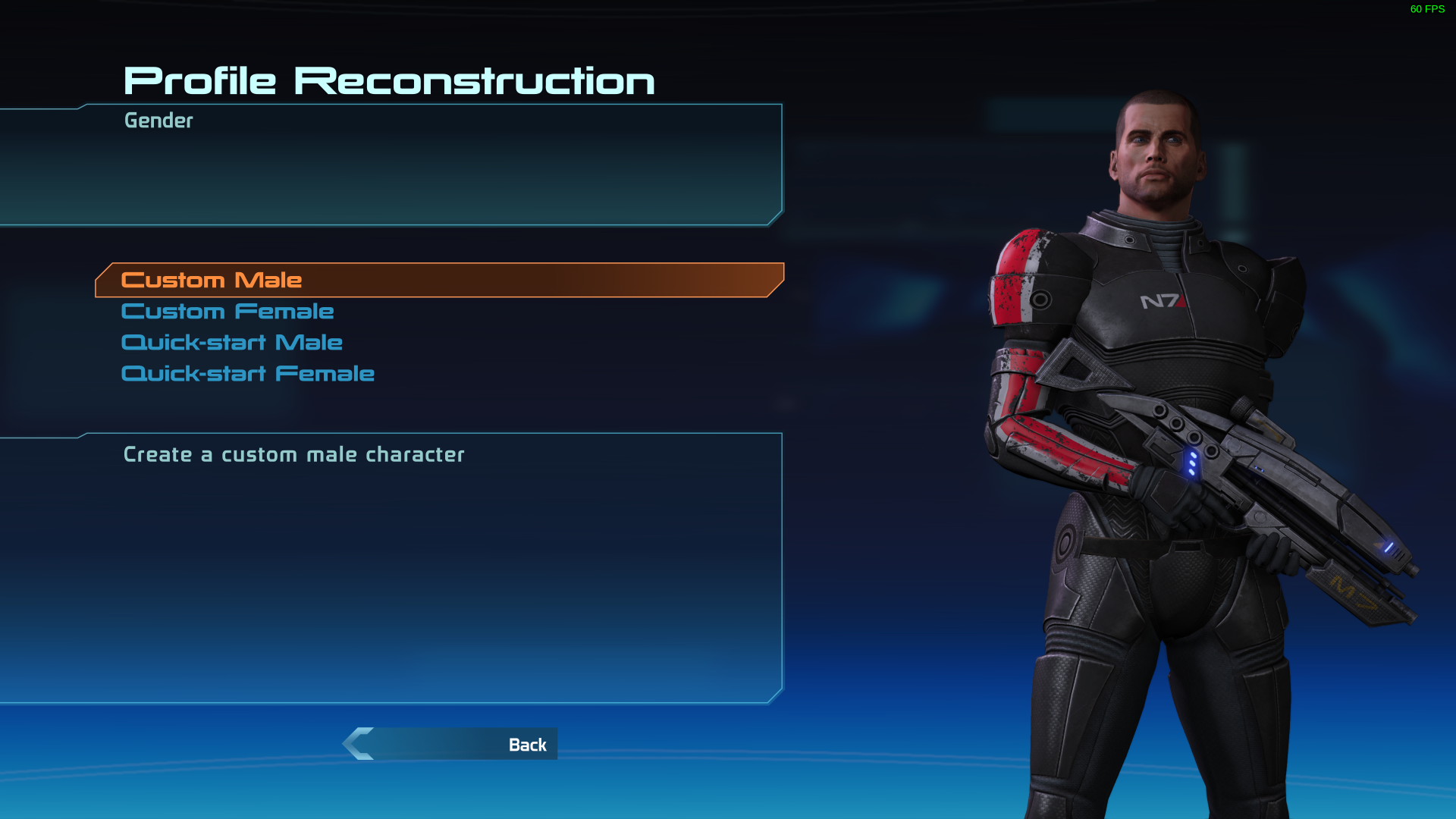
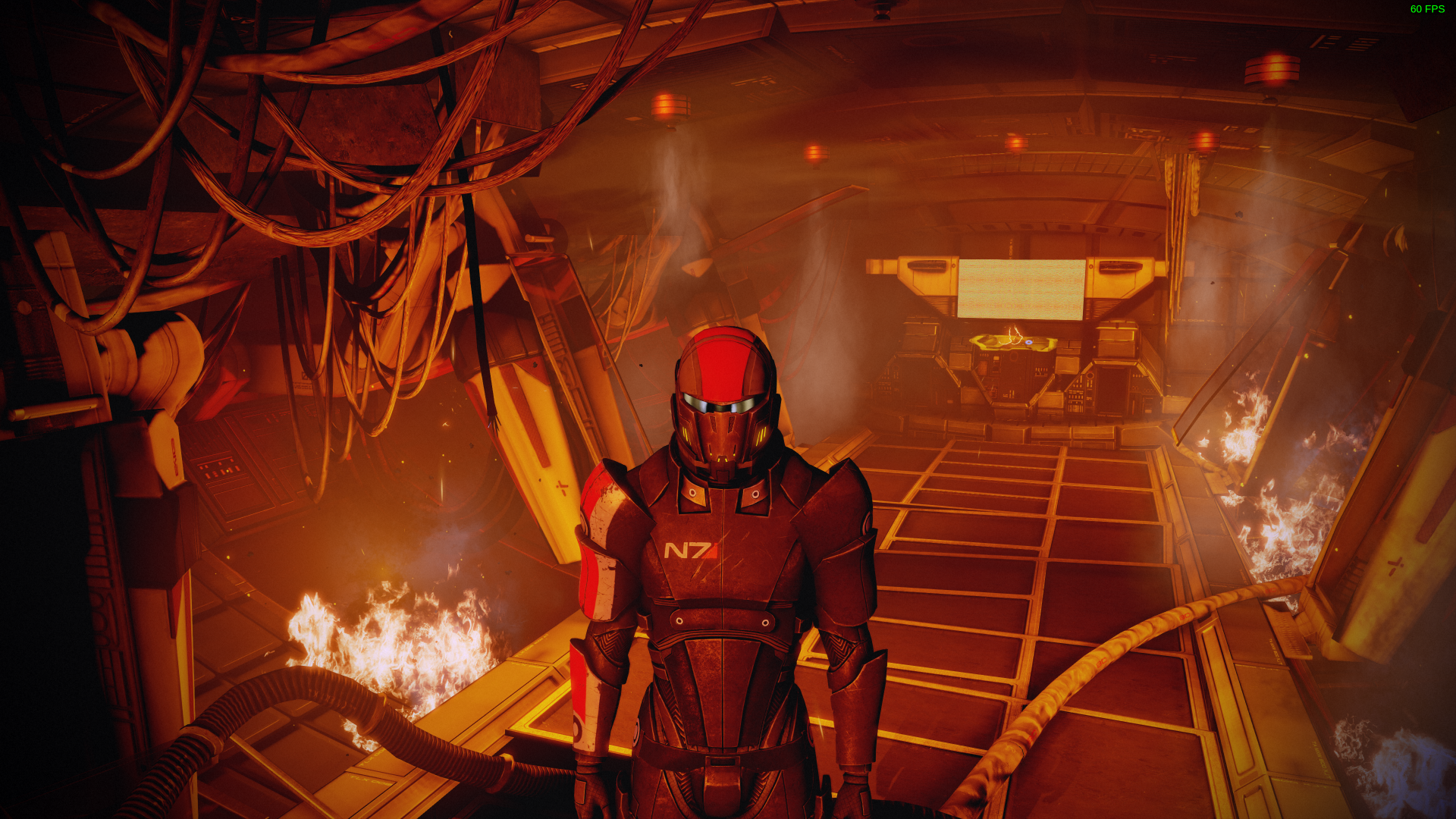
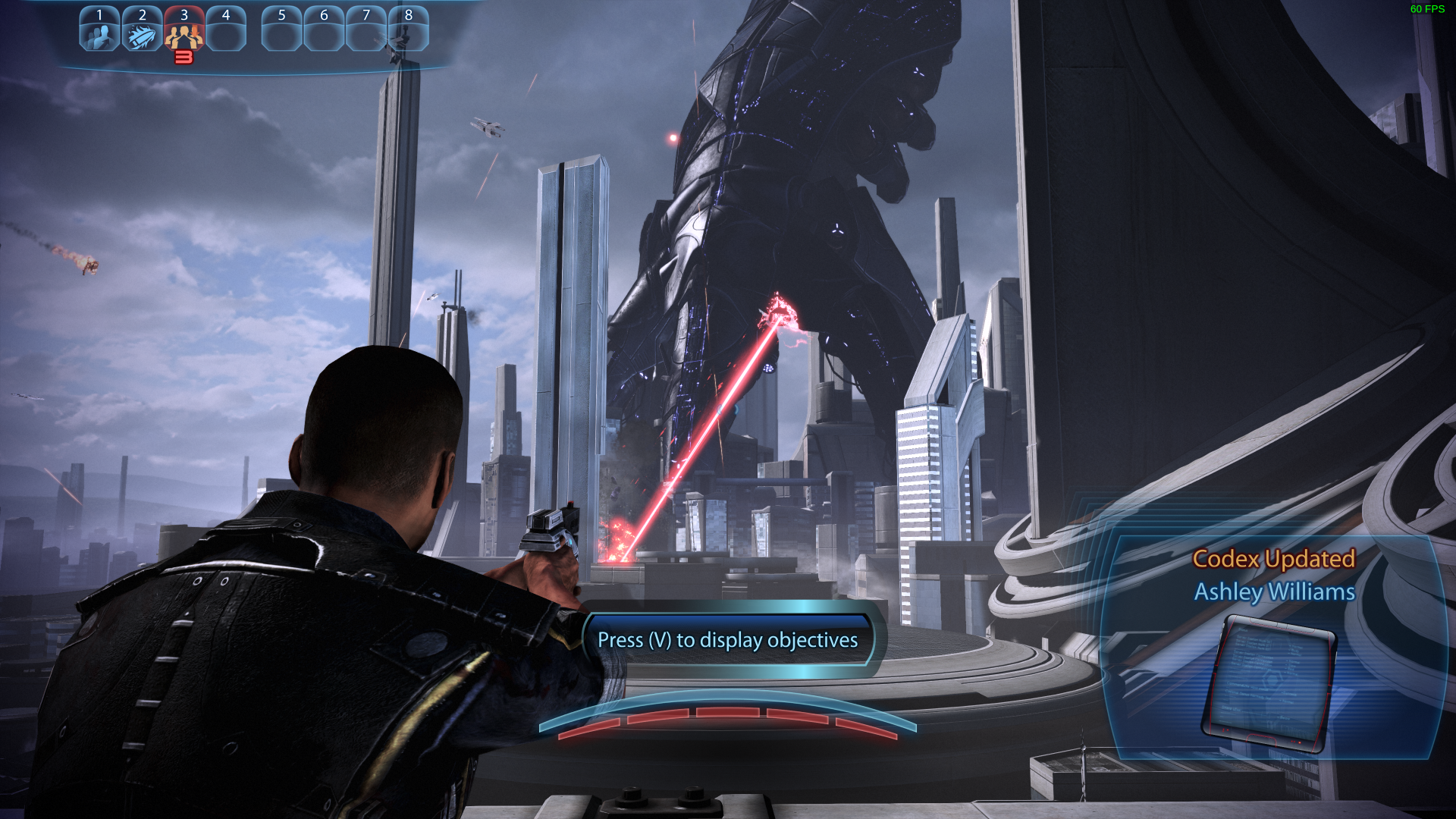
Aah! YES! Thanks!
Hopefully the audio works soon. I'm really looking forward to playing ME1 again.
@GloriousEggroll for ME1 sound try to set WINEDLLOVERRIDES="openal32=b" as I doubt that they changed sound backend
@GloriousEggroll for ME1 sound try to set
WINEDLLOVERRIDES="openal32=b"as I doubt that they changed sound backend
You da man -- that worked perfectly! So all 3 games work fine, it's just the launcher that needs the previously mentioned patch, and some fix so that the gui isnt invisible.
For the peanut gallery, could sum up the complete steps to get Mass Effect Legendary Edition to work? Thanks! :)
Since the fix is not that trivial, he will probably release a new GE Proton version with the changes.
Fantastic! Hopefully Valve will do the same! Thanks @GloriousEggroll
I wonder if the launcher can be skipped though, since it is the main problem?
Launcher is based on qtwebview+swf (flash) hence most probably there's some kind of issue with linux supporting this (same problem was with LoL launcher back in the days it was based SWF) so we'd probably just will have to live with that.
Will tinker a bit after wine compiled but I doubt it fixable
I wonder if the launcher can be skipped though, since it is the main problem?
Tried to skip it yesternight, no luck :(
Launcher is based on qtwebview+swf (flash) hence most probably there's some kind of issue with linux supporting this (same problem was with LoL launcher back in the days it was based SWF) so we'd probably just will have to live with that.
Will tinker a bit after wine compiled but I doubt it fixable
"Flash", as in Adobe Flash?! :O
@YamiYukiSenpai yes
How long does it usually take for a new Proton GE version after the fix has been found?
@YamiYukiSenpai yes
Windows don't even have Flash anymore so that shouldn't have run either, right?
And should've been the same situation as Linux...
Windows don't even have Flash anymore so that shouldn't have run either, right?
It's not really the same as flash in browser. You don't need a flash player installed as it comes bundled. Even vlc can play those files.
The problem lies elsewhere... My partially-educated guess would be that windows developers as usual didn't care about casing.
I wonder if the launcher can be skipped though, since it is the main problem?
Tried to skip it yesternight, no luck :(
Yeah, had to try myself. Even installed Origin in the new prefix, but it requires the game installed in it, so it fails and I don't have another 100GB free. :D
However it does run Origin, when you try to start the game directly, so it probably is possible. Does someone know how to run the executable in the original prefix? :)
WINEPREFIX=/home/osleg/Games/staps/steamapps/compatdata/1328670/pfx prime-run /home/osleg/Games/staps/steamapps/common/Proton\ 6.3/dist/bin/wine "/home/osleg/Games/staps/steamapps/common/Mass Effect Legendary Edition/Game/ME3/Binaries/Win64/MassEffect3.exe"
something like that, fix ur path tho
@bundyo see above, this assumes that you already have steam running
I tried through protontricks and Explorer, but no luck directly.
WINEPREFIX=/home/osleg/Games/staps/steamapps/compatdata/1328670/pfx prime-run /home/osleg/Games/staps/steamapps/common/Proton\ 6.3/dist/bin/wine "/home/osleg/Games/staps/steamapps/common/Mass Effect Legendary Edition/Game/ME3/Binaries/Win64/MassEffect3.exe"something like that, fix ur path tho
Sadly this does not work for me. It makes a small window popup for a brief amount of time called "Steam Client Service" or something like that and ME does not start.
@GloriousEggroll which branch did you base off? I tried to build 6.3 with your patch applied and now origin just crashes silently
He said that he used his own fork, probably this one:
Aye I see now, will check this out
ELI5 on how to make it work?
I doubt it'd work ELI5 style

@GloriousEggroll Would much appreciate it if you could plonk the patched code into a branch, even if it's not in a release.
I doubt it'd work ELI5 style
What system are you using? I'm trying to build on fedora but vagrant always gives me this error after "Removing domain"
/usr/share/vagrant/gems/gems/vagrant-2.2.9/lib/vagrant/ui.rb:230:in 'say': wrong number of arguments (given 4, expected 2..3) (ArgumentError)
@Lefl1 I'm on Arch, built proton-6.3-4 without problems but it didn't make the game start. Currently trying to build experimental but hitting some issues with make
@Lefl1 that's my only guess
╰─ vagrant --version
Vagrant 2.2.16
i just built it on arch no issue i used the https://github.com/GloriousEggroll/proton-ge-custom/ and followed the instruction of the md
if you don't care and just want to play here are my binaries : https://drive.google.com/file/d/1oZTQtC4onL5vbUh6ILtLdiQ9ZGgCAaGY/view
there is still a issue with locale my game is in english even if steam and origin are set to french, probably a registry key that isn't read (im guessing by looking at the vdf file at the root of the game)
Edit : i can't find the key in regedit so my guess is that the key were never set to begin with
i just built it on arch no issue i used the https://github.com/GloriousEggroll/proton-ge-custom/ and followed the instruction of the md
if you don't care and just want to play here are my binaries : https://drive.google.com/file/d/1oZTQtC4onL5vbUh6ILtLdiQ9ZGgCAaGY/view
Using this I'm able to launch ME1, Everything looks normal except there's only audio during loading screens, not in the menu or during gameplay
For the ME1 audio, check some comments above - use WINEDLLOVERRIDES="openal32=b".
Interesting - my launcher text looks okay with these binaries:

P.S. I'm with Radeon.
Using the build above, I am able to get audio with WINEDLLOVERRIDES="openal32=b" but get a black screen in ME1 doing so. Still only have a blank launcher screen.
i just built it on arch no issue i used the https://github.com/GloriousEggroll/proton-ge-custom/ and followed the instruction of the md
if you don't care and just want to play here are my binaries : https://drive.google.com/file/d/1oZTQtC4onL5vbUh6ILtLdiQ9ZGgCAaGY/view
For me this crashes before the launcher
steam-1328670.log
With WINEDLLOVERRIDES="openal32=b" %command% added to the launch options audio is now completely working. Still only seeing the background of the launcher though, no buttons for Options, Credits, ME1, ME2 etc, I can click them but they're invisible
i just built it on arch no issue i used the https://github.com/GloriousEggroll/proton-ge-custom/ and followed the instruction of the md
if you don't care and just want to play here are my binaries : https://drive.google.com/file/d/1oZTQtC4onL5vbUh6ILtLdiQ9ZGgCAaGY/viewFor me this crashes before the launcher
steam-1328670.log
same
Seems everything works for me.
i just built it on arch no issue i used the https://github.com/GloriousEggroll/proton-ge-custom/ and followed the instruction of the md
if you don't care and just want to play here are my binaries : https://drive.google.com/file/d/1oZTQtC4onL5vbUh6ILtLdiQ9ZGgCAaGY/viewFor me this crashes before the launcher
steam-1328670.logsame
you guys should give details about your hardware
Works beautifully for me (except the launcher UI), I do believe Origin.exe stuck around however. Had to kill it with "killall Origin.exe"
i just built it on arch no issue i used the https://github.com/GloriousEggroll/proton-ge-custom/ and followed the instruction of the md
if you don't care and just want to play here are my binaries : https://drive.google.com/file/d/1oZTQtC4onL5vbUh6ILtLdiQ9ZGgCAaGY/viewFor me this crashes before the launcher
steam-1328670.logsame
you guys should give details about your hardware
System Information
GPU: RX 5700XT
Driver/LLVM version: 21.1.0-1
Kernel version: 5.12.3-zen1-1-zen
Link to full system information report as Gist: https://gist.github.com/fardragon/ad3cc29c8698b94bf0c396c9545bbc36
Works for me, except launcher is missing elements and the resolution seems weird (runnin ultra-wide; 3440x1440).
Systeminfo:
GPU: RX 6800XT
Driver: 21.1.0 (mesa and amdgpu)
Kernel: 5.12.4 zen
another observation is that vsync tanks your performance, by disabling it i went from 15fps to 75 - 60 (MF1)
edit: the performance loss is random and not linked to vsync maybe nvidia offload doing some weird things again ?
another observation is that vsync tanks your performance, by disabling it i went from 15fps to 75 - 60 (MF1)
I'm running with vsync on and I have stable 95fps (running 95hz monitor).
Sorry to ask, but how exactly is this working now? just need to build proton from ge-custom? Is this also working for nvidia users with default 5.12 kernel? A lot of comments I'm reading, lots of people have custom kernels and AMD GPU.
I didn't get the game yet because it wasn't working apparently on protondb.com
Marc's binaries worked for me. No visible buttons on the launcher but ME1 loads. Used WINEDLLOVERRIDES="openal32=b" for sound in ME1. Haven't tried the other 2 yet. Performance isn't great. 15fps at best even with VSYNC off. This has been pretty typical for me with Proton 6, which is why I usually stay in the 5 range. System specs below.
FYI, I had to restart steam a a couple times to get Origin to load, so if it doesn't work the first time, restart steam and try again. If origin says it crashed, just "x" out of it and wait a bit. If nothing happens, just restart steam again.
Distro: Linux Mint 20.1
Kernel: 5.8.0-50-generic
RAM: 32 GB
GPU Driver: NVIDIA 460.73.01
GPU: NVIDIA GeForce RTX 2060
CPU: AMD Ryzen 7 3700X 8-Core
@mmatis Thank for that. I think i'll wait a bit longer before getting it then. See if GE releases some hotfix with that in mind before purchase.
Marc's binaries hang for me on origin installation, no matter how often i try.
OS: Pop!_OS 20.10
KERNEL: 5.11.0-7612-generic
CPU: AMD Ryzen 7 3700X 8-Core
GPU: AMD AMD Radeon RX 5700 XT (NAVI10, DRM 3.40.0, 5.11.0-7612-generic, LLVM 11.0.0)
GPU DRIVER: 4.6 Mesa 21.0.0
@SebiTimeWaster
At least for me the origin installation also hung with Marc's proton, but I simply switched back to regular Proton 6.3-4 to let the installer run through without any issues and afterwards switch to the fixed proton and started the game again.
But for me it starts Origin, waits a bit and when I would expect to see the launcher, a black box flashes quickly and everything exits. (Which I think is the same as @fardragon's issue above)
steam-1328670.log.gz
My system info:
OS: Debian Testing
Kernel: 5.10.0-6-amd64
GPU: AMD RX 5700
Driver Version: 4.6 Mesa 20.3.4
CPU: AMD Ryzen 5 2600X
ok, the origin installation does not work in any proton version for me, no clue why.
Marc's binaries partially work for me. There's no launcher UI. ME1 attempts to launch but I just get a black screen. EDIT: I was able to get into ME1. Might have just taken a few attempts?
ME2 launched and worked as expected. The opening cinematic played, I was able to get to the character creator screen and FPS seemed fine.
Sys info:
OS: Ubuntu 20.04.02
Kernel: 5.4.0-73-generic
Processor: Intel Core i5-4670K CPU @ 3.40GHz × 4
Graphics: NVIDIA GM204 GeForce GTX 970
Driver: Nvidia 460
I'm having an issue with the @Marc-Pierre-Barbier Proton build. Game crashes before anything displays with this in the log output:
140942.374:0138:013c:err:module:open_builtin_so_file failed to load .so lib "/home/w00t/.local/share/Steam/compatibilitytools.d/mass_effect/files/lib/wine/steam.exe.so"
wine: failed to start L"C:\\windows\\syswow64\\steam.exe"
Application could not be started, or no application associated with the specified file.
ShellExecuteEx failed: Procedure not found.
Launch options: PROTON_LOG="1" PRESSURE_VESSEL_VERBOSE="1" WINEDLLOVERRIDES="openal32=b" %command%
Steps to reproduce:
- Delete
compdata/1328670 - Set Proton to
6.3-4 - Start and allow Origin to finish installing.
- Game crashes.
- Set Proton to
mass_effect - Start game and it crashes with above log message.
I also had a crash with @Marc-Pierre-Barbier 's build, but I think it has to do with the zip file. First time I unzipped using Ark, second time I just unzipped from the command line. That time it worked perfectly. Might be to do with symlinks in the zip.
@JacoG-RH
Okay, this is amazing. I indeed used Ark to unzip the file without thinking much about it and indeed it destroyed the symlinks.
Unzipping it with unzip and launching the game again, the launcher now seems to appear.
Thanks for the hint.
I also had a crash with @Marc-Pierre-Barbier 's build, but I think it has to do with the zip file. First time I unzipped using Ark, second time I just unzipped from the command line. That time it worked perfectly. Might be to do with symlinks in the zip.
I can confirm this. After restarting steam I now have the launcher without the UI. As long as the games work, I'm fine with that
I also had a crash with @Marc-Pierre-Barbier 's build, but I think it has to do with the zip file. First time I unzipped using Ark, second time I just unzipped from the command line. That time it worked perfectly. Might be to do with symlinks in the zip.
This is bizarre, but extracting with unzip allowed the launch to succeed for me. The launcher had no text, but I was able to launch ME1 blindly. Thanks for the tip!
Compiled proton-ge-custom myself with the patch, can confirm that I too have the launcher without visible buttons. Launched ME1 blindly, runs with sound with the dll override.
System specs: https://gist.github.com/DrMcCoy/ab85d88fcf7a7a4e6800a00ecb4d4991
it seems that my performance drops aren't random it may have to do with origins achievement(probably linked with nvidia offload and the xorg bypass)
UPDATE: ME1 does not seem to load past the character creation menu. It seems like it is loading heavily (disk and CPU usage) and then crashes and takes steam with it.
Fedora 34 on Linux 5.11.19-300.fc34.x86_64
Processor: AMD FX-4300
GPU: AMD R7 260X
OpenGL renderer string: AMD Radeon R7 200 Series (BONAIRE, DRM 3.40.0, 5.11.19-300.fc34.x86_64, LLVM 12.0.0) OpenGL core profile version string: 4.6 (Core Profile) Mesa 21.0.3
EDIT: Restarting my PC seems to have done the trick, although performance is quite bad
it seems that my performance drops aren't random it may have to do with origins achievement(probably linked with nvidia offload and the xorg bypass)
There's a known bug with origin's overlay that causes performance drop. You can try to launch origin and go to ME preferences and untick the "Enable origin overlay"
For me:
- @Marc-Pierre-Barbier's binaries not working. Launcher flashes for a moment and then closes
- Unable to compile GE's version, trying last time for today :/
edit:
@Marc-Pierre-Barbier you might wanna try to change game's language in the origin game settings
it seems that my performance drops aren't random it may have to do with origins achievement(probably linked with nvidia offload and the xorg bypass)
@Marc-Pierre-Barbier disabling Origin ingame overlay increased performance drastically for me. Still not smooth but no longer a slideshow and playable
i did compile https://github.com/Frogging-Family/wine-tkg-git with the small patches of GE into wine-tkg-git/wine-tkg-userpatches. This gives you the fix on top of wine 6.8
Besides not seeing the buttons in the launcher on my nvidia it works very well with the audio workaround for ME1. Maybe the revert https://github.com/Frogging-Family/community-patches/blob/master/wine-tkg-git/origin_downloads_e4ca5dbe_revert.mypatch from the community fixes also fixes some install problems. I didn't test cause i installed origin already with plain proton.
Marc's Proton package worked for me after deleting .../compatdata/1328670/ and letting it rebuild it all, though I had to re-launch from Steam multiple times to finish installing. It would get through various stages of the Wine and Origin setup and then seem to crash, but would get a little further the next time, until finally I got into the launcher.
Like others, though, I get no UI buttons in the launcher, just the background and sound effects when I mouse over where the buttons should be. I was able to launch ME1 by clicking in the right spot, and that ran fine up through character creation and the opening cinematics at least, though framerate wasn't great. I don't have the best hardware, but even with the upgraded textures and models I doubt ME1LE should tax it as much as it seemed to, it's still basically a 13-year-old engine, right?
CPU: AMD Ryzen 7 1700
GPU: NVidia GeForce GTX 1070
Driver: nvidia-driver-460 (460.73.01-0ubuntu0.20.04.1)
Kernel: 5.4.0-73-generic (x86_64)
OS: Linux Mint 20.1 Ulyssa (upgraded from 18.1 originally)
Interesting - my launcher text looks okay with these binaries:
P.S. I'm with Radeon.
I just tuned in, skimming and found this. How did you do that?
Just to update my status from before (https://github.com/ValveSoftware/Proton/issues/4823#issuecomment-841699584) after playing (the first game) for a while:
I have not played any Mass Effect game before, so I don't have a lot of reference, but I don't think I saw any bug and got pretty much constantly 75fps (I have a 75hz monitor) without changing any graphics settings.
I can't really seem to get the game to start consistently. I need to start multiple times, issue wineserver -k inbetween, until the game shows up
Hmm, and I do see "wine: Unhandled page fault on write access to 00000000 at address 11CF3DE6 (thread 0484), starting debugger..." sometimes, but not always
Performance really tanks when entering dialogs, changing any graphics setting makes it run smooth again. By changing I mean literally changing anything, toggling dynamic shadows, antialising whatever
Performance really tanks when entering dialogs, changing any graphics setting makes it run smooth again. By changing I mean literally changing anything, toggling dynamic shadows, antialising whatever
must be your hardware, cause for me ME1 runs at 100- 240 fps at 3440x1440 R7 5800x RX 6800
Performance really tanks when entering dialogs, changing any graphics setting makes it run smooth again. By changing I mean literally changing anything, toggling dynamic shadows, antialising whatever
must be your hardware, cause for me ME1 runs at 100- 240 fps at 3440x1440 R7 5800x RX 6800
I'm not sure why it would be fixed by changing random settings if it was my hardware
Interesting - my launcher text looks okay with these binaries:
P.S. I'm with Radeon.I just tuned in, skimming and found this. How did you do that?
My launcher also looks just fine. I just used the @Marc-Pierre-Barbier binaries and my existing orgin instalation from lutris. (I'm also on radeon)
I an see it too. Not sure it's conversations in general. Talking with the Normandy crew at the beginning didn't trigger it, neither the talk with Nilhus. But as soon as Anderson came in. I was down to 15 to 20 FPS
It went back up when I was on Eden Prime. Talk with Chakwas, no problem. Then Anderson comes in, back down. He leaves, FPS still down. I go to the settings, switch Motion Blur on and back off, FPS back up.
I'm on Nvidia. Maybe there's something getting triggered for Nvidia cards.
Seems like the missing UI elements in the launcher are also Nvidia-specific.
I an see it too. Not sure it's conversations in general. Talking with the Normandy crew at the beginning didn't trigger it, neither the talk with Nilhus. But as soon as Anderson came in. I was down to 15 to 20 FPS
It went back up when I was on Eden Prime. Talk with Chakwas, no problem. Then Anderson comes in, back down. He leaves, FPS still down. I go to the settings, switch Motion Blur on and back off, FPS back up.
I'm on Nvidia. Maybe there's something getting triggered for Nvidia cards.
Seems like the missing UI elements in the launcher are also Nvidia-specific.
I doubt it's NVIDIA since, as i posted above, I'm using an AMD GPU
I'm experiencing the same FPS drops during certain conversations as well @DrMcCoy & @Lefl1. Had the exact same experience during the conversation with Anderson and some other random conversations.
To get the launcher menu I used what lutris origin script uses winetricks arial d3dcompiler_43 d3dcompiler_47 d3dx9
@gort818 Are you able to use winetricks like that from inside steam?
To get the launcher menu I used what lutris origin script uses
winetricks arial d3dcompiler_43 d3dcompiler_47 d3dx9
I can confirm that installing the mentioned via protontricks and using the compiled fixes from GloriousEggroll has everything working completely as expected for me.
Just these two winetricks are enough for the launcher, the others arent needed:
d3dcompiler_43
d3dcompiler_47
And this is needed for the ME1 audio:
WINEDLLOVERRIDES=openal32=b %command%
These plus the psapi patches are enough for the game to be fully functional (so far) \o/
It may even only need one of the d3dcompiler overrides, not both. Will verify.
I can get these into the next ge build
-edit-
As I thought, only d3dcompiler_47 is needed for the winetricks portion to fix the launcher. As far as Origin goes, it's a crashy boy, and the crashes and performance issues are likely specific to my proton version due to being based on upstream and needing some more work with vulkan childwindow and fshack, just a warning. Don't blame valve for that (just yet... blame EA for their ****ty launcher)
With those winetricks I too can now see the launcher UI buttons.
But I'm still struggling to get the Origin In-Game overlay disabled to hopefully improve my framerate. I tried running protontricks -c "wine ../../compatdata/1328670/pfx/drive_c/Program\ Files\ \(x86\)/Origin/Origin.exe" 1328670 to open Origin in the prefix and disable the overlay, both in the global app settings and for MELE specifically, but the overlay still came up the next time I launched the game. And now when I try to re-run Origin, it won't even start (but the game itself will still run).
With those winetricks I too can now see the launcher UI buttons.
But I'm still struggling to get the Origin In-Game overlay disabled to hopefully improve my framerate. I tried running
protontricks -c "wine ../../compatdata/1328670/pfx/drive_c/Program\ Files\ \(x86\)/Origin/Origin.exe" 1328670to open Origin in the prefix and disable the overlay, both in the global app settings and for MELE specifically, but the overlay still came up the next time I launched the game. And now when I try to re-run Origin, it won't even start (but the game itself will still run).
running it with your command don't run origin as steamuser so i guess any changes will not have an impact
Origins config file (local_*.xml in Application Data/Origin) has "EnableIgo" set to false which I presume to mean the in game overlay should be disabled, but it still shows. Interestingly, pressing shift+F1 shows "Unknown Game" or something like that on the top of the screen
UPDATE: I was able to disable (break) the Origin overlay by renaming igo64.dll This does not improve performance though
running it with your command don't run origin as steamuser so i guess any changes will not have an impact
How would I run the Origin client inside the MELE prefix as steamuser?
I did also open up c:/users/steamuser/Application Data/Origin/local_${hex}.xml and it does contain <Setting key="EnableIgo" type="1" value="false"/>, but that didn't seem to take effect.
I did also open up
c:/users/steamuser/Application Data/Origin/local_${hex}.xmland it does contain<Setting key="EnableIgo" type="1" value="false"/>, but that didn't seem to take effect.
What if you change permission on that file once you make the changes so nothing can write to it.
How would I run the Origin client inside the MELE prefix as steamuser?
While running, minimise the game and Origin will be open in the background. Maybe look in your system tray or what-haveyou?
While running, minimise the game and Origin will be open in the background
At least for me, I can't disable the Origin overlay then, it shows the toggle with a lock icon and something about "restricted mode" in the help tooltip (but the toggle for restricted mode somewhere else in the options is off). That's in the global application settings. Right-clicking on the game entry doesn't give me game-specific options.
I thought that it was just a requirement by EA to have Origin required, but turns out that isn't the case (see Apex Legends). Also, someone managed to delete the DLL file for Origin in-game overlay. Now to hunt it down...
Edit: the DLL file for the in-game overlay is called "igo64.dll". Can someone try?
I thought that it was just a requirement by EA to have Origin required, but turns out that isn't the case (see Apex Legends). Also, someone managed to delete the DLL file for Origin in-game overlay. Now to hunt it down...
Edit: the DLL file for the in-game overlay is called "igo64.dll". Can someone try?
Yes i did (see above) but it does not give any performance benefits
I thought that it was just a requirement by EA to have Origin required, but turns out that isn't the case (see Apex Legends). Also, someone managed to delete the DLL file for Origin in-game overlay. Now to hunt it down...
Edit: the DLL file for the in-game overlay is called "igo64.dll". Can someone try?Yes i did (see above) but it does not give any performance benefits
Whoops. Overlooked that. Sorry.
So, this is spooky. I've been trying to figure out what the source of the performance issues are. according to mangohud, I should be getting over 100fps. But there is this awful stuttering going on and the interface is really laggy. I updated my drivers to 465.27 which seemed to help a tiny bit (but not really). Then I started trying to kill the origin overlay. Removing the igo64.dll actually caused Origin to refuse to start, claiming that it had no internet connection. Putting the file back made it happy again. So then I decided to edit the /users/steamuser/Application Data/Origin/local_${hex}.xml file taleden mentioned, and I set it's permissions to read-only (555). Started the game and it RAN LIKE BUTTER. Played for about half an hour. (The overlay was not disabled though)
Now here's the weird part. After I exited, somehow the permissions on the local_[hex].xml file were back to 775 and had turned the overlay back on! I repeated the process again to make sure I wasn't going crazy. I assume it has something to do with wine translating windows permission to linux ones or something but it's moot anyway because the game is back to performing like garbage and I can't seem to replicate the conditions that made the game behave for that one run.
Distro:Linux Mint 20.1
Kernel:5.8.0-50-generic
RAM:32 GB
GPU Driver: NVIDIA 465.27
GPU: NVIDIA GeForce RTX 2060
CPU: AMD Ryzen 7 3700X 8-Core
Tried again to kill igo64.dll again. Simply removing igo64.dll didn't work for me. It made origin mad. Instead, I replaced it with an empty file of the same name. Origin started and the game DOES run much smoother. Could be my imagination, but origin seems to start faster too.
Replacing igo64.dll with an empty file doesn't resolve the issue with FPS dropping significantly in certain conversations, though, for me. It's also not just Anderson, but also not every conversation.
I know Sims 4 had similar issues with Origin causing slow-downs in game. What was done there was to make the Origin directory read-only: chmod -R -w wine_prefix_location/drive_c/users/steamuser/Application\ Data/Origin (This needs to be reversed every time Origin needs to update.)
Also for me with Sims 4, I opened Origin using the wineprefix of the game without the game running, and toggled off "Enable Origin in-Game" in the "Origin in-Game" tab. (Note: the game can't be running when toggling this off, because the setting won't stick.)
Either of these will stop the stuttering in Sims 4. It sounds like the same problem some are encountering in ME.
Replying to https://github.com/ValveSoftware/Proton/issues/4823#issuecomment-841587666
Not experienced with the inner workings of Wine, but how do you patch it? I tried to use the Proton from this comment but my game wouldn't launch.
FYI, I already installed d3dcompiler_47 mentioned from this comment
So I'm not exactly sure what I did, or if I'll be able to repeat it next time, but I was just able to play ME1 for a solid hour or so with perfectly smooth framerate. I was just repeating the initial Normandy conversations, working out kinks in my Shepard's face -- the lips always look way fatter in-game than in the creator -- but previously I'd always had stuttering throughout, even including the camera pan on the main menu after "press any key."
Some things that I did that may or may not be related:
- replaced "igo64.dll" in the Origin directory with an empty file
- alt-tabbed from the launcher and clicked the Origin tray icon to bring it up, and then globally disabled the in-game overlay (the game-specific option wasn't accessible, only the global setting) and also disabled every individual notification option
- changed the "local_${hex}.xml" file to read-only (although it was still re-written after shutting down, somehow; the overlay and notification settings weren't changed in the file, though)
- changed the ME1 graphics mode to borderless (to more easily alt-tab to my text file of face code notes)
- hit some glitch where I was trying to click in the game but it brought up the Origin window again, as if it registered the click underneath the game window; after alt-tabbing explicitly back into ME1, that didn't happen again
- changed the graphics mode back to fullscreen
Again, I don't know if any part of that is relevant or it was just dumb luck, but I got all the way through conversations with Joker, Pressley, Jenkins, Nihlus and Anderson with no stutter at all, which I'd never been able to before. We'll see if that holds tomorrow!
While running, minimise the game and Origin will be open in the background
At least for me, I can't disable the Origin overlay then, it shows the toggle with a lock icon and something about "restricted mode" in the help tooltip (but the toggle for restricted mode somewhere else in the options is off). That's in the global application settings. Right-clicking on the game entry doesn't give me game-specific options.
If you keep the origin interface open, kill MELE somehow and for a split second the toggle becomes available and you can switch it off. Clearly more of a workaround than a fix, but I finished the prolog last night, so don't back-chat me; I'm a specter now.
2 hours ago @GloriousEggroll released Proton-6.8-GE-2, which includes the Mass Effect fixes.
https://github.com/GloriousEggroll/proton-ge-custom/releases/tag/6.8-GE-2
@JLHelm @taleden @garpu @DrMcCoy and the rest who has troubles with FPS dues to origin:
- Run Origin with this command
WINEPREFIX=<path_to>/steamapps/compatdata/1328670/pfx <path_to>/.steam/root/compatibilitytools.d/mass_effect/files/bin/wine <path_to>/steamapps/compatdata/1328670/pfx/drive_c/Program\ Files\ \(x86\)/Origin/Origin.exereplace<path_to>with appropriate path to your steamapps and root (usually$HOME/.steam/steamfor both of them) - Origin will launch in unrestricted mode, it will complain about folder - click cancel. There you go to Origin -> Application Settings -> Origin In-Game -> Disable it.
- I also highly suggest to disable all of the notifications in notifications tab.
- Close Origin
- ????
- profit
P.S. I also highly suggest to close all the tiny floating windows that origin spawns as I noticed they consume loads of CPU
Just wanted to report a small problem, idk if anyone has it: photo mode does not let me take a photo using the assigned button (x for xbox controller), i need to take a screenshot using steam overlay or the ubuntu screenshot app.
Hitting a very strange issue with all 3 games using 6.8-GE-2. As long as the windows is focused, I get 1 FPS. But as soon as I tab out, it becomes buttery smooth. Disabled both the Origin and Steam overlay, reduced all the graphics settings, lowered resolution but it did not help. The launcher itself works fine apart from mouse clicks not registering, keyboard input works though.
GPU: AMD RX 6900 XT
Driver/LLVM version: Mesa 21.1.0 | LLVM 12.0.0
Kernel version: 5.12.2
Link to full system information report as Gist: https://gist.github.com/Takios/1f910ff8b2e730333d33e4fce91e8c56
Proton version: 6.8-GE-2
Proton Log: steam-1328670.log (Timestamp 107316.679 and a few seconds after is when the game is focused and has 1 FPS)
edit: Found a workaround. I described it in this comment further down: https://github.com/ValveSoftware/Proton/issues/4823#issuecomment-843324443
Weirdly enough I changed nothing after playing yesterday apart from switching from Marc's binaries to the Proton-6.8-GE-2 and downloading the 10 GB patch from today, but now suddenly the launcher menu is visible and also works without any issues.
There's definitely some weird correlation between input and frame rate happening. Doing all the little origin tweaks mentioned in this thread and turning graphics settings all the way down does help a bit, but not completely.
Two big examples:
- You can turn any dialogue into a slideshow by moving the mouse. Move it vigorously enough and the whole screen locks up until you stop moving the mouse.
- Same in Mako sequences. keep your hand off the mouse and the frame rate is good, but it turns into a slideshow if you turn too fast.
I thought maybe it could be the 1000mhz polling bug in Wine, but I don't have a fancy gaming mouse. Mine is polling at the default 125hz (as far a I can tell).
Below are my specs and a proton log. For that log, I started the game, resumed a save at the beginning of the Therum mission, panned the Mako around a bit, and then quit. Fair Warning: the uncompressed log is huge (150+mb)
Distro:Linux Mint 20.1
Kernel:5.8.0-50-generic
RAM:32 GB
GPU Driver: NVIDIA 465.27
GPU: NVIDIA GeForce RTX 2060
CPU: AMD Ryzen 7 3700X 8-Core
Weirdly enough I changed nothing after playing yesterday apart from switching from Marc's binaries to the Proton-6.8-GE-2 and downloading the 10 GB patch from today, but now suddenly the launcher menu is visible and also works without any issues.
my build has a protonfix built in that applies the d3dcompiler_47 override to the prefix which fixes the launcher interface. Since Marc's build is based off an old version of mine, it doesn't have this fix. Since it's applied to the prefix, once the new version applies it, it works in both.
Origin kept crashing on me for the initial setup, so I had to go into the __Install directory in the Mass Effect folder in steamapps/common and install it manually. Same issue as I had for the initial setup for Sims 4. (Just as an FYI, if anyone else has the same issue.)
Had a big breakthrough. I'm on Linux Mint 20.1 Cinnamon Edition. Decided to go back to an old strategy from the pre-Proton days and installed a lightweight DE (OpenBox). Logged back into my machine in an OpenBox session and MELE runs PERFECT. Played for 3 hours. No stuttering in UI, dialogue, or Mako sequences. Had the graphics settings turned all the way up. I restarted the game several times just to make sure it wasn't a fluke. Tried a couple other games I've previously had trouble with the 6-series of proton and all ran better, such as Jedi Fallen Order (which still had other well-documented issues), Hardspace Shipbreaker, and Mass Effect Andromeda.
So bottom line, for me at least, It seams Cinnamon and the 6-series of Proton have some sort of conflict with each other. I also checked that Un-redirect Fullscreen Windows was turned on in Cinnamon's options and that didn't seem to make a difference.
I found a workaround for my issue I described in https://github.com/ValveSoftware/Proton/issues/4823#issuecomment-842464525 . I plugged out my mouse (Roccat Tyon) and noticed that the game worked fine then, but plugging it back in caused it to go to 1FPS again. So I plugged in my spare mouse (Roccat Kova) and it remained smooth, however, no mouse input was accepted at all. But if I set the game to borderless and any resolution that is less than my screen (2560 x 1440), it works fine. Managed to play the game to the Citadel with my Kova and in 1920 x 1080 completely fine, no issues at all.
No idea why or how but maybe this helps someone else to play the game.
Are stuttering and slow fps still an issue? Whats the stability with ME2 and 3? From what i'm seeing on here the new GE proton seems to be all thats needed to play now?
It is installable and playable with the latest GE proton and no other tweaks, but stuttering/FPS is still an issue for me at least in ME1, haven't tried the others yet. Not every time, though; I've had one or two session that were inexplicably smooth, while most are still quite choppy, and I don't know what makes the difference.
I can't even get close to the origin launching....it doesnt even get installed to the prefix. I tried with Proton 6.8-GE-2, and with 6.3. Neither will even get me to that point so the installer scripts aren't even working. Other games are fine. Anyone else seeing this issue?
@JooJooBee666 It's suuuper inconsistent. GloriousEggroll has a video and a handy shell script for killing all wine-related processes in between run attempts to increase the chances of it succeeding. I can't remember where I saw it, but I copied and pasted my copy below. So basically, try to start the game. Wait a minute or two. If nothing happens, fire off this script and try again. You might want to also try deleting your prefix for the game if you've tried with several versions of proton just to have a clean slate.
#! /bin/bash
kill -9 $(ps -ef | grep -E -i '(wine|processid|\.exe)' | awk '{print $2}')
killall -9 pressure-vessel-adverb
@JooJooBee666 It's suuuper inconsistent. GloriousEggroll has a video and a handy shell script for killing all wine-related processes in between run attempts to increase the chances of it succeeding. I can't remember where I saw it, but I copied and pasted my copy below. So basically, try to start the game. Wait a minute or two. If nothing happens, fire off this script and try again. You might want to also try deleting your prefix for the game if you've tried with several versions of proton just to have a clean slate.
#! /bin/bash
kill -9 $(ps -ef | grep -E -i '(wine|processid|\.exe)' | awk '{print $2}')
killall -9 pressure-vessel-adverb
Sadly, I already tried a new prefix and made sure all wine processes were killed but to no avail. I tried manually installing origin, this allowed the game to launch,but it just brought me to the Origin app. I signed it but it didn't recognize the game was on my account and wanted a code. Sigh ... I hate game launchers like Origin, EA, Rockstar, etc. Why can't we just run the damned exe? I'm going to install on a Windows system and see if I can get it linked to my account so I can finally play this.
Update: Still no luck. Now the Origin client opens and just sits there spinning. I dumped the prefix yet again, reset my Steam download cache and tried again.....and again, no Origin client was installed. I manually installed it again and was able to start the game through steam, but it just launched the Origin launcher which tells me the game is not installed. It sees MEL under my account but wants to download. Clicking download does nothing. Maybe some registry keys need to be put in place since the installer for proton is failing miserably here?
@mmatis Where the video? I might need it. No idea when we need to run the script.
You run it after an unsuccessful attempt at running the game to clear out the hanging wine/windows processes that will prevent the next attempt from working, too. Here's the link to GE's video: https://www.youtube.com/watch?v=uxWJ1xvowMk
I installed the game with latest GE and did not need to use any kill script :) When installing I had an Origin error message when linking but running the game again started Origin and asked to login to link. Then the game launcher started and ME1 is working well. The stutter is not so bad either. Haven't had any when talking to Anderson yet. Only a few times in big areas like the Citadel.
Something I noticed this morning, which I think someone else mentioned earlier, is that my framerate stuttering seems linked to mouse input. If I'm careful to leave the mouse completely still during a conversation, it all animates just fine; it's only when I'm moving the mouse, such as to select a dialog option, that it gets choppy (which of course means active segments are always choppy, since moving the mouse to navigate and look around triggers the same issue). If I intentionally wave the mouse around wildly while people are talking, it gets down to 1-2 FPS until I stop, and then it's fine again.
Curiously, I've had a similar issue with Valheim, even though that has a native linux version. After a period of normal performance, it would start exhibiting the same behavior: normal FPS with no input, but awful stuttering during any mouse or keyboard input. Not sure if the underlying issues are the same, but the symptoms are oddly similar.
Are you using an nvidia gpu and running Cinnamon as your desktop environment? It's likely the compositor. It doesn't play nice with some games. I've experienced the exact same behavior you described in MELE and Valheim. My solution has been to install OpenBox and play games in a separate session with no compositor. Everything is smooth as butter that way (though I haven't tried Valheim yet).
I'm running straight up Enlightenment DR16 without any compositor or anything. I don't even use Xinerama (instead, I have two separate X screens (:0.0 and :0.1) for my two monitors).
I still have the issue of low FPS during certain conversations, that persist afterwards until I toggle a random graphics options off and on again.
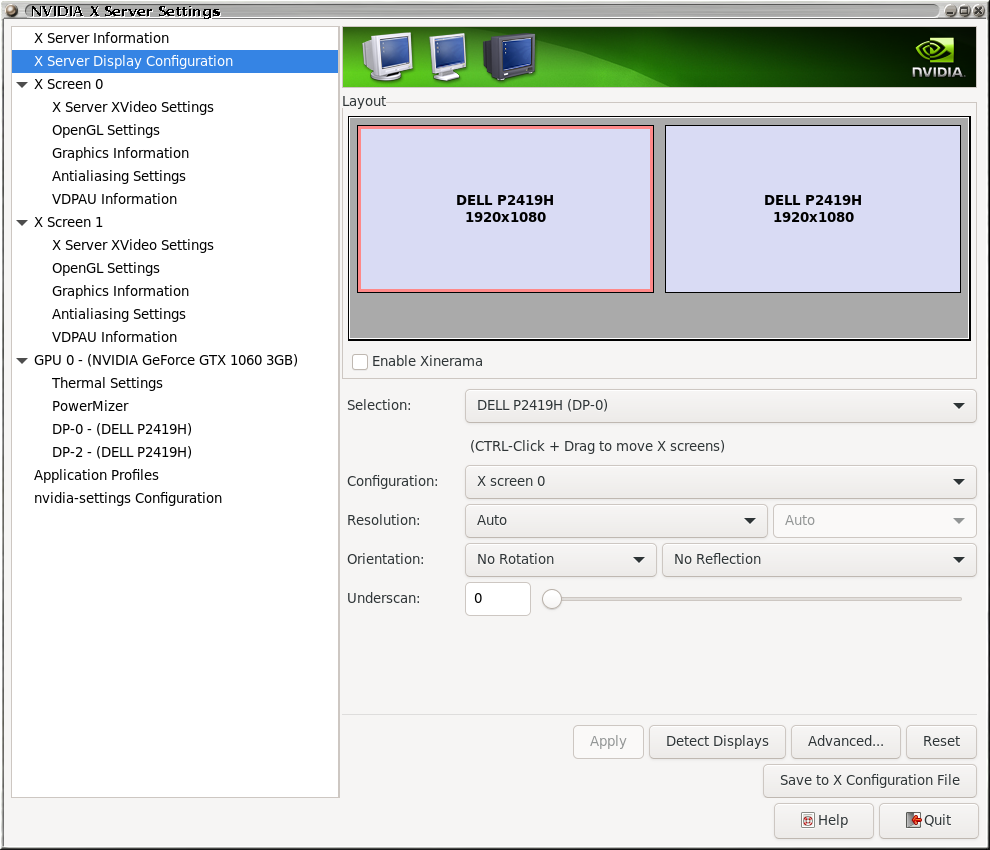
@DrMcCoy what kind of card? If it's nvidia and you aren't running a compositor, make sure Force Composition Pipeline is OFF in nvidia-settings. If AMD, I'm sorry I have no idea. Maybe simplify things temporarily to one X screen and monitor just to rule things out?
@DrMcCoy what kind of card?
NVIDIA Corporation GP106 [GeForce GTX 1060 3GB] (rev a1)
If it's nvidia and you aren't running a compositor, make sure Force Composition Pipeline is OFF in nvidia-settings.
There's no such setting for me to begin with:
@DrMcCoy what kind of card?
NVIDIA Corporation GP106 [GeForce GTX 1060 3GB] (rev a1)
If it's nvidia and you aren't running a compositor, make sure Force Composition Pipeline is OFF in nvidia-settings.
There's no such setting for me to begin with:
See under Advanced
Ah, yes, there it is, thanks. And it is off
For those having issues with Origin not installing or linking, here's what I did.
I was finally able to get it to run....unfortunately, ME1 hung about 10 minutes in. Anyhow, since the Steam installer is totally failing, I had to do everything manually. Here's what I did in case anyone else is having his issue:
- Install on a Windows PC so you can link the game to your Origin account (a VM works just fine, that's what I ended using), then uninstall (yes this part sucks).
- Manually install the Origin client by using protontricks to run explorer, then running the installer at /steam/steamapps/common/Mass Effect Legendary Edition/__Installer/Origin/redist/internal/OriginThinSetup.exe and signin with your Origin account, then exit.
- Copy /steam/steamapps/common/Mass Effect Legendary Edition/__Installer/LOC/Origin.OFR.50.0004049.dat to the game prefix compatdata/1328670/pfx/drive_c/ProgramData/Origin/LocalContent/Mass Effect Legendary Edition/. You will need to create the folders
- Edit the registry file attached and replace all "Z:\home\username.steam\steam\steamapps\common\Mass Effect Legendary Edition\" with the correct folder for your installation.
- Run regedit.exe within the prefix (you can run this from the already open explorer.exe by browsing to C:\Windows), and import this new reg file you just created.
- You should now be able to start the launcher from Steam
I've attempted a number of workarounds above and tried to set the WINEPREFIX at the commandline and still not a lot of luck getting Steam and Origin to link:
WINEPREFIX=/home/xyz/.steam/steam/steamapps/compatdata/1328670/pfx/ /home/xyz/.steam/steam/compatibilitytools.d/Proton-6.8-GE-2/files/bin/wine64 ~/.steam/steam/steamapps/common/Mass\ Effect\ Legendary\ Edition/Game/Launcher/MassEffectLauncher.exe
Even a fresh install, mostly results in something like the below:

Has anyone been able to get Steam and Origin to link entirely in Arch Linux?
What you mean entirely? I installed the game yesterday and when first
launching the game. I had a error message from origin when trying to link.
Starting the game again origin asked me to login to link the game. I did
and game works.
On Thu, 20 May 2021, 00:16 Robert Bisewski, @.***>
wrote:
I've attempted a number of workarounds above and tried to set the
WINEPREFIX at the commandline and still not a lot of luck getting Steam and
Origin to link:WINEPREFIX=/home/xyz/.steam/steam/steamapps/compatdata/1328670/pfx/ /home/xyz/.steam/steam/compatibilitytools.d/Proton-6.8-GE-2/files/bin/wine64 ~/.steam/steam/steamapps/common/Mass\ Effect\ Legendary\ Edition/Game/Launcher/MassEffectLauncher.exe
Even a fresh install, mostly results in something like the below:
[image: link_account]
https://user-images.githubusercontent.com/27264225/118896449-e386c980-b8cd-11eb-85ea-42f629e03ab6.pngHas anyone been able to get Steam and Origin to link entirely in Linux?
—
You are receiving this because you are subscribed to this thread.
Reply to this email directly, view it on GitHub
https://github.com/ValveSoftware/Proton/issues/4823#issuecomment-844559611,
or unsubscribe
https://github.com/notifications/unsubscribe-auth/ABHOYDGBFOTMN3GYUTKO2WLTORBFRANCNFSM444VIDTQ
.
Everything was working for me yesterday (except for the stuttering framerate issue), but today, starting the launcher seems to get stuck on a blank white Origin window. If I X out of the window, it will ask me to confirm that I want to cancel installation, so it seems like an Origin update issue.
update: I tried launching Origin by itself using protontricks -c "wine ../../compatdata/1328670/pfx/drive_c/Program\ Files\ \(x86\)/Origin/Origin.exe" 1328670 and it then displayed the update prompt, with buttons to Always Stay Updated, Update This Time, or Don't Update / Start Offline. I clicked to Update This Time and it just crashed after a moment, and trying to launch it again now crashes immediately; the last console message is 00a8:err:rpc:I_RpcReceive we got fault packet with status 0x1c010003. I guess the next thing I'll try is deleting the prefix to see if a fresh rebuild will include a functional version of this latest Origin update.
I have had origin just display a white box before but closing it and making sure no wine service is running usually makes it run normally again. Let us know if you get it working again.
And has anyone had the game suddenly close with no error message at all but keeps origin running? I had that happen twice and needed to kill wine services completely so the game would run again.
I have had origin just display a white box before but closing it and making sure no wine service is running usually makes it run normally again. Let us know if you get it working again.
And has anyone had the game suddenly close with no error message at all but keeps origin running? I had that happen twice and needed to kill wine services completely so the game would run again.
Game are starting fine for me, I'm playing right now. Annoying stuttering exist, but game is playable. Sometimes Origin not exiting gracefully and left some wine processes with debugger, so I always check this and manually kill them.
I have had origin just display a white box before but closing it and making sure no wine service is running usually makes it run normally again. Let us know if you get it working again.
I did check for lingering wine or Origin processes, but these crashes were clean, no threads left running. However, removing the compatdata prefix and letting it reinstall did work, with just one hang during the installation process (requiring to kill an EALink process, letting all remaining wine processes stop, and then relaunching). So it seems that installing the Origin Thin Client for MELE works, but Origin maybe can't properly update itself, so I expect I'll have to rebuild the prefix each time Origin has an update.
I was looking at my system (NVIDIA GeForce GTX 1060 3GB), which experiences the stuttering almost every time the game switches from in-game to a conversation. The stuttering is persistent once it starts, though usually I can get it to go away by:
- entering the Graphics configuration
- enabling VSYNC
- exiting menu, back to game, then reentering the Graphics configuration
- disabling VSYNC
- exiting back to game
Things are then very fluid until the next conversation/cinematic sequence when things get stuck again. I was looking at the CPU usage on the machine and there was not an appreciable difference between when it was stuttering and when it was fluid. I tried limiting the game to a single core (with taskset), in case something scheduling or lock related was involved but performance was then uniformly worse as a single core was not enough to really run the game.
Something that does appear to help is using nvidia-settings to make a few OpenGL configuration changes; in particular, by:
- disabling sync on vblank
- setting the image quality from Quality to Performance
... the game appear to the run with a persistently fluid framerate even through conversations. I assume there is some drop-off in some quality, though I didn't notice specifically what it was -- just that the game was a lot more playable that way.
First of all, I have a GeForce GTX 680 4GB card, using nvidia-driver-450, with Ubuntu 20.04. The game plays well in Win10 but does not work at all with steam play. I have tried using GloriousEggroll's Proton-6.8-GE-2. I realize it is most likely a graphics card issue, given my card doesn't even meet minimum requirements for the game, and I'll need to get a newer card. I'm just reporting my experience in case it is helpful.
Update: I tried the suggestion by @YamiYukiSenpai to use nvidia-driver-460 and ME1 worked for about 25min one time, and I was able to play it with acceptable framerate. After that I rebooted (game didn't crash, I just wanted to reboot) but so far I have not been able to get the game to run again. Origin did install and run when I got the game working one time. The game no longer launches correctly in steam. I am so far able to get Origin running only through protontricks.
Something that does appear to help is using
nvidia-settingsto make a few OpenGL configuration changes; in particular, by:* disabling **sync on vblank** * setting the **image quality** from **_Quality_** to **_Performance_**... the game appear to the run with a persistently fluid framerate even through conversations. I assume there is some drop-off in some quality, though I didn't notice specifically what it was -- just that the game was a lot more playable that way.
I presume this is placebo effect, because it's OpenGL settings and AFAIK has no effect to Vulkan. Proton use DXVK translation layer, so...
I presume this is placebo effect, because it's OpenGL settings and AFAIK has no effect to Vulkan. Proton use DXVK translation layer, so...
If a placebo is able to change my perception from around 2-5 fps to something like 50-60 fps then I would probably still buy it!
The nvidia-settings application is a bit of a rubbish fire, and I would not be surprised to find that while the word "OpenGL" appears on a bunch of the settings, that it may well still apply to Vulkan. It seems to be completely proprietary, so I have no idea what it's doing on the inside.
I use nvidia-settings and always thought that the OpenGL settings was doing more.
@taleden When I launched the game for the second time a few days ago, origin asked to update and I told it to update but ask me first. The update process completed successfully and then the game started. Don't know if that was a fluke or what but just to let you know the Origin update works.
I really have issues getting the Launcher to show up consistently... It's annoying having to retry and retry and retry until it works :/
Okay, seems like that alternate Launcher someone created for CPUs without AVX support helps here as well: https://answers.ea.com/t5/Mass-Effect-Legendary-Edition/Mass-Effect-Legendary-Edition-on-Origin-does-not-start/m-p/10341661/highlight/true#M1785
Anyone who worked out a solution for Origin not detecting the game as installed (but succesfully linked)? :/
Anyone who worked out a solution for Origin not detecting the game as installed (but succesfully linked)? :/
you may need to create a new Wine prefix, though I find it odd that you weren't able to connect. Did Origin show up at all?
Okay, seems like that alternate Launcher someone created for CPUs without AVX support helps here as well: https://answers.ea.com/t5/Mass-Effect-Legendary-Edition/Mass-Effect-Legendary-Edition-on-Origin-does-not-start/m-p/10341661/highlight/true#M1785
Why add something that no 3 games are using, which causes major annoyances for other people? :facepalm:
First of all, I have a GeForce GTX 680 4GB card and Ubuntu 20.04. The game plays well in Win10 but does not work at all with steam play. I have tried using GloriousEggroll's Proton-6.8-GE-2. I realize it is most likely a graphics card issue, given my card doesn't even meet minimum requirements for the game, and I'll need to get a newer card. I'm just reporting my experience in case it is helpful.
What's your GPU driver? @nmsutton
Welp, I was able to play through Mass Effect 1 completely, but now I'm having trouble in Mass Effect 2. During the hacking sequences, I can move the mouse only vertically and it's stuck to the right edge of the window, making it impossible to complete the hacks.
Welp, I was able to play through Mass Effect 1 completely, but now I'm having trouble in Mass Effect 2. During the hacking sequences, I can move the mouse only vertically and it's stuck to the right edge of the window, making it impossible to complete the hacks.
You tried with borderless windowed? I never got to play in fullscreen and always switch to borderless because it's just damn faster to <Alt>+<Tab>
First of all, I have a GeForce GTX 680 4GB card and Ubuntu 20.04. The game plays well in Win10 but does not work at all with steam play. I have tried using GloriousEggroll's Proton-6.8-GE-2. I realize it is most likely a graphics card issue, given my card doesn't even meet minimum requirements for the game, and I'll need to get a newer card. I'm just reporting my experience in case it is helpful.
What's your GPU driver? @nmsutton
@YamiYukiSenpai nvidia-driver-450. Thanks for asking, I'll go back and edit this into my original post also.
Welp, I was able to play through Mass Effect 1 completely, but now I'm having trouble in Mass Effect 2. During the hacking sequences, I can move the mouse only vertically and it's stuck to the right edge of the window, making it impossible to complete the hacks.
You tried with borderless windowed? I never got to play in fullscreen and always switch to borderless because it's just damn faster to
<Alt>+<Tab>
I'm actually playing windowed because mouse input doesn't work at all for me in fullscreen or borderless.
I still have the issue of low FPS during certain conversations, that persist afterwards until I toggle a random graphics options off and on again.
@DrMcCoy same here, but I think some conversation scenes are causing frame drops.
I was in this one scene in Mass Effect 1, where after I chose a path, the game lagged really hard (around 5FPS). Restarting didn't help. But it became smooth after I "moved past it" (for lack of better term). Going back to the area where the lag happened made it lag, IIRC.
nvidia-driver-450. Thanks for asking, I'll go back and edit this into my original post also.
@nmsutton if your repo has NVIDIA 460, try that. Although I find it odd that you couldn't run even the first Mass Effect. Can you try reacreating the prefix and see if that helps?
FYI GTX 680 is faster than 760, so it should be able to handle it just fine.
I'm actually playing windowed because mouse input doesn't work at all for me in fullscreen or borderless.
There was 1 occasion where my mouse "went out" of the game, and it almost ruined the bypass mini-game. Like it Alt+Tabbed
Anyone who worked out a solution for Origin not detecting the game as installed (but succesfully linked)? :/
@YamiYukiSenpai I was having this problem despite using that from the beggining. What actually solved my problem has been this https://github.com/ValveSoftware/Proton/issues/4823#issuecomment-844224861 but editing the registry after importing the file better than edit directly the file and then import, because it will probably end corrupted.
Ran into an issue the other day after a power outage. Was playing ME1 and up until this point the game ran flawlessly barring some fps drops. In the middle of a game the power goes out for a second. I can launch the game and get into the main menu but whenever I try running any of the 3 games, the process becomes "defunct" and brings me back to the main menu. I tried uninstalling the game and verifying the files but nothing worked. Anyone experience a similar issue?
steam-1328670.log
The "Fix FPS by toggling random options"-bug also exists in ME2 for me.
EDIT: It seems like it's "just" bad performance in general
The "Fix FPS by toggling random options"-bug also exists in ME2 for me.
EDIT: It seems like it's "just" bad performance in general
Have you tried adding "DXVK_ASYNC=1 %command%" to launch options? It helped stabilize the frame rate for ME1 for me
Anyone knows how to disable origin in-game? Origin closes itself automatically after exiting the game and if I try to change the config when I playing it tells I can't because it is in "restricted mode"
Run Origin first then the client will not be restricted. Close and start
the game normally.
Not loading into a savegame directly from the launcher but starting the game first and then continuing from there seems to improve performance drastically for whatever reason at least in ME2
Not loading into a savegame directly from the launcher but starting the game first and then continuing from there seems to improve performance drastically for whatever reason at least in ME2
Doesn't do anything for me. I never click continue on the launcher (because I'm too paranoid it might pick the wrong save), and I also use a different launcher now (see above) that doesn't support continueing in the first place.
Adding "DXVK_ASYNC=1" to the launch options also doesn't change anything for me.
Another thing I noticed: even with the alternate launcher, the games themselves sometimes don't start for me. As in, I just see the splash screen, then I see the game itself unminimize itself behind the launcher in black rectangle. Normally, the game would then start after a few seconds, but sometimes it just...doesn't. I have to kill the game process and restart from the launcher (which is easier with the alternate launcher).
I first only had that in Mass Effect 1, and didn't see that for Mass Effect 2 in the first two or three game sessions... until I set the game to run borderless windowed instead of fullscreen (otherwise, it would minimize on focus loss and I really don't want that). So possibly it's connected to that.
@nmsutton if your repo has NVIDIA 460, try that. Although I find it odd that you couldn't run even the first Mass Effect. Can you try recreating the prefix and see if that helps?
Update 2: After installing Proton-6.14-GE-2 I am able to reliably get Origin to run and ME: LE has been working well from my experience with ME1 so far. I have played for several hours with it. I was not able to get the game fully working with earlier versions of Proton-GE. I had a loading content delay issue which was fixed with the advice to switch from a ntfs to a ext4 drive for the game files. I run it on an ssd also. That advice is in a separate post here. I think running it on windowed borderless may be better than fullscreen but this is based on inferring this from my experience with Cyberpunk 2077 (CP2077). Switching windows when in fullscreen in CP2077 can cause crashes but borderless/windowed mode seems to fix that. I also found in CP2077 that nvidia driver 460 provides smooth playing but driver 470 had a hitching/buffering issue every 20-30 seconds. I am using driver 460 and ME: LE plays well. I upgraded from a nvidia gtx 680 (4gb) to a rtx 3090 but I think the game would have still played in with the 680. I used about a 720p (or a bit higher) with the 680 and it seemed to play with an acceptable framerate. The 3090 does max settings (on 1080p for me) with a good framerate. I also ended up upgrading my Linux distro from ubuntu 20.04 to Mint 20.1 (based on ubuntu 21.04 I think) and that helped get things running perhaps.
Update: I found special options to mount the drive with the game install using my linux user id and group id. Now when I run it through protontricks Origin will launch and I am able to login. It does not recognize the game as installed when I try to launch it. I tried having the game library set to "/path/to/steamapps/common". Also, steam is not able to lunch the game even when I have Origin running. I am interested in seeing if I can get Origin or Steam to see the game so I don't need to redownload it to save bandwidth. I'll try to post any updates.
Original post: @YamiYukiSenpai I tried the 460 version of the drivers and one time I was able to get ME1 to play with an acceptable framerate. After I installed origin, when I rebooted my computer, I could never get origin to run successfully again. The game now quickly fails to launch work when I try to launch it in steam. I tried protontricks but am getting a ownership error. I tried running $ protontricks -c "wine /path/to/Origin.exe" 1328670. I get error: wine: '/mnt/maindrive/steam/steamapps/compatdata/1328670/pfx' is not owned by you. I am somehow unable to chown to my user even when logged into a terminal as root.
- Manually install the Origin client by using protontricks to run explorer, then running the installer at /steam/steamapps/common/Mass Effect Legendary Edition/__Installer/Origin/redist/internal/OriginThinSetup.exe and signin with your Origin account, then exit.
Please share, how does one run explorer with protontricks? What is the specific command for that?
Update: I figured this out myself. It can be run by:
$ protontricks -c "wine /home/nmsutton/.wine/drive_c/windows/system32/explorer.exe" 1328670
Where the number at the end I think just needs to match any number in the /steam/steamapps/compatdata/ folders, mabie? I don't know that those numbers are. When I use 1328670 I can run any program I want.
If anyone else ends up spending a couple of hours wondering why on earth the game's FPS is unusable in the menus while the game is focused, check if you have some type of controller plugged in. I unplugged my Thrustmasters and everything started working just fine.
did anyone find a workaround for the stuttering on input?
Anyone knows how to disable origin in-game?
@CarlosEkisde and anyone interested, just edit /your-library-path-here/steamapps/compatdata/1328670/pfx/drive_c/ProgramData/Origin/local.xml ... Or not. After a few launches overlay seems to re-enable itself for some reason.
and add
<Setting type="1" key="EnableIgo" value="false"/> anywhere to the Settings section.
I'm having major issues with loading in ME1. The loading screens take much longer than on Windows, and whenever I enter a new area the game tanks the fps to ~20. Sometimes if I keep walking forward in a new area the game will just pause and say "Loading..."
Anyone know whats wrong? I'm using proton-GE and the game is installed on an NTFS NVME SSD. My linux install and proton-ge is also on an SSD.
NTFS NVME SSD
there is your problem
NTFS NVME SSD
there is your problem
More specifically NTFS. Using NTFS in Linux is possible, but asking for trouble.
Has anyone seen any improvements from Proton-6.10-GE-1 ? It's supposedly more stable with Origin, but I haven't had any luck with it at all; Origin will get maybe one or two steps into installation and then just keeps hanging or crashing, I've never even gotten to the launcher.
@taleden
I just updated to Proton-6.10-GE-1 and also installed yesterdays update of the game and launched ME2 and everything seems to work fine just like before. But I already installed the game before.
NTFS NVME SSD
there is your problem
More specifically NTFS. Using NTFS in Linux is possible, but asking for trouble.
I haven't had any problems running games on NTFS drives until now.
Has anyone seen any improvements from Proton-6.10-GE-1 ? It's supposedly more stable with Origin, but I haven't had any luck with it at all; Origin will get maybe one or two steps into installation and then just keeps hanging or crashing, I've never even gotten to the launcher.
Game doesn't even launch for me with Proton-6.10-GE-1, origin is a process but nothing happens. Although I'm still having the issue where the games crash and return me to the main menu, so my experience might not correlate with everyone else
Proton-6.10-GE-1 is working ok for me but origin still crashes after a while
Can't get ME1/2 to launch in the launcher always act likes its gonna load then goes back to launcher screen. Me3 doesn't have this issue using proton ge 6.10-1.
steam-1328670.log
I was able to finish ME1 and half of ME2 with proton-6.8-GE-2. Then from one day to an other ME:LE stopped even starting.
Also proton-6.10-GE-1 does not start the client.
System Information Gist.
Proton-6.8-GE-2 startup log Gist.
Proton-6.10-GE-1 startup log Gist.
Edith 06-13-2021:
Layer 8 problem... I had amdvlk and vulkan-radeon installed. Since a few weeks amdvlk seems to be used as default if present. After deinstallation of the package, everything is working fine with proton-6.10-GE-1 and vulkan-radeon driver.
Official 6.3-4 or Proton experimental still not working.
I think I found a workaround for those performance issues. So after you launch the game and play for a couple of minutes performance usually degrades significantly. You can feel it, moving the camera becomes hard as if the mouse sensitivity dropped or, let's say, it's like the speed of mouse movements doesn't matter, only the time of the movement. Basically, if you quickly move it 10cm to the right the camera only moves a little but if you do the same slowly you can get a full 360° turn. Also it's quite choppy, not smooth.
Now, the workaround that you only need to do once per session (which is still inconvenient):
- open the Origin overlay with Shift+F1 by default (so far there's no way to disable it and maybe this overlay is the source of the issue despite the conflicting reports);
- then press
Settingsthere; - the Origin window should appear, sometimes the game minimizes, sometimes not, it doesn't matter
- close this window
- restore the game window if it's minimized
- press Esc to close the overlay
Performance should be good again. I tried different approaches like Alt+Tab'bing back and forth but it seems that only this trick with the Settings window really fixes it. Please try it and tell if there's another way or if it didn't help.
I just can't seem to get MELE to run. I'm running Ubuntu 20.04, and MELE downloaded and installed with Steam.
At first, with Proton-6.3, I got the same erros at the start of this issue: "There is a problem with your game's setup. Please reinstall your game."
Changed to Proton-6.8, and the game just wouldn't even load anything anymore. Not even an Origin process, just a couple of winetricks processes and nothing running whatsoever.
Changed to Proton-6.10, still the same: nothing running.
Did everything on GE's youtube video: deleted prefix, cleared download cache, changed proton versions around re-installing prefix and Origin every time. Still nothing.
I've also run Steam's own file verification just in case, everything seems fine.
I'm not entirely sure where to get the Proton startup logs, but can provide some if you tell me where to look (I'm new to custom proton, and gaming in linux in general, sorry)
Try adding PROTON_LOG=1 %command% to your launch options (right-click on game entry -> Properties).
It's a shame EA still ties Steam licence of this particular game to Origin (many other EA games like C&C Remastered can be run with Steam on its own), I was considering getting this but I've yet to have any luck getting anything Origin-related working under Linux.
So pretty much the game is still borked with default Proton 6.3?
NTFS NVME SSD
there is your problem
More specifically NTFS. Using NTFS in Linux is possible, but asking for trouble.
I faced this same issue and copying the ME: LE files to an ext4 drive instead of ntfs fixed this. The game now runs for me with minimal loading time even at high graphics settings. I'm sure others may try installing it on ntfs so they can share the install with Windows but having a Linux copy is very worth it in this case. Any auto-syncing game saves system (e.g., Steam) will keep the two game copies up to date with saves anyway. Thanks @nicman23 and @Takios for the valuable advice!
So pretty much the game is still borked with default Proton 6.3?
@YamiYukiSenpai I've not gotten it running with 6.3 but it runs well with Proton-6.14-GE-2. I use Linux Mint 20.1 (gnome ubuntu desktop) with evga nvidia 3090 using nvidia-driver-460 (version 460.91.03-0ubuntu0.20.04.1).
It would be great if they could port Glorious Eggroll's fixes for this and Origin, in general, because every Origin game I've run with Proton-GE is about twice as fast as stock Proton. (Like for this game, Sims 4, etc.)
So pretty much the game is still borked with default Proton 6.3?
@YamiYukiSenpai I've not gotten it running with 6.3 but it runs well with Proton-6.14-GE-2. I use Linux Mint 20.1 (gnome ubuntu desktop) with evga nvidia 3090 using nvidia-driver-460 (version 460.91.03-0ubuntu0.20.04.1).
Really hope that this gets fixed.
Nothing against custom Protons, like GloriousEggroll (and I appreciate their work), but when Steam Deck comes out, gamers in general won't want to download custom Proton and configure all this.
The custom protons are more for desktops and because the Steam Desk will
always be using the same hardware on all devices the steam proton will
probably be more built with that in mind.
I'm obviously not sure about any of this but makes a bit of sense.
Has anyone used proton experimental on the game?
On Tue, 17 Aug 2021, 08:36 YamiYukiSenpai, @.***> wrote:
So pretty much the game is still borked with default Proton 6.3?
@YamiYukiSenpai https://github.com/YamiYukiSenpai I've not gotten it
running with 6.3 but it runs well with Proton-6.14-GE-2
https://github.com/GloriousEggroll/proton-ge-custom/releases. I use
Linux Mint 20.1 (gnome ubuntu desktop) with evga nvidia 3090 using
nvidia-driver-460 (version 460.91.03-0ubuntu0.20.04.1).Really hope that this gets fixed.
Nothing against custom Protons, like GloriousEggroll, but when Steam Deck
comes out, gamers in general won't want to download custom Proton and
configure all this.—
You are receiving this because you are subscribed to this thread.
Reply to this email directly, view it on GitHub
https://github.com/ValveSoftware/Proton/issues/4823#issuecomment-900067169,
or unsubscribe
https://github.com/notifications/unsubscribe-auth/ABHOYDEPBDMCNAKIUCH24TLT5IGRRANCNFSM444VIDTQ
.
Triage notifications on the go with GitHub Mobile for iOS
https://apps.apple.com/app/apple-store/id1477376905?ct=notification-email&mt=8&pt=524675
or Android
https://play.google.com/store/apps/details?id=com.github.android&utm_campaign=notification-email
.
One thing I noticed tonight changing to Proton-6.15-GE is that now Origin pops up with the "this game can't be installed to this folder" message every time ME launches. The game launches fine, anyway. (I had to delete and recreate my prefix for this update.)
btw if origin crashes on the background the stuttering on input stops. so this probably a drm issue. (it relaunches when needed)
@nicman23
Try to disbale in-game origin.
it is disabled
Have you tried my method from https://github.com/ValveSoftware/Proton/issues/4823#issuecomment-864471741? For me it always helps for the session duration.
@rkfg
Ah thanks. I haven't really had any annoying stuttering but I'll keep that in mind.
I launched origin only and disabled the overlay now. Haven't tested yet to see if it actually disabled it tho.
@mixalis1987 funnily, you have to enable it if you have this stuttering and want to get rid of it. I tried several ways to disable it but didn't succeed, it's still enabled all the time.
@rkfg
Your right. The overlay is on all the time. Noticed in settings that it even has a lock icon next to the disable switch. So it's definitely done on purpose then.
@mixalis1987 yeah, and even if you turn it off in Origin launched separately (using WINEPREFIX etc.) it doesn't affect anything in MELE afterwards. Very weird.
While I finally managed to get it running under Proton-6.16-GE-1 I had to increase nofile limit in /etc/security/limits.conf or esync would sh*t on me. Figured it out while installing Origin from Lutris.
I couldn't find my issue reported in here, so here we go:
This is interchangeable with both official Proton 6.3, official experimental Proton and Proton 6.16-GE-1
- Initial Origin install works fine
- No login required
- Once all setup steps are done, origin launches and a white library appears which quickly gets hidden
- Clicking on the Origin systemtray opens it back up again and displays my origin library correctly
- No matter what I do, origin completely crashes after pretty much exactly 5~ seconds
- If I am quick enough to select 'Mass Effect: LE' in my library and press 'Play' it simply sends that command to steam which then goes and opens Origin again (since it has crashed since)
- This loop can be repeated indefinitely
Logs from the different protons: https://gist.github.com/TheNeikos/6d824e9af6191d359fa76f0dcd225e08
The interesting bit is that if I run Origin.exe directly it does not crash and I can check out the settings. I can't launch the game from here though, as it tells me that it can't find the 'steam://' protocol.
@TheNeikos can you post your system info?
@rabidlassie Uhm of course, forgot that ^^
https://gist.github.com/TheNeikos/bb41e183af673131d6e4cd4250863a54
@TheNeikos sorry for the late response
Can you post the output of ulimit -Hn ?
@rabidlassie
neikos@twilights-castle ~> ulimit -Hn
524288
and for completeness:
neikos@twilights-castle ~> ulimit -Sn
1024
@TheNeikos Yeah thanks for also posting the soft limit. Assumed that esync might be the case for you, since the behavior you told and Proton logs show the exact symptoms I had. I've increased the both soft AND hard limits of file descriptors to 524288 so maybe you can try that, however in your logs only Proton 6.3-6 throws error with esync.
I've also linked gstreamer libraries to my system libraries, instead of using Proton's shipped ones since they threw errors and your logs also show these errors, but I don't know if that was a correct approach or that was the reason it even worked. Anyway, you can try that as well. Just remember to delete your prefix after doing so.
So, I've tried setting the ulimit for file descriptors by doing:
> ulimit -Sn 524288
After which another ulimit -Sn confirmed that it is this value. I then start steam and start ME on 6.16-GE-1 which has the same symptoms of directly crashing. The log is here: https://gist.github.com/TheNeikos/18f34588ec730e34dc8636df1f4f7523
Thanks for your help!
@TheNeikos have you tried the gstreamer method? If not can you install gstreamer and lib32-gstreamer from
your package manager and change/comment out this line in .steam/steam/compatibilitytools.d/Proton-6.16-GE-1/proton :
self.env["GST_PLUGIN_SYSTEM_PATH_1_0"] = g_proton.lib64_dir + "gstreamer-1.0" + ":" + g_proton.lib_dir + "gstreamer-1.0"
to:
self.env["GST_PLUGIN_SYSTEM_PATH_1_0"] = "/usr/lib/gstreamer-1.0:/usr/lib32/gstreamer-1.0"
Then delete this directory and boot the game again:
/SteamLibrary/steamapps/compatdata/1328670/
After booting up, game will play a short intro video, since gstreamer plugins are not loading properly this might be the reason. If this doesn't work, then I'm not even sure what will.
Just a heads up that Proton-6.18-GE-2 no longer runs this game for me. Proton-6.16-GE-1 still does, and Valve's Proton 6.3-7 still doesn't.
@Lastique
I'm seeing a lot of issues with Proton-6.18-GE-2 but no Idea where to report them. I'm not surprised that it would have issues with this game also. This version of proton for me makes RE2 just hang after 20-30 minutes. But 6.16-ge doesn't.
I tried Proton-6.18-GE-2, and all 3 launched for me. (Nvidia 470.74, Slackware-current) I had an error box pop up when I launched ME1, but I cleared it, the launcher came back, and I was able to launch ME1. (The error box contained no text.)
@garpu In my case, the Origin shim (and the the ME:LE launcher) doesn't even start. The process terminates silently, with no error messages whatsoever.
Should now work properly with Proton Experimental. Please let me know if this is not the case.
Proton Experimental works for me, many thanks!
@giomasce Amazing. It works for me as well!
Only issue I had was ME1 immediately crashing after opening it up. I managed to get around that by telling Origin to not start its own in-game overlay and disabled all notifications.
Then, no sound was played, but by setting WINEDLLOVERRIDES="openal32=b" that also started working!
@TheNeikos How did you disable the overlay? When I played before I could never do it. It was always locked.
I'm on NixOs, so my complete command was:
steam-run ~/.steam/steam/steamapps/common/Proton\ -\ Experimental/proton run <path to compatdata>/steamapps/compatdata/1328670/pfx/drive_c/Program\ Files\ \(x86\)/Origin/Origin.exe
If you aren't on NixOs, you might do without the steam-run part.
Mass Effect Legendary Edition: Mass Effect 1 no audio
Issue transferred from https://github.com/ValveSoftware/Proton/issues/5270.
@Trombach posted on 2021-10-31T02:45:20:
Compatibility Report
- Name of the game with compatibility issues: Mass Effect Legendary Edition
- Steam AppID of the game: 1328670
System Information
- GPU: 5700 XT
- Driver/LLVM version: Mesa 21.2.3
- Kernel version: 5.14
- Link to full system information report as Gist: https://gist.github.com/Trombach/9bc3b3fe7a5d0ba932e792627b63f120
- Proton version: Proton Experimental
I confirm:
- [x] that I haven't found an existing compatibility report for this game.
- [x] that I have checked whether there are updates for my system available.
Symptoms
After Mass Effect 1 is launched there is no sound output
Reproduction
- Start Mass Effect Legendary Edition
- Once the menu has loaded select Mass Effect 1
- Mass Effect 1 launches but there is no sound output
NOTE: This issue can be fixed by deleting Local Files > Game > ME1 > Binaries > Win64 > OpenAL32.dll
Still doesn't work out of the box with Proton 6.3-7 on an AMD Radeon R9 290 (Mesa 22.0-devel (68a62226e4), LLVM 14.0.0 (01b3bd3992b4), DRM 3.42, 5.14.15).
Using https://github.com/GloriousEggroll/proton-ge-custom/releases/tag/6.20-GE-1 with protontricks installed everything does work. So I hope the patches from @GloriousEggroll can be included into one of the next Proton releases?
Works with Proton Experimental but when it goes slow and stays slow after suspending then going back in game.
I am trying to play ME1, on Manjaro Gnome - for me keyboard does not work if I hold movement keys for too long, the WASD keys.
If I do alt tab while playing, then all is fine, but I have the applications switcher overlayed on top of the game in the same time.
Sometimes all works.
Replying to https://github.com/ValveSoftware/Proton/issues/4823#issuecomment-971550660
@iongion
Not sure what the issue is, but sound like maybe something with your desktop environment is intefering. Try to play the game with protons virtual desktop on and see if that helps at all. Or maybe a keyboard setting. Have a look at Gnomes settings for anything about keyboard.
I'm curious why WINEDLLOVERRIDES="openal32=b" isn't set by default for this game in the recent Proton release? What are the downsides? If it helps with the game maybe it makes sense to set it up automatically while the actual bug is being working on. At least people would get "out-of-the-box" experience.
I'm curious why
WINEDLLOVERRIDES="openal32=b"isn't set by default for this game in the recent Proton release? What are the downsides? If it helps with the game maybe it makes sense to set it up automatically while the actual bug is being working on. At least people would get "out-of-the-box" experience.
Been a while since I was playing Legendary Edition, but this helped with the audio issues on ME1?
@YamiYukiSenpai yes, that is what it does - otherwise the tip was either to remove the openal dll from the executable directory or replace it manually from winecfg. But now it solves without bothering :) Awesome work to Proton team!
Update on ME1 sound issue: now works out of the box in Proton Experimental, no workarounds needed! Still broken on stable 6.3-8 so just a matter of time until it's updated. Curiously enough, the fix is not an override, or at least it's not implemented in the same way. I checked the env vars of the running game (cat /proc/NNNNN/environ | td '\0' '\n' where NNNNN is the PID) and wineserver, there are other overrides but openal32 isn't among them.
So I suppose on Experimental all three games "just work" now? Origin might be a problem, I remember relaunching it multiple times until it discovered the installed game but it was several months ago, hopefully it's better now.
With Proton 7.0-1 everything works out of the box for me, no longer any audio override needed. Not sure there's anything else left or if this ticket can finally be closed?
Yes, confirmed, reinstalled yesterday, even twisted Origin install works.
On Sat, 19 Feb 2022, 17:51 TheRealCuran, @.***> wrote:
With Proton 7.0-1 everything works out of the box for me, no longer any
audio override needed. Not sure there's anything else left or if this
ticket can finally be closed?—
Reply to this email directly, view it on GitHub
https://github.com/ValveSoftware/Proton/issues/4823#issuecomment-1046058734,
or unsubscribe
https://github.com/notifications/unsubscribe-auth/AAGT2GLRDLGLGBCAJBWUJH3U37DAXANCNFSM444VIDTQ
.
Triage notifications on the go with GitHub Mobile for iOS
https://apps.apple.com/app/apple-store/id1477376905?ct=notification-email&mt=8&pt=524675
or Android
https://play.google.com/store/apps/details?id=com.github.android&referrer=utm_campaign%3Dnotification-email%26utm_medium%3Demail%26utm_source%3Dgithub.You are receiving this because you were mentioned.Message ID:
@.***>
Second confirm here. I removed the compatdata folder for Mass Effect Legendary (the wineprefix, iykyk) and set the Proton Version manually to 7.0-1 so that Steam would rebuild the prefix.
- Origin installed fine (ew)
- ME Legendary launcher starts fine
- ME1 resumes into the last boss fight fine
- ME2 resumes into the Normandy SR1 (endgame) fine
- ME3 resumes into the Normandy SR2 (before last mission) fine
This is with an untouched Proton 7.0-1 install - not a GE manual install.
Not working for me, used Proton Experimental / 7 / GE 7.
The game at start always go for a second with "Prepering first time setup -> OriginThinSetup", then it seems it starts, but no launcher is showing, and then after 2 sec it's just stops. No error also on proton logs. Using endeavour.
The game seems to startup slow (not sure if it's the Origin that's slow or the game itself).
Currently on Proton Experimental.
As i can tell, my problem is with Origin installer not running/launching with any proton version, i have the same problem with It Takes Two #4696 game. There was a comment on protonDb, that someone installed Origin using protontricks, but i didnt find such an option there :/ So right now i am stuck.
I was able to START origin instalation launcher using proton 4 vesrion, but it crashed in the middle of instalation...
Mass Effect Legendary Edition - ME1&ME2 - launcher starts, me1&m2 quit with "wine: Unhandled page fault\
Issue transferred from https://github.com/ValveSoftware/Proton/issues/5755.
@spirritus posted on 2022-04-08T15:05:04:
Compatibility Report
- Mass Effect Legendary Edition - ME1&ME2
- Steam AppID of the game: 1328670
System Information
- GPU: GTX 980
- Driver/LLVM version: nvidia 510.54
- Kernel version: 5.16.0-0.bpo.3-amd64
- Link to full system information report as Gist:
- Proton version: 7.0 and experimental
I confirm:
- [ x] that I haven't found an existing compatibility report for this game.
- [ x] that I have checked whether there are updates for my system available.
Symptoms
ME1 and ME2 do not start, launcher works
this worked in february 2022
Reproduction
start launcher
start me1 or me2
observe return to launcher
steam reports:
wine: Unhandled page fault on write access to 000000000000005C at address 0000000140251135 (thread 0888), starting debugger...
Some possible lines of interest from the log:
warn:seh:OutputDebugStringA "C:\\metr\\sfx\\Development\\Src\\Engine\\Src\\ShaderManager.cpp(1036): Assertion failed: appErrorf\nCouldn't load shader file 'GfxPixelShader'\n"
[...]
warn:seh:dispatch_exception "C:\\metr\\sfx\\Development\\Src\\Engine\\Src\\ShaderManager.cpp(1036): Assertion failed: appErrorf\nCouldn't load shader file 'NULLPixelShader'\n"
[...]
warn:seh:dispatch_exception "C:\\metr\\sfx\\Development\\Src\\Engine\\Src\\ShaderManager.cpp(1036): Assertion failed: appErrorf\nCouldn't load shader file 'DownsampleDepthAndNormalsPixelShader'\n"
[...]
warn:seh:OutputDebugStringA "C:\\metr\\sfx\\Development\\Src\\Engine\\Src\\ShaderManager.cpp(426): Assertion failed: appErrorf\nTrying to compile shader at run-time, which is not supported on consoles!\n"
@kisak-valve ok thx for the transfer and the info.
I can report ME1 does now work after some changes:
- I used the rc candidate of proton 7 (beta chanel) (this alone did not fix it)
- I installed the latest nvidia driver (510.60.02) (it already worked with the previous driver version, why did it stop?)
- I rebooted (previous reboots did nothing, so i doubt it is this)
However, I still find it odd that it stopped working out of the blue...
And after a reboot it stopped working again with the error:
wine: Unhandled page fault on write access to 000000000000005C at address 0000000140251135 (thread 08d4), starting debugger...
update: my steam library for mass effect is located on a NTFS disk that is mounted with ntfs-3g.
According to this link:
https://github.com/ValveSoftware/Proton/wiki/Using-a-NTFS-disk-with-Linux-and-Windows
sometimes there can be issues with the case sensitivity leading to data not found.
I remounted with lowntfs-3g and now it seems to work consistently - we'll see what happens after a reboot.
I still find this error odd - you would assume a computer is a deterministic machine producing the same output for a given input, but this error here seems rather erratic.
@spirritus
You should never install games on an NTFS drive when using Linux. Proton / wine have issues reading some files that are needed to make them work. I had problems with that a few years ago when I moved completely over to using linux. Always use native linux file systems and not Windows ones.
Mass Effect Legendary Edition (1328670) strange start behaviour
Issue transferred from https://github.com/ValveSoftware/Proton/issues/6011.
@hrrd posted on 2022-07-19T15:01:12:
Compatibility Report
- Name of the game with compatibility issues: Mass Effect Legendary Edition
- Steam AppID of the game: 1328670
System Information
- GPU: RTX 3060 TI
- Driver/LLVM version: 515.48.07
- Kernel version: 5.17.15
- Link to full system information report as Gist:
- Proton version: 7.0-3
I confirm:
- [ yes] that I haven't found an existing compatibility report for this game.
- [ yes] that I have checked whether there are updates for my system available.
For me logging didn't worked. Tried with instructions also with troubleshooting. But nothing.
Symptoms
When I start the game I get a warning that Steam is not responding. Force quit does what it is supposed to. Waiting has taken a very strange turn. If you ignore this warning it disappears and you get to the menu. However, if I want to continue with the game state, strange things happen. It appears a loading screen of Mass Effect and if you look at the bottom of Steam icon then there are 4 different windows. After a short time the warning appears again that Steam is not responding and then this program crashes. However, it continues to run in the background you can hear the sounds.... However, it is in the other window. If you go to the Steam icon and select you on this window happens the first time nothing only at the second catches the window and the game then works and you can play save and yes. However with such an effort. I have tried to found out what these different 4 windows are and why before 2 are in between 4 and then again 2. The 4 windows are described as Steam, Mass Effect, Splash Screen and Mass Effect Launcher. When starting the game the windows are Steam and Mass Effect and after the crash it is the 4 windows I described before. After that I did not look. If it helps you, I can still do that with pleasure. It's like Steam is starting the game and Origin compulsively trying to take over. But just guessing no idea what is happening.
I would be very grateful for your help.
Reproduction
- Proton 7.0.3
- Go to Library and launch the Game.
- Don't click on force quit or wait for the program if the warning steam doesn't respond appears.
- See the magic happening
Proton 7.0-4 here. KDE Plasma on Wayland (this is important).
Origin installs fine and all, but when it's time to start the game, Origin makes Plasma Shell crash because by spawning a lot of invisible windows, and then the actual Mass Effect LE Launcher never starts. It seems like Origin itself gets stuck because of the shell crash.
Working around it with Gamescope:
gamescope -n -f -w 3440 -h 1440 -W 3440 -H 1440 -- %command%
For me at least this game is not launching anymore (Testing on Proton Experimental)
For me at least this game is not launching anymore (Testing on Proton Experimental)
I had that too since the "EA App" replaced Origin, but deleting the compatdata folder for the game (should be ~/.local/share/Steam/steamapps/compatdata/1328670 or wherever you have your library; if you can't find the folder, try ~/.steam/steam/steamapps/compatdata/1328670) helped. And so far it keeps working here.
Not sure if this is something Proton related, but I'm unable to remote play this game with the Steam Deck. It keeps loading infinitely while the game is running without an issue on the PC.
@alosarjos Not sure much about remote play because I never use it, but i had a loading issue for ages when EA replaced the default Origin App with the EA app. However with another EA app "Jedi fallen order" game I used the Proton Experimental when installing it and the EA app worked just fine.
@mixalis1987 I'm already using Proton Experimental. Game runs fine if playing locally, my issue is just with Remote Play, but since I can play without issues other games remotely, I wasn't sure where to report this.
Ubuntu 22.04
unable to launch game.
Using proton experimental: never gets past the EA app launcher, the bloody thing simply exits after authenticating with EA.
Using proton 6.3-8 it frequently hangs between the first stage EA launcher and the second stage game selection launcher". Never actually launches the games.
Completely unplayable using Proton right now.
Attempted @TheRealCuran 's workaround above to no affect.
Replying to https://github.com/ValveSoftware/Proton/issues/4823#issuecomment-1368688242
Update: Looks like Proton 7.0-5 works and is able to launch all the way into ME1. Neither proton experimental nor proton 6 work for this title.
@theunkn0wn1 I installed the game using proton experimental and the ea app worked just fine. I also used the old app work around and that worked too. I also installed the game on steamdeck with experimental and it works. Remove the proton prefix and try again.
I noticed that I can no longer launch the game when I'm offline.
Still works when I have internet.
Right, this is a little bit of a mess, but I should record this somehow.
Roughly three problems are coexisting:
- The EA App/EA Desktop rollout and the problem's it directly causes
- In Game Overlay issues - both Steam and EA/Origin
- Performance in ME:L (here with a focus on ME1)
I've looked at several proton versions: 6.3-8, 7.0-6, GE-Proton7-48*, GE-Proton8-4*. Edit: Plus Proton-6.10-GE-1
Those asterisks are because I've manually replaced the DXVK .dll files with those from 7.0-6 . This generally works, and I'm doing it because my old GPU is no longer supported by recent nvidia drivers, and hence DXVK releases.
My system is a little odd, since it's nixos and therefore various libraries that are normally there on Linux systems have to be declared explicitly. I'm using programs.nix-ld.enable = true; though, which in at least some of the following setups makes e.g. installing Origin work.
"NixOS 23.05 (Stoat)" (64 bit)
Kernel Version: 6.1.35
Steam Runtime Version: steam-runtime_0.20230509.49499
Driver: NVIDIA Corporation NVIDIA GeForce GTX 780/PCIe/SSE2
Driver Version: 4.6.0 NVIDIA 470.182.03
Desktop Resolution: 1920 x 1080
Primary VRAM: 3072 MB
RAM: 15947 Mb
1: EA Desktop issues
Various recurring nightmares of the game not launching
e.g after an update , presumably #6396 at least
So far of the above, the only Proton version that can actually go as far as launching the game by just pressing play on steam is GE-Proton8-4. Everything else fails - blacked out windows, just nothing happening, errors. There's an account linking step too.
Achievements not working
For whatever reason, the EA App cloud save implementation downloads a profile with all achievements unlocked. Several 100's of replies on the official EA support forum show the absolutely tragic state of affairs. 300+ 200+
Note both are marked as "solved" but this is a lie. The fix is to launch the EA app first, set it to offline mode, fix the achievement files, and run the game. Subsequent runs just require that you set the EA app to offline mode first, without fail.
This isn't possible on linux, since steam launches proton, which runs wine, which runs the link2ea:// handler, which runs the EA app (and logs into your EA account) (which runs a proxy app to tell steam to launch the game). So there's no time to set the EA app to offline.
Fix?
Well. It stretches the definition of a fix, but you can just install an old version of Origin instead, which at time of writing still works with a caveat. The caveat is it will nag or break, prompting the EA app to be used instead. There's a simple .dll injection fix that someone has made to neuter this aspect of Origin, and has full instructions - Here.
That at least (mostly) launches reliably, achievements work again (though you may still need to delete the bugged files after first launch).
In my case, only GE-Proton7-48 could not actually install Origin, as it failed to install the vcredist 2013 it needs amongst others, from what I can tell.
For the rest, I will be assuming Origin is installed, since it's the only way I can actually still play reasonably.
2: In Game Overlay issues - both Steam and EA/Origin
Steam IGO not visible
If the Origin/EA overlay is enabled, then the steam IGO doesn't render. Though you can still hear it.
Lag spikes, and stuttering
The Origin/EA (it's not clear any attempt at fixing has happened) overlay is a commonly reported source of lag spikes and stutter. Just by it's existence, it makes things worse.
Fix?
If you turn this off the IGO in the Origin settings, the Mass Effect Launcher has no controller support (At least for my Steam Controller), but entertainingly, the Origin overlay is enabled in any game it launches.
Instead, delete/rename the igo64.dll file, which should kill it good. The launcher then has no controller support in Proton6, but the other later versions work fine. All games have working controller support, and then you can actually rebind the controller using Steam! Note, I do still have to alt-tab out and back into the game to get the steam IGO to work fully after opening it.
3. Performance in ME:L (here with a focus on ME1)
Here's where it gets a little odd. All 3 versions that I can run of Proton work, and superficially get 60 fps at 1080p.
However, in everything except Proton6.3-8, after having a conversation or two in ME1 (LE1 really), the FPS tanks to single digits, or gets flaky. It's presumably related to the texture loading/unloading, and may be specific to the DXVK version and hardware configuration I'm using.
This has been really hard to diagnose, so if anyone has any tips, please do. It's probably a rarity in my configuration.
Fix?
Use Proton 6.3-8. (SEE EDIT3) Note it currently is needing openal32 set to builtin in wine, or else there is no sound in game. Full cmd:
WINEDLLOVERRIDES="openal32=b;version=n,b" mangohud %command%
EDIT: I spoke too soon - it still degrades in performance sometimes, but in general after 20 mins instead of 2.
EDIT2: Proton 6.3-8 is much more crash-happy than the later versions, but generally this is avoidable by letting things load fully before e.g. loading a save game. I'd recommend a more recent proton version for ME2 and ME3, as I think the slowdown bug is specific to ME1.
EDIT3: After much testing, Proton-6.10-GE-1 appears to have the stability of later versions, with much less in the way of the slowdown bug . Slowdowns are still possible, e.g. in equipment menu in ME1, Garrus with an assault rifle seems to cause slowdown sometimes for that menu, but it does not persist. Likewise for heavily talking to people in the Citadel. So heavily reduced in long play sessions but still present sometimes.
Note for Proton-6.10-GE-1, any WINEDLLOVERRIDES will be overwritten by the Proton-6.10-GE-1/protonfixes/gamefixes/1328670.py, though it includes the openal32 sound fix above. Editing that file is fine though.
Compatibility Report
- Name of the application with compatibility issues: ME3Tweaks
- Steam AppID of the game: 1328670
System Information
- GPU: RTX 2080 Ti
- Video driver version: Nvidia 535.104.05
- Kernel version: 6.4.12-tkg-gentoo-gcc-zen2
- Link to full system information report: Gist
- Proton version: 8.0-3c
I confirm:
- [x] that I have checked whether there are updates for my system available.
(WINED3D was used because DXVK often causes mod manager applications to render with transparent windows, in my experience)
steam-1328670 log.zip
Symptoms
Launching ME3Tweaks (a mod manager) via Proton for Mass Effect Legendary Edition throws bogus "insufficient space" errors when attempting to create (necessary) game backups.
Reproduction
- Launch Mass Effect Legendary Edition
- Launch each individual game, exit back to the launcher via the menu upon reaching each main menu
- Exit Mass Effect Legendary Edition (completely)
- Download the ME3Tweaks installer
- Add this to the game's launch options:
# For new Wine/Proton prefixes; change the app version to whatever version you downloaded:
eval $(echo "PROTON_LOG=1 PROTON_USE_WINED3D=1 gamemoderun %command%" | sed 's|link2ea://launchgame/1328670?platform=steam&theme=met|</full/path/to/the/executable/folder>/ME3Tweaks Mod MAnager Build 8.2.1 (Build 130)-2-8-2-1-130-1692803911.exe|')

# After the default ME3Tweaks install:
eval $(echo "PROTON_LOG=1 PROTON_USE_WINED3D=1 gamemoderun %command%" | sed 's|link2ea://launchgame/1328670?platform=steam&theme=met|</path/to/steamlibrary>/SteamLibrary/steamapps/compatdata/1328670/pfx/drive_c/users/steamuser/Documents/ME3TweaksModManager/ME3TweaksModManager.exe|')
- Follow the steps above, and launch according the stage of the app install
- Upon the actual application's launch (not the installer), the application will warn you that Wine/Proton is an unsupported "operating system" (it either checks for Wine or Wine/Proton is reporting a version the application doesn't approve of, I'm not sure) - Accept this window
- A window asking which application theme to use will likely appear; choose "light" because the (personally preferred) "dark" theme renders incorrectly in some menus and all pop-up messages
- A tutorial window will pop up; follow it, close it when done
- A window notifying you that the games are not backed up will appear - this is where the issue lies
- For each installed component (referred to as LE, LE1, LE2, and LE3), attempt to backup the game to a folder outside of the game installation directory (in my case, the game is installed to an external BTRFS drive mounted at
/mntand I chose a folder to backup to on that same drive) - For the launcher, this process will succeed but, however, this will fail for the individual games as it will throw bogus "insufficient space" errors:
To clarify, I have far more than 15.6GBs of free space available both on that drive and my OS drive, so where it's getting that calculation from and why it only complains about this for backing up the games themselves is beyond my understanding.
Since yesterday, the individual games are failing to launch now. The launcher starts, but resuming any of the games loads gets to the loading screen, but then crashes after that. I've tried Proton 7.0-6, Proton Experimental, and Proton GE.
I'm on Fedora Linux 39, and using the Steam Flatpak.
Since yesterday, the individual games are failing to launch now. The launcher starts, but resuming any of the games loads gets to the loading screen, but then crashes after that. I've tried Proton 7.0-6, Proton Experimental, and Proton GE.
I'm on Fedora Linux 39, and using the Steam Flatpak.
You probably should post some log data with this post. Will help a lot more.
I uninstalled and reinstalled the game, and that fixed it. I have no clue what happened.
To add-on to my earlier report, the Trilogy Save Editor fails to finish installing because of a dependency on "Microsoft Edge Webview2 Runtime," which has what appears to be an upstream regression(?). It apparently used to run with upstream Wine, but either an update to the runtime installer itself or Wine (and by extension Proton) had some regression that causes it to infinitely load. Waiting for a bit, it seems to download (a window for downloading it appears), but it stalls on actually installing it:
The Trilogy Editor is required for some circumstances where the game has long-standing quest bugs related to saving and exiting the game before they've been completed. If someone, like me, has been unfortunate enough to only use one save slot and find this out too late, this can set the player back hours of playtime to solve an issue that the save editor can fix in just a few clicks. I hope someone will be willing to consider helping fix this. Also note that using the GUI to cancel its failing installation doesn't work either: you actually have to kill the process.
Log (before clicking cancel):
steam-1328670.log
Log (after clicking cancel):
steam-1328670.log
@ThisNekoGuy Could you try using an older version of the WebView2 installer? You can find 110221-MicrosoftEdgeWebView2RuntimeInstallerX64_109.0.1518.61.exe available in https://archive.org/details/patches_2023-01 as there's a comment in https://www.reddit.com/r/Lutris/comments/rpomzv/you_do_not_have_the_microsoft_webview2_runtime/hwivkgo/ saying it should work from a year ago.
Mass Effect Legendary Edition doesn't launch. Warning about optional parameter "-locale {locale}"
Issue transferred from https://github.com/ValveSoftware/Proton/issues/7587.
@gnusuari0 posted on 2024-03-20T01:42:55:
Compatibility Report
- Name of the game with compatibility issues: Mass Effect Legendary Edition
- Steam AppID of the game: 1328670
System Information
-
GPU: Radeon VII
-
Video driver version: Mesa 23.3.6 (radv)
steam-1328670.log -
Kernel version: 6.7.9
-
Link to full system information report as Gist: https://gist.github.com/gnusuari0/c7700e7fff6453818e72eb902d09a339
-
Proton version: Proton 9.0 (beta)
I confirm:
- [ x] that I haven't found an existing compatibility report for this game.
- [ x] that I have checked whether there are updates for my system available.
Symptoms
It suddenly stopped working. I only wanted to restart a playthrough and I removed the old saved profiles. I can't launch the game anymore. I have tried with STEAM_RUNTIME=0 but doesn't work either.
Sometimes it crashes like in this issue: https://github.com/ValveSoftware/Proton/issues/7543
Other times Steam warns about the app trying to launch with optional parameter "-locale {locale}" and advises to cancel if I don't understand that. If I click on continue it launches again the EA App, it closes and shows the same message of optional parameter with one extra "locale", that is, "-locale {locale} -locale {locale}".
Other times EA App shows up and closes itself without further notice.
Other times nothing shows up at all.
Tried with Proton 7 which worked while Proton 8 didn't. But it also shows the same message about optional parameter. So does Proton 8. If you wait enough time with the dialog about optional parameter, the EA App may show its crash message window. Steamwebhelper is running in the background.
Reproduction
Try to launch the game. It doesn't start. EA App can crash, closes itself or Steam show a message about optional parameter.
@gnusuari0 commented on 2024-03-20T02:24:55:
Tried restarting the computer and verifying installation files. Nothing.
In reply to https://github.com/ValveSoftware/Proton/issues/4823#issuecomment-2008577790, I managed to apply a workaround. Remove the game folder inside the compatdata folder of your Steam library. Before doing so backup your save files (/compatdata//drive_c/users/steamuser/Documents/BioWare) in case you want to preserve them.
After deletion launch the game. Steam will reconstruct the prefix. Now if you want you can restore your save files.
Somehow EA App broke by playing with savefiles. And because it's not a proper game file it is installed in /compatdata with the installation scripts instead of being included in the game distribution folder (/common). I previously had problems with the EA App by deleting save files, showing up a dialog about that it could not find save files but it let me continue and launch the game.
Guess that it's not resilient enough. And that it does more things than being a mere launcher. AFAIK it does not synchronize game saves with EA servers.
Compatibility Report
- Name of the game with compatibility issues: Mass Effect Legendary Edition
- Steam AppID of the game: 1328670
System Information
- GPU: AMD Radeon RX 7900 XTX
- Video driver version: Mesa 24.0.7
- Kernel version: 6.8.9-300 Fedora 40 (KDE)
- Link to full system information report as Gist:
- Proton version: Experimental, 9 and 9.4 GE
I confirm:
- [X] that I haven't found an existing compatibility report for this game.
- [X] that I have checked whether there are updates for my system available.
Proton logs while doing first installation of EA App
(INSTALLING EA_APP) steam-1328670.log
Actual Proton Log when trying to execute the game
steam-1328670.log
Hey everyone, hey Kisak, long time no see.
I wanted to say that Mass Effect LE doesn't really launch at all pretty much confirming the above issue written by @gnusuari0. Perhaps it would be best to really look into this one as it seems to be hitting multiple systems.
I have also completely deleted the Proton prefix for this game and that's how I tested the first installation of the launcher again but with no good success. If any of you happens to know of an old version of Proton that actually makes it work perhaps we can look at what change over the years because I have very clear memories of running this on my system before. I am now on Fedora 40 KDE btw, please ping me if you want me to do any further testing and debugging, I am your guinea pig!
Reproduction
- Press play
- The button becomes pressed for a few seconds then it goes back to being the green "PLAY" button like nothing has happened
Hello @Plarpoon, there's a known kernel regression in 6.8.9 that was tracked and fixed in https://gitlab.freedesktop.org/drm/amd/-/issues/3343. You could try rebooting into an older kernel and see if that has an effect.
Hey man, nice to see you again,
I am currently testing it with Kernel 6.8.8 which according to the FreeDesktop issue you linked me is one of the "good" kernel versions but the issue still persists.
This is the log captured with 6.8.8.
steam-1328670.log
Also I saw in that thread they suspect it might be an issue so I double checked and I have both "Above 4G decoding" enabled and also "Resize BAR Support".
Ah, forgot to mention, when I say it does not launch at all I actually means it won't launch Mass Effect launcher.
Mass Effect LE on Steam has effectively three launcher to be executed in sequence:
- Steam (well that one works obviously)
- The EA App, which in my case I can see the popup of it updating and launching but it never actually opens its window
- The Mass Effect Launcher where you can select between the three games, I never reached this step in these recent days (I did about a year ago with this very same hardware)
I am actually curious, is there anyone subscribed to this issue that can test this game and tell me if it works with the most recent Proton version? - Because I am starting to believe this game might just be borked
It seems to me that, unfortunately, anything tied to EA's or other third-party DRM inherently has difficulties working with Steam/Proton. Consequence of the current walled garden approach to distribution.
Yeah, just by scrolling back up to over a year ago I can notice people with all sorts of distros having the same issues as me and not being able to reach past the EA App launcher. I was concerned it might have something to do with my Fedora installation due to its native SELinux integration but it seems this issue was existing already in the Proton 7 era even with people using Ubuntu.. so that is clearly not the case.
As said if anyone can at this very moment in time run the game please write it here, I am seriously convinced it might be borked for everyone
I have good news, the game somehow works on my Steam Deck. So something must be missing on my PC I guess, if anyone has any clue on how I could check the differences let me know.
Again, please if anyone can run this game on PC let me know.
I don't use it often but you might try PROTON_LOG and see the difference
there.
For anyone having issues with the EA app crashing. That's kinda become a
thing with the app. I just launched the game again and hope it works that
time. I usually don't need to launche the game more than twice. Once I'm in
the game, everything works great. I'm even using mods in game and no issues.
I'll mention that I think when using proton 9 the ea app crashes more
often. I haven't tested it long enough to be sure. I then set it to use its
own recommended proton (experimental) and I'm happy with that.
On Mon, 20 May 2024, 10:15 Alessandro Suha, @.***>
wrote:
I have good news, the game somehow works on my Steam Deck. So something
must be missing on my PC I guess, if anyone has any clue on how I could
check the differences let me know.Again, please if anyone can run this game on PC let me know.
—
Reply to this email directly, view it on GitHub
https://github.com/ValveSoftware/Proton/issues/4823#issuecomment-2120027678,
or unsubscribe
https://github.com/notifications/unsubscribe-auth/ABHOYDAEME7XKISWKX5YWJTZDG5LJAVCNFSM444VIDT2U5DIOJSWCZC7NNSXTN2JONZXKZKDN5WW2ZLOOQ5TEMJSGAYDENZWG44A
.
You are receiving this because you were mentioned.Message ID:
@.***>
I took your tip, this is the extracted PROTON_LOG from the Steam Deck
(Steam-Deck)steam-1328670.log
And this is one taken from my Fedora 40 KDE installation
steam-1328670.log
As you can see the Steam Deck one actually failed to launch the launcher the first time I tried with PROTON_LOG enabled, I had to launch again for it to actually properly boot the third launcher, which in my opinion is rather odd. But other than that I must be blind but I cannot see major differences between the two logs.
Small Update:
As much as I try several times in a row to launch with different Proton versions I never manage to execute it successfully, not even once. Unlike with the Steam Deck Proton 9 version which might fail once or twice but it will without a doubt work after some attempts.
I actually managed to get a window from the EA App on Fedora but it doesn't render and remains completely black on Proton 6.3:
(Proton6.3-Crash)steam-1328670.log
This is the most I managed to achieve until now on PC
Did you try removing the proton prefix of the game? Sometimes that has an
affect.
On Mon, 20 May 2024, 11:15 Alessandro Suha, @.***>
wrote:
Small Update:
As much as I try several times in a row to launch with different Proton
versions I never manage to execute it successfully, not even once. Unlike
with the Steam Deck Proton 9 version which might fail once or twice but it
will without a doubt work after some attempts.I actually managed to get a window from the EA App on Fedora but it
doesn't render and remains completely black on Proton 6.3:
(Proton6.3-Crash)steam-1328670.log
https://github.com/ValveSoftware/Proton/files/15375823/Proton6.3-Crash.steam-1328670.logThis is the most I managed to achieve until now on PC
—
Reply to this email directly, view it on GitHub
https://github.com/ValveSoftware/Proton/issues/4823#issuecomment-2120135787,
or unsubscribe
https://github.com/notifications/unsubscribe-auth/ABHOYDEKQ2W2OJMNPNMGYDLZDHENVAVCNFSM444VIDT2U5DIOJSWCZC7NNSXTN2JONZXKZKDN5WW2ZLOOQ5TEMJSGAYTGNJXHA3Q
.
You are receiving this because you were mentioned.Message ID:
@.***>
Yup.. Once I completely uninstalled and reinstalled the game, other times just deleted the related compatdata directory which as far as I know contains the entire prefix.
Also probably unrelated to the actual crash but I noticed on Steam Deck the EA App doesn't save its login token. So each time you turn off the "console" and start the game again you have to input newly your OTP to log in with your EA account.
Yea I done think that ea app issue has anything to do with it.
Unfortunately I don't have many more ideas. Do other EA app games work? If
I knew something worked before but doesn't now for a none obvious reason, I
would back-up my files and install the OS again. If that didn't work then I
would select another, because maybe the OS has done some changes 🤔
On Mon, 20 May 2024, 11:24 Alessandro Suha, @.***>
wrote:
Also probably unrelated to the actual crash but I noticed on Steam Deck
the EA App doesn't save its login token. So each time you turn off the
"console" and start the game again you have to input newly your OTP to log
in with your EA account.—
Reply to this email directly, view it on GitHub
https://github.com/ValveSoftware/Proton/issues/4823#issuecomment-2120150992,
or unsubscribe
https://github.com/notifications/unsubscribe-auth/ABHOYDB5CSGASKEVSWM3KHLZDHFOXAVCNFSM444VIDT2U5DIOJSWCZC7NNSXTN2JONZXKZKDN5WW2ZLOOQ5TEMJSGAYTKMBZHEZA
.
You are receiving this because you were mentioned.Message ID:
@.***>
Unfortunately I do not think this has much to do with Fedora 40 specifically. If you scroll up you can read that even as late as a year ago people were experiencing the same issues on distros like Ubuntu which are very different from the RHEL builds.
I repeat again, this game worked before for me with the same hardware combination and various different distros too.
I tried running the game with the experimental Proton version again
(EXPERIMENTAL)steam-1328670.log and I think I discovered the issue (if anyone else can confirm it too I would be very happy).
I think the internal launcher crashes simply because there is no way to properly open the window on screen, particularly with these lines:
11378.435:0128:012c:fixme:uiautomation:UiaRaiseAutomationPropertyChangedEvent (000000000F0C25F8, 30005, 00000000001158D0 {VT_EMPTY}, 00000000001158B0 {VT_BSTR: L"Critical Error Event"}): stub
11378.451:0128:012c:fixme:uiautomation:UiaRaiseAutomationPropertyChangedEvent (000000000EFFBA88, 30005, 0000000000111D90 {VT_EMPTY}, 0000000000111D70 {VT_BSTR: L"Critical Error Event"}): stub
I tried forcing the game launch from Gamescope since as mentioned before the game works properly on my Steam Deck (which is using Gamescope by default) but unfortunately this issue still persists as it can be seen here:
steam-1328670.log
I now have two questions for everyone who reads this issue:
- Can you actually boot the game?
- If the answer to the first question is yes, do the two errors I mentioned above still present themselves in your logs?
If it helps, for me the game runs flawlessly on the stock Proton 9.0-1. I didn't run the actual gameplay but I installed it, clicked Play and it just works. It installed EA App, then launched the launcher, I chose ME1, and it started just fine. I clicked various menu items, then exited. My system info: https://gist.github.com/rkfg/efaebb4f111f7dd1cbfde34e5b381abb
I have lines in the log similar to what you mentioned:
1137500.654:037c:0380:fixme:uiautomation:UiaRaiseAutomationPropertyChangedEvent (000000000F0FB978, 30005, 0000000000111DD0 {VT_EMPTY}, 0000000000111DB0 {VT_BSTR: L"Toggle Internet"})
: stub
wine: setpriority -10 for pid -1 failed: 3
1137500.663:037c:0380:fixme:uiautomation:UiaRaiseAutomationPropertyChangedEvent (000000000F127228, 30005, 0000000000115910 {VT_EMPTY}, 00000000001158F0 {VT_BSTR: L"Critical Error Event"}): stub
wine: setpriority -10 for pid -1 failed: 3
1137500.680:037c:0380:fixme:uiautomation:UiaRaiseAutomationPropertyChangedEvent (000000000F14BFB8, 30005, 0000000000111DD0 {VT_EMPTY}, 0000000000111DB0 {VT_BSTR: L"Critical Error Event"}): stub
1137500.680:037c:0380:fixme:uiautomation:UiaRaiseAutomationPropertyChangedEvent (000000000F1D0278, 30005, 0000000000115910 {VT_EMPTY}, 00000000001158F0 {VT_BSTR: L"Major Error Event"}): stub
Nevertheless, everything works fine. I suppose it's an AMD-specific issue.
Yeah but it works on my Steam Deck and it has an AMD chip on it so it cannot be AMD related either... It must be something else but I cannot understand yet what
I managed to fix it thanks to this comment written by Intelligentgaming https://github.com/ValveSoftware/Proton/issues/2143#issuecomment-2125538937
Installing the EA App as a non-steam application allows the game to actually be executed every single time successfully with no failures.
Ehi @kisak-valve since this issue with the EA App keeps on popping up once every so often across the years do you think it's possible to either pin that solution somewhere? It seems to be a common solution across many type of games which require a third party launcher to work.
Replying to https://github.com/ValveSoftware/Proton/issues/4823#issuecomment-2125834536
What exactly do you mean by this? I was playing perfectly fine until yesterday and I've been trying to figure out how to get it working again ... the EA App starts up and the game never ends up launching now :/ (tried a few different proton builds too)
I renamed my pfx folder under commondata and relaunched the game which set up the EA App etc and I can play the game again. Running a diff on the 2 folders looks like EA App ran an update in my old prefix. Maybe the update process breaks it? (but fresh install of the updated version works as expected?)
This is something (deleting and recreating the pfx) one has to do every few months with the EA app and Sims 4. Then again I've heard of Windows users having to reinstall the EA app when something goes wrong, too.
Currently launching the game doesn't work.
Tried all mainline Proton versions (hotfix, experimental, 10, 9, 8). Removed pfx each time, other games work as usual.
Log for experimental: steam-1328670.log
Based on the log, it seems pid related:
pid 3498 != 3497, skipping destruction (fork without exec?)
I am experiencing the same issues as @vzsolt1981. This happens with every game that uses the EA launcher. Seems like a regression in the EA app. Also tried almost all proton versions, none seem to work.
Works again (for how long, only EA know), fixed by new Proton Experimental release.
Thank you for your work.
Hello,
There was a global update of all EA games yesterday (23 Feb 2026), and now none of them start anymore (except Dragon Age Inquisition after much manual tinkering).
Launching with PROTON_LOG=1 reveals that the error is err:steam:run_process Failed to execute L"link2ea://launchgame/1172390?platform=steam&theme=jfo
This affects at least Mass Effect Legendary Edition/Andromeda/1/2/3, Dragon Age Inquisition, Star Wars Jedi Fallen Order/Survivor/Battlefront.
Deleting the corresponding compatdata/<app_id> directories doesn't fix the issue. Verifying the game files only enable the install script to run. Sometimes the EA App installer shows and download something, then the buttons just return to 'Play' after a while, or the EA App installer just flashes and then the game doesn't start. After that, launching the game again just does nothing until and the aforementioned error is shown in the proton log.
I tried to uninstall EA App through protontricks → Run uninstaller → EA App → Modify/Remove (this fails and just remove the app entry in the list), then 'install' → select EAuninstall.exe from the Program Files/Electronic Arts/EA Desktop/13.649.[numbers] → Repair (This just uninstall all version of EA App), and then verify the game files to trigger the install script, run game. It worked for Dragon Age Inquisition that installed the EA App anew and was functionnal, but not for the other games. They just don't seem to be able to install the new EA App.
Regards.
I'm so pissed with the EA app that I'm gonna try this
https://steamcommunity.com/sharedfiles/filedetails/?id=3507950031
Hello,
It seems that my issue lies within the 13.649.[numbers] update to EA App, as it affects Windows and Mac users alike with multiple symptoms (failure to install, invalid entry point, black screen/not responding) as can be seen in the recent influx of bug reports on the EA technical forums.
Regards.
...I'm gonna try this https://steamcommunity.com/sharedfiles/filedetails/?id=3507950031
I'd be interested to know how that goes. I'm still waiting in likely vain hope that the dual DRM requirement for EA and others' games will some day be rescinded and Proton on Steam can take care of everything. (I've already tried, some time ago, EA on Proton directly, without success.)
EA eventually did this with C&C, but perhaps only because they don't have any apparent plans to continue it...
In the meantime, I vote with my wallet...
Mass Effect Legendary Edition (1328670)
Issue transferred from https://github.com/ValveSoftware/Proton/issues/9614.
@BigRobbo919 posted on 2026-03-25T04:04:47:
Compatibility Report
- Name of the game with compatibility issues: Mass Effect Legendary Edition
- Steam AppID of the game: 1328670
System Information
- GPU: RTX 4060 Laptop
- Video driver version: [](driver: nvidia v: 580.126.18 arch: Lovelace)
- Kernel version: 6.18.7-76061807-generic
- https://gist.github.com/BigRobbo919/e0c8ac8ac50e33bff7b0100de10f7ced/6ce1aa31e2d0b593743160b3d414e20b8056802e
- Proton version: Experimental but have tested on several releases
I confirm:
- [x ] that I haven't found an existing compatibility report for this game.
- [[x](url) ] that I have checked whether there are updates for my system available.
Symptoms
Not even sure this is a Proton issue, I launch the game fine with no issues, but there is no keyboard detection. The launcher for the 3 games enables keyboard after I click on the screen. But Launching any of the games themselves results in them opening but hidden, I have to alt tab to them and then there is no keyboard function at all. (Super commands such as Super + F11 to full screen do work.)
The Mouse works fine as does a controller if plugged in. My best guess is that there is some kind of issue with the way the game interfaces with Wayland. Thought I would reach out here just in case this was a known issue.
Reproduction
Not sure if this can be reproduced outside of my system.
Just want to throw out, that have tried multiple steps to resolve my issue, I briefly had everything working (before it crashed) when run in a virtual window via Wine.
My guess is there is some kind of focus issue with the multiple layers of launcher that get called upon to load the games but Alt Tab and even moving the window to other screens doesn't work either.
My next step is to try removing the EA launcher from the equation since I think that might be causing some of the interface problems.
Can confirm the EA Launcher bug is still happening right now after an update so the game is unplayable in Steam. Tried running with Proton Experimental, GE, 11 (Beta) and even 9.0.4 which was the last version that seemed to be able to play the game on my device and the best results were with GE and 11 (Beta) which gave an error saying "there is a problem in our servers try again".
@HayyaSylvy it doesn't seem to be universally broken, and proton experimental (default for this game) and proton 11 are working fine for me with this game. If the issue happens with a fresh prefix there might be something with your network setup interfering.
@simifor. I wonder what could be the reason behind a possible network issue then, the issue did happen even on fresh prefixes on both versions you used as well.
Proton versions
proton experimentalx22 2026-04proton 9.0-1x1 2024-05proton 6.3x9 2024-05proton6.3x2 2024-05proton 9.0x1 2024-03proton 7.0-6x2 2023-12proton 6.10-ge-1x6 2023-07proton 6.3-8x2 2023-07ge-proton7-48x1 2023-07ge-proton8-4x1 2023-07proton6.3-8x1 2023-07proton 7.0-5x1 2023-01proton 7.0-4x1 2022-08proton 7.0x1 2022-07proton 7.0-1x3 2022-02
Launch options
PROTON_LOG=1x3 2026-02PROTON_LOGx2 2024-05PROTON_USE_WINED3D=1x1 2023-09WINEDLLOVERRIDESx1 2023-07WINEDLLOVERRIDES="openal32=b;version=n,b"x1 2023-07WINEDLLOVERRIDES="openal32=b"x10 2021-11WINEPREFIXx3 2021-08DXVK_ASYNC=1"x1 2021-05DXVK_ASYNC=1x1 2021-05WINEPREFIX=/home/xyz/.steam/steam/steamapps/compatdata/1328670/pfx/x2 2021-05WINEPREFIX=<path_to>/steamapps/compatdata/1328670/pfxx1 2021-05WINEDLLOVERRIDES=openal32=bx1 2021-05PROTON_LOG="1"x1 2021-05WINEPREFIX=/home/osleg/Games/staps/steamapps/compatdata/1328670/pfxx2 2021-05PROTON_SET_GAME_DRIVE=1`x2 2021-05
Launch lines
PROTON_LOG=1 PROTON_USE_WINED3D=1 gamemoderun %command%x1 2023-09WINEDLLOVERRIDES="openal32=b;version=n,b" mangohud %command%x1 2023-07gamescope -n -f -w 3440 -h 1440 -W 3440 -H 1440 -- %command%x1 2022-08DXVK_ASYNC=1 %command%x1 2021-05WINEDLLOVERRIDES=openal32=b %command%x1 2021-05PROTON_LOG="1" PRESSURE_VESSEL_VERBOSE="1" WINEDLLOVERRIDES="openal32=b" %command%x1 2021-05WINEDLLOVERRIDES="openal32=b" %command%x1 2021-05
Upstream links
- ValveSoftware/Proton/issues/9614x1 2026-03
- ValveSoftware/Proton/issues/2143x1 2024-05
- ValveSoftware/Proton/issues/7543x1 2024-03
- ValveSoftware/Proton/issues/7587x1 2024-03
- ValveSoftware/Proton/issues/6011x1 2022-07
- ValveSoftware/Proton/issues/5755x1 2022-04
- ValveSoftware/Proton/issues/5270x1 2021-10
- ValveSoftware/steam-for-linux/issues/5727x1 2021-05
DLLs
igo64.dllx9 2023-07openal32.dllx1 2021-10api-ms-win-core-psapi-ansi-l1-1-0.dllx4 2021-05api-ms-win-core-psapi-l1-1-0.dllx1 2021-05
Compatibility Report
System Information
I confirm:
Proton log
steam-1328670.log
Origin error log
pfx/drive_c/ProgramData/Origin/Logs/MassEffectLauncher_OnlineActivation_Log.html
Symptoms
Origin client installs, after install when it attempts to launch the game it shows the following error "There is a problem with your game's setup. Please reinstall your game." afterwards nothing happens.
Any subsequent launch will show the same behaviour.
Reproduction