Metro Exodus Enhanced Edition
Hello @sankasan, please add PROTON_LOG=1 %command% to the game's launch options and attach the generated $HOME/steam-$APPID.log to this issue report as a file. (Proton logs compress well if needed.)
Hi @kisak-valve, I just uninstalled the game. Might give it a go later but I'm highly confident you can reproduce it using the steps described above. Especially given that raytracing using proton is not (yet) functional.
@kisak-valve this issue is already reported here https://github.com/HansKristian-Work/vkd3d-proton/issues/669
Compatibility Report
- Name of the game with compatibility issues: Metro Exodus Enhanced Edition
- Steam AppID of the game: 1449560
System Information
- GPU: Nvidia 3090
- Driver/LLVM version: Nvidia Proprietary 495.46
- Kernel version: 5.15.12.arch1-1
- Link to full system information report as Gist: https://gist.github.com/urbenlegend/f88631b79e4942d5913262fa3047785b
- Proton version: Proton Experimental Dec 24, 2021
I confirm:
- [x] that I haven't found an existing compatibility report for this game.
- [x] that I have checked whether there are updates for my system available.
Proton Logs: steam-1449560.zip
Symptoms
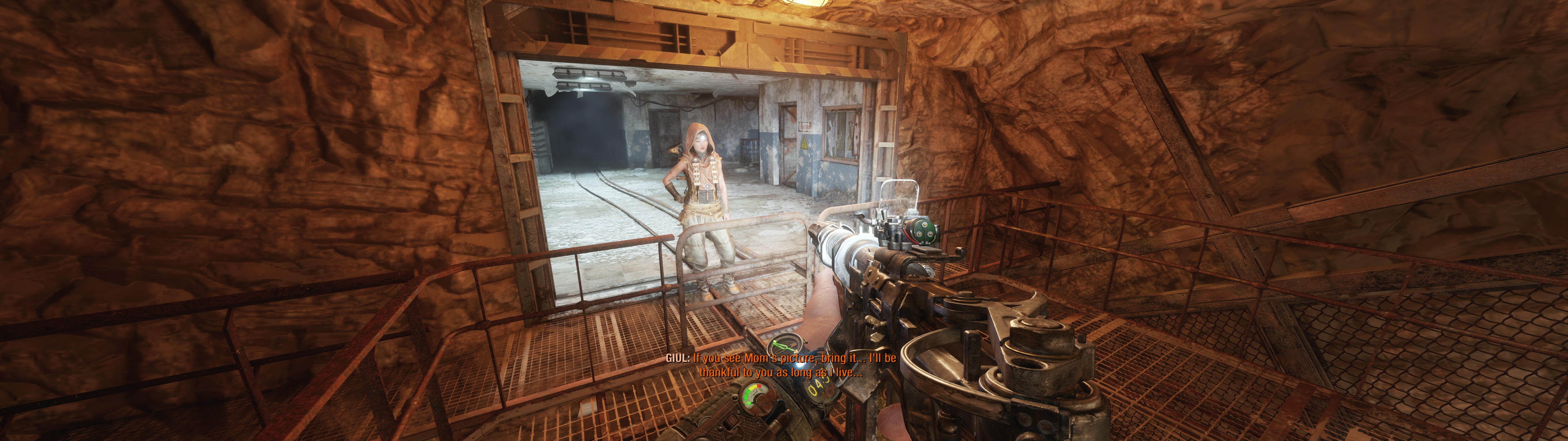
Game reliably crashes when attempting to go down the bunker elevator after meeting Giul.
Reproduction
- Play "The Caspian" chapter until you meet Giul.
- Follow Giul to the underground bunker entrance and enter.
- Start the elevator.
- Game crashes after a few seconds of being on the moving elevator.
Workaround
Fixed the crash issue by disabling Hairworks.
With new Nvidia drivers 525 game stopped working on Nvidia GPUs. More info: https://github.com/HansKristian-Work/vkd3d-proton/issues/1369
I can't get to the main menu. After the shaders are done compiling and the credits/intro finishes playing the game freezes.
Launch options: PROTON_LOG=1 PROTON_HIDE_NVIDIA_GPU=0 PROTON_ENABLE_NVAPI=1 VKD3D_CONFIG=dxr,dxr11 PROTON_ENABLE_NGX_UPDATER=1 %command%
GPU: NVIDIA 3060 Ti
Kernel: 6.6.1-arch1-1
nvidia drivers 545.29.02-4
Tried several versions of proton including 8.0-4, Proton Experimental, GE-Proton8-22
Proton Log:
steam-1449560.zip
Metro Exedus enhanced edition crashing with Intel Arc b580
Issue transferred from https://github.com/ValveSoftware/Proton/issues/8510.
@bleach86 posted on 2025-03-09T17:52:27:
Compatibility Report
- Name of the game with compatibility issues: Metro Exodus Pc enhanced edition
- Steam AppID of the game: 1449560
System Information
- GPU: Arc b580
- Video driver version: Mesa 25.1.0-devel
- Kernel version: 6.13.6
- Link to full system information report as Gist:
- Proton version: all, 9.0-4, experimental ,also with ge proton 9-25 and 9-22
I confirm:
- [x ] that I haven't found an existing compatibility report for this game.
- [x ] that I have checked whether there are updates for my system available.
Symptoms
The game runs great, with the exception of some game breaking crashing.
to start, non-game-breaking crashes:
On the main menu when you first start the game, opening the options will cause a crash after some seconds.
Changing pretty much any video setting at any time, will almost always result in a crash.
On restart of the game, settings seem changed and everything is fine.
There are crashes that happen at certain point in gameplay.
I began playing the game with proton 9.0-4. There was a crash during an animation/game dialog. changing to experiential got me past that. Later there was another crash in game in a similar situation, and changing to ge proton got me a bit further.
Now I am at a spot where it crashes at one of two points during a cutsce
ne. no version of proton or combination of launch options will get further.
When the crash happens, the game just freezes. not artifacts or anything, just frozen game.
Reproduction
the easiest thing to reproduce is the crash on the main menu, otherwise you just gotta play the game. I can share my save file if needed.
Steam runtime diagnostics:
https://gist.github.com/bleach86/aef4c746b4be18193c14ea7ac293186c
system info:
https://gist.github.com/bleach86/13ca95e1e14bed3bef1e6a903364c0ff
Replying to https://github.com/ValveSoftware/Proton/issues/4932#issuecomment-2708999567
Would you mind trying this change for the B580? : https://gitlab.freedesktop.org/mesa/mesa/-/merge_requests/34008
I was able to play the game locally with this.
Replying to [#4932 (comment)](https://github.com/ValveSoftware/Proton/issues/4932#issuecomment-2708999567)
Would you mind trying this change for the B580? : https://gitlab.freedesktop.org/mesa/mesa/-/merge_requests/34008
I was able to play the game locally with this.
This seems to have done it. I am now able to advance past the part that was consistently crashing. also the crashing from the main menu seems t be fixed. So far all running stably.
Thanks
Unfortunately, there has been a further crash. This one was in the sams story mission.
Attached is the proton log.
My bad, I botched the change (by changing the approach half way after finding a fix). The MR is updated and it seems to work fine for me.
My bad, I botched the change (by changing the approach half way after finding a fix). The MR is updated and it seems to work fine for me.
I pulled in your latest changes and gave it a go. it is still crashing in the same spot again.
Looks like you're running into a GPU hang. What kernel version are you running?
Are you using specific game settings?
I'm using Proton Hotfix on steam.
Looks like you're running into a GPU hang. What kernel version are you running?
Sorry, just saw the version up there, should be fine.
Are you using specific game settings?
I'm using Proton Hotfix on steam.
Looks like you're running into a GPU hang. What kernel version are you running?
Are you using specific game settings?
I'm using Proton Hotfix on steam.
I was using proton experimental before. I tried switching to hotfix, and was able to reproduce the crash. this one is not as consistent as the others, but on the third attempt it crashed again. attached will be the proton log as well as a gist for the user.cfg file which should have all of the my settings.
I can also share my save files if that would help.
https://gist.github.com/bleach86/5fdccf0b0903fd520e6da58647807515
Really odd... I have no issues playing the beginning of the game (inside the sewers).
The first section played without any gameplay errors. the crashing started in the next section, Moscow. You're able to unlock all of the sections from the chapters menu on the main menu.
There is a part at the beginning of this, where you board the train. that cutscene that plays when you first get on the train is where it would crash consistently for me.
This part does seem fixed for me. I will play that part a few times again to confirm.
The part I am getting a crash in now is in one of the DLC missions, Sam's story.
Playing the Sam's story DLC and it seems to work fine here, no hangs.
The hang happens for me when you are meeting the old captain. you take a boat to find them, it's after the snipe part.
There is a part where you are on the boat and the captain is talking. you follow them get on elevator then after that you go down the hallway. this is where the crash is happening. particularly at the part where it turns right.
The Enhanced Edition using DualSense + SteamInput is broken since at least Proton 8 that I tested back then (it never worked).
It keeps mapping keyboard + mouse on top of the xinput for every gamepad interaction, game icons flash between kb and dualsense icons and every input is duplicated.
We see logs of the game disabling and reenabling xinput for every gamepad interaction (attached).
Game defaults to this server template: workshop://2193678584
Using any other template, including default ones, community ones, will not change the behavior.
All of this is resolved by disabling SteamInput. "Controller Support Info" for this game is wrong since it supports Xbox + DualSense without SteamInput at least (need to confirm further types). Given the wrong controller support information, a DualSense user may be led to enable SteamInput and experience such discussed issue.
The game doesn't support DualSense Edge in any way though (most games fall it back to regular DualSense w/o SteamInput, but not this one), maybe there is a Proton/Wine spoof that can be done to workaround that but it is another topic.
Proton versions
proton experimentalx3 2025-03proton hotfixx3 2025-03proton 9.0-4x1 2025-03ge-proton8-22x1 2023-11
Launch options
PROTON_LOG=1x2 2023-11PROTON_ENABLE_NGX_UPDATER=1x1 2023-11PROTON_ENABLE_NVAPI=1x1 2023-11PROTON_HIDE_NVIDIA_GPU=0x1 2023-11VKD3D_CONFIG=dxr,dxr11x1 2023-11
Launch lines
Upstream links
- ValveSoftware/Proton/issues/8510x1 2025-03
- HansKristian-Work/vkd3d-proton/issues/1369x1 2023-02
- HansKristian-Work/vkd3d-proton/issues/669x1 2021-07
Compatibility Report
System Information
I confirm:
Symptoms
Metro Exodus Enhanced Edition does show the startup videos play, but presents a black screen after that. It shows a popup informing the user that the game has crashed. Crash is detected and the user can save a crashdump.
Game crashes most likely due to lack of raytracing support on AMD/RADV.
Reproduction
Start game on AMD 6800XT with RADV driver