Halo Infinite
Hello @CDAGaming, preemptively opening a compatibility report with no info is pointless. Let's wait until someone who has access to the game gives feedback.
Ok I have access and tried it earlier and It just immediately closes (nothing appears) status on Steam goes back to "Online" please give me information on how I can gather information to help diagnose.
@kisak-valve Please reopen this, as this is now available to users.
Hello @CDAGaming, looking around, no, the main game does not appear to have been released.
Instead, access to a separate insider build (1240410) was handed out and #5032 was opened to with info on how the insider build runs with Proton.
@kisak-valve the beta of Halo Infinite has dropped today under AppId 1240440, so can be reopened now yeah? I have also attached a pair of log files, one each for Proton 6.3-7 and Experimental. In both cases, launching the game causes the button to switch from "Play" to "Stop" for a few seconds before the game exits. I was also using the Steam Client Beta for both attempts.
proton-experimental-log-1240440-15Nov2021.log
proton-637-log-1240440-15Nov2021.log
Like @shagia, insta-death. Here's my console log using konsole --hold -e %command%:
https://gist.github.com/cybik/43b99328f170ca60b3a66f0ef536f8f2 (also contains steam-1240440.log)
Note that my log comes from a GE, not mainline. I'm assuming experimental and mainline are not showing much difference.
I should have clarified the Proton branch I'm using: I'm using the latest experimental (bleeding edge) branch myself in response to the post @cybik is referring to. I'll try mainline later today.
Still no boot on Proton Experimental or Proton-6.21-GE-1.
Noticed this in the log (used Proton GE): steam-1240440.log
53880.430:010c:0110:err:module:LdrInitializeThunk "Arbiter.dll" failed to initialize, aborting
53880.430:010c:0110:err:module:LdrInitializeThunk Initializing dlls for L"Z:\\home\\server\\.local\\share\\Steam\\steamapps\\common\\Halo Infinite\\HaloInfinite.exe" failed, status c0000142 pid 59450 != 59449, skipping destruction (fork without exec?)
Is "Arbiter.dll" anti-cheat?
Replying to https://github.com/ValveSoftware/Proton/issues/5030#issuecomment-969290284
I suppose so. Tried to attach a debugger to it but it just traps it with an INT3 instruction and immediately quits the game afterwards.
Note that my log comes from a GE, not mainline. I'm assuming experimental and mainline are not showing much difference.
I'm actually getting a different output when running with experimental (mainline). With GE it mentions Arbiter.dll but not with experimental. I'm not sure if it gets stuck earlier or farther ahead than GE.
Edit: Here's my log
I've got some slightly different behavior on Proton 5.0-10.
It doesn't open anything, but it doesn't exit either, it just stays running.
The proton log still has errors about Arbiter.dll though, so maybe just different behavior after exceptions.
Has anyone attempted viewing Arbiter.dll through a program such as Ghidra?
I tried loading it. It doesn't export many functions (entry and two others), and analyzing took up all 32GB of ram so I had to stop it.
Tried with Proton Experimental, no dice.
Switching to 6.3.7 installing Visual C++ x64 and x86 from here produces a different log, in which arbiter.dll seems to be loading. Now what nsiproxy is I have no idea.
steam-1240440.log
Interesting, it looks like I actually have no problem loading Arbiter.dll:
trace:loaddll:build_module Loaded L"Z:\\home\\aldrenean\\.local\\share\\Steam\\steamapps\\common\\Halo Infinite\\Arbiter.dll" at 0000000180000000: native
These are the error/fail messages I got in my proton log:
err:ntoskrnl:ZwLoadDriver failed to create driver L"\\Registry\\Machine\\System\\CurrentControlSet\\Services\\nsiproxy": c0000003
fixme:service:scmdatabase_autostart_services Auto-start service L"nsiproxy" failed to start: 87
err:steam:initialize_vr_data Could not load libopenvr_api.so.
err:virtual:virtual_setup_exception stack overflow 1872 bytes in thread 0108 addr 0x7fc8e57c0ed4 stack 0x5408b0 (0x540000-0x541000-0x940000)
This is on Proton Experimental.
What version of Wine is Proton Experimental based on, since the changelog of the recent Wine 6.19 seems to have a lot regarding whatever nsiproxy is. https://www.winehq.org/announce/6.19
I got these errors initially, but after launching it a few times I just get this:
gavin@jeff ~/.s/s/s/c/Halo Infinite> WINEARCH=win64 WINEPREFIX=/home/gavin/.steam/steam/steamapps/compatdata/1240440/pfx STEAM_COMPAT_CLIENT_INSTALL_PATH="$HOME/.steam/steam" STEAM_COMPAT_DATA_PATH=~/.proton/ ~/.steam/steam/steamapps/common/Proton\ -\ Experimental/proton run HaloInfinite.exe
esync: up and running.
wine: RLIMIT_NICE is <= 20, unable to use setpriority safely
WARNING: radv is not a conformant Vulkan implementation, testing use only.
WARNING: radv is not a conformant Vulkan implementation, testing use only.
gavin@jeff ~/.s/s/s/c/Halo Infinite>
No errors (i'm pretty sure that second line is just a warning). It just closes.
But what's also interesting is the fact that a similar issue is being reported on Windows 10, on the Steam page:
https://steamcommunity.com/app/1240440/discussions/0/5963323773768307774/
With ProtonGE on Wine 6.21 and x64 Visual C++ installed the only errors I get are those:
5681.383:0110:0114:err:module:LdrInitializeThunk "Arbiter.dll" failed to initialize, aborting
5681.383:0110:0114:err:module:LdrInitializeThunk Initializing dlls for L"Z:\\home\\ich\\.local\\share\\Steam\\steamapps\\common\\Halo Infinite\\HaloInfinite.exe" failed, status c0000142
steam-1240440.log
Replying to https://github.com/ValveSoftware/Proton/issues/5030#issuecomment-969635514
I get the same error with GE 6.21
I also tried disabling Arbiter and forcing native
Using Proton 6.3-7 I get:
12473.049:010c:0110:err:virtual:virtual_setup_exception stack overflow 1936 bytes in thread 0110 addr 0x7f49928269a9 stack 0x540870 (0x540000-0x541000-0x940000)
steam-1240440.log
With Proton Experimental I'm getting:
pid 110292 != 110289, skipping destruction (fork without exec?)
With PROTON_USE_WINED3D=1.
Proton Experimental on 5.15.2-arch1-1 Arch Linux logs:
steam-1240440.log
sysinfo.txt
It appears to load Arbiter but later exits:
110769.084:0104:0108:trace:loaddll:build_module Loaded L"Z:\\mnt\\local\\SteamLibrary\\steamapps\\common\\Halo Infinite\\Arbiter.dll" at 0000000180000000: native
...
110771.494:005c:006c:trace:seh:dump_unwind_info **** func 1ac90-1ad76
110771.494:005c:006c:trace:seh:dump_unwind_info unwind info at 00000002279D4A70 flags 0 prolog 0x8 bytes function 00000002279BAC90-00000002279BAD76
110771.494:005c:006c:trace:seh:dump_unwind_info     0x8: subq $0x160,%rsp
110771.494:005c:006c:trace:seh:dump_unwind_info     0x1: pushq %rbx
110771.494:005c:006c:trace:seh:RtlRestoreContext returning to 00000002279C403A stack 000000000162F740
110771.494:005c:0078:trace:seh:NtQueryInformationThread (0xfffffffffffffffe,12,0x226fe2c,4,(nil))
110771.494:005c:007c:trace:seh:NtQueryInformationThread (0xfffffffffffffffe,12,0x287fe2c,4,(nil))
110771.494:005c:0080:trace:seh:NtQueryInformationThread (0xfffffffffffffffe,12,0x2e8fe2c,4,(nil))
110771.495:005c:0074:trace:seh:NtQueryInformationThread (0xfffffffffffffffe,12,0x1c3fe2c,4,(nil))
110771.522:00cc:00e0:trace:seh:NtQueryInformationThread (0xfffffffffffffffe,12,0x151fe2c,4,(nil))
110771.522:005c:006c:trace:loaddll:free_modref Unloaded module L"C:\\windows\\system32\\drivers\\winebus.sys" : builtin
110771.523:005c:006c:trace:loaddll:free_modref Unloaded module L"C:\\windows\\system32\\drivers\\wineusb.sys" : builtin
110771.524:005c:006c:trace:loaddll:free_modref Unloaded module L"C:\\windows\\system32\\drivers\\winehid.sys" : builtin
110771.524:005c:006c:trace:loaddll:free_modref Unloaded module L"C:\\windows\\system32\\hidclass.sys" : builtin
110771.525:005c:006c:trace:seh:NtQueryInformationThread (0xfffffffffffffffe,12,0x162fe2c,4,(nil))
110771.594:0030:008c:trace:seh:NtQueryInformationThread (0xfffffffffffffffe,12,0x336fe2c,4,(nil))
110771.594:0030:0064:trace:seh:NtQueryInformationThread (0xfffffffffffffffe,12,0x274fe2c,4,(nil))
110771.594:0030:0054:trace:seh:NtQueryInformationThread (0xfffffffffffffffe,12,0x213fe2c,4,(nil))
110771.594:0030:0070:trace:seh:NtQueryInformationThread (0xfffffffffffffffe,12,0x2d5fe2c,4,(nil))
110771.594:0030:0118:trace:seh:NtQueryInformationThread (0xfffffffffffffffe,12,0x3f8fe2c,4,(nil))
110771.594:0030:0044:trace:seh:NtQueryInformationThread (0xfffffffffffffffe,12,0x151fe2c,4,(nil))
110771.594:0030:00d4:trace:seh:NtQueryInformationThread (0xfffffffffffffffe,12,0x459fe2c,4,(nil))
110771.594:0030:0038:trace:seh:NtQueryInformationThread (0xfffffffffffffffe,12,0xf0fe2c,4,(nil))
pid 70842 != 70841, skipping destruction (fork without exec?)
I could be wrong here, but I found this talking about the arbiter.dll and maybe explaining a bit about it. This was from 2019 tho, either 343 made their own or they use a version of this one. I submit this as a noob that wants to help if he can. I dont see anything useful on this page but maybe someone else can http://windowsbulletin.com/files/dll/windows-software-developer/third-party-application/arbiter-dll
Ill keep testing and mention anything I find
Replying to https://github.com/ValveSoftware/Proton/issues/5030#issuecomment-969290284
Is "Arbiter.dll" anti-cheat?
It's most likely an anti-cheat measure for Windows. The VFIO community is currently able to bypass this as they do other anti-cheat with hypervisor.
Has anyone attempted viewing Arbiter.dll through a program such as Ghidra?
Took a good half hour but i am able to load Arbiter.dll into Ghidra. Unfortunately i am very weak with analyzing x86 binaries.
Project File Name: 	Arbiter.dll
Last Modified:	Tue Nov 16 11:34:10 PST 2021
Readonly:	false
Program Name:	Arbiter.dll
Language ID:	x86:LE:64:default (2.9)
Compiler ID:	windows
Processor:	x86
Endian:	Little
Address Size:	64
Minimum Address:	180000000
Maximum Address:	18124f7ff
# of Bytes:	19183668
# of Memory Blocks:	9
# of Instructions:	0
# of Defined Data:	1472
# of Functions:	0
# of Symbols:	83
# of Data Types:	326
# of Data Type Categories:	4
CompanyName:	Copyright (c) 2021 Microsoft
Compiler:	visualstudio:unknown
Created With Ghidra Version:	10.0
Date Created:	Tue Nov 16 11:34:09 PST 2021
Executable Format:	Portable Executable (PE)
Executable Location:	/tmp/something/Arbiter.dll
Executable MD5:	77ebc2639607d6b571686d5758c97973
Executable SHA256:	1f90f72aa741194c98a9c1ada8209e3df5ecb454dab036e8b28f91aa59ff400b
FSRL:	file:///tmp/something/Arbiter.dll?MD5=77ebc2639607d6b571686d5758c97973
FileDescription:	Arbiter Runtime Library
FileVersion:	1.5.0.124
LegalCopyright:	Copyright (c) 2021 Microsoft
PDB Age:	1
PDB File:	loader.pdb
PDB GUID:	922362bf-4ea4-46a7-912b-299d588fc74e
PDB Version:	RSDS
ProductName:	Arbiter Runtime Library
ProductVersion:	1.5.0.124
Relocatable:	true
SectionAlignment:	4096
Translation:	4b00409
edit: Now I see what others were refering to with running out of memory. some of the functions do exhaust 32gb of memory trying to disassemble.
Seems like the problem is vkd3d and vulkan https://github.com/HansKristian-Work/vkd3d-proton/issues/910#issue-1056672939
There seem to be a few different issues going on here.
Proton Experimental and Proton 6.3-8 both crash on launch. The game generates its own crash log, referencing Media Foundation.
steam-1240440.log
crashCABN.txt
pReader->SetCurrentMediaType(dwStreamIndex, nullptr, pType.Get()) failed (HR=0xc00d5212):
0xc00d5212 seems to infer a missing codec playing one of the intro videos. There doesn't appear to be anything particularly special about the videos.
Container: MP4
Stream 0 (Video): H264 - MPEG-4 AVC (part 10) (av1)
Stream 1 (Audio): MPEG AAC Audio (mp4a) 48000Hz 3F2R/LFE 32bpp
This can be bypassed by moving the video mp4s into a folder where the game can't find them. This will get the game launching, albeit not looking right and at 1-2fps presumably due to the vkd3d issue above. There is a relevant branch vkd3d execute-indirect-advanced but it appears to be in a draft state, too early for testing. For me a d3d12.dll compiled from this tree causes the game to crash shortly after launching.
Proton-GE (6.21) seems to have an unrelated issue where it can't initialize Arbiter.dll. Not relevant here but I've attached the log anyway
steam-1240440.log
Can confirm that removing the videos allows me to launch the game, but I have to RMA my card (for separate reasons) and my integrated graphics don't meet minimum specs to run the game so it crashes.
I can also confirm that it now launches with the videos moved. The GPU driver crashed and kinda recovered so I couldn't really do anything. I'll try again :)
The game launches and I can get to the menu(s) however the graphics don't update once I hit the menus and I can't do anything other than make sounds clicking on menu links.
I haven't removed the videos and I'm using an AMD 6900XT on Arch Linux.
For what it is worth: The open radeon vulkan driver loads faster however it has graphics artifacts when trying to close the game (had to restart X) the amdvlk driver seems slower but it doesn't get the artifacts when it closes halo and seems to lock harder than the readon vulkan driver.
Has anybody tried again now that the campaign has been released?
Just launched the game. It loads, and you can get past the Microsoft login, but crashes on menu pages. After the first crash, it now crashing passing the loading page
Just launched the game. It loads, and you can get past the Microsoft login, but crashes on menu pages. After the first crash, it now crashing passing the loading page
:( thanks. Hopefully it's resolved eventually. Too big of a release for Proton to not support it down the line, with Steam Deck coming.
I'll have to boot Windows in the meantime I guess.
Just launched the game. It loads, and you can get past the Microsoft login, but crashes on menu pages. After the first crash, it now crashing passing the loading page
So, some further research. Deleting the video folder is what boots up the game. But then once the video is tried to be fetched, the game crashes. Keeping the videos folder crashing the game at loading.
I still haven't been able to start the game, with or without the videos. On proton experimental, it just does nothing and the log is empty except for the standard header. With proton 6.3-8, it runs for a few seconds and crashed again (no window opens at any time), and I get this log.
Just launched the game. It loads, and you can get past the Microsoft login, but crashes on menu pages. After the first crash, it now crashing passing the loading page
I can confirm that I'm experiencing the same behavior also I noticed that in the main menu the performance is horrible it's like ~2fps and just as it tries to show up the menu the game auto closes no errors or anything.
I also get the "game crashes as soon as I launch it" I get a window that flashes and then goes POOF and then game crashes. I have tried Proton Experimental, Proton 6.3.8, and even GloriousEggroll's latest Proton build, but none work.
Just launched the game. It loads, and you can get past the Microsoft login, but crashes on menu pages. After the first crash, it now crashing passing the loading page
So, some further research. Deleting the video folder is what boots up the game. But then once the video is tried to be fetched, the game crashes. Keeping the videos folder crashing the game at loading.
Out of curiosity has anyone tried replacing the videos with dummy files (e.g. an empty MP4) rather than deleting them?
I tried replacing the videos with blank ones from this repo. Specifically I tried blank.mp4 and blank_AVC.mp4 (the encoding of the original videos) renamed to the original video file names. Both of these formats caused to game to crash on launch like the original videos did.
A AAA game like this needs support
For an RX 590 the game takes most of the system with it, it's responsive, but starting a new session via ssh or recovering the xserver seems unreliable, had to REISUB. Relevant dmesg:
[drm:amdgpu_dm_atomic_commit_tail [amdgpu]] *ERROR* Waiting for fences timed out!
[drm:amdgpu_dm_atomic_commit_tail [amdgpu]] *ERROR* Waiting for fences timed out!
[drm:amdgpu_job_timedout [amdgpu]] *ERROR* ring gfx timeout, signaled seq=285544632, emitted seq=285544634
[drm:amdgpu_job_timedout [amdgpu]] *ERROR* Process information: process HaloInfinite.ex pid 1887837 thread 00 MAIN pid 1887900
amdgpu 0000:09:00.0: amdgpu: GPU reset begin!
amdgpu: cp is busy, skip halt cp
amdgpu: rlc is busy, skip halt rlc
amdgpu 0000:09:00.0: amdgpu: BACO reset
amdgpu 0000:09:00.0: amdgpu: GPU reset succeeded, trying to resume
[drm] PCIE GART of 256M enabled (table at 0x000000F400000000).
[drm] VRAM is lost due to GPU reset!
[drm] UVD and UVD ENC initialized successfully.
[drm] VCE initialized successfully.
amdgpu 0000:09:00.0: amdgpu: recover vram bo from shadow start
amdgpu 0000:09:00.0: amdgpu: recover vram bo from shadow done
[drm] Skip scheduling IBs!
[drm] Skip scheduling IBs!
amdgpu 0000:09:00.0: amdgpu: GPU reset(2) succeeded!
[drm] Skip scheduling IBs!
[...]
[drm] Skip scheduling IBs!
[drm:amdgpu_cs_ioctl [amdgpu]] *ERROR* Failed to initialize parser -125!
[drm:amdgpu_cs_ioctl [amdgpu]] *ERROR* Failed to initialize parser -125!
amdgpu 0000:09:00.0: amdgpu: GPU fault detected: 147 0x00c00402 for process steamwebhelper pid 1857306 thread steamwebhe:cs0 pid 1857308
amdgpu 0000:09:00.0: amdgpu:   VM_CONTEXT1_PROTECTION_FAULT_ADDR   0x00000218
amdgpu 0000:09:00.0: amdgpu:   VM_CONTEXT1_PROTECTION_FAULT_STATUS 0x04004002
amdgpu 0000:09:00.0: amdgpu: VM fault (0x02, vmid 2, pasid 32780) at page 536, read from 'TC1' (0x54433100) (4)
[drm:amdgpu_cs_ioctl [amdgpu]] *ERROR* Failed to initialize parser -125!
[drm:amdgpu_cs_ioctl [amdgpu]] *ERROR* Failed to initialize parser -125!
[drm:amdgpu_job_timedout [amdgpu]] *ERROR* ring gfx timeout, signaled seq=285544636, emitted seq=285544638
[drm:amdgpu_job_timedout [amdgpu]] *ERROR* Process information: process steamwebhelper pid 1857306 thread steamwebhe:cs0 pid 1857308
amdgpu 0000:09:00.0: amdgpu: GPU reset begin!
After that the system was in a irrecoverable state.
I tried it after the latest update (with renamed intro videos) and was able to load into a training game, but it was 0 fps and nearly crashed my system (Ryzen 5, GTX 1070, Proton Experimental, Solus Mate). Top showed 100% CPU usage while the game was running. Menus were still at 1-2fps. I tried toggling windowed/borderless, HUD effects, Vsync, esync/fsync all with no effect. The proton log is absolutely massive. There was also a message when first starting the game that said: "Unable to connect to Halo Infinite Lobby Service."
I also managed to capture a couple screenshots, and I was able to hear the audio of the training game, including my inputs.


Edit: tried it a couple more times, and it loads into a training game (map: Live Fire) without crashing. I can hear all inputs as if it is running the game in real time, but the screen is black or stuck on the loading screen. I also noticed that the display adapter option (which should show the GPU, is greyed out and "disabled").
This is the tail of the proton log:
14177.609:0128:012c:trace:seh:dump_unwind_info` **** func 2c9e0-2c9f2 14177.609:0128:012c:trace:seh:dump_unwind_info unwind info at 000000007B63D4DC flags 0 prolog 0x4 bytes function 000000007B62C9E0-000000007B62C9F2 14177.609:0128:012c:trace:seh:dump_unwind_info 0x4: subq $0x28,%rsp 14177.609:0128:012c:trace:seh:RtlVirtualUnwind type 1 rip 000000007BC5E603 rsp 000000000063FE70 14177.609:0128:012c:trace:seh:dump_unwind_info **** func 5e580-5e683 14177.609:0128:012c:trace:seh:dump_unwind_info unwind info at 000000007BC83C8C flags 0 prolog 0x7 bytes function 000000007BC5E580-000000007BC5E683 14177.609:0128:012c:trace:seh:dump_unwind_info 0x7: subq $0x168,%rsp 14177.609:0128:012c:trace:seh:call_stack_handlers found wine frame 000000000063FEA0 rsp 000000000063FFE0 handler 000000007BC68370 14177.609:0128:012c:trace:seh:call_teb_handler calling TEB handler 000000007BC68370 (rec=000000000061ABA0, frame=000000000063FEA0 context=000000000061A0F0, dispatch=0000000000619FC0) pid 39804 != 39803, skipping destruction (fork without exec?)
Riding on the previous comment, I managed to get into the campaign after navigating the slow main menu that now doesn't cause a game crash. As mentioned above, none of the graphics seem to improve this.
Surprisingly though, it seems the main menu is the only place these performance issues exist, from the short period I played. However, almost none of the 3D geometry actually renders, leaving you guessing what's actually happening:
Possible campaign spoilers
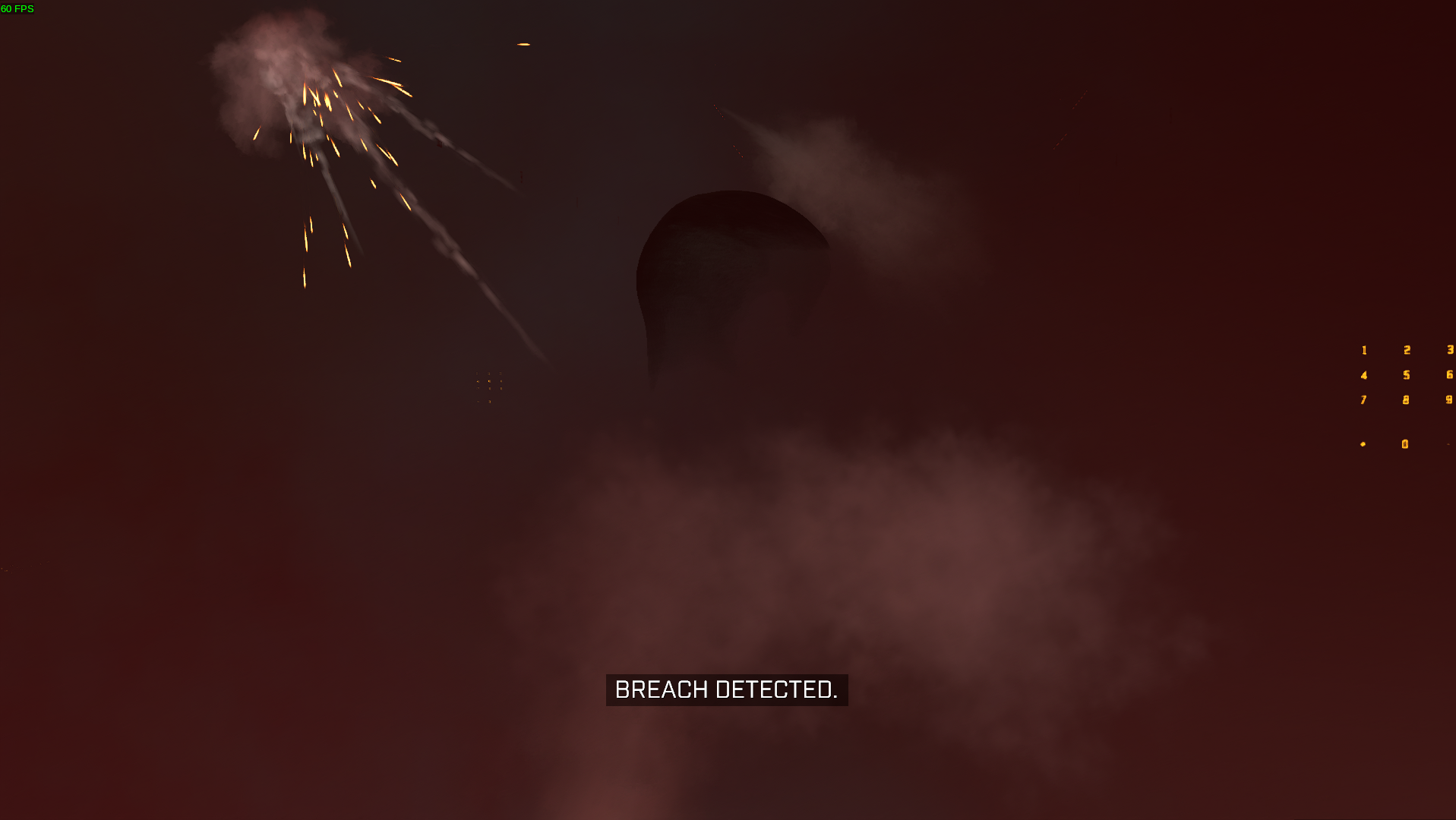
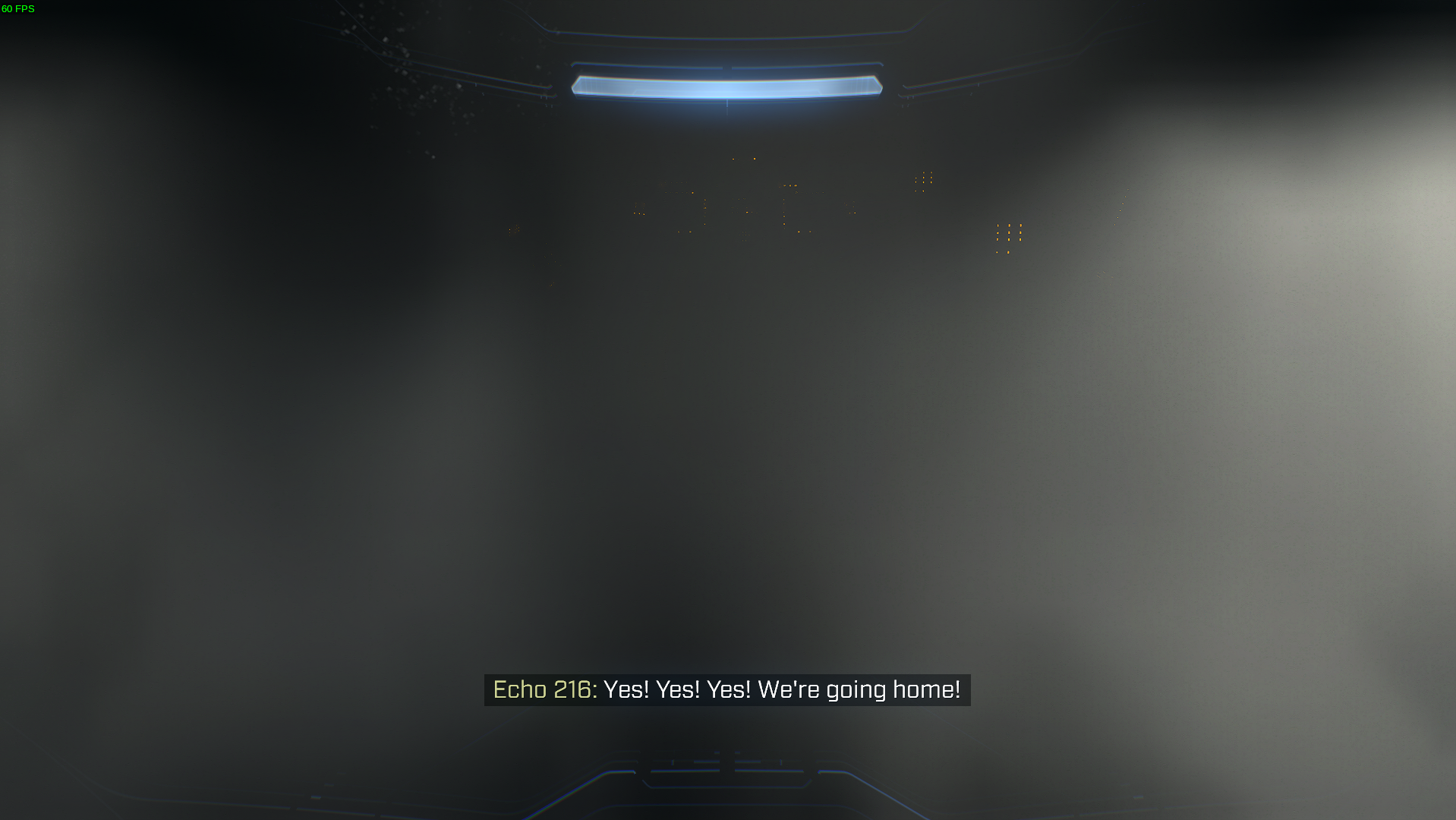
Fortunately, no crashes occured, though while in the main menu my system was very slow (5600X, 3080 Ti, 32GB RAM) which makes almost everything hard to navigate.
On Intel Iris Xe the game complains about not having a compatible direcx12 device and refuses to start. On Windows you are able to get into the game, but with graphical glitches until Intel releases a driver fix. I'll make a log only if there is an interest in improving Intel gaming on Proton.
I’m also getting that DirectX 12 message, and I have an AMD RX 5600 XT.
On Dec 19, 2021, at 1:51 AM, ruineka @.***> wrote:
On Intel Iris Xe the game complains about not having a compatible direcx12 device and refuses to start. On Windows you are able to get into the game, but with graphical glitches until Intel releases a driver fix. I'll make a log only if there is an interest in improving Intel gaming on Proton.
—
Reply to this email directly, view it on GitHub, or unsubscribe.
Triage notifications on the go with GitHub Mobile for iOS or Android.
You are receiving this because you are subscribed to this thread.
Does anyone replying here even read what's written before? Its even pinned right on top with a green border!
Does anyone replying here even read what's written before? Its even pinned right on top with a green border!
Are you sure you are on the right issue thread? There's nothing on this issue with a green border, and people looking for solutions would arrive to this issue from a search engine directly, instead of the issue page.
Not sure if anyone's aware, but the game is available via Xbox Game Pass; can use this for now while we wait.
@braiam my bad, the green border thingy was an add-on (Refined GitHub), but the main complain remains if people even read what's written before.
https://github.com/ValveSoftware/Proton/issues/5030#issuecomment-972565583
i am having fun it seems stable with the d3d12 from here disabling the High res textures, steam overly and disabling winedb.exe once you get into the tutorial that is the main menus love crashing I think its to do with the online services as when its trying to go online it dies but once it switches to offline because you are trying to launch the tutorial it seems to be stable

side note this is on a laptop with a ssd with the game installed on it proton experimental linux tkg and mesa-git with a ryzen 5 2500u and a rx 560x and 16 gb of ram
i am having fun it seems stable with the d3d12 from here disabling the High res textures...
Are you able to provide step by step instructions?
i am having fun it seems stable with the d3d12 from here disabling the High res textures...
Are you able to provide step by step instructions?
Build it using the command provided, which will setup a directory containing a script you can use to install it. Direct it at the wine prefix relevant for your app (so steamapps/compatdata/id/pfx) and use the installer script.
In my experience though, that branch does not seem to make the game any more or less stable - it still kills framerate on the main menu, or when rendering actual level geometry. I'm not sure the indirect rendering fix patch actually improves anything just yet.
i am having fun it seems stable with the d3d12 from here disabling the High res textures...
Are you able to provide step by step instructions?
yes you can use githubs automated checks at the bottom of that PR to download a build here under artifacts. Because I am lazy I just set the prefix to use d3d12 native and shoved the 64 bit d3d12.dll into the games folder. disabling of winedbg will result in no debugging options if it dose crash but in general make games that like to crash less unstable and more performant its a environment variable WINEDLLOVRRIDES=winedbg.exe=d
AMDGPU-pro is less speedy and more unstable then radv in my testing (mesa-git)
the game has issues picking which gpu to use in some laptops and was trying to run with my vega apu
the menus run at 30fps for my system with my settings (all low and 71% res scale)
Any news/movement on this now that upstream VKD3D12 seems to have more of the missing calls that were previously missing? beyond that do we have a working list of what calls were missing previously?
The feature that is supposed to fix most of this(indirect rendering) is still being worked on here and does not appear to have made it to a release yet. The following is on current Proton Expiremental with an i7-12700kf, kernel 5.16.14(zen, arch btw), and a gtx 1070(driver 510.54). After compiling it from the execute-indirect-advanced branch, as @money123451 did, it loads in normally (still with no trees on menu) and after loading into a game, the only thing visible were palm trees (map bazaar, unplayable). On the latest commit on the execute-indirect-advanced-breadcrumbs branch the loading screen stays visible during gameplay, though you can walk around and shoot just like execute-indirect-advanced. I tried a few other commits but was unable to get one that just works. My guess is funny issues with latest proton and earlier vkd3d-proton, but I could've missed something from money123451. Will try playing around with versions.
Is there any news on if they are implementing a DirectX 12 Indirect Rendering equivalent to Vulkan?
and is there any progress being made on Halo Infinite?
It seems to have come a very long way, I just retried on my RTX 3070(as I heard AMD still lack their indirect rendering extensions)
The performance seems perfect, however everything is rendered awfully weird(and it still requires you to rename the videos folder)
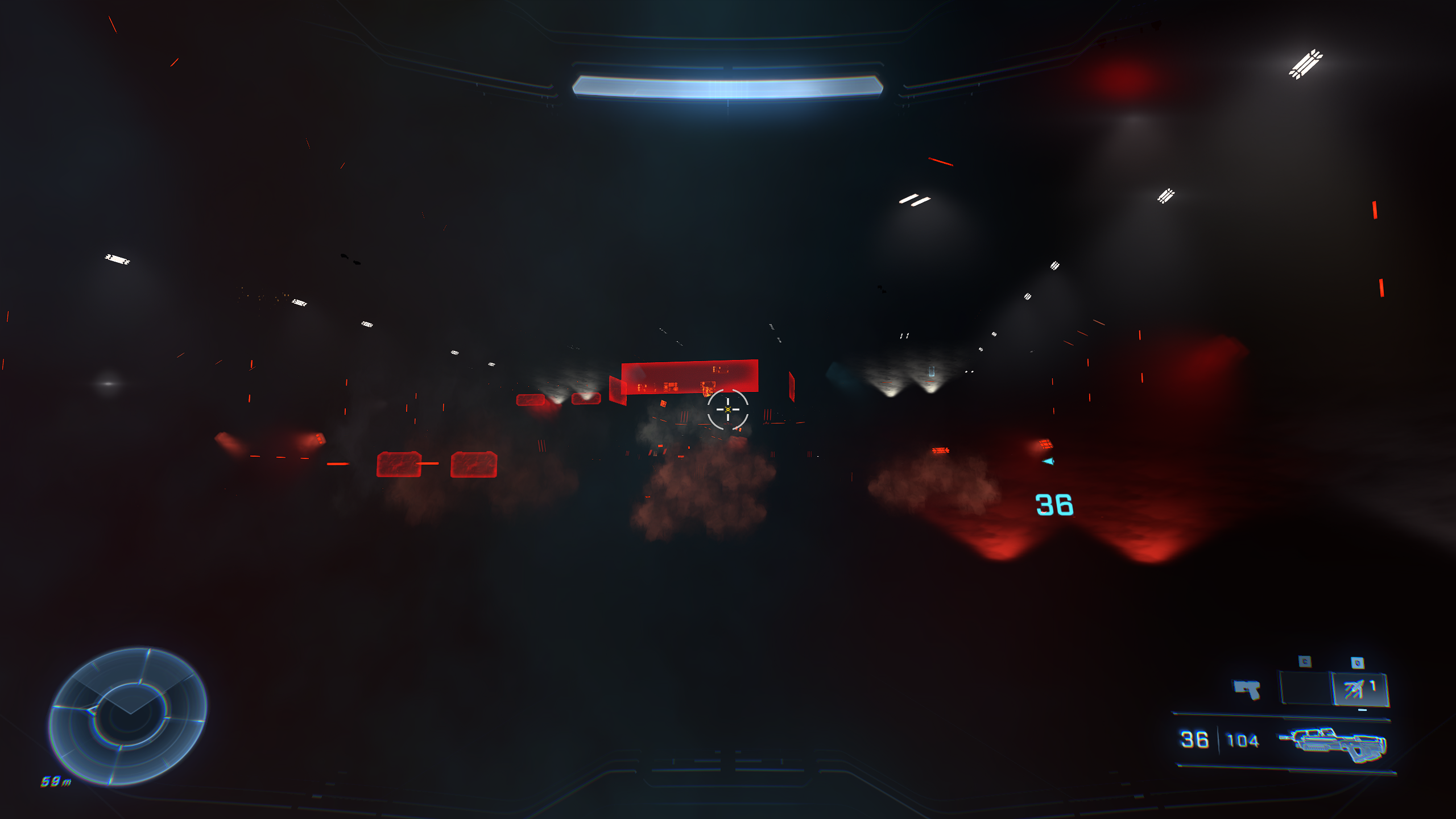
EDIT: remembering when it was like 2fps...
That's really great progress actually! nice to see!
as I heard AMD still lack their indirect rendering extensions)
I believe they're WIP. I'm currently caught on some other projects, but if others in this issue with the requisite hardware are ok with building from source, you can enable experimental extensions in AMDVLK (the vulkan driver) manually!
Repo is here:https://github.com/GPUOpen-Drivers/AMDVLK
(Open source 🙏 )
Edit: Reminder that AMD has the older radv driver for Vulkan, as well as the modern, FOSS AMDVLK driver
I believe they're WIP. I'm currently caught on some other projects, but if others in this issue with the requisite hardware are ok with building from source, you can enable experimental extensions in AMDVLK (the vulkan driver) manually!
AMDVLK doesn't seem to want to launch the game at all while RADV launches and hangs my 6800XT. I successfully built AMDVLK with AMDVLK_ENABLE_DEVELOPING_EXT="all" which I hope is what you were referring to
I believe they're WIP. I'm currently caught on some other projects, but if others in this issue with the requisite hardware are ok with building from source, you can enable experimental extensions in AMDVLK (the vulkan driver) manually!
AMDVLK doesn't seem to want to launch the game at all while RADV launches and hangs my 6800XT. I successfully built AMDVLK with
AMDVLK_ENABLE_DEVELOPING_EXT="all"which I hope is what you were referring to
From the docs, I believe you need to provide it as a series of CSV's explicitly selecting each extension
From the docs, I believe you need to provide it as a series of CSV's explicitly selecting each extension
The docs states that "all" should work though. I'm not sure if this needs to be exported before building or if it needs to be exported while playing the game... The game doesn't start either way...
What extensions were you thinking about enabling? :)
My bad!
Reading it more thoroughly now, it seems like it needs to be exported while running as well. You may want to have it active at driver/user session initialization (bashrc maybe?)
Edit: building the dev branch also requires getting said branch ( clone with -b dev)
Do you think that the lin32 version is needed? took a while to build the 64 bit one :/
Do you think that the lin32 version is needed? took a while to build the 64 bit one :/
If you're doing an iterative build it shouldn't be too bad.
are you building with multiple threads?
If you're doing an iterative build it shouldn't be too bad.
are you building with multiple threads?
Yeah, it's putting my 5800X to shame! I've modified the amdvlk-git PKGBuild and I'm using it to build and install the package. I realized that it cloned the master branch by default so I'll test it using the dev branch :)
If you're doing an iterative build it shouldn't be too bad.
are you building with multiple threads?Yeah, it's putting my 5800X to shame! I've modified the amdvlk-git PKGBuild and I'm using it to build and install the package. I realized that it cloned the master branch by default so I'll test it using the dev branch :)
Just in case, typically because of scheduler/bandwidth limitations, unless you're doing a debug build it's safe to use up to 2*$(nproc)
I'm not certain how many logical threads your processor has (probably somewhere on the order of 16-24?). Doubling that to 32-48 (or equivalent), assuming you have the requisite memory, should be fine (32 or 64 should be reasonable).
If your system has 128GB-256GB (not certain about the memory limitations of that platform) running with unlimited jobs is another option, but will crash if it hits on OOM condition.
So the Dev branch seems to get the game running farther than their Master branch but it still hangs my GPU after the initial loading screen just like RADV :/
Did you do the remove video files trick like others in the thread above? (amongst other suggestions to get farther in)
Did you do the remove video files trick like others in the thread above?
Yeah. When I tried with the videos, the game wouldn't even show the loading indicator.
I noticed that I could see some of the menu background with the RADV drivers while the background remained totally black on amdvlk
Edit: Reminder that AMD has the older radv driver for Vulkan, as well as the modern, FOSS AMDVLK driver
Apologies for the off-topic comment, but this is very wrong. Both are FOSS. RADV is slightly older but that doesn't make it any less modern. Both are actively developed.
When I try launch, it just says "Failed to create a DirectX 12 Device for the following adapter:" on Proton Experimental and an RX 6600 XT.
Hello @GalacticalEdge, please copy your system information from Steam (Steam -> Help -> System Information) and put it in a gist, then include a link to the gist in this issue report.
Apologies for the off-topic comment, but this is very wrong. Both are FOSS. RADV is slightly older but that doesn't make it any less modern. Both are actively developed.
Apologies for the mistake, was under the impression that RADV was like the old closed source drivers.
Can't launch the game (Halo Infinite)
Issue transferred from https://github.com/ValveSoftware/Proton/issues/5906.
@TheSiriuss posted on 2022-06-14T16:53:30:
Compatibility Report
- Halo Infinite
- Steam AppID of the game:
System Information
- GPU: RX 5700XT
- Driver/LLVM version: Mesa 22.1.1
- Kernel version: 5.17.14-1
- Link to full system information report as Gist:
- Proton version: Experimental. 7.0 and 6.3
I confirm:
- [x] that I haven't found an existing compatibility report for this game.
- [x] that I have checked whether there are updates for my system available.
Symptoms
I can't even open the game
Reproduction
Edit: Reminder that AMD has the older radv driver for Vulkan, as well as the modern, FOSS AMDVLK driver
Apologies for the off-topic comment, but this is very wrong. Both are FOSS. RADV is slightly older but that doesn't make it any less modern. Both are actively developed.
THIS
AMDVLK is not good compared to radv, a normal person should NEVER use AMDVLK, radv offers better performance and stability, along with better game compatibility.
Replying to https://github.com/ValveSoftware/Proton/issues/5030#issuecomment-1163557630
There are 46 subscribers on this issue and none of them want to hear about your takes on AMDVLK, please keep them for Reddit or Youtube comments. Thanks.
Replying to [#5030 (comment)](https://github.com/ValveSoftware/Proton/issues/5030#issuecomment-1163557630)
There are 46 subscribers on this issue and none of them want to hear about your takes on AMDVLK, please keep them for Reddit or Youtube comments. Thanks.
sorry about that, I hid it for you
on the topic of radv, does anybody have the issue of a hard gpu reset after reaching the title screen?
So the big one you've all been waiting for.
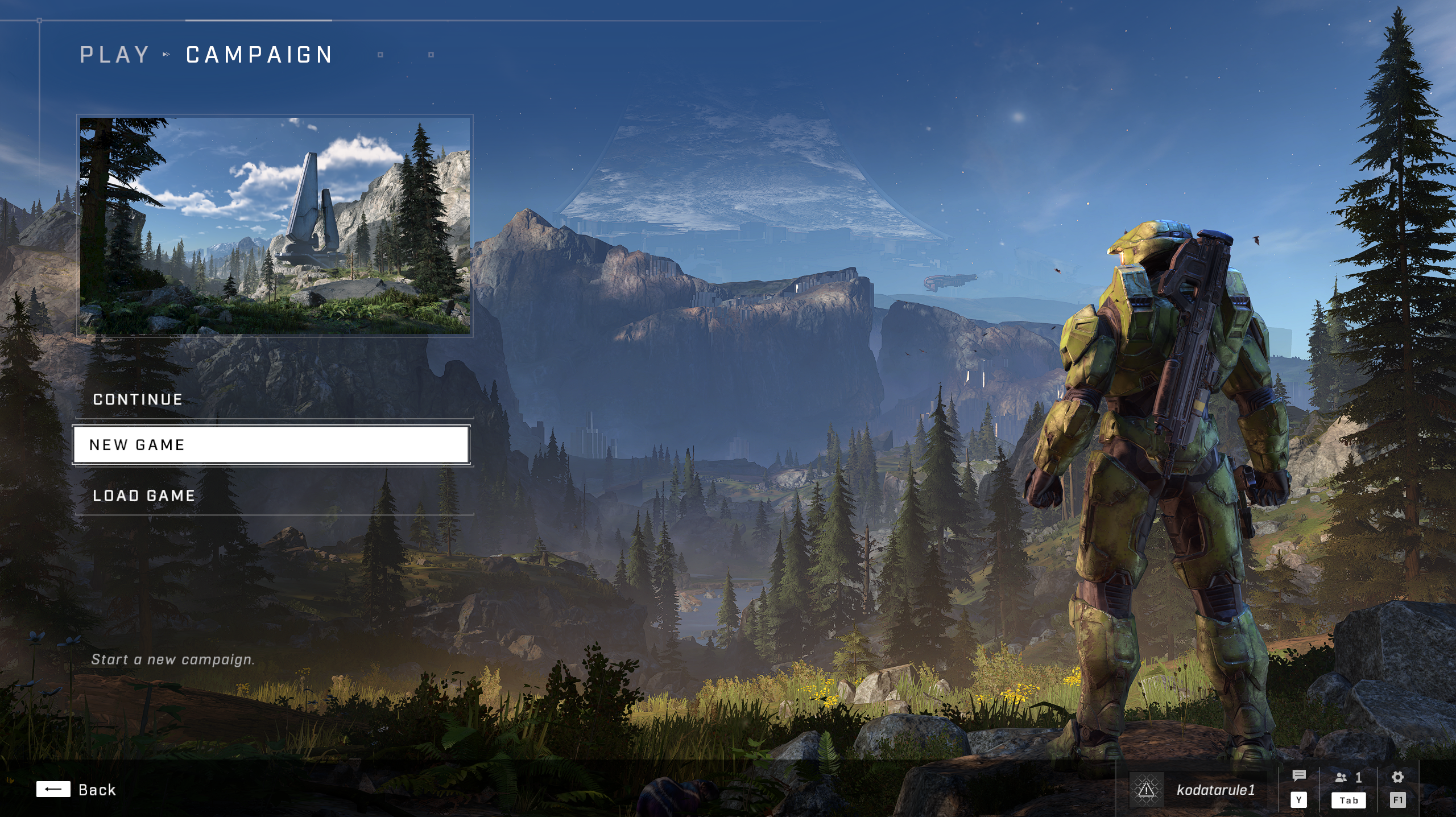
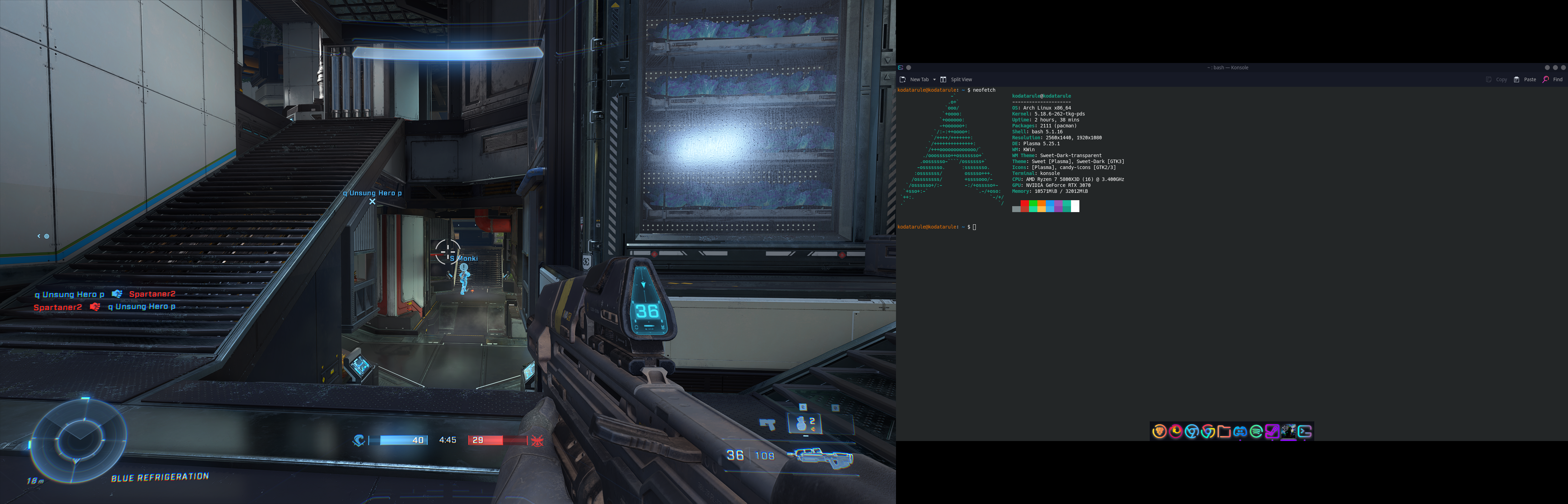
Single player is NOT yet working due to missing some stuff in VKD3D, but Multiplayer is playable, sometimes the game may hang, but you can easily shut it down and restart it again.
This is played on Arch Linux and NVIDIA gpu, not sure how things are on AMD so if someone can test with PROTON GE - 7.22 as it uses the latest VKD3D from git, don't use any other proton as it may hard freeze your entire system.
Halo Infinite is working over here on Fedora, I just had to enable Glorious Eggroll's Mesa-git COPR repo and switch to GE-Proton7-21.
MP crashes, but SP works just fine.
Will try GE-Proton7-22 shortly.
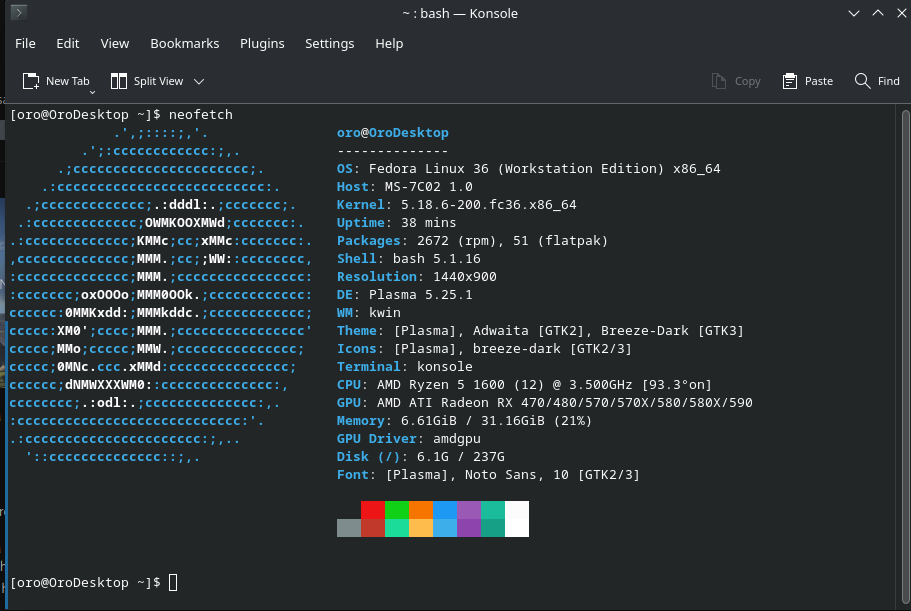
Same results for me with GE-Proton7-21, SP hangs the game on black screen, MP is working
GE-Proton7-22 doesn't work for me, I am currently compiling proton-ge-custom from source to see if using newer versions of packages will work.
not sure how things are on AMD so if someone can test with PROTON GE - 7.22
Doesn't seem to run on the Steam Deck, it shows the loading icon on the lower left but then returns to Steam.
not sure how things are on AMD so if someone can test with PROTON GE - 7.22
Doesn't seem to run on the Steam Deck, it shows the loading icon on the lower left but then returns to Steam.
you need vulkan-radeon-git to run it probably (which you can't install on a steam deck ... probably)
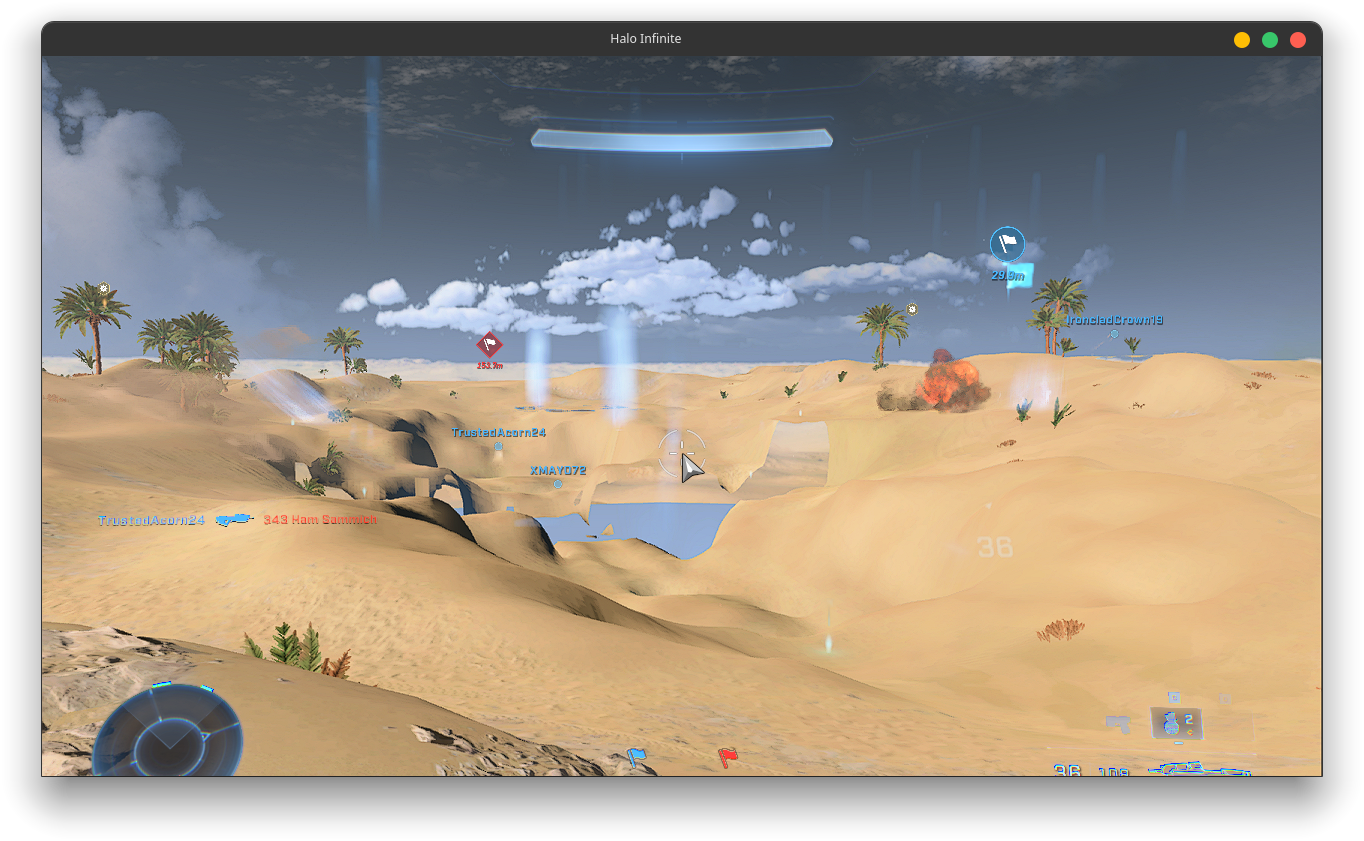
don't think this looks right but its progress I guess (on AMD with ryzen 4000 series integrated graphics, hopefully its a better story for rdna2 gpus)
specs:
5.18.7 kernel and proton-ge 7-21 with vulkran-radeon-git freshly compiled today on arch linux
multiplayer not working with proton-ge 7-22
https://gist.github.com/Etaash-mathamsetty/cf021d6fa13cc6ab5262a95accbab058
Please share your complete config, including kernel, mesa, vulkan backend, version of wine/Proton etc.
When possible, best to edit a previous post rather than create a new post to help minimize the amount of emails sent to others following this topic.
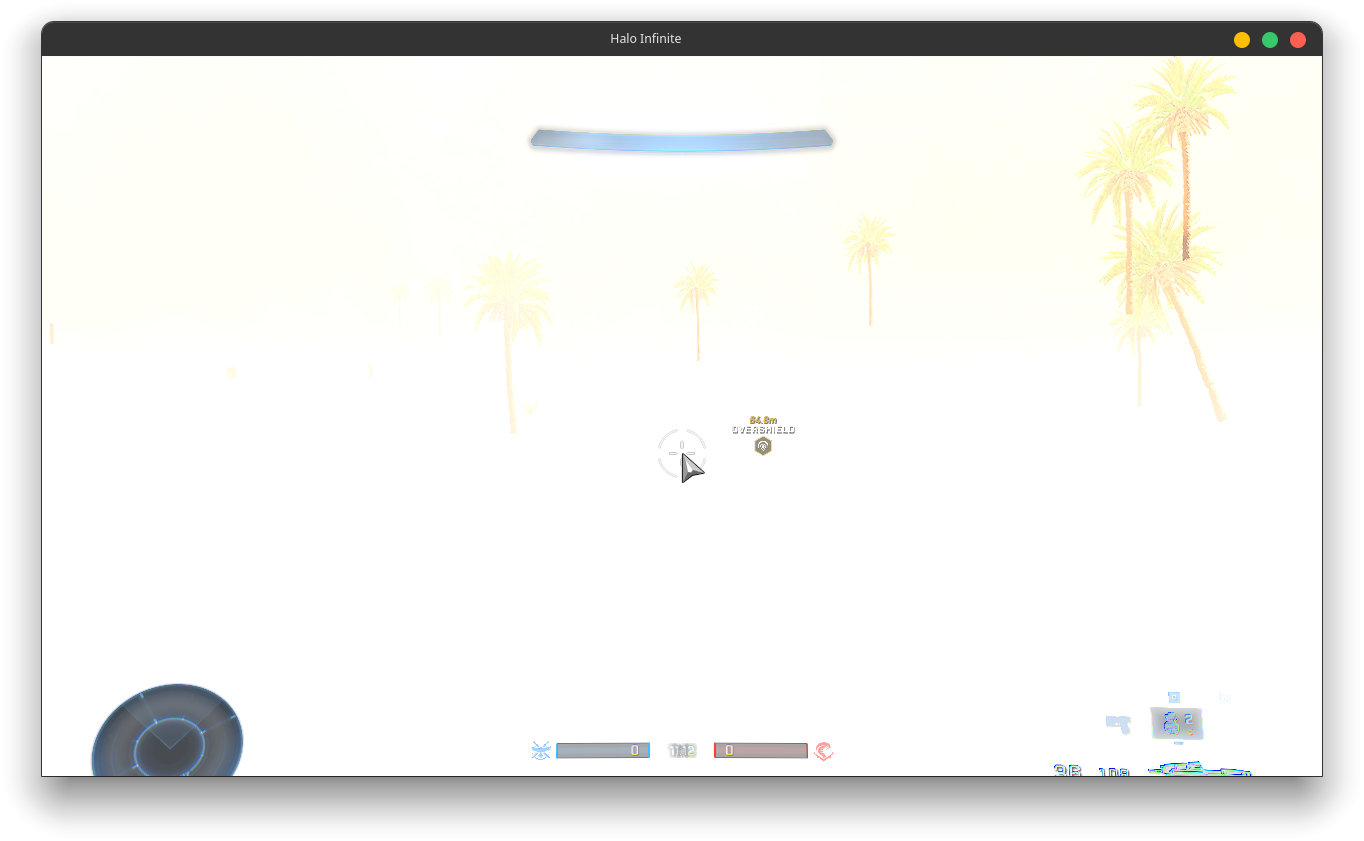
proton-ge 7-22
yeah so multiplayer only works on proton-ge 7-21
strangely vulkan-radeon-git causes the same bugs to happen as the stable vulkan on the arch repos
mesa 21.1.2: (I'll post the images on the same comment, seems like you guys didn't like me posting two images in two different comments)
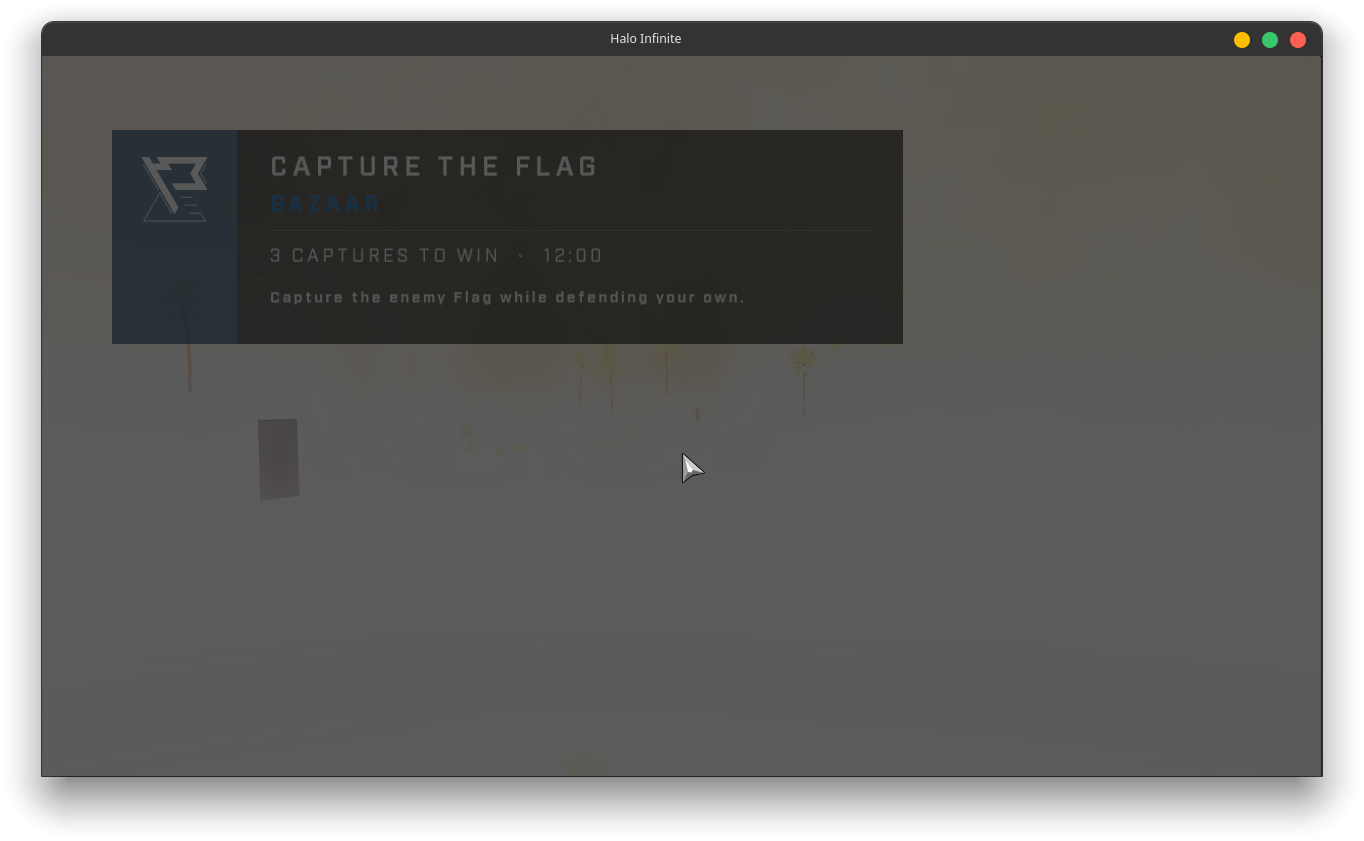
(still on amd ofc)
For Halo Infinite to render properly, you need a patched mesa library, Glorious Eggroll maintains one for Nobara that contains the patch:
https://copr-dist-git.fedorainfracloud.org/cgit/gloriouseggroll/mesa-aco/mesa.git/tree/dgc_testing.patch?h=f36&id=f51580996713f185ea8edfba9a294ce643fce5c2
To get into the game, you need to either rename or delete the videos folder inside the game directory.
To get into the game, you need to either rename or delete the videos folder inside the game directory.
Can confirm I can now get into the game with the Deck after doing this, but I'm having the same issue as @Etaash-mathamsetty. Guess I will need to figure out how to use that patched Mesa library...
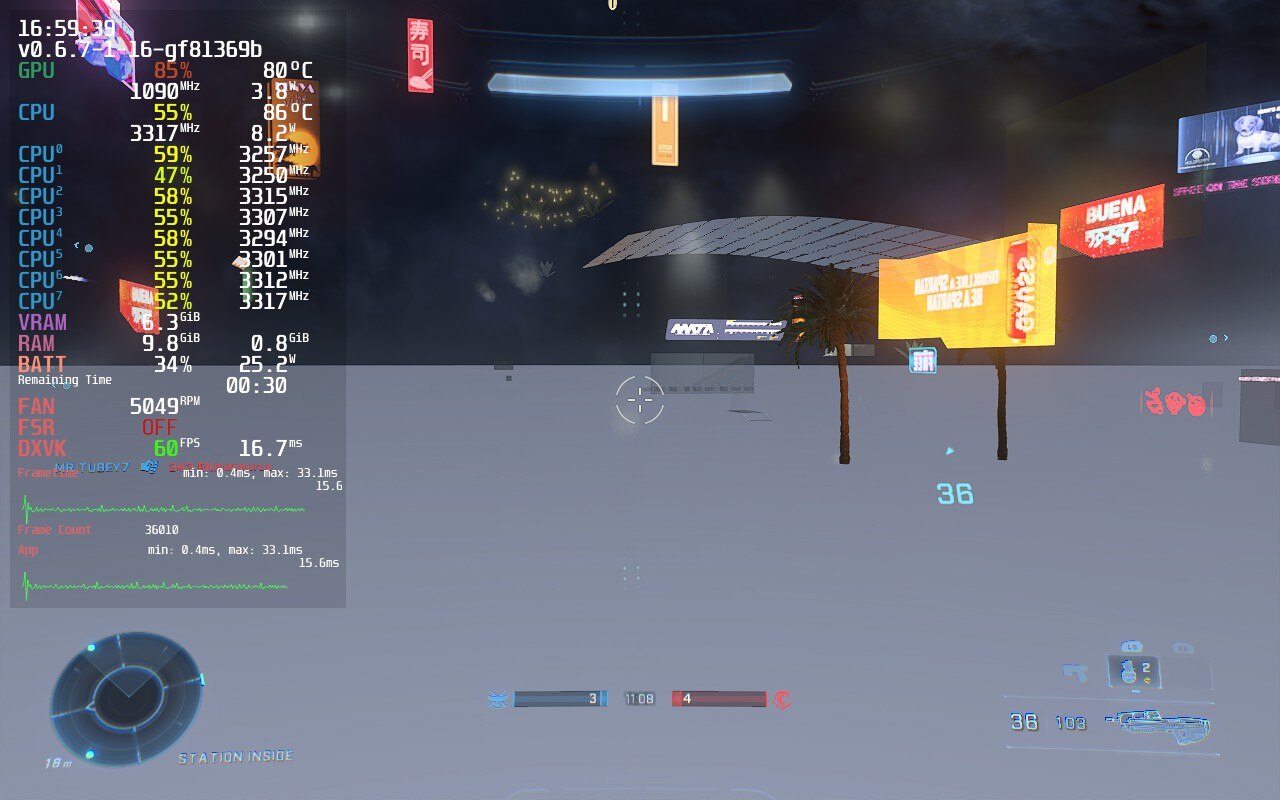
Replying to https://github.com/ValveSoftware/Proton/issues/5030#issuecomment-1167895886
You can put Fedora onto an SD card (at least 64GB in size), install Halo Infinite to that SD card, and then tweak Fedora so that it includes everything needed, like the COPR repo and whatnot.
You can also dual boot, but I wouldn't recommend doing this just yet until dual boot gets supported on the Deck officially.
Replying to https://github.com/ValveSoftware/Proton/issues/5030#issuecomment-1167904617
I have a second fedora parition in case my arch linux install dies for no reason, and I have a 128gb sd card, so let me try this
I will edit this comment if I succeed, so that I don't bother the other 46 people on this thread lol
EDIT:
MARK YOUR CALENDARS, TODAY WAS A BIG DAY !
here is a screenshot of victory from AMD gang
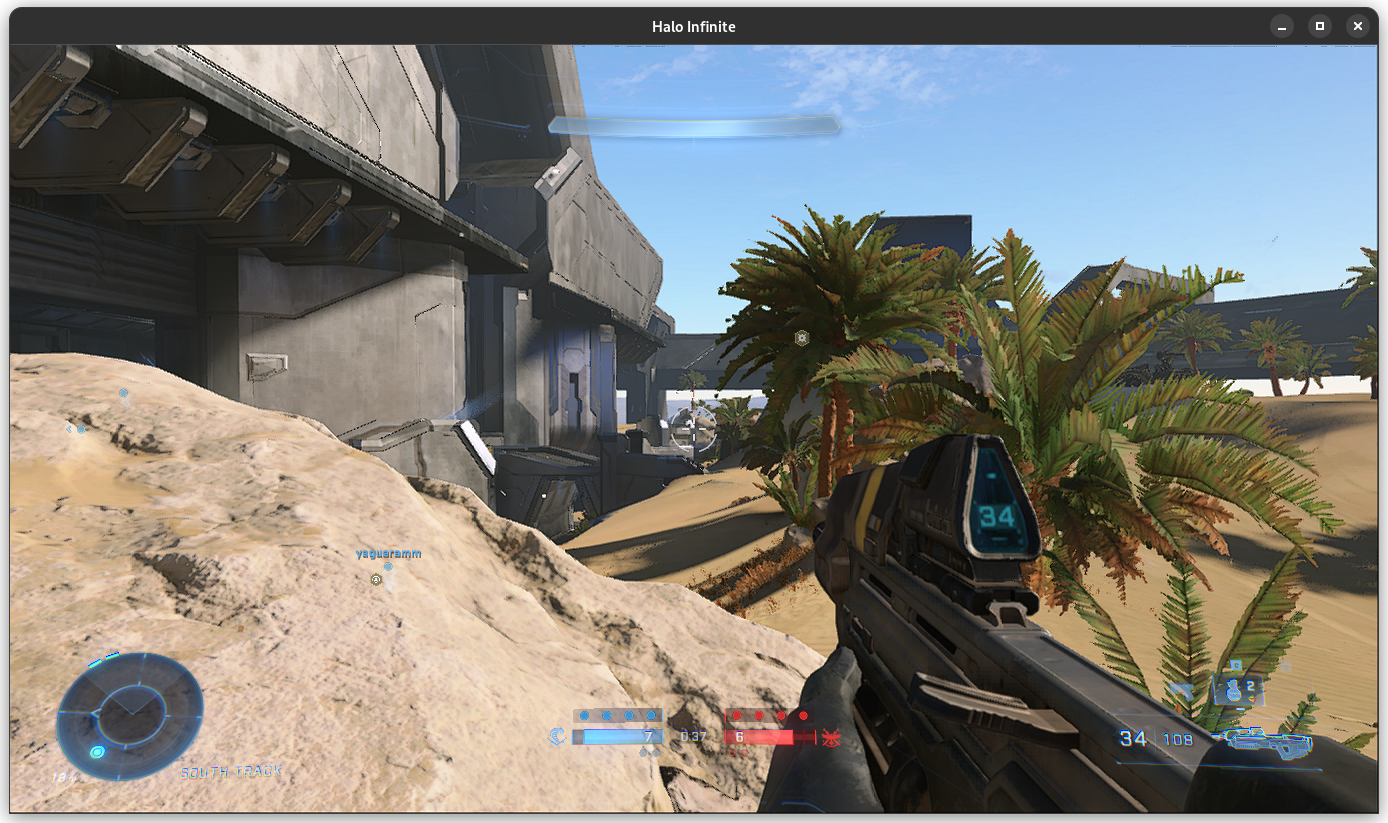
where do we get the COPR repo if we are not on Fedora or Arch????
where do we get the COPR repo if we are not on Fedora or Arch????
You will have to compile from source, with the patch applied, if you're not on a Fedora-based distro or one that uses COPRs.
Until the patch gets applied to upstream, it's going to be a while until you get Infinite working on any other distro (unless you apply the patch yourself)
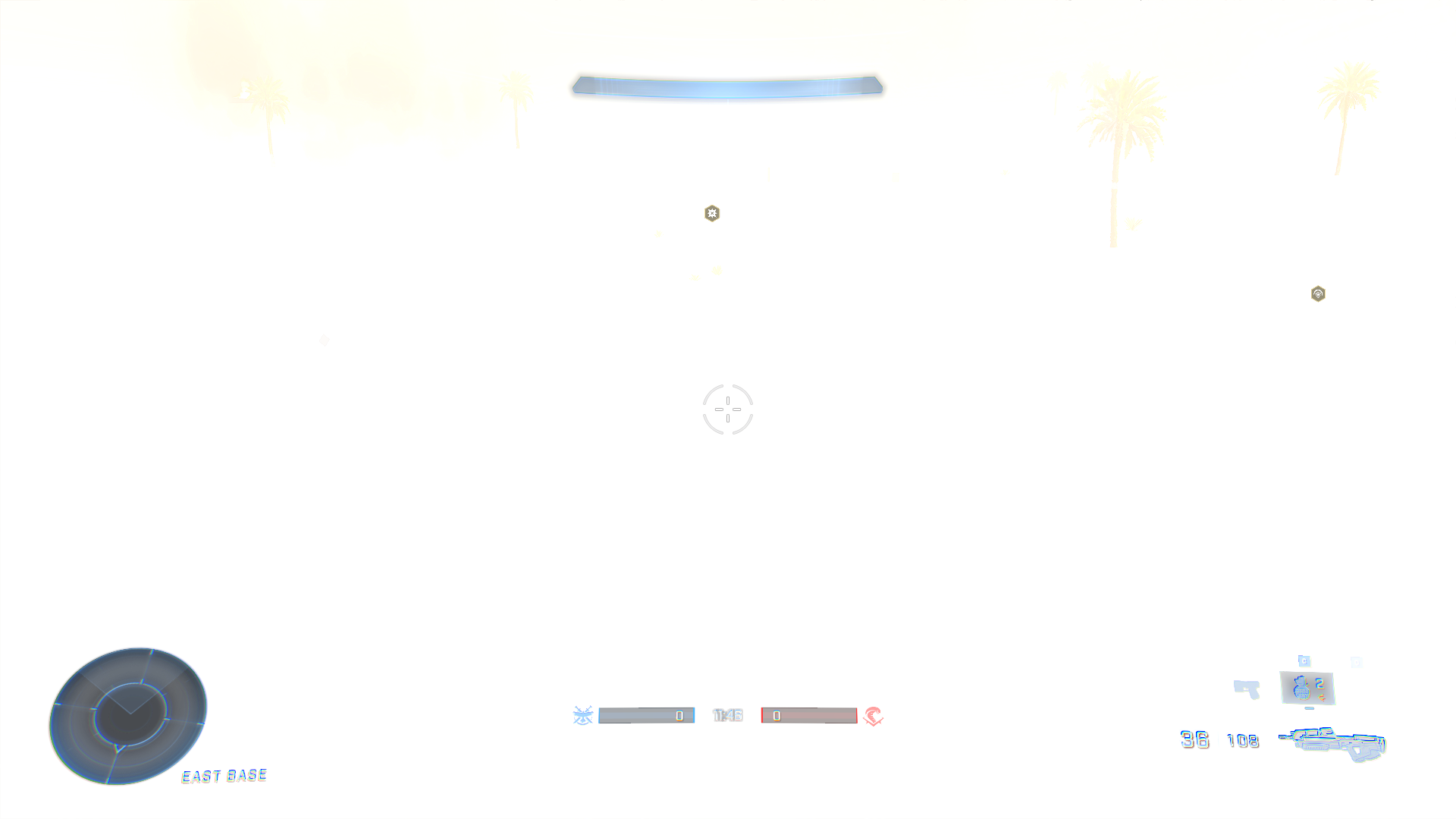
specs:
5.18.7 kernel and proton-ge 7-22 Slackware 15.0
I upgraded libdrm 2.4.110 and mesa 22.1.2 on my system
I recorded myself playing a little bot match
https://www.youtube.com/watch?v=Iru6IrnEwC4 (random low fps is a obs problem don't worry about it)
basically how to get it working right now
delete all the videos in the videos folder
download proton-ge 7-21 and 7-22
launch with 7-22, if it works leave it
if online does not work
launch with 7-21
on amd you have to download those custom mesa drivers from the legend himself glorious eggroll
and that's it
I managed to play 3 consecutive MP games, no issues, however if you unfocus the game(if you use 2nd monitor or minimize) it might cause it to hang. Other than that no issues, can't wait for the SP to get working as that's what I've been eager to play, MP is just a bonus for me.
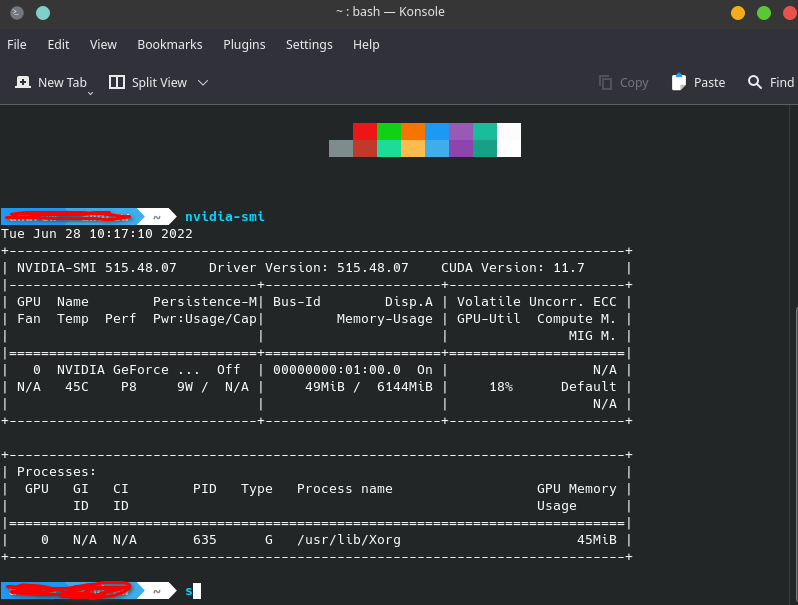
EDIT: Just FYI since people think I did something outside of the ordinary, I did NOT, all I did was use NVIDIA driver 515.48.07 and GE-Proton7-22
As far as I can tell this was the commit to finally allow the game to be playable https://github.com/HansKristian-Work/vkd3d-proton/commit/18f1d1c72eb86b4409c9ccd39a5adcb6167eda89
If im not mistaken the feature works ootb on NVIDIA, and requires a Mesa patch due to the AMD drivers not supporting anything like it, would like to be corrected if im wrong, very curious how this was all implemented.
If im not wrong, this is the mesa branch that will enable Execute indirect on AMD https://gitlab.freedesktop.org/themaister/mesa/-/commits/dgc_testing_ultra_bleed
It seems that for many NVIDIA and AMD users Halo Infinite now works with the latest Proton-GE. I updated my vkd3d (as of today) on archlinux and the game successfully launches but freezes at the splash screen where it says "Press Enter" and requires me to turn off the game. Indeed the entire background with all the birds flying also freezes. The game only successfully launched into the main menu once but I couldn't play any game because it said "you need to wait for shaders to finish compiling" What is causing this?
I don't know how to take a screenshot in game
Replying to https://github.com/ValveSoftware/Proton/issues/5030#issuecomment-1168816671
I also had this issue. I'm not sure what causes it, but after a few restarts it works.
You can put Fedora onto an SD card (at least 64GB in size), install Halo Infinite to that SD card, and then tweak Fedora so that it includes everything needed, like the COPR repo and whatnot.
Game works on Deck with Nobara Project, thanks @orowith2os.
Only problem now is I can't figure out how to get the audio working, I think I'll just wait until SteamOS adds the patch to the Mesa drivers.
Replying to https://github.com/ValveSoftware/Proton/issues/5030#issuecomment-1168856336
Problem is i have restarted the game numerous times and it doesn't get better and like once in a while freezes on menu.
Replying to https://github.com/ValveSoftware/Proton/issues/5030#issuecomment-1168856336
I have tried numerous restarts - nothing helps. Occasionally it loads, most of the time it freezes. Did you install any packages or anything?
Hi,
i am playing the MP for some weeks now with the vkd3d lut index branch and a special radv branch. From graphics side this works fine so far. But:
I can not add/invite friends to my lobby, when i klick on using steam, no window shows up ( tab->friends->search, choose steam)
I can not join to my friends fireteam. He is playing on windows and could send me a steam invite. Klicking on it leads to an error message, "not being able to join fireteam".
The same happens after we added each other via xbox live as friends when i tried to join his team.
Br,
Christian
Halo Infinite runs perfect (in my experience) with the following tweaks:
- Adding the launch option
PROTON_NO_ESYNC=1 %command% - Running through GE-Proton7-21 (using a later version may work)
- Using the patched Mesa libraries from GloriousEggroll's mesa-aco COPR repo (possibly Mesa with LTO enabled will work, also apply the following patch: https://copr-dist-git.fedorainfracloud.org/cgit/gloriouseggroll/mesa-aco/mesa.git/plain/dgc.patch?h=f36): https://copr.fedorainfracloud.org/coprs/gutigen/mesa-aco/
- renaming the videos folder in the game directory
I suggest using distrobox to make a Fedora container to play Infinite if you are on AMD. This is the most painless way to go about it, and it integrates well with the host, with little risk of breaking it. Also a nice tool for immutable systems like the Steam Deck.
NVIDIA GPUs seem to have occasional hanging, attempt disabling fsync and esync in different combinations if you experience hanging, although I cannot guarantee that this will work.
I can also now load into multiplayer games when i disable esync. This may work for those who cannot load into single player.
Final edit: Infinite is very iffy on my system, with it sometimes working and sometimes not. Will try again when some updates get released for Mesa and VKD3D to allow it to render properly without large modifications
Afraid I cant actually get into any sorta game on my NV gpu, it runs in the background after choosing something like multiplayer or tranining, but is covered by a blackscreen or the load screen.
Edit: Got it to work with no fsync (sometimes) at the cost of performance.
Afraid I cant actually get into any sorta game on my NV gpu, it runs in the background after choosing something like multiplayer or tranining, but is covered by a blackscreen or the load screen.
Edit: Got it to work with no fsync (sometimes) at the cost of performance.
Got the same issue with my 3070. Going to try turning off fsync.
Afraid I cant actually get into any sorta game on my NV gpu, it runs in the background after choosing something like multiplayer or tranining, but is covered by a blackscreen or the load screen.
Edit: Got it to work with no fsync (sometimes) at the cost of performance.Got the same issue with my 3070. Going to try turning off fsync.
Minor update, did get it working without any fsync or esync toggles, just proton ge 23. but it seems random if it will work or not. Crashes still too, it does "work" but not ready for primetime yet.
Spent more time with it, definitely not for full time, however the progress is huge, comparing to how it was, this is just stunning.
I seriously hope the campaign would be made playable soon.
my game has never crashed interestingly, (i have esync and fsync both on), is this just an nvidia issue?
my game has never crashed interestingly, (i have esync and fsync both on), is this just an nvidia issue?
Pretty sure it's a nvidia problem. I'll see if downgrading driver version does anything different. (I was on 515.48.07)
Compiling mesa-git with this patch worked for me with Proton-GE-23 on Arch. The only issue that I can spot is that the cursor is visible when in-game. Minor bug that doesn't really affect the gameplay
If I’m not mistaken this is the pr that will allow videos to play, https://github.com/HansKristian-Work/vkd3d-proton/pull/1070
Just wait a little longer, they’re doing some amazing work.
I'm going to edit my tinker steps and say this here:
if you want to run Infinite with little to no tinkering, I suggest using distrobox, installing a Fedora image, and use it inside of there.
The above will work for AMD, NVIDIA shouldn't require it since it uses its own Mesa libs included in nvidia-utils.
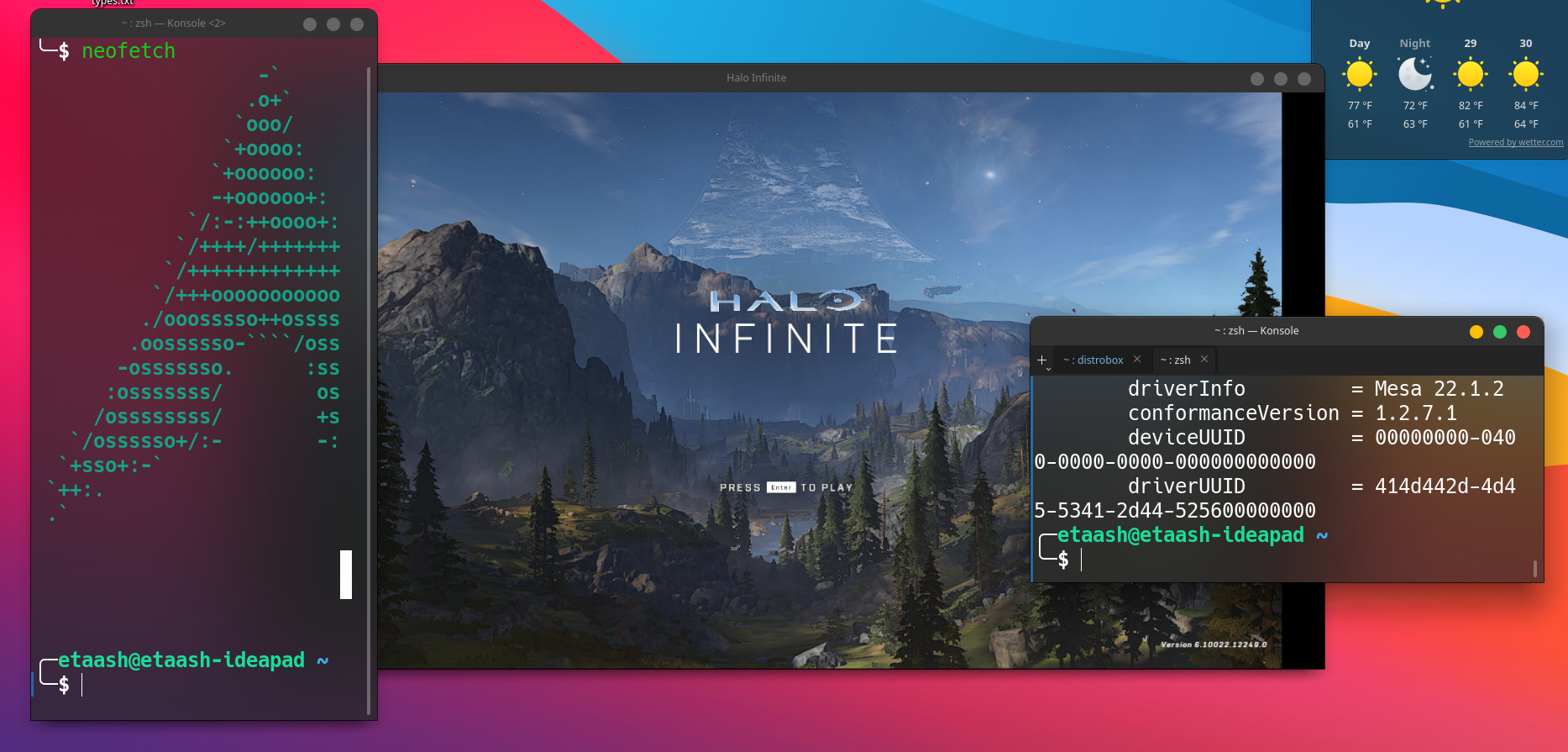
up and running < 10 mins (had the game downloaded already lol)
black bars are caused by gamescope
edit: can't get past main screen lol
edit2: ping www.google.com works but the game cant connect to servers... interesting
it even lets me sign in lmao
Further testing:
Haven't experienced any crashes when playing the game via gamescope, but will need to do more testing.
EDIT: Nope, still hangs randomly(the picture I mean, as the audio continues normally)
Further testing: Haven't experienced any crashes when playing the game via gamescope, but will need to do more testing.
EDIT: Nope, still hangs randomly(the picture I mean, as the audio continues normally)
yeah then it's probably an nvidia issue
this PR: should fix it for amd once it gets merged
https://gitlab.freedesktop.org/mesa/mesa/-/merge_requests/17269
Edit: merged, anybody running stable mesa >= 22.2 should be good
Further testing: Haven't experienced any crashes when playing the game via gamescope, but will need to do more testing.
EDIT: Nope, still hangs randomly(the picture I mean, as the audio continues normally)
Gamescope doesn't even work properly for me on nvidia 2060, how did you get it to work?
Further testing: Haven't experienced any crashes when playing the game via gamescope, but will need to do more testing.
EDIT: Nope, still hangs randomly(the picture I mean, as the audio continues normally)
Gamescope doesn't even work properly for me on nvidia 2060, how did you get it to work?
That's an Nvidia (or used to be) driver problem so what is your driver version
It's a hit or miss for me, still has some issues, but some titles work ok with it
Compiling mesa-git with this patch worked for me with Proton-GE-23 on Arch. The only issue that I can spot is that the cursor is visible when in-game. Minor bug that doesn't really affect the gameplay
how do you compile mesa-git with the patch on arch? I'm a noob.
@mercifulboss I saved the patch to my home folder as halo-mesa-patch.patch and ran yay --editmenu -S mesa-git in the terminal (make sure to enter "A" when PKGBUILDs to edit? pops up) and added this inside of the prepare function:
cd mesa
git apply ~/halo-mesa-patch.patch
Should look like this:
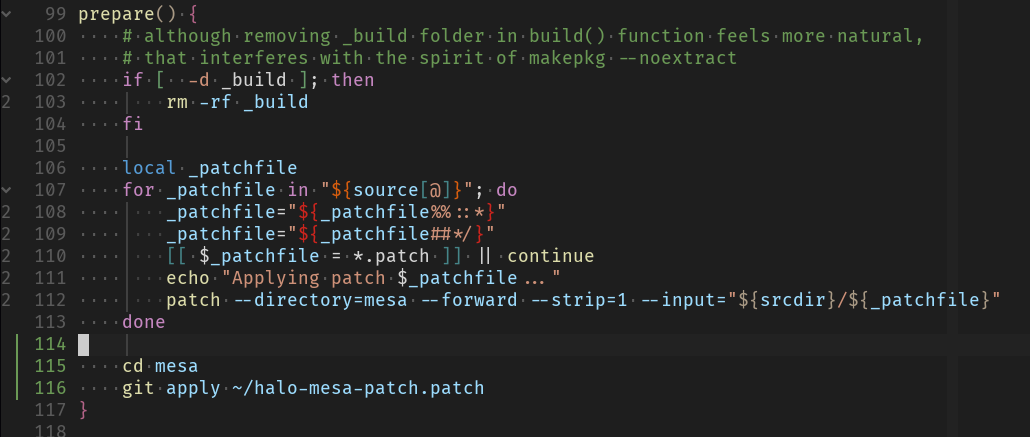
Maybe not the best solution unlike the already available patching logic above the code but it works :)
Replying to https://github.com/ValveSoftware/Proton/issues/5030#issuecomment-1171756146
I would just git clone [AUR PACKAGE] and then edit the PKGBUILD and then run makepkg -si
your solution is valid too
Replying to https://github.com/ValveSoftware/Proton/issues/5030#issuecomment-1171756146
Thank you for your reply! I tried doing what you suggested by I get "Yay command not found" when trying to run yay --editmenu -S mesa-git
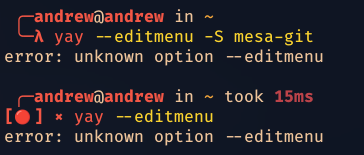
Replying to [#5030 (comment)](https://github.com/ValveSoftware/Proton/issues/5030#issuecomment-1171756146)
I would just
git clone [AUR PACKAGE]and then edit the PKGBUILD and then runmakepkg -siyour solution is valid too
How do I edit the PKGBUILD to add the patch to mesa-git? I tried putting the link to the patch in "sources" and got "fatal error"
Edit:
I got it to work using method 1, but I seem to have encountered another error:
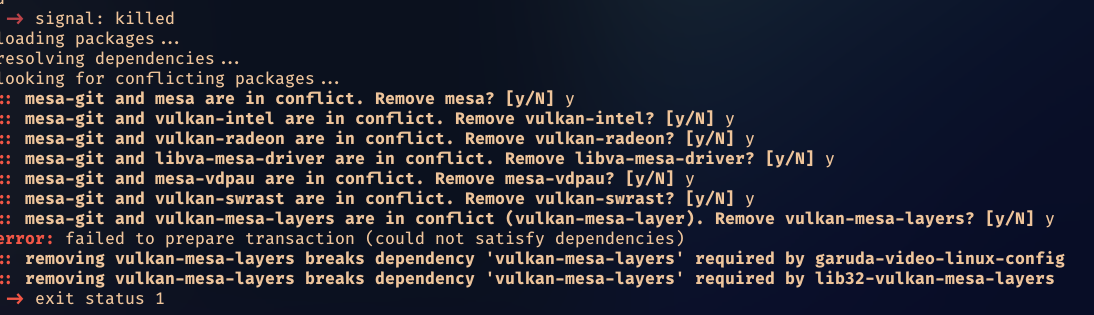
This is on my amd machine running garuda since my nvidia machine doesn't work with halo infinite.
With a 2060 this is now loading up pretty consistently on Proton Experimental since the vkd3d update. No more freezing on the splash screen but it crashes after the player badge image loads (presumably the last step of logging in (?)). Don't really know what's happening so I've just attached the tail of the log file from just before the error. Awesome work getting it this far to all those putting in the hard yards.
steam-1240440-tail.log
Replying to https://github.com/ValveSoftware/Proton/issues/5030#issuecomment-1171875106
You edit it in the same way he said to edit it in yay, yay is just editing the PKGBUILD
You also have to install vulkan-mesa-layers-git for it to work
Compiling mesa-git with this patch worked for me with Proton-GE-23 on Arch. The only issue that I can spot is that the cursor is visible when in-game. Minor bug that doesn't really affect the gameplay
I'm begginer, please, explane me step by step how do you apply the patch for Halo?
Linux: Garuda | Arch Linux
Compiling mesa-git with this patch worked for me with Proton-GE-23 on Arch. The only issue that I can spot is that the cursor is visible when in-game. Minor bug that doesn't really affect the gameplay
I'm begginer, please, explane me step by step how do you apply the patch for Halo?
Linux: Garuda | Arch Linux
First you google what a patch is on open source project (if you know this, you'll know how to implement the patch). Then you google what language the patch is in (applied in this case) so you can understand what you are doing. This will make you understand that applying any kind of patch makes it unstable and a developmental stage (if you don't know enough, you shouldn't self patch but do research on the subject first).
If you don't look up what I just said, you won't be able to apply the patches, this is an issue forum not a "how to do it" forum (mentioning the policies this sort of forum it is and where you can get better help and/or help yourself).
So after looking it up you will be able to apply the patch; so my understanding is that in AUR (for Arch Linux derivatives) you can edit the PKGBUILD of said mesa (the package is mesa-git) so you let the PKGBUILD build the mesa with the patch. If you look at the history of this issue they even mention how they did it with AUR specifically.
Replying to https://github.com/ValveSoftware/Proton/issues/5030#issuecomment-1173915629
A noob will have a hard time understanding how to apply PKBUILDS just from googling the information. I, myself tried googling how to apply a patch and came up with conflicting and confusing information, none of which made sense to me or worked. That's why I had to ask here.
I believe that such attitudes towards noobs (especially saying that this is "not a how to do it forum" puts off many future linux users and reduces adoption rates)
That being said, thank you for explaining it further on in your comment.
Replying to https://github.com/ValveSoftware/Proton/issues/5030#issuecomment-1173915629
I see. Thank you for your reply, I've already figured out how to patch mesa, but...
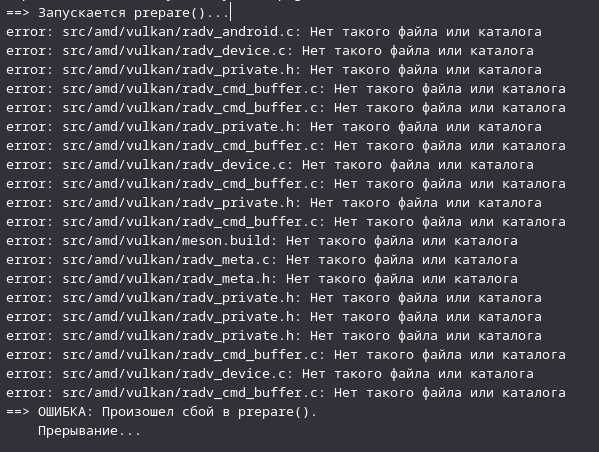
I got this issue then I trying to apply the patch (mesa-git or vulkan-mesa-layer-git)
error: src/amd/vulkan/radv_device.c: There is no such file or directory
ERROR: There was a failure in prepear()
I have been applyed patch by AUR
I think this problem is related to amd drivers. Don't throw slippers at me :)
Replying to [#5030 (comment)](https://github.com/ValveSoftware/Proton/issues/5030#issuecomment-1173915629)
…
I believe that such attitudes towards noobs (especially saying that this is "not a how to do it forum" puts off many future linux users and reduces adoption rates)
Except that he's 110% right that this is not a "how to do it forum". It's an issue tracker/bug report…
Replying to [#5030 (comment)](https://github.com/ValveSoftware/Proton/issues/5030#issuecomment-1173915629)
…
I believe that such attitudes towards noobs (especially saying that this is "not a how to do it forum" puts off many future linux users and reduces adoption rates)Except that he's 110% right that this is not a "how to do it forum". It's an issue tracker/bug report…
I was trying to be nice in the other comment and here you are giving me attitude.
Except that issues tracking goes hand in hand with discussions on how to fix things. There are numerous precedents on other "issue trackers" for this. Where would you rather him go? Not all people know or have access to other communities that can help him fix the issue.
Logically, "'tracking issues" and "help me fix this issue" go hand in hand.
I'm going to take a book out of Glorious Eggroll's book and say this:
Halo Infinite is NOT ready to be played on Linux just yet, there are others working on getting the needed components to function correctly, the game just happens to partially work with some updates and patches.
When Infinite has most of the bugs ironed out, it will most likely be announced on a new version of Proton-GE. I cannot be sure about this, but it's what I am going to assume, so take it with a grain of salt.
That being said, if you want to attempt playing Halo Infinite:
It would be easiest just to go into a Fedora distrobox container, add Glorious Eggroll's mesa-aco COPR, install Steam from RPMFusion, and set the Proton-GE version to GE-Proton7-21 or newer. You may need to disable esync, fsync, or both, not 100% sure at this time. Anything past this, you're on your own.
https://copr.fedorainfracloud.org/coprs/gloriouseggroll/mesa-aco/
I would also not expect support for getting it running UNTIL Halo Infinite has all of the patches it needs included inside Proton-GE, or on Valve's Proton.
performance improvements on the way?
https://github.com/HansKristian-Work/vkd3d-proton/pull/1157
edit: got merged bois
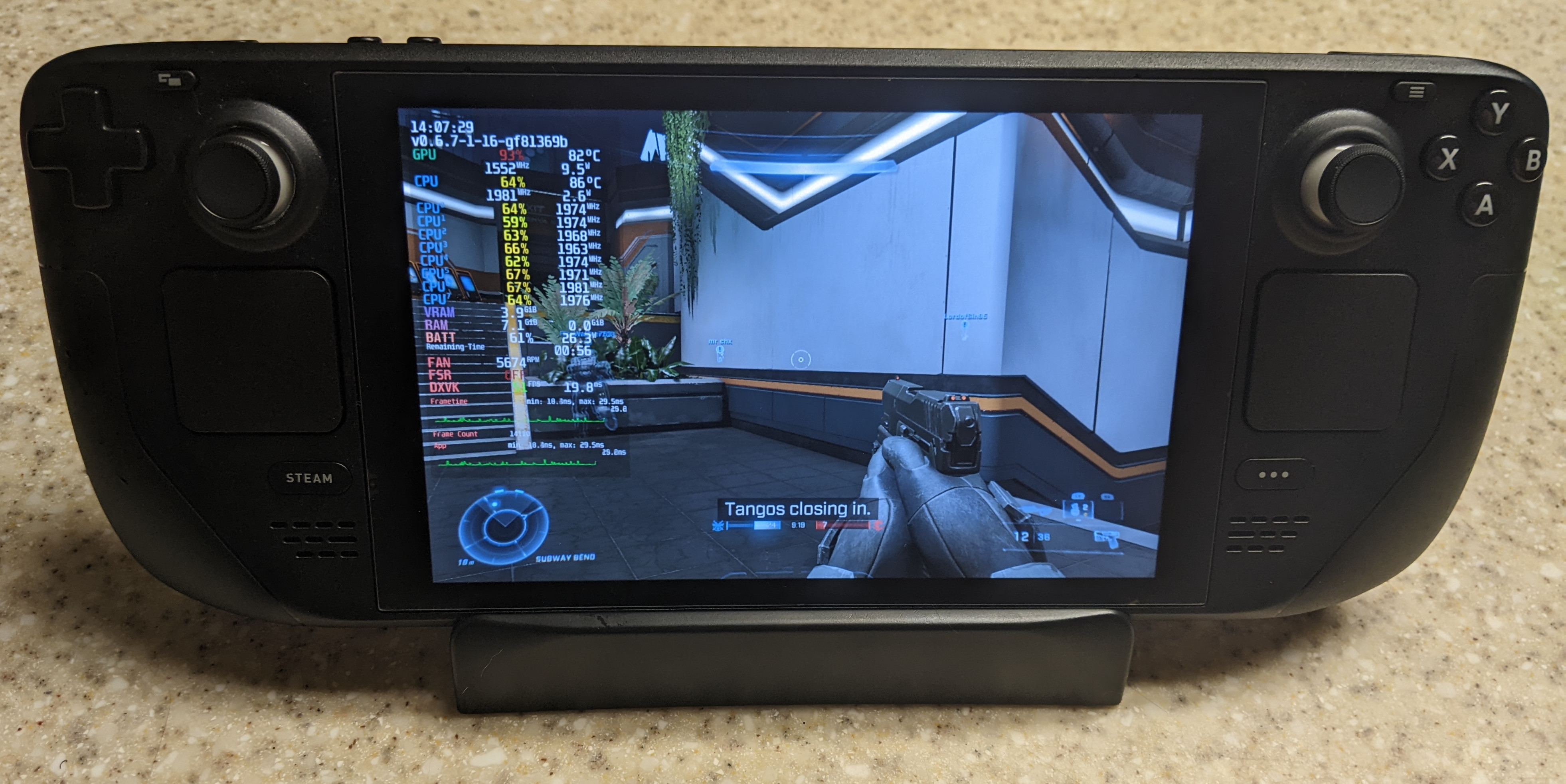
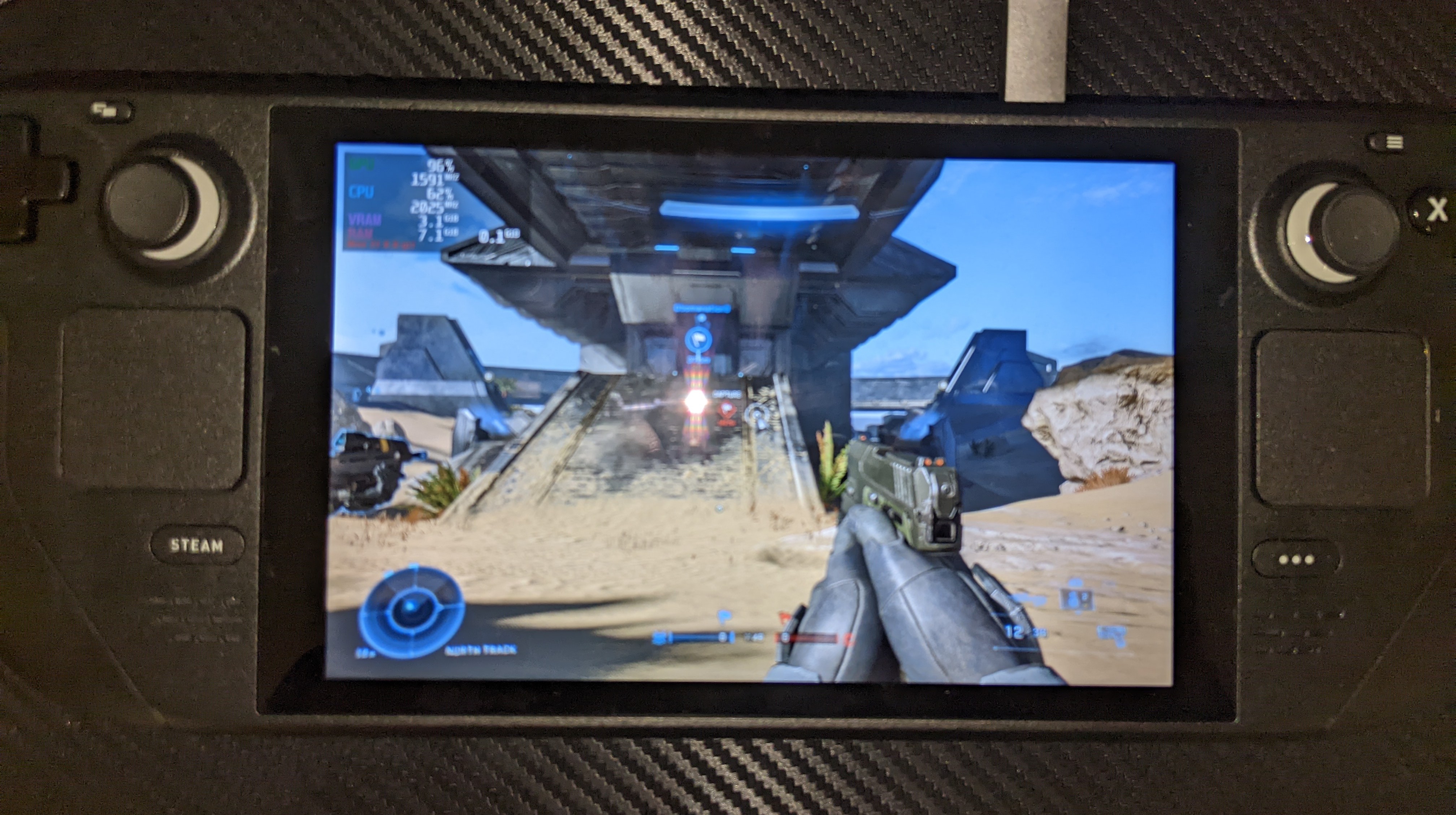
Multiplayer works fine on Deck with vanilla SteamOS and GE-Proton7-26, no need to apply Mesa patches!
I recommend setting the graphics settings to Medium or lower, then setting the refresh rate somewhere between 40-50 Hz (it won't go any higher than 50 FPS at Medium settings at native resolution). Otherwise on default settings the audio stretches and the framerate lags at around 30 FPS.
Replying to https://github.com/ValveSoftware/Proton/issues/5030#issuecomment-1190608726
Impossible.........
did valve update the mesa version?
could you check what mesa version you are running?
and also why does it say dxvk, it should be vkd3d?
what mesa version you are running?
22.0.2
what mesa version you are running?
22.0.2
how is it even working, the game crashes on the main menu on proton ge 7-25 and 7-26
lemme try my fedora install with patched mesa
and there's broken rendering on 7-24 with mesa 21.1.3
You should really be using 7-26, that version specifically fixes the vkd3d-proton regression for the game. And make sure the video files are deleted if you haven't done so already.
You should really be using 7-26, that version specifically fixes the
vkd3d-protonregression for the game. And make sure the video files are deleted if you haven't done so already.
I am using 7-26 lol and there are no video files
edit: only working on fedora with patched mesa still
Just played a few matches and roamed around for a bit in the campaign (using a save) without any lock-ups on my gtx 1650 mobile (w/ optimus). However I now have very severe stutter which was not present the last time I tried. Not sure if it's caused by my setup or if anyone else is also experiencing this.
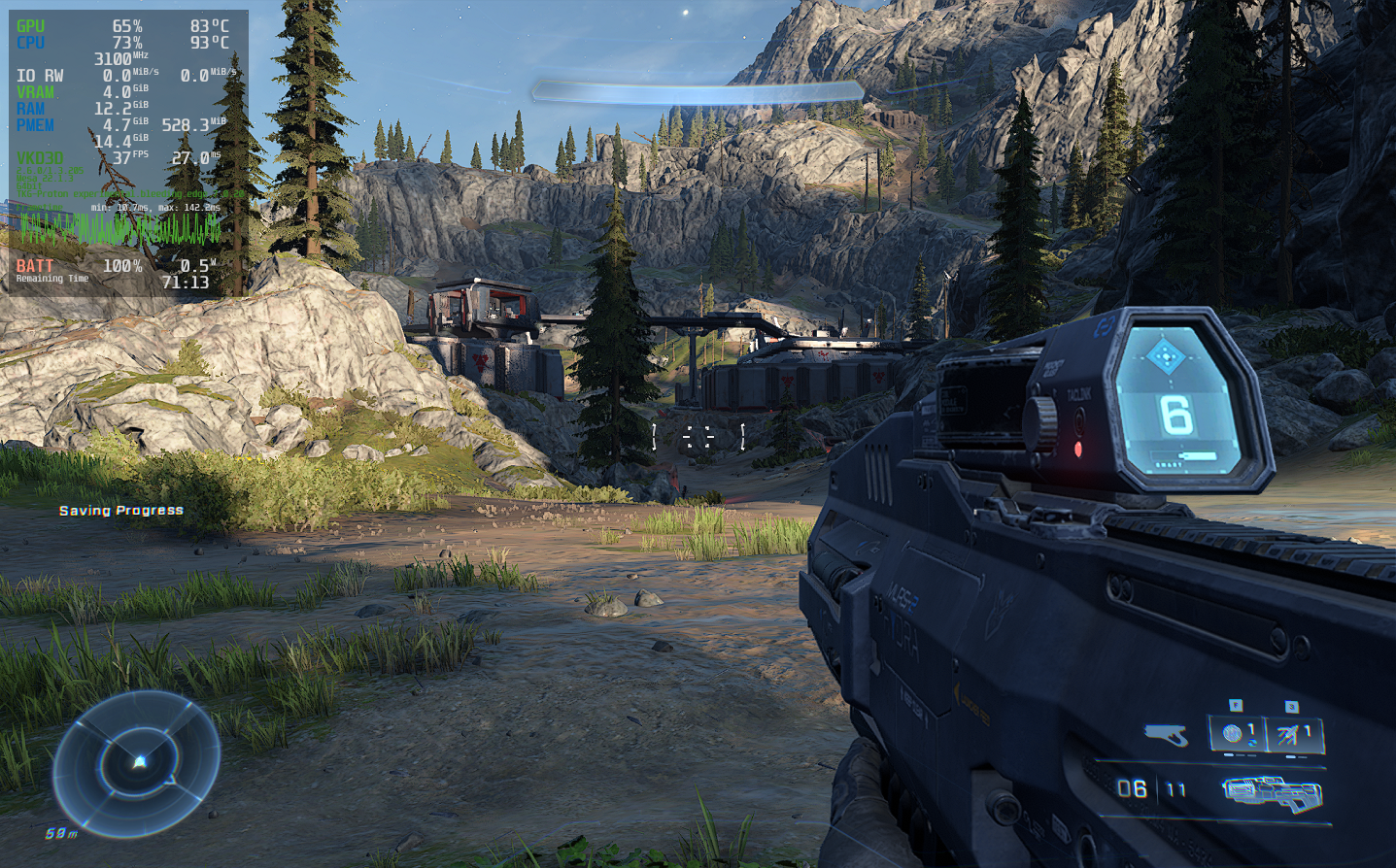
Any other nvidia users able to confirm if the lock-ups are gone? I'm using proton-tkg with the proton bleeding edge branch and the latest vkd3d commits.
Replying to https://github.com/ValveSoftware/Proton/issues/5030#issuecomment-1190714377
I am also getting some pretty bad stuttering, I just thought it was my hardware tho (I have an igpu)
I should clarify for anyone running the game on Deck to opt in to the beta SteamOS/Deck client update channels, as apparently some on r/SteamDeck can't get the game to run at all on the stable SteamOS branch.
I'm running it on steam deck and performance seems to suffer greatly if you put your deck to sleep, you'll need to restart the deck to gain the performance back. Also changing your uma size in the bios to 4gb seems to help.
@Etaash-mathamsetty On Arch, I am also dealing with it crashing when it reaches the menu, it loads to the menu on Proton GE 7-24 but on 7-26, I get a crash
GE-Proton7-26 seems to have broken a lot of games for people, judging from what I've seen. I would recommend trying 7-25 and versions before that for now.
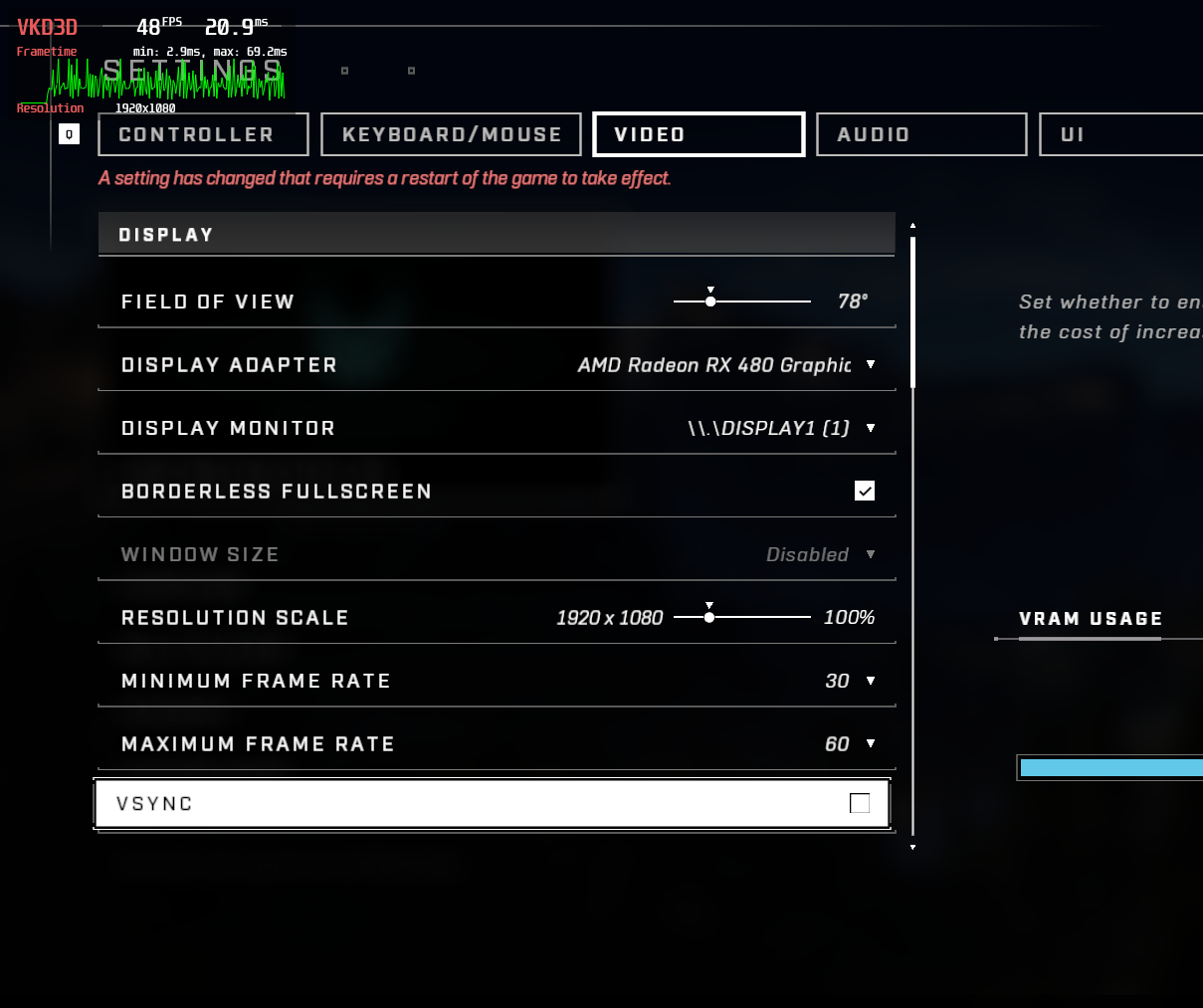
Games is running but the performance is grap.
Replying to https://github.com/ValveSoftware/Proton/issues/5030#issuecomment-1190714377
If that is a dgpu in a laptop with 4gb vram, you are hitting the vram limit of your card so stutter is expected.
The latest Proton GE 27 fixes videos not being able to be played + a bunch of other fixes! https://github.com/GloriousEggroll/proton-ge-custom/releases/tag/GE-Proton7-27
If that is a dgpu in a laptop with 4gb vram, you are hitting the vram limit of your card so stutter is expected.
Same happens in the menus (where vram usage is much lower) so it's unlikely to be that I'm afraid. Seems to be an issue for others as well from what I've gathered.
If that is a dgpu in a laptop with 4gb vram, you are hitting the vram limit of your card so stutter is expected.
Same happens in the menus (where vram usage is much lower) so it's unlikely to be that I'm afraid. Seems to be an issue for others as well from what I've gathered.
On my RTX 3070 - the cpu spikes up to 95% usage and everything seems to flop hard, it wasn't like this a few proton ge versions ago... Furthermore the issue with random screen hanging/freezing on nvidia is still present.
Would love comments from people running an AMD dGPU (aka not a steam deck) on their current experience/needs/workarounds!
Would love comments from people running an AMD dGPU (aka not a steam deck) on their current experience/needs/workarounds!
you need the latest git version of mesa and proton ge 7-27
annnnnnnd you will get lots of stuttering anyway :(
and your mouse won't work properly, but otherwise it's pretty ok
It seems to me that when you approach a 60fps framerate (right around 57-58fps) that's when it freezes (for me a "freeze" is the image remains static, but the game still runs in the background). I think this is why it works on the Deck, because it can't reach that rate.
What seems to work for me: Turn off minimum framerate in the settings and set max framerate to 48 and turn on vsync. You may have to set max framerate to 30fps depending on your monitor (I know, not ideal). I set my graphics settings to low (I don't know if this matters).
This is with GE-Proton-7-26 (27 didn't work at all for some reason for me). I have a desktop with dedicated NVidia graphics (No iGPU though, so idk how it would work with Optimus).
I don't know if this is a solution, and I'd imagine some won't like this workaround, but it made my game go from crashing within 5 seconds of the start of a game to being able to complete a game against bots.
Good luck, I hope this helps someone,
jedi453
Replying to https://github.com/ValveSoftware/Proton/issues/5030#issuecomment-1196933677
The game runs for me without any freezes at 120+ fps on my AMD GPU so maybe it's just an Nvidia issue?
Edit: Specs wanted by @FCLC:
Inxi:
CPU: 8-core AMD Ryzen 7 5800X (-MT MCP-) speed/min/max: 3535/2200/4850 MHz
Kernel: 5.18.14-zen1-1-zen x86_64 Up: 8h 46m Mem: 9586.2/32021.1 MiB (29.9%)
Storage: 3.18 TiB (30.8% used) Procs: 419 Shell: Zsh inxi: 3.3.19
Proton version: Proton 7 GE 27
I've only tested it with RADV due to AMDVLK not supporting dgc
Replying to https://github.com/ValveSoftware/Proton/issues/5030#issuecomment-1196933677
The game runs for me without any freezes at 120+ fps on my AMD GPU so maybe it's just an Nvidia issue?
Thanks for sharing!
Mind editing your post to include current hardware configuration?
Which GPU/CPU/kernel/mesa/proton version?
As well as if you're using AMDVLK vs RADVLK?
Replying to https://github.com/ValveSoftware/Proton/issues/5030#issuecomment-1196996705
Radv is what u need to use
Mesa 22 latest git version
Proton ge 7-27
Cpu : ryzen 7 4700u
Gpu: integrated graphics
5.18 kernel on fedora 36
And with that combo it's stuttering a lot (prob my hardware)
(My bad didn't read the edit your old post part lol, but this is my hardware config in case u need it)
Replying to https://github.com/ValveSoftware/Proton/issues/5030#issuecomment-1196936082
Sounds like it as my ryzen 7 5800x3D paired with rtx 3070 on xorg halo infinite runs just fine but cpu is blasted to 95% and performance is incredibly choppy + random hang.
On wayland(which I main) I have to run the game with logging enabled(PROTON_LOG=1 %command%) just to make it run...
With proton ge 7.22 I can run the game with bearable performance and regular ~50% cpu usage(but the random hang is still present)
Replying to https://github.com/ValveSoftware/Proton/issues/5030#issuecomment-1196933677
First of all I apologize for the double post, with the new proton ge 7.27 the game on xorg session runs fine but does run into the hang after a while, I found that limiting to 55 fps also triggers it so I lowered to 41 which resolved the issue. it seems there's something happening with higher frame rates on NVIDIA specific systems.
Just a quick note - you don't need to run V-Sync on, but if you don't use forcecompositionpipeline or gsync(if single monitor) then I guess it's better to be on.
I know each system is different. but Id like to say that I found that alt-tabbing once or twice removes the cursor in screen for me. I had been playing (vs bots) and never really noticed the cursor after 5m of playing, it wasn't that big of an issue for me. then later I noticed it was gone and I tried testing around a bit.
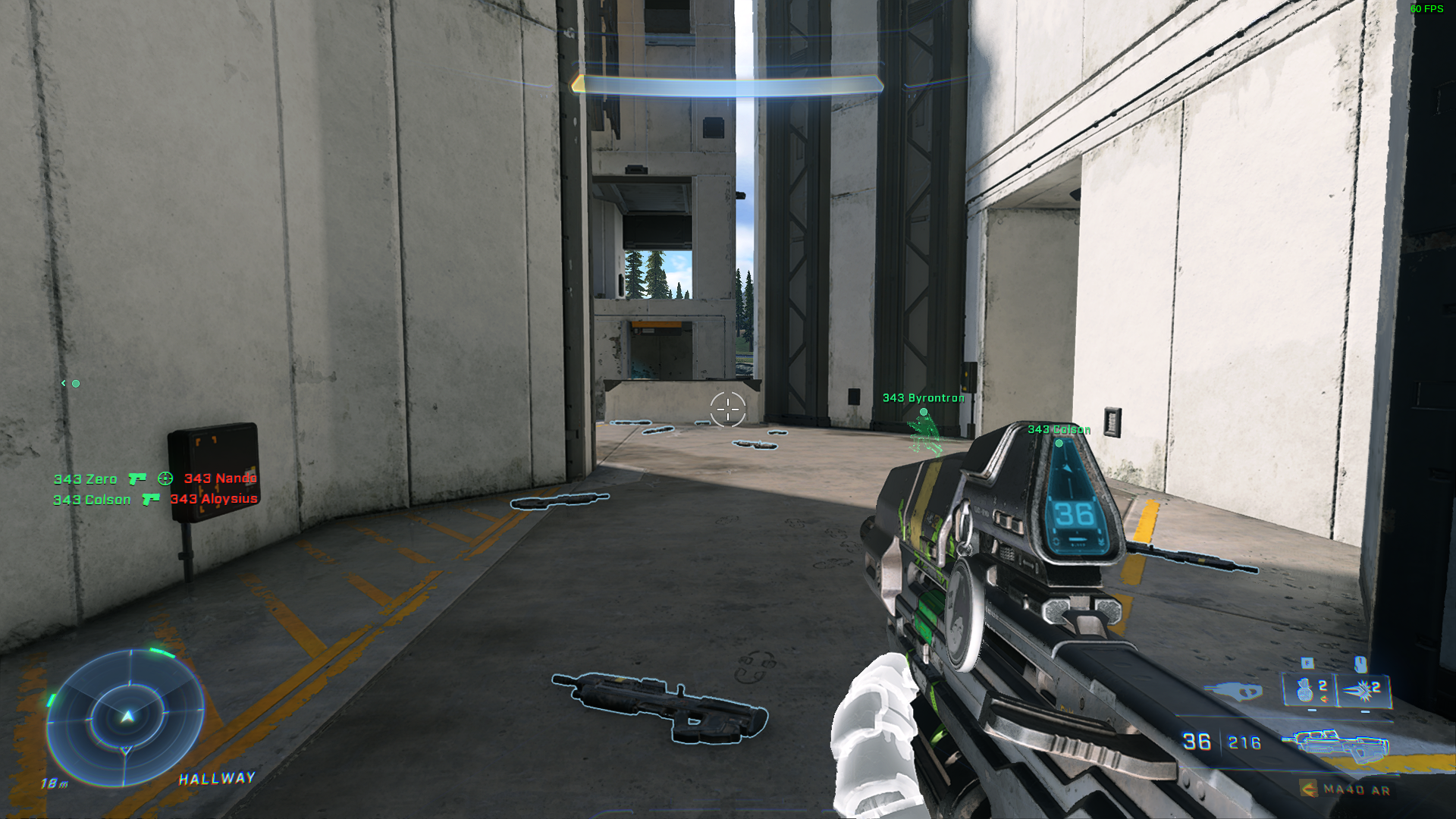
Idk if this will help anyone, also, I run GE 27 and do experience hangs and freezes like what Jedi453 encountered. Always when starting matches, once im in a bot match I can play for hours and hours. other than that I rarely encounter framerate issues (I only run at 1080 60fps mid setting. havent messed with quality yet) and playing online is fine providing it doesnt freeze. So I dont normally play online, ill wait until its more stable. normally can only play 2-3 matches online before freezing. small note, I am able to also run the game on proton experimental with some better results sometimes, but menu crashing occasionally. Videos file is still moved.
Game is running on my internal HDD. for better testing Ill be moving it to my NVME tonight.
[System]
OS: Ubuntu 20.04 focal
Arch: x86_64
Kernel: 5.15.0-41-generic
Desktop: ubuntu:GNOME
Display Server: x11
[CPU]
Vendor: AuthenticAMD
Model: AMD Ryzen 7 5800X 8-Core Processor
Physical cores: 8
Logical cores: 16
[Memory]
RAM: 62.7 GB
Swap: 2.0 GB
[Graphics]
Vendor: NVIDIA Corporation
OpenGL Renderer: NVIDIA GeForce RTX 3070 Ti/PCIe/SSE2
OpenGL Version: 4.6.0 NVIDIA 515.48.07
OpenGL Core: 4.6.0 NVIDIA 515.48.07
OpenGL ES: OpenGL ES 3.2 NVIDIA 515.48.07
Vulkan: Supported
(copied from lutris cuz lazy)
Just wanted to add a bit further report - after playing the game it seems that when limiting framerate to 41fps no hangs/freezes, however the open world section drops framerates like crazy, it's totally not so stable and I'd even say it's quite unplayable at the moment.
Ive never had it crash when capping at 30fps, tho it does just drop to 10fps sometimes, (once or twice) I had an issue like this in arma 3 once and I dont know what causes it. I often start matches capped at 30, then swap to 60 after 10seconds
GE-Proton7-28 disables video playback for now, apparently it's caused a regression. "Currently pending an update from Valve to fix the issue."
GE-Proton7-28 disables video playback for now, apparently it's caused a regression. "Currently pending an update from Valve to fix the issue."
it caused a regression with OTHER GAMES not halo infinite, so continue using GE 7-27 for halo infinite it's not worth the trouble to update (or 7-24 if that works better, you would have to remove the videos for this older version)
unless, somehow, the stuttering issue was resolved somehow
This game is weird every time I play attrition or last spartan standing my whole computer freezes...
In attrition it happens when all our teams respawns are used and in last spartan standing when there is only 5 spartans left my computer just locks up.
Audio still works for about 20 sec after that my friends told me that steam does not report me as playing anything so I guess game crashes at that point.
The weird part is how consistent the freezes are on those game modes.
[System]
OS: Arch Linux rolling n/a
Arch: x86_64
Kernel: 5.18.15-zen1-1-zen
Desktop: KDE
Display Server: wayland
[CPU]
Vendor: AuthenticAMD
Model: AMD Ryzen 9 5900X 12-Core Processor
Physical cores: 12
Logical cores: 24
[Memory]
RAM: 31.3 GB
Swap: 0.0 GB
[Graphics]
Vendor: AMD
OpenGL Renderer: AMD Radeon RX 6800 XT (navi21, LLVM 14.0.6, DRM 3.46, 5.18.15-zen1-1-zen)
OpenGL Version: 4.6 (Compatibility Profile) Mesa 22.2.0-devel (git-36c000484d)
OpenGL Core: 4.6 (Core Profile) Mesa 22.2.0-devel (git-36c000484d)
OpenGL ES: OpenGL ES 3.2 Mesa 22.2.0-devel (git-36c000484d)
Vulkan: Supported
Replying to https://github.com/ValveSoftware/Proton/issues/5030#issuecomment-1200389702
It looks like I have the same problem with attrition (similar specs btw). Lets see if not matchmaking in those gamemodes helps a bit
Haven't seen this commented so thought I'd chime in again, my experience has been stable on Experimental and several of the recent GE version, however the game still consistently closes once the log in is complete (after gamer picture loads) - log file attached. I've also observed a crash after the framerate drops all the way down and have noticed that during that type of crash steam seems to be reloading the game library or something and afterwards I need to reload steam as the library shows "error code -105". Thanks everyone for all the hard work.
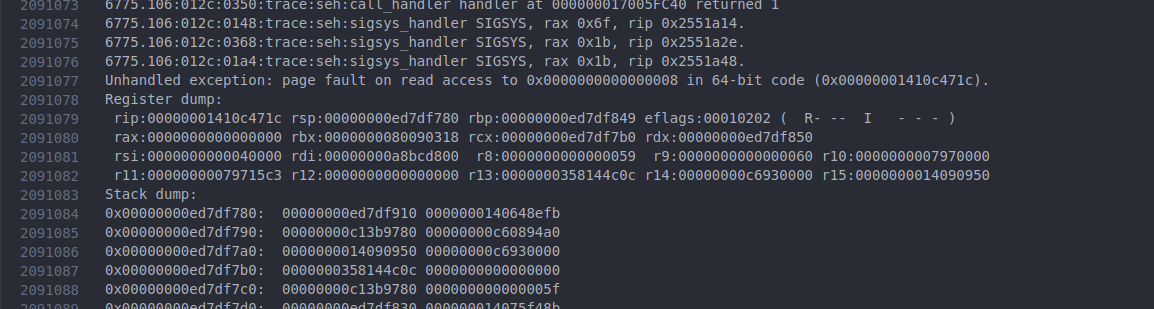
New DXVK release is out; "added support for shared fences (PR https://github.com/doitsujin/dxvk/pull/2608). This is needed for videos in Halo Infinite to work, alongside corresponding wine and vkd3d-proton patches."
The game seems to launch and work correctly now using the shared-resources branch of Proton Experimental on my Steam Deck.
I have been playing for a couple hours and haven't noticed any crashes.
the new proton experimental update improved perf a lot (no stuttering!!!!, or audio glitching), nearly runs like native on my 4700u. (well I am assuming native, I actually never tried this game native on this laptop :p)
I am getting random drops to around 20 fps (they stick around for 5-10 secs), but that is probably thermal throttling lol, these apus ain't meant to run at 30w
I am still getting those weird LOD glitching bugs, but when mesa 22.2 comes out, I will test again on arch to see if those bugs are present over there too
edit: perf problems gone when set power plan to balanced, the lod glitching goes away too (for the most part)
edit2: MOUSE HAS BEEN FIXED!
New Proton Experimental update gets me into the game, intro videos work fine and so does the initial 3D environment in the main menu. Once I load into the campaign however, there's a lot of LOD issues. Geometry seems low poly and textures don't quite load in. Performance is also very poor at around 20-25fps. Occasionally, the entire game freezes and crashes to desktop.
Arch Linux
AMD Ryzen 3900x
Nvidia 3090 with 515.65.01 drivers
I have been doing some tests with freezes in this game and I noticed that when I do get the freezes that lock up computer in 5.18 and 5.19 kernels in the 5.17 kernel I have not had a single problem while playing multiplayer.
[System]
OS: Arch Linux rolling n/a
Arch: x86_64
Kernel: 5.17.9-258-tkg-bmq
Desktop: KDE
Display Server: wayland
[CPU]
Vendor: AuthenticAMD
Model: AMD Ryzen 9 5900X 12-Core Processor
Physical cores: 12
Logical cores: 24
[Memory]
RAM: 31.3 GB
Swap: 0.0 GB
[Graphics]
Vendor: AMD
OpenGL Renderer: AMD Radeon RX 6800 XT (navi21, LLVM 14.0.6, DRM 3.44, 5.17.9-258-tkg-bmq)
OpenGL Version: 4.6 (Compatibility Profile) Mesa 22.3.0-devel (git-446d2039cb)
OpenGL Core: 4.6 (Core Profile) Mesa 22.3.0-devel (git-446d2039cb)
OpenGL ES: OpenGL ES 3.2 Mesa 22.3.0-devel (git-446d2039cb)
Vulkan: Supported
The latest
New Proton Experimental update gets me into the game, intro videos work fine and so does the initial 3D environment in the main menu. Once I load into the campaign however, there's a lot of LOD issues. Geometry seems low poly and textures don't quite load in. Performance is also very poor at around 20-25fps. Occasionally, the entire game freezes and crashes to desktop.
Arch Linux AMD Ryzen 3900x Nvidia 3090 with 515.65.01 drivers
Same issues, the only way I could get it to stabilize(further to prevent the NVIDIA GPU hang/freeze of the picture you have to lock fps to 41) is to set minimum fps to 41 as well so that it uses dynamic resolution to somewhat maintain it. That way I have somewhat smooth image but still a lot of geometry issues and problems into the main campaign, multiplayer is mostly fine.
Ryzen 7 5800X3D
RTX 3070
4x8gb ddr4 3000mhz ram
Kernel 5.19 tkg pds
Are people with AMD gpus having this problem (of freezing and crappy perf)?
The game runs at 60 fps for me with an integrated gpu
LOD issues are common among both GPU's however
Are people with AMD gpus having this problem (of freezing and crappy perf)? The game runs at 60 fps for me with an integrated gpu LOD issues are common among both GPU's however
Yeah AMD here and having those problems... atleast on newer kernel versions.
[System]
OS: Arch Linux rolling n/a
Arch: x86_64
Kernel: 5.17.9-258-tkg-bmq
Desktop: KDE
Display Server: wayland
[CPU]
Vendor: AuthenticAMD
Model: AMD Ryzen 9 5900X 12-Core Processor
Physical cores: 12
Logical cores: 24
[Memory]
RAM: 31.3 GB
Swap: 0.0 GB
[Graphics]
Vendor: AMD
OpenGL Renderer: AMD Radeon RX 6800 XT (navi21, LLVM 14.0.6, DRM 3.44, 5.17.9-258-tkg-bmq)
OpenGL Version: 4.6 (Compatibility Profile) Mesa 22.3.0-devel (git-446d2039cb)
OpenGL Core: 4.6 (Core Profile) Mesa 22.3.0-devel (git-446d2039cb)
OpenGL ES: OpenGL ES 3.2 Mesa 22.3.0-devel (git-446d2039cb)
Vulkan: Supported
Replying to https://github.com/ValveSoftware/Proton/issues/5030#issuecomment-1207423126
I am running 5.18.16 (on fedora 36) kernel, so I don't think the "newer" kernel version causes it. (maybe upgrade to 5.18?)
Replying to https://github.com/ValveSoftware/Proton/issues/5030#issuecomment-1207428053
Like I said in my reply before I tested 5.18 and 5.19 kernels (I actually have used 5.18 for few months) and then I just got this crazy idea to use old 5.17 kernel that I forgot to uninstall and haven't had any freezes after that.
If I start game with 5.18 or newer kernel I can play 1-2 matches and then my computer just locks up.
I don't know why 5.17 works for me I just hoped that if I tell about it here someone smarter that me can figure it out.
I would like to use 5.19 kernel if possible (I just have this stupid thing that I want to be on latest and newest on everything).
I just wanted to point out to those using the Steam Flatpak on a machine with AMD graphics. There is a way to get mesa-git working through Flatpak ( I couldn't get it to work through Distrobox or anything. ) This isn't my finding, but here's the link to the original author's post: https://www.reddit.com/r/linux_gaming/comments/v396dt/comment/ib3rhuy/?utm_source=share&utm_medium=web2x&context=3
All thanks should go to jntesteves on Reddit.
Using their method I was able to get it running on Proton Experimental on an AMD iGPU (VEGA 8). I also had to turn settings way down though, and don't expect amazing performance from a VEGA iGPU either. I also get some graphical glitches, but the games I played vs bots were good fun nevertheless.
The game seems to not utilize(at least for NVIDIA) the gpu correctly, it runs at about ~75-85% usage with mostly nothing going on in the workload(and that is if we exclude the random hang/freeze of the screen which occurs if you exceed 41fps). Other than that the game has weird flickers of the graphics even on low settings. CPU utilization is slightly higher as a result to that. Hopefully it'll all be resolved soon.
Hello everyone. Surely I can't be the only one who is seeing a night and day difference in the game due to the most recent updates.
Recent updates through Steam: (last 2 days)
Two Proton Experimental updates
Two Halo Infinite updates
One shader pre-cache (I think that's what it was called) update
And Proton 7.0-4
Launching with either 7.0-4 OR Experimental, I no longer receive the "Please ensure you have a DX12 compatible graphics adapter" warning on game launch (which Infinite is known for, both on Windows and Linux) that I have seen for the last few weeks, which has prevented Infinite from even opening at all.
After these recent updates, using "Experimental, as selected by Valve testing", the game starts right up.
- The main menu, which used to be so laggy I couldn't even navigate, is now smooth as silk. There are some slight audio popping issues.
- I go into campaign, the 3..2..1.. timer counts all the way down. This is where it used to break before. It would just go 3,2,1, then it would stop doing anything.
- Now, however, the loading bar at the bottom appears (pausing just long enough at 54% to make me think it locked up) and goes all the way to 100%. This step never happened before. The menu screen changes to the orange-red "map loading, gameplay tips" screen, then the screen goes black and the cursor appears in the center of the screen.
And that's it. No music. Nothing else. I have to force close at that point.
But its so much closer now.
Thank you to everyone helping to make this work.
Zorin 16.1 Pro
Kernel: Linux 5.15.0-46-generic
Kernel driver in use: nvidia 515.65.01
GTX 1070
i7-6800K OC
16GB RAM
Proton Tricks no longer installed
Wine Tricks installed
I don't use any launch options
Game settings on Medium or lower
Max framerate set to 30
I agree with techs, menu is now buttery smooth and responsive. I could play 5 MP matches without a crash. at 60fps no less. The game doesnt run perfectly yet but we are so close. Huge thank you to the ones helping the project along
I am having an issue where the loading screen that has tips never disappears for custom games even though I can move around and shoot.
I have not tried matchmaking or campaign.
System specs:
                          ./+o+-       gamebuster@gamebuster-Ryzen9-3900X-RTX-3080
                  yyyyy- -yyyyyy+      OS: Ubuntu 22.04 jammy
               ://+//////-yyyyyyo      Kernel: x86_64 Linux 5.15.0-43-generic
           .++ .:/++++++/-.+sss/`      Uptime: 3d 16h 39m
         .:++o:  /++++++++/:--:/-      Packages: 3134
        o:+o+:++.`..```.-/oo+++++/     Shell: bash 5.1.16
       .:+o:+o/.          `+sssoo+/    Resolution: 3840x2160
  .++/+:+oo+o:`             /sssooo.   DE: GNOME 41.7
 /+++//+:`oo+o               /::--:.   WM: Mutter
 \+/+o+++`o++o               ++////.   WM Theme: Adwaita
  .++.o+++oo+:`             /dddhhh.   GTK Theme: Yaru-dark [GTK2/3]
       .+.o+oo:.          `oddhhhh+    Icon Theme: Yaru
        \+.++o+o``-````.:ohdhhhhh+     Font: Ubuntu 11
         `:o+++ `ohhhhhhhhyo++os:      Disk: 670G / 917G (77%)
           .o:`.syhhhhhhh/.oo++o`      CPU: AMD Ryzen 9 3900X 12-Core @ 24x 3.8GHz
               /osyyyyyyo++ooo+++/     GPU: NVIDIA GeForce RTX 3080
                   ````` +oo+++o\:     RAM: 8528MiB / 32007MiB
                          `oo++.
Replying to https://github.com/ValveSoftware/Proton/issues/5030#issuecomment-1224352567
what's your nvidia driver version?
and you should probably try normal multiplayer or campaign first
Sadly i get game crashes from time to time. Also Using alt+tab when searching for a mp game is troublesome and causes game freezes.
For the game crash, 2 files:
And:
https://drive.google.com/file/d/1iQuOBczBUyXjrfh4qGmWyBFUa2imrCYr/view?usp=sharing
For the freeze with al-tab:
Multiplayer->Quick play
While the game is searching for games, alt+tab so that another window is in front of the Halo window. The game will freeze when the final connect happens and the game switches to the loading screen before the actual match starts.
The issue happens on kde here, X11, compositor disabled, Proton Experimental.
on the latest Nvidia vulkan dev driver the game doesn't even launch. It almost instantly hangs
steam-1240440.log
.
something I have noticed, when setting halo infinite to be 'always on top' (alt+space brings up the menu) it reduces hang ups by quite a bit. could be luck ofc but I played around 10 matches without any hangs and then left the game normally. this is while I did also move workspaces to watch videos during loading. so take that as you may.
[System]
OS: Ubuntu 20.04 focal
Arch: x86_64
Kernel: 5.15.0-46-generic
Desktop: ubuntu:GNOME
Display Server: x11
[CPU]
Vendor: AuthenticAMD
Model: AMD Ryzen 7 5800X 8-Core Processor
Physical cores: 8
Logical cores: 16
[Memory]
RAM: 62.7 GB
Swap: 2.0 GB
[Graphics]
Vendor: NVIDIA Corporation
OpenGL Renderer: NVIDIA GeForce RTX 3070 Ti/PCIe/SSE2
OpenGL Version: 4.6.0 NVIDIA 515.65.01
OpenGL Core: 4.6.0 NVIDIA 515.65.01
OpenGL ES: OpenGL ES 3.2 NVIDIA 515.65.01
Vulkan: Supported
Shot in the dark but I had Doom Eternal freezing instantly as soon as anything was drawn on top of its window (any app notification popup etc.). No idea if it's fixed now (most probably) but could it be the same for Halo Infinite? Then making the window always on top might fix it I guess.
Unfortunately, I still have freezes when a match ends even with the always on top workaround.
Unfortunately, I still have freezes when a match ends even with the always on top workaround.
I found that for some insane reason, when ending matches. (during loading screen) if I intentionally move workspace to another tab and have (mozilla for example) open, with VLC, then it doesnt freeze as much. bear in mind I am still getting freezes but the number has dropped by a huge % compared to before. It could be anything, I cant understand it but thats why I am sharing these findings. to try to help
Unfortunately, I still have freezes when a match ends even with the always on top workaround.
what wine version are you running? It may be some changes with recent patches that caused this.
Replying to https://github.com/ValveSoftware/Proton/issues/5030#issuecomment-1231216001
I was using the latest Proton Experimental at the time of writing.
Replying to https://github.com/ValveSoftware/Proton/issues/5030#issuecomment-1231216587
I mean your system WINE, because one MUST have system wine installed and its updates (to my knowledge) do affect proton. I noticed a change since I upgraded from 7.0 to 7.15 (and today to 7.16). I dont know if any big changes occurred tho, just throwing my two sense in
Replying to https://github.com/ValveSoftware/Proton/issues/5030#issuecomment-1231336670
I’m almost certain proton is entirely isolated from system wine very much intentionally.
Replying to [#5030 (comment)](https://github.com/ValveSoftware/Proton/issues/5030#issuecomment-1231216587)
I mean your system WINE, because one MUST have system wine installed and its updates (to my knowledge) do affect proton. I noticed a change since I upgraded from 7.0 to 7.15 (and today to 7.16). I dont know if any big changes occurred tho, just throwing my two sense in
That can't be. I am running Steam inside of Flatpak, and it does not have access to my system Wine installation.
Replying to [#5030 (comment)](https://github.com/ValveSoftware/Proton/issues/5030#issuecomment-1231336670)
I’m almost certain proton is entirely isolated from system wine very much intentionally.
you're probably correct, I am no expert. but why then does wine need to be installed for proton to function? if some assets arent used
Replying to [#5030 (comment)](https://github.com/ValveSoftware/Proton/issues/5030#issuecomment-1231336670)
I’m almost certain proton is entirely isolated from system wine very much intentionally.
you're probably correct, I am no expert. but why then does wine need to be installed for proton to function? if some assets arent used
This is getting off-topic, but no, you should not have to have Wine installed on your system to be able to make use of Proton. Proton is self-contained in that regard.
Having an issue where the game crashes right before loading the menu screen.
SteamHardwareInfo.txt
errorlog - it is a Google Drive link 'cause it's too big to be uploaded by CTRL-C/CTRL-V'ing it into Github
This is on Proton Experimental, the Steam Client Beta, and the Steam Runtime - Soldier Beta, if any of those are relevant.
Having an issue where the game crashes right before loading the menu screen. SteamHardwareInfo.txt errorlog - it is a Google Drive link 'cause it's too big to be uploaded by CTRL-C/CTRL-V'ing it into Github
This is on Proton Experimental, the Steam Client Beta, and the Steam Runtime - Soldier Beta, if any of those are relevant.
I am pretty sure intel gpus are not supported yet
edit: for future readers, mesa 22.2 is required to load into the menu, and in game (on amd), intel cards are probably not working atm
Two things - first of all, thank you email for sending me the first version of your comment 'cause that was more actually useful - I'm on the 22.1.7 kisak ppa version of Mesa, which explains why I can't get in the menu if it requires 22.2.
Second of all, I do have a Radeon RX 5700 XT eGPU plugged into my system that even MangoHud was detecting as the video driver for Halo Infinite when I generated that log.
Two things - first of all, thank you email for sending me the first version of your comment 'cause that was more actually useful - I'm on the 22.1.7 kisak ppa version of Mesa, which explains why I can't get in the menu if it requires 22.2.
Second of all, I do have a Radeon RX 5700 XT eGPU plugged into my system that even MangoHud was detecting as the video driver for Halo Infinite when I generated that log.
that was my bad, I saw that you had a framework laptop with intel and just assumed that you had an intel card (I didn't read the rest)
I forgot egpus existed lol
The hanging/freeze image issue seems to be triggered by fluctuating framerate(which is quite evident by barely using my GPU at least on NVIDIA) so a workaround is to set minimum framerate to 41 and maximum framerate to 41, with that I haven't encountered any freezes/hangs yet in both campaign and multiplayer.
The hanging/freeze image issue seems to be triggered by fluctuating framerate(which is quite evident by barely using my GPU at least on NVIDIA) so a workaround is to set minimum framerate to 41 and maximum framerate to 41, with that I haven't encountered any freezes/hangs yet in both campaign and multiplayer.
this makes sense, I often drop in bot games when bots are joining in for the first time. frame drops probably happen around that time. the rare times I do freeze in MP are during melee moments, and when someone has a kill effect. just my observations mind you. possibly why I can play quite a bit, I have a system that can handle infinite easily so framedrops happen very infrequently
When I join bot games with uncapped frame rate, I can hear sounds such as me firing my own weapon, however the loading screen is frozen onscreen.
Using proton experimental.
                     ./o.                  false@false
                   ./sssso-                -----------
                 `:osssssss+-              OS: EndeavourOS Linux x86_64
               `:+sssssssssso/.            Host: MS-7C37 1.0
             `-/ossssssssssssso/.          Kernel: 5.19.4-zen1-1-zen
           `-/+sssssssssssssssso+:`        Uptime: 5 days, 16 mins
         `-:/+sssssssssssssssssso+/.       Packages: 1029 (pacman), 5 (flatpak)
       `.://osssssssssssssssssssso++-      Shell: bash 5.1.16
      .://+ssssssssssssssssssssssso++:     Resolution: 2560x1440
    .:///ossssssssssssssssssssssssso++:    DE: Plasma 5.25.4
  `:////ssssssssssssssssssssssssssso+++.   WM: KWin
`-////+ssssssssssssssssssssssssssso++++-   Theme: [Plasma], Breeze [GTK2/3]
 `..-+oosssssssssssssssssssssssso+++++/`   Icons: [Plasma], breeze-dark [GTK2/3]
   ./++++++++++++++++++++++++++++++/:.     Terminal: konsole
  `:::::::::::::::::::::::::------``       CPU: AMD Ryzen 7 5800X (16) @ 3.800GHz
                                           GPU: NVIDIA GeForce RTX 3090
                                           Memory: 10763MiB / 32018MiB
with proton experimental bleeding edge and mesa-tkg-git from the chaotic aur with vanilla arch linux on kde wayland
I set the in game frame limit to vary between 35 and 70 hz (I OCd my monitor to 70hz).
With this combination and my 4700u + The iGPU (with medium settings preset), I am getting a flawless experience without any LOD glitching
Unfortunately the mouse has once again been broken (edit: I was using the wrong branch of proton, i was using shared resources rather than bleeding edge, it works with bleeding edge)
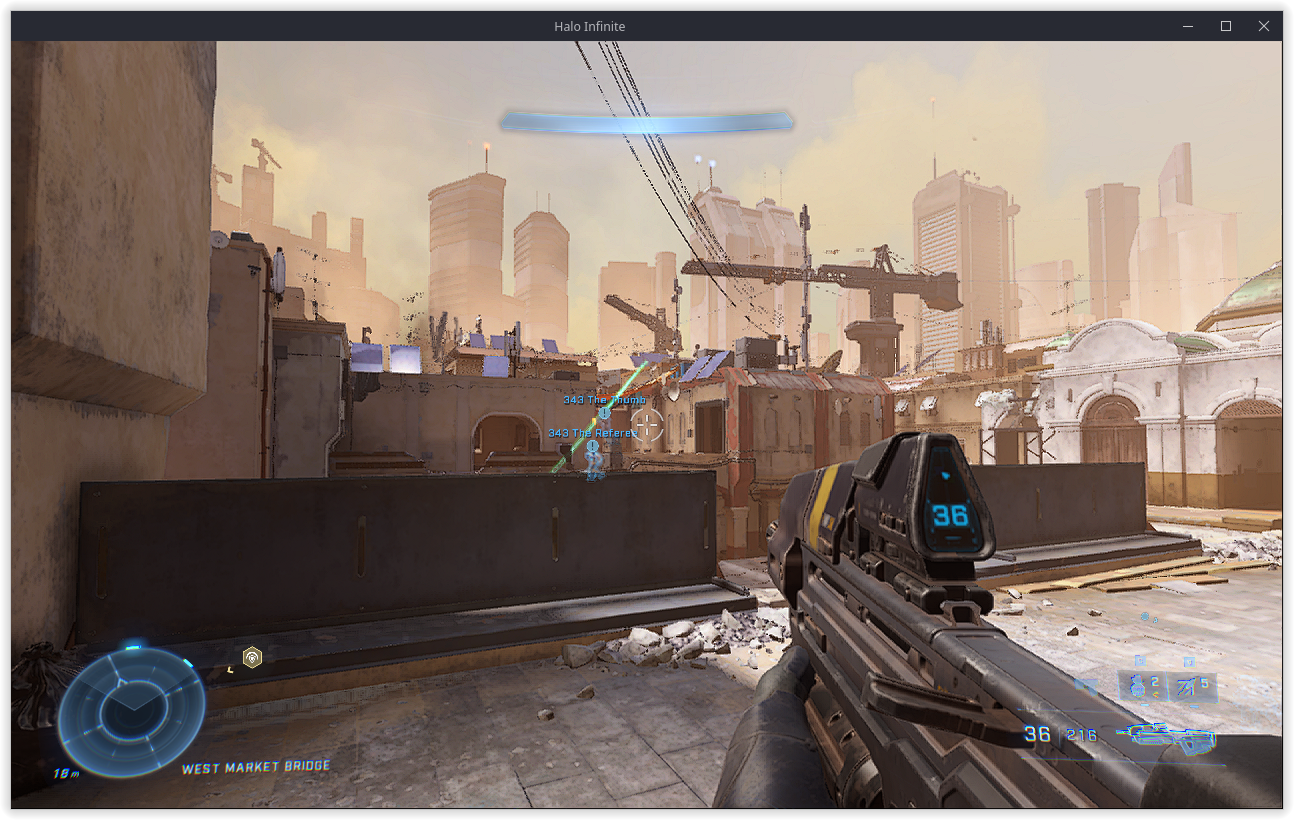
not bad considering this system config is a potato by modern standards
Replying to https://github.com/ValveSoftware/Proton/issues/5030#issuecomment-1238665039
Yeah, getting about the same results. Seems like for me the sweet spot is having the fps locked at 41-45 fps, this made the game completely playable (2070 super). Anything higher than that will result in the freeze after a short while of playing. The incredible work that has gone from not getting past the loading screen to this nothing short but awesome.
Replying to https://github.com/ValveSoftware/Proton/issues/5030#issuecomment-1238665039
Yeah, getting about the same results. Seems like for me the sweet spot is having the fps locked at 41-45 fps, this made the game completely playable (2070 super). Anything higher than that will result in the freeze after a short while of playing. The incredible work that has gone from not getting past the loading screen to this nothing short but awesome.
That seems to be an Nvidia problem, i later set the min fps to 70 and it never froze or anything
anybody getting textures issues with latest mesa git? I have a feeling that it might be that sparse texture thing that got merged
edit: seems like they are gone after another update to mesa
running okay between 41-45 fps, as seen before. some crashes when opening the challenge/BattlePass menu. Alt-tabbing causes instability. but aside from that, the thing runs pretty much faultlessly as far as I can tell. just waiting on that fix for the fps issue/hang/freeze/whatever
I can't run it for some reason. Maybe somebody know what might be the problem?
I have GTX 1060
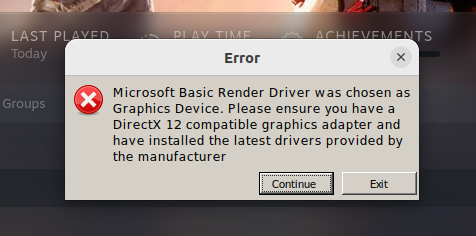
@gravit22 the NVIDIA drivers need to be around version 515, afaik. If you're running the Steam Flatpak and your host's drivers are on the 515 series, run a flatpak update and restart Steam completely.
@gravit22 the NVIDIA drivers need to be around version 515, afaik. If you're running the Steam Flatpak and your host's drivers are on the 515 series, run a
flatpak updateand restart Steam completely.
@orowith2os Thank you for your response. I made changes you mentioned, and this is what I got.
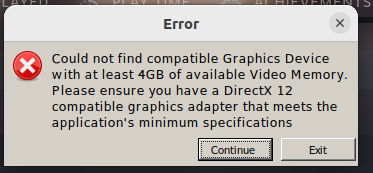
So sad. I have only 3 GB VRAM.
Oh. no. I am sorry, I just pressed continue, and it launched.
Thank you.
Hi
i still can 100% reproduce the mentioned alt+tab hang here. Could anyone at vavle reproduce that ? Are there any logs needed ?
Thx
Hello,
I am playing Halo Infinite on Arch Linux with an AMD GPU using the mesa-git drivers.
I notice a consistent crash for me on any multiplayer game type involving a zone to capture. I seem to crash whenever the graphics for the zone are supposed to appear. For example, in the King of the Hill game mode, I crash as soon as the initial hill is available to capture, if my view in-game is looking towards the area it is in. I can supply any logs if needed.
EDIT:
Wow, I'm sorry I didn't realize there was an update to mesa-git released a few hours ago after not having an update for at least a week or so. This update to mesa-git fixes the issue as far as I can tell! The game runs much smoother for me now although it still stutters quite a lot.
Replying to https://github.com/ValveSoftware/Proton/issues/5030#issuecomment-1257131296
What version of mesa-git were you running before, and what version seems to have fixed this issue for you?
Replying to [#5030 (comment)](https://github.com/ValveSoftware/Proton/issues/5030#issuecomment-1257131296)
What version of mesa-git were you running before, and what version seems to have fixed this issue for you?
It doesn't seem like the AUR has version numbers, but the previous version I was on was this one released on the 10th, and I just updated to this version released on the 24th.
Ah, ok TIL not all -git AUR packages are locked to a certain commit. Looking at the PKGBUILD for mesa-git I don't see any specific commit linked in the git source...
I will try and see if I can get the specific version from the old version I was using, but using the version I updated on the 24th, glxgears -info shows me:
GL_RENDERER   = AMD Radeon RX Vega (vega10, LLVM 14.0.6, DRM 3.47, 5.19.11-arch1-1)
GL_VERSION    = 4.6 (Compatibility Profile) Mesa 22.3.0-devel (git-e0b7430eae)
GL_VENDOR     = AMD
EDIT: Unfortunately I deleted my pacman cache, so I cannot verify for sure, but based on my best detective work I believe the commit I was playing with before was around 3d4c36a3 on the 14th
I should also mention, today while playing the latest "Fracture" event based around the "Land Grab" gamemode (spawns many capture zones), I did encounter a crash in the same way as before, so it's not completely fixed yet (I encountered only one crash from the many Land Grab games I played).
Replying to https://github.com/ValveSoftware/Proton/issues/5030#issuecomment-1260496543
played some myself, cant say I had those issues, in fact it only crashed after 7 games or so, and only in BTB social. I am on nvidia tho, proton GE or exp work best ive found
'gamemoderun mangohud %command%'
Deleting the games compatdata file (1240440) is a good way to get pretty solid performance. Ive found that sometimes it never loads right and starts crashing far more often, removing this folder is a great way to fix that (tested twice now)
If anyone knows if this is a horrible idea, let me know, but as of typing, my game doesnt crash unless I alt tab too much
Deleting the games compatdata file (1240440) is a good way to get pretty solid performance. Ive found that sometimes it never loads right and starts crashing far more often, removing this folder is a great way to fix that (tested twice now)
If anyone knows if this is a horrible idea, let me know, but as of typing, my game doesnt crash unless I alt tab too much
No harm in deleting the compatdata folder, not sure how it helps, but it's just the prefix location so it will only reset any local configurations / save data and have Steam reinstall game dependencies like visual C++, etc.
As for the unfocusing the Window issue, if you use Gamescope it will prevent this problem, as it runs the game in a containerized display compositor, which will prevent the game from detecting any anomalies like Alt-Tabing, minimizing, etc. I use this myself and it's completely removed that issue for me.
Replying to https://github.com/ValveSoftware/Proton/issues/5030#issuecomment-1271714132
my understanding of it is it is a prefix, and I know that wine prefixes break all the time, so I do this occasionally with my base wine prefix to really clean the place up a bit. idk how exactly it helps infinite, but sometimes I crash way too often and removing that helps clear it up a bit
Has anyone been able to join the fireteam in Halo Infinite?

Replying to https://github.com/ValveSoftware/Proton/issues/5030#issuecomment-1272580333
I've been having issues with this too lately.
I've been having issues with this too lately.
Did it work before? With what proton?
I've been having issues with this too lately.
Did it work before? With what proton?
A few months ago but I stopped playing. Just booted it up on my pc a few days ago and my and my friend (also on linux with proton) were both having issues with fireteam
So, we can play online these deathmatches, etc, but can not play campaign with friend... :(
new feature release NVIDIA drivers (520) apparently stop the game from hanging, however have flashing colors and texture issues. source is protondb.
Myself I cannot upgrade to them as my work at the moment is keeping me from risking a driver change. Anyone have anything to report on this matter?
new feature release NVIDIA drivers (520) apparently stop the game from hanging, however have flashing colors and texture issues. source is protondb.
Myself I cannot upgrade to them as my work at the moment is keeping me from risking a driver change. Anyone have anything to report on this matter?
could you post some pictures? (or someone else)
I just tried playing a custom game match with bots using Nvidia driver 520.56.06. I was able to complete the match, but the game still hung during the loading screen after the match.
Maybe check your ram usage when you crash? For me the only time I have crashed was when the linux kernel OOM kicked in and killed the process because I ran out of ram
Maybe check your ram usage when you crash? For me the only time I have crashed was when the linux kernel OOM kicked in and killed the process because I ran out of ram
The game doesn't out-right crash. The graphics locked up, but the sound was still going.
Plus I'd be surprised if Halo Infinite could trigger OOM on 32gb of ram.
Maybe check your ram usage when you crash? For me the only time I have crashed was when the linux kernel OOM kicked in and killed the process because I ran out of ram
well I have 64gb of ram and it has locked up in the past for me too, Id be shocked if it managed to fill that up. Also, Ive had no crashes (5 games at 60fps in BTB) since I moved my steam folder from my HDD to my NVME. I am still running the 515 driver. will be testing more but work stopped that.
Seems like nvidia's new driver 520 has solved most of the issue, performance wise still isn't the great... As for texture flickering on medium settings seems like it doesn't happen.
EDIT: Never mind, I managed to run into a lockup after some time... So the issue is not fully resolved, but rather "improved"
I decided to try Proton Experimental (bleeding-edge), since I was using Proton-GE. Just to be sure I also cleared my compatdata.
To my surprise I was able to play a few MP matches (I tried Fiesta and BTB), and some of the Campaign without any hiccups. The framerate is pretty bad compared to my Windows10 VM, and there's a fair amount of texture flicker once in a while, but It's definitely an improvement.
Driver: 520.56.06
GPU: RTX3060 12GB
Replying to https://github.com/ValveSoftware/Proton/issues/5030#issuecomment-1283585253
Actually yes, playing the game on Proton-GE seems to cause the hangs forgot I used it to compensate with FSR for the poor GPU utilization(which results in poor performance).
On Proton experimental with driver 520.56.06 there doesn't seem to be any hangs.
I have the same issue as well (on proton-ge), that's why I don't play the game using proton-ge (and im using AMD)
Can also confirm with an RTX 3070--got crashes with Glorious Eggroll, but with Experimental no crashes, just texture flickering.
cat /proc/driver/nvidia/version
NVRM version: NVIDIA UNIX x86_64 Kernel Module  520.56.06  Thu Oct  6 21:38:55 UTC 2022
GCC version:  gcc version 12.2.0 (GCC)
Proton Experimental works at 60fps and tested 5 BTB games. Will be testing more but there should have been a hang by that point. slight performance drop on breaker (hate that map) but aside form that it felt pretty good. using the 515 drivers as well and during typing this I have had the game alt-tabbed in another workspace which normally caused it to hang very quickly. I have seen the game drop to 14fps for a second during a loading screen but it did not hang. GE still does cause crashes (tested last night). Will report more if I find anything
OS: Ubuntu 20.04 focal
Arch: x86_64
Kernel: 5.15.0-52-generic
Desktop: ubuntu:GNOME
Display Server: x11
[CPU]
Vendor: AuthenticAMD
Model: AMD Ryzen 7 5800X 8-Core Processor
Physical cores: 8
Logical cores: 16
[Memory]
RAM: 62.7 GB
Swap: 2.0 GB
[Graphics]
Vendor: NVIDIA Corporation
OpenGL Renderer: NVIDIA GeForce RTX 3070 Ti/PCIe/SSE2
OpenGL Version: 4.6.0 NVIDIA 515.76
OpenGL Core: 4.6.0 NVIDIA 515.76
OpenGL ES: OpenGL ES 3.2 NVIDIA 515.76
Vulkan: Supported
Replying to https://github.com/ValveSoftware/Proton/issues/5030#issuecomment-1272580333
I too am having this issue... I have tried different versions of Proton and a couple of launch settings from protondb but nothing seems to work. Anyone have any luck?
Never even tried to join a fireteam. I still cant join my friends in the MCC (custom, MP, or campaign) So I will be of no help here xD
I get pretty bad frametimes with GE proton 7-37 and proton experimental.
CPU : 10600k
GPU : 1660ti (515.76 driver)
Display server : X11
Ubuntu 20.04.1 LTS
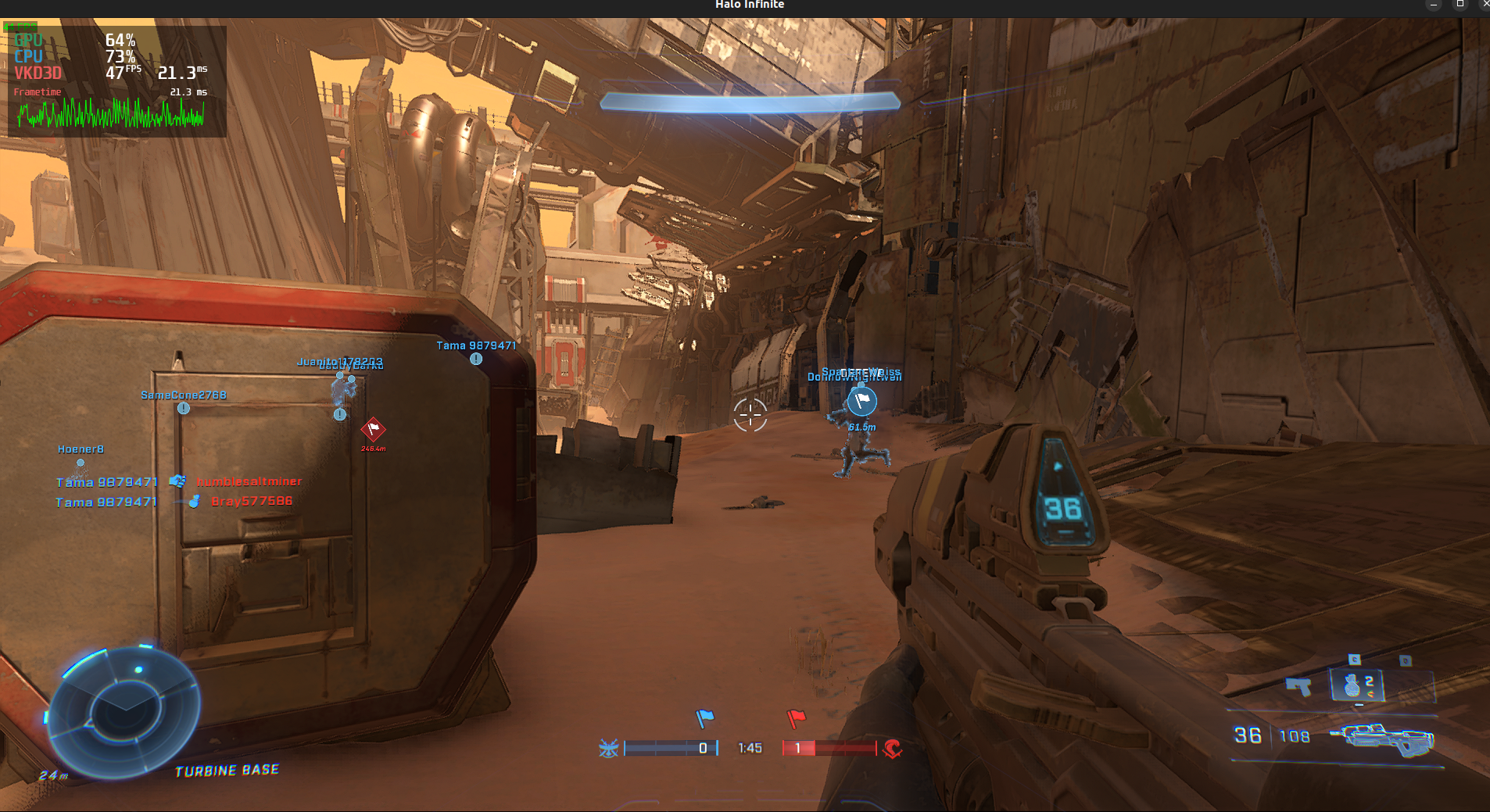
Replying to https://github.com/ValveSoftware/Proton/issues/5030#issuecomment-1287594151
From what I can tell, my card stutters a bit on that map specifically, and any card that is under a 30 series has performance issues as of recent. (Based on what I am hearing from other users. Users on protondb with 30 series work decently, users with older cards say they get horrible framerate)
Replying to https://github.com/ValveSoftware/Proton/issues/5030#issuecomment-1272580333
I'm having the same issue. I (Ubuntu 22.04, kernel 5.17, Mesa 22.2.2, Proton Experimental) couldn't connect with my friend (Steam Deck) no matter how many times we tried. Tried joining from the Social menu in-game and through invites in Steam chat. Neither of us have any issues with matchmaking, we're just unable to join fireteams.
Replying to https://github.com/ValveSoftware/Proton/issues/5030#issuecomment-1287594151
Yes something similar happens on my RTX 3070 as well. The GPU utilization fluctuates between 50-85% totally not how it should be, so in order to tackle it I use the minimum framerate in-game setting set to 82 and it drops down resolution to maintain somewhat higher FPS. Not ideal solution however it gives playable performance.
In regards to fireteam, if you try to join someone it does not work, INSTEAD make them join over you - that in all my tests have always worked.
Yeah other people can join fine it is just not allowing me to join other players, seems odd to me. As far as the graphics thing goes I'm on AMD and get over 70 fps at 4k all Ultra settings. Maybe it is an nvidia issue.
Yeah other people can join fine it is just not allowing me to join other players, seems odd to me. As far as the graphics thing goes I'm on AMD and get over 70 fps at 4k all Ultra settings. Maybe it is an nvidia issue.
It is an Nvidia issue, I've not seen anybody with amd reporting these issues
Yeah other people can join fine it is just not allowing me to join other players, seems odd to me. As far as the graphics thing goes I'm on AMD and get over 70 fps at 4k all Ultra settings. Maybe it is an nvidia issue.
It is an Nvidia issue, I've not seen anybody with amd reporting these issues
Maybe this is an issue with VKD3D that only appears on nvidia cards, or a nvidia driver bug within itself.
Is there any reports about this on the wine project? If not i may open a bug report about that.
Replying to https://github.com/ValveSoftware/Proton/issues/5030#issuecomment-1287861332
wine's vkd3d has nothing to do with the vkd3d that proton uses, you should open a bug report at vkd3d-proton, NOT the upstream one
Been playing for a while, no hangs anymore, new proton experimental and nvidia drivers 520 remove hangs.
Has crashed once or twice during menus but never in games. Working okay so far however slight performance problems. frame drops. This should not be happening on my system so anyone with mid specs might suffer far more
I can still encounter random hang + weird performance in this title and went ahead to report it on the NVIDIA forums.
https://forums.developer.nvidia.com/t/poor-halo-infinite-performance-and-random-hang/232202
Hmm I wonder when Nvidia or 343 or even valve them selfs will solve this weird frame timing issue. I'm loving the game just the fps is very weird on Nvidia gpus lol
Hmm I wonder when Nvidia or 343 or even valve them selfs will solve this weird frame timing issue. I'm loving the game just the fps is very weird on Nvidia gpus lol
Have you tried turning on vsync in game. I did that and the frame timing issues went away for me (amd rx6600xt. Might also work on Nvidia though)
Just tested it and vsync off around 40fps to 50fps and frame timing weird af. Vsync on 45fps to 30fps and frame timing is better but seems to have bigger dips so idk. I have a 2060 aswell and I get around 100 to 120fps on windows
Just tested it and vsync off around 40fps to 50fps and frame timing weird af. Vsync on 45fps to 30fps and frame timing is better but seems to have bigger dips so idk. I have a 2060 aswell and I get around 100 to 120fps on windows
It's kinda weird cause some maps make me get 60 to 70 then the rest are like 30 to 40 and texture and shader cache are constantly loading in every match so that's pretty annoying but oh well
these are my frametimes on an APU (it's struggling lol, it's doing pretty well for only 15W of power tho)
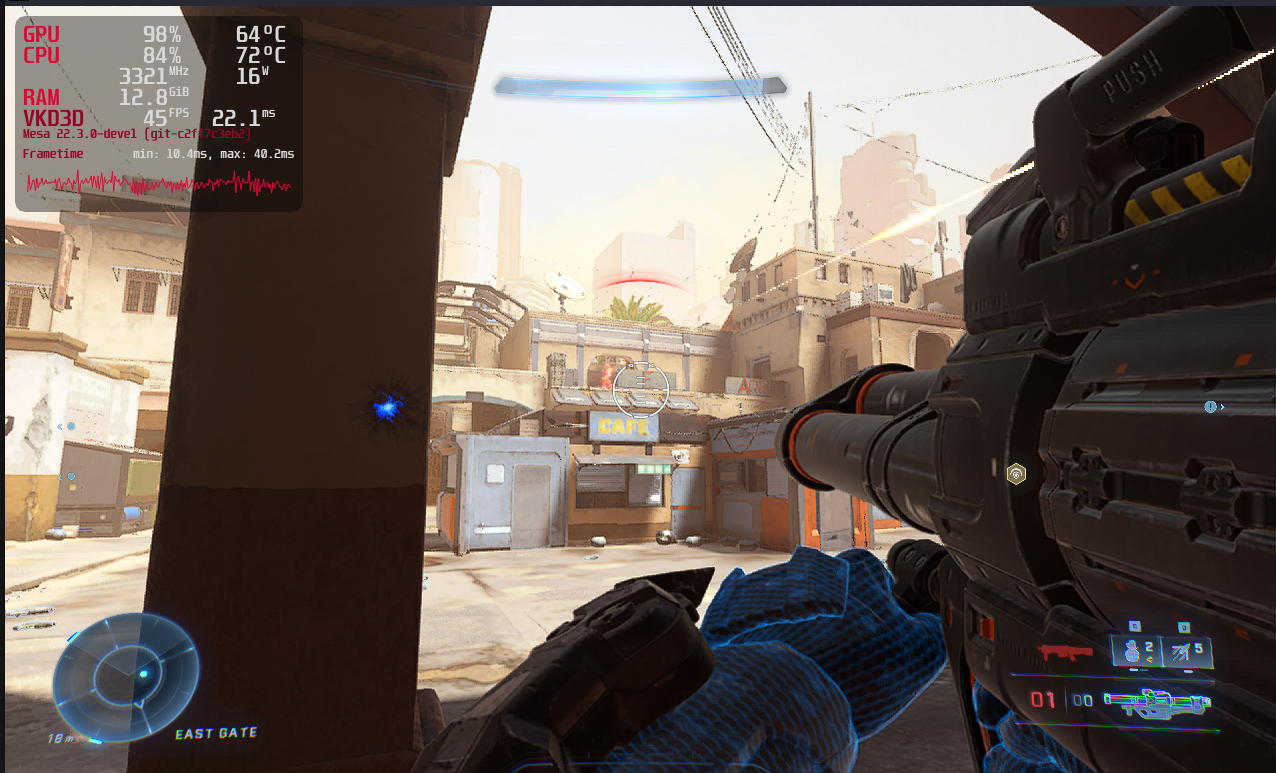
For me, the only map I have fps issues with is breaker. Could be the extra effects, no idea if this would help anyone. guessing its the bigass laser in the middle causing that.
Replying to https://github.com/ValveSoftware/Proton/issues/5030#issuecomment-1299462562
Its funny that your getting 45 fps there and i get the exact same fps on my rtx 2060...
Can't launch the game after getting the following error when playing with Proton Experimental on an RTX 3070 on the latest Winter Update.
Could not load 'api-ms-win-core-memory-l1-1-6.dll'. It may be missing or corrupted.
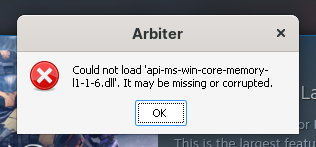
It being called "Arbiter" makes me think this is an anti-cheat issue since Arbiter is the name of the anti-cheat in Halo Infinite.
Same here
Replying to https://github.com/ValveSoftware/Proton/issues/5030#issuecomment-1307710200
Okay, deleted arbiterdll and verified game files, same error, will try again with a few other things but at this point game appears broken due to anti-cheat. I will assume it is due to updates with the Co-op and relevant anti-cheat. This is an assumption tho, I can be wrong
Replying to https://github.com/ValveSoftware/Proton/issues/5030#issuecomment-1307710200
This issue has been fixed in wine upstream, at least I think it has (edit: it hasn't, but it's probably a one line patch for upstream wine)
Once I reach home I will thoroughly check
edit: for proton, the patches would be way bigger than one line (it's unfortunate, this is why proton needs to be rebased)
I will assume this puts us into borked mode for several days if not weeks correct? Until it is actually repaired
I will assume this puts us into borked mode for several days if not weeks correct? Until it is actually repaired
no, someone's already working on it apparently, it might take a while for the fix to get merged tho
I will assume this puts us into borked mode for several days if not weeks correct? Until it is actually repaired
no, someone's already working on it apparently, it might take a while for the fix to get merged tho
Then I will continue looking and testing after work, will share what I can if I get anywhere
i hope it gets fixed soon. theres free shop items!
This should hopefully work again now with the just updated "Proton Hotfix". For now "Proton Hotfix" should be manually selected as compatibility tool for the game. If trying right now probably worth restarting Steam so Proton Hotfix gets updated right away.
This should hopefully work again now with the just updated "Proton Hotfix". For now "Proton Hotfix" should be manually selected as compatibility tool for the game. If trying right now probably worth restarting Steam so Proton Hotfix gets updated right away.
you work on proton too, dang, they are all the same same people after all lol
edit: apparently needs a little bit of cleaning up before it can reach experimental, but that's what proton hotfix is for!
It works. I'm playing
On Tue, Nov 8, 2022, 21:45 Etaash Mathamsetty @.***>
wrote:
This should hopefully work again now with the just updated "Proton
Hotfix". For now "Proton Hotfix" should be manually selected as
compatibility tool for the game. If trying right now probably worth
restarting Steam so Proton Hotfix gets updated right away.you work on proton too, dang, they are all the same devs after all lol
—
Reply to this email directly, view it on GitHub
https://github.com/ValveSoftware/Proton/issues/5030#issuecomment-1308166303,
or unsubscribe
https://github.com/notifications/unsubscribe-auth/A2MCZEG44Q7RJJLX7IJAR63WHMM6PANCNFSM5BGY6AKQ
.
You are receiving this because you commented.Message ID:
@.***>
Confirm that is working now on steam deck with proton hotfix, also if a warning appears during loading for incorrect windows version
Works and is playing, some stutter on BTB maps but overall great
Forge doesn't seem to be launching, not sure if that's because of Proton or what
tried restarting the game several times now but it had no effect
EDIT: just got in after launching a custom game and then exiting. no clue about correlation yet.
Looks like launching a custom game set to local server is required first before Forge works. Not sure if this is Proton-specific or just how the game's behaving on my system.
I've seen this with a lot of games lately, do we know what exactly is causing the GPU to reset when playing games like Halo Infinite? It seems to happen on both AMD and NVIDIA cards and seemingly randomly.
Like, is it an issue with both Nvidia and AMD drivers, is it an issue with the kernel, game, etc? I've heard people blame many thing but no definite answer yet.
I've seen this with a lot of games lately, do we know what exactly is causing the GPU to reset when playing games like Halo Infinite? It seems to happen on both AMD and NVIDIA cards and seemingly randomly.
Like, is it an issue with both Nvidia and AMD drivers, is it an issue with the kernel, game, etc? I've heard people blame many thing but no definite answer yet.
I know one cause is that the high res textures can fill up my vram very quickly, and setting the texture quality to low can help that abit. It still has some crashes after that but they might be related.
Replying to https://github.com/ValveSoftware/Proton/issues/5030#issuecomment-1309090818
Seems like just a placebo to me though. Whether I run on the lowest settings with locked 60 FPS, or max settings at 165 FPS (which both run at full speed and never use all my VRAM) I still crash at some point. Infact, 165 FPS seems to last way longer before crashing (which again is probably just a coincidence).
Replying to https://github.com/ValveSoftware/Proton/issues/5030#issuecomment-1309090818
Seems like just a placebo to me though. Whether I run on the lowest settings with locked 60 FPS, or max settings at 165 FPS (which both run at full speed and never use all my VRAM) I still crash at some point. Infact, 165 FPS seems to last way longer before crashing (which again is probably just a coincidence).
When textures were set to high, I would crash before the game would load. After setting it lower, I could get in game and complete a round. It still crashes occasionally though.
Continuing from https://github.com/ValveSoftware/Proton/issues/5030#issuecomment-1307710200
Working after applying the hotfix :+1:
Even after setting compatibility to Proton Hotfix, the game still seems to crash right at the part where it seems to have a loading bar. Not sure what is wrong.
Even after setting compatibility to Proton Hotfix, the game still seems to crash right at the part where it seems to have a loading bar. Not sure what is wrong.
you probably need to update your gpu drivers to mesa 22.2+ or any recent version of nvidia drivers
Popup error message "Could not load 'api-ms-win-core-memory-l1-1-6.dll'. It may be missing or corrupted." didn't leaves even after update the game and Proton Hotfix.
OS: Fedora Rawhide
GPU: AMD Radeon 6900XT
GPU driver: Mesa-22.4-dev
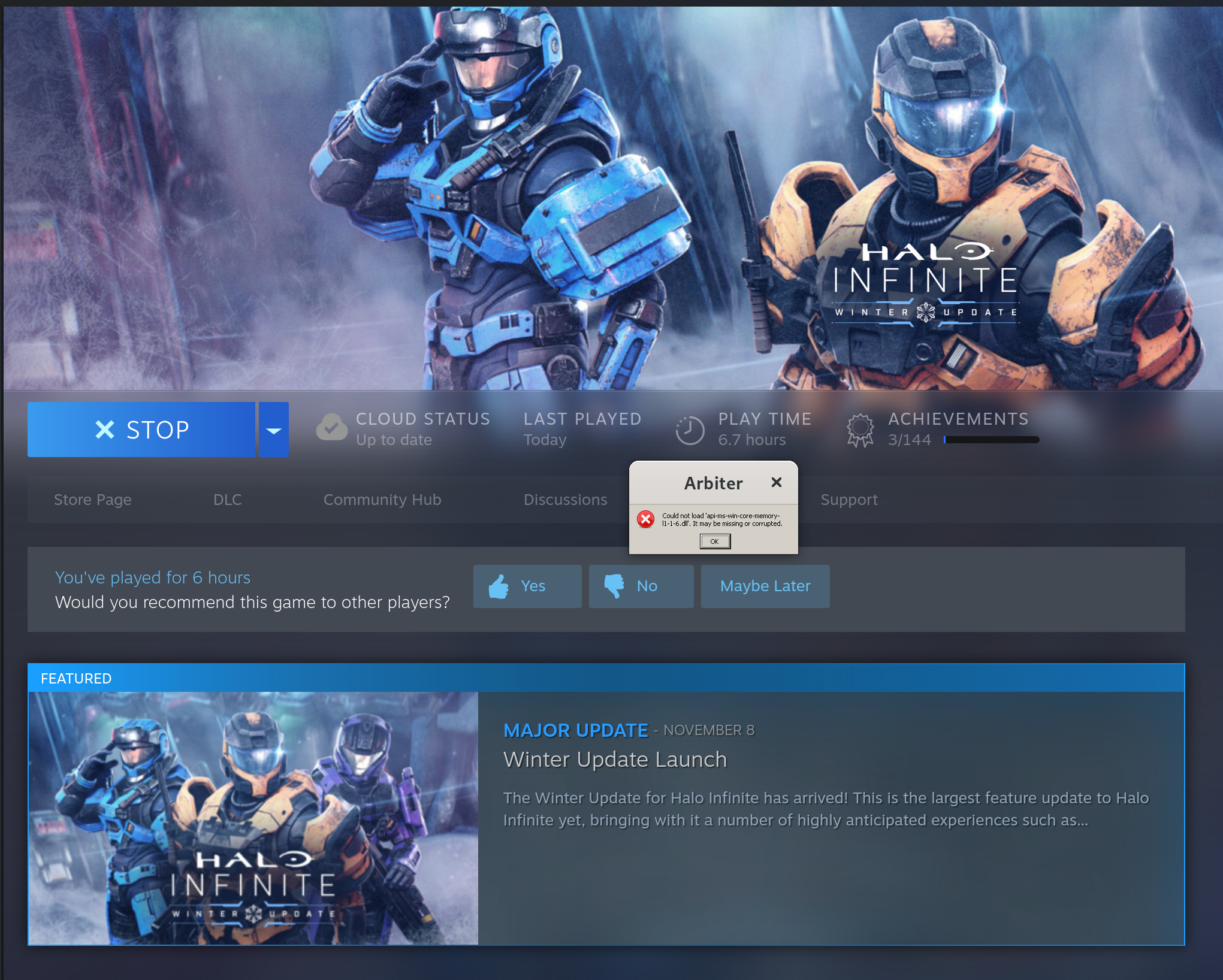
Replying to https://github.com/ValveSoftware/Proton/issues/5030#issuecomment-1309380017
I think you have to restart steam
I think you have to restart steam
During this time, I have already managed to restart the computer several times. So the option to restart steam will definitely not work.
Even after setting compatibility to Proton Hotfix, the game still seems to crash right at the part where it seems to have a loading bar. Not sure what is wrong.
Not really sure, I am running the latest Ubuntu LTS kernel with an AMD 6800 XT. I am pretty sure the drivers are proper. IDK.
Even after setting compatibility to Proton Hotfix, the game still seems to crash right at the part where it seems to have a loading bar. Not sure what is wrong.
Not really sure, I am running the latest Ubuntu LTS kernel with an AMD 6800 XT. I am pretty sure the drivers are proper. IDK.
ubuntu LTS's mesa isin't new enough you have to get it from from a ppa (idk which one)
Replying to https://github.com/ValveSoftware/Proton/issues/5030#issuecomment-1309380017
Just to confirm, you selected to use proton hotfix instead of experimental correct. manually
The hotfix worked for me, however I cannot join any friends. If I try to connect to one of my friends parties via a steam invite I always get the messages "You were unable to connect to the fireteam. Please try again later." But if I invite them (and they are a windows user) they can join my party. The same issue occurs for my friend who also uses linux but not my friends who use windows. Linux users can only host a lobby for windows users to join, but linux to linux host cannot connect at all it seems.
The hotfix worked for me, however I cannot join any friends. If I try to connect to one of my friends parties via a steam invite I always get the messages "You were unable to connect to the fireteam. Please try again later." But if I invite them (and they are a windows user) they can join my party. The same issue occurs for my friend who also uses linux but not my friends who use windows. Linux users can only host a lobby for windows users to join, but linux to linux host cannot connect at all it seems.
has been an issue for a while, or at least to me it has been
I have noticed there is a issue that has been here even before the winter update where if you are alt tabbed out while you're in the countdown and if it counts down to one your game instantly freezes and crashes and this such a problem due to the longer then usual queue compared to other games where while playing ranked I have been banned 3 times because of this issue
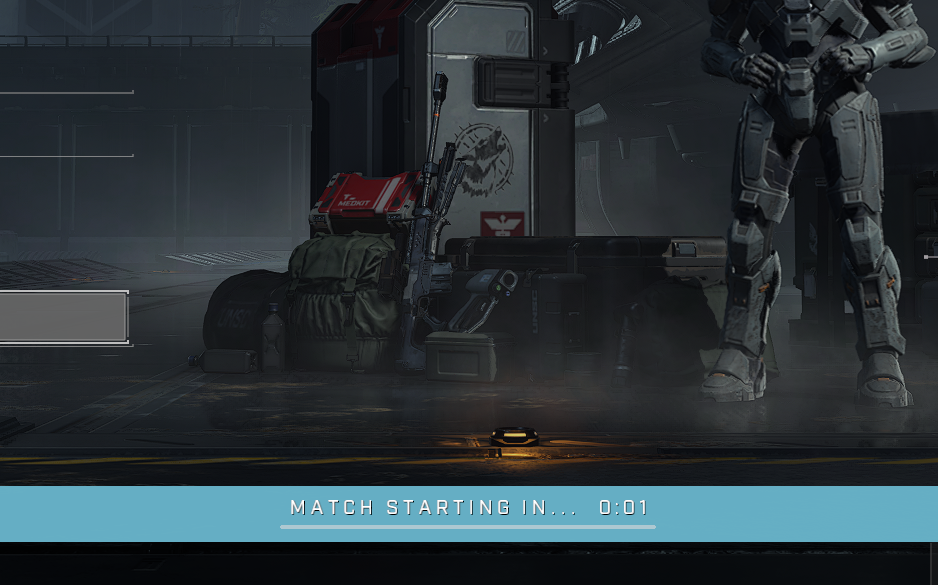
Replying to https://github.com/ValveSoftware/Proton/issues/5030#issuecomment-1310021068
I have been getting this before the winter update because I like tabbing out a bunch for music and YouTube lol so kinda annoying
Replying to https://github.com/ValveSoftware/Proton/issues/5030#issuecomment-1310041256
Yup, same here. Super annoying.
Replying to https://github.com/ValveSoftware/Proton/issues/5030#issuecomment-1310021068
I think you can use gamescope to resolve this
edit: I can reproduce this as well, you can play in windowed mode to use your DE's media player controls or something if you don't want to use gamescope
After updating to Proton Hotfix the game launches and is playable but I'm getting some graphical glitches I didn't have before:
- Missing hands:
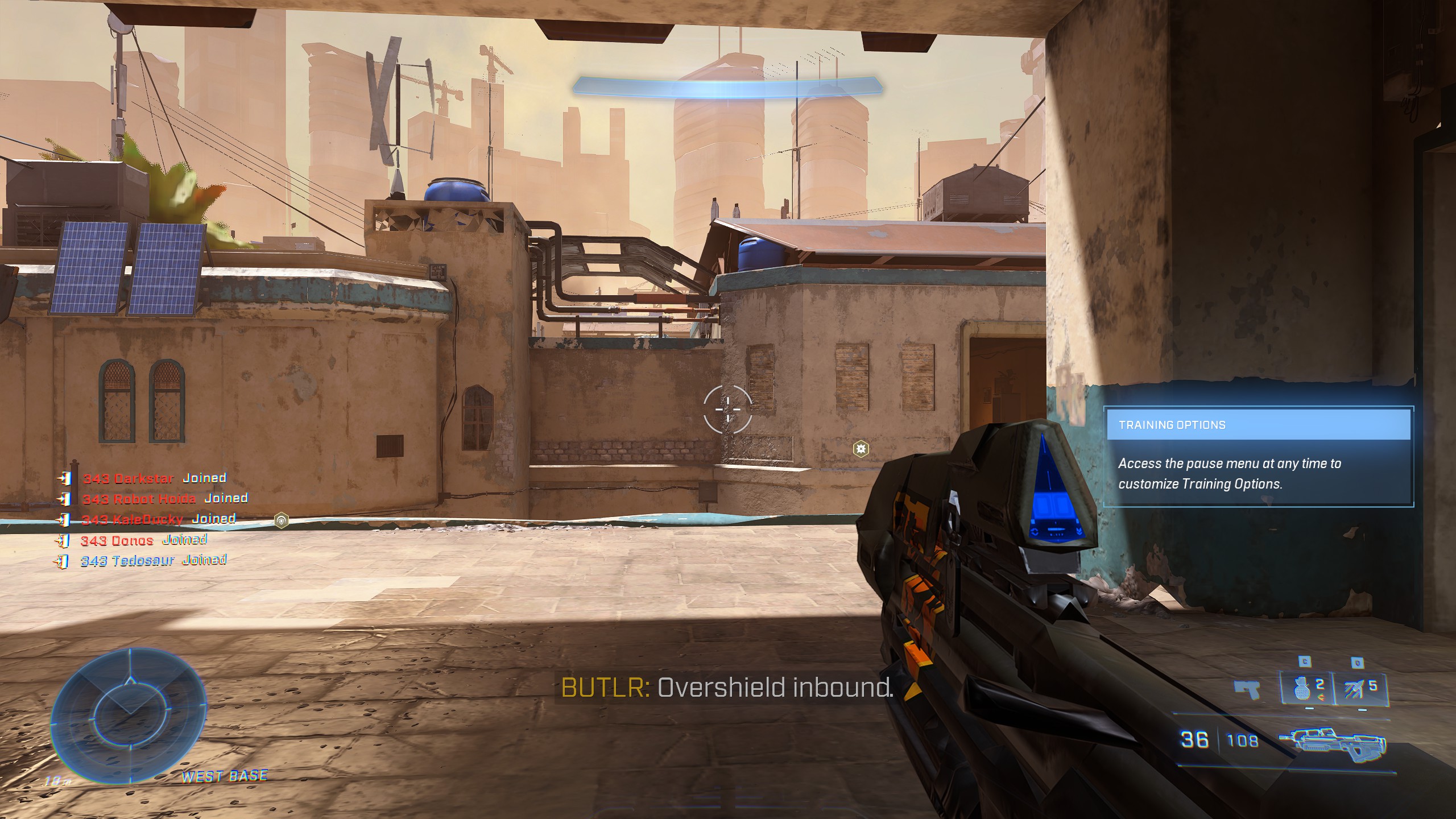
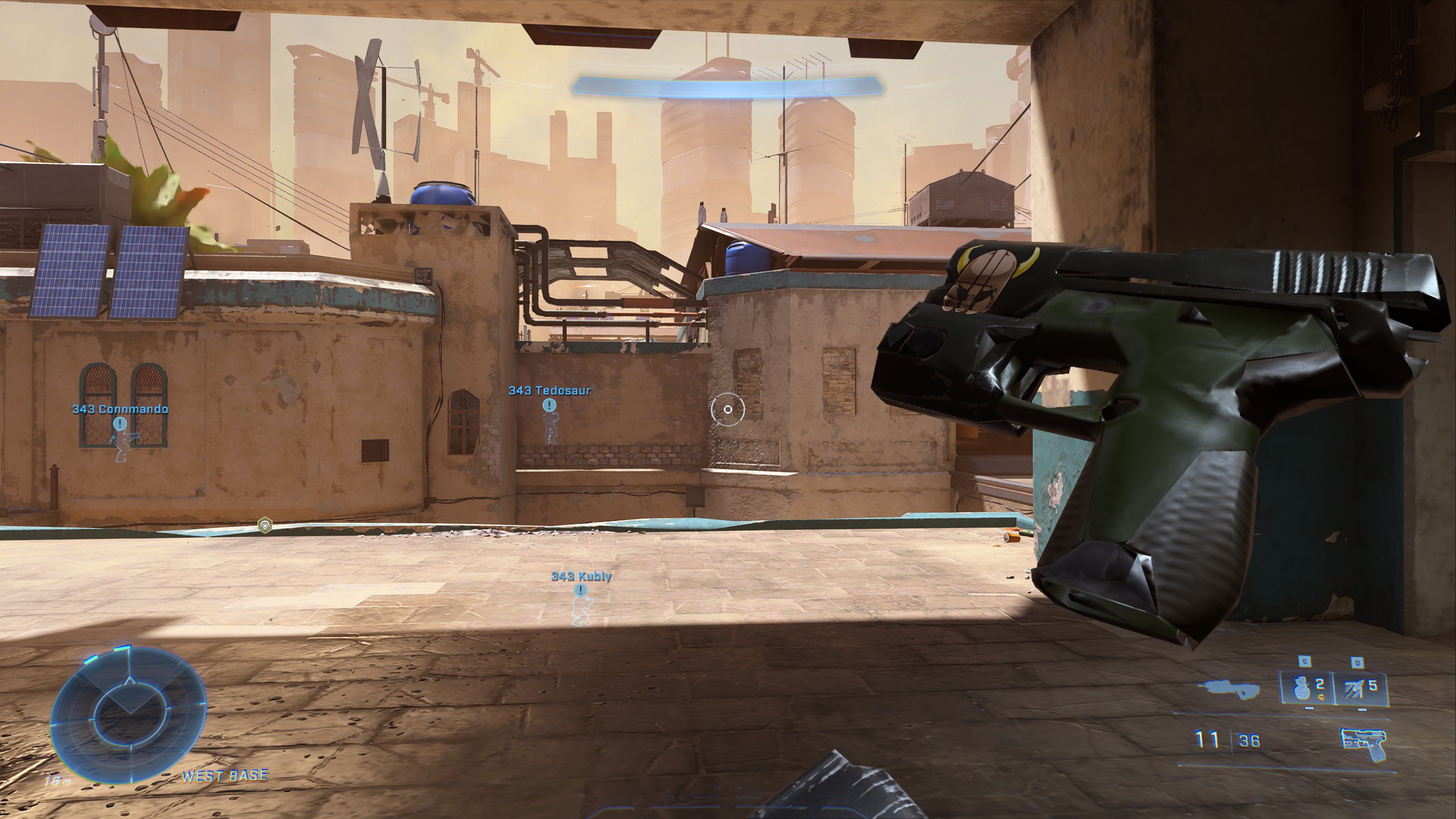
- Poor textures (especially the trees)
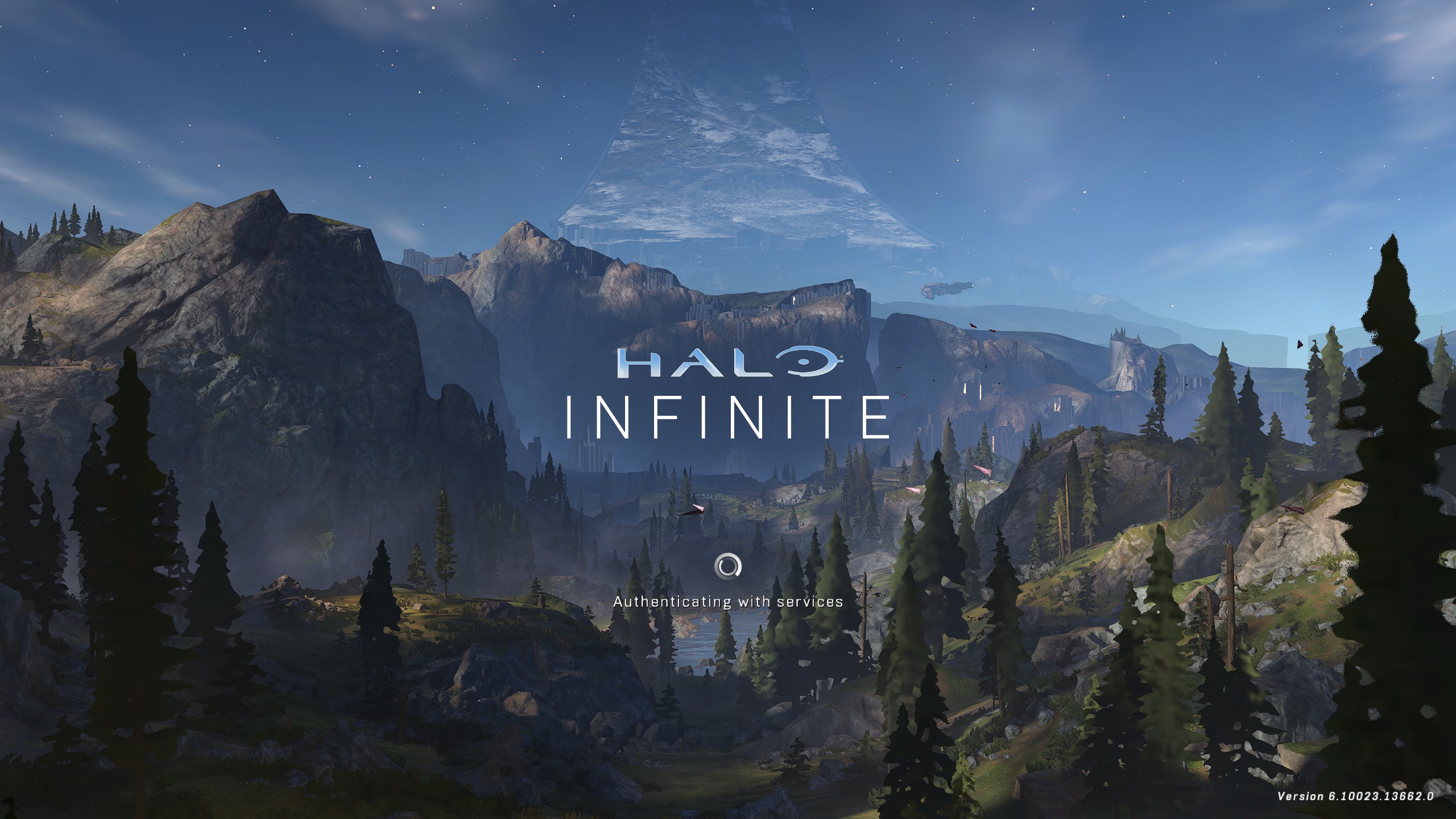
GPU: AMD RX 5700 XT
Replying to https://github.com/ValveSoftware/Proton/issues/5030#issuecomment-1312248277
Use mesa-git, you are getting the dreaded LOD issues we used to get back when mesa 22.2 was about to get released
Since you weren't having the issue before, try deleting your vkd3d cache for the game
The hotfix worked for me, however I cannot join any friends. If I try to connect to one of my friends parties via a steam invite I always get the messages "You were unable to connect to the fireteam. Please try again later." But if I invite them (and they are a windows user) they can join my party. The same issue occurs for my friend who also uses linux but not my friends who use windows. Linux users can only host a lobby for windows users to join, but linux to linux host cannot connect at all it seems.
Thanks for describing the issue. This should hopefully be fixed now in the just updated Experimental ([bleeding-edge] branch; choose [bleeding-edge] in properties for Proton Experimental tool, BETAS tab and select Proton Experimental as the compatibility tool for the game).
Ive not been able to test it yet, will let people know
Replying to https://github.com/ValveSoftware/Proton/issues/5030#issuecomment-1312343896
Following these instructions fixes the issue for me upon initial load, but after a few seconds it reverts back to the broken textures.
I have noticed there is a issue that has been here even before the winter update where if you are alt tabbed out while you're in the countdown and if it counts down to one your game instantly freezes and crashes and this such a problem due to the longer then usual queue compared to other games where while playing ranked I have been banned 3 times because of this issue !
This should be fixed in the just updated Experimental [bleeding-edge].
I have noticed there is a issue that has been here even before the winter update where if you are alt tabbed out while you're in the countdown and if it counts down to one your game instantly freezes and crashes and this such a problem due to the longer then usual queue compared to other games where while playing ranked I have been banned 3 times because of this issue !
This should be fixed in the just updated Experimental [bleeding-edge].
you are on a roll, nice job
Replying to [#5030 (comment)](https://github.com/ValveSoftware/Proton/issues/5030#issuecomment-1312248277)
Use mesa-git, you are getting the dreaded LOD issues we used to get back when mesa 22.2 was about to get released
Since you weren't having the issue before, try deleting your vkd3d cache for the game
Unfortunately installing mesa-git (23.0.0_devel.162811.e63d6ed85e0.d41d8cd98f00b204e9800998ecf8427e-1) and deleting the vk3d cache did not fix it for me. The same issues persist.
Replying to [#5030 (comment)](https://github.com/ValveSoftware/Proton/issues/5030#issuecomment-1312248277)
Use mesa-git, you are getting the dreaded LOD issues we used to get back when mesa 22.2 was about to get released
Since you weren't having the issue before, try deleting your vkd3d cache for the gameUnfortunately installing mesa-git (23.0.0_devel.162811.e63d6ed85e0.d41d8cd98f00b204e9800998ecf8427e-1) and deleting the vk3d cache did not fix it for me. The same issues persist.
not sure what it could be, I am not experiencing any LOD issues on AMD
Game is "working" over here for me on Proton Experimental (bleeding edge, I think?).
A few issues I notice are that it needs me to sign in too xbox live every time I start it up, and it shows me as offline.
It is also working for me not jav
Game is "working" over here for me on Proton Experimental (bleeding edge, I think?).
A few issues I notice are that it needs me to sign in too xbox live every time I start it up, and it shows me as offline.
It is also working for me on proton experimental (bleeding edge) Xbox live is working fine and it is not showing offline. Still bad fps on my rtx 2060 :(
Replying to https://github.com/ValveSoftware/Proton/issues/5030#issuecomment-1309380017
Oof, seeing this on a 1080Ti now with Proton-GE-7-41. I've tried restarting, disabling compatibility, setting it to Experimental, and 7.0.4; same thing. Any tips?
So I'm playing Halo infinite using proton hot fix. It seems to work fine until I get into a match. I'm in the match for maybe a minute and then it freezes but I can still hear the audio as if the game was running. But I can't do anything. I can't tab out steam is unresponsive nothing works. I either have to reset the PC or after a while of waiting it will turn off itself.
I have a ryzen 5 and a 6700 Radeon GPU. I am using Nobara Linux. Has anyone else encountered this problem? Is there a fix?
Replying to [#5030 (comment)](https://github.com/ValveSoftware/Proton/issues/5030#issuecomment-1309380017)
Oof, seeing this on a 1080Ti now with Proton-GE-7-41. I've tried restarting, disabling compatibility, setting it to Experimental, and 7.0.4; same thing. Any tips?
Same issue here, think it started happening last night.
So I'm playing Halo infinite using proton hot fix. It seems to work fine until I get into a match. I'm in the match for maybe a minute and then it freezes but I can still hear the audio as if the game was running. But I can't do anything. I can't tab out steam is unresponsive nothing works. I either have to reset the PC or after a while of waiting it will turn off itself.
I have a ryzen 5 and a 6700 Radeon GPU. I am using Nobara Linux. Has anyone else encountered this problem? Is there a fix?
Same issue here. I also have an RX 6700, however, this also occurs with my 5700 XT, 6600 XT, and 6650 XT using many different distros and hardware configs.
Seems that the GPU is being reset, and I've seen some others mention this happening on Nvidia GPUs as well so I have no idea what is causing the problem.
Replying to [#5030 (comment)](https://github.com/ValveSoftware/Proton/issues/5030#issuecomment-1309380017)
Oof, seeing this on a 1080Ti now with Proton-GE-7-41. I've tried restarting, disabling compatibility, setting it to Experimental, and 7.0.4; same thing. Any tips?
Same issue here, think it started happening last night.
Proton-GE 41 does not have the fix for this, you'll have to use proton HotFix or switch Proton Experimental to the beta (bleeding-edge) branch.
Replying to https://github.com/ValveSoftware/Proton/issues/5030#issuecomment-1314388560
Forgot to mention this issue is also happening on proton bleeding edge. I'm on a ryzen nvidia build btw too.
Anyone have any ideas for joining custom games, alot of people are running them lately and being a linux user cuts off most of the paths due to discord not being able to read proton infinite
Anyone have any ideas for joining custom games, alot of people are running them lately and being a linux user cuts off most of the paths due to discord not being able to read proton infinite
You can use an IPC bridge to get it working, maybe it could also be implemented in Proton itself at some point: https://github.com/0e4ef622/wine-discord-ipc-bridge
Anyone have any ideas for joining custom games, alot of people are running them lately and being a linux user cuts off most of the paths due to discord not being able to read proton infinite
You can use an IPC bridge to get it working, maybe it could also be implemented in Proton itself at some point: https://github.com/0e4ef622/wine-discord-ipc-bridge
Attempting to make it work, however at the moment It does not, I can only speculate as to why, Anyone else get this to work with infinite? Could be my own stupidity
Replying to https://github.com/ValveSoftware/Proton/issues/5030#issuecomment-1314736820
Hm, there was one other project I can't name at the moment, but I know that it installed inside of the Wine prefix and would start whenever the prefix does. If I can figure out that name, I'll send it over.
Replying to [#5030 (comment)](https://github.com/ValveSoftware/Proton/issues/5030#issuecomment-1314736820)
Hm, there was one other project I can't name at the moment, but I know that it installed inside of the Wine prefix and would start whenever the prefix does. If I can figure out that name, I'll send it over.
something along the lines of 'rpc-wine', found that and it also did not work, would love if anyone else could try because my level of skill with linux is only as high as minor understanding and dumb luck
Replying to https://github.com/ValveSoftware/Proton/issues/5030#issuecomment-1316403105
Are you using the native package of Discord and Steam (using a package manager like pacman, apt, or dnf, not flatpak)? The flatpak of both should work with a tweak.
I just discovered something else as well, now it could be because I am actually running both versions of this, but the game does consistently crash within 2 minutes upon boot when running this discord setup as a command. I am using the downloaded debian for discord and steam, should I be using something else?
Native packages of both should work OOTB with that script, I don't know why it doesn't work. Do you have any logs?
Native packages of both should work OOTB with that script, I don't know why it doesn't work. Do you have any logs?
I will try to find where (if possible) the logs could be. I figured it should work as well, and maybe I am just doing something wrong but I made sure to follow the instructions carefully. when I try to test it, it always says halo infinite is not detected when trying to join people
Halo Infinite is still broken for me (doesn't launch), with a 19MB log. Here's a sample of it on Gist, can upload the full file somewhere if needed, but everything is just repeating what's at the end of the file: https://gist.github.com/orowith2os/dd35a158b52035648107f41a4d9610df
Could it be that I'm running Infinite inside of a podman container? I'm not entirely sure.
Halo Infinite is still broken for me (doesn't launch), with a 19MB log. Here's a sample of it on Gist, can upload the full file somewhere if needed, but everything is just repeating what's at the end of the file: gist.github.com/orowith2os/dd35a158b52035648107f41a4d9610df
Could it be that I'm running Infinite inside of a podman container? I'm not entirely sure.
I remember running halo infinite inside a distrobox (podman) container and it worked fine (it got to the loading screen, but the inputs didn't work), all I needed was mesa 22.2
@Etaash-mathamsetty I'm on an Arch-based container (using Arch repos), with Mesa 22.2.3. What was your container like? I can try to reproduce it over here and see if I have better results.
@Etaash-mathamsetty I'm on an Arch-based container (using Arch repos), with Mesa 22.2.3. What was your container like? I can try to reproduce it over here and see if I have better results.
I used a fedora 36 container with whatever mesa-git was at the time (some time right before the release of 22.2)
Alright, made a Fedora 37 container and set up Steam and whatnot. Turns out Halo Infinite still breaks, this time with a 100MB log.
I resorted to google drive and uploaded my latest log file. https://drive.google.com/file/d/1bY7VwOTPunytnvAzd_a_Qdc3tq9gMTJs/view?usp=sharing
Apologies, cannot find logs and frankly have no clue as to why It will not work. Ill shelve this until someone else is also able to test it
Replying to [#5030 (comment)](https://github.com/ValveSoftware/Proton/issues/5030#issuecomment-1316403105)
Are you using the native package of Discord and Steam (using a package manager like pacman, apt, or dnf, not flatpak)? The flatpak of both should work with a tweak.
Halo Infinite is still broken for me (doesn't launch), with a 19MB log. Here's a sample of it on Gist, can upload the full file somewhere if needed, but everything is just repeating what's at the end of the file: https://gist.github.com/orowith2os/dd35a158b52035648107f41a4d9610df
Could it be that I'm running Infinite inside of a podman container? I'm not entirely sure.
Is it crashing on the first "Xbox" splash screen, or not launching at all?
@NjlsShade right when it plays through a bit of the xbox logo in most cases.
@NjlsShade right when it plays through a bit of the xbox logo in most cases.
This might just be my experience with it, but I run a HDD and an NVME, infinite is on the NVME for speed with loading (not that it does shit with this games UI) and when I run steam and then halo with my HDD mounted, I believe steam tries to use the compatdata from the HDD and it always crashes consistently, I have tried many things to fix this but I end up just running it without my HDD mounted and it works just fine. Even switching the game over to my HDD does not fix it, cant know what causes this but there it is, are you running this in a similar way?
It also crashes for me after the Xbox logo on Arch running in Flatpak with Steam and flatpak-beta with proton-hotfix. If I clear the compatdata it lasts longer but eventually crashes again. Could it compiling shaders and when it reaches one it causes a crash?
It also crashes for me after the Xbox logo on Arch running in Flatpak with Steam and flatpak-beta with proton-hotfix. If I clear the compatdata it lasts longer but eventually crashes again. Could it compiling shaders and when it reaches one it causes a crash?
you need mesa 22.2, flatpak has 22.1
It also crashes for me after the Xbox logo on Arch running in Flatpak with Steam and flatpak-beta with proton-hotfix. If I clear the compatdata it lasts longer but eventually crashes again. Could it compiling shaders and when it reaches one it causes a crash?
you need mesa 22.2, flatpak has 22.1
Even if I am using Steam from flatpak-beta and runtime/org.freedesktop.Platform.GL.default/x86_64/22.08beta/?
It also crashes for me after the Xbox logo on Arch running in Flatpak with Steam and flatpak-beta with proton-hotfix. If I clear the compatdata it lasts longer but eventually crashes again. Could it compiling shaders and when it reaches one it causes a crash?
Are you crashing on the Xbox logo (while the first slash screen is playing), or right before the main menu would load? As these both indicate seporent issues.
My apologies. I think @Etaash-mathamsetty was right. Despite me installing mesa 22.2 from flatpak-beta, Steam from flatpak-beta is still showing Driver Version: 4.6 (Compatibility Profile) Mesa 22.1.7 (git-7a3414c4bd). I'll have to figure out how to force it to use Mesa 22.2.
My apologies. I think @Etaash-mathamsetty was right. Despite me installing mesa 22.2 from flatpak-beta, Steam from flatpak-beta is still showing
Driver Version: 4.6 (Compatibility Profile) Mesa 22.1.7 (git-7a3414c4bd). I'll have to figure out how to force it to use Mesa 22.2.
Install the mesa-git flatpak runtime extension and follow the Steam flatpak wiki pages to use it.
Is this the wiki you are referring to @orowith2os?
I first installed 23.08beta but wasn't launching flatpak Steam with FLATPAK_GL_DRIVERS. Trying that, Steam says it is on Meas 23.0. However Halo Infinite crashes immediately without even the Microsoft screen.
The wiki says to use 21.08 but when I try 21.08, 21.08beta, 22.08, 22.08beta, Steam doesn't launch at all. It says glXChooseVisual failed.
@wallzero that is indeed the wiki page I'm talking about, and the error you got is related to drivers not working, I think. Reboot and see if it works, maybe your kernel needs an update? What version are you on (uname -r)?
I am on kernel 6.0.8-arch1-1
It seems neither Steam from flathub nor flathub-beta can use runtime 21.08 which I thought has mesa 22.2. If you try the following Steam isn't listed: flatpak list --system --app --app-runtime=org.freedesktop.Platform//21.08
However Steam is listed with 22.08. I removed all mesa installations again and ran flatpak install --system flathub-beta org.freedesktop.Platform.GL.mesa-git//22.08 org.freedesktop.Platform.GL32.mesa-git//22.08. Then, after running Steam successfully with FLATPAK_GL_DRIVERS=mesa-git flatpak run com.valvesoftware.Steam, it shows it is using Mesa 23.0.0-devel (git-6addb8566d).
Halo Infinite crashes immediately and I suspect it's now because of Mesa 23.0. I'm not sure how to get Steam Flatpak to use an older runtime.
AFAIK using an older runtime actually won't work at all, as any Mesa version below 22 can't run VKD3D n newer DXVKs. 21.08 ships with Mesa 21, 22.08 with 22.
Nevermind. Known Issue.
Now is working!, proton experimental bleeding edge
OS: Arch Linux
KERNEL: 6.0.9-arch1-1
CPU: AMD Ryzen 7 5800X 8-Core
GPU: NVIDIA GeForce RTX 3070
GPU DRIVER: NVIDIA 520.56.06
RAM: 32 GB
Replying to https://github.com/ValveSoftware/Proton/issues/5030#issuecomment-1320804384
What is working exactly?
Replying to https://github.com/ValveSoftware/Proton/issues/5030#issuecomment-1320805908
Halo infinite multiplayer...
Replying to https://github.com/ValveSoftware/Proton/issues/5030#issuecomment-1320805973
Oh, were you having the dll issue?
Replying to https://github.com/ValveSoftware/Proton/issues/5030#issuecomment-1320804384
What is this? warn:d3d12_command_list_execute_indirect_state_template: Template requires patching
Replying to https://github.com/ValveSoftware/Proton/issues/5030#issuecomment-1320806211
I don't know, I just know that the game crashed when trying to load a multiplayer game
Replying to https://github.com/ValveSoftware/Proton/issues/5030#issuecomment-1317126194 (topic was Discord RPC)
I found the program I was talking about in my bookmarks, @ZAGON117. https://github.com/openglfreak/winestreamproxy
Replying to [#5030 (comment)](https://github.com/ValveSoftware/Proton/issues/5030#issuecomment-1317126194) (topic was Discord RPC)
I found the program I was talking about in my bookmarks, @ZAGON117. https://github.com/openglfreak/winestreamproxy
Thanks mate, I will check this out and see if it works
Replying to [#5030 (comment)](https://github.com/ValveSoftware/Proton/issues/5030#issuecomment-1317126194) (topic was Discord RPC)
I found the program I was talking about in my bookmarks, @ZAGON117. https://github.com/openglfreak/winestreamproxy
Thanks mate, I will check this out and see if it works
this is all that happens when trying to compile it

This is for anyone looking to get into custom games,
What I do, is in mint blitz server for example, friend someone in the game, make sure the game lobby is in friends mode, and then join via my friends within infinities UI. I looked for a good long while for ways to make discord work but alas this is the only way, at least this works
While playing the single player campaign on Steam Deck, I've noticed that the opening cutscene plays in a different language than my selected language (English) and that randomly sized and shaped black artifacts appear from both the Pilot's head and Escharum's head whenever these characters are on screen.
These issues are occurring for me in both proton hotfix and proton experimental and have not occurred in any other game I've tried. I've tried deleting the game's prefix, shader cache, and reinstalling the game, but the issue seems to occur regardless. My system's information is available here.
Hello @Mophead2K, please copy your system information from Steam (Steam -> Help -> System Information) and put it in a gist, then include a link to the gist in this issue report.
Hello @Mophead2K, please copy your system information from Steam (
Steam->Help->System Information) and put it in a gist, then include a link to the gist in this issue report.
they are using a steam deck, I don't think it's nessessary ?
The intent of the request is clear documentation for a mesa dev to ponder, regardless of any skew in time between the initial report and when a mesa dev gets a chance to look closer.
I just tried to run the game again and took a closer look at the logs, it seems to fail with a "Bad file descriptor" error.
I've tried both on the latest Mesa provided by Arch and Mesa-git.
Renaming the videos folder lets me get to the main menu.
The game also tells me I'm offline:
Replying to https://github.com/ValveSoftware/Proton/issues/5030#issuecomment-1327975136
can't reproduce any of that, renaming the videos folder is only required on "old" proton versions, I feel like your system is missing some dependency or something (im on arch too!)
Replyig to https://github.com/ValveSoftware/Proton/issues/5030#issuecomment-1327977131
If you can toss together a list of everything I should install, I can try that.
I'm also running on the bleeding edge Proton Experimental.
Replying to https://github.com/ValveSoftware/Proton/issues/5030#issuecomment-1327977131
I believe they are running in a podman container if this is regarding the same issue they were having before.
@orowith2os bypassing the videos fixed the crashing issue in distrobox, or is this not related to the container issue you were having before?
I don't believe running in a container is related whatsoever, and I am running Steam inside of an Arch-based (Crystal Linux) container.
And yes, skipping the videos by renaming the folder fixed the crashing.
I don't believe running in a container is related whatsoever, and I am running Steam inside of an Arch-based (Crystal Linux) container.
And yes, skipping the videos by renaming the folder fixed the crashing.
I am able to replicate your issue using a fedora 37 container via distrobox. Problem does not occur if I use flatpak or native Steam.
@NjlsShade Interesting. I wonder what it's doing that screws up the networking? I'll go into a toolbox and see if that changes anything.
Okay, Toolbox didn't change anything. I'll get the Steam flatpak installed and see if it's working over there. If not, it might be an issue with my network configuration.
Okay, Toolbox didn't change anything. I'll get the Steam flatpak installed and see if it's working over there. If not, it might be an issue with my network configuration.
Would not be a network configuration issue on your end, as I too have the same issue. Flatpak with the mesa-git beta works just fine (outside of mesa crashes which are an issue everywhere it seems).
Would you be able to test a rootfull container, too? If that doesn't work, then I think an issue can be made on Podman's issue tracker.
Okay, well, Flatpak seems to work... So I guess that's what I'm gonna use from now on.
psssst, Valve, you should really help with maintaining the flatpak, too
Replying to https://github.com/ValveSoftware/Proton/issues/5030#issuecomment-1312248277
Is anyone still getting these LOD issues now?
I am, and I've tried mesa 22.2 and mesa git 23.0.
i am, if you get it fix give me a hand
game works fine on Low graphics, medium to ultra looks terrible, wont load textures
game works fine on Low graphics, medium to ultra looks terrible, wont load textures
This only seem to happen when shader pre-caching is enabled.
https://github.com/Frogging-Family/wine-tkg-git/actions/runs/3596391144
if you are getting LOD problems, try using this, u wont get video play back but textures and performance is very good.
i have been getting some strange crashes so i use xanmod kernel or Linux-lqx kernel, may help also.
https://github.com/Frogging-Family/wine-tkg-git/actions/runs/3596391144
if you are getting LOD problems, try using this, u wont get video play back but textures and performance is very good. i have been getting some strange crashes so i use xanmod kernel or Linux-lqx kernel, may help also.
Thanks. This proton version seems to fix the blurry trees and textures in the main menu.
However now my PC hard freezes when the game loads any map.
Hi. I can't get the game to work. With Proton Experimental and Proton-GE, mouse cursor style changes to Halo and CPU fan blows constantly, but there's no display output whatsoever. Using Proton hotfix, the game launches but has some weird issue. If I get into the game with no internet connection or with a bad connection so it can't get online, it won't crash at all (I can't do anything obviously because I don't own campaign). But, if I get into the game with internet being connected, the game will just crash. It might crash in loading page or main menu so it isn't constant, but it will inevitably crash. Any help would be appreciated.
CPU: Intel(R) Core(TM) i7-10750H CPU @ 2.60GHz
Ram : 16GB
iGPU: Intel Mesa Intel(R) UHD Graphics (CML GT2)
dGPU: NVIDIA Corporation NVIDIA GeForce GTX 1650 Ti/PCIe/SSE2
dGPU VRAM: 4GB
dGPU driver: 4.6.0 NVIDIA 525.60.1
OS: "Arch Linux" (64 bit)
Kernel: 6.0.10-arch2-1
Display server: Xorg
Steam version: steam-runtime_0.20221019.0
Steam is installed from Arch repos.
Vulkan is set to use dGPU (iGPU Vulkan drivers aren't even installed).
prime-run, gamemoderun and disabling ESync have no effect.
Currently I can't post the log because it's freaking 64MB! Any way to force Proton to log only useful info?
Replying to https://github.com/ValveSoftware/Proton/issues/5030#issuecomment-1337570137
@iliair, I have a nvidia rtx 3070 and works good on proton experimental bleeding edge, Arch linux, nvidia 525.60.11, so try proton experimental bleeding edge.
Replying to [#5030 (comment)](https://github.com/ValveSoftware/Proton/issues/5030#issuecomment-1337570137)
@iliair, I have a nvidia rtx 3070 and works good on proton experimental bleeding edge, Arch linux, nvidia 525.60.11, so try proton experimental bleeding edge.
no changes unfortunately.
Replying to [#5030 (comment)](https://github.com/ValveSoftware/Proton/issues/5030#issuecomment-1337570137)
@iliair, I have a nvidia rtx 3070 and works good on proton experimental bleeding edge, Arch linux, nvidia 525.60.11, so try proton experimental bleeding edge.
no changes unfortunately.
@iliair, try this
VKD3D_CONFIG=dxr11 VKD3D_FEATURE_LEVEL=12_2 PROTON_ENABLE_NGX_UPDATER=1 PROTON_ENABLE_NVAPI=1 %command
VKD3D_CONFIG=dxr11 VKD3D_FEATURE_LEVEL=12_2 PROTON_ENABLE_NGX_UPDATER=1 PROTON_ENABLE_NVAPI=1
@AceroRomano
Still no output. I think I should solve internet problem with hotfix rather than solving display issue with experimental
VKD3D_CONFIG=dxr11 VKD3D_FEATURE_LEVEL=12_2 PROTON_ENABLE_NGX_UPDATER=1 PROTON_ENABLE_NVAPI=1
@AceroRomano Still no output. I think I should solve internet problem with hotfix rather than solving display issue with experimental
@iliair, Maybe it's something with your hybrid graphics, I've been playing it for days and it works fine in multiplayer.
This is the output of "cat ~/steam-1240440.log | grep err" with Proton Experimental bleeding-edge:
https://gist.github.com/iliair/1d6ec589c69f38887e875b122edbf5dc
And this one is for Proton Hotfix:
https://gist.github.com/iliair/ddb7ec44aef8a06a7e7f0129688c21a8
For newreaders:
With Experimental, there is no graphical output. just some transparent fullscreen window appears and also my mouse cursor changes to the game-specified one. The game is definitely doing something back there because CPU fan blows like crazy.
With Hotfix, I can't get in game with internet being connected, because it will crash. It is fine in offline mode though. As per the log I provided, I guess it has something to do with NTLM.
https://github.com/Frogging-Family/wine-tkg-git/actions/runs/3596391144
if you are getting LOD problems, try using this, u wont get video play back but textures and performance is very good. i have been getting some strange crashes so i use xanmod kernel or Linux-lqx kernel, may help also.Thanks. This proton version seems to fix the blurry trees and textures in the main menu.
However now my PC hard freezes when the game loads any map.
use xanmod or linux_lqx Kernel, that fixed it for me
@iliair Can you try VKD3D_DISABLE_EXTENSIONS=VK_KHR_present_id,VK_KHR_present_wait prepended before %command% in launch options with Experimental?
@iliair Can you try
VKD3D_DISABLE_EXTENSIONS=VK_KHR_present_id,VK_KHR_present_waitprepended before%command%in launch options with Experimental?
@Saancreed I just did that and the graphics problem with Experimental and Proton-GE is gone, so thanks a lot;
But now I can't test the game for the multiplayer problem because Halo Infinite servers are blocked in my country and for some reason no VPN works today as they impose heavy censorship stuff. I'll keep you informed when I'm able to get it to work. Thanks again.
temp fix for textures not fully loading, go to that folder of which proton you use and delete all the video plugins except
libprotonmediaconverter.so
Folder (/home/xxxxx/.steam/steam/compatibilitytools.d/proton_xxxxxxxx/files/lib64/gstreamer-1.0/)
i believe gstream plugin is stopping it from loading textures which is weird.
@iliair Can you try
VKD3D_DISABLE_EXTENSIONS=VK_KHR_present_id,VK_KHR_present_waitprepended before%command%in launch options with Experimental?
@Saancreed So I finally tested the game and unfortunately, nothing changed at all. Both Experimental and Proton-GE crash like Hotfix. In first attempts they just crashed in "Establishing best connection with data centers" loading part, now the main menu loads up but crashes while transitioning from offline to online mode. Logs are pretty the same as the ones I provided earlier. Some errors about OLE, NTLM,LDAP and Kerberos.
So somehow it's working now and I'm impressed because I just did nothing except changing few graphical settings from low to off. It started working and now I switched every option possible to medium except texture quality, and again it is fine! It still freezes occasionally though. Now I have another problem. Some textures flicker and some are just black. Like black walls, black stones or even black lines representing smoky path of a shot rocket.
https://www.youtube.com/watch?v=5eVfrN9ixHg
Check this out, this may be a big problem with halo
Halo Infinite opens and crashes moments after running with an Arc 750 GPU. Here is the log:
steam-1240440.zip
Running with Mesa 22.3.1 - kisak-mesa and kernel 6.0.6-76060006-generic on Pop OS.
Halo Infinite opens and crashes moments after running with an Arc 750 GPU. Here is the log: steam-1240440.zip
Running with
Mesa 22.3.1 - kisak-mesaand kernel6.0.6-76060006-genericon Pop OS.
it might be a driver bug and also do the drivers support VK_NV_device_generated_commands
Apparently not. Video driver issue report: https://gitlab.freedesktop.org/mesa/mesa/-/issues/6883
Apparently not. Video driver issue report: https://gitlab.freedesktop.org/mesa/mesa/-/issues/6883
on older motherboard without resize-able bar we get texture issues, some one told me mesa cant give all gpu vram to videos and thats what causing us to get texture loading issues, cause if i delete video files the texture loads fine or if we shrink the video to 540p the game also works fine but this is what he said to me.
"Regarding enabling the feature
[11:58 AM]
Older boards without reBAR support might still have above 4G decoding
[11:59 AM]
I have that on my Nvidia machine
[11:59 AM]
It doesn't allow for reBAR on Windows, but it's apparently enough for Linux to use it.
Without reBAR, it's 256MB per 256MB, so let's say they are doing an allocation for each video, which would eat 512MB VRAM for nothing
The GPU is left with 7.5GB available instead of 8GB.
It may be halo but when i shrank the videos resolution it worked fine.
Hi there, I'm having a really weird audio issue that I haven't seen posted anywhere. It seems that sound effects only play if I'm looking directly at the source of the sound, but I CAN hear the reverb from the sound effect. For example if I'm getting shot from behind, I can hear my spartan go "oof" as well as the echo/reverb of the weapon (very quietly) but I can't actually hear the weapon being fired unless I turn around and look at the spartan shooting me. Another example is in CTF if someone takes either flag, I can hear the echo/reverb of the flag taken sounds, but I can't hear the effect itself unless I'm looking directly at the flag. This only seems to happen on my Arch install, my Steamdeck with SteamOS does not have this issue. I'm running Proton Hotfix, and I've validated my game files in Steam. Here is my system info:
CPU: Intel(R) Core(TM) i5-10600K CPU @ 4.10GHz
RAM:  15846 MB
GPU: AMD Radeon RX 6800 (navi21, LLVM 14.0.6, DRM 3.49, 6.1.1-arch1-1)
VRAM: 16384 MB
Driver Version:  4.6 (Compatibility Profile) Mesa 22.3.1
OS: "Arch Linux" (64 bit)
Kernel: 6.1.1-arch1-1
Display server: Xorg
Steam version: steam-runtime_0.20221019.0
Here is all the errors in the log file, I poured over it but I couldn't find anything that would cause this, other than a lot of:
err:seh:dispatch_exception unknown exception (code=c0000420) raised
https://gist.github.com/glyndwr-io/b533da7bb92682a1499e29a64d620c66
If anyone has any wisdom that would be much appreciated as I'm not sure what to do next.
Replying to https://github.com/ValveSoftware/Proton/issues/5030#issuecomment-1368316401
perhaps try pipewire, pulseaudio has some wierd quirks that make it not so good for gaming (or if you are using pipewire try pulse?)
perhaps try pipewire, pulseaudio has some wierd quirks that make it not so good for gaming (or if you are using pipewire try pulse?)
Perfect! That was the problem. I had both pipewire and pulseaudio installed, but I didn't have pipewire-pulse installed to replace pulseaudio. Installed pipewire-pulse (which removed pulseaudio) and now it works perfectly.
Is it still the same LOD issue if the textures/geometry do eventually load, but they take forever to do so? It's noticably slower than in Windows. One example is the crates in the background of the multiplayer menu. Sometimes textures don't even load in until after a match or two.
Is it still the same LOD issue if the textures/geometry do eventually load, but they take forever to do so? It's noticably slower than in Windows. One example is the crates in the background of the multiplayer menu. Sometimes textures don't even load in until after a match or two.
delete or rename or video folder and your textures will load
delete or rename or video folder and your textures will load
My textures do load though, they just take a significantly longer period of time to do so. In the kill cams, my teamamtes that are far away from me have really bad pop-in. Sometimes they load before I respawn sometimes they don't. Once they do load, if they go far enough away from me the same thing happenes again. It's really bad when I pick up a gun that hasn't been in range for a while. I'm thinking this might be a separate issue because I tried deleting the video folder and that didn't change anything.
https://www.youtube.com/watch?v=5eVfrN9ixHg
Check this out, this may be a big problem with halo
In the main menu, my trees are somewhere between the examples at 2:08 where they don't load at all and 3:28 where they load instantly. Mine can take up to 30sec to load in. This doesn't happen in windows, and it's hard to tell if it happens on my steamdeck since everything is turn down so low to hold 60fps, but I don't think it does.
Halo infinite image freezes midmatch but the game is still running. [SteamDeck]
Issue transferred from https://github.com/ValveSoftware/Proton/issues/6441.
@DanielCardiel posted on 2023-01-08T12:04:49:
Compatibility Report
- Name of the game with compatibility issues: Halo Infinite
- Steam AppID of the game: 1240440
System Information
Steam Deck, updated to version 3.4
- GPU:
- Driver/LLVM version:
- Kernel version:
- https://gist.github.com/DanielCardiel/fbc0ca78b468ba66cb26f96cde99b85f
- Proton version: experimental-7.0-20230104
I confirm:
- [x ] that I haven't found an existing compatibility report for this game.
- [x ] that I have checked whether there are updates for my system available.
Symptoms
Halo infinite image freezes mid-match but the game is still running. I mean, I can still shot move because I can hear it but the image does not update. Some times it comes back after some seconds. But from the last 10 times that happened, once came back.
This started in December, around the 10th. Sadly this has made the game unplayable for me, I already received a temp ban for being inactive or abandoning the matches...
I did reinstall the game, after verifying the files, which did not help.
Reproduction
I have noticed that starts with specific sounds, sometimes it happens when someone shoots for the first time. One it happened when the invisibility ran out.
no specific map is needed.
the majority of the times happens in the first minutes of the games, but has happened to me that it happened in the second match.
@DanielCardiel commented on 2023-01-08T13:07:16:
New info.
I saw something in the DX log files. seems that the overlay could not update the FPS. not sure if this is a consequence or a reason. The game froze and came back after 1 min, but the PFS where erratic. Then the controls were weird, the buttons were not correct. This happened to me once before with XCOM2.
I deactivated the FPS overlay and did not crash, I managed to reach a 3rd match. Not sure if this is relevant tho...
Anyway, here more log files. Might be useful
HaloInfinite_dxgi.log
HaloInfinite_d3d11.log
Log files too big, so: https://we.tl/t-MqEnryrHxt
Hello @DanielCardiel, these look like some lines of interest from your first Proton log:
018c:err:vkd3d_memory_transfer_queue_flush_locked: Failed to submit command buffer, vr -4.
018c:warn:d3d12_device_mark_as_removed: Device 0000000025b00030 is lost (reason 0x80004005, "Failed to execute pending memory clears.
").
There are several of these in the log as well as access violations (c0000005) on the same thread. With how noisy the logs are for this game, it's unclear if the access violations are directly related. Possibly a VKD3D-Proton or maybe a video driver issue.
Replying to https://github.com/ValveSoftware/Proton/issues/5030#issuecomment-1371483319
what version of linux do you use, cause on nobara and arch, removing the video files solved my problem, wit nvidia gpu it works just performances is bad, tell me your driver version and os, and if u have an updated pc enable resizeable bar or smart access memory
@kisak-valve
Thank you for the insight. Will check this out. I do have a question: Would not the drivers be corrected when you start Proton for first time? meaning then the Windows files are created?
Maybe it is related to what @massatt212 mentioned.
In December there was a big update from Halo infinite, it might have happened that the video folder was restored after the update. (previously deleted). And I did not erased it again, I did reinstall the game so the folder will still be there.
Will check this out and let you know if I find more information
what version of linux do you use, cause on nobara and arch, removing the video files solved my problem, wit nvidia gpu it works just performances is bad, tell me your driver version and os, and if u have an updated pc enable resizeable bar or smart access memory
In my comment you replied to, I mentioned that I deleted the videos folder and nothing changed. My system details can be found above, but I'm on arch 6.1.4 now. Right now I'm trying to debug a different issue with amdgpu voltage controls so I've been trying out a ton of different kernel versions and this issue seems to be present on all of them. I've tried with Resizable BAR and Above 4G decoding both on, just 4G on, and both off and the issue persists. I'm not super concerned about it as the textures do load, they just take longer than in Windows. The voltage control issue means I can't play stable for more that 30mins so that's my priority right now. I'm going to try a different SSD next, but I'm doubtful this will solve it. My windows install that played Halo Infinite used to live on this drive and didn't have this issue. Besides, I'm pretty sure the textures are loaded into memory once the match starts and aren't read from the drive mid-game, but I'm not certain. Either way I'll report back if this solves it.
@kisak-valve
I bring an update, and a workaround. That might be useful?
- I did erase the folder that proton creates for the game. Meaning:
home/deck/.local/share/Steam/steamapps/compatdata/1240440 - Then I started the game with Proton Hotfix and it worked for the whole session, no freeze or crash. And it felt it ran better.
However today I started to play and crashed several times in the main menu. After 2-3 tries, I managed to start a match but it again froze in the first 5 seconds.
The Logfiles are from this moment in time.
steam-1240440_new.zip
Then I re-did the workaround, and it worked again. No issues.
I think yesterday there was an small update for Halo Infinite. And this might have caused the issue?
Not sure if this is helpful to solve the issue, or could be useful for you but this is what I found. Will post if I find the culprit.
Lastly, would you mind to check with your Expertise if there is any useful information? Thanks!
Replying to https://github.com/ValveSoftware/Proton/issues/5030#issuecomment-1379503961
Try Using proton experimental, It's worked perfectly in my experience
@Etaash-mathamsetty As mentioned before, I tried several verisions before and did not help much :| But at least I have a workaround at the moment
@kisak-valve
Update on the situation. It seems that the GPU is restarting. And so far is only happening to me when there is a highlight area. Like King Of the Hill, when the hill changes color it crashes. I have had less crashes in the last days since the last Proton update but it is still an issue (Wont dare to play Ranked atm).
Edit: I tested this theory, in any landgrab game or king of the hill, the game freezes as soon as the hill or area is on the screen. It can exist, as long as you ignore it nothing happens. the moment you look at it, freeze.
There is a Thread online where this issue is common, However this is only happening to me in Halo. I played GOW recently trying to get the error again, so this might not be the hardware error mentioned here:
https://www.reddit.com/r/SteamDeck/comments/z8kmyl/psa_some_potential_hardware_issues_to_look_out/
These are my log files.
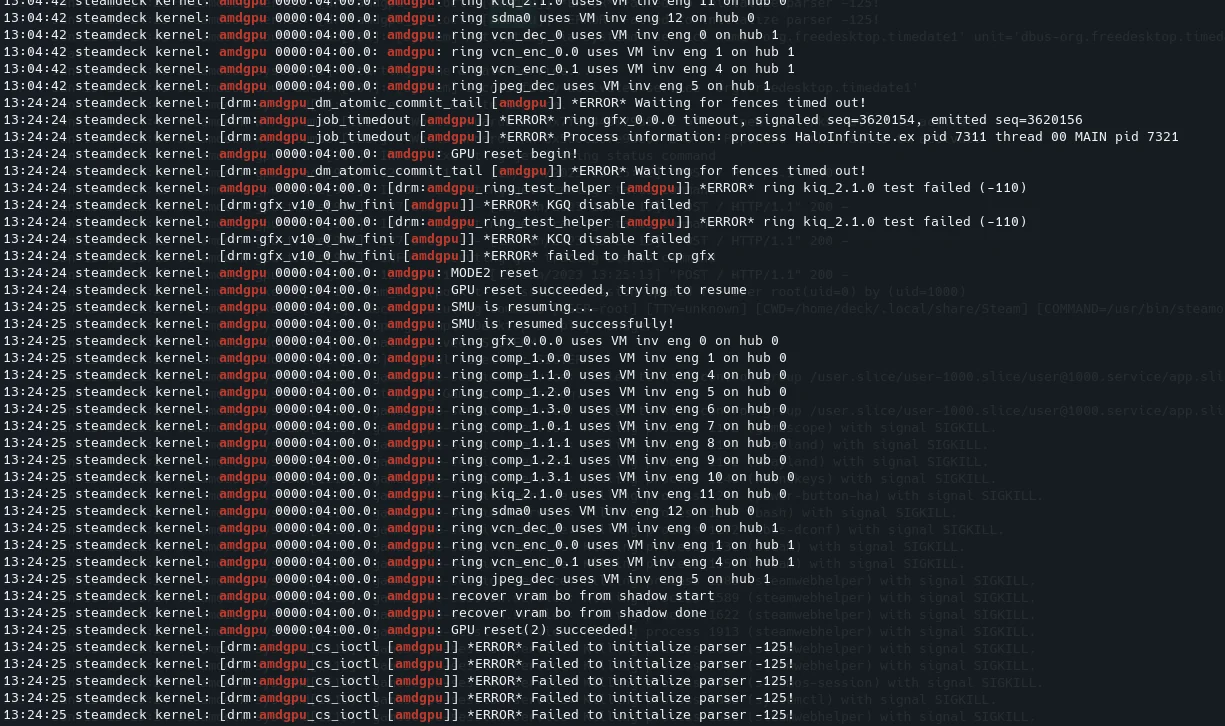
So far I have found 5-6 people in Reddit that had this issue. Meaning I am not an isolated case. I am at the moment talking with Valve for an RMA on my SteamDeck. Would be great if the Proton team is checking this.
My game doesn't even start on ARC 770. I am on the most recent stable mesa drivers and proton-ge or proton experimental.
Have you tried proton experimental (bleeding edge)?
Have you tried proton experimental (bleeding edge)?
Yes
@caniko this game can't currently run on Intel GPUs: https://gitlab.freedesktop.org/mesa/mesa/-/issues/6883
@DanielCardiel It looks very similar to this issue I am experiencing with my Radeon 680M (Ryzen 6800U iGPU).
https://gitlab.freedesktop.org/drm/amd/-/issues/2220#note_1701633
I don't experience the issue with gaming though. It happens whenever I use hardware video acceleration in Firefox + Wayland.
My system was working perfect until the most recent Manjaro updates
Basically when i launch the game the screen turns black for like 15 seconds and then just goes back to the desktop
This update was working fine
https://forum.manjaro.org/t/stable-update-2022-12-24-kernels-xfce-systemd-thunderbird-kde-git/129970
This one killed me
https://forum.manjaro.org/t/stable-update-2023-01-24-kernels-plasma-frameworks-gear-libreoffice-mesa-nvidia-deepin/132381
This one hasnt improved it either
https://forum.manjaro.org/t/stable-update-2023-02-03-kernels-phosh-firefox-thunderbird-systemd-mate-budgie-kodi/133238
(I just updated and here is the latest stuff that still doesnt work)
OS: Manjaro Linux
KERNEL: 6.1.9-1-MANJARO
CPU: AMD Ryzen 7 5800X 8-Core
GPU: AMD Radeon RX 6700 XT (navi22, LLVM 15.0.7, DRM 3.49, 6.1.9-1-MANJARO)
GPU DRIVER: 4.6 Mesa 22.3.4
RAM: 16 GB
PROTON: Proton: 1675282930 experimental-7.0-20230201
SteamGameId: 1240440
[  265.984729] [drm:gfx_v10_0_priv_reg_irq [amdgpu]] *ERROR* Illegal register access in command stream
[  265.994707] [drm:amdgpu_job_timedout [amdgpu]] *ERROR* ring gfx_0.0.0 timeout, signaled seq=343347, emitted seq=343349
[  265.995087] [drm:amdgpu_job_timedout [amdgpu]] *ERROR* Process information: process HaloInfinite.ex pid 6191 thread 00 MAIN pid 6201
Same issue here with the GPU resetting. My system freezes entirely and I have to switch TTY to kill my display manager to get back in.
Not sure why this happens, 2 days ago I was playing several matches without any crashes. I saw someone mentioned King of The Hill, and that gamemode reset my GPU so maybe it's linked?
It also happens with land grab, as soon as the area is on display the game crashes. you are the 4 person i found it happens the same thing as me. I ended up ins taling windows on an ad card and i am playing like that in the meantime this ia fixed.@VladTheSheep
@kisak-valve
@DanielCardiel
@VladTheSheep
I have a second system with the same motherboard but a different videocard
The AMD Radeon RX 6700 XT fails but the AMD Radeon RX 5700 X works
What videocards are you guys using?
Im thinking of nuking my system and reinstalling it and seeing if that fixes it since the only significant difference between the 2 systems seems to be the video card but they are both AMD
THIS ONE WORKS
OS: Manjaro Linux
KERNEL: 6.1.9-1-MANJARO
CPU: AMD Ryzen 7 3800X 8-Core Processor
GPU: AMD AMD Radeon RX 5700 XT (navi10, LLVM 15.0.7, DRM 3.49, 6.1.9-1-MANJARO)
GPU DRIVER: 4.6 (Compatibility Profile) Mesa 22.3.4
RAM: 16 GB
MOTHERBOARD: Gigabyte X570 AORUS ELITE (rev. 1.0)
THIS ONE DOESNT WORK
OS: Manjaro Linux
KERNEL: 6.1.9-1-MANJARO
CPU: AMD Ryzen 7 5800X 8-Core
GPU: AMD Radeon RX 6700 XT (navi22, LLVM 15.0.7, DRM 3.49, 6.1.9-1-MANJARO)
GPU DRIVER: 4.6 Mesa 22.3.4
RAM: 16 GB
MOTHERBOARD: Gigabyte X570 AORUS ELITE (rev. 1.0)
PROTON: Proton: 1675282930 experimental-7.0-20230201
SteamGameId: 1240440
@Cytomax55
RX 6800 XT
Using open source drivers
Looks like the issue is with the RX6800XT... i wonder what @DanielCardiel is using....
@VladTheSheep you dont by any chance have any spare videocards you can try that arent RX6800xt?
If the problem is 6800XT based ... should we be talking to MESA maybe or is this a Proton issue?
I play other games without issues
Looks like the issue is with the RX6800XT... i wonder what @DanielCardiel is using....
@VladTheSheep you dont by any chance have any spare videocards you can try that arent RX6800xt?If the problem is 6800XT based ... should we be talking to MESA maybe or is this a Proton issue?
I play other games without issues
Got no spare unfortunately :( You had issues with the 6700XT too? Likely an issue with the 6000 series?
yup thats why i am hoping that @DanielCardiel also has a 6700xt or at least a 6000 series that would help narrow down the problem
yup thats why i am hoping that @DanielCardiel also has a 6700xt or at least a 6000 series that would help narrow down the problem
I have both a 6700 XT and a 6900 XT. What is it we are checking for?
For sure the 6700xt isn't working .. but it IS working with the 5700xt...
I'm thinking the 6700 or at least the 6000 series is having issues if you could try a 6700 first and confirm that the game won't work then you can try the 6900 and see what happens
For sure the 6700xt isn't working .. but it IS working with the 5700xt...
I'm thinking the 6700 or at least the 6000 series is having issues if you could try a 6700 first and confirm that the game won't work then you can try the 6900 and see what happens
Do I have to play the game for awhile to run into the issue or does it happen right away?
In my case the game doesn't even load at all
when you click the game to start the screen turns black and in about 5 seconds it crashes to desktop
Apparently Manjaro ships mesa vulkan drivers with debug symbols and that can cause crashes in some cases, maybe try using stock arch Linux or flatpak
(Yet another reason not to use Manjaro?)
Apparently Manjaro ships mesa vulkan drivers with debug symbols and that can cause crashes in some cases, maybe try using stock arch Linux or flatpak (Yet another reason not to use Manjaro?)
I use arch and have the same issue
 ~ uname -r
6.1.9-arch1-1
 ~ yay -Q | grep vulkan
lib32-vulkan-icd-loader 1.3.240-1
lib32-vulkan-mesa-layers 22.3.4-1
lib32-vulkan-radeon 22.3.4-1
vulkan-headers 1:1.3.240-1
vulkan-icd-loader 1.3.240-1
vulkan-mesa-layers 22.3.4-1
vulkan-radeon 22.3.4-1
vulkan-tools 1.3.240-1
 ~ yay -Q | grep amd
hsa-amd-aqlprofile-bin 5.4.1-1
xf86-video-amdgpu 22.0.0-1
 ~ yay -Q | grep mesa
lib32-libva-mesa-driver 22.3.4-1
lib32-mesa 22.3.4-1
lib32-mesa-vdpau 22.3.4-1
lib32-vulkan-mesa-layers 22.3.4-1
libva-mesa-driver 22.3.4-1
mesa 22.3.4-1
mesa-demos 8.5.0-2
mesa-utils 8.5.0-2
mesa-vdpau 22.3.4-1
vulkan-mesa-layers 22.3.4-1
Apparently Manjaro ships mesa vulkan drivers with debug symbols and that can cause crashes in some cases, maybe try using stock arch Linux or flatpak (Yet another reason not to use Manjaro?)
It works perfectly with Manjaro and same motherboard and a 5700xt...
It crashes with a 6700xt
Make sure you are using proton experimental and make sure resizeable bar or above 4g encoding is enabled in the bios
Last time I played this game (2 weeks ago) it worked perfectly, one of the best working games on my system in fact
@Etaash-mathamsetty
I have two computers with the same motherboard and the only difference is the video card
One has a 6700 XT
The other has a 5700 XT
Both were working perfectly up until the second to last update of Manjaro which I documented in my prior post
I am using proton experimental the latest version
The Manjaro with the 5700 XT is still working perfectly I think the 6700 XT or maybe even the six series AMD cards are having issues
Replying to https://github.com/ValveSoftware/Proton/issues/5030#issuecomment-1418292322
That's why I'm surprised, I have a rx 6800 over here
@Etaash-mathamsetty
Which version of mesa are you running and which OS are you running
@Etaash-mathamsetty Which version of mesa are you running and which OS are you running
it's still working over here, proton exp bleeding edge, mesa 23.1 git, arch linux, rx 6800
resizable bar is ON
I just enabled Above 4G Decoding and still crashes at loading screen
The only other difference i am noting is you are running mesa-git ... i am simply running mesa... im gonna try mesa-git and hope it doesnt destroy my computer since it comes from arch repos and not manjaro.. wish me luck.
i dont know if its a big deal or not but do you think you could run normal mesa and see if you have issues...
HOLY DOG POO IT WORKED....
mesa-git fixed my problems
This must be a mesa bug!
How do I report this?
HOLY DOG POO IT WORKED....
mesa-git fixed my problems
This must be a mesa bug!
How do I report this?
make an issue on gitlab (then they will tell you what to do), but it's most likely that you were missing mesa-vulkan-layers or something
@Etaash-mathamsetty @Cytomax55 : Afaik there was indeed a bug in mesa which caused issues in Halo when you try to get into the maps, this was fixed rather recently. What i still have here is that the game hangs from time to time (gpu hang). This is a longstanding issue for me. I am using a 6900XT.
@Etaash-mathamsetty @Cytomax55 : Afaik there was indeed a bug in mesa which caused issues in Halo when you try to get into the maps, this was fixed rather recently. What i still have here is that the game hangs from time to time (gpu hang). This is a longstanding issue for me. I am using a 6900XT.
Can you try to use the Flatpak version of Steam and let me know if the issue occurs? I was troubleshooting this a few months ago, however, I have not been able to reproduce it on my current system using Flatpak and would like to rule out it being a coincidence on my end.
Also, if you could let me know what distro you are using and the system's kernel + mesa version?
@cytomax55
I am actually playing on a steam deck, will check later this, just not sure how to do it on the Steam Deck
@Cytomax55
@pingubot
mesa-git fixed it for me as well! Though now I'm having issues with blurry textures and random, sudden freezes that clears up after about 15-30 seconds.
@kisak-valve
Seems that the issue has been found and a solution, would you mind to help us report it?
@VladTheSheep
I can play a few games without any stutter and then I'll play another game where it literally freezes for about 20 seconds but I can hear the audio perfectly fine
@Cytomax55 @pingubot
mesa-git fixed it for me as well! Though now I'm having issues with blurry textures and random, sudden freezes that clears up after about 15-30 seconds.
turn resizable bar on
@VladTheSheep I can play a few games without any stutter and then I'll play another game where it literally freezes for about 20 seconds but I can hear the audio perfectly fine
do you get any dmesg entries from amdgpu at that time hinting to a gpu hang ? And does it recover after those 20 secs ?
@Etaash-mathamsetty I turned 4G and resizable bar on yesterday when you told me about that a mesa-git, i have not tried with it off
@pingubot I dont know where to look for dmesg, it does recover after the 20 seconds
@Etaash-mathamsetty I turned 4G and resizable bar on yesterday when you told me about that a mesa-git, i have not tried with it off
@pingubot I dont know where to look for dmesg, it does recover after the 20 seconds
ok, interesting, for me it hangs and i have to reboot. I also play with rebar on. You open a terminal and use the command "dmesg -T" and it will show you kernel messages. Check if there is something with amdgpu at the time you saw the 20 second hang.
looks like dmesg erases after a reboot so i have nothing to offer you
ill play tonight and post my stuff here
sudo dmesg -T | grep AMD
[Mon Feb  6 13:07:11 2023] RAMDISK: [mem 0x36df3000-0x376f0fff]
[Mon Feb  6 13:07:11 2023] ACPI: SSDT 0x00000000BC63A000 008CE9 (v02 AMD    AmdTable 00000002 MSFT 04000000)
[Mon Feb  6 13:07:11 2023] ACPI: SSDT 0x00000000BC636000 003D74 (v01 AMD    AMD AOD  00000001 INTL 20190509)
[Mon Feb  6 13:07:11 2023] ACPI: SSDT 0x00000000BC629000 000024 (v01 AMD    BIXBY    00001000 INTL 20190509)
[Mon Feb  6 13:07:11 2023] ACPI: IVRS 0x00000000BC628000 0000D0 (v02 AMD    AmdTable 00000001 AMD  00000001)
[Mon Feb  6 13:07:11 2023] ACPI: VFCT 0x00000000BC61C000 00AA84 (v01 ALASKA A M I    00000001 AMD  31504F47)
[Mon Feb  6 13:07:11 2023] ACPI: PCCT 0x00000000BC619000 00006E (v02 AMD    AmdTable 00000001 AMD  00000001)
[Mon Feb  6 13:07:11 2023] ACPI: SSDT 0x00000000BC614000 004043 (v02 AMD    AmdTable 00000001 AMD  00000001)
[Mon Feb  6 13:07:11 2023] ACPI: CRAT 0x00000000BC613000 000F10 (v01 AMD    AmdTable 00000001 AMD  00000001)
[Mon Feb  6 13:07:11 2023] ACPI: CDIT 0x00000000BC612000 000029 (v01 AMD    AmdTable 00000001 AMD  00000001)
[Mon Feb  6 13:07:11 2023] ACPI: SSDT 0x00000000BC611000 00068E (v01 AMD    QOGIRDGP 00000001 INTL 20190509)
[Mon Feb  6 13:07:11 2023] ACPI: SSDT 0x00000000BC60F000 00150D (v01 AMD    QOGIRTPX 00000001 INTL 20190509)
[Mon Feb  6 13:07:11 2023] ACPI: SSDT 0x00000000BC60E000 000788 (v01 AMD    QOGIRNOI 00000001 INTL 20190509)
[Mon Feb  6 13:07:11 2023] ACPI: SSDT 0x00000000BC60A000 0039F7 (v01 AMD    QOGIRN   00000001 INTL 20190509)
[Mon Feb  6 13:07:11 2023] ACPI: SSDT 0x00000000BC606000 00147F (v01 AMD    QOGIRC   00000001 INTL 20190509)
[Mon Feb  6 13:07:11 2023] AMD-Vi: Using global IVHD EFR:0x0, EFR2:0x0
[Mon Feb  6 13:07:11 2023] smpboot: CPU0: AMD Ryzen 7 5800X 8-Core Processor (family: 0x19, model: 0x21, stepping: 0x0)
[Mon Feb  6 13:07:11 2023] Performance Events: Fam17h+ core perfctr, AMD PMU driver.
[Mon Feb  6 13:07:11 2023] pci 0000:00:00.2: AMD-Vi: IOMMU performance counters supported
[Mon Feb  6 13:07:11 2023] pci 0000:00:00.2: AMD-Vi: Found IOMMU cap 0x40
[Mon Feb  6 13:07:11 2023] AMD-Vi: Extended features (0x58f77ef22294a5a, 0x0): PPR NX GT IA PC GA_vAPIC
[Mon Feb  6 13:07:11 2023] AMD-Vi: Interrupt remapping enabled
[Mon Feb  6 13:07:11 2023] perf: AMD IBS detected (0x000003ff)
[Mon Feb  6 13:07:11 2023] perf/amd_iommu: Detected AMD IOMMU #0 (2 banks, 4 counters/bank).
[Mon Feb  6 13:07:13 2023] AMD-Vi: AMD IOMMUv2 loaded and initialized
sudo dmesg -T | grep amd
[Mon Feb  6 13:07:12 2023] perf/amd_iommu: Detected AMD IOMMU #0 (2 banks, 4 counters/bank).
[Mon Feb  6 13:07:18 2023] [drm] amdgpu kernel modesetting enabled.
[Mon Feb  6 13:07:18 2023] amdgpu: Ignoring ACPI CRAT on non-APU system
[Mon Feb  6 13:07:18 2023] amdgpu: Virtual CRAT table created for CPU
[Mon Feb  6 13:07:18 2023] amdgpu: Topology: Add CPU node
[Mon Feb  6 13:07:18 2023] amdgpu 0000:0b:00.0: enabling device (0006 -> 0007)
[Mon Feb  6 13:07:18 2023] amdgpu 0000:0b:00.0: amdgpu: Fetched VBIOS from VFCT
[Mon Feb  6 13:07:18 2023] amdgpu: ATOM BIOS: 113-D5121000_100
[Mon Feb  6 13:07:18 2023] amdgpu 0000:0b:00.0: vgaarb: deactivate vga console
[Mon Feb  6 13:07:18 2023] amdgpu 0000:0b:00.0: amdgpu: Trusted Memory Zone (TMZ) feature disabled as experimental (default)
[Mon Feb  6 13:07:18 2023] amdgpu 0000:0b:00.0: amdgpu: VRAM: 12272M 0x0000008000000000 - 0x00000082FEFFFFFF (12272M used)
[Mon Feb  6 13:07:18 2023] amdgpu 0000:0b:00.0: amdgpu: GART: 512M 0x0000000000000000 - 0x000000001FFFFFFF
[Mon Feb  6 13:07:18 2023] amdgpu 0000:0b:00.0: amdgpu: AGP: 267894784M 0x0000008400000000 - 0x0000FFFFFFFFFFFF
[Mon Feb  6 13:07:18 2023] [drm] amdgpu: 12272M of VRAM memory ready
[Mon Feb  6 13:07:18 2023] [drm] amdgpu: 7958M of GTT memory ready.
[Mon Feb  6 13:07:18 2023] amdgpu 0000:0b:00.0: amdgpu: PSP runtime database doesn't exist
[Mon Feb  6 13:07:18 2023] amdgpu 0000:0b:00.0: amdgpu: PSP runtime database doesn't exist
[Mon Feb  6 13:07:20 2023] amdgpu 0000:0b:00.0: amdgpu: STB initialized to 2048 entries
[Mon Feb  6 13:07:20 2023] amdgpu 0000:0b:00.0: amdgpu: Will use PSP to load VCN firmware
[Mon Feb  6 13:07:20 2023] amdgpu 0000:0b:00.0: amdgpu: RAS: optional ras ta ucode is not available
[Mon Feb  6 13:07:20 2023] amdgpu 0000:0b:00.0: amdgpu: SECUREDISPLAY: securedisplay ta ucode is not available
[Mon Feb  6 13:07:20 2023] amdgpu 0000:0b:00.0: amdgpu: smu driver if version = 0x0000000e, smu fw if version = 0x00000012, smu fw program = 0, version = 0x00413900 (65.57.0)
[Mon Feb  6 13:07:20 2023] amdgpu 0000:0b:00.0: amdgpu: SMU driver if version not matched
[Mon Feb  6 13:07:20 2023] amdgpu 0000:0b:00.0: amdgpu: use vbios provided pptable
[Mon Feb  6 13:07:20 2023] amdgpu 0000:0b:00.0: amdgpu: SMU is initialized successfully!
[Mon Feb  6 13:07:20 2023] snd_hda_intel 0000:0b:00.1: bound 0000:0b:00.0 (ops amdgpu_dm_audio_component_bind_ops [amdgpu])
[Mon Feb  6 13:07:20 2023] kfd kfd: amdgpu: Allocated 3969056 bytes on gart
[Mon Feb  6 13:07:20 2023] amdgpu: sdma_bitmap: ffff
[Mon Feb  6 13:07:20 2023] amdgpu: HMM registered 12272MB device memory
[Mon Feb  6 13:07:20 2023] amdgpu: SRAT table not found
[Mon Feb  6 13:07:20 2023] amdgpu: Virtual CRAT table created for GPU
[Mon Feb  6 13:07:20 2023] amdgpu: Topology: Add dGPU node [0x73df:0x1002]
[Mon Feb  6 13:07:20 2023] kfd kfd: amdgpu: added device 1002:73df
[Mon Feb  6 13:07:20 2023] amdgpu 0000:0b:00.0: amdgpu: SE 2, SH per SE 2, CU per SH 10, active_cu_number 40
[Mon Feb  6 13:07:20 2023] amdgpu 0000:0b:00.0: amdgpu: ring gfx_0.0.0 uses VM inv eng 0 on hub 0
[Mon Feb  6 13:07:20 2023] amdgpu 0000:0b:00.0: amdgpu: ring comp_1.0.0 uses VM inv eng 1 on hub 0
[Mon Feb  6 13:07:20 2023] amdgpu 0000:0b:00.0: amdgpu: ring comp_1.1.0 uses VM inv eng 4 on hub 0
[Mon Feb  6 13:07:20 2023] amdgpu 0000:0b:00.0: amdgpu: ring comp_1.2.0 uses VM inv eng 5 on hub 0
[Mon Feb  6 13:07:20 2023] amdgpu 0000:0b:00.0: amdgpu: ring comp_1.3.0 uses VM inv eng 6 on hub 0
[Mon Feb  6 13:07:20 2023] amdgpu 0000:0b:00.0: amdgpu: ring comp_1.0.1 uses VM inv eng 7 on hub 0
[Mon Feb  6 13:07:20 2023] amdgpu 0000:0b:00.0: amdgpu: ring comp_1.1.1 uses VM inv eng 8 on hub 0
[Mon Feb  6 13:07:20 2023] amdgpu 0000:0b:00.0: amdgpu: ring comp_1.2.1 uses VM inv eng 9 on hub 0
[Mon Feb  6 13:07:20 2023] amdgpu 0000:0b:00.0: amdgpu: ring comp_1.3.1 uses VM inv eng 10 on hub 0
[Mon Feb  6 13:07:20 2023] amdgpu 0000:0b:00.0: amdgpu: ring kiq_2.1.0 uses VM inv eng 11 on hub 0
[Mon Feb  6 13:07:20 2023] amdgpu 0000:0b:00.0: amdgpu: ring sdma0 uses VM inv eng 12 on hub 0
[Mon Feb  6 13:07:20 2023] amdgpu 0000:0b:00.0: amdgpu: ring sdma1 uses VM inv eng 13 on hub 0
[Mon Feb  6 13:07:20 2023] amdgpu 0000:0b:00.0: amdgpu: ring vcn_dec_0 uses VM inv eng 0 on hub 1
[Mon Feb  6 13:07:20 2023] amdgpu 0000:0b:00.0: amdgpu: ring vcn_enc_0.0 uses VM inv eng 1 on hub 1
[Mon Feb  6 13:07:20 2023] amdgpu 0000:0b:00.0: amdgpu: ring vcn_enc_0.1 uses VM inv eng 4 on hub 1
[Mon Feb  6 13:07:20 2023] amdgpu 0000:0b:00.0: amdgpu: ring jpeg_dec uses VM inv eng 5 on hub 1
[Mon Feb  6 13:07:20 2023] amdgpu 0000:0b:00.0: amdgpu: Using BACO for runtime pm
[Mon Feb  6 13:07:20 2023] [drm] Initialized amdgpu 3.49.0 20150101 for 0000:0b:00.0 on minor 0
[Mon Feb  6 13:07:20 2023] fbcon: amdgpudrmfb (fb0) is primary device
[Mon Feb  6 13:07:20 2023] amdgpu 0000:0b:00.0: [drm] fb0: amdgpudrmfb frame buffer device
[Mon Feb  6 13:47:32 2023] amdgpu 0000:0b:00.0: amdgpu: free PSP TMR buffer
[Mon Feb  6 13:47:33 2023] amdgpu 0000:0b:00.0: amdgpu: MODE1 reset
[Mon Feb  6 13:47:33 2023] amdgpu 0000:0b:00.0: amdgpu: GPU mode1 reset
[Mon Feb  6 13:47:33 2023] amdgpu 0000:0b:00.0: amdgpu: GPU smu mode1 reset
[Mon Feb  6 13:47:35 2023] amdgpu 0000:0b:00.0: amdgpu: RAS: optional ras ta ucode is not available
[Mon Feb  6 13:47:35 2023] amdgpu 0000:0b:00.0: amdgpu: SECUREDISPLAY: securedisplay ta ucode is not available
[Mon Feb  6 13:47:35 2023] amdgpu 0000:0b:00.0: amdgpu: SMU is resuming...
[Mon Feb  6 13:47:35 2023] amdgpu 0000:0b:00.0: amdgpu: smu driver if version = 0x0000000e, smu fw if version = 0x00000012, smu fw program = 0, version = 0x00413900 (65.57.0)
[Mon Feb  6 13:47:35 2023] amdgpu 0000:0b:00.0: amdgpu: SMU driver if version not matched
[Mon Feb  6 13:47:35 2023] amdgpu 0000:0b:00.0: amdgpu: use vbios provided pptable
[Mon Feb  6 13:47:35 2023] amdgpu 0000:0b:00.0: amdgpu: SMU is resumed successfully!
[Mon Feb  6 13:47:35 2023] amdgpu 0000:0b:00.0: amdgpu: ring gfx_0.0.0 uses VM inv eng 0 on hub 0
[Mon Feb  6 13:47:35 2023] amdgpu 0000:0b:00.0: amdgpu: ring comp_1.0.0 uses VM inv eng 1 on hub 0
[Mon Feb  6 13:47:35 2023] amdgpu 0000:0b:00.0: amdgpu: ring comp_1.1.0 uses VM inv eng 4 on hub 0
[Mon Feb  6 13:47:35 2023] amdgpu 0000:0b:00.0: amdgpu: ring comp_1.2.0 uses VM inv eng 5 on hub 0
[Mon Feb  6 13:47:35 2023] amdgpu 0000:0b:00.0: amdgpu: ring comp_1.3.0 uses VM inv eng 6 on hub 0
[Mon Feb  6 13:47:35 2023] amdgpu 0000:0b:00.0: amdgpu: ring comp_1.0.1 uses VM inv eng 7 on hub 0
[Mon Feb  6 13:47:35 2023] amdgpu 0000:0b:00.0: amdgpu: ring comp_1.1.1 uses VM inv eng 8 on hub 0
[Mon Feb  6 13:47:35 2023] amdgpu 0000:0b:00.0: amdgpu: ring comp_1.2.1 uses VM inv eng 9 on hub 0
[Mon Feb  6 13:47:35 2023] amdgpu 0000:0b:00.0: amdgpu: ring comp_1.3.1 uses VM inv eng 10 on hub 0
[Mon Feb  6 13:47:35 2023] amdgpu 0000:0b:00.0: amdgpu: ring kiq_2.1.0 uses VM inv eng 11 on hub 0
[Mon Feb  6 13:47:35 2023] amdgpu 0000:0b:00.0: amdgpu: ring sdma0 uses VM inv eng 12 on hub 0
[Mon Feb  6 13:47:35 2023] amdgpu 0000:0b:00.0: amdgpu: ring sdma1 uses VM inv eng 13 on hub 0
[Mon Feb  6 13:47:35 2023] amdgpu 0000:0b:00.0: amdgpu: ring vcn_dec_0 uses VM inv eng 0 on hub 1
[Mon Feb  6 13:47:35 2023] amdgpu 0000:0b:00.0: amdgpu: ring vcn_enc_0.0 uses VM inv eng 1 on hub 1
[Mon Feb  6 13:47:35 2023] amdgpu 0000:0b:00.0: amdgpu: ring vcn_enc_0.1 uses VM inv eng 4 on hub 1
[Mon Feb  6 13:47:35 2023] amdgpu 0000:0b:00.0: amdgpu: ring jpeg_dec uses VM inv eng 5 on hub 1
Well i played 2 matches perfectly...
then when it was giving me the match stats it hard froze
this is all i saw
sudo dmesg -T | grep amdgpu
[Mon Feb  6 21:08:25 2023] [drm] amdgpu kernel modesetting enabled.
[Mon Feb  6 21:08:25 2023] amdgpu: Ignoring ACPI CRAT on non-APU system
[Mon Feb  6 21:08:25 2023] amdgpu: Virtual CRAT table created for CPU
[Mon Feb  6 21:08:25 2023] amdgpu: Topology: Add CPU node
[Mon Feb  6 21:08:25 2023] amdgpu 0000:0b:00.0: enabling device (0006 -> 0007)
[Mon Feb  6 21:08:25 2023] amdgpu 0000:0b:00.0: amdgpu: Fetched VBIOS from VFCT
[Mon Feb  6 21:08:25 2023] amdgpu: ATOM BIOS: 113-D5121000_100
[Mon Feb  6 21:08:25 2023] amdgpu 0000:0b:00.0: vgaarb: deactivate vga console
[Mon Feb  6 21:08:25 2023] amdgpu 0000:0b:00.0: amdgpu: Trusted Memory Zone (TMZ) feature disabled as experimental (default)
[Mon Feb  6 21:08:25 2023] amdgpu 0000:0b:00.0: amdgpu: VRAM: 12272M 0x0000008000000000 - 0x00000082FEFFFFFF (12272M used)
[Mon Feb  6 21:08:25 2023] amdgpu 0000:0b:00.0: amdgpu: GART: 512M 0x0000000000000000 - 0x000000001FFFFFFF
[Mon Feb  6 21:08:25 2023] amdgpu 0000:0b:00.0: amdgpu: AGP: 267894784M 0x0000008400000000 - 0x0000FFFFFFFFFFFF
[Mon Feb  6 21:08:25 2023] [drm] amdgpu: 12272M of VRAM memory ready
[Mon Feb  6 21:08:25 2023] [drm] amdgpu: 7958M of GTT memory ready.
[Mon Feb  6 21:08:25 2023] amdgpu 0000:0b:00.0: amdgpu: PSP runtime database doesn't exist
[Mon Feb  6 21:08:25 2023] amdgpu 0000:0b:00.0: amdgpu: PSP runtime database doesn't exist
[Mon Feb  6 21:08:27 2023] amdgpu 0000:0b:00.0: amdgpu: STB initialized to 2048 entries
[Mon Feb  6 21:08:27 2023] amdgpu 0000:0b:00.0: amdgpu: Will use PSP to load VCN firmware
[Mon Feb  6 21:08:27 2023] amdgpu 0000:0b:00.0: amdgpu: RAS: optional ras ta ucode is not available
[Mon Feb  6 21:08:27 2023] amdgpu 0000:0b:00.0: amdgpu: SECUREDISPLAY: securedisplay ta ucode is not available
[Mon Feb  6 21:08:27 2023] amdgpu 0000:0b:00.0: amdgpu: smu driver if version = 0x0000000e, smu fw if version = 0x00000012, smu fw program = 0, version = 0x00413900 (65.57.0)
[Mon Feb  6 21:08:27 2023] amdgpu 0000:0b:00.0: amdgpu: SMU driver if version not matched
[Mon Feb  6 21:08:27 2023] amdgpu 0000:0b:00.0: amdgpu: use vbios provided pptable
[Mon Feb  6 21:08:27 2023] amdgpu 0000:0b:00.0: amdgpu: SMU is initialized successfully!
[Mon Feb  6 21:08:27 2023] snd_hda_intel 0000:0b:00.1: bound 0000:0b:00.0 (ops amdgpu_dm_audio_component_bind_ops [amdgpu])
[Mon Feb  6 21:08:27 2023] kfd kfd: amdgpu: Allocated 3969056 bytes on gart
[Mon Feb  6 21:08:27 2023] amdgpu: sdma_bitmap: ffff
[Mon Feb  6 21:08:27 2023] amdgpu: HMM registered 12272MB device memory
[Mon Feb  6 21:08:27 2023] amdgpu: SRAT table not found
[Mon Feb  6 21:08:27 2023] amdgpu: Virtual CRAT table created for GPU
[Mon Feb  6 21:08:27 2023] amdgpu: Topology: Add dGPU node [0x73df:0x1002]
[Mon Feb  6 21:08:27 2023] kfd kfd: amdgpu: added device 1002:73df
[Mon Feb  6 21:08:27 2023] amdgpu 0000:0b:00.0: amdgpu: SE 2, SH per SE 2, CU per SH 10, active_cu_number 40
[Mon Feb  6 21:08:27 2023] amdgpu 0000:0b:00.0: amdgpu: ring gfx_0.0.0 uses VM inv eng 0 on hub 0
[Mon Feb  6 21:08:27 2023] amdgpu 0000:0b:00.0: amdgpu: ring comp_1.0.0 uses VM inv eng 1 on hub 0
[Mon Feb  6 21:08:27 2023] amdgpu 0000:0b:00.0: amdgpu: ring comp_1.1.0 uses VM inv eng 4 on hub 0
[Mon Feb  6 21:08:27 2023] amdgpu 0000:0b:00.0: amdgpu: ring comp_1.2.0 uses VM inv eng 5 on hub 0
[Mon Feb  6 21:08:27 2023] amdgpu 0000:0b:00.0: amdgpu: ring comp_1.3.0 uses VM inv eng 6 on hub 0
[Mon Feb  6 21:08:27 2023] amdgpu 0000:0b:00.0: amdgpu: ring comp_1.0.1 uses VM inv eng 7 on hub 0
[Mon Feb  6 21:08:27 2023] amdgpu 0000:0b:00.0: amdgpu: ring comp_1.1.1 uses VM inv eng 8 on hub 0
[Mon Feb  6 21:08:27 2023] amdgpu 0000:0b:00.0: amdgpu: ring comp_1.2.1 uses VM inv eng 9 on hub 0
[Mon Feb  6 21:08:27 2023] amdgpu 0000:0b:00.0: amdgpu: ring comp_1.3.1 uses VM inv eng 10 on hub 0
[Mon Feb  6 21:08:27 2023] amdgpu 0000:0b:00.0: amdgpu: ring kiq_2.1.0 uses VM inv eng 11 on hub 0
[Mon Feb  6 21:08:27 2023] amdgpu 0000:0b:00.0: amdgpu: ring sdma0 uses VM inv eng 12 on hub 0
[Mon Feb  6 21:08:27 2023] amdgpu 0000:0b:00.0: amdgpu: ring sdma1 uses VM inv eng 13 on hub 0
[Mon Feb  6 21:08:27 2023] amdgpu 0000:0b:00.0: amdgpu: ring vcn_dec_0 uses VM inv eng 0 on hub 1
[Mon Feb  6 21:08:27 2023] amdgpu 0000:0b:00.0: amdgpu: ring vcn_enc_0.0 uses VM inv eng 1 on hub 1
[Mon Feb  6 21:08:27 2023] amdgpu 0000:0b:00.0: amdgpu: ring vcn_enc_0.1 uses VM inv eng 4 on hub 1
[Mon Feb  6 21:08:27 2023] amdgpu 0000:0b:00.0: amdgpu: ring jpeg_dec uses VM inv eng 5 on hub 1
[Mon Feb  6 21:08:27 2023] amdgpu 0000:0b:00.0: amdgpu: Using BACO for runtime pm
[Mon Feb  6 21:08:27 2023] [drm] Initialized amdgpu 3.49.0 20150101 for 0000:0b:00.0 on minor 0
[Mon Feb  6 21:08:27 2023] fbcon: amdgpudrmfb (fb0) is primary device
[Mon Feb  6 21:08:27 2023] amdgpu 0000:0b:00.0: [drm] fb0: amdgpudrmfb frame buffer device
@pingubot
I finally got it
i played like 5 matches of halo and then i got to a new map and a few seconds into it the screen froze but i heard all the audio and then the screen turned black and when it came back on i was at the login screen like the session had restarted
It started at 17:35
sudo dmesg -T | grep amdgpu
[Tue Feb  7 16:29:13 2023] [drm] amdgpu kernel modesetting enabled.
[Tue Feb  7 16:29:13 2023] amdgpu: Ignoring ACPI CRAT on non-APU system
[Tue Feb  7 16:29:13 2023] amdgpu: Virtual CRAT table created for CPU
[Tue Feb  7 16:29:13 2023] amdgpu: Topology: Add CPU node
[Tue Feb  7 16:29:13 2023] amdgpu 0000:0b:00.0: enabling device (0006 -> 0007)
[Tue Feb  7 16:29:13 2023] amdgpu 0000:0b:00.0: amdgpu: Fetched VBIOS from VFCT
[Tue Feb  7 16:29:13 2023] amdgpu: ATOM BIOS: 113-D5121000_100
[Tue Feb  7 16:29:13 2023] amdgpu 0000:0b:00.0: vgaarb: deactivate vga console
[Tue Feb  7 16:29:13 2023] amdgpu 0000:0b:00.0: amdgpu: Trusted Memory Zone (TMZ) feature disabled as experimental (default)
[Tue Feb  7 16:29:13 2023] amdgpu 0000:0b:00.0: amdgpu: VRAM: 12272M 0x0000008000000000 - 0x00000082FEFFFFFF (12272M used)
[Tue Feb  7 16:29:13 2023] amdgpu 0000:0b:00.0: amdgpu: GART: 512M 0x0000000000000000 - 0x000000001FFFFFFF
[Tue Feb  7 16:29:13 2023] amdgpu 0000:0b:00.0: amdgpu: AGP: 267894784M 0x0000008400000000 - 0x0000FFFFFFFFFFFF
[Tue Feb  7 16:29:13 2023] [drm] amdgpu: 12272M of VRAM memory ready
[Tue Feb  7 16:29:13 2023] [drm] amdgpu: 7958M of GTT memory ready.
[Tue Feb  7 16:29:13 2023] amdgpu 0000:0b:00.0: amdgpu: PSP runtime database doesn't exist
[Tue Feb  7 16:29:13 2023] amdgpu 0000:0b:00.0: amdgpu: PSP runtime database doesn't exist
[Tue Feb  7 16:29:16 2023] amdgpu 0000:0b:00.0: amdgpu: STB initialized to 2048 entries
[Tue Feb  7 16:29:16 2023] amdgpu 0000:0b:00.0: amdgpu: Will use PSP to load VCN firmware
[Tue Feb  7 16:29:16 2023] amdgpu 0000:0b:00.0: amdgpu: RAS: optional ras ta ucode is not available
[Tue Feb  7 16:29:16 2023] amdgpu 0000:0b:00.0: amdgpu: SECUREDISPLAY: securedisplay ta ucode is not available
[Tue Feb  7 16:29:16 2023] amdgpu 0000:0b:00.0: amdgpu: smu driver if version = 0x0000000e, smu fw if version = 0x00000012, smu fw program = 0, version = 0x00413900 (65.57.0)
[Tue Feb  7 16:29:16 2023] amdgpu 0000:0b:00.0: amdgpu: SMU driver if version not matched
[Tue Feb  7 16:29:16 2023] amdgpu 0000:0b:00.0: amdgpu: use vbios provided pptable
[Tue Feb  7 16:29:16 2023] amdgpu 0000:0b:00.0: amdgpu: SMU is initialized successfully!
[Tue Feb  7 16:29:16 2023] snd_hda_intel 0000:0b:00.1: bound 0000:0b:00.0 (ops amdgpu_dm_audio_component_bind_ops [amdgpu])
[Tue Feb  7 16:29:16 2023] kfd kfd: amdgpu: Allocated 3969056 bytes on gart
[Tue Feb  7 16:29:16 2023] amdgpu: sdma_bitmap: ffff
[Tue Feb  7 16:29:16 2023] amdgpu: HMM registered 12272MB device memory
[Tue Feb  7 16:29:16 2023] amdgpu: SRAT table not found
[Tue Feb  7 16:29:16 2023] amdgpu: Virtual CRAT table created for GPU
[Tue Feb  7 16:29:16 2023] amdgpu: Topology: Add dGPU node [0x73df:0x1002]
[Tue Feb  7 16:29:16 2023] kfd kfd: amdgpu: added device 1002:73df
[Tue Feb  7 16:29:16 2023] amdgpu 0000:0b:00.0: amdgpu: SE 2, SH per SE 2, CU per SH 10, active_cu_number 40
[Tue Feb  7 16:29:16 2023] amdgpu 0000:0b:00.0: amdgpu: ring gfx_0.0.0 uses VM inv eng 0 on hub 0
[Tue Feb  7 16:29:16 2023] amdgpu 0000:0b:00.0: amdgpu: ring comp_1.0.0 uses VM inv eng 1 on hub 0
[Tue Feb  7 16:29:16 2023] amdgpu 0000:0b:00.0: amdgpu: ring comp_1.1.0 uses VM inv eng 4 on hub 0
[Tue Feb  7 16:29:16 2023] amdgpu 0000:0b:00.0: amdgpu: ring comp_1.2.0 uses VM inv eng 5 on hub 0
[Tue Feb  7 16:29:16 2023] amdgpu 0000:0b:00.0: amdgpu: ring comp_1.3.0 uses VM inv eng 6 on hub 0
[Tue Feb  7 16:29:16 2023] amdgpu 0000:0b:00.0: amdgpu: ring comp_1.0.1 uses VM inv eng 7 on hub 0
[Tue Feb  7 16:29:16 2023] amdgpu 0000:0b:00.0: amdgpu: ring comp_1.1.1 uses VM inv eng 8 on hub 0
[Tue Feb  7 16:29:16 2023] amdgpu 0000:0b:00.0: amdgpu: ring comp_1.2.1 uses VM inv eng 9 on hub 0
[Tue Feb  7 16:29:16 2023] amdgpu 0000:0b:00.0: amdgpu: ring comp_1.3.1 uses VM inv eng 10 on hub 0
[Tue Feb  7 16:29:16 2023] amdgpu 0000:0b:00.0: amdgpu: ring kiq_2.1.0 uses VM inv eng 11 on hub 0
[Tue Feb  7 16:29:16 2023] amdgpu 0000:0b:00.0: amdgpu: ring sdma0 uses VM inv eng 12 on hub 0
[Tue Feb  7 16:29:16 2023] amdgpu 0000:0b:00.0: amdgpu: ring sdma1 uses VM inv eng 13 on hub 0
[Tue Feb  7 16:29:16 2023] amdgpu 0000:0b:00.0: amdgpu: ring vcn_dec_0 uses VM inv eng 0 on hub 1
[Tue Feb  7 16:29:16 2023] amdgpu 0000:0b:00.0: amdgpu: ring vcn_enc_0.0 uses VM inv eng 1 on hub 1
[Tue Feb  7 16:29:16 2023] amdgpu 0000:0b:00.0: amdgpu: ring vcn_enc_0.1 uses VM inv eng 4 on hub 1
[Tue Feb  7 16:29:16 2023] amdgpu 0000:0b:00.0: amdgpu: ring jpeg_dec uses VM inv eng 5 on hub 1
[Tue Feb  7 16:29:16 2023] amdgpu 0000:0b:00.0: amdgpu: Using BACO for runtime pm
[Tue Feb  7 16:29:16 2023] [drm] Initialized amdgpu 3.49.0 20150101 for 0000:0b:00.0 on minor 0
[Tue Feb  7 16:29:16 2023] fbcon: amdgpudrmfb (fb0) is primary device
[Tue Feb  7 16:29:16 2023] amdgpu 0000:0b:00.0: [drm] fb0: amdgpudrmfb frame buffer device


++++++++++++++++++++++++++++++++++++++++++++++++++++++++
THIS IS WHERE THE CRASH STARTED AROUND 17:35
++++++++++++++++++++++++++++++++++++++++++++++++++++++++++++++++++++


[Tue Feb  7 17:35:08 2023] amdgpu 0000:0b:00.0: amdgpu: [gfxhub] page fault (src_id:0 ring:24 vmid:3 pasid:32770, for process HaloInfinite.ex pid 4244 thread 00 MAIN pid 4254)
[Tue Feb  7 17:35:08 2023] amdgpu 0000:0b:00.0: amdgpu:   in page starting at address 0x00008002028e0000 from client 0x1b (UTCL2)
[Tue Feb  7 17:35:08 2023] amdgpu 0000:0b:00.0: amdgpu: GCVM_L2_PROTECTION_FAULT_STATUS:0x00301431
[Tue Feb  7 17:35:08 2023] amdgpu 0000:0b:00.0: amdgpu:          Faulty UTCL2 client ID: SQC (data) (0xa)
[Tue Feb  7 17:35:08 2023] amdgpu 0000:0b:00.0: amdgpu:          MORE_FAULTS: 0x1
[Tue Feb  7 17:35:08 2023] amdgpu 0000:0b:00.0: amdgpu:          WALKER_ERROR: 0x0
[Tue Feb  7 17:35:08 2023] amdgpu 0000:0b:00.0: amdgpu:          PERMISSION_FAULTS: 0x3
[Tue Feb  7 17:35:08 2023] amdgpu 0000:0b:00.0: amdgpu:          MAPPING_ERROR: 0x0
[Tue Feb  7 17:35:08 2023] amdgpu 0000:0b:00.0: amdgpu:          RW: 0x0
[Tue Feb  7 17:35:08 2023] amdgpu 0000:0b:00.0: amdgpu: [gfxhub] page fault (src_id:0 ring:24 vmid:3 pasid:32770, for process HaloInfinite.ex pid 4244 thread 00 MAIN pid 4254)
[Tue Feb  7 17:35:08 2023] amdgpu 0000:0b:00.0: amdgpu:   in page starting at address 0x00008002028e0000 from client 0x1b (UTCL2)
[Tue Feb  7 17:35:08 2023] amdgpu 0000:0b:00.0: amdgpu: GCVM_L2_PROTECTION_FAULT_STATUS:0x00000000
[Tue Feb  7 17:35:08 2023] amdgpu 0000:0b:00.0: amdgpu:          Faulty UTCL2 client ID: CB/DB (0x0)
[Tue Feb  7 17:35:08 2023] amdgpu 0000:0b:00.0: amdgpu:          MORE_FAULTS: 0x0
[Tue Feb  7 17:35:08 2023] amdgpu 0000:0b:00.0: amdgpu:          WALKER_ERROR: 0x0
[Tue Feb  7 17:35:08 2023] amdgpu 0000:0b:00.0: amdgpu:          PERMISSION_FAULTS: 0x0
[Tue Feb  7 17:35:08 2023] amdgpu 0000:0b:00.0: amdgpu:          MAPPING_ERROR: 0x0
[Tue Feb  7 17:35:08 2023] amdgpu 0000:0b:00.0: amdgpu:          RW: 0x0
[Tue Feb  7 17:35:08 2023] amdgpu 0000:0b:00.0: amdgpu: [gfxhub] page fault (src_id:0 ring:24 vmid:3 pasid:32770, for process HaloInfinite.ex pid 4244 thread 00 MAIN pid 4254)
[Tue Feb  7 17:35:08 2023] amdgpu 0000:0b:00.0: amdgpu:   in page starting at address 0x00008002028e0000 from client 0x1b (UTCL2)
[Tue Feb  7 17:35:08 2023] amdgpu 0000:0b:00.0: amdgpu: GCVM_L2_PROTECTION_FAULT_STATUS:0x00000000
[Tue Feb  7 17:35:08 2023] amdgpu 0000:0b:00.0: amdgpu:          Faulty UTCL2 client ID: CB/DB (0x0)
[Tue Feb  7 17:35:08 2023] amdgpu 0000:0b:00.0: amdgpu:          MORE_FAULTS: 0x0
[Tue Feb  7 17:35:08 2023] amdgpu 0000:0b:00.0: amdgpu:          WALKER_ERROR: 0x0
[Tue Feb  7 17:35:08 2023] amdgpu 0000:0b:00.0: amdgpu:          PERMISSION_FAULTS: 0x0
[Tue Feb  7 17:35:08 2023] amdgpu 0000:0b:00.0: amdgpu:          MAPPING_ERROR: 0x0
[Tue Feb  7 17:35:08 2023] amdgpu 0000:0b:00.0: amdgpu:          RW: 0x0
[Tue Feb  7 17:35:08 2023] amdgpu 0000:0b:00.0: amdgpu: [gfxhub] page fault (src_id:0 ring:24 vmid:3 pasid:32770, for process HaloInfinite.ex pid 4244 thread 00 MAIN pid 4254)
[Tue Feb  7 17:35:08 2023] amdgpu 0000:0b:00.0: amdgpu:   in page starting at address 0x00008002028e0000 from client 0x1b (UTCL2)
[Tue Feb  7 17:35:08 2023] amdgpu 0000:0b:00.0: amdgpu: GCVM_L2_PROTECTION_FAULT_STATUS:0x00000000
[Tue Feb  7 17:35:08 2023] amdgpu 0000:0b:00.0: amdgpu:          Faulty UTCL2 client ID: CB/DB (0x0)
[Tue Feb  7 17:35:08 2023] amdgpu 0000:0b:00.0: amdgpu:          MORE_FAULTS: 0x0
[Tue Feb  7 17:35:08 2023] amdgpu 0000:0b:00.0: amdgpu:          WALKER_ERROR: 0x0
[Tue Feb  7 17:35:08 2023] amdgpu 0000:0b:00.0: amdgpu:          PERMISSION_FAULTS: 0x0
[Tue Feb  7 17:35:08 2023] amdgpu 0000:0b:00.0: amdgpu:          MAPPING_ERROR: 0x0
[Tue Feb  7 17:35:08 2023] amdgpu 0000:0b:00.0: amdgpu:          RW: 0x0
[Tue Feb  7 17:35:18 2023] [drm:amdgpu_job_timedout [amdgpu]] *ERROR* ring gfx_0.0.0 timeout, but soft recovered
[Tue Feb  7 17:35:18 2023] amdgpu 0000:0b:00.0: amdgpu: [gfxhub] page fault (src_id:0 ring:24 vmid:3 pasid:32770, for process HaloInfinite.ex pid 4244 thread 00 MAIN pid 4254)
[Tue Feb  7 17:35:18 2023] amdgpu 0000:0b:00.0: amdgpu:   in page starting at address 0x00008002028e0000 from client 0x1b (UTCL2)
[Tue Feb  7 17:35:18 2023] amdgpu 0000:0b:00.0: amdgpu: GCVM_L2_PROTECTION_FAULT_STATUS:0x00301431
[Tue Feb  7 17:35:18 2023] amdgpu 0000:0b:00.0: amdgpu:          Faulty UTCL2 client ID: SQC (data) (0xa)
[Tue Feb  7 17:35:18 2023] amdgpu 0000:0b:00.0: amdgpu:          MORE_FAULTS: 0x1
[Tue Feb  7 17:35:18 2023] amdgpu 0000:0b:00.0: amdgpu:          WALKER_ERROR: 0x0
[Tue Feb  7 17:35:18 2023] amdgpu 0000:0b:00.0: amdgpu:          PERMISSION_FAULTS: 0x3
[Tue Feb  7 17:35:18 2023] amdgpu 0000:0b:00.0: amdgpu:          MAPPING_ERROR: 0x0
[Tue Feb  7 17:35:18 2023] amdgpu 0000:0b:00.0: amdgpu:          RW: 0x0
[Tue Feb  7 17:35:18 2023] amdgpu 0000:0b:00.0: amdgpu: [gfxhub] page fault (src_id:0 ring:24 vmid:3 pasid:32770, for process HaloInfinite.ex pid 4244 thread 00 MAIN pid 4254)
[Tue Feb  7 17:35:18 2023] amdgpu 0000:0b:00.0: amdgpu:   in page starting at address 0x00008002028e0000 from client 0x1b (UTCL2)
[Tue Feb  7 17:35:18 2023] amdgpu 0000:0b:00.0: amdgpu: GCVM_L2_PROTECTION_FAULT_STATUS:0x00000000
[Tue Feb  7 17:35:18 2023] amdgpu 0000:0b:00.0: amdgpu:          Faulty UTCL2 client ID: CB/DB (0x0)
[Tue Feb  7 17:35:18 2023] amdgpu 0000:0b:00.0: amdgpu:          MORE_FAULTS: 0x0
[Tue Feb  7 17:35:18 2023] amdgpu 0000:0b:00.0: amdgpu:          WALKER_ERROR: 0x0
[Tue Feb  7 17:35:18 2023] amdgpu 0000:0b:00.0: amdgpu:          PERMISSION_FAULTS: 0x0
[Tue Feb  7 17:35:18 2023] amdgpu 0000:0b:00.0: amdgpu:          MAPPING_ERROR: 0x0
[Tue Feb  7 17:35:18 2023] amdgpu 0000:0b:00.0: amdgpu:          RW: 0x0
[Tue Feb  7 17:35:18 2023] amdgpu 0000:0b:00.0: amdgpu: [gfxhub] page fault (src_id:0 ring:24 vmid:3 pasid:32770, for process HaloInfinite.ex pid 4244 thread 00 MAIN pid 4254)
[Tue Feb  7 17:35:18 2023] amdgpu 0000:0b:00.0: amdgpu:   in page starting at address 0x00008002028e0000 from client 0x1b (UTCL2)
[Tue Feb  7 17:35:18 2023] amdgpu 0000:0b:00.0: amdgpu: GCVM_L2_PROTECTION_FAULT_STATUS:0x00000000
[Tue Feb  7 17:35:18 2023] amdgpu 0000:0b:00.0: amdgpu:          Faulty UTCL2 client ID: CB/DB (0x0)
[Tue Feb  7 17:35:18 2023] amdgpu 0000:0b:00.0: amdgpu:          MORE_FAULTS: 0x0
[Tue Feb  7 17:35:18 2023] amdgpu 0000:0b:00.0: amdgpu:          WALKER_ERROR: 0x0
[Tue Feb  7 17:35:18 2023] amdgpu 0000:0b:00.0: amdgpu:          PERMISSION_FAULTS: 0x0
[Tue Feb  7 17:35:18 2023] amdgpu 0000:0b:00.0: amdgpu:          MAPPING_ERROR: 0x0
[Tue Feb  7 17:35:18 2023] amdgpu 0000:0b:00.0: amdgpu:          RW: 0x0
[Tue Feb  7 17:35:18 2023] amdgpu 0000:0b:00.0: amdgpu: [gfxhub] page fault (src_id:0 ring:24 vmid:3 pasid:32770, for process HaloInfinite.ex pid 4244 thread 00 MAIN pid 4254)
[Tue Feb  7 17:35:18 2023] amdgpu 0000:0b:00.0: amdgpu:   in page starting at address 0x00008002028e0000 from client 0x1b (UTCL2)
[Tue Feb  7 17:35:18 2023] amdgpu 0000:0b:00.0: amdgpu: GCVM_L2_PROTECTION_FAULT_STATUS:0x00000000
[Tue Feb  7 17:35:18 2023] amdgpu 0000:0b:00.0: amdgpu:          Faulty UTCL2 client ID: CB/DB (0x0)
[Tue Feb  7 17:35:18 2023] amdgpu 0000:0b:00.0: amdgpu:          MORE_FAULTS: 0x0
[Tue Feb  7 17:35:18 2023] amdgpu 0000:0b:00.0: amdgpu:          WALKER_ERROR: 0x0
[Tue Feb  7 17:35:18 2023] amdgpu 0000:0b:00.0: amdgpu:          PERMISSION_FAULTS: 0x0
[Tue Feb  7 17:35:18 2023] amdgpu 0000:0b:00.0: amdgpu:          MAPPING_ERROR: 0x0
[Tue Feb  7 17:35:18 2023] amdgpu 0000:0b:00.0: amdgpu:          RW: 0x0
[Tue Feb  7 17:35:18 2023] amdgpu 0000:0b:00.0: amdgpu: [gfxhub] page fault (src_id:0 ring:24 vmid:3 pasid:32770, for process HaloInfinite.ex pid 4244 thread 00 MAIN pid 4254)
[Tue Feb  7 17:35:18 2023] amdgpu 0000:0b:00.0: amdgpu:   in page starting at address 0x00008002028e0000 from client 0x1b (UTCL2)
[Tue Feb  7 17:35:18 2023] amdgpu 0000:0b:00.0: amdgpu: GCVM_L2_PROTECTION_FAULT_STATUS:0x00000000
[Tue Feb  7 17:35:18 2023] amdgpu 0000:0b:00.0: amdgpu:          Faulty UTCL2 client ID: CB/DB (0x0)
[Tue Feb  7 17:35:18 2023] amdgpu 0000:0b:00.0: amdgpu:          MORE_FAULTS: 0x0
[Tue Feb  7 17:35:18 2023] amdgpu 0000:0b:00.0: amdgpu:          WALKER_ERROR: 0x0
[Tue Feb  7 17:35:18 2023] amdgpu 0000:0b:00.0: amdgpu:          PERMISSION_FAULTS: 0x0
[Tue Feb  7 17:35:18 2023] amdgpu 0000:0b:00.0: amdgpu:          MAPPING_ERROR: 0x0
[Tue Feb  7 17:35:18 2023] amdgpu 0000:0b:00.0: amdgpu:          RW: 0x0
[Tue Feb  7 17:35:18 2023] amdgpu 0000:0b:00.0: amdgpu: [gfxhub] page fault (src_id:0 ring:24 vmid:3 pasid:32770, for process HaloInfinite.ex pid 4244 thread 00 MAIN pid 4254)
[Tue Feb  7 17:35:18 2023] amdgpu 0000:0b:00.0: amdgpu:   in page starting at address 0x00008002028e0000 from client 0x1b (UTCL2)
[Tue Feb  7 17:35:18 2023] amdgpu 0000:0b:00.0: amdgpu: GCVM_L2_PROTECTION_FAULT_STATUS:0x00301431
[Tue Feb  7 17:35:18 2023] amdgpu 0000:0b:00.0: amdgpu:          Faulty UTCL2 client ID: SQC (data) (0xa)
[Tue Feb  7 17:35:18 2023] amdgpu 0000:0b:00.0: amdgpu:          MORE_FAULTS: 0x1
[Tue Feb  7 17:35:18 2023] amdgpu 0000:0b:00.0: amdgpu:          WALKER_ERROR: 0x0
[Tue Feb  7 17:35:18 2023] amdgpu 0000:0b:00.0: amdgpu:          PERMISSION_FAULTS: 0x3
[Tue Feb  7 17:35:18 2023] amdgpu 0000:0b:00.0: amdgpu:          MAPPING_ERROR: 0x0
[Tue Feb  7 17:35:18 2023] amdgpu 0000:0b:00.0: amdgpu:          RW: 0x0
[Tue Feb  7 17:35:18 2023] amdgpu 0000:0b:00.0: amdgpu: [gfxhub] page fault (src_id:0 ring:24 vmid:3 pasid:32770, for process HaloInfinite.ex pid 4244 thread 00 MAIN pid 4254)
[Tue Feb  7 17:35:18 2023] amdgpu 0000:0b:00.0: amdgpu:   in page starting at address 0x00008002028e0000 from client 0x1b (UTCL2)
[Tue Feb  7 17:35:18 2023] amdgpu 0000:0b:00.0: amdgpu: GCVM_L2_PROTECTION_FAULT_STATUS:0x00000000
[Tue Feb  7 17:35:18 2023] amdgpu 0000:0b:00.0: amdgpu:          Faulty UTCL2 client ID: CB/DB (0x0)
[Tue Feb  7 17:35:18 2023] amdgpu 0000:0b:00.0: amdgpu:          MORE_FAULTS: 0x0
[Tue Feb  7 17:35:18 2023] amdgpu 0000:0b:00.0: amdgpu:          WALKER_ERROR: 0x0
[Tue Feb  7 17:35:18 2023] amdgpu 0000:0b:00.0: amdgpu:          PERMISSION_FAULTS: 0x0
[Tue Feb  7 17:35:18 2023] amdgpu 0000:0b:00.0: amdgpu:          MAPPING_ERROR: 0x0
[Tue Feb  7 17:35:18 2023] amdgpu 0000:0b:00.0: amdgpu:          RW: 0x0
[Tue Feb  7 17:35:18 2023] amdgpu 0000:0b:00.0: amdgpu: [gfxhub] page fault (src_id:0 ring:24 vmid:3 pasid:32770, for process HaloInfinite.ex pid 4244 thread 00 MAIN pid 4254)
[Tue Feb  7 17:35:18 2023] amdgpu 0000:0b:00.0: amdgpu:   in page starting at address 0x00008002028e0000 from client 0x1b (UTCL2)
[Tue Feb  7 17:35:18 2023] amdgpu 0000:0b:00.0: amdgpu: GCVM_L2_PROTECTION_FAULT_STATUS:0x00000000
[Tue Feb  7 17:35:18 2023] amdgpu 0000:0b:00.0: amdgpu:          Faulty UTCL2 client ID: CB/DB (0x0)
[Tue Feb  7 17:35:18 2023] amdgpu 0000:0b:00.0: amdgpu:          MORE_FAULTS: 0x0
[Tue Feb  7 17:35:18 2023] amdgpu 0000:0b:00.0: amdgpu:          WALKER_ERROR: 0x0
[Tue Feb  7 17:35:18 2023] amdgpu 0000:0b:00.0: amdgpu:          PERMISSION_FAULTS: 0x0
[Tue Feb  7 17:35:18 2023] amdgpu 0000:0b:00.0: amdgpu:          MAPPING_ERROR: 0x0
[Tue Feb  7 17:35:18 2023] amdgpu 0000:0b:00.0: amdgpu:          RW: 0x0
[Tue Feb  7 17:35:28 2023] amdgpu 0000:0b:00.0: amdgpu: [gfxhub] page fault (src_id:0 ring:24 vmid:3 pasid:32770, for process HaloInfinite.ex pid 4244 thread 00 MAIN pid 4254)
[Tue Feb  7 17:35:28 2023] amdgpu 0000:0b:00.0: amdgpu:   in page starting at address 0x00008002028e0000 from client 0x1b (UTCL2)
[Tue Feb  7 17:35:28 2023] amdgpu 0000:0b:00.0: amdgpu: GCVM_L2_PROTECTION_FAULT_STATUS:0x00301431
[Tue Feb  7 17:35:28 2023] amdgpu 0000:0b:00.0: amdgpu:          Faulty UTCL2 client ID: SQC (data) (0xa)
[Tue Feb  7 17:35:28 2023] amdgpu 0000:0b:00.0: amdgpu:          MORE_FAULTS: 0x1
[Tue Feb  7 17:35:28 2023] amdgpu 0000:0b:00.0: amdgpu:          WALKER_ERROR: 0x0
[Tue Feb  7 17:35:28 2023] amdgpu 0000:0b:00.0: amdgpu:          PERMISSION_FAULTS: 0x3
[Tue Feb  7 17:35:28 2023] amdgpu 0000:0b:00.0: amdgpu:          MAPPING_ERROR: 0x0
[Tue Feb  7 17:35:28 2023] amdgpu 0000:0b:00.0: amdgpu:          RW: 0x0
[Tue Feb  7 17:35:28 2023] amdgpu 0000:0b:00.0: amdgpu: [gfxhub] page fault (src_id:0 ring:24 vmid:3 pasid:32770, for process HaloInfinite.ex pid 4244 thread 00 MAIN pid 4254)
[Tue Feb  7 17:35:28 2023] amdgpu 0000:0b:00.0: amdgpu:   in page starting at address 0x00008002028e0000 from client 0x1b (UTCL2)
[Tue Feb  7 17:35:28 2023] amdgpu 0000:0b:00.0: amdgpu: GCVM_L2_PROTECTION_FAULT_STATUS:0x00000000
[Tue Feb  7 17:35:28 2023] amdgpu 0000:0b:00.0: amdgpu:          Faulty UTCL2 client ID: CB/DB (0x0)
[Tue Feb  7 17:35:28 2023] amdgpu 0000:0b:00.0: amdgpu:          MORE_FAULTS: 0x0
[Tue Feb  7 17:35:28 2023] amdgpu 0000:0b:00.0: amdgpu:          WALKER_ERROR: 0x0
[Tue Feb  7 17:35:28 2023] amdgpu 0000:0b:00.0: amdgpu:          PERMISSION_FAULTS: 0x0
[Tue Feb  7 17:35:28 2023] amdgpu 0000:0b:00.0: amdgpu:          MAPPING_ERROR: 0x0
[Tue Feb  7 17:35:28 2023] amdgpu 0000:0b:00.0: amdgpu:          RW: 0x0
[Tue Feb  7 17:35:28 2023] amdgpu 0000:0b:00.0: amdgpu: [gfxhub] page fault (src_id:0 ring:24 vmid:3 pasid:32770, for process HaloInfinite.ex pid 4244 thread 00 MAIN pid 4254)
[Tue Feb  7 17:35:28 2023] amdgpu 0000:0b:00.0: amdgpu:   in page starting at address 0x00008002028e0000 from client 0x1b (UTCL2)
[Tue Feb  7 17:35:28 2023] amdgpu 0000:0b:00.0: amdgpu: GCVM_L2_PROTECTION_FAULT_STATUS:0x00000000
[Tue Feb  7 17:35:28 2023] amdgpu 0000:0b:00.0: amdgpu:          Faulty UTCL2 client ID: CB/DB (0x0)
[Tue Feb  7 17:35:28 2023] amdgpu 0000:0b:00.0: amdgpu:          MORE_FAULTS: 0x0
[Tue Feb  7 17:35:28 2023] amdgpu 0000:0b:00.0: amdgpu:          WALKER_ERROR: 0x0
[Tue Feb  7 17:35:28 2023] amdgpu 0000:0b:00.0: amdgpu:          PERMISSION_FAULTS: 0x0
[Tue Feb  7 17:35:28 2023] amdgpu 0000:0b:00.0: amdgpu:          MAPPING_ERROR: 0x0
[Tue Feb  7 17:35:28 2023] amdgpu 0000:0b:00.0: amdgpu:          RW: 0x0
[Tue Feb  7 17:35:28 2023] amdgpu 0000:0b:00.0: amdgpu: [gfxhub] page fault (src_id:0 ring:24 vmid:3 pasid:32770, for process HaloInfinite.ex pid 4244 thread 00 MAIN pid 4254)
[Tue Feb  7 17:35:28 2023] amdgpu 0000:0b:00.0: amdgpu:   in page starting at address 0x00008002028e0000 from client 0x1b (UTCL2)
[Tue Feb  7 17:35:28 2023] amdgpu 0000:0b:00.0: amdgpu: GCVM_L2_PROTECTION_FAULT_STATUS:0x00000000
[Tue Feb  7 17:35:28 2023] amdgpu 0000:0b:00.0: amdgpu:          Faulty UTCL2 client ID: CB/DB (0x0)
[Tue Feb  7 17:35:28 2023] amdgpu 0000:0b:00.0: amdgpu:          MORE_FAULTS: 0x0
[Tue Feb  7 17:35:28 2023] amdgpu 0000:0b:00.0: amdgpu:          WALKER_ERROR: 0x0
[Tue Feb  7 17:35:28 2023] amdgpu 0000:0b:00.0: amdgpu:          PERMISSION_FAULTS: 0x0
[Tue Feb  7 17:35:28 2023] amdgpu 0000:0b:00.0: amdgpu:          MAPPING_ERROR: 0x0
[Tue Feb  7 17:35:28 2023] amdgpu 0000:0b:00.0: amdgpu:          RW: 0x0
[Tue Feb  7 17:35:28 2023] amdgpu 0000:0b:00.0: amdgpu: [gfxhub] page fault (src_id:0 ring:24 vmid:3 pasid:32770, for process HaloInfinite.ex pid 4244 thread 00 MAIN pid 4254)
[Tue Feb  7 17:35:28 2023] amdgpu 0000:0b:00.0: amdgpu:   in page starting at address 0x00008002028e0000 from client 0x1b (UTCL2)
[Tue Feb  7 17:35:28 2023] amdgpu 0000:0b:00.0: amdgpu: GCVM_L2_PROTECTION_FAULT_STATUS:0x00000000
[Tue Feb  7 17:35:28 2023] amdgpu 0000:0b:00.0: amdgpu:          Faulty UTCL2 client ID: CB/DB (0x0)
[Tue Feb  7 17:35:28 2023] amdgpu 0000:0b:00.0: amdgpu:          MORE_FAULTS: 0x0
[Tue Feb  7 17:35:28 2023] amdgpu 0000:0b:00.0: amdgpu:          WALKER_ERROR: 0x0
[Tue Feb  7 17:35:28 2023] amdgpu 0000:0b:00.0: amdgpu:          PERMISSION_FAULTS: 0x0
[Tue Feb  7 17:35:28 2023] amdgpu 0000:0b:00.0: amdgpu:          MAPPING_ERROR: 0x0
[Tue Feb  7 17:35:28 2023] amdgpu 0000:0b:00.0: amdgpu:          RW: 0x0
[Tue Feb  7 17:35:28 2023] amdgpu 0000:0b:00.0: amdgpu: [gfxhub] page fault (src_id:0 ring:24 vmid:3 pasid:32770, for process HaloInfinite.ex pid 4244 thread 00 MAIN pid 4254)
[Tue Feb  7 17:35:28 2023] amdgpu 0000:0b:00.0: amdgpu:   in page starting at address 0x00008002028e0000 from client 0x1b (UTCL2)
[Tue Feb  7 17:35:28 2023] amdgpu 0000:0b:00.0: amdgpu: GCVM_L2_PROTECTION_FAULT_STATUS:0x00000000
[Tue Feb  7 17:35:28 2023] amdgpu 0000:0b:00.0: amdgpu:          Faulty UTCL2 client ID: CB/DB (0x0)
[Tue Feb  7 17:35:28 2023] amdgpu 0000:0b:00.0: amdgpu:          MORE_FAULTS: 0x0
[Tue Feb  7 17:35:28 2023] amdgpu 0000:0b:00.0: amdgpu:          WALKER_ERROR: 0x0
[Tue Feb  7 17:35:28 2023] amdgpu 0000:0b:00.0: amdgpu:          PERMISSION_FAULTS: 0x0
[Tue Feb  7 17:35:28 2023] amdgpu 0000:0b:00.0: amdgpu:          MAPPING_ERROR: 0x0
[Tue Feb  7 17:35:28 2023] amdgpu 0000:0b:00.0: amdgpu:          RW: 0x0
[Tue Feb  7 17:35:28 2023] amdgpu 0000:0b:00.0: amdgpu: [gfxhub] page fault (src_id:0 ring:24 vmid:3 pasid:32770, for process HaloInfinite.ex pid 4244 thread 00 MAIN pid 4254)
[Tue Feb  7 17:35:28 2023] amdgpu 0000:0b:00.0: amdgpu:   in page starting at address 0x00008002028e0000 from client 0x1b (UTCL2)
[Tue Feb  7 17:35:28 2023] amdgpu 0000:0b:00.0: amdgpu: GCVM_L2_PROTECTION_FAULT_STATUS:0x00000000
[Tue Feb  7 17:35:28 2023] amdgpu 0000:0b:00.0: amdgpu:          Faulty UTCL2 client ID: CB/DB (0x0)
[Tue Feb  7 17:35:28 2023] amdgpu 0000:0b:00.0: amdgpu:          MORE_FAULTS: 0x0
[Tue Feb  7 17:35:28 2023] amdgpu 0000:0b:00.0: amdgpu:          WALKER_ERROR: 0x0
[Tue Feb  7 17:35:28 2023] amdgpu 0000:0b:00.0: amdgpu:          PERMISSION_FAULTS: 0x0
[Tue Feb  7 17:35:28 2023] amdgpu 0000:0b:00.0: amdgpu:          MAPPING_ERROR: 0x0
[Tue Feb  7 17:35:28 2023] amdgpu 0000:0b:00.0: amdgpu:          RW: 0x0
[Tue Feb  7 17:35:28 2023] amdgpu 0000:0b:00.0: amdgpu: [gfxhub] page fault (src_id:0 ring:24 vmid:3 pasid:32770, for process HaloInfinite.ex pid 4244 thread 00 MAIN pid 4254)
[Tue Feb  7 17:35:28 2023] amdgpu 0000:0b:00.0: amdgpu:   in page starting at address 0x00008002028e0000 from client 0x1b (UTCL2)
[Tue Feb  7 17:35:28 2023] amdgpu 0000:0b:00.0: amdgpu: GCVM_L2_PROTECTION_FAULT_STATUS:0x00000000
[Tue Feb  7 17:35:28 2023] amdgpu 0000:0b:00.0: amdgpu:          Faulty UTCL2 client ID: CB/DB (0x0)
[Tue Feb  7 17:35:28 2023] amdgpu 0000:0b:00.0: amdgpu:          MORE_FAULTS: 0x0
[Tue Feb  7 17:35:28 2023] amdgpu 0000:0b:00.0: amdgpu:          WALKER_ERROR: 0x0
[Tue Feb  7 17:35:28 2023] amdgpu 0000:0b:00.0: amdgpu:          PERMISSION_FAULTS: 0x0
[Tue Feb  7 17:35:28 2023] amdgpu 0000:0b:00.0: amdgpu:          MAPPING_ERROR: 0x0
[Tue Feb  7 17:35:28 2023] amdgpu 0000:0b:00.0: amdgpu:          RW: 0x0
[Tue Feb  7 17:35:28 2023] amdgpu 0000:0b:00.0: amdgpu: [gfxhub] page fault (src_id:0 ring:24 vmid:3 pasid:32770, for process HaloInfinite.ex pid 4244 thread 00 MAIN pid 4254)
[Tue Feb  7 17:35:28 2023] amdgpu 0000:0b:00.0: amdgpu:   in page starting at address 0x00008002028e0000 from client 0x1b (UTCL2)
[Tue Feb  7 17:35:28 2023] amdgpu 0000:0b:00.0: amdgpu: GCVM_L2_PROTECTION_FAULT_STATUS:0x00000000
[Tue Feb  7 17:35:28 2023] amdgpu 0000:0b:00.0: amdgpu:          Faulty UTCL2 client ID: CB/DB (0x0)
[Tue Feb  7 17:35:28 2023] amdgpu 0000:0b:00.0: amdgpu:          MORE_FAULTS: 0x0
[Tue Feb  7 17:35:28 2023] amdgpu 0000:0b:00.0: amdgpu:          WALKER_ERROR: 0x0
[Tue Feb  7 17:35:28 2023] amdgpu 0000:0b:00.0: amdgpu:          PERMISSION_FAULTS: 0x0
[Tue Feb  7 17:35:28 2023] amdgpu 0000:0b:00.0: amdgpu:          MAPPING_ERROR: 0x0
[Tue Feb  7 17:35:28 2023] amdgpu 0000:0b:00.0: amdgpu:          RW: 0x0
[Tue Feb  7 17:35:28 2023] amdgpu 0000:0b:00.0: amdgpu: [gfxhub] page fault (src_id:0 ring:24 vmid:3 pasid:32770, for process HaloInfinite.ex pid 4244 thread 00 MAIN pid 4254)
[Tue Feb  7 17:35:28 2023] amdgpu 0000:0b:00.0: amdgpu:   in page starting at address 0x00008002028e0000 from client 0x1b (UTCL2)
[Tue Feb  7 17:35:28 2023] amdgpu 0000:0b:00.0: amdgpu: GCVM_L2_PROTECTION_FAULT_STATUS:0x00000000
[Tue Feb  7 17:35:28 2023] amdgpu 0000:0b:00.0: amdgpu:          Faulty UTCL2 client ID: CB/DB (0x0)
[Tue Feb  7 17:35:28 2023] amdgpu 0000:0b:00.0: amdgpu:          MORE_FAULTS: 0x0
[Tue Feb  7 17:35:28 2023] amdgpu 0000:0b:00.0: amdgpu:          WALKER_ERROR: 0x0
[Tue Feb  7 17:35:28 2023] amdgpu 0000:0b:00.0: amdgpu:          PERMISSION_FAULTS: 0x0
[Tue Feb  7 17:35:28 2023] amdgpu 0000:0b:00.0: amdgpu:          MAPPING_ERROR: 0x0
[Tue Feb  7 17:35:28 2023] amdgpu 0000:0b:00.0: amdgpu:          RW: 0x0
[Tue Feb  7 17:35:28 2023] [drm:amdgpu_job_timedout [amdgpu]] *ERROR* ring gfx_0.0.0 timeout, but soft recovered
[Tue Feb  7 17:35:38 2023] [drm:amdgpu_job_timedout [amdgpu]] *ERROR* ring gfx_0.0.0 timeout, signaled seq=9085805, emitted seq=9085808
[Tue Feb  7 17:35:38 2023] [drm:amdgpu_job_timedout [amdgpu]] *ERROR* Process information: process HaloInfinite.ex pid 4244 thread 00 MAIN pid 4254
[Tue Feb  7 17:35:38 2023] amdgpu 0000:0b:00.0: amdgpu: GPU reset begin!
[Tue Feb  7 17:35:38 2023] amdgpu 0000:0b:00.0: amdgpu: free PSP TMR buffer
[Tue Feb  7 17:35:38 2023] amdgpu 0000:0b:00.0: amdgpu: MODE1 reset
[Tue Feb  7 17:35:38 2023] amdgpu 0000:0b:00.0: amdgpu: GPU mode1 reset
[Tue Feb  7 17:35:38 2023] amdgpu 0000:0b:00.0: amdgpu: GPU smu mode1 reset
[Tue Feb  7 17:35:39 2023] amdgpu 0000:0b:00.0: amdgpu: GPU reset succeeded, trying to resume
[Tue Feb  7 17:35:39 2023] amdgpu 0000:0b:00.0: amdgpu: RAS: optional ras ta ucode is not available
[Tue Feb  7 17:35:39 2023] amdgpu 0000:0b:00.0: amdgpu: SECUREDISPLAY: securedisplay ta ucode is not available
[Tue Feb  7 17:35:39 2023] amdgpu 0000:0b:00.0: amdgpu: SMU is resuming...
[Tue Feb  7 17:35:39 2023] amdgpu 0000:0b:00.0: amdgpu: smu driver if version = 0x0000000e, smu fw if version = 0x00000012, smu fw program = 0, version = 0x00413900 (65.57.0)
[Tue Feb  7 17:35:39 2023] amdgpu 0000:0b:00.0: amdgpu: SMU driver if version not matched
[Tue Feb  7 17:35:39 2023] amdgpu 0000:0b:00.0: amdgpu: use vbios provided pptable
[Tue Feb  7 17:35:39 2023] amdgpu 0000:0b:00.0: amdgpu: SMU is resumed successfully!
[Tue Feb  7 17:35:39 2023] amdgpu 0000:0b:00.0: amdgpu: ring gfx_0.0.0 uses VM inv eng 0 on hub 0
[Tue Feb  7 17:35:39 2023] amdgpu 0000:0b:00.0: amdgpu: ring comp_1.0.0 uses VM inv eng 1 on hub 0
[Tue Feb  7 17:35:39 2023] amdgpu 0000:0b:00.0: amdgpu: ring comp_1.1.0 uses VM inv eng 4 on hub 0
[Tue Feb  7 17:35:39 2023] amdgpu 0000:0b:00.0: amdgpu: ring comp_1.2.0 uses VM inv eng 5 on hub 0
[Tue Feb  7 17:35:39 2023] amdgpu 0000:0b:00.0: amdgpu: ring comp_1.3.0 uses VM inv eng 6 on hub 0
[Tue Feb  7 17:35:39 2023] amdgpu 0000:0b:00.0: amdgpu: ring comp_1.0.1 uses VM inv eng 7 on hub 0
[Tue Feb  7 17:35:39 2023] amdgpu 0000:0b:00.0: amdgpu: ring comp_1.1.1 uses VM inv eng 8 on hub 0
[Tue Feb  7 17:35:39 2023] amdgpu 0000:0b:00.0: amdgpu: ring comp_1.2.1 uses VM inv eng 9 on hub 0
[Tue Feb  7 17:35:39 2023] amdgpu 0000:0b:00.0: amdgpu: ring comp_1.3.1 uses VM inv eng 10 on hub 0
[Tue Feb  7 17:35:39 2023] amdgpu 0000:0b:00.0: amdgpu: ring kiq_2.1.0 uses VM inv eng 11 on hub 0
[Tue Feb  7 17:35:39 2023] amdgpu 0000:0b:00.0: amdgpu: ring sdma0 uses VM inv eng 12 on hub 0
[Tue Feb  7 17:35:39 2023] amdgpu 0000:0b:00.0: amdgpu: ring sdma1 uses VM inv eng 13 on hub 0
[Tue Feb  7 17:35:39 2023] amdgpu 0000:0b:00.0: amdgpu: ring vcn_dec_0 uses VM inv eng 0 on hub 1
[Tue Feb  7 17:35:39 2023] amdgpu 0000:0b:00.0: amdgpu: ring vcn_enc_0.0 uses VM inv eng 1 on hub 1
[Tue Feb  7 17:35:39 2023] amdgpu 0000:0b:00.0: amdgpu: ring vcn_enc_0.1 uses VM inv eng 4 on hub 1
[Tue Feb  7 17:35:39 2023] amdgpu 0000:0b:00.0: amdgpu: ring jpeg_dec uses VM inv eng 5 on hub 1
[Tue Feb  7 17:35:39 2023] amdgpu 0000:0b:00.0: amdgpu: recover vram bo from shadow start
[Tue Feb  7 17:35:39 2023] amdgpu 0000:0b:00.0: amdgpu: recover vram bo from shadow done
[Tue Feb  7 17:35:39 2023] amdgpu 0000:0b:00.0: amdgpu: GPU reset(4) succeeded!
[Tue Feb  7 17:35:39 2023] amdgpu_cs_ioctl: 7 callbacks suppressed
[Tue Feb  7 17:35:39 2023] [drm:amdgpu_cs_ioctl [amdgpu]] *ERROR* Failed to initialize parser -125!
[Tue Feb  7 17:35:39 2023] [drm:amdgpu_cs_ioctl [amdgpu]] *ERROR* Failed to initialize parser -125!
[Tue Feb  7 17:35:39 2023] [drm:amdgpu_cs_ioctl [amdgpu]] *ERROR* Failed to initialize parser -125!
[Tue Feb  7 17:35:39 2023] [drm:amdgpu_cs_ioctl [amdgpu]] *ERROR* Failed to initialize parser -125!
[Tue Feb  7 17:35:39 2023] [drm:amdgpu_cs_ioctl [amdgpu]] *ERROR* Failed to initialize parser -125!
[Tue Feb  7 17:35:39 2023] [drm:amdgpu_cs_ioctl [amdgpu]] *ERROR* Failed to initialize parser -125!
[Tue Feb  7 17:35:39 2023] [drm:amdgpu_cs_ioctl [amdgpu]] *ERROR* Failed to initialize parser -125!
[Tue Feb  7 17:35:39 2023] [drm:amdgpu_cs_ioctl [amdgpu]] *ERROR* Failed to initialize parser -125!
[Tue Feb  7 17:35:39 2023] [drm:amdgpu_cs_ioctl [amdgpu]] *ERROR* Failed to initialize parser -125!
[Tue Feb  7 17:35:39 2023] [drm:amdgpu_cs_ioctl [amdgpu]] *ERROR* Failed to initialize parser -125!
Hello @Cytomax55, in the future, please attach large copy/pastes as a gist or use another pastebin service and attach a link to the gist instead of copy/pasting large blocks of text inline.
@kisak-valve will do sorry about that
@pingubot I finally got it i played like 5 matches of halo and then i got to a new map and a few seconds into it the screen froze but i heard all the audio and then the screen turned black and when it came back on i was at the login screen like the session had restarted
It started at 17:35
sudo dmesg -T | grep amdgpu
Exact same issue happened to me where it crashes entering a game and puts you back on your desktop login screen. Happened multiple times when streaming last week with my Rx 6700
@pollux56
After the crash please provide the logs
sudo dmesg -T | grep amdgpu
@pollux56
After the crash please provide the logs
sudo dmesg -T | grep amdgpu
Alright ill hope on and try and get the crash again then provide the logs :)
@pollux56
After the crash please provide the logs
sudo dmesg -T | grep amdgpuAlright ill hope on and try and get the crash again then provide the logs :)
I played halo infinite for 3 hours and I didn't crash so maybe it's fixed now idk 🤷
@pingubot
this is my 2nd crash with halo...
it starts at around 15:38
[Wed Feb 8 15:38:36 2023] amdgpu 0000:0b:00.0: amdgpu: [gfxhub] page fault (src_id:0 ring:24 vmid:3 pasid:32796, for process HaloInfinite.ex pid 3916 thread 00 MAIN pid 3926)
https://gist.github.com/Cytomax55/68d71940c292e893ae356442cf2f0caf
Looks like i just had a 2nd crash here is the logs
https://gist.github.com/Cytomax55/6fd1e1a75770156031f057be78be5c27
Looks like i just had a 2nd crash here is the logs
https://gist.github.com/Cytomax55/6fd1e1a75770156031f057be78be5c27
What kernel version are you using?
OS: Manjaro 22.0.2 Sikaris
██████████████████ ████████ Kernel: x86_64 Linux 6.1.9-1-MANJARO
██████████████████ ████████ Uptime: 2h 7m
████████ ████████ Packages: 1773
████████ ████████ ████████ Shell: zsh 5.9
████████ ████████ ████████ Resolution: 2560x1440
████████ ████████ ████████ DE: KDE 5.102.0 / Plasma 5.26.5
████████ ████████ ████████ WM: KWin
████████ ████████ ████████ GTK Theme: Breeze [GTK2/3]
████████ ████████ ████████ Icon Theme: breeze
████████ ████████ ████████ Disk: 8.2T / 115T (8%)
████████ ████████ ████████ CPU: AMD Ryzen 7 5800X 8-Core @ 16x 3.8GHz
████████ ████████ ████████ GPU: AMD Radeon RX 6700 XT (navi22, LLVM 15.0.7, DRM 3.49, 6.1.9-1-MANJARO)
RAM: 4169MiB / 15916MiB
MESA: 23.1 mesa-git
News seems to say they are switching to EAC away from the arbiter anti-cheat. this is concerning
News seems to say they are switching to EAC away from the arbiter anti-cheat. this is concerning
yes that is very concerning, hopefully they enable linux support
can't believe I am saying this, but it is microsoft, so I think they will
I guess the upside is direct storage and ray tracing which I guess are going to be added alongside EAC.
where my logs useful in finding out what the problem is?
I forget where I heard it from, perhaps the MCC issue thread but I heard that they were slowly trying to enable EAC for MCC as well so its possible they will do that from the go? then again they don't exactly have alot of development time free... tho... I wonder how much of their tiny playerbase for steam are linux users as well. Time will tell
This game works for me but no textures load is there any fix for this I am using rx560 with Mesa 22.2.5. Last time I tried to update to latest mesa it broke my system so is there any other fix.
This game works for me but no textures load is there any fix for this I am using rx560 with Mesa 22.2.5. Last time I tried to update to latest mesa it broke my system so is there any other fix.
you have 2 options
- enable rebar or above 4G encoding in your bios, or
- delete the videos in the game files
Video Works on Nvidia without rebar
Guess its a mesa problem that needs to be addressed
new update causes crash on loading screen, looking into it further.
new update causes crash on loading screen, looking into it further.
send a log pls
can't test atm
new update causes crash on loading screen, looking into it further.
send a log pls can't test atm
not needed, it's a known issue with vkd3d, they are using the only feature of execute indirect in d3d12 that the current solution doesn't support
I have some crash report from my steam deck if any of it is helpful
halobugreport.pdf
halobugreport2.pdf
System information:
    Wine build: wine-7.0
    Platform: x86_64
    Version: Windows 10
    Host system: Linux
    Host version: 6.1.15-2-liquorix-amd64
30085.782:0110:0290:trace:seh:handle_syscall_fault code=c000001d flags=0 addr=0x7f6795a98c05 ip=7f6795a98c05 tid=0290
30085.782:0110:0290:trace:seh:handle_syscall_fault  rax=ffffffffffffe4e0 rbx=000000009a3fe4e0 rcx=ffffffffffffea40 rdx=ffffffffffffeae0
30085.782:0110:0290:trace:seh:handle_syscall_fault  rsi=0000000000000000 rdi=00007f67940d4457 rbp=0000000000000000 rsp=000000009a3fe5d8
30085.782:0110:0290:trace:seh:handle_syscall_fault   r8=000000009a3fe900  r9=000000009a3feaf0 r10=0000000000000000 r11=0000000000000246
30085.782:0110:0290:trace:seh:handle_syscall_fault  r12=000000009a3feaf0 r13=000000009a400000 r14=000000009a3fe650 r15=0000000000000000
30085.782:0110:0290:warn:seh:handle_syscall_fault backtrace: --- Exception 0xc000001d at 0x7f6795a98c05: /usr/lib/pressure-vessel/overrides/lib/x86_64-linux-gnu/libc.so.6 + 0x98c05.
30085.782:0110:0290:trace:unwind:dwarf_virtual_unwind function 7f6795a98c05 base 0x7f6795a98bc0 cie 0x7f6795bc7ec8 len 14 id 0 version 1 aug 'zR' code_align 1 data_align -8 retaddr %rip
30085.782:0110:0290:warn:seh:dwarf_virtual_unwind backtrace: 0x7f6795a98c05: /usr/lib/pressure-vessel/overrides/lib/x86_64-linux-gnu/libc.so.6 + 0x98c05.
30085.782:0110:0290:trace:unwind:execute_cfa_instructions 7f6795a98bc0: DW_CFA_def_cfa %rsp, 8
30085.782:0110:0290:trace:unwind:execute_cfa_instructions 7f6795a98bc0: DW_CFA_offset %rip, -8
30085.782:0110:0290:trace:unwind:dwarf_virtual_unwind fde 0x7f6795bd38d4 len 18 personality (nil) lsda (nil) code 7f6795a98bc0-7f6795a98c0b
30085.782:0110:0290:trace:unwind:execute_cfa_instructions 7f6795a98bc0: DW_CFA_advance_loc 5
30085.782:0110:0290:trace:unwind:execute_cfa_instructions 7f6795a98bc5: DW_CFA_def_cfa_offset 16
30085.782:0110:0290:trace:unwind:execute_cfa_instructions 7f6795a98bc5: DW_CFA_advance_loc 1
30085.782:0110:0290:trace:unwind:execute_cfa_instructions 7f6795a98bc6: DW_CFA_def_cfa_offset 8
30085.782:0110:0290:trace:unwind:execute_cfa_instructions 7f6795a98bc6: DW_CFA_advance_loc 4
30085.782:0110:0290:trace:unwind:execute_cfa_instructions 7f6795a98bca: DW_CFA_def_cfa_offset 16
30085.782:0110:0290:trace:unwind:dwarf_virtual_unwind next function rip=0000000000000000
30085.782:0110:0290:trace:unwind:dwarf_virtual_unwind   rax=ffffffffffffe4e0 rbx=000000009a3fe4e0 rcx=ffffffffffffea40 rdx=ffffffffffffeae0
30085.782:0110:0290:trace:unwind:dwarf_virtual_unwind   rsi=0000000000000000 rdi=00007f67940d4457 rbp=0000000000000000 rsp=000000009a3fe5e8
30085.782:0110:0290:trace:unwind:dwarf_virtual_unwind    r8=000000009a3fe900  r9=000000009a3feaf0 r10=0000000000000000 r11=0000000000000246
30085.782:0110:0290:trace:unwind:dwarf_virtual_unwind   r12=000000009a3feaf0 r13=000000009a400000 r14=000000009a3fe650 r15=0000000000000000
30085.782:0110:0290:warn:seh:dump_syscall_fault backtrace: returning to user mode ip=0000000000000000 ret=c000001d
wine client error:290: write: Bad file descriptor
pid 67046 != 67045, skipping destruction (fork without exec?)
not needed, it's a known issue with vkd3d, they are using the only feature of execute indirect in d3d12 that the current solution doesn't support
Is there an issue we can refer to for more details? I couldn't find anything on vkd3d-proton and dxvk's bug trackers.
Replying to https://github.com/ValveSoftware/Proton/issues/5030#issuecomment-1459987282
no, it's known among the developers, I can give more details if anyone is interested
Replying to https://github.com/ValveSoftware/Proton/issues/5030#issuecomment-1460131269
I am interested in learning more.
Replying to [#5030 (comment)](https://github.com/ValveSoftware/Proton/issues/5030#issuecomment-1460131269)
I am interested in learning more.
Basically it's ExecuteIndirect with dispatch + state changes
they're doing multi-indirect dispatch with root descriptor changes
it's the one thing VK_NV_device_generated_commands does not support
give them some time, based on what they said it should be possible to work around it
edit: the workaround is apparently extremely painful :/
not sure what most of this stuff is (I don't do graphics programming), but here you go anyways
Halo Infinite (1240440)
Issue transferred from https://github.com/ValveSoftware/Proton/issues/6604.
@baldwin-yeti posted on 2023-03-08T22:30:41:
Compatibility Report
- Name of the game with compatibility issues: Halo Infinite
- Steam AppID of the game:1240440
System Information
- GPU: AMD Radeon RX 6900XT
- Driver/LLVM version: Mesa 22.3.5
- Kernel version: 6.1.15-200.fc37
- Link to full system information report as Gist: https://gist.github.com/baldwin-yeti/655ab74032e05c3ff5ecc7d29f5e0be2
- Proton version: Experimental
I confirm:
- [x] that I haven't found an existing compatibility report for this game.
- [x] that I have checked whether there are updates for my system available.
Symptoms
Game crashes on startup with the latest update (from March 7)
Reproduction
- Start the game
- Wait for the intro video to play
- Game crashes on the loading screen
Has anyone been able to get in game since the update, past loading screens and to a menu? I ask to know if its a system specific thing or something that is borked across the board?
Has anyone been able to get in game since the update, past loading screens and to a menu? I ask to know if its a system specific thing or something that is borked across the board?
it's borked across the board, it's a vkd3d-proton bug, we have to wait for the developers to create that painful workaround I mentioned earlier
Has anyone been able to get in game since the update, past loading screens and to a menu? I ask to know if its a system specific thing or something that is borked across the board?
it's borked across the board, it's a vkd3d-proton bug, we have to wait for the developers to create that painful workaround I mentioned earlier
Thanks for letting me know, Ill stop messing around with things then and just wait for any news on it, is it a similar issue to the previous update causing the game to crash? You mentioned it being a painful thing to workaround. Quite unfortunate. How are you monitoring that situation? because I would like to follow it as well
Not that this needs to be said, after Etaash's advice (thank you for that, btw), but the game stopped working for me too with the Mar 7 update. There was another 58MB update today, but (despite my extreme optimism) that did nothing to change the situation. In fact, the game might crash even sooner than before, after today's update. The loading screen, which used to last ~20 seconds, now only appears for about 500ms before crashing to desktop. Will stay tuned.
Zorin OS 16.2
Linux 5.15.0-67-generic
RTX 3070 Ti (525.85.05)
Proton Experimental / bleeding edge
Halo Infinite crashes on initial loading screen
Issue transferred from https://github.com/ValveSoftware/Proton/issues/6606.
@mattjhann posted on 2023-03-09T11:25:10:
The game crashes on the initial loading screen, but only after about 10-15 seconds of looking stable.
Here is the proton log file, zipped up because it's 30MB (over the 25MB limit)
I've tried using GE Proton, Experimental, and Steam recommended but they're all behaving the same way. I've reinstalled, tried a different install location, and verified the integrity of the game files.
System:
  Host: pop-os Kernel: 6.2.0-76060200-generic x86_64 bits: 64 compiler: N/A
    Desktop: GNOME 42.5 Distro: Pop!_OS 22.04 LTS base: Ubuntu 22.04 LTS Jammy
Machine:
  Type: Desktop Mobo: ASUSTeK model: PRIME B350M-A v: Rev X.0x
    serial: <superuser required> UEFI-[Legacy]: American Megatrends v: 5603
    date: 07/28/2020
CPU:
  Info: 6-core model: AMD Ryzen 5 1600 bits: 64 type: MT MCP arch: Zen rev: 1
    cache: L1: 576 KiB L2: 3 MiB L3: 16 MiB
  Speed (MHz): avg: 2055 high: 3500 min/max: 1550/3500 boost: disabled
    cores: 1: 2800 2: 1437 3: 2800 4: 1550 5: 1550 6: 1399 7: 1379 8: 3500
    9: 1952 10: 3500 11: 1399 12: 1400 bogomips: 83989
  Flags: avx avx2 ht lm nx pae sse sse2 sse3 sse4_1 sse4_2 sse4a ssse3 svm
Graphics:
  Device-1: AMD Navi 10 [Radeon RX 5600 OEM/5600 XT / 5700/5700 XT]
    vendor: Micro-Star MSI driver: amdgpu v: kernel bus-ID: 0b:00.0
  Display: x11 server: X.Org v: 1.21.1.3 driver: X: loaded: amdgpu,ati
    unloaded: fbdev,modesetting,radeon,vesa gpu: amdgpu resolution:
    1: 1920x1080~60Hz 2: 2560x1440
  OpenGL: renderer: AMD Radeon RX 5700 XT (navi10 LLVM 15.0.6 DRM 3.49
  6.2.0-76060200-generic)
    v: 4.6 Mesa 22.3.5 direct render: Yes
I saw a report that says it works, but my card is nvidia not AMD. So I cannot test this
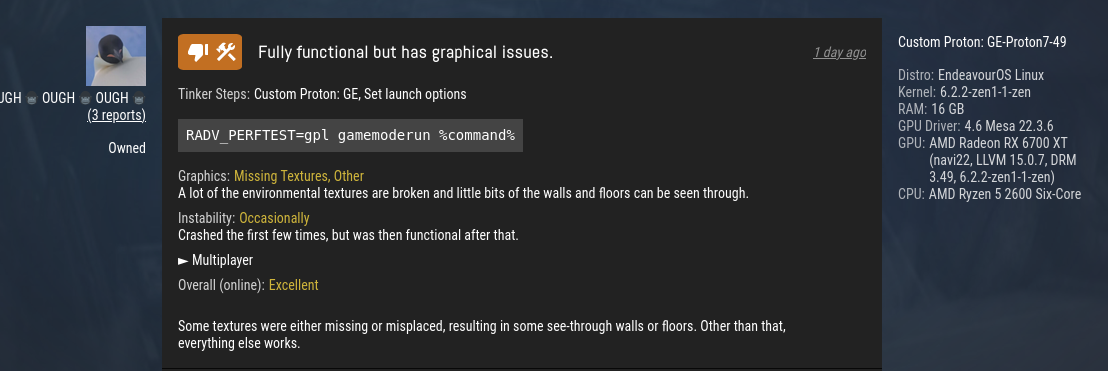
Replying to https://github.com/ValveSoftware/Proton/issues/5030#issuecomment-1464440190
I gave this a try on my 7900 XT and it didn't work unfortunatley, this update also added ray-traced shadows so I wonder if that could be an issue as well.
Replying to https://github.com/ValveSoftware/Proton/issues/5030#issuecomment-1464440190
Hey, i tested it with an RX 7900 XTX, it didn't work for me, neither. According to @glyndwr-io's post, i assume it's a RDNA 3 related issue.
Radv perf test doesn't work on my 6700xt
Running Manjaro stable KDE
6.1 kernel
Mesa git
Halo Infinite opens, plays the opening video (Xbox, 343 Industries) then crashes on the loading screen after a few seconds.
AMD Radeon RX 6600 XT
Intel i7-12700k (@ 5.1 GHz)
Fedora Linux 37
Kernel 6.1.15
I have the same issue where halo infinite it opens and as soon as it finished loading it crashes
It'd be great if we could get any kind of feedback on this. Should we expect this to be fixed in the near future, or can we expect this to be broken for the foreseeable future? There doesn't even seem to be a github issue open for vkd3d about this.
It'd be great if we could get any kind of feedback on this. Should we expect this to be fixed in the near future, or can we expect this to be broken for the foreseeable future? There doesn't even seem to be a github issue open for vkd3d about this.
cant know, I am blind as you are. I know 343 is making a patch in the next few hours so there may be something progressing there. Considering it is broken on many PC users and some xbox users. No clue if it will help, just guessing really.
I believe this branch is the one for fixing the issue mentionned by @Etaash-mathamsetty. I'm keeping an eye on it or any pull request related to it.
https://github.com/HansKristian-Work/vkd3d-proton/tree/multi-indirect-dispatch
PS: Please keep in mind that Github is basically Hans-Kristian's workplace, it might be preferable to not bother him and keep Halo Infinite related technical discussions in this issue unless he asks for feedback.
I believe this branch is the one for fixing the issue mentionned by @Etaash-mathamsetty. I'm keeping an eye on it or any pull request related to it.
https://github.com/HansKristian-Work/vkd3d-proton/tree/multi-indirect-dispatchPS: Please keep in mind that Github is basically Hans-Kristian's workplace, it might be preferable to not bother him and keep Halo Infinite related technical discussions in this issue unless he asks for feedback.
I don't think it can run halo yet, but it's a step in the right direction
We still need support for state changes
edit: seems like it got updated again, not sure if halo werks yet (it doesn't)
Alright, well this is odd.
I installed the March 15th "Small Update", and ran the game with PE. Instant crash, like usual.
Decided to try again. On 2nd run... the hex/topgraphical/loading screen actually loaded... and the progress bar got all the way to 100%.
And stayed there. And nothing else happened.
That's where it is right now. Its been like this for 10 minutes. Its a Halo Infinite scrolling landscapes screensaver.
well seems like it should work with this PR:
https://github.com/HansKristian-Work/vkd3d-proton/pull/1465
enjoy
edit: it does actually work, I am going to test RT now
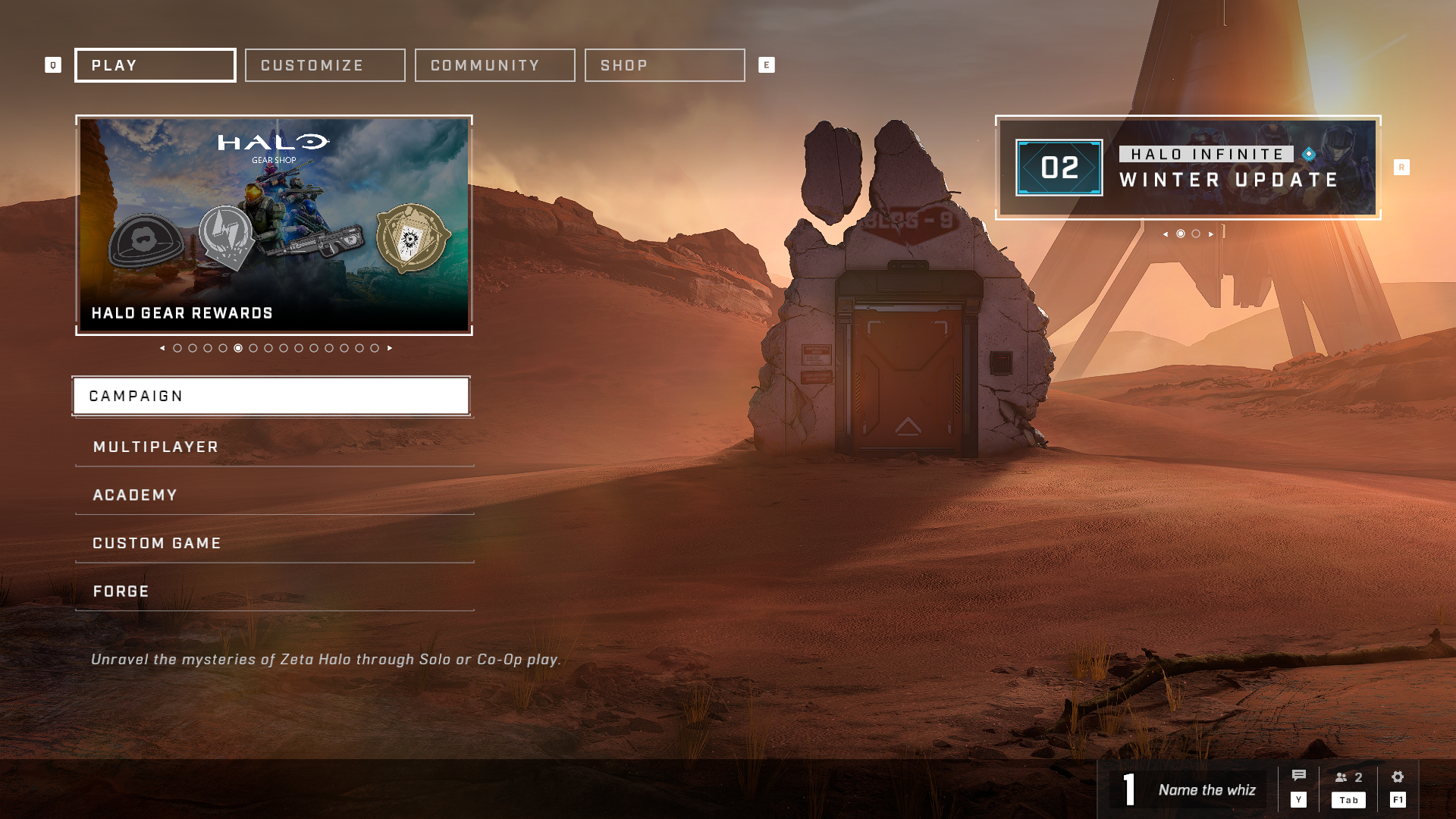
edit2: RT works like a charm
my env variables: VKD3D_CONFIG=dxr VKD3D_FEATURE_LEVEL=12_2 RADV_PERFTEST=rt DXVK_HDR=1 (if you have the correct config with gamescope-git in it's own session and everything you could play with HDR on as well)
How does a fool implement this? :thinking:
I ask because mine still crashes so I assume its something I need to manually apply, and I would rather not damage the prefix by messing around with it xD
How does a fool implement this? thinking
I ask because mine still crashes so I assume its something I need to manually apply, and I would rather not damage the prefix by messing around with it xD
download the artifact off the PR's CI and then put the x64 d3d12.dll next to the game executable and click play (using proton experimental)
here's the link https://github.com/HansKristian-Work/vkd3d-proton/actions/runs/4430663214
How does a fool implement this? thinking
I ask because mine still crashes so I assume its something I need to manually apply, and I would rather not damage the prefix by messing around with it xDdownload the artifact off the PR's CI and then put the x64 d3d12.dll next to the game executable and click play (using proton experimental) here's the link https://github.com/HansKristian-Work/vkd3d-proton/actions/runs/4430663214
Thanks mate
Halo infinite now works with the latest proton-ge 51 from gloriouseggroll :)
Halo infinite now works with the latest proton-ge 51 from gloriouseggroll :)
Can't seem to confirm this working on Steam Deck just yet with 51. I'm in the middle of reinstalling just to try that but I couldn't get it past that loading screen yet.
I've only installed GE7 51 so far. Am I missing something?
@ion070 I haven't gotten it to work either. (Zephyrus G14 2022) With the iGPU enabled, I got garbled intro video and then a crash. With the iGPU disabled and just the dGPU, it would load, then crash when at the "Initalizing Data" part of the sign-in process.
@colemickens I found a post on reddit of someone who got to the main menu on the Deck with 51 here: https://www.reddit.com/r/halo/comments/11sjgqo/does_anyone_know_how_to_fix_not_having_any/?utm_source=share&utm_medium=android_app&utm_name=androidcss&utm_term=1&utm_content=share_button
I left a comment asking how they may have done it.
Halo infinite now works with the latest proton-ge 51 from gloriouseggroll :)
Can't seem to confirm this working on Steam Deck just yet with 51. I'm in the middle of reinstalling just to try that but I couldn't get it past that loading screen yet.
I've only installed GE7 51 so far. Am I missing something?
The reinstall worked!
Is there some other way to clear the game state? I'm in a location where bandwidth is scarce. I can't believe its 2023 and "reinstall" somehow helps. The game content should be roughly immutable, whatever state does Steam maintain per-game?
Halo Infinite now runs on my computer with Proton-GE 7-51 with about 40% of my games crashing out in some way. If I make it all the way through a game I loose server connection after and don't see the full results.
Halo Infinite now runs on my computer with Proton-GE 7-51 with about 40% of my games crashing out in some way. If I make it all the way through a game I loose server connection after and don't see the full results.
Halo infinite is the most stable game on my system never crashes, the second issue you mentioned is something I experience too, will retest with proton tkg 8.3
Odd, I have always had some issues with it, but it was about a 15% crash rate in season 2. What are your specs and launch options? I have no launch options.
Specs:
Intel 12700-K i7
64 GB DDR4 RAM
AMD Radeon 6600XT
Game is on graphics preset medium.
Odd, I have always had some issues with it, but it was about a 15% crash rate in season 2. What are your specs and launch options? I have no launch options. Specs: Intel 12700-K i7 64 GB DDR4 RAM AMD Radeon 6600XT
Game is on graphics preset medium.
on both my systems I never had crashes (with no launch options)
laptop:
ryzen 7 4700u
16gb ddr4
PC:
ryzen 7 7700x
32gb ddr5
RX 6800
Ok. I will do some trouble shooting later today to see if some of my configuration somewhere is messing up stuff. It could be the Intel CPU? I don't know. I assume you are using Proton-GE?
Odd, I have always had some issues with it, but it was about a 15% crash rate in season 2. What are your specs and launch options? I have no launch options. Specs: Intel 12700-K i7 64 GB DDR4 RAM AMD Radeon 6600XT
Game is on graphics preset medium.on both my systems I never had crashes (with no launch options) laptop: ryzen 7 4700u 16gb ddr4
PC: ryzen 7 7700x 32gb ddr5 RX 6800
What distro/DE are you running and do you have ReBAR enabled?
Fedora 37. I feel dumb, I completely forgot about ReBAR. I can't check right now, but when I get there should I have it on or off?
Removing RADV_PERFTEST=gpl gets me all the way to searching for a game, but then another crash. Still dGPU only.
Fedora 37. I feel dumb, I completely forgot about ReBAR. I can't check right now, but when I get there should I have it on or off?
On
Fedora 37. I feel dumb, I completely forgot about ReBAR. I can't check right now, but when I get there should I have it on or off?
On
See, if I have ReBAR on with my 3700X/6800XT, in-menu load times are insufferable, taking at least a minute or more to load into Customization, MP, or the store. With it off, they're fine 🤔 Any ideas?
System:
- CPU: AMD Ryzen 7 3700X
- RAM: 32GB DDR4 2400
- GPU: AMD RX 6800XT
- Storage: Samsung 970 Evo Plus 2TB
- OS: Fedora Workstation 37
- DE: Gnome (Wayland)
Proton-GE 7-51 enabled me to start the game and play for about a minute and a half (my character had no hands holding the gun and all textures looked terrible) before my whole system crashed, my desktop locked up and I had to power my PC off. Never had such a crash on my system besides a recent VLC issue as described here.
Arch 6.2.6-zen Ryzen 5 5600x RX6600xt Asrock b450m Pro4-CB (newest UEFI version) GNOME 43.3 Wayland 1tb NVME
Resizable BAR and Above 4g are enabled
for textures to look correct ReBAR has to be on, I am tired of saying this over and over again (edit: only on RADV apparently, above 4g encoding works as well)
It's a mesa problem, cause Nvidia without rebar texture work, so the developers of mesa have to fix that problem, so delete your video folder if u want textures to work.
Ple
Proton-GE 7-51 enabled me to start the game and play for about a minute and a half (my character had no hands holding the gun and all textures looked terrible) before my whole system crashed, my desktop locked up and I had to power my PC off. Never had such a crash on my system besides a recent VLC issue as described here.
Arch 6.2.6-zen Ryzen 5 5600x RX6600xt Asrock b450m Pro4-CB (newest UEFI version) GNOME 43.3 Wayland 1tb NVME Resizable BAR and Above 4g are enabled
Please disregard this post, I too was quite sure ReBAR was enabled as I had done so in the past but at some point it went back to disabled. Apologies
How does a fool implement this? thinking
I ask because mine still crashes so I assume its something I need to manually apply, and I would rather not damage the prefix by messing around with it xDdownload the artifact off the PR's CI and then put the x64 d3d12.dll next to the game executable and click play (using proton experimental) here's the link https://github.com/HansKristian-Work/vkd3d-proton/actions/runs/4430663214
VKD3D patch works with Proton Experimental. The added CPU overhead is massive, and causes a bit of stutter in game, but it's playable.
Before S3 (winter update): 60-75FPS pinned w/ vsync in game and menus
After: Felt like 30ish, but it was pretty unstable, anywhere from 20 to 75 w/ vsync
Game menus are very slow.
Specs below.
CPU: Intel Core i5-6500
GPU: Radeon RX 6600 (navi23, LLVM 15.0.6, DRM 3.49)
MB: MSI Z270 Gaming PRO Carbon
Mesa: 22.3.3
RAM: 16GB DDR4-3200
Game installed on Crucial MX500 1TB
OS: Debian GNU/Linux bookworm/sid
Kernel: 6.1.0-6-amd64
DE: Cinnamon 5.6.7
ReBAR is off, as my motherboard doesn't seem to support it (last BIOS update was 2018.) Above 4G Decoding is on.
Launch options:
RADV_PERFTEST=gpl mangohud gamemoderun %command%
Replying to https://github.com/ValveSoftware/Proton/issues/5030#issuecomment-1472978205
I also experienced slow menus and slow LOD loading prior to S3 but it's gotten significantly worse in S3. When a game is finished, the loading splash screen takes ages before dumping me back to the multiplayer menu where it says I've disconnected from the game session due to a timeout. Resizeable BAR is enabled.
For me it works!!
Steam beta
PROTON HOTFIX
Mesa-git
REBAR on
4g ON
OS: Manjaro 22.0.5 Sikaris
██████████████████ ████████ Kernel: x86_64 Linux 6.1.19-1-MANJARO
██████████████████ ████████ Uptime: 3h 39m
████████ ████████ Packages: 1777
████████ ████████ ████████ Shell: zsh 5.9
████████ ████████ ████████ Resolution: 2560x1440
████████ ████████ ████████ DE: KDE 5.103.0 / Plasma 5.26.5
████████ ████████ ████████ WM: KWin
████████ ████████ ████████ GTK Theme: Breeze [GTK2/3]
████████ ████████ ████████ Icon Theme: breeze
████████ ████████ ████████ Disk: 8.3T / 110T (8%)
████████ ████████ ████████ CPU: AMD Ryzen 7 5800X 8-Core @ 16x 3.8GHz
████████ ████████ ████████ GPU: AMD Radeon RX 6700 XT (navi22, LLVM 15.0.7, DRM 3.49, 6.1.19-1-MANJARO)
RAM: 4495MiB / 15919MiB
for textures to look correct ReBAR has to be on, I am tired of saying this over and over again (edit: only on RADV apparently, above 4g encoding works as well)
ReBAR was off, so I turned it on, and above 4G was already on.
Proton-GE 7.51
Halo runs very very well. The loading screen before and after the matches is still very long (about 33 seconds on average before and 56 seconds on average after) and about 40% of the matches drop the server connection before I get to the results screen, but the game plays very well.
I will try Proton Hotfix and Proton Experimental later today.
For some of my tests I used the RADV_PERFTEST=gpl %command% launch option, it seemed to shorten the pre and post game loading screens by a few seconds, reduce the amount of dropped games before the results screen, and lengthen the first loading screen a bit.
Also note Halo got a little update in the middle of some of my testing, so that could have messed things up.
This is a reminder to myself to time the loading screens on my brother's Windows 10 laptop just to get an idea of how long they should be.
Proton-GE 7-51 enabled me to start the game and play for about a minute and a half my whole system crashed, my desktop locked up and I had to power my PC off.
I fixed this crash by disabling "XMP Profile 2.0" in UEFI settings. 16GB RAM.
With XMP Profile set to 2.0, my system crashes about 30 seconds into a match.
Proton-GE 7-51 enabled me to start the game and play for about a minute and a half my whole system crashed, my desktop locked up and I had to power my PC off.
I fixed this crash by disabling "XMP Profile 2.0" in UEFI settings. 16GB RAM.
With XMP Profile set to 2.0, my system crashes about 30 seconds into a match.
That is odd. I have had that crash before (very rarely and only in Halo)... I don't know why disabling XMP would fix it.
I don't know much about stuff like this, but I think those whole system freezes are the display server crashing and failing to recover.
I am also able to reproduce, I only get it in certain game modes though
I am also able to reproduce, I only get it in certain game modes though
Same. Fortunately Slayer seems to work and that is me and my friend's favorite mode to play.
Edit 2: MY BAD! I should've scrolled up a bit more. There was someone mentioning this bug already. Sorry for flooding your mail!
I have really odd graphics with Proton GE 51.
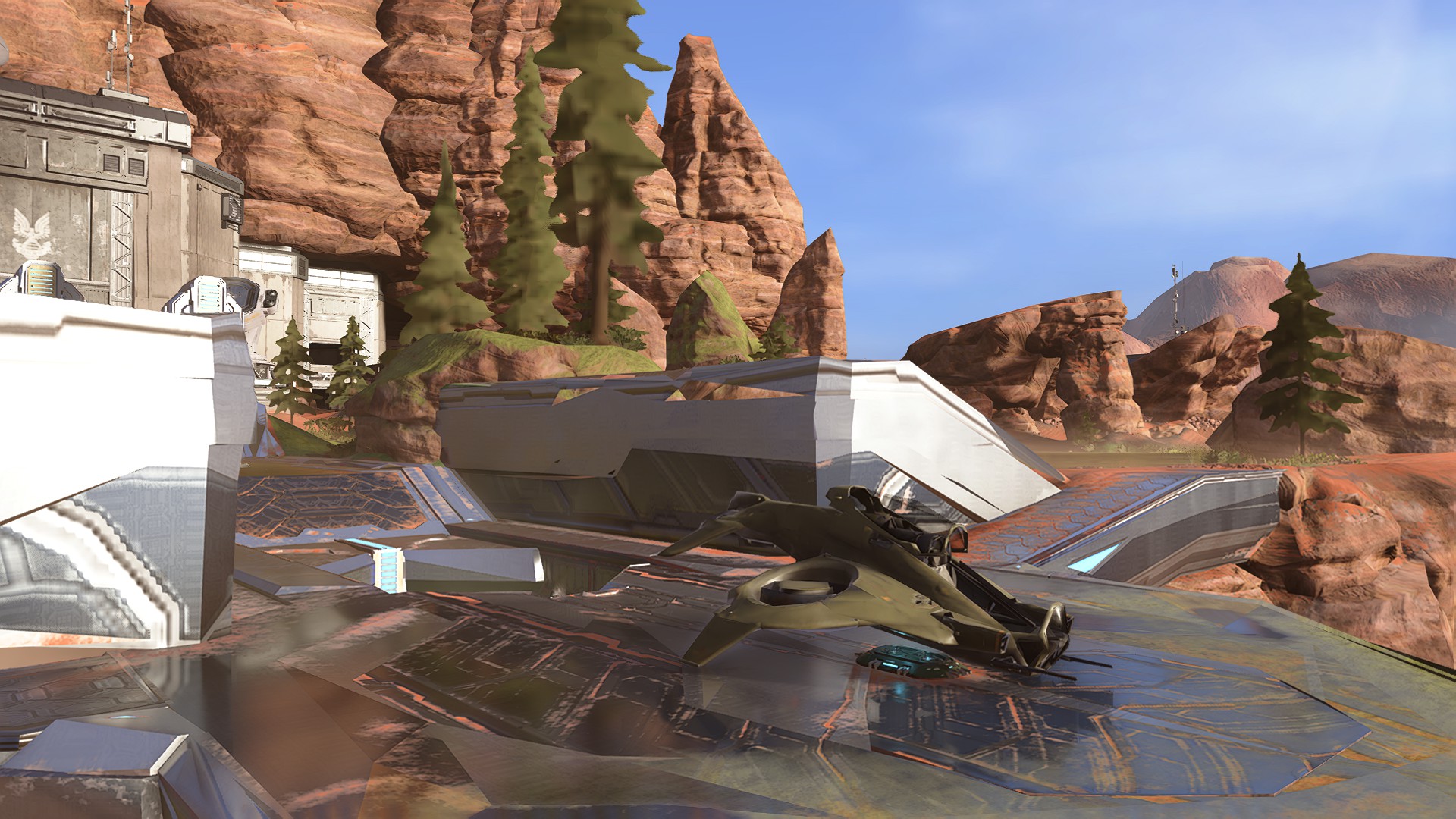
It's like the LOD of the game is lower than anything possible. Is this normal? Even the player hands dont show up. The weapons are also really lowpoly/odd looking.
Operating System: Fedora Linux 37
KDE Plasma Version: 5.27.2
KDE Frameworks Version: 5.103.0
Qt Version: 5.15.8
Kernel Version: 6.1.18-200.fc37.x86_64 (64-bit)
Graphics Platform: Wayland
Processors: 12 × AMD Ryzen 5 3600 6-Core Processor
Memory: 15,5 GiB of RAM
Graphics Processor: AMD Radeon RX 6600
Edit:
Seems the issue was my resizable BAR not being enabled: This gave the game only 256mb VRAM, or something like that. Weird. Enabling it fixed the graphical issue but things load much slower now.
Just wanna share that I'm actually able to boot into a Halo Infinite match now when using the current hotfix. However, it's very choppy.
Edit: thanks to y'all working on this
In the issue that Luiqui87 opened above, kisak-valve says the following:
This is a general system config issue and unrelated to the Steam for Linux client. Use another medium.
Does anyone know what kind of system configuration issues would cause load times to increase with ReBAR on? I've can't seem to find anything but I also don't know where to look.
Yeah I would like to know what system config issues it is because I can't think of anything. My menu loading times are also ridiculous.
For transparency, quoting a comment from a different issue tracker and randomly making an issue report out of it without any newly created content is spam bot behavior to make the account look credible in future spam posts.
The comment taken out of context is asking if ReBAR is right for their system, but that's a detail that requires personal testing and a bunch of hardware details that have explicitly not been communicated. That's a discussion better had on a tech forum than the Steam for Linux issue tracker, which is why I instructed the user to use a different medium.
There still can be a game-specific issue with Proton related to that which is worth pondering, but that doesn't make it okay to spam an unrelated issue tracker.
Replying to https://github.com/ValveSoftware/Proton/issues/5030#issuecomment-1475297057
Thanks for the context. The only reason I mentioned it was I was just curious if there are any paths I could go down to see if a config option could fix it. I've been chasing this for quite a while and nothing has really helped, so it very well could be a Proton issue. If there is any debug info that could help pin this down I'd be happy to provide it, as there doesn't seem to be anything useful in Proton or Kernel logs.
The vkd3d-proton work around have been merged upstream
GPU hangs can be prevented using RADV_DEBUG=hang, I don't recommend this because it's only supposed to be used for debugging and the performance is worse (by a lot).
proton experimental bleeding edge beta can play this game now, no need to copy paste DLLs or use proton-ge
The vkd3d-proton work around have been merged upstream
Do we have to wait for Steam to include it? Can we use this latest version manually? How to use it with Steam?
Sorry that's a lot of questions, but information on the subject is sparse.
Been working for me using proton hotfix
Been working for me using proton hotfix
I tried with experimental bleeding edge, hot fix.
The game starts, the cursors changes to the Halo cursor. I can hear the music and trigger menus, but I have a frozen view of my desktop instead of seeing the game.
Has anyone seen something like this?
I'm running Ubuntu 22.10 with Nvidia drivers 530.
@imval give VKD3D_DISABLE_EXTENSIONS=VK_KHR_present_id,VK_KHR_present_wait %command% as launch option a try.
@imval give
VKD3D_DISABLE_EXTENSIONS=VK_KHR_present_id,VK_KHR_present_wait %command%as launch option a try.
it might be another nvidia driver bug, this works around it
Do we have to wait for Steam to include it? Can we use this latest version manually? How to use it with Steam? Sorry that's a lot of questions, but information on the subject is sparse.
It is available in Bleeding Edge (a beta branch of Proton Experimental) and should get pulled in on the next proper Experimental update.
I have encountered some crashes with the reBAR on, I've shared my crash here: https://gitlab.freedesktop.org/mesa/mesa/-/issues/7664#note_1829965
Wanted to share it here as well if there are any ideas how to fix this.
The latest bleeding edge actually updated a few hours after my last comment and fixed the issues I had.
The latest bleeding edge actually updated a few hours after my last comment and fixed the issues I had.
yeah that's because they (vkd3d-proton devs) disabled those vulkan extensions (present_wait, present_id) on nvidia GPUs lmao
nvidia moment
I have encountered some crashes with the reBAR on, I've shared my crash here: https://gitlab.freedesktop.org/mesa/mesa/-/issues/7664#note_1829965
Wanted to share it here as well if there are any ideas how to fix this.
I wonder when people without rebar will get video support 😂
I have encountered some crashes with the reBAR on, I've shared my crash here: https://gitlab.freedesktop.org/mesa/mesa/-/issues/7664#note_1829965
Wanted to share it here as well if there are any ideas how to fix this.
Does it crash on any specific gamemode? I noticed mine only crashes when I load into zone-based gamemodes (Total Control, Strongholds, etc) which I usually don't get in matchmaking until after a few games. I've also seen others mention crashes in these modes too. It happens right as you get within draw distance of a zone.
https://gitlab.freedesktop.org/drm/amd/-/issues/2471
Replying to https://github.com/ValveSoftware/Proton/issues/5030#issuecomment-1481932833
I think you might be right! I havent really paid attention to it but it seems anything with capture points can cause crash. Maybe it's some specific shader used for the capture points?
Replying to [#5030 (comment)](https://github.com/ValveSoftware/Proton/issues/5030#issuecomment-1481932833)
I think you might be right! I havent really paid attention to it but it seems anything with capture points can cause crash. Maybe it's some specific shader used for the capture points?
I don't have that issue on RDNA 2, so I don't think that's the issue, it's probably RDNA 3 specific
Update from my side. After uninstalling and removing all files, the game works. As it yesterday.
Playing on Steam Deck with Proton Experimental.
I played for a few hours yesterday with no crashes. The long loading screens are annoying though. Sometimes the people I was playing with would already be in the match for a few minutes before I finally got in.
One thing I'm experiencing that I haven't seen mentioned is that the movements keys can be sticky. Sometimes I'll get stuck moving in one direction using WASD keys, and I have to mash the keys again to unstick it. It seems to happen with any direction and I haven't noticed it happen with mouse clicks or other keys.
I've only ever seen this happen in Halo and in daily use those keys never get stuck, so I think it's Halo specific.
Hello @duckbytes, can you check if your system uses ibus 1.5.28? You may have encountered https://github.com/ibus/ibus/issues/2480.
Hello @duckbytes, can you check if your system uses ibus 1.5.28? You may have encountered ibus/ibus#2480.
Oh that was it. Thank you. I added
IBUS_ENABLE_SYNC_MODE=1
to my /etc/environment and it's not happening any more.
Replying to [#5030 (comment)](https://github.com/ValveSoftware/Proton/issues/5030#issuecomment-1481932833)
I think you might be right! I havent really paid attention to it but it seems anything with capture points can cause crash. Maybe it's some specific shader used for the capture points?
I don't have that issue on RDNA 2, so I don't think that's the issue, it's probably RDNA 3 specific
Along with my 7900 XT I have an RX 6800 that is on it's way out and while it encounters general stability issues, I can also get it to crash under the same circumstances. It also seems that Steam Deck users are reporting this issue as well. From some of the comments in this thread it seems to be a bad sahder cache that once cleared temporarily solves the issue. I was using this trick of deleting my shader cache pre Season 3 with very mixed/limited success with my 7900 XT, but since Season 3 it does not seem to work anymore.
https://www.reddit.com/r/SteamDeck/comments/1086ae9/comment/j8oot9r/?utm_source=share&utm_medium=web2x&context=3
. I was using this trick of deleting my shader cache pre Season 3 with very mixed/limited success with my 7900 XT, but since Season 3 it does not seem to work anymore.
Perhaps they fixed the workaround?
I've been having an issue myself now, It's been mostly fine (save the stupidly long load times) and then on the mission Pelican down it started crashing (I'm currently re-installing it).
Whilst most of the logs (Xorg, etc) didn't show much of anything usefull, I did find this in my journal:
Apr 02 15:42:27 small-box kernel: amdgpu 0000:03:00.0: amdgpu: GCVM_L2_PROTECTION_FAULT_STATUS:0x00000000
Apr 02 15:42:27 small-box kernel: amdgpu 0000:03:00.0: amdgpu:          Faulty UTCL2 client ID: CB/DB (0x0)
Apr 02 15:42:27 small-box kernel: amdgpu 0000:03:00.0: amdgpu:          MORE_FAULTS: 0x0
Apr 02 15:42:27 small-box kernel: amdgpu 0000:03:00.0: amdgpu:          WALKER_ERROR: 0x0
Apr 02 15:42:27 small-box kernel: amdgpu 0000:03:00.0: amdgpu:          PERMISSION_FAULTS: 0x0
Apr 02 15:42:27 small-box kernel: amdgpu 0000:03:00.0: amdgpu:          MAPPING_ERROR: 0x0
Apr 02 15:42:27 small-box kernel: amdgpu 0000:03:00.0: amdgpu:          RW: 0x0
Apr 02 15:42:27 small-box kernel: amdgpu 0000:03:00.0: amdgpu: [gfxhub] page fault (src_id:0 ring:173 vmid:0 pasid:0, for process  pid 0 thread  pid 0)
Apr 02 15:42:27 small-box kernel: amdgpu 0000:03:00.0: amdgpu:   in page starting at address 0x0000000000000000 from client 10
Apr 02 15:42:27 small-box kernel: amdgpu 0000:03:00.0: amdgpu: GCVM_L2_PROTECTION_FAULT_STATUS:0x00000000
Apr 02 15:42:27 small-box kernel: amdgpu 0000:03:00.0: amdgpu:          Faulty UTCL2 client ID: CB/DB (0x0)
Apr 02 15:42:27 small-box kernel: amdgpu 0000:03:00.0: amdgpu:          MORE_FAULTS: 0x0
Apr 02 15:42:27 small-box kernel: amdgpu 0000:03:00.0: amdgpu:          WALKER_ERROR: 0x0
Apr 02 15:42:27 small-box kernel: amdgpu 0000:03:00.0: amdgpu:          PERMISSION_FAULTS: 0x0
Apr 02 15:42:27 small-box kernel: amdgpu 0000:03:00.0: amdgpu:          MAPPING_ERROR: 0x0
Apr 02 15:42:27 small-box kernel: amdgpu 0000:03:00.0: amdgpu:          RW: 0x0
Apr 02 15:42:27 small-box kernel: amdgpu 0000:03:00.0: amdgpu: [gfxhub] page fault (src_id:0 ring:173 vmid:0 pasid:0, for process  pid 0 thread  pid 0)
Apr 02 15:42:27 small-box kernel: amdgpu 0000:03:00.0: amdgpu:   in page starting at address 0x0000000000000000 from client 10
Apr 02 15:42:27 small-box kernel: amdgpu 0000:03:00.0: amdgpu: GCVM_L2_PROTECTION_FAULT_STATUS:0x00000000
Apr 02 15:42:27 small-box kernel: amdgpu 0000:03:00.0: amdgpu:          Faulty UTCL2 client ID: CB/DB (0x0)
Apr 02 15:42:27 small-box kernel: amdgpu 0000:03:00.0: amdgpu:          MORE_FAULTS: 0x0
Apr 02 15:42:27 small-box kernel: amdgpu 0000:03:00.0: amdgpu:          WALKER_ERROR: 0x0
Apr 02 15:42:27 small-box kernel: amdgpu 0000:03:00.0: amdgpu:          PERMISSION_FAULTS: 0x0
Apr 02 15:42:27 small-box kernel: amdgpu 0000:03:00.0: amdgpu:          MAPPING_ERROR: 0x0
Apr 02 15:42:27 small-box kernel: amdgpu 0000:03:00.0: amdgpu:          RW: 0x0
Apr 02 15:42:28 small-box kernel: Failed to wait all pipes clean
Apr 02 15:42:28 small-box kernel: amdgpu 0000:03:00.0: amdgpu: soft reset failed, will fallback to full reset!
Apr 02 15:42:28 small-box kernel: [drm:mes_v11_0_submit_pkt_and_poll_completion.constprop.0 [amdgpu]] *ERROR* MES failed to response msg=3
Apr 02 15:42:28 small-box kernel: [drm:amdgpu_mes_unmap_legacy_queue [amdgpu]] *ERROR* failed to unmap legacy queue
Apr 02 15:42:28 small-box kernel: [drm:mes_v11_0_submit_pkt_and_poll_completion.constprop.0 [amdgpu]] *ERROR* MES failed to response msg=3
Apr 02 15:42:28 small-box kernel: [drm:amdgpu_mes_unmap_legacy_queue [amdgpu]] *ERROR* failed to unmap legacy queue
Apr 02 15:42:28 small-box kernel: [drm:mes_v11_0_submit_pkt_and_poll_completion.constprop.0 [amdgpu]] *ERROR* MES failed to response msg=3
Apr 02 15:42:28 small-box kernel: [drm:amdgpu_mes_unmap_legacy_queue [amdgpu]] *ERROR* failed to unmap legacy queue
Apr 02 15:42:28 small-box kernel: [drm:mes_v11_0_submit_pkt_and_poll_completion.constprop.0 [amdgpu]] *ERROR* MES failed to response msg=3
Apr 02 15:42:28 small-box kernel: [drm:amdgpu_mes_unmap_legacy_queue [amdgpu]] *ERROR* failed to unmap legacy queue
Apr 02 15:42:28 small-box kernel: [drm:mes_v11_0_submit_pkt_and_poll_completion.constprop.0 [amdgpu]] *ERROR* MES failed to response msg=3
Apr 02 15:42:28 small-box kernel: [drm:amdgpu_mes_unmap_legacy_queue [amdgpu]] *ERROR* failed to unmap legacy queue
Apr 02 15:42:29 small-box kernel: [drm:mes_v11_0_submit_pkt_and_poll_completion.constprop.0 [amdgpu]] *ERROR* MES failed to response msg=3
Apr 02 15:42:29 small-box kernel: [drm:amdgpu_mes_unmap_legacy_queue [amdgpu]] *ERROR* failed to unmap legacy queue
Apr 02 15:42:29 small-box kernel: [drm:mes_v11_0_submit_pkt_and_poll_completion.constprop.0 [amdgpu]] *ERROR* MES failed to response msg=3
Apr 02 15:42:29 small-box kernel: [drm:amdgpu_mes_unmap_legacy_queue [amdgpu]] *ERROR* failed to unmap legacy queue
Apr 02 15:42:29 small-box kernel: [drm:mes_v11_0_submit_pkt_and_poll_completion.constprop.0 [amdgpu]] *ERROR* MES failed to response msg=3
Apr 02 15:42:29 small-box kernel: [drm:amdgpu_mes_unmap_legacy_queue [amdgpu]] *ERROR* failed to unmap legacy queue
Apr 02 15:42:29 small-box kernel: [drm:mes_v11_0_submit_pkt_and_poll_completion.constprop.0 [amdgpu]] *ERROR* MES failed to response msg=3
Apr 02 15:42:29 small-box kernel: [drm:amdgpu_mes_unmap_legacy_queue [amdgpu]] *ERROR* failed to unmap legacy queue
Apr 02 15:42:29 small-box kernel: [drm:gfx_v11_0_hw_fini [amdgpu]] *ERROR* failed to halt cp gfx
Apr 02 15:42:29 small-box kernel: amdgpu 0000:03:00.0: amdgpu: MODE1 reset
Apr 02 15:42:29 small-box kernel: amdgpu 0000:03:00.0: amdgpu: GPU mode1 reset
Apr 02 15:42:29 small-box kernel: amdgpu 0000:03:00.0: amdgpu: GPU smu mode1 reset
Apr 02 15:42:30 small-box kernel: amdgpu 0000:03:00.0: amdgpu: GPU reset succeeded, trying to resume
Apr 02 15:42:30 small-box kernel: [drm] PCIE GART of 512M enabled (table at 0x00000085FEB00000).
Apr 02 15:42:30 small-box kernel: [drm] VRAM is lost due to GPU reset!
Apr 02 15:42:30 small-box kernel: [drm] PSP is resuming...
Apr 02 15:42:30 small-box kernel: [drm] reserve 0x1300000 from 0x85fc000000 for PSP TMR
Apr 02 15:42:30 small-box kernel: amdgpu 0000:03:00.0: amdgpu: RAP: optional rap ta ucode is not available
Apr 02 15:42:30 small-box kernel: amdgpu 0000:03:00.0: amdgpu: SECUREDISPLAY: securedisplay ta ucode is not available
Apr 02 15:42:30 small-box kernel: amdgpu 0000:03:00.0: amdgpu: SMU is resuming...
Apr 02 15:42:30 small-box kernel: amdgpu 0000:03:00.0: amdgpu: smu driver if version = 0x00000037, smu fw if version = 0x00000034, smu fw program = 0, smu fw version = 0x004e4b00 (78.75.0)
Apr 02 15:42:30 small-box kernel: amdgpu 0000:03:00.0: amdgpu: SMU driver if version not matched
Apr 02 15:42:30 small-box kernel: amdgpu 0000:03:00.0: amdgpu: SMU is resumed successfully!
Apr 02 15:42:30 small-box kernel: [drm] DMUB hardware initialized: version=0x07000A01
Apr 02 15:42:30 small-box kernel: [drm] REG_WAIT timeout 1us * 1000 tries - dcn32_dsc_pg_control line:91
Apr 02 15:42:30 small-box kernel: [drm] REG_WAIT timeout 1us * 1000 tries - dcn32_dsc_pg_control line:99
Apr 02 15:42:30 small-box kernel: [drm] REG_WAIT timeout 1us * 1000 tries - dcn32_dsc_pg_control line:107
Apr 02 15:42:30 small-box kernel: [drm] REG_WAIT timeout 1us * 1000 tries - dcn32_dsc_pg_control line:115
Apr 02 15:42:30 small-box kernel: [drm] REG_WAIT timeout 1us * 1000 tries - dcn32_dsc_pg_control line:91
Apr 02 15:42:30 small-box kernel: [drm] REG_WAIT timeout 1us * 1000 tries - dcn32_dsc_pg_control line:99
Apr 02 15:42:30 small-box kernel: [drm] REG_WAIT timeout 1us * 1000 tries - dcn32_dsc_pg_control line:107
Apr 02 15:42:30 small-box kernel: [drm] REG_WAIT timeout 1us * 1000 tries - dcn32_dsc_pg_control line:115
Apr 02 15:42:30 small-box kernel: [drm] kiq ring mec 3 pipe 1 q 0
Apr 02 15:42:30 small-box kernel: [drm] VCN decode and encode initialized successfully(under DPG Mode).
Apr 02 15:42:30 small-box kernel: amdgpu 0000:03:00.0: [drm:jpeg_v4_0_hw_init [amdgpu]] JPEG decode initialized successfully.
Apr 02 15:42:30 small-box kernel: amdgpu 0000:03:00.0: amdgpu: ring gfx_0.0.0 uses VM inv eng 0 on hub 0
Apr 02 15:42:30 small-box kernel: amdgpu 0000:03:00.0: amdgpu: ring comp_1.0.0 uses VM inv eng 1 on hub 0
Apr 02 15:42:30 small-box kernel: amdgpu 0000:03:00.0: amdgpu: ring comp_1.1.0 uses VM inv eng 4 on hub 0
Apr 02 15:42:30 small-box kernel: amdgpu 0000:03:00.0: amdgpu: ring comp_1.2.0 uses VM inv eng 6 on hub 0
Apr 02 15:42:30 small-box kernel: amdgpu 0000:03:00.0: amdgpu: ring comp_1.3.0 uses VM inv eng 7 on hub 0
Apr 02 15:42:30 small-box kernel: amdgpu 0000:03:00.0: amdgpu: ring comp_1.0.1 uses VM inv eng 8 on hub 0
Apr 02 15:42:30 small-box kernel: amdgpu 0000:03:00.0: amdgpu: ring comp_1.1.1 uses VM inv eng 9 on hub 0
Apr 02 15:42:30 small-box kernel: amdgpu 0000:03:00.0: amdgpu: ring comp_1.2.1 uses VM inv eng 10 on hub 0
Apr 02 15:42:30 small-box kernel: amdgpu 0000:03:00.0: amdgpu: ring comp_1.3.1 uses VM inv eng 11 on hub 0
Apr 02 15:42:30 small-box kernel: amdgpu 0000:03:00.0: amdgpu: ring sdma0 uses VM inv eng 12 on hub 0
Apr 02 15:42:30 small-box kernel: amdgpu 0000:03:00.0: amdgpu: ring sdma1 uses VM inv eng 13 on hub 0
Apr 02 15:42:30 small-box kernel: amdgpu 0000:03:00.0: amdgpu: ring vcn_unified_0 uses VM inv eng 0 on hub 1
Apr 02 15:42:30 small-box kernel: amdgpu 0000:03:00.0: amdgpu: ring vcn_unified_1 uses VM inv eng 1 on hub 1
Apr 02 15:42:30 small-box kernel: amdgpu 0000:03:00.0: amdgpu: ring jpeg_dec uses VM inv eng 4 on hub 1
Apr 02 15:42:30 small-box kernel: amdgpu 0000:03:00.0: amdgpu: ring mes_kiq_3.1.0 uses VM inv eng 14 on hub 0
Apr 02 15:42:30 small-box kernel: amdgpu 0000:03:00.0: amdgpu: recover vram bo from shadow start
Apr 02 15:42:30 small-box kernel: amdgpu 0000:03:00.0: amdgpu: recover vram bo from shadow done
Apr 02 15:42:30 small-box kernel: [drm] Skip scheduling IBs!
Apr 02 15:42:30 small-box kernel: [drm] Skip scheduling IBs!
Apr 02 15:42:30 small-box kernel: [drm] Skip scheduling IBs!
Apr 02 15:42:30 small-box kernel: [drm] Skip scheduling IBs!
Apr 02 15:42:30 small-box kernel: [drm] Skip scheduling IBs!
Apr 02 15:42:30 small-box kernel: [drm] Skip scheduling IBs!
Apr 02 15:42:30 small-box kernel: [drm] Skip scheduling IBs!
Apr 02 15:42:30 small-box kernel: [drm] Skip scheduling IBs!
Apr 02 15:42:30 small-box kernel: [drm] Skip scheduling IBs!
Apr 02 15:42:30 small-box kernel: [drm] Skip scheduling IBs!
Apr 02 15:42:30 small-box kernel: [drm] Skip scheduling IBs!
Apr 02 15:42:30 small-box kernel: [drm] Skip scheduling IBs!
Apr 02 15:42:30 small-box kernel: [drm] Skip scheduling IBs!
Apr 02 15:42:30 small-box kernel: [drm] Skip scheduling IBs!
Apr 02 15:42:30 small-box kernel: [drm] Skip scheduling IBs!
Apr 02 15:42:30 small-box kernel: [drm] Skip scheduling IBs!
Apr 02 15:42:30 small-box kernel: [drm] Skip scheduling IBs!
Apr 02 15:42:30 small-box kernel: [drm] Skip scheduling IBs!
Apr 02 15:42:30 small-box kernel: [drm] ring gfx_32782.1.1 was added
Apr 02 15:42:30 small-box kernel: [drm] ring compute_32782.2.2 was added
Apr 02 15:42:30 small-box kernel: [drm] ring compute_32782.2.3 was added
Apr 02 15:42:30 small-box kernel: [drm] ring compute_32782.2.4 was added
Apr 02 15:42:30 small-box kernel: [drm:amdgpu_cs_ioctl [amdgpu]] *ERROR* Failed to initialize parser -125!
Apr 02 15:42:30 small-box kernel: [drm] ring compute_32782.2.5 was added
Apr 02 15:42:30 small-box kernel: [drm] ring sdma_32782.3.6 was added
Apr 02 15:42:30 small-box kernel: [drm] ring sdma_32782.3.7 was added
Apr 02 15:42:30 small-box kernel: [drm] ring gfx_32782.1.1 test pass
Apr 02 15:42:30 small-box kernel: [drm] ring gfx_32782.1.1 ib test pass
Apr 02 15:42:30 small-box kernel: [drm] ring compute_32782.2.2 test pass
Apr 02 15:42:30 small-box kernel: [drm] ring compute_32782.2.2 ib test pass
Apr 02 15:42:30 small-box kernel: [drm] ring compute_32782.2.3 test pass
Apr 02 15:42:30 small-box kernel: [drm] ring compute_32782.2.3 ib test pass
Apr 02 15:42:30 small-box kernel: [drm] ring compute_32782.2.4 test pass
Apr 02 15:42:30 small-box kernel: [drm] ring compute_32782.2.4 ib test pass
Apr 02 15:42:30 small-box kernel: [drm] ring compute_32782.2.5 test pass
Apr 02 15:42:30 small-box kernel: [drm] ring compute_32782.2.5 ib test pass
Apr 02 15:42:30 small-box kernel: [drm] ring sdma_32782.3.6 test pass
Apr 02 15:42:30 small-box kernel: [drm] ring sdma_32782.3.6 ib test pass
Apr 02 15:42:30 small-box kernel: [drm] ring sdma_32782.3.7 test pass
Apr 02 15:42:30 small-box kernel: [drm] ring sdma_32782.3.7 ib test pass
Apr 02 15:42:30 small-box kernel: amdgpu 0000:03:00.0: amdgpu: GPU reset(4) succeeded!
Apr 02 15:42:30 small-box xdg-desktop-portal-kde[10355]: The X11 connection broke (error 1). Did the X11 server die?
I'm not sure if any of that is helpful but It did seem to occur when the game crashed.
EDIT:
Reinstalling had no effect :(
1240440/config_info:
7.0-101
/home/thermatix/.var/app/com.valvesoftware.Steam/.local/share/Steam/steamapps/common/Proton - Experimental/files/share/fonts/
/home/thermatix/.var/app/com.valvesoftware.Steam/.local/share/Steam/steamapps/common/Proton - Experimental/files/lib/
/home/thermatix/.var/app/com.valvesoftware.Steam/.local/share/Steam/steamapps/common/Proton - Experimental/files/lib64/
/home/thermatix/.var/app/com.valvesoftware.Steam/.local/share/Steam
1679682280.0
1679682282.0
1516738214.0
/home/thermatix/.var/app/com.valvesoftware.Steam/.local/share/Steam/steamapps/common/Proton - Experimental/files/share/default_pfx/
1680292545.1690493
False
True
d3dcompiler_*.dll,d3dcsx*.dll,d3dx*.dll,x3daudio*.dll,xactengine*.dll,xapofx*.dll,xaudio*.dll,xinput*.dll,atl1*.dll,concrt1*.dll,msvcp1*.dll,msvcr1*.dll,vcamp1*.dll,vcomp1*.dll,vccorlib1*.dll,vcruntime1*.dll,ntdll.dll,vulkan-1.dll
False
Hello @Thermatix, please copy your system information from Steam (Steam -> Help -> System Information) and put it in a gist, then include a link to the gist in this issue report. Also, please note which Proton version you're using with the game.
Replying to [#5030 (comment)](https://github.com/ValveSoftware/Proton/issues/5030#issuecomment-1481932833)
I think you might be right! I havent really paid attention to it but it seems anything with capture points can cause crash. Maybe it's some specific shader used for the capture points?
I can confirm, it's happening when control point is visible. Using 3900x and 6950xt with reBAR on.
Although the game seems to work fine on my Steam Deck, on my desktop I have issues joining and ending matches. When joining a match, during the splash screen between "Match starting in... 5, 4, 3, 2, 1" and being dropped into the game, the game sits in the splash screen for an extended period of time. It often lasts long enough that I miss the first minute or so of the match. And sometimes it even lasts long enough that I get kicked for inactivity; I have to kill the game before this happens or else I can get suspended for "unsportsmanship".
When a match ends, it takes a minute or two of splash screen before I'm brought back to the menu, and then it tells me I've lost connection to the server.
This is on a system with a Ryzen 7950X and a Radeon RX 7900 XT.
Replying to https://github.com/ValveSoftware/Proton/issues/5030#issuecomment-1504034182
I had completely the same issue yesterday. Ryzen 5950x, 6900XT. Opensuse TW, Kernel 6.2
NixOS, kernel 6.1.21, and mesa 22.3.7 for me, though mesa 23.0.2 didn't help.
My specs are:
OS: Arch Linux
KERNEL: 6.2.10-zen1-1-zen
CPU: AMD Ryzen 5 5600 6-Core
GPU: AMD Radeon RX 6600 (navi23, LLVM 15.0.7, DRM 3.49, 6.2.10-zen1-1-zen)
GPU DRIVER: 4.6 Mesa 23.0.2
RAM: 16 GB
I can play the game without issue, the only weird thing I've noticed is that the textures are missing/messed up:
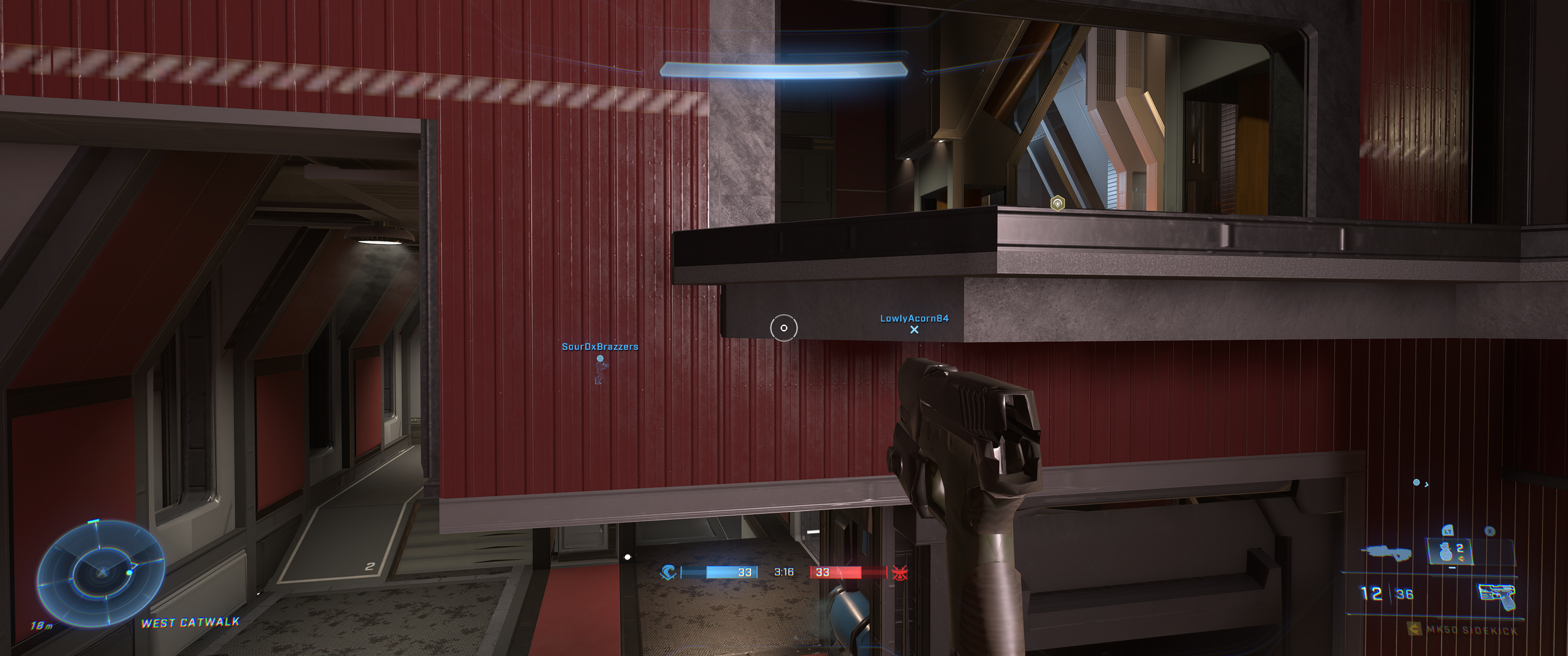
any idea what could it be?
Replying to https://github.com/ValveSoftware/Proton/issues/5030#issuecomment-1507824858
Enable rebar (or above 4g encoding), I think me and other people have said this over 10 times in the thread already :p
Some of us can't enable either of them 😂
Replying to https://github.com/ValveSoftware/Proton/issues/5030#issuecomment-1507824858
I even switched to arch now (endevaour os) but i still have the issue with the long loading screen and server disconnect when exiting a match. So for me it is the same issue on opensuse tw and arch. tried zen and standard kernel
Replying to [#5030 (comment)](https://github.com/ValveSoftware/Proton/issues/5030#issuecomment-1507824858)
I even switched to arch now (endevaour os) but i still have the issue with the long loading screen and server disconnect when exiting a match. So for me it is the same issue on opensuse tw and arch. tried zen and standard kernel
Delete or rename your video folder
Delete or rename your video folder
@massatt212 What is this supposed to accomplish? Renaming the folder didn't have any positive effect on the match loading or server disconnecting.
With Proton 8.0 the game crashes at first loading screen due to vkd3d being too old. Using the vkd3d proton from experimental (proton 7) lets you get into the game but then the game constantly crashes when you try to enter a multiplayer match.
I have found some very weird behaviour with this game on my Steam Deck, I think?
I can launch the game and play just fine when I do not set an override for compatibility:

Of course, I have my Enable Steam Play for all other titles set to Proton 7.0-6:

However, when I try to manually set the override specifically for Halo Infinite to Proton 7.0-6, it does not work, it tries loading the splash screen and loading into the main menu then crashes out of the game.
I have noticed that it is "Playable" on the Steam store page - it's not "Verified", so doesn't that mean Steam isn't explicitly setting the Proton version for this specific game?
Am I missing something here? What Proton version is Halo Infinite using for me if it's not Proton 7.0-6?
@ipkpjersi It should be using Experimental by default according to steamdb. https://steamdb.info/app/1240440/
Currently noticing that things take a while to load. Sometimes there's texture pop-ins, but the Customize -> Armor Hall menu takes a long time to load, and loading into games takes significantly longer than on Windows.
Anyone have ideas for what would cause that?
i gave up on this game, just give it some time and check back in a month, on windows i can load all textures on a old motherboard without 4gb decoding, on linux i need 4g decoding, so give it another month so they can solve it or even 5 months.
same for me, play very rarely now, those loading times are just annoying. Hope the issues can get fixed eventually. Even leaving the map and going back to menu takes ages with server disconnects,
Don't have any of the 3 above issues, long loading times were fixed last week and just enable 4g encoding/rebar for textures
Server disconnecting after the match is something I get as well tho :(
I just played Halo a few days ago on my kde Manjaro system with kernel 6.3 and it worked fine What are you guys running?
Don't have any of the 3 above issues, long loading times were fixed last week and just enable 4g encoding/rebar for textures
Server disconnecting after the match is something I get as well tho :(
My motherboard doesn't have 4gb decoding, just said it old.
I just played Halo a few days ago on my kde Manjaro system with kernel 6.3 and it worked fine What are you guys running?
Nobara 37 with kernel 6.2.14-300.fsync.fc37.x86_64, running Gnome. Rebar is enabled but I still get weird texture issues. Load times are atrocious (videos directory is in fact deleted), and "server disconnected" when games finish.
I just played Halo a few days ago on my kde Manjaro system with kernel 6.3 and it worked fine What are you guys running?
Nobara 37 with kernel
6.2.14-300.fsync.fc37.x86_64, running Gnome. Rebar is enabled but I still get weird texture issues. Load times are atrocious (videos directory is in fact deleted), and "server disconnected" when games finish.
use a newer proton, proton experimental is new enough I think, but if you still have loading time issues, then just use proton experimental bleeding edge
I just played Halo a few days ago on my kde Manjaro system with kernel 6.3 and it worked fine What are you guys running?
Nobara 37 with kernel
6.2.14-300.fsync.fc37.x86_64, running Gnome. Rebar is enabled but I still get weird texture issues. Load times are atrocious (videos directory is in fact deleted), and "server disconnected" when games finish.use a newer proton, proton experimental is new enough I think, but if you still have loading time issues, then just use proton experimental bleeding edge
Last I tried the latest Proton GE (as Experimental was behaving the same). Maybe Experimental has pushed ahead; the latest GE is getting a bit old.
I just played Halo a few days ago on my kde Manjaro system with kernel 6.3 and it worked fine What are you guys running?
Nobara 37 with kernel
6.2.14-300.fsync.fc37.x86_64, running Gnome. Rebar is enabled but I still get weird texture issues. Load times are atrocious (videos directory is in fact deleted), and "server disconnected" when games finish.use a newer proton, proton experimental is new enough I think, but if you still have loading time issues, then just use proton experimental bleeding edge
Last I tried the latest Proton GE (as Experimental was behaving the same). Maybe Experimental has pushed ahead; the latest GE is getting a bit old.
yes, the last proton ge is too old
Try TKG proton
Just tried GE 8.0-4 (released today), tkg 8.0.45645.20230605, and Experimental (built into Steam) and they all behaved exactly the same in regard to loading/textures/server disconnect (at the end of the match).
Just tried GE 8.0-4 (released today), tkg 8.0.45645.20230605, and Experimental (built into Steam) and they all behaved exactly the same in regard to loading/textures/server disconnect (at the end of the match).
strange, I have no issues and im using an HDD
Yea, this is very unlikely to be hardware, my games are on an NVMe SSD...
I'm currently using proton experimental and suddenly stopped working. It tries to start the game, appears loading and closes unexpectedly.
I'm currently using proton experimental and suddenly stopped working. It tries to start the game, appears loading and closes unexpectedly.
There was an update to Proton Experimental today that seems to have broke things, try switching to Proton Hotfix.
I'm currently using proton experimental and suddenly stopped working. It tries to start the game, appears loading and closes unexpectedly.
yeah they broke the videos :/ (just remove the videos folder)
Switched to proton hotfix worked. Thank you both!!!
Attached a Steam Proton log of me launching the game, jumping into training mode, quitting, into a social skirmish, and quitting. Also included system information exported from Steam.
Hopefully this is helpful in some way. Today I actually moved Halo: Infinite from a secondary disk formatted with f2fs to my OS disk formatted with btrfs. Didn't seem to make a difference.
I haven't seen any note of this in the above thread (at first glance at least) but it appears that video settings such as the frame-limiter and minimum framerate settings do not appear to stick upon being set, but instead require the entire setting menu to be closed and brought up again.
A way to observe this behaviour would be to set the maximum framerate to 60, exit the menus and then set the maximum framerate to unlocked, the framerate limit does not change from 60 to an unlocked framerate unless you open the video settings tab multiple times.
I can try and catch logs when attempting to do this but I'm not sure how much additional noise will be in them.
Another observable issue on my hardware is sporadic frame times when running with variable frame rates.
Locking down the frame rate (see above comment in respects to issues with even doing that) with both minimum and maximum frame rates set to the same value appears to greatly fix frame-times to the point of the game running indistinguishably when compared to windows. Otherwise, you'll notice frame ghosting, and increased input latency.
Again, not really sure how to catch this in a log that would make it usable for debugging purposes.
Relevant system information: https://gist.github.com/ProjectSynchro/f0d4e4f102ca29c71a683ea49dd4df7e
water issues on map forest lmao
and the grappling hook has some serious artifacting on the latest proton experimental (bleeding edge)
also will the slow loading times ever get fixes and texture streaming issues?
this is on mesa 23.1.2 rx 6700 10GB
edit: trying mesa git which is mesa 23.2 at the moment texture streaming seems a lot better and loading times seem around the same or a bit faster idk lol and water is fixed on forest
I complained a lot already about the slow loading times, which partly makes connecting to game not possible. Nobody cares at all as it seems. I stopped playing halo cause it is so annoying, wait 1 or 2 mins for a 1 min game and then wait 1 min to go back to the lobgby with a high chance of a server disconnect message.
People with older motherboards can't even get proper graphics, but it works on Nvidia, so I know the game does not need 4gb video, AMD graphics driver needs to figure that out and vkd3d prob need some features to get the game running good.
I don't understand why your loading times are bad, I play on a HDD and they are more or less perfectly fine, no server disconnects either
People with older motherboards can't even get proper graphics, but it works on Nvidia, so I know the game does not need 4gb video, AMD graphics driver needs to figure that out and vkd3d prob need some features to get the game running good.
Have you tried VKD3D_CONFIG=no_upload_hvv
I'll try it in 30mijs I'll download over, and does it work with mesa 23.2.3
I'll try it in 30mijs I'll download over, and does it work with mesa 23.2.3
it works with any vulkan driver
Did not work, some textures are not working, video files are blurry and have no hands and the gun is blurry
People with older motherboards can't even get proper graphics, but it works on Nvidia, so I know the game does not need 4gb video, AMD graphics driver needs to figure that out and vkd3d prob need some features to get the game running good.
Have you tried VKD3D_CONFIG=no_upload_hvv
Didn't work, so weird Nvidia doesn't have the same problem with the same motherboard, but AMD radv does.
I can't even get past the loading screen.
Once the loading bar reaches the end, the game crashes.
I tried Proton Experimental, Hotfix
Redownloading
Verify
Updating drivers
Nothing works
Weird thing is
I did play before on this setup
Didn't play for a few weeks
And now this problem showed up
Been stuck with this issue for 3+ months now
Back when it did work, the graphics were stuck on lowest setting. Ignoring what ever settings I set it to.
I have an RX 6700XT with 12GB VRAM, 64GB RAM, Ryzen 7 3700X
Running Manjaro OS
Which hw, driver and kernel do you use ?
@TheIceLeopard @.***> schrieb am So., 2. Juli 2023,
20:41:
I can't even get past the loading screen.
Once the loading bar reaches the end, the game crashes.
I tried Proton Experimental, Hotfix
Redownloading
VerifyUpdating drivers
Nothing worksWeird thing is
I did play before on this setup
Didn't play for a few weeks
And now this problem showed up
Been stuck with this issue for 3+ months now—
Reply to this email directly, view it on GitHub
https://github.com/ValveSoftware/Proton/issues/5030#issuecomment-1616768804,
or unsubscribe
https://github.com/notifications/unsubscribe-auth/AIPVS44MQTTRRCR5XXPEDMDXOG6EPANCNFSM5BGY6AKQ
.
You are receiving this because you were mentioned.Message ID:
@.***>
Kernel: 5.15.114
Driver & HW: I am unsure how to find either of these. It's some command, but I do not know it. Attempting the internet search. But the non command response: I think I am using MESA Drivers and I know I am using AMD GPU and CPU
Hello @StormyIceLeopard, please copy the contents of Steam Runtime Diagnostics from Steam (Steam -> Help -> Steam Runtime Diagnostics) and put it in a gist, then include a link to the gist in this issue report.
That should include all the relevant details.
I think I did this right.
https://gist.github.com/StormyIceLeopard/30b72f097534a9ed5e06d2f1e06589ea
https://gist.github.com/StormyIceLeopard/30b72f097534a9ed5e06d2f1e06589ea#file-stormy_steam_runtime_information-json-L3582-L3596 looks like the relevant detail. Your system is configured to run 64 bit Vulkan applications with AMDGPU-Pro. It might be worthwhile to test how the game behaves with mesa/RADV instead.
May I ask how do I do that?
https://gist.github.com/StormyIceLeopard/30b72f097534a9ed5e06d2f1e06589ea#file-stormy_steam_runtime_information-json-L3582-L3596 looks like the relevant detail. Your system is configured to run 64 bit Vulkan applications with AMDGPU-Pro. It might be worthwhile to test how the game behaves with mesa/RADV instead.
May I ask how do I do that?
https://gist.github.com/StormyIceLeopard/30b72f097534a9ed5e06d2f1e06589ea#file-stormy_steam_runtime_information-json-L3582-L3596 looks like the relevant detail. Your system is configured to run 64 bit Vulkan applications with AMDGPU-Pro. It might be worthwhile to test how the game behaves with mesa/RADV instead.
Which OS ate you on?
Manjaro
On Sun, Jul 2, 2023, 3:46 PM massatt212 @.***> wrote:
May I ask how do I do that?
https://gist.github.com/StormyIceLeopard/30b72f097534a9ed5e06d2f1e06589ea#file-stormy_steam_runtime_information-json-L3582-L3596
looks like the relevant detail. Your system is configured to run 64 bit
Vulkan applications with AMDGPU-Pro. It might be worthwhile to test how the
game behaves with mesa/RADV instead.Which OS ate you on?
—
Reply to this email directly, view it on GitHub
https://github.com/ValveSoftware/Proton/issues/5030#issuecomment-1616797597,
or unsubscribe
https://github.com/notifications/unsubscribe-auth/ACOQ4K2LBGSZJYQYMZUAWZTXOHFYJANCNFSM5BGY6AKQ
.
You are receiving this because you were mentioned.Message ID:
@.***>
Did you install amdvlk?
sudo pacman -S mesa lib32-mesa vulkan-radeon lib32-vulkan-radeon vulkan-icd-loader lib32-vulkan-icd-loader
Manjaro
…
On Sun, Jul 2, 2023, 3:46 PM massatt212 @.> wrote: May I ask how do I do that? https://gist.github.com/StormyIceLeopard/30b72f097534a9ed5e06d2f1e06589ea#file-stormy_steam_runtime_information-json-L3582-L3596 looks like the relevant detail. Your system is configured to run 64 bit Vulkan applications with AMDGPU-Pro. It might be worthwhile to test how the game behaves with mesa/RADV instead. Which OS ate you on? — Reply to this email directly, view it on GitHub <[#5030 (comment)](https://github.com/ValveSoftware/Proton/issues/5030#issuecomment-1616797597)>, or unsubscribe https://github.com/notifications/unsubscribe-auth/ACOQ4K2LBGSZJYQYMZUAWZTXOHFYJANCNFSM5BGY6AKQ . You are receiving this because you were mentioned.Message ID: @.>
If you install doesn't have important stuff, try nobara or endeavour os
sudo pacman -S mesa lib32-mesa vulkan-radeon lib32-vulkan-radeon vulkan-icd-loader lib32-vulkan-icd-loader
Already have all those installed
If you install doesn't have important stuff, try nobara or endeavour os
I really rather not change OS
Sounds like you have amdgpu pro drivers and amdvlk drivers installed, prove those and try Again
Sounds like you have amdgpu pro drivers and amdvlk drivers installed, prove those and try Again
Below are images proving that all those are already installed.
Rremove the amdgpupro driver and the AMD vulkan prefix
Rremove the amdgpupro driver and the AMD vulkan prefix
Oh, okay.
Removing the following
Rremove the amdgpupro driver and the AMD vulkan prefix
Oh, okay. Removing the following
Uh...... I can't. Steam requires those to run.
Edit: They were removed after all......
But won't that mean Steam won't work anymore, or rather it will just reinstall them?
Well..... Steam works and now I got to the main menu of Halo Infinite!
Thank you so much!
Np
I have been playing Halo Infinite on an ASUS GA402RJ (Zephyrus G14 AMD+AMD) for the past week, and generally it works fine. There's still some "jank" with various UI elements (it feels like texture loading delays, but it's constant, even after I've been playing and navigating menus for a while).
However, I can say that I still have the "post-game-stall and disconnect" issue. It's not the end of the world, but it does add a 2-minute delay between every game that shouldn't be there.
I'm a fairly technical user, I can provide details about how our mesa (23.1.3), or libdrm (2.4.115), or kernel (6.3.10) are built, the exact version I'm testing with, etc. I'm just not sure what's important to look at. Alternatively, if there's some way to capture a more verbose log, I could do that just as the game is ending and supply that?
(Note: I've been using Proton Hotfix since someone mentioned that the newer GE proton builds wouldn't start (and I was seeing the same thing.))
Replying to https://github.com/ValveSoftware/Proton/issues/5030#issuecomment-1619355319
Try proton experimental instead
I didn't try Experimental yet, but the latest GE-Proton-8 worked, and while it still feels a bit slower than on Windows, it was much faster and avoided the disconnect error for both games I tried. So it's in quite good shape for me (and I'm not using any AMD extra env vars or anything, and not on mesa 23.2 yet, so probably even better soon).
GE-Proton-8 did not solve the disconnect error for me.
Game has very slow loading times and IO in general. This includes menus, the game itself (e.g. initial loading screen), loading the gamemode/maps, loading into games (often missing the round start), the aforementioned after-game disconnect, etc.
Monitoring the game in MangoHUD the game almost never reaches more than 10MiB/s read speed and constantly goes back down to 0 MiB/s during loads. This is all on a pretty performant SATA SSD, by the way.
In-game, there isn't much of a performance hit. I can maintain 60fps with occasional stutter.. but the loading times make the game borderline unplayable.
Using Proton Experimental.
Specs:
Intel Core i5-6500
MSI Z270 Gaming PRO Carbon
Radeon RX 6600
16GB DDR4-3200
Debian 12 (bookworm) with kernel 6.4.3-1-liquorix-amd64
Mesa 22.3.6
If there's any info i need to provide aside from this, I can do so
Replying to https://github.com/ValveSoftware/Proton/issues/5030#issuecomment-1632562765
could you update your mesa drivers? (to git would be most helpful)
I can't repro the loading time issues, they are decent even with my HDD. I can't repro the after game disconnect anymore.
could you update your mesa drivers? (to git would be most helpful)
I can't repro the loading time issues, they are decent even with my HDD. I can't repro the after game disconnect anymore.
will look into doing that
not exactly sure how to do that on debian, and google turns up barely any results
Replying to https://github.com/ValveSoftware/Proton/issues/5030#issuecomment-1632562765
To solve stutters I'd suggest switching your mesa to a mesa version above mesa 23.1. I use kisak mesa repo on pop os and it works great for playing games with zero stutters on either dxvk games or vkd3d and you can turn off precaching on steam as well :)
Replying to https://github.com/ValveSoftware/Proton/issues/5030#issuecomment-1632601481
is the kisak-mesa PPA safe to use on Debian? since i know that PPAs have been problematic in the past and the general rule is "don't use PPAs on debian"
Replying to https://github.com/ValveSoftware/Proton/issues/5030#issuecomment-1632610062
Yeah it seems it's not ideal to use ppas on debian and I don't know any ways of switching out mesa on debian besides switching to debian testing
As PPA maintainer, I would not recommend Frankenstein-ing kisak-mesa into Debian. The technically correct method would be to rebuild the PPA packages or mesa from Debian Sid against your distro release. There's only minor packaging differences between those two anyway.
Fair disclaimer: I have not looked at how much of hassle it would be to setup the build environment to do that on Debian.
Could any of you who experience the very long loading times try to launch the game with VKD3D_CONFIG=no_upload_hvv %command% in the games Steam launch options?
Could any of you who experience the very long loading times try to launch the game with
VKD3D_CONFIG=no_upload_hvv %command%in the games Steam launch options?
Applying VKD3D_CONFIG=no_upload_hvv to my launch options fixed the loading times and the stuttering I was having. Had the best game in months after that. Thanks :3
At first launch it gave me an "Assertion Failed!" error but that happens on occasion anyways and i just relaunched Halo and it worked fine.
Could any of you who experience the very long loading times try to launch the game with
VKD3D_CONFIG=no_upload_hvv %command%in the games Steam launch options?Applying
VKD3D_CONFIG=no_upload_hvvto my launch options fixed the loading times and the stuttering I was having. Had the best game in months after that. Thanks :3At first launch it gave me an "Assertion Failed!" error but that happens on occasion anyways and i just relaunched Halo and it worked fine.
I guess this deserves a PR then: https://github.com/HansKristian-Work/vkd3d-proton/pull/1633/files
I guess this deserves a PR then: https://github.com/HansKristian-Work/vkd3d-proton/pull/1633/files
Poor loading times and performance with ReBar on some devices.
Are we sure this is the case? My ReBAR is disabled (or rather, doesn't exist in my BIOS.) Unless having Above 4G Decoding enabled is essentially the same.
Unless having Above 4G Decoding enabled is essentially the same.
On Linux that usually does the same (at least in my case, but i think it depends on the specific setup) where as on Windows i need both options for ReBAR.
As to why this can be such a massive issue to begin with when it isn't on Windows is something I'll poke the vkd3d-proton devs about.
Can confirm that VKD3D_CONFIG=no_upload_hvv %command% fixed the loading problems for me.
Now I'm still left with one last issue I've had for a while: The game launches in windowed mode instead of full screen for some reason.
Can confirm that
VKD3D_CONFIG=no_upload_hvv %command%fixed the loading problems for me.Now I'm still left with one last issue I've had for a while: The game launches in windowed mode instead of full screen for some reason.
Yeah, If you didn't already know the game doesn't have an exclusive fullscreen mode for some reason.
Yeah, If you didn't already know the game doesn't have an exclusive fullscreen mode for some reason.
it certainly used to. It was only the past couple of months that it's run in windowed mode for me.
Awesome! VKD3D_CONFIG=no_upload_hvv solved it for me as well. It also fixed the issue I was complaining about with LOD staying low for a very long time.
Weather update: the Assertion Failed error happens much more frequently with no_upload_hvv. After a few launches it usually works but the long initial load persists.
I tried logging, the log was 1.3gb...
Also confirming VKD3D_CONFIG=no_upload_hvv works shockingly well here. It also seems to have solved this small problem I had when rotating models/characters in the Armor Hall would make them flicker like crazy. Totally smooth now.
Although this begs the question as to why disabling rebar would solve this. People were suggesting turning rebar on not that long ago.
Also confirming
VKD3D_CONFIG=no_upload_hvvworks shockingly well here. It also seems to have solved this small problem I had when rotating models/characters in the Armor Hall would make them flicker like crazy. Totally smooth now.Although this begs the question as to why disabling rebar would solve this. People were suggesting turning rebar on not that long ago.
You still need rebar for correct LODs, but this just disables some vkd3d optimizations when rebar is on that are apparently causing lots of issues in this game
CPU: i5 12400f
RAM: 16GB
GPU: RX 5600XT
SSD: 512GB
OS: Linux Mint 21 XFCE
Tried all versions of proton and fail.
Log: https://pastebin.com/eH0BaFMc
I run Halo Infinity, in steam it shows that the game is running and after 3 seconds the game will close.
How to fix it?
Replying to https://github.com/ValveSoftware/Proton/issues/5030#issuecomment-1645395375
What mesa is installed? Linux mint has a relatively old version of mesa I think so I would swap it out for kisak mesa fresh and then try again. If you wanna check what mesa version your running do glxinfo -B in your terminal. Idk if the kernel rlly matters as Linux mint also has a relatively old kernel because of its stability.
@pollux56 Mesa 23.1.0-devel
Halo Infinite
Issue transferred from https://github.com/ValveSoftware/Proton/issues/6943.
@ofili-1337 posted on 2023-07-21T08:45:47:
Compatibility Report
- Name of the game with compatibility issues: Halo Infinite
- Steam AppID of the game: 1240440
System Information
- CPU: i5 12400f
- RAM: 16GB
- GPU: RX 5600XT
- SSD: 512GB
- OS: Linux Mint 21 XFCE
- Driver/LLVM version: amdgpu 23.10.2
- Kernel version: 5.15.0-76
- Proton version: 8.0-2
Proton LOG:
I run Halo Infinity, in steam it shows that the game is running and after 3 seconds the game will close.
Hello @ofili-1337, please copy the contents of Steam Runtime Diagnostics from Steam (Steam -> Help -> Steam Runtime Diagnostics) and put it in a gist, then include a link to the gist in this issue report.
Thanks, looking at your system information, your system is configured to use AMDVLK with 64 bit Vulkan, and mesa/RADV with 32 bit Vulkan. Can you test how the game behaves with the system configured to use AMDVLK or mesa/RADV for both render paths? (Preferably with mesa/RADV)
@kisak-valve what are those launch options?
I forgot to say. I still have Windows 10 next to Linux Mint on 1 single SSD. Does it somehow affect?
@kisak-valve what are those launch options?
I forgot to say. I still have Windows 10 next to Linux Mint on 1 single SSD. Does it somehow affect?
there's no launch options, all you have to do is uninstall amdvlk and install the mesa-vulkan-drivers from the linux mint repos
@Etaash-mathamsetty how to remove them?
I have Mesa 23.1.0 installed
there's no launch options, all you have to do is uninstall amdvlk and install the mesa-vulkan-drivers from the linux mint repos
how did you install them, amdgpu_install script or something else?
amdgpu_install script
amdgpu_install script
Replying to https://github.com/ValveSoftware/Proton/issues/5030#issuecomment-1646007769
oh god, never use that thing, ever, install packages only through PPAs and packages maintained by your distro (unless you know what you are doing)
for AMD cards the drivers are included with the distro anyway,
anyway, just use script to remove it
Replying to https://github.com/ValveSoftware/Proton/issues/5030#issuecomment-1646010880
I remember that I downloaded the AMD driver from the official site
Replying to https://github.com/ValveSoftware/Proton/issues/5030#issuecomment-1646012415
yeah those drivers are literally crap, don't use them. Uninstall them and use mesa-vulkan-radeon via apt install
Replying to https://github.com/ValveSoftware/Proton/issues/5030#issuecomment-1646012415
Here's a tip drivers are already preinstalled on Linux for amd and Intel gpus. so there is no need to grab those drivers :)
The only thing you may want to change is the mesa part of the radv drivers so that you have gpl which seems you already have 23.1 installed. And for rt things it seems that will be included in 23.2
Replying to https://github.com/ValveSoftware/Proton/issues/5030#issuecomment-1646015121
I think it's better to reinstall Linux Mint. After reinstallation will it be necessary to install mesa or not?
Replying to https://github.com/ValveSoftware/Proton/issues/5030#issuecomment-1646018520
Mesa is preinstalled on Linux mint but a rather old version of it so it's best you install kisak ppa of mesa fresh :)
You can grab it here
https://launchpad.net/~kisak/+archive/ubuntu/kisak-mesa
@pollux56 @Etaash-mathamsetty Ok. I try. There seems to be Linux Mint released 21.2.
@pollux56 @Etaash-mathamsetty
do I need to install these files? or how?
delete the old mesa before installation?
Replying to https://github.com/ValveSoftware/Proton/issues/5030#issuecomment-1646031699
No no, what you do is add the ppa to your distro like Linux mint then just update like usual either through the terminal or on the Linux mint store and it will do all the work for you.
It says on the website how to add the ppa but here's what you do
sudo add-apt-repository ppa:kisak/kisak-mesa
Then do sudo apt update and sudo apt upgrade
@kisak-valve Are your drivers compatible with new Linux Mint 21.2?
@kisak-valve Are your drivers compatible with new Linux Mint 21.2?
they should be
I have a question about another game. Decided to post here.
Now I want to start Deathly Stillness. Error: Microsoft Visual C++. How to install Visual C++ for Proton 8?
I have a question about another game. Decided to post here. Now I want to start Deathly Stillness. Error: Microsoft Visual C++. How to install Visual C++ for Proton 8?
irrelevant to this thread
Does anyone experience poor performance in the campaign and big team battles ?
At least on nvidia there seems to be barely any gpu usage and framerate remains low, as if there is no proper utilization. It is good to note that this is the only game that does this, all the other dx12 games are fine.
Operating System: EndeavourOS
KDE Plasma Version: 5.27.6
KDE Frameworks Version: 5.108.0
Qt Version: 5.15.10
Kernel Version: 6.4.6-zen1-1-zen (64-bit)
Graphics Platform: Wayland
Processors: 16 × AMD Ryzen 7 5800X3D 8-Core Processor
Memory: 31,2 GiB of RAM
Graphics Processor: NVIDIA GeForce RTX 3090/PCIe/SSE2
Replying to https://github.com/ValveSoftware/Proton/issues/5030#issuecomment-1656550965
Yes this is an issue with Nvidia specifically. It's been over a year and they still haven't fixed it fully
I was consistently getting "Could not find a data center suitable for all members of your fireteam. This is often due to network connectivity or latency issues." when attempting matchmaking using a self-built kernel. The stock Ubuntu kernel worked fine.
Eventually, I figured out that it's because I did not have IPv6 support compiled into the kernel (CONFIG_IPV6=y). Hope this helps someone save a few hours of troubleshooting.
For completeness:
Compatibility Report
- Name of the game with compatibility issues: Halo Infinite
- Steam AppID of the game: 1240440
System Information
- GPU: NVidia RTX 4080
- Video driver version: 535.86.05
- Kernel version: 6.4.7
- Link to full system information report as Gist:
- Proton version: 1690908628 experimental-8.0-20230801
I confirm:
- [ ] that I haven't found an existing compatibility report for this game.
- [X] that I have checked whether there are updates for my system available.
Symptoms
Matchmaking immediately returns "Could not find a data center suitable for all members of your fireteam. This is often due to network connectivity or latency issues.", shows status as Offline.
Reproduction
- Run Halo Infinite on a kernel with IPv6 disabled.
- Attempt matchmaking.
proton exp bleeding edge beta should have the patch that enables no_upload_hvv by default now. it trades a little bit of perf for the much better loading times, hopefully nobody gets mad about that lol
proton exp bleeding edge beta should have the patch that enables no_upload_hvv by default now. it trades a little bit of perf for the much better loading times, hopefully nobody gets mad about that lol
yeah ill take the little bit lower performance over loading times as loading into a game takes around 9 seconds now :D
also seems like how textures are loading on halo infinite are fixed! no longer do i see polygon textures being loaded into on the main menu or in game with other players in the intro or outro :)
proton exp bleeding edge beta should have the patch that enables no_upload_hvv by default now. it trades a little bit of perf for the much better loading times, hopefully nobody gets mad about that lol
out of curiosity, does the "patch" you refer to simply force no_upload_hvv by default when it sees the Halo Infinite AppID/Exe name? I'm wondering about such "quirks" lists work, how they "match", and how they're maintained vs "fixed" in game, vs "fixed" because of some deeper bug, etc.
proton exp bleeding edge beta should have the patch that enables no_upload_hvv by default now. it trades a little bit of perf for the much better loading times, hopefully nobody gets mad about that lol
out of curiosity, does the "patch" you refer to simply force
no_upload_hvvby default when it sees the Halo Infinite AppID/Exe name? I'm wondering about such "quirks" lists work, how they "match", and how they're maintained vs "fixed" in game, vs "fixed" because of some deeper bug, etc.
Not sure what you are talking about in the second portion, but yes it's a quirk, a game specific patch
for some reason recently the game just crashes after a few seconds past the "press enter" screen. did anyone figure out what was causing that? I also cannot get a single thing to open with any proton 8 version, including GE or experimental. that is off topic but if its related let me know
for some reason recently the game just crashes after a few seconds past the "press enter" screen. did anyone figure out what was causing that? I also cannot get a single thing to open with any proton 8 version, including GE or experimental. that is off topic but if its related let me know
this is probably a VRAM issue
what should I look into to try and fix this issue? what could cause this?
side note, it seems if I just keep spamming infinite after it crashes, then eventually it starts working correctly. that makes zero sense to me. using proton ge 7-55
what should I look into to try and fix this issue? what could cause this?
not having enough vram could cause it for sure lol
8gb isnt enough? 3070ti here
I have played this game for 300hours of which it worked decently and my GPU hasnt changed.
I have played this game for 300hours of which it worked decently and my GPU hasnt changed.
which driver version? which distro? please provide more information, a proton log would also be useful
will do, for the moment, nvidia driver 525 (downgraded from 535 because it caused issues). ubuntu 20.04.6 LTS. 64gb of ram. getting logs. will return.
however as of writing, it does work again after crashing and reopening around 10 times. caching shaders perhaps?
will do, for the moment, nvidia driver 525 (downgraded from 535 because it caused issues). ubuntu 20.04.6 LTS. 64gb of ram. getting logs. will return.
however as of writing, it does work again after crashing and reopening around 10 times. caching shaders perhaps?
ubuntu 20.04 is probably too old for steam runtime sniper/proton 8 based builds. Miracle you got anything running on such an old version tbh.
Nvidia 535 has at least 70 billion known issues, so I would stay away from it
I will be doing a system reset in the coming weeks, is jammy a good idea then?
I will be doing a system reset in the coming weeks, is jammy a good idea then?
yeah should be fine
Perfect, cheers. been a few years since I reset anyway. I didnt realize 20 was so old at this point
Experiencing fairly frequent crashes with radv, I experienced one on nvidia as well, but performance was much lower there.
I can usually crash pretty reliably by about 3 matches in, sometimes I am lucky and it happens on the first match.
File is too large to attach here, so I linked it in the post.
System Info: Gist
Replying to https://github.com/ValveSoftware/Proton/issues/5030#issuecomment-1678240361
Can confirm that as of late on nvidia gpu I have also experienced random hangs/crashes. The performance on nvidia is low and has been reported - hopefully they'll be able to fix it.
I've been back to playing Infinite on my Windows VM via VFIO. Can someone give me a TL;DR on how it is now, especially with Radeon?
Last time i tried (think before Winter Update), my RX 6900XT kept crashing hard
works perfect for me with a RX 6800
works perfect for me with a RX 6800
Awesome!! I'm gonna try it again! 🤞
works perfect for me with a RX 6800
Awesome!! I'm gonna try it again! 🤞
I also was playing it today on stream on fedora with a rx 6700 and it runs amazing now. Basically everything is fixed until like a new update comes out that may introduce some bugs but besides that I can comfortably play it at a high level without any crashes or weird polygon textures loading in. Plus loading times are way faster now with a recent update from vkd3d
RIP it happened again:
Aug 22 20:26:06  kernel: amdgpu 0000:0d:00.0: amdgpu:          MAPPING_ERROR: 0x0
Aug 22 20:26:06  kernel: amdgpu 0000:0d:00.0: amdgpu:          PERMISSION_FAULTS: 0x0
Aug 22 20:26:06  kernel: amdgpu 0000:0d:00.0: amdgpu:          WALKER_ERROR: 0x0
Aug 22 20:26:06  kernel: amdgpu 0000:0d:00.0: amdgpu:          MORE_FAULTS: 0x0
Aug 22 20:26:06  kernel: amdgpu 0000:0d:00.0: amdgpu:          Faulty UTCL2 client ID: CB/DB (0x0)
Aug 22 20:26:06  kernel: amdgpu 0000:0d:00.0: amdgpu: GCVM_L2_PROTECTION_FAULT_STATUS:0x00000000
Aug 22 20:26:06  kernel: amdgpu 0000:0d:00.0: amdgpu:   in page starting at address 0x000080016425f000 from client 0x1b (UTCL2)
Aug 22 20:26:06  kernel: amdgpu 0000:0d:00.0: amdgpu: [gfxhub] page fault (src_id:0 ring:24 vmid:3 pasid:32882, for process HaloInfinite.ex pid 1551537 thread 00 MAIN pid 1551553)
Aug 22 20:26:06  kernel: amdgpu 0000:0d:00.0: amdgpu:          RW: 0x0
Aug 22 20:26:06  kernel: amdgpu 0000:0d:00.0: amdgpu:          MAPPING_ERROR: 0x0
Aug 22 20:26:06  kernel: amdgpu 0000:0d:00.0: amdgpu:          PERMISSION_FAULTS: 0x0
Aug 22 20:26:06  kernel: amdgpu 0000:0d:00.0: amdgpu:          WALKER_ERROR: 0x0
Aug 22 20:26:06  kernel: amdgpu 0000:0d:00.0: amdgpu:          MORE_FAULTS: 0x0
Aug 22 20:26:06  kernel: amdgpu 0000:0d:00.0: amdgpu:          Faulty UTCL2 client ID: CB/DB (0x0)
Aug 22 20:26:06  kernel: amdgpu 0000:0d:00.0: amdgpu: GCVM_L2_PROTECTION_FAULT_STATUS:0x00000000
Aug 22 20:26:06  kernel: amdgpu 0000:0d:00.0: amdgpu:   in page starting at address 0x000080016425e000 from client 0x1b (UTCL2)
Aug 22 20:26:06  kernel: amdgpu 0000:0d:00.0: amdgpu: [gfxhub] page fault (src_id:0 ring:24 vmid:3 pasid:32882, for process HaloInfinite.ex pid 1551537 thread 00 MAIN pid 1551553)
Aug 22 20:26:06  kernel: amdgpu 0000:0d:00.0: amdgpu:          RW: 0x0
Aug 22 20:26:06  kernel: amdgpu 0000:0d:00.0: amdgpu:          MAPPING_ERROR: 0x0
Aug 22 20:26:06  kernel: amdgpu 0000:0d:00.0: amdgpu:          PERMISSION_FAULTS: 0x0
Aug 22 20:26:06  kernel: amdgpu 0000:0d:00.0: amdgpu:          WALKER_ERROR: 0x0
Aug 22 20:26:06  kernel: amdgpu 0000:0d:00.0: amdgpu:          MORE_FAULTS: 0x0
Aug 22 20:26:06  kernel: amdgpu 0000:0d:00.0: amdgpu:          Faulty UTCL2 client ID: CB/DB (0x0)
Aug 22 20:26:06  kernel: amdgpu 0000:0d:00.0: amdgpu: GCVM_L2_PROTECTION_FAULT_STATUS:0x00000000
Aug 22 20:26:06  kernel: amdgpu 0000:0d:00.0: amdgpu:   in page starting at address 0x000080016425e000 from client 0x1b (UTCL2)
Aug 22 20:26:06  kernel: amdgpu 0000:0d:00.0: amdgpu: [gfxhub] page fault (src_id:0 ring:24 vmid:3 pasid:32882, for process HaloInfinite.ex pid 1551537 thread 00 MAIN pid 1551553)
Aug 22 20:26:06  kernel: amdgpu 0000:0d:00.0: amdgpu:          RW: 0x0
Aug 22 20:26:06  kernel: amdgpu 0000:0d:00.0: amdgpu:          MAPPING_ERROR: 0x0
Aug 22 20:26:06  kernel: amdgpu 0000:0d:00.0: amdgpu:          PERMISSION_FAULTS: 0x0
Aug 22 20:26:06  kernel: amdgpu 0000:0d:00.0: amdgpu:          WALKER_ERROR: 0x0
Aug 22 20:26:06  kernel: amdgpu 0000:0d:00.0: amdgpu:          MORE_FAULTS: 0x0
Aug 22 20:26:06  kernel: amdgpu 0000:0d:00.0: amdgpu:          Faulty UTCL2 client ID: CB/DB (0x0)
Aug 22 20:26:06  kernel: amdgpu 0000:0d:00.0: amdgpu: GCVM_L2_PROTECTION_FAULT_STATUS:0x00000000
Aug 22 20:26:06  kernel: amdgpu 0000:0d:00.0: amdgpu:   in page starting at address 0x000080016425d000 from client 0x1b (UTCL2)
Aug 22 20:26:06  kernel: amdgpu 0000:0d:00.0: amdgpu: [gfxhub] page fault (src_id:0 ring:24 vmid:3 pasid:32882, for process HaloInfinite.ex pid 1551537 thread 00 MAIN pid 1551553)
Aug 22 20:26:06  kernel: amdgpu 0000:0d:00.0: amdgpu:          RW: 0x0
Aug 22 20:26:06  kernel: amdgpu 0000:0d:00.0: amdgpu:          MAPPING_ERROR: 0x0
Aug 22 20:26:06  kernel: amdgpu 0000:0d:00.0: amdgpu:          PERMISSION_FAULTS: 0x0
Aug 22 20:26:06  kernel: amdgpu 0000:0d:00.0: amdgpu:          WALKER_ERROR: 0x0
Aug 22 20:26:06  kernel: amdgpu 0000:0d:00.0: amdgpu:          MORE_FAULTS: 0x0
Aug 22 20:26:06  kernel: amdgpu 0000:0d:00.0: amdgpu:          Faulty UTCL2 client ID: CB/DB (0x0)
Aug 22 20:26:06  kernel: amdgpu 0000:0d:00.0: amdgpu: GCVM_L2_PROTECTION_FAULT_STATUS:0x00000000
Aug 22 20:26:06  kernel: amdgpu 0000:0d:00.0: amdgpu:   in page starting at address 0x000080016425d000 from client 0x1b (UTCL2)
Aug 22 20:26:06  kernel: amdgpu 0000:0d:00.0: amdgpu: [gfxhub] page fault (src_id:0 ring:24 vmid:3 pasid:32882, for process HaloInfinite.ex pid 1551537 thread 00 MAIN pid 1551553)
Aug 22 20:26:06  kernel: amdgpu 0000:0d:00.0: amdgpu:          RW: 0x0
Aug 22 20:26:06  kernel: amdgpu 0000:0d:00.0: amdgpu:          MAPPING_ERROR: 0x0
Aug 22 20:26:06  kernel: amdgpu 0000:0d:00.0: amdgpu:          PERMISSION_FAULTS: 0x0
Aug 22 20:26:06  kernel: amdgpu 0000:0d:00.0: amdgpu:          WALKER_ERROR: 0x0
Aug 22 20:26:06  kernel: amdgpu 0000:0d:00.0: amdgpu:          MORE_FAULTS: 0x0
Aug 22 20:26:06  kernel: amdgpu 0000:0d:00.0: amdgpu:          Faulty UTCL2 client ID: CB/DB (0x0)
Aug 22 20:26:06  kernel: amdgpu 0000:0d:00.0: amdgpu: GCVM_L2_PROTECTION_FAULT_STATUS:0x00000000
Aug 22 20:26:06  kernel: amdgpu 0000:0d:00.0: amdgpu:   in page starting at address 0x000080016425c000 from client 0x1b (UTCL2)
Aug 22 20:26:06  kernel: amdgpu 0000:0d:00.0: amdgpu: [gfxhub] page fault (src_id:0 ring:24 vmid:3 pasid:32882, for process HaloInfinite.ex pid 1551537 thread 00 MAIN pid 1551553)
Aug 22 20:26:06  kernel: amdgpu 0000:0d:00.0: amdgpu:          RW: 0x0
Aug 22 20:26:06  kernel: amdgpu 0000:0d:00.0: amdgpu:          MAPPING_ERROR: 0x0
Aug 22 20:26:06  kernel: amdgpu 0000:0d:00.0: amdgpu:          PERMISSION_FAULTS: 0x0
Aug 22 20:26:06  kernel: amdgpu 0000:0d:00.0: amdgpu:          WALKER_ERROR: 0x0
Aug 22 20:26:06  kernel: amdgpu 0000:0d:00.0: amdgpu:          MORE_FAULTS: 0x0
Aug 22 20:26:06  kernel: amdgpu 0000:0d:00.0: amdgpu:          Faulty UTCL2 client ID: CB/DB (0x0)
Aug 22 20:26:06  kernel: amdgpu 0000:0d:00.0: amdgpu: GCVM_L2_PROTECTION_FAULT_STATUS:0x00000000
Aug 22 20:26:06  kernel: amdgpu 0000:0d:00.0: amdgpu:   in page starting at address 0x000080016425c000 from client 0x1b (UTCL2)
Aug 22 20:26:06  kernel: amdgpu 0000:0d:00.0: amdgpu: [gfxhub] page fault (src_id:0 ring:24 vmid:3 pasid:32882, for process HaloInfinite.ex pid 1551537 thread 00 MAIN pid 1551553)
Aug 22 20:26:06  kernel: amdgpu 0000:0d:00.0: amdgpu:          RW: 0x0
Aug 22 20:26:06  kernel: amdgpu 0000:0d:00.0: amdgpu:          MAPPING_ERROR: 0x0
Aug 22 20:26:06  kernel: amdgpu 0000:0d:00.0: amdgpu:          PERMISSION_FAULTS: 0x0
Aug 22 20:26:06  kernel: amdgpu 0000:0d:00.0: amdgpu:          WALKER_ERROR: 0x0
Aug 22 20:26:06  kernel: amdgpu 0000:0d:00.0: amdgpu:          MORE_FAULTS: 0x0
Aug 22 20:26:06  kernel: amdgpu 0000:0d:00.0: amdgpu:          Faulty UTCL2 client ID: CB/DB (0x0)
Aug 22 20:26:06  kernel: amdgpu 0000:0d:00.0: amdgpu: GCVM_L2_PROTECTION_FAULT_STATUS:0x00000000
Aug 22 20:26:06  kernel: amdgpu 0000:0d:00.0: amdgpu:   in page starting at address 0x000080016425b000 from client 0x1b (UTCL2)
Aug 22 20:26:06  kernel: amdgpu 0000:0d:00.0: amdgpu: [gfxhub] page fault (src_id:0 ring:24 vmid:3 pasid:32882, for process HaloInfinite.ex pid 1551537 thread 00 MAIN pid 1551553)
Aug 22 20:26:06  kernel: amdgpu 0000:0d:00.0: amdgpu:          RW: 0x0
Aug 22 20:26:06  kernel: amdgpu 0000:0d:00.0: amdgpu:          MAPPING_ERROR: 0x0
Aug 22 20:26:06  kernel: amdgpu 0000:0d:00.0: amdgpu:          PERMISSION_FAULTS: 0x0
Aug 22 20:26:06  kernel: amdgpu 0000:0d:00.0: amdgpu:          WALKER_ERROR: 0x0
Aug 22 20:26:06  kernel: amdgpu 0000:0d:00.0: amdgpu:          MORE_FAULTS: 0x0
Aug 22 20:26:06  kernel: amdgpu 0000:0d:00.0: amdgpu:          Faulty UTCL2 client ID: CB/DB (0x0)
Aug 22 20:26:06  kernel: amdgpu 0000:0d:00.0: amdgpu: GCVM_L2_PROTECTION_FAULT_STATUS:0x00000000
Aug 22 20:26:06  kernel: amdgpu 0000:0d:00.0: amdgpu:   in page starting at address 0x000080016425b000 from client 0x1b (UTCL2)
Aug 22 20:26:06  kernel: amdgpu 0000:0d:00.0: amdgpu: [gfxhub] page fault (src_id:0 ring:24 vmid:3 pasid:32882, for process HaloInfinite.ex pid 1551537 thread 00 MAIN pid 1551553)
Aug 22 20:26:06  kernel: amdgpu 0000:0d:00.0: amdgpu:          RW: 0x0
Aug 22 20:26:06  kernel: amdgpu 0000:0d:00.0: amdgpu:          MAPPING_ERROR: 0x0
Aug 22 20:26:06  kernel: amdgpu 0000:0d:00.0: amdgpu:          PERMISSION_FAULTS: 0x3
Aug 22 20:26:06  kernel: amdgpu 0000:0d:00.0: amdgpu:          WALKER_ERROR: 0x0
Aug 22 20:26:06  kernel: amdgpu 0000:0d:00.0: amdgpu:          MORE_FAULTS: 0x1
Aug 22 20:26:06  kernel: amdgpu 0000:0d:00.0: amdgpu:          Faulty UTCL2 client ID: GE1 (0x2)
Aug 22 20:26:06  kernel: amdgpu 0000:0d:00.0: amdgpu: GCVM_L2_PROTECTION_FAULT_STATUS:0x00300431
Aug 22 20:26:06  kernel: amdgpu 0000:0d:00.0: amdgpu:   in page starting at address 0x000080016425a000 from client 0x1b (UTCL2)
Aug 22 20:26:06  kernel: amdgpu 0000:0d:00.0: amdgpu: [gfxhub] page fault (src_id:0 ring:24 vmid:3 pasid:32882, for process HaloInfinite.ex pid 1551537 thread 00 MAIN pid 1551553)
Aug 22 20:26:17  kernel: amdgpu 0000:0d:00.0: amdgpu: GPU reset(2) succeeded!
Aug 22 20:26:17  kernel: [drm] Skip scheduling IBs!
Aug 22 20:26:17  kernel: amdgpu 0000:0d:00.0: amdgpu: recover vram bo from shadow done
Aug 22 20:26:17  kernel: amdgpu 0000:0d:00.0: amdgpu: recover vram bo from shadow start
Aug 22 20:26:17  kernel: amdgpu 0000:0d:00.0: amdgpu: ring jpeg_dec uses VM inv eng 8 on hub 1
Aug 22 20:26:17  kernel: amdgpu 0000:0d:00.0: amdgpu: ring vcn_enc_1.1 uses VM inv eng 7 on hub 1
Aug 22 20:26:17  kernel: amdgpu 0000:0d:00.0: amdgpu: ring vcn_enc_1.0 uses VM inv eng 6 on hub 1
Aug 22 20:26:17  kernel: amdgpu 0000:0d:00.0: amdgpu: ring vcn_dec_1 uses VM inv eng 5 on hub 1
Aug 22 20:26:17  kernel: amdgpu 0000:0d:00.0: amdgpu: ring vcn_enc_0.1 uses VM inv eng 4 on hub 1
Aug 22 20:26:17  kernel: amdgpu 0000:0d:00.0: amdgpu: ring vcn_enc_0.0 uses VM inv eng 1 on hub 1
Aug 22 20:26:17  kernel: amdgpu 0000:0d:00.0: amdgpu: ring vcn_dec_0 uses VM inv eng 0 on hub 1
Aug 22 20:26:17  kernel: amdgpu 0000:0d:00.0: amdgpu: ring sdma3 uses VM inv eng 15 on hub 0
Aug 22 20:26:17  kernel: amdgpu 0000:0d:00.0: amdgpu: ring sdma2 uses VM inv eng 14 on hub 0
Aug 22 20:26:17  kernel: amdgpu 0000:0d:00.0: amdgpu: ring sdma1 uses VM inv eng 13 on hub 0
Aug 22 20:26:17  kernel: amdgpu 0000:0d:00.0: amdgpu: ring sdma0 uses VM inv eng 12 on hub 0
Aug 22 20:26:17  kernel: amdgpu 0000:0d:00.0: amdgpu: ring kiq_2.1.0 uses VM inv eng 11 on hub 0
Aug 22 20:26:17  kernel: amdgpu 0000:0d:00.0: amdgpu: ring comp_1.3.1 uses VM inv eng 10 on hub 0
Aug 22 20:26:17  kernel: amdgpu 0000:0d:00.0: amdgpu: ring comp_1.2.1 uses VM inv eng 9 on hub 0
Aug 22 20:26:17  kernel: amdgpu 0000:0d:00.0: amdgpu: ring comp_1.1.1 uses VM inv eng 8 on hub 0
Aug 22 20:26:17  kernel: amdgpu 0000:0d:00.0: amdgpu: ring comp_1.0.1 uses VM inv eng 7 on hub 0
Aug 22 20:26:17  kernel: amdgpu 0000:0d:00.0: amdgpu: ring comp_1.3.0 uses VM inv eng 6 on hub 0
Aug 22 20:26:17  kernel: amdgpu 0000:0d:00.0: amdgpu: ring comp_1.2.0 uses VM inv eng 5 on hub 0
Aug 22 20:26:17  kernel: amdgpu 0000:0d:00.0: amdgpu: ring comp_1.1.0 uses VM inv eng 4 on hub 0
Aug 22 20:26:17  kernel: amdgpu 0000:0d:00.0: amdgpu: ring comp_1.0.0 uses VM inv eng 1 on hub 0
Aug 22 20:26:17  kernel: amdgpu 0000:0d:00.0: amdgpu: ring gfx_0.0.0 uses VM inv eng 0 on hub 0
Aug 22 20:26:17  kernel: [drm] JPEG decode initialized successfully.
Aug 22 20:26:17  kernel: [drm] VCN decode and encode initialized successfully(under DPG Mode).
Aug 22 20:26:17  kernel: [drm] kiq ring mec 2 pipe 1 q 0
Aug 22 20:26:17  kernel: [drm] DMUB hardware initialized: version=0x02020017
Aug 22 20:26:17  kernel: amdgpu 0000:0d:00.0: amdgpu: SMU is resumed successfully!
Aug 22 20:26:17  kernel: amdgpu 0000:0d:00.0: amdgpu: use vbios provided pptable
Aug 22 20:26:17  kernel: amdgpu 0000:0d:00.0: amdgpu: SMU driver if version not matched
Aug 22 20:26:17  kernel: amdgpu 0000:0d:00.0: amdgpu: smu driver if version = 0x00000040, smu fw if version = 0x00000041, smu fw program = 0, version = 0x003a5600 (58.86.0)
Aug 22 20:26:17  kernel: amdgpu 0000:0d:00.0: amdgpu: SMU is resuming...
Aug 22 20:26:17  kernel: amdgpu 0000:0d:00.0: amdgpu: SECUREDISPLAY: securedisplay ta ucode is not available
Aug 22 20:26:17  kernel: [drm] reserve 0xa00000 from 0x83fd000000 for PSP TMR
Aug 22 20:26:17  kernel: [drm] PSP is resuming...
Aug 22 20:26:17  kernel: [drm] VRAM is lost due to GPU reset!
Aug 22 20:26:17  kernel: [drm] PCIE GART of 512M enabled (table at 0x00000083FEB00000).
Aug 22 20:26:17  kernel: amdgpu 0000:0d:00.0: amdgpu: GPU reset succeeded, trying to resume
Aug 22 20:26:16  kernel: amdgpu 0000:0d:00.0: amdgpu: GPU smu mode1 reset
Aug 22 20:26:16  kernel: amdgpu 0000:0d:00.0: amdgpu: GPU mode1 reset
Aug 22 20:26:16  kernel: amdgpu 0000:0d:00.0: amdgpu: MODE1 reset
Aug 22 20:26:16  kernel: ---[ end trace 0000000000000000 ]---
Aug 22 20:26:16  kernel:  </TASK>
Aug 22 20:26:16  kernel:  ret_from_fork+0x2c/0x50
Aug 22 20:26:16  kernel:  ? __pfx_kthread+0x10/0x10
Aug 22 20:26:16  kernel:  kthread+0xe9/0x110
Aug 22 20:26:16  kernel:  ? __pfx_worker_thread+0x10/0x10
Aug 22 20:26:16  kernel:  worker_thread+0x50/0x3e0
Aug 22 20:26:16  kernel:  process_one_work+0x225/0x430
Aug 22 20:26:16  kernel:  drm_sched_job_timedout+0x70/0x120 [gpu_sched]
Aug 22 20:26:16  kernel:  amdgpu_job_timedout+0x189/0x250 [amdgpu]
Aug 22 20:26:16  kernel:  amdgpu_device_gpu_recover+0x4c3/0xa90 [amdgpu]
Aug 22 20:26:16  kernel:  amdgpu_device_pre_asic_reset+0xd7/0x490 [amdgpu]
Aug 22 20:26:16  kernel:  amdgpu_device_ip_suspend+0x3f/0x80 [amdgpu]
Aug 22 20:26:16  kernel:  amdgpu_device_ip_suspend_phase2+0x25d/0x490 [amdgpu]
Aug 22 20:26:16  kernel:  gmc_v10_0_suspend+0xe/0x20 [amdgpu]
Aug 22 20:26:16  kernel:  gmc_v10_0_hw_fini+0x4a/0x90 [amdgpu]
Aug 22 20:26:16  kernel:  <TASK>
Aug 22 20:26:16  kernel: Call Trace:
Aug 22 20:26:16  kernel: PKRU: 55555554
Aug 22 20:26:16  kernel: CR2: 00007f2722342000 CR3: 00000001fe9b6000 CR4: 0000000000750ee0
Aug 22 20:26:16  kernel: CS:  0010 DS: 0000 ES: 0000 CR0: 0000000080050033
Aug 22 20:26:16  kernel: FS:  0000000000000000(0000) GS:ffff99463eb40000(0000) knlGS:0000000000000000
Aug 22 20:26:16  kernel: R13: 0000000000000001 R14: ffff993766900000 R15: ffff993766900000
Aug 22 20:26:16  kernel: R10: 0000000000000000 R11: 0000000000000000 R12: 0000000000000000
Aug 22 20:26:16  kernel: RBP: ffffa9c6217c7c38 R08: 0000000000000000 R09: 0000000000000000
Aug 22 20:26:16  kernel: RDX: 0000000000000000 RSI: 0000000000000000 RDI: 0000000000000000
Aug 22 20:26:16  kernel: RAX: 0000000000000000 RBX: ffff9937669024d8 RCX: 0000000000000000
Aug 22 20:26:16  kernel: RSP: 0018:ffffa9c6217c7c18 EFLAGS: 00010246
Aug 22 20:26:16  kernel: Code: 31 f6 31 ff c3 cc cc cc cc 44 89 e2 48 89 de 4c 89 f7 e8 94 fc ff ff 5b 41 5c 41 5d 41 5e 5d 31 d2 31 f6 31 ff c3 cc cc cc cc <0f> 0b b8 ea ff ff ff eb c3 b8 fe ff ff ff eb bc 90 90 90 90 90 90
Aug 22 20:26:16  kernel: RIP: 0010:amdgpu_irq_put+0x9f/0xb0 [amdgpu]
Aug 22 20:26:16  kernel: Workqueue: amdgpu-reset-dev drm_sched_job_timedout [gpu_sched]
Aug 22 20:26:16  kernel: Hardware name: Gigabyte Technology Co., Ltd. X570S AORUS MASTER/X570S AORUS MASTER, BIOS F5a 02/08/2023
Aug 22 20:26:16  kernel: CPU: 5 PID: 1547475 Comm: kworker/u64:21 Tainted: G        W  OE      6.2.0-27-generic [#28](/issue/ValveSoftware/Proton/28)-Ubuntu
Aug 22 20:26:16  kernel:  bluetooth snd_seq_device snd_timer iwlwifi xone_gip(OE) snd irqbypass ecdh_generic rapl wmi_bmof gigabyte_wmi k10temp ccp soundcore ecc cfg80211 joydev input_leds mac_hid nfsd msr auth_rpcgss parport_pc nfs_acl ppdev lockd lp grace parport sunrpc efi_pstore dmi_sysfs ip_tables x_tables autofs4 btrfs>
Aug 22 20:26:16  kernel: Modules linked in: tls vfio_pci vfio_pci_core rpcsec_gss_krb5 vhost_net vhost vhost_iotlb tap serpent_avx2 serpent_avx_x86_64 serpent_sse2_x86_64 serpent_generic twofish_generic twofish_avx_x86_64 twofish_x86_64_3way twofish_x86_64 twofish_common dm_crypt exfat uas usb_storage rfcomm snd_seq_dummy sn>
Aug 22 20:26:16  kernel: WARNING: CPU: 5 PID: 1547475 at drivers/gpu/drm/amd/amdgpu/amdgpu_irq.c:600 amdgpu_irq_put+0x9f/0xb0 [amdgpu]
Aug 22 20:26:16  kernel: ------------[ cut here ]------------
Aug 22 20:26:16  kernel: amdgpu 0000:0d:00.0: amdgpu: GPU reset begin!
Aug 22 20:26:16  kernel: [drm:amdgpu_job_timedout [amdgpu]] *ERROR* Process information: process HaloInfinite.ex pid 1551537 thread 00 MAIN pid 1551553
Aug 22 20:26:16  kernel: [drm:amdgpu_job_timedout [amdgpu]] *ERROR* ring gfx_0.0.0 timeout, signaled seq=240546366, emitted seq=240546368
I was able to play successfully for few days, too.
Replying to https://github.com/ValveSoftware/Proton/issues/5030#issuecomment-1689093455
what kernel and mesa version?
this has never occured to me in my 1 year of playing this game under linux
what kernel and mesa version?
- Mesa:
23.2.0~rc2+git2308091900.3ccee9dda15~l~mesarc4(from Mesa Almost Stable PPA)
Operating System: Kubuntu 23.04
KDE Plasma Version: 5.27.7
KDE Frameworks Version: 5.109.0
Qt Version: 5.15.8
Kernel Version: 6.2.0-27-generic (64-bit)
Graphics Platform: X11
Processors: 24 × AMD Ryzen 9 5900X 12-Core Processor
Memory: 62.7 GiB of RAM
Graphics Processor: AMD Radeon RX 6900 XT
Manufacturer: Gigabyte Technology Co., Ltd.
Product Name: X570S AORUS MASTER
System Version: -CF
It seems the only time this ever happens for me is Hogwarts Legacy (worse few months ago) and Halo: Infinite.
Cyberpunk 2077, Halo: MCC, Tomb Raider series, Mass Effect series, etc. are fine.
Replying to https://github.com/ValveSoftware/Proton/issues/5030#issuecomment-1689252612
Could you try mesa-git
Update from my side. After uninstalling and removing all files, the game works. As it yesterday.
Playing on Steam Deck with Proton Experimental.
@DanielCardiel may I ask what SteamOS and mesa drivers you are using on SteamDeck?
I get the gpu freeze on “hill” like game modes issue described here.
I’m on
SteamOS: 3.4.8
Video Driver: 4.6 compatible Mesa 22.2.0 (git-17e5312102
Have tried proton (unforced compatibility), experimental, hotfix, and GE 8-13
Replying to https://github.com/ValveSoftware/Proton/issues/5030#issuecomment-1691903724
I would update to a newer steam os, like the preview channel or something
Replying to [#5030 (comment)](https://github.com/ValveSoftware/Proton/issues/5030#issuecomment-1691903724)
I would update to a newer steam os, like the preview channel or something
I did update 3.5 main-stable and that particular crash/freeze “seemed” to go away, but I got other crashes at the main menu (first launch and after I finished playing a game) that made it harder to test.
Replying to [#5030 (comment)](https://github.com/ValveSoftware/Proton/issues/5030#issuecomment-1691903724)
I would update to a newer steam os, like the preview channel or something
I did update 3.5 main-stable and that particular crash/freeze “seemed” to go away, but I got other crashes at the main menu (first launch and after I finished playing a game) that made it harder to test.
hmm I don't get either, I only get the VkQueuePresentKHR issue right before the game starts every once in a while
Replying to [#5030 (comment)](https://github.com/ValveSoftware/Proton/issues/5030#issuecomment-1689252612)
Could you try mesa-git
Just did. Won't launch.
Even Halo: MCC & Tomb Raider
Downgrading to Mesarc resolved that problem
Replying to https://github.com/ValveSoftware/Proton/issues/5030#issuecomment-1694141910
mesa-git is broken right now, if you tried it a week earlier it would have been fine :(
you have to build your own mesa-git with 2 patches for it to work
mesa-git is broken right now
to be expected :-(
My particular issue was related to a change to mesa, it is fixed in current mesa-git, tested 5-6 games and running well now.
Think I’ll give SteamOS 3.5 a try again (has updated Mesa drivers). Perhaps I need to reinstall halo to “refresh” it to get around menu crashes
Something I have noticed is that infinite seems starts downloading at around 3-5/mbs (near my cap due to rural reception) then crashes on the menu, it seems to also be the reason menus take forever to load as if its redownloading images and assets. Anyone have any clue why its doing that?
Something I have noticed is that infinite seems starts downloading at around 3-5/mbs (near my cap due to rural reception) then crashes on the menu, it seems to also be the reason menus take forever to load as if its redownloading images and assets. Anyone have any clue why its doing that?
I updated to SteamOS3.5 again and freezes related to that seem to be gone, but I did get numerous menu crashes like described above and it did feel like something was slow to load (not sure why that would crash but this is “halo infinite crashes” 😜).
How did you check your download speed whilst testing this? Just another speed checker or something in logs?
I’ve seen this on ProtonDB that suggests opening up ports but this is the only other mention/resolution I’ve seen so far (haven’t tried it).
Replying to https://github.com/ValveSoftware/Proton/issues/5030#issuecomment-1698698051
this is speculation, but I have the same crashes as the protondb clipping. they normally go away after persisting and the game crashing a few times. then the crashes mostly stop. if i delete the prefix then the same process must be repeated again. Perhaps it is downloading assets and it crashes because I dont download them fast enough.
Lastly. I used stacer. you can use system monitor as well. desktop tools as far as I know, not sure if they are on the deck
After a period of inactivity from this game, I've encountered a game-breaking bug, possibly regression in VKD3D or Proton.
Every piece of geometry quickly flickers in/out, and my X server becomes very... slow. (laggy mouse movement, other apps freeze) I have to switch TTYs to kill the game using htop. I wasn't able to get a video of this as the game completely stops responding when I attempt to record it under OBS.
I'm not sure what caused this, and I can go back and get a Proton log tomorrow afternoon (I'm in EDT) if need be.
Another longer-standing issue I have is that the game takes more than 5 minutes to launch, stuck at the progress bar and the Zeta Halo flyover. This happens every time i launch the game- it's even on an SSD..
And my third longer-standing issue, contrary to what i said, is that the game fails to launch most of the time, even with no_upload_hvv applied, with the same error.
Using the latest Proton Experimental at the time of writing.
Specs:
Intel Core i5-6500
MSI Z270 Gaming PRO Carbon
Radeon RX 6600
16GB DDR4-3200
Debian 12 (bookworm) with kernel 6.4.15-2-liquorix-amd64
Mesa 22.3.6
Cinnamon (X11)
Thanks in advance :3
Replying to https://github.com/ValveSoftware/Proton/issues/5030#issuecomment-1722663993
your mesa version is too old, I would recommend updating to 23.1.7 at the very least. I have no idea how to do this on debian so good luck with that
I've got a weird one...
sway-tip
mesa 23.1.7
steam latest beta client (w/ steam overlay disabled)
laptop = zephyrus g14
resolution = 2500x1600  @ 120Hz
This 45second video demonstrates the issue:
- https://www.youtube.com/watch?v=6JYQXmem4RI
- focus seems to lag significantly behind the cursor
- clicks just don't register - you can see the cursor change with each click, but it doesn't reliably "register"
- but sometimes the clicks DO register
I don't know if the clicks only work on certain frames? I just don't really know what's going on.
When using my internal hidpi laptop display, the mouse is terribly mis-behaving. You can see I'm clicking, even after I wait for elements to be focused properly.
When I tried with a 1080p/360Hz and 1080p/144Hz displays, things seemed to work just fine... I played a lot of husky raid a couple of weeks ago in after, after noticing this bug on the internal display.
I've tried using what I think is a known good Proton version, but that didn't help. I can't be 100% sure of this, as I was using an external 1080p monitor for a while without any issues. Likewise with stable sway, I am quite sure I tried this a couple weeks ago and it didn't help.
I'm attaching a vulkaninfo I just captured.
vulkaninfo.txt
I just tested with Proton Hotfix and it still repros. I normally use the latest GE Proton.
I'm still waiting for a fix for older motherboard without 4G decoding, so we can get video with texture.
My issue stemmed from switching to a setup where I had an external monitor and the internal display not being set to pos 0 0. When changing my display configuration to just have the internal display at 0x0, I'm no longer seeing the issue I reported.
Replying to [#5030 (comment)](https://github.com/ValveSoftware/Proton/issues/5030#issuecomment-1722663993)
your mesa version is too old, I would recommend updating to 23.1.7 at the very least. I have no idea how to do this on debian so good luck with that
i'll try to wait for backports to get a new mesa version in... if it ever does
Seeing a glitch where my hands are missing when playing (the weapon just appears without hands like it should).
So the longer loading time isnt related to proton, patch notes for season 5 state users are having longer load times with a recent nvidia driver update.
So the longer loading time isnt related to proton, patch notes for season 5 state users are having longer load times with a recent nvidia driver update.
That might be the reason for Nvidia but I get the same issue with my AMD card.
Hello, I'm seeing an abysmal level of detail when I run the game with Proton.
I tried with Proton 8.0-4 and experimental.
Is this a known issue?
Replying to https://github.com/ValveSoftware/Proton/issues/5030#issuecomment-1799824393
Hardware?
Replying to https://github.com/ValveSoftware/Proton/issues/5030#issuecomment-1799824393
Works on my machine, do you have resizeable bar enabled or above 4G encoding enabled?
Replying to https://github.com/ValveSoftware/Proton/issues/5030#issuecomment-1800140377
Yeah make sure thats enabled, if your running amd make sure you have the newest point release of mesa, if your on nvidia then that is dicey as some people say to disable rebar but that doesnt solve that for me on my second pc (rtx 2060)
Why isn't this fix for all PCs we done have resizable bar or 4gb decoding, windows don't need it so I guess it's a problem that needs to be fixed, works on NVIDIA also, so it's a RADV problem, I'll test it on amdvlk and see it's it's just RADV.
Why isn't this fix for all PCs we done have resizable bar or 4gb decoding, windows don't need it so I guess it's a problem that needs to be fixed, works on NVIDIA also, so it's a RADV problem, I'll test it on amdvlk and see it's it's just RADV.
Linux is not windows, things are built differently, drivers work differently
Radv works fine on halo infinite, iv played another 100 hours on my rx 6700 without issues on the newest mesa + proton experimental (bleeding edge)
Why isn't this fix for all PCs we done have resizable bar or 4gb decoding, windows don't need it so I guess it's a problem that needs to be fixed, works on NVIDIA also, so it's a RADV problem, I'll test it on amdvlk and see it's it's just RADV.
the game won't run on amdvlk (and probably never will actually)
That's you, but what about us who still have to delete the video files to play halo infinite, that's not working properly, I know things are different from windows, but some one must take a look at this problem, it works on Linux NVIDIA driver, why video decoding lowers the textured without 4gb decoding.
That's you, but what about us who still have to delete the video files to play halo infinite, that's not working properly, I know things are different from windows, but some one must take a look at this problem, it works on Linux NVIDIA driver, why video decoding lowers the textured without 4gb decoding.
That issue hasn't happened to me in over a year now on both my main pc with amd and my second pc with nvidia. One running debian unstable and the other running nobara without problems. The only issue iv encountered is the fps is completely broken on nvidia with it barely being able to break 60fps in game
All i can tell you is to verify files, use the latest proton, latest nvidia drivers or latest mesa for amd cards
This is also nvidia being nvidia and not deciding to work on this problem, you can go to Nvidias forum and post a bug report for halo infinite on linux and see what they say
Because you have resizable bar or 4gb decoding, what about the people who doesn't have either?
I compiled Mesa 23.2.1 to use with Halo Infinite without replacing system libraries, and now get a crash on startup. Is there something I may have missed in the Mesa build config? not sure if this is the right place for this, but it pertains to my issues with this game
steam-1240440.log.zip (~30mb)
mesa.sh.txt
I'm using part of a guide I found as well as official Mesa compile instructions. Attached is the script I used to make launch args easier (mesa.sh.txt), as well as the log
my specs: Debian 12 (Liquorix kernel, Cinnamon X11, and aforementioned Mesa), Core i5-6500, Radeon RX 6600 using mesa amdgpu (RADV), 16GB DDR4-3200
If there's any more info I need to provide i would be happy to provide it :3
Replying to https://github.com/ValveSoftware/Proton/issues/5030#issuecomment-1800868249
Did you build the 32bit libraries as it is required for lots of games to run through proton
Replying to [#5030 (comment)](https://github.com/ValveSoftware/Proton/issues/5030#issuecomment-1800868249)
Did you build the 32bit libraries as it is required for lots of games to run through proton
...no. I should have done that, darn. I'll do that and get back to you. I assumed since Halo is a decently modern game it likely wouldn't leverage any 32-bit libraries, but looks like i was wrong. Thanks :3
Replying to [#5030 (comment)](https://github.com/ValveSoftware/Proton/issues/5030#issuecomment-1800868249)
Did you build the 32bit libraries as it is required for lots of games to run through proton...no. I should have done that, darn. I'll do that and get back to you. I assumed since Halo is a decently modern game it likely wouldn't leverage any 32-bit libraries, but looks like i was wrong. Thanks :3
Yeah lots of games still use 32bit for launchers in the background, i had a similar issue when trying to build it and games would just sit there but after building the 32bit libraries it then worked
Why don't you just switch to the testing debian repos or use steam flatpak as that uses mesa 23.2.1 git :P
Replying to [#5030 (comment)](https://github.com/ValveSoftware/Proton/issues/5030#issuecomment-1800872023)
Yeah lots of games still use 32bit for launchers in the background, i had a similar issue when trying to build it and games would just sit there but after building the 32bit libraries it then worked
Why don't you just switch to the testing debian repos or use steam flatpak as that uses mesa 23.2.1 git :P
Testing updates far too often for me. I was using testing back in October 2022 and got huge updates daily. I guess it was fine, just... annoying
cba to install the steam flatpak. The regular Debian package functions fine for the most part anyways, most games run fine under the system Mesa except Halo Infinite
Replying to https://github.com/ValveSoftware/Proton/issues/5030#issuecomment-1800878321
understandable, hopefully you get source mesa working :)
I just spent the majority of the last 24 hours' free time figuring out how to compile the 32-bit Mesa libraries. I did successfuly compile mesa. It runs vkcube just fine, but it's getting what appears to be the same crash as before in Halo... I'm at my wit's end, any help would be appreciated here :<
steam-1240440.log.zip (~30mb)
EDIT: This may be a Halo Infinite issue as other games utilizing native Vulkan (tested Counter-Strike 2), VKD3D (tested Cyberpunk 2077 (performance was massively better, i shouldn't slack on new Mesa versions)), DXVK (tested Ultrakill), and OpenGL (tested Counter-Strike: Source) functioned as expected.
Which version of Linux you using?
Replying to [#5030 (comment)](https://github.com/ValveSoftware/Proton/issues/5030#issuecomment-1803051048)
If you mean distro, I'm running Debian 12.
However, if you mean my kernel version, I'm running the Liquorix kernel, which is the Zen kernel with some tweaks and packaged for Debian/Ubuntu. It's updated often with every stable mainline kernel release. At the time of writing, it is 6.5.11-1-liquorix-amd64.
(I've decided to merge 2 previous deleted comments into one for thread simplification, apologies for any spam)
Replying to [#5030 (comment)](https://github.com/ValveSoftware/Proton/issues/5030#issuecomment-1799824393)
Hardware?
I would guess not since this doesn't happen in any other game I play.
Replying to [#5030 (comment)](https://github.com/ValveSoftware/Proton/issues/5030#issuecomment-1799824393)
Works on my machine, do you have resizeable bar enabled or above 4G encoding enabled?
I do not see these options in my BIOS, so I can't tell. Either I don't have them, or they are enabled and there is no way to disable them.
As for mesa and my GPU:
mesa 23.2.1-2- AMD RX 5700 XT
Linux and KDE:
Linux 6.5.9-arch2-1- KDE Plasma 5.27.9 (Wayland session)
I will see if I can switch to mesa 24.
Anyone getting large amounts of input lag I am running on wayland with 3070 using proton experimental. FPS is fine but theres so much input lag.
On Gentoo with Mesa 23.1.8 (RADV) and the first loading screen rebooted my entire desktop :skull_and_crossbones:
That was a pretty severe reaction to see
On Gentoo with Mesa 23.1.8 (RADV) and the first loading screen rebooted my entire desktop ☠️ That was a pretty severe reaction to see
try mesa-git or mesa 23.3-rc it will help
So, after updating to a newer mesa version, I find that I can't even sign-in to my Microsoft account because the email field won't let me input the numbers that are in the name of my email address. :upside_down_face:
I've had this happen to me in Firefox before too, but I don't understand why it's happening in Steam's bundled chromium browser? (I'm assuming that's what it's opening with.)
EDIT:
Really wish this wasn't an issue because specifically this doesn't even have anything to do with my driver and renders the game dead-weight on my drive
So, after updating to a newer mesa version, I find that I can't sign-in to my Microsoft account because the email field won't let me input the numbers that are in the name of my email address. 🙃
I've had this happen to me in Firefox before too, but I don't understand why it's happening in Steam's bundled chromium browser? (I'm assuming that's what it's opening with.)
this means that there's something messed up with your keyboard config
So i switched to mesa-git and theres no change in input latency could it be because of rebar?
So i switched to mesa-git and theres no change in input latency could it be because of rebar?
what on earth does mesa-git have to do with input latency? esp considering you are on nvidia
Replying to [#5030 (comment)](https://github.com/ValveSoftware/Proton/issues/5030#issuecomment-1804545993)
The Liquorix update to kernel 6.6 yielded no change. Still using my compiled Mesa 23.1 verison (if this needs updating to the latest let me know.) Any help from this point would be greatly appreciated :3
Launch options: VKD3D_CONFIG="no_upload_hvv" /teradrive/utils/mesa.sh mangohud %command%
Replying to https://github.com/ValveSoftware/Proton/issues/5030#issuecomment-1806186622
Hi again,
Didn't get the chance to switch to mesa 24 yet, but I upgraded to an RX 7900 XTX in the meantime, and my bug is gone (no idea why).
Anyone getting large amounts of input lag I am running on wayland with 3070 using proton experimental. FPS is fine but theres so much input lag.
having the same issue, trying parkour and idk if its a skill issue lol or if my inputs are heavily delayed, gonna install windows to see if there is a difference
I cannot reproduce this issue on an RX 6800
I cannot reproduce this issue on an RX 6800
Nvm it was a skill issue 😂
game continues to crash for me, how can I send in some logs or useful information?
Details are as follows, the game loads in the menu for several seconds, none of the battlepass thumbnails or map thumbnails come up, I cannot access weapon drills as they just sit on a loading screen for a while before crashing. Game was working fine yesterday and I have over 300 hours in so I can run it. This issue comes back whenever I delete my prefix or change runners with the game. I know this isnt much to go off of. let me know if there are any ways to send in logs.
I run ubuntu 22 (upgraded from 20), a 3070ti, r7 5800x, 64gb of ram and the game is running on an SSD.
If I ever get into a game, be that match, weapon drill, custom. anything, then it wont crash, works great, even going back to the menu does not cause a crash, it will then work for a few days or weeks until something spooks it to cause this issue again.
I can also just sit on the main menu without pressing enter and it wont crash
Replying to https://github.com/ValveSoftware/Proton/issues/5030#issuecomment-1848207351
same thing is happening to me on fedora 39, mesa 23.3.0, rx 6700, kernel 6.6.6
Replying to https://github.com/ValveSoftware/Proton/issues/5030#issuecomment-1859133075
I found disabling V-sync and disabling fullscreen while the thing loads, lets me get past this crashing. if you encounter it again, back up user file in prefix and delete prefix. has worked for me 3 times in a row now.
THEN re-enable v-sync and fullscreen if you so desire. works like a treat.
Replying to [#5030 (comment)](https://github.com/ValveSoftware/Proton/issues/5030#issuecomment-1859133075)
I found disabling V-sync and disabling fullscreen while the thing loads, lets me get past this crashing. if you encounter it again, back up user file in prefix and delete prefix. has worked for me 3 times in a row now.
Alt-enter during boot solved the load screen crash for me. Thanks a bunch for taking the time to share this fix, after a week of casually throwing things against the wall it worked beautifully.
Replying to [#5030 (comment)](https://github.com/ValveSoftware/Proton/issues/5030#issuecomment-1859133075)
I found disabling V-sync and disabling fullscreen while the thing loads, lets me get past this crashing. if you encounter it again, back up user file in prefix and delete prefix. has worked for me 3 times in a row now.
Alt-enter during boot solved the load screen crash for me. Thanks a bunch for taking the time to share this fix, after a week of casually throwing things against the wall it worked beautifully.
well it was many months of me throwing things at the wall xD share it where you can, happy to help
fixed the crash when entering the main menu by installing kde plasma again lol
Replying to https://github.com/ValveSoftware/Proton/issues/5030#issuecomment-1822327060
Would be great if I could actually login, to be honest
I have no idea why Microsoft's login page restricts numbers from use...
EDIT: Turns out that the characters still get typed but they're not visible. Maybe some sort of missing font issue?
Replying to [#5030 (comment)](https://github.com/ValveSoftware/Proton/issues/5030#issuecomment-1859152848)
Alt-enter during boot solved the load screen crash for me. Thanks a bunch for taking the time to share this fix, after a week of casually throwing things against the wall it worked beautifully.
didn't work for me unfortunately :/ vsync is also disabled already
the game also refuses to launch under gamescope, and still crashes after compiling mesa 23.3-rc5
I have no clue what the issue with my config is. ANY help would be greatly appreciated
Debian 12 with kernel 6.6.7-liquorix, Cinnamon 5.6.1, tested self-built mesa 23.2.1 and mesa 23.3-rc5
Using Proton Experimental, launch options /teradrive/utils/mesa.sh %command% mesa.sh.txt (works, tested with a bunch of other games already)
on the left is the self-built mesa 23.3-rc5 and on the right is the system mesa (22.3.6, has issues in Halo)
(p.s. sorry if i'm being overtly repetitive and/or spammy in the thread, i'm just making sure all of my system info is available here and i feel like my issue might have been glossed over)
Replying to https://github.com/ValveSoftware/Proton/issues/5030#issuecomment-1863396400
fullscreen off as well? I cant use much of this info since I am stupid when it comes to it but delete prefix, run something like GE 8-25, vsync and fullscreen off, try to make a custom game then you should be good. this has worked for me if you have the same issue as I do, since you are AMD however, I cant know for sure if it will work or where the root of this issue comes from.
Random side note but do you have something called input remapper installed? I ask because I recently uninstalled it for messing with steam making it always think I had a controller in, it caused a lot of bugs in games for me so I am asking around to know if it is an issue.
Replying to [#5030 (comment)](https://github.com/ValveSoftware/Proton/issues/5030#issuecomment-1863490377)
yes, fullscreen is off, i've deleted prefix, i tried GE a while back (but i'll try again), vsync is disabled in the game's config file.
the only thing i haven't tried is an actual game reinstall. i'll try that too
i'm unsure what you mean by "custom game"
i've never heard of input remapper either and don't have any similar program insatlled, so that can't be it either
thanks :3
Replying to [#5030 (comment)](https://github.com/ValveSoftware/Proton/issues/5030#issuecomment-1863563401)
game reinstall made no difference. i was thinking it was my game files, which i had messed with at... some point? im not sure. anyways, it unfortunately didn't work. :/ thanks for the suggestion though
i didn't get a proton log but i'll grab one if need be
again any help would be appreciated :3
Compatibility Report
Halo Infinite
Steam AppID of the game: 1240440
System Information
GPU: RX 6950XT
CPU: 12700K
Driver/LLVM version: Mesa 23.3.0
Kernel version: 6.6.7-203.fsync.fc38.x86_64
Proton version: Experimental, 7.0.4 and, 8.0.4
OS: Nobara 38-Gnome
I confirm:
[X] that I haven't found an existing compatibility report for this game.
[X] that I have checked whether there are updates for my system available.
Symptoms
Approximately 2-3 minutes into multiplayer matches, game begins to experience micro freezes that last anywhere from 1-3 seconds. Initially they are separated by about a minute, but as a match goes on the time between them decreases to ever 5-10 seconds.
Reproduction: Play any matchmade match. Have tried disabling E-cores, tried both KDE and Gnome variants of Nobara, Fedora 38 and 39, lowering CPU voltage to account for possible throttling, disabling rebar mode.
Replying to https://github.com/ValveSoftware/Proton/issues/5030#issuecomment-1848207351
just got the same issue again where the game will crash at login screen after installing arch so i removed the compatdata/prefix like you said and now it doesnt crash "yet" so thank you!
All of the sudden it's not working, seems like a recent report on ProtonDB too.
ProtonFixes[2826551] INFO: Running protonfixes
ProtonFixes[2826551] INFO: Running checks
ProtonFixes[2826551] INFO: All checks successful
ProtonFixes[2826551] INFO: Using global defaults for "Halo Infinite" (1240440)
ProtonFixes[2826551] INFO: Using protonfix for "Halo Infinite" (1240440)
ProtonFixes[2826551] INFO: Checking if winetricks vcrun2019_ge is installed
fsync: up and running.
wine: RLIMIT_NICE is <= 20, unable to use setpriority safely
Setting breakpad minidump AppID = 1240440
Steam_SetMinidumpSteamID:  Caching Steam ID:  76561197968999456 [API loaded no]
Setting breakpad minidump AppID = 1240440
SteamInternal_SetMinidumpSteamID:  Caching Steam ID:  76561197968999456 [API loaded no]
Fossilize INFO: Overriding serialization path: "/mnt/games/steamapps/shadercache/1240440/fozpipelinesv6/steamapprun_pipeline_cache".
vulkan: No DRI3 support detected - required for presentation
Note: you can probably enable DRI3 in your Xorg config
pid 2826790 != 2826776, skipping destruction (fork without exec?)
Game 1240440 created interface STEAMAPPS_INTERFACE_VERSION008 /
Game 1240440 created interface STEAMHTMLSURFACE_INTERFACE_VERSION_005 /
Game 1240440 created interface SteamUser020 / User
Game 1240440 created interface SteamUtils009 /
Game 1240440 method call count for IClientAppManager::GetCurrentLanguage : 2
Game 1240440 method call count for IClientAppManager::GetLaunchCommandLine : 1
Game 1240440 method call count for IClientAppManager::BIsDlcEnabled : 3
Game 1240440 method call count for IClientAppManager::IsAppDlcInstalled : 3
Game 1240440 method call count for IClientUtils::RecordSteamInterfaceCreation : 5
Game 1240440 method call count for IClientUtils::GetAppID : 6
Game 1240440 method call count for IClientUser::BIsSubscribedApp : 3
Game 1240440 method call count for IClientUser::GetSteamID : 1
Uploaded AppInterfaceStats to Steam
still working fine on my machine
Yeah, interestingly enough it only works in gamescope for me right now. Could be a result of something in unstable sway/wlroots and gamescope smooths over it. Anyway, likely not a proton issue.
Yeah, interestingly enough it only works in gamescope for me right now. Could be a result of something in unstable sway/wlroots and gamescope smooths over it. Anyway, likely not a proton issue.
With the latest bleeding-edge Proton Experimental it looks like this issue is showing up for me as well, not sure where to look for a cause.
Rolling back to a "stable" build of Proton Experimental fixes the issue (at least in a wayland Kwin session)
My issue was related to this, adding the flag mentioned allows Halo to work fine again, with latest GE-Proton, even outside gamescope.
Hello @ProjectSynchro, please add PROTON_LOG=1 %command% to the game's launch options, reproduce the bleeding edge regression, and attach the generated $HOME/steam-$APPID.log to this issue report as a file. (Proton logs compress well if needed.) Also, please copy your system information from Steam (Steam -> Help -> System Information) and the contents of Steam Runtime Diagnostics from Steam (Steam -> Help -> Steam Runtime Diagnostics) and put them in a gist, then include a link to the gist in this issue report.
@kisak-valve I just finished double checking if any package updates I did today caused the issue to manifest and there were no changes, so it's definitely a bleeding-edge regression.
Here is the proton log for the test run (ended with an ALT-F4): steam-1240440.tar.gz
Let me know if a test run with the bleeding-edge-debug branch is more helpful.
Here is a current snapshot of my system information: https://gist.github.com/ProjectSynchro/f0d4e4f102ca29c71a683ea49dd4df7e/a262c786e4380ee3d9e111d777332f3955e97419
What is launch options value to run it on Fedora 38?
Graphics:
Device-1: Intel DG2 [Arc A770] driver: i915 v: kernel arch: Gen-12.7 pcie:
speed: 2.5 GT/s lanes: 1 ports: active: HDMI-A-1,HDMI-A-2 empty: DP-1,
DP-2, DP-3, DP-4, HDMI-A-3 bus-ID: 03:00.0 chip-ID: 8086:56a0
class-ID: 0300
Display: wayland server: X.org v: 1.20.14 with: Xwayland v: 22.1.9
compositor: gnome-shell v: 44.8 driver: X: loaded: modesetting
unloaded: fbdev,vesa dri: iris gpu: i915 display-ID: 0
Monitor-1: HDMI-A-1 model: BenQ G2420HDBL serial: RAB03454SL000
res: 1920x1080 dpi: 92 size: 477x268mm (18.78x10.55") diag: 604mm (23.8")
modes: max: 1920x1080 min: 720x400
Monitor-2: HDMI-A-2 model: Philips FTV serial: 16843009 res: 1920x1080
dpi: 76 size: 640x360mm (25.2x14.17") diag: 734mm (28.9") modes:
max: 1920x1080 min: 640x480
API: EGL v: 1.5 hw: drv: intel iris platforms: device: 0 drv: iris
device: 1 drv: swrast surfaceless: drv: iris wayland: drv: iris x11:
drv: iris inactive: gbm
API: OpenGL v: 4.6 vendor: intel mesa v: 23.1.9 glx-v: 1.4 es-v: 3.2
direct-render: yes renderer: Mesa Intel Arc A770 Graphics (DG2)
device-ID: 8086:56a0 display-ID: :0.0
API: Vulkan v: 1.3.243 layers: 1 surfaces: xcb,xlib,wayland device: 0
type: discrete-gpu driver: mesa intel device-ID: 8086:56a0 device: 1
type: cpu driver: mesa llvmpipe device-ID: 10005:0000
Replying to https://github.com/ValveSoftware/Proton/issues/5030#issuecomment-1925849490
You cannot run this game on Intel yet
Replying to [#5030 (comment)](https://github.com/ValveSoftware/Proton/issues/5030#issuecomment-1925849490)
You cannot run this game on Intel yet
... and when I would be able to? Is it dsifferent bug than https://www.reddit.com/r/IntelArc/comments/14kk1sh/comment/jsk9jqp/?utm_source=share&utm_medium=web3x&utm_name=web3xcss&utm_term=1&utm_content=share_button ?
Replying to [#5030 (comment)](https://github.com/ValveSoftware/Proton/issues/5030#issuecomment-1925849490)
You cannot run this game on Intel yet
... and when I would be able to?
Maybe with mesa 24 and kernel 6.8 with the xe driver but idk i dont own one and havent done much research about dx12 games working on intel arc cards
... and when I would be able to?
You can follow this issue, Halo requires this extension: https://gitlab.freedesktop.org/mesa/mesa/-/issues/6883
No one can tell you how long it's going to take.
Replying to [#5030 (comment)](https://github.com/ValveSoftware/Proton/issues/5030#issuecomment-1925849490)
You cannot run this game on Intel yet
... and when I would be able to?
when intel ANV supports VK_NV_device_generated_commands and VK_NV_device_generated_commands_compute. https://gitlab.freedesktop.org/mesa/mesa/-/issues/6883
does anyone know why the game hasn't worked on Debian 12 as of late, even with self-compiled updated mesa and an updated kernel? i got the game running through Flatpak, and i'm still scratching my head
here's a Gist with the Steam system runtime info tool and the Proton log (483k+ lines holy moly) instead. i executed Steam with my mesa.sh script, which should make it use the updated Mesa version (compiled for 23.3.5 as 24.0 does not compile on Debian 12)
https://gist.github.com/nxdeci/b9dae54e20f8fb506299dac2041faa14 (system info)
https://gist.github.com/nxdeci/bb952dceba5ad096fa40f6208f257ba2 (proton log- truncated)
Recently (last few days for me?) halo infinite started crashing for me in the main menu at the "initializing data" even though it was working fine before.
I looked through the game logs ( 1240440/pfx/drive_c/users/steamuser/Temp/crash_report/crash_info.txt ) and the backtrace is
version:
    project="SHIVA" application="game" configuration="release" platform="PC" build_string="6.10025.15257.0" build_date="Feb  1 2024" build_time="16:11:00"
halt:
    ### Read access violation: 0000000143159E34 HaloInfinite!0x0000000143159E34
halt information:
    accessing 0x08
thread information:
    thread_name: Thread not registered, thread_id: 788
stack:
    0000000143159E34 HaloInfinite!0x0000000143159E34
    000000014315CB6B HaloInfinite!0x000000014315CB6B
    00000001421CC0D8 HaloInfinite!0x00000001421CC0D8
    000000014099F8E3 HaloInfinite!0x000000014099F8E3
    00000001EFE16C62 WINHTTP!0x00000001EFE16C62
    00000001EFE1BF90 WINHTTP!0x00000001EFE1BF90
    000000017006398A ntdll!0x000000017006398A
    00000001700626CF ntdll!0x00000001700626CF
    000000007B6146ED kernel32!0x000000007B6146ED
    000000017000F1A7 ntdll!0x000000017000F1A7
    0000000000000000 HaloInfinite!0x0000000000000000
    00000000859B36A0 <Unknown>!0x00000000859B36A0
    0000000000000000 HaloInfinite!0x0000000000000000
    <== End of stack ==>
Exception callstack 1:
    What: accessing 0x08
    000000014099F8E3 HaloInfinite!0x000000014099F8E3
    00000001EFE16C62 WINHTTP!0x00000001EFE16C62
    00000001EFE1BF90 WINHTTP!0x00000001EFE1BF90
    000000017006398A ntdll!0x000000017006398A
    00000001700626CF ntdll!0x00000001700626CF
    000000007B6146ED kernel32!0x000000007B6146ED
    000000017000F1A7 ntdll!0x000000017000F1A7
    0000000000000000 HaloInfinite!0x0000000000000000
    0000000000000000 HaloInfinite!0x0000000000000000
    0000000000000000 HaloInfinite!0x0000000000000000
    0000000000000000 HaloInfinite!0x0000000000000000
    0000000000000000 HaloInfinite!0x0000000000000000
    0000000000000000 HaloInfinite!0x0000000000000000
    0000000000000000 HaloInfinite!0x0000000000000000
    0000000000000000 HaloInfinite!0x0000000000000000
    0000000000000000 HaloInfinite!0x0000000000000000
fingerprint:
    0xD5408CDDAB93DC69
This seems to point to winhttp as the source of the problem
In the proton logs then one error grabbed my attention:
7714.481:0128:01b0:fixme:winhttp:request_set_option unimplemented option 118
Option 118 is WINHTTP_OPTION_DECOMPRESSION
I might be going in the completely wrong direction here, but could it be that the game is requesting compressed data and wine doesn't yet support decompressing it? ( https://github.com/ValveSoftware/wine/blob/bb66944d9d7a0fc7692f05d4a2db418b468d3021/dlls/winhttp/request.c#L3354 )
The lack of decompression would return corrupt data to the game and crash it. I might be totally wrong here though and this be due to something else.
I might debug into it a bit more if I get the time.
Recently (last few days for me?) halo infinite started crashing for me in the main menu at the "initializing data" even though it was working fine before. I looked through the game logs ( 1240440/pfx/drive_c/users/steamuser/Temp/crash_report/crash_info.txt ) and the backtrace is
version:
    project="SHIVA" application="game" configuration="release" platform="PC" build_string="6.10025.15257.0" build_date="Feb  1 2024" build_time="16:11:00"
halt:
    ### Read access violation: 0000000143159E34 HaloInfinite!0x0000000143159E34
halt information:
    accessing 0x08
thread information:
    thread_name: Thread not registered, thread_id: 788
stack:
    0000000143159E34 HaloInfinite!0x0000000143159E34
    000000014315CB6B HaloInfinite!0x000000014315CB6B
    00000001421CC0D8 HaloInfinite!0x00000001421CC0D8
    000000014099F8E3 HaloInfinite!0x000000014099F8E3
    00000001EFE16C62 WINHTTP!0x00000001EFE16C62
    00000001EFE1BF90 WINHTTP!0x00000001EFE1BF90
    000000017006398A ntdll!0x000000017006398A
    00000001700626CF ntdll!0x00000001700626CF
    000000007B6146ED kernel32!0x000000007B6146ED
    000000017000F1A7 ntdll!0x000000017000F1A7
    0000000000000000 HaloInfinite!0x0000000000000000
    00000000859B36A0 <Unknown>!0x00000000859B36A0
    0000000000000000 HaloInfinite!0x0000000000000000
    <== End of stack ==>
Exception callstack 1:
    What: accessing 0x08
    000000014099F8E3 HaloInfinite!0x000000014099F8E3
    00000001EFE16C62 WINHTTP!0x00000001EFE16C62
    00000001EFE1BF90 WINHTTP!0x00000001EFE1BF90
    000000017006398A ntdll!0x000000017006398A
    00000001700626CF ntdll!0x00000001700626CF
    000000007B6146ED kernel32!0x000000007B6146ED
    000000017000F1A7 ntdll!0x000000017000F1A7
    0000000000000000 HaloInfinite!0x0000000000000000
    0000000000000000 HaloInfinite!0x0000000000000000
    0000000000000000 HaloInfinite!0x0000000000000000
    0000000000000000 HaloInfinite!0x0000000000000000
    0000000000000000 HaloInfinite!0x0000000000000000
    0000000000000000 HaloInfinite!0x0000000000000000
    0000000000000000 HaloInfinite!0x0000000000000000
    0000000000000000 HaloInfinite!0x0000000000000000
    0000000000000000 HaloInfinite!0x0000000000000000
fingerprint:
    0xD5408CDDAB93DC69
Can you please specify Proton version and if it is reproducible on current Proton Experimental reproduce that with PROTON_LOG=+winhttp %command% launch option and attach (compressed) Proton log? If it doesn't reproduce with +winhttp, then at least default log from Proton Experimental with PROTON_LOG=1.
I'm using Proton "1707160285 experimental-8.0-20240205" (from the log) and AFAIK it should be the latest published on steam. I can try to setup the latest built from source if that would help :) .
For me it reproduces perfectly when online, and, interestingly enough, it's not reproducible when offline - it loads to the main menu just fine without an internet connection.
Here is the log file with PROTON_LOG=+winhttp %command%
steam-1240440-try1-online.log.gz
I have also a log of a successful offline startup, if it helps as a comparison, here:
steam-1240440-try2-offline.log.gz
If you are working on this do let me know (ping me here!) if you'd like me to try other things, like stepping through functions in gdb or running custom versions - even though I'll need a guide on how to set the dev environment up :smile:
@danicampa90 thanks! can you please try if that crashes the same way on Proton 8.0-5? And if it does, attach the same PROTON_LOG=+winhttp from there? No need to check offline mode, only online mode when it crashes.
I tried to repro it again in proton 8 and i couldn't...
The problem is that I could not repro it on on proton experimental anymore either :(
I even did deleted the wine profile (the entire 1240440 folder), rebooted, changed logging to no use.
It's weird because I could consistently reproduce it for like 10+ times while I was experimenting around. I wonder if the game was crashing due to some live-service config change, or the state of the game was somehow corrupted inside.
One thing for sure is that the warning "unimplemented option 118" is not relevant (it still happens but the game starts up fine)
Sorry for the confusion and thanks for the help. I'll post back a log trace in proton 8 if it ever happens again somehow :)
@danicampa90 I think you have a chance to restore reproduction if delete everything in disk_cache directory which is in game directory (/common/Halo Infinite/disk_cache), not in the prefix.
What seems to be the trigger for the problem on your side is timeouts while downloading big files (which crashes I believe shouldn't happen even with timeout and indicate some subtle difference with Windows in our winhttp callbacks handling which is very convoluted and hard to get exactly like on Windows, while I've been regularly making some improvements in this area). When everything happens to be downloaded and cached this is not hit anymore. Deleting the related cache may trigger the problem again.
Yup deleting the disk_cache restores the problem and I can repro it again. If they added a timeout it's a very short one (a few seconds?). It also explains why it can randomly stop happening once the cache gets populated.
I attached the crash for proton 8.0-5 just in case you find it useful. It seems to have the same issue.
steam-1240440-proton8.log.gz
Btw thanks for the work in making proton better :)
When I started using it (1 - 2 months ago) i was really surprised on how well it works on a lot of games! Gaming on linux came a long way from even just a few years back :)
Thanks! I think I've got something in these logs to work with, once get to it might happen I will ask to run something to check some guesses but hopefully that's enough.
@danicampa90 Just updated Proton Experimental [bleeding-edge] branch (available to select in Proton Experimental properties, BETAS tab, Beta paticipation option) has tentative fix for this sort of crash. Do you mind checking if that helps (with deleteing disk_cache like previously)? And if it still crashes, attach the same PROTON_LOG=+winhttp?
@danicampa90 (just in case if you have Steam already running, it is best to restart it to make sure the latest Proton Experimental [bleeding-edge] is picked up and updated).
Hi @gofman,
I tried the bleeding edge branch today 3 times (deleting the cache every time) and it worked perfectly every try :smiley:
Thanks!
@danicampa90 Thanks a lot for confirming and useful info / logs.
Hello. I am having save issue.
I had same issues with crash on "initializing data". And now i got "bleeding edge" and it doesn't crash..
Though it is only 1fps.
Any recommendation to fix that?
edit: main menu is caped to 60 fps for some reason
@TechnoLukas As a temporary workaround, if it's working fine with an older version of proton, you can switch back to it after you reached the main menu for the first time.
Basically load the game to main menu using bleeding edge, exit, change proton version to something that was working, start the game again and it should load fine.
It also helped a lot for me to use a desktop environment on Xorg without compositor. Both gnome and kde have a compositor and they might also use wayland, so you might need to use some other (older) desktop environment. Just using a barebone window manager almost doubled the fps for me (nvidia gpu with proprietary drivers).
Even with that trick, the game also has still a bit lower performance on linux than on windows (for me), so if your gpu is just enough for windows, it might not be enough on linux...
Also disable the "vsync" and "maximum frame rate" in the game options :)
@danicampa90 I switched from "bleeding edge" to "ProtonGE" and disabled the "vsync" and "maximum frame rate" in the game options. So now i have from 150 to 200 fps in menu, 80 fps in the cutscene, 1 or 2 fps in game.
I am Ubuntu, Gnome, disabled wayland, RTX 4070 TI Super.
I have another game installed and it run perfectly on 120 to 150 fps.
This is how halo uses my gpu in menu :/
100% GPU
300% CPU
edit: my quality preset is "low" and i removed Righ-Res textures in steam options.
For now I don't want to switch to different desktop environment... there is no way to use it with gnome?
Replying to https://github.com/ValveSoftware/Proton/issues/5030#issuecomment-1962412338
Iv ran halo infinite on gnome just fine under amd gpu, id wait for the nvidia 550 driver that just came out, it has a halo infinite fix in the changelog
Replying to [#5030 (comment)](https://github.com/ValveSoftware/Proton/issues/5030#issuecomment-1962412338)
Hello, yeah i got 550.54.14 and cutscene transition to game is smooth and normal, though as soon I start to play, it is 1fps.
In headphones I can perfectly hear how i move and shoot, and it is really responsive, though visually it is 0 fps. Steam fps monitor says that it is 1 fps, though it is frozen 0 fps.
What are your settings? vsync? max framerate? wayland? do you run ProtonGE or normal Proton? or Experimental?
Replying to https://github.com/ValveSoftware/Proton/issues/5030#issuecomment-1962412338
I can confirm that the same thing happens on KDE Plasma, I even tried Proton 8.0-5 and the same issue still occurred.
Operating System: EndeavourOS
KDE Plasma Version: 5.93.0
KDE Frameworks Version: 5.249.0
Qt Version: 6.7.0
Kernel Version: 6.7.6-x64v3-xanmod1 (64-bit)
Graphics Platform: X11
Processors: 16 × AMD Ryzen 7 5800X3D 8-Core Processor
Memory: 31,3 GiB of RAM
Graphics Processor: NVIDIA GeForce RTX 3090/PCIe/SSE2 (550.54.14 driver version)
@kodatarule
This 100% thing is only if I set unlocked fps. If i set minimum fps to 30, then GPU is used only on 40%.
Also I can noticed that Xorg better that Wayland in this case.
@kodatarule This 100% thing is only if I set unlocked fps. If i set minimum fps to 30, then GPU is used only on 40%. Also I can noticed that Xorg better that Wayland in this case.
Setting minimum fps to 30 does no change for me and in fact I can only see that CPU goes to 1-2% usage when this happens and the entire desktop goes into 0-1fps mode I have to do a hard reboot.
@kodatarule
Sorry, my bad. I meant maximum fps.
Maximum fps will make that fps won't go higher and won't overuse gpu.
Minimum fps will make that fps won't go lower.
Is this nvidia driver bug or is it a proton/vkd3d regression ?
Is this nvidia driver bug or is it a proton/vkd3d regression ?
Sounds like nvidia, i can play the game under amd with 180fps in game with proton 9(beta)
But also could be something to do with vkd3d-proton, just who is gonna fix it properly
These vertex explosions started randomly happening since updating to latest (Wine 9.0 based) Proton Experimental.
Hello @AsciiWolf, please copy the contents of Steam Runtime Diagnostics from Steam (Steam -> Help -> Steam Runtime Diagnostics) and put it in a gist, then include a link to the gist in this issue report.
@AsciiWolf could you give some more information about your experience? In what maps have you seen these happening, and roughly how long have they taken to appear?
@simifor I am not sure about the map name, but it was the "Firefight: King of the Hill" game mode and it happened the whole time I played this match. I never had this issue before when using older (8.0 based) Proton Experimental. However, it is possible that the vertex explosion was caused by a specific texture of the teammate player armor. I will try to get more details if/when this happens again.
@AsciiWolf I tried that game mode, albeit it was a different map, and didn't encounter the issue. Have the vertex explosions only affected other player models and nothing else in the map? How many times have you had this happen, if you remember.
It happened during the whole map gameplay. Anyway, it looks like it only affected other player (multiple of them) models.
@AsciiWolf I haven't been able to reproduce your issue even when using the same mesa version as you, could you try going back to proton 8 to make sure it's not happening there?
I will try it the next time I run into this issue.
Anyone experienced textures not fully loading?
I tried Proton Experimental, 9.0 Beta & 8.0.5.
Replying to https://github.com/ValveSoftware/Proton/issues/5030#issuecomment-1980072246
Like polygon textures or maps? Or all of the above lol
Replying to https://github.com/ValveSoftware/Proton/issues/5030#issuecomment-1980187757
Mainly textures in Spartans, thankfully. I'd be a whole lot more pissed if maps looked off.
Replying to https://github.com/ValveSoftware/Proton/issues/5030#issuecomment-1980212633
Are you using amd or nvidia?
On amd you should be using the latest stable point release of mesa and that is 24.0.1 right now, for me its able to load textures quick enough that i barely see it when playing
Still...
On Linux 6.7.9-100.fc38.x86_64 with vanilla wine and ARC A770, Halo Infinite does not work. :(
Computer Information:
Manufacturer: Micro-Star International Co., Ltd.
Model: MS-7D03
Form Factor: Desktop
No Touch Input Detected
Processor Information:
CPU Vendor: GenuineIntel
CPU Brand: 11th Gen Intel(R) Core(TM) i9-11900K @ 3.50GHz
CPU Family: 0x6
CPU Model: 0xa7
CPU Stepping: 0x1
CPU Type: 0x0
Speed: 5100 MHz
16 logical processors
8 physical processors
Hyper-threading: Supported
FCMOV: Supported
SSE2: Supported
SSE3: Supported
SSSE3: Supported
SSE4a: Unsupported
SSE41: Supported
SSE42: Supported
AES: Supported
AVX: Supported
AVX2: Supported
AVX512F: Supported
AVX512PF: Unsupported
AVX512ER: Unsupported
AVX512CD: Supported
AVX512VNNI: Supported
SHA: Supported
CMPXCHG16B: Supported
LAHF/SAHF: Supported
PrefetchW: Unsupported
Operating System Version:
Windows 10 (64 bit)
Wine Version: wine-8.21 (Staging)
NTFS: Supported
Crypto Provider Codes: Supported 311 0x0 0x0 0x0
Video Card:
Driver: Intel(R) Arc(tm) A770 Graphics (DG2)
DirectX Driver Name: igdumd32.dll
Driver Version: 31.0.14051.5006
DirectX Driver Version: 32767.65535.65535.65535
Driver Date: 4 20 2023
OpenGL Version: 4.6
Desktop Color Depth: 32 bits per pixel
DirectX Card: Intel(R) Arc(tm) A770 Graphics (DG2)
VendorID: 0x8086
DeviceID: 0x56a0
Revision Not Detected
Number of Monitors: 2
Number of Logical Video Cards: 1
No SLI or Crossfire Detected
Primary Display Resolution: 1920 x 1080
Desktop Resolution: 1920 x 1080
Primary Display Size: 20.00" x 11.26" (22.91" diag), 50.8cm x 28.6cm (58.2cm diag)
Primary Bus Type Not Detected
Primary VRAM: -1024 MB
Supported MSAA Modes: 2x 4x 8x 16x
Sound card:
Audio device: PulseAudio Output
Memory:
RAM: 31962 Mb
VR Hardware:
VR Headset: None detected
Miscellaneous:
UI Language: English
Media Type: CD-ROM
Total Hard Disk Space Available: 3903778 MB
Largest Free Hard Disk Block: 597010 MB
OS Install Date: maijs 08 2010
Game Controller: None detected
MAC Address hash: e129f27c5103bc5cc44bcdf0a15e160d445066ff
Storage:
Disk serial number hash: 0
Number of SSDs: 0
Number of HDDs: 0
Number of removable drives: 0
Replying to [#5030 (comment)](https://github.com/ValveSoftware/Proton/issues/5030#issuecomment-1980072246)
The solution that worked for me:
Basically load the game to main menu using bleeding edge, exit, change proton version to something that was working, start the game again and it should load fine.
My steps:
- Go to library and find "proton experimental"
- Go to settings of "proton experimental"
- Go to "betas" tab and select "bleeding edge"
- Launch game with "proton experimental [bleeding edge]"
... Game will launch properly and there will be no crashes after "initializing data" - Close game, and launch it with Proton.
On the last step I use ProtonGE... and menus work, though gameplay is 1fps and freeze :/
System Info:
Ubuntu; Gnome; RTX 4070 ti super:
Replying to https://github.com/ValveSoftware/Proton/issues/5030#issuecomment-1999444264
The game still doesn't work well on Nvidia...
Replying to [#5030 (comment)](https://github.com/ValveSoftware/Proton/issues/5030#issuecomment-1999694776)
Describe what doesn't work.
Does menu work? Do cut-scenes work? Does it crashes on load?
Replying to [#5030 (comment)](https://github.com/ValveSoftware/Proton/issues/5030#issuecomment-1999694776)
Describe what doesn't work.
Does menu work? Do cut-scenes work? Does it crashes on load?
Entire game except cutscenes, Nvidia didn't implement their own vulkan extension properly
Replying to [#5030 (comment)](https://github.com/ValveSoftware/Proton/issues/5030#issuecomment-1999694776)
Describe what doesn't work.
Does menu work? Do cut-scenes work? Does it crashes on load?Entire game except cutscenes, Nvidia didn't implement their own vulkan extension properly
I'd be waiting for nvk to release so those issues can be fixed, might be fixed already but unsure what vulkan extensions are required
TL;DR: if you are on nvidia, rollback to the 545.xx drivers. 550.xx is bugged. You might have to rollback also the kernel. Note that you might end up stuck in the terminal if you do it wrong (don't do it if you don't know how to fix your linux distro alone).
I managed to repro the issue with glitches and 1fps on nvidia 550.54 drivers, but not on 545.29 (the previous version I had installed. Same proton version (so it's unrelated to proton)
These are the packages I had to rollback (I'm on manjaro so everything below is using manjaro package versions):
package new-version-not-works (old-version-works) repo-name
nvidia-utils 550.54.14-3 (545.29.06-4) extra
lib32-nvidia-utils 550.54.14-1 (545.29.06-1) multilib
linux66 6.6.19-1 (6.6.16-2) core
linux66-nvidia 550.54.14-2 (545.29.06-36) extra
mhwd-nvidia 550.54.14-2 (545.29.06-4) extra
Repro steps:
- start halo (everything on low quality, but not sure if it's important)
- go to academy -> weapon drills
- choose the AR, level 1. The map will load fine, no low fps when starting.
- Pick up the rifle and start shooting. When the enemies still have a shield the FPS is normal.
- Continue shooting - When the shield drops, there is probably some particle effects gets applied and everything slows down to around 1 FPS for me.
- continue shooting so that the bot dies (at 1FPS....)
- When they die the framerate resumes immediately and the game runs fine.
In one case I also got some green triangles around the bot when the particle effect started happening.
do any of the proton devs know if the easy anticheat that is getting implemented on Tuesday will have proton enabled?
do any of the proton devs know if the easy anticheat that is getting implemented on Tuesday will have proton enabled?
I've tried asking 343 team memebers but none have confirmed it yet. Apparently the DLL is already bundled in the build and it's the EOS version which bodes well. Given they've been committed to maintaining proton compatability as it broke in the earlier seasons, I see no reason why they wouldn't enable it. I imagine we'll find out on Tuesday before we get an official word.
Just as a FYI, EAC Proton support has indeed been enabled in this update.
Just as a FYI, EAC Proton support has indeed been enabled in this update.
All is well? I'm gonna play later
Just as a FYI, EAC Proton support has indeed been enabled in this update.
All is well? I'm gonna play later
I was able to boot the game with eac but i haven't entered a match to see if i get booted as it was 3am in Australia lol
edit: played a full match no problem :)
Just as a FYI, EAC Proton support has indeed been enabled in this update.
@pongo1231
So, you can successfully play halo now? If yes, then what Proton are you using? Are you using wayland?
I also installed latest nvidia driver for my rtx 4070 ti super.
I am also seeing some broken textures with the latest stable Mesa, High settings preset, Proton Experimental but yes EAC seems to be working fine
Replying to https://github.com/ValveSoftware/Proton/issues/5030#issuecomment-2012121575
Yeah i had a roblox block warthog last night 😂
I was playing online yesterday and experienced no issues with mesa-git and proton experimental... hmm
@pongo1231 So, you can successfully play halo now? If yes, then what Proton are you using? Are you using wayland? I also installed latest nvidia driver for my rtx 4070 ti super.
I've played a couple of matches on Steam Deck with Proton-GE 9-1.
I've been unable to play since the latest update. Whenver I launch the game, I get a popup that now says my operating system is incompatible, and if I press the continue button and launch anyways, once I get into a multiplayer match, the game freezes almost immediately. I can hear my gun fire if I click the mouse, but the screen is basically frozen. It worked fine for me before the latest update.
I'm running Steam through Flatpak, and using Proton Experimental (though I've also tested older versions of Proton as well as Proton-GE to no avail). Here's my system info:
❯ sudo inxi -v8azy
System:
  Kernel: 6.6.19-1-MANJARO arch: x86_64 bits: 64 compiler: gcc v: 13.2.1
    clocksource: tsc avail: hpet,acpi_pm
    parameters: BOOT_IMAGE=/boot/vmlinuz-6.6-x86_64
    root=UUID=8ef0cd84-f890-4cbc-9e7a-ba3269e30a0b rw quiet splash
    udev.log_priority=3
  Desktop: KDE Plasma v: 5.27.11 tk: Qt v: N/A wm: kwin_x11 dm: SDDM
    Distro: Manjaro base: Arch Linux
Machine:
  Type: Desktop System: Gigabyte product: B550M AORUS ELITE v: -CF serial: N/A
  Mobo: Gigabyte model: B550M AORUS ELITE v: x.x serial: N/A
    uuid: 03560274-043c-0576-fd06-e40700080009 UEFI: American Megatrends LLC.
    v: FDd date: 12/25/2023
Battery:
  Message: No system battery data found. Is one present?
Memory:
  System RAM: total: 32 GiB available: 31.27 GiB used: 5.98 GiB (19.1%)
  Array-1: capacity: 128 GiB slots: 4 modules: 2 EC: None
    max-module-size: 32 GiB note: est.
  Device-1: Channel-A DIMM 0 type: no module installed
  Device-2: Channel-A DIMM 1 type: DDR4 detail: synchronous unbuffered
    (unregistered) size: 16 GiB speed: 2133 MT/s volts: curr: 1.2 min: 1.2
    max: 1.2 width (bits): data: 64 total: 64 manufacturer: Corsair
    part-no: CMK32GX4M2D3600C18 serial: N/A
  Device-3: Channel-B DIMM 0 type: no module installed
  Device-4: Channel-B DIMM 1 type: DDR4 detail: synchronous unbuffered
    (unregistered) size: 16 GiB speed: 2133 MT/s volts: curr: 1.2 min: 1.2
    max: 1.2 width (bits): data: 64 total: 64 manufacturer: Corsair
    part-no: CMK32GX4M2D3600C18 serial: N/A
PCI Slots:
  Slot: 12 type: PCIe lanes: 16 status: in use info: J10 length: short
    volts: 3.3 bus-ID: 00:03.1 children: 1: 05:00.0 class-ID: 0300 type: display
    2: 05:00.1 class-ID: 0403 type: audio
  Slot: 14 type: PCIe lanes: 1 status: in use info: J3700, M.2 length: short
    volts: 3.3 bus-ID: 00:01.1 children: 1: 01:00.0 class-ID: 0108
    type: mass-storage
  Slot: 128 type: PCIe lanes: 4 status: available info: J3708 length: short
    volts: 3.3 bus-ID: 00:1f.7
CPU:
  Info: model: AMD Ryzen 5 5600X socket: AM4 bits: 64 type: MT MCP arch: Zen 3+
    gen: 4 level: v3 note: check built: 2022 process: TSMC n6 (7nm)
    family: 0x19 (25) model-id: 0x21 (33) stepping: 0 microcode: 0xA20102B
  Topology: cpus: 1x cores: 6 tpc: 2 threads: 12 smt: enabled cache:
    L1: 384 KiB desc: d-6x32 KiB; i-6x32 KiB L2: 3 MiB desc: 6x512 KiB L3: 32 MiB
    desc: 1x32 MiB
  Speed (MHz): avg: 2450 high: 3700 min/max: 2200/4650 boost: enabled
    base/boost: 3700/4650 scaling: driver: acpi-cpufreq governor: schedutil
    volts: 1.1 V ext-clock: 100 MHz cores: 1: 2200 2: 2200 3: 2200 4: 2200
    5: 3700 6: 2200 7: 2200 8: 2200 9: 3700 10: 2200 11: 2200 12: 2200
    bogomips: 88679
  Flags: 3dnowprefetch abm adx aes aperfmperf apic arat avic avx avx2 bmi1
    bmi2 bpext cat_l3 cdp_l3 clflush clflushopt clwb clzero cmov cmp_legacy
    constant_tsc cpb cpuid cqm cqm_llc cqm_mbm_local cqm_mbm_total
    cqm_occup_llc cr8_legacy cx16 cx8 de debug_swap decodeassists erms extapic
    extd_apicid f16c flushbyasid fma fpu fsgsbase fsrm fxsr fxsr_opt ht
    hw_pstate ibpb ibrs ibs invpcid irperf lahf_lm lbrv lm mba mca mce
    misalignsse mmx mmxext monitor movbe msr mtrr mwaitx nonstop_tsc nopl npt
    nrip_save nx ospke osvw overflow_recov pae pat pausefilter pclmulqdq
    pdpe1gb perfctr_core perfctr_llc perfctr_nb pfthreshold pge pku pni popcnt
    pse pse36 rapl rdpid rdpru rdrand rdseed rdt_a rdtscp rep_good sep sha_ni
    skinit smap smca smep ssbd sse sse2 sse4_1 sse4_2 sse4a ssse3 stibp succor
    svm svm_lock syscall tce topoext tsc tsc_scale umip user_shstk v_spec_ctrl
    v_vmsave_vmload vaes vgif vmcb_clean vme vmmcall vpclmulqdq wbnoinvd wdt
    x2apic xgetbv1 xsave xsavec xsaveerptr xsaveopt xsaves
  Vulnerabilities:
  Type: gather_data_sampling status: Not affected
  Type: itlb_multihit status: Not affected
  Type: l1tf status: Not affected
  Type: mds status: Not affected
  Type: meltdown status: Not affected
  Type: mmio_stale_data status: Not affected
  Type: retbleed status: Not affected
  Type: spec_rstack_overflow mitigation: Safe RET
  Type: spec_store_bypass mitigation: Speculative Store Bypass disabled via
    prctl
  Type: spectre_v1 mitigation: usercopy/swapgs barriers and __user pointer
    sanitization
  Type: spectre_v2 mitigation: Retpolines, IBPB: conditional, IBRS_FW,
    STIBP: always-on, RSB filling, PBRSB-eIBRS: Not affected
  Type: srbds status: Not affected
  Type: tsx_async_abort status: Not affected
Graphics:
  Device-1: NVIDIA GA104 [GeForce RTX 3070] vendor: Micro-Star MSI
    driver: nvidia v: 550.54.14 alternate: nouveau,nvidia_drm non-free: 545.xx+
    status: current (as of 2024-02; EOL~2026-12-xx) arch: Ampere code: GAxxx
    process: TSMC n7 (7nm) built: 2020-2023 pcie: gen: 4 speed: 16 GT/s
    lanes: 16 bus-ID: 05:00.0 chip-ID: 10de:2484 class-ID: 0300
  Device-2: Huawei UVC Camera driver: snd-usb-audio,uvcvideo type: USB
    rev: 2.1 speed: 480 Mb/s lanes: 1 mode: 2.0 bus-ID: 3-1:2 chip-ID: 12d1:4321
    class-ID: 0102 serial: <filter>
  Display: server: X.Org v: 21.1.11 compositor: kwin_x11 driver: X:
    loaded: nvidia gpu: nvidia display-ID: :0 screens: 1
  Screen-1: 0 s-res: 2560x1440 s-dpi: 108 s-size: 602x333mm (23.70x13.11")
    s-diag: 688mm (27.09")
  Monitor-1: Unknown-1 mapped: DP-4 res: 2560x1440 dpi: 109
    size: 597x336mm (23.5x13.23") modes: 2560x1440
  API: EGL v: 1.5 hw: drv: nvidia platforms: device: 0 drv: nvidia device: 2
    drv: swrast gbm: drv: kms_swrast surfaceless: drv: nvidia x11: drv: nvidia
    inactive: wayland,device-1
  API: OpenGL v: 4.6.0 compat-v: 4.5 vendor: nvidia mesa v: 550.54.14
    glx-v: 1.4 direct-render: yes renderer: NVIDIA GeForce RTX 3070/PCIe/SSE2
    memory: 7.81 GiB
  API: Vulkan v: 1.3.279 layers: 3 device: 0 type: discrete-gpu
    name: NVIDIA GeForce RTX 3070 driver: nvidia v: 550.54.14
    device-ID: 10de:2484 surfaces: xcb,xlib
Audio:
  Device-1: NVIDIA GA104 High Definition Audio vendor: Micro-Star MSI
    driver: snd_hda_intel v: kernel pcie: gen: 4 speed: 16 GT/s lanes: 16
    bus-ID: 05:00.1 chip-ID: 10de:228b class-ID: 0403
  Device-2: AMD Starship/Matisse HD Audio vendor: Gigabyte
    driver: snd_hda_intel v: kernel pcie: gen: 4 speed: 16 GT/s lanes: 16
    bus-ID: 07:00.4 chip-ID: 1022:1487 class-ID: 0403
  Device-3: Huawei UVC Camera driver: snd-usb-audio,uvcvideo type: USB
    rev: 2.1 speed: 480 Mb/s lanes: 1 mode: 2.0 bus-ID: 3-1:2 chip-ID: 12d1:4321
    class-ID: 0102 serial: <filter>
  API: ALSA v: k6.6.19-1-MANJARO status: kernel-api with: aoss
    type: oss-emulator tools: alsactl,alsamixer,amixer
  Server-1: JACK v: 1.9.22 status: off tools: N/A
  Server-2: PipeWire v: 1.0.3 status: n/a (root, process) with: wireplumber
    status: active tools: pw-cli,wpctl
  Server-3: PulseAudio v: 17.0 status: active (root, process)
    with: pulseaudio-alsa type: plugin tools: pacat,pactl
Network:
  Device-1: Realtek RTL8111/8168/8211/8411 PCI Express Gigabit Ethernet
    vendor: Gigabyte driver: r8169 v: kernel pcie: gen: 1 speed: 2.5 GT/s
    lanes: 1 port: f000 bus-ID: 04:00.0 chip-ID: 10ec:8168 class-ID: 0200
  IF: enp4s0 state: up speed: 1000 Mbps duplex: full mac: <filter>
  IP v4: <filter> type: dynamic noprefixroute scope: global
    broadcast: <filter>
  IP v6: <filter> type: dynamic noprefixroute scope: global
  IP v6: <filter> type: noprefixroute scope: link
  Info: services: NetworkManager, sshd, systemd-timesyncd
  WAN IP: <filter>
Bluetooth:
  Message: No bluetooth data found.
Logical:
  Message: No logical block device data found.
RAID:
  Message: No RAID data found.
Drives:
  Local Storage: total: 1.82 TiB used: 732.25 GiB (39.3%)
  ID-1: /dev/nvme0n1 maj-min: 259:0 vendor: Crucial model: CT1000P3SSD8
    size: 931.51 GiB block-size: physical: 512 B logical: 512 B speed: 31.6 Gb/s
    lanes: 4 tech: SSD serial: <filter> fw-rev: P9CR30A temp: 36.9 C
    scheme: GPT
  SMART: yes health: PASSED on: 247d 19h cycles: 333
    read-units: 21,237,421 [10.8 TB] written-units: 24,047,374 [12.3 TB]
  ID-2: /dev/sda maj-min: 8:0 vendor: Samsung model: SSD 860 EVO 500GB
    family: based SSDs size: 465.76 GiB block-size: physical: 512 B
    logical: 512 B sata: 3.1 speed: 6.0 Gb/s tech: SSD serial: <filter>
    fw-rev: 2B6Q temp: 27 C scheme: GPT
  SMART: yes state: enabled health: PASSED on: 3y 101d 18h cycles: 2473
    written: 43.95 TiB
  ID-3: /dev/sdb maj-min: 8:16 vendor: Samsung model: SSD 860 EVO 500GB
    family: based SSDs size: 465.76 GiB block-size: physical: 512 B
    logical: 512 B sata: 3.1 speed: 6.0 Gb/s tech: SSD serial: <filter>
    fw-rev: 2B6Q temp: 29 C scheme: GPT
  SMART: yes state: enabled health: PASSED on: 3y 102d 9h cycles: 2475
    written: 18.05 TiB
  Message: No optical or floppy data found.
Partition:
  ID-1: / raw-size: 931.22 GiB size: 915.53 GiB (98.32%)
    used: 557.58 GiB (60.9%) fs: ext4 block-size: 4096 B dev: /dev/nvme0n1p2
    maj-min: 259:2 label: N/A uuid: 8ef0cd84-f890-4cbc-9e7a-ba3269e30a0b
  ID-2: /boot/efi raw-size: 300 MiB size: 299.4 MiB (99.80%)
    used: 312 KiB (0.1%) fs: vfat block-size: 512 B dev: /dev/nvme0n1p1
    maj-min: 259:1 label: N/A uuid: 087D-F6BA
  ID-3: /home/<filter>/extra_drive raw-size: 465.76 GiB
    size: 457.38 GiB (98.20%) used: 174.67 GiB (38.2%) fs: ext4
    block-size: 4096 B dev: /dev/sda1 maj-min: 8:1 label: N/A
    uuid: 9a63e5ed-0d3f-4eb3-93ef-ad28b899bd6a
Swap:
  Alert: No swap data was found.
Unmounted:
  ID-1: /dev/sdb1 maj-min: 8:17 size: 499 MiB fs: ntfs label: Recovery
    uuid: F2EC497AEC4939DD
  ID-2: /dev/sdb2 maj-min: 8:18 size: 99 MiB fs: vfat label: N/A
    uuid: F04A-0BB9
  ID-3: /dev/sdb3 maj-min: 8:19 size: 16 MiB fs: N/A label: N/A uuid: N/A
  ID-4: /dev/sdb4 maj-min: 8:20 size: 465.16 GiB fs: ntfs label: N/A
    uuid: F4B24BB8B24B7DDC
USB:
  Hub-1: 1-0:1 info: hi-speed hub with single TT ports: 10 rev: 2.0
    speed: 480 Mb/s (57.2 MiB/s) lanes: 1 mode: 2.0 chip-ID: 1d6b:0002
    class-ID: 0900
  Device-1: 1-1:2 info: Logitech MX Vertical Advanced Ergonomic Mouse
    type: mouse,keyboard,HID driver: hid-generic,usbhid interfaces: 3 rev: 2.0
    speed: 12 Mb/s (1.4 MiB/s) lanes: 1 mode: 1.1 power: 500mA
    chip-ID: 046d:c08a class-ID: 0300 serial: <filter>
  Device-2: 1-2:3 info: ZSA Labs Moonlander Mark I type: keyboard,HID,mouse
    driver: hid-generic,usbhid interfaces: 4 rev: 2.0 speed: 12 Mb/s (1.4 MiB/s)
    lanes: 1 mode: 1.1 power: 500mA chip-ID: 3297:1969 class-ID: 0300
  Device-3: 1-10:4 info: Integrated Express RGB LED Controller type: HID
    driver: hid-generic,usbhid interfaces: 1 rev: 2.0 speed: 12 Mb/s (1.4 MiB/s)
    lanes: 1 mode: 1.1 power: 100mA chip-ID: 048d:5702 class-ID: 0300
  Hub-2: 2-0:1 info: super-speed hub ports: 4 rev: 3.1
    speed: 10 Gb/s (1.16 GiB/s) lanes: 1 mode: 3.2 gen-2x1 chip-ID: 1d6b:0003
    class-ID: 0900
  Hub-3: 3-0:1 info: hi-speed hub with single TT ports: 4 rev: 2.0
    speed: 480 Mb/s (57.2 MiB/s) lanes: 1 mode: 2.0 chip-ID: 1d6b:0002
    class-ID: 0900
  Device-1: 3-1:2 info: Huawei UVC Camera type: video,audio
    driver: snd-usb-audio,uvcvideo interfaces: 4 rev: 2.1
    speed: 480 Mb/s (57.2 MiB/s) lanes: 1 mode: 2.0 power: 2mA
    chip-ID: 12d1:4321 class-ID: 0102 serial: <filter>
  Hub-4: 4-0:1 info: super-speed hub ports: 4 rev: 3.1
    speed: 10 Gb/s (1.16 GiB/s) lanes: 1 mode: 3.2 gen-2x1 chip-ID: 1d6b:0003
    class-ID: 0900
Sensors:
  System Temperatures: cpu: 59.0 C mobo: 35.0 C gpu: nvidia temp: 57 C
  Fan Speeds (rpm): N/A gpu: nvidia fan: 0%
Repos:
  Packages: 1693 pm: nix-default pkgs: 48 pm: nix-sys pkgs: 0 pm: nix-usr
    pkgs: 48 libs: 9 pm: pacman pkgs: 1557 libs: 469 tools: pamac pm: flatpak
    pkgs: 40
  Active pacman repo servers in: /etc/pacman.d/mirrorlist
    1: https://mirrors.dotsrc.org/manjaro/stable/$repo/$arch
    2: https://uvermont.mm.fcix.net/manjaro/stable/$repo/$arch
    3: https://mirrors.gigenet.com/manjaro/stable/$repo/$arch
    4: https://repo.ialab.dsu.edu/manjaro/stable/$repo/$arch
    5: https://mirrors.ucr.ac.cr/manjaro/stable/$repo/$arch
    6: https://mirror.archlinux.tw/Manjaro/stable/$repo/$arch
    7: http://mirror.is.co.za/mirrors/manjaro.org/stable/$repo/$arch
    8: https://mirror.2degrees.nz/manjaro/stable/$repo/$arch
  Active nix channels for user: root
    1: nixpkgs https://nixos.org/channels/nixpkgs-unstable
Processes:
  CPU top: 5 of 312
  1: cpu: 100% command: ps pid: 13836 mem: 4.38 MiB (0.0%)
  2: cpu: 26.5% command: steam pid: 3384 mem: 252.2 MiB (0.7%)
  3: cpu: 15.1% command: steamwebhelper pid: 3749 mem: 615.6 MiB (1.9%)
  4: cpu: 8.3% command: steamwebhelper pid: 3721 mem: 108.8 MiB (0.3%)
  5: cpu: 5.7% command: Xorg pid: 2164 mem: 116.7 MiB (0.3%)
  Memory top: 5 of 312
  1: mem: 732.9 MiB (2.2%) command: firefox pid: 6912 cpu: 4.8%
  2: mem: 637.3 MiB (1.9%) command: ./steamwebhelper pid: 3681 cpu: 0.4%
  3: mem: 615.6 MiB (1.9%) command: steamwebhelper pid: 3749 cpu: 15.1%
  4: mem: 577.3 MiB (1.8%) command: baloo_file_extractor pid: 3186 cpu: 0.3%
  5: mem: 444.6 MiB (1.3%) command: plasmashell pid: 2840 cpu: 0.5%
Info:
  Processes: 312 Power: uptime: 57m states: freeze,mem,disk suspend: deep
    avail: s2idle wakeups: 0 hibernate: platform avail: shutdown, reboot,
    suspend, test_resume image: 12.5 GiB services: org_kde_powerdevil,
    power-profiles-daemon, upowerd Init: systemd v: 255 default: graphical
    tool: systemctl
  Compilers: clang: 16.0.6 gcc: 13.2.1 Shell: Sudo (sudo) v: 1.9.15p5
    default: Bash v: 5.2.26 running-in: konsole inxi: 3.3.33
Turns out my issue is related to the VK_NV_device_generated_commands_compute extension as discovered by someone else here: https://forums.developer.nvidia.com/t/regression-550-54-14-halo-infinite-permanently-hangs/284441?u=urbenlegend
Doing VKD3D_DISABLE_EXTENSIONS=VK_NV_device_generated_commands_compute %command% in my startup args fixes the regression for me.
Did something change recently? the textures weren't broken yesterday
Did something change recently? the textures weren't broken yesterday
Yeah maybe the game changed something, i played for 3 hours on the latest experimental (bleeding edge) with mesa 24 today and it hasnt happened yet
Turns out my issue is related to the
VK_NV_device_generated_commands_computeextension as discovered by someone else here: https://forums.developer.nvidia.com/t/regression-550-54-14-halo-infinite-permanently-hangs/284441?u=urbenlegendDoing
VKD3D_DISABLE_EXTENSIONS=VK_NV_device_generated_commands_compute %command%in my startup args fixes the regression for me.
@MasonProtter Thank you!!!! It worked ! You made my day.
Turns out my issue is related to the
VK_NV_device_generated_commands_computeextension as discovered by someone else here: https://forums.developer.nvidia.com/t/regression-550-54-14-halo-infinite-permanently-hangs/284441?u=urbenlegendDoing
VKD3D_DISABLE_EXTENSIONS=VK_NV_device_generated_commands_compute %command%in my startup args fixes the regression for me.
THANK YOU SOO MUCH!!!
troubleshooting this has costed me days with no results but this actualy works, game runs like it used to now.
Turns out my issue is related to the
VK_NV_device_generated_commands_computeextension as discovered by someone else here: https://forums.developer.nvidia.com/t/regression-550-54-14-halo-infinite-permanently-hangs/284441?u=urbenlegendDoing
VKD3D_DISABLE_EXTENSIONS=VK_NV_device_generated_commands_compute %command%in my startup args fixes the regression for me.
What exactly is your "launch options" string in Apps Properties in Seam?
When I input "wineconsole %command% VKD3D_DISABLE_EXTENSIONS=VK_NV_device_generated_commands_compute" on vanilla wine-staging 8.21 , I got an "Unexpected error 30021" after splash screen.
My launch options string is exactly what I posted above.
VKD3D_DISABLE_EXTENSIONS=VK_NV_device_generated_commands_compute %command%
My launch options string is exactly what I posted above.
VKD3D_DISABLE_EXTENSIONS=VK_NV_device_generated_commands_compute %command%
Does not work; if I add %command%, then Steam shows error "File not found" and then cannot execute/run the app.
Man this really sucks. Infinite used to play perfectly on the Deck, now there are TONS of issues
-HDR is broken, will render HDR colors but steam os isn't switching over to HDR mode, leaving you with awful color banding and washed out colors because it's outputting HDR in a SDR container
-Game will not render at native resolution of 1280x800, even if manually set. Renders at 1280x802 instead, causing slightly blurry scaling. Not a huge issue, but the game isn't reading display specs properly, which also causes the issue below.
-Game will not let you set minimum frame rate to 60 anymore, which was the only way to get a stable 60fps. It's only giving options for a 90hz display even though I've set the refresh rate to 60hz
For HDR, I've tried the "PROTON_ENABLE_AMD_AGS=1" and "DXVK_HDR=1" commands for launch options. This gets HDR working in some games, but no dice here.
For the resolution, I've tried manually setting the resolution to 1280x800 in the game properties but that didn't work.
For the refresh rate issue, I'm not sure because the game isn't reading the steam deck screen's current refresh rate. It thinks the display is running at 90hz instead of 60hz or whatever you have the deck's refresh rate set to.
Text Chat & Voice Chat doesn't work since Season 5: Reckoning, or is it just me?
Sending messages works but nobody can see them nor can I see messages from other players (even if they're in my Fireteam Lobby)
I've tried toggling these settings from On -> Off -> On to refresh the game's state to no avail..
Halo Infinite/Audio/Voice chat Mode[Push-To-Talk]Halo Infinite/Audio/Fireteam & lobby chat[x]Halo Infinite/Audio/Match chat[x]Halo Infinite/Audio/Incoming voice chat volume[10]Halo Infinite/Gameplay/Text Chat[x]- xbox.com/Xbox Settings/Privacy & online safety/
You can communicate outside of Xbox with voice & text[Allow] - xbox.com/Xbox Settings/Privacy & online safety/
Others can communicate with voice, text, or invites[Everyone]
Anecdotally, some users claim that enabling voice chat in Windows Game Bar solved this issue but it's not possible to install this program in Linux to my knowledge. This game was installed through Steam
Update:
Winter Update (November 5, 2024) fixed this issue!
Tested with Proton 9.0-3
I have this issue where, with Proton-9.0-4, the game basically prevents launch claiming a failure to "initialize dependencies" even on a new prefix and validating game integrity. :/
Screenshot:
Failed to initialize dependencies.
I've had the same issue and found multiple ways to solve it:
Halo Infinite Artifacting and fps Drop
Issue transferred from https://github.com/ValveSoftware/Proton/issues/8366.
@onlybacon posted on 2025-01-02T23:01:18:
Compatibility Report
- Name of the game with compatibility issues: Halo Infinite
- Steam AppID of the game: 1240440
System Information
- GPU NVIDIA GeForce RTX 3060 GPU with 6GB GDDR6 Video Memory
- Video driver version: Nvidia driver (open kernel) metapackage from nvidia-driver-560-open(proprietary, tested)
- Kernel version: 6.11.0-13-generic
- Link to full system information report as Gist:https://gist.github.com/onlybacon/847c123abbddf047a476ce1afcdfa0d2
- Proton version: Experimental
I confirm:
- [ x] that I haven't found an existing compatibility report for this game.
- [x ] that I have checked whether there are updates for my system available.
Symptoms
The game will run fine for a random amount of time before the fps drops. While the fps drops ill start experiencing artifacting and eventually the game will become unplayable.
Reproduction
The problem can be replicated by leaving the game window, such as browing or using the steam overlay.
I can confirm I also experience this on NixOS 6.12.5 with a RX 7900 XT. The game has a known memory leak/performance drop over time even on Windows so it's very possible this is what that looks like on Linux.
The game will run fine for a random amount of time before the fps drops.
Possibly related regression (which stems from Steam's Game Recording feature update).
See workaround here:
Is there any reason why this game refuses to load the Steam overlay?
I disabled the steam overlay because the popups from my friends list would
freeze the picture (not the sound) or it would trigger artifacting. I
switched from ubuntu unity to Mint cinnamon and its been fantastic, many of
the above bugs have gone to the way side.
On Thu, Jan 9, 2025 at 10:48 PM ThisNekoGuy @.***>
wrote:
Is there any reason why this game refuses to load the Steam overlay?
—
Reply to this email directly, view it on GitHub
https://github.com/ValveSoftware/Proton/issues/5030#issuecomment-2581739635,
or unsubscribe
https://github.com/notifications/unsubscribe-auth/BAPHONLVQOETWW6KII53CFL2J5GK5AVCNFSM5BGY6AK2U5DIOJSWCZC7NNSXTN2JONZXKZKDN5WW2ZLOOQ5TENJYGE3TGOJWGM2Q
.
You are receiving this because you were mentioned.Message ID:
@.***>
I disabled the steam overlay because the popups from my friends list would freeze the picture (not the sound) or it would trigger artifacting. I switched from ubuntu unity to Mint cinnamon and its been fantastic, many of the above bugs have gone to the way side.
I'm personally on Gentoo and have the overlay enabled - the process just refuses to load it for some reason.
I have very few other games that also do this, but this is the one I remember most prominently (and that I've retested to verify it still happens)
EDIT:
Noticed this is also the case with MCC, too... but for MCC it's specifically if you try to use a workaround for gamescope instead of Infinite's full-stop failure to load it.
For context:
This structure is a known workaround for the overlay issue + gamescope for other games, but Halo games seem "immune" to it. MCC's overlay loads fine without gamescope, but not with this; Infinite just won't regardless.
env -u LD_PRELOAD ENABLE_GAMESCOPE_WSI=1 gamescope -e --nested-refresh=60 -w 3840 -h 2160 -f -b -R --rt --force-grab-cursor --hide-cursor-delay 3000 --fade-out-duration 200 --prefer-vk-device --adaptive-sync --hdr-enabled -- env LD_PRELOAD="${LD_PRELOAD}" PROTON_LOG=1 DXVK_HDR=1 PULSE_LATENCY_MSEC=60 gamemoderun %command%
The gamescope flags themselves aren't really important here: it's the env manipulation and the -- in the middle that usually solves the problem for other games.
(Although, potentially at the expense of new Steam screenshots being captured as corrupt images.)
I've been getting this occasional issue at startup during the loading screen. Sometimes it freezes during that phase, and the only solution is to close the game and re-open to try again. Sometimes I have to do this many times until it is able to load successfully.
I've been getting this occasional issue at startup during the loading screen. Sometimes it freezes during that phase, and the only solution is to close the game and re-open to try again. Sometimes I have to do this many times until it is able to load successfully.
this on nvidia?
I've been getting this occasional issue at startup during the loading screen. Sometimes it freezes during that phase, and the only solution is to close the game and re-open to try again. Sometimes I have to do this many times until it is able to load successfully.
this on nvidia?
Nope AMD (RX 6800XT)
Replying to https://github.com/ValveSoftware/Proton/issues/5030#issuecomment-2612736566
Ok, what mesa version, distro + kernel and proton version? Just so I can try replicating it
And can you do a PROTON_LOG=1 %command% and try to replicate the issue until it happens, this will create a log in your home, after upload it here
Replying to [#5030 (comment)](https://github.com/ValveSoftware/Proton/issues/5030#issuecomment-2612736566)
Ok, what mesa version, distro + kernel and proton version? Just so I can try replicating it
And can you do a PROTON_LOG=1 %command% and try to replicate the issue until it happens, this will create a log in your home, after upload it here
Mesa: mesa-dri-drivers-24.3.3-101.bazzite.1.fc41.x86_64
distro: Bazzite
kernel: Linux bazzite 6.12.10-202.bazzite.fc41.x86_64
Proton: 9.0-4, but it happens on Experimental and GE as well
I have a log of the issue happening but it's very large. This isn't the whole thing, but hopefully it's enough https://pastebin.com/2iv44mr8
Ok the above issue is no longer happening for me. I made a few changes and I'm not sure which helped (not using mangohud and changing distribution to CachyOS).
I have another issue which I was experiencing before and still am. On some maps (especially Cliffhanger), I am getting a frequent stutter where it feels like my GPU stops and resumes.
In the journalctl logs, I see the following every time the stutter happens:
[drm] Fence fallback timer expired on ring comp_1.1.0
Edit: It's already been reported https://gitlab.freedesktop.org/mesa/mesa/-/issues/12562
I think the last 343 backend service updates (late April 2025) broke my ability to connect to their backend Halo Infinite services.
I had been playing without any issues for the past couple of months, but recently I've been running into problems after starting the game when trying to Authenticate with the Infinite backend services. The game attempts to connect, and then appears to timeout. Eventually I'm presented with the main menu, but I'm in "Offline" mode. I can play custom games (by myself) but I can't access any multiplayer features, etc.
Things I've tried:
- Deleting my prefix. This prompts me to login again using my MS account, and does appear to to download my controller profile, etc. but does not allow me to connect to the Halo Infinite Backend Services
- Switching from Proton Experimental to Proton 9.0-4
Neither of these two options has worked for me. My guess is there's some handshake process that was disrupted with 343's latest updates.
Replying to https://github.com/ValveSoftware/Proton/issues/5030#issuecomment-2839370324
odd, just tested and its working for me, experimental also
Replying to https://github.com/ValveSoftware/Proton/issues/5030#issuecomment-2839481231
Thanks for the response. I'll check again!
It's possible that some other OS level package that I recently updated has had an effect?
I'm currently running vanilla arch:
- All packages updated
linux-zen 6.14.4nvidia-open 570.144-2
But as I said, the game plays fine (custom games, offline mode) with really good performance, it seems to be some other issue. I'll try again and report back, perhaps I was just unlucky?
The one other thing I did was enable NTSYNC by forcing the ntsync kernel module to load at boot time. This seemed to improve performance with other games and was made available in kernel 6.14.x. I doubt that this would have an effect, but I can try reverting this change.
Replying to https://github.com/ValveSoftware/Proton/issues/5030#issuecomment-2839481231
Turns out it was the kernel! I had switched to linux-zen 6.14.4 to see if I could get some performance benefits. I just switched back to the stock arch kernel and all is working!
No sure if anyone else has experienced this, but with the "Last Stand" operation update, I'm now getting a message saying that multiplayer is unavailable because Easy Anti cheat is disabled. Looks like there's other experiencing the same:
https://x.com/Cheepdude/status/1919844406921683330
https://www.reddit.com/r/linux_gaming/comments/1kghiyd/halo_infinite_eac_is_disabled_cant_play/
Linux bazzite 6.14.4-103.bazzite.fc42.x86_64 #1 SMP PREEMPT_DYNAMIC Mon Apr 28 16:03:31 UTC 2025 x86_64 GNU/Linux
I can't launch Halo Infinite anymore either, although its well before any EAC errors as far as I can tell.
Where does your error show up?
When Halo Infinite says "Launching" in steam, next to it, it states: "running EAC install script" - then it launches and is running. Once I get to the main menu/lobby, that is where I am met with "Blocked from matchmaking because Easy Anti Cheat is Disabled, please enable"
Linux linux 6.14.4-1-linux #1 SMP PREEMPT_DYNAMIC Fri Apr 25 09:13:41 UTC 2025 x86_64 GNU/Linux
"Blocked from matchmaking because Easy Anti Cheat is Disabled, please enable."
I see they use EOS version of EAC, was this used before the update? or was it the older one? if they didn't use EOS before that update then it might just be a accident and someone forgot to enable it in the dashboard as enabling proton is server side with the EOS version which almost every studio have been moving over too.
I suggest everyone opening a ticket on halo waypoint if you want this to get fixed as fast as possible aswell.
I see they use EOS version of EAC, was this used before the update? or was it the older one? if they didn't use EOS before that update then it might just be a accident and someone forgot to enable it in the dashboard as enabling proton is server side with the EOS version which almost every studio have been moving over too.
I suggest everyone opening a ticket on halo waypoint if you want this to get fixed as fast as possible aswell.
Yes, it's been using the EOS version since they added it. They've publicly stated the game supports SteamOS. I really hope this is a mistake. My other thought is the EAC pre launch install script might be failing for some reason.
It appears to be fixed now! Just loaded into a match no problem.
I seem to be getting stuck on login for the game with Proton 10...
It just says "Getting profile from platform," then displays a transparent window that I can't interact with.
- System Info: Gist
- steam-1240440.log.zip
I seem to be getting stuck on login for the game with Proton 10... It just says "Getting profile from platform," then displays a transparent window that I can't interact with.
* System Info: [Gist](https://gist.github.com/ThisNekoGuy/c1edbb57e4e9ca974e44efaa7c03e27a)

* [steam-1240440.log.zip](https://github.com/user-attachments/files/20133473/steam-1240440.log.zip)
I had the same problem (if you look above), the way I solved this was to revert to the stock arch linux kernel (rather than the zen kernel).
I had the same problem (if you look above), the way I solved this was to revert to the stock arch linux kernel (rather than the zen kernel).
I'm on Gentoo. I don't use Arch.
I also haven't changed my kernel (specifically) in many months, so it's not like a kernel update should have changed something.
@rstrubewow Try this out.
Unfortunately ever since the last Halo Infinite Updates I'm getting consistent in game crashes. The error is always in "loader_thunks.c" and checking journalctl I see the following errors:
Jun 22 00:07:09 ryzen kernel: [drm:nv_drm_gem_alloc_nvkms_memory_ioctl [nvidia_drm]] *ERROR* [nvidia-drm] [GPU ID 0x00002900] Failed to allocate NVKMS memory for GEM object
Jun 22 00:07:09 ryzen kernel: [drm:nv_drm_gem_alloc_nvkms_memory_ioctl [nvidia_drm]] *ERROR* [nvidia-drm] [GPU ID 0x00002900] Failed to allocate NVKMS memory for GEM object
Jun 22 00:07:09 ryzen kernel: [drm:nv_drm_gem_alloc_nvkms_memory_ioctl [nvidia_drm]] *ERROR* [nvidia-drm] [GPU ID 0x00002900] Failed to allocate NVKMS memory for GEM object
Jun 22 00:07:09 ryzen kernel: [drm:nv_drm_gem_alloc_nvkms_memory_ioctl [nvidia_drm]] *ERROR* [nvidia-drm] [GPU ID 0x00002900] Failed to allocate NVKMS memory for GEM object
My system details are:
Distro: Arch
Kernel: 6.15.3
GPU: 3080 (10 GB VRAM) Resizable BAR enabled
Nvidia Driver: nvidia-open 575.64
I've tried the following Proton Versions (deleting prefixes in-between switching)
- Proton 9 (latest)
- Proton 10 (beta)
- Proton Experimental
I'm not sure if I'm simply running out of VRAM? The game was running great for months so I'm not sure what happened.
Update: Using the GE proton build caused the crashes to stop for me. I'm not sure what the underlying problem is, I haven't tried 10 RC yet.
@rstrube Could you give more info about the issue? it's not clear to me if it crashes instantly or if it takes a while. If it's the latter, which game modes and what graphics settings are you using? Can you upload a proton log? If you set this in the game's launch parameters PROTON_LOG=1 %command% you'll get a text file called steam-1240440.log in your home folder
Tried on my amd desktop and my nvidia laptop with 575.64 (though not the open driver), and had no "luck" getting the game to crash.
@simifor thanks for the response.
The crashes / hangs are inconsistent, but they always occur after the game is started. Sometimes it's in the menus, sometimes it's several minutes into a match. Sometimes I see a Wine GUI with the "loader_thunks.c" error message, other times the graphics just freeze. There are also times when I can still hear music / sound playing and other times (when the "loader_thunks.c" error message appears that the application just hard crashes.
Edit: you asked about game mode / settings. I've tried running the game at ultra/high/medium settings. The in game VRAM bar on the Video Settings in game UI is normally between 6GB-8GB of used VRAM. When I get into a map (before the crash/hang occurs), the framerate is completely smooth (60fps). My GPU has 10GB VRAM. I have noticed that if I lower the settings I can normally play for a few more minutes before the crash/hang occurs. e.g. playing at "Ultra" settings will cause the crash/hang to occur very quickly - while playing at "Medium" settings will let me play for 2-3 minutes in a match before the crash occurs. With the custom GE proton I can play for hours without any crash at "High" settings.
I was able to reproduce two hangs for you, but the log for the second hang was very large (even after zipping) so I had to split it into 10MB parts. You'll have to remove the .zip suffix so you just have .z01 and .z02. Both times I was using Proton Experimental on a fresh prefix and I was playing at "Ultra" settings (to get the game to crash more quickly).
- The hang occurred in the menus, I did not see the "loader_thunks.c" error message.
- The hang occurred after starting a custom game and loading into a map. It happened almost immediately at the beginning of the match (I was the only one in the custom game). I also did not see the "loader_thunks.c" error message.
Menu Hang
steam-1240440-menu-hang.zip
In Map Hang (ZIP file has been split)
steam-1240440-in-game-hang.z01.zip
steam-1240440-in-game-hang.z02.zip
steam-1240440-in-game-hang.zip
I’m on Fedora 42 with an AMD Radeon RX570 and getting this issue:
@sant123 this is exactly the same error I was getting. I'm curious if using GE builds of proton also resolves the issue for you?
With Proton Experimental, I'm getting a blacked out sign in page (forgot to take a screenshot), but it works with Proton 9
not sure if this is new, but I noticed that I can't buy anything...
Never mind. Switching back to Proton Experimental fixed it
Cant get into the game currently, tried clearing the wine prefix and verifying the game but keep getting this EAC error, i have proton eac runtime installed and have tested other EAC games like the finals, elden ring and they work
Cachyos, Mesa 25.2.0, Kernel 6.16, RX 6700 10GB
EDIT: tried flatpak steam and not having the issue, dont tell me this is a glibc issue again?
EDIT AGAIN: nvm a update for the game fixed the problem while i was in flatpak steam, weird.
Getting a new problem, when trying to sign in to the xbox profile the Microsoft window for signing in doesn't open a security window to complete the sign in, i have tried using firefox and librewolf, both dont work.
Cachyos, Mesa 25.2.0, Kernel 6.16, RX 6700 10GB, KDE Plasma 6.4.4
Getting a new problem, when trying to sign in to the xbox profile the Microsoft window for signing in doesn't open a security window to complete the sign in, i have tried using firefox and librewolf, both dont work.
Cachyos, Mesa 25.2.0, Kernel 6.16, RX 6700 10GB, KDE Plasma 6.4.4

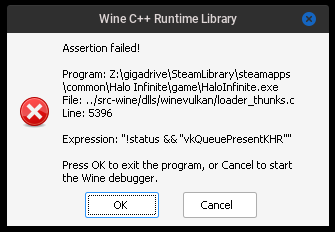
Is the game launching in full screen? It's possible that the window is opening below the game. This happens to me on sway, so I move the game to a different workspace using my key bind. I think on KDE it's Super + Page Down to minimize a window.
Getting a new problem, when trying to sign in to the xbox profile the Microsoft window for signing in doesn't open a security window to complete the sign in, i have tried using firefox and librewolf, both dont work.
Cachyos, Mesa 25.2.0, Kernel 6.16, RX 6700 10GB, KDE Plasma 6.4.4
Is the game launching in full screen? It's possible that the window is opening below the game. This happens to me on sway, so I move the game to a different workspace using my key bind. I think on KDE it's Super + Page Down to minimize a window.
Nope, the window is inside of the game and im expecting a login tab to open in my browser so i can finish it but that doesn't occur, if there is supposed to be a separate window that opens outside of the game that doesn't happen either.
I'm going to verify the game, clear the wine prefix again and see if anything changes.
Edit: After clearing the prefix and verifying, trying to load the game when the shader cache starts on the loading screen for shader cache, the game will crash a couple seconds after starting it, even deleting the vkd3d-proton cache file doesn't help. (RX 6700) Cachyos, Mesa 25.2.0, Kernel 6.16, Proton Experimental
Edit Again: funnily enough after rebooting i'm back at the first report i did, with the eac error lol.
Edit Again: After reinstalling the game on a different drive the game is working but im back to the newest issue which is the microsoft window login i cant get past, as nothing spawns to finish the sign in.
EDIT FIXED: It had nothing to do with proton and had everything to do with me, i had a passkey on the account and microsoft wouldn't allow me to use a different method for signing in within the game, so removed it and no issues anymore
steam overlay disappearing when the game switched between multiplayer and campaign modes
@NTMan is the game still freezing for you?
Halo Infinite does not launch after update
Issue transferred from https://github.com/ValveSoftware/Proton/issues/9232.
@BugReportsAccount posted on 2025-11-20T02:38:12:
Compatibility Report
- Name of the game with compatibility issues: Halo Infinite
- Steam AppID of the game: 1240440
System Information
- GPU: AMD Radeon RX 6600m
- Video driver version: Mesa 25.2.7
- Kernel version: Linux 6.17.7-ba14.fc43.x86_64
- Link to full system information report as Gist:
- Proton version: Hotfix, Experimental, GE, etc (none worked)
I confirm:
- [x] that I haven't found an existing compatibility report for this game.
- [x] that I have checked whether there are updates for my system available.
Symptoms
Game does not launch anymore after update. Previous updates never had this problem.
The EAC window appears for a few seconds and then disappears.
I reinstalled the game as well as the sniper and soldier runtimes. Didn't help.
Steam support sent me here. I haven't used GitHub before.
I'm using Bazzite.
Reproduction
<Terminal spew omitted by moderator, see [#9232](/issue/ValveSoftware/Proton/9232) for it>
Does anyone know why it's showing all these missing process errors? How do I fix it?
Please?
GameAction [AppID 1240440, ActionID 1] : LaunchApp changed task to UnlockingH264 with ""
GameAction [AppID 1240440, ActionID 1] : LaunchApp changed task to CheckShaderDepotManifest with ""
GameAction [AppID 1240440, ActionID 1] : LaunchApp changed task to ProcessingInstallScript with ""
Running install script evaluator for AppID 1240440, 2 step(s) /var/home/user/.local/share/Steam/ubuntu12_32/steam-launch-wrapper -- /var/home/user/.local/share/Steam/ubuntu12_32/reaper SteamLaunch AppId=1240440 Install=1 -- '/var/home/user/.local/share/Steam/steamapps/common/SteamLinuxRuntime_sniper'/_v2-entry-point --verb=run -- '/var/home/user/.local/share/Steam/compatibilitytools.d/GE-Proton10-25'/proton run '/var/home/user/.local/share/Steam/legacycompat/iscriptevaluator.exe' 'legacycompat\evaluatorscript_1240440.vdf'GameAction [AppID 1240440, ActionID 1] : LaunchApp changed task to SynchronizingCloud with ""
GameAction [AppID 1240440, ActionID 1] : LaunchApp changed task to SynchronizingStats with ""
GameAction [AppID 1240440, ActionID 1] : LaunchApp changed task to ShowInterstitials with ""
GameAction [AppID 1240440, ActionID 1] : LaunchApp waiting for user response to ShowInterstitials ""
GameAction [AppID 1240440, ActionID 1] : LaunchApp continues with user response "ShowInterstitials"
GameAction [AppID 1240440, ActionID 1] : LaunchApp changed task to SynchronizingControllerConfig with ""
GameAction [AppID 1240440, ActionID 1] : LaunchApp changed task to SiteLicenseSeatCheckout with ""
GameAction [AppID 1240440, ActionID 1] : LaunchApp changed task to WaitForStreamingEncoderConfig with ""
GameAction [AppID 1240440, ActionID 1] : LaunchApp changed task to CreatingProcess with ""
GameAction [AppID 1240440, ActionID 1] : LaunchApp waiting for user response to CreatingProcess ""
GameAction [AppID 1240440, ActionID 1] : LaunchApp continues with user response "CreatingProcess"
/bin/sh\0-c\0mangohud /var/home/user/.local/share/Steam/ubuntu12_32/steam-launch-wrapper -- /var/home/user/.local/share/Steam/ubuntu12_32/reaper SteamLaunch AppId=1240440 -- '/var/home/user/.local/share/Steam/steamapps/common/SteamLinuxRuntime_sniper'/_v2-entry-point --verb=waitforexitandrun -- '/var/home/user/.local/share/Steam/compatibilitytools.d/GE-Proton10-25'/proton waitforexitandrun '/var/home/user/.local/share/Steam/steamapps/common/Halo Infinite/HaloInfinite.exe'\0Game process added : AppID 1240440 "mangohud /var/home/user/.local/share/Steam/ubuntu12_32/steam-launch-wrapper -- /var/home/user/.local/share/Steam/ubuntu12_32/reaper SteamLaunch AppId=1240440 -- '/var/home/user/.local/share/Steam/steamapps/common/SteamLinuxRuntime_sniper'/_v2-entry-point --verb=waitforexitandrun -- '/var/home/user/.local/share/Steam/compatibilitytools.d/GE-Proton10-25'/proton waitforexitandrun '/var/home/user/.local/share/Steam/steamapps/common/Halo Infinite/HaloInfinite.exe'", ProcID 570272, IP 0.0.0.0:0
GameAction [AppID 1240440, ActionID 1] : LaunchApp changed task to WaitingGameWindow with ""
GameAction [AppID 1240440, ActionID 1] : LaunchApp changed task to Completed with ""
ThreadGetProcessExitCode: no such process 570380
ThreadGetProcessExitCode: no such process 570378
ThreadGetProcessExitCode: no such process 570278
ThreadGetProcessExitCode: no such process 570276
ThreadGetProcessExitCode: no such process 570274
Game process updated : AppID 1240440 "mangohud /var/home/user/.local/share/Steam/ubuntu12_32/steam-launch-wrapper -- /var/home/user/.local/share/Steam/ubuntu12_32/reaper SteamLaunch AppId=1240440 -- '/var/home/user/.local/share/Steam/steamapps/common/SteamLinuxRuntime_sniper'/_v2-entry-point --verb=waitforexitandrun -- '/var/home/user/.local/share/Steam/compatibilitytools.d/GE-Proton10-25'/proton waitforexitandrun '/var/home/user/.local/share/Steam/steamapps/common/Halo Infinite/HaloInfinite.exe'", ProcID 570379, IP 0.0.0.0:0
ThreadGetProcessExitCode: no such process 570383
Game process updated : AppID 1240440 "mangohud /var/home/user/.local/share/Steam/ubuntu12_32/steam-launch-wrapper -- /var/home/user/.local/share/Steam/ubuntu12_32/reaper SteamLaunch AppId=1240440 -- '/var/home/user/.local/share/Steam/steamapps/common/SteamLinuxRuntime_sniper'/_v2-entry-point --verb=waitforexitandrun -- '/var/home/user/.local/share/Steam/compatibilitytools.d/GE-Proton10-25'/proton waitforexitandrun '/var/home/user/.local/share/Steam/steamapps/common/Halo Infinite/HaloInfinite.exe'", ProcID 570508, IP 0.0.0.0:0
ThreadGetProcessExitCode: no such process 570489
ThreadGetProcessExitCode: no such process 570470
ThreadGetProcessExitCode: no such process 570444
ThreadGetProcessExitCode: no such process 570402
ThreadGetProcessExitCode: no such process 570397
ThreadGetProcessExitCode: no such process 570388
ThreadGetProcessExitCode: no such process 570385
ThreadGetProcessExitCode: no such process 570379
ThreadGetProcessExitCode: no such process 570377
Game process removed: AppID 1240440 "mangohud /var/home/user/.local/share/Steam/ubuntu12_32/steam-launch-wrapper -- /var/home/user/.local/share/Steam/ubuntu12_32/reaper SteamLaunch AppId=1240440 -- '/var/home/user/.local/share/Steam/steamapps/common/SteamLinuxRuntime_sniper'/_v2-entry-point --verb=waitforexitandrun -- '/var/home/user/.local/share/Steam/compatibilitytools.d/GE-Proton10-25'/proton waitforexitandrun '/var/home/user/.local/share/Steam/steamapps/common/Halo Infinite/HaloInfinite.exe'", ProcID 570508
ThreadGetProcessExitCode: no such process 570508
ThreadGetProcessExitCode: no such process 570277
Compatibility Report
- Name of the game with compatibility issues:Halo Infinite
System Information
- GPU:RTX 2060 6GB NVK
- Video driver version: Mesa 26.1.0 git
- Kernel version: 6.18.8
- Link to full system information report as [Gist]https://gist.github.com/pollux78/0cc678c4474d328a989a0589f5e557a4
- Proton version: Proton Experimental
- LOG: steam-1240440.log
Symptoms
Game will freeze when trying to load shader cache at the start of the game
Reproduction
- Use latest mesa git not nvidia proprietary driver
- Try and load the shader cache in halo infinite
- Watch it freeze mid way
Halo Infinite crashing and/or freezing
Issue transferred from https://github.com/ValveSoftware/Proton/issues/10025.
@Thorazin posted on 2026-08-01T09:52:57:
Compatibility Report
- Name of the game with compatibility issues: Halo Infinite
- Steam AppID of the game: 120440
System Information
https://gist.github.com/Thorazin/10655be3e4bf54681f36bacf71390f15
- GPU: RX 7900XTX
- Video driver version: Mesa 26.1.5
- Kernel version: 7.1.5-201.fc44.x86_64
- Link to full system information report as Gist: https://gist.github.com/Thorazin/0eaf383f347cc0b7ac295c566ad3c35d
- Proton version: Proton Experimental
I confirm:
- [x] that I haven't found an existing compatibility report for this game. I searched, found nothing
- [x] that I have checked whether there are updates for my system available. Game is fully up to date, as is steam and proton
Symptoms
Halo Infinite starts fine, and for a while works great. However eventually it will crash and my computer will log me out. Even after logging back in, I need to restart my computer to get it back to functioning normally.
Reproduction
Steam Runtime Diagnostics: https://gist.github.com/Thorazin/81f2b518a860d59dd77a37cd7ecb92fa
I found m,y log not in the place Steam FAQ said it would be. If you want it let me know. I can't upload it here.
Compatibility Report
- Name of the game with compatibility issues:Halo Infinite
System Information
- GPU:RX 6700 10GB
- Video driver version: Mesa 26.2.0
- Kernel version: 7.1.8
- Link to full system information report as [Gist]https://gist.github.com/pollux78/0cc678c4474d328a989a0589f5e557a4
- Proton version: Proton Experimental
- LOG: steam-1240440.log
Symptoms
Game crashes when entering the intro with VKD3D_CONFIG=descriptor_heap enabled
Reproduction
- Use mesa 26.2.0
- Try and launch halo infinite with VKD3D_CONFIG=descriptor_heap enabled on amd
- Watch it crash when entering the intro of the game
Proton versions
proton experimentalx97 2026-08ge-proton10-25x1 2025-11proton 9.0-4x2 2025-04proton 9.0-3x1 2024-09proton 8.0-5x3 2024-02proton 8.0-4x1 2023-11proton hotfixx29 2023-09proton 7.0-6x1 2023-05proton 8.0x1 2023-04proton 7.0-4x1 2022-08ge-proton7-28x2 2022-07ge-proton7-27x1 2022-07ge-proton7-26x2 2022-07ge-proton7-21x4 2022-07ge-proton7-22x3 2022-06
Launch options
VKD3D_CONFIG=descriptor_heapx1 2026-08PROTON_LOG=1x6 2025-06DXVK_HDR=1x1 2025-01DXVK_HDR=1"x1 2024-05PROTON_ENABLE_AMD_AGS=1"x1 2024-05VKD3D_DISABLE_EXTENSIONS=VK_NV_device_generated_commands_computex6 2024-03VKD3D_DISABLE_EXTENSIONS=VK_NV_device_generated_commands_compute"x1 2024-03PROTON_LOG=+winhttp?x1 2024-02PROTON_LOG=+winhttpx3 2024-02PROTON_LOG=1.x1 2024-02VKD3D_CONFIG="no_upload_hvv"x1 2023-11VKD3D_CONFIG=no_upload_hvv`x5 2023-07VKD3D_CONFIG=no_upload_hvvx7 2023-07VKD3D_DISABLE_EXTENSIONS=VK_KHR_present_id,VK_KHR_present_waitx2 2023-03RADV_DEBUG=hang`,x1 2023-03
Launch lines
LD_PRELOAD="${LD_PRELOAD}" PROTON_LOG=1 DXVK_HDR=1 PULSE_LATENCY_MSEC=60 gamemoderun %command%x1 2025-01VKD3D_DISABLE_EXTENSIONS=VK_NV_device_generated_commands_compute %command%x6 2024-03%command% VKD3D_DISABLE_EXTENSIONS=VK_NV_device_generated_commands_computex1 2024-03mangohud %command%x1 2023-11VKD3D_CONFIG=no_upload_hvv %command%x5 2023-07VKD3D_DISABLE_EXTENSIONS=VK_KHR_present_id,VK_KHR_present_wait %command%x2 2023-03RADV_PERFTEST=gpl %command%x1 2023-03RADV_PERFTEST=gpl mangohud gamemoderun %command%x1 2023-03gamemoderun mangohud %command%x1 2022-09PROTON_NO_ESYNC=1 %command%x1 2022-06
Upstream links
- ValveSoftware/Proton/issues/10025x1 2026-08
- ValveSoftware/Proton/issues/9232x1 2025-11
- ValveSoftware/steam-for-linux/issues/11446x1 2025-01
- ValveSoftware/Proton/issues/8366x1 2025-01
- ValveSoftware/Proton/issues/6943x1 2023-07
- HansKristian-Work/vkd3d-proton/pull/1633x2 2023-07
- HansKristian-Work/vkd3d-proton/pull/1465x1 2023-03
- ValveSoftware/Proton/issues/6606x1 2023-03
- ValveSoftware/Proton/issues/6604x1 2023-03
- ValveSoftware/Proton/issues/6441x1 2023-01
- doitsujin/dxvk/pull/2608x1 2022-08
- HansKristian-Work/vkd3d-proton/pull/1157x1 2022-07
- HansKristian-Work/vkd3d-proton/pull/1070x1 2022-06
- ValveSoftware/Proton/issues/5906x1 2022-06
- HansKristian-Work/vkd3d-proton/pull/996x1 2022-03
DLLs
igdumd32.dllx1 2024-03ntdll.dllx1 2023-04vulkan-1.dllx1 2023-04d3d12.dllx5 2023-03api-ms-win-core-memory-l1-1-6.dllx2 2022-11arbiter.dllx12 2021-11
Error codes
0xc000001dx1 2023-030x80004005x1 2023-010xc00d5212x1 2021-11
Compatibility Report
Note:
Creating a preliminary post regarding this due to the initial Technical Preview Flight being released today. It is unknown by what source the assets will be available to download on, but the feedback from other users on Proton regarding Linux issues would be applicable to view here in preparation for the Steam Release this holiday season.