Perpetuum
Hello @swansinflight, it looks like you're using AMDVLK. Can you also test how the game behaves with mesa/RADV?
I'm not overly famliar as I didn't even realise there were 2 options for drivers, I should be able to work through this though.
I added VK_ICD_FILENAMES=/usr/share/vulkan/icd.d/radeon_icd.i686.json:/usr/share/vulkan/icd.d/radeon_icd.x86_64.json to /etc/environment to force RADV - which appears to have changed something at least, as now I get errors and will not launch.
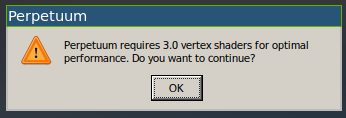
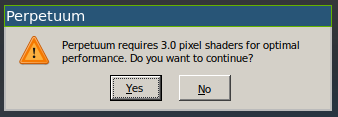
2 warnings while trying to launch, then fails with this last message.
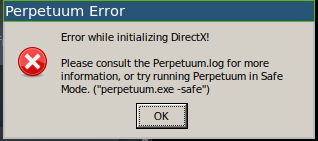
Perpetuum Safe Mode option makes no difference.
steam-223410.log
Made sure the files were there also.
https://gist.github.com/swansinflight/4c6bbbc343f42139365280f50f2f43f1
I'm guessing that VK_LAYER_AMD_switchable_graphics interfered with your test attempt. Maybe try setting DISABLE_LAYER_AMD_SWITCHABLE_GRAPHICS_1=1 or AMD_VULKAN_ICD=RADV?
Quite right, thank you.
set AMD_VULKAN_ICD=RADVin /etc/environment and rebooted. Perpetuum now launches again, but same issue where original client launches fine, second has zero ground textures. Checked using vulkaninfo and appears to be using RADV now.
I just tried launching the copy client by itself; I have always launched the original steam installed client first (as I understood for some reason that was required) and noted that I still have the same issue of zero ground tectures. I also tried Proton 4.11 and same issue. I re-copied the game files and new shortcut in steam client, and still same issue. Does not appear to store a logfile, though when launched in this way from second client steam recognises the game and shows the original steam installed entry as running.
Proton versions
proton 4.11x1 2021-08
Compatibility Report
System Information
4.6 (Compatibility Profile) Mesa 21.1.6
I confirm:
Symptoms
Zero ground textures showing in every client launched after first. First client is fine.
Reproduction
Launch original client, then launch second client (also applies to any more clients started). Once in game, "deploying to terrain" sets you into the game world and the second client shows no ground textures.
Multiboxing is part of game design. Game clients copied and launched as described here: https://perpetuum.miraheze.org/wiki/Linux_Setup
Fault not reproducible on my intel laptop so suspect AMD related.
Log file attached from original client as the copied client did not appear to record a log. Hopefully still helpful. steam-223410.log.zip