Touhou Fuujinroku ~ Mountain of Faith.
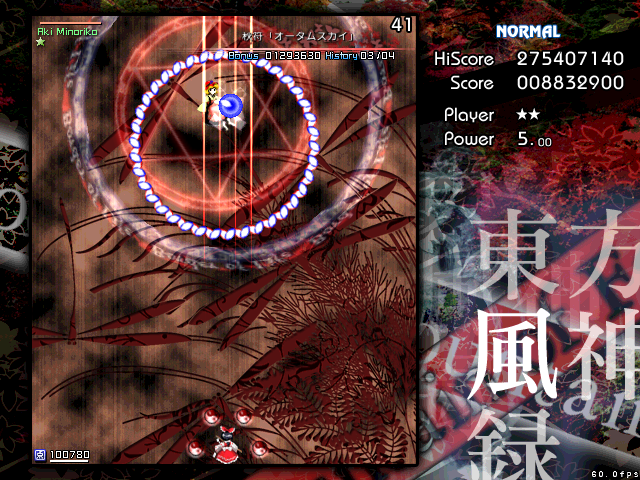
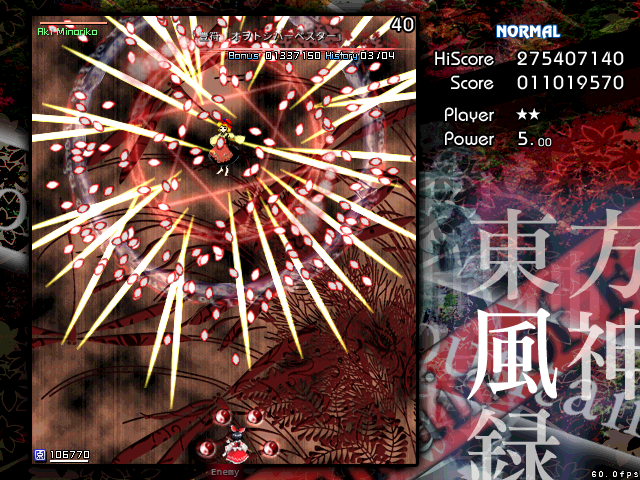
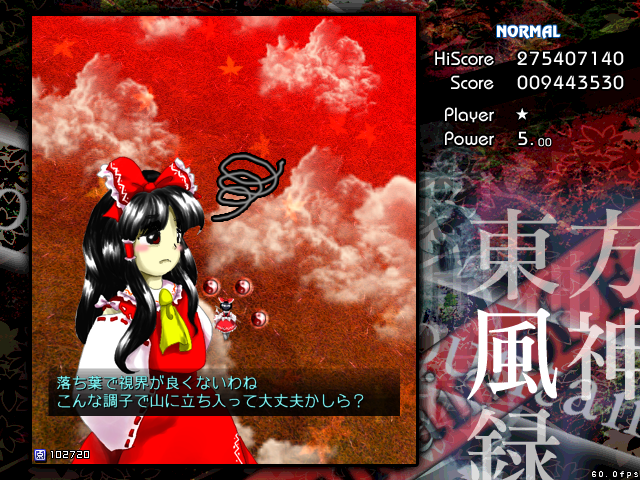
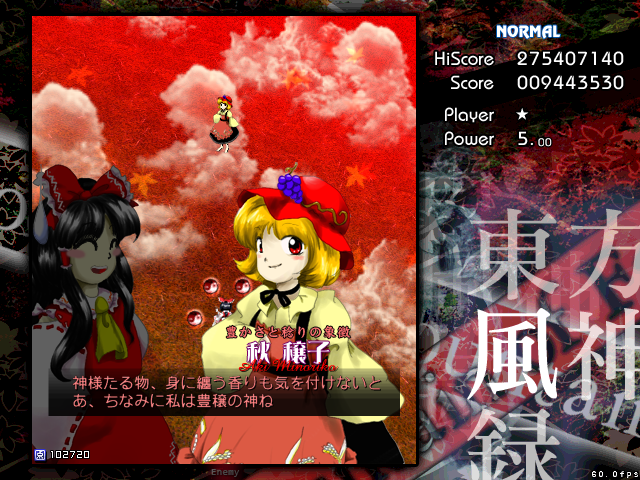
When I played Touhou Fuujinroku using Proton (https://github.com/ValveSoftware/Proton/commit/5536e50175b478e8f0b1fdf77a0679ba6720aaa7) instead of Proton 6.3-7, the problem got worse.
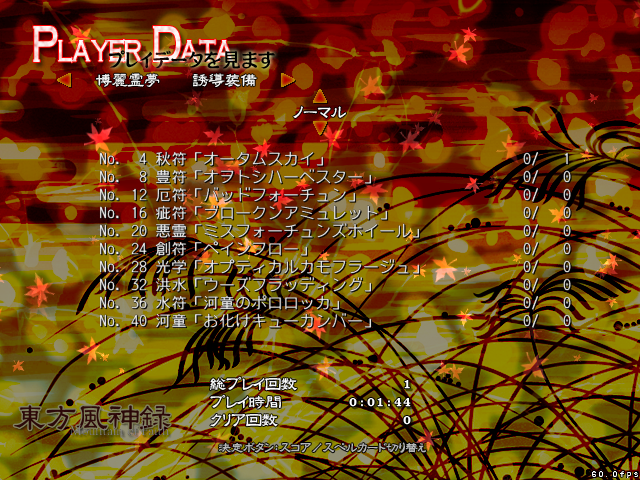
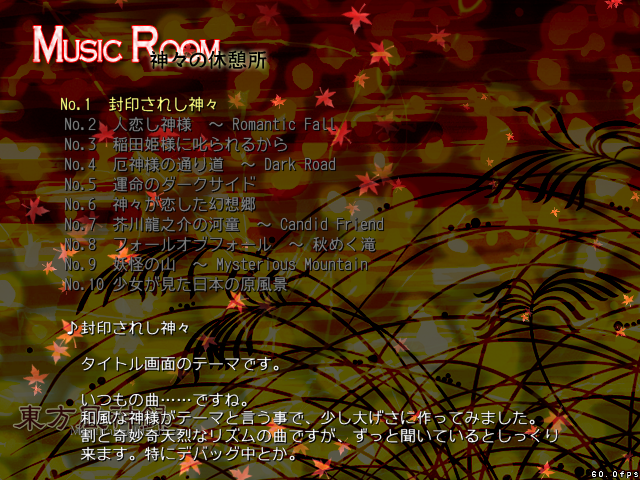
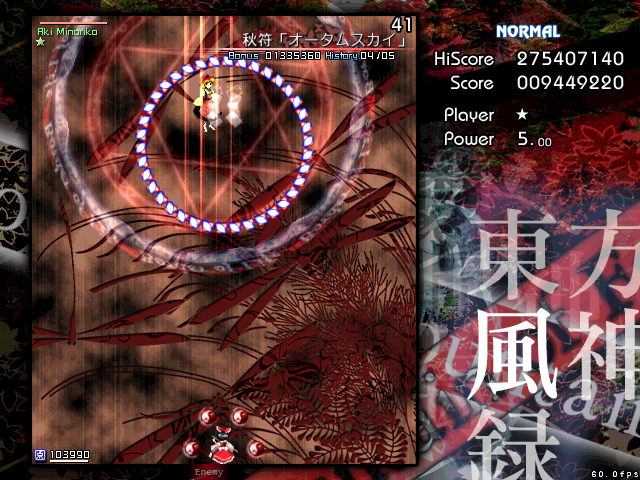
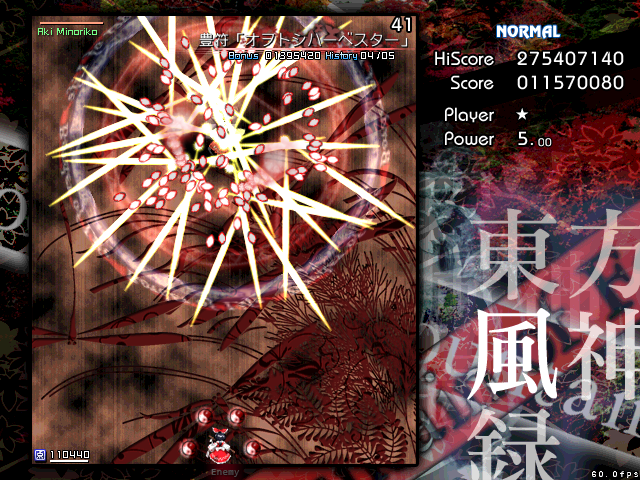
When I played Touhou Fuujinroku using Proton with Ume fonts (https://github.com/simon-i1-h/Proton/commit/dcfa1890f0297971efb6098d35613279d5c9bcd1), the problem was mitigated.
Concerns:
- Ume fonts may lack some glyphs.
- Source Han Sans may be more suitable than Ume fonts for other games.
- Some people may feel strange with Ume fonts.
https://github.com/ValveSoftware/Proton/commit/5536e50175b478e8f0b1fdf77a0679ba6720aaa7:
The problem got worse. (OS: Ubuntu 21.04 (Steam Play), Font: ????):
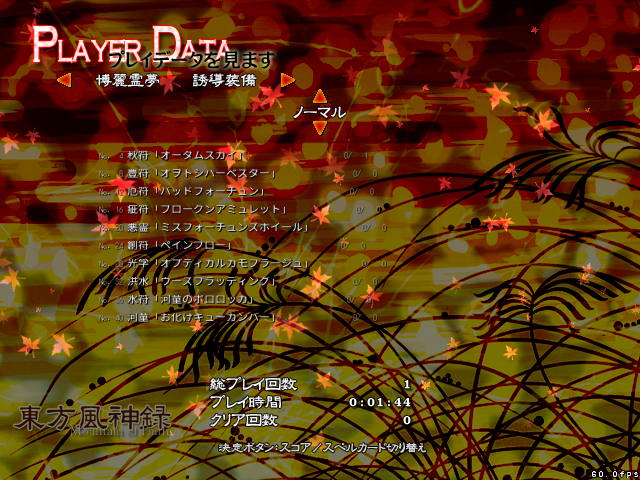
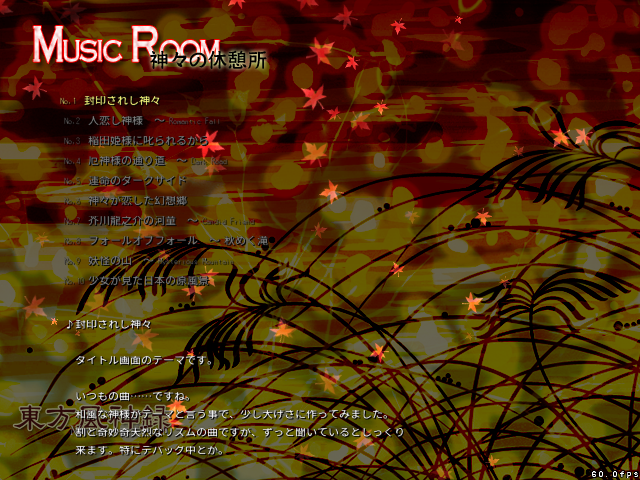
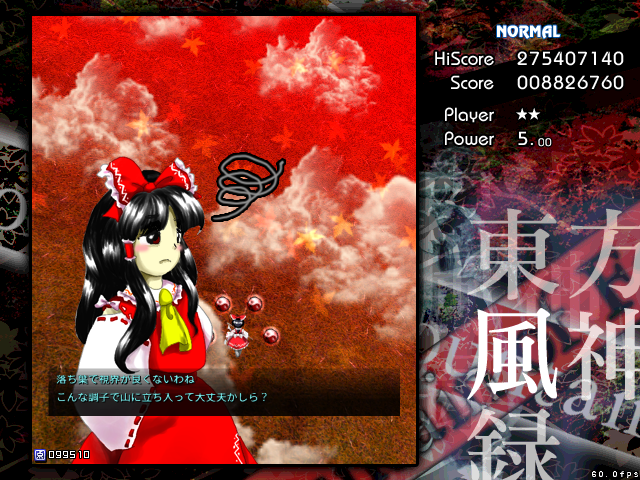
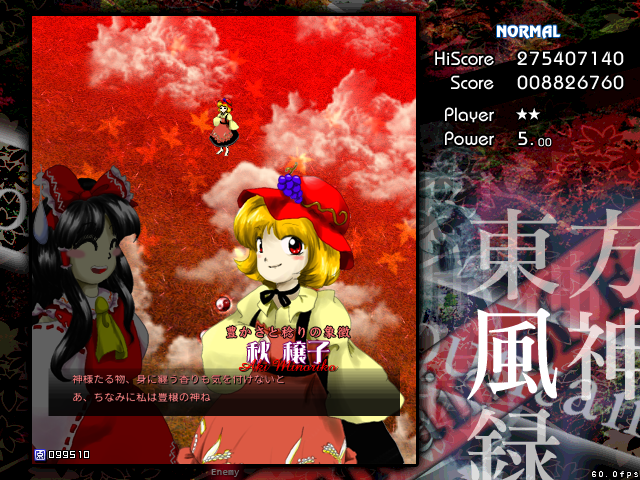
https://github.com/simon-i1-h/Proton/commit/dcfa1890f0297971efb6098d35613279d5c9bcd1:
The problem was mitigated. (OS: Ubuntu 21.04 (Steam Play), Font: Ume Gothic):
such as the Ume font, which is the same size as MS fonts.
cf. https://wiki.archlinux.org/title/Metric-compatible_fonts#Ume
This issue has been resolved by https://github.com/ValveSoftware/Proton/commit/7a46a3cf4011ae3441cddff94d08bc280825a755.
@kisak-valve What should I do next about this issue?
@kisak-valve ping
What should I do next about this issue?
@kisak-valve If necessary, please reopen this issue.
Proton versions
proton 6.3-7x1 2021-10
Compatibility Report
System Information
I confirm:
steam-1100140.log (without personal data)
Symptoms
When I played Touhou Fuujinroku using Steam Play, I found a problem that characters were misaligned such as dialog text because they were used the wrong font.
The Cause of the problem may be that Touhou series assumes that the system font is MS fonts (such as MS Gothic and MS Mincho).
The best solution is to bundle MS fonts to Steam Play, but you can also use another suitable font, such as the Ume font, which is the same size as MS fonts. However, other fonts may lack some glyphs that MS fonts have.
Ume font: https://osdn.net/projects/ume-font/
Expected (OS: Windows 10, Font: MS Gothic (?)):
Actual (OS: Ubuntu 21.04 (Steam Play), Font: ????):
Reproduction
Play the game. Always.