Forza Horizon 5
Can confirm, also didn't work for me with any Proton Version tried.
Can confirm, also crashes on AMD with PID missmatch
pid 15657 != 15656, skipping destruction (fork without exec?)
Can also confirm not working with any proton version with an AMD system. Splash screen appears for a few seconds, then closes. Attached my proton log (6.3 experimental) which also has a PID missmatch.
KERNEL: 5.14.14-300.fc35.x86_64
OS: Fedora 35 Workstation
CPU: AMD Ryzen 9 3900X 12-Core
GPU: AMD Radeon RX 6900 XT (SIENNA_CICHLID, DRM 3.42.0, 5.14.14-300.fc35.x86_64, LLVM 12.0.1)
GPU DRIVER: 4.6 Mesa 21.2.2 (git-15c8aeef1d)
Can confirm here as well. Same issue as @rudi4463, with a PID missmatch, though I'm on NVidia.
The PID mismatch is unrelated, we see that with all games run from Steam.
I also couldn't get it to work, even tried with all the FH4 tricks
It also doesn't work on my machine, but I get an unhandled page fault exception
Unhandled exception: page fault on read access to 0x00000010 in 64-bit code (0x00000001405b0808).
Some problem for me! Would love to see a fix soon :)
kernel: 5.11.0-38-generic
os: Ubuntu 20.04.3 LTS x86_64
cpu: AMD Ryzen 9 5900X (24) @ 3.700GHz
gpu: NVIDIA GeForce GTX 1060 6GB 460.73.01 (can't upgrade for vm reasons)
I could get the Forza Horizon 5 splash screen but nothing more
Kernel: 5.14.15
Os: Fedora 35
CPU: AMD Ryzen 5950X
GPU: AMD RX 6900XT
steam-1551360.log
steam-1551360-proton-ge-6.20.log
Most likely it won't work, but can someone try create dxvk.conf in game folder and put this to it
dxgi.nvapiHack = False
dxgi.customVendorId = 10de
dxgi.customDeviceId = 1f08
Game should open the window with gpu driver error, click "ignore and continue"
Maybe this helps open the game, but it may crashes in credits/main menu
Better to check for the latest Proton Experimental or Proton-GE-6.20 with latest vkd3d
Could it be not launching because the game requires "DirectX 12 Ultimate" ?
Some people using Windows 10 LTSC and LTSB have reported the same crashing issue, those don't have "DirectX 12 Ultimate".
Replying to https://github.com/ValveSoftware/Proton/issues/5285#issuecomment-962439725
it did help open the game, but as you said crashed in opening cinematic
Same, crashed as soon as it prompted that I needed to sign in (but did not see sign in window)
Replying to https://github.com/ValveSoftware/Proton/issues/5285#issuecomment-962439725
Game opens but crashes during the sign-in phase (with a white window)
Replying to https://github.com/ValveSoftware/Proton/issues/5285#issuecomment-962439725
Doing that I don't even get the splash screen anymore and the game just runs forever showing nothing.
Replying to https://github.com/ValveSoftware/Proton/issues/5285#issuecomment-962439725
With 6.20-GE-1 this gets me into the main screen that says press enter. Then it gets stuck in a please wait loop, but does not crash. Had to force exit after waiting 15 minutes for it to load in.
steam-1551360.log
Replying to https://github.com/ValveSoftware/Proton/issues/5285#issuecomment-962439725
That allowed me to get further than before, however with Proton Experimental the game would crash on the main menu with no input needed, but with Proton 6.3-7 I was able to sit on the main menu and pressing enter did attempt to bring up the white "sign in" window, but it was stuck loading and then crashed.
Suspecting there may be an issue with vcrun19, similar to Horizon 4, but haven't been able to test yet.
Logs (CrashReport.xml and steam-1551360.log for each respective Proton version):
Experimental.zip
6.3-7.zip
I think only Proton Experimental is does things right, GE and 6.3 is crashing a webview with unimplemented function uiautomationcore.dll.UiaRaiseAutomationPropertyChangedEvent
Devs changed webview from Chrome to Edge and this may cause issues, the browser itself should work, but it seems to interact poorly with the game or it's DRM fault
Running GE's proton, fixes above not needed to get in-game. The game's audio is stuttery, but otherwise I'm able to get in-game with the drm bypass.
Game needs d3dcompiler_47
Game needed these settings to launch on AMD:
dxgi.customVendorId = 10de
dxgi.customDeviceId = 1f08
I made a stub patch for UiaRaiseAutomationPropertyChangedEvent, now it gets to the main screen, but it won't let me do anything:

Patch:
Now it seems its missing some combase related functions:
248228.799:02a8:02ac:fixme:combase:RoGetActivationFactory (L"Windows.System.Profile.EducationSettings", {fc53f0ef-4d3e-4e13-9b23-505f4d091e92}, 000000000081BCB8): semi-stub
248228.800:02a8:02ac:err:combase:RoGetActivationFactory Failed to find library for L"Windows.System.Profile.EducationSettings"

248228.809:02a8:02ac:err:ole:com_get_class_object class {6e29fabf-9977-42d1-8d0e-ca7e61ad87e6} not registered
248228.809:02a8:02ac:err:ole:com_get_class_object no class object {6e29fabf-9977-42d1-8d0e-ca7e61ad87e6} could be created for context 0x1

248228.812:02a8:02ac:fixme:combase:RoGetActivationFactory (L"Windows.Media.ClosedCaptioning.ClosedCaptionProperties", {10aa1f84-cc30-4141-b503-5272289e0c20}, 000000000081B248): semi-stub
248228.812:02a8:02ac:err:combase:RoGetActivationFactory Failed to find library for L"Windows.Media.ClosedCaptioning.ClosedCaptionProperties"
-edit-
does -not- need nvapi hack disabled. does need vendor spoof.
-edit 2-
tried amd_ags_x64=b,n override, got this:
wine: Call from 000000007BC31DF8 to unimplemented function amd_ags_x64.dll.agsInitialize, aborting
game now seems to run with latest proton experimental bleeding edge.

Where you get bleeding edge from? In Steam I can see only Proton Experimental.
opt for beta and search for bleeding edge. the game cant go fullscreen tho it flickers. widowed is ok.

Thank you :)
The game freezes for me when trying to get out of the garage, what distro & drivers are you running?
i am on manjaro i kernel 5.15 i tried both mesa 22-dev and stable 21.2.4 game works for me and i managed to get fullscreen to work. this is all extreme settings with 4x msaa

Borked on nvidia maybe? Or just borked for me.
kernel: 5.11.0-40-generic
os: Ubuntu 20.04.3 LTS x86_64
cpu: AMD Ryzen 9 5900X (24) @ 3.700GHz
gpu: NVIDIA GeForce GTX 1060 6GB (470.82.00)
i am on RDNA2 forgot to say that. but it is on mangohud.
Can confirm, it is working on Pop!_OS 21.10 Beta using Proton Experimental bleedding-edge. AMD RX 6900XT.
How good is the experience right now? If it's working well I will buy it later today.
Proton Experimental bleeding-edge gets me into the game, however during the 4 car transition intro my game froze with each car. I currently cannot get past the character selection screen.
5.14.10-1-MANJARO
NVIDIA GeForce GTX 1660 SUPER (495.44)
Replying to https://github.com/ValveSoftware/Proton/issues/5285#issuecomment-965799462
How did you get Fullscreen to work?
i started the game normally and it was show only on half screen, and the monitor resolution was lower than mine. i just selected my monitors res and it worked.
Proton Experimental bleeding-edge gets me into the game, however during the 4 car transition intro my game froze with each car. I currently cannot get past the character selection screen.
5.14.10-1-MANJARO NVIDIA GeForce GTX 1660 SUPER (495.44)
Same as FH4. It still does not work with NVIDIA - random freezes which makes it unplayable.
hmm, does nVidia open source drivers work?
hmm, does nVidia open source drivers work?
Does not appear to be working with Pop!_Os with NVIDIA. I just get a blank screen for a few seconds and then it crashes.
I just wanted to give my bug report on the matter. Decided I'd buy the game to test it. Currently using bleeding-edge Proton from the Steam Proton Experimental Beta tab.
As for my system info, I'm using Arch Linux with GNOME in X11 mode (as my GPU currently has an issue with XWayland that only let's it output at half refresh rate).
As for the launch options, I'm using PROTON_ENABLE_NVAPI=1 VKD3D_CONFIG=dxr PROTON_LOG=1 gamemoderun mangohud %command%. Fullscreen mode seems to work for me, although alt-tabbing out has a high likeliness of crashing the game. Although I did notice a similar crashing issue with other native Steam games like Splitgate where the entire Steam client will crash with the game following soon after. Applying Windowed mode with different resolutions will increasingly shrink the game's window.
Game Log (I had to compress it to a tar.gz, because it's otherwise nearly 3GB): https://drive.google.com/file/d/1qB0zSvrBEZs0ehpccDLBDYSLYB-q01xJ/view?usp=sharing
System Info (Generated from Steam): https://gist.github.com/KingKrouch/e461afa61ced483cf9bcfd4ed66a863f
hmm, does nVidia open source drivers work?
I wouldn't think so, but not sure.
For those that are playing on i3wm (maybe others): There is a black window in fullscreen that shows up covering the game completely. Just yoink it out of the workspace and you should be good to go
Just tested w/ proton experimental beta. The game launched and ran, everything worked well until the 3rd cut where it "drops you in". The game crashed at that point and has not been able to get past the loading screen again since then. Running PoP!_OS w/ an Nvidia RTX 2080
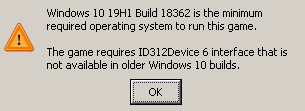
I'm getting this error, any knows a fix?
It fixed itself after trying to start it a few times again... any idea what fixed it? I literally did nothing but start it a few times.
Kinda worked for me using bleeding-edge proton beta.
Game crashed in two different places:
- first time I got into the first race (after you drop from the plane) and crashed a few minutes after driving
- second time it crashed while loading that race
Linux Mint 20.2 with kernel 5.4.0-90-generic (I'll try with a newer kernel during the week to see if that fixes the crashes maybe?)
AMD Ryzen 7 3700X
AMD 5700 XT
Performance is great but it crashes and I have to restart my computer. My Xbox controller works perfectly. I think I have a bit of input lag though.
I had no issue with fullscreen, it even started on my main monitor (other games open on my second monitor, and I have to move the game to the main one, but I didn't have to for this game which is really nice)
It showed an in-game error complaining about the screen reader software, I guess I have to disable accesibility features just in case they cause problems. EDIT: tried disabling the screen reader, text to voice and voice to text features but still crashed during the loading screen, though this time I was able to alt+tab and stop the game from the Steam app instead of having to reset the machine
I cant get past the first driving scene; this is the error i got.
01a4:err:d3d12_command_queue_bind_sparse: Failed to submit signal, vr -4.
01a4:err:d3d12_command_queue_execute: Failed to submit queue(s), vr -4.
01a4:err:d3d12_command_queue_signal: Failed to submit signal operation, vr -4.
01a4:err:d3d12_command_queue_bind_sparse: Failed to submit signal, vr -4.
01a4:err:d3d12_command_queue_bind_sparse: Failed to perform sparse binding, vr -4.
GTX 1060 6GB
I5 8600K
Pop!_OS 21.10 Beta
Same Bleeging-edge Proton experimental version
I am crashing during the opening scene when you start driving the red AMG. On my first play through i almost made it to the end of that section and crashed. My second attempt crashed right when the AMG dropped out of the plane.
5600x
16gb Ram
RTX 2060
Using Steam Beta with proton bleeding edge.
Using Proton Experimental bleeding edge and PROTON_HIDE_NVIDIA_GPU=0 PROTON_ENABLE_NVAPI=1 VKD3D_CONFIG=dxr the game works just as well as on windows for me on nvidia GPU :)
Not experienced any issues, crashes or stuttering yet.
Using Proton Experimental bleeding edge and the game just boots to a black screen for some seconds and then crashes. The screen flickers like it was trying to show some text right before it crashes.
Tried waiting for all shaders to compile and tried deleting the compatdata folder to no avail
I'm using these start options PROTON_ENABLE_NVAPI=1 PROTON_LOG=1 VKD3D_CONFIG=dxr PROTON_HIDE_NVIDIA_GPU=0 %command%
And here is the log it generated: steam-1551360.log
Arch Linux, linux-zen 5.14.16
Nvidia driver 495.44
AMD Ryzen 2600X
RTX 2060
Replying to https://github.com/ValveSoftware/Proton/issues/5285#issuecomment-966104166
Are you using the Steam Beta, tried deleting your prefix, etc?
Are you using the Steam Beta, tried deleting your prefix, etc?
Yes, I'm using the latest Steam Beta, latest Proton experimental bleeding-edge, fully updated the system, rebooted and deleted the prefix.
None of them made the game work, the only thing that happens is that it flashes the first text screen (first loading screen) for a fraction of a second right before it crashes
have you tried to remove the dxr option?
have you tried to remove the dxr option?
Yeah, I'll try removing it later and post here the results
Can you try to update your kernel to 5.15?
Using PROTON_ENABLE_NVAPI=1 PROTON_LOG=1 VKD3D_CONFIG=dxr PROTON_HIDE_NVIDIA_GPU=0 %command% I the game still freezes for me i get all the way to the menu in game. But when i try to leave my garage / house it freezes. (Also the audio crackles)

kernel: 5.11.0-40-generic
os: Ubuntu 20.04.3 LTS x86_64
cpu: AMD Ryzen 9 5900X (24) @ 3.700GHz
gpu: NVIDIA GeForce GTX 1060 6GB (470.82.00)
Anyone else having issues playing online? It has failed to connect for me every time
Anyone else having issues playing online? It has failed to connect for me every time
this is not a wine/Proton issue. it's the same as on windows.
Anyone else having issues playing online? It has failed to connect for me every time
this is not a wine/Proton issue. it's the same as on windows.
That's what I assumed, I spent all night trying to debug everything on my end but have had no success. Windows worked, just wasn't sure if anyone on proton has been able to
Using Proton experimental the game crashes on the home screen, using 6.3-7 it let's me hit enter but then loads infinitely. I'm on steam beta but I can't find the option for proton experimental bleeding-edge anywhere on steam. Anyone who's got it running using radeon graphics or are you all nvidia? Tried updating to kernel 5.15 but it has a dependency issue I couldn't fix so I had to revert
ubuntu 20.04.3
Ryzen 7 3600X
Radeon RX 5700XT
kernel version 5.11.0-40-generic
Replying to https://github.com/ValveSoftware/Proton/issues/5285#issuecomment-966207345
To get proton bleeding edge, go to your steam library and search for proton, right click on proton experimental > properties > betas > select bleeding edge
Tried updating to kernel 5.15 but it has a dependency issue I couldn't fix so I had to revert
That's why Ubuntu isn't suitable for gaming and that's why Steam Deck will use Arch.
Actually the Pop!_OS 21.10 Beta had the 5.15 before arch
Pop!_OS 21.10 is not Ubuntu 20.04.3. And you can always enable testing repos on Arch. Pop!_OS 21.10 is not stable and that's why it receives not entirely tested packages.
This is the wrong place for a discussion like this
Actually the Pop!_OS 21.10 Beta had the 5.15 before arch
Don't post then.
Just to chime in - I was able to play on my system with pretty good performance on Proton bleeding edge, but occasional stutters were present.
System:
- Fedora 35 - Kernel 5.14.16 - Mesa 21.2.5
- Ryzen 3700X + Radeon RX 6900 XT
Unfortunately online mode didn't work. Works fine on Windows though.
//Edit: I mean it's not completely offline, since Rivals lap times can be retrieved without problems.
Seems it cannot connect to multiplayer session. There is no warning/message from game saying the servers are going down. So I assume it is a proton issue.
I know someone that had the same issue I have but on Windows. His solution was to disable NI Multisim services.
Tried updating to kernel 5.15 but it has a dependency issue I couldn't fix so I had to revert
That's why Ubuntu isn't suitable for gaming and that's why Steam Deck will use Arch.
I just played it for an hour with very minor artefacting so I'm not complaining
Game runs fine. There is small artifacting on the windows of the car. Usually not visible tho.
Game is absolutely playable tho. And enjoyable experience considering its still soon after release.
Game runs fine. There is small artifacting on the windows of the car. Usually not visible tho.
Game is absolutely playable tho. And enjoyable experience considering its still soon after release.
Are you on AMD? What kernel are you running / driver version?
Game runs fine. There is small artifacting on the windows of the car. Usually not visible tho.
Game is absolutely playable tho. And enjoyable experience considering its still soon after release.Are you on AMD? What kernel are you running / driver version?
RX5600XT, Mesa latest git commit as of now and linux-next kernel version. Today version as well
Game runs fine. There is small artifacting on the windows of the car. Usually not visible tho.
Game is absolutely playable tho. And enjoyable experience considering its still soon after release.Are you on AMD? What kernel are you running / driver version?
I managed to get kernel 5.15 working fine, and I use the oibaf ppa for mesa drivers. If you go from there and use the dxvk.conf and the uiauto.txt rile from GloriousEggroll it should run. I do also have VKD3D_CONFIG=dxr %command% in my launch options, I don't know if that makes a difference or not now I'm on proton experimental bleeding-edge but just in case
Should be noted multiplayer is not working. That has to be fixed in proton most likely
Proton log:
steam-1551360_tail-n100000.log
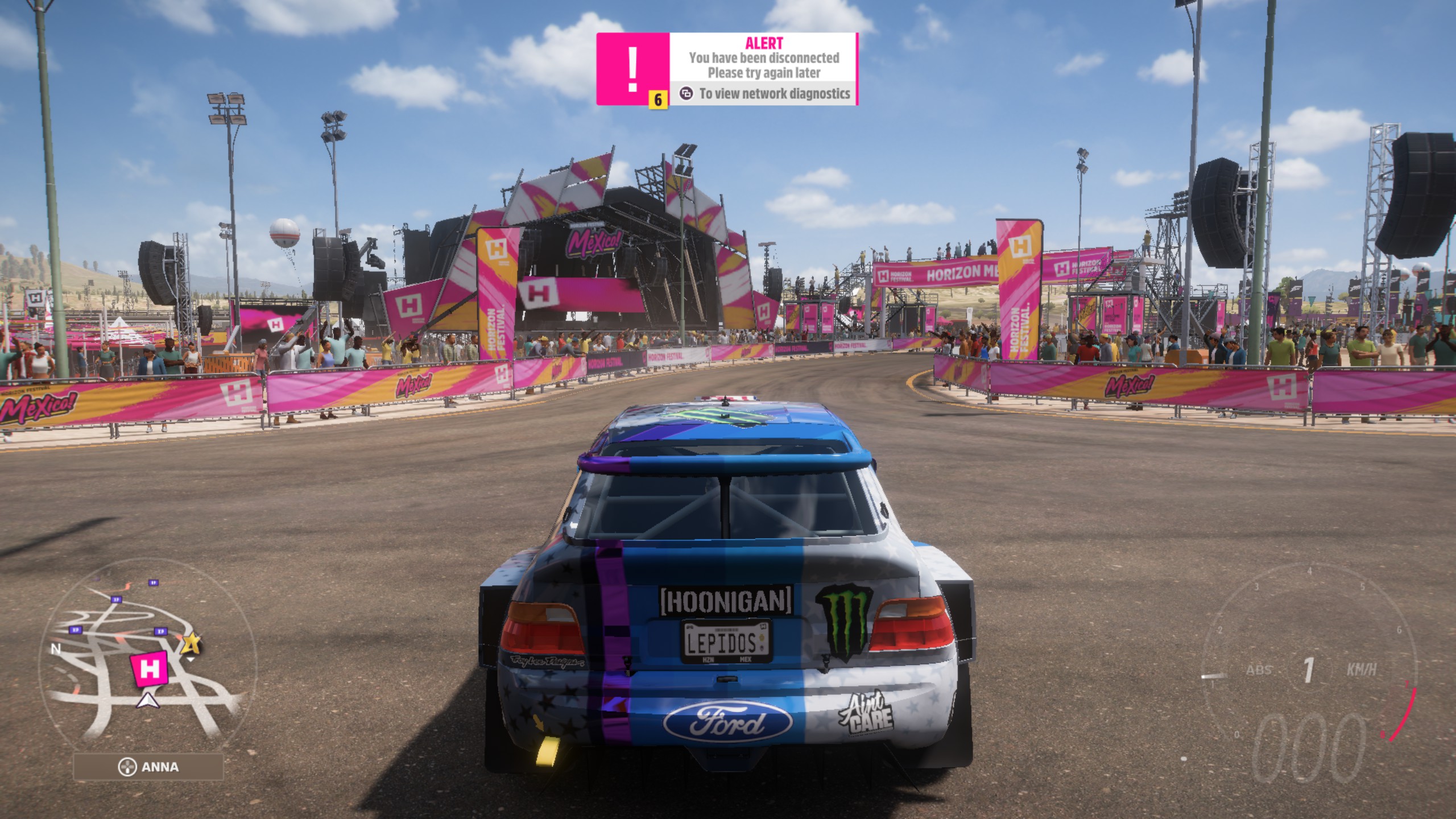
Should be noted multiplayer is not working. That has to be fixed in proton most likely
Don't know if it's a proton specific issue, multiplayer is very dysfunctional even on Windows.
I tried with kernel 5.13 and 5.15 and now it freezes in the first loading screen (after the splash).
It's like every time I try the game it freezes even sooner haha. Yesterday I got into the first race (https://github.com/ValveSoftware/Proton/issues/5285#issuecomment-965969981)
I'm getting pretty strange behavior but nothing unplayable, I have my framerate locked to 75fps and it manages to hold but it drops to 50 for a slight second very normally. Is proton just collecting shaders? It's not showing that the game is struggling to run. Would picking up the Mesa 22 beta help?
Manjaro, Linux 5.15, Mesa 21, Radeon VII
Should be noted multiplayer is not working. That has to be fixed in proton most likely
Don't know if it's a proton specific issue, multiplayer is very dysfunctional even on Windows.
It's particularly that you just cannot connect at all. The multiplayer in general just seems unstable but this is different I believe.
Heard from my friends that Online issue is present also on Windows, probably Forza servers are struggling right now, so any online issues are almost definitively not Proton's fault,
Replying to https://github.com/ValveSoftware/Proton/issues/5285#issuecomment-966390833
i did test with mesa 22-dev and kernel 5.15 extreme settings x4 msaa 3440x1440 RX 6800
you can see how often the game stutters.
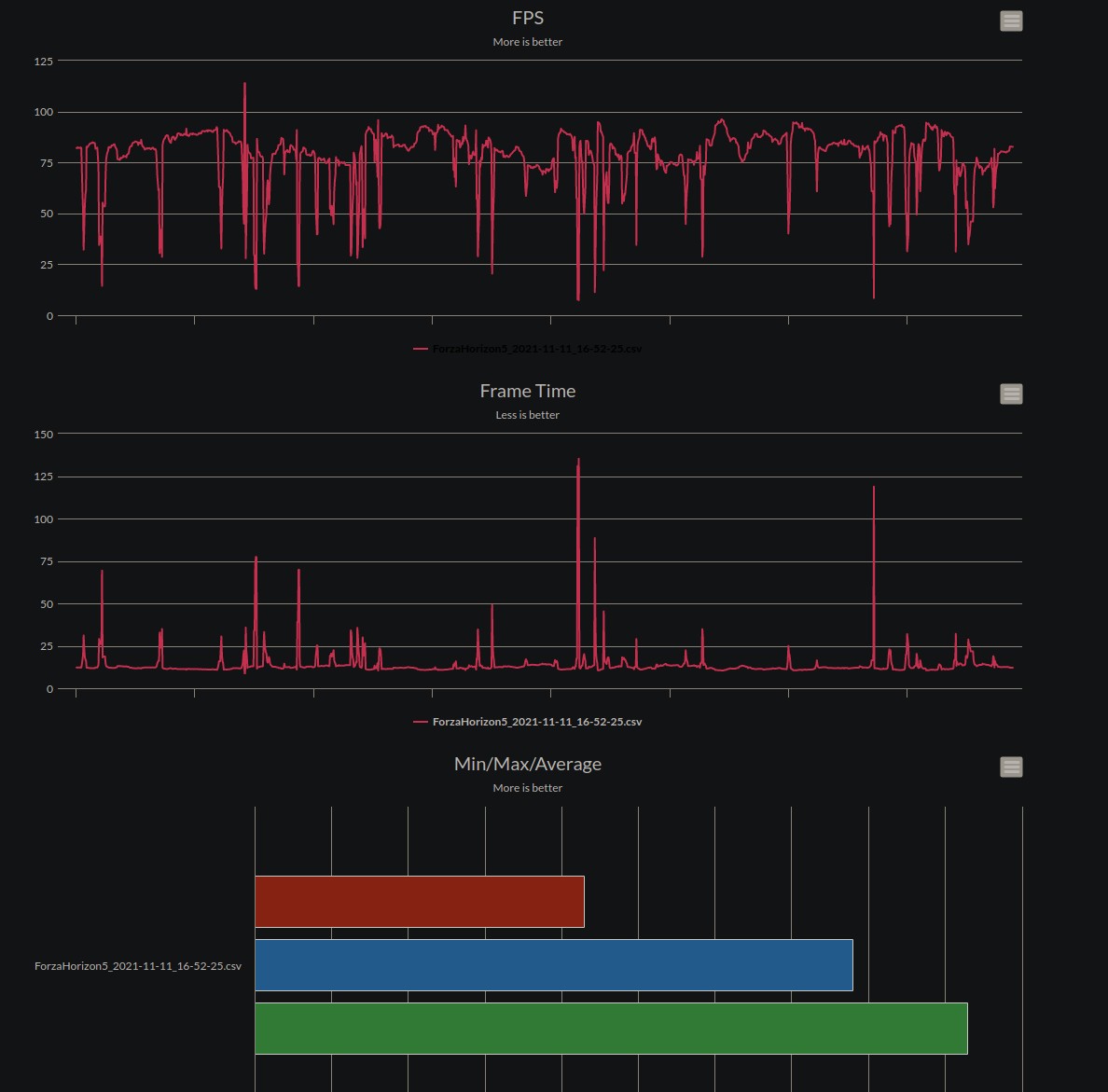
I see, I think I'm basically seeing the same activity on my end. Excited over the state of the performance here though!
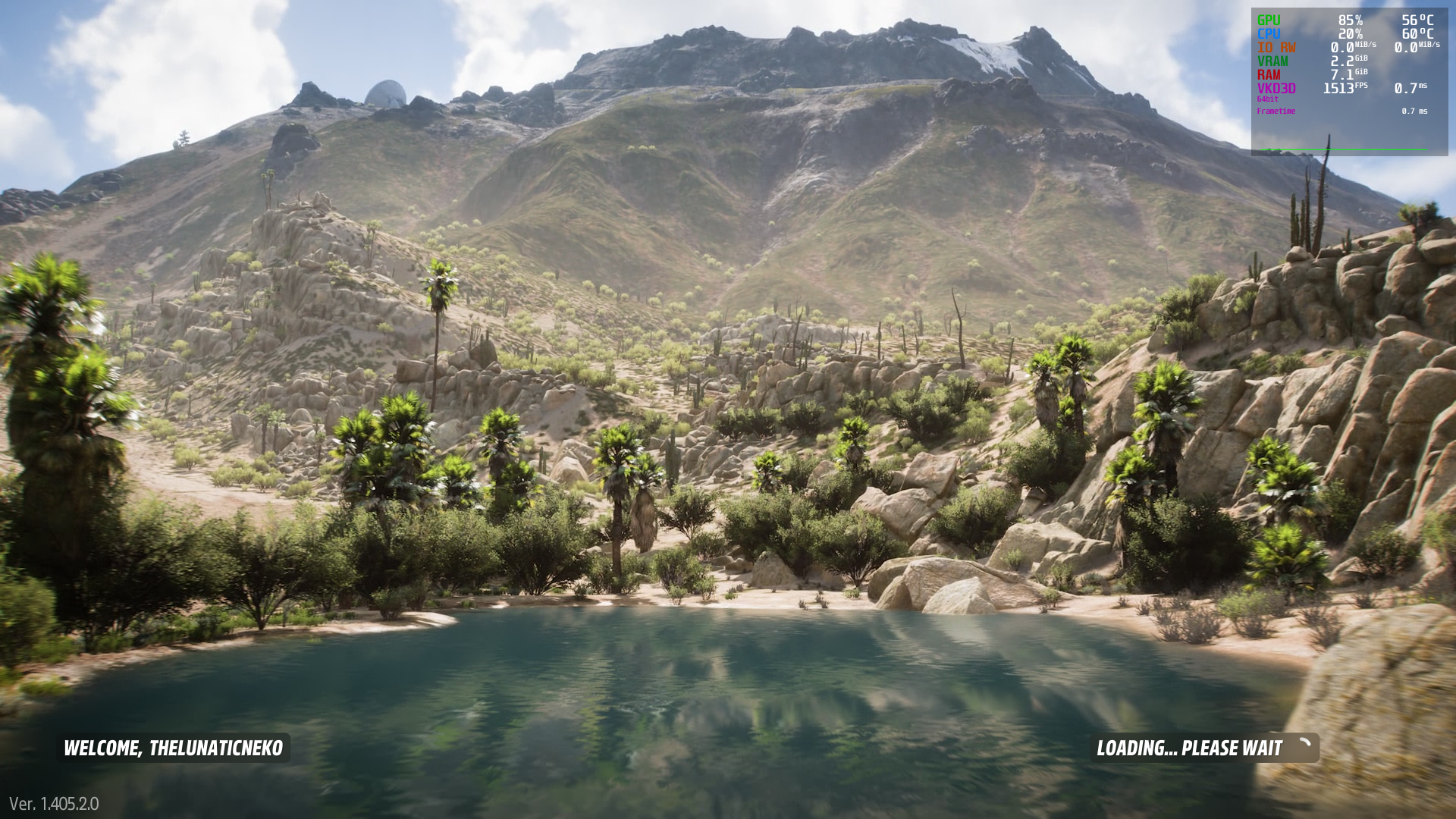
Game loads perfectly and i also managed to play the intro scenario in windowed mode with default settings but now my menu is completely broken. Sometimes deleting the Wine Prefix fixes it for the first run but it never stays normal long enough for me to do all my settings. Basically buttons seem to start disappearing and i can't select certain actions. When I launch the game and a prefix already exists I can get into the main menu screen where I can select Continue, Options, Sign Out and Exit and if I select continue it is stuck at the screen on the screenshot while I can still hear the buttons from the previous selection. If I press down 3 times I can select the Exit action and it seems to be the only action working.
Distro: Arch Linux
Kernel: 5.14.16-zen1-1-zen
RAM: 32 GB
GPU Driver: 4.6 Mesa 21.2.4
GPU: AMD Radeon RX 6900 XT
CPU: AMD Ryzen 9 3900X
For me with same problem switching from full screen to windowed and vice versa with alt+enter fixed it for me I had to do it few times but after I got in game I didn't need to do it anymore.
Replying to https://github.com/ValveSoftware/Proton/issues/5285#issuecomment-966487629
If you changed your settings before you loaded into the game, that's why. This issue of endlessly being stuck on the loading screen exists on Windows too after changing certain settings (unsure of which one), a fix is to delete your user config at your wine prefix's local app data folder for forza horizon 5, go to the user_steamlocalstoragedirectory folder, then ForzaUserConfigSelections and delete the UserConfigSelections file, then restart the game and use the preset it suggests until you've loaded into the game
sorry if the explanation is bad, i am really bad at explaining things but this fixed the endless loading issue for me
Replying to https://github.com/ValveSoftware/Proton/issues/5285#issuecomment-966531237
Switching window modes with alt + tab until it finishes loading actually works.
But now I experience a lot of stutter whenever the game does IO Reads/Writes from my nvme drive. (Just like https://github.com/ValveSoftware/Proton/issues/5285#issuecomment-966420771)
Game started first try with these params: PROTON_HIDE_NVIDIA_GPU=0 PROTON_ENABLE_NVAPI=1 VKD3D_CONFIG=dxr
after the intro, when I got to the festival with the last car it froze completely, I forcefully closed it and it never launched again.
Now it's showing unsupported Graphics Card error. When I choose to ignore, the game launches and shows black screen. Here is the log: steam-1551360.log
My specs:
Distro: Arch Linux
Kernel: 5.14.16-zen1-1-zen
GPU: Nvidia RTX 2060 SUPER (with proprietary drivers)
CPU: AMD Ryzen 5 3600
EDIT: Changing Proton to 6.3-7 and then back to Experimental fixed the issue. Note that earlier deleting the prefix didn't fix the issue.
NVIDIA it is. The same experience with FH4 and now FH5. As for the black screen, just minimize the game with Alt+Tab or Super+D and then rise it again.
@SPL0T, @CrimsonXMC the workaround that seems to also work is to load into the menu, select "Continue" and press enter.
Then press down 3 times, press enter, alt-tab out of the game, alt-tab back in, then press escape to cancel quitting out. The game will then load (for some reason...).
As far as performance goes, i'm seeing the same as other people here (and same as in Horizon 4) with frequent and severe hitching and slowdowns.
Moving the quality settings down does help some (especially the "shader" option), but it's still pretty choppy on a 6900xt.
On NVIDIA it's running great but it inevitably freezes just in minutes.
Im back.
Whatever happened while I was out seemed to work, now the game runs pretty fine, although it completely freezes after some time playing.
Also, rumble on the xbox one gamepad with the xone driver is nonexistent while playing
On NVIDIA it's running great but it inevitably freezes just in minutes.
Same here using bleeding edge proton experimental with driver version 495.44, might be a VKD3D issue?
[48602.410928] NVRM: Xid (PCI:0000:01:00): 31, pid=137567, Ch 0000005b, intr 10000000. MMU Fault: ENGINE GRAPHICS GPCCLIENT_T1_4 faulted @ 0xf6_82350000. Fault is of type FAULT_PTE ACCESS_TYPE_READ
Im back. Whatever happened while I was out seemed to work, now the game runs pretty fine, although it completely freezes after some time playing.
Also, rumble on the xbox one gamepad with the xone driver is nonexistent while playing
Let me guess - NVIDIA.
On NVIDIA it's running great but it inevitably freezes just in minutes.
Same here using bleeding edge proton experimental with driver version 495.44, might be a VKD3D issue?
[48602.410928] NVRM: Xid (PCI:0000:01:00): 31, pid=137567, Ch 0000005b, intr 10000000. MMU Fault: ENGINE GRAPHICS GPCCLIENT_T1_4 faulted @ 0xf6_82350000. Fault is of type FAULT_PTE ACCESS_TYPE_READ
It's NVIDIA, not a VKD3D issue. The game is running fine with AMD.
It's NVIDIA, not a VKD3D issue. The game is running fine with AMD.
Technically you're right, but it is likely something the VKD3D developers could fix, I've encountered the same thing with a few other DirectX 12 titles and it was fixed after updating a few weeks later. Something being messed up in Vulkan can very well produce the same freeze and kernel messages
But I'm getting pretty the same freeze in FH4 and it isn't fixed to this day because of the closed nature of NVIDIA drivers. It's up to NVIDIA to fix it but there's no hope at the moment.
But I'm getting pretty the same freeze in FH4 and it isn't fixed to this day because of the closed nature of NVIDIA drivers. It's up to NVIDIA to fix it but there's no hope at the moment.
Maybe its something common between these games that was never fixed because others don't have it....?
Those freezes don't allow me to complete the Intro. I hope the problem will be resolved/reduced soon.
I don't have any freezes or stutter with my nvidia 1060, but I get a hard crash at the first car drive around where you drive down the hill.
But I'm getting pretty the same freeze in FH4 and it isn't fixed to this day because of the closed nature of NVIDIA drivers. It's up to NVIDIA to fix it but there's no hope at the moment.
Maybe its something common between these games that was never fixed because others don't have it....?
It's common problem on NVIDIA.
I got it to work once, but now it just crashes the second it gets past the splash screen. It opens, I see mangohud, it freezes and closes. Any ideas?
edit: on nvidia for the record.
latest vkd3d lutris fork solves some of the crashes on nvidia
latest vkd3d lutris fork solves some of the crashes on nvidia
If it solves the crashing caused by mishandling stuff in the GPU's MMU, like this:
[48602.410928] NVRM: Xid (PCI:0000:01:00): 31, pid=137567, Ch 0000005b, intr 10000000. MMU Fault: ENGINE GRAPHICS GPCCLIENT_T1_4 faulted @ 0xf6_82350000. Fault is of type FAULT_PTE ACCESS_TYPE_READ
then one major problem should be solved when this vkd3d fork lands on Proton Experimental
It is working for my friend that has an RX 580 8gb (experimental bleeding edge). Multiplayer doesn't work but he can do some things like viewing and uploading tunes. He can occasionally join convoys.
latest vkd3d lutris fork solves some of the crashes on nvidia
Could you elaborate how you did it?
Replying to https://github.com/ValveSoftware/Proton/issues/5285#issuecomment-966724787
Just compile it yourself:
https://github.com/lutris/vkd3d
Replying to https://github.com/ValveSoftware/Proton/issues/5285#issuecomment-966727049
I rather meant if i need to any arguments for it to work with the self compiled version, should've mentioned that.
Now, with the new bleeding-edge release that launched, the game doesn´t want to let me log in
When I press A/Enter to start the game in the title screen, it just keeps loading forever instead of showing my gamertag and giving me the options to start playing
Can anyone explain how an Nvidia user would use the Lutris VKD3D Fork with Steam? I'm new to Linux, and don't understand how it all works. I'm currently using the Steam Beta with the Proton Experimental Bleeding Edge, and I can play the game, but always crash somewhere around the 3rd or 4th initial car you drive.
I rather meant if i need to any arguments for it to work with the self compiled version, should've mentioned that.
Can anyone explain how an Nvidia user would use the Lutris VKD3D Fork with Steam? I'm new to Linux, and don't understand how it all works. I'm currently using the Steam Beta with the Proton Experimental Bleeding Edge, and I can play the game, but always crash somewhere around the 3rd or 4th initial car you drive.
There is binary Version 2.5L-db89d40, i just swapped x64 d3d12.dll in a proton prefix folder (named by app id)
~/.local/share/Steam/steamapps/compatdata/#your_app_id_here/pfx/drive_c/windows/system32
Make sure you are using proton experimental bleeding-edge (right click on proton in steam and choose beta)
Another issue, if ur using mangohud it will crash steam and disconnect any controllers you had connected.
With 0 launch options i have ran the game for 4 hours straight, no crashes or any other problems in sight.
intel 9900k rtx 2080 ti driver 495.44-3 arch linux Kernel: 5.14.16-zen1-1-zen
latest vkd3d lutris fork solves some of the crashes on nvidia
lutris/vkd3d causes the game to get stuck on the loading screen, while HansKristian-Work/vkd3d-proton makes the game crash faster once in-game.
lutris/vkd3d causes the game to get stuck on the loading screen, while HansKristian-Work/vkd3d-proton makes the game crash faster once in-game.
Yeah i had it stuck for unreasonable time a couple of times, not sure how i made it go away but now everything works just fine.
oh and don't add d3d12.dll to the game folder, compatdata only
Game seems to run on my 6900 XT with the latest Proton Experimental bleeding edge but the stuttering definitely makes it unplayable, not sure if it's just the missing shaders or something else is going on.
Was anyone able to get their steering wheel working? The game seems to not recognize my Logitech G920 at all.
I can't get my steering wheel to work either but that might be the game and not Linux. However I've been having connection issues to Forza online mode and I don't know if it's me or everyone
I can't get my steering wheel to work either but that might be the game and not Linux. However I've been having connection issues to Forza online mode and I don't know if it's me or everyone
Can you confirm that it works with another game? Or maybe with xkbevd
Can you confirm that it works with another game? Or maybe with xkbevd
At least for me the steering wheel works in Dirt 4 (native) and Mudrunners (Proton).
For any USB controllers you might need to either force enable steam input or force disable it in the game's controller settings in steam. I had to do this with a normal controller but haven't tried a wheel yet.
For the stuttering playing at lower setting reduces it significantly. try with ultra low and step up until you find it unbearable.
i also had controller issues today suddenly my xbox controller could not be recognized and i opted out from steam beta and now it works. also multiplayer seemed to be more stable, i had only one disconnect notification in 3 hours gameplay.
Played yesterday around 4h (on the Proton Experimental bleeding edge). Generally running decent, but observing stuttering issues (frequent hickups) on an unpleasant level.
5.15.0-1-MANJARO, Mesa 21.2.3, Proton Experimental, 6800XT
Today bleeding edge received an update for me making the game crash as soon as the game finishes loading into the game. Switching to the non-bleeding edge Experimental now seems to run the game similar to yesterday on bleeding-edge.
Edit: after gofman's comment I simply switched on the bleeding-edge again and it now somehow works for me again.
Also since today i observed controller issues (DS3 in my case). As it was stated above a opt-out of the steam beta fixed it for me.
Deleting the prefix will maybe help with the latest bleeding edge although even if it does it is not right of course. The latest bleeding edge is supposed to help with online game (although it is yet untested if that is fully working).
I finally got the game to work using bleeding edge proton, but it will only launch in a virtual desktop. Otherwise, it will just black screen and crash immediately. The fullscreen "window" in the virtual desktop spawns half way off-screen which appears to be an artifact of my monitor configuration. I can see the entire game by resizing the virtual desktop window, but doing so leaves garbage pixels everywhere and makes my other monitor useless.
As for the in-game experience so far, multiplayer works as well as it does on Windows (its barely functional there ATM). I haven't noticed any big stutters on my RTX 3080, but it's hard to tell as performance overall is subpar at best: about a third of native. I do notice my audio dropping out for a second occasionally, but the game itself is not freezing or anything.
UPDATE: I believe disabling ESYNC was part of the issue, but its still about half the Windows framerate. It is quite stuttery and prone to freezing.
Linux 5.10.78, 5900X, RTX3080, BSPWM, Proton Experimental (bleeding edge branch)
Can confirm that with latest proton bleeding edge MP works as well. But
game has to get fixes cause its not amazing at all. Drops out a lot and etc.
But i was able to play eliminator which worked just fine.
I can also confirm no MP issues. Last night MP was unusable so I think the latest update helped. Only my controllers work, haven't tested the steering wheel since but I probably won't use it for this game lol
Latest bleeding edge still crashing in the first car scene.
Game crashes on proton experimental bleeding-edge Nvidia. I got in once, started playing, it crashed and has never launched since. Have also tried a complete reinstall (and pfx delte)
Fossilize INFO: Overriding serialization path: "/home/collin/.local/share/Steam/steamapps/shadercache/1551360/fozpipelinesv6/steamapprun_pipeline_cache". wine: Unhandled page fault on write access to 0000000000000009 at address 0000000144A4B6A3 (thread 01b8), starting debugger... Unhandled exception: page fault on write access to 0x00000009 in 64-bit code (0x 0000000144a4b6a3). Register dump:
Latest bleeding edge has removed the stutters from my game, it's butter smooth at extreme settings now, no frame drops. Specs in one of my last posts. Still unable to join multiplayer, but can access shared tunes/designs.
@vardle Is the stuttering online related maybe? I can see all the other players but my game is still stuttering, also on a 6900 XT.
Latest bleeding edge has removed the stutters from my game, it's butter smooth at extreme settings now, no frame drops. Specs in one of my last posts. Still unable to join multiplayer, but can access shared tunes/designs.
It still freezes on NVIDIA little after you drop off from the plane.
Latest bleeding edge has removed the stutters from my game, it's butter smooth at extreme settings now, no frame drops. Specs in one of my last posts. Still unable to join multiplayer, but can access shared tunes/designs.
What options are you launching the game with? I am running a i9 9900k on NixOS with a 6900XT and while the game has yet to crash for me since the bleeding edge proton experimental was released I get very long pauses in game play (1-15s).
I have tried setting the game to work in Solo mode (no multiplayer and instead drivertars) to rule out it being a multiplayer issue and the lagging still persists. I have also turned the graphics settings down from Extreme to the Low preset to rule out some kind of issue with one of the shaders and that also has made no difference and have noticed that during the stutters it appears that 1 of Forza Horizon's threads gets stuck using 100% of the a core for the duration of the pause.
I am currently using the following launch command:
PROTON_ENABLE_NVAPI=1 VKD3D_CONFIG=dxr PROTON_LOG=1 %command%
EDIT: Just had a low disk space notification and found that the Steam log file for Forza Horizon 5 was 35GB.... just truncated it and will take a look and see what is getting spammed.
EDIT: The vast majority of the log entries were stack unwinds like this:
Last 1000 lines of the steam log
``` 5980.201:0114:01f4:trace:seh:dump_unwind_info 0x9: pushq %r13 5980.201:0114:01f4:trace:seh:dump_unwind_info 0x7: pushq %r12 5980.201:0114:01f4:trace:seh:dump_unwind_info 0x5: pushq %rdi 5980.201:0114:01f4:trace:seh:dump_unwind_info 0x4: pushq %rsi 5980.201:0114:01f4:trace:seh:dump_unwind_info 0x3: pushq %rbx 5980.201:0114:01f4:trace:seh:dump_unwind_info 0x2: pushq %rbp 5980.201:0114:01f4:trace:seh:dump_unwind_info handler 0000000144D392BE data at 000000014745E9D8 5980.201:0114:01f4:trace:seh:RtlCaptureStackBackTrace captured 4 frames 5980.201:0114:01f4:trace:seh:RtlCaptureStackBackTrace (2, 4, 0000000004BCF990, 0000000004BCF9D0) 5980.201:0114:01f4:trace:seh:RtlVirtualUnwind type 0 rip 000000007BC5B8BF rsp 0000000004BCF2D0 5980.201:0114:01f4:trace:seh:dump_unwind_info **** func 5b880-5bb04 5980.201:0114:01f4:trace:seh:dump_unwind_info unwind info at 000000007BC839F4 flags 0 prolog 0x13 bytes function 000000007BC5B880-000000007BC5BB04 5980.201:0114:01f4:trace:seh:dump_unwind_info 0x13: subq $0x648,%rsp 5980.201:0114:01f4:trace:seh:dump_unwind_info 0xc: pushq %rbx 5980.201:0114:01f4:trace:seh:dump_unwind_info 0xb: pushq %rsi 5980.201:0114:01f4:trace:seh:dump_unwind_info 0xa: pushq %rdi 5980.201:0114:01f4:trace:seh:dump_unwind_info 0x9: pushq %rbp 5980.201:0114:01f4:trace:seh:dump_unwind_info 0x8: pushq %r12 5980.201:0114:01f4:trace:seh:dump_unwind_info 0x6: pushq %r13 5980.201:0114:01f4:trace:seh:dump_unwind_info 0x4: pushq %r14 5980.201:0114:01f4:trace:seh:dump_unwind_info 0x2: pushq %r15 5980.201:0114:01f4:trace:seh:RtlVirtualUnwind type 0 rip 0000000140A49C27 rsp 0000000004BCF960 5980.201:0114:01f4:trace:seh:dump_unwind_info **** func a49c03-a49c34 5980.201:0114:01f4:trace:seh:dump_unwind_info unwind info at 00000001474FA1E0 flags 4 prolog 0x5 bytes function 0000000140A49C03-0000000140A49C34 5980.201:0114:01f4:trace:seh:dump_unwind_info 0x5: movq %r14,0x50(%rsp) 5980.201:0114:01f4:trace:seh:dump_unwind_info chained to function 0000000140A49BF0-0000000140A49C03 5980.201:0114:01f4:trace:seh:dump_unwind_info unwind info at 00000001474FA1D8 flags 0 prolog 0x6 bytes function 0000000140A49BF0-0000000140A49C03 5980.201:0114:01f4:trace:seh:dump_unwind_info 0x6: subq $0x60,%rsp 5980.201:0114:01f4:trace:seh:dump_unwind_info 0x2: pushq %rbx 5980.201:0114:01f4:trace:seh:RtlVirtualUnwind type 0 rip 000000014099DA80 rsp 0000000004BCF9D0 5980.201:0114:01f4:trace:seh:dump_unwind_info **** func 99da30-99db51 5980.201:0114:01f4:trace:seh:dump_unwind_info unwind info at 00000001474E2344 flags 2 prolog 0x14 bytes function 000000014099DA30-000000014099DB51 5980.201:0114:01f4:trace:seh:dump_unwind_info 0x14: movq %rsi,0x58(%rsp) 5980.201:0114:01f4:trace:seh:dump_unwind_info 0x14: movq %rbx,0x50(%rsp) 5980.201:0114:01f4:trace:seh:dump_unwind_info 0x14: subq $0x30,%rsp 5980.201:0114:01f4:trace:seh:dump_unwind_info 0x10: pushq %rdi 5980.201:0114:01f4:trace:seh:dump_unwind_info handler 0000000144D392BE data at 00000001474E2358 5980.201:0114:01f4:trace:seh:RtlVirtualUnwind type 0 rip 000000014099ED86 rsp 0000000004BCFA10 5980.201:0114:01f4:trace:seh:dump_unwind_info **** func 99ed40-99ef1d 5980.201:0114:01f4:trace:seh:dump_unwind_info unwind info at 00000001474E22EC flags 2 prolog 0x12 bytes function 000000014099ED40-000000014099EF1D 5980.201:0114:01f4:trace:seh:dump_unwind_info 0x12: movq %rbp,0x88(%rsp) 5980.201:0114:01f4:trace:seh:dump_unwind_info 0x12: movq %rbx,0x80(%rsp) 5980.201:0114:01f4:trace:seh:dump_unwind_info 0x12: subq $0x50,%rsp 5980.201:0114:01f4:trace:seh:dump_unwind_info 0xe: pushq %r14 5980.201:0114:01f4:trace:seh:dump_unwind_info 0xc: pushq %rdi 5980.201:0114:01f4:trace:seh:dump_unwind_info 0xb: pushq %rsi 5980.201:0114:01f4:trace:seh:dump_unwind_info handler 0000000144D392BE data at 00000001474E2304 5980.201:0114:01f4:trace:seh:RtlVirtualUnwind type 0 rip 00000001409AA198 rsp 0000000004BCFA80 5980.201:0114:01f4:trace:seh:dump_unwind_info **** func 9aa188-9aa26b 5980.201:0114:01f4:trace:seh:dump_unwind_info unwind info at 00000001474E3404 flags 4 prolog 0x5 bytes function 00000001409AA188-00000001409AA26B 5980.201:0114:01f4:trace:seh:dump_unwind_info 0x5: movq %rsi,0x50(%rsp) 5980.201:0114:01f4:trace:seh:dump_unwind_info chained to function 00000001409AA110-00000001409AA188 5980.201:0114:01f4:trace:seh:dump_unwind_info unwind info at 00000001474E33F4 flags 0 prolog 0xf bytes function 00000001409AA110-00000001409AA188 5980.201:0114:01f4:trace:seh:dump_unwind_info 0xf: movq %rbp,0x60(%rsp) 5980.201:0114:01f4:trace:seh:dump_unwind_info 0xf: movq %rbx,0x58(%rsp) 5980.201:0114:01f4:trace:seh:dump_unwind_info 0xf: subq $0x40,%rsp 5980.201:0114:01f4:trace:seh:dump_unwind_info 0xb: pushq %rdi 5980.201:0114:01f4:trace:seh:RtlVirtualUnwind type 0 rip 00000001405818BA rsp 0000000004BCFAD0 5980.201:0114:01f4:trace:seh:dump_unwind_info **** func 581850-5818ec 5980.201:0114:01f4:trace:seh:dump_unwind_info unwind info at 000000014745E2C0 flags 2 prolog 0xa bytes function 0000000140581850-00000001405818EC 5980.201:0114:01f4:trace:seh:dump_unwind_info 0xa: movq %rbx,0x38(%rsp) 5980.201:0114:01f4:trace:seh:dump_unwind_info 0xa: subq $0x20,%rsp 5980.201:0114:01f4:trace:seh:dump_unwind_info 0x6: pushq %rdi 5980.201:0114:01f4:trace:seh:dump_unwind_info handler 0000000144D392BE data at 000000014745E2D0 5980.201:0114:01f4:trace:seh:RtlCaptureStackBackTrace captured 4 frames 5980.201:0114:01f4:trace:seh:RtlCaptureStackBackTrace (2, 4, 0000000004BCF960, 0000000004BCF9A0) 5980.201:0114:01f4:trace:seh:RtlVirtualUnwind type 0 rip 000000007BC5B8BF rsp 0000000004BCF2A0 5980.201:0114:01f4:trace:seh:dump_unwind_info **** func 5b880-5bb04 5980.201:0114:01f4:trace:seh:dump_unwind_info unwind info at 000000007BC839F4 flags 0 prolog 0x13 bytes function 000000007BC5B880-000000007BC5BB04 5980.201:0114:01f4:trace:seh:dump_unwind_info 0x13: subq $0x648,%rsp 5980.201:0114:01f4:trace:seh:dump_unwind_info 0xc: pushq %rbx 5980.201:0114:01f4:trace:seh:dump_unwind_info 0xb: pushq %rsi 5980.201:0114:01f4:trace:seh:dump_unwind_info 0xa: pushq %rdi 5980.201:0114:01f4:trace:seh:dump_unwind_info 0x9: pushq %rbp 5980.201:0114:01f4:trace:seh:dump_unwind_info 0x8: pushq %r12 5980.201:0114:01f4:trace:seh:dump_unwind_info 0x6: pushq %r13 5980.201:0114:01f4:trace:seh:dump_unwind_info 0x4: pushq %r14 5980.201:0114:01f4:trace:seh:dump_unwind_info 0x2: pushq %r15 5980.201:0114:01f4:trace:seh:RtlVirtualUnwind type 0 rip 0000000140A49C27 rsp 0000000004BCF930 5980.201:0114:01f4:trace:seh:dump_unwind_info **** func a49c03-a49c34 5980.201:0114:01f4:trace:seh:dump_unwind_info unwind info at 00000001474FA1E0 flags 4 prolog 0x5 bytes function 0000000140A49C03-0000000140A49C34 5980.201:0114:01f4:trace:seh:dump_unwind_info 0x5: movq %r14,0x50(%rsp) 5980.201:0114:01f4:trace:seh:dump_unwind_info chained to function 0000000140A49BF0-0000000140A49C03 5980.201:0114:01f4:trace:seh:dump_unwind_info unwind info at 00000001474FA1D8 flags 0 prolog 0x6 bytes function 0000000140A49BF0-0000000140A49C03 5980.201:0114:01f4:trace:seh:dump_unwind_info 0x6: subq $0x60,%rsp 5980.201:0114:01f4:trace:seh:dump_unwind_info 0x2: pushq %rbx 5980.201:0114:01f4:trace:seh:RtlVirtualUnwind type 0 rip 00000001409A190F rsp 0000000004BCF9A0 5980.201:0114:01f4:trace:seh:dump_unwind_info **** func 9a1760-9a1947 5980.201:0114:01f4:trace:seh:dump_unwind_info unwind info at 00000001474E22AC flags 2 prolog 0x16 bytes function 00000001409A1760-00000001409A1947 5980.201:0114:01f4:trace:seh:dump_unwind_info 0x16: movq %rbp,0x80(%rsp) 5980.201:0114:01f4:trace:seh:dump_unwind_info 0x16: movq %rbx,0x78(%rsp) 5980.201:0114:01f4:trace:seh:dump_unwind_info 0x16: subq $0x40,%rsp 5980.201:0114:01f4:trace:seh:dump_unwind_info 0x12: pushq %r15 5980.201:0114:01f4:trace:seh:dump_unwind_info 0x10: pushq %r14 5980.201:0114:01f4:trace:seh:dump_unwind_info 0xe: pushq %r12 5980.201:0114:01f4:trace:seh:dump_unwind_info 0xc: pushq %rdi 5980.201:0114:01f4:trace:seh:dump_unwind_info 0xb: pushq %rsi 5980.201:0114:01f4:trace:seh:dump_unwind_info handler 0000000144D392BE data at 00000001474E22C8 5980.201:0114:01f4:trace:seh:RtlVirtualUnwind type 0 rip 000000014099EEF3 rsp 0000000004BCFA10 5980.201:0114:01f4:trace:seh:dump_unwind_info **** func 99ed40-99ef1d 5980.201:0114:01f4:trace:seh:dump_unwind_info unwind info at 00000001474E22EC flags 2 prolog 0x12 bytes function 000000014099ED40-000000014099EF1D 5980.201:0114:01f4:trace:seh:dump_unwind_info 0x12: movq %rbp,0x88(%rsp) 5980.201:0114:01f4:trace:seh:dump_unwind_info 0x12: movq %rbx,0x80(%rsp) 5980.201:0114:01f4:trace:seh:dump_unwind_info 0x12: subq $0x50,%rsp 5980.201:0114:01f4:trace:seh:dump_unwind_info 0xe: pushq %r14 5980.201:0114:01f4:trace:seh:dump_unwind_info 0xc: pushq %rdi 5980.201:0114:01f4:trace:seh:dump_unwind_info 0xb: pushq %rsi 5980.201:0114:01f4:trace:seh:dump_unwind_info handler 0000000144D392BE data at 00000001474E2304 5980.201:0114:01f4:trace:seh:RtlVirtualUnwind type 0 rip 00000001409AA198 rsp 0000000004BCFA80 5980.201:0114:01f4:trace:seh:dump_unwind_info **** func 9aa188-9aa26b 5980.201:0114:01f4:trace:seh:dump_unwind_info unwind info at 00000001474E3404 flags 4 prolog 0x5 bytes function 00000001409AA188-00000001409AA26B 5980.201:0114:01f4:trace:seh:dump_unwind_info 0x5: movq %rsi,0x50(%rsp) 5980.201:0114:01f4:trace:seh:dump_unwind_info chained to function 00000001409AA110-00000001409AA188 5980.201:0114:01f4:trace:seh:dump_unwind_info unwind info at 00000001474E33F4 flags 0 prolog 0xf bytes function 00000001409AA110-00000001409AA188 5980.201:0114:01f4:trace:seh:dump_unwind_info 0xf: movq %rbp,0x60(%rsp) 5980.201:0114:01f4:trace:seh:dump_unwind_info 0xf: movq %rbx,0x58(%rsp) 5980.201:0114:01f4:trace:seh:dump_unwind_info 0xf: subq $0x40,%rsp 5980.201:0114:01f4:trace:seh:dump_unwind_info 0xb: pushq %rdi 5980.201:0114:01f4:trace:seh:RtlVirtualUnwind type 0 rip 00000001405818BA rsp 0000000004BCFAD0 5980.201:0114:01f4:trace:seh:dump_unwind_info **** func 581850-5818ec 5980.201:0114:01f4:trace:seh:dump_unwind_info unwind info at 000000014745E2C0 flags 2 prolog 0xa bytes function 0000000140581850-00000001405818EC 5980.201:0114:01f4:trace:seh:dump_unwind_info 0xa: movq %rbx,0x38(%rsp) 5980.201:0114:01f4:trace:seh:dump_unwind_info 0xa: subq $0x20,%rsp 5980.201:0114:01f4:trace:seh:dump_unwind_info 0x6: pushq %rdi 5980.201:0114:01f4:trace:seh:dump_unwind_info handler 0000000144D392BE data at 000000014745E2D0 5980.201:0114:01f4:trace:seh:RtlCaptureStackBackTrace captured 4 frames 5980.201:0114:01f4:trace:seh:RtlCaptureStackBackTrace (2, 4, 0000000004BCF9F0, 0000000004BCFA30) 5980.201:0114:01f4:trace:seh:RtlVirtualUnwind type 0 rip 000000007BC5B8BF rsp 0000000004BCF330 5980.201:0114:01f4:trace:seh:dump_unwind_info **** func 5b880-5bb04 5980.201:0114:01f4:trace:seh:dump_unwind_info unwind info at 000000007BC839F4 flags 0 prolog 0x13 bytes function 000000007BC5B880-000000007BC5BB04 5980.201:0114:01f4:trace:seh:dump_unwind_info 0x13: subq $0x648,%rsp 5980.201:0114:01f4:trace:seh:dump_unwind_info 0xc: pushq %rbx 5980.201:0114:01f4:trace:seh:dump_unwind_info 0xb: pushq %rsi 5980.201:0114:01f4:trace:seh:dump_unwind_info 0xa: pushq %rdi 5980.201:0114:01f4:trace:seh:dump_unwind_info 0x9: pushq %rbp 5980.201:0114:01f4:trace:seh:dump_unwind_info 0x8: pushq %r12 5980.201:0114:01f4:trace:seh:dump_unwind_info 0x6: pushq %r13 5980.201:0114:01f4:trace:seh:dump_unwind_info 0x4: pushq %r14 5980.201:0114:01f4:trace:seh:dump_unwind_info 0x2: pushq %r15 5980.201:0114:01f4:trace:seh:RtlVirtualUnwind type 0 rip 0000000140A49C27 rsp 0000000004BCF9C0 5980.201:0114:01f4:trace:seh:dump_unwind_info **** func a49c03-a49c34 5980.201:0114:01f4:trace:seh:dump_unwind_info unwind info at 00000001474FA1E0 flags 4 prolog 0x5 bytes function 0000000140A49C03-0000000140A49C34 5980.201:0114:01f4:trace:seh:dump_unwind_info 0x5: movq %r14,0x50(%rsp) 5980.201:0114:01f4:trace:seh:dump_unwind_info chained to function 0000000140A49BF0-0000000140A49C03 5980.201:0114:01f4:trace:seh:dump_unwind_info unwind info at 00000001474FA1D8 flags 0 prolog 0x6 bytes function 0000000140A49BF0-0000000140A49C03 5980.201:0114:01f4:trace:seh:dump_unwind_info 0x6: subq $0x60,%rsp 5980.201:0114:01f4:trace:seh:dump_unwind_info 0x2: pushq %rbx 5980.201:0114:01f4:trace:seh:RtlVirtualUnwind type 0 rip 000000014099DA80 rsp 0000000004BCFA30 5980.201:0114:01f4:trace:seh:dump_unwind_info **** func 99da30-99db51 5980.201:0114:01f4:trace:seh:dump_unwind_info unwind info at 00000001474E2344 flags 2 prolog 0x14 bytes function 000000014099DA30-000000014099DB51 5980.201:0114:01f4:trace:seh:dump_unwind_info 0x14: movq %rsi,0x58(%rsp) 5980.201:0114:01f4:trace:seh:dump_unwind_info 0x14: movq %rbx,0x50(%rsp) 5980.201:0114:01f4:trace:seh:dump_unwind_info 0x14: subq $0x30,%rsp 5980.201:0114:01f4:trace:seh:dump_unwind_info 0x10: pushq %rdi 5980.201:0114:01f4:trace:seh:dump_unwind_info handler 0000000144D392BE data at 00000001474E2358 5980.201:0114:01f4:trace:seh:RtlVirtualUnwind type 0 rip 000000014099ED86 rsp 0000000004BCFA70 5980.201:0114:01f4:trace:seh:dump_unwind_info **** func 99ed40-99ef1d 5980.201:0114:01f4:trace:seh:dump_unwind_info unwind info at 00000001474E22EC flags 2 prolog 0x12 bytes function 000000014099ED40-000000014099EF1D 5980.201:0114:01f4:trace:seh:dump_unwind_info 0x12: movq %rbp,0x88(%rsp) 5980.201:0114:01f4:trace:seh:dump_unwind_info 0x12: movq %rbx,0x80(%rsp) 5980.201:0114:01f4:trace:seh:dump_unwind_info 0x12: subq $0x50,%rsp 5980.201:0114:01f4:trace:seh:dump_unwind_info 0xe: pushq %r14 5980.201:0114:01f4:trace:seh:dump_unwind_info 0xc: pushq %rdi 5980.201:0114:01f4:trace:seh:dump_unwind_info 0xb: pushq %rsi 5980.201:0114:01f4:trace:seh:dump_unwind_info handler 0000000144D392BE data at 00000001474E2304 5980.201:0114:01f4:trace:seh:RtlVirtualUnwind type 0 rip 00000001409AA198 rsp 0000000004BCFAE0 5980.201:0114:01f4:trace:seh:dump_unwind_info **** func 9aa188-9aa26b 5980.201:0114:01f4:trace:seh:dump_unwind_info unwind info at 00000001474E3404 flags 4 prolog 0x5 bytes function 00000001409AA188-00000001409AA26B 5980.201:0114:01f4:trace:seh:dump_unwind_info 0x5: movq %rsi,0x50(%rsp) 5980.201:0114:01f4:trace:seh:dump_unwind_info chained to function 00000001409AA110-00000001409AA188 5980.201:0114:01f4:trace:seh:dump_unwind_info unwind info at 00000001474E33F4 flags 0 prolog 0xf bytes function 00000001409AA110-00000001409AA188 5980.201:0114:01f4:trace:seh:dump_unwind_info 0xf: movq %rbp,0x60(%rsp) 5980.201:0114:01f4:trace:seh:dump_unwind_info 0xf: movq %rbx,0x58(%rsp) 5980.201:0114:01f4:trace:seh:dump_unwind_info 0xf: subq $0x40,%rsp 5980.201:0114:01f4:trace:seh:dump_unwind_info 0xb: pushq %rdi 5980.201:0114:01f4:trace:seh:RtlVirtualUnwind type 0 rip 0000000140B845C7 rsp 0000000004BCFB30 5980.201:0114:01f4:trace:seh:dump_unwind_info **** func b845a0-b845dc 5980.201:0114:01f4:trace:seh:dump_unwind_info unwind info at 000000014751FD3C flags 0 prolog 0xa bytes function 0000000140B845A0-0000000140B845DC 5980.201:0114:01f4:trace:seh:dump_unwind_info 0xa: movq %rbx,0x30(%rsp) 5980.201:0114:01f4:trace:seh:dump_unwind_info 0xa: subq $0x20,%rsp 5980.201:0114:01f4:trace:seh:dump_unwind_info 0x6: pushq %rdi 5980.201:0114:01f4:trace:seh:RtlCaptureStackBackTrace captured 4 frames 5980.201:0114:01f4:trace:seh:RtlCaptureStackBackTrace (2, 4, 0000000004BCF9C0, 0000000004BCFA00) 5980.201:0114:01f4:trace:seh:RtlVirtualUnwind type 0 rip 000000007BC5B8BF rsp 0000000004BCF300 5980.201:0114:01f4:trace:seh:dump_unwind_info **** func 5b880-5bb04 5980.201:0114:01f4:trace:seh:dump_unwind_info unwind info at 000000007BC839F4 flags 0 prolog 0x13 bytes function 000000007BC5B880-000000007BC5BB04 5980.201:0114:01f4:trace:seh:dump_unwind_info 0x13: subq $0x648,%rsp 5980.201:0114:01f4:trace:seh:dump_unwind_info 0xc: pushq %rbx 5980.201:0114:01f4:trace:seh:dump_unwind_info 0xb: pushq %rsi 5980.201:0114:01f4:trace:seh:dump_unwind_info 0xa: pushq %rdi 5980.201:0114:01f4:trace:seh:dump_unwind_info 0x9: pushq %rbp 5980.201:0114:01f4:trace:seh:dump_unwind_info 0x8: pushq %r12 5980.201:0114:01f4:trace:seh:dump_unwind_info 0x6: pushq %r13 5980.201:0114:01f4:trace:seh:dump_unwind_info 0x4: pushq %r14 5980.201:0114:01f4:trace:seh:dump_unwind_info 0x2: pushq %r15 5980.201:0114:01f4:trace:seh:RtlVirtualUnwind type 0 rip 0000000140A49C27 rsp 0000000004BCF990 5980.201:0114:01f4:trace:seh:dump_unwind_info **** func a49c03-a49c34 5980.201:0114:01f4:trace:seh:dump_unwind_info unwind info at 00000001474FA1E0 flags 4 prolog 0x5 bytes function 0000000140A49C03-0000000140A49C34 5980.201:0114:01f4:trace:seh:dump_unwind_info 0x5: movq %r14,0x50(%rsp) 5980.201:0114:01f4:trace:seh:dump_unwind_info chained to function 0000000140A49BF0-0000000140A49C03 5980.201:0114:01f4:trace:seh:dump_unwind_info unwind info at 00000001474FA1D8 flags 0 prolog 0x6 bytes function 0000000140A49BF0-0000000140A49C03 5980.201:0114:01f4:trace:seh:dump_unwind_info 0x6: subq $0x60,%rsp 5980.201:0114:01f4:trace:seh:dump_unwind_info 0x2: pushq %rbx 5980.201:0114:01f4:trace:seh:RtlVirtualUnwind type 0 rip 00000001409A190F rsp 0000000004BCFA00 5980.201:0114:01f4:trace:seh:dump_unwind_info **** func 9a1760-9a1947 5980.201:0114:01f4:trace:seh:dump_unwind_info unwind info at 00000001474E22AC flags 2 prolog 0x16 bytes function 00000001409A1760-00000001409A1947 5980.201:0114:01f4:trace:seh:dump_unwind_info 0x16: movq %rbp,0x80(%rsp) 5980.201:0114:01f4:trace:seh:dump_unwind_info 0x16: movq %rbx,0x78(%rsp) 5980.201:0114:01f4:trace:seh:dump_unwind_info 0x16: subq $0x40,%rsp 5980.201:0114:01f4:trace:seh:dump_unwind_info 0x12: pushq %r15 5980.201:0114:01f4:trace:seh:dump_unwind_info 0x10: pushq %r14 5980.201:0114:01f4:trace:seh:dump_unwind_info 0xe: pushq %r12 5980.201:0114:01f4:trace:seh:dump_unwind_info 0xc: pushq %rdi 5980.201:0114:01f4:trace:seh:dump_unwind_info 0xb: pushq %rsi 5980.201:0114:01f4:trace:seh:dump_unwind_info handler 0000000144D392BE data at 00000001474E22C8 5980.201:0114:01f4:trace:seh:RtlVirtualUnwind type 0 rip 000000014099EEF3 rsp 0000000004BCFA70 5980.201:0114:01f4:trace:seh:dump_unwind_info **** func 99ed40-99ef1d 5980.201:0114:01f4:trace:seh:dump_unwind_info unwind info at 00000001474E22EC flags 2 prolog 0x12 bytes function 000000014099ED40-000000014099EF1D 5980.201:0114:01f4:trace:seh:dump_unwind_info 0x12: movq %rbp,0x88(%rsp) 5980.201:0114:01f4:trace:seh:dump_unwind_info 0x12: movq %rbx,0x80(%rsp) 5980.201:0114:01f4:trace:seh:dump_unwind_info 0x12: subq $0x50,%rsp 5980.201:0114:01f4:trace:seh:dump_unwind_info 0xe: pushq %r14 5980.201:0114:01f4:trace:seh:dump_unwind_info 0xc: pushq %rdi 5980.201:0114:01f4:trace:seh:dump_unwind_info 0xb: pushq %rsi 5980.201:0114:01f4:trace:seh:dump_unwind_info handler 0000000144D392BE data at 00000001474E2304 5980.201:0114:01f4:trace:seh:RtlVirtualUnwind type 0 rip 00000001409AA198 rsp 0000000004BCFAE0 5980.201:0114:01f4:trace:seh:dump_unwind_info **** func 9aa188-9aa26b 5980.201:0114:01f4:trace:seh:dump_unwind_info unwind info at 00000001474E3404 flags 4 prolog 0x5 bytes function 00000001409AA188-00000001409AA26B 5980.201:0114:01f4:trace:seh:dump_unwind_info 0x5: movq %rsi,0x50(%rsp) 5980.201:0114:01f4:trace:seh:dump_unwind_info chained to function 00000001409AA110-00000001409AA188 5980.201:0114:01f4:trace:seh:dump_unwind_info unwind info at 00000001474E33F4 flags 0 prolog 0xf bytes function 00000001409AA110-00000001409AA188 5980.201:0114:01f4:trace:seh:dump_unwind_info 0xf: movq %rbp,0x60(%rsp) 5980.201:0114:01f4:trace:seh:dump_unwind_info 0xf: movq %rbx,0x58(%rsp) 5980.201:0114:01f4:trace:seh:dump_unwind_info 0xf: subq $0x40,%rsp 5980.201:0114:01f4:trace:seh:dump_unwind_info 0xb: pushq %rdi 5980.201:0114:01f4:trace:seh:RtlVirtualUnwind type 0 rip 0000000140B845C7 rsp 0000000004BCFB30 5980.201:0114:01f4:trace:seh:dump_unwind_info **** func b845a0-b845dc 5980.201:0114:01f4:trace:seh:dump_unwind_info unwind info at 000000014751FD3C flags 0 prolog 0xa bytes function 0000000140B845A0-0000000140B845DC 5980.201:0114:01f4:trace:seh:dump_unwind_info 0xa: movq %rbx,0x30(%rsp) 5980.201:0114:01f4:trace:seh:dump_unwind_info 0xa: subq $0x20,%rsp 5980.201:0114:01f4:trace:seh:dump_unwind_info 0x6: pushq %rdi 5980.201:0114:01f4:trace:seh:RtlCaptureStackBackTrace captured 4 frames 5980.201:0114:01f4:trace:seh:RtlCaptureStackBackTrace (2, 4, 0000000004BCF9E0, 0000000004BCFA20) 5980.201:0114:01f4:trace:seh:RtlVirtualUnwind type 0 rip 000000007BC5B8BF rsp 0000000004BCF320 5980.201:0114:01f4:trace:seh:dump_unwind_info **** func 5b880-5bb04 5980.201:0114:01f4:trace:seh:dump_unwind_info unwind info at 000000007BC839F4 flags 0 prolog 0x13 bytes function 000000007BC5B880-000000007BC5BB04 5980.201:0114:01f4:trace:seh:dump_unwind_info 0x13: subq $0x648,%rsp 5980.201:0114:01f4:trace:seh:dump_unwind_info 0xc: pushq %rbx 5980.201:0114:01f4:trace:seh:dump_unwind_info 0xb: pushq %rsi 5980.201:0114:01f4:trace:seh:dump_unwind_info 0xa: pushq %rdi 5980.201:0114:01f4:trace:seh:dump_unwind_info 0x9: pushq %rbp 5980.201:0114:01f4:trace:seh:dump_unwind_info 0x8: pushq %r12 5980.201:0114:01f4:trace:seh:dump_unwind_info 0x6: pushq %r13 5980.201:0114:01f4:trace:seh:dump_unwind_info 0x4: pushq %r14 5980.201:0114:01f4:trace:seh:dump_unwind_info 0x2: pushq %r15 5980.201:0114:01f4:trace:seh:RtlVirtualUnwind type 0 rip 0000000140A49C27 rsp 0000000004BCF9B0 5980.201:0114:01f4:trace:seh:dump_unwind_info **** func a49c03-a49c34 5980.201:0114:01f4:trace:seh:dump_unwind_info unwind info at 00000001474FA1E0 flags 4 prolog 0x5 bytes function 0000000140A49C03-0000000140A49C34 5980.201:0114:01f4:trace:seh:dump_unwind_info 0x5: movq %r14,0x50(%rsp) 5980.201:0114:01f4:trace:seh:dump_unwind_info chained to function 0000000140A49BF0-0000000140A49C03 5980.201:0114:01f4:trace:seh:dump_unwind_info unwind info at 00000001474FA1D8 flags 0 prolog 0x6 bytes function 0000000140A49BF0-0000000140A49C03 5980.201:0114:01f4:trace:seh:dump_unwind_info 0x6: subq $0x60,%rsp 5980.201:0114:01f4:trace:seh:dump_unwind_info 0x2: pushq %rbx 5980.201:0114:01f4:trace:seh:RtlVirtualUnwind type 0 rip 000000014099DA80 rsp 0000000004BCFA20 5980.201:0114:01f4:trace:seh:dump_unwind_info **** func 99da30-99db51 5980.201:0114:01f4:trace:seh:dump_unwind_info unwind info at 00000001474E2344 flags 2 prolog 0x14 bytes function 000000014099DA30-000000014099DB51 5980.201:0114:01f4:trace:seh:dump_unwind_info 0x14: movq %rsi,0x58(%rsp) 5980.201:0114:01f4:trace:seh:dump_unwind_info 0x14: movq %rbx,0x50(%rsp) 5980.201:0114:01f4:trace:seh:dump_unwind_info 0x14: subq $0x30,%rsp 5980.201:0114:01f4:trace:seh:dump_unwind_info 0x10: pushq %rdi 5980.201:0114:01f4:trace:seh:dump_unwind_info handler 0000000144D392BE data at 00000001474E2358 5980.201:0114:01f4:trace:seh:RtlVirtualUnwind type 0 rip 000000014099ED86 rsp 0000000004BCFA60 5980.201:0114:01f4:trace:seh:dump_unwind_info **** func 99ed40-99ef1d 5980.201:0114:01f4:trace:seh:dump_unwind_info unwind info at 00000001474E22EC flags 2 prolog 0x12 bytes function 000000014099ED40-000000014099EF1D 5980.201:0114:01f4:trace:seh:dump_unwind_info 0x12: movq %rbp,0x88(%rsp) 5980.201:0114:01f4:trace:seh:dump_unwind_info 0x12: movq %rbx,0x80(%rsp) 5980.201:0114:01f4:trace:seh:dump_unwind_info 0x12: subq $0x50,%rsp 5980.201:0114:01f4:trace:seh:dump_unwind_info 0xe: pushq %r14 5980.201:0114:01f4:trace:seh:dump_unwind_info 0xc: pushq %rdi 5980.201:0114:01f4:trace:seh:dump_unwind_info 0xb: pushq %rsi 5980.201:0114:01f4:trace:seh:dump_unwind_info handler 0000000144D392BE data at 00000001474E2304 5980.201:0114:01f4:trace:seh:RtlVirtualUnwind type 0 rip 00000001409AA198 rsp 0000000004BCFAD0 5980.201:0114:01f4:trace:seh:dump_unwind_info **** func 9aa188-9aa26b 5980.201:0114:01f4:trace:seh:dump_unwind_info unwind info at 00000001474E3404 flags 4 prolog 0x5 bytes function 00000001409AA188-00000001409AA26B 5980.201:0114:01f4:trace:seh:dump_unwind_info 0x5: movq %rsi,0x50(%rsp) 5980.201:0114:01f4:trace:seh:dump_unwind_info chained to function 00000001409AA110-00000001409AA188 5980.201:0114:01f4:trace:seh:dump_unwind_info unwind info at 00000001474E33F4 flags 0 prolog 0xf bytes function 00000001409AA110-00000001409AA188 5980.201:0114:01f4:trace:seh:dump_unwind_info 0xf: movq %rbp,0x60(%rsp) 5980.201:0114:01f4:trace:seh:dump_unwind_info 0xf: movq %rbx,0x58(%rsp) 5980.201:0114:01f4:trace:seh:dump_unwind_info 0xf: subq $0x40,%rsp 5980.201:0114:01f4:trace:seh:dump_unwind_info 0xb: pushq %rdi 5980.201:0114:01f4:trace:seh:RtlVirtualUnwind type 0 rip 00000001405950DE rsp 0000000004BCFB20 5980.201:0114:01f4:trace:seh:dump_unwind_info **** func 595060-595593 5980.201:0114:01f4:trace:seh:dump_unwind_info unwind info at 000000014745E570 flags 2 prolog 0x1f bytes function 0000000140595060-0000000140595593 5980.201:0114:01f4:trace:seh:dump_unwind_info 0x1f: movq %rsi,0xc0(%rsp) 5980.201:0114:01f4:trace:seh:dump_unwind_info 0x1f: movq %rbp,0xb8(%rsp) 5980.201:0114:01f4:trace:seh:dump_unwind_info 0x1f: movq %rbx,0xb0(%rsp) 5980.201:0114:01f4:trace:seh:dump_unwind_info 0x1f: subq $0x80,%rsp 5980.201:0114:01f4:trace:seh:dump_unwind_info 0x18: pushq %r15 5980.201:0114:01f4:trace:seh:dump_unwind_info 0x16: pushq %r14 5980.201:0114:01f4:trace:seh:dump_unwind_info 0x14: pushq %r13 5980.201:0114:01f4:trace:seh:dump_unwind_info 0x12: pushq %r12 5980.201:0114:01f4:trace:seh:dump_unwind_info 0x10: pushq %rdi 5980.201:0114:01f4:trace:seh:dump_unwind_info handler 0000000144D392BE data at 000000014745E590 5980.201:0114:01f4:trace:seh:RtlCaptureStackBackTrace captured 4 frames 5980.201:0114:01f4:trace:seh:RtlCaptureStackBackTrace (2, 4, 0000000004BCF9B0, 0000000004BCF9F0) 5980.201:0114:01f4:trace:seh:RtlVirtualUnwind type 0 rip 000000007BC5B8BF rsp 0000000004BCF2F0 5980.201:0114:01f4:trace:seh:dump_unwind_info **** func 5b880-5bb04 5980.201:0114:01f4:trace:seh:dump_unwind_info unwind info at 000000007BC839F4 flags 0 prolog 0x13 bytes function 000000007BC5B880-000000007BC5BB04 5980.201:0114:01f4:trace:seh:dump_unwind_info 0x13: subq $0x648,%rsp 5980.201:0114:01f4:trace:seh:dump_unwind_info 0xc: pushq %rbx 5980.201:0114:01f4:trace:seh:dump_unwind_info 0xb: pushq %rsi 5980.201:0114:01f4:trace:seh:dump_unwind_info 0xa: pushq %rdi 5980.201:0114:01f4:trace:seh:dump_unwind_info 0x9: pushq %rbp 5980.201:0114:01f4:trace:seh:dump_unwind_info 0x8: pushq %r12 5980.201:0114:01f4:trace:seh:dump_unwind_info 0x6: pushq %r13 5980.201:0114:01f4:trace:seh:dump_unwind_info 0x4: pushq %r14 5980.201:0114:01f4:trace:seh:dump_unwind_info 0x2: pushq %r15 5980.201:0114:01f4:trace:seh:RtlVirtualUnwind type 0 rip 0000000140A49C27 rsp 0000000004BCF980 5980.201:0114:01f4:trace:seh:dump_unwind_info **** func a49c03-a49c34 5980.201:0114:01f4:trace:seh:dump_unwind_info unwind info at 00000001474FA1E0 flags 4 prolog 0x5 bytes function 0000000140A49C03-0000000140A49C34 5980.201:0114:01f4:trace:seh:dump_unwind_info 0x5: movq %r14,0x50(%rsp) 5980.201:0114:01f4:trace:seh:dump_unwind_info chained to function 0000000140A49BF0-0000000140A49C03 5980.201:0114:01f4:trace:seh:dump_unwind_info unwind info at 00000001474FA1D8 flags 0 prolog 0x6 bytes function 0000000140A49BF0-0000000140A49C03 5980.201:0114:01f4:trace:seh:dump_unwind_info 0x6: subq $0x60,%rsp 5980.201:0114:01f4:trace:seh:dump_unwind_info 0x2: pushq %rbx 5980.201:0114:01f4:trace:seh:RtlVirtualUnwind type 0 rip 00000001409A190F rsp 0000000004BCF9F0 5980.201:0114:01f4:trace:seh:dump_unwind_info **** func 9a1760-9a1947 5980.201:0114:01f4:trace:seh:dump_unwind_info unwind info at 00000001474E22AC flags 2 prolog 0x16 bytes function 00000001409A1760-00000001409A1947 5980.201:0114:01f4:trace:seh:dump_unwind_info 0x16: movq %rbp,0x80(%rsp) 5980.201:0114:01f4:trace:seh:dump_unwind_info 0x16: movq %rbx,0x78(%rsp) 5980.201:0114:01f4:trace:seh:dump_unwind_info 0x16: subq $0x40,%rsp 5980.201:0114:01f4:trace:seh:dump_unwind_info 0x12: pushq %r15 5980.201:0114:01f4:trace:seh:dump_unwind_info 0x10: pushq %r14 5980.201:0114:01f4:trace:seh:dump_unwind_info 0xe: pushq %r12 5980.201:0114:01f4:trace:seh:dump_unwind_info 0xc: pushq %rdi 5980.201:0114:01f4:trace:seh:dump_unwind_info 0xb: pushq %rsi 5980.201:0114:01f4:trace:seh:dump_unwind_info handler 0000000144D392BE data at 00000001474E22C8 5980.201:0114:01f4:trace:seh:RtlVirtualUnwind type 0 rip 000000014099EEF3 rsp 0000000004BCFA60 5980.201:0114:01f4:trace:seh:dump_unwind_info **** func 99ed40-99ef1d 5980.201:0114:01f4:trace:seh:dump_unwind_info unwind info at 00000001474E22EC flags 2 prolog 0x12 bytes function 000000014099ED40-000000014099EF1D 5980.201:0114:01f4:trace:seh:dump_unwind_info 0x12: movq %rbp,0x88(%rsp) 5980.201:0114:01f4:trace:seh:dump_unwind_info 0x12: movq %rbx,0x80(%rsp) 5980.201:0114:01f4:trace:seh:dump_unwind_info 0x12: subq $0x50,%rsp 5980.201:0114:01f4:trace:seh:dump_unwind_info 0xe: pushq %r14 5980.201:0114:01f4:trace:seh:dump_unwind_info 0xc: pushq %rdi 5980.201:0114:01f4:trace:seh:dump_unwind_info 0xb: pushq %rsi 5980.201:0114:01f4:trace:seh:dump_unwind_info handler 0000000144D392BE data at 00000001474E2304 5980.201:0114:01f4:trace:seh:RtlVirtualUnwind type 0 rip 00000001409AA198 rsp 0000000004BCFAD0 5980.201:0114:01f4:trace:seh:dump_unwind_info **** func 9aa188-9aa26b 5980.201:0114:01f4:trace:seh:dump_unwind_info unwind info at 00000001474E3404 flags 4 prolog 0x5 bytes function 00000001409AA188-00000001409AA26B 5980.201:0114:01f4:trace:seh:dump_unwind_info 0x5: movq %rsi,0x50(%rsp) 5980.201:0114:01f4:trace:seh:dump_unwind_info chained to function 00000001409AA110-00000001409AA188 5980.201:0114:01f4:trace:seh:dump_unwind_info unwind info at 00000001474E33F4 flags 0 prolog 0xf bytes function 00000001409AA110-00000001409AA188 5980.201:0114:01f4:trace:seh:dump_unwind_info 0xf: movq %rbp,0x60(%rsp) 5980.201:0114:01f4:trace:seh:dump_unwind_info 0xf: movq %rbx,0x58(%rsp) 5980.201:0114:01f4:trace:seh:dump_unwind_info 0xf: subq $0x40,%rsp 5980.201:0114:01f4:trace:seh:dump_unwind_info 0xb: pushq %rdi 5980.201:0114:01f4:trace:seh:RtlVirtualUnwind type 0 rip 00000001405950DE rsp 0000000004BCFB20 5980.201:0114:01f4:trace:seh:dump_unwind_info **** func 595060-595593 5980.201:0114:01f4:trace:seh:dump_unwind_info unwind info at 000000014745E570 flags 2 prolog 0x1f bytes function 0000000140595060-0000000140595593 5980.201:0114:01f4:trace:seh:dump_unwind_info 0x1f: movq %rsi,0xc0(%rsp) 5980.201:0114:01f4:trace:seh:dump_unwind_info 0x1f: movq %rbp,0xb8(%rsp) 5980.201:0114:01f4:trace:seh:dump_unwind_info 0x1f: movq %rbx,0xb0(%rsp) 5980.201:0114:01f4:trace:seh:dump_unwind_info 0x1f: subq $0x80,%rsp 5980.201:0114:01f4:trace:seh:dump_unwind_info 0x18: pushq %r15 5980.201:0114:01f4:trace:seh:dump_unwind_info 0x16: pushq %r14 5980.201:0114:01f4:trace:seh:dump_unwind_info 0x14: pushq %r13 5980.201:0114:01f4:trace:seh:dump_unwind_info 0x12: pushq %r12 5980.201:0114:01f4:trace:seh:dump_unwind_info 0x10: pushq %rdi 5980.201:0114:01f4:trace:seh:dump_unwind_info handler 0000000144D392BE data at 000000014745E590 5980.201:0114:01f4:trace:seh:RtlCaptureStackBackTrace captured 4 frames 01f4:warn:d3d12_swapchain_GetFrameStatistics: iface 00000000394b0050, stats 0000000003bc0cc8 stub! 5980.203:0114:01f4:trace:seh:RtlCaptureStackBackTrace (2, 4, 0000000004BCE9D0, 0000000004BCEA10) 5980.203:0114:01f4:trace:seh:RtlVirtualUnwind type 0 rip 000000007BC5B8BF rsp 0000000004BCE310 5980.203:0114:01f4:trace:seh:dump_unwind_info **** func 5b880-5bb04 5980.203:0114:01f4:trace:seh:dump_unwind_info unwind info at 000000007BC839F4 flags 0 prolog 0x13 bytes function 000000007BC5B880-000000007BC5BB04 5980.203:0114:01f4:trace:seh:dump_unwind_info 0x13: subq $0x648,%rsp 5980.203:0114:01f4:trace:seh:dump_unwind_info 0xc: pushq %rbx 5980.203:0114:01f4:trace:seh:dump_unwind_info 0xb: pushq %rsi 5980.203:0114:01f4:trace:seh:dump_unwind_info 0xa: pushq %rdi 5980.203:0114:01f4:trace:seh:dump_unwind_info 0x9: pushq %rbp 5980.203:0114:01f4:trace:seh:dump_unwind_info 0x8: pushq %r12 5980.203:0114:01f4:trace:seh:dump_unwind_info 0x6: pushq %r13 5980.203:0114:01f4:trace:seh:dump_unwind_info 0x4: pushq %r14 5980.203:0114:01f4:trace:seh:dump_unwind_info 0x2: pushq %r15 5980.203:0114:01f4:trace:seh:RtlVirtualUnwind type 0 rip 0000000140A49C27 rsp 0000000004BCE9A0 5980.203:0114:01f4:trace:seh:dump_unwind_info **** func a49c03-a49c34 5980.203:0114:01f4:trace:seh:dump_unwind_info unwind info at 00000001474FA1E0 flags 4 prolog 0x5 bytes function 0000000140A49C03-0000000140A49C34 5980.203:0114:01f4:trace:seh:dump_unwind_info 0x5: movq %r14,0x50(%rsp) 5980.203:0114:01f4:trace:seh:dump_unwind_info chained to function 0000000140A49BF0-0000000140A49C03 5980.203:0114:01f4:trace:seh:dump_unwind_info unwind info at 00000001474FA1D8 flags 0 prolog 0x6 bytes function 0000000140A49BF0-0000000140A49C03 5980.203:0114:01f4:trace:seh:dump_unwind_info 0x6: subq $0x60,%rsp 5980.203:0114:01f4:trace:seh:dump_unwind_info 0x2: pushq %rbx 5980.203:0114:01f4:trace:seh:RtlVirtualUnwind type 0 rip 000000014099DA80 rsp 0000000004BCEA10 5980.203:0114:01f4:trace:seh:dump_unwind_info **** func 99da30-99db51 5980.203:0114:01f4:trace:seh:dump_unwind_info unwind info at 00000001474E2344 flags 2 prolog 0x14 bytes function 000000014099DA30-000000014099DB51 5980.203:0114:01f4:trace:seh:dump_unwind_info 0x14: movq %rsi,0x58(%rsp) 5980.203:0114:01f4:trace:seh:dump_unwind_info 0x14: movq %rbx,0x50(%rsp) 5980.203:0114:01f4:trace:seh:dump_unwind_info 0x14: subq $0x30,%rsp 5980.203:0114:01f4:trace:seh:dump_unwind_info 0x10: pushq %rdi 5980.203:0114:01f4:trace:seh:dump_unwind_info handler 0000000144D392BE data at 00000001474E2358 5980.203:0114:01f4:trace:seh:RtlVirtualUnwind type 0 rip 000000014099ED86 rsp 0000000004BCEA50 5980.203:0114:01f4:trace:seh:dump_unwind_info **** func 99ed40-99ef1d 5980.203:0114:01ac:trace:seh:RtlCaptureStackBackTrace (2, 4, 000000001D77FA60, 000000001D77FAA0) 5980.203:0114:01f4:trace:seh:dump_unwind_info unwind info at 00000001474E22EC flags 2 prolog 0x12 bytes function 000000014099ED40-000000014099EF1D 5980.203:0114:01ac:trace:seh:RtlVirtualUnwind type 0 rip 000000007BC5B8BF rsp 000000001D77F3A0 5980.203:0114:01f4:trace:seh:dump_unwind_info 0x12: movq %rbp,0x88(%rsp) 5980.203:0114:01ac:trace:seh:dump_unwind_info **** func 5b880-5bb04 5980.203:0114:01f4:trace:seh:dump_unwind_info 0x12: movq %rbx,0x80(%rsp) 5980.203:0114:01ac:trace:seh:dump_unwind_info unwind info at 000000007BC839F4 flags 0 prolog 0x13 bytes function 000000007BC5B880-000000007BC5BB04 5980.203:0114:01f4:trace:seh:dump_unwind_info 0x12: subq $0x50,%rsp 5980.203:0114:01ac:trace:seh:dump_unwind_info 0x13: subq $0x648,%rsp 5980.203:0114:01f4:trace:seh:dump_unwind_info 0xe: pushq %r14 5980.204:0114:01ac:trace:seh:dump_unwind_info 0xc: pushq %rbx 5980.204:0114:01f4:trace:seh:dump_unwind_info 0xc: pushq %rdi 5980.204:0114:01ac:trace:seh:dump_unwind_info 0xb: pushq %rsi 5980.204:0114:01f4:trace:seh:dump_unwind_info 0xb: pushq %rsi 5980.204:0114:01ac:trace:seh:dump_unwind_info 0xa: pushq %rdi 5980.204:0114:01f4:trace:seh:dump_unwind_info handler 0000000144D392BE data at 00000001474E2304 5980.204:0114:01a8:trace:seh:RtlCaptureStackBackTrace (2, 4, 000000001D26FA60, 000000001D26FAA0) 5980.204:0114:01ac:trace:seh:dump_unwind_info 0x9: pushq %rbp 5980.204:0114:01f4:trace:seh:RtlVirtualUnwind type 0 rip 00000001409AA198 rsp 0000000004BCEAC0 5980.204:0114:01a8:trace:seh:RtlVirtualUnwind type 0 rip 000000007BC5B8BF rsp 000000001D26F3A0 5980.204:0114:01ac:trace:seh:dump_unwind_info 0x8: pushq %r12 5980.204:0114:01f4:trace:seh:dump_unwind_info **** func 9aa188-9aa26b 5980.204:0114:01a8:trace:seh:dump_unwind_info **** func 5b880-5bb04 5980.204:0114:01ac:trace:seh:dump_unwind_info 0x6: pushq %r13 5980.204:0114:01f4:trace:seh:dump_unwind_info unwind info at 00000001474E3404 flags 4 prolog 0x5 bytes function 00000001409AA188-00000001409AA26B 5980.204:0114:01a8:trace:seh:dump_unwind_info unwind info at 000000007BC839F4 flags 0 prolog 0x13 bytes function 000000007BC5B880-000000007BC5BB04 5980.204:0114:01ac:trace:seh:dump_unwind_info 0x4: pushq %r14 5980.204:0114:01f4:trace:seh:dump_unwind_info 0x5: movq %rsi,0x50(%rsp) 5980.204:0114:01a8:trace:seh:dump_unwind_info 0x13: subq $0x648,%rsp 5980.204:0114:01ac:trace:seh:dump_unwind_info 0x2: pushq %r15 5980.204:0114:01f4:trace:seh:dump_unwind_info chained to function 00000001409AA110-00000001409AA188 5980.204:0114:01a0:trace:seh:RtlCaptureStackBackTrace (2, 4, 000000001C84FA60, 000000001C84FAA0) 5980.204:0114:01a8:trace:seh:dump_unwind_info 0xc: pushq %rbx 5980.204:0114:01ac:trace:seh:RtlVirtualUnwind type 0 rip 0000000140A49C27 rsp 000000001D77FA30 5980.204:0114:01f4:trace:seh:dump_unwind_info unwind info at 00000001474E33F4 flags 0 prolog 0xf bytes function 00000001409AA110-00000001409AA188 5980.204:0114:01a0:trace:seh:RtlVirtualUnwind type 0 rip 000000007BC5B8BF rsp 000000001C84F3A0 5980.204:0114:01a8:trace:seh:dump_unwind_info 0xb: pushq %rsi 5980.204:0114:01ac:trace:seh:dump_unwind_info **** func a49c03-a49c34 5980.204:0114:01f4:trace:seh:dump_unwind_info 0xf: movq %rbp,0x60(%rsp) 5980.204:0114:01ac:trace:seh:dump_unwind_info unwind info at 00000001474FA1E0 flags 4 prolog 0x5 bytes function 0000000140A49C03-0000000140A49C34 5980.204:0114:01a0:trace:seh:dump_unwind_info **** func 5b880-5bb04 5980.204:0114:01a8:trace:seh:dump_unwind_info 0xa: pushq %rdi 5980.204:0114:01f4:trace:seh:dump_unwind_info 0xf: movq %rbx,0x58(%rsp) 5980.204:0114:01ac:trace:seh:dump_unwind_info 0x5: movq %r14,0x50(%rsp) 5980.204:0114:01a0:trace:seh:dump_unwind_info unwind info at 000000007BC839F4 flags 0 prolog 0x13 bytes function 000000007BC5B880-000000007BC5BB04 5980.204:0114:01a8:trace:seh:dump_unwind_info 0x9: pushq %rbp 5980.204:0114:01f4:trace:seh:dump_unwind_info 0xf: subq $0x40,%rsp 5980.204:0114:01ac:trace:seh:dump_unwind_info chained to function 0000000140A49BF0-0000000140A49C03 5980.204:0114:01a0:trace:seh:dump_unwind_info 0x13: subq $0x648,%rsp 5980.204:0114:01bc:trace:seh:RtlCaptureStackBackTrace (2, 4, 000000001EBBFA60, 000000001EBBFAA0) 5980.204:0114:01a8:trace:seh:dump_unwind_info 0x8: pushq %r12 5980.204:0114:01f4:trace:seh:dump_unwind_info 0xb: pushq %rdi 5980.204:0114:01ac:trace:seh:dump_unwind_info unwind info at 00000001474FA1D8 flags 0 prolog 0x6 bytes function 0000000140A49BF0-0000000140A49C03 5980.204:0114:01a0:trace:seh:dump_unwind_info 0xc: pushq %rbx 5980.204:0114:01bc:trace:seh:RtlVirtualUnwind type 0 rip 000000007BC5B8BF rsp 000000001EBBF3A0 5980.204:0114:01a8:trace:seh:dump_unwind_info 0x6: pushq %r13 5980.204:0114:01f4:trace:seh:RtlVirtualUnwind type 0 rip 00000001411BBC7C rsp 0000000004BCEB10 5980.204:0114:01ac:trace:seh:dump_unwind_info 0x6: subq $0x60,%rsp 5980.204:0114:01a0:trace:seh:dump_unwind_info 0xb: pushq %rsi 5980.204:0114:01bc:trace:seh:dump_unwind_info **** func 5b880-5bb04 5980.204:0114:01a8:trace:seh:dump_unwind_info 0x4: pushq %r14 5980.204:0114:01f4:trace:seh:dump_unwind_info **** func 11bbbc0-11bbd12 5980.204:0114:01ac:trace:seh:dump_unwind_info 0x2: pushq %rbx 5980.204:0114:01f4:trace:seh:dump_unwind_info unwind info at 00000001475E4A48 flags 2 prolog 0xf bytes function 00000001411BBBC0-00000001411BBD12 5980.204:0114:01a0:trace:seh:dump_unwind_info 0xa: pushq %rdi 5980.204:0114:01bc:trace:seh:dump_unwind_info unwind info at 000000007BC839F4 flags 0 prolog 0x13 bytes function 000000007BC5B880-000000007BC5BB04 5980.204:0114:01a8:trace:seh:dump_unwind_info 0x2: pushq %r15 5980.204:0114:01ac:trace:seh:RtlVirtualUnwind type 0 rip 000000014099DA80 rsp 000000001D77FAA0 5980.204:0114:01a8:trace:seh:RtlVirtualUnwind type 0 rip 0000000140A49C27 rsp 000000001D26FA30 5980.204:0114:01f4:trace:seh:dump_unwind_info 0xf: movq %rbx,0xb0(%rsp) 5980.204:0114:01a0:trace:seh:dump_unwind_info 0x9: pushq %rbp 5980.204:0114:01bc:trace:seh:dump_unwind_info 0x13: subq $0x648,%rsp 5980.204:0114:01ac:trace:seh:dump_unwind_info **** func 99da30-99db51 5980.204:0114:01a8:trace:seh:dump_unwind_info **** func a49c03-a49c34 5980.204:0114:01f4:trace:seh:dump_unwind_info 0xf: subq $0x90,%rsp 5980.204:0114:01a0:trace:seh:dump_unwind_info 0x8: pushq %r12 5980.204:0114:01bc:trace:seh:dump_unwind_info 0xc: pushq %rbx 5980.204:0114:01ac:trace:seh:dump_unwind_info unwind info at 00000001474E2344 flags 2 prolog 0x14 bytes function 000000014099DA30-000000014099DB51 5980.204:0114:01a8:trace:seh:dump_unwind_info unwind info at 00000001474FA1E0 flags 4 prolog 0x5 bytes function 0000000140A49C03-0000000140A49C34 5980.204:0114:01f4:trace:seh:dump_unwind_info 0x8: pushq %rdi 5980.204:0114:01a0:trace:seh:dump_unwind_info 0x6: pushq %r13 5980.204:0114:01bc:trace:seh:dump_unwind_info 0xb: pushq %rsi 5980.204:0114:01ac:trace:seh:dump_unwind_info 0x14: movq %rsi,0x58(%rsp) 5980.204:0114:01a8:trace:seh:dump_unwind_info 0x5: movq %r14,0x50(%rsp) 5980.204:0114:01f4:trace:seh:dump_unwind_info 0x7: pushq %rsi 5980.204:0114:01a0:trace:seh:dump_unwind_info 0x4: pushq %r14 5980.204:0114:01bc:trace:seh:dump_unwind_info 0xa: pushq %rdi 5980.204:0114:01ac:trace:seh:dump_unwind_info 0x14: movq %rbx,0x50(%rsp) 5980.204:0114:01a8:trace:seh:dump_unwind_info chained to function 0000000140A49BF0-0000000140A49C03 5980.204:0114:01f4:trace:seh:dump_unwind_info 0x6: pushq %rbp 5980.204:0114:01a0:trace:seh:dump_unwind_info 0x2: pushq %r15 5980.204:0114:01bc:trace:seh:dump_unwind_info 0x9: pushq %rbp 5980.204:0114:01ac:trace:seh:dump_unwind_info 0x14: subq $0x30,%rsp 5980.204:0114:01a8:trace:seh:dump_unwind_info unwind info at 00000001474FA1D8 flags 0 prolog 0x6 bytes function 0000000140A49BF0-0000000140A49C03 5980.204:0114:01f4:trace:seh:dump_unwind_info handler 0000000144D392BE data at 00000001475E4A60 5980.204:0114:01a0:trace:seh:RtlVirtualUnwind type 0 rip 0000000140A49C27 rsp 000000001C84FA30 5980.204:0114:01bc:trace:seh:dump_unwind_info 0x8: pushq %r12 5980.204:0114:01ac:trace:seh:dump_unwind_info 0x10: pushq %rdi 5980.204:0114:01a8:trace:seh:dump_unwind_info 0x6: subq $0x60,%rsp 5980.204:0114:01f4:trace:seh:RtlCaptureStackBackTrace captured 4 frames 5980.204:0114:01a0:trace:seh:dump_unwind_info **** func a49c03-a49c34 5980.204:0114:01bc:trace:seh:dump_unwind_info 0x6: pushq %r13 5980.204:0114:01ac:trace:seh:dump_unwind_info handler 0000000144D392BE data at 00000001474E2358 5980.204:0114:01a8:trace:seh:dump_unwind_info 0x2: pushq %rbx 5980.204:0114:01a0:trace:seh:dump_unwind_info unwind info at 00000001474FA1E0 flags 4 prolog 0x5 bytes function 0000000140A49C03-0000000140A49C34 5980.204:0114:01bc:trace:seh:dump_unwind_info 0x4: pushq %r14 5980.204:0114:01c8:trace:seh:RtlCaptureStackBackTrace (2, 4, 000000001FAEFA60, 000000001FAEFAA0) 5980.204:0114:01ac:trace:seh:RtlVirtualUnwind type 0 rip 000000014099F01F rsp 000000001D77FAE0 5980.204:0114:01a8:trace:seh:RtlVirtualUnwind type 0 rip 000000014099DA80 rsp 000000001D26FAA0 5980.204:0114:01a0:trace:seh:dump_unwind_info 0x5: movq %r14,0x50(%rsp) 5980.204:0114:01bc:trace:seh:dump_unwind_info 0x2: pushq %r15 5980.204:0114:01f4:trace:seh:RtlCaptureStackBackTrace (2, 4, 0000000004BCE9A0, 0000000004BCE9E0) 5980.204:0114:01c8:trace:seh:RtlVirtualUnwind type 0 rip 000000007BC5B8BF rsp 000000001FAEF3A0 5980.204:0114:01ac:trace:seh:dump_unwind_info **** func 99eff0-99f219 5980.204:0114:01a8:trace:seh:dump_unwind_info **** func 99da30-99db51 5980.204:0114:01a0:trace:seh:dump_unwind_info chained to function 0000000140A49BF0-0000000140A49C03 5980.204:0114:01bc:trace:seh:RtlVirtualUnwind type 0 rip 0000000140A49C27 rsp 000000001EBBFA30 5980.204:0114:01f4:trace:seh:RtlVirtualUnwind type 0 rip 000000007BC5B8BF rsp 0000000004BCE2E0 5980.204:0114:01c8:trace:seh:dump_unwind_info **** func 5b880-5bb04 5980.204:0114:01ac:trace:seh:dump_unwind_info unwind info at 00000001474E23E8 flags 2 prolog 0x13 bytes function 000000014099EFF0-000000014099F219 5980.204:0114:01c8:trace:seh:dump_unwind_info unwind info at 000000007BC839F4 flags 0 prolog 0x13 bytes function 000000007BC5B880-000000007BC5BB04 5980.204:0114:01a8:trace:seh:dump_unwind_info unwind info at 00000001474E2344 flags 2 prolog 0x14 bytes function 000000014099DA30-000000014099DB51 5980.204:0114:01a0:trace:seh:dump_unwind_info unwind info at 00000001474FA1D8 flags 0 prolog 0x6 bytes function 0000000140A49BF0-0000000140A49C03 5980.204:0114:01bc:trace:seh:dump_unwind_info **** func a49c03-a49c34 5980.204:0114:01f4:trace:seh:dump_unwind_info **** func 5b880-5bb04 5980.204:0114:01bc:trace:seh:dump_unwind_info unwind info at 00000001474FA1E0 flags 4 prolog 0x5 bytes function 0000000140A49C03-0000000140A49C34 5980.204:0114:01ac:trace:seh:dump_unwind_info 0x13: subq $0x40,%rsp 5980.204:0114:01c8:trace:seh:dump_unwind_info 0x13: subq $0x648,%rsp 5980.204:0114:01a8:trace:seh:dump_unwind_info 0x14: movq %rsi,0x58(%rsp) 5980.204:0114:01a0:trace:seh:dump_unwind_info 0x6: subq $0x60,%rsp 5980.204:0114:01f4:trace:seh:dump_unwind_info unwind info at 000000007BC839F4 flags 0 prolog 0x13 bytes function 000000007BC5B880-000000007BC5BB04 5980.204:0114:01bc:trace:seh:dump_unwind_info 0x5: movq %r14,0x50(%rsp) 5980.204:0114:01ac:trace:seh:dump_unwind_info 0xf: pushq %r15 5980.204:0114:01b4:trace:seh:RtlCaptureStackBackTrace (2, 4, 000000001E19FA60, 000000001E19FAA0) 5980.204:0114:01c8:trace:seh:dump_unwind_info 0xc: pushq %rbx 5980.204:0114:01a8:trace:seh:dump_unwind_info 0x14: movq %rbx,0x50(%rsp) 5980.204:0114:01a0:trace:seh:dump_unwind_info 0x2: pushq %rbx 5980.204:0114:01f4:trace:seh:dump_unwind_info 0x13: subq $0x648,%rsp 5980.204:0114:01bc:trace:seh:dump_unwind_info chained to function 0000000140A49BF0-0000000140A49C03 5980.204:0114:01ac:trace:seh:dump_unwind_info 0xd: pushq %r14 5980.204:0114:01b4:trace:seh:RtlVirtualUnwind type 0 rip 000000007BC5B8BF rsp 000000001E19F3A0 5980.204:0114:01c8:trace:seh:dump_unwind_info 0xb: pushq %rsi 5980.204:0114:01a8:trace:seh:dump_unwind_info 0x14: subq $0x30,%rsp 5980.204:0114:01a0:trace:seh:RtlVirtualUnwind type 0 rip 000000014099DA80 rsp 000000001C84FAA0 5980.204:0114:01f4:trace:seh:dump_unwind_info 0xc: pushq %rbx 5980.204:0114:01bc:trace:seh:dump_unwind_info unwind info at 00000001474FA1D8 flags 0 prolog 0x6 bytes function 0000000140A49BF0-0000000140A49C03 5980.204:0114:01ac:trace:seh:dump_unwind_info 0xb: pushq %r12 5980.204:0114:01b4:trace:seh:dump_unwind_info **** func 5b880-5bb04 5980.204:0114:01c8:trace:seh:dump_unwind_info 0xa: pushq %rdi 5980.204:0114:01a8:trace:seh:dump_unwind_info 0x10: pushq %rdi 5980.204:0114:01a0:trace:seh:dump_unwind_info **** func 99da30-99db51 5980.204:0114:01f4:trace:seh:dump_unwind_info 0xb: pushq %rsi 5980.204:0114:01a0:trace:seh:dump_unwind_info unwind info at 00000001474E2344 flags 2 prolog 0x14 bytes function 000000014099DA30-000000014099DB51 5980.204:0114:01bc:trace:seh:dump_unwind_info 0x6: subq $0x60,%rsp 5980.204:0114:01ac:trace:seh:dump_unwind_info 0x9: pushq %rdi 5980.204:0114:01b4:trace:seh:dump_unwind_info unwind info at 000000007BC839F4 flags 0 prolog 0x13 bytes function 000000007BC5B880-000000007BC5BB04 5980.204:0114:01c8:trace:seh:dump_unwind_info 0x9: pushq %rbp 5980.204:0114:01a8:trace:seh:dump_unwind_info handler 0000000144D392BE data at 00000001474E2358 5980.204:0114:01f4:trace:seh:dump_unwind_info 0xa: pushq %rdi 5980.204:0114:01a0:trace:seh:dump_unwind_info 0x14: movq %rsi,0x58(%rsp) 5980.204:0114:01bc:trace:seh:dump_unwind_info 0x2: pushq %rbx 5980.204:0114:01ac:trace:seh:dump_unwind_info 0x8: pushq %rsi 5980.204:0114:01b4:trace:seh:dump_unwind_info 0x13: subq $0x648,%rsp 5980.204:0114:01c8:trace:seh:dump_unwind_info 0x8: pushq %r12 5980.204:0114:01a8:trace:seh:RtlVirtualUnwind type 0 rip 000000014099F01F rsp 000000001D26FAE0 5980.204:0114:01f4:trace:seh:dump_unwind_info 0x9: pushq %rbp 5980.204:0114:01a0:trace:seh:dump_unwind_info 0x14: movq %rbx,0x50(%rsp) 5980.204:0114:01bc:trace:seh:RtlVirtualUnwind type 0 rip 000000014099DA80 rsp 000000001EBBFAA0 5980.204:0114:01ac:trace:seh:dump_unwind_info 0x7: pushq %rbp 5980.204:0114:01b4:trace:seh:dump_unwind_info 0xc: pushq %rbx 5980.204:0114:01c8:trace:seh:dump_unwind_info 0x6: pushq %r13 5980.204:0114:01a8:trace:seh:dump_unwind_info **** func 99eff0-99f219 5980.204:0114:01f4:trace:seh:dump_unwind_info 0x8: pushq %r12 5980.204:0114:01a0:trace:seh:dump_unwind_info 0x14: subq $0x30,%rsp 5980.204:0114:01bc:trace:seh:dump_unwind_info **** func 99da30-99db51 5980.204:0114:01ac:trace:seh:dump_unwind_info 0x6: pushq %rbx 5980.204:0114:01b4:trace:seh:dump_unwind_info 0xb: pushq %rsi 5980.204:0114:01c8:trace:seh:dump_unwind_info 0x4: pushq %r14 5980.204:0114:01a8:trace:seh:dump_unwind_info unwind info at 00000001474E23E8 flags 2 prolog 0x13 bytes function 000000014099EFF0-000000014099F219 5980.204:0114:01f4:trace:seh:dump_unwind_info 0x6: pushq %r13 5980.204:0114:01a0:trace:seh:dump_unwind_info 0x10: pushq %rdi 5980.204:0114:01bc:trace:seh:dump_unwind_info unwind info at 00000001474E2344 flags 2 prolog 0x14 bytes function 000000014099DA30-000000014099DB51 5980.204:0114:01ac:trace:seh:dump_unwind_info handler 0000000144D392BE data at 00000001474E2400 5980.204:0114:01b4:trace:seh:dump_unwind_info 0xa: pushq %rdi 5980.204:0114:01c8:trace:seh:dump_unwind_info 0x2: pushq %r15 5980.204:0114:01a8:trace:seh:dump_unwind_info 0x13: subq $0x40,%rsp 5980.204:0114:01f4:trace:seh:dump_unwind_info 0x4: pushq %r14 5980.204:0114:01a0:trace:seh:dump_unwind_info handler 0000000144D392BE data at 00000001474E2358 5980.204:0114:01bc:trace:seh:dump_unwind_info 0x14: movq %rsi,0x58(%rsp) 5980.204:0114:01ac:trace:seh:RtlVirtualUnwind type 0 rip 00000001411C5B75 rsp 000000001D77FB60 5980.204:0114:01b4:trace:seh:dump_unwind_info 0x9: pushq %rbp 5980.204:0114:01c8:trace:seh:RtlVirtualUnwind type 0 rip 0000000140A49C27 rsp 000000001FAEFA30 5980.204:0114:01a8:trace:seh:dump_unwind_info 0xf: pushq %r15 5980.204:0114:01f4:trace:seh:dump_unwind_info 0x2: pushq %r15 5980.204:0114:01a0:trace:seh:RtlVirtualUnwind type 0 rip 000000014099F01F rsp 000000001C84FAE0 5980.204:0114:01bc:trace:seh:dump_unwind_info 0x14: movq %rbx,0x50(%rsp) 5980.204:0114:01ac:trace:seh:dump_unwind_info **** func 11c5a80-11c5bfc 5980.204:0114:01b4:trace:seh:dump_unwind_info 0x8: pushq %r12 5980.204:0114:01c8:trace:seh:dump_unwind_info **** func a49c03-a49c34 5980.204:0114:01a8:trace:seh:dump_unwind_info 0xd: pushq %r14 5980.204:0114:01f4:trace:seh:RtlVirtualUnwind type 0 rip 0000000140A49C27 rsp 0000000004BCE970 5980.204:0114:01a0:trace:seh:dump_unwind_info **** func 99eff0-99f219 5980.204:0114:01bc:trace:seh:dump_unwind_info 0x14: subq $0x30,%rsp 5980.204:0114:01ac:trace:seh:dump_unwind_info unwind info at 00000001475E4B00 flags 0 prolog 0x10 bytes function 00000001411C5A80-00000001411C5BFC 5980.204:0114:01b4:trace:seh:dump_unwind_info 0x6: pushq %r13 5980.204:0114:01c8:trace:seh:dump_unwind_info unwind info at 00000001474FA1E0 flags 4 prolog 0x5 bytes function 0000000140A49C03-0000000140A49C34 5980.204:0114:01a8:trace:seh:dump_unwind_info 0xb: pushq %r12 5980.204:0114:01f4:trace:seh:dump_unwind_info **** func a49c03-a49c34 5980.204:0114:01a0:trace:seh:dump_unwind_info unwind info at 00000001474E23E8 flags 2 prolog 0x13 bytes function 000000014099EFF0-000000014099F219 5980.204:0114:01bc:trace:seh:dump_unwind_info 0x10: pushq %rdi 5980.204:0114:01ac:trace:seh:dump_unwind_info 0x10: movq %rbx,0x78(%rsp) 5980.204:0114:01b4:trace:seh:dump_unwind_info 0x4: pushq %r14 5980.204:0114:01c8:trace:seh:dump_unwind_info 0x5: movq %r14,0x50(%rsp) 5980.204:0114:01a8:trace:seh:dump_unwind_info 0x9: pushq %rdi 5980.204:0114:01f4:trace:seh:dump_unwind_info unwind info at 00000001474FA1E0 flags 4 prolog 0x5 bytes function 0000000140A49C03-0000000140A49C34 5980.204:0114:01a0:trace:seh:dump_unwind_info 0x13: subq $0x40,%rsp 5980.204:0114:01bc:trace:seh:dump_unwind_info handler 0000000144D392BE data at 00000001474E2358 5980.204:0114:01ac:trace:seh:dump_unwind_info 0x10: subq $0x30,%rsp 5980.204:0114:01b4:trace:seh:dump_unwind_info 0x2: pushq %r15 5980.204:0114:01c8:trace:seh:dump_unwind_info chained to function 0000000140A49BF0-0000000140A49C03 5980.204:0114:01c4:trace:seh:RtlCaptureStackBackTrace (2, 4, 000000001F5DFA60, 000000001F5DFAA0) 5980.204:0114:01a8:trace:seh:dump_unwind_info 0x8: pushq %rsi 5980.204:0114:01f4:trace:seh:dump_unwind_info 0x5: movq %r14,0x50(%rsp) 5980.204:0114:01a0:trace:seh:dump_unwind_info 0xf: pushq %r15 5980.204:0114:01bc:trace:seh:RtlVirtualUnwind type 0 rip 000000014099F01F rsp 000000001EBBFAE0 5980.204:0114:01ac:trace:seh:dump_unwind_info 0xc: pushq %r15 5980.204:0114:01b4:trace:seh:RtlVirtualUnwind type 0 rip 0000000140A49C27 rsp 000000001E19FA30 5980.204:0114:01c8:trace:seh:dump_unwind_info unwind info at 00000001474FA1D8 flags 0 prolog 0x6 bytes function 0000000140A49BF0-0000000140A49C03 5980.204:0114:01c4:trace:seh:RtlVirtualUnwind type 0 rip 000000007BC5B8BF rsp 000000001F5DF3A0 5980.204:0114:01a8:trace:seh:dump_unwind_info 0x7: pushq %rbp 5980.204:0114:01f4:trace:seh:dump_unwind_info chained to function 0000000140A49BF0-0000000140A49C03 5980.204:0114:01a0:trace:seh:dump_unwind_info 0xd: pushq %r14 5980.204:0114:01bc:trace:seh:dump_unwind_info **** func 99eff0-99f219 5980.204:0114:0198:trace:seh:RtlCaptureStackBackTrace (2, 4, 000000001BE2FA60, 000000001BE2FAA0) 5980.204:0114:01ac:trace:seh:dump_unwind_info 0xa: pushq %r14 5980.204:0114:01b4:trace:seh:dump_unwind_info **** func a49c03-a49c34 5980.204:0114:01c8:trace:seh:dump_unwind_info 0x6: subq $0x60,%rsp 5980.204:0114:01c4:trace:seh:dump_unwind_info **** func 5b880-5bb04 5980.204:0114:01a8:trace:seh:dump_unwind_info 0x6: pushq %rbx 5980.204:0114:01f4:trace:seh:dump_unwind_info unwind info at 00000001474FA1D8 flags 0 prolog 0x6 bytes function 0000000140A49BF0-0000000140A49C03 5980.204:0114:01a0:trace:seh:dump_unwind_info 0xb: pushq %r12 5980.204:0114:01bc:trace:seh:dump_unwind_info unwind info at 00000001474E23E8 flags 2 prolog 0x13 bytes function 000000014099EFF0-000000014099F219 5980.204:0114:0198:trace:seh:RtlVirtualUnwind type 0 rip 000000007BC5B8BF rsp 000000001BE2F3A0 5980.204:0114:01ac:trace:seh:dump_unwind_info 0x8: pushq %rdi 5980.204:0114:01b4:trace:seh:dump_unwind_info unwind info at 00000001474FA1E0 flags 4 prolog 0x5 bytes function 0000000140A49C03-0000000140A49C34 5980.204:0114:01c8:trace:seh:dump_unwind_info 0x2: pushq %rbx 5980.204:0114:01c4:trace:seh:dump_unwind_info unwind info at 000000007BC839F4 flags 0 prolog 0x13 bytes function 000000007BC5B880-000000007BC5BB04 5980.204:0114:01a8:trace:seh:dump_unwind_info handler 0000000144D392BE data at 00000001474E2400 5980.204:0114:01f4:trace:seh:dump_unwind_info 0x6: subq $0x60,%rsp 5980.204:0114:01a0:trace:seh:dump_unwind_info 0x9: pushq %rdi 5980.204:0114:01bc:trace:seh:dump_unwind_info 0x13: subq $0x40,%rsp 5980.204:0114:0198:trace:seh:dump_unwind_info **** func 5b880-5bb04 5980.204:0114:01ac:trace:seh:dump_unwind_info 0x7: pushq %rsi 5980.204:0114:01b4:trace:seh:dump_unwind_info 0x5: movq %r14,0x50(%rsp) 5980.204:0114:01c8:trace:seh:RtlVirtualUnwind type 0 rip 000000014099DA80 rsp 000000001FAEFAA0 5980.204:0114:01c4:trace:seh:dump_unwind_info 0x13: subq $0x648,%rsp 5980.204:0114:01a8:trace:seh:RtlVirtualUnwind type 0 rip 00000001411C5B75 rsp 000000001D26FB60 5980.204:0114:01f4:trace:seh:dump_unwind_info 0x2: pushq %rbx 5980.204:0114:01a0:trace:seh:dump_unwind_info 0x8: pushq %rsi 5980.204:0114:01bc:trace:seh:dump_unwind_info 0xf: pushq %r15 5980.204:0114:0198:trace:seh:dump_unwind_info unwind info at 000000007BC839F4 flags 0 prolog 0x13 bytes function 000000007BC5B880-000000007BC5BB04 5980.204:0114:01ac:trace:seh:dump_unwind_info 0x6: pushq %rbp 5980.204:0114:01b4:trace:seh:dump_unwind_info chained to function 0000000140A49BF0-0000000140A49C03 5980.204:0114:01c8:trace:seh:dump_unwind_info **** func 99da30-99db51 5980.204:0114:01c4:trace:seh:dump_unwind_info 0xc: pushq %rbx 5980.204:0114:01c8:trace:seh:dump_unwind_info unwind info at 00000001474E2344 flags 2 prolog 0x14 bytes function 000000014099DA30-000000014099DB51 5980.204:0114:01a8:trace:seh:dump_unwind_info **** func 11c5a80-11c5bfc 5980.204:0114:01f4:trace:seh:RtlVirtualUnwind type 0 rip 00000001409A190F rsp 0000000004BCE9E0 5980.204:0114:01a0:trace:seh:dump_unwind_info 0x7: pushq %rbp 5980.204:0114:01bc:trace:seh:dump_unwind_info 0xd: pushq %r14 5980.204:0114:0198:trace:seh:dump_unwind_info 0x13: subq $0x648,%rsp 5980.204:0114:01ac:trace:seh:RtlVirtualUnwind type 0 rip 00000001411F9D90 rsp 000000001D77FBC0 5980.204:0114:01b4:trace:seh:dump_unwind_info unwind info at 00000001474FA1D8 flags 0 prolog 0x6 bytes function 0000000140A49BF0-0000000140A49C03 5980.204:0114:01c4:trace:seh:dump_unwind_info 0xb: pushq %rsi 5980.204:0114:01c8:trace:seh:dump_unwind_info 0x14: movq %rsi,0x58(%rsp) 5980.204:0114:01a8:trace:seh:dump_unwind_info unwind info at 00000001475E4B00 flags 0 prolog 0x10 bytes function 00000001411C5A80-00000001411C5BFC 5980.204:0114:01f4:trace:seh:dump_unwind_info **** func 9a1760-9a1947 5980.204:0114:01a0:trace:seh:dump_unwind_info 0x6: pushq %rbx 5980.204:0114:01bc:trace:seh:dump_unwind_info 0xb: pushq %r12 5980.204:0114:0198:trace:seh:dump_unwind_info 0xc: pushq %rbx 5980.204:0114:01ac:trace:seh:dump_unwind_info **** func 11f9ce0-11f9e0c 5980.204:0114:01b4:trace:seh:dump_unwind_info 0x6: subq $0x60,%rsp 5980.204:0114:01c4:trace:seh:dump_unwind_info 0xa: pushq %rdi 5980.204:0114:01c8:trace:seh:dump_unwind_info 0x14: movq %rbx,0x50(%rsp) 5980.204:0114:01a8:trace:seh:dump_unwind_info 0x10: movq %rbx,0x78(%rsp) 5980.204:0114:01f4:trace:seh:dump_unwind_info unwind info at 00000001474E22AC flags 2 prolog 0x16 bytes function 00000001409A1760-00000001409A1947 5980.204:0114:01a0:trace:seh:dump_unwind_info handler 0000000144D392BE data at 00000001474E2400 5980.204:0114:01bc:trace:seh:dump_unwind_info 0x9: pushq %rdi 5980.204:0114:0198:trace:seh:dump_unwind_info 0xb: pushq %rsi 5980.204:0114:01ac:trace:seh:dump_unwind_info unwind info at 00000001475F3D00 flags 2 prolog 0xc bytes function 00000001411F9CE0-00000001411F9E0C 5980.204:0114:01b4:trace:seh:dump_unwind_info 0x2: pushq %rbx 5980.204:0114:01c4:trace:seh:dump_unwind_info 0x9: pushq %rbp 5980.204:0114:01c8:trace:seh:dump_unwind_info 0x14: subq $0x30,%rsp 5980.204:0114:01a8:trace:seh:dump_unwind_info 0x10: subq $0x30,%rsp 5980.204:0114:01f4:trace:seh:dump_unwind_info 0x16: movq %rbp,0x80(%rsp) 5980.204:0114:01a0:trace:seh:RtlVirtualUnwind type 0 rip 00000001411C5B75 rsp 000000001C84FB60 5980.204:0114:01bc:trace:seh:dump_unwind_info 0x8: pushq %rsi 5980.204:0114:0198:trace:seh:dump_unwind_info 0xa: pushq %rdi 5980.204:0114:01ac:trace:seh:dump_unwind_info 0xc: movq %rbx,0x60(%rsp) 5980.204:0114:01b4:trace:seh:RtlVirtualUnwind type 0 rip 000000014099DA80 rsp 000000001E19FAA0 5980.204:0114:01c4:trace:seh:dump_unwind_info 0x8: pushq %r12 5980.204:0114:01c8:trace:seh:dump_unwind_info 0x10: pushq %rdi 5980.204:0114:01a8:trace:seh:dump_unwind_info 0xc: pushq %r15 5980.204:0114:01f4:trace:seh:dump_unwind_info 0x16: movq %rbx,0x78(%rsp) 5980.204:0114:01a0:trace:seh:dump_unwind_info **** func 11c5a80-11c5bfc 5980.204:0114:01bc:trace:seh:dump_unwind_info 0x7: pushq %rbp 5980.204:0114:0198:trace:seh:dump_unwind_info 0x9: pushq %rbp 5980.204:0114:01ac:trace:seh:dump_unwind_info 0xc: subq $0x30,%rsp 5980.204:0114:01b4:trace:seh:dump_unwind_info **** func 99da30-99db51 5980.204:0114:01c4:trace:seh:dump_unwind_info 0x6: pushq %r13 5980.204:0114:01c8:trace:seh:dump_unwind_info handler 0000000144D392BE data at 00000001474E2358 5980.204:0114:01a8:trace:seh:dump_unwind_info 0xa: pushq %r14 5980.204:0114:01f4:trace:seh:dump_unwind_info 0x16: subq $0x40,%rsp 5980.204:0114:01a0:trace:seh:dump_unwind_info unwind info at 00000001475E4B00 flags 0 prolog 0x10 bytes function 00000001411C5A80-00000001411C5BFC 5980.204:0114:01bc:trace:seh:dump_unwind_info 0x6: pushq %rbx 5980.204:0114:0198:trace:seh:dump_unwind_info 0x8: pushq %r12 5980.204:0114:01ac:trace:seh:dump_unwind_info 0x8: pushq %rdi 5980.204:0114:01b4:trace:seh:dump_unwind_info unwind info at 00000001474E2344 flags 2 prolog 0x14 bytes function 000000014099DA30-000000014099DB51 5980.204:0114:01c4:trace:seh:dump_unwind_info 0x4: pushq %r14 5980.204:0114:01c8:trace:seh:RtlVirtualUnwind type 0 rip 000000014099F01F rsp 000000001FAEFAE0 5980.204:0114:01a8:trace:seh:dump_unwind_info 0x8: pushq %rdi 5980.204:0114:01f4:trace:seh:dump_unwind_info 0x12: pushq %r15 5980.204:0114:01a0:trace:seh:dump_unwind_info 0x10: movq %rbx,0x78(%rsp) 5980.204:0114:01bc:trace:seh:dump_unwind_info handler 0000000144D392BE data at 00000001474E2400 5980.204:0114:0198:trace:seh:dump_unwind_info 0x6: pushq %r13 5980.204:0114:01ac:trace:seh:dump_unwind_info 0x7: pushq %rsi 5980.204:0114:01b4:trace:seh:dump_unwind_info 0x14: movq %rsi,0x58(%rsp) 5980.204:0114:01c4:trace:seh:dump_unwind_info 0x2: pushq %r15 5980.204:0114:01c8:trace:seh:dump_unwind_info **** func 99eff0-99f219 5980.204:0114:01a8:trace:seh:dump_unwind_info 0x7: pushq %rsi 5980.204:0114:01f4:trace:seh:dump_unwind_info 0x10: pushq %r14 5980.204:0114:01a0:trace:seh:dump_unwind_info 0x10: subq $0x30,%rsp 5980.204:0114:01bc:trace:seh:RtlVirtualUnwind type 0 rip 00000001411C5B75 rsp 000000001EBBFB60 5980.204:0114:0198:trace:seh:dump_unwind_info 0x4: pushq %r14 5980.204:0114:01ac:trace:seh:dump_unwind_info 0x6: pushq %rbp 5980.204:0114:01b4:trace:seh:dump_unwind_info 0x14: movq %rbx,0x50(%rsp) 5980.204:0114:01c4:trace:seh:RtlVirtualUnwind type 0 rip 0000000140A49C27 rsp 000000001F5DFA30 5980.204:0114:01c8:trace:seh:dump_unwind_info unwind info at 00000001474E23E8 flags 2 prolog 0x13 bytes function 000000014099EFF0-000000014099F219 5980.204:0114:01a8:trace:seh:dump_unwind_info 0x6: pushq %rbp 5980.204:0114:01f4:trace:seh:dump_unwind_info 0xe: pushq %r12 5980.204:0114:01a0:trace:seh:dump_unwind_info 0xc: pushq %r15 5980.204:0114:01bc:trace:seh:dump_unwind_info **** func 11c5a80-11c5bfc 5980.204:0114:0198:trace:seh:dump_unwind_info 0x2: pushq %r15 5980.204:0114:01ac:trace:seh:dump_unwind_info handler 0000000144D392BE data at 00000001475F3D14 5980.204:0114:01b4:trace:seh:dump_unwind_info 0x14: subq $0x30,%rsp 5980.204:0114:01c4:trace:seh:dump_unwind_info **** func a49c03-a49c34 5980.204:0114:01c8:trace:seh:dump_unwind_info 0x13: subq $0x40,%rsp 5980.204:0114:01a8:trace:seh:RtlVirtualUnwind type 0 rip 00000001411F9D90 rsp 000000001D26FBC0 5980.204:0114:01f4:trace:seh:dump_unwind_info 0xc: pushq %rdi 5980.204:0114:01a0:trace:seh:dump_unwind_info 0xa: pushq %r14 5980.204:0114:01bc:trace:seh:dump_unwind_info unwind info at 00000001475E4B00 flags 0 prolog 0x10 bytes function 00000001411C5A80-00000001411C5BFC 5980.204:0114:0198:trace:seh:RtlVirtualUnwind type 0 rip 0000000140A49C27 rsp 000000001BE2FA30 5980.204:0114:01ac:trace:seh:RtlCaptureStackBackTrace captured 4 frames 5980.204:0114:01b4:trace:seh:dump_unwind_info 0x10: pushq %rdi 5980.204:0114:01c4:trace:seh:dump_unwind_info unwind info at 00000001474FA1E0 flags 4 prolog 0x5 bytes function 0000000140A49C03-0000000140A49C34 5980.204:0114:01c8:trace:seh:dump_unwind_info 0xf: pushq %r15 5980.204:0114:01f4:trace:seh:dump_unwind_info 0xb: pushq %rsi 5980.204:0114:01a0:trace:seh:dump_unwind_info 0x8: pushq %rdi 5980.204:0114:01bc:trace:seh:dump_unwind_info 0x10: movq %rbx,0x78(%rsp) 5980.204:0114:01b4:trace:seh:dump_unwind_info handler 0000000144D392BE data at 00000001474E2358 5980.204:0114:01ac:trace:seh:RtlCaptureStackBackTrace (2, 4, 000000001D77FA30, 000000001D77FA70) 5980.204:0114:01c4:trace:seh:dump_unwind_info 0x5: movq %r14,0x50(%rsp) 5980.204:0114:01c8:trace:seh:dump_unwind_info 0xd: pushq %r14 5980.204:0114:01f4:trace:seh:dump_unwind_info handler 0000000144D392BE data at 00000001474E22C8 5980.204:0114:01a0:trace:seh:dump_unwind_info 0x7: pushq %rsi 5980.204:0114:01bc:trace:seh:dump_unwind_info 0x10: subq $0x30,%rsp 5980.204:0114:01b4:trace:seh:RtlVirtualUnwind type 0 rip 000000014099F01F rsp 000000001E19FAE0 5980.204:0114:01ac:trace:seh:RtlVirtualUnwind type 0 rip 000000007BC5B8BF rsp 000000001D77F370 5980.204:0114:01c4:trace:seh:dump_unwind_info chained to function 0000000140A49BF0-0000000140A49C03 5980.204:0114:01c8:trace:seh:dump_unwind_info 0xb: pushq %r12 5980.204:0114:01f4:trace:seh:RtlVirtualUnwi ```Unless you are activeIy debugging the problems with the game I would advise for now to turn off PROTON_LOG with the current bleeding edge build as it will chew through your diskspace. After emptying out the log file and playing for a few minutes to see what was being put in the log the log file had already reached 5.7GB.
What options are you launching the game with? I am running a i9 9900k on NixOS with a 6900XT and while the game has yet to crash for me since the bleeding edge proton experimental was released I get very long pauses in game play (1-15s).
Only using VKD3D_CONFIG=dxr.
I also ran into pauses with PROTON_LOG=1.
I just checked with Mangohud with IO reads displayed , the stutters occur when the game reads from the SSD/Nvme, and only then.
i have the game also on widows and there the game costumes way more Ram than on linux. for the same settings on my pc it uses 13GB ram, ( not VRAM) and this is on AMD GPUS. nvidia gpus use less like the same amounts i see when i play on linux.
Only using
VKD3D_CONFIG=dxr. I also ran into pauses with PROTON_LOG=1.
Where you set this?
Having now turned off PROTON_LOG the game seems to no longer have the massively long stutters which I assume was probably the result Proton trying to flush the logs to disk. Now with the graphics now turned up to Extreme with 4x MSAA it seems to suffer from stutter which might be the result of Disk IO like @NalianNalis mentioned (I need to turn on MangoHUD's disk IO to confirm).
Only using
VKD3D_CONFIG=dxr. I also ran into pauses with PROTON_LOG=1.Where you set this?
You would set that in the game's Launch options inside Steam (right click the game in Steam click properties and then on the general tab you will see LAUNCH OPTIONS.... you would then put VKD3D_CONFIG=dxr %command% in that box.
@mozo78 you put that in launch options. you also need to use PROTON_ENABLE_NVAPI=1 if you use nvidia.
with amd gpu you need mesa 21.3 and up with RADV_PERFTEST=rt enabled.
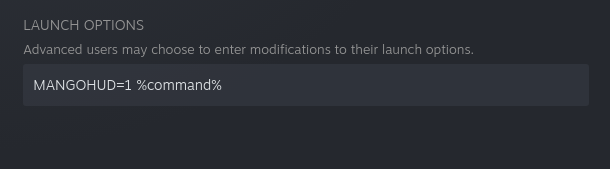
Thank you :)
Specs:
- 3700X
- RX 6700 XT and AMDGPU driver
- 32GB RAM
- Arch Linux
- 1 TB SATA SSD
- Proton: experimental-bleeding-edge-6.3-2901-20211112-p4dfdd2-w5a7154-db97411-v3fefc5
Running the game only with Mangohud, no other options set.
Experiencing the stutter and slowdowns to.
As other mentioned, they performance drop seems to correlate with loading of files from the local storage.
Can't provide a log file, because it is gigantic, reaching main menu already created 160MiB of log.
Latest bleeding edge has removed the stutters from my game, it's butter smooth at extreme settings now, no frame drops. Specs in one of my last posts. Still unable to join multiplayer, but can access shared tunes/designs.
Sadly can not confirm. Didn't receive a bleeding-edge update as of today. Running experimental-bleeding-edge-6.3-2901-20211112-p4dfdd2-w5a7154-db97411-v3fefc5 since yesterday and stutters are present on a Ryzen 3600 + 6800XT with 32GB ram.
Other notes:
- Settings -> Video -> Frame Rate does not seem to have any effect (I believe this is a FPS limiter. Is there a commonly used alternative on Linux?)
- Online -> Clubs -> Search Clubs makes the game freeze immediately (maybe because of missing xbox live HUD?)
- Generally no xbox live seems to be present which makes it hard (or impossible?) to connect with friends. (eg can't receive invites, etc. Seems to be all xbox live functionality rather than in the game itself). Any chance that this may be possible in the future or are we out of luck when we want to play with friends?
@KeksMassacre you can use Goverlay and enable it with MANGOHUD=1 in the launch otpions you can limit the fps with that.
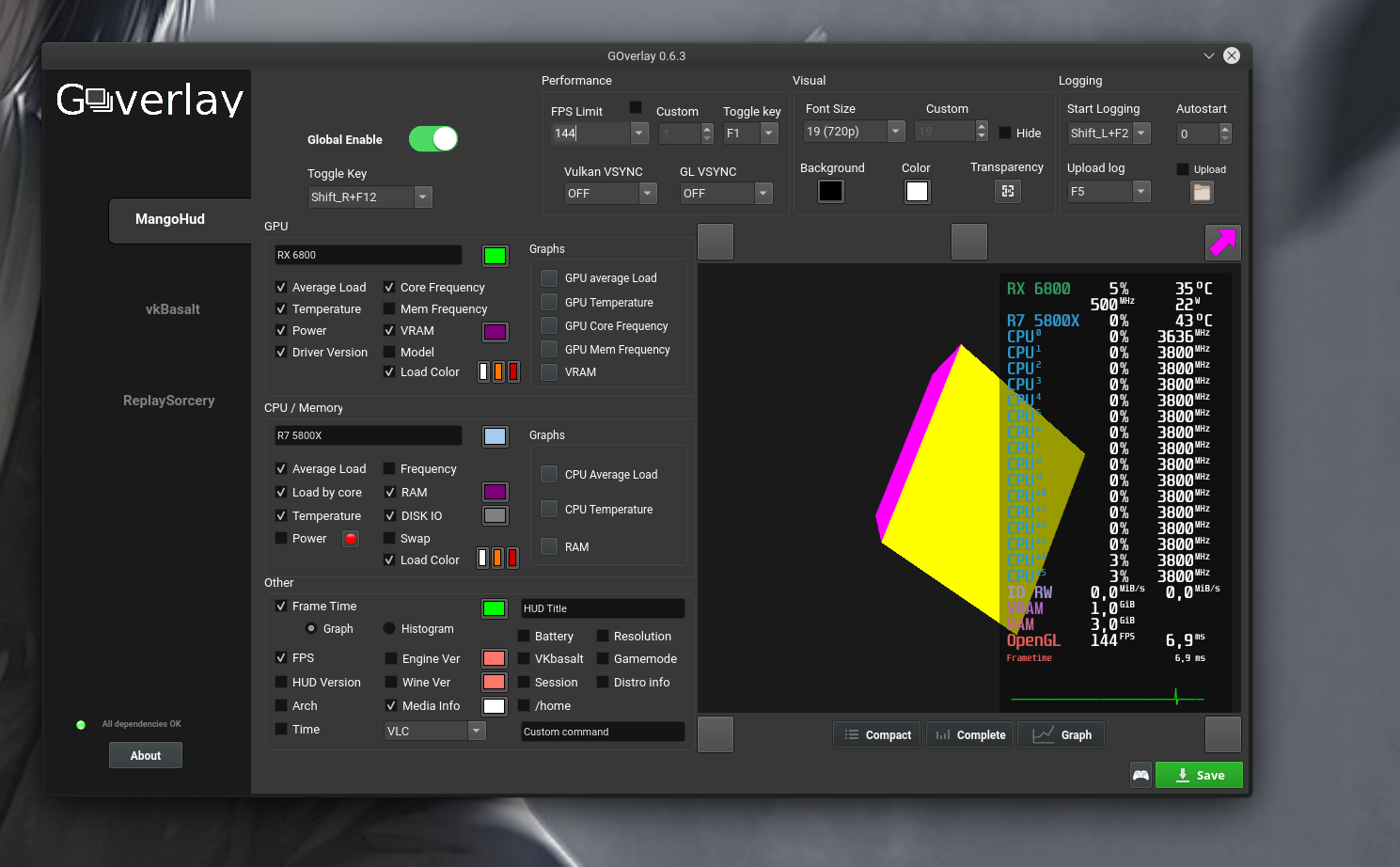
Game is running with a bugs and after a simple race, fps drops to 20, and it stays for ever. Also steering wheel is not working. I'm using not beta proton experimental
Replying to https://github.com/ValveSoftware/Proton/issues/5285#issuecomment-968056323
because game uses framerate from your linux settings (x11 window system)
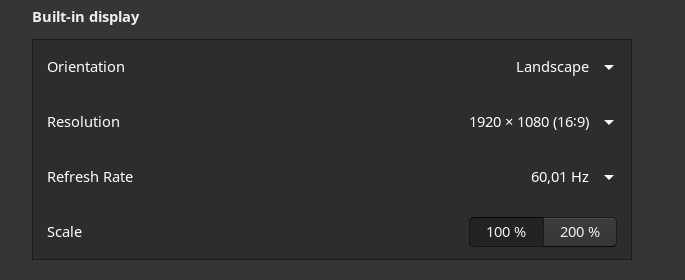
Game is running great for me today, I'm not sure if it was some update on the game, proton or me updating the mesa drivers, but everything runs smoothly. No more freezing in the loading screens and no shuttering or any visual issue. Played for more than 3hs, all good.
I had some disconnections from the servers but I understand it's something general that happens also on Windows.
Linux Mint 20.2 with Kernel 5.15
Ryzen 7
AMD 5700XT with diver mesa 21.2.5
Proton experimental bleeding edge
Xbox 360 controller
No launch options of any kind
I am unfortunately unable to get the game running with proton experimental bleeding edge.
OS: Arch Linux x86_64
Kernel: 5.15.2-arch1-1
DE: GNOME 41.1 (both xorg and wayland tested)
CPU: Intel i7-8700K
GPU: AMD Radeon RX 5700 XT
Mesa 21.2.5-1
I have tried with a variety of launch options, none of them working. The very first loading screen of the game works, then it goes into full screen with credits/discamers and crashes after about half a second.
@evan203 I have this issue also on Nvidia GPU. Workaround for now:
As long as you see the Forza Horizon splash screen, unfocus it to something else eg. Steam.
After a few seconds when the game will launch in the background you should be able to Alt+Tab into it without any issues.
Update:
r5600x
16bg
RTX 2060
Using lastest Steam beta with bleeding edge proton, with the Lutris Fork of d3d12.dll, I was able to make it past the intro, make my character, and begin the first non intro race. I did eventually freeze again but it seems like I can atleast progress now. Heavily recommend any Nvidia users use the Lutris fork d3d12.dll fix described earlier if you are crashing before you can finish the intro. Also seems like I crash after a certain amount of time, so I'd recommend driving as fast as possible to outrun the crash and hopefully finish the intro before crashing. I had tried the intro ~10 times before using the d3d12.dll fix.
Replying to https://github.com/ValveSoftware/Proton/issues/5285#issuecomment-968112792
I have the exact same issue, with the exception that it opens in windowed mode.
OS: Arch Linux x86_64
Kernel: 5.15.2-arch1-1
DE: KDE Plasma 5.23.3
CPU: Intel Core i9 9900k
RAM: 32GB
GPU: RTX 2080ti (Driver 495.44)
I am now able to play very well, only the occasional stutter that is insignificant. I am using proton-6.21-GE-1 (latest GE proton)
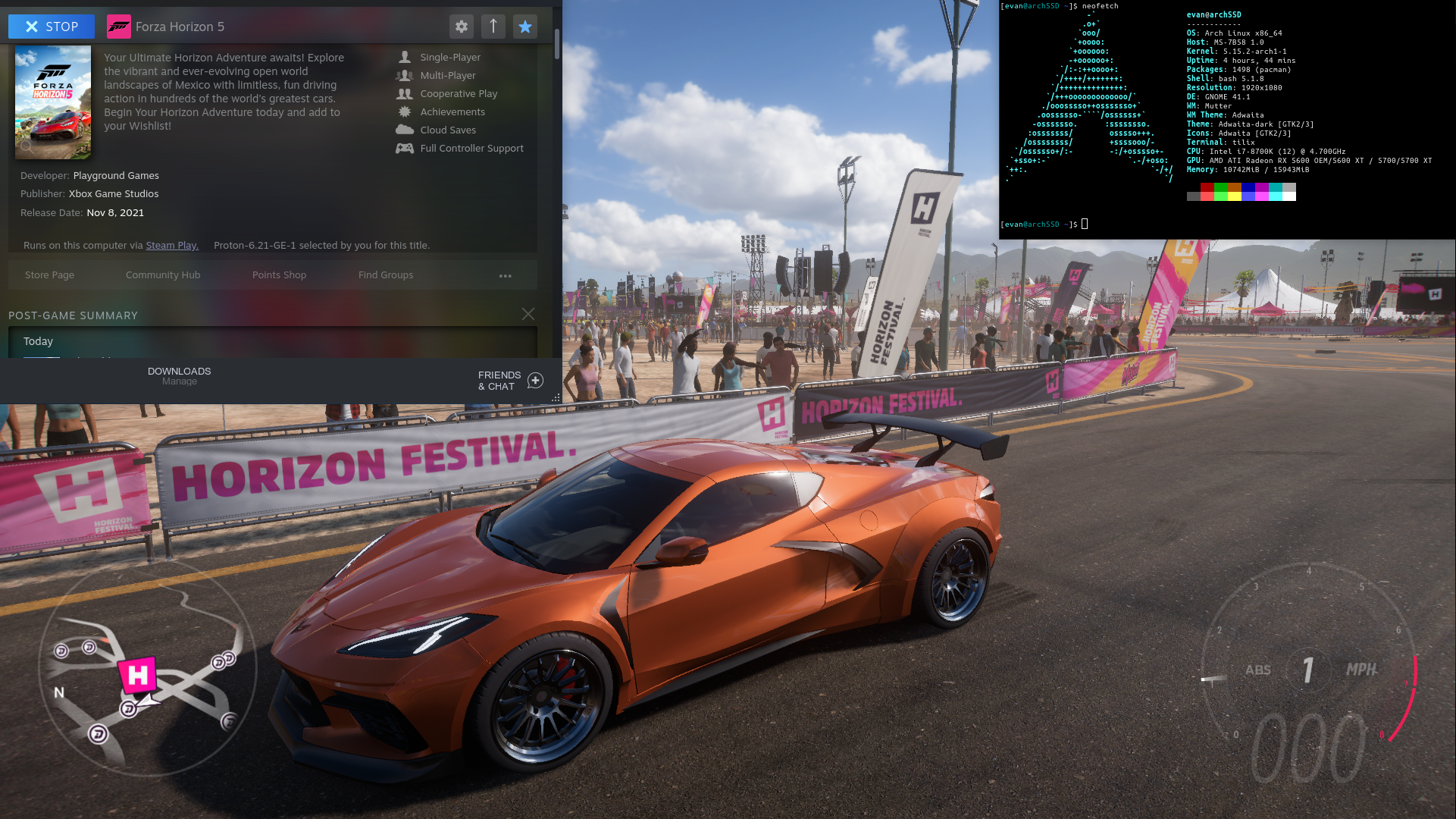
Game works fine using proton-ge 6.21 with some random crashing. But I did experience similar crashing on windows too, so it could just be the game.
OS: Arch Linux x86_64
Kernel: 5.15.2-zen1-1-zen
CPU: Intel Core i7 8700k
RAM: 16GB
GPU: Nvidia RTX 3060ti (Driver 495.44-7)
Game still stutters on RX 6900XT using proton-ge 6.21.
Game still crashed at the same position in the first car scene using proton-ge 6.21
EDIT: My controller also doesnt work anymore
Anyone able to get their wheel working? The wheel shows up in jtest-gtk and pyLinuxWheel, but doesn't show up in game and no inputs are detected from it. Also doesn't show up in Steam as a Steam Controller, so maybe I'm doing something wrong.
Game still crashed at the same position in the first car scene using proton-ge 6.21
EDIT: My controller also doesnt work anymore
For me it always freezes after the cliff jump at the first scene after the plane frop off. NVIDIA here...
Game still stutters on RX 6900XT using proton-ge 6.21.
Same GPU here, no change in stuttering either.
Anyone able to get their wheel working?
Nope, my Logitech G920 doesn't get recognized by the game or Steam, it works fine in all other games.
Arch (kernel 5.14.15.arch1-1, nvidia 495.44-2)
i7, 32 GB RAM, NVIDIA GeForce RTX 3090
Normal runtime Steam, bleeding edge Proton Experimental, the binary d3d12.dll linked in this reply, no launch parameters
Extreme graphics settings, got to the first showcase event with no real issues but then it crashed. I can restart the game and retry but it crashes while trying to load the showcase event again. Just driving around seems to work just fine though.
edit: Ok it did freeze and crash after ~40 minutes of free driving too.
Game still crashed at the same position in the first car scene using proton-ge 6.21
EDIT: My controller also doesnt work anymoreFor me it always freezes after the cliff jump at the first scene after the plane frop off. NVIDIA here...
I got it working on by running GE latest proton and running in windowed mode. Full screen always crashes for some reason.
POP OS
Nvidia gtx 1650 - 495.44
Amd r5 2600
I'll try it, thanks :)
I'm using nvidia, so if near me there is an ai car, fps drops to 20, and locks it for the rest of the game. Also in an ai race fps drops for 10 and still never comes back to normal fps, this happens with every proton, nor experimental nor bleeding edge nor proton-ge don't help. Also steering wheel is not working. I'm having Logitech g29, I got it to work only in PS4 mode but only buttons are working but pedals and wheel not
Using the latest proton-ge 6.21 the game will crash when trying to maximize it in windowed mode.
EDIT: Game still crashed at the same scene
gtx 1060
pop os 21.10 beta
nvidia 495.44
For those having controller issues, opt out of the steam client beta. A recent update to the beta client has been causing issues with some controllers
With latest proton-ge 6.21 on nvidia I'm getting this crash quite often:
Backtrace:
=>0 0x00000000008ce182 PartyAudioManipulationSinkStreamGetConfiguration+0x105542() in partywin (0x0000000000000000)
  1 0x00000000008cef83 PartyAudioManipulationSinkStreamGetConfiguration+0x106343() in partywin (0x0000000000a6d000)
  2 0x00000000008ced58 PartyAudioManipulationSinkStreamGetConfiguration+0x106118() in partywin (0x0000000000a6d000)
  3 0x00000000008bef11 PartyAudioManipulationSinkStreamGetConfiguration+0xf62d1() in partywin (0x0000000000a6d000)
  4 0x00000000008bf11a PartyAudioManipulationSinkStreamGetConfiguration+0xf64da() in partywin (0x0000000000000008)
  5 0x00000000008329a2 PartyAudioManipulationSinkStreamGetConfiguration+0x69d62() in partywin (0x0000000000000000)
  6 0x0000000000838552 PartyAudioManipulationSinkStreamGetConfiguration+0x6f912() in partywin (0x0000000000000000)
  7 0x0000000000879b31 PartyAudioManipulationSinkStreamGetConfiguration+0xb0ef1() in partywin (0x0000000000000000)
  8 0x000000007b62c869 ActivateActCtx+0x21551() in kernel32 (0x0000000000000000)
  9 0x000000007bc5fe13 A_SHAFinal+0x3ddb3() in ntdll (0x0000000000000000)
0x00000000008ce182 PartyAudioManipulationSinkStreamGetConfiguration+0x105542 in partywin: cmpq  %rbp,0x0000000000000010(%rbx)
Update: Same crash with latest proton-experimental bleeding edge plus the d3d12.dll from proton-ge 6.21:
  12 0x00000001408a45f6 EntryPoint+0xfbb6a335() in forzahorizon5 (0x0000000000000000)
  13 0x000000007b62c9a9 EntryPoint+0xffffffffffffffff() in kernel32 (0x0000000000000000)
  14 0x000000007bc5e5e3 EntryPoint+0xffffffffffffffff() in ntdll (0x0000000000000000)
0x00000001408a352c EntryPoint+0xfbb6926c in forzahorizon5: movl $0,0x0000000000000000
Using 6900XT with proton-ge 6.21amdgpu-pro drivers
Same " Game still stutters on RX 6900XT using proton-ge 6.21." as aboveLess stuttering with experimental, but still there.- Performance degradation is huge. Getting less than half FPS with maxed settings (and without ray-tracing which is totally missing. Even with
VKD3D_CONFIG=dxr RADV_PERFTEST=rt %command%set ) - The AA seems to not be working properly, edges are not crisp and getting a lot of wavy line effects with fences
Cannot play multiplayer / go live. "Unable to connect to the Live configuration servers" (screenshot)With experimental and removingdocker0adapter was able to get online.After trying to go live, keep getting the alert "Matchmaking was cancelled because your convoy has changed"
im getting this error after a few attempts:
wine: Unhandled page fault on read access to 0000000000000010 at address 000000007BC67735 (thread 0130), starting debugger...
as well as a lot of eventfd: Too many open files errors popping up if that has to do with anything
cpu: 8350k
gpu: 1050 ti
nvidia drivers: 495.44
kernel: void 5.13.19_1
proton version: proton-ge 6.21
Hello @xotical, please check that ulimit -Hn gives you a high value and not 4096.
@kisak-valve I updated the ulimit and Forza is running now, thank you!
steps for anyone else who has the problem:
- edit
/etc/security/limits.confand add a line similar to:* hard nofile 1048576 - restart your session
if the nofile limit is still the same and you have systemd, refer to this
For those having controller issues, opt out of the steam client beta. A recent update to the beta client has been causing issues with some controllers
No, steering wheel still not working and steam doesn't recognise any controller, but in forza horizon 4 everything was ok
Don't know what's changed in proton experimental bleeding-edge, but now I can't put the graphics settings above medium or it crashes out on loading. Also tried it with Proton-6.21-GE-1 and have the same issue VKD3D_CONFIG=dxr RADV_PERFTEST=rt %command% in my launch options, maybe that's doing it?
Yep, I've had the same issue of freezing on the loading screen. Using Proton Bleeding Edge, R5 3600, RTX 3070, 5.12.2 Kernel, Nvidia 495.44, and no launch options.
Additionally, it looks like performance testing cannot be done easily with the game since, even though it has an incredibly consistent benchmark, it calls to GetFrameStatistics to do much of the capturing of information, which is stubbed per the log:
01c8:warn:d3d12_swapchain_GetFrameStatistics: iface 0000000032800050, stats 0000000003bb0cc8 stub!
Running the game just fine with r5 2600x and rx580 (proton experimental). High settings, around 30-40fps on full hd. No crashes and no stutter.
Confirming the game crash issue with proton-6.21-ge-1
Extreme stuttering present on High and Ultra settings, even after repeated runs (i.e. shaders are warmed up."
This happens on my Fedora 35, Ryzen 3900X + RX 6800 XT system.
What's curious is that the stuttering is not present on my Fedora 35, Ryzen 3400G + RX 6600 system. Both systems are using the same version of Fedora and the same Mesa drivers (21.2.5, although Mesa 22-devel also exhibits stuttering).
Additionally, both systems are running Proton-6.21-ge-1.
Windows 10 has 35% higher performance.
Attaching detailed logs of runs across Windows 10 and Fedora 35.
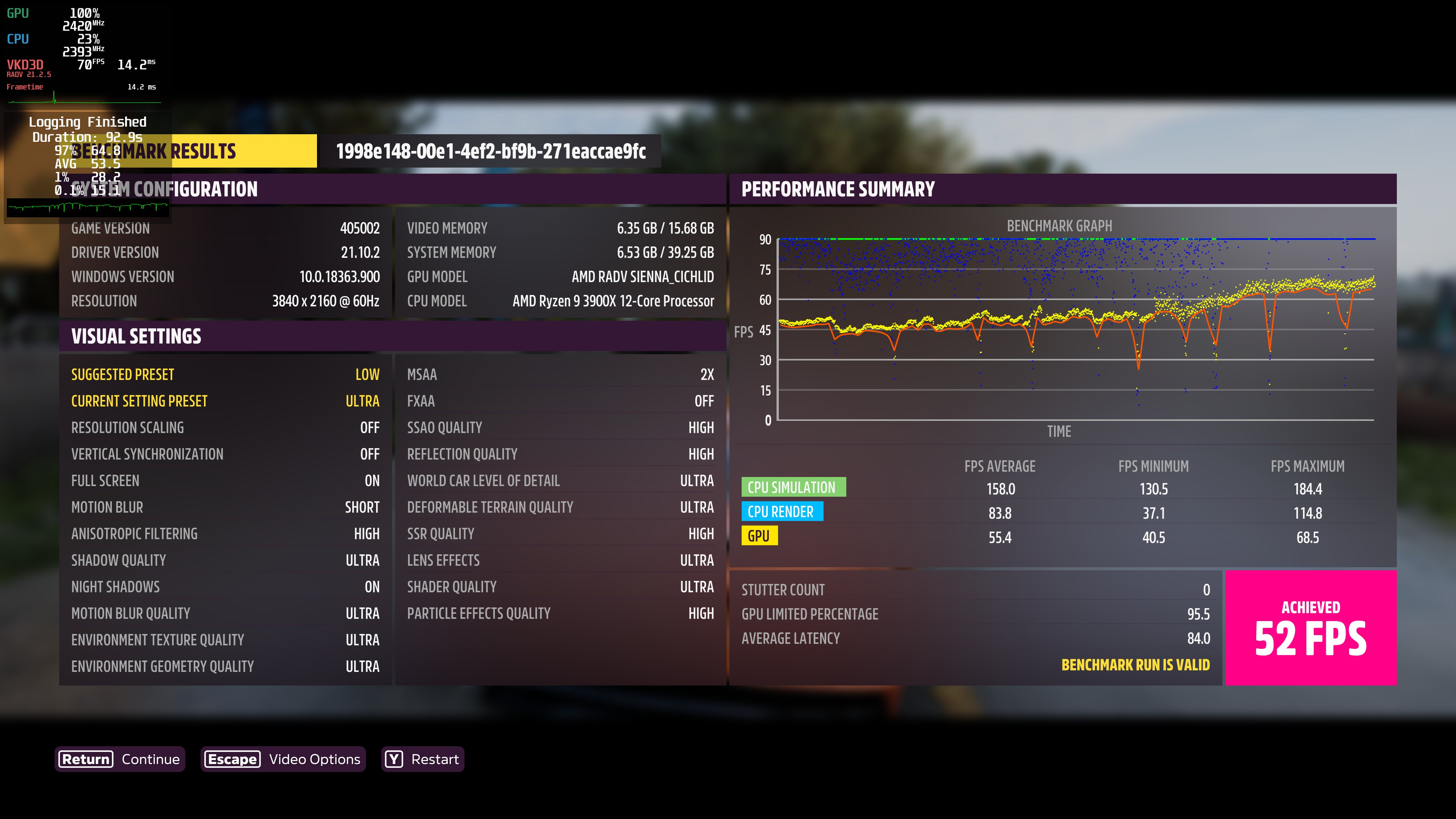
This appears on different OS: Manjaro, Pop_os, Ubuntu
I tried the different kernels (last and stable,even "in development"): generic, xanmod, ubuntu-mainline.
NVIDIA 2080 RTX SUPER driver 495.44
dram 32gb
Intel i7 8700
Proton-6.21-ge-1.
But game still stutters AND crashes (about 1-10 minutes after out of garage)

\ Issue:
Always crash during prolog when driving around corner and satellite antenna becomes visible (no joke). Able to "play" game for several minutes if taking care not to drive around corner. Audio continues after freez. Benchmark starts, but crashes after some time (no exact moment, between 10-60 seconds).
\ Attempted solutions:
Graphic settings (low/high), resolution, refresh rates, fullscreen on/off, Proton versions (6.3, experimental (none, bleeding-edge), fresh install of steam and game
\ System:
OS: Pop!_OS 21.04 (64 bit)
KERNEL: 5.13.0-7620-generic
CPU: AMD Ryzen 9 3900X 12-Core Processor
GPU: NVIDIA Corporation NVIDIA GeForce GTX 1080 Ti/PCIe/SSE2
GPU DRIVER: 4.6.0 NVIDIA 470.82.00
X Server Release: 12011000
X Window Manager: GNOME Shell
Steam Runtime Version: steam-runtime_0.20210906.1
PROTON: 6.3, experimental, experimental-bleeding-edge-6.3-3030-20211115-p7ce814-w5a7154-db97411-v3fefc5
Replying to https://github.com/ValveSoftware/Proton/issues/5285#issuecomment-969010163
Have you tried with the latest commit vkd3d: https://github.com/HansKristian-Work/vkd3d-proton/actions/runs/1452475263 ?
Replying to https://github.com/ValveSoftware/Proton/issues/5285#issuecomment-969010163
I don't think it will help, but you can try to update nvidia drivers to 495.44
I)
I did a update to 495.44. But still the same issue.
II)
Replying to [#5285 (comment)](https://github.com/ValveSoftware/Proton/issues/5285#issuecomment-969010163)
Have you tried with the latest commit vkd3d: https://github.com/HansKristian-Work/vkd3d-proton/actions/runs/1452475263 ?
Created a custom Proton version with the d3d12 versions from HansKristian, but no change.
III)
I did a bit of digging in the logs, and I think we have some incompatibility between driver, gnome shell and the game. When the game crashes, GNOME shell also freezes locking up the whole system.
I attached the important parts of kernlog and syslog including some "Graphics TEX Exceptions".
kernlog_forza5.log
syslog_forza5.txt
Hardware Info:
- CPU: Intel i5-8365U
- RAM: 31.1 GiB
- GPU0: Mesa Intel® UHD Graphics 620
- GPU1: AMD ATI Radeon PRO WX 3100 [amdgpu]
- Kernel: 5.11.0-40-generic
- Distro: Ubuntu 20.04.3 LTS
- Proton: Proton-6.21-GE-1
- FS: ZFS
I managed to get the game to boot partially, however it crashes on the all rights reserved splash screen.
Looking at the proton logs, I had noticed this.
amdgpu: The CS has been rejected, see dmesg for more information (-14).
01ac:err:vkd3d_memory_allocator_flush_clears_locked: Failed to submit command buffer, vr -4.
01ac:warn:d3d12_device_mark_as_removed: Device 0000000022670030 is lost (reason 0x80004005, "Failed to execute pending memory clears.
").
01b4:err:d3d12_command_queue_signal: Failed to submit signal operation, vr -4.
And tracing back to dmesg, i noticed this
[ 6585.338556] WARNING: CPU: 1 PID: 313519 at drivers/gpu/drm/amd/amdgpu/amdgpu_ttm.c:762 amdgpu_ttm_tt_get_user_pages+0x2ae/0x320 [amdgpu]
[ 6585.338861] Modules linked in: binfmt_misc ufs qnx4 hfsplus hfs minix ntfs msdos jfs xfs vboxnetadp(OE) vboxnetflt(OE) vboxdrv(OE) ccm bnep nls_iso8859_1 snd_hda_codec_hdmi snd_sof_pci snd_sof_intel_hda_common snd_sof_intel_hda snd_hda_codec_realtek snd_sof_intel_byt snd_hda_codec_generic snd_sof_intel_ipc snd_sof snd_sof_xtensa_dsp snd_soc_hdac_hda snd_hda_ext_core snd_soc_acpi_intel_match snd_soc_acpi snd_hda_intel snd_intel_dspcfg soundwire_intel soundwire_generic_allocation soundwire_cadence snd_hda_codec snd_hda_core snd_hwdep soundwire_bus dell_rbtn snd_soc_core snd_compress ac97_bus snd_pcm_dmaengine snd_pcm mei_hdcp snd_seq_midi intel_rapl_msr snd_seq_midi_event x86_pkg_temp_thermal iwlmvm intel_powerclamp dell_laptop coretemp ledtrig_audio joydev dell_smm_hwmon kvm_intel mac80211 snd_rawmidi kvm libarc4 crct10dif_pclmul ghash_clmulni_intel uvcvideo snd_seq aesni_intel btusb btrtl crypto_simd videobuf2_vmalloc btbcm videobuf2_memops cryptd dell_wmi videobuf2_v4l2 btintel
[ 6585.338945]  glue_helper snd_seq_device videobuf2_common dell_smbios bluetooth rapl dcdbas snd_timer iwlwifi input_leds intel_cstate videodev processor_thermal_device processor_thermal_rfim serio_raw ecdh_generic mc dell_wmi_sysman ecc wmi_bmof dell_wmi_descriptor intel_wmi_thunderbolt cfg80211 ee1004 snd processor_thermal_mbox efi_pstore mei_me hid_multitouch soundcore processor_thermal_rapl ucsi_acpi intel_rapl_common typec_ucsi typec mei intel_soc_dts_iosf intel_pch_thermal int3403_thermal int340x_thermal_zone mac_hid dell_smo8800 intel_hid sparse_keymap int3400_thermal acpi_thermal_rel acpi_pad sch_fq_codel nfsd auth_rpcgss msr nfs_acl lockd parport_pc grace ppdev lp parport sunrpc nfs_ssc ip_tables x_tables autofs4 zfs(PO) zunicode(PO) zzstd(O) zlua(O) zavl(PO) icp(PO) zcommon(PO) znvpair(PO) spl(O) btrfs blake2b_generic raid10 raid456 async_raid6_recov async_memcpy async_pq async_xor async_tx xor raid6_pq libcrc32c raid1 raid0 multipath linear hid_generic amdgpu rtsx_pci_sdmmc
[ 6585.339045]  i915 iommu_v2 gpu_sched drm_ttm_helper ttm i2c_algo_bit drm_kms_helper crc32_pclmul syscopyarea sysfillrect psmouse e1000e nvme sysimgblt fb_sys_fops cec i2c_i801 rc_core i2c_smbus thunderbolt nvme_core drm rtsx_pci intel_lpss_pci xhci_pci intel_lpss xhci_pci_renesas idma64 virt_dma i2c_hid wmi hid video pinctrl_cannonlake
[ 6585.339082] CPU: 1 PID: 313519 Comm: ForzaHorizon5.e Tainted: P        W  OE     5.11.0-40-generic [#44](/issue/ValveSoftware/Proton/44)~20.04.2-Ubuntu
[ 6585.339087] Hardware name: Dell Inc. Precision 3540/0M14W7, BIOS 1.12.0 08/05/2021
[ 6585.339089] RIP: 0010:amdgpu_ttm_tt_get_user_pages+0x2ae/0x320 [amdgpu]
[ 6585.339289] Code: 4c 89 e7 e8 34 1f 30 ed e9 45 ff ff ff 48 c7 c6 21 f4 bf c0 bf 02 00 00 00 e8 2e 88 ae ff c7 45 d0 f2 ff ff ff e9 28 ff ff ff <0f> 0b c7 45 d0 f2 ff ff ff e9 1a ff ff ff c7 45 d0 fd ff ff ff e9
[ 6585.339292] RSP: 0018:ffffaab5da0ebb20 EFLAGS: 00210282
[ 6585.339295] RAX: ffff8d3179a2c000 RBX: ffff8d30a87e2600 RCX: 0000000000000000
[ 6585.339296] RDX: 0000000000000dc0 RSI: ffff8d3179a2c000 RDI: ffff8d322e2c0000
[ 6585.339298] RBP: ffffaab5da0ebb60 R08: 0000000000001000 R09: ffff8d3179a2c000
[ 6585.339300] R10: 0000000000000000 R11: ffff8d3170ed0860 R12: ffff8d2e434daa80
[ 6585.339301] R13: ffff8d322e2c0000 R14: ffff8d322e2c0058 R15: ffff8d31de046d78
[ 6585.339303] FS:  000000001e8bf700(0000) GS:ffff8d359c440000(0000) knlGS:000000001bd30000
[ 6585.339305] CS:  0010 DS: 0000 ES: 0000 CR0: 0000000080050033
[ 6585.339307] CR2: 00007ff97493a000 CR3: 00000004a0338004 CR4: 00000000003706e0
[ 6585.339309] DR0: 0000000000000000 DR1: 0000000000000000 DR2: 0000000000000000
[ 6585.339310] DR3: 0000000000000000 DR6: 00000000fffe0ff0 DR7: 0000000000000400
[ 6585.339312] Call Trace:
[ 6585.339316]  amdgpu_cs_parser_bos.isra.0+0x144/0x780 [amdgpu]
[ 6585.339497]  ? amdgpu_cs_dependencies.isra.0+0x3ad/0x500 [amdgpu]
[ 6585.339745]  amdgpu_cs_ioctl+0x29f/0x830 [amdgpu]
[ 6585.340029]  ? amdgpu_cs_vm_handling+0x400/0x400 [amdgpu]
[ 6585.340273]  drm_ioctl_kernel+0xae/0xf0 [drm]
[ 6585.340318]  drm_ioctl+0x257/0x410 [drm]
[ 6585.340356]  ? amdgpu_cs_vm_handling+0x400/0x400 [amdgpu]
[ 6585.340598]  amdgpu_drm_ioctl+0x4e/0x80 [amdgpu]
[ 6585.340844]  __x64_sys_ioctl+0x91/0xc0
[ 6585.340852]  do_syscall_64+0x38/0x90
[ 6585.340858]  entry_SYSCALL_64_after_hwframe+0x44/0xa9
[ 6585.340864] RIP: 0033:0x7ffa9f92950b
[ 6585.340868] Code: 0f 1e fa 48 8b 05 85 39 0d 00 64 c7 00 26 00 00 00 48 c7 c0 ff ff ff ff c3 66 0f 1f 44 00 00 f3 0f 1e fa b8 10 00 00 00 0f 05 <48> 3d 01 f0 ff ff 73 01 c3 48 8b 0d 55 39 0d 00 f7 d8 64 89 01 48
[ 6585.340871] RSP: 002b:000000001e89e5e8 EFLAGS: 00200246 ORIG_RAX: 0000000000000010
[ 6585.340876] RAX: ffffffffffffffda RBX: 000000001e89e660 RCX: 00007ffa9f92950b
[ 6585.340878] RDX: 000000001e89e660 RSI: 00000000c0186444 RDI: 000000000000004a
[ 6585.340880] RBP: 00000000c0186444 R08: 00007ffa5891fa60 R09: 0000000000000040
[ 6585.340882] R10: 00007ffa5891fa60 R11: 0000000000200246 R12: 00007ffa5891fa10
[ 6585.340885] R13: 000000000000004a R14: 0000000000000000 R15: 00007ffa582e86a0
[ 6585.340889] ---[ end trace 2e403d96c2d0e5cd ]---
[ 6585.340893] [drm:amdgpu_cs_ioctl [amdgpu]] *ERROR* Failed to process the buffer list -14!
Tracing it down, it seems to be a linux kernel issue I believe, I just want to see before I spend time compiling the Linux kernel, if anyone else has some information I am missing.
@Joe0400Student does proton experimental bleeding edge work on your system? cause issues with GE you have to report them at the GE discord not here.
@NalianNalis neither Proton-GE and proton-experimental-bleeding edge work
@Joe0400Student proton experimental bleeding edge just got an update. give it a try.
@NalianNalis the update had not fixed the issue, However I have noticed something, it seems that it's inconsistent.
sometimes the error will appear with less or more of
01b4:err:d3d12_command_queue_execute: Failed to submit queue(s), vr -4.
01b4:err:d3d12_command_queue_signal: Failed to submit signal operation, vr -4.
at the end of amdgpu: The CS has been rejected, see dmesg for more information (-14).
I also tried the latest Experimental version, still crashes but with a different error:
pop-os kernel: [ 768.981061] NVRM: Xid (PCI:0000:09:00): 31, pid=6067, Ch 0000003c, intr 10000000. MMU Fault: ENGINE GRAPHICS GPCCLIENT_T1_7 faulted @ 0xf6_8111f000. Fault is of type FAULT_PDE ACCESS_TYPE_READ
It seems this NVIDIA bug exists / existed for many years:
https://forums.developer.nvidia.com/t/will-the-fault-pde-access-type-read-bug-in-the-nvidia-driver-ever-be-fixed/79362
Hopefully this can be fixed or is fixed already, because it looks like thats an unfixable bug inside nvidia drivers.
However the Screen Narrator Error is fixed for me.
Does it even matter to write here or to upload error logs? Does anybody with more knowledge even read this? Anyway:
kern_forza5.log2.txt
sys_forza5.log2.txt
version.txt
after retrying a bit, now the steam overlay works, however it gave me a error, "unsupported graphics card: Ignore and continue". It also now is stuck on a black screen. I am going to continue retrying, it seems to get further and further every run.
Now I got to the loading screen, Signed in, but it seems like no textures or icons or fonts are loading. Game is responsive however.

after retrying a bit, now the steam overlay works
I would try to disable every overlay etc. for now. This will minimize points of errors.
@Joe0400Student you can try to compile mesa-git on a separate folder, if you feel comfortable doiing that, that won't interfere with your system, and use a script on the launch options, the instructions how to do this is from a mesa developer, i use it to test on my system.
the instructions are here.
https://gist.github.com/Venemo/a9483106565df3a83fc67a411191edbd
you need to compile both 64bit and 32 bit.
Game won't even start for me with Proton-experimental (bleeding-edge) and Steam Beta client. It just says: Compatibility tool configuration failed.
I also tested it with Proton-GE - same error.
Specs:
- Arch Linux
- R5 3600
- GTX1660S
- NVIDIA 495.44 driver
Game is installed on a BTRFS-formatted drive.
The game still runs for me, and I was even able to enter the first showcase event this time, but it froze and crashed during it.
Game starts but halts at required sign in and shows a small blank white window with title "LOADING ...PLEASE WAIT". The mouse pointer is hidden when hovering over the window. I guess a Microsoft login is supposed to be there, but I can't see it.
Arch 5.15 Kernel.
Proton bleeding edge.
3900X
5700XT
System:
- CPU: i3-7100
- GPU: GTX 1050 Ti
- Driver: 4.6.0 NVIDIA 470.82.00
- Kernel: 5.14.16-205.current
- Proton version: experimental-bleeding-edge-6.3-3078-20211115-pcf54dd-w5dc49a-db97411-v3fefc5 (according to file 'version' in steamapps/common/Proton - Experimental from 9 hours ago)
Report:
I have a very similar problem as described by geludwig, only that it's the first corner after being dropped off when the game freezes. The game exits after about 20-30 seconds by itself, also partially freezing other virtual desktops for a few seconds before closing.
NB: the same freezing happens after deleting the steam prefix for 1551360 and running the game with GE-6.21-1, the first corner reliably kills it. Driving around in the tiny area that is available before the first bend works without issues for at least 30 minutes in bleeding-edge and GE-6.21.
I have edited the prefix to run in a wine desktop of 1200x900 to successfully prevent fullscreen issues with the GE-6.21 version, e.g. the xbox login window not accepting input/losing focus, default/fullscreen is also fooling my input on other virtual desktops.
dmesg (tail):
[60466.668819] NVRM: Xid (PCI:0000:01:00): 31, pid=32419, Ch 00000033, intr 10000000. MMU Fault: ENGINE GRAPHICS GPCCLIENT_T1_2 faulted @ 0xf6_df134000. Fault is of type FAULT_PTE ACCESS_TYPE_READ
[61118.639031] NVRM: Xid (PCI:0000:01:00): 31, pid=33982, Ch 00000033, intr 10000000. MMU Fault: ENGINE GRAPHICS GPCCLIENT_T1_5 faulted @ 0xf6_de900000. Fault is of type FAULT_PTE ACCESS_TYPE_READ
[62156.347212] NVRM: Xid (PCI:0000:01:00): 31, pid=37527, Ch 0000003b, intr 10000000. MMU Fault: ENGINE GRAPHICS GPCCLIENT_T1_2 faulted @ 0xf6_deca0000. Fault is of type FAULT_PDE ACCESS_TYPE_READ
[67528.265439] NVRM: Xid (PCI:0000:01:00): 31, pid=49977, Ch 0000003b, intr 10000000. MMU Fault: ENGINE GRAPHICS GPCCLIENT_T1_3 faulted @ 0xf6_f7540000. Fault is of type FAULT_PTE ACCESS_TYPE_READ
I did some research about the
NVRM: Xid (PCI:0000:01:00): 31, pid=32419, Ch 00000033, intr 10000000. MMU Fault: ENGINE GRAPHICS GPCCLIENT_T1_2 faulted @ 0xf6_df134000. Fault is of type FAULT_PTE ACCESS_TYPE_READ
and
NVRM: Xid (PCI:0000:09:00): 13, pid=1385, NVRM: Graphics TEX Exception on (GPC 5, TPC 4): TEX LAYOUT
error, which is a out-of-bounds and memory page fault. Maybe incompatibility between VKD3D and DX12, hopefully not a nvidia driver issue.
If I have time, i will try to do a deeper investigation with cuda-gdb.
https://docs.nvidia.com/deploy/xid-errors/index.html
https://forums.developer.nvidia.com/t/fault-is-of-type-fault-pde-access-type-virt-read-kernel-problem-or-driver-issue/180325/2
https://docs.nvidia.com/cuda/cuda-installation-guide-linux
https://docs.nvidia.com/cuda/cuda-quick-start-guide/#linux
Looks like quite a bit of installation work to get the debug environment set up properly. Would like to help, but I don't have those systems in place to work with. Fingers crossed that this MMU-Error can be brought to justice.
Weirdly enough, I've noticed that Steam has consistently crashed whenever FH5 crashes after locking up...
Game starts but halts at required sign in and shows a small blank white window with title "LOADING ...PLEASE WAIT". The mouse pointer is hidden when hovering over the window. I guess a Microsoft login is supposed to be there, but I can't see it.
Arch 5.15 Kernel. Proton bleeding edge. 3900X 5700XT
click on the game window and type alt+enter. it should change the game to windowed mode and make it easier to alt tab to the login. The login was really really buggy for me but worked
Weirdly enough, I've noticed that Steam has consistently crashed whenever FH5 crashes after locking up...
are you running mangohud?
Weirdly enough, I've noticed that Steam has consistently crashed whenever FH5 crashes after locking up...
are you running mangohud?
I am, could Mangohud be causing it?
Weirdly enough, I've noticed that Steam has consistently crashed whenever FH5 crashes after locking up...
If you experience one of the two major crash causes I describe (xid:31 and xid:13), your comment is easy to explain. These two events will also crash the nvidia driver, causing it to restart.
But without logs, nothing can be done. It could be anything that crashed the game.
LOGS:
/var/log/syslog
/var/log/kern.log
sudo nvidia-bug-report.sh
I am, could Mangohud be causing it?
yes
Mangohud crashes steam with this game
nvidia here
Same problem as some others here. Freezing while playing the first intro scene with the Bronco.
My Log sends me this Error right when it freezes:
013c:fixme:vkd3d_create_image: Unsupported layout 0x2.
but like 100 times in a row.
Am I doing something wrong or is this "normal"?
Replying to https://github.com/ValveSoftware/Proton/issues/5285#issuecomment-970793299
What is your vkd3d version? I suggest you to try the latest commit as it fixed issues for me => https://github.com/HansKristian-Work/vkd3d-proton/
(direct link for the lazy: https://github.com/HansKristian-Work/vkd3d-proton/suites/4374506453/artifacts/115113862)
Replying to [#5285 (comment)](https://github.com/ValveSoftware/Proton/issues/5285#issuecomment-970793299)
What is your vkd3d version? I suggest you to try the latest commit as it fixed issues for me => https://github.com/HansKristian-Work/vkd3d-proton/ (direct link for the lazy: https://github.com/HansKristian-Work/vkd3d-proton/suites/4374506453/artifacts/115113862)
Please tell your CPU & GPU models + kernel & GPU driver version.
I try to play the game since 5 November. Some times it works about 15 minutes without crashing... But it still very bad result (unplayable).
What should I do with d3d12.dll? Just replace in compatdata folder?
Replying to https://github.com/ValveSoftware/Proton/issues/5285#issuecomment-970625362
I found a var/log/kern.log. I had this error.
[ 998.955012] NVRM: Xid (PCI:0000:01:00): 31, pid=8970, Ch 00000033, intr 00000000. MMU Fault: ENGINE GRAPHICS GPCCLIENT_T1_2 faulted @ 0x2_e9c8d000. Fault is of type FAULT_PDE ACCESS_TYPE_VIRT_READ
Replying to https://github.com/ValveSoftware/Proton/issues/5285#issuecomment-971269390
I have the same issue that you do, game randomly crashes some time during the prologue
[10950.251383] NVRM: Xid (PCI:0000:01:00): 31, pid=33947, Ch 0000005b, intr 00000000. MMU Fault: ENGINE GRAPHICS GPCCLIENT_T1_7 faulted @ 0xf5_93c70000. Fault is of type FAULT_PDE ACCESS_TYPE_VIRT_READ
Replying to https://github.com/ValveSoftware/Proton/issues/5285#issuecomment-971256427
Ryzen 2600x with rx580 4GB. Using manjaro with xanmod 5.15-2 kernel and latest Mesa from repository.
There is an install script inside a downloadable archive. Buy you can just override the DLL from Lutris for the Forza only.
If you're using nvidia and is crashing mid-race, try setting VKD3D_DISABLE_EXTENSIONS="VK_EXT_extended_dynamic_state" and see if that helps. I was seeing tons of errors regarding this extension on crash and disabling it has made the game much more stable for me. Also, crashes might be due to running out of graphics memory, so try reducing your graphics settings as well.
For performance, it seems that there is always a spike in disk usage when there is stutter (using 20~100 M/s read). Noticed after enabling PROTON_LOG=1 dropped fps by 30%.
GPU usage is always around 70%, never going to full 100% it seems, and less than 50% CPU as well.
The log file gets huge fast, the most common warnings are (unordered):
warn:d3d12_command_list_IASetIndexBuffer: Got NULL index buffer view, indexed draw calls will be dropped.
warn:d3d12_pipeline_state_init_graphics: Ignoring stencilTestEnable due to lack of stencil aspect
warn:d3d12_pipeline_state_init_graphics: Unused input element <number>
warn:rs_desc_from_d3d12: Ignoring MultisampleEnable 0x1
warn:d3d12_resource_validate_create_info: Ignoring optimized clear value.
fixme:bcrypt:BCryptGenRandom ignoring selected algorithm
fixme:bcrypt:BCryptCreateHash ignoring object buffer
fixme:mountmgr:mountmgr_ioctl ioctl 6d40cc not supported
fixme:heap:SetThreadSelectedCpuSets thread 000000000000362C, cpu_set_ids 0000000000000000, count 0 stub.
fixme:d3d12_pipeline_state_get_or_create_pipeline: Extended dynamic state is supported, but compiling a fallback pipeline late!
6900 XT - i9 9900K - mesa 22.0~git2111170600.8ee730~oibaf~f - Ubuntu 20.04 - kernel 5.11.0-40-generic
Replying to [#5285 (comment)](https://github.com/ValveSoftware/Proton/issues/5285#issuecomment-970793299)
What is your vkd3d version? I suggest you to try the latest commit as it fixed issues for me => https://github.com/HansKristian-Work/vkd3d-proton/ (direct link for the lazy: https://github.com/HansKristian-Work/vkd3d-proton/suites/4374506453/artifacts/115113862)
I have downloaded it and put the x86 version into the right folder. But it still freezes and throws these errors. I also tried VKD3D_DISABLE_EXTENSIONS="VK_EXT_extended_dynamic_state" as environment variable but it didn't help.
Idk if it's coherent but when I start the game and the splash screen is showing I get an Error about my graphic drivers. But at "current drivers" theres just "-1 -1". I can press "ignore and continue" and it starts the game normally
What's all this errors mean?
It's about NVIDIA drivers through kernel? Or AMD GPU affected same freezes too?
I'd try many different kernels, environment variables and NVIDIA drivers 470.63, 495. even replace d3d12.dll.
Maybe it's all about shaders, or windowing system (X11, Wayland, etc.)?
I don't understand why after 12 days after release nobody knows what to do.
What kind of debugging or research will be most helpful for everyone?
@RedEscape: This comment from geludwig is the latest state we're on for Nvidia at the moment, i.e. someone proficient enough has to use the cuda tools (see links in his and my post) to investigate what causes these Xid errors 31 and 13.
Does the new hotfix change anything?
I got run the game in my Ryzen 5 1600, GTX 1650, 16 GB RAM, but I think that game recognize only 8 GB of system RAM, maybe the solution can be set the proton to Forza see total system memory. I have no idea about how to do it.
I'm using Proton-6.21-GE-2.
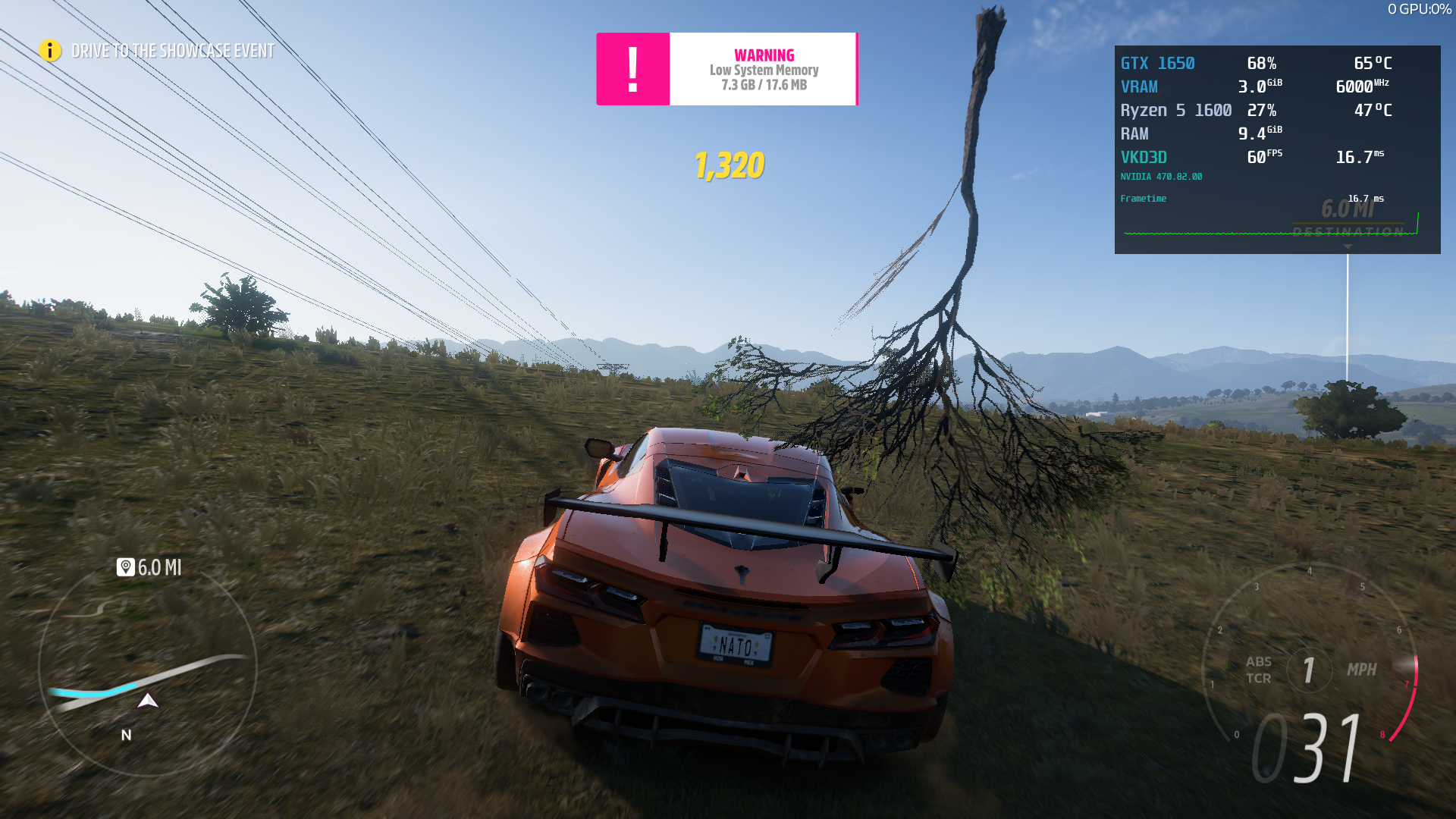
@isXander Same Xid 31 crash for me with bleeding-edge-6.3-3235.
Replying to https://github.com/ValveSoftware/Proton/issues/5285#issuecomment-972058412
Have you set anything else? For me it still crashes. Also which driver do you use?
It's worth noting that the latest glorious eggroll release just has a hotfix to stop destiny 2 users getting banned, so anyone with proton-6.21-ge-1 will likely see no difference with proton-6.21-ge-2. it may be likely that's the only change in this proton experimental release too
Observation, frame pacing has hell of a lot to do with game stability. Turning graphics to minimum, capping frame rate and enabling vsync resulted in MUCH more stable gameplay.
And xwayland seems more stable then native x11 (needs conformation)
Proton experemental bleeding-edge
Distro: Arch Linux
Kernel: 5.14.16-zen1-1-zen
RAM: 16 GB
GPU Driver: NVIDIA 495.44
GPU: NVIDIA NVIDIA GeForce RTX 2080 Ti
CPU: Intel Core i9-9900K @ 3.60GHz
I was testing how much the game could be played without crashing with that Nvidia error.
Seems like if you drive very slowly and never accelerate too much, the game will remain stable and not crash.
Running fast like going +300kph on a highway or just accelerating a little too violently, makes the game crash faster.
I've put the Video Memory size into the registry to help further debug the Nvidia problem (this was originally a hint from Glorious Eggroll for another game (PoE) to set up a wine prefix properly). Turns out Microsoft locked my account right away.
Links to screenshots, so the pictures won't clutter the thread too much.
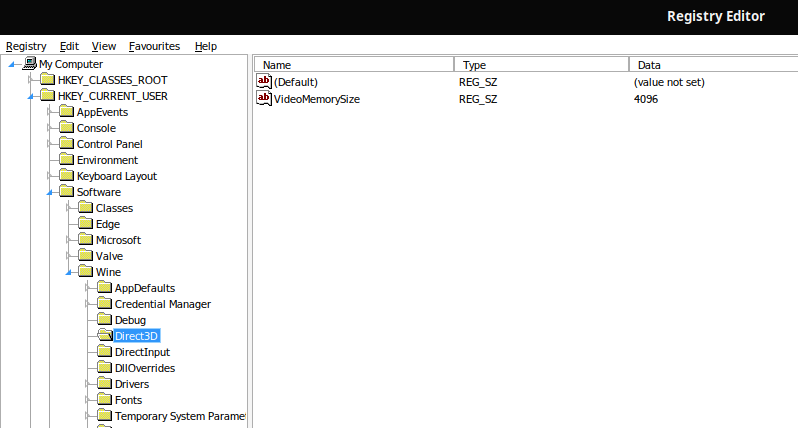
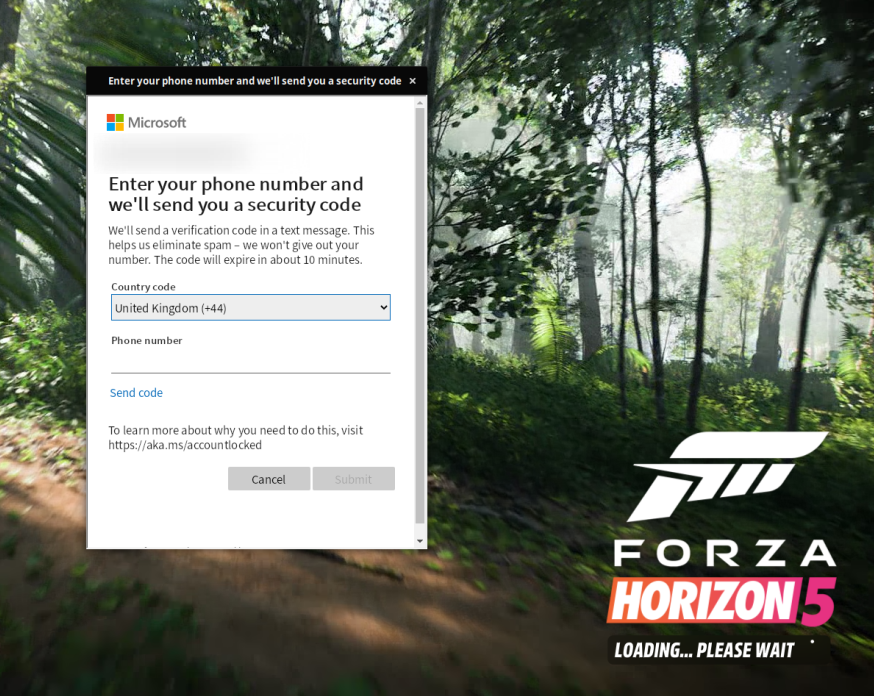

I tried to get the cuda tools working, but its simply too much effort.
I will buy a second SSD and run Forza under Windows. Over and out.
I was testing how much the game could be played without crashing with that Nvidia error.
Seems like if you drive very slowly and never accelerate too much, the game will remain stable and not crash.
Running fast like going +300kph on a highway or just accelerating a little too violently, makes the game crash faster.
Could you test it on different Graphics settings? Maybe some kind of postprocessing effect that is dependant on car speed is causing this. It's just my guess.
Replying to https://github.com/ValveSoftware/Proton/issues/5285#issuecomment-973035835
I tried. Reducing the graphics didn't seem to make much of a difference at all.
My guess is that the error must be tied to how the game adjusts its render distance depending on how fast you are going and supposedly ends up trying to allocate an out of bounds region of the vram.
Now, how/why/if this happens, I have absolutely no clue
I tried to get the cuda tools working, but its simply too much effort.
I will buy a second SSD and run Forza under Windows. Over and out.
Not a single game will drive me to this shit again.
Limiting fps might increase stability for me with Nvidia.
I've only done one test but got a 2.5 hour session that ended with me intentionally quitting the game.
When enabling Mailbox vsync with MangoHud and locking fps to 30.
Unlocked I'm normally around 70-90fps depending on where and current settings.
And simply using the game's vsync on my 120Hz monitor did seemingly not help back when I tried that.
My longest session until a crash before have been 1.5 hours, and only 3 times have I gone above 1 hour.
Usually I crash somewhere between 0-10 minutes, but occasionally goes longer, a few times much longer.
But never that long, so maybe limiting fps helped, although it could be random chance.
The high speed crashing could be related to the pretty aggressive and technically advanced streaming they do to ram/vram from disk, I’ve seen quite high memory utilisation with a 3090 however I do believe the upper limit is coded at around 8gb.
I wonder if there might also be a correlation between the high speed crashes and the physical disk medium used, I had to move it to a spare nvme just to avoid issues inside a windows KVM, not to say there’s not other crashes/issues at play here.
Replying to https://github.com/ValveSoftware/Proton/issues/5285#issuecomment-973078685
Wow, this actually made the game work for me. I am on nvidia and I locked the FPS to 30 and the game no longer crashes. Been playing for upwards of an hour now and the game never got farther than 5-10 minutes before.
Found the setting that made me crash. Deformable Terrain Quality. Set it to minimum, the rest is at maximum. Framerate cap 60 + vsync no crashes for 2 hours now.
Thinking of which, i have seen screenshots and video of people on sand and how it deforms, no matter the setting it doesn't seem to be working on Nvidia at all.
Proton experemental bleeding-edge
Distro: Arch Linux
Kernel: 5.14.16-zen1-1-zen
RAM: 16 GB
GPU Driver: NVIDIA 495.44
GPU: NVIDIA NVIDIA GeForce RTX 2080 Ti
CPU: Intel Core i9-9900K @ 3.60GHz
Nvme SSD samsung evo
Found the setting that made me crash. Deformable Terrain Quality. Set it to minimum, the rest is at maximum. Framerate cap 60 + vsync no crashes for 2 hours now.
Have you tested setting it to higher values to find some kind of sweet spot between quality and performance?
Minimum sounds drastically compared to eg. Ultra. However I would trade look of those details for smooth gameplay.
Limiting fps might increase stability for me with Nvidia.
I've only done one test but got a 2.5 hour session that ended with me intentionally quitting the game.
When enabling Mailbox vsync with MangoHud and locking fps to 30.
Damn, that did the trick for me too.👍 Before I have only tried with VSync on and the ingame FPS option. Now I was able to complete the benchmark for the first time.
My settings were:
Mangohud (Goverlay) FPS Limit: 30fps
Graphics: Very low
Video: Fullscreen, 1920x1080, Framerate unlocked, VSync off, Motion Blur off.
Next I will try with native resolution (4K), higher refresh rate (I hope 120Hz will work) and better graphic settings.
Replying to https://github.com/ValveSoftware/Proton/issues/5285#issuecomment-973078685
Hell, this is really working! Thanks a lot! Let's hope NVIDIA will fix this weirdness ASAP.
Great to hear it seems to work for others too.
My sweet spot seems to be 45fps.
After that initial 2.5 hours at 30 I tried 45 for an hour without crashing.
Then I tried 55 and crashed quickly, and then 49 and crashed quickly.
Then 45 again and have been playing crash-free for 20 minutes. (Edit: now 120 minutes)
Deformable Terrain Quality does not seem to help with crashes for me, I've tried with it off before when I tested all settings at minimum. And now I tried with only turning that off with fps locked to 60 and crashed quickly.
Yep, Deformable Terrain Quality doesn't make any difference for me eighter.
Strange, Deformable Terrain Quality fixes the crashing for me. I turned it off and I can run the game just fine at 60fps
Confirmed that locking the fps to a lower value (30fps) makes the game not crash, not sure about the stability on longer sessions, though.
Also, I got the bonus of making my gpu be able to render the graphics all the way to ultra without bursting into flames
Locking the fps to 30 definitately helps but I still get random crashes albeit more seldom, but that might just be the game that is buggy. Driving around at 380+ kpm in my Koenigsegg Jesko might be too much of a strain :sunglasses: Well, I consider it playable now atleast.
None of the fixes appear to work on my system, not sure if it has anything to do with the fact I have a gtx 1070 Nvidia card
None of the fixes appear to work on my system, not sure if it has anything to do with the fact I have a gtx 1070 Nvidia card
Dont the 10 series cards have issues with vkd3d? I remember that being a thing correct me if i'm wrong
Started freezing and crashing while trying to get to the first event or start it again. Running the game in a window and disabling Deformable Terrain Quality doesn't change anything for me. Switching back to the first version of vkd3d that was posted in here also didn't help. (Geforce RTX 3090, 495.44)
Unsure if proton or forza. Memory Leak using 26GB RAM + 16GB Swap before loading into the game (after 'continue') . Persists through session slowly killing itself. 100% ram utilization 100% swap utilization pic
OS: Arch any kernel, GPU: RX 5700XT, CPU: Ryzen 5 5600X, RAM: 32gb, Proton: Exp. Bleeding, Info: gist
Fixed: Make sure amd_pro icd isn't being loaded instead of RADV
I think I got it work, game sometimes is crashing, but this might be the issue with the game and not with Linux. I'm using nvidia gpu, so I don't that it will work on amd. You need proton-ge 6.21, and use this VKD3D_DISABLE_EXTENSIONS="VK_EXT_extended_dynamic_state"
Then you need to delete id of the game, 1551360, and then boot the game. After you successfully log in, you start the game, and when you can driver a car, you open menu, choose option online and there you choose to play singleplayer. I could play game for 2 hours, game sometimes freezes, but it is not very big problem. The only problem with this method is that you need to delete the id of the game every time you want to play it
There is still issue with steering wheel, it doesn't work at all, but Xbox 360 controller works perfectly fine, but to get it to work, you need to disable stem input
Replying to https://github.com/ValveSoftware/Proton/issues/5285#issuecomment-973981192
How can I to delete game id?
And where?
To delete id of the game you need to go to this directory /home/user/.steam/steam/steamapps/compatdata and there you need to find folder called 1551360 and delete it. And i forgot to mention that you need to play in singleplayer, to do that you need to start the game, when you can drive a car then you open menu and choose online and there will be option to play singleplayer
None of the fixes appear to work on my system, not sure if it has anything to do with the fact I have a gtx 1070 Nvidia card
Dont the 10 series cards have issues with vkd3d? I remember that being a thing correct me if i'm wrong
I never heard of anything like that and I couldn't find anything other than some speculation that they suffer a performance drop potentially, could still be a thing though. None of the fixes seem to work, but I do get marginally further now with the latest proton
just an info for ppl on AMD, there is a car windshield rendering bug, that has now been resolve on mesa 22, the commit is 2 day old and has not been merged yet. but i have compiled mesa with that commit and the issue is now gone.
https://gitlab.freedesktop.org/mesa/mesa/-/merge_requests/13821
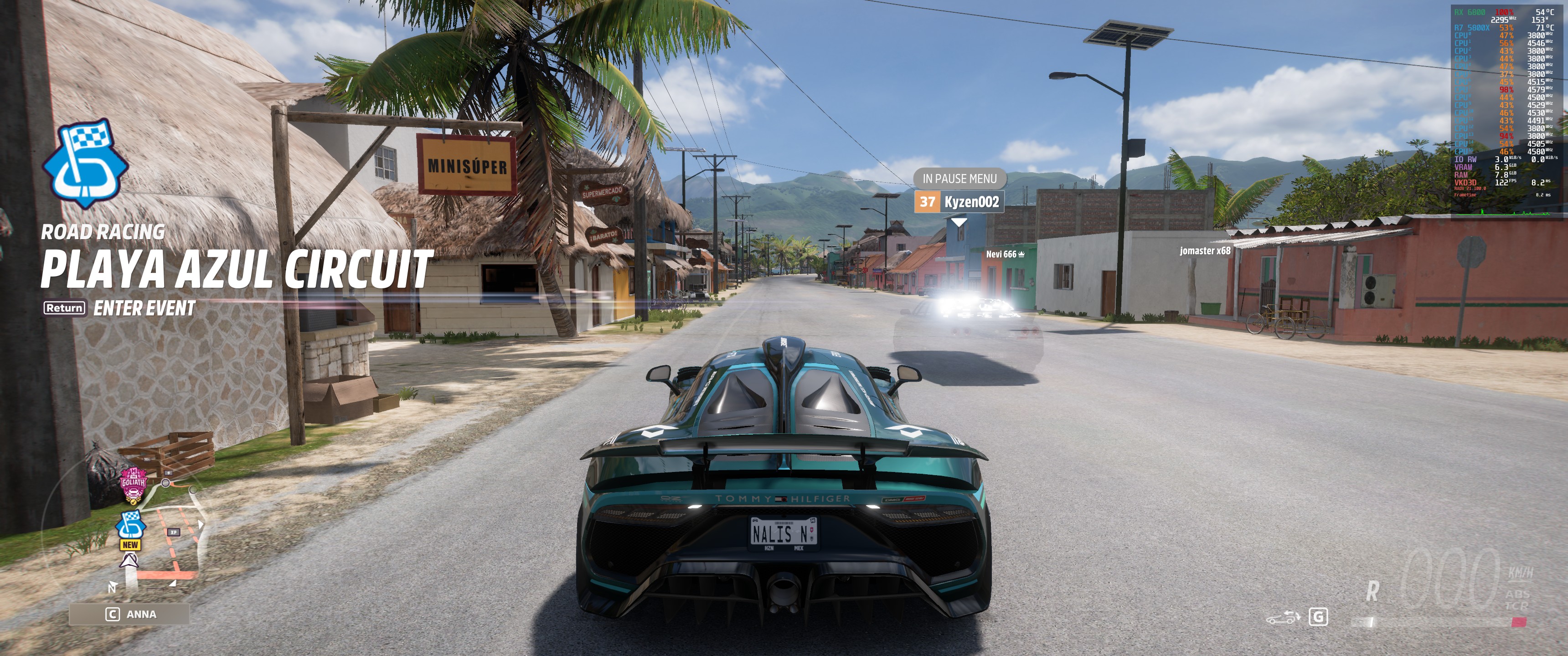
I never heard of anything like that and I couldn't find anything other than some speculation that they suffer a performance drop potentially, could still be a thing though. None of the fixes seem to work, but I do get marginally further now with the latest proton
Pascal and earlier GPUs don't support bindless UBO as well as some Vulkan extensions that vkd3d-proton uses, and yes this causes performance on 10-series and earlier GPUs to be horrible in most vkd3d-proton games. There's nothing that can really be done, it's a hardware limitation.
This shouldn't affect whether games launch or not, though. At least I don't think so. It should only affect performance.
Replying to https://github.com/ValveSoftware/Proton/issues/5285#issuecomment-968074392
After latest proton updates and forza updates, game is still working great for me with the same specs described before if it's useful for anybody. Not crashes, no freezing, great performance.
I did notice the issue with the windshields that should be fixed in the next mesa drivers.
Disconnections every now and then, haven't tried racing with other people.
After latest proton updates and forza updates, game is still working great for me with the same specs described before if it's useful for anybody. Not crashes, no freezing, great performance.
I was hopeful there were new fixes so tried again. I have also had good luck with no crashing, but the performance isn't to a playable level yet on my machine: using a i9 9900K and 6900XT. (I have tried lower settings as well but even at lowest it doesn't make a large FPS increase)
I have loaded up latest mesa drivers through oibaf and using Proton Experimental and getting large stuttering and low FPS.
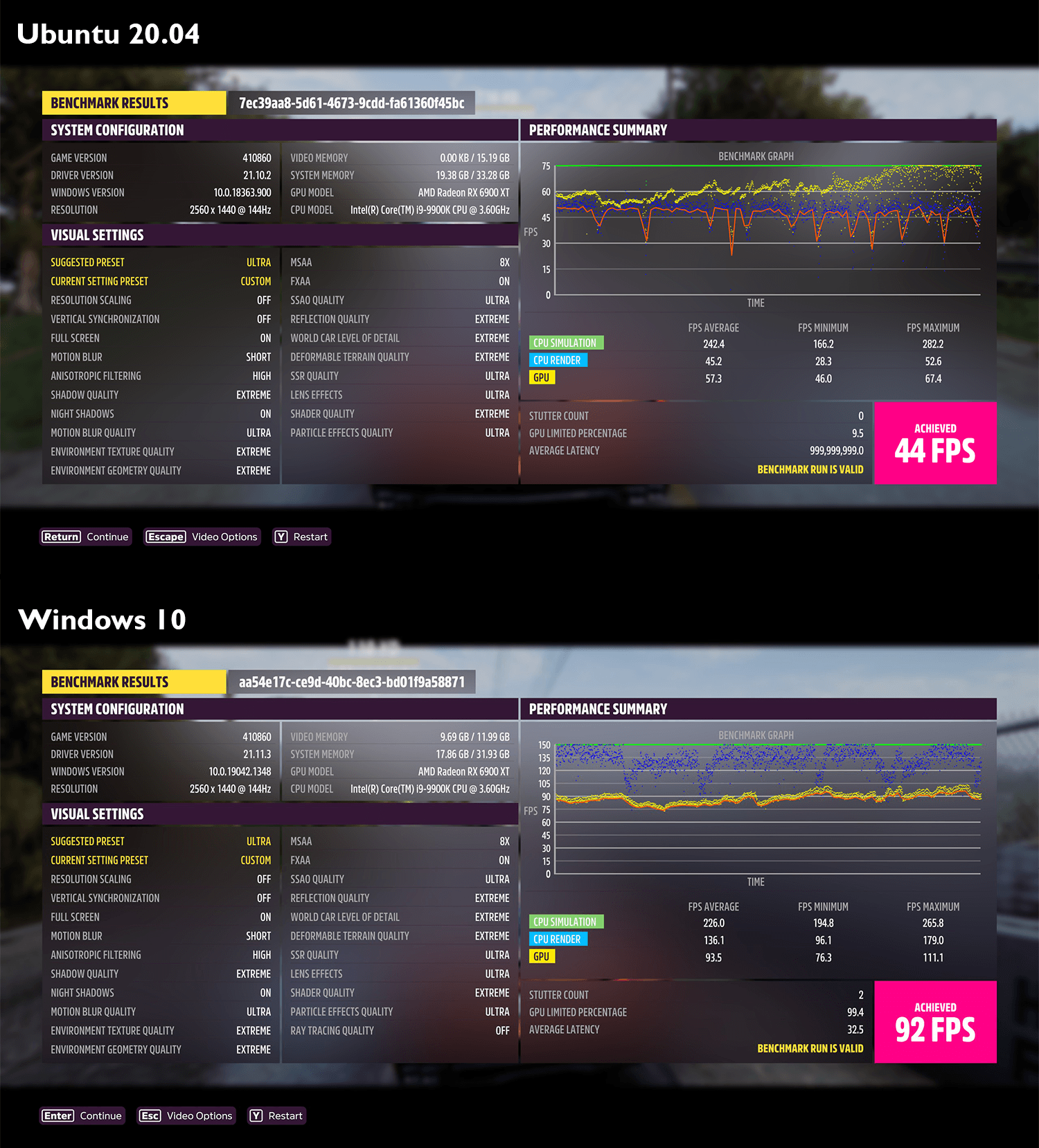
Once all FPS mins are above 60 then it will finally be playable on linux 😄
@cdgriffith try playing with lower settings the stutter amount is not so severe, the game loads less from the disk.
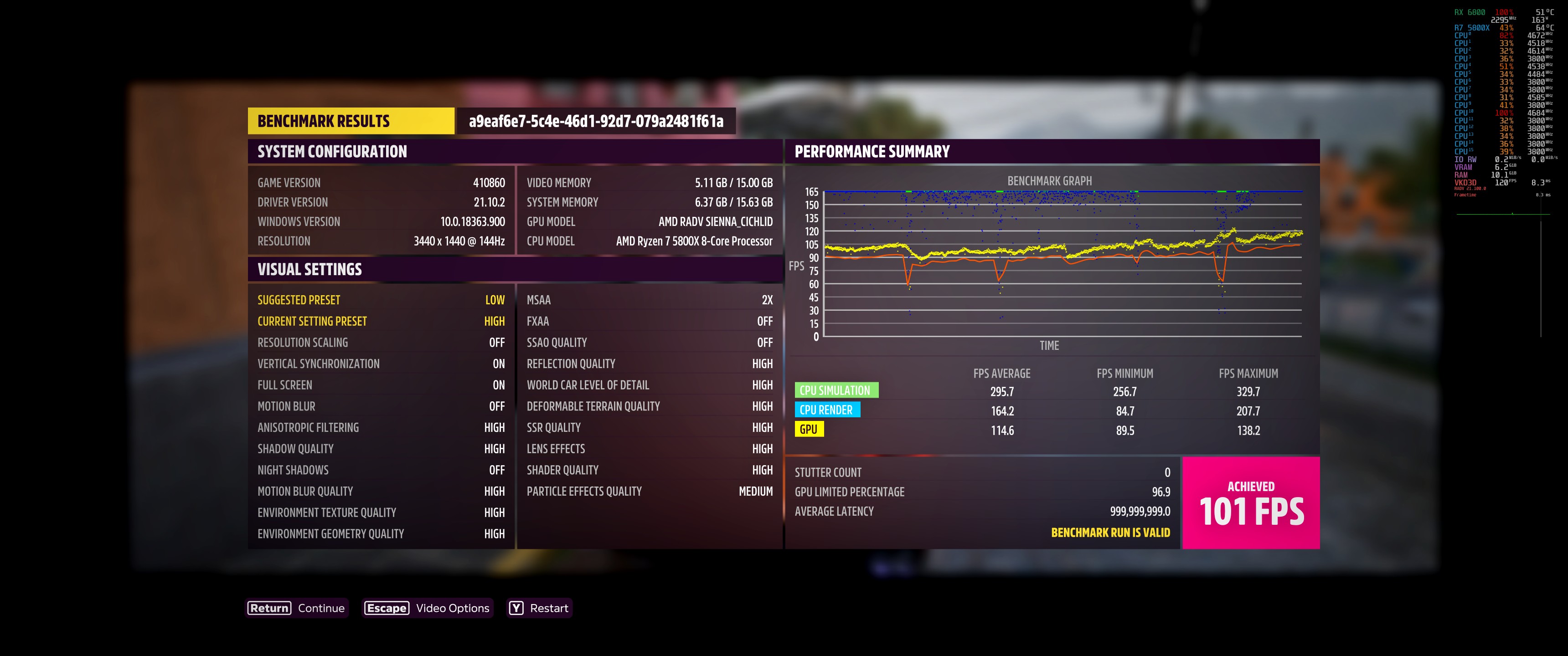
there is another issue. on the earliest versions of bleeding edge the game was able to show ingame fps now it is not showing that anymore. this affects the benchmark not showing average latency. this is from the earliest versions of bleeding edge.
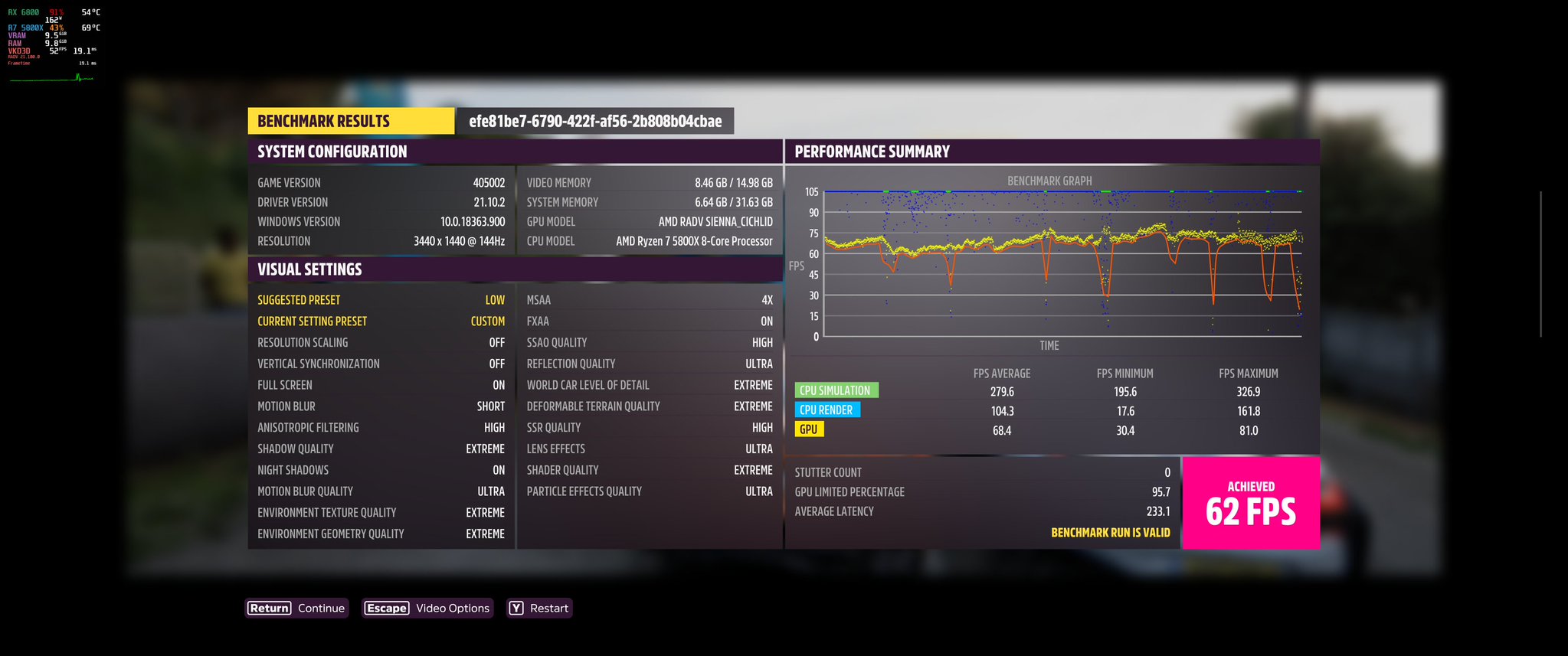
Replying to https://github.com/ValveSoftware/Proton/issues/5285#issuecomment-974656455
Might be relevant: mesa-git, make sure RADV is being used instead of amdvlk
VK_ICD_FILENAMES=/usr/share/vulkan/icd.d/radeon_icd.x86_64.json %command%
If you notice fps drops for RADV, I managed to get rid of them by preventing 100% gpu utilization (I set fps limit to 80 on MangoHud)
PS: mesa-git, more specifically vulkan-radeon-git, to rid of the super aggressive microfreezes on RADV
This should be applicable to most AMD users
Just tested a few things:
- updated to Mesa 22.0.0-devel (git-60d95c5d0f) (could be mistaken but might've improved performance by 5-10%?)
- MangoHUD shows that RADV is used, also tested once with limiting fps to 80 which didn't help for the stutters
- generally second benchmark runs seemed to have less stutters than the first (shader precaching is enabled in steam)
- the Environment Texture Quality setting seems to have a big impact on the stutters
-- Ultra/Extreme is comparably bad in terms of stutters and have an unexpectedly big impact on fps
-- High seems to be mostly okay in the benchmark. unpleasing stutters are still noticable
-- Makes sense that this setting relates closely to how much data is loaded from disk thinking about the disk I/O observations made by others
Has there been any insight yet if this disk I/O related issue might be able to be fixed?
Benchmark Screenshot 6800XT, mesa-git, 5.15.2-2-MANJARO, Samsung NVME SSD
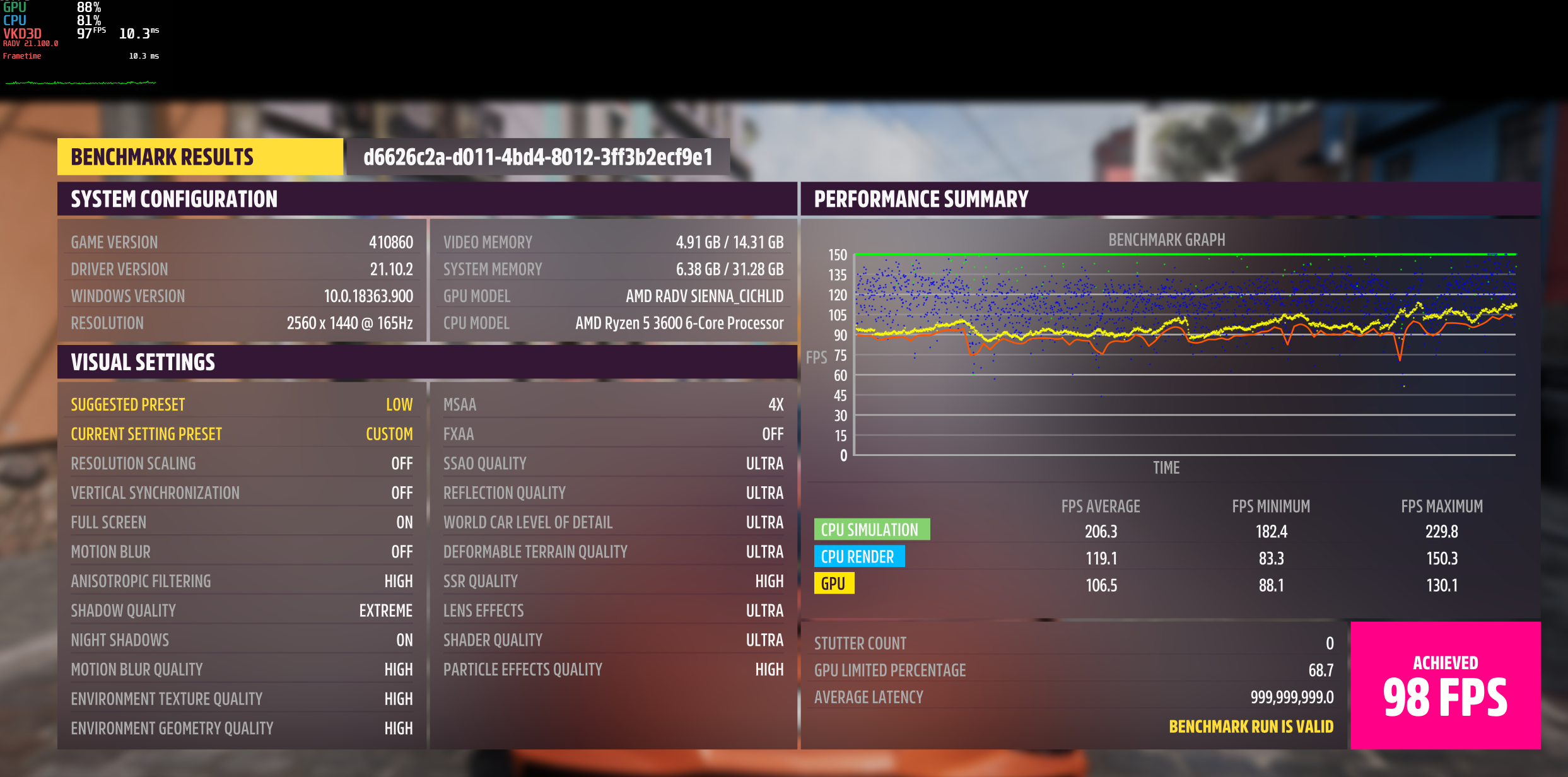
Replying to https://github.com/ValveSoftware/Proton/issues/5285#issuecomment-974673419 @NalianNalis
I tried taking the settings down to low and testing again. Still noticeable stutter and low FPS, especially for highest tier card available ATM (and too ugly to play anyways lol). 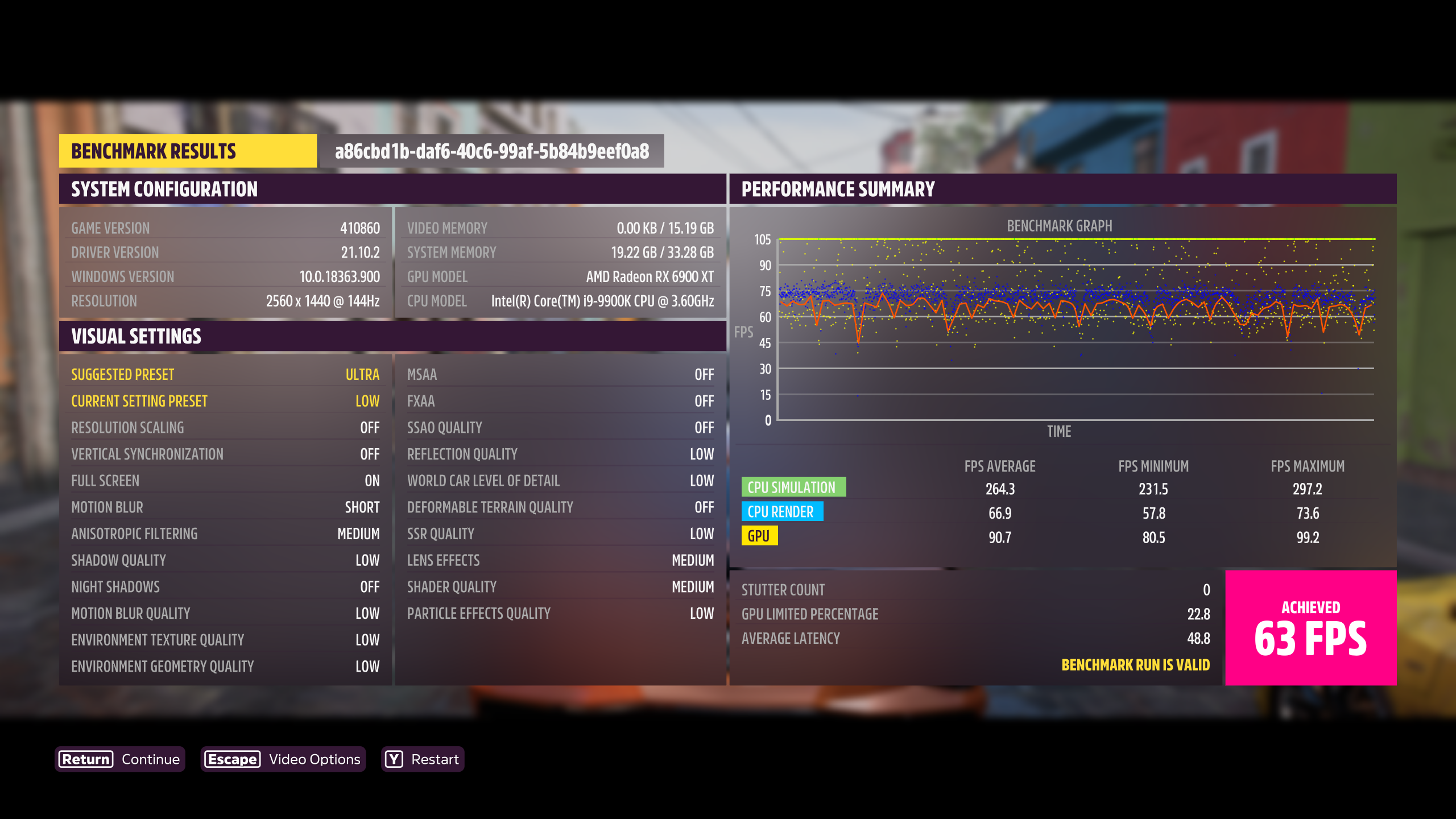
I tried adding VK_ICD_FILENAMES=/usr/share/vulkan/icd.d/radeon_icd.x86_64.json %command% as suggested, but now game won't get past Loading intro for some reason so will have to nuke environment and try again later.
I also noticed the memory usage is Huge. It is using 21GB of memory on Linux compared to 8GB on windows (same system), and take like 5 minutes for initial load into world while it slowly keeps increasing.
@cdgriffith make sure you actually have the proper files at /usr/share/vulkan/icd.d/. Also, not sure who recommended that but you always do both 32-bit and 64-bit icds, as most launchers/sign-in windows/etc. are 32-bit. Every launcher I'm aware of (for example Steam itself, Battle.Net, Epic Games Store, Origin, the list goes on) is 32-bit.
So the proper envvar is actually VK_ICD_FILENAMES=/usr/share/vulkan/icd.d/radeon_icd.i686.json:/usr/share/vulkan/icd.d/radeon_icd.x86_64.json for RADV. If you install AMDVLK, you would replace the filename itself with amd_icd32.json and amd_icd64.json respectively. But always a colon-separated list including both 32 and 64-bit json files. There's literally no reason not to do it. If the game/launcher doesn't need one of the files, it just won't get used, but if it does need it and it's not there in your envvar, then it will fail to launch.
Note that this does not apply to Nvidia as Nvidia's nvidia_icd.json provides both the 32-bit and 64-bit stuff.
Important (AMD ONLY)!
@cdgriffith Memory Leak issue (most-likely) means you are using the amd_pro_icd for vulkan, have a look at @gardotd426 reply above. if the radeon_icd.x86_64.json does not exist, you might not have the the mesa icd installed. Example: vulkan-radeon
If this is the case, I'd recommend getting the mesa-{git/devel} as recent changes have had performance improvements for FH5
@KeksMassacre
If useful, heres my current vulkan info
VK_ICD_FILENAMES="/usr/share/vulkan/icd.d/radeon_icd.x86_64.json" vulkaninfo | grep "driverInfo" | tr -d " \t"
driverInfo=Mesa22.0.0-devel(git-df005c2a65)
I did a test with Env Texture quality Low Geometry High, rest is maxed with 8x msaa, res 3440x1440 RX 6800
mesa 22-dev + the windschild bug commit
as @KeksMassacre already mentioned that is the main culprit with the stutters, too often IO reads from disk.
there are some micro stutters still but not that can impact gameplay.
here a gameplay video.
Did some googling on Environment Texture Quality fixing FH5 stutters. Some people say it helped them for NVIDIA cards, most probably on Windows. https://forums.forzamotorsport.net/turn10_postst168369_Simple-fix-for-micro-stuttering-in-FH5--PC.aspx?=
- do these disk I/O issues occur on windows? then it might just be a microsoft issue present for many people
- alternatively could the NVIDIA observations of these people be due to insufficient VRAM, therefore have a different cause and be unrelated to the observations made here?
@KeksMassacre No they are not present on windows at least on my system win 11, the game runs smooth even on max settings,
Thank you @amazingefren @NalianNalis and @gardotd426 , it seems the issue was that I did have amdvlk installed and it was using that and not mesa :weary: I went ahead and uninstalled that for the time being.
I didn't have the i686 files so I had to install the 32-bit drivers as well (mesa-vulkan-drivers:i386) and then used AMD_VULKAN_ICD=RADV %command% in the launch options to be safe. Now getting 110+ FPS :tada: and the memory issue is solved!
Turning down Environment Texture Quality as said above does extremely help with the stutter to the point I will probably move to playing it from linux full time now, so thank you all again!
Natrually as everything was working great I decided to press my luck and enabled ray tracing with RADV_PERFTEST=rt VKD3D_CONFIG=dxr AMD_VULKAN_ICD=RADV %command% and did have an option to enable it in settings. However as soon as game is about to enter free roam it crashes. Disabled those options and game working fine again.
Ray Tracing Trackback
1440.328:017c:025c:trace:seh:RtlVirtualUnwind type 2 rip 000000007B613CD3 rsp 0000000004BCA7E0
1440.328:017c:025c:trace:seh:dump_unwind_info **** func 13a50-13f48
1440.328:017c:025c:trace:seh:dump_unwind_info unwind info at 000000007B63C384 flags 0 prolog 0x18 bytes function 000000007B613A50-000000007B613F48
1440.328:017c:025c:trace:seh:dump_unwind_info 0x18: subq $0x2a0,%rsp
1440.328:017c:025c:trace:seh:dump_unwind_info 0x11: pushq %rbx
1440.328:017c:025c:trace:seh:dump_unwind_info 0x10: pushq %r12
1440.328:017c:025c:trace:seh:dump_unwind_info 0xe: pushq %r13
1440.328:017c:025c:trace:seh:dump_unwind_info 0xc: pushq %r14
1440.328:017c:025c:trace:seh:dump_unwind_info 0xa: pushq %r15
1440.328:017c:025c:trace:seh:RtlRestoreContext returning to 000000007B63218A stack 0000000004BCA7E0
wine: Unhandled page fault on read access to 0000000000000011 at address 00007FF5A8C18C4A (thread 025c), starting debugger...
1440.328:017c:025c:trace:seh:start_debugger Starting debugger L"winedbg --auto 380 14320"
1440.491:017c:0380:trace:seh:NtQueryInformationThread (0xfffffffffffffffe,12,0x5efdfd8c,4,(nil))
1440.515:03ac:03b0:trace:loaddll:build_module Loaded L"C:\\windows\\system32\\winedbg.exe" at 00007F96189D0000: builtin
1440.516:03ac:03b0:trace:loaddll:build_module Loaded L"C:\\windows\\system32\\kernelbase.dll" at 000000007B000000: builtin
1440.516:03ac:03b0:trace:loaddll:build_module Loaded L"C:\\windows\\system32\\kernel32.dll" at 000000007B600000: builtin
1440.516:03ac:03b0:trace:seh:sigsys_handler SIGSYS, rax 0xffff, rip 0x600000000005.
1440.516:03ac:03b0:trace:seh:install_bpf Seccomp filters already installed.
1440.517:03ac:03b0:trace:loaddll:build_module Loaded L"C:\\windows\\system32\\ucrtbase.dll" at 00000003AF670000: builtin
1440.517:03ac:03b0:trace:loaddll:build_module Loaded L"C:\\windows\\system32\\dbghelp.dll" at 00000003BE590000: builtin
1440.518:03ac:03b0:trace:loaddll:build_module Loaded L"C:\\windows\\system32\\msvcrt.dll" at 00000001C8DB0000: builtin
1440.518:03ac:03b0:trace:loaddll:build_module Loaded L"C:\\windows\\system32\\sechost.dll" at 000000032A700000: builtin
1440.518:03ac:03b0:trace:loaddll:build_module Loaded L"C:\\windows\\system32\\advapi32.dll" at 0000000330260000: builtin
1440.522:03ac:03b0:trace:seh:NtQueryInformationThread (0x4c,0,0x63f760,30,(nil))
1440.526:03ac:03b0:trace:seh:NtQueryInformationThread (0x60,0,0x63f760,30,(nil))
1440.526:03ac:03b0:trace:seh:NtQueryInformationThread (0x64,0,0x63f760,30,(nil))
1440.526:03ac:03b0:trace:seh:NtQueryInformationThread (0x68,0,0x63f760,30,(nil))
1440.526:03ac:03b0:trace:seh:NtQueryInformationThread (0x74,0,0x63f760,30,(nil))
1440.526:03ac:03b0:trace:seh:NtQueryInformationThread (0x78,0,0x63f760,30,(nil))
1440.526:03ac:03b0:trace:seh:NtQueryInformationThread (0x7c,0,0x63f760,30,(nil))
1440.526:03ac:03b0:trace:seh:NtQueryInformationThread (0x80,0,0x63f760,30,(nil))
1440.526:03ac:03b0:trace:seh:NtQueryInformationThread (0x84,0,0x63f760,30,(nil))
1440.526:03ac:03b0:trace:seh:NtQueryInformationThread (0x88,0,0x63f760,30,(nil))
1440.526:03ac:03b0:trace:seh:NtQueryInformationThread (0x8c,0,0x63f760,30,(nil))
1440.526:03ac:03b0:trace:seh:NtQueryInformationThread (0x90,0,0x63f760,30,(nil))
1440.526:03ac:03b0:trace:seh:NtQueryInformationThread (0x94,0,0x63f760,30,(nil))
1440.526:03ac:03b0:trace:seh:NtQueryInformationThread (0x98,0,0x63f760,30,(nil))
1440.526:03ac:03b0:trace:seh:NtQueryInformationThread (0x9c,0,0x63f760,30,(nil))
1440.526:03ac:03b0:trace:seh:NtQueryInformationThread (0xa0,0,0x63f760,30,(nil))
1440.526:03ac:03b0:trace:seh:NtQueryInformationThread (0xa4,0,0x63f760,30,(nil))
1440.526:03ac:03b0:trace:seh:NtQueryInformationThread (0xa8,0,0x63f760,30,(nil))
1440.526:03ac:03b0:trace:seh:NtQueryInformationThread (0xac,0,0x63f760,30,(nil))
1440.526:03ac:03b0:trace:seh:NtQueryInformationThread (0xb0,0,0x63f760,30,(nil))
1440.526:03ac:03b0:trace:seh:NtQueryInformationThread (0xb4,0,0x63f760,30,(nil))
1440.526:03ac:03b0:trace:seh:NtQueryInformationThread (0xb8,0,0x63f760,30,(nil))
1440.526:03ac:03b0:trace:seh:NtQueryInformationThread (0xbc,0,0x63f760,30,(nil))
1440.527:03ac:03b0:trace:seh:NtQueryInformationThread (0xc0,0,0x63f760,30,(nil))
1440.527:03ac:03b0:trace:seh:NtQueryInformationThread (0xc4,0,0x63f760,30,(nil))
1440.527:03ac:03b0:trace:seh:NtQueryInformationThread (0xc8,0,0x63f760,30,(nil))
1440.527:03ac:03b0:trace:seh:NtQueryInformationThread (0xcc,0,0x63f760,30,(nil))
1440.527:03ac:03b0:trace:seh:NtQueryInformationThread (0xd0,0,0x63f760,30,(nil))
1440.527:03ac:03b0:trace:seh:NtQueryInformationThread (0xd4,0,0x63f760,30,(nil))
1440.527:03ac:03b0:trace:seh:NtQueryInformationThread (0xd8,0,0x63f760,30,(nil))
1440.527:03ac:03b0:trace:seh:NtQueryInformationThread (0xdc,0,0x63f760,30,(nil))
1440.527:03ac:03b0:trace:seh:NtQueryInformationThread (0xe0,0,0x63f760,30,(nil))
1440.527:03ac:03b0:trace:seh:NtQueryInformationThread (0xe4,0,0x63f760,30,(nil))
1440.527:03ac:03b0:trace:seh:NtQueryInformationThread (0xe8,0,0x63f760,30,(nil))
1440.527:03ac:03b0:trace:seh:NtQueryInformationThread (0xec,0,0x63f760,30,(nil))
1440.527:03ac:03b0:trace:seh:NtQueryInformationThread (0xf0,0,0x63f760,30,(nil))
1440.527:03ac:03b0:trace:seh:NtQueryInformationThread (0xf4,0,0x63f760,30,(nil))
1440.527:03ac:03b0:trace:seh:NtQueryInformationThread (0xf8,0,0x63f760,30,(nil))
1440.527:03ac:03b0:trace:seh:NtQueryInformationThread (0xfc,0,0x63f760,30,(nil))
1440.527:03ac:03b0:trace:seh:NtQueryInformationThread (0x100,0,0x63f760,30,(nil))
1440.527:03ac:03b0:trace:seh:NtQueryInformationThread (0x104,0,0x63f760,30,(nil))
1440.527:03ac:03b0:trace:seh:NtQueryInformationThread (0x108,0,0x63f760,30,(nil))
1440.527:03ac:03b0:trace:seh:NtQueryInformationThread (0x10c,0,0x63f760,30,(nil))
1440.527:03ac:03b0:trace:seh:NtQueryInformationThread (0x110,0,0x63f760,30,(nil))
1440.527:03ac:03b0:trace:seh:NtQueryInformationThread (0x114,0,0x63f760,30,(nil))
1440.527:03ac:03b0:trace:seh:NtQueryInformationThread (0x118,0,0x63f760,30,(nil))
1440.527:03ac:03b0:trace:seh:NtQueryInformationThread (0x11c,0,0x63f760,30,(nil))
1440.527:03ac:03b0:trace:seh:NtQueryInformationThread (0x120,0,0x63f760,30,(nil))
1440.527:03ac:03b0:trace:seh:NtQueryInformationThread (0x124,0,0x63f760,30,(nil))
1440.527:03ac:03b0:trace:seh:NtQueryInformationThread (0x128,0,0x63f760,30,(nil))
1440.527:03ac:03b0:trace:seh:NtQueryInformationThread (0x12c,0,0x63f760,30,(nil))
1440.527:03ac:03b0:trace:seh:NtQueryInformationThread (0x130,0,0x63f760,30,(nil))
1440.527:03ac:03b0:trace:seh:NtQueryInformationThread (0x134,0,0x63f760,30,(nil))
1440.527:03ac:03b0:trace:seh:NtQueryInformationThread (0x138,0,0x63f760,30,(nil))
1440.527:03ac:03b0:trace:seh:NtQueryInformationThread (0x13c,0,0x63f760,30,(nil))
1440.527:03ac:03b0:trace:seh:NtQueryInformationThread (0x140,0,0x63f760,30,(nil))
1440.527:03ac:03b0:trace:seh:NtQueryInformationThread (0x144,0,0x63f760,30,(nil))
1440.527:03ac:03b0:trace:seh:NtQueryInformationThread (0x148,0,0x63f760,30,(nil))
1440.527:03ac:03b0:trace:seh:NtQueryInformationThread (0x14c,0,0x63f760,30,(nil))
1440.527:03ac:03b0:trace:seh:NtQueryInformationThread (0x150,0,0x63f760,30,(nil))
1440.527:03ac:03b0:trace:seh:NtQueryInformationThread (0x154,0,0x63f760,30,(nil))
1440.527:03ac:03b0:trace:seh:NtQueryInformationThread (0x158,0,0x63f760,30,(nil))
1440.527:03ac:03b0:trace:seh:NtQueryInformationThread (0x15c,0,0x63f760,30,(nil))
1440.527:03ac:03b0:trace:seh:NtQueryInformationThread (0x160,0,0x63f760,30,(nil))
1440.527:03ac:03b0:trace:seh:NtQueryInformationThread (0x164,0,0x63f760,30,(nil))
1440.527:03ac:03b0:trace:seh:NtQueryInformationThread (0x168,0,0x63f760,30,(nil))
1440.528:03ac:03b0:trace:seh:NtQueryInformationThread (0x16c,0,0x63f760,30,(nil))
1440.528:03ac:03b0:trace:seh:NtQueryInformationThread (0x170,0,0x63f760,30,(nil))
1440.528:03ac:03b0:trace:seh:NtQueryInformationThread (0x174,0,0x63f760,30,(nil))
1440.528:03ac:03b0:trace:seh:NtQueryInformationThread (0x178,0,0x63f760,30,(nil))
1440.528:03ac:03b0:trace:seh:NtQueryInformationThread (0x17c,0,0x63f760,30,(nil))
1440.528:03ac:03b0:trace:seh:NtQueryInformationThread (0x180,0,0x63f760,30,(nil))
1440.528:03ac:03b0:trace:seh:NtQueryInformationThread (0x184,0,0x63f760,30,(nil))
1440.528:03ac:03b0:trace:seh:NtQueryInformationThread (0x188,0,0x63f760,30,(nil))
1440.528:03ac:03b0:trace:seh:NtQueryInformationThread (0x18c,0,0x63f760,30,(nil))
1440.528:03ac:03b0:trace:seh:NtQueryInformationThread (0x190,0,0x63f760,30,(nil))
1440.528:03ac:03b0:trace:seh:NtQueryInformationThread (0x194,0,0x63f760,30,(nil))
1440.528:03ac:03b0:trace:seh:NtQueryInformationThread (0x198,0,0x63f760,30,(nil))
1440.528:03ac:03b0:trace:seh:NtQueryInformationThread (0x19c,0,0x63f760,30,(nil))
1440.528:03ac:03b0:trace:seh:NtQueryInformationThread (0x1a0,0,0x63f760,30,(nil))
1440.528:03ac:03b0:trace:seh:NtQueryInformationThread (0x1a4,0,0x63f760,30,(nil))
1440.528:03ac:03b0:trace:seh:NtQueryInformationThread (0x1a8,0,0x63f760,30,(nil))
1440.528:03ac:03b0:trace:seh:NtQueryInformationThread (0x1ac,0,0x63f760,30,(nil))
1440.528:03ac:03b0:trace:seh:NtQueryInformationThread (0x1b0,0,0x63f760,30,(nil))
1440.528:03ac:03b0:trace:seh:NtQueryInformationThread (0x1b4,0,0x63f760,30,(nil))
1440.528:03ac:03b0:trace:seh:NtQueryInformationThread (0x1b8,0,0x63f760,30,(nil))
1440.528:03ac:03b0:trace:seh:NtQueryInformationThread (0x1bc,0,0x63f760,30,(nil))
1440.528:03ac:03b0:trace:seh:NtQueryInformationThread (0x1c0,0,0x63f760,30,(nil))
1440.528:03ac:03b0:trace:seh:NtQueryInformationThread (0x1c4,0,0x63f760,30,(nil))
1440.528:03ac:03b0:trace:seh:NtQueryInformationThread (0x1c8,0,0x63f760,30,(nil))
1440.528:03ac:03b0:trace:seh:NtQueryInformationThread (0x1cc,0,0x63f760,30,(nil))
1440.528:03ac:03b0:trace:seh:NtQueryInformationThread (0x1d0,0,0x63f760,30,(nil))
1440.528:03ac:03b0:trace:seh:NtQueryInformationThread (0x1d4,0,0x63f760,30,(nil))
1440.528:03ac:03b0:trace:seh:NtQueryInformationThread (0x1d8,0,0x63f760,30,(nil))
1440.528:03ac:03b0:trace:seh:NtQueryInformationThread (0x1dc,0,0x63f760,30,(nil))
1440.528:03ac:03b0:trace:seh:NtQueryInformationThread (0x1e0,0,0x63f760,30,(nil))
1440.528:03ac:03b0:trace:seh:NtQueryInformationThread (0x1e4,0,0x63f760,30,(nil))
1440.528:03ac:03b0:trace:seh:NtQueryInformationThread (0x1e8,0,0x63f760,30,(nil))
1440.528:03ac:03b0:trace:seh:NtQueryInformationThread (0x1ec,0,0x63f760,30,(nil))
1440.528:03ac:03b0:trace:seh:NtQueryInformationThread (0x1f0,0,0x63f760,30,(nil))
1440.528:03ac:03b0:trace:seh:NtQueryInformationThread (0x1f4,0,0x63f760,30,(nil))
1440.528:03ac:03b0:trace:seh:NtQueryInformationThread (0x1f8,0,0x63f760,30,(nil))
1440.528:03ac:03b0:trace:seh:NtQueryInformationThread (0x1fc,0,0x63f760,30,(nil))
1440.528:03ac:03b0:trace:seh:NtQueryInformationThread (0x200,0,0x63f760,30,(nil))
1440.528:03ac:03b0:trace:seh:NtQueryInformationThread (0x204,0,0x63f760,30,(nil))
1440.528:03ac:03b0:trace:seh:NtQueryInformationThread (0x208,0,0x63f760,30,(nil))
1440.528:03ac:03b0:trace:seh:NtQueryInformationThread (0x20c,0,0x63f760,30,(nil))
1440.528:03ac:03b0:trace:seh:NtQueryInformationThread (0x210,0,0x63f760,30,(nil))
1440.529:03ac:03b0:trace:seh:NtQueryInformationThread (0x214,0,0x63f760,30,(nil))
1440.529:03ac:03b0:trace:seh:NtQueryInformationThread (0x218,0,0x63f760,30,(nil))
1440.529:03ac:03b0:trace:seh:NtQueryInformationThread (0x21c,0,0x63f760,30,(nil))
1440.529:03ac:03b0:trace:seh:NtQueryInformationThread (0x220,0,0x63f760,30,(nil))
1440.529:03ac:03b0:trace:seh:NtQueryInformationThread (0x224,0,0x63f760,30,(nil))
1440.529:03ac:03b0:trace:seh:NtQueryInformationThread (0x228,0,0x63f760,30,(nil))
1440.529:03ac:03b0:trace:seh:NtQueryInformationThread (0x22c,0,0x63f760,30,(nil))
1440.529:03ac:03b0:trace:seh:NtQueryInformationThread (0x230,0,0x63f760,30,(nil))
1440.529:03ac:03b0:trace:seh:NtQueryInformationThread (0x234,0,0x63f760,30,(nil))
1440.529:03ac:03b0:trace:seh:NtQueryInformationThread (0x238,0,0x63f760,30,(nil))
1440.529:03ac:03b0:trace:seh:NtQueryInformationThread (0x23c,0,0x63f760,30,(nil))
1440.529:03ac:03b0:trace:seh:NtQueryInformationThread (0x240,0,0x63f760,30,(nil))
1440.529:03ac:03b0:trace:seh:NtQueryInformationThread (0x244,0,0x63f760,30,(nil))
1440.529:03ac:03b0:trace:seh:NtQueryInformationThread (0x248,0,0x63f760,30,(nil))
1440.529:03ac:03b0:trace:seh:NtQueryInformationThread (0x24c,0,0x63f760,30,(nil))
1440.529:03ac:03b0:trace:seh:NtQueryInformationThread (0x250,0,0x63f760,30,(nil))
1440.529:03ac:03b0:trace:seh:NtQueryInformationThread (0x254,0,0x63f760,30,(nil))
1440.529:03ac:03b0:trace:seh:NtQueryInformationThread (0x258,0,0x63f760,30,(nil))
1440.529:03ac:03b0:trace:seh:NtQueryInformationThread (0x25c,0,0x63f760,30,(nil))
1440.529:03ac:03b0:trace:seh:NtQueryInformationThread (0x260,0,0x63f760,30,(nil))
1440.529:03ac:03b0:trace:seh:NtQueryInformationThread (0x264,0,0x63f760,30,(nil))
1440.529:03ac:03b0:trace:seh:NtQueryInformationThread (0x268,0,0x63f760,30,(nil))
1440.529:03ac:03b0:trace:seh:NtQueryInformationThread (0x26c,0,0x63f760,30,(nil))
1440.529:03ac:03b0:trace:seh:NtQueryInformationThread (0x270,0,0x63f760,30,(nil))
1440.529:03ac:03b0:trace:seh:NtQueryInformationThread (0x274,0,0x63f760,30,(nil))
1440.613:03ac:03b0:trace:seh:NtQueryInformationThread (0x5b8,0,0x63f760,30,(nil))
1440.614:017c:025c:trace:seh:call_teb_handler handler at 000000007BC68370 returned 1
1440.614:017c:025c:trace:seh:RtlVirtualUnwind type 1 rip 00000001408A28D0 rsp 0000000004BCFFE8
1440.614:017c:025c:trace:seh:dump_unwind_info **** func 8a28d0-8a2a4e
1440.614:017c:025c:trace:seh:dump_unwind_info unwind info at 00000001474BC434 flags 0 prolog 0xa bytes function 00000001408A28D0-00000001408A2A4E
1440.614:017c:025c:trace:seh:dump_unwind_info 0xa: movq %rbx,0x70(%rsp)
1440.614:017c:025c:trace:seh:dump_unwind_info 0xa: subq $0x50,%rsp
1440.614:017c:025c:trace:seh:dump_unwind_info 0x6: pushq %rdi
1440.614:017c:025c:trace:seh:RtlVirtualUnwind inside prolog.
Unhandled exception: page fault on read access to 0x00000011 in 64-bit code (0x00007ff5a8c18c4a).
Register dump:
rip:00007ff5a8c18c4a rsp:0000000004bcbcc0 rbp:0000000000000000 eflags:00210297 ( R- -- I S -A-P-C)
rax:00007ff53957bcc8 rbx:00007ff53957bd58 rcx:0000000000000000 rdx:00007ff5a8cc6d40
rsi:00007ff5a8cc0c80 rdi:00007ff53957bc90 r8:0000000000000000 r9:00007ff5389458a0 r10:00007ff5384059c0
r11:00007ff53957b980 r12:00007ff5a8cc6d40 r13:00007ff5a8cc0c80 r14:0000000000000000 r15:0000000000000001
Stack dump:
0x0000000004bcbcc0: 0000000000000000 0000000000000000
0x0000000004bcbcd0: 0000000000000000 00007ff5a8cc0c80
0x0000000004bcbce0: 0000000000000000 00007ff5a8cc6d40
0x0000000004bcbcf0: 0000000000000000 0000000000000000
0x0000000004bcbd00: 0000000000000000 00007ff53957bc90
0x0000000004bcbd10: 0000000000000000 0000000000000000
0x0000000004bcbd20: 0000000000000000 0000000000000000
0x0000000004bcbd30: 0000000000000000 0000000000000000
0x0000000004bcbd40: 0000000000000000 00007ff5391deba0
0x0000000004bcbd50: 00007ff53957bc90 0000000000000000
0x0000000004bcbd60: 0000000000000000 0000000000000000
0x0000000004bcbd70: 0000000000000000 0000000000000000
Backtrace:
=>0 0x00007ff5a8c18c4a (0x0000000000000000)
0x00007ff5a8c18c4a: movl 0x0000000000000010(%r15),%eax
Modules:
Module Address Debug info Name (115 modules)
PE 640000- 68d000 Deferred concrt140
PE 690000- 722000 Deferred msvcp140
PE 730000- 7ad000 Deferred bink2w64
PE 7b0000- a81000 Deferred partywin
PE a90000- b91000 Deferred partyxboxlive
PE ba0000- bc8000 Deferred webview2loader
PE 3e20000- 3ffd000 Deferred gameoverlayrenderer64
PE 41030000- 4141e000 Deferred embeddedbrowserwebview
PE 7b000000- 7b0d7000 Deferred kernelbase
PE 7b600000- 7b812000 Deferred kernel32
PE 7bc00000- 7bc9e000 Deferred ntdll
PE 138000000- 1394e1000 Deferred steamclient64
PE 13b400000- 13b444000 Deferred steam_api64
PE 140000000- 14b1e7200 Deferred forzahorizon5
PE 180000000- 180019000 Deferred vcruntime140
PE 1c1ef0000- 1c1f1c000 Deferred atl100
PE 1c8b40000- 1c8b60000 Deferred msacm32
PE 1c8db0000- 1c8e3d000 Deferred msvcrt
PE 1cd860000- 1cd868000 Deferred api-ms-win-crt-utility-l1-1-0
PE 1d0830000- 1d097f000 Deferred actxprxy
PE 1d5b90000- 1d5b98000 Deferred api-ms-win-core-winrt-error-l1-1-0
PE 1d97a0000- 1d97a7000 Deferred api-ms-win-core-fibers-l1-1-1
PE 1dc810000- 1dc81d000 Deferred schannel
PE 1dd3f0000- 1dd4bd000 Deferred crypt32
PE 1f51e0000- 1f51ef000 Deferred hid
PE 212690000- 212698000 Deferred api-ms-win-core-memory-l1-1-3
PE 21a7e0000- 21a855000 Deferred setupapi
PE 226310000- 226317000 Deferred api-ms-win-core-string-l1-1-0
PE 228450000- 22847a000 Deferred propsys
PE 231ae0000- 231b62000 Deferred rpcrt4
PE 236df0000- 236e49000 Deferred dsound
PE 23d820000- 23da48000 Deferred user32
PE 241850000- 241857000 Deferred api-ms-win-crt-environment-l1-1-0
PE 243780000- 2437a1000 Deferred windows.media.speech
PE 249680000- 24968f000 Deferred amd_ags_x64
PE 24f470000- 24f48f000 Deferred mpr
PE 253cc0000- 253cde000 Deferred xinput1_3
PE 25cf30000- 25cf38000 Deferred api-ms-win-core-winrt-string-l1-1-0
PE 262250000- 262259000 Deferred api-ms-win-crt-runtime-l1-1-0
PE 262b50000- 262b71000 Deferred windows.gaming.input
PE 263a00000- 263a07000 Deferred api-ms-win-core-sysinfo-l1-1-0
PE 269740000- 269747000 Deferred api-ms-win-core-libraryloader-l1-2-0
PE 26b4c0000- 26b642000 Deferred gdi32
PE 26ebe0000- 26ebe7000 Deferred api-ms-win-eventing-classicprovider-l1-1-0
PE 2739c0000- 273af6000 Deferred oleaut32
PE 28ba60000- 28ba67000 Deferred api-ms-win-crt-time-l1-1-0
PE 292520000- 292535000 Deferred netprofm
PE 29ea80000- 29ea87000 Deferred api-ms-win-core-datetime-l1-1-1
PE 2a0070000- 2a007d000 Deferred sspicli
PE 2ba290000- 2ba298000 Deferred api-ms-win-core-winrt-l1-1-0
PE 2bb750000- 2bb894000 Deferred comctl32
PE 2bdd50000- 2bdd58000 Deferred api-ms-win-gaming-tcui-l1-1-0
PE 2c83b0000- 2c8404000 Deferred winegstreamer
PE 2cfe10000- 2cfe19000 Deferred api-ms-win-core-com-l1-1-0
PE 2d1070000- 2d1080000 Deferred cryptnet
PE 2d4d40000- 2d4d57000 Deferred bcrypt
PE 2d63e0000- 2d63e7000 Deferred api-ms-win-core-version-l1-1-0
PE 2de970000- 2de9a2000 Deferred rsaenh
PE 2e3540000- 2e3591000 Deferred shlwapi
PE 2e8f10000- 2e9028000 Deferred ole32
PE 2edf00000- 2ee0eb000 Deferred dxgi
PE 2f1fa0000- 2f1fad000 Deferred version
PE 2f7230000- 2f725d000 Deferred uxtheme
PE 2f7f20000- 2f7f2c000 Deferred vcruntime140_1
PE 2fa030000- 2fa037000 Deferred api-ms-win-core-localization-obsolete-l1-2-0
PE 30a2c0000- 30a2c9000 Deferred api-ms-win-crt-stdio-l1-1-0
PE 30c980000- 30c988000 Deferred api-ms-win-core-synch-l1-2-0
PE 3126f0000- 312709000 Deferred shcore
PE 327020000- 327072000 Deferred combase
PE 32a700000- 32a729000 Deferred sechost
PE 330260000- 33029f000 Deferred advapi32
PE 335260000- 335272000 Deferred rtworkq
PE 336850000- 33687a000 Deferred mmdevapi
PE 33a7c0000- 33a7c7000 Deferred api-ms-win-core-profile-l1-1-0
PE 33ea00000- 33ea09000 Deferred api-ms-win-crt-string-l1-1-0
PE 341d30000- 341dfc000 Deferred quartz
PE 344840000- 344848000 Deferred api-ms-win-crt-filesystem-l1-1-0
PE 346ba0000- 346bc0000 Deferred jsproxy
PE 34abc0000- 34abe1000 Deferred msdmo
PE 350a30000- 350a39000 Deferred api-ms-win-crt-convert-l1-1-0
PE 351680000- 351688000 Deferred api-ms-win-core-localization-l1-2-1
PE 355100000- 355107000 Deferred api-ms-win-crt-locale-l1-1-0
PE 358120000- 358164000 Deferred winhttp
PE 35e4e0000- 35e735000 Deferred d3d12
PE 360a80000- 360a8a000 Deferred api-ms-win-crt-math-l1-1-0
PE 361450000- 361457000 Deferred api-ms-win-core-synch-l1-1-0
PE 361860000- 36191b000 Deferred windowscodecs
PE 3785e0000- 3785ec000 Deferred vulkan-1
PE 379f20000- 379f28000 Deferred api-ms-win-eventing-provider-l1-1-0
PE 395e80000- 395e88000 Deferred api-ms-win-core-winrt-error-l1-1-1
PE 39a620000- 39a644000 Deferred msvfw32
PE 39b510000- 39b518000 Deferred api-ms-win-crt-heap-l1-1-0
PE 3a0440000- 3a04c0000 Deferred wininet
PE 3a6d40000- 3a6d9f000 Deferred mfplat
PE 3a87a0000- 3a87a8000 Deferred api-ms-win-shcore-scaling-l1-1-1
PE 3aa4c0000- 3aa4cc000 Deferred dhcpcsvc
PE 3ad720000- 3ad74f000 Deferred devenum
PE 3af670000- 3af728000 Deferred ucrtbase
PE 3afd00000- 3afd1a000 Deferred imm32
PE 3b8f00000- 3b8fb7000 Deferred winmm
PE 7ff5084e0000- 7ff5084e4000 Deferred xaudio2_9
PE 7ff58a6d0000- 7ff58a6d3000 Deferred avicap32
PE 7ff58b1d0000- 7ff58b1d3000 Deferred wineopenxr
PE 7ff59a180000- 7ff59a183000 Deferred lsteamclient
PE 7ff5a95b0000- 7ff5a95b3000 Deferred winepulse
PE 7ff5aa050000- 7ff5aa053000 Deferred kerberos
PE 7ff5aa8d0000- 7ff5aa8d4000 Deferred winex11
PE 7ff5ab560000- 7ff5ab564000 Deferred dnsapi
PE 7ff5ab580000- 7ff5ab583000 Deferred netapi32
PE 7ff5ab5c0000- 7ff5ab5c3000 Deferred secur32
PE 7ff5ab620000- 7ff5ab624000 Deferred iphlpapi
PE 7ff5ab670000- 7ff5abf47000 Deferred shell32
PE 7ff5ac0a0000- 7ff5ac0a3000 Deferred gamingtcui
PE 7ff5ac0d0000- 7ff5ac0d4000 Deferred ws2_32
PE 7ff5ac280000- 7ff5ac284000 Deferred winevulkan
Threads:
process tid prio (all id:s are in hex)
00000020 steam.exe
00000024 0
00000174 0
00000184 0
00000030 services.exe
00000034 0
00000038 0
00000044 0
00000054 0
00000064 0
0000007c 0
00000104 0
00000120 0
00000150 0
0000003c winedevice.exe
00000040 0
0000004c 0
00000050 0
00000058 0
0000005c plugplay.exe
00000060 0
00000068 0
0000006c 0
00000070 0
0000008c 0
000003e0 0
000004d8 0
000005e0 0
000005ec 0
00000074 winedevice.exe
00000078 0
00000080 0
00000084 0
00000088 0
00000094 0
00000098 0
0000009c 0
000000a0 0
000000a4 0
000000a8 0
000000ac 0
000000b0 0
000000b4 0
000000b8 0
000000bc 0
000000c0 0
000000c4 0
000000c8 0
000000cc 0
000000d0 0
000000d4 0
000000d8 0
000000dc 0
000000e0 0
000000e4 0
000000e8 0
000000ec 0
000000f0 0
000000f4 0
000000f8 0
000000fc 0
00000100 0
0000010c 0
00000110 0
00000114 0
00000118 svchost.exe
0000011c 0
00000124 0
00000128 0
0000012c tabtip.exe
00000130 0
0000016c 0
00000170 0
00000134 explorer.exe
00000138 0
0000013c 0
00000140 0
00000148 rpcss.exe
0000014c 0
00000154 0
00000158 0
0000015c 0
00000160 0
00000164 0
00000304 0
0000017c (D) Z:\home\james\.local\share\Steam\steamapps\common\ForzaHorizon5\ForzaHorizon5.exe
00000180 0
00000188 0
0000018c 0
00000190 2
00000194 0
00000198 0
0000019c 0
000001a0 0
000001a4 1
000001a8 0
000001ac 0
000001b0 0
000001b4 1
000001b8 1
000001bc 1
000001c0 1
000001c4 1
000001c8 1
000001cc 1
000001d0 1
000001d4 1
000001d8 1
000001dc 1
000001e0 1
000001e4 1
000001e8 1
000001ec 1
000001f0 1
000001f4 1
000001f8 1
000001fc 1
00000200 1
00000204 1
00000208 1
0000020c 1
00000210 1
00000214 1
00000218 1
0000021c 1
00000220 1
00000224 1
00000228 1
0000022c 1
00000230 1
00000234 -2
00000238 -2
0000023c -2
00000240 -2
0000024c 0
00000250 1
00000254 -1
0000025c 2 <==
00000260 0
00000264 0
00000268 0
0000026c 0
00000270 0
00000274 0
00000278 0
0000027c 0
00000280 0
00000284 0
00000288 0
0000028c 0
00000290 1
00000294 1
00000298 0
0000029c 0
000002a0 0
000002a4 0
000002a8 0
000002ac 0
000002b0 0
000002b4 0
000002c4 2
000002cc 2
000002d0 -1
000002d4 -1
000002d8 15
000002dc -1
000002e0 0
000002e4 0
000002e8 2
000002ec 15
000002f0 15
000002f8 0
000002fc 0
00000300 0
00000340 0
00000404 0
0000040c 15
000004c8 0
000005a0 0
000005a4 0
000005cc -1
000005d0 0
000005d4 0
000005dc 0
00000604 -1
0000068c 1
00000690 1
00000698 0
000006b4 0
000006b8 0
000006bc 0
000006c0 0
000006c4 0
000006c8 0
000006cc 0
0000070c 0
00000710 0
00000718 0
00000784 -1
00000788 -1
0000078c -1
00000790 -1
00000794 0
00000798 0
000007a8 1
000007ac 1
000007b0 1
000007b4 1
000007b8 1
000007c0 0
000007dc 0
000007e0 2
000007e4 2
00000108 2
00000248 1
0000032c 2
0000039c 0
000003a0 2
000003a4 2
000003c8 0
System information:
Wine build: wine-6.3
Platform: x86_64
Version: Windows 10
Host system: Linux
Host version: 5.11.0-40-generic
1440.688:005c:05e0:trace:seh:NtQueryInformationThread (0xfffffffffffffffe,12,0x3bafe2c,4,(nil))
1440.688:0074:0084:trace:seh:NtQueryInformationThread (0xd78,0,0x162f810,30,(nil))
1440.688:0148:0304:trace:seh:NtQueryInformationThread (0xfffffffffffffffe,12,0x336fe2c,4,(nil))
1441.702:0148:0164:trace:seh:NtQueryInformationThread (0xfffffffffffffffe,12,0x274fe2c,4,(nil))
1442.702:012c:0170:trace:seh:NtQueryInformationThread (0xfffffffffffffffe,12,0x158fe2c,4,(nil))
1442.705:012c:016c:trace:seh:NtQueryInformationThread (0xfffffffffffffffe,12,0xf6fe2c,4,(nil))
1442.713:0074:0110:trace:seh:NtQueryInformationThread (0xfffffffffffffffe,12,0xd45fe2c,4,(nil))
1442.713:0030:0120:trace:seh:NtQueryInformationThread (0xfffffffffffffffe,12,0x3f8fe2c,4,(nil))
1442.714:0148:015c:trace:seh:NtQueryInformationThread (0xfffffffffffffffe,12,0x1b2fe2c,4,(nil))
1442.714:0148:0160:trace:seh:NtQueryInformationThread (0xfffffffffffffffe,12,0x213fe2c,4,(nil))
1442.715:005c:008c:trace:seh:NtQueryInformationThread (0xfffffffffffffffe,12,0x215fe2c,4,(nil))
1442.715:0074:0084:trace:seh:dispatch_exception code=6be flags=0 addr=000000007B01239E ip=000000007B01239E tid=0084
1442.715:0074:0084:warn:seh:dispatch_exception unknown exception (code=6be) raised
1442.715:0074:0084:trace:seh:dispatch_exception rax=000000007b012350 rbx=000000000162f578 rcx=000000000162f2a0 rdx=0000000000000000
1442.715:0074:0084:trace:seh:dispatch_exception rsi=00000000000000cc rdi=00000000000000be rbp=0000000000000050 rsp=000000000162f280
1442.715:0074:0084:trace:seh:dispatch_exception r8=0000000000000000 r9=0000000000000000 r10=0000000000000002 r11=00000000a55a5aa5
1442.715:0074:0084:trace:seh:dispatch_exception r12=000000000162f578 r13=00000000016a0050 r14=0000000000000000 r15=00000000016a0050
1442.715:0074:0084:trace:seh:call_vectored_handlers calling handler at 00000002279AD540 code=6be flags=0
1442.715:0074:0084:trace:seh:call_vectored_handlers handler at 00000002279AD540 returned 0
1442.715:0074:0084:trace:seh:call_vectored_handlers calling handler at 000000007B00C690 code=6be flags=0
1442.715:0074:0084:trace:seh:call_vectored_handlers handler at 000000007B00C690 returned 0
1442.715:0074:0084:trace:seh:RtlVirtualUnwind type 1 rip 000000007B01239E rsp 000000000162F280
1442.715:0074:0084:trace:seh:dump_unwind_info **** func 12350-123d7
1442.715:0074:0084:trace:seh:dump_unwind_info unwind info at 000000007B0A6480 flags 0 prolog 0x11 bytes function 000000007B012350-000000007B0123D7
1442.715:0074:0084:trace:seh:dump_unwind_info 0x11: subq $0xc8,%rsp
1442.715:0074:0084:trace:seh:dump_unwind_info 0xa: pushq %rsi
1442.715:0074:0084:trace:seh:dump_unwind_info 0x9: pushq %rdi
1442.715:0074:0084:trace:seh:RtlVirtualUnwind type 1 rip 0000000231B22812 rsp 000000000162F360
1442.715:0074:0084:trace:seh:dump_unwind_info **** func 42800-42847
1442.715:0074:0084:trace:seh:dump_unwind_info unwind info at 0000000231B453C0 flags 0 prolog 0x4 bytes function 0000000231B22800-0000000231B22847
1442.715:0074:0084:trace:seh:dump_unwind_info 0x4: subq $0x28,%rsp
1442.715:0074:0084:trace:seh:RtlVirtualUnwind type 1 rip 0000000231AE98A4 rsp 000000000162F390
1442.715:0074:0084:trace:seh:dump_unwind_info **** func 97b0-98a5
1442.715:0074:0084:trace:seh:dump_unwind_info unwind info at 0000000231B43340 flags 0 prolog 0x6 bytes function 0000000231AE97B0-0000000231AE98A5
1442.715:0074:0084:trace:seh:dump_unwind_info 0x6: subq $0x38,%rsp
1442.715:0074:0084:trace:seh:dump_unwind_info 0x2: pushq %rbx
1442.715:0074:0084:trace:seh:dump_unwind_info 0x1: pushq %rsi
1442.715:0074:0084:trace:seh:RtlVirtualUnwind type 1 rip 00000002279C2EAE rsp 000000000162F3E0
1442.715:0074:0084:trace:seh:dump_unwind_info **** func 22cf0-22f10
1442.715:0074:0084:trace:seh:dump_unwind_info unwind info at 00000002279D4EC0 flags 0 prolog 0xe bytes function 00000002279C2CF0-00000002279C2F10
1442.715:0074:0084:trace:seh:dump_unwind_info 0xe: subq $0x330,%rsp
1442.715:0074:0084:trace:seh:dump_unwind_info 0x7: pushq %rbx
1442.715:0074:0084:trace:seh:dump_unwind_info 0x6: pushq %rsi
1442.715:0074:0084:trace:seh:dump_unwind_info 0x5: pushq %rdi
1442.715:0074:0084:trace:seh:dump_unwind_info 0x4: pushq %r12
1442.715:0074:0084:trace:seh:dump_unwind_info 0x2: pushq %r13
1442.716:0074:0084:trace:seh:call_stack_handlers found wine frame 000000000162F450 rsp 000000000162F740 handler 00000002279C27B0
1442.716:0074:0084:trace:seh:call_teb_handler calling TEB handler 00000002279C27B0 (rec=000000000162F2A0, frame=000000000162F450 context=000000000162E7C0, dispatch=000000000162E690)
1442.716:0074:0084:trace:seh:call_teb_handler handler at 00000002279C27B0 returned 1
1442.716:0074:0084:trace:seh:RtlVirtualUnwind type 1 rip 00000002279BAD65 rsp 000000000162F740
1442.716:0074:0084:trace:seh:dump_unwind_info **** func 1ac90-1ad76
1442.716:0074:0084:trace:seh:dump_unwind_info unwind info at 00000002279D4A70 flags 0 prolog 0x8 bytes function 00000002279BAC90-00000002279BAD76
1442.716:0074:0084:trace:seh:dump_unwind_info 0x8: subq $0x160,%rsp
1442.716:0074:0084:trace:seh:dump_unwind_info 0x1: pushq %rbx
1442.716:0074:0084:trace:seh:call_stack_handlers found wine frame 000000000162F770 rsp 000000000162F8B0 handler 00000002279C40A0
1442.716:0074:0084:trace:seh:call_teb_handler calling TEB handler 00000002279C40A0 (rec=000000000162F2A0, frame=000000000162F770 context=000000000162E7C0, dispatch=000000000162E690)
1442.716:0074:0084:trace:seh:RtlUnwindEx code=6be flags=2 end_frame=000000000162F770 target_ip=00000002279C403A rip=000000007bc5ad9d
1442.716:0074:0084:trace:seh:RtlUnwindEx rax=000000003fe30000 rbx=000000000162f450 rcx=000000000162e090 rdx=00000000279c403a
1442.716:0074:0084:trace:seh:RtlUnwindEx rsi=000000000162db40 rdi=000000000162e7c0 rbp=000000000162e590 rsp=000000000162d9d0
1442.716:0074:0084:trace:seh:RtlUnwindEx r8=000000000162f2a0 r9=00000000279c4070 r10=000000000162e470 r11=0000000000026590
1442.716:0074:0084:trace:seh:RtlUnwindEx r12=000000000162f2a0 r13=000000000162e090 r14=000000000162f770 r15=000000007bc69930
1442.716:0074:0084:trace:seh:RtlVirtualUnwind type 2 rip 000000007BC5AD9D rsp 000000000162D9D0
1442.716:0074:0084:trace:seh:dump_unwind_info **** func 5ad50-5b496
1442.716:0074:0084:trace:seh:dump_unwind_info unwind info at 000000007BC839B4 flags 0 prolog 0x13 bytes function 000000007BC5AD50-000000007BC5B496
1442.716:0074:0084:trace:seh:dump_unwind_info 0x13: subq $0x648,%rsp
1442.716:0074:0084:trace:seh:dump_unwind_info 0xc: pushq %rbx
1442.716:0074:0084:trace:seh:dump_unwind_info 0xb: pushq %rsi
1442.716:0074:0084:trace:seh:dump_unwind_info 0xa: pushq %rdi
1442.716:0074:0084:trace:seh:dump_unwind_info 0x9: pushq %rbp
1442.716:0074:0084:trace:seh:dump_unwind_info 0x8: pushq %r12
1442.716:0074:0084:trace:seh:dump_unwind_info 0x6: pushq %r13
1442.716:0074:0084:trace:seh:dump_unwind_info 0x4: pushq %r14
1442.716:0074:0084:trace:seh:dump_unwind_info 0x2: pushq %r15
1442.716:0074:0084:trace:seh:RtlVirtualUnwind type 2 rip 000000007BC5B4BF rsp 000000000162E060
1442.716:0074:0084:trace:seh:dump_unwind_info **** func 5b4a0-5b4c8
1442.716:0074:0084:trace:seh:dump_unwind_info unwind info at 000000007BC839CC flags 0 prolog 0x7 bytes function 000000007BC5B4A0-000000007BC5B4C8
1442.716:0074:0084:trace:seh:dump_unwind_info 0x7: subq $0x508,%rsp
1442.716:0074:0084:trace:seh:RtlVirtualUnwind type 2 rip 00000002279C403A rsp 000000000162E570
1442.716:0074:0084:trace:seh:dump_unwind_info **** func 24020-2403c
1442.716:0074:0084:trace:seh:dump_unwind_info unwind info at 00000002279D4F68 flags 0 prolog 0x8 bytes function 00000002279C4020-00000002279C403C
1442.716:0074:0084:trace:seh:dump_unwind_info frame register rbp offset 0x0(%rsp)
1442.716:0074:0084:trace:seh:dump_unwind_info 0x8: subq $0x20,%rsp
1442.716:0074:0084:trace:seh:dump_unwind_info 0x4: leaq 0x0(%rsp),rbp
1442.716:0074:0084:trace:seh:dump_unwind_info 0x1: pushq %rbp
1442.716:0074:0084:trace:seh:RtlVirtualUnwind type 2 rip 00000002279C4069 rsp 000000000162E5A0
1442.716:0074:0084:trace:seh:dump_unwind_info **** func 24040-2406a
1442.716:0074:0084:trace:seh:dump_unwind_info unwind info at 00000002279D4F74 flags 0 prolog 0x4 bytes function 00000002279C4040-00000002279C406A
1442.716:0074:0084:trace:seh:dump_unwind_info 0x4: subq $0x28,%rsp
1442.716:0074:0084:trace:seh:RtlVirtualUnwind type 2 rip 00000002279C40F4 rsp 000000000162E5D0
1442.716:0074:0084:trace:seh:dump_unwind_info **** func 240a0-240f5
1442.716:0074:0084:trace:seh:dump_unwind_info unwind info at 00000002279D4F84 flags 0 prolog 0xa bytes function 00000002279C40A0-00000002279C40F5
1442.716:0074:0084:trace:seh:dump_unwind_info 0xa: subq $0x30,%rsp
1442.716:0074:0084:trace:seh:dump_unwind_info 0x6: pushq %r12
1442.716:0074:0084:trace:seh:dump_unwind_info 0x4: pushq %r13
1442.716:0074:0084:trace:seh:dump_unwind_info 0x2: pushq %r14
1442.716:0074:0084:trace:seh:RtlVirtualUnwind type 2 rip 000000007BC5A0DD rsp 000000000162E620
1442.716:0074:0084:trace:seh:dump_unwind_info **** func 59ea0-5a3b1
1442.716:0074:0084:trace:seh:dump_unwind_info unwind info at 000000007BC8395C flags 0 prolog 0x13 bytes function 000000007BC59EA0-000000007BC5A3B1
1442.716:0074:0084:trace:seh:dump_unwind_info 0x13: subq $0x678,%rsp
1442.716:0074:0084:trace:seh:dump_unwind_info 0xc: pushq %rbx
1442.716:0074:0084:trace:seh:dump_unwind_info 0xb: pushq %rsi
1442.716:0074:0084:trace:seh:dump_unwind_info 0xa: pushq %rdi
1442.716:0074:0084:trace:seh:dump_unwind_info 0x9: pushq %rbp
1442.716:0074:0084:trace:seh:dump_unwind_info 0x8: pushq %r12
1442.716:0074:0084:trace:seh:dump_unwind_info 0x6: pushq %r13
1442.716:0074:0084:trace:seh:dump_unwind_info 0x4: pushq %r14
1442.716:0074:0084:trace:seh:dump_unwind_info 0x2: pushq %r15
1442.716:0074:0084:trace:seh:RtlVirtualUnwind type 2 rip 000000007BC5A6C7 rsp 000000000162ECE0
1442.716:0074:0084:trace:seh:dump_unwind_info **** func 5a3c0-5a8cf
1442.716:0074:0084:trace:seh:dump_unwind_info unwind info at 000000007BC83974 flags 0 prolog 0x10 bytes function 000000007BC5A3C0-000000007BC5A8CF
1442.716:0074:0084:trace:seh:dump_unwind_info 0x10: subq $0x58,%rsp
1442.716:0074:0084:trace:seh:dump_unwind_info 0xc: pushq %rbx
1442.716:0074:0084:trace:seh:dump_unwind_info 0xb: pushq %rsi
1442.716:0074:0084:trace:seh:dump_unwind_info 0xa: pushq %rdi
1442.716:0074:0084:trace:seh:dump_unwind_info 0x9: pushq %rbp
1442.716:0074:0084:trace:seh:dump_unwind_info 0x8: pushq %r12
1442.716:0074:0084:trace:seh:dump_unwind_info 0x6: pushq %r13
1442.716:0074:0084:trace:seh:dump_unwind_info 0x4: pushq %r14
1442.716:0074:0084:trace:seh:dump_unwind_info 0x2: pushq %r15
1442.716:0074:0084:trace:seh:RtlVirtualUnwind type 2 rip 000000007BC583F8 rsp 000000000162ED80
1442.716:0074:0084:trace:seh:dump_unwind_info **** func 58390-58405
1442.716:0074:0084:trace:seh:dump_unwind_info unwind info at 000000007BC838C8 flags 0 prolog 0x7 bytes function 000000007BC58390-000000007BC58405
1442.716:0074:0084:trace:seh:dump_unwind_info 0x7: subq $0x4f8,%rsp
1442.716:0074:0084:trace:seh:RtlVirtualUnwind type 2 rip 000000007B01239E rsp 000000000162F280
1442.716:0074:0084:trace:seh:dump_unwind_info **** func 12350-123d7
1442.716:0074:0084:trace:seh:dump_unwind_info unwind info at 000000007B0A6480 flags 0 prolog 0x11 bytes function 000000007B012350-000000007B0123D7
1442.716:0074:0084:trace:seh:dump_unwind_info 0x11: subq $0xc8,%rsp
1442.716:0074:0084:trace:seh:dump_unwind_info 0xa: pushq %rsi
1442.716:0074:0084:trace:seh:dump_unwind_info 0x9: pushq %rdi
1442.716:0074:0084:trace:seh:RtlVirtualUnwind type 2 rip 0000000231B22812 rsp 000000000162F360
1442.716:0074:0084:trace:seh:dump_unwind_info **** func 42800-42847
1442.716:0074:0084:trace:seh:dump_unwind_info unwind info at 0000000231B453C0 flags 0 prolog 0x4 bytes function 0000000231B22800-0000000231B22847
1442.716:0074:0084:trace:seh:dump_unwind_info 0x4: subq $0x28,%rsp
1442.716:0074:0084:trace:seh:RtlVirtualUnwind type 2 rip 0000000231AE98A4 rsp 000000000162F390
1442.716:0074:0084:trace:seh:dump_unwind_info **** func 97b0-98a5
1442.716:0074:0084:trace:seh:dump_unwind_info unwind info at 0000000231B43340 flags 0 prolog 0x6 bytes function 0000000231AE97B0-0000000231AE98A5
1442.716:0074:0084:trace:seh:dump_unwind_info 0x6: subq $0x38,%rsp
1442.716:0074:0084:trace:seh:dump_unwind_info 0x2: pushq %rbx
1442.716:003c:0050:trace:seh:NtQueryInformationThread (0xfffffffffffffffe,12,0x162fe2c,4,(nil))
1442.717:0074:0084:trace:seh:dump_unwind_info 0x1: pushq %rsi
1442.717:0074:0084:trace:seh:RtlVirtualUnwind type 2 rip 00000002279C2EAE rsp 000000000162F3E0
1442.717:0074:0084:trace:seh:dump_unwind_info **** func 22cf0-22f10
1442.717:0074:0084:trace:seh:dump_unwind_info unwind info at 00000002279D4EC0 flags 0 prolog 0xe bytes function 00000002279C2CF0-00000002279C2F10
1442.717:0074:0084:trace:seh:dump_unwind_info 0xe: subq $0x330,%rsp
1442.717:0074:0084:trace:seh:dump_unwind_info 0x7: pushq %rbx
1442.717:0074:0084:trace:seh:dump_unwind_info 0x6: pushq %rsi
1442.717:0074:0084:trace:seh:dump_unwind_info 0x5: pushq %rdi
1442.717:0074:0084:trace:seh:dump_unwind_info 0x4: pushq %r12
1442.717:0074:0084:trace:seh:dump_unwind_info 0x2: pushq %r13
1442.717:0074:0084:trace:seh:RtlUnwindEx found builtin frame 000000000162F450 handler 00000002279C27B0
1442.717:0074:0084:trace:seh:call_teb_unwind_handler calling TEB handler 00000002279C27B0 (rec=000000000162F2A0, frame=000000000162F450 context=000000000162E090, dispatch=000000000162DA50)
1442.717:0074:0084:trace:seh:call_teb_unwind_handler handler at 00000002279C27B0 returned 1
1442.717:0074:0084:trace:seh:RtlVirtualUnwind type 2 rip 00000002279BAD65 rsp 000000000162F740
1442.717:0074:0084:trace:seh:dump_unwind_info **** func 1ac90-1ad76
1442.717:0074:0084:trace:seh:dump_unwind_info unwind info at 00000002279D4A70 flags 0 prolog 0x8 bytes function 00000002279BAC90-00000002279BAD76
1442.717:0074:0084:trace:seh:dump_unwind_info 0x8: subq $0x160,%rsp
1442.717:0074:0084:trace:seh:dump_unwind_info 0x1: pushq %rbx
1442.717:0074:0084:trace:seh:RtlRestoreContext returning to 00000002279C403A stack 000000000162F740
1442.765:0148:0158:trace:seh:NtQueryInformationThread (0xfffffffffffffffe,12,0x151fe2c,4,(nil))
1442.819:0030:0044:trace:seh:NtQueryInformationThread (0xfffffffffffffffe,12,0x151fe2c,4,(nil))
1442.820:0030:0054:trace:seh:NtQueryInformationThread (0xfffffffffffffffe,12,0x213fe2c,4,(nil))
1442.821:0030:0364:trace:seh:NtQueryInformationThread (0xfffffffffffffffe,12,0x1b2fe2c,4,(nil))
1442.821:0030:0150:trace:seh:NtQueryInformationThread (0xfffffffffffffffe,12,0x4bafe2c,4,(nil))
pid 21122 != 21121, skipping destruction (fork without exec?)
@cdgriffith yes rt does not work, not a major issue tho since the game does not use it on open world, only in forza vista and photo mode. and the other problem is you won't be able to find any clubs cause the game calls the xbox app from windows.
when launching the game and getting the splash screen, only after it does it crash with this
eventfd: Too many open files ( repeated 92 times )
wine: Unhandled page fault on read access to 000000000000000C at address 00000001408DDE17 (thread 04bc), starting debugger...
eventfd: Too many open files
proton experimental bleeding edge
log
Rise your hard limit, that's your problem
Rise your hard limit, that's your problem
I commented here because it is quite similar to what #5285 has (crashing after splash screen), I do believe that if this bug gets fixed, so will mine.
Rise your hard limit, that's your problem
I commented here because it is quite similar to what #5285 has (crashing after splash screen), I do believe that if this bug gets fixed, so will mine.
Unfortunately this is not a bug but a misconfiguration of your systems. There are file handle limits within Linux and other Unix based systems and your limits are just set too low. See here for docs on how to deal with this: https://wiki.archlinux.org/title/Limits.conf
You are after nofile. Also you will need to set the limits on your shell too (quick Google found this for that: https://www.linuxtechi.com/set-ulimit-file-descriptors-limit-linux-servers/ ).
https://github.com/ValveSoftware/Proton/issues/5285#issuecomment-97528238
I see, I had taken it the wrong way and didn't understand. my limits are actually set too low by default.
however now my game runs and then crashes only seconds after exiting garage or any cinematics. https://github.com/ValveSoftware/Proton/issues/5285#issuecomment-974673419 had referenced to lower graphics, which seemed to help lowering chances of crashes.
edit: it seems that crashes happens due to memory leak(?)
[ 2456.689361] NVRM: Xid (PCI:0000:01:00): 31, pid=9154, Ch 0000002b, intr 00000000. MMU Fault: ENGINE GRAPHICS GPCCLIENT_T1_0 faulted @ 0x1_ac3f2000. Fault is of type FAULT_PTE ACCESS_TYPE_VIRT_READ
steam-.log says (log is 143MB, unlikely that i will be able to upload)
Unhandled exception: page fault on write access to 0x0000000000000000 in 64-bit code (0x00000001408a18fc).
which seems causes the game to crash.
seems to be similar to https://github.com/ValveSoftware/Proton/issues/5285#issuecomment-962087157
[#5285 (comment)](https://github.com/ValveSoftware/Proton/issues/5285#issuecomment-97528238)
[ 2456.689361] NVRM: Xid (PCI:0000:01:00): 31, pid=9154, Ch 0000002b, intr 00000000. MMU Fault: ENGINE GRAPHICS GPCCLIENT_T1_0 faulted @ 0x1_ac3f2000. Fault is of type FAULT_PTE ACCESS_TYPE_VIRT_READ
This is the same error all of us with NVIDIA cards are getting. The game might crash after a few minutes or after a couple of hours, but it always crashes with that error.
Lowering graphics settings and resolution doesn't help as I've set mine from "3440x1440 Ultra" to 2560x1080 "Very Low" (with all options turned off if possible) and can replicate the crash simply by fast travelling to certain locations. I've tried updating Kernel, GPU drivers, BIOS, limiting frame rate, different VKD3D dll, enabling/disabling triple buffering (which was a fix for Overwatch with the same XID 31 error), forcing composition pipeline, different Proton versions... Nothing has made a difference.
Windows users are reporting similar instabilities, so it's likely a bug with the game that will need to be resolved by the developers.
I dont think that its a game bug.
Im playing Forza 5 on Windows with dualboot since yesterday and its buttery smooth:
70fps+ @ 3440x1440 @ Ultra+Extreme Quality
I have a GTX 1080Ti and the game crashed in a 1-5Min timeframe under Linux.
Forza 5 uses full potential of DirectX12. Nvidia Cards that use Pascal architecture or older are missing some hardware implementations of DX12, for example "bindless uniform buffers" (which is memory related). And that may be related to that Xid 31 error, which is also a memory error.
On Windows, the nvidia driver probably has a workaround for that, which is missing in the linux driver.
It would be intresting to know, if RTX owners also have this issue. If not, we can only hope that nvidia fixes its drivers or VKD3D includes a workaround (which maybe be impossible, because its an issue on driver level).
It would be intresting to know, if RTX owners also have this issue. If not, we could only hole that nvidia fixes its drivers or VKD3D includes a workaround (which maybe be impossible, because its an issue on driver level).
I'm running it on an RTX 2080.
If you do a search on the Forza forum or Steam discussion pages there's plenty of Windows users reporting the same crashing and freezing of desktop that we're having. A workaround that they've discovered is launching the game with a script that kills explorer.exe before launching the game.
Frequent crashes with NVIDIA on Linux are not limited to Pascal. There are quite a few reports on here, including my own, using Turing and Ampere cards with the same issue. Crashes for me are very rare in a Windows 10 VM using the same card (RTX 3080), so it's definitely looking like a Linux/Vulkan-specific NVIDIA driver issue.
Frequent crashes with NVIDIA on Linux are not limited to Pascal. There are quite a few reports on here, including my own, using Turing and Ampere cards with the same issue. Crashes for me are very rare in a Windows 10 VM using the same card (RTX 3080), so it's definitely looking like a Linux/Vulkan-specific NVIDIA driver issue.
Which is present on FH4 too but NVIDIA doesn't care at all.
Running Arch Linux (5.10.80-1-lts) and running Proton-6.21-GE-2. The game opens completely fine, however I cannot get past the main screen as it says "You may not proceed without being signed in to a profile". If anyone could help me fix this issue so I can actually play the game that would be great.
Hardware Specifications:
Graphics: AMD Radeon RX 5600 XT
CPU: Intel Core i7 6700k
Motherboard: ASUS TUF Z270 MARK 1
@skirmish-uk try deleting the game prefix and running it with proton experimental, normally a MS account sign in will show up so you can log in.
@skirmish-uk try deleting the game prefix and running it with proton experimental, normally a MS account sign in will show up so you can log in.
I've tried deleting the game prefix and running with both the GloriousEggroll and the proton-experimental (Bleeding-edge) versions with no success, same issue persists.
have you tried to altab, just incase there is a second hidden window with the ms account login? also try to update the kernel to 5.15 and see i that helps.
have you tried to altab, just incase there is a second hidden window with the ms account login? also try to update the kernel to 5.15 and see i that helps.
I'm running Xmonad, and I've also tried with MATE no other window opens and it just gives me the same message, also there is no update for my lts kernel so I'll try with the normal linux kernel instead.
have you tried to altab, just incase there is a second hidden window with the ms account login? also try to update the kernel to 5.15 and see i that helps.
I'm running Xmonad, and I've also tried with MATE no other window opens and it just gives me the same message, also there is no update for my lts kernel so I'll try with the normal linux kernel instead.
Okay I have now tried with the latest linux kernel (5.15.4-arch1-1) and still the same issue persists, no idea what's stopping the MS account dialog from opening.
@skirmish-uk try to export a proton log and post it here.
@skirmish-uk try to export a proton log and post it here.
Here is the proton log file you requested: https://mega.nz/file/00ggUbaS#gK3VuMlmHkVenvh53Zql3mmgUTMDftdd4syeZqi2bZ8
I see a few things that might be of interest/seem weird:
01b4:warn:d3d12_swapchain_create_vulkan_swapchain: Swapchain dimensions 1600x450 are not supported (5120-5120 x 1440-1440).
Not sure what that's about.
Then there's this:
1800.267:028c:0338:err:combase:RoGetActivationFactory Failed to find library for L"Windows.Internal.Security.WebAuthentication.AuthenticationManager"
And this:
1803.248:0490:0494:err:vulkan:X11DRV_vkCreateWin32SurfaceKHR Failed to allocate client window for hwnd=0x200a2
1799.657:028c:0290:err:winediag:SECUR32_initNTLMSP ntlm_auth was not found or is outdated. Make sure that ntlm_auth >= 3.0.25 is in your path. Usually, you can find it in the winbind package of your distribution.
That one probably needs to be addressed regardless.
1800.267:028c:0338:err:seh:dispatch_exception Fatal EXCEPTION_WINE_CXX_EXCEPTION exception (code=e06d7363) raised
1800.267:028c:0338:trace:seh:dispatch_exception  rax=0000000026a1dd10 rbx=000000001c87d7d8 rcx=0000000026a1dcf0
1803.249:0490:0494:err:seh:dispatch_exception Fatal unknown exception (code=21474343) raised
That's about all I can see, but I'm sure someone else can probably nail it down more
Are you using the steam package or the steam-native-runtime package?
Replying to https://github.com/ValveSoftware/Proton/issues/5285#issuecomment-976416361
Thanks for pointing out points of interest.
I am using the steam package
Replying to https://github.com/ValveSoftware/Proton/issues/5285#issuecomment-976421947
As a follow-up, I've tested all three steam binaries; steam steam-native and steam-runtime and all of them produce the same outcome.
Note that Arch doesn't provide a winbind package and ntlm_auth is provided by samba.
Be sure to remove steam-native-runtime, as even the Arch Wiki says not to use it.
Note that Arch doesn't provide a
winbindpackage andntlm_authis provided bysamba.Be sure to remove
steam-native-runtime, as even the Arch Wiki says not to use it.
Yeah I'm aware that those packages don't exist within arch, however all the binaries/services are provided within the samba package.
I've now removed steam-native-runtime and it's dependencies which wasn't really a problem to begin with because I only ever used the steam package.
Another thing i noticed. Reflections are broken most of the time. Ultra settings example. But when they do work game crashes really quickly. It seems to be happening with a chance each time you change instance, like teleport or attend to a race.
Also, Environment Texture and Geometry quality settings seems to be causing majority of the stuttering. Bringing down these settings to High was sufficient for my system.
Distro: Arch Linux
DE: Gnome
Session: Wayland
Kernel: 5.15.4-zen1-1-zen
RAM: 16 GB
GPU Driver: NVIDIA 495.44
GPU: NVIDIA NVIDIA GeForce RTX 2080 Ti
CPU: Intel Core i9-9900K @ 4.9GHz
NVME Samsung EVO+
My game keeps on freezing at the "optimising PC" section. It gets stuck at 35-69% then stays there. I tried running the game overnight, but that didn't work either
I also get this error right after starting from steam: pressure-vessel-wrap[18949]: W: Using libGLX_mesa.so.0 from provider system for some but not all architectures! Will take /usr/share/drirc.d from provider.
kernel: void 5.13.19_1
cpu: 8350k
gpu: nvidia 1050 ti
proton: proton-ge 6-21
gpu driver: nvidia 495.44
Xorg session
@xotical it is for the best when you report an issue to use the valve proton, try the latest bleeding edge experimental, delete your prefix first, and if the issue persists post a proton log. GE proton is 9 days old, and valves bleeding edge receives daily updates, that might solve your issues.
@skirmish-uk
Did you try running the game in windowed mode (press alt+enter to toggle to windowed). Sometimes the fullscreen mode is preventing controlling other windows. (I had a bit different issue where I could not select the other window while in fullscreen).
Under Intel Iris Xe graphics on Windows this game runs fine at 30fps, but with Proton I'm getting a black screen with audio in the background. I attempted the windowed mode workaround, but that didn't work. After sitting with a black screen for about 3 minutes the game closes out.
The game runs fine for me with Proton Bleeding Edge but it stutters and freezes which then proceeds to crash (it happens randomly). I have a crash log and it says in short: "Unhandled exception: page fault on read access to 0x00000010 in 64-bit code (0x00000001412647dc)." So I am guessing it has something to do with Wine? I have the latest version of 6.22. I can give the whole log file if needed.
My system specs:
Intel Core i5-6600
Nvidia RTX 2060 SUPER
16 GB RAM
Driver: 495.44
Kernel: 5.11.0-40-generic
Distro: Zorin OS 16 Core
Proton: Proton Experimental Bleeding Edge
DE: Gnome
game runs on Proton-6.21-GE-2 although the performance is so poor its unplayable.
congrats to @GloriousEggroll for getting that far! considering how on an actual Windows 10 machine, it doesn't even run, just crashes on loading screens.
I'm having a bit of a weird one. Running the game on any version of proton opens a black screen briefly and then crashes.
However, if I add launch arguments... ANY launch arguments, it works. Right now I have WAFFLES_YAY=1 %command%
EDIT: This might purely be coincidence, will need to try a few more times.
Is there any news about steering wheel, because mine still not recognised in the game?
Ok, so now I'm running Forza with the latest Proton Experimental and I have some notes about my experience so far.
- The game runs fairly nice once I disable that terrain deformation setting and since then I can play for about an hour before the game ultimately crashes with that
Xiderror - I can ramp up most settings all the way to High-Ultra on my RTX 2060 and the game still maintains 60fps on most occasions
- Multiplayer works pretty OK-ish, aside from the random disconnects, but thats tolerable at most.
Now about the bugs I've encountered on my playthroughs we have the following:
(I'll leave them on checkboxes in case someone confirms or fixes the bug)
- [ ] No rumble at all on the official Xbox one controller while using any driver (xpad/xone)
- [ ] The terrain starts glitching all over the place for a split second when you move too fast
- [ ] Some sounds like when you collide with a car or when you open/close the start menu are never played or there's a considerable delay before the sfx starts
- [ ] Slight stuttering when the game is loading assets like a race or the map itself
- [ ] Sometimes the ray tracing effects completely disappear and all shadows vanish for a period of time.
OS: Arch Linux - Linux-zen 5.15.5
CPU: Ryzen 2600X
NVIDIA RTX 2060 - Driver 495.44
Because it got annoying with faster cars, I tried out the various hints from the comments to fix
the stuttering issue.
Seems only quality of textures has an impact on the stuttering, playing with low fixes the problem.
I hope this will be fixed rather earlier than later.
Besides of that, just my thoughts about the problem:
- The game has an option for dynamic graphics quality. What if the game can't get some performance data from
the system and so it behaves weird? - What if the game thinks, it runs on a system with DX12 Ultimate support and a NVME drive, so that it wants
to use DX12 Direct Storage? Could explain why the game uses way less RAM, compared to FH4,
because it wants to stream the data files from the storage in realtime.
Arch - 5.14.3
3700X
32GB RAM
RX 6700XT - AMDGPU as driver
With latest mesa and proton bleeding edge starting to see driver crashes during races (and cannot recover, has to reboot)
AMD 6900 XT - mesa 2.4.109+git2111260500.febfe0~oibaf~f
dmesg dump
Nov 28 20:58:49.070286  kernel: xhci_hcd 0000:00:14.0: WARN Set TR Deq Ptr cmd failed due to incorrect slot or ep state.
Nov 28 21:00:45.902337  kernel: [drm:amdgpu_job_timedout [amdgpu]] *ERROR* ring gfx_0.0.0 timeout, signaled seq=27154412, emitted seq=27154414
Nov 28 21:00:45.910206  kernel: [drm:amdgpu_job_timedout [amdgpu]] *ERROR* Process information: process ForzaHorizon5.e pid 92632 thread ForzaHorizon5.e pid 92665
Nov 28 21:00:45.910582  kernel: amdgpu 0000:03:00.0: amdgpu: GPU reset begin!
Nov 28 21:00:46.354278  kernel: amdgpu 0000:03:00.0: [drm:amdgpu_ring_test_helper [amdgpu]] *ERROR* ring kiq_2.1.0 test failed (-110)
Nov 28 21:00:46.354719  kernel: [drm:gfx_v10_0_hw_fini [amdgpu]] *ERROR* KGQ disable failed
Nov 28 21:00:46.550345  kernel: amdgpu 0000:03:00.0: [drm:amdgpu_ring_test_helper [amdgpu]] *ERROR* ring kiq_2.1.0 test failed (-110)
Nov 28 21:00:46.550847  kernel: [drm:gfx_v10_0_hw_fini [amdgpu]] *ERROR* KCQ disable failed
Nov 28 21:00:46.746348  kernel: [drm:gfx_v10_0_cp_gfx_enable [amdgpu]] *ERROR* failed to halt cp gfx
Nov 28 21:00:46.810461  kernel: [drm] free PSP TMR buffer
Nov 28 21:00:46.866326  kernel: amdgpu 0000:03:00.0: amdgpu: MODE1 reset
Nov 28 21:00:46.866628  kernel: amdgpu 0000:03:00.0: amdgpu: GPU smu mode1 reset
Nov 28 21:00:47.398369  kernel: amdgpu 0000:03:00.0: amdgpu: GPU reset succeeded, trying to resume
Nov 28 21:00:47.398888  kernel: [drm] PCIE GART of 512M enabled (table at 0x0000008000300000).
Nov 28 21:00:47.400159  kernel: [drm] VRAM is lost due to GPU reset!
Nov 28 21:00:47.400225  kernel: [drm] PSP is resuming...
Nov 28 21:00:47.606356  kernel: [drm] reserve 0xa00000 from 0x83fe000000 for PSP TMR
Nov 28 21:00:47.882332  kernel: amdgpu 0000:03:00.0: amdgpu: SMU is resuming...
Nov 28 21:00:47.958332  kernel: amdgpu 0000:03:00.0: amdgpu: SMU is resumed successfully!
Nov 28 21:00:47.958495  kernel: [drm] DMUB hardware initialized: version=0x02010003
Nov 28 21:00:48.310340  kernel: [drm] kiq ring mec 2 pipe 1 q 0
Nov 28 21:00:48.338339  kernel: [drm] VCN decode and encode initialized successfully(under DPG Mode).
Nov 28 21:00:48.338405  kernel: [drm] JPEG decode initialized successfully.
Nov 28 21:00:48.338427  kernel: amdgpu 0000:03:00.0: amdgpu: ring gfx_0.0.0 uses VM inv eng 0 on hub 0
Nov 28 21:00:48.338630  kernel: amdgpu 0000:03:00.0: amdgpu: ring comp_1.0.0 uses VM inv eng 1 on hub 0
Nov 28 21:00:48.338747  kernel: amdgpu 0000:03:00.0: amdgpu: ring comp_1.1.0 uses VM inv eng 4 on hub 0
Nov 28 21:00:48.338862  kernel: amdgpu 0000:03:00.0: amdgpu: ring comp_1.2.0 uses VM inv eng 5 on hub 0
Nov 28 21:00:48.338970  kernel: amdgpu 0000:03:00.0: amdgpu: ring comp_1.3.0 uses VM inv eng 6 on hub 0
Nov 28 21:00:48.339312  kernel: amdgpu 0000:03:00.0: amdgpu: ring comp_1.0.1 uses VM inv eng 7 on hub 0
Nov 28 21:00:48.339426  kernel: amdgpu 0000:03:00.0: amdgpu: ring comp_1.1.1 uses VM inv eng 8 on hub 0
Nov 28 21:00:48.339530  kernel: amdgpu 0000:03:00.0: amdgpu: ring comp_1.2.1 uses VM inv eng 9 on hub 0
Nov 28 21:00:48.339639  kernel: amdgpu 0000:03:00.0: amdgpu: ring comp_1.3.1 uses VM inv eng 10 on hub 0
Nov 28 21:00:48.340185  kernel: amdgpu 0000:03:00.0: amdgpu: ring kiq_2.1.0 uses VM inv eng 11 on hub 0
Nov 28 21:00:48.340464  kernel: amdgpu 0000:03:00.0: amdgpu: ring sdma0 uses VM inv eng 12 on hub 0
Nov 28 21:00:48.340579  kernel: amdgpu 0000:03:00.0: amdgpu: ring sdma1 uses VM inv eng 13 on hub 0
Nov 28 21:00:48.340865  kernel: amdgpu 0000:03:00.0: amdgpu: ring sdma2 uses VM inv eng 14 on hub 0
Nov 28 21:00:48.340975  kernel: amdgpu 0000:03:00.0: amdgpu: ring sdma3 uses VM inv eng 15 on hub 0
Nov 28 21:00:48.341080  kernel: amdgpu 0000:03:00.0: amdgpu: ring vcn_dec_0 uses VM inv eng 0 on hub 1
Nov 28 21:00:48.341193  kernel: amdgpu 0000:03:00.0: amdgpu: ring vcn_enc_0.0 uses VM inv eng 1 on hub 1
Nov 28 21:00:48.341314  kernel: amdgpu 0000:03:00.0: amdgpu: ring vcn_enc_0.1 uses VM inv eng 4 on hub 1
Nov 28 21:00:48.341420  kernel: amdgpu 0000:03:00.0: amdgpu: ring vcn_dec_1 uses VM inv eng 5 on hub 1
Nov 28 21:00:48.341524  kernel: amdgpu 0000:03:00.0: amdgpu: ring vcn_enc_1.0 uses VM inv eng 6 on hub 1
Nov 28 21:00:48.341629  kernel: amdgpu 0000:03:00.0: amdgpu: ring vcn_enc_1.1 uses VM inv eng 7 on hub 1
Nov 28 21:00:48.341743  kernel: amdgpu 0000:03:00.0: amdgpu: ring jpeg_dec uses VM inv eng 8 on hub 1
Nov 28 21:00:48.346280  kernel: amdgpu 0000:03:00.0: amdgpu: recover vram bo from shadow start
Nov 28 21:00:48.446447  kernel: amdgpu 0000:03:00.0: amdgpu: recover vram bo from shadow failed, r is -110, tmo is 0
Nov 28 21:00:48.446720  kernel: [drm] Skip scheduling IBs!
Nov 28 21:00:48.447216  kernel: [drm] Skip scheduling IBs!
Nov 28 21:00:48.447248  kernel: amdgpu 0000:03:00.0: amdgpu: GPU reset(2) failed
Nov 28 21:00:48.447398  kernel: [drm] Skip scheduling IBs!
Nov 28 21:00:48.447422  kernel: [drm] Skip scheduling IBs!
Nov 28 21:00:48.447440  kernel: [drm] Skip scheduling IBs!
Nov 28 21:00:48.447459  kernel: [drm] Skip scheduling IBs!
Nov 28 21:00:48.447474  kernel: [drm] Skip scheduling IBs!
Nov 28 21:00:48.447491  kernel: [drm] Skip scheduling IBs!
Nov 28 21:00:48.447507  kernel: [drm] Skip scheduling IBs!
Nov 28 21:00:48.447523  kernel: [drm] Skip scheduling IBs!
Nov 28 21:00:48.447537  kernel: [drm] Skip scheduling IBs!
Nov 28 21:00:48.447551  kernel: [drm] Skip scheduling IBs!
Nov 28 21:00:48.447579  kernel: [drm] Skip scheduling IBs!
...
Nov 28 21:00:48.464284  kernel: [drm] Skip scheduling IBs!
Nov 28 21:00:48.464303  kernel: [drm:amdgpu_cs_ioctl [amdgpu]] *ERROR* Failed to initialize parser -125!
Nov 28 21:00:48.464325  kernel: [drm:amdgpu_cs_ioctl [amdgpu]] *ERROR* Failed to initialize parser -125!
Nov 28 21:00:48.464344  kernel: [drm:amdgpu_cs_ioctl [amdgpu]] *ERROR* Failed to initialize parser -125!
Nov 28 21:00:48.464361  kernel: [drm:amdgpu_cs_ioctl [amdgpu]] *ERROR* Failed to initialize parser -125!
Nov 28 21:00:48.464382  kernel: [drm:amdgpu_cs_ioctl [amdgpu]] *ERROR* Failed to initialize parser -125!
Nov 28 21:00:48.464397  kernel: [drm:amdgpu_cs_ioctl [amdgpu]] *ERROR* Failed to initialize parser -125!
Nov 28 21:00:48.474287  kernel: amdgpu 0000:03:00.0: amdgpu: GPU reset end with ret = -5
Nov 28 21:00:53.454288  kernel: amdgpu_cs_ioctl: 2476 callbacks suppressed
Nov 28 21:00:53.454375  kernel: [drm:amdgpu_cs_ioctl [amdgpu]] *ERROR* Failed to initialize parser -125!
Nov 28 21:00:53.458287  kernel: [drm:amdgpu_cs_ioctl [amdgpu]] *ERROR* Failed to initialize parser -125!
Nov 28 21:00:53.458348  kernel: [drm:amdgpu_cs_ioctl [amdgpu]] *ERROR* Failed to initialize parser -125!
@cdgriffith can you try the non bleeding edge proton and the current mesa you are using, and if you are still crashing an older version of mesa like 21.2.5 with bleeding edge? cause libdrm_amdgpu got updated to ver 2.4.109,
i am still on pre libdrm 2.4.109 mesa git on my system cause i cant compile it locally, waiting for distro to push the update from unstable branch.
I still belive that freezes is some issue with the total ram recognized. I have 16 GB of ram and the low memory alerts starts when the forza ram usage is next to 8 GB, and total usage system is 12 GB ish. It's no make sense.
There is also still an issue with ultrawide monitors, at least mine, 3440x1440, the game seems to have problems getting fullscreen, and with the latest proton experimental the problem got even worse. here a video with the issue. i am on Manjaro KDE, x11. when i try wayland then i have to press alt ctrl del so i can logout since it is not possible to interact with the desktop at all.
Freezes on the loading screen with:
01dc:err:d3d12_pipeline_state_init_graphics: Failed to create pipeline cache, hr -2005008382
If I keep nuking the prefix, I can play
I'm running Ubuntu 21.10 with an Intel Core I5 and Radeon RX 5600 XT and using Proton-6.21-GE-2 or Proton-Experimental (both works fine). The game has some lags/stuttering/some frames are "hanging behind" but everything else works fine.
My Thrustmaster T300 is not recognized by FH5. Dirt 4 can detect the steering wheel after adding some lines into the file inputdevices.json (For more information look here).
Replying to https://github.com/ValveSoftware/Proton/issues/5285#issuecomment-980537570
Why is no one talking about this theory? That makes so much sensé, heavy io load on slowdown... Maybe all the people complaining have the game on regular ssd (me as well) and wine/proton does not provide any API to differentiate nvme from SATA? Thus making fh5 believe for some reason it's on nvme?
I'm running the game from NVME drive. Despite of that, RAM usage spikes to around 12GB out of 16. I don't know how much FH4 uses but still, it's not that low.
I'm running the game from NVME drive. Despite of that, RAM usage spikes to around 12GB out of 16. I don't know how much FH4 uses but still, it's not that low.
My game used up to 20gb of RAM in the benchmark (out of 32), but regular usage is around 6 to 9...
Are you experiencing stuttering? The perfect stupid scénario would be fh5 attempting to direct storage on sata drive but not on nvme drive.
Yes, it stutters a lot especially on jungle terrains, with large amount of plants. So your theory might be true.
Running the game from a 970EVO NVME SSD and stutters are present that get worse with higher Texture Quality settings.
Game adds around +7GB RAM and +4.5GB VRAM usage on the system when running the FH5 benchmark. (Plenty is still free with 32GB RAM in total and a RX6800XT). Medium Texture Quality to decrease stutters, other settings either Extreme or Ultra, 1440p
For NVIDIA Users:
On latest Proton Experimental Bleeding Edge
Disabling V-Sync and setting frame rate to UNLIMITED made game really stable.
Locking frame rate to 60 made it crash after a few minutes.
Still stutters with higher Terrain Quality settings but overall it's playable.
EDIT:
Did some more testing and game still crashes randomly with these settings.
However I found out that if you lock fps in mangohud to 60 and enable Vulkan VSync you can play for a bit. (Needs confirmation)
For NVIDIA Users:
On latest Proton Experimental Bleeding Edge
Disabling V-Sync and setting frame rate to UNLIMITED made game really stable.
Locking frame rate to 60 made it crash after a few minutes.
Still stutters with higher Terrain Quality settings but overall it's playable.
I cannot confirm this in my case. Actually, unlocking the framerate causes the game to crash sooner.
Although I noticed that if you manage to cap the framerate to 30fps, the game almost doesn't crash at all
For what it's worth, after playing for a while and getting a bunch of crashes the game is pretty stable now for me on Nvidia. I maybe get one crash every 2-3 hours.
It seems like it crashes once every time it renders something new, and then won't crash on the same thing next time. It was the same with FH4.
Still no success on nvidia gtx 1070. I considered checking the log, however it takes up more than a gigabyte and has over 1 million lines
Been testing here with fps capped to 60 and I can confirm what @ah- said. After each crash, it takes progressively longer for the game to crash again, then after about 4-5 crashes, the game runs with about the same performance as on windows.
Also, are there any progress on getting force-feedback or gamepad rumble to a working state?
To prevent massive log files in irrelevant parts of the game, I use a script that's basically this:
INPUTFILE=~/steam-1551360.log

while true
do
    echo "" > $INPUTFILE
    sleep 1
done
It just keeps the file empty while its running, and then when I want to start "recording" I just quit the script. Would be nice to have a more generic version of this that accepts a global keystroke to clear/start/stop the log. I have no idea how to read system-wide keypresses though. Better yet would be if it can be added to launch arguments. Something like PROTON_LOG=1 myscript.sh && %command%
Regarding the stutter/frame times problems, there are quite a few reports of people on Windows fixing it by putting the game on their HDDs instead of SSDs. My friend tested that on Linux, and lo and behlod, the game became completely smooth. First screenshot is from an ADATA SX8200PNP NVME SSD(he also tried with SATA Samsung 860 EVO and got pretty much the same results), the second screenshot is from a benchmark run on an old WD BLUE WDC WD10SPZX-22Z10T0:
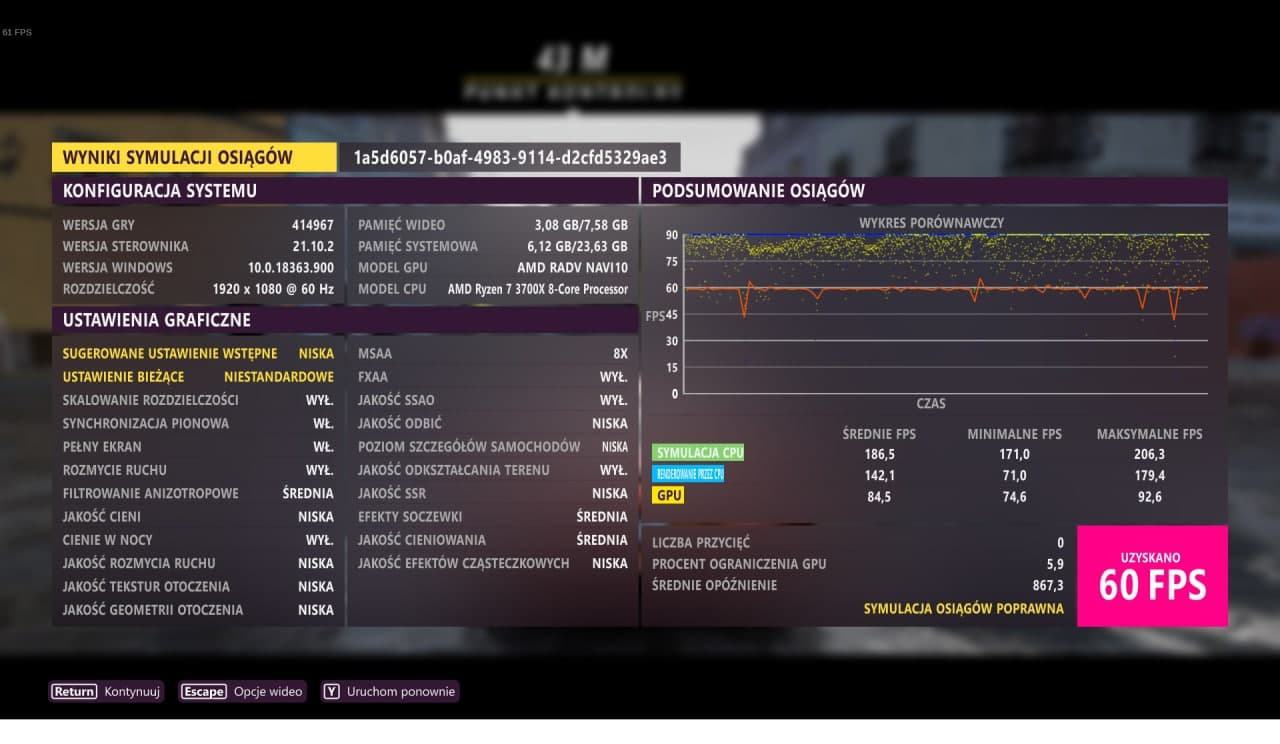
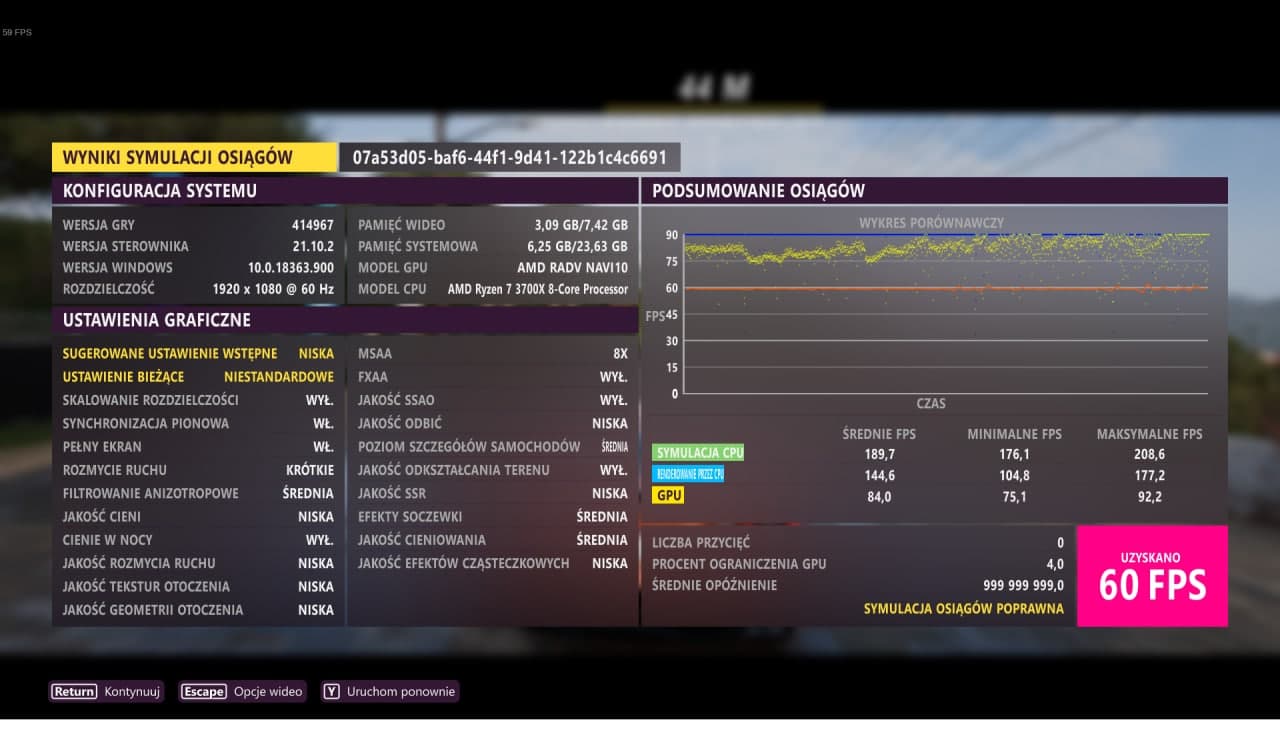
I tried putting an IO limit on a cgroup to see if that would work on an SSD, but while the limit worked it only made the performance worse. So I'm guessing there is some kind of hardware detection going on that changes how the things are being processed.
cries in first world problem : rig doesn't have hdd anymore
Le sam. 11 déc. 2021 à 17:22, aaveenvir @.***> a écrit :
Regarding the stutter/frame times problems, there are quite a few reports
of people on Windows fixing it by putting the game on their HDDs instead of
SSDs. My friend tested that on Linux, and lo and behlod, the game became
completely smooth. First screenshot is from an ADATA SX8200PNP NVME SSD(he
also tried with SATA Samsung 860 EVO and got pretty much the same results),
the second screenshot is from a benchmark run on an old WD BLUE WDC
WD10SPZX-22Z10T0:
[image: photo_2021-12-10_17-54-12]
https://user-images.githubusercontent.com/9077630/145683438-fd4c0bc2-ebea-472c-a420-e36fffab5c77.jpg
[image: photo_2021-12-10_18-31-40]
https://user-images.githubusercontent.com/9077630/145683439-91dfc2ca-622d-4dce-bae2-9289503cfd92.jpgI tried putting an IO limit on a cgroup to see if that would work on an
SSD, but while the limit worked it only made the performance worse. So I'm
guessing there is some kind of hardware detection going on that changes how
the things are being processed.—
You are receiving this because you commented.
Reply to this email directly, view it on GitHub
https://github.com/ValveSoftware/Proton/issues/5285#issuecomment-991700864,
or unsubscribe
https://github.com/notifications/unsubscribe-auth/AAGG3HAXJKGFAAAOQ2WY2B3UQN3FJANCNFSM5HNATWKQ
.
Triage notifications on the go with GitHub Mobile for iOS
https://apps.apple.com/app/apple-store/id1477376905?ct=notification-email&mt=8&pt=524675
or Android
https://play.google.com/store/apps/details?id=com.github.android&referrer=utm_campaign%3Dnotification-email%26utm_medium%3Demail%26utm_source%3Dgithub.
Just adding my crash log here for reference. This was recorded from the moment the game froze until it crashed.
Nvidia 495.44
Proton Experimental: bleeding-edge
Other issue: XBox One controller does not work at all. Steam Input loads the controller config, but it just does nothing. Checked if the config was blank.
in response to https://github.com/ValveSoftware/Proton/issues/5285#issuecomment-991700864
Quoted Post
Regarding the stutter/frame times problems, there are quite a few reports of people on Windows fixing it by putting the game on their HDDs instead of SSDs. My friend tested that on Linux, and lo and behlod, the game became completely smooth. First screenshot is from an ADATA SX8200PNP NVME SSD(he also tried with SATA Samsung 860 EVO and got pretty much the same results), the second screenshot is from a benchmark run on an old WD BLUE WDC WD10SPZX-22Z10T0:
I tried putting an IO limit on a cgroup to see if that would work on an SSD, but while the limit worked it only made the performance worse. So I'm guessing there is some kind of hardware detection going on that changes how the things are being processed.
here are my results using my RAID5 HDD array:
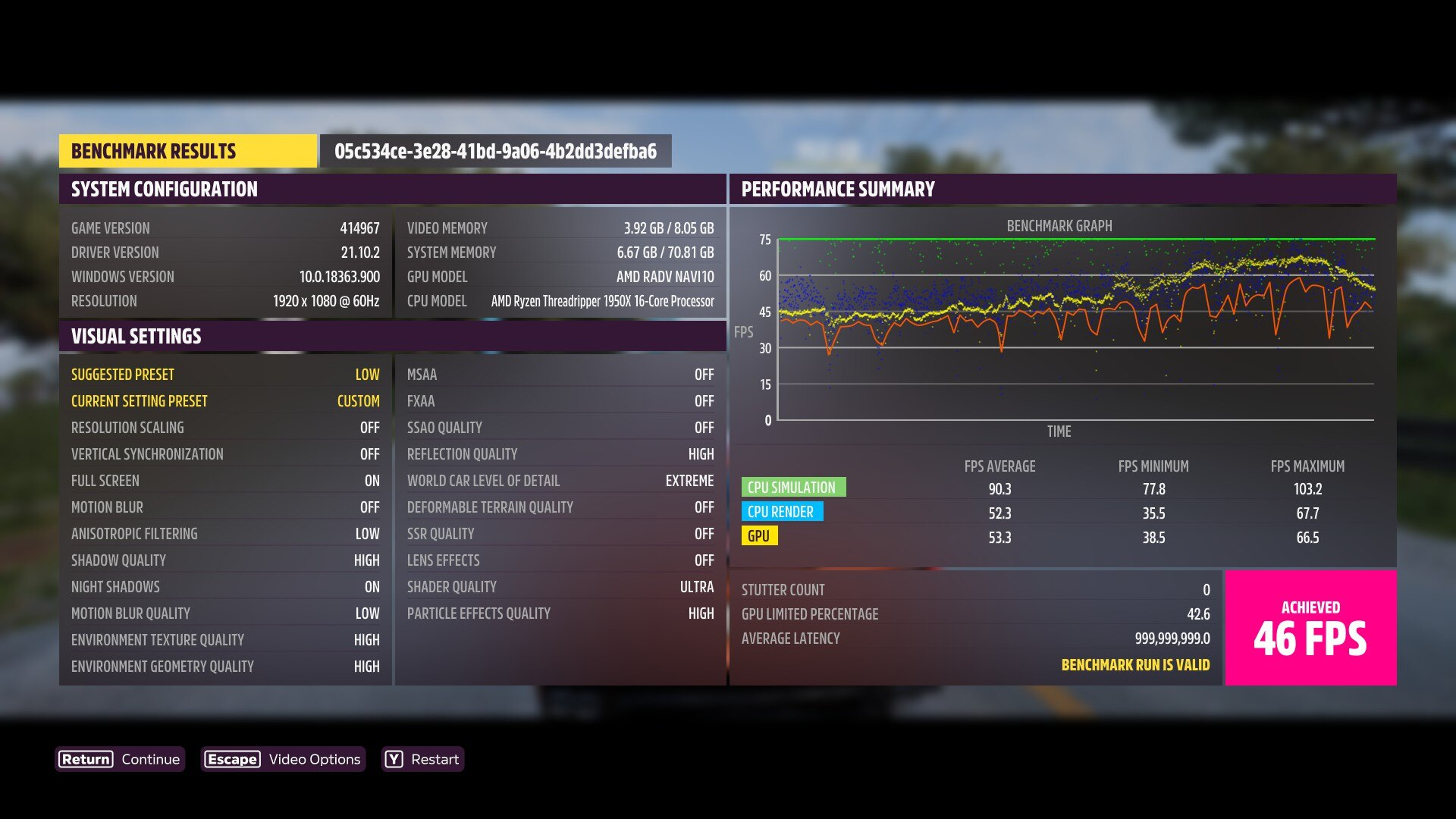
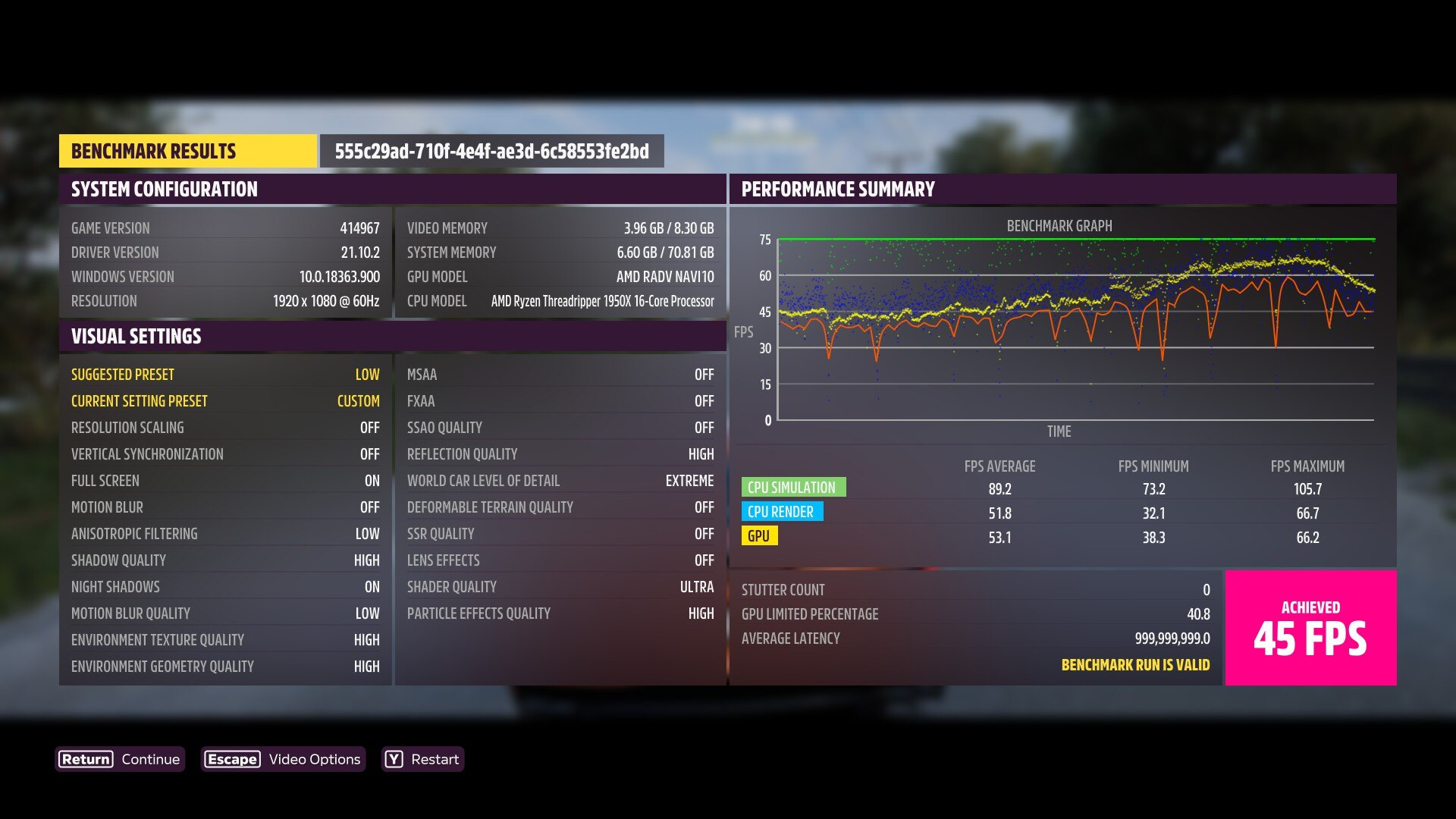
Results from using NVMe SSD
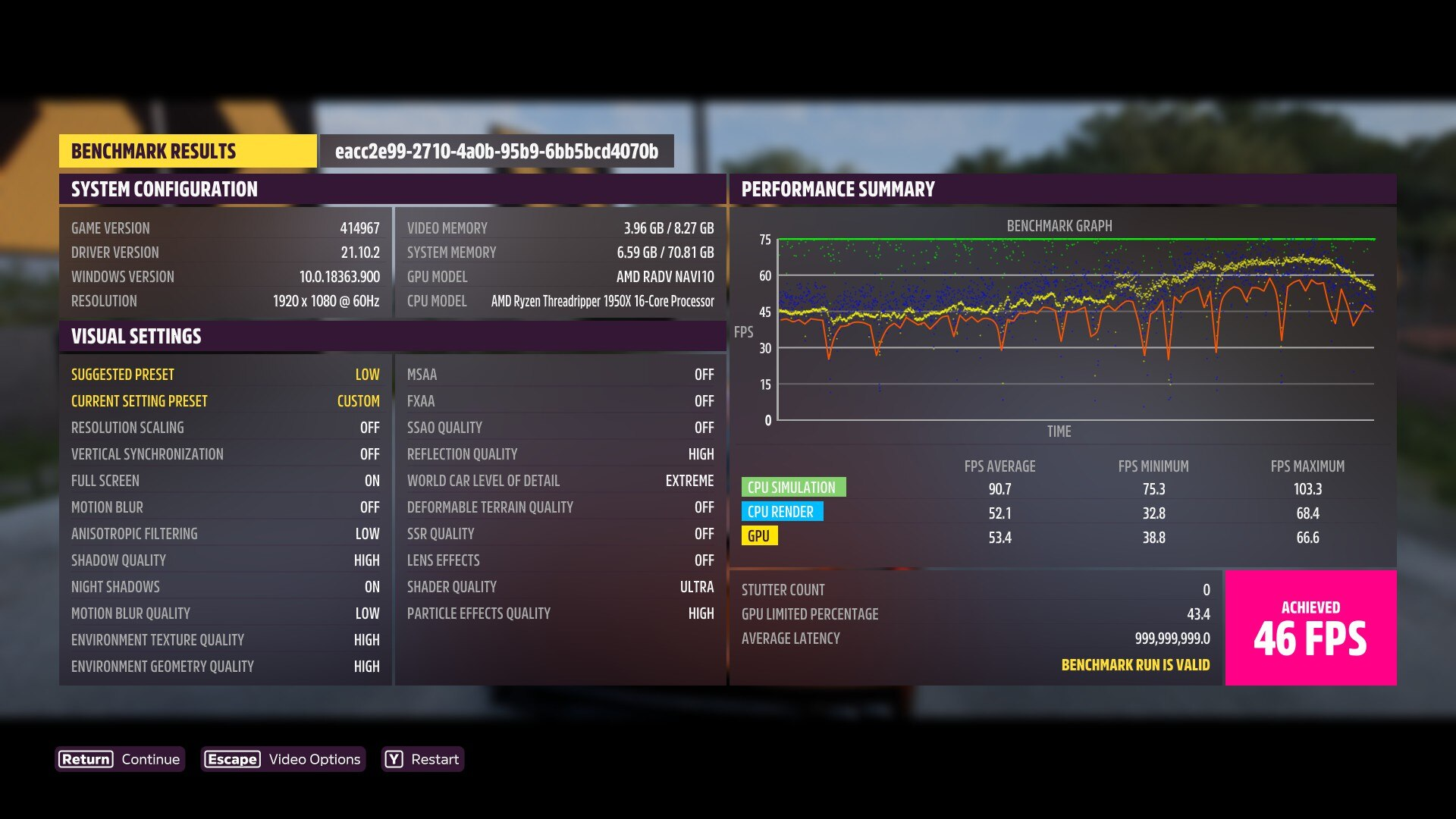
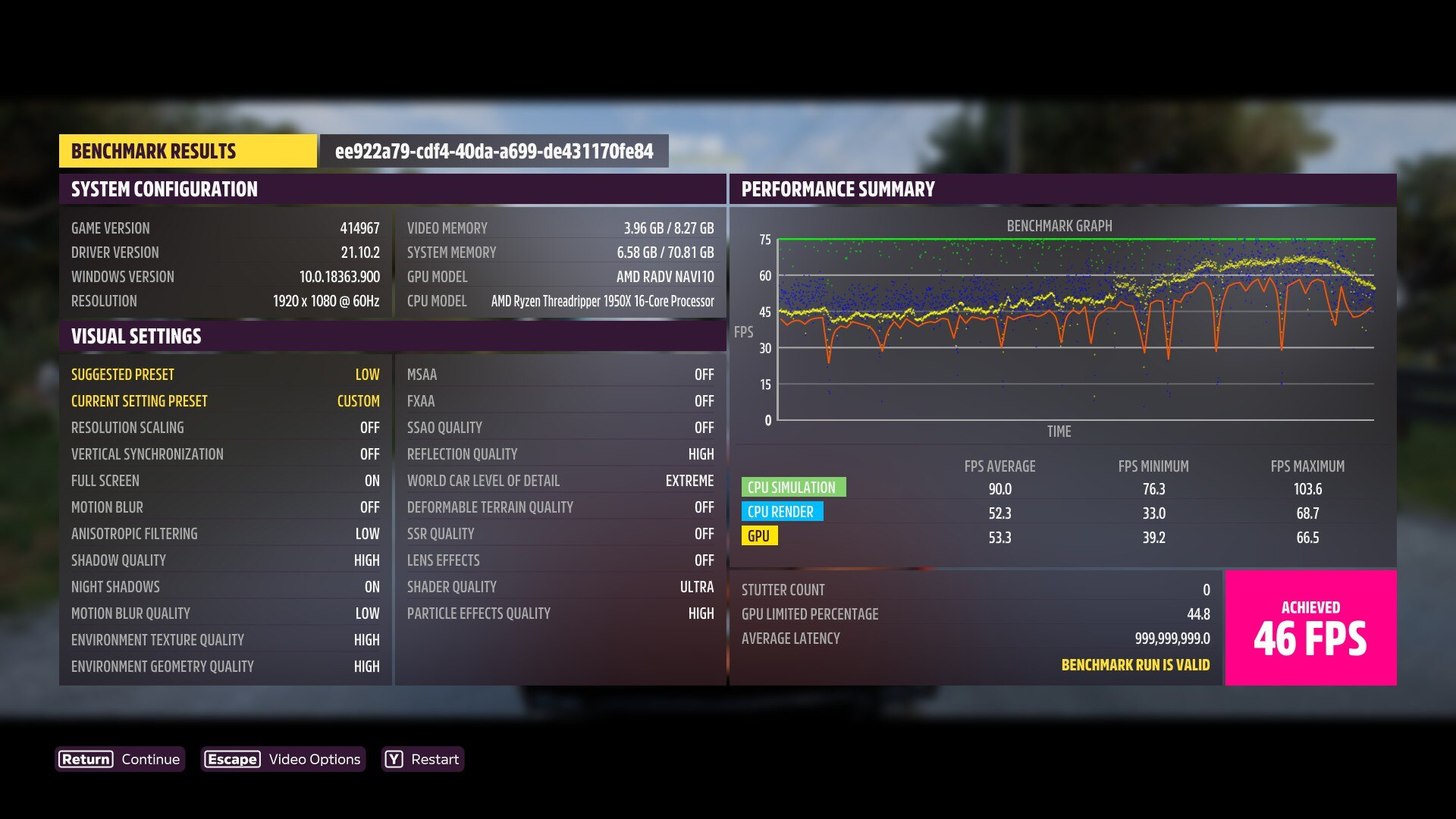
i dont see a significant advantage to using my RAID array here. if anything, using NVMe seems to perform slightly better. Proton Experimental Bleeding-Edge. Linux 5.16-rc2.
Replying to https://github.com/ValveSoftware/Proton/issues/5285#issuecomment-991700864
Anecdotal evidence from me, no logs, but it helped a lot. AMD GPU and proton Experimental Bleeding-Edge. Stuttering is still there but far less frequent and significant. I'd recommend others to try this as well. Good enough to play Forza without rebooting into windows for me.
EDIT: In case anyone is wondering. Game was on NVME, stuttering a lot. Changed to a very old HDD that should have been in the trash pile a long time ago and.... It runs way better.
@Godhet what settings did you use to play from the HDD? was environmental texture Quality set to High /Ultra / Extreme, and not Low? cause this is the one that causes the issues streaming data from the storage.
@NalianNalis Yes, I was using this fix as well but forgot to mention. 1440p, high preset with Environment texture quality set to low. Same settings as when I was on NVME drive.
Has anyone else problem with a memory leak since a few days ?
Before game runs good, now when i start ist everything works, i got the menu but when i load or newly the game get optimice for my computer ... i run out of memory. From 10GB if i'm in the menu up to the max (32GB) and then forza get killted by oom :(
I useing proton experimental
@karloff10
Make sure you aren't using amdgpu-pro drivers
@amazingefren
Thanks for the quick response i never used amdgpu_pro, hear about it was a great source for problems.
I only use regular amdgpu drivers, there was also no other driver changes since last working state of forza 5
There is an upcoming merge request in mesa 22-dev that reduces stuttering significantly.
i compiled mesa with that patch and tested with extreme settings on everything and msaa x8 3440x1440 the game is playable now at least on RDNA2 with those settings, there are micro-stutters sill but not the ones that stalled the game when IO reads were happening, they are barely noticeable.
EDIT: it is now merged
Does anyone else have an issue where after restarting the game, connecting online would fail constantly until you manually sign out and sign in again into your MS account? It's quite annoying since every time I want to play, I basically have to launch the game twice in order to relog.
And before anyone asks, no, this isn't an issue with the game server, the game always successfully connects online on Windows.
mesa 22-git from oibaf as of 2021-12-18 running of debian Bookworm with Linux 5.16-rc5, shows significant improvement (running from NVMe SSD) in reducing stutter, still a bit of it and general underperformance on the GPU.
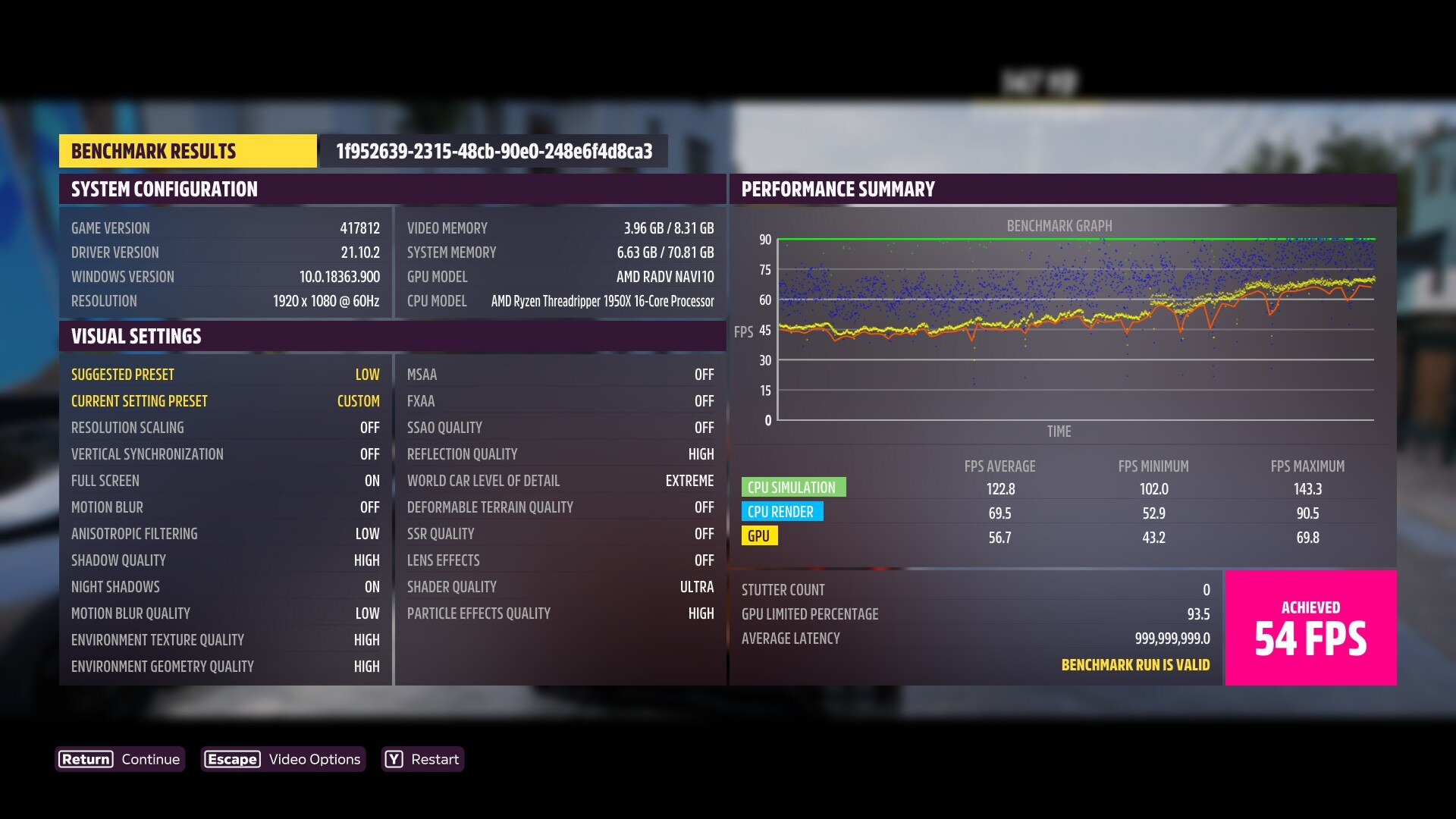
loading times are still abysmal.
Why do i get ths?
Latest Proton, latest wine (set to Win10), Arch Linux
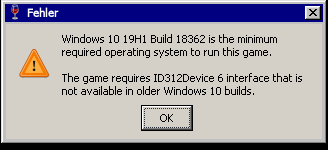
Why do i get ths? Latest Proton, latest wine (set to Win10), Arch Linux
Which "latest Proton"? You mean latest stable or Experimental or Experimental bleeding-edge?
Sorry, probably wrong thread... i use the popular fork proton-ge: https://github.com/GloriousEggroll/proton-ge-custom
Proton GE issues are to be reported on GE's discord, not here.
I'm having an issue where my PS5 controller isn't recognized by the game using Proton Experimental, but it works using the latest Proton GE.
I'm trying to play Forza Horizon 5 on a NVIDIA 1030 on Fedora 35 using Proton Experimental Bleeding Edge.
After playing for a bit after the first cut scene, the game crashes every time in the same spot, just after the jump.
There seem to be some dependency problems or something else for me. The games freezes during the initial loading screen on both Ubuntu 20.04 and elementary OS 6.1 which is also based on 20.04. Ubuntu 21.04 with the same kernel somehow works. It also works on Fedora 35 with various kernels. Does anyone know what might cause the problem?
I'm trying to play Forza Horizon 5 on a NVIDIA 1030 on Fedora 35 using Proton Experimental Bleeding Edge.
After playing for a bit after the first cut scene, the game crashes every time in the same spot, just after the jump.
Seems to be common on GTX 10-series cards.
I'm trying to play Forza Horizon 5 on a NVIDIA 1030 on Fedora 35 using Proton Experimental Bleeding Edge. After playing for a bit after the first cut scene, the game crashes every time in the same spot, just after the jump.
Setting 30 FPS and mailbox vsync in MangoHud solves this problem.
I'm trying to play Forza Horizon 5 on a NVIDIA 1030 on Fedora 35 using Proton Experimental Bleeding Edge. After playing for a bit after the first cut scene, the game crashes every time in the same spot, just after the jump.
Setting 30 FPS and mailbox vsync in MangoHud solves this problem.
Epilepsy warning for anyone that tries that, it might flicker a bit
It does work though, thanks for the late Christmas gift
I should mention it does crash if you hit max gpu load though, so try on very low before increasing the settings
Just a warning, only the following Nvidia GPUs support PRESENT_MODE_MAILBOX_KHR on Linux (which is required for Mailbox Vsync in MangoHud to work).
GeForce GTX 1050
GeForce GTX 960M
GeForce GTX 1050 Ti
GeForce GTX 1080 Ti
Quadro P2000
GeForce MX150
GeForce GT 650M
NVIDIA GeForce GTX 1660 Ti with Max-Q Design
Pretty much every Nvidia GPU supports the mode on Windows, but those are literally the only Nvidia models that support it on Linux. So if you don't have one of those cards, Mailbox will not work. Lol even my 3090 (and no Ampere or Turing GPUs) support it. I guess that's a tradeoff for Pascal and earlier not being able to run vkd3d-proton games well, lol.
Maybe somehow it might still cause the fix, but mailbox isn't working.
You can check support by running vulkaninfo | grep -i mail and see if PRESENT_MODE_MAILBOX_KHR shows up.
Hmm that's odd that it worked for me then, I'll check that when I can
I'm trying to play Forza Horizon 5 on a NVIDIA 1030 on Fedora 35 using Proton Experimental Bleeding Edge. After playing for a bit after the first cut scene, the game crashes every time in the same spot, just after the jump.
Setting 30 FPS and mailbox vsync in MangoHud solves this problem.
Okay, I'll try this then report my findings here.
vulkaninfo | grep -i mail
For me vulkaninfo | grep -i mail gives an empty output (1080Ti) but I can play for 2-3 hours without a crash. If I stop mailbox, it freezes almost immediately, hmm...
Replying to https://github.com/ValveSoftware/Proton/issues/5285#issuecomment-1001852697
Yeah just as you expected, support is not listed in the output for the 1070
vulkaninfo | grep -i mail
For me
vulkaninfo | grep -i mailgives an empty output (1080Ti) but I can play for 2-3 hours without a crash. If I stop mailbox, it freezes almost immediately, hmm...
That is weird that it doesn't show any output, but your GPU is listed in the list of supported GPUs:
GeForce GTX 1050
GeForce GTX 960M
GeForce GTX 1050 Ti
**GeForce GTX 1080 Ti**
Quadro P2000
GeForce MX150
GeForce GT 650M
NVIDIA GeForce GTX 1660 Ti with Max-Q Design
Yes I saw that, but it really gives empty output :)
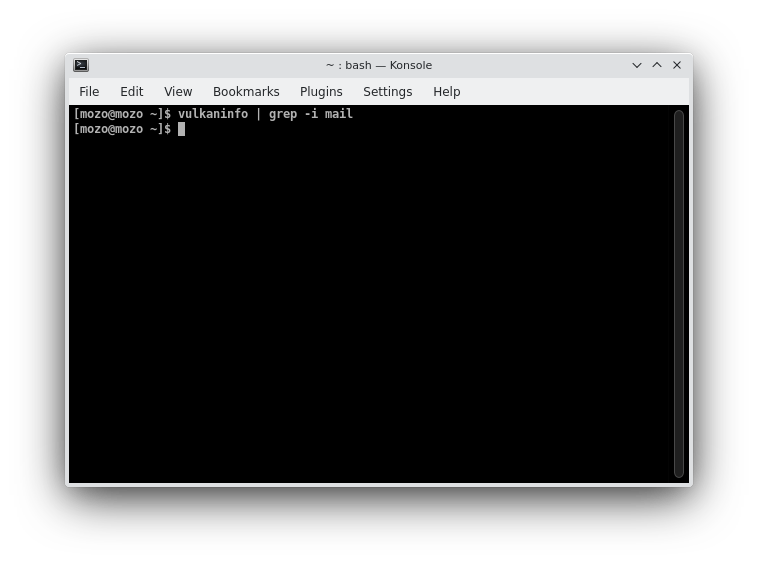
I'm trying to play Forza Horizon 5 on a NVIDIA 1030 on Fedora 35 using Proton Experimental Bleeding Edge. After playing for a bit after the first cut scene, the game crashes every time in the same spot, just after the jump.
Setting 30 FPS and mailbox vsync in MangoHud solves this problem.
How would I go about doing this?
Open MangoHud.conf and in the Performance section set it like this:
https://pastebin.com/czPcQVVF
You can also set it in the steam launch options Which would be
MANGOHUD_CONFIG=vsync=2,fps_limit=30 mangohud %command%
as of 2021-DEC-30: maybe mesa oibaf had a regression? or maybe it was proton-experimental-bleeding-edge? im suddenly
down 10fps from my last test. Linux 5.16-rc7
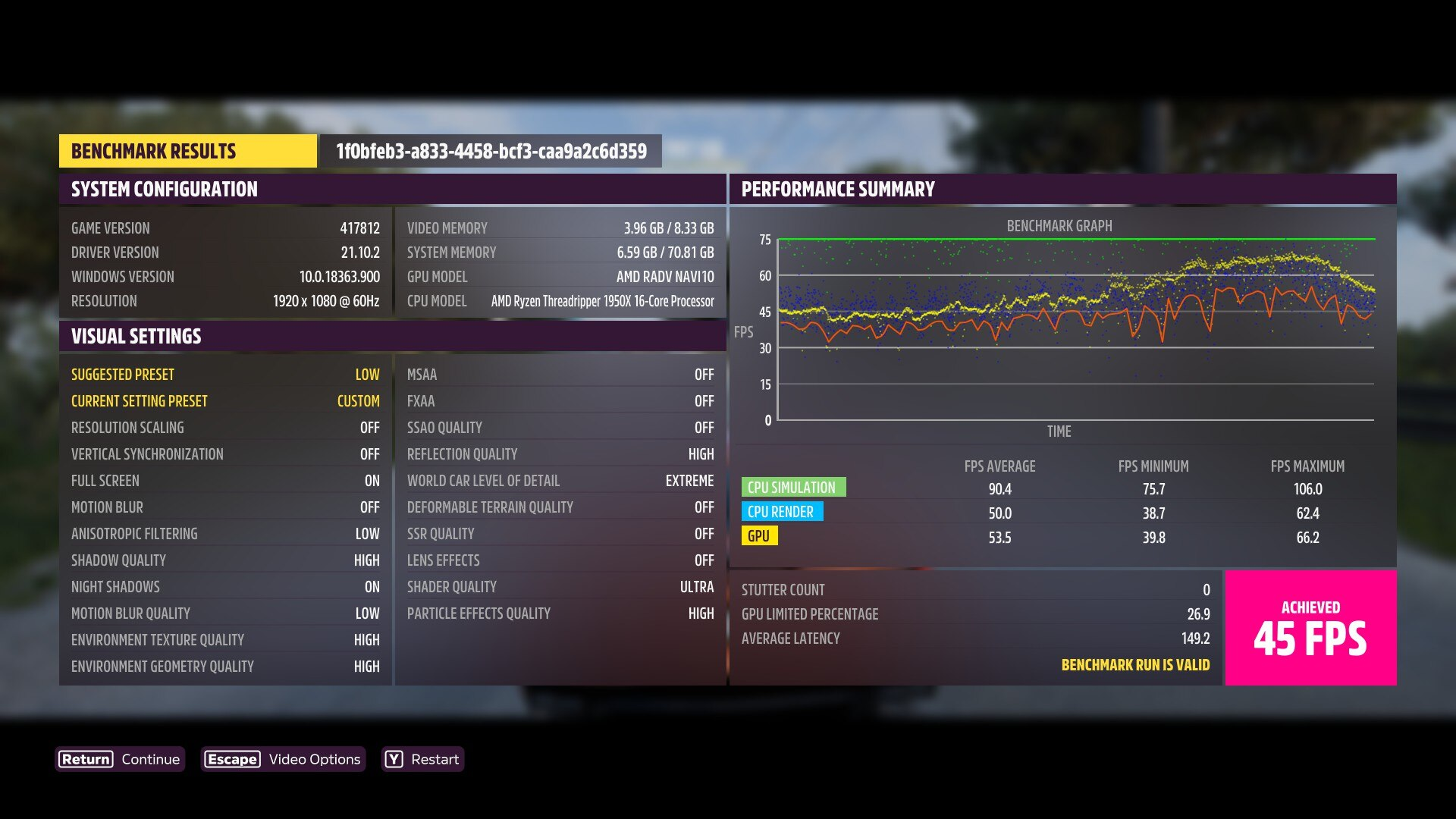
Still not getting rumble on my controller -- anyone got it working yet? Can't find any updates / fixes.
Xbox One S controller (both USB & BT)
Kubuntu 20.10
Proton Experimental
it now seems to always crash at launch. log was an uploadable size this time:
steam-1551360.log
(It's fixed now??)
2022-JAN-03. i am also now unable to launch the game on Proton experimental bleeding edge.
also the DirectX installer hang bug from over a year ago is back.
Not sure if this is useful information or not but I am seeing a memory leak type issue during the "Optimizing for your PC" step
- Game loads fine (though I have to move a black window to another workspace to see the game)
- Log into xbox live a little glitchy graphically but works fine
- Load game OR load Graphics Benchmark in settings
Optimizing for your PC ... Please wait(gets to ~11% progress)- Game starts chewing up ram
- OOM Killer kills the process
I believe this is generating shaders behind the scenes (I could be wrong).
Up to date Arch
AMD Ryzen 9 5900X 12-Core
32gb RAM
AMD 9800xt
Proton Experimental/Experimental Bleeding Edge (Also tried GE 6.18/7rc3)
wine staging
xorg/i3
2022-JAN-03. i am also now unable to launch the game on Proton experimental bleeding edge. also the DirectX installer hang bug from over a year ago is back.
@mathew2214 Could you upload your system information and a log of the launch failure? You can create a basic log by sticking PROTON_LOG=1 %command% to the launch options -- it will be saved by default in ~/steam-appid.log.
2022-JAN-04: whatever was bugged yesterday, is now fixed. the DirectX installer hang is gone and the game now launches without issue. still grossly underperforms from what i would expect of my hardware.
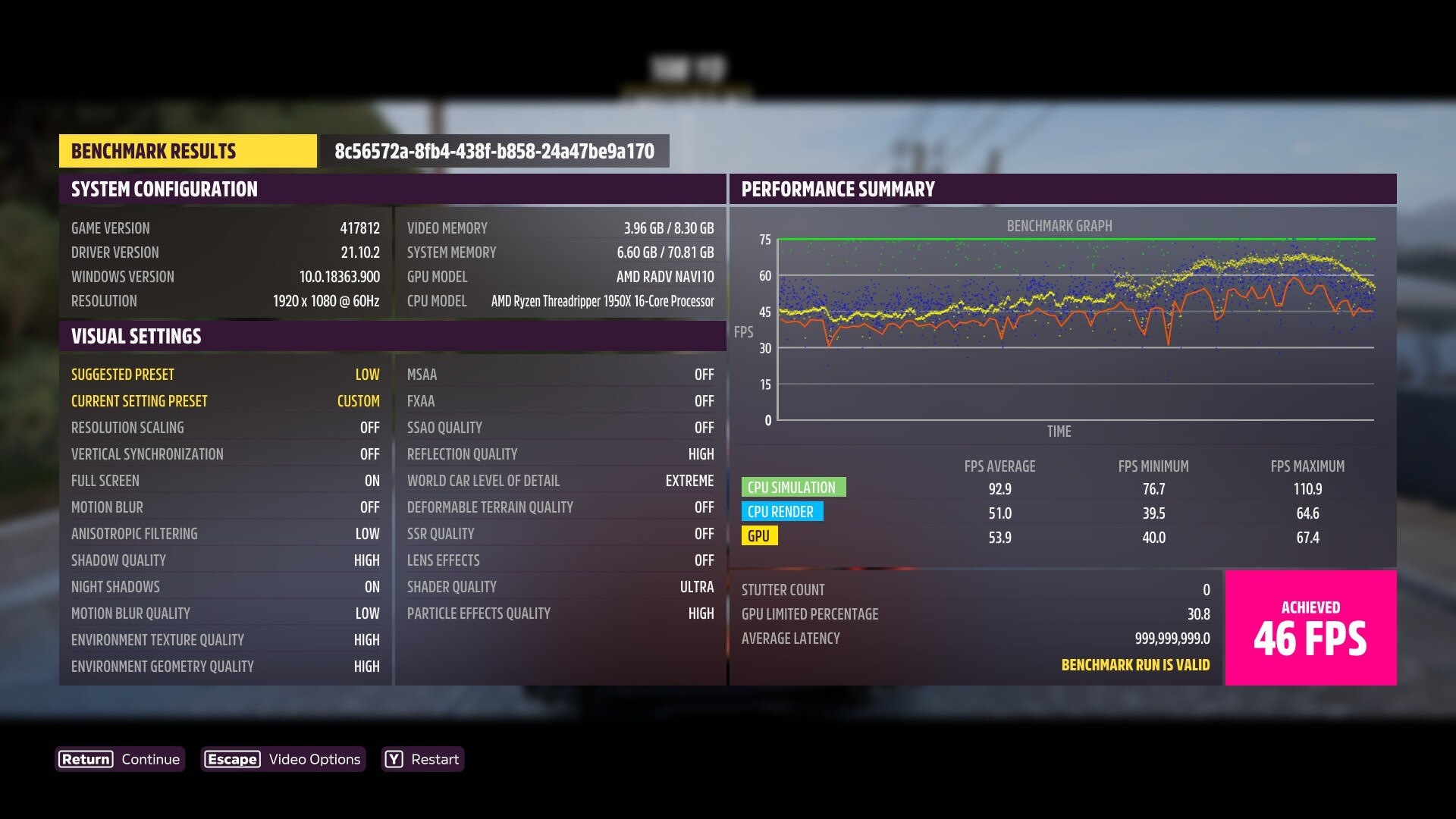
system info: https://gist.github.com/mathew2214/52ff98a00bbbc6676f1d749b030a30e9
Got today the same problem @ryanwalder had, after an update from Forza Horizon 5 and Proton Runtime.
The game starts with 40GB of virtual memory and in the loading screen it goes up to around 70GB virtual
with 36GB reserved, after that my system crashes (seems my OOM-Killer is configured too nice).
Tried it 3 times, same behavior.
Another positive result when using mongohud and a 30 fps limit here. I was getting crashes (black screen, audio kept going) after some amount of time (varying, but about 5-15 minutes) using Proton Experimental Bleeding Edge but throwing in mongohud with a 30fps limit let me play for ~90 minutes without a crash. I also tested mongohud with a 60fps limit, that still crashed. I have enabled the vsync=2 option in mongohud, but my card (RTX2060) or drivers (470.86) do not support mail sync (vulkaninfo | grep -i mail is empty) so I don't know if that's having any effect.
I'll test this later tonight, but has anyone else tested not using mongohud, but just setting a 30fps limit within FH5 itself? I note that others have achieved success by reducing graphics options, which makes me suspect that the important thing is limiting the GPU usage, and not that mongohud does something else.
Do we have any technical ideas on why the game might not be working?
that would be a good place to start implementing a fix.
Replying to https://github.com/ValveSoftware/Proton/issues/5285#issuecomment-1006015072
For some reason just setting the FPS in game does nothing for me, I remember trying before, it only worked with mangohud
Yes, I can confirm.
I can't run the game now to check if it still does so, but when I switched on the in-game metrics before, they showed 0. It's as if the game does not actually know what the draw state is of the current frame. (nvidia) I might be barking up the wrong tree, but this might be something to look at?
Tried to limit with "as" limit in /etc/security/limits.conf to 30GB, with that, the game just plain crashes:
          PID: 7335 (ForzaHorizon5.e)
           UID: 1000 (dslinuxuser)
           GID: 985 (users)
        Signal: 11 (SEGV)
     Timestamp: Thu 2022-01-06 16:25:16 CET (35s ago)
  Command Line: $'Z:\\home\\dslinuxuser\\.local\\share\\Steam\\steamapps\\common\\ForzaHorizon5\\ForzaHorizon5.exe'
    Executable: /home/dslinuxuser/.local/share/Steam/steamapps/common/Proton - Experimental/files/bin/wine64-preloader
 Control Group: /user.slice/user-1000.slice/[email protected]/app.slice/app-steam-7ff0bbfe0eb1414190d771b565db005b.scope
          Unit: [email protected]
     User Unit: app-steam-7ff0bbfe0eb1414190d771b565db005b.scope
         Slice: user-1000.slice
     Owner UID: 1000 (dslinuxuser)
       Storage: /var/lib/systemd/coredump/core.ForzaHorizon5\x2ee.1000.de40828de8c842248e0af22b7cc94e6f.7335.1641482716000000.zst (present)
     Disk Size: 68.8M
       Message: Process 7335 (ForzaHorizon5.e) of user 1000 dumped core.

                Module /home/dslinuxuser/.local/share/Steam/steamapps/common/Proton - Experimental/files/bin/wine64 without build-id.
                Module /home/dslinuxuser/.local/share/Steam/steamapps/common/Proton - Experimental/files/lib64/wine/kerberos.dll.so without build-id.
                Module /run/host/usr/lib/libXfixes.so.3.1.0 with build-id 0a05c7e8714522bfbdd7c0027c3e2a94965664b0
                Module /run/host/usr/lib/libXxf86vm.so.1.0.0 with build-id 01e8243d0c6c971fa9e743e6e53d606b1cb76f6e
                Module /run/host/usr/lib/libXext.so.6.4.0 with build-id d70f24beb4fad748d6becffdcc13e51be0a2ebfa
                Module /home/dslinuxuser/.local/share/Steam/steamapps/common/Proton - Experimental/files/lib64/wine/winex11.drv.so without build-id.
                Module /run/host/usr/lib/libunistring.so.2.1.0 with build-id 015ac6d6bcb60b7d8bea31a80d1941b06e8636ab
                Module /run/host/usr/lib/libidn2.so.0.3.7 with build-id 1ce2b50ad9f9821c2c629b521cf5a3c99593d332
                Module /run/host/usr/lib/libexpat.so.1.8.2 with build-id 16023a53e7b5bbdff92bd0bf2eebd36f9b5b879f
                Module /run/host/usr/lib/libz.so.1.2.11 with build-id 0c1459c56513efd5d53eb3868290e9afee6a6a26
                Module /home/dslinuxuser/.local/share/Steam/steamapps/common/Proton - Experimental/files/lib64/wine/dnsapi.dll.so without build-id.
                Module /home/dslinuxuser/.local/share/Steam/steamapps/common/Proton - Experimental/files/lib64/wine/netapi32.dll.so without build-id.
                Module /home/dslinuxuser/.local/share/Steam/steamapps/common/Proton - Experimental/files/lib64/wine/secur32.dll.so without build-id.
                Module /run/host/usr/lib/libresolv-2.33.so with build-id c915c72668282861a813f7ea3c0780f37b681dc0
                Module /home/dslinuxuser/.local/share/Steam/steamapps/common/Proton - Experimental/files/lib64/wine/iphlpapi.dll.so without build-id.
                Module /home/dslinuxuser/.local/share/Steam/steamapps/common/Proton - Experimental/files/lib64/wine/shell32.dll.so without build-id.
                Module /home/dslinuxuser/.local/share/Steam/steamapps/common/Proton - Experimental/files/lib64/wine/crypt32.so without build-id.
                Module /home/dslinuxuser/.local/share/Steam/steamapps/common/Proton - Experimental/files/lib64/wine/gamingtcui.dll.so without build-id.
                Module /home/dslinuxuser/.local/share/Steam/steamapps/common/Proton - Experimental/files/lib64/wine/bcrypt.so without build-id.
                Module /home/dslinuxuser/.local/share/Steam/steamapps/common/Proton - Experimental/files/lib64/wine/ws2_32.dll.so without build-id.
                Module /home/dslinuxuser/.local/share/Steam/steamapps/common/Proton - Experimental/files/lib64/wine/gdi32.so without build-id.
                Module /home/dslinuxuser/.local/share/Steam/steamapps/common/Proton - Experimental/files/lib64/wine/msvcrt.so without build-id.
                Module /home/dslinuxuser/.local/share/Steam/steamapps/common/Proton - Experimental/files/lib64/wine/user32.so without build-id.
                Module /home/dslinuxuser/.local/share/Steam/steamapps/common/Proton - Experimental/files/lib64/wine/winevulkan.dll.so without build-id.
                Module /home/dslinuxuser/.local/share/Steam/steamapps/common/Proton - Experimental/files/lib64/wine/ucrtbase.so without build-id.
                Module /home/dslinuxuser/.local/share/Steam/steamapps/common/Proton - Experimental/files/lib64/libwine.so.1.0 without build-id.
                Module /home/dslinuxuser/.local/share/Steam/steamapps/common/Proton - Experimental/files/lib64/wine/ntdll.so without build-id.
                Module /run/host/usr/lib/libXdmcp.so.6.0.0 with build-id 8ca0792d23c8b8b4c0864297512349292bea5955
                Module /run/host/usr/lib/libXau.so.6.0.0 with build-id 1c67764663e07bec24d8951e5fd93f4d165979ff
                Module /run/host/usr/lib/libxcb.so.1.1.0 with build-id 0d1ef11740a5daad2ee331e812a51aa6574af222
                Module /run/host/usr/lib/libX11.so.6.4.0 with build-id 5ba5798d193c0065014b8c6252a0678671c8d478
                Module /run/host/usr/lib/libGLX.so.0.0.0 with build-id 2a08836c6e6126ce9ff4496b6aacaf29ae9b4e7b
                Module /run/host/usr/lib/libGLdispatch.so.0.0.0 with build-id 501765b3a78d668860fa54229b18107473aeda4c
                Module /run/host/usr/lib/libm-2.33.so with build-id 2b8fd1f869ecab4e0b55e92f2f151897f6818acf
                Module /run/host/usr/lib/libGL.so.1.7.0 with build-id 912ac4f37a9fa2d5abcf7a9088c9983cfe46f12a
                Module /run/host/usr/lib/librt-2.33.so with build-id 75484da2d6f1515189eefa076e0a40328834cd16
                Module /run/host/usr/lib/libstdc++.so.6.0.29 with build-id 9b5eeeb149bf3c4efe787fb398b44f00507aec87
                Module /run/host/usr/lib/libc-2.33.so with build-id 4b406737057708c0e4c642345a703c47a61c73dc
                Module /run/host/usr/lib/libdl-2.33.so with build-id 5abc547e7b0949f89f3c0e21ab0c8331a7440a8a
                Module /run/host/usr/lib/libpthread-2.33.so with build-id 07c8f95b4f3251d08550217ad8a1f31066229996
                Module /home/dslinuxuser/.local/share/Steam/ubuntu12_64/gameoverlayrenderer.so with build-id 3eb9b71505d9454f3e56758b81a6669448b151ad
                Module /run/host/usr/lib/ld-2.33.so with build-id 040cc3dd10461562f177df39e3be2f3704258c3c
                Module linux-vdso.so.1 with build-id ced46242a6b9759d71c9299603af4fb373b21362
                Stack trace of thread 7346:
                #0  0x00007f6d07cb01f6 n/a (/home/dslinuxuser/.local/share/Steam/steamapps/common/Proton - Experimental/files/lib64/wine/ntdll.so + 0x591f6)
                #1  0x0000000000000000 n/a (n/a + 0x0)
                ELF object binary architecture: AMD x86-64
Replying to https://github.com/ValveSoftware/Proton/issues/5285#issuecomment-1004267505
To add to this I setup a 128GB swap partition for shits and giggles and managed to get past the Optimizing for your PC bit (hit 100% at something stupid like 100GB swap+32gb ram) and got to the loading screen with the controller layout (xbone series) but the game was still just eating RAM (and SWAP) till it got OOM killed (or deadlocked my system because zfs) after using all the SWAP+RAM.
Was hoping it would stop leaking after the Optimizing for your PC stop but it didn't seem to.
Note: I've refunded the game via Steam now, best of luck!
After I posted my comment, I did the same and enabled a 150GB swapfile.
Well, the game could load now and uses 150GB of memory (RAM + Swap).
It's Microsoft, you know :D
Try to limit FPS to 30 in MangoHud and choose mailbox Vsync. Then you can play for hours.
Nvidia GPUs (outside of apparently 5 or 6) don't support MAILBOX present mode, so that won't work for anyone not on one of those cards.
According to vulkan.gpuinfo.org, on Linux only these cards support PRESENT_MODE_MAILBOX_KHR:
GeForce GTX 1050
GeForce GTX 960M
GeForce GTX 1050 Ti
GeForce GTX 1080 Ti
Quadro P2000
GeForce MX150
GeForce GT 650M
Anyway, if you're on Nvidia and not one of those GPUs, you'll have to use another Vsync mechanism
(Basically every Vulkan-supporting Nvidia GPU supports PRESENT_MODE_MAILBOX_KHR on Windows, so this is clearly just something in the driver Nvidia doesn't care to bother coding in for Linux)
GeForce GTX 1080 Ti doesn't support it either but I can play for hours. As soon as I disable mailbox and the game crashes like shit.
GeForce GTX 1080 Ti doesn't support it either but I can play for hours. As soon as I disable mailbox and the game crashes like shit.
It does, though. One of the few that do.
Replying to https://github.com/ValveSoftware/Proton/issues/5285#issuecomment-1002243976
I already answered this :)
I'm almost certain the reports claiming that these cards support PRESENT_MODE_MAILBOX_KHR are just incorrect. I have access to a 1080Ti running 495.46 on Linux and it does not expose or advertise support for that extension.
Yet setting mailbox in MangoHud helps and one can play for hours. Unfortunately the game gets boring very soon...
Unfortunately the game gets boring very soon...
same, i still don't know why i spent 100 dollars on this...
all i do now is just get an old car, disable interface, and just drive endlessly forever
I've tested MANGOHUD=1 MANGOHUD_CONFIG=vsync=2,fps_limit=30 %command% with the Very Low graphical preset and the game hasn't crashed at all. I tried the Low graphical preset as well but it crashes.
I noticed the moment my GPU passes the ~45% load mark the game will crash for some reason at random with the following error:
NVRM: GPU at PCI:0000:01:00: GPU-7aa2ff9e-8f07-c13f-07ca-860a66884367
NVRM: Xid (PCI:0000:01:00): 31, pid=17672, Ch 00000013, intr 00000000. MMU Fault: ENGINE GRAPHICS GPCCLIENT_T1_0 faulted @ 0x1_d419b000. Fault is of type FAULT_PDE ACCESS_TYPE_VIRT_READ
I've also tried 60fps for a smoother experience, it the crashes are a lot less common, in comparison with running at 30fps with the Low preset at least, so it should be a lot less annoying.
Also a note the game itself will crash at random it's not that stable on Windows either.
PC Info
OS: Gentoo Base System release 2.8 x86_64
Kernel: 5.15.12-xanmod1-x86_64-custom
CPU: AMD Ryzen 9 4900H with Radeon Graphics (16) @ 3.300GHz
GPU: AMD ATI 06:00.0 Renoir
GPU: NVIDIA GeForce RTX 2060 Mobile
Memory: 16GB with 8GB swap
So it's very low preset, capped at 60 FPS that worked best for you? When I can, I will test that. I started having some weird issues so I'll see if they remain with those settings
Edit: it doesn't. It's weird, it got through the intro fine, but then on the first race post intro it can never get to the end, I was convinced maybe I'm just unlucky, but I'm beginning to think it can't get past there. I'd upload a log but it's far too big
This game doesn't work with my racing wheel (Logitech G29)... It doesn't appear to recognize the racing wheel at all...
For me the game doesn't really work neither on AMD nor on Nvidia.
On my Vega56 I get 20-25fps at 900p with low graphics preset. On my Nvidia Quadro P520 I get 30fps on very low and 900p but the game freezes after a minute or so.
I have to use Proton-7.0rc3-GE-1 because with proton experimental (even bleeding edge) I only get a black screen after the intro video (on both cards).
OS: Fedora 35
Kernel: 5.15.12-200.fc35.x86_64
CPU: i7-10610U
GPU: Nvidia Quadro P520 (driver version: 495.46)
eGPU: AMD Vega56
Memory: 32GB
Replying to [#5285 (comment)](https://github.com/ValveSoftware/Proton/issues/5285#issuecomment-1008158412)
Mind you 30fps Very Low was the one that had the least crashes for me, 60fps Very Low still crashes but it's less common compared to 30fps on Low or higher. I'm using 60fps for smoothness and responsiveness rather than stability.
Replying to [#5285 (comment)](https://github.com/ValveSoftware/Proton/issues/5285#issuecomment-1008247568)
Is your game frame capped? Because 20-25fps at 900p on the Low preset on Vega 56 seems more of an issue with your distro (e.g. missing packages).
Is your game frame capped? Because 20-25fps at 900p on the Low preset on Vega 56 seems more of an issue with your distro (e.g. missing packages).
Missing packages don't cause low fps, they cause games to not launch at all.
Now they could have wrong packages installed, but not missing packages. If they didn't have vulkan drivers that supported their GPU and the Vulkan ICD loader, etc. the game wouldn't launch.
The only package issue that could be causing OP to have low fps is if they have amdvlk/lib32-amdvlk` installed. Because when amdvlk is installed, it installs a json file that forces itself as the default and requires the user to disable the layer with an environment variable and also specify to use RADV with another environment variable, it's actually quite insidious for an open source driver.
So, @davidM-tugraz, check and make sure you don't have amdvlk or it's 32-bit counterpart installed. On EITHER the AMD or Nvidia systems (as it actually causes issues with Nvidia GPUs too, but those issues are generally "keeps games from launching period," rather than "poor performance." If you do, remove them, reboot, and try running the game again. Obviously you must make sure you have vulkan-radeon and lib32-vulkan-radeon installed on the AMD system or else Vulkan won't work period (you need nvidia-utils and lib32-nvidia-utils for Nvidia).
@Giovani1906 @gardotd426 thanks for your answers.
So far the performance only has been bad with DirectX 12 games. Other games have way better performance with the Vega56 (Witcher 3 at 1080 and ultra has 30-50fps depending on the scene).
[david@zbook-firefly14-g7 ~]$ sudo dnf install xorg-x11-drv-amdgpu mesa-vulkan-drivers.x86_64 mesa-vulkan-drivers.i686 vulkan-loader.x86_64 vulkan-loader.i686 vulkan-tools
Letzte Prüfung auf abgelaufene Metadaten: vor 3:11:19 am So 09 Jän 2022 09:30:57.
Das Paket xorg-x11-drv-amdgpu-21.0.0-1.fc35.x86_64 ist bereits installiert.
Das Paket mesa-vulkan-drivers-21.3.3-1.fc35.x86_64 ist bereits installiert.
Das Paket mesa-vulkan-drivers-21.3.3-1.fc35.i686 ist bereits installiert.
Das Paket vulkan-loader-1.2.189.0-1.fc35.x86_64 ist bereits installiert.
Das Paket vulkan-loader-1.2.189.0-1.fc35.i686 ist bereits installiert.
Das Paket vulkan-tools-1.2.189.0-1.fc35.x86_64 ist bereits installiert.
Abhängigkeiten sind aufgelöst.
Nichts zu tun.
Fertig.
[david@zbook-firefly14-g7 ~]$ sudo dnf search amdvlk
[sudo] Passwort für david:
Letzte Prüfung auf abgelaufene Metadaten: vor 3:17:43 am So 09 Jän 2022 09:30:57.
Keine Übereinstimmungen gefunden.
[david@zbook-firefly14-g7 ~]$
Everything for Vulkan on the Vega56 should be installed and apparently Fedora doesn't even offer the amdvlk drivers in their repo.
I also just tried the game on another system and I used the mangohud options mentioned above. The game felt really smooth on medium and never dropped under 30fps, but it again froze after a few minutes (during the video scene where you discover the VW Beetle).
OS: Fedora 35
Kernel: 5.15.12-200.fc35.x86_64
CPU: i5-6600k
GPU: Nvidia GTX 1070 (driver version: 495.46)
Memory: 16GB
Try a few times and it may proceed past this point.
I also just tried the game on another system and I used the mangohud options mentioned above. The game felt really smooth on medium and never dropped under 30fps, but it again froze after a few minutes (during the video scene where you discover the VW Beetle).
GPU: Nvidia GTX 1070 (driver version: 495.46)
@davidM-tugraz Just FYI, Pascal (and earlier) GPU architectures from Nvidia are not capable of running vkd3d-proton correctly (due to the lack of support on an architectural level for bindless UBO, as well as the lack of support for several Vulkan extensions vkd3d-proton makes use of). So DX12 performance (and to a point even potentially compatibility) through vkd3d-proton on Pascal and earlier is something that is basically unfixable. There are several sources from different vkd3d-proton devs explaining this, so just be aware.
Seems your Quadro is also Pascal, so expect the same situation there.
Obviously this particular game is freezing for most Nvidia users regardless of architecture, but be aware that trying to game using vkd3d-proton on either Nvidia system is going to be a horrid experience (there are one or two games I've heard of that don't seem to be affected by the issue for Pascal users, but 99% of DX12 games are). In any game that offers both DX11 and DX12, always choose DX11 (when using either Nvidia GPU, at least).
The bad performance in DX12 games on Vega 56 may also be due to missing Vulkan extensions that are required for vkd3d-proton to perform adequately. It's nothing like Pascal vkd3d performance (which is a legit meme at this point), but it's an old-enough architecture that it may be the cause of your DX12 performance issues.
im getting severe under-performance and frequent crashes.
Linux 5.16.AMD Navi10, Proton experimental bleeding-edge. MESA oibaf.
upgraded to Linux 5.17-rc2 and mesa oibaf 2022-FEB-01. with Proton experimental bleeding-edge, the crashes are gone, played for hours without a single crash. but the performance is still far below what i would expect of Navi10.
So, some days and updates later, the memory leak exists still:

Gladly I swapon can use files and can enabled interactively.
3700X
32GB RAM
RX6700XT
Kernel 5.16.2 with its AMDGPU
Opens the tiny boot window, then goes fullscreen for a second, then crashes
Void linux, Kernel 5.15.? 16GB ram, NVIDIA GTX1660, driver ver 510.47.03
running under DWM as window manager, which might cause the issue. I'm quite new to this so I'm mostly wondering how I could debug this.
Alright managed to get a log:
steam-1551360.log
Its super long, so I'm not sure how useful it is. Seems that something with directx conversion goes wrong, and after that it's just a lot unwraps.
Looking at it further, it seems to get to trying to open too many files, and somewhere after that it pagefaults, then crashes completely
Hello @Dimev, your log includes eventfd: Too many open files, please check ulimit -Hn and verify it is a high value and not 4096.
I've set it to 65536 and it's now at optimizing for your pc, so that's good
It's not going very fast, I'll edit this once/if I get in-game
Edit: did not get in game (as in, driving) first time the welcome back menu worked, but it got stuck so I restarted. Now it doesn't get past the loading screen, and instead uses 100% cpu and slowsly increases in ram usage
Is 65536 enough or do I need to allow more file descriptors open?
The esync documentation suggests 1 million, but in practice it doesn't really matter as long as it doesn't run out in a reasonable timeframe.
ah thanks
still some other issues to solve but at least it doesn't instantly crash anymore
Upped it to one million, now it seems to work properly, besides crating a black screen on top of the game (which I can move to another tag anyway) (although it does use 8gb of memory, not sure if that's normal under linux)
Debian Bookworm
AMD Navi 10 Mesa-git 2022-02-19
Linux 5.17-rc4
Proton 7.0-1
game is fully playable. loading times are abysmal. GPU performance needs significant optimization. crashes happen often enough to be annoying. also there seems to be no way to join/invite friends. Steam never makes the options available when i right click on a friend.
Hey Guys,
unfortunately for me FH5 doesn't run. I cannot login into my Microsoft Account. I have a NVidia GPU and I am on Popos 21.10. I tried Proton Bleeding Edge, Experimental, 7.01, 6.3, 5.13. Although 5.13 didn't work at all.
I'd love to attach my log, but it is too big (116Mb).
I just see this screen for a few seconds and then the game just crashes
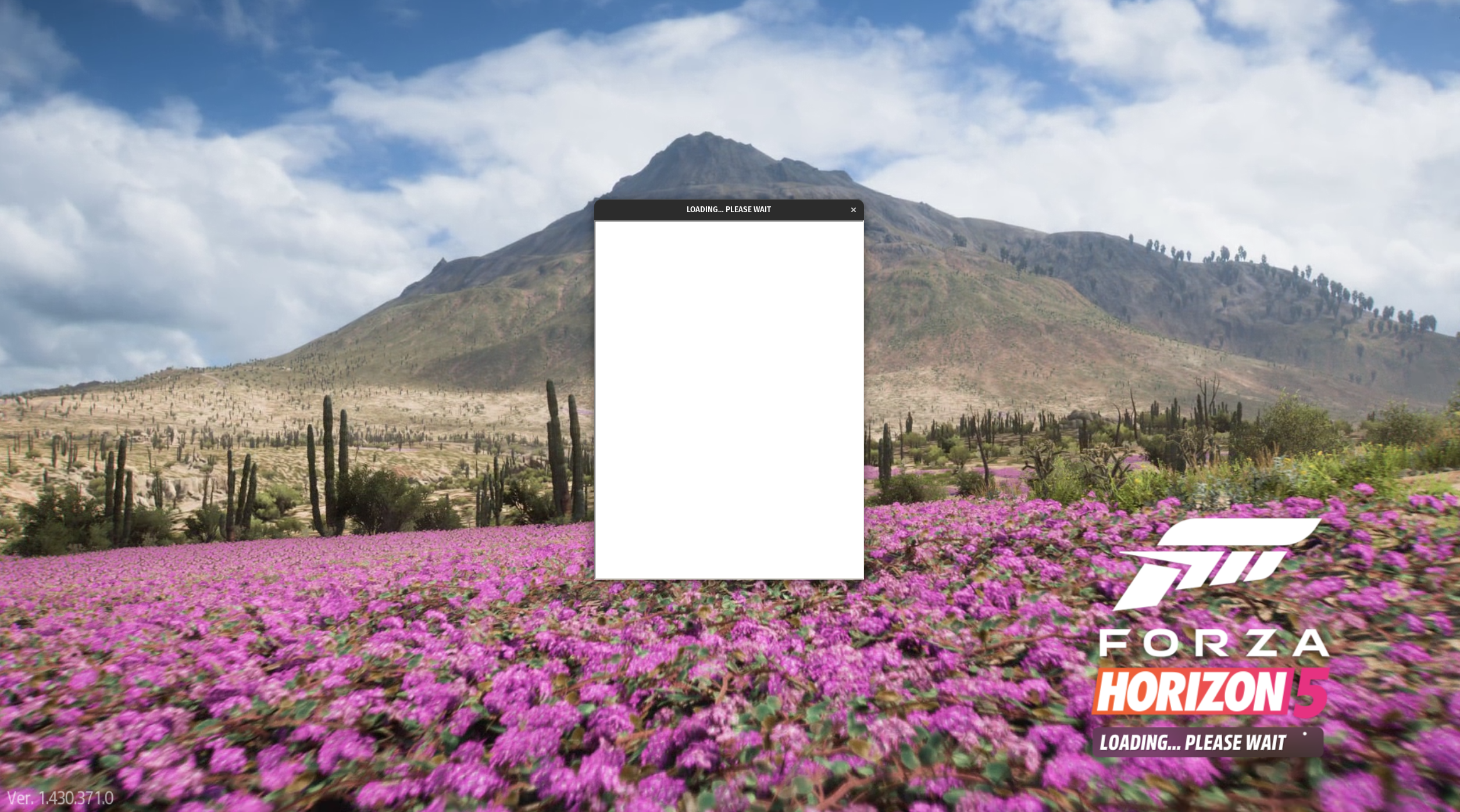
Does anyone have an idea? Thanks!
@drdud3 You should try out proton-ge
@drdud3 You should try out proton-ge
@aznd
unfortunately this didn't work. I installed wine, winetricks, the dependencies, updated the vulcan GPU driver and installed and selected 7.3-GE1. It did start but same behaviour. Maybe the log helped. But where do I upload it? I don't want to cut it, because I may remove important parts of the log...
@drdud3 Well you could try out something like Google Drive, if you have that. Or something like DropBox. Use some cloud service
@aznd
Sure
https://drive.google.com/file/d/1m8aXbvLODZhCJHs7QN7d1PcCCN-DbhO2/view?usp=sharing
I saw a line that could help:
866.188:02c8:0350:fixme:combase:RoGetActivationFactory (L"Windows.Internal.Security.WebAuthentication.AuthenticationManager", {00000035-0000-0000-c000-000000000046},>
Well you also have to enable access for others
Sorry. I overlooked this option. The link should be updated
Unhandled exception: page fault on read access to 0x0000000000000000 in 64-bit code (0x0000000144de74d9)
Well, I have no idea what your problem is. It should work, I also use the same proton ge version, also have a nvidia gpu.
What you could try at a last thing is to use a different DE/WM. Not sure if that helps, though.
For me, I can play the game without any problems if I set the FPS limit to 30. Anything above that and it will crash.
I didn't try 30 fps yet. The minimum FPS that i can set is 50 with the "normal" settings. Will try
Sorry - What does DE/WM mean?
Hmm, thats weird. You should be able to set the FPS limit to 30, 48, 72 and 144
DE/WM stands for Desktop Environment and Window Manager. What you could try is to install Plasma, a different Desktop Environment. Then, after installing, you can select it as a Desktop Environment on your login screen.
Do you have some messenger where we could chat? This is not the ideal place... @drdud3
If you could let us know how you fix it of you do that would be good. Still have issues like this on some hardware.
I'll let you know
What you could try already @tobfos2611 is to set the fps limit to 30 ingame and use Steam Beta and proton-ge. I can play pretty much without problems like that. But I of course don't want to play with 30fps, so yeah.
Alright, if that's works I'll post so in here.
Sadly no resolution on my case rn
I am on the NVIDIA Driver Version: 510.54
I tried a bunch of things:
- switch from Stock Popos Desktop Enviroment to plasma -> resulted in the game crashing right when the game started
- installed liquorix 5.16-10 Zen Kernel -> No change in behaviour
- Switched Resolution from 3440x1440@144 to 1920x1080 and tried 30fps and 60fps. Then I sometimes got 2 windows of forza (one black and the other with infite loading for the login screen)
- Tried Proton GE - no change in behaviour
@aznd and I filtered out some issues that might cause the problem:
01ec:err:d3d12_swapchain_present: Failed to present after recreating swapchain, vr -1000001004. 01ec:err:d3d12_swapchain_present: Failed to queue present, vr -1000001004. 01ec:fixme:hresult_from_vk_result: Unhandled VkResult -1000001004. 1397.534:012c:01ec:trace:seh:raise (22) Assertion failed: swapchain->vk_acquire_semaphores_signaled[swapchain->frame_id], file ../src-vkd3d-proton/libs/vkd3d/swapchain.c, line 18421924.404:02c8:034c:err:combase:RoGetActivationFactory Failed to find library for L"Windows.Internal.Security.WebAuthentication.AuthenticationMa>Unhandled exception: page fault on read access to 0x0000000000000000 in 64-bit code (0x0000000144de74d9)- And possibly Resolution missmatch - sadly no exact log from that one
If anyone got an idea please hit me up. I don't have a clue anymore
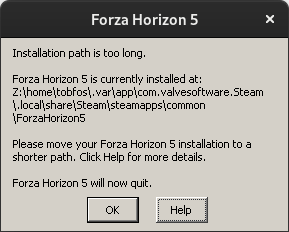
How can I fix this?
Replying to https://github.com/ValveSoftware/Proton/issues/5285#issuecomment-1055260348
You can either move the installation to a different folder closer to the drive letter or enable long path name support. You can Google how to change that in wine (winetricks)
Hello @tobfos2611, setting the game's launch options to PROTON_SET_GAME_DRIVE=1 %command% in Steam would be worth testing.
Forza Horizon 5; I/O Lag/Stuttering
Issue transferred from https://github.com/ValveSoftware/Proton/issues/5639.
@RPINerd posted on 2022-03-03T16:19:05:
Forza Horizon 5 (1551360)
System Information
GPU: AMD RX 6900 XT
Driver: 4.6 Mesa 21.3.7
Kernel: 5.16.11-arch1-1
inxi (https://gist.github.com/RPINerd/a6fa38ee3fe7024d2ae9acf40e8fe459)
Steam System Info (https://gist.github.com/RPINerd/0cc119e013647c7d9be51b1163f19109)
Proton versions tested on:
- 7.0-1
- 6.3-8
- Experimental
- Experimental [Bleeding Edge]
I confirm:
One report exists but is only for nVidia cards and inability to launch title
System is completely up to date with my distros repos
Proton Log Files
Just an interesting note, enabling logging caused my framerate to cut down to about 1/3 of normal. Approximately 100 seconds of gameplay (plus loading into the game) generated 1.2 Gb of log data and averaged 13MB/s of writing. Might wanna look into that, sounds like a hyper specific debug output was left on lol.
Github is not liking attachments, so heres a link (https://mega.nz/file/kFJ1kYQa#kDVpadDuyg0JbZVuS8h8t09VYBuRHM6Qb8J1nYYE3hk)
Symptoms
Unplayable framerate stuttering/lagging.
More specifically, it's almost a rubber banding like effect. As I am driving, the frame times will suddenly spike severely for a split second. The game freezes up and then within anywhere from a tenth of a second all the way up to nearly two seconds the game resumes playing at hyperspeed to catch up to "real-time". This cycle repeats generally every 10-30 seconds, depending on what I'm doing in the game.
Some quick highlights:
- Fullscreen/windowed has no effect
- Disabling compositing has no effect
- GE proton versions exhibit same behavior
- Higher graphical settings increase severity and length of spikes* (hypothesis below)
- No one specific graphical setting appears to cause the issue
- Tested on windows with same hardware, absolutely no hint of the same issue
Hypothesis/Details
So after many hours of close monitoring, I believe this all comes down to something weird going on with the balancing priorities of I/O (specifically reads) and GPU requests. The spike in frame timing perfectly coincides with the start of a read operation on the disk. I'm running the game off of an nVME SSD so there is no bottleneck in available bandwidth there. Watching the frame time and the gpu clock closely, it's super clear that the cycle goes:
- Read request from disk (loading assets, streaming open world, whatever)
- GPU clock cut down to idle (~500mHz)
- Desired assets from disk finished transfering
- GPU boosted back up to normal gaming frequency
- Frames that were backlogged during read operation all process at once causing game to go into super speed catchup mode
- Cycle repeats on next read request
This explains why the higher graphical settings exacerbate the issue as running the game at 1080p Low means that the 0.5-2 seconds at 500mhz is able to continue churning out frames relatively seamlessly, whereas at 1440p Extreme there is a huge amount of work the GPU just isn't able to crunch at that frequency
This is maybe the second time in my life that I've recorded a computer screen, so hopefully it looks clear on your end!
Video 1 (https://mega.nz/file/ZIInXS7C#30QWNnHLe8m5hX5af-g2O6EqjuXxtVYPGKeF6GHA2f8)
Video 2 (https://mega.nz/file/oFZhRKaQ#Le4Nff-v0f2veOx4gocjDmUQ2vmUrOpmUtSEBwBqL-g)
@RPINerd
Put the game on HDD and the problem should be solved. It's a known problem even Windows users are experiencing sometimes.
@mozo78 I..I don't own a HDD anymore lol, I haven't owned one since college
For what it's worth, I'm running a 6900xt as well and putting the game on a hard drive or NVME SSD makes no difference in the stuttering/physics rubber-banding issue for me.
@atmurr Dang, I mean that's disappointing to hear, but at least it's not just something broken on my machine?
I'm currently moving the install out to my "slow" SSD that I use for archive, just to see if there is even a tiny difference. Maybe I should try installing it on a USB 3.0 External HDD lol I'm sure I could find one of those used for pennies
Arch
AMD RX 6900XT Mesa 22.1.0-devel (git-e42a8a5b92)
Linux 5.17.0-rc4-1-mainline
Proton Experimental [bleeding-edge]
Game works locked 60fps @1440p without major stuttering on even on NVME ssd. unlocked there will still be some stuttering but way less than on Mesa 21.3.7-1.
@SPL0T I'll try it out.. can I just install Mesa 22 on top of 21, or do I need to uninstall first/purge anything like that?
EDIT: additionally, it looks like installing it will remove vulkan-radeon and lib32-vulkan-radeon.. I don't see any 22.x versions for those but I also don't know entirely what they're needed for
Arch AMD RX 6900XT Mesa 22.1.0-devel (git-e42a8a5b92) Linux 5.17.0-rc4-1-mainline Proton Experimental [bleeding-edge] Game works locked 60fps @1440p without major stuttering on even on NVME ssd. unlocked there will still be some stuttering but way less than on Mesa 21.3.7-1.
THAT FIXED IT! Holy moly they need to get 22 stable and out asap because the performace increace is drastic!
It has been the case for around 3 months now that the Mesa 22 devel vastly improves the stuttering.
The current stable still has the stuttering issues. As I'd prefer using the stable of my distro: Is there any plan to get these improvements into stable soon?
Unfortunately, mesa-22.1.0-devel didn't make a huge difference in the stuttering for me (definitely an improvement, but it's still there). Testing further, I'm getting weird behavior that I'm not sure how to make sense of, including some indications that it's more of a CPU issue than anything else. So I'm just going to post my findings here, if anyone has any suggestions or wants me to test anything else, please let me know.
Fedora 35
AMD RX6900XT - Mesa-22.1.0-devel (20220311)
AMD 5600X
Kernel 5.16.12-200.fc35.x86_64
Proton Experimental (Bleeding-edge)
Game installed on an NVME SSD (970 EVO 2B2QEXE7) unless specified otherwise.
Windows 10 - Control Test
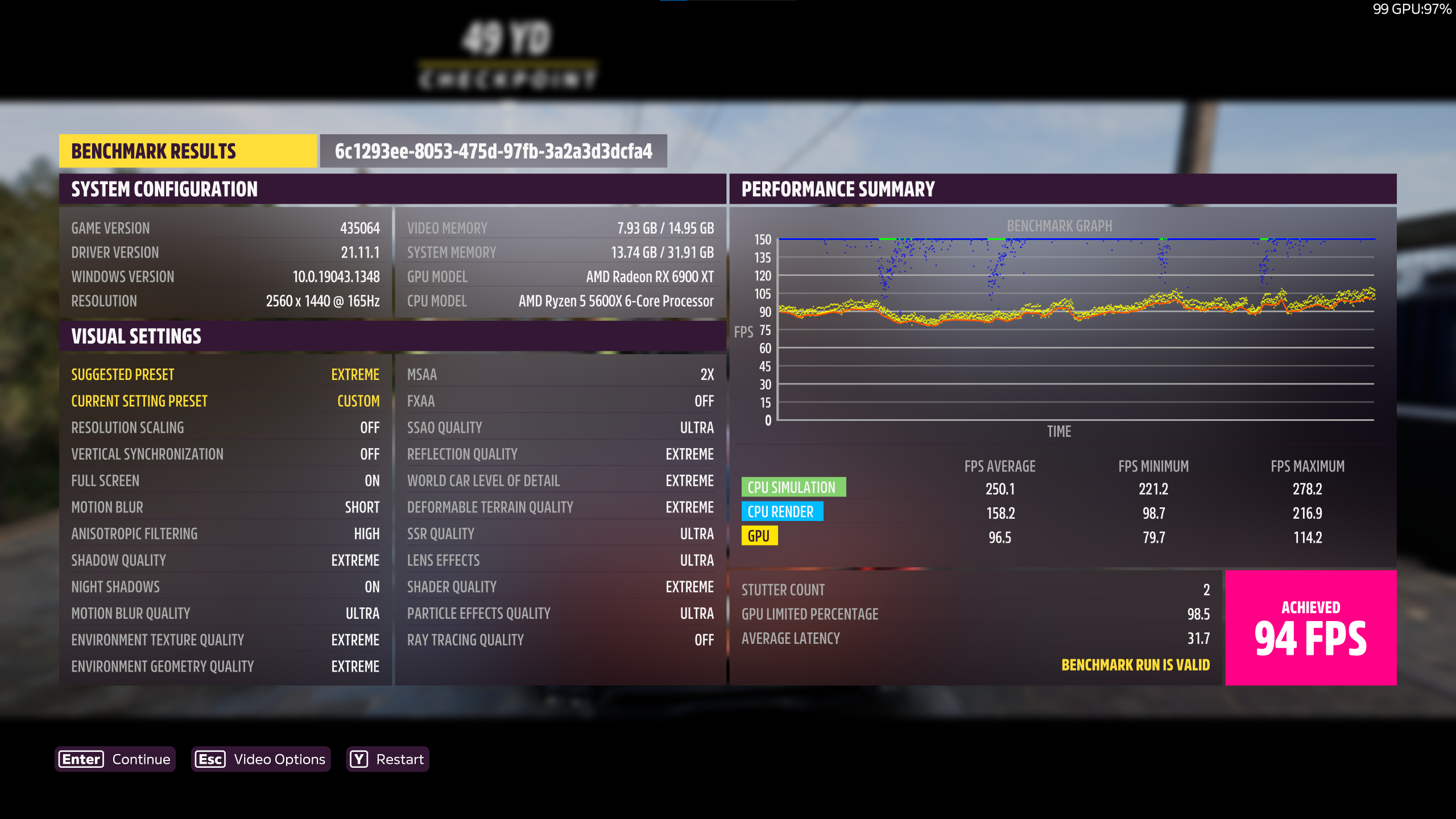
Linux - Control Test. Note that GPU performance is almost the same as Windows, but CPU performance is much worse.
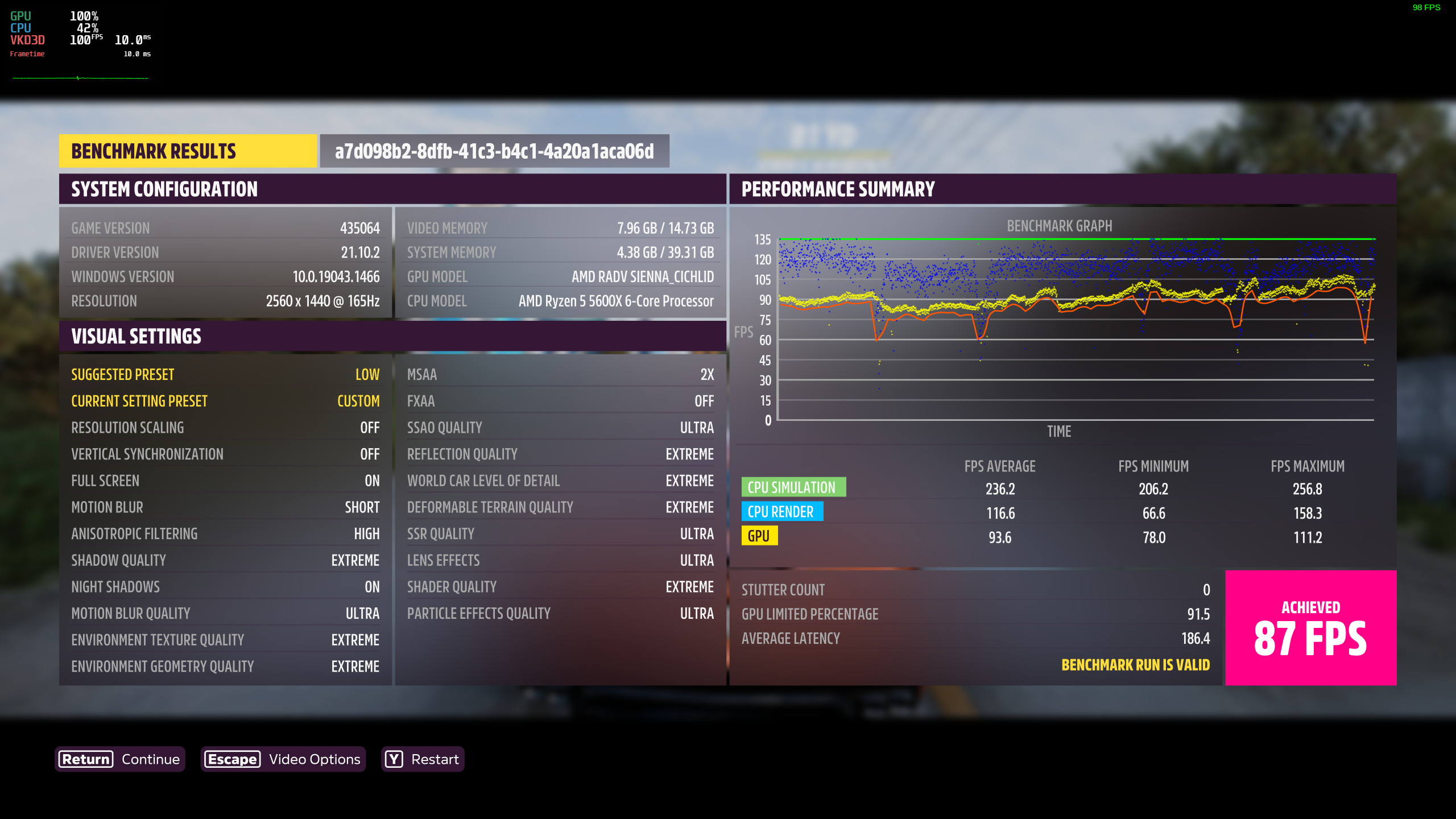
Linux - Setting GPU clock to a fixed frequency, per @RPINerd's findings. This one actually does make a noticeable difference in standard gameplay, but the stuttering effect is still worse than Windows. Benchmark shows slight improvements here.
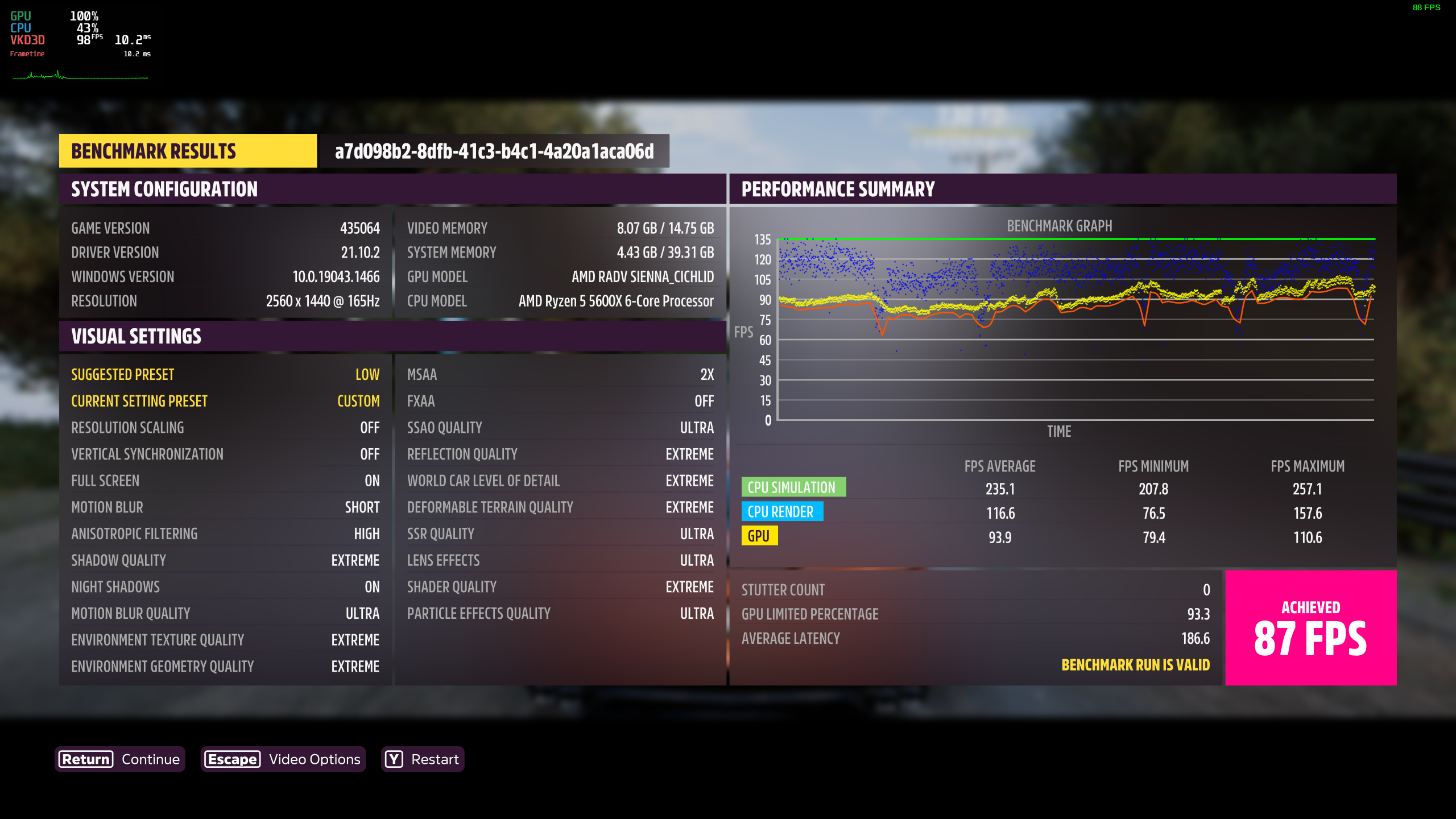
Linux - Game installed on a HDD (ST3000DM008). Some people had luck with this, no real difference for me.
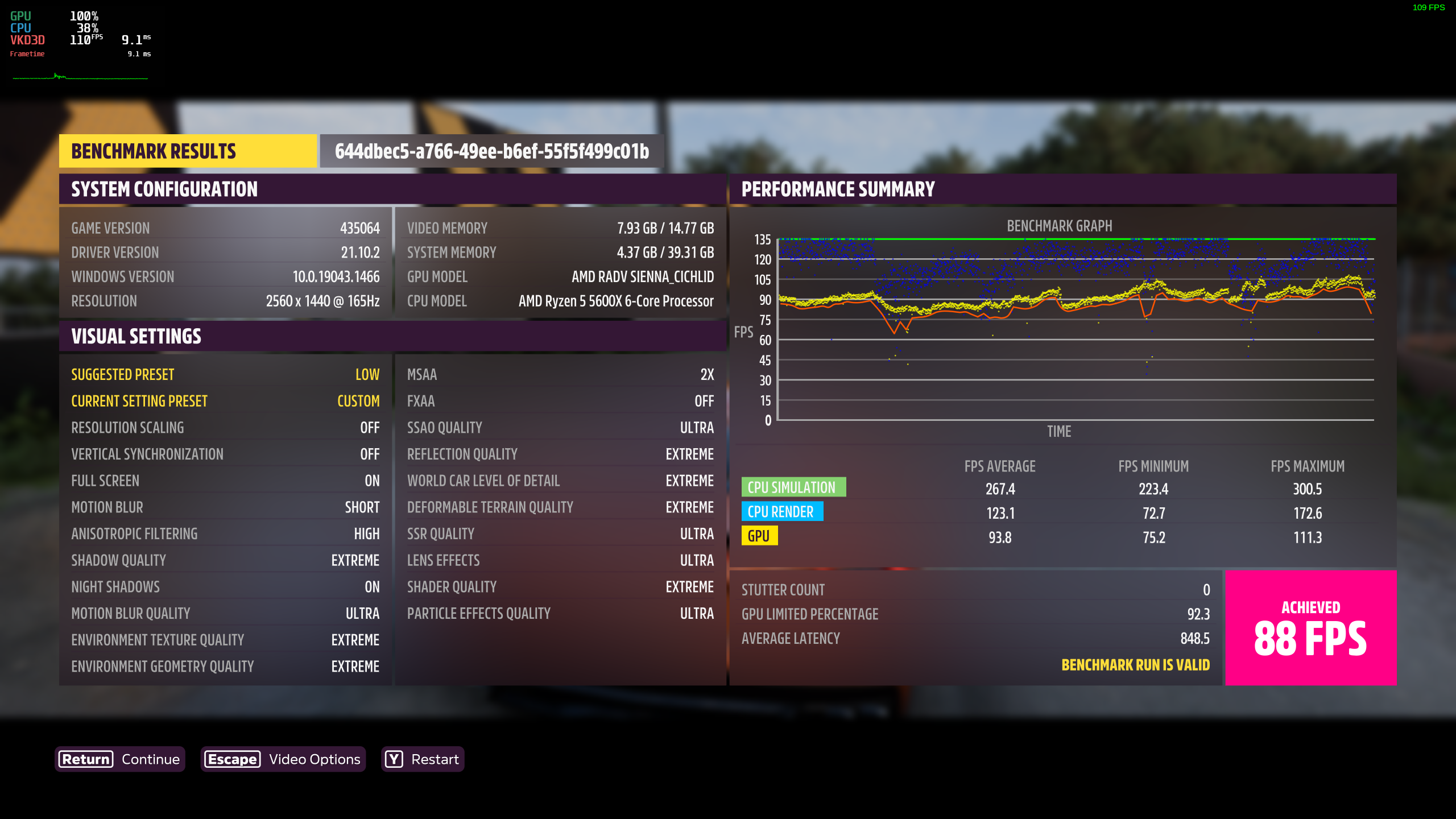
Linux - Low Textures. This makes the game playable, but stutters are still present, and of course the game looks worse.
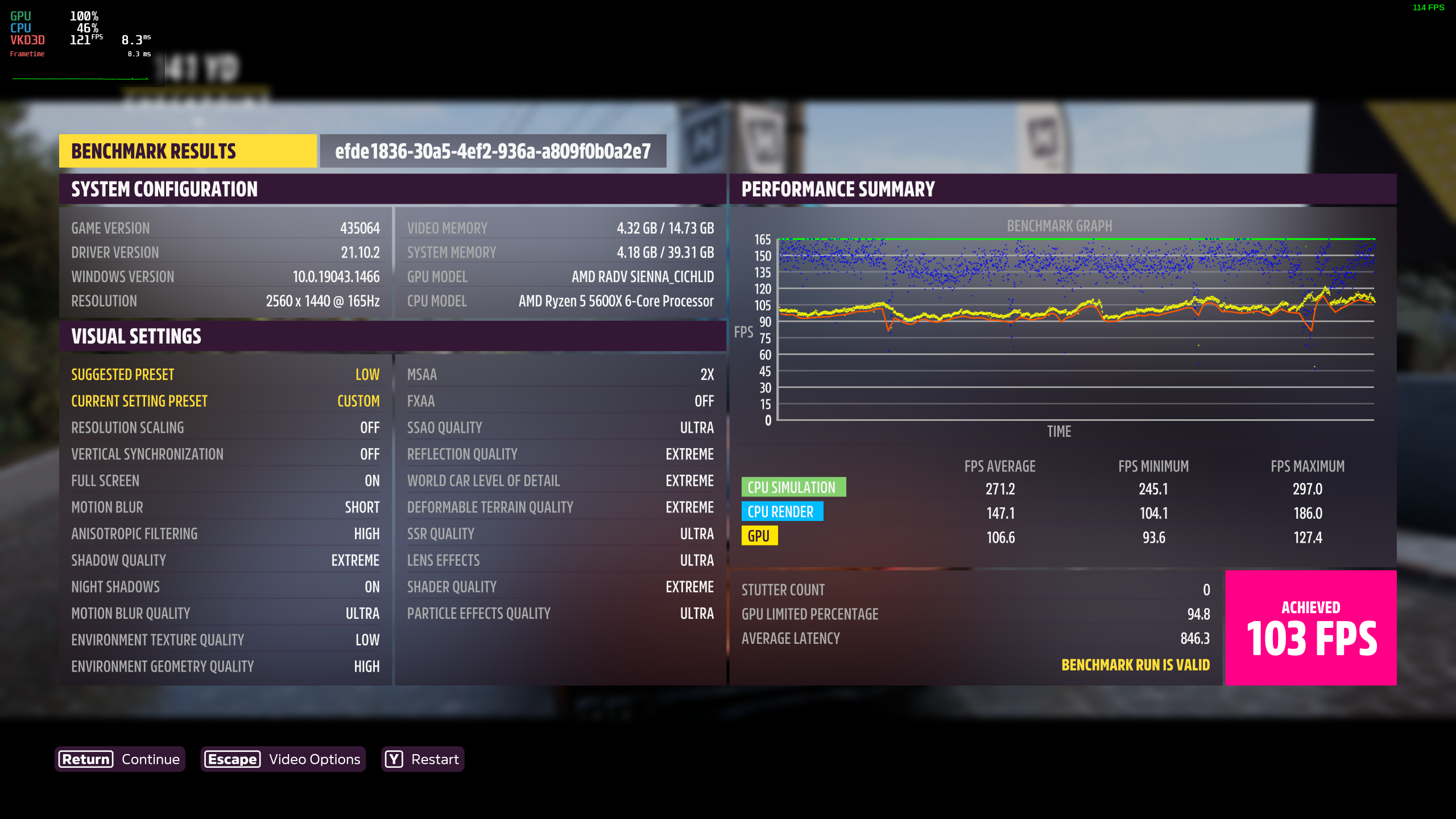
Anyone else only getting a black screen now?
Fedora 35
AMD Vega56 - Mesa 21.3.8
Intel Core i7-10610U
Kernel 5.16.16-200.fc35.x86_64
Proton Experimental (Bleeding-edge), Proton7.0-1 or GE-Proton7-10 (makes no difference which one at the moment)
Forza Horizon 5 Stuttering Issue
Issue transferred from https://github.com/ValveSoftware/Proton/issues/5730.
@GalacticalEdge posted on 2022-03-28T21:25:42:
System Information
- GPU: Rx 6600 XT
- CPU: Ryzen 5 5600X
- Driver/LLVM version: Latest Mesa
- Kernel version: 5.16
- OS: PopOS 21.10
- Proton version: 7.0 and experimental
Game Info
Game: Forza Horizon 5
AppID: 1551360
Problem with the game
My problem right now with Forza Horizon 5 is that it has a weird stuttering issue when driving at high speeds. Linus Tech Tips experienced a similar issue on the Steam Deck, so I don't know why Forza Horizon 5 is marked as playable on Steam Deck.
So please fix the stuttering issue
Reproduction
Run it on Linux through Proton (either 7.0 or experimental), then drive at fast speeds for the stuttering to kick it (It doesn't happen when moving slowly or doing nothing).
Hello @GalacticalEdge, please copy your system information from Steam (Steam -> Help -> System Information) and put it in a gist, then include a link to the gist in this issue report.
GPU: GTX 1080
CPU: 3700x
Fedora 35
5.16.16-200.fc35.x86_64
Proton experimental bleeding edge
After many tweaks attempting to play the game for the first time, and the following launch options:
WINE_FULLSCREEN_FSR=1 ENABLE_VKBASALT=0 MANGOHUD=0 PROTON_ENABLE_NVAPI=1 gamemoderun %command%
Game crashes after roughly 30 seconds of gameplay. It seems to crash literally at the exact point you pass the crowd in the intro race.
EDIT:
Launch options do literally nothing for the games stability. removed them and still crashes
I logged and found the point where Forza 5 crashes. It seems to be related to direct12.
d3d12_command_queue_bind_sparse: Failed to perform sparse binding, vr -4.
I did some digging; am i right to assume that there is a megatexture that's failing to allocate in vram?
Now with Mesa 22, compared to AMDVLK, the game doesn't need anymore 150GB of RAM.
havent played the game in a few weeks. i am now suddenly having severe crashing issues. it always had peridoic crashes, but it is now so frequent the game is unplayable.
as of today's build of proton experimental bleeding-edge, the game is unlaunchable.
proton log of attempting to launch: https://gist.github.com/mathew2214/dcb246dfd5ee858f9a242b125b5c8e0f
as of today's build of proton experimental bleeding-edge, the game is unlaunchable. proton log of attempting to launch: https://gist.github.com/mathew2214/dcb246dfd5ee858f9a242b125b5c8e0f
Same problem here. :(
i get about 3 min of gameplay as it stands right now.
as of today's build of proton experimental bleeding-edge, the game is unlaunchable. proton log of attempting to launch: https://gist.github.com/mathew2214/dcb246dfd5ee858f9a242b125b5c8e0f
Hi @mathew2214 it looks like there's something going on with the recent support of the Windows.Gaming.Input API and some driving wheel device. It looks like the game is now trying to load some Fanatec specific dll and fails.
Would you mind providing another log file after changing the game Launch options (in the game properties in Steam) to PROTON_LOG=1 WINEDEBUG=+timestamp,+pid,+tid,+seh,+unwind,+loaddll,+combase,+dinput,+xinput,+input,+hid,+plugplay %command%?
For what it's worth, I just played for around an hour, no crashes. I'm running Proton-7.0-1, using
PROTON_HIDE_NVIDIA_GPU=0 PROTON_ENABLE_NVAPI=1 MANGOHUD_CONFIG=vsync=2,fps_limit=30,cpu_stats=0,gpu_stats=0,frametime=0,frame_timing=0,fps_only mangohud %command%
as my startup command, and nvidia drivers 470.103.01
For what it's worth, I just played for around an hour, no crashes. I'm running
Proton-7.0-1, usingPROTON_HIDE_NVIDIA_GPU=0 PROTON_ENABLE_NVAPI=1 MANGOHUD_CONFIG=vsync=2,fps_limit=30,cpu_stats=0,gpu_stats=0,frametime=0,frame_timing=0,fps_only mangohud %command%as my startup command, and nvidia drivers
470.103.01
my only contention is the framerate limit; does that help the game not crash?
my only contention is the framerate limit; does that help the game not crash?
It used to be important. Does yours crash with the frame limit as well?
For what it's worth, I just played for around an hour, no crashes. I'm running
Proton-7.0-1, usingPROTON_HIDE_NVIDIA_GPU=0 PROTON_ENABLE_NVAPI=1 MANGOHUD_CONFIG=vsync=2,fps_limit=30,cpu_stats=0,gpu_stats=0,frametime=0,frame_timing=0,fps_only mangohud %command%as my startup command, and nvidia drivers
470.103.01
I was running into a pretty consistent crash during the "tutorial" right after the second car dropped from the plane (which means I could never really start playing the game). Never thought it'd be related to the FPS but forcing the game from 60fps to 30fps with MangoHud worked (and now that I've passed that point seems like the game works without this workaround). I guess something crashes when switching from the cinematic (which seems to be at 30fps) to the game mode (60fps)...
Replying to https://github.com/ValveSoftware/Proton/issues/5285#issuecomment-1081214112
As a follow-up, I checked and I suspect it's a read/write issue? I'm using a Samsung 980 Pro as my drive.
I have the same issue. Arch Linux, Nvidia GTX1080 with Driver 510.54. With this start options: "PROTON_HIDE_NVIDIA_GPU=0 PROTON_ENABLE_NVAPI=1 MANGOHUD_CONFIG=vsync=2,fps_limit=40,cpu_stats=0,gpu_stats=0,frametime=0,frame_timing=0,fps_only mangohud %command% " it runs but still crashes ever few minutes or seconds. Tryed everything from protonGE to 7.0.1 to Expreimental(bleeding edge).
30 FPS, not 40, it's important.
This still doesn't fully solve the problem for me. Still crashing, still
being a nuisance.
On Sat, Apr 9, 2022, 2:31 PM mozo78 @.***> wrote:
30 FPS, not 40, it's important.
—
Reply to this email directly, view it on GitHub
https://github.com/ValveSoftware/Proton/issues/5285#issuecomment-1094119914,
or unsubscribe
https://github.com/notifications/unsubscribe-auth/ACW6J5BBEQTNZTVG3IDYKWTVEHSINANCNFSM5HNATWKQ
.
You are receiving this because you commented.Message ID:
@.***>
30 FPS, not 40, it's important.
Sadly no. I played the beginning with 15fps just to get to out of the opening stuff. and even then it crashed. the crashes definitely has something to do with fps and nvidia.
The game still segfaults randomly during gameplay.
Literally everything else is fine, performance, graphics, hell even multiplayer works (yeah the invites are cursed, but it works), but the game just decides to either randomly crash or randomly hang.
To be fair, the game is functional, but not playable, it's impossible to play the game when it hangs/crashes in the middle of almost every game!
I'd attach a core dump, but idk where wine dumps em :L
If more debug info is needed or there is a potential fix, ping me!
(and no, previously proposed solutions don't work)
OS: Ubuntu 20.04.4 LTS
Kernel: 5.13.0-39-generic
CPU: 11th Gen Intel i5-11300H
GPU: RTX 3060m
GPU driver: 510.54
Steam client build: Mar 14 2022, at 19:49:17 [beta]
Proton version: Experimental [bleeding-edge] (but i tried 7.0-1 and normal experimental, the same issue persists)
To be fair though, i haven't tried running it with a newer kernel, thats next on my bucket list, but i doubt it'll change much.
The game still segfaults randomly during gameplay. Literally everything else is fine, performance, graphics, hell even multiplayer works (yeah the invites are cursed, but it works), but the game just decides to either randomly crash or randomly hang. To be fair, the game is functional, but not playable, it's impossible to play the game when it hangs/crashes in the middle of almost every game!
I'd attach a core dump, but idk where wine dumps em :L If more debug info is needed or there is a potential fix, ping me! (and no, previously proposed solutions don't work)
OS: Ubuntu 20.04.4 LTS Kernel: 5.13.0-39-generic CPU: 11th Gen Intel i5-11300H GPU: RTX 3060m GPU driver: 510.54 Steam client build: Mar 14 2022, at 19:49:17 [beta] Proton version: Experimental [bleeding-edge] (but i tried 7.0-1 and normal experimental, the same issue persists)
how do you get to the gameplay? it still is unlaunchable.
how do you get to the gameplay? it still is unlaunchable.
Im not sure what you mean by that, its more than launch-able, im on a fresh Ubuntu 20.04.4 LTS with Steam from the official website and proton experimental and the game works fine, it's unplayable because of the frequent crashes/hangs, but its completely functional, even multiplayer works!
Hell it even works on proton 7.0-1
Replying to https://github.com/ValveSoftware/Proton/issues/5285#issuecomment-1102777817
I gave it a shot, except without fsync, and it crashes, this would seem to indicate something in fsync makes it work.
Uhm guys, i managed to get rid of crash/hang (atm 1h+ of playing). Ryzen 5 5600X RTX 3080 tkg-bmq kernel (1000hz w dynticks) tkg-nvidia drivers (latest)
STEAM GAME OPTION: gamemoderun PROTON_NO_ESYNC=1 PROTON_FORCE_LARGE_ADDRESS_AWARE=1 DXVK_ASYNC=1 PROTON_ENABLE_NVAPI=1 %command%
With just disabling esync i did't had crash or so. I will test further.
My results align with @wyatthuckaby results, it still crashes :L
But im not running an fsync kernel either, so i'll try that next!
no go, fsync didn't fix it.
Hmmmm, maybe it's something else then?
@Ssdj3nt can you share more system info? Like which specific kernel you're using, what GPU driver, general system info, graphics related packages, etc
Also can confirm that setting launch options to gamemoderun PROTON_NO_ESYNC=1 PROTON_FORCE_LARGE_ADDRESS_AWARE=1 DXVK_ASYNC=1 PROTON_ENABLE_NVAPI=1 %command% with the Liquorix 5.17.0-3-2 fsync kernel and Proton-GE-7-14 didn't fix it :L
same here. no difference
Omg guys, did you have horizon online mode on? I just went offline (horizon solo) and this is the longest consecutive run for me in a while, but maybe i just got lucky so i'll continue testing!
Oh and @Ssdj3nt were you playing in online or offline mode?
Never mind, it was just a lucky run :L
Well... i enabled vsync in game only, seems stable so far, already got 20 minutes into the current session, everything works.
(with @Ssdj3nt's setup, launch options, proton version, and Liquorix 5.17.0-3-2 fsync kernel)
I also went into online mode again, cuz why not.
But to be sure i'll continue testing, i might've just got lucky again.
Well that session crashed after about 40 minutes, way longer than any other session, testing further to see if it's stable or that was another lucky run...
Ubuntu 21.10, Ryzen 3800x, Radeon 6800 with Proton Experimental and otherwise stock everything.
No crashing at all for me - just the usual Xbox pop up missing issue and the "rubber band" performance issues. But it runs great otherwise.
Well that session crashed after about 40 minutes, way longer than any other session, testing further to see if it's stable or that was another lucky run...
Ok... it seems a false positive. Sadly a long false positive. Still crashing for me... OUCH.
Ok... it seems a false positive. Sadly a long false positive. Still crashing for me... OUCH.
Yup same here, but it's staying alive for much longer, 40-50 minutes compared to 2-3 minutes before, for me it's more than playable now,will keep trying to make it more stable ofc!
Also @Ssdj3nt what are all sync settings you enabled? Cuz i only enabled vsync at 144fps in game settings, nothing else, and stability improved drastically.
Ubuntu 21.10, Ryzen 3800x, Radeon 6800 with Proton Experimental and otherwise stock everything.
No crashing at all for me - just the usual Xbox pop up missing issue and the "rubber band" performance issues. But it runs great otherwise.
this issue doesnt seem to effect AMD gpus for some reason. Not clear as to why
For people experiencing rubber banding try disabling in-game vsync and
motion blur. Also gamescope causes rubber banding.
On Tue, Apr 19, 2022, 21:58 Wyatt Huckaby @.***> wrote:
Ubuntu 21.10, Ryzen 3800x, Radeon 6800 with Proton Experimental and
otherwise stock everything.No crashing at all for me - just the usual Xbox pop up missing issue and
the "rubber band" performance issues. But it runs great otherwise.this issue doesnt seem to effect AMD gpus for some reason. Not clear as to
why—
Reply to this email directly, view it on GitHub
https://github.com/ValveSoftware/Proton/issues/5285#issuecomment-1103058795,
or unsubscribe
https://github.com/notifications/unsubscribe-auth/ARWI5C2QYF3EHNZVAHJ4F53VF4F6DANCNFSM5HNATWKQ
.
You are receiving this because you were mentioned.Message ID:
@.***>
this issue doesnt seem to effect AMD gpus for some reason. Not clear as to why
Yeah team red dodged this one, but for team green it's mostly likely nvidia's fault
Ok... it seems a false positive. Sadly a long false positive. Still crashing for me... OUCH.
Yup same here, but it's staying alive for much longer, 40-50 minutes compared to 2-3 minutes before, for me it's more than playable now,will keep trying to make it more stable ofc!
Also @Ssdj3nt what are all sync settings you enabled? Cuz i only enabled vsync at 144fps in game settings, nothing else, and stability improved drastically.
Nothing in particular, 3440x1440 res,144hz,vsync, all settings maxed out
Nothing in particular, 3440x1440 res,144hz,vsync, all settings maxed out
Weird, my graphical settings are closer to mid settings at 1080p, but vsync at 144 hz too :/
Altho after playing with my nvidia settings yesterday the game became as unstable as before, honestly it's starting to feel like it's somehow tring to change GPUs on the fly and dies (im on a laptop with integrated graphics as well as an RTX3060)
Nvidia drivers are awful x)
this issue doesnt seem to effect AMD gpus for some reason. Not clear as to why
Oh no, it does
Testing forza with the new Proton-GE-7-15, fsync kernel and gamemoderun PROTON_NO_ESYNC=1 PROTON_FORCE_LARGE_ADDRESS_AWARE=1 DXVK_ASYNC=1 PROTON_ENABLE_NVAPI=1 %command% launch params.
So far my longest run yet, altho i noticed something from the previous runs (and it's still matters in the new version),
dmesg i noticed an nvrm crash and now setting shader quality to low in game setting is the difference between stable constant crashing and at least some long runs.
Will keep testing to make sure it's not just a lucky run though!
Nope, just another lucky run, this time about 1.3 hours, also this is the dmesg crash message i was talking about
NVRM: Xid (PCI:0000:01:00): 31, pid=31453, Ch 0000004c, intr 00000000. MMU Fault: ENGINE GRAPHICS GPCCLIENT_T1_4 faulted @ 0xd6_c7741000. Fault is of type FAULT_PTE ACCESS_TYPE_VIRT_READ
Which tells me that either something is leaking memory or something tried to access freed memory, not sure where exactly that happens though :L
Testing forza with the new Proton-GE-7-15, fsync kernel and
gamemoderun PROTON_NO_ESYNC=1 PROTON_FORCE_LARGE_ADDRESS_AWARE=1 DXVK_ASYNC=1 PROTON_ENABLE_NVAPI=1 %command%launch params.So far my longest run yet, altho i noticed something from the previous runs (and it's still matters in the new version),
dmesgi noticed an nvrm crash and now setting shader quality to low in game setting is the difference between stable constant crashing and at least some long runs.Will keep testing to make sure it's not just a lucky run though!
Still crash but now it runs like butter
Still crash but now it runs like butter
At least something positive
Huh, normal Proton-7.0-2 seems to be more stable, i'll keep testing though, if i can get more than 5 +40 minute runs in a row, its playable in my book
And nope again, i can't get more than 2-3 stable 40-50 minute runs out of either Proton-7.0-2 or Proton-GE-15, both follow with random amount of unstable runs after that :L
The game became a bit more stable on average when setting fps limit to 72hz instead of 144hz
Ubuntu 21.10, Ryzen 3800x, Radeon 6800 with Proton Experimental and otherwise stock everything.
No crashing at all for me - just the usual Xbox pop up missing issue and the "rubber band" performance issues. But it runs great otherwise.this issue doesnt seem to effect AMD gpus for some reason. Not clear as to why
It's definitely affecting me. Often crashes after the audio briefly cuts out then comes back on my system.
Seems to be a race condition and I seem to be able to get it to crash faster if a web browser (in my case, Firefox) is also running.
(This is with PROTON_NO_FSYNC and PROTON_NO_ESYNC)
My system:
OS: Arch Linux with Linux-tkg 5.17 tuned for my CPU, mesa-git 22.1 for my driver. Updated recently with pacman -Syu. Desktop Environment is Sway + some stuff from LXQt which is my X11 fallback.
CPU: Ryzen 5 2600 @ 3.4GHz (3.9 boost)
GPU: Sapphire Radeon RX 570 8GB
RAM: 16GB Kingston HyperX DDR4-3200MHz
Motherboard: ASUS TUF B450M-PLUS GAMING
Storage: Samsung 840 NVMe 1TB for boot and /home (also has FH5 installed in it), two HDDs, one with ext4 for games, the other with btrfs for data.
Edit: forgot to specify I'm running Proton GE 7.14, but I do also get the problem on Stock Proton 7/Proton Experimental
The game became a bit more stable on average when setting fps limit to 72hz instead of 144hz
This seems to hide the problem a little better, but ultimately doesn't solve it. It just makes the gap in frame drops less dramatic.
The game became a bit more stable on average when setting fps limit to 72hz instead of 144hz
This seems to hide the problem a little better, but ultimately doesn't solve it. It just makes the gap in frame drops less dramatic.
Question for you; does the in-game framerate cap actually work for you?
Because for me, it does.
Question for you; does the in-game framerate cap actually work for you?
Because for me, it does.
Well...
And something tells me other people with Nvidia GPUs experience similar behavior
Replying to https://github.com/ValveSoftware/Proton/issues/5285#issuecomment-1113146809
Okay, so the framerate meter is always 0 haha, that I know for a fact. (It's due to missing UWP APIs in proton to my knowledge)
The part I was talking about was not being able to use the in-game framerate cap. (it was always acting like unlocked framerate was on unless vsync was on) That now works for me whereas it didn't used to.
Okay, so the framerate meter is always 0 haha, that I know for a fact. (It's due to missing UWP APIs in proton to my knowledge)
The part I was talking about was not being able to use the in-game framerate cap. (it was always acting like unlocked framerate was on unless vsync was on) That now works for me whereas it didn't used to.
Im actually not sure, lemme test something...
Yeah the in game fps limiter is not working :L
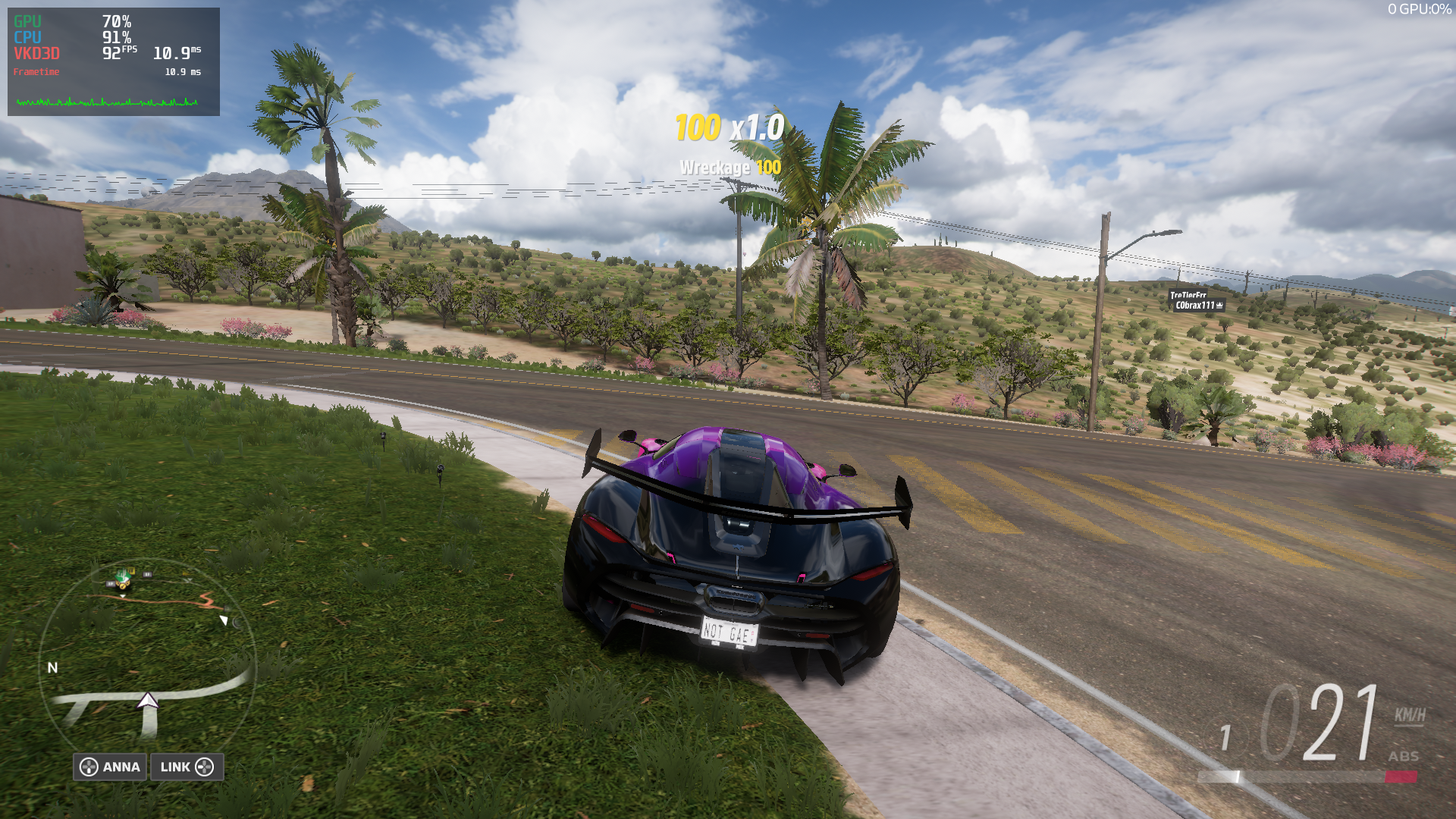
(here fps limit was set to 72hz in game settings)
Replying to https://github.com/ValveSoftware/Proton/issues/5285#issuecomment-1113239202
Damn, what Proton version?
It be a little said if the reason mine works is because I'm on AMD + some patch in GloriousEggroll's build that I don't know about haha.
Damn, what Proton version?
It be a little said if the reason mine works is because I'm on AMD + some patch in GloriousEggroll's build that I don't know about haha.
Well that was a run using Proton-GE-7-15, and i just tried limiting fps with mangohud, it still crashes :L
But weirdly enough, setting the fps limit to 50hz started off good, didn't crash yet, but yet again it can be just a lucky run so i'll continue testing.
I be damned, limiting fps with mangohud made the game crash less, at least out of my 3 +60 minute runs none crashed!
My current setup is Proton-GE-7-15 and these launch options: gamemoderun PROTON_NO_ESYNC=1 PROTON_FORCE_LARGE_ADDRESS_AWARE=1 DXVK_ASYNC=1 PROTON_ENABLE_NVAPI=1 MANGOHUD_CONFIG=fps=1,fps_limit=50 mangohud %command%
It's worth to mention that with my current graphics settings and without a fps limit it runs at 80-90fps on average and when i set the fps limit to 144 in mangohud it was still crashing.
But as always i'll continue testing, after all i could've been just extremely lucky and got 3 very stable runs in a row.
Not sure how long it'll take if i won't get any crashes though x)
Nope, it still crashes, but waaaaaaaaaaaaaaaaaay less frequently(or im just way more lucky today), and another thing i noticed, now crashes occur either on loading screens or when my fps does not stay flat on the fps target.
Other symptoms are the same, the nvidia driver crashes with ACCESS_TYPE_VIRT_READ, but it happening less often with a lower fps target reminds me of something, can't remember what though :L
I can't play more then 2 min after nvidia + fh5 update LOL
I can't play more then 2 min after nvidia + fh5 update LOL
Eh, did you try limiting fps with mangohud while setting it to unlocked in game?
Is there any fix for the stuttering that happens when driving at high speeds?
The game seems to stutter for me every few seconds when driving at high speeds due to read/write (Samsung 980 Pro)
Is there any fix for the stuttering that happens when driving at high speeds?
The game seems to stutter for me every few seconds when driving at high speeds due to read/write (Samsung 980 Pro)
Yes. Try disabling your system swap (swapoff -a) and lower texture\terrain quality to high
any solution to crashing that doesnt involve capping framerate? Proton GE 7.16 still has crashing issues on AMD Navi10.
I logged like 7 hours of stable game play with capped fps on Proton-GE-7-15, haven't tried Proton-GE-7-16 yet though.
Doesn't seem to work in the Steam Flatpak, fails with "Installation path is too long"
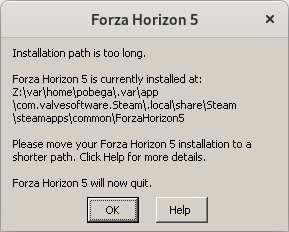
Edit: See the comment below, PROTON_SET_GAME_DRIVE=1 resolved the issue for me.
Hello @Pobega, try setting the game's launch options to PROTON_SET_GAME_DRIVE=1 %command%.
Still getting the occasional crash with proton-ge-7-16, runs smooth as butter though.
Since Nvidia recently just open sourced their drivers and plan to contribute it to the Linux kernel (like the AMD drivers are), would it make it easier for us to fix the crashing on Nvidia GPUs?
Absolutely! It'll take some time to figure out their code and all, but it'll be a big change!
We're moving from trying to make a black box work to just fixing a driver!
EDIT: *they didn't open source everything, go figure nvidia... still helps a lot thought
seems like new Nvidia beta driver 515.43.04 fixed the crashing. 2 hours of free roaming at 400km\h speed with unlocked fps and full max graphics, no crashes in sight.
Maybe a bit too soon to conclude for sure, needs testing on more machines
seems like new Nvidia beta driver 515.43.04 fixed the crashing. 2 hours of free roaming at 400km\h speed with unlocked fps and full max graphics, no crashes in sight. Maybe a bit too soon to conclude for sure, needs testing on more machines
Sounds plausible, i'll try it out as soon as i figure out why nvidia's manual installers refuse to work with my laptop :L
I'm on Nvidia 515.43.04-1 as well (2070 Super), running GE 7.17-1 (Proton Experimental crashed before the "car pulling up to the house" animation was done). Can confirm that I can now unlock my FPS and turn up the graphics. Still crashed when I went to select an accolade to view in the accolades screen tho.
This also seems to have introduced some graphical artifacts, the mountains in particular turn black for a split second every now and then.
wine: Unhandled page fault on write access to 0000000000000000 at address 00000001408D7ECC (thread 0208)
I can confirm that now the game completely stopped crashing while playing with an Nvidia card
However, the game still doesn't have any sort of rumble function in either dualsense or the original XBOne controlled
The new driver which is now in the main arch repos (515.43.04-03) doesn't fix the crashes for me. I have my spawn set to Hotel Castillo and when I drive through the gate, take a turn right down the dirt road, it always crashes for me. It always has been like that, it always crashed at that spot. Can someone please try this out with their configuration? @DatCrazyDelphox @BruebachL @Cifer9516
Hello,
As far as I can tell, FH5 crashes sometimes but overall it works fine with Proton 7.0-2, Proton Experimental [bleeding edge], and GE-Proton7-17.
I tried to use my Thrustmaster T300 RS steering wheel for playing since it worked fine in Dirt 4.0 (native game).
In Proton version 7.0-2 and lower the steering wheel won't be recognized at all. With Proton Experimental (at the time I'm writing) or GE-Proton7-17 FH5 keeps crashing. Either when I start the game while the steering wheel is plugged in I can't get any further than the black, "all rights reserved" screen, or FH5 crashes as soon as I plug in the steering wheel while the game is fully loaded. I could send in the logs of each possible crash.
Thanks :)
delauflahm
Edit:
I installed Kimplul's driver at all stages. Otherwise, the steering wheel will be recognized as a generic controller, and it will not work.
System Information
At this moment I'm not able to upload any logs or a compressed zip file of all together. (all 5 logs -> 2.9 GB; zip file -> 113 MB)
Hello @delauflahm, please add PROTON_LOG=1 %command% to the game's launch options, reproduce the early crash with Proton Experimental and your steering wheel, and attach the generated $HOME/steam-$APPID.log to this issue report as a file. (Proton logs compress well if needed.) Also, please copy your system information from Steam (Steam -> Help -> System Information) and put it in a gist, then include a link to the gist in this issue report.
I've been testing the game for some time and, while the new Nvidia 515 driver reduced a lot of those crashes, when using conventional Proton 7.0-2, the game runs fairly ok for some time until it crashes with that gpu error. Then I wasn't able to even go into free roam, the game just instantly freezes and crashes right after the loading starts. The only way I got to fix that was installing the game again on another drive and disabling shader cache, and yet it unevitably crashed again when I was going to start a race, then the game stopped letting me even go into free roam again
Proton experimental and Proton-GE are pretty hit or miss, with them, the game might work, but it's a very rare occasion and if it does, it crashes on the very first opportunity
Also, I noticed that disabling shader cache and letting the game compile all the shades at the start completely eliminates those flickering textures
I managed to make the game crash again, and now the dmesg logs look quite a bit different than usual
[mai21 21:31] NVRM: Xid (PCI:0000:06:00): 13, pid='<unknown>', name=<unknown>, Graphics Exception on GPC 0: 3D WIDTH ZT Violation. Coordinates: (0x32e, 0x164)
[  +0,000019] NVRM: Xid (PCI:0000:06:00): 13, pid='<unknown>', name=<unknown>, Graphics Exception: ESR 0x500420=0x80000004 0x500434=0x164032e 0x500438=0x5050000 0x50043c=0x0
[  +0,000019] NVRM: Xid (PCI:0000:06:00): 13, pid='<unknown>', name=<unknown>, Graphics Exception on GPC 1: 3D WIDTH ZT Violation. Coordinates: (0x304, 0x168)
[  +0,000012] NVRM: Xid (PCI:0000:06:00): 13, pid='<unknown>', name=<unknown>, Graphics Exception: ESR 0x508420=0x80000004 0x508434=0x1680304 0x508438=0x5050000 0x50843c=0x0
[  +0,000017] NVRM: Xid (PCI:0000:06:00): 13, pid='<unknown>', name=<unknown>, Graphics Exception on GPC 2: 3D WIDTH ZT Violation. Coordinates: (0x2bc, 0x190)
[  +0,000012] NVRM: Xid (PCI:0000:06:00): 13, pid='<unknown>', name=<unknown>, Graphics Exception: ESR 0x510420=0x80000004 0x510434=0x19002bc 0x510438=0x5050000 0x51043c=0x0
[  +0,000018] NVRM: Xid (PCI:0000:06:00): 13, pid='<unknown>', name=<unknown>, Graphics Exception on GPC 3: 3D WIDTH ZT Violation. Coordinates: (0x2c2, 0x194)
[  +0,000012] NVRM: Xid (PCI:0000:06:00): 13, pid='<unknown>', name=<unknown>, Graphics Exception: ESR 0x518420=0x80000004 0x518434=0x19402c2 0x518438=0x5050000 0x51843c=0x0
[  +0,000017] NVRM: Xid (PCI:0000:06:00): 13, pid='<unknown>', name=<unknown>, Graphics Exception on GPC 4: 3D WIDTH ZT Violation. Coordinates: (0x2a8, 0x18c)
[  +0,000011] NVRM: Xid (PCI:0000:06:00): 13, pid='<unknown>', name=<unknown>, Graphics Exception: ESR 0x520420=0x80000004 0x520434=0x18c02a8 0x520438=0x5050000 0x52043c=0x0
[  +0,000233] NVRM: Xid (PCI:0000:06:00): 13, pid=70868, name=ForzaHorizon5.e, Graphics Exception: ChID 0053, Class 0000c597, Offset 00000000, Data 00000000
@kisak-valve
I have the same issue as @delauflahm. The game runs fine, but as soon as I plug the wheel in, the game crashes.
Here is the requested gist.
If there is any other information I can provide to help resolve this, I'd be happy to!
Thanks @eVen-gits, your log points towards https://github.com/ValveSoftware/Proton/issues/5285#issuecomment-1087770763.
Thanks @eVen-gits, your log points towards [#5285 (comment)](https://github.com/ValveSoftware/Proton/issues/5285#issuecomment-1087770763).
Thank you! I don't see there being a resolution for this yet?
Is there anything I can do to help?
Thank you for your work, I've been seeing your name over years consistently. Your work has directly positively impacted my life.
UPDATE 1:
I've added a gist with additional launch options:
PROTON_LOG=1 WINEDEBUG=+timestamp,+pid,+tid,+seh,+unwind,+loaddll,+combase,+dinput,+xinput,+input,+hid,+plugplay %command%
UPDATE 2:
I've launcehd the game with an older proton version 7.0-2 and it seems to be working. This appears to be some sort of a regression in this case? The wheel is not recognized here for me, though. I don't recall it ever working, however. It does work in Oversteer software, but forza doesn't recognize it (nor steam).
Using Proton Experimental [bleeding edge] the game runs and the wheel is detected, but FFB doesn't work on my Logitech G29.
I've noticed that in a lot of games FFB straight out doesn't work, and changing to 6.8-0 doesn't solve the issue for me.
To this day Asetto Corsa Competizione and Euro Truck Simulator 2 are the only ones out of the bunch that just worked with FFB, other games either only detect the wheel without FFB or not at all. (PS3 mode is enabled on my wheel)
Tested with new proton experimental (not bleeding edge) and the latest Proton-GE and still the same problem persists
the game freezes when going into free roam mode with a 3D WIDTH ZT Violation showing on dmesg right after the game crashes and returns to desktop
This time, not even a full reinstall did the trick.
Im using the latest 515.43.04 driver with a RTX 2060
The game crashes every 10 minutes for me. I've set PROTON_LOG=1, but the file is 88GB in size, so I can't exactly upload it.
Here's the end of the log: https://gist.github.com/MMarco94/9766d90c85260b5d5f5e5e6c2e6d4cde
And here's my system's info from Steam: https://gist.github.com/MMarco94/a80f1b86b293e2b6fd6f0ae15484a9e5
I'll be happy to provide other info if necessary.
Game runs now at 15 fps when using command AMD_VULKAN_ICD=RADV gamemoderun %command%
Game runs now at 15 fps when using command AMD_VULKAN_ICD=RADV gamemoderun %command%
What's your hardware specs? Given you're having to switch ICD makes me think you're on a hybrid laptop, but I could be wrong.
It should just mean they also have the amdvlk driver installed and are just switching away from it to use radv. AMD_VULKAN_ICD is only included with amdvlk afaik.
@MMarco94 If the 88GB wasn't a typo or exaggeration is it anything spefcific that is spammed in the log to make it so stupidly huge?
It should just mean they also have the amdvlk driver installed and are just switching away from it to use radv.
AMD_VULKAN_ICDis only included with amdvlk afaik.@MMarco94 If the 88GB wasn't a typo or exaggeration is it anything spefcific that is spammed in the log to make it so stupidly huge?
The 88GB log chances are is due to the insane spam from vkd3d pipeline state messages and Proton itself spamming fixmes when running FH5, that's what it looks like looking at a log I captured a while back.
I also remember something along the lines of "seh unwind something" being spammed in an earlier log I took of FH5, not 100% on that though. (I have WINEDEBUG=-all set on my system to boost IO performance)
Game runs now at 15 fps when using command AMD_VULKAN_ICD=RADV gamemoderun %command%
What's your hardware specs? Given you're having to switch ICD makes me think you're on a hybrid laptop, but I could be wrong.
No. I have desktop. CPU is i5-10600K, GPU is rx 6700 xt and I have 32gb ram
If the 88GB wasn't a typo or exaggeration is it anything spefcific that is spammed in the log to make it so stupidly huge?
I deleted the file now, but yes, it was 88 GB.
In the meantime, the situation has become worst: now the game crashes as soon as I enter free roam. The flip side is that the issue is reproducible, and the log is smaller :)
Proton log: steam-1551360.log.gz
System's info: https://gist.github.com/MMarco94/55ed2a369bc682feeb5c0f04a69e09a3
Edit: changing the camera from "cockpit" to "chase far" solved the immediate crash in freeroam. Now it crashes every 15 minutes like before
i love me a little bit of
[ 3430.313307] NVRM: GPU at PCI:0000:01:00: GPU-e04204f3-e13f-0796-244f-349cf99271d4
[ 3430.313310] NVRM: Xid (PCI:0000:01:00): 31, pid=26108, name=ForzaHorizon5.e, Ch 0000003b, intr 00000000. MMU Fault: ENGINE GRAPHICS GPCCLIENT_T1_0 faulted @ 0x0_fea7c000. Fault is of type FAULT_PDE ACCESS_TYPE_VIRT_READ
[ 3449.922640] steamwebhelper[28703]: segfault at c ip 00007f7166eb075d sp 00007fffd9930378 error 6 in libnvidia-glcore.so.515.48.07[7f7165e5a000+1cfe000]
[ 3449.922648] Code: 2e 02 00 85 c0 75 b4 eb c0 0f 1f 40 00 e9 7b e6 f5 ff 66 2e 0f 1f 84 00 00 00 00 00 90 83 c2 30 48 b8 6e 0e 05 a0 04 00 00 00 <89> 4e 0c c1 e2 12 48 89 46 04 8b 44 24 08 81 e2 00 00 ff 1f 44 89
[ 3449.974421] steamwebhelper[28708]: segfault at c ip 00007f7166eb075d sp 00007fffd9930378 error 6 in libnvidia-glcore.so.515.48.07[7f7165e5a000+1cfe000]
[ 3449.974427] Code: 2e 02 00 85 c0 75 b4 eb c0 0f 1f 40 00 e9 7b e6 f5 ff 66 2e 0f 1f 84 00 00 00 00 00 90 83 c2 30 48 b8 6e 0e 05 a0 04 00 00 00 <89> 4e 0c c1 e2 12 48 89 46 04 8b 44 24 08 81 e2 00 00 ff 1f 44 89
[ 3450.031671] steamwebhelper[28710]: segfault at c ip 00007f7166eb075d sp 00007fffd9930378 error 6 in libnvidia-glcore.so.515.48.07[7f7165e5a000+1cfe000]
[ 3450.031681] Code: 2e 02 00 85 c0 75 b4 eb c0 0f 1f 40 00 e9 7b e6 f5 ff 66 2e 0f 1f 84 00 00 00 00 00 90 83 c2 30 48 b8 6e 0e 05 a0 04 00 00 00 <89> 4e 0c c1 e2 12 48 89 46 04 8b 44 24 08 81 e2 00 00 ff 1f 44 89
on nvidia nvidia-515.48.07_1 btw.
Hello. I have laptop with AMD Ryzen 4800H and AMD RX5500M, 16GB memory, Debian 11, Linux 5.18.3, Mesa 21.3. And I have stuttering sometimes.
Looks like game operate huge files and Linux try cache all this files instead of leave more memory for active process (game), and after some time it move to swap instead of flush FS cache.
Do somebody know how set max limit for FS caches in Linux systems?
There the same problem with another program: https://unix.stackexchange.com/questions/189167/can-i-limit-the-size-of-the-linux-file-cache
There system monitor screenshot after 2 hours paying game (before playing was used 1gb memory and zero swap)
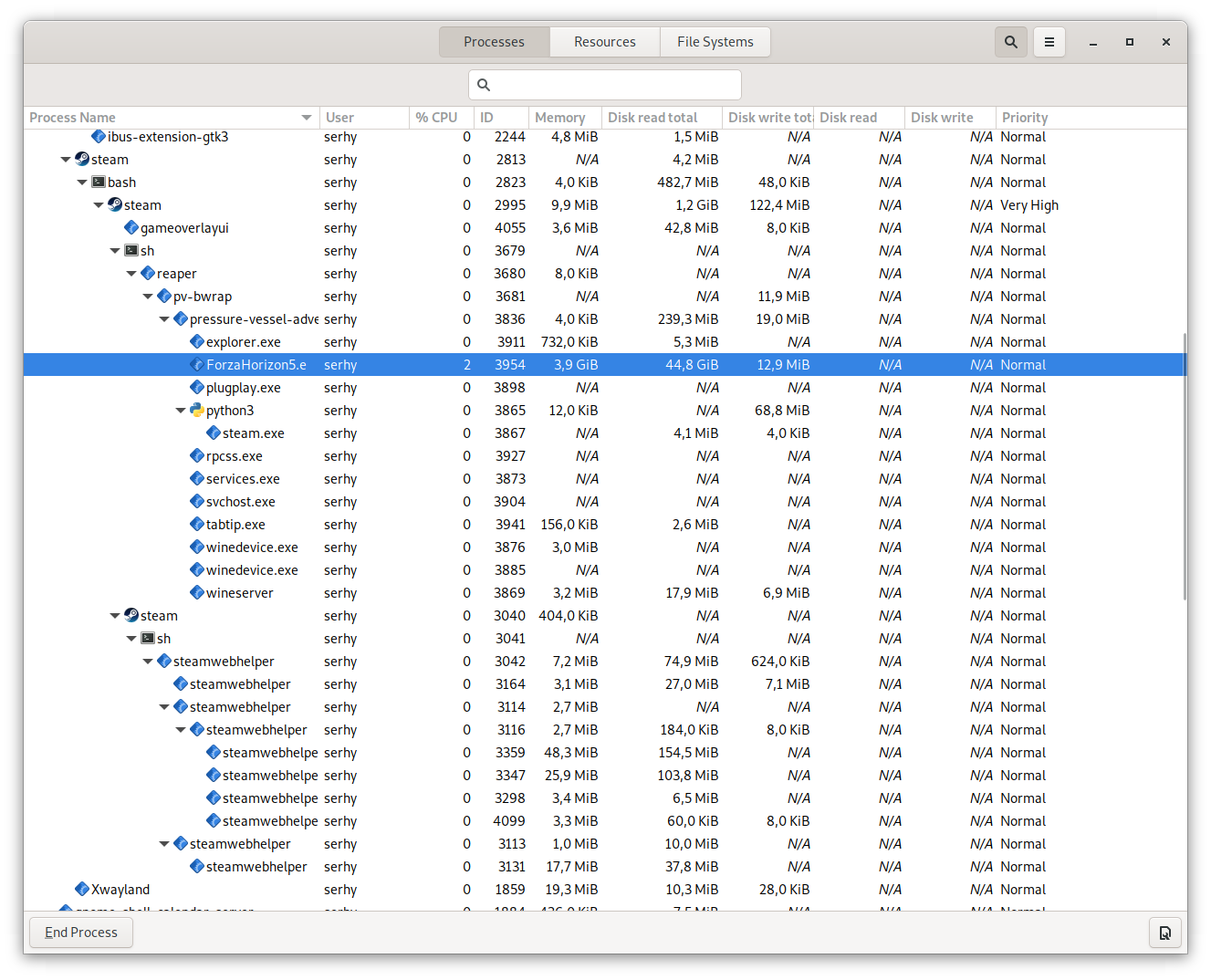
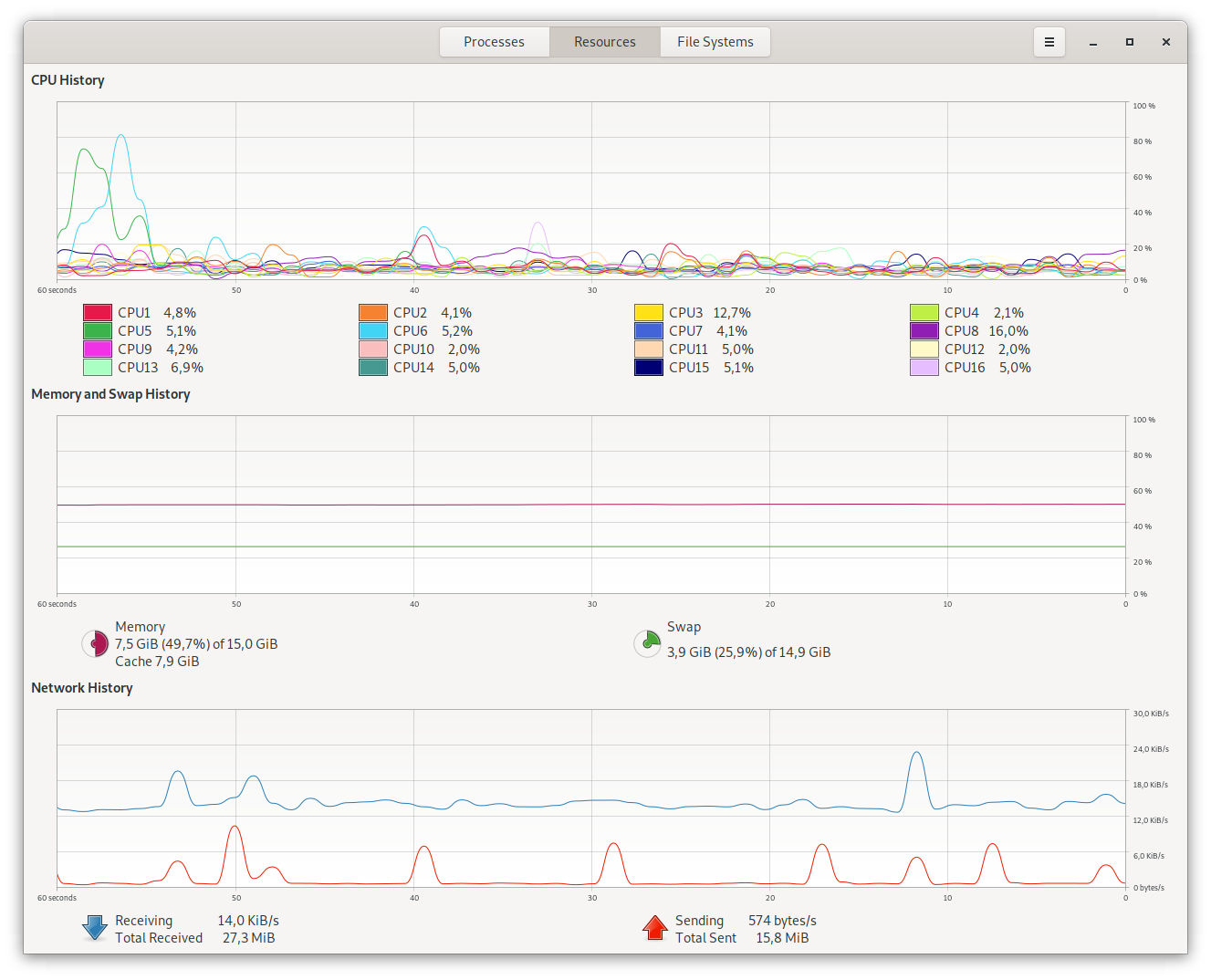
There screenshot after playing 1 more hour
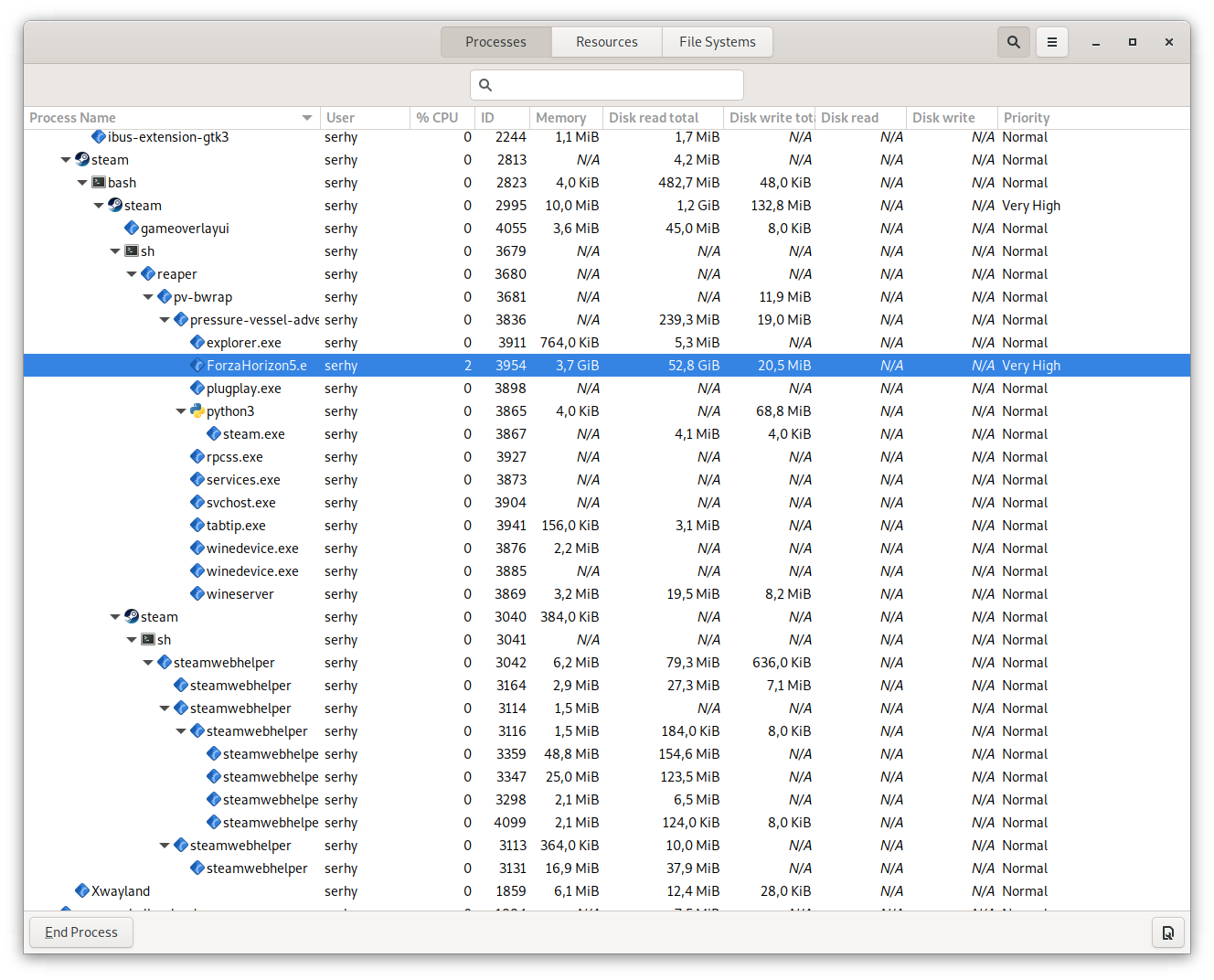
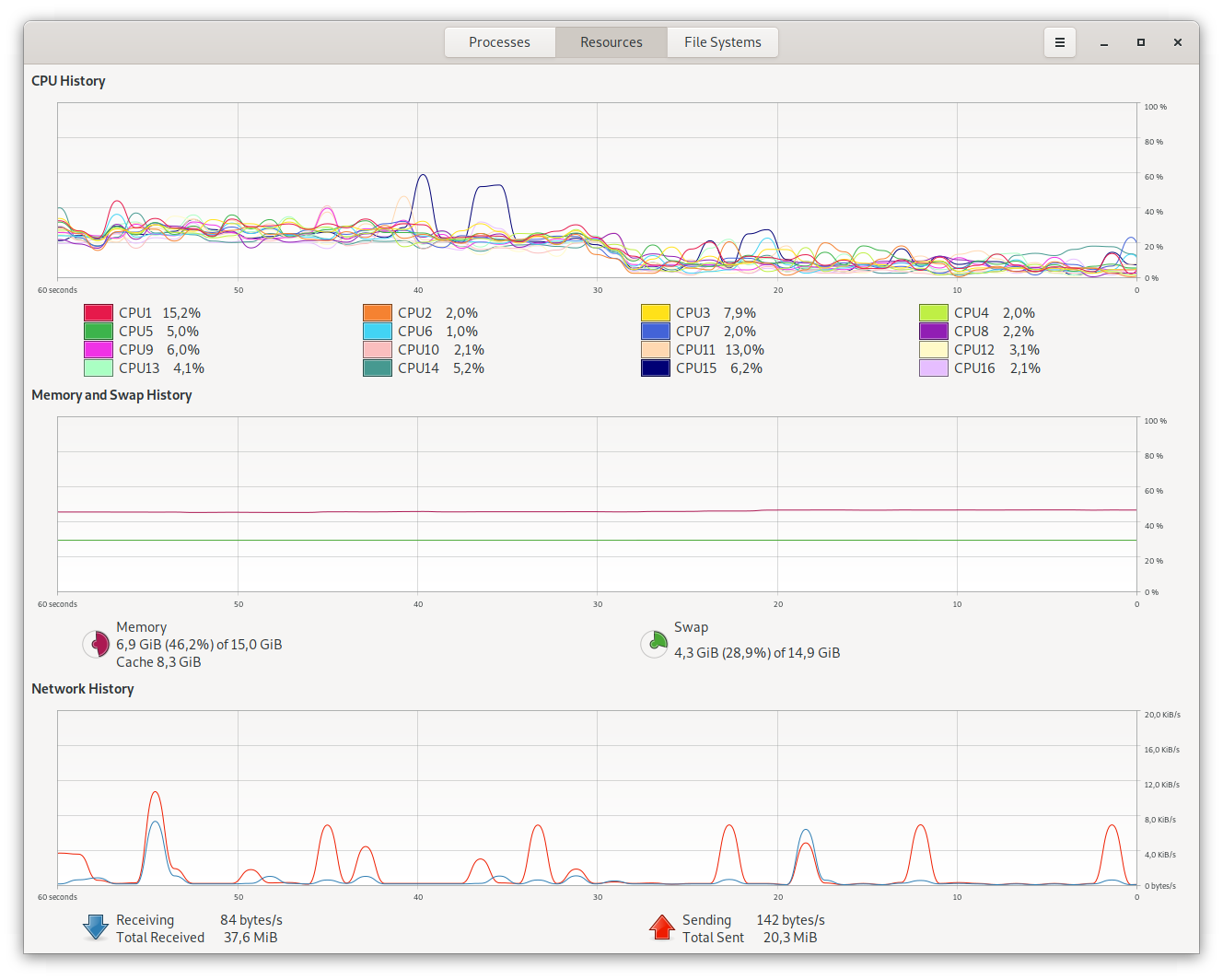
There just no free memory for game, all used by FS cache.
I already tried to disable swap - but it doesn't work because anyway no free memory for game, all used by FS cache.
Hello @serhii-nakon, it sounds like your perception of Linux's filesystem cache is fundamentally incorrect. The linux kernel can chose to use otherwise unused memory to cache disk operations, and that cache gets immediately freed for applications as needed. The caching mechanism never blocks applications. The kernel can choose to move inactive memory to swap based on the swappiness policy. You might want to look at tuning vm.swappiness to your needs if that's actually a problem for you instead of looking for a hard limit.
@kisak-valve I try say that this game operate a huge files that are cached and when game try load new location there no free memory at this time and kernel try flush cache or move something to swap but this operation not immediately - there we have stutter
I try say that kernel shouldn't use all memory for caches on game systems like steam deck, because flushing caches or moving or writing caches back to ssd/hdd take some time, and eye can see this (stutter).
It theory and it easy to check if set some maximum limit for FS cache.
This theory also possible to check on systems with > 16gb (24-32gb) - there game shouldn't have stutters on this systems (on youtube videos this game play perfect on systems with 24-32gb memory with Proton, but on ProtonDB with the same system configuration but with 16gb memory people report about stuttering)
Also I checked with different vm.swapines values
@kisak-valve I not sure that this theory is completely true... because I can't check it myself by setting limits or buy more memory.
And this is another topic I need to dig through in the future, because @serhii-nakon is right.
Don't know since then it is so, but the kernel uses RAM for the cache and does not free it if needed.
Had it already on non-vital systems, that the main process got killed by OOM-Killer,
because all the other space in RAM had been used by the cache.
Because this caching got out of hand, the only solution was to add more RAM to the system and
to tell the kernel to honor RAM requests from applications more than from the cache.
@DSLinuxUser @kisak-valve I found how force reduce FS cache usage, but it workaround and not fully fix my issue
I just run in background flush caches every second sudo watch -n 1 'echo 1 > /proc/sys/vm/drop_caches'
It also prevent swapping and allow game request more memory than installed in my system and after it will swapped.
Before:

After:
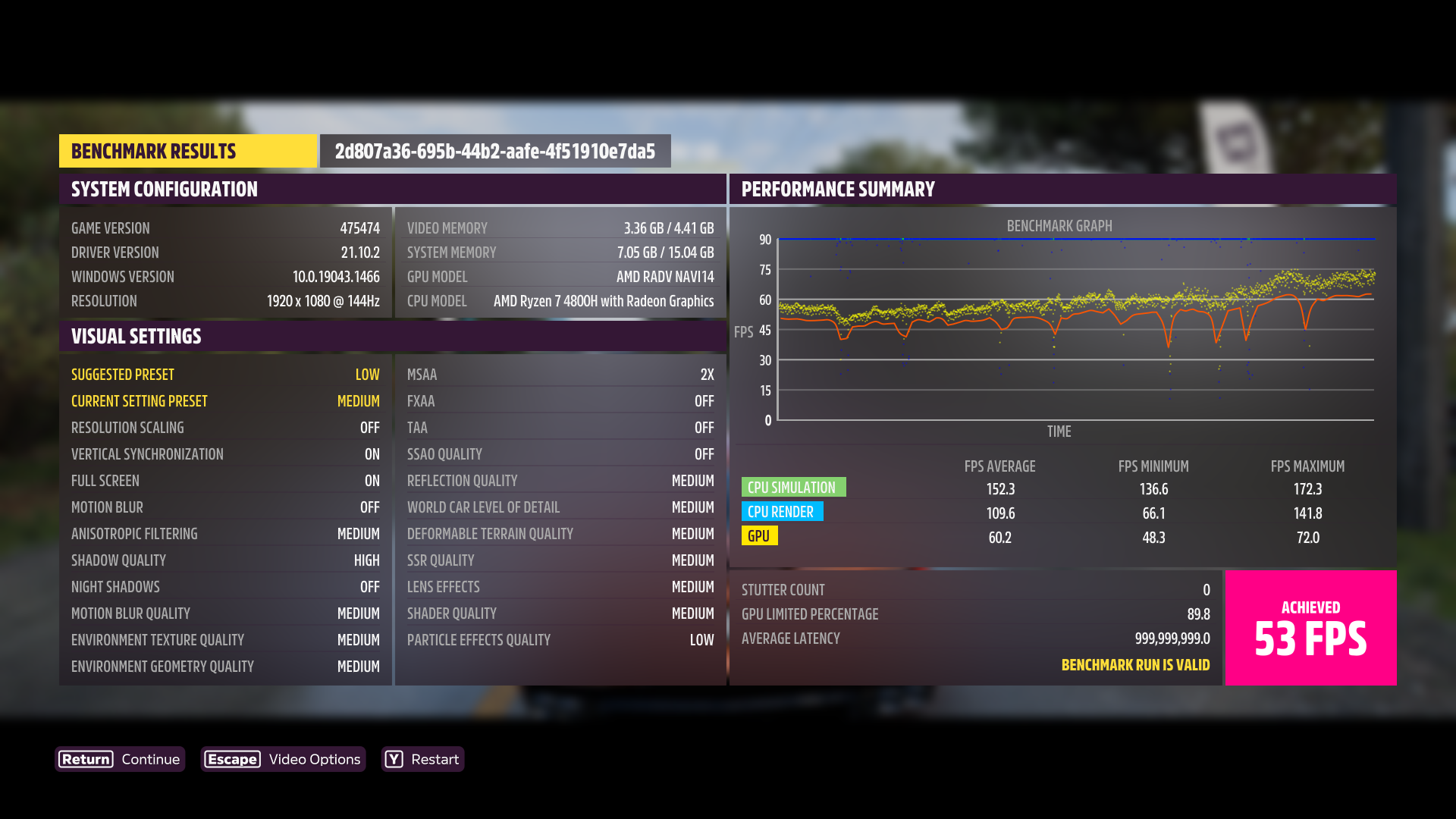
Using
Proton Experimental [bleeding edge]the game runs and the wheel is detected, but FFB doesn't work on my Logitech G29.I've noticed that in a lot of games FFB straight out doesn't work, and changing to 6.8-0 doesn't solve the issue for me.
To this day Asetto Corsa Competizione and Euro Truck Simulator 2 are the only ones out of the bunch that just worked with FFB, other games either only detect the wheel without FFB or not at all. (PS3 mode is enabled on my wheel)
Currently, the game has FFB (very weak) using Experimental and the last @GloriousEggroll 's Proton-GE 7-21 , but If I configure the keys, it no longer has FFB.
Another problem is that the game hangs on loads and even on a race. According to the benchmark my PC can run the game in "Elite" quality, but it crashes a lot more. I have downgraded to High quality and it crashes less. This is my gist:
https://gist.github.com/leillo1975/639175797dee54bdf87ed16cd57d7eb1
Does anybody else have issues with the game freezing very often? Can't even start/finish one race before I get a freeze. Two weeks ago I was at least able to play like 30-45 minutes before I got a softlock but never a crash/freeze.
(Manjaro with Proton experimental)
This is also my problem as you can see in the previous message
on nvidia, my game has lasted for more than half an hour, no crash.
this are the launch flags i used, curious to see if this would fix any forza linux user's game.
MANGOHUD=1 PROTON_HIDE_NVIDIA_GPU=0 PROTON_ENABLE_NVAPI=1 %command%
on nvidia, my game has lasted for more than half an hour, no crash. this are the launch flags i used, curious to see if this would fix any forza linux user's game.
MANGOHUD=1 PROTON_HIDE_NVIDIA_GPU=0 PROTON_ENABLE_NVAPI=1 %command%
Thanks for the info, I will try it this night . A question, ¿what Proton version you use? ¿What graphic/video settings?
I was playing about half an hour without problems, but the game crashed when I changed the view to cockpit. What camera you use?
a person had reccomended to me to disable shader per-caching, and i actually let it run.
the game lasted for 3 MINUTES till it crashed. try to disable shader per-caching in steam settings or reinstall the game and have it disabled
something i also find so fucking hilarious is that when i setup windows to play this game the game doesn't work, just a black screen or just a crash upon trying to load in. HOW DOES A WINDOWS NATIVE GAME WORK SHITTIER THAN IF IT WAS RAN UNDER LINUX???
Hello @kisak-valve
For now I simple reduce stuttering/freezes and improve FPS performance - I just enabled Above 4G Encoding
Earlier I got 52FPS (without Above 4G Encoding)
Now I get 68FPS and less stuttering/freezes (with Above 4G Encoding)
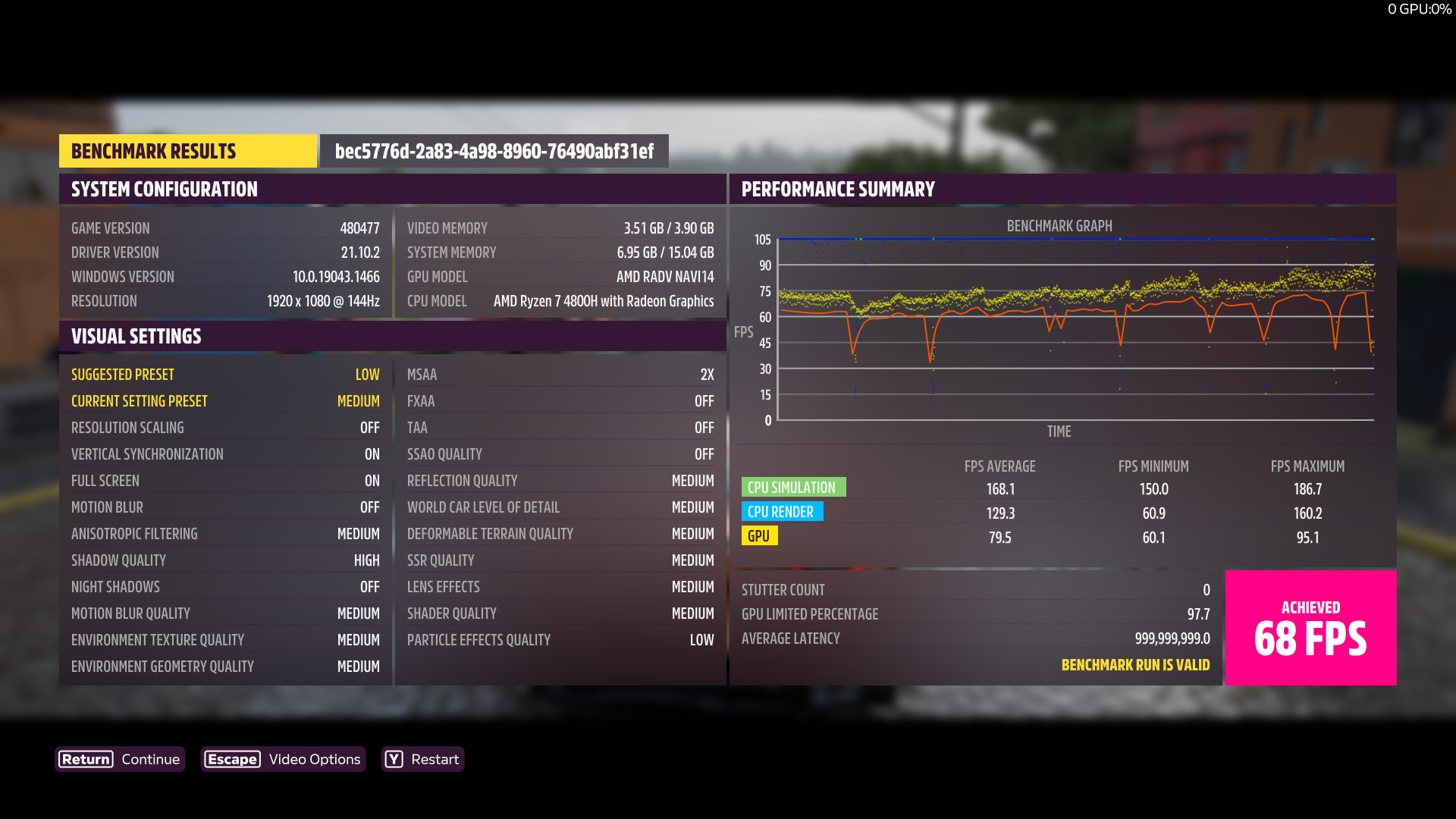
Earlier I got 53FPS and less freezes (with only flushing FS cache every 1 seconds)
Now I get 69FPS and even less freezes (with Above 4G Encoding and flushing FS cache every 1 seconds)
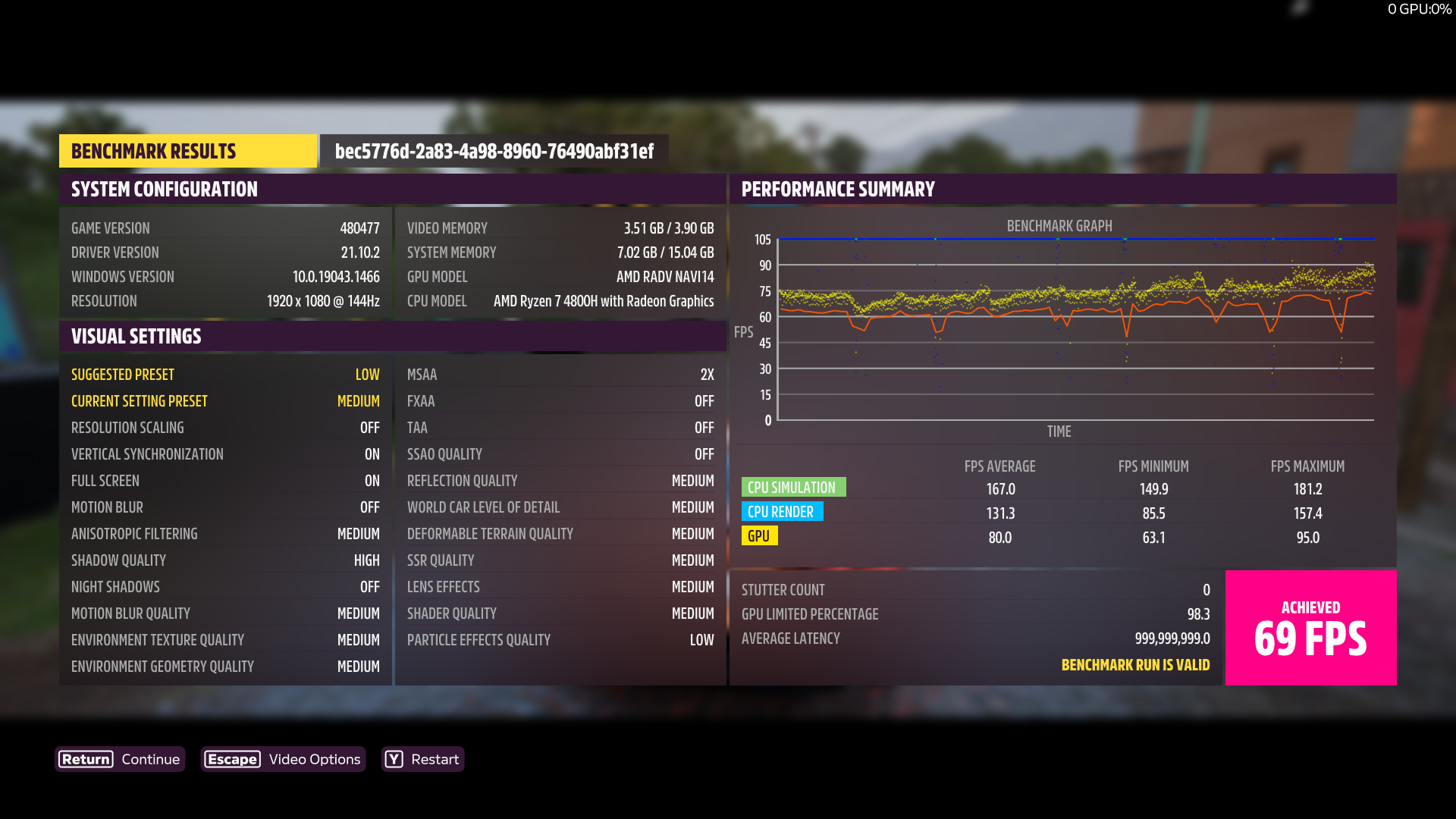
PS: Previous post to compare screenshots https://github.com/ValveSoftware/Proton/issues/5285#issuecomment-1165798806
Looks like for now I am getting stuttering/freezes only when driving with 350km/h and at this time through PCIe going a huge size of data from RAM to VRAM
@kisak-valve I completely found where problem with stuttering in my case. My discrete video card connected by PCI-E 3.0 x8 - it RX5500M and only 4GB VRAM, that's why I have stuttering with driving on high speed (bottleneck it count of PCI-E lines and it really can't transfer huge size of data so quickly)
sudo dmesg | grep PCIe
[ 0.257832] pci 0000:03:00.0: 63.008 Gb/s available PCIe bandwidth, limited by 8.0 GT/s PCIe x8 link at 0000:00:01.1 (capable of 126.016 Gb/s with 8.0 GT/s PCIe x16 link)
@kisak-valve Sorry for spam, but previous message possible incorrect because i found a video with the same laptop only screen size another, and this guy have not any freezes/stuttering on Windows 10 https://youtu.be/SMJkpoca_sE
You can see that settings the similar and no any freezes/stuttering (see frame time diagram)
shader per-caching
Tested this (disabling shader per-caching in steam) and the game freezed after like 3 minutes of driving in the open world. Using Proton 7.0.3 would't even start the game since the last Manjaro/Nvidia update and on experimental I still get a full game freeze crash after within the first 30 minutes. Sometimes it happens 5 seconds into driving and sometimes I can drive for 30 minutes straight.
I also got some microstutters every few seconds where the game freezes for like 10-30 milliseconds (visible in frametime graph) and you also can feel it because its not just skipping one frame it actually freezes your car at that position and the audio also stops for that amount of time.
I also got some microstutters
i get that alot, it's pretty sad.
as for my comment earlier, i guess i just got lucky and didn't crash early.
i used GE-Proton_7.24 and it crashed only after a few minutes of driving.
disabled pre-caching, PROTON_HIDE_NVIDIA_GPU=0 PROTON_ENABLE_NVAPI=1 MANGOHUD=1 %command%.
I also got some microstutters
i get that alot, it's pretty sad.
as for my comment earlier, i guess i just got lucky and didn't crash early. i used GE-Proton_7.24 and it crashed only after a few minutes of driving. disabled pre-caching,
PROTON_HIDE_NVIDIA_GPU=0 PROTON_ENABLE_NVAPI=1 MANGOHUD=1 %command%.
shader per-caching
Tested this (disabling shader per-caching in steam) and the game freezed after like 3 minutes of driving in the open world. Using Proton 7.0.3 would't even start the game since the last Manjaro/Nvidia update and on experimental I still get a full game freeze crash after within the first 30 minutes. Sometimes it happens 5 seconds into driving and sometimes I can drive for 30 minutes straight.
I also got some microstutters every few seconds where the game freezes for like 10-30 milliseconds (visible in frametime graph) and you also can feel it because its not just skipping one frame it actually freezes your car at that position and the audio also stops for that amount of time.
Have any of you tried removing FH5's own pipeline cache? I know you guys are on NVIDIA but just wondered if this helps stabilise things. I know on my PC it did for a while when on one particular day it started crashing every time I tried entering Horizon Open (I'm on AMD)
(To reset pipeline cache: go to /compatdata/1551360/pfx/drive_c/users/steamuser/Temp/Turn10Temp.scratch and delete the GraphicsCache folder, restart the game and let it optimise shaders again)
a person had reccomended to me to disable shader per-caching, and i actually let it run.
the game lasted for 3 MINUTES till it crashed. try to disable shader per-caching in steam settings or reinstall the game and have it disabled
something i also find so fucking hilarious is that when i setup windows to play this game the game doesn't work, just a black screen or just a crash upon trying to load in. HOW DOES A WINDOWS NATIVE GAME WORK SHITTIER THAN IF IT WAS RAN UNDER LINUX???
Amusingly enough, back when AMD GPUs at launch had a bug with decals not rendering properly on cars, running the game with the same GPU on Linux didn't have the bug. Go figure.
Hello, I'd like to report an issue with the Forza Horizon 5: Hot Wheels Expansion. When you choose to fast travel to the Hot Wheels Park the game just remains stuck in loading mode.
It seems to be the exact same issue Forza Horizon 4 has regards it's map expansion DLCs.
I'm here to report an issue that I think is reproducible, since 99% of the time it does actually seem to trigger a crash:
- Queue for Horizon Open (I generally do Road Racing, not sure if it do this with other types of events)
- Pick a car when joining a lobby.
- This is the crucial part - hope you join a pre-race lobby where there's at least one race left before a new lobby playlist is created.
- Soon as "Waiting for players to be ready" shows up at the top, it should then pull you into a "Fast Travelling other players" screen with the car turnaround.
- Soon as the text changes to "Setting up event" ==> After a few seconds, the audio cuts out, comes back then cuts out again. (Only game audio, other sound sources like Discord calls, music, etc. work fine)
- Game crashes.
Specs & Distro info:
CPU: AMD Ryzen 5 2600
GPU: Radeon RX 570 8GB
RAM: 16GB DDR4-3200 (I did try turning this down to 3000MHz to rule out RAM instability but it didn't seem to help)
Drive game is installed on: Ext4 formatted NVMe SSD (it's in my home partition)
Distro: Arch Linux, running Linux Kernel 5.18, built using TKG's scripts with PDS as CPU scheduler.
Desktop Environment: I've tried LXQt (Openbox, both with picom and no compositor), KDE (both X11 and Wayland), Wayfire and Sway, all exhibit the same issue.
I've tried changing to Proton 7, Proton GE, and Proton Experimental. GE crashes a lot earlier I find, while Proton Experimental crashes in the manner described above and/or in loading screens.
Given the nature of the crash, it looks very much like a race condition between some network thread and the game.
The Proton Log is apparently a red herring, but I'll include the fault exception info if requested.
@FuzzyQuills Could you please attach PROTON_LOG=+winhttp ? Full, uncut, compressed.
EDIT From Proton Experimental
Hello, I'd like to report an issue with the Forza Horizon 5: Hot Wheels Expansion. When you choose to fast travel to the Hot Wheels Park the game just remains stuck in loading mode. It seems to be the exact same issue Forza Horizon 4 has regards it's map expansion DLCs.
I just tested Fortune Island on FH4 here and it loads fine for me, yet to have the Hot Wheels DLC to test this game. What Proton version and hardware specs do you have?
@FuzzyQuills
Proton: Experimental
Distro: Gentoo (Testing Branch)
Kernel: 5.18.14-xanmod1-x86_64
DE:  KDE Plasma
CPU: AMD Ryzen 9 4900H
GPU: NVIDIA GeForce RTX 2060 Mobile
RAM: 16GB DDR4 SODIMM
@FuzzyQuills
Proton: Experimental
Distro: Gentoo (Testing Branch)
Kernel: 5.18.14-xanmod1-x86_64
DE:  KDE Plasma
CPU: AMD Ryzen 9 4900H
GPU: NVIDIA GeForce RTX 2060 Mobile
RAM: 16GB DDR4 SODIMM
Ah, I'm using Proton GE on mine (GE7-26 specifically as a report on ProtonDB confirmed it as stable on an AMD GPU)
Given you're on NVIDIA, maybe it's an NVIDIA specific bug. (I find that hard to believe even with NVIDIA users crashing out a lot though)
@Giovani1906 have you attempted to load in while running the game at its lowest settings? The game is generally more stable on lower settings, and that's what I must do to load between the zones stably.
Tried it again with the same settings I had before and it seems to work now.
Still seem to crash if I don't set the FPS cap to 30 though.
If you're wondering my graphical settings are:
Anisotropic Filtering - High
Shadow Quality - Low
Night Shadows - Off
Motion Blur Quality - Low
Environment Texture Quality - High
Environment Geometry Quality - Low
MSAA - 4x
TAA - Off
FXAA - Off
SSAO Quality - Off
Reflection Quality - High
World Car Level Of Detail - Extreme
Deformable Terrain Quality - Medium
SSR Quality - Low
Lens Effects - Off
Shader Quality - Extreme
Particle Effects Quality - Low
Ray Tracing Quality - High
VSync and Motion Blur are turned off as well the in-game cap is set to unlocked since the FPS cap is handled by MangoHud.
Anyone else's game crashing after signing in to Xbox Live? It's a hard crash. Happens on my desktop and on my deck with Proton 7.0-3, 7.0-4 RC and Experimental and even ProtonGE...
Here's a zip of my proton log. It's 360MB after being decompressed. https://drive.google.com/file/d/1Y_5x_0rrCSVcLH-_iqQ9RBq7IYZ4pgTJ/view?usp=sharing
Edit: fixed this by restoring a backup version of my profile in my steam userdata. Phew! All good now.
I am getting Black Bars around the Right and Bottom edges.
Tried latest experimental, GE-29
Arch Linux, Nvidia, BSPWM
I've recently bought and installed FH5 and can't get past the intro cutscenes, I get through the first plane sequence fine but in the cutscene to the second I consistently crash.
Using Proton Experimental Bleeding Edge with nvidia RTX 3060 TI, i5 9600KF. Super annoying and will have to refund if this can't be solved somehow...
forza try not to crash on nvidia gpu under proton challenge (gone wrong)
I've recently bought and installed FH5 and can't get past the intro cutscenes, I get through the first plane sequence fine but in the cutscene to the second I consistently crash.
Using Proton Experimental Bleeding Edge with nvidia RTX 3060 TI, i5 9600KF. Super annoying and will have to refund if this can't be solved somehow...
I have the same card and it is unlikely to be fixed any time soon. Forza 4 crashes similarly on nvidia and even tafter all this time. What you could try just to get you through the cutscenes is to lower the graphics. Like bump it all the way down to low, play through the first bits and then bump it up a bit. On higher graphics it will inevitably crash even if the frame rate is perfect.
My partner recently switched to AMD and she can play the game with 0 crashes.
On Steam Deck, I have noticed that the game was extremely stuttery, terrible frame pacing and not getting past 40fps (despite lowering resolution and settings a lot). Then all of a sudden, when opening the Steam "..." menu, the frame time line flattens out and game runs at 60fps or above. I tried a lot of different Proton versions, tried uninstalling PowerTools and Decky because I suspected they might be the culprit, I even reset my Steam Deck to factory settings to see if that made any difference, but I'm still having the issue. The game can run flawlessly, as it does when the menu is open, but as soon as I close it it's a stuttery mess, it's so frustrating... I don't know if this is the right place to report this, as I don't know if Proton is at fault or it's something else entirely.
Also, here's a video illustrating my issue:
https://www.youtube.com/watch?v=HCBzse71qSw
@SBRK
It's just swapchain starvation due to image being held longer when using planes vs composite with more layers.
There's a workaround for this in the RADV shipped on Deck that adds more swapchain images for the game.
Can you give more information on your setup?
You are running the game via Steam w/ Proton and not Flatpak XYZ/Lutris?
What version of SteamOS are you using?
You are mentioning that you have a lot of custom tools installed -- have you installed a custom Mesa/RADV too?
That would also cause the problem as it wouldn't have the workaround.
@Joshua-Ashton I'm using everything stock, since my last attempt to fix was to reset the SteamDeck to original settings. So that's default proton, it's what you would get if you just unboxed your deck and installed FH5 and launched it. Now, maybe some settings are kept if you reset Steam from the System settings and don't do a clean install from an external USB stick? In that case, some shenanigans from PowerTools might have sticked around, I don't know.
For more details:
SteamOS 3.3.1 build 20220817.1
Kernel ver. 5.13.0-valve21.1-1-neptune-02211-gc54cda5a36f3
Steam version 1660688177
Graphics Driver: 4.6 (Compatibility Profile) Mesa 22.0.2 (git-71648faf15)
EDIT: And for even more details, the video I linked was before I reset the Deck, with Decky and PowerTools still installed, but I'm experiencing the exact same behaviour after reset.
This seems to be the fix for FH5 stuttering on Mesa, it's from 9 months ago, predating v22.0.2 by a few months, so I should be good, right ?
EDIT: The FH5 benchmark reports driver version 21.10.2 ! But why?
This seems to be the fix for FH5 stuttering on Mesa, it's from 9 months ago, predating v22.0.2 by a few months, so I should be good, right ?
EDIT: The FH5 benchmark reports driver version 21.10.2 ! But why?
The 21.10.2 number is the simulated driver version of the AMD AGS stub used to allow FH5 to launch, that isn't your Mesa version.
The 21.10.2 number is the simulated driver version of the AMD AGS stub used to allow FH5 to launch, that isn't your Mesa version.
Got it. The proximity with Mesa's versioning got me confused (and indeed they don't have a 21.10.2 version)
as of todays build of Proton Experimental bleeding edge, this game is unlaunchable.
no log is ever generated.
Are you guys getting it to work with Intel Iris Xe? I'm having flash screen and then dead.
- OS: Ubuntu 22.04
- Runner: lutris-GE-Proton7-28-x86_64
- DXVK: v1.10.3
- Driver: 22.2.99
- Vulkan: 1.3.228
- GPU: Intel Iris Xe
Hi again Hideman85
Are you having issues in alot of games? And did it used to work for you?
This game is also dx12 and I'm not sure how great Intel GPUs work with vkd3d-proton (which is what runs dx12 games not dxvk)
Edit: I've been told some should work, so ignore the intel part as i don't really know about it.
I think yes I have already run dx12 games, not pretty sure so it could be dx11 too :thinking: maybe I can find out like a benchmark dx12 and run it to see. If you know any I would be happy to try it :slightly_smiling_face:
I don't know any off the top of my head 😁
I noticed that you have mesa git installed as a driver. Could you see if you have the same issue with the latest stable?
I notice i had to increase my swap partition to store Forza Horizon 5 from crashing, even tested it on windows game crashes with no paging, i think this game requires swap memory at least for 8gb and 16gb PC, from my experience, maybe you guys can look into it.
I notice i had to increase my swap partition to store Forza Horizon 5 from crashing, even tested it on windows game crashes with no paging, i think this game requires swap memory at least for 8gb and 16gb PC, from my experience, maybe you guys can look into it.
Good data!
I don't have a swap partition and have crashes. My system has 32GB. What swapiness you have? Where are located this swap partition, on a M.2, on a SSD or a HDD?
SSD, just add a swap partition, if u want a guide tell me
idk if 32gb of ram will be a problem, but with 16gb on windows without swap was crashing forza also and 8gb without swap was crashing also on loading screen, as i add a swap game ran and loaded, ill have to stress test and see if it works without crashing.
I notice i had to increase my swap partition to store Forza Horizon 5 from crashing, even tested it on windows game crashes with no paging, i think this game requires swap memory at least for 8gb and 16gb PC, from my experience, maybe you guys can look into it.
Good data! I don't have a swap partition and have crashes. My system has 32GB. What swapiness you have? Where are located this swap partition, on a M.2, on a SSD or a HDD?
make a swap of 1,664 MB or 3.5gb
make a swap of 1,664 MB or 3.5gb
Thanks
You modified the swappiness or you use the default (60)?
cat /proc/sys/vm/swappiness
Replying to https://github.com/ValveSoftware/Proton/issues/5285#issuecomment-1250970168
@Joshua-Ashton @FuzzyQuills
I'm happy to report that this issue is fixed with the latest SteamOS update (3.3.2)
EDIT: nevermind... It worked, but then after a few restarts it started doing the same as before. I'm out of ideas on what to do to make it work...
EDIT2: So what happened is I enabled performance Overlay at level 4 (the highest, with the most information), and it turns out there are no stutters when it is on, even after closing the Steam Deck menu. For any other performance overlay level, the stutter comes back.
I had level 4 on when doing benchmarks and testing the game and thought everything was fixed. It was not 😭
Did anyone manage to set up a driving wheel with the game?
I have Logitech G29 and it "works", meaning all the buttons, steering and throttle control work, but no force feedback.
Tried a couple of things to no avail.
Replying to https://github.com/ValveSoftware/Proton/issues/5285#issuecomment-1272296841
Have you tried using new-lg4ff for your wheel's drivers? I just got a wheel myself and I found the force feedback only worked if I used that and Proton Experimental. (I had been using Proton-GE)
Replying to https://github.com/ValveSoftware/Proton/issues/5285#issuecomment-1272299873
Yes, I did. I think the force feedback is just "generic resistance", much like if I set it through pyWheel (something like that is the name) or Oversteer.
Changing the settings within the game would not have an effect. So the vibration on/off for offroad/obsticles and changing values in ffb settings from within the menu would have no effect.
Replying to https://github.com/ValveSoftware/Proton/issues/5285#issuecomment-1272410816
Weird, I did notice the ffb seemed weak but on my end the wheel definitely stiffens up if I lose traction. Not sure what could be wrong on your end. (Flatpak Steam perhaps?)
Edit: okay so weird thing; the FFB does work on FH5, it's just insanely weak for some reason. Using Oversteer to max out the FFB values makes that quite apparent. GRID Autosport made that very clear when I tested that earlier. (native build, not Proton)
Weird, I did notice the ffb seemed weak but on my end the wheel definitely stiffens up if I lose traction. Not sure what could be wrong on your end. (Flatpak Steam perhaps?)
I am on Manjaro with two versions of steam. I am not sure about package names, but one is "Steam (Native)" and the other is "Steam (Runtime)". I am using Manjaro.
There is actually zero, absolutely no FFB. I could turn the wheel all the way to one side and release it - it would stay there.
If I do use Oversteer or new-lg4ff - there will be FFB, even outside of the game - I reckon that's just a generic resistance and not something the game provides. If I do set it up, changing anything within the game will still have no effect.
Edit: okay so weird thing; the FFB does work on FH5, it's just insanely weak for some reason. Using Oversteer to max out the FFB values makes that quite apparent. GRID Autosport made that very clear when I tested that earlier. (native build, not Proton)
I installed GRID2 and it was all messed up. I'll try with the original GRID to see how it works.
With linux 6.0 (where fixed performance for Ryzen processors) and with amd_pstate driver it work better (less freezes) on Ryzen
Steam input enabled? If so disable it.
On Mon, Oct 10, 2022, 2:20 AM eVen @.***> wrote:
Weird, I did notice the ffb seemed weak but on my end the wheel definitely
stiffens up if I lose traction. Not sure what could be wrong on your end.
(Flatpak Steam perhaps?)I am on Manjaro with two versions of steam. I am not sure about package
names, but one is "Steam (Native)" and the other is "Steam (Runtime)". I am
using Manjaro.There is actually zero, absolutely no FFB. I could turn the wheel all the
way to one side and release it - it would stay there.If I do use Oversteer or new-lg4ff - there will be FFB, even outside of
the game - I reckon that's just a generic resistance and not something the
game provides. If I do set it up, changing anything within the game will
still have no effect.Edit: okay so weird thing; the FFB does work on FH5, it's just insanely
weak for some reason. Using Oversteer to max out the FFB values makes that
quite apparent. GRID Autosport made that very clear when I tested that
earlier. (native build, not Proton)I installed GRID2 and it was all messed up. I'll try with the original
GRID to see how it works.—
Reply to this email directly, view it on GitHub
https://github.com/ValveSoftware/Proton/issues/5285#issuecomment-1272881057,
or unsubscribe
https://github.com/notifications/unsubscribe-auth/AD42HD35GKZ2EFCNZJQL2K3WCO7VLANCNFSM5HNATWKQ
.
You are receiving this because you commented.Message ID:
@.***>
Steam input enabled? If so disable it.
I have tried with steam input Default, Enable and Disable. Nothing fixed it, but I think it didn't work without it enabled at all (but I can't remember for sure, as it wasn't the solution to the problem but rather just one of the things I tried).
Funny enough - I ran forza on Steam Deck and it doesn't work either (either remote play or directly connected). To be honest, it would surprise me if it did work, really.
Ah yes, and I did try PS3 and PS4 mode on the G29 wheel also.
There's definitely something wrong with FH5 and Proton. IF you run the game in 1280x800 on the Deck you can barely read texts, in-game icons are really crappies and the game is pixelated.
If you run the game with same settings on Windows ( 1280x800 - Low ) it's fine. Also tried to use Steam Remote from a computer to the Deck to stream the game, rendering the game in 1280x800 with low settings, everything is good. Texts, icons, game.
I haven't found anyone talking about this problem or trying to solve it. It seems that everyone is only obsessed with FPS on Deck.
Replying to https://github.com/ValveSoftware/Proton/issues/5285#issuecomment-1280051172
Hey! I know this one! Disable half rate shading :)
Replying to https://github.com/ValveSoftware/Proton/issues/5285#issuecomment-1280051693
OH, that's right ! Thank YOU ! However, this is the first time I see this option having a so horrible impact on a game. ( currently playing Hotwheels Unleashed on the deck with this option ON, the game is beautiful. )
Replying to https://github.com/ValveSoftware/Proton/issues/5285#issuecomment-1280059995
Death Stranding had this same issue and a couple of games I tried. Some do, some don't, but whenever you see it, it's an educated guess and an easy fix :)
Regarding force feedback support for Logitech wheels; I have since tested a windows machine with G HUB installed and comparing it to how it behaves on Linux, there is definitely quite a few bugs and or missing implementation bits in Proton/WINE.
The behaviour described here in FH5's official FAQ on Logitech wheels makes me think maybe G HUB exports certain HID bits in a different order on the G29 on Windows vs how WINE might present the wheel to Forza.
https://support.forzamotorsport.net/hc/en-us/articles/4409263414547-FH5-Supported-Wheels-and-Devices
Specifically this paragraph: "For Logitech users, especially G920 and G29, you have to install the Logitech Software from the website; this is quite important if you don’t install it, the G920 is picked up as a different vendor product identifier (VIDPID), and its functionality in the game is compromised, both for FFB and for buttons/switches."
I noted as well that lg4ff's readme has the following line: "Support for most effects defined in the Linux FF API (except inertia) rather than just constant the force effect"
Meaning if Forza uses inertia effects at all, they may not work on Linux with this driver.
Anyway, what I have observed on Windows vs Linux:
- When driving normally, the wheel is quite "heavy" feeling and most definitely moves when moving over the road, whereas on Linux it's completely loose. (The FFB motors seem to be idle)
- When losing traction, the wheel is a lot easier to move up to a certain point as it pulls in the opposite direction. On Windows, this effect appears to work correctly. On Linux it also appears to work but due to the aformentioned "loose wheel" issue, the wheel motors shut off when you gain traction again, which will definitely throw off people experienced with a wheel on this game.
- The only time actual vibration triggers is if I lose traction on dirt on Linux, whereas on Windows vibration kicks in a lot more often.
What makes me think it might be the missing G HUB stuff is the missing effects and/or what feels like some effects being played in reverse order. (invert FFB in Forza's settings are off) Does any WINE/Proton devs have any insight as to why FH5 might be doing this in Proton?
Tested previously with Proton 7.0 and Experimental, I'm also currently testing it on a build of Proton-tkg using upstream Wine-staging as a base. All builds with lg4ff seem to exhibit the same weird FFB behaviour.
Edit: sentence structure, some of it made no sense lol.
Some more FFB observations:
- The center spring scale setting when turned down actually makes the wheel heavier instead of lighter, while also eventually turning off the dynamic center spring force. (Not entirely sure Proton/Linux is at fault here)
- Adjusting wheel damper scale with oversteer's FFB spring slider at 0 reveals that the "wheel resistance" force while driving is really weak
- If the car is completely stopped with center spring scale on the default settings, on Windows the wheel doesn't move but feels heavy. on Linux, it autocenters as soon as the car doesn't move. (or does near nothing with oversteer settings on defaults)
- The Force Feedback scale which controls all the aligning torque effects of the wheel does basically nothing to the FFB.
This makes aligning torque the most prominent missing effect after all my research.
I'm going to see if I can capture the USB traffic to my wheel while FH5 is open, because I highly suspect a bad value range with something in FH5 is breaking FFB. (Perhaps it's attempting to feed normalised floats to what usually would be the G HUB driver where it might get remapped to the proper range there?)
EDIT: Not a USB packet capture, but I found out lg4ff can output the peak FFB level so I ran watch -n 1 cat /sys/bus/hid/drivers/logitech/<G29 device ID>/peak_ffb_level while running FH5, then ran FH4 and compared them (On my system, FH4's FFB works. It's bad as it's FH4 but it works)
FH4's peak FFB level was 40023, FH5's is 4913 which definitely does not look right.
For the dev of Wine's implementation of WGI I'm attaching a Proton log captured from proton-tkg.
I'll attach a second using Proton Experimental soon.
steam-fh5-proton-tkg.log.tar.gz
EDIT: Second log, this time from FH4
steam-fh4-proton-exp.log.tar.gz
for comparison purposes.
Anyone else having issues launching this game in game mode on the steam deck on steamos 3.4? It remains black but the sound plays. It works fine in desktop mode. I downgraded to 3.3.2 and it runs fine again in game mode. I've tried a few versions of Proton to test.
Hello @Alexithymia2014, please add PROTON_LOG=1 %command% to the game's launch options, reproduce the issue, and attach the generated $HOME/steam-$APPID.log to this issue report as a file. (Proton logs compress well if needed.) Also, please copy your system information from Steam (Steam -> Help -> System Information) and put it in a gist, then include a link to the gist in this issue report.
On my Steam Deck the game runs fine without any issues with the default preset it chose on the first bootup.
However, on my eGPU setup with NVidia GTX 1080Ti, it crashes right after I start driving the first car off the plane.
And by the looks of it, the game just doesn't work on Linux with NVidia.
It's working fine, you just have to use MangoHud and Mailbox Vsync and FPS limited to 30 via MangoHud.
anyone know why does forza horizon 5 crash with EXCEPTION_ACCESS_VIOLATION?
steam-1551360.txt
all files successfully validated, Proton experimental.
i needed CONFIG_CROSS_MEMORY_ATTACH in my kernel configuration. the wine log reported errno 38 which is a missing function in -assuming- kernel.
Anyone else having issues launching this game in game mode on the steam deck on steamos 3.4? It remains black but the sound plays. It works fine in desktop mode. I downgraded to 3.3.2 and it runs fine again in game mode. I've tried a few versions of Proton to test.
I've got the same issue @kisak-valve @Alexithymia2014
@Alexithymia2014 @yoyossef Thank you for reporting! We were able to reproduce and investigate the issue - hoping it should be resolved in an update to the preview branch soon :)
Hi all, is normal that this game generates a 85.3GB log after playing about an hour?
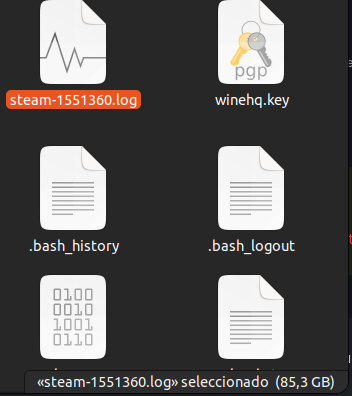
Another thing (it has nothing to do with the game specifically): Why do all games generate this kind of logs? It has to be a global setting, does anyone know where the problem might be? Maybe I activated it some time ago for something and I don't remember it anymore.
Hi all, is normal that this game generates a 85.3GB log after playing about an hour?
It can happen, depending on how much verbose the logging settings have been configured.
Another thing (it has nothing to do with the game specifically): Why do all games generate this kind of logs? It has to be a global setting, does anyone know where the problem might be? Maybe I activated it some time ago for something and I don't remember it anymore.
There's multiple ways this can happen. We usually ask to change the logging configuration per game, by editing the Steam launch options, and removing it afterwards to avoid this kind of situation, but if this happens for every game then it's probably a global settings.
The PROTON_LOG=1 environment variable can have this effect, when set. Make sure it's not set by default in your environment, or neither per-game.
Another possibility is through a user_settings.py file in Proton application files. Check for each installed Proton, whether such a file exists in their directory, and remove them. Note that there should also be a user_settings.sample.py file, which is just a sample file and has no effect and which you should leave there.
For the log size, it's the Microsoft classic anti-tamper spamming exception logs. Set WINEDEBUG=+timestamp,+pid,+debugstr,+loaddll,+mscoree in your launch environment and you'll be fine (at the cost of losing some info in case it crashes).
I've been investigating a log with the FFB commands that FH5 sends. I don't own the game but @leillo1975 is helping me by sending me FFB logs that I can replay on my computer. I've identified an issue in new-lg4ff related to conditional effects with negative parameters. This explains that the FFB improves somewhat with spring and damper effects turned off.
But the most important issue is that all other effects have a duration of 32s instead of infinity. The game downloads and starts playing the effects very early when it starts running, and doesn't update them until you get to drive. By then, the effects have stopped playing because more than 32s have gone by. The following updates to the effects are ignored since the effect is no longer playing.
I think new-lg4ff is acting correctly by not starting to play again an effect that's not longer active when the updates arrive. I think a new play command should be issued. I've seen the logs sent by @FuzzyQuills and it seems FH5 is setting duration to 7FFFFFFFFFFFFFFF (64 bits) but the Linux API receives 0x7FFF. This looks incorrect.
@kisak-valve Can some Proton developer have a look at this?
Replying to https://github.com/ValveSoftware/Proton/issues/5285#issuecomment-1358499956
I'm going to reinstall the game soon, more than happy to test this again if any FFB related patches come up! (I uninstalled after the Donut Media update ruined practically everything good about the game, recently tested on another machine and it seems those issues are resolved now)
I think new-lg4ff is acting correctly by not starting to play again an effect that's not longer active when the updates arrive. I think a new play command should be issued. I've seen the logs sent by @FuzzyQuills and it seems FH5 is setting duration to 7FFFFFFFFFFFFFFF (64 bits) but the Linux API receives 0x7FFF. This looks incorrect.
I had a feeling when I read the first log that it might have been something like this (type conversion and/or rounding errors) potentially causing issues with lg4ff and FH5's interaction with it.
EDIT: decided to put the 64-bit duration into a calculator and do some math on the "infinite" value; (assumes 0x7FFF is 32s) it appears the game's attempting to set the duration to 29,247,120 years. Very gross hack IMO but it works on Windows drivers so :man_shrugging:
What's stranger though is the fact the MSB is what's being sent to the Linux FF API instead of the LSB, which is what I'd expect would happen with an integer truncation like this.
EDIT 2: Looking at the API I've been told FH5 uses, (Windows.Gaming.Input.ForceFeedback) some of the effects don't appear to take an integer for duration but a System.TimeSpan, which in itself can be set to infinity. Could be worth looking into how Wine handles this specific case.
I think the error might be here:
https://github.com/ValveSoftware/wine/blob/19bef160d319fc73bd1c5f1174c659e4f302854e/dlls/windows.gaming.input/force_feedback.c#L127
Duration 0x7FFFFFFFFFFFFFFF is divided by 10 and cast to an unsigned short integer that becomes 0xCCCC. This value isn't recognized as infinity and the SDL Linux backend clamps it to 0x7FFF. It looks like this kind of cast is happening in other places aswell where TimeSpan is the source parameter.
@rbernon, please, can you help?
@berarma We've passed along your analysis and linked your comments to the internal bug we have. Thank you!
I think the error might be here: https://github.com/ValveSoftware/wine/blob/19bef160d319fc73bd1c5f1174c659e4f302854e/dlls/windows.gaming.input/force_feedback.c#L127
Duration 0x7FFFFFFFFFFFFFFF is divided by 10 and cast to an unsigned short integer that becomes 0xCCCC. This value isn't recognized as infinity and the SDL Linux backend clamps it to 0x7FFF. It looks like this kind of cast is happening in other places aswell where TimeSpan is the source parameter.
@rbernon, please, can you help?
I just made a test patch for force_feedback.c that removes the division on the duration fields in each effect type, and I'm happy to confirm FH5's FFB feels way stronger and seems to more or less function correctly vs the Windows Logitech Drivers. (I based it on the current Valve Experimental Bleeding Edge tree)
Only issue I'm getting now is that when turning right, the wheel pulls right instead of centering, but I suspect that's due to the earlier comment you made about negative parameters:
I've been investigating a log with the FFB commands that FH5 sends. I don't own the game but @leillo1975 is helping me by sending me FFB logs that I can replay on my computer. I've identified an issue in new-lg4ff related to conditional effects with negative parameters. This explains that the FFB improves somewhat with spring and damper effects turned off.
EDIT: I updated my new-lg4ff driver and it's still pulling to the right when I turn right.
Thanks @alasky17. I can't write PR or tests in my limited time, but I can do some more comparisons that I think can be useful.
I'm comparing the initial effects sent by the game when it starts running and the FFB logs. It's interesting how some values are translated. I was already suspicious that there are many -1 where there are normally zeroes and this happens in the whole log.
I'm comparing logs from different runs but since I've taken only the initialization of the effects, before they start playing, it should be the same on every run.
This is from the Proton log:
0194:trace:input:effect_SetParameters iface 0000000001042990, direction [1.000000, 0.000000, 0.000000], frequency 1.000000, phase 1.000000, bias 0.000000, duration 9223372036854775807.
0194:trace:input:effect_SetParameters iface 0000000001042B40, direction [1.000000, 0.000000, 0.000000], frequency 1.000000, phase 1.000000, bias 0.000000, duration 9223372036854775807.
0194:trace:input:effect_SetParameters iface 0000000001042DE0, direction [1.000000, 0.000000, 0.000000], positive_coeff 1.000000, negative_coeff 1.000000, max_positive_magnitude 1.000000, max_negative_magnitude 1.000000, deadzone 0.000000, bias 0.000000.
0194:trace:input:effect_SetParameters iface 0000000001042F30, direction [1.000000, 0.000000, 0.000000], positive_coeff 0.000000, negative_coeff 0.000000, max_positive_magnitude 0.000000, max_negative_magnitude 0.000000, deadzone 0.000000, bias 0.000000.
0194:trace:input:effect_SetParameters iface 0000000001042C90, direction [0.000000, 0.000000, 0.000000], duration 9223372036854775807.
This is what the Linux API sees (whole log at https://github.com/berarma/ffbtools/issues/29):
000010831147 > UPLOAD id:-1 dir:49288 length:32767 delay:0 type:PERIODIC waveform:SINE period:1000 magnitude:0 offset:-1 phase:53766 attack_length:0 attack_level:0 fade_length:0 fade_level:0
000010831423 > UPLOAD id:-1 dir:49288 length:32767 delay:0 type:PERIODIC waveform:SINE period:1000 magnitude:0 offset:-1 phase:53766 attack_length:0 attack_level:0 fade_length:0 fade_level:0
000010831644 > UPLOAD id:-1 dir:16429 length:32767 delay:0 type:CONSTANT level:-1 attack_length:0 attack_level:0 fade_length:0 fade_level:0
000010831799 > UPLOAD id:-1 dir:0 length:0 delay:0 type:SPRING right_saturation:65535 left_saturation:65535 right_coeff:16383 left_coeff:16383 deadband:0 center:-1
000010831966 > UPLOAD id:-1 dir:0 length:0 delay:0 type:DAMPER right_saturation:0 left_saturation:0 right_coeff:-1 left_coeff:-1 deadband:0 center:-1
Things to notice:
- Direction [1.0, 0.0, 0.0] is translated to 49288 (0xC088) instead of 0xC000.
- Params like bias/offsets/centers and coeffs get translated from 0 to -1 instead of 0.
- The phase is translated from 1.0 to 53766 and I think it should be translated to 0.
- Direction/magnitude [0.0, 0.0, 0.0] gets translated to direction 16429 and level -1 instead of level 0 and direction is irrelevant.
- And the duration as said before is translated from 9223372036854775807 (0x7FFFFFFFFFFFFFFF) to 0x7FFF.
I've also noticed that after the initialization, all effect updates get sent twice with the same values and separated by less than 1ms. Here's an example (the first column is the time in microseconds):
000060807318 > UPLOAD id:0 dir:49288 length:32767 delay:0 type:PERIODIC waveform:SINE period:100 magnitude:0 offset:-1 phase:53766 attack_length:0 attack_level:0 fade_length:0 fade_level:0
000060807409 > UPLOAD id:0 dir:49288 length:32767 delay:0 type:PERIODIC waveform:SINE period:100 magnitude:0 offset:-1 phase:53766 attack_length:0 attack_level:0 fade_length:0 fade_level:0
000060807484 > UPLOAD id:1 dir:49288 length:32767 delay:0 type:PERIODIC waveform:SINE period:33 magnitude:0 offset:-1 phase:53766 attack_length:0 attack_level:0 fade_length:0 fade_level:0
000060807556 > UPLOAD id:1 dir:49288 length:32767 delay:0 type:PERIODIC waveform:SINE period:33 magnitude:0 offset:-1 phase:53766 attack_length:0 attack_level:0 fade_length:0 fade_level:0
000060807657 > UPLOAD id:3 dir:0 length:0 delay:0 type:SPRING right_saturation:26214 left_saturation:26214 right_coeff:-1 left_coeff:-1 deadband:0 center:-1
000060807707 > UPLOAD id:3 dir:0 length:0 delay:0 type:SPRING right_saturation:26214 left_saturation:26214 right_coeff:-1 left_coeff:-1 deadband:0 center:-1
000060807763 > UPLOAD id:4 dir:0 length:0 delay:0 type:DAMPER right_saturation:6553 left_saturation:6553 right_coeff:-1 left_coeff:-1 deadband:0 center:-1
000060807815 > UPLOAD id:4 dir:0 length:0 delay:0 type:DAMPER right_saturation:6553 left_saturation:6553 right_coeff:-1 left_coeff:-1 deadband:0 center:-1
I hope this can help fix more bugs in one go.
EDIT: I updated my new-lg4ff driver and it's still pulling to the right when I turn right.
Are you sure you're using the latest in master branch? It should report version 0.4.1 in dmesg.
I had another user test the latest changes and he reported no FFB at all instead of the spurious effects.
I just made a test patch for force_feedback.c that removes the division on the duration fields in each effect type, and I'm happy to confirm FH5's FFB feels way stronger and seems to more or less function correctly vs the Windows Logitech Drivers. (I based it on the current Valve Experimental Bleeding Edge tree)
Bleeding Edge contains a fix on the WGI constant effect, which actually fixes FH5's FFB :) I'm using a Simucube 2 Sport wheel base, which is a HID PID device, and the force feedback is pretty decent in FH5 on Linux. The wheel works pretty well via both hidraw and sdl backends in winebus.sys. Although for Steam (Proton) it is recommended to use the hidraw backend, which allows Wine to control the FFB device directly (through its own HID PID implementation), bypassing the Linux HID PID driver and the entire FFB subsystem.
Duration 0x7FFFFFFFFFFFFFFF is divided by 10 and cast to an unsigned short integer that becomes 0xCCCC. This value isn't recognized as infinity and the SDL Linux backend clamps it to 0x7FFF. It looks like this kind of cast is happening in other places aswell where TimeSpan is the source parameter.
The duration is divided by 10, since the TimeSpan is measured in 100 ns intervals.
According to my FH5 logs, the dinput layer receives 0xCCCCCCCC for duration, since the parameter is DWORD (UInt32). Then it should be transformed to 0xFFFFFFFF here, as 0xCCCCCCCC > 0x7FFF (caps->physical_max):
https://github.com/ValveSoftware/wine/blob/30ed354c0d22d7646132731cd89111740f124f1d/dlls/dinput/joystick_hid.c#L811
Then in HidP_SetUsageValue() cropped again to 0xFFFF:
https://github.com/ValveSoftware/wine/blob/30ed354c0d22d7646132731cd89111740f124f1d/dlls/hid/hidp.c#L466
Finally in the sdl backend (winebus.sys), where SDL_HAPTIC_INFINITY (0xFFFFFFFF) is sent to SDL:
https://github.com/ValveSoftware/wine/blob/30ed354c0d22d7646132731cd89111740f124f1d/dlls/winebus.sys/bus_sdl.c#L729
@berarma @rbernon
So in first sight this looks like the right behavior. It needs to be confirmed, though.
@logos128, I can't test it but just yesterday @leillo1975 did some tests with Bleeding Edge and still no FFB.
Replying to https://github.com/ValveSoftware/Proton/issues/5285#issuecomment-1361192734 https://github.com/ValveSoftware/Proton/issues/5285#issuecomment-1361207885
can confirm the same issue here; only my build had any semblance of a working FFB effect.
EDIT: that also didn't end after 32 seconds.
Are you sure you're using the latest in master branch? It should report version 0.4.1 in dmesg.
I had another user test the latest changes and he reported no FFB at all instead of the spurious effects.
Can confirm I'm on 0.4.1, wheel in question is a G29
So, fun little weird thing I've discovered; replugging the wheel while the game is running restores FFB on experimental... for 32 seconds. Same pulling right issue if the wheel turns even slightly right, everything.
That duration value is 100% to blame.
@logos128, I can't test it but just yesterday @leillo1975 did some tests with Bleeding Edge and still no FFB.
can confirm the same issue here; only my build had any semblance of a working FFB effect.
It's probably the duration that's causing this. On my wheel it comes as 0xFFFF, etc. But I use the hidraw backend, so a different path.
The constant effect, which is the main effect in the game, was muted before. This is now fixed in Bleeding Edge.
It's probably the duration that's causing this. On my wheel it comes as 0xFFFF, etc. But I use the hidraw backend, so a different path.
The constant effect, which is the main effect in the
game, was muted before. This is now fixed in Bleeding Edge.
Can definitely confirm the duration is the issue. Is there a way to force Proton to use the hidraw backend instead of SDL?
Thanks all for the awesome debugging! I've made a few more tests (https://gitlab.winehq.org/wine/wine/-/merge_requests/1869) and this looks very much right. I have some fixes ready that I'll push to Proton Experimental soon.
Upstream Wine is in code freeze at the moment so I will not try to merge them there, as it's not technically a regression from some earlier Wine version, but we'll keep the fixes in Proton anyway.
According to my FH5 logs, the dinput layer receives 0xCCCCCCCC for duration, since the parameter is DWORD (UInt32). Then it should be transformed to 0xFFFFFFFF here, as 0xCCCCCCCC > 0x7FFF (caps->physical_max): https://github.com/ValveSoftware/wine/blob/30ed354c0d22d7646132731cd89111740f124f1d/dlls/dinput/joystick_hid.c#L811 Then in HidP_SetUsageValue() cropped again to 0xFFFF: https://github.com/ValveSoftware/wine/blob/30ed354c0d22d7646132731cd89111740f124f1d/dlls/hid/hidp.c#L466
Finally in the sdl backend (winebus.sys), where SDL_HAPTIC_INFINITY (0xFFFFFFFF) is sent to SDL: https://github.com/ValveSoftware/wine/blob/30ed354c0d22d7646132731cd89111740f124f1d/dlls/winebus.sys/bus_sdl.c#L729
@berarma @rbernon So in first sight this looks like the right behavior. It needs to be confirmed, though.
The problem was that in parallel to this, some HID descriptors may not be using a physical value range. In this case we don't check whether the value belongs to the physical range or not, and simply write it to the report without conversion or clamping. I think this is what is happening here.
Is there a way to force Proton to use the hidraw backend instead of SDL?
You can use the undocumented PROTON_ENABLE_HIDRAW environment variable (https://github.com/ValveSoftware/wine/pull/163#issuecomment-1336113500)
Had a feeling there was something like that in Proton, thanks. I'll see how my wheel reacts to it.
Would it be already possible to use hidraw on any device, like a Logitech G29? Would I need to install the Logitech drivers in the Proton prefix?
Would it be already possible to use hidraw on any device, like a Logitech G29? Would I need to install the Logitech drivers in the Proton prefix?
I'd be very surprised if G HUB drivers worked at all even with hidraw. Might be worth a try just to see what happens.
Replying to https://github.com/ValveSoftware/Proton/issues/5285#issuecomment-1361248729
I'm guessing this range mismatch is what's leading to the 32s effect durations on what appears to be only Logitech devices. (The Simucube wheel apparently works fine)
I just saw something download for bleeding edge and tried it; indeed it seems FFB is fixed, except for the pulling to the right issue.
Another thing I noticed; there's near zero force turning the wheel right when the car is stopped. Turning the wheel left feels as I'd expect it to.
The problem was that in parallel to this, some HID descriptors may not be using a physical value range. In this case we don't check whether the value belongs to the physical range or not, and simply write it to the report without conversion or clamping. I think this is what is happening here.
I thought the parser would apply the logical values to the physical ones, when they are absent. I think something like that is on spec. Anyway, thanks for the MR. Will try it on Wine too :)
Is there a way to force Proton to use the hidraw backend instead of SDL?
The FFB via hidraw will work only with HID PID devices as Simucube, Accuforce, Moza, etc. Those with proprietary drivers, that don't follow the HID PID standard won't work.
Would it be already possible to use hidraw on any device, like a Logitech G29? Would I need to install the Logitech drivers in the Proton prefix?
Things are slowly moving closer to make that possible. For now only drivers that access the USB bus directly (through wineusb.sys) can work. For example I use TrackIR5 with its native software in Wine, which communicates with the USB bus through its npusbio_x64 driver. Works really well. The patches needed for this are only in Wine, though. Probably will land in Proton with the next major release next year.
Another thing I noticed; there's near zero force turning the wheel right when the car is stopped. Turning the wheel left feels as I'd expect it to.
I had something like this in the past. Don't remember what I did to fix it. Do you use a custom wheel profile? It should be available when you go on the wheel tab and push left arrow. On my wheel I needed to check the reverse FFB option. Also make sure you applied the combined left/right steering axis.
The FFB via hidraw will work only with HID PID devices as Simucube, Accuforce, Moza, etc. Those with proprietary drivers, that don't follow the HID PID standard won't work.
A different topic but, is there a list somewhere of wheels compatible with HID PID?
I just saw something download for bleeding edge and tried it; indeed it seems FFB is fixed, except for the pulling to the right issue.
Another thing I noticed; there's near zero force turning the wheel right when the car is stopped. Turning the wheel left feels as I'd expect it to.
I have this problem also. You have to use your strength to bring the steering wheel back to the centre.
I've checked a ffbtools log sent by @leillo1975 and now the FFB is there. The wheel pushes to the right as described, and at least in this log, it's caused by a constant force.
I'm looking at this piece of code:
impl->constant_force.lMagnitude = round( params.constant.gain * params.constant.direction.X * 10000 );
impl->params.dwDuration = params.constant.duration.Duration / 10;
impl->params.dwStartDelay = params.constant.start_delay.Duration / 10;
if (impl->axes[count] == DIJOFS_X) impl->directions[count++] = round( -params.constant.direction.X * 10000 );
if (impl->axes[count] == DIJOFS_Y) impl->directions[count++] = round( -params.constant.direction.Y * 10000 );
if (impl->axes[count] == DIJOFS_Z) impl->directions[count++] = round( -params.constant.direction.Z * 10000 );
My concerns:
- Shouldn't the magnitude be calculated as the magnitude of the three-dimensional vector? This won't affect wheels, but it would affect joysticks with FFB in more than one axis.
- Changing only the sign of the direction parameter wouldn't result in forces always towards the same direction? I mean, the magnitude has a sign and it's taken unchanged from the direction vector, but it's changed in the direction parameter. When they're later combined to give a resulting direction it will always be the same direction. It should be changed in both calculations or use the absolute value in the magnitude calculation.
This last issue is visible in the log like this:
000073706996 > UPLOAD id:2 dir:16429 length:0 delay:0 type:CONSTANT level:-2406 attack_length:0 attack_level:0 fade_length:0 fade_level:0
000073726813 > UPLOAD id:2 dir:49288 length:0 delay:0 type:CONSTANT level:120 attack_length:0 attack_level:0 fade_length:0 fade_level:0
See how the direction changes depending on whether the level/magnitude is positive or negative, resulting in a force always pointing to the same direction.
I said in another comment that all effects updates were duplicated. Now there's a weird case that happens only occasionally. Two identical effect updates except that the direction changes:
000073836929 > UPLOAD id:2 dir:49288 length:0 delay:0 type:CONSTANT level:-1069 attack_length:0 attack_level:0 fade_length:0 fade_level:0
000073836992 > UPLOAD id:2 dir:16429 length:0 delay:0 type:CONSTANT level:-1069 attack_length:0 attack_level:0 fade_length:0 fade_level:0
The resulting force, the last update, is in line with the issue described above. Negative forces have direction pointing to the left, positive forces have direction pointing to the right.
A different topic but, is there a list somewhere of wheels compatible with HID PID?
Basically all manufacturers that make direct drive wheels except Logitech, Thrustmaster and Fanatec.
So this includes Simucube, Accuforce, Moza, Simagic, VRS, Simsteering, Sim-plicity, etc. Some of them are extremely niche, but there are others like Moza that try to compete with the above three manufacturers on the more mainstream (low to mid end) dd wheel market. The direct drive technology is the future of FFB wheels. Especially since Logitech and Thrustmaster have joined the trend, and Fanatec now have only dd offerings.
It's a good idea to maintain such a list of wheel manufacturers that follow the HID PID specification. From a Linux user's point of view this gives some confidence that the wheel's FFB will function correctly right away. Or at least that any possible issues would be fixed by the opensource community or the manufacturer.
My concerns:
* Shouldn't the magnitude be calculated as the magnitude of the three-dimensional vector? This won't affect wheels, but it would affect joysticks with FFB in more than one axis.

* Changing only the sign of the direction parameter wouldn't result in forces always towards the same direction? I mean, the magnitude has a sign, and it's preserved, but it's changed in the direction parameter. When they're later combined to give a resulting direction it will always be the same direction. It should be changed in both calculations or use the absolute value in the magnitude calculation.
This last issue is visible in the log like this:
000073706996 > UPLOAD id:2 dir:16429 length:0 delay:0 type:CONSTANT level:-2406 attack_length:0 attack_level:0 fade_length:0 fade_level:0
000073726813 > UPLOAD id:2 dir:49288 length:0 delay:0 type:CONSTANT level:120 attack_length:0 attack_level:0 fade_length:0 fade_level:0
See how the direction changes depending on whether the level/magnitude is positive or negative, resulting in a force always pointing to the same direction.
You are right. Seems the direction is causing the problem here.
I'll look into the code, but from memory the direction calculated in dinput for single FFB axis devices is always the same (90 deg or 270 deg, etc. don't remember). This is the behavior on Windows and Wine with the hidraw backend. This would explain why the Simucube works correctly.
Since the Linux FFB layer doesn't have the concept of a single FFB axis device, it always reports such devices as dual FFB axis joysticks. This forces Wine's dinput to calculate directions in dual axis-space, with one of the axes actually not existing on the device (as an FFB axis at least). Anyway, it still should calculate the direction correctly.
The problem is that game developers might expect only a single FFB axis devices there.
IIRC the above calculations from WGI to dinput units are confirmed by tests of a multi-axis FFB virtual joystick, so they'll need expanding to see what's wrong there.
IMO a possible fix would be to assume that any FFB steering wheel reported by SDL have only one FFB axis.
Replying to https://github.com/ValveSoftware/Proton/issues/5285#issuecomment-1362802630
One issue is that direction values aren't always 16384 and 49152, 90º and 270º respectively. But in this case they're so close that it doesn't really matter. It might not be always the case though. I think it should be inspected.
The issue we're noticing in this game is that the FFB pushes always to one side. That's because the direction vector in WGI contains both the magnitude and direction of the force. While in the Linux API the direction is in both the magnitude and the direction parameter.
If we have that the WGI direction is [-1.0, 0.0, 0.0], it gets translated to direction 1 and magnitude -10000. But if we have WGI direction [1.0, 0.0, 0.0], this gets translated to direction -1 and magnitude 10000. In both cases the resulting force is the same because a negative magnitude inverts the direction. Direction -1 magnitude 10000 is the same force than direction 1 and magnitude -10000.
Believe now that 3.4 is stable, that means forza I'd borked on decks game mode
The issue we're noticing in this game is that the FFB pushes always to one side. That's because the direction vector in WGI contains both the magnitude and direction of the force. While in the Linux API the direction is in both the magnitude and the direction parameter.
If we have that the WGI direction is [-1.0, 0.0, 0.0], it gets translated to direction 1 and magnitude -10000. But if we have WGI direction [1.0, 0.0, 0.0], this gets translated to direction -1 and magnitude 10000. In both cases the resulting force is the same because a negative magnitude inverts the direction. Direction -1 magnitude 10000 is the same force than direction 1 and magnitude -10000.
Yes. This hapens since SDL reports two FFB axes for the wheel, so dinput is forced to calculate a direction vector in this dual-axis space here:
https://github.com/ValveSoftware/wine/blob/ecd6932e9f4c9c30fc5ed18244f1123e9ba6d0cc/dlls/dinput/joystick_hid.c#L3107
First from Cartesian to spherical and then to polar coordinates. And since there is no direction in WGI's constant effect, it needs to be calculated from the magnitude value, as you say. Probably this calculation is not entirely correct, and needs more tests.
In the case of a single FFB axis device, the direction is always 0 here in the conversion from Cartesian to spherical:
https://github.com/ValveSoftware/wine/blob/ecd6932e9f4c9c30fc5ed18244f1123e9ba6d0cc/dlls/dinput/joystick_hid.c#L2380
And then to polar (90 deg):
https://github.com/ValveSoftware/wine/blob/ecd6932e9f4c9c30fc5ed18244f1123e9ba6d0cc/dlls/dinput/joystick_hid.c#L3116
So the direction vector will be always 90 deg for a single FFB axis device, and the magnitude will cause actual movement in the whole wheel range. This is the reason why the hidraw backend with HID PID devices works.
If the tests show that the direction is correctly calculated, though, and the game just doesn't expect more than one FFB axis there, then IMO the easiest fix would be to assume that the FFB steering wheels reported from SDL have a single FFB axis. @rbernon
Replying to https://github.com/ValveSoftware/Proton/issues/5285#issuecomment-1363098659
I don't understand. The issue I'm trying to explain happens with one, two or three axes. It's not related to the number of axes reported by SDL.
Believe now that 3.4 is stable, that means forza I'd borked on decks game mode
It is indeed. It is now borked on stable, beta and preview :(
Believe now that 3.4 is stable, that means forza I'd borked on decks game mode
It is indeed. It is now borked on stable, beta and preview :(
It works on the main branch though. So the fix is in the pipes!
Focus issue is now fixed in the preview branch on the deck
I don't understand. The issue I'm trying to explain happens with one, two or three axes. It's not related to the number of axes reported by SDL.
First of all thanks for your excellent analysis!
You are absolutely right. In theory it should happen in all cases, but in practice due to specifics in Windows/Wine's dinput implementation, it doesn't happen with single FFB axis.
A direction angle in polar/spherical coordinates needs at least two axes defined. So in case of two FFB axes (X, Y), the first direction value contains the direction angle in the X, Y axis space. The second direction value is not needed, so it is zeroed. (For polar/spherical coordinate systems by algorithm the last element in the direction array is always zero.)
So, lets assume that we have just one FFB axis. The conversion from Cartesian to spherical coordinates will set the direction value to zero, since there is not enough axes defined for a direction angle to be specified, and this is also the last element of the direction array.
Then the conversion from spherical to polar coordinates just adds 90 deg to the first direction angle in the array. So we end up with a 90 deg direction on a single FFB axis effect.
Why we need polar coordinates?
Since winebus.sys uses the HID PID implementation to represent a device to the user space layer. (The SDL backend builds a virtual HID descriptor for a device, while the hidraw backend sends the raw descriptor of a device.)
And in the HID PID implementation, the direction of an effect must be specified in polar coordinates for our specific use-case.
This is why the direction vector of a single FFB axis effect doesn't matter. Since internally, during the conversion to spherical coords, it'll be zeroed in dinput and then converted to a 90 deg. polar direction.
MSDN also suggests something similar in this article: https://learn.microsoft.com/en-us/previous-versions/windows/desktop/ee417536(v=vs.85)#single-axis-effects
I have USB traffic captures of my device from various games, where the effect direction is always 90 deg. Using the hidraw backend, the device declares a single FFB axis in its HID report descriptor.
In our specific case, WGI calculates some direction value in Cartesian coords for a given effect, and sends it to dinput via the SetParameters call. Then if it's multi-axis effect, the direction vector will be converted to a meaningful angle, but if it's single axis effect, the direction will be zeroed.
@berarma @rbernon
What I'm trying to say is that fixing the number of FFB axes to one in the virtual HID report descriptor of each SDL FFB steering wheel, would easily solve this problem. (If there is no other solution - i.e. the conversion calculations between WGI and dinput are implemented correctly.)
any workaround for 1650 Ti dosen't even start , everything is bleeding edge
Hello!
I've read the discussion that's been ongoing here past the last couple of days. Although I don't understand much of it, I am extremely grateful for everyone's time and attention.
I have attempted to reproduce some of what you are talking about. I've installed the new-lg4ff and proton-bleeding-edge. I can confirm the behaviour as following:
The FFB is same as on windows for the most part. Everything works (gravel, tire grip and so on).
There is still the bug that causes wheel to lock fully to the right. It's not persistent or always the case, but it does seem to trigger when some FFB events occur.
In practice, it looks like this
Let me know, if I can be of any other help.
any workaround for 1650 Ti dosen't even start , everything is bleeding edge
Do you have any launch options? Wheel? Have you tried any other proton builds? (check ProtonUp Qt to mange it.)
any workaround for 1650 Ti dosen't even start , everything is bleeding edge
This game (And FH4) aren't exactly reliable on NVIDIA for whatever reason. As eVen said, it might be worth trying other proton versions.
Replying to https://github.com/ValveSoftware/Proton/issues/5285#issuecomment-1365798842
This is exactly what happens to my wheel, and it was found it was due to SDL mapping some axis incorrectly to specifically Logitech wheels. (hidraw based devices work correctly apparently)
When I'm not completely exhausted, I'll see if I can patch the underlying issue as a test myself.
@TURING-V2 and others
also Nvidia User here (GTX 1060 6GB). Using the Proton Experimental works on an up-to-date Manjaro with the linux zen kernel until i get to the (i suspect) Xbox Login Page. I see several msedgewebview processes spawn and a phone-shaped white window appears. But sadly nothing else. The game crashes if i close the white window.
Does someone know something about this error?
@TURING-V2 and others
also Nvidia User here (GTX 1060 6GB). Using the Proton Experimental works on an up-to-date Manjaro with the linux zen kernel until i get to the (i suspect) Xbox Login Page. I see several msedgewebview processes spawn and a phone-shaped white window appears. But sadly nothing else. The game crashes if i close the white window.
Does someone know something about this error?
I've experienced similar in the past, if I recall corectly. Try to "guess" where the login boxes are and/or try to move the window. That generally solved it for me.
I had similar issue with Battle.net launcher - the elements of the launcher would only show up on mouseover. Other than that, I don't have an idea how to tackle this.
Perhaps a different distribution (a rolling release) and/or some other proton version? I reckon steam -d could help people identify what the issue is (basically debugging, maybe some other commands to get more output).
Replying to https://github.com/ValveSoftware/Proton/issues/5285#issuecomment-1363717513
In regards to FFB mapping with the G29, I wrote a short test program today to nut out what the wheel is doing on Linux when fed various effects and queried for things like axis mappings and such.
During that testing, I discovered something very interesting; if I use SDL_HAPTIC_POLAR with the constant force effect, with the angle value assigned at dir[0], it functions more or less correctly. 90 degrees turns the wheel left, 270 turns it right, etc. Negative directions flip that assumption.
I have to test more with SDL_HAPTIC_SPHERICAL with constant force effects but I did test FFB first with SDL_HAPTIC_SINE and it seemed to not work without using spherical coordinates.
I also checked the G HUB drivers on Windows and what they report to an SDL program. As expected, the wheel on Windows reports 1 axis instead of 2 like in Linux.
Is there a chance that maybe SDL2's handling of certain wheels on Linux could be incorrect? I also noticed the program would fail to start if I checked specifically if the device is a wheel before running FFB tests. (On Linux, it comes up as a gamepad with two FFB axes)
EDIT: Regarding Sinewave effects, turns out it was a skill issue; assigning an angle to dir[0] with SDL_HAPTIC_POLAR works as expected. Going to try and make a patch to the relevant file.
EDIT 2: I'm now in the process of making a bus_sdl.c patch, testing a hunch I have regarding constant force on this wheel.
I am happy to report I have a Proton patch for FH5 that fixes the turn to the right issue; I perused the Microsoft documentation again for WGI and realised the only input for constant force other than attack and fade-out parameters is a direction vector.
I therefore decided to add an actual vector length calculation into the part where the magnitude is multiplied with the gain instead of the X axis direction.
@berarma I think you were right on the money about the magnitude.
Thanks @FuzzyQuills, there's indeed something wrong in the constant and ramp effect directions vs magnitude sign. The magnitude seems to be signed on Windows, depending on the X effect axis orientation, so I'll keep it that way, but then the effect direction is also reoriented by W.G.I to take that into account as a negative magnitude inverses the physical effect.
I've written more tests and corresponding fixes, which I'll add to Proton Experimental bleeding edge shortly.
FFB issue seems to be fixed now in Proton Experimental Bleeding Edge. Many thanks to everyone involved in fixing this bug.
Let's see if now it's possible to fix the crashes and hangs that the game has from time to time. Question: Does this happen only with Nvidia GPUs or also with AMD?
FFB issue seems to be fixed now in Proton Experimental Bleeding Edge. Many thanks to everyone involved in fixing this bug.
Let's see if now it's possible to fix the crashes and hangs that the game has from time to time. Question: Does this happen only with Nvidia GPUs or also with AMD?
Great job to everyone involved in fixing FFB!
Regarding crashes and hangs:
On NVidia the game is completely unplayable for me since it hangs and crashes right after entering the world with any of my cars. On AMD the game crashes rarely, but still crashes. Also has an infinite loading screen for the Hot Wheels area so I haven't experienced and tested the expansion content yet.
I don't have anything technically specific regarding the freezes and crashes at the moment, but on an amd gpu (i5-10400f/rx580) I get both freezes and crashes at least once every 3-4 hours or so of gameplay. Crashes are usually while joining events (either still in world after the Session Joined message, or during the loading screens), while freezes are while driving around either in an event or in freeroam. I don't know if it's the same nature as what nvidia users run into though: on the hangs/freezes, all video and input is frozen up, while the audio continues playing (incl. music) until the game is force-closed through steam (alt-f4 closes the window but audio continues to play).
Loading the hot wheels map sometimes crashes for me, but it loads up properly ~95% of the time.
(I've also noticed some graphical glitches that started up a few weeks ago in the pre-race team event podium scene, where if the person on the far left has their character doing the airplane throwing animation, once the animation finishes (plane is caught) often a couple polygons will stretch around randomly for a couple frames as the screen fades to black. But I don't know if that's an issue with proton or the game itself since extra objects in those animations seem to be glitchy in general, getting duplicated as screens change and shooting confetti forever and whatnot)
I also get crash to desktops every other session of maybe an hour or two of racing. I wanna say CTD happens on windows too but maybe not at the same frequency. Using an AMD 2700X CPU and 5700XT GPU
I got a couple of minutes to play. Can confirm that the wheel is working as intended. Will test more extensively soon. Thank you!!!
I also get crash to desktops every other session of maybe an hour or two of racing. I wanna say CTD happens on windows too but maybe not at the same frequency. Using an AMD 2700X CPU and 5700XT GPU
Chances are this is a game issue exacerbated in Wine, given apparently even Xbox players get crashes nowadays. Says a lot about how stable this game's engine is... lol
Thanks @FuzzyQuills, there's indeed something wrong in the constant and ramp effect directions vs magnitude sign. The magnitude seems to be signed on Windows, depending on the X effect axis orientation, so I'll keep it that way, but then the effect direction is also reoriented by W.G.I to take that into account as a negative magnitude inverses the physical effect.
I've written more tests and corresponding fixes, which I'll add to Proton Experimental bleeding edge shortly.
Interesting to know; I wonder why Microsoft implemented it that way. Ah well. Good to know it's finally been put to rest!
I cant start the game on nvidea. Im on the newest kernel and nvidea driver. Here are the Proton logs https://gist.github.com/Ftamino/64fb713b1799b557ab07cadbc29efa0f and the logs in ~/.steam/debian-installation/steamapps/common/ForzaHorizon5/: https://gist.github.com/Ftamino/6325039543f615f27a67e9b4d7f08dc5
Hello @Ftamino, err:module:import_dll Library COMCTL32.dll (which is needed by L"Z:\\home\\finn\\.steam\\debian-installation\\steamapps\\common\\ForzaHorizon5\\ForzaHorizon5.exe") not found looks like the line of interest from your log. Maybe a damaged or incomplete wineprefix for the game?
Yes i already found the error. I tried deleting the wine prefix and it didnt work. And the file that is mentioned: comctl32 exist in the wine profile
Fixed the first error. Now it runs. BUT after driving for about 1 minute the image just freezes and the sound plays on until it crashes. If enabeling PROTON LOG it doesnt crash but gives a log file of around 1GB per minute you drive so i cant upload it and it also runs at like 2fps
I ran it with steam console eabled: Here is the i think relevant part of the output https://gist.github.com/Ftamino/09e3d4d55db0a6b84c4ceda2acf4491b
Fixed the first error. Now it runs. BUT after driving for about 1 minute the image just freezes and the sound plays on until it crashes. If enabeling PROTON LOG it doesnt crash but gives a log file of around 1GB per minute you drive so i cant upload it and it also runs at like 2fps
I have the same problem but in my case this is random. I can play about 2 hours without problems or in the following day freezes and crash to desktop on the first minutes
Has anyone else started seeing more crashes in the last week - in particular, crashes during the loading screen. I don't know if I changed something on my end that caused this somehow, or if my RAM has gone bad.
I can't even get it to jump into the game itself. Title screen, options, loading screens all work. Game locks up tight an crashes the moment it tries to zone into the game. Similar to others' issues. Running an EVGA GTX 3080. Forza is the only game I play that behaves like this.
Has anyone else started seeing more crashes in the last week - in particular, crashes during the loading screen. I don't know if I changed something on my end that caused this somehow, or if my RAM has gone bad.
Haven't played the game much at all lately but IIRC the game's just really unstable, even on Windows. Might not be your fault tbh.
I just installed the game and it's not at all working. Evga 3080, up to date Suse Tumbleweed, proton experimental, and steam flatpak.
It lags super hard and stutters (~2fps video playback) for the opening logos and then just black screens until it crashes
I can't even get it to jump into the game itself. Title screen, options, loading screens all work. Game locks up tight an crashes the moment it tries to zone into the game. Similar to others' issues. Running an EVGA GTX 3080. Forza is the only game I play that behaves like this.
Yep, since I've updated nvidia drivers the game doesn't work anymore and it crashes behaving like you described.
The last working nvidia driver in my environment (3060ti, kernel 5.19) is 520.56.06.
With 525.60.11, 525.78.01 and 525.85.05 it doesn't work.
Same here - dropped down to 515.86.01 and I'm able to log in and race again.
Edit:
I'm running 515.86.01 nvidia drivers, Proton 7.0-5, and limiting FPS to 30 with MangoHud. I managed to do the trial and about 6-8 other races, as well as messing around, all without a crash. Probably about an hours worth. I expect it will still crash if play long enough.
I tried 515.86.01 and Proton Experimental (as of 24th Jan 2023) and that was crashing ~10-20s into a race if I jumped into a race ASAP, or otherwise after 30-45 seconds of free roam.
Edit 2: 525.60.13 was the crashing version for me. 525.85.05 seems to be going fine now, just did Forzathon weeklies and a Kings game thing without any crashes.
I did experience a crash on 525.85.05, but I at least finally managed to get past the jumping-out-of-plane sequence (and quite a bit beyond!) with that driver version :)
On recent mesa-git and current proton experimental (not bleeding edge, I've already downgraded to standard experimental to make sure) I'm getting hangs in this game that result in me having to REISUB or at least use Alt+SysRq+I to get my machine back.
Steps to reproduce:
- Make sure mesa-git and Steam are fully up to date.
- Launch FH5 in either KDE X11, KDE Wayland or Ubuntu Unity on Arch Linux.
- Within a few seconds of entering the initial load screen or entering freeroam, the game hangs, taking some of it's parent processes with it. Switching VTs is often impossible as well in this state as somehow all input gets blocked to certain applications when the game hangs.
- Only way to break out of this state on X11 is to Alt+SysRq+I to kill all tasks. (If on Wayland, go to 5)
- On Wayland, plasmashell is frozen but I'm still able to Alt-Tab to Steam and kill it from there. Soon as the game process dies, plasmashell unfreezes and all queued inputs go through all at once.
Specs:
DE: KDE X11. Also tested on Ubuntu Unity and KDE Wayland.
RAM: 16 GB DDR4-3200
CPU: Ryzen 7 3700X
GPU: Radeon RX 5700XT
Kernel: Linux 6.1 TkG with BMQ scheduler.
Upon a quick inspection of htop when the hang happens (if I manage to open it when it hangs) it appears Wineserver is stuck spinning as it's the only running process while all other processes are suspended. I tested with fsync/esync off and on and it doesn't seem to make a difference. Windowed mode seemed to help but I got a hang as well in windowed so I can rule out direct scan-out/unredirection shenanigans.
I tired using proton ge-24 because of an Reddit post for fh4. It woked. I didn't experience any crashes on my Nvidea 1070 and intel i5. BUT I want to play with my g29 sterring wheel and it doesnt work with ge-24 but with experimental. So is there anyone who could make a version of ge24 with the steering wheel patch because i dont know where i can find it.
Edit:
Nevermind, it started crashing again after driving for a bit, but it might be due to FH5's horrible codebase.
I can also confirm it's running without the usual crashes after starting the game with GE-24. I don't play with a steering wheel so it's perfectly fine for me.
I wonder what has changed after GE-24 that broke the game, either in Wine or some of the Proton patches.
i5-8350u with GTX 1080Ti eGPU; i7-4770k with GTX 1080Ti. I have yet to test it on my Steam Deck. There I have an infinite loading screen when trying to start the Hot Wheels expedition.
This Lutris error log occurs when the game crashes, maybe can help in something.
09e8:info:vkd3d_pipeline_library_disk_thread_main: Pipeline cache marked dirty. Flush is scheduled.
09e8:info:vkd3d_pipeline_library_disk_thread_main: Flushing disk cache (wakeup counter since last flush = 43). It seems like application has stopped creating new PSOs for the time being.
09f0:err:d3d12_command_queue_bind_sparse: Failed to perform sparse binding, vr -4.
09f0:err:d3d12_command_queue_bind_sparse: Failed to submit signal, vr -4.
Forza 5 continued crash on boot up
Issue transferred from https://github.com/ValveSoftware/Proton/issues/6596.
@tgolden069 posted on 2023-03-04T22:44:12:
Compatibility Report
- Name of the game with compatibility issues: Forza Horizon 5
- Steam AppID of the game: 1551360
System Information
-
GPU: Operating System: SteamOS 3.4.4
KDE Plasma Version: 5.26.1
KDE Frameworks Version: 5.99.0
Qt Version: 5.15.6
Kernel Version: 5.13.0-valve36-1-neptune (64-bit)
Graphics Platform: X11
Processors: 8 × AMD Custom APU 0405
Memory: 11.5 GiB of RAM
Graphics Processor: AMD Custom GPU 0405
Manufacturer: Valve
Product Name: Jupiter
System Version: 1 -
Proton version: Proton Experimental
I confirm:
- [x] that I haven't found an existing compatibility report for this game.
- [x] that I have checked whether there are updates for my system available.
Symptoms
the game launches but immediately crashes and returns to the launch screen every time the game is launched. Also happens when directly launched from desktop mode
Reproduction
I need to report the game won't launch on Gnome 44. On gnome 43 the fullscreen was already broken and needed to reaplied each time the game was restarted but now when you try to open the game you briefly see a black window which instantly minimized and then you can't access the window anyhow. I tested it on both wayland and X11 but the issue remains the same.
I tried multiple kernels, mesa and proton version including ge but after upgrading from 43 to 44 the game broke and is not fixable.
You can work around it with gamescope but since gamepads are not supported with gamescope the game becomes unplayable with gamescope.
Replying to https://github.com/ValveSoftware/Proton/issues/5285#issuecomment-1472100426
For what it's worth, gamescope works fine for me with controller.
I managed to open it once with gamescope after deleting the prefix and the controller was working but since you can't write @ inside fh5 for some reason I couldn't log in and after trying to paste my email into it crashed and I wasn't able to open the game with gamescope since
I can now manage to reliable open FH5 in gamescope but since i needed to delete my prefix i need to log in which is impossible becuase the @ key doesn't work in the game and you can't paste text into gamescope
Hi,
Just for say, I am not sure it is the right place, I didn't success to have stability with FH5. I used a lot of proton version. Sometimes crashes appear after few seconds/minutes, sometimes after 20 or 60 minutes.
My last crash was after only 2 minutes with:
- Ubuntu 22.10
- nvidia 525.85.05
- kernel 5.19
- proton experimental bleeding-edge
Best regards
Just to report having the same issue, Game freezes afrer a minute or so of gameplay
Ubuntu 22.10
Nvidia 525.89.02
proton experimental
Happy to give over any logs etc If needed
Can we get some logging restraints for FH5? The game writes 30+ MB/s to disk with PROTON_LOG=1 and makes the game unplayable when trying to get crash info.
In a run where I simply boot the game and load in, 2 GB of logging data is generated!
A total of 17780397 lines are written, of which:
| 5508763 | trace:seh:dispatch_exception |
| 4543749 | trace:unwind:dump_unwind_info |
| 4030062 | trace:seh:call_vectored_handlers |
| 2203500 | warn:seh:dispatch_exception |
| 694850 | trace:seh:sigsys_handler |
| 486708 | trace:unwind:RtlVirtualUnwind |
| 167518 | trace:unwind:RtlCaptureStackBackTrace |
| 100471 | warn:vkd3d-proton:d3d12_pipeline_state_init_graphics_create_info |
| 41235 | warn:vkd3d-proton:rs_desc_from_d3d12 |
| 977 | trace:loaddll:build_module |
This means that the single "dispatch_exception" trace is responsible for 30% of the spam.
Worse, the first 9 entries in this table account for 99.980% of all log output while providing no value.
It's curious that a best-selling game like this, which on the Steam Deck has to be a lot of fun, still doesn't work properly after so many months. There are two possibilities, they haven't gotten around to it yet, or they are not able to fix the problem.
It annoys me a lot, because when it works it is tremendously fun, but as it fails randomly, in the end I have abandoned it.
It's curious that a best-selling game like this, which on the Steam Deck has to be a lot of fun, still doesn't work properly after so many months. There are two possibilities, they haven't gotten around to it yet, or they are not able to fix the problem. It annoys me a lot, because when it works it is tremendously fun, but as it fails randomly, in the end I have abandoned it.
Interestingly, especially after the latest Proton Experimental build, the game runs flawlessly on the Deck and, I assume, on AMD-based machines.
This leads me to believe the issue lies within NVidia yet again. I'm happily playing on the Deck for now and occasionally I boot up Windows and play there as well, but I have no doubt this will some day be fixed for NVidia on Linux as well.
But is it an exclusive problem of nVidia cards? Those of you who have AMD graphics don't have this problem?
But is it an exclusive problem of nVidia cards? Those of you who have AMD graphics don't have this problem?
From what I've noticed, ever since the release, the game has had issues on NVidia on Linux, but AMD guys were fine. That's why it runs so fine on the Deck - it's AMD-based.
And on my NVidia machines I've never been able to run it for more than 1 minute until it hard crashes.
But is it an exclusive problem of nVidia cards? Those of you who have AMD graphics don't have this problem?
I often crash out on AMD but it's more often than not after a very long (6-7 hours) play session. I partially isolated the crashing to a networking component going haywire occasionally. (Forza actually generates a crash report XML somewhere in the compatdata folder)
The issue on NVIDIA is that FH5 causes an MMU fault, and I'd assume it's probably a driver issue with NVIDIA and Vkd3d-proton/this game.
I do have a steamdeck and it's not working for me. I can run the game but I can't get past tutorial, where you are driving 4 different cars. If I use proton experimental, it usually freezes whole deck (sometimes even reboots) while driving first car. If I switch to proton GE, I was able to get to 4th car, but game still freezes there. It's so frustrating. I tried all proton combinations, everything is up to date and I'm getting so sick of that intro video, as I seen it already 100 times.
On my desktop with nvidia GPU it always freezes at the exact same location during tutorial, but looks like that's nvidia issue, they have fix but it's not released yet.
Replying to https://github.com/ValveSoftware/Proton/issues/5285#issuecomment-1488663417
Have you scanned your game files? This certainly didn't happen to me as I was able to do the intro on the Deck and that's how I played the whole game since. Also, is your Deck up to date?
Yes I did that. I also switched from preview to stable channel and everything is up to date. Still can't get through the tutorial.
I did a factory reset, installed latest updates, proton experimental, Forza and still same freeze and steamdeck reboot.
For me, I can get all the way to the main screen where you can proceed into the game or settings. Whether I attempt to go into the game or settings, it crashes. This is occurring on my Steam Deck as well as my pop!_OS 22.04 system with a GTX 3080 installed. While I did not do a full wipe of my Steam Deck, I did delete the prefix folder on the Deck as well as my PC. Same effect.
For me, I can get all the way to the main screen where you can proceed into the game or settings. Whether I attempt to go into the game or settings, it crashes.
I'll reinstall the game on my Deck to test, but have you tried changing your VRAM to 4GB in the BIOS? I also have a huge swapfile as set by CryoUtils
For me on Steam Deck using Proton GE fixed crashing (at least for few hours of testing), I also play only solo mode.
Replying to https://github.com/ValveSoftware/Proton/issues/5285#issuecomment-1487826991
Here I'll even give someone a head start, remove +seh and +unwind from here and the problem might be fixed just like that
Ever since the last update which introduced anti-lag et al, I'm having a couple frequent issues which weren't there before:
a) The game often freezes up during the loading screens after the main menu, where cpu usage just drops down to zero and the process stops doing anything, takes 3-5 attempts to launch if it works at all. Sometimes freezes shortly after getting in-game as well. Almost certainly freezes if the window isn't focused for the initial splash screens
b) When it freezes or crashes out it sometimes doesn't release the vram, quickly filling up the gpu and necessitating a full system reboot
GPU: RX 580
Driver: vulkan-radeon 23.0.1-1 (mesa same)
Kernel: 6.2.8-arch1
Proton: 7.0, GE 51 and 53 affected as well. Just tried experimental, and it froze on the main menu so I'm inclined to say it's affected too
Using both experimental and bleeding-edge, in fullscreen, the game flickers and slows my system down to a halt just when in the first loading screens. I had success before when the game launched in windowed mode, but I have since yet been able to force it out of fullscreen.
GPU: RTX 2080 Ti
Nvidia driver: 530.41.03
Kernel: 6.2.9-arch1
updating to nvidia driver 530.41.03-4 helps with crashes
(the one in the intro in my case)
Proton Experimental bleeding-edge gets me into the game, however during the 4 car transition intro my game froze with each car. I currently cannot get past the character selection screen.
5.14.10-1-MANJARO NVIDIA GeForce GTX 1660 SUPER (495.44)
For what's its worth, I think I'm experiencing the same thing as this, still.
Arch & 1660 Ti, latest kernel and drivers. ( 6.2.8-arch1-1 / nvidia 530.41.03-1 )
My log files are like 5gb a piece, so I'm attaching the snippet where it crashes.
Has there ever been a solution found here? Game runs beautifully otherwise (well... it loads pretty slow of a traditional HDD, since I didn't want to dedicate 100GB+ of SSD space... but other than that) But I can't get past the character creation to even play the game lol
log.txt
@shawnshyguy I had the same issue. I finally managed to finish that stupid tutorial/intro, but it took me few tries. I found a combination of proton that mostly works. Sometimes I can play for 2 hours, sometimes for 5 minutes.
- use proton-ge 24
- play in offline mode
- set graphical settings to lowest
- set these command options:
PROTON_HIDE_NVIDIA_GPU=1 PROTON_ENABLE_NVAPI=0 VKD3D_CONFIG=no_upload_hvv,dxr %command%
After that I was able to finish that 4 car intro on a 3rd run and also play game for few more hours. I noticed that higher the graphical setting, higher the chance of game crashing. Also if you play online, there is a higher chance of game crashing. Give it a try, worked for me.
@IvanVojtko tried this... no luck.
However.
I was messing with the settings, trying to see how I could limit networking and whatever else.
I had changed the camera angle to first person while doing the demo... changing that to 3rd person, of all things, seemed to solve my issue.
Thanks nonetheless lol
People have seemed to stop reading the older posts in the GitHub issue.
NVIDIA cards will always crash at random when running faster than 30fps.
If you lock the framerate to 30fps with something like MangoHud it will work fine.
Can you lock the fps directly via steam?
*EDIT
You can just add +fps_max30 in the launch options
Can you lock the fps directly via steam? *EDIT You can just add +fps_max30 in the launch options
"+fps_max30" crashes instantly, also 30fps set in game dont help with crashes
Didn't crash for me but also didn't help
Didn't crash for me but also didn't help
I committed stupid and tried adding it before %command%, still didn't help
You have to set it via MangoHud (Mailbox vsync).
You have to set it via MangoHud (Mailbox vsync).
in game limiter doesnt work?
At least for me it has a minimum of 32fps
You have to set it via MangoHud (Mailbox vsync).
in game limiter doesnt work?
No, for me it's working only via MangoHud.
could You share your launch options?
I don't have one. It's just a MangoHud option:
https://pastebin.com/725Z16tP
I don't have one. It's just a MangoHud option: https://pastebin.com/725Z16tP
it did crash on me with 30fps in mangohud both with vsync on 3 and 2
You have to turn off in game framerate limiting.
You have to turn off in game framerate limiting.
again. crashed
I noticed that game is crashing way too often with vsync on. When I turned it off I can play for hours without crashing.
As a follow up the previous post, here's the launch settings I used:
PROTON_HIDE_NVIDIA_GPU=0 PROTON_ENABLE_NVAPI=1 VKD3D_CONFIG=dxr MANGOHUD=1 MANGOHUD_CONFIG=vsync=2,fps_limit=30 gamemoderun %command%
I don't think you need gamemoderun so you can remove that.
As for game settings I've disabled V-Sync and set the framerate count to unlocked.
I do recommend to try and lower graphical settings because it seems the game crashes more often if the VRAM amount is high.
For example here's the settings I used last time I played Forza Horizon 5 on GNU/Linux.
Anisotropic Filtering - High
Shadow Quality - Low
Night Shadows - Off
Motion Blur Quality - Low
Environment Texture Quality - High
Environment Geometry Quality - Low
MSAA - 4x
FXAA - Off
SSAO Quality - Off
Reflection Quality - High
World Car Level Of Detail - Extreme
Deformable Terrain Quality - Medium
SSR Quality - Low
Lens Effects - Off
Shader Quality - Extreme
Particle Effects Quality - Low
Ray Tracing Quality - High
The GPU I have is a NVIDIA GeForce RTX 2060 mobile.
People have seemed to stop reading the older posts in the GitHub issue. NVIDIA cards will always crash at random when running faster than 30fps. If you lock the framerate to 30fps with something like MangoHud it will work fine.
For the record, I've actually bumped my framerate limit in MangoHud up to 45fps, and while yes it does still crash randomly, it often will take over an hour to crash. Since I rarely play for that long in one sitting, that doesn't bother me, but the framerate value you decide to use is going to be very computer-dependent.
Also, even with the framerate limited to 30fps, I still do get crashes to desktop (but even less frequently) and for some reason I cannot load into the Hotwheels zone. I can travel between Sierra Nueva and Mexico without problem, just the Hotwheels zone has been crashing while loading, regardless of what my FPS limit is.
Forza Horizon 5 Crashes
Issue transferred from https://github.com/ValveSoftware/Proton/issues/6692.
@TheEvilSkeleton posted on 2023-04-17T21:31:45:
Compatibility Report
- Name of the game with compatibility issues: Forza Horizon 5
- Steam AppID of the game: 1551360
System Information
- GPU: Sapphire Nitro+ RX 580 4 GB
- Driver/LLVM version: Mesa 23.0.2 (git-4d5e73870e) / LLVM 15.0.7
- Kernel version: 6.2.9-300.fc38.x86_64
- Link to full system information report as Gist: https://gist.github.com/TheEvilSkeleton/a003ee665e30c849cf5472dd8d7a7da8
- Proton version: 7.0-6 and 8.0-1
I confirm:
- [x] that I haven't found an existing compatibility report for this game.
- [x] that I have checked whether there are updates for my system available.
steam-1551360.zip (Proton 8.0-1 was used)
Symptoms
A few minutes after launching Forza Horizon 5 (from few seconds to 5 minutes), the game freezes for a few minutes, and crashes (exits).
Reproduction
- Launch Forza Horizon 5
- Start playing, or go to the settings and wait for a few minutes.
Replying to https://github.com/ValveSoftware/Proton/issues/5285#issuecomment-1512114890
Is there a chance you can downgrade your kernel to 6.1? There's a known amdgpu issue affecting some AMD systems that can crash this game, but only on kernel 6.2 or higher.
Unfortunately, no. I refunded the game, due to anxiety of being unable to refund it - I troubleshooted for more than an hour, and didn't want to go over the 2 hour limit. Sorry
@FuzzyQuills I'm going to repurchase FH5 and install Windows 10 if it doesn't work on Linux. Is Linux 6.2.10 good enough or do I need a lower version?
Edit: nevermind. I misread 6.1 as 6.2. I'll downgrade it. Sorry for the ping
Is there a chance you can downgrade your kernel to 6.1? There's a known amdgpu issue affecting some AMD systems that can crash this game, but only on kernel 6.2 or higher.
@FuzzyQuills hey, I can confirm that downgrading to 6.1 works! I played for 2 hours without running into issues!
For Silverblue users who are having the same issues as I did, here's what I did: I got the kernel-longterm package from the kernel-longterm-6.1 repo. Here are the steps:
- Add this Copr repo https://copr.fedorainfracloud.org/coprs/kwizart/kernel-longterm-6.1. To add this repo, download the
.repofile for the corresponding version, then copy/move the file to/etc/yum.repos.d/. - Run
rpm-ostree override remove kernel kernel-core kernel-modules kernel-modules-extra --install kernel-longterm. - Reboot
- Launch Forza Horizon 5
Just a sidenote, I installed the bleeding-edge version of Proton Experimental (explained here https://github.com/ValveSoftware/Proton/issues/5285#issuecomment-965763480); I haven't tested this specific configuration on other versions of Proton.
Seriously, thank you!
Replying to https://github.com/ValveSoftware/Proton/issues/5285#issuecomment-1513854459
For future reference, this is most likely what was making the game crash before, it did so for me too on 6.2 before I downgraded: https://gitlab.freedesktop.org/drm/amd/-/issues/2457
All versions of Proton should work, although after very long play sessions, the game sometimes just closes. I'm still attempting to fix that myself. (It seems to be a race condition that is networking related, so Horizon Solo may run flawlessly)
Any news for Nvidia, Forza 5 in combination with proton 8 ? Or is it still broken for nvidia?
Any news for Nvidia, Forza 5 in combination with proton 8 ? Or is it still broken for nvidia?
You could always try it, however I'm still certain the issue is on NVIDIA as the fault in question happens inside the GPU driver.
Also, I'd try the new Proton Experimental 8.0 to play as it has a more recent vkd3d-proton to my knowledge.
I currently do only own the game in the windows store - I buyed the game once again on steam to play it, after nearly 2h of trouble shooting I used the refund function until I read somewhere someone somehow has getting this game running, proton 8 release was a small light I thought it could may fix some thing.
I currently do only own the game in the windows store - I buyed the game once again on steam to play it, after nearly 2h of trouble shooting I used the refund function until I read somewhere someone somehow has getting this game running, proton 8 release was a small light I thought it could may fix some thing.
As an AMD user, I found the game did run better on Proton 8.0, definitely give it a shot.
Proton 7.0 was plagued with stuttering issues which I narrowed down to websocket operations being slow for specifically this game.
Actualy, I notice a better situation with proton 8. I use an Ubuntu 22.10 with nvidia 525.105.17. I had only 1 crash for 5h of game time. This was not the case with the other versions.
Actualy, I notice a better situation with proton 8. I use an Ubuntu 22.10 with nvidia 525.105.17. I had only 1 crash for 5h of game time. This was not the case with the other versions.
When you did crash, was it due to the Nvidia Xid error again?
Because that just about sums up my experience when playing on AMD, minus the Xid errors.
I don't know, I didn't check :/
I don't know, I didn't check :/
If you can leave journalctl -f running in a terminal next time you play, when you crash, press Ctrl+C in the terminal. That should tell you. :)
Still progress though! better than the reports I was hearing of people crashing in 10 minutes or less.
Was this at 30fps or a higher frame rate cap?
For the moment, I didn't have another crash. When crash occurs, it is only a game crash, not a system crash. I will check journalctl next time.
I play with 30 fps and vsync off.
For the moment, I didn't have another crash. When crash occurs, it is only a game crash, not a system crash. I will check journalctl next time. I play with 30 fps and vsync off.
30fps, okay. Could you see if a higher framerate is more stable now?
It seems not, crash after 10mn with 60fps:
kernel: NVRM: GPU at PCI:0000:01:00: GPU-0f653455-a9c7-8f98-6522-f5ca51a64bd2
kernel: NVRM: GPU Board Serial Number: 1320321010385
kernel: NVRM: Xid (PCI:0000:01:00): 109, pid=6538, name=ForzaHorizon5.e, Ch 00000036, errorString CTX SWITCH TIMEOUT, Info 0xac01c
It seems not, crash after 10mn with 60fps:
kernel: NVRM: GPU at PCI:0000:01:00: GPU-0f653455-a9c7-8f98-6522-f5ca51a64bd2
kernel: NVRM: GPU Board Serial Number: 1320321010385
kernel: NVRM: Xid (PCI:0000:01:00): 109, pid=6538, name=ForzaHorizon5.e, Ch 00000036, errorString CTX SWITCH TIMEOUT, Info 0xac01c
Try Proton Experimental 8.0, that CTX switch timeout if it's what I think it is was fixed/worked around in vkd3d-proton. (Proton 8.0 is using an old vkd3d-proton version)
OS: Manjaro Linux x86_64
Host: MS-7B17 2.0
Kernel: 5.15.108-1-MANJARO
DE: GNOME 43.4
GPU: NVIDIA GeForce RTX 2060 SUPER (Driver Version: 530.41.03)
Game crashes randomly and i see this message in the logs
NVRM: Xid (PCI:0000:01:00): 31, pid=964356, name=ForzaHorizon5.e, Ch 00000042, intr 00000000. MMU Fault: ENGINE GRAPHICS GPCCLIENT_GCC faulted @ 0x0_00009000. Fault is of type FAULT_PDE ACCESS_TYPE_VIRT_READ
seems other people also having this issue with cyberpunk
https://forums.developer.nvidia.com/t/fault-pde-access-type-virt-read/250097
Replying to https://github.com/ValveSoftware/Proton/issues/5285#issuecomment-1535779577
This has been known to plague the Forza Horizon games on Linux via Proton with NVIDIA drivers for a long time, but interesting that it's now affecting Cyberpunk 2077.
Have you tried capping the framerate to 30fps on Forza Horizon 5? Reportedly that at least allows for longer play sessions on NVIDIA.
Have you tried capping the framerate to 30fps on Forza Horizon 5? Reportedly that at least allows for longer play sessions on NVIDIA.
i am not being rude sir, but i didnt buy a gaming pc to play games at 30fps
Have you tried capping the framerate to 30fps on Forza Horizon 5? Reportedly that at least allows for longer play sessions on NVIDIA.
i am not being rude sir, but i didnt buy a gaming pc to play games at 30fps
Everyone here would prefer you get the performance you paid for. Please don't direct your anger at people simply trying to help you solve your problem. It's no one's fault that NVidia play sessions seem more unstable as the framerate increases.
Please don't direct your anger at people simply trying to help you solve your problem. It's no one's fault that NVidia play sessions seem more unstable as the framerate increases.
How am i directing my anger at anyone? i am not angry and i started the message with this
"i am not being rude sir,"
Please don't direct your anger at people simply trying to help you solve your problem. It's no one's fault that NVidia play sessions seem more unstable as the framerate increases.
How am i directing my anger at anyone? i am not angry and i started the message with this "i am not being rude sir,"
Just because you preface something with "i am not being rude" does not somehow remove the seeming spite and passive aggressiveness from the following phrase,
i didnt buy a gaming pc to play games at 30fps
- No one said you did.
- It's not relevant.
- Everyone in this issue discussion wants the game to run better, hence the issue existing.
I don't see why you'd post that comment except to vent or complain.
Got it working 100% now
OS: Manjaro Linux x86_64
Host: MS-7B17 2.0
Kernel: 5.15.108-1-MANJARO
DE: GNOME 43.4
GPU: NVIDIA GeForce RTX 2060 SUPER (Driver Version: 530.41.03)
Very simple i Just set the graphics to high and now i can play for hours without a single crash.
(getting 60fps at 3440x1440)
Setting the graphics to ultra causes the game to crash every 5-10 mins.
I know NVidia had some issues with the landscape deformation graphical effect, is that the cause?
Replying to https://github.com/ValveSoftware/Proton/issues/5285#issuecomment-1537071336
What proton version are you using
Replying to https://github.com/ValveSoftware/Proton/issues/5285#issuecomment-1537071336
@elogicuk
- Did you change anything else, other than your graphic settings in the game? Since your first post, your setup seems to be the same (kernel and driver version), if you can, please post your current proton version.
- Is the stability consistent? meaning, does it keep working in different gaming sessions, or even after rebooting the PC?
Thanks
crashes after the intro for me.
kernel: 6.3.8-200.fc38
os: Fedora 38 (KDE spin)
cpu: AMD Ryzen 7800x3d
gpu: AMD 7900xtx
Launches but the intro has crazy screen flickering and the game displays a black screen after the intro and eventually crashes. Additionally this causes a kwin_wayland process to eat a bunch of my vram (about 9gb) and continues to do so until I restart the computer.
The log contains a few errors but nothing else that immediately stands out to me.
12377.142:00cc:00d0:err:xrandr:xrandr14_get_adapters Failed to get adapters
12377.658:012c:0130:err:kerberos:k12377.659:012c:0130:err:ntlm:ntlm_LsaApInitializePackage no NTLM support, expect problems
erberos_LsaApInitializePackage no Kerberos support, expect problems
crashes after the intro for me.
I have same GPU, but my CPU is 7950x.
Just rechecked and I didn't faced with this bug on Fedora Rawhide (GNOME spin) + Wayland session + Mesa builded from git-master branch.
Which proton version do you use? Please try Proton Experimental bleeding edge.
Can you recheck with fresher mesa build and kernel?
Which proton version do you use? Please try Proton Experimental bleeding edge. Can you recheck with fresher mesa build and kernel?
I was on Proton Experimental (I also tried GE-Proton8-4 but that isn't relevant for the valve branch). I switched to Experimental bleeding edge and still got the issue. I am already on the newest non RC kernel and unfortunately the COPR repo I tried for mesa-git isn't building at the moment so I can't try that yet and I'm a bit too new with Linux to build it myself. I will come back and update once that is figured out.
I will come back and update once that is figured out.
I have returned running mesa 23.2.0-0.3.20230619.20.0e728ea, proton bleeding edge experimental and kernel 6.3.8-200.fc38. The issue still persists, the vram bug is still being a massive pain forcing me to restart, it still has crazy screen flashing and it still never makes it past the intro graphics.
Interestingly I noticed this time that right when I open the game for the first time wine-preloader and wine64-preloader crash. I can't report the crashes because the problem processing fails but it's a hint I guess.
For me the game freezes. Using Arch linux with Sway WM. Audio is also crackling and I got black screen.
Tried latest stable proton, experimental and latest proton-ge.
Only way to get out was to switch to different workspace and kill steam from terminal.
CPU : i5-10600k
GPU : Radeon rx 6700 xt
Have any other nvidia users tested the 535 drivers? I tried the 535.54.03 ones and my crashes are happening far more frequently - I went from crashing after a few hours to crashing within a minute or two. The crashes are still Ch 00000071, errorString CTX SWITCH TIMEOUT, Info 0x13c040.
Still don`t working for me, just bought the game in the steam sales - just flickering intro, leading into crashing game.
Kernel 6.3.9-zen1-1-zen
Nvidia 535.54.03
3070 ti
Tried Proton-GE / Proton-GE-8.5 / Proton Experimental and some tinkering with launch options.
Still don`t working for me, just bought the game in the steam sales - just flickering intro, leading into crashing game. Kernel 6.3.9-zen1-1-zen Nvidia 535.54.03 3070 ti Tried Proton-GE / Proton-GE-8.5 / Proton Experimental and some tinkering with launch options.
EDIT: Also a proton log would be useful, however I'm not fully aware of how to make one anymore. (I think the original environment variables to set in the launch options changed?)
What distro, and what Desktop Environment? This sounds a bit like Wayland interfering with something, even though it's apparently getting better on NVIDIA.
Also keep in mind this game still triggers MMU faults on NVIDIA GPUs which translates to a game that tends to crash or suddenly close a lot, at least compared to a Linux machine running an AMD graphics card and the latest open source drivers.
Forza Horizon 5 in general also used to be quite unstable even if it ran properly but Proton 8.0 completely fixed that on my machine. (I have all AMD parts in mine)
EndeavourOS, x11, KDE.
Just used the refund function on steam. Maybe sometime its running fine, or on forza 6 in X years...
Just seen in this topic some1 habe more issues with the new nvidia driver, might be an issue (for sure) here.
I'm also having flickering, and crash after the intro.
Here is my proton log: steam-1551360.zip (warning, its about 550MB uncompressed)
I can see some errors like D3D11SwapChain: Failed to recreate surface: VK_ERROR_OUT_OF_HOST_MEMORY, so I guess its running out of video memory due to a rapid leak.
- Proton Experimental (I think experimental-bleeding-edge-8.0-49236-20230708)
- Fedora 38 KDE Spin (Plasma 5.27.6 Wayland)
- Radeon RX 6900XT
- Mesa 23.1.3
- Kernel 6.3.11
Replying to https://github.com/ValveSoftware/Proton/issues/5285#issuecomment-1627592332
I've noticed some issues like that with both the most recent version of gnome and KDE.
I found a workaround that get's the game always running for me on both desktops.
As soon as the intro videos start playing just minimize the game. Just ignore the game from then on until you hear the main menu music in the background. Next you can usually just alt+tab into the game or get rid of the black window by alt+enter to go into fullscreen.
Note: using this method the msaa or something is broken so the game looks a little more pixelated than usual but this can be resolved by going into the settings and just turning fullscreen off and then on again but this might introduce flickering again. I hope this helps you and/or anyone else with a recent desktop that might find their way here.
I haven't posted this workaround yet since it's pretty jank so i assumed it was just a me issue and i haven't seen anyone else complain until now
Edit: On KDE you can still view the intro videos by unsing alt+tab but not letting go of it so you can the videos playing on the window preview without flickering. It also gives me some assurance as to that the game hasn't frozen yet even though the wait is always only about 20 seconds (aka the lenght of the intro videos anyway)
Edit 2: Deleting the introvideos from the game folder does not resolve this issue and from my experience it also does not speed up the start of the game
@rudi4463 I tried that workaround and it worked pretty well. Thanks!
In addition to this though, keeping it as windowed mode seems to be needed. That is, launching with the -windowed -noborders launch options, and refraining from maximising the game window, because doing so basically breaks the game.
Edit: In general this workaround is not very reliable though. I'll fail to start the game maybe 3/4 times due to not minimizing at the right time or doing something else wrong. And about half the time after a failed start, it will leave behind a huge amount of VRAM usage which will make any subsequent successful starts in the same session run poorly, so I have to relog in that case.
I've had a great run with Forza 5 but sometime after the 9th of July it has stopped working for me. I noticed a small ~4MB Forza 5 update today which may be the cause but I can't be sure. Proton tries to start Forza 5 but it does not even get to the splash screen. The proton steam-1551360.log is not much help to me but may have some hints. Not sure if the error below is from Forza 5 or proton.
src/common/pipes.cpp (883) : fatal stalled cross-thread pipe.
src/common/pipes.cpp (883) : Fatal assert; application exiting
Edit: it was steam doing "things" and a steam restart fixed it...
As of today, every time I successfully start the game, I can play solo but its unable to connect to game servers. Not sure if its related to proton or not
I cannot believe till this day I still get random crashes/freezing using Nvidia card in Linux.
As of today, every time I successfully start the game, I can play solo but its unable to connect to game servers. Not sure if its related to proton or not
As a data point, I played both last night (~1900 UTC) and this morning (~0700 UTC) and was online fine for both sessions.
I cant play anymore. It loads fine but when driving for more then 5 sec Audio stutters and my PC freezes for a whole minute. Then it crashes. (NVIDIA GTX 1070, Intel i5 6500)
still get random crashes in linux :(
still get random crashes in linux :(
This kind of post isn't a way to get them fixed.
What are your system specs? What OS and kernel version? What version of proton? What launch flags (if any) have you tried? Where are your logs of said crash? And just to help you out even more, if you run logging with the following additions it wont generate gigabytes of data and make the game unplayable:
WINEDEBUG=+timestamp,+pid,+debugstr,+loaddll,+mscoree PROTON_LOG=1 %command%
OS: Manjaro Linux x86_64
Kernel: 5.15.120-1-MANJARO
DE: Xfce v: 4.18.1 tk: Gtk v: 3.24.36
GPU: NVIDIA GeForce RTX 3070 driver: nvidia v: 535.54.03
I just found this page and I'd like to contribute my experiences so far. I've been able to play for Forza Horizon 5 for hours, but it definitely has issues. I'm gonna post my experiences so far in case it helps anyone, or anyone has suggestions for improvements:
Proton 8.0-2 and Nvidia driver 530.41.03: (previous)
- LAUNCH OPTIONS: gamemoderun %command%
- GAME OPTIONS: 1920x1080, Vsync=OFF, 60fps, Graphics=ULTRA
- RESULTS: Game started fine, no warning dialogs, gameplay was smooth. I had a crash/freeze once in a while, after a couple of hours, but I also played for 4 to 5 hours at a time with no crashes so it was not a big deal.
Proton 8.0-3 and Nvidia 535.54.03 (current)
- LAUNCH OPTIONS: gamemoderun %command%
- GAME OPTIONS: 1920x1080, Vsync=OFF, 60fps, Graphics=CUSTOM, turned some options down from Ultra to High
- RESULTS: Now I get when a warning dialog when I launch the game that says, "We have detected the following hardware issues: Unable to detect graphics driver version ... bla bla bla" so I just hit IGNORE. But WHY? I didn't have this before!
- Then, once I get to the menu screen and click CONTINUE, the game takes 3 MINUTES to start (it keeps cycling through info screens showing your different achievements). Previously the game loaded in about 20 seconds.
- Once the game FINALLY loads, I get a warning about a Screen Reader, but then I can finally play the game.
- I get a clean 60fps and I rarely get a crash or freeze, but after maybe an hour of playing, the half-second lags start to get pretty bad.
I have tried the latest and previous GE-Proton and I get freezes/crashes after 10-15 minutes.
If anyone has any suggestions for Launch Options, I'm happy to try them and report my results.
@RPINerd thanks for the debugging launch options!! I will definitely try those tonight!
Replying to https://github.com/ValveSoftware/Proton/issues/5285#issuecomment-1648789555
As a longtime FH5 player, Proton 8.0 in general fixed a ton of issues with this game.
I did notice the new screen reader message myself the other day, I suspect the game might be trying to call other Screen Reader APIs lacking appropriate stubs in Wine. (I initially blamed myself as I was testing my own proton build but that's obviously not why now)
As for the driver version message, NVAPI support was recently enabled in Proton which should result in DLSS and other NVIDIA specific things working, maybe it's a bug with that and it's interaction with NVIDIA GPUs on the latest driver? (Sort of thinking out loud here, as I myself am using an AMD GPU)
Replying to https://github.com/ValveSoftware/Proton/issues/5285#issuecomment-1648789555
nvidia driver 535 just shit, dont install it.. I was tried 535 nvidia driver and has same issue with you. it's nvidia things
@rob215x Could you see if any of the "Proton 8.0-3 and Nvidia 535.54.03 (current)" issues disappear when you switch back to the 530 drivers? I think there are are still some severe bugs with the 535 drivers.
Thanks for the replies. I wish this forum had nested replies like Reddit, but this is fine.
Last night (Monday JUL 25) I did my normal Twitch stream and Forza crashed 17 minutes in. It also crashed OBS (probably because I'm using the NVIDIA NVENC encoder?) Anyway, I was using the following Launch Options:
WINEDEBUG=+timestamp,+pid,+debugstr,+loaddll,+mscoree PROTON_LOG=1 gamemoderun %command%
My Twitch chat was still running so I told chat to hang out for a minute and I restarted OBS. Next, I quit Steam and relaunched it. I REMOVED ALL launch options from Forza but kept it on Proton 8.0-3 and launched the game.
I streamed for 3 HOURS 40 MIN playing Forza with no freezes/crashes. At this point I'm really not sure what's going on. I think I will try reverting to the 530 drivers next. I will report back after I run that test.
FINALLY, I have a log file from the first 17 minutes of the game before it crashed: steam-1551360.log BUT that file is 19,777,229 bytes so I wasn't sure if I should upload a 19MB file here.
If anyone is interested, I posted my Twitch VOD, and I'm Rob215x on there as well.
@rob215x
FINALLY, I have a log file from the first 17 minutes of the game before it crashed: steam-1551360.log BUT that file is 19,777,229 bytes so I wasn't sure if I should upload a 19MB file here.
You can zip the file and upload it.
@rob215x
FINALLY, I have a log file from the first 17 minutes of the game before it crashed: steam-1551360.log BUT that file is 19,777,229 bytes so I wasn't sure if I should upload a 19MB file here.
You can zip the file and upload it.
steam-1551360_20230724.log.zip
Okay here it is...
@rob215x Could you see if any of the "Proton 8.0-3 and Nvidia 535.54.03 (current)" issues disappear when you switch back to the 530 drivers? I think there are are still some severe bugs with the 535 drivers.
Can you tell me how to switch back to the 530 driver? I was trying to figure it out for hours. Am I missing something obvious? Thanks!
Here's another crash log from tonight...
steam-1551360_20230727_crash01.log.zip
@rob215x Could you see if any of the "Proton 8.0-3 and Nvidia 535.54.03 (current)" issues disappear when you switch back to the 530 drivers? I think there are are still some severe bugs with the 535 drivers.
Can you tell me how to switch back to the 530 driver? I was trying to figure it out for hours. Am I missing something obvious? Thanks!
Here's another crash log from tonight... steam-1551360_20230727_crash01.log.zip
I used to do this for downgrade:
https://aur.archlinux.org/packages/downgrade
(on arch / endeavouros via aur repo)
Make sure you downgrade not only the nvidia package, also the utils and everything nvidia related stuff, so its on the same version. I am sure there are some more ways to downgrade the package, e.g. just remove and then reinstall the package in the needed version.
@rob215x For any testing, please do not use gamemode - it tends to cause problems, and I've seen a number of reports that have been fixed by just disabling gamemode :)
@rob215x For any testing, please do not use gamemode - it tends to cause problems, and I've seen a number of reports that have been fixed by just disabling gamemode :)
Okay, no problem! I will try that next.
Yesterday I installed a bunch of Manjaro updates and one of them was an updated NVIDIA driver- from 535.54.03 to 535.86.05
Here are the results of NVIDIA 535.86.05 without doing anything else, or changing any game settings:
- For the first time I got the "Processing Vulkan Shaders" dialog that I usually get the first time I've run other games.
- I still get the "Unable to detect graphics driver version" warning so I just hit ignore.
- The game loads and plays normally. There is NO MORE 3 MINUTE wait after hitting CONTINUE.
- It DOES still crash but maybe after an hour or more. Last night it crashed once after 15 minutes. Then I played again for 2 hours before it finally crashed.
Today, I'll try it without gamemode
specs:
intel i5 12400f
rtx 2060 super
ubuntu 22.04
nvidia driver 525
launch options:
DXVK_ASYNC=1 PROTON_HIDE_NVIDIA_GPU=0 PROTON_ENABLE_NVAPI=1 VKD3D_CONFIG=dxr12,dxr %command%
finally found launch options that I need, and you can use ray tracing with this settings. already run for hours, but still randomly crash (but not as often as before). and if you go from mexico to dlc map, that will be freezing and crash.
- hope this helps you guys
OS: Manjaro Linux x86_64
Kernel: 6.1.41-1-MANJARO
DE: Xfce v: 4.18.1 tk: Gtk v: 3.24.36
GPU: NVIDIA GeForce RTX 3070 driver: nvidia v: 535.86.05
Launch Options with PROTON 8.0-3
WINEDEBUG=+timestamp,+pid,+debugstr,+loaddll,+mscoree PROTON_LOG=1 mangohud %command%
UPDATE:
- the game definitely seems more stable WITHOUT gamemode, thanks @alasky17
- I tried using @gelembungsahabat launch options and I saw no improvement on my system. I left all of the game settings the same so it would be a parallel comparison. If anything, the "lags" started happening more frequently, but that's kind of subjective.
LAGS:
- I want to address what I'm calling "lags". This is when the game freezes for a very short time, like half a second, then continues. If there is a better name for these things, let me know and I use the new term. I usually don't see any lags for the first 30 minutes of gameplay, then I'll start seeing one every 5-10 minutes. As time goes on, they become more and more frequent, where there's a lag every 5-10 seconds. This makes a racing game very hard to play because delaying your reaction going around a corner for even a 1/4 second will result in a bad turn.
- I've found that quitting the game and relaunching it does NOT reset the frequency of the lags. I have to restart my PC and then there are no lags for another 30-45 minutes of gameplay. If it helps, I can start making notes of when it actually starts happening, and I can record some footage and post it on YouTube.
- Using Mangohud to watch some basic data and nothing seems out of the ordinary. My CPU and GPU are not working very hard and temperatures are all good. You can see little spikes in the Frametime graph.
- Pretty much every time the game freezes, its as if it doesn't "recover" from one of these lags?
OS: Ubuntu 22.04
GPU: NVIDIA TESLA P40 24GB
CPU: AMD RYZEN 5 5600G
RAM: 32GB
After many hours of testing, I have reached a conclusion regarding running this game on my PC.
If the GPU usage exceeds 80%, the game would freeze and crash in a few seconds.
This is really unfortunate because it left me only one option to play the game, which is to lock it at 30 FPS.
I tried 1080P60 medium settings and extreme textures (since I have a GPU with 24GB of VRAM), the game would play more than one hour without freezing, GPU usage was between 50-70% in most areas. But once I got an intense race started, and the GPU usage went up to 90%, the game just froze.
So I tried again with 1080P higher settings and using mangohud to set a 30 FPS limit, the image quality was improved but barely noticeable during racing. 30 FPS is very obvious though. Now the GPU usage was between 40-60% and I can play hours without issues.
Replying to https://github.com/ValveSoftware/Proton/issues/5285#issuecomment-1659628415
Given the nature of the FH5 crashes on NVIDIA (MMU fault) is isn't too surprising. Interesting information nonetheless.
OS: Ubuntu 22.04 GPU: NVIDIA TESLA P40 24GB CPU: AMD RYZEN 5 5600G RAM: 32GB
After many hours of testing, I have reached a conclusion regarding running this game on my PC. If the GPU usage exceeds 80%, the game would freeze and crash in a few seconds.
This is interesting and if you've read my previous posts, you know I'm doing a lot of testing as well. Monday night I was doing my regular Twitch stream and the game crashed while streaming. In the past, if the game crashed, OBS would crash as well and my stream went offline. Monday night I decided to switch the OBS encoder from NVIDIA NVENC to CPU H.264 and my stream did NOT crash when the game did.
I clipped the last 50 seconds of the game so you can watch the Mangohud data and GPU DOES go to 80% briefly JUST BEFORE it crashed: https://youtu.be/frBhqcobnqo
Also, I have the log:
steam-1551360_20230731_crash01.log.zip
Replying to https://github.com/ValveSoftware/Proton/issues/5285#issuecomment-1661573748
You have a much more capable GPU than mine. Maybe you can try lowering the image quality from Ultra to High. I hope the freezing and crashing would happen less frequently.
You have a much more capable GPU than mine. Maybe you can try lowering the image quality from Ultra to High. I hope the freezing and crashing would happen less frequently.
I just tried moving all settings from Ultra down to High. I still crashed during the Colossus race. Now I'm going back to Ultra and I'm trying 40fps. If I still crash within an hour, I'll try 30fps. For a racing game, 30fps is not a great solution though.
You have a much more capable GPU than mine. Maybe you can try lowering the image quality from Ultra to High. I hope the freezing and crashing would happen less frequently.
I just tried moving all settings from Ultra down to High. I still crashed during the Colossus race. Now I'm going back to Ultra and I'm trying 40fps. If I still crash within an hour, I'll try 30fps. For a racing game, 30fps is not a great solution though.
Last night I played another couple hours and still got a freezing/crash even at 30 FPS. I am going to give up this game on Linux now. Too bad this is my favourite racing game. I look forward to the release of the new Crew game next month. Hope that one plays well on Linux.
Last night I played another couple hours and still got a freezing/crash even at 30 FPS. I am going to give up this game on Linux now. Too bad this is my favourite racing game. I look forward to the release of the new Crew game next month. Hope that one plays well on Linux.
Tonight I did another Twitch stream and the game crashed at 48 minutes into my stream. I had it running at 40fps. So I bumped it down to 30fps. Playing at 30fps actually wasn't horrible and I was getting used to the lower frame rate. But then it finally crashed after about 2 hours. Sometimes I get 2 hours at 60fps and sometimes it crashes in 15 minutes. At this point I don't think its directly related to fps. Tonight my GPU wasn't even working hard at all.
Anyway, here's the log from tonight if anyone can use it to figure out what's going on:
steam-1551360_20230803_crash02.log.zip
I'm attempting to get the game running on a 960M laptop (I don't care that it will be a slideshow) and during launch I get error FH204 which according to the FAQ means the GPU doesn't support DX12. However I know this game can run on this card, but when I launch anyways and ignore the warning, the game begins running but only shows a solid color screen with the music playing in the background.
Once on the main screen, the solid color of the screen flickers and varies as if what I'm seeing is a single pixel located somewhere on the screen. Any thoughts or ideas? Do I need to disable DX12 somehow?
Here are the options I've tried to no avail:
PROTON_ENABLE_NVAPI=1
PROTON_HIDE_NVIDIA_GPU=1
PROTON_USE_WINED3D=1
VKD3D_SHADER_MODEL=6_6
and/or
VKD3D_FEATURE_LEVEL=12_2
I'm attempting to get the game running on a 960M laptop (I don't care that it will be a slideshow) and during launch I get error FH204 which according to the FAQ means the GPU doesn't support DX12. However I know this game can run on this card, but when I launch anyways and ignore the warning, the game begins running but only shows a solid color screen with the music playing in the background. Once on the main screen, the solid color of the screen flickers and varies as if what I'm seeing is a single pixel located somewhere on the screen. Any thoughts or ideas? Do I need to disable DX12 somehow?
Here are the options I've tried to no avail: PROTON_ENABLE_NVAPI=1 PROTON_HIDE_NVIDIA_GPU=1 PROTON_USE_WINED3D=1
PROTON_USE_WINED3D won't do anything at all.
Is there a chance you can run vulkaninfo on your machine and copy paste the output into a file here?
Also, are you running Hybrid graphics? (aka. your 960M has another GPU acting as your display output) Hybrid graphics setups are known to sometimes act up on Linux.
One more thing; if you're on Wayland, try switching to X11 and see if the game launches correctly.
PROTON_USE_WINED3D won't do anything at all.
Is there a chance you can runvulkaninfoon your machine and copy paste the output into a file here?
Also, are you running Hybrid graphics? (aka. your 960M has another GPU acting as your display output) Hybrid graphics setups are known to sometimes act up on Linux.One more thing; if you're on Wayland, try switching to X11 and see if the game launches correctly.
Actually WineD3D did do something, it kept the game from launching at all 😅
Unfortunately it is hybrid graphics (I believe it's HD530) which I'm all too familiar with the pain of dealing with. I'm running on popOS though which has done the best job I've found for wrangling the two GPUs. As for Wayland, I'm not sure if I am running it or not but I'll check when I get to my machine and pull the vulkan info for you
I am definitely running in X11, and here is the vulkaninfo:
I am definitely running in X11, and here is the vulkaninfo:
https://github.com/ValveSoftware/Proton/issues/5285#issuecomment-1672648032
VKD3D_SHADER_MODEL=6_6 and/or VKD3D_FEATURE_LEVEL=12_2
I tried them together, with and without the other launch options but functionally no difference. However, it did remove one of the two errors that pop up at launch, so maybe partial progress?
VKD3D_SHADER_MODEL=6_6 and/or VKD3D_FEATURE_LEVEL=12_2
OS: Manjaro Linux x86_64
Kernel: 6.1.41-1-MANJARO
DE: Xfce v: 4.18.1 tk: Gtk v: 3.24.36
GPU: NVIDIA GeForce RTX 3070 driver: nvidia v: 535.86.05
PROTON 8.0-3
I've commented on this thread already, and I've posted some log files. I'm always willing to try new things so I thought I would give these a shot.
Here are my results:
- Trying one or both of those VKD3D options, I still get the "Unable to detect graphics driver version" (Code: FH302) warning so I just hit ignore.
- But now the game crashes immediately after I get to the main menu and I click CONTINUE.
- Going back to my previous Launch Options, I can at least play the game for random amounts of time, anywhere between 5 minutes and 2 hours, before it freezes.
cpu: amd ryzen 7700x
gpu: amd radeon 6900xt
kernel version: 6.4.9-273-tkg-cfs, 6.4.9-arch1-1.1, 6.4.10-arch1-1.1
full system info
proton version: experimental, ge-8.11
issue: micro stuttering happens randomly while playing, sometimes leads to a freeze; otherwise perfectly fine playing with all graphics settings on extreme.
i tried building apitrace in 32bit but it threw a bunch of errors i don't really know how to deal with yet, so i used the 64bit version, hopefully that's useful at all.
edit: recompiled mesa-git without https://gitlab.freedesktop.org/mesa/mesa/-/commit/9b00867327c2b266fcdebcef8bc7e7497eaab06b , game now runs smooth and no more stuttering/frame pacing
issue: micro stuttering happens randomly while playing, sometimes leads to a freeze; otherwise perfectly fine playing with all graphics settings on extreme.
So I ran into the same thing on my desktop, it looks like mesa introduced a regression that causes this. Currently the only thing you can do is downgrade mesa, and it's associated packages to 23.1.3
See the gitlab issue here
issue: micro stuttering happens randomly while playing, sometimes leads to a freeze; otherwise perfectly fine playing with all graphics settings on extreme.
So I ran into the same thing on my desktop, it looks like mesa introduced a regression that causes this. Currently the only thing you can do is downgrade mesa, and it's associated packages to 23.1.3
See the gitlab issue here
Thanks for that, much appreciated. don't know how i missed that after searching for days all around :shrug:
edit: recompiled mesa-git without https://gitlab.freedesktop.org/mesa/mesa/-/commit/9b00867327c2b266fcdebcef8bc7e7497eaab06b , game now runs smooth and no more stuttering/frame pacing
edit: recompiled mesa-git without https://gitlab.freedesktop.org/mesa/mesa/-/commit/9b00867327c2b266fcdebcef8bc7e7497eaab06b , game now runs smooth and no more stuttering/frame pacing
This is probably what I need to learn to do, but downgrading the package was quicker and easier in the short term 😆
Crash in launch with Intel DG2.
Can launch if fake vendor to AMD or NV
dxgi.customVendorId=1002 (or 10de) in dxvk.conf
Does it support AMD or NV GPU on Linux Steam?
Does it support AMD or NV GPU on Linux Steam?
I'm not sure I understand this question.. the game runs fine under most modern Nvidia GPU's not counting the random crashes and driver weirdness. And in my experience, outside of mesa doing odd things, the experience is flawless on AMD cards..
Yeah, always found issue on Intel GPUs, both for iGPU and dGPU. Is there anyone to make it work for Intel GPU?
I have an issue with my G920 where when I select manual w/ clutch in the difficulty settings, it seems the clutch is always down, and I can't move the car but everything else works. I'm using the oversteer package for software and I'm on arch linux. I have tried this on Fedora too with the same issue but with BeamNG.drive it works perfectly. I have tried proton experimental, bleeding edge, and the latest stable with no change.
I can't seem to get past the login screen, when launching the game i get to the image attached below.
I've tried proton versions all the way from 6 to 8, GE and non GE, clearing compatdata between tests, and no matter what i do i cannot get past the login, a side note is that while the game runs and can be seen playing animations in the background the second that white login popup closes the game crashes.
OS: NixOS 23.05.20230830.8418899 (Stoat) x86_64
Kernel: 6.4.12-xanmod1
GPU: NVIDIA GeForce RTX 3090 with re-bar on
GPU Driver: 535.86.05 with open source kernel module
Replying to https://github.com/ValveSoftware/Proton/issues/5285#issuecomment-1706485498
are you not using a very old NVidia driver? I doubt it supports your GPU at all. the latest stable version is 535.
@Kaukov sorry i meant 535, complete error on my part, started writing by memory before checking the exact minor and patch versions
Re: https://github.com/ValveSoftware/Proton/issues/5285#issuecomment-1055451782
Hello @tobfos2611, setting the game's launch options to
PROTON_SET_GAME_DRIVE=1 %command%in Steam would be worth testing.
Hi @kisak-valve!
We also got the error message:
Installation path is too long.
Forza Horizon 5 is currently installed at: Z:\home\$USER\.var\app\com.valvesoftware.Steam\.local\share\Steam\steamapps\common\ForzaHorizon5
Please move your Forza Horizon 5 installation to a shorter path. Click Help for more details.
Forza Horizon 5 will now quit.
We tried your suggestion of changing Forza Horizon 5 > Properties > General > Launch Options to env PROTON_SET_GAME_DRIVE=1 %command%, but the error message we get when trying to start the game is the same as before.
Is there a way to force Proton to start the game using a different path to the exe file?
This is using Proton 8.0-3 in:
# flatpak --version
Flatpak 1.15.4
# flatpak info com.valvesoftware.Steam

Steam - Launcher for the Steam software distribution service

          ID: com.valvesoftware.Steam
         Ref: app/com.valvesoftware.Steam/x86_64/stable
        Arch: x86_64
      Branch: stable
     Version: 1.0.0.78
     License: LicenseRef-proprietary
      Origin: flathub
  Collection: org.flathub.Stable
Installation: system
   Installed: 35.3?MB
     Runtime: org.freedesktop.Platform/x86_64/23.08
         Sdk: org.freedesktop.Sdk/x86_64/23.08

      Commit: 4865d176e42fd233b38a6c40243f0d6abbe6d7549fc5c5e024eb0354a3834a43
      Parent: 124e023473a32629723ddbf5772b961ee59b61ed276c009bd7441e47cdda2464
     Subject: Fix typo in reference to 23.08-extra (3e5c5478)
        Date: 2023-09-06 14:50:13 +0000
Hello @devurandom, PROTON_SET_GAME_DRIVE should be the runtime option to place the game's executable at a shorter path for the situation you've described.
Maybe the game has memorized where it saw the game on first run? I would move/remove the game's wineprefix folder at <steam library folder>/steamapps/compatdata/1551360 and see if a fresh run changes how the game behaves.
Hi @kisak-valve, sadly after deleting that folder and starting Forza Horizon 5 again the error message is the same.
stopped working after game update today, RX6600 Steam Flatpak here..
The banner opens but the game doesn't
Probably the same issue that happened with Forza Motorsport
Game also stopped working for me after the update today. I tried Proton Experimental, 8.0, 7.0, all the same result.
I have an RX 6900 XT, Steam installed through Arch Linux.
I also experience the same issue.
Here is a proton log: steam-1551360.zip
Seems something with the syscall emulation. Here are the important bits from the log above:
104172.666:0128:0184:trace:seh:sigsys_handler SIGSYS, rax 0x81, rip 0x2b2024a.
...
104174.580:0128:0184:trace:seh:handle_syscall_fault code=c0000005 flags=0 addr=0x7f3affe5d104 ip=7f3affe5d104 tid=0184
104174.580:0128:0184:trace:seh:handle_syscall_fault info[0]=0000000000000000
104174.580:0128:0184:trace:seh:handle_syscall_fault info[1]=000000001ebefca8
104174.580:0128:0184:trace:seh:handle_syscall_fault rax=ffffffffffeffc90 rbx=000000001ebefc90 rcx=000000001ecefd30 rdx=ffffffffffffea10
104174.580:0128:0184:trace:seh:handle_syscall_fault rsi=0000000000000000 rdi=000000001ecee8d0 rbp=000000001ecee670 rsp=000000001ecee630
104174.580:0128:0184:trace:seh:handle_syscall_fault r8=000000001ecee8d0 r9=000000001eceeae0 r10=0000000000000000 r11=000000001ecee590
104174.580:0128:0184:trace:seh:handle_syscall_fault r12=0000000000000000 r13=000000001ecf0000 r14=000000001eceeae0 r15=ffffffffffffea10
104174.580:0128:0184:fixme:seh:handle_syscall_fault Process is terminating, aborting.
It also appears to be unrelated to the Forza Motorsport issue. I'll have to download the FH5 update and test it myself to be sure.
This should hopefully work again with the just updated Proton Experimental [bleeding-edge] branch.
Can confirm that the game once again boots up and starts. It still randomly crashes for me. And for some reason, today I got a whole bunch of old steam achievements - not sure if related at all.
Works for me with Proton hotfix, crashes I guess will still be there.
here it worked with TKG-proton-experimental.bleeding.edge.8.0.59260.20231013. I think the fix should arrive soon on Valve's Proton
OS: Manjaro Linux x86_64
Kernel: 6.1.55-1-MANJARO
DE: Xfce v: 4.18.1 Manjaro Linux
GPU: NVIDIA GeForce RTX 3070 driver: nvidia v: 535.113.01
Steam Version: 1697233589
Steam Client Build Date: Fri, Oct 13 4:56 PM UTC -05:00
Steam Web Build Date: Fri, Oct 13 4:56 PM UTC -05:00
Steam API Version: SteamClient020
Using: Proton Experimental
Game doesn't start. The banner appears for a second, then disappears. Steam launch button changes back to "PLAY".
Log Attached
steam-1551360_20231013-01.log.zip
ProtonGE8.20 also works now
Did anyone with a Nvidia Card tested the current state of Forza 5 with the new 545 Nvidia Beta Driver?
As far as I have read, Forza was currently only Working on 515 - on 535 there where many issues, wonder if 545 fixes them?
Did anyone with a Nvidia Card tested the current state of Forza 5 with the new 545 Nvidia Beta Driver?
As far as I have read, Forza was currently only Working on 515 - on 535 there where many issues, wonder if 545 fixes them?
I tried it yesterday on Wayland. Game seems to boot and load to the main screen fine in latest Proton experimental.
However the game instantly crashes right after it starts loading. Gonna try again later today and attach a log file when possible
AMDGPU:
Proton Hotfix: OK
ProtonExperimental and BleedingEdge: NOK
Proton8: NOK
ProtonGE: OK
TKG Proton: OK
Playing for a few hours without any problems
Hot wheels and Rally Adventure DLCs do not load. Game freezes on loading screen.
Nvidia, Proton Experimental or hotfix.
OS: Manjaro Linux x86_64
Kernel: 6.1.55-1-MANJARO
DE: Xfce v: 4.18.1 Manjaro Linux
GPU: NVIDIA GeForce RTX 3070 driver: nvidia v: 535.113.01
I JUST got Forza working on my system with GE-Proton 8-20
https://github.com/GloriousEggroll/proton-ge-custom#installation
It would crash on loading screen with ANY of the regular Proton versions
@Oikio I do not have Hot Wheels or Rally Adventure so I cannot test those. Have you tried GE-Proton??
@rob215x thanks for suggestion! It kinda helped - I still had crashes but on 5th attempt managed load into and get through 1st Rally Adventures mission! It still crashes when I change map from Mexico to Rally DLC and (edit) when I get back to Mexico.
Hot Wheels does not pass through loading screen, it freezes system for 2 times during loading, but gets back and crashes on 3rd, every time. It's actually similar behavior as with other random crashes on Nvidia, which are happening frequently during race change or (highly reproducible) during fast travel. GPU goes 100% for a moment and then game crashes:
@rob215x Try downgrading to Nvidia drivers version 525. The 535 driver series seems to crash far more regularly than the 525 driver series.
@WPettersson 525 is going to be too much of a hassle on arch ~and with 545 beta I have other problems which block me from running apps ATM~. Though I've found evidence in random forums that my issue persists on older Nvidia drivers, too.
UPD: tried 545 beta - exactly same issues.
@WPettersson 525 is going to be too much of a hassle on arch ~and with 545 beta I have other problems which block me from running apps ATM~. Though I've found evidence in random forums that my issue persists on older Nvidia drivers, too.
UPD: tried 545 beta - exactly same issues.
Sad to see this, hoped so much the game is playable at a current driver state on nvidia - does not seems like sad car face
@itouchdennis outside of above mentioned issues game runs very good. Outside of DLCs it's completely playable (tiny stutters are to rare to make trouble in 95% of cases). I made >30 hours on Linux and was able to drive Gauntlet no problem.
And it's the saddest part - it's almost great, but crashes are crucial, especially for DLCs.
After >50 attempts I have managed to get through 1st hotwheels mission (it's freezing either on load screen or during first 3 seconds of intro mission, same as in Adventure DLC). Switching maps - crashes the games 95% of the time, but it somewhat manageable. Only if this and crashes on fast travel could be fixed - otherwise game runs great.
After >50 attempts I have managed to get through 1st hotwheels mission (it's freezing either on load screen or during first 3 seconds of intro mission, same as in Adventure DLC). Switching maps - crashes the games 95% of the time, but it somewhat manageable. Only if this and crashes on fast travel could be fixed - otherwise game runs great.
I am currently locked out from the game because my save had the home setted at hotwheels DLC, so it still crashes when it does an automatic map change when loading. I am using Debian Trixie with driver 525 and GE-Proton 21. Hardware is a Nvidia RTX3060Ti with a Ryzen 9 7950X3D. Crash seems irrelevant of using or not V-Cache cores or gamemoderun.
For what it's worth, I have an Nvidia RTX 2060 running drivers version 525.125.06, fps limited to 28, running proton experimental, and I just logged in to Mulege in the Mexico map, travelled to the Hot Wheels map, completed a race, travelled to the Rally map, completed a second race, and then travelled back to Mexico for a third race, and then exited the game. All of that without any crashing.
Fir some reason changing graphics or resolution on my setup - v535 with RTX 4080 does not change behavior or frequency of crashes. I have tested many times. So I just play with all settings maxed out.
I don't know if this is related to crashing or not, but when the game works, it always starts fullscreen, regardless of my settings. Once the game has loaded, I can switch to Windows mode with Alt+Enter but the window that appears is always 1600x900, regardless of settings.
When I stream on Twitch, I use a 1920x1080 for all of my games. With Forza, I have to manually resize the window to exactly 1920x1080 or it doesn't stream properly. I made a little template for my desktop so its easier for me to get it right. I have NOT seen any difference in the frequency of crashes whether I play in 1920x1080 windowed or 2560x1440 fullscreen.
But do any of you experience the same when switching to windowed mode? Any ideas or solutions??
Thanks
Replying to https://github.com/ValveSoftware/Proton/issues/5285#issuecomment-1780170081
I've never actually streamed FH5 on Twitch but I usually just use OBS Game Capture with my system (aka. vkcapture. the game didn't mind me using it)
Mind you I am on RADV though, not sure if that works well on NVIDIA.
EDIT: also the game starting fullscreen is normal, it seems to only load the proper graphics settings after the intro videos.
@FuzzyQuills thanks for the reply! Yes, I'm using NVIDIA. I used to have OBS set to use the NVIDIA encoder but when FH5 crashed it would also crash OBS and my stream would go down.
So now I have OBS set to use the CPU and my stream keeps running when FH5 crashes. And so I'm just using window capture in OBS.
It's just weird that when I switch to Windowed mode, it always makes a 1600x900 window. Is there some hidden parameter in Steam or maybe Wine that would cause this? I've tried adding some window parameters to the Steam command but they never do anything.
systeminfo:
https://gist.github.com/NilTPL/83bc468d18edf5f56d06273e1fdaa375
runtime diagnostics:
https://gist.github.com/NilTPL/0a69246235e51d3cb76679350d9fe3b2
PROTON: hotfix
launch option: PROTON_LOG=1 PROTON_HIDE_NVIDIA_GPU=1 PROTON_ENABLE_NVAPI=0 %command%
proton_logs output at a size between 1.2 - 2.9 Gigs
https://gist.github.com/NilTPL/96570ba5d9a5554cc2e4a23f6fbef673
i can practically repeat the crash with pinpoint accuracy
https://imgur.com/a/eimWFbm
it's either at that spot or the downhill 20 seconds later, here's a second try:
https://imgur.com/a/94LMHuK
identical
I had some flickering issues on KDE Wayland that were resolved with gamemoderun and gamescope.
Once I launch the game and get past the intro I interact but then it spins for ages before the Continue/Settings menu appears.
I think this is related to the networking issues I'm having. From passing comments here and in ProtonDB it looks like networking/multiplayer should work but it doesn't for me on FH4 or FH5, just servers aren't available.
I'm on arch using steam runtime.
If it is meant to work I can provide more details.
Edit: well today the multiplayer is fixed... the loading on the first menu is still excessively slow though
I was told that Nvidia driver 545 fixes the crashing issue in Forza Horizon 5. Can anyone confirm?
I was told that Nvidia driver 545 fixes the crashing issue in Forza Horizon 5. Can anyone confirm?
With 545 (stable not beta) the game runs mostly fine (dlcs working) for me when I set high instead of ultra graphics, lowering raytracing to medium or off and running it in gamescope, my game startparams (adjust it to your res / hz rate, make sure you installed a working instance of gamescope, I installed the gamescope-nvidia package from the aur):
PROTON_HIDE_NVIDIA_GPU=1 PROTON_ENABLE_NVAPI=0 gamemoderun gamescope -W 3440 -H 1440 -r 165 -e -f -- %command%
https://gist.github.com/NilTPL/96570ba5d9a5554cc2e4a23f6fbef673
i can practically repeat the crash with pinpoint accuracy
https://imgur.com/a/eimWFbm
it's either at that spot or the downhill 20 seconds later, here's a second try: https://imgur.com/a/94LMHuK
Have you had any success fixing this issue? I am running into the exact same problem right now
https://gist.github.com/NilTPL/96570ba5d9a5554cc2e4a23f6fbef673
i can practically repeat the crash with pinpoint accuracy
https://imgur.com/a/eimWFbm
it's either at that spot or the downhill 20 seconds later, here's a second try: https://imgur.com/a/94LMHuKHave you had any success fixing this issue? I am running into the exact same problem right now
You can play with mangohud and Mailbox vsync from the settings (vsync=2 and fps_limit=30).
You can play with mangohud and Mailbox vsync from the settings (vsync=2 and fps_limit=30).
Limiting the FPS got me about 30 seconds further but then I had the same crash again. At this point I have tried pretty much everything that others have said worked for them except for using gamescope which for some reason fails with vulkan: vkCreateDevice failed (VkResult: -7) on my system
You can play with mangohud and Mailbox vsync from the settings (vsync=2 and fps_limit=30).
Limiting the FPS got me about 30 seconds further but then I had the same crash again. At this point I have tried pretty much everything that others have said worked for them except for using gamescope which for some reason fails with
vulkan: vkCreateDevice failed (VkResult: -7)on my system
I assume you have nvidia, did you try an older/patched gamescope version?
E.g.
I assume you have nvidia, did you try an older/patched gamescope version? E.g.
Yes, already tried all the alternative version in the AUR and compiling it from source, same error every time.
Would be interesting to know if anyone who experienced the same kind of crashes fixed it with gamescope, so I know if it is even worth trying to get it to run
On my laptop with an Intel i7-1260P, with latest proton experimental, it crashes shortly after starting the game:
Crashes when exiting home, except for the first run after reinstall or after playing for sometime on steam deck beforehand. Seems to be throwing almost the exact same error over and over again. Here's a link to the log file, but it is 4.4 GB when extracted https://drive.google.com/file/d/1a5A810bmdHO4UZhr_BR4Xiu9K3Bv7ZUX/view?usp=sharing
I had very few crashes when I was playing the past 2 days before this started happening, and I've tried gamescope but even with the nvidia build from the aur gamescope still doesn't work properly. I'm running a RTX 3070, Nvidia 545.29.06-8, and kernel 6.6.9.
Nvidia released new beta driver 550, anyone tested it already?
I'm trying to test with the new 550 driver, but for some reason, the game just intantly crashes the moment it starts loading after clicking on "Continue" or when I start benchmark mode. Idk if it's my SSD or something different.
I tried most fixes available, even deleting the game's save folder and it keeps crasing. Doesn't seem to be exclusively tied to NVIDIA though...
I did a quick test with these start params:
PROTON_HIDE_NVIDIA_GPU=0 PROTON_ENABLE_NVAPI=1 VKD3D_CONFIG=dxr,dxr11 PROTON_ENABLE_NGX_UPDATER=1 gamemoderun gamescope -W 3440 -H 1440 -r 165 -e -f -- obs-gamecapture %command% -novid -preload
Ingame Preset ultra
3070TI
550 Driver
Game just worked, even fast travel worked.
I did no test it heavily, but first impression was good. I had more crashes on 545
Compatibility Report
- Name of the game with compatibility issues: Forza Horizon 5
- Steam AppID of the game: 1551360
System Information
- GPU: NVIDIA Corporation NVIDIA GeForce GTX 1650/PCIe/SSE2
- Video driver version: Driver Version: 4.6.0 NVIDIA 535.154.05
- Kernel version: 5.15.0-92-lowlatency
- Link to full system information report as Gist: https://gist.github.com/fullbackup/91a358652d2bc43e9ff6a689e24934ac
- Proton version: Experimental, also tried with experimental Betas.
I confirm:
- [x] that I haven't found an existing compatibility report for this game.
- [x] that I have checked whether there are updates for my system available.
Symptoms
Game go through Intro race with no issues, Log in into xbox account no issues, we reach character creation, upon confirmation of character screen goes black, and spinner will go just a quarter, after x minutes game will close.
Reproduction
It happened after installation so I logged out and logged in with another account so intro race was fine again till character creation screen.
Why people are having conflict results?
My problem is Forza 5 says it cannot detect the GPU driver.
PROTON_HIDE_NVIDIA_GPU=1 PROTON_ENABLE_NVAPI=0 %command% works for me.
However, the original issue comment and some people are using PROTON_HIDE_NVIDIA_GPU=0 PROTON_ENABLE_NVAPI=1 which is the opposite.
System:
OS: Debian-13
Kernels Tested: 6.6.15 & 6.7.3
CPU: Ryzen 3600
Ram: 32 GB
GPU: AMD Radeon RX7800 XT
Storage: SSDs
Whats Wrong:
Game loads can sign in fine, After clicking continue the game goes into the loading in game screen and does nothing.
Also tried the benchmark tool built into the game same result infinite loading,
doesn't crash, Just doesn't load.
i see disk write activity of 150kbps, But 0 read.
This is a new game i downloaded today.
Other Info:
All my other D3D12 games work fine.
Tried both system installed mesa & mesa-git.
Tried spoofing the GPU, Same result loading but not loading, But the logs looked different.
Also tried every version of Proton from 7 to bleeding-edge-untested.
System Information / Runtime information:
https://gist.github.com/UbuntuGaming/919df6787f0a0cd650490fd998741ab1
Game Logs:
Steam-FH5-1551360-Logs.tar.gz
Replying to https://github.com/ValveSoftware/Proton/issues/5285#issuecomment-1925369078
Forgot to add this is where i get stuck.
I only have 6 days or 6 mins playtime left before i have to refund the game to get an assured refund.
Replying to [#5285 (comment)](https://github.com/ValveSoftware/Proton/issues/5285#issuecomment-1925369078)
Forgot to add this is where i get stuck. I only have 6 days or 6 mins playtime left before i have to refund the game to get an assured refund.


Looking around, this infinite loading bug can happen on Windows as well, some people have success with alt-tabbing to get the game to retry connecting to the servers as reportedly this is what the game gets stuck on.
Might be worth installing a network monitoring tool of some sort as well to see what the game's doing; if you have a VPN active, I'd suggest disabling that first.
As for your proton logs, nothing looks unusual at first glance, other than the usual vkd3d-proton warning spam (the game does mildly stupid things on the D3D12 side)
Replying to https://github.com/ValveSoftware/Proton/issues/5285#issuecomment-1937920952
I think you might be right, It appears my ISP & my VPN's ips could be blacklisted from the servers. I'm going to contact the Forza team soon to see what's going on on their end. Thanks🙂
Replying to [#5285 (comment)](https://github.com/ValveSoftware/Proton/issues/5285#issuecomment-1937920952)
I think you might be right, It appears my ISP & my VPN's ips could be blacklisted from the servers. I'm going to contact the Forza team soon to see what's going on on their end. Thanks🙂
Hello
I went to reproduce the issue today & then contact the Forza support
i am now seeing a different issue
Proton versions tested:
Proton Experimental Bleeding-Edge, Proton Experimental, Proton 9.0 Beta.
Proton Hotfix doesn't allow sign in anymore.
Mesa versions tested:
Mesa 23.3.5-1 (system-mesa)
Mesa-devel
Log:
The log ends mid logging when the game crashes
steam-1551360.zip
I recently upgraded to a AMD Ryzen 5 7600x so here's the system information & runtime again
System Information & Runtime:
https://gist.github.com/UbuntuGaming/d0065bdd1d6cbb51ed74617396f5c134
Tried the 550.67 drivers, no luck, crashing while loading. Tried a few different versions of PROTON_HIDE_NVIDIA_GPU and PROTON_ENABLE_NVAPI but didn't seem to change things. Going to roll back to 525.147.05 which was a lot more stable, usually managing 1hr+ sessions without crashing.
Completely different result. Ubuntu 23.04 with 550.67 driver and latest Proton Experimental. I don't have to specify any start options. The game launches and complains about an unknown GPU driver version but you can click ignore.
I played for over 5 hours yesterday without any problem. My GPU is 4060 and I can enable features like DLSS without any problem.
Decided to be more thorough with testing, and did manage to complete five races without a crash using 550.67, three of which were at 60fps (rather than my usual 30 as limited by mangohud). Results of testing so far included for completeness
| PROTON_ENABLE_NVAPI | PROTON_HIDE_NVIDIA_GPU | Result |
|---|---|---|
| 1 | 0 | crash |
| 0 | 0 | crash |
| 1 | 1 | no crash |
Just ran updates on my EndeavourOS box (i5-10400f, rx 6600xt) and the game is now crashing on launch (shows splash screen, main window opens and immediately closes) where it was working just last night. Tested on Proton 9.0 (14212803), Experimental 14254421, and GE 9-4. Same behaviors in both kernels 6.8.9-arch1-1 and lts 6.6.30-1. Sometimes GE gets in past the press A to start screen and into the proper loading, but then freezes up and pops up six error boxes instead. Every so often there'll be an in-game message saying the game has been updated and needs to restart.
Mesa was upgraded 1:24.0.5-1 -> 1:24.0.6-2. Don't know what other upgraded packages might be relevant, there were over 300 of them.
Attaching two log files here, both are the same behavior of immediately crashing and seem to end on the same error, just one is from experimental at over 300MB and the GE one is around 45MB.
steam-1551360 - Exp 14254421.zip
steam-1551360 - GE 9-4.zip
Hello @Gotolei, can you check if https://gitlab.freedesktop.org/drm/amd/-/issues/3343 is relevant to your system? A quick test would be to reboot into an older kernel and see how the game behaves (6.6.30 doesn't count as older).
Those are the only two I have installed, but I'll see if I can get an older one and report back on that.
@kisak-valve Tested in 6.8.8-arch1-1 and it appears to be working. Tried both Proton 9.0-1 and GE 9-4 and both got in-game without incident.
Can't get Forza Horizon 5 To Work - Fedora 40 KDE Spin (on X11), Nvidia RTX 2060
The game launches but can't really get past the intro video which is flickering until it crashes eventually.
Tried various launch options and Proton versions with no luck (from protondb comments).
Kernel: 6.8.9-300.fc40.x86_64
NVIDIA Driver Version:550.78
Display (DELD12C): 3440x1440 @ 144Hz
DE: KDE Plasma 6.0.4
WM: KWin (X11)
Replying to https://github.com/ValveSoftware/Proton/issues/5285#issuecomment-2106341291
Try minimising the window with the flickering intros. After a few seconds they usually go back full screen without the flickering. Then when the intros are finished the game may minimise again, just alt+tab back in.
That's how I got it to work on amd (it seems to be an Wayland issue) but it should work on NVIDIA too.
Replying to https://github.com/ValveSoftware/Proton/issues/5285#issuecomment-2106341291
mangohud gamemoderun PROTON_HIDE_NVIDIA_GPU=1 PROTON_ENABLE_NVAPI=0 %command%
try this, it works with me
Replying to [#5285 (comment)](https://github.com/ValveSoftware/Proton/issues/5285#issuecomment-2106341291)
Try minimising the window with the flickering intros. After a few seconds they usually go back full screen without the flickering. Then when the intros are finished the game may minimise again, just alt+tab back in.
That's how I got it to work on amd (it seems to be an Wayland issue) but it should work on NVIDIA too.
Trying to minimize it or sometimes using alt+tab makes the game disappear or go black and non functional.
Replying to [#5285 (comment)](https://github.com/ValveSoftware/Proton/issues/5285#issuecomment-2106341291)
mangohud gamemoderun PROTON_HIDE_NVIDIA_GPU=1 PROTON_ENABLE_NVAPI=0 %command%try this, it works with me
Sadly this still had flickering and black screen / crash in the intro video.
Replying to https://github.com/ValveSoftware/Proton/issues/5285#issuecomment-2108663724
Are you using an ultrawide monitor by chance? After troubleshooting this startup flickering then blackscreen issue for well over 3 hours, i had some freinds test it for me. They have the exact same hardware as me, the only difference being their montiors. They use 16:9 monitors and i use a 21:9 monitor. If i switch my monitors aspect ratio from 21:9 to 16:9, the game launches fine and im able to play it without any issue.
I can provide more system info if needed, but i have an amd cpu/gpu.
Edit: i see in a comment further up that you are in fact using an ultrawide monitor. If possible, try setting you monitor to a 16:9 aspect ratio and see if it loads. I know its not a good long term solution, but maybe it will help narrow down the root cause of the issue.
Just saying, but Forza Horizon 5 doesn't launch with Proton Experimental now on my Steam Deck. The game will exit a few seconds into launch.
Hello @robotman40, please add PROTON_LOG=1 %command% to the game's launch options and attach the generated $HOME/steam-$APPID.log to this issue report as a file. (Proton logs compress well if needed.)
FH5 is ok with proton 9.0-2 on Steam Flatpak Mesa 24.1.1 RX6600. Avoid breaks with a specific distro update, if it breaks on Flatpak it's easy to return without messing up your system.
The game launches fine on Steamdeck, I was playing it one day and then the next day it prompted me to login to my XBox account, when I did it just closed the login prompt and asked me to do it again. It's a common problem for windows users (google login loop FH5) but the solution is unique to windows. I've tried everything from different proton versions, desktop mode, deleting my protonfiles and reinstalling the game itself, nothing works since you HAVE to sign into the game to play. The issue is with the xbox login, everything else works fine.
Nice, it's working now! I can delete Windows again 😄 Tried two races and fast travel, no issues whatsoever.
Setup: Gentoo Linux, Proton Experimental, Nvidia RTX 4060 Ti, nvidia-drivers 555.58.02.
I used this command line: PROTON_ENABLE_NVAPI=1 %command%
Decided to get this game on sale and the game itself runs great but my logitech g920 wheel has one issue, when i tab out of the game or go into settings it randomly will start steering on its own after a couple of minutes, i have no third part software open like oversteer or any third party drivers installed
endeavour os/arch, kernel 6.12.1, mesa 24.3.0
One thing im seeing is this in my kernel logs, is this normal? because i dont think so myself lol
After going back in the game its completely random with the feedback also so i need to replug it back in to fix the issue
I used ffbtools to log the device when trying to playing forza horizon 5 with the wheel
Here is a video also of what is happening
log for the game, 2gb size but compressed it to 97mb
https://drive.proton.me/urls/TVVK2RX5S8#7iK4h8Gt3kDq
fixed the issue but it still has other weird bugs I did this to fix it using a tool called ffbtools utilising the ffbwrap
/home/user/ffbtools/bin/ffbwrap --throttling --throttling-time 23 /dev/input/by-id/usb-Logitech_G920_Driving_Force_Racing_Wheel_for_Xbox_One_000092fa4b58ed30-event-joystick -- %command%
Quite disappointed that I need to do this so the wheel operates properly, I hope this improves.
game is unlaunchable. tried proton 7, proton 8, and proton experimental.
Debian Bookworm.
system info: https://gist.github.com/mathew2214/1948e5e7e84e322a804c0d1773fe3dc6
game used to work fine. now it doesnt. valve, please undo whatever you did that broke it. i get this error:
Replying to https://github.com/ValveSoftware/Proton/issues/5285#issuecomment-2546723104
game is working fine for me on arch
why do you think its valves fault? if so just use a older version of ge-proton maybe, i also see you are using a older kernel also why is that?
edit: if you have tried the game down to proton 7 then its probs not valves fault, can you also provide a proton log pls by doing PROTON_LOG=1 %command% as your launch command for the game in steam
why do you think its valves fault?
proton experimental used to run this game perfectly fine. now it does not.
i also see you are using a older kernel also why is that?
i just havent updated it in a while. whats the recommended kernel version? iirc Debian ships with 6.1.
why do you think its valves fault?
proton experimental used to run this game perfectly fine. now it does not.i also see you are using a older kernel also why is that?
i just havent updated it in a while. whats the recommended kernel version? iirc Debian ships with 6.1.
Atleast 6.6 as that is the LTS version right now before 6.12 becomes LTS soon
just updated to 6.12.5
no change in behavior.
used ProtonGE 9-21.
updated system info: https://gist.github.com/mathew2214/f75390c266e293080b8c44526849d8a2
Replying to https://github.com/ValveSoftware/Proton/issues/5285#issuecomment-2547245346
Hmm ok, can you do the PROTON_LOG=1 %command% as your launch command, it will output a log file in home where you can upload it here
here is my proton log file: https://gist.github.com/mathew2214/8ca58b14536d7eef687e6a5253f06c0e
using Glorious Eggroll's 9-21 build of proton.
Forza Horizon 5 works overall, but I have issues with my Logitech G920 wheel.
First, the clutch pedal doesn't seem to get detected by the game even though all other games detect it just fine; Secondly, force feedback is heavily delayed with the only fix being to use a tool called ffbwrap (as shown in one of the comments above). Additionally, the wheel's force feedback stops working on the system after quitting the game and slowly spams dmesg with
"logitech-hidpp-device 0003:046D:C262.0006: Failed to send command to device!".
Both the dmesg spam and force feedback can be fixed by re-plugging the wheel's usb connector.
System Information:
- GPU: AMD Radeon RX 6800XT
- Video driver version: Mesa 24.3.2-arch1.1
- Kernel Version: 6.12.7-zen1-1-zen
- Link to full system information report as Gist: System
- Proton version: Experimental
Replying to https://github.com/ValveSoftware/Proton/issues/5285#issuecomment-2569756943
You need to install ffbtools and use ffbwrap to throttle the feedback so it doesn't get delayed
https://github.com/berarma/ffbtools
You then use this launch command and configure the number until the feedback lines up with what is happening in the game
/home/user/ffbtools/bin/ffbwrap --throttling --throttling-time 23 /dev/input/by-id/usb-Logitech_G920_Driving_Force_Racing_Wheel_for_Xbox_One_000092fa4b58ed30-event-joystick -- %command%
Forgot to mention that I tested with ffbwrap. I managed to get force feedback working with a throttling time of 26ms.
How do you guys log into this game?
I can't type letter i in username.
RT artifacts on Ultra/Extreme. RT is normal on High and below. No idea if they introduced something new to the game. Game ran fine with RT Extreme before.
- RX 6800, mesa-minimal-git (compiled against llvm-minimal-git) - git-e33452a6d3 (tho I had a build from two weeks ago of mesa-minimal-git that had the issue too)
- kernel 6.12.8 (tkg-eevdf-sched.ext-lavd)
- Proton Experimental - Bleeding
- Arch KDE Wayland
my game just crashes as soon as i try to load in, i tried proton hotfix and bleeding edge
specs:
r5 3600
gtx 1650
16 gb ram
@asthetical You probably want to try WINEDLLOVERRIDES="mfplay.dll=d" %command%, this helped me start the game.
In Steam Deck, the Microsoft sign in UI doesn't load (no text fields).
I literally just launched it before I left home just to install all the missing pieces.
Edit: desktop mode didn't show the login either; switching to Experimental worked (didn't test in Game Mode)
My Logitech Driving Force GT wheel is only detected when connected during the game's execution. Afterward, the car goes backward and leftward without me touching the wheel. I have the new-lg4ff driver installed. Do you have any solutions?
The game tries to load on the very first screen (seizure warning screen) and crashes out. With PROTON_LOG=1 %command% it actually loads in further and I get to see the logo videos but then as soon as the menu is supposed to come up it hangs on a black screen for a bit and crashes out.
My System:
- OS: NixOS 25.05 (Unstable)
- CPU: AMD Ryzen 7 5700X3D
- GPU: Sapphire RX 9070 XT Pulse
- Kernel: 6.14.0-rc5
- Latest
linux-firmware-git - Latest
mesa-git - I've tried all kinds of default Proton versions including GE-Proton.
Logs and other info:
-
CrashReport.txt & PreCrashReport.txt - Found these in
~/.local/share/Steam/steamapps/compatdata/1551360/pfx/drive_c/users/steamuser/AppData/Local/ForzaHorizon5(These two are usually .xml files). -
Proton Log (had to upload it to my Google Drive since it's almost 900mb): https://drive.google.com/file/d/1z-kVGHOR2JMtAL13f41NM_lLu-0CebZB/view?usp=sharing
I just get to the splash screen, then it shows that my graphics card is unsupported. When I "Ignore and continue", I just get a black screen, no sound. Alt+Tab doesn't work. Tried multiple launch options and proton versions , nothing helped.
My system:
openSUSE Tumbleweed
Kernel: Linux 6.14.2-1-default
KDE Plasma 6.3.4 with Wayland (tried X, same problem)
CPU: AMD Ryzen 7 3700X (16)
GPU: NVIDIA GeForce RTX 2060 SUPER (driver 570.144)
32GB Ram
Other games like BG3 run fine, it's only FH5.
Any ideas what I could try?
Edit: using Nvidia Open Signed driver instead of the proprietary fixes this problem
as of proton 10, my issue remains. no change in behavior.
Valve, please fix.
Forza Horizon 5 (1551360) | Fedora | Intel Arc | Assertion failed: !status && "vkCreateGraphicsPipelines\
Issue transferred from https://github.com/ValveSoftware/Proton/issues/8820.
@merozas posted on 2025-06-14T23:16:38:
Compatibility Report
- Name of the game with compatibility issues: Forza Horizon 5
- Steam AppID of the game: 1551360
System Information
- GPU: Intel(R) Arc(tm) A310 Graphics (DG2)
- Video driver version: Mesa 25.0.7
- Kernel version: 6.14.9-300.fc42.x86_64
- Link to full system information report as Gist: https://gist.github.com/merozas/adaf51db6ff62be9316b21921f672404
- Proton version: Any latest 9, 10, Experimental
I confirm:
- [✓] that I haven't found an existing compatibility report for this game.
- [✓] that I have checked whether there are updates for my system available.
Symptoms / Reproduction
- Launch game
- Sit through loading
- Start game or "Continue"
- See crash and:
Assertion failed: !status && "vkCreateGraphicsPipelines"posted at
@merozas commented on 2025-06-14T23:25:39:
@merozas commented on 2025-06-14T23:27:29:
Could not upload log even gzipped. Bzip2 link here:
https://drive.google.com/file/d/19nGakyCarA0RcUn0kUmKcIVseW9RYizZ/view
https://github.com/ValveSoftware/Proton/issues/5285#issuecomment-2973356934
It's a year-old known issue with ANV, (Intel Arc's vulkan driver) not much you can do until it's fixed sadly.
https://gitlab.freedesktop.org/mesa/mesa/-/issues/9842
[#5285 (comment)](https://github.com/ValveSoftware/Proton/issues/5285#issuecomment-2973356934)
It's a year-old known issue with ANV, (Intel Arc's vulkan driver) not much you can do until it's fixed sadly. https://gitlab.freedesktop.org/mesa/mesa/-/issues/9842
Hrmm Im not sure this is the same issue. I tried to run with
export INTEL_DEBUG=shaders
And I dont see the same assertion in the console output or the shader.log (I do see the same assertion in the GUI window though).
Oddly enough I dont see any assertions in the logs at all :(
I do see the shader debug stuff though.
@FuzzyQuils is there anything you can recommend to get some more debugging info I would like to hunt around and even open some up stream issues, but atm I have little info to source.
Oh hey! I just tried to update to bleeding else Mesa https://copr.fedorainfracloud.org/coprs/xxmitsu/mesa-git/
And I can get in game now! Anyone seeing the assertion error on Fedora with Intel Arc ^ this solution may work for you.
proton ge 10-10, game launches, but there seems to be no way to sign in. the window popup just never appears
proton ge 10-10, game launches, but there seems to be no way to sign in. the window popup just never appears
getting the same problem, i have a similar issue with halo infinite aswell and my friend couldnt get into grounded 2 either with microsoft sign in, thankfully grounded 2 has a steam sign in aswell
EDIT: Solved the issue with halo infinite, i had a passkey enabled on the account so had to remove it to let me in to it.
In Game Mode, I can't sign in
@YamiYukiSenpai do you still have this issue? compared to what I'm seeing it looks like the prompt is loading at a size too big so it doesn't fit on the screen
Maybe someone here can help. With the game Forza Horizon 5.
Basically, the problem is that the game works great through Steam, with the usual proton. But the online features, such as clubs, don't work. Maybe someone has encountered this. As I understand it, when you join a club, it should bring up a window, but an error appears 🙁
I tried all possible modifications and versions of Proton...
That's the kind of crap you get when you try to find a club.
Error
There is no Windows program configured to open this type of file
My system:
Arch linux, proton-GE 10-17.
Replying to https://github.com/ValveSoftware/Proton/issues/5285#issuecomment-3354968081
As far as I know that’s a feature requiring Xbox App integration on Windows which Proton obviously doesn’t have. It’s also the same reason I had to use the mobile app to invite friends to play on FH5 when I still played it. (No Game Bar on Linux to do it through the game)
As far as I know that’s a feature requiring Xbox App integration on Windows which Proton obviously doesn’t have. It’s also the same reason I had to use the mobile app to invite friends to play on FH5 when I still played it. (No Game Bar on Linux to do it through the game)
But is there any way to join the Clubs?
As far as I know that’s a feature requiring Xbox App integration on Windows which Proton obviously doesn’t have. It’s also the same reason I had to use the mobile app to invite friends to play on FH5 when I still played it. (No Game Bar on Linux to do it through the game)
But is there any way to join the Clubs?
Since it requires the Game Bar, no
I can't log in, stuck at "You may not proceed without being signed in to a profile" loop.
1018.748:0090:009c:err:ntoskrnl:ZwLoadDriver failed to create driver L"\\Registry\\Machine\\System\\CurrentControlSet\\Services\\winebth": c0000142
1018.912:0134:0138:err:kerberos:kerberos_LsaApInitializePackage no Kerberos support, expect problems
1018.912:0134:0138:err:ntlm:ntlm_LsaApInitializePackage no NTLM support, expect problems
1027.807:0348:034c:err:kerberos:kerberos_LsaApInitializePackage no Kerberos support, expect problems
1027.808:0348:034c:err:ntlm:ntlm_LsaApInitializePackage no NTLM support, expect problems
1027.849:0348:03d4:err:combase:RoGetActivationFactory Failed to find library for L"Windows.Internal.Security.WebAuthentication.AuthenticationManager"
1027.849:0348:03d4:err:combase:RoGetActivationFactory Failed to find library for L"Windows.Internal.Security.WebAuthentication.AuthenticationManager"
1027.937:0408:040c:err:kerberos:kerberos_LsaApInitializePackage no Kerberos support, expect problems
1027.938:0408:040c:err:ntlm:ntlm_LsaApInitializePackage no NTLM support, expect problems
1027.950:0424:0428:err:kerberos:kerberos_LsaApInitializePackage no Kerberos support, expect problems
1027.951:0424:0428:err:ntlm:ntlm_LsaApInitializePackage no NTLM support, expect problems
1027.967:0434:0438:err:kerberos:kerberos_LsaApInitializePackage no Kerberos support, expect problems
1027.968:0434:0438:err:ntlm:ntlm_LsaApInitializePackage no NTLM support, expect problems
1027.987:043c:0440:err:kerberos:kerberos_LsaApInitializePackage no Kerberos support, expect problems
1027.988:043c:0440:err:ntlm:ntlm_LsaApInitializePackage no NTLM support, expect problems
1028.066:0408:040c:err:vulkan:X11DRV_vulkan_surface_create HACK: Failing surface creation for other process window 0x10100.
err:   Presenter: Failed to create Vulkan surface: VK_ERROR_OUT_OF_HOST_MEMORY
err:   Failed to create Vulkan surface, VK_ERROR_OUT_OF_HOST_MEMORY
err:   DXGI: CreateSwapChainForHwnd: Failed to create swap chain, hr -2147467259
1059.497:061c:0620:err:kerberos:kerberos_LsaApInitializePackage no Kerberos support, expect problems
1059.497:061c:0620:err:ntlm:ntlm_LsaApInitializePackage no NTLM support, expect problems
1061.860:0348:034c:err:ole:marshal_object Failed to create an IRpcStubBuffer from IPSFactory for {e89f726e-c4f4-4c19-bb19-b647d7fa8478} with error 0x80004002
1063.231:06c8:06cc:err:kerberos:kerberos_LsaApInitializePackage no Kerberos support, expect problems
1063.232:06c8:06cc:err:ntlm:ntlm_LsaApInitializePackage no NTLM support, expect problems
1066.641:0734:0738:err:kerberos:kerberos_LsaApInitializePackage no Kerberos support, expect problems
1066.641:0734:0738:err:ntlm:ntlm_LsaApInitializePackage no NTLM support, expect problems
1069.336:07c0:07c4:err:kerberos:kerberos_LsaApInitializePackage no Kerberos support, expect problems
1069.337:07c0:07c4:err:ntlm:ntlm_LsaApInitializePackage no NTLM support, expect problems
1069.533:0348:034c:err:ole:marshal_object Failed to create an IRpcStubBuffer from IPSFactory for {e89f726e-c4f4-4c19-bb19-b647d7fa8478} with error 0x80004002
1070.959:089c:08a0:err:kerberos:kerberos_LsaApInitializePackage no Kerberos support, expect problems
1070.959:089c:08a0:err:ntlm:ntlm_LsaApInitializePackage no NTLM support, expect problems
1073.681:0348:034c:err:ole:marshal_object Failed to create an IRpcStubBuffer from IPSFactory for {e89f726e-c4f4-4c19-bb19-b647d7fa8478} with error 0x80004002
1075.226:0348:034c:err:ole:marshal_object Failed to create an IRpcStubBuffer from IPSFactory for {e89f726e-c4f4-4c19-bb19-b647d7fa8478} with error 0x80004002
I can't log in, stuck at "You may not proceed without being signed in to a profile" loop.
same thing on Debian. appears that the game is just non functional on Proton.
Valve, please fix.
I am on bazzite. On Proton Experimental logging in with a password presents the same "You may not proceed..." error.
However, if I try to log in using Microsoft Authenticator instead of a password, then I successfully authenticate and the game works.
I was also having login issues. I typed in my huge password by hand on the steamdeck virtual keyboard many times only for it to fail. I even made it easier to type only for it to still fail. Tried on gamemode and desktop mode.
The reason I'm posting isn't just to say "+1"
I ended up turning off wifi and playing the game in offline mode. Maybe not an option for someone who's never played or logged in before but it worked for me. My cars and liveries were there, but I'd be missing the proper seasonal playlists & online drivers etc.
I just bought the game on sale on Steam and I'm having the same problem as everyone else. The login window pops up, I enter my email and password, and then I get the following message: there's no way to log in. I've tried many things and several versions of Proton, but nothing works. It's a shame because I'm about to ask for a refund. I'll wait a few days to see if there's a solution.
Replying to https://github.com/ValveSoftware/Proton/issues/5285#issuecomment-3801790052
I solved the problem by setting up password-free access through an authenticator app.
@rcv11x Unfortunately this seems to be an intermittent issue on Microsoft's end. As @Ssdj3nt said, there should be an option to use another form of authentication besides the password - it seems that only the direct password option is intermittently failing on Microsoft's end.
FYI Sign-in loops are a documented problem upstream. In my case, deleting the wine prefix helped. (Since I wasn't able to carry out the registry/credential manager gymnastics suggested at the link.)
Forza horizon 5 EXCEPTIONILLEGALINSTRUCTION
Issue transferred from https://github.com/ValveSoftware/Proton/issues/9480.
@owwohlfarth posted on 2026-02-09T22:01:06:
Forza Horizon 5 crashes on Intel UHD 620 (i5‑8250U) during the loading screen after “Optimizing for your PC.” The game closes with no visible error. When running with PROTONLOG=1 and VKD3DDEBUG=1, the log shows repeated 0xC000001D EXCEPTIONILLEGALINSTRUCTION errors during DX12 pipeline creation. My CPU supports AVX, AVX2, FMA, BMI1, and BMI2, so this is not a missing‑instruction issue. The same hardware runs FH5 normally on Windows 11. Proton 8, Proton Experimental, Proton GE, and Wined3D all fail to launch the game. This appears to be a DX12→Vulkan translation issue specific to Intel UHD 620. I can attach full logs and vulkaninfo if needed. I am using Arch Linux with the newest Mesa and Vulkan drivers. I can attach full logs and vulkaninfo if needed.
Other Proton titles such as BeamNG.drive run normally on this system (including with Proton GE), so the issue appears to be specific to Forza Horizon 5’s DX12 pipeline on Intel UHD 620.
- OS: Arch Linux, KDE (fully updated)
- Mesa version: Latest available in Arch repos
- GPU: Intel UHD 620
- CPU: Intel i5‑8250U
- RAM: 40 GB
- Steam App ID: 1551360
Black screen with Proton experimental-11.0-20260507 on Forza Horizon 5 (Audio/Input working)
Issue transferred from https://github.com/ValveSoftware/Proton/issues/9758.
@stinga11 posted on 2026-05-07T22:24:16:
#Affected game(s)
Forza Horizon 5
#App ID
1551360
#System specs:
CPU: Intel i9-10900K
RAM: 64 GB
GPU: AMD RX 5700 XT
Bazzite 43 Plasma 6 - CachyOS Plasma 6- Arch linux Plasma 6 (I was able to replicate the error on all three of my computers)
#Description
Everything has been working fine since I upgraded from Proton experimental-11.0-20260428 to Proton experimental-11.0-20260507. Then I downloaded Proton 11.0-beta2 since I can't go back to Proton experimental-11.0-20260428, and now everything is working fine again.
Suddenly, Forza Horizon 5 started having issues. When launching it through a gamescope-session or from the desktop using gamescope -- %command%, the game appears to start correctly: I can hear audio, and inputs from the controller, keyboard, and mouse seem to register. However, the screen remains completely black, forcing me to terminate the application from the terminal.
Hello @stinga11, please add PROTON_LOG=1 %command% to the game's launch options and attach the generated $HOME/steam-$APPID.log to this issue report as a file. (Proton logs compress well if needed.) Also, please copy the contents of Steam Runtime Diagnostics from Steam (Steam -> Help -> Steam Runtime Diagnostics) and put it in a gist, then include a link to the gist in this issue report.
Hello @stinga11, please add
PROTON_LOG=1 %command%to the game's launch options and attach the generated $HOME/steam-$APPID.log to this issue report as a file. (Proton logs compress well if needed.) Also, please copy the contents of Steam Runtime Diagnostics from Steam (Steam->Help->Steam Runtime Diagnostics) and put it in a gist, then include a link to the gist in this issue report.
steam-1551360.zip
https://gist.github.com/stinga11/cf93282d8d0ef52365282bc14d0f0183
Hello @stinga11, please add
PROTON_LOG=1 %command%to the game's launch options and attach the generated $HOME/steam-$APPID.log to this issue report as a file. (Proton logs compress well if needed.) Also, please copy the contents of Steam Runtime Diagnostics from Steam (Steam->Help->Steam Runtime Diagnostics) and put it in a gist, then include a link to the gist in this issue report.
Apparently, the problem with the new version of Proton Experimental has to do with the game's engine, because I can confirm that exactly the same thing happens with Forza Horizon 4. Here is the log.
Hello @stinga11, please add
PROTON_LOG=1 %command%to the game's launch options and attach the generated $HOME/steam-$APPID.log to this issue report as a file. (Proton logs compress well if needed.) Also, please copy the contents of Steam Runtime Diagnostics from Steam (Steam->Help->Steam Runtime Diagnostics) and put it in a gist, then include a link to the gist in this issue report.
I've already found the problem in Forza Horizon 4 and 5. It's the fullscreen issue. If I switch from fullscreen to windowed mode by pressing Alt and then Enter, the game displays correctly, although at a slightly lower resolution. From what I've found in forums, this problem occurred a couple of years ago, but it was fixed in Proton at some point. It seems that fix was overwritten in the latest version of Proton-experimental. I don't know if this information will help in finding the problem.
EDIT: proton-hotfix has the problem too. For now, proton-11-beta is working.
Debian Trixie
game is unlaunchable
system info
https://gist.github.com/mathew2214/3c725feeb740c7ca899e5568b6153221
proton log
https://drive.google.com/file/d/1ZLojE8nKPZmr8UGeNhgVB19Y0CRUIhW-/view?usp=sharing
sorry for google drive link, i seem to lack permissions to upload the .log file directly
I've already found the problem in Forza Horizon 4 and 5. It's the fullscreen issue. If I switch from fullscreen to windowed mode by pressing Alt and then Enter, the game displays correctly, although at a slightly lower resolution. From what I've found in forums, this problem occurred a couple of years ago, but it was fixed in Proton at some point. It seems that fix was overwritten in the latest version of Proton-experimental. I don't know if this information will help in finding the problem.
EDIT: proton-hotfix has the problem too. For now, proton-11-beta is working.
@stinga11 FWIW I had the opposite experience. Seems that this commit was the relevant change, and I see no other changes to the below_hack logic in that file's history (except the addition of Horizon 6's appid). I presume that means there was actually a change in gamescope although I couldn't find anything in a quick search through the commits. You might just want to update gamescope.
@stinga11 It is interesting that the fix is having the opposite impact on you. I see from the logs/system info you uploaded that you are on a deck? Do you have some special setup? I tried desktop mode with SteamOS Stable and Beta and didn't see any difference in behavior between 11.0-1-beta and experimental-11.
@stinga11 It is interesting that the fix is having the opposite impact on you. I see from the logs/system info you uploaded that you are on a deck? Do you have some special setup? I tried desktop mode with SteamOS Stable and Beta and didn't see any difference in behavior between 11.0-1-beta and experimental-11.
The problem on the desktop was caused by using gamescope -- %command%, but that's all fixed now with the latest versions of Proton Experimental. Thanks for your help.
Forza Horizon 5 crash on loading in game / RX570
Compatibility Report
- Name of the game with compatibility issues: Forza Horizon 5
- Steam AppID of the game: 1551360
System Information
- GPU: AMD RX570
- Video driver version: Mesa 26.1.6-arch3.1
- Kernel version: 7.2.0-rc7-1-cachyos-rc
- Link to full system information report as Gist: https://gist.github.com/Coll147/e5d0559725e5c21cace932673eb754a1
- Proton version: experimental-bleeding-edge-11.0-412793-20260812-pab3674-w25d9a3-d3a4c6f-v238f15
I confirm:
- [X] that I haven't found an existing compatibility report for this game
- [X] that I have checked whether there are updates for my system available.
Symptoms
The game crashes when loading the 3D environment. This means that the menus work perfectly, but when using the "continue" or "benchmark mode" option, which loads the "real" game, it crashes. It's not instantaneous.
Reproduction
Open Forza Horizon 5 and load the game (continue / benchmark mode)
Files
Video of the issue: https://youtu.be/I97Z9_4mTW0
Steam System Info: steam-systeminfo.txt
ProtonLog: (last 10000 lines, full file its 1.4GiB) steam-1551360-trunk.log
Proton versions
proton experimentalx149 2026-06proton hotfixx6 2026-06proton 11.0x1 2026-05proton 9.0-2x1 2024-06proton 9.0-1x1 2024-05proton 9.0x2 2024-05protonexperimentalx1 2023-10proton 8.0-3x8 2023-09proton 8.0x4 2023-07proton 8.0-2x1 2023-07ge-proton8-4x1 2023-06proton 7.0x4 2023-04proton 8.0-1x1 2023-04proton 7.0-5x1 2023-01ge-proton7-28x1 2022-09
Launch options
PROTON_LOG=1x24 2026-05WINEDLLOVERRIDES="mfplay.dll=d"x1 2025-02PROTON_ENABLE_NVAPI=1x28 2024-07PROTON_HIDE_NVIDIA_GPU=1x8 2024-05PROTON_ENABLE_NVAPI=0x6 2024-05PROTON_ENABLE_NVAPIx1 2024-04PROTON_HIDE_NVIDIA_GPUx1 2024-04PROTON_HIDE_NVIDIA_GPU=0x17 2024-01PROTON_ENABLE_NVAPI=1`x1 2024-01PROTON_ENABLE_NGX_UPDATER=1x1 2024-01VKD3D_CONFIG=dxr,dxr11x1 2024-01PROTON_SET_GAME_DRIVEx1 2023-09PROTON_SET_GAME_DRIVE=1x3 2023-09WINEDEBUG=+timestamp,+pid,+debugstr,+loaddll,+mscoreex4 2023-08PROTON_LOG=1"](https://drive.google.com/file/d/1nDhPnJ9xAkzO6W8fzFmsMt8oJjObnHfA/view?usp=sharing)x1 2023-08
Launch lines
gamescope -- %command%x2 2026-06WINEDLLOVERRIDES="mfplay.dll=d" %command%x1 2025-02PROTON_ENABLE_NVAPI=1 %command%x1 2024-07mangohud gamemoderun PROTON_HIDE_NVIDIA_GPU=1 PROTON_ENABLE_NVAPI=0 %command%x2 2024-05PROTON_HIDE_NVIDIA_GPU=1 PROTON_ENABLE_NVAPI=0 %command%x1 2024-01PROTON_HIDE_NVIDIA_GPU=0 PROTON_ENABLE_NVAPI=1 VKD3D_CONFIG=dxr,dxr11 PROTON_ENABLE_NGX_UPDATER=1 gamemoderun gamescope -W 3440 -H 1440 -r 165 -e -f -- obs-gamecapture %command% -novid -preloadx1 2024-01PROTON_HIDE_NVIDIA_GPU=1 PROTON_ENABLE_NVAPI=0 gamemoderun gamescope -W 3440 -H 1440 -r 165 -e -f -- %command%x1 2024-01PROTON_LOG=1 PROTON_HIDE_NVIDIA_GPU=1 PROTON_ENABLE_NVAPI=0 %command%x1 2023-11PROTON_SET_GAME_DRIVE=1 %command%x3 2023-09DXVK_ASYNC=1 PROTON_HIDE_NVIDIA_GPU=0 PROTON_ENABLE_NVAPI=1 VKD3D_CONFIG=dxr12,dxr %command%x1 2023-07gamemoderun %command%x1 2023-07PROTON_HIDE_NVIDIA_GPU=0 PROTON_ENABLE_NVAPI=1 VKD3D_CONFIG=dxr MANGOHUD=1 MANGOHUD_CONFIG=vsync=2,fps_limit=30 gamemoderun %command%x1 2023-04PROTON_HIDE_NVIDIA_GPU=1 PROTON_ENABLE_NVAPI=0 VKD3D_CONFIG=no_upload_hvv,dxr %command%x1 2023-04PROTON_HIDE_NVIDIA_GPU=0 PROTON_ENABLE_NVAPI=1 MANGOHUD=1 %command%x2 2022-07MANGOHUD=1 PROTON_HIDE_NVIDIA_GPU=0 PROTON_ENABLE_NVAPI=1 %command%x2 2022-07
Upstream links
- ValveSoftware/Proton/issues/9758x1 2026-05
- ValveSoftware/Proton/issues/9480x1 2026-02
- ValveSoftware/Proton/issues/8820x1 2025-06
- ValveSoftware/Proton/issues/6692x1 2023-04
- ValveSoftware/Proton/issues/6596x1 2023-03
- ValveSoftware/wine/pull/163x1 2022-12
- ValveSoftware/Proton/issues/5730x1 2022-03
- ValveSoftware/Proton/issues/5639x1 2022-03
DLLs
mfplay.dllx1 2025-02comctl32.dllx1 2023-01dnsapi.dllx1 2022-01gamingtcui.dllx1 2022-01iphlpapi.dllx1 2022-01kerberos.dllx1 2022-01netapi32.dllx1 2022-01secur32.dllx1 2022-01shell32.dllx1 2022-01winevulkan.dllx1 2022-01ws2_32.dllx1 2022-01advapi32.dllx1 2021-11dbghelp.dllx1 2021-11kernel32.dllx1 2021-11kernelbase.dllx1 2021-11
Error codes
0xc000001dx1 2026-020x80004002x1 2025-110xccccccccx2 2022-120x80000004x1 2022-050x80004005x1 2021-11
Compatibility Report
System Information
I confirm:
Symptoms
The game crashes immediately after showing loading popup.
Using PROTON_HIDE_NVIDIA_GPU=0 and PROTON_ENABLE_NVAPI=1 env variables doesn't change the outcome.
Also found a reference to Forza's XML crash logfile in Proton's logfile ("C:\users\steamuser\AppData\Local\ForzaHorizon5\CrashReport.xml"), which I also attached to this issue; however it doesn't seem to have much useful info.
Reproduction
Simply launch the game.
steam-1551360.log
CrashReport.txt