Pac-Man Championship Edition 2
Not sure if its due to hardware change or the new Proton
But now i get an Error:
GetThreadContext failed
System Information
- GPU: GTX 1070
- Driver/LLVM version: Nvidia driver 415.18
- Kernel version: 4.15.0-42
- Link to full system information report as Gist
- Proton version: 3.16-5 beta
log file isnt created for some reason
Hello @Zero86Sk, you've hit a known video driver regression, please downgrade to nvidia 410.xx or upgrade to nvidia 415.22.
System Information
- GPU: GTX 1070
- Driver/LLVM version: Nvidia driver 415.23
- Kernel version: 4.15.0-42
- Link to full system information report as Gist
- Proton version: 3.16-5 beta
Ok i tried it with the latest drivers and it works flawlessly, i say its ready to be whitelisted :)
The game works perfectly, except that when launching the game it starts either completely minimized or with a black window like this:
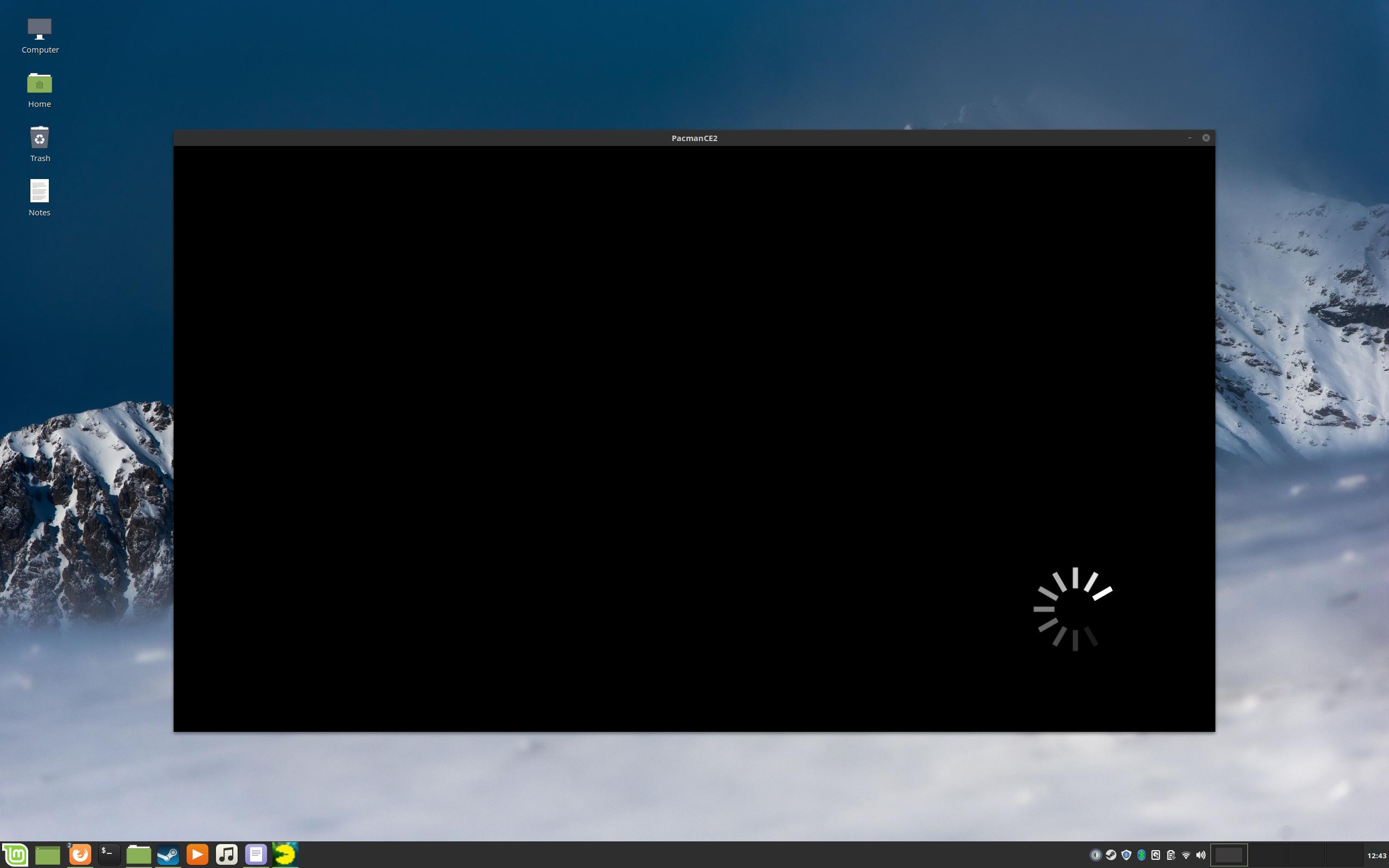
It just sits there and nothing happens, you have to click the icon in the taskbar then it brings up the screen in fullscreen and the game loads.
I have seen this odd behavior with a few games starting minimized. Maybe it is the Cinnamon desktop environment, but I have seen this occur on Pantheon too.
Also same problem occurs with different proton versions, including logs from different proton versions:
steam-441380_proton_3.7-8.log
steam-441380_proton_3.16-9.log
steam-441380_Proton_4.2-3.log
Distro: Linux Mint 19.1 Tessa (64 bit)
GPU: Vega 56
Driver/LLVM version: Mesa 19.1.0-devel/9.0.0
Kernel version: 5.0.10-050010-lowlatency
Proton version: 4.2-3
Whitelist Request
- Name of the game to be whitelisted: PAC-MAN™ CHAMPIONSHIP EDITION 2
- Steam AppID of the game: 441380
System Information
- GPU: AMD Radeon RX 5600 XT
- Driver/LLVM version: Mesa 21.1.8
- Distro version: Fedora 34 Workstation
- Link to full system information report as Gist: https://gist.github.com/joshas/4c98ea2d78b4bf498d01b0e23c48e36e
- Proton version: 6.3-8
I confirm:
- [x] that pressing the
Playbutton in the Steam client is sufficient. - [ ] that runtime config options are necessary to run the game.
- [x] that no workarounds other than PROTON_* env variables are necessary.
Issues
- [x] I haven't experienced any issues.
- [x] There are no issues left open for this game.
- [ ] Although I consider the gaming experience equal to Windows there are remaining issues:
Hello, is anyone seeing an issue with this game that would block it from being whitelisted?
tried it in proton experimental and it seems all is running just fine.
Works still fine here, except for that the issue I mention previously remains. The game launches but in a window that just pauses (black with a loading indicator). When you click inside the window the game resumes and switches to fullscreen. I guess this is an issue that only occurs on Cinnamon if others are not seeing this.
System Information
- GPU: RX 5700
- GPU Driver: Mesa 21.3.0 - kisak-mesa PPA
- Kernel version: 5.13.0-21-generic
- Distro version: Linux Mint 20.2 (64 bit) (Cinnamon)
- Proton version: 6.3-8
This is launching on my end on Steam Deck, on both Proton Experimental and the Steam recommended Proton, but I'm unable to get past the tutorial level that requires you to bomb jump - pressing A doesn't trigger the jump as it should. Checked through control bindings and everything should be hooked up so not sure what's going wrong here. Also tried every other button on the Deck just in case, to no avail.
@Bradaloop hmm, checked with proton 10 (default) and experimental, on deck and on my desktop (the latter with a 8bitdo controller) and the bomb jump works fine. While the game says to use A, both that and B work on my end. Are you on steamos stable? do you remember changing the controller profile for the game?
I'm on SteamOS 3.7.20 stable @simifor. I've tried both the default and Proton Experimental, and am using the default Gamepad with Joystick Trackpad profile. I have an LCD deck, though not sure if that makes any difference. Nothing appears to alleviate this.
A and B work just fine in every other context - just not for the bomb jump. I've given this a go on my Windows PC as well in case I was misunderstanding what to do, and it works just fine there.
Have you tested on 1-4 specifically, or just in general?
Weirdly, as I've just found out, pressing the Steam button activates the bomb jump. Not sure if this is just lost focus or if the game is for some reason registering it as A/B? This is far from ideal though, as it obviously additionally opens the Steam menu. Not really playable using this.
@Bradaloop I tested with tutorial 1-4. I'm on oled, and I normally wouldn't expect this to vary per model, but given that we match everywhere else, I wouldn't rule out it might be lcd specific.
My issue was a hardware one, rather than one with the compatibility of this game. My previous comment can be disregarded.
I ran the trigger recalibration command today after finding that my Deck was reading light RT inputs when this wasn't actually being held.
It seems like this ghost RT input was the reason my bomb inputs weren't being accepted - all works fine now.
Proton versions
proton experimentalx3 2026-03
Game runs full speed on Linux. Without slowdowns
It even fixes the Infinite Loading bug that was Present on Windows 10.
My system:
https://gist.github.com/Zero86Sk/d629f657c1ae861c36657cdf238a7765