LA Noire
I have the exact same issue. Because Proton uses only 64-bit prefixes it is not easy to install the .Net packages.
It seems that we need wine-mono, which is currently not included in Proton #18.
Same problem here - .Net install error.
same problem here
I was able to at least get the launcher to start.
I installed dotnet40 using winetricks, because dotnet35 is only installable in 32-bit wineprefixes.
Then I ran the game again and .NET Framework 3.5 started installing. However, after 4 hours I cancelled the installation as nothing was happening. I had to kill a few processes running via wine as the installation wasn't responding.
Then the game launcher appeared, requesting an update:
It downloaded the update and then showed an error that it was unable to query DirectX:
So I installed directx9 with winetricks. That got me to the actual launcher with the Launch Game and Options buttons. After pressing Launch Game the splash screen showing Loading... appeared for a few seconds, then the following error message showed up:
I wasn't able to get around that error message yet, however I checked system32 and the file definitely is present there.
tl;dr
To reproduce my current state:
Install dotnet40 and directx9 using winetricks. Launch the game and cancel the .NET Framework 3.5 installation.
EDIT: Actually don't abort the installation of .NET Framework 3.5 directly, only abort it when the installer is just idling. If the installation aborts with an error start the game again and attempt to repair the installation when steam runs the installation again. In my case it succeeded.
EDIT2: I was able to get around this error message by installing the following DirectX Runtime instead of directx9 via winetricks: https://www.microsoft.com/en-us/download/details.aspx?id=8109
Now the game just exits without any error message after the splash screen.
Proton log: https://gist.github.com/jkhsjdhjs/62392634949e72facc081b169569fc92
I get the following error when trying to launch LA Noire on KDE Neon 5.14 (based on Ubuntu 18.04):

This occurs during the first time setup.
- I installed dotnet35sp1 using winetricks instead of the .NET Framework 3.5 proposed by Steam
- manually installed dll - libraries using user.reg in the prefix folder, after run dxsetup.exe from 'la noire/3rd'
In the when I start, I cancel the installation of the .NET Framework 3.5 and the game starts with the following problems:
- When using Directx9 - Failed to create d3d resource. Please restart your computer.
- when using DIrectx11 - 5 minutes, the game hangs on the 'rockstar la noir' logo, after that it gives an: An unknown error has occurred. please restart the computer
The '-windows' parameter suggested on the rockstar support site does not solve the problem.
Tested on Manjaro Linux
Kernel: 4.19.13-1
CPU: AMD FX-8320E Eight-Core @ 8x 3.2GHz
GPU: GeForce GTX 1060 3GB
RAM: 10Gb
here are some logs from my system running into the same .NET 3.5 error.
gist:
https://gist.github.com/fsyy/b5a9c0ecd22d26cbfce8faab8b0076f4
protonlog:
steam-110800.log
proton version: 3.16-7 Beta
I too am having the same issue, 3.16-8 Beta. Unplayable.
Hello, I can install .Net 3.5 with success if I use protontricks with Proton in XP mode.
Then I launched LaNoire, I obtained this message:

So I installed the directx package located in the LANoire/3rd folder.
After that step, LaNoire Launcher launched ok but game does not launch, neither Directx9 or 11 mode.
I can play this game with Lutris for Wine 3.14 in directx11 (Steam Windows + DXVK).
I joined you my log file.
steam-110800.log
https://gist.github.com/legluondunet/8570a65372c3f7b9fea9c365c449cc59
Here is what Lutris script do to launch the game: https://lutris.net/games/install/10782/view
With a manual install of .net3.5sp1 (3.5 still doesn't install for me) & following what the Lutris script does I can actually get the launcher to work, but that's as far as it goes.
steam-110800.log
https://gist.github.com/lucifertdark/584c14275612e8e3c4a8070d428d8a02
Hello,
Proton-4.2-3b now include wine-mono 4.8.2
i start the game from steam. The launcher LANLauncher.exe throw an exception :
Unhandled Exception:
System.TypeLoadException: Could not load type of field 'DownloadManager.ArvatoDownloader:downloader' (0) due to: Could not load file or assembly 'SecureDownloadAPI, Version=1.4.3.19, Culture=neutral, PublicKeyToken=332190ce47338fa8' or one of its dependencies.
at DownloadManager.LauncherApp.Init () [0x0007f] in <8c16e98b8a484b468ea882ae2d3e389e>:0
at DownloadManager.Program.Main (System.String[] args) [0x00068] in <8c16e98b8a484b468ea882ae2d3e389e>:0
i joined my log File
steam-110800.log
the SecureDownloadAPI is an assembly from Rockstar Social Club or LANoire ?
i mean that the SecureDownloadAPI is an assembly from GameShield IronWrap & Patcher
i have installed the game on my windows 7 32 bit and i never seen this assembly on my computer.
This bug has me stumped for exactly that reason. I have no idea where that assembly is supposed to come from.
This depends on https://github.com/mono/mono/issues/15767 being resolved.
This is same error Windows users also have, you need to install net3.5sp1manually as administrator to fix the issue. Not sure how to manage that in Wine/Linux.
I havn't had any luck with proton directly, neither d3d11 or 9 want to work even if I run this in the prefix
WINEPREFIX=~/.steam/steam/steamapps/compatdata/110800/pfx/ winetricks d3dx9_42 d3dx9_43 vcrun2008 dotnet35 dotnet35sp1 win7
Give or take the addition of d3d9x
Additionally give or take running the DXSETUP.exe in the "3rd" folder of the game install.
But here's a strange thing, it works perfectly fine under winesteam through lutris with the same winetricks setup.
The difference being, I think, that winesteam lurtris uses some additional/modified winemono and gecko, in addition to running on wine version 5.0.
I doubt gecko comes into play, and it seems possible but unlikely version 5.0 of wine holds the fix, but if we can find some way to use that modified winemono, that may be the key that's missing.
Or there's something else at play with the setup that I'm missing, which is also a reasonable possibility.
Here's the link to the lutris installer for LA Noire in case that helps any.
https://lutris.net/games/la-noire/
//edit
for whatever the info is worth, I'm running ubuntu 19.04 x11 budgie
If you installed .NET then you're not using Wine Mono.
Compatibility Report
- Name of the game with compatibility issues: L.A. Noire
- Steam AppID of the game: https://steamdb.info/app/110800/
System Information
- GPU: GTX 760
- Driver/LLVM version: NVIDIA 440.59
- Kernel version: 5.5.4
- https://github.com/shoober420/linux-scripts/blob/main/home/shoober420/sysinfonvidia
- Proton version: 5.0-2
LOG:
steam-110800.log
Symptoms
Crash at launch, it doesnt even get to the game launcher for me. Error during install as well.

with dotnetfx35 installed
steam-110800.log
Turn Windows features on or off is fixed by removing dotnetfx35 in the L.A Noire Folder
i installed dotnetfx35 via protontricks
for me i can't run it because of a direct x error.

L.A_Noire_backtrace.txt
i think this is the error:
5493.823:0039:003a:fixme:msvcrt:__clean_type_info_names_internal (0x64222018) stub
5493.823:0039:003a:fixme:msvcrt:__clean_type_info_names_internal (0x60345094) stub
5493.823:0039:003a:fixme:msvcrt:__clean_type_info_names_internal (0x64209a88) stub
5493.823:0039:003a:fixme:msvcrt:__clean_type_info_names_internal (0x790b22cc) stub
5493.823:0039:003a:fixme:msvcrt:__clean_type_info_names_internal (0x6402f5e8) stub
5493.826:0039:003a:fixme:msvcrt:__clean_type_info_names_internal (0x7a3bec7c) stub
Latest protondb report mention "windows 8 patch". Is he talking about this?
After a lot of tests I finally found a method to play the Steam version of this game on Linux.
I will explain you how even if it exceeds the scope of this discussion.
First you have to install Dotnet 3.5sp1 with winetricks in a 64 bits wineprefix:
winetricks dotnet35sp1
Then download this specific Wine version: I obtained positive results ONLY with Lutris Wine TKG, I tested all Wine TKG version from 4 to 4.6 (64 bits) with success.
I can not test with superior TKG version because Lutris stopped to provide them and I don't know how to compile them myself.
Last thing: I can launch the game only with a Lutris TKG Wine version AND the game should be set in DirectX 11 mode. In DirectX 9, the game simply doesn't launch.
I tried different other Wine version, Proton versions, other forks, less or more recent, without success.
The question now is: what piece of code in Lutris Wine TKG version from 4 to 4.6 make this game playable on Linux?
Someone has skills in Valve to answer this question and add L.A. NOIRE game compatibility to current Proton version?
I searched to continue my tests with more recent TKG builds > 5.x but I don't know (for the moment) how to compile it my self and I didn't find binaries.
If you own the Steam game, you could test my script install here:
https://lutris.net/games/la-noire/
Hope this help.
Finally I also get the game running with Proton 5.0-6:
- protontricks 110800 -q dotnet35sp1
- cd $HOME/.steam/steam/steamapps/common/L.A.Noire
- protontricks -c '3rd/DXSETUP.exe /silent' 110800
- protontricks 110800 -q win10
- Options -> Renderer -> Directx 11
If you get "can't get line" crash you will need the fix mentioned under the Crash-to-desktop on Windows 8 section:
https://www.pcgamingwiki.com/wiki/L.A._Noire
Finally I also get the game running with Proton 5.0-6:
1. protontricks 110800 -q dotnet35sp1

2. cd $HOME/.steam/steam/steamapps/common/L.A.Noire

3. protontricks -c '3rd/DXSETUP.exe /silent' 110800

4. protontricks 110800 -q win10

5. Options -> Renderer -> Directx 11
If you get "can't get line" crash you will need the fix mentioned under the Crash-to-desktop on Windows 8 section:
https://www.pcgamingwiki.com/wiki/L.A._Noire
it worked!!! you are the best!
i also needed the crash to desktop fix ;)
this is a better link, direct to the line ;)
https://www.pcgamingwiki.com/wiki/L.A._Noire#Crash-to-desktop_on_Windows_8
thanks man, i will report it to Proton DB
after everything is set, i renamed the folder "3rd" to "3rd_" so the installer won't start
@legluondunet Proton version in Steam settings/game properties?
@legluondunet
What you get after the steps?
This site https://www.pcgamingwiki.com/wiki/L.A._Noire mentions a lots of problem with the game
Finally it works even with @barni2000 recipe and the fix from https://www.pcgamingwiki.com/wiki/L.A._Noire#Crash-to-desktop_on_Windows_8.
In directx11 only but that's not very important.
Thank you @barni2000
Bug: If you press escape at the Social Network sign in window, the mouse cursor disappears and never returns.
Download this file containing fixed cases.big.pc and out.wad.pc files.
Someone knows where come this files from?
Are they legal?
Bug: If you press escape at the Social Network sign in window, the mouse cursor disappears and never returns.
Download this file containing fixed cases.big.pc and out.wad.pc files.
Someone knows where come this files from?
Are they legal?
I think they (the 2 files) where extracted from a Rockstar windows 8 specific update.
Some one wrote that if you open up the steam overlay and close it the mouse will work again.
Bug: If you press escape at the Social Network sign in window, the mouse cursor disappears and never returns.
Download this file containing fixed cases.big.pc and out.wad.pc files.
Someone knows where come this files from?
Are they legal?
Maybe from this: https://support.rockstargames.com/articles/200149926/L-A-Noire-Patch-Notes-and-Manual-Links-to-Updates
AFAIK they don't shipped the fix for the steam version. :(
$ protontricks -c '3rd/DXSETUP.exe /silent' 110800
/bin/sh: 1: 3rd/DXSETUP.exe: Exec format error
Don't work for me(
This command didn't work for me neither but you can launch protontricks with his
interface:
protontricks --gui
Then launch "uninstaller", click install and select your DXsetup.exe file.
How to run the game at 60fps on Linux
Edit: a simpler method is here: https://github.com/ValveSoftware/Proton/issues/544#issuecomment-724836497
- start the game, wait for main menu, minimize it
- attach to the process with
sudo gdb -p $(pgrep LANoire.exe) - hit enter and you should see the gdb prompt:
(gdb) find /w 0x10000000, 0x60000000, 0x426fc28fto find the value 59.94 in memory, in my case one pattern was found at 0x11577b18set {float}0x11577b18 = 119.88to write 119.88 at the address found previously- quit GDB using Ctrl+D or
q(if you don't, the game will stay frozen) - maximize the game, the menu should now be running at 60fps.
Other values can be set, for example 120fps can be achieved with the value 239.76, although the game is quite hard to run at that speed. I found that the game physics slow down when the computer can't keep up with the max framerate.
If you have a 144Hz monitor I recommend running the game at 46fps (value 92), it makes the game much smoother while keeping a steady framerate, and because it's just below the freesync range, the monitor will double frames to 92Hz which reduces ghosting.
@Sebastian1978 What kind of protontricks do you use?
Sirmentio/protontricks or Matoking/protontricks?
@barni2000 I used Matoking.
@legluondunet protontricks --gui and launch "uninstaller" with install DXsetup.exe worked. Thank you!
I also use Matoking version, Its maybe a protontricks bug -c is worked for me.
I use https://github.com/Matoking/protontricks too, the dev version:
$ pipx install --force --spec git+https://github.com/Matoking/protontricks.git protontricks
Installing to existing directory '/home/legluondunet/.local/pipx/venvs/protontricks'
  installed package protontricks 1.4.2.dev3+g9809712, Python 3.8.2
  These binaries are now globally available
    - protontricks
done! ✨ 🌟 ✨
Perhaps a bug in protontricks on Ubuntu 20.04.
Anyway, this game finally launches on Steam Linux!
But it's not yet easy for newbies to play this game on Linux, Valve still has a lot of work to achieve this goal.
If only Rockstar could help too...
Hello there! I'm following this issue with interest for a while and the solution brought by barni2000 (thank you!) seem to be promising. I'm just wondering, are there any further steps not mentioned yet?
If I just do like listed here, I get several problems: For step 1 - no installation in 64-bit environment, for step 3 - exec error (and solution) as mentioned above, for step 5 - game or LAN launcher not starting at all.
Actually, I can run the game without Steam on PlayOnLinux requiring the following settings:
- Wine 5.5-staging
- 32-bit environment
- Windows XP mode
- Uninstall Wine mono.
- Manually install dotnet35sp1, Social Club and DirextX9 using provided files.
Did you apply any of these steps on Proton as well? Or did I miss something else? Thanks for your information!
I have very strange bug in this game. If I press W my person always goes forward without stop. It stops only because of obstacles.
It works very well with a x360 or similar gamepad or Steam Controller.
I have very strange bug in this game. If I press W my person always goes forward without stop. It stops only because of obstacles.
Are you using a Microsoft mouse, maybe? I had that problem with another game because it recognized the mouse as a XBox controller.
@theDude505 @legluondunet I use simple noname mouse, not Microsoft. I have no such bug in other games.
Hello there! I'm following this issue with interest for a while and the solution brought by barni2000 (thank you!) seem to be promising. I'm just wondering, are there any further steps not mentioned yet?
If I just do like listed here, I get several problems: For step 1 - no installation in 64-bit environment, for step 3 - exec error (and solution) as mentioned above, for step 5 - game or LAN launcher not starting at all.
Actually, I can run the game without Steam on PlayOnLinux requiring the following settings:
1. Wine 5.5-staging

2. 32-bit environment

3. Windows XP mode

4. Uninstall Wine mono.

5. Manually install dotnet35sp1, Social Club and DirextX9 using provided files.
Did you apply any of these steps on Proton as well? Or did I miss something else? Thanks for your information!
Sometimes wine proccesses is stuck after I installed the dotnet35sp1, i should kill them manually.
It caused me the same issue, after I killed the all process Launcher is worked fine.
I test the game with the proton 5.0-7 now dx9 version is also works and only out.wad.pc file is needed from the fix.
Anyone know how to script the process of running LA Noire in 60fps? I got a script. But, when I try to run it through launch options in steam it doesn't seem to apply any changes. I have to tab out, open a terminal and run the script manually. Any guesses on what I should try?
Launch options:
/home/jenkoo/Documents/scripts/LAN.sh & %command%
Script:
until pids=$(pgrep LANoire.exe)
do
sleep 1
done
sleep 10
echo "My_passwd" | sudo -S gdb -p $(pgrep LANoire.exe) -ex "set {float}0x1157cb58 = 119.88"
@JenkooTheLegitC I noticed the address used to store the value changed as of Proton 5.13-1. Might be the issue.
@libcg Do you have a fix for the issue? Do you know of a proton version that works?
@JenkooTheLegitC run find /w 0x10000000, 0x60000000, 0x426fc28f in GDB again and note the new value.
You can also automate the whole gdb command series:
sudo gdb --batch -p "$(pgrep LANoire.exe)" -ex 'find /1 0x10000000, 0x60000000, (float)59.94' -ex 'set {float}$_ = 119.88' -ex 'detach' -ex 'quit'
find /1 limits the result to one address, which makes it faster, because it doesn't has to search the whole address range after a match has been found. Also, find stores the last address it has found in the variable $_, which we can use in the subsequent set command.
That's awesome, thanks for sharing
@barni2000 @legluondunet @McMarius11 how you made it launch? I read all the recipes, but they don't make much sense because they lead me to stuck on the first step:
protontricks 110800 -q dotnet35sp1
The error:
This package (dotnet35sp1) does not work on a 64-bit installation. You must use a prefix made with WINEARCH=win32.
How to install .NET 3.5 to 64-bit Proton prefix?
@meequz What is your proton version and protontricks version?
I can install it to an 64bit prefix.
(Fun fact: The Rockstar Games Launcher version of the game is newer and don't need dotnet. dotnet is only needed for the old ugly game launcher.)
@barni2000
I tried different Proton versions - 4.2-9, 4.11-13, 5.0-10, 5.13-2 - doesn't matter, the error is the same.
Protontricks is 1.4.2
Steam is 1603992987
Distro is Linux Mint 19.1 64 bit with MATE Desktop
If I first uninstall Wine Mono and then launch the game from Steam, .NET installer launched by Steam itself, but the installation finished with: "An error occurred during setup. Setup is removing all installed files:". I think the underlying error is the same, inability to install .NET 3.5 SP1 on 64 bit environment, but the MS installer just don't tell that explicitly.

@meequz What is your winetricks version? As I see protontricks will use the system winetricks if the WINETRICKS environment variable is undefined. https://github.com/Matoking/protontricks/blob/master/src/protontricks/winetricks.py
Maybe Mint has too old winetricks version.
$ protontricks 110800 --version
20200412 - sha256sum: 40ff4c67804584b73d4d36153e1f64ca426d739f1790bd748f5ded0865e8cc7f
@barni2000
$ winetricks -V
20180217 - sha256sum: 1b156c616174f41df79d72a90c52eb2b110c63a6e8ecb865d303a8f9f0908924
$ protontricks 110800 --version
20180217 - sha256sum: 1b156c616174f41df79d72a90c52eb2b110c63a6e8ecb865d303a8f9f0908924
I will install a new version and then report here. Thank you!
Now I have winetricks 20200412
$ winetricks -V
20200412 - sha256sum: 7651c93e39fcb080483c38836513bf912273a87ea97d137f6b958ed3d9628c3d
But I still don't able to install dotnet35sp1. Now, for unknown reason, game launcher don't even starting to start on Proton 5*. So, I completely reinstalled the game and set Proton to 4.11-13. After uninstalling Wine Mono, the GUI installer of .NET 3.5 SP1 reports the same as previously ("An error occurred during setup. Setup is removing all installed files"). But cmd way with protontricks results with a new error. The output is attached.
protontricks_110800_dotnet35sp1_log.txt
@meequz Choose 5.0 or Higher.
Game launcher will start after you installed the dotnet, first start is very buggy and slow and sometimes dotnet exe files are stucked after the dotnet install.
Hello all, I have followed this guide on protondb and I got to the point of getting to the setting screen. After clicking Launch game, with DirectX 9 and 11 I ended up with black L. A. Noire black screen. So I patched the game using the two files here https://www.pcgamingwiki.com/wiki/L.A._Noire#Crash-to-desktop_on_Windows_8 and I got to the in game menus, didn't played yet but looks very promising.

This guide seems a bit overcomplicated. Try the steps described here: https://github.com/ValveSoftware/Proton/issues/544#issuecomment-617386620
It may be a little complicated but it worked well, I have been playing for 6h without any problems.
I actually tried that guide before, but the protontricks 110800 -q dotnet35sp1 spit some errors and never finished.
It may be a little complicated but it worked well, I have been playing for 6h without any problems.
I actually tried that guide before, but the protontricks 110800 -q dotnet35sp1 spit some errors and never finished.
Try hit some enters when it seems to stuck.
Good news R* finally updated the game, so now we don't need .NET and don't need hacks.
Yeah nice, however, after logging in Social Club I get 'Unable to launch game data, check installation', something like that. Also I was able to launch the Rokstar Launcher only with Proton 4.11
For me (Proton 6.3) it seems to install and launch without any workarounds, though on an Nvidia card it seems like the menu entries are gone/invisible

Same issue with AMDGPU / Proton 6.3 (and 5.13)
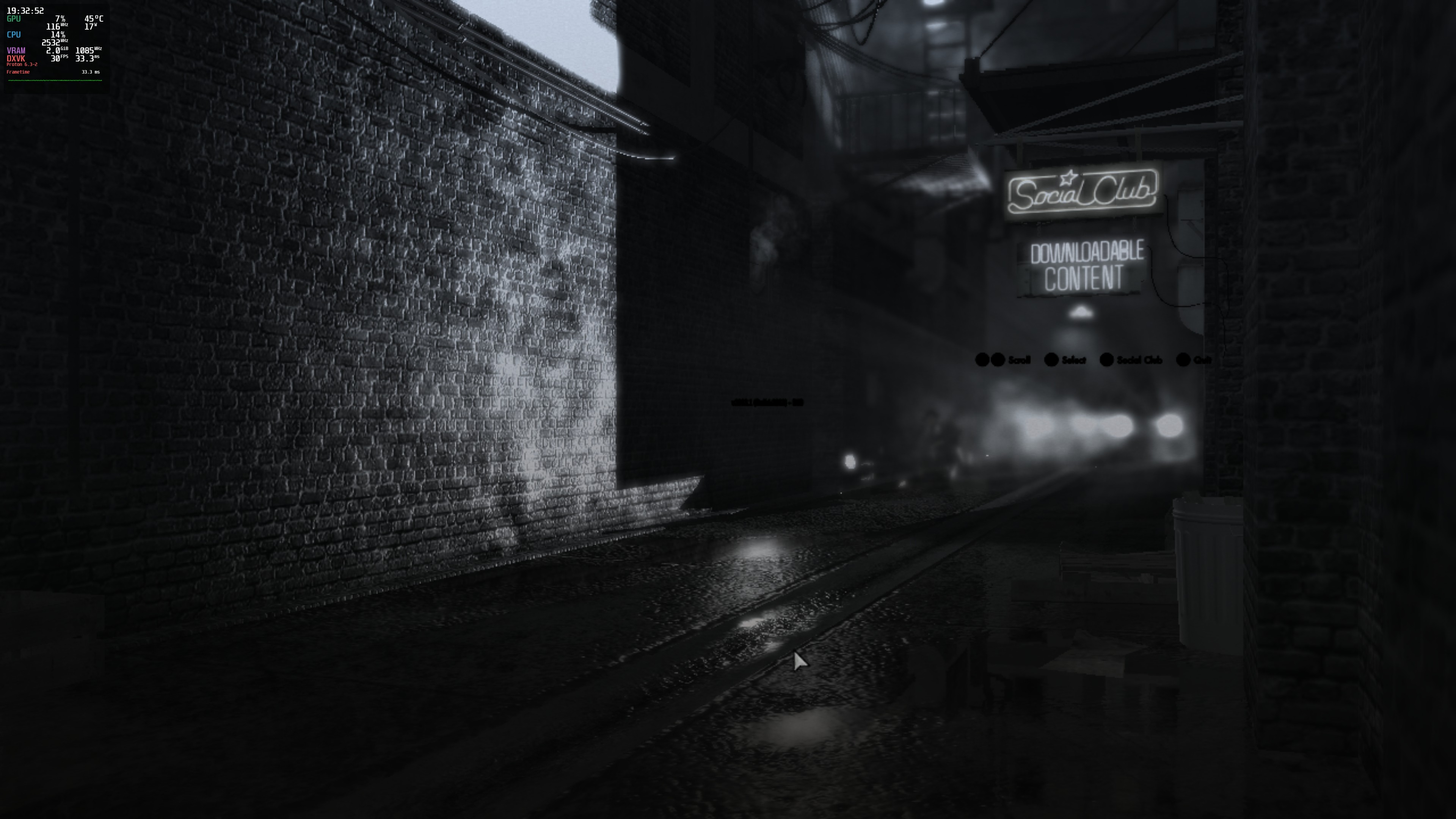
Also, the videos don't display the image (just black) but the audio plays.
Edit: This probably explains why I don't see the images on videos: https://gist.githubusercontent.com/kevinlekiller/cc791319fec4137588e7216aae979690/raw/b778f1c6e6e2ccfd563f1e1647138bb1bfa3cbad/wine.log

It works fine for me.
I have and RX 580 I use Mesa 21.0.2 and Proton 6.3-2.
EDIT: After clean install i have a same issue. The problem is the directx installer is not working correctly and there is no Directx 11 option in the settings.
It works fine for me as well, probably because I'm using an older wineprefix which already worked before the update. However, with a new wineprefix (after rm -r compatdata/110800) I can reproduce the issue @adrianlshaw and @kevinlekiller are experiencing.
It seems like steps 2 and 3 of https://github.com/ValveSoftware/Proton/issues/544#issuecomment-617386620 are still required to make the game work:
- cd $HOME/.steam/steam/steamapps/common/L.A.Noire
- protontricks -c '3rd/DXSETUP.exe /silent' 110800
Reproduced with Proton 5.13-6 and 6.3-2. I have an RX 5700 XT and use Mesa 21.0.2.
Thanks to @jkhsjdhjs I got it working.
The 3rd folder doesn't exist anymore, they moved it to Installers/DirectX, although I couldn't get protontricks to run protontricks -c '/home/kevin/.local/share/Steam/steamapps/common/L.A.Noire/Installers/DirectX/DXSETUP.exe /silent' 110800: /bin/sh: line 1: /home/kevin/.local/share/Steam/steamapps/common/L.A.Noire/Installers/DirectX/DXSETUP.exe: cannot execute binary file: Exec format error
So I installed everything that matched the .cab file names inside the DirectX folder using protrontricks (all the d3dx9's, d3dx10's d3dx11's, xact. xinput. d3dcompiler_42 & 43, mdx).
Here is the new workaround:
- protontricks 110800 d3dx9_43 d3dcompiler_43 d3dx11_43 d3dcompiler_47
- For DX11 edit the settings.ini, change the Renderer:DirectX 9 to Renderer:DirectX 11
NOTE: For dx9 enough to install d3dx9_43 d3dcompiler_43
@kisak-valve
I wonder how games with issues like these are going to get ready for the claim of you guys planning to have every game run properly on the Steam Deck?
As it currently stands, in my experience on Arch Linux, even "native" games like L4D2 have horrific stability issues; I hope both games like this, which need work arounds, and games like L4D2 actually really will run well because I do want to support the goals behind the Steam Deck
Here is the new workaround:
1. protontricks 110800 d3dx9_43 d3dcompiler_43 d3dx11_43 d3dcompiler_47

2. For DX11 edit the **settings.ini**, change the **Renderer:DirectX 9** to **Renderer:DirectX 11**
NOTE: For dx9 enough to install d3dx9_43 d3dcompiler_43
Thank you, it works with this tweaks.
@kisak-valve : It will be great if Steam dev team could add a menu to choose between "Config" and "Play".
Config= launch Rockstar app to configure game and do not launch game, as you can not change game parameters in Rockstar app while game is running.
Another thing: when Alt-Tab, sometimes game does not recover correctly, I can hear audio but I lose screen, I have no other choice than to press alt+f4 to close the game.
@kisak-valve : It will be great if Steam dev team could add a menu to choose between "Config" and "Play".
Config= launch Rockstar app to configure game and do not launch game, as you can not change game parameters in Rockstar app while game is running.
This is something the game's dev(s) would configure as a launch option for the game, not a Steam dev.
L.A. Noire
Issue transferred from https://github.com/ValveSoftware/Proton/issues/5108.
@Clifhanger3 posted on 2021-08-22T23:41:32:
I Hope I am reporting this in the correct place. Steam help sent me here....
L.A Noire does not work well with steam play.
-The menu's text is missing.
-Generic Controller Config is all wrong
-cut scenes are black, no video plays. However there is audio.
its above my head in how to help fix these issues sorry.
Replying to https://github.com/ValveSoftware/Proton/issues/544#issuecomment-903349590
Same issue here; cutscenes are black and menu text is missing.
Using Arch Linux with default Proton version. (Experimental?)
Not sure when this changed, but I installed the default DX9 version and didn't do any protontricks installs, and I had the text in menus appearing correctly. So this seems like a major improvement. The main problem was that there was stuttering performance, particularly when a level is loaded, but this was like this before.
I'm having an issue with corruption of sound in game, which can be roughly described as noise or jitter (I can try to record a sample if this is of interest). It starts reproducing after game is running for a few hours, and it doesn't matter if this is any active gameplay or game is just left idling in main menu. I'm also sure this issue is not specific to L.A. Noire as I've observed similar issues with some other games in the past, however right now I can reliably reproduce it only in L.A. Noire.
How are you guys even launching this? I have followed everything in this thread and in ProtonDB, and all I get is this:
I can't launch the game at all. I have DirectX 11 in the settings.ini file, I have installed everything with protontricks...
EDIT: ok, I had lib32-amdvlk installed, when I uninstalled it, everything worked.
Hello,
at first "L.A. Noire" launch, Steam installed and launched "Rockstar Launcher" then this window parameters appeared:
On this Window you can change L.A. Noire config.
But I don't find a way to access this window a second time to change options again.
You can still change the resolution and framerate from the game menu.
But language, keyboard code, antialiasing...options are only available from this window.
How to access it again?
Why STeam does not show a menu with:
- launch game
- options
I know i can still change option manually opening this file:
"%USERPROFILE%\Documents\Rockstar Games\L.A. Noire\settings.ini"
FYI use https://github.com/VaanaCZ/LANVP/releases/latest to fix game issues (mainly to play at 60 FPS).
Proton versions
proton 6.3x2 2021-04proton 4.11x1 2021-04proton 5.13-1x1 2020-11proton 5.0-7x1 2020-05proton 5.0-6x2 2020-04proton 4.2-3bx1 2019-05
Launch options
WINEARCH=win32.`x1 2020-11WINEPREFIX=~/.steam/steam/steamapps/compatdata/110800/pfx/x1 2020-02
Upstream links
- ValveSoftware/Proton/issues/5108x1 2021-08
DLLs
d3dx9_43.dllx1 2018-10
Does not run, It gives an .Net framework error, that i need to enable something in the configuration panel. It is very unclear and does not say what it exactly means.