Exanima
Hello @krompus, it's not really clear to me, but this looks like an OpenGL based game, which would make tinkering with AMDVLK (which is Vulkan) irrelevant, since your system would be using mesa/radeonsi with this game.
It might be worthwhile to also report this issue to the mesa devs.
@kisak-valve Thank you. Yes, the issue is with the OpenGL Mesa drivers. I am about to report the issue on the Mesa issue tracker. I noticed that there was no report for the game here, however, and decided to start the discussion.
Submitted to Mesa issue tracker: https://gitlab.freedesktop.org/mesa/mesa/-/issues/5794
exanima graphics problem
Issue transferred from https://github.com/ValveSoftware/Proton/issues/5637.
@adcdam posted on 2022-03-03T06:28:44:
Exanima
steam id 362490
CPU : AMD Ryzen 7 3700X 8-Core Processor
kernel: 5.16.11
X Server: The X.Org Foundation
X Server version : 12014000
GPU: AMD AMD Radeon RX 5700 (NAVI10, DRM 3.44.0, 5.16.11, LLVM 13.0.1)
Mesa 21.3.6
the game was working fine until version 0.8.3 they changed the render and now the game has color graphic artifacts that make it unplayable, in protondb some say its solved using the beta but is not (perhaps a rx5700 problem?) tried both the normal and the beta the color graphics artifacts are there using any proton version, some times (very few times) when it start it start without problems, but after restarting the game it has the same graphic glitches.
Game has been patched, now works very well with Proton, closing the issue.
im still having the same issue as before
Thinkering with the shaders I managed to pinpoint one that might be related to the artifacts. after commenting it the game is playable but salves don't glow anymore and everything might be darker.
I still get artifacts in one of the arenas.
CPU: Ryzen 9 5950x
GPU: AMD Radeon RX 6900 XT
Mesa Ver.: 20.3.5
Kernel: Debian 5.17.0-3-amd64
Proton: Experimental [bleeding-edge] 1654280119 experimental-bleeding-edge-7.0-17277-20220603-pa50d26-w7268d9d279b4b-vfd0583

Exanima log:
Version: V 0.8.3r
System: 32 CPU cores detected.
System: AMD Radeon RX 6900 XT (SIENNA_CICHLID, DRM 3.44.0, 5.17.0-3-amd64, LLVM 11.0.1)
System: OpenGL Version 4.6 (Compatibility Profile) Mesa 20.3.5
System: Shader Version 4.60
System: Max texture units: 32
Audio Device: OpenAL Soft
Steps:
- run
mkdir -p ~/exanima_shaders/to create a folder for the game shaders for debug. Any folder is ok, just use it for the mesa env var. - Running the game with the following launch options:
MESA_SHADER_DUMP_PATH=~/exanima_shaders/ %command% - close exanima and look for
VS_3a9153180c68330551ced5bebdf518cb47648221.glslin our folder and comment everything inside main.
I don't know if the dump of the shaders will get the same name but the code is the following:
#version 150
in vec3 vPos;
out vec3 voPos;
out int instanceID;
uniform mat4 MPrj;
uniform float SliceSz;
uniform int LyrOfs;
void main() {
vec3 lPos = vPos;
lPos.z = lPos.z - (gl_InstanceID + LyrOfs) * SliceSz;
voPos = lPos;
instanceID = gl_InstanceID + LyrOfs;
gl_Position = MPrj * vec4(vPos, 1.0);
}
Should look like:
#version 150
in vec3 vPos;
out vec3 voPos;
out int instanceID;
uniform mat4 MPrj;
uniform float SliceSz;
uniform int LyrOfs;
void main() {
// vec3 lPos = vPos;
// lPos.z = lPos.z - (gl_InstanceID + LyrOfs) * SliceSz;
// voPos = lPos;
// instanceID = gl_InstanceID + LyrOfs;
// gl_Position = MPrj * vec4(vPos, 1.0);
}
At this point you could remove every other file.
- Launch exanima with the launch options
MESA_SHADER_READ_PATH=~/exanima_shaders/ %command%
I don't get artifacts anymore except for one specific arena:
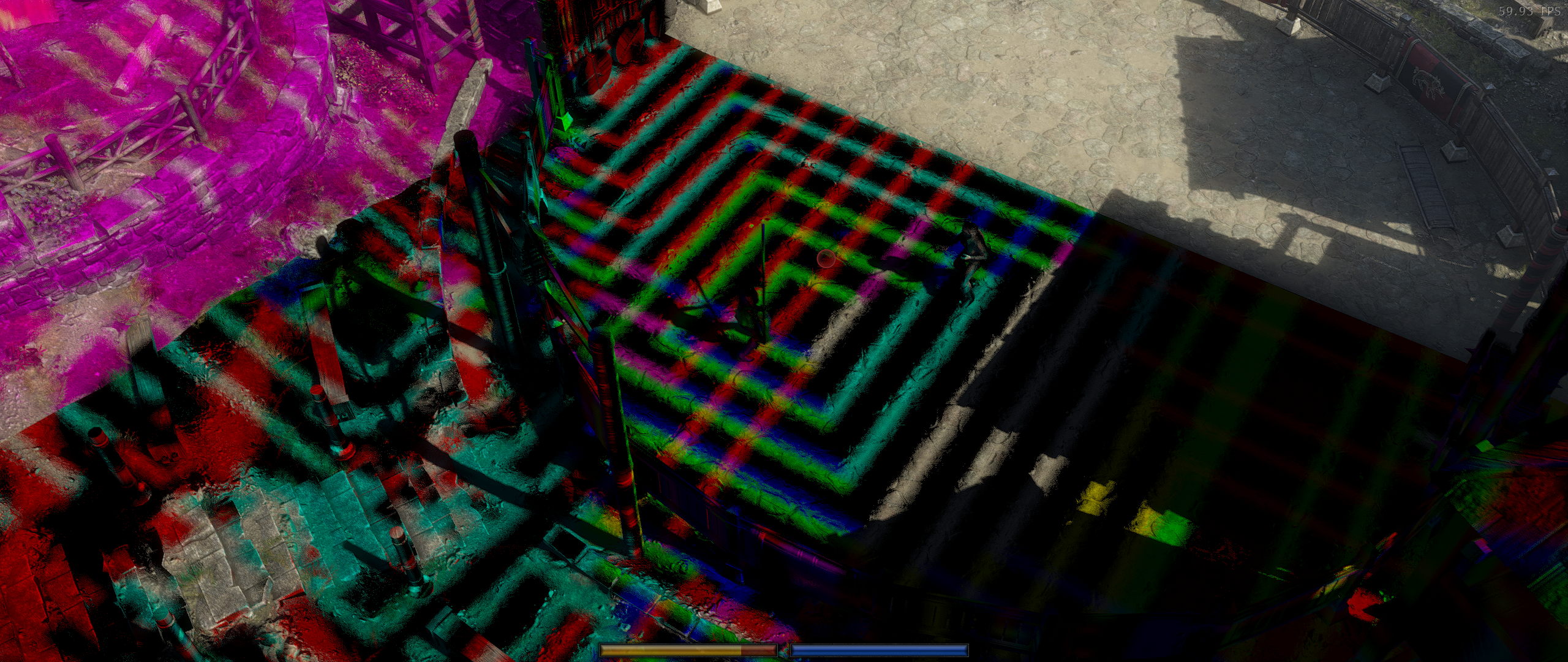
Salve with modified shader:
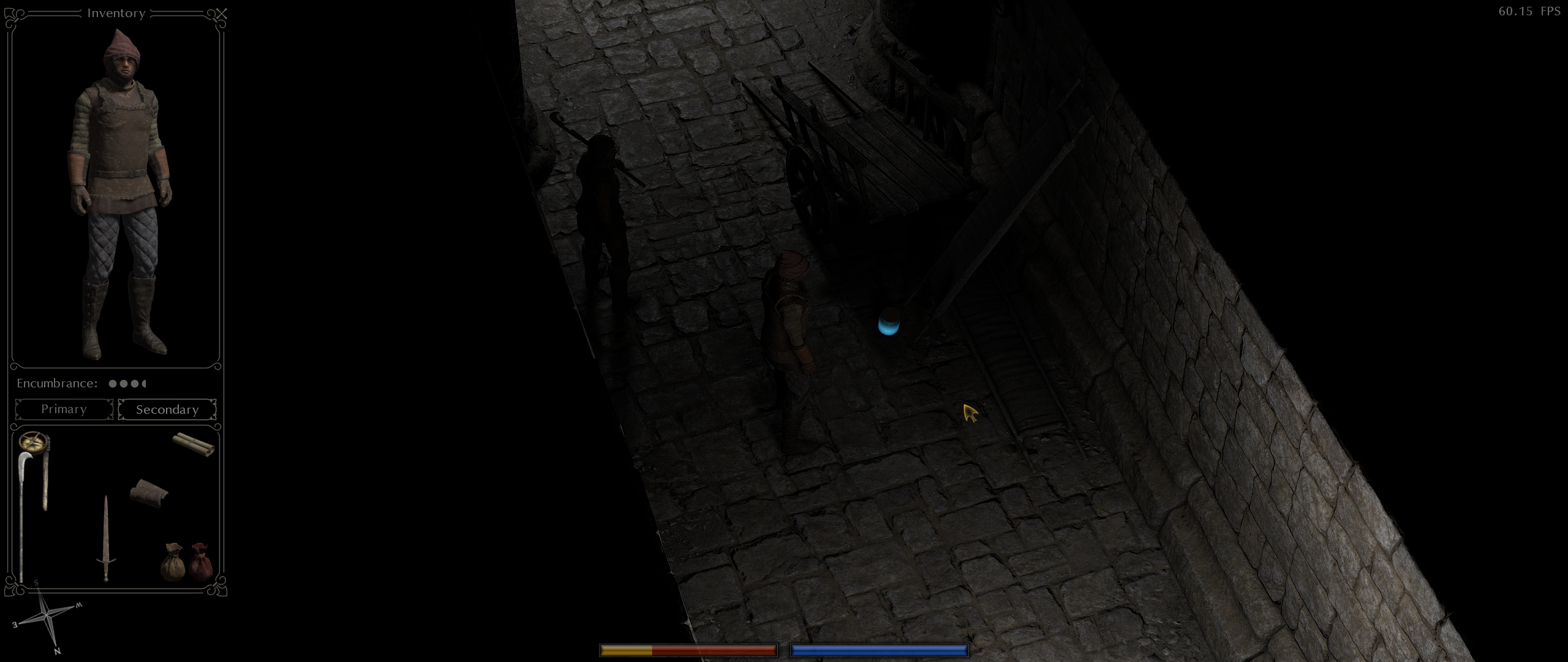
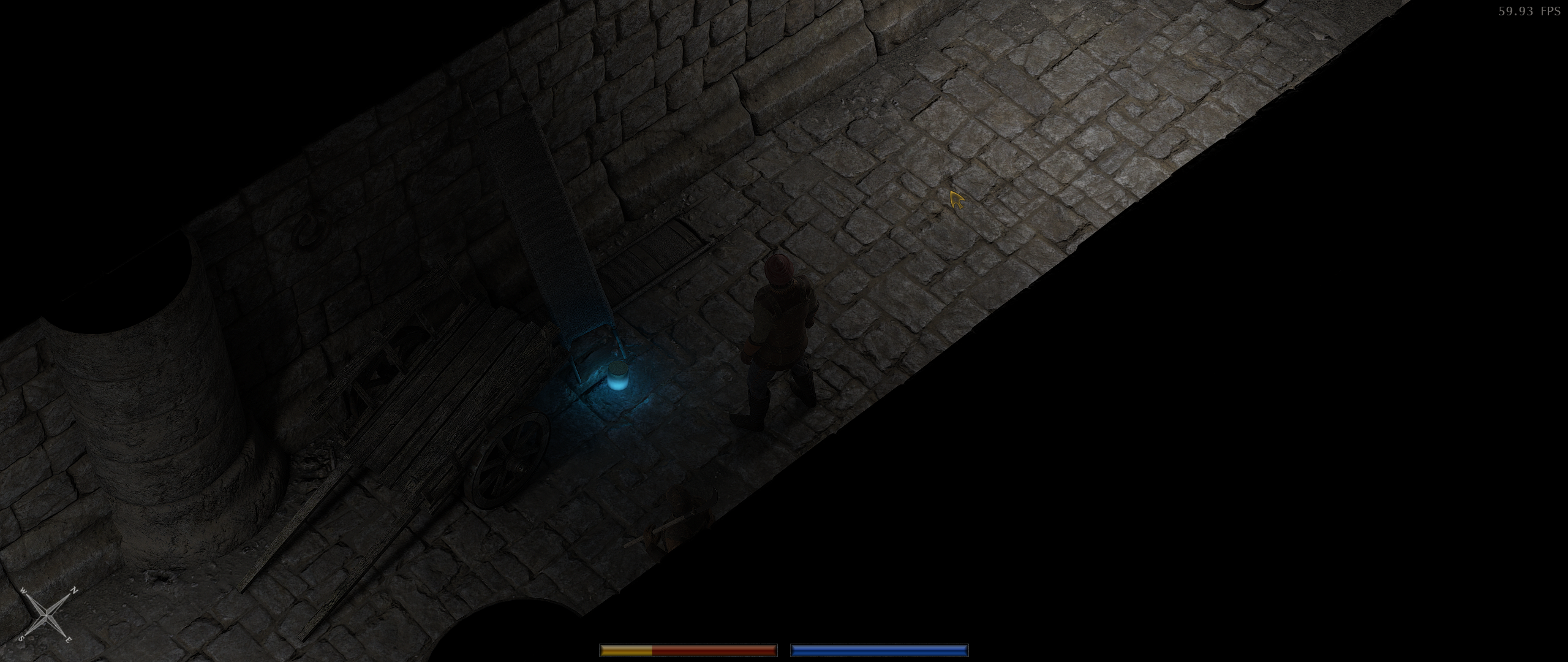
Salve with stock shaders (got lucky):
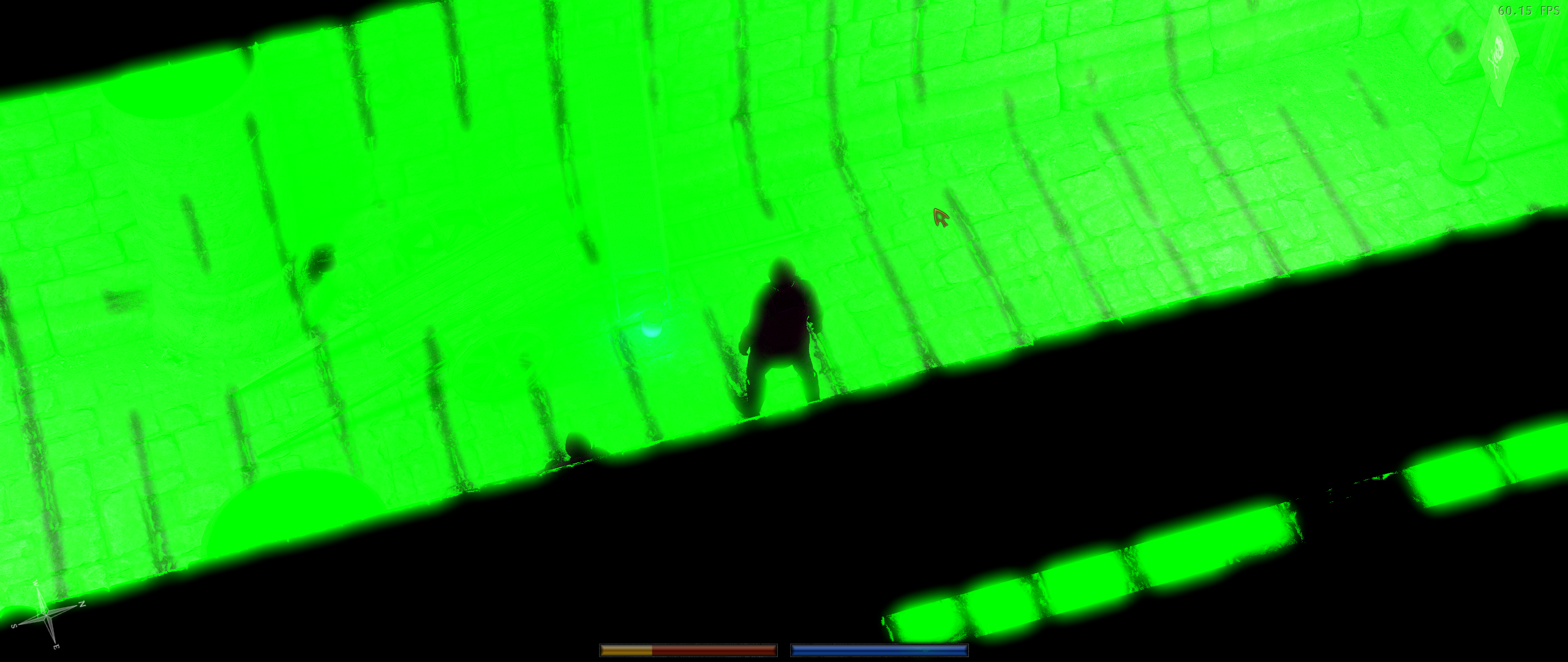
Same area but with faulty shaders, I usually get magenta, cyan, yellow and green "bloom":
While we wait for the mesa drivers we can use this as a workaround.
The developer has suggested adding GILowPrecision = 1 to AppData/Roaming/Exanima/Exanima.ini. So far, I've not seen the colour bloom since adding that.
Coming in with a new issue after all these years.
The game is excessively dark, or too high in contrast, in the recent stable release of 0.9.5 and also in the 0.9.5 that was in the testing branch during the previous stable release.
The previous stable version was much brighter and, I guess, lower contrast in return.
I tried different Proton versions with the current stable 0.9.5:
- Proton 9 and 10 cause the game to crash right after the Bare Mettle logo
- Proton 11 and Experimental run it but have this issue
Another point: I used the same Proton Experimental during the previous stable update, switching between stable and testing branches, so it might be due to the game and not Proton.
They did switch to 64-bit as said in the changelog, after all, on top of lots of other changes.
So, apparently it was super sampling being turned off. Setting it to anything but off makes the game go bright as day.
But that's not what super sampling should cause and still, I had it turned off in the previous stable release and the game was bright despite it.
I have very dark look in game (screen from start). on CachyOS with Nvidia and KDE. I checked every Proton from latest. Only on Proton 9 brightness works normally.
Exanima is very dark with newer Protons (past version 9)
Issue transferred from https://github.com/ValveSoftware/Proton/issues/9856.
@Majber posted on 2026-06-05T17:18:10:
Compatibility Report
- Name of the game with compatibility issues: Exanima
- Steam AppID of the game: 362490
System Information
- GPU: RTX 5070
- Video driver version: NVIDIA 610.43.02-1
- Kernel version: Linux 7.0.11-1-cachyos
- Link to full system information report as Gist: https://gist.github.com/Majber/6f8a0ca0ed487a9b1ab46672bde80955
- Proton version: Same problem is on every version newer than 9 so on 10 and newer
I confirm:
- [x] that I haven't found an existing compatibility report for this game.
- [x] that I have checked whether there are updates for my system available.
Symptoms
Game is very dark. Its abnormal.
Reproduction
Just start the game with any newer Proton. It will be obvious when you log in.
GPU: AMD Radeon RX 5700 XT
Driver/LLVM version: Mesa 25.3.6 / LLVM 21.1.8
Kernel: 7.0.10-100.fc43.x86_64
Full system information: Gist
Proton versions: 1749140930 proton-9.0-4f, 1769167055 proton-10.0-4, 1779182095 proton-11.0-1-beta5, 1779444645 experimental-11.0-20260522b
On the latest versions of Exanima (0.9.5g) I get a serious performance hit when using Proton 11 / Proton Experimental through Steam (10-20 FPS vs 80-90+ FPS at the same spot), versus Proton 9 and Proton 10.
Can immediately be noticed when starting the game. More noticeable in some areas compared to others, and when playing on the highest settings + Supersampling on high.
I attached logs from each run using the different Proton versions.
Proton 9: steam-362490-9-g.log
Proton 10: steam-362490-10-g.log
Proton 11: steam-362490-11-g.log
Proton Experimental: steam-362490-experimental-g.log
@ArtikBanana performance should be back to normal in proton bleeding edge https://github.com/ValveSoftware/Proton/wiki/Proton-Versions#proton-bleeding-edge
@ArtikBanana performance should be back to normal in proton bleeding edge https://github.com/ValveSoftware/Proton/wiki/Proton-Versions#proton-bleeding-edge
I dont know what you did/what you patched but that bleeding edge version solves my problem too. Game not look super dark now.
@ArtikBanana performance should be back to normal in proton bleeding edge https://github.com/ValveSoftware/Proton/wiki/Proton-Versions#proton-bleeding-edge
Thanks.
Tested it, and seems like I even get about 4 - 8 fps more than Proton 10 when in the same spot.
Proton versions
proton experimentalx2 2026-05proton 10.0-4x1 2026-05proton 11.0-1x1 2026-05proton 9.0-4fx1 2026-05
Launch options
MESA_SHADER_DUMP_PATH=~/exanima_shaders/x1 2022-06MESA_SHADER_READ_PATH=~/exanima_shaders/x1 2022-06
Launch lines
MESA_SHADER_DUMP_PATH=~/exanima_shaders/ %command%x1 2022-06MESA_SHADER_READ_PATH=~/exanima_shaders/ %command%x1 2022-06
Upstream links
- ValveSoftware/Proton/issues/9856x1 2026-05
- ValveSoftware/Proton/issues/5637x1 2022-03
Compatibility Report
System Information
I confirm:
Symptoms
The main branch of Exanima used to function without issue on this system. Since the latest update, with this AMD GPU and the latest Mesa drivers on Arch Linux, the game launches, displays the Bare Mettle splash screen, and then renders only pure black and the ingame cursor. There is sound, and the game appears to function, but of course nothing is visible so one may not proceed to play the game. I reached out to the main programmer, Madoc, on the Bare Mettle Discord, and proceeded to troubleshoot the issue with him. He sent me a series of modified executable files, and some of them allowed the game to be run and played successfully, although with some graphical features disabled. I have backed the latest functioning executable. He has found that these drivers do not appear to support binding 3D textures to framebuffers, which the drivers are supposed to support and indeed is supported in much older Intel drivers for example. It would take him a while to provide a workaround to this.
Reproduction
Launch the game. I have tried multiple versions of Proton, as well as the AMDVLK drivers, the issue remains present unless I use the modified executable mentioned above.
steam-362490.log