Little Witch Nobeta
Hello @the8472, it might be interesting to test if something like taskset -c 0-31 %command% in the game's launch options has a significant effect.
That leads to fewer cores being used, but those that are still spend near 100% in kernel mode. I also tried 0-7, similar result.
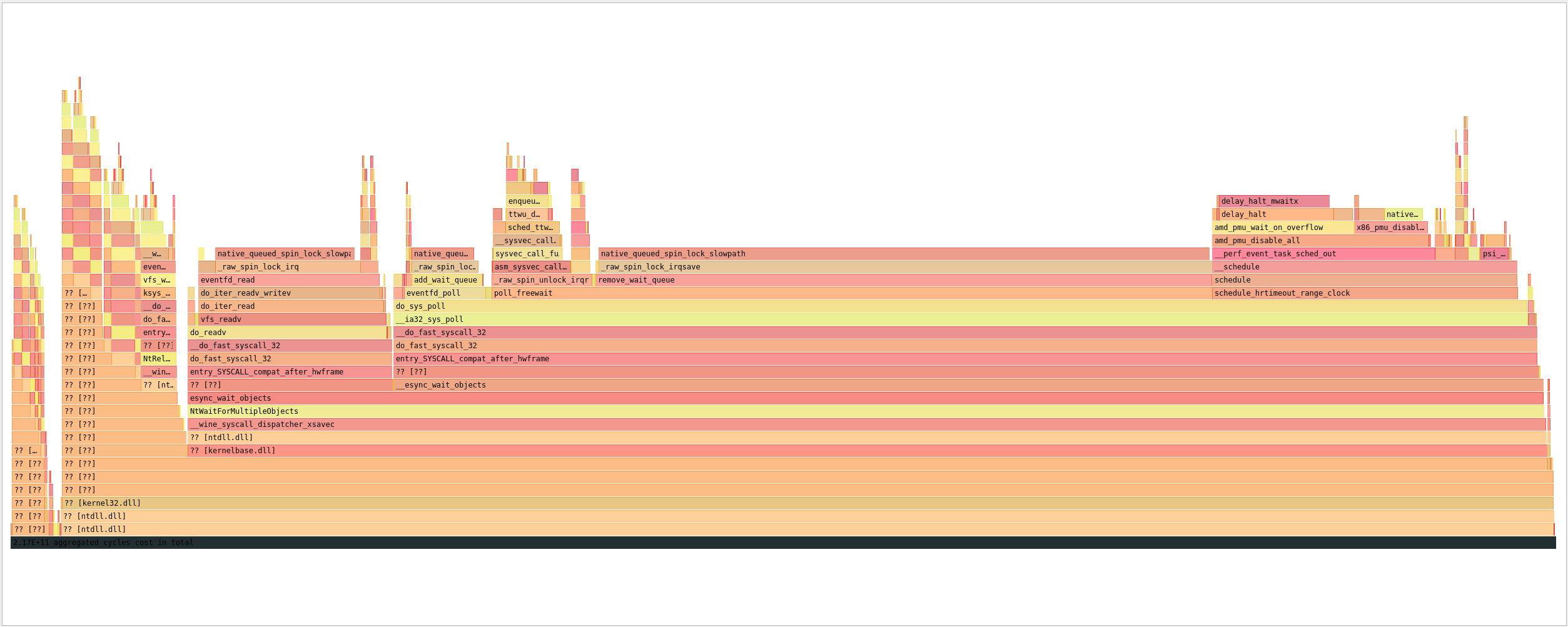
Here's a CPU flamegraph of the game process under steam play:
and here under wine staging:
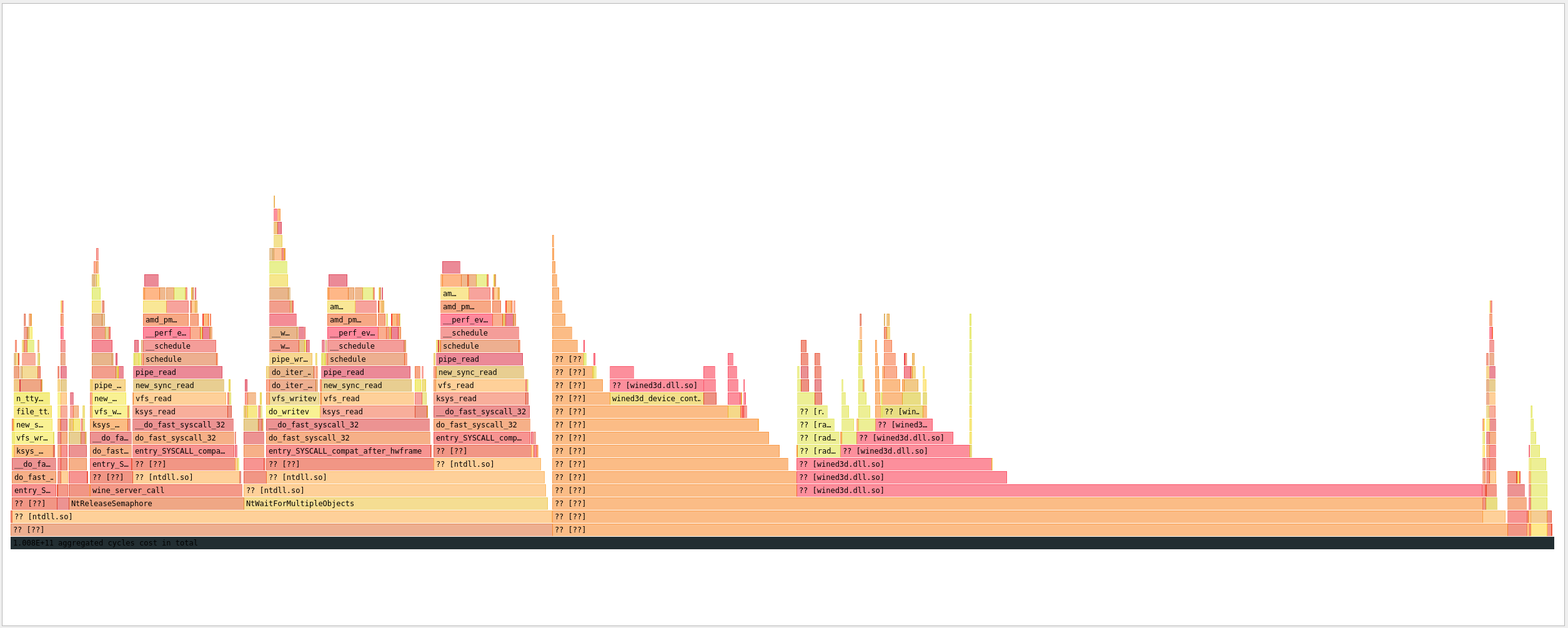
That reads like an issue with esync. You could give PROTON_NO_ESYNC=1 %command% a try to see if it gives you similar behavior to vanilla wine. Alternatively, it might be more interesting to see how the game behaves with fsync enabled (needs Linux 5.16+ kernel or an earlier kernel if it has futex_wait_multiple or futex_waitv patched in).
PROTON_NO_ESYNC=1 brings the CPU load down to reasonable levels. 👍
I installed a system update which bumps the kernel to 5.16.0-arch1-1. With that the observations change as follows:
| 5.15 | 5.16 | |
|---|---|---|
| wine staging | ✔️ low cpu load | ✔️ low cpu load |
| proton experimental default settings | ❌ >80%, all cores | ❌ >80%, all cores |
| proton experimental PROTON_NO_ESYNC=1 | ✔️ low cpu load | ⚠️ >20%, all cores |
| proton experimental PROTON_NO_FSYNC=1 PROTON_NO_ESYNC=1 | not tested | ✔️ low cpu load |
Additionally the game has an issue acquiring the correct resolution when using the sway window manager. I was able to solve that issue by running it under the gamescope compositor.
PROTON_NO_FSYNC=1 PROTON_NO_ESYNC=1 gamescope -e -w 2560 -h 1440 -f -- %command%
I have recently completed the game and encountered some issues:
- When having VSync enabled or the fps locked, the fps can suddenly drop sometimes from ~100fps to ~20fps
- 4* out of the 13* videos work, the others just have a static debug image from mfplat
- sometimes using
End Game(exit game button) can lock-up the game and not actually exit it (KDE also says not responding anymore)
Proton Log of playing one of the working videos and one of the ones that dont work
*videos are counted as the videos listed in Video section plus the Credits scene, video file is called Staff.mp4 (to access the videos ingame, you need to complete some in-game challenges)
Information about the videos:
From what i can tell, the videos that work and those that dont, have the same container and same codecs, most of them are also of a similar length and colorspace and bitrate also seem to be the same
ffprobe output of videos
Video Comic_Funny_01_jp.mp4 (working):
Input #0, mov,mp4,m4a,3gp,3g2,mj2, from 'Comic_Funny_01_jp.mp4':
  Metadata:
    major_brand     : mp42
    minor_version   : 0
    compatible_brands: mp42mp41
    creation_time   : 2022-08-17T07:45:54.000000Z
  Duration: 00:00:39.36, start: 0.000000, bitrate: 5679 kb/s
  Stream #0:0[0x1](eng): Video: h264 (Constrained Baseline) (avc1 / 0x31637661), yuv420p(progressive), 1920x1080 [SAR 1:1 DAR 16:9], 5359 kb/s, 30 fps, 30 tbr, 30k tbn (default)
    Metadata:
      creation_time   : 2022-08-17T07:45:54.000000Z
      handler_name    : ?Mainconcept Video Media Handler
      vendor_id       : [0][0][0][0]
      encoder         : AVC Coding
  Stream #0:1[0x2](eng): Audio: aac (LC) (mp4a / 0x6134706D), 48000 Hz, stereo, fltp, 317 kb/s (default)
    Metadata:
      creation_time   : 2022-08-17T07:45:54.000000Z
      handler_name    : #Mainconcept MP4 Sound Media Handler
      vendor_id       : [0][0][0][0]
Video Comic_Funny_04_jp.mp4 (not working):
Input #0, mov,mp4,m4a,3gp,3g2,mj2, from 'Comic_Funny_04_jp.mp4':
  Metadata:
    major_brand     : mp42
    minor_version   : 0
    compatible_brands: mp42mp41
    creation_time   : 2022-08-17T07:46:13.000000Z
  Duration: 00:00:28.74, start: 0.000000, bitrate: 5654 kb/s
  Stream #0:0[0x1](eng): Video: h264 (Constrained Baseline) (avc1 / 0x31637661), yuv420p(progressive), 1920x1080 [SAR 1:1 DAR 16:9], 5301 kb/s, 30 fps, 30 tbr, 30k tbn (default)
    Metadata:
      creation_time   : 2022-08-17T07:46:13.000000Z
      handler_name    : ?Mainconcept Video Media Handler
      vendor_id       : [0][0][0][0]
      encoder         : AVC Coding
  Stream #0:1[0x2](eng): Audio: aac (LC) (mp4a / 0x6134706D), 48000 Hz, stereo, fltp, 317 kb/s (default)
    Metadata:
      creation_time   : 2022-08-17T07:46:13.000000Z
      handler_name    : #Mainconcept MP4 Sound Media Handler
      vendor_id       : [0][0][0][0]
PS: i know the video files themself work, because i have watched them in vlc / mpv
video files are found in /SteamLibrary/steamapps/common/Little Witch Nobeta/LittleWitchNobeta_Data/StreamingAssets/Video/
Proton versions
proton experimentalx1 2022-01
Launch options
PROTON_NO_ESYNC=1x4 2022-09PROTON_NO_FSYNC=1x2 2022-09
Compatibility Report
System Information
I confirm:
Proton Log: steam-1049890.txt
Symptoms
When starting the game via Steam Play it reaches the main menu but occupies all CPU cores, spending most of its cpu-time in kernel mode.
This doesn't happen when starting the game with wine 7.0-rc4 from the command line, but then sound doesn't work.
Reproduction
The issue happens immediately when reaching the main menu. Lowering the graphics settings doesn't appear to make a difference.