Senren*Banka
Using wined3d, the game does shows a splash screen, but then the image locks on the splash when reaching the menu (you can still hear the sound of the mouse hovering buttons in the menu) making the game unplayable either on dxvk or wined3d.
Using wined3d, the game does shows a splash screen, but then the image locks on the splash when reaching the menu (you can still hear the sound of the mouse hovering buttons in the menu) making the game unplayable either on dxvk or wined3d.
Question to clarify: did you use PROTON_USE_WINED3D=1 when starting the game with Proton? In my case it works with it in Proton experimental version.
Using wined3d, the game does shows a splash screen, but then the image locks on the splash when reaching the menu (you can still hear the sound of the mouse hovering buttons in the menu) making the game unplayable either on dxvk or wined3d.
Question to clarify: did you use PROTON_USE_WINED3D=1 when starting the game with Proton? In my case it works with it in Proton experimental version.
Yes. When launching the game with PROTON_USE_WINED3D=1, the "This is a work of fiction..." is displayed properly, then when its animation ends the screen flashes, and is then stuck on this image, while the game continues to boot.
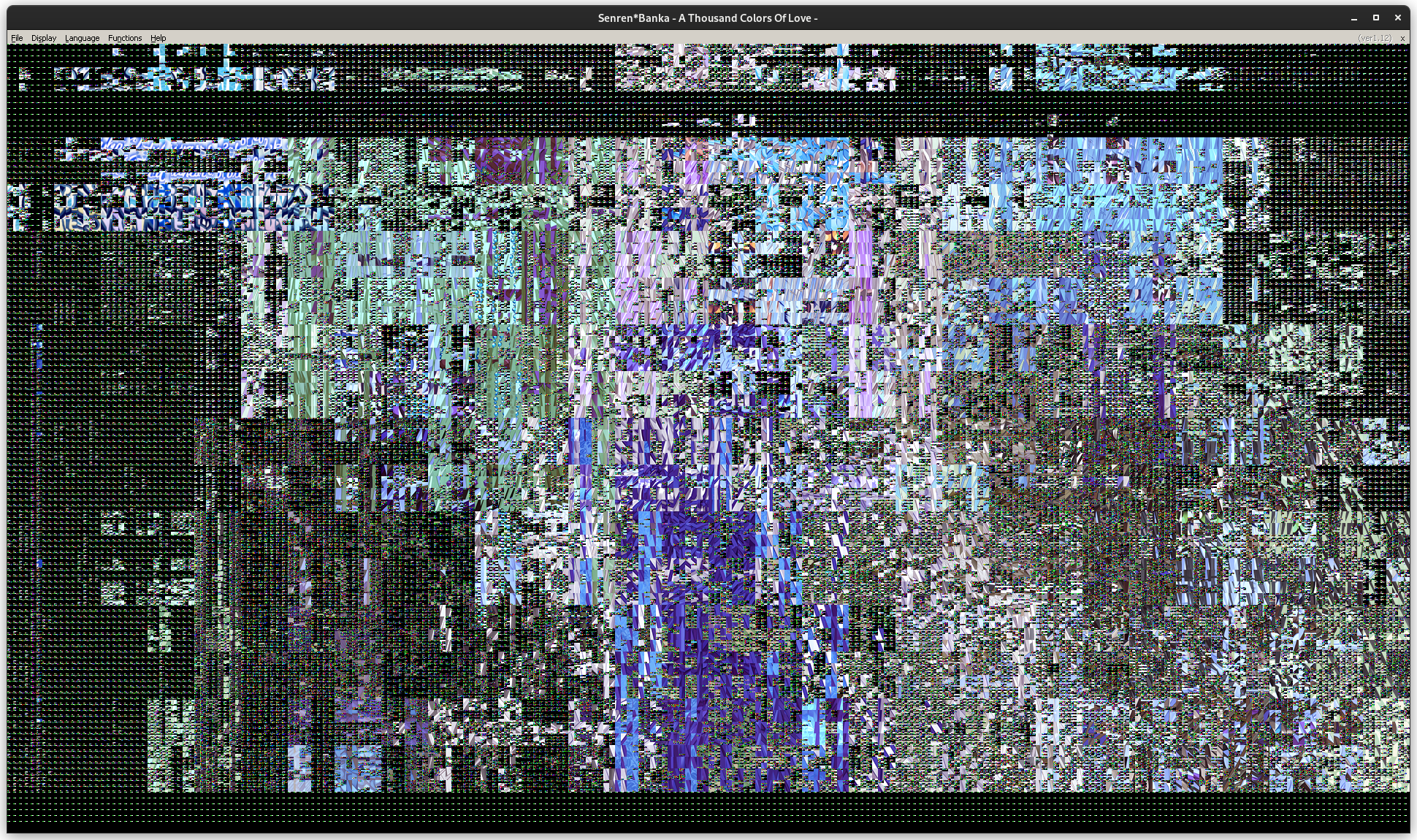
EDIT: After deleting the prefix, i got this after the splash screen when using wined3d on experimental (2nd edit: also in 6.3-8c), and it's consistent even after rebooting my computer. Mayby manjaro shipping broken mesa ?
Replying to https://github.com/ValveSoftware/Proton/issues/5567#issuecomment-1037217243
It must be something in Manjaro then. I've got Mesa 21.3.5, Proton experimental and it works fine with that.
One other possibility: are you using Xserver or Wayland session?
With Proton 7.0 game starts to main menu without using WINED3D.
However, if player presses Alt (game open menu row on top) screen becomes black.
So this game is not yet entirely compatible with DXVK, there is still need to use PROTON_USE_WINED3D=1.
With Proton 7.0 game starts to main menu without using WINED3D. However, if player presses Alt (game open menu row on top) screen becomes black. So this game is not yet entirely compatible with DXVK, there is still need to use PROTON_USE_WINED3D=1.
I tried again still using Proton Experimental and wined3d (on X.org) and still have the same issue, however enabling "Do not use Direct 3D drawing for motion display" under advanced settings fixes the issue (fps is a little bit all over the place, but might also be the case on windows ?). Would you happen to have this option enabled ?
Using DXVK, the game still presents a black screen (but when resizing the windows, the correct image blinks)
Replying to https://github.com/ValveSoftware/Proton/issues/5567#issuecomment-1058324772
Could you be more specific where that option is? It is not under Steam settings, it is not in the game settings menu, it's not in winecfg..
Either way, I am using Wayland session, not X session. I did ask about this in a previous comment so that might be one reason.
X11 has known problems (security model being one) so moving away from it would be suggested in any case.
I also tried on wayland to no avail. The option i'm speaking of is an in-game setting located in the top menu bar, just below the window title bar. On linux, you cannot make it appear when running in windowed mode. In fullscreen, stick your mouse to the top of your screen to make bar appear. Then under Help, you should have 'Show advance menu'
Also, even with wayland, Proton (and wine) are still running under Xwayland anyway.
I also tried on wayland to no avail. The option i'm speaking of is an in-game setting located in the top menu bar, just below the window title bar. On linux, you cannot make it appear when running in windowed mode. In fullscreen, stick your mouse to the top of your screen to make bar appear. Then under Help, you should have 'Show advance menu' Also, even with wayland, Proton (and wine) are still running under Xwayland anyway.
Title bar appears in windowed mode when you press Alt.
In Wayland-session you avoid X.org drivers (uses in-kernel DRM/KMS drivers) as well as other problems of X: rendering with Xwayland is done to wayland surfaces (X-client functions as wayland-client through it) and so you avoid several other issues already.
Do you have same problem with other Yuzusoft games like Riddle Joker and Sabbat of the Witch? These need WineD3D as well.
Edit: I found the setting, turning it off makes screen go black if I press alt while in windowed mode. Game starts fine when WineD3D is enabled.
Replying to https://github.com/ValveSoftware/Proton/issues/5567#issuecomment-1059719027
Think I figured it out. When not using the "Do not use Direct 3D drawing for motion display", the game shows a black screen with WineD3d when the menu is shown. When the menu is hidden, the game works fine, both on wined3d and dxvk.
Anyway, I now realise I didn't understood properly what you said above, my bad. Thanks for the help.
Same thing applies to the new Yuzusoft game Cafe Stella (1829980).
Same thing applies to the new Yuzusoft game Cafe Stella (1829980).
For quite some time now, I've been running both Senren*Banka and Cafe Stella with dxvk on X.org without any issues (pressing alt, alt-tabbing works). Will also try on Wayland.
Btw, video playback can be fixed in Proton-GE with wmp11 and directshow installed.
EDIT: Tried on wayland as well, working as excepted
I found a situation where sound stops during the game. Restarting game does not solve it but restarting pipewire.socket works:
$ systemctl restart --user pipewire.socket
Same thing does happen occasionally with other games as well so possibly it is a problem with pipewire/wireplumber instead of Proton.
Video playback is not working for me on Proton-GE 7. I've got wmp11 and directshow installed.
Running on gamescope and DXVK.
Old issue, try Proton-GE 9.11, it works for me. Tho you have to wait for a minute or two to install game fixes in the background. see https://github.com/Open-Wine-Components/umu-protonfixes/issues/111
Related threads
- [d3d9] - Senren * Banka: Performance Regression since 1.9dxvkclosed same game
- CLANNADprotonopen same upstream bug
Proton versions
proton experimentalx5 2022-03proton 7.0x2 2022-03proton 5.13-6x1 2022-02proton 6.3-5x1 2022-02
Launch options
PROTON_USE_WINED3D=1x4 2022-03
Upstream links
- doitsujin/dxvk/issues/2168x1 2022-02
Compatibility Report
System Information
I confirm:
Symptoms
Black screen when launching the game after proton 5.13-6 using DXVK. 5.13-6 has other issues but the game worked fine in Proton 6.3-5 after a regression in dxvk 1.9 was fixed. (See https://github.com/doitsujin/dxvk/issues/2168)
Seems like the same issue as #5559, both games are using the same engine, exhibit the same behavior since the same Proton version.
Also, this game suffers video playback issue, but is playable without them.
Reproduction
Launch the Game.
Logs
steam-1144400.log