Elden Ring
cp start_protected_game.exe stpg.exe.bak
cp eldenring.exe start_protected_game.exe
Can't play game online but it works
I was able to open main menu and character select in offline mode, no tinkering outside of using proton experimental. However, the game crashes on character creation
Compatibility Report
- Name of the game with compatibility issues: Elden Ring
- Steam AppID of the game: 1245620
System Information
- GPU: Nvidia Geforce RTX 3080
- Driver/LLVM version: Nvidia 470.86.0
- Kernel version: Linux 5.15.23-76051523-generic
- Link to full system information report as Gist:
- Proton version: 1645736267 experimental-bleeding-edge-7.0-10273-20220224-pdf2505-wb25665-db42c07-vc29d00
I confirm:
- [x] that I haven't found an existing compatibility report for this game.
- [x] that I have checked whether there are updates for my system available.
Symptoms
Game launcher loads, then displays error message: "Failed to load the anti-cheat module."
Reproduction
Click play, wait for launcher/splash screen.
Elden Ring EAC
Issue transferred from https://github.com/ValveSoftware/Proton/issues/5614.
@wcaglia posted on 2022-02-24T23:46:19:
Compatibility Report
- Name of the game with compatibility issues: Elden Ring
- Steam AppID of the game: 1245620
System Information
OS: Arch Linux
KERNEL: 5.16.10-zen1-1-zen
CPU: AMD Ryzen 9 3900X 12-Core
GPU: NVIDIA GeForce GTX 1070 Ti
GPU DRIVER: NVIDIA 510.54
RAM: 16 GB
steam-1245620.log
https://gist.github.com/wcaglia/76fed4c7c336f626cd9a4bc53bb71159)
- Proton version: Tried 7.0, expiremental, and latest untested beta expirmental
I confirm:
- [x] that I haven't found an existing compatibility report for this game.
- [x] that I have checked whether there are updates for my system available.
Symptoms
Failed to load anti cheat
Reproduction
Attemptto launch Elden Ring using Proton.
@netthier commented on 2022-02-24T23:54:37:
Has anyone tried a Proton build including https://github.com/ValveSoftware/Proton/commit/35a4101ac8bbf914304d35dc8d1d965aa7d29773 yet?
EDIT: I tried manually patching the proton executable and copying the eos library files to the mixed-case variants, but neither fixed the error.
@wcaglia commented on 2022-02-24T23:56:06:
Has anyone tried a Proton version including 35a4101 yet?
I tried Proton Experimental [bleeding-edge], no luck, same error.
@zupatisc commented on 2022-02-25T00:09:21:
Maybe the -noEAC flag can help?
Elden Ring [1245620]
Issue transferred from https://github.com/ValveSoftware/Proton/issues/5615.
@olav-valle posted on 2022-02-24T23:52:14:
Compatibility Report
- Name of the game with compatibility issues: Elden Ring
- Steam AppID of the game: 1245620
System Information
- GPU: Nvidia Geforce RTX 3080
- Driver/LLVM version: Nvidia 470.86.0
- Kernel version: Linux 5.15.23-76051523-generic
- Link to full system information report as Gist:
- Proton version: 1645736267 experimental-bleeding-edge-7.0-10273-20220224-pdf2505-wb25665-db42c07-vc29d00
I confirm:
- [x] that I haven't found an existing compatibility report for this game.
- [x] that I have checked whether there are updates for my system available.
Symptoms
Game launcher loads, then displays error message: "Failed to load the anti-cheat module."
Reproduction
Click play, wait for launcher/splash screen.
@netthier commented on 2022-02-24T23:53:31:
Duplicate of https://github.com/ValveSoftware/Proton/issues/5613
I was able to open main menu and character select in offline mode, no tinkering outside of using proton experimental. However, the game crashes on character creation
@kingpingu I faced the same issue, which was solved after increasing the number of file descriptors.
Now game runs perfectly except for online, which doesn't currently work because probably EAC.
As a temporary workaround I was able to launch it by swapping the executables in the game folder. I renamed start_protected_game.exe to backup and copied eldenring.exe renaming it the other exe.
Won't be able to play online, but I heard this was Steam Deck verified. Hopefully it gets sorted out soon.
The file copy/overwrite does bypass EAC by effectively invoking the copy protection and forcing it to offline mode.
I am having an issue with using a PS5 dualsense controller (wired) but it is not being completely detected. Touchpad works as must support but no other device buttons provide a response. When attempting to use Remote Play you can set your gamepad to Mouse Support via the Hold Back button you can use both sticks and the trigger buttons to move the cursor and mimic mouse inputs. Seems to be something a miss with accepting controller input.
My installation's Controller options shows that the developers has Nintendo Switch controls enabled. I have not tried to use these.
cp start_protected_game.exe stpg.exe.bak cp eldenring.exe start_protected_game.exe
Can't play game online but it works
Curious if someone would mind posting a protondb report if the game works, even offline.
cp start_protected_game.exe stpg.exe.bak cp eldenring.exe start_protected_game.exe
Can't play game online but it worksCurious if someone would mind posting a protondb report if the game works, even offline.
I sent a report but from my experience it takes a lot of time to get the reports actually up. it's still pending on my profile
Did anyone else notice how insane is the disk write activity while running this game? It is super unusual

The game process is the start_protected. More than 9 GB of data written to the disk after 20 or maybe 30 minutes dying to the first boss(that obviously I should not be fighting now XD)
I am having an issue with using a PS5 dualsense controller (wired) but it is not being completely detected. Touchpad works as must support but no other device buttons provide a response.
I had the same issue but found a workaround. Go into Steam's controller options for the game and disable Steam input. My PS5 controller works completely normally after I did that.
I am having an issue with using a PS5 dualsense controller (wired) but it is not being completely detected. Touchpad works as must support but no other device buttons provide a response.
I had the same issue but found a workaround. Go into Steam's controller options for the game and disable Steam input. My PS5 controller works completely normally after I did that.
i have this same issue and nothing i change makes any difference, steam input enabled/disabled, ps4 support enabled/disabled, controller doesn't work regardless of any settings. I have had this problem in the past with previous souls games but don't remember how i got it working in the end.
Replying to https://github.com/ValveSoftware/Proton/issues/5613#issuecomment-1050453881
This is why companies need to stop injecting their games with anti-cheat malware.
Did nothing on Manjaro, and it worked, just didn't log in to Elden Ring Server, but I've been able to play.
Tried on Fedora, my main distro, but even deleting the pfx folder and letting it reinstall dependencies, it doesn't work. Keeps showing that EAC is not installed on the Splash Screen.
Fedora 25 Workstation 5.16.10-201.fsync with Nobara repositories
Manjaro Gnome 5.16.7-1-MANJARO
Host: 82CF Lenovo Legion 5 15IMH05H
Resolution: 1920x1080
CPU: Intel i7-10750H (12) @ 5.000GHz
GPU: NVIDIA GeForce RTX 2060 Mobile 6GB
Memory: 16GB
NVIDIA drivers: 510.54 on Fedora and 510.47.03 on Manjaro
[Edit]
Tried with Proton-GE 7.2-GE-2, Proton-GE 7.2-GE-3-test3 and Experimental on Fedora and did not touch the version on Manjaro
[Edit2]
Playing a bit more, only working on Manjaro with the same install, the stuttering is unbearable even on the lowest settings. As it is really a game problem because Windows players are reporting the same with excellent specs, I'll wait for a patch.
Also MangoHUD only works on Fedora where I can't play the game; Alt + Tab is very problematic, almost can't leave the game, + tab did not work; The game almost locks the whole system on stutters; Alt + F4 is not accepted by the game as a viable way to leave the game.
[Edit3]
Once more, disabling Steam Overlay helps a LOT, and I mean a lot. Even the loading times were improved. Not perfect, but
This is why companies need to stop injecting their games with anti-cheat malware.
There is a clear correlation between stuttering and the unusual and intense disk writing activity. I wonder if this is happening because we are forcing the offline mode by overwriting the executable...
This is why companies need to stop injecting their games with anti-cheat malware.
There is a clear correlation between stuttering and the unusual and intense disk writing activity. I wonder if this is happening because we are forcing the offline mode by overwriting the executable...
Stuttering seems to affect all PC players, even Windows ones with EAC working as it should.
Use %command% -noEAC can disable EAC without renaming game files.
Use %command% -noEAC can disable EAC without renaming game files.
For some reason this option is not working on my computer.
I got this working consistently in online mode.
[EDIT: It seems like I can be in online mode, but EAC will kick me after a time with others?]
I'll copy the important bits of the reddit comment I made describing how to get EAC working here:
With EAC
tl;dr
- Opt into
bleeding-edgebeta of Proton Experimental - Make sure Elden Ring is using Proton Experimental
- Launch Elden Ring
- Disconnect the network before the EAC launcher loads
- Reconnect the network before proceeding from the start screen to the main menu
- If you are offline, select Log in
How I got there
I saw others mentioning they could get online with Proton Experimental [bleeding-edge] (opt into the bleeding-edge branch of Proton Experimental), but I couldn't get it working with any combination of things I tried.
I also saw that you can skip the EAC launcher check by not letting it connect to the internet.
If I left the internet disconnected, then reconnected it after I got to the menu, I couldn't log in.
Reconnecting the internet immediately after the game window appears worked around this. After more testing, all that mattered is that you reconnect before going to the menu.
Notes
- It might not matter when you disconnect the network, as long as it is reconnected before the menu.
- Maybe you can sandbox just the launcher from the internet, so that manual network manipulation isn't needed. But then, maybe this will all be fixed for us soon.
Replying to https://github.com/ValveSoftware/Proton/issues/5613#issuecomment-1050524948
I can confirm this workaround works for me as well.
Use
%command% -noEACcan disable EAC without renaming game files.
wwmm's launch option did not work for me, but I am able to use the launch option echo "%command%" | sed 's/start_protected_game.exe/eldenring.exe/' | sh to play in offline mode without renaming game files.
Replying to https://github.com/ValveSoftware/Proton/issues/5613#issuecomment-1050524948
This didn't work for me.
But I found another way to run it on my machine. I had the Steam Runtime disabled, enabling it again and launching the game made me able to connect online with no issues. The only other thing I did was to manually symlink both eossdk-win64-shipping files (dll, so) files to EOSSDK-Win64-Shipping (dll, so) inside the game's folder, but I haven't tested if it is needed at all after enabling the Steam Runtime, I'll test it further and report here.
EDIT: It works without the symlinks when using Proton Experimental [bleeding edge]. Right now I'm playing online with summons working without issue. Not forcing the Native Runtime and instead using the Steam Runtime is working for me, even restarted the game to be sure.
For me, I am able to launch Elden Ring and get into game just fine, though I'm not able to connect to the servers in spite of EAC starting up and seemingly working just fine. I am running Steam (Runtime) on Manjaro with Proton Experimental enabled. However, I am having a major problem where the Steam Overlay is getting applied to the EAC window, and then killing itself once the EAC launcher closes, and it won't come up once the game actually loads. This is a major issue for me, as this stops Steam from passing controller inputs through to the game while in Big Picture mode, which thus prevents me from playing the game via Steam Play. The only workaround seems to be that I create a whole separate desktop configuration and enable it manually for this game, which is incredibly tedious and unnecessary.
EDIT:
This issue actually happens on outside using Steam Play as well. I am unable to play the game with a controller, because steam thinks the game is launching as a desktop application and is not passing through controller as an actual device to the game. Instead, it's just using the desktop controls configuration and forces me to use my controller as a mouse input for a game that expects controller input. Absolutely infuriating.
https://steamcommunity.com/app/1245620/discussions/0/3183486320465661378/#c3183486320469838902
Post of someone skipping eac at startup by disconnecting from internet until the game properly startups in proton experimental.
Cool stuff anticheat can prevent, apparently you could get to play online with it. (unsure if he uses bleeding edge branch)
EDIT: This issue actually happens on outside using Steam Play as well. I am unable to play the game with a controller, because steam thinks the game is launching as a desktop application and is not passing through controller as an actual device to the game. Instead, it's just using the desktop controls configuration and forces me to use my controller as a mouse input for a game that expects controller input. Absolutely infuriating.
The controller issue seems to plague Windows users as well going by the number of threads on the Steam Forums. The workaround I found was to add a Gamepad template to the Desktop Configuration inside the Controller Settings on Steam.
Replying to https://github.com/ValveSoftware/Proton/issues/5613#issuecomment-1050573781
Hi,
To get work the controller I did the next steps:
steamapps/common/ELDEN RING/Game$ cp start_protected_game.exe stpg.exe.bak
steamapps/common/ELDEN RING/Game$ cp eldenring.exe start_protected_game.exe
When launch the game now the controller is detected and works fine. Of course cant play online. Because eac is not launched.
I think the problem with controls is because of eac crash on launch
Replying to https://github.com/ValveSoftware/Proton/issues/5613#issuecomment-1050636272
Like I said, I have no issues with EAC in my environment. In fact, with Proton Experimental set to bleeding-edge, I'm now able to successfully log in and play online. The issue is that the Steam Overlay is not launching and/or is only launching for the EAC window, and once the game itself actually launches, the Overlay is not able to be opened and doesn't appear to be running at all. This is the behavior that Steam uses when it's running a desktop application, so it defaults to using desktop controls instead of passing through actual controls.
I could probably work around it in the way you suggested, but then I would lose ability to play online, which I don't want to do. The issue is that the launcher is making steam think the app is a desktop app instead of a game.
I see multiple issues relative to EAC, this comment is different: I applied the solution to rename eldenring.exe to start_protected_game.exe. When clicking "play", the game starts full-screen for a second then crashes (black screen with game cursor only). Other people seem to have a similar issue
EDIT: I just had a proton experimental (bleeding edge) update, now I get a white screen.
EDIT 2: Switch from KDE Plasma (X.org) to KDE Plasma (Wayland) fixed my issue.
Compatibility Report
- Name of the game with compatibility issues: ELDEN RING
- Steam AppID of the game: 1245620
System Information
- GPU: NVIDIA GeForce GTX 1050/PCIe/SSE2
- Driver/LLVM version: NVIDIA 510.54
- Kernel version: 5.16.11-arch1-1
- Link to full system information report as Gist: https://gist.github.com/demurgos/99e5de47d691a20aeff208189711dd96
- Proton version: Proton Experimental (bleeding edge) (also tested with Proton-7.2-GE-2)
I confirm:
- [x] that I haven't found an existing compatibility report for this game.
- [x] that I have checked whether there are updates for my system available.
Symptoms
I see multiple issues relative to EAC, this comment is different: I applied the solution to rename eldenring.exe to start_protected_game.exe. When clicking "play", the game starts full-screen for a second then crashes (black screen with game cursor only). Other people seem to have a similar issue
EDIT: I just had a proton experimental (bleeding edge) update, now I get a white screen.
EDIT 2: Switch from KDE Plasma (X.org) to KDE Plasma (Wayland) fixed my issue.
Reproduction
- Opt into the bleeding edge version of Proton experimental
- Rename
eldenring.exetostart_protected_game.exe. - Click "Play"
- The game starts for a second (black screen with game cursor) then crashes.
Replying to https://github.com/ValveSoftware/Proton/issues/5613#issuecomment-1050636272
Doesn't work for me. I've tried everything but my Xbox controller refuses to work
In addition to the EOS EAC issues mentioned earlier, I'm also reporting here that the performance doesn't seem to be where it should be. No matter what settings I use I'm plagued with low framerate, often 40 fps and lower. I'm running this on a Ryzen 2700X + GTX1080.
I got my controller working by linking eldenring.exe to start_protected_game.exe. It has to be something with steam overlay not liking how the game uses a wrapper exe.
I got my controller working by linking eldenring.exe to start_protected_game.exe. It has to be something with steam overlay not liking how the game uses a wrapper exe.
do you mean creating a symlink?
I got my controller working by linking eldenring.exe to start_protected_game.exe. It has to be something with steam overlay not liking how the game uses a wrapper exe.
The symlink workaround was the last thing to try and it still refuses to work.
Guess I'll give up for now and play on my Win machine waiting for the game to be more stable on Linux
I can confirm that renaming start_protected_game.exe and then creating a symlink between eldenring.exe and start_protected_game.exe does allow Steam to correctly apply the overlay to the game and thus enable controller pass-thru, but this creates the same problem as other solutions already mentioned. Without the game launching via EAC, it prevents you from connecting to the server and playing online.
The Steam Overlay isn't working in-game. In the past, games which present this behaviour don't allow for Steam Input to be used. Since the game defaults Steam Input for everything but the XBox controllers, no other controllers work.
Disabling Steam Input makes it so the game proper never displays a window after the EAC initialization box.
EDIT: Enabling Steam Input for your choice controller and setting the desktop configuration to your gamepad configuration of choice, as others suggested, does seem to work.
Also, @GoLD-ReaVer see this issue for the poor performance: https://github.com/HansKristian-Work/vkd3d-proton/issues/465
The Steam Overlay isn't working in-game. In the past, games which present this behaviour don't allow for Steam Input to be used. Since the game defaults Steam Input for everything but the XBox controllers, no other controllers work.
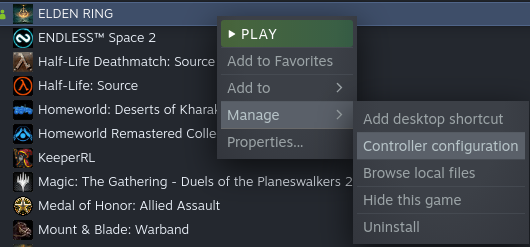
You can force steam to use a given control config, yo go to the general control settings and enable only the controller ur using, and then in the game controller config select force on. This seems to be needed even in windows. Or you can make steam interpret your controller as an xbox one here is how
Also, @GoLD-ReaVeR see this issue for the poor performance: HansKristian-Work/vkd3d-proton#465
That would be fair if it wasn't for the fact the game is running much worse in proton than it is in windows.
Also, @GoLD-ReaVeR see this issue for the poor performance: HansKristian-Work/vkd3d-proton#465
That would be fair if it wasn't for the fact the game is running much worse in proton than it is in windows.
Yes, the problem is VKD3D specifically. See if adding VKD3D_DEBUG=none VKD3D_CONFIG=force_static_cbv %command% to the launch options makes a difference for you.
Some Elden Ring performance related changes have also just been committed to the vkd3d-proton master.
So you can see if Bleeding edge experimental makes a difference. I don't know how quickly changes gets pulled in.
Some Elden Ring performance related changes have also just been committed to the
vkd3d-protonmaster. So you can see if Bleeding edge experimental makes a difference. I don't know how quickly changes gets pulled in.
it polls dxvk and vkd3d-proton every hour, around :30 mark
SteamDB is reporting Elden Ring as Steam Deck: verified. If EAC is not working is this information false then? See bottom
I'm on Arch Linux with the latest nvidia driver. I tried everything as described in this issue and i can't get online or my controller to work.
You need EAC to play online and thus the exe rename will automatically prevent you from doing that. For online to work the game has to run as it was on installation which it currently doesn't because either Valve or Epic have made a big mistake somewhere.
Using Proton Experimental [bleeding-edge] and copying eldenring.exe to start_protected_game.exe: game is offline, launches, controller works. Switched to Flatpak Steam (still bleeding edge proton), now the online works, game launches, but controller does not work. Definitely recommend trying out Flatpak Steam.
SteamDB is reporting Elden Ring as Steam Deck: verified. If EAC is not working is this information false then? See bottom
It is working on Steam Deck, but not on some desktop PC setups. Epic is apparently made aware and they are looking into that.
CPU: AMD Ryzen 9 3950X (32) @ 3.500GHz
GPU: NVIDIA GeForce RTX 2070 Super
Memory: 64GB
NVIDIA drivers: 510.54-3
Kernel: 5.16.11.arch1-1
OS: Arch Linux
Proton: bleeding-edge experimental
Game launches no problem (no renaming files or anything and controller works just fine) however no online play. Tried the turning off internet and turning back on, but to no avail. Single player (as far as I can tell) works with no crashing, through I experience some frame drops.
Switched to Flatpak Steam (still bleeding edge proton), now the online works, game launches, but controller does not work. Definitely recommend trying out Flatpak Steam.
Using Flatpak Steam worked for me. Online is working great.
Kernel: 5.16.10.arch1-1
OS: Arch Linux
Proton: bleeding-edge experimental
What does flatpak Steam have over whats provided in the Arch repositories? I can't get past the 'failed to load anti-cheat' module btw. On Steam beta branch (runtime not native) with Proton Experimental [bleeding-edge]. :frowning_face: I don't wish to play this game offline either so I'd rather not do the file renaming/symlink trick. Guess I'll reboot into Windows then until all is resolved (lol) :weary:
Tried every fix for the controller, unfortunately only the sticks seem to work. Everything else, including online is fine.
OS: Manjaro Linux
Kernel 5.15.24-xanmod1-1
Proton: bleeding-edge experimental
The flatpak version of steam seems to make it get past EAC but I'm currently stuck on a white screen (the intro movie?). The regular Arch packaged version of steam runtime didn't get past EAC
Edit: now works no problem with the latest Proton experimental (bleeding edge) update issued a few minutes ago on Flatpak steam
The Steam Overlay isn't working in-game. In the past, games which present this behaviour don't allow for Steam Input to be used. Since the game defaults Steam Input for everything but the XBox controllers, no other controllers work.
Disabling Steam Input makes it so the game proper never displays a window after the EAC initialization box.
EDIT: Enabling Steam Input for your choice controller and setting the desktop configuration to your gamepad configuration of choice, as others suggested, does seem to work.
Also, @GoLD-ReaVer see this issue for the poor performance: https://github.com/HansKristian-Work/vkd3d-proton/issues/465
@Unaccounted4 can you use the controller in game? If so wich one and what do you mean by "setting desktop to your gamepad of choice"? Sorry for all the questions
OS: Arch Linux
Kernel: 5.16.10-arch1-1
Proton: Bleeding Edge Experimental.
Works in offline mode if I disconnect the internet, load the game, then reconnect. Does not work offline with the ln -s fix to change the executable. Controller works.
However, the game is unplayable because many enemies are either invisible or pixellated to be mostly invisible.
Replying to https://github.com/ValveSoftware/Proton/issues/5613#issuecomment-1051076395
I have been able to use a DualShock 4 V2, DualSense, BiMonk S4 (Xbox 360 clone), and the Steam Controller. I had to enable Steam Input for the playstation controllers by ticking the box in Settings > Controller > General Controller Settings > Playstation Configuration Support. Then I went to Settings > Controller > Desktop Configuration and just selected the standard gamepad configuration. After doing this both the DualShock and DualSense worked as intended.
Replying to https://github.com/ValveSoftware/Proton/issues/5613#issuecomment-1050524948
This worked flawlessly!
Just annoying to always disable my internet connection when I want to launch the game...
OS: KDE neon User - 5.24 x86_64
Kernel: 5.13.0-30-generic
Proton: Bleeding Edge Experimental
Replying to https://github.com/ValveSoftware/Proton/issues/5613#issuecomment-1051079756
Oh I see, it emulates the keyboard and mose with the controller, not ideal but good enough i guess THANKS man
Replying to https://github.com/ValveSoftware/Proton/issues/5613#issuecomment-1051090904
No, you can select a regular gamepad layout. Just scroll down past where you'd find the community layouts and you can find the default ones. Those will work exactly as you expect a controller to.
You need EAC to play online and thus the exe rename will automatically prevent you from doing that. For online to work the game has to run as it was on installation which it currently doesn't because either Valve or Epic have made a big mistake somewhere.
I get that, i'm just saying that after the rename workaround not even the controller works. Not even after the steam controller configuration workaround, or disabling steam input, or doing all this using the flatpak (on which i get through EAC but the game crashes much like other people who posted here). The game runs fine, but i'm still forced to use keyboard and mouse.
Some other issues I encountered that I was able to find solutions for:
- EAC would launch, but would immediately error out saying that it couldn't find "Settings.json". The file was actually present in the game data folder, with the EAC executable, but was named "settings.json". Changing the s to S in the filename fixed this issue.
- Similarly, the Elden Ring splash art would fail to load sometimes. The Settings.json also specified the splash art filename with specific case, and the actual filename in the same directory was all lowercase. Correcting the case of the filename fixed this issue.
OS: Arch Linux Kernel: 5.16.10-arch1-1 Proton: Bleeding Edge Experimental.
Works in offline mode if I disconnect the internet, load the game, then reconnect. Does not work offline with the
ln -sfix to change the executable. Controller works.However, the game is unplayable because many enemies are either invisible or pixellated to be mostly invisible.
That is a volumetric setting in the advanced graphic settings, they disappear if it is in "low".
Successfully getting past EAC login/splash screen. When the fullscreen portion of the game opens, it's just a white screen. Notably the cursor seems to be the correct in game cursor.
Kernel: 5.16.10-arch1-1
OS: Endeavour
Proton: Bleeding Edge Experimental
Steam: Flatpak
Steam outputs the following to the console...
Opted-in Controller Mask for AppId 1245620: fffd
GameAction [AppID 1245620, ActionID 1] : LaunchApp changed task to ProcessingInstallScript with ""
fsync: up and running.
wine: RLIMIT_NICE is <= 20, unable to use setpriority safely
GameAction [AppID 1245620, ActionID 1] : LaunchApp changed task to SynchronizingCloud with ""
GameAction [AppID 1245620, ActionID 1] : LaunchApp changed task to SynchronizingControllerConfig with ""
GameAction [AppID 1245620, ActionID 1] : LaunchApp changed task to SiteLicenseSeatCheckout with ""
GameAction [AppID 1245620, ActionID 1] : LaunchApp changed task to CreatingProcess with ""
GameAction [AppID 1245620, ActionID 1] : LaunchApp waiting for user response to CreatingProcess ""
GameAction [AppID 1245620, ActionID 1] : LaunchApp continues with user response "CreatingProcess"
/bin/sh\0-c\0/home/curtis/.var/app/com.valvesoftware.Steam/.local/share/Steam/ubuntu12_32/reaper SteamLaunch AppId=1245620 -- '/home/curtis/.var/app/com.valvesoftware.Steam/.local/share/Steam/steamapps/common/SteamLinuxRuntime_soldier'/_v2-entry-point --verb=waitforexitandrun -- '/home/curtis/.var/app/com.valvesoftware.Steam/.local/share/Steam/steamapps/common/Proton - Experimental'/proton waitforexitandrun  '/home/curtis/.var/app/com.valvesoftware.Steam/.local/share/Steam/steamapps/common/ELDEN RING/Game/start_protected_game.exe'\0
Game process added : AppID 1245620 "/home/curtis/.var/app/com.valvesoftware.Steam/.local/share/Steam/ubuntu12_32/reaper SteamLaunch AppId=1245620 -- '/home/curtis/.var/app/com.valvesoftware.Steam/.local/share/Steam/steamapps/common/SteamLinuxRuntime_soldier'/_v2-entry-point --verb=waitforexitandrun -- '/home/curtis/.var/app/com.valvesoftware.Steam/.local/share/Steam/steamapps/common/Proton - Experimental'/proton waitforexitandrun  '/home/curtis/.var/app/com.valvesoftware.Steam/.local/share/Steam/steamapps/common/ELDEN RING/Game/start_protected_game.exe'", ProcID 632, IP 0.0.0.0:0
chdir /home/curtis/.var/app/com.valvesoftware.Steam/.local/share/Steam/steamapps/common/ELDEN RING/Game
ERROR: ld.so: object '/home/curtis/.var/app/com.valvesoftware.Steam/.local/share/Steam/ubuntu12_32/gameoverlayrenderer.so' from LD_PRELOAD cannot be preloaded (wrong ELF class: ELFCLASS32): ignored.
ERROR: ld.so: object '/home/curtis/.var/app/com.valvesoftware.Steam/.local/share/Steam/ubuntu12_64/gameoverlayrenderer.so' from LD_PRELOAD cannot be preloaded (wrong ELF class: ELFCLASS64): ignored.
ERROR: ld.so: object '/home/curtis/.var/app/com.valvesoftware.Steam/.local/share/Steam/ubuntu12_32/gameoverlayrenderer.so' from LD_PRELOAD cannot be preloaded (wrong ELF class: ELFCLASS32): ignored.
ERROR: ld.so: object '/home/curtis/.var/app/com.valvesoftware.Steam/.local/share/Steam/ubuntu12_32/gameoverlayrenderer.so' from LD_PRELOAD cannot be preloaded (wrong ELF class: ELFCLASS32): ignored.
ERROR: ld.so: object '/home/curtis/.var/app/com.valvesoftware.Steam/.local/share/Steam/ubuntu12_32/gameoverlayrenderer.so' from LD_PRELOAD cannot be preloaded (wrong ELF class: ELFCLASS32): ignored.
pid 636 != 633, skipping destruction (fork without exec?)
GameAction [AppID 1245620, ActionID 1] : LaunchApp changed task to WaitingGameWindow with ""
GameAction [AppID 1245620, ActionID 1] : LaunchApp changed task to Completed with ""
fsync: up and running.
wine: RLIMIT_NICE is <= 20, unable to use setpriority safely
Game process updated : AppID 1245620 "/home/curtis/.var/app/com.valvesoftware.Steam/.local/share/Steam/ubuntu12_32/reaper SteamLaunch AppId=1245620 -- '/home/curtis/.var/app/com.valvesoftware.Steam/.local/share/Steam/steamapps/common/SteamLinuxRuntime_soldier'/_v2-entry-point --verb=waitforexitandrun -- '/home/curtis/.var/app/com.valvesoftware.Steam/.local/share/Steam/steamapps/common/Proton - Experimental'/proton waitforexitandrun  '/home/curtis/.var/app/com.valvesoftware.Steam/.local/share/Steam/steamapps/common/ELDEN RING/Game/start_protected_game.exe'", ProcID 793, IP 0.0.0.0:0
Setting breakpad minidump AppID = 1245620
Steam_SetMinidumpSteamID:  Caching Steam ID:  76561198048046789 [API loaded no]
Fossilize INFO: Overriding serialization path: "/home/curtis/.var/app/com.valvesoftware.Steam/.local/share/Steam/steamapps/shadercache/1245620/fozpipelinesv6/steamapprun_pipeline_cache".
Installing breakpad exception handler for appid(gameoverlayui)/version(20220116173448)
Installing breakpad exception handler for appid(gameoverlayui)/version(1.0)
Installing breakpad exception handler for appid(gameoverlayui)/version(1.0)
Installing breakpad exception handler for appid(gameoverlayui)/version(1.0)
Controller 0 ELDEN RING の公式設定 uses xinput : true
Controller 0 ELDEN RING の公式設定 uses xinput : true
DS4 Controller calibration:
  Sensor 0: bias 6, sensitivity 2.0235  Sensor 1: bias -2, sensitivity 1.9344  Sensor 2: bias 19, sensitivity 1.8447  Sensor 3: bias 0, sensitivity 2.0134  Sensor 4: bias 0, sensitivity 1.9745  Sensor 5: bias 1, sensitivity 1.9679
Local Device Found
  type: 16c0 04d0
  path: sdl://0
  serial_number:  - 0
  Manufacturer:
  Product:      Teensyduino Keyboard
  Release:      111
  Interface:    -1

Game process updated : AppID 1245620 "/home/curtis/.var/app/com.valvesoftware.Steam/.local/share/Steam/ubuntu12_32/reaper SteamLaunch AppId=1245620 -- '/home/curtis/.var/app/com.valvesoftware.Steam/.local/share/Steam/steamapps/common/SteamLinuxRuntime_soldier'/_v2-entry-point --verb=waitforexitandrun -- '/home/curtis/.var/app/com.valvesoftware.Steam/.local/share/Steam/steamapps/common/Proton - Experimental'/proton waitforexitandrun  '/home/curtis/.var/app/com.valvesoftware.Steam/.local/share/Steam/steamapps/common/ELDEN RING/Game/start_protected_game.exe'", ProcID 937, IP 0.0.0.0:0
Setting breakpad minidump AppID = 1245620
SteamInternal_SetMinidumpSteamID:  Caching Steam ID:  76561198048046789 [API loaded no]
Local Device Found
  type: 16c0 04d0
  path: sdl://0
  serial_number:  - 0
  Manufacturer:
  Product:      Teensyduino Keyboard
  Release:      111
  Interface:    -1


(process:921): GLib-GObject-CRITICAL **: 14:03:18.342: g_object_unref: assertion 'G_IS_OBJECT (object)' failed
Installing breakpad exception handler for appid(steam)/version(1642451672)
Local Device Found
  type: 16c0 04d0
  path: sdl://0
  serial_number:  - 0
  Manufacturer:
  Product:      Teensyduino Keyboard
  Release:      111
  Interface:    -1

Installing breakpad exception handler for appid(gameoverlayui)/version(20220116173448)
Installing breakpad exception handler for appid(gameoverlayui)/version(1.0)
Installing breakpad exception handler for appid(gameoverlayui)/version(1.0)
Installing breakpad exception handler for appid(gameoverlayui)/version(1.0)
Controller 0 ELDEN RING の公式設定 uses xinput : true

(process:973): GLib-GObject-CRITICAL **: 14:03:23.896: g_object_unref: assertion 'G_IS_OBJECT (object)' failed
Installing breakpad exception handler for appid(gameoverlayui)/version(20220116173448)
Installing breakpad exception handler for appid(gameoverlayui)/version(1.0)
Installing breakpad exception handler for appid(gameoverlayui)/version(1.0)
Installing breakpad exception handler for appid(gameoverlayui)/version(1.0)
Installing breakpad exception handler for appid(steam)/version(1642451672)

(process:989): GLib-GObject-CRITICAL **: 14:03:29.497: g_object_unref: assertion 'G_IS_OBJECT (object)' failed
Installing breakpad exception handler for appid(gameoverlayui)/version(20220116173448)
Installing breakpad exception handler for appid(gameoverlayui)/version(1.0)
Installing breakpad exception handler for appid(gameoverlayui)/version(1.0)
Installing breakpad exception handler for appid(gameoverlayui)/version(1.0)

(process:1006): GLib-GObject-CRITICAL **: 14:03:35.063: g_object_unref: assertion 'G_IS_OBJECT (object)' failed
Installing breakpad exception handler for appid(gameoverlayui)/version(20220116173448)
Installing breakpad exception handler for appid(gameoverlayui)/version(1.0)
Installing breakpad exception handler for appid(gameoverlayui)/version(1.0)
Installing breakpad exception handler for appid(gameoverlayui)/version(1.0)

(process:1022): GLib-GObject-CRITICAL **: 14:03:40.644: g_object_unref: assertion 'G_IS_OBJECT (object)' failed
Installing breakpad exception handler for appid(gameoverlayui)/version(20220116173448)
Installing breakpad exception handler for appid(gameoverlayui)/version(1.0)
Installing breakpad exception handler for appid(gameoverlayui)/version(1.0)
Installing breakpad exception handler for appid(gameoverlayui)/version(1.0)
(from roughly the point where the application launches)
I fixed my crash on start-up by switching my desktop session from "Plasma (X.org)" to "Plasma (Wayland)".
Replying to https://github.com/ValveSoftware/Proton/issues/5613#issuecomment-1051122645
The white screen is normal during launch, it's what shows before the Bandai Namco logo. Couldn't say for certain what's causing your game to hang but it seems related to using Flatpak. Does this happen when using Steam (Native) or Steam (Runtime)?
My game either runs into the EAC error or, if I try rename/symlink tricks does not start at all.
System info
Trying with Proton Experimental bleeding edge.

Proton log without rename/sym link: steam-1245620.log
Proton with renaming:
rename start_protected_game.exe to start_protected_game.exe_
copy eldenring.exe to start_protected_game.exe
steam-1245620.log
I can get it to run with the flatpak version with EAC running+multiplayer working...just can't seem to get any controller going, any advice? I tried an 8bitdo connected with their dongle as well as a steam controller.
They do show up in steam(say big picture for example), just don't work ingame.
OS: Arch Linux Kernel: 5.16.10-arch1-1 Proton: Bleeding Edge Experimental.
Works in offline mode if I disconnect the internet, load the game, then reconnect. Does not work offline with theln -sfix to change the executable. Controller works.
However, the game is unplayable because many enemies are either invisible or pixellated to be mostly invisible.That is a volumetric setting in the advanced graphic settings, they disappear if it is in "low".
Not quite, unfortunately. I have that on "low" and enemies still get invisible from time to time.
I can get it to run with the flatpak version with EAC running+multiplayer working...just can't seem to get any controller going, any advice? I tried an 8bitdo connected with their dongle as well as a steam controller. They do show up in steam(say big picture for example), just don't work ingame.
It seems that currently only controllers that use XInput are working properly, unfortunately.
Hello @PPKFS, @gbrlsnchs, please copy your system information from Steam (Steam -> Help -> System Information) and put it in a gist, then include a link to the gist in this issue report.
OS: Arch Linux Kernel: 5.16.10-arch1-1 Proton: Bleeding Edge Experimental.
Works in offline mode if I disconnect the internet, load the game, then reconnect. Does not work offline with theln -sfix to change the executable. Controller works.
However, the game is unplayable because many enemies are either invisible or pixellated to be mostly invisible.That is a volumetric setting in the advanced graphic settings, they disappear if it is in "low".
To echo what gbrlsnchs said, it makes no difference.
https://gist.github.com/PPKFS/eeb4f12e9fab0e8ef0e4c30b29f70b98 here's a link to the gist for @kisak-valve.
@kisak-valve https://gist.github.com/gbrlsnchs/0558dafe8227505dc7e82c24aac0e93e.
With my config, I found the following issues:
- No overlay
- When creating the character, I had to unplug my controller in order to type the character's name
- Enemies get invisible from time to time, only appearing at close distance
- Can only play the game offline, since the game is accused of some sort of modification
- Sometimes when going back to the main menu, I cannot pass from start screen because it says the frame rate is improper for online (?)
My game either runs into the EAC error or, if I try rename/symlink tricks does not start at all. System info Trying with Proton Experimental bleeding edge.
Proton log without rename/sym link: steam-1245620.log
Proton with renaming: rename start_protected_game.exe to start_protected_game.exe_ copy eldenring.exe to start_protected_game.exe steam-1245620.log
Works with https://github.com/GloriousEggroll/proton-ge-custom/releases/tag/7.2-GE-2, starts, no EAC error.
This is after the rename action.
Short howto:
exit Steam
download and extract Proton GE tar.gz to ~/.local/share/Steam/compatibilitytools.d/
start Steam, force compatibility to Proton-7.2-GE
actual game experience pending some time playing
edit:
after clicking through ToS this message appears:


edit2:
My PS3 controller connected by USB isn't detected in Elden Ring, Steam does detect it.
My xbox360 controller connected by USB isn't detected in Elden Ring, Steam does detect it.
edit3:
after selecting the following controller config the xbox360 controller is working as intended:
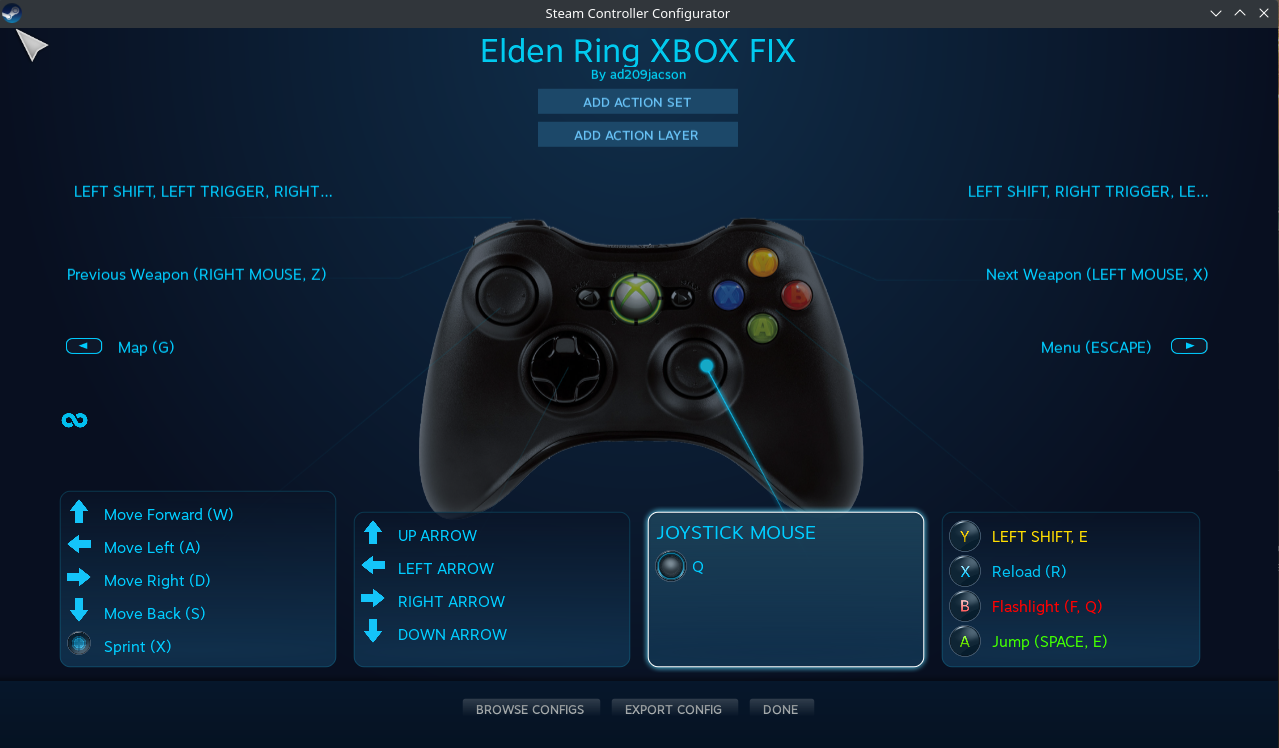
@gbrlsnchs You're system info report isn't complete. You need to let it run for at least 10 - 15 seconds before copying :slightly_smiling_face:
@gbrlsnchs You're system info report isn't complete. You need to let it run for at least 10 - 15 seconds before copying slightly_smiling_face
Haha, thanks for the tip. Just updated that. :laughing:
Update on my findings:
- Running Proton bleeding edge works within Flatpak does work for me (no other workaround needed for the EAC launcher to work). I tested this to fully work in multiplayer.
- Doing so makes the Steam overlay not work, and so my Steam Controller was using the desktop config.
- My previous workaround had working Steam overlay, but I'd get kicked after joining multiplayer sessions.
Note that Elden Ring only works with the first controller.
The network hack of disconnecting before launching and reconnecting after makes it seem like online is working but you get disconnected from games (as host or joiner) after a few minutes without fail.
OS: Arch Linux
KERNEL: 5.16.10-arch1-1
CPU: AMD Ryzen 9 5900X 12-Core
GPU: NVIDIA GeForce RTX 3080
GPU DRIVER: NVIDIA 510.54
RAM: 32 GB
WINDOW MANAGER: i3
PROTON VERSION: Expiremental (bleeding-edge)
Failed to load EAC, name change trick works for singleplayer.
I was able to start EAC just fine on Flatpak steam, Arch 5.16.11-arch1-1 on Sway
I have both multiplayer and controller working on my end, but performance is really bad right now. I have a Ryzen 5 5600X and a RX 5700XT and performance is anywhere from 25-45 FPS on the open and 50-60 on closed areas at 1080p. If I change the Proton version (going on and off the [bleeding edge] branch for example) makes the game run at 15-25 FPS on open areas.
I know the game have huge performance issues for a lot of people but the numbers I'm getting don't look right.
I have both multiplayer and controller working on my end, but performance is really bad right now. I have a Ryzen 5 5600X and a RX 5700XT and performance is anywhere from 25-45 FPS on the open and 50-60 on closed areas at 1080p. If I change the Proton version (going on and off the [bleeding edge] branch for example) makes the game run at 15-25 FPS on open areas.
I know the game have huge performance issues for a lot of people but the numbers I'm getting don't look right.
I was getting the exact same issue with the same GPU. Probably a AMD/driver issue. I refunded the game, I will wait till it actually works on my device.
Replying to https://github.com/ValveSoftware/Proton/issues/5613#issuecomment-1051383231
I don't think it's a driver issue. I have an RX6800 and a Ryzen 5 5600X and I've had only very minor stutters, game mostly runs at a constant 50-60fps even in outdoor areas. The slowdown I do have I'm pretty sure is because of EAC issues, as many players even on windows are reporting issues with stuttering and frame drops with similarly powerful hardware.
I'm currently running the open source drivers via Manjaro's mhwd. I couldn't say if performance is significantly different on AMDGPU-PRO as I've never been able to get it to run properly on my system, only the free drivers work for me, but they work perfectly fine.
Replying to https://github.com/ValveSoftware/Proton/issues/5613#issuecomment-1051390697
Huh, an issue with the card itself then? I haven't had this problem with any other game before. I noticed people on Windows are also getting this problem: https://steamcommunity.com/app/1245620/discussions/0/3183486320470937351/
Or it is an issue with the game itself.
I have a Ryzen 5 5600X and a RX 5700XT and performance is anywhere from 25-45 FPS on the open and 50-60 on closed areas at 1080p.
@Khrona98 I also have a RX 5700 xt. But my CPU is a Ryzen 3700 X. In that part of the map close to the Tree Sentinel things get rough indeed and the fps goes down to about 45. But on other places I have been seeing values close to 60 fps. Even near the Tree sentinel I can have 60 depending to where I look.
Try to see if you have above 4G decoding or Resizable BAR enabled on your bios. If yes try to see if disabling it helps. In the past when I was having bad performance on Monster Hunter Rise that was the reason.
https://github.com/ValveSoftware/Proton/issues/5613#issuecomment-1050634036
I am in disbelief that this was the solution... Thank you for that. Sanity restored!
I have a 5700xt and a Ryzen 2700 OC 4ghz, and was getting ~40fps. I do have resizable BAR on, and Mesa 21.3.6 + Kernel 5.16.
It seems like VKD3D doesn't want to actually push the hardware because I'm sitting at ~30% cpu and 60% gpu usage. Using CoreCtrl I set my GPU's performance mode to fixed/high. This made a huge difference since the clocks are maxed, but still that same ~60% usage. I get a similar issue on Diablo 2 Resurrected. I still get dips but at least it's running a lot smoother. I'm sure it would be almost solid 60 if I wasn't running 1440p OR w.e is bottlenecking is resolved.
As for launching, bleeding edge + Proton EAC runtime + manual dll/so symlinks still give me the module error, BUT the disconnect trick works like a charm. Someone earlier posted a launch option which basically retargets the eldenring.exe echo "%command%" | sed 's/start_protected_game.exe/eldenring.exe/' | sh works great if you just want to play offline.
Try to see if you have
above 4G decodingorResizable BARenabled on your bios. If yes try to see if disabling it helps. In the past when I was having bad performance onMonster Hunter Risethat was the reason.
Holy cow this actually worked, it boosted my game to 45-55 FPS alone. I tried it by disabling Resizable Bar on VKD3D with the VKD3D_CONFIG=no_upload_hvv %command% launch option but it didn't work. Disabling on my motherboard's bios worked like a charm, thank you.
I have a 5700xt and a Ryzen 2700 OC 4ghz, and was getting ~40fps. I do have resizable BAR on, and Mesa 21.3.6 + Kernel 5.16.
It seems like VKD3D doesn't want to actually push the hardware because I'm sitting at ~30% cpu and 60% gpu usage. Using CoreCtrl I set my GPU's performance mode to fixed/high. This made a huge difference since the clocks are maxed, but still that same ~60% usage. I get a similar issue on Diablo 2 Resurrected. I still get dips but at least it's running a lot smoother. I'm sure it would be almost solid 60 if I wasn't running 1440p OR w.e is bottlenecking is resolved.
And this one helped push my game to 55-60 FPS 40-60 FPS (spoke a bit too soon, raining makes it drops to 40-45), mostly 55 50. It still have huge drops in a few places for a brief moment but it is like I'm playing a whole different game performance wise now. Thank you too.
Off topic, but the only problem now is that having to manually change my GPU to fixed/high on CoreCtrl every time I want to play is not ideal, I tried to make a new profile in there targeting eldenring.exe and wineserver, but none of the two works.
Replying to https://github.com/ValveSoftware/Proton/issues/5613#issuecomment-1051292206
I am also experiencing the "inapropriate activity" error on my system when I do get it to run correctly (using flatpak version of steam). I'm wondering if I'm going to have to blow out my prefix and try again.
Replying to https://github.com/ValveSoftware/Proton/issues/5613#issuecomment-1051408135
I tried all these steps and I'm still getting less than 25 fps will lots of drops. I have a 5700 and a Ryzen 3600.
I have both multiplayer and controller working on my end, but performance is really bad right now. I have a Ryzen 5 5600X and a RX 5700XT and performance is anywhere from 25-45 FPS on the open and 50-60 on closed areas at 1080p. If I change the Proton version (going on and off the [bleeding edge] branch for example) makes the game run at 15-25 FPS on open areas.
I know the game have huge performance issues for a lot of people but the numbers I'm getting don't look right.
I would love to hear how you have multiplayer and controller working, because I've tried every workaround I can think of and everything suggested here and the only way I'm able to do it is to have my controller emulate my mouse via custom desktop configs.
I would love to hear how you have multiplayer and controller working, because I've tried every workaround I can think of and everything suggested here and the only way I'm able to do it is to have my controller emulate my mouse via custom desktop configs.
I had to enable the controller on the desktop through Steam as I said in this [#5613 comment](https://github.com/ValveSoftware/Proton/issues/5613#issuecomment-1050634036) so Steam basically emulates the controller for your whole system, I hope it can help you.
It seems like it's not being initialized properly because even tho I can be summoned, I will get a disconnect after a few minutes.
There was a small 8 MB update for Elden Ring just now which allows me to launch the game through the launcher.
Looking at the anticheatlauncher.log it initialized successfully.
However, scheduled maintenance is going on right now.
Elden Ring just got a 10mb update and now the game successfully launches without "Failed to load anticheat-module".
Albeit, not sure if it's because that at the moment servers are on maintenance or because they fixed EAC in that small update.
OS: Arch Linux
Kernel: 5.16.11-zen1-1-zen
CPU: AMD Ryzen 9 5900X 12-Core
GPU: AMD Radeon RX 6900 XT
GPU driver: Mesa 21.3.7
RAM: 32 GB
Window manager: sway (wayland)
Proton: Experimental (bleeding-edge)
Replying to https://github.com/ValveSoftware/Proton/issues/5613#issuecomment-1051570071
Thank you, this worked!
I can now say that aside from a few slowdowns here and there and one crash, I'm having a near flawless experience playing with the following relevant configurations:
Manjaro, KDE Plasma, 5.16.7-1 kernel, video-manjaro default driver installation, Steam (runtime) with no (native) client installed, Proton Experimental [bleeding-edge], and with Steam desktop controller configuration set to just a standard default gamepad while using a Dualshock 4 over USB. I have some other issue with bluetooth that's causing steam and my OS to fight over control of the gamepad but otherwise, everything works as it should.
Well the launcher works now, but I get the inappropriate activity launch message. Progress?
anticheatlauncher.log says it initialized successfully. I noticed the Steam Overlay isn't working now. Is this EAC blocking it? And if so why would Elden Ring not see it running?
There was a patch about an hour ago and EAC works now, just the game server seems to be down.
It still doesn't work for me after the patch.
After starting the game, the launcher opens and initializes successfully. However, after it closes, nothing happens.
The eldenring.exe process does launch but no new windows seem to open and CPU usage stays low.
System info
EDIT: Nuking compatdata/1245620 fixed this issue.
Hi, im running sway on arch. When I try to launch the game a small window pops up saying "failed to initialize dependencies". After switching to i3 I can launch the game just fine. Does anyone know what am I missing? Using Proton experimental and the steam version from the multilib repos. Just launching the eldenring.exe also works, its just the start_protected_game.exe which has this problem. Also the proton logs dont state anything related.
OS: Arch Linux
Kernel: 5.16.11-arch1-1
CPU: AMD Ryzen 5 3600 6-Core
GPU: AMD Radeon RX 580 4GB
GPU driver: Mesa 21.3.7
RAM: 16 GB
Proton: Experimental (bleeding-edge)
Steam: runtime version (the one from arch repo)
After the patch, EAC worked flawlessly, but my controller (xbox wireless controller) wasn't working in game. For make it work, I enabled the controller on the desktop through Steam as said in [#5613 comment](https://github.com/ValveSoftware/Proton/issues/5613#issuecomment-1050634036) and i also had to disable steam input (elden ring > settings > property > controller > disable steam input).
Now the game works without problems.
OS: Arch Linux
Kernel: 5.16.11-zen1-1-zen
CPU: AMD Ryzen 7 3700
GPU: NVIDIA GTX 1660S
RAM: 16GB
Proton: Experimental bleeding-edge
Steam: runtime from the arch repo
Works flawlessly after the latest patch, with both online play and controller working (using the steam desktop configuration and disabling steam input). The game sometimes stutters as usually happens when loading shaders, but otherwise runs better than before. The steam overlay doesn't work though.
OS: Arch Linux Kernel: 5.16.10-arch1-1 Proton: Bleeding Edge Experimental.
Works in offline mode if I disconnect the internet, load the game, then reconnect. Does not work offline with the
ln -sfix to change the executable. Controller works.However, the game is unplayable because many enemies are either invisible or pixellated to be mostly invisible.
Update after that 10MB patch: I can get online just fine. However, enemies remain mostly invisible.
Replying to https://github.com/ValveSoftware/Proton/issues/5613#issuecomment-1052053118
It seems that this issue is related to the game itself since I saw many complain about this using Windows
Steam Input isn't working for me, does anyone know how to tell Elden Ring which joystick to use?
Came here to notify that is indeed working now with Proton Experimental Bleeding Edge (wasn't working for me).
I am able to start normally and play online without hassle! Didn't have to do anything, started the game (without any sed, cp, mv) and it installed again the EAC and done. Although I had to stop and start again once but no problem afterwards.
System Information
Computer Information:
    Manufacturer:  ASRock
    Model:  X570 Pro4
    Form Factor: Desktop
    No Touch Input Detected

Processor Information:
    CPU Vendor:  AuthenticAMD
    CPU Brand:  AMD Ryzen 5 3600 6-Core Processor


Operating System Version:
    "Arch Linux" (64 bit)
    Kernel Name:  Linux
    Kernel Version:  5.16.10-arch1-1
    X Server Vendor:  The X.Org Foundation
    X Server Release:  12201000
    X Window Manager:  wlroots wm
    Steam Runtime Version:  steam-runtime_0.20211207.0

Video Card:
    Driver:  AMD AMD Radeon RX 580 Series (POLARIS10, DRM 3.44.0, 5.16.10-arch1-1, LLVM 13.0.1)
    Driver Version:  4.6 (Compatibility Profile) Mesa 21.3.6
    OpenGL Version: 4.6
    Desktop Color Depth: 24 bits per pixel
    Monitor Refresh Rate: 143 Hz
    VendorID:  0x1002
    DeviceID:  0x67df
    Revision Not Detected
    Number of Monitors:  2
    Number of Logical Video Cards:  1
    Primary Display Resolution:  1920 x 1080
    Desktop Resolution: 3840 x 1080
    Primary Display Size: 23.23" x 12.99" (26.61" diag)
                                            59.0cm x 33.0cm (67.6cm diag)
    Primary VRAM: 8192 MB
I'm getting an entirely different error from EAC. I get a popup with the title Easy Anti-Cheat Launch Error and the contents Failed to initialize dependencies
This is the my steam system info
It seems there was an update I was able to lunch the game without any tinkering (except for selecting Proton Bleeding Edge) and online is working great
System Information
Computer Information:
    Manufacturer:  LENOVO
    Model:  3717
    Form Factor: Desktop
    No Touch Input Detected


Processor Information:
    CPU Vendor:  GenuineIntel
    CPU Brand:  Intel(R) Core(TM) i5-10400F CPU @ 2.90GHz


Operating System Version:
    "Arch Linux" (64 bit)
    Kernel Name:  Linux
    Kernel Version:  5.16.11-arch1-1
    X Server Vendor:  The X.Org Foundation
    X Server Release:  12101003
    X Window Manager:  i3
    Steam Runtime Version:  steam-runtime_0.20211207.0


Video Card:
    Driver:  NVIDIA Corporation NVIDIA GeForce RTX 2080 SUPER/PCIe/SSE2
    Driver Version:  4.6.0 NVIDIA 510.54
    OpenGL Version: 4.6
    Desktop Color Depth: 24 bits per pixel
    Monitor Refresh Rate: 59 Hz
    VendorID:  0x10de
    DeviceID:  0x1e81
    Revision Not Detected
    Number of Monitors:  2
    Number of Logical Video Cards:  1
    Primary Display Resolution:  3440 x 1440
    Desktop Resolution: 6000 x 1440
    Primary Display Size: 31.38" x 13.11" (33.98" diag)
                                            79.7cm x 33.3cm (86.3cm diag)
    Primary Bus: PCI Express 16x
    Primary VRAM: 8192 MB
    Supported MSAA Modes:  2x 4x 8x 16x


Sound card:
    Audio device: Realtek ALC887-VD


Memory:
    RAM:  15742 MB
I'm getting an entirely different error from EAC. I get a popup with the title
Easy Anti-Cheat Launch Errorand the contentsFailed to initialize dependenciesThis is the my steam system info
@ambasta Someone else got the same error, switching to an X11-based WM fixed it for them. Seems you're using Wayland.
EDIT: symlinking the EAC DLL and native shared object as described in https://github.com/ValveSoftware/Proton/issues/5613#issuecomment-1052442795 worked.
Playing online with EAC supposedly enabled worked fine yesterday, I'm running Arch + Steam flatpak, only notable difference with many other setups is that I'm running sway (wayland).
After the recent patch, I've been stumbling on the same Inappropriate activity detected message others have mentioned already.
System Information
Computer Information:
Manufacturer: Gigabyte Technology Co., Ltd.
Model: X570 AORUS MASTER
Form Factor: Desktop
No Touch Input Detected
Processor Information:
CPU Vendor: AuthenticAMD
CPU Brand: AMD Ryzen 9 5950X 16-Core Processor
CPU Family: 0x19
CPU Model: 0x21
CPU Stepping: 0x0
CPU Type: 0x0
Speed: 5083 Mhz
32 logical processors
16 physical processors
HyperThreading: Supported
FCMOV: Supported
SSE2: Supported
SSE3: Supported
SSSE3: Supported
SSE4a: Supported
SSE41: Supported
SSE42: Supported
AES: Supported
AVX: Supported
AVX2: Supported
AVX512F: Unsupported
AVX512PF: Unsupported
AVX512ER: Unsupported
AVX512CD: Unsupported
AVX512VNNI: Unsupported
SHA: Supported
CMPXCHG16B: Supported
LAHF/SAHF: Supported
PrefetchW: Unsupported
Operating System Version:
Description: Freedesktop.org 21.08.10 (Flatpak runtime) (64 bit)
Kernel Name: Linux
Kernel Version: 5.16.11-arch1-1
X Server Vendor: The X.Org Foundation
X Server Release: 12201000
X Window Manager: wlroots wm
Steam Runtime Version: steam-runtime_0.20211207.0
Video Card:
Driver: AMD AMD Radeon RX 6800 XT (SIENNA_CICHLID, DRM 3.44.0, 5.16.11-arch1-1, LLVM 12.0.1)
Driver Version: 4.6 (Compatibility Profile) Mesa 21.3.5 (git-112de3a07a)
OpenGL Version: 4.6
Desktop Color Depth: 24 bits per pixel
Monitor Refresh Rate: 143 Hz
VendorID: 0x1002
DeviceID: 0x73bf
Revision Not Detected
Number of Monitors: 2
Number of Logical Video Cards: 1
Primary Display Resolution: 2560 x 1440
Desktop Resolution: 5120 x 1440
Primary Display Size: 23.62" x 13.39" (27.13" diag)
60.0cm x 34.0cm (68.9cm diag)
Primary VRAM: 16384 MB
Sound card:
Audio device: ATI R6xx HDMI
Memory:
RAM: 64292 MB
VR Hardware:
VR Headset: None detected
Miscellaneous:
UI Language: English
LANG: en_US.UTF-8
Total Hard Disk Space Available: 953852 MB
Largest Free Hard Disk Block: 572465 MB
Storage:
Number of SSDs: 0
Number of HDDs: 0
"LD_* scout runtime" information:
{
"can-write-uinput" : false,
"steam-installation" : {
"path" : "/home/farenjihn/.var/app/com.valvesoftware.Steam/.local/share/Steam",
"data_path" : "/home/farenjihn/.var/app/com.valvesoftware.Steam/.local/share/Steam",
"bin32_path" : "/home/farenjihn/.var/app/com.valvesoftware.Steam/.local/share/Steam/ubuntu12_32",
"steamscript_path" : "/app/bin/steam",
"steamscript_version" : "1.0.0.74",
"issues" : [
]
},
"runtime" : {
"path" : "/home/farenjihn/.var/app/com.valvesoftware.Steam/.local/share/Steam/ubuntu12_32/steam-runtime",
"version" : "0.20211207.0",
"issues" : [
],
"pinned_libs_32" : {
"list" : [
"pinned_libs_32/has_pins",
"pinned_libs_32/libcurl.so.3 -> libcurl.so.4",
"pinned_libs_32/libcurl.so.4 -> $STEAM_RUNTIME/usr/lib/i386-linux-gnu/libcurl.so.4.2.0",
"pinned_libs_32/libdbus-1.so.3 -> $STEAM_RUNTIME/lib/i386-linux-gnu/libdbus-1.so.3.5.8",
"pinned_libs_32/system_libcurl.so.4",
"pinned_libs_32/system_libdbus-1.so.3"
]
},
"pinned_libs_64" : {
"list" : [
"pinned_libs_64/has_pins",
"pinned_libs_64/libcurl.so.3 -> libcurl.so.4",
"pinned_libs_64/libcurl.so.4 -> $STEAM_RUNTIME/usr/lib/x86_64-linux-gnu/libcurl.so.4.2.0",
"pinned_libs_64/system_libcurl.so.4"
]
}
},
"os-release" : {
"id" : "org.freedesktop.platform",
"name" : "Freedesktop.org",
"pretty_name" : "Freedesktop.org 21.08.10 (Flatpak runtime)",
"version_id" : "21.08.10"
},
"container" : {
"type" : "flatpak",
"flatpak_version" : "1.12.6",
"host" : {
"path" : "/run/host",
"os-release" : {
"id" : "arch",
"name" : "Arch Linux",
"pretty_name" : "Arch Linux",
"build_id" : "rolling"
}
}
},
"driver_environment" : [
"DISPLAY=:99.0",
"GST_PLUGIN_SYSTEM_PATH=/app/lib/gstreamer-1.0:/app/lib32/gstreamer-1.0:/usr/lib/extensions/gstreamer-1.0:/usr/lib/x86_64-linux-gnu/gstreamer-1.0:/usr/lib/i386-linux-gnu/gstreamer-1.0",
"LD_LIBRARY_PATH=/home/farenjihn/.var/app/com.valvesoftware.Steam/.local/share/Steam/ubuntu12_32:/home/farenjihn/.var/app/com.valvesoftware.Steam/.local/share/Steam/ubuntu12_32/panorama:/home/farenjihn/.var/app/com.valvesoftware.Steam/.local/share/Steam/ubuntu12_32/steam-runtime/pinned_libs_32:/home/farenjihn/.var/app/com.valvesoftware.Steam/.local/share/Steam/ubuntu12_32/steam-runtime/pinned_libs_64:/app/utils/gamescope/lib:/app/lib/i386-linux-gnu/GL/default/lib:/app/lib/ffmpeg/.:/app/lib32:/app/lib/i386-linux-gnu:/lib64:/app/lib:/usr/lib/x86_64-linux-gnu/GL/default/lib:/usr/lib/x86_64-linux-gnu/openh264/extra:/usr/lib/x86_64-linux-gnu:/home/farenjihn/.var/app/com.valvesoftware.Steam/.local/share/Steam/ubuntu12_32/steam-runtime/lib/i386-linux-gnu:/home/farenjihn/.var/app/com.valvesoftware.Steam/.local/share/Steam/ubuntu12_32/steam-runtime/usr/lib/i386-linux-gnu:/home/farenjihn/.var/app/com.valvesoftware.Steam/.local/share/Steam/ubuntu12_32/steam-runtime/lib/x86_64-linux-gnu:/home/farenjihn/.var/app/com.valvesoftware.Steam/.local/share/Steam/ubuntu12_32/steam-runtime/usr/lib/x86_64-linux-gnu:/home/farenjihn/.var/app/com.valvesoftware.Steam/.local/share/Steam/ubuntu12_32/steam-runtime/lib:/home/farenjihn/.var/app/com.valvesoftware.Steam/.local/share/Steam/ubuntu12_32/steam-runtime/usr/lib",
"MANGOHUD=1",
"PULSE_CLIENTCONFIG=/run/flatpak/pulse/config",
"PULSE_SERVER=unix:/run/flatpak/pulse/native",
"SDL_GAMECONTROLLERCONFIG=03000000de280000ff11000001000000,Steam Virtual Gamepad,a:b0,b:b1,back:b6,dpdown:h0.4,dpleft:h0.8,dpright:h0.2,dpup:h0.1,guide:b8,leftshoulder:b4,leftstick:b9,lefttrigger:a2,leftx:a0,lefty:a1,rightshoulder:b5,rightstick:b10,righttrigger:a5,rightx:a3,righty:a4,start:b7,x:b2,y:b3,platform:Linux\n030000004c0500006802000011810000,PS3 Controller,a:b0,b:b1,back:b8,dpdown:b14,dpleft:b15,dpright:b16,dpup:b13,guide:b10,leftshoulder:b4,leftstick:b11,lefttrigger:a2,leftx:a0,lefty:a1,rightshoulder:b5,rightstick:b12,righttrigger:a5,rightx:a3,righty:a4,start:b9,x:b3,y:b2,platform:Linux\n03000000de280000fc11000001000000,Steam Controller,a:b0,b:b1,back:b6,dpdown:b14,dpleft:b15,dpright:b13,dpup:b12,guide:b8,leftshoulder:b4,leftstick:b9,lefttrigger:a2,leftx:a0,lefty:a1,rightshoulder:b5,rightstick:b10,righttrigger:a5,rightx:a3,righty:a4,start:b7,x:b2,y:b3,platform:Linux\n050000004c0500006802000000800000,PS3 Controller,a:b0,b:b1,back:b8,dpdown:b14,dpleft:b15,dpright:b16,dpup:b13,guide:b10,leftshoulder:b4,leftstick:b11,lefttrigger:a2,leftx:a0,lefty:a1,rightshoulder:b5,rightstick:b12,righttrigger:a5,rightx:a3,righty:a4,start:b9,x:b3,y:b2,platform:Linux\n,platform:Linux",
"SSL_CERT_DIR=/etc/ssl/certs",
"VDPAU_DRIVER=radeonsi",
"WAYLAND_DISPLAY=wayland-1",
"XDG_RUNTIME_DIR=/run/user/1000"
],
"architectures" : {
"i386-linux-gnu" : {
"can-run" : true,
"libdl-LIB" : "lib/i386-linux-gnu",
"libdl-PLATFORM" : "i686",
"runtime-linker" : {
"path" : "/lib/ld-linux.so.2",
"resolved" : "/app/lib/i386-linux-gnu/ld-2.33.so"
},
"library-issues-summary" : [
"cannot-load"
],
"library-details" : {
"libitm.so.1" : {
"messages" : [
"Unable to find the library: /app/lib/i386-linux-gnu/libitm.so.1: undefined symbol: __gxx_personality_v0"
],
"soname" : null,
"path" : null,
"issues" : [
"cannot-load"
],
"exit-status" : 1
}
},
"graphics-details" : {
"x11/vulkan" : {
"messages" : [
"WARNING: radv is not a conformant Vulkan implementation, testing use only.",
"[2022-02-26 16:27:46.533] [MANGOHUD] [info] [config.cpp:114] skipping config: '/home/farenjihn/.var/app/com.valvesoftware.Steam/.local/share/Steam/ubuntu12_32/steam-runtime/usr/libexec/steam-runtime-tools-0/MangoHud.conf' [ not found ]",
"[2022-02-26 16:27:46.533] [MANGOHUD] [info] [config.cpp:114] skipping config: '/home/farenjihn/.var/app/com.valvesoftware.Steam/.config/MangoHud/i386-linux-gnu-check-vulkan.conf' [ not found ]",
"[2022-02-26 16:27:46.533] [MANGOHUD] [info] [config.cpp:114] skipping config: '/home/farenjihn/.var/app/com.valvesoftware.Steam/.config/MangoHud/MangoHud.conf' [ not found ]",
"sh: line 1: glxinfo: command not found",
"[2022-02-26 16:27:46.667] [MANGOHUD] [info] [overlay.cpp:678] Uploading is disabled (permit_upload = 0)",
"WARNING: lavapipe is not a conformant vulkan implementation, testing use only.",
"[2022-02-26 16:27:46.719] [MANGOHUD] [info] [overlay.cpp:678] Uploading is disabled (permit_upload = 0)"
],
"renderer" : "AMD RADV SIENNA_CICHLID",
"version" : "Mesa 21.3.5 (git-112de3a07a)",
"devices" : [
{
"name" : "AMD RADV SIENNA_CICHLID",
"api-version" : "1.2.195",
"vulkan-driver-id" : 3,
"driver-name" : "radv",
"driver-version" : "Mesa 21.3.5 (git-112de3a07a)",
"vendor-id" : "0x1002",
"device-id" : "0x73bf",
"type" : "discrete-gpu"
},
{
"name" : "llvmpipe (LLVM 12.0.1, 256 bits)",
"api-version" : "1.2.195",
"vulkan-driver-id" : 13,
"driver-name" : "llvmpipe",
"driver-version" : "Mesa 21.3.5 (git-112de3a07a) (LLVM 12.0.1)",
"vendor-id" : "0x10005",
"device-id" : "0",
"type" : "cpu",
"issues" : [
"software-rendering"
]
}
]
},
"x11/vdpau" : {
"messages" : [
"Failed to open VDPAU backend libvdpau_radeonsi.so: cannot open shared object file: No such file or directory",
"vdp_device_create_x11 (display, screen, &device, &vdp_get_proc_address) failed: 1"
],
"renderer" : null,
"version" : null,
"issues" : [
"cannot-draw"
],
"exit-status" : 1
},
"x11/vaapi" : {
"messages" : [
"libva info: VA-API version 1.12.0",
"libva error: vaGetDriverNameByIndex() failed with unknown libva error, driver_name = (null)",
"vaInitialize (va_display, &major_version, &minor_version) failed: unknown libva error (-1)"
],
"renderer" : null,
"version" : null,
"issues" : [
"cannot-draw"
],
"exit-status" : 1
},
"glx/gl" : {
"renderer" : "AMD Radeon RX 6800 XT (SIENNA_CICHLID, DRM 3.44.0, 5.16.11-arch1-1, LLVM 12.0.1)",
"version" : "4.6 (Compatibility Profile) Mesa 21.3.5 (git-112de3a07a)",
"library-vendor" : "glvnd"
},
"egl_x11/gl" : {
"renderer" : "AMD Radeon RX 6800 XT (SIENNA_CICHLID, DRM 3.44.0, 5.16.11-arch1-1, LLVM 12.0.1)",
"version" : "4.6 (Compatibility Profile) Mesa 21.3.5 (git-112de3a07a)",
"library-vendor" : "glvnd"
},
"egl_x11/glesv2" : {
"renderer" : "AMD Radeon RX 6800 XT (SIENNA_CICHLID, DRM 3.44.0, 5.16.11-arch1-1, LLVM 12.0.1)",
"version" : "OpenGL ES 3.2 Mesa 21.3.5 (git-112de3a07a)",
"library-vendor" : "glvnd"
}
},
"dri_drivers" : [
{
"library_path" : "/usr/lib/i386-linux-gnu/GL/lib/dri/crocus_dri.so"
},
{
"library_path" : "/usr/lib/i386-linux-gnu/GL/lib/dri/i830_dri.so"
},
{
"library_path" : "/usr/lib/i386-linux-gnu/GL/lib/dri/i915_dri.so"
},
{
"library_path" : "/usr/lib/i386-linux-gnu/GL/lib/dri/i965_dri.so"
},
{
"library_path" : "/usr/lib/i386-linux-gnu/GL/lib/dri/iris_dri.so"
},
{
"library_path" : "/usr/lib/i386-linux-gnu/GL/lib/dri/kms_swrast_dri.so"
},
{
"library_path" : "/usr/lib/i386-linux-gnu/GL/lib/dri/libgallium_dri.so"
},
{
"library_path" : "/usr/lib/i386-linux-gnu/GL/lib/dri/nouveau_dri.so"
},
{
"library_path" : "/usr/lib/i386-linux-gnu/GL/lib/dri/nouveau_vieux_dri.so"
},
{
"library_path" : "/usr/lib/i386-linux-gnu/GL/lib/dri/r200_dri.so"
},
{
"library_path" : "/usr/lib/i386-linux-gnu/GL/lib/dri/r300_dri.so"
},
{
"library_path" : "/usr/lib/i386-linux-gnu/GL/lib/dri/r600_dri.so"
},
{
"library_path" : "/usr/lib/i386-linux-gnu/GL/lib/dri/radeon_dri.so"
},
{
"library_path" : "/usr/lib/i386-linux-gnu/GL/lib/dri/radeonsi_dri.so"
},
{
"library_path" : "/usr/lib/i386-linux-gnu/GL/lib/dri/swrast_dri.so"
},
{
"library_path" : "/usr/lib/i386-linux-gnu/GL/lib/dri/virtio_gpu_dri.so"
},
{
"library_path" : "/usr/lib/i386-linux-gnu/GL/lib/dri/vmwgfx_dri.so"
},
{
"library_path" : "/usr/lib/i386-linux-gnu/GL/lib/dri/zink_dri.so"
},
{
"library_path" : "/app/lib/i386-linux-gnu/GL/default/lib/dri/crocus_dri.so",
"is_extra" : true
},
{
"library_path" : "/app/lib/i386-linux-gnu/GL/default/lib/dri/i830_dri.so",
"is_extra" : true
},
{
"library_path" : "/app/lib/i386-linux-gnu/GL/default/lib/dri/i915_dri.so",
"is_extra" : true
},
{
"library_path" : "/app/lib/i386-linux-gnu/GL/default/lib/dri/i965_dri.so",
"is_extra" : true
},
{
"library_path" : "/app/lib/i386-linux-gnu/GL/default/lib/dri/iris_dri.so",
"is_extra" : true
},
{
"library_path" : "/app/lib/i386-linux-gnu/GL/default/lib/dri/kms_swrast_dri.so",
"is_extra" : true
},
{
"library_path" : "/app/lib/i386-linux-gnu/GL/default/lib/dri/libgallium_dri.so",
"is_extra" : true
},
{
"library_path" : "/app/lib/i386-linux-gnu/GL/default/lib/dri/nouveau_dri.so",
"is_extra" : true
},
{
"library_path" : "/app/lib/i386-linux-gnu/GL/default/lib/dri/nouveau_vieux_dri.so",
"is_extra" : true
},
{
"library_path" : "/app/lib/i386-linux-gnu/GL/default/lib/dri/r200_dri.so",
"is_extra" : true
},
{
"library_path" : "/app/lib/i386-linux-gnu/GL/default/lib/dri/r300_dri.so",
"is_extra" : true
},
{
"library_path" : "/app/lib/i386-linux-gnu/GL/default/lib/dri/r600_dri.so",
"is_extra" : true
},
{
"library_path" : "/app/lib/i386-linux-gnu/GL/default/lib/dri/radeon_dri.so",
"is_extra" : true
},
{
"library_path" : "/app/lib/i386-linux-gnu/GL/default/lib/dri/radeonsi_dri.so",
"is_extra" : true
},
{
"library_path" : "/app/lib/i386-linux-gnu/GL/default/lib/dri/swrast_dri.so",
"is_extra" : true
},
{
"library_path" : "/app/lib/i386-linux-gnu/GL/default/lib/dri/virtio_gpu_dri.so",
"is_extra" : true
},
{
"library_path" : "/app/lib/i386-linux-gnu/GL/default/lib/dri/vmwgfx_dri.so",
"is_extra" : true
},
{
"library_path" : "/app/lib/i386-linux-gnu/GL/default/lib/dri/zink_dri.so",
"is_extra" : true
}
],
"va-api_drivers" : [
{
"library_path" : "/usr/lib/i386-linux-gnu/GL/lib/dri/libgallium_drv_video.so"
},
{
"library_path" : "/usr/lib/i386-linux-gnu/GL/lib/dri/nouveau_drv_video.so"
},
{
"library_path" : "/usr/lib/i386-linux-gnu/GL/lib/dri/r600_drv_video.so"
},
{
"library_path" : "/usr/lib/i386-linux-gnu/GL/lib/dri/radeonsi_drv_video.so"
},
{
"library_path" : "/home/farenjihn/.var/app/com.valvesoftware.Steam/.local/share/Steam/ubuntu12_32/steam-runtime/usr/lib/i386-linux-gnu/dri/dummy_drv_video.so",
"is_extra" : true
}
],
"vdpau_drivers" : [
{
"library_path" : "/app/lib/i386-linux-gnu/vdpau/libvdpau_trace.so.1",
"library_link" : "libvdpau_trace.so.1.0.0"
}
],
"glx_drivers" : [
{
"library_soname" : "libGLX_indirect.so.0",
"library_path" : "/app/lib/i386-linux-gnu/GL/default/lib/libGLX_mesa.so.0.0.0"
},
{
"library_soname" : "libGLX_mesa.so.0",
"library_path" : "/app/lib/i386-linux-gnu/GL/default/lib/libGLX_mesa.so.0.0.0"
}
]
},
"x86_64-linux-gnu" : {
"can-run" : true,
"libdl-LIB" : "lib/x86_64-linux-gnu",
"libdl-PLATFORM" : "x86_64",
"runtime-linker" : {
"path" : "/lib64/ld-linux-x86-64.so.2",
"resolved" : "/usr/lib/x86_64-linux-gnu/ld-2.33.so"
},
"library-issues-summary" : [
"cannot-load"
],
"library-details" : {
"libitm.so.1" : {
"messages" : [
"Unable to find the library: /usr/lib/x86_64-linux-gnu/libitm.so.1: undefined symbol: __gxx_personality_v0"
],
"soname" : null,
"path" : null,
"issues" : [
"cannot-load"
],
"exit-status" : 1
}
},
"graphics-details" : {
"x11/vulkan" : {
"messages" : [
"WARNING: radv is not a conformant Vulkan implementation, testing use only.",
"[2022-02-26 16:27:55.613] [MANGOHUD] [info] [config.cpp:114] skipping config: '/home/farenjihn/.var/app/com.valvesoftware.Steam/.local/share/Steam/ubuntu12_32/steam-runtime/usr/libexec/steam-runtime-tools-0/MangoHud.conf' [ not found ]",
"[2022-02-26 16:27:55.613] [MANGOHUD] [info] [config.cpp:114] skipping config: '/home/farenjihn/.var/app/com.valvesoftware.Steam/.config/MangoHud/x86_64-linux-gnu-check-vulkan.conf' [ not found ]",
"[2022-02-26 16:27:55.613] [MANGOHUD] [info] [config.cpp:114] skipping config: '/home/farenjihn/.var/app/com.valvesoftware.Steam/.config/MangoHud/MangoHud.conf' [ not found ]",
"sh: line 1: glxinfo: command not found",
"[2022-02-26 16:27:55.664] [MANGOHUD] [info] [overlay.cpp:678] Uploading is disabled (permit_upload = 0)",
"WARNING: lavapipe is not a conformant vulkan implementation, testing use only.",
"[2022-02-26 16:27:55.702] [MANGOHUD] [info] [overlay.cpp:678] Uploading is disabled (permit_upload = 0)"
],
"renderer" : "AMD RADV SIENNA_CICHLID",
"version" : "Mesa 21.3.5 (git-112de3a07a)",
"devices" : [
{
"name" : "AMD RADV SIENNA_CICHLID",
"api-version" : "1.2.195",
"vulkan-driver-id" : 3,
"driver-name" : "radv",
"driver-version" : "Mesa 21.3.5 (git-112de3a07a)",
"vendor-id" : "0x1002",
"device-id" : "0x73bf",
"type" : "discrete-gpu"
},
{
"name" : "llvmpipe (LLVM 12.0.1, 256 bits)",
"api-version" : "1.2.195",
"vulkan-driver-id" : 13,
"driver-name" : "llvmpipe",
"driver-version" : "Mesa 21.3.5 (git-112de3a07a) (LLVM 12.0.1)",
"vendor-id" : "0x10005",
"device-id" : "0",
"type" : "cpu",
"issues" : [
"software-rendering"
]
}
]
},
"x11/vdpau" : {
"messages" : [
"Failed to open VDPAU backend libvdpau_radeonsi.so: cannot open shared object file: No such file or directory",
"vdp_device_create_x11 (display, screen, &device, &vdp_get_proc_address) failed: 1"
],
"renderer" : null,
"version" : null,
"issues" : [
"cannot-draw"
],
"exit-status" : 1
},
"x11/vaapi" : {
"messages" : [
"libva info: VA-API version 1.12.0",
"libva error: vaGetDriverNameByIndex() failed with unknown libva error, driver_name = (null)",
"vaInitialize (va_display, &major_version, &minor_version) failed: unknown libva error (-1)"
],
"renderer" : null,
"version" : null,
"issues" : [
"cannot-draw"
],
"exit-status" : 1
},
"glx/gl" : {
"renderer" : "AMD Radeon RX 6800 XT (SIENNA_CICHLID, DRM 3.44.0, 5.16.11-arch1-1, LLVM 12.0.1)",
"version" : "4.6 (Compatibility Profile) Mesa 21.3.5 (git-112de3a07a)",
"library-vendor" : "glvnd"
},
"egl_x11/gl" : {
"renderer" : "AMD Radeon RX 6800 XT (SIENNA_CICHLID, DRM 3.44.0, 5.16.11-arch1-1, LLVM 12.0.1)",
"version" : "4.6 (Compatibility Profile) Mesa 21.3.5 (git-112de3a07a)",
"library-vendor" : "glvnd"
},
"egl_x11/glesv2" : {
"renderer" : "AMD Radeon RX 6800 XT (SIENNA_CICHLID, DRM 3.44.0, 5.16.11-arch1-1, LLVM 12.0.1)",
"version" : "OpenGL ES 3.2 Mesa 21.3.5 (git-112de3a07a)",
"library-vendor" : "glvnd"
}
},
"dri_drivers" : [
{
"library_path" : "/usr/lib/x86_64-linux-gnu/GL/lib/dri/crocus_dri.so"
},
{
"library_path" : "/usr/lib/x86_64-linux-gnu/GL/lib/dri/i830_dri.so"
},
{
"library_path" : "/usr/lib/x86_64-linux-gnu/GL/lib/dri/i915_dri.so"
},
{
"library_path" : "/usr/lib/x86_64-linux-gnu/GL/lib/dri/i965_dri.so"
},
{
"library_path" : "/usr/lib/x86_64-linux-gnu/GL/lib/dri/iris_dri.so"
},
{
"library_path" : "/usr/lib/x86_64-linux-gnu/GL/lib/dri/kms_swrast_dri.so"
},
{
"library_path" : "/usr/lib/x86_64-linux-gnu/GL/lib/dri/libgallium_dri.so"
},
{
"library_path" : "/usr/lib/x86_64-linux-gnu/GL/lib/dri/nouveau_dri.so"
},
{
"library_path" : "/usr/lib/x86_64-linux-gnu/GL/lib/dri/nouveau_vieux_dri.so"
},
{
"library_path" : "/usr/lib/x86_64-linux-gnu/GL/lib/dri/r200_dri.so"
},
{
"library_path" : "/usr/lib/x86_64-linux-gnu/GL/lib/dri/r300_dri.so"
},
{
"library_path" : "/usr/lib/x86_64-linux-gnu/GL/lib/dri/r600_dri.so"
},
{
"library_path" : "/usr/lib/x86_64-linux-gnu/GL/lib/dri/radeon_dri.so"
},
{
"library_path" : "/usr/lib/x86_64-linux-gnu/GL/lib/dri/radeonsi_dri.so"
},
{
"library_path" : "/usr/lib/x86_64-linux-gnu/GL/lib/dri/swrast_dri.so"
},
{
"library_path" : "/usr/lib/x86_64-linux-gnu/GL/lib/dri/virtio_gpu_dri.so"
},
{
"library_path" : "/usr/lib/x86_64-linux-gnu/GL/lib/dri/vmwgfx_dri.so"
},
{
"library_path" : "/usr/lib/x86_64-linux-gnu/GL/lib/dri/zink_dri.so"
},
{
"library_path" : "/usr/lib/x86_64-linux-gnu/GL/default/lib/dri/crocus_dri.so",
"is_extra" : true
},
{
"library_path" : "/usr/lib/x86_64-linux-gnu/GL/default/lib/dri/i830_dri.so",
"is_extra" : true
},
{
"library_path" : "/usr/lib/x86_64-linux-gnu/GL/default/lib/dri/i915_dri.so",
"is_extra" : true
},
{
"library_path" : "/usr/lib/x86_64-linux-gnu/GL/default/lib/dri/i965_dri.so",
"is_extra" : true
},
{
"library_path" : "/usr/lib/x86_64-linux-gnu/GL/default/lib/dri/iris_dri.so",
"is_extra" : true
},
{
"library_path" : "/usr/lib/x86_64-linux-gnu/GL/default/lib/dri/kms_swrast_dri.so",
"is_extra" : true
},
{
"library_path" : "/usr/lib/x86_64-linux-gnu/GL/default/lib/dri/libgallium_dri.so",
"is_extra" : true
},
{
"library_path" : "/usr/lib/x86_64-linux-gnu/GL/default/lib/dri/nouveau_dri.so",
"is_extra" : true
},
{
"library_path" : "/usr/lib/x86_64-linux-gnu/GL/default/lib/dri/nouveau_vieux_dri.so",
"is_extra" : true
},
{
"library_path" : "/usr/lib/x86_64-linux-gnu/GL/default/lib/dri/r200_dri.so",
"is_extra" : true
},
{
"library_path" : "/usr/lib/x86_64-linux-gnu/GL/default/lib/dri/r300_dri.so",
"is_extra" : true
},
{
"library_path" : "/usr/lib/x86_64-linux-gnu/GL/default/lib/dri/r600_dri.so",
"is_extra" : true
},
{
"library_path" : "/usr/lib/x86_64-linux-gnu/GL/default/lib/dri/radeon_dri.so",
"is_extra" : true
},
{
"library_path" : "/usr/lib/x86_64-linux-gnu/GL/default/lib/dri/radeonsi_dri.so",
"is_extra" : true
},
{
"library_path" : "/usr/lib/x86_64-linux-gnu/GL/default/lib/dri/swrast_dri.so",
"is_extra" : true
},
{
"library_path" : "/usr/lib/x86_64-linux-gnu/GL/default/lib/dri/virtio_gpu_dri.so",
"is_extra" : true
},
{
"library_path" : "/usr/lib/x86_64-linux-gnu/GL/default/lib/dri/vmwgfx_dri.so",
"is_extra" : true
},
{
"library_path" : "/usr/lib/x86_64-linux-gnu/GL/default/lib/dri/zink_dri.so",
"is_extra" : true
}
],
"va-api_drivers" : [
{
"library_path" : "/usr/lib/x86_64-linux-gnu/GL/lib/dri/libgallium_drv_video.so"
},
{
"library_path" : "/usr/lib/x86_64-linux-gnu/GL/lib/dri/nouveau_drv_video.so"
},
{
"library_path" : "/usr/lib/x86_64-linux-gnu/GL/lib/dri/r600_drv_video.so"
},
{
"library_path" : "/usr/lib/x86_64-linux-gnu/GL/lib/dri/radeonsi_drv_video.so"
},
{
"library_path" : "/home/farenjihn/.var/app/com.valvesoftware.Steam/.local/share/Steam/ubuntu12_32/steam-runtime/usr/lib/x86_64-linux-gnu/dri/dummy_drv_video.so",
"is_extra" : true
}
],
"vdpau_drivers" : [
{
"library_path" : "/usr/lib/x86_64-linux-gnu/vdpau/libvdpau_trace.so.1",
"library_link" : "libvdpau_trace.so.1.0.0"
}
],
"glx_drivers" : [
{
"library_soname" : "libGLX_indirect.so.0",
"library_path" : "/usr/lib/x86_64-linux-gnu/GL/default/lib/libGLX_mesa.so.0.0.0"
},
{
"library_soname" : "libGLX_mesa.so.0",
"library_path" : "/usr/lib/x86_64-linux-gnu/GL/default/lib/libGLX_mesa.so.0.0.0"
}
]
}
},
"locale-issues" : [
"i18n-supported-missing"
],
"locales" : {
"<default>" : {
"resulting-name" : "LC_CTYPE=en_US.UTF-8;LC_NUMERIC=C;LC_TIME=en_US.UTF8;LC_COLLATE=C;LC_MONETARY=C;LC_MESSAGES=en_US.UTF-8;LC_PAPER=en_US.UTF-8;LC_NAME=C;LC_ADDRESS=C;LC_TELEPHONE=C;LC_MEASUREMENT=C;LC_IDENTIFICATION=en_US.UTF-8",
"charset" : "UTF-8",
"is_utf8" : true
},
"C" : {
"resulting-name" : "C",
"charset" : "ANSI_X3.4-1968",
"is_utf8" : false
},
"C.UTF-8" : {
"resulting-name" : "C.UTF-8",
"charset" : "UTF-8",
"is_utf8" : true
},
"en_US.UTF-8" : {
"resulting-name" : "en_US.UTF-8",
"charset" : "UTF-8",
"is_utf8" : true
}
},
"egl" : {
"icds" : [
{
"json_path" : "/usr/lib/i386-linux-gnu/GL/glvnd/egl_vendor.d/50_mesa.json",
"library_path" : "libEGL_mesa.so.0",
"issues" : [
"duplicated"
]
},
{
"json_path" : "/usr/lib/x86_64-linux-gnu/GL/glvnd/egl_vendor.d/50_mesa.json",
"library_path" : "libEGL_mesa.so.0",
"issues" : [
"duplicated"
]
}
]
},
"vulkan" : {
"icds" : [
{
"json_path" : "/usr/lib/x86_64-linux-gnu/GL/vulkan/icd.d/lvp_icd.x86_64.json",
"library_path" : "/usr/lib/x86_64-linux-gnu/GL/default/lib/libvulkan_lvp.so",
"api_version" : "1.1.195",
"issues" : [
]
},
{
"json_path" : "/usr/lib/x86_64-linux-gnu/GL/vulkan/icd.d/intel_icd.x86_64.json",
"library_path" : "/usr/lib/x86_64-linux-gnu/GL/default/lib/libvulkan_intel.so",
"api_version" : "1.2.195",
"issues" : [
]
},
{
"json_path" : "/usr/lib/x86_64-linux-gnu/GL/vulkan/icd.d/virtio_icd.x86_64.json",
"library_path" : "/usr/lib/x86_64-linux-gnu/GL/default/lib/libvulkan_virtio.so",
"api_version" : "1.2.195",
"issues" : [
]
},
{
"json_path" : "/usr/lib/x86_64-linux-gnu/GL/vulkan/icd.d/radeon_icd.x86_64.json",
"library_path" : "/usr/lib/x86_64-linux-gnu/GL/default/lib/libvulkan_radeon.so",
"api_version" : "1.2.195",
"issues" : [
]
},
{
"json_path" : "/usr/lib/i386-linux-gnu/GL/vulkan/icd.d/virtio_icd.i686.json",
"library_path" : "/usr/lib/i386-linux-gnu/GL/default/lib/libvulkan_virtio.so",
"api_version" : "1.2.195",
"issues" : [
]
},
{
"json_path" : "/usr/lib/i386-linux-gnu/GL/vulkan/icd.d/radeon_icd.i686.json",
"library_path" : "/usr/lib/i386-linux-gnu/GL/default/lib/libvulkan_radeon.so",
"api_version" : "1.2.195",
"issues" : [
]
},
{
"json_path" : "/usr/lib/i386-linux-gnu/GL/vulkan/icd.d/intel_icd.i686.json",
"library_path" : "/usr/lib/i386-linux-gnu/GL/default/lib/libvulkan_intel.so",
"api_version" : "1.2.195",
"issues" : [
]
},
{
"json_path" : "/usr/lib/i386-linux-gnu/GL/vulkan/icd.d/lvp_icd.i686.json",
"library_path" : "/usr/lib/i386-linux-gnu/GL/default/lib/libvulkan_lvp.so",
"api_version" : "1.1.195",
"issues" : [
]
}
],
"explicit_layers" : [
{
"json_path" : "/usr/lib/x86_64-linux-gnu/GL/vulkan/explicit_layer.d/VkLayer_MESA_overlay.json",
"name" : "VK_LAYER_MESA_overlay",
"description" : "Mesa Overlay layer",
"type" : "GLOBAL",
"api_version" : "1.1.73",
"implementation_version" : "1",
"library_path" : "libVkLayer_MESA_overlay.so",
"issues" : [
"duplicated"
]
},
{
"json_path" : "/usr/lib/i386-linux-gnu/GL/vulkan/explicit_layer.d/VkLayer_MESA_overlay.json",
"name" : "VK_LAYER_MESA_overlay",
"description" : "Mesa Overlay layer",
"type" : "GLOBAL",
"api_version" : "1.1.73",
"implementation_version" : "1",
"library_path" : "libVkLayer_MESA_overlay.so",
"issues" : [
"duplicated"
]
},
{
"json_path" : "/usr/share/vulkan/explicit_layer.d/VkLayer_khronos_validation.json",
"name" : "VK_LAYER_KHRONOS_validation",
"description" : "Khronos Validation Layer",
"type" : "GLOBAL",
"api_version" : "1.2.189",
"implementation_version" : "1",
"library_path" : "libVkLayer_khronos_validation.so",
"issues" : [
]
}
],
"implicit_layers" : [
{
"json_path" : "/usr/lib/x86_64-linux-gnu/GL/vulkan/implicit_layer.d/VkLayer_MESA_device_select.json",
"name" : "VK_LAYER_MESA_device_select",
"description" : "Linux device selection layer",
"type" : "GLOBAL",
"api_version" : "1.2.73",
"implementation_version" : "1",
"library_path" : "libVkLayer_MESA_device_select.so",
"issues" : [
"duplicated"
]
},
{
"json_path" : "/usr/lib/i386-linux-gnu/GL/vulkan/implicit_layer.d/VkLayer_MESA_device_select.json",
"name" : "VK_LAYER_MESA_device_select",
"description" : "Linux device selection layer",
"type" : "GLOBAL",
"api_version" : "1.2.73",
"implementation_version" : "1",
"library_path" : "libVkLayer_MESA_device_select.so",
"issues" : [
"duplicated"
]
},
{
"json_path" : "/usr/lib/extensions/vulkan/share/vulkan/implicit_layer.d/MangoHud.json",
"name" : "VK_LAYER_MANGOHUD_overlay",
"description" : "Vulkan Hud Overlay",
"type" : "GLOBAL",
"api_version" : "1.2.135",
"implementation_version" : "1",
"library_path" : "/usr/lib/extensions/vulkan/MangoHud/$LIB/libMangoHud.so",
"issues" : [
]
},
{
"json_path" : "/usr/lib/extensions/vulkan/share/vulkan/implicit_layer.d/vkBasalt.json",
"name" : "VK_LAYER_VKBASALT_post_processing",
"description" : "a post processing layer",
"type" : "GLOBAL",
"api_version" : "1.2.136",
"implementation_version" : "1",
"library_path" : "/usr/lib/extensions/vulkan/vkBasalt/$LIB/vkbasalt/libvkbasalt.so",
"issues" : [
]
},
{
"json_path" : "/home/farenjihn/.var/app/com.valvesoftware.Steam/.local/share/vulkan/implicit_layer.d/steamfossilize_i386.json",
"name" : "VK_LAYER_VALVE_steam_fossilize_32",
"description" : "Steam Pipeline Caching Layer",
"type" : "GLOBAL",
"api_version" : "1.2.136",
"implementation_version" : "1",
"library_path" : "/home/farenjihn/.var/app/com.valvesoftware.Steam/.local/share/Steam/ubuntu12_32/libVkLayer_steam_fossilize.so",
"issues" : [
]
},
{
"json_path" : "/home/farenjihn/.var/app/com.valvesoftware.Steam/.local/share/vulkan/implicit_layer.d/steamfossilize_x86_64.json",
"name" : "VK_LAYER_VALVE_steam_fossilize_64",
"description" : "Steam Pipeline Caching Layer",
"type" : "GLOBAL",
"api_version" : "1.2.136",
"implementation_version" : "1",
"library_path" : "/home/farenjihn/.var/app/com.valvesoftware.Steam/.local/share/Steam/ubuntu12_64/libVkLayer_steam_fossilize.so",
"issues" : [
"duplicated"
]
},
{
"json_path" : "/home/farenjihn/.var/app/com.valvesoftware.Steam/.local/share/vulkan/implicit_layer.d/steamoverlay_i386.json",
"name" : "VK_LAYER_VALVE_steam_overlay_32",
"description" : "Steam Overlay Layer",
"type" : "GLOBAL",
"api_version" : "1.2.136",
"implementation_version" : "1",
"library_path" : "/home/farenjihn/.var/app/com.valvesoftware.Steam/.local/share/Steam/ubuntu12_32/steamoverlayvulkanlayer.so",
"issues" : [
]
},
{
"json_path" : "/home/farenjihn/.var/app/com.valvesoftware.Steam/.local/share/vulkan/implicit_layer.d/steamoverlay_x86_64.json",
"name" : "VK_LAYER_VALVE_steam_overlay_64",
"description" : "Steam Overlay Layer",
"type" : "GLOBAL",
"api_version" : "1.2.136",
"implementation_version" : "1",
"library_path" : "/home/farenjihn/.var/app/com.valvesoftware.Steam/.local/share/Steam/ubuntu12_64/steamoverlayvulkanlayer.so",
"issues" : [
"duplicated"
]
},
{
"json_path" : "/home/farenjihn/.local/share/vulkan/implicit_layer.d/steamfossilize_i386.json",
"name" : "VK_LAYER_VALVE_steam_fossilize_32",
"description" : "Steam Pipeline Caching Layer",
"type" : "GLOBAL",
"api_version" : "1.2.136",
"implementation_version" : "1",
"library_path" : "/home/farenjihn/.var/app/com.valvesoftware.Steam/.local/share/Steam/ubuntu12_32/libVkLayer_steam_fossilize.so",
"issues" : [
]
},
{
"json_path" : "/home/farenjihn/.local/share/vulkan/implicit_layer.d/steamfossilize_x86_64.json",
"name" : "VK_LAYER_VALVE_steam_fossilize_64",
"description" : "Steam Pipeline Caching Layer",
"type" : "GLOBAL",
"api_version" : "1.2.136",
"implementation_version" : "1",
"library_path" : "/home/farenjihn/.var/app/com.valvesoftware.Steam/.local/share/Steam/ubuntu12_64/libVkLayer_steam_fossilize.so",
"issues" : [
"duplicated"
]
},
{
"json_path" : "/home/farenjihn/.local/share/vulkan/implicit_layer.d/steamoverlay_i386.json",
"name" : "VK_LAYER_VALVE_steam_overlay_32",
"description" : "Steam Overlay Layer",
"type" : "GLOBAL",
"api_version" : "1.2.136",
"implementation_version" : "1",
"library_path" : "/home/farenjihn/.var/app/com.valvesoftware.Steam/.local/share/Steam/ubuntu12_32/steamoverlayvulkanlayer.so",
"issues" : [
]
},
{
"json_path" : "/home/farenjihn/.local/share/vulkan/implicit_layer.d/steamoverlay_x86_64.json",
"name" : "VK_LAYER_VALVE_steam_overlay_64",
"description" : "Steam Overlay Layer",
"type" : "GLOBAL",
"api_version" : "1.2.136",
"implementation_version" : "1",
"library_path" : "/home/farenjihn/.var/app/com.valvesoftware.Steam/.local/share/Steam/ubuntu12_64/steamoverlayvulkanlayer.so",
"issues" : [
"duplicated"
]
}
]
},
"desktop-entries" : [
{
"id" : "com.valvesoftware.Steam.desktop",
"commandline" : "/app/bin/steam-wrapper %U",
"filename" : "/app/share/applications/com.valvesoftware.Steam.desktop",
"default_steam_uri_handler" : false,
"steam_uri_handler" : false
}
],
"xdg-portals" : {
"details" : {
"interfaces" : {
"org.freedesktop.portal.OpenURI" : {
"available" : false
},
"org.freedesktop.portal.Email" : {
"available" : false
}
}
},
"issues" : [
"missing-interface"
],
"messages" : [
"The 'version' property is not available for 'org.freedesktop.portal.OpenURI', either there isn't a working xdg-desktop-portal or it is a very old version",
"The 'version' property is not available for 'org.freedesktop.portal.Email', either there isn't a working xdg-desktop-portal or it is a very old version"
]
},
"cpu-features" : {
"x86-64" : true,
"sse3" : true,
"cmpxchg16b" : true
}
}
"scout runtime container" is not installed.
"soldier runtime container" information:
{
"can-write-uinput" : false,
"steam-installation" : {
"path" : "/home/farenjihn/.var/app/com.valvesoftware.Steam/.local/share/Steam",
"data_path" : "/home/farenjihn/.var/app/com.valvesoftware.Steam/.local/share/Steam",
"bin32_path" : "/home/farenjihn/.var/app/com.valvesoftware.Steam/.local/share/Steam/ubuntu12_32",
"steamscript_path" : "/app/bin/steam",
"steamscript_version" : "1.0.0.74",
"issues" : [
"missing-steam-uri-handler",
"unexpected-steam-uri-handler"
]
},
"runtime" : {
"path" : "/",
"version" : "0.20220131.0",
"issues" : [
],
"overrides" : {
"list" : [
"usr/lib/pressure-vessel/overrides/lib/",
"usr/lib/pressure-vessel/overrides/lib/i386-linux-gnu/",
"usr/lib/pressure-vessel/overrides/lib/i386-linux-gnu/aliases/",
"usr/lib/pressure-vessel/overrides/lib/i386-linux-gnu/aliases/libOSMesa.so.6 -> /usr/lib/i386-linux-gnu/libOSMesa.so.8",
"usr/lib/pressure-vessel/overrides/lib/i386-linux-gnu/aliases/libXaw7.so.7 -> /usr/lib/i386-linux-gnu/libXaw.so.7",
"usr/lib/pressure-vessel/overrides/lib/i386-linux-gnu/aliases/libbz2.so.1 -> /usr/lib/i386-linux-gnu/libbz2.so.1.0",
"usr/lib/pressure-vessel/overrides/lib/i386-linux-gnu/aliases/libcurl-gnutls.so.3 -> /usr/lib/i386-linux-gnu/libcurl-gnutls.so.4",
"usr/lib/pressure-vessel/overrides/lib/i386-linux-gnu/dri/",
"usr/lib/pressure-vessel/overrides/lib/i386-linux-gnu/dri/crocus_dri.so -> /run/parent/app/lib/i386-linux-gnu/GL/default/lib/dri/libgallium_dri.so",
"usr/lib/pressure-vessel/overrides/lib/i386-linux-gnu/dri/i830_dri.so -> /run/parent/app/lib/i386-linux-gnu/GL/default/lib/dri/libmesa_dri_drivers.so",
"usr/lib/pressure-vessel/overrides/lib/i386-linux-gnu/dri/i915_dri.so -> /run/parent/app/lib/i386-linux-gnu/GL/default/lib/dri/libmesa_dri_drivers.so",
"usr/lib/pressure-vessel/overrides/lib/i386-linux-gnu/dri/i965_dri.so -> /run/parent/app/lib/i386-linux-gnu/GL/default/lib/dri/libmesa_dri_drivers.so",
"usr/lib/pressure-vessel/overrides/lib/i386-linux-gnu/dri/iris_dri.so -> /run/parent/app/lib/i386-linux-gnu/GL/default/lib/dri/libgallium_dri.so",
"usr/lib/pressure-vessel/overrides/lib/i386-linux-gnu/dri/kms_swrast_dri.so -> /run/parent/app/lib/i386-linux-gnu/GL/default/lib/dri/libgallium_dri.so",
"usr/lib/pressure-vessel/overrides/lib/i386-linux-gnu/dri/libgallium_dri.so -> /run/parent/app/lib/i386-linux-gnu/GL/default/lib/dri/libgallium_dri.so",
"usr/lib/pressure-vessel/overrides/lib/i386-linux-gnu/dri/libgallium_drv_video.so -> /run/parent/app/lib/i386-linux-gnu/GL/default/lib/dri/libgallium_drv_video.so",
"usr/lib/pressure-vessel/overrides/lib/i386-linux-gnu/dri/nouveau_dri.so -> /run/parent/app/lib/i386-linux-gnu/GL/default/lib/dri/libgallium_dri.so",
"usr/lib/pressure-vessel/overrides/lib/i386-linux-gnu/dri/nouveau_drv_video.so -> /run/parent/app/lib/i386-linux-gnu/GL/default/lib/dri/libgallium_drv_video.so",
"usr/lib/pressure-vessel/overrides/lib/i386-linux-gnu/dri/nouveau_vieux_dri.so -> /run/parent/app/lib/i386-linux-gnu/GL/default/lib/dri/libmesa_dri_drivers.so",
"usr/lib/pressure-vessel/overrides/lib/i386-linux-gnu/dri/r200_dri.so -> /run/parent/app/lib/i386-linux-gnu/GL/default/lib/dri/libmesa_dri_drivers.so",
"usr/lib/pressure-vessel/overrides/lib/i386-linux-gnu/dri/r300_dri.so -> /run/parent/app/lib/i386-linux-gnu/GL/default/lib/dri/libgallium_dri.so",
"usr/lib/pressure-vessel/overrides/lib/i386-linux-gnu/dri/r600_dri.so -> /run/parent/app/lib/i386-linux-gnu/GL/default/lib/dri/libgallium_dri.so",
"usr/lib/pressure-vessel/overrides/lib/i386-linux-gnu/dri/r600_drv_video.so -> /run/parent/app/lib/i386-linux-gnu/GL/default/lib/dri/libgallium_drv_video.so",
"usr/lib/pressure-vessel/overrides/lib/i386-linux-gnu/dri/radeon_dri.so -> /run/parent/app/lib/i386-linux-gnu/GL/default/lib/dri/libmesa_dri_drivers.so",
"usr/lib/pressure-vessel/overrides/lib/i386-linux-gnu/dri/radeonsi_dri.so -> /run/parent/app/lib/i386-linux-gnu/GL/default/lib/dri/libgallium_dri.so",
"usr/lib/pressure-vessel/overrides/lib/i386-linux-gnu/dri/radeonsi_drv_video.so -> /run/parent/app/lib/i386-linux-gnu/GL/default/lib/dri/libgallium_drv_video.so",
"usr/lib/pressure-vessel/overrides/lib/i386-linux-gnu/dri/swrast_dri.so -> /run/parent/app/lib/i386-linux-gnu/GL/default/lib/dri/libgallium_dri.so",
"usr/lib/pressure-vessel/overrides/lib/i386-linux-gnu/dri/virtio_gpu_dri.so -> /run/parent/app/lib/i386-linux-gnu/GL/default/lib/dri/libgallium_dri.so",
"usr/lib/pressure-vessel/overrides/lib/i386-linux-gnu/dri/vmwgfx_dri.so -> /run/parent/app/lib/i386-linux-gnu/GL/default/lib/dri/libgallium_dri.so",
"usr/lib/pressure-vessel/overrides/lib/i386-linux-gnu/dri/zink_dri.so -> /run/parent/app/lib/i386-linux-gnu/GL/default/lib/dri/libgallium_dri.so",
"usr/lib/pressure-vessel/overrides/lib/i386-linux-gnu/libBrokenLocale.so.1 -> /run/parent/app/lib/i386-linux-gnu/libBrokenLocale-2.33.so",
"usr/lib/pressure-vessel/overrides/lib/i386-linux-gnu/libEGL.so.1 -> /run/parent/app/lib/i386-linux-gnu/libEGL.so.1.1.0",
"usr/lib/pressure-vessel/overrides/lib/i386-linux-gnu/libEGL_mesa.so.0 -> /run/parent/app/lib/i386-linux-gnu/GL/default/lib/libEGL_mesa.so.0.0.0",
"usr/lib/pressure-vessel/overrides/lib/i386-linux-gnu/libGL.so.1 -> /run/parent/app/lib/i386-linux-gnu/libGL.so.1.7.0",
"usr/lib/pressure-vessel/overrides/lib/i386-linux-gnu/libGLESv2.so.2 -> /run/parent/app/lib/i386-linux-gnu/libGLESv2.so.2.1.0",
"usr/lib/pressure-vessel/overrides/lib/i386-linux-gnu/libGLX.so.0 -> /run/parent/app/lib/i386-linux-gnu/libGLX.so.0.0.0",
"usr/lib/pressure-vessel/overrides/lib/i386-linux-gnu/libGLX_indirect.so.0 -> /run/parent/app/lib/i386-linux-gnu/GL/default/lib/libGLX_mesa.so.0.0.0",
"usr/lib/pressure-vessel/overrides/lib/i386-linux-gnu/libGLX_mesa.so.0 -> /run/parent/app/lib/i386-linux-gnu/GL/default/lib/libGLX_mesa.so.0.0.0",
"usr/lib/pressure-vessel/overrides/lib/i386-linux-gnu/libGLdispatch.so.0 -> /run/parent/app/lib/i386-linux-gnu/libGLdispatch.so.0.0.0",
"usr/lib/pressure-vessel/overrides/lib/i386-linux-gnu/libLLVM-12.so -> /run/parent/app/lib/i386-linux-gnu/GL/default/lib/libLLVM-12.so",
"usr/lib/pressure-vessel/overrides/lib/i386-linux-gnu/libOpenCL.so.1 -> /run/parent/app/lib/i386-linux-gnu/libOpenCL.so.1.0.0",
"usr/lib/pressure-vessel/overrides/lib/i386-linux-gnu/libOpenGL.so.0 -> /run/parent/app/lib/i386-linux-gnu/libOpenGL.so.0.0.0",
"usr/lib/pressure-vessel/overrides/lib/i386-linux-gnu/libVkLayer_MESA_device_select.so -> /run/parent/app/lib/i386-linux-gnu/GL/default/lib/libVkLayer_MESA_device_select.so",
"usr/lib/pressure-vessel/overrides/lib/i386-linux-gnu/libVkLayer_MESA_overlay.so -> /run/parent/app/lib/i386-linux-gnu/GL/default/lib/libVkLayer_MESA_overlay.so",
"usr/lib/pressure-vessel/overrides/lib/i386-linux-gnu/libX11-xcb.so.1 -> /run/parent/app/lib/i386-linux-gnu/libX11-xcb.so.1.0.0",
"usr/lib/pressure-vessel/overrides/lib/i386-linux-gnu/libX11.so.6 -> /run/parent/app/lib/i386-linux-gnu/libX11.so.6.4.0",
"usr/lib/pressure-vessel/overrides/lib/i386-linux-gnu/libXau.so.6 -> /run/parent/app/lib/i386-linux-gnu/libXau.so.6.0.0",
"usr/lib/pressure-vessel/overrides/lib/i386-linux-gnu/libXext.so.6 -> /run/parent/app/lib/i386-linux-gnu/libXext.so.6.4.0",
"usr/lib/pressure-vessel/overrides/lib/i386-linux-gnu/libXfixes.so.3 -> /run/parent/app/lib/i386-linux-gnu/libXfixes.so.3.1.0",
"usr/lib/pressure-vessel/overrides/lib/i386-linux-gnu/libXxf86vm.so.1 -> /run/parent/app/lib/i386-linux-gnu/libXxf86vm.so.1.0.0",
"usr/lib/pressure-vessel/overrides/lib/i386-linux-gnu/libanl.so.1 -> /run/parent/app/lib/i386-linux-gnu/libanl-2.33.so",
"usr/lib/pressure-vessel/overrides/lib/i386-linux-gnu/libc.so.6 -> /run/parent/app/lib/i386-linux-gnu/libc-2.33.so",
"usr/lib/pressure-vessel/overrides/lib/i386-linux-gnu/libcrypt.so.1 -> /run/parent/app/lib/i386-linux-gnu/libcrypt-2.33.so",
"usr/lib/pressure-vessel/overrides/lib/i386-linux-gnu/libdl.so.2 -> /run/parent/app/lib/i386-linux-gnu/libdl-2.33.so",
"usr/lib/pressure-vessel/overrides/lib/i386-linux-gnu/libdrm.so.2 -> /run/parent/app/lib/i386-linux-gnu/libdrm.so.2.4.0",
"usr/lib/pressure-vessel/overrides/lib/i386-linux-gnu/libdrm_amdgpu.so.1 -> /run/parent/app/lib/i386-linux-gnu/GL/default/lib/libdrm_amdgpu.so.1.0.0",
"usr/lib/pressure-vessel/overrides/lib/i386-linux-gnu/libdrm_intel.so.1 -> /run/parent/app/lib/i386-linux-gnu/GL/default/lib/libdrm_intel.so.1.0.0",
"usr/lib/pressure-vessel/overrides/lib/i386-linux-gnu/libdrm_nouveau.so.2 -> /run/parent/app/lib/i386-linux-gnu/GL/default/lib/libdrm_nouveau.so.2.0.0",
"usr/lib/pressure-vessel/overrides/lib/i386-linux-gnu/libdrm_radeon.so.1 -> /run/parent/app/lib/i386-linux-gnu/GL/default/lib/libdrm_radeon.so.1.0.1",
"usr/lib/pressure-vessel/overrides/lib/i386-linux-gnu/libelf.so.1 -> /run/parent/app/lib/i386-linux-gnu/libelf-0.185.so",
"usr/lib/pressure-vessel/overrides/lib/i386-linux-gnu/libexpat.so.1 -> /run/parent/app/lib/i386-linux-gnu/libexpat.so.1.8.3",
"usr/lib/pressure-vessel/overrides/lib/i386-linux-gnu/libffi.so.7 -> /run/parent/app/lib/i386-linux-gnu/libffi.so.7.1.0",
"usr/lib/pressure-vessel/overrides/lib/i386-linux-gnu/libgbm.so.1 -> /run/parent/app/lib/i386-linux-gnu/GL/default/lib/libgbm.so.1.0.0",
"usr/lib/pressure-vessel/overrides/lib/i386-linux-gnu/libgcc_s.so.1 -> /run/parent/app/lib/i386-linux-gnu/libgcc_s.so.1",
"usr/lib/pressure-vessel/overrides/lib/i386-linux-gnu/libglapi.so.0 -> /run/parent/app/lib/i386-linux-gnu/GL/default/lib/libglapi.so.0.0.0",
"usr/lib/pressure-vessel/overrides/lib/i386-linux-gnu/libidn2.so.0 -> /run/parent/app/lib/i386-linux-gnu/libidn2.so.0.3.7",
"usr/lib/pressure-vessel/overrides/lib/i386-linux-gnu/liblzma.so.5 -> /run/parent/app/lib/i386-linux-gnu/liblzma.so.5.2.5",
"usr/lib/pressure-vessel/overrides/lib/i386-linux-gnu/libm.so.6 -> /run/parent/app/lib/i386-linux-gnu/libm-2.33.so",
"usr/lib/pressure-vessel/overrides/lib/i386-linux-gnu/libmemusage.so -> /run/parent/app/lib/i386-linux-gnu/libmemusage.so",
"usr/lib/pressure-vessel/overrides/lib/i386-linux-gnu/libnsl.so.1 -> /run/parent/app/lib/i386-linux-gnu/libnsl-2.33.so",
"usr/lib/pressure-vessel/overrides/lib/i386-linux-gnu/libnss_compat.so.2 -> /run/parent/app/lib/i386-linux-gnu/libnss_compat-2.33.so",
"usr/lib/pressure-vessel/overrides/lib/i386-linux-gnu/libnss_db.so.2 -> /run/parent/app/lib/i386-linux-gnu/libnss_db-2.33.so",
"usr/lib/pressure-vessel/overrides/lib/i386-linux-gnu/libnss_dns.so.2 -> /run/parent/app/lib/i386-linux-gnu/libnss_dns-2.33.so",
"usr/lib/pressure-vessel/overrides/lib/i386-linux-gnu/libnss_files.so.2 -> /run/parent/app/lib/i386-linux-gnu/libnss_files-2.33.so",
"usr/lib/pressure-vessel/overrides/lib/i386-linux-gnu/libpciaccess.so.0 -> /run/parent/app/lib/i386-linux-gnu/libpciaccess.so.0.11.1",
"usr/lib/pressure-vessel/overrides/lib/i386-linux-gnu/libpcprofile.so -> /run/parent/app/lib/i386-linux-gnu/libpcprofile.so",
"usr/lib/pressure-vessel/overrides/lib/i386-linux-gnu/libpthread.so.0 -> /run/parent/app/lib/i386-linux-gnu/libpthread-2.33.so",
"usr/lib/pressure-vessel/overrides/lib/i386-linux-gnu/libresolv.so.2 -> /run/parent/app/lib/i386-linux-gnu/libresolv-2.33.so",
"usr/lib/pressure-vessel/overrides/lib/i386-linux-gnu/librt.so.1 -> /run/parent/app/lib/i386-linux-gnu/librt-2.33.so",
"usr/lib/pressure-vessel/overrides/lib/i386-linux-gnu/libstdc++.so.6 -> /run/parent/app/lib/i386-linux-gnu/libstdc++.so.6.0.29",
"usr/lib/pressure-vessel/overrides/lib/i386-linux-gnu/libthread_db.so.1 -> /run/parent/app/lib/i386-linux-gnu/libthread_db-1.0.so",
"usr/lib/pressure-vessel/overrides/lib/i386-linux-gnu/libtinfo.so.6 -> /run/parent/app/lib/i386-linux-gnu/libtinfo.so.6.2",
"usr/lib/pressure-vessel/overrides/lib/i386-linux-gnu/libunwind.so.8 -> /run/parent/app/lib/i386-linux-gnu/libunwind.so.8.0.1",
"usr/lib/pressure-vessel/overrides/lib/i386-linux-gnu/libutil.so.1 -> /run/parent/app/lib/i386-linux-gnu/libutil-2.33.so",
"usr/lib/pressure-vessel/overrides/lib/i386-linux-gnu/libva-drm.so.2 -> /run/parent/app/lib/i386-linux-gnu/libva-drm.so.2.1200.0",
"usr/lib/pressure-vessel/overrides/lib/i386-linux-gnu/libva-x11.so.2 -> /run/parent/app/lib/i386-linux-gnu/libva-x11.so.2.1200.0",
"usr/lib/pressure-vessel/overrides/lib/i386-linux-gnu/libva.so.2 -> /run/parent/app/lib/i386-linux-gnu/libva.so.2.1200.0",
"usr/lib/pressure-vessel/overrides/lib/i386-linux-gnu/libvdpau.so.1 -> /run/parent/app/lib/i386-linux-gnu/libvdpau.so.1.0.0",
"usr/lib/pressure-vessel/overrides/lib/i386-linux-gnu/libvulkan.so.1 -> /run/parent/app/lib/i386-linux-gnu/libvulkan.so.1.2.189",
"usr/lib/pressure-vessel/overrides/lib/i386-linux-gnu/libwayland-client.so.0 -> /run/parent/app/lib/i386-linux-gnu/libwayland-client.so.0.20.0",
"usr/lib/pressure-vessel/overrides/lib/i386-linux-gnu/libwayland-server.so.0 -> /run/parent/app/lib/i386-linux-gnu/libwayland-server.so.0.20.0",
"usr/lib/pressure-vessel/overrides/lib/i386-linux-gnu/libxcb-dri2.so.0 -> /run/parent/app/lib/i386-linux-gnu/libxcb-dri2.so.0.0.0",
"usr/lib/pressure-vessel/overrides/lib/i386-linux-gnu/libxcb-dri3.so.0 -> /run/parent/app/lib/i386-linux-gnu/libxcb-dri3.so.0.0.0",
"usr/lib/pressure-vessel/overrides/lib/i386-linux-gnu/libxcb-glx.so.0 -> /run/parent/app/lib/i386-linux-gnu/libxcb-glx.so.0.0.0",
"usr/lib/pressure-vessel/overrides/lib/i386-linux-gnu/libxcb-present.so.0 -> /run/parent/app/lib/i386-linux-gnu/libxcb-present.so.0.0.0",
"usr/lib/pressure-vessel/overrides/lib/i386-linux-gnu/libxcb-randr.so.0 -> /run/parent/app/lib/i386-linux-gnu/libxcb-randr.so.0.1.0",
"usr/lib/pressure-vessel/overrides/lib/i386-linux-gnu/libxcb-shm.so.0 -> /run/parent/app/lib/i386-linux-gnu/libxcb-shm.so.0.0.0",
"usr/lib/pressure-vessel/overrides/lib/i386-linux-gnu/libxcb-sync.so.1 -> /run/parent/app/lib/i386-linux-gnu/libxcb-sync.so.1.0.0",
"usr/lib/pressure-vessel/overrides/lib/i386-linux-gnu/libxcb-xfixes.so.0 -> /run/parent/app/lib/i386-linux-gnu/libxcb-xfixes.so.0.0.0",
"usr/lib/pressure-vessel/overrides/lib/i386-linux-gnu/libxcb.so.1 -> /run/parent/app/lib/i386-linux-gnu/libxcb.so.1.1.0",
"usr/lib/pressure-vessel/overrides/lib/i386-linux-gnu/libxshmfence.so.1 -> /run/parent/app/lib/i386-linux-gnu/libxshmfence.so.1.0.0",
"usr/lib/pressure-vessel/overrides/lib/i386-linux-gnu/libz.so.1 -> /run/parent/app/lib/i386-linux-gnu/libz.so.1.2.11",
"usr/lib/pressure-vessel/overrides/lib/i386-linux-gnu/libzstd.so.1 -> /run/parent/app/lib/i386-linux-gnu/libzstd.so.1.5.0",
"usr/lib/pressure-vessel/overrides/lib/i386-linux-gnu/vdpau/",
"usr/lib/pressure-vessel/overrides/lib/i386-linux-gnu/vdpau/libvdpau_trace.so.1 -> /run/parent/app/lib/i386-linux-gnu/vdpau/libvdpau_trace.so.1.0.0",
"usr/lib/pressure-vessel/overrides/lib/i386-linux-gnu/vulkan/",
"usr/lib/pressure-vessel/overrides/lib/i386-linux-gnu/vulkan/libvulkan_intel.so -> /run/parent/app/lib/i386-linux-gnu/GL/default/lib/libvulkan_intel.so",
"usr/lib/pressure-vessel/overrides/lib/i386-linux-gnu/vulkan/libvulkan_lvp.so -> /run/parent/app/lib/i386-linux-gnu/GL/default/lib/libvulkan_lvp.so",
"usr/lib/pressure-vessel/overrides/lib/i386-linux-gnu/vulkan/libvulkan_radeon.so -> /run/parent/app/lib/i386-linux-gnu/GL/default/lib/libvulkan_radeon.so",
"usr/lib/pressure-vessel/overrides/lib/i386-linux-gnu/vulkan/libvulkan_virtio.so -> /run/parent/app/lib/i386-linux-gnu/GL/default/lib/libvulkan_virtio.so",
"usr/lib/pressure-vessel/overrides/lib/i386-linux-gnu/vulkan_imp_layer/",
"usr/lib/pressure-vessel/overrides/lib/i386-linux-gnu/vulkan_imp_layer/10/",
"usr/lib/pressure-vessel/overrides/lib/i386-linux-gnu/vulkan_imp_layer/10/steamoverlayvulkanlayer.so -> $HOME/.var/app/com.valvesoftware.Steam/.local/share/Steam/ubuntu12_32/steamoverlayvulkanlayer.so",
"usr/lib/pressure-vessel/overrides/lib/i386-linux-gnu/vulkan_imp_layer/8/",
"usr/lib/pressure-vessel/overrides/lib/i386-linux-gnu/vulkan_imp_layer/8/libVkLayer_steam_fossilize.so -> $HOME/.var/app/com.valvesoftware.Steam/.local/share/Steam/ubuntu12_32/libVkLayer_steam_fossilize.so",
"usr/lib/pressure-vessel/overrides/lib/i386-linux-gnu/vulkan_imp_layer/libMangoHud.so -> /run/parent/usr/lib/extensions/vulkan/MangoHud/lib/i386-linux-gnu/libMangoHud.so",
"usr/lib/pressure-vessel/overrides/lib/i386-linux-gnu/vulkan_imp_layer/libVkLayer_steam_fossilize.so -> $HOME/.var/app/com.valvesoftware.Steam/.local/share/Steam/ubuntu12_32/libVkLayer_steam_fossilize.so",
"usr/lib/pressure-vessel/overrides/lib/i386-linux-gnu/vulkan_imp_layer/libvkbasalt.so -> /run/parent/usr/lib/extensions/vulkan/vkBasalt/lib/i386-linux-gnu/vkbasalt/libvkbasalt.so",
"usr/lib/pressure-vessel/overrides/lib/i386-linux-gnu/vulkan_imp_layer/steamoverlayvulkanlayer.so -> $HOME/.var/app/com.valvesoftware.Steam/.local/share/Steam/ubuntu12_32/steamoverlayvulkanlayer.so",
"usr/lib/pressure-vessel/overrides/lib/platform-haswell -> x86_64-linux-gnu",
"usr/lib/pressure-vessel/overrides/lib/platform-i386 -> i386-linux-gnu",
"usr/lib/pressure-vessel/overrides/lib/platform-i486 -> i386-linux-gnu",
"usr/lib/pressure-vessel/overrides/lib/platform-i586 -> i386-linux-gnu",
"usr/lib/pressure-vessel/overrides/lib/platform-i686 -> i386-linux-gnu",
"usr/lib/pressure-vessel/overrides/lib/platform-x86_64 -> x86_64-linux-gnu",
"usr/lib/pressure-vessel/overrides/lib/platform-xeon_phi -> x86_64-linux-gnu",
"usr/lib/pressure-vessel/overrides/lib/x86_64-linux-gnu/",
"usr/lib/pressure-vessel/overrides/lib/x86_64-linux-gnu/aliases/",
"usr/lib/pressure-vessel/overrides/lib/x86_64-linux-gnu/aliases/libOSMesa.so.6 -> /usr/lib/x86_64-linux-gnu/libOSMesa.so.8",
"usr/lib/pressure-vessel/overrides/lib/x86_64-linux-gnu/aliases/libXaw7.so.7 -> /usr/lib/x86_64-linux-gnu/libXaw.so.7",
"usr/lib/pressure-vessel/overrides/lib/x86_64-linux-gnu/aliases/libbz2.so.1 -> /usr/lib/x86_64-linux-gnu/libbz2.so.1.0",
"usr/lib/pressure-vessel/overrides/lib/x86_64-linux-gnu/aliases/libcurl-gnutls.so.3 -> /usr/lib/x86_64-linux-gnu/libcurl-gnutls.so.4",
"usr/lib/pressure-vessel/overrides/lib/x86_64-linux-gnu/dri/",
"usr/lib/pressure-vessel/overrides/lib/x86_64-linux-gnu/dri/crocus_dri.so -> /run/parent/usr/lib/x86_64-linux-gnu/GL/default/lib/dri/libgallium_dri.so",
"usr/lib/pressure-vessel/overrides/lib/x86_64-linux-gnu/dri/i830_dri.so -> /run/parent/usr/lib/x86_64-linux-gnu/GL/default/lib/dri/libmesa_dri_drivers.so",
"usr/lib/pressure-vessel/overrides/lib/x86_64-linux-gnu/dri/i915_dri.so -> /run/parent/usr/lib/x86_64-linux-gnu/GL/default/lib/dri/libmesa_dri_drivers.so",
"usr/lib/pressure-vessel/overrides/lib/x86_64-linux-gnu/dri/i965_dri.so -> /run/parent/usr/lib/x86_64-linux-gnu/GL/default/lib/dri/libmesa_dri_drivers.so",
"usr/lib/pressure-vessel/overrides/lib/x86_64-linux-gnu/dri/iris_dri.so -> /run/parent/usr/lib/x86_64-linux-gnu/GL/default/lib/dri/libgallium_dri.so",
"usr/lib/pressure-vessel/overrides/lib/x86_64-linux-gnu/dri/kms_swrast_dri.so -> /run/parent/usr/lib/x86_64-linux-gnu/GL/default/lib/dri/libgallium_dri.so",
"usr/lib/pressure-vessel/overrides/lib/x86_64-linux-gnu/dri/libgallium_dri.so -> /run/parent/usr/lib/x86_64-linux-gnu/GL/default/lib/dri/libgallium_dri.so",
"usr/lib/pressure-vessel/overrides/lib/x86_64-linux-gnu/dri/libgallium_drv_video.so -> /run/parent/usr/lib/x86_64-linux-gnu/GL/default/lib/dri/libgallium_drv_video.so",
"usr/lib/pressure-vessel/overrides/lib/x86_64-linux-gnu/dri/nouveau_dri.so -> /run/parent/usr/lib/x86_64-linux-gnu/GL/default/lib/dri/libgallium_dri.so",
"usr/lib/pressure-vessel/overrides/lib/x86_64-linux-gnu/dri/nouveau_drv_video.so -> /run/parent/usr/lib/x86_64-linux-gnu/GL/default/lib/dri/libgallium_drv_video.so",
"usr/lib/pressure-vessel/overrides/lib/x86_64-linux-gnu/dri/nouveau_vieux_dri.so -> /run/parent/usr/lib/x86_64-linux-gnu/GL/default/lib/dri/libmesa_dri_drivers.so",
"usr/lib/pressure-vessel/overrides/lib/x86_64-linux-gnu/dri/r200_dri.so -> /run/parent/usr/lib/x86_64-linux-gnu/GL/default/lib/dri/libmesa_dri_drivers.so",
"usr/lib/pressure-vessel/overrides/lib/x86_64-linux-gnu/dri/r300_dri.so -> /run/parent/usr/lib/x86_64-linux-gnu/GL/default/lib/dri/libgallium_dri.so",
"usr/lib/pressure-vessel/overrides/lib/x86_64-linux-gnu/dri/r600_dri.so -> /run/parent/usr/lib/x86_64-linux-gnu/GL/default/lib/dri/libgallium_dri.so",
"usr/lib/pressure-vessel/overrides/lib/x86_64-linux-gnu/dri/r600_drv_video.so -> /run/parent/usr/lib/x86_64-linux-gnu/GL/default/lib/dri/libgallium_drv_video.so",
"usr/lib/pressure-vessel/overrides/lib/x86_64-linux-gnu/dri/radeon_dri.so -> /run/parent/usr/lib/x86_64-linux-gnu/GL/default/lib/dri/libmesa_dri_drivers.so",
"usr/lib/pressure-vessel/overrides/lib/x86_64-linux-gnu/dri/radeonsi_dri.so -> /run/parent/usr/lib/x86_64-linux-gnu/GL/default/lib/dri/libgallium_dri.so",
"usr/lib/pressure-vessel/overrides/lib/x86_64-linux-gnu/dri/radeonsi_drv_video.so -> /run/parent/usr/lib/x86_64-linux-gnu/GL/default/lib/dri/libgallium_drv_video.so",
"usr/lib/pressure-vessel/overrides/lib/x86_64-linux-gnu/dri/swrast_dri.so -> /run/parent/usr/lib/x86_64-linux-gnu/GL/default/lib/dri/libgallium_dri.so",
"usr/lib/pressure-vessel/overrides/lib/x86_64-linux-gnu/dri/virtio_gpu_dri.so -> /run/parent/usr/lib/x86_64-linux-gnu/GL/default/lib/dri/libgallium_dri.so",
"usr/lib/pressure-vessel/overrides/lib/x86_64-linux-gnu/dri/vmwgfx_dri.so -> /run/parent/usr/lib/x86_64-linux-gnu/GL/default/lib/dri/libgallium_dri.so",
"usr/lib/pressure-vessel/overrides/lib/x86_64-linux-gnu/dri/zink_dri.so -> /run/parent/usr/lib/x86_64-linux-gnu/GL/default/lib/dri/libgallium_dri.so",
"usr/lib/pressure-vessel/overrides/lib/x86_64-linux-gnu/libBrokenLocale.so.1 -> /run/parent/usr/lib/x86_64-linux-gnu/libBrokenLocale-2.33.so",
"usr/lib/pressure-vessel/overrides/lib/x86_64-linux-gnu/libEGL.so.1 -> /run/parent/usr/lib/x86_64-linux-gnu/libEGL.so.1.1.0",
"usr/lib/pressure-vessel/overrides/lib/x86_64-linux-gnu/libEGL_mesa.so.0 -> /run/parent/usr/lib/x86_64-linux-gnu/GL/default/lib/libEGL_mesa.so.0.0.0",
"usr/lib/pressure-vessel/overrides/lib/x86_64-linux-gnu/libGL.so.1 -> /run/parent/usr/lib/x86_64-linux-gnu/libGL.so.1.7.0",
"usr/lib/pressure-vessel/overrides/lib/x86_64-linux-gnu/libGLESv2.so.2 -> /run/parent/usr/lib/x86_64-linux-gnu/libGLESv2.so.2.1.0",
"usr/lib/pressure-vessel/overrides/lib/x86_64-linux-gnu/libGLX.so.0 -> /run/parent/usr/lib/x86_64-linux-gnu/libGLX.so.0.0.0",
"usr/lib/pressure-vessel/overrides/lib/x86_64-linux-gnu/libGLX_indirect.so.0 -> /run/parent/usr/lib/x86_64-linux-gnu/GL/default/lib/libGLX_mesa.so.0.0.0",
"usr/lib/pressure-vessel/overrides/lib/x86_64-linux-gnu/libGLX_mesa.so.0 -> /run/parent/usr/lib/x86_64-linux-gnu/GL/default/lib/libGLX_mesa.so.0.0.0",
"usr/lib/pressure-vessel/overrides/lib/x86_64-linux-gnu/libGLdispatch.so.0 -> /run/parent/usr/lib/x86_64-linux-gnu/libGLdispatch.so.0.0.0",
"usr/lib/pressure-vessel/overrides/lib/x86_64-linux-gnu/libLLVM-12.so -> /run/parent/usr/lib/x86_64-linux-gnu/GL/default/lib/libLLVM-12.so",
"usr/lib/pressure-vessel/overrides/lib/x86_64-linux-gnu/libOpenCL.so.1 -> /run/parent/usr/lib/x86_64-linux-gnu/libOpenCL.so.1.0.0",
"usr/lib/pressure-vessel/overrides/lib/x86_64-linux-gnu/libOpenGL.so.0 -> /run/parent/usr/lib/x86_64-linux-gnu/libOpenGL.so.0.0.0",
"usr/lib/pressure-vessel/overrides/lib/x86_64-linux-gnu/libVkLayer_MESA_device_select.so -> /run/parent/usr/lib/x86_64-linux-gnu/GL/default/lib/libVkLayer_MESA_device_select.so",
"usr/lib/pressure-vessel/overrides/lib/x86_64-linux-gnu/libVkLayer_MESA_overlay.so -> /run/parent/usr/lib/x86_64-linux-gnu/GL/default/lib/libVkLayer_MESA_overlay.so",
"usr/lib/pressure-vessel/overrides/lib/x86_64-linux-gnu/libX11-xcb.so.1 -> /run/parent/usr/lib/x86_64-linux-gnu/libX11-xcb.so.1.0.0",
"usr/lib/pressure-vessel/overrides/lib/x86_64-linux-gnu/libX11.so.6 -> /run/parent/usr/lib/x86_64-linux-gnu/libX11.so.6.4.0",
"usr/lib/pressure-vessel/overrides/lib/x86_64-linux-gnu/libXau.so.6 -> /run/parent/usr/lib/x86_64-linux-gnu/libXau.so.6.0.0",
"usr/lib/pressure-vessel/overrides/lib/x86_64-linux-gnu/libXext.so.6 -> /run/parent/usr/lib/x86_64-linux-gnu/libXext.so.6.4.0",
"usr/lib/pressure-vessel/overrides/lib/x86_64-linux-gnu/libXfixes.so.3 -> /run/parent/usr/lib/x86_64-linux-gnu/libXfixes.so.3.1.0",
"usr/lib/pressure-vessel/overrides/lib/x86_64-linux-gnu/libXxf86vm.so.1 -> /run/parent/usr/lib/x86_64-linux-gnu/libXxf86vm.so.1.0.0",
"usr/lib/pressure-vessel/overrides/lib/x86_64-linux-gnu/libanl.so.1 -> /run/parent/usr/lib/x86_64-linux-gnu/libanl-2.33.so",
"usr/lib/pressure-vessel/overrides/lib/x86_64-linux-gnu/libc.so.6 -> /run/parent/usr/lib/x86_64-linux-gnu/libc-2.33.so",
"usr/lib/pressure-vessel/overrides/lib/x86_64-linux-gnu/libcrypt.so.1 -> /run/parent/usr/lib/x86_64-linux-gnu/libcrypt-2.33.so",
"usr/lib/pressure-vessel/overrides/lib/x86_64-linux-gnu/libdl.so.2 -> /run/parent/usr/lib/x86_64-linux-gnu/libdl-2.33.so",
"usr/lib/pressure-vessel/overrides/lib/x86_64-linux-gnu/libdrm.so.2 -> /run/parent/app/utils/gamescope/lib/libdrm.so.2.4.0",
"usr/lib/pressure-vessel/overrides/lib/x86_64-linux-gnu/libdrm_amdgpu.so.1 -> /run/parent/app/utils/gamescope/lib/libdrm_amdgpu.so.1.0.0",
"usr/lib/pressure-vessel/overrides/lib/x86_64-linux-gnu/libdrm_intel.so.1 -> /run/parent/app/utils/gamescope/lib/libdrm_intel.so.1.0.0",
"usr/lib/pressure-vessel/overrides/lib/x86_64-linux-gnu/libdrm_nouveau.so.2 -> /run/parent/app/utils/gamescope/lib/libdrm_nouveau.so.2.0.0",
"usr/lib/pressure-vessel/overrides/lib/x86_64-linux-gnu/libdrm_radeon.so.1 -> /run/parent/app/utils/gamescope/lib/libdrm_radeon.so.1.0.1",
"usr/lib/pressure-vessel/overrides/lib/x86_64-linux-gnu/libelf.so.1 -> /run/parent/usr/lib/x86_64-linux-gnu/libelf-0.185.so",
"usr/lib/pressure-vessel/overrides/lib/x86_64-linux-gnu/libexpat.so.1 -> /run/parent/usr/lib/x86_64-linux-gnu/libexpat.so.1.8.3",
"usr/lib/pressure-vessel/overrides/lib/x86_64-linux-gnu/libffi.so.7 -> /run/parent/usr/lib/x86_64-linux-gnu/libffi.so.7.1.0",
"usr/lib/pressure-vessel/overrides/lib/x86_64-linux-gnu/libgbm.so.1 -> /run/parent/usr/lib/x86_64-linux-gnu/GL/default/lib/libgbm.so.1.0.0",
"usr/lib/pressure-vessel/overrides/lib/x86_64-linux-gnu/libgcc_s.so.1 -> /run/parent/usr/lib/x86_64-linux-gnu/libgcc_s.so.1",
"usr/lib/pressure-vessel/overrides/lib/x86_64-linux-gnu/libglapi.so.0 -> /run/parent/usr/lib/x86_64-linux-gnu/GL/default/lib/libglapi.so.0.0.0",
"usr/lib/pressure-vessel/overrides/lib/x86_64-linux-gnu/libidn2.so.0 -> /run/parent/usr/lib/x86_64-linux-gnu/libidn2.so.0.3.7",
"usr/lib/pressure-vessel/overrides/lib/x86_64-linux-gnu/liblzma.so.5 -> /run/parent/usr/lib/x86_64-linux-gnu/liblzma.so.5.2.5",
"usr/lib/pressure-vessel/overrides/lib/x86_64-linux-gnu/libm.so.6 -> /run/parent/usr/lib/x86_64-linux-gnu/libm-2.33.so",
"usr/lib/pressure-vessel/overrides/lib/x86_64-linux-gnu/libmemusage.so -> /run/parent/usr/lib/x86_64-linux-gnu/libmemusage.so",
"usr/lib/pressure-vessel/overrides/lib/x86_64-linux-gnu/libmvec.so.1 -> /run/parent/usr/lib/x86_64-linux-gnu/libmvec-2.33.so",
"usr/lib/pressure-vessel/overrides/lib/x86_64-linux-gnu/libnsl.so.1 -> /run/parent/usr/lib/x86_64-linux-gnu/libnsl-2.33.so",
"usr/lib/pressure-vessel/overrides/lib/x86_64-linux-gnu/libnss_compat.so.2 -> /run/parent/usr/lib/x86_64-linux-gnu/libnss_compat-2.33.so",
"usr/lib/pressure-vessel/overrides/lib/x86_64-linux-gnu/libnss_db.so.2 -> /run/parent/usr/lib/x86_64-linux-gnu/libnss_db-2.33.so",
"usr/lib/pressure-vessel/overrides/lib/x86_64-linux-gnu/libnss_dns.so.2 -> /run/parent/usr/lib/x86_64-linux-gnu/libnss_dns-2.33.so",
"usr/lib/pressure-vessel/overrides/lib/x86_64-linux-gnu/libnss_files.so.2 -> /run/parent/usr/lib/x86_64-linux-gnu/libnss_files-2.33.so",
"usr/lib/pressure-vessel/overrides/lib/x86_64-linux-gnu/libpciaccess.so.0 -> /run/parent/usr/lib/x86_64-linux-gnu/libpciaccess.so.0.11.1",
"usr/lib/pressure-vessel/overrides/lib/x86_64-linux-gnu/libpcprofile.so -> /run/parent/usr/lib/x86_64-linux-gnu/libpcprofile.so",
"usr/lib/pressure-vessel/overrides/lib/x86_64-linux-gnu/libpthread.so.0 -> /run/parent/usr/lib/x86_64-linux-gnu/libpthread-2.33.so",
"usr/lib/pressure-vessel/overrides/lib/x86_64-linux-gnu/libresolv.so.2 -> /run/parent/usr/lib/x86_64-linux-gnu/libresolv-2.33.so",
"usr/lib/pressure-vessel/overrides/lib/x86_64-linux-gnu/librt.so.1 -> /run/parent/usr/lib/x86_64-linux-gnu/librt-2.33.so",
"usr/lib/pressure-vessel/overrides/lib/x86_64-linux-gnu/libstdc++.so.6 -> /run/parent/usr/lib/x86_64-linux-gnu/libstdc++.so.6.0.29",
"usr/lib/pressure-vessel/overrides/lib/x86_64-linux-gnu/libthread_db.so.1 -> /run/parent/usr/lib/x86_64-linux-gnu/libthread_db-1.0.so",
"usr/lib/pressure-vessel/overrides/lib/x86_64-linux-gnu/libtinfo.so.6 -> /run/parent/usr/lib/x86_64-linux-gnu/libtinfo.so.6.2",
"usr/lib/pressure-vessel/overrides/lib/x86_64-linux-gnu/libunwind.so.8 -> /run/parent/usr/lib/x86_64-linux-gnu/libunwind.so.8.0.1",
"usr/lib/pressure-vessel/overrides/lib/x86_64-linux-gnu/libutil.so.1 -> /run/parent/usr/lib/x86_64-linux-gnu/libutil-2.33.so",
"usr/lib/pressure-vessel/overrides/lib/x86_64-linux-gnu/libva-drm.so.2 -> /run/parent/usr/lib/x86_64-linux-gnu/libva-drm.so.2.1200.0",
"usr/lib/pressure-vessel/overrides/lib/x86_64-linux-gnu/libva-x11.so.2 -> /run/parent/usr/lib/x86_64-linux-gnu/libva-x11.so.2.1200.0",
"usr/lib/pressure-vessel/overrides/lib/x86_64-linux-gnu/libva.so.2 -> /run/parent/usr/lib/x86_64-linux-gnu/libva.so.2.1200.0",
"usr/lib/pressure-vessel/overrides/lib/x86_64-linux-gnu/libvdpau.so.1 -> /run/parent/usr/lib/x86_64-linux-gnu/libvdpau.so.1.0.0",
"usr/lib/pressure-vessel/overrides/lib/x86_64-linux-gnu/libvulkan.so.1 -> /run/parent/usr/lib/x86_64-linux-gnu/libvulkan.so.1.2.189",
"usr/lib/pressure-vessel/overrides/lib/x86_64-linux-gnu/libwayland-client.so.0 -> /run/parent/usr/lib/x86_64-linux-gnu/libwayland-client.so.0.20.0",
"usr/lib/pressure-vessel/overrides/lib/x86_64-linux-gnu/libwayland-server.so.0 -> /run/parent/usr/lib/x86_64-linux-gnu/libwayland-server.so.0.20.0",
"usr/lib/pressure-vessel/overrides/lib/x86_64-linux-gnu/libxcb-dri2.so.0 -> /run/parent/usr/lib/x86_64-linux-gnu/libxcb-dri2.so.0.0.0",
"usr/lib/pressure-vessel/overrides/lib/x86_64-linux-gnu/libxcb-dri3.so.0 -> /run/parent/usr/lib/x86_64-linux-gnu/libxcb-dri3.so.0.0.0",
"usr/lib/pressure-vessel/overrides/lib/x86_64-linux-gnu/libxcb-glx.so.0 -> /run/parent/usr/lib/x86_64-linux-gnu/libxcb-glx.so.0.0.0",
"usr/lib/pressure-vessel/overrides/lib/x86_64-linux-gnu/libxcb-present.so.0 -> /run/parent/usr/lib/x86_64-linux-gnu/libxcb-present.so.0.0.0",
"usr/lib/pressure-vessel/overrides/lib/x86_64-linux-gnu/libxcb-randr.so.0 -> /run/parent/usr/lib/x86_64-linux-gnu/libxcb-randr.so.0.1.0",
"usr/lib/pressure-vessel/overrides/lib/x86_64-linux-gnu/libxcb-shm.so.0 -> /run/parent/usr/lib/x86_64-linux-gnu/libxcb-shm.so.0.0.0",
"usr/lib/pressure-vessel/overrides/lib/x86_64-linux-gnu/libxcb-sync.so.1 -> /run/parent/usr/lib/x86_64-linux-gnu/libxcb-sync.so.1.0.0",
"usr/lib/pressure-vessel/overrides/lib/x86_64-linux-gnu/libxcb-xfixes.so.0 -> /run/parent/usr/lib/x86_64-linux-gnu/libxcb-xfixes.so.0.0.0",
"usr/lib/pressure-vessel/overrides/lib/x86_64-linux-gnu/libxcb.so.1 -> /run/parent/usr/lib/x86_64-linux-gnu/libxcb.so.1.1.0",
"usr/lib/pressure-vessel/overrides/lib/x86_64-linux-gnu/libxshmfence.so.1 -> /run/parent/usr/lib/x86_64-linux-gnu/libxshmfence.so.1.0.0",
"usr/lib/pressure-vessel/overrides/lib/x86_64-linux-gnu/libz.so.1 -> /run/parent/usr/lib/x86_64-linux-gnu/libz.so.1.2.11",
"usr/lib/pressure-vessel/overrides/lib/x86_64-linux-gnu/libzstd.so.1 -> /run/parent/usr/lib/x86_64-linux-gnu/libzstd.so.1.5.0",
"usr/lib/pressure-vessel/overrides/lib/x86_64-linux-gnu/vdpau/",
"usr/lib/pressure-vessel/overrides/lib/x86_64-linux-gnu/vdpau/libvdpau_trace.so.1 -> /run/parent/usr/lib/x86_64-linux-gnu/vdpau/libvdpau_trace.so.1.0.0",
"usr/lib/pressure-vessel/overrides/lib/x86_64-linux-gnu/vulkan/",
"usr/lib/pressure-vessel/overrides/lib/x86_64-linux-gnu/vulkan/libvulkan_intel.so -> /run/parent/usr/lib/x86_64-linux-gnu/GL/default/lib/libvulkan_intel.so",
"usr/lib/pressure-vessel/overrides/lib/x86_64-linux-gnu/vulkan/libvulkan_lvp.so -> /run/parent/usr/lib/x86_64-linux-gnu/GL/default/lib/libvulkan_lvp.so",
"usr/lib/pressure-vessel/overrides/lib/x86_64-linux-gnu/vulkan/libvulkan_radeon.so -> /run/parent/usr/lib/x86_64-linux-gnu/GL/default/lib/libvulkan_radeon.so",
"usr/lib/pressure-vessel/overrides/lib/x86_64-linux-gnu/vulkan/libvulkan_virtio.so -> /run/parent/usr/lib/x86_64-linux-gnu/GL/default/lib/libvulkan_virtio.so",
"usr/lib/pressure-vessel/overrides/lib/x86_64-linux-gnu/vulkan_imp_layer/",
"usr/lib/pressure-vessel/overrides/lib/x86_64-linux-gnu/vulkan_imp_layer/11/",
"usr/lib/pressure-vessel/overrides/lib/x86_64-linux-gnu/vulkan_imp_layer/11/steamoverlayvulkanlayer.so -> $HOME/.var/app/com.valvesoftware.Steam/.local/share/Steam/ubuntu12_64/steamoverlayvulkanlayer.so",
"usr/lib/pressure-vessel/overrides/lib/x86_64-linux-gnu/vulkan_imp_layer/9/",
"usr/lib/pressure-vessel/overrides/lib/x86_64-linux-gnu/vulkan_imp_layer/9/libVkLayer_steam_fossilize.so -> $HOME/.var/app/com.valvesoftware.Steam/.local/share/Steam/ubuntu12_64/libVkLayer_steam_fossilize.so",
"usr/lib/pressure-vessel/overrides/lib/x86_64-linux-gnu/vulkan_imp_layer/libMangoHud.so -> /run/parent/usr/lib/extensions/vulkan/MangoHud/lib/x86_64-linux-gnu/libMangoHud.so",
"usr/lib/pressure-vessel/overrides/lib/x86_64-linux-gnu/vulkan_imp_layer/libVkLayer_steam_fossilize.so -> $HOME/.var/app/com.valvesoftware.Steam/.local/share/Steam/ubuntu12_64/libVkLayer_steam_fossilize.so",
"usr/lib/pressure-vessel/overrides/lib/x86_64-linux-gnu/vulkan_imp_layer/libvkbasalt.so -> /run/parent/usr/lib/extensions/vulkan/vkBasalt/lib/x86_64-linux-gnu/vkbasalt/libvkbasalt.so",
"usr/lib/pressure-vessel/overrides/lib/x86_64-linux-gnu/vulkan_imp_layer/steamoverlayvulkanlayer.so -> $HOME/.var/app/com.valvesoftware.Steam/.local/share/Steam/ubuntu12_64/steamoverlayvulkanlayer.so",
"usr/lib/pressure-vessel/overrides/share/",
"usr/lib/pressure-vessel/overrides/share/egl/",
"usr/lib/pressure-vessel/overrides/share/egl/egl_external_platform.d/",
"usr/lib/pressure-vessel/overrides/share/glvnd/",
"usr/lib/pressure-vessel/overrides/share/glvnd/egl_vendor.d/",
"usr/lib/pressure-vessel/overrides/share/glvnd/egl_vendor.d/0.json -> /run/parent/usr/lib/x86_64-linux-gnu/GL/glvnd/egl_vendor.d/50_mesa.json",
"usr/lib/pressure-vessel/overrides/share/glvnd/egl_vendor.d/1.json -> /run/parent/usr/lib/i386-linux-gnu/GL/glvnd/egl_vendor.d/50_mesa.json",
"usr/lib/pressure-vessel/overrides/share/vulkan/",
"usr/lib/pressure-vessel/overrides/share/vulkan/explicit_layer.d/",
"usr/lib/pressure-vessel/overrides/share/vulkan/explicit_layer.d/0.json -> /run/parent/usr/lib/x86_64-linux-gnu/GL/vulkan/explicit_layer.d/VkLayer_MESA_overlay.json",
"usr/lib/pressure-vessel/overrides/share/vulkan/explicit_layer.d/1.json -> /run/parent/usr/lib/i386-linux-gnu/GL/vulkan/explicit_layer.d/VkLayer_MESA_overlay.json",
"usr/lib/pressure-vessel/overrides/share/vulkan/icd.d/",
"usr/lib/pressure-vessel/overrides/share/vulkan/icd.d/0-x86_64-linux-gnu.json",
"usr/lib/pressure-vessel/overrides/share/vulkan/icd.d/1-x86_64-linux-gnu.json",
"usr/lib/pressure-vessel/overrides/share/vulkan/icd.d/2-x86_64-linux-gnu.json",
"usr/lib/pressure-vessel/overrides/share/vulkan/icd.d/3-x86_64-linux-gnu.json",
"usr/lib/pressure-vessel/overrides/share/vulkan/icd.d/4-i386-linux-gnu.json",
"usr/lib/pressure-vessel/overrides/share/vulkan/icd.d/5-i386-linux-gnu.json",
"usr/lib/pressure-vessel/overrides/share/vulkan/icd.d/6-i386-linux-gnu.json",
"usr/lib/pressure-vessel/overrides/share/vulkan/icd.d/7-i386-linux-gnu.json",
"usr/lib/pressure-vessel/overrides/share/vulkan/implicit_layer.d/",
"usr/lib/pressure-vessel/overrides/share/vulkan/implicit_layer.d/0.json -> /run/parent/usr/lib/x86_64-linux-gnu/GL/vulkan/implicit_layer.d/VkLayer_MESA_device_select.json",
"usr/lib/pressure-vessel/overrides/share/vulkan/implicit_layer.d/1.json -> /run/parent/usr/lib/i386-linux-gnu/GL/vulkan/implicit_layer.d/VkLayer_MESA_device_select.json",
"usr/lib/pressure-vessel/overrides/share/vulkan/implicit_layer.d/10-i386-linux-gnu.json",
"usr/lib/pressure-vessel/overrides/share/vulkan/implicit_layer.d/11-x86_64-linux-gnu.json",
"usr/lib/pressure-vessel/overrides/share/vulkan/implicit_layer.d/2-i386-linux-gnu.json",
"usr/lib/pressure-vessel/overrides/share/vulkan/implicit_layer.d/2-x86_64-linux-gnu.json",
"usr/lib/pressure-vessel/overrides/share/vulkan/implicit_layer.d/3-i386-linux-gnu.json",
"usr/lib/pressure-vessel/overrides/share/vulkan/implicit_layer.d/3-x86_64-linux-gnu.json",
"usr/lib/pressure-vessel/overrides/share/vulkan/implicit_layer.d/4-i386-linux-gnu.json",
"usr/lib/pressure-vessel/overrides/share/vulkan/implicit_layer.d/5-x86_64-linux-gnu.json",
"usr/lib/pressure-vessel/overrides/share/vulkan/implicit_layer.d/6-i386-linux-gnu.json",
"usr/lib/pressure-vessel/overrides/share/vulkan/implicit_layer.d/7-x86_64-linux-gnu.json",
"usr/lib/pressure-vessel/overrides/share/vulkan/implicit_layer.d/8-i386-linux-gnu.json",
"usr/lib/pressure-vessel/overrides/share/vulkan/implicit_layer.d/9-x86_64-linux-gnu.json"
]
}
},
"os-release" : {
"id" : "steamrt",
"id_like" : [
"debian"
],
"name" : "Steam Runtime",
"pretty_name" : "Steam Runtime 2 (soldier)",
"version_id" : "2",
"version_codename" : "soldier",
"build_id" : "0.20220131.0",
"variant_id" : "com.valvesoftware.steamruntime.platform-amd64_i386-soldier",
"variant" : "Platform"
},
"container" : {
"type" : "flatpak",
"flatpak_version" : "1.12.6",
"host" : {
"path" : "/run/host",
"os-release" : {
"id" : "arch",
"name" : "Arch Linux",
"pretty_name" : "Arch Linux",
"build_id" : "rolling"
}
}
},
"driver_environment" : [
"DISPLAY=:99.0",
"GST_PLUGIN_SYSTEM_PATH=/app/lib/gstreamer-1.0:/app/lib32/gstreamer-1.0:/usr/lib/extensions/gstreamer-1.0:/usr/lib/x86_64-linux-gnu/gstreamer-1.0:/usr/lib/i386-linux-gnu/gstreamer-1.0",
"LD_LIBRARY_PATH=/usr/lib/pressure-vessel/overrides/lib/x86_64-linux-gnu/aliases:/usr/lib/pressure-vessel/overrides/lib/i386-linux-gnu/aliases",
"MANGOHUD=1",
"PULSE_CLIENTCONFIG=/run/flatpak/pulse/config",
"PULSE_SERVER=unix:/run/flatpak/pulse/native",
"SDL_GAMECONTROLLERCONFIG=03000000de280000ff11000001000000,Steam Virtual Gamepad,a:b0,b:b1,back:b6,dpdown:h0.4,dpleft:h0.8,dpright:h0.2,dpup:h0.1,guide:b8,leftshoulder:b4,leftstick:b9,lefttrigger:a2,leftx:a0,lefty:a1,rightshoulder:b5,rightstick:b10,righttrigger:a5,rightx:a3,righty:a4,start:b7,x:b2,y:b3,platform:Linux\n030000004c0500006802000011810000,PS3 Controller,a:b0,b:b1,back:b8,dpdown:b14,dpleft:b15,dpright:b16,dpup:b13,guide:b10,leftshoulder:b4,leftstick:b11,lefttrigger:a2,leftx:a0,lefty:a1,rightshoulder:b5,rightstick:b12,righttrigger:a5,rightx:a3,righty:a4,start:b9,x:b3,y:b2,platform:Linux\n03000000de280000fc11000001000000,Steam Controller,a:b0,b:b1,back:b6,dpdown:b14,dpleft:b15,dpright:b13,dpup:b12,guide:b8,leftshoulder:b4,leftstick:b9,lefttrigger:a2,leftx:a0,lefty:a1,rightshoulder:b5,rightstick:b10,righttrigger:a5,rightx:a3,righty:a4,start:b7,x:b2,y:b3,platform:Linux\n050000004c0500006802000000800000,PS3 Controller,a:b0,b:b1,back:b8,dpdown:b14,dpleft:b15,dpright:b16,dpup:b13,guide:b10,leftshoulder:b4,leftstick:b11,lefttrigger:a2,leftx:a0,lefty:a1,rightshoulder:b5,rightstick:b12,righttrigger:a5,rightx:a3,righty:a4,start:b9,x:b3,y:b2,platform:Linux\n,platform:Linux",
"SSL_CERT_DIR=/etc/ssl/certs",
"VDPAU_DRIVER=radeonsi",
"VK_ICD_FILENAMES=/usr/lib/pressure-vessel/overrides/share/vulkan/icd.d/0-x86_64-linux-gnu.json:/usr/lib/pressure-vessel/overrides/share/vulkan/icd.d/1-x86_64-linux-gnu.json:/usr/lib/pressure-vessel/overrides/share/vulkan/icd.d/2-x86_64-linux-gnu.json:/usr/lib/pressure-vessel/overrides/share/vulkan/icd.d/3-x86_64-linux-gnu.json:/usr/lib/pressure-vessel/overrides/share/vulkan/icd.d/4-i386-linux-gnu.json:/usr/lib/pressure-vessel/overrides/share/vulkan/icd.d/5-i386-linux-gnu.json:/usr/lib/pressure-vessel/overrides/share/vulkan/icd.d/6-i386-linux-gnu.json:/usr/lib/pressure-vessel/overrides/share/vulkan/icd.d/7-i386-linux-gnu.json",
"WAYLAND_DISPLAY=wayland-1",
"XDG_RUNTIME_DIR=/run/user/1000",
"__EGL_VENDOR_LIBRARY_FILENAMES=/usr/lib/pressure-vessel/overrides/share/glvnd/egl_vendor.d/0.json:/usr/lib/pressure-vessel/overrides/share/glvnd/egl_vendor.d/1.json"
],
"architectures" : {
"i386-linux-gnu" : {
"can-run" : true,
"libdl-LIB" : "lib/i386-linux-gnu",
"libdl-PLATFORM" : "i686",
"runtime-linker" : {
"path" : "/lib/ld-linux.so.2",
"resolved" : "/run/parent/app/lib/i386-linux-gnu/ld-2.33.so"
},
"library-issues-summary" : [
],
"graphics-details" : {
"x11/vulkan" : {
"messages" : [
"/usr/lib/i386-linux-gnu/GL/default/share/libdrm/amdgpu.ids: No such file or directory",
"WARNING: radv is not a conformant Vulkan implementation, testing use only.",
"[2022-02-26 16:28:00.231] [MANGOHUD] [info] [config.cpp:114] skipping config: '/usr/libexec/steam-runtime-tools-0/MangoHud.conf' [ not found ]",
"[2022-02-26 16:28:00.232] [MANGOHUD] [info] [config.cpp:114] skipping config: '/home/farenjihn/.var/app/com.valvesoftware.Steam/config/MangoHud/i386-linux-gnu-check-vulkan.conf' [ not found ]",
"[2022-02-26 16:28:00.232] [MANGOHUD] [info] [config.cpp:114] skipping config: '/home/farenjihn/.var/app/com.valvesoftware.Steam/config/MangoHud/MangoHud.conf' [ not found ]",
"sh: 1: glxinfo: not found",
"[2022-02-26 16:28:00.278] [MANGOHUD] [info] [overlay.cpp:678] Uploading is disabled (permit_upload = 0)",
"WARNING: lavapipe is not a conformant vulkan implementation, testing use only.",
"[2022-02-26 16:28:00.317] [MANGOHUD] [info] [overlay.cpp:678] Uploading is disabled (permit_upload = 0)"
],
"renderer" : "AMD RADV SIENNA_CICHLID",
"version" : "Mesa 21.3.5 (git-112de3a07a)",
"devices" : [
{
"name" : "AMD RADV SIENNA_CICHLID",
"api-version" : "1.2.195",
"vulkan-driver-id" : 3,
"driver-name" : "radv",
"driver-version" : "Mesa 21.3.5 (git-112de3a07a)",
"vendor-id" : "0x1002",
"device-id" : "0x73bf",
"type" : "discrete-gpu"
},
{
"name" : "llvmpipe (LLVM 12.0.1, 256 bits)",
"api-version" : "1.2.195",
"vulkan-driver-id" : 13,
"driver-name" : "llvmpipe",
"driver-version" : "Mesa 21.3.5 (git-112de3a07a) (LLVM 12.0.1)",
"vendor-id" : "0x10005",
"device-id" : "0",
"type" : "cpu",
"issues" : [
"software-rendering"
]
}
]
},
"x11/vdpau" : {
"messages" : [
"Failed to open VDPAU backend libvdpau_radeonsi.so: cannot open shared object file: No such file or directory",
"vdp_device_create_x11 (display, screen, &device, &vdp_get_proc_address) failed: 1"
],
"renderer" : null,
"version" : null,
"issues" : [
"cannot-draw"
],
"exit-status" : 1
},
"x11/vaapi" : {
"messages" : [
"libva info: VA-API version 1.12.0",
"libva error: vaGetDriverNameByIndex() failed with unknown libva error, driver_name = (null)",
"vaInitialize (va_display, &major_version, &minor_version) failed: unknown libva error (-1)"
],
"renderer" : null,
"version" : null,
"issues" : [
"cannot-draw"
],
"exit-status" : 1
},
"glx/gl" : {
"messages" : [
"/usr/lib/i386-linux-gnu/GL/default/share/libdrm/amdgpu.ids: No such file or directory",
"/usr/lib/i386-linux-gnu/GL/default/share/libdrm/amdgpu.ids: No such file or directory"
],
"renderer" : "AMD SIENNA_CICHLID (DRM 3.44.0, 5.16.11-arch1-1, LLVM 12.0.1)",
"version" : "4.6 (Compatibility Profile) Mesa 21.3.5 (git-112de3a07a)",
"library-vendor" : "glvnd"
},
"egl_x11/gl" : {
"messages" : [
"/usr/lib/i386-linux-gnu/GL/default/share/libdrm/amdgpu.ids: No such file or directory"
],
"renderer" : "AMD SIENNA_CICHLID (DRM 3.44.0, 5.16.11-arch1-1, LLVM 12.0.1)",
"version" : "4.6 (Compatibility Profile) Mesa 21.3.5 (git-112de3a07a)",
"library-vendor" : "glvnd"
},
"egl_x11/glesv2" : {
"messages" : [
"/usr/lib/i386-linux-gnu/GL/default/share/libdrm/amdgpu.ids: No such file or directory"
],
"renderer" : "AMD SIENNA_CICHLID (DRM 3.44.0, 5.16.11-arch1-1, LLVM 12.0.1)",
"version" : "OpenGL ES 3.2 Mesa 21.3.5 (git-112de3a07a)",
"library-vendor" : "glvnd"
}
},
"dri_drivers" : [
{
"library_path" : "/usr/lib/pressure-vessel/overrides/lib/i386-linux-gnu/dri/crocus_dri.so"
},
{
"library_path" : "/usr/lib/pressure-vessel/overrides/lib/i386-linux-gnu/dri/i830_dri.so"
},
{
"library_path" : "/usr/lib/pressure-vessel/overrides/lib/i386-linux-gnu/dri/i915_dri.so"
},
{
"library_path" : "/usr/lib/pressure-vessel/overrides/lib/i386-linux-gnu/dri/i965_dri.so"
},
{
"library_path" : "/usr/lib/pressure-vessel/overrides/lib/i386-linux-gnu/dri/iris_dri.so"
},
{
"library_path" : "/usr/lib/pressure-vessel/overrides/lib/i386-linux-gnu/dri/kms_swrast_dri.so"
},
{
"library_path" : "/usr/lib/pressure-vessel/overrides/lib/i386-linux-gnu/dri/libgallium_dri.so"
},
{
"library_path" : "/usr/lib/pressure-vessel/overrides/lib/i386-linux-gnu/dri/nouveau_dri.so"
},
{
"library_path" : "/usr/lib/pressure-vessel/overrides/lib/i386-linux-gnu/dri/nouveau_vieux_dri.so"
},
{
"library_path" : "/usr/lib/pressure-vessel/overrides/lib/i386-linux-gnu/dri/r200_dri.so"
},
{
"library_path" : "/usr/lib/pressure-vessel/overrides/lib/i386-linux-gnu/dri/r300_dri.so"
},
{
"library_path" : "/usr/lib/pressure-vessel/overrides/lib/i386-linux-gnu/dri/r600_dri.so"
},
{
"library_path" : "/usr/lib/pressure-vessel/overrides/lib/i386-linux-gnu/dri/radeon_dri.so"
},
{
"library_path" : "/usr/lib/pressure-vessel/overrides/lib/i386-linux-gnu/dri/radeonsi_dri.so"
},
{
"library_path" : "/usr/lib/pressure-vessel/overrides/lib/i386-linux-gnu/dri/swrast_dri.so"
},
{
"library_path" : "/usr/lib/pressure-vessel/overrides/lib/i386-linux-gnu/dri/virtio_gpu_dri.so"
},
{
"library_path" : "/usr/lib/pressure-vessel/overrides/lib/i386-linux-gnu/dri/vmwgfx_dri.so"
},
{
"library_path" : "/usr/lib/pressure-vessel/overrides/lib/i386-linux-gnu/dri/zink_dri.so"
},
{
"library_path" : "/run/parent/app/lib/i386-linux-gnu/GL/default/lib/dri/crocus_dri.so",
"is_extra" : true
},
{
"library_path" : "/run/parent/app/lib/i386-linux-gnu/GL/default/lib/dri/i830_dri.so",
"is_extra" : true
},
{
"library_path" : "/run/parent/app/lib/i386-linux-gnu/GL/default/lib/dri/i915_dri.so",
"is_extra" : true
},
{
"library_path" : "/run/parent/app/lib/i386-linux-gnu/GL/default/lib/dri/i965_dri.so",
"is_extra" : true
},
{
"library_path" : "/run/parent/app/lib/i386-linux-gnu/GL/default/lib/dri/iris_dri.so",
"is_extra" : true
},
{
"library_path" : "/run/parent/app/lib/i386-linux-gnu/GL/default/lib/dri/kms_swrast_dri.so",
"is_extra" : true
},
{
"library_path" : "/run/parent/app/lib/i386-linux-gnu/GL/default/lib/dri/libgallium_dri.so",
"is_extra" : true
},
{
"library_path" : "/run/parent/app/lib/i386-linux-gnu/GL/default/lib/dri/nouveau_dri.so",
"is_extra" : true
},
{
"library_path" : "/run/parent/app/lib/i386-linux-gnu/GL/default/lib/dri/nouveau_vieux_dri.so",
"is_extra" : true
},
{
"library_path" : "/run/parent/app/lib/i386-linux-gnu/GL/default/lib/dri/r200_dri.so",
"is_extra" : true
},
{
"library_path" : "/run/parent/app/lib/i386-linux-gnu/GL/default/lib/dri/r300_dri.so",
"is_extra" : true
},
{
"library_path" : "/run/parent/app/lib/i386-linux-gnu/GL/default/lib/dri/r600_dri.so",
"is_extra" : true
},
{
"library_path" : "/run/parent/app/lib/i386-linux-gnu/GL/default/lib/dri/radeon_dri.so",
"is_extra" : true
},
{
"library_path" : "/run/parent/app/lib/i386-linux-gnu/GL/default/lib/dri/radeonsi_dri.so",
"is_extra" : true
},
{
"library_path" : "/run/parent/app/lib/i386-linux-gnu/GL/default/lib/dri/swrast_dri.so",
"is_extra" : true
},
{
"library_path" : "/run/parent/app/lib/i386-linux-gnu/GL/default/lib/dri/virtio_gpu_dri.so",
"is_extra" : true
},
{
"library_path" : "/run/parent/app/lib/i386-linux-gnu/GL/default/lib/dri/vmwgfx_dri.so",
"is_extra" : true
},
{
"library_path" : "/run/parent/app/lib/i386-linux-gnu/GL/default/lib/dri/zink_dri.so",
"is_extra" : true
}
],
"va-api_drivers" : [
{
"library_path" : "/usr/lib/pressure-vessel/overrides/lib/i386-linux-gnu/dri/libgallium_drv_video.so"
},
{
"library_path" : "/usr/lib/pressure-vessel/overrides/lib/i386-linux-gnu/dri/nouveau_drv_video.so"
},
{
"library_path" : "/usr/lib/pressure-vessel/overrides/lib/i386-linux-gnu/dri/r600_drv_video.so"
},
{
"library_path" : "/usr/lib/pressure-vessel/overrides/lib/i386-linux-gnu/dri/radeonsi_drv_video.so"
}
],
"vdpau_drivers" : [
{
"library_path" : "/run/parent/app/lib/i386-linux-gnu/vdpau/libvdpau_trace.so.1",
"library_link" : "libvdpau_trace.so.1.0.0",
"is_extra" : true
}
],
"glx_drivers" : [
{
"library_soname" : "libGLX_mesa.so.0",
"library_path" : "/usr/lib/pressure-vessel/overrides/lib/i386-linux-gnu/libGLX_mesa.so.0"
}
]
},
"x86_64-linux-gnu" : {
"can-run" : true,
"libdl-LIB" : "lib/x86_64-linux-gnu",
"libdl-PLATFORM" : "x86_64",
"runtime-linker" : {
"path" : "/lib64/ld-linux-x86-64.so.2",
"resolved" : "/run/parent/usr/lib/x86_64-linux-gnu/ld-2.33.so"
},
"library-issues-summary" : [
],
"graphics-details" : {
"x11/vulkan" : {
"messages" : [
"WARNING: radv is not a conformant Vulkan implementation, testing use only.",
"[2022-02-26 16:28:02.564] [MANGOHUD] [info] [config.cpp:114] skipping config: '/usr/libexec/steam-runtime-tools-0/MangoHud.conf' [ not found ]",
"[2022-02-26 16:28:02.564] [MANGOHUD] [info] [config.cpp:114] skipping config: '/home/farenjihn/.var/app/com.valvesoftware.Steam/config/MangoHud/x86_64-linux-gnu-check-vulkan.conf' [ not found ]",
"[2022-02-26 16:28:02.564] [MANGOHUD] [info] [config.cpp:114] skipping config: '/home/farenjihn/.var/app/com.valvesoftware.Steam/config/MangoHud/MangoHud.conf' [ not found ]",
"sh: 1: glxinfo: not found",
"[2022-02-26 16:28:02.606] [MANGOHUD] [info] [overlay.cpp:678] Uploading is disabled (permit_upload = 0)",
"WARNING: lavapipe is not a conformant vulkan implementation, testing use only.",
"[2022-02-26 16:28:02.635] [MANGOHUD] [info] [overlay.cpp:678] Uploading is disabled (permit_upload = 0)"
],
"renderer" : "AMD RADV SIENNA_CICHLID",
"version" : "Mesa 21.3.5 (git-112de3a07a)",
"devices" : [
{
"name" : "AMD RADV SIENNA_CICHLID",
"api-version" : "1.2.195",
"vulkan-driver-id" : 3,
"driver-name" : "radv",
"driver-version" : "Mesa 21.3.5 (git-112de3a07a)",
"vendor-id" : "0x1002",
"device-id" : "0x73bf",
"type" : "discrete-gpu"
},
{
"name" : "llvmpipe (LLVM 12.0.1, 256 bits)",
"api-version" : "1.2.195",
"vulkan-driver-id" : 13,
"driver-name" : "llvmpipe",
"driver-version" : "Mesa 21.3.5 (git-112de3a07a) (LLVM 12.0.1)",
"vendor-id" : "0x10005",
"device-id" : "0",
"type" : "cpu",
"issues" : [
"software-rendering"
]
}
]
},
"x11/vdpau" : {
"messages" : [
"Failed to open VDPAU backend libvdpau_radeonsi.so: cannot open shared object file: No such file or directory",
"vdp_device_create_x11 (display, screen, &device, &vdp_get_proc_address) failed: 1"
],
"renderer" : null,
"version" : null,
"issues" : [
"cannot-draw"
],
"exit-status" : 1
},
"x11/vaapi" : {
"messages" : [
"libva info: VA-API version 1.12.0",
"libva error: vaGetDriverNameByIndex() failed with unknown libva error, driver_name = (null)",
"vaInitialize (va_display, &major_version, &minor_version) failed: unknown libva error (-1)"
],
"renderer" : null,
"version" : null,
"issues" : [
"cannot-draw"
],
"exit-status" : 1
},
"glx/gl" : {
"renderer" : "AMD Radeon RX 6800 XT (SIENNA_CICHLID, DRM 3.44.0, 5.16.11-arch1-1, LLVM 12.0.1)",
"version" : "4.6 (Compatibility Profile) Mesa 21.3.5 (git-112de3a07a)",
"library-vendor" : "glvnd"
},
"egl_x11/gl" : {
"renderer" : "AMD Radeon RX 6800 XT (SIENNA_CICHLID, DRM 3.44.0, 5.16.11-arch1-1, LLVM 12.0.1)",
"version" : "4.6 (Compatibility Profile) Mesa 21.3.5 (git-112de3a07a)",
"library-vendor" : "glvnd"
},
"egl_x11/glesv2" : {
"renderer" : "AMD Radeon RX 6800 XT (SIENNA_CICHLID, DRM 3.44.0, 5.16.11-arch1-1, LLVM 12.0.1)",
"version" : "OpenGL ES 3.2 Mesa 21.3.5 (git-112de3a07a)",
"library-vendor" : "glvnd"
}
},
"dri_drivers" : [
{
"library_path" : "/usr/lib/pressure-vessel/overrides/lib/x86_64-linux-gnu/dri/crocus_dri.so"
},
{
"library_path" : "/usr/lib/pressure-vessel/overrides/lib/x86_64-linux-gnu/dri/i830_dri.so"
},
{
"library_path" : "/usr/lib/pressure-vessel/overrides/lib/x86_64-linux-gnu/dri/i915_dri.so"
},
{
"library_path" : "/usr/lib/pressure-vessel/overrides/lib/x86_64-linux-gnu/dri/i965_dri.so"
},
{
"library_path" : "/usr/lib/pressure-vessel/overrides/lib/x86_64-linux-gnu/dri/iris_dri.so"
},
{
"library_path" : "/usr/lib/pressure-vessel/overrides/lib/x86_64-linux-gnu/dri/kms_swrast_dri.so"
},
{
"library_path" : "/usr/lib/pressure-vessel/overrides/lib/x86_64-linux-gnu/dri/libgallium_dri.so"
},
{
"library_path" : "/usr/lib/pressure-vessel/overrides/lib/x86_64-linux-gnu/dri/nouveau_dri.so"
},
{
"library_path" : "/usr/lib/pressure-vessel/overrides/lib/x86_64-linux-gnu/dri/nouveau_vieux_dri.so"
},
{
"library_path" : "/usr/lib/pressure-vessel/overrides/lib/x86_64-linux-gnu/dri/r200_dri.so"
},
{
"library_path" : "/usr/lib/pressure-vessel/overrides/lib/x86_64-linux-gnu/dri/r300_dri.so"
},
{
"library_path" : "/usr/lib/pressure-vessel/overrides/lib/x86_64-linux-gnu/dri/r600_dri.so"
},
{
"library_path" : "/usr/lib/pressure-vessel/overrides/lib/x86_64-linux-gnu/dri/radeon_dri.so"
},
{
"library_path" : "/usr/lib/pressure-vessel/overrides/lib/x86_64-linux-gnu/dri/radeonsi_dri.so"
},
{
"library_path" : "/usr/lib/pressure-vessel/overrides/lib/x86_64-linux-gnu/dri/swrast_dri.so"
},
{
"library_path" : "/usr/lib/pressure-vessel/overrides/lib/x86_64-linux-gnu/dri/virtio_gpu_dri.so"
},
{
"library_path" : "/usr/lib/pressure-vessel/overrides/lib/x86_64-linux-gnu/dri/vmwgfx_dri.so"
},
{
"library_path" : "/usr/lib/pressure-vessel/overrides/lib/x86_64-linux-gnu/dri/zink_dri.so"
},
{
"library_path" : "/run/parent/usr/lib/x86_64-linux-gnu/GL/default/lib/dri/crocus_dri.so",
"is_extra" : true
},
{
"library_path" : "/run/parent/usr/lib/x86_64-linux-gnu/GL/default/lib/dri/i830_dri.so",
"is_extra" : true
},
{
"library_path" : "/run/parent/usr/lib/x86_64-linux-gnu/GL/default/lib/dri/i915_dri.so",
"is_extra" : true
},
{
"library_path" : "/run/parent/usr/lib/x86_64-linux-gnu/GL/default/lib/dri/i965_dri.so",
"is_extra" : true
},
{
"library_path" : "/run/parent/usr/lib/x86_64-linux-gnu/GL/default/lib/dri/iris_dri.so",
"is_extra" : true
},
{
"library_path" : "/run/parent/usr/lib/x86_64-linux-gnu/GL/default/lib/dri/kms_swrast_dri.so",
"is_extra" : true
},
{
"library_path" : "/run/parent/usr/lib/x86_64-linux-gnu/GL/default/lib/dri/libgallium_dri.so",
"is_extra" : true
},
{
"library_path" : "/run/parent/usr/lib/x86_64-linux-gnu/GL/default/lib/dri/nouveau_dri.so",
"is_extra" : true
},
{
"library_path" : "/run/parent/usr/lib/x86_64-linux-gnu/GL/default/lib/dri/nouveau_vieux_dri.so",
"is_extra" : true
},
{
"library_path" : "/run/parent/usr/lib/x86_64-linux-gnu/GL/default/lib/dri/r200_dri.so",
"is_extra" : true
},
{
"library_path" : "/run/parent/usr/lib/x86_64-linux-gnu/GL/default/lib/dri/r300_dri.so",
"is_extra" : true
},
{
"library_path" : "/run/parent/usr/lib/x86_64-linux-gnu/GL/default/lib/dri/r600_dri.so",
"is_extra" : true
},
{
"library_path" : "/run/parent/usr/lib/x86_64-linux-gnu/GL/default/lib/dri/radeon_dri.so",
"is_extra" : true
},
{
"library_path" : "/run/parent/usr/lib/x86_64-linux-gnu/GL/default/lib/dri/radeonsi_dri.so",
"is_extra" : true
},
{
"library_path" : "/run/parent/usr/lib/x86_64-linux-gnu/GL/default/lib/dri/swrast_dri.so",
"is_extra" : true
},
{
"library_path" : "/run/parent/usr/lib/x86_64-linux-gnu/GL/default/lib/dri/virtio_gpu_dri.so",
"is_extra" : true
},
{
"library_path" : "/run/parent/usr/lib/x86_64-linux-gnu/GL/default/lib/dri/vmwgfx_dri.so",
"is_extra" : true
},
{
"library_path" : "/run/parent/usr/lib/x86_64-linux-gnu/GL/default/lib/dri/zink_dri.so",
"is_extra" : true
}
],
"va-api_drivers" : [
{
"library_path" : "/usr/lib/pressure-vessel/overrides/lib/x86_64-linux-gnu/dri/libgallium_drv_video.so"
},
{
"library_path" : "/usr/lib/pressure-vessel/overrides/lib/x86_64-linux-gnu/dri/nouveau_drv_video.so"
},
{
"library_path" : "/usr/lib/pressure-vessel/overrides/lib/x86_64-linux-gnu/dri/r600_drv_video.so"
},
{
"library_path" : "/usr/lib/pressure-vessel/overrides/lib/x86_64-linux-gnu/dri/radeonsi_drv_video.so"
}
],
"vdpau_drivers" : [
{
"library_path" : "/run/parent/usr/lib/x86_64-linux-gnu/vdpau/libvdpau_trace.so.1",
"library_link" : "libvdpau_trace.so.1.0.0",
"is_extra" : true
}
],
"glx_drivers" : [
{
"library_soname" : "libGLX_mesa.so.0",
"library_path" : "/usr/lib/pressure-vessel/overrides/lib/x86_64-linux-gnu/libGLX_mesa.so.0"
}
]
}
},
"locale-issues" : [
"i18n-supported-missing"
],
"locales" : {
"<default>" : {
"resulting-name" : "LC_CTYPE=en_US.UTF-8;LC_NUMERIC=C;LC_TIME=en_US.UTF8;LC_COLLATE=C;LC_MONETARY=C;LC_MESSAGES=en_US.UTF-8;LC_PAPER=en_US.UTF-8;LC_NAME=C;LC_ADDRESS=C;LC_TELEPHONE=C;LC_MEASUREMENT=C;LC_IDENTIFICATION=en_US.UTF-8",
"charset" : "UTF-8",
"is_utf8" : true
},
"C" : {
"resulting-name" : "C",
"charset" : "ANSI_X3.4-1968",
"is_utf8" : false
},
"C.UTF-8" : {
"resulting-name" : "C.UTF-8",
"charset" : "UTF-8",
"is_utf8" : true
},
"en_US.UTF-8" : {
"resulting-name" : "en_US.UTF-8",
"charset" : "UTF-8",
"is_utf8" : true
}
},
"egl" : {
"icds" : [
{
"json_path" : "/usr/lib/pressure-vessel/overrides/share/glvnd/egl_vendor.d/0.json",
"library_path" : "libEGL_mesa.so.0",
"issues" : [
"duplicated"
]
},
{
"json_path" : "/usr/lib/pressure-vessel/overrides/share/glvnd/egl_vendor.d/1.json",
"library_path" : "libEGL_mesa.so.0",
"issues" : [
"duplicated"
]
}
],
"external_platforms" : [
]
},
"vulkan" : {
"icds" : [
{
"json_path" : "/usr/lib/pressure-vessel/overrides/share/vulkan/icd.d/0-x86_64-linux-gnu.json",
"library_path" : "/usr/lib/pressure-vessel/overrides/lib/x86_64-linux-gnu/vulkan/libvulkan_lvp.so",
"api_version" : "1.1.195",
"issues" : [
]
},
{
"json_path" : "/usr/lib/pressure-vessel/overrides/share/vulkan/icd.d/1-x86_64-linux-gnu.json",
"library_path" : "/usr/lib/pressure-vessel/overrides/lib/x86_64-linux-gnu/vulkan/libvulkan_intel.so",
"api_version" : "1.2.195",
"issues" : [
]
},
{
"json_path" : "/usr/lib/pressure-vessel/overrides/share/vulkan/icd.d/2-x86_64-linux-gnu.json",
"library_path" : "/usr/lib/pressure-vessel/overrides/lib/x86_64-linux-gnu/vulkan/libvulkan_virtio.so",
"api_version" : "1.2.195",
"issues" : [
]
},
{
"json_path" : "/usr/lib/pressure-vessel/overrides/share/vulkan/icd.d/3-x86_64-linux-gnu.json",
"library_path" : "/usr/lib/pressure-vessel/overrides/lib/x86_64-linux-gnu/vulkan/libvulkan_radeon.so",
"api_version" : "1.2.195",
"issues" : [
]
},
{
"json_path" : "/usr/lib/pressure-vessel/overrides/share/vulkan/icd.d/4-i386-linux-gnu.json",
"library_path" : "/usr/lib/pressure-vessel/overrides/lib/i386-linux-gnu/vulkan/libvulkan_virtio.so",
"api_version" : "1.2.195",
"issues" : [
]
},
{
"json_path" : "/usr/lib/pressure-vessel/overrides/share/vulkan/icd.d/5-i386-linux-gnu.json",
"library_path" : "/usr/lib/pressure-vessel/overrides/lib/i386-linux-gnu/vulkan/libvulkan_radeon.so",
"api_version" : "1.2.195",
"issues" : [
]
},
{
"json_path" : "/usr/lib/pressure-vessel/overrides/share/vulkan/icd.d/6-i386-linux-gnu.json",
"library_path" : "/usr/lib/pressure-vessel/overrides/lib/i386-linux-gnu/vulkan/libvulkan_intel.so",
"api_version" : "1.2.195",
"issues" : [
]
},
{
"json_path" : "/usr/lib/pressure-vessel/overrides/share/vulkan/icd.d/7-i386-linux-gnu.json",
"library_path" : "/usr/lib/pressure-vessel/overrides/lib/i386-linux-gnu/vulkan/libvulkan_lvp.so",
"api_version" : "1.1.195",
"issues" : [
]
}
],
"explicit_layers" : [
{
"json_path" : "/usr/lib/pressure-vessel/overrides/share/vulkan/explicit_layer.d/0.json",
"name" : "VK_LAYER_MESA_overlay",
"description" : "Mesa Overlay layer",
"type" : "GLOBAL",
"api_version" : "1.1.73",
"implementation_version" : "1",
"library_path" : "libVkLayer_MESA_overlay.so",
"issues" : [
"duplicated"
]
},
{
"json_path" : "/usr/lib/pressure-vessel/overrides/share/vulkan/explicit_layer.d/1.json",
"name" : "VK_LAYER_MESA_overlay",
"description" : "Mesa Overlay layer",
"type" : "GLOBAL",
"api_version" : "1.1.73",
"implementation_version" : "1",
"library_path" : "libVkLayer_MESA_overlay.so",
"issues" : [
"duplicated"
]
}
],
"implicit_layers" : [
{
"json_path" : "/home/farenjihn/.var/app/com.valvesoftware.Steam/data/vulkan/implicit_layer.d/steamfossilize_i386.json",
"name" : "VK_LAYER_VALVE_steam_fossilize_32",
"description" : "Steam Pipeline Caching Layer",
"type" : "GLOBAL",
"api_version" : "1.2.136",
"implementation_version" : "1",
"library_path" : "/home/farenjihn/.var/app/com.valvesoftware.Steam/.local/share/Steam/ubuntu12_32/libVkLayer_steam_fossilize.so",
"issues" : [
]
},
{
"json_path" : "/home/farenjihn/.var/app/com.valvesoftware.Steam/data/vulkan/implicit_layer.d/steamfossilize_x86_64.json",
"name" : "VK_LAYER_VALVE_steam_fossilize_64",
"description" : "Steam Pipeline Caching Layer",
"type" : "GLOBAL",
"api_version" : "1.2.136",
"implementation_version" : "1",
"library_path" : "/home/farenjihn/.var/app/com.valvesoftware.Steam/.local/share/Steam/ubuntu12_64/libVkLayer_steam_fossilize.so",
"issues" : [
"duplicated"
]
},
{
"json_path" : "/home/farenjihn/.var/app/com.valvesoftware.Steam/data/vulkan/implicit_layer.d/steamoverlay_i386.json",
"name" : "VK_LAYER_VALVE_steam_overlay_32",
"description" : "Steam Overlay Layer",
"type" : "GLOBAL",
"api_version" : "1.2.136",
"implementation_version" : "1",
"library_path" : "/home/farenjihn/.var/app/com.valvesoftware.Steam/.local/share/Steam/ubuntu12_32/steamoverlayvulkanlayer.so",
"issues" : [
]
},
{
"json_path" : "/home/farenjihn/.var/app/com.valvesoftware.Steam/data/vulkan/implicit_layer.d/steamoverlay_x86_64.json",
"name" : "VK_LAYER_VALVE_steam_overlay_64",
"description" : "Steam Overlay Layer",
"type" : "GLOBAL",
"api_version" : "1.2.136",
"implementation_version" : "1",
"library_path" : "/home/farenjihn/.var/app/com.valvesoftware.Steam/.local/share/Steam/ubuntu12_64/steamoverlayvulkanlayer.so",
"issues" : [
"duplicated"
]
},
{
"json_path" : "/home/farenjihn/.local/share/vulkan/implicit_layer.d/steamfossilize_i386.json",
"name" : "VK_LAYER_VALVE_steam_fossilize_32",
"description" : "Steam Pipeline Caching Layer",
"type" : "GLOBAL",
"api_version" : "1.2.136",
"implementation_version" : "1",
"library_path" : "/home/farenjihn/.var/app/com.valvesoftware.Steam/.local/share/Steam/ubuntu12_32/libVkLayer_steam_fossilize.so",
"issues" : [
]
},
{
"json_path" : "/home/farenjihn/.local/share/vulkan/implicit_layer.d/steamfossilize_x86_64.json",
"name" : "VK_LAYER_VALVE_steam_fossilize_64",
"description" : "Steam Pipeline Caching Layer",
"type" : "GLOBAL",
"api_version" : "1.2.136",
"implementation_version" : "1",
"library_path" : "/home/farenjihn/.var/app/com.valvesoftware.Steam/.local/share/Steam/ubuntu12_64/libVkLayer_steam_fossilize.so",
"issues" : [
"duplicated"
]
},
{
"json_path" : "/home/farenjihn/.local/share/vulkan/implicit_layer.d/steamoverlay_i386.json",
"name" : "VK_LAYER_VALVE_steam_overlay_32",
"description" : "Steam Overlay Layer",
"type" : "GLOBAL",
"api_version" : "1.2.136",
"implementation_version" : "1",
"library_path" : "/home/farenjihn/.var/app/com.valvesoftware.Steam/.local/share/Steam/ubuntu12_32/steamoverlayvulkanlayer.so",
"issues" : [
]
},
{
"json_path" : "/home/farenjihn/.local/share/vulkan/implicit_layer.d/steamoverlay_x86_64.json",
"name" : "VK_LAYER_VALVE_steam_overlay_64",
"description" : "Steam Overlay Layer",
"type" : "GLOBAL",
"api_version" : "1.2.136",
"implementation_version" : "1",
"library_path" : "/home/farenjihn/.var/app/com.valvesoftware.Steam/.local/share/Steam/ubuntu12_64/steamoverlayvulkanlayer.so",
"issues" : [
"duplicated"
]
},
{
"json_path" : "/usr/lib/pressure-vessel/overrides/share/vulkan/implicit_layer.d/0.json",
"name" : "VK_LAYER_MESA_device_select",
"description" : "Linux device selection layer",
"type" : "GLOBAL",
"api_version" : "1.2.73",
"implementation_version" : "1",
"library_path" : "libVkLayer_MESA_device_select.so",
"issues" : [
"duplicated"
]
},
{
"json_path" : "/usr/lib/pressure-vessel/overrides/share/vulkan/implicit_layer.d/1.json",
"name" : "VK_LAYER_MESA_device_select",
"description" : "Linux device selection layer",
"type" : "GLOBAL",
"api_version" : "1.2.73",
"implementation_version" : "1",
"library_path" : "libVkLayer_MESA_device_select.so",
"issues" : [
"duplicated"
]
},
{
"json_path" : "/usr/lib/pressure-vessel/overrides/share/vulkan/implicit_layer.d/10-i386-linux-gnu.json",
"name" : "VK_LAYER_VALVE_steam_overlay_32",
"description" : "Steam Overlay Layer",
"type" : "GLOBAL",
"api_version" : "1.2.136",
"implementation_version" : "1",
"library_path" : "/usr/lib/pressure-vessel/overrides/lib/i386-linux-gnu/vulkan_imp_layer/10/steamoverlayvulkanlayer.so",
"issues" : [
]
},
{
"json_path" : "/usr/lib/pressure-vessel/overrides/share/vulkan/implicit_layer.d/11-x86_64-linux-gnu.json",
"name" : "VK_LAYER_VALVE_steam_overlay_64",
"description" : "Steam Overlay Layer",
"type" : "GLOBAL",
"api_version" : "1.2.136",
"implementation_version" : "1",
"library_path" : "/usr/lib/pressure-vessel/overrides/lib/x86_64-linux-gnu/vulkan_imp_layer/11/steamoverlayvulkanlayer.so",
"issues" : [
"duplicated"
]
},
{
"json_path" : "/usr/lib/pressure-vessel/overrides/share/vulkan/implicit_layer.d/2-i386-linux-gnu.json",
"name" : "VK_LAYER_MANGOHUD_overlay",
"description" : "Vulkan Hud Overlay",
"type" : "GLOBAL",
"api_version" : "1.2.135",
"implementation_version" : "1",
"library_path" : "/usr/lib/pressure-vessel/overrides/lib/i386-linux-gnu/vulkan_imp_layer/libMangoHud.so",
"issues" : [
]
},
{
"json_path" : "/usr/lib/pressure-vessel/overrides/share/vulkan/implicit_layer.d/2-x86_64-linux-gnu.json",
"name" : "VK_LAYER_MANGOHUD_overlay",
"description" : "Vulkan Hud Overlay",
"type" : "GLOBAL",
"api_version" : "1.2.135",
"implementation_version" : "1",
"library_path" : "/usr/lib/pressure-vessel/overrides/lib/x86_64-linux-gnu/vulkan_imp_layer/libMangoHud.so",
"issues" : [
]
},
{
"json_path" : "/usr/lib/pressure-vessel/overrides/share/vulkan/implicit_layer.d/3-i386-linux-gnu.json",
"name" : "VK_LAYER_VKBASALT_post_processing",
"description" : "a post processing layer",
"type" : "GLOBAL",
"api_version" : "1.2.136",
"implementation_version" : "1",
"library_path" : "/usr/lib/pressure-vessel/overrides/lib/i386-linux-gnu/vulkan_imp_layer/libvkbasalt.so",
"issues" : [
]
},
{
"json_path" : "/usr/lib/pressure-vessel/overrides/share/vulkan/implicit_layer.d/3-x86_64-linux-gnu.json",
"name" : "VK_LAYER_VKBASALT_post_processing",
"description" : "a post processing layer",
"type" : "GLOBAL",
"api_version" : "1.2.136",
"implementation_version" : "1",
"library_path" : "/usr/lib/pressure-vessel/overrides/lib/x86_64-linux-gnu/vulkan_imp_layer/libvkbasalt.so",
"issues" : [
]
},
{
"json_path" : "/usr/lib/pressure-vessel/overrides/share/vulkan/implicit_layer.d/4-i386-linux-gnu.json",
"name" : "VK_LAYER_VALVE_steam_fossilize_32",
"description" : "Steam Pipeline Caching Layer",
"type" : "GLOBAL",
"api_version" : "1.2.136",
"implementation_version" : "1",
"library_path" : "/usr/lib/pressure-vessel/overrides/lib/i386-linux-gnu/vulkan_imp_layer/libVkLayer_steam_fossilize.so",
"issues" : [
]
},
{
"json_path" : "/usr/lib/pressure-vessel/overrides/share/vulkan/implicit_layer.d/5-x86_64-linux-gnu.json",
"name" : "VK_LAYER_VALVE_steam_fossilize_64",
"description" : "Steam Pipeline Caching Layer",
"type" : "GLOBAL",
"api_version" : "1.2.136",
"implementation_version" : "1",
"library_path" : "/usr/lib/pressure-vessel/overrides/lib/x86_64-linux-gnu/vulkan_imp_layer/libVkLayer_steam_fossilize.so",
"issues" : [
"duplicated"
]
},
{
"json_path" : "/usr/lib/pressure-vessel/overrides/share/vulkan/implicit_layer.d/6-i386-linux-gnu.json",
"name" : "VK_LAYER_VALVE_steam_overlay_32",
"description" : "Steam Overlay Layer",
"type" : "GLOBAL",
"api_version" : "1.2.136",
"implementation_version" : "1",
"library_path" : "/usr/lib/pressure-vessel/overrides/lib/i386-linux-gnu/vulkan_imp_layer/steamoverlayvulkanlayer.so",
"issues" : [
]
},
{
"json_path" : "/usr/lib/pressure-vessel/overrides/share/vulkan/implicit_layer.d/7-x86_64-linux-gnu.json",
"name" : "VK_LAYER_VALVE_steam_overlay_64",
"description" : "Steam Overlay Layer",
"type" : "GLOBAL",
"api_version" : "1.2.136",
"implementation_version" : "1",
"library_path" : "/usr/lib/pressure-vessel/overrides/lib/x86_64-linux-gnu/vulkan_imp_layer/steamoverlayvulkanlayer.so",
"issues" : [
"duplicated"
]
},
{
"json_path" : "/usr/lib/pressure-vessel/overrides/share/vulkan/implicit_layer.d/8-i386-linux-gnu.json",
"name" : "VK_LAYER_VALVE_steam_fossilize_32",
"description" : "Steam Pipeline Caching Layer",
"type" : "GLOBAL",
"api_version" : "1.2.136",
"implementation_version" : "1",
"library_path" : "/usr/lib/pressure-vessel/overrides/lib/i386-linux-gnu/vulkan_imp_layer/8/libVkLayer_steam_fossilize.so",
"issues" : [
]
},
{
"json_path" : "/usr/lib/pressure-vessel/overrides/share/vulkan/implicit_layer.d/9-x86_64-linux-gnu.json",
"name" : "VK_LAYER_VALVE_steam_fossilize_64",
"description" : "Steam Pipeline Caching Layer",
"type" : "GLOBAL",
"api_version" : "1.2.136",
"implementation_version" : "1",
"library_path" : "/usr/lib/pressure-vessel/overrides/lib/x86_64-linux-gnu/vulkan_imp_layer/9/libVkLayer_steam_fossilize.so",
"issues" : [
"duplicated"
]
}
]
},
"desktop-entries" : [
],
"xdg-portals" : {
"details" : {
"interfaces" : {
"org.freedesktop.portal.OpenURI" : {
"available" : false
},
"org.freedesktop.portal.Email" : {
"available" : false
}
}
},
"issues" : [
"missing-interface"
],
"messages" : [
"The 'version' property is not available for 'org.freedesktop.portal.OpenURI', either there isn't a working xdg-desktop-portal or it is a very old version",
"The 'version' property is not available for 'org.freedesktop.portal.Email', either there isn't a working xdg-desktop-portal or it is a very old version"
]
},
"cpu-features" : {
"x86-64" : true,
"sse3" : true,
"cmpxchg16b" : true
}
}
The recent updated fixed the EAC problem on my side. But I've noticed that now I do not have the Steam fps counter anymore. It still works on MH Rise but Steam seems to be disabling it for Elden Ring. It is not a big deal. Just strange.
New update fixxed Easy Anti-Cheat but seams to have broken controller support (Duelsense with Steam Input) along with the Steam overlay. Using KDE on Arch, doesn't seam to matter if I use Wayland or X11
New update fixxed Easy Anti-Cheat but seams to have broken controller support along with the Steam overlay. Using KDE on Arch, doesn't seam to matter if I use Wayland or X11
My controller still works but probably because it is an Xbox controller. This seems to be the only one not having problems in this game.
I am using Wayland and GNOME. I did not try Xorg but I doubt it will make any difference considering that the fps counter still works on other games.
Controller support also seems gone here after the recent update here. Using KDE as well on Arch. Steam runtime version.
No steam overlay either after launching the game.
Turning off steam input doesn't seem to help in my circumstances -- the only way I had it working yesterday was with steam input enabled and a custom binding set from the controller settings but it seems this no longer works.
Edit: for clarity, I've tried xbox one, switch pro controller and ds5. Nothing works with steam input or without
Edit2: can't actually connect to online servers even though EAC initializes
e3: at least I'm back to where I was yesterday by using GE7.3 -- xbox one wired controller "works" with the alternate binding and eac screen doesn't throw an error but can't actually get online despite EAC loading. Wonder if there's something specific to KDE going on here which is mucking with controllers since disabling steam input doesn't seem to have good outcomes here, though it does for others.
Controller support also seems gone here after the recent update here. Using KDE as well on Arch. Steam runtime version.
No steam overlay either after launching the game.
Turning off steam input doesn't seem to help in my circumstances -- the only way I had it working yesterday was with steam input enabled and a custom binding set from the controller settings but it seems this no longer works.
Xbox One controller via BT was working before the update but not EAC (overlay, controller profile auto loading). Now EAC is working but the controller is broken (no overlay, controller NOT profile auto loading). Using latest Bleeding Edge Experimental and Experimental non-beta did not fix the issue. I noticed when using Proton GE latest the controller works but I get the Inappropriate activity message (overlay, controller profile auto loading).
Arch Linux, Zen Kernel, Steam-Runtime, xpadneo-dkms, GNOME, X11. All latest as of this post. Also using the Symlink trick for EAC connectivity.
EDIT
Disable Steam Input under the game's Properties -> Controllers returned BT controller functionality AND retained EAC online connectivity on latest Proton Experimental Bleeding-Edge beta. Default Settings for controller was previously working for me without issue prior to today.
EDIT 2
After playing the game with Disable Steam Input a bit more I realized the controller mappings aren't quite right. A, B, Start now work as expected on places like the main menu, however in game the right analog is now somehow mapped to dpad. I will continue to test...
EDIT 3
Turning off Xbox Controller Support under Controller General Settings brought the standard mapping back to the controller. Controller now behaves as expected in game.
EDIT 4
As test, I set the game's controller config back to Default Settings and kept Xbox Controller Support off. Game is behaving as expected with Default Settings on. Please note that the overlay is still not working correctly, so I cannot play via Steam Link, only locally on the computer.
I have had a flawless experience out of the box (Multiplayer and EAC has not been an issue so far) with Proton Experimental/Bleeding Edge - the only thing is that I had to set the controller (DS4) as per ProtonDB guide:
from the Steam (runtime) Window
Select Steam -> Settings -> Controller -> Click DESKTOP CONFIGURATION
this should launch the Steam Controller Configurator and from here you want to
BROWSE CONFIGS -> TEMPLATES -> GAMEPAD -> APPLY CONFIGURATION -> DONE
I'm on Ubuntu 20.04, Nvidia 3080 Ti, 510.54, 5950x.
I'm in the same boat, I'm on Arch, flatpak Steam, was working great last night.
Today I start it up after noticing an update to EOS when I launch the game.
I get past the launcher EAC check just fine, but in menu I get an inappropriate activity detected message.
Disabling the Steam Overlay doesn't change anything for me.
I've tried both Proton Experimental and Proton Experimental Bleeding Edge and the case is the same both.
@netthier nuking compadata/1245620 worked for me as well. Proton bleeding edge, and default settings in steam input. Game runs online with full controller support.
Deleting the prefix in compadata/1245620 seems to have resolved every controller issue I was facing and I can now use default bindings with steam input on (both in flatpak and bare metal runtime). So that's nice at least and can play with a Switch Controller now.
Still having issues actually getting connected to the severs though, going to keep tinkering.
I am still getting "Unable to connect to server"
system information
Proton log: steam-1245620.log
Using bleeding-edge Proton
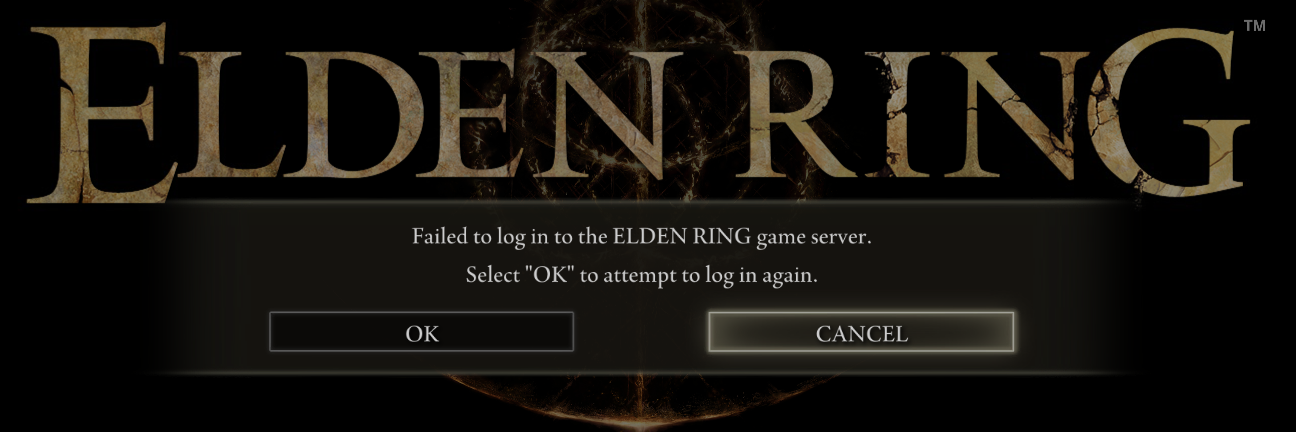
I have tried deleting the wine folder as well as reinstalling the game, no luck either way.
Small update, from the second launch onwards since today's patch, i had to symlink the EOS files as stated in https://github.com/ValveSoftware/Proton/issues/5613#issuecomment-1051570071, otherwise the game would crash at startup.
Now the game works, but it looks like online doesn't work at times and i have to restart until it does.
Flatpak version of steam launches the game correctly but steam installed through my system's package manager does not get past the EAC screen with "Failed to load the anti-cheat module".
OS: Gentoo
Kernel: 5.16.10-gentoo-dist
CPU: AMD Ryzen 7 3800X 8-Core
GPU: AMD Radeon RX 6700 XT
GPU driver: Mesa 21.3.5
RAM: 16 GB
Window manager: KDE Plasma (wayland)
Proton: Experimental (bleeding-edge)
system information of system installed steam with STEAM_RUNTIME=0 (not working)
system information of system installed steam with STEAM_RUNTIME=1 (not working)
system information of flatpak installed steam (working)
At this point in time, are we sure that network problems are Proton-related? It could be that their servers are overloaded with how popular this game is.
On Sat, Feb 26, 2022, 13:33 Giuseppe La Malfa @.***>
wrote:
Small update, from the second launch onwards since today's patch, i had to
symlink the EOS files as stated in #5613 (comment)
https://github.com/ValveSoftware/Proton/issues/5613#issuecomment-1051570071,
otherwise the game would crash at startup.
Now the game works, but it looks like online doesn't work at times and i
have to restart until it does.—
Reply to this email directly, view it on GitHub
https://github.com/ValveSoftware/Proton/issues/5613#issuecomment-1052430209,
or unsubscribe
https://github.com/notifications/unsubscribe-auth/AAY22RBUN32AX777WUHZVOTU5EMG3ANCNFSM5PIZADRQ
.
Triage notifications on the go with GitHub Mobile for iOS
https://apps.apple.com/app/apple-store/id1477376905?ct=notification-email&mt=8&pt=524675
or Android
https://play.google.com/store/apps/details?id=com.github.android&referrer=utm_campaign%3Dnotification-email%26utm_medium%3Demail%26utm_source%3Dgithub.You are receiving this because you are subscribed to this thread.Message
ID: @.***>
Looks like I just fixed online by doing the symlink trick in reverse in the game folder :laughing:
ln -s EOSSDK-Win64-Shipping.dll eossdk-win64-shipping.dll
ln -s EOSSDK-Win64-Shipping.so eossdk-win64-shipping.so
TLDR for anyone else running into issues under Arch, here's what I've done this morning:
Proton Experimental Bleeding Edge
Desktop Config for my controller set to Gamepad
Removed the Elden Ring prefix (fixed all controller problems I was having)
And the symlink trick in reverse (i.e. restore the lowercase dll/so) above (fixed EAC loads but doesn't connect)
Have to make a new character now because my steam cloud stuff got out of sync at some point and overwrote my saves but no big deal.
Edit: only remaining thing is that steam overlay isn't loading. Worth noting the overlay loads fine with GE7.3 but then breaks all the online stuff again. Maybe directly related to EAC?
OS: Arch Linux
KERNEL: 5.16.11-arch1-1
CPU: AMD Ryzen 9 5900X 12-Core
GPU: NVIDIA GeForce RTX 3080
GPU DRIVER: NVIDIA 510.54-3
RAM: 32 GB
WINDOW MANAGER: i3
PROTON VERSION: Expiremental (bleeding-edge)
EAC now working, controller input is not. Tried clearing the compadata/1245620 folder to no avail.
EDIT: Controller I am using is PS4.
I just launched the game, bleeding edge and with the reverse symlink as liaralabs said -> And bam I'm online with no issues.
MangoHud and the Steam overlay don't seem to show up now :S
Edit: Now I'm getting some dips/stutters that weren't present before.
Edit 2: Wayland seems to be a little worse maybe? I switched back to Plasma X11 and there are still dips, but I think it's more inline with before.
- 6600XT + Ryzen 3600
- Ubuntu 21.10 GNOME and Wayland
- 5.16.6 kernel + Mesa 21.2.6
- Bleeding Edge Proton
- Xbox 360 Controller (Wireless USB dongle)
- All controller settings turned off in Steam
Works great, FPS in outdoor areas is lower than in Windows. Can play online fine - getting about as much connection errors as Windows so I assume their matchmaking servers are under heavy load.
Replying to https://github.com/ValveSoftware/Proton/issues/5613#issuecomment-1052440070
I can get in on Windows, I cannot get in on Linux - This is a Linux/Proton with EAC issue
EDIT: I have also tried the inverse naming thing too, still cannot connect.
Am unsure if this is the direct errors causing the issue, but from reading the proton log:
72488.864:0130:01b0:err:winediag:ntlm_check_version ntlm_auth was not found or is outdated. Make sure that ntlm_auth >= 3.0.25 is in your path. Usually, you can find it in the winbind package of your distribution.
72488.864:0130:01b0:err:ntlm:ntlm_LsaApInitializePackage no NTLM support, expect problems
...
72488.971:01bc:01c0:err:wldap32:DllMain No libldap support, expect problems
Anyone else crashing on SSD with all Proton versions? I moved my game to hard drive and I can play for hours without crashing now.
Anyone else crashing on SSD with all Proton versions? I moved my game to hard drive and I can play for hours without crashing now.
I just reinstalled onto my SSD and it seems to be running fine. More stable even.
When you use the move files it does a validation on them, so it's possible something was off and fixed during the move.
No longer able to launch on Flatpak Steam after patching today; I'm stuck at a blank white screen after the window opens.
Now I am able to launch on Steam Runtime, but I get the "Inappropriate activity detected. Unable to start in online mode." error message, and I must also disable the Steam Overlay or it will fail to launch.
EDIT: As of today, Flatpak with multiplayer is working properly again
Not sure what changed, but I went to bed, started my system up, and am no longer able to play again. EAC launcher completes, but game launches to a white screen and then immediately exits. All my other Steam games work just fine, including the rest of the ones that rely on Proton.
Attaching my PROTON_LOG file here. If anyone can help diagnose this, please do.
EAC/Online play seems to be taking a performance hit. It also seems that even singleplayer exploration and fights are hosted on the gameservers as I've seen the boss rubberband kill me. I disabled online mode pretty quickly and it took care of most of my newly found performance issues. As such, I request that the performance for EAC/Online be verified.
Additionally, the asset load is murder. Turning in the wrong direction during certain bossfights can cause an instant framedrop (which exacerbates the online rubber banding issue mentioned above). For other people as a work around: if you're able before entering a bossfight, look around so you load in all the assets you can, at the start of the boss battle you may want to do the same. This will load all the assets and avoid problems during the fight.
It could be that the random ghosts appearing (other players) can also trigger an asset load, but as I said I turned off multiplayer fairly quickly as soon as I discovered I was the only one in my game suffering said slowdowns.
EDIT: I would also like to point out that in accordance to dark souls 3 tradition, the game crashes every 4 hours or so. This time there's no sound glitching however, the renderer just hangs and you need to kill the game.
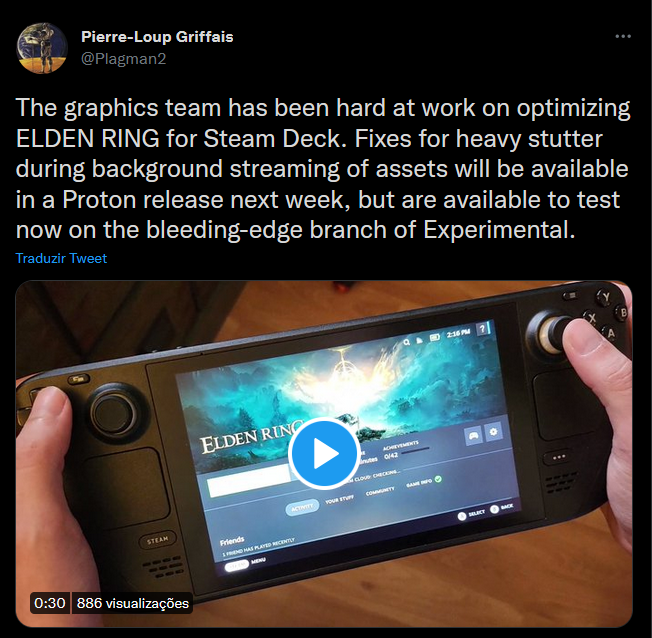
I also have crashing every 4 hours give or take. For now it's best to close the game frequently to avoid save corruption.
Tested a handful of distributions and they all loaded EAC fine. Proton experimental was set to bleeding edge in all cases.
fedora 35 STEAM_RUNTIME=1 (working)
manjaro kde STEAM_RUNTIME=1 (working)
solus kde STEAM_RUNTIME=1 LSI disabled (working)
ubuntu 21.10 STEAM_RUNTIME=1 (working)
Steps for each was: Install OS -> Update -> Install Steam -> Add library -> Enable proton experimental on Elden Ring -> Launch Elden Ring.
Solus required an additional step of disabling native runtime through their Linux Steam Integration tool.
Fedora required non-free repos to be enabled.
All distros had steam installed through their system package manager and for Ubuntu I used the .deb provided by Valve.
Is there any information I can provide about my Gentoo installation that would help debug why EAC is not working on it? I'm using this overlay to install steam.
I am also on Gentoo and EAC is still not working, even with the latest game update + bleeding edge Proton.
Elden Ring seems to work with flatpak steam on bleeding edge proton experimental. However the FPS is really poor, and resolution / graphic quality settings seems to have very minimal impact, so the game is definitely doing something very wrong. The FPS is only good in indoor environments.
This is with 5600 XT and ryzen 7 3700x, the game barely utilizes my CPU, and the GPU usage seems to always be 99% no matter how much I drop resolution or the visuals.
Works for me on Fedora 35, steam from repos, and Proton Experimental bleeding-edge. Performance is quite bad in general compared to Windows. I can average 60fps at Maximum 4K on Windows with my 6800 XT, and some drops due to bad optimization, but my average on Linux is around 40fps. GPU utilization at around 70%.
I can use the controller with steam input disable using proton GE. online won't work.
With the experimental version of proton, I can go online, but controller won't work.
Enabling steam input with the experimental version of proton will cause the game to hang at startup, nothing but a black screen.
Same. Controller frequently does not work for me with Experimental. Had the same with Forza 5. Guess we wait for it to be merged into stable or ge.
Resolved the Failed to initialize dependencies issue by unsetting SDL_VIDEODRIVER from envvars. (setting it to x11/wayland throws errors regardless)
Current working env for EAC , sway (wayland), wlr_backend(vulkan)
Concerning the performance, the default setting of the game seems to aim for 40-60fps adjusting quality dynamically. There seem to be some general issues with higher end cards. So maybe compare with fixed settings.
RX 5500 in 1080p and RTX 2060 super in 4k (both default settings) runs quite nicely in the assumed targeted 40-60fps.
With todays Proton GE update on Archlinux the renaming of the executable is not needed anymore on RTX system. On the RX system this never was needed.
For everyone with performance problems, I have a Ryzen 5 5600X and a RX 5700X. Disabling Resizable Bar and forcing my GPU to max clock in CoreCtrl almost doubled the framerates on my machine.
Here's my previous [#5613 comment](https://github.com/ValveSoftware/Proton/issues/5613#issuecomment-1051515858) on it refering the two other comments that helped me.
I'm having some weird performance issues with this game and disabling resizable BAR did not help with it.
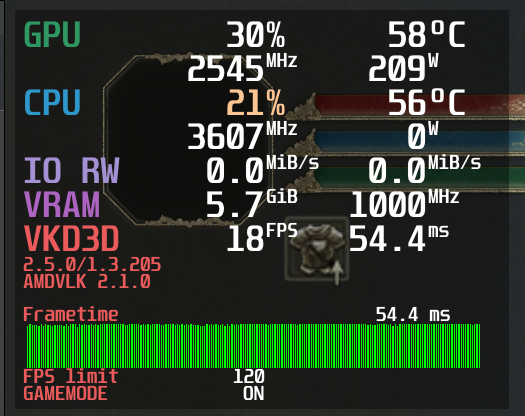
This is 5950x + 6900XT, bleeding edge proton experimental, steam runtime in use, fully updated Arch install with AMDGPU.
Basically, GPU utilization goes between 20 - 40 %, and FPS stays around 20, no matter what resolution I use (1600x900 is the same as 4k), and no matter what graphics settings I change (low is about the same as maximum).
Enemies are invisible, making the game basically unplayable (I assume the game does that when FPS goes below some level).
Not sure what else to try at this point. It looks like the game or some part of the stack just doesn't want to use the available resources. There's no obvious bottleneck in the stats I'm able to collect via mangohud.
Hello @peterix, it might be interesting to test mesa/RADV instead of AMDVLK.
Oh wow.
That made all the difference!
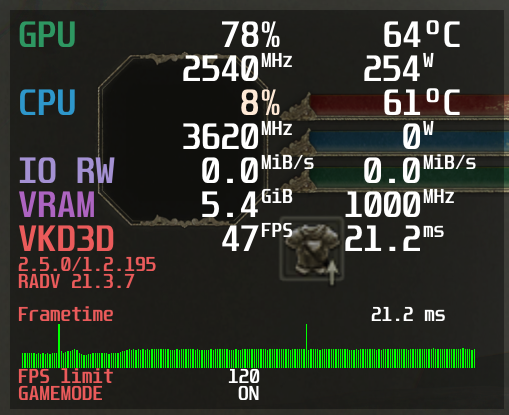
Basically, installing vulkan-radeon and starting with this from Steam:
AMD_VULKAN_ICD=RADV gamemoderun mangohud %command%
mangohud and gamemoderun can be omitted of course.
Good stuff :)
I tested the resizable bar and I got slightly worse frames with it off.
I noticed the anti-aliasing resets itself to high after every restart. I get a huge frame boost from just setting it to low. If you didn't need AA high then there's some free frames, just gotta remember to do it every time you launch the game.
Been unable to launch the game on regular proton. On latest Proton GE i can launch and run offline fine.
Tried both 7.0-1 and Proton Experimental Bleeding Edge
Here are some logs from Bleeding Edge (width a clean compatdata) where it will either get past EAC and then shortly show a white screen before crashing or stay on with a white screen and do nothing else.
steam-1245620_white+crash.log
steam-1245620_white+freeze.log
%command% --disable-gpu fixes white launcher window on planetside 2 when running proton experimental... and I've seen many post comment about it, how about a try?
The steam overlay seems to be attaching itself to the EAC launcher and it's not available in the game.
Game is working great with proton bleeding edge. I had to start the game about 3 times before it worked. No other tinkering required. Occasional crashes, but not more than what I hear from friends running on Windows. I previously had issues on Endeavour, but I'm now on Ubuntu.
System information:
https://gist.github.com/GibsDev/83d4661c606b7074d07234de210c8a15
Yes there's certainly something going on with high end AMD cards. Low GPU utilisation, and it's not going to be fixed by disabling BAR, that's for sure.
With my 6800 XT, I get almost twice as many FPS on Windows than Linux, with the same graphical settings.
On Sun, 27 Feb 2022, at 16:51, Petr Mrázek wrote:
I'm having some weird performance issues with this game and disabling resizable BAR did not help with it. image https://user-images.githubusercontent.com/203326/155891455-496c91a2-334c-43e1-8485-403f01548c03.png
This is 5950x + 6900XT, bleeding edge proton experimental, steam runtime in use, fully updated Arch install with AMDGPU.
Basically, GPU utilization goes between 20 - 40 %, and FPS stays around 20, no matter what resolution I use, and no matter what graphics settings I change.
Enemies are invisible, making the game basically unplayable (I assume the game does that when FPS goes below some level).Not sure what else to try at this point. It looks like the game or some part of the stack just doesn't want to use the available resources. There's no obvious bottleneck in the stats I'm able to collect via mangohud.
—
Reply to this email directly, view it on GitHub https://github.com/ValveSoftware/Proton/issues/5613#issuecomment-1053613081, or unsubscribe https://github.com/notifications/unsubscribe-auth/AAFIPSA4E5GTRACFEVD3T4LU5JJA5ANCNFSM5PIZADRQ.
Triage notifications on the go with GitHub Mobile for iOS https://apps.apple.com/app/apple-store/id1477376905?ct=notification-email&mt=8&pt=524675 or Android https://play.google.com/store/apps/details?id=com.github.android&referrer=utm_campaign%3Dnotification-email%26utm_medium%3Demail%26utm_source%3Dgithub.
You are receiving this because you commented.Message ID: @.***>
I'm pretty sure it's a VKD3D issue because I have the low gpu usage in Diablo 2 Remaster. And that's also a DX12 game. Maybe inefficiency in the pipeline or something, but hopefully it gets ironed out.
@mariakeating @matoro
I'm a Gentoo user and couldn't get EAC to work with my regular Steam installation aswell. It always fails initializing. However, when using the Flatpak version of Steam, it "just works" after switching Proton to the experimental version (the regular one, not [bleeding-edge]).
IMO this is rather strange since my native Steam installation was using the Valve-provided steam runtime, so my system libraries shouldn't have interfered. I don't know the cause of this behavior other than that it's seemingly a userspace issue and not related to the kernel config.
Maybe it comes down to something trivial like environment variables or Flatpak using different locale/timezone settings?
Update: Some issues remain:
The OS (or GPU driver) doesn't seem to recognise that a game is running, hence the GPU remains in a lower DPM state. I can circumvent this by forcing my card to a fixed clockspeed. This does improve FPS by quite a bit.
Regardless, performance remains very bad. I get a third of the FPS compared to Windows, even when using the aforementioned workaround.
2560x1440 high settings, max textures, med volumetrics, grass and DoF, no motion blur yields mostly 60FPS on Windows and a very stuttery ~20-25FPS on Linux (RADV). Performance is unaffected by the window mode (i.e borderless fullscreen, windowed, "true" fullscreen).
Sometimes the game refuses to launch by hanging with a white screen after EAC has initialized. It seems like this is gamepad related (or maybe steam input?), as the game would launch after I unplugged my controller or plugged it in again, depending on whether the game has already been successfully launched before with it connected/disconnected.
System specs:
Gentoo x64
Ryzen 3900X stock
32GB DDR4-3733 RAM
RX Vega 56 (OC/UV, 1145Mhz HBM)
Linux Kernel 5.16.9 amd_pstate, Liquorix CFS, schedutil, fsync1_via_futex_waitv
Mesa 21.3.7 (Flatpak: Freedesktop runtime 21.08 -> Mesa 21.3.5)
Other stuff:
sysctl vm.max_map_count = 524288
DefaultLimitNOFILE=1048576
As I saw the GPU usage mentioned above I decided to check over here, my 1080 seems to be able to be fully utilized and will do so when the FPS goes below 60. As such I do not perceive an unexplained bottleneck with this game. That said, considering I've seen better performance with other players, I'd recommend if someone could invest time in the shaders to make sure the translation from dx12 to vulkan is optimal. CPU is not even hitting 50% for me, which should mean it's not a bottleneck either.
I'm a Gentoo user and couldn't get EAC to work with my regular Steam installation aswell. It always fails initializing. However, when using the Flatpak version of Steam, it "just works" after switching Proton to the experimental version (the regular one, not [bleeding-edge]).
@DiabeticCrab I echo this, same exact problem. I'm wondering if there's something missing in the kernel config that EAC wants and is included by default in the Arch config?
@danipoak I'm pretty sure that it's not kernel config related, since flatpak wouldn't serve as a workaround if it was.
I'm pretty sure that it's not kernel config related, since flatpak wouldn't serve as a workaround if it was.
@DiabeticCrab @mariakeating @matoro Makes sense. New use flags that aren't reflected in the Steam wiki? I'm trying to think about the things that generally make our systems different than binary distros.
I'm pretty sure that it's not kernel config related, since flatpak wouldn't serve as a workaround if it was.
@DiabeticCrab @mariakeating @matoro Makes sense. New use flags that aren't reflected in the Steam wiki? I'm trying to think about the things that generally make our systems different than binary distros.
EAC isn't allowing me to connect on Void Linux either, which is a binary distro, so... not sure if that's related, unfortunately.
%command% --disable-gpufixes white launcher window on planetside 2 when running proton experimental... and I've seen many post comment about it, how about a try?
Thanks. It works fine with Proton GE, but i just wanted to bring the issue up so the proton devs know about it. I suspect the intro logo's might be to blame.
I will try %command% --disable-gpu and see if it makes a difference. 👍
Update: the discussion about resizable bar interested me here as I did not have such option in my BIOS. I noticed my BIOS was quite old (from 2019), so I updated my motherboard bios to latest version and enabled resizable bar. Now the game runs a lot better in open world. The other thing I did was switch to xanmod kernel and disable all CPU migitations (spectre, etc..), but I don't think that contributes to anything here significantly except for latency.
I was getting a freeze on white screen with Proton Experimental and GE-Proton7-3. I switched to Proton 7.0-1, it got stuck at a black screen, then switching back to GE-Proton7-3 worked.
EDIT 2 days later: this technique consistently works for me when I get stuck on a white screen.
Just started from installation using Proton Experimental with Bleeding Edge branch... only got gamemoderun %command% on game and it runs pretty smoothly on online mode... I'll just update this message if something changes...
I already had Proton EasyAntiCheat Runtime installed and it's without any launch options...
Edit: Okay, first enemy lagged a lot.
Edit2: 2 hours of exploration of next zone and lowering of some settings... Disk read 5.6 GB and written 4.7 GB, but no problems.
Edit3: Game didn't start, I uninstalled prefix and started it, noticed I forgot to start controller first and couldn't get it to start again for now x)
Another Gentoo user here. Steam from Flatpak works for me with Proton Experimental [bleeding-edge] as above; Steam from Portage quickly fails to pass the launcher's EAC initialization. Online works with no further effort; performance is smooth on recommended hardware.
Not sure yet what the difference between Flatpak Steam and Steam from Portage is.
I was getting a freeze on white screen with Proton Experimental and GE-Proton7-3. I switched to Proton 7.0-1, it got stuck at a black screen, then switching back to GE-Proton7-3 worked.
Same, it does startup if I disable steam input for proton 7 or exp.
I can use the controller with steam input disable using proton GE. online won't work. With the experimental version of proton, I can go online, but controller won't work. Enabling steam input with the experimental version of proton will cause the game to hang at startup, nothing but a black screen.
I'm having the same issue, getting OK performance and dualshock4 controller support (when steam input is disabled) using Proton-7.1-GE.
Switching to GE-Proton7-3 starts the game (1 in ~5 tries) and I'm able to log in but refuses to accept controller input.
Am left with either playing the game offline with controller or online with kb/m.
Got 2 logs, 1st has the app ran (somehow) and next start failed
Second one just doesn't start and both of them has this line.
Inconsistency detected by ld.so: dl-open.c: 577: dl_open_worker: Assertion `_dl_debug_initialize (0, args->nsid)->r_state == RT_CONSISTENT' failed!
Edit: cleaned a bit...
Im sure that valve devs are furiously monitoring this as having this be 100% compatible is one of their goals, so I'd like to add it seems the steam overlay is binding to the launcher rather than the game and the controller issues are likely stemming from that. EAC seems to no longer work (in proton-GE) as the work around implemented for controller seems to bypass the start_protected_game and launches eldenring directly, which removes EAC support.
Manually overriding desktop controller configuration works, as described in
https://www.reddit.com/r/linux_gaming/comments/t18ury/elden_ring_with_working_multiplayer_and_gamepad/?utm_source=share&utm_medium=web2x&context=3
Manually overriding desktop controller configuration works, as described in https://www.reddit.com/r/linux_gaming/comments/t18ury/elden_ring_with_working_multiplayer_and_gamepad/?utm_source=share&utm_medium=web2x&context=3
This does not work in big picture mode, which means it doesn't work for steam link, as it appears steam input depends on the overlay to get controllers working.
Manually overriding desktop controller configuration works, as described in https://www.reddit.com/r/linux_gaming/comments/t18ury/elden_ring_with_working_multiplayer_and_gamepad/?utm_source=share&utm_medium=web2x&context=3
I use the switch pro controller and out of the box only the sticks work. After doing this, all the buttons work except the sticks.
Update on the performance issues I was having with Elden Ring and the solutions I used from the comments I mentioned in this [#5613 comment](https://github.com/ValveSoftware/Proton/issues/5613#issuecomment-1051515858), hopefully this can be of some use for someone:
- Resizable Bar wasn't actually the issue here. There are 2 settings for this on my motherboard:
Above 4G Encoding (Disabled/Enabled)andRe-size BAR Support (Disabled/Auto); - Both disabled was around 45-60 FPS, mostly 48;
- Both enabled made it fluctuate between 30-50 FPS, mostly 37;
- Only Above 4G Encoding enabled, maintains between 50-60 FPS, mostly 55;
- There isn't a way to enable only Re-size Bar Support, enabling it enables both;
- Setting GPU to max clock still helps (I did this one with CoreCtrl), all the results above are with that. Without setting this, I saw around 5 FPS decrease across the board.
With either both options enabled on BIOS or with just Above 4G Encoding, my system reported being able to use all 8GB for resizable bar, so it still works, but having the Re-size BAR Support enabled hurts performance a lot on my system with Ryzen 5 5600X and RX 5700XT.
The game still have dips in specific areas regardless, as the PC port seems to still be in a bad shape right now.
Manually overriding desktop controller configuration works, as described in https://www.reddit.com/r/linux_gaming/comments/t18ury/elden_ring_with_working_multiplayer_and_gamepad/?utm_source=share&utm_medium=web2x&context=3
This does not work in big picture mode, which means it doesn't work for steam link, as it appears steam input depends on the overlay to get controllers working.
This does actually work in both Big Picture mode and in Steam Play, I can confirm this personally as that's my exact use case for both. The important thing to note is that you must have the checkbox enabled for controller configuration for your controller of choice (Playstation, Xbox, Generic, etc.) in the general controller settings, and you must have the desktop configuration set to a generic Gamepad config. The game will be running in desktop mode with no Steam overlay, but input should still be functional regardless of if the game is launched from desktop launcher, Big Picture, or when played through Steam Play.
Im sure that valve devs are furiously monitoring this as having this be 100% compatible is one of their goals, so I'd like to add it seems the steam overlay is binding to the launcher rather than the game and the controller issues are likely stemming from that. EAC seems to no longer work (in proton-GE) as the work around implemented for controller seems to bypass the start_protected_game and launches eldenring directly, which removes EAC support.
incorrect. the workaround was removed from my build, and it was rebased to use valve's wine for the base. My most recent build works with EAC in Elden Ring.
Replying to https://github.com/ValveSoftware/Proton/issues/5613#issuecomment-1054758071
Interesting, is this on the latest bleeding edge experimental Proton? What you've stated works on older Protons, but EAC does not, so online functionality is disabled. Also I run into that "invisible horse" bug when I'm not using bleeding-edge experimental Proton.
incorrect. the workaround was removed from my build, and it was rebased to use valve's wine for the base. My most recent build works with EAC in Elden Ring.
Ok need to update my GE then, just for clarification the main issue I wanted to highlight was the overlay binding to the launcher not the game itself. Apologies for saying out of date info, but it helped me identify the overlay issue.
Replying to [#5613 (comment)](https://github.com/ValveSoftware/Proton/issues/5613#issuecomment-1054758071)
Interesting, is this on the latest bleeding edge experimental Proton? What you've stated works on older Protons, but EAC does not, so online functionality is disabled. Also I run into that "invisible horse" bug when I'm not using bleeding-edge experimental Proton.
Ah okay, so on further testing, you need to disable steam overlay globally for this to work in big picture mode, not just on a per-game basis.
Two days ago i was able to launch the game via renaming the exe to avoid EAC.
But I wanted online play and better performance, so i decided to try with proton-ge and proton experimental. However it now won't launch no matter what I do: proton-ge 7.1 and 7.3, proton experimental and bleeding edge, verified game files, deleted the prefix multiple times. It just goes through the EAC window and then another window pops up for a second and it closes.
Here are some proton logs https://paste.xinu.at/3N4nAU/
Replying to https://github.com/ValveSoftware/Proton/issues/5613#issuecomment-1054887114
Pick the version you're trying to launch and keep trying to launch that version, eventually it will succeed.
More results of my tests on a 6800XT at 4K Maximum, panning around the same exact area each time. Tested using Proton Experimental and GE-Proton7-4:
- Average 45 FPS
- Forcing fixed high performance mode with CoreCtrl I get 56/58 FPS on average. GPU utilization averages 75%
For some reason high end AMD cards GPU are underutilized and frequencies are not maxed. Performance is still not as good as Windows, but it's getting in the playable range now. GE Proton seems to slower by a couple frames, but the difference is so small it's not significant.
tl;dr: Force max frequencies with CoreCtrl if you have a RX 6XXX card.
Proton GE 1:GE_Proton7_4-1 (AUR) has fixed EAC for me, no longer need a workaround and the game launches successfully!
Elden Ring does not launch
Issue transferred from https://github.com/ValveSoftware/Proton/issues/5630.
@R3D4CT3D1 posted on 2022-03-01T07:10:56:
Compatibility Report
- Name of the game with compatibility issues: ELDEN RING
- Steam AppID of the game: 1245620
System Information
- GPU: NVIDIA GeForce GTX 1660 Ti
- Driver/LLVM version: 510.54-3
- Kernel version: 5.16.11-arch1-1
- Link to full system information report as Gist: https://gist.github.com/R3D4CT3D1/82fcb6f7f384805136b58ed0b8db61c2
- Proton version: Proton Experimental with bleeding edge beta
I confirm:
- [x] that I haven't found an existing compatibility report for this game.
- [x] that I have checked whether there are updates for my system available.
Symptoms
Game does not start.
Reproduction
Clicking the play button.
@larouxn commented on 2022-03-01T07:53:20:
Looks like there's an issue with discussion over here:
@R3D4CT3D1 HI there.
I see you have amdvlk or lib32-amdvlk installed, but your AMD cpu does not appear to have integrated graphics.
Could you try removing those packages and launching again? The AMD Vulkan driver might be messing with you.
With the next setup and the latest game patch everything is working out of the box for me (except Steam overlay, it still won't appear), have been playing for the past three days nonstop
including xbox controller, online (messages, white phantoms, bloodstains),
have been playing coop a lot, invasions (sometimes i get disconnection error, but as I remember it happens a lot in all FromSoftware games) with no problems as far as I've been experiencing (~30 hrs of playtime at the moment)
OS: Arch Linux
Kernel: 5.16.11-zen1-1-zen
CPU: AMD Ryzen 9 5900X 12-Core
GPU: AMD Radeon RX 6900 XT
GPU driver: Mesa 21.3.7
RAM: 32 GB
Window manager: sway (wayland)
Vulkan's driver: vulkan-radeon and lib32-vulkan-radeon
Game is installed on nvme drive
Steam client opted in beta.
Steam Linux runtime - selected client_beta branch
Steam Linux runtime Soldier - also client_beta branch
Manually installed Proton EasyAnticheat Runtime in Steam's Tools
Steam Proton - Experimental (selected bleeding-edge in beta settings) and specifically set Elden Ring to use Proton Experimental
Occasionally game gets stuck on white screen on launch, killing all the .exe processes and starting the game again helps
Game was crashing after continuous 5 hour sessions. After disabling FSYNC I have not been experiencing any crashes during long sessions (helped in the past with a bunch of games, including dark souls titles and death stranding)
PROTON_NO_FSYNC=1 %command%
I also experience slowdowns and rubberbanding from time to time, framerate is definitely not as stable as it's supposed to be with given hardware, but FromSoftware are looking into the issue and by reading numerous reports windows users experience the same inconsistent stuff. And we should take into account that since the game is directx 12 only proton is using vkd3d, and as far as I've been experiencing vkd3d still has some pretty mild overhead
My game just crashed 50 minutes in rather than 3 hours in and it exited straight to desktop as well.
Replying to [#5613 (comment)](https://github.com/ValveSoftware/Proton/issues/5613#issuecomment-1054887114)
Pick the version you're trying to launch and keep trying to launch that version, eventually it will succeed.
I have tried many times, I've even reinstalled the whole game now, and I keep getting the same issue. This would be less frustrating if the game hadn't worked in the past, really baffling.
@indeedwatson Can you post a full steam system information report here? 🙂 I'm seeing some weird stuff relating to your GPU driver in your steam log
Everything works perfectly for me except my Xbox One Controller. I tried every tip posted online, with every possible combination of the following configurables:
- steam overlay enabled/disabled
- configuring desktop controller settings with the gamepad template
- steam input enabled/disabled for game
xbox configuration supportin general controller settings- proton 7/experimental/experimental bleeding edge/GE
- enabled/disabled EAC by swapping around start_protected.exe and elden_ring.exe
- flatpak vs steam runtime on arch
- and even removing every possible input device (listed in /dev/input/by-id) except my controller.
And with every combination of configurations listed above, both control sticks can be used to move & look around but no other buttons work.
My dualboot windows with the exact same hardware has no controller issues, but I'd rather not use that for obvious reasons. Any advice that I haven't tried yet (see paragraph 1) would be really appreciated.
Replying to https://github.com/ValveSoftware/Proton/issues/5613#issuecomment-1055638190
I have this working:
- Overlays enabled (global and game)
- Controls set to "Use default settings" (on game)
- Turn off "Xbox configuration support" under "controller General settings"
I didn't need to do anything else like templates, mappings etc. Hope this helps. I see people suggesting "Disable Steam input" + templates, when all you really need to do is just toggle off "Xbox configuration support" (at least, in the testing I have done which was outlined in a previous comment I made).
@indeedwatson Can you post a full steam system information report here? slightly_smiling_face I'm seeing some weird stuff relating to your GPU driver in your steam log
@pc-2198x Thanks for sharing your experience, sadly this configuration doesn't seem to work either.. I forgot to mention xbox configuration support as one of the variables I changed during my many tests
@pc-2198x Thanks for sharing your experience, sadly this configuration doesn't seem to work either.. I forgot to mention
xbox configuration supportas one of the variables I changed during my many tests
No problem sorry that didn't work out. I am curious, what does your Define Layout show under Controller Settings -> Detected Controllers -> Xbox One Controller?
This is what I have (should be default since I haven't messed with this):
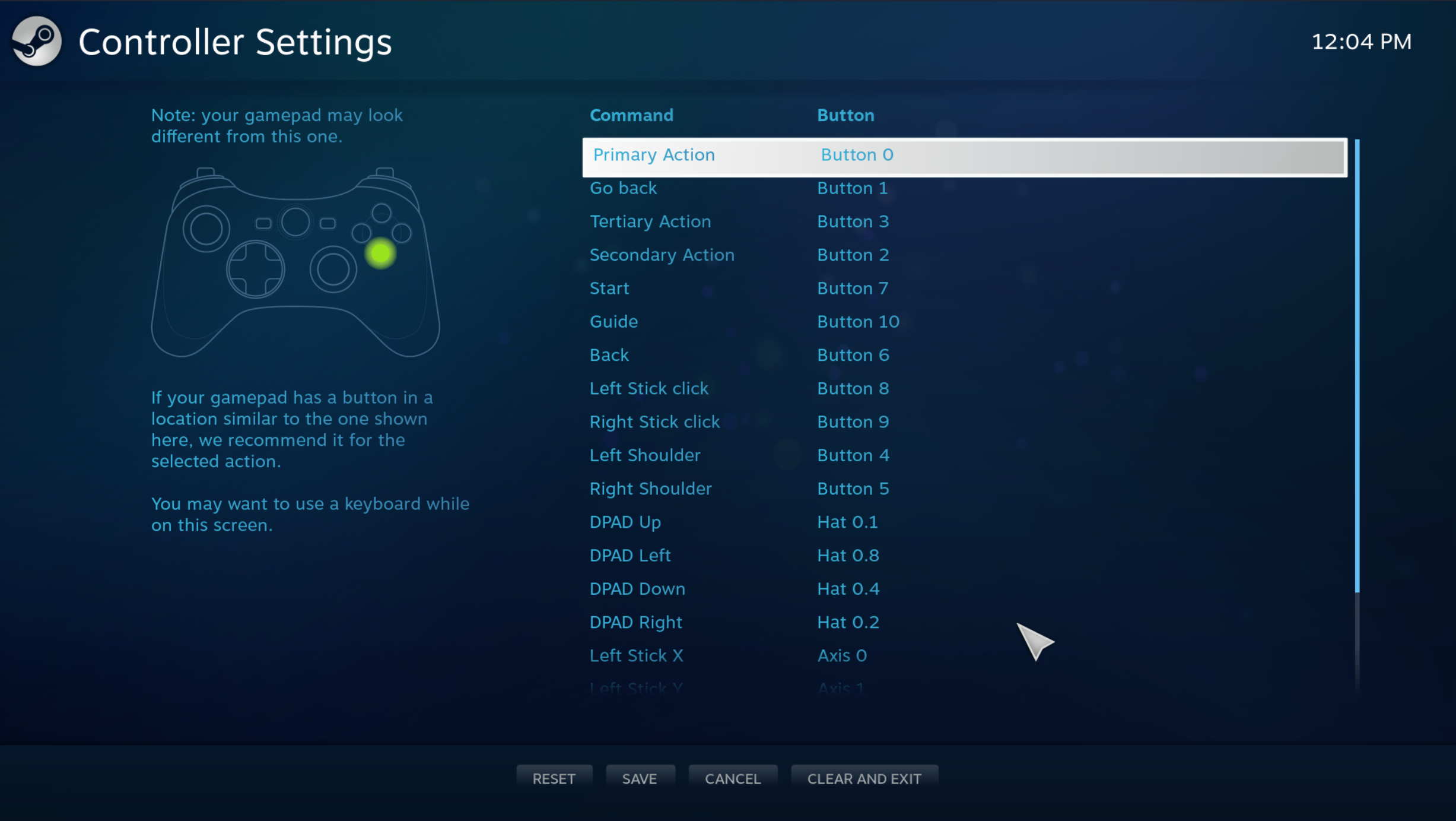
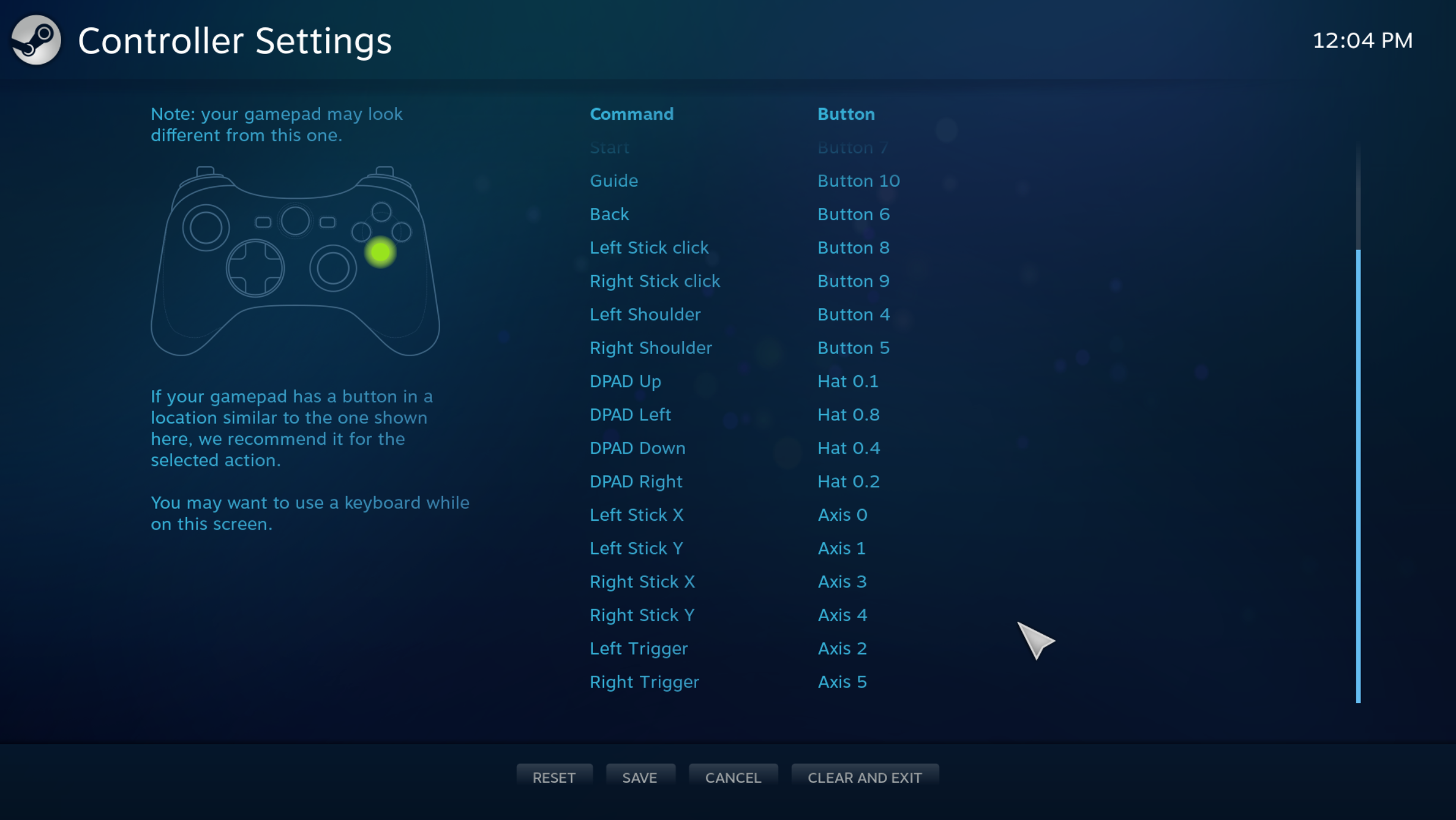
I am also using xpadneo-dkms with Arch, not sure if that matters in this instance.
@indeedwatson I am impressed if you had it running decently 😁
First can you try and see if launching the game with this launch option does anything.
VK_ICD_FILENAMES=/usr/share/vulkan/icd.d/radeon_icd.i686.json:/usr/share/vulkan/icd.d/radeon_icd.x86_64.json %command%
If it doesn't do anything could you then see which kernel driver is in use for your AMD card with lspci -k
Replying to https://github.com/ValveSoftware/Proton/issues/5613#issuecomment-1055638190
Try to either add the dbus rules for controller that comes with steam if you don't have it. (Say, you installed steam via flatpak)
Or remove it eitherwise.
I'm using the flatpak version and I had to fetch the file manually for my controller to work.
@pc-2198x 'Guide' is button 8 not 10, left/right stick click is 9/10 not 8/9, the rest is the same. I image searched for xbox one controller and series x controller, and my controller looks like the series x, but in the Controller settings the controller is reported as an Xbox One controller. I'm not sure how/if this impacts anything
@pc-2198x 'Guide' is button 8 not 10, left/right stick click is 9/10 not 8/9, the rest is the same. I image searched for xbox one controller and series x controller, and my controller looks like the series x, but in the Controller settings the controller is reported as an Xbox One controller. I'm not sure how/if this impacts anything
Good catch, I am using my Xbox One X/S controller, I do have a Series X/S controller, I can test that and get back to you.
@blisto91
VK_ICD_FILENAMES=/usr/share/vulkan/icd.d/radeon_icd.i686.json:/usr/share/vulkan/icd.d/radeon_icd.x86_64.json %command%
No changes. For the record all other games work fine, including Sekiro. Elden Ring on launch day ran at around 30-45fps with low settings.
01:00.0 VGA compatible controller: Advanced Micro Devices, Inc. [AMD/ATI] Curacao XT / Trinidad XT [Radeon R7 370 / R9 270X/370X]
	Subsystem: PC Partner Limited / Sapphire Technology Device e271
	Kernel driver in use: amdgpu
	Kernel modules: radeon, amdgpu
Good catch, I am using my Xbox One X/S controller, I do have a Series X/S controller, I can test that and get back to you.
@ThaChillera - My blue Series X/S controller also works. Not sure if you saw my previous edit, but I am using xpadneo-dkms with Arch, no sure if that matters here.
@hebrewd thanks for the advice! Are you sure you don't mean udev rules? If not, I'm not familiar with dbus, and some more detailed instructions would be appreciated (like where to get those rules, and how to configure them on my system (possibly with the override system mentioned on the arch wiki?)).
@indeedwatson Roger.
Just wanted to check it was running amdgpu
Do other games still work now?
This is what I'm concerned about from your logs
radv is not a conformant Vulkan implementation, testing use only
It looks to me like you have a mix of mesa 21.3.7 and 22.1 dev installed. And it looks like your vulkan drivers might be 22.1 dev?
Could you try to uninstall the mesa git/dev versions and reinstall regular mesa along with the radv vulkan drivers?
@hebrewd thanks for the advice! Are you sure you don't mean udev rules? If not, I'm not familiar with dbus, and some more detailed instructions would be appreciated (like where to get those rules, and how to configure them on my system (possibly with the override system mentioned on the arch wiki?)).
Yes, my bad.
Sadly, they are not available as a single package, what I did is to download the steam package from arch as the archive itself
extract the file:
usr/lib/udev/rules.d/70-steam-input.rules
And paste it to the same location, a reboot is an easy way for it to take affect.
@Blisto91 yes other games work. I installed mesa-git just yesterday because I heard people say it gave better performance, but i had the same exact issues with stable mesa. I can try again tho.
As for that particular warning message, i've been seeing it for a long time
Hmm okay.
Yes I would try to uninstall mesa git (and lib32 if installed) and then reinstall all your your mesa and AMD vulkan pacakages
mesa lib32-mesa vulkan-icd-loader lib32-vulkan-icd-loader vulkan-radeon lib32-vulkan-radeon
Steam client opted in beta. Steam Linux runtime - selected client_beta branch Steam Linux runtime Soldier - also client_beta branch Manually installed Proton EasyAnticheat Runtime in Steam's Tools Steam Proton - Experimental (selected bleeding-edge in beta settings) and specifically set Elden Ring to use Proton Experimental
Game was crashing after continuous 5 hour sessions. After disabling FSYNC I have not been experiencing any crashes during long sessions (helped in the past with a bunch of games, including dark souls titles and death stranding) PROTON_NO_FSYNC=1 %command%
Wow thank you for this post, opting into those betas somehow made things work.
Now both online and controller works for me
-Steam beta
-Steam runtime - client_beta
-Steam runtime Soldier - client_beta
-GE-Proton7-4
-Global overlay disabled (dont know how much it matters)
-Steam Input Enabled, using DS4 with Playstation support enabled (dont know how much it matters)
-Desktop Configuration for controller - gamepad template loaded (dont know how much it matters)
Lets get the invasions going!
I am unable to play the game. It crashes after EAC pops up, and the game loads into a white screen (sometimes with a cursor visible). The game will either crash from the white screen, or hang there indefinitely. Sometimes, the game hangs after EAC without anything appearing at all.
System info:
Logs:
Additional tinkering attempted:
-Fresh installation of Ubuntu 21.10
-Toggling steam overlay and input settings
-Using the flatpak version of steam
-Proton experimental (all versions)
-Proton GE 7.4
-Reinstalling NVIDIA drivers, windbind, wine
-Environmental vars to force GPU use
-Deleting compdata/1245620 between changes
It looks to me like you have a mix of mesa 21.3.7 and 22.1 dev installed. And it looks like your vulkan drivers might be 22.1 dev? Could you try to uninstall the mesa git/dev versions and reinstall regular mesa along with the radv vulkan drivers?
@Blisto91 The same thing is logged to me (radv is not a conformant Vulkan implementation, testing use only) and I have Mesa installed consistently:
[*] mesa-21.3.5_1                     Graphics library similar to SGI's OpenGL
[*] mesa-32bit-21.3.5_1               Graphics library similar to SGI's OpenGL (32bit)
[*] mesa-dri-21.3.5_1                 Mesa DRI drivers
[*] mesa-dri-32bit-21.3.5_1           Mesa DRI drivers (32bit)
[*] mesa-vaapi-21.3.5_1               Mesa VA-API drivers
[*] mesa-vaapi-32bit-21.3.5_1         Mesa VA-API drivers (32bit)
[*] mesa-vulkan-radeon-21.3.5_1       Mesa Radeon Vulkan driver
[*] mesa-vulkan-radeon-32bit-21.3.5_1 Mesa Radeon Vulkan driver (32bit)
[*] Vulkan-Tools-1.2.182_1            Official Vulkan tools and utilities
[*] mesa-vulkan-radeon-21.3.5_1       Mesa Radeon Vulkan driver
[*] mesa-vulkan-radeon-32bit-21.3.5_1 Mesa Radeon Vulkan driver (32bit)
[*] vulkan-loader-1.2.182_1           Vulkan Installable Client Driver (ICD) loader
[*] vulkan-loader-32bit-1.2.182_1     Vulkan Installable Client Driver (ICD) loader (32bit)
I'm on Void Linux, and the output above shows Mesa and Vulkan-related packages I have installed.
Hello @TheVariableMan, looking at your Proton log, the game is failing trying to use a CPU instruction that is not supported by your hardware (Unhandled exception: illegal instruction in 64-bit code). It should be noted that your CPU is substantially older than the game's minimum requirements as listed in the Steam store page.
@gbrlsnchs ah yes i see now it isn't a too uncommon warning. (And not bad?)
My bad. Just looked odd to me and didn't remember seeing it before (maybe i have) 😁
Still learning hehe
Not trying to further add to the noise, but on bleeding-edge experimental (with the gamepad desktop configuration, and steam overlay and steam input turned off), the gamepad support is sometimes still finnicky after restarting steam, it requires either:
- a full restart of the game
- to toggle the steam input enabled / disabled on then off again
Before the game will recognize a controller
The gane runs for me.
The only issuse is the controller (i have a switch pro controller).
I tried the following:
- Enable and disable steam input and overlay
- Different desktop mode templates (including the "gamepad" template)
- Starting the game from big picture
- Steam beta client
- plug and unplug the controller at different moments (with steam closed, before starting the game, and with the gane opened)
I am using steam runtime on arch with all the updates applied from pacmam.
With the desktop profile every button excepto the joysticks work.
Has someone mansged to fix this problem?
@pc-2198x Sorry that it took a while, but I realised due to your xpadneo comment that you use your controller wirelessly, whilst I use mine wired. Took a while to get the controller connected (some bugs/config issues), but I can confirm that the issue also exists when connecting wirelessly with xpadneo
@hebrewd I already had the file since I generally use steam from pacman, not flatpak. However, I tried disabling the linked udev rule, but after a restart there was no difference in behaviour :(
@pc-2198x Sorry that it took a while, but I realised due to your xpadneo comment that you use your controller wirelessly, whilst I use mine wired. Took a while to get the controller connected (some bugs/config issues), but I can confirm that the issue also exists when connecting wirelessly with xpadneo
Very interesting, yes I do use mine wireless but it does work wired too, I am assuming the controller works fine for all other games? Do you have any other controllers to test with?
Also, is your Series X controller firmware up to date? (Assuming it is since you said you used windows too). I know I had problems with the Series X controller OOTB and had to firmware upgrade it for it to work on Linux, but this was for all games not just one.
@pc-2198x yes, the controller works for all other games. Other controllers I tested with is my old xbox 360 wired controller, and the 8bitdo SN30 pro, both had the exact same behaviour (joysticks worked, all buttons didn't)
My Series X controller wasn't up to date, but in the process of getting bluetooth working I had to update it. Still the same behaviour (only joysticks work) after the update, wired or wireless.
for some reason, in the 2 days of the release of elden ring and the patch 1.02.1 i was able to run, but now just open the EAC, open the game and then crash, similar to the case of @indeedwatson
tried using Proton 7.0-1, Proton Experimental using the beta bleeding edge and not using, and Proton GE 7-4
tried to run without EAC and reinstall, check integrity, etc.
steam-1245620.log
system-info.txt (my system isnt good but i can run before)
and other problem with EAC is the launch error "Settings.json not found" and to solve is just to rename settings.json in ELDEN RING/Game/EasyAntiCheat to Settings.json but i think it was something not to give error
Still unable to connect to server. Can connect consistently on Windows, however. So not a network issue with Elden Ring - strictly linux/proton/EAC.
Posted my log and system info before but here they are again.
steam-1245620.log
System information
I have both: proton bleeding-edge as well as proton EAC installed as well

I have also tried numerous times to delete the compatdata/1245620 folder to re-run setup, I have uninstalled and re-installed the game, I have tried Proton GE, and many other things.
Online play is not working
Still unable to connect to Elden Ring, even with Steam Flatpak. Still getting "Inapropriate Activity Detected." I can't seem to copy the text out of the system information window (seems to be a failing between the old Steam dialogs and Wayland), but here's some screenshots:
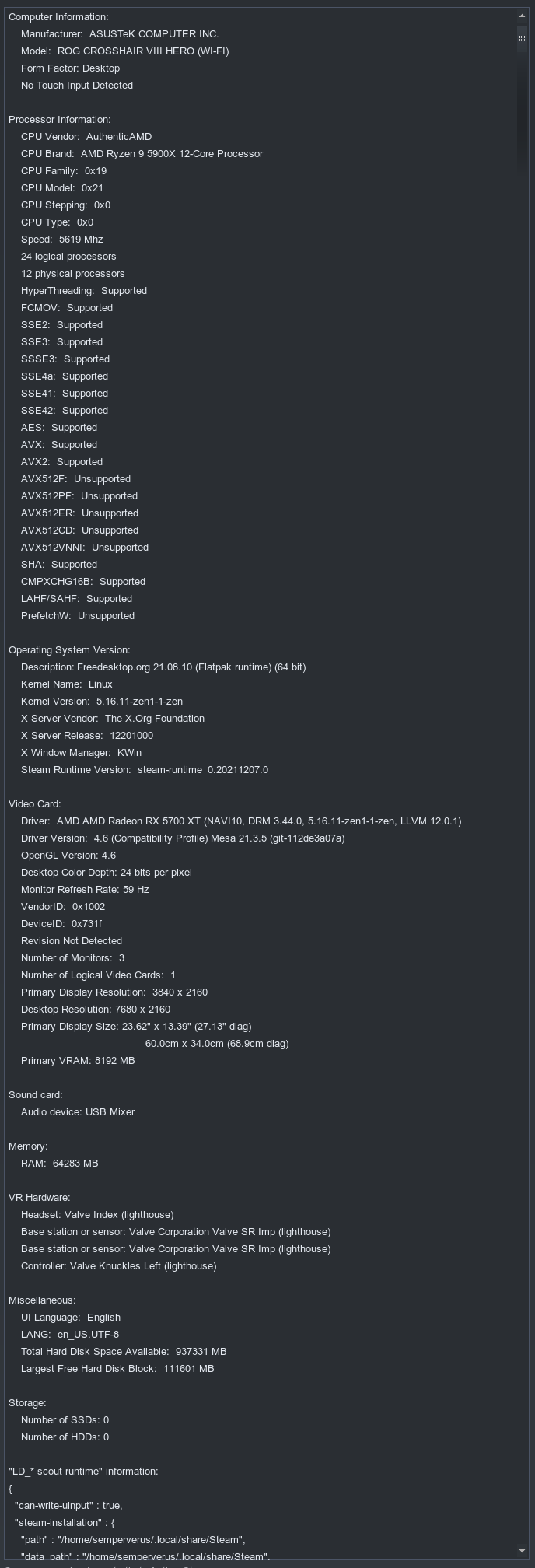
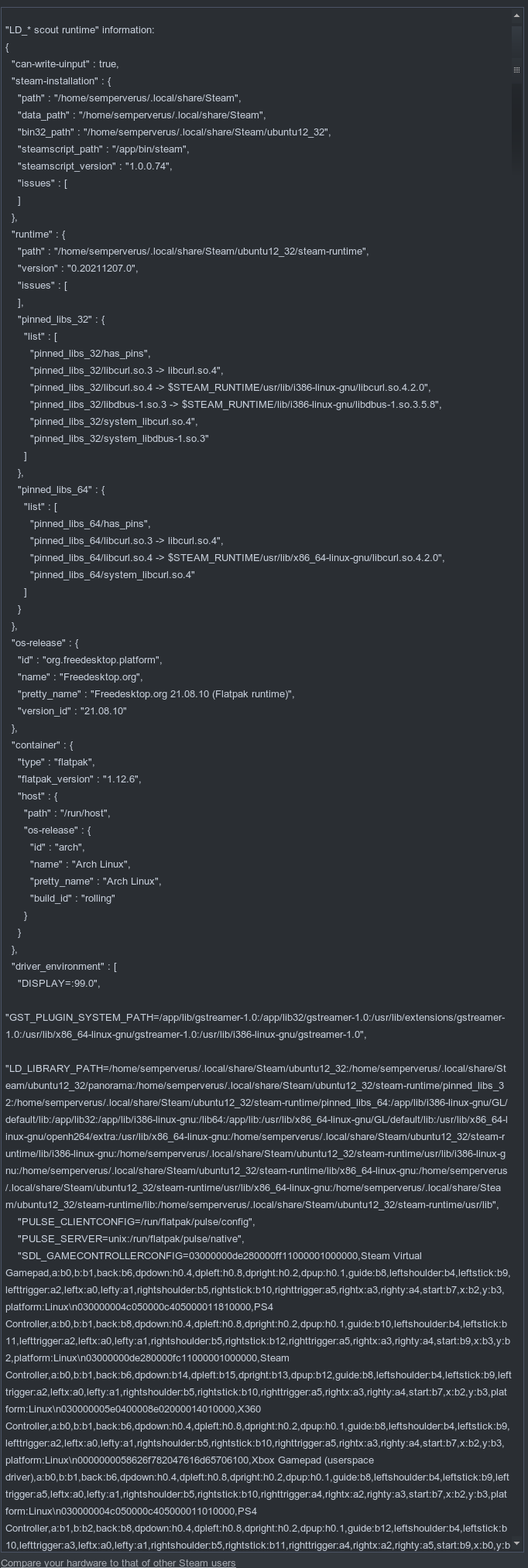
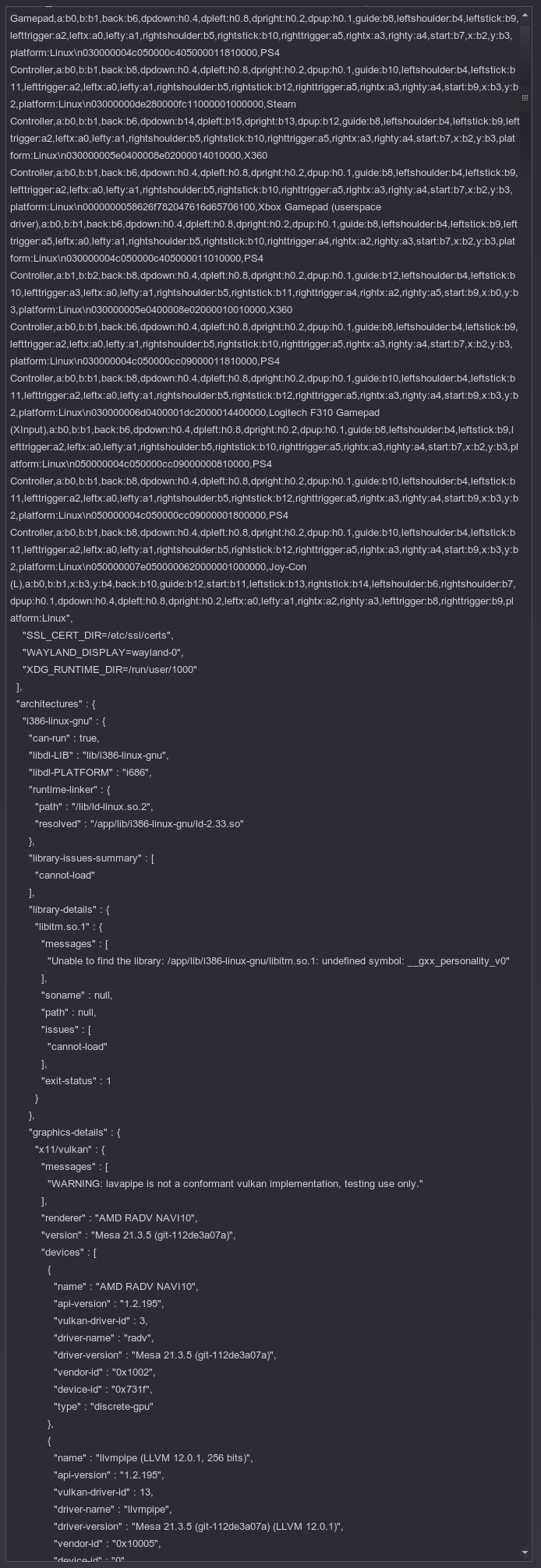
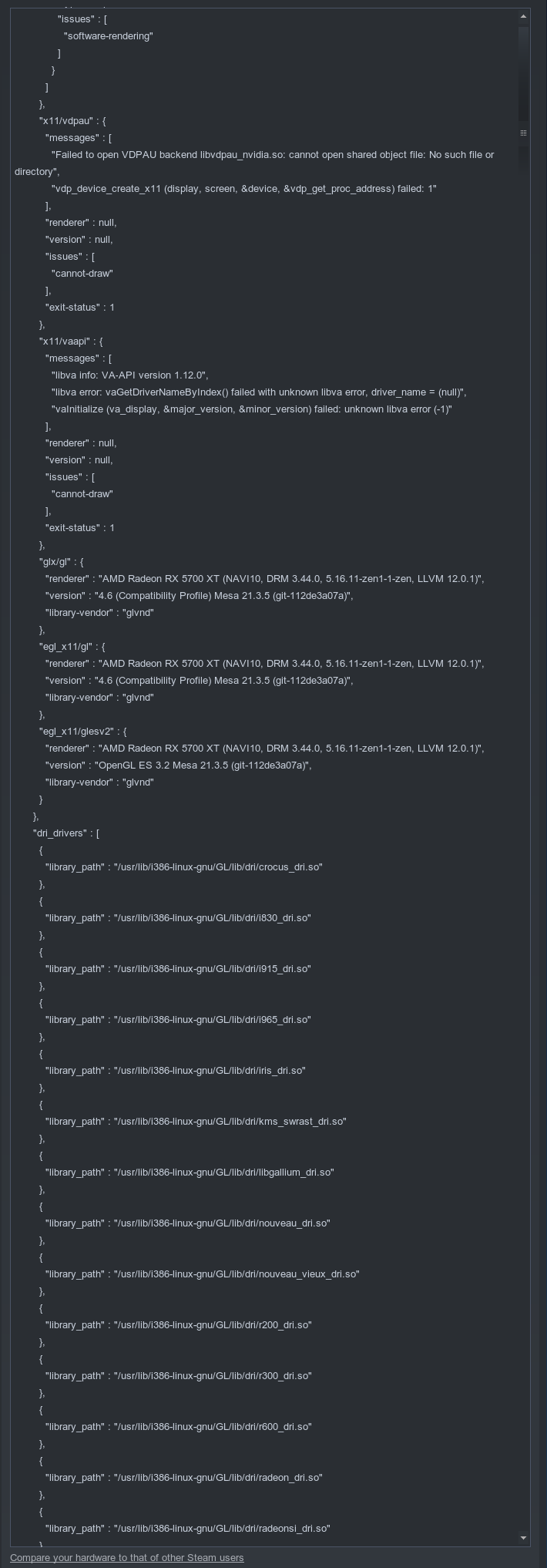
Replying to https://github.com/ValveSoftware/Proton/issues/5613#issuecomment-1055759241
Switch Pro controller needs additional tweaking, it's not fully plug and play with Steam on Linux
(at least that was the case the last time I played a game with controller).
You'll need joycond, see eg ArchWiki
The people having issues with anti cheat or launching the game does it make a difference if you disable fsync? I see most of you are using zen or 5.16 kernel.
PROTON_NO_FSYNC=1 %command%
@pc-2198x @hebrewd solved, it turned out to be an issue with the wineprefix. after a wipe my controller is working as expected, with this config :)
The people having issues with anti cheat or launching the game does it make a difference if you disable fsync? I see most of you are using zen or 5.16 kernel.
PROTON_NO_FSYNC=1 %command%
No difference.
I think the FSYNC fix is for solving the 4-hour crash problem. Kind of
frustrating to have to test that one out though.
On Wed, Mar 2, 2022, 08:42 indeedwatson @.***> wrote:
The people having issues with anti cheat or launching the game does it
make a difference if you disable fsync? I see most of you are using zen or
5.16 kernel.PROTON_NO_FSYNC=1 %command%
No difference.
—
Reply to this email directly, view it on GitHub
https://github.com/ValveSoftware/Proton/issues/5613#issuecomment-1056945170,
or unsubscribe
https://github.com/notifications/unsubscribe-auth/AAY22RATSBGJDH5Y7ZY5WXDU55V3TANCNFSM5PIZADRQ
.
Triage notifications on the go with GitHub Mobile for iOS
https://apps.apple.com/app/apple-store/id1477376905?ct=notification-email&mt=8&pt=524675
or Android
https://play.google.com/store/apps/details?id=com.github.android&referrer=utm_campaign%3Dnotification-email%26utm_medium%3Demail%26utm_source%3Dgithub.You are receiving this because you are subscribed to this thread.Message
ID: @.***>
I've loaded area few times now, stuck on loading screen twice today. FSYNC either increased the chance or it is just random for now.
Edit: FSYNC didn't fix launching game as it just failed to launch the game after running start_protected... .exe, but I noticed sometimes eldenring.exe runs at the same time, or a bit faster than start_protected...
@h8672 I forgot to report back that the white screen freeze/crash issue doesn't go away with %command% --disable-gpu
I can launch it if i use Proton-7.3-GE-1. The newer versions GE-Proton7-1, GE-Proton7-2, GE-Proton7-3, GE-Proton7-4 & GE-Proton7-5 (removed the compatdata between each attempt), which are now based on proton experimental and not wine upstream or staging, regresses back and behaves like standard proton.
@h8672 I forgot to report back that the white screen freeze/crash issue doesn't go away with
%command% --disable-gpuI can launch it if i use
Proton-7.3-GE-1. The newer versionsGE-Proton7-1,GE-Proton7-2,GE-Proton7-3,GE-Proton7-4&GE-Proton7-5(removed the compatdata between each attempt), which are now based on proton experimental and not wine upstream or staging, regresses back and behaves like standard proton.
Thank you for lying it out clearly like this, I got confused with the naming scheme. It does work with proton-7.3-GE-1, and surprisingly with decent fps at 720p. Online does not work (I get the warning about suspicious activity) but honestly I don't care.
after some update/patch in the game i can play now and using proton experimental
I can play online with my dualshock 4 controller, using the gamepad template and steam input with proton exp.
However, at times the game won't start and just stay on a black screen. Disabling steam input and enabling it seems to fix it for one run. Without steam input, the game will always start.
Feels like there is a racing condition with EAC and steam input, as to why people mention that elden ring will start after multiple attempts and why elden ring always starts when you disable steam input.
after some update/patch in the game i can play now and using proton experimental
Same, but had to get rid of ~/.local/share/Steam/steamapps/compatdata/1245620 for xbox360 controller to start working! 🎉
I tried everything and still couldn't make EAC work.
The main issues I see right now are:
- EAC detecting suspicious activity and not allowing me to play online (even after Proton Experimental bleeding-edge, EAC Runtime, enabling betas for Steam Runtime/client, etc)
- Enemies/horse invisible (the same effect as when their models are blocking your view so the game makes them invisible in order for you to see again, but it's happening randomly when I'm distant from them)
- Overlay getting attached to EAC launcher
I don't want to spam this issue with just complaints but I thought it was worth mentioning the existing issues I'm facing, in case someone else is also facing those. EAC is talked a lot already, but the invisible enemies/horse is really bad (and I think other folks also reported this one here). It kills the game because you're always taking hits from invisible enemies so it gets boring quickly.
I have quite a weird issue. Elden ring runs at absurdly low FPS for me. We're talking about 15 - 20 FPS on average in most open areas. No matter what I do, nothing changes, even lowering all the settings to the lowest possible, including the resolution, resulted in the same FPS as 4k with max settings, screenshot here: https://realitaetsverlust.dev/share/eldenring800x600.png

My system runs a Ryzen 9 5900X and a RX 6800 XT, including 32 GB of RAM. I don't have this error with any other games, stuff like cyberpunk 2077, total war: three kingdoms and dying light 2 run buttery smooth without a single issue.
I tried dozens of things, I got 102 minutes in the game without really playing. I tried switching to mesa-git which didn't do anything, I tried a few proton flags like NO_ESYNC, didn't help either. I used ferals gamemode, vkbasalt, literally anything I could think of, but the performance kept staying at this low FPS and I have no clue what to do.
Since the game does run in theory, the logfile is absurdly big (89 MB) and I can't paste it into pastebin, I uploaded it to my VPS reachable here: https://realitaetsverlust.dev/share/steam-1245620.log
@Realitaetsverlust Can you post a steam hardware information log?
Edit: Remember to wait at least 10 second for it to fully generate.
As @wwmm says below it doesn't look like you are using radv.
@Realitaetsverlust do you have amdvlk installed? Even if you install mesa-git amdvlk may be the driver in use depending on the vulkan icd preference.
About the log file what is usually done is attaching a zip file. It makes a lot of difference to the txt size.
@Blisto91 here you go! https://realitaetsverlust.dev/share/sysinfo.txt
@wwmm amdvlk is installed, yeah.
@Realitaetsverlust Can you try launching with this and see if it makes a difference. You can also include gamemode
AMD_VULKAN_ICD=RADV %command%
I still don't have EAC/Online working. Everything's fully up to date. I've done just about every tweak we've been trying. Just tried switching to the beta branches of everything as suggested. Tried both GE-Proton7-5 as well as Experimental's bleeding edge branch on its own. Deleting and recreating the prefix each time I switch versions. FSYNC is disabled, LC_ALL is set to UTF-8, etc. etc. Trying with and without both Steam Input and the Overlay disabled.
I'm still seeing the same story we've had for a while: Proton Experimental and any GE branches based on it are either getting a white screen crash or, ocassionally now since switching to betas of everything, a white screen freeze (progress???). Proton7.3-GE can still play the game offline perfectly fine (including Steam Input and Overlay), though I am also seeing that invisible enemies issue ocassionally, mostly only when I'm rushing through the game world on my horse for a while and not giving the game enough time to load in all the new assets I've rode my way over to. One of those silly Bethesda-style open-world jank issues that From will have to patch out I suppose.
Arch Linux, everything up to date as of Monday or yesterday or something
linux-lts kernel 5.15.25
AMD R9 Fury GPU
Ryzen 7 2700X CPU
32GB RAM
Steam Runtime
@Realitaetsverlust Can you try launching with this and see if it makes a difference. You can also include gamemode
AMD_VULKAN_ICD=RADV %command%
Well, that was certainly easier than I thought. It works perfectly fine now. Would you mind elaborating why exactly amdvlk has such severe drawbacks? I mean, I knew it had SOME performance issues, but I couldn't have imagined that it sucked that much.
@Realitaetsverlust There was a time when amdvlk was a real competitor to RADV, and needed to get some games working, but that time seems to be long gone. I gave up on it and uninstalled it a while ago, myself--partly because it started to cause system issues that setting that environment variable wasn't enough to solve (long story). Even back when I was regularly using it, I found that 99% of the time it wasn't needed at all, and I had to set that environment variable and turn it off for somewhere around half of all the games I was playing just to make them work.
@Jimi-James shucks. So it's probably a good idea to remove amdvlk altogether aswell then. I never really encountered any issues with it until now, but now that I think about it, I might have run into an issue or two where the games ran significantly worse than they should.
Thanks for the help, greatly appreciated!
@Realitaetsverlust I can't say specifically expect that radv has the backing of almost everyone besides AMD themselves (including valve) and is generally the recommended one for gaming on Linux unless you run into issue with it. vkd3d-proton also recommends it.
Some say AMD is just half assing it with amdvlk so they can say they have their own open source driver. But i can't really say wether that is true it not. It shares a lot of code base with their windows driver afaik ported to work on Linux (not that that is a bad thing in and of itself). Don't know the technical details.
They might focus more of their attention with it on businesses and other areas nowadays.
I am able to use Steam Input in Elden Ring by using the Steam Deck interface. This allowed me to use my Steam Controller without having to change the desktop config, and should work fine with a PlayStation controller, Switch Pro controller, etc.
- Run
echo "steampal_stable_9a24a2bf68596b860cb6710d9ea307a76c29a04d" > ~/.local/share/Steam/package/betato opt into the Steam Deck version of Steam. - Install gamescope.
- Run Steam with
gamescope --steam -f -- steam -steamos -gamepadui. - Optionally, configure the controller settings.
- Start Elden Ring.
I figured out the performance issues I was having on my AMD 6900 XT. I was getting a very inconsistent framerate between 30-60, no matter the settings.
For some reason the GPU doesn't switch to the maximum frequency. Not sure if this is a Proton, Mesa or Elden Ring issue but it works in all other games I have played, so something with Elden Ring is different.
The 6900 XT will stay at around 1000 MHz, forcing it to the full 2540 MHz results in a completely stable 60 fps.
I made a comparison video, the different modes in order:
- GPU is set to Automatic
- Framerate is stableish but frametime jitters, not noticeable in video but very annoying when playing
- GPU is set to Fixed (High)
- Framerate is a solid 60 fps
- GPU is set to "3D Fullscreen" with 500-2540 MHz
- Framerate flactuates between 30-60 fps, frequency stays at around 1000 MHz
- GPU is set to "3D Fullscreen" with 2540-2540 MHz
- Framerate is a solid 60fps
https://user-images.githubusercontent.com/975131/156461415-a49994f2-89c6-4e33-b8ed-83a58d46902c.mp4
I used CoreCtrl to make these adjustments. Out of all the modes I tested 3D Fullscreen with fixed clock rate works the best.
@DomiStyle this also happens with Sekiro and a few other games on my 6600XT. I always have to force power_dpm_force_performance_level to high (using radeon profile) to fix it.
@fayaaz Interesting, Sekiro actually ran perfectly fine for me. Then again, Sekiro is significantly less demanding than Elden Ring.
I just checked and Sekiro is never really exceeding 1500 MHz either. More demanding games like Horizon go all the way to 2545 MHz, in both Automatic and 3D Fullscreen mode.
Today after playing for 30 minutes Elden Ring crashed. After looking at the system logs I found
steam.desktop[8875]: free(): double free detected in tcache 2
Double free is a common type of crash. But I do not know what is the tcache 2. I wonder if the other people that have also seen crashes have this message in their systems.
I seem to be getting that same white screen then crash bug that some others are getting here.
I've tried Proton Experimental bleeding edge, GE-Proton7-5, and Proton-7.3-GE-1. With 7.3-GE being the only one that actually launches the game albeit it'll only work offline. I've tried the symlink workaround, the disconnecting from the network workaround and nothing has worked.
steam-1245620.log
This is on PopOS 21.04
Kernel 5.15.11-76051511-generic
CPU: AMD Ryzen 2700
GPU: AMD Radeon R9 380
Memory: 32GB RAM
Edit: I've tried uninstalling the game and deleting the compatdata then reinstalling and starting fresh but same thing, either a white screen that immediately crashes or a white screen that hangs indefinitely.
I just got a clean EAC check! I did two things, unfortunately at the same time out of impatience.
First, I completely delete my "ELDEN RING" game data folder located at $HOME/.local/share/Steam/steamapps/common/ELDEN RING (yes it means another 50gb download. No, "verify files" doesn't quite do the same thing - I tried that multiple times), my compatdata folder for Elden Ring located at $HOME/.local/share/steam/steamapps/compatdata/1245620 (I actually just renamed this to 1245620-old so I could keep a backup of my save data in case the cloud saves broke somehow), and redownloaded everything. I am suspicious that older attempts to run the game under the older proton versions left some junk data or something that it didn't like, or it didn't like me changing the capitalization of certain files. Maybe it checks for datestamps of modifications/creations?
Second, I uninstalled a few tools like radeon-profile-git/radeon-profile-daemon-git that I wasn't using anymore. If you have these installed or anything that continuously reads your GPU, memory, etc., try disabling/uninstalling that as well. Other programs like OpenRGB (reads your RAM lighting addresses), streamdeck-ui/streamdeckd/streamdeckui (hooks into system input, I removed these as well - trying to find a reliable streamdeck package so I had all three, none worked well), etc. could possibly trip it up as well - either way, now is as good a time as any to do a system package cleanup if you haven't in a while. pacman -Q > packages.txt to export your list of installed packages, and pacman -Qm > packages_local.txt to spit out a list of what may have been installed from AUR, if you're like me and you've forgotten half of what you've installed).
This is on Arch Linux kernel 5.16.11-arch1-2 under Steam Native (NOT the flatpak or runtime version!)
Unfortunately at this point I am out of patience with this issue and just want to play, so I'm going to drop off here. Hopefully this helps someone and can allow for future testing. If you're stuck on Gentoo or Arch and have tried running the game closer to launch day, try wiping everything.
Replying to https://github.com/ValveSoftware/Proton/issues/5613#issuecomment-1057670448
I just tried all of this on Gentoo - deleted game folder, deleted compatdata, disabled radeon-profile-daemon. Still failed to load anti-cheat module on native Steam. Still works on Flatpak.
I managed to solve the white screen crashing with or without EAC on my setup, the fix was moving from the mesa-git AUR package to regular mesa and vulkan-radeon and then rebooting.
Now online is working with EAC, smooth mostly with some drops, apparently solved higher up with a GPU clock pin. Might try that later.I did also have to specify AMD_VULKAN_ICD=RADV otherwise performance was quite poor.
Running freshly updated Arch
AMD Ryzen 3700X
AMD Radeon 5700
32GB RAM
Replying to https://github.com/ValveSoftware/Proton/issues/5613#issuecomment-1058222245
Afaik You can uninstall amdvlk and lib32-amdvlk to skip the AMD_VULKAN_ICD part.
@Semperverus
If you have these installed or anything that continuously reads your GPU, memory, etc., try disabling/uninstalling that as well. Other programs like OpenRGB (reads your RAM lighting addresses),
streamdeck-ui/streamdeckd/streamdeckui(hooks into system input, I removed these as well - trying to find a reliable streamdeck package so I had all three, none worked well), etc. could possibly trip it up as well - either way, now is as good a time as any to do a system package cleanup if you haven't in a while.
...If I have sensors running every 3 seconds to check my GPU's temperature in XFCE's Generic Monitor panel applet, do you think that counts?
Granted, if EAC thinks that reading my GPU's temperature is such a huge cheat that I shouldn't even be allowed to play offline and should just crash to desktop instead, that's pretty evil.
Still, though, I'd like to be able to play this game online!
I used CoreCtrl to make these adjustments. Out of all the modes I tested 3D Fullscreen with fixed clock rate works the best.
Lucky you @DomiStyle. I see in your case the GPU gets fully used. My 6800 XT doesn't get used more than 75%, and it's sometimes struggling to push 60 frames on Medium.
@1player My GPU is actually at about 10% at full clock speed (last clip) and only at 100% when it clocks down. Which makes me think the percentage it shows is incorrect anyway.
Did you pin your GPU to the maximum boost frequency it supports any verify that the profile is active through Mangohud?
@Jimi-James
...If I havesensorsrunning every 3 seconds to check my GPU's temperature in XFCE's Generic Monitor panel applet, do you think that counts?
The truth is, we don't know what EAC reacts to. It's a black box. The best we can do is assume what might trip it and try not to do that. You could try uninstalling sensors and see what that does, but I can't confirm or deny one way or the other if this will have an effect. I basically just went through my package list clearing everything out that I thought could even remotely make EAC angry. I'll eventually go through and reinstall them and see which one set it off.
Also, to clarify, I am running bleeding edge proton experimental still (and RADV, if that matters), and my lang env vars are all set correctly. I didn't make any other changes.
And finally, when EAC fails the check I think it's supposed to tell you "inappropriate activity detected" and stop you from logging in, not crash your game, but I could be wrong.
Replying to https://github.com/ValveSoftware/Proton/issues/5613#issuecomment-1055759241
I was having controller (Xbox one) issues that I could not resolve with any of the gamepad profile tricks etc as you mention. What did (and continues to) work for me is using the desktop profile, but with keyboard mapping rather than a gamepad template. I basically just mapped the default Elden Ring keyboard bindings to the appropriate buttons in there, and disabled steam input.
Pain. Absolute pain. I tried many of these tweaks regarding a dualsense controller with no results. My theory is that EAC is blocking it as an input device. Only the mouse cursor from the touchpad works, which comes from built-in kernel driver I believe. Playstation controller support does nothing. Having a desktop configuration does nothing. Disabling per-game steam input does nothing.
EDIT: for the record, similar "Enable Playstation controller support + Steam Input" configuration just works on Windows 11. I even changed distro in case I was missing some software on Arch, it's up-to-date Manjaro KDE now. Nvidia 510.54 on KDE X11.
EDIT2: Got myself a nice elite Xbox controller, disabled steam input, worked like a charm. Might be a steam input thing, as I presume the game can handle raw xinput device but not dualsense in any shape or form on Linux.
Pain. Absolute pain. I tried many of these tweaks regarding a dualsense controller with no results. My theory is that EAC is blocking it as an input device. Only the mouse cursor from the touchpad works, which comes from built-in kernel driver I believe. Playstation controller support does nothing. Having a desktop configuration does nothing. Disabling per-game steam input does nothing.
Any chance you have a mouse that Steam is interpreting as a game input? I know someone couldn't use a DS4 controller on sekiro because of this.
Replying to https://github.com/ValveSoftware/Proton/issues/5613#issuecomment-1058669161
Interesting tip. I now tried unplugging mouse, keyboard and usb headset individually and also plugging in dualsense wired but none of these helped in my case
@DomiStyle this also happens with Sekiro and a few other games on my 6600XT. I always have to force
power_dpm_force_performance_levelto high (using radeon profile) to fix it.
Thanks, this helped me. I run the game now around 55-60 fps wherever.
Bleeding edge branch just doesn't start the game for me. Proton 7 runs, Proton Experimental runs, Proton Experiment at bleeding edge branch doesn't. (also lost saves cause clicked steam cloud saves off, 2nd time now :+1: )
EldenRing-4-2-2022.log
Bleeding edge branch just doesn't start the game for me. EldenRing-4-2-2022.log
Updated bleeding-edge today, now hitting the same issue, just closes after getting through the EAC launcher.
steam-1245620.log
Have you kept trying to run the game? It may take a few attempts.
Great news for AMD card owners! I've installed mesa-git and I gained 20+ fps. I can finally play on 4K Maximum on a 6800 XT at a smooth 60 fps, and I'm also using CoreCtrl to force max frequencies, not sure if it's still needed. The starting areas went from an average of 45 fps to smooth and constant 60 fps.
For Fedora users, I've used this repo: https://copr.fedorainfracloud.org/coprs/xxmitsu/mesa-git/
I got it working online heres the steps I took:
- Installed bleeding edge proton experimental
- Installed eac proton build from steam tools tab
- Set ER to use proton experimental (Now EAC should be being loaded)
- Made the following symlinks:
ln -s EOSSDK-Win64-Shipping.dll eossdk-win64-shipping.dll; ln -s EOSSDK-Win64-Shipping.so eossdk-win64-shipping.so(This prevents EAC from giving an inappropriate activity detected error) - Launched ER while disconnected from the internet (if you want to avoid the steam cloud error, either disable steam cloud for ER or only disconnect internet after the sync is completed). (If you don't do this, while the ER executable seems to be running, nothing appears)
- Reconnect internet as soon as the game loads (at the white screen).
Replying to https://github.com/ValveSoftware/Proton/issues/5613#issuecomment-1059172500
@DAMO238 this workaround was already suggested in the past. Turns out that while messages and bloodstains work perfectly, joining anyone (or having anyone join you) will lead to a disconnection after a few minutes.
Anyone else not being able to start the game? I've tried using the regular mesa drivers (installed vulkan-radeon and the 32bit versions), switched from bleeding-edge to none, latest ge-proton, proton 7.0 and even trying it in the flatpak version of steam.
Worked perfectly a few days ago. Only took 2 attempts to get in-game then
Edit 1: Finally got a white screen after 10+ attempts but crashed immediately :/
Edit 2: Disabling the steam overlay seemed to get the game running! :)
You just have to keep trying. Use Steam's built-in close button to close
the game. A surefire way of knowing that the game has loaded correctly is
if you get an in-game mouse cursor and a white flash.
On Fri, Mar 4, 2022, 10:05 Erik Reider @.***> wrote:
Anyone else not being able to start the game? I've tried using the regular
mesa drivers (installed vulkan-radeon and the 32bit versions), switched
from bleeding-edge to none, latest ge-proton, proton 7.0 and even trying it
in the flatpak version of steam—
Reply to this email directly, view it on GitHub
https://github.com/ValveSoftware/Proton/issues/5613#issuecomment-1059241828,
or unsubscribe
https://github.com/notifications/unsubscribe-auth/AAY22RFE7UTZPOD4GA7OX33U6IREPANCNFSM5PIZADRQ
.
Triage notifications on the go with GitHub Mobile for iOS
https://apps.apple.com/app/apple-store/id1477376905?ct=notification-email&mt=8&pt=524675
or Android
https://play.google.com/store/apps/details?id=com.github.android&referrer=utm_campaign%3Dnotification-email%26utm_medium%3Demail%26utm_source%3Dgithub.You are receiving this because you are subscribed to this thread.Message
ID: @.***>
Replying to [#5613 (comment)](https://github.com/ValveSoftware/Proton/issues/5613#issuecomment-1059172500)
@DAMO238 this workaround was already suggested in the past. Turns out that while messages and bloodstains work perfectly, joining anyone (or having anyone join you) will lead to a disconnection after a few minutes.
That was not my experience. I have been playing multiplayer without disconnections for a few hours now. There have been some failing to connect, but this was also the case with DS3 on windows, so I doubt that is an ER on Linux specific issue.
Great news for AMD card owners! I've installed mesa-git and I gained 20+ fps. I can finally play on 4K Maximum on a 6800 XT at a smooth 60 fps, and I'm also using CoreCtrl to force max frequencies, not sure if it's still needed. The starting areas went from an average of 45 fps to smooth and constant 60 fps.
For Fedora users, I've used this repo: https://copr.fedorainfracloud.org/coprs/xxmitsu/mesa-git/
Thanks for this, getting a constant 58-60FPS now on a 6600XT at 1440p.
Ubuntu users add this PPA: ppa:oibaf/graphics-drivers and update if you want the latest git mesa.
Great news for AMD card owners! I've installed mesa-git and I gained 20+ fps. I can finally play on 4K Maximum on a 6800 XT at a smooth 60 fps, and I'm also using CoreCtrl to force max frequencies, not sure if it's still needed. The starting areas went from an average of 45 fps to smooth and constant 60 fps.
I did not think that I would also see gains on my RX 5700 XT because it has been around for a longer time. But after moving to mesa-git here on Arch Linux I also see a massive boost to the fps. Somewhere around 20 fps. And the GPU utilization reported by radeontopis a lot higher. I wonder if they fixed a major regression or if they have found room for optimizations that benefit different GPU generations. In any case it is a very welcome boost :-).
Now with the game settings on High I have 60 fps in 99,99% of the places even if I set the card to a low power profile like profile_standard. Being able to have 60 fps while generating a lot less heat in my room is very nice.
EAC seems to block steam overlay from working.
Also I assume that because of this reason when streaming from a linux host to my nvidia shield, controllers wouldn't work and streaming resolution is wrong.
It's more like, the EAC launcher window appears, takes the Steam overlay,
then closes. Then Elden Ring starts and Steam thinks the overlay is already
loaded.
Would really like to see this fixed.
On Sat, Mar 5, 2022, 08:25 Berto Gomez @.***> wrote:
EAC seems to block steam overlay from working.
Also I assume that because of this reason when streaming from a linux host
to my nvidia shield, controllers wouldn't work and streaming resolution is
wrong.—
Reply to this email directly, view it on GitHub
https://github.com/ValveSoftware/Proton/issues/5613#issuecomment-1059764666,
or unsubscribe
https://github.com/notifications/unsubscribe-auth/AAY22RB7EUMSZUQX2RJIL2DU6NOE5ANCNFSM5PIZADRQ
.
Triage notifications on the go with GitHub Mobile for iOS
https://apps.apple.com/app/apple-store/id1477376905?ct=notification-email&mt=8&pt=524675
or Android
https://play.google.com/store/apps/details?id=com.github.android&referrer=utm_campaign%3Dnotification-email%26utm_medium%3Demail%26utm_source%3Dgithub.You are receiving this because you are subscribed to this thread.Message
ID: @.***>
It's more like, the EAC launcher window appears, takes the Steam overlay, then closes. Then Elden Ring starts and Steam thinks the overlay is already loaded. Would really like to see this fixed.
Yeah that makes sense. steam streaming will stream the game to my nvidia shield as the full desktop instead of just the game window.
Adding my recommendation for anyone with poor performance on an AMD card - in my case a 6800 - to use mesa-git as recommended previously.
With mesa 21.x I was getting 30-40 FPS in most outside areas regardless of settings. With mesa-git 22.x I'm seeing a solid 60 FPS everywhere at max settings. GPU utilisation looks similar.
If SDL_VIDEODRIVER is set in your environment at all, EAC will fail to start, I have no idea why.
I would understand if setting it to wayland caused issues if the SDL version was old or something, but in this case it was set to x11 and still caused it to fail. unsetting/not setting the var at all in the environment fixed the issue and it starts now.
This is a bad/dumb solution, but it works.
It's more like, the EAC launcher window appears, takes the Steam overlay,
then closes. Then Elden Ring starts and Steam thinks the overlay is already
loaded.Would really like to see this fixed.
I wonder if using gamescope to launch the game will fix the issue. I am on an nvidia card so I can't try myself 🫤
I'm pretty sure that Proton Experimental currently contains a change--introduced shortly after Elden Ring's release, before the game patch that improved performance and made EAC more likely to work--that renders the game unlaunchable, white screen crash, no matter what.
Whatever change it was, it came around the time that GE-Proton7-3 was released, and was also incorporated in that version of GE and every subsequent version up to now. To this day, it is not present in GE-Proton7-1 and 7-2.
The end result for me and at least a couple others on the GloriousEggroll Discord (and apparently more on Reddit as well now) is, now that the game patch is released and EAC is more robust on Linux, GE-Proton7-1 and 7-2 are now the only versions of Proton--including Valve's branches, not just GE--that can run the game online, and every version of Proton newer / more recent than those two--again, including Valve's branches, including Proton Experimental, not just GE--will crash on start for us every single time no matter what we do.
I'm not sure what exactly we all have in common. I'm on Arch Linux, R9 Fury GPU, Ryzen 7 2700X CPU. The other person on Discord who helped figure all this out is on Ubuntu, R9 280X (so a similar product line to my GPU), and an Intel i7 I believe. The only notable thing we have in common is that we both run cards that, in Windows, do not support the DirectX version required to run this game. However, on Linux, we're both fine. They get a steady 30FPS and I get at last 45+.
More context at https://reddit.com/r/linux_gaming/comments/t7h8qq/psa_elden_ring_white_screen_crash_try_this/
Replying to https://github.com/ValveSoftware/Proton/issues/5613#issuecomment-1059844612
This fix works for me as well and funnily enough I also have a very similar card, an R9 380(essentially just an R9 285).
I'd also like to get somewhere closer to real controller support... I've noticed, frustratingly, that though my desktop configuration for my Steam Controller says it's in "joystick move" mode for the left stick, the game has a damped response at the 45-degree stick positions as though it's interpreting the input like a directional pad. It's hurting my brain whenever I have to, you know, turn.
For what it's worth, this is part of what I see in the Steam logs when I start Elden Ring successfully:
(process:12753): GLib-GObject-CRITICAL **: 19:22:27.123: g_object_unref: assertion 'G_IS_OBJECT (object)' failed
Installing breakpad exception handler for appid(gameoverlayui)/version(20220305014008)
Installing breakpad exception handler for appid(gameoverlayui)/version(1.0)
Installing breakpad exception handler for appid(gameoverlayui)/version(1.0)
Installing breakpad exception handler for appid(gameoverlayui)/version(1.0)
Followed by a short time later when the main thread comes along to tidy up:
src/steamexe/main.cpp (253) : Assertion Failed: reaping pid: 12753 -- gameoverlayui
src/steamexe/main.cpp (253) : Assertion Failed: reaping pid: 12753 -- gameoverlayui
This cycle repeats eighteen times with different PIDs during the first few minutes of runtime before Steam appears to eventually give up. To me this has the signature of an application looking for a resource that is either absent or not what it expects.
I do see the same assertion sometimes whenever the Steam Overlay tries to start up, maybe once or twice, until it finds whatever process it is trying to attach to. It probably also matters that the logs explicitly mention Steam's wrappers tracking the addition and update of various game processes by name, and while start_protected_game.exe is indicated, eldenring.exe is neither indicated nor is it a descendant of a proton waitforexitandrun process.
In fact the exit of the launcher process is not tolerated well at all even if it seems to smoothly transition into the game. Steam treats the launcher's exit like a crash, logs a list of process entries (including notably eldenring.exe, everything else in the wine environment, and specifically not start_protected_game.exe), and uploads a minidump to the mothership. I think that's what it keeps trying to reattach to afterward -- not the game process, which the proton wrapper seems to be entirely unaware of.
I am afraid this does nothing but confirm that the launcher is messing up Steam's process tracking, and I haven't the faintest how to correct for it without the cooperation of the launcher itself.
Elden ring fails to load more often than not
Issue transferred from https://github.com/ValveSoftware/steam-for-linux/issues/8455.
@abc-mikey posted on 2022-03-06T12:25:20:
Your system information
- Steam client version (build number or date): Mar 5 2022 at 01:40:21
- Distribution (e.g. Ubuntu): Fedora 35
- Opted into Steam client beta?: Yes
- Have you checked for system updates?: Yes
- Desktop Environment: Gnome Classic
Please describe your issue in as much detail as possible:
Elden Ring plays well once started (apart from using Desktop Controller Configuration rather than that of game, and not stopping), but it fails to load more often than not. There three different ways that it doesn't start:
- Game Launcher popup doesn't get displayed (nothing appears to happen but steam thinks it's running)
- Game Launcher popup opens then disappears but no window gets opened (nothing is displayed here and have to close in steam)
- Game Launcher popup opens and window opens but is black screen (nothing progresses, just black screen. need to switch to steam to stop in)
- (success) Game Launches popup opens and window appears with white background (game load proceeds normally)
Elden Ring Launch options: PROTON_NO_FSYNC=1 gamemoderun %COMMAND% -windowed
Steps for reproducing this issue:
- Launch elden ring
- Try again
Elden Ring Fails to stop
Issue transferred from https://github.com/ValveSoftware/steam-for-linux/issues/8456.
@abc-mikey posted on 2022-03-06T12:28:13:
Your system information
- Steam client version (build number or date): Mar 5 2022 at 01:40:21
- Distribution (e.g. Ubuntu): Fedora 35
- Opted into Steam client beta?: Yes
- Have you checked for system updates?: Yes
- Desktop Environment: Gnome Classic
Please describe your issue in as much detail as possible:
Elden Ring does not exit when stopped. The window disappears but the music keeps playing and Steam thinks it is running. Have to force stop with Steam.
Elden Ring Launch options: PROTON_NO_FSYNC=1 gamemoderun %COMMAND% -windowed
Steps for reproducing this issue:
- Launch elden ring
- Exit Elden Ring
I've been playing on Windows 10 since I'm still having controller issues on Linux. On Windows I also have the problem where the music keeps playing for a few minutes after exiting the game. Sometimes it'll stop on its own, but most of the time I have to kill it in task manager. I think it's an Elden Ring bug and not a Proton bug.
I think it's an Elden Ring bug and not a Proton bug.
Oh, ok. Can probably close then.
P.S. I managed to fix the controller issues I was having by exporting the game controller configuration and importing it into desktop configuration (Steam > Settings > Controller > Desktop Configuration). It seems to use the desktop configuration instead of the game one.
@TehCorwiz
I've been playing on Windows 10 since I'm still having controller issues on Linux. On Windows I also have the problem where the music keeps playing for a few minutes after exiting the game. Sometimes it'll stop on its own, but most of the time I have to kill it in task manager. I think it's an Elden Ring bug and not a Proton bug.
I suddenly started having this problem for the first time, as soon as I got online working by playing on GE-Proton7-2. It's not a big deal, and I'm already playing Vampire The Masquerade Bloodlines at the same time, which has the exact same problem for everyone, so I'm used to it, but man is it silly.
And I'd like too add something of relevance to issue of the Steam Overlay and consequent controller support. Before I got online working--when I was playing offline on Proton-7.3-GE--the EAC window did still load just fine, and Steam's overlay showed up on it like it does for all of us. However, once the game started, I also had the overlay as well as Steam Input controller support in the game. On launch day, I did not have real controller support--not through Steam--but I did once that patch to the game fixing controller support came out. Upon switching to my new online-playable setup with GE-Proton7-2, all of a sudden I, too, am not getting the Steam Overlay, and all of a sudden to keep the custom controller profile I had set for the game, I had to save it as a global template and load that template into Steam's Desktop Configuration for my controller just like everyone else.
This implies that the issue with the Steam Overlay and controller support is somehow dependent on one or both of the following:
-Whether EAC is fully functioning properly
-Whether the game itself is able to login online without the "Inappropriate activity detected" error
This also implies that it is NOT exactly dependent on just whether the EAC splash window appears and takes the overlay. As, again, on Proton-7.3-GE for me, the EAC splash did appear and did get its own overlay, WITHOUT hijacking the overlay from the game itself. Plus the game gracefully exited when I told it to, unlike what is detailed in my previous comment and the comment it's replying to. Maybe that one is not even an Elden Ring bug, but specifically an EAC bug.
People having controller issues: try moltengamepad as the steam overlay fails to inject into the game itself if using EAC. Elden ring has native xbox controller support and the moltengamepad makes controller act like a xbox controller (with --mimic-xpad option).
Or if you have an Xbox controller or a controller that already acts like
one(I use an 8bitdo Pro 2), just disable Steam Input for this game.
On Sun, Mar 6, 2022, 19:07 Jari Vetoniemi @.***> wrote:
People having controller issues: try moltengamepad as the steam overlay
fails to inject into the game itself if using EAC. Elden ring has native
xbox controller support and the moltengamepad makes controller act like a
xbox controller (with --mimic-xpad option).—
Reply to this email directly, view it on GitHub
https://github.com/ValveSoftware/Proton/issues/5613#issuecomment-1060070483,
or unsubscribe
https://github.com/notifications/unsubscribe-auth/AAY22RA3KLFTQOHO55DCZ2TU6VCC7ANCNFSM5PIZADRQ
.
Triage notifications on the go with GitHub Mobile for iOS
https://apps.apple.com/app/apple-store/id1477376905?ct=notification-email&mt=8&pt=524675
or Android
https://play.google.com/store/apps/details?id=com.github.android&referrer=utm_campaign%3Dnotification-email%26utm_medium%3Demail%26utm_source%3Dgithub.You are receiving this because you are subscribed to this thread.Message
ID: @.***>
Or if you have a DualSense (PS5), then enable Steam Input as well as PlayStation Controller Configuration, because even without the overlay working the controller will work and will be configurable in Steam via the Desktop Configuration. From what I've heard the same applies to DS4 as well, though I haven't tested one.
I think the elden ring may have PS5/PS4 support as well as it supports gestures for emotes
Sharing pics of performance in Windows 10 Pro. Would love to see some pics to see how frametime is doing in Proton.
- 2080
- 3900x (12 core, 4.6GHz max)
- 128GB Ram
- 2TB SN850
- Asus Ace
- 240Hz LG IPS
These two shots were taken in the roundtable area with EAC disabled. Before pic is prior to activating Flawless Widescreen. The pics and link show what settings were used there, note the one titled frametime adjustment which has a noticable impact on stabilizing frametime. The fps and frametime graphs are done via msi afterburner at 100ms intervals. To my knowledge, no cpu core or any part of the system is at 100% in these pics.
Head up, don't freak when seeing the after pic. I'm not moving or turning the camera at all. In the open world I get 45-60fps (capped).


@dcraig327 Here's video to give you the idea: https://www.youtube.com/watch?v=Zx2T6_B0XQ4 I can take video overworld too, of course there's slight overhead on the video capture, as I'm not using pipewire through gamescope (gamescope doesn't work with elden ring for me, most likely due to EAC launcher :( ) Apparently the perf is even better with mesa-git, but I'll wait release as the game already works smooth enough for me. It might be worth trying to use vkd3d even under windows as it has elden ring specific hacks for d3d12 api misuse.
My system is:
- RX 5600 XT 6GB
- 32GB RAM
- Ryzen 7 3700x
I was able to get xbox elite series 2 controller to work, but not a DS4 in proton 7 days ago. I couldn't get the microsoft wireless adapter to work to allow the 2.4GHz connection, but that's not a proton or game issue. I was testing via a usb cable. fyi. r/linux_gaming has more users to help solve it.
I was able to get xbox elite series 2 controller to work, but not a DS4 in proton 7 days ago. I couldn't get the microsoft wireless adapter to work to allow the 2.4GHz connection, but that's not a proton or game issue. I was testing via a usb cable. fyi. r/linux_gaming has more users to help solve it.
Use xpadneo for wireless xbox controllers
Someone here reported enemies being invisible (I can't find the post). I can confirm that this is not a proton issue. The issue is most likely with you having online play enabled. I don't know where online games are hosted, but online games are running differently than offline games. Either it's a disconnect between two locally hosted processes or your solo play game is being hosted on a NAMCO server. In either case this can cause severe framerate issues and enemies appearing out of thin air eventhough blinking is not part of their moveset (there are enemies that can blink, but you won't see them at stormveil for example). This also happens for windows users. I recommend people playing the game offline unless they have a specific reason to play online.
Replying to https://github.com/ValveSoftware/Proton/issues/5613#issuecomment-1060454198
Thanks. I did an overworld test. I didn't clear the cache. Only thing different. video1 has a 60fps cap enabled. video2 doesn't. EAC's enabled and so is online play, so the frametime stabalizer i mentioned earlier is not allowed with EAC on. Didn't realize the graphs were so hard to see until after done recording.
I'm very very interested in using vkd3d in windows. I couldn't find any direction how. Thanks!!
(just uploaded, give some time for 1080p)
60fps cap via 3rd party: https://youtu.be/SMVyKJPIPqs
vanilla game: https://youtu.be/JLDl86p0CDg
@kisak-valve I'm 99% confident now that the current version of Proton Experimental has a problem, easy to fix, that results in a constant and inescapable crash on start for anyone trying to play this game on a GPU that would not have supported the 12_0 featureset of DX12 in Windows (even though so many of those cards do support it here on Linux with VKD3D). Many people have come out all detailing the same behavior I've experienced, and with the same workaround working for them as well. It seems all of us are running such older cards.
Many players on Windows have openly considered switching to Linux just to play this game, what with how insanely hard it is to afford a new GPU these days, and how completely unnecessary it can be to buy a new one just for this game (I mean, my 7-year-old R9 Fury still gets amazing performance on max settings in this game anyway). Fixing this would be a huge win for Linux/proton gaming, and more importantly would help countless people who are just trying to play a game they know they'll love without breaking the bank.
@GloriousEggroll has found a fix. They simply had me do the following to my copy of GE-Proton7-8, which can also be applied to vanilla Proton:
-Open the 'proton' python script, find this line:
self.env.setdefault("VKD3D_SHADER_DEBUG", "none")
-Add this line under it:
self.env.setdefault("VKD3D_FEATURE_LEVEL", "12_0")
This fixed the problem not only for me, but also the other users on Discord who had previously helped discover this problem in the first place.
Per GE: "I noticed in 7-2 this line is set, but in 7-8 it's only set if vkd3dfl12 is set, but there's no actual envvar to set vkd3dfl12"
Oh ye. Launching with VKD3D_FEATURE_LEVEL=12_0 %command% makes me able to get past the white screen on bleeding edge proton (not on 7.0-1 or regular experimental). Thanks for that :slightly_smiling_face:
Edit: Also tested it to work with GE-Proton7-8
Tho I'm not sure missing support for the 12_0 feature set is the actual issue for my GPU (R9 380) since I'm pretty sure it supports it and haven't had such an issue in other dx12 games.
Tho I'm not sure missing support for the 12_0 feature set is the actual issue for my GPU (R9 380) since I'm pretty sure it supports it and haven't had such an issue in other dx12 games.
No, you're right. It's not supposed to be an issue--on Linux. On Windows, apparently, your GPU does not support the 12_0 feature set in DX12. You would have to use VKD3D instead. And the few Windows users who have reported trying out VKD3D just in Windows, without switching to Linux, in order to play Elden Ring, had no luck, because apparently getting Vulkan to work on Windows is a harder time.
No, you're right. It's not supposed to be an issue--on Linux. On Windows, apparently, your GPU does not support the 12_0 feature set in DX12. You would have to use VKD3D instead. And the few Windows users who have reported trying out VKD3D just in Windows, without switching to Linux, in order to play Elden Ring, had no luck, because apparently getting Vulkan to work on Windows is a harder time.
No I'm saying I'm very sure that isn't the case for me since my GPU supports 12_0 even on windows. Since i can play dx12 games fine on windows also, including elden ring. (And dxdiag shows i have the featureset)
Edit: I see the feature level hack is not enabled by default.
And I'm guess the game just thinks i fail some checks even tho it works on windows? I see that the game might be a bit iffy in it's requirements checks
I've seen people with your exact GPU have this exact problem with Elden Ring on Linux before, and I think I've also seen Windows users on reddit with that card have similar issues for the same reason, so I just assumed that it didn't support it on Windows. Since it actually does, I guess this might be more of an issue with Elden Ring than DirectX 12 and GPU drivers?
I just got a crash while trying to travel through a portal in Liurnia of the Lakes. My entire PC froze up and I had to restart. Before I did, there was some artifacting (green pixels).
Here's the last 300 lines of my Proton log:
https://gist.github.com/poperigby/1f3b77306a4820b301e2ec29d96a1431
Right after I reported this, I got another crash while just looking at a crystal in Liurnia of the Lakes.
Proton log:
https://gist.github.com/poperigby/1679020e8c1d2e44e14c21c201dff5a0
A week or so ago I, too, experienced a crash that hard froze my entire computer (what is this, 2004?). Immediately afterwards, I went on here and read about some folks fixing long-session crash issues by disabling FSYNC, so I disabled it too. Haven't seen a single freeze since. I have seen one single CTD recently, just during a fast travel loading screen so no big deal.
I was able to get xbox elite series 2 controller to work, but not a DS4 in proton 7 days ago. I couldn't get the microsoft wireless adapter to work to allow the 2.4GHz connection, but that's not a proton or game issue. I was testing via a usb cable. fyi. r/linux_gaming has more users to help solve it.
Use xpadneo for wireless xbox controllers
Last time I checked xpadneo didn't support Xbox Elite series 2 controller wirelessly. I personally managed to get it working yesterday with microsoft wireless adapter using xow driver. That required some tinkering though, like adding udev rules for read and write to the device and restarting of a xow service. That much was game-agnostic. Elden Ring specifically required me to turn off Xbox Configuration Support (because of EAC, I guess).
I even managed to add steam link to the mix with help of VirtualHere. Unfortunately I still was unable to play in my living room, as I planned, since steam was streaming whole desktop instead of the game window. My guess is EAC executable is "hijacking" steam. I managed to work around it by replacing EAC exec (start_protected) with game exec. That worked for steam link, but left me without multiplayer features in-game. Sadly not ideal. In windows EAC do not interfere with steam link.
Looks like EAC is a common denominator for problems with steam link, steam overlay and controllers.
As of today Elder Ring appears to crash after start, the EAC window appears, the cursor changes to ingame cursor, then it exits.
Proton log:
steam-1245620.log
Steam system info: https://gist.githubusercontent.com/zaggynl/ec2cc3fe4aefb00e020adadcf3060e8e/raw/e8accdc87fe09f2e1c6086223186fa66e2d51498/systeminfozaggynl.txt
Edit:
Seems to work with:
- rm -r ~/.local/share/Steam/steamapps/compatdata/1245620
- download and extract https://github.com/GloriousEggroll/proton-ge-custom/releases/tag/GE-Proton7-9 tar.gz to
~/.local/share/Steam/compatibilitytools.d/ - restart steam and set compatibility to Proton 7-9
As of today Elder Ring appears to crash after start, the EAC window appears, the cursor changes to ingame cursor, then it exits.
That is VERY interesting. At the exact same time, GloriousEggroll has released GE-Proton7-9, which now includes the fix I mentioned earlier for those of us on older cards. However, despite that fix being present, we are now also seeing the same crash you did--the one that fix solved--in 7-9, whereas applying the fix manually to 7-8 still runs the game fine for us. The only difference between 7-8 and 7-9 that GE figures could have caused this is, they upgraded VKD3D in 7-9.
@zaggynl What GPU are you using?
EDIT: Blisto91's comment right after this one convinced me I should test 7-9 on mesa-git; will do
@zaggynl vkd3d-proton just made the VK_KHR_dynamic_rendering vulkan extension mandatory upstream a few hours ago so it won't work on bleeding edge unless you are using mesa 22.0 (RADV vulkan driver). A stable version of mesa 22.0 should release in the near future as it is currently in rc3.
If you are on arch you can also install mesa git from the aur.
For Nvidia people that means you need to run the 510 driver to use bleeding edge and the next time experimental gets a bump with the new commits. Or at least the Linux 470.62.07 vulkan driver (not the same as regular driver version naming).
Else yes you can use GE-Proton7-9 (or older, which ever works for you) which was released before the upstream commits (and also includes the I striked the text cuz it doesn't seem to work for me as i still need to supply it)VKD3D_FEATURE_LEVEL=12_0 fix for older AMD gpu's
@Jimi-James I am currently on mesa git. But i will try to install stable 21.3 and see what GE-Proton7-9 does.
Edit: it doesn't launch for me with 21.3. But GE-Proton7-4 did with the VKD3D_FEATURE_LEVEL=12_0 command.
A week or so ago I, too, experienced a crash that hard froze my entire computer (what is this, 2004?). Immediately afterwards, I went on here and read about some folks fixing long-session crash issues by disabling FSYNC, so I disabled it too. Haven't seen a single freeze since. I have seen one single CTD recently, just during a fast travel loading screen so no big deal.
Thanks for the info. Does disabling fsync decrease performance?
@Blisto91 Wait, so you're already running 7-9 on mesa-git with an older GPU and it actually works for you, no crash? If so then thanks for being the one to test already!
@poperigby
Thanks for the info. Does disabling fsync decrease performance?
In general, it is known to do that. For me, specifically just on Elden Ring, it has not. Disabling esync is a bad idea though--totally brings in the awful stutter that Windows players complained about loudly on launch day.
Replying to https://github.com/ValveSoftware/Proton/issues/5613#issuecomment-1062177524
Okay, thanks!
@Jimi-James Ye on mesa-git after having cleaned compatdata (and then launching a few times as it seems to need that on fresh compatdata before it starts working) i can launch with GE-Proton7-9. Tho i still have to use VKD3D_FEATURE_LEVEL=12_0 %command% else it won't work. So not sure if the GE fix is working.
When i downgraded to 21.3 i wasn't able to get it running with GE-Proton7-9, GE-Proton7-8 or bleeding edge. Tho GE-Proton7-4 worked fine with the launch option.
With mesa-git (also remember to install lib32-mesa-git) it generally seems to work if i provide the launch option.
I accidentally put VKD3D_FEATURE_LEVEL in the proton log block instead of the normal block. It's fixed here:
If you grab this file and drop it in to replace the 7-9/proton script it should work
https://raw.githubusercontent.com/GloriousEggroll/proton-ge-custom/master/proton
@GloriousEggroll Haha yes i did notice that it looked a bit weird and actually tried launching with PROTON_LOG=1 to see if it would run. But that was on mesa 21.3 which didn't work anyway :grin:
Ty for the quick response.
Edit: I haven't been able to verify because all of a sudden i'm having trouble getting the game to launch at all. yay :grin:
Edit 2: Okay all of a sudden it magically works. Really seems like there are some first time hiccups or some race conditions since when it's finally running it seems to run fine the times afterwards? Not sure. Anyway seems to work without the launch options with the quick fix.
Is there an ETA for when vanilla proton receives the fix to today's crash issue? It's strange since it was working perfectly fine before today.
@rudderbucky which GPU driver are you using and which version of proton? See my comment above if you are using bleeding edge
Is there an ETA for when vanilla proton receives the fix to today's crash issue? It's strange since it was working perfectly fine before today.
You can just switch Proton Experimental back from the bleeding edge branch to keep playing. It's not needed anymore to get the game running.
A week or so ago I, too, experienced a crash that hard froze my entire computer (what is this, 2004?). Immediately afterwards, I went on here and read about some folks fixing long-session crash issues by disabling FSYNC, so I disabled it too. Haven't seen a single freeze since. I have seen one single CTD recently, just during a fast travel loading screen so no big deal.
Okay, I tried setting PROTON_NO_FSYNC=1 and the game just crashed again, so I don't think that's the problem. I thought FSYNC wouldn't even work if you don't have a kernel with it enabled?
@poperigby Which kernel version are you using? FSYNC was mainlined in the 5.16 regular kernel.
Also did you remember the %command% part if you are using steams launch options? So it becomes.
PROTON_NO_FSYNC=1 %command%
@Blisto91 I'm using 5.16.12, so I guess I do have FSYNC. Yeah, I remembered the %command% part.
@poperigby it's possible ofc the game itself might just have issues.
Can you post a full system report from steam?
Which file system do you use?
Strange updating input delay
Issue transferred from https://github.com/ValveSoftware/Proton/issues/5661.
@HexExecute posted on 2022-03-09T20:54:46:
Compatibility Report
- Name of the game with compatibility issues: Elden Ring
- Steam AppID of the game: 432247
System Information
-
GPU: GTX 1660 SUPER
-
Driver/LLVM version: 510.54
-
Kernel version: 5.16
-
Proton version: Experimental [bleeding-edge]
-
Neofetch:
OS: Manjaro Linux x86_64
Host: B450M DS3H
Kernel: 5.16.11-2-MANJARO
Uptime: 5 mins
Packages: 1587 (pacman)
Shell: zsh 5.8.1
Resolution: 1920x1080, 2560x1440
DE: GNOME 41.4
WM: Mutter
WM Theme: Flat-Remix-Magenta-Dark-fullPanel
Theme: Flat-Remix-GTK-Magenta-Dark [GTK2/3]
Icons: Vimix-Black-dark [GTK2/3]
Terminal: gnome-terminal
CPU: AMD Ryzen 7 2700X (16) @ 3.700GHz
GPU: NVIDIA GeForce GTX 1660 SUPER
Memory: 3891MiB
I confirm:
- [x] that I haven't found an existing compatibility report for this game.
- [x] that I have checked whether there are updates for my system available.
Symptoms
Strange input delay.
Reproduction
1. Hold W key to move forward for 5 seconds.
2. Release W key.
3. I will continue to move forward as if I hadn't released it for a couple seconds.
4. Note: If I move my mouse after releasing W key it will update and I will stop moving.
@poperigby it's possible ofc the game itself might just have issues. Can you post a full system report from steam?
Which file system do you use?
Sure.
I use BTRFS
If you're like me and were mostly just getting the black screen with one or two times where it actually started, here's what I did to get it to work:
- Set my controller up for desktop mode
- Disable the Steam Overlay
VKD3D_FEATURE_LEVEL=12_0 %command%in the launch options- GE-Proton7-9
Thankfully, after all that, it works!
Did you have to disable the Steam Overlay? I may not actually have it in-game when I play, but I've never had to tick that box off to get it running.
Has anyone figured out how to get the anti-cheat module loading on Gentoo without using the flatpak version of Steam? The STEAM_RUNTIME envvar doesn't make a difference either. I looked into the Proton log, aswell as the EAC log files and I couldn't find any proper error message.
- Appdata/Roaming/Easyanticheat/anticheatlauncher.log claims a successful download, fails to load it and states [EAC Launcher] [Info] Launcher finished with: 206
- Appdata/Roaming/Easyanticheat/<EAC_ProductID_Hash>/<EAC_DeploymentID_Hash>/loader.log also claimes a succesful download, fails to load/initialize the module and states [EAC Callback] Code: 507
On a help page from Epic Games, the same error codes have different descriptions: "Easy Anti-Cheat is not installed." instead of "Failed to load the anti-cheat module."
But why does Appdata/Roaming/Easyanticheat/service.log claim a successful installation of the EAC service then?
What I noticed is that only when launching the game from within flatpak, the file Appdata/Roaming/Easyanticheat/<EAC_ProductID_Hash>/<EAC_DeploymentID_Hash>/easyanticheat_linux_x86_x64.eac aswell as easyanticheat_linux_x86_x64.eac.metadata are created.
I'm still trying to figure out what differentiates a regular Gentoo installation from flatpak or other distros where the game works in online mode. Maybe it has something to do with Gentoo's USE flags? It would be tremendously helpful to know the dependencies of the Linux version of EAC. Just rougly, how does it monitor for illegal activities? I.e. does it need "audit" support, "systemtap", or something similar?
It would be tremendously helpful to know the dependencies of the Linux version of EAC
@DiabeticCrab I doubt they will provide this kind of information considering how obscure their software is. My guess considering that the game works on Gentoo when Steam is used through Flatpak is that Steam's Flatpak container has libraries with different versions or compilation flags than the one used in Gentoo. But even if that is the case finding out which library is behaving differently may not be trivial.
Does anything out of the ordinary happens when ldd eossdk-win64-shipping.so is executed in the game folder? Maybe there is some complaint about missing libraries. But at least here on Arch Linux it does not seem to be linked to many.
Been playing without major issues for 2 weeks. Starting today the game consistently crashes on launch / is stuck on white screen - which occasionally happened before. 20 launches, multiple OS restarts with no luck so far. Tested Proton Experimental and Experimental (bleeding-edge).
EDIT: Seen the update of vkd3d. err:vkd3d_init_device_caps: KHR_dynamic_rendering is not supported by this implementation. This is required for correct operation. is hopefully not a critical error, else Proton Experimental+ER has a mesa 22.0 requirement.
VKD3D_FEATURE_LEVEL=12_0 %command% does not fix the issue.
Solution/Workaround: Recreating prefix fixed the issue.
@Mershl When experimental updates to include the latest vkd3d-proton commits mesa 22.0 will be required yes as KHR_dynamic_rendering is now mandatory upstream.
I see they did update experimental yesterday, but then downgraded vkd3d-proton again a couple of hours ago because of a Elden Ring regression.
Glad you got it working tho.
Replying to https://github.com/ValveSoftware/Proton/issues/5613#issuecomment-1064501700
Forgive me for intruding, i'm way out of my depth on this. However, I tried with the launch option you mentioned but mine is still crashing. Unfortunately, I have the log but am not familiar with it enough to know what i'm looking at.
Mind clarifying what you did to fix the issue? Seems the most recent update started causing it to happen to me.
Also, I know @Blisto91 mentioned Mesa drivers being required but since i'm using the Nvidia drivers that wouldn't be the cause correct?
Replying to https://github.com/ValveSoftware/Proton/issues/5613#issuecomment-1064478206
Here's what it looks like on mine:
$ ldd eossdk-win64-shipping.so
	linux-vdso.so.1 (0x00007fff7c52a000)
	libpthread.so.0 => /lib64/libpthread.so.0 (0x00007f1008baa000)
	libdl.so.2 => /lib64/libdl.so.2 (0x00007f1008ba5000)
	librt.so.1 => /lib64/librt.so.1 (0x00007f1008ba0000)
	libm.so.6 => /lib64/libm.so.6 (0x00007f1008ac9000)
	libc.so.6 => /lib64/libc.so.6 (0x00007f10088ce000)
	/lib64/ld-linux-x86-64.so.2 (0x00007f100a6d1000)
	libgcc_s.so.1 => /usr/lib/gcc/x86_64-pc-linux-gnu/11.2.1/libgcc_s.so.1 (0x00007f10088b4000)
Using gcc 11.2.1 and glibc 2.34.
Replying to https://github.com/ValveSoftware/Proton/issues/5613#issuecomment-1064590073
The feature level switch only helps a few older AMD cards - should not affect the crashing.
I'd recommend you to use Proton Experimental (stable, not bleeding-edge), then Validate Game files (right click Properties - Local files - Validate) - on next game start EAC will be reinstalled. This should fix the consistent crashing on startup. If EAC is not re-installed, clean the prefix by deleting 1245620 in compatdata, then start the game to reinstall EAC.
The ocassional crash on startup is a known issue. Consistent crashing is an EAC issue in my experience.
Replying to https://github.com/ValveSoftware/Proton/issues/5613#issuecomment-1064501700
After recreating the prefix the save game will be gone. I expected that the game loads the saved game from steam cloud; and indeed there is a save game file in the location. But in main menu there is no option to continue or load the saved game, i can only start a new game. has anyone same issue or is this known?
I've been obsessive about backing up the saves myself, partly because I noticed the cloud wasn't restoring 100% of the files that were in there (though it did restore the only ones that seemed all that important to me, to be fair), so I couldn't say.
I wonder how many of the rest of us my statement also applies to.
Here's what it looks like on mine:
Path differences aside it is the same thing here on Arch Linux
        $ ldd eossdk-win64-shipping.so
	linux-vdso.so.1 (0x00007ffd594d1000)
	libpthread.so.0 => /usr/lib/libpthread.so.0 (0x00007f0186dc8000)
	libdl.so.2 => /usr/lib/libdl.so.2 (0x00007f0186dc3000)
	librt.so.1 => /usr/lib/librt.so.1 (0x00007f0186dbe000)
	libm.so.6 => /usr/lib/libm.so.6 (0x00007f0186cd6000)
	libc.so.6 => /usr/lib/libc.so.6 (0x00007f0186aca000)
	/usr/lib64/ld-linux-x86-64.so.2 (0x00007f018890b000)
	libgcc_s.so.1 => /usr/lib/libgcc_s.so.1 (0x00007f0186aaf000)
Hopefully EAC isn't dumb to the point of doing comparisons between full path strings. Library locations will obviously change from one distribution to the other...
I wonder what system libraries are being embedded in the Steam Flatpak package. I never used it. But as the whole point of a Flatpak package is having something able to run in as much places as possible there is no doubt it has a very specific combination of libraries being put in the package sandbox.
@keyxmakerx Ye mesa 22.0 is only relevant for Intel and AMD users using bleeding edge. For Nvidia it would be the 510 driver i think.
Tho regular experimental at the moment don't need the newer drivers yet.
Did you manage to get it working with Mershl's advice?
@poperigby Your system report isn't complete. You need to let it run for at least 10 seconds before copying. It isn't very obvious i know 😁
@wwmm eossdk-win64-shipping.dll is loaded by eldenring.exe after the launcher and not by the launcher itself, so this isn't directly connected to it not being able to initialize the EAC module. I also checked the .so files of the "Proton EAC Runtime" and haven't found anything of particular interest either…
All of these dynamically linked libraries listed by ldd point straight to glibc and gcc, which is why I was wondering about "audit" and "systemtap" in the first place. Distros like Arch or the flatpak runtime are usually built with support for these optional features. I'll play around a little by enabling support for these and see if I can get anywhere…
EDIT: OK I tried enabling systemwide support for "systemtap", "seccomp", "audit", aswell as Linux capabilities ("caps"), hoping that they were the missing components for allowing EAC to hook into other processes and do its thing. So far, no luck. Anti cheat module still cannot load. For now, I'm out of ideas. Suggestions are very welcome.
@Blisto91 Oops. Here's the complete one: https://gist.github.com/poperigby/b0544f675d4e99997d8776872799562e
I'm confused about multiplayer with Proton, does the current EAC compatibility only allow for reading/writing messages or did I miss something ingame? Or do I need to forward some network ports? I've never seen a player's summoning sign or have been invaded by another player.
@poperigby it looks like you have a mix of mesa/radv 21.3 and 22 git installed at the same time.
I would try downdating everything to stable 21.3 and then trying again.
22.0 is in testing anyway in the arch repos so i expect it to be available as a stable update in the near future.
@Blisto91
it looks like you have a mix of mesa/radv 21.3 and 22 git installed at the same time
I do? How is that possible?
I would try downdating everything to stable 21.3 and then trying again.
I was experiencing the crashing before I updated to 22, so I'm guessing that's not the problem.
@poperigby It looks like you might only have installed the 64bit variant of mesa-git. Not also lib32-mesa-git.
But yes if you updated your drivers because you had the crashing issue then it probably wont solve it.
I am peeking at your proton log
Thank you!
@poperigby Do you only experience the issue in Elden Ring?
I see people have had issues with 5700 XT crashes or freezes outside Elden Ring.
Yeah, I only experience this issue in Elden Ring, no other game.
@poperigby Is it random or always in the same place?
As a test to see if there is a mesa driver issue you could try installing amd's own vulkan drivers amdvlk + lib32-amdvlk and see if it goes away.
It seems to be almost entirely random. I'll try using AMD's Vulkan drivers to see if that fixes it. Thank you.
:+1:
Also if you are using any overlay like mangohud or something then try disabling that as they can sometimes give issues.
I'm not using any overlay, including the Steam one, but thank you for the suggestion.
If it goes away with amdvlk, then maybe you can make a post in this mesa issue as i think it might be relevant? But you are the best judge of that.
There could also be a kernel driver issue, and i'm not sure if this issue here could be relevant. Judging from some of the newer comments.
I'm confused about multiplayer with Proton, does the current EAC compatibility only allow for reading/writing messages or did I miss something ingame? Or do I need to forward some network ports? I've never seen a player's summoning sign or have been invaded by another player.
nope, summoning works. Do you use the tools to activate these features (the fingers)?
Sometimes there are network issues and after you are summoned you get kicked directly, but this seems not to be related to linux; my windows-friends have that too. But in most cases summoning or invading/get invaded works.
Replying to https://github.com/ValveSoftware/Proton/issues/5613#issuecomment-1065458374
After forwarding the ports here I started seeing summons after using items!
TCP: 27015, 27036
UDP: 27015, 27031-27036
Replying to [#5613 (comment)](https://github.com/ValveSoftware/Proton/issues/5613#issuecomment-1065458374)
After forwarding the ports here I started seeing summons after using items!
TCP: 27015, 27036
UDP: 27015, 27031-27036
This makes me worried. Does Elden Ring require port forwarding to get multiplayer working great? Those are just the standard Steam multiplayer ports, which I already have forwarded on my computer's firewall, but beyond that, my ISP doesn't provide a single static IP per subscriber/household, so I can't forward ports beyond just my firewall. And I can't do anything about that, because I literally work for my ISP and agree with why it works that way. Though my ISP also doesn't have any firewalls anywhere other than simple NAT, so basically I'm just asking if Elden Ring requires you to accept unprompted connections that a NAT would have no way of knowing where to send without forwarding/DMZ--which is NOT the standard for any software anymore these days.
FWIW, I have summoned and I have been summoned just fine. But even though I have the blue ring turned on basically whenever I'm playing, it only actually summoned me once, and since then I've been playing several hours a day for several days with the blue ring on and it hasn't happened once. I don't actually know how that mechanic works exactly with how it picks who to summon, so maybe that's just because I've mostly been trying to finish exploring the areas that I've become overleveled for before I get even more overleveled for them.
I would like to report that the game is not registering Steam Input.
I own Steam Controller.
Only Desktop Configuration works.
Other games work correctly.
I think it hooks to the launcher window, not game itself (I briefly see FPS counter on it, but not in game).
I've been following your @DiabeticCrab and I think @wwmm has the best idea so far. Are you on ~amd64? That's what I'm on so I can't help but wonder if some library file is by chance too new or like was mentioned earlier so obscure compilation flag in the flatpak version. One of the other distros having problems was Void which is also rolling release and tends to be more up to date, though it isn't bleeding edge.
@Blisto91 I tried switching to amdvlk, but the stuttering is so bad the game isn't playable enough to even test. The framerate is in the single digits.
@poperigby sadness.
I am not sure to be honest.
I am inclined to say there could be a driver issue from how you make the crash sound, so i would try maybe posting in one of the issues i linked. The first one is mesa and the second is for amd's kernel space driver (i think).
Hmmm.
It doesn't work with the latest Proton Experimental Beta Bleeding Edge build, but the Experimental build is fine.
The game crashes immediately.
OS: Arch Linux
GPU: AMD RX580
CPU: AMD Ryzen3700X
@laichiaheng which driver version do you have?
You need mesa(radv) 22.0 for bleeding edge now.
@Blisto91 Thanks for the response, I'm currently using mesa 21.3.7.
How often do they ship bleeding edge build to experimental build?
@laichiaheng I'm not sure, it varies a bit it seems. Sometimes it gets updated every few days and sometimes there's a week or two between.
They did update experimental a few days ago, but had to revert vkd3d-proton back because of some Elden Ring regression.
I have played the games for almost 100 hours with my controller, but yesterday it stopped registering inputs to the game!
@danipoak I only enabled ~amd64 for select packages like mesa, LLVM, firefox, plasma-desktop, etc.. Portage profile is 17.1 desktop/plasma/systemd. The rest of the system is using the "stable" branch, especially core libraries like glibc. What speaks against a library version mismatch is that the EAC is able to load on Arch, Ubuntu/Debian and flatpak - and these do all have vastly different userspace component versions (i.e. glibc: Ubuntu 20.04 2.31, Gentoo 2.33, Steam Flatpak (rt. 21.08) 2.33, Arch 2.35)
Elden Ring crashing immediately
Issue transferred from https://github.com/ValveSoftware/Proton/issues/5669.
@klmkyo posted on 2022-03-12T15:16:36:
Compatibility Report
- Name of the game with compatibility issues: Elden Ring
- Steam AppID of the game: 245620
System Information
- GPU: GTX 960m 4GB
- Driver/LLVM version: Nvidia 510.54
- Kernel version: 5.16.13-zen
- Link to full system information report as Gist: https://gist.github.com/klmkyo/34226dabc7c310f5e6103fdd90ed2a89
- Proton version: Proton Experimental (also tried other recent Proton versions)
I confirm:
- [x] that I haven't found an existing compatibility report for this game.
- [x] that I have checked whether there are updates for my system available.
Symptoms
After initiating EAC, the game opens up with a white screen and closes abruptly. Same thing happens in Windows, but in my specific case is fixable by using modded dx12 dll's from this github (my gpu does not support the level 12_0 required by the game, but this can be fixed with this patch). Was thinking that when using proton this issue would not happen, since my gpu works with Vulkan just fine, but I guess the issue lies somewhere else.
Things I've tried, and some of my findings:
- I've noticed, by watching nvidia smi while the game boots, that the gpu is not initialised by the time the game crashes
- Tried steam native, and steam flatpak
- Tried using both X11 and Wayland
- Tried using a bunch of enviroment variables, none worked.
Reproduction
Simply launching the game
Proton Logs
Hello @kimkyo, it might be interesting to test the game with the game''s launch options set to VKD3D_FEATURE_LEVEL=12_0 %command% (from https://github.com/ValveSoftware/Proton/issues/5613#issuecomment-1061203500).
Thanks @kisak-valve for the suggestion! Unfortunately though, I've tried using this fix before, and the game still does not run.
I've run the game once more with this argument just to be sure.
Edit: I've realised that I'm using the Experiemental, not bleeding-edge branch. Going to try it now
Unfortunately, this fix did not work for me :/
steam-1245620.log
@klmkyo Try using Bleeding Edge with the launch option kisak wrote some times.
I need to use the variable but when you do it first time or with a clean compat data (I've deleted it several times to test) it can take some time or be a bit random until it works.
Sometimes i have to launch it several times before it starts working, but after that it then in generally works without extra work.
Maybe try a reboot and then try again.
Elden Ring not launching
Issue transferred from https://github.com/ValveSoftware/Proton/issues/5674.
@gabubonico posted on 2022-03-13T00:07:11:
Compatibility Report
- Name of the game with compatibility issues: ELDEN RING
- Steam AppID of the game: 1245620
System Information
- GPU: GTX 1650
- Driver/LLVM version: 4.6.0 NVIDIA 510.54
- Kernel version: 5.16.14-arch1-1
- Link to full system information report as Gist: https://gist.github.com/gabubonico/2dec26b921a46ac572681953ceec0528
- Proton version: bleeding edge
I confirm:
- [ x] that I haven't found an existing compatibility report for this game.
- [ x] that I have checked whether there are updates for my system available.
Symptoms
Instantly crashes when I try to open the game, unable to play it not even the easy-anti cheat screen. Not even able to play offline without internet connection, in game screen doesn't even load before crashing.
Reproduction
I just click the "Play" button.
Hello @gabubonico, both 32 bit OpenGL and Vulkan render paths are broken on your system. I would look at adding the lib32-nvidia-utils package, then remove the lib32-amdvlk system package. After that, re-start Steam and re-check the output of Steam's extended diagnostics information.
Hello @gabubonico, both 32 bit OpenGL and Vulkan render paths are broken on your system. I would look at adding the
lib32-nvidia-utilspackage, then remove thelib32-amdvlksystem package. After that, re-start Steam and re-check the output of Steam's extended diagnostics information.
Thank you so much! this worked, it finally runs!
@klmkyo Try using Bleeding Edge with the launch option kisak wrote some times. I need to use the variable but when you do it first time or with a clean compat data (I've deleted it several times to test) it can take some time or be a bit random until it works. Sometimes i have to launch it several times before it starts working, but after that it then in generally works without extra work. Maybe try a reboot and then try again.
Removed compat data, the game crashed a few times. One time I tried it didn't crash, but no window appeared and steam just said that the game is running for more than 3 minutes, even though nothing was happening.
Here's some logs (I've quit the game forcefully after a few minutes of waiting):
steam-1245620.log
@klmkyo Possibly related? https://reddit.com/r/linux_gaming/comments/t7h8qq/psa_elden_ring_white_screen_crash_try_this/hzhup5y/
Replaced the libs in Proton-Experimental folder with the libs provided in this repo, the game still does not work :/
steam-1245620.log
my copy of Elden Ring does actually boot. however, it will return to white-screen crashing the moment i connect any controller. I have tried it with a DS4, a Dualsense, and a Switch Pro controller. All of them will generate a white screen and hang.
Activating the controller post-launch won't freeze the game, but the game won't respond to controller input post launch anyway.
What's bizzare is that the game will stop hanging the moment I connect an SNES controller adapter, but refuses to work properly when any other controller is connected.
I can confirm that disabling both resizeable BAR and "Above 4G decoding" in the UEFI may be a good idea: not only has it drastically improved my FPS in open areas, it also has fixed an annoying glitch with models randomly becoming invisible.
@gbrlsnchs @Jimi-James @peterix @PPKFS @kelvie Pinging, as you might be interested.
I can confirm that disabling both resizeable BAR and "Above 4G decoding" in the UEFI may be a good idea: not only has it drastically improved my FPS in open areas, it also has fixed an annoying glitch with models randomly becoming invisible.
If you're on AMD it might be worth testing with only Above 4G Decoding enabled too. For me, with both options enabled I had bad performance. but with only Above 4G Decoding the game ran better than with none enabled.
Replying to https://github.com/ValveSoftware/Proton/issues/5613#issuecomment-1066165305
How much better does it run for you with only the 4GB option enabled?
How much better does it run for you with only the 4GB option enabled?
This [#5613 comment](https://github.com/ValveSoftware/Proton/issues/5613#issuecomment-1054727641) I made before have some numbers.
Just keep in mind that they are for the initial region Limgrave. I'm more than 75 hours in right now and there are some regions where the FPS tanks a lot depending on the area and direction you are looking at, sometimes to 30 FPS even.
If you get similar results it might be worth to try Mesa 22.0 or Mesa-git if you can. I can't because it is not available on the distro I use yet, nor on Flatpak, but I saw other people in this issue report better performance with it.
My game still crashes every 3-5 hours, it seems that this also happens for (some) windows users. A streamer I watch (Vswed) has his game crashing at least once per stream as well. It seems to be affected by area changes, if you stay in the same area the crashes seem to go to 5 hours, while if you move around a lot you're heading to 3 hours much more easily.
As for online performance, I tried playing online recently and the game feels somewhat better. I still seem to be getting some weird behavior however in terms of performance issues or the game just hanging for a small bit. In general however, I recommend players playing offline unless they need the multiplayer features, I've seen footage of messages, bloodstains and other multiplayer features plastered over key objects that may be necessary for you to escape/progress making those objects harder or impossible to access.
The asset load issue is still a thing albeit really minor these days.
If you're on AMD it might be worth testing with only
Above 4G Decoding enabledtoo. For me, with both options enabled I had bad performance. but with onlyAbove 4G Decodingthe game ran better than with none enabled.
@Khrona98 Actually, I already tried doing that after seeing one of your previous comments. Tested it again (just in case), and the result is the same: in Limgrave, I get around 25 FPS when at least one of the said options is enabled, and around 55 FPS when the both are disabled. That's on the Maximum quality settings at 2560x1440 ("Auto-Detect Best Rendering Settings" is on). CPU: Ryzen 5 3600; GPU: RTX 2060 SUPER.
Note that on full AMD system I had opposite effect, both enabled gave FPS boost, though it might be BIOS update also fixed the FPS.
Experimental proton launches in online mode, I'm not being kicked out, no other tweaks were used. Has 1 issue:
Sometimes the game's window just won't pop up, and the "fix" is to set to to a different proton, run it close it then set it back to experimental to run again.
Proton-7.3-GE-1 remains the only version that works for me.
It launches the game without the EAC screen, and no online play.
Proton experimental [bleeding edge] and GE-Proton7-9 both launch the EAC screen, then the classic white screen and crash.
Proton EAC Runtime being installed or not seems to make no difference. Using Steam (Runtime) on arch linux.
@indeedwatson Are you launching with VKD3D_FEATURE_LEVEL=12_0 %command% when attempting?
Note that bleeding edge needs at least 22.0 mesa(radv).
@indeedwatson Are you launching with
VKD3D_FEATURE_LEVEL=12_0 %command%when attempting?Note that bleeding edge needs at least 22.0 mesa(radv).
Somehow I missed that, it actually worked, THANKS
I can confirm that disabling both resizeable BAR and "Above 4G decoding" in the UEFI may be a good idea: not only has it drastically improved my FPS in open areas, it also has fixed an annoying glitch with models randomly becoming invisible.
@gbrlsnchs @Jimi-James @peterix @PPKFS @kelvie Pinging, as you might be interested.
Thanks for the heads-up. However I have "Above 4G decoding" disabled and it seems resizeable BAR is not available for my chipset, and I still get the invisible enemies issue, unfortunately.
Replying to [#5613 (comment)](https://github.com/ValveSoftware/Proton/issues/5613#issuecomment-1066654004)
@Hasshu Funny, on my full AMD system it's the exact opposite, could be that Nvidia cards don't play nice with Resizable Bar. Hopefully you can maintain the 55 FPS you managed to get, performance for me is tanking after going to other areas.
I'll do more testing on my system after updating my BIOS.
EDIT: Updated BIOS, basically same results with both settings. I don't know if it's because of Mesa 21.3.7 or because of the BIOS update, but I got slightly worse performance. Around 5 FPS less overall than my previous results.
@GoLD-ReaVeR One of my Windows-playing buddies says he's been experiencing a lot more crashes lately, almost as if the game gets more crashy for him as time goes on (and patches get released?). When we were dueling each other a bunch last night, it seemed like maybe 1/4-1/3 of the times I tried to summon him his game would immediately crash. And the worst part is, if someone crashes trying to connect to you, your player/world get stuck in this frozen state where the only way to summon anyone else, leave the area, get on your horse, escape multiplayer mode, etc., is to use that item that disconnects other players, then open up the map and fast-travel to any grace. Once you do that, the game eats the Furlcalling Finger Remedy charge you used to enter multiplayer mode--you don't get it back. Even though you didn't die, which last I checked is supposed to be the only way you lose that charge of it. Quite an annoying way to waste crafting materials.
Also @GoLD-ReaVeR
In general however, I recommend players playing offline unless they need the multiplayer features, I've seen footage of messages, bloodstains and other multiplayer features plastered over key objects that may be necessary for you to escape/progress making those objects harder or impossible to access.
This is kind of a moot point turned not-great advice. First of all I've been playing online for a while now and I can't say this has been in any way a major issue, but even if it was, if a messages or bloodstain is plastered over something else you want to interact with, there are numerous ways around that. First off, the left and right buttons on the d-pad will switch which nearby object you interact with when you press Y/triangle, if there's more than one--and the game UI clearly says that every time you have the option, too. Secondly, if you don't feel like using the d-pad, you can also just press Y/triangle multiple times. If you press it once to load a bloostain, or twice to first load and then immediately dismiss a message, then pressing it one more time will then have you interact with whatever other interactable entity is in the same spot.
https://github.com/ValveSoftware/Proton/issues/5613#issuecomment-1066658137
@Cloudef One thing appears to be certain: those two settings can make or break the game's performance.
https://github.com/ValveSoftware/Proton/issues/5613#issuecomment-1067083689
@gbrlsnchs Sorry to hear that.
Funny, on my full AMD system it's the exact opposite, could be that Nvidia cards don't play nice with Resizable Bar.
@Khrona98 Quite possible. Incidentally, I have Mesa 21.3.7 installed as well, while my UEFI is at the latest non-beta version.
Hopefully you can maintain the 55 FPS you managed to get, performance for me is tanking after going to other areas.
Thanks. I'll post my findings later.
EDIT: Actually, it's Mesa 21.3.6 (via Flatpak).
Replying to [#5613 (comment)](https://github.com/ValveSoftware/Proton/issues/5613#issuecomment-1066654004)
EDIT: Updated BIOS, basically same results with both settings. I don't know if it's because of Mesa 21.3.7 or because of the BIOS update, but I got slightly worse performance. Around 5 FPS less overall than my previous results.
For me BIOS update reset all the BIOS settings so make sure XMP and other performance critical stuff are still on.
For me BIOS update reset all the BIOS settings so make sure XMP and other performance critical stuff are still on.
I had that in consideration after updating and made sure to re-enable XMP and other stuff I use like virtualization.
From what I could find Mesa 22 really helps with this game right now, specially with Navi GPUs. I couldn't get it to work on Flatpak, and unfortunately for me, my distro doesn't have it on their repos yet, nor will it have until the first point release. My only options right now are changing distros or compiling Mesa.
https://gitlab.com/freedesktop-sdk/freedesktop-sdk/-/wikis/Mesa-git
This is how you would use mesa-git under flatpak.
@klmkyo Possibly related? https://reddit.com/r/linux_gaming/comments/t7h8qq/psa_elden_ring_white_screen_crash_try_this/hzhup5y/
HansKristian-Work/vkd3d-proton#818Replaced the libs in Proton-Experimental folder with the libs provided in this repo, the game still does not work :/ steam-1245620.log
As it turns out, I've had some dx12 dlls in the game directory, which made it impossible to get past the white screen. Now I get to the black screen, hear game audio, and can interact with menus, but with no graphics.
Right now I'm at a point where the game either boots and I have no visuals (sound and interacting with menus work just fine), or the game sometimes freezes and crashes at a black screen.
https://gitlab.com/freedesktop-sdk/freedesktop-sdk/-/wikis/Mesa-git This is how you would use mesa-git under flatpak.
I tried that actually, couldn't get the game to run using the command provided, Steam launched fine, but Elden Ring just refused to open. WIthout it with only Steam flatpak, it opened fine and I could play, but it was using Mesa 21.3.6, which is olden than what my distro have right now.
A quick update about the invisible enemies glitch: it seems to be From Software's fault, and not Proton's. It also affects some Windows players, and I was able to patch my game with this mod.
With that patch the issue is gone! Of course, I modified a file from the game, so anti-cheat wouldn't be happy about it... but EAC wasn't working anyway, so in the end it doesn't really matter and I can at least experience a good single player experience. :slightly_smiling_face:
Does anyone know how to disable the steam keyboard and make XBOX One controller works when Streaming Elden Ring?
I really want to play it in my living room instead of my bedroom.
performance for me is tanking after going to other areas
@Khrona98 To clarify: do you mean entering any other location, be it outdoors or indoors? By the way...
https://github.com/ValveSoftware/Proton/issues/5613#issuecomment-1067283404
As it turns out, I was running Mesa 21.3.6 (forgot that Flatpak uses its own one).
@Khrona98 To clarify: do you mean entering any other location, be it outdoors or indoors? By the way...
@Hasshu Outdoors only, any indoors or closed off areas are basically locked 60FPS. I haven't tested it well with patch 1.03 but going from the few comments I saw on the Steam Forums, the game should still have performance issues.
Examples:
Early game Locations Spoiler Warning
Liurnia of the Lakes, West of Limgrave and Caelid are examples of outdoor places, mostly on Liurnia where the game goes down to 30FPS and stays there depending on the direction I'm going/area I'm heading in there.
Any small dungeons or closed off areas like the Siofra River, which is still pretty big, runs relatively well.
@klmkyo
Right now I'm at a point where the game either boots and I have no visuals (sound and interacting with menus work just fine), or the game sometimes freezes and crashes at a black screen.
I have the same issue. It have been reported that bypassing the feature level 12 restriction by modifying some DLLs allows the game to run properly on Windows for old GPUs (including my 950m GPU), but disabling Online play is a must (because EAC blocks the game if games files have been modified) [1].
On Linux, using steam proton experimental or proton ge, feature level restriction can be bypassed setting the launch variable VKD3D_FEATURE_LEVEL=12_0 as reported here [2]:
@indeedwatson Are you launching with
VKD3D_FEATURE_LEVEL=12_0 %command%when attempting?
Note that bleeding edge needs at least 22.0 mesa(radv).Somehow I missed that, it actually worked, THANKS
That enables some old AMD GPU to play the game without major issues and with online features on Linux. But for some old Nvidia GPUs it leads to the Black Screen with Cursor Bug.
In the case of my 950m GPU, I have tried with the proton (experimental and all ge releases) launch variable and modifying the dx12 DLLs on the equivalent Windows-like folders in my Linux steam installation with the same effects: Black Screen with Cursor Bug.
It seems the problem is related to the fact that vkd3d-proton doesn't "really support Kepler an Maxwell 1-based GPUs" [3]
I still have hope that someone will eventually find some magic launch variable that allow us to overcome this Black Screen with Cursor Bug.
References:
[1] https://www.reddit.com/r/Eldenring/comments/t78i28/elden_ring_dx11_fix/?sort=confidence
[2] https://github.com/ValveSoftware/Proton/issues/5613#issuecomment-1066996499
[3] https://github.com/HansKristian-Work/vkd3d-proton/issues/1025#issuecomment-1061434091
Replying to https://github.com/ValveSoftware/Proton/issues/5613#issuecomment-1071518412
I have the exact same issues as you. I want to add one thing though - I've noticed that the screen is not really black. It appears as though only one color is displayed on the whole screen: black when the game is booting, white when the Bandai Namco logo is supposed to show, and then a very dark color (not really black though), which changes it's shade when flicking blindly through the menus. Tried to catch it on video, but had some issues doing so. I don't know if this information is of any use, but thought I should mention it.
I want to add that it is possible to have the overlay if the game is played through gamescope.
Change your launch option to /path/to/gamescope -- %command%. You can pass gamescope options as normal(put them before --). Unfortunately the gamepad doesn't work for me when doing this, steam input enabled or no. Seems like we can't quite get everything working right.
I want to add that it is possible to have the overlay if the game is played through gamescope.
Change your launch option to
/path/to/gamescope -- %command%. You can pass gamescope options as normal(put them before--). Unfortunately the gamepad doesn't work for me when doing this, steam input enabled or no. Seems like we can't quite get everything working right.
Do you play without EAC? Gamescope results just in black screen for me, because it focuses the eac launcher instead of the game.
I am able to launch the game and play online using Proton Experimental with FPS hovering around 60FPS according to MangoHud. I'm playing in the Steam Flatpak on Fedora 35 Kinoite currently with steam-devices installed via rpm-ostree layer.
What I am having issues with is the controllers. I am able to use my Google Stadia and XBox One controllers via USB in Mass Effect Legendary Edition (after getting out of the menus), and The Ascent. So I am certain it's a game issue. I have a huge dump of information here that may be useful.
I think the controller is a steam issue, as the overlay is also broken.
@Frontrider I can no more use my controller in Steam Remote anymore, Steam client must be broken.
By the way, I have tried the beta and non-beta client on my client side.
I think what is happening is that steam picks up on the first window when the game tries to load preload EAC, then treats that as the game's window. Then because it already found the "game" it won't apply the overlay to the second application it opens.
Might be some other reason, don't cite it as "this is what's happening".
I think what is happening is that steam picks up on the first window when the game tries to load preload EAC, then treats that as the game's window. Then because it already found the "game" it won't apply the overlay to the second application it opens.
Might be some other reason, don't cite it as "this is what's happening".
I'm not so sure, because back when I was only able to play the game offline on Proton-GE-7.3, EAC would still load up. It would still appearingly function normally. I'd just get "Inappropriate activity detected" on the main menu. However, my overlay worked 100% of the time, never failed to work. To be totally clear: I had the EAC pop-up just like everyone else who was actually playing online, despite that not working for me at the time. That pop-up was visibly showing the steam overlay, just like for everyone else. And start_game_protected.exe stayed running the entire time the game was running, just like for everyone else. There was no discernable difference at any step other than getting "Inappropriate activity detected" on the main menu.
I finally stopped having an in-game overlay once I got EAC and online play running correctly, and haven't had it since.
One very tinfoil hat thing to say would be that maybe part of how that patch Valve released that fixed online for Linux somehow disabled something that the overlay needs to actually hook into the game.
But I know there are people out there who had EAC running, had no online play, same as me, and also could not get the overlay to work, unlike me. So it could be that I'm just some crazy fringe case, too.
So Elden Ring has been working well for me except that I have to get rid of the compatdata folder before every start of the game.
Otherwise if I try to start it, the EAC window flashes by and then nothing happens, game window does not show up.
Am I the only one that sees this?
Proton log if I don't delete the compatdata folder by:
I start the game, wait a couple minutes then press stop in the Steam Library: steam-1245620.log
Proton log if I delete the compatdata folder by :
rm -r ~/.local/share/Steam/steamapps/compatdata/1245620
start game
end up in game menu
quit game
steam-1245620.log
Not sure if this is the place to act as tech support but tried everything so far, switched between various version of Proton from Experimental Bleeding to normal, playing offline with EXE renaming, playing with env vars, even switched desktop environments from i3 to Plasma, switched between Runtime and Flatpak versions of Steam, upgraded Mesa to 22 from 21, etc... All resulting in either being stuck on white screen with the game cursor or instantly crashing back to desktop.
I can't really think of anything else I am missing. Anyone got any ideas? This is my system spec so far. Would love someone to walk me through on what to do.
OS: ArcoLinux
Kernel: 5.16.15-arch1-1
Shell: zsh 5.8.1
Resolution: 1920x1080, 1920x1080
WM: i3
Terminal: tmux
CPU: AMD Ryzen 9 3900X (24) @ 3.800GHz
GPU: AMD ATI Radeon RX 6800/6800 XT / 6900 XT
Memory: 2948MiB / 32110MiB (9%)
When it came to PROTON_LOG=1, the common thing I see usually in all launches are
01ac:warn:vkd3d_init_device_caps: Device does not expose robust buffer access for the update after bind feature, enabling it anyways.
01ac:err:vkd3d_init_device_caps: KHR_copy_commands2 is not supported by this implementation. This is required for correct operation.
and/or
Unhandled exception: page fault on read access to 0x0000000000000000 in 64-bit code (0x0000000141dfda4b).
Register dump:
 rip:0000000141dfda4b rsp:000000000011e9b0 rbp:000000000011eab0 eflags:00010246 (  R- --  I  Z- -P- )
 rax:0000000000000000 rbx:00007ffefe025320 rcx:0000000000000000 rdx:0000000140000000
 rsi:00007ffefe0253e8 rdi:00007ffefe025310  r8:000000000011ebd0  r9:0000000000000008 r10:00000001444dd270
 r11:00007ffefe0257f8 r12:0000000000000000 r13:0000000000000000 r14:00007ffefe025568 r15:0000000000000000
though I'm too stupid to navigate these logs and not sure if they're even the problem to look at.
Note that on this system I played DS1 Remastered, DS3 and Sekiro flawlessly.
Very, very close to just installing a new distro to make this work, haha
Are you using radv and not amdvlk? That error should not happen as long as your mesa is up-to-date and you are using radv.
I am using radv yeah, I actually also uninstalled amdvlk as an attempt at this.
Replying to https://github.com/ValveSoftware/Proton/issues/5613#issuecomment-1073209908
Am in the same boat. (starts, nothing happens then have to kill it.)
Deleting compatdata does not work for me though. If I start it with no pfx I can see the pfx getting created and directx installing etc. .. then the game starts and nothing happens.
Log: https://gist.github.com/adonisd/c20e2063e5e021475aac5afeac1b463b
OS: Manjaro Linux x86_64
Kernel: 5.17.0-rc7-246-tkg-pds
CPU: AMD Ryzen 7 5800H
GPU: NVIDIA GeForce RTX 3060 Mobile - version: 510.54
Proton: 1647718427 experimental-bleeding-edge-7.0-11960-20220319-p27205b-wcfab5e-d0d54f7-v635305
If I start the game without EAC the game runs fine btw.
@adonisd Even though the game works for me, about 1/10 times I launch it I do see the issue you're describing, and then I have to stop the process and try again to actually launch it. Though I haven't checked my logs, so it may or may not be the same issue.
Replying to https://github.com/ValveSoftware/Proton/issues/5613#issuecomment-1073209908
The compatdata folder has nothing to do with this, just keep attempting to start the game. It's the EAC client not releasing to the game that prevents the game from starting. This is probably because it's getting stalled by the online process. As such, just stop and start the game until you get the bandai namco logo.
I have to report that my GPU and CPU are not at 100% yet my framerate is often at 45fps rather than the 60fps that I'd wish to see. There seems to be some sort of stall going on somewhere.
My command currently is:
VKD3D_FEATURE_LEVEL=12_0 VKD3D_DEBUG=none VKD3D_CONFIG=force_static_cbv mangohud %command%
I have to report that my GPU and CPU are not at 100% yet my framerate is often at 45fps rather than the 60fps that I'd wish to see. There seems to be some sort of stall going on somewhere.
My command currently is:
VKD3D_FEATURE_LEVEL=12_0 VKD3D_DEBUG=none VKD3D_CONFIG=force_static_cbv mangohud %command%
This is not an issue with Proton. The game is unoptimized.
Replying to [#5613 (comment)](https://github.com/ValveSoftware/Proton/issues/5613#issuecomment-1073209908)
The compatdata folder has nothing to do with this, just keep attempting to start the game. It's the EAC client not releasing to the game that prevents the game from starting. This is probably because it's getting stalled by the online process. As such, just stop and start the game until you get the bandai namco logo.
If it doesn't, why does Elden Ring start reliably every time after removing compatdata?
Otherwise I have to start/stop Elden Ring for an unknown amount of times.
When you remove compatdata folder you are effectively "reinstalling windows".
I have to report that my GPU and CPU are not at 100% yet my framerate is often at 45fps rather than the 60fps
@GoLD-ReaVeR Are you on mesa 22? That fixes the GPU utilization and framerate.
got around to testing this today on a system that could be considered pretty "ancient". Was able to get solid performance out of it.
Notes for AMD with latest vkd3d for dx12:
-You need mesa 22 or newer/git preferred
-You need VKD3D_FEATURE_LEVEL=12_0 on anything older than Polaris/RX400/500 series
-You need amdgpu driver, not radeon
Test system:
Xeon x5690
12GB ddr3 1333
7200 RPM HDD
Both Radeon R9 390 8GB and RX560 4GB tested.
Fedora 35
It should be noted with the R9 we were probably hitting a PCIE 2.0 bandwidth limit as the vram seemed to max out at around 2.5 and gpu wasnt fully utilized, I'm not quite sure there.
In game settings for both setups were Medium, 1477x831 scaled up to 1080p using FSR.
R9 390 8gb:
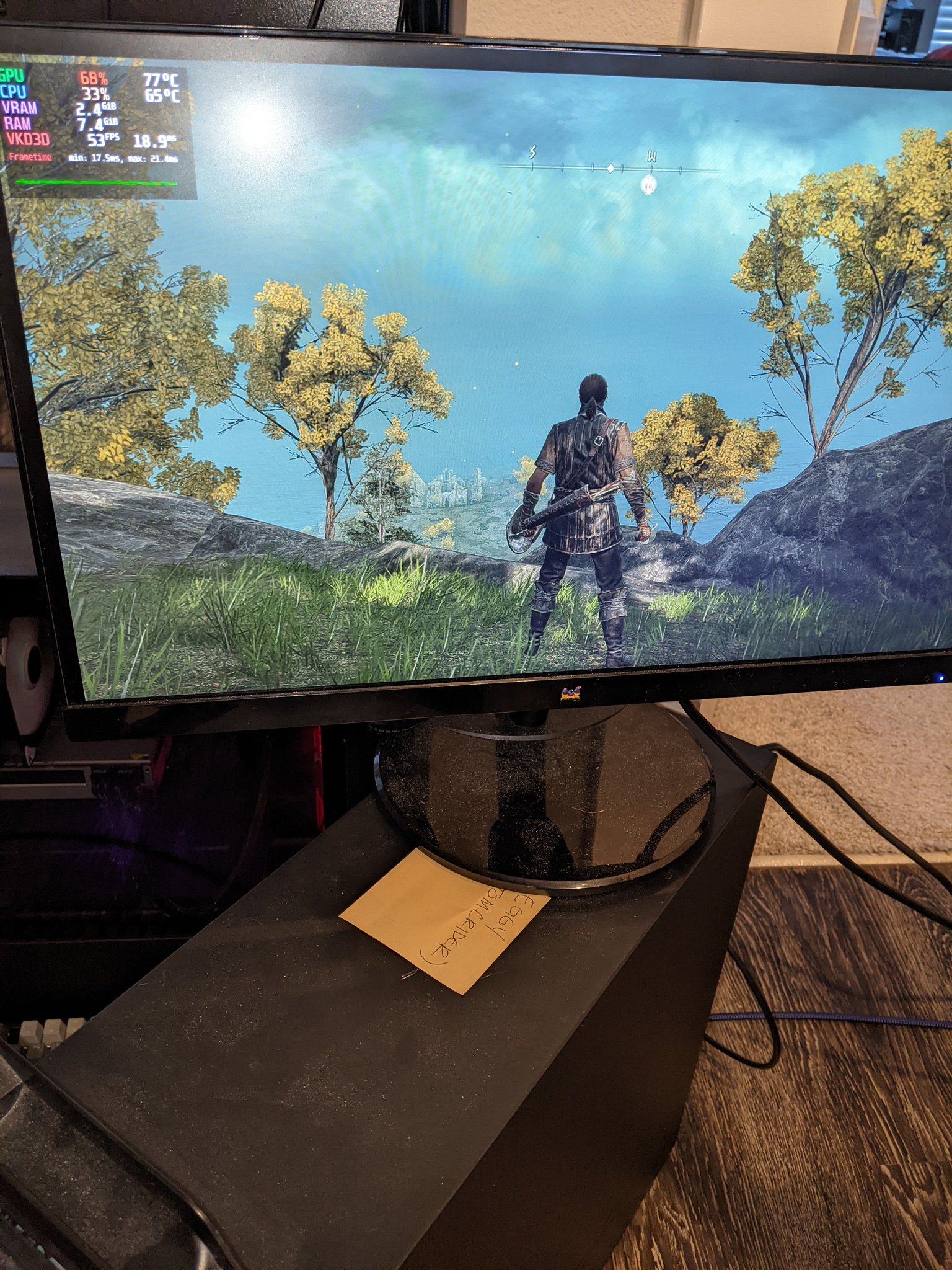
RX 560 4gb:
At this point I think it's safe to say as long as your drivers are up to date and on the AMD side your gpu supports the amdgpu driver, the game works. Also keep in mind that the r9 390 was a problematic gpu on linux for a long time, and it works now just fine. If it works, I don't see why other people would have problems on AMD other than PEBKAC
I have to report that my GPU and CPU are not at 100% yet my framerate is often at 45fps rather than the 60fps
@GoLD-ReaVeR Are you on mesa 22? That fixes the GPU utilization and framerate.
Nvidia, GTX 1080
Replying to https://github.com/ValveSoftware/Proton/issues/5613#issuecomment-1073290441
It's more likely for it to be coincidence than actually removing the compatdata folder doing the trick.
Hey all,
So there seems to be a critical problem with a relatively late game boss called Lichdragon Fortisaxx where the game will outright softlock within the first few minutes. I can reproduce this pretty consistently on my machine which has an RX590 and seems to be the result of a specific move or effect. I'm also using the latest mesa / mesa vulkan built from source, but I can try building again soon and see if it's still reproducible.
Here's my full system information.
 OS: Manjaro 21.2.5 Qonos
 Kernel: x86_64 Linux 5.16.14-1-MANJARO
 Uptime: 9m
 Packages: 1526
 Shell: sudo
 Resolution: 3120x1920
 WM: KWin
 GTK Theme: Breath [GTK2/3]
 Icon Theme: breath2
 Font: Noto Sans Regular 10
 Disk: 8.2T / 12T (70%)
 CPU: AMD Ryzen 7 5800X 8-Core @ 16x 3.8GHz
 GPU: AMD Radeon RX 590 Series (polaris10, LLVM 13.0.1, DRM 3.44, 5.16.14-1-MANJARO)
 RAM: 3273MiB / 32082MiB
It's a shame it happens so late into the game since it makes it relatively difficult to others / developers to test.
Hello @Eoin-ONeill-Yokai, please add PROTON_LOG=1 %command% to the game's launch options and attach the generated $HOME/steam-$APPID.log to this issue report as a file. (Proton logs compress well if needed.) Also, please copy your system information from Steam (Steam -> Help -> System Information) and put it in a gist, then include a link to the gist in this issue report and if it's possible, share a save file which would make it easier for a Proton or Mesa dev to reproduce the issue.
OS: Fedora Workstation 35 and Nobara Gnome 35
DE: GNOME 41
Kernel: 5.16.15-202.fsync.fc35.x86_64
Resolution: 1920x1080
CPU: Intel i7-10750H (12) @ 5.000GHz
GPU: NVIDIA GeForce RTX 2060 Mobile (510.54)
GPU: Intel CometLake-H GT2 [UHD Graphics]
Memory: 15857MiB
After the 1.03 patch the game is almost playable, but now I'm not able to play because of the camera, it has micro stutters (is the only way I can describe it) of sorts that makes me nauseous, gives me headaches after 20 minutes or so of playing. The only other game I had similar issues was FarCry3.
As my laptop has an option in the UEFI to change between Dynamic or Discreet GPU I tested also in both modes.
As the game port is problematic, to say the least, I don't know if it's Proton or the game itself. Just testing, I already have more than 8 hours of game without really playing it.
I'm confused about multiplayer with Proton, does the current EAC compatibility only allow for reading/writing messages or did I miss something ingame? Or do I need to forward some network ports? I've never seen a player's summoning sign or have been invaded by another player.
I just saw this, the multiplayer component is kinda hidden. You either have to use a red finger to leave a challenge summon sign or use a gold finger remedy to look for summon signs. There's no spells that will allow you to spot signs. You can use your golden finger to put down a coop summon sign, or use the coop statues placed all around. I think invasion goes on those same statues.
I'm trying to attach here my log file, but nor the .log nor a .gz nor a .zip is possible. Don't know what's hapening.
Keyboard doesn't seem to be picked up like it's on windows.
I'm using programmer dvorak, where usual gamers have w to walk forward, I have , for e.g.
Running elden ring on windows with that keyboard layout, just works. While the menus show the button to be w, windows seems to know they mean that physical button.
Running elden ring on linux doesn't seem to be doing this mapping. Pressing , doesn't walk forward. I'm not even able to bind it in the settings, as pressing the button to bind it to that action does not do anything.
System info:
Manjaro + Gnome
Tried with proton experimental and GE-Proton 7-10
Hey everyone, not sure if anything has changed in that past few days, but I can no longer play Elden Ring on bleeding edge of proton experimental. Going back to non-bleeding-edge makes the game run at 15 fps at which it boots me back to the main menu because the frame rate is unsuitable for online play.
When playing on bleeding-edge, the game seems to boot into a white screen, then crashes with this:
(process:90773): GLib-GObject-CRITICAL **: 19:54:02.127: g_object_unref: assertion 'G_IS_OBJECT (object)' failed
Installing breakpad exception handler for appid(gameoverlayui)/version(20220314194902)
Installing breakpad exception handler for appid(gameoverlayui)/version(1.0)
WARNING: radv is not a conformant Vulkan implementation, testing use only.
skipping config: /home/ashe/.config/MangoHud/wine-eldenring.conf [ not found ]
skipping config: /HD/Steam/steamapps/common/Proton - Experimental/files/bin/MangoHud.conf [ not found ]
skipping config: /home/ashe/.config/MangoHud/wine64-preloader.conf [ not found ]
parsing config: /home/ashe/.config/MangoHud/MangoHud.conf [ ok ]
WARNING: radv is not a conformant Vulkan implementation, testing use only.
skipping config: /home/ashe/.config/MangoHud/wine-eldenring.conf [ not found ]
skipping config: /HD/Steam/steamapps/common/Proton - Experimental/files/bin/MangoHud.conf [ not found ]
skipping config: /home/ashe/.config/MangoHud/wine64-preloader.conf [ not found ]
parsing config: /home/ashe/.config/MangoHud/MangoHud.conf [ ok ]
Installing breakpad exception handler for appid(gameoverlayui)/version(1.0)
WARNING: radv is not a conformant Vulkan implementation, testing use only.
skipping config: /home/ashe/.config/MangoHud/wine-eldenring.conf [ not found ]
skipping config: /HD/Steam/steamapps/common/Proton - Experimental/files/bin/MangoHud.conf [ not found ]
skipping config: /home/ashe/.config/MangoHud/wine64-preloader.conf [ not found ]
parsing config: /home/ashe/.config/MangoHud/MangoHud.conf [ ok ]
WARNING: radv is not a conformant Vulkan implementation, testing use only.
skipping config: /home/ashe/.config/MangoHud/wine-eldenring.conf [ not found ]
skipping config: /HD/Steam/steamapps/common/Proton - Experimental/files/bin/MangoHud.conf [ not found ]
skipping config: /home/ashe/.config/MangoHud/wine64-preloader.conf [ not found ]
parsing config: /home/ashe/.config/MangoHud/MangoHud.conf [ ok ]
MANGOHUD: recreating font image
Installing breakpad exception handler for appid(gameoverlayui)/version(1.0)
MANGOHUD: Uploading is disabled (permit_upload = 0)

(process:90903): GLib-GObject-CRITICAL **: 19:54:07.578: g_object_unref: assertion 'G_IS_OBJECT (object)' failed
Installing breakpad exception handler for appid(gameoverlayui)/version(20220314194902)
Installing breakpad exception handler for appid(gameoverlayui)/version(1.0)
Installing breakpad exception handler for appid(gameoverlayui)/version(1.0)
wine: Unhandled page fault on read access to 0000000000000000 at address 00007FC3B44A7B00 (thread 019c), starting debugger...
Unhandled exception: page fault on read access to 0x0000000000000000 in 64-bit code (0x00007fc3b44a7b00).
System information: https://gist.github.com/Ashe/2f5335744a3f1ede192524d4fd3f100b
@Ashe
Your system information report is not fully complete. You need to let it run for at least 10 seconds before copying. I agree it can be made clearer :grin:
@Blisto91 updated the gist, sorry about that!
@Ashe So i see you are using the amdvlk vulkan driver (or you atleast have it installed which usually means it's default). Maybe one of the new upstream vkd3d-proton changes doesn't play well with it. They generally recommend using the radv mesa driver.
But to play on bleeding edge with the mesa radv driver you will likely need the 22.0 version.
Tho the 21.3 version should work fine on experimental (non bleeding edge) for now still.
@Blisto91 thank you so much for a swift and helpful reply. I'm not very good with drivers if I'm honest and it's all a bit confusing to me at times. Between amdvlk and radv which one is 'better' and more modern etc? I'll probably have to ask other NixOS users to see how to change which driver I'm using - there already seems like there's some info on the wiki so perhaps this is trivial to do and something I can try tomorrow after work.
I'm always looking for ways to make things run more performant since sometimes it feels like im not fully harnessing my 6900XT, maybe this is one of these things?
@Ashe amdvlk is amd's open source vulkan driver. radv is -the- main open source driver that is part of mesa and shipped with most distros. typically its better to use radv and keep mesa up to date. Not sure about the options on NixOS but many power users just run mesa-git and update it every few weeks
radv is the driver most of the open source community is behind, including valve (it's the one used on the steam deck) and is generally the one recommended for gaming unless you have a specific issue with it. It's part of the mesa project which is a umbrella for lot's of different drivers and tools. radv got kick-started because the community was unsatisfied with the slow progress of amd getting a working vulkan driver on linux afaik.
amdvlk as Eggroll said is amd's own open source vulkan driver. It's shares a lot in common with it's windows counterpart i gather. But on linux i think it's in general more recommended for specific work loads or maybe companies that need the support of amd.
I am also not familiar with NixOS so can't help you with how you package selection works. But i have heard people say that in your range of GPU they have gotten a nice boost from running mesa (radv) 22.0.
To test your 21.3 driver on non bleeding edge experimental you could try to launch the game with this launch option and see if it makes a difference for you.
AMD_VULKAN_ICD=RADV %command%
Good morning everyone - new day, new error:
MANGOHUD: recreating font image
Error: couldn't find RGB GLX visual or fbconfig
MANGOHUD: Uploading is disabled (permit_upload = 0)
MANGOHUD: recreating font image
Error: couldn't find RGB GLX visual or fbconfig
MANGOHUD: Uploading is disabled (permit_upload = 0)
Installing breakpad exception handler for appid(gameoverlayui)/version(20220314194902)
Installing breakpad exception handler for appid(gameoverlayui)/version(1.0)
Installing breakpad exception handler for appid(gameoverlayui)/version(1.0)
Installing breakpad exception handler for appid(gameoverlayui)/version(1.0)
Game process updated : AppID 1245620 "/home/ashe/.local/share/Steam/ubuntu12_32/reaper SteamLaunch AppId=1245620 -- '/HD/Steam/steamapps/common/SteamLinuxRuntime_soldier'/_v2-entry-point --verb=waitforexitandrun -- '/HD/Steam/steamapps/common
/Proton - Experimental'/proton waitforexitandrun  '/HD/Steam/steamapps/common/ELDEN RING/Game/start_protected_game.exe'", ProcID 20647, IP 0.0.0.0:0
Setting breakpad minidump AppID = 1245620
SteamInternal_SetMinidumpSteamID:  Caching Steam ID:  76561198007606691 [API loaded no]
WARNING: radv is not a conformant Vulkan implementation, testing use only.
skipping config: /home/ashe/.config/MangoHud/wine-eldenring.conf [ not found ]
skipping config: /HD/Steam/steamapps/common/Proton - Experimental/files/bin/MangoHud.conf [ not found ]
skipping config: /home/ashe/.config/MangoHud/wine64-preloader.conf [ not found ]
parsing config: /home/ashe/.config/MangoHud/MangoHud.conf [ ok ]
WARNING: radv is not a conformant Vulkan implementation, testing use only.
skipping config: /home/ashe/.config/MangoHud/wine-eldenring.conf [ not found ]
skipping config: /HD/Steam/steamapps/common/Proton - Experimental/files/bin/MangoHud.conf [ not found ]
skipping config: /home/ashe/.config/MangoHud/wine64-preloader.conf [ not found ]
parsing config: /home/ashe/.config/MangoHud/MangoHud.conf [ ok ]
WARNING: radv is not a conformant Vulkan implementation, testing use only.
skipping config: /home/ashe/.config/MangoHud/wine-eldenring.conf [ not found ]
skipping config: /HD/Steam/steamapps/common/Proton - Experimental/files/bin/MangoHud.conf [ not found ]
skipping config: /home/ashe/.config/MangoHud/wine64-preloader.conf [ not found ]
parsing config: /home/ashe/.config/MangoHud/MangoHud.conf [ ok ]
ThreadGetProcessExitCode: no such process 20477
ThreadGetProcessExitCode: no such process 20442
WARNING: radv is not a conformant Vulkan implementation, testing use only.
skipping config: /home/ashe/.config/MangoHud/wine-eldenring.conf [ not found ]
skipping config: /HD/Steam/steamapps/common/Proton - Experimental/files/bin/MangoHud.conf [ not found ]
skipping config: /home/ashe/.config/MangoHud/wine64-preloader.conf [ not found ]
parsing config: /home/ashe/.config/MangoHud/MangoHud.conf [ ok ]
WARNING: radv is not a conformant Vulkan implementation, testing use only.
skipping config: /home/ashe/.config/MangoHud/wine-eldenring.conf [ not found ]
skipping config: /HD/Steam/steamapps/common/Proton - Experimental/files/bin/MangoHud.conf [ not found ]
skipping config: /home/ashe/.config/MangoHud/wine64-preloader.conf [ not found ]
parsing config: /home/ashe/.config/MangoHud/MangoHud.conf [ ok ]
wine: Unhandled page fault on read access to 0000000000000000 at address 0000000141DFDA4B (thread 0194), starting debugger...
Unhandled exception: page fault on read access to 0x0000000000000000 in 64-bit code (0x0000000141dfda4b).
I switched to radv I think, and I updated the gist so hopefully you can see that my radv driver is up to date etc. Here it is: https://gist.github.com/Ashe/2f5335744a3f1ede192524d4fd3f100b
Thank you for telling me I was using a different driver!
Good morning everyone - new day, new error:
There's a lot of mangohud in that snippet. Any chance of trying it without mangohud?
There's a lot of mangohud in that snippet. Any chance of trying it without mangohud?
I'll have to uninstall it since in my setup it latches onto every game without me telling it to (I really enjoy it). I've tried MANGOHUD=0 in launch options but I don't think there's a way of me disabling it, so I'll uninstall it later for you after work and give you a better idea.
I've noticed that my driver is 21.3.7 and not the 22.0 that is required for bleeding edge, so maybe that's it. In good news though, switching to radv makes non-bleeding-edge work at about 45 fps which is almost playable, a significant improvement over 15 fps I had yesterday, so thanks a lot for the help so far.
I think this is just a case of me either trying to get the most up to date graphics drivers, or waiting for those drivers to come to me. Trying to use bleeding edge for the fixes without bleeding-edge drivers sounds like a recipe for disaster to me and it's no wonder why it's crashing. Maybe there's another issue in that crash log I posted above, but in my eyes the biggest thing is that I'm not using the drivers that bleeding-edge is probably tailored towards.
I'll work on getting those drivers and get back to you if I have any issues but I don't think this is something others are going to run into so I don't want to take up your time. Thanks for the help!
@Ashe the log snippet you posted is that from bleeding edge?
Its possible the issue is your mesa version then yes. 22.0 stable was released 2 weeks ago, but i don't know how often NixOS updates them.
Ideally one should generally not play on bleeding edge if one wants a stable experience as breakage is expected from time to time.
An alternative to using regular experimental for now if you want to keep mesa 21.3 would be to use GE-proton7-9 Which include some of the newer elden ring related commits but not the ones that require mesa 22
https://github.com/GloriousEggroll/proton-ge-custom
@Blisto91 yes, that was from bleeding edge since the non-bleeding-edge doesn't crash.
Thank you for pointing me in the direction of GE-proton7-9, should be a good middleground between bleeding edge and a version without fixes applied! I will continue to look for a way of getting a more up to date version of mesa if it means my 6900 XT will get a nice boost!
Have a nice day 😃
@Ashe Whoops one small correction. It seems actually that regular experimental includes the elden ring relates changes too now that i double check. It also stops just before the changes requiring mesa 22.0 so i can't say if it will improve performance running GE-proton7-9. My bad 😁
Tho it does include a few extra commits so doesn't hurt trying ofc.
Nice day to you too.
@Blisto91 that's weird, like I said above:
non-bleeding-edge work at about 45 fps which is almost playable, a significant improvement over 15 fps I had yesterday, so thanks a lot for the help so far
So even though regular experimental is better than the 15 fps I was experiencing last night before I switched from amdvlk to radv, it's still no where near the constant 60 I had 4-6 days ago. I wonder what the missing ingredient is to getting back up to a nice stable 60 fps, since I know my system is more than capable of it (I've beaten the game twice at 60 and now it's suffering 😢 ).
Try GE-proton7-9 to see if it makes a difference. Else running mesa 22.0 with or without bleeding edge might be your savior.
Hello @Ashe, looking at your current system information, Mesa's device select vulkan layer appears to be missing. While DXVK and VKD3D-Proton may deal with that, you may unexpectedly end up using lavapipe (Mesa's CPU based Vulkan render pipeline) instead of your GPU. This is something to ask your distro's package maintainer for Mesa about.
Hi folks :wave: After today's patch 1.03.2 the game immediately crashes after a brief white screen. Up to this point the game has been running flawlessly after launch using experimental bleeding-edge.
The only problems up to this point have been with the game occasionally failing to start, and consistently failing to stop (had to stop game from steam library after exiting).
The new crash issue persists with both experimental and bleeding-edge experimental.
Logs:
steam-1245620.log
Hello @TheVariableMan, https://gist.github.com/TheVariableMan/202b37e8bd093d878dd07d26b9bd9d28#file-system_info-txt-L157-L179 and https://gist.github.com/TheVariableMan/202b37e8bd093d878dd07d26b9bd9d28#file-system_info-txt-L381-L403 looks abnormal in your system information. For some reason NVIDIA's Vulkan render path is broken on your system and the Proton log also hints the same way.
@kisak-valve Thank you very much. That is bizarre, but indeed re-installing the nvidia drivers has re-linked things and the system info blocks now show the nvidia device. I have no idea how this could have changed overnight, but regardless the game is running again.
Replying to https://github.com/ValveSoftware/Proton/issues/5613#issuecomment-1050491856
I am also having issues with my PlayStation 5 DualSense controller and Elden Ring. I can use it in The Ascent, and Mass Effect Legendary Edition (after I get through the menus).
- GitHub Gist for easier line highlighting
System Information
➜  ~ sudo inxi --full
[sudo] password for filbot:
System:
  Host: radiant Kernel: 5.16.16-200.fc35.x86_64 x86_64 bits: 64
    Console: pty pts/2 Distro: Fedora release 35 (Thirty Five)
Machine:
  Type: Desktop Mobo: ASUSTeK model: ROG STRIX X570-E GAMING v: Rev X.0x
    serial: MB-1234567890 UEFI: American Megatrends v: 1404 date: 11/08/2019
CPU:
  Info: 8-core model: AMD Ryzen 7 3800X bits: 64 type: MT MCP cache:
    L2: 4 MiB
  Speed (MHz): avg: 2412 min/max: 2200/4559 cores: 1: 2200 2: 2200 3: 3900
    4: 2200 5: 2200 6: 2200 7: 2200 8: 3900 9: 2200 10: 2200 11: 2200 12: 2200
    13: 2200 14: 2200 15: 2200 16: 2200
Graphics:
  Device-1: NVIDIA TU104 [GeForce RTX 2070 SUPER] driver: nvidia v: 510.47.03
  Device-2: NVIDIA GM204 [GeForce GTX 970] driver: nvidia v: 510.47.03
  Device-3: Logitech C920 HD Pro Webcam type: USB
    driver: snd-usb-audio,uvcvideo
  Display: server: X.Org v: 1.20.14 driver: X: loaded: N/A
    unloaded: fbdev,modesetting,nouveau,nvidia,vesa gpu: nvidia,nvidia
    note:  X driver n/a resolution: 1: 1920x1080~60Hz 2: 1920x1080~60Hz
  OpenGL: renderer: NVIDIA GeForce RTX 2070 SUPER/PCIe/SSE2
    v: 4.6.0 NVIDIA 510.47.03
Audio:
  Device-1: NVIDIA TU104 HD Audio driver: snd_hda_intel
  Device-2: NVIDIA GM204 High Definition Audio driver: snd_hda_intel
  Device-3: AMD Starship/Matisse HD Audio driver: snd_hda_intel
  Device-4: Sony Wireless Controller type: USB
    driver: playstation,snd-usb-audio,usbhid
  Device-5: Logitech G733 Gaming Headset type: USB
    driver: hid-generic,snd-usb-audio,usbhid
  Device-6: Logitech C920 HD Pro Webcam type: USB
    driver: snd-usb-audio,uvcvideo
  Sound Server-1: ALSA v: k5.16.16-200.fc35.x86_64 running: yes
  Sound Server-2: PipeWire v: 0.3.48 running: yes
Network:
  Device-1: Intel Wi-Fi 6 AX200 driver: iwlwifi
  IF: wlp5s0 state: down mac: xe:xf:xd:xc:xb:x2
  Device-2: Realtek RTL8125 2.5GbE driver: r8169
  IF: enp6s0 state: up speed: 1000 Mbps duplex: full mac: x8:xe:x5:xe:xf:x0
  Device-3: Intel I211 Gigabit Network driver: igb
  IF: enp7s0 state: down mac: x8:xe:x5:xe:xf:xf
  Device-4: Sony Wireless Controller type: USB
    driver: playstation,snd-usb-audio,usbhid
Bluetooth:
  Device-1: Intel AX200 Bluetooth type: USB driver: btusb
  Report: rfkill ID: hci0 state: up address: see --recommends
Drives:
  Local Storage: total: 2.73 TiB used: 365.29 GiB (13.1%)
  ID-1: /dev/nvme0n1 vendor: Crucial model: CT1000P1SSD8 size: 931.51 GiB
  ID-2: /dev/nvme1n1 vendor: Samsung model: SSD 980 1TB size: 931.51 GiB
  ID-3: /dev/sda vendor: Intel model: SSDSC2KW010X6 size: 931.51 GiB
Partition:
  ID-1: /boot size: 973.4 MiB used: 160.2 MiB (16.5%) fs: ext4
    dev: /dev/nvme0n1p2
  ID-2: /boot/efi size: 598.8 MiB used: 9.8 MiB (1.6%) fs: vfat
    dev: /dev/nvme0n1p1
Swap:
  ID-1: swap-1 type: zram size: 8 GiB used: 698.8 MiB (8.5%) dev: /dev/zram0
Sensors:
  System Temperatures: cpu: N/A mobo: N/A gpu: nvidia temp: 43 C
  Fan Speeds (RPM): N/A gpu: nvidia fan: 33%
Info:
  Processes: 542 Uptime: 1d 4h 48m Memory: 31.32 GiB used: 11 GiB (35.1%)
  Shell: Zsh inxi: 3.3.13
OS Information
➜  ~ cat /etc/os-release
NAME="Fedora Linux"
VERSION="35.20220322.1 (Kinoite)"
ID=fedora
VERSION_ID=35
VERSION_CODENAME=""
PLATFORM_ID="platform:f35"
PRETTY_NAME="Fedora Linux 35.20220322.1 (Kinoite)"
ANSI_COLOR="0;38;2;60;110;180"
LOGO=fedora-logo-icon
CPE_NAME="cpe:/o:fedoraproject:fedora:35"
HOME_URL="https://fedoraproject.org/"
DOCUMENTATION_URL="https://docs.fedoraproject.org/en-US/fedora-kinoite/"
SUPPORT_URL="https://ask.fedoraproject.org/"
BUG_REPORT_URL="https://bugzilla.redhat.com/"
REDHAT_BUGZILLA_PRODUCT="Fedora"
REDHAT_BUGZILLA_PRODUCT_VERSION=35
REDHAT_SUPPORT_PRODUCT="Fedora"
REDHAT_SUPPORT_PRODUCT_VERSION=35
PRIVACY_POLICY_URL="https://fedoraproject.org/wiki/Legal:PrivacyPolicy"
VARIANT="Kinoite"
VARIANT_ID=kinoite
OSTREE_VERSION='35.20220322.1'
Steam and Flatpak Information
➜  ~ rpm -q flatpak
flatpak-1.12.7-1.fc35.x86_64
➜  ~ flatpak --version
Flatpak 1.12.7
➜  ~ flatpak list
Name                                                 Application ID                                                    Version                         Branch                   Origin                   Installation
Steam                                                com.valvesoftware.Steam                                           1.0.0.74                        stable                   flathub                  user
Proton (community build)                             com.valvesoftware.Steam.CompatibilityTool.Proton                  6.3-8                           stable                   flathub                  user
Proton experimental (community build)                com.valvesoftware.Steam.CompatibilityTool.Proton-Exp              7.0-20220322                    stable                   flathub                  user
Proton-GE (community build)                          com.valvesoftware.Steam.CompatibilityTool.Proton-GE               GE-Proton7-8-2                  stable                   flathub                  user
gamescope                                            com.valvesoftware.Steam.Utility.gamescope                         3.11.19                         stable                   flathub                  user
MangoHud                                             org.freedesktop.Platform.VulkanLayer.MangoHud                     0.6.6-1                         21.08                    flathub                  user
Steam System Information
Computer Information:
Manufacturer: ASUSTeK COMPUTER INC.
Model: ROG STRIX X570-E GAMING
Form Factor: Desktop
No Touch Input Detected
Processor Information:
CPU Vendor: AuthenticAMD
CPU Brand: AMD Ryzen 7 3800X 8-Core Processor
CPU Family: 0x17
CPU Model: 0x71
CPU Stepping: 0x0
CPU Type: 0x0
Speed: 4558 Mhz
16 logical processors
8 physical processors
HyperThreading: Supported
FCMOV: Supported
SSE2: Supported
SSE3: Supported
SSSE3: Supported
SSE4a: Supported
SSE41: Supported
SSE42: Supported
AES: Supported
AVX: Supported
AVX2: Supported
AVX512F: Unsupported
AVX512PF: Unsupported
AVX512ER: Unsupported
AVX512CD: Unsupported
AVX512VNNI: Unsupported
SHA: Supported
CMPXCHG16B: Supported
LAHF/SAHF: Supported
PrefetchW: Unsupported
Operating System Version:
Description: Freedesktop.org 21.08.11 (Flatpak runtime) (64 bit)
Kernel Name: Linux
Kernel Version: 5.16.16-200.fc35.x86_64
X Server Vendor: The X.Org Foundation
X Server Release: 12014000
X Window Manager: KWin
Steam Runtime Version: steam-runtime_0.20220119.0
Video Card:
Driver: NVIDIA Corporation NVIDIA GeForce RTX 2070 SUPER/PCIe/SSE2
Driver Version: 4.6.0 NVIDIA 510.47.03
OpenGL Version: 4.6
Desktop Color Depth: 24 bits per pixel
Monitor Refresh Rate: 60 Hz
VendorID: 0x10de
DeviceID: 0x1e84
Revision Not Detected
Number of Monitors: 2
Number of Logical Video Cards: 2
Primary Display Resolution: 1920 x 1080
Desktop Resolution: 3840 x 1080
Primary Display Size: 18.78" x 10.55" (21.54" diag)
47.7cm x 26.8cm (54.7cm diag)
Primary Bus: PCI Express 16x
Primary VRAM: 8192 MB
Supported MSAA Modes: 2x 4x 8x 16x
Sound card:
Audio device: USB Mixer
Memory:
RAM: 32069 MB
VR Hardware:
VR Headset: None detected
Miscellaneous:
UI Language: English
LANG: en_US.UTF-8
Total Hard Disk Space Available: 1906112 MB
Largest Free Hard Disk Block: 1531238 MB
Storage:
Number of SSDs: 0
Number of HDDs: 0
"LD_* scout runtime" information:
{
"can-write-uinput" : true,
"steam-installation" : {
"path" : "/var/home/filbot/.var/app/com.valvesoftware.Steam/.local/share/Steam",
"data_path" : "/var/home/filbot/.var/app/com.valvesoftware.Steam/.local/share/Steam",
"bin32_path" : "/var/home/filbot/.var/app/com.valvesoftware.Steam/.local/share/Steam/ubuntu12_32",
"steamscript_path" : "/app/bin/steam",
"steamscript_version" : "1.0.0.74",
"issues" : [
]
},
"runtime" : {
"path" : "/var/home/filbot/.var/app/com.valvesoftware.Steam/.local/share/Steam/ubuntu12_32/steam-runtime",
"version" : "0.20220119.0",
"issues" : [
],
"pinned_libs_32" : {
"list" : [
"pinned_libs_32/has_pins",
"pinned_libs_32/libSDL2-2.0.so.0 -> $STEAM_RUNTIME/usr/lib/i386-linux-gnu/libSDL2-2.0.so.0.18.2",
"pinned_libs_32/libcurl.so.3 -> libcurl.so.4",
"pinned_libs_32/libcurl.so.4 -> $STEAM_RUNTIME/usr/lib/i386-linux-gnu/libcurl.so.4.2.0",
"pinned_libs_32/libdbus-1.so.3 -> $STEAM_RUNTIME/lib/i386-linux-gnu/libdbus-1.so.3.5.8",
"pinned_libs_32/libvulkan.so.1 -> $STEAM_RUNTIME/usr/lib/i386-linux-gnu/libvulkan.so.1.2.198",
"pinned_libs_32/system_libSDL2-2.0.so.0",
"pinned_libs_32/system_libcurl.so.4",
"pinned_libs_32/system_libdbus-1.so.3",
"pinned_libs_32/system_libvulkan.so.1"
]
},
"pinned_libs_64" : {
"list" : [
"pinned_libs_64/has_pins",
"pinned_libs_64/libSDL2-2.0.so.0 -> $STEAM_RUNTIME/usr/lib/x86_64-linux-gnu/libSDL2-2.0.so.0.18.2",
"pinned_libs_64/libcurl.so.3 -> libcurl.so.4",
"pinned_libs_64/libcurl.so.4 -> $STEAM_RUNTIME/usr/lib/x86_64-linux-gnu/libcurl.so.4.2.0",
"pinned_libs_64/libvulkan.so.1 -> $STEAM_RUNTIME/usr/lib/x86_64-linux-gnu/libvulkan.so.1.2.198",
"pinned_libs_64/system_libSDL2-2.0.so.0",
"pinned_libs_64/system_libcurl.so.4",
"pinned_libs_64/system_libvulkan.so.1"
]
}
},
"os-release" : {
"id" : "org.freedesktop.platform",
"name" : "Freedesktop.org",
"pretty_name" : "Freedesktop.org 21.08.11 (Flatpak runtime)",
"version_id" : "21.08.11"
},
"container" : {
"type" : "flatpak",
"flatpak_version" : "1.12.7",
"host" : {
"path" : "/run/host",
"os-release" : {
"id" : "fedora",
"name" : "Fedora Linux",
"pretty_name" : "Fedora Linux 35.20220322.1 (Kinoite)",
"version_id" : "35",
"version_codename" : "",
"variant_id" : "kinoite",
"variant" : "Kinoite"
}
}
},
"driver_environment" : [
"DISPLAY=:99.0",
"GST_PLUGIN_SYSTEM_PATH=/app/lib/gstreamer-1.0:/app/lib32/gstreamer-1.0:/usr/lib/extensions/gstreamer-1.0:/usr/lib/x86_64-linux-gnu/gstreamer-1.0:/usr/lib/i386-linux-gnu/gstreamer-1.0",
"LD_LIBRARY_PATH=/var/home/filbot/.var/app/com.valvesoftware.Steam/.local/share/Steam/ubuntu12_32:/var/home/filbot/.var/app/com.valvesoftware.Steam/.local/share/Steam/ubuntu12_32/panorama:/var/home/filbot/.var/app/com.valvesoftware.Steam/.local/share/Steam/ubuntu12_32/steam-runtime/pinned_libs_32:/var/home/filbot/.var/app/com.valvesoftware.Steam/.local/share/Steam/ubuntu12_32/steam-runtime/pinned_libs_64:/app/utils/gamescope/lib:/app/lib/i386-linux-gnu/GL/default/lib:/app/lib/i386-linux-gnu/GL/nvidia-510-47-03/lib:/app/lib/ffmpeg/.:/app/lib32/ffmpeg/.:/app/lib32:/app/lib/i386-linux-gnu:/lib64:/app/lib:/usr/lib/x86_64-linux-gnu/GL/default/lib:/usr/lib/x86_64-linux-gnu/GL/nvidia-510-47-03/lib:/usr/lib/x86_64-linux-gnu/openh264/extra:/usr/lib/x86_64-linux-gnu:/var/home/filbot/.var/app/com.valvesoftware.Steam/.local/share/Steam/ubuntu12_32/steam-runtime/lib/i386-linux-gnu:/var/home/filbot/.var/app/com.valvesoftware.Steam/.local/share/Steam/ubuntu12_32/steam-runtime/usr/lib/i386-linux-gnu:/var/home/filbot/.var/app/com.valvesoftware.Steam/.local/share/Steam/ubuntu12_32/steam-runtime/lib/x86_64-linux-gnu:/var/home/filbot/.var/app/com.valvesoftware.Steam/.local/share/Steam/ubuntu12_32/steam-runtime/usr/lib/x86_64-linux-gnu:/var/home/filbot/.var/app/com.valvesoftware.Steam/.local/share/Steam/ubuntu12_32/steam-runtime/lib:/var/home/filbot/.var/app/com.valvesoftware.Steam/.local/share/Steam/ubuntu12_32/steam-runtime/usr/lib",
"MANGOHUD=1",
"PULSE_CLIENTCONFIG=/run/flatpak/pulse/config",
"PULSE_SERVER=unix:/run/flatpak/pulse/native",
"SDL_GAMECONTROLLERCONFIG=03000000de280000ff11000001000000,Steam Virtual Gamepad,a:b0,b:b1,back:b6,dpdown:h0.4,dpleft:h0.8,dpright:h0.2,dpup:h0.1,guide:b8,leftshoulder:b4,leftstick:b9,lefttrigger:a2,leftx:a0,lefty:a1,rightshoulder:b5,rightstick:b10,righttrigger:a5,rightx:a3,righty:a4,start:b7,x:b2,y:b3,platform:Linux\n03000000de280000fc11000001000000,Steam Controller,a:b0,b:b1,back:b6,dpdown:b14,dpleft:b15,dpright:b13,dpup:b12,guide:b8,leftshoulder:b4,leftstick:b9,lefttrigger:a2,leftx:a0,lefty:a1,rightshoulder:b5,rightstick:b10,righttrigger:a5,rightx:a3,righty:a4,start:b7,x:b2,y:b3,platform:Linux\n03000000d11800000094000011010000,Google Stadia Controller,a:b0,b:b1,back:b6,dpdown:h0.4,dpleft:h0.8,dpright:h0.2,dpup:h0.1,guide:b8,leftshoulder:b4,leftstick:b9,lefttrigger:a5,leftx:a0,lefty:a1,rightshoulder:b5,rightstick:b10,righttrigger:a4,rightx:a2,righty:a3,start:b7,x:b2,y:b3,platform:Linux\n,platform:Linux\n03000000de2800000211000011010000,Steam Controller,a:b2,b:b3,x:b4,y:b5,back:b10,guide:b12,start:b11,leftstick:b13,rightstick:b14,leftshoulder:b6,rightshoulder:b7,dpup:b17,dpdown:b18,dpleft:b19,dpright:b20,leftx:a0,lefty:a1,rightx:a2,righty:a3,lefttrigger:h1.4,righttrigger:h1.2,platform:Linux\n030000005e040000d102000001010000,Microsoft X-Box One pad,a:b0,b:b1,back:b6,dpdown:h0.4,dpleft:h0.8,dpright:h0.2,dpup:h0.1,guide:b8,leftshoulder:b4,leftstick:b9,lefttrigger:a2,leftx:a0,lefty:a1,rightshoulder:b5,rightstick:b10,righttrigger:a5,rightx:a3,righty:a4,start:b7,x:b2,y:b3,platform:Linux",
"SSL_CERT_DIR=/etc/ssl/certs",
"XDG_RUNTIME_DIR=/run/user/1000",
"__EGL_EXTERNAL_PLATFORM_CONFIG_DIRS=/etc/egl/egl_external_platform.d:/usr/lib/x86_64-linux-gnu/GL/egl/egl_external_platform.d:/usr/share/egl/egl_external_platform.d"
],
"architectures" : {
"i386-linux-gnu" : {
"can-run" : true,
"libdl-LIB" : "lib/i386-linux-gnu",
"libdl-PLATFORM" : "i686",
"runtime-linker" : {
"path" : "/lib/ld-linux.so.2",
"resolved" : "/app/lib/i386-linux-gnu/ld-2.33.so"
},
"library-issues-summary" : [
"cannot-load"
],
"library-details" : {
"libitm.so.1" : {
"messages" : [
"Unable to find the library: /app/lib/i386-linux-gnu/libitm.so.1: undefined symbol: __gxx_personality_v0"
],
"soname" : null,
"path" : null,
"issues" : [
"cannot-load"
],
"exit-status" : 1
}
},
"graphics-details" : {
"x11/vulkan" : {
"messages" : [
"[2022-03-23 19:11:50.828] [MANGOHUD] [info] [config.cpp:114] skipping config: '/var/home/filbot/.var/app/com.valvesoftware.Steam/.local/share/Steam/ubuntu12_32/steam-runtime/usr/libexec/steam-runtime-tools-0/MangoHud.conf' [ not found ]",
"[2022-03-23 19:11:50.828] [MANGOHUD] [info] [config.cpp:114] skipping config: '/var/home/filbot/.var/app/com.valvesoftware.Steam/.config/MangoHud/i386-linux-gnu-check-vulkan.conf' [ not found ]",
"[2022-03-23 19:11:50.828] [MANGOHUD] [info] [config.cpp:119] parsing config: '/var/home/filbot/.var/app/com.valvesoftware.Steam/.config/MangoHud/MangoHud.conf'",
"sh: line 1: glxinfo: command not found",
"[2022-03-23 19:11:50.913] [MANGOHUD] [info] [overlay.cpp:678] Uploading is disabled (permit_upload = 0)",
"WARNING: lavapipe is not a conformant vulkan implementation, testing use only.",
"[2022-03-23 19:11:51.248] [MANGOHUD] [info] [overlay.cpp:678] Uploading is disabled (permit_upload = 0)",
"[2022-03-23 19:11:51.458] [MANGOHUD] [info] [overlay.cpp:678] Uploading is disabled (permit_upload = 0)"
],
"renderer" : "NVIDIA GeForce RTX 2070 SUPER",
"version" : "510.47.03",
"devices" : [
{
"name" : "NVIDIA GeForce RTX 2070 SUPER",
"api-version" : "1.3.194",
"vulkan-driver-id" : 4,
"driver-name" : "NVIDIA",
"driver-version" : "510.47.03",
"vendor-id" : "0x10de",
"device-id" : "0x1e84",
"type" : "discrete-gpu"
},
{
"name" : "llvmpipe (LLVM 12.0.1, 256 bits)",
"api-version" : "1.2.195",
"vulkan-driver-id" : 13,
"driver-name" : "llvmpipe",
"driver-version" : "Mesa 21.3.6 (git-fef2cdb0a5) (LLVM 12.0.1)",
"vendor-id" : "0x10005",
"device-id" : "0",
"type" : "cpu",
"issues" : [
"software-rendering"
]
},
{
"name" : "NVIDIA GeForce RTX 2070 SUPER",
"api-version" : "1.3.194",
"vulkan-driver-id" : 4,
"driver-name" : "NVIDIA",
"driver-version" : "510.47.03",
"vendor-id" : "0x10de",
"device-id" : "0x1e84",
"type" : "discrete-gpu"
}
]
},
"x11/vdpau" : {
"renderer" : "NVIDIA VDPAU Driver Shared Library 510.47.03 Mon Jan 24 22:34:50 UTC 2022\n",
"version" : null
},
"x11/vaapi" : {
"messages" : [
"libva info: VA-API version 1.12.0",
"libva info: Trying to open /usr/lib/i386-linux-gnu/dri/nvidia_drv_video.so",
"libva info: Trying to open /usr/lib/i386-linux-gnu/dri/intel-vaapi-driver/nvidia_drv_video.so",
"libva info: Trying to open /usr/lib/i386-linux-gnu/GL/lib/dri/nvidia_drv_video.so",
"libva info: va_openDriver() returns -1",
"vaInitialize (va_display, &major_version, &minor_version) failed: unknown libva error (-1)"
],
"renderer" : null,
"version" : null,
"issues" : [
"cannot-draw"
],
"exit-status" : 1
},
"glx/gl" : {
"renderer" : "NVIDIA GeForce RTX 2070 SUPER/PCIe/SSE2",
"version" : "4.6.0 NVIDIA 510.47.03",
"library-vendor" : "glvnd"
},
"egl_x11/gl" : {
"renderer" : "NVIDIA GeForce RTX 2070 SUPER/PCIe/SSE2",
"version" : "4.6.0 NVIDIA 510.47.03",
"library-vendor" : "glvnd"
},
"egl_x11/glesv2" : {
"renderer" : "NVIDIA GeForce RTX 2070 SUPER/PCIe/SSE2",
"version" : "OpenGL ES 3.2 NVIDIA 510.47.03",
"library-vendor" : "glvnd"
}
},
"dri_drivers" : [
{
"library_path" : "/usr/lib/i386-linux-gnu/GL/lib/dri/crocus_dri.so"
},
{
"library_path" : "/usr/lib/i386-linux-gnu/GL/lib/dri/i830_dri.so"
},
{
"library_path" : "/usr/lib/i386-linux-gnu/GL/lib/dri/i915_dri.so"
},
{
"library_path" : "/usr/lib/i386-linux-gnu/GL/lib/dri/i965_dri.so"
},
{
"library_path" : "/usr/lib/i386-linux-gnu/GL/lib/dri/iris_dri.so"
},
{
"library_path" : "/usr/lib/i386-linux-gnu/GL/lib/dri/kms_swrast_dri.so"
},
{
"library_path" : "/usr/lib/i386-linux-gnu/GL/lib/dri/libgallium_dri.so"
},
{
"library_path" : "/usr/lib/i386-linux-gnu/GL/lib/dri/nouveau_dri.so"
},
{
"library_path" : "/usr/lib/i386-linux-gnu/GL/lib/dri/nouveau_vieux_dri.so"
},
{
"library_path" : "/usr/lib/i386-linux-gnu/GL/lib/dri/r200_dri.so"
},
{
"library_path" : "/usr/lib/i386-linux-gnu/GL/lib/dri/r300_dri.so"
},
{
"library_path" : "/usr/lib/i386-linux-gnu/GL/lib/dri/r600_dri.so"
},
{
"library_path" : "/usr/lib/i386-linux-gnu/GL/lib/dri/radeon_dri.so"
},
{
"library_path" : "/usr/lib/i386-linux-gnu/GL/lib/dri/radeonsi_dri.so"
},
{
"library_path" : "/usr/lib/i386-linux-gnu/GL/lib/dri/swrast_dri.so"
},
{
"library_path" : "/usr/lib/i386-linux-gnu/GL/lib/dri/virtio_gpu_dri.so"
},
{
"library_path" : "/usr/lib/i386-linux-gnu/GL/lib/dri/vmwgfx_dri.so"
},
{
"library_path" : "/usr/lib/i386-linux-gnu/GL/lib/dri/zink_dri.so"
},
{
"library_path" : "/app/lib/i386-linux-gnu/GL/default/lib/dri/crocus_dri.so",
"is_extra" : true
},
{
"library_path" : "/app/lib/i386-linux-gnu/GL/default/lib/dri/i830_dri.so",
"is_extra" : true
},
{
"library_path" : "/app/lib/i386-linux-gnu/GL/default/lib/dri/i915_dri.so",
"is_extra" : true
},
{
"library_path" : "/app/lib/i386-linux-gnu/GL/default/lib/dri/i965_dri.so",
"is_extra" : true
},
{
"library_path" : "/app/lib/i386-linux-gnu/GL/default/lib/dri/iris_dri.so",
"is_extra" : true
},
{
"library_path" : "/app/lib/i386-linux-gnu/GL/default/lib/dri/kms_swrast_dri.so",
"is_extra" : true
},
{
"library_path" : "/app/lib/i386-linux-gnu/GL/default/lib/dri/libgallium_dri.so",
"is_extra" : true
},
{
"library_path" : "/app/lib/i386-linux-gnu/GL/default/lib/dri/nouveau_dri.so",
"is_extra" : true
},
{
"library_path" : "/app/lib/i386-linux-gnu/GL/default/lib/dri/nouveau_vieux_dri.so",
"is_extra" : true
},
{
"library_path" : "/app/lib/i386-linux-gnu/GL/default/lib/dri/r200_dri.so",
"is_extra" : true
},
{
"library_path" : "/app/lib/i386-linux-gnu/GL/default/lib/dri/r300_dri.so",
"is_extra" : true
},
{
"library_path" : "/app/lib/i386-linux-gnu/GL/default/lib/dri/r600_dri.so",
"is_extra" : true
},
{
"library_path" : "/app/lib/i386-linux-gnu/GL/default/lib/dri/radeon_dri.so",
"is_extra" : true
},
{
"library_path" : "/app/lib/i386-linux-gnu/GL/default/lib/dri/radeonsi_dri.so",
"is_extra" : true
},
{
"library_path" : "/app/lib/i386-linux-gnu/GL/default/lib/dri/swrast_dri.so",
"is_extra" : true
},
{
"library_path" : "/app/lib/i386-linux-gnu/GL/default/lib/dri/virtio_gpu_dri.so",
"is_extra" : true
},
{
"library_path" : "/app/lib/i386-linux-gnu/GL/default/lib/dri/vmwgfx_dri.so",
"is_extra" : true
},
{
"library_path" : "/app/lib/i386-linux-gnu/GL/default/lib/dri/zink_dri.so",
"is_extra" : true
}
],
"va-api_drivers" : [
{
"library_path" : "/usr/lib/i386-linux-gnu/GL/lib/dri/libgallium_drv_video.so"
},
{
"library_path" : "/usr/lib/i386-linux-gnu/GL/lib/dri/nouveau_drv_video.so"
},
{
"library_path" : "/usr/lib/i386-linux-gnu/GL/lib/dri/r600_drv_video.so"
},
{
"library_path" : "/usr/lib/i386-linux-gnu/GL/lib/dri/radeonsi_drv_video.so"
},
{
"library_path" : "/var/home/filbot/.var/app/com.valvesoftware.Steam/.local/share/Steam/ubuntu12_32/steam-runtime/usr/lib/i386-linux-gnu/dri/dummy_drv_video.so",
"is_extra" : true
}
],
"vdpau_drivers" : [
{
"library_path" : "/app/lib/i386-linux-gnu/vdpau/libvdpau_trace.so.1",
"library_link" : "libvdpau_trace.so.1.0.0"
},
{
"library_path" : "/app/lib/i386-linux-gnu/GL/nvidia-510-47-03/extra/libvdpau_nvidia.so",
"library_link" : "libvdpau_nvidia.so.1"
},
{
"library_path" : "/app/lib/i386-linux-gnu/GL/nvidia-510-47-03/extra/libvdpau_nvidia.so.1",
"library_link" : "libvdpau_nvidia.so.510.47.03"
}
],
"glx_drivers" : [
{
"library_soname" : "libGLX_indirect.so.0",
"library_path" : "/app/lib/i386-linux-gnu/GL/default/lib/libGLX_mesa.so.0.0.0"
},
{
"library_soname" : "libGLX_mesa.so.0",
"library_path" : "/app/lib/i386-linux-gnu/GL/default/lib/libGLX_mesa.so.0.0.0"
},
{
"library_soname" : "libGLX_nvidia.so.0",
"library_path" : "/app/lib/i386-linux-gnu/GL/nvidia-510-47-03/extra/libGLX_nvidia.so.510.47.03"
}
]
},
"x86_64-linux-gnu" : {
"can-run" : true,
"libdl-LIB" : "lib/x86_64-linux-gnu",
"libdl-PLATFORM" : "x86_64",
"runtime-linker" : {
"path" : "/lib64/ld-linux-x86-64.so.2",
"resolved" : "/usr/lib/x86_64-linux-gnu/ld-2.33.so"
},
"library-issues-summary" : [
"cannot-load"
],
"library-details" : {
"libitm.so.1" : {
"messages" : [
"Unable to find the library: /usr/lib/x86_64-linux-gnu/libitm.so.1: undefined symbol: __gxx_personality_v0"
],
"soname" : null,
"path" : null,
"issues" : [
"cannot-load"
],
"exit-status" : 1
}
},
"graphics-details" : {
"x11/vulkan" : {
"messages" : [
"[2022-03-23 19:12:02.805] [MANGOHUD] [info] [config.cpp:114] skipping config: '/var/home/filbot/.var/app/com.valvesoftware.Steam/.local/share/Steam/ubuntu12_32/steam-runtime/usr/libexec/steam-runtime-tools-0/MangoHud.conf' [ not found ]",
"[2022-03-23 19:12:02.805] [MANGOHUD] [info] [config.cpp:114] skipping config: '/var/home/filbot/.var/app/com.valvesoftware.Steam/.config/MangoHud/x86_64-linux-gnu-check-vulkan.conf' [ not found ]",
"[2022-03-23 19:12:02.805] [MANGOHUD] [info] [config.cpp:119] parsing config: '/var/home/filbot/.var/app/com.valvesoftware.Steam/.config/MangoHud/MangoHud.conf'",
"sh: line 1: glxinfo: command not found",
"[2022-03-23 19:12:02.895] [MANGOHUD] [info] [overlay.cpp:678] Uploading is disabled (permit_upload = 0)",
"WARNING: lavapipe is not a conformant vulkan implementation, testing use only.",
"[2022-03-23 19:12:03.215] [MANGOHUD] [info] [overlay.cpp:678] Uploading is disabled (permit_upload = 0)",
"[2022-03-23 19:12:03.414] [MANGOHUD] [info] [overlay.cpp:678] Uploading is disabled (permit_upload = 0)"
],
"renderer" : "NVIDIA GeForce RTX 2070 SUPER",
"version" : "510.47.03",
"devices" : [
{
"name" : "NVIDIA GeForce RTX 2070 SUPER",
"api-version" : "1.3.194",
"vulkan-driver-id" : 4,
"driver-name" : "NVIDIA",
"driver-version" : "510.47.03",
"vendor-id" : "0x10de",
"device-id" : "0x1e84",
"type" : "discrete-gpu"
},
{
"name" : "llvmpipe (LLVM 12.0.1, 256 bits)",
"api-version" : "1.2.195",
"vulkan-driver-id" : 13,
"driver-name" : "llvmpipe",
"driver-version" : "Mesa 21.3.6 (git-fef2cdb0a5) (LLVM 12.0.1)",
"vendor-id" : "0x10005",
"device-id" : "0",
"type" : "cpu",
"issues" : [
"software-rendering"
]
},
{
"name" : "NVIDIA GeForce RTX 2070 SUPER",
"api-version" : "1.3.194",
"vulkan-driver-id" : 4,
"driver-name" : "NVIDIA",
"driver-version" : "510.47.03",
"vendor-id" : "0x10de",
"device-id" : "0x1e84",
"type" : "discrete-gpu"
}
]
},
"x11/vdpau" : {
"renderer" : "NVIDIA VDPAU Driver Shared Library 510.47.03 Mon Jan 24 22:48:39 UTC 2022\n",
"version" : null
},
"x11/vaapi" : {
"messages" : [
"libva info: VA-API version 1.12.0",
"libva info: Trying to open /usr/lib/x86_64-linux-gnu/dri/nvidia_drv_video.so",
"libva info: Trying to open /usr/lib/x86_64-linux-gnu/dri/intel-vaapi-driver/nvidia_drv_video.so",
"libva info: Trying to open /usr/lib/x86_64-linux-gnu/GL/lib/dri/nvidia_drv_video.so",
"libva info: va_openDriver() returns -1",
"vaInitialize (va_display, &major_version, &minor_version) failed: unknown libva error (-1)"
],
"renderer" : null,
"version" : null,
"issues" : [
"cannot-draw"
],
"exit-status" : 1
},
"glx/gl" : {
"renderer" : "NVIDIA GeForce RTX 2070 SUPER/PCIe/SSE2",
"version" : "4.6.0 NVIDIA 510.47.03",
"library-vendor" : "glvnd"
},
"egl_x11/gl" : {
"renderer" : "NVIDIA GeForce RTX 2070 SUPER/PCIe/SSE2",
"version" : "4.6.0 NVIDIA 510.47.03",
"library-vendor" : "glvnd"
},
"egl_x11/glesv2" : {
"renderer" : "NVIDIA GeForce RTX 2070 SUPER/PCIe/SSE2",
"version" : "OpenGL ES 3.2 NVIDIA 510.47.03",
"library-vendor" : "glvnd"
}
},
"dri_drivers" : [
{
"library_path" : "/usr/lib/x86_64-linux-gnu/GL/lib/dri/crocus_dri.so"
},
{
"library_path" : "/usr/lib/x86_64-linux-gnu/GL/lib/dri/i830_dri.so"
},
{
"library_path" : "/usr/lib/x86_64-linux-gnu/GL/lib/dri/i915_dri.so"
},
{
"library_path" : "/usr/lib/x86_64-linux-gnu/GL/lib/dri/i965_dri.so"
},
{
"library_path" : "/usr/lib/x86_64-linux-gnu/GL/lib/dri/iris_dri.so"
},
{
"library_path" : "/usr/lib/x86_64-linux-gnu/GL/lib/dri/kms_swrast_dri.so"
},
{
"library_path" : "/usr/lib/x86_64-linux-gnu/GL/lib/dri/libgallium_dri.so"
},
{
"library_path" : "/usr/lib/x86_64-linux-gnu/GL/lib/dri/nouveau_dri.so"
},
{
"library_path" : "/usr/lib/x86_64-linux-gnu/GL/lib/dri/nouveau_vieux_dri.so"
},
{
"library_path" : "/usr/lib/x86_64-linux-gnu/GL/lib/dri/r200_dri.so"
},
{
"library_path" : "/usr/lib/x86_64-linux-gnu/GL/lib/dri/r300_dri.so"
},
{
"library_path" : "/usr/lib/x86_64-linux-gnu/GL/lib/dri/r600_dri.so"
},
{
"library_path" : "/usr/lib/x86_64-linux-gnu/GL/lib/dri/radeon_dri.so"
},
{
"library_path" : "/usr/lib/x86_64-linux-gnu/GL/lib/dri/radeonsi_dri.so"
},
{
"library_path" : "/usr/lib/x86_64-linux-gnu/GL/lib/dri/swrast_dri.so"
},
{
"library_path" : "/usr/lib/x86_64-linux-gnu/GL/lib/dri/virtio_gpu_dri.so"
},
{
"library_path" : "/usr/lib/x86_64-linux-gnu/GL/lib/dri/vmwgfx_dri.so"
},
{
"library_path" : "/usr/lib/x86_64-linux-gnu/GL/lib/dri/zink_dri.so"
},
{
"library_path" : "/usr/lib/x86_64-linux-gnu/GL/default/lib/dri/crocus_dri.so",
"is_extra" : true
},
{
"library_path" : "/usr/lib/x86_64-linux-gnu/GL/default/lib/dri/i830_dri.so",
"is_extra" : true
},
{
"library_path" : "/usr/lib/x86_64-linux-gnu/GL/default/lib/dri/i915_dri.so",
"is_extra" : true
},
{
"library_path" : "/usr/lib/x86_64-linux-gnu/GL/default/lib/dri/i965_dri.so",
"is_extra" : true
},
{
"library_path" : "/usr/lib/x86_64-linux-gnu/GL/default/lib/dri/iris_dri.so",
"is_extra" : true
},
{
"library_path" : "/usr/lib/x86_64-linux-gnu/GL/default/lib/dri/kms_swrast_dri.so",
"is_extra" : true
},
{
"library_path" : "/usr/lib/x86_64-linux-gnu/GL/default/lib/dri/libgallium_dri.so",
"is_extra" : true
},
{
"library_path" : "/usr/lib/x86_64-linux-gnu/GL/default/lib/dri/nouveau_dri.so",
"is_extra" : true
},
{
"library_path" : "/usr/lib/x86_64-linux-gnu/GL/default/lib/dri/nouveau_vieux_dri.so",
"is_extra" : true
},
{
"library_path" : "/usr/lib/x86_64-linux-gnu/GL/default/lib/dri/r200_dri.so",
"is_extra" : true
},
{
"library_path" : "/usr/lib/x86_64-linux-gnu/GL/default/lib/dri/r300_dri.so",
"is_extra" : true
},
{
"library_path" : "/usr/lib/x86_64-linux-gnu/GL/default/lib/dri/r600_dri.so",
"is_extra" : true
},
{
"library_path" : "/usr/lib/x86_64-linux-gnu/GL/default/lib/dri/radeon_dri.so",
"is_extra" : true
},
{
"library_path" : "/usr/lib/x86_64-linux-gnu/GL/default/lib/dri/radeonsi_dri.so",
"is_extra" : true
},
{
"library_path" : "/usr/lib/x86_64-linux-gnu/GL/default/lib/dri/swrast_dri.so",
"is_extra" : true
},
{
"library_path" : "/usr/lib/x86_64-linux-gnu/GL/default/lib/dri/virtio_gpu_dri.so",
"is_extra" : true
},
{
"library_path" : "/usr/lib/x86_64-linux-gnu/GL/default/lib/dri/vmwgfx_dri.so",
"is_extra" : true
},
{
"library_path" : "/usr/lib/x86_64-linux-gnu/GL/default/lib/dri/zink_dri.so",
"is_extra" : true
}
],
"va-api_drivers" : [
{
"library_path" : "/usr/lib/x86_64-linux-gnu/GL/lib/dri/libgallium_drv_video.so"
},
{
"library_path" : "/usr/lib/x86_64-linux-gnu/GL/lib/dri/nouveau_drv_video.so"
},
{
"library_path" : "/usr/lib/x86_64-linux-gnu/GL/lib/dri/r600_drv_video.so"
},
{
"library_path" : "/usr/lib/x86_64-linux-gnu/GL/lib/dri/radeonsi_drv_video.so"
},
{
"library_path" : "/var/home/filbot/.var/app/com.valvesoftware.Steam/.local/share/Steam/ubuntu12_32/steam-runtime/usr/lib/x86_64-linux-gnu/dri/dummy_drv_video.so",
"is_extra" : true
}
],
"vdpau_drivers" : [
{
"library_path" : "/usr/lib/x86_64-linux-gnu/vdpau/libvdpau_trace.so.1",
"library_link" : "libvdpau_trace.so.1.0.0"
},
{
"library_path" : "/usr/lib/x86_64-linux-gnu/GL/nvidia-510-47-03/extra/libvdpau_nvidia.so",
"library_link" : "libvdpau_nvidia.so.1"
},
{
"library_path" : "/usr/lib/x86_64-linux-gnu/GL/nvidia-510-47-03/extra/libvdpau_nvidia.so.1",
"library_link" : "libvdpau_nvidia.so.510.47.03"
}
],
"glx_drivers" : [
{
"library_soname" : "libGLX_indirect.so.0",
"library_path" : "/usr/lib/x86_64-linux-gnu/GL/default/lib/libGLX_mesa.so.0.0.0"
},
{
"library_soname" : "libGLX_mesa.so.0",
"library_path" : "/usr/lib/x86_64-linux-gnu/GL/default/lib/libGLX_mesa.so.0.0.0"
},
{
"library_soname" : "libGLX_nvidia.so.0",
"library_path" : "/usr/lib/x86_64-linux-gnu/GL/nvidia-510-47-03/extra/libGLX_nvidia.so.510.47.03"
}
]
}
},
"locale-issues" : [
"i18n-supported-missing"
],
"locales" : {
"<default>" : {
"resulting-name" : "LC_CTYPE=en_US.UTF-8;LC_NUMERIC=C;LC_TIME=en_US.UTF-8;LC_COLLATE=C;LC_MONETARY=C;LC_MESSAGES=en_US.UTF-8;LC_PAPER=en_US.UTF-8;LC_NAME=C;LC_ADDRESS=C;LC_TELEPHONE=C;LC_MEASUREMENT=C;LC_IDENTIFICATION=en_US.UTF-8",
"charset" : "UTF-8",
"is_utf8" : true
},
"C" : {
"resulting-name" : "C",
"charset" : "ANSI_X3.4-1968",
"is_utf8" : false
},
"C.UTF-8" : {
"resulting-name" : "C.UTF-8",
"charset" : "UTF-8",
"is_utf8" : true
},
"en_US.UTF-8" : {
"resulting-name" : "en_US.UTF-8",
"charset" : "UTF-8",
"is_utf8" : true
}
},
"egl" : {
"icds" : [
{
"json_path" : "/usr/lib/i386-linux-gnu/GL/glvnd/egl_vendor.d/10_nvidia.json",
"library_path" : "libEGL_nvidia.so.0",
"issues" : [
"duplicated"
]
},
{
"json_path" : "/usr/lib/i386-linux-gnu/GL/glvnd/egl_vendor.d/50_mesa.json",
"library_path" : "libEGL_mesa.so.0",
"issues" : [
"duplicated"
]
},
{
"json_path" : "/usr/lib/x86_64-linux-gnu/GL/glvnd/egl_vendor.d/10_nvidia.json",
"library_path" : "libEGL_nvidia.so.0",
"issues" : [
"duplicated"
]
},
{
"json_path" : "/usr/lib/x86_64-linux-gnu/GL/glvnd/egl_vendor.d/50_mesa.json",
"library_path" : "libEGL_mesa.so.0",
"issues" : [
"duplicated"
]
}
],
"external_platforms" : [
{
"json_path" : "/usr/lib/x86_64-linux-gnu/GL/egl/egl_external_platform.d/10_nvidia.json",
"library_path" : "libnvidia-egl-wayland.so.1",
"issues" : [
]
},
{
"json_path" : "/usr/lib/x86_64-linux-gnu/GL/egl/egl_external_platform.d/15_nvidia_gbm.json",
"library_path" : "libnvidia-egl-gbm.so.1",
"issues" : [
]
}
]
},
"vulkan" : {
"icds" : [
{
"json_path" : "/usr/lib/x86_64-linux-gnu/GL/vulkan/icd.d/nvidia_icd.json",
"library_path" : "libGLX_nvidia.so.0",
"api_version" : "1.3.194",
"issues" : [
"duplicated"
]
},
{
"json_path" : "/usr/lib/x86_64-linux-gnu/GL/vulkan/icd.d/virtio_icd.x86_64.json",
"library_path" : "/usr/lib/x86_64-linux-gnu/GL/default/lib/libvulkan_virtio.so",
"api_version" : "1.2.195",
"issues" : [
]
},
{
"json_path" : "/usr/lib/x86_64-linux-gnu/GL/vulkan/icd.d/radeon_icd.x86_64.json",
"library_path" : "/usr/lib/x86_64-linux-gnu/GL/default/lib/libvulkan_radeon.so",
"api_version" : "1.2.195",
"issues" : [
]
},
{
"json_path" : "/usr/lib/x86_64-linux-gnu/GL/vulkan/icd.d/lvp_icd.x86_64.json",
"library_path" : "/usr/lib/x86_64-linux-gnu/GL/default/lib/libvulkan_lvp.so",
"api_version" : "1.1.195",
"issues" : [
]
},
{
"json_path" : "/usr/lib/x86_64-linux-gnu/GL/vulkan/icd.d/intel_icd.x86_64.json",
"library_path" : "/usr/lib/x86_64-linux-gnu/GL/default/lib/libvulkan_intel.so",
"api_version" : "1.2.195",
"issues" : [
]
},
{
"json_path" : "/usr/lib/i386-linux-gnu/GL/vulkan/icd.d/nvidia_icd.json",
"library_path" : "libGLX_nvidia.so.0",
"api_version" : "1.3.194",
"issues" : [
"duplicated"
]
},
{
"json_path" : "/usr/lib/i386-linux-gnu/GL/vulkan/icd.d/virtio_icd.i686.json",
"library_path" : "/usr/lib/i386-linux-gnu/GL/default/lib/libvulkan_virtio.so",
"api_version" : "1.2.195",
"issues" : [
]
},
{
"json_path" : "/usr/lib/i386-linux-gnu/GL/vulkan/icd.d/radeon_icd.i686.json",
"library_path" : "/usr/lib/i386-linux-gnu/GL/default/lib/libvulkan_radeon.so",
"api_version" : "1.2.195",
"issues" : [
]
},
{
"json_path" : "/usr/lib/i386-linux-gnu/GL/vulkan/icd.d/lvp_icd.i686.json",
"library_path" : "/usr/lib/i386-linux-gnu/GL/default/lib/libvulkan_lvp.so",
"api_version" : "1.1.195",
"issues" : [
]
},
{
"json_path" : "/usr/lib/i386-linux-gnu/GL/vulkan/icd.d/intel_icd.i686.json",
"library_path" : "/usr/lib/i386-linux-gnu/GL/default/lib/libvulkan_intel.so",
"api_version" : "1.2.195",
"issues" : [
]
}
],
"explicit_layers" : [
{
"json_path" : "/usr/lib/x86_64-linux-gnu/GL/vulkan/explicit_layer.d/VkLayer_MESA_overlay.json",
"name" : "VK_LAYER_MESA_overlay",
"description" : "Mesa Overlay layer",
"type" : "GLOBAL",
"api_version" : "1.1.73",
"implementation_version" : "1",
"library_path" : "libVkLayer_MESA_overlay.so",
"issues" : [
"duplicated"
]
},
{
"json_path" : "/usr/lib/i386-linux-gnu/GL/vulkan/explicit_layer.d/VkLayer_MESA_overlay.json",
"name" : "VK_LAYER_MESA_overlay",
"description" : "Mesa Overlay layer",
"type" : "GLOBAL",
"api_version" : "1.1.73",
"implementation_version" : "1",
"library_path" : "libVkLayer_MESA_overlay.so",
"issues" : [
"duplicated"
]
},
{
"json_path" : "/usr/share/vulkan/explicit_layer.d/VkLayer_khronos_validation.json",
"name" : "VK_LAYER_KHRONOS_validation",
"description" : "Khronos Validation Layer",
"type" : "GLOBAL",
"api_version" : "1.2.189",
"implementation_version" : "1",
"library_path" : "libVkLayer_khronos_validation.so",
"issues" : [
]
}
],
"implicit_layers" : [
{
"json_path" : "/usr/lib/x86_64-linux-gnu/GL/vulkan/implicit_layer.d/VkLayer_MESA_device_select.json",
"name" : "VK_LAYER_MESA_device_select",
"description" : "Linux device selection layer",
"type" : "GLOBAL",
"api_version" : "1.2.73",
"implementation_version" : "1",
"library_path" : "libVkLayer_MESA_device_select.so",
"issues" : [
"duplicated"
]
},
{
"json_path" : "/usr/lib/x86_64-linux-gnu/GL/vulkan/implicit_layer.d/nvidia_layers.json",
"name" : "VK_LAYER_NV_optimus",
"description" : "NVIDIA Optimus layer",
"type" : "INSTANCE",
"api_version" : "1.3.194",
"implementation_version" : "1",
"library_path" : "libGLX_nvidia.so.0",
"issues" : [
"duplicated"
]
},
{
"json_path" : "/usr/lib/i386-linux-gnu/GL/vulkan/implicit_layer.d/VkLayer_MESA_device_select.json",
"name" : "VK_LAYER_MESA_device_select",
"description" : "Linux device selection layer",
"type" : "GLOBAL",
"api_version" : "1.2.73",
"implementation_version" : "1",
"library_path" : "libVkLayer_MESA_device_select.so",
"issues" : [
"duplicated"
]
},
{
"json_path" : "/usr/lib/i386-linux-gnu/GL/vulkan/implicit_layer.d/nvidia_layers.json",
"name" : "VK_LAYER_NV_optimus",
"description" : "NVIDIA Optimus layer",
"type" : "INSTANCE",
"api_version" : "1.3.194",
"implementation_version" : "1",
"library_path" : "libGLX_nvidia.so.0",
"issues" : [
"duplicated"
]
},
{
"json_path" : "/usr/lib/extensions/vulkan/share/vulkan/implicit_layer.d/MangoHud.json",
"name" : "VK_LAYER_MANGOHUD_overlay",
"description" : "Vulkan Hud Overlay",
"type" : "GLOBAL",
"api_version" : "1.2.135",
"implementation_version" : "1",
"library_path" : "/usr/lib/extensions/vulkan/MangoHud/$LIB/libMangoHud.so",
"issues" : [
]
},
{
"json_path" : "/var/home/filbot/.var/app/com.valvesoftware.Steam/.local/share/vulkan/implicit_layer.d/steamfossilize_i386.json",
"name" : "VK_LAYER_VALVE_steam_fossilize_32",
"description" : "Steam Pipeline Caching Layer",
"type" : "GLOBAL",
"api_version" : "1.2.136",
"implementation_version" : "1",
"library_path" : "/var/home/filbot/.var/app/com.valvesoftware.Steam/.local/share/Steam/ubuntu12_32/libVkLayer_steam_fossilize.so",
"issues" : [
]
},
{
"json_path" : "/var/home/filbot/.var/app/com.valvesoftware.Steam/.local/share/vulkan/implicit_layer.d/steamfossilize_x86_64.json",
"name" : "VK_LAYER_VALVE_steam_fossilize_64",
"description" : "Steam Pipeline Caching Layer",
"type" : "GLOBAL",
"api_version" : "1.2.136",
"implementation_version" : "1",
"library_path" : "/var/home/filbot/.var/app/com.valvesoftware.Steam/.local/share/Steam/ubuntu12_64/libVkLayer_steam_fossilize.so",
"issues" : [
"duplicated"
]
},
{
"json_path" : "/var/home/filbot/.var/app/com.valvesoftware.Steam/.local/share/vulkan/implicit_layer.d/steamoverlay_i386.json",
"name" : "VK_LAYER_VALVE_steam_overlay_32",
"description" : "Steam Overlay Layer",
"type" : "GLOBAL",
"api_version" : "1.2.136",
"implementation_version" : "1",
"library_path" : "/var/home/filbot/.var/app/com.valvesoftware.Steam/.local/share/Steam/ubuntu12_32/steamoverlayvulkanlayer.so",
"issues" : [
]
},
{
"json_path" : "/var/home/filbot/.var/app/com.valvesoftware.Steam/.local/share/vulkan/implicit_layer.d/steamoverlay_x86_64.json",
"name" : "VK_LAYER_VALVE_steam_overlay_64",
"description" : "Steam Overlay Layer",
"type" : "GLOBAL",
"api_version" : "1.2.136",
"implementation_version" : "1",
"library_path" : "/var/home/filbot/.var/app/com.valvesoftware.Steam/.local/share/Steam/ubuntu12_64/steamoverlayvulkanlayer.so",
"issues" : [
"duplicated"
]
},
{
"json_path" : "/home/filbot/.local/share/vulkan/implicit_layer.d/steamfossilize_i386.json",
"name" : "VK_LAYER_VALVE_steam_fossilize_32",
"description" : "Steam Pipeline Caching Layer",
"type" : "GLOBAL",
"api_version" : "1.2.136",
"implementation_version" : "1",
"library_path" : "/var/home/filbot/.var/app/com.valvesoftware.Steam/.local/share/Steam/ubuntu12_32/libVkLayer_steam_fossilize.so",
"issues" : [
]
},
{
"json_path" : "/home/filbot/.local/share/vulkan/implicit_layer.d/steamfossilize_x86_64.json",
"name" : "VK_LAYER_VALVE_steam_fossilize_64",
"description" : "Steam Pipeline Caching Layer",
"type" : "GLOBAL",
"api_version" : "1.2.136",
"implementation_version" : "1",
"library_path" : "/var/home/filbot/.var/app/com.valvesoftware.Steam/.local/share/Steam/ubuntu12_64/libVkLayer_steam_fossilize.so",
"issues" : [
"duplicated"
]
},
{
"json_path" : "/home/filbot/.local/share/vulkan/implicit_layer.d/steamoverlay_i386.json",
"name" : "VK_LAYER_VALVE_steam_overlay_32",
"description" : "Steam Overlay Layer",
"type" : "GLOBAL",
"api_version" : "1.2.136",
"implementation_version" : "1",
"library_path" : "/var/home/filbot/.var/app/com.valvesoftware.Steam/.local/share/Steam/ubuntu12_32/steamoverlayvulkanlayer.so",
"issues" : [
]
},
{
"json_path" : "/home/filbot/.local/share/vulkan/implicit_layer.d/steamoverlay_x86_64.json",
"name" : "VK_LAYER_VALVE_steam_overlay_64",
"description" : "Steam Overlay Layer",
"type" : "GLOBAL",
"api_version" : "1.2.136",
"implementation_version" : "1",
"library_path" : "/var/home/filbot/.var/app/com.valvesoftware.Steam/.local/share/Steam/ubuntu12_64/steamoverlayvulkanlayer.so",
"issues" : [
"duplicated"
]
}
]
},
"desktop-entries" : [
{
"id" : "com.valvesoftware.Steam.desktop",
"commandline" : "/app/bin/steam-wrapper %U",
"filename" : "/app/share/applications/com.valvesoftware.Steam.desktop",
"default_steam_uri_handler" : false,
"steam_uri_handler" : false
}
],
"xdg-portals" : {
"details" : {
"interfaces" : {
"org.freedesktop.portal.OpenURI" : {
"available" : true,
"version" : 3
},
"org.freedesktop.portal.Email" : {
"available" : true,
"version" : 3
}
}
},
"issues" : [
]
},
"cpu-features" : {
"x86-64" : true,
"sse3" : true,
"cmpxchg16b" : true
}
}
"scout runtime container" is not installed.
"soldier runtime container" is not installed.
Steam Devices Information
➜  ~ rpm -q steam-devices
steam-devices-1.0.0.74-2.fc35.i686
Elden Ring Game Launch Logs
I launched the game from Steam using a Keyboard and Mouse. Then attempted to access the menus in game with the controller. The PlayStation 5 DualSense touchpad works and was able to close the game.
➜  ~ flatpak run com.valvesoftware.Steam
INFO:root:https://github.com/flathub/com.valvesoftware.Steam/wiki
INFO:root:Will set XDG dirs prefix to /var/home/filbot/.var/app/com.valvesoftware.Steam
DEBUG:root:Checking input devices permissions
INFO:root:Overriding TZ to America/Chicago
DEBUG:root:Addding /usr/lib/extensions/vulkan/MangoHud/bin to PATH
steam.sh[2]: Running Steam on org.freedesktop.platform 21.08.11 64-bit
steam.sh[2]: STEAM_RUNTIME is enabled automatically
setup.sh[77]: Steam runtime environment up-to-date!
steam.sh[2]: Steam client's requirements are satisfied
[2022-03-23 18:00:49] Startup - updater built Mar 14 2022 19:48:46
Installing breakpad exception handler for appid(steam)/version(1647446817)
[2022-03-23 18:00:49] Loading cached metrics from disk (/var/home/filbot/.var/app/com.valvesoftware.Steam/.local/share/Steam/package/steam_client_metrics.bin)
[2022-03-23 18:00:49] Using the following download hosts for Public, Realm steamglobal
[2022-03-23 18:00:49] 1. https://cdn.akamai.steamstatic.com, /client/, Realm 'steamglobal', weight was 100, source = 'update_hosts_cached.vdf'
[2022-03-23 18:00:49] 2. https://cdn.cloudflare.steamstatic.com, /client/, Realm 'steamglobal', weight was 100, source = 'update_hosts_cached.vdf'
[2022-03-23 18:00:49] 3. http://media.steampowered.com, /client/, Realm 'steamglobal', weight was 1, source = 'baked in'
Installing breakpad exception handler for appid(steam)/version(1647446817)
[2022-03-23 18:00:49] Verifying installation...
[2022-03-23 18:00:49] Verification complete
Loaded SDL version 2.0.21-7140709
Installing breakpad exception handler for appid(steam)/version(1647446817)
steamwebhelper.sh[174]: Runtime for steamwebhelper: defaulting to /var/home/filbot/.var/app/com.valvesoftware.Steam/.local/share/Steam/ubuntu12_64/steam-runtime-heavy
steamwebhelper.sh[174]: Running under Flatpak, disabling sandbox
steamwebhelper.sh[174]: CEF sandbox already disabled
Installing breakpad exception handler for appid(steam)/version(1647446817)
Installing breakpad exception handler for appid(steam)/version(1647446817)
Installing breakpad exception handler for appid(steam)/version(1647446817)
Installing breakpad exception handler for appid(steam)/version(1647446817)
Installing breakpad exception handler for appid(steam)/version(1647446817)
Installing breakpad exception handler for appid(steam)/version(1647446817)
Installing breakpad exception handler for appid(steam)/version(1647446817)
Installing breakpad exception handler for appid(steam)/version(1647446817)
Warning: failed to set thread priority: set failed for 8: -1: setpriority() failed
Warning: failed to set thread priority: set failed for priority 8
Warning: support for elevated priorities is most likely unavailable, suppressing future warnings
Warning: failed to set thread priority: set failed for 8: -1: setpriority() failed
Installing breakpad exception handler for appid(steam)/version(1647446817)
Installing breakpad exception handler for appid(steam)/version(1647446817)
Installing breakpad exception handler for appid(steam)/version(1647446817)
Installing breakpad exception handler for appid(steam)/version(1647446817)
Installing breakpad exception handler for appid(steam)/version(1647446817)
CAppInfoCacheReadFromDiskThread took 102 milliseconds to initialize

(steam:170): GLib-GObject-CRITICAL **: 18:00:50.308: g_object_unref: assertion 'G_IS_OBJECT (object)' failed
Installing breakpad exception handler for appid(steam)/version(1647446817)
Installing breakpad exception handler for appid(steam)/version(1647446817)
Installing breakpad exception handler for appid(steam)/version(1647446817)
Installing breakpad exception handler for appid(steam)/version(1647446817)
Installing breakpad exception handler for appid(steam)/version(1647446817)
Local Device Found
  type: 054c 0ce6
  path: sdl://0
  serial_number:  - 0
  Manufacturer:
  Product:      PS5 Controller
  Release:      100
  Interface:    -1

!! Steam controller device opened for index 0.

(steam:170): Gtk-WARNING **: 18:00:51.361: gtk_disable_setlocale() must be called before gtk_init()
LogonFailure Invalid Password
INFO: process vulkandriverquery is blacklisted in MangoHud
INFO: process vulkandriverquery is blacklisted in MangoHud
[2022-03-23 18:00:52.093] [MANGOHUD] [info] [config.cpp:114] skipping config: '/var/home/filbot/.var/app/com.valvesoftware.Steam/.local/share/Steam/ubuntu12_64/MangoHud.conf' [ not found ]
[2022-03-23 18:00:52.093] [MANGOHUD] [info] [config.cpp:114] skipping config: '/var/home/filbot/.var/app/com.valvesoftware.Steam/.config/MangoHud/vulkandriverquery.conf' [ not found ]
[2022-03-23 18:00:52.093] [MANGOHUD] [info] [config.cpp:119] parsing config: '/var/home/filbot/.var/app/com.valvesoftware.Steam/.config/MangoHud/MangoHud.conf'
INFO: process vulkandriverquery is blacklisted in MangoHud
INFO: process vulkandriverquery is blacklisted in MangoHud
[2022-03-23 18:00:52.739] [MANGOHUD] [info] [config.cpp:114] skipping config: '/var/home/filbot/.var/app/com.valvesoftware.Steam/.local/share/Steam/ubuntu12_32/MangoHud.conf' [ not found ]
[2022-03-23 18:00:52.739] [MANGOHUD] [info] [config.cpp:114] skipping config: '/var/home/filbot/.var/app/com.valvesoftware.Steam/.config/MangoHud/vulkandriverquery.conf' [ not found ]
[2022-03-23 18:00:52.739] [MANGOHUD] [info] [config.cpp:119] parsing config: '/var/home/filbot/.var/app/com.valvesoftware.Steam/.config/MangoHud/MangoHud.conf'
Installing breakpad exception handler for appid(steam)/version(1647446817)
Installing breakpad exception handler for appid(steam)/version(1647446817)
Connectivity test: result=Connected, in progress=0
Installing breakpad exception handler for appid(steam)/version(1647446817)
roaming config store loaded successfully - 1942 bytes.
migrating temporary roaming config store
BRefreshApplicationsInLibrary 1: 12ms
Installing breakpad exception handler for appid(steam)/version(1647446817)
Installing breakpad exception handler for appid(steam)/version(1647446817)
Installing breakpad exception handler for appid(steam)/version(1647446817)
Installing breakpad exception handler for appid(steam)/version(1647446817)
Failed to init SteamVR because it isn't installed
ExecCommandLine: "'/var/home/filbot/.var/app/com.valvesoftware.Steam/.local/share/Steam/ubuntu12_32/steam' '-no-cef-sandbox'"
System startup time: 29.34 seconds

(steam:170): LIBDBUSMENU-GLIB-WARNING **: 18:01:19.042: Trying to remove a child that doesn't believe we're it's parent.

(steam:170): LIBDBUSMENU-GLIB-WARNING **: 18:01:19.042: Trying to remove a child that doesn't believe we're it's parent.

(steam:170): LIBDBUSMENU-GLIB-WARNING **: 18:01:19.042: Trying to remove a child that doesn't believe we're it's parent.

(steam:170): LIBDBUSMENU-GLIB-WARNING **: 18:01:19.042: Trying to remove a child that doesn't believe we're it's parent.

(steam:170): LIBDBUSMENU-GLIB-WARNING **: 18:01:19.043: Trying to remove a child that doesn't believe we're it's parent.

(steam:170): LIBDBUSMENU-GLIB-WARNING **: 18:01:19.043: Trying to remove a child that doesn't believe we're it's parent.

(steam:170): LIBDBUSMENU-GLIB-WARNING **: 18:01:19.043: Trying to remove a child that doesn't believe we're it's parent.

(steam:170): LIBDBUSMENU-GLIB-WARNING **: 18:01:19.043: Trying to remove a child that doesn't believe we're it's parent.

(steam:170): LIBDBUSMENU-GLIB-WARNING **: 18:01:19.043: Trying to remove a child that doesn't believe we're it's parent.

(steam:170): LIBDBUSMENU-GLIB-WARNING **: 18:01:19.043: Trying to remove a child that doesn't believe we're it's parent.

(steam:170): LIBDBUSMENU-GLIB-WARNING **: 18:01:19.043: Trying to remove a child that doesn't believe we're it's parent.

(steam:170): LIBDBUSMENU-GLIB-WARNING **: 18:01:19.043: Trying to remove a child that doesn't believe we're it's parent.

(steam:170): LIBDBUSMENU-GLIB-WARNING **: 18:01:19.043: Trying to remove a child that doesn't believe we're it's parent.

(steam:170): LIBDBUSMENU-GLIB-WARNING **: 18:01:19.043: Trying to remove a child that doesn't believe we're it's parent.

(steam:170): LIBDBUSMENU-GLIB-WARNING **: 18:01:19.043: Trying to remove a child that doesn't believe we're it's parent.
Installing breakpad exception handler for appid(steam)/version(1647446817)
BuildCompleteAppOverviewChange: 414
RegisterForAppOverview 1: 30ms
RegisterForAppOverview 2: 31ms
GameAction [AppID 1245620, ActionID 1] : LaunchApp changed task to ShowLaunchOption with ""
GameAction [AppID 1245620, ActionID 1] : LaunchApp waiting for user response to ShowLaunchOption ""
GameAction [AppID 1245620, ActionID 1] : LaunchApp continues with user response "0"
GameAction [AppID 1245620, ActionID 1] : LaunchApp changed task to ProcessingInstallScript with ""
fsync: up and running.
wine: RLIMIT_NICE is <= 20, unable to use setpriority safely
[2022-03-23 18:02:14.469] [MANGOHUD] [info] [config.cpp:114] skipping config: '/var/home/filbot/.var/app/com.valvesoftware.Steam/.config/MangoHud/wine-explorer.conf' [ not found ]
[2022-03-23 18:02:14.469] [MANGOHUD] [info] [config.cpp:114] skipping config: '/app/share/steam/compatibilitytools.d/Proton-Exp/bin/MangoHud.conf' [ not found ]
[2022-03-23 18:02:14.469] [MANGOHUD] [info] [config.cpp:114] skipping config: '/var/home/filbot/.var/app/com.valvesoftware.Steam/.config/MangoHud/wine64-preloader.conf' [ not found ]
[2022-03-23 18:02:14.469] [MANGOHUD] [info] [config.cpp:119] parsing config: '/var/home/filbot/.var/app/com.valvesoftware.Steam/.config/MangoHud/MangoHud.conf'
sh: line 1: glxinfo: command not found
[2022-03-23 18:02:14.661] [MANGOHUD] [info] [config.cpp:114] skipping config: '/var/home/filbot/.var/app/com.valvesoftware.Steam/.config/MangoHud/wine-explorer.conf' [ not found ]
[2022-03-23 18:02:14.661] [MANGOHUD] [info] [config.cpp:114] skipping config: '/app/share/steam/compatibilitytools.d/Proton-Exp/bin/MangoHud.conf' [ not found ]
[2022-03-23 18:02:14.661] [MANGOHUD] [info] [config.cpp:114] skipping config: '/var/home/filbot/.var/app/com.valvesoftware.Steam/.config/MangoHud/wine64-preloader.conf' [ not found ]
[2022-03-23 18:02:14.661] [MANGOHUD] [info] [config.cpp:119] parsing config: '/var/home/filbot/.var/app/com.valvesoftware.Steam/.config/MangoHud/MangoHud.conf'
sh: line 1: glxinfo: command not found
GameAction [AppID 1245620, ActionID 1] : LaunchApp changed task to RunningInstallScript with ""
GameAction [AppID 1245620, ActionID 1] : LaunchApp changed task to SynchronizingCloud with ""
GameAction [AppID 1245620, ActionID 1] : LaunchApp changed task to SynchronizingControllerConfig with ""
GameAction [AppID 1245620, ActionID 1] : LaunchApp changed task to SiteLicenseSeatCheckout with ""
GameAction [AppID 1245620, ActionID 1] : LaunchApp changed task to CreatingProcess with ""
GameAction [AppID 1245620, ActionID 1] : LaunchApp waiting for user response to CreatingProcess ""
GameAction [AppID 1245620, ActionID 1] : LaunchApp continues with user response "CreatingProcess"
/bin/sh\0-c\0/var/home/filbot/.var/app/com.valvesoftware.Steam/.local/share/Steam/ubuntu12_32/reaper SteamLaunch AppId=1245620 -- '/app/share/steam/compatibilitytools.d/Proton-Exp'/proton waitforexitandrun  '/var/home/filbot/.var/app/com.valvesoftware.Steam/.local/share/Steam/steamapps/common/ELDEN RING/Game/start_protected_game.exe'\0
Game process added : AppID 1245620 "/var/home/filbot/.var/app/com.valvesoftware.Steam/.local/share/Steam/ubuntu12_32/reaper SteamLaunch AppId=1245620 -- '/app/share/steam/compatibilitytools.d/Proton-Exp'/proton waitforexitandrun  '/var/home/filbot/.var/app/com.valvesoftware.Steam/.local/share/Steam/steamapps/common/ELDEN RING/Game/start_protected_game.exe'", ProcID 1104, IP 0.0.0.0:0
chdir /var/home/filbot/.var/app/com.valvesoftware.Steam/.local/share/Steam/steamapps/common/ELDEN RING/Game
ERROR: ld.so: object '/var/home/filbot/.var/app/com.valvesoftware.Steam/.local/share/Steam/ubuntu12_32/gameoverlayrenderer.so' from LD_PRELOAD cannot be preloaded (wrong ELF class: ELFCLASS32): ignored.
ERROR: ld.so: object '/var/home/filbot/.var/app/com.valvesoftware.Steam/.local/share/Steam/ubuntu12_64/gameoverlayrenderer.so' from LD_PRELOAD cannot be preloaded (wrong ELF class: ELFCLASS64): ignored.
ERROR: ld.so: object '/var/home/filbot/.var/app/com.valvesoftware.Steam/.local/share/Steam/ubuntu12_32/gameoverlayrenderer.so' from LD_PRELOAD cannot be preloaded (wrong ELF class: ELFCLASS32): ignored.
ERROR: ld.so: object '/var/home/filbot/.var/app/com.valvesoftware.Steam/.local/share/Steam/ubuntu12_32/gameoverlayrenderer.so' from LD_PRELOAD cannot be preloaded (wrong ELF class: ELFCLASS32): ignored.
GameAction [AppID 1245620, ActionID 1] : LaunchApp changed task to WaitingGameWindow with ""
GameAction [AppID 1245620, ActionID 1] : LaunchApp changed task to Completed with ""
ERROR: ld.so: object '/var/home/filbot/.var/app/com.valvesoftware.Steam/.local/share/Steam/ubuntu12_32/gameoverlayrenderer.so' from LD_PRELOAD cannot be preloaded (wrong ELF class: ELFCLASS32): ignored.
ERROR: ld.so: object '/var/home/filbot/.var/app/com.valvesoftware.Steam/.local/share/Steam/ubuntu12_32/gameoverlayrenderer.so' from LD_PRELOAD cannot be preloaded (wrong ELF class: ELFCLASS32): ignored.
ERROR: ld.so: object '/var/home/filbot/.var/app/com.valvesoftware.Steam/.local/share/Steam/ubuntu12_32/gameoverlayrenderer.so' from LD_PRELOAD cannot be preloaded (wrong ELF class: ELFCLASS32): ignored.
ERROR: ld.so: object '/var/home/filbot/.var/app/com.valvesoftware.Steam/.local/share/Steam/ubuntu12_32/gameoverlayrenderer.so' from LD_PRELOAD cannot be preloaded (wrong ELF class: ELFCLASS32): ignored.
fsync: up and running.
wine: RLIMIT_NICE is <= 20, unable to use setpriority safely
ERROR: ld.so: object '/var/home/filbot/.var/app/com.valvesoftware.Steam/.local/share/Steam/ubuntu12_32/gameoverlayrenderer.so' from LD_PRELOAD cannot be preloaded (wrong ELF class: ELFCLASS32): ignored.
ERROR: ld.so: object '/var/home/filbot/.var/app/com.valvesoftware.Steam/.local/share/Steam/ubuntu12_32/gameoverlayrenderer.so' from LD_PRELOAD cannot be preloaded (wrong ELF class: ELFCLASS32): ignored.
ERROR: ld.so: object '/var/home/filbot/.var/app/com.valvesoftware.Steam/.local/share/Steam/ubuntu12_32/gameoverlayrenderer.so' from LD_PRELOAD cannot be preloaded (wrong ELF class: ELFCLASS32): ignored.
ERROR: ld.so: object '/var/home/filbot/.var/app/com.valvesoftware.Steam/.local/share/Steam/ubuntu12_32/gameoverlayrenderer.so' from LD_PRELOAD cannot be preloaded (wrong ELF class: ELFCLASS32): ignored.
ERROR: ld.so: object '/var/home/filbot/.var/app/com.valvesoftware.Steam/.local/share/Steam/ubuntu12_32/gameoverlayrenderer.so' from LD_PRELOAD cannot be preloaded (wrong ELF class: ELFCLASS32): ignored.
ERROR: ld.so: object '/var/home/filbot/.var/app/com.valvesoftware.Steam/.local/share/Steam/ubuntu12_32/gameoverlayrenderer.so' from LD_PRELOAD cannot be preloaded (wrong ELF class: ELFCLASS32): ignored.
ERROR: ld.so: object '/var/home/filbot/.var/app/com.valvesoftware.Steam/.local/share/Steam/ubuntu12_32/gameoverlayrenderer.so' from LD_PRELOAD cannot be preloaded (wrong ELF class: ELFCLASS32): ignored.
Game process updated : AppID 1245620 "/var/home/filbot/.var/app/com.valvesoftware.Steam/.local/share/Steam/ubuntu12_32/reaper SteamLaunch AppId=1245620 -- '/app/share/steam/compatibilitytools.d/Proton-Exp'/proton waitforexitandrun  '/var/home/filbot/.var/app/com.valvesoftware.Steam/.local/share/Steam/steamapps/common/ELDEN RING/Game/start_protected_game.exe'", ProcID 1107, IP 0.0.0.0:0
Setting breakpad minidump AppID = 1245620
Steam_SetMinidumpSteamID:  Caching Steam ID:  76561197974990744 [API loaded no]
[2022-03-23 18:02:17.926] [MANGOHUD] [info] [config.cpp:114] skipping config: '/var/home/filbot/.var/app/com.valvesoftware.Steam/.config/MangoHud/wine-explorer.conf' [ not found ]
[2022-03-23 18:02:17.926] [MANGOHUD] [info] [config.cpp:114] skipping config: '/app/share/steam/compatibilitytools.d/Proton-Exp/bin/MangoHud.conf' [ not found ]
[2022-03-23 18:02:17.926] [MANGOHUD] [info] [config.cpp:114] skipping config: '/var/home/filbot/.var/app/com.valvesoftware.Steam/.config/MangoHud/wine64-preloader.conf' [ not found ]
[2022-03-23 18:02:17.926] [MANGOHUD] [info] [config.cpp:119] parsing config: '/var/home/filbot/.var/app/com.valvesoftware.Steam/.config/MangoHud/MangoHud.conf'
ThreadGetProcessExitCode: no such process 1111
ThreadGetProcessExitCode: no such process 1108
ThreadGetProcessExitCode: no such process 1106
sh: line 1: glxinfo: command not found
[2022-03-23 18:02:18.064] [MANGOHUD] [info] [config.cpp:114] skipping config: '/var/home/filbot/.var/app/com.valvesoftware.Steam/.config/MangoHud/wine-explorer.conf' [ not found ]
[2022-03-23 18:02:18.064] [MANGOHUD] [info] [config.cpp:114] skipping config: '/app/share/steam/compatibilitytools.d/Proton-Exp/bin/MangoHud.conf' [ not found ]
[2022-03-23 18:02:18.064] [MANGOHUD] [info] [config.cpp:114] skipping config: '/var/home/filbot/.var/app/com.valvesoftware.Steam/.config/MangoHud/wine64-preloader.conf' [ not found ]
[2022-03-23 18:02:18.064] [MANGOHUD] [info] [config.cpp:119] parsing config: '/var/home/filbot/.var/app/com.valvesoftware.Steam/.config/MangoHud/MangoHud.conf'
sh: line 1: glxinfo: command not found
[2022-03-23 18:02:18.202] [MANGOHUD] [info] [config.cpp:114] skipping config: '/var/home/filbot/.var/app/com.valvesoftware.Steam/.config/MangoHud/wine-explorer.conf' [ not found ]
[2022-03-23 18:02:18.202] [MANGOHUD] [info] [config.cpp:114] skipping config: '/app/share/steam/compatibilitytools.d/Proton-Exp/bin/MangoHud.conf' [ not found ]
[2022-03-23 18:02:18.202] [MANGOHUD] [info] [config.cpp:114] skipping config: '/var/home/filbot/.var/app/com.valvesoftware.Steam/.config/MangoHud/wine64-preloader.conf' [ not found ]
[2022-03-23 18:02:18.202] [MANGOHUD] [info] [config.cpp:119] parsing config: '/var/home/filbot/.var/app/com.valvesoftware.Steam/.config/MangoHud/MangoHud.conf'
sh: line 1: glxinfo: command not found
[2022-03-23 18:02:18.276] [MANGOHUD] [info] [config.cpp:114] skipping config: '/var/home/filbot/.var/app/com.valvesoftware.Steam/.config/MangoHud/wine-explorer.conf' [ not found ]
[2022-03-23 18:02:18.276] [MANGOHUD] [info] [config.cpp:114] skipping config: '/app/share/steam/compatibilitytools.d/Proton-Exp/bin/MangoHud.conf' [ not found ]
[2022-03-23 18:02:18.276] [MANGOHUD] [info] [config.cpp:114] skipping config: '/var/home/filbot/.var/app/com.valvesoftware.Steam/.config/MangoHud/wine64-preloader.conf' [ not found ]
[2022-03-23 18:02:18.276] [MANGOHUD] [info] [config.cpp:119] parsing config: '/var/home/filbot/.var/app/com.valvesoftware.Steam/.config/MangoHud/MangoHud.conf'
sh: line 1: glxinfo: command not found
ERROR: ld.so: object '/var/home/filbot/.var/app/com.valvesoftware.Steam/.local/share/Steam/ubuntu12_32/gameoverlayrenderer.so' from LD_PRELOAD cannot be preloaded (wrong ELF class: ELFCLASS32): ignored.
ERROR: ld.so: object '/var/home/filbot/.var/app/com.valvesoftware.Steam/.local/share/Steam/ubuntu12_64/gameoverlayrenderer.so' from LD_PRELOAD cannot be preloaded (wrong ELF class: ELFCLASS64): ignored.
[2022-03-23 18:02:18.672] [MANGOHUD] [info] [config.cpp:114] skipping config: '/var/home/filbot/.var/app/com.valvesoftware.Steam/.config/MangoHud/wine-start_protected_game.conf' [ not found ]
[2022-03-23 18:02:18.672] [MANGOHUD] [info] [config.cpp:114] skipping config: '/app/share/steam/compatibilitytools.d/Proton-Exp/bin/MangoHud.conf' [ not found ]
[2022-03-23 18:02:18.672] [MANGOHUD] [info] [config.cpp:114] skipping config: '/var/home/filbot/.var/app/com.valvesoftware.Steam/.config/MangoHud/wine-preloader.conf' [ not found ]
[2022-03-23 18:02:18.672] [MANGOHUD] [info] [config.cpp:119] parsing config: '/var/home/filbot/.var/app/com.valvesoftware.Steam/.config/MangoHud/MangoHud.conf'
sh: line 1: glxinfo: command not found
WINE VERSION = wine-7.0

[2022-03-23 18:02:18.737] [MANGOHUD] [info] [config.cpp:114] skipping config: '/var/home/filbot/.var/app/com.valvesoftware.Steam/.config/MangoHud/wine-start_protected_game.conf' [ not found ]
[2022-03-23 18:02:18.737] [MANGOHUD] [info] [config.cpp:114] skipping config: '/app/share/steam/compatibilitytools.d/Proton-Exp/bin/MangoHud.conf' [ not found ]
[2022-03-23 18:02:18.737] [MANGOHUD] [info] [config.cpp:114] skipping config: '/var/home/filbot/.var/app/com.valvesoftware.Steam/.config/MangoHud/wine-preloader.conf' [ not found ]
[2022-03-23 18:02:18.737] [MANGOHUD] [info] [config.cpp:119] parsing config: '/var/home/filbot/.var/app/com.valvesoftware.Steam/.config/MangoHud/MangoHud.conf'
sh: line 1: glxinfo: command not found
WINE VERSION = wine-7.0

[2022-03-23 18:02:18.982] [MANGOHUD] [info] [overlay.cpp:678] Uploading is disabled (permit_upload = 0)
Fossilize INFO: Overriding serialization path: "/var/home/filbot/.var/app/com.valvesoftware.Steam/.local/share/Steam/steamapps/shadercache/1245620/fozpipelinesv6/steamapprun_pipeline_cache".
Installing breakpad exception handler for appid(gameoverlayui)/version(20220314194902)
Installing breakpad exception handler for appid(gameoverlayui)/version(1.0)
Installing breakpad exception handler for appid(gameoverlayui)/version(1.0)
Installing breakpad exception handler for appid(gameoverlayui)/version(1.0)
Game process updated : AppID 1245620 "/var/home/filbot/.var/app/com.valvesoftware.Steam/.local/share/Steam/ubuntu12_32/reaper SteamLaunch AppId=1245620 -- '/app/share/steam/compatibilitytools.d/Proton-Exp'/proton waitforexitandrun  '/var/home/filbot/.var/app/com.valvesoftware.Steam/.local/share/Steam/steamapps/common/ELDEN RING/Game/start_protected_game.exe'", ProcID 1371, IP 0.0.0.0:0
Setting breakpad minidump AppID = 1245620
SteamInternal_SetMinidumpSteamID:  Caching Steam ID:  76561197974990744 [API loaded no]
[2022-03-23 18:02:20.738] [MANGOHUD] [info] [config.cpp:114] skipping config: '/var/home/filbot/.var/app/com.valvesoftware.Steam/.config/MangoHud/wine-eldenring.conf' [ not found ]
[2022-03-23 18:02:20.738] [MANGOHUD] [info] [config.cpp:114] skipping config: '/app/share/steam/compatibilitytools.d/Proton-Exp/bin/MangoHud.conf' [ not found ]
[2022-03-23 18:02:20.738] [MANGOHUD] [info] [config.cpp:114] skipping config: '/var/home/filbot/.var/app/com.valvesoftware.Steam/.config/MangoHud/wine64-preloader.conf' [ not found ]
[2022-03-23 18:02:20.738] [MANGOHUD] [info] [config.cpp:119] parsing config: '/var/home/filbot/.var/app/com.valvesoftware.Steam/.config/MangoHud/MangoHud.conf'
sh: line 1: glxinfo: command not found
WINE VERSION = wine-7.0

ThreadGetProcessExitCode: no such process 1280
ThreadGetProcessExitCode: no such process 1152
[2022-03-23 18:02:20.995] [MANGOHUD] [info] [config.cpp:114] skipping config: '/var/home/filbot/.var/app/com.valvesoftware.Steam/.config/MangoHud/wine-eldenring.conf' [ not found ]
[2022-03-23 18:02:20.995] [MANGOHUD] [info] [config.cpp:114] skipping config: '/app/share/steam/compatibilitytools.d/Proton-Exp/bin/MangoHud.conf' [ not found ]
[2022-03-23 18:02:20.995] [MANGOHUD] [info] [config.cpp:114] skipping config: '/var/home/filbot/.var/app/com.valvesoftware.Steam/.config/MangoHud/wine64-preloader.conf' [ not found ]
[2022-03-23 18:02:20.996] [MANGOHUD] [info] [config.cpp:119] parsing config: '/var/home/filbot/.var/app/com.valvesoftware.Steam/.config/MangoHud/MangoHud.conf'
sh: line 1: glxinfo: command not found
WINE VERSION = wine-7.0

[2022-03-23 18:02:21.222] [MANGOHUD] [info] [config.cpp:114] skipping config: '/var/home/filbot/.var/app/com.valvesoftware.Steam/.config/MangoHud/wine-eldenring.conf' [ not found ]
[2022-03-23 18:02:21.222] [MANGOHUD] [info] [config.cpp:114] skipping config: '/app/share/steam/compatibilitytools.d/Proton-Exp/bin/MangoHud.conf' [ not found ]
[2022-03-23 18:02:21.222] [MANGOHUD] [info] [config.cpp:114] skipping config: '/var/home/filbot/.var/app/com.valvesoftware.Steam/.config/MangoHud/wine64-preloader.conf' [ not found ]
[2022-03-23 18:02:21.222] [MANGOHUD] [info] [config.cpp:119] parsing config: '/var/home/filbot/.var/app/com.valvesoftware.Steam/.config/MangoHud/MangoHud.conf'
sh: line 1: glxinfo: command not found
WINE VERSION = wine-7.0

[2022-03-23 18:02:21.485] [MANGOHUD] [info] [config.cpp:114] skipping config: '/var/home/filbot/.var/app/com.valvesoftware.Steam/.config/MangoHud/wine-eldenring.conf' [ not found ]
[2022-03-23 18:02:21.485] [MANGOHUD] [info] [config.cpp:114] skipping config: '/app/share/steam/compatibilitytools.d/Proton-Exp/bin/MangoHud.conf' [ not found ]
[2022-03-23 18:02:21.485] [MANGOHUD] [info] [config.cpp:114] skipping config: '/var/home/filbot/.var/app/com.valvesoftware.Steam/.config/MangoHud/wine64-preloader.conf' [ not found ]
[2022-03-23 18:02:21.485] [MANGOHUD] [info] [config.cpp:119] parsing config: '/var/home/filbot/.var/app/com.valvesoftware.Steam/.config/MangoHud/MangoHud.conf'
sh: line 1: glxinfo: command not found
WINE VERSION = wine-7.0

[2022-03-23 18:02:21.712] [MANGOHUD] [info] [config.cpp:114] skipping config: '/var/home/filbot/.var/app/com.valvesoftware.Steam/.config/MangoHud/wine-eldenring.conf' [ not found ]
[2022-03-23 18:02:21.712] [MANGOHUD] [info] [config.cpp:114] skipping config: '/app/share/steam/compatibilitytools.d/Proton-Exp/bin/MangoHud.conf' [ not found ]
[2022-03-23 18:02:21.712] [MANGOHUD] [info] [config.cpp:114] skipping config: '/var/home/filbot/.var/app/com.valvesoftware.Steam/.config/MangoHud/wine64-preloader.conf' [ not found ]
[2022-03-23 18:02:21.712] [MANGOHUD] [info] [config.cpp:119] parsing config: '/var/home/filbot/.var/app/com.valvesoftware.Steam/.config/MangoHud/MangoHud.conf'
sh: line 1: glxinfo: command not found
WINE VERSION = wine-7.0


(process:1355): GLib-GObject-CRITICAL **: 18:02:21.938: g_object_unref: assertion 'G_IS_OBJECT (object)' failed
Installing breakpad exception handler for appid(gameoverlayui)/version(20220314194902)
Installing breakpad exception handler for appid(gameoverlayui)/version(1.0)
Installing breakpad exception handler for appid(gameoverlayui)/version(1.0)
[2022-03-23 18:02:22.100] [MANGOHUD] [info] [config.cpp:114] skipping config: '/var/home/filbot/.var/app/com.valvesoftware.Steam/.config/MangoHud/wine-eldenring.conf' [ not found ]
[2022-03-23 18:02:22.100] [MANGOHUD] [info] [config.cpp:114] skipping config: '/app/share/steam/compatibilitytools.d/Proton-Exp/bin/MangoHud.conf' [ not found ]
[2022-03-23 18:02:22.100] [MANGOHUD] [info] [config.cpp:114] skipping config: '/var/home/filbot/.var/app/com.valvesoftware.Steam/.config/MangoHud/wine64-preloader.conf' [ not found ]
[2022-03-23 18:02:22.100] [MANGOHUD] [info] [config.cpp:119] parsing config: '/var/home/filbot/.var/app/com.valvesoftware.Steam/.config/MangoHud/MangoHud.conf'
sh: line 1: glxinfo: command not found
WINE VERSION = wine-7.0

Installing breakpad exception handler for appid(gameoverlayui)/version(1.0)
[2022-03-23 18:02:22.395] [MANGOHUD] [info] [config.cpp:114] skipping config: '/var/home/filbot/.var/app/com.valvesoftware.Steam/.config/MangoHud/wine-eldenring.conf' [ not found ]
[2022-03-23 18:02:22.395] [MANGOHUD] [info] [config.cpp:114] skipping config: '/app/share/steam/compatibilitytools.d/Proton-Exp/bin/MangoHud.conf' [ not found ]
[2022-03-23 18:02:22.395] [MANGOHUD] [info] [config.cpp:114] skipping config: '/var/home/filbot/.var/app/com.valvesoftware.Steam/.config/MangoHud/wine64-preloader.conf' [ not found ]
[2022-03-23 18:02:22.395] [MANGOHUD] [info] [config.cpp:119] parsing config: '/var/home/filbot/.var/app/com.valvesoftware.Steam/.config/MangoHud/MangoHud.conf'
sh: line 1: glxinfo: command not found
WINE VERSION = wine-7.0

[2022-03-23 18:02:22.797] [MANGOHUD] [info] [config.cpp:114] skipping config: '/var/home/filbot/.var/app/com.valvesoftware.Steam/.config/MangoHud/wine-eldenring.conf' [ not found ]
[2022-03-23 18:02:22.797] [MANGOHUD] [info] [config.cpp:114] skipping config: '/app/share/steam/compatibilitytools.d/Proton-Exp/bin/MangoHud.conf' [ not found ]
[2022-03-23 18:02:22.797] [MANGOHUD] [info] [config.cpp:114] skipping config: '/var/home/filbot/.var/app/com.valvesoftware.Steam/.config/MangoHud/wine64-preloader.conf' [ not found ]
[2022-03-23 18:02:22.797] [MANGOHUD] [info] [config.cpp:119] parsing config: '/var/home/filbot/.var/app/com.valvesoftware.Steam/.config/MangoHud/MangoHud.conf'
sh: line 1: glxinfo: command not found
WINE VERSION = wine-7.0

[2022-03-23 18:02:23.047] [MANGOHUD] [info] [config.cpp:114] skipping config: '/var/home/filbot/.var/app/com.valvesoftware.Steam/.config/MangoHud/wine-eldenring.conf' [ not found ]
[2022-03-23 18:02:23.047] [MANGOHUD] [info] [config.cpp:114] skipping config: '/app/share/steam/compatibilitytools.d/Proton-Exp/bin/MangoHud.conf' [ not found ]
[2022-03-23 18:02:23.047] [MANGOHUD] [info] [config.cpp:114] skipping config: '/var/home/filbot/.var/app/com.valvesoftware.Steam/.config/MangoHud/wine64-preloader.conf' [ not found ]
[2022-03-23 18:02:23.047] [MANGOHUD] [info] [config.cpp:119] parsing config: '/var/home/filbot/.var/app/com.valvesoftware.Steam/.config/MangoHud/MangoHud.conf'
sh: line 1: glxinfo: command not found
WINE VERSION = wine-7.0

[2022-03-23 18:02:23.131] [MANGOHUD] [info] [config.cpp:114] skipping config: '/var/home/filbot/.var/app/com.valvesoftware.Steam/.config/MangoHud/wine-eldenring.conf' [ not found ]
[2022-03-23 18:02:23.131] [MANGOHUD] [info] [config.cpp:114] skipping config: '/app/share/steam/compatibilitytools.d/Proton-Exp/bin/MangoHud.conf' [ not found ]
[2022-03-23 18:02:23.131] [MANGOHUD] [info] [config.cpp:114] skipping config: '/var/home/filbot/.var/app/com.valvesoftware.Steam/.config/MangoHud/wine64-preloader.conf' [ not found ]
[2022-03-23 18:02:23.131] [MANGOHUD] [info] [config.cpp:119] parsing config: '/var/home/filbot/.var/app/com.valvesoftware.Steam/.config/MangoHud/MangoHud.conf'
sh: line 1: glxinfo: command not found
WINE VERSION = wine-7.0

[2022-03-23 18:02:23.403] [MANGOHUD] [info] [overlay.cpp:678] Uploading is disabled (permit_upload = 0)
Fossilize INFO: Overriding serialization path: "/var/home/filbot/.var/app/com.valvesoftware.Steam/.local/share/Steam/steamapps/shadercache/1245620/fozpipelinesv6/steamapprun_pipeline_cache".
[2022-03-23 18:02:23.544] [MANGOHUD] [info] [config.cpp:114] skipping config: '/var/home/filbot/.var/app/com.valvesoftware.Steam/.config/MangoHud/wine-eldenring.conf' [ not found ]
[2022-03-23 18:02:23.544] [MANGOHUD] [info] [config.cpp:114] skipping config: '/app/share/steam/compatibilitytools.d/Proton-Exp/bin/MangoHud.conf' [ not found ]
[2022-03-23 18:02:23.544] [MANGOHUD] [info] [config.cpp:114] skipping config: '/var/home/filbot/.var/app/com.valvesoftware.Steam/.config/MangoHud/wine64-preloader.conf' [ not found ]
[2022-03-23 18:02:23.544] [MANGOHUD] [info] [config.cpp:119] parsing config: '/var/home/filbot/.var/app/com.valvesoftware.Steam/.config/MangoHud/MangoHud.conf'
sh: line 1: glxinfo: command not found
WINE VERSION = wine-7.0

[2022-03-23 18:02:23.728] [MANGOHUD] [info] [config.cpp:114] skipping config: '/var/home/filbot/.var/app/com.valvesoftware.Steam/.config/MangoHud/wine-eldenring.conf' [ not found ]
[2022-03-23 18:02:23.728] [MANGOHUD] [info] [config.cpp:114] skipping config: '/app/share/steam/compatibilitytools.d/Proton-Exp/bin/MangoHud.conf' [ not found ]
[2022-03-23 18:02:23.728] [MANGOHUD] [info] [config.cpp:114] skipping config: '/var/home/filbot/.var/app/com.valvesoftware.Steam/.config/MangoHud/wine64-preloader.conf' [ not found ]
[2022-03-23 18:02:23.728] [MANGOHUD] [info] [config.cpp:119] parsing config: '/var/home/filbot/.var/app/com.valvesoftware.Steam/.config/MangoHud/MangoHud.conf'
sh: line 1: glxinfo: command not found
WINE VERSION = wine-7.0

Fossilize WARN: pNext in VkSamplerCreateInfo not supported. (pNext->sType chain: [1000287000])
Fossilize WARN: Failed to record sampler, usually caused by unsupported pNext.

(process:1535): GLib-GObject-CRITICAL **: 18:02:27.323: g_object_unref: assertion 'G_IS_OBJECT (object)' failed
Installing breakpad exception handler for appid(gameoverlayui)/version(20220314194902)
Installing breakpad exception handler for appid(gameoverlayui)/version(1.0)
Installing breakpad exception handler for appid(gameoverlayui)/version(1.0)
Installing breakpad exception handler for appid(gameoverlayui)/version(1.0)
PROCESSENTRY32.dwSize              = 568
PROCESSENTRY32.cntUsage            = 0
PROCESSENTRY32.th32ProcessID       = 32
PROCESSENTRY32.th32DefaultHeapID   = 0000000000000000
PROCESSENTRY32.th32ModuleID        = 0
PROCESSENTRY32.cntThreads          = 3
PROCESSENTRY32.th32ParentProcessID = 0
PROCESSENTRY32.pcPriClassBase      = 2
PROCESSENTRY32.dwFlags             = 0x00000000
PROCESSENTRY32.szExeFile           = steam.exe

PROCESSENTRY32.dwSize              = 568
PROCESSENTRY32.cntUsage            = 0
PROCESSENTRY32.th32ProcessID       = 48
PROCESSENTRY32.th32DefaultHeapID   = 0000000000000000
PROCESSENTRY32.th32ModuleID        = 0
PROCESSENTRY32.cntThreads          = 9
PROCESSENTRY32.th32ParentProcessID = 40
PROCESSENTRY32.pcPriClassBase      = 2
PROCESSENTRY32.dwFlags             = 0x00000000
PROCESSENTRY32.szExeFile           = services.exe

PROCESSENTRY32.dwSize              = 568
PROCESSENTRY32.cntUsage            = 0
PROCESSENTRY32.th32ProcessID       = 60
PROCESSENTRY32.th32DefaultHeapID   = 0000000000000000
PROCESSENTRY32.th32ModuleID        = 0
PROCESSENTRY32.cntThreads          = 6
PROCESSENTRY32.th32ParentProcessID = 48
PROCESSENTRY32.pcPriClassBase      = 2
PROCESSENTRY32.dwFlags             = 0x00000000
PROCESSENTRY32.szExeFile           = winedevice.exe

PROCESSENTRY32.dwSize              = 568
PROCESSENTRY32.cntUsage            = 0
PROCESSENTRY32.th32ProcessID       = 96
PROCESSENTRY32.th32DefaultHeapID   = 0000000000000000
PROCESSENTRY32.th32ModuleID        = 0
PROCESSENTRY32.cntThreads          = 9
PROCESSENTRY32.th32ParentProcessID = 48
PROCESSENTRY32.pcPriClassBase      = 2
PROCESSENTRY32.dwFlags             = 0x00000000
PROCESSENTRY32.szExeFile           = winedevice.exe

PROCESSENTRY32.dwSize              = 568
PROCESSENTRY32.cntUsage            = 0
PROCESSENTRY32.th32ProcessID       = 148
PROCESSENTRY32.th32DefaultHeapID   = 0000000000000000
PROCESSENTRY32.th32ModuleID        = 0
PROCESSENTRY32.cntThreads          = 6
PROCESSENTRY32.th32ParentProcessID = 48
PROCESSENTRY32.pcPriClassBase      = 2
PROCESSENTRY32.dwFlags             = 0x00000000
PROCESSENTRY32.szExeFile           = plugplay.exe

PROCESSENTRY32.dwSize              = 568
PROCESSENTRY32.cntUsage            = 0
PROCESSENTRY32.th32ProcessID       = 172
PROCESSENTRY32.th32DefaultHeapID   = 0000000000000000
PROCESSENTRY32.th32ModuleID        = 0
PROCESSENTRY32.cntThreads          = 3
PROCESSENTRY32.th32ParentProcessID = 48
PROCESSENTRY32.pcPriClassBase      = 2
PROCESSENTRY32.dwFlags             = 0x00000000
PROCESSENTRY32.szExeFile           = svchost.exe

PROCESSENTRY32.dwSize              = 568
PROCESSENTRY32.cntUsage            = 0
PROCESSENTRY32.th32ProcessID       = 208
PROCESSENTRY32.th32DefaultHeapID   = 0000000000000000
PROCESSENTRY32.th32ModuleID        = 0
PROCESSENTRY32.cntThreads          = 3
PROCESSENTRY32.th32ParentProcessID = 32
PROCESSENTRY32.pcPriClassBase      = 2
PROCESSENTRY32.dwFlags             = 0x00000000
PROCESSENTRY32.szExeFile           = explorer.exe

PROCESSENTRY32.dwSize              = 568
PROCESSENTRY32.cntUsage            = 0
PROCESSENTRY32.th32ProcessID       = 240
PROCESSENTRY32.th32DefaultHeapID   = 0000000000000000
PROCESSENTRY32.th32ModuleID        = 0
PROCESSENTRY32.cntThreads          = 6
PROCESSENTRY32.th32ParentProcessID = 48
PROCESSENTRY32.pcPriClassBase      = 2
PROCESSENTRY32.dwFlags             = 0x00000000
PROCESSENTRY32.szExeFile           = rpcss.exe

PROCESSENTRY32.dwSize              = 568
PROCESSENTRY32.cntUsage            = 0
PROCESSENTRY32.th32ProcessID       = 280
PROCESSENTRY32.th32DefaultHeapID   = 0000000000000000
PROCESSENTRY32.th32ModuleID        = 0
PROCESSENTRY32.cntThreads          = 3
PROCESSENTRY32.th32ParentProcessID = 208
PROCESSENTRY32.pcPriClassBase      = 2
PROCESSENTRY32.dwFlags             = 0x00000000
PROCESSENTRY32.szExeFile           = tabtip.exe

PROCESSENTRY32.dwSize              = 568
PROCESSENTRY32.cntUsage            = 0
PROCESSENTRY32.th32ProcessID       = 396
PROCESSENTRY32.th32DefaultHeapID   = 0000000000000000
PROCESSENTRY32.th32ModuleID        = 0
PROCESSENTRY32.cntThreads          = 75
PROCESSENTRY32.th32ParentProcessID = 0
PROCESSENTRY32.pcPriClassBase      = 2
PROCESSENTRY32.dwFlags             = 0x00000000
PROCESSENTRY32.szExeFile           = eldenring.exe

PROCESSENTRY32.dwSize              = 568
PROCESSENTRY32.cntUsage            = 0
PROCESSENTRY32.th32ProcessID       = 408
PROCESSENTRY32.th32DefaultHeapID   = 0000000000000000
PROCESSENTRY32.th32ModuleID        = 0
PROCESSENTRY32.cntThreads          = 1
PROCESSENTRY32.th32ParentProcessID = 396
PROCESSENTRY32.pcPriClassBase      = 2
PROCESSENTRY32.dwFlags             = 0x00000000
PROCESSENTRY32.szExeFile           = conhost.exe

src/steamexe/main.cpp (253) : Assertion Failed: reaping pid: 1355 -- gameoverlayui
src/steamexe/main.cpp (253) : Assertion Failed: reaping pid: 1355 -- gameoverlayui
Installing breakpad exception handler for appid(steam)/version(1647446817)
assert_20220323180231_32.dmp[1816]: Uploading dump (out-of-process)
/tmp/dumps/assert_20220323180231_32.dmp
assert_20220323180231_32.dmp[1816]: Finished uploading minidump (out-of-process): success = yes
assert_20220323180231_32.dmp[1816]: response: CrashID=bp-668519b5-2f15-41a4-878f-ac4562220323
assert_20220323180231_32.dmp[1816]: file ''/tmp/dumps/assert_20220323180231_32.dmp'', upload yes: ''CrashID=bp-668519b5-2f15-41a4-878f-ac4562220323''

(process:1791): GLib-GObject-CRITICAL **: 18:02:32.677: g_object_unref: assertion 'G_IS_OBJECT (object)' failed
Installing breakpad exception handler for appid(gameoverlayui)/version(20220314194902)
Installing breakpad exception handler for appid(gameoverlayui)/version(1.0)
Installing breakpad exception handler for appid(gameoverlayui)/version(1.0)
Installing breakpad exception handler for appid(gameoverlayui)/version(1.0)

(process:1817): GLib-GObject-CRITICAL **: 18:02:38.116: g_object_unref: assertion 'G_IS_OBJECT (object)' failed
Installing breakpad exception handler for appid(gameoverlayui)/version(20220314194902)
Installing breakpad exception handler for appid(gameoverlayui)/version(1.0)
Installing breakpad exception handler for appid(gameoverlayui)/version(1.0)
Installing breakpad exception handler for appid(gameoverlayui)/version(1.0)
src/steamexe/main.cpp (253) : Assertion Failed: reaping pid: 1535 -- gameoverlayui
src/steamexe/main.cpp (253) : Assertion Failed: reaping pid: 1535 -- gameoverlayui

(process:1833): GLib-GObject-CRITICAL **: 18:02:43.576: g_object_unref: assertion 'G_IS_OBJECT (object)' failed
Installing breakpad exception handler for appid(gameoverlayui)/version(20220314194902)
Installing breakpad exception handler for appid(gameoverlayui)/version(1.0)
Installing breakpad exception handler for appid(gameoverlayui)/version(1.0)
Installing breakpad exception handler for appid(gameoverlayui)/version(1.0)

(process:1849): GLib-GObject-CRITICAL **: 18:02:48.997: g_object_unref: assertion 'G_IS_OBJECT (object)' failed
src/steamexe/main.cpp (253) : Assertion Failed: reaping pid: 1791 -- gameoverlayui
src/steamexe/main.cpp (253) : Assertion Failed: reaping pid: 1791 -- gameoverlayui
src/steamexe/main.cpp (253) : Assertion Failed: reaping pid: 1817 -- gameoverlayui
src/steamexe/main.cpp (253) : Assertion Failed: reaping pid: 1817 -- gameoverlayui
src/steamexe/main.cpp (253) : Assertion Failed: reaping pid: 1833 -- gameoverlayui
src/steamexe/main.cpp (253) : Assertion Failed: reaping pid: 1833 -- gameoverlayui
pid 1109 != 1108, skipping destruction (fork without exec?)
Game process removed: AppID 1245620 "/var/home/filbot/.var/app/com.valvesoftware.Steam/.local/share/Steam/ubuntu12_32/reaper SteamLaunch AppId=1245620 -- '/app/share/steam/compatibilitytools.d/Proton-Exp'/proton waitforexitandrun  '/var/home/filbot/.var/app/com.valvesoftware.Steam/.local/share/Steam/steamapps/common/ELDEN RING/Game/start_protected_game.exe'", ProcID 1371
ThreadGetProcessExitCode: no such process 1371
ThreadGetProcessExitCode: no such process 1263
ThreadGetProcessExitCode: no such process 1146
ThreadGetProcessExitCode: no such process 1140
ThreadGetProcessExitCode: no such process 1125
ThreadGetProcessExitCode: no such process 1116
ThreadGetProcessExitCode: no such process 1113
ThreadGetProcessExitCode: no such process 1107
ThreadGetProcessExitCode: no such process 1105
Game 1245620 created interface STEAMAPPS_INTERFACE_VERSION008 /
Game 1245620 created interface STEAMUSERSTATS_INTERFACE_VERSION012 /
Game 1245620 created interface SteamController008 /
Game 1245620 created interface SteamInput002 /
Game 1245620 created interface SteamUser021 /
Game 1245620 created interface SteamUser021 / User
Game 1245620 created interface SteamUtils010 /
Game 1245620 method call count for IClientUserStats::GetAchievementDisplayAttribute : 42
Game 1245620 method call count for IClientUserStats::GetAchievement : 42
Game 1245620 method call count for IClientUserStats::RequestCurrentStats : 1
Game 1245620 method call count for IClientAppManager::GetCurrentLanguage : 1
Game 1245620 method call count for IClientAppManager::BIsDlcEnabled : 1
Game 1245620 method call count for IClientUtils::RecordSteamInterfaceCreation : 9
Game 1245620 method call count for IClientUtils::GetAppID : 12
Game 1245620 method call count for IClientUser::BIsSubscribedApp : 7
Game 1245620 method call count for IClientUser::GetSteamID : 5
Game 1245620 method call count for IClientUser::BLoggedOn : 1
Uploaded AppInterfaceStats to Steam
src/steamexe/main.cpp (253) : Assertion Failed: reaping pid: 1849 -- gameoverlayui
src/steamexe/main.cpp (253) : Assertion Failed: reaping pid: 1849 -- gameoverlayui
^C
➜  ~
(steam:170): GLib-GObject-CRITICAL **: 18:04:04.147: g_object_unref: assertion 'G_IS_OBJECT (object)' failed

(steam:170): GLib-GObject-WARNING **: 18:04:04.148: invalid (NULL) pointer instance

(steam:170): GLib-GObject-CRITICAL **: 18:04:04.148: g_signal_handlers_disconnect_matched: assertion 'G_TYPE_CHECK_INSTANCE (instance)' failed

(steam:170): GLib-GObject-CRITICAL **: 18:04:04.148: g_object_unref: assertion 'G_IS_OBJECT (object)' failed
[2022-03-23 18:04:04] Shutdown
Similar Issues
Playstation controller support on Elden Ring requires you to go on the Steam settings -> Controller -> Desktop configuration and choose the Gamepad configuration.
For some reason, Steam Input isn't working with that game and a Sony controller.
UPDATE: I got the game running by nuking the prefix and switching to GE-Proton7-10. Beyond this I have no clue what actually fixed it (assuming it keeps working...)
I'm suddenly experiencing the same white screen -> crash behaviour as @TheVariableMan . Logs show the same page fault crash. This is after ~150 hours of more or less smooth playtime (the only prior issues have been the "game has to start 4 times sometimes" issue as well as the renderer freeze after ~4 hours). I have also now started sometimes getting the black screen on startup, which has never happened before.
This is on GE-Proton7-8.
Logs and system info (note that my vulkan pipeline does find my GPU!):
System info
steam-1245620.log
@ivakam I see you have the newly released Nvidia driver.
You could try clearing your shader cache and see if it does anything.
Edit: Tho it seems steam should clear it on it's own now on driver updates?
Could also try to use the driver version before as i see the one you are using is on manjaro testing. Or maybe just reinstalling
I sometimes get black/white screens, restarting the game is the fix.
https://gist.github.com/Frontrider/04bd45b0f4f47283802a7d399414baf0
With experimental proton.
Sometimes I get an unresponsive white screen when launching the game. Whenever it happens, close the game and re-launch it fixes the issue.
I'm on proton experimental.
OS: Arch Linux
Kernel: 5.16.16-arch1-1
GPU: rx 580 4GB
Cpu: ryzen 5 3600
Ram: 16gb 3200mhz
Driver: MESA 21.3.7
Performance seems to be getting worse with Proton Experimental. I'm getting more and more cases where the framerate just goes down while the GPU stays at 50% usage. Online still suffers from regular stalls where the client gets frozen (not the host/server).
Elden Ring Does Not Start
Issue transferred from https://github.com/ValveSoftware/Proton/issues/5729.
@AlexanderWMacFarlaneIV posted on 2022-03-28T13:01:28:
I am trying to start Elden Ring on Linux Mint with Proton Experimental.
It pops up a box that says "Preparing to Launch Elden Ring" then another one with a picture in it that says "Initializing", and then it terminates.
I do not think this is a problem with my computer or setup since several other Windows games run fine on Steam.
The game was recently updated and I suspect the Easy Anti-Cheat system is somehow preventing it from starting.
Alex
@AlexanderWMacFarlaneIV are you able to post a proton log and a steam systems report? :) (Remember to let the systems report tool run for at least 10 secs)
How do I do that?
I have now completed the first playthrough of the game. Other than the VKD3D and Pascal NVidia family of cards issues, I too have experience the inability to reliably launch the game. On occasion, when launching, after the EAC launcher disappears the game window itself doesn't appear at all.
This happens on both my desktop, and my SteamDeck.
Here's the gist of my desktop specs: https://gist.github.com/Unaccounted4/abcfcde1fefcef65bccc3fc2ced009a9
And here's the Proton log for one such attempt to launch which didn't succeed: steam-1245620.log
Attached is my system info.
I started the game with PROTON_LOG=1 %command% launch option and it created a file called eldenring_dxgi.log but that file is empty.
Per default the proton log should appear in your home folder.
That sounds like maybe the game is not fully getting to proton, like maybe it's launching without getting through the first time setup steps properly, though I'm no expert.
If you backup your save files and then clear out your prefix and launch the game from scratch, does it try to do the first time setup, and if so, does it seem to work or does it just breeze through those steps instantly as if they didn't actually fully execute?
I wanted to test the new game version myself, but I had a car accident right before I was going to do that and now I'm in the hospital. So please test it for me!
@Jimi-James I hope you will be OK!
You have a much bigger problem than a game won't start.
Not sure if you were replying to me but I have no save game files because the game never started. It says it is doing first time setup and something about EAC (Which I want to kill anyway because I play offline with mods).
Then it says "Preparing to launch", "Initializing" and then nothing. Silently terminates.
I found this log file in my Home folder in case that helps
steam-1245620.log
.
This seems to be what kills it:
1153.643:01ac:01b0:err:seh:call_stack_handlers invalid frame 00007FA713BBEDD8 (0000000000022000-0000000000120000)
Replying to https://github.com/ValveSoftware/Proton/issues/5613#issuecomment-1081260411
I've finished 2 playthroughs as it is, with a total of about 220 hours of game time. I have not run into any areas that are guaranteed crashes, areas that produce rendering glitches or any other breaking issues. The game sometimes just doesn't start and that can be avoided by doing the copy hack shown at the start of the thread that disables EAC (and online play). The game is not without fault, but so far it seems that all issues with exception of the start up issues are experienced by windows users as well.
Hello @AlexanderWMacFarlaneIV, this looks like a decent hint in your log: warn:debugstr:OutputDebugStringA "[S_API] SteamAPI_Init(): Could not determine Steam client install directory.\n" leading to an access violation (c0000005).
That doesn't make any sense to to me because other games run fine.
I just started Stalker Clear Sky through Proton Experimental and it created a log file.
The whole thing is 584 MB in size so I'm not going to post it here, but attached is the beginning part before the regs_MSVRT stuff starts endlessly repeating.
StalkerProtonLogTruncated.log
Tried swapping the names of eldenring.exe and start_protected_game.exe and that log is also attached,
steam-1245620.log
Any ideas on how to get it working?
Give up and play on Windows?
@AlexanderWMacFarlaneIV I seem to be getting the same (or at least similar judging by the proton logs) error and crash now on both Proton Experimental and GE7-10. Does your game also boot to a white, then black screen, followed by CTD?
As previously stated in this thread, I have played for 200 hours previous to this, and only in the past week or so have things started going badly first with my problems previously mentioned in this thread and now this.
@AlexanderWMacFarlaneIV I seem to be getting the same (or at least similar judging by the proton logs) error and crash now on both Proton Experimental and GE7-10. Does your game also boot to a white, then black screen, followed by CTD?
As previously stated in this thread, I have played for 200 hours previous to this, and only in the past week or so have things started going badly first with my problems previously mentioned in this thread and now this.
Log(s):
steam-1245620.log
I do not see a white or black screen, it just CTDs with no visual indication, but maybe that is because we have different video cards. I am running a 3080. Also running XFCE desktop. I don't think those things matter to why it crashes but probably explain why I don't see the white then black screen.
@ivakam @AlexanderWMacFarlaneIV I am still able to run the game, with controller and EAC working as before.
I am using the flatpak version of steam and proton and I did just updated proton-exp
@AlexanderWMacFarlaneIV Fromsoft games sometimes have issues with the default location for the game, on windows as well, try to install the game to a different directory than the steam library. I had issue with DS3 and doing that solved it for me.
I preemptively installed ER to a different dir just to be safe.
how do I install to a different directory?
@ivakam @AlexanderWMacFarlaneIV I am still able to run the game, with controller and EAC working as before. I am using the flatpak version of steam and proton and I did just updated proton-exp
Do you have a working steam overlay?
Everything works in Steam including multiple other Windows games.
I would like to try installing to a different directory but don't know how.
My game started working again, I couldn't tell you why. Only thing I did was try a few different proton versions and then all of a sudden it booted like normally on GE7-10.
how do I change the proton version?
@AlexanderWMacFarlaneIV "Compatibility" tab in steam.
GE7-10 is not an option.
I have it on experimental.
other options are 7.0-1 and other descending numbers
Proton GE is a unofficial community version of proton.
It sometimes contains extra patches and fixes not in regular proton.
I got the tarball for GE.
Now what do I do with it?
@AlexanderWMacFarlaneIV There are installation instructions for both flatpak and native versions of steam on the Proton GE git repository, I recommend following those! It's only a few steps, just extracting the tarball to the correct location and restarting steam should do the trick. :)
Edit: wait i'm mixing issues together. This was not the correct place to post maybe. My tired head xd
The game updated again today.
Tried both 7.01 and experimental again.
Validating.
Processing shaders.
Library says it is running for about 1 second.
CTD.
Will figure out how to use GE some time later tonight.
Use https://flathub.org/apps/details/net.davidotek.pupgui2 to download it, then restart steam. Should be an option in the compatibility tab then.
FYI if you're on a distro with access to the AUR you can also install it
from there
On Tue, Mar 29, 2022, 4:38 PM Kolja Lampe @.***> wrote:
Use https://flathub.org/apps/details/net.davidotek.pupgui2 to download
it, then restart steam. Should be an option in the compatibility tab then.—
Reply to this email directly, view it on GitHub
https://github.com/ValveSoftware/Proton/issues/5613#issuecomment-1082397922,
or unsubscribe
https://github.com/notifications/unsubscribe-auth/AKKNZR77EIWHKX7DPWZ3X6LVCNZ65ANCNFSM5PIZADRQ
.
You are receiving this because you are subscribed to this thread.Message
ID: @.***>
GE 7-10 fail.
I really want to switch over to Linux but stuff like this makes it very frustrating.
Downloading the game onto my Windows computer now.
Guess I'll try again on Linux in a few weeks or so unless anyone has another idea.
GE 7-10 fail.
I really want to switch over to Linux but stuff like this makes it very frustrating. Downloading the game onto my Windows computer now.
Guess I'll try again on Linux in a few weeks or so unless anyone has another idea.
It's not the fault of Linux that FromSoftware does a really shitty job of porting to PC.
My game started working again, I couldn't tell you why. Only thing I did was try a few different proton versions and then all of a sudden it booted like normally on GE7-10.
I am incredibly annoyed that this worked. I rolled all the way back to Proton 7.0-1 and the game booted right up on the first try (no online though)
What the actual fuck?
I was finally able to launch with online capability using Glorious Eggroll (GE-Proton7-9) which makes no sense to me considering that I previously tried using that version and the game would not even launch 😐
@AlexanderWMacFarlaneIV Is this a pattern that you're complaining about with your experience gaming on Linux, or just frustration with this specific game?
If the former, then I need to point out, it could be due to you using NVidia rather than AMD. Though I don't know exactly how much work they put into their Linux drivers nowadays, I can say that they have a long and consistent history of treating them as a lower priority, while simultaneously putting active effort towards curtailing any community-based efforts at an open source driver.
The end result of that now is, NVidia users on Linux typically are just beholden to NVidia to directly support every graphical feature a game might require to run properly, whereas AMD users, Intel users, and countless community devs are all able to pool their efforts into the Mesa stack, which recently has become more reliable and cutting edge with faster and better support for these new games, than NVidia. Plus open source means you have way more recourse if something doesn't immediately Just Work.
I'm not telling you to switch to AMD--sticking with NVidia, as well as doing some of your gaming on Windows, are each totally valid choices--and I'm sure, with their own strengths unique to your situation. I'm also not saying that switching to AMD would fix your current issue with Elden Ring, as I don't know that for sure. However, switching to AMD graphics may in general be a worthwhile decision if your aim is to maximize your time spent gaming on Linux instead.
@Jimi-James
Dude, lighten up.
I got a bit frustrated trying to get this game to run.
I have so far been able to get 5 other windows games to run with my Nvidia card on this same computer using either Lutris or Proton. This is the first one that flat out failed.
As to the supposed superiority of AMD, I walked away from them a long time ago because of numerous awful driver problems and never looked back. Nvidia has one driver that runs all the cards, and nobody ever feels the need to flash their BIOS on an Nvidia card.
Let's all be friends here, no one is trying to hate. Sorry to hear it's giving you alot of trouble @AlexanderWMacFarlaneIV
While gaming on Linux is no where near a perfect stable experience (tho has come far so good work to the devs involved) it seems this game specifically have a lot more on off issues in my experience.
I do appreciate the work that the open source community and Valve have done to provide an alternative to the operating systems that feed on spyware and adware.
Now that the Steam Deck is out the game companies will work harder towards compatibility so I don't think it will be long before we see 100% interoperability.
I found something that might be a clue of what the problem is.
Just tried running the game on Windows from a fresh install and got the white screen followed by an error box about an untrusted system file (attached)
It says Easy anti Cheat in grey letters at the top that might be a little hard to see.
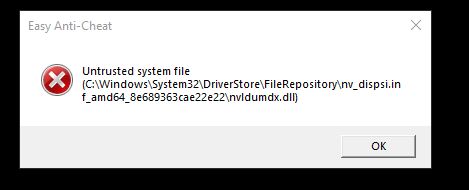
.
Renaming eldenring,exe to start_protected_game,exe enabled it to start (on Windows).
Replying to https://github.com/ValveSoftware/Proton/issues/5613#issuecomment-1083188616
This is unrelated. Basically Easy Anti Cheat doesn't trust the driver windows is referencing for elden ring, either your drivers are too new or too old or incorrectly installed. Linux is using VKD3D to remap to the Linux vulkan interface, which is a trusted process. A friend of mine is using VKD3D in windows at this time because the game won't start for him in D3D12 due to a lack of features.
About your problems in Linux, are you running the Linux client of steam or are you running steam in wine? The logfile seems to indicate that the environment you're running proton in isn't completely sane (lack of steam client directory), as such I recommend you reinstall steam (if possible through your distro's package manager) and try again. I also recommend starting with just the regular proton experimental as that one is running the game about as good as its running on windows (which is still inexcusably terrible).
@GoLD-ReaVeR
Thank you for taking the time to review my log file.
I installed Steam by downloading a .deb from Steam's website and running it.
The path is (User)/.local/share/Steam
Subnautica and Stalker Clear Sky run fine on Steam with Proton experimental.
That being said, there is another indication that something is wacky with my Steam install because Lutris can't find my Steam library, but is working fine with Gog.
Your advice is reasonable but I am hesitant to uninstall because I don't want to lose the games that are currently working.
I am going to wait a bit on playing this anyway because they are still doing game balancing updates and I hate being in the middle of a game when an update nerfs something I have built my character around.
Uninstalling a program will not remove a user's configuration/stored files.You shouldn't need to touch that folder you mention, you should uninstall the deb file and then reinstall using your distro's option.
I did this (Distro is Mint with XFCE).
The game still crashes in exactly the same way.
Going to wait for further updates of either the game or Proton, and will keep an eye on this thread.
I can confirm that I got my PS5 controller by adding a profile to desktop configuration on Steam.
That is not needed on Windows, only enable these options are enough
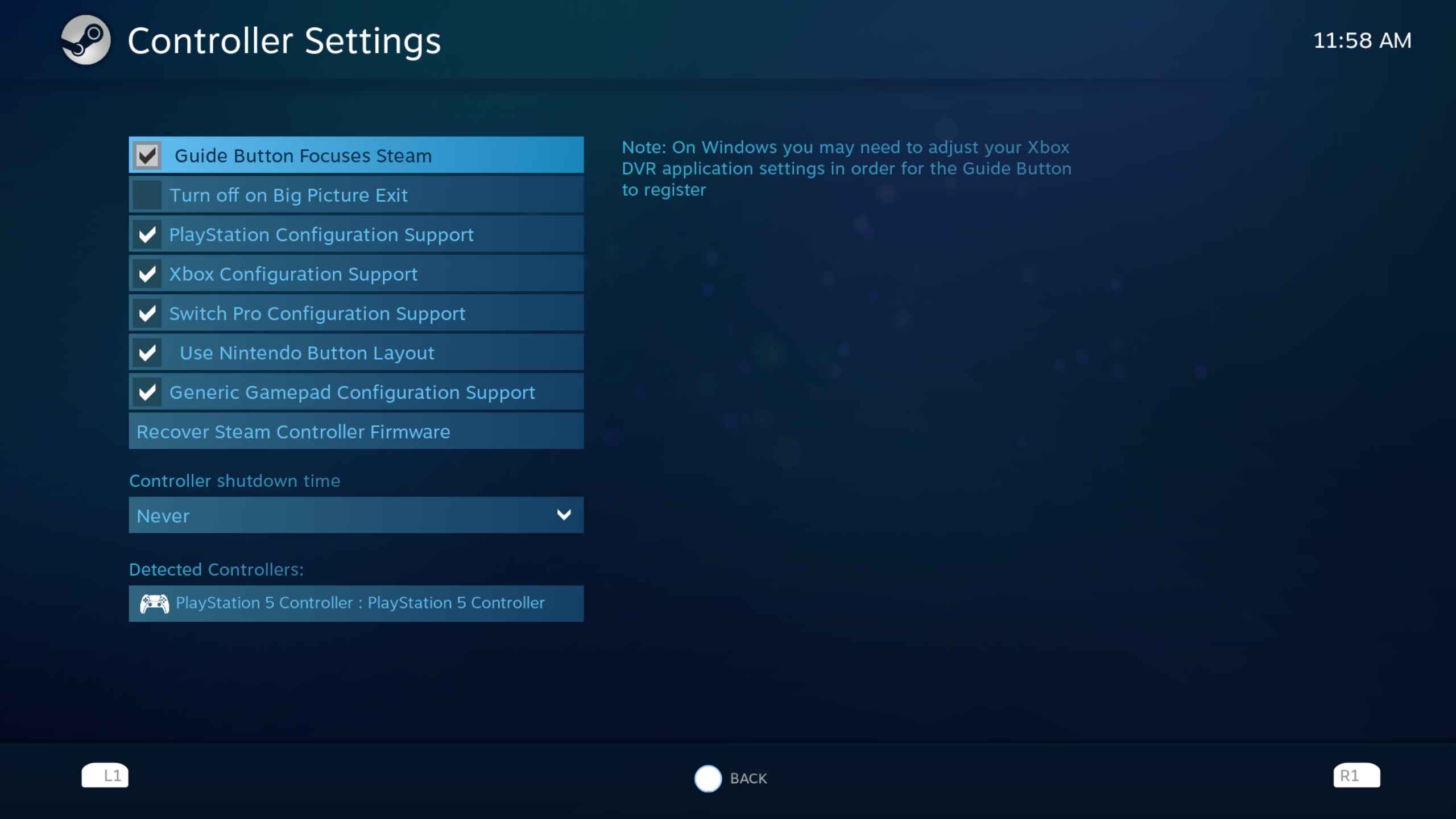
(on Windows again)
Manjaro user, mesa 21.3.7, AMD 6900 XT, kernel Linux 5.16.14-1-MANJARO
For me the game appears to work mostly successfully using proton 7.0-1, baring some graphical glitches (odd shaking sometimes, some npcs fading out when I'm close instead of when I'm far), however the game runs very poorly, getting around 18-23fps as noted by the steam overlay, and this is AFTER replacing start_protected_game.exe to remove eac. I was told that using the experimental branch, set to bleeding edge, fixes these performance issues, however proton experimental appears to be crashing before even launching the game. Running steam from the command line, logs from multiple launches are attached. I've censored some path names for privacy as follows: <myhome> in this case is my home directory, however <zfs-parition> is where the game was installed (internal sata ssds). as named, that partition is zfs, not sure if that matters.
I've tried adding PROTON_LOG=1 to the launch options, however the log produced in this case is empty past the initial blurb stating proton/kernel/etc versions. using PROTON_NO_FSYNC=1 appears to have no observable change
steam output 2022-04-01.txt
On the latest Proton Experimental, running it gets to the loading screen and then shortly aborts with Unexpected error #1. I tried in offline mode and several versions of Proton, and all have the same issue.
@MichaelBurge Are you able to try with the 510 driver and see if it makes a difference?
Edit: Oh wait you get to the loading screen. Not immediate crash. Is it a popup that says the error?
You could try clearing the games shader cache. (Tho i don't really expect this to do anything)
Can you post a system information report from steam?
Replying to https://github.com/ValveSoftware/Proton/issues/5613#issuecomment-1074550067
Turn off Above 4G Decoding and Resizeable BAR in your bios. These options enabled have a tendency to trigger some kind of unrecoverable GPU crash on RX400/RX500 cards. I had the same problem. Funnily enough, it was while I was testing Resizeable BAR on my system that I happened to run into this boss on the same day.
I was getting an issue with the latest experimental where, on proton startup, it would fail calling __syscall__copy_file_range, so I went and reverted that change and made it use good ol' shutil.copyfile. After deleting the compatdata/1245620 dir, as it littered the system32 directory with 0 byte files due to this syscall failure, it appears that it went and created a new game, and overwrote my existing one in steam cloud :(
So just a warning to everyone to back-up your save files when deleting compatdata, just in case. You only need to save /pfx/drive_c/users/steamuser/AppData/Roaming/EldenRing it looks like, as that's what's stored in steam cloud.
Damn that's awful.
I hope you didn:t lose a lot of progress.
I am definitely going to play this offline with a multiple save game mod.
I've played ~40 hours in Proton Experimental with absolutely no problems, but today my FPS suddenly dropped to 20 when I tried playing. So I added PROTON_LOG=1 to my start command and ran it for ~1 minute... and my log file is over 100 MiB.
First I have about 35k lines of this repeated over and over:
01bc:warn:d3d12_resource_validate_desc: Invalid alignment 4096 for buffer resource. Must be 0 or D3D12_DEFAULT_RESOURCE_PLACEMENT_ALIGNMENT.
01bc:warn:d3d12_device_GetResourceAllocationInfo2: Invalid resource desc.
Followed by around 1k lines of this repeated over and over:
0230:warn:d3d12_pipeline_state_init_graphics: Ignoring stencilTestEnable due to lack of stencil aspect.
With the occasional line of:
01bc:warn:d3d12_resource_validate_create_info: Ignoring optimized clear value.
And the remaining 1.1 million lines of text has a number of instances of this:
02cc:warn:d3d12_resource_validate_texture_alignment: Invalid resource alignment 0x1000 (required 0x10000).
02cc:warn:d3d12_device_GetResourceAllocationInfo2: Invalid resource desc.
But almost all of it is unwind spam. The attached log file shows line 100,000 through 120,000. The rest of the file looks basically identically.
Worth noting is I then switched my display mode in-game from fullscreen to borderless window, and it jumped back up to 60 FPS again. Edit: And launching it again just now I was back to 20 FPS in borderless window, but switching it to fullscreen got it back up to 60. So just switching it either direction seems to solve it. And every time I teleport it drops back down to 20, so I have to change the mode again...
It's strange, but if the steamwebhelper processes were killed once before launch, the game with EAC doesn't hang on a white screen.
https://github.com/ValveSoftware/Proton/issues/5613#issuecomment-1067107438
Thanks. I'll post my findings later.
@Khrona98 Been playing for a while now, and I can confirm that I don't encounter any persistent FPS drops when moving between different areas (perhaps, NVIDIA is doing something right). That said, certain weather effects, like wind and fog, do seem to be more demanding.
That said, certain weather effects, like wind and fog, do seem to be more demanding.
I played as a mage and the Night Maiden's Mist was taking almost half of the fps away. I think I have seen windows users complaining about this as well. Something does not seem right in how Elden Ring handles fog simulation...
So, I have discovered a way to have the overlay with controller support and keep EAC happy at the same time. This requires gamescope, and if your distro doesn't have it in its repositories you can find the source code here and build it yourself.
In the game's launch options string, you will need to put:
/absolute/path/to/gamescope/binary -f -e -- %command%
-f: fullscreen
-e: steam integration; seems to be required to get at least my xbox-compatible gamepad(8bitdo pro 2) to work like it does without gamescope(disable xbox configuration in general controller config and set defaults for steam input).
--: tells gamescope to stop parsing arguments
%command%: steam shorthand for executing the rest of the game's intended start environment.
This will essentially launch the game in the same way a Steam Deck would by creating a master window/application(gamescope) for the overlay to inject into(in theory).
@megatog615 Gamescope just results into black screen for me as it doesn't focus on the correct window.
@Cloudef is that with nvidia maybe?
No, AMD
I run gamescope like this straight from the tty:
gamescope -W 1920 -H 1080 -w 1920 -h 1080 -o 30 --steam -f -- dbus-run-session steamos
Where steamos is:
flatpak run --filesystem=xdg-run/pipewire-0:ro --filesystem=xdg-config/MangoHud:ro com.valvesoftware.Steam -steamos3 -steampal -gamepadui "$@"
Only elden ring has this issue.
I mean, I didn't say run it straight from a tty. I'm not going to do tech support on what is supposed to be an issue report for game compatibility. I offered a possible stop-gap solution for people who want the overlay to work correctly. It works for me in the way that I described. There is enough clutter on this issue report already.
I recommend trying it in the way that I described, replacing the launch options and running it from the Steam client.
I don't know if it is only with me but this game crashes more often when playing with other people online. I have seen a few today while helping random players to kill Elden Beast. As soon as the crash happens in the system logs it can be seen
steam.desktop[17787]: 'device_data->vtable.MapMemory(device_data->device, draw->index_buffer_mem, 0, index_size, 0, (void**)(&idx_dst))' line 1243 failed with VK_ERROR_MEMORY_MAP_FAILED
@wwmm When you say system logs with do you mean? linux, proton?
When you say system logs with do you mean? linux, proton?
@Blisto91 The error was in the output of sudo journalctl -b | grep -i steam
Roger.
It would be mesa (radv) spitting that out.
If it's mesas or vkd3d-proton's fault i don't know. Or the game doing something stupid
@wwmm Spoilers, dude...
@wwmm Spoilers, dude...
This is an issue thread pertaining to Elden Ring, naturally spoilers are going to occur. The name in itself doesn't really spoil much though.
That said, certain weather effects, like wind and fog, do seem to be more demanding.
I played as a mage and the
Night Maiden's Mistwas taking almost half of the fps away. I think I have seen windows users complaining about this as well. Something does not seem right in how Elden Ring handles fog simulation...
Windows complaining about the issues we're dealing with seems to be a recurring theme with Elden Ring. Even the crashes and their frequency seem to be on point. This buggy mess may actually be platinum support for the game.
I recommend the gamescope thing being put somewhere where people can see it as the thread gets truncated along the way and the info gets lost.
This is an issue thread pertaining to Elden Ring, naturally spoilers are going to occur. The name in itself doesn't really spoil much though.
@GoLD-ReaVeR Some people come here because they struggle to launch the game at all, though. Besides, mentioning the said name didn't add much to the discussion.
Running with gamescope -f -e -- %command% seems to finally have helped with my controller not getting picked up. Still, the game thinks it's a keyboard and shows the keyboard glyphs.
The game does not automatically change its glyphs when you use a keyboard
or a gamepad. There's a setting in the options menu to change it manually.
On Wed, Apr 13, 2022, 06:53 Kolja Lampe @.***> wrote:
Running with gamescope -f -e -- %command% seems to finally have helped
with my controller not getting picked up. Still, the game thinks it's a
keyboard and shows the keyboard glyphs.—
Reply to this email directly, view it on GitHub
https://github.com/ValveSoftware/Proton/issues/5613#issuecomment-1097909040,
or unsubscribe
https://github.com/notifications/unsubscribe-auth/AAY22RBJFPXW2D6UTU2BYCLVE2RRPANCNFSM5PIZADRQ
.
You are receiving this because you were mentioned.Message ID:
@.***>
Looked for that, couldn't find it. Thank you for mentioning it, will check again :)
Gamescope helped immensely with recognising the controller properly, another great use-case for that tool besides fixing multi-monitor issues.
But since I'm able to play it I have a strange bug that Proton (?) or something else is starting another game every ~15min in the foreground and thus getting very annoying. Its always the same game, Chronicon in my case, removing the game resulted in starting another game, CP2077. This bug happens only with Elden Ring.
@HolySoap So I'm not alone! For me, the game that gets launched is 2064: Read-Only Memories. Confirm something for me--is CP2077 the first game that BPM lists in its "Continue playing" section or whatever the verbiage is? Was Chronicon the first one listed there before you removed it? (And no, I have no idea why BPM refuses to put Elden Ring in that section.)
I've found--by listening to sound effects, which still play--that this is happening because launching Elden Ring with a controller connected is inexplicably also causing BPM to launch without visuals, sort of in the background. When this happens, both the game and BPM are accepting controller input at the same time, and if you just press the Confirm button (A, PlayStation X, etc.) a bunch of times in a row immediately, BPM will go straight to that "Continue/resume playing" section and launch the first game listed there.
I know this is happening because I can hear the sound effects of pressing buttons from BPM even though I can't see BPM itself.
This bug persists regardless of any settings. However, I assumed it wasn't specific to Elden Ring, and that it was only happening to me, because it started happening shortly after I tried messing around with BPM settings and the -tenfoot Steam launch option. Though reverting everything I did there hasn't made it go away.
My workaround is this: I added a shortcut in the Chord Configuration to exit BPM. When I launch Elden Ring, if I press X and hear a BPM sound effect, I just use the Chord shortcut that I added to close it from inside the game. This prevents my controller input from bleeding into an invisible BPM window and doing whatever it would do there.
@Jimi-James huh.... as of right now I can confirm that CP2077 is listed as #1 in continue playing, but since my last start of Elden Ring I reinstalled Chronicon (now listed as #2 and Risk of Rain 2 is listed as #3) and I don't know if it was #1 before.
Can you please test something for me? Does this bug go away when you disable the Steam overlay (you lose Steam input), deactivate Big Picture Mode if a controller is connected (Steam Settings under the "in-game" tab) or use the new Steam Deck UI?
edit: damn hashtags ruining everything, please ignore what they linked to automatically! :/
I'm unable to test anything from my current position/location. And I'm still waiting for the Steam Deck email.
I played around a little bit today and it seems like disabling the Big Picture Mode overlay when using a controller is enough to get rid of that bug. So you might be right with your assumption with continue playing, they need to replace Big Picture Mode asap because this thing is totally busted by now.
Anyway, then I face an immediately crash after loading the world with no exception, but the combination of VKD3D_FEATURE_LEVEL=12_0 and AMD_VULKAN_ICD=AMDVLK as launch options extended it to 2-4 hours. It seems like there are some issues with Mesa and even Mesa git that I was using.
@HolySoap There's a bit of a shot in the dark chance that disabling FSYNC could get you beyond 2-4.
I've been getting an odd hang where my frame-rate drops down to about 1 frame per minute, it's specifically triggered by when the player character is about to be hit by a melee attack, regardless of if it would be blocked.
Based off the proton logs, it seems like a mutex somewhere is failing to unlock:
steam-1245620.log
@Jimi-James oh well, doesn't matter any more. Yesterday there was a mesa git update for my distro and it broke everything again, after around 5-10 min my whole system freezes up.
Back to waiting 3 more weeks until I'm able to test and play again.
Since the 1.04 patch, it seems the anticheat is failing to initialize properly, and I cannot play online. Using proton Experimental/G-E 7.9. Same results. Are there any logs i can post that would be helpful?
Same goes for 7.0-2
I seem to have only a 50/50 chance of the controller being recognized when I try to remote play from my desktop (running proton experimental / bleeding edge) to my Steam Deck.
Just tested with Experimental (and bleeding-edge) as well as GE 7-9 and 7-14, the game still connects to EAC and the general servers without issue.
The only issue which remains to this day is the failing to launch on several attempts, requiring closing the running process and restarting until eventually the window for the game proper spawns.
Any idea what i can do then? File verification and reinstalls have yielded nothing
Try removing and reinstalling the EAC Runtime. If you have access to a different machine, try installing and launching the game there to see if the issue is still present.
I have the problem too where the game window never opens after the EAC launcher. Sometimes if i'm very lucky it might start after 10 attempts but most of the time it just doesn't.
I have found a fix for this and it seems to work almost every time:
- Delete the
steam/steamapps/common/ELDEN\ RING/Game/EasyAntiCheatdirectory. - Delete the
steam/steamapps/compatdata/1245620directory. - Open Elden Ring's properties inside Steam and go to Local Files tab,
then click on theVerify integrity of game files...button. - Start Elden Ring.
I have no problem with this otherwise, but verifying almost 50GB of files is quite time consuming, and Elden Ring crashes every now and then, which usually means that I have to do the steps above again. Also when I close the game normally, the next time I want to start Elden Ring, I usually have to do the verification process again before the game starts.
Since the latest update, Elden Ring won't start for me anymore. Already tried deleting EasyAntiCheat and the Prefix. Tried GE-Proton-7-13 and Proton Experimental (bleeding edge), same issue on both: "Failed to initialize dependencies"
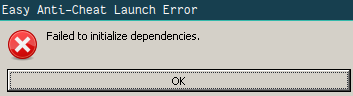
Disabling EAC by renaming the .exe files works as a workaround.
Patch 1.04 broke Elden Ring
Issue transferred from https://github.com/ValveSoftware/Proton/issues/5784.
@marelons1337 posted on 2022-04-23T11:35:08:
Hi, I played for a while now on Ubuntu using Proton experimental. When patch 1.04 came out my game is not starting anymore, I have reinstalled it under any proton available(I have tried many installations trust me) and last time I installed it with proton 7 it worked but without online features. Now it doesn't even start at all. I've noticed that I get some wine errors in the console.
From logs:
NVIDIA GeForce GTX 1660 Ti:
info:    Driver: 470.103.1
info:    Vulkan: 1.2.175
Launch options:
__NV_PRIME_RENDER_OFFLOAD=1 __VK_LAYER_NV_optimus=NVIDIA_only __GLX_VENDOR_LIBRARY_NAME=nvidia DXVK_ASYNC=1 DXVK_STATE_CACHE=1 PROTON_ENABLE_NVAPI=1 PROTON_USE_SECCOMP=1 VKD3D_CONFIG=no_upload_hvv,single_queue gamemoderun %command%
Anyone else facing similiar problems? I think I tried everything with multiple different launch options. It used to crash every once in a while or not even open but after a few tries it eventually started but now I get this dump:
wine: Unhandled page fault on read access to 0000000000000000 at address 0000000141DE582B (thread 017c), starting debugger...
Unhandled exception: page fault on read access to 0x0000000000000000 in 64-bit code (0x0000000141de582b).
Register dump:
 rip:0000000141de582b rsp:000000000011e970 rbp:000000000011ea70 eflags:00010246 (  R- --  I  Z- -P- )
 rax:0000000000000000 rbx:00007ffefe025330 rcx:0000000000000000 rdx:0000000140000000
 rsi:00007ffefe0253f8 rdi:00007ffefe025320  r8:000000000011eb90  r9:0000000000000008 r10:0000000144480bc0
 r11:00007ffefe025808 r12:0000000000000000 r13:0000000000000000 r14:00007ffefe025578 r15:0000000000000000
Stack dump:
0x000000000011e970:  0000000000000000 0000000000000000
0x000000000011e980:  0000000000000000 0000000000000000
0x000000000011e990:  0000000000000000 0000000000000000
0x000000000011e9a0:  0000000000000000 0000000000000000
0x000000000011e9b0:  0000000000000000 0000000000000000
0x000000000011e9c0:  0000000000000000 0000000000000000
0x000000000011e9d0:  0000000000000000 0000000000000000
0x000000000011e9e0:  0000000000000000 0000000000000000
0x000000000011e9f0:  0000000000000000 0000000000000000
0x000000000011ea00:  0000000000000000 0000000000000000
0x000000000011ea10:  0000000000000000 0000000000000000
0x000000000011ea20:  0000000000000000 0000000000000000
Backtrace:
=>0 0x0000000141de582b ??0BufferedFile@Scaleform@@IEAA@XZ+0xc4d11b() in eldenring (0x000000000011ea70)
  1 0x0000000141a404fb ??0BufferedFile@Scaleform@@IEAA@XZ+0x8a7deb() in eldenring (0x000000000011ed00)
  2 0x0000000141945d01 ??0BufferedFile@Scaleform@@IEAA@XZ+0x7ad5f1() in eldenring (0x000000000011ef68)
  3 0x0000000141a35ab8 ??0BufferedFile@Scaleform@@IEAA@XZ+0x89d3a8() in eldenring (0x000000000011ef68)
  4 0x0000000141a35439 ??0BufferedFile@Scaleform@@IEAA@XZ+0x89cd29() in eldenring (0x000000000011ef68)
  5 0x0000000141a355b1 ??0BufferedFile@Scaleform@@IEAA@XZ+0x89cea1() in eldenring (0x000000000011f0a0)
  6 0x000000014193f3db ??0BufferedFile@Scaleform@@IEAA@XZ+0x7a6ccb() in eldenring (0x000000000011f0a0)
  7 0x0000000140a9c886 ??0System@Scaleform@@QEAA@AEBUHeapDesc@MemoryHeap@1@PEAVSysAllocBase@1@@Z+0x8e4cd6() in eldenring (0x000000000011f4a0)
  8 0x0000000140aa03dd ??0System@Scaleform@@QEAA@AEBUHeapDesc@MemoryHeap@1@PEAVSysAllocBase@1@@Z+0x8e882d() in eldenring (0x00007fff9e03fda0)
  9 0x0000000140a9f187 ??0System@Scaleform@@QEAA@AEBUHeapDesc@MemoryHeap@1@PEAVSysAllocBase@1@@Z+0x8e75d7() in eldenring (0x000000014319d5b0)
  10 0x000000014261abc5 EntryPoint+0x1dae15() in eldenring (0x000000000011fcf0)
  11 0x000000014261aec0 EntryPoint+0x1db110() in eldenring (0x000000000011fcf0)
  12 0x00000001425d1f72 EntryPoint+0x1921c2() in eldenring (0x0000000000000060)
  13 0x000000014259aa2e EntryPoint+0x15ac7e() in eldenring (0x00000001428eddb0)
  14 0x0000000140e14e34 ??0System@Scaleform@@QEAA@AEBUHeapDesc@MemoryHeap@1@PEAVSysAllocBase@1@@Z+0xc5d284() in eldenring (0x00000001428eddb0)
  15 0x0000000140d55424 ??0System@Scaleform@@QEAA@AEBUHeapDesc@MemoryHeap@1@PEAVSysAllocBase@1@@Z+0xb9d874() in eldenring (0x00000001428eddb0)
  16 0x0000000140c107b5 ??0System@Scaleform@@QEAA@AEBUHeapDesc@MemoryHeap@1@PEAVSysAllocBase@1@@Z+0xa58c05() in eldenring (0x0000000000000000)
  17 0x0000000140c10b3e ??0System@Scaleform@@QEAA@AEBUHeapDesc@MemoryHeap@1@PEAVSysAllocBase@1@@Z+0xa58f8e() in eldenring (0x0000000000000000)
  18 0x000000014243fd5b ??0BufferedFile@Scaleform@@IEAA@XZ+0x12a764b() in eldenring (0x0000000000000000)
  19 0x000000007b62c9e9 ActivateActCtx+0x20da5() in kernel32 (0x0000000000000000)
  20 0x000000017005eb27 A_SHAFinal+0x3ca27() in ntdll (0x0000000000000000)
0x0000000141de582b eldenring+0x1de582b: movq    (%rcx),%rax
Modules:
Module  Address                                 Debug info      Name (78 modules)
PE      0000000000180000-00000000001a0000       Deferred        amd_ags_x64
PE      0000000000c70000-0000000000d7e000       Deferred        oo2core_6_win64
PE      0000000001f30000-000000000210d000       Deferred        gameoverlayrenderer64
PE      00000000067a0000-0000000007dd7000       Deferred        eossdk-win64-shipping
PE      0000000007de0000-0000000007e72000       Deferred        msvcp140
PE      0000000007e80000-0000000007e99000       Deferred        vcruntime140
PE      000000007b000000-000000007b0d9000       Deferred        kernelbase
PE      000000007b600000-000000007b812000       Export          kernel32
PE      0000000138000000-000000013951f000       Deferred        steamclient64
PE      000000013b400000-000000013b444000       Deferred        steam_api64
PE      0000000140000000-0000000145873a00       Export          eldenring
PE      0000000170000000-00000001700a1000       Export          ntdll
PE      0000000180000000-0000000180069000       Deferred        bink2w64
PE      00000001c69e0000-00000001c72fb000       Deferred        shell32
PE      00000001c8b40000-00000001c8b60000       Deferred        msacm32
PE      00000001c8db0000-00000001c8e47000       Deferred        msvcrt
PE      00000001cd860000-00000001cd868000       Deferred        api-ms-win-crt-utility-l1-1-0
PE      00000001d97a0000-00000001d97a7000       Deferred        api-ms-win-core-fibers-l1-1-1
PE      00000001dd3f0000-00000001dd4be000       Deferred        crypt32
PE      00000001e7610000-00000001e7617000       Deferred        normaliz
PE      00000001ec2b0000-00000001ec2d6000       Deferred        ws2_32
PE      00000001f51e0000-00000001f51f0000       Deferred        hid
PE      00000001fdfd0000-00000001fdff8000       Deferred        wintrust
PE      0000000201cf0000-0000000201d0f000       Deferred        secur32
PE      0000000205950000-0000000205958000       Deferred        api-ms-win-appmodel-runtime-l1-1-2
PE      000000021a7e0000-000000021a855000       Deferred        setupapi
PE      0000000226310000-0000000226317000       Deferred        api-ms-win-core-string-l1-1-0
PE      0000000231ae0000-0000000231b62000       Deferred        rpcrt4
PE      000000023d820000-000000023da6e000       Deferred        user32
PE      0000000240030000-000000024005d000       Deferred        iphlpapi
PE      0000000241850000-0000000241857000       Deferred        api-ms-win-crt-environment-l1-1-0
PE      0000000262250000-0000000262259000       Deferred        api-ms-win-crt-runtime-l1-1-0
PE      000000026b4c0000-000000026b53a000       Deferred        gdi32
PE      00000002739c0000-0000000273af7000       Deferred        oleaut32
PE      0000000274a50000-0000000274a5d000       Deferred        kerberos
PE      000000028ba60000-000000028ba67000       Deferred        api-ms-win-crt-time-l1-1-0
PE      000000028dfa0000-000000028dfac000       Deferred        nsi
PE      000000028ebe0000-000000028ebe8000       Deferred        api-ms-win-core-sysinfo-l1-2-1
PE      000000029cfc0000-000000029cfd6000       Deferred        dnsapi
PE      000000029ea80000-000000029ea87000       Deferred        api-ms-win-core-datetime-l1-1-1
PE      00000002bb750000-00000002bb893000       Deferred        comctl32
PE      00000002d4d40000-00000002d4d57000       Deferred        bcrypt
PE      00000002de970000-00000002de9a2000       Deferred        rsaenh
PE      00000002e3540000-00000002e3591000       Deferred        shlwapi
PE      00000002e8f10000-00000002e902a000       Deferred        ole32
PE      00000002edf00000-00000002ee0ed000       Deferred        dxgi
PE      00000002f1fa0000-00000002f1fae000       Deferred        version
PE      00000002f7f20000-00000002f7f2c000       Deferred        vcruntime140_1
PE      00000002fa030000-00000002fa037000       Deferred        api-ms-win-core-localization-obsolete-l1-2-0
PE      0000000308050000-000000030809b000       Deferred        dinput8
PE      000000030a2c0000-000000030a2c9000       Deferred        api-ms-win-crt-stdio-l1-1-0
PE      000000030c980000-000000030c988000       Deferred        api-ms-win-core-synch-l1-2-0
PE      00000003126f0000-0000000312709000       Deferred        shcore
PE      0000000327020000-0000000327073000       Deferred        combase
PE      000000032a700000-000000032a72a000       Deferred        sechost
PE      0000000330260000-00000003302a0000       Deferred        advapi32
PE      000000033ea00000-000000033ea09000       Deferred        api-ms-win-crt-string-l1-1-0
PE      0000000344840000-0000000344848000       Deferred        api-ms-win-crt-filesystem-l1-1-0
PE      0000000346ba0000-0000000346bc1000       Deferred        jsproxy
PE      0000000350a30000-0000000350a39000       Deferred        api-ms-win-crt-convert-l1-1-0
PE      0000000351680000-0000000351688000       Deferred        api-ms-win-core-localization-l1-2-1
PE      0000000355100000-0000000355107000       Deferred        api-ms-win-crt-locale-l1-1-0
PE      0000000358120000-0000000358166000       Deferred        winhttp
PE      000000035e4e0000-000000035e745000       Deferred        d3d12
PE      0000000360a80000-0000000360a8a000       Deferred        api-ms-win-crt-math-l1-1-0
PE      00000003738e0000-00000003738e8000       Deferred        api-ms-win-crt-conio-l1-1-0
PE      0000000375610000-0000000375648000       Deferred        win32u
PE      00000003785e0000-00000003785ed000       Deferred        vulkan-1
PE      000000038b5a0000-000000038b5f2000       Deferred        wldap32
PE      000000039b510000-000000039b518000       Deferred        api-ms-win-crt-heap-l1-1-0
PE      00000003a93b0000-00000003a93c3000       Deferred        xinput1_4
PE      00000003af670000-00000003af730000       Deferred        ucrtbase
PE      00000003afd00000-00000003afd1a000       Deferred        imm32
PE      00000003b6dc0000-00000003b6de4000       Deferred        winevulkan
PE      00000003b8f00000-00000003b8fc1000       Deferred        winmm
PE      00007f95e3cd0000-00007f95e3cd3000       Deferred        lsteamclient
PE      00007f95e8020000-00007f95e8023000       Deferred        wineopenxr
PE      00007f95e8e20000-00007f95e8e24000       Deferred        winex11
Threads:
process  tid      prio (all id:s are in hex)
00000020 steam.exe
        00000024    0
        000000c4    0
        00000138    0
00000030 services.exe
        00000034    0
        00000038    0
        00000044    0
        00000048    0
        00000064    0
        00000070    0
        00000094    0
        000000ac    0
        000000f0    0
        000000f4    0
0000003c winedevice.exe
        00000040    0
        0000004c    0
        00000050    0
        00000054    0
        00000058    0
        000000b8    0
0000005c winedevice.exe
        00000060    0
        00000068    0
        0000006c    0
        00000074    0
        00000078    0
        0000007c    0
        00000080    0
        00000088    0
0000008c plugplay.exe
        00000090    0
        00000098    0
        0000009c    0
        000000a0    0
000000a4 svchost.exe
        000000a8    0
        000000b0    0
        000000b4    0
000000c8 explorer.exe
        000000cc    0
        000000dc    0
        000000e0    0
000000e8 rpcss.exe
        000000ec    0
        000000f8    0
        000000fc    0
        00000100    0
        00000104    0
        00000108    0
        0000010c    0
00000118 tabtip.exe
        0000011c    0
        00000128    0
        00000134    0
00000178 (D) Z:\home\afalj\\.local\\share\\Steam\\steamapps\\common\\ELDEN RING\\Game\\eldenring.exe
        0000017c    1 <==
        0000018c    0
        00000190    1
        00000194    1
        00000198    1
        0000019c    1
        000001a0    1
        000001a4    1
        000001a8  -15
        000001ac    1
        000001b0    1
        000001b4   -2
        000001b8    0
        000001bc    0
        000001c0    0
        000001c4    1
        000001c8    1
        000001cc    1
        000001d0    1
        000001d4    1
        000001d8    1
        000001dc    1
        000001e0    1
        000001e4   -1
        000001e8   -1
        000001ec   -1
        000001f0   -1
        000001f4   -1
        000001f8   -1
        000001fc   -1
        00000200   -1
        00000204   -1
        00000208   -1
        0000020c   -1
        00000218    0
00000180 conhost.exe
        00000184    0
System information:
    Wine build: wine-7.0
    Platform: x86_64
    Version: Windows 10
    Host system: Linux
    Host version: 5.13.0-40-generic
Since the latest update, Elden Ring won't start for me anymore. Already tried deleting EasyAntiCheat and the Prefix. Tried GE-Proton-7-13 and Proton Experimental (bleeding edge), same issue on both: "Failed to initialize dependencies"
Disabling EAC by renaming the .exe files works as a workaround.
If you are on wayland make sure to unset the SDL_VIDEODRIVER environment variable. Fixed the issue for me.
I saw something in my mail and I feel the need to explain that Elden Ring is running perfectly for me. Performance improved as well as camera management being much better now with the auto rotation turned off. I haven't checked for crashes yet, but I've seen crashes for windows gamers as is so I don't expect them to be gone.
I'm running proton experimental bleeding edge.
Elden Ring is still working perfectly fine for me as well, tested on two systems running Fedora 36 + KDE on Wayland
If you are on wayland make sure to unset the SDL_VIDEODRIVER environment variable. Fixed the issue for me.
Thank you, this worked! :+1:
Counter-intuitively setting SDL_VIDEODRIVER=x11 did not work. You really have to unset the variable.
I can also confirm that on Sway (Wayland), the game doesn't launch unless adding
unset SDL_VIDEODRIVER && %command% to the game's launch options. Setting it's value to be empty isn't enough, it has to be unset
I deleted the Elden Ring prefix to try to fix an issue, and now it gets stuck on performing first time setup and installing DirectX every time I try to launch.
OS: Arch Linux
KERNEL: 5.17.4-arch1-1
CPU: AMD Ryzen 7 3700 X
GPU: RX 5700 XT
GPU DRIVER: mesa 22.0.2-1
RAM: 16 GB
GPU: RTX 3090, nvidia 510.60.02-16
Kernel: 5.17.4-arch1-1
Proton version: 7.0-2, Experimental
Steam installed via flatpak
Fails to log in to the servers on startup. Runs wells offline, but haven't been able to get a gamepad to work (dual shock 4). Tried setting the desktop configuration to "gamepad," steam input on/off, playstation config on/off, no luck. Oddly enough, with the keyboard OSD enabled, the game gets input from the dpad.
@ldopa try to manually grab the udev rules for steam inputs from the steam package and apply them.
System Information
- GPU: Nvidia RTX 2070 Super
- Driver/LLVM version: NVIDIA 510.60.02
- CPU: 16 × AMD Ryzen 7 3800X 8-Core Processor
- RAM: 32 GB
- Kernel version: 5.17.1-3-MANJARO
- Proton version: 7.0-2, Experimental
- KDE-Plasma-Version: 5.24.4
- KDE-Frameworks-Version: 5.92.0
- Qt-Version: 5.15.3
- OS: Manjaro Linux
Symptoms
Since update 1.04 I can't play online anymore. Always recevice the message "inappropriate behaviour detected".
I have deleted the pfx, as well as reinstalled the game, but no luck.
I tried it on Proton experimental and 7.0-2.
Online at least still works on Windows 10, so I wasn't banned.
Logs
Fix
I found the problem. The cause was the lug-helper EAC workaround for Star Citizen.
It's pointing the URL "modules-cdn.eac-prod.on.epicgames.com" to localhost in /etc/hosts.
By deleting the line, I am able to play online again.
@ldopa try to manually grab the udev rules for steam inputs from the steam package and apply them.
Controller works in the steam UI and every other game I've tested. Tried the udev rules just in case: same behavior. I can bring up the overlay, but the game doesn't seem to get any input from the ds4.
Other games weren't using steam input apparently. Fix ended up being to add my user to the input group on the host. Issue with net play was a missing resolv.conf. So, nothing Elden Ring-specific.
after Elden Ring patch 1.04.1 had to change launch options to 'unset SDL_VIDEODRIVER && %command%' otherwise would not start at all.
added log from before adding the launch options
steam-1245620.log
Can anyone confirm that the game start since 1.04.1 patch ?
It seems that something is going on. I tried Proton Experimental, GE-Proton7-14 and GE-Proton7-15 with clean prefix without success.
Everything was good yesterday night.
Update, after doing a file verification, steam found 1 corrupted file. Once the process was done, everything went back to normal.
Can anyone confirm that the game start since 1.04.1 patch ? It seems that something is going on. I tried Proton Experimental, GE-Proton7-14 and GE-Proton7-15 with clean prefix without success. Everything was good yesterday night.
Exactly that, after latest patch it just refuses to work. What I get is it starts, cursor shows up, white screen flashes and then it's gone.
Works for me. I'm running Proton Experimental Bleeding edge on Arch
1.04.1 works just fine for me on Debian Testing.
Can anyone confirm that the game start since 1.04.1 patch ? It seems that something is going on. I tried Proton Experimental, GE-Proton7-14 and GE-Proton7-15 with clean prefix without success. Everything was good yesterday night.
Exactly that, after latest patch it just refuses to work. What I get is it starts, cursor shows up, white screen flashes and then it's gone.
I had the exact same symptoms. Solved after a file verification
I have just updated to 1.04.2 and while the game seems fine at first as soon as someone tries to summon me to a boss fight the game crashes. So far 2 times in a row. I will keep trying to see what happens. I am on the proton experimental that has been updated today. I did not try the bleeding edge or the stable yet.
Since updating to 1.04.2, the game has been crashing frequently. Ubuntu 22.04 LTS, Proton Experimental, Nvidia 510.60.2. Game had been relatively stable in versions prior to 1.04. Verifying local files has not corrected the issue. I've included a recent Proton log.
steam-1245620.zip
EDIT: Tried Proton 7.0-2 on a clean prefix, did not resolve crashes. The game has crashed more for me since the 1.04.2 update than in the two months since launch.
EDIT 2: Corrected version, since FromSoft has a bizarre versioning scheme. Application version is 1.04.1, Regulation version is 1.04.2
EDIT 3: Disabling shader pre-caching seems to help stability, at the cost of greatly diminished performance and massive stalls and stuttering.
EDIT 4: I hesitate to say this, but I think clearing the shader cache and re-enabling shader pre-caching may have been the fix. Played a fair amount today with no crashes, and performance was consistent so long as I capped the framerate with Mangohud.
As of just yesterday, I'm suddenly experiencing an issue where Elden Ring will make my ethernet port stop working* in about 20 minutes of gameplay, every time. Even if I play offline with EAC disabled. My Wi-Fi is unaffected--only ethernet. I was playing all day the day before with no issues, but suddenly yesterday and today, this is now happening. I have not updated my system, or made any other changes, nor have I noticed any updates to Elden Ring. It just suddenly started happening. It only happens when I play Elden Ring. I'm watching temps and my system is not overheating.
*Basically, I lose internet. dhcpcd fails to get an IP. This persists until I reboot my computer. I'm not seeing any error messages related to ethernet in journalctl; it simply fails to connect, as if the cable were unplugged, and I've already tried multiple cables and even multiple routers.
Hello @Jimi-James, I have trouble believing that any game run with Proton would be the root cause of a broken network interface. That sounds like a kernel or hardware issue which should be investigated on the kernel side.
It seems that people have had this issue on Windows, too: https://reddit.com/r/Eldenring/comments/tmwntr/my_pc_constantly_disconnects_from_the_internet/
I'm at a loss. I'm not sure how I can troubleshoot this without any error messages.
It seems like bug in router software, or some sort of QoS issue etc
For those who previously had the game working but are experiencing recent problems with launching the game, having it hit a white screen, and then crash with no error:
There may be some kind of breakage introduced in the latest bleeding-edge changes to Proton. I was not able to launch the game using GE-Proton7-16 or Proton Experimental with [bleeding edge] enabled, but when I switched to Proton 7.0-2 and just regular Proton Experimental, both launched the game without issue.
Hello @atbrandt, please copy your system information from Steam (Steam -> Help -> System Information) and put it in a gist, then include a link to the gist in this issue report. Also, please add PROTON_LOG=1 %command% to the game's launch options, reproduce the issue, and attach the generated $HOME/steam-$APPID.log to this issue report as a file. (Proton logs compress well if needed.)
@Cloudef
It seems like bug in router software, or some sort of QoS issue etc
Except, as I said, I tried multiple routers, both of which have had no issue in the past. Neither has any QoS set. I work for an ISP and I very much know my way around routers, cables, and Wi-Fi.
@Jimi-James Honestly I'm not sure how a game could cause those issues, other than faulty hardware / software handling the packets it sends somewhere. At least on linux the game won't have permissions for taking down your network, only opening connections, sending and receiving packets.
Yeah, it's baffling me, too. But it's very steadily happening only when, and always when, I play Elden Ring for about 20 minutes--even if I disable EAC by renaming EXEs and play offline. Even if I unplug my ethernet cable and play over Wi-Fi, ethernet gets shadow "disabled" until a reboot, while Wi-Fi continues to work.
You wrote on the reddit thread wifi works for you, so it's high chance your ethernet adapter has a hardware / kernel driver bug. When the ethernet gets disabled does anything related show up in system logs? (dmesg, journalctl, ...)
Could be--but I could use some advice as to how to get to the bottom of that. As it stands I'm getting zero error messages in journalctl and Elden Ring is the only way I can reproduce the issue.
What's the ethernet adapter? (lspci or lsusb should show it, depending which interface it's connected) System logs should have at least something if the interface goes down completely, can you still see it with ip link show command?
By searching internet for "disconnct issues" with the ethernet adapter's name / part number, can perhaps lead you to somewhere. Updating bios may help if it's adapter in motherboard. Not sure what kind of network activity elden ring does, but it may be doing something unusual that then exposes a bug in another component.
Ethernet port is: Aquantia Corp. AQC107 NBase-T/IEEE 802.3bz Ethernet Controller [AQtion] (rev 02)
I'll run that Google search, and I should also see what happens if I use a different port, like a USB dongle or something.
This one is on my mobo, but unfortuantely my BIOS is already up to date, and downgrading it is known to brick or cause other major issues.
Since that's 10G adapter, make sure you are using CAT6 or higher cable as well, the github issues page for AQtion driver is here: https://github.com/Aquantia/AQtion/issues
Replying to https://github.com/ValveSoftware/Proton/issues/5613#issuecomment-1112681152
@grimshins
I have a very similar setup and encounter the same issue since the update to 1.04.1. I would like to try your solution as well but do not know where the shader chache is, or which one you are talking about. It would be cool if you could help me out by specifying how to clear the cache. Google unfortunately only told me about the caches of other games.
Thanks in advance!
Replying to [#5613 (comment)](https://github.com/ValveSoftware/Proton/issues/5613#issuecomment-1112681152)
@grimshins I have a very similar setup and encounter the same issue since the update to 1.04.1. I would like to try your solution as well but do not know where the shader chache is, or which one you are talking about. It would be cool if you could help me out by specifying how to clear the cache. Google unfortunately only told me about the caches of other games.
Thanks in advance!
I don't have many games installed, so I simply unchecked and rechecked "Enable Shader Pre-Caching" under 'Settings>Shader Pre-Caching' in Steam, which re-downloads the shaders for installed games. I'm sure there's a more elegant method which would clear and rebuild the shader cache for an individual game.
EDIT: Unfortunately, this method may be nothing more than placebo. Sometimes the game will run rock solid for hours, sometimes it will crash within a few minutes. There doesn't seem to be any way of predicting when it will happen.
Replying to [#5613 (comment)](https://github.com/ValveSoftware/Proton/issues/5613#issuecomment-1118982376)
Thanks for the quick answer! I actually tried this, as well as deleting the GLCache folder by nVidia, but as you said it did not fix the issue.
But good news! I just installed the recently released version 7-16 of Glorious Eggrolls' Proton fork and had no crash since then. So maybe give that a shot and see if it works for you as well:
https://github.com/GloriousEggroll/proton-ge-custom/releases
Getting this error: wine: Unhandled page fault on read access to 0000000000000000 at address 00007FE6D18297BE (thread 0134), starting debugger...
Game gets to a white screen with the cursor on screen, then crashes after a little bit
Tried verifying steam files to no avail
Kernel: 5.17.4-artix1-1
GPU: 5600 xt
CPU: 8350k
steam log: steam-1245620.log
EDIT: changing version from experimental [bleeding-edge] to Proton 7.02 fixed this issue
EDIT 2: game works with Proton 7.02, but fps is abysmal and unplayable, game is crashing on Proton-GE 7.16 with same error as before
Hello @xotical, info: Driver: 2.0.221 in your log hints that you're using AMDVLK or AMDGPU-Pro with the game. Can you check if the same issue happens with mesa/RADV? (mesa 22.0 or newer)
Replying to [#5613 (comment)](https://github.com/ValveSoftware/Proton/issues/5613#issuecomment-1118982376)
Thanks for the quick answer! I actually tried this, as well as deleting the GLCache folder by nVidia, but as you said it did not fix the issue. But good news! I just installed the recently released version 7-16 of Glorious Eggrolls' Proton fork and had no crash since then. So maybe give that a shot and see if it works for you as well: https://github.com/GloriousEggroll/proton-ge-custom/releases
Thanks for the tip. I'm trying out GE Proton 7-16 right now and the results seem promising. Interesting that the patch notes mention crashes being related to F-sync. I'm on the default 5.15 kernel which doesn't support F-sync, so perhaps there's something else going on.
EDIT: Haven't had any crashes since switching to GE Proton 7-16, so hopefully those patches get upstreamed.
Hello @xotical,
info: Driver: 2.0.221in your log hints that you're using AMDVLK or AMDGPU-Pro with the game. Can you check if the same issue happens with mesa/RADV? (mesa 22.0 or newer)
How would I go about doing that
They shouldn't need to touch anything to do with kernel modules or anything, should be fine since they can use vulkan and should be using amdgpu as default. (The dx12 messages are from vkd3d-proton, they aren't actually using directx12 drivers since that isn't much of a thing on Linux)
Only remove amdvlk and install mesa/radv if required. If they have both installed a environment variable can be provided to switch over as a attemp without installing or removing anything. :)
No need to make it too complicated.
@xotical can you post a steam system information report as a GitHub gist or in a text file here? You can find it in the help menu in the steam UI. Let it run for 10-15 seconds before copying the text since it needs some time to complet and it isn't very obvious it's still going.
I uninstalled amdvlk to let mesa run, and it didn't crash! and not unplayable either. Thanks to everyone for the help here
I uninstalled amdvlk to let mesa run, and it didn't crash! and not unplayable either. Thanks to everyone for the help here
Instead of uninstalling amdvlk, you could always just export AMD_VULKAN_ICD=RADV in your environment file ;)
Ye but unless they have a specific use case for it or a game with a radv problem it's probably just less hassle to just remove it since radv generally have more support in the gaming department. But yes that is also a option ofc :grin:
Glad you got it working.
Wont run at all for me on any Proton version other than Proton 6.3-8. Thats not much help, as it crashes within two or three minutes anyway on that version. Every other Proton version tried, it gets at most up to the "white screen" of infamy.
Proton logs here: https://pastebin.com/nqp9MNxi
Proton Experimental logs: https://pastebin.com/mx9ATaX9
Tried GE-Proton7-10 and 7-17, same results as everything else. Im open to suggestions!
My issue with ethernet and this game suddenly stopped happening as of 5/5. As quickly as it arrived, it's gone. If it ever comes back, I'll do the troubleshooting steps discussed earlier.
Hello @atbrandt, please copy your system information from Steam (
Steam->Help->System Information) and put it in a gist, then include a link to the gist in this issue report. Also, please addPROTON_LOG=1 %command%to the game's launch options, reproduce the issue, and attach the generated $HOME/steam-$APPID.log to this issue report as a file. (Proton logs compress well if needed.)
Heyo, sorry I didn't see this sooner. I can confirm this issue still happens with the current version of the bleeding-edge version of proton experimental, but the game still launches fine on regular proton experimental
Thanks, info: Driver: 21.3.8 and 0184:err:vkd3d_init_device_caps: KHR_dynamic_rendering is not supported by this implementation. This is required for correct operation. are the lines that matter in your log. Proton Experimental bleeding edge is using a build of VKD3D-Proton which requires mesa/RADV 22.0 or newer. Your video driver is too old for VKD3D-Proton newer than 2.6 (which is the case with Proton Experimental bleeding edge).
Thanks,
info: Driver: 21.3.8and0184:err:vkd3d_init_device_caps: KHR_dynamic_rendering is not supported by this implementation. This is required for correct operation.are the lines that matter in your log. Proton Experimental bleeding edge is using a build of VKD3D-Proton which requires mesa/RADV 22.0 or newer. Your video driver is too old for VKD3D-Proton newer than 2.6 (which is the case with Proton Experimental bleeding edge).
Oh that's interesting, I was just running the latest stable Mesa in Manjaro. I'll try switching to the dev release and edit this with whether or not the issue is fixed (it probably will be).
Edit: It works.
Alright, got mine running. Ive got an AMD card, 5700 XT, and I have the Mesa version 22 drivers, alongside the amdgpu-pro drivers, which I need for Resolve to run.
Most things have run well enough with the Mesa drivers but for whatever reason, it seems Elden Ring wasnt using them, it was using the AMD pro vulkan driver instead. Adding this environment variable to the startup in steam fixed it for me:
VK_ICD_FILENAMES=/usr/share/vulkan/icd.d/radeon_icd.i686.json:/usr/share/vulkan/icd.d/radeon_icd.x86_64.json
Adds both the 32 bit and 64 bit driver, which was needed as using just the 64 bit version meant the launcher failed to run.
Played for a couple hours this morning with no issues, on the bleeding edge experimental proton version, using that environment variable.
Elden ring controller issues
Issue transferred from https://github.com/ValveSoftware/Proton/issues/5831.
@westbelow posted on 2022-05-11T00:14:02:
Compatibility Report
- Name of the game with compatibility issues: Elden Ring
- Steam AppID of the game: 1245620
System Information
- GPU: Radeon RX 6600
- Driver/LLVM version: 13.0.1
- Kernel version: 5.17.4-artix1-1
- Proton version: Experimental
I confirm:
- [X] that I haven't found an existing compatibility report for this game.
- [X] that I have checked whether there are updates for my system available.
Symptoms
Upon launching the game, the controller will not be recognized. I own a Dualshock 4 controller v2. Both that and my other controllers of note do not work with proton, but work with Windows. The game will recognize the touchpad as a computer mouse, but won't recognize the controller itself. This controller works well with other games and if it's used on Windows.
Reproduction
Launching the game and attempting to use the Ds4 will result in the ds4 being unresponsive, with the game only accepting keyboard and mouse.
So, on my Nvidia system I get a solid 60fps, but my partner's 6700XT can barely hit 40. She is on RADV 22.1.99 (as reported by mangohud in-game) and Proton Experimental bleeding-edge. Kernel 5.17. This card should be able to easily hit a stable 60.
Any suggestions on what I can check?
@screwylightbulb try the latest mesa-git. My 6800XT can easily hit 60 fps so her 6700XT should also be able to easily hit 60 fps
Yeah, using mesa-git. I did install that via the AUR. I can try installing it manually.
Yeah, using mesa-git. I did install that via the AUR. I can try installing it manually.
Oh. Don't bother. It will yield the same result :/
Are the CPUs the same?
Memory?
Drives?
Maybe it's not the video card causing the slowdown?
Settings like shadows, anti-aliasing, etcetera the same?
Could be the CPU. 16GB RAM.
  Info: model: AMD Ryzen 5 1600 bits: 64 type: MT MCP arch: Zen
    family: 0x17 (23) model-id: 1 stepping: 1 microcode: 0x8001138
  Topology: cpus: 1x cores: 6 tpc: 2 threads: 12 smt: enabled cache:
    L1: 576 KiB desc: d-6x32 KiB; i-6x64 KiB L2: 3 MiB desc: 6x512 KiB
    L3: 16 MiB desc: 2x8 MiB
  Speed (MHz): avg: 2800 high: 3005 min/max: 1550/3200 boost: enabled
    scaling: driver: acpi-cpufreq governor: ondemand cores: 1: 3005 2: 2664
    3: 2942 4: 2746 5: 2807 6: 2646 7: 2967 8: 2588 9: 2927 10: 2753 11: 2909
    12: 2647 bogomips: 76824
My own system is AMD Ryzen 5 3600
@screwylightbulb Are you using Game Mode? I'm on a Ryzen 5 1600 and my performance was pretty bad without gamemoderun %command% in the launch options, since cores were constantly dropping down to minimum clocks. Running with Game Mode locked the cores to max clocks and helped stabilize performance. Be sure to verify that Game Mode is active with gamemoded -s in the terminal; mangohud won't report Game Mode status correctly, due to the EAC launcher I suspect. FWIW I can hit 60fps in non-GPU bound areas with a GTX 970, which isn't very often given how poorly the Maxwell architecture handles VKD3D.
Remember the 3.5GB problem of the GTX 970
Manjaro stable finally got mesa 22 and I was able to test it today, notably better framerates but still very choppy on my system. I noticed that it seems to under-use hardware resources, seems to maybe use about 6 of my 2990WX's cores (unsurprising), but also only maybe 20-40% of my 6900. That got me thinking that my case may be related to NUMA nodes, so I tried running the game with either numactl --cpunodebind=0 --localalloc %command% or taskset -c 0,1-7,32-39 %command%
My findings are that in both cases, the game crashes on the white startup screen with a Page Fault, any ideas?
@gentlecolts try echo "high" | sudo tee /sys/class/drm/card0/device/power_dpm_force_performance_level before playing the game to force the GPU into high perf mode, for some reason the game doesn't cause the GPU to switch to this mode automatically.
@Cloudef It appears that gamemoderun was already doing that, as that produces the same gpu profile with or without using gamemoderun in the launch options (keeps my gpu usage at a more consistent ~25%, rather than a wider 20-40%) still choppy, but thanks for the suggestion.
I can't help but notice @screwylightbulb also has a 6000-series card and was experiencing weirdly low framerates as well, so maybe it's not a NUMA node issue, but possibly a driver issue related to these cards?
Low GPU usage may also be a bottleneck in your system, thus GPU not getting enough work to do from CPU.
The game crashes if I try to upgrade more than one weapon to max per game session: https://pastebin.com/FveqbPgH
I'm using proton experimental on ubuntu 20.04 with nvidia driver 510.60.02
Anyone have an issue now after a recent patch where the game won't launch? I saw that last comment in protondb mentioned as much. I had it working a while back fine. Now it won't open at all. I have tried the most recent proton.. experimental and GE...
Anyone have an issue now after a recent patch where the game won't launch? I saw that last comment in protondb mentioned as much. I had it working a while back fine. Now it won't open at all. I have tried the most recent proton.. experimental and GE...
The other night it took me somewhere between 10-20 attempts to get the game to launch when I was in an X11 desktop session. Oddly the game consistently launched just fine under a Wayland session, but of course that's untenable due to this outstanding Nvidia bug: https://gitlab.freedesktop.org/xorg/xserver/-/issues/1317
If I had to guess it's probably something with EAC, since none of the other games I have installed experience that issue.
Anyone have an issue now after a recent patch where the game won't launch?
Sometimes in the first attempt to launch I see a black screen. After closing it with alt-F4 and trying again it launches. This bug seem to have become worse in the last days. But it has always been a thing on my computer (RX 5700 XT on wayland). At least it always works in the second try.
Replying to https://github.com/ValveSoftware/Proton/issues/5613#issuecomment-1137895203
Did you managed to disable glamor via XWAYLAND_NO_GLAMOR? I'm clueless on where I can change this in order to disable glamor. I'm having the same problem where swapchain error is thrown.
I believe I'm running X11 cinnamon. So for me.. I don't even see any kind of popup screen.. It does load vulkan shaders but then just never comes up "shrug"
So for me.. I don't even see any kind of popup screen..
If you do not see any screen it may help to look at Proton's and the system logs sudo journalctl -b | grep -i steam when you launch the game.
So I'm running into this weird issue whenever I try to launch it with a specific proton version:
GameAction [AppID 1245620, ActionID 2] : LaunchApp changed task to ProcessingInstallScript with ""
To get it working I keep having to nuke the install manually because it's not allowing me to uninstall it or verify the integrity of game files. Is this a common issue? It seems to be afflicting all things that are running EAC, and only seems to happen when I update my system. Is there a work around to this? It's managed to happen twice in two attempts to update.
Distro: Arch
Anyone have an issue now after a recent patch where the game won't launch? I saw that last comment in protondb mentioned as much. I had it working a while back fine. Now it won't open at all. I have tried the most recent proton.. experimental and GE...
Late reply but I had this happen after successfully using Proton Experimental bleeding-edge. After leaving bleeding-edge everything worked normally. Also try verifying game files after making Proton version changes.
Has anybody had any issues with launching the game under X11 with Nvidia driver release 515? When I try to launch the game under an X11 session, I get an Easy Anti-Cheat Launch Error "Failed to initialize the game launcher." But the game launches normally under a Wayland session. Reverting to driver release 510 fixes the issue. I've tried the latest Proton 7.0, Experimental, Bleeding Edge, and Proton GE releases, and they all produce the same behavior. Ubuntu 22.04, kernel 5.17.
Hello @grimshins, out of mild curiosity, what installation method did you use you install that video driver?
Hello @grimshins, out of mild curiosity, what installation method did you use you install that video driver?
Installed from the Ubuntu graphics drivers PPA. https://launchpad.net/~graphics-drivers/+archive/ubuntu/ppa
The PPA package maintainers need a bit of time to get each release series put onto Ubuntu's i386 whitelist and 515.xx from that PPA is currently missing 32 bit userspace support. That is not Proton issue.
The PPA package maintainers need a bit of time to get each release series put onto Ubuntu's i386 whitelist and 515.xx from that PPA is currently missing 32 bit userspace support. That is not Proton issue.
Thanks for the quick response. I figured it was something simple like that. Weird that the problem would only manifest in an X11 session.
elden ring inappropriate activity detected
If try play online after lastest patch 1.05
With 1.04 was all ok.
What happen? I try proton-experimental and all Proton_GE i was playing before.
Nevermind... it fixes itself maybe FromSoft fix something in servers.
Currently the game shows the splash screen, then shortly the white screen with the Elden Ring cursor and then crashes with
wine: Unhandled page fault on read access to 0000000000000000 at address 0000000141DF399B (thread 0194), starting debugger...
Versions:
- AMD Ryzen 7 5800X
- AMD RX 6800XT
- Fedora 35
- Kernel 5.18.5-100.fc35.x86_64
- Sway
- Elden Ring: 1.05
@SolidTux what version of mesa drivers are you using? Latest vkd3d requires mesa 22 or later
@Cloudef Ah, that would explain it, Fedora 35 only ships 21.3.9, thank you!
@SolidTux @Cloudef I'm not so sure, even with mesa 22 I'm still crashing.
Same gen cpu, RX 580, arch linux, mesa 22.1.2, linux 5.18.7, sway.
I tried:
- reinstalling game
- switching to experimental proton
- GE-Proton7-24
- moving binaries to escape EAC (still no luck, cursor shows up always but game crashes on white screen after ~3 seconds)
- verify integrity
- VKD3D_FEATURE_LEVEL=12_0
- AMD_VULKAN_ICD=RADV (before uninstalling amdvlk)
- rebooting
- setting wine to 1920x1080 window
Game logs and steam system info
Any help appreciated :)
@Roshless your issue is unrelated to mesa / vulkan.
The game engine itself seems to fail to initialize the sound subsystem and panics.
Something is wrong with your install.
1328.635:0130:0134:warn:debugstr:OutputDebugStringA "---------------------------------\n[Dantelion2 Panic] \n..\..\Source\Sound\Wwise\MoWwiseMan.cpp(865)\n"
Failed MagicOrchestra_Wwise::MOSoundManager::Initialize()
@Cloudef I have had same arch linux install in last 6 years, played many wine/proton games and never had any issues. I only have usb sound card and usb microphone, pulseaudio/alsa old boring stack.
Thanks for pointing this out, I'll try to find more info. :)
Hi @Roshless did you ever figure this out? I have identical issues to you with the same errors/Backtrace/debugstr in my log. I have tried any and all solutions I could find online, nothing helps.
For me all is working fine.
Only steam overlay not working with Elden Ring.
Pop OS 22.04
RTX 3060 TI
@Sariyn nope, sorry to say it's even worse now, on proton experimental i can't start the game with EAC, but without it it still crashes without menu just cursor. I gave up after trying steam flatpak, will probably try vfio next since I don't have skills and energy to debug more.
@Sariyn nope, sorry to say it's even worse now, on proton experimental i can't start the game with EAC, but without it it still crashes without menu just cursor. I gave up after trying steam flatpak, will probably try vfio next since I don't have skills and energy to debug more.
Dud, you have too many custom things in you'r distro. Remove them all or install different distro and get rid of any .config files.
And i promise you, will play without problem, like me.
I don't think it's a distro issue. In his wine log, it's the game code itself that crashes. The game fails to initialize audio subystem for whatever reason. When I said something wrong with install, I meant proton / game install. If something would be wrong in the system itself, then sound setup is weird, or proton picks it wrong.
It might be worth trying to remove the protonprefix folder for the game (steamapps/compatdata/1245620), backup your saves / ELDEN RING folder inside the prefix folder first! Maybe that has messed itself up.
@Sariyn nope, sorry to say it's even worse now, on proton experimental i can't start the game with EAC, but without it it still crashes without menu just cursor. I gave up after trying steam flatpak, will probably try vfio next since I don't have skills and energy to debug more.
Dud, you have too many custom things in you'r distro. Remove them all or install different distro and get rid of any .config files. And i promise you, will play without problem, like me.
I've had the same Arch Linux install for over 11 years, the distro is not the problem.
My elden ring crashes with basically every proton version: pastebin link for proton log. I'm on arch with a full amd system using steam in flatpak.
Hello @Lancer11211, from your log:
warn:  Skipping Vulkan 1.2 adapter: llvmpipe (LLVM 12.0.1, 256 bits)
warn:  Skipping Vulkan 1.2 adapter: AMD RADV SIENNA_CICHLID
warn:  DXVK: No adapters found. Please check your device filter settings and Vulkan setup.
The build of DXVK inside the third party Proton version you're using requires mesa 22.0 or newer and the Flatpak environment isn't providing that.
Hi @kisak-valve!
I've reinstalled the flatpak package and my game started to crash complaining about some pressure vessel so I started to use PRESSURE_VESSEL_GRAPHICS_PROVIDER=/ and now it works.
Hey guys, I think that migh help someone on Nvidia drivers as nothing
seemed to work for me, it crashed all the time regardless of what driver
version I had etc. Comes out I had to manually update MESA, hope that helps.
czw., 1 wrz 2022 o 22:55 Lancer11211 @.***> napisał(a):
Hi @kisak-valve https://github.com/kisak-valve!
I've reinstalled the flatpak package and my game started to crash
complaining about some pressure vessel so I started to use
PRESSURE_VESSEL_GRAPHICS_PROVIDER=/ and now it works.—
Reply to this email directly, view it on GitHub
https://github.com/ValveSoftware/Proton/issues/5613#issuecomment-1234770765,
or unsubscribe
https://github.com/notifications/unsubscribe-auth/ANKWT3Z5EVMAIXN6X7WPIR3V4EJ4HANCNFSM5PIZADRQ
.
You are receiving this because you were mentioned.Message ID:
@.***>
--
Pozdrawiam / Best Regards,
Rafał Jaroszewicz
@marelons1337 If you have a Nvidia GPU then Mesa is completely useless. Mesa is just for Intel and AMD.
I didn't run this game with changing exe name, and other methods which listed in this thread. Stuck in EAC, even i use -noEAC
Env: Ubuntu20.04
kernel:5.10.54
mesa: Mesa 22.2.0-devel
Does anyone run this game successfully?
Downgrade Proton Experimental back from the bleeding edge branch.
Replying to https://github.com/ValveSoftware/Proton/issues/5613#issuecomment-1274195532
hello, did you mean use proton experimental could solve this issue?
i tried from proton experiment, proton-7.0.4 proton-6.* version, it all stuck in EAC
Steam client beta --> = Very unsuccessful starting game. 20-30 tryes to get pass easy anticheat.
Steam client stable --> = no problem. I got every time success start the game and pass easy anticheat.
No mather what proton i use.
Steam client beta --> = Very unsuccessful starting game. 20-30 tryes to get pass easy anticheat. Steam client stable --> = no problem. I got every time success start the game and pass easy anticheat. No mather what proton i use.
hello, what do you mean steam client beta? meaning proton or steam apps? which could i get?
Steam client beta --> = Very unsuccessful starting game. 20-30 tryes to get pass easy anticheat. Steam client stable --> = no problem. I got every time success start the game and pass easy anticheat. No mather what proton i use.
hello, what do you mean steam client beta? meaning proton or steam apps? which could i get?
Steam client only when you go with beta update. No mather of proton. Steam client has beta and stable option in his options itself.
Now i report huge FPS drop with skeleton revival animation:
https://youtu.be/5bd5hQnlbZE
That is not new. It's from begining with Elden Ring come to verified Proton game.
But maybe dev's never got any skeleton kill, because skeletons are in different regions.
In begining are no skeletons around.
My PC is great, but this animation get my PC rect.
Maybe with AMD this animation is not so bad?
Different magic animations are so much smooth and with alot enemyes no FPS drop you see in this video.
I just upload, so you need to wait until youtube done HD correction.
To be more clear: I watch alot videos of Elden Ring from Windows, and skeleton revival animation does not cause FPS drop. Only with Proton on linux.
I can confirm the FPS drops when skeletons are reviving. I'm my case I'm using an AMD GPU, but this is probably related to Proton specifically.
The FPS drop with the skeleton deaths seems normal to me, not necessarily proton specific. The effect in question has lots of small particles that cause massive amount of overdraw. It might be AMD does poorly here.
Imagine 2 or more skeletons die in one time, how much FPS drop are there.
When they revive in beginning don't have FPS drop, but after 3-4 seconds animation start.
I don't know how many particle have this animation, but in Win all are ok with this. And maybe with PS4/5 consoles don't have FPS drop too.
I have more than 600 hours game play only on Linux and that is not normal to me, considering i has much more intense battles and magic spells. But just one skeleton death to cause so much FPS drop... that is unthinkable.
See black flame spells is much like the death revival, but has no impact to FPS.
Imagine 2 or more skeletons die in one time, how much FPS drop are there. When they revive in beginning don't have FPS drop, but after 3-4 seconds animation start. I don't know how many particle have this animation, but in Win all are ok with this. And maybe with PS4/5 consoles don't have FPS drop too. I have more than 600 hours game play only on Linux and that is not normal to me, considering i has much more intense battles and magic spells. But just one skeleton death to cause so much FPS drop... that is unthinkable. See black flame spells is much like the death revival, but has no impact to FPS.
I can reproduce the framerate drop on my system (Ryzen 5 5600, 16GB DDR4-3200 CL16, RX 6700 10GB) in Deathtouched Catacombs in Limgrave. I very much doubt it's a Proton-specific issue; it looks like the exact sort of thing From Software's engine has always struggled with: lots of particles and accompanying lighting. Looks like the same sort of drops that occur near the wandering mausoleum in Consecrated Snowfield, which is a known problem area on all platforms regardless of OS and hardware configuration.
I'd recommend checking out https://mamoniem.com/behind-the-pretty-frames-elden-ring/ for an in-depth analysis of Elden Ring's rendering pipeline. Basically, I don't think there's anything that Valve can do to fix it.
Steam client beta --> = Very unsuccessful starting game. 20-30 tryes to get pass easy anticheat. Steam client stable --> = no problem. I got every time success start the game and pass easy anticheat. No mather what proton i use.
hello, what do you mean steam client beta? meaning proton or steam apps? which could i get?
Steam client only when you go with beta update. No mather of proton. Steam client has beta and stable option in his options itsel
Got it! I tried stable and beta version, but it always hang. What version of mesa did you use? and which linux os did you use?
Got it! I tried stable and beta version, but it always hang. What version of mesa did you use? and which linux os did you use?
Haven´t played on the deck in a while and tried to return with 1.07 but not getting past the login (inappropriate action...) account works fine on other platform.
I´m on stable client an tested with default proton as well as forcing Experimental and 7.0-4
Replying to https://github.com/ValveSoftware/Proton/issues/5613#issuecomment-1290064609
I'm not on mesa. It's Nvidia driver.
Pop!_OS 22.04 - Nvidia
Proton - experimental - bleeding edge (but will start with stable or any recent Proton/Ge-Proton)
I post video in my upper comments.
So i watch carefully the FPS drom animation on skeleton and see when FPS drops, GPU usage was lower.
Normal GPU usage was about 55%
When FPS drop as around 40%.
CPU usage was same.
So there is not intensive revival animation to the GPU. Just GPU gets low usage.
Watch about right there:
https://youtu.be/5bd5hQnlbZE?t=155
On every revival animation GPU usage drops with about 10-15%. Watch carefully.
And anywhere when GPU power was overkill, then no FPS drop.
And when i use AOE magic skill attack, then we see GPU usage increase about 10% or more depend of the intensity of magic/mobs, to maintain 60 FPS.
Watch about there:
https://youtu.be/5bd5hQnlbZE?t=384
If this game uses Vulkan API, then i suspect all FPS and GPU usage will get normalized.
Replying to https://github.com/ValveSoftware/Proton/issues/5613#issuecomment-1290372305
maybe it's caused by mesa. I turned to NV desktop with ubuntu 20.04, it's ok. But turn to mesa, it is hang in EAC.....
I have try this option:
VKD3D_CONFIG=no_upload_hvv %command%
And seems it solved FPS drops with revive animations. And GPU usage stay the same, no drop. Interesting.
I will make video of this.
My video will be here:
https://youtu.be/DQMqd6MBSMM
When it's ready. I test with new option and seems all are good with revival animation now....
No matter how much i test, animations will remain at 60 FPS.
So this one is fixing revival animation on skeletons FPS drop issue:
VKD3D_CONFIG=no_upload_hvv %command%
So it seems at least Valve can fix this :)
Hello @deathxxx123, please copy your system information from Steam (Steam -> Help -> System Information) and put it in a gist, then include a link to the gist in this issue report.
I can confirm that VKD3D_CONFIG=no_upload_hvv does eliminate the framedrops during skeleton revive animations. It does not appear to be a panacea however, as it leads to significantly higher resource utilization and lower framerates in the open world. For instance, normally I'm able to maintain a fairly constant 60 fps at 1440p Maximum around difficult sections of Limgrave (the woods before Gatefront Ruins, the Mistwood, etc) without hitting max clocks or utilization on my RX 6700. With VKD3D_CONFIG=no_upload_hvv enabled, my GPU clocks and utilization max out and I'm unable to maintain a 60fps target, dropping to around 56-58 fps in the Mistwood and all the way down to 50 fps in the woods before Gatefront Ruins. I'm not convinced that eliminating fleeting performance drops in one instance is worth constant poorer performance elsewhere.
Thanks for finding that performance quirk @deathxxx123, the setting has gone upstream at https://github.com/HansKristian-Work/vkd3d-proton/commit/53f00dfecc0332495ec899835c1581328a25af85 and should have been automatically pulled into a Proton Experimental [Bleeding Edge] build from today.
I can confirm that
VKD3D_CONFIG=no_upload_hvvdoes eliminate the framedrops during skeleton revive animations. It does not appear to be a panacea however, as it leads to significantly higher resource utilization and lower framerates in the open world. For instance, normally I'm able to maintain a fairly constant 60 fps at 1440p Maximum around difficult sections of Limgrave (the woods before Gatefront Ruins, the Mistwood, etc) without hitting max clocks or utilization on my RX 6700. WithVKD3D_CONFIG=no_upload_hvvenabled, my GPU clocks and utilization max out and I'm unable to maintain a 60fps target, dropping to around 56-58 fps in the Mistwood and all the way down to 50 fps in the woods before Gatefront Ruins. I'm not convinced that eliminating fleeting performance drops in one instance is worth constant poorer performance elsewhere.
This is the only place in all game that have FPS drops even if you still stand. It's something special in that place.
Thanks for finding that performance quirk @deathxxx123, the setting has gone upstream at HansKristian-Work/vkd3d-proton@53f00df and should have been automatically pulled into a Proton Experimental [Bleeding Edge] build from today.
Very glad when i'm able to help even in one game with one problem.
I try right now on Steam Deck this revival animation for FPS drops, but seems running good. It has some little FPS drop and GPU utilization is not rising to keep same FPS, but is feeling so much better compare to my PC i testing.
Just from 34 drop to 31 FPS for Steam Deck. It uses Proton Experimental as default Proton. I do not know if patch is already applied...
I will test again when that patch is apply to bleeding edge to my PC and will remove the quirk and will report again.
And i don't think there is room for further optimizations for Elden Ring that can be done by Proton. The game is running so fine, i got 11 resets and 660 hours play only on linux.
The only think i guess... I saw in Steam Deck CPU utilization across the threads are equal. But in PC, CPU utilization vary with one thread much higher than others as you can see from clips. How you equalize CPU utilization for Steam Deck? I search for some utility or quirk, but do not find anything. And it's not only for this game. So it's not Elden Ring fault.
So the fix is already in bleeding edge. I try it.
And i do some tests about GPU utilization with and without the:
VKD3D_CONFIG=no_upload_hvv
In Proton stable without quirk, GPU has 50% usage.
With quirk, GPU has 52% usage.
With Proton Experimental bleeding edge:
With quirk, GPU has 54% usage. +2% more than Proton stable.
So i confirm that, this quirk add some little more GPU usage,(when stand still in same place) but fix skeleton animation FPS.
Maybe grimshins is right. Skeletons are not so much in Elden Ring and if we are able to find another way, will be better. For me is no problem because i play in Full HD.
I'll try to get some data at 4K. It should be easier to quantify, since I know that I'll be fully GPU-limited. But the >10% performance penalty in parts of the open world that comes with no_upload_hvv seems abnormal to me.
Did some testing, and no_upload_hvv does produce a significant performance degradation in the open world. At 4K resolution, I measured a 8.5% reduction in average framerate (38.8 vs 42.4) and a 12% reduction in 97th percentile framerate (45.7 vs 52.0). The difference in 1% minimum framerate wasn't statistically significant. It's debatable whether momentary steep performance drops (skeleton revivals) are better or worse than consistent degraded performance (open world traversal), but the assertion "The game does not seem to benefit from ReBAR on UPLOAD heaps either way" is demonstrably incorrect.
Testing at 1080p, a scenario where I can easily maintain 60fps, produced an average GPU load of 79.6% with no_upload_hvv, vs 75.3% without. Average, 1% Low, and 0.1% Low framerates were within margin of error. Average GPU power draw was 99w with no_upload_hvv and 88w without. That's a pretty significant power consumption penalty to maintain the same performance, so I would be hesitant to recommend no_upload_hvv as the default Proton behavior, especially if we consider portable devices like the Steam Deck.
EDIT: While my controlled testing focused on the open world (Limgrave, between The First Step and Fort Haight sites of grace), I observed similar behavior in all areas of the game, including the Roundtable Hold and inside dungeons.
i just tested this command on Steam Deck with Proton Stable 7.04 and Experimental.
With all the same, i got 33 FPS - no matter what. So i guess that have no impact on performance on AMD. Only on Nvidia with properietary driver.
So after that i see, Nvidia has to do something with the driver. There is a way to fix animation and GPU utilization.
i report issue there on Nvidia:
https://forums.developer.nvidia.com/t/performance-regression-with-steam-proton-on-nvidia-only/232018
Hope they will look into it.
Integrated GPUs don't have BAR in the same sense as desktop, so Deck wouldn't be affected in the same way. I was able to reproduce lower GPU performance on AMD desktop after all. It seems to be scene dependent, but outside Gatefront Ruins, it did reproduce. I'll revert the change. It's unfortunate that there's no "just works" setting.
Integrated GPUs don't have BAR in the same sense as desktop, so Deck wouldn't be affected in the same way. I was able to reproduce lower GPU performance on AMD desktop after all. It seems to be scene dependent, but outside Gatefront Ruins, it did reproduce. I'll revert the change. It's unfortunate that there's no "just works" setting.
Oh god, so i was so wrong in any way. It's so bad, that i lost so many time to everyone.
Integrated GPUs don't have BAR in the same sense as desktop, so Deck wouldn't be affected in the same way. I was able to reproduce lower GPU performance on AMD desktop after all. It seems to be scene dependent, but outside Gatefront Ruins, it did reproduce. I'll revert the change. It's unfortunate that there's no "just works" setting.
Any ideas why ReBAR uploads would cause the skeleton revivals to tank performance? It seems very strange that having ReBAR enabled would improve performance all the time across the board except in one very specific instance. But after all these years of experience with From Software games, "very strange" performance issues are kind of par for the course.
Integrated GPUs don't have BAR in the same sense as desktop, so Deck wouldn't be affected in the same way. I was able to reproduce lower GPU performance on AMD desktop after all. It seems to be scene dependent, but outside Gatefront Ruins, it did reproduce. I'll revert the change. It's unfortunate that there's no "just works" setting.
Any ideas why ReBAR uploads would cause the skeleton revivals to tank performance? It seems very strange that having ReBAR enabled would improve performance all the time across the board except in one very specific instance. But after all these years of experience with From Software games, "very strange" performance issues are kind of par for the course.
If applications make the fatal flaw of reading from that memory, it means the CPU will stall waiting for a read over the PCI-e bus, which is extremely slow and will decimate performance. If you only write to the memory, it's fine and optimal. Sometimes apps can make this mistake. There is nothing we can do to workaround apps doing that other than disabling BAR somehow. D3D12 does not let applications have any control if BAR memory should be used or not, it's left to the driver to hack in optimizations. And as we've seen here, that can go wrong.
I got answer from Nvidia. So it seems the FromSoft dev's need make a fix.
I just try with Win 11 to see if revival animations are laggy, but not. Not laggy at all and no FPS drop on them. Also Steam Overlay is working, but in linux cannot... i don't know why.
I can't get my DualShock 4 to work with Elden Ring in the Steam Client Beta, while using the -gamepadui start (new BPM/Deck interface). Even though I set a Desktop configuration and tried various things, I've found no solution.
Oddly enough, if I launch into New BPM, then exit BPM to the desktop mode, then press the PS button on my gamepad, it launches into the old BPM, and launching Elden Ring from there, my controller does work. So this seems like a problem with this game with the new BPM only.
The new UI mess with configs. So after using it it's hard to get back to normal.
Just fix everything and never try new UI, until it's full stable at least.
Elden Ring: Inappropriate activity detected
Issue transferred from https://github.com/ValveSoftware/Proton/issues/6368.
@RuneFFF posted on 2022-12-08T19:52:50:
Compatibility Report
- Name of the game with compatibility issues: Elden Ring
- Steam AppID of the game: 1245620
System Information
- GPU: RX6800XT
- Driver/LLVM version: mesa 22.2.3-1
- Kernel version: 6.0.11-arch1-1
- Link to full system information report as Gist: https://gist.github.com/RuneFFF/97caf35cdc7b11de76ac9b9bdc03c683
- Proton version: Experimental
I confirm:
- [x] that I haven't found an existing compatibility report for this game.
- [x] that I have checked whether there are updates for my system available.
Symptoms
Multiplayer can not be used. The game gives an error (Inappropriate activity detected) and restarts in offline mode.
I have talked to Bandai Namco Support. This is not a problem of me being banned. I am dual booting windows on the same system. Elden Ring can be played online on windows.
I have tried reinstalling as well as manually deleting the prefix in /compatdata. This did not help. The bleeding edge beta of proton did not help either.
Reproduction
Launch Elden Ring and get to the main menu. The game logs in, and after around 3 seconds, the mentioned error occurs.
Compatibility Report
- Name of the game with compatibility issues: Elden Ring
- Steam AppID of the game: 1245620
System Information
- GPU: Intel Integrated (Alder Lake-P) + Nvidia 3070 Ti Laptop
- Driver/LLVM version: Mesa 22.3.1, nvidia 525.60.11
- Kernel version: 6.0.12
- Link to full system information report as Gist: https://gist.github.com/Flowneee/9ac6123c23c9b3b3102f82521957bdca
- Proton version: Not sure (default for this game)
I confirm:
- [x] that I haven't found an existing compatibility report for this game.
- [x] that I have checked whether there are updates for my system available.
Proton log: steam-1245620.log
Symptoms
After game started, it shows white screen, then black screen (cursor is appear or not as I experimented with different Proton env vars), and it stuck on that black screen. If I switch to different desktop and back, it become transparent, shows only wallpaper. It also uses 2 cores entirely (according to htop). Other games (both native and with Proton) works.
I use optimus-manager to switch between discrete and integrated GPU on laptop, and problem appear only when I try to run it in 'hybrid' (which mean that integrated GPU used, unless I use prime_run). If I select 'nvidia' mode, then game is working normally. I also tried to run game on itegrated graphics, but on my setup Proton refuses to work on integrated Intel GPU (maybe this could be relevant). If necessary, I could post what xorg.conf is generated by optimus-manager, but it looks fine to me.
I didn't notice anything interesting in steam logs, only usual errors about gameoverlayrenderer.so (but I disabled in-game overlay in Steam settings).
@Flowneee Two questions:
- Do you see any Xid 32 errors in your dmesg coming from Nvidia driver when you encounter the issue?
- Do other D3D12 games work properly in hybrid mode on Nvidia GPU?
Anyway, if this is the issue I suspect then you can try any of the following workarounds:
- Set the game's launch options to
VKD3D_DISABLE_EXTENSIONS=VK_KHR_present_id,VK_KHR_present_wait %command% - Switch Proton version to Experimental and switch Experimental to bleeding edge beta branch.
- Either downgrade your NV driver to any 520 release OR upgrade to 525.47.04 Vulkan beta driver.
Using VKD3D_DISABLE_EXTENSIONS=VK_KHR_present_id,VK_KHR_present_wait you are able to launch the game, without it the game shows "playing" and nothing actually opens. Using it the game opens to a white screen and crashes a bit later on a Intel A750 Arc GPU. This is probably because of sparse residency support missing in the ANV driver.
Running with Mesa 22.3.1 - kisak-mesa and kernel 6.0.6-76060006-generic on Pop OS.
steam-1245620.zip
@Saancreed Thanks! But today it just decided to work) Maybe I messed something up earlier or not restarted PC after update, idk. Next time I encounter problem I'll try what you suggested.
@Flowneee Looks like there is no need to apply any workarounds anymore, yesterday Proton Experimental was updated to latest master of vkd3d-proton and it now includes https://github.com/HansKristian-Work/vkd3d-proton/commit/ac7e7de701ad336887c1cb38f8adc4e588005962 so it should just work on bugged drivers out of the box.
Maybe it's that, yeah, I did receive update to Proton Experimental today.
Replying to https://github.com/ValveSoftware/Proton/issues/5613#issuecomment-1343277750
I figured out this issue slightly. I couldnt get elden ring to launch on my install of Endeavour OS, except for Proton GE 7.3-1 and all others had crashed it, I found that uninstalling lib32-amdvlk where I have an Nvidia GPU fixed the issue (Not sure why it was installed by default). I know this isnt any major fix but I figured I would document it here for other people that may run tino a similar issue.
Compatibility Report
- Name of the game with compatibility issues: Elden Ring
- Steam AppID of the game: 1245620
System Information
- GPU: GTX 3060 Ti
- Driver/LLVM version: NVIDIA 525.60.11
- Kernel version: 6.1.1-arch1-1
- Link to full system information report as Gist: System Info
- Proton version: Experimental [bleeding edge]
I confirm:
- [X] that I haven't found an existing compatibility report for this game.
- [X] that I have checked whether there are updates for my system available.
Symptoms
Joining a multiplayer session causes the game, and Steam itself, to crash.
Upon joining multiplayer session either being summoned by a host or attempting to join a game using the new Colosseum mode, the screen itself will freeze immediately, while audio continues uninterrupted for ~5 seconds. Then, both Elden Ring and Steam will crash to desktop.
Reproduction
Open Elden Ring.
Join a multiplayer session:
- Go to the Roundtable Hold, and attempt to join a match at the broken statue, OR
- Place a summon sign and wait to be summoned.
@lo4952 Thanks for reporting this. I've been running into this as well. I think it's worth mentioning, at least for me, the multiplayer USED to work fine. I'm not sure exactly when it stopped working as I took a long break from the game.
Also, messages, bloodstains, and ghosts all work fine.
Ah, yes. Thanks for mentioning that; other aspects of multiplayer, such as the messages, bloodstains, and ghosts, do work.
As for timeline, I can confirm that it was working at least as of Dec 13th - I was able to successfully play the new Colosseum mode for a few days. However, sometime between now and then it stopped working.
It may have to do with the 1.08.1 minor update, but that is pure speculation.
I've noticed the same problem just tonight. Tried multiple different proton versions with no change. Game seems to work perfectly fine until summoning in another player, then I get the same crash to desktop (the game and steam).
Edit: same crash on being summoned into another players game too.
just tonight
Did it work for you on 1.08.1 before tonight? Did you update your system today or anything like that?
To be honest I'm not sure. This machine I only use sporadically. Closer to launch, and a few times since, I've been able to play all the way through, multiplayer and all.
Only just installed 1.08.1 tonight.
Following up. Cleared compatdata and tried specifically on proton 7.0-5 and now it's working. Was able to summon and be summoned in no problem.
Cleared compatdata
I tried $ rm .steam/steam/steamapps/compatdata/1245620 -r (after backing up my save just in case) and switched to 7.0-5, but no luck. Is that what you mean by "clearing" compatdata?
That's right. I was also on the beta branch of steam too but I opted out. Didn't initially think that would have been related before but if you're saying that 7.0-5 didn't work maybe give it a shot?
Compatibility Report
- Name of the game with compatibility issues: Elden Ring
- Steam AppID of the game: 432247
System Information
- GPU: AMD Radeon RX 6700 XT
- Driver/LLVM version: AMD AMD Radeon RX 6700 XT (navi22, LLVM 14.0.6, DRM 3.49, 6.1.1-arch1-1)
- 4.6 (Compatibility Profile) Mesa 22.3.1
- Kernel version: 6.1.1-arch1-1
- Link to full system information report as Gist: https://gist.github.com/Nicknakin/a3688355a4662b4bb93c09767d23527c
- Proton version: Proton Experimental (2023/1/2)
I confirm:
- [x] that I haven't found an existing compatibility report for this game.
- [x] that I have checked whether there are updates for my system available.
Symptoms
Game crashes after loading window pops up
Reproduction
Just clicking the play button
Note, playing the game using the Elden Ring Seamless Coop mod works, it's just the official game that I can't launch.
I have a weird issue where I get frame drops and stuttering, but only during the recoil animation where I take damage. All smooth gameplay right up until I take a hit, then when my character recoils, so does my computer.
Weirdest part is the same thing happens in Dark Souls 3. It wasnt happening when I was playing in the middle of the year, I believe.
Any suggestions?
Just throwing it out here. This game is also plagued by this awful splitlock (and bad programming from Fromsoft) that got introduced in kernel 5.19.
On my end it was so awful that the game crashed my whole system. Using the kernel boot parameter split_lock_detect=off solved all problems so far.
Just throwing it out here. This game is also plagued by this awful splitlock (and bad programming from Fromsoft) that got introduced in kernel 5.19.
On my end it was so awful that the game crashed my whole system. Using the kernel boot parameter
split_lock_detect=offsolved all problems so far.
Don't think you were responding to me but this did not resolve my issue.
@lo4952 @tosirius Opting out of steam beta seems to have fixed the game+steam crash on multiplayer attempts for me. I also deleted the ~/.steam/steam/steamapps/compatdata/1245620 directory again in the process just in case. I can join colosseum pvp at least, haven't tried co op yet.
Compatibility Report
- Name of the game with compatibility issues: Elden Ring
- Steam AppID of the game: 1245620
System Information
- GPU: NVIDIA GeForce GTX 1070
- Driver/LLVM version: NVIDIA 525.60.11
- Kernel version: 5.15.85-1-MANJARO (tried also 5.10)
- Link to full system information report as Gist:https://gist.github.com/imaginaryPineapple/0a6593a3cff039e0626d524cc5e9b5ea
- Proton version: 7.0-5, others
I confirm:
- [ ] that I haven't found an existing compatibility report for this game.
- [x] that I have checked whether there are updates for my system available.
Fail Log:
steam-1245620-fail.log
Success Log:
steam-1245620-success.log
Symptoms
-
eldenring.exeusually stops after EAC pop up. Game displays as "running". Sometimes the game randomly works, but it needs to be launched over 15 times to work.
Runningeldenring.exelaunches normally every time, problem seems to be withstart_protected_game.exe. There is no overlay either, unlesseldenring.exewas launched without EAC.
Game worked at launch, I had a break and it broke sometime around October. Probably with a system update. The game uses Steam Runtime "Soldier" to run. -
If game was launched in a windowed mode, a window displays but nothing appears (usually black screen, rarely white). With fullscreen mode, there is no window.
-
The cursor changes if a launch was successful.
-
When Elden Ring launches succesfully, log usually shows:
info:  DXGI: NvAPI workaround enabled, reporting AMD GPU
0148:info:vkd3d_instance_apply_application_workarounds: Detected game eldenring.exe, adding config 0x3800000, removing masks 0x0.
Failed fixes:
-
I created
dxvk.conf- file with differentdxgi.customDeviceId,dxgi.customVendorId,dxgi.nvapiHackvalues and it doesn't seem to improve nor break things further (I did this in trying to force the workaround log message mentioned before but without success. It seems like the problem is somewhere else). -
I tried several proton versions; experimental, 6.0, GE, 5.0 and if the game doesn't outright crash it doesn't seem to have an effect either (game only launches randomly). I wouldn't expect the game to run under Proton 7.0 anyways.
-
Options like:
PROTON_ENABLE_NVAPI=1,
WINE_HIDE_NVIDIA_GPU=0,
VKD3D_CONFIG=vk_debug,
VKD3D_DISABLE_EXTENSIONS=VK_KHR_present_id,VK_KHR_present_wait
doesn't seem to do anything. -
I deleted compatdata directory several times and disabled shader caching. Steam overlay is not enabled as it has never really worked with multi-window games (EAC pop up).
Reproduction
Launch the game EAC enabled.
System Info
- OS: Arch Linux
- GPU: NVIDIA GeForce RTX 2070
- Driver/LLVM version: NVIDIA 525.60.11
- Kernel version: 6.1.2-x64v1-xanmod1-1
- DE: Plasma 5.26.4
- WM: KWin
I can confirm @imaginaryPineapple's Compability Report.
The game will launch normally without EAC.
steam-1245620-no_eac.log
With, the EAC window will pop up, then close and completely die after.
steam-1245620-eac.log
Related EAC logs:
loader.log
anticheatlauncher.log
service.log
Note: The "EAC" window will only show if the PROTON_USE_WINED3D=1 launch option is used, otherwise it will immediately crash with the following error
steam-1245620-nowined3d-eac.log
Tested on Proton Experimental, Proton Experimental [bleeding edge], Proton 7.0-5 with the same resulting behavior
EDIT: It sounds like #6051 might be related, roughly fits the timeline of breakings as well
@SammCheese @Nicknakin
Issue could be related to KWin or Plasma. SteamOS also uses Plasma but not sure what version they are running currently, but it seems to be working.
PROTON_USE_WINED3D=1 in my case crashed the game as it can only work with up to directx 11. eldenring.exe should crash as it uses directx 12 and option disables dxvk.
EDIT: I recall around the same time as the game broke I had very nasty issues with the compositor. Trasnparency issues and random hangs.
PROTON_USE_WINED3D=1 in my case crashed the game as it can only work with up to directx 11. eldenring.exe should crash as it uses directx 12 and option disables dxvk.
The option should also disable vkd3d-proton and instead use wine's own vkd3d
PROTON_USE_WINED3D=1 in my case crashed the game as it can only work with up to directx 11. eldenring.exe should crash as it uses directx 12 and option disables dxvk.
Unfortunately that's the only way i could even get to the EAC Window :<
I could confirm that its not an issue with KWin or Plasma. I briefly switched over to XFCE where the same issue arose.
@SammCheese @Nicknakin Issue could be related to KWin or Plasma. SteamOS also uses Plasma but not sure what version they are running currently, but it seems to be working.
PROTON_USE_WINED3D=1in my case crashed the game as it can only work with up to directx 11.eldenring.exeshould crash as it uses directx 12 and option disables dxvk.EDIT: I recall around the same time as the game broke I had very nasty issues with the compositor. Trasnparency issues and random hangs.
Compatibility Report
- Name of the game with compatibility issues: Elden Ring
- Steam AppID of the game: 1245620
System Information
- GPU: GTX 1060 6G
- Driver version: X11 1.20.14, nvidia 525.78.01
- OS: Nobara Linux 36 (Thirty Six) x86_64
- Kernel version: 6.0.14-201.fsync.fc36.x86_64
- Link to full system information report as Gist: LSHW Output
- Proton version: Proton Experimental; GE-Proton 7.43 by GloriousEggroll
My game is lightly modded, but should not be an issue!
I use Elden Mod Loader (mainly to get around problems with mod DLL loading)
to load Seamless Co-op 1.4.2 and Skip The Intro
I confirm:
- [x] that my system is up-to-date.
Symptoms
Compared to my previous Windows install where I had 50-60FPS on R7 1700 and GTX 1060 6G, I get only 25-35FPS on Proton Experimental (might be due to my lower specs).
No problems with anti-cheat when running vanilla game whatsoever,
just the performance and a lot more stutters as well (lag spikes up to 80ms).
I temporarily boosted my frames with FSR using GE-Proton setting the ingame resolution to 720p and setting the WINE_FULLSCREEN_FSR=1 WINE_FULLSCREEN_FSR_STRENGTH=3 launch parameters.
Here are my launch options:
LD_PRELOAD="$LD_PRELOAD:/usr/\$LIB/libgamemode.so.0" gamemoderun WINE_FULLSCREEN_FSR=1 WINE_FULLSCREEN_FSR_STRENGTH=3 WINEDLLOVERRIDES="dinput8=n,b" PROTON_ENABLE_NVAPI=1 DXVK_ENABLE_NVAPI=1 DXVK_ASYNC=1 MANGOHUD=1 %command%
Compared to my previous Windows install where I had 50-60FPS on R7 1700 and GTX 1060 6G, I get only 25-35FPS on Proton Experimental (might be due to my lower specs).
This is expected behavior on Nvidia Pascal and earlier GPUs. Performance with VKD3D is severely degraded compared to native DirectX 12 due to hardware limitations.
@SammCheese @imaginaryPineapple Any progress from either of you? I've just been running with EAC disabled but it'd be nice to get to try out the new coliseum update. I'd have thought it was a newer kernel issue but it appears that pineapple is running a 5.xx so that's probably not the issue.
I wish there was progress. I have to run with EAC disabled as well, which is really unfortunate.
@SammCheese @imaginaryPineapple Any progress from either of you? I've just been running with EAC disabled but it'd be nice to get to try out the new coliseum update. I'd have thought it was a newer kernel issue but it appears that pineapple is running a 5.xx so that's probably not the issue.
@Nicknakin
For me, I'm able to play online. I just have to launch the game tens of times before it works. I have a script launching Elden Ring on a loop until the active window is named "ELDEN RING™".
The game doesn't crash, it simply gets stuck, which makes me think the process gets blocked and vulkan context gets lost because of some desync. Not much to report.
@imaginaryPineapple
I see. The behavior on my machine is either a non-launch or a white-screen followed by a crash. I never get past the white screen after the EAC launcher pops up. If anyone capable of diagnosing the issue needs more information feel free to @ me, more than happy contribute to figuring out what's going on.
Here's the latest log from an attempt to run. https://gist.github.com/Nicknakin/b8536c87abeb2a0353298ec2909efb9a
After further investigation I discovered that none of my EAC games are working. Last time I was actively playing Apex was early December, so I suppose I'll have to backtrack and see if I've made any changes I can recall since then.
Opting out of steam beta seems to have fixed the game+steam crash on multiplayer attempts for me. I also deleted the
~/.steam/steam/steamapps/compatdata/1245620directory again in the process just in case. I can join colosseum pvp at least, haven't tried co op yet.
Can confirm this works, haven't tried without deleting the compatdata (proton prefix) though.
Switching to the Steam Flatpak lets me play the game multiplayer, but is not an ideal solution. Hopefully this helps @SammCheese and @imaginaryPineapple
My issue seems to be solved by setting PROTON_NO_D3D11=1 in the launch options.
The Flatpak version of steam did no difference on my part.
@Nicknakin @SammCheese
@imaginaryPineapple Could you post a proton log with and without that variable? 🙂
With:
ER_PROTON_NO_D3D11.log
Without:
ER_NORMAL.log
@Blisto91
Thx. It looks like when you supply that the game will use wine's dxgi.dll instead of dxvk's.
Does it behave the same on proton experimental?
Proton experimental- It results in a crash.
steam-1245620.log
@Blisto91
Lovely lol. Also without the variable?
I put some effort and the original issue persist and the game runs only sometimes. The EAC window opens every time.
Fail:
steam-1245620.log
Success:
steam-1245620.log
Kinda strange that not only steam overlay, but even DXVK_HUD options only show up inside EAC window and not the game...
Also, the Bandai Namco splash loads noticeably slower with PROTON_NO_D3D11=1. Could be if it's wines dxgi.dll.
Sadness
Kinda strange that not only steam overlay, but even DXVK_HUD options only show up inside EAC window and not the game...
At least the dxvk hud is expected. Elden Ring itself is d3d12 which is rendered using vkd3d-proton and not dxvk. The EAC logo splash is rendered using d3d9 for some reason and therefor uses dxvk.
I will try to install Elden Ring here when i have time to see if i experience anything similar. Will be on AMD GPU tho not Nvidia.
Elden Ring itself is d3d12 which is rendered using vkd3d-proton and not dxvk.
Thanks for clarifying. I still try to get the overlay to work (mainly for screenshots to keep a journal), but it basically doesn't work on any game with a launcher, so yeah...
Elden Ring itself is d3d12 which is rendered using vkd3d-proton and not dxvk.
Thanks for clarifying. I still try to get the overlay to work (mainly for screenshots to keep a journal), but it basically doesn't work on any game with a launcher, so yeah...
The overlay should work if you can get gamescope running, I can't recall either or not you need the -e option though.
Replying to https://github.com/ValveSoftware/Proton/issues/5613#issuecomment-1397543107
Thanks, usually gamescope halts my entire system but -e fixed it.
Replying to [#5613 (comment)](https://github.com/ValveSoftware/Proton/issues/5613#issuecomment-1397543107)
Thanks, usually gamescope halts my entire system but -e fixed it.
If setting -e breaks steam input you can get around that by setting the desktop input for your controller to whatever scheme you wanted elden ring to use, it sucks but it's worked for me in the past.
I haven't used gamescope, but always had to use the desktop controller scheme to get gamepad support working in Elden Ring.
However, it does not work in the New Big Picture Mode, only in desktop mode or old BPM.
Does gamescope somehow fix New BPM and gamepad to work with Elden Ring?
I haven't used gamescope, but always had to use the desktop controller scheme to get gamepad support working in Elden Ring.
However, it does not work in the New Big Picture Mode, only in desktop mode or old BPM.
Does gamescope somehow fix New BPM and gamepad to work with Elden Ring?
I had the same issue at launch, gamescope was the solution to that particular problem for me. I recall the issue being it only worked without -e but -e is what allowed for the steam overlay to work, but it seems that -e works now with my controller.
Here's what my latest launch args were
gamescope -W 2560 -H 1440 -w 2560 -h 1440 -fb -- gamemoderun %command%
If anyone knows why the game would be crashing after launch when running the native version of steam on arch but not while running the flatpak of steam on arch that would be awesome to know.
Thanks. I installed gamescope from the Debian repo, and tried a
similar launch option (changed the resolution, also tried with and without
-e). But it doesn't work correctly for me. It pops up a
seemingly unkillalbe window (doesn't respond to Alt+F4 or the X in the
GNOME overview, have to manually grep ps output and kill processes). I
can't see the game (see screenshot). The game did start - I could hear it -
and it was responding to my gamepad..! Would be nice if I could sort this
out, because I've been avoiding New BPM because it's broken controller
support for this game.
I'm on NVIDIA and Xorg and GNOME on Debian Testing, if any of that makes a
difference.
On Thu, 19 Jan 2023 at 16:48, Nicholas Kinney @.***>
wrote:
I haven't used gamescope, but always had to use the desktop controller
scheme to get gamepad support working in Elden Ring.However, it does not work in the New Big Picture Mode, only in desktop
mode or old BPM.Does gamescope somehow fix New BPM and gamepad to work with Elden Ring?
I had the same issue at launch, gamescope was the solution to that
particular problem for me. I recall the issue being it only worked without
-e but -e is what allowed for the steam overlay to work, but it seems that
-e works now with my controller.
Here's what my latest launch args were
`gamescope -W 2560 -H 1440 -w 2560 -h 1440 -fb -- gamemoderun %command%If anyone knows why the game would be crashing after launch when running
the native version of steam on arch but not while running the flatpak of
steam on arch that would be awesome to know.—
Reply to this email directly, view it on GitHub
https://github.com/ValveSoftware/Proton/issues/5613#issuecomment-1397651217,
or unsubscribe
https://github.com/notifications/unsubscribe-auth/ABQOUPMWGNPW5TNXEJY36QDWTGZEBANCNFSM5PIZADRQ
.
You are receiving this because you commented.Message ID:
@.***>
Replying to https://github.com/ValveSoftware/Proton/issues/5613#issuecomment-1397796396
I'm curious if my custom Proton GE I made to fix controller issues with Sackboy would somehow work in this scenario...Worth a shot I suppose...https://github.com/ruineka/proton-ge-custom/releases/tag/7.0-GE-45-Ruineka
ruineka, I tried your Proton and it did not fix my problem. FWIW, Sackboy
works with a controller for me with regular Proton (using a DualShock 4).
I did manage to launch Elden Ring from New BPM with gamepad support using
gamescope by changing the -fb to just -b. However, I see the GNOME bar
along the top of the screen and that drives me nuts! If I change it to just
-f it behaves the same as -fb, and all I can see is a faint Elden Ring
logo, grey bar along the bottom, and an X at the top-right. I feel like I'm
so close now, but so far!
On Thu, 19 Jan 2023 at 20:00, ruineka @.***> wrote:
Thanks. I installed gamescope from the Debian repo, and tried a
similar launch option (changed the resolution, also tried with and without
-e). But it doesn't work correctly for me. It pops up a
seemingly unkillalbe window (doesn't respond to Alt+F4 or the X in the
GNOME overview, have to manually grep ps output and kill processes). I
can't see the game (see screenshot). The game did start - I could hear it -
and it was responding to my gamepad..! Would be nice if I could sort this
out, because I've been avoiding New BPM because it's broken controller
support for this game.
I'm on NVIDIA and Xorg and GNOME on Debian Testing, if any of that makes a
difference.On Thu, 19 Jan 2023 at 16:48, Nicholas Kinney @.***>
wrote:I haven't used gamescope, but always had to use the desktop controller
scheme to get gamepad support working in Elden Ring.However, it does not work in the New Big Picture Mode, only in desktop
mode or old BPM.Does gamescope somehow fix New BPM and gamepad to work with Elden Ring?
I had the same issue at launch, gamescope was the solution to that
particular problem for me. I recall the issue being it only worked without
-e but -e is what allowed for the steam overlay to work, but it seems that
-e works now with my controller.
Here's what my latest launch args were
`gamescope -W 2560 -H 1440 -w 2560 -h 1440 -fb -- gamemoderun %command%If anyone knows why the game would be crashing after launch when running
the native version of steam on arch but not while running the flatpak of
steam on arch that would be awesome to know.—
Reply to this email directly, view it on GitHub
#5613 (comment)
https://github.com/ValveSoftware/Proton/issues/5613#issuecomment-1397651217
,
or unsubscribehttps://github.com/notifications/unsubscribe-auth/ABQOUPMWGNPW5TNXEJY36QDWTGZEBANCNFSM5PIZADRQ
.
You are receiving this because you commented.Message ID:
@.***>I'm curious if my custom Proton GE I made to fix controller issues with
Sackboy would somehow work in this scenario...Worth a shot I suppose...
https://github.com/ruineka/proton-ge-custom/releases/tag/7.0-GE-45-Ruineka—
Reply to this email directly, view it on GitHub
https://github.com/ValveSoftware/Proton/issues/5613#issuecomment-1397799495,
or unsubscribe
https://github.com/notifications/unsubscribe-auth/ABQOUPOI5PAKBCEY423DY7TWTHPQ7ANCNFSM5PIZADRQ
.
You are receiving this because you commented.Message ID:
@.***>
Replying to https://github.com/ValveSoftware/Proton/issues/5613#issuecomment-1397864506
It was a bit of a stretch because it only should have effected titles using -steamdeck anyway. When using `-steamdeck' Sackboy has KB/M as player one and controller as player 2 as of a recent update targeting the Steam Deck.
Gotcha.
Well, I removed the resolution options and the game now runs, fullscreen,
gamepad works, and the overlay works. But it is now stuck in 720p, for some
reason (I want 1080p). I'm gonna call it a night and plunk away at it
tomorrow.
Thanks again for the pointers towards gamescope. I briefly tried it some
months ago and didn't have good results at all (lots of freezing and such)
but it seems to have me on the right track, now.
Today's stable Steam Client update fixed the controller issue for me, meaning no longer having to copy your controller config to "Desktop Configuration." The overlay is still broken without gamescope though.
I'm trying to run Elden Ring on Pop!_OS 22.04 LTS, but it just won't work.
And I think it has something to do with EAC not being able to download from the epicgames cdn for elden ring.
here's the log I found
/SteamLibrary/steamapps/compatdata/1245620/pfx/drive_c/users/steamuser/Application Data/EasyAntiCheat/773d3a68f76f4b2ebebc5b4127bbad3e/%deploymentid%/loader.log
[2023.03.08-04.02.28] Loader initializing with bootstrapper version 1.3.3.
[2023.03.08-04.02.28] Loader initialized.
[2023.03.08-04.02.28] [Connection] Connecting to URL: https://modules-cdn.eac-prod.on.epicgames.com/modules/773d3a68f76f4b2ebebc5b4127bbad3e/%deploymentid%/linux32_64
[2023.03.08-04.02.28] Download Progress: 0
[2023.03.08-04.02.28] Download Progress: 0
[2023.03.08-04.02.28] Download Progress: 0
[2023.03.08-04.02.28] [Connection] Connect result: Couldn't connect to server (7) Response Code: 0 Destination IP: Unavailable
[2023.03.08-04.02.28] Connection to the Content Distribution Network failed! Curl Code: 7!
[2023.03.08-04.02.28] [EAC Callback] Code: 506. Message: 'Connection to the Content Distribution Network failed! Curl Code: 7!'.
The deploymentid I think is unique to every copy of Elden ring so I censored it,
and when I check this folder on the steamdeck there exists
easyanticheat_linux_x86_x64.eac
easyanticheat_linux_x86_x64.eac.metadata
loader.log
so I'm pretty sure the EAC launcher on my linux desktop is failing to download these .eac files and I'm getting no access to online because of it
And I can't tell why this is happening, modules-cdn.eac-prod.on.epicgames.com is up and running and reachable, and even my steamdeck can connect,
[2023.03.04-15.49.09] Loader initializing with bootstrapper version 1.3.3.
[2023.03.04-15.49.09] Loader initialized.
[2023.03.04-15.49.09] [Connection] Connecting to URL: https://modules-cdn.eac-prod.on.epicgames.com/modules/773d3a68f76f4b2ebebc5b4127bbad3e/%deploymentid%/linux32_64
[2023.03.04-15.49.09] Download Progress: 0
--snip--
[2023.03.04-15.49.10] Download Progress: 0
[2023.03.04-15.49.10] [Connection] Connect result: No error (0) Response Code: 304 Destination IP: 108.159.227.101
[2023.03.04-15.49.10] No update needed.
[2023.03.04-15.49.10] Download Progress: 100
?!?!?
In the end I was able to copy
easyanticheat_linux_x86_x64.eac
easyanticheat_linux_x86_x64.eac.metadata
from the deck and was able to run Elden Ring online without getting "inappropriate activity detected"!
I was able to play Elden Ring online, however for anyone in the future, you'd need to have a steamdeck to copy the files from.
Not ideal
TLDR;
inappropriate activity detected, no online
EAC on linux desktop failing curl of eac cdn
should have download easyanticheat_linux_x86_x64.eac
copied the files from steamdeck
online works!
System Information
- GPU: AMD 5700 XT
- Driver/LLVM version: vulkan-radeon 22.3.6-1
- Kernel version: 6.1.12-zen1-1-zen
- Link to full system information report as Gist:
- https://gist.github.com/LuxLucian/f9235f1039d84b83e8402db95600321c
- Proton version: 7.0-6
https://mega.nz/file/xFkCELpS#O3JNKpWWTzoO8pFwB3DsYK7fbu8Cutu_wjJuwsw_Hgo
Symptoms
Game crashes the session and kicks me to the login screen on X11.
On Wayland the display drivers crash (I assume), the screen freezes, goes black, and when it returns it has artifacts all over it and is unresponsive.
Reproduction
Play the game. It's very inconsistent in how frequent it happens. Sometimes it happens as soon as I load in, other times it won't happen for a week.
The game crashes regularly on nvidia (RTX3090ti, top of the line Ryzen and 64GB RAM) as well. It happens periodically with no explanation as to why it occurs. I think idling the character in a specific spot won't trigger said eventual freeze where as switching to too many different areas in a playthrough does. As such speedrunning the game would almost guarantee running into said crash. Windows also run into these kinds of crashes, but at a far lower frequency.
Just a quick heads up, after Elden Ring continously kept crashing at startup on my openSUSE Tumbleweed NVIDIA system I finally figured out the culprit:
FSYNC
Turns out when I add PROTON_NO_FSYNC=1 to my launch parameters, the game works fine for me.
This obviously won't be useful for everyone, but maybe it works for someone else, too.
Update 1.09 adds ray tracing support. It works on Windows. The setting is currently greyed out on Linux, at least for AMD GPU.
Update 1.09 adds ray tracing support. It works on Windows. The setting is currently greyed out on Linux, at least for AMD GPU.
Greyed out on my NVIDIA GeForce RTX 3080 as well
Even when launched with VKD3D_CONFIG=dxr11 ? and maybe optionally PROTON_ENABLE_NVAPI=1 on Nvidia.
AMD RADV also needs RADV_PERFTEST=rt
I can enable it on AMD running the game with
RADV_PERFTEST=rt VKD3D_CONFIG=dxr %command%
Though I can't see much of a difference where I am on either of my characters. Except the framerate, that makes it clear it's doing something. I just can't see it.
The difference is very slim, kinda worthless feature as it is right now
Even when launched with
VKD3D_CONFIG=dxr11? and maybe optionallyPROTON_ENABLE_NVAPI=1on Nvidia. AMD RADV also needsRADV_PERFTEST=rt
This works for me: VKD3D_CONFIG=dxr11 %command% -dx12
Still can't get ray tracing working. Adding RADV_PERFTEST=rt VKD3D_CONFIG=dxr11 prevent me from booting the game. I can launch the game and enable ray tracing if I use RADV_PERFTEST=rt VKD3D_CONFIG=dxr. The game freezes after finishing loading a save, the music is playing in the background though.
My GPU is RX 6700XT, mesa 23.0.
I have another issue. Gamemode can't be enabled for Elden Ring process. It's enabled for steam/proton runtimes.
My launch option is mangohud gamemoderun %command%. mangohud tells me gamemode is off.
gamemodelist
    PID    PPID USER      NI PSR COMMAND
  15783   15782 h          0   2 reaper
  15928   15895 h          0   2 python3
  15932   15928 h          0   6 steam.exe
  15934   15895 h          0   2 wineserver
  15940   15895 h          0   1 services.exe
  15943   15895 h          0   2 winedevice.exe
  15952   15895 h          0   3 winedevice.exe
  15965   15895 h          0   2 plugplay.exe
  15973   15895 h          0   6 svchost.exe
  15979   15895 h          0   0 explorer.exe
  16016   15895 h          0   2 rpcss.exe
  16026   15895 h          0   3 tabtip.exe
No such issue for sekiro.
gamemodelist
    PID    PPID USER      NI PSR COMMAND
  17078   17077 h          0   2 reaper
  17223   17190 h          0   2 python3
  17227   17223 h          0   5 steam.exe
  17229   17190 h          0   5 wineserver
  17233   17190 h          0   6 services.exe
  17236   17190 h          0   2 winedevice.exe
  17245   17190 h          0   2 winedevice.exe
  17258   17190 h          0  14 plugplay.exe
  17265   17190 h          0   3 svchost.exe
  17282   17190 h          0   3 explorer.exe
  17319   17190 h          0   1 rpcss.exe
  17329   17190 h          0   3 tabtip.exe
  17334   17190 h          0   4 sekiro.exe
I have a completely different issue, popped up just today and never experienced before: game won't start regardless of the selected version for Proton.
Both Proton and DXVK log give back the following message:
info:  Game: start_protected_game.exe
info:  DXVK: v2.1
info:  Built-in extension providers:
info:    Win32 WSI
info:    OpenVR
info:    OpenXR
info:  Vulkan: Found vkGetInstanceProcAddr in winevulkan.dll @ 0x24e3950
info:  Required Vulkan extension VK_KHR_surface not supported
However, if I check the available Vulkan extensions on the machine, I get that VK_KHR_surface is fully supported:
$ vulkaninfo | grep VK_KHR_surface
	VK_KHR_surface                         : extension revision 25
	VK_KHR_surface_protected_capabilities  : extension revision 1
All the other Proton games (in DirectX11 or 12) don't seem to be affected by this issue. What would trigger the missing Vulkan extension message? Is there any mismatching Vulkan information retrieved from somewhere else in the system?
Here below my specs:
- CPU: AMD Ryzen 7 5800X (16) @ 4.288GHz
- GPU: NVIDIA GeForce RTX 3090
- Kernel: 5.19.17-2-MANJARO
- NVIDIA Driver Version: 525.89.02
- Proton: tried any version (7.0-6, Experimental, GE-7.51, etc.)
Any piece of advice?
Any piece of advice?
Does the EAC loading window still pop up, or does it crash instantly?
The extension error is weird, but shouldn't be important because the game itself uses VKD3D, not DXVK (The EAC window does use DXVK).
For me putting PROTON_NO_FSYNC=1 in launch arguments is necessary to get past the EAC window.
Alternatively, you can also try switching to a stable version of Proton (This won't work with experimental or hotfix) and puting PROTON_NO_D3D11=1 in launch arguments, that will force-disable DXVK.
@LordDaveTheKind most likely missing or broken 32bit vulkan drivers, the EAC launcher is 32bit and vulkaninfo will only check the 64bit vulkan drivers. "VK_KHR_surface not supported" always means missing drivers.
The game freezes for me with raytracing enabled shortly after loading a save on RADV, I'll probably make an upstream bugreport soon.
edit: https://gitlab.freedesktop.org/mesa/mesa/-/issues/8701
My launch option is
mangohud gamemoderun %command%. mangohud tells me gamemode is off.
@hrzhu try swapping mangohud and gamemoderun commands
gamemoderun mangohud %COMMAND%
@LordDaveTheKind most likely missing or broken 32bit vulkan drivers, the EAC launcher is 32bit and vulkaninfo will only check the 64bit vulkan drivers. "VK_KHR_surface not supported" always means missing drivers.
Yes my doubt was that not even the EAC popup was launching. And it was definitely that. These lib32 packages here below were missing:
- lib32-vulkan-validation-layers
- lib32-nvidia-utils
Thank you so much for the answer.
For anyone trying to get the overlay working in the game and being able to stream it in windowed mode.
I managed to get it working on my archlinux system by.
- Installing gamescope-plus from the AUR
- Setting the launch options of the game to
gamescope -W 1920 -H 1080 -r 60 -- %command%
Game performance on Deck is seemingly bottlenecked. Most of the time in the overworld, the performance has been maybe capable at 40fps without drops and it takes being in a small area with the overworld unloaded to get 60fps. This has included with very low settings and minimum resolution, and even the cheat engine table option to strip metallic/wet shaders/a mod to remove all grass and trees.
- I'm not sure what could be holding it back so hard.
- I haven't done profiling in a long time and I'm really not a graphics expert.
40fps is not something I want to go back to from a laptop running it at 60fps.
I'm fairly sure it's a GPU bottleneck
Replying to https://github.com/ValveSoftware/Proton/issues/5613#issuecomment-1493320253
You could try increasing your VRAM to 4GB in the BIOS, but other than that, I think you are going to be very frequently disappointed if you think new open world AAA games are going to run at 60fps on the Deck. Best case is to use 40Hz refresh, 40fps cap and "Allow Tearing" to reduce input lag.
I'm fairly sure it's a GPU bottleneck
Elden Ring is overwhelmingly CPU-bound in the open world. At least a Zen 3 chip (eg: Ryzen 5 5600) is required to hit 60fps consistently. My previous Ryzen 5 1600 could only manage the mid-40s, and my old FX-8320e rig would drop down to the 20s in the open world. All of this would occur even at 450p minimum settings, eliminating the GPU as a bottleneck. For what it's worth, the Zen 2-based PS5 and XSX can't maintain 60fps in the open world either.
The main reason it came up to me for a concern rather than "yeah it just doesn't work" was because something similar occurs in Dark Souls 3 (not sure if it includes Sekiro) and I'm not sure how to detect a non-obvious bottleneck (usually power related?)
The reason I didn't think it was CPU was because I'm not getting high CPU usage in the overworld before the GPU hits 80-100% and I wasn't wanting to mess around with scheduling options since I haven't sat down and read through those yet.
For what it's worth, the Zen 2-based PS5 and XSX can't maintain 60fps in the open world either.
The irony is that the current best way to play elden ring on consoles is to play the PS4 version on PS5, which can maintain 60 FPS most of the time.
The main reason it came up to me for a concern rather than "yeah it just doesn't work" was because something similar occurs in Dark Souls 3
I don't have a deck myself, but did those games run well before? If that's so maybe try selecting older proton version if that got updated.
Elden Ring (1245620)
Issue transferred from https://github.com/ValveSoftware/Proton/issues/6659.
@Mobiacikaka posted on 2023-04-03T14:04:28:
Compatibility Report
- Name of the game with compatibility issues: Elden Ring
- Steam AppID of the game: 1245620
System Information
- GPU: NVIDIA T600 Mobile
- Driver/LLVM version: nvidia 530.41.03-2
- Kernel version: 6.2.9-arch1-1
- Link to full system information report as Gist:
- Proton version: proton-7.0-6e
I confirm:
- [x] that I haven't found an existing compatibility report for this game.
- [x] that I have checked whether there are updates for my system available.
Symptoms
quit as soon as the game is launched. can't even see the logo.
Reproduction
- launch the game and it quits.
link system information added.
After I update my system, the game crash all the time. Before update my system, patch 1.09 worksed just fine.
This is the upgrade list of the system.
upgraded.log
downgrade nvidia to ver 525 temporarily fix the problem, is this a nvidia bug?
Is anyone able to get the HDR toggle to work on gamescope? I tried various games both DX11 and DX12 and Elden Ring is the only one so far that still greys out the HDR toggle.
Since the last Elden Ring update, the game does not launch for me anymore. No matter the Proton version. I tried Experimental Bleeding Edge, 7.0-6 and 7-41. Playing on an RX 6800 XT with up to date drivers, using Mesa-nonfree from the Manjaro maintainers.
Does anybody have the same problem? Basically, clicking launch would compile all shaders as usual (if needed) and then instead of launching the window, the game pretty much starts for a brief second according to my Steam name turning green and then the game's exe crashes or terminates, so my name is blue again. The game pretty much does not launch anymore.
Under Proton 8.0-1, the game hangs on a black screen when launched with MangoHUD. Reverting to Proton 7.0-6 allows the game to launch as intended when using mangohud %command%.
steam-1245620.log
Gist: https://gist.github.com/grimshins/82207da67b19b643f739148d5d966faf
MangoHUD is version 0.6.9-1
Hello @grimshins, please copy your system information from Steam (Steam -> Help -> System Information) and put it in a gist, then include a link to the gist in this issue report. Also, if it's not clear in the system info, then please note the MangoHUD version.
I've edited my original post, let me know if there's any other information that would be helpful.
Under Proton 8.0-1, the game hangs on a black screen when launched with MangoHUD. Reverting to Proton 7.0-6 allows the game to launch as intended when using
mangohud %command%. steam-1245620.log Gist: https://gist.github.com/grimshins/82207da67b19b643f739148d5d966faf MangoHUD is version 0.6.9-1
For me the game (and mangohud) does work on Proton 8.0 if I disable EAC, but with EAC enabled the game doesn't launch, even with mangohud disabled. Switching back to proton 7.X fixes the incompatibility with EAC for me.
Update 2
Created new prefix/profile with 8.0-1 and even under these circumstances the game goes past EAC and then nothing.
Seems like an issue with Proton 8.0-1 and/or the new runtime?
Update 1
Also tried Proton GE 7-49 and indeed it works - it seems that version 8 has some issues, on both Desktop and SteamDeck.
Shall I clear my wine/proton profile and let it rebuild from scratch? (happy to do as long as folks confirm games are saved on the cloud!)
Hi, it seems like it's not running neither on my desktop nor on my SteamDeck (stable OS, I'm using setup recommended by Valve there).
When I switch to Proton 7.0-6 it does run on my desktop (Ubuntu 22.04 + Nvidia 525.105.17), but if I select Proton Experimental or 8.0-1 it goes past the EAC screen then that's it.
Same behaviour on SteamDeck.
Am I the only one experiencing this?
This is the command line on the desktop:
ZMANGOHUD=1 MANGOHUD_CONFIG=gpu_power,gpu_temp,cpu_temp,position=top-right,alpha=0.5 %command%
(not the ZMANGOHUD so it's disabled)
And this is my System Information: https://gist.github.com/Emanem/0a507a60a2c6bb0dfd034c7bf592d0a4
Update 2 Created new prefix/profile with 8.0-1 and even under these circumstances the game goes past EAC and then nothing. Seems like an issue with Proton 8.0-1 and/or the new runtime?
Yes, probably.
If I put the line
echo "%command%" | sed 's/start_protected_game.exe/eldenring.exe/' | sh
as my launch options to disable EAC, the game works fine on Proton 8, however, obviously no multiplayer that way.
Meanwhile, launching with EAC is completely borked with Proton 8.0-1d.
Latest Proton Experimental 8.0-20230417 seems to have fixed the issue!
Latest Proton Experimental 8.0-20230417 seems to have fixed the issue!
That's a nope for me, using bleeding edge branch.
I will point out that under Proton 8 it often takes many, many attempts to get the game to launch correctly, far in excess of what is reasonable. This is almost certainly due to EAC, since launching with echo "%command%" | sed 's/start_protected_game.exe/eldenring.exe/' | sh to bypass it works correctly every time. Not sure if there's anything that can be done to correct the issue.
Okay I finally found the solution and the reason why Elden Ring was not launching for me anymore! The short answer is that for some reason you have to trigger Steam to reinstall the dependencies like EAC and so on in the prefix. Something during one of the last updates of the game simply broke compatibility with existing installations. I don't know any details beyond these assumptions, but here is how to fix it:
As I found on ProtonDB, someone suggested to "Backup and delete the Elden Ring (1245620) subdirectory in compatdata".
- Backup and delete the Elden Ring (1245620) subdirectory in compatdata -> Simply cut and paste it into another folder (e.g. ~/Downloads/). I want to reiterate that this step of essentially backing up this directory is very important! Your saves are stored in there!
- Start Elden Ring via Steam. It will now create a fresh prefix folder (1245620 in Steam's compatdata folder). It will also install all dependencies like EAC, etc.
- Now you have essentially a fresh install of Elden Ring with no save games. The game will already launch fine. Now we just need to restore your saves from the backed up folder!
- Your backed up folder (that you pasted somewhere else) is called "1245620". Now navigate to "1245620/pfx/drive_c/users/steamuser/AppData/Roaming/EldenRing/" and navigate to this same location in the "1245620" folder that was just re-created by Steam in the compatdata folder. After this step, you should have both "EldenRing" folders open side by side. From your backed up folder, simply copy the folder containing your save games as well as the "GraphicsConfig.xml" into the other corresponding folder used by Steam. Now you have all of your save games as they were before.
- Start the game and you will be able to continue from your saves as expected. You are now good to go! Enjoy!
for some reason you have to trigger Steam to reinstall the dependencies like EAC and so on in the prefix.
That unfortunately does not work for me. EAC ist still borked on Latest Proton Experimental Bleeding Edge, without EAC it works fine.
Elden Ring and/or Proton doesn't seem to like the new Steam Overlay, and seems to crash consistently after staying in a black screen for a while at least with Proton 8. I found two workarounds, though:
- Disable Steam Overlay (obviously). This isn't preferable though.
- Launch the game. When the game window appears but before the game crashes, switch out of the desktop environment to TTY2 (or something else) using
Ctrl + Alt + F2. Once you hear sound (meaning the game has launched and reached the main menu), switch back to the desktop environment withCtrl + Alt + F1. The game and Steam Overlay should now work fine. The exact TTY numbers might depend on your system. On my Arch system the desktop environment is under TTY1, but supposedly it could be TTY2 on other systems.
This is with the following system:
- Arch Linux running KDE Plasma on X11.
- Steam Beta, version: 1682723851
- AMD Radeon 6900XT on Mesa 23.0.3-1
EDIT: Forgot to mention that I'm also launching the game using er-patcher to bypass the 60 FPS lock. In practice, this launches eldenring.exe instead of start_protected_game.exe with the following Steam launch options:
python3 er-patcher --rate 144 -- %command%
I'll look into creating a Proton log shortly. The PROTON_LOG=1 with this command seems to cause the game to stay at the black screen with one CPU core at 100% while the log file continues to grow (it went as far as 40 GB before I closed the game). I'll try to look into this further later.
EDIT 2:
Now I'm having trouble reproducing the issue, since the game now seems to launch perfectly each time with the aforementioned command that originally crashed consistently. Some sort of race condition?
Hello @Matoking, please add PROTON_LOG=1 %command% to the game's launch options, reproduce the issue, and attach the generated $HOME/steam-$APPID.log to this issue report as a file. (Proton logs compress well if needed.) Also, please temporarily opt out of Steam's client beta and copy your system information from Steam (Steam -> Help -> System Information) and put it in a gist, then include a link to the gist in this issue report.
The new beta UI doesn't allow copying the system information from the Help > SysInfo window.
Elden Ring only works for me when I turn off my WiFi.
New steam client Beta(lastest update) disable ps4 controller vibration for Elden Ring only
Issue transferred from https://github.com/ValveSoftware/steam-for-linux/issues/9431.
@deathxxx123 posted on 2023-05-01T08:19:07:
Your system information
- Steam client version (build number or date): 28.04.2023
- Distribution (e.g. Ubuntu): Manjaro Gnome
- Opted into Steam client beta?: Yes and No
- Have you checked for system updates?: Yes
Please describe your issue in as much detail as possible:
Tryed several times with beta and stable client and every time beta has no vibration for my controller ps4 for Elden Ring. But with stable (non beta) always have vibration with my ps4 controller. I try with other games and vibration is here with beta and non-beta. It's happen only for Elden Ring. I check the options in steam client and controller is set to vibration enabled. (since with other games vibration is working)
That bug happen after some recent beta update, because before that i was always opt in beta and has no problem with rumble.
After lastest 1 or 2 beta updates is this issue. So i now play with stable steam client and all is good.
Describe what you expected should happen and what did happen. Please link any large code pastes as a Github Gist
I expect ps4 rumble to work with Elden Ring in steam beta.
Steps for reproducing this issue:
- Istall steam client and opt in beta
- Use ps4 controller via BT
- Play Elden Ring and test for vibration/rumble
Enabling ray-tracing allows the game to hang with one CPU thread at 100% usage. The trigger appears to be related to the view direction – moving forwards and backwards works fine, but the instant the view direction is changed, the game hangs.
With RT off, all is well, ignoring the fact that the game refuses to work in online mode.
Testing with Proton 8.0-2 and experimental (8.0-2c). I noticed no difference.
Hardware/OS:
- CPU: Ryzen 5 3600
- GPU: RX 6600 XT
- OS: Devuan chimaera (with some packages from daedalus to allow compilation of recent Mesa)
- Kernel: Linux 6.1.19 (local build)
- Graphics driver: Mesa 23.1.0 (local build)
- Desktop: Xfce
- Steam build: 1683766878
Game environment:
VKD3D_CONFIG=dxr,dxr11
PROTON_CONFIG=dxr,dxr11
VKD3D_FEATURE_LEVEL=12_1
RADV_PERFTEST=sam,rt
RADV_DEBUG=hang
Proton log extract:
018c:err:d3d12_state_object_find_association: Conflicting root signatures defined for same export.
018c:err:d3d12_state_object_find_association: Conflicting root signatures defined for same export.
018c:err:d3d12_state_object_find_association: Conflicting root signatures defined for same export.
018c:err:d3d12_state_object_find_association: Conflicting root signatures defined for same export.
77138.648:0188:018c:trace:seh:handle_syscall_fault code=c0000005 flags=0 addr=0x7f45fa1abbe3 ip=7f45fa1abbe3 tid=018c
77138.648:0188:018c:trace:seh:handle_syscall_fault  info[0]=0000000000000001
77138.648:0188:018c:trace:seh:handle_syscall_fault  info[1]=0000000000120ff8
77138.648:0188:018c:trace:seh:handle_syscall_fault  rax=0000000000000002 rbx=000000000021c9b0 rcx=00007f45319db9f0 rdx=0000000000000002
77138.648:0188:018c:trace:seh:handle_syscall_fault  rsi=00000000000000a1 rdi=0000000000000004 rbp=00007f4530c6c4b0 rsp=0000000000120fc0
77138.648:0188:018c:trace:seh:handle_syscall_fault   r8=00007f460bb13cc0  r9=0000000000000001 r10=000000007d88a860 r11=00000000000000a1
77138.648:0188:018c:trace:seh:handle_syscall_fault  r12=0000000000000001 r13=00007f4530c6cc30 r14=000000007d88a860 r15=00007f4530d68190
77138.648:0188:018c:err:seh:handle_syscall_fault Syscall stack overrun.
 backtrace: --- Exception 0xc0000005 at 0x7f45fa1abbe3: /usr/lib/pressure-vessel/overrides/lib/x86_64-linux-gnu/vulkan/06/libvulkan_radeon.so + 0x3abbe3.
77138.648:0188:018c:trace:seh:handle_syscall_fault returning to user mode ip=00000002d4ad9d26 ret=c0000005
77138.648:0188:018c:trace:seh:handle_syscall_fault code=c0000005 flags=0 addr=0x7f4609d9d1db ip=7f4609d9d1db tid=018c
77138.648:0188:018c:trace:seh:handle_syscall_fault  info[0]=0000000000000001
77138.648:0188:018c:trace:seh:handle_syscall_fault  info[1]=0000000000120fb8
77138.648:0188:018c:trace:seh:handle_syscall_fault  rax=00000000c0000005 rbx=00000000218af2c8 rcx=000000000021fc00 rdx=0000000000000000
77138.648:0188:018c:trace:seh:handle_syscall_fault  rsi=00000000218af2d0 rdi=000000000a500040 rbp=000000000011f2f0 rsp=0000000000120fc0
77138.648:0188:018c:trace:seh:handle_syscall_fault   r8=00007f460bb13cc0  r9=0000000000000001 r10=000000007d88a860 r11=0000000000000202
77138.648:0188:018c:trace:seh:handle_syscall_fault  r12=0000000000000000 r13=0000000021ab0aa8 r14=00000000218af270 r15=0000000000000009
77138.648:0188:018c:err:seh:handle_syscall_fault Syscall stack overrun.
That last exception continues happening at a high rate until the game process is killed.
(The first segfault is within radv. This may be a Mesa bug.)
Please, proton log says "err:xrandr:xrandr14_get_adapters Failed to get adapters".
Can someone tell me how to fix it.
@dsalt That was a Mesa issue and has been fixed a few days ago with the following patch aco: Lower divergent bool phis iteratively
You can apply that patch into your local tree or use mesa-git for the time being.
The game doesn't crash anymore and works fine (except for performance, but that's another topic) on my 6800XT.
Elden Ring stops handling input from the Steam Deck's integrated controller on the SteamOS 3.5 from the main branch and the latest Steam beta client. An external xinput gamepad connected via bluetooth continues to work once the game gets into this bad state.
The controller doesn't appear to have its firmware in a bad state either. It's fully functional in the OS. The d-pad, the ABXY buttons, triggers, STEAM button, QAM button, other buttons and the joysticks are all working properly in the OS.
Getting it out of this state involves force closing the game and starting it again. It doesn't take down the OS with it in this failure mode. The dmesg output doesn't show anything particularly interesting. It has messages related to LUTs and color profile (debug messages containing "Josh color"). Perhaps these were part of the ongoing work with color profiles.
The game also responds to keyboard input, touch screen input and touchpad as mouse input while it is in the bad state.
I've been able to reproduce the issue with another device running Windows with an xinput controller. I had to close the game and start it again on that other device. The other device was on the stable version of Steam.
The fact that two different devices running different operating systems with different hardware had the same issue rules out a few potential culprits: Proton, SteamOS, my Steam Deck, the controllers themselves and Windows. The game was also not updated recently. That leaves us only with a bug in Steam input.
As an additional bonus, Steam input didn't set up my xinput controller properly. Is there some broken profile applied incorrectly? It's odd because it used to work just fine. It always has.
I've written this in case it helps track down a bug.
Your system information
Steam client version (build number or date): 28.04.2023
Distribution: Slackware Current (post 15.0)
Opted into Steam client beta?: Yes
Have you checked for system updates?: Yes
Please describe your issue in as much detail as possible:
Elden Ring will not launch with any version of Proton except 7.3-GE-1. It shows a launch window with the EAC logo in the bottom left, a progress bar goes up to 100%, and then:
Using 7.3-GE-1 or the workaround described in https://github.com/ValveSoftware/Proton/issues/5613#issuecomment-105052494 allows me to load into the game, but I get the "Inappropriate activity messages" shown in previous comments and online play is disabled. For the workaround, I actually see the online menu for a moment before I get this. It seems to log in, THEN detect inappropriate activity, then log me out, whereas with 7.3-GE-1 I'm just logged out.
I have both PROTON_LOG=1 and VKD3D_FEATURE_LEVEL=12_0 enabled in launch options. The latter was advised by a thread on Reddit but I'm not sure it changed anything.
Low FPS in game (Elden Ring) but solid 60 FPS in OBS.
Issue transferred from https://github.com/ValveSoftware/Proton/issues/7052.
@curbthepain posted on 2023-08-27T03:57:39:
I am getting low FPS in Elden Ring. No matter the settings it runs poorly once I start doing stuff. But lets say I go record my gameplay with OBS. The preview and the recording are both a rock solid 60 fps. But on the actual screen its playing to it drops loads of frames. This low FPS continues whether I'm recording or not. I've yet to test out other recording software to see but I'm pretty confident its a Proton issue.
My specs: 5600x, X570A Pro MSI,1080 Ti, 16GB 3200mhz
Desktop Env/OS: Linux Mint 21.2, X11/Xorg, Cinnamon, Gdm3
GPU Driver: 535.86.05
@curbthepain
Have nigh the exact same specs. Unfortunately there is unlikely to be any improvement in performance, Pascal GPUs are missing key features (Bindless Uniform Buffers being the notable one) for VKD3D to function performantly in some cases. This is unlikely to ever be feasible to work around.
The game opens up with a white screen then crashes. I'm at a loss as to why this is happening. Other FromSoft games like Dark Souls 3 work perfectly. Here is my proton log and here is my steam system information.
Inside the log these lines caught my attention:
4296.366:019c:01a0:trace:seh:call_vectored_handlers calling handler at 000000035E601DE0 code=406d1388 flags
=0
4296.366:019c:01a0:trace:seh:call_vectored_handlers handler at 000000035E601DE0 returned ffffffff
4296.366:019c:01a0:warn:debugstr:OutputDebugStringA "---------------------------------\n[Dantelion2 Panic] \n..\\..\\Source\\Sound\\Wwise\\MoWwiseMan.cpp(872)\n"
4296.366:019c:01a0:trace:seh:dispatch_exception code=40010006 flags=0 addr=000000007B01260E ip=000000007B01260E tid=01a0
4296.366:019c:01a0:trace:unwind:dispatch_exception  info[0]=0000000000000064
4296.366:019c:01a0:trace:unwind:dispatch_exception  info[1]=000000014459b299
4296.366:019c:01a0:warn:seh:dispatch_exception "---------------------------------\n[Dantelion2 Panic] \n..\\..\\Source\\Sound\\Wwise\\MoWwiseMan.cpp(872)\n"
4296.366:019c:01a0:trace:seh:call_vectored_handlers calling handler at 000000035E601DE0 code=40010006 flags=0
4296.366:019c:01a0:trace:seh:call_vectored_handlers handler at 000000035E601DE0 returned 0
4296.366:019c:01a0:trace:seh:call_vectored_handlers calling handler at 00000002EDF87AD0 code=40010006 flags=0
They seem to indicate something is wrong with the audio middleware used by ER. I also have a similar issue with Microsoft Flight Simulator where the game crashes on startup with the logs stating that the crash is due to Wwise which is the same as ER. I'm using pipewire-pulse.
I have absolutely no clue why this might be happening. Any help is greatly appreciated.
Edit:
User Mobiacikaka has a very similar crash log to me. I contacted them in an attempt to figure out what the issue might be and they suggested to change driver versions. I have tried 525 and older and I have tried the LTS kernel; none seem to do the trick.
Replying to https://github.com/ValveSoftware/Proton/issues/5613#issuecomment-1734045425
+1 here,
sysinfo.txt
Hi - Proton 8.* still seems to be broken - have to fall back to Proton 7.0-6.
Not sure this issue is still supposed to be there, but Valve should default to this version? it's not a great user experience to be honest having to manually set this Proton version when we know 8.* isn't working?
Or am I do something wrong?
Thanks!
Hello @Emanem, please copy your system information from Steam (Steam -> Help -> System Information) and the contents of Steam Runtime Diagnostics from Steam (Steam -> Help -> Steam Runtime Diagnostics) and put them in a gist, then include a link to the gist in this issue report.
Hi, this is all done, added to my previous post.
If this game has Steam cloud saves I don't mind deleting the the whole wine profile/prefix and try a 'fresh' install with Proton 8.*
Let me know and will do.
I have a similar issue as in https://github.com/ValveSoftware/Proton/issues/5613#issuecomment-1694656952 where my game has very low FPS when running with Proton 8 (though I didn't test with OBS).
It runs properly at 60FPS when running with the latest Proton 7, so seems like some kind of regression.
Hello @wtf-how, Driver Version: 4.6 (Compatibility Profile) Mesa 22.3.0-devel in your system information hints that you're using a random old git build of mesa. Can you test how the game behaves with a current point release of mesa?
@kisak-valve tried to test this issue with new profile/compatdata, alas same issue with both 8.0-4 and Experimental.
Let me know if I can help with more details.
Hello @wtf-how,
Driver Version: 4.6 (Compatibility Profile) Mesa 22.3.0-develin your system information hints that you're using a random old git build of mesa. Can you test how the game behaves with a current point release of mesa?
@kisak-valve Great spot -- this fixed my issue (after I finally figured out how to upgrade Mesa). Thanks for your help!
Just in case this helps anyone, I think the outdated Mesa came from my Radeon/AMDGPU stack when I should be getting it from kisak (just guessing here). I completely uninstalled and reinstalled it to fix. I also updated Mint to 21.2.
Corresponding system information is now:
Driver: AMD AMD Radeon RX 5700 XT (navi10, LLVM 15.0.7, DRM 3.42, 5.15.0-75-generic)
Driver Version: 4.6 (Compatibility Profile) Mesa 23.2.1 - kisak-mesa PPA
I lunch the game with the latest stable version of proton, it seems to work just fine but the controller won't work.
It won't work even if I go back to version 7 of proton.
The only thing that seems to fix it is to disable EAC.
Following up on my previous post, none of the nvidia driver, proton or kernel updates have made the game work. I still get the same Dantelion2 panic error message. Please, any help is greatly appreciated.
My specs have not changed.
Following up on my previous post, none of the nvidia driver, proton or kernel updates have made the game work. I still get the same Dantelion2 panic error message. Please, any help is greatly appreciated.
My specs have not changed.
I felt like I tried everything then about a week ago tried this and it fixed my issue which seemed to be similar to yours. Maybe it could help.
Following up on my previous post, none of the nvidia driver, proton or kernel updates have made the game work. I still get the same Dantelion2 panic error message. Please, any help is greatly appreciated.
My specs have not changed.I felt like I tried everything then about a week ago tried this and it fixed my issue which seemed to be similar to yours. Maybe it could help.
I have tried to run the game on most proton versions including experimental bleeding edge. Sadly it didn't work for me.
Just in case anyone is using flatpak system, the online feature and controller are all working fine in flatpak version of Steam, but I still hope they can work in native Steam since I'm not using flatpak at all, and Elden Ring can not even be launched unless I do the two start_protected_game.exe renaming steps mentioned in this thread (online is not working).
@c02y I'm using the flatpak version and online doesn't work for me with the controller. It seems like EAC takes over the steam input or something of that sort.
It's either online or the controller with the flatpak ver for me.
@c02y I'm using the flatpak version and online doesn't work for me with the controller. It seems like EAC takes over the steam input or something of that sort. It's either online or the controller with the flatpak ver for me.
That's weird, I just tried flatpak before my first reply, played it for over an hour, everything works.
Anyway, flatpak users can try it, maybe it will work.
@c02y I'm using the flatpak version and online doesn't work for me with the controller. It seems like EAC takes over the steam input or something of that sort. It's either online or the controller with the flatpak ver for me.
That's weird, I just tried flatpak before my first reply, played it for over an hour, everything works.
Anyway, flatpak users can try it, maybe it will work.
Interesting. Did you use the stable proton version? or something else?
@c02y I'm using the flatpak version and online doesn't work for me with the controller. It seems like EAC takes over the steam input or something of that sort. It's either online or the controller with the flatpak ver for me.
That's weird, I just tried flatpak before my first reply, played it for over an hour, everything works.
Anyway, flatpak users can try it, maybe it will work.Interesting. Did you use the stable proton version? or something else?
proton experimental, I tried the flatpak version again after that, it keeps crashing once I'm in the open world of the game.
Elden Ring on RTX 6000 Ada
Issue transferred from https://github.com/ValveSoftware/Proton/issues/7312.
@opyate posted on 2023-12-04T21:53:57:
Compatibility Report
- Name of the game with compatibility issues: Elden Ring
- Steam AppID of the game: 1245620
System Information
- GPU: RTX 6000 Ada (dual, but monitor is only plugged into one) (yes, sorry, not your typical gaming setup, but I'm winding down work over Xmas, and want to play something Souls-y)
- Video driver version: nvidia 535.129.03
- Kernel version: 6.5.0-13-generic
- Link to full system information report as Gist:
- Proton version: Experimental, 8.0-4, 7.0-6
I confirm:
- [x] that I haven't found an existing compatibility report for this game.
- [x] that I have checked whether there are updates for my system available.
Symptoms
Game does not start. It shows a white screen and a black pointer in some cases, then exits.
Reproduction
I installed a brand new Ubuntu 23.10 today. Installed brand new Steam today. I also tried protons 8.0-4 and 7.0-6. I've tried some of the workarounds on ProtonDB, like VKD3D_FEATURE_LEVEL=12_0 and copying elden_ring.exe over start_protected_game.exe.
Regarding https://github.com/ValveSoftware/Proton/issues/5613#issuecomment-1839565795
Downgrading NVidia from 535 to 525 worked for me in the end. Thanks!
Good morning, I'm experiencing the same white screen crash using proton experimental.
System info
Proton Log
Steam Linux Runtime Debug Log
Steam Linux Runtime Diagnostics
Note that I am running this in a docker container (Steam Headless) but it was working perfectly earlier.
Thanks for any help.
Elden Ring does not start for me today, used to work fine couple days ago. Prints the line
Assertion failed: !status && "vkGetPhysicalDeviceSurfaceCapabilitiesKHR", file ../src-wine/dlls/winevulkan/loader_thunks.c, line 4912
in terminal and quits before any window opens.
Currently on Hyprland with linux-zen 6.6.7.zen1, PRIME setup with Intel UHD 630 as iGPU and NVIDIA 1660Ti as dGPU.
Proton log: steam-1245620.log
System info and steam runtime diagnostic: link
Tried 2 other games which run through proton but they both run fine, issue only happens with Elden Ring. Also tried switching Proton versions to experimental and GE-latest but same issue.
Hello @LazarusCat59, warn:seh:handle_syscall_fault backtrace: --- Exception 0xc0000005 at 0xf63d8c2f: /usr/lib/pressure-vessel/overrides/lib/i386-linux-gnu/libnvidia-glcore.so.545.29.06 + 0xdd8c2f. in your Proton log hints towards an access violation (c0000005) in your video driver which should also be mentioned to your video driver vendor.
This reminds me of a comment at https://github.com/ValveSoftware/Proton/issues/150#issuecomment-1848610458, but it's unlikely that workaround would help based on your system information.
Replying to https://github.com/ValveSoftware/Proton/issues/5613#issuecomment-1862843664
Just tried out the workaround mentioned in linked comment and nope it does not help indeed. Will try reporting to NVIDIA about this.
Good morning, I'm experiencing the same white screen crash using proton experimental. System info Proton Log Steam Linux Runtime Debug Log Steam Linux Runtime Diagnostics
Note that I am running this in a docker container (Steam Headless) but it was working perfectly earlier. Thanks for any help.
Hi, I have figured out what was wrong. Elden ring doesn't like it if I assign the steam headless docker to only run on certain processor cores. I had assigned it to 4 P cores and 4 E cores. Giving it free reign fixed the white screen crash.
Replying to https://github.com/ValveSoftware/Proton/issues/5613#issuecomment-1862164621
That is happening to me as well. Switching proton versions doesn't help. It is happening to me on Armored Core 6 and Katana Zero (random non-EAC game). If I bypass the EAC on AC6 and Elden Ring, the games launch with no problem though.
Edit: I have a laptop with hybrid graphics with intel iGPU and NVIDIA rtx 3050 as dGPU running arch with linux 6.6.7
Edit2: After an update for vulkan-headers and vulkan-icd-loader, the games started working again for me.
Replying to [#5613 (comment)](https://github.com/ValveSoftware/Proton/issues/5613#issuecomment-1863278861)
Can confirm, works for me too after the update.
Replying to https://github.com/ValveSoftware/Proton/issues/5613#issuecomment-1863278861
Thank you, I tried all workaround I could find and once my character is loaded in the open world, the game will always crash immediately, and after I tried to install vulkan-icd-loader-git to replace vulkan-icd-loader (Archlinux package), it finally runs without crash anymore. Played it for over one hour without issue. (echo "%command%" | sed 's/start_protected_game.exe/eldenring.exe/' | sh is still needed, otherwise the game won't start.)
Elden Ring: EAC fails to load, gives Launch Error: "Unexpected Error: #1"
Issue transferred from https://github.com/ValveSoftware/Proton/issues/7452.
@ConHuevosGuey posted on 2024-01-28T15:30:24:
Compatibility Report
- Name of the game with compatibility issues: Elden Ring
- Steam AppID of the game:
System Information
- Distrobution: Slackware 15.0
- GPU: Nvidia RTX 3090ti
- Video driver version: Nvidia 545.29.06
- Kernel version: 6.1.66
- Proton version: Proton Experimental (Tried all available versions as well)
I confirm:
- [X ] that I haven't found an existing compatibility report for this game.
- [X ] that I have checked whether there are updates for my system available.
Symptoms
When launching the game the EAC popup occurs, attempts to load then has the title "Launch Error" with "Unexpected Error: #1" and the game must exit.
Reproduction
Launch the game.
Comments
I can find no other error logs as to why EAC keeps faiiling when loading. If I use the flatpak version of steam, the game loads fine and EAC loads correctly and I can play online using Steam's flatpak version. The game ran perfectly fine, including loading EAC when glibc 2.33 was installed. However after updating glibc I continued to keep getting error #1 on the EAC loading banner. I've confirmed with others that the game does indeed work with my current version of glibc (2.38), however they are Arch and Nobara distrobutions.
I'm unsure what the cause of this issue as I cannot find any information on error #1 or how to further troubleshoot it. Nothing appears to fail in the logs and it simply seems to be the EAC module failing to load correctly for some reason. posted at
EDIT: Resolved. Be careful with 3rd party KWin plugins ("cornershader")
I have an issue with the game crashing to desktop shortly after launching, but at slightly varying times. I can make it to the main menu menu at best. When that happens, it also crashes KWin, which closes all open applications. According to the log, it does also crash Xwayland, but I can't tell whether that's happening first or if XWayland simply gets terminated due to Kwin crashing…
dmesg does not indicate that the GPU (driver) crashed or was reset.
Gentoo Linux w/ glibc 2.38r10
Kernel 6.7.1 & 6.7.3
5900X, Radeon 6800XT
Mesa 23.3.5 and 24.0.0
KDE Plasma 5.27.10, Wayland
I tried Proton 8-5, GE-Proton8-22 (both of these worked for me before), Proton experimental, and GE-Proton8-30
Launch parameters I tried: PROTON_NO_ESYNC=1 VKD3D_CONFIG=nodxr VKD3D_FEATURE_LEVEL=12_0
I already recompiled mesa, xwayland (23.2.4) and libX11 (1.8.7), but to no avail. Do you have any ideas on what I could try next? Does the log give a hint as to what exactly is causing the crash?
steam-1245620.log
@DiabeticCrab, I suspect that you're hitting a Mesa bug (or, just possibly, a kernel bug) which is causing as it's causing a (partial) desktop crash. If so then the kernel log and possibly xorg.log (and the Wayland equivalent) would be more useful (though I note that you referred to the kernel log showing nothing obvious).
It's worth trying older kernels and/or older versions of Mesa. Also worth testing without Wayland.
(Quickly tested here without problem other than the usual refusal to start in multi-player mode. Devuan stable, Xfce4 desktop, RX 6600 XT, Mesa 23.3.3, Linux 6.5.13; Proton 8.0-5.)
@dsalt I found out, what the cause was: It was the "RoundedSBE" window decoration, which comes with a shader/effect plugin for KWin. The plugin is responsible for rounding window corners and should deactivate itself for maximized windows and fullscreen applications.
Somehow, due to whatever obscure reason, it suddenly decided to not do that for Elden Ring anymore and crash KWin instead, while other games, like Remnant II, native titles and various console emulators continued to work fine. I could fully resolve the issue by deactivating the so called "cornershader" and using "lightlyshaders" instead.
Recently I've been having Elder Ring crashing constantly since the last 2 weeks and causing my Steam Deck to fully freeze, needing to reboot it.
This happens with the current stable Proton 8.0-5, Experimental and Bleeding Edge, even with the most recent ProtonGEs.
Currently the only version that works perfectly is ProtonGE 8-25, never had any crashes or freezes with it.
I've attached the log of the crash.
steam-1245620.log
@Nutjob do the crashes happen in a specific location? I haven't been able to reproduce on my LCD deck so far.
@runar-work Usually they happen within 10-20 minutes, 40 at the latest. Also had a a couple crashes within 5 minutes. They can happen at any time, when I'm on horse, running, fighting or not. Couldn't find any possible trigger, just that it crash gamescope too, I've attached the log.
gamescope_crash.log
I also noticed a couple more people having Elder Ring crashing on their Steam Deck recently:
https://www.protondb.com/app/1245620#JYSTFeo1_J
https://www.reddit.com/r/SteamDeck/comments/1ajvaql/proton_hotfix_updated_just_now_and_fixes_p3r/kp5j916/
Replying to https://github.com/ValveSoftware/Proton/issues/5613#issuecomment-1913639858
I am seeing this same issue on Pop_OS! I can only launch the game using Proton-7.0rc3-GE-1 but this only works for offline play as EAC doesn't start.
Can't launch the game since yesterday. It was working fine last week.
Kernel Version: 6.8.4-arch1-1
X Window Manager: KWin
Mesa 24.0.4-arch1.2
Well, the game launches just fine if you disable EAC (I renamed "eldenring.exe" to "start_protected_game.exe"). So something is wrong with EAC on Arch system at the moment.
Edit:
I guess I found the culprit: lib32-amdvlk. I don't even know why it was installed since I use vulkan-radeon.
Just installed lib32-vulkan-radeon and removed lib32-amdvlk and now the game launches.
I am also unable to launch the game on my Arch system. But on Windows it works fine.
Well, the game launches just fine if you disable EAC (I renamed "eldenring.exe" to "start_protected_game.exe"). So something is wrong with EAC on Arch system at the moment.
Edit: I guess I found the culprit: lib32-amdvlk. I don't even know why it was installed since I use vulkan-radeon. Just installed lib32-vulkan-radeon and removed lib32-amdvlk and now the game launches.
I got lib32-amdvlk installed but I'm using Nvidia GPU, lib32-amdvlk seems to be the dependency of Steam client, if I try to uninstall it (archlinux), it uninstalls Steam including tens of other dependencies.
Out of curiosity, is the EAC/online working now on your computer? My EAC of Eledn Ring is never working, don't know if this is Nvidia's fault.
@c02y lib32-amdvlk is not a dependency of steam, a 32bit vulkan driver is. That probably means you didn't install the 32bit nvidia driver.
@mbriar
Don't know what the exact 32bit nvidia driver of archlinux is, lib32-nvidia-utils?
BTW: I'm using nvidia-open as the Nvidia GPU driver if it matters.
Yeah, it should be lib32-nvidia-utils
@mbriar Thanks.
I notice something, before I install lib32-nvidia-utils, uninstalling lib32-amdvlk will uninstall a lot of packages including steam, after I install lib32-nvidia-utils, uninstalling lib32-amdvlk only uninstall itself. Interesting.
AND big news, EAC is finally working, I'm so happy right now, the online function is working, don't need the echo "%command%" | sed 's/start_protected_game.exe/eldenring.exe/' | sh anymore, but I tried the hack for half an hour, found no one, seems not so many people are playing it right now, or my level 299 is too high, not sure. Anyway, thanks for this, multiplayer mode is finally working.
UPDATE:
One hack succeeded when I'm writing this reply.
Well, the game launches just fine if you disable EAC (I renamed "eldenring.exe" to "start_protected_game.exe"). So something is wrong with EAC on Arch system at the moment.
Edit: I guess I found the culprit: lib32-amdvlk. I don't even know why it was installed since I use vulkan-radeon. Just installed lib32-vulkan-radeon and removed lib32-amdvlk and now the game launches.
It works. 3q.
I have a strange issue with Elden Ring on Linux. Not with EAC. I backed up the two exe's and renamed a copy of elden_ring.exe to start_game_protected.exe to run the game unprotected and offline due to my use of mods.
My odd issue is that I play it modded with Unlock the framerate, Remove chromatic aberration, Fix the camera, Adjust the FoV, Increase animation distance, Skip the intro logos, and Remove Black Bars and load them with Elden Mod Loader with the launch parameter WINEDLLOVERRIDES="dinput8=n,b" %command%. The mods work perfectly fine the first time but they don't work on subsequent launches of the game. It's like it quits accepting the WINEDLLOVERRIDES environment variable. To get it to launch with the mods again I can either reboot the system or change Proton versions. I'm closing the game with the in-game options, not using Alt+F4, pressing the Stop button in Steam, or Alt+Tab to close the window.
I can change between Proton 9.0 and GE 9.5 over and over again and the mods keep working. If I don't change Proton versions the mods quit working. If I reboot and don't change the prefix, they start working. If I delete the Proton prefix the mods don't start working. Closing Steam and restarting it has no effect. Logging out and back in has no effect.
Only rebooting and changing the Proton prefix version allows the mods to start working again.
Since I have a 3440x1440 144hz monitor those mods, which are the only ones that I use, are really essential to provide a better quality of life and better visuals for my ultrawide experience. The game plays a lot more smoother on CachyOS than it does on Windows 11, modded and unmodded, with the exact same in-game settings (all high with blur and dof off). It's so much smoother you'd think the developer's priority was Linux first, Windows second.
First run is switching from GE 9.5 to Proton 9.0, mods work
Second run is just running the game a 2nd time, mods don't work
Third run is deleting the game's compatdata folder and then running the game, mods don't work
Fourth run is switching from Proton 9.0 to GE 9.5, mods work again
steam-1245620-first_run.log
steam-1245620-second_run.log
steam-1245620-third_run.log
steam-1245620-fourth_run.log
To add, running winecfg in the prefix to set the dinput8 dll override there has the same effect as using the WINEDLLOVERIDES environment variable in the launch parameters. It only works the first time on a freshly changed prefix or after a reboot if the prefix's Proton version isn't changed. Luckily, the dll override set in winecfg survives when the prefix changes from one version to another. It doesn't survive if the prefix is deleted.
UPDATE
It was the Skip The Intro mod that was causing problems. Removing it made the rest of the mods work 100% of the time without needing to change prefixes or any other workarounds.
Elden Ring (start lauch but goes back to green play
Issue transferred from https://github.com/ValveSoftware/Proton/issues/7815.
@Tomjlennon posted on 2024-06-05T19:25:45:
Compatibility Report
- Name of the game with compatibility issues: Elden Ring
- Steam AppID of the game:440408
System Information
- GPU:
- Video driver version:
- Kernel version: <!-- 6.8.0-35-generic>
- Link to full system information report as Gist: https://gist.github.com/Tomjlennon/7d75927af526812e9d96fa507ecb3b69
- Proton version: Proton experimental
I confirm:
- [Y ] that I haven't found an existing compatibility report for this game.
- [Y] that I have checked whether there are updates for my system available.
steam-1245620.log
Symptoms
clicking on play in steam launches the game but no window appears and the steam button returns to green "play"
Steam runtime information.txt
)
Reproduction
Hello @Tomjlennon, looking at your extended diagnostics information, Vulkan is broken in the Snap packaging you're using with Steam. You're seeing an NVIDIA-in-Snap packaging issue of some kind.
Thanks for identifying the root cause. I uninstalled Snap version of Steam and Installed Steam from another package that worked
Compatibility Report
- Elden Ring
- 1245620
System Information
- GPU: RX 7800 XT
- Video driver version: Mesa 24.1.1-1
- Kernel version: 6.9.5-arch1-1
- Link to full system information report as Gist: https://gist.github.com/ManchesterCodeCompany/5dfdd27dd79da1a0aa9482a185ea84da
- Proton version: 9.02
I confirm:
- [x] that I haven't found an existing compatibility report for this game.
- [x] that I have checked whether there are updates for my system available.
Symptoms
The game will open to a white screen and then crash. It does this with EAC on (shows quick EAC splash before white screen) and off (using the rename files method)
Reproduction
Start the game
Hello @ManchesterCodeCompany, can you test how the game behaves with an X based user session instead of a Wayland based user session?
Hello @ManchesterCodeCompany, can you test how the game behaves with an X based user session instead of a Wayland based user session?
Thanks for the reply
The same thing happens on both Wayland and X
As of the update that dropped 20 minutes ago I can no longer play online. I immediately get:
Inappropriate activity detected.
Unable to start in online mode.
It was working fine prior to that patch, and I have verified my installation which didn't fix it.
"EndeavourOS Linux" (64 bit)
Kernel Name: Linux
Kernel Version: 6.9.5-arch1-1
X Server Vendor: The X.Org Foundation
X Server Release: 12401000
X Window Manager: KWin
Steam Runtime Version: steam-runtime_0.20240610.91380
Edit: Tried proton 8.0-5, 9.0-2, and experimental.
Edit edit: Same thing on steam deck (with all updates installed).
I have a similar issue in that I can't play. When I launch the game, I get the EAC splash screen then Elden Ring doesn't start. Checking/unchecking DLC and verifying files makes no difference. Hopefully it's only until the DLC is actually out and not because it broke Proton compatibility or something (I don't even know if that'd be possible.)
UPDATE : the game works (although not online) if eldenring.exe is renamed to start_protected_game.exe (so if you launch without EAC). Maybe EAC is responsible.
I currently cant start the game anymore after the dlc download finished
Maybe this is the problematic line in proton log?
372.445:018c:0190:err:seh:NtRaiseException Unhandled exception code c0000005 flags 0 addr 0x6ffffff9039d
steam-1245620.log
I currently cant start the game anymore after the dlc download finished
Maybe this is the problematic line in proton log?
372.445:018c:0190:err:seh:NtRaiseException Unhandled exception code c0000005 flags 0 addr 0x6ffffff9039d steam-1245620.log
my Problem was solved by reinstall, maybe related to me trying modding out a few weeks ago. Validation files didn't help before that.
Definitely EAC.
After update game starts for me normally but it says about inappropriate activity detected and only works in offline mode.
Tried also with fresh install of the game and fresh prefix.
Same as above, game worked fine yesterday. Today when I start it says inappropriate activity detected and puts me in offline mode.
Going to Log In on the main menu shows a different message to review the network settings, but the in game network options seem to be properly set for me. Changing these options makes no difference other than setting the game to start in offline mode, but that just bypasses the message. It doesn't actually fix it.
Can confirm getting "inappropriate activity detected" on most launches of the game. Sometimes it works normally which is strange. Trying on a Windows based system with the same save data no problem.
Can attach logs upon request just let me know where to get them from.
Pop_OS!
Kernel version: 6.9.3-76060903-generic
MESA: 24.0.3-1pop1~1711635559~22.04~7a9f319
X Windows session (not wayland)
With Proton 9.0-2 the game will not start because EAC fails with 'Unexpected Error #1'. After the standard step of replacing start_protected_game.exe with eldenring.exe the game will start in offline mode only. I can load my save game but as soon as I move the camera my whole X session crashes (and possibly the kernel itself as I cannot VT switch).
EDIT: The game will start on my steam deck but it claims "inappropriate activity detected" so it forces offline mode but the game is otherwise playable.
Lets hope @kisak-valve or someone can check this specially before the DLC launches, since it's a verified game...
Please Lord Gaben save us!
Replying to https://github.com/ValveSoftware/Proton/issues/5613#issuecomment-2180504143
The "inappropriate activity detected" warning is probably happening because the game servers are on maintenance now before the DLC launch.
Replying to [#5613 (comment)](https://github.com/ValveSoftware/Proton/issues/5613#issuecomment-2180504143)
The "inappropriate activity detected" warning is probably happening because the game servers are on maintenance now before the DLC launch.
Maintenance was between 7 and 10am UTC so it has ended 3h ago.
This message relates to anticheat for sure.
Does anyone have a Windows machine to check?
Does anyone have a Windows machine to check?
Working fine on Windows, asked a friend.
This is a bit of a kick in the teeth. Is there a process for making FromSoftware aware of the issue if it's one with their use of EAC? Are they obliged to fix it, or is it just for Valve to change the verified status after some more testing?
This is a bit of a kick in the teeth. Is there a process for making FromSoftware aware of the issue if it's one with their use of EAC? Are they obliged to fix it, or is it just for Valve to change the verified status after some more testing?
Would not hurt to inform FromSoftware. If lucky they will look at it and fix it for launch/for proton/linux. Pretty sure number of people who are playing this through linux/steamdeck isn't that small.
Replying to https://github.com/ValveSoftware/Proton/issues/5613#issuecomment-2173110640
I've got the game working.
I originally had an nVidia RTX 3070 and replaced it with an AMD RX 7800 XT. I removed all packages relating to nvidia drivers but it seems that somewhere along the way I had removed a config file from /etc/X11/xorg.conf.d/
I found a template for the config file 10-amdgpu.conf in /usr/share/X11/xorg.conf.d/, I copied this over to the etc directory and rebooted.
It works great now.
@Dehir According to their website, FromSoftware only provide support themselves to customers in Japan, all others must go through their region's publisher. I doubt Bandai Namco are going to trouble themselves with it, But I'll put in an email report anyway.
They are aware of it at least: https://x.com/ELDENRING/status/1803730488751743427
@sdornan that appears to be for a different issue
@sdornan that appears to be for a different issue
If that is from official x thread. Then there is good chance the EAC is looked after also by developer? Cause as we know steamdeck is the same as any general linux distro and suffers from the same issue. So it's not distro related issue.
There are also reports from windows users at steam community site they are experiencing same error/issues.
@Dehir the linked tweet references an input issue and nothing else
Mesa updated to 24.1.2 yesterday. Anyone tested it with Elden Ring, since it's know that system libraries interfere with EAC (https://github.com/ValveSoftware/Proton/issues/5613#issuecomment-2044125638)?
The tweet also mentions the DATE will be announced separately, which can mean we won't be able to play the DLC on day one :skull_and_crossbones:
The tweet also mentions the DATE will be announced separately, which can mean we won't be able to play the DLC on day one ☠️
I mean if you also read the tweet it Mentions a COMPLETELY different problem which people should be aware of it.
The current situation is something related to EAC is messed up as its detecting linux users as cheaters
The twitter says it acknowledges that the controllers stop working if you afk for 5 minutes. Two completely different issues.
The tweet also mentions the DATE will be announced separately, which can mean we won't be able to play the DLC on day one ☠️
I mean if you also read the tweet it Mentions a COMPLETELY different problem which people should be aware of it. The current situation is something related to EAC is messed up as its detecting linux users as cheaters
The twitter says it acknowledges that the controllers stop working if you afk for 5 minutes. Two completely different issues.
I'm aware. Regardless there aren't many chances for either issues to be fixed by tomorrow.
Replying to [#5613 (comment)](https://github.com/ValveSoftware/Proton/issues/5613#issuecomment-2173110640)
I've got the game working.
I originally had an nVidia RTX 3070 and replaced it with an AMD RX 7800 XT. I removed all packages relating to nvidia drivers but it seems that somewhere along the way I had removed a config file from /etc/X11/xorg.conf.d/
I found a template for the config file 10-amdgpu.conf in /usr/share/X11/xorg.conf.d/, I copied this over to the etc directory and rebooted.
It works great now.
Can you upload this file? I don't have a template in the folder you mentioned
The tweet also mentions the DATE will be announced separately, which can mean we won't be able to play the DLC on day one ☠️
From where are you gathering that DLC won't be playable on linux? At least in my region, the DLC releases only 4 hours from now.
@kiskissian I think they mean we won't be playing it online - which is the best way to play and the intended experience. I've settled for running around offline for now but I'd much rather be co-oping, getting invaded and interacting with all the asynchronous multiplayer elements.
@dotaxis on my system, the template 10-amdgpu.conf is owned by the xf86-video-amdgpu package. Here is its contents:
Section "OutputClass"
        Identifier "AMDgpu"
        MatchDriver "amdgpu"
        Driver "amdgpu"
        Option "HotplugDriver" "amdgpu"
EndSection
However I never needed to copy it into /etc/X11/xorg.conf.d/.
that's so nice that Epic can screw linux users over across storefronts. "inappropriate activity detected". The tweet doesn't mention this issue, just the input dropping. People seem to be assuming this will be the same hotfix but I'm not convinced why..
that's so nice that Epic can screw linux users over across storefronts. "inappropriate activity detected". The tweet doesn't mention this issue, just the input dropping. People seem to be assuming this will be the same hotfix but I'm not convinced why..
I don't quite get how Epic is getting blame for this? It's happening on Steam too so it's not a storefront issue, as far as we know it's just a Linux/EAC issue?
@Lexipherous EAC is an Epic product
@Lexipherous EAC is an Epic product
I learned something new today then. My bad! :)
It's an Epic product, but given nobody has worked out the exact cause we have no idea whose mistake it is.
It could be an oversight where the support for Linux users was accidentally disabled for this patch.
@Lexipherous on the other hand you are right that Epic shouldn't be blamed for this issue necessarily, Linux support exists in EAC after all. Additionally this is a Bandai Namco / FromSoftware product which just happens to be using EAC, ultimately they are responsible for quality and compatibility of the product as a whole.
On one of my login attempts I got a message displaying something to the effect of "Could not connect to Epic Online Services" and some error code. Unfortunately didn't get a screenshot or a Proton log and haven't been able to reproduce it since. Since then it's been the typical "Inappropriate Activity Detected" message. Hopefully this can be resolved quickly.
I am hoping a little bit it's a simple error on the BandaiNamco/Fromsoftware side just because the dlc got delayed (apparently) so the checksums don't match, but it's a faint one. Every time I've interacted with Epic's phony linux support in its engine and other products, it has been perfunctory and incomplete, so I have no reason to believe this is not their fault this time.
@pillowtrucker this gives me some hope that it will all sort itself out once the DLC is installed, but it's not a lot of hope
Now that the DLC has launched I'm no longer getting the "Inappropriate Activity Detected" error.
I still am, I will have to see when the download of the DLC itself finishes
Can confirm EAC passes and multiplayer loads (using GE 9.7 on my end).
Can confirm, no more "Inappropriate Activity Detected" after DLC
As a non-DLC owner, I am still experiencing the same "Inappropriate Activity Detected" issue. This is almost definitely an issue on FromSoft's implementation of EAC as they are most likely only detecting an "untampered" game state as one with the DLC?
Edit: According to a reddit user this is in fact the issue, with the following log being cited:
\[2024/06/20\_18:55:17\] <EOS\_LOG\_Warning> LogEOSAntiCheat: \[AntiCheatClient\] \[PollStatusInternal\] Client Violation with Type: 6 Message: Missing required file (DLC.bdt), len: 32
\[2024/06/20\_18:55:17\] <EOS\_LOG\_Warning> LogEOSAntiCheat: \[AntiCheatClient\] PollStatus: Cached Violation with Type: 6 Message: Missing required file (DLC.bdt)
\[2024/06/20\_18:55:17\] <EOS\_LOG\_Error> LogEOSAntiCheat: \[AntiCheatClient\] EOS\_AntiCheatClient\_EndSession: No session is active.
It is looking for DLC.bdt but not finding it. This is not an issue Proton can solve unless they try to spoof some stuff in the game, which would lead to a whole can of worms. We must simply wait for FromSoft to resolve this issue.
@bazettfraga could also be proton implementation of something is incomplete so EAC can't verify partially. It works fine on windows.
Or faulty linux EAC config from Fromsoft.
@froz3n I believe it is a config issue, as while I may be very ignorant and wrong here, I cannot think of a hypothetical function which is required for wine/Proton to translate that would cause such an error to occur, as we can clearly see anecdotes of it functioning for DLC users. It is simpler to assume it is seeking a file which does not exist, and thusly deeming the game state as tampered with.
Why this discrepancy exists between Windows and Linux is likely due to different configurations for each version.
Can confirm I can now log into the game servers. Is it possible that the DLC files are only required if the DLC is purchased and enabled on Steam? Does anyone not own the DLC to test?
I do not own the DLC and I'm still getting the Inappropriate activity error
Edit: I bought the DLC and I do not get the error anymore
Can confirm I can now log into the game servers. Is it possible that the DLC files are only required if the DLC is purchased and enabled on Steam? Does anyone not own the DLC to test?
I do not have the DLC, am running a 5600X, 6750XT, Arch/Endeavor. Have been having the same issue all day, even after the most recent update. It worked on one launch for about 10 minutes, then booted me offline and back to menu, saying that the frame rate was inadequate for online play. Any further attempts proved fruitless. Currently just playing offline until I see news of more updates.
On my desktop, it was not fixed with the DLC release (I do own the DLC). When I attempt to launch the game, the EAC splash appears for a second before closing/crashing. Here's a log:
It appears to work on my Steam Deck, but not my desktop for some reason. I'm on EndeavourOS (Arch), Linux 6.9.5-zen1-1-zen, Plasma 6.1 Wayland, Ryzen 9 7950X, Radeon RX 7900 XTX (Not sure how much of that is relevant). I get the same result on Proton Experimental, 9, GE-9.7. I also verified files, and uninstalled/reinstalled the game, and deleted the compatdata/1245620 folder, and rebooted the computer. I also tried the flatpak version of Steam in addition to the native one. I'm on Mesa-git (24.2.0_devel.190980.2c00b7d1e6e.cf414e8-1, also tried Mesa 24.1.1)
Update: Okay, so I got it working. In case anyone else has this issue, apparently there were old Seamless Co-op mod files that I had forgotten about, that remained in the install folder even after I uninstalled the game. After I deleted those, I was able to launch the game again.
Replying to https://github.com/ValveSoftware/Proton/issues/5613#issuecomment-2181760025
That issue is unrelated to the one at hand.
@twl-surrogate is it still working for you?
Seems extremely sketchy if the solution for this type of issue is to spend more money on DLC.
@twl-surrogate is it still working for you? Seems extremely sketchy if the solution for this type of issue is to spend more money on DLC.
it still works. but i doubt this is a ploy to make people buy the dlc
So I think I have a new issue, after about an hour playing the main game but with DLC enabled so "online", my controller stops responding in game and not due to inactivity.
No amount of plugging, switching to bluetooth helps. Only restarting the game.
(edit) OK I don't think this is quite what I thought it was, as it happened after only a short while in game, but I think that time it was related to touching the touch sensor on my DS4 controller. Disabling the touchpad by editing the default Elden Ring controls seems to have prevented it from happening again.
So I think I have a new issue, after about an hour playing the main game but with DLC enabled so "online", my controller stops responding in game and not due to inactivity.
No amount of plugging, switching to bluetooth helps. Only restarting the game.
Literally the first issue as of the update.
I still cannot start in online mode (still getting the Unexpected Error #1 issue). When I start in forced offline by replacing start_protected_game.exe with a copy of eldenring.exe, the game will start but it causes my machine to hang hard enough that vt switching does not work. Kernel logs here: https://gist.github.com/khers/190943d4dd4f4b01a48bf7874e4ecfd8
If I install the kisak latest mesa packages the game will run longer but eventually ends up in the same state.
As a non-DLC owner, I am still experiencing the same "Inappropriate Activity Detected" issue. This is almost definitely an issue on FromSoft's implementation of EAC as they are most likely only detecting an "untampered" game state as one with the DLC?
Edit: According to a reddit user this is in fact the issue, with the following log being cited:
\[2024/06/20\_18:55:17\] <EOS\_LOG\_Warning> LogEOSAntiCheat: \[AntiCheatClient\] \[PollStatusInternal\] Client Violation with Type: 6 Message: Missing required file (DLC.bdt), len: 32
\[2024/06/20\_18:55:17\] <EOS\_LOG\_Warning> LogEOSAntiCheat: \[AntiCheatClient\] PollStatus: Cached Violation with Type: 6 Message: Missing required file (DLC.bdt)
\[2024/06/20\_18:55:17\] <EOS\_LOG\_Error> LogEOSAntiCheat: \[AntiCheatClient\] EOS\_AntiCheatClient\_EndSession: No session is active.
It is looking for DLC.bdt but not finding it. This is not an issue Proton can solve unless they try to spoof some stuff in the game, which would lead to a whole can of worms. We must simply wait for FromSoft to resolve this issue.
Hello, I am that reddit user. You can find these logs in your own PCs as well. The file is called eos.log and it gets generated once the anticheat experiences an error.
It's located in $HOME/.local/share/Steam/steamapps/compatdata/1245620/pfx/drive_c/users/steamuser/AppData/Roaming/EldenRing or you can replace "Steam" with your steam library folder's name if it's installed in a secondary drive.
The response from Bandai Namco to my aforementioned email is that Elden Ring is not supported on Steam Deck.
Our old friend Xid is also back with the DLC. I played the whole base game with RT Max and zero stability issues for about 70h on driver 555.52.04. It has now started crashing, unconfirmed if only in DLC areas. No crashes with RT off.
[ 1138.296967] NVRM: GPU at PCI:0000:07:00: GPU-ef3c3935-345e-6af3-3e43-524d1f65990b
[ 1138.296972] NVRM: Xid (PCI:0000:07:00): 32, pid='<unknown>', name=<unknown>, Channel ID 0000004e intr0 00040000
[ 1138.297473] NVRM: Xid (PCI:0000:07:00): 32, pid='<unknown>', name=<unknown>, Channel ID 0000004e intr0 00040000
This Reddit comment has a fix that is CONFIRMED to work by me as of now, added the empty file and the game's EAC/multiplayer component starts right up.
That's horrifying. Makes sense that the AC isn't checksum-ing every file every launch, though
That's horrifying. Makes sense that the AC isn't checksum-ing every file every launch, though
It is horrifying and hilarious.
This Reddit comment has a fix that is CONFIRMED to work by me as of now, added the empty file and the game's EAC/multiplayer component starts right up.
I just tried this workaround and it works for me. I don't own the DLC and multiplayer works fine for me.
Just browse to the game files folder and where are the other bdt files, just do:
touch DLC.bdt
So I think I have a new issue, after about an hour playing the main game but with DLC enabled so "online", my controller stops responding in game and not due to inactivity.
Got same issue here, instead it won't work even with game restarted, enable/disable steam input.
So I think I have a new issue, after about an hour playing the main game but with DLC enabled so "online", my controller stops responding in game and not due to inactivity.
Got same issue here, instead it won't work even with game restarted, enable/disable steam input.
I had a similar issue once or twice over the past bit, but as I was using a controller with a dead battery I was wired, unplugging the controller and replugging fixed it for me in those cases.
Got same issue here, instead it won't work even with game restarted, enable/disable steam input.
And I finally fix the issue following the guide from protondb: install the easyanticheat runtime(in tools category), and replace default desktop control settings(in settings -> controller) with gamepad template.
But I am a little confused since this issue doesn't exist after DLC update, however it happens after yesterday update. So I wonder if the elden ring breaks the controller settings.
Patch notes don't say much, but does 1.12.2 fix any of these recent problems? (i.e. DLC.bdt required, input issues)
Replying to https://github.com/ValveSoftware/Proton/issues/5613#issuecomment-2185352393
I don't own the DLC and was also facing the "inappropriate activity detected" issue and thus couldn't play online, but this worked as a fix
Patch notes don't say much, but does 1.12.2 fix any of these recent problems? (i.e.
DLC.bdtrequired, input issues)
No, sadly it doesn't, so workaround is still needed.
I do own the DLC but am getting the inappropriate activity dectected issue. I just bought the game + DLC and it happened on the first launch. Using proton 9.0-2, with the EAC runtime thing installed in steam. Anyone have any ideas?
DLC.bdt still required in 1.12.3
I've had to disable Steam Input in 1.12.3, I'm using Proton Experimental to get the overlay to work.
Steam Input seems to have completely broken for me since 1.12.3 too, on Proton Experimental or older versions.
After upgrading my kernel (no other package was updated) from Linux LTS 6.1 to LTS 6.6 or Latest 6.9, I started experiencing a noticeable drop in performance in some places:
https://github.com/ValveSoftware/Proton/assets/31388299/3bfb35fa-31c4-4163-8d48-b3c3f59dfa11
output of inxi -F
System:
  Host: monolith Kernel: 6.6.35 arch: x86_64 bits: 64
  Desktop: Sway v: 1.9 Distro: NixOS 24.05 (Uakari)
Machine:
  Type: Desktop Mobo: Gigabyte model: B550M DS3H serial:
    UEFI: American Megatrends LLC. v: F15c date: 05/11/2022
CPU:
  Info: 6-core model: AMD Ryzen 5 5600 bits: 64 type: MT MCP cache: L2: 3 MiB
  Speed (MHz): avg: 2860 min/max: 2200/4467 cores: 1: 2254 2: 3279 3: 2876
    4: 2965 5: 2307 6: 2727 7: 2943 8: 3130 9: 2891 10: 2722 11: 2909 12: 3326
Graphics:
  Message: Required tool lspci not installed. Check --recommends
  Display: wayland server: Xwayland v: 24.1.0 compositor: Sway v: 1.9
    driver: X: loaded: amdgpu unloaded: fbdev,modesetting,radeon,vesa
    dri: radeonsi gpu: N/A resolution: 1920x1080~144Hz
  API: EGL v: 1.5 drivers: N/A platforms: wayland,x11
  API: OpenGL v: 4.6 vendor: amd mesa v: 24.0.7 renderer: AMD Radeon RX
    6700 XT (radeonsi navi22 LLVM 17.0.6 DRM 3.54 6.6.35)
  API: Vulkan v: 1.3.283 drivers: N/A surfaces: xcb,xlib,wayland
Audio:
  Device-1: C-Media USB Audio Device driver: hid-generic,snd-usb-audio,usbhid
    type: USB
  API: ALSA v: k6.6.35 status: kernel-api
  Server-1: PipeWire v: 1.0.7 status: active
Network:
  Message: Required tool lspci not installed. Check --recommends
  IF-ID-1: br-6fab50e000a8 state: down mac: 02:42:9c:c5:00:35
  IF-ID-2: docker0 state: down mac: 02:42:96:49:21:60
  IF-ID-3: enp5s0 state: up speed: 1000 Mbps duplex: full
    mac: 18:c0:4d:64:b2:8f
Bluetooth:
  Device-1: Cambridge Silicon Radio Bluetooth Dongle (HCI mode) driver: btusb
    type: USB
  Report: hciconfig ID: hci0 state: up address: 00:1A:7D:DA:71:13 bt-v: 5.0
Drives:
  Local Storage: total: 3.87 TiB used: 2.73 TiB (70.6%)
  ID-1: /dev/nvme0n1 vendor: Kingston model: SNV2S2000G size: 1.82 TiB
  ID-2: /dev/nvme1n1 vendor: Gigabyte model: GP-GSM2NE3256GNTD
    size: 238.47 GiB
  ID-3: /dev/sda vendor: Seagate model: ST2000DM008-2FR102 size: 1.82 TiB
Partition:
  ID-1: / size: 1.82 TiB used: 993.71 GiB (53.4%) fs: btrfs dev: /dev/dm-1
  ID-2: /boot size: 2 GiB used: 235.7 MiB (11.5%) fs: vfat
    dev: /dev/nvme0n1p1
  ID-3: /home size: 1.82 TiB used: 993.71 GiB (53.4%) fs: btrfs
    dev: /dev/dm-1
Swap:
  ID-1: swap-1 type: file size: 32 GiB used: 0 KiB (0.0%)
    file: /.swapvol/swapfile
  ID-2: swap-2 type: zram size: 15.62 GiB used: 2.21 GiB (14.1%)
    dev: /dev/zram0
Sensors:
  Src: /sys System Temperatures: cpu: 50.0 C mobo: 30.0 C gpu: amdgpu
    temp: 52.0 C
  Fan Speeds (rpm): N/A
Info:
  Memory: total: 32 GiB available: 31.25 GiB used: 10.53 GiB (33.7%)
  Processes: 439 Uptime: 0h 59m Shell: fish inxi: 3.3.34
After upgrading my kernel (no other package was updated) from Linux LTS 6.1 to LTS 6.6 or Latest 6.9, I started experiencing a noticeable drop in performance in some places:
elden-ring-performance-low.mp4
output ofinxi -F
I also experience severe fps drop while playing DLC, gamemode fixes my problem.
I also experience severe fps drop while playing DLC, gamemode fixes my problem.
gamemode had no effect, but thanks, I'll keep trying to find some way to not have this issue in newer kernels.
I also experience severe fps drop while playing DLC, gamemode fixes my problem.
gamemode had no effect, but thanks, I'll keep trying to find some way to not have this issue in newer kernels.
With my 6700 XT it was setting amd_performance_level=high in Gamemode's GPU settings that stopped my stuttering. In the early AMDGPU days setting that was a common hack with AMD's GPUs when they wouldn't clock up fast enough which caused stuttering.
I've been experiencing a lot of weird issues lately, but they're not all DLC related or even Elden Ring related. They're mostly related to using kernels 6.8+ with Gamescope sessions..
I don't know if you mod or not, but those LOD mods induce stuttering like crazy.
I'm running the game at 3440x1440@90 with next to no stuttering at high and maximum settings and it plays better than it does on Windows.
With my 6700 XT it was setting amd_performance_level=high in Gamemode's GPU settings that stopped my stuttering. In the early AMDGPU days setting that was a common hack with AMD's GPUs when they wouldn't clock up fast enough which caused stuttering.
That's it! I opted to just run this on startup:
echo "manual" > power_dpm_force_performance_level
echo "1" > pp_power_profile_mode
This enable the 3D_FULL_SCREEN power profile, which still allows the system to reduce clock speeds when not in use, so I just leave it always enabled.
Quite strange how running seemingly default configurations can lead to such issues :thinking:.
Related issues:
https://gitlab.freedesktop.org/mesa/mesa/-/issues/8307
https://gitlab.freedesktop.org/drm/amd/-/issues/1500
https://gitlab.freedesktop.org/drm/amd/-/issues/2895
Whenever I try to do multiplayer, either invading or summoning, the game always freezes, and I have to kill the process.
I've not experienced any other crashes or freezes.
All other multiplayer elements work otherwise (bloodstains/messages etc)
System:
Arch Linux 6.10.2-arch1-1
AMD Ryzen 5 3550H
NVIDIA GTX 1650 (Driver: 555.58.02) (hybrid-gpu setup)
I've tried with multiple proton versions.
Proton Experimental
Proton 9.0-2
Proton 7.0-6
Proton GE 9-11
My steam launch command (for debugging) is
PROTON_LOG=1 VK_DRIVER_FILES=/usr/share/vulkan/icd.d/nvidia_icd.json prime-run gamemoderun %command%
alas there seems to be a bunch of log spam and I can't make any sense of it
Don't think it's relevant to this bug but I do own the DLC.
Steam also generates a dump file (which is uploaded) but I'll share it here too
ELDEN RING - Profound performance impact when videoes play on secondary monitor
Issue transferred from https://github.com/ValveSoftware/Proton/issues/8036.
@Gabriel-Gebril posted on 2024-08-29T10:18:55:
Compatibility Report
- Name of the game with compatibility issues: Elden Ring
- Steam AppID of the game: 1245620
System Information
- GPU: RTX 2070 super and GTX 1050TI
- Video driver version: 560.35.03
- Kernel version: 6.10.6-200.fsync.fc40.x86_64 (64-bit)
- Link to full system information report as Gist: https://gist.github.com/Gabriel-Gebril/33064bfee5765b1d7bf1f9a8db9b0ffd
- Proton version: Experimental and 9.0-2
I confirm:
- [x] that I haven't found an existing compatibility report for this game.
- [x] that I have checked whether there are updates for my system available.
Symptoms
while using a single monitor the game runs perfectly. When video is playing on the second monitor which is connected to the 1050TI game framerate dips by 10-15. Problem doesn't occur in other titles.
Reproduction
Play video on second screen while playing elden ring. Watch framerate tank.
Online mode doesn't work in Elden Ring
Issue transferred from https://github.com/ValveSoftware/Proton/issues/8089.
@satana-el posted on 2024-09-12T08:01:39:
Compatibility Report
- Name of the game with compatibility issues: Elden Ring
- Steam AppID of the game: 1245620
System Information
- GPU: GTX 1650 SUPER
- Video driver version: nvidia 560.35.03
- Kernel version: 6.10.9-arch1-2
- Link to full system information report as [Gist]: https://gist.github.com/satana-el/86615f1f7eaf412fad330e7f0e8636c8
- Proton version: Proton Experimental
I confirm:
- [x] that I haven't found an existing compatibility report for this game.
- [x] that I have checked whether there are updates for my system available.
Symptoms:
When I launch the game it can't connect online. It started after patch 1.14.
Reproduction
Launch the game in online mode or try logging in. I only own the base game not the DLC btw.
A solution was found, courtesy of MetaJacketNL on protondb. This error happens only if you don't own the dlc.
Solution:
Create two empty files through the terminal
"steam/steamapps/common/ELDEN RING/Game/DLC.bdt"
"steam/steamapps/common/ELDEN RING/Game/DLC.bhd"
Restart the computer after that if it doesn't work
Solution: Create two empty files through the terminal "steam/steamapps/common/ELDEN RING/Game/DLC.bdt" "steam/steamapps/common/ELDEN RING/Game/DLC.bhd"
No need: they can both be missing and all will be well. Just make sure that you do not have only one of them.
Solution: Create two empty files through the terminal "steam/steamapps/common/ELDEN RING/Game/DLC.bdt" "steam/steamapps/common/ELDEN RING/Game/DLC.bhd"
No need: they can both be missing and all will be well. Just make sure that you do not have only one of them.
We had to create the file to be able to play online, and we don't need that now, weird.
Compatibility Report
- Name of the game with compatibility issues: Elden Ring
- Steam AppID of the game: 1245620
System Information
- GPU: nvidia 3080ti
- Video driver version: 550.35.03
- Kernel version: 6.10.11
- Link to full system information report as Gist:
- Proton version: Experimental
I confirm:
- [ x] that I haven't found an existing compatibility report for this game.
- [ x] that I have checked whether there are updates for my system available.
Symptoms
Elden Ring used to work without issue. Suddenly when launching the game I am met with: Launch Error: 261 and forced to exit. Proton log is attached.
steam-1245620.txt
Reproduction
Launch Elden Ring from Steam using any version of Proton.
Re: https://github.com/ValveSoftware/Proton/issues/5613#issuecomment-1092428331 @rhoot
I've played ~40 hours in Proton Experimental with absolutely no problems, but today my FPS suddenly dropped to 20 when I tried playing. So I added
PROTON_LOG=1to my start command and ran it for ~1 minute... and my log file is over 100 MiB.First I have about 35k lines of this repeated over and over:
01bc:warn:d3d12_resource_validate_desc: Invalid alignment 4096 for buffer resource. Must be 0 or D3D12_DEFAULT_RESOURCE_PLACEMENT_ALIGNMENT.
01bc:warn:d3d12_device_GetResourceAllocationInfo2: Invalid resource desc.
I get this randomly, every now and then. An easy tell that it's about to happen are oddly long loading times. And, apparently, the only sure fix is to reboot the OS. Here's a zipped log: steam-1245620.zip
On an unrelated note... I'm not sure what Proton 9.0-4 is doing wrong, but ever since it landed, I've been getting white-screen flashbangs whenever I exit the game (in addition to those that occur on launch). I have photophobia, and that's literally painful.
White Screen Crashes on startup - Linux Ubuntu
Issue transferred from https://github.com/ValveSoftware/Proton/issues/7869.
@ncummons2 posted on 2024-07-02T12:17:01:
Compatibility Report
-
Name of the game with compatibility issues: Elden Ring
steam-1245620.log -
Steam AppID of the game: 1245620
System Information
- GPU: AMD Radeon™ RX 580
- Video driver version: amdgpu
- Kernel version: 6.8.0-35
- Link to full system information report as Gist: https://gist.github.com/ncummons2/b3464214a1fa72bec9d951cadaee8b92
- Proton version: 7, 8, 9, and Experimental
I confirm:
- [ X] that I haven't found an existing compatibility report for this game.
- [ X] that I have checked whether there are updates for my system available.
Symptoms
I am running Linux Ubuntu 24.04 LTS. When I launch the application (used Proton 7, 8, 9, and Experimental), it gets stuck on "Initializing" step for EAC. When I followed some guides on swapping the .exe files around to avoid EAC, it started up, bypassing the EAC but then showed a white screen, the cursor and very quickly crashed. My hardware meets the minimum requirements, from what I can tell. I have an Intel® Core™ i5-8400 × 6 CPU and AMD Radeon™ RX 580 Series GPU with 16GB of RAM. I have verified the integrity of the game files
Reproduction
Change start_protected_game.exe to start_protected_game.exe.bak and copy eldenring.exe and rename copy to start_protected_game.exe then run game normally through Steam's Proton compatability layer. Game will begin to startup and see cursor/white screen, then crash very quickly.
@b02860de585071a2 commented on 2024-12-31T04:12:04:
Same issue, different hardware (Nvidia), and my logs look a bit different from yours. In my case though, both executables cause the same white screen crash.
This is a completely fresh Steam install, fresh game install, and clean prefix. Flatpak Steam works fine, so I think we have a dependency problem starting in the last few months.
I'll link my system info and log to compare against, nothing is standing out to me though:
last year I played game without problem, but now fps drop to 20-30 and then return to 60. Got staters when play. GPU load not over 30-40%. Don't understand what happend, trying reboot, chnage proton version and it didn't help
my system and proton_log:
steam_system.txt
steam-1245620.log.zip
Elden ring crashes at start after connecting Xbox controller
Issue transferred from https://github.com/ValveSoftware/Proton/issues/8379.
@ManuelAlvarezC posted on 2025-01-08T13:01:49:
Compatibility Report
- Name of the game with compatibility issues: Elden Ring
- Steam AppID of the game: 1245620
System Information
- GPU: RTX 4060
- Video driver version: Mesa 24.3.1
- Kernel version: 6.9.3-76060903-generic
- Link to full system information report as Gist:
- Proton version: I've tried with whatever version the default is when none is selected, hotfix, experimental and 9.0-4
I confirm:
- [x] that I haven't found an existing compatibility report for this game.
- [x] that I have checked whether there are updates for my system available.
Symptoms
The game suddenly crashes at start ( It open the first screen when I see the title and the same image as on the steam game, then goes full screen white for a second, then closes and back to steam.
A little more info:
- The game run smoothly when I installed it, however, I couldn't play it with a PS5 controller (which is reported as not fully supported, so fair game here). I put it 20 hours into it with keyboard and mouse and everything run fine.
- Then I got my hands into an Xbox controlled and is where the trouble started:
- I plugged the controller into the usb, and tried to run the game, and it crashed as explained above
- I unplugged the controller, and the game crashed again,.
- Both with the controller on and off I tried with the different proton versions mentioned above (restarting the computer betweens tried with and without controller, just to be sure)
- Checked on steam support forums for the game, here, on reddit and whenever google has brought me.
- Tried to uninstall the game and reinstall it again, to no avail.
- Although I didn't modify any of the game files, I also check the integrity of the files using Steam.
- Also tried to uninstall proton versions (thinking that maybe the xbox controller messed up and got an error for both hotfix and experimental failing due to
Missing shared content
- Also, none of the other games using proton works now
Reproduction
I assume the minimal path should be:
- Try to launch the game from a clean install while a xbox controller is setup on the usb port, but not sure
Hello @ManuelAlvarezC, the NVIDIA driver install inside of the Flatpak container environment you're using with Steam is broken and both Steam and the game are being forced to fallback to llvmpipe, mesa's faster CPU renderer, to run at all.
Ok, thanks your for the guidance!
https://github.com/ValveSoftware/Proton/issues/5613#issuecomment-2558420436
I get this randomly, every now and then. An easy tell that it's about to happen are oddly long loading times. And, apparently, the only sure fix is to reboot the OS.
Curiously enough, I just managed to fix another instance of this by disabling and re-enabling Adaptive-Sync via my monitor's OSD; no reboot was needed. Seems like a bug related to VRR.
HDR of Elden Ring doesn't work any more with latest gamescope, it doesn't work with native Wayland either.
HDR of Elden Ring doesn't work any more with latest gamescope, it doesn't work with native Wayland either.
Never mind, it works with latest GE-PROTON.
adding PROTON_ENABLE_WAYLAND=1 PROTON_ENABLE_HDR=1 to my launch options for hdr causes the ps5 controller to be not working grrrrrr removing it and it works fine....
Elden Ring white screen crash
Issue transferred from https://github.com/ValveSoftware/Proton/issues/8939.
@avkurtz posted on 2025-07-31T02:59:58:
Compatibility Report
- Name of the game with compatibility issues: Elden Ring
- Steam AppID of the game: 1245620
System Information
- GPU: NVidia GTX 1070
- Video driver version: 550-163-01
- Kernel version: Linux 6.8.0-62-generic x86_64
- Link to full system information report as Gist: https://gist.github.com/avkurtz/506633d2c8bb646fe2a65bb99c9f0851
- Proton version: 9.0-4, GE10-4, Proton 10.0-2 Beta
I confirm:
- [x] that I haven't found an existing compatibility report for this game.
- [x] that I have checked whether there are updates for my system available.
Symptoms
When I run Elden Ring, it runs the white screen, shows an anticheat and immediately crashes. on every proton version 7 and onwards this happens. I tried 6.3-8 and it ran but couldn't connect to servers. Every once in a while it shows a black screen and crashes instead.
Reproduction
After years of working Elden Ring has started with Unexpected error (#1) before game proper starts.
Compatibility Report
- Name of the game with compatibility issues: Elden Ring
- Steam AppID of the game: 1245620
System Information
- GPU: AMD AMD Radeon RX 7900 XTX
- Video driver version: 4.6 (Compatibility Profile) Mesa 25.2.4
- Kernel version: 6.17.2-1-default
- Proton version: Experimental
Hello @abc-mikey, please add PROTON_LOG=1 %command% to the game's launch options and attach the generated $HOME/steam-$APPID.log to this issue report as a file. (Proton logs compress well if needed.) Also, please copy the contents of Steam Runtime Diagnostics from Steam (Steam -> Help -> Steam Runtime Diagnostics) and put it in a gist, then include a link to the gist in this issue report.
Also what I ran the command with, though I have tried it with just %COMMAND% and get the same results:
PROTON_LOG=1 VKD3D_CONFIG=no_upload_hvv PULSE_LATENCY_MSEC=90 DXVK_FRAME_RATE= DXVK_ASYNC=0 DXVK_HDR=1 WINEFSYNC=0 PROTON_USE_NTSYNC=1 PROTON_NO_ESYNC=0 PROTON_NO_FSYNC=0 vblank_mode=0 MANGOHUD=1 /home/steam/bin/60hz gamemoderun gamescope -f -W 3840 -H 2160 -- %COMMAND%
The game Elden Ring stopped launching:
Proton log: steam-1245620.log
Steam Runtime Diagnostics: https://gist.github.com/NTMan/33cca4906328793206218192820779ec/
Things I’ve tried so far:
Changing Proton versions (10.0-2 beta and 9.0-4) — didn’t help
Deleting the Proton prefix (“bottle”) — didn’t help
Verifying game files — didn’t help
The launcher shows: Launch Error: Unexpected error. (#1)
@NTMan According to reddit this is an issue with EAC putting in place a limit on the number of logical cores to 40. I'm not sure about the explanation but the workaround does work for me.
WINE_CPU_TOPOLOGY=16:0,1,2,3,4,5,6,7,8,9,10,11,12,13,14,15 %command%
EAC putting in place a limit on the number of logical cores to 40.
But I have a Ryzen 9 7950X, which only has 32 cores.
Never mind — it worked anyway. Thanks!
https://github.com/ValveSoftware/Proton/issues/5613#issuecomment-2618641360
Curiously enough, I just managed to fix another instance of this by disabling and re-enabling Adaptive-Sync via my monitor's OSD; no reboot was needed. Seems like a bug related to VRR.
Looks like I was wrong, and it's actually an amdgpu bug causing MCLK to get stuck at 96 MHz. "Resetting" the video output (e.g., by blanking the display, or changing the refresh-rate settings) seems to fix that for some time.
EDIT: My issue was actually a failing CPU! Noticed other oddities and finally determined it was the CPU failing. Replaced it and ran first try. I do not need any cores set either though I have 32.
NixOS unstable channel with AMD 3900x, nvidia 2080 with 6.17 nvidia 580 or 6.12 Nvidia 575 stopped working for me.
I have played quite a bit under this setup a few months ago but now I just get: EasyAntiCheat, then a white screen with EldenRing's cursor, then it exits with no error in the log.
I've tried almost every version of Proton, GE, all combinations of commands in this thread and others, tried flatpak, redownloaded/verified, disabled shader precache, wayland/x11, kde/gnome, etc and nothing is working. Other games modern 3d games like Hell Divers2, work fine.
Steam Runtime info:
https://gist.github.com/erichelgeson/2d5541eb6ec7222c1520da414500fdcf
@abc-mikey @NTMan @kisak-valve Testing this on a 16-core 32-thread 9950X3D, it seems like the anti-cheat is okay with 27 or fewer cpus, but not 28 or more. It seems like a pretty arbitrary number so maybe there's something else going on? To provide two more data points, Elden Ring also didn't run on a 14700k without a core limit on a standard setup, but weirdly seems to work when running on the steam deck 3.9 recovery image.
I prepared a patch that would set a limit to the cpus to 27 at #9298.
Have a report of an unusable online mode after upgrading to a new PC with AMD and Radeon.
The game appeared to work a year ago on a previous system with a lesser configuration of Intel and Nvidia.
My System Runtime Diagnostics and steam-1245620.log.
UP: got a fresh patch ~25MB which fixed online on the first game launch after patch install. However the game went offline again while exiting to the game menu.
@abc-mikey @NTMan @kisak-valve Testing this on a 16-core 32-thread 9950X3D, it seems like the anti-cheat is okay with 27 or fewer cpus, but not 28 or more. It seems like a pretty arbitrary number so maybe there's something else going on? To provide two more data points, Elden Ring also didn't run on a 14700k without a core limit on a standard setup, but weirdly seems to work when running on the steam deck 3.9 recovery image.
I prepared a patch that would set a limit to the cpus to 27 at [#9298](https://github.com/ValveSoftware/Proton/pull/9298).
tested on 12 core 24 threads. It seems like 24 is too much in my case. 16 works WINE_CPU_TOPOLOGY=16:0,1,2,3,4,5,6,7,8,9,10,11,12,13,14,15
@mio-19 Very strange. Sounds like there's a more complex formula than just a hard limit on the number of cpus. Though it seems like no one's had problems with a limit 16 so I can send a patch that conservatively limits the cpus to 16.
Games crashing most likely due to bublewrap
Issue transferred from https://github.com/ValveSoftware/steam-for-linux/issues/13068.
@idrinkwater283 posted on 2026-04-07T05:38:24:
Your system information
- Steam client version (build number or date):
1773426488 - Distribution (e.g. Ubuntu):
Arch linux | 7.4.26 (Rolling. Date of last update) - Opted into Steam client beta?: [Yes/No]
No - Have you checked for system updates?: [Yes/No]
Yes
* Steam Logs: [generate by running this command in a terminal `tar -zcvf ~/Desktop/steam-logs.tar.gz ~/.steam/steam/logs`] Generated and linked. First time using github so might be done incorrectly
appinfo_log.txt
bootstrap_log.txt
cef_log.txt
client_networkmanager.txt
cloud_log.previous.txt
cloud_log.txt
compat_log.previous.txt
compat_log.txt
configstore_log.txt
connection_log.txt
connection_log_7777.txt
console-linux.previous.txt
console-linux.txt
console_log.previous.txt
console_log.txt
content_log.txt
controller.txt
controller_ui.txt
gameprocess_log.txt
inventory_service_log.txt
parental_log.txt
remote_connections.txt
shader_log.txt
sitelicense_log.txt
stats_log.txt
steamsysinfo.txt
steamui.txt
steamui_audio.previous.txt
steamui_audio.txt
steamui_html.previous.txt
steamui_html.txt
steamui_librarycache.txt
steamui_login.txt
steamui_system.txt
steamui_update.txt
streaming_log.previous.txt
streaming_log.txt
systemaudiomanager.txt
systemdisplaymanager.txt
systemdockmanager.txt
systemmanager.txt
systemperfmanager.txt
systemperfreporting.txt
text_filter_log.txt
timedtrial_log.txt
transport_client.txt
transport_steamui.txt
updateui_child.txt
webhelper.previous.txt
webhelper.txt
webhelper_gpu.txt
webhelper_js.previous.txt
webhelper_js.txt
- GPU: Nvidia/Intel/AMD
AMD
Please describe your issue in as much detail as possible:
According to DDG this is a steam issue. Apologies if its not so (Issue with bwrap rather than coverting windows code to linux code)
This was not asked but this will probably help as this seems like a permission issue. Im running apparmor & firejail but i run this game with --noprofile. Default profiles for firejail and the firejail-default for apparmor
When i installed glycin packages back the game (Elden ring with seamless coop mod) started crashing
The packages that got updated:
gdk-pixbuf2-noglycin
librsvg-noglycin
I have not tried other games as i dont play that much enymore but i can spend like an hour in another game if you wish
This game with the mod ran fine with -noglycin versions before this
My PC has no issues what so ever with the game
The crashes mainly happen in places where there is alot to load eg. A death of either one (Loading the are where the grace is). They have happened randomly(?) too but those times i can count on 1 hand. I want to state the above again
The logs for the mod have nothing interesting, I could not find logs inside the main game and the steam logs are too much in quantity
Steps for reproducing this issue:
- Firejail + apparmor with apparmor using firejail-default profile
- Eldenring with seamless coop mod
- Play multiplayer and die atleast 10 times semi far away from grace. Seems like it does not matter which one dies
@idrinkwater283 Crashes related to bubblewrap and/or glycin may have something to do with https://github.com/ValveSoftware/steam-for-linux/issues/12913.
The game throws an EAC error today when I use Proton Experimental and Stable. Failed to initialize dependencies.
Works fine on GE.
EDIT : fixed as of 2026/04/22
This appears to be a distinct startup crash from the existing EAC failure symptom in the main issue body.
Compatibility Report
- Name of the game with compatibility issues: Elden Ring
- Steam AppID of the game: 1245620
System Information
- Distribution: Arch Linux
- Desktop environment: Plasma 6
- Session types tested: Wayland and X11
- GPU: NVIDIA GeForce RTX 4070
- NVIDIA driver version: 595.58.03
- Kernel version: 6.19.11-arch1-1
- Vulkan ICDs present: only /usr/share/vulkan/icd.d/nvidia_icd.json
- Vulkan loader packages:
- vulkan-icd-loader 1.4.341.0-1
- lib32-vulkan-icd-loader 1.4.341.0-1
- NVIDIA packages:
- nvidia-utils 595.58.03-2
- lib32-nvidia-utils 595.58.03-1
- Steam package: steam 1.0.0.85-6
- steam-native-runtime: not installed
- Proton versions tested:
- Proton Hotfix
- Proton Experimental
- Proton 10
- Proton 9
- Proton 8
- Proton 6
I confirm:
- [x] I have checked for system updates
- [x] I have verified the game files
- [x] I have also tried uninstalling and reinstalling the game (twice)
- [x] I searched for existing Elden Ring / Proton reports before posting
Symptoms
The initial Elden Ring splash screen displays correctly.
After that, the whole screen turns white, the mouse cursor changes to the in-game cursor, and then the game crashes.
This happens 100% of the time.
The relevant Proton log error is:
Unhandled exception: page fault on write access to 0x0000000000000000 in 64-bit code (0x00000141eb9989)
The backtrace points into eldenring.exe, and the faulting instruction is logged as:
eldenring+0x1eb9989: movl $0xdeadba, 0
Reproduction
- Launch Elden Ring from Steam with Proton enabled
- Initial splash screen appears normally
- Main game window becomes white
- Cursor changes to the in-game cursor
- Game crashes
What I already tried
- Downgraded NVIDIA drivers from 595 to 590, then back to 595 after no change
- Tested on both Plasma Wayland and Plasma X11
- My Steam version is the regular Arch package, not
steam-native-runtime - Disabled Steam Overlay
- Disabled Steam Input
- Disabled MangoHud
- Cleared
LD_PRELOAD - Enabled Proton logging
- Tried all of these launch options at different times:
LD_PRELOAD="" MANGOHUD=0 PROTON_LOG=1 %command%PROTON_USE_XALIA=0 LD_PRELOAD="" MANGOHUD=0 PROTON_LOG=1 %command%PROTON_USE_XALIA=0 WINEDLLOVERRIDES="xalia.exe=d" LD_PRELOAD="" MANGOHUD=0 PROTON_LOG=1 %command%
- Removed (before each new attempt) compatdata and shader cache for AppID 1245620
- Renamed/reset
AppData/Roaming/EldenRinginside the Proton prefix - Confirmed there are no global Vulkan / Proton / Wine environment variables set:
env | grep -E 'VULKAN|VK_|MESA|DXVK|PROTON|WINE'returns nothing
- Confirmed Vulkan setup appears clean:
- single NVIDIA ICD
vulkaninfoshows the RTX 4070 on NVIDIA proprietary driver 595.58.03
- Tried launching with
tasksetand full CPU range - Checked
journalctl -b | grep -i NVRM; no relevant crash/fault lines, only the NVIDIA kernel module load line
Additional notes
In an earlier test, xalia.exe appeared in the module/process list, but disabling Xalia did not change the behavior.
The problem reproduces across all Proton versions I tested, including Proton 8, 9, 10, Experimental, Hotfix, and 6.
Yes I was using AI to debug. GPT SOL x Hermes-Agnet
I am seeing the same deliberate Elden Ring startup panic reported in this April 2026 comment, but the game debug string identifies the failed subsystem as Wwise audio initialization.
System
- Distribution: Ubuntu 26.04 LTS
- Kernel: 7.0.0-28-generic
- GPU: NVIDIA RTX Pro 4000 Blackwell 24 GB
- Driver: NVIDIA 595.84
- CPU: 8 cores / 16 threads
- Steam AppID: 1245620
- Output: NVIDIA HDMI stereo through PipeWire
Proton versions tested
All reproduce the same initiating panic:
- Proton Experimental 11.0 (
experimental-11.0-20260713) - Proton 10.0-4
- Proton 9.0-4
- GE-Proton11-1 (
Proton: 1782266460 GE-Proton11-1)
[Dantelion2 Panic]
..\..\Source\Sound\Wwise\MoWwiseMan.cpp(880)
Failed MagicOrchestra_Wwise::MOSoundManager::Initialize()
EXCEPTION_ACCESS_VIOLATION
Unhandled page fault on write access to 0x0
The common Valve-Proton fault address was near 0x141EB9999; GE relocated it to 0x00006FFFF86C9999. The different address does not indicate a different root failure. The disassembly reported in the linked April comment (movl $0xdeadba, 0) shows the game deliberately writes to null after initialization fails.
Targeted forensic trace
One GE-Proton11-1 launch enabled Wine debug channels for MMDevAPI, Pulse, ALSA, DirectSound, XAudio, filesystem operations, game debug strings, and exceptions.
Findings:
- No MMDevAPI, Pulse, ALSA, DirectSound, or XAudio calls occurred before the panic. The failure happens before Wine audio-endpoint enumeration.
- The game successfully opened
Data0.bhd/.bdtthroughData3.bhd/.bdt. - Immediately before the panic, worker thread
027crepeatedly read handle0x1848, mapped toData0.bdt, mostly in 64 KiB blocks. Every traced read returnedSUCCESS. - No loose
.bnk/.wempath failure appeared; those assets are packed in the BDT archives.
Ruled out locally
- EAC: successfully loads and hands off to the game
- Vulkan/VKD3D: initializes successfully
- Game files: Steam validation clean, no repaired files
- Prefix: identical result in a completely fresh prefix; original restored
- Host audio: PipeWire/Pulse playback works; both 32-bit and 64-bit client libraries installed
- Endpoint/device: identical result with a null sink, NVIDIA HDMI profile disabled, and the NVIDIA HDA PCI function temporarily unbound
- CPU topology: host already has 16 logical CPUs; explicit 16-thread topology made no difference
- Save/prefix state: save hash remained unchanged across tests
The attached focused trace is compressed from 3,090,407 bytes to 162,600 bytes. Its compressed SHA-256 is:
2bb75d62a72e0d5ca2abb637c2e070a2184c231f21ba1ccb29d2197dca7d2440
This appears to be a game/Wwise initialization regression while consuming packed game data, before Wine reaches the audio-device layer. Please let me know if a different Wine debug channel or focused trace would be useful.
@Pfeif-Master I ran into what looks like the same issue on an RTX A2000, same Wwise logs and everything, and I may have found a very specific trigger.
After trying basically everything imaginable, I eventually narrowed the crash down to the __GLX_VENDOR_LIBRARY_NAME environment variable. On my system, Elden Ring consistently crashes with a white screen when Steam inherits:
__GLX_VENDOR_LIBRARY_NAME=nvidia
but launches normally when that variable is unset.
The interesting part is that the other NVIDIA/PRIME variables don't appear to matter. I tested these two environments directly:
env __GLX_VENDOR_LIBRARY_NAME=nvidia steam
Elden Ring crashes.
env __GLX_VENDOR_LIBRARY_NAME= steam
Elden Ring launches normally.
I also tested with a completely fresh Proton prefix, no launch options, different Proton versions, EAC disabled, Steam Overlay disabled, X11 vs Wayland, etc. Same behavior until I found this.
I'm on an RTX A2000, and while searching for the relevant Proton log error I noticed several other reports involving non-GeForce NVIDIA GPUs, including an A3000, T600, T1200 and RTX 500 Ada. Given how uncommon these workstation GPUs are compared with GeForce cards, I'm wondering if there's a common driver/runtime issue here that isn't getting much exposure.
The particularly weird part is that __GLX_VENDOR_LIBRARY_NAME is a GLX/OpenGL variable, while Elden Ring is D3D12 -> VKD3D -> Vulkan, so I have no idea why setting it would affect the game.
If anyone with one of these workstation NVIDIA GPUs can reproduce it, I'd be very interested to know. The minimal reproducer on my machine is simply:
env __GLX_VENDOR_LIBRARY_NAME=nvidia steam
vs.
env -u __GLX_VENDOR_LIBRARY_NAME steam
The former crashes Elden Ring, the latter works.
Proton versions
proton experimentalx135 2026-07proton 9.0-4x2 2026-07ge-proton11-1x1 2026-07proton 10.0-4x1 2026-07proton hotfixx1 2026-04proton 10.0-2x1 2025-07proton 7.0-6x5 2024-08proton 9.0-2x3 2024-08proton 8.0-5x3 2024-06proton 9.0x1 2024-05ge-proton8-22x1 2024-02ge-proton8-30x1 2024-02proton 8.0-2x1 2023-05proton 8.0-1x4 2023-04proton 8.0-1dx1 2023-04
Launch options
PROTON_LOG=1x11 2026-04MANGOHUD=0x2 2026-04PROTON_USE_XALIA=0x1 2026-04WINEDLLOVERRIDES="xalia.exe=d"x1 2026-04WINE_CPU_TOPOLOGY=16:0,1,2,3,4,5,6,7,8,9,10,11,12,13,14,15`x1 2026-01WINE_CPU_TOPOLOGY=16:0,1,2,3,4,5,6,7,8,9,10,11,12,13,14,15x1 2025-11VKD3D_CONFIG=no_upload_hvvx4 2025-10MANGOHUD=1x2 2025-10DXVK_ASYNC=0x1 2025-10DXVK_FRAME_RATEx1 2025-10DXVK_HDR=1x1 2025-10PROTON_LOG=1`](https://github.com/ValveSoftware/Proton#runtime-config-options)x1 2025-10PROTON_NO_ESYNC=0x1 2025-10PROTON_NO_FSYNC=0x1 2025-10PROTON_USE_NTSYNC=1x1 2025-10
Launch lines
LD_PRELOAD="" MANGOHUD=0 PROTON_LOG=1 %command%x1 2026-04PROTON_USE_XALIA=0 LD_PRELOAD="" MANGOHUD=0 PROTON_LOG=1 %command%x1 2026-04PROTON_USE_XALIA=0 WINEDLLOVERRIDES="xalia.exe=d" LD_PRELOAD="" MANGOHUD=0 PROTON_LOG=1 %command%x1 2026-04WINE_CPU_TOPOLOGY=16:0,1,2,3,4,5,6,7,8,9,10,11,12,13,14,15 %command%x1 2025-11PROTON_LOG=1 VK_DRIVER_FILES=/usr/share/vulkan/icd.d/nvidia_icd.json prime-run gamemoderun %command%x1 2024-08WINEDLLOVERRIDES="dinput8=n,b" %command%x1 2024-05ZMANGOHUD=1 MANGOHUD_CONFIG=gpu_power,gpu_temp,cpu_temp,position=top-right,alpha=0.5 %command%x1 2023-04mangohud %command%x2 2023-04gamescope -W 1920 -H 1080 -r 60 -- %command%x1 2023-04mangohud gamemoderun %command%x2 2023-03VKD3D_CONFIG=dxr11 %command% -dx12x1 2023-03RADV_PERFTEST=rt VKD3D_CONFIG=dxr %command%x1 2023-03gamescope -W 2560 -H 1440 -w 2560 -h 1440 -fb -- gamemoderun %command%x3 2023-01LD_PRELOAD="$LD_PRELOAD:/usr/\$LIB/libgamemode.so.0" gamemoderun WINE_FULLSCREEN_FSR=1 WINE_FULLSCREEN_FSR_STRENGTH=3 WINEDLLOVERRIDES="dinput8=n,b" PROTON_ENABLE_NVAPI=1 DXVK_ENABLE_NVAPI=1 DXVK_ASYNx1 2023-01VKD3D_DISABLE_EXTENSIONS=VK_KHR_present_id,VK_KHR_present_wait %command%x1 2022-12
Upstream links
- ValveSoftware/steam-for-linux/issues/12913x1 2026-04
- ValveSoftware/steam-for-linux/issues/13068x1 2026-04
- ValveSoftware/Proton/pull/9298x1 2026-01
- ValveSoftware/Proton/issues/8939x1 2025-07
- ValveSoftware/Proton/issues/8379x1 2025-01
- ValveSoftware/Proton/issues/7869x1 2024-12
- ValveSoftware/Proton/issues/8089x1 2024-09
- ValveSoftware/Proton/issues/8036x1 2024-08
- ValveSoftware/gamescope/issues/1368x1 2024-07
- ValveSoftware/Proton/issues/7815x1 2024-06
- ValveSoftware/Proton/issues/7452x1 2024-01
- ValveSoftware/Proton/issues/150x1 2023-12
- ValveSoftware/Proton/issues/7312x1 2023-12
- ValveSoftware/Proton/issues/7052x1 2023-08
- ValveSoftware/steam-for-linux/issues/9431x1 2023-05
DLLs
winevulkan.dllx1 2023-03dxgi.dllx2 2023-01eossdk-win64-shipping.dllx3 2022-03
Error codes
0xc0000005x2 2023-12
Compatibility Report
System Information
I confirm:
Logs
attach the generated $HOME/steam-$APPID.log to this issue report as a file.
(Proton logs compress well if needed.)-->
steam-1245620.log.txt
Symptoms
A small window with the game logo pops up but then the game displays a 'Failed to load the anti-cheat module' and an Easy Anti Cheat logo.
Reproduction