The Darkness II
Same thing for me
Device: ThinkPad T420
Distro: Arch Linux
GFX: Intel HD3000
Output is the same so, don't feel the need to post mine along side the one above. Just says "Running" for about a minute and then the game "exits" No logs to determine exactly what caused the crash.
Same issue here. Here is the log file after running the game with PROTON_LOG=1:
- Ubuntu 18.04.1 LTS (64 bit 4.15.0-33-generic)
- GeForce GTX 1070/PCIe/SSE2 (396.54)
- Proton Beta 3.7-4
This might be issue #753
The game has other issues with Wine too:
https://bugs.winehq.org/show_bug.cgi?id=30061
Reborn OS (Arch Linux)
AMD FX, Nvidia Geforce GTX 950
Proton Beta 3.7-4/5
Game removed: AppID 67370 "", ProcID 18103
No cached sticky mapping in ActivateActionSet.ExecuteSteamURL: "steam://url/StoreAppPage/67370"
[0903/195147.919039:ERROR:render_media_log.cc(30)] MediaEvent: MEDIA_ERROR_LOG_ENTRY {"error":"Failed to reconcile encoded audio times with decoded output."}
[0903/195147.986098:ERROR:object_proxy.cc(626)] Failed to call method: org.gnome.SessionManager.Inhibit: object_path= /org/gnome/SessionManager: org.freedesktop.DBus.Error.ServiceUnknown: The name org.gnome.SessionManager was not provided by any .service files
[0903/195147.986180:ERROR:power_save_blocker_x11.cc(338)] No response to Inhibit() request!
[0903/195327.891136:ERROR:object_proxy.cc(626)] Failed to call method: org.gnome.SessionManager.Uninhibit: object_path= /org/gnome/SessionManager: org.freedesktop.DBus.Error.ServiceUnknown: The name org.gnome.SessionManager was not provided by any .service files
[0903/195327.891222:ERROR:power_save_blocker_x11.cc(411)] No response to Uninhibit() request!
Can confirm the game isn't starting with Proton 3.16-8.
Proton log: steam-67370.txt
EDIT: Found out, I'm using version 3.16-1 instead of what Steam is telling me, so I updated the log file after trying with new prefix.
My report on ProtonDB:
First, it's a DRM issue. You need to replace the original .exe by a cracked one. Now you can launch the game, but graphic options in the configuration panel are broken (and there is no text file to change them manually) and some textures are missing (black). You can still play the game, but the missing textures are not an enjoyable experience...
The DRM is, with no surprise, CEG. See https://github.com/ValveSoftware/Proton/issues/753
Edit: missing/black textures are related to this bug: https://bugs.winehq.org/show_bug.cgi?id=30061
Edit2: missing/black textures are fixed with d9vk (https://github.com/Joshua-Ashton/d9vk)
With Steam Beta and Proton Experimental the game starts, shows the intro videos and then crashes.
https://gist.github.com/NoXPhasma/533c7562e7fb7366545517ca4a05ef67
steam-67370.log
Steam Beta and Proton Experimental, same result as @NoXPhasma Crash as soon as it gets past the videos, skipping videos causes a crash immediately Proton log:
steam-67370.tar.gz
System Info:
sys.tar.gz
Go to Proton Experimental properties & change the Beta to bleeding-edge, I've managed to get past the intro videos & to the point where the main character is walking into the restaurant just before the first gun fight.
After switching to bleeding-edge as @lucifertdark suggested I was able to boot and run the game for an extended period
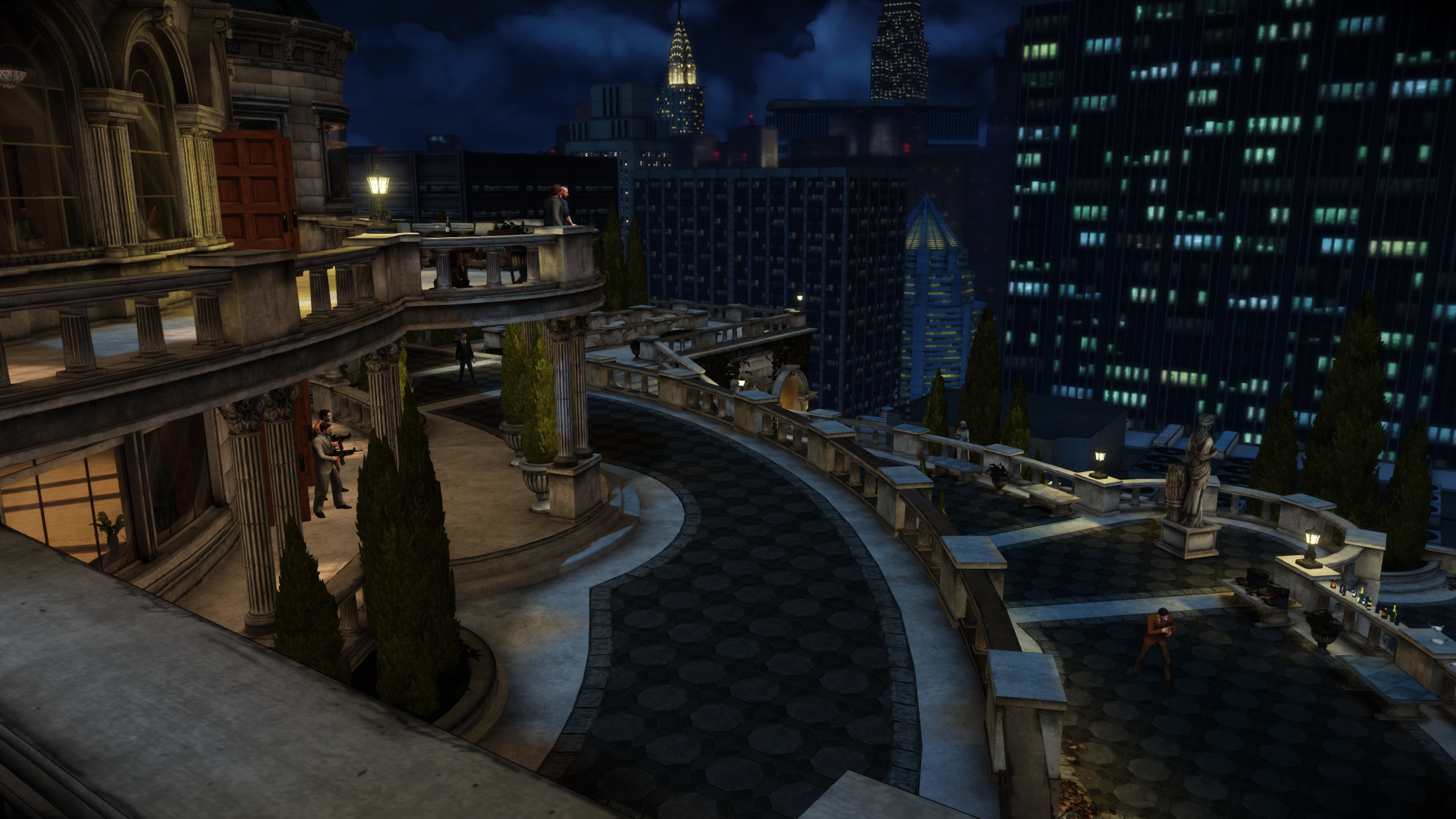
✅ - Game boots into fullscreen
✅ - Was able to crank settings up to max, performance appears normal
✅ - Game lets you swap between gamepad and keyboard input on the fly, rumble works
❌ - Game does not update Glyphs as you switch inputs, only changes from xbox to pc glyphs if it doesn't detect a controller
❌ - Some minor stuttering while shaders compiled during the opening section, stuttering went away before gameplay started
✅ - No graphical issues I could see
✅ - Played for about an hour, no crashing or bugs
@Swizzler121 did you play the first missions?
I don't know if it's my fault for playing around with headphones plugging and unplugging, but I suddenly lost all localized and non localized voice audio in-game, while all other sounds (music, effects etc.) play okay. I tried switching to original (english, I presume) voices in the audio settings menu to no avail.
I suspected some corruption of game files and indeed 2 files would fail the integrity verification, but they don't seem to get ever fixed as, after downloading 6.1MB and running the verification again, there are still 2 files failing verification.
The next game launch would show a "completing installation" window before starting up, but then no voices could be heard in-game.
Could this issue be related to the recent CEG support introduced in Experimental - bleeding edge?
Steam info: gist
Proton version: 1636750735 experimental-bleeding-edge-6.3-2901-20211112-p4dfdd2-w5a7154-db97411-v3fefc5
Proton log: steam-67370.log.gz
@414n I played up till I got back to the mansion and met with the family, which I believe is the 2nd mission. All my audio played fine.
The corrupt files is re-authenticating CEG, they download the normal executable from steams servers, then patch it to work with proton, so when you do an integrity check, it will always fail.
EDIT: I booted it up to check, and it does appear something in the latest bleeding edge has broken audio. Where I was getting dialog before, I am no longer getting any dialog, music and game effect sounds (like footsteps) are still playing fine.
@414n @Swizzler121 Missing dialogue does appear to be a regression in experimental - thank you for reporting it!
Today I tried with the new bleeding edge version (1637354117 experimental-bleeding-edge-6.3-3399-20211119-p889ca1-wc0a18e-db97411-v9185ed) and dialogue audio seems to be working again.
Today I tried with the new bleeding edge version (
1637354117 experimental-bleeding-edge-6.3-3399-20211119-p889ca1-wc0a18e-db97411-v9185ed) and dialogue audio seems to be working again.
I just tried it today, and can also confirm, latest update appears to have fixed the regression!
Proton versions
proton experimentalx3 2021-10proton 4.2-1x1 2019-03proton 3.16-8x1 2019-03
Launch options
PROTON_LOG=1`:x1 2018-08
Upstream links
- show_bug.cgi?id=30061x2 2019-05
- ValveSoftware/Proton/issues/753x1 2019-05
Distro: Arch Linux
GPU: Nvidia GTX 660
There weren't any logfiles in $HOME so I could only post the output from the terminal
Output from terminal:
GameAction [AppID 67370, ActionID 1] : LaunchApp changed task to ProcessingInstallScript with ""
GameAction [AppID 67370, ActionID 1] : LaunchApp changed task to SiteLicenseSeatCheckout with ""
GameAction [AppID 67370, ActionID 1] : LaunchApp changed task to CreatingProcess with ""
GameAction [AppID 67370, ActionID 1] : LaunchApp waiting for user response to CreatingProcess ""
GameAction [AppID 67370, ActionID 1] : LaunchApp continues with user response "CreatingProcess"
Opted-in Controller Mask: 70
Game update: AppID 67370 "", ProcID 4595, IP 0.0.0.0:0
ERROR: ld.so: object '/home/spooky/.local/share/Steam/ubuntu12_32/gameoverlayrenderer.so' from LD_PRELOAD cannot be preloaded (wrong ELF class: ELFCLASS32): ignored.
ERROR: ld.so: object '/home/spooky/.local/share/Steam/ubuntu12_32/gameoverlayrenderer.so' from LD_PRELOAD cannot be preloaded (wrong ELF class: ELFCLASS32): ignored.
ERROR: ld.so: object '/home/spooky/.local/share/Steam/ubuntu12_32/gameoverlayrenderer.so' from LD_PRELOAD cannot be preloaded (wrong ELF class: ELFCLASS32): ignored.
>>> Adding process 4595 for game ID 67370
GameAction [AppID 67370, ActionID 1] : LaunchApp changed task to WaitingGameWindow with ""
>>> Adding process 4596 for game ID 67370
GameAction [AppID 67370, ActionID 1] : LaunchApp changed task to Completed with ""
ERROR: ld.so: object '/home/spooky/.local/share/Steam/ubuntu12_32/gameoverlayrenderer.so' from LD_PRELOAD cannot be preloaded (wrong ELF class: ELFCLASS32): ignored.
>>> Adding process 4597 for game ID 67370
ERROR: ld.so: object '/home/spooky/.local/share/Steam/ubuntu12_32/gameoverlayrenderer.so' from LD_PRELOAD cannot be preloaded (wrong ELF class: ELFCLASS32): ignored.
ERROR: ld.so: object '/home/spooky/.local/share/Steam/ubuntu12_32/gameoverlayrenderer.so' from LD_PRELOAD cannot be preloaded (wrong ELF class: ELFCLASS32): ignored.
ERROR: ld.so: object '/home/spooky/.local/share/Steam/ubuntu12_32/gameoverlayrenderer.so' from LD_PRELOAD cannot be preloaded (wrong ELF class: ELFCLASS32): ignored.
>>> Adding process 4602 for game ID 67370
ERROR: ld.so: object '/home/spooky/.local/share/Steam/ubuntu12_32/gameoverlayrenderer.so' from LD_PRELOAD cannot be preloaded (wrong ELF class: ELFCLASS32): ignored.
>>> Adding process 4603 for game ID 67370
>>> Adding process 4606 for game ID 67370
ERROR: ld.so: object '/home/spooky/.local/share/Steam/ubuntu12_32/gameoverlayrenderer.so' from LD_PRELOAD cannot be preloaded (wrong ELF class: ELFCLASS32): ignored.
ERROR: ld.so: object '/home/spooky/.local/share/Steam/ubuntu12_32/gameoverlayrenderer.so' from LD_PRELOAD cannot be preloaded (wrong ELF class: ELFCLASS32): ignored.
>>> Adding process 4608 for game ID 67370
>>> Adding process 4611 for game ID 67370
ERROR: ld.so: object '/home/spooky/.local/share/Steam/ubuntu12_32/gameoverlayrenderer.so' from LD_PRELOAD cannot be preloaded (wrong ELF class: ELFCLASS32): ignored.
ERROR: ld.so: object '/home/spooky/.local/share/Steam/ubuntu12_32/gameoverlayrenderer.so' from LD_PRELOAD cannot be preloaded (wrong ELF class: ELFCLASS32): ignored.
>>> Adding process 4621 for game ID 67370
>>> Adding process 4626 for game ID 67370
ERROR: ld.so: object '/home/spooky/.local/share/Steam/ubuntu12_64/gameoverlayrenderer.so' from LD_PRELOAD cannot be preloaded (wrong ELF class: ELFCLASS64): ignored.
pid 4604 != 4603, skipping destruction (fork without exec?)
Game removed: AppID 67370 "", ProcID 4595
No cached sticky mapping in ActivateActionSet.