Final Fantasy 14
Updated: 04-14-20, added WINE and GE-Proton build on 04-19-20:
If you are looking to run FFXIV via Proton, there's a few instructions for current installs:
- Default Proton will not work. You will need to grab a release from GloriousEggroll's repo and follow his installation instructions.
- You will need to run the following command:
WINEPREFIX=$HOME/.steam/root/steamapps/compatdata/39210/pfx winetricks hidewineexports=enableassuming you use the default location for your library of a regular Steam installation. If you do not, adapt the path appropriately.
Other launcher / non-Steam versions instructions:
- If you want to run FFXIV outside of Steam, please use Lutris'
Standalone - DXVK versioninstaller. - If you want to use Lutris to run FFXIV outside of Steam and your game is purchased through Steam, add the
-issteamargument to your Lutris configuration for the game. - If you want to use Steam to run a non-Steam version of FFXIV, set FFXIV's launch options to:
echo "%command%" | sed 's/-issteam\(freetrial\|\)//' | sh. (Thanks to jbal91 for reminding me thatsedis magic!)
Issues of note:
- The new launcher is disabled by Steam / GE-Proton by default -- at some point, this will likely stop working. It has an open wine ticket here.
- If you're using a post-processing injector (ReShade, GShade, etc), the game is hampered by a several-second stutter whenever the mouse is moved. It has an open wine ticket here. You can get a working WINE here (based on WINE 5.4) and a working Proton (built from GloriousEggroll's repo on 04-18-20) here.
Previous updates:
Updated: 07-31-19:
Hello, Warriors of Darkness / Light! If you are attempting to play FFXIV via Proton, it has been greatly simplified!
Once XIV is installed via Steam, simply open the file at ~/.steam/steam/steamapps/compatdata/39210/pfx/drive_c/users/steamuser/My Documents/My Games/FINAL FANTASY XIV - A Realm Reborn/FFXIV.cfg and change CutsceneMovieOpening 0 to 1. (If you are running the demo, always swap 39210 with 312060.)
If you do not see the option to install the game via Steam after purchase, you need to, inside of your Steam client, open Steam -> Settings -> Steam Play, then check both 'Enable Steam Play for supported titles' and 'Enable Steam Play for all other titles', restart Steam when prompted, and you should be set!
Welcome to the community!
Original post:
I'm not sure if this is the same issue directly. I've gotten XIV working via Proton, but I had to follow well-known wine answers to get it playable. Namely, I have to edit two files in the steamapps/compatdata/39210/pfx/drive_c/users/steamuser/My Documents/My Games/FINAL FANTASY XIV - A Realm Reborn/ directory.
In FFXIV_BOOT.cfg, I had to edit BrowserType to 2, and in FFXIV.cfg I have to edit CutsceneMovieOpening to 1.
The first change allows me to get to the launcher at this point -- if it's left to its default value I get 'A system error has occured: 404. HTTPS System Error'. Afraid I did the install mid-week, so I'm not sure if this is how I got past nstgc's issue during installation.
Obviously the latter change means I don't get to see the opening cutscene the first time I play the game, but if I leave it at default value, the game launches but hangs up after selecting a Data Center.
As these edit game configuration files I'm not sure if this is something Valve wants to consider for Proton, but at the least it's information.
FFXIV Freezes when Real Time Reflections are enabled
Issue transferred from https://github.com/ValveSoftware/Proton/issues/627.
@ulzeraj posted on 2018-08-26T05:58:03:
Final Fantasy 14 (ID: 39210) works on DX11 mode after some manual workarounds which are editing the INI files to set browser type to 2, disable the opening cutscene and use winetricks xact into its prefix.
However… graphics stop working immediately after I enable “Real Time Reflections”. Enabling any level of this particular option freezes the game and X11. I can still log into through SSH and there are these messages:
[ 384.698959] [drm:amdgpu_job_timedout [amdgpu]] ERROR ring gfx timeout, last signaled seq=202749, last emitted seq=202751
[ 384.698964] [drm] GPU recovery disabled.
GPU is Saphire R9 390. System is OpenSUSE Tubleweed with kernel 4.18.0-1, using amdgpu and Mesa 18.1.6 LLVM6. Same hardware and game works fine on Windows 10 with Real Time Reflections on.
Thanks for the hard work.
@doitsujin commented on 2018-08-26T10:47:10
Please test with LLVM 7 and Mesa 18.2, as suggested in PREREQS.md.
@HereInPlainSight commented on 2018-08-26T15:37:13
System info: Gentoo x86_64 | 4.14.65-gentoo | i5-6500 | NVIDIA GeForce GTX 1070 | NVIDIA 396.51
I had previously done the config file edits, just emerged llvm7 and added the xact winetricks to the prefix, switched to DX11 and can confirm I'm able to run with Real Time Reflections at any setting I want.
@doitsujin commented on 2018-08-26T16:12:39
@HereInPlainSight The LLVM version is only relevant for AMD drivers because they use LLVM to compile shaders. Mesa needs to be built against LLVM 7 in order to work correctly.
@HereInPlainSight commented on 2018-08-26T16:50:18
@doitsujin I wasn't 100% on that because the DirectX11 info seems to indicate that LLVM7 is recommended to avoid GPU hangs, which is mentioned after the drivers section. My gaming on Linux before the new SteamPlay info was fairly casual, so I opted to go safe over sorry.
Using the recommended libs fixed the issue for me but now I have the missing fonts issue described by @nstgc. I should mention that the fonts issue didn’t occurred in OpenSUSE Tumbleweed.
I’ve switched to Ubuntu Bionic in order to fill the requierements described on PREREQS.md. Installing from those repos gave me Mesa 18.3 compiled against LLVM 8.0. I also installed LLVM and CLANG 8 since the document does not make it clear if libllvm8 is enough. I’m still using amdgpu from kernel 4.18.5-041805 which I installed from UKKUU.
By the way the wine and winetricks from Ubuntu default repos are too old and applying xact through them will cause the game to fail on launch.
somehow I manage to add those fonts using "winetricks allfonts"
But I seem to be unable to actually input Japanese characters using iBus anthy on Ubuntu 18.04
Can anyone else confirm? (Or is able to write Japanese in FFXIV chat really)
Neither my steam controller or xbox 360 controller works.
They are they both show up in the gamepads list in the setting menu so they are detected, but button presses don't work.
Here the controllers do not work through steam as they should but I've managed to use them through the SDL native system.
For DS4 this works by adding the following variable to your profile (.bashrc or /etc/environment) and disabling the steam controller system.
export SDL_GAMECONTROLLERCONFIG='030000004c050000cc09000011810000,PS4 Controller,a:b0,b:b1,back:b8,dpdown:h0.4,dpleft:h0.8,dpright:h0.2,dpup:h0.1,guide:b10,leftshoulder:b4,leftstick:b11,lefttrigger:a2,leftx:a0,lefty:a1,rightshoulder:b5,rightstick:b12,righttrigger:a5,rightx:a3,righty:a4,start:b9,x:b3,y:b2,platform:Linux,050000004c050000cc09000000810000,PS4 Controller,a:b0,b:b1,back:b8,dpdown:h0.4,dpleft:h0.8,dpright:h0.2,dpup:h0.1,guide:b10,leftshoulder:b4,leftstick:b11,lefttrigger:a2,leftx:a0,lefty:a1,rightshoulder:b5,rightstick:b12,righttrigger:a5,rightx:a3,righty:a4,start:b9,x:b3,y:b2,platform:Linux,'
Thing is... I should be able to disable the controller just for that game but Steam somewhat renames the device node paths so to make it work I need to disable everything. The device renaming thing do not happen in OpenSuSE.
I found the solution to my issue here: https://www.reddit.com/r/archlinux/comments/9bl3l7/steam_controller_not_working_with_protonsteam/
The issue was that two inputs were being created for one controller.
running sudo rmmod hid_steam and restarting steam fixed the issue.
Failure to load embedded web page in game launcher (appid: 39210)
Issue transferred from https://github.com/ValveSoftware/Proton/issues/2183.
@TenaarFeiri posted on 2019-01-02T23:58:28:
Compatibility Report
- Name of the game with compatibility issues: Final Fantaxy XIV Online
- Steam AppID of the game: 39210
System Information
- GPU: GTX 980M
- Driver/LLVM version: nVidia 390.87
- Kernel version: 4.18.0-13
- Link to full system information report as Gist: https://gist.github.com/TenaarFeiri/2733a8f25f8818a5c3e85777eed9be22
- Proton version: 3.7-8
I confirm:
- [ ] that I haven't found an existing compatibility report for this game.
- [x] that I have checked whether there are updates for my system available.
https://gist.github.com/TenaarFeiri/9e560a89346b17cc2de0ac9b508259e8
Symptoms
The issue is Proton doesn't seem able to help ffxivlauncher.exe use the correct web browser to embed its login page with. I've had reports that the game itself is functional once you get past the launcher, but I'm unable to test it as this is a crucial step for downloading the game.
The launcher itself reports a HTTPS 404 error, as it can't find a browser to use for the launcher's landing page.
Reproduction
- Download and install Final Fantasy XIV Online.
- Launch the game. ffxivboot.exe will launch, and will give you no useful information as the font is broken.
- ffxivboot.exe will eventually finish its download, and then it will open ffxivlauncher.exe
- Inform the launcher that you already have an account with the game.
- Proceed through its prompts until it's done guiding you through it.
- Observe the launcher attempt to open a webpage necessary to initiate the running of the game and fail.
- Close and restart the game as many times as desired.
EDIT: Got the game to run :D
Currently I'm having an issue that there's no audio in DX11, but there is audio in DX9. I much prefer to play in DX11 as the performance is better. Any ideas?
I'm using Proton 3.16-6 (Beta) now.
I just found this and applied some of the tweaks mentioned above and I got the launcher working =)
It remains to see if I can get the game itself to run when it's finished downloading but we'll see!
I notice prefixes being mentioned above. I'm not terribly tech savvy; how would I go about applying them if I need them?
Any idea how to get sound going in DirectX 11? DX9 has sound but it's virtually unplayable.
@TenaarFeiri With Wine I had to install xact and then override xaudio2_7
Do you know how to do this with Proton Wine? I'm not entirely savvy with this stuff yet.
@TenaarFeiri With Wine I had to install xact and then override xaudio2_7
I figured it out! Thank you so much for pointing me in the right direction.
I installed a proper version of Wine as instructed at winehq.org, and then did: WINEPREFIX=game_folder_in_steam winecfg and set xaudio2_0 and xaudio2_7 in the override.
That did the trick! I now have audio and great performance!
EDIT: Turns out the issue was my desktop environment. I uninstalled Ubuntu 18.10 and replaced it with Kubuntu 18.10 and now Windowed Mode is working great!
Okay!
New problem!
So the game works perfectly in Windowed Fullscreen with no issues whatsoever (that I can see). But I actually prefer to play the game in Windowed mode, and that's where problems emerge: I have skills bound to num pad keys, that activate when I press my mouse buttons. In Windowed Fullscreen they work great with no errors, but when I use them in Windowed more, there is a noticeable FPS plummet/freeze that makes it hard to play like that.
I recorded a video: https://youtu.be/iqLxMQLCLe4 (the low framerate of the game is a result of the recording, but thankfully it also makes it super obvious when I hit the mouse buttons so you can observe).
Any ideas on how I could fix this?
The latest FAudio revision fixes audio for the DX11 version:
https://github.com/FNA-XNA/FAudio/commit/83f8734ef15f76fcbacd7279f890aefde9d62021
EDIT: As long as you turn reverb off... add return buffer; after this line if you really try this out:
https://github.com/FNA-XNA/FAudio/blob/master/src/FAudio_internal.c#L628
Latest FAudio revision fixes effects too! The game sounds fine on my own setup now without modifications (minus some attenuation, but that shouldn't be ear-wrenching).
Together with all of the above, and with xact, xaudio2_0-9, I think official support shouldn't be that far away?
It works perfectly with those fixes in Proton 3.16-6 Beta, and really the biggest hurdle is just changing the BrowserType to 2, and CutsceneMovieOpening to 1 as described by @HereInPlainSight.
But that's something I'd wager the Steam client should be able to do on its own when the game is installed, surely?
Proton 3.16-7 includes the latest FAudio changes, so audio should work properly with the DX11 version.
With the 3.16-7 beta, I recreated the compatdata for this game to completely undo any manual modifications. I did still have to change BrowserType to 2, and CutsceneMovieOpening to 1. Audio now works without xaudio dll overrides but, the audio gets progressively more delayed with playtime. After ~20-30 minutes of playtime all audio gets delayed by 1-2 seconds.
Is anyone else experiencing something similar?
Took a quick look and I believe you've stumbled upon a design issue with SDL_AudioStreams. I've swapped out the resampler, so if I did everything right the lag should be gone (and hopefully the sound quality is still okay):
https://github.com/FNA-XNA/FAudio/commit/fe31f1b6b021f4896016dc2eacc85026005abdf9
I'm still having issues with an HTTPS error in the launcher despite BrowserType having been set to 2. Tested under GNOME with Wayland, GNOME on Xorg, and Plasma to no avail.
I'm still having issues with an HTTPS error in the launcher despite BrowserType having been set to 2. Tested under GNOME with Wayland, GNOME on Xorg, and Plasma to no avail.
Try deleting the "web" folder in ~/.local/share/Steam/steamapps/compatdata/39210/pfx/drive_c/users/steamuser/My Documents/My Games/FINAL FANTASY XIV - A Realm Reborn/
I have 2 Fedora 29 machines where on one I have to constantly delete that folder for the launcher to load while on the other does not require it. Although, I'm not sure what is different between the two machines
Sometimes you'll also get the problem when you just can't connect to their
landing page.
I'm guessing you already have, but on the off chance you haven't, check to
see that your BrowserType is set to 2 in boot.cfg (I believe?).
Den lør. 2. mar. 2019, 03:37 skrev Equivocal90 [email protected]:
I'm still having issues with an HTTPS error in the launcher despite
BrowserType having been set to 2. Tested under GNOME with Wayland, GNOME on
Xorg, and Plasma to no avail.Try deleting the "web" folder in ~/.local/share/Steam/steamapps/compatdata/39210/pfx/drive_c/users/steamuser/My
Documents/My Games/FINAL FANTASY XIV - A Realm Reborn/I have 2 Fedora 29 machines where on one I have to constantly delete that
folder for the launcher to load while on the other does not require it.
Although, I'm not sure what is different between the two machines—
You are receiving this because you were mentioned.
Reply to this email directly, view it on GitHub
https://github.com/ValveSoftware/Proton/issues/580#issuecomment-468874158,
or mute the thread
https://github.com/notifications/unsubscribe-auth/APgQqIDNj5NfLmXrWkWA0EMScT75Ts9Hks5vSePkgaJpZM4WMfqx
.
Sometimes you'll also get the problem when you just can't connect to their landing page. I'm guessing you already have, but on the off chance you haven't, check to see that your BrowserType is set to 2 in boot.cfg (I believe?). Den lør. 2. mar. 2019, 03:37 skrev Equivocal90 [email protected]:
…
I'm still having issues with an HTTPS error in the launcher despite BrowserType having been set to 2. Tested under GNOME with Wayland, GNOME on Xorg, and Plasma to no avail. Try deleting the "web" folder in ~/.local/share/Steam/steamapps/compatdata/39210/pfx/drive_c/users/steamuser/My Documents/My Games/FINAL FANTASY XIV - A Realm Reborn/ I have 2 Fedora 29 machines where on one I have to constantly delete that folder for the launcher to load while on the other does not require it. Although, I'm not sure what is different between the two machines — You are receiving this because you were mentioned. Reply to this email directly, view it on GitHub <[#580 (comment)](https://github.com/ValveSoftware/Proton/issues/580#issuecomment-468874158)>, or mute the thread https://github.com/notifications/unsubscribe-auth/APgQqIDNj5NfLmXrWkWA0EMScT75Ts9Hks5vSePkgaJpZM4WMfqx .
On my machine that has the issue BrowserType is set to 2 and it gives a different https error. It either succeeds or gives me a -22 or -21 error until I delete the folder I specified earlier.
Question for people playing this game: Is just the initial cutscene that needs to be skipped, or are ingame cutscenes also not working? I managed to get the game to work, but since this is the first time playing the game, I don't know where I am supposed to see cutscenes ingame.
@Equivocal90
I'm not sure how to deal with that. =( I have been lucky enough to avoid having that problem! Which version of Proton are you using? I'm using the latest one (Beta). I thought maybe desktop environment might be an issue but you've tested it on a few. But I'm using Kubuntu/Debian, so it could be Fedora has a different problem I'm not able to guess.
@Mushoz
In-game cutscenes will work fine, and you can even view the cinematics in FFXIV from the opening menu when the client has been opened.
Interestingly, there seems to be no obvious reason why the client wouldn't start with initial cutscenes enabled, as it handles actually playing them just fine once it's running?
Either way, all in-game cutscenes should work! I've yet to encounter any issues.
I'm slightly dreading Shadowbringers, though! No idea how that's going to mess with the current performance on Proton.
@flibitijibibo and @Equivocal90 :
I can confirm that latest faudio fixes the progressive sound delay.
I seem to have run into a different problem though...
After a while playing (sometimes its < 30 minutes, sometimes it's more than 2 hours), I begin getting huge variance in frame time that cause the game to stutter.
I changed "DXVK_HUD": "full" in user_settings.py for proton to observe exactly what's going on... and after about 50 minutes of gameplay, it happened again.
What I found was that the following cause huge spikes in time taken to render frames:
- mouse moved
- mouse clicked
- key typed (and yes, it is specific to the typing of the character, not just pressing the button)
How I know it's key typed:
- Press and hold a key (ie D to turn right): stuttering starts, then the stuttering stops for a moment, then resumes a moment later.
- If you now tap another key (like W to move forward), the stuttering will stop when you release the 2nd key (W in this case) even though you're still holding the first key.
This is the same behavior my system has when typing in a textbox.
Once the game gets like this, it doesn't stop until the game is restarted.
Note that the game works flawlessly up until this starts (if it weren't for this, I'd say it could have official support). It happens at such random times that I haven't figured out a way to reproduce it myself (other than just playing for a long time - just sitting idle doesn't seem to work).
OS: Kubuntu 18.04 LTS (compositor disabled)
GPU: RX 580 8GB
Proton: 3.16-7 Beta
Mesas tried: 18.2, and 19.0.99 (Oibaf latest)
LLVM: 7.0.1
I have:
- Watched the GPU memory usage, clock speeds, etc. - which are the same as before the change (the one exception to this is that when moving/clicking the mouse or typing - which seem to cause the stuttering - the GPU usage will decrease)
- Watched CPU clocks and utilization - which also remain the same (I didn't see it while providing input though)
- Disabled all forms of frame-limiting in the game
- Tried different mouse settings in the game
- Checked dmesg for any I/O or interrupt problems with hardware - nothing logged
- Checked the dxvk log in the steam folder - nothing abnormal
- Compared all the stuff shown in the dxvk hud before and after the stuttering starts, only fps and frame-time seem to change, and that change only happens during input
I'm fresh out of ideas, so any help is welcome.
The game in the graphic part works flawlessly
But the audio gets delayed after a short time (10 min I'd say) and it becomes annoying
The game in the graphic part works flawlessly
But the audio gets delayed after a short time (10 min I'd say) and it becomes annoying
My understanding is that issue should be fixed when Proton gets a newer version of FAudio
The game in the graphic part works flawlessly
But the audio gets delayed after a short time (10 min I'd say) and it becomes annoying
You may be able to solve this by opening Properties on the game and set launch options to this:
PULSE_LATENCY_MSEC=60 %command%
It really should just fix crackling, but for lack of other suggestions until FAudio is updated, it's worth a shot?
@Turbito if you clone and build FAudio, then replace the libFAudio.so used by steam with the one you built, the sound is perfect:
https://github.com/FNA-XNA/FAudio
Just build and replace proton's current. If you're on Ubuntu, you'll need the following packages:
- cmake
- libsdl2-dev
- build-essential
I'm currently using one that's slightly older at the moment (https://github.com/FNA-XNA/FAudio/tree/e5c9c20c3a1e24efb35a1eb2156e7d306f94e518), but current master should work as well.
P.S. If you end up running into the problem I described in my previous post, I'd like to know.
Sometimes you'll also get the problem when you just can't connect to their landing page. I'm guessing you already have, but on the off chance you haven't, check to see that your BrowserType is set to 2 in boot.cfg (I believe?). Den lør. 2. mar. 2019, 03:37 skrev Equivocal90 [email protected]:
…
I'm still having issues with an HTTPS error in the launcher despite BrowserType having been set to 2. Tested under GNOME with Wayland, GNOME on Xorg, and Plasma to no avail. Try deleting the "web" folder in ~/.local/share/Steam/steamapps/compatdata/39210/pfx/drive_c/users/steamuser/My Documents/My Games/FINAL FANTASY XIV - A Realm Reborn/ I have 2 Fedora 29 machines where on one I have to constantly delete that folder for the launcher to load while on the other does not require it. Although, I'm not sure what is different between the two machines — You are receiving this because you were mentioned. Reply to this email directly, view it on GitHub <[#580 (comment)](https://github.com/ValveSoftware/Proton/issues/580#issuecomment-468874158)>, or mute the thread https://github.com/notifications/unsubscribe-auth/APgQqIDNj5NfLmXrWkWA0EMScT75Ts9Hks5vSePkgaJpZM4WMfqx .
It turns out Steam creates a new My Games folder under SteamPlay. The config file being read was in the new prefix.
The game in the graphic part works flawlessly
But the audio gets delayed after a short time (10 min I'd say) and it becomes annoyingYou may be able to solve this by opening Properties on the game and set launch options to this:
PULSE_LATENCY_MSEC=60 %command%
It really should just fix crackling, but for lack of other suggestions until FAudio is updated, it's worth a shot?
@Turbito if you clone and build FAudio, then replace the libFAudio.so used by steam with the one you built, the sound is perfect:
https://github.com/FNA-XNA/FAudio
Just build and replace proton's current. If you're on Ubuntu, you'll need the following packages:
* cmake

* libsdl2-dev

* build-essential
I'm currently using one that's slightly older at the moment (https://github.com/FNA-XNA/FAudio/tree/e5c9c20c3a1e24efb35a1eb2156e7d306f94e518), but current master should work as well.
P.S. If you end up running into the problem I described in my previous post, I'd like to know.
I have been playing for about one and half hour and the only graphic issue is that the camera doesn't move as smooth as in a Windows system... It only happens in high desktop graphics configuration. In the standard laptop one the camera works as intended
I just tried but none of these (even at the same time) fix my audio delay...
The audio quality is nice, the only problem is the small (but noticeable by 2 or 3 seconds) delay/desync of the sound
edit: I just noticed I copied the library into the lib/ folder... I'm testing into the lib64/
Which version of Linux are you running and what's your Proton version?
Have you tried activating all xaudio channels with wineconfig for the
compatdata pfx as well as xact?
I'm currently running the latest proton beta under Kubuntu 18.10.
Now, copied into the lib64 folder of proton seems to be working without delay. In this half hour I haven't noticed delay. The audio is perfectly synced. Thank you all.
I haven't touch anything into the winecfg of Proton, just copied the lib and set
PULSE_LATENCY_MSEC=60 %command%
into the launch parameters
Using Linux 5.0, Mesa 19.1.0-devel (git-cb4e3e3ef6), xf86-xorg-amdgpu up to day etc. in Proton 3.16-7 beta (not sure If that the number... It's the most recent version that steam client displays)
Awesome! I'm glad that fixed it for you!
I was looking for the distro actually. My bad, that, I'm still acclimating to the linux world :D
Happy gaming!
Awesome! I'm glad that fixed it for you!
I was looking for the distro actually. My bad, that, I'm still acclimating to the linux world :D
Happy gaming!
Gentoo "testing"? (~amd64). But It should work as well in any other distro I guess.
@schives I have experienced this same issue, while it will be choppy without input, input definitely makes it worse. It also seems to take exactly one hour for me. If I restart the game everything works flawlessly again. Please let me know if you come across any workarounds or solutions for this.
Attempting to get some documentation of the issue I'm experiencing that seems to be the same as @schives 's where after an hourish it's really jerky and bad. I had to do this with a phone camera unfortunately but it seems to come through a little bit, especially when compared to when it works correctly
After an hourish:
https://witches.live/@anna/101786126154372039
followup, it seems to be a consequence of active play. I left the game on all night after only just logging in and chatting a bit and in the morning, the stutter is not there.
One more comment to absolutely confirm I have the same thing @schives has, and has documented it better than I have. It does seem to be something related to input, and indeed it seems to be a function almost of how many buttons you press, if you are active and doing questing and instances it seems to come up quicker, meanwhile I didn't have it happen for damn near 18 hours because I left it on overnight to test this and then played very sporadically mostly watching cutscenes, and it only started happening right before I did the new dungeon (thankfully before I went in, heh). I helped some people clear Tsukiyomi normal and it kicked in in the middle of the second part and this is REALLY fun to deal with when you're running out of AOEs and yet input makes everything worse...
It's so bizarre. If you wouldn't mind @schives can we see what is similar about our setups to maybe help pin down the problem?
I'm using gentoo, kernel version 4.19.27-gentoo-r1
I fixed the sound by using this command though I am running the game through the "free trial" option since I have a legacy non-steam account so it's not exactly this number:
protontricks 39210 xaudio2_{0,1,2,3,4,5,6,7,8,9}=native
My glxinfo:
anna@eurekapyros ~/.steam/steam/steamapps/common/FINAL FANTASY XIV Online $ glxinfo | grep OpenGL
OpenGL vendor string: NVIDIA Corporation
OpenGL renderer string: GeForce GTX 1070 Ti/PCIe/SSE2
OpenGL core profile version string: 4.5.0 NVIDIA 418.43
OpenGL core profile shading language version string: 4.50 NVIDIA
OpenGL core profile context flags: (none)
OpenGL core profile profile mask: core profile
OpenGL core profile extensions:
OpenGL version string: 4.6.0 NVIDIA 418.43
OpenGL shading language version string: 4.60 NVIDIA
OpenGL context flags: (none)
OpenGL profile mask: (none)
OpenGL extensions:
OpenGL ES profile version string: OpenGL ES 3.2 NVIDIA 418.43
OpenGL ES profile shading language version string: OpenGL ES GLSL ES 3.20
OpenGL ES profile extensions:
Proton version is 3.16-8 Beta
CPU is Intel(R) Core(TM) i7-6700K CPU @ 4.00GHz
I have made a twitch clip of this issue happening as I am streaming
When the mouse camera movement thing happens, is it choppy still if using the keyboard to move the camera?
It has been a while since I was in FFX|V, and I don't remember if there are default bindings for the camera, for the keyboard, if it can be done built-in-like, but if it is, has anyone tried that?
Also, does just moving the mouse around (even without moving the camera) make the choppiness happen?
(Apologies if I missed mentions of these things somewhere; I am getting mail on each message under ValveSoftare here, but I may have missed these, and I'm not reading all of these comments right now ^^;).
Yes, it does. Any time there is input it gets choppy, whether you use the mouse or keyboard. It's still kiiiinda choppy if you look closely at the animations while you stand still and don't type, but it gets bad again even if you're typing in the chatbox or something. Any sort of input at all seems to make it choppy.
Okay it does not seem like the things I've seen elsewhere, with regards to movements and inputs.
One thing that seems also similar, with this title, is graphics memory running out after a while of playing. All is fine for a time, but then things get crazy...
I'm speaking from the past a little, running the game via Wine, since the very first Alpha to Beta and what ever releases they now have. :]
Point being, I'd pay attention to the graphics memory being used, as it seemed like I was running out of it (memory leaks?). Things went very similar to what I have seen here, after a while, and it matches that you need to actually move around, not just idle).
@witcheslive and @Chiitoo
It doesn't seem to be VRAM, radeontop shows memory usage is roughly consistent on my RX 580 and never peaks above 3 GB, even while other applications are running.
The memory usage is minor, with no obvious memory leaks.
I've even tried removing other pcie cards in case there's some problem there (a bit extreme for debugging), but there was no change.
It really looks like a problem with how either proton or FF14 handles input. By enabling full dxvk HUD, you should be able to see a momentary stutter on the frame-time graph when left-clicking (fraction of a second - the kind of thing you wouldn't normally see). This stutter on left-click is present even before the game goes all stutter-on-all-input-mode.
As far as a little experiment, when the game gets choppy, alt-tab out, disable key repeat using xset r off (this will turn off key repeat in xorg) and start running around using the WASD keys. You'll notice that even if you're holding the key down, as long as you don't move the mouse or push new keys, the game isn't really choppy. To re-enable key repeat, use xset r on.
I have also seen that the time it takes for the game to go choppy seems to be inversely proportional to the number of keys I press.
Things I could think of that might be causing problems:
-
There could be some sort of data structure acting as a buffer that holds all the keys pressed and needs adjustment (e.g. a stack or queue) in some way when it gets excessively full and isn't flushed. It would make sense that such a data structure needing to move all values over one space might run into a memory bandwidth bottleneck.
-
It is also possible that the audio fix is at fault.
-
We both have Intel processors: maybe one of the mitigations for those excessively numerous hardware vulnerabilities is causing problems?
-
Something could be wrong with how proton is translating the input for FF14.
As far as system specs go, the only thing I see that's similar is our CPU vendor (Intel)...
Detailed specs
OS: Kubuntu 18.04 LTS
Proton: 3.16-8 Beta
Kernel
$ uname -srvmpio
Linux 4.15.0-46-generic [#49](/issue/ValveSoftware/Proton/49)-Ubuntu SMP Wed Feb 6 09:33:07 UTC 2019 x86_64 x86_64 x86_64 GNU/Linux
CPU
$ lscpu
Architecture:        x86_64
CPU op-mode(s):      32-bit, 64-bit
Byte Order:          Little Endian
CPU(s):              8
On-line CPU(s) list: 0-7
Thread(s) per core:  2
Core(s) per socket:  4
Socket(s):           1
NUMA node(s):        1
Vendor ID:           GenuineIntel
CPU family:          6
Model:               45
Model name:          Intel(R) Core(TM) i7-3820 CPU @ 3.60GHz
Stepping:            7
CPU MHz:             1200.413
CPU max MHz:         3800.0000
CPU min MHz:         1200.0000
BogoMIPS:            7203.91
Virtualization:      VT-x
L1d cache:           32K
L1i cache:           32K
L2 cache:            256K
L3 cache:            10240K
NUMA node0 CPU(s):   0-7
Flags:               fpu vme de pse tsc msr pae mce cx8 apic sep mtrr pge mca cmov pat pse36 clflush dts acpi mmx fxsr sse sse2 ss ht tm pbe syscall nx pdpe1gb rdtscp lm constant_tsc arch_perfmon pebs bts rep_good nopl xtopology nonstop_tsc cpuid aperfmperf pni pclmulqdq dtes64 monitor ds_cpl vmx est tm2 ssse3 cx16 xtpr pdcm pcid dca sse4_1 sse4_2 x2apic popcnt tsc_deadline_timer aes xsave avx lahf_lm epb pti ssbd ibrs ibpb stibp tpr_shadow vnmi flexpriority ept vpid xsaveopt dtherm ida arat pln pts flush_l1d
Memory
4x4GB 11-11-11 DDR3 1 DIMM per channel# lshw -class memory
*-memory
description: System Memory
physical id: 2e
slot: System board or motherboard
size: 16GiB
*-bank:0
description: DIMM DDR3 Synchronous 1600 MHz (0.6 ns)
product: F3-1600C9-4GAB
vendor: Undefined
physical id: 0
serial: 00000000
slot: ChannelA_Dimm1
size: 4GiB
width: 64 bits
clock: 1600MHz (0.6ns)
*-bank:1
description: DIMM Synchronous [empty]
product: ChannelA_Dimm2_PartNum
vendor: ChannelA_Dimm2_Manufacturer
physical id: 1
serial: ChannelA_Dimm2_SerNum
slot: ChannelA_Dimm2
width: 64 bits
*-bank:2
description: DIMM DDR3 Synchronous 1600 MHz (0.6 ns)
product: F3-1600C9-4GAB
vendor: Undefined
physical id: 2
serial: 00000000
slot: ChannelB_Dimm1
size: 4GiB
width: 64 bits
clock: 1600MHz (0.6ns)
*-bank:3
description: DIMM Synchronous [empty]
product: ChannelB_Dimm2_PartNum
vendor: ChannelB_Dimm2_Manufacturer
physical id: 3
serial: ChannelB_Dimm2_SerNum
slot: ChannelB_Dimm2
width: 64 bits
*-bank:4
description: DIMM DDR3 Synchronous 1600 MHz (0.6 ns)
product: F3-1600C9-4GAB
vendor: Undefined
physical id: 4
serial: 00000000
slot: ChannelC_Dimm1
size: 4GiB
width: 64 bits
clock: 1600MHz (0.6ns)
*-bank:5
description: DIMM Synchronous [empty]
product: ChannelC_Dimm2_PartNum
vendor: ChannelC_Dimm2_Manufacturer
physical id: 5
serial: ChannelC_Dimm2_SerNum
slot: ChannelC_Dimm2
width: 64 bits
*-bank:6
description: DIMM DDR3 Synchronous 1600 MHz (0.6 ns)
product: F3-1600C9-4GAB
vendor: Undefined
physical id: 6
serial: 00000000
slot: ChannelD_Dimm1
size: 4GiB
width: 64 bits
clock: 1600MHz (0.6ns)
*-bank:7
description: DIMM Synchronous [empty]
product: ChannelD_Dimm2_PartNum
vendor: ChannelD_Dimm2_Manufacturer
physical id: 7
serial: ChannelD_Dimm2_SerNum
slot: ChannelD_Dimm2
width: 64 bits
GPU
$ vulkaninfo | head -243
===========
VULKAN INFO
===========

Vulkan Instance Version: 1.1.70

ERROR: [Loader Message] Code 0 : /usr/lib/i386-linux-gnu/libvulkan_intel.so: wrong ELF class: ELFCLASS32
ERROR: [Loader Message] Code 0 : /usr/lib/i386-linux-gnu/libvulkan_radeon.so: wrong ELF class: ELFCLASS32


Instance Extensions:
====================
Instance Extensions     count = 16
        VK_KHR_device_group_creation        : extension revision  1
        VK_KHR_external_fence_capabilities  : extension revision  1
        VK_KHR_external_memory_capabilities : extension revision  1
        VK_KHR_external_semaphore_capabilities: extension revision  1
        VK_KHR_get_physical_device_properties2: extension revision  1
        VK_KHR_get_surface_capabilities2    : extension revision  1
        VK_KHR_surface                      : extension revision 25
        VK_KHR_wayland_surface              : extension revision  6
        VK_KHR_xcb_surface                  : extension revision  6
        VK_KHR_xlib_surface                 : extension revision  6
        VK_KHR_display                      : extension revision 23
        VK_EXT_direct_mode_display          : extension revision  1
        VK_EXT_acquire_xlib_display         : extension revision  1
        VK_EXT_display_surface_counter      : extension revision  1
        VK_EXT_debug_report                 : extension revision  9
        VK_EXT_debug_utils                  : extension revision  1
Layers: count = 5
=======
VK_LAYER_VALVE_steam_fossilize_64 (Steam Pipeline Caching Layer) Vulkan version 1.1.73, layer version 1
        Layer Extensions        count = 0
        Devices         count = 1
                GPU id       : 0 (AMD RADV POLARIS10 (LLVM 8.0.0))
                Layer-Device Extensions count = 0

VK_LAYER_VALVE_steam_fossilize_32 (Steam Pipeline Caching Layer) Vulkan version 1.1.73, layer version 1
        Layer Extensions        count = 0
        Devices         count = 1
                GPU id       : 0 (AMD RADV POLARIS10 (LLVM 8.0.0))
                Layer-Device Extensions count = 0

VK_LAYER_VALVE_steam_overlay_32 (Steam Overlay Layer) Vulkan version 1.1.73, layer version 1
        Layer Extensions        count = 0
        Devices         count = 1
                GPU id       : 0 (AMD RADV POLARIS10 (LLVM 8.0.0))
                Layer-Device Extensions count = 0

VK_LAYER_VALVE_steam_overlay_64 (Steam Overlay Layer) Vulkan version 1.1.73, layer version 1
        Layer Extensions        count = 0
        Devices         count = 1
                GPU id       : 0 (AMD RADV POLARIS10 (LLVM 8.0.0))
                Layer-Device Extensions count = 0

VK_LAYER_LUNARG_standard_validation (LunarG Standard Validation Layer) Vulkan version 1.0.70, layer version 1
        Layer Extensions        count = 0
        Devices         count = 1
                GPU id       : 0 (AMD RADV POLARIS10 (LLVM 8.0.0))
                Layer-Device Extensions count = 0

Presentable Surfaces:
=====================
GPU id       : 0 (AMD RADV POLARIS10 (LLVM 8.0.0))
Surface type : VK_KHR_xcb_surface
Formats:                count = 2
        B8G8R8A8_SRGB
        B8G8R8A8_UNORM
Present Modes:          count = 3
        IMMEDIATE_KHR
        MAILBOX_KHR
        FIFO_KHR

VkSurfaceCapabilitiesKHR:
=========================
        minImageCount       = 2
        maxImageCount       = 0
        currentExtent:
                width       = 256
                height      = 256
        minImageExtent:
                width       = 256
                height      = 256
        maxImageExtent:
                width       = 256
                height      = 256
        maxImageArrayLayers = 1
        supportedTransform:
                VK_SURFACE_TRANSFORM_IDENTITY_BIT_KHR
        currentTransform:
                VK_SURFACE_TRANSFORM_IDENTITY_BIT_KHR
        supportedCompositeAlpha:
                VK_COMPOSITE_ALPHA_OPAQUE_BIT_KHR
                VK_COMPOSITE_ALPHA_INHERIT_BIT_KHR
        supportedUsageFlags:
                VK_IMAGE_USAGE_TRANSFER_SRC_BIT
                VK_IMAGE_USAGE_TRANSFER_DST_BIT
                VK_IMAGE_USAGE_SAMPLED_BIT
                VK_IMAGE_USAGE_STORAGE_BIT
                VK_IMAGE_USAGE_COLOR_ATTACHMENT_BIT

VkSurfaceCapabilities2EXT:
==========================

        supportedSurfaceCounters:
                None


Device Properties and Extensions :
==================================
GPU0
VkPhysicalDeviceProperties:
===========================
        apiVersion     = 0x40105a  (1.1.90)
        driverVersion  = 79691875 (0x4c00063)
        vendorID       = 0x1002
        deviceID       = 0x67df
        deviceType     = DISCRETE_GPU
        deviceName     = AMD RADV POLARIS10 (LLVM 8.0.0)
        VkPhysicalDeviceLimits:
        -----------------------
                maxImageDimension1D                     = 16384
                maxImageDimension2D                     = 16384
                maxImageDimension3D                     = 2048
                maxImageDimensionCube                   = 16384
                maxImageArrayLayers                     = 2048
                maxTexelBufferElements                  = 0x8000000
                maxUniformBufferRange                   = 0xffffffff
                maxStorageBufferRange                   = 0xffffffff
                maxPushConstantsSize                    = 128
                maxMemoryAllocationCount                = 4294967295
                maxSamplerAllocationCount               = 65536
                bufferImageGranularity                  = 0x40
                sparseAddressSpaceSize                  = 0xffffffff
                maxBoundDescriptorSets                  = 32
                maxPerStageDescriptorSamplers           = 9586978
                maxPerStageDescriptorUniformBuffers     = 9586978
                maxPerStageDescriptorStorageBuffers     = 9586978
                maxPerStageDescriptorSampledImages      = 9586978
                maxPerStageDescriptorStorageImages      = 9586978
                maxPerStageDescriptorInputAttachments   = 9586978
                maxPerStageResources                    = 9586978
                maxDescriptorSetSamplers                = 9586978
                maxDescriptorSetUniformBuffers          = 9586978
                maxDescriptorSetUniformBuffersDynamic   = 16
                maxDescriptorSetStorageBuffers          = 9586978
                maxDescriptorSetStorageBuffersDynamic   = 8
                maxDescriptorSetSampledImages           = 9586978
                maxDescriptorSetStorageImages           = 9586978
                maxDescriptorSetInputAttachments        = 9586978
                maxVertexInputAttributes                = 32
                maxVertexInputBindings                  = 32
                maxVertexInputAttributeOffset           = 0x7ff
                maxVertexInputBindingStride             = 0x800
                maxVertexOutputComponents               = 128
                maxTessellationGenerationLevel          = 64
                maxTessellationPatchSize                        = 32
                maxTessellationControlPerVertexInputComponents  = 128
                maxTessellationControlPerVertexOutputComponents = 128
                maxTessellationControlPerPatchOutputComponents  = 120
                maxTessellationControlTotalOutputComponents     = 4096
                maxTessellationEvaluationInputComponents        = 128
                maxTessellationEvaluationOutputComponents       = 128
                maxGeometryShaderInvocations            = 127
                maxGeometryInputComponents              = 64
                maxGeometryOutputComponents             = 128
                maxGeometryOutputVertices               = 256
                maxGeometryTotalOutputComponents        = 1024
                maxFragmentInputComponents              = 128
                maxFragmentOutputAttachments            = 8
                maxFragmentDualSrcAttachments           = 1
                maxFragmentCombinedOutputResources      = 8
                maxComputeSharedMemorySize              = 0x8000
                maxComputeWorkGroupCount[0]             = 65535
                maxComputeWorkGroupCount[1]             = 65535
                maxComputeWorkGroupCount[2]             = 65535
                maxComputeWorkGroupInvocations          = 2048
                maxComputeWorkGroupSize[0]              = 2048
                maxComputeWorkGroupSize[1]              = 2048
                maxComputeWorkGroupSize[2]              = 2048
                subPixelPrecisionBits                   = 8
                subTexelPrecisionBits                   = 8
                mipmapPrecisionBits                     = 8
                maxDrawIndexedIndexValue                = 4294967295
                maxDrawIndirectCount                    = 4294967295
                maxSamplerLodBias                       = 16.000000
                maxSamplerAnisotropy                    = 16.000000
                maxViewports                            = 16
                maxViewportDimensions[0]                = 16384
                maxViewportDimensions[1]                = 16384
                viewportBoundsRange[0]                  =-32768.000000
                viewportBoundsRange[1]                  = 32767.000000
                viewportSubPixelBits                    = 8
                minMemoryMapAlignment                   = 4096
                minTexelBufferOffsetAlignment           = 0x1
                minUniformBufferOffsetAlignment         = 0x4
                minStorageBufferOffsetAlignment         = 0x4
                minTexelOffset                          =-32
                maxTexelOffset                          = 31
                minTexelGatherOffset                    =-32
                maxTexelGatherOffset                    = 31
                minInterpolationOffset                  =-2.000000
                maxInterpolationOffset                  = 2.000000
                subPixelInterpolationOffsetBits         = 8
                maxFramebufferWidth                     = 16384
                maxFramebufferHeight                    = 16384
                maxFramebufferLayers                    = 1024
                framebufferColorSampleCounts            = 15
                framebufferDepthSampleCounts            = 15
                framebufferStencilSampleCounts          = 15
                framebufferNoAttachmentsSampleCounts    = 15
                maxColorAttachments                     = 8
                sampledImageColorSampleCounts           = 15
                sampledImageDepthSampleCounts           = 15
                sampledImageStencilSampleCounts         = 15
                sampledImageIntegerSampleCounts         = 1
                storageImageSampleCounts                = 15
                maxSampleMaskWords                      = 1
                timestampComputeAndGraphics             = 1
                timestampPeriod                         = 40.000000
                maxClipDistances                        = 8
                maxCullDistances                        = 8
                maxCombinedClipAndCullDistances         = 8
                discreteQueuePriorities                 = 2
                pointSizeRange[0]                       = 0.000000
                pointSizeRange[1]                       = 8192.000000
                lineWidthRange[0]                       = 0.000000
                lineWidthRange[1]                       = 7.992188
                pointSizeGranularity                    = 0.125000
                lineWidthGranularity                    = 0.007812
                strictLines                             = 0
                standardSampleLocations                 = 1
                optimalBufferCopyOffsetAlignment        = 0x80
                optimalBufferCopyRowPitchAlignment      = 0x80
                nonCoherentAtomSize                     = 0x40
        VkPhysicalDeviceSparseProperties:
        ---------------------------------
                residencyStandard2DBlockShape            = 0
                residencyStandard2DMultisampleBlockShape = 0
                residencyStandard3DBlockShape            = 0
                residencyAlignedMipSize                  = 0
                residencyNonResidentStrict               = 0
Edit: added compressed sections for hardware info
Extremely corroborating that it seems to have to do with the number of inputs in a session, and it takes about one hour of active play, and doing instances seems to make it happen faster because of so much button pressing. I play with a very active style, jumping around a lot, multihitting buttons to ensure they're queued for GCDs, spinning camera around, so I think that's why the only time I got more than an hour of active playing was when I was doing the new patch MSQ and taking my time watching the cutscenes.
I do wonder if it's something with the audio fix, but without it audio is so bad that I don't even last 10 minutes let alone an hour, heh. But at the same time I know someone (who helped me get this set up) who has nearly identical hardware (same GPU anyway) that DOESN'T have this problem, though they also play a more relaxed style than me so it is hard to say if they're just not hitting it or something too. Only other things I can think of are my primary monitor runs 144hz with a secondary 60 hz monitor, both at different resolutions. I'm using i3 and not a full window manager.
If the audio library slows down it'll most likely manifest as audio stuttering - the client's interaction with XAudio2 does have some mutexes involved but it's usually per-source and not across the entire API, which I could see causing time losses if there were a few dozen thousand voices (as opposed to the ~32-64 that most games work with).
@witcheslive
I am running a single 4k (3820x2160) 60Hz monitor.
I happen to have the steam overlay disabled in-game (because I use shift-tab as a hotkey).
If you have also disabled steam overlay, our problem may be related to https://github.com/ValveSoftware/steam-for-linux/issues/5727.
The differences continue, at least it's narrowing things down. I have not disabled the overlay.
Woah that link is interesting. I'm more wondering if it's a problem with Vulkan or Proton and doesn't even involve the overlay or FFXIV specifically, it's just not experienced as often because it involves ~an hour of active play to hit so it's escaped detection.
I briefly tried to replicate the stuttering issue by running around Eureka before maintenance tonight, but was not able to do so.
Just for testing, have those being affected by it tried the Lutris script? It might at least narrow down if it's something only in Proton / Steam-specific or if it's something shared between them.
I had tried using the Lutris script a week ago, same issue on my end.
I again,
this time I was testing with Ubuntu 19.04 dev and it requires some additional steps.
Vulkan drivers for mesa come installed, but not the 32 bit ones.
sudo apt install mesa-vulkan-drivers:i386
This enable dxvk (before this fallback to dx9c)
@HereInPlainSight the best way to replicate it is to do instanced dungeons where you're pressing a lot of buttons. Eureka works too if you're actively doing it, it's not going to happen if you're AFK farming haha
Just tried a fresh install with Proton 4.2. Still needed to use the BrowserType and Cutscene edits to the cfg files. 2 hours of play, mostly gathering/crafting as I am a newb and playing on my very underpowered laptop. No audio lag. Cannot comment on the stuttering. I didn't see any, but then the activities I was engaged in might not trigger it.
After getting 4.2 going (I had to jiggle the handle a bit, it didn't download for some reason, so if anyone gets binary format errors, go download, or delete and download, Realm of the Mad God or something to get it to actually download Proton 4.2) I did some roulettes, left it on overnight, then did more roulettes, and I've definitely been mashing buttons for over an hour and it seems to be OK now, knock on wood!
I am unable to enter Full Screen Mode without my entire desktop environment freezing. When I installed the game with Lutris previously, I was able to accomplish this by manually editing the appropriate settings in FFXIV.cfg. Now with Proton 4.2, even that fails; the whole desktop will freeze up and I need to SSH in and kill the FFXIV process to recover.
Distro: Ubuntu 18.04.2
Proton: 4.2-2
GPU: RX 480 8GB
Driver/LLVM version: Mesa 18.2.8/LLVM 7.0.0
Kernel version: 4.18.0-17-generic
@e3b0c442 That's a known issue with DXVK. Fortunately, a fix is already available in DXVK 1.0.2 (look a the changelog): https://github.com/doitsujin/dxvk/releases
Proton is still using an earlier version of DXVK, hence the issues.
I am unable to enter Full Screen Mode without my entire desktop environment freezing.
Can you do Windowed Full Screen? I'm playing several hours a night without issue, but I am playing in Windowed Full Screen.
I am running into a black screen with a loading circle in the bottom/right corner of the stream on a fresh install of Linux Arch right now. This loading screen happens after select a datacenter to connect to. Used to be able to play it ~2 months ago on my previous Linux installation. Not sure exactly what broke it, but while the infinite loading screen is showing, this is being spammed in the logs over and over again:
830.883:0102:0103:trace:module:LdrGetDllHandle L"C:\\windows\\system32\\dinput8.dll" -> 0x7f0f134e0000 (load path L"Z:\\home\\jaap\\.local\\share\\Steam\\steamapps\\common\\FINAL FANTASY XIV Online\\game;C:\\Program Files (x86)\\Steam;C:\\windows\\system32;C:\\windows\\system;C:\\windows;.;C:\\windows\\system32;C:\\windows;C:\\windows\\system32\\wbem")
830.883:0102:0103:trace:module:LdrAddRefDll (L"dinput8.dll") ldr.LoadCount: -1
830.883:0102:0103:trace:module:LdrUnloadDll (0x7f0f134e0000)
830.883:0102:0103:trace:module:LdrUnloadDll (L"dinput8.dll") - START
830.883:0102:0103:trace:module:LdrUnloadDll END
Any thoughts?
@e3b0c442 That's a known issue with DXVK. Fortunately, a fix is already available in DXVK 1.0.2 (look a the changelog): https://github.com/doitsujin/dxvk/releases
Proton is still using an earlier version of DXVK, hence the issues.
I reinstalled with Lutris and everything was hunky-dory, aside from it being slower than I remembered. Thanks.
Is there anything preventing me from just running the upgraded DXVK setup script in the Steam wineprefix? I'd prefer to have the game managed through Steam.
@Mushoz you need to change CutsceneMovieOpening in FFXIV.cfg to 1.
Did anyone figure out the mouse movement stuttering? Experiencing the same issue and troubleshooting it is driving me kind of nuts!
We have two almost identical PCs where we play the game. One where the mouse movement stuttering was very obvious and one where it didn't seem to happen.
The main difference between the PCs was that the one without stutter issues was running compton, while the problematic one wasn't. So, we disabled compton on that PC and now both are experiencing the stuttering. The fun thing is, even turning compton back on isn't fixing it. Somehow turning compton off caused the issue to start, if that would be of help to anyone.
(Restarting etc doesn't make any difference now..)
Plugging in an XB360 controller corrected the mouse stuttering for me. (I didn't even use it, just having it plugged in was enough)
Had to try, sadly that doesn't do anything at all for me :(
Tbh I've found FFXIV to be very temperamental on Linux. Maybe you've seen the issues I described above. Moving to Kubuntu fixed it, but then I got FPS stutters in general so switching desktop environments helped a bit.
Then suddenly FPS was smooth af and there was no stuttering even in 24-mans for a week, and then I get hiccups under those same scenarios (I don't update my computer frequently, so no changes are made to the system).
Mouse stuttering has happened to me too, but strangely after applying the PULSE_LATENCY_MSEC=60 %command% fix also took care of that. SOMEHOW. I don't know why.
Other observations I've made related to game stuttering is video playback in the background (even on minimized windows), the use of Caprine (a Facebook messenger implementation for Linux desktops which has consistently caused stuttering in FPS and mouse responsiveness when running), or if another process is doing something that breaks 7% CPU usage while engaged in gameplay.
Another thing I do when my mouse hiccups is I disable and re-enable it through xinput and that somehow seems to magically fix things, if for a time.
Beyond that, I'd suggest disabling the Steam overlay and see if you can maybe exit Steam entirely after booting the game and see if that makes a difference?
I wonder if there could be driver issues causing these problems at this point...
Already switched to a different desktop enviroment, applied the pulse latency fix, started with nothing else running... Now I tried the xinput thing, and disabling steam overlay. Still experiencing the issue 100% of the time.
Might it be a mesa bug, somehow? But I don't think that touches input at all
Could you try this: PROTON_USE_WINED3D
This will ask Proton to use WINE's OpenGL implementation of wined3d instead of Vulkan's DXVK. If that doesn't help then I'm afraid I'm out of suggestions for now.
But you could look here to find things to try: https://github.com/ValveSoftware/Proton#runtime-config-options
Thank you very much for helping me troubleshoot. Sadly I have the same issue with or without dxvk.
Regarding the mouse stuttering issue. I finally found a workaround that works (including many other winegames too).
I had to install polychromatic (to access the settings for my razer mouse) and reduce pollingrate to 125 or 500. 125 means no framedrop, 500 gives some framedrop. 1000 kills my frames.
Apparently this has been a known issue with wine for a long time.
I'm not sure if this is the same issue directly. I've gotten XIV working via Proton, but I had to follow well-known wine answers to get it playable. Namely, I have to edit two files in the steamapps/compatdata/39210/pfx/drive_c/users/steamuser/My Documents/My Games/FINAL FANTASY XIV - A Realm Reborn/ directory.
In FFXIV_BOOT.cfg, I had to edit BrowserType to 2, and in FFXIV.cfg I have to edit CutsceneMovieOpening to 1.
The first change allows me to get to the launcher at this point -- if it's left to its default value I get 'A system error has occured: 404. HTTPS System Error'. Afraid I did the install mid-week, so I'm not sure if this is how I got past nstgc's issue during installation.
Obviously the latter change means I don't get to see the opening cutscene the first time I play the game, but if I leave it at default value, the game launches but hangs up after selecting a Data Center.As these edit game configuration files I'm not sure if this is something Valve wants to consider for Proton, but at the least it's information.
This worked for me, on Arch linux with Kernel 5.0.8, nvidia 780 TI and kde. Cheers!
So... it seems the latest patch of FFXIV, which also had an update to the boot program, broke it for me now.
Now I'm getting HTTPS 404 errors again, even with BrowserType correctly configured. I'm going to attempt a reinstall and see if reinstalling the launcher will work.
Any other ideas?
Currently running on Pop_!OS.
EDIT: Reinstalling did not help.
Same issue on Arch @TenaarFeiri. Did they sneakily disable something wine depended on?
Lutris forum is talking about this issue too.. https://forums.lutris.net/t/final-fantasy-14-wont-start-after-latest-update-dxvk/5598
A bit off-topic: Why must all launchers suck so much? :)
EDIT: It might be important to note that this issue is proton-exclusive. Wine affected too.
Hello @TenaarFeiri, @fosspill, can one of you please add PROTON_LOG=1 %command% to the game's launch options and drag and drop the generated $HOME/steam-$APPID.log into the comment box.
Absolutely!
steam-39210.log
Same issue on Arch @TenaarFeiri. Did they sneakily disable something wine depended on?
Lutris forum is talking about this issue too.. https://forums.lutris.net/t/final-fantasy-14-wont-start-after-latest-update-dxvk/5598
A bit off-topic: Why must all launchers suck so much? :)
And I have no idea. Sometimes they seem to be deliberately designed to make it harder for people to run their games on other systems that could otherwise support them :D
EDIT:
I looked at the logs myself and this part seems very interesting:
1040.629:0030:0031:fixme:ieframe:ClientSite_GetContainer (0x1b0b8c)->(0x32e1dc)
1040.630:0030:0031:fixme:urlmon:InternetBindInfo_GetBindString not supported string type 20
1040.630:0030:0031:fixme:urlmon:InternetBindInfo_GetBindString not supported string type 12
1040.630:0030:0031:err:mshtml:on_stop_nsrequest RemoveRequest failed: 80004005
1040.630:0030:0031:fixme:ieframe:ClientSite_GetContainer (0x1b0b8c)->(0x32ea9c)
1040.631:0030:0031:fixme:urlmon:InternetBindInfo_GetBindString not supported string type 20
1040.631:0030:0031:fixme:ieframe:DocHostUIHandler_GetDropTarget (0x1b0b8c)
1040.631:0030:0031:fixme:ieframe:DocHostUIHandler_GetDropTarget (0x1b0b8c)
1041.008:0030:0031:fixme:ieframe:DocObjectService_IsErrorUrl 0x1cd080 L"https://frontier.ffxiv.com/version_4_0_win/version_4_0_win/index.html?1556023343664" 0x32e460
1041.028:0030:0031:trace:module:GetModuleFileNameW L"C:\windows\system32\user32.dll"
Could the problem be Gecko-specific now? I notice after that, there are a lot of failed attempts to load it.
There's
1041.008:0030:0031:fixme:ieframe:DocObjectService_IsErrorUrl 0x1cd080 L"https://frontier.ffxiv.com/version_4_0_win/version_4_0_win/index.html?1556023343664" 0x32e460
in the log, someone on reddit says it should be contacting https://frontier.ffxiv.com/version_4_0_win/index.html instead (version_4_0_win only once).
https://www.reddit.com/r/ffxiv/comments/bgeluh/any_other_linux_users_getting_404_errors_when/
I made a +relay log and the duplicate version_4_0_win seems to get created in a call to CoInternetCombineUrlEx. I think they're passing https://frontier.ffxiv.com/version_4_0_win and version_4_0_win/index.html as arguments and wine is supposed to cut out version_4_0_win from the first argument.
EDIT:
main.c, compiled with x86_64-w64-mingw32-gcc main.c -I /usr/include/wine/windows/ -lurlmon -lmsvcrt -lucrt -L /usr/lib/wine/fakedlls/ -o main.exe gives a duplicate version_4_0_win on both windows and wine so this might not be the issue after all.
Nice detective work, guys. Would it be possible to somehow redirect the incorrect URL (with a firewall, a custom wine-patch, a shim or anything?) until the bug is properly found and rectified?
Has XIV's launcher always used Gecko rather than Chromium as it's rendering engine? Could it maybe be that the BrowserType flag is no longer supported?
I've wondered about that too @nourez but the url issue people have pointed out makes it seem like that might not be the case?
Just on a whim, I've been going through the BrowserTypes 0 through 20 without luck :P
I'm starting to think that's not the issue. Also been changing... well everything. I've been messing with every thing in the config file now to no avail.
It seems the problem is indeed the incorrect URL, which I doubt we'll be able to remedy on our end. It's up to Valve! Or Square. Whoever gets to it first.
@fosspill @TenaarFeiri Yeah, I didn't see that it was a malformed URL, just saw the post regarding issues trying to call Gecko. I think Fosspill's idea of redirecting the URL is probably the best option to try for the time being, but I won't be able to really mess around with it until after I get home from work today. Maybe try editing /etc/hosts to handle it?
Sadly /etc/hosts wouldn't work as it only does hostnames/ips. I think the only possibility is some kind of shim/custom wine patch to fix it temporarily until SE fixes it permanently.
I'd imagine doing a substring deletion on the URL might fix it for now? But it would be a very specific fix and if the URL got longer or shorter for any reason, we'd be back to this.
Idk how to accomplish it with WINE patching though. That's not really my deal.
It's indeed true that it would be a weird and overly specific fix, but I'd love to see that working! :)
Any IE version work in a 64-bit prefix? That might be a way around it
not sure if this is helpful but i grabbed urlmon.dll and its dependency iertutil.dll from a 32-bit windows 7 vm and set them as native overrides, but it doesn't seem to have affected the duplicated path segment
@exolyte I'm not sure I understand your edit, while something deeper might be a problem, that URL with version_4_0_win repeated definitely doesn't exist while the the one with it just once does, though maybe this is just a symptom of a bigger problem?
EDIT:
main.c, compiled withx86_64-w64-mingw32-gcc main.c -I /usr/include/wine/windows/ -lurlmon -lmsvcrt -lucrt -L /usr/lib/wine/fakedlls/ -o main.exegives a duplicateversion_4_0_winon both windows and wine so this might not be the issue after all.
Well, that's not good news. Is there anything I can do to help troubleshoot this?
@witcheslive My assumption was that the CoInternetCombineUrlEx was implemented incorrectly in wine, but the test in my edit suggests that the issue lies somewhere else. So I either messed up something in my test or the duplication of version_4_0_win happens somewhere else.
A third possibility is that the double version_4_0_win is actually correct. It's definitely weird, but it's not necessarily the cause of the problem.
A third possibility is that the double
version_4_0_winis actually correct. It's definitely weird, but it's not necessarily the cause of the problem.
i don't think this is the case, since un-doubled in a browser it definitely returns a 200 response but doubled produces a 404
The launcher only contains a single instance of the strings https://frontier.ffxiv.com/version_4_0_win/ and index.html. Zeroing out version_4_0_win/ from the former causes the log to show that it attempted to access https://frontier.ffxiv.com/index.html Also there are no instances of version_4_0_win on its own.
So, it still does appear that version_4_0_win is being duplicated somehow but it doesn't have to do with when index.html is appended to it.
Is there any way to proxy/redirect the duplicated version_4_0_win to the correct URL to see if that fixes it?
@witcheslive i don't think it's possible with just a proxy as the url uses a https scheme. but if we patch the string in the binary to use http it may be possible
Is there any way to proxy/redirect the duplicated
version_4_0_winto the correct URL to see if that fixes it?
Not easy with HTTPS unfortunately
I don't think using http is a good idea for sending login credentials, though if we're patching the binary anyway doing a URL rewrite there is probably a better idea. Not to mention if they set up their authentication servers correctly it wouldn't even accept http anyway.
we can try rewriting the url to point at a local proxy. as far as we know so far that's the only url affected, and we can tackle problems iteratively as we get further in
Would we gain any knowledge from patching wine to deal with the URL issue, if that's even possible?
Going to http://frontier.ffxiv.com/version_4_0_win/ does appear to allow access, although I get instructed to enable JavaScript and other things (even though I have it enabled).
If the servers were configured properly though, I shouldn't have been able to go to a regular HTTP version of the page at all.
If we can patch the binary temporarily to go through HTTP, then those of us who are willing to risk it (myself included) would love that until it gets an official fix.
Local proxy would require installing a spoofed HTTP cert, in addition to actually running the proxy. This might put the entire system at risk. It'd be better to patch the binary/wine
since it uses a browser embed, it might follow redirects as well so if we don't end up with a real fix soon we could try hosting a simple redirect at a path and patching the url in the binary to point at that. just speculation though, of course
Also, I noticed that the launcher now downloads libcef.dll, but it doesn't seem to actually use it, which is too bad because I think this is a Gecko issue.
Regarding patching the binary to point at a proxy, it'd be just as easy to patch it to point to the right URL in the first place, without trying to bypass HTTPS.
Local proxy would require installing a spoofed HTTP cert, in addition to actually running the proxy. This might put the entire system at risk. It'd be better to patch the binary/wine
if we rewrite the url to point directly at the proxy we wouldn't need a cert at all (assuming they don't hardcode the correct certificate or something)
i'm not entirely sure it would be as easy to point it at the correct url, since it does some manipulation on the url string which we don't understand, producing the duplicate path in the first place.
I redirected the frontier.ffxiv.com domain to my server using the hosts file and I put /version_4_0_win/index.html and /version_4_0_win/version_4_0_win/index.html on my server. The launcher accesses both files, but stays black after that. If I move /version_4_0_win/index.html or /version_4_0_win/version_4_0_win/index.html on my server, I get the regular 404 error.
I redirected the frontier.ffxiv.com domain to my server using the hosts file and I put
/version_4_0_win/index.htmland/version_4_0_win/version_4_0_win/index.htmlon my server. The launcher accesses both files, but stays black after that. If I move/version_4_0_win/index.htmlor/version_4_0_win/version_4_0_win/index.htmlon my server, I get the regular 404 error.
anything show up in logs?
I did patch my wine to use the (assumed) proper URL which results in it accessing https://frontier.ffxiv.com/version_4_0_win/index.html?1556042120789.
The 404 error is gone with that. However after doing a bunch more http requests the patcher then just sits there with a black screen and doesn't seem to react to any input.
Heres the patch to get past the 404.. though it doesn't seem overly useful.
https://gist.github.com/sschroe/963f1d7aa3fc366e155e5ac6bc84cc71
anything show up in logs?
Nothing interesting except the absence of 012e:fixme:ieframe:DocObjectService_IsErrorUrl 0xda6848 L"https://frontier.ffxiv.com/version_4_0_win/version_4_0_win/index.html?1556042270260" 0x32e428 which occurs when not redirecting to my own server.
anything show up in logs?
Nothing interesting except the absence of
012e:fixme:ieframe:DocObjectService_IsErrorUrl 0xda6848 L"https://frontier.ffxiv.com/version_4_0_win/version_4_0_win/index.html?1556042270260" 0x32e428which occurs when not redirecting to my own server.
It looks almost like the launcher is attempting (and succeeding) in loading https://frontier.ffxiv.com/version_4_0_win/ and the issue we're getting is it's failing to authenticate with a file in https://frontier.ffxiv.com/version_4_0_win/version_4_0_win/ and that's what's causing the error?
Interestingly, going through the javascript files of the Frontier page, I'm seeing a lot of old code from when you created characters in the launcher. There is actually a lot of code in here that just isn't in use... Not really relevant. Just an aside.
I redirected the frontier.ffxiv.com domain to my server using the hosts file and I put
/version_4_0_win/index.htmland/version_4_0_win/version_4_0_win/index.htmlon my server. The launcher accesses both files, but stays black after that. If I move/version_4_0_win/index.htmlor/version_4_0_win/version_4_0_win/index.htmlon my server, I get the regular 404 error.
@exolyte I'd be curious if the launcher would attempt to access both files from a Windows machine. I dumped the launcher process memory and found several instances (10+ each) of both the single version_4_0_win and it doubled up.
When I get home, I'll try to see if I can find both URLs when the launcher is run under Windows
I booted up my Windows partition and changed the BROWSER_TYPE to 2 and it works fine, just to ensure something wasn't broken with Gecko overall.
I also tried to do some packet captures with wireshark to see what URLs its trying to access but I think those are encrypted beyond the domain (I do see it connect to frontier) and I am not very good at wireshark otherwise.
Another thing i tried was to replace ffxivlauncher.exe with the previous version and with this the launcher will start up and let me login. However after login it then complains that it cannot perform the version update.
Perhaps someone who has the fully patched client from windows could try if this gets them past the issue.
I booted up my Windows partition and changed the BROWSER_TYPE to 2 and it works fine, just to ensure something wasn't broken with Gecko overall.
Are we sure that the Browser_Type flag isn't completely ignored? Is there a visible difference between the browsertypes so we are sure Windows actually ran with Type=2?
EDIT: Tested on a windows partition here. No visible difference at all, to what I can see. Unsure about how to tell if browsertype is ignored or not.
Another thing i tried was to replace
ffxivlauncher.exewith the previous version and with this the launcher will start up and let me login. However after login it then complains that it cannot perform the version update.Perhaps someone who has the fully patched client from windows could try if this gets them past the issue.
Tried, sadly the same issue happens. You have to have an updated launcher to be able to launch the game even if the game is already up-to-date.
It appears the BrowserType does now get ignored, assuming a value of 2 meant it would use CEF (instead of IE). libcef.dll doesn't get accessed anymore by the launcher (you can check this with stat libcef.dll in the launcher dir and looking at the access time, which for me gives the last time I ran the launcher before the update).
The weird thing is that this update did modify libcef.dll, which is weird if it isn't used anymore at all...
If BrowserType no longer affects anything I don't think there's an easy fix, Wine's Gecko is in a rather sorry state so I don't have much hope of getting it to cooperate.
Proper IE support, whether through making Gecko more faithfully emulate it, or getting native IE 11 working, is something Wine sorely needs, there are a lot of apps that don't work very well in Wine because of it.
has anyone tried installing IE in the prefix, then?
The latest version of IE that "works" in Wine is IE8 and only in 32-bit prefixes. That would mean no DXVK/DirectX 11 support, even if someone got that working.
Basically, unless Square fixes it, the best bet of getting the game working again in the short term is going to be bypassing the launcher entirely
I noticed a variance in performance with using BrowserType so I don't think it gets ignored. Setting it to 0 produces the expected result of several seconds (up to a minute) of black before it errors out, while setting it to 2 produces the HTTPS error after a matter of <10 seconds. This is reproducible for me every time.
There may be something wrong with libcef.dll
Could we try using libcef.dll from an older version? If we have one available?
EDIT: I also Contacted support to see if we can get a straight forward answer to whether or not BrowserType is still respected or not.
I just tried reverting to my previous version of libcef.dll (from prior to this update) and it still fails with the same 404
Oh. I was beaten to the punch!
And that's a shame :(
What about using both the old libcef and icudt?
EDIT: No change on my end either. Damn it =/
no change using both
Nothing. I even tried using cef from http://opensource.spotify.com/cefbuilds/index.html and still got a 404.
definitely looks like it's ignoring it, whether this is by accident or by design is the issue
They're shipping both a 32 and 64 bit ffxivlauncher.exe, but only a 32-bit libcef.dll, they can't both be using CEF.
did we even figure out what exactly is causing the error? If the launcher pointing to the wrong URL is the real issue, shouldn't windows users also have problems?
is the prefix 64 bit? i was pretty sure it wasn't, i had to use dlls from 32 bit windows when testing native overrides
The prefix needs to be 64 bit to run the DirectX 11 version of the game. If you were using it, your prefix was 64 bit.
did we even figure out what exactly is causing the error? If the launcher pointing to the wrong URL is the real issue, shouldn't windows users also have problems?
I don't think anyone has figured out what's causing it, no.
But, in theory windows and wine could behave slightly differently with the URL and therefore works properly in one while not working in the other one.
I hope we see someone smart in here figure it out and find a workaround, or that someone else writes a tool to bypass the patcher all-together.
So then it's probably not libcef.dll, but we may be right in thinking that the browser just doesn't use it anymore.
@Selhar Not necessarily. The launcher is specifically coded for Windows, so they may be using tricks specific to Win that WINE doesn't quite support.
Square DID announce that they were going to make sure that Steam versions of the game could only be used through Steam. This inability to access the game for us could be a direct consequence of those upcoming changes.
Moreover, DX9 FFXIV doesn't matter anymore; come ShB, they are dropping DX9 support for the game so we basically -have- to get it running on a 64-bit prefix if we want to play.
They're dropping support, but they will still distribute it with zero guarantees that it works. Essentially, Windows DX9 users will have exactly the same support as Linux users
if you recall, this is likely the same issue we worked around before with BrowserType 2. it's probably 404ing on windows as well, but since we don't have IE it doesn't catch the error and redirect to the intended page or something funky like that
https://github.com/xivapi/ffxiv-launcher has authentication code, I'm looking into if it'd be possible to just write a simple command line node.js script that uses it to log in. Still no way to patch without copying files from Windows though (and if they enforce Steam auth it probably wouldn't work for Steam users.)
Square DID announce that they were going to make sure that Steam versions of the game could only be used through Steam.
god why does SE have to be like this
Another way, that could work in the mean time, is logging in in a Windows VM and replacing ffxiv.exe with a dummy app that just dumps the session token, then passing that to the exe in Wine
Another way, that could work in the mean time, is logging in in a Windows VM and replacing ffxiv.exe with a dummy app that just dumps the session token, then passing that to the exe in Wine
I'm still a beginner with this tech tech stuff so I have no idea how to accomplish that!
But it does seem a decent solution.
The custom launcher that was linked earlier, could that be modified (and compiled for Linux) to output the session ID when logging in via it? May not even need the VM.
Basically, the launcher just passes the session token as a command line argument. An .exe that just dumps it's command line arguments to a file would work. Then you wine /path/to/ffxiv.exe $TOKEN_GOES_HERE
We would need an alternative to patching the game, however. How could that be accomplished?
We would need an alternative to patching the game, however. How could that be accomplished?
Maybe someone magical would find a solution.
I believe Glorious Eggroll made an alternative patcher for Warframe that worked fine.
something like this?
Or this? https://github.com/mclark4386/FF14Launcher (only login/token)
I presume the user agent might need to be updated to match the newer releases up the game. But if we manage to bypass this issue we can at least patch in a vm and then play properly.
that's the one I meant to link actually
that doesn't work on it's own however, I tested it earlier and it returns a separate error: http error 409 conflict
So, you can fix https://github.com/xivapi/ffxiv-launcher/ 's UI problems by installing MS fonts.
Still doesn't help with patching the game, though
If anyone is in need of an updated (or old version) of the game or the launcher for testing/debugging purposes, feel free to contact me and I may be able to help.
With the font fix, I got https://github.com/xivapi/ffxiv-launcher/ 's GUI to work but now it's running into the issue that the game can't detect DirectX at all, so it won't run. I made sure to install DX on that prefix as well as dxvk.
I couldn't get the launcher running under Proton 4.2-3 however. I think if I can do that, I might be able to at least launch the client. And if that works, then we can take a look at maybe forking a fully updated copy of the game for testing.
As an aside, the thread in the official tech support forums now has over 1,100 views in less than a day -- far more than most tech support topics in there. Square has to recognize that a big enough portion of their customers use Linux to warrant offering some minor support, surely?
It's not like we're asking them to make a native Linux client (tho it'd be great!).
With the font fix, I got https://github.com/xivapi/ffxiv-launcher/ 's GUI to work but now it's running into the issue that the game can't detect DirectX at all, so it won't run. I made sure to install DX on that prefix as well as dxvk.
I got past the DirectX error by running the installer for the game for the bundled DirectX installer, then cancelling installation after that gets installed. It needs a specific version of DirectX.
Now, nothing happens at all when I try to start the game. Presumably because it's not up to date, so it just coughs and dies.
@TenaarFeiri I wish it was that simple, but from experience Square will only act on something if a sizable portion of the Japanese playerbase raises the issue.
With the font fix, I got https://github.com/xivapi/ffxiv-launcher/ 's GUI to work but now it's running into the issue that the game can't detect DirectX at all, so it won't run. I made sure to install DX on that prefix as well as dxvk.
I got past the DirectX error by running the installer for the game for the bundled DirectX installer, then cancelling installation after that gets installed. It needs a specific version of DirectX.
Now, nothing happens at all when I try to start the game. Presumably because it's not up to date, so it just coughs and dies.
I had some really odd results with my tests with it at work on my laptop -- I could use the launcher to log in and launch the old game, but I couldn't connect to a data center.
When I copied the updated game from my Windows partition, I ended up not being able to open the game at all, ending up with the issue described in https://github.com/xivapi/ffxiv-launcher/issues/11 (though I didn't try and test with DX9 -- I just got the same error he mentioned for the DX11 part).
Because it was easier to work with, I was messing around with my Lutris wine bottle, just piping it through my system's wine (staging -- I forget what version exactly but I can pull it if it interests someone) itself. When I tried to launch it through the version of Wine Lutris had installed (I think it was tkg?) the XIVAPI launcher wouldn't even come up.
So the patching itself is done by ffxivupdater.exe, trying to figure out if there's a way to force it to run directly. According to Process Explorer on Windows in a VM, it's just passed a token, but giving it the same token on Linux doesn't seem to start it up.
Or not, the launcher is downloading the patches and the updater is updating them...
Well, I can't get Wireshark to not hang in a VM so I'm about to give up. Sub ends in a couple of days, hopefully someone comes up with a solution by Shadowbringers.
My solution for now will just be to use the PS4 version. I'm glad now that
I got the console version as a backup. But it's not ideal at all and it's
frustrating to be unable to play on the platform I prefer :(
More information here https://forums.lutris.net/t/final-fantasy-14-wont-start-after-latest-update-dxvk/5598/7
Could it help?
@TenaarFeiri The fact that it gives an mshtml error for them proves that it's trying to use the IE-based browser frame and not CEF, i.e. that the BrowserType setting is ignored.
I redirected the frontier.ffxiv.com domain to my server using the hosts file and I put
/version_4_0_win/index.htmland/version_4_0_win/version_4_0_win/index.htmlon my server. The launcher accesses both files, but stays black after that. If I move/version_4_0_win/index.htmlor/version_4_0_win/version_4_0_win/index.htmlon my server, I get the regular 404 error.@exolyte I'd be curious if the launcher would attempt to access both files from a Windows machine. I dumped the launcher process memory and found several instances (10+ each) of both the single
version_4_0_winand it doubled up.When I get home, I'll try to see if I can find both URLs when the launcher is run under Windows
Memory dump of the launcher running under Windows has no instances of https://frontier.ffxiv.com/version_4_0_win/version_4_0_win/index.html only 21 instances of https://frontier.ffxiv.com/version_4_0_win/index.html
So, it seems WINE is messing up string manipulation somewhere but it sounds like that isn't the only issue the launcher is running into if it just results in a black window.
@lesderid It might not be ignoring it, it's possible it's just falling back to mshtml when initializing cef fails.
Also, do we know if it's the launcher itself calling CoInternetCombineUrlEx or mshtml calling it on it's behalf?
Seems Square maybe directly attacking Linux Proton users
// ユーザーエージェント
userAgent: {
	name: "",// JSP,header.htmlにて代入
	Type: {
		WIN: "windows",
		PS4: "playstation 4",
		PS3: "playstation 3",
		MAC: "mac"
	},

	is: function(type) {
		return Browser.userAgent.name === type;
	}
},
This could be the reason why we are getting a blank screen. Just dove into the Ecma they are using. Look under Browser and luancher code base via the debugger, they seem to be doing something fishy in the Login by disabling the login parts of the screen if you are running on anything not on that list.
@ArulinTheUnicorn I doubt they're going out of their way to directly attack Linux users. Wine's MSHTML should be sending a Windows user agent anyways (Wine "implements" Windows) if it's not, it's a bug in Wine.
However, I get a black screen when opening the page on any normal desktop browser, including IE11 on Windows. So if we can figure out how to force the site to display on a normal browser, it might help getting the launcher to work too.
However, I get a black screen when opening the page on any normal desktop browser, including IE11 on Windows. So if we can figure out how to force the site to display on a normal browser, it might help getting the launcher to work too.
You are thinking along the same lines I am. This seems to be more of a intentional action by Square Enix then a bug
@jbal91 I checked with WINEDEBUG=+loaddll, it doesn't try to load libcef.dll.
Edit: it loaded these on my machine: https://pst.moe/paste/deyccu
@jbal91 I checked with
WINEDEBUG=+loaddll, it doesn't try to loadlibcef.dll.
That interesting....Either that DLL is buggy or is a red herring
attachment.txt
This is @lesderid 's paste, in case someone stumbles upon this issue 2 years from now and pst.moe no longer exists.
@jbal91 I checked with
WINEDEBUG=+loaddll, it doesn't try to loadlibcef.dll.That interesting....Either that DLL is buggy or is a red herring
strings ffxivlauncher.exe | grep libcef.dll matches, so it's referencing that dll somewhere even if it doesn't actually try loading it.
strings ffxivlauncher.exe | grep libcef.dll
If it not getting loaded and the BrowserType is being ignored then that might be the issue and not Wine.
The code to load libcef.dll still exists, AFAICT it's just a matter of somehow making it reach that code path. I already tried disabling the IE DLLs (through winecfg), but that just made the launcher fail early on.
It's possible they hard-coded it to only run on the Mac version or something like that. (They might be using the same executable on macOS, as the code of the launcher checks for some functions exported by TransGaming DLLs.)
The code to load
libcef.dllstill exists, AFAICT it's just a matter of somehow making it reach that code path. I already tried disabling the IE DLLs (through winecfg), but that just made the launcher fail early on.It's possible they hard-coded it to only run on the Mac version or something like that. (They might be using the same executable on macOS, as the code of the launcher checks for some functions exported by TransGaming DLLs.)
Mac versions are having similar issues so I heard on the official forums
strings ffxivlauncher.exe | grep libcef.dll
If it not getting loaded and the BrowserType is being ignored then that might be the issue and not Wine.
I mean, Wine's MSHTML being buggy is the reason why we needed BrowserType=2 in the first place. If we can somehow get MSHTML able to work with the launcher, that'd be the ideal solution because it might also fix other apps/games
@ArulinTheUnicorn That post is from the 20th, before the patch was available. It's coincidental, but unlikely to be related.
The page does nothing in a real browser because window.external.user(...) does not exist, and they're squelching the exception so you don't even get an error in the log.
Well, I've managed to hammer a version of this python launcher together that lets me launch the game directly through wine, but I'm hit with some lies. I promise, none of that's true -- but I've no idea how to convince the game of that, given the Mog Station knows I'm innocent.
I'm also in over my head and have no idea what I'm doing, but figured I'd share what I've got, even if it's still broke.
Edit to add: I don't know how this will deal with un-updated versions of the game, I copied my updated windows version over to see if I could use it to get in.
Well, I've managed to hammer a version of this python launcher together that lets me launch the game directly through wine, but I'm hit with some lies. I promise, none of that's true -- but I've no idea how to convince the game of that, given the Mog Station knows I'm innocent.
I'm also in over my head and have no idea what I'm doing, but figured I'd share what I've got, even if it's still broke.
Edit to add: I don't know how this will deal with un-updated versions of the game, I copied my updated windows version over to see if I could use it to get in.
Same lies happen when I tried to run the 64-bit boot executable that seems to load into the folder (running Lutris version) Except the lies happen in the launcher saying I need to use a CD key. Granted the 64 bit launcher is a lie in its own right and shouldn't be used but thought it might be food for thought. I messed with the python script a bit as well since it didnt run under Python 3 but eventually gave up trying to convert and resolve issues when I came across one that went over my knowledge of python. coding. (I enjoy trouble shooting but skill level I am a novice in both programming and linux)
I installed linux during this patches downtime to get away from Windows 10. It is just my luck that this happens. Actually its always my luck, getting things to function whenever I try to move to Linux is never fun. Granted I am a user, so I am at the mercy of a community.
Poster of the Reddit thread here... I'm no closer to working out what's going on, but I did update the Reddit post with the latest from this thread.
Someone mentioned that libcef.dll was updated with this patch, but I compared the libcef.dll in this version with a version of FFXIV on my Windows OS that hasn't been updated for ages and it appears to be exactly the same:
sophie@home ~/ffxiv-new/wineprefix/drive_c/Program Files (x86)/SquareEnix/FINAL FANTASY XIV - A Realm Reborn/boot $ ls -l libcef.dll "/mnt/e/Games/SquareEnix/FINAL FANTASY XIV - A Realm Reborn/boot/libcef.dll"
-rw-r--r-- 1 sophie sophie 24992336 Apr 24 05:32  libcef.dll
-rwxrwxr-x 1 mounts mounts 24992336 Jul 28  2018 '/mnt/e/Games/SquareEnix/FINAL FANTASY XIV - A Realm Reborn/boot/libcef.dll'
sophie@home ~/ffxiv-new/wineprefix/drive_c/Program Files (x86)/SquareEnix/FINAL FANTASY XIV - A Realm Reborn/boot $ sha256sum libcef.dll "/mnt/e/Games/SquareEnix/FINAL FANTASY XIV - A Realm Reborn/boot/libcef.dll"
3dedbde8ebf98aa667300f0d8b78d6a886abf00b517a297bf00f120e31f17fe0  libcef.dll
3dedbde8ebf98aa667300f0d8b78d6a886abf00b517a297bf00f120e31f17fe0  /mnt/e/Games/SquareEnix/FINAL FANTASY XIV - A Realm Reborn/boot/libcef.dll
This is definitely a change in the launcher, not in CEF.
@Sophira Oh, I guess it wasn't changed then. The update did overwrite it for me though: stat libcef.dll outputs Modify: 2019-04-23 17:48:28.693396317 +0200 for me.
Edit: Looks like all files in the boot directory get rewritten when you update the launcher.
Does anyone happen to have a version of ffxivlauncher.exe from the previous update? (Maybe someone who hasn't run the launcher yet?) I'd like to do some digging and see what changed.
Iii have an old one from September 1st if you'd like? http://etherelements.com/ffxivlauncher.exe
I pulled the previous launcher from backup and forced it to run by swapping boot directories during the boot version check, and I can confirm it still displays the login UI properly with BrowserType=2 (I haven't tried actually logging in just to be safe). So one assumes that by fixing Wine's mshtml (or maybe somehow modding it to use that libcef.dll?) the login flow would work again.
Interesting observation - the 64-bit launcher from the previous version does not work even with BrowserType=2, giving the same 404 error as the 32-bit launcher gives now. So I suspect SQEX may have been planning to drop this functionality for a while, and may have killed it in the 32-bit launcher now as a kind of trial balloon to see how many people would be affected, since 5.0 will apparently be dropping 32-bit support entirely.
All worlds emergency maintenance just got announced, for 12:00am PDT tonight (~1.5 hours from now): https://na.finalfantasyxiv.com/lodestone/news/detail/d4c5bb45f1d8c550093b4d9d8da19c5dce13e463
Fingers crossed it fixes the Linux problems. Even if it's unintentionally.
Also, I tried @HereInPlainSight's custom launcher fork after copying the updates from Windows, got to the main menu, and ran into the same error as him, saying I'm not subscribed. I also tried the custom launcher at https://github.com/goaaats/FFXIVQuickLauncher and got the same thing (after installing a bunch of .NET stuff). Feels like there's some piece of authentication that's not happening there, or something.
All worlds emergency maintenance just got announced, for 12:00am PDT tonight (~1.5 hours from now): https://na.finalfantasyxiv.com/lodestone/news/detail/d4c5bb45f1d8c550093b4d9d8da19c5dce13e463
Fingers crossed it fixes the Linux problems. Even if it's unintentionally.
Likely has to do with all the world visit issues, so I wouldn't get my hopes up.
I'd also like to quickly remind everyone to stay positive and to not jump to any conclusions before we know exactly what's going on. <3
As other's have pointed out, what we do know is that they will 1) drop 32-bit support, 2) force steam users to authenticate through steam. It's almost certain that we linux users got caught in some technical crack here.
Regarding the maintenance. At least the login server has not been down at all during the maintenance window so far, unless I missed it.
Looking at the official tech support forums, it seems more people are having problems after the launcher update. I've seen plenty of people being able to get in, but it's at least comforting to see that some Windows users are also having trouble.
Maybe there's hope that Square might finally look at it ;)
It doesn't look like there was a patch to the game or launcher after maintenance
No patch. HTTPS error continues to bedevil us; just tested.
Somebody said something about Transgaming, so I tried adding an IsTransgaming function to Wine: https://gist.github.com/achurch/3d01aad515b1784c671637018f076ecd
This lets the launcher start up (so the libcef code is in fact still live), but once you actually log in you get that "no service account" message. I wonder if IsTransgaming makes the launcher think it's running on a Mac, so the server checks for a Mac service account?
In any case, this still only works on the 32-bit binary, so however useful it is, it's only good for another couple of months - beyond that we need a proper fix to Wine's mshtml.
Is there any decent way of incentivicing someone to look into fixing mshtml for this issue?
And does anyone have any SE contacts where we could get some of this information properly confirmed?
I guess ask on wine-devel? I'd look into it myself but I'd be starting from zero knowledge on any of mshtml, wine-gecko, or libcef. (I actually tried building wine-gecko just now and it died almost immediately; the fact that it's so old and apparently now broken might be a good argument for reimplementing mshtml on top of libcef, for example.)
And to be fair, I don't know that the the bug(s) are only in mshtml, or in mshtml at all; that just looks like the most likely culprit at the moment.
if we can get it working by patching wine to say it's transgaming, maybe we can patch the executable to check for a steam service account regardless?
While that could be a potential workaround, figuring out exactly what's going wrong (likely within wine) and get those issues ironed out would be much better.
It's also important to remember that we'd have to make sure it could check for both steam and standalone windows license.
yeah i agree, patching the executable is definitely not the approach we want
If we could make a temporary launcher that would tell the client what it wanted to know though, that would be a decent bandaid, sadly I lack the expertise to pursue that.
Additional data point: I patched Wine to load the previous version of ffxivlauncher.exe (the one which worked fine up until the last update) when the current version was requested, and that also results in a "no service account" error. But if I log in from a true Windows machine, it works fine. I suspect something changed in the login flow and only the mshtml side of the Windows launcher supports the new flow, with old-flow logins being treated as Mac or possibly even "invalid platform". (Perhaps they disabled BrowserType checking just to save themselves the effort of updating the libcef code which was due to be retired anyway.)
My Windows machine actually has a better GPU than my Linux box, so maybe SQEX is trying to help me out?
Huh, that's very interesting. So the only realistic, decent option is to get focus on mshtml.
I made a bug report on the wine bugzilla, as mshtml would be rather technical https://bugs.winehq.org/show_bug.cgi?id=47069
Got around to testing a custom launcher on Windows, and it works fine! If we manage to replicate the work in https://github.com/goaaats/FFXIVQuickLauncher/ and make it work in wine we should have a bandaid.
Since the url that the patcher loads can be opened in a regular browser and shows a black screen there as well perhaps we could start by figuring out the cause for that? With the debugging tools available there it shouldn't be difficult... for someone with a clue about all the javascript/css stuff.
Does the mentioned "no service account" error appear within the launcher or does it come from the actual game executable (ffxiv_dx11.exe)?
Huh, that's very interesting. So the only realistic, decent option is to get focus on mshtml.
I made a bug report on the wine bugzilla, as mshtml would be rather technical https://bugs.winehq.org/show_bug.cgi?id=47069Got around to testing a custom launcher on Windows, and it works fine! If we manage to replicate the work in https://github.com/goaaats/FFXIVQuickLauncher/ and make it work in wine we should have a bandaid.
I mean yes, but apparently, no.
So here's something I don't really understand. I took the updates I made to the launcher I mentioned yesterday (that, to reiterate, do not work in Linux and talk about a service account issue -- it's a pic in my last post) and I ran in it Windows.
And I do not get the error, I just logged in with the little Python launcher. Same code (I commented out a line that supposedly causes a crash in Windows, but all it does is center the launcher box), different results, sole worthwhile difference is it works in Windows, not in Wine.
And I do not get the error, I just logged in with the little Python launcher. Same code (I commented out a line that supposedly causes a crash in Windows, but all it does is center the launcher box), different results, sole worthwhile difference is it works in Windows, not in Wine.
That's really, really interesting indeed. Does activating "Hide wine version" do anything (in-case they are somehow checking specifically for wine)?
So the python launcher works on windows? Could you try running the python launcher on windows and let it print the command it would execute, then run that command on Linux? If you still get the error then we have yet another problem as that would mean that ffxiv.exe is also doing something different on wine.
Since the url that the patcher loads can be opened in a regular browser and shows a black screen there as well perhaps we could start by figuring out the cause for that? With the debugging tools available there it shouldn't be difficult... for someone with a clue about all the javascript/css stuff.
Does the mentioned "no service account" error appear within the launcher or does it come from the actual game executable (ffxiv_dx11.exe)?
Huh, go to https://frontier.ffxiv.com/version_4_0_win/index.html. Most of the elements have a class of "Hide". If you remove said classes the launcher partially renders in normal browsers too. Are they somehow starting it all with DIsplay:None and then unhiding with some kind of javascript magic??
by the way, it appears to be just some css that's hiding the ui when you navigate to the page in a browser. i don't know exactly, but is it possible it's looking for some user agent or similar in order to display the ui?
Does not seems to be based on user agent.Likely somehow trying to check if it's ran from a proper install before unhiding?
if we figure out what conditions it wants before unhiding, that may give us some clue as to why it isn't doing that in wine
There certainly is a lot of javascript involved there that will toggle on/off those elements. At first glance i didn't find any OS detection or such nor did the firefox console throw any obvious errors.
But if we can figure this out it might help in our quest of making the launcher work a little more.
So the python launcher works on windows? Could you try running the python launcher on windows and let it print the command it would execute, then run that command on Linux? If you still get the error then we have yet another problem as that would mean that ffxiv.exe is also doing something different on wine.
I already switched back to Linux -- and... Hiding wine version... and I'm on my character select screen.
It occurs to me that if their Mac version uses a specialty wine wrapper, and hiding Wine from them lets us in, and not hiding Wine gets us told we don't have a service account...
They think we're Mac users.
What are you doing to hide the wine version? This could be our workaround then if the python launcher along with this gets us in.
I'm doing a WINEPREFIX=<path-to-prefix> winecfg . It's under the Staging tab. Again, due to this being easier for me to test, I'm using my lutris install, and not specifically steam's version yet.
Admittedly, I'm on my laptop trying to run the DX11 version, so it's not pretty (alright, it's pretty but it's a slideshow), but I'm able to get in game.
I hid WINE version and still get the same error.
So, time for a quick summary?
- Wine parses the url incorrectly, hence a custom patch is needed to fix this issue
- With the custom url patch the launcher is rendered black and unusable. mshtml issue?
- If you manage to get into the game with any of the custom launchers you'll get errors related to your service accounts
3.1. This can however be worked around by hiding wine version. They believe we are Mac users.
Please correct me if any of the statements are wrong or if I left out something important.
The fact that they believe we are mac users should be something SE is willing to fix, hopefully?
I hid WINE version and still get the same error.
Not entirely sure what to tell you. :/
3. 3.1. This can however be worked around by hiding wine version. They believe we are Mac users.
To be clear, this is conjecture on my part, but if what people say about the Mac client is true, and we're being told we don't have service accounts... it seems plausible. If we have someone with a Mac license, we can find out fairly quickly if that's what's happening.
Confirming that I can also get to the character select screen if I activate HideWineExports from the "ntdll-Hide_Wine_Exports" staging patch. (key HKCU\Software\Wine, string value HideWineExports, value "1")
@HereInPlainSight would it be possible for someone to make a trial account for the Mac version, then try it in Wine on Linux? I'd try myself but I'm currently logged in attempting to grab a house, and can't reboot back into linux for the time being.
logged in attempting to grab a house
Oh frak me.
@achurch to be clear, you're using a 3rd party launcher for that?
Did anyone get the proper launcher to work with the wine patch for the url (+ browsertype 2?) If yes, then we have workarounds for all issues, without the need for custom launchers!
I used the official launcher from the previous version, with BrowserType 2. I suspect (but haven't confirmed) that the current version launcher with the IsTransgaming patch would also work; when I tried earlier, I didn't see any calls to IsTransgaming from ffxiv_dx11.exe so I don't think that would trigger a Mac identification (edit: but of course it's possible the launcher also does platform detection).
I tried to get the patch into a clone of proton, but I'm too new at this to do the patching. Total failure ;)
I'll try to patch wine with both the isTransgaming patch and the wine patch (https://bugs.winehq.org/attachment.cgi?id=64251) when I get home and see if either helps.
Awesome!
Question: has anyone tried with an older version of gecko? If that is even possible?
So I figured I know my luck and I'll never get a house anyway. I made a Mac trial account and tried to log in via The Python Method (makes it sound all fancy-like), but I'm hitting a wall where I'm failing the login where the original code even says 'This will fail with a 401 error for someone with an expired subscription'.
I'm getting a 401 error, so I guess there's something extra necessary to say you're a trial account.
Trials accounts have specific trial version of the game, so you'll have to install the trial version :)
Trials accounts have specific trial version of the game, so you'll have to install the trial version :)
Oh, well, that complicates and possibly taints the testing process, does it not?
It'd be best if we had someone with a retail Mac license to test it, as then it's all guaranteed the same everything -- including client.
most of the patches needed for ntdll-Hide_Wine_Exports do not apply on the version of wine in proton and will have to be modified to fit
After adding the IsTransgaming patch and removing the wine_get_version exports i was able to fully update the game and login.
So this seems to come down to two main issues with this update:
- The patcher now ignores the BrowserType setting and only uses libcef if the
IsTransgamingfunction is found. - ffxiv.exe checks for the
wine_get_versionfunction and reports it as a MAC login if found.
I guess for the time being we can get around both issues relatively easily however the Launcher could become a larger issue if they eventually remove libcef completely. Although as long as they support the MAC version that seems unlikely.
The patcher now ignores the BrowserType setting and only uses libcef if the
IsTransgamingfunction is found.
... and returns 1 at a specific point in the startup sequence. The function in the patch returns true on only the second call because if I make it return true all the time, the launcher crashes on startup (probably trying to set up some Transgaming-specific data which doesn't exist because I haven't implemented any other TG-specific functions).
[...] if they eventually remove libcef completely. Although as long as they support the MAC version that seems unlikely.
I wouldn't be so sure about that; remember that 5.0 will drop 32-bit support, and the 64-bit launcher doesn't use libcef at all. I saw a couple of Mac support threads on the forum suggesting that in at least some cases, the Mac launcher uses native HTML rendering, like mshtml on Windows. So this is probably something that needs to be addressed on the Wine side sooner rather than later.
Unfortunately this doesn't help me right now since I run Proton and my regular WINE installation is being very bothersome. I may not even be able to use a non-steam client.
I know it's a big ask, but I don't suppose you could fork the latest Proton release and see if you could patch it in? The truth of it is I'm just a regular Joe; this stuff here is kind of way above my skillset.
I'm pretty sure I remember how to use a custom Proton version. I recall I had to install one for Elite: Dangerous.
Can confirm that the transgaming patch & HideWineExports works here.
I was using proton-tkg to achieve that
not sure how to use proton-tkg to be honest
I was adding the transgaming patch to PKGBUILDS/wine-tkg-git/wine-tkg-userpatches and replaced the file extension with .mypatch
Then I just executed the proton-tkg script and it built everything for me.
Where do I get a hold of the IsTransgaming patch? Google is failing me.
EDIT: Was buried and hidden above. Think I got it. Let's see how proton-tkg works...
I'm leaving this here.
I was looking forward to make a specific Linux alternate launcher.
Did't get enough informations to do that but maybe I can leave what I got here :
1/ Steam launch ffxivboot (which I want to replace) given the -isSteam option
FF XIV launcher . exe
FFXIV boot get his update information by querying this webpage :
http://patch-bootver.ffxiv.com/http/win32/ffxivneo_release_boot/[Current Boot Version, example : 2019.04.19.0000.0001]/?time=[Current time in AAAA-MM-DD-HH-MinMin format]
During this step, the user agent is "FFXIV PATCH CLIENT".
The page response is contained in the HTTP header "X-Latest-Version" which return the last boot version.
I didn't get where it get the last version (the communication was encrypted in TLS)
2/ Getting interface data
2.1 / The actual interface is obtained by displaying the file :
https://frontier.ffxiv.com/version_4_0_win/index.html?rc_lang=[LANG]&time=[TIME IN FORMAT AAAA-MM-DD-HH]
The user agent used is : SQEXAuthor/2.0.0(Windows 6.2; ja-jp; [A NUMBER])
You instantly get a cookie named "s" which does not seems to be needed for the launcher usage.
2.2/ The world status is get in a JSON format by querying this webpage :
https://frontier.ffxiv.com/worldStatus/login_status.json?[TIMESTAMP in ms]
2.3/ The news are available in a JSON format by querying this adress :
https://frontier.ffxiv.com/news/headline.json?lang=[LANG]&media=pcapp&[TIMESTAMP in ms]
2.4/ The different server states are avalaible by querying this adresse :
https://frontier.ffxiv.com/worldStatus/current_status.json?[TIMESTAMP in ms]
It seems that the value 3 means maintenance (as it was when I was trying this)
3/ Login
The login form in stored in this webpage.
https://ffxiv-login.square-enix.com/oauth/ffxivarr/login/top?lng=fr&rgn=3&isft=0&issteam=1
There is a "issteam" variable.
I don't know to what rgn and isft refers.
The user agent is important : SQEXAuthor/2.0.0(Windows 6.2; ja-jp; [A NUMBER])
In the form there is :
- Input hidden name "STORED", containing an id (which seems to not change between login session, I don't think that it is a token)
- Input name "sqexid" containing id
- Input password "password" containing password
- Input otppw for otp password
It targets : https://ffxiv-login.square-enix.com/oauth/ffxivarr/login/login.send
So to get logged you need to realize a POST request to https://ffxiv-login.square-enix.com/oauth/ffxivarr/login/login.send with the STORED, sqexid, password +/- otppw values.
In the response page, there is a javascript execute command which contains many variable including something that seems to be a token.
4/ The post-login part
That's where I don't get everything.
4.1/ Version check
It seems that the boot exe launch "ffxivlauncher.exe" only after login, I got that by doing some process monitoring.
With which argument ?
ffxivlauncher.exe reclaims to be launch from ffxivboot.exe, does it need a specific argument ? Or does it realize a parent process check ?
A request is done to check for last update, I got that from the other launcher source code, as it was encrypted queries.
It is done by querying this adress :
https://patch-gamever.ffxiv.com/http/win32/ffxivneo_release_game/[CURRENT GAME VERSION]/[TOKEN OBTAINED PREVIOUSLY]
In the request body, it is needed to specify the current filesize and sha1 of ffxivboot.xex, ffxivlauncher.exe and ffxivupdater.exe. And their 64 bits equivalents.
That give us that :
"ffxivboot.exe/filesize/sha1ofthefile/ffxivboot64.exe/filesize/sha1ofthefile,ffxivlauncher.exe/filesize/sha1ofthefile,ffxivlauncher64.exe/filesize/sha1ofthefile,ffxivupdater.exe/filesize/sha1ofthefile,ffxivboot64.exe/filesize/sha1ofthefile,ffxivupdater64.exe/filesize/sha1ofthefile/"
It is sent as a raw text.
The user agent is important : SQEXAuthor/2.0.0(Windows 6.2; ja-jp; [A NUMBER])
It returns an X-Latest-Version which is the last version id and X-Patch-Unique-Id which is the UID of that version (which change a each request).
What is this UID needed for ?
4.2/ Update downloader
Update are downloaded from square server.
The download URL are static and don't seems to change.
I recorded that before downloading the file, the server received a request at :
http://patch-gamever.ffxiv.com/gen_token
With "FFXIV PATCH CLIENT" user agent and an "X-Patch-Unique-Id" variable in the header.
This one seems to be the one obtained previously.
In that request, the body contains the URI of the update file.
It answer with the exam same URI.
I didn't get what does this step stand for. Is it used to log the user updates downloads ?
The update files were downloadable with or without doing that step.
I didn't get where it gets the update files URI. But as they are static I can easily replace it by a link registry.
4.3/ Update install
That's my main obstacle.
The updates files are a .PATCH file which does not correspond at an archive file.
The file is described in his header as a "ZIPATCH" file.
Which process integrade this update to the game ?
If you have information about that it would great as it is to me main obstacle for realized a full working linux portal.
5/ Ultimate check
The launcher verify the "gate statut" at :
https://frontier.ffxiv.com/worldStatus/gate_status.json?lang=fr&[TIMESTAMP in ms]
Then the game in launched.
I didn't get how but it seems to have already been determined by the other launcher authors.
TL DR version :
- Trying to make a linux specific launcher to get rid of the official one
- Need to determine how the actual one get the update URIs (but that is not blocking)
- Need to determine how is done the actual update process
@achurch
... and returns 1 at a specific point in the startup sequence. The function in the patch returns true on only the second call because if I make it return true all the time, the launcher crashes on startup (probably trying to set up some Transgaming-specific data which doesn't exist because I haven't implemented any other TG-specific functions).
Thanks for figuring that out! We got lucky with that implementing the IsTransgaming function was enough to get it to work.
I wouldn't be so sure about that; remember that 5.0 will drop 32-bit support, and the 64-bit launcher doesn't use libcef at all. I saw a couple of Mac support threads on the forum suggesting that in at least some cases, the Mac launcher uses native HTML rendering, like mshtml on Windows. So this is probably something that needs to be addressed on the Wine side sooner rather than later.
Yeah, this is an ugly hack at best. The only legitimate way forward is fixing the urlmon and mshtml implementations and hoping that planned future update requiring Steam auth won't cause any issues.
Edit:
@alibell
I don't know to what rgn and isft refers.
I assume 'region' and 'is free trial' respectively.
Some more info on the launcher and updater is available here: http://ffxivclassic.fragmenterworks.com/index.php?controller=post&action=view&id_post=30. As the name of the site suggests it's mostly about 1.0, but it seems some of this still applies to 2.0+.
I was adding the transgaming patch to PKGBUILDS/wine-tkg-git/wine-tkg-userpatches and replaced the file extension with .mypatch
Then I just executed the proton-tkg script and it built everything for me.
Well that was a bust; apparently something called "makepkg" wasn't found and I can't seem to find which library adds it.
can someone share a proton build with the patches? i'm trying to get wine-tkg working but am having trouble
apparently something called "makepkg" wasn't found and I can't seem to find which library adds it.
makepkg is for building packages on arch linux
apparently something called "makepkg" wasn't found and I can't seem to find which library adds it.
makepkg is for building packages on arch linux
I see! I'm currently running Pop_!OS (so Ubuntu/Debian-based). I guess I can't run the proton-tkg.sh script then?
TL DR version :
- Trying to make a linux specific launcher to get rid of the official one
- Need to determine how the actual one get the update URIs (but that is not blocking)
- Need to determine how is done the actual update process
I don't currently have access to an install that's not updated, but when I briefly bashed the launcher I duct taped back together against an older install at home I hadn't updated I believe it spat out the update file locations, so the source there might be able to help. Check login.py for 'patch_url'.
I see! I'm currently running Pop_!OS (so Ubuntu/Debian-based). I guess I can't run the
proton-tkg.shscript then?
You'd have to deal with the Debian build system.
In the near future we need to look into getting the patches into a Lutris build (Lutris has Wine builds with fixes for specific games, in addition to various flavours of Wine.)
Despite the documentation on the ntdll-Wine_Hide_Exports, it appears to be independent of anything else in staging, and I imagine the dependency list is only because of colliding patches to ntdll_misc.h. I'm building now to test, but it looks like you should be able to apply the loader.c part of ntdll-Hide_Wine_Exports, and manually insert the added lines in ntdll_misc.h.
(FYI, I'm using vanilla Wine with a few selected staging patches, not Proton, so I'll have to leave Proton build directions to others.)
I think I'll just wait for Valve to patch it into Proton then. But at least I'm glad to hear all hope is not lost. =D
Hopefully it'll go fast now we seem to have a workaround.
I'm pretty sure this is too hacky to be included in official builds of Proton.
I wouldn't expect to see the IsTransgaming patch in official Proton/Wine anytime soon, it is far too hacky for that. Unless very patient you might want to try your luck with Lutris or a custom wine build.
Well, the stonewalling begins. We are having to hack around a seemingly intention block against Linux users. Valve needs to show a stance here. Hacky patches and make shift launchers are not the stance I wish to make. I want Square to "bleed , just like me" ~ Deadman's Wonderland
Well, the stonewalling begins. We are having to hack around a seemingly intention block against Linux users. Valve needs to show a stance here.
This is definitely not intentional. Strange and even straight up dirty programming/porting choices, sure, but it's not an attempt to block linux.
I doubt this is specifically targeted at Linux users. Far more likely they were making changes for MAC and since they don't test on Linux unintentionally introduced issues for us, but that is to be expected with no official support.
Yeah it'll work on Lutris for now (when the build comes), but not in the long term. When Square finally locks me out of non-Steam copies of the game, if Proton doesn't do the trick then I can't play!
I'm not even upset at Valve even if they don't implement the IsTransgaming hack; I'm mostly just upset with Square that they have to be so difficult. Especially when the game itself isn't the problem; it's just the launcher being screwy.
yeah we have no evidence that this is intentional, just because it broke in a weird way. square enix has never officially supported linux or proton so obviously they just didn't realize it might break like this. they have no obligation to us, we're making our own path.
This is almost definitely them changing how the Mac client does things in preparation for the removal of 32-bit support and us getting caught in the middle of it
The good news is, as long as SE continues supporting the Mac client this way, we can probably just emulate more of Transgaming if this breaks in the future (even if it might mean buying Mac licenses)
The really silly thing is, why are they using IsTransgaming to detect Mac in the launcher, but looking for Wine exports in the actual game? Ironically, if they used IsTransgaming for both, it'd be more difficult to work around without needing a Mac license
Yeah, it's really silly, but I'm fine with paying for a mac license when the time comes and they fix that :)
It also makes me wonder if the Mac FFXIV players can modify their game to hide wine and hence count as a windows version
Tbh I never really understood why we have to have different licences for different platforms to begin with. It makes no sense for a subscription-based MMO. I guess for money reasons, but even so!
We will see, someone on here said they cannot find in the ECMAscript of the useragent checks. Browser.js lines 60 to 72....Pretty clear there. As for LibCEF and MAC support, since MAC is using a custom Wine layer the hope is that we can piggyback on it. If this is the best we can hope for, I suggest looking at LostArk when it hits Russia.
The mere fact that they are trying to control licensing in a more strict fashion should tell of the plan and the intent. If you cannot figure that out then you should sheep tort back to Windows.
Update: I could careless if you like this or not, it the fact of what the code is saying
there is zero evidence that this is malicious. things break, especially when they are not officially supported. it happens, and we'll work around it.
Yeah, man. Shit happens.
there is zero evidence that this is malicious. things break, especially when they are not officially supported. it happens, and we'll work around it.
If the code is not enough proof then what would be? A direct confession from Yosuke Matsuda? This is why we have Trump in office and Title 2 Network neutrally barely got off the ground. No one has any backbone to stand up and say no anymore. Since that the case, I will bow out and can my sub.
HideWineExports patch applied to Proton's Wine fork, for those who want it: https://github.com/achurch/proton-wine/commit/e77d4e14f42aa3721480a2ea6cdb713f4e5aceb4
I haven't actually tested the behavior, but it's a straightforward patch and it builds cleanly, so I'd be surprised if it didn't work.
I haven't added the IsTransgaming patch because that's a very kludgey fix which shouldn't stay around, but it should apply cleanly.
If the code is not enough proof then what would be?
there is no code pointing to this being malicious, and this is offtopic.
Tbh I never really understood why we have to have different licences for different platforms to begin with. It makes no sense for a subscription-based MMO. I guess for money reasons, but even so!
They probably have to for Steam and PS4.
Tbh I never really understood why we have to have different licences for different platforms to begin with. It makes no sense for a subscription-based MMO. I guess for money reasons, but even so!
They probably have to for Steam and PS4.
To make more money. No they do not have to for Steam or PS4. The sub system is hosted and managed by Square Enix. They may say that is the reason but look at Aura's Kingdom. You can download the non-steam or steam version but log in on the same account, no need for blocking. That is just smoke and mirrors. But yes I will say it getting a bit side-tracked to a degree. The reason behind this code is quite blunt even if there are those who stick their heads in the sand. Hope it gets a another patch, then another patch after that, and another just to avoid Square's business plan. That what has all of this going on, plain and simple of it. Jbal91, I am a Principle Engineer by trade, I WRITE SHIZ LIKE THAT FOR A DAMN LIVING! I know the corporate mind because I am in it at neck level. So please pull your head out of your daisy chain... That goes to the rest who believe this is just some mistake.
can we quit talking about this? it's totally irrelevant to the topic at hand.
Back on topic, it's kind of unfortunate they're specifically checking for Wine, because it means that sadly even if we fixed Wine's mshtml it would still think we're Mac users when we try to launch the game. That means it's unlikely it will ever work with vanilla wine/proton again.
i don't see why proton (and lutris) wouldn't merge the wine-staging patch to get the game working, since it isn't really that hacky anyway. as for mshtml, we'll have to figure out what exactly is wrong with it
If SE takes notice of this they might still change that check to use IsTransgaming instead. Otherwise disabling the wine_get_version symbols should be simple enough either by adding an registry option or just outright removing them from proton.
I've updated the Reddit post with all the information we have so far. Please let me know if I'm missing anything!
I wonder how difficult it'd be just to write a DLL that hooks GetProcAddress and returns 1 for isTransgaming, then we wouldn't need a custom wine build. We'd still need staging for hiding Wine though.
@jbal91 If FFXIV implements any kind of anti-cheat (or does in the future), then that would probably trigger it. Ideally, it would be best not to modify any of the FFXIV files, I think.
@jbal91 If FFXIV implements any kind of anti-cheat (or does in the future), then that would probably trigger it. Ideally, it would be best not to modify any of the FFXIV files, I think.
DXVK would already trigger it anyways
been trying to build proton with wine patches using the makefile but meson keeps complaining about things. not sure what the root issue is. if anyone can get it to build with all 3 patches please put it up somewhere to download? i'll keep trying in the meantime
Well, I managed to log in. I'll try and build a Proton release with Proton-tkg
i got it to build just now, had to destroy the entire vm and rebuild from scratch but the launcher works now. forgot to change the registry entry, doing that now
OK let's say hypothetically im baby and don't know what to do to get it working. I'm on Gentoo and have been running through Steam free trial but do not have the steam version and as I guess that's not going to be A Thing I Can Do Anymore Soon Probably, I wouldn't mind compiling and running my own Proton to run ffxiv if that's what it's going to take, but I'm not sure what I need to do and how to apply the necessary patches.
i will zip up the proton build once i confirm it works, you should be able to simply drop it in .steam/root/compatibilitytools.d
i've got stuff to do for a bit so it'll probably be at least an hour before i can confirm that
I have a working Arch package, just recompiling for Proton. Should have it up in a lot less than an hour if people can't wait, lol
I've waited a whole day, at least. I can wait a while longer =)
Potentially dumb question but: Do you suppose the arch package would work on Debian? WINE/Proton should be distro-independent right?
I really doubt it'd work on Debian without a chroot
Well I'm looking forward to giving it a shot nonetheless! :D
If it can work, I'll figure it out.
It built and launched but wasn't detecting DX11, I think because I winelib'd DXVK, trying again
how do i set the registry key, exactly?
winetricks hidewineexports=enable
Hello everyone. I just wanted to thank you all for your work on this issue.
You truly are amazing <3
okay it WORKS and i'll be zipping up the proton distribution now
ahaha or @jbal91 will snipe me. i'll still put mine up tho, in case anyone wants to use that instead
took longer than it should have because I had to rebuild it.
You'll need to WINEPREFIX="$HOME/.local/share/Steam/compatibilitytools.d/proton_tkg_4.6.r0.g3f8edce5.ffxiv/dist/share/default_pfx" winetricks hidewineexports=enable to get to the character selection screen
And yeah, it needs to be extracted to "$HOME/.local/share/Steam/compatibilitytools.d"
Do you just add that to the launcher?
Tbh I never really understood why we have to have different licences for different platforms to begin with. It makes no sense for a subscription-based MMO. I guess for money reasons, but even so!
They probably have to for Steam and PS4.
To make more money. No they do not have to for Steam or PS4. The sub system is hosted and managed by Square Enix. They may say that is the reason but look at Aura's Kingdom. You can download the non-steam or steam version but log in on the same account, no need for blocking. That is just smoke and mirrors. But yes I will say it getting a bit side-tracked to a degree. The reason behind this code is quite blunt even if there are those who stick their heads in the sand. Hope it gets a another patch, then another patch after that, and another just to avoid Square's business plan. That what has all of this going on, plain and simple of it. Jbal91, I am a Principle Engineer by trade, I WRITE SHIZ LIKE THAT FOR A DAMN LIVING! I know the corporate mind because I am in it at neck level. So please pull your head out of your daisy chain... That goes to the rest who believe this is just some mistake.
It's one thing to put heads in the sand, it's another to have one's head on the moon. Neither are recommendable:
There being code talking about user agent means nothing in terms of filtering. Or there being filtering based on user-agent doesn't mean s.o. is out to "get" Linux users.
Maybe actually expose the so-called "anti-Linux" flow control before resorting to conspiracy:
Accept:           */*
Host:             frontier.ffxiv.com
User-Agent:       SQEXAuthor/2.0.0(Windows 7; ja-jp; 7bf5f44656)
Referer:          https://frontier.ffxiv.com/version_4_0_win/index.html?rc_lang=fr&time=2019
                  -04-23-23
Accept-Encoding:  gzip, deflate
Connection:       Keep-Alive
This is what the launcher through Wine actually sends down the pipe.
And the response body
Browser.userAgent.name = Browser.userAgent.Type.WIN;
The remote webservice identifies the Launcher as running on Windows.
You select it either as your default SteamPlay version, or specifically for FFXIV in properties (I recommend the latter)
Sorry, I was referring to the
WINEPREFIX="$HOME/.local/share/Steam/compatibilitytools.d/proton_tkg_4.6.r0.g3f8edce5.ffxiv/dist/share/default_pfx" winetricks hidewineexports=enable
You put that into "Set Launch Options" or need to do it differently?
Sorry, I was referring to the
WINEPREFIX="$HOME/.local/share/Steam/compatibilitytools.d/proton_tkg_4.6.r0.g3f8edce5.ffxiv/dist/share/default_pfx" winetricks hidewineexports=enable
You put that into "Set Launch Options" or need to do it differently?
no, you just execute that command once in terminal, and youre done
^ Just put it into the shell.
If you don't have Winetricks you can also do it via winecfg instead
Hello, I'm using wine-staging standalone. How would I apply the transgaming patch exactly?
No luck here, launches, then immediately closes.
@jbal91 Where do I put this ? I have no compatibility.d under ~/.steam/root Running Manjaro i3.
I tried pointing my existing Lutris install of the game to the new wine64 from jbal91's build, but it is failing to launch at all:
wine: failed to initialize: RIGIN/lib64/wine/ntdll.dll.so: cannot open shared object file: No such file or directory
I admit I'm not good with the finer points of WINE; am I missing something//is it possible to get this running with a Lutris install? I can get around to installing/trying with Steam itself later when I have some more time, but I wanted to test it out.
@sangoku116 create the folder ~/.steam/root/compatibilitytools.d/ and export everything there. Should end up with ~/.steam/root/compatibilitytools.d/proton_tkg_4.6.r0.g3f8edce5.ffxiv folder with everything in there, then go into steam and select that Steam Play version for FF14 only
I tried pointing my existing Lutris install of the game to the new wine64 from jbal91's build, but it is failing to launch at all:
wine: failed to initialize: RIGIN/lib64/wine/ntdll.dll.so: cannot open shared object file: No such file or directory
I admit I'm not good with the finer points of WINE; am I missing something//is it possible to get this running with a Lutris install? I can get around to installing/trying with Steam itself later when I have some more time, but I wanted to test it out.
From reading up on Proton with this issue I think Proton and Wine are not interchangeable. Proton does some checks with Steam specific stuff, so it won't be compatible with the win in Lutris
As far as I'm aware Proton and Wine are not interchangeable. I think Proton does some checks with Steam.
That would make sense. I'm probably mixing up people asking if/wanting it to work as a runner as it being one.
I tried both copying my existing install files over to the Steam directory for FF after letting Steam install the launcher, and clearing that and starting a fresh install without the data, both immediately aborted after clicking Play before even getting to the launcher at all.
Same error as my earlier attempt, wine: failed to initialize: RIGIN/lib/wine/ntdll.dll.so: cannot open shared object file: No such file or directory
https://drive.google.com/open?id=1dLqEsHrRuBxau0Is4oEqSvSSvoRmBBwi
Even after running
WINEPREFIX="$HOME/.local/share/Steam/compatibilitytools.d/proton_4.2-local/dist/share/default_pfx/" winetricks hidewineexports=enable
I get the no service account error.
But at least I got into the game, so one step further
I ran the command into a terminal, selected the file to run as protonffxiv and now my game does not launch. It launches when I select 4.2-3, but not the ffxiv one.
@sangoku116 did you use @ashkitten or @jbal91 build? I had the same issue with @jbal91 but not with @ashkitten
I'm encountering the same issue as @Undeadhunter, proton with @jbal91's proton enables the launcher to work flawlessly and patch the game, but I'm still receiving a no service account error (despite setting hidewineexports=enable in the prefix).
I used @jbal91 's build will try the other one.
worked perfectly for me, thank you very much! @ashkitten
Yeah, I think something might be funky with mine
@jbal91 think it's related to the name, steam is launching without the .ffxiv part of the folder name. Did you rename it perhaps?
Actually I got an error trying to connect to the data center. It says my game is not registered with my service account.
@sangoku116 what wineprefix did you use when running the command to enable hidewineexports?
for me what worked was WINEPREFIX=$HOME/.steam/root/steamapps/compatdata/39210/pfx winetricks hidewineexports=enable
for me what worked was
WINEPREFIX=$HOME/.steam/root/steamapps/compatdata/39210/pfx winetricks hidewineexports=enable
Fixed it!
glad!
Still no luck here, checked WINEPREFIX=$HOME/.steam/root/steamapps/compatdata/39210/pfx winecfg and under Staging Hide Wine is checked.
Hello! I just wanted to chime in and say that I am using @ashkitten 's build (with hidewineexports enabled in the 39210 prefix), and I have successfully logged in, patched, launched the game, and connected to a character. So, it seems to be working for me. Many thanks to everyone for their hard work so far. :)
@Undeadhunter What helped me was WINEPREFIX=$HOME/Data/SSD/SteamLibrary/steamapps/compatdata/39210/pfx/ winetricks hidewineexports=enable because I installed FFXIV to custom location
Also remember that if you're using the trial, the number after compatdata is '312060', and if you're using the retail client, it's '39210'.
Could someone please explain how to apply this to a non steam version of FFXIV
@Wyziqi was just coming to post this, indeed, I have a custom install location as well, but you figured it out before me. Thanks for that!
To make it clear for everyone, run WINEPREFIX="<install location>/SteamLibrary/steamapps/compatdata/39210/pfx/" winetricks hidewineexports=enable
Could someone please explain how to apply this to a non steam version of FFXIV
Build wine with the fixes that are posted here, mainly the hidewineexports feature in wine-staging, and the fix to add isTransgaming from https://gist.github.com/achurch/3d01aad515b1784c671637018f076ecd
I'm trying to use the build from @ashkitten but selecting that in Steam as the Proton version is also refusing to start the launcher and just instantly aborting. I'm in over my head at this point and am not sure if it's somehow something on my system acting up or what, but neither of these solutions gets nearly as far as when others have tried them. Trying the regular 4.2 from Steam will load the launcher to the black screen.
From ashkitten's:
GameAction [AppID 39210, ActionID 1] : LaunchApp changed task to ProcessingInstallScript with ""
sh: /home/jim/.local/share/Steam/compatibilitytools.d/proton_4.2-local: Is a directory
sh: /home/jim/.local/share/Steam/compatibilitytools.d/proton_4.2-local: Is a directory
sh: /home/jim/.local/share/Steam/compatibilitytools.d/proton_4.2-local: Is a directory
sh: /home/jim/.local/share/Steam/compatibilitytools.d/proton_4.2-local: Is a directory
[2019-04-24 16:21:51] Startup - updater built Apr 16 2019 21:00:51
[2019-04-24 16:21:51] Opted in to client beta 'publicbeta' via beta file
You are in the 'publicbeta' client beta.
[2019-04-24 16:21:51] Verifying installation...
[2019-04-24 16:21:51] Verification complete
installscript_posix.cpp (418) : Assertion Failed: Standalone evaluator returned error code for app 39210
installscript_posix.cpp (418) : Assertion Failed: Standalone evaluator returned error code for app 39210
Installing breakpad exception handler for appid(steam)/version(1555457005)
assert_20190424162217_27.dmp[7678]: Uploading dump (out-of-process)
/tmp/dumps/assert_20190424162217_27.dmp
GameAction [AppID 39210, ActionID 1] : LaunchApp changed task to ProcessingShaderCache with ""
GameAction [AppID 39210, ActionID 1] : LaunchApp changed task to SiteLicenseSeatCheckout with ""
GameAction [AppID 39210, ActionID 1] : LaunchApp changed task to CreatingProcess with ""
GameAction [AppID 39210, ActionID 1] : LaunchApp waiting for user response to CreatingProcess ""
GameAction [AppID 39210, ActionID 1] : LaunchApp continues with user response "CreatingProcess"
Opted-in Controller Mask for AppId 39210: 0
Game update: AppID 39210 "", ProcID 7680, IP 0.0.0.0:0
Starting app 39210
Installing breakpad exception handler for appid(steam)/version(1555457005)
Adding process 7680 for game ID 39210
GameAction [AppID 39210, ActionID 1] : LaunchApp changed task to WaitingGameWindow with ""
ERROR: ld.so: object '/home/jim/.local/share/Steam/ubuntu12_32/gameoverlayrenderer.so' from LD_PRELOAD cannot be preloaded (wrong ELF class: ELFCLASS32): ignored.
/bin/sh: /home/jim/.local/share/Steam/compatibilitytools.d/proton_4.2-local: Is a directory
GameAction [AppID 39210, ActionID 1] : LaunchApp changed task to Completed with ""
Adding process 7682 for game ID 39210
Game removed: AppID 39210 "", ProcID 7680
Exiting app 39210
And how do I apply the patch? It doesn't seem like it matches the format of the other patches in wine staging.
Could someone tell me if I have to do anything special if I'm using Lutris ?
@kgnotte those are diffs, they don't contain commit info so you need to apply them with git apply
Thanks @ashkitten
https://github.com/Tk-Glitch/PKGBUILDS/tree/master/wine-tkg-git
That would be a possibility to build yourself a custom wine environment. Put diff into the userpatches folder, and run the build script
Could someone tell me if I have to do anything special if I'm using Lutris ?
So far the only builds I've seen shared are for Proton, you need to wait on a Wine build to show up, or compile one on your own.
When one shows up you'll need to sort how to install that into Lutris as a wine runner and switch your wine version for XIV to it.
You can also add non steam game into steam and use proton threw it.
once everyone is fine with the workaround we should really start looking into an actual fix for the issues with mshtml, since this is pretty hacky and liable to break next time they push a similar update
@kgnotte someone here posted a fix for lutris, so you can just use that https://forums.lutris.net/t/final-fantasy-14-wont-start-after-latest-update-dxvk/5598/9
@ashkitten prton 4.2-local worked fine for me. Copied the files under ~/.steam/root/compatibilitytools.d/
Restarted Steam and forced the game running this version. Thank you
@ashkitten Thank you so much! Proton 4.2-local works great!
I'm also on ArchLinux now, just to be safe ;]
@HereInPlainSight I have a request for you: Could you add the proton 4.2-local file with instructions on how to install it to your comment near the top?
That way people who come here looking for a fix for this issue won't have to dig through literally hundreds of comments for it while we're waiting for an official patch.
And hopefully... HOPEFULLY that's going to be a solution that sticks for a while.
I just added instructions to the Reddit post. Been meaning to do that for a few hours now, I just only got around to doing it now. I haven't tested these instructions, so please let me know if I got anything wrong!
I just added instructions to the Reddit post. Been meaning to do that for a few hours now, I just only got around to doing it now. I haven't tested these instructions, so please let me know if I got anything wrong!
Thank you! Also, even though BrowserType now gets ignored with the Proton 4.2-local environment, CutsceneMovieOpening in "FFXIV.cfg" still has to be set to 1, otherwise you'll get a new error that says it couldn't establish a datacentre connection. It at least no longer gives the infinite black loading screen.
You probably covered it already (I haven't looked at it yet) but this is also for people who look here and don't check the reddit one so...
Oh my God, Square!
http://forum.square-enix.com/ffxiv/threads/388444-Wine-Launcher-404
They moved the thread to General Discussion, are you kidding me? xD That thread is as technical as it gets! It's gonna get buried :<
So, first time compiling wine, I opted to use tk-git-wine, but it's fairly arch-specific, so I followed their recommendation for non-Archers in making a docker container to do the compilation, but after compiling I come back with a non-working build for my other machines because wine: failed to initialize: /lib32/libm.so.6: version 'GLIBC_2.29' not found (required by <wine>/lib32/wine/ntdll.dll.so)
So it appears that my home system's running a pre-2.29 glibc. There's some -- what I find to be -- complex instructions on how to deal with this, but does anyone know any simpler version of instructions, or at least how to deal with that in this specific instance? _EXTERNAL_INSTALL is set to true.
Yes, I can wait until a non-proton build pops up, but if I can expand my knowledge for the future, I'd prefer to know it for the hopefully-never-happens next time.
@TenaarFeiri Well that is... Bad. Should we open a new one, more technically-oriented? There was some... heated opinions being shared at some points in the thread. We might want to make specific suggestions for what they can do to help us avoid this in the future, maybe? I'm not totally sure, here.
Edit: Also, a post on the official forums confirms that we're being identified as Mac users.
@HereInPlainSight Yeah, I'm ShiningWolf on there and I'll admit to some heated opinions myself, my bad. It was frustration but either way the topic isn't locked, just moved to General for some reason.
I'd suggest we make a new topic in Tech Support describing the specific steps needed to get FFXIV running on WINE/Proton again. Especially Proton, since that appears to have worked exceptionally well with a bit of minor tweaks (such as hiding wine exports on the game's pfx).
I know Square isn't being very cooperative with us but I think if they could just leave us alone instead and have our topic there, they don't need to do anything. Except maybe pin it. It would've been awesome if they could just do that!
To further justify the tech support topic, we could do a postmortem of the problem?
@kisak-valve Hey! I hope you don't mind me tagging you but I have a question: Would it be possible to integrate a FFXIV-specific Proton build as part of the SteamPlay download? Seeing as there's an already built one that works now (and might even continue to work in the foreseeable future)?
@TenaarFeiri I was thinking a postmortem as a good option, but if that's the case as far as I know we've currently only got a Proton-compatible download, and no Lutris-compatible build yet (which is where my earlier questions came from -- I can compile a build, but it's not runnable on an otherwise working Lutris-using machine).
Also, no worries on getting heated -- it's fine to have feelings about the situation, I just think we need to keep the topic of how we feel about it separate from the 'tech support' side of the problem so we don't give them any reason to move a new topic again, that's all.
Also, given we're confirmed to currently be viewed as Mac users, we should definitely include that in any postmortem write-up on the forums, and highlight that this affects how we purchase our games, and could cause issues in the future for new players. Filtering us based on if we've got wine exports is a non-optimal solution, since most Linux gamers would assume to buy the Windows version of the game.
To confirm -- at this point, as far as a more permanent fix for when the 32-bit launcher gets retired, do we only have two options? Fix mshtml (I think that's what it was called) or put together our own fully-featured Linux launcher? Because both of those sound non-trivial, and if we need them, I'm not sure how to go about furthering either cause very much besides emotional support. <.<
I think the best course of action would be to fix mshtml and swat all the probably hundreds of flies out there causing similar problems. Mshtml and a custom Linux launcher currently seem like the only two feasible options.
A custom launcher would absolutely be the most convenient solution for us, but fixing mshtml would provide a greater benefit to the whole WINE gaming community.
For a custom launcher, I think a good starting point would be to fork this project and build a GUI on top of that. I haven't tested it yet, but I heard from a friend that it pretty much works (he wouldn't give me a 100% clear answer though) so that's the core of such a launcher already written.
The challenge then would be to determine how the standard launcher downloads updates so the new launcher could perform that task as well.
OR
And this would be inconvenient, BUT
one or some of us could keep an up-to-date game installed on a GDrive-synced directory. Getting 100 gigs of GDrive space is fairly cheap, and the launcher could be coded to sync the client from there. But if we can't download updates to that copy of the game without an active account, then there's no guarantee it can serve as a permanent, if patchwork solution.
We'd also be wholly beholden to whether Google decides it wants to give us good bandwidth that day.
Bottom line is I fear moving forward, we may need to hobble past the launcher in inconvenient ways.
i really think that a custom launcher is not the way forward. it would really inconvenience a lot of steam users, especially once square implements their steam login requirements. we need to figure out what is wrong with mshtml and fix it instead.
Yep looking into mshtml (or whatever else might be causing the black screen) seems to be the way to go. Figuring out why the page remains black in a regular browser still seems like a good first step on that.
indeed. i get the feeling it may not be as deep an issue as we initially thought.
I suspect that the launcher sends some kind of header to the webpage to authenticate. Luckily it just seems to be a case of unobscured JavaScript and CSS magic? If I look in the blank page's source, I can find the scripts but I can't find the important part to take out yet. I'm only half literate in both, but if I figure it out, you'll be the first to know.
@kisak-valve Hey! I hope you don't mind me tagging you but I have a question: Would it be possible to integrate a FFXIV-specific Proton build as part of the SteamPlay download? Seeing as there's an already built one that works now (and might even continue to work in the foreseeable future)?
Hello @TenaarFeiri, I'm not a Proton dev, so I can't answer that.
In general, I don't think it would be a bad idea to make a pull request with the patches needed to get things going, but in this case there's a good chance only the mshtml url fix could land and that alone is not enough to get things working.
Chrome, and by extension libcef dropped support for 32 bit windows builds back in 2017 and leaning on it as a workaround sounds like a ticking time bomb to me, so figuring out what snafus are happening in mshtml sounds like the best way forward.
Apologies for my ignorance on this -- a lot of this is outside my bailiwick. Is the fix for mshtml aiming to be fixing the overall wine issue with it (which I get the impression of that it's a large problem), or a targeted fix that requires specific wine patching?
My concern with the idea of a mshtml fix is that it's been sounding like a beast that wine's been unable to tackle for a long time -- but my impression might just be totally wrong, which would be great.
there's a good chance only the mshtml url fix could land
@kisak-valve what about hiding wine exports? if we get mshtml working we'll still need that to run the game, presumably
@HereInPlainSight wine_gecko works for many things, and so far we don't have strong evidence that the issues we're having with it are more than surface deep (the black screen could very well be the same issue as displaying it in a browser window!)
I posted the fix with step by step instructions on protondb.
@HereInPlainSight wine_gecko works for many things, and so far we don't have strong evidence that the issues we're having with it are more than surface deep (the black screen could very well be the same issue as displaying it in a browser window!)
Well, from what I can see at one point someone had a wine patch that let them fix the address error (ending up at https://frontier.ffxiv.com/version_4_0_win/index.htmlinstead of https://frontier.ffxiv.com/version_4_0_win/version_4_0_win/index.html, and said they ended up at a blank launcher. (I kinda can't test all that -- my tk compiling docker keeps looking for a version of glibc I don't have on my actual system.) Trawling through Square's website, at the very least if it was a completely blank launcher, it looks like that's the default and perfectly normal.
https://img.finalfantasyxiv.com/ft/version_4_0/scripts/launcher/launcher.js then presumably should start trawling through and start making things visible (it changes index's tag from the default id tag of 'bodyMasking' to 'bodyDisplay', which basically makes the launcher visible even in a browser), and then the rest of the file looks like it's used to ask the launcher for settings to display the right region's news and login page, all that fun jazz.
It doesn't look like that's happening for us. We're just not processing the relevant scripts correctly. Or at least that's what it looks like, but I have no idea where to go with that knowledge as understanding how programs interact like that haaas always been black magic to me. I mean, a lot of this is black magic but that's why I main BLM -- to learn the universe's dark secrets about its unpaid parking tickets.
I figured I should report back in case anyone else would rather use a solution without proton. I was able to get an older version of wine (3.18) to build and work with the patch, but the version I built with the latest release doesn't seem to work. It just hangs whenever I try to run anything with the binaries. I think this is why I was having problems when I tried to use wine-tkg-git to build packages. If anyone is willing to help me figure out why this is happening I would appreciate it.
I figured I should report back in case anyone else would rather use a solution without proton. I was able to get an older version of wine (3.18) to build and work with the patch, but the version I built with the latest release doesn't seem to work. It just hangs whenever I try to run anything with the binaries. I think this is why I was having problems when I tried to use wine-tkg-git to build packages. If anyone is willing to help me figure out why this is happening I would appreciate it.
Please give relevant links. I've been googling and cloning for days, it's really getting exhausting.
I figured I should report back in case anyone else would rather use a solution without proton. I was able to get an older version of wine (3.18) to build and work with the patch, but the version I built with the latest release doesn't seem to work. It just hangs whenever I try to run anything with the binaries. I think this is why I was having problems when I tried to use wine-tkg-git to build packages. If anyone is willing to help me figure out why this is happening I would appreciate it.
There was a bug in wine-staging yesterday, maybe you were building from that? Had the exact same problem and fixed it by rolling it back a few commits.
Managed to build a version that should work with any lutris install. Seems to work for some people so far. Maybe it would work for you as well? https://files.feffe.it/wine-tkg-ffxiv-feffe-4.6-1.8-x86_64.tar.gz
Thanks @feffes, that build worked for me.
can confirm, build uploaded by @feffes runs the game in lutris on ubuntu 18.04, so for now people on steam and on lutris can login again, the solution is still hacky, so it should still be worked on properly to fix mshtml
@feffes Confirming your build works for me on Lutris / Arch Linux.
If you want to build it yourself, TKG already patched that wine freezing bug yesterday, and the FFXIV userpatch is present in the latest wine-tkg. All you have to do is follow the instructions to edit the customization.cfg enabling the FFXIV fix and DXVK, then buld it. I'm on Manjaro so after the build it just installed, and I could select it as the 'system' runner from Lutris. https://github.com/Tk-Glitch/PKGBUILDS/tree/master/wine-tkg-git Otherwise just use feffes build. I played for quite a few hours yesterday without any problems at all.
looking at the javascript code for the launcher, i see that the function which appears to make everything visible appears on line 206 of index.js, as an anonymous function registered to listen for App.protocol.Receive.RESUME_INFO. searching for other usages of that brings us to app.js, line 366, in fromAppResumeInfo - searching for this in the source reveals no callers, so i can only assume that it is called from outside... or is supposed to.
Yes, the launcher injects some JS into the page.
yes, but i don't have any familiarity with what tools wine_gecko provides for debugging
@feffes Is it okay if I link that build in the Reddit post? If so, can you give some instructions on how to use it? I don't use Lutris myself.
@feffes Is it okay if I link that build in the Reddit post? If so, can you give some instructions on how to use it? I don't use Lutris myself.
sure. The short gist of it is that it works as any other wine runner, so you extract tkg-ffxiv-feffe-4.6-1.8-x86_64 from the tar into ~/.local/share/lutris/runners/wine and switch to it under FFXIV > Configure > Runner options
Would be nice in case anyone hasn't done it, to update their experience in Proton DB, would be great to get FF14 into Gold, instead of downwards Silver
In order to further poke at the black screen issue i setup a local webserver and copied the launcher site to it, this allows me to modify the html/javascript that the patcher loads.
Adding an additional script tag with fromAppResumeInfo(); at the bottom of index.html will make the launcher appear in a regular browser (to some extend) - and also does so in ffxivlauncher! So this is clearly not a rendering issue and indeed hints at some script not being called the way it should.
Using WINEDEBUG=mshtml we will also find the these:
002d:trace:mshtml:WindowDispEx_GetDispID (0x17c5390)->(L"fromAppResumeInfo" 10000001 0x33e8d4)
002d:trace:mshtml:DispatchEx_GetDispID (0x17c53cc)->(L"fromAppResumeInfo" 10000001 0x33e8d4)
002d:trace:mshtml:HTMLDocument3_getElementById (0x181eb48)->(L"fromAppResumeInfo" 0x33e7c8)
Along with a bunch of DispatchEx_InvokeEx calls later on. I suspect this might be what the launcher uses to interface with the javascript on the page, although i'm not entirely sure on what these functions really do.
What particularly caught my interest in this regard is this warning:
002d:fixme:jscript:JScriptProperty_SetProperty Unimplemented property 70000002
002d:warn:mshtml:set_script_prop SetProperty(70000002) failed: 80004001
70000002 maps to SCRIPTPROP_ABBREVIATE_GLOBALNAME_RESOLUTION according to https://docs.microsoft.com/en-us/scripting/winscript/reference/iactivescriptproperty-setproperty
The documentation on this is a bit thin but the name does suggest that it somehow modifies how the javascript engine to handle global name space resolution differently. The previously mentioned interface seems to use global variables mapped to functions so this might be an possible culprit here as the function clearly isn't implemented at all and could lead to the launcher not being able to use these global variables.
Though we'd need more information on what SCRIPTPROP_ABBREVIATE_GLOBALNAME_RESOLUTION actually does to know more. Simply changing the function in wine to return S_OK regardless changed nothing in the launcher.
@sschroe do any other errors pop up related to jscript/mshtml? i would expect another error if some operation depended on this property being set, yes?
edit: talked to someone in #winehackers and they said this property is always set
Does always set mean that this function is always being called or that in wine the requested functionality is the default state already? I hadn't spotted anything that seemed noteworthy besides.
My last attempts were to use the code from https://github.com/dns/WinAPI-Embed-Browser/blob/master/embed-browser.c as a base to build an example where the issue can be reproduced. Changing that code to load the launcher URL is simple enough but i didn't manage to interface with the Javascript yet. The shitty windows API and lack of documentation make me want to die.
they said that the reason that property is unimplemented is because that's the default state
A tiny bit of "progress":
The first thing the launcher seems to do after loading the page is to Navigate the browser to a javascript url:
002e:trace:ieframe:WebBrowser_Navigate2 (0xe935d0)->(0x32bb5c {VT_BSTR: L"javascript:fromAppConfig( {lang:\"en\",region:3,eula:1,startup:1,issteam:0,query:\"none\",ver:\"2019.04.19.0000.0001(4143105)\",skip_confirm_expansion_install_dialog:\"0\", inst 0x32bb6c {VT_EMPTY} 0x32bb6c {VT_EMPTY} 0x32bb6c {VT_EMPTY} 0x32bb6c {VT_EMPTY})
This pretty much just executes the given javascript string within the current page, in this case calling the function fromAppConfig with a bunch of arguments. And this part works fine so far and among other things will run App.message.send(App.protocol.Send.REQUEST_RESUME_INFO);.
App.message.send looks like this:
send: function(type, opt) {
    // オプションがあるなら処理する
    if (!utils.isUndefined(opt)) {
        type = utils.string.build(type, "=", opt);
    }
    try {
        window.external.user(type);
    } catch(e) {}
}
window.external is normally used to pass data back into another program. So in this case this should be the communication back to the launcher. I suspect that this is the part where things might fail as not much else seems to happen after this. Adding an alert() there on my locally hosted copy shows that the code is being executed with proper values in wine. Additionally commenting out window.external.user(type); results in the launcher coming up with just a black screen in Windows, showing the same behaviour as we see on wine.
So what might be happening is that the launcher doesn't receive the REQUEST_RESUME_INFO and thus does not continue.
I don't think that's the issue.
Using the mshtml patch from https://bugs.winehq.org/show_bug.cgi?id=47069#c2 allows you to run the launcher with BrowserType 0 up to the login form. Clicking the log in button will show an error (https://pomf.soupwhale.com/ltibnw.png).
This is a deeper mshtml issue (or rather a series of issues) that most likely doesn't have an easy solution, not to mention the fact that even that patch is a hack.
Edit: I haven't checked this in a few days, so I might be wrong, but I believe that error was coming from JSProtocolFactory_CreateInstance not being implemented.
Indeed if the browser renders with the patches from there then the previously mentioned parts shouldn't matter as it does already progress beyond that point then.
@lesderid Does that error still come up if you push enter instead of clicking on the button in the password field?
Curiously, with the hack to make it use BrowserType 2 has the same behavior; clicking the button produces that error, pushing enter on the one-time-password field logs in successfully. (The same should work without a OTP)
Pressing enter instead of clicking the play button did start the game for me. So using the url fix + browser busy hack from https://bugs.winehq.org/show_bug.cgi?id=47069#c2 we can login and run the game.
This way i'm also able to use the 64bit launcher, this one however also requires the wine version to be hidden as it otherwise says that my account isn't registered. With the wine version hidden it works as expected and i can login.
@sschroe I am running into the same problem as you (account not registered). What do you mean by hiding the wine version?
@nmalacarne Currently, XIV seems to believe that running Wine means we're on Macs, so it's specifically -attempting- to tell you you don't have a Mac license. To avoid this, we have to hide that we're using Wine. Either do something along the lines of WINEPREFIX=<path-to-prefix> winetricks hidewineexports=enable (or protontricks instead of winetricks if you have it), or WINEPREFIX=<path-to-prefix> winecfg and change the setting in the Staging tab.
It seems my snooping may have helped after all. I been watching this. Please do not say they did not intentionally do this act, they know exactly what they are doing. Open your eyes to see Microsoft, Apple and Sony are all data mining. Proton hinders that since it allows for a bypass of their platforms, so to keep it under the table this little screw ball tactic was used to wall garden Linux out yet have a weasle hole to run back to. Square supports the data collecting tactics of the rest.
Let just say if Microsoft shiles were slaves, then Microsoft is a jugalo. Sony and Apple are both in on it too. Well have fun playing rats vs cats with Square, unless Val gets off the dime like they should have with Half-Life 3 then a hacker's life we sail. Like it or not.
Thanks @HereInPlainSight , that makes sense. Everything is working alright now with DX11 after setting hidewineexports via winetricks.
So this is going to be a long shot, but I have no idea where else to ask. I've been having issues where randomly, the game will not "update" for 5 seconds (as in, from the network) then everything will update all at once, repeat. This goes on for periods of hours and then mysteriously disappears for a few days and comes back for a few days. Restarting the computer does nothing, restarting the router/modem does nothing, mudfish makes the problem worse, mtr reports no packet loss and reasonable ping, and I have no idea where to go from here. It seems to affect nothing but the game and the launcher when trying to update the game. Ethernet driver bug? Linux TCP stack bug that only affects games for some reason? Wine TCP stack bug? I have no idea where to even start to debug this.
This happens on Windows too. Methinks the code doth protest too much?
It's a bad launcher and an equally bad updater.
søn. 12. mai 2019, 23:03 skrev jbal91 [email protected]:
So this is going to be a long shot, but I have no idea where else to ask.
I've been having issues where randomly, the game will not "update" for 5
seconds (as in, from the network) then everything will update all at once,
repeat. This goes on for periods of hours and then mysteriously disappears
for a few days and comes back for a few days. Restarting the computer does
nothing, restarting the router/modem does nothing, mudfish makes the
problem worse, mtr reports no packet loss and reasonable ping, and I have
no idea where to go from here. It seems to affect nothing but the game and
the launcher when trying to update the game. Ethernet driver bug? Linux TCP
stack bug that only affects games for some reason? Wine TCP stack bug? I
have no idea where to even start to debug this.—
You are receiving this because you were mentioned.
Reply to this email directly, view it on GitHub
https://github.com/ValveSoftware/Proton/issues/580#issuecomment-491629097,
or mute the thread
https://github.com/notifications/unsubscribe-auth/AD4BBKE3KPYIGKXJFSNHGXDPVCA3DANCNFSM4FRR7KYQ
.
This happens on Windows too. Methinks the code doth protest too much? It's a bad launcher and an equally bad updater. søn. 12. mai 2019, 23:03 skrev jbal91 [email protected]:
It's not just the launcher, it makes the game unplayable when it happens. It feels like bad packet loss but MTR disagrees.
Does anyone know how to install and run ffxiv using proton without using Steam or running the Steam version? I want to ensure I can get out all my data while I still can, and I have a non-steam account and have been logging in through the trial which is supposed to stop working in the future. However for the life of me I cannot find any information about running your own proton build for arbitrary applications and not through the Steam launcher
Does anyone know how to install and run ffxiv using proton without using Steam or running the Steam version? I want to ensure I can get out all my data while I still can, and I have a non-steam account and have been logging in through the trial which is supposed to stop working in the future. However for the life of me I cannot find any information about running your own proton build for arbitrary applications and not through the Steam launcher
Proton is just another binary that you can run. If you want, you can make a bash alias for it and then run it like you would Wine.
Was working fine after updating this morning now I get an unable to complete version check
Was working fine after updating this morning now I get an unable to complete version check
I had to reenter the "WINEPREFIX=[pfx location] winetricks hidewineexports=enable"
What is even the purpose of Wine exports? Why is it enabled by default?
ons. 15. mai 2019, 00:52 skrev zangoku [email protected]:
Was working fine after updating this morning now I get an unable to
complete version checkI had to reenter the "WINEPREFIX=[pfx location] winetricks
hidewineexports=enable"—
You are receiving this because you were mentioned.
Reply to this email directly, view it on GitHub
https://github.com/ValveSoftware/Proton/issues/580?email_source=notifications&email_token=AD4BBKAP3IRFUAZ2IKNOCRDPVM7CTA5CNFSM4FRR7KY2YY3PNVWWK3TUL52HS4DFVREXG43VMVBW63LNMVXHJKTDN5WW2ZLOORPWSZGODVNASGI#issuecomment-492439833,
or mute the thread
https://github.com/notifications/unsubscribe-auth/AD4BBKADDKQZJ3Q6W3NNBKTPVM7CTANCNFSM4FRR7KYQ
.
My guess would be for programs with special support for Wine, such as those compiled with winelib. Having these exports would allow a program to easily use special workarounds for bugs in Wine.
As we've seen, of course, it can also be used to deny Wine users the right to run their Windows programs. :/ But that's why the option to hide them exists.
Does anyone know how to install and run ffxiv using proton without using Steam or running the Steam version? I want to ensure I can get out all my data while I still can, and I have a non-steam account and have been logging in through the trial which is supposed to stop working in the future. However for the life of me I cannot find any information about running your own proton build for arbitrary applications and not through the Steam launcher
Proton is essentially a patched Wine with a launcher script. So to do this you can:
- You can run the wine binary in your Proton build directly as if you were using a normal version of Wine
- Examine how Steam calls Proton and set the appropriate environment variables before calling the proton script with the appropriate command line parameters. You can find this information by writing a shell script that dumps this information, then setting it in Launch Options in Steam, or you can examine the proton script to see what variables and parameters it uses.
To get the data from Steam, though, you don't need to run anything, just copy it from your ~/.local/share/Steam/steamapps/compatdata/312060/pfx/drive_c/users/steamuser/My Documents/My Games/FINAL\ FANTASY\ XIV\ -\ A\ Realm\ Reborn. Alternatively, if you can run the game, use it's cloud backup to save all your settings.
Then, import them into your non-Steam installation of FFXIV, whether it be via Lutris, Windows, or a manually patched Wine.
My guess would be for programs with special support for Wine, such as those compiled with winelib. Having these exports would allow a program to easily use special workarounds for bugs in Wine.
As we've seen, of course, it can also be used to deny Wine users the right to run their Windows programs. :/ But that's why the option to hide them exists.
That's basically it, hiding itself from Windows programs has never been in the scope of the Wine project, so I guess the idea is, providing a straightforward way to identify Wine and Wine version information is preferable to the Wine crew than devs trying to detect Wine by relying on it's behavior. Some anti-cheat and DRM software does the latter regardless though.
I still don't think SE is going out of their way to fuck over Linux users - I doubt we're even on their radar - but they're moving the Mac version to the DirectX 11 client (as the DirectX 9 client is being removed) with a new wrapper, and this is how they're detecting it.
To be clear, I don't think that's what SE are doing either. (I did think that the hidewineexports trick might start to not work in 4.58, but that was only because of the potential impact to their Mac license revenue.)
SE have been very cordial regarding this, actually - the reply they gave me to my support request (see the original post in my Reddit thread) suggests that they're taking us seriously and not simply dismissing the configuration as not being supported (which they'd absolutely have the right to do), which is encouraging.
When I said "it can also be used to deny Wine users the right to run their Windows programs", I wasn't referring to Linux. I was referring to how the Mac version of the game is mostly an (old) Wine wrapper, and that the way they decided to detect Mac versions was by checking for the presence of Wine at all.
(Actually I suspect that the launcher is created by a different team, considering that it uses IsTransgaming and not get_wine_version like the game itself does. That said, I'm glad they're separate considering that IsTransgaming is currently what's letting us even use the launcher right now.)
If they used get_wine_version for both it'd still be relatively easy to work around (just mod the symbol lookup out in the client) with the added bonus of working out of the box if you did, indeed, have a Mac license.
The launcher fonts work with just the "droid" fonts. No need to install proprietaries.
Anyone have any luck getting the benchmark to work?
@jbal91 thank you for the tips but I am still incredibly lost in trying to figure it out. I did finally figure out that steam is running the following to launch the game, if I include my custom launch options:
PULSE_LATENCY_MSEC=60 /home/anna/.local/share/Steam/compatibilitytools.d/proton_4.2-local/proton waitforexitandrun /home/anna/.local/share/Steam/steamapps/common/FINAL FANTASY XIV Online/boot/ffxivboot.exe -issteamfreetrial
however when I run that I get:
Proton: No compat data path?
Clearly there's a bunch of other stuff missing. Lutris drives me up the wall as I can't easily figure out what in heck it's choking on or how to get it to find that custom 4.2 proton that's being used in the above command so I have not had much luck with it.
Edit: giving lutris the ol' college try and started fresh but it just... doesn't work. The launcher pops up with the loading window but then just quits, no error no nothing, and there is nothing in the lutris log of value, or at all. Why can't SE stop threatening me and just let me use the steam free trial without worrying I'm going to be locked out forever with no way to get my stuff out or spend hours on SHB launch day trying to run out of Steam while recovering my data or whatever, indefinitely ; ;
Another edit: after trying... a lot of things I found this script someone posted on reddit: https://pastebin.com/NJxfe8Ex and modified it to use the custom proton I'm running on Steam that has the istransgaming patch (it's ashkitten's, in particular) and... it's doing the same thing Lutris is doing, flashing the boot check version and sometimes a blank launcher window briefly then just quitting with no error messages or anything. So... something must be wrong in general but I cannot figure out what it could possibly be.
Unfortunately I have the same problem with the Shadowbringers benchmark. It just exits without loading anything at all. So I have no idea if it's possible to run at all right now.
A... lot happened and I think I might be close to getting it to work by running a Lutris wine build similar to the proton ones here that support hidewineprefix that I found in a Lutris thread but also directly in bash because that loads the launcher and running it from Lutris doesn't. For some reason. I don't know I'm still working on it and it's patching right now.
That said if any wine witches or wizards have any idea how to run the benchmark, that'd be cool, the hour I spent in Windows to play with it was horrifying lol.
If I try to run it, I get:
The entry point method could not be loaded due to Could not load file or assembly 'PresentationFramework, Version=4.0.0.0, Culture=neutral, PublicKeyToken=31bf3856ad364e35' or one of its dependencies.
Looking this up it seems like it might be kind of nasty and something with some version of .NET that will never be supported or something, but this is really far out of my depth and y'all probably have a better idea of how to get it running, or solid reasons why it isn't happening.
If I try to run it, I get:
The entry point method could not be loaded due to Could not load file or assembly 'PresentationFramework, Version=4.0.0.0, Culture=neutral, PublicKeyToken=31bf3856ad364e35' or one of its dependencies.Looking this up it seems like it might be kind of nasty and something with some version of .NET that will never be supported or something, but this is really far out of my depth and y'all probably have a better idea of how to get it running, or solid reasons why it isn't happening.
Actually as of a few days ago that has a chance of being supported in the near-ish future. (https://github.com/dotnet/wpf/pull/720)
just for the update so someone doesn't waste time if they saw my last messages, I finally did get FFXIV working on a dxvk-enabled WINE prefix, it was a bit of a journey that involved a lot of recompiling (gentoo yay) and finding someone in the Lutris discord that had their own fork of Lutris that works better [on Gentoo at least] but I am now safe from the impending Newellpocalypse :)
@witcheslive Didn't know you were on Gentoo -- personally I run the lutris-9999 version, but either way just make sure you disable the Lutris runtime as your default setting and Lutris should work fine. The runtime does not work well at all in Gentoo in my experience.
I don't know if this is useful, but I've been playing FFXIV with Lutris relatively fine for the past 3 days.
- I'm using standalone FFXIV (no Steam login or client involved)
- I had a few random disconnects, but if I heard right, there was some DDoS'ing going on as of lately and this may not be Wine/Linux-specific
- I was getting frequent launcher errors out of nowhere within the last day (-21?), but managed to start it consistently by deleting the
webfolder; aside from that though, the launcher lets me log-in no problem - With distro Wine Staging 4.8 on openSUSE TW and Fedora 30, FFXIV's installer would crash right after accepting the first prompt about language. I don't know what this is about, but Lutris works fine (haven't tested Steam/Proton directly)
- On Lutris, I've been using the
ge-faudio-protonified-4.8runner and generally default Lutris settings (kept Lutris Runtime enabled) - The Lutris install script hides the wine version, and does the cutscene and browser cfg setting changes
- I use DXVK with a RX 580 on openSUSE TW
- I'm also able to run on a laptop with a RX 560 in an eGPU
- Wasn't able to get the Shadowbringers benchmark running (got the above 4.0.0 Presentation error, and even after installing dotnet45 (benchmark requires 4.5 at a minimal), I got some other error)
The Lutris ge-faudio-protonified-4.8 runner has the Transgaming patch applied:
% strings .local/share/lutris/runners/wine/ge-faudio-protonified-4.8-x86_64/lib/wine/ntdll.dll.so | grep Transgaming
IsTransgaming
IsTransgaming
Lutris' FFXIV installer script also applies the HideWineExports hack via registry:
- task:
    arch: win64
    description: Adding Registry Entries for FFXIV Launcher
    key: HideWineExports
    name: set_regedit
    path: HKEY_CURRENT_USER\Software\Wine
    prefix: $GAMEDIR
    type: REG_SZ
    value: Y
So for anyone on a distro with Lutris support, that's going to be your best bet going forward. Install Lutris, have it set up the game for you, and it should just work.
any progress on getting the launcher working with mshtml?
We can get the 64-bit launcher working with a patch that was posted to the wine bug tracker.
The only issues I've had using this patch are:
- The launcher doesn't remember my username no matter what I tell it.
- After typing your login info, you have to hit 'enter' instead of clicking 'log in.' Clicking crashes the launcher.
Neither of these problems bother me, so I've been using the 64-bit launcher.
btw, aside from the launcher i've encountered 2 distinct issues:
- the opening movie for at least ARR does not play properly, and sitting too long on the title screen or trying to play it from the movies menu gets you a nonresponsive black screen with a loading indicator (stormblood opening movie has no issue)
- in thornmarch (hard) there is a very loud crackling/popping noise at one point, i have experienced this both times i did that trial and nowhere else
It looks like the 404 error & black screen was fixed in wine-git. The launcher actually displays the content now, but you get a javascript error if you actually try to log in.
Someone on the VKX discord said that this is the commit: https://github.com/wine-mirror/wine/commit/d535df42f665a097ec721b10fb49d7b18f899be9
EDIT: Pressing enter instead of the log in button makes the launcher work.
EDIT: Pressing enter instead of the log in button makes the launcher work.
That worked for me! albeit only once. but i got into game and past character select
Someone on the VKX discord said that this is the commit: wine-mirror/wine@d535df4
Compiled a git version today from Tk-Glitch's scripts with no custom patches -- the 64-bit launcher works, and remembers my ID in Lutris. When Proton catches up to this, we shouldn't need any special patches for XIV to work through Steam any more, and we should (Hydaelyn willing) be okay for when the 32-bit launcher gets retired.
Not that I expected it to change, but I made another prefix to test, and we do still have to hide wine to not be seen as needing a Mac license. Light grumbling.
When Proton catches up to this, we shouldn't need any special patches for XIV to work through Steam any more,
FFXIV still needs Staging because there is not really a way to get around the MacOS license error otherwise.
i should think proton would be more willing to incorporate staging patches than incredibly specific hacky workarounds, though
FFXIV still needs Staging because there is not really a way to get around the MacOS license error otherwise.
I was under the impression that one could either winetricks or protontricks the prefix itself, but since I haven't been able to compile my own proton against the latest wine for whatever reason, I can't check it. I admit I don't know much about wine behavior at that level.
I was under the impression that one could either winetricks or protontricks the prefix itself
you need the patch from staging, in addition to that
The problem is also that you really don't want wine hiding itself by default, as some anti cheats check if you're running wine to ensure it doesn't ban you for having a "modified" windows install or whatever. So it's really something that should only be done explicitly.
the patch only takes effect if you also change the registry entry, so it should be fine
There are other ways to work around the Mac license issue:
- Buying a Mac license
- Modding out the Wine symbols in the game client (unlike the launcher, the game files are not checked for integrity when the game is started) - could be done with a simple sed script.
If people are willing to do that then they can use vanilla Proton once it merges from Wine upstream. But yeah, otherwise Staging will be needed and I don't see Valve merging the hide wine export patch unless Wine itself does.
@kisak-valve can we get some official feedback on what patches proton will or will not incorporate to make a game run?
Hello @ashkitten, friendly reminder that I'm a moderator for Valve's issue trackers on Github and not a Proton dev myself, so I can't answer that question.
You can make a pull request with the patch(s) and they will be evaluated on a per-case basis.
yes of course, i had forgotten 😅
i made a new build for personal reasons but figured i should share it here - it's still using the same patchset as the one from may 24, but i rebased it on the latest commit of the proton_4.2 branch
https://drive.google.com/open?id=1yAb_YvOKK1KRcfeQErIKwH6dkKbjZ9kp
It's still necessary to build proton from source with upstream wine for the https error?
I don't like the wine hiding thing or any strange workaround.
If I get it I need to
- compile proton/wine from sources
- update proton by hand
I don't know how to use the lutris script since I have the steam version of the game. I have to install steam with lutris and later install/copy the game?
@Turbito
For Steam you will need to hide wine still, unless you want to buy the mac version as well. However getting that to work is a matter of copying a custom version of proton like the one @ashkitten just posted into the proper location and setting FFXIV to use that version. It's not difficult at all once you set it up, but will be necessary for the forseeable future as even with the work being done to get the 64 bit launcher working, the game still sees a wine prefix and thinks you're on a mac even when you manage to log in with the 64 bit launcher instead of the current workaround which is to load the 32 bit launcher using environment variables that are used by the mac version to allow such.
In other words it will eventually work more or less out of the box without any fiddling, and probably pretty soon... if you have a mac license. If not you will need to do minor fiddling to hide the wine prefix from the game, but that's a very set-it-and-forget-it thing.
does proton not have setup scripts per game? i'm sure it could just make the appropriate registry entry to have the game run properly.
does proton not have setup scripts per game? i'm sure it could just make the appropriate registry entry to have the game run properly.
Proton does not, Steam itself does.
I don't see them merging hide_wine_exports or applying the registry entry because of legal issues (we're effectively bypassing SE's per platform licensing "DRM" here which could be a DMCA violation in the US.)
So is it ridiculous to hope that if someone submits a pull request for the exports, Valve might just... ask Square to not use Wine to see if someone's on Mac, as it interferes with Proton, a Steam-supported utility, on a game they sell on their platform, and specifically interferes with licensing?
It may not mean anything, Square might not care either way, but the request coming from Valve would mean way more than coming from us, clearly.
If Steam could get scripts to set up the FFXIV_boot.cfg and Square stopped filtering Wine users as Mac users, once Proton caught up to the update that fixes the launcher I think the game would work out of the box for most people.
I am getting a lot of direct x errors and dll errors. It was not doing this before.
This with the latest version of Proton or 4.2_local ? (The one someone
compiled for us above)
søn. 16. jun. 2019, 08:49 skrev zangoku [email protected]:
I am getting a lot of direct x errors and dll errors. It was not doing
this before.—
You are receiving this because you were mentioned.
Reply to this email directly, view it on GitHub
https://github.com/ValveSoftware/Proton/issues/580?email_source=notifications&email_token=AD4BBKD7AHWERLWHCANIRSLP2XO7RA5CNFSM4FRR7KY2YY3PNVWWK3TUL52HS4DFVREXG43VMVBW63LNMVXHJKTDN5WW2ZLOORPWSZGODXZGVCA#issuecomment-502426248,
or mute the thread
https://github.com/notifications/unsubscribe-auth/AD4BBKD75DW3NWMOABL5XKDP2XO7RANCNFSM4FRR7KYQ
.
@TenaarFeiri It is with 4.2_local
for those who care this custom proton build works out of the box (I've tested it): https://github.com/GloriousEggroll/proton-ge-custom/releases/tag/4.10-GE-3
for those who care this custom proton build works out of the box (I've tested it): https://github.com/GloriousEggroll/proton-ge-custom/releases/tag/4.10-GE-3
Works great! Thank you for sharing <3
for those who care this custom proton build works out of the box (I've tested it): https://github.com/GloriousEggroll/proton-ge-custom/releases/tag/4.10-GE-3
is this based on proton 4.2-7 ?
for those who care this custom proton build works out of the box (I've tested it): https://github.com/GloriousEggroll/proton-ge-custom/releases/tag/4.10-GE-3
is this based on proton 4.2-7 ?
well..kinda, it's really custom build:
-updated to wine 4.10 with improved clock_monotonic patches
-imported changes from proton 4.2.4 through 4.2.7
-backported gamepad changes from 4.10+ and proton 4.2 to 4.10
-integrated d9vk
-added nod3d9 option to proton to allow disabling of d3d9 override for d9vk
-dxvk updated to 1.2.2 with async patch enabled for PoE and Warframe
-faudio updated to 19.06.07 - fixes performance regressions in several games
-integrated protonfixes into the build. This allows for game-specific fixes to be added without users repeatedly messing with their setup, similar to lutris install scripts.
+++ much more
this is from the previous relese notes
So I tried both the updated proton_4.2-local as well as the Proton-4.10-GE-3 builds, however if I launch the game in DX11 mode (which there will be no way around I suppose once shadowbringers lands) then I always end up the the 3109 not yet registered or subscription expired error. This does not happen under DX9. Is there any config setting or launch parameter I'm missing here?
I'm running directly via steam on ubuntu.
EDIT: Figured it out, had to actually enable hidewineexports via winetricks. Runs like a charm using the Proton-4.10-GE-3 now <3
Now I'm having a problem with Proton-1.10-GE-3 in that the game seems unable to remember my system settings, although character settings and UI layout and whatnot is remembered just fine...
Any ideas?
Having the same issue, seems like ProtonFixes Utility is tweaking the configuration on each start, however it appears that it either replaces everything with default values or breaks something and the game resets the config.
As a Quickfix I made the FFXIV.cfg read-only... this results in the "Proton Fixes being applied" Window to get stuck when launching the game but simply closing it has no further affects :)
yeah I notice this minor issue myself, maybe @GloriousEggroll could check this out
Hi all. I've been keeping track of this thread via e-mail. I've just made corrections to the ffxiv protonfixes scripts:
gamefixes.tar.gz
Extract those into Proton-4.10-GE-3/protonfixes/gamefixes/
Changes made:
https://github.com/GloriousEggroll/protonfixes/commit/e0466f61447b1aa5e9cd494236777a6cb9d9b4d4
Also just some info:
My version has both the hidewineexports patch ported from staging and the transgaming patch.
The transgaming patch tricks the launcher into running the CEF version of itself instead of the mshtml version. the mshtml version has a broken java error if clicking the login button, hence why we want the cef version. the hidewineexports patch allows hiding wine exports from the game, which fixes the game from thinking the account does not have ffxiv registered on it.
The build itself contains fixes for multiple games, not just ffxiv. It's faudio build is also built with ffmpeg support so that wma and wmv audio works. It is also built on wine-4.10 vanilla with proton's commits/patches ported over.
The patches made to wine in my version can be found here:
While non wine related game fixes are done by protonfixes.
Thanks a ton, @GloriousEggroll ! <3 That did the trick!
About the java error, is there any chance of a fix for that going into the pipeline some day? Or are we just abandoning hope for mshtml at this time?
thats up to the wine devs. you can still login by pressing enter, but atm the cef version works perfectly using either enter or mouse click.
@GloriousEggroll You are a life saver! Thanks so much for sharing your build with us!
Hopefully the whole thing does not break on Friday.
And the Launcher is broken with an HTTPs Error once again :(
What error? I've always had some error, restarting fixes it.
I just close the launcher and relaunch the launcher.
Restart steam if you get https errors, it fixes it. I confirm the game works with out current work around, I am in queue.
The launcher is sadly a POC and you're gonna get HTTPS errors occasionally
for no real reason on any system, Windows, Mac or Linux.
I wish they would do away with it altogether tbh.
fre. 28. jun. 2019, 11:04 skrev zangoku [email protected]:
Restart steam if you get https errors, it fixes it. I confirm the game
works with out current work around, I am in queue.—
You are receiving this because you were mentioned.
Reply to this email directly, view it on GitHub
https://github.com/ValveSoftware/Proton/issues/580?email_source=notifications&email_token=AD4BBKB3DUXG3E5GERVRQVTP4XHZZA5CNFSM4FRR7KY2YY3PNVWWK3TUL52HS4DFVREXG43VMVBW63LNMVXHJKTDN5WW2ZLOORPWSZGODYZQX5Y#issuecomment-506661879,
or mute the thread
https://github.com/notifications/unsubscribe-auth/AD4BBKH4ZMH4NVKFPRYAVOTP4XHZZANCNFSM4FRR7KYQ
.
I can confirm that the 5.0 launcher works in wine-4.11, including updates (I had a couple of HTTPS errors during the update which I imagine were due to servers being overloaded, but restarting the launcher let the update complete normally). HideWineExports is still needed to avoid being detected as a Mac, and clicking the "login" button instead of pressing Enter in the password field still causes a Javascript error, but otherwise no patches seem to be needed.
The game itself now throws an "unexpected error has occurred" dialog as soon as the main game window opens, even before the title screen appears; this appears to be a bug or missing feature in FAudio (the error is triggered by a crash in FAudioFXVolumeMeter_Process() which I'm still investigating). I seem to recall that either wine-staging or Proton disables FAudio at the moment so it may not be a problem when using Proton, but just FYI.
The game itself now throws an "unexpected error has occurred" dialog as soon as the main game window opens, even before the title screen appears
Happens on Lutris currently with both 4.10 Wine runners (including the ge-protonified one); Launcher seemingly works fine, but game crashes immediately after pressing Play
Works with the ge-faudio-protonified-4.8 runner though
I know it isn't helpful to you but if it helps anyone at all, Glorious Eggroll's latest
thing ( https://github.com/ValveSoftware/Proton/issues/580#issuecomment-504688485 ) does work with me. I am in game right now.
I hope you can get it sorted. If I can share any info to help you, let me
know!
Edit: I do know I am not using FAudio, however. I'm using xaudio/xact(?).
Latest revision should fix crashes in the latest FFXIV patch: https://github.com/FNA-XNA/FAudio/commit/6de5c86b27ec3c5f3aac2dab431563a89a1460b2
EDIT: Note that the game uses neither WMA nor F3DAudio, so no custom builds should be necessary, the default CMake configuration should be enough to get this to run.
Works with the
ge-faudio-protonified-4.8runner though
Do you know what version of FAudio that runner uses? (look for libFAudio.so.* if you're not sure)
EDIT: Never mind, looks like it's fixed upstream.
I know it isn't helpful to you but if it helps anyone at all, Glorious Eggroll's latest thing ( [#580 (comment)](https://github.com/ValveSoftware/Proton/issues/580#issuecomment-504688485) ) does work with me. I am in game right now. I hope you can get it sorted. If I can share any info to help you, let me know! Edit: I do know I am not using FAudio, however. I'm using xaudio/xact(?).
I'm currently using my build as well, and am able to login with no issues. I have no xact/xaudio overrides in place. I've also tried using my lutris ge-protonified-4.10 build. both builds are able to log in successfully.
I must note that the lutris build is built on a buildbot using ubuntu 18.04 with lutris libraries in use, and the proton build is built with vagrant, the same way valve's proton builds are made. The lutris build also uses the faudio libraries from my proton build, so they are identical in that aspect. None of my builds are built directly on my own system using my own libraries. They are made to be largely portable.
So I've had HTTPS errors sometimes but I've also found an easy way to fix them.
If the rest of the launcher loads but the login form in the top-right doesn't, then eventually the launcher will timeout with an error. However, I've found that an easy way to force the login form to load if it's having trouble is to simply hover the mouse over one of the buttons at the bottom of the launcher. The help text for that button will appear, and for whatever reason, that seems to allow the login form to load.
If for whatever reason you can't hover with the mouse you can also do it by going into the Config screen in the launcher and then immediately backing out, which will also cause the form to reload and appear.
I'm currently using my build as well, and am able to login with no issues. I have no xact/xaudio overrides in place.
I've now tried that build, but it gives the same problem as a vanilla (+HideWineExports) Wine build.
Could you (or anyone else for whom audio works) get a log from Wine with WINEDEBUG=+xaudio2? A couple hundred lines of xaudio2 logging should be plenty. I note that 5.0 uses xaudio2_8.dll rather than xaudio2_7.dll (as in 4.x) so there may be a different code path involved that misbehaves in certain environments.
I'm using wine-staging 4.11 on Gentoo with no xaudio override, and audio works fine for me.
I'm trying to attach a log to this comment... if it doesn't work, the same log can be found at https://matrix.theblob.org/xaudio-log-excerpt.txt . It's a log of the first 1000 lines that Wine outputs with WINEDEBUG=+xaudio2. If you want more, let me know.
I should point out, the above log is not from Lutris or any pre-compiled binary build, but from compiling the app-emulation/wine-staging-4.11 ebuild with the IsTransgaming patch added manually and with the wineprefix in question hiding the Wine exports.
Thanks for the log. I see your install is creating an XAudio version 27 instance (unlike version 28 in mine), so maybe there's an environmental trigger that's triggering selection of different API versions.
Can you check which XAudio DLL (xaudio2_7.dll or 2_8.dll) is loaded into your ffxiv_dx11.exe process? Maybe also check whether SoundCoreBridge.dll or SoundCoreBridge7.dll (from the game directory) is loaded.
I was able to get sound working by switching the reported Windows version in winecfg from Windows 10 to Windows 7. It looks like the game chooses between XAudio APIs based on that reported version, and I guess there's a bug or missing feature somewhere in the XAudio 28 implementation. (For the record, the game loads SoundCoreBridge7.dll which links to xaudio2_7.dll under Windows 7, and SoundCoreBridge.dll which links to xaudio2_8.dll under Windows 10. Version 4.x didn't have those local DLLs and always used xaudio2_7.dll.)
At any rate, I guess the answer to "game crashes with an unexpected error immediately after the game window opens" is "check that the Windows version in winecfg is set to Windows 7".
I can confirm that; I had my Windows version set to Windows 7 already. Setting it to Windows 10 immediately crashes the game on launch.
Oh, I just noticed your question. If you still want me to answer the question, can you let me know how to check with DLLs are loaded? I'm not entirely certain. (I don't have a debugger in this wineprefix.)
You don't need to worry about the DLLs at this point, but for reference, you can look up DLLs (and .so's for Linux programs) with cat /proc/PID/maps where PID is the PID of the process in question. Shared objects are all mapped directly into memory, so just look down the list of mapped ranges for blocks associated with *.so files.
Ah, okay! Thank you. <3 I didn't realise DLLs would show up in that list too.
But yes, for completion's sake, I do indeed have xaudio2_7.dll.so and SoundCoreBridge7.dll loaded when running using the "Windows 7" config, and when using "Windows 10" that changes to xaudio2_8.dll.so and SoundCoreBridge.dll.
Good call!
The XAudio 2.8 issue sounds plausible, perhaps it’s the 2.8 mastering voice that’s getting corrupted:
https://docs.microsoft.com/en-us/windows/desktop/xaudio2/xaudio2-versions
FAudio targets 2.8 internally, so we’re looking at xaudio_dll.c in this case.
Filed a bug against Wine: https://bugs.winehq.org/show_bug.cgi?id=47437
I've diagnosed the issue. Something is very very wrong and I'm not sure how this is possible:
There's a submix in the engine that's supposed to be dedicated to reverb, which is fully supported via CreateAudioReverb. In the case of 2.7 it's a macro that creates the IXAPO object with the usual COM goo we all know and love, but for 2.8 they changed
XAudio2Create/CreateAudioReverb/CreateAudioVolumeMeter to all be exported C functions, which again is fine because compiling against the 2.8+ SDK will just work.
The bug is that SoundCoreBridge 2.8 is calling CreateAudioVolumeMeter. It then sets this volume meter on the submix and immediately begins passing it reverb parameter data, resulting in our assertion failure and eventual crash.
I... honestly don't know how that is happening. I can't think of a reason why Wine would incorrectly direct a call to a completely different function, and at the same time there's absolutely no way FFXIV is calling a totally different function from what is probably the exact same code for both modules, unless the 2.8 engine crashes for everyone else on Win8+ as well. (To re-emphasize: There's no way this is the game's fault)
To summarize, 2.7 is doing this:
CreateAudioReverb(&reverb);
CreateSubmix(&submix, reverb);
submix->SetParameters(submix, reverb, ReverbParameters, sizeof(ReverbParameters));
And 2.8 is doing this:
CreateAudioVolumeMeter(&reverb); /* ?! */
CreateSubmix(&submix, reverb);
submix->SetParameters(submix, reverb, ReverbParameters, sizeof(ReverbParameters));
Does this sound weird to anyone else?
It sounds very weird but that might actually explain why many games crash in Windows 10 mode and not 7.
This could be a significant bug you've stumbled upon!
FWIW, my trace log says this:
00ac:trace:xaudio2:xapocf_CreateInstance (0x100c5960)->((nil),{00000000-0000-0000-c000-0000000000000046},0x100c57c0)
FAudioCreateVolumeMeterWithCustomAllocatorEXT(0x100c59a0 0 0x7f0420f5eb80 0x7f0420f5eba0 0x7f0420f5ebc0)
As an entry issue, that GUID looks weird, but the code flow would seem to be that xapo.c:get_fapo_from_clsid() is finding a CLSID match on the volume meter object and creating that, instead of creating the presumably intended reverb effect.
Again, I'm way out of my depth here -- hopefully this is useful information.
You might be looking too deeply into it... this is much simpler than the actual code itself, it's just the functions being exported.
For reference, this Bad and Do Not Use This patch fixes the crash:
diff --git a/dlls/xaudio2_7/xaudio_dll.c b/dlls/xaudio2_7/xaudio_dll.c
index da0b0aa606..88ca3fe2c1 100644
--- a/dlls/xaudio2_7/xaudio_dll.c
+++ b/dlls/xaudio2_7/xaudio_dll.c
@@ -2070,11 +2070,17 @@ HRESULT WINAPI XAudio2Create(IXAudio2 **ppxa2, UINT32 flags, XAUDIO2_PROCESSOR p
     return S_OK;
 }

+#if 0
 HRESULT WINAPI CreateAudioVolumeMeter(IUnknown **out)
+#else
+HRESULT WINAPI CreateAudioReverb(IUnknown **out)
+#endif
 {
     IClassFactory *cf;
     HRESULT hr;

+    TRACE("%p\n", out);
+
     hr = make_xapo_factory(&CLSID_AudioVolumeMeter27, &IID_IClassFactory, (void**)&cf);
     if(FAILED(hr))
         return hr;
@@ -2086,11 +2092,17 @@ HRESULT WINAPI CreateAudioVolumeMeter(IUnknown **out)
     return hr;
 }

+#if 0
 HRESULT WINAPI CreateAudioReverb(IUnknown **out)
+#else
+HRESULT WINAPI CreateAudioVolumeMeter(IUnknown **out)
+#endif
 {
     IClassFactory *cf;
     HRESULT hr;

+    TRACE("%p\n", out);
+
     hr = make_xapo_factory(&CLSID_AudioReverb27, &IID_IClassFactory, (void**)&cf);
     if(FAILED(hr))
         return hr;
Okay so apparently it is in fact entirely possible for functions to be exported in an incorrect numeric order and this is something actual Windows developers know about:
diff --git a/dlls/xaudio2_8/xaudio2_8.spec b/dlls/xaudio2_8/xaudio2_8.spec
index 0b9f23866b..50a2090f44 100644
--- a/dlls/xaudio2_8/xaudio2_8.spec
+++ b/dlls/xaudio2_8/xaudio2_8.spec
@@ -1,6 +1,6 @@
 @ stdcall XAudio2Create(ptr long long)
-@ stdcall CreateAudioVolumeMeter(ptr)
 @ stdcall CreateAudioReverb(ptr)
+@ stdcall CreateAudioVolumeMeter(ptr)
 @ cdecl CreateFX(ptr ptr ptr long)
 @ cdecl X3DAudioCalculate(ptr ptr ptr long ptr)
 @ cdecl X3DAudioInitialize(long float ptr)
diff --git a/dlls/xaudio2_9/xaudio2_9.spec b/dlls/xaudio2_9/xaudio2_9.spec
index 0b9f23866b..50a2090f44 100644
--- a/dlls/xaudio2_9/xaudio2_9.spec
+++ b/dlls/xaudio2_9/xaudio2_9.spec
@@ -1,6 +1,6 @@
 @ stdcall XAudio2Create(ptr long long)
-@ stdcall CreateAudioVolumeMeter(ptr)
 @ stdcall CreateAudioReverb(ptr)
+@ stdcall CreateAudioVolumeMeter(ptr)
 @ cdecl CreateFX(ptr ptr ptr long)
 @ cdecl X3DAudioCalculate(ptr ptr ptr long ptr)
 @ cdecl X3DAudioInitialize(long float ptr)
Will submit this to WineHQ today...
Is there a practical reason why this is possible/developers would do that? Or do you think this might be an unintentional bug?
On the Wine side this is definitely unintentional. As for why Windows DLLs are like this... I have absolutely no idea. I'm sure it's buried in Raymond Chen's blog somewhere >_>
Fix is in upstream Wine: https://github.com/wine-mirror/wine/commit/92a5299b1d0a0775e1158f334c0348a3ffe8f063
Uh, question: I was trying to write the word "touché" in the chat the other day and realized I can't seem to do é in the chat at all. It just prints the ' character immediately. Do we know any workarounds to make that work properly?
Has anyone even tried to use ACT? I'd love to be able to run parsers though I'm not sure how feasable that is :(
Afaik WINE currently doesn't support DLL injection (if this has changed,
let me know!), so even if you got the app to work (it doesn't, it locks
up), you probably couldn't do it.
søn. 7. jul. 2019, 04:30 skrev witches dot live home of live witches <
[email protected]>:
Has anyone even tried to use ACT? I'd love to be able to run parsers
though I'm not sure how feasable that is :(—
You are receiving this because you were mentioned.
Reply to this email directly, view it on GitHub
https://github.com/ValveSoftware/Proton/issues/580?email_source=notifications&email_token=AD4BBKAAW423NKBSXBSWJMLP6FILRA5CNFSM4FRR7KY2YY3PNVWWK3TUL52HS4DFVREXG43VMVBW63LNMVXHJKTDN5WW2ZLOORPWSZGODZLDOLI#issuecomment-508966701,
or mute the thread
https://github.com/notifications/unsubscribe-auth/AD4BBKEROJLQ6A3XJOWWNATP6FILRANCNFSM4FRR7KYQ
.
Isn't ReShade DLL injection? That seems to work fine so long as you configured the DLLs you need as native.
I don't know anything about ACT, I tried downloading it and running it inside my wine prefix, but it just dies. Not really interested enough to research it any further, personally.
Incidentally, so long as I'm replying, I just used /echo touché (I copy-pasted yours from this thread, I don't even know how to make the character independently) and it showed up just fine in-game.
ACT required .NET, and you can make it run kinda, but it will crash a lot and i havent figured out a way for it to read the parses correctly out of the game.
AFAIK, ACT isnt using DLL injection, its just reading memory, according to the accompanying FFXIV plugin for it, which may be a problem if you dont run it as Admin in windows, and that functionality isnt available in wine, right?
Ah I see! Then yeah it could work.
On the touché thing, copy pasting it works fine but it's the actual typing
of it. On my keyboard you would hit altgr+\ which would queue it up,
followed by e to make é. It works elsewhere in the system but in game it
just types the indent directly as though I'd hit space.
Sadly my phone can't do the same to demonstrate and it's not an important
issue, it's just I like being able to write words like touché :P
søn. 7. jul. 2019, 14:41 skrev HereInPlainSight [email protected]:
Isn't ReShade DLL injection? That seems to work fine so long as you
configured the DLLs you need as native.I don't know anything about ACT, I tried downloading it and running it
inside my wine prefix, but it just dies. Not really interested enough to
research it any further, personally.Incidentally, so long as I'm replying, I just used /echo touché (I
copy-pasted yours from this thread, I don't even know how to make the
character independently) and it showed up just fine in-game.—
You are receiving this because you were mentioned.
Reply to this email directly, view it on GitHub
https://github.com/ValveSoftware/Proton/issues/580?email_source=notifications&email_token=AD4BBKBEZKGPX3SQB2WYO63P6HQARA5CNFSM4FRR7KY2YY3PNVWWK3TUL52HS4DFVREXG43VMVBW63LNMVXHJKTDN5WW2ZLOORPWSZGODZLKYKY#issuecomment-508996651,
or mute the thread
https://github.com/notifications/unsubscribe-auth/AD4BBKFSUPDPTJTEZTYLO5LP6HQARANCNFSM4FRR7KYQ
.
from what I understand, ACT taps into network drivers somehow to do packet capture which is probably extremely not a thing WINE is capable of being pretty much entirely out of scope, but I could be wrong about this so wanted to make sure I haven't written off being able to run it without checking
I have also been unable to get Japanese input to work in game. I use FCITX-mocz, but when typing in game chat it will only type English characters. I also tried with ibus and no lock there either. I assume it is the same as the touché issue.
I have no(*) trouble entering Japanese using ATOK X3, so non-English input is at least possible.
(*) There are a few cursor movement glitches if I toggle Japanese input off in the middle of a text line, but I haven't checked whether they also occur with ATOK on Windows, so it could just as well be a bug in the game itself.
Hi, I'm having an issue saving the game's graphics settings. Every time I reload the game it comes back with default graphics settings making it a pain in the butt. Anyone else has had this issue?
Hi, I'm having an issue saving the game's graphics settings. Every time I reload the game it comes back with default graphics settings making it a pain in the butt. Anyone else has had this issue?
No, but the first thing I would check is to make sure you have read -and- write access to the appropriate settings files (and that you own them). You should have a compatdata directory inside your steamapps folder. You'll either use the demo Steam ID of the game (which eludes me currently) or 39210 for the retail version. Drill down to pfx/drive_c/users/steamuser/My Documents/My Games/FINAL FANTASY XIV - A Realm Reborn/ and check your permissions.
Anyone else getting random crashes? Started today. I'll give more info once/if it crashes again, around 3rd time in a row.
It's a directX 11 issue. I was running on maximum (solid 60fps, no issues until today, lowering the settings seems to have fixed.
I switched to level a rogue and then the crashes started. If anyone is interested and needs more logs, just tell me what you need and i'll provide them over the weekend.
@Selhar Nvidia GPU? If so, see https://github.com/doitsujin/dxvk/issues/1100
If that's the problem you're running into, you could try playing the game with wined3d instead, although performance will suffer. If it's something else, then we're going to need a lot more info (especially how to reproduce it).
@doitsujin I'm using AMD, RX580.
And i'm not really sure how to reproduce it, it just started crashing last night. After lowering graphic settings and restarting my computer, the game seems stable again.
Are there any specific logs i could give in case it happens again?
Edit: Irrelevant outdated information now. Proton 4.11 is released and just works.
Make sure you press enter on the login page text field instead of clicking the login button.
Alright, so it was once-upon-a-time suggested I edit my early-on post in this thread with current instructions, and given the above post saying it was hard to find current and accurate info, and that we now seem fairly stable with ShB currently, I just now finally did so.
If I messed anything up, please let me know. Also, there's a lot of builds thrown around in the thread and I didn't know where they were at, so I made one from the default version that would compile from Tk-Glitch's PKGBUILDS repo for proton. The only change I made was I added 'ffxiv' to be appended to the resultant proton build name so it could be easily identified. It was built against an Arch Docker that was updated against the Arch Archive from 05-01-19, being the earliest version I could find that would compile everything without issue, hoping that would make it as compatible as possible. I confirmed it just worked against an updated Pop OS! install, but YMMV, and I'd appreciate it if someone could confirm it works outside of my own small test environments.
If you came here from the post above because I promised you an explanation about why we need a custom Proton version, here it is:
At the moment, FFXIV is checking to see if you log in using Wine. If you do, it identifies you as a Mac user. In order to avoid being seen as a Mac user, we have to hide that we're using Wine, which is what the winetricks command is for. Unfortunately, at this time, default Proton does not provide the ability to hide wine, and so we need a custom version to be able to do this.
Fixes required for the game were released in recent Proton 4.11 update. Please give it a try.
Running the game with proton 4.11 does not work, it throws a java script error.
If you clicked the Login button when getting that error then try pressing Enter on the login form instead to get around that.
4.11 works beautifully. Thanks @cjacek for your hard work to get FFXIV running on Wine and now Proton.
I have a small question: How did you get around the license check error? Does Proton ship with HideWineExports enabled by default or does the game have the check removed entirely?
The last FF update removed the check.
Whoah! Do you suppose Square listened to us Linux users??
ons. 31. jul. 2019, 18:16 skrev Jacek Caban [email protected]:
The last FF update removed the check.
—
You are receiving this because you were mentioned.
Reply to this email directly, view it on GitHub
https://github.com/ValveSoftware/Proton/issues/580?email_source=notifications&email_token=AD4BBKF53SVUXGOND2ACTJTQCG3EXA5CNFSM4FRR7KY2YY3PNVWWK3TUL52HS4DFVREXG43VMVBW63LNMVXHJKTDN5WW2ZLOORPWSZGOD3HY3HY#issuecomment-516918687,
or mute the thread
https://github.com/notifications/unsubscribe-auth/AD4BBKAOTMJJ7UM6UOAL6O3QCG3EXANCNFSM4FRR7KYQ
.
FFXIV Mac moved to a CrossOver-based build which doesn't use the old Cider hacks, so for the Shadowbringers update all that stuff got removed.
this is great news! so our only prominent issue atm is the launcher crashing if you click the login button? is there a wine bug open for that?
I can get up to the data center selection screen in 4.11. Once I confirm a server, the game starts to load something, but stops there. The game responds to key presses (IE: pressing Alt+F4 brings up a small pop-up asking if I want to exit the game), and the little circle in the lower-right corner animates, but nothing else ever happens.
Assuming that you haven't created a character yet, that sounds like it's trying to play the opening movie cutscene and failing. You can skip it by editing the "~/Documents/My Games/FINAL FANTASY XIV - A Realm Reborn/FFXIV.cfg" file and editing the line "CutsceneMovieOpening 0" to "CutsceneMovieOpening 1". (Or adding that line if you don't see it.)
Also, if you want to look at the opening movie cutscene outside of the game, it's at https://www.youtube.com/watch?v=443ogl24K0Y .
Thanks! Looks like that did it!
I have a small question: How did you get around the license check error? Does Proton ship with HideWineExports enabled by default or does the game have the check removed entirely?
FFXIV Mac moved to a CrossOver-based build which doesn't use the old Cider hacks, so for the Shadowbringers update all that stuff got removed.
That doesn't appear to be the case in at least 5.05; running with vanilla Wine 4.12.1, the launcher still throws a license error on login. Patching in HideWineExports and toggling it on makes the launcher work normally again.
i have started to have dll errors recently; strange enough, limiting fps seems like a solution for the time being...
has anyone else observed/experienced this behavior too?
obsolete, bad hardware was the cause
What do you mean by "dll errors", how recent is "recently", which Proton version are you using and what's your hardware?
@doitsujin nay, it appears that it was a hardware issue
still as a side note, updating drivers did cause errors with d3d11.dll & ntdll.dll back in the day. cleaning prefix solved that issue.
That doesn't appear to be the case in at least 5.05; running with vanilla Wine 4.12.1, the launcher still throws a license error on login. Patching in HideWineExports and toggling it on makes the launcher work normally again.
Contrary experience here, I toggled HideWineExports off on my install and I can log in normally still. Which launcher are you using? Have you switched over to ffxivboot64.exe?
Yes, I've been using ffxivboot64.exe since 5.0 launched.
EDIT: The boot and launcher windows both give the version number 2019.06.10.0000.0001 in the title bar. The boot version check passes normally, but is it possible I'm somehow not getting the latest version?
Confirming that on the latest version, unticking "Hide Wine version from applications" still works to let me get onto the game.
The latest launcher version is 2019.06.10.0000.0001, but the latest game version string is: "Version: 2019.07.24.0001.0000 (4438681 , ex1:2019.06.12.0000.0000 , ex2:2019.05.31.0000.0000 , ex3:2019.07.24.0000.0000)" It looks indeed like you might not be getting the latest versions, @achurch.
I should also say that I'm not using ffxivboot64.exe; I apparently forgot to update that, and am using ffxivboot.exe. Still, it appears to be working...
I do have the latest game version, but I didn't bother mentioning it since it was the launcher that was throwing a license error.
That said, since it seems to work for everyone else and I'm fine with keeping HideWineExports active, I don't know if there's any need to dig further.
...the launcher is throwing a license error?
All the screenshots I've seen of license errors being thrown are in the game's interface. Is this something new, or has it always been like this and I didn't realise?
It's always been like that. There are two checks, one in the launcher and one in the client itself. I only ever hit the in-game one once, I think when I was still forcing libcef in the 32-bit launcher.
Proton 4.11-2 broke the sound in ffxiv causing it to disappear and system wide the audio was broken like it was too loud(?). If i mute ffxiv in pavucontrol the problem would go away unless I unmute then it would return. Restarting also fixes it.
This happened a few hours after playing.
Audio did not dramatically change between 4.11-1 and 4.11-2. The change was basically FAudio 19.07 to 19.08, which had essentially no functional changes:
https://github.com/FNA-XNA/FAudio/compare/19.07...19.08
EDIT: It also didn’t change much between the last 4.2 release and 4.11:
So just a random problem?
Probably, though I would be interested in knowing why system-wide audio was affected. FAudio is just a single connection made through SDL audio, nothing invasive that I'm aware of.
The only issue I have with the game is that I can't have a video playing on my second monitor otherwise the game doesn't register a lot of my inputs and it feels unresponsive. Anyone got a fix?
Running the game with proton 4.11 does not work, it throws a java script error.
You've got to press enter after you type your password instead of clicking on the Log In button.
The only issue I have with the game is that I can't have a video playing on my second monitor otherwise the game doesn't register a lot of my inputs and it feels unresponsive.
Just a shot in the dark, but (1) are you using a gamepad and (2) have you updated SDL recently? There's a bug introduced in SDL 2.0.10 that causes it to drop a lot of joystick inputs: https://bugzilla.libsdl.org/show_bug.cgi?id=4750
That wouldn't have anything to do with video playback, but I suspected a lot of different things on my own system before finally finding that bug.
The only issue I have with the game is that I can't have a video playing on my second monitor otherwise the game doesn't register a lot of my inputs and it feels unresponsive.
Just a shot in the dark, but (1) are you using a gamepad and (2) have you updated SDL recently? There's a bug introduced in SDL 2.0.10 that causes it to drop a lot of joystick inputs: https://bugzilla.libsdl.org/show_bug.cgi?id=4750
That wouldn't have anything to do with video playback, but I suspected a lot of different things on my own system before finally finding that bug.
No, I'm not using a gamepad. I'm using a keyboard and mouse. Seems like I'll have to wait for a fix.
@GhostEther I watch video almost constantly while playing and have no issues, so it's definitely possible. Make sure you're using the latest versions of proton/dxvk and your video card drivers are up to date, slowness/input dropping sounds like some of the bugs from months ago.
Anyone else having the problem that the launcher suddenly claims that their subscription has expired or the service account has not yet been registered? Was working fine yesterday, so might be related to the 5.08 patch :/
Anyone else having the problem that the launcher suddenly claims that their subscription has expired or the service account has not yet been registered? Was working fine yesterday, so might be related to the 5.08 patch :/
They started enforcing that accounts using "Windows" keys must use the launcher outside of Steam and those with "Steam" keys must launch using steam. Either way this is just determined by whether or not the argument "-issteam" is passed to ffxivboot.exe
So, you just need to make sure it is run with that argument if you are using an account with a Steam key or that it is not there if you are using an account with a Windows key.
@Equivocal90 I see, thanks. I'm running a Windows License from within Steam's Proton... so I'll have to figure out a way of preventing stream from passing -issteam.
@Equivocal90 I see, thanks. I'm running a Windows License from within Steam's Proton... so I'll have to figure out a way of preventing stream from passing
-issteam.
I'm doing the same thing. I've had to just run it manually with something like the following:
STEAM_COMPAT_DATA_PATH=~/.local/share/Steam/steamapps/compatdata/39210/ python3 "~/.local/share/Steam/steamapps/common/Proton 4.11/proton" waitforexitandrun "~/.local/share/Steam/steamapps/common/FINAL FANTASY XIV Online/boot/ffxivboot.exe"
I just had to expand ~ to the actual folder for some reason that may be specific to python that I'm not familiar with.
Well that didn't work in my case, for some reason wine kept crashing with a vulkan error.
In the end I just patched the proton python wrapper script to drop the -issteam argument before launching the game :)
If anyone is having weird artifacting after game updates, make sure to clear out your shader cache.
For me I got a trippy technicolor character portrait and random objects being replaced with white blur as if my game was corrupted with light aether until I nuked my shader cache.
@jbal91 by shader cache, you mean the one created by the driver? Are you on Nvidia?
Every time i launch the game FFXIV,cfg gets re-written, so it doesn't save my resolution and graphics settings, any ideas?
Swapping to proton-ge-custom/releases/tag/4.15-GE-1 (or above) fixes this issue, but i see it with standard proton 4.11.3
and custom/releases/tag/4.10-GE-3
Sounds like a permissions issue. Make sure the config files are writable?
Unless this is that old bug proton bug.
ons. 11. sep. 2019, 23:53 skrev asim-vax [email protected]:
Every time i launch the game FFXIV,cfg gets re-written, so it doesn't save
my resolution and graphics settings, any ideas?—
You are receiving this because you were mentioned.
Reply to this email directly, view it on GitHub
https://github.com/ValveSoftware/Proton/issues/580?email_source=notifications&email_token=AD4BBKDV7DJ64ZP5T75ISHTQJFSDZA5CNFSM4FRR7KY2YY3PNVWWK3TUL52HS4DFVREXG43VMVBW63LNMVXHJKTDN5WW2ZLOORPWSZGOD6QAMUY#issuecomment-530581075,
or mute the thread
https://github.com/notifications/unsubscribe-auth/AD4BBKHX7MAHDM3F7PXUAMDQJFSDZANCNFSM4FRR7KYQ
.
So I tried all the suggested fixes (CutsceneMovieOpening 1, BrowserType 2, using Proton-4.15-GE-4 but am getting this error when starting the game via the launcher:
An unexpected error has occurred. Exiting FINAL FANTASY XIV.

ffxiv_dx11.exe+1120F78
...
ntdll.dll+B314D
I am using the ffxivboot.exe, not ffxivboot64.exe since logging in via ffxivboot64.exe says I dont have a valid FFXIV license assigned to my SQEX account (the error you'd usually get when trying to use an account with a Steam-key in the non-Steam launcher), using a 64-bit wineprefix.
Does or did anyone else experience this? Is there another fix i can try?
The game worked perfectly fine with proton 4.11-3, but with 4.11-4 after starting the game from the launcher all I get is a black screen.
At the moment, I have no fix for running a windows-key under Steam. Unfortunately it looks like the -issteam flag lives inside of ~/.steam/root/appcache/appinfo.vdf. While it seems possible to edit the file directly, it's a binary format and... it's probably an ugly fix that I'm not looking to delve too deep into myself. Windows users are using SteamEdit to update the file and bypass the check, but I'm not looking to mess with that, personally.
Hopefully someone smarter than me has a better answer to this. Maybe there's some way to strip the check out at runtime via the Set Launch Options -- but I don't know it.
@HereInPlainSight I've had success setting Set Launch Options to
echo %command%; "/home/XXX/.local/share/Steam/steamapps/common/Proton 4.11/proton" waitforexitandrun "/home/XXX/.local/share/Steam/steamapps/common/FINAL FANTASY XIV Online/boot/ffxivboot.exe, which essentially replaces the original command with a noop and then runs the actual command with no -issteam afterwards.
@HereInPlainSight I've had success setting Set Launch Options to
echo %command%; "/home/XXX/.local/share/Steam/steamapps/common/Proton 4.11/proton" waitforexitandrun "/home/XXX/.local/share/Steam/steamapps/common/FINAL FANTASY XIV Online/boot/ffxivboot.exe, which essentially replaces the original command with a noop and then runs the actual command with no-issteamafterwards.
Behold -- the aforementioned Someone Smarter Than Me. Makes sense as soon as I read it, not sure why I didn't think to just rebuild the command. Thanks!
@HereInPlainSight I've had success setting Set Launch Options to
echo %command%; "/home/XXX/.local/share/Steam/steamapps/common/Proton 4.11/proton" waitforexitandrun "/home/XXX/.local/share/Steam/steamapps/common/FINAL FANTASY XIV Online/boot/ffxivboot.exe, which essentially replaces the original command with a noop and then runs the actual command with no-issteamafterwards.
This is really smart! It actually makes certain types of ports much smoother without the need for a whole compatibilitytool (ignoring the redist installs, anyway): https://github.com/ValveSoftware/Proton/issues/1783
So I tried all the suggested fixes (CutsceneMovieOpening 1, BrowserType 2, using Proton-4.15-GE-4 but am getting this error when starting the game via the launcher:
An unexpected error has occurred. Exiting FINAL FANTASY XIV.

ffxiv_dx11.exe+1120F78
...
ntdll.dll+B314D
I am using the ffxivboot.exe, not ffxivboot64.exe since logging in via ffxivboot64.exe says I dont have a valid FFXIV license assigned to my SQEX account (the error you'd usually get when trying to use an account with a Steam-key in the non-Steam launcher), using a 64-bit wineprefix.
Does or did anyone else experience this? Is there another fix i can try?
Actually, i turns out that im having this error on Windows as well. So probably my files are just corrupt. But anyway, its not proton-reloated.
The game is now playable for me with the proton 4.11-5 update as it was not with 4.11-4 and I had to revert to 4.11-2.
update on prerendered cutscenes:
with winetricks directshow i managed to get it past the first "no class object" error, following a hint from https://forum.winehq.org/viewtopic.php?t=688
i'm now encountering the same error but with a different clsid but i don't know what dll is meant to provide that. the clsid is 2eeb4adf-4578-4d10-bca7-bb955f56320a if anyone knows how to follow that lead?
edit: apparently this is from wmadmod.dll. however, copying that dll from a windows installation doesn't seem to help as it is never loaded. not sure what i need to do for that
I used Tesu's excellent suggestion for getting getting past the -issteam problem, however now, when I log into a data server, nothing loads. I just get that spinning pinwheel thing in the bottom right-hand corner.
I used Tesu's excellent suggestion for getting getting past the -issteam problem, however now, when I log into a data server, nothing loads. I just get that spinning pinwheel thing in the bottom right-hand corner.
thats because the initial cutscene of the game cannot be played, you can change the setting in the CutsceneMovieOpening entry in the FFXIV.cfg file, which is in Documents/My Games/Final Fantasy XIV - A Realm Reborn by default, to 1
that will skip the cutscene and you should be able to get to the character selection screen
I used Tesu's excellent suggestion for getting getting past the -issteam problem, however now, when I log into a data server, nothing loads. I just get that spinning pinwheel thing in the bottom right-hand corner.
PROTON_LOG out put
Steam - System Informationthats because the initial cutscene of the game cannot be played, you can change the setting in the
CutsceneMovieOpeningentry in theFFXIV.cfgfile, which is inDocuments/My Games/Final Fantasy XIV - A Realm Rebornby default, to 1that will skip the cutscene and you should be able to get to the character selection screen
This worked, however when I tried changing the graphics settings in game it locked up my system and I have to SysRq REI (but not SUB) to recover.
This worked, however when I tried changing the graphics settings in game it locked up my system and I have to SysRq REI (but not SUB) to recover.
That can occur on certain configurations involving AMD GPUs, the "Real-Time Reflections" option, and outdated versions of LLVM/Mesa.
Leave "Real-Time Reflections" off and you should be fine. I've heard that upgrading to LLVM 7+/Mesa 18.2+ fixes the issue, and for the most part it does, but personally even with those I've still come across the odd rare situation (in the Azim Steppe) where video lockups still occur.
I'd just suggest leaving the option off permanently.
This worked, however when I tried changing the graphics settings in game it locked up my system and I have to SysRq REI (but not SUB) to recover.
That can occur on certain configurations involving AMD GPUs, the "Real-Time Reflections" option, and outdated versions of LLVM/Mesa.
Leave "Real-Time Reflections" off and you should be fine. I've heard that upgrading to LLVM 7+/Mesa 18.2+ fixes the issue, and for the most part it does, but personally even with those I've still come across the odd rare situation (in the Azim Steppe) where video lockups still occur.
I'd just suggest leaving the option off permanently.
I have an nVidia 950, and as I'm using Arch, I'm pretty sure my LLVM is up-to-date. Also, I was turning the graphics settings down, not up. The game had it set at "high-end laptop" and I reduced that to "standard desktop".
Welp, there's a new launcher. It stinks. It doesn't render the login fields and a bunch of other things on Linux. On windows you can go to config and go back to the old launcher but apparently that won't be around forever. It seems like the new one heavily relies on IE11, anyone have any insights?
OK if you want to log in on Linux, click the gear icon then scroll down and click the last grey box, that's the option to go back to the old layout. It has scrollbars now but it works, at least it gets me to the "unavailable during maintenance" screen.
Do you have the config line corresponding to that option? I can't even get the settings view to scroll.
there appears to be a new option in FFXIV_BOOT.cfg called Browser where 1 is the old launcher and 2 is the new one
the new launcher design isn't coming to macos yet, right? it may be worth waiting a bit to see how they make it work on there
fwiw I was able to log in using the new launcher - scrolled all the way to the bottom and the login form was rendered there for whatever reason.
for me the new client doesnt even go further than this screen

disclaimer that im using not proton, but wine 4.16
edit: can confirm other people have this problem with vanilla wine here
I'm on lutris using the tkg-ffxiv-feffe-4.6-1.8-x86_64 runner still, the new launcher loads fine for me, but I can't scroll down, or really interact with it at all, without it freezing. I had it freeze on that display only when server load was high.
for me the new client doesnt even go further than this screen
disclaimer that im using not proton, but wine 4.16
edit: can confirm other people have this problem with vanilla wine here
with the patched version provided in the thread here, the launcher will start and work somewhat properly, with the login prompt rendering at the bottom of the page, and no titlebar showing
Works functionally without a hitch on ge-protonified-4.10, but there are some graphical problems like header transparency being bork. Haven't really compared it to the version running on windows though.
I was able to load the old launcher by setting Browser 1 in FFXIV_BOOT.cfg as @ashkitten suggested. In case it also matters, BrowserType is set to 0.
There is a nice little warning in the launcher config warning that this isn't going to last. I'm guessing when W7 support ends?
New launcher loaded for me without a hitch. Pop!_OS + patched Proton.
@aberardinelli which patch are you referring to?
@aberardinelli which patch are you referring to?
Ahh I was afraid someone was going to ask this. Going back to sift through old comments in this thread to find the right one...
Version shows in steam as Proton-4.10-GE-3
Posted by @GloriousEggroll on 6/22 in this comment: https://github.com/ValveSoftware/Proton/issues/580#issuecomment-504688485
Works on both my laptop & my desktop.
It's probably IsTransgaming that makes it work.Probably forces CEF like it does in the old launcher.
It'd be nice if we could get it working with Wine MSHTML like we did the old launcher, though.
Does anyone else experience random crashes while workspace switching since today?
EDIT: It also seems to happen in window mode & while the game is not focused
EDIT2: The crashes went away after restarting Xorg for some reason.
Does anyone else experience random crashes while workspace switching since today?
EDIT: It also seems to happen in window mode & while the game is not focused
I haven't had this issue. Which DE are you using? I'm using Gnome Shell.
Works functionally without a hitch on ge-protonified-4.10, but there are some graphical problems like header transparency being bork. Haven't really compared it to the version running on windows though.
I went ahead and gave ge-protonified-4.10 a shot as per your suggestion and indeed the new launcher seems to work fine, though it renders the login form below the rest of the content and is a bit inconsistent. I think it runs a bit better than the 4.8 I was using too but that could be psychosomatic, I'm just always hesitant to update because if it ain't broke.... 😄
I just tried the Proton-4.19-GE-1 release and the new login works + the title screen to character selections transition animation seems to run way smoother now. Also the old bug where you need to choose "data center" instead of "start" has been fixed....I havent played (enough) yet, so I can't say anything about gameplay fps improvements (but I did seem to get ~30fps on 4k with my old gtx 970, using "laptop high" pre- graphics settings)
system spec:
inxi -bxx
System:    Host: linux Kernel: 5.3.7-1-default x86_64 bits: 64 compiler: gcc v: 9.2.1 Console: tty 1 dm: SDDM
           Distro: openSUSE Tumbleweed 20191101
Machine:   Type: Desktop Mobo: ASUSTeK model: Z170 PRO GAMING v: Rev X.0x serial: 150647662404153 UEFI: American Megatrends
           v: 3805 date: 05/16/2018
CPU:       Quad Core: Intel Core i5-6600K type: MCP arch: Skylake-S speed: 4391 MHz min/max: 800/4400 MHz
Graphics:  Device-1: NVIDIA GM204 [GeForce GTX 970] vendor: eVga.com. driver: nvidia v: 440.26 bus ID: 01:00.0
           chip ID: 10de:13c2
           Display: server: X.org 1.20.5 driver: nvidia compositor: kwin_x11 tty: 273x33
           Message: Advanced graphics data unavailable in console for root.
Network:   Device-1: Intel Ethernet I219-V vendor: ASUSTeK driver: e1000e v: 3.2.6-k port: f000 bus ID: 00:1f.6
           chip ID: 8086:15b8
Drives:    Local Storage: total: 34.23 TiB used: 33.34 TiB (97.4%)
Info:      Processes: 380 Uptime: 1h 05m Memory: 15.57 GiB used: 7.20 GiB (46.2%) Init: systemd v: 243 runlevel: 5
           target: graphical.target Compilers: gcc: 9.2.1 alt: 9 clang: 8.0.1 Shell: bash v: 5.0.11 running in: tty 1
           inxi: 3.0.32
I've tried Proton 4.2-9, 4.11-9, and 4.21-GE-1 and all three show the same splash screen:

The results are the same with Browser 1 and Browser 0. Currently running Fedora 30 + KDE 5
@Romdeau4 i have the same problem, i have tried Proton-4.21-GE-1 and gallium9, can't scroll, i have also tired browsertype 2
@Romdeau4 @tuxutku This probably isn't your issue but I had the same issue until I remembered that I had set the launch option that was posted earlier in this thread to remove the -issteam argument. I needed to update that launch option to use the GE custom Proton.
I have only been able to get the new launcher to work with ge-protonofied-4.10, it seems like later versions just get that solid screen with the FFXIV logo on the launcher and never let you access the rest of it.
Hi everyone,
I think I've managed to resolve the issue, at least within my custom version. I simply replaced ffxivboot.exe with ffxivboot64.exe, and the launcher worked. If you are using my custom build, please try opening the following:
FFXIV Official:
Proton-4.21-GE-1/protonfixes/gamefixes/312060.py
FFXIV Trial:
Proton-4.21-GE-1/protonfixes/gamefixes/39210.py
and replace the contents with the following:
""" Game fix for FFXIV Trial
"""
#pylint: disable=C0103

from protonfixes import util
import os

def main():
    """ for FFXIV skip intro cutscene to allow game to work.
    """
    # Fixes the startup process.
    util.replace_command('ffxivboot.exe', 'ffxivboot64.exe')

    # disable new character intro cutscene to prevent black screen loop
    configpath = os.path.join(util.protonprefix(), 'drive_c/users/steamuser/My Documents/My Games/FINAL FANTASY XIV - A Realm Reborn')
    if not os.path.exists(configpath):
        os.makedirs(configpath)
    configgame = os.path.join(configpath, 'FFXIV.cfg')
    if not os.path.isfile(configgame):
        f = open(configgame,"w+")
        f.write("<FINAL FANTASY XIV Config File>\n\n<Cutscene Settings>\nCutsceneMovieOpening 1")
        f.close
I have -not- tried to log in game yet, as I own a standalone account and am not sure if the license differs from steam licenses.
Edit: New launcher does not render, but at least it doesn't crash. Old launcher still works. Need to set Browser 1 in FFXIV_BOOT.cfg
There's no difference between the Windows licences. It's just if you're
trying to use a Steam licence in standalone, you need to append -issteam
Idk why Square did it that way lol
Seems kinda lazy to me, if the goal was to make a distinction. Better than
maintaining two builds, I guess.
On Sat, 7 Dec 2019, 05:39 Thomas Crider, [email protected] wrote:
Hi everyone,
I think I've managed to resolve the issue, at least within my custom
version. I simply replaced ffxivboot.exe with ffxivboot64.exe, and the
launcher worked. If you are using my custom build, please try opening the
following:FFXIV Official:
Proton-4.21-GE-1/protonfixes/gamefixes/312060.pyFFXIV Trial:
Proton-4.21-GE-1/protonfixes/gamefixes/39210.pyand replace the contents with the following:
""" Game fix for FFXIV Trial
"""
#pylint: disable=C0103from protonfixes import util
import osdef main():
""" for FFXIV skip intro cutscene to allow game to work.
"""
# Fixes the startup process.
util.replace_command('ffxivboot.exe', 'ffxivboot64.exe')# disable new character intro cutscene to prevent black screen loop configpath = os.path.join(util.protonprefix(), 'drive_c/users/steamuser/My Documents/My Games/FINAL FANTASY XIV - A Realm Reborn') if not os.path.exists(configpath): os.makedirs(configpath) configgame = os.path.join(configpath, 'FFXIV.cfg') if not os.path.isfile(configgame): f = open(configgame,"w+") f.write("<FINAL FANTASY XIV Config File>\n\n<Cutscene Settings>\nCutsceneMovieOpening 1") f.closeI have -not- tried to log in game yet, as I own a standalone account and
am not sure if the license differs from steam licenses.—
You are receiving this because you were mentioned.
Reply to this email directly, view it on GitHub
https://github.com/ValveSoftware/Proton/issues/580?email_source=notifications&email_token=AD4BBKBULR6DO6265I5LSHLQXMSGHA5CNFSM4FRR7KY2YY3PNVWWK3TUL52HS4DFVREXG43VMVBW63LNMVXHJKTDN5WW2ZLOORPWSZGOEGF5U6I#issuecomment-562813561,
or unsubscribe
https://github.com/notifications/unsubscribe-auth/AD4BBKCPUADHYVFBK4ECPX3QXMSGHANCNFSM4FRR7KYQ
.
Edit: New launcher does not render, but at least it doesn't crash. Old launcher still works. Need to set Browser 1 in FFXIV_BOOT.cfg
Setting Browser 1 in FFXIV_BOOT.cfg did fixed my roblem :)
I updated the python script as per GE's instruction, set Browser 1 in FFXIV_BOOT.cfg, and added the flag -issteam and it looks like we're installing!

So pumped to get back into FFXIV. Thanks for all your help everyone
directx 9.0c mode doesn't work (at least with gallium9). I did installed dxwebsetup.exe to suppress the error message The latest version of DirectX is required to play FINAL FANTASY XIV, Please download and install the DirectX End-User Runtime, then restart the game,----(0) , game did launched after that but it's crashed after about 10 seconds while using about %50 cpu. From terminal it didn't reported that Gallium nine was being used anytime (However there were d3d9 related debug messages).
However DXVK performance is pretty good for amd a10-9620p.
P.S: I have used run file method since steam disables gallium9
@GloriousEggroll your 4.10 build works on the new launcher, even if it renders funny. the old launcher interface is slated to be removed/depreciated so it'd be much better to ensure that the new one at least works than relying on being able to set it to use the old one, do you have any insight as to why it regressed in more recent builds?
@GloriousEggroll your 4.10 build works on the new launcher, even if it renders funny. the old launcher interface is slated to be removed/depreciated so it'd be much better to ensure that the new one at least works than relying on being able to set it to use the old one, do you have any insight as to why it regressed in more recent builds?
Can you double check that? I had someone test, where it worked for them, then they removed the prefix, and upon making a clean prefix it did not work.
And to be clear: The intent is not to permanently rely on the old launcher. Ultimately it will need to be fixed. The intent of my original comments was to get the game working for people who want to play.
I've managed to get the game installed under Proton 4.21-GE-1 and using the new launcher, but it looks like I have a DirectX issue now.

System:    Host: localhost.localdomain Kernel: 5.3.14-200.fc30.x86_64 x86_64 bits: 64 compiler: gcc
           v: 9.2.1 Desktop: KDE Plasma 5.15.5 tk: Qt 5.12.5 wm: kwin_x11 dm: SDDM
           Distro: Fedora release 30 (Thirty)
Machine:   Type: Desktop Mobo: Gigabyte model: H81M-S1 v: x.x serial: <root required>
           BIOS: American Megatrends v: FF date: 06/20/2014
CPU:       Quad Core: Intel Core i5-4460 type: MCP arch: Haswell speed: 3389 MHz min/max: 800/3400 MHz
Graphics:  Device-1: Intel Xeon E3-1200 v3/4th Gen Core Processor Integrated Graphics vendor: Gigabyte
           driver: i915 v: kernel bus ID: 00:02.0 chip ID: 8086:0412
           Device-2: AMD Curacao XT / Trinidad XT [Radeon R7 370 / R9 270X/370X] vendor: PC Partner Limited
           driver: radeon v: kernel bus ID: 01:00.0 chip ID: 1002:6810
           Display: x11 server: Fedora Project X.org 1.20.5 driver: modesetting,radeon FAILED: ati
           unloaded: fbdev,vesa compositor: kwin_x11 resolution: 1920x1080~60Hz, 1920x1080~60Hz
           OpenGL: renderer: AMD PITCAIRN (DRM 2.50.0 5.3.14-200.fc30.x86_64 LLVM 8.0.0) v: 4.5 Mesa 19.1.8
           direct render: Yes
Network:   Device-1: Realtek RTL8111/8168/8411 PCI Express Gigabit Ethernet vendor: Gigabyte driver: r8169
           v: kernel port: d000 bus ID: 03:00.0 chip ID: 10ec:8168
Drives:    Local Storage: total: 1.13 TiB used: 156.92 GiB (13.6%)
Info:      Processes: 236 Uptime: 1h 13m Memory: 7.65 GiB used: 3.09 GiB (40.4%) Init: systemd v: 241
           runlevel: 5 target: graphical.target Compilers: gcc: 9.2.1 Shell: bash v: 5.0.7
           running in: konsole inxi: 3.0.37
Hello @Romdeau4, Intel/Haswell has an experimental vulkan implementation and linux uses the radeon kernel module by default with your Southern Island (SI) generation AMD chipset. The radeon kernel module is not compatible with Vulkan.
Please give https://github.com/ValveSoftware/Proton/wiki/For-AMD-users-having-issues-with-non-OpenGL-games a read.
@kisak-valve Thank you so much, that helped and the game is running buttery smooth.
For visibility and other Fedora 30 users that may have not been aware:
Edit /etc/default/grub and add radeon.si_support=0 amdgpu.si_support=1 and radeon.cik_support=0 amdgpu.cik_support=1 to the option GRUB_CMDLINE_LINUX_DEFAULT
Afterwards, update your grub config with either sudo grub2-mkconfig -o /boot/efi/EFI/fedora/grub.cfg for UEFI systems or sudo grub2-mkconfig -o /boot/grub2/grub.cfg for BIOS systems.
Reboot your system and confirm you're running amdgpu kernel driver with lspci -k.
The new launcher still does not work. It is just the final fantasy xiv logo and I can either press minimise or quit.
Stupid question maybe, but could you set the file as read only?
On Tue, Dec 17, 2019, 6:57 PM zangoku [email protected] wrote:
It keeps overwriting my value of 1 by the value of 2 in ffxiv_boot.cfg.
Therefore I am unable to play the game.—
You are receiving this because you were mentioned.
Reply to this email directly, view it on GitHub
https://github.com/ValveSoftware/Proton/issues/580?email_source=notifications&email_token=AGC7S2Z6X67GRZ27I6BM2UDQZFRP5A5CNFSM4FRR7KY2YY3PNVWWK3TUL52HS4DFVREXG43VMVBW63LNMVXHJKTDN5WW2ZLOORPWSZGOEHELVPA#issuecomment-566803132,
or unsubscribe
https://github.com/notifications/unsubscribe-auth/AGC7S25WEM5ZYUU2V4UISMTQZFRP5ANCNFSM4FRR7KYQ
.
Stupid question maybe, but could you set the file as read only?
…
On Tue, Dec 17, 2019, 6:57 PM zangoku @.***> wrote: It keeps overwriting my value of 1 by the value of 2 in ffxiv_boot.cfg. Therefore I am unable to play the game. — You are receiving this because you were mentioned. Reply to this email directly, view it on GitHub <#580?email_source=notifications&email_token=AGC7S2Z6X67GRZ27I6BM2UDQZFRP5A5CNFSM4FRR7KY2YY3PNVWWK3TUL52HS4DFVREXG43VMVBW63LNMVXHJKTDN5WW2ZLOORPWSZGOEHELVPA#issuecomment-566803132>, or unsubscribe https://github.com/notifications/unsubscribe-auth/AGC7S25WEM5ZYUU2V4UISMTQZFRP5ANCNFSM4FRR7KYQ .
Steam said it had to restart to update, so I did that and then the issue was fixed.
@GloriousEggroll your 4.10 build works on the new launcher, even if it renders funny. the old launcher interface is slated to be removed/depreciated so it'd be much better to ensure that the new one at least works than relying on being able to set it to use the old one, do you have any insight as to why it regressed in more recent builds?
Can you double check that? I had someone test, where it worked for them, then they removed the prefix, and upon making a clean prefix it did not work.
And to be clear: The intent is not to permanently rely on the old launcher. Ultimately it will need to be fixed. The intent of my original comments was to get the game working for people who want to play.
I tried that, and it didn't work for me. The launcher is stuck on title screen. I also tried a bunch of stuff that was suggested here, but nothing helped. I tried switching launcher to the old one, but it makes me go through registration process or something. When I log into my account, launcher asks me to enter my game key, and when I do, it tells me that it is already registered and doesn't let me go forward. I have already played with this account on windows with full game activated.

That's... kinda weird. Are you trying to install through Steam when you have a standalone key, or vice versa? I'm not sure exactly what's happening there, last time I reinstalled I'm pretty sure I said I had an existing account, signed in, and it skipped past that screen. But if it's looking for a steam / non-steam key when you don't have that particular brand of key, maybe that's confusing it?
You could try setting StartupCompleted to 1 in FFXIV_BOOT.cfg, maybe? At best that'll get you past that particular screen.
@GloriousEggroll your 4.10 build works on the new launcher, even if it renders funny. the old launcher interface is slated to be removed/depreciated so it'd be much better to ensure that the new one at least works than relying on being able to set it to use the old one, do you have any insight as to why it regressed in more recent builds?
Can you double check that? I had someone test, where it worked for them, then they removed the prefix, and upon making a clean prefix it did not work.
And to be clear: The intent is not to permanently rely on the old launcher. Ultimately it will need to be fixed. The intent of my original comments was to get the game working for people who want to play.
To follow up on this, it just kind of suddenly stopped working :( Is there a way to change a config file to show the old launcher?
To follow up on this, it just kind of suddenly stopped working :( Is there a way to change a config file to show the old launcher?
In FFXIV_BOOT.cfg, set Browser to 1.
@HereInPlainSight That is wierd. I have tried to log in through steam, with account that has steam keys. Anyway, your advice helped, thank you!
I can't get FFXIV to launch despite doing the FFXIV_BOOT edits. Using the latest GE release :(
I'm having launcher trouble (using Browser 1).
When I click Log In on this menu

I get this popup

A system error has occurred: -2147467263.
javascript:ctrEvent('mainForm');
and the launcher closes after hitting OK.
If I edit FFXIV_BOOT.cfg to contain only the Browser 1 setting, I can click through the EULA > I have a SE account > fill account details and actually launch the game and load into a character using this method, but the launcher overwrites FFXIV_BOOT.cfg so this needs to be done each time the game is launched.
Don't click the log in button, instead press enter. You can click play though.
Thank you!
I can't get FFXIV to launch despite doing the FFXIV_BOOT edits. Using the latest GE release :(
We need more information. Which launcher have you tried, new, old, both? Is anything showing up at all? Console / error messages?
I can't get FFXIV to launch despite doing the FFXIV_BOOT edits. Using the latest GE release :(
We need more information. Which launcher have you tried, new, old, both? Is anything showing up at all? Console / error messages?
Tried both, and at most I got the new launcher to show up the logo and nothing else happens. Wine hasn't spit out errors afaik.
Having an issue where it'll randomly disconnect me from the servers, and I know my internet is fine, so I'm not sure what's causing this
Still with the latest GE Proton, I can't get it to run. Just closes immediately. CFG edits haven't done anything. So disappointing.
Is anyone else having problems after the 5.2 patch? Worked fine last night when I logged off, trying to download the patch this morning and the launcher opens, loads the header tabs (home, the lodestone, patchnotes, playguide, optional items) and the background image, but nothing in the body. In particular, no login form. Clicking on the tabs at the top works, but anything that is supposed to load in the launcher (rather than a browser window) is also blank in the body of the launcher (for example, settings).
Edit: I have tried: (1) restarting launcher, (2) restarting Steam, (3) restarting computer, (4) downloading an updated version of Proton-GE and choosing that for FFXIV. I'm still getting the same behavior as described above after doing all that.
Edit 2: Laptop running the same operating system (Pop!_OS 19.10) but different hardware has the same problem.
Still with the latest GE Proton, I can't get it to run. Just closes immediately. CFG edits haven't done anything. So disappointing.
I might have missed something in the discussion, but are you trying to log in with a non-Steam FF14 account? If so then there is a work around needed to handle the -issteam flag.
Is anyone else having problems after the 5.2 patch? Worked fine last night when I logged off, trying to download the patch this morning and the launcher opens, loads the header tabs (home, the lodestone, patchnotes, playguide, optional items) and the background image, but nothing in the body. In particular, no login form. Clicking on the tabs at the top works, but anything that is supposed to load in the launcher (rather than a browser window) is also blank in the body of the launcher (for example, settings).
Also having the same problem the only way I found to get round it was to edit FINAL FANTASY XIV - A Realm Reborn/FFXIV_BOOT.cfg and change the Browser 2 to Browser 1 aka the old launcher the new launcher is completely broken as of game version 5.2. The problem with this work around is FFXIV have in the old launcher that it will be removed at some point so the new launcher REALLY needs to work!
New launcher that no longer works.

Old launcher that works.

Just a curiosity -- is anyone using Proton 5.x (or wine 5.x) with XIV successfully? I'm running perfectly fine (with the old launcher at least) on versions before 5.x of both, but as soon as I go to 5, the game no longer launches and I get an error along the following vein with either in their respective logs:
0022:err:ntdll:RtlpWaitForCriticalSection section 0xa0cb64 [#0019](/issue/ValveSoftware/Proton/0019) wait timed out in thread 0022, blocked by 0000, retrying (60 sec)
Just a curiosity -- is anyone using Proton 5.x (or wine 5.x) with XIV successfully? I'm running perfectly fine (with the old launcher at least) on versions before 5.x of both, but as soon as I go to 5, the game no longer launches and I get an error along the following vein with either in their respective logs:
0022:err:ntdll:RtlpWaitForCriticalSection section 0xa0cb64 [#0019](/issue/ValveSoftware/Proton/0019) wait timed out in thread 0022, blocked by 0000, retrying (60 sec)
It's working fine for me. I cleared the near trial and some of the MSQ this morning. I did have some trouble updating it, but I just restarted the (old) launcher and it worked fine.
i tried proton-5.1-ge-2 a while ago and it launches okay but whenever i move the mouse the whole game freezes for something like 10 seconds.
change the
Browser 2toBrowser 1aka the old launcher
Yes, this worked for me as well. Patch is downloading as I type this. :)
Hopefully the community will figure out a fix for the new launcher before the old one is retired. Let me know if I can help/contribute to fix or testing.
Still with the latest GE Proton, I can't get it to run. Just closes immediately. CFG edits haven't done anything. So disappointing.
I might have missed something in the discussion, but are you trying to log in with a non-Steam FF14 account? If so then there is a work around needed to handle the
-issteamflag.
I only have the Steam version of FFXIV
Still with the latest GE Proton, I can't get it to run. Just closes immediately. CFG edits haven't done anything. So disappointing.
I might have missed something in the discussion, but are you trying to log in with a non-Steam FF14 account? If so then there is a work around needed to handle the
-issteamflag.I only have the Steam version of FFXIV
I just remembered that I have had near zero luck with GE when it comes to this game. Have you tried vanilla Proton?
Yes, this worked for me as well. Patch is downloading as I type this. :)
With 2 minutes left on the patch download, it exited with an error about my device being incompatible ("invalid platform" I think?). I haven't been able to successfully open either the old launcher or the new launcher ever since. Patch 5.2 broke my Linux compatibility. :(
With 2 minutes left on the patch download, it exited with an error about my device being incompatible ("invalid platform" I think?). I haven't been able to successfully open either the old launcher or the new launcher ever since. Patch 5.2 broke my Linux compatibility. :(
"Invalid platform" has generally been an indication that it's detecting your device as a Mac instead of Windows. (Not sure if that's also the error that shows for Steam vs. non-Steam cases?) In my case at least, the "hide Wine exports" patch from wine-staging fixed that for me back around 4.57 and it's stayed fixed since.
FWIW, I had no trouble with the 5.2 upgrade and have successfully logged in. Wine 5.1 vanilla + ntdll-Hide_Wine_Exports patch from staging (with export hiding enabled), Browser 1 in FFXIV_BOOT.cfg.
@achurch Thanks for the suggestion. Unfortunately I was already using the hidewineexports=enable setting. I've just done a purge of Steam and Proton from my system and did a fresh install.
- With plain old Proton 5.x, the (new) launcher screen will open but hangs on the black splash page with logo.
- I had an old version of GE patches saved; using it wouldn't allow the launcher to load at all.
- Downloaded Proton-4.21-GE-2 and had the same issue with the new launcher (hanging on splash page) as vanilla Proton 5.x.
- Changed FFXIV_BOOT.cfg
Browser 2toBrowser 1. Now I can open the (old) launcher. Since I purged Steam, the launcher is redownloading the game files now. But it's looking promising!
TLDR I think my Steam install got bugged/corrupted somehow. Purging and reinstalling looks like it's working.
FWIW, I had no trouble with the 5.2 upgrade and have successfully logged in. Wine 5.1 vanilla + ntdll-Hide_Wine_Exports patch from staging (with export hiding enabled), Browser 1 in FFXIV_BOOT.cfg.
Minor correction to this since I'd forgotten to activate Wine 5.1 before starting FFXIV. Results after updating to Wine 5.2: (mildly confusing now that Wine and FFXIV are on exactly the same version...)
- Wine 4.21 +
Browser 1: works as described above - Wine 4.21 +
Browser 2: launcher stuck at "FINAL FANTASY XIV" logo - Wine 5.2 +
Browser 1: works as described above - Wine 5.2 +
Browser 2: launcher stuck at "FINAL FANTASY XIV" logo
All of the above with Hide_Wine_Exports enabled.
As a side note, when initially trying to start the launcher under 5.2, it consistently died with HTTPS System Error -2146697200 (which is INET_E_CANNOT_INSTANTIATE_OBJECT). This turned out to be because something added invalid TMP and TEMP entries to the Wine user's HKCU\Environment registry key, preventing Wine from installing a new Gecko version because it could not create a temporary file. Removing these entries allowed Wine to successfully install Gecko, which fixed the error.
Lately sometimes, FFXIV has not been exiting properly, and I have to terminate the process. It doesn't happen every time. Anyone else experiencing this?
It happened a moment ago, but when I tried relaunching Steam in a terminal and starting/exiting the game, I couldn't reproduce it. Maybe I need to play for a while.
I had 5.0 do this the 2x I tried where the game would turn black and just sit there till I killed it.
I just switched back to 4.11.
Lately sometimes, FFXIV has not been exiting properly, and I have to terminate the process. It doesn't happen every time. Anyone else experiencing this?
It happened a moment ago, but when I tried relaunching Steam in a terminal and starting/exiting the game, I couldn't reproduce it. Maybe I need to play for a while.
Yes. This is a problem I've had as well. This and trouble taking screenshots. Otherwise everything has been running perfectly.
Lately sometimes, FFXIV has not been exiting properly, and I have to terminate the process. It doesn't happen every time. Anyone else experiencing this?
It happened a moment ago, but when I tried relaunching Steam in a terminal and starting/exiting the game, I couldn't reproduce it. Maybe I need to play for a while.
I don't think this is affecting only wine, happened with windows 10 too.
i tried proton-5.1-ge-2 a while ago and it launches okay but whenever i move the mouse the whole game freezes for something like 10 seconds.
i have the same issue on vanilla wine, im still using an earlier 4.xx version of wine
Try disabling the frame rate limit in system configuration in-game. If that helps, your issue could be the same one that I'm dealing with:
https://devtalk.nvidia.com/default/topic/1044496/linux/hangs-freezes-when-vulkan-v-sync-vk_present_mode_fifo_khr-is-enabled/
Anyone still having trouble closing out of the game with 5.0-3? I had this issue with both -1 and -2, but -3 seems to have fixed it.
i tried proton-5.1-ge-2 a while ago and it launches okay but whenever i move the mouse the whole game freezes for something like 10 seconds.
i have the same issue on vanilla wine, im still using an earlier 4.xx version of wine
Are either of you using ReShade / GShade? I'm noticing it only when I have GShade running in the prefix (I haven't tried ReShade, somewhat assuming it'll have the same issue), and only when I'm using wine-staging. If I just compile in Hide Wine Exports, the game's fine. I know you said you're using vanilla Wine -- but I'm not sure if you just meant 'not proton' in this case.
i tried proton-5.1-ge-2 a while ago and it launches okay but whenever i move the mouse the whole game freezes for something like 10 seconds.
i have the same issue on vanilla wine, im still using an earlier 4.xx version of wine
Are either of you using ReShade / GShade? I'm noticing it only when I have GShade running in the prefix (I haven't tried ReShade, somewhat assuming it'll have the same issue), and only when I'm using wine-staging. If I just compile in Hide Wine Exports, the game's fine. I know you said you're using vanilla Wine -- but I'm not sure if you just meant 'not proton' in this case.
i'm using gshade, yes. that might be it, i'll just keep using proton-4.21-ge-2 for now as that works.
i tried proton-5.1-ge-2 a while ago and it launches okay but whenever i move the mouse the whole game freezes for something like 10 seconds.
i have the same issue on vanilla wine, im still using an earlier 4.xx version of wine
Are either of you using ReShade / GShade? I'm noticing it only when I have GShade running in the prefix (I haven't tried ReShade, somewhat assuming it'll have the same issue), and only when I'm using wine-staging. If I just compile in Hide Wine Exports, the game's fine. I know you said you're using vanilla Wine -- but I'm not sure if you just meant 'not proton' in this case.
yes, im using Stormshade (fork for FFXIV), and im using lutris to play the game, they provide custom wine builds based on staging with extra patches for esync for example
turning off stormshade, i can confirm that the game will run without stutters now on the same patched wine version 5.0, so it looks like a somewhat recent patch in wine-staging broke certain reshade features
I am running into a black screen with a loading circle in the bottom/right corner of the stream on a fresh install of Linux Arch right now. This loading screen happens after select a datacenter to connect to. Used to be able to play it ~2 months ago on my previous Linux installation. Not sure exactly what broke it, but while the infinite loading screen is showing, this is being spammed in the logs over and over again:
830.883:0102:0103:trace:module:LdrGetDllHandle L"C:\\windows\\system32\\dinput8.dll" -> 0x7f0f134e0000 (load path L"Z:\\home\\jaap\\.local\\share\\Steam\\steamapps\\common\\FINAL FANTASY XIV Online\\game;C:\\Program Files (x86)\\Steam;C:\\windows\\system32;C:\\windows\\system;C:\\windows;.;C:\\windows\\system32;C:\\windows;C:\\windows\\system32\\wbem")
830.883:0102:0103:trace:module:LdrAddRefDll (L"dinput8.dll") ldr.LoadCount: -1
830.883:0102:0103:trace:module:LdrUnloadDll (0x7f0f134e0000)
830.883:0102:0103:trace:module:LdrUnloadDll (L"dinput8.dll") - START
830.883:0102:0103:trace:module:LdrUnloadDll END
Any thoughts?
Did you manage to fix this issue? Also stuck here.
The "infinite loading screen" issue after connecting is usually a case of the opening cutscene attempting to play and being unable to. You'll need to find your FFXIV.cfg file (on Windows it's normally stored in C:\Users<user>\Documents\My Games\FINAL FANTASY XIV - A Realm Reborn) and edit the CutsceneMovieOpening value to 1.
i tried proton-5.1-ge-2 a while ago and it launches okay but whenever i move the mouse the whole game freezes for something like 10 seconds.
i have the same issue on vanilla wine, im still using an earlier 4.xx version of wine
Are either of you using ReShade / GShade? I'm noticing it only when I have GShade running in the prefix (I haven't tried ReShade, somewhat assuming it'll have the same issue), and only when I'm using wine-staging. If I just compile in Hide Wine Exports, the game's fine. I know you said you're using vanilla Wine -- but I'm not sure if you just meant 'not proton' in this case.
i'm using gshade, yes. that might be it, i'll just keep using proton-4.21-ge-2 for now as that works.
@GloriousEggroll do you have any idea what might be causing this in newer builds by the way? i just tried with proton-5.4-ge-1 you released a couple hours ago and still have this issue. definitely happens only with the gshade d3d11.dll in place.
i tried proton-5.1-ge-2 a while ago and it launches okay but whenever i move the mouse the whole game freezes for something like 10 seconds.
i have the same issue on vanilla wine, im still using an earlier 4.xx version of wine
Are either of you using ReShade / GShade? I'm noticing it only when I have GShade running in the prefix (I haven't tried ReShade, somewhat assuming it'll have the same issue), and only when I'm using wine-staging. If I just compile in Hide Wine Exports, the game's fine. I know you said you're using vanilla Wine -- but I'm not sure if you just meant 'not proton' in this case.
i'm using gshade, yes. that might be it, i'll just keep using proton-4.21-ge-2 for now as that works.
@GloriousEggroll do you have any idea what might be causing this in newer builds by the way? i just tried with proton-5.4-ge-1 you released a couple hours ago and still have this issue. definitely happens only with the gshade d3d11.dll in place.
Oh, I tried doing a regression test against it. I filed a bug report, which I later realized how to find in staging and traced it back to this patch.
Which reminds me that I should try to see if I can compile staging without that patch and see if it's totally resolved.
i tried proton-5.1-ge-2 a while ago and it launches okay but whenever i move the mouse the whole game freezes for something like 10 seconds.
i have the same issue on vanilla wine, im still using an earlier 4.xx version of wine
Are either of you using ReShade / GShade? I'm noticing it only when I have GShade running in the prefix (I haven't tried ReShade, somewhat assuming it'll have the same issue), and only when I'm using wine-staging. If I just compile in Hide Wine Exports, the game's fine. I know you said you're using vanilla Wine -- but I'm not sure if you just meant 'not proton' in this case.
i'm using gshade, yes. that might be it, i'll just keep using proton-4.21-ge-2 for now as that works.
@GloriousEggroll do you have any idea what might be causing this in newer builds by the way? i just tried with proton-5.4-ge-1 you released a couple hours ago and still have this issue. definitely happens only with the gshade d3d11.dll in place.
Oh, I tried doing a regression test against it. I filed a bug report, which I later realized how to find in staging and traced it back to this patch.
Which reminds me that I should try to see if I can compile staging without that patch and see if it's totally resolved.
it actually looks like proton-ge-custom does not apply that patch. maybe it's something else?
edit: this looks like it could be it. will try building without it.
can confirm it works without the rawinput patches!
When I try to login I just receive:
A system error has occurred: -2147467263 javacscipt:ctrEvent('mainform')
When I try to login I just receive:
A system error has occurred: -2147467263 javacscipt:ctrEvent('mainform')
don't click on the login button, press enter.
When I try to login I just receive:
A system error has occurred: -2147467263 javacscipt:ctrEvent('mainform')don't click on the login button, press enter.
I had just found that and was about to edit my comment. Thanks :)
snip
it actually looks like proton-ge-custom does not apply that patch. maybe it's something else?
edit: this looks like it could be it. will try building without it.
Yar, that seems to contain a version of the same staging patch.
I can also confirm my 5.4-staging is fine without the one specific patch I mentioned, and that the issue still occurs on a full 5.4-staging. Edit: Wine ticket updated if anyone's interested in tracking it.
Is anyone else unable to start the launcher with Proton-5.4-GE-1 but not Proton-5.1-GE-2? Based on what has been said above it seems that at least some of you are able to use the new version.
On my system it displays the dark grey logo screen, but then the window just closes and the the program terminates (crashes??). 5.1-GE-2 works completely fine (other than the fact that I have to enter my credentials blindly due to the display bug introduced with FFXIV Patch 5.2). The 5.2-GE-[12] pre-releases on the other hand have the same issue as 5.4-GE-1. I also tried re-creating the prefix, but it didn’t help.
On the terminal I get this output, but I don’t really know what to do with it: wine: Unhandled page fault on execute access to 00007F0192BC118C at address 00007F0192BC118C (thread 001d), starting debugger.... Does anyone have an idea how to fix this?
Just tried again with the newly released Proton-5.4-GE-2 and luckily, it actually fixed the crash! That said, I too now have that issue where the launcher gets stuck at the grey logo screen indefinitely. 5.1-GE-2 still works without issues. Guess for now I’m stuck using either that version or the old launcher, though I’d much prefer a more permanent solution given that the old launcher is set to be discontinued “in the near future”.
Edit: Just tried to actually play the game, turns out it detects ghost input from my controller’s analog sticks. Doesn’t happen with 5.1-GE-2, guess I’m stuck with that version after all.
Edit 2: Controller issue fixed in 5.4-GE-3, but still gets stuck at the grey logo screen. Old launcher works.
Just to let everyone know the wine bug tracker now has an bug report for the new launcher not rendering: Final Fantasy XIV Launcher stuck on splash screen. I don't know how much collaboration there is between proton and wine, but hopefully this is useful.
I've had a lot of luck with the default lutris 5.4 runner recently, even 5.1-GE seems to ignore launcher settings and try (and fail) to load the new launcher occasionally
I do hope the launcher can be fixed though because yeah who knows how long until the old one goes bye bye
@konomikitten Proton is largely a collaboration between Codeweavers and Valve; Codeweavers have been the primary sponsor of Wine for years
Anyone else having issues logging in the steam version? I can only log in using 4.19-GE-1, otherwise the game is detected as a standalone client which is no longer allowed by Square (if you bought it through steam, you have to exclusively play through steam).
PS. Just tested various releases and proton 5.05 also works. GE releases seem to be broken however.
otherwise the game is detected as a standalone client
This is controlled by the -issteam flag passed to the launcher executable. Make sure your launch settings in steam are clear or that they include the extra flag.
If you need to run the game from command line for some reason, this works:
wine "<path to ffxivboot.exe>" -issteam
It works fine for me with at the least 4.15-GE-1 and 5.4-GE-3.
Make sure your launch settings in steam are clear or that they include the extra flag.
Both clearing the launch options on steam and adding issteam didn't work on 5.4-GE-3.
5.05 works out of the box though, so it's not a big deal.
When I try the line @valarnin suggested
wine "/home/chris/.local/share/Steam/steamapps/common/FINAL FANTASY XIV Online/boot/ffxivboot.exe" -issteam
with any version of Proton or any FFXIV executable, I get this message:
Unable to complete version check.
And the launcher fails to open.
When I try it without that line, in 5.5-GE-1, I get this message:
This service account does not have a valid FINAL FANTASY XIV license for this platform or your subscription has expired. To register a license, please visit the FINAL FANTASY XIV: Mog Station (https://sqex.to/Msp). For further help with this error message, please check this FAQ (https://sqex.to/QXbgu).
The only button available at this point is "Back".
When I try Proton 5.0-5, the "Play" button says "DirectX 9.0c", and DirectX 11 support is grayed out in Config in the launcher.
Using 4.11-13 has no issue with enabling DirectX 11.
Compatibility Report
- FINAL FANTASY XIV Online Free Trial
- 312060
System Information
- GPU: RX 580
- Driver/LLVM version: Mesa Git (20.1.0-devel, commit 7af813d48a5) with LLVM 9.0.1
- Kernel version: Custom 5.6.2
- Full system information report: https://invent.kde.org/snippets/820
- Proton version: 5.0-5 + many other custom versions
Steam log:
steam-312060.log
Symptoms
Launcher simply freezes. The updater is fine, however.
The very same issue plagues the official non-Steam launcher...
I've tried multiple Proton versions ~ official 5.0-5, TkG's custom Proton builds. I've tried a few different Mesa builds, including one that I was using before the issue started. I've tried the older Linux kernel version that I was using. I've tried multiple DXVK versions.
Nothing changes...
Therefore, the launcher must be broken, somehow, Steam and non-Steam.
Fix your launcher, Square Enix! :angry_frog:
When I try the line @valarnin suggested
wine "/home/chris/.local/share/Steam/steamapps/common/FINAL FANTASY XIV Online/boot/ffxivboot.exe" -issteam
with any version of Proton or any FFXIV executable, I get this message:Unable to complete version check.
And the launcher fails to open.
Just to be clear on what's happening, you're bypassing Proton completely when you use this command, and using your system's wine. You could possibly run a GE version directly, something like an explicit ~/.steam/root/compatibilitytools.d/<GE-Version>/proton instead of wine. Although to my knowledge a regular version of wine should be able to get the launcher open -- it'll just bomb out because you don't have a Mac license.
When I try it without that line, in 5.5-GE-1, I get this message:
Did you create your account using a Steam key, or from somewhere else? If you bought it through Steam, keep the -issteam flag, otherwise omit it.
Valmar33 wrote:
Launcher simply freezes. The updater is fine, however.
Tried changing FFXIV_BOOT.cfg's BrowserType to 2? Just to be safe, might want to also change FFXIV.cfg's CutsceneMovieOpening to 1.
Although to my knowledge a regular version of wine should be able to get the launcher open -- it'll just bomb out because you don't have a Mac license.
That's it! I had same problem with Proton 5.5-GE and 5.4-GE booting me out with "no loicense". (Proton 5.0-5, 4.11-13 all crash the launcher)
I had to do this:
- run game with PROTON_DUMP_DEBUG_COMMANDS=1
- run
/tmp/proton_USERNAME/run winecfg - go to "Staging"
- tick "Hide Wine version from applications"
Now launcher lets me through to download update. It seems that Squeni thinks wine = mac, even if it's proton/steamplay.
I realized my comment at the beginning of the issue thread was pretty far out of date for current instructions, so I updated it. The only issue I couldn't sort on a new install was how to fix my stuttering audio. I believe last time I had to winetricks in faudio, but this time when I did the game gave me an error message in Japanese and closed out. Someone mentioned needing xact early in the thread, but that didn't fix the issue, though no crash out. I tried overriding xaudio2_7, as that's the only override of interest in my working Lutris prefix, but no dice with that either, and xaudio doesn't seem to be a verb in winetricks anymore.
I haven't seen anyone complain about bad audio in a while though, so might just be something funky in my setup, but if someone knows the answer and I can confirm it, I'll update my post.
I keep getting
A system error has occurred: -2146697200.
HTTPS System Error
I installed GloriousEggroll's Proton 5.9 and set it as a Proton version for FFXIV. I see old launcher (is that black launcher is old? I'm new, sorry), but then immediately receive that error. Both 32 bit and 64 bit wine_gecko are installed. The number hints that I have perhaps same trouble described in @achurch post, but I don't get why, because all my environment is intact. Any clue?
P.S. Will post logs later, cannot get user_settings.py to make the log (log does not appear)
* If you want to use Steam to run a non-Steam version of FFXIV, set FFXIV's launch options to: `echo %command%; "$HOME/.steam/root/compatibilitytools.d/<GE Proton Version>/proton" waitforexitandrun "$HOME/.steam/root/steamapps/common/FINAL FANTASY XIV Online/boot/ffxivboot.exe"`, substituting in the appropriate `<GE Proton Version>` that you installed. (ex, `Proton-5.6-GE-1`) Again, if your installation is not in the default Steam location, please adapt the path appropriately.
You can use the following launch options instead, via sed magic:
echo "%command%" | sed 's/-issteam\(freetrial\|\)//' | sh
I keep getting
A system error has occurred: -2146697200.
HTTPS System Error
I installed GloriousEggroll's Proton 5.9 and set it as a Proton version for FFXIV. I see old launcher (is that black launcher is old? I'm new, sorry), but then immediately receive that error. Both 32 bit and 64 bit wine_gecko are installed. The number hints that I have perhaps same trouble described in @achurch post, but I don't get why, because all my environment is intact. Any clue?
P.S. Will post logs later, cannot get user_settings.py to make the log (log does not appear)
HTTPS system error is a generic error that means that for whatever reason, the launcher cannot connect to SE's auth server in Japan.
Under wine, it could be a problem with missing/not working SSL libraries, but it could also mean a problem with your internet connection (try a VPN or mobile hotspot.)
The game launches fine using Proton 5.0-9 or Proton-5.9-GE-3-ST but after 5-10 min it will freeze with an error pop up:
An unexpected error has occurred. Exiting Final Fantasy XIV
2020-03-26_14:14
???+7FACF1FF6F86
The game launches fine using Proton 5.0-9 or Proton-5.9-GE-3-ST but after 5-10 min it will freeze with an error pop up:
An unexpected error has occurred. Exiting Final Fantasy XIV
2020-03-26_14:14
???+7FACF1FF6F86
I was getting that after nvidia updates so I downgraded and it went away.
I keep getting
A system error has occurred: -2146697200.
HTTPS System Error
I installed GloriousEggroll's Proton 5.9 and set it as a Proton version for FFXIV. I see old launcher (is that black launcher is old? I'm new, sorry), but then immediately receive that error. Both 32 bit and 64 bit wine_gecko are installed. The number hints that I have perhaps same trouble described in @achurch post, but I don't get why, because all my environment is intact. Any clue?
P.S. Will post logs later, cannot get user_settings.py to make the log (log does not appear)HTTPS system error is a generic error that means that for whatever reason, the launcher cannot connect to SE's auth server in Japan.
Under wine, it could be a problem with missing/not working SSL libraries, but it could also mean a problem with your internet connection (try a VPN or mobile hotspot.)
After trying to get logic of library loading via strace alot and seeing no troubles with it (other than libgcrypt.so being used from Steam Runtime instead of native one because native has other version number, all libs loading were 64 bit versions), I tried to replace all *64.exe files with their 32 bit versions with symlinks and launcher finally worked. I guess there is trouble with 64 bit prefix for FFXIV. I did not tried to download game yet because I lost account details I created on Windows. At least 32 bit launcher works flawlessly, displaying content instead of error. I also repeated clean run by moving prefix and forcing Proton creating new one, it also worked out of the box with completely fresh wine prefix. Btw I am using Proton-5.9-GE-3-ST.tar.gz.
The game launches fine using Proton 5.0-9 or Proton-5.9-GE-3-ST but after 5-10 min it will freeze with an error pop up:
An unexpected error has occurred. Exiting Final Fantasy XIV
2020-03-26_14:14
???+7FACF1FF6F86
I was getting that after nvidia updates so I downgraded and it went away.
That worked! It was the nvidia 450.57 driver that was causing the issue. Thanks!!!
I keep getting
A system error has occurred: -2146697200.
HTTPS System Error
I installed GloriousEggroll's Proton 5.9 and set it as a Proton version for FFXIV. I see old launcher (is that black launcher is old? I'm new, sorry), but then immediately receive that error. Both 32 bit and 64 bit wine_gecko are installed. The number hints that I have perhaps same trouble described in @achurch post, but I don't get why, because all my environment is intact. Any clue?
P.S. Will post logs later, cannot get user_settings.py to make the log (log does not appear)HTTPS system error is a generic error that means that for whatever reason, the launcher cannot connect to SE's auth server in Japan.
Under wine, it could be a problem with missing/not working SSL libraries, but it could also mean a problem with your internet connection (try a VPN or mobile hotspot.)After trying to get logic of library loading via strace alot and seeing no troubles with it (other than libgcrypt.so being used from Steam Runtime instead of native one because native has other version number, all libs loading were 64 bit versions), I tried to replace all *64.exe files with their 32 bit versions with symlinks and launcher finally worked. I guess there is trouble with 64 bit prefix for FFXIV. I did not tried to download game yet because I lost account details I created on Windows. At least 32 bit launcher works flawlessly, displaying content instead of error. I also repeated clean run by moving prefix and forcing Proton creating new one, it also worked out of the box with completely fresh wine prefix. Btw I am using
Proton-5.9-GE-3-ST.tar.gz.
Nah, just tried it again and it just stuck again with "Unable to complete version check [30410][30613]". The game is garbage for me now, it won't start unless I try to do it in Windows. Anyone here was able to run it flawlessly?
Nah, just tried it again and it just stuck again with "Unable to complete version check [30410][30613]". The game is garbage for me now, it won't start unless I try to do it in Windows. Anyone here was able to run it flawlessly?
I can't vouch for the Steam version but I play this game constantly using the Lutris' version of wine lutris-5.7-7-x86_64. Unfortunately the new version of the launcher is still broken in all versions of wine I'm aware of needing the Browser 1 config change to be set. The bug report for the new launcher not working can be found here for anyone curious.
Trying to start the Free Trial with Proton-5.9-GE-3-ST, the launcher hogs all available RAM after accepting Free Trial Service Agreement. If the process is not killed in 10-15 seconds, the launcher renders the entire system unusable, requiring hard reboot.
Trying to start the Free Trial with Proton-5.9-GE-3-ST, the launcher hogs all available RAM after accepting Free Trial Service Agreement. If the process is not killed in 10-15 seconds, the launcher renders the entire system unusable, requiring hard reboot.
Managed to get through the startup process by replacing the 64-bit executeables with 32-bit ones.
Trying to start the Free Trial with Proton-5.9-GE-3-ST, the launcher hogs all available RAM after accepting Free Trial Service Agreement. If the process is not killed in 10-15 seconds, the launcher renders the entire system unusable, requiring hard reboot.
I couldn't make a standard account using the launcher. Creating it on the website worked for me. However, do note that if you did give your email and it froze on the confirmation part, it'll lock said email for 24 hours. I also believe they block IP for 24 hours since it didn't let me create an account through my wifi and ended up using my phone data to do so successfully.
I am still unable to type Japanese using fcitx-mocz. I have never been able to do so or find a way that allows me to.
If anyone is having random DirectX crashes with Nvidia's 450 driver, it's not just you.
Rolling back to Nvidia 440 should fix them, but a patch is needed to use 440 with Linux 5.8. I've attached Arch Linux source tarballs that include the patch.
nvidia-utils-440-440.100-1.src.tar.gz
lib32-nvidia-utils-440-440.100-1.src.tar.gz
(Extract the tarballs, and run makepkg -i in the resulting directories to install.)
Can't get nvidia-440.100 to install because of breaking dependencies with nvidia utils
Can't get nvidia-440.100 to install because of breaking dependencies with nvidia utils
The PKGBUILDs I uploaded build both. You might need to build them without installing them, and then install all of the packages at once
tar xzf nvidia-utils-440*.tar.gz && \
tar xzf lib32-nvidia-utils-440*.tar.gz && \
(cd nvidia-utils-440 && makepkg) && \
(cd lib32-nvidia-utils-440 && makepkg) && \
sudo pacman -U nvidia-utils-440/*.zstd lib32-nvidia-utils-440/*.zstd
:: removing nvidia-utils breaks dependency 'nvidia-utils=450.57' required by nvidia
is what I get when I run that
(Also had to change *.zstd to *zst)
Hello @jbalme, @CodeAndGin, please use your distro's forums to discuss distro-specific packaging issues.
@jbalme fwiw I*ve reported that issue to Nvidia; creating a DXVK config file withd3d11.apitraceMode = True should fix the crashes for now. This seems to be a driver bug related to memory management.
Ignore my comments above, I was kinda stupid leaving WINEDLLOVERRIDES=mscoree,mshtml= in my .bashrc because I disabled Wine's annoying nag screens long time ago and forgot about them :)
Now the launcher starts, I had old one working before but now it starts new launcher which just hangs. Can anyone confirm?
@doitsujin thanks for your continued excellent work on dxvk and putting up with both game bugs and driver bugs, putting that line in SteamLibrary/common/FINAL FANTASY XIV Online/dxvk.conf seems to have done the trick.
I'm assuming looking at the code, the Vulkan docs, and some quick searching, that means that manually flushing cache isn't working in the Nvidia driver for some reason so you need to force cached/coherent memory? If that's the case wouldn't that be causing a lot more breakage than just here, or is that because the problem is masked by most things on the OS going through OpenGL? Is this affecting everything going through DXVK? I assume not because searching for apitraceMode or 450 on DXVK's bug tracker brings up not a whole lot.
(Apologies if this is also off-topic here.)
@jbalme all host memory is coherent on Nvidia desktop GPUs, that's not the problem. It just seems that an internal memory allocation within the driver fails if the app (in this case, DXVK) uses "too much" of the HOST_VISIBLE | DEVICE_LOCAL memory type.
@doitsujin have Nvidia given any indication when this will be fixed and we won't have to do this work around, or possibly some detection in dxvk itself at some point so the config file isn't needed for FFXIV?
@konomikitten
it has been three days
Relying on a fix from nvidia won't get you anywhere. When it comes to Linux support, their timeframes are generally measured in years. Better to just share the workaround here (thanks for that @doitsujin), mention if a fix does get released (thus allowing the workaround's removal), and otherwise leave it be. If you want to discuss the issue further, make an nvidia developer account and find (or start) a thread there on the topic.
@konomikitten I added a workaround to DXVK for now which should land in the next release.
@doitsujin thanks for your work on dxvk and for the workaround.
@doitsujin it seems even with the work around I managed to get the game to freeze and lock up. Never had this ever happen with 440.x.
err:   DxvkSubmissionQueue: Failed to sync fence: VK_ERROR_DEVICE_LOST
err:   DxvkSubmissionQueue: Command submission failed: VK_ERROR_DEVICE_LOST
Does that also happen with apitrace mode enabled?
Does that also happen with apitrace mode enabled?
Yes this was using Nvidia Driver 450.57 and dxvk.conf with d3d11.apitraceMode = True.
Can't really do much about that, sorry. Please report this to Nvidia instead.
Can't really do much about that, sorry. Please report this to Nvidia instead.
Unfortunately I wouldn't even know where or how to report bugs to Nvidia, I reverted back to the 440.100 drivers for now and I'll try 450.57 when your release the next dxvk with the workaround for that version.
hey by the way @GloriousEggroll, i still have to use a custom build of Proton-GE because the rawinput patches still cause the game to freeze whenever moving the mouse with reshade/gshade enabled. additionally, even without gshade in Proton-GE-5.9-5-ST, trying to move the camera with the mouse starting off-center causes the camera to violently snap to another position (enabling software cursor fixes that issue, but software cursor can be laggy and has its own independent speed/acceleration).
@ashkitten At least in current wine-staging, that issue is doomed to die. The patch which was causing this issue doesn't seem to exist any more. I just logged in with a git-built wine-staging with all patches enabled with GShade on and don't have a mouse-stutter.
Updated: 04-14-20, added WINE and GE-Proton build on 04-19-20:
If you are looking to run FFXIV via Proton, there's a few instructions for current installs:1. Default Proton _will not work_. You will need to grab a release from [GloriousEggroll's repo](https://github.com/GloriousEggroll/proton-ge-custom/releases) and follow his [installation instructions](https://github.com/GloriousEggroll/proton-ge-custom/releases). 2. You will need to run the following command: `WINEPREFIX=$HOME/.steam/root/steamapps/compatdata/39210/pfx winetricks hidewineexports=enable` assuming you use the default location for your library of a regular Steam installation. If you do not, adapt the path appropriately.
.
.
.
.
.
As these edit game configuration files I'm not sure if this is something Valve wants to consider for Proton, but at the least it's information.
Hello!
September-2020 Kubuntu 20.04 user here.
I followed these instructions, removed and reinstalled the game and worked like a charm.
so here are the steps that I followed:
- Install Wine according to winehq.org
- Install winetricks.
- Installed the custom proton version.
- Ran the command
WINEPREFIX=$HOME/.steam/root/steamapps/compatdata/39210/pfx winetricks hidewineexports=enable. - Re-ran steam.
- Uninstalled the game because I was still getting stuck at the screen.
- Installed the game back.
- Now I can see the EULA and game it's updating itself.
update: now using normal wine-staging 5.16 which works with gshade fine, but i have to enable software cursor or the camera will snap to the top whenever i try to drag to move it
Just a follow up for the issue with Nvidia. The dxvk project has been updated and should work correctly now. I've tested the game for a good 5 hours today with no issues. So anyone still holding back on the 440.100 version you should be good to update now.
Nvidia Driver: 450.66
dxvk: 1.7.2
I updated on the driver and other packages but the crash just happened. So I just downgraded back to 440.100.
The driver is 455.28 which I assume is newer.
I updated on the driver and other packages but the crash just happened. So I just downgraded back to 440.100.
The driver is 455.28 which I assume is newer.
Was this on dxvk 1.7.2?
I forgot I'm still on Proton 4.11-13, What should I update too? 1.7 Seems to be the newest on the official proton?
You'll need to install dxvk 1.7.2 to your proton/wine prefix.
I've opened up an issue https://github.com/doitsujin/dxvk/issues/1791 on dxvk github page, just to let people know I was able to get the newer dxvk 1.7.2 to have issues with the nvidia 450.66 driver it just takes a lot longer to occur on 1.7.2 vs 1.7.1 (12 hours in fact). So the game should still mostly be fine not many people leave it running as long as I do.
Thought I might have been in the clear but can confirm this is still an issue. DXVK 1.7.2 and 455.28 - though it took about a week before it popped up, so it seems to be reduced in frequency compared to before. I've never had it crash due to time. It happens to me in as short as the login screen to a few hours and often never even if I leave the client running all day in between doing things (easy 12+ hours) . Frustratingly unable to reliable reproduce.
One difference I noticed now is that I had a big FPS hit/stutter for about 5 mins before it finally locked up. Before it would do that as my 2 second warning. I'm about to try also dropping to an earlier driver, but I need recent ones as well. What a headache.
I'm about to try also dropping to an earlier driver, but I need recent ones as well. What a headache.
Isn't Nvidia a wonderful driver maker? /sarcasm
Just bought the game, can't play because it hangs on an infinite loading screen after connecting to a datacenter.
Does that on Proton 5.0 and 5.13, will try installing it on windows and getting past all that initial first time player stuff through there and see if logging in works better afterwards...
@Ammako don't do that instead go to My Documents/My Games/FINAL FANTASY XIV - A Realm Reborn/ and find FFXIV_BOOT.cfg change Browser 2 to Browser 1. The new launcher they added in 5.1 does not work on any wine version at the moment but the old launcher is still avaiable for now.
See Bug 48006 - Final Fantasy XIV Launcher stuck on splash screen for more information on how wine will ignore this bug until FFXIV eventually removes the old launcher and we're all stuck with an unplayable game.
Edit: I had the variables backwards please correct that sorry.
I don't think their issue is the launcher but rather the non-functional WMV video playback for the intro cutscene. There's some config file that needs editing in order to skip that; installing the game on Windows won't help.
I don't think their issue is the launcher but rather the non-functional WMV video playback for the intro cutscene. There's some config file that needs editing in order to skip that; installing the game on Windows won't help.
Yup. Edit FFXIV.cfg (steamapps/compatdata/39210/pfx/drive_c/users/steamuser/My Documents/My Games/FINAL FANTASY XIV - A Realm Reborn/FFXIV.cfg) and set CutsceneMovieOpening to 1
I don't think their issue is the launcher but rather the non-functional WMV video playback for the intro cutscene. There's some config file that needs editing in order to skip that; installing the game on Windows won't help.
Ah right my bad. Go to My Documents/My Games/FINAL FANTASY XIV - A Realm Reborn/ and find FFXIV.cfg change CutsceneMovieOpening 0 to CutsceneMovieOpening 1.
See Bug 48006 - Final Fantasy XIV Launcher stuck on splash screen for more information on how wine will ignore this bug until FFXIV eventually removes the old launcher and we're all stuck with an unplayable game.
It's not that they're going out of their way to ignore it. It's that it's not a priority for them (and it shouldn't be - Wine's scope is much broader than supporting this particular game.) Anyone interested is free to work on it though.
It's not that they're going out of their way to ignore it. It's that it's not a priority for them (and it shouldn't be - Wine's scope is much broader than supporting this particular game.) Anyone interested is free to work on it though.
It is a priority to them. CodeWeavers provides the MacOS build. It's in their best interest to keep FFXIV working on Wine.
@varris1 I'll do that, thanks
This may seem a long shot but given the launcher is essentially just an
iframe of a website masquerading as an actual app... Has anyone tried
installing Firefox in wine and setting that to the default system browser,
see if that helps? Iirc the launcher should default to that browser as its
renderer like the old one appeared to do.
fre. 23. okt. 2020, 03:12 skrev Ammako [email protected]:
@varris1 https://github.com/varris1 I'll do that, thanks
—
You are receiving this because you were mentioned.
Reply to this email directly, view it on GitHub
https://github.com/ValveSoftware/Proton/issues/580#issuecomment-714846020,
or unsubscribe
https://github.com/notifications/unsubscribe-auth/AD4BBKG2SUTNJB4QELF2I5TSMDJ7JANCNFSM4FRR7KYQ
.
Appreciate the very quick responses, btw.
Minor nitpick, but I can't select a resolution above 1600x*. I can manually set the resolution to 1920x1080 so it's not debilitating, but is there something I can change on my end that would let it recognize my monitor's resolution properly?
Appreciate the very quick responses, btw.
Minor nitpick, but I can't select a resolution above 1600x*. I can manually set the resolution to 1920x1080 so it's not debilitating, but is there something I can change on my end that would let it recognize my monitor's resolution properly?
You could try Windowed (Fullscreen)? That should just automatically fill your monitor and correct the aspect ratio.
@TenaarFeiri Not that simple I'm afraid. The old launcher uses the Internet Explorer ActiveX control, but on Mac it embeds Chromium (used to be toggle-able with a BrowserType flag, but then they switched to detecting symbols on ntdll.) We side-stepped the problem by implementing enough of Internet Explorer so it runs as it does on Windows (there was a brief period of time when we had to patch Wine to pretend to be the official wrapper.)
The new launcher I think just uses ActiveX unconditionally but doesn't run properly.
Oh wow, I haven't read the name ActiveX in over 15 years lol
Do they still live in the early 2000s over there? Sheesh!
Yeah that's gonna complicate things :( and that's unfortunately way out of
my depth
fre. 23. okt. 2020, 03:35 skrev jbalme [email protected]:
@TenaarFeiri https://github.com/TenaarFeiri Not that simple I'm afraid.
The old launcher uses the Internet Explorer ActiveX control, but on Mac it
embeds Chromium (used to be toggle-able with a BrowserType flag, but then
they switched to detecting symbols on ntdll.) We side-stepped the problem
by implementing enough of Internet Explorer so it runs as it does on
Windows (there was a brief period of time when we had to patch Wine to
pretend to be the official wrapper.)The new launcher I think just uses ActiveX unconditionally.
—
You are receiving this because you were mentioned.
Reply to this email directly, view it on GitHub
https://github.com/ValveSoftware/Proton/issues/580#issuecomment-714852076,
or unsubscribe
https://github.com/notifications/unsubscribe-auth/AD4BBKAUJBNVNVYVNOLTYQLSMDMUXANCNFSM4FRR7KYQ
.
The new launcher I think just uses ActiveX unconditionally but doesn't run properly.
That's so nasty... I don't understand why square enix clings to that nasty old technology.
Because it was the only way to embed a browser control without external dependencies (understandably, not everyone wants to ship their own Chromium... even though SE did it anyways for Mac) that also worked on Windows 7/8.1, until now with MS's new WebView2 control based on Edgium that literally came out in preview this week.
TL;DR blame MS as much as SE for making it horrible to embed a system browser widget on Windows.
That still seems like such a weird decision. They could've just set up a
custom URL protocol in the registry like every other web application that can run programs on your computer.
ffxiv://login=token_from_web_server&checkUpdate=1
Maybe I'm not understanding the launcher's design here. Does it do other
things than download files & launch the game?
fre. 23. okt. 2020, 04:00 skrev jbalme [email protected]:
Because it was the only way to embed a browser control without external
dependencies (understandably, not everyone wants to ship their own
Chromium... even though SE did it anyways for Mac) that also worked on
Windows 7/8.1, until now with MS's new WebView2 control based on Edgium
that literally came out in preview this week.—
You are receiving this because you were mentioned.
Reply to this email directly, view it on GitHub
https://github.com/ValveSoftware/Proton/issues/580#issuecomment-714859644,
or unsubscribe
https://github.com/notifications/unsubscribe-auth/AD4BBKD4ABLQPX7F3LE3Y5DSMDPVHANCNFSM4FRR7KYQ
.
I mean, the old launcher looks like something from 2005, so -shrugs- nasty old tech seems about on par for the course.
@TenaarFeiri It has news and announcements, links at the bottom for account-related things, and social media links.
For those having launcher issues. There exists a third party launcher called XIVLauncher that is much lighter weight and works great in wine. You will have to do your own judgment on if entering your credentials into a third party tool is acceptable to you, but the source code is made available on github to evaluate before you do. Not linking directly at it is unclear if it would be a TOS violation to use such a tool.
For those having launcher issues. There exists a third party launcher called XIVLauncher that is much lighter weight and works great in wine...
Third party launchers as far as I know do not allow you to patch the game just login therefore once the old launcher is gone it won't matter if you can login with a third party launcher because the game client and server versions will not match and the server will reject your login.
IDK if what netpro2k is referring to is https://github.com/goatcorp/FFXIVQuickLauncher or something else, but quicklauncher can in fact update the game and much faster than through the normal launcher(because it downloads multiple patches asynchronously while the normal launcher will do it synchronously). I have not used the normal launcher for over half a year at this point and everything has worked fine patching on patch day. I guess there is always the possibility that a change in the future might break it though.
@feffes that's good last time I checked none of the third party launchers could, hopefully if we ever lose the old launcher a third party launcher can enable us to keep playing the game.
FFXIVQuickLauncher has a .NET 4 dependency, which complicates using it in Wine (though it does work if you use winetricks/protontricks to install it.) The dev has stated this is mainly because it's already installed on most Windows computers, hopefully a .NET 5 (aka .NET Core 5) port will happen sooner or later.
Try setting the file to read-only and see if you can get away with that!
søn. 25. okt. 2020, 06:50 skrev Federico [email protected]:
I don't think their issue is the launcher but rather the non-functional
WMV video playback for the intro cutscene. There's some config file that
needs editing in order to skip that; installing the game on Windows won't
help.Ah right my bad. Go to My Documents/My Games/FINAL FANTASY XIV - A Realm
Reborn/ and find FFXIV.cfg change CutsceneMovieOpening 0 to CutsceneMovieOpening
1.what happens if i dont have CutsceneMovieOpening set ? even if i add it,
something removes it after launching the game.—
You are receiving this because you were mentioned.
Reply to this email directly, view it on GitHub
https://github.com/ValveSoftware/Proton/issues/580#issuecomment-716098649,
or unsubscribe
https://github.com/notifications/unsubscribe-auth/AD4BBKBIVOXU3WC3A2YHJEDSMO4DHANCNFSM4FRR7KYQ
.
Is this related to dxvk and nvidia drivers 450.66? I don't get any d3d11.log anywhere to confirm... guess Proton might be disabling those?

@Ammako the DXVK logs are stored where the executing program is in the case of FFXIV that's /Client/game/ffxiv_dx11.exe you'll find ffxiv_dx11_d3d11.log, ffxiv_dx11_dxgi.log and ffxiv_dx11.dxvk-cache there, do note if you restart the game though the previous logs will be overwritten.
@konomikitten I looked there, nothing. Searched the entire drive for d3d11.log and it didn't find anything.
I'm using Proton though, so I wouldn't be entirely surprised if Valve disabled all those log files on their end.
Guess I'll add PROTON_LOG=1 %command% to launch options, and if it happens again then hopefully those logs show something useful... kinda annoying though that it doesn't just save logs by default.
e: well it turns out with enabling proton logs I now have dxvk logs at the game's root directory. So that solves that.
A question to those who alreay played the game for a while in Linux. Are there no other movies in the game which would lock it up besides the intro movie?
And because of curiosity, what is Wine missing for the intro movie to play?
Edit: Thank you very much for the replies. Then I will continue enjoying the game using Proton :)
@kaktuspalme There's nothing else in the game that doesn't work in Wine.
Believe the problem is the Media Foundation stuff, which is being worked on. But I'm not entirely sure.
Just the intro cinematics. And as far as I know, it's not Wine, it's Proton lacking support for video playback. As per Proton 5.13 changelog:
Beginnings of real support for all types of video playback. Games that use older video libraries should start working with this build. We are working on improving support for newer video libraries.
And as far as I know, it's not Wine, it's Proton lacking support for video playback.
It doesn't work with vanilla Wine (without installing WMP or whatever through winetricks) either.
I don't remember vanilla Wine tbh. All I know is that it works on Lutris. Or did, if that stopped working in a recent game update.
A question to those who alreay played the game for a while in Linux. Are there no other movies in the game which would lock it up besides the intro movie?
And because of curiosity, what is Wine missing for the intro movie to play?Edit: Thank you very much for the replies. Then I will continue enjoying the game using Proton :)
@kaktuspalme As far as I'm aware the intro is the only cutscene that locks up the game. Although, there is a pre-rendered sequence in a cutscene that is skipped during the Coil of Bahamut raids.
Anyone got fcitix-mocz to work? I'm still trying to get that working in the game. It works on WOW with wine/dxvk so it's not a wine issue.
Unfortunately there are other places the movies don't work I think, at least on my System.
I got to the point where I enter the airship in ul'dah. After that a movie should be played, but I just have a black screen.
The game doesn't crash as I could skip the movie. But I really would like to watch to movie to get into the story.
I tried both Proton 5.13-4 as well as Proton Experimental.
having been playing ffxiv on linux for over 3 years now, those 2 points are the only places in the game with these kind of cutscenes (that dont work in linux), just the starting cinematic and the first airship trip, past that nothing else is affected by this issue
Thanks for letting me know. Then I'll watch that movie on Youtube and then skip the cutscene ingame.
A question to those who alreay played the game for a while in Linux. Are there no other movies in the game which would lock it up besides the intro movie?
There's two more cutscenes that do not work - when you first unlock airships early in the MSQ, as well as one story cutscene for the Final Coil of Bahamut. Both can be skipped however and do not need any configuration hackery like the intro cutscene.
I have a Multi-Monitor Setup and even though the game works fine with Proton 5.9-GE, every version after that has the quirk that it always starts on my secondary screen. All GE versions only detect Display 1 when I am in the config menu, official Proton 5.13 detects both displays, but will always start the game on my secondary Monitor. Is there a launch command that could fix this? Or do I have to stick with 5.9 till this regression is fixed? Is this regression known?
I have a Multi-Monitor Setup and even though the game works fine with Proton 5.9-GE, every version after that has the quirk that it always starts on my secondary screen. All GE versions only detect Display 1 when I am in the config menu, official Proton 5.13 detects both displays, but will always start the game on my secondary Monitor. Is there a launch command that could fix this? Or do I have to stick with 5.9 till this regression is fixed? Is this regression known?
I am having the same issue as well with anything after 5.9.
@TheChriZ @gulduar
I vaguely remember an issue where Proton was ignoring which monitor was set as the primary in GNOME and instead whichever was listed first in the current configuration in ~/.config/monitors.xml
I had worked around this by swapping the order of the logicalmonitor nodes in that file so that the primary monitor came first and then logging out and back in.
Hope that helps.
@TheChriZ @gulduar
I vaguely remember an issue where Proton was ignoring which monitor was set as the primary in GNOME and instead whichever was listed first in the current configuration in
~/.config/monitors.xmlI had worked around this by swapping the order of the
logicalmonitornodes in that file so that the primary monitor came first and then logging out and back in.Hope that helps.
I don't have a monitors.xml. I tried generating one with xrandr, but it did not. I think this could also be the problem why my Monitors are also the other way around on my Login screen. I am on Manjaro Cinnamon.
I tried using the "-x 'position horizontal' " steam launch command, but then the launcher fails to verify the version number o.O
@TheChriZ I am running Arch Cinnamon and I got it to work. I tried the xml files mentioned above but no luck. I changed FFXIV to the most recent version of proton GE and it launched to my second monitor. I alt+tabbed out, right clicked the taskbar icon, and selected "Move to monitor 1." That fixed it. I can't believe I didn't think to try that initially but here we are.
@TheChriZ I am running Arch Cinnamon and I got it to work. I tried the xml files mentioned above but no luck. I changed FFXIV to the most recent version of proton GE and it launched to my second monitor. I alt+tabbed out, right clicked the taskbar icon, and selected "Move to monitor 1." That fixed it. I can't believe I didn't think to try that initially but here we are.
I have also managed to swap to the other screen with shift+super+right arrow key, but unfortunately it does not save this, so I have to do this everytime I start the game. Not a huge deal, but is there a more elegant way to get around this? Any Environmental Variable or something like that.
Not a big deal, but for some reason, the text on load and on launcher title bar is back to being squares again, even though Proton 5.13 had fixed this for me. Is there something that I might be missing? Can't remember how long ago I reinstalled my OS...
Not a big deal, but for some reason, the text on load and on launcher title bar is back to being squares again, even though Proton 5.13 had fixed this for me. Is there something that I might be missing? Can't remember how long ago I reinstalled my OS...
I've had this issue on a number of occasions as well. I've never figured out precisely what makes it happen or go away, but as you say, it seems benign so I just shrugged and logged in.
It only runs as DX9 for me, DX11 is not available
It only runs as DX9 for me, DX11 is not available
That typically means either the game isn't seeing DXVK, or DXVK isn't able to initialize due to not finding the Vulkan drivers.
Do other DXVK titles work for you? Are you able to launch native Vulkan apps (eg. vkcubes)?
It only runs as DX9 for me, DX11 is not available
That typically means either the game isn't seeing DXVK, or DXVK isn't able to initialize due to not finding the Vulkan drivers.
Do other DXVK titles work for you? Are you able to launch native Vulkan apps (eg. vkcubes)?
I had to reinstall dxvk within the ffxiv pfx.
Hello @SOlsson91, your log hints that there's an access violation (c0000005) right after DXVK initializes with AMDVLK. Maybe check if the same thing happens with mesa/RADV?
I assume their problem must have been resolved. For my part, it actually worked just fine yesterday, after not having played for ages. If it helps.
Xubuntu 20.04.2, Proton 6.3, 1050 Ti, 450.102.04 nvidia drivers (server)
Sorry for no answer. Life got in the way. I'm able to start the game now. However when the game launches all I see is a black screen. Tried with the latest Proton 6.3-3, same problem there. However if I change back to proton 5.13-6 I'm able to play no problem what so ever.
EDIT* New log here. The logfile was around 40MB after just a few seconds so I just cut it after the first couple of thousand lines
steam-39210.log
I'm getting issue with non-latin keyboard layout. When I'm trying to type any text it is replaced with wrong symbols so it makes impossible to chat on my native language. However if I copy paste some text into a game it is pasted correctly.

That's happen for Russian, Greek and Japanise (Kana) keyboard layouts as far as I've tested.
So, with the incoming Steam Deck, some people will probably play this on there, despite the small screen. My question is, will the following things be addressed by the time the device hits?
- Having to switch to the old launcher via config file
- Needing to set opening cinematic as "viewed" via config file
- Old launcher crashing if you click Login, as opposed to pressing Enter
EDIT: Presumably the action points are:
- Fix new launcher so that it works
- Make sure the hacky MF stuff works as intended
There's also the few in-game cutscenes just showing a blank screen, such as the one from... I want to say t12 coil? I assume that will be handled by the new mf-bypass-via-shader magic, but if not, that needs to be fixed as well.
FF14 crashes my RX 6700XT amdgpu driver for some reason. dmesg output below:
dmesg output below:
[ 1373.779773] [drm:amdgpu_dm_atomic_commit_tail [amdgpu]] *ERROR* Waiting for fences timed out!
[ 1378.899765] [drm:amdgpu_dm_atomic_commit_tail [amdgpu]] *ERROR* Waiting for fences timed out!
[ 1378.910530] [drm:amdgpu_job_timedout [amdgpu]] *ERROR* ring gfx_0.0.0 timeout, signaled seq=616937, emitted seq=616939
[ 1378.911044] [drm:amdgpu_job_timedout [amdgpu]] *ERROR* Process information: process ffxiv_dx11.exe pid 15978 thread ffxiv_dx11.exe pid 16029
[ 1378.911561] amdgpu 0000:03:00.0: amdgpu: GPU reset begin!
[ 1379.255728] amdgpu 0000:03:00.0: [drm:amdgpu_ring_test_helper [amdgpu]] *ERROR* ring kiq_2.1.0 test failed (-110)
[ 1379.255834] [drm:gfx_v10_0_hw_fini [amdgpu]] *ERROR* KGQ disable failed
[ 1379.471013] amdgpu 0000:03:00.0: [drm:amdgpu_ring_test_helper [amdgpu]] *ERROR* ring kiq_2.1.0 test failed (-110)
[ 1379.471119] [drm:gfx_v10_0_hw_fini [amdgpu]] *ERROR* KCQ disable failed
[ 1379.684433] [drm:gfx_v10_0_hw_fini [amdgpu]] *ERROR* failed to halt cp gfx
[ 1379.698350] [drm] free PSP TMR buffer
[ 1379.743117] amdgpu 0000:03:00.0: amdgpu: MODE1 reset
[ 1379.743120] amdgpu 0000:03:00.0: amdgpu: GPU mode1 reset
[ 1379.743171] amdgpu 0000:03:00.0: amdgpu: GPU smu mode1 reset
[ 1380.259885] amdgpu 0000:03:00.0: amdgpu: GPU reset succeeded, trying to resume
[ 1380.260026] [drm] PCIE GART of 512M enabled (table at 0x0000008000300000).
[ 1380.260116] [drm] VRAM is lost due to GPU reset!
[ 1380.260560] [drm] PSP is resuming...
[ 1380.300124] [drm:amdgpu_cs_ioctl [amdgpu]] *ERROR* Failed to initialize parser -125!
[ 1380.453985] [drm] reserve 0xa00000 from 0x82fe000000 for PSP TMR
[ 1380.523476] amdgpu 0000:03:00.0: amdgpu: RAS: optional ras ta ucode is not available
[ 1380.535229] amdgpu 0000:03:00.0: amdgpu: SECUREDISPLAY: securedisplay ta ucode is not available
[ 1380.535239] amdgpu 0000:03:00.0: amdgpu: SMU is resuming...
[ 1380.588292] amdgpu 0000:03:00.0: amdgpu: SMU is resumed successfully!
[ 1380.589639] [drm] DMUB hardware initialized: version=0x02010003
[ 1380.847254] [drm] kiq ring mec 2 pipe 1 q 0
[ 1380.847788] amdgpu 0000:03:00.0: amdgpu: ring gfx_0.0.0 uses VM inv eng 0 on hub 0
[ 1380.847792] amdgpu 0000:03:00.0: amdgpu: ring comp_1.0.0 uses VM inv eng 1 on hub 0
[ 1380.847793] amdgpu 0000:03:00.0: amdgpu: ring comp_1.1.0 uses VM inv eng 4 on hub 0
[ 1380.847795] amdgpu 0000:03:00.0: amdgpu: ring comp_1.2.0 uses VM inv eng 5 on hub 0
[ 1380.847796] amdgpu 0000:03:00.0: amdgpu: ring comp_1.3.0 uses VM inv eng 6 on hub 0
[ 1380.847798] amdgpu 0000:03:00.0: amdgpu: ring comp_1.0.1 uses VM inv eng 7 on hub 0
[ 1380.847799] amdgpu 0000:03:00.0: amdgpu: ring comp_1.1.1 uses VM inv eng 8 on hub 0
[ 1380.847800] amdgpu 0000:03:00.0: amdgpu: ring comp_1.2.1 uses VM inv eng 9 on hub 0
[ 1380.847801] amdgpu 0000:03:00.0: amdgpu: ring comp_1.3.1 uses VM inv eng 10 on hub 0
[ 1380.847803] amdgpu 0000:03:00.0: amdgpu: ring kiq_2.1.0 uses VM inv eng 11 on hub 0
[ 1380.847804] amdgpu 0000:03:00.0: amdgpu: ring sdma0 uses VM inv eng 12 on hub 0
[ 1380.847806] amdgpu 0000:03:00.0: amdgpu: ring sdma1 uses VM inv eng 13 on hub 0
[ 1380.852341] amdgpu 0000:03:00.0: amdgpu: recover vram bo from shadow start
[ 1380.865316] amdgpu 0000:03:00.0: amdgpu: recover vram bo from shadow done
[ 1380.865319] [drm] Skip scheduling IBs!
[ 1380.865320] [drm] Skip scheduling IBs!
[ 1380.865334] [drm] Skip scheduling IBs!
[ 1380.865339] [drm] Skip scheduling IBs!
[ 1380.865345] [drm] Skip scheduling IBs!
[ 1380.865355] [drm] Skip scheduling IBs!
[ 1380.865361] [drm] Skip scheduling IBs!
[ 1380.865373] [drm] Skip scheduling IBs!
[ 1380.865376] [drm] Skip scheduling IBs!
[ 1380.865379] [drm] Skip scheduling IBs!
[ 1380.865381] [drm] Skip scheduling IBs!
[ 1380.865384] [drm] Skip scheduling IBs!
[ 1380.865387] [drm] Skip scheduling IBs!
[ 1380.865389] [drm] Skip scheduling IBs!
[ 1380.865393] [drm] Skip scheduling IBs!
[ 1380.865395] [drm] Skip scheduling IBs!
[ 1380.865397] [drm] Skip scheduling IBs!
[ 1380.865399] [drm] Skip scheduling IBs!
[ 1380.865401] [drm] Skip scheduling IBs!
[ 1380.865404] [drm] Skip scheduling IBs!
[ 1380.865406] [drm] Skip scheduling IBs!
[ 1380.865408] [drm] Skip scheduling IBs!
[ 1380.865410] [drm] Skip scheduling IBs!
[ 1380.865411] [drm] Skip scheduling IBs!
[ 1380.865414] [drm] Skip scheduling IBs!
[ 1380.865416] [drm] Skip scheduling IBs!
[ 1380.865417] [drm] Skip scheduling IBs!
[ 1380.865419] [drm] Skip scheduling IBs!
[ 1380.865420] [drm] Skip scheduling IBs!
[ 1380.865422] [drm] Skip scheduling IBs!
[ 1380.865424] [drm] Skip scheduling IBs!
[ 1380.865426] [drm] Skip scheduling IBs!
[ 1380.865427] [drm] Skip scheduling IBs!
[ 1380.865429] [drm] Skip scheduling IBs!
[ 1380.865431] [drm] Skip scheduling IBs!
[ 1380.865436] [drm] Skip scheduling IBs!
[ 1380.865437] [drm] Skip scheduling IBs!
[ 1380.865439] [drm] Skip scheduling IBs!
[ 1380.865440] [drm] Skip scheduling IBs!
[ 1380.865442] [drm] Skip scheduling IBs!
[ 1380.865445] [drm] Skip scheduling IBs!
[ 1380.865446] [drm] Skip scheduling IBs!
[ 1380.865448] [drm] Skip scheduling IBs!
[ 1380.865450] [drm] Skip scheduling IBs!
[ 1380.865453] [drm] Skip scheduling IBs!
[ 1380.865455] [drm] Skip scheduling IBs!
[ 1380.865457] [drm] Skip scheduling IBs!
[ 1380.865459] [drm] Skip scheduling IBs!
[ 1380.865461] [drm] Skip scheduling IBs!
[ 1380.865462] [drm] Skip scheduling IBs!
[ 1380.865465] [drm] Skip scheduling IBs!
[ 1380.865466] [drm] Skip scheduling IBs!
[ 1380.865468] [drm] Skip scheduling IBs!
[ 1380.865470] [drm] Skip scheduling IBs!
[ 1380.865471] [drm] Skip scheduling IBs!
[ 1380.865473] [drm] Skip scheduling IBs!
[ 1380.865476] [drm] Skip scheduling IBs!
[ 1380.865477] [drm] Skip scheduling IBs!
[ 1380.865480] [drm] Skip scheduling IBs!
[ 1380.865482] [drm] Skip scheduling IBs!
[ 1380.865483] [drm] Skip scheduling IBs!
[ 1380.865485] [drm] Skip scheduling IBs!
[ 1380.865486] [drm] Skip scheduling IBs!
[ 1380.865488] [drm] Skip scheduling IBs!
[ 1380.865490] [drm] Skip scheduling IBs!
[ 1380.865491] [drm] Skip scheduling IBs!
[ 1380.865493] [drm] Skip scheduling IBs!
[ 1380.865495] [drm] Skip scheduling IBs!
[ 1380.865496] [drm] Skip scheduling IBs!
[ 1380.865498] [drm] Skip scheduling IBs!
[ 1380.865500] [drm] Skip scheduling IBs!
[ 1380.865501] [drm] Skip scheduling IBs!
[ 1380.865503] [drm] Skip scheduling IBs!
[ 1380.865505] [drm] Skip scheduling IBs!
[ 1380.865528] [drm] Skip scheduling IBs!
[ 1380.865529] [drm] Skip scheduling IBs!
[ 1380.865533] [drm] Skip scheduling IBs!
[ 1380.865536] [drm] Skip scheduling IBs!
[ 1380.865542] amdgpu 0000:03:00.0: amdgpu: GPU reset(8) succeeded!
[ 1380.865550] [drm] Skip scheduling IBs!
[ 1380.865554] [drm] Skip scheduling IBs!
[ 1380.865556] [drm] Skip scheduling IBs!
[ 1380.865560] [drm] Skip scheduling IBs!
[ 1380.865561] [drm] Skip scheduling IBs!
[ 1380.865562] [drm] Skip scheduling IBs!
[ 1380.865564] [drm] Skip scheduling IBs!
[ 1380.866236] [drm:amdgpu_cs_ioctl [amdgpu]] *ERROR* Failed to initialize parser -125!
[ 1380.873607] [drm:amdgpu_cs_ioctl [amdgpu]] *ERROR* Failed to initialize parser -125!
[ 1381.600516] [drm:amdgpu_cs_ioctl [amdgpu]] *ERROR* Failed to initialize parser -125!
[ 1381.601489] [drm:amdgpu_cs_ioctl [amdgpu]] *ERROR* Failed to initialize parser -125!
[ 1381.602288] [drm:amdgpu_cs_ioctl [amdgpu]] *ERROR* Failed to initialize parser -125!
[ 1381.640612] [drm:amdgpu_cs_ioctl [amdgpu]] *ERROR* Failed to initialize parser -125!
[ 1389.233406] audit: type=1100 audit(1627041814.422:221): pid=7328 uid=0 auid=4294967295 ses=4294967295 msg='op=PAM:authentication grantors=pam_securetty,pam_shells,pam_faillock,pam_permit,pam_faillock acct="byakuya" exe="/usr/bin/login" hostname=seireitei addr=? terminal=/dev/tty4 res=success'
[ 1389.242689] audit: type=1101 audit(1627041814.429:222): pid=7328 uid=0 auid=4294967295 ses=4294967295 msg='op=PAM:accounting grantors=pam_access,pam_unix,pam_permit,pam_time acct="byakuya" exe="/usr/bin/login" hostname=seireitei addr=? terminal=/dev/tty4 res=success'
[ 1389.244971] audit: type=1103 audit(1627041814.432:223): pid=7328 uid=0 auid=4294967295 ses=4294967295 msg='op=PAM:setcred grantors=pam_securetty,pam_shells,pam_faillock,pam_permit,pam_faillock acct="byakuya" exe="/usr/bin/login" hostname=seireitei addr=? terminal=/dev/tty4 res=success'
[ 1389.245195] audit: type=1006 audit(1627041814.432:224): pid=7328 uid=0 old-auid=4294967295 auid=1000 tty=tty4 old-ses=4294967295 ses=7 res=1
[ 1389.245209] audit: type=1300 audit(1627041814.432:224): arch=c000003e syscall=1 success=yes exit=4 a0=5 a1=7ffcf57da150 a2=4 a3=3e8 items=0 ppid=1 pid=7328 auid=1000 uid=0 gid=0 euid=0 suid=0 fsuid=0 egid=0 sgid=1000 fsgid=0 tty=tty4 ses=7 comm="login" exe="/usr/bin/login" key=(null)
[ 1389.245216] audit: type=1327 audit(1627041814.432:224): proctitle=2F62696E2F6C6F67696E002D70002D2D
[ 1389.285799] audit: type=1105 audit(1627041814.472:225): pid=7328 uid=0 auid=1000 ses=7 msg='op=PAM:session_open grantors=pam_loginuid,pam_keyinit,pam_limits,pam_unix,pam_permit,pam_mail,pam_systemd,pam_env acct="byakuya" exe="/usr/bin/login" hostname=seireitei addr=? terminal=/dev/tty4 res=success'
[ 1389.285898] audit: type=1110 audit(1627041814.472:226): pid=7328 uid=0 auid=1000 ses=7 msg='op=PAM:setcred grantors=pam_securetty,pam_shells,pam_faillock,pam_permit,pam_faillock acct="byakuya" exe="/usr/bin/login" hostname=seireitei addr=? terminal=/dev/tty4 res=success'
[ 1391.669763] GpuWatchdog[17107]: segfault at 0 ip 00007fa9faf5f03d sp 00007fa9f01884b0 error 6 in libcef.so[7fa9f71d8000+69a5000]
[ 1391.669779] Code: 00 79 09 48 8b 7d a0 e8 81 80 c1 02 41 8b 85 00 01 00 00 85 c0 0f 84 ab 00 00 00 49 8b 45 00 4c 89 ef be 01 00 00 00 ff 50 58 <c7> 04 25 00 00 00 00 37 13 00 00 c6 05 a1 a6 37 03 01 80 bd 7f ff
[ 1391.669850] audit: type=1701 audit(1627041816.859:227): auid=1000 uid=1000 gid=1000 ses=6 pid=17102 comm="GpuWatchdog" exe="/home/byakuya/.local/share/Steam/ubuntu12_64/steamwebhelper" sig=11 res=1
[ 1395.465520] kauditd_printk_skb: 8 callbacks suppressed
[ 1395.465528] audit: type=1100 audit(1627041820.652:236): pid=17166 uid=1000 auid=1000 ses=7 msg='op=PAM:authentication grantors=pam_faillock,pam_permit,pam_faillock acct="byakuya" exe="/usr/bin/sudo" hostname=seireitei addr=? terminal=/dev/tty4 res=success'
[ 1395.468342] audit: type=1101 audit(1627041820.656:237): pid=17166 uid=1000 auid=1000 ses=7 msg='op=PAM:accounting grantors=pam_unix,pam_permit,pam_time acct="byakuya" exe="/usr/bin/sudo" hostname=seireitei addr=? terminal=/dev/tty4 res=success'
[ 1395.470324] audit: type=1110 audit(1627041820.659:238): pid=17166 uid=1000 auid=1000 ses=7 msg='op=PAM:setcred grantors=pam_faillock,pam_permit,pam_faillock acct="root" exe="/usr/bin/sudo" hostname=seireitei addr=? terminal=/dev/tty4 res=success'
[ 1395.470687] audit: type=1105 audit(1627041820.659:239): pid=17166 uid=1000 auid=1000 ses=7 msg='op=PAM:session_open grantors=pam_limits,pam_unix,pam_permit acct="root" exe="/usr/bin/sudo" hostname=seireitei addr=? terminal=/dev/tty4 res=success'
[ 1395.510493] [drm:amdgpu_cs_ioctl [amdgpu]] *ERROR* Failed to initialize parser -125!
[ 1395.511888] [drm:amdgpu_cs_ioctl [amdgpu]] *ERROR* Failed to initialize parser -125!
[ 1395.512252] [drm:amdgpu_cs_ioctl [amdgpu]] *ERROR* Failed to initialize parser -125!
[ 1395.513320] [drm:amdgpu_cs_ioctl [amdgpu]] *ERROR* Failed to initialize parser -125!
[ 1395.513742] [drm:amdgpu_cs_ioctl [amdgpu]] *ERROR* Failed to initialize parser -125!
[ 1395.514358] [drm:amdgpu_cs_ioctl [amdgpu]] *ERROR* Failed to initialize parser -125!
[ 1410.331461] kauditd_printk_skb: 116 callbacks suppressed
[ 1410.331464] audit: type=1131 audit(1627041835.519:346): pid=1 uid=0 auid=4294967295 ses=4294967295 msg='unit=user@981 comm="systemd" exe="/usr/lib/systemd/systemd" hostname=? addr=? terminal=? res=success'
[ 1410.338738] audit: type=1131 audit(1627041835.526:347): pid=1 uid=0 auid=4294967295 ses=4294967295 msg='unit=user-runtime-dir@981 comm="systemd" exe="/usr/lib/systemd/systemd" hostname=? addr=? terminal=? res=success'
[ 1414.281046] audit: type=1100 audit(1627041839.469:348): pid=18905 uid=1000 auid=1000 ses=9 msg='op=PAM:authentication grantors=pam_faillock,pam_permit,pam_faillock acct="byakuya" exe="/usr/bin/sudo" hostname=? addr=? terminal=/dev/pts/1 res=success'
[ 1414.281771] audit: type=1101 audit(1627041839.469:349): pid=18905 uid=1000 auid=1000 ses=9 msg='op=PAM:accounting grantors=pam_unix,pam_permit,pam_time acct="byakuya" exe="/usr/bin/sudo" hostname=? addr=? terminal=/dev/pts/1 res=success'
[ 1414.282253] audit: type=1110 audit(1627041839.469:350): pid=18905 uid=1000 auid=1000 ses=9 msg='op=PAM:setcred grantors=pam_faillock,pam_permit,pam_faillock acct="root" exe="/usr/bin/sudo" hostname=? addr=? terminal=/dev/pts/1 res=success'
[ 1414.282329] audit: type=1105 audit(1627041839.469:351): pid=18905 uid=1000 auid=1000 ses=9 msg='op=PAM:session_open grantors=pam_limits,pam_unix,pam_permit acct="root" exe="/usr/bin/sudo" hostname=? addr=? terminal=/dev/pts/1 res=success'
[ 1417.312699] audit: type=1106 audit(1627041842.499:352): pid=18905 uid=1000 auid=1000 ses=9 msg='op=PAM:session_close grantors=pam_limits,pam_unix,pam_permit acct="root" exe="/usr/bin/sudo" hostname=? addr=? terminal=/dev/pts/1 res=success'
[ 1417.312745] audit: type=1104 audit(1627041842.499:353): pid=18905 uid=1000 auid=1000 ses=9 msg='op=PAM:setcred grantors=pam_faillock,pam_permit,pam_faillock acct="root" exe="/usr/bin/sudo" hostname=? addr=? terminal=/dev/pts/1 res=success'
[ 1418.621519] audit: type=1101 audit(1627041843.809:354): pid=18989 uid=1000 auid=1000 ses=9 msg='op=PAM:accounting grantors=pam_unix,pam_permit,pam_time acct="byakuya" exe="/usr/bin/sudo" hostname=? addr=? terminal=/dev/pts/1 res=success'
[ 1418.622080] audit: type=1110 audit(1627041843.809:355): pid=18989 uid=1000 auid=1000 ses=9 msg='op=PAM:setcred grantors=pam_faillock,pam_permit,pam_env,pam_faillock acct="root" exe="/usr/bin/sudo" hostname=? addr=? terminal=/dev/pts/1 res=success'
[ 1418.622182] audit: type=1105 audit(1627041843.809:356): pid=18989 uid=1000 auid=1000 ses=9 msg='op=PAM:session_open grantors=pam_limits,pam_unix,pam_permit acct="root" exe="/usr/bin/sudo" hostname=? addr=? terminal=/dev/pts/1 res=success'
[ 1503.674755] snd_hda_intel 0000:00:1f.3: Unstable LPIB (262144 >= 8192); disabling LPIB delay counting
I don't know what happened, but I'm pretty sure that my hardware is fine because FF15 seems to be stable at max setting (I only tried it for 5 mins)
Hardware information: https://gist.github.com/minecraft2048/950b368d512970c6c1dca4aecb2b5466
Before this FF14 is very stable, I can play 5 hours without any bugs or crashing. And I have 69.8 hours total play time in 100% Linux.
I will do more testing on FF15 stability tomorrow and reseat the GPU and see if it helps. In the meanwhile, is there more debugging information I can
EDIT: Turns out that I was using Proton 6.10-GE instead of official Proton. If I use Proton Experimental than FF14 can run for at least 6 minutes without crashing. I'll play more to see if this problem isn't present on official Proton
Moving this on Proton GE discord channel
Getting random crashes. It can happen after 5 minutes of opening the game. Or it won't happen at all for 4+ hours.
Always some variation of "An unexpected error has occurred. Exiting Final Fantasy XIV."
OS: Arch Linux
Kernel: 5.13.13
CPU: AMD Ryzen 5 5600X
GPU: AMD Radeon RX 6800 - Mesa 21.3.0-devel (git-1c9b0b853e)
RAM: 32 GB
Proton versions: experimental-6.3-20210830, proton-6.3-6c, proton-5.13-6b (also happens on Proton-GE)
Starts here:
...
8027.018:0350:0354:trace:seh:dispatch_exception code=c0000005 flags=0 addr=00007F0C32E75110 ip=00007F0C32E75110 tid=0354
8027.018:0350:0354:trace:seh:dispatch_exception  info[0]=0000000000000000
8027.018:0350:0354:trace:seh:dispatch_exception  info[1]=00000000ffffffff
8027.018:0350:0354:warn:seh:dispatch_exception EXCEPTION_ACCESS_VIOLATION exception (code=c0000005) raised
8027.018:0350:0354:trace:seh:dispatch_exception  rax=0000000000000007 rbx=00000000006373a0 rcx=000000003ffe0000 rdx=0000000000000000
8027.018:0350:0354:trace:seh:dispatch_exception  rsi=0000000000637478 rdi=0000000000637038 rbp=0000000000637438 rsp=0000000000637010
8027.018:0350:0354:trace:seh:dispatch_exception   r8=0000000000000000  r9=0000000000000001 r10=0000000000000000 r11=0000000000000000
8027.018:0350:0354:trace:seh:dispatch_exception  r12=00000000ffffffff r13=0000000000637490 r14=00000000ffffffff r15=0000000000000001
8027.018:0350:0354:trace:seh:call_vectored_handlers calling handler at 0000000359142050 code=c0000005 flags=0
8027.018:0350:0354:trace:seh:call_vectored_handlers handler at 0000000359142050 returned 0
8027.018:0350:0354:trace:seh:call_vectored_handlers calling handler at 00000002EDF7FF80 code=c0000005 flags=0
8027.018:0350:0354:trace:seh:call_vectored_handlers handler at 00000002EDF7FF80 returned 0
8027.018:0350:0354:trace:seh:call_vectored_handlers calling handler at 000000007B00C660 code=c0000005 flags=0
8027.018:0350:0354:trace:seh:call_vectored_handlers handler at 000000007B00C660 returned 0
...
proton-5.13-16_steam-39210.log
proton-6.3-6_steam-39210.log
proton-experimental_steam-39210.log
Replying to https://github.com/ValveSoftware/Proton/issues/580#issuecomment-910722709
My game is working fine here in all aspects outside the launcher and cut scene. I have only done very short timed tests (20 minutes) so when I get some time I will try keeping the game running and see if it crashes randomly during gameplay. I have an RX 580 4Gb card. I will report back with my findings.
Hmm, while I use wine-staging for this game in particular (non-Steam version), the game has been completely stable for me, no crashes at all. The CPU I use is an i7-6700K, and the GPU I use is an RX 5700 XT, but distro, kernel, and RAM are identical to https://github.com/ValveSoftware/Proton/issues/580#issuecomment-910722709, so maybe these crashes are specifically related to RDNA2-based GPUs.
While I don't use proton myself for this title, I've experienced crashes of that nature very randomly on a GTX 1060 6GB on wine as well. Can go all day straight without one, or I can get half a dozen in a day. This isn't new behavior, mind you. It's been occurring since the 430 driver series at least, and since at least wine 4.10.
Hmm, while I use wine-staging for this game in particular (non-Steam version), the game has been completely stable for me, no crashes at all. The CPU I use is an i7-6700K, and the GPU I use is an RX 5700 XT, but distro, kernel, and RAM are identical to [#580 (comment)](https://github.com/ValveSoftware/Proton/issues/580#issuecomment-910722709), so maybe these crashes are specifically related to RDNA2-based GPUs.
I wanna say that RDNA is not 100% complete in the kernel yet so that may cause an issue. Also, I have seen other people complaining of random crashes while using Nvidia cards but nothing bad from people who have older AMD cards like mine, the RX 580. There could be something to this. As a side note, I would really like to know what is preventing the default launcher from rendering properly because that spans across all systems and hardware configurations.
Launcher is internet explorer activex bullshit, because that's so relevant in 2019-2021 lol
Worst case scenario if they end up removing old launcher option with Endwalker, at least XIVLauncher should still work for playing on Linux until new launcher can be fixed. It's not ideal, but it's a lot better than nothing.
Hopefully they just get it working by the time Steam Deck is out though, that's some pretty good incentive to work on that right there.
Launcher is internet explorer activex bullshit, because that's so relevant in 2019-2021 lol
Worst case scenario if they end up removing old launcher option with Endwalker, at least XIVLauncher should still work for playing on Linux until new launcher can be fixed. It's not ideal, but it's a lot better than nothing.
Hopefully they just get it working by the time Steam Deck is out though, that's some pretty good incentive to work on that right there.
Yeah I also thought about the Steam Deck and I am worried it won't work in time. Square Enix should just write the launcher in Electron if they want to use web technologies. Is XIVLauncher some kind of third party launcher option?
As far as I know, that's what their Mac launcher essentially already does (or at least, the old launcher.) As for why they didn't just do the same for Windows, no idea.
XIVLauncher is third party, yeah. But at least it works.
As far as I know, that's what their Mac launcher essentially already does (or at least, the old launcher.) As for why they didn't just do the same for Windows, no idea.
XIVLauncher is third party, yeah. But at least it works.
Seems to be written in .Net which I got working in Wine but I was hoping it was cross platform. Seems there would be several projects for launchers but nope. I'll stay subscribed to this thread for any new developments, thanks for the conversation.
No, but .NET 5 and 6 are cross-platform ;p
There is little advantage to a linux-native launcher though, because you need to run the game through Wine afterwards anyway. So it's better to just have a Windows launcher designed to run fine in Wine.
@Ammako @flibitijibibo @kisak-valve
I mean, as it currently stands, it's basically impossible to run this game with a new account entirely in Linux.
After you log in, enter your CD key, and accept the walls of text thrown at you by Square: you're just met with this:

Effectively locking new players, such as myself, out of the game.
Replying to https://github.com/ValveSoftware/Proton/issues/580#issuecomment-949262860
Did you buy the game through Steam or through Mog Station? Are you running the trial client or the "full" client?
Getting the game up and running is needlessly convoluted even on Windows, but that's SE for you.
@jbalme I was gifted the game through Steam (I'm assuming the full client?)
This isn't actually a Linux issue. Look up i2501.
If all else fails I recommend registering for a regular trial account off-Steam (here)
You will be able to register your Steam CD key for the game, which will turn your standalone trial account into a Steam full account. This is the only time an account can be converted from one to the other. A Steam trial will only accept Steam CD keys, but a standalone will accept either.
I should know, I did this last summer. Entirely in Linux.
Once you register a Steam CD key, be mindful that any future expansions must be purchased through Steam. And note that if you are using a VPN or some other kind of proxy, you will most likely have to disable it to register your CD key on the mogstation, and every time you want to renew your subscription, or you will be met with error i2501 again.
Ah, so they're just anti-privacy then :/
Pretty much, yeah.
I mean, I think the idea is that blocking VPNs for signups and purchases/key activations would help reduce abuse, but we know how well that's actually helping lol.
For what it's worth, you'll be fine playing through VPN, as long as you have authenticator active. They don't mind if you play from a VPN, but their system is likely to flag your account as stolen if you don't have 2FA and login from a VPN.
Ah, so they're just anti-privacy then :/
Using Steam itself over a VPN is technically against ToS, though they're not as anal about it as payment processors (as in, they probably won't care as long as you don't use it to get around regional pricing, in which case, they'll very much care.)
To be clear:
"You agree that you will not use IP proxying or other methods to disguise the place of your residence, whether to circumvent geographical restrictions on game content, to purchase at pricing not applicable to your geography, or for any other purpose. If you do this, Valve may terminate your access to your Account."
Stick to a VPN server from your same country/region, and don't use it to try and get cheaper games, and you're fine.
Just to be clear, FFXIV allows you to pay over a VPN or with a disposable card number, I have done both. But doing both together will always fail. If you use a disposable/merchant-locked card, you'll want to set up auto-renew, or you'll have to drop your VPN to renew. That said, yes, playing over VPN is fine. I've never had an issue and I've been doing so every session for four years now.
As for steam, as was pointed out above, they don't care as long as you're only using it for privacy rather than manipulation. Just don't try to cheat people.
In my case, I use Steam wallet, and it fails before I can even reach Steam login. There is an option for auto-renew with Steam balance as well, I'm not sure how it works though and I don't personally do it.
I'd say make sure you have OTP enabled.
I've used to live in South America and for a while after Square's data center migration to California the major internet provider for that region was routing the packets from SA to Europe then New York. During this time I've used Mudfish and on multiple time spinned Wireguard VMs on Central and East US. Hell... if you allow Mudfish to take the wheel it will dynamically chose whatever exit hop is better. I've experimented a lot to squeeze single latency digits and never got banned. I've also logged in from Japan (Eorzea Cafe tho... might be whitelist) and Central Europe although not using a VPN.
I had OTP enabled all the time during those occurrences. On the other hand I remember having my account being temporarily blocked just by reinstalling the OS while OTP was off.
Some off topic rant related to payment issues
These comments confirms that all tech support discussion for FF14 will eventually have discussion about payment issue and support. It has happened on 2 of my discords that I joined. I don't blame you or FF14 devs, its Square Enix fault as confirmed by one of r/ffxiv Yoshi-P interview
/r/ffxiv: Are there plans to streamline the downloading, installation and purchasing of the game? Many new players have expressed difficulties with this process.
Naoki Yoshida: So we are aware that a lot of players have flowed into Final Fantasy XIV and we do acknowledge that there is a lot of feedback that players are frustrated, before they can even get into the gameplay, that it is very much a hassle to get the game downloaded and whatnot. I have given instructions to my team and we are looking into making to make improvements.
But I'm afraid there are some elements that Square Enix as a company has implemented and some of the restrictions that are associated with creating an account on the Square Enix side. There are elements that can be changed on the 14 side rather quickly versus elements that require more time which are related to our corporate policies that need to be updated.
And so I'm afraid the changes might not come in a large batch at one time. And before, some information that was not required is now required due to certain updates to laws and rules that are associated with signing up for an account and whatnot which I'm afraid will take some time to adjust and address.
I have approached the company about this issue, and I do acknowledge that there has been feedback on this. We are looking at ways to streamline this as well as possible.
https://www.reddit.com/r/ffxiv/wiki/media_tour_interview_2021
When even Final Fantasy creator, Hironobu Sakaguchi have difficulties buying FF14 then there you know that you screwed up really bad
I don't think this affects any version of Proton at the moment, but just a heads up so maybe we can prevent things from breaking in Proton in the future: Wine 6.21 and later is currently unable to start the game after the launcher. The launcher starts and login works, but when the game itself is started from there, it crashes immediately. A dialog then appears saying something along the lines of being unable to attach WineDbg to the process to obtain a backtrace.
Relevant Wine Bugzilla bugs:
https://bugs.winehq.org/show_bug.cgi?id=52015
https://bugs.winehq.org/show_bug.cgi?id=52112
Wine 6.21 and later is currently unable to start the game after the launcher.
I'm unable to verify this with Lutris' 6.21 runner.
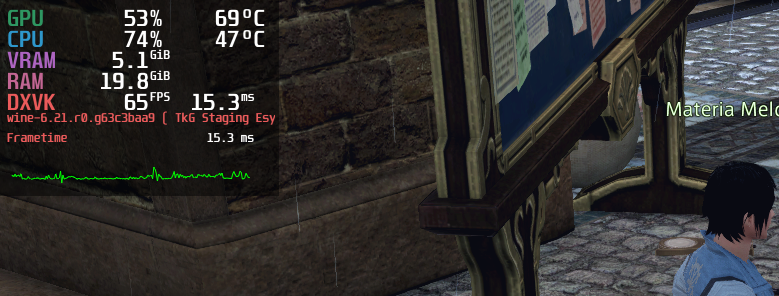
I usually launch with XIVLauncher, but even using the old launcher, I was still able to fully log in to the game.
Weird, which distribution and version are you using? It seems to happen on Ubuntu and Arch Linux, according to the Wine bugs I linked to. Could it also be a new required dependency which is included with Lutris?
Gentoo: rollin'.
Kernel: 5.10.61-gentoo-x86_64
Lutris: 0.5.9.1
GPU / Drivers: NVidia 2080 / 470.63.01
Not sure what else might be relevant.
If I remember right, this crash only happened when using Wine Staging, and it should be fixed in current git master (I think the testing I did was before 6.22, so it should be fixed there as well).
Edit: Actually the report I got for it working was after 6.22. That is 6.22-57-gb5b77ed6acad6 to be specific.
With EW release all but here and no sign of the new official launcher working, is anyone else unable to get the old launcher to open anymore? As of a few weeks ago it suddenly started opening with the new broken launcher and I have never been able to get it to revert even though my settings in boot.cfg are correct.
It does not seem to be Proton/WINE version (Tried both with and without Steam) related from what I can tell. XIVLauncher still seems to be working, but I hate not having the official one. I dunno if they ever officially said when the old launcher was going away for good but I'd guess xpac launch would be a reasonable expectation.
Any idea how to make XIV Launcher work with the Steam version?
@raaben Although I don't use Proton, I can confirm that in native Wine 6.15 (Gentoo), the old launcher still works and is still accessed through the Browser 1 setting in my FFXIV_BOOT.cfg file.
Any idea how to make XIV Launcher work with the Steam version?
That sounds... overly complex. I'd just install it via Lutris (you can probably move / symlink the game itself into the right folder in the Lutris prefix) and just use the checkbox in XIVLauncher to tell the game you have a Steam account.
On top of the obvious issue of putting all the work in to get the right things winetricksed in, XIVLauncher targets compatibility via the Lutris install script, not Proton / Steam, so there really wouldn't be anyone looking to help support that kind of an install, especially given their history with having specific issues with specific wineversions. Having a script that keeps with recommended wine versions lets them avoid a host of issues. (Old plugin hook system broke in late 5.x, GShade not being compatible without a custom wine version for a while, new plugin hook system only working in 6.x, updating having specific issues in some of the 6.x releases due to some changes in wine...)
Any idea how to make XIV Launcher work with the Steam version?
You need to set environment variables that point to the right runner and prefix then you can simply run the exe with wine and make a shortcut to it from within its directory. I did install it before,
Just download the non steam version and append -issteam to the executable &
you can use your steam account with any version. Unless they changed it.
lør. 27. nov. 2021, 21:12 skrev zangoku @.***>:
Any idea how to make XIV Launcher work with the Steam version?
You need to set environment variables that point to the right runner and
prefix then you can simply run the exe with wine and make a shortcut to it
from within its directory. I did install it before,—
You are receiving this because you were mentioned.
Reply to this email directly, view it on GitHub
https://github.com/ValveSoftware/Proton/issues/580#issuecomment-980794666,
or unsubscribe
https://github.com/notifications/unsubscribe-auth/AD4BBKC7B3C5KJU5PNIGSOTUOE3RHANCNFSM4FRR7KYQ
.
Triage notifications on the go with GitHub Mobile for iOS
https://apps.apple.com/app/apple-store/id1477376905?ct=notification-email&mt=8&pt=524675
or Android
https://play.google.com/store/apps/details?id=com.github.android&referrer=utm_campaign%3Dnotification-email%26utm_medium%3Demail%26utm_source%3Dgithub.
With EW release all but here and no sign of the new official launcher working, is anyone else unable to get the old launcher to open anymore? As of a few weeks ago it suddenly started opening with the new broken launcher and I have never been able to get it to revert even though my settings in boot.cfg are correct.
It does not seem to be Proton/WINE version (Tried both with and without Steam) related from what I can tell. XIVLauncher still seems to be working, but I hate not having the official one. I dunno if they ever officially said when the old launcher was going away for good but I'd guess xpac launch would be a reasonable expectation.
Maybe with Endwalker the old launcher will be completly removed...
With EW release all but here and no sign of the new official launcher working, is anyone else unable to get the old launcher to open anymore? As of a few weeks ago it suddenly started opening with the new broken launcher and I have never been able to get it to revert even though my settings in boot.cfg are correct.
Try starting with a fresh prefix after backing up your config files in drive_c/users/steamuser/Documents/My Games/.
Starting with kernel 5.14 and continuing with Kernel 5.15 I am experiencing horrible lag and stuttering caused by any input with the mouse. To be clear I am not talking input lag, I mean that whenever there is a mouse input, be it button presses or x-y movement the frametime (according to mangohud) doubles spikes to 100+ms and becomes a slideshow as long as the input continues.
It seems similar to an old issue found here: https://github.com/ValveSoftware/Proton/issues/3316
The exception being it does not take time to manifest.
I have been avoiding this by staying on kernel 5.13 hoping that 5.15 would not be affected, but it is, and the window for staying on 5.13 is closing.
Forcing Proton version 4.11-13 somewhat mitigates this behavior, however it is still there, just more intermittent instead of constant. I was wrong, more testing revealed it's just as bad.
Replying to https://github.com/ValveSoftware/Proton/issues/580#issuecomment-980816996
are you using reshade? this has been an issue for a while for wine versions, if you use reshade, the sampling rate of the mouse would cause extreme stutter on mouse movement, which has been remedied on some of the newer wine versions
are you using reshade? this has been an issue for a while for wine versions, if you use reshade, the sampling rate of the mouse would cause extreme stutter on mouse movement, which has been remedied on some of the newer wine versions
Nope, everything's vanilla with the exception of using mangohud. The only thing that is changing is the kernel version.
I'm getting issue with non-latin keyboard layout. When I'm trying to type any text it is replaced with wrong symbols so it makes impossible to chat on my native language. However if I copy paste some text into a game it is pasted correctly.
That's happen for Russian, Greek and Japanise (Kana) keyboard layouts as far as I've tested.
Does anyone managed to bypass this issue?
I've tried to play around system locale but this did not help. The only resut I got was that my input started to show up as a question marks.
I have been avoiding this by staying on kernel 5.13 hoping that 5.15 would not be affected, but it is, and the window for staying on 5.13 is closing.
Is using kernel 5.10 LTS an option?
I'm getting issue with non-latin keyboard layout. When I'm trying to type any text it is replaced with wrong symbols so it makes impossible to chat on my native language.
[...]
Does anyone managed to bypass this issue?
I've tried to play around system locale but this did not help. The only resut I got was that my input started to show up as a question marks.
I have no trouble using Japanese input in game (running under locale ja_JP.UTF-8), and in fact have never had trouble with this, going back to at least Wine 5.0 and probably farther. That said, I'm using vanilla Wine (plus hide-wine-exports patch) rather than Proton, so this may not be a useful data point.
I have been avoiding this by staying on kernel 5.13 hoping that 5.15 would not be affected, but it is, and the window for staying on 5.13 is closing.
Is using kernel 5.10 LTS an option?
Unfortunately not, my hardware config is newish.
I have also done some more testing and get the same results running via lutris stand alone. Great performance on kernel 5.13, mouse input induced frametime lag on kernels 5.14 & 5.15 .
Replying to https://github.com/ValveSoftware/Proton/issues/580#issuecomment-981140985
Thank you for clarification. So the issue is in my setup.
I've tried to change locale to ja_JP, but it didn't help. I'm going to try to launch game from liveCD under different locales and see if it would work properly with any of them.
With current Proton Experimental, FFXIV should be working out of the box now.
So does the new launcher work? I tried and it just auto started the old one, and when I told it to swap it just stayed gray.
The new launcher does not work, no. We worked around it by forcing the old launcher, as you found.
Gabriel is working on the new launcher, but it's a huge task. Gabriel's recent wine contributions
FWIW, the old launcher appears to still be available in 6.0.
I feel like there is a performance regression after Endwalker update. Before Endwalker I got 100 fps on mangohud and it feels smooth, after Endwalker its about 100 fps but it feels laggy
I'm a bit unclear as to what was changed, why is Final Fantasy XIV now listed as "playable" in the changelog? Was something not working before for some people?
System info: https://gist.github.com/nstgc/bf28661502ed6eba59e296d8cf0a8bcb
I've been getting crashes that I can't reproduce. The first time happened as soon as I hit the Play button on the launcher after the Servers went live this morning. I tried again and was able to play for two hours before going back to bed. Then I played for about three hours without trouble. I was looking at the Market Board. Then I tried again, playing for several hours before again I crashed, this time upon walking to a room (the elephant alchemist lady was waiting for me to turn in a quest).
Again, I can't reliably reproduce this, so I can't provide detailed logs, but I do have screenshots of the error messages.
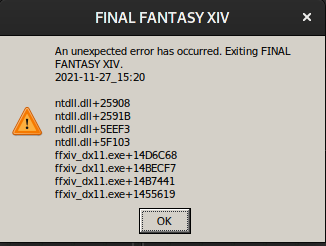
I didn't capture the first instance, but the two others are identical. Both times I was using Proton-GE-6.21-1. Last time I played for any meaningful period of time I was using GE-6.14-2. I've downgraded back to that, but I can't test it due to the lobby being perpetually full now.
I'm a bit unclear as to what was changed, why is Final Fantasy XIV now listed as "playable" in the changelog? Was something not working before for some people?
On first install you no longer have to manually edit BOOT.cfg
@screwylightbulb It's automatically edited/replaced, then? Since the new launcher isn't working yet. If so, easy improvement for new users, nice
Any other people having mouse input induced frametime lag on kernel 5.15? The issues reported above persist in proton experimental w/ the new patch.
I have also noticed that different mice have varying effects (polling rate related?). If I am using a cheapo mouse I can set vsync to 60fps (half native) and the frametime lag is still there but it like its impact has been "clamped" and will interrupt the mouse input to maintain 60fps. However, if I use a corsair glaive rgb pro the frame will stall on the current frame as long as there is any mouse input regardless of settings.
Edit: Absolutely polling rate related. Manually setting an 8ms polling rate (fine for FFXIV) "fixed" this for me.
"Fixed" as in conjunction with forcing vsync to 60fps and making it playable.
After reverting to Proton-GE-6.14-2 from Proton-GE-6.21-1, I'm no longer experiencing crashes, so I'd say there's a regression somewhere along the line. I played for about 12 hours today without crashes versus about 10 yesterday when I experienced three. @GloriousEggroll
@nstgc Is this only with Proton-GE, or does Proton Experimental also give you these crashes? This is the Github for the original Proton, after all...
Replying to https://github.com/ValveSoftware/Proton/issues/580#issuecomment-986147450
Interesting.
What DE/Display server/etc are you using?
My hunch is whatever display server/compositor you are using has crappy polling behaviour (eg. blocking on getting input in the same thread as composition) and a change in the kernel (bug or otherwise) exposed it.
Replying to https://github.com/ValveSoftware/Proton/issues/580#issuecomment-986192987
I also do not have this issue at all on kernel 5.15 and Proton Experimental. I'm on KDE / sddm.
I do remember once having something similar and then solving it by disabling vsync and frame rate limiting in game and then forcing vsync etc. through mangohud instead. Had to do the same for Dragon Age Inquisition.
I do remember once having something similar and then solving it by disabling vsync and frame rate limiting in game
@screwylightbulb On a related note: I remember frequently having a issue with odd frame stuttering similar to what you're describing with Among Us and Mortal Shell; though, I probably wouldn't have been able to describe it in such detail as you just did
Whenever I encounter this issue with a game I tend to just turn V-sync off, restart the game, turn it back on, and hope it starts behaving again; hopefully whatever the cause of that is gets discovered because it's annoying as hell
(I also use KDE; though, I also use Nvidia)
@nstgc Is this only with Proton-GE, or does Proton Experimental also give you these crashes? This is the Github for the original Proton, after all...
I'm mostly interested in just playing the game right now, so I've been sticking to what I know works, which is Proton-GE. it was my understanding that GE wanted people to report issues in the main Proton issue tracker. If I recall correctly, that was one of the motivators for removing the Media Foundation work around that made use of native Windows binaries taken from Windows. (Another concern being the obvious copyright issues.)
Perhaps later, once I've finished Endwalkers, I'll try Valve's Proton.
@nstgc From the large text at the top of the readme:
If you have an issue that happens with my proton-GE build, provided FROM this repository, that does -not- happen on Valve's proton, please DO NOT open a bug report on Valve's bug tracker.
Instead, contact me on Discord about the issue:
It doesn't say anything about wanting to report Proton-GE issues on here. Which would make sense, because this Github is for Proton, not Proton-GE.
I'm a bit unclear as to what was changed, why is Final Fantasy XIV now listed as "playable" in the changelog? Was something not working before for some people?
When using Proton 6.3-8 with no workarounds or prefix changes or anything, we experienced two problems:
First, the new launcher doesn't work yet. We worked around this by forcing the old launcher.
Second, the game would hang when trying to play its cinematics (pre-rendered videos). We fixed this problem.
These fixes allowed our QA to get into the game and begin playing online, so we consider it playable for the Experimental changelog.
Second, the game would hang when trying to play its cinematics (pre-rendered videos). We fixed this problem.
Does that mean the cinematics play now? If so, is that a change solely in Proton, or has the patch been submitted to Wine too?
Second, the game would hang when trying to play its cinematics (pre-rendered videos). We fixed this problem.
Does that mean the cinematics play now? If so, is that a change solely in Proton, or has the patch been submitted to Wine too?
Subject to Proton's usual wonkiness WRT videos (the test pattern), yes.
I submitted one bugfix upstream: https://source.winehq.org/git/wine.git/commitdiff/0dea2b615e82b51ba3231c493b3c11ee6997446e
However it also needs wmadmod, which I haven't upstreamed and won't have time before code freeze starts. https://github.com/ValveSoftware/wine/commit/ad48fc7d8c4eb757d0ccd359d80542e0a15f65aa
Replying to [#580 (comment)](https://github.com/ValveSoftware/Proton/issues/580#issuecomment-983410239)
Ok, I've done some testing and here what I got. Runing from livecd gave me the same result, so it's not misconfiguration. I've tried on Ubuntu 21.10. However I found another thing.
I've set up few different input sources for the same language:
$ gsettings get org.gnome.desktop.input-sources sources
[('xkb', 'us'), ('xkb', 'ru'), ('ibus', 'table:rusle'), ('ibus', 'm17n:ru:phonetic')]
I initially tested this issue with xkb engine for russian and other non-latin languages and it didn't work. However on ibus engine everything worked properly. I assume that in this comment was used some specific engine for Japanese input (since I tried with xkb jp+kana input source and it didn't work).
This might be used as workaround, hovever those non xkb layouts have nonstandard mappings for some keys.
The direct x errors occur after 9-10h of playtime. I got 2 Friday(played 24h), 1 Saturday and 1 Sunday.
It seems like after the new Endwalker update I can only run the game with DX9.
Distro: Ubuntu 20.04.3 LTS
Kernel: 5.11.0-40-generic
GPU Driver: NVIDIA 495.44
Proton Experimental
Endwalker only have dx11 mode.
Really? Only way I could fix launching into a black screen was unchecking the "run with DX11" option in the legacy launcher.
I feel like there is a performance regression after Endwalker update. Before Endwalker I got 100 fps on mangohud and it feels smooth, after Endwalker its about 100 fps but it feels laggy
@Runlevel-zero For me it feels laggy with X11 KDE even though mangohud says 100 FPS, but with Wayland KDE its butter smooth for all Endwalker dungeons and trials
I have some intermittent crashes when playing Pandemonium raid 4, it happened several times with similar stack trace
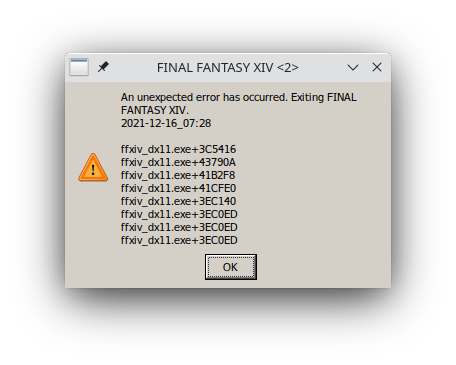
steam-39210.log
At Endwalker launch my FF14 is very stable for like 12+ h of continuous gameplay though
Arch Linux with 5.15.7-zen1-1-zen kernel, RX 6700 XT, Proton Experimental
I've only run it once so far, didn't have an issue luckily. Posting for the sake of data, on Arch with 5.15.10-arch1-1, RX 5700 XT, Proton Experimental.
Running steam manually in the terminal for testing at this time.
When attempting to run launcher I get error: double free or corruption (out)
I was seeing error: munmap_chunk(): invalid pointer
I have completely removed proton 6.3 and reinstalled and that is when I started seeing the double free error
I have found that I can change my prefix to 5.0.10 and the launcher will boot up but game won't run in DX11 with DXVK if that is the case.
5.15.10-arch1-1
KDE 5.89.0 / Plasma 5.23.4
AMD Radeon RX Vega
An update on this:
I completely removed proton 6.3 and reinstalled it.
I have verified that any game I run using proton 6.3 gives the error munmap_chunk(): invalid pointer
Proton experimental does not give this error but also does not work with any games.
If I run using Proton 5.0.10 I can get the game to run in DX9 mode.
Everything seems to work properly with this mode.
I just did a system update so am running wine 7.0rc1-1
This does appear to be a regression from previous proton releases as before 6.3 I never ran into any trouble.
Edit:
New system update and now running the following and game appears to run properly in DX11 again:
wine-7.0-rc4
Kernel: x86_64 Linux 5.15.13-arch1-1
DE: KDE 5.89.0 / Plasma 5.23.5
GPU: AMD Radeon RX Vega (VEGA10, DRM 3.42.0, 5.15.13-arch1-1, LLVM 13.0.0)
Replying to https://github.com/ValveSoftware/Proton/issues/580#issuecomment-998903430
Having experienced similar errors I also checked the Official Square Enix Forums and noticed that Windows users were experiencing similar crashes. Some users also acknowledged that the crashes went away once they changed their USB headset. I know in my case once switching from using a USB audio source to an Analog one, I haven't experienced those errors anymore. I suspect that these errors are the result of FFXIV devs programming in a new "spatial" audio service introduced in the newest expansion.
Despite changing audio sources I am still experiencing random crashes These crashes do not provide any error message and occur usually during dungeons or in high-population areas. I've turned on Wine debugging but wine but unable to get a backtrace when the game crashed. I have also heard others claim that the game is crashing due to Nvidia driver issues, which would be plausible given Nvidia's horrendous support for linux.
Considering that windows users have also been experiencing crashes I wonder to what extent these are FFXIV issues, not proton/wine issues. I know in my case I could count on one hand the crashes I ever had with FFXIV before Endwalker hit. Hope this helps someone.
Also for reference I am using:
KDE Plasma ver 5.23.5
5.15.12-arch1-1
Nvidia Geforce RTX 3080
Drivers: Nvidia 495-66-6
Just for the record, I've had no crashes or audio issues at all since Endwalker, on both my Windows 10 laptop (Ryzen 7 5800H, RTX 3060, 32GB RAM) and Linux desktop (wine-staging 7.0rc4-1, kernel 5.15.12.arch1-1, Core i7-6700K, RX 5700 XT, 32GB RAM). However, for both machines I only use analog audio (motherboard on-board audio) for both headphones and speakers, so I suspect that the issues in question only occur when using a USB audio device, and it's a problem with FFXIV and not wine/proton. Most people in that FFXIV forum thread posting system information logs that show USB audio devices connected probably proves this, though I'm not 100% sure.
FF14 has always had a notoriously fragile audio engine that will cause sound to die requiring a client restart if there is the slightest flakiness in the underlying audio driver. This is even before they introduced spatial sound support.
Us Linux users seem to be spared from that, probably because Wine forces the game through a robust enough abstraction over the underlying stack. I've heard of people on Windows using a program called Voicemeeter which provides a virtual audio interface and that seems to make the game happy - we seem to get that for free.
It seems likely to me that audio issues are not the cause of your crashes, I think Nvidia driver woes are more likely but it could be anything.
Us Linux users seem to be spared from that,
Since I started using HDMI for audio I haven't had any unexpected failings, besides that if I restart PulseAudio (pulseaudio -k), the game loses audio until a relaunch. But when I used USB audio with a somewhat flaky device, I would occasionally lose audio randomly.
Us Linux users seem to be spared from that
Not really. When I did UCOB (for some reason that particular raid triggers sound issues a lot) I had just as many instances of game audio just cutting out as the other players in my group. Only the PS4 players were spared.
P4 is known to have issues on a lot of Windows systems as well so I wouldn't read too much into it, although I personally haven't encountered problems with that yet, at least in the normal mode.
I just noticed while browsing through the proton script in Proton Experimental that it has the launcher workaround for the main client (39210) but not the trial client (312060)
We might have a critical problem with FF14 Proton Steam after March 2022:
https://na.finalfantasyxiv.com/lodestone/topics/detail/4c39f8a03713f8fcbab25ebf908c16837c5faaba
(emphasis in bold)
Starting in early March 2022, users who log in using a Steam version service account will be prompted to perform a one-time link of their Steam account to their Square Enix account. From then on, the Square Enix account will need to match the Steam account that launches the FINAL FANTASY XIV software. This change will require the FINAL FANTASY XIV software to be launched from the user’s Steam library. Additionally, once the account link has been performed, users will need to utilize the new launcher layout introduced with Patch 6.0. If using the “Original Launcher Layout” setting in the launcher Config menu, please switch to the “New Launcher Layout.”
As far as I know, new launcher is not compatible with Proton. If the launcher fails the game won't start. This is really bad as the game itself is 100% compatible and stable
Replying to https://github.com/ValveSoftware/Proton/issues/580#issuecomment-1034505290
Yep I can indeed confirm that this is a massive issue. We won't longer be able to play the game unless the new launcher will be made to work not to mention that there is a fixed march date when this change will occur
https://github.com/goatcorp/FFXIVQuickLauncher
I use this with lutris and have the steam version of ff14.
https://github.com/goatcorp/FFXIVQuickLauncher
I use this with lutris and have the steam version of ff14.
That is a third party launcher so it's irrelevant to this discussion because it doesn't solve the issue at hand which is to get FFXIV working outside the box with the new official launcher that comes with the game by the time March comes around.
I guess it's time to swap the protondb rankings from Gold -> Borked on March 2022
https://github.com/goatcorp/FFXIVQuickLauncher
I use this with lutris and have the steam version of ff14.
That will break for Steam users when the account integration gets released. Goat will probably find some way to work it in, but it will require reverse engineering the login process again.
I guess it's time to swap the protondb rankings from Gold -> Borked on March 2022
We will see, Valve wants this working on the Steam Deck and from what I can tell they are trying to get patches in to fix the new launcher so they no longer have to carry a workaround in Proton. It's a matter of whatever gets released first, the account integration or the MSHTML bugfixes in a new Proton release.
New launcher incompatible in Proton-7.1-GE-2 as well
I can confirm new launcher does not function properly.
The screen is just blank.
Getting enough MSHTML support to get the new launcher working is still a work in progress.
We might need an ugly hack or two as a temporary workaround until it shapes up.
All this work to support something that I'm pretty sure Microsoft don't even use any more seems so wasteful. What a bizarre choice of tech from Square Enix.
Bizarre, and often proprietary, tech choices is just par for the course in corporate tech, I'm afraid; even if there's an easier or better way to do something another it's common to see choices like that for superficial reasons. :/
nobody was ever fired for choosing mshtml
On Thu, Feb 10, 2022, 12:35 PM ThisNekoGuy @.***> wrote:
Bizarre, and often proprietary, tech choices is just par for the course in
corporate tech, I'm afraid; even if there's an easier or better way to do
something another it's common to see choices like that for superficial
reasons. :/—
Reply to this email directly, view it on GitHub
https://github.com/ValveSoftware/Proton/issues/580#issuecomment-1035480566,
or unsubscribe
https://github.com/notifications/unsubscribe-auth/AKEFDURFU7W4XOZA3EYGGWDU2QOQJANCNFSM4FRR7KYQ
.
Triage notifications on the go with GitHub Mobile for iOS
https://apps.apple.com/app/apple-store/id1477376905?ct=notification-email&mt=8&pt=524675
or Android
https://play.google.com/store/apps/details?id=com.github.android&referrer=utm_campaign%3Dnotification-email%26utm_medium%3Demail%26utm_source%3Dgithub.You are receiving this because you were mentioned.Message ID:
@.***>
For anyone not wanting to ship their own browser engine and keep ahead of vulnerabilities, embedding MSHTML was the only option on Windows until a little over a year ago.
What's baffling isn't that they use MSHTML, it's that they ship CEF and then just use MSHTML anyways. CEF is shipped in all installations of FFXIV and then only used on Mac.
What makes you think CEF is used on Mac?
Just checked the vanilla SQUEX launcher on Mac and it also uses wines MSHTML implementation aka wine_gecko
cwd
~/Library/Application Support/FINAL FANTASY XIV ONLINE/Bottles/published_Final_Fantasy/drive_c/Program Files (x86)/SquareEnix/FINAL FANTASY XIV - A Realm Reborn/boot
txt
/Volumes/Macintosh HD/Applications/FINAL FANTASY XIV ONLINE.app/Contents/SharedSupport/finalfantasyxiv/FINAL FANTASY XIV ONLINE/wineloader64
txt
/Volumes/Macintosh HD/Applications/FINAL FANTASY XIV ONLINE.app/Contents/SharedSupport/finalfantasyxiv/support/published_Final_Fantasy/drive_c/windows/system32/gecko/2.47/wine_gecko/lgpllibs.dll
txt
/Volumes/Macintosh HD/Applications/FINAL FANTASY XIV ONLINE.app/Contents/SharedSupport/finalfantasyxiv/support/published_Final_Fantasy/drive_c/windows/system32/gecko/2.47/wine_gecko/xul.dll
txt
/Volumes/Macintosh HD/Applications/FINAL FANTASY XIV ONLINE.app/Contents/SharedSupport/finalfantasyxiv/support/published_Final_Fantasy/drive_c/windows/system32/gecko/2.47/wine_gecko/nss3.dll
txt
/Volumes/Macintosh HD/Applications/FINAL FANTASY XIV ONLINE.app/Contents/SharedSupport/finalfantasyxiv/support/published_Final_Fantasy/drive_c/windows/system32/gecko/2.47/wine_gecko/omni.ja
txt
~/Library/Application Support/FINAL FANTASY XIV ONLINE/Bottles/published_Final_Fantasy/drive_c/users/crossover/Application Data/wine_gecko/places.sqlite-shm
txt
~/Library/Application Support/FINAL FANTASY XIV ONLINE/Bottles/published_Final_Fantasy/drive_c/users/crossover/Application Data/wine_gecko/webappsstore.sqlite-shm
txt
/Volumes/Macintosh HD/Applications/FINAL FANTASY XIV ONLINE.app/Contents/SharedSupport/finalfantasyxiv/support/published_Final_Fantasy/drive_c/windows/system32/gecko/2.47/wine_gecko/mozglue.dll
txt
/Volumes/Macintosh HD/Applications/FINAL FANTASY XIV ONLINE.app/Contents/SharedSupport/finalfantasyxiv/lib64/libwine.1.0.dylib
txt
/Library/Preferences/Logging/.plist-cache.3Tt4fCdO
txt
/Volumes/Macintosh HD/Applications/FINAL FANTASY XIV ONLINE.app/Contents/SharedSupport/finalfantasyxiv/lib64/wine/wow64cpu.dll.so
txt
/Volumes/Macintosh HD/Applications/FINAL FANTASY XIV ONLINE.app/Contents/SharedSupport/finalfantasyxiv/lib64/wine/winevulkan.dll.so
txt
/Volumes/Macintosh HD/Applications/FINAL FANTASY XIV ONLINE.app/Contents/SharedSupport/finalfantasyxiv/lib64/wine/version.dll.so
txt
/Volumes/Macintosh HD/Applications/FINAL FANTASY XIV ONLINE.app/Contents/SharedSupport/finalfantasyxiv/lib64/wine/shcore.dll.so
...
CEF libraries are never loaded and the launcher is so borked it wouldn't wonder me if they rely on some esoteric MSHTML bug with the new launcher layout
For a long time, the only way to get the launcher to behave on Linux was to have BrowserType 2 in their FFXIV_BOOT.cfg file, which (as I understand it) indicated that the launcher should use CEF instead of MSHTML, which at the time was not capable of correctly running the launcher.
After that stopped working about three years ago (see https://github.com/ValveSoftware/Proton/issues/580#issuecomment-485781440 in this very thread), one of the workarounds that Linux users had to do to get the launcher working was to fool the launcher into believing it was running on a Mac by creating the IsTransgaming function in Wine, which would indicate to the launcher that it was running on a Mac (as this function is how it checks for the specific Wine wrapper used on a Mac), and to my knowledge, it would then use the embedded version of CEF instead of MSHTML, allowing it to work.
I'm not entirely sure how things are working now, but that's the background of why people understand CEF to be used on Macs. If that's no longer the case then this just got interesting.
Launcher previously had issues with wine however, if launcher detected wine version it would assume you're running macos and require macos license (which is separate from windows license which is separate from steam license, thanks squenix), the workaround was to go into winecfg and disable exposure of wine specific things.
So mimicking macos might help somewhat but could be ultimately useless since it would make launcher check for wrong license.
Wouldn't it be hilarious if squenix made separate linux license that's also not on steam?
Well, that's the thing. The IsTransgaming workaround was coded such that it would only return true one time. The launcher would call it a few times when it ran, and one of those times was when it used the return value to determine which browser it should use. For that time only, the workaround returned true - other times, it returned false.
In any case, the check that was used for determining whether your computer was a Mac for the purpose of determining account licensing was whether the wine_get_version function existed. If it existed, the game (not the launcher, but the game itself) thought you were on a Mac and insisted on a Mac licence.
Why the two different checks? No idea, but it's not necessarily an all-or-nothing thing.
As for a separate Linux licence... on the plus side, it would be great to have official support. But on the other hand, I've heard bad things about FFXIV's Mac port using a long-outdated Wine wrapper (maybe that's fixed now, though? I wouldn't know) and for a long time people were recommending to run the game in Parallels instead. I'm worried that SE would do the same thing for Linux, when the reality is that Linux already has it running pretty damn well already.
So what exactly might be the consensus here? Do we just wait and let Valve do the working???
So what exactly might be the consensus here? Do we just wait and let Valve do the working???
I doubt the wine mshtml work will be done any time soon, so I guess we wait and see if any of the replacement launchers still work come that date.
What makes you think CEF is used on Mac?
It was used on Mac in the old launcher, but doesn't appear to be used in the new launcher. I'm not sure if libcef.dll is still unconditionally downloaded regardless of platform but it used to be, and ffxivlauncher.exe still contains references to it (found via strings ffxivlauncher.exe | grep -i cef)
Anyways, ffxivlauncher64.exe (the new launcher) does not contain references to CEF. It does, however, contain references to wine_get_version in several places, which the old launcher does not - maybe it's breaking on Wine as a side effect of something weird they're doing for the Mac client?
GabeN plays FF14 on Steam Deck: https://youtu.be/zw54nB5BQpM?t=210
GabeN plays FF14 on Steam Deck: https://youtu.be/zw54nB5BQpM?t=210
He is likely using the current workaround, which is to use the old launcher ... which will no longer be an option for people with Steam-locked accounts once they force the new Steam Account Linking.
Starting in early March 2022, users who log in using a Steam version service account will be prompted to perform a one-time link of their Steam account to their Square Enix account. From then on, the Square Enix account will need to match the Steam account that launches the FINAL FANTASY XIV software. This change will require the FINAL FANTASY XIV software to be launched from the user’s Steam library. Additionally, once the account link has been performed, users will need to utilize the new launcher layout introduced with Patch 6.0. If using the “Original Launcher Layout” setting in the launcher Config menu, please switch to the “New Launcher Layout.”
src: https://na.finalfantasyxiv.com/lodestone/topics/detail/4c39f8a03713f8fcbab25ebf908c16837c5faaba
hehe makes me wonder if gabe's wrath will make some impact to fix it faster
Replying to https://github.com/ValveSoftware/Proton/issues/580#issuecomment-1051388154
Which is by now the case, even with workarounds it now forces the new launcher on me, and I can not log in any longer. It was predictable this will happen at some point in time. MSHTML implementation seems to be work in progress on this, so I think we'll be in for a longer wait period unless Valve comes up with some magic or SquareEnix actually does implement a launcher which works in wine (which I highly doubt).
I did some preliminary debugging and it seems I'm able to revert back to the old launcher if I copy the pre-update ffxivlauncher.exe and ffxivlauncher64.exe files over top of the updated ones. Unfortunately, they've clearly done some other changes that disabled the outdated old launcher's method of login. It shows "An error occurred. Please try again later." in place of the login section. News and stuff loads fine.
Edit: Seems we can bring up the old launcher without using the pre-patch files by using NOSTEAM=1 %command% as the launch options. The updated old launcher does bring up the proper login screen. However, it has special handling implemented to block things for Steam accounts, so we're still stuck until we can find a way around it. Thanks to the first reply in this thread for showing this to me: https://forum.square-enix.com/ffxiv/threads/457352-Old-launcher-no-longer-working
There is no special handling, but square will hash all boot files and send them with the login request (not a smart idea to trigger the tamper protection if you care about your account)
Additionally you will never receive a valid session ID with the old steam login flow so these efforts to backport the old launcher are doomed from the start; you need an authentic steam session ticket in order to login
If it hashes the boot files how does xivlauncher work? Or does it not
anymore?
On Tue, Mar 8, 2022 at 12:09 PM marzent @.***> wrote:
There is no special handling, but square will hash all boot files and send
them with the login request (not a smart idea to trigger the tamper
protection if you care about your account)
Additionally you will never receive a valid session ID with the old steam
login flow so these efforts to backport the old launcher are doomed from
the start; you need an authentic steam session ticket in order to login—
Reply to this email directly, view it on GitHub
https://github.com/ValveSoftware/Proton/issues/580#issuecomment-1062163850,
or unsubscribe
https://github.com/notifications/unsubscribe-auth/AKEFDUUCB47EXINSBXMLHALU66XWVANCNFSM4FRR7KYQ
.
Triage notifications on the go with GitHub Mobile for iOS
https://apps.apple.com/app/apple-store/id1477376905?ct=notification-email&mt=8&pt=524675
or Android
https://play.google.com/store/apps/details?id=com.github.android&referrer=utm_campaign%3Dnotification-email%26utm_medium%3Demail%26utm_source%3Dgithub.You are receiving this because you were mentioned.Message ID:
@.***>
It does not at the moment for Steam accounts.
If it hashes the boot files how does xivlauncher work? Or does it not anymore?
XIVLauncher doesn't actually modify the boot files at all. It contains it's own implementation of SE's hashing algorithm and hashes the vanilla boot files in exactly the same way as the vanilla launcher does.
That said, it is currently not working for Steam accounts as they don't have the new flow reverse-engineered yet. They are working on it though.
If it hashes the boot files how does xivlauncher work? Or does it not anymore?
XIVLauncher doesn't actually modify the boot files at all. It contains it's own implementation of SE's hashing algorithm and hashes the vanilla boot files in exactly the same way as the vanilla launcher does.
That said, it is currently not working for Steam accounts as they don't have the new flow reverse-engineered yet. They are working on it though.
How does one even get XIVLauncher installed in the first place? I've tried through lutris and wine directly and nothing. I just want to try anything to get back in after taking a few days break from the game and ofc I come back to the game being borked....
Did you try the Lutris script?
lutris:final-fantasy-xiv-online-xivlauncher
Bottom one
Otherwise you can probably search for it directly on Lutris, I think.
I did and it always exits with a 256 error on the vcrun2019. I'd rather just go back to using the steam client if it wasn't busted....
The devs of XIVLauncher are still working to get it working again for steam users.
Let's hope they find some work around I was starting to really enjoy FFXIV it is such a great MMO and I was getting hooked
By having 2 service accounts (1 steam, 1 non-steam) you can still log in with the old launcher, but it errors out when you switch to the steam service account.
XIVLauncher added Steam login support, but it currently requires running the normal launcher once to do the account linking - and that is not possible in Wine/Proton currently. (Once linked it should work from either Wine Steam in Lutris or through Proton.)
So for full Linux support, even with a 3rd-party launcher, we will need to get the vanilla launcher working.
With the recent update of XIVLauncher steam accounts can now launch the game on Linux. You need to log in once on windows (before installing the game) to link your steam account and then launch and log into a windows version of steam launched in the same prefix. (After launching the game through lutris, go to the wine arrow menu and select "run exe in prefix" and to get the "steam.exe"). It's not a very elegant solution but it's available now for the peeps like me that need their daily roulettes. Hopefully Valve can pull through and figure out a more permanent fix.
Nice. I wonder if they can update the Lutris script to automatically install the Windows version of Steam alongside XIVLauncher and change the execution path to launch Steam automatically in the background before starting up XIVLauncher... I mean, it might not be necessary for long once things get fixed on Proton's end, but I'm sure a little custom script or something would work wonders for automating the process for the time we have to wait.
Edit: Figure I'd post some clearer instructions in case someone else has trouble figuring out how to do it like I did.
- Use a Windows installation of some sort to log into FF14 and link your Steam account to Square.
- If you haven't already enabled Wine Steam in Lutris, go into Lutris' preferences (the gear icon in the top-right) and enable Wine Steam in both the Services and Runners tab (click the marketplace icon in the Runners tab)
- Go to the Runners list in the main window and then hover over Wine Steam and then click the arrow icon that appears to run the Windows version of Steam and then log in via it. Exit Steam after this. (The reason I had to do it this way was because it would freeze during the login process if I tried to launch Steam.exe in the FF14 prefix. Not sure of the cause.)
- Install FF14 using the XIVLauncher script.
- Right-click the game on the Lutris window and then click "Configure" in the pop-up menu. In the "Runner options" tab, make note of the Wine version being used.
- In the "System options" tab, scroll down until you find "Pre-launch script" and in that field, put the following:
"/home/USER_DIR/.local/share/lutris/runners/wine/WINE_VERSION/bin/wine" "/home/USER_DIR/.local/share/lutris/runners/winesteam/prefix64/drive_c/Program Files (x86)/Steam/steam.exe" -silent
ReplaceUSER_DIRwith your username andWINE_VERSIONwith the Wine version you noted in step 5. If you prefer to see the Steam window by default instead of minimizing to the system tray on startup, you can remove the-silentpart at the end of this command. Save and close this window. - Launch XIVLauncher via the normal method, pointing it to the appropriate game folder (you can install via the Windows Steam's system tray icon or via a Steam for Linux install if you need to) and check the appropriate boxes to have it use the Steam authentication stuff. Be sure to wait for Steam to start up in the background before you actually log in.
- Play as normal.
Notes:
- If you previously played directly from Steam like me, you can copy-paste or symlink the
pfx/drive_c/Users/steamuser/Documentsfolder from the Proton environment into its equivalent folder in the Lutris prefix so you don't have to redo all the settings again. - Steam for Windows and Steam for Linux appear to conflict with one another. When I start up Steam for Windows for this, Steam for Linux gets a "No connection" error until such time that I restart Steam for Linux, at which point, if Steam for Windows is still running, it'll experience that same issue. I guess Valve got wise to us running multiple instances of Steam and found a way to only validate one at a time. All the more reason to get a more integrated solution working, but for now, we can actually get full FPS via DXVK.
But I can confirm it does work fine, though I did have to change the runner settings to disable Fsync cuz Ubuntu's kernels don't have any Fsync patches in them and the script defaulted to a version of Wine that had Fsync. Dunno why those don't automatically disable when it detects it doesn't have support but it is what it is, I guess.
Edit (Mar 15): Updated instructions to allow for automatically starting Steam for Windows so we can just hit the Play button.
That is a nasty workaround and I had to find my old laptop with windows to actually do it, but the method works.
Still, I won't give up hope that they will get this fixed in Proton over time, it's a bit much of a hassle for the average user ;-).
I figured I'd attempt to make this all a lot easier while we suffer. Here is a Lutris installer that will install Windows Steam + XIVLauncher in the same prefix:
https://lutris.net/games/install/32262/view (lutris:final-fantasy-xiv-online-xivlauncher-and-stea)
Furthermore, you can make it so that Windows steam auto-launches by going to Configure > System Options > Pre-Launch Script and adding the following:
/home/YOUR_HOME_DIR/.local/share/lutris/runners/wine/lutris-7.1-x86_64/bin/wine /home/YOUR_HOME_DIR/Games/final-fantasy-xiv-online/drive_c/Program\ Files\ \(x86\)/Steam/steam.exe
Obviously change YOUR_HOME_DIR with your actual home folder names (note ~ does not work). If you know how to get this automatically installed via the script let me know and I'll test it / modify it. However, I was unable to find in the documentation that specific variable under system.
(Note, if you actually use Windows steam for more than this in linux and you already have it installed elsewhere, you can use the same pre-launch script above and just point it to that executable)
Unrelated, I do have a MacOS license as well and I've been unable trick the vanilla launcher as some noted above. I assume there is more under the hood that needs to be addressed about how the client verifies if the user is running MacOS. If anyone knows why I would love to hear more. Paying 60 bucks is a relatively painless way for this not to be an issue for a bit.
If you know how to get this automatically installed via the script let me know and I'll test it / modify it. However, I was unable to find in the documentation that specific variable under
system.
Just ran a quick test and this seems to work in so far as populating the pre-launch script box for me. Note that I don't have a steam license so it was just a test of if it would populate, not if it works.
  system:
    prelaunch_command: $HOME/.local/share/lutris/runners/wine/lutris-7.1-x86_64/bin/wine $GAMEDIR/drive_c/Program\ Files\ \(x86\)/Steam/steam.exe
$HOME seemed to expand correctly in the test. In theory you could probably quote out the last part if you wanted to get rid of the \'s that are escaping the spaces to make it look cleaner, but that's just personal taste. And just a theory, I should've tested it. Oh well.
Unrelated, I do have a MacOS license as well and I've been unable trick the vanilla launcher as some noted above. I assume there is more under the hood that needs to be addressed about how the client verifies if the user is running MacOS. If anyone knows why I would love to hear more. Paying 60 bucks is a relatively painless way for this not to be an issue for a bit.
When last I heard someone ask about using a Mac license someone pointed to the following commit: https://github.com/Frogging-Family/community-patches/pull/96/files
I don't know any further details, it was just something I saw in passing and thought it was interesting, because old evidence indicated that there wasn't any need to spoof a Mac kernel.
Edit: Changed prelaunch_command to use $GAMEDIR because that's probably cleaner and, again, should work.
Edit of the edit: Highly recommend testing with quotes in case $GAMEDIR contains spaces.
I tested @KernelZechs' Lutris installer. Though I had already connected my Steam account to my Square Enix account the other day, I got an error about using the "wrong" account (something along the lines of "this is not the account you linked"), though the included Steam was running with that account logged in.
EDIT: Disregard, I forgot I use a different username for my Square Enix account. Oops.
This is probably a stupid question - how difficult would it be to get a native version of mshtml working under Wine/Proton enough for the official launcher to work?
Unrelated, I do have a MacOS license as well and I've been unable trick the vanilla launcher as some noted above. I assume there is more under the hood that needs to be addressed about how the client verifies if the user is running MacOS. If anyone knows why I would love to hear more. Paying 60 bucks is a relatively painless way for this not to be an issue for a bit.
It works with a macOS license however you will need to use a patched version of wine https://github.com/Frogging-Family/community-patches/blob/master/wine-tkg-git/ffxiv_mac.mypatch
@HereInPlainSight thank you that all worked and I tested it again this morning, here is a new lutris script: https://lutris.net/games/install/32270/view (lutris:final-fantasy-xiv-online-steamxivlauncher). I will note that quotes didn't work when I attempted this.
@yaomtc I'm not sure, I'm actually currently logged into XIV using the same lutris installer I built above. I would check your processes for steam and XIV launcher, hard kill them, and then try booting the Lutris launcher again. Keep in mind my script does the same thing as the long form way, just launches steam in the same prefix automatically.
(Note: I notice sometimes steam takes a long time to load, just give it a moment before attempting to login)
@marzent and @HereInPlainSight thank you for the info on this, seems like an easy thing to patch maybe if I get time I will attempt to make this happen.
@ApeironTsuka from my understanding MSHTML/Trident has never worked in wine (the wine version is using Mozilla/Gecko) and thus would require a ton of work to make it work. The bigger issue here is SE is using a dead rendering engine for their 'new' launcher when they could have just built it with literally anything else (like electron for example would have been perfect here)
@KernelZechs Or used CEF, since they do still actively ship libcef with the launcher despite not seeming to use it.
The bigger issue here is SE is using a dead rendering engine for their 'new' launcher
Well, game devs are not known to be the best application developers ;-). But yes, they'd probably even have had a easier time basing this on newer technology.
I used the latest version of your Lutris installer, and it really works properly. What you have to be aware of is that you always need to wait for Steam to actually be started and logged in before you try to kick the "Login" button in the XIVLauncher. So auto login is probably not an option, and you'll have to wait a "few" seconds for steam to actually start and log in. Otherwhise you get errors with wrong steam ID or that it couldn't connect to the steam API to get a proper auth ticket.
Dunno if you can automate this part, but you can add the XIVLauncher as non-steam game and have steam launch it. that way steam is definitely running.
I don't think XIVLauncher knows whether Steam for Linux is running. Both Steam and XIVLauncher need to be running in the same environment, yeah?
I've tried that, they definitely need to run in the same environment, that's why even installing XIVLauncher i the FFXIV prefix does not work, since it still would not find Steam running.
So unless we get a proper launcher or proton fixed launching with Lutris, Steam for Windows and XIVLauncher seems to be the only option.
I installed XIVLauncher in the protonprefix. (Was more tinkering because protortricks doesn't install dotnet48 unless you force regular wine)
I just had to change the launch options to this unwielding thing: XL_WINEONLINUX=True WINEPREFIX=${HOME}/.local/share/Steam/steamapps/compatdata/39210/pfx ${HOME}/.local/share/Steam/compatibilitytools.d/GE-Proton7-9/files/bin/wine64 ${HOME}/.local/share/Steam/steamapps/compatdata/39210/pfx/drive_c/users/steamuser/AppData/Local/XIVLauncher/XIVLauncher.exe %command%
And it runs with native linux steam.
Some magic is still missing since it doesn't seem to use dxvk (Framerate falls a lot).
I'm sure there's a better way to make steam launch xivlauncher. but I don't know how.
First off, I can confirm that the method of launching via Steam for Linux does work and does use WineD3D (confirmed by adding mangohud after the environment variables but before the wine64 executable in the command), though I also had to install vcrun2019 in addition to dotnet48 using winetricks/protontricks to avoid errors with XIV Launcher.
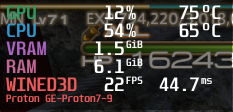
This was in an area with about 4-5 players around, and in the inn room, I never quite got 60 FPS either, but I'm using an old Radeon R9 290x, so your mileage may vary.
Second, regarding the prelaunch script in Lutris, you can have Steam for Windows launch silently the same way you can for Linux by adding -silent onto the end of the command. If you're using my method from before the install script, the command would be as follows:
"/home/YOUR_USER_DIR/.local/share/lutris/runners/wine/lutris-7.1-x86_64/bin/wine" "/home/YOUR_USER_DIR/.local/share/lutris/runners/winesteam/prefix64/drive_c/Program Files (x86)/Steam/steam.exe" -silent
This way, it'll just sit in the system tray and not take up desktop real estate.
It's worth noting that you need to use the same version of wine in the prelaunch script as you do with the game itself, so change the lutris-7.1-x86_84 part as necessary in addition to the YOUR_USER_DIR parts. For example, the regular XIV Launcher script defaulted to lutris-fshack-7.1-x86_84 for me, so I'd need to edit that appropriately.
Wow, this is incredible. Any ways we could up the FPS next? Seems like that's a lot more than it took up for me, when playing it "naturally" on Linux before all this.
My experience has been that FFXIV's fps is largely bound to your CPU as opposed to GPU, as most MMO's are, but obviously your milage may vary. I also wouldn't expect FFXIV-specific fps boosts except perhaps through general proton updates that improve general performance.
That said, there's alot you can do settings wise. If you haven't already, I would turn off SSAO (Screen Space Ambient Occlusion, replactions and LoD. Also for dungeons/raids turn off spell effects and shadows for party members.
There also is an option to lower the max amount of entities/players viewable at a time that should up fps in traffic heavy cities, but that settings is in "other-settings" and is called character and object quantity.
If all that isn't satisfactory, just turn all graphics settings to their lowest I suppose.
Good to know there is a way to get it working with Steam for Linux, but I certainly wouldn't want to use that if DXVK doesn't work. Did you already try using setup_dxvk on the prefix?
I'm using the same prefix that was normally used by FF14 before this change, so it already had DXVK installed. And I doublechecked by manually installing it via winetricks/protontricks too. For whatever reason, when launched this way, it doesn't want to use DXVK even when it's installed.
I tinkered a little bit more and added this to protonfixes/gamefixes/39210.py to make proton magic happen in GE-Proton.
    # Runs XIVLauncher instead of Stock Launcher
    if 'XL_WINEONLINUX' in os.environ:
        util.replace_command('common/FINAL FANTASY XIV Online/boot/ffxivboot.exe', 'compatdata/39210/pfx/drive_c/users/steamuser/AppData/Local/XIVLauncher/XIVLauncher.exe')
        util.replace_command('-issteam', '')
(Don't forget to set XL_WINEONLINUX=True.) I just don't know where to push this snippet. Though I don't know if it get accepted. Technically, you can add dotnet48 and vcrun2019 to this as well, but dotnet40 doesn't install with proton.
I just don't know where to push this snippet. Though I don't know if it get accepted.
GE's fork of Protonfixes. I don't know either tbh
Technically, you can add dotnet48 and vcrun2019 to this as well, but dotnet40 doesn't install with proton.
dotnet48 should install on Proton 7. There was a bug in Wine 6 that is fixed in Wine 7 and thus Proton 7 that broke dotnet.
It should also be possible to make a Winetricks verb and have Protonfixes install XL itself too.
Replying to https://github.com/ValveSoftware/Proton/issues/580#issuecomment-1066774561
Proton-GE contains alot of FFXIV-specific tweaks given that Glorious Eggroll himself is a FFXIV afficianado. You should possible publish this fix via a pull request at his Proton-GE github to suggest the change. He would be likely to incorporate it given his role in adding "NOTSTEAM=1" to FFXIV to allow non-steam players to play FFXIV using Steam. His youtube video on the subject
Also I would suggest that you also include this fix for the Final Fantasy XIV Free Trial, for non-steam players who want to use xivlauncher
Replying to https://github.com/ValveSoftware/Proton/issues/580#issuecomment-1066152109
How were you able to install xivlauncher in a proton prefix? I always get the message that I cannot run setup as an admin, and I can't figure out how to setup xivlauncher with normal user priviledges.
Replying to [#580 (comment)](https://github.com/ValveSoftware/Proton/issues/580#issuecomment-1066152109)
How were you able to install xivlauncher in a proton prefix? I always get the message that I cannot run setup as an admin, and I can't figure out how to setup xivlauncher with normal user priviledges.
I ran into that issue too, but copying the XIVLauncher files from my Lutris install to the Steam prefix in addition to using winetricks/protontricks to install dotnet48 and vcrun2019 seemed sufficient to get it working. The files are located in drive_c/users/[username]/AppData/Local/XIVLauncher inside the prefix and copying that folder into steamapps/compatdata/39210/pfx/drive_c/users/steamuser/AppData/Local/ worked fine.
Not sure if there's another, "proper" method by which we can install it.
Replying to [#580 (comment)](https://github.com/ValveSoftware/Proton/issues/580#issuecomment-1066152109)
Ultimately your solution worked. I had forgotten to add 0xReki's entire launch command. Previously I was trying to install xivlauncher via Setup.exe as the devs had included a "/s" parameter to stop xivlauncher from ending install as wine always runs with admin privileges, however that didn't work, and my understanding is that the "/s" option was incorporated just for xivlauncher's lutris install script.
So I was able to launch xivlauncher from the FFXIV game page on steam. The only remaining item is "tracking game time". I know of a solution via Linux-ffxiv-steam, a python script that can flag FFXIV as running and end it when you close FFXIV.
Sorry if this is a dumb question but do I just have to install dotnet48 & vcrun2019 onto my general linux system with winetricks or specifically within the FFXIV prefix? Just wanting to really make sure, I'm fairly new to working with Lutris/wine
Sorry if this is a dumb question but do I just have to install dotnet48 & vcrun2019 onto my general linux system with winetricks or specifically within the FFXIV prefix? Just wanting to really make sure, I'm fairly new to working with Lutris/wine
Within the Proton/Wine prefix.
Edit: Specifically, the command would be something like WINEPREFIX="/path/to/prefix" winetricks dotnet48 vcrun2019 where /path/to/prefix is wherever the prefix is for FF14. If you've installed the Steam version via Steam for Linux and haven't messed with Steam libraries, it'll be $HOME/.local/share/Steam/steamapps/compatdata/39210/pfx
For me, that does not work, at least not with native steam, as XIVLauncher does not find steam unless I run the steam windows client in the same prefix.
System.Exception: SteamApi_Init returned false. Steam isn't running, couldn't find Steam, AppId is ureleased, Don't own AppId.
   at Steamworks.SteamClient.Init(UInt32 appid, Boolean asyncCallbacks)
   at XIVLauncher.Common.Game.Launcher.<Login>d__10.MoveNext() in D:\a\FFXIVQuickLauncher\FFXIVQuickLauncher\src\XIVLauncher.Common\Game\Launcher.cs:line 91
How do you manage to install/run XIVLauncher in a Proton prefix? I've tried both Experimental and latest GE and the launcher just refuses to launch, while it works fine using Lutris Wine 7.1.
An easy and reliable way to get XIV Launcher installed on Proton is detailed out here:
https://gist.github.com/Centzilius/57892e5d1aaea51b3f389e6f1d587c97
Proton-6.21-GE-2, which is the one in the linked Gist, seems to be the most reliable version for this. Most 7.x GE releases seem to have issues with properly handling administrative privileges.
@SynfulChaot Does DXVK work with that method or is it also weirdly using WineD3D?
Does this remove the entire need for the Lutris stuff or is it still necessary to get the things running?
@SynfulChaot Does DXVK work with that method or is it also weirdly using WineD3D?
I believe that it should be using DXVK from what I've been told by those in the XIVLauncher Discord
Does this remove the entire need for the Lutris stuff or is it still necessary to get the things running?
Correct. With the method I linked you can install and launch directly from Steam with full Steam integration.
Does not work for me either, at least not on FC35:
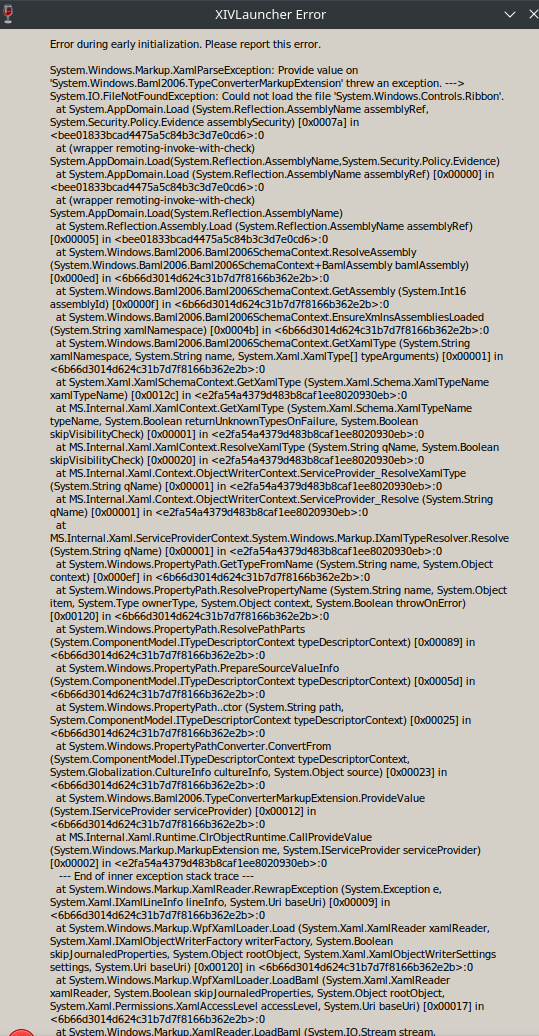
I think you're supposed to somehow click "No" on that, or at least select it and then afterwards it will start running. I get the same exact thing. I don't exactly know how to make sure I'm clicking on No for that though
UPDATE: there is none. Somehow managed to manipulate the window to move to the bottom half of it. There is only an "OK" button. Whoops.
Even with that it never starts. Or well, it stays on "Running" but does nothing.
Same here. Also wondering, if this gets fixed are we sure this fix can be added to the next GE release, since it relies on a previous version of it to work?
@STiAT @TiffanyNeat I would definitely recommend joining the XIVLauncher Discord for assistance with troubleshooting your install.
that's up to the Glorious Eggroll himself. Personally I don't see why not as the fix only goes into effect if you have the proper launch option. Also for steam deck users it'll likely be the best way for steam account holders to play ffxiv at the moment. Hopefully Cent is willing to make a pull-request on the GE github.
@STiAT @TiffanyNeat I would definitely recommend joining the XIVLauncher Discord for assistance with troubleshooting your install.
That's sadly not a thing I can do right now as I'm on a heavy break from Discord due to mental health reasons, lol. Hopefully there's another place I can troubleshoot at?
@TiffanyNeat My suggestion is to delete your prefix and start again from the Creating a new Prefix section of that guide. Also make sure you have all the dependencies installed, including Proton 5.0.
@TiffanyNeat
So firstly I would ensure you have a clean prefix. Cent's script didn't work for me until I had wiped my prefix.
specifically you want to move/delete/rename $HOME/.steam/steam/steamapps/compatdata/39210, and then start Cent's guide again from "Creating a new prefix"
I tried that, made sure I have Proton 5.0 installed, and it sadly still does the exact same thing. I even tried redoing everything else and it still did the exact same thing. The entire prefix is wiped, and I'm assuming I just have to wait until the launcher has appeared to close it and then switch to GE and add the launch command, then reopen.
Is there another folder I have to delete other then the one in compatdata? Maybe delete/reinstall the entire application?
I'm running off EndeavourOS (Arch) Linux, NVIDIA GeForce 1660 Ti in case it's an NVIDIA issue.
I would add "PROTON_LOG=1" to the beginning of the launch command and then
start the game again until you get to your error message. Close the game,
and then open "/home/USERNAME/steam-39210.log" which is your Proton log for
FFXIV. I would look through that and search for errors by searching "err".
Closer to the end of the log you might find something that would suggest
what's wrong. I still believe it might have something to do with your
prefix. That error you posted almost assuredly suggests something went
wrong with your dotnet48 install.
On Thu, Mar 17, 2022 at 9:12 PM Tiffany Parfait @.***>
wrote:
I tried that, made sure I have Proton 5.0 installed, and it sadly still
does the exact same thing. I even tried redoing everything else and it
still did the exact same thing. The entire prefix is wiped, and I'm
assuming I just have to wait until the launcher has appeared to close it
and then switch to GE and add the launch command, then reopen.
Is there another folder I have to delete other then the one in compatdata?
Maybe delete/reinstall the entire application?
I'm running off EndeavourOS (Arch) Linux, NVIDIA GeForce 1660 Ti in case
it's an NVIDIA issue.—
Reply to this email directly, view it on GitHub
https://github.com/ValveSoftware/Proton/issues/580#issuecomment-1071985812,
or unsubscribe
https://github.com/notifications/unsubscribe-auth/AINE65KN77EVWBVGC5FFSLLVAPYCLANCNFSM4FRR7KYQ
.
Triage notifications on the go with GitHub Mobile for iOS
https://apps.apple.com/app/apple-store/id1477376905?ct=notification-email&mt=8&pt=524675
or Android
https://play.google.com/store/apps/details?id=com.github.android&referrer=utm_campaign%3Dnotification-email%26utm_medium%3Demail%26utm_source%3Dgithub.You are receiving this because you commented.Message ID:
@.***>
All results for error seem to say
[0000000000000294:] EXCEPTION handling: System.Net.WebException: The remote server returned an error: (404) Not Found.
I see the python file is supposed to install dotnet48 & vcrun2018, I'm assuming I'm not supposed to attempt and install it myself (so i haven't). Do tell me if I'm wrong on that, though, as I know that was a requirement for when we were going off Lutris as well (though the script later also ended up doing that itself).
There is only one other error amongst this one error, repeated numerous times throughout much of the whole thing actually:
[0000000000000294:] EXCEPTION handling: System.AggregateException: One or more errors occurred. (The remote server returned an error: (404) Not Found.)(prior to fixating on "294", it did this with "[00000198:]")
Wait! There's also a boatload of this one, just repeated ad nausea in a gigantic wall of it:
[000000000000027c:] EXCEPTION handling: System.Security.Cryptography.CryptographicException: `MonoBtlsPkcs12.Import` failed.
[000000000000027c:] EXCEPTION handling: System.Security.Cryptography.CryptographicException: `MonoBtlsPkcs12.Import` failed.
[000000000000027c:] EXCEPTION handling: System.Security.Cryptography.CryptographicException: Missing private key
There is also this (which i have to censor):
[000000000000025c:] EXCEPTION handling: System.IO.FileNotFoundException: Could not load file or assembly 'Z:\home\[MYHOMEHERE]\.local\share\Steam\compatibilitytools.d\Proton-6.21-GE-2\files\share\wine\mono\wine-mono-7.0.0\lib\mono\gac\PresentationFramework.classic\4.0.0.0__31bf3856ad364e35\en-US\PresentationFramework.Classic.resources.dll' or one of its dependencies.
19069.002:0258:025c:trace:mscoree:mono_assembly_preload_hook_fn "PresentationFramework.Classic.resources, Version=4.0.0.0, Culture=en, PublicKeyToken=31bf3856ad364e35"
[000000000000025c:] EXCEPTION handling: System.IO.FileNotFoundException: Could not load file or assembly 'Z:\home\[MYHOMEHERE]\.local\share\Steam\compatibilitytools.d\Proton-6.21-GE-2\files\share\wine\mono\wine-mono-7.0.0\lib\mono\gac\PresentationFramework.classic\4.0.0.0__31bf3856ad364e35\en\PresentationFramework.Classic.resources.dll' or one of its dependencies.
19069.004:0258:025c:trace:seh:RtlGrowFunctionTable 0000000008A83890, 64
19069.004:0258:025c:trace:mscoree:mono_assembly_preload_hook_fn "PresentationFramework.Classic.resources, Version=4.0.0.0, Culture=en-US, PublicKeyToken=31bf3856ad364e35"
[000000000000025c:] EXCEPTION handling: System.IO.FileNotFoundException: Could not load file or assembly 'Z:\home\[MYHOMEHERE]\.local\share\Steam\compatibilitytools.d\Proton-6.21-GE-2\files\share\wine\mono\wine-mono-7.0.0\lib\mono\gac\PresentationFramework.classic\4.0.0.0__31bf3856ad364e35\en-US\PresentationFramework.Classic.resources.dll' or one of its dependencies.
19069.006:0258:025c:trace:mscoree:mono_assembly_preload_hook_fn "PresentationFramework.Classic.resources, Version=4.0.0.0, Culture=en, PublicKeyToken=31bf3856ad364e35"
[000000000000025c:] EXCEPTION handling: System.IO.FileNotFoundException: Could not load file or assembly 'Z:\home\[MYHOMEHERE]\.local\share\Steam\compatibilitytools.d\Proton-6.21-GE-2\files\share\wine\mono\wine-mono-7.0.0\lib\mono\gac\PresentationFramework.classic\4.0.0.0__31bf3856ad364e35\en\PresentationFramework.Classic.resources.dll' or one of its dependencies."
Those are all 27 of the search results for err, and the only other non-result error I could find. So, it must be something wrong with mono?? But I'm not quite sure what to do about that.
Wait- no, this may be the main problem.
[000000000000025c:] EXCEPTION handling: System.IO.FileNotFoundException: Could not load file or assembly 'C:\users\steamuser\AppData\Local\XIVLauncher\app-6.2.19\en-US\XIVLauncher.resources.dll' or one of its dependencies.
19068.590:0258:025c:trace:mscoree:mono_assembly_preload_hook_fn "XIVLauncher.resources, Version=6.2.19.0, Culture=en, PublicKeyToken=null"
[000000000000025c:] EXCEPTION handling: System.IO.FileNotFoundException: Could not load file or assembly 'C:\users\steamuser\AppData\Local\XIVLauncher\app-6.2.19\en\XIVLauncher.resources.dll' or one of its dependencies.
Seems to be having problems loading any of the files ending in name .resources.dll, looking here. 59 results for "Could not".
[0000000000000284:] EXCEPTION handling: System.IO.FileNotFoundException: Could not find file "C:\users\steamuser\AppData\Local\XIVLauncher\packages\.betaId
- and also this.
To finish this off, this is the final exception before the thing pid 57952 != 57951, skipping destruction (fork without exec?)ed:
19073.998:0258:025c:trace:mscoree:mono_assembly_preload_hook_fn "System.Windows.Controls.Ribbon, Version=4.0.0.0, Culture=neutral, PublicKeyToken=b77a5c561934e089"
[000000000000025c:] EXCEPTION handling: System.IO.FileNotFoundException: Could not load the file 'System.Windows.Controls.Ribbon, Version=4.0.0.0, Culture=neutral, PublicKeyToken=b77a5c561934e089'.
19073.999:0258:025c:trace:mscoree:mono_assembly_preload_hook_fn "System.Windows.Controls.Ribbon, Version=0.0.0.0, Culture=neutral, PublicKeyToken=b77a5c561934e089"
[000000000000025c:] EXCEPTION handling: System.IO.FileNotFoundException: Could not load the file 'System.Windows.Controls.Ribbon'.
[000000000000025c:] EXCEPTION handling: System.Xaml.XamlObjectWriterException: Provide value on 'System.Windows.Baml2006.TypeConverterMarkupExtension' threw an exception.
[000000000000025c:] EXCEPTION handling: System.Windows.Markup.XamlParseException: Provide value on 'System.Windows.Baml2006.TypeConverterMarkupExtension' threw an exception.
[000000000000025c:] EXCEPTION handling: System.Xaml.XamlObjectWriterException: Provide value on 'System.Windows.Markup.StaticResourceHolder' threw an exception.
[000000000000025c:] EXCEPTION handling: System.Windows.Markup.XamlParseException: Provide value on 'System.Windows.Baml2006.TypeConverterMarkupExtension' threw an exception.
[000000000000025c:] EXCEPTION handling: System.Xaml.XamlObjectWriterException: Provide value on 'System.Windows.Markup.StaticResourceHolder' threw an exception.
[000000000000025c:] EXCEPTION handling: System.Windows.Markup.XamlParseException: Provide value on 'System.Windows.Baml2006.TypeConverterMarkupExtension' threw an exception.
[000000000000025c:] EXCEPTION handling: System.Xaml.XamlObjectWriterException: The invocation of the constructor on type 'System.Windows.Controls.RichTextBox' that matches the specified binding constraints threw an exception.
[000000000000025c:] EXCEPTION handling: System.Windows.Markup.XamlParseException: Provide value on 'System.Windows.Baml2006.TypeConverterMarkupExtension' threw an exception.
19074.002:0258:025c:trace:seh:RtlGrowFunctionTable 000000000D9C3EF0, 164
19074.002:0258:0290:trace:seh:RtlGrowFunctionTable 000000000D9C3EF0, 165
19074.002:0258:025c:trace:seh:RtlGrowFunctionTable 000000000D9C3EF0, 166
19074.002:0258:025c:trace:seh:RtlGrowFunctionTable 000000000D9C3EF0, 167
[0000000000000290:] EXCEPTION handling: System.Windows.Markup.XamlParseException: Provide value on 'System.Windows.Baml2006.TypeConverterMarkupExtension' threw an exception.
I tried Cent's script and ran into the issue of XIVLauncher's updater just hanging. I started with a fresh prefix as the instructions suggested. In case it helps in diagnostics, I'm running Xubuntu 20.04 with kisak-valve MESA graphics driver PPA and the updated nVidia proprietary drivers PPA ( https://launchpad.net/~graphics-drivers/+archive/ubuntu/ppa ) because I have both an AMD GPU and an nVidia GPU in my system. The AMD GPU is the main one, and the nVidia is only for video encoding while streaming. I should also note that I'm not using the Ubuntu Software Center to install Steam, either. I'm using Steam's official .deb file from their site. These are the only two possible ways I can think of in which my installation could've differed from Cent's testing in Ubuntu 20.04.
After some debugging, I found that it wouldn't install either of the two winetricks requirements (dotnet48 and vcrun2019) properly, and after manually installing them via winetricks, XIV Launcher ran without issue. It's worth noting that winetricks told me that vcrun2019 was installed, but when I went to check XIV Launcher the first time after installing dotnet48, it still shot me the "XIV Launcher ingame addon needs the Microsoft Visual C++ 2015-2019 redistributable to be installed to continue" error after logging into the game, so I went back and forced winetricks to install vcrun2019 (winetricks --force vcrun2019) but it still didn't recognize it as installed for some reason. I personally don't use any addons, including Dalamud, so it's not a big deal to me, though it will be annoying to have to click the OK button to close the error each time I go to play the game.
That said, in my debugging process, I found that Proton-GE-6.21's wine wasn't setting the %AppData% variable properly and it was causing failures when installing stuff via winetricks. I don't know enough to try to figure out a way around this issue other than to use a different version of Wine/Proton that doesn't have it. Due to this, I ultimately used my wine-staging executables to run winetricks and install dotnet48 and vcrun2019, and going back to Proton-GE-6.21 is likely what caused the Visual C++ error in XIV Launcher to persist since I imagine it still needs the %AppData% variable to actually run the redistributables afterwards.
One last important thing to note: As of this writing, Cent's script wipes the entire Documents/My Games folder if it can't find either FFXIV.cfg and/or FFXIV_boot.cfg, and just to ensure things work as intended, it's probably best to let it create the files as necessary in a fresh prefix, so save any character file backups you have until you actually get things working as intended. I was able to restore my settings just fine from the old prefix after getting everything set up, so it shouldn't be an issue, but better safe than sorry.
I can confirm it does indeed run with DXVK this way, so that's a huge plus, although the script as it currently stands is most definitely not good for everyday use due to the sheer amount of work it requires to get things set up and the fact that it's reliant on an older version of Proton.
@TiffanyNeat It might be worth trying to manually install dotnet48 as I outlined in this post to see if that fixes your issue. Also, to answer the "click No" question you had, if it's the error about "Rundll32 could not run", it doesn't really matter what you click on there. (Yes just opens a browser thing and no closes without doing that, so no is quicker in that sense.) That error should only happen the first time you run it or when it has to change something within the Proton environment. It can safely be ignored.
Finally, I want to apologize for such a long post. Brevity isn't my strong point and I figure as much information as possible could help to get things working smoother for others.
Replying to https://github.com/ValveSoftware/Proton/issues/580#issuecomment-1072243203
I can confirm it does indeed run with DXVK this way [...]
Can you share how you confirmed this? I am seeing massive performance degradation with this method compared to the old, non-XIVLauncher method, and I was suspecting that DXVK is not being used.
Finally, I want to apologize for such a long post. Brevity isn't my strong point and I figure as much information as possible could help to get things working smoother for others.
Please don't apologize, it is must appreciated. While I am a very strong Linux user, interacting with proton, wine prefixes, winetricks, dxvk, graphics in general and what-have-you is foreign territory to me - and probably many others who see this issue - so the explicit descriptions that do not require prior expert knowledge in this domain are extremely helpful.
I added MangoHud into the commandline argument list and here it is on the startup screen. Been playing it for the past several hours this way.
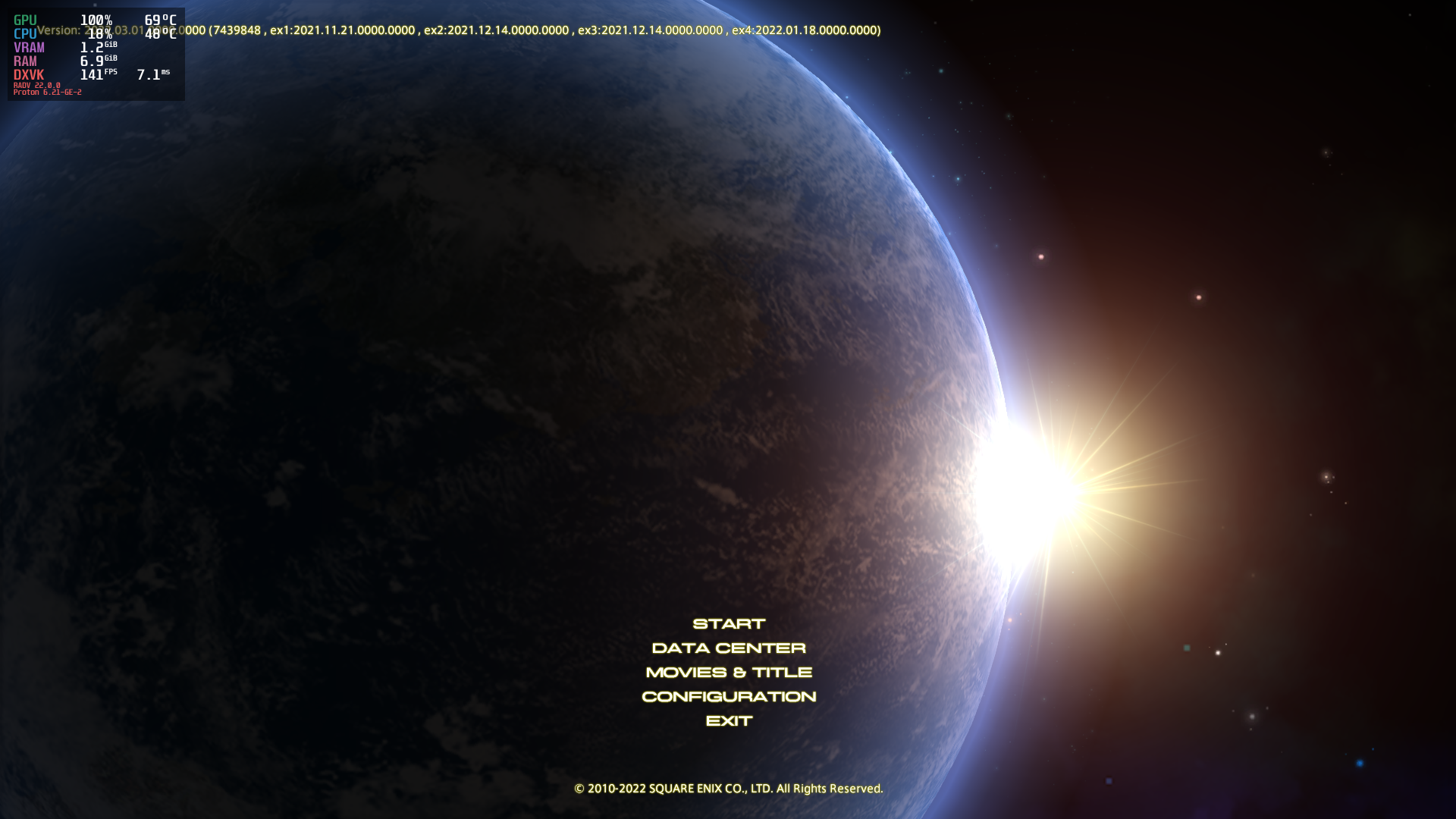
Probably worth checking on your end too if you're noticing degredation issues. Given it's an older version of Proton, it's possible if the degredation isn't too severe that it could be due to an older version of DXVK, but if the degredation is severe, it'd be worth ensuring it's using DXVK for you and not WineD3D.
Edit: I should also note that because I've rarely had modern specs, I've been in the habit of doing some min-maxing in terms of graphics stuff. Reduce shadows/antialiasing/anisotropic filtering, as well as limiting framerates. I've been playing using DXVK_FRAME_RATE=30 both before and after this whole debacle (because FF14's own settings for 30 FPS actually keep things at 60 FPS and just duplicate things for two frames instead of actually limiting the FPS itself), so it's not like I can attest to performance degradations that well, though I can say that I did some limited testing without the framerate limiter and was able to get 60 FPS pretty okay on my Radeon R9 290x. (Haven't tested higher than 60 FPS.)
So, it shouldn't cause issues from what I can tell, as least so long as it's installing dependencies okay, so it would seem likely that something might not be installing or working right somewhere along the line for you.
My full command line is now XL_WINEONLINUX=true DSSENH=n DXVK_FRAME_RATE=30 mangohud %command% in case anyone is curious. (I've had issues getting the MANGOHUD=1 method working in the past, so I've just learned to launch MangoHud via the OpenGL method even in Vulkan-based stuff.)
So do I install them through winetricks within a specific proton version (like with the Lutris stuff the last time) or is it safe to just install it in whole onto my general linux system? Again, sorry if the question is dumb
UPDATE: Just went back up and reread your old post, realizing that it has all the info I need. So sorry!
ANOTHER UPDATE: Can certify that this works for me!
@TiffanyNeat nice to hear that you got it working. What did you end up doing specifically?
@Yowlen yeah while Cent's fix is amazing, his guide could have explained more of the process. I've tried to put disclaimers in the bash script I made that i've linked to before
I've also spent a few hours today and wrote the first draft of a script that performs most of Cent's guide for you. It's my first bash script of this kind so please be careful using it. I would in particular appreciate the advice of experienced bash scripters. Also it can delete your prefix so please back up your FFXIV config files before allowing the script to delete your prefix.
It can also install Cent's python fix to the FFXIV Free Trial so a non-steam account holder can start XIVLauncher from steam.
It needs work though so I would appreciate it if anyone who tries it can please let me know any issues they encounter.
@TiffanyNeat nice to hear that you got it working. What did you end up doing specifically?
I did exactly what Yowlen suggested I should do/had to do, which was to install vcrun2019 and dotnet48 directly into the newly-created FFXIV prefix using winetricks. For some reason, the protonfix doesn't actually manage to do it correctly... or something- it just doesn't exist in there, and that's what causes the error.
After installing them into the prefix (having to force install the vcrun2019 as it thinks it's already installed, I clicked "Repair" when winetricks brought the "it is already installed" box up), it worked exactly as intended. The .dll file error box did still pop up, but I was able to click "No" and skip it opening the browser page while still initializing everything else perfectly.
Glad you got it working.
As I stated before, I was getting an error when using Proton-GE-6.21's binaries to install it saying that %AppData% wasn't being set right, but more than that, I forgot to mention that it also said that it detected an out-of-date wineserver in the prefix as well and hinted that this was the reason why. There wasn't anything else running in that prefix at the time, so it couldn't have been an older version of Wine/Proton running and keeping it from updating, so I can only assume that Proton-GE-6.21 just fails to update the wineserver for some reason when it's doing things to the prefix.
If I had to guess, I'd say it's intentional, however. Proton is meant to be run using steamuser as the user, while Wine defaults to the Linux user currently logged in. Actually, now that I think about it, that might be why the manual vcrun2019 thing failed. Gonna go test that and put in an edit with the results once I'm done typing this.
Sorry for not including this information sooner, and hopefully it can help someone to figure a way around it.
Edit: Okay, nope, forcing vcrun2019 via protontricks also doesn't seem to install it under the correct username, as XIV Launcher is still throwing the error. I also can't find any files in the user folder that might be transferrable to the steamuser folder, so I'm stumped as to why it's not installing correctly. Oh, well. It's only required for the mods end of things and I don't use mods, so it'll work for me for now until someone can figure out a better solution.
Edit 2: Decided to start with a fresh prefix and only use protontricks to install dotnet48 and vcrun2019 since it automatically discovered and used the Proton-GE-6.21 stuff that we had set it for. Made it a lot easier than manually typing out the WINEPREFIX= variable and the path to the wine executable. Unfortunately, protontricks 39210 --force vcrun2019 dotnet48 resulted in the same outcome. XIV Launcher works, but it still gives me the "Visual C++ isn't installed" error as before.
I don't know if it affects anything, but I did uncheck using Dalamud during the XIV Launcher setup process since, as I said, I don't use any addons, Figure I'd include this last tidbit since that's the last thing I can think of that might somehow affect why I'm getting the Visual C++ error and others aren't.
I got it properly running now, using the script from @Moosatronic with a few adoptions. Though, I had to install vcrun2019 with protontricks manually to the prefix afterwards since it failed for some reason in the script and XIVLauncher kept complaining.
Even seems to run using DXVK:
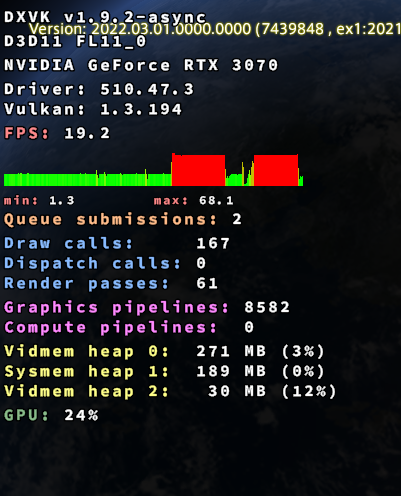
Has anyone checked if Dalamud plugins are working for them? For me, it's failing to download the repo with the following error:
2022-03-19 13:30:32.406 -05:00 [INF] [PLUGINR] Fetching repo: https://kamori.goats.dev/Plugin/PluginMaster
2022-03-19 13:30:32.439 -05:00 [ERR] [PLUGINR] PluginMaster failed: https://kamori.goats.dev/Plugin/PluginMaster
System.Net.Http.HttpRequestException: The SSL connection could not be established, see inner exception.
 ---> System.ComponentModel.Win32Exception (0x80090304): Unknown error (0x80090304)
   at System.Net.SSPIWrapper.AcquireCredentialsHandle(ISSPIInterface secModule, String package, CredentialUse intent, SCH_CREDENTIALS* scc)
   at System.Net.Security.SslStreamPal.AcquireCredentialsHandle(CredentialUse credUsage, SCH_CREDENTIALS* secureCredential)
   at System.Net.Security.SslStreamPal.AcquireCredentialsHandleSchCredentials(X509Certificate certificate, SslProtocols protocols, EncryptionPolicy policy, Boolean isServer)
   at System.Net.Security.SslStreamPal.AcquireCredentialsHandle(SslStreamCertificateContext certificateContext, SslProtocols protocols, EncryptionPolicy policy, Boolean isServer)
   at System.Net.Security.SecureChannel.AcquireClientCredentials(Byte[]& thumbPrint)
   at System.Net.Security.SecureChannel.GenerateToken(ReadOnlySpan`1 inputBuffer, Byte[]& output)
   at System.Net.Security.SecureChannel.NextMessage(ReadOnlySpan`1 incomingBuffer)
   at System.Net.Security.SslStream.ForceAuthenticationAsync[TIOAdapter](TIOAdapter adapter, Boolean receiveFirst, Byte[] reAuthenticationData, Boolean isApm)
   at System.Net.Http.ConnectHelper.EstablishSslConnectionAsyncCore(Boolean async, Stream stream, SslClientAuthenticationOptions sslOptions, CancellationToken cancellationToken)
   --- End of inner exception stack trace ---
   at System.Net.Http.ConnectHelper.EstablishSslConnectionAsyncCore(Boolean async, Stream stream, SslClientAuthenticationOptions sslOptions, CancellationToken cancellationToken)
   at System.Net.Http.HttpConnectionPool.ConnectAsync(HttpRequestMessage request, Boolean async, CancellationToken cancellationToken)
   at System.Net.Http.HttpConnectionPool.CreateHttp11ConnectionAsync(HttpRequestMessage request, Boolean async, CancellationToken cancellationToken)
   at System.Net.Http.HttpConnectionPool.GetHttpConnectionAsync(HttpRequestMessage request, Boolean async, CancellationToken cancellationToken)
   at System.Net.Http.HttpConnectionPool.SendWithRetryAsync(HttpRequestMessage request, Boolean async, Boolean doRequestAuth, CancellationToken cancellationToken)
   at System.Net.Http.RedirectHandler.SendAsync(HttpRequestMessage request, Boolean async, CancellationToken cancellationToken)
   at System.Net.Http.HttpClient.SendAsyncCore(HttpRequestMessage request, HttpCompletionOption completionOption, Boolean async, Boolean emitTelemetryStartStop, CancellationToken cancellationToken)
   at Dalamud.Plugin.Internal.PluginRepository.ReloadPluginMasterAsync() in C:\goatsoft\companysecrets\dalamud\Plugin\Internal\PluginRepository.cs:line 78```

I've tried everything I could think of and haven't had much luck.So, there is no way for me to play without XIVLauncher correct? Do we still need a windows first launch to link steam account?
For those with Steam-locked accounts, the only current way to play FFXIV on Linux is using XIVLauncher. And yes, XIVLauncher cannot perform the account linking so you must use the vanilla launcher for that ... which only functions properly on Windows.
Unknown error (0x80090304)
Seems as if .NET uses ntlm_auth for some reason for SSL handshakes. Do you have winbind installed?
Unknown error (0x80090304)
Seems as if .NET uses ntlm_auth for some reason for SSL handshakes. Do you have winbind installed?
Yeah, winbind is installed. Weirdly it works fine when the launcher is run via Proton (using the most recent "install vcrun2019 + dotnet48 in your Proton prefix" approach), but has that error when run via Lutris regardless of Wine version (tried an old 6.21 staging, lutris-GE-Proton7-6, lutris-7.1..).
XIV Launcher just updated itself and it appears that the two fixes it provides are worth mentioning here.
The first was moving to a dedicated CDN as GitHub was causing net issues for Dalamud, so the issue last discussed here should likely be solved now.
The second involved issues with free disk space errors when installing the game fresh in Wine.
Things continue to be found and improved, and I just want to end this by thanking everyone involved, both here and elsewhere. Y'all making this game work so well and continue to improve it in spite of Square continually breaking things is so inspirational. Thank you.
(Also, the Stormblood theme just reached its peak from the opening menu movie as I typed that thank you and transitioned to the Sharlayan part as I finished, so... that was very fitting BGM for that section. "Until our last breath." -Y'shtola )
And yes, XIVLauncher cannot perform the account linking so you must use the vanilla launcher for that ... which only functions properly on Windows.
To expand upon this: You can do the activation via a VM without needing to do anything fancy like GPU passthrough. I was able to install Windows, Steam, and the vanilla launcher in libvirt and do the registration from there. The account linking part is done through the same set of menus as when you first install FFXIV (the ones that ask if you already have an account or not). Hopefully this will save some people the trouble of making bare-metal partitions to boot from.
I've tried the aforementioned script on Pop_OS 21.10 and Steam installed from the main distro software management. It didn't work out to me mainly because it was having a hard time trying to detect folder locations. Stuff like expecting a text file named version on the prefix containing the version. I wish I could contribute fixes but since I don't understand what are those directories. So I end up reading what the script does after the detection phase and ran those steps manually. Thanks anyway to @Moosatronic who wrote the script as that was useful even if it didn't worked to me.
Now I also tried with Proton-GE-7.10 and the script didn't ran because utils.py didn't had the install_dotnet function and failed even after adding the missing code it didn't worked out.
@kisak-valve Is there any official work being done on this? Apologies, I don't usually check progress on individual issues as there are a bajillion of them, but in this case it seems important.
@Moosatronic (https://github.com/Moosatronic/LinuxFFXIVProtonFix).
Thank you got mine running after 2 days of trying first go with your script :D
looks like most of my issues where my steam paths are a bit mixed up between
~/.local/share/Steam/common
~/.local/share/Steam
~/.steam/steam
~/.steam/steam/steamapps/common
~/.local/share/Steam/compatdata/ simply did not exist it was using ~/.steam/steam/compatdata
plus a few other random ones , might be time to clean up and reinstall a fresh copy of steam ... why they keep changing locations got me
why they keep changing locations got me
Deprecation. If I recall correctly, it's now considered bad practice to store settings in places like ~/.steam and should instead store configuration in ~/.config/ and data/binaries/etc in ~/.local/ to keep the user's home directory less cluttered + keep things more neatly sorted.
@kisak-valve Please forgive the ping, but the recent update in late March has made this game completely unplayable in Proton without massive manual work to get the game installed, including requring a Windows install to initially tie the Square-Enix account with Steam. This should be considered an urgent fix, considering the size of the userbase.
Jason I would just as well go on the Square Enix forums and demand better
Linux/Mac support as most of the problems come from the FFXIV devs and not
Valve. If there was some sort of easy fix to this problem it would have
been fixed already. Ironically this problem arises out of Square banning
support for the oldest FFXIV launcher, the only official one that works
with Linux, ironically by helping valve ensure that steam FFXIV players can
only play on their steam FFXIV account. Probably the best thing valve can
do is reach out to the devs and see if they would be interested in
collaborating to fix this, but don't get your hopes up.
On Sun., Apr. 17, 2022, 12:30 p.m. jason-oliveira, @.***>
wrote:
@kisak-valve https://github.com/kisak-valve Please forgive the ping,
but the recent update in late March has made this game completely
unplayable in Proton without massive manual work to get the game installed,
including requring a Windows install to initially tie the Square-Enix
account with Steam. This should be considered an urgent fix, considering
the size of the userbase.—
Reply to this email directly, view it on GitHub
https://github.com/ValveSoftware/Proton/issues/580#issuecomment-1100928867,
or unsubscribe
https://github.com/notifications/unsubscribe-auth/AINE65PUXEHAIHCDG6COEODVFRKCXANCNFSM4FRR7KYQ
.
You are receiving this because you were mentioned.Message ID:
@.***>
(For Steam ver/FFXIVLauncher) What's the status of DX11? After much trial and error, I've been able to get the game to a playable frame rate with DX9 (165+ FPS in world at 1440p), but extremely poor performance on DX11 (15ish FPS on title screen at 480p). I used to have really high FPS before Squeenix gave us the Ninth Umbral Calamity so I know it isn't a hardware issue. Am I missing a library that has to be installed via protontricks or something?
I've no problem with DX11/DXVK with the FFXIVLauncher. Works just nice.
Same here, it sounds like DXVK might not be installed/enabled on that prefix? Something to check.
For those curious, here is a list of changes that have occured with MSHTML in Wine over time:
https://source.winehq.org/git/wine.git/?a=search&h=HEAD&st=commit&s=mshtml
And here is the relevant bug report. Maybe just add yourself to the CC list. Please don't post to it unless you have something helpful to say.
https://bugs.winehq.org/show_bug.cgi?id=48006
HTML rendering and javascript is a major issue for many apps, not just the FFXIV launcher, and I'm not sure the Wine development team wants to focus on hacking together a fix for one specific game.
It seems like Wine-Gecko doesn't see many updates these days. Are they working on replacing Gecko?
I haven't seen any regressions in performance on my end either. Been playing fine with DX11/DXVK in my Steam game using XIVLauncher. As was already said, it sounds like something might be missing on your end.
Thanks for sharing the WineHQ bug report. That's gonna be a good one to stay on top of, for sure.
The timing of the breaking update always really suspicious to me, tbh. It came out right as Valve released the Steam Deck, almost like Square was looking to stop people from potentially playing on the Steam Deck. Worse, it seemed like a big middle finger to Valve since they used Valve's own systems against them to do it. Maybe I'm reading too much into it -- I hope I am, actually, but I just can't shake the feeling.
Anyway, here's hoping they're able to fix it soon, either by Wine devs figuring out whatever thing is going wrong with MSHTML or by Square deciding to stop fucking over Steam users and properly fixing their launcher. Given what I've seen this community accomplish, I don't doubt that even if Square continues to ignore us, there'll eventually be a fix from the community itself.
@Moosatronic First of all, thank you for your script, which has helped many many people.
Second, your suggestions are patently ridiculous, as:
- Square-Enix does not have the programming skill to treat MSHTML as anything but a "black box",
- any bugs filed with Square-Enix over this issue would be closed WORKSFORME because they don't use/support Linux, and
- this is literally a Wine/Proton issue, which Valve has direct influence over, and not an issue with the game itself, which works fine in Windows and doesn't have specific anti-Linux poison pills.
Update regarding poor DX11 performance: it was DXVK, and I have a fix!
The version of DXVK in use with that version of Proton happens to have some bug involving Nvidia resizeable bar where video memory will be capped at 32MB. So the solution is either disable resizeable bar for FFXIV, or replace the version of DXVK with one without the issue (1.9.4+). I wasn't able to get the new version working despite numerous tries, but I did get disabling resizeable bar working.
The fix:
In your Proton prefix at drive_c/Program Files (x86)/SquareEnix/FINAL FANTASY XIV - A Realm Reborn/game/, create a file called dxvk.conf containing the following:
dxvk.shrinkNvidiaHvvHeap = False
If you have experience retro-installing DXVK onto an existing proton prefix, please tell me how. I tried both manually installing and using the script to install 1.10.1, but it kept coming up as 1.9.2-async in DXVK HUD and the dlls in the prefix would be modified when the game launched.
This is not the place for unsubstantiated rumors about what some players are supposedly asking for, and probably won't get.
We cannot do anything, if people have a little window on their screen showing ACT. We don't want to "scan" your computer for the software you have installed, that's against the law anyway
https://www.reddit.com/r/ffxiv/comments/ezr436/comment/fgoydy2/
In addition, yoshi-p said in his statement that they're not going to be
scanning your computer to see what's running. There's no grand conspiracy
here, we're still just doing unsupported things in unsupported land, and
various updates and changes are going to break it. I do wish there was a
little quicker movement and attempts to resolve problems from Valve
considering Gabe himself plays FFXIV on a steam deck, but this is a thorny
problem that has been plaguing WINE for what well over a decade now?
On Tue, May 10, 2022 at 8:40 AM yao mtc @.***> wrote:
This is not the place for unsubstantiated rumors about what some players
are supposedly asking for, and probably won't get.We cannot do anything, if people have a little window on their screen
showing ACT. We don't want to "scan" your computer for the software you
have installed, that's against the law anywayhttps://www.reddit.com/r/ffxiv/comments/ezr436/comment/fgoydy2/
—
Reply to this email directly, view it on GitHub
https://github.com/ValveSoftware/Proton/issues/580#issuecomment-1122559845,
or unsubscribe
https://github.com/notifications/unsubscribe-auth/AKEFDUTBRJSBOVBH5TUY25TVJJ7QHANCNFSM4FRR7KYQ
.
You are receiving this because you were mentioned.Message ID:
@.***>
Apologies for that. I've deleted my comment. It was a stressful day and I was worried about not being able to continue playing.
In other news some of you would like to know that now there is a XIVLauncher Flatpak: https://www.gamingonlinux.com/2022/05/xivlauncher-now-on-linux-gets-final-fantasy-xiv-online-running-on-steam-deck/
In other news some of you would like to know that now there is a XIVLauncher Flatpak: https://www.gamingonlinux.com/2022/05/xivlauncher-now-on-linux-gets-final-fantasy-xiv-online-running-on-steam-deck/
There's also an AUR package and you can very easily clone and build the XIVLauncher.Core repo. If you have concerns about 3rd-party tools like Dalamud, you can disable it entirely in the settings.
According to GE the latest bleeding-edge of Experimental fixes the launcher.
https://twitter.com/GloriousEggroll/status/1526770003084775425
How does the new Proton-fixed version do at installing FFXIV on Steam Deck?
Just tried it on my not-a-steam-deck and it seems to work. I even managed to link my Steam account. I'm not subscribed at the moment, so could not test all the way. I only tested with the bleeding-edge branch of Proton Experimental. This seems like the kind of thing that'll sneak its way over to stable pretty soon.
I have purchased a subscription and have confirmed the launcher does work at this time using Proton Experimental on the Steam Version of FFXIV.
It is a bit buggy, I've seen the launcher close on it's own randomly and not load the game a couple of times, however if I persist, I can get the game running in DX11 at this time.
I have also tried on the Steam Deck too. It is much of the same. Since the formatting is broken and the log in box is now displayed at the bottom of the launcher you will have to scroll down to see it, however, sometimes the scroll bar does not work and you'll need to use a scroll wheel on a mouse to scroll down, which of course in handheld mode is not ideal.
Still though, absolutely fantastic that this has been gotten to work though!
I can get the launcher to load, though rendering is broken as noted, but every time I enter my password and try to log in, it just crashes. Tried both Experimental and GE, both with clean prefixes.
part 1)
well I reinstalled FFXIV after months (clean prefixes), and when I lunched it with proton experimental, after the first "next screen " I got this error...in japanese:
サイトに技術的な問題が発生しました。
再度アクセスしても問題が解決しない場合、スクウェア・エニックス サポートセンターからお問い合わせください。
aka. (google translated)
There was a technical problem with the site.
If re-accessing does not resolve the issue, please contact the Square Enix Support Center.
well relaunching did work...after that I linked my steam account just fine....then I got to my next issue:
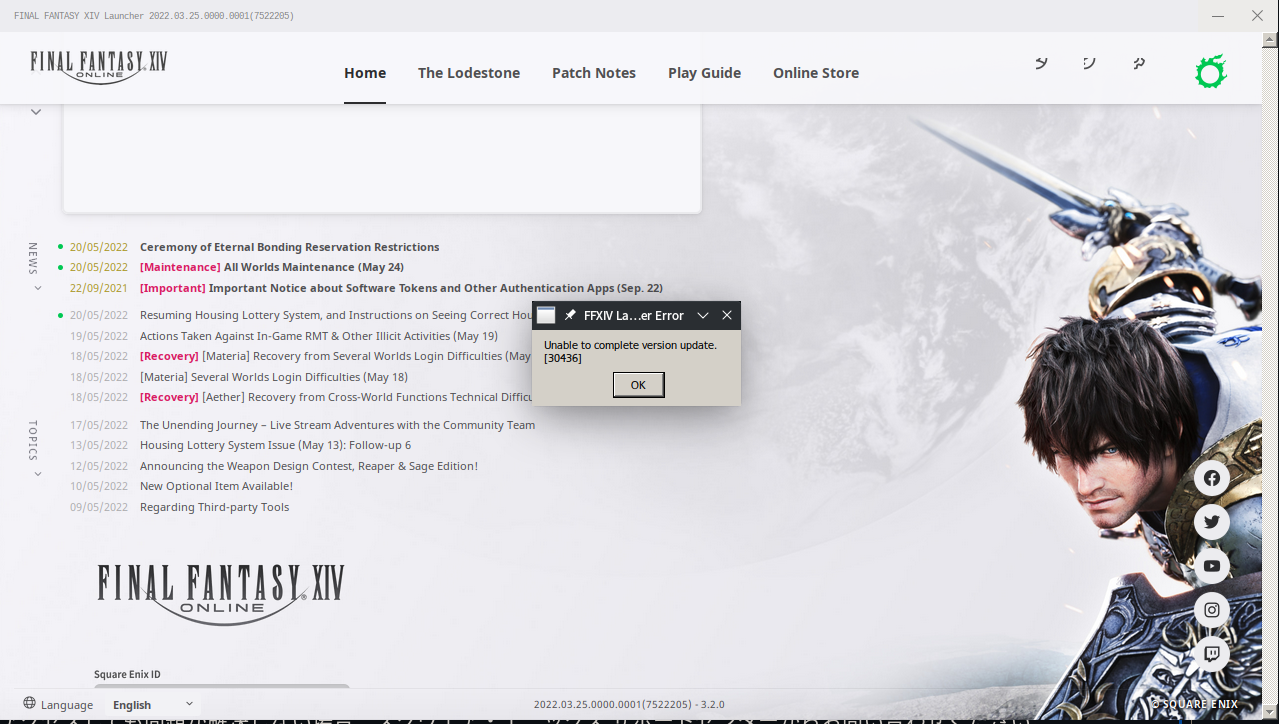
after pressing OK on the error, I just had to relogin and then it started to download the game
part 2)
I finally downloaded the game, and when I tried to start to play/launch the game ....it crashed,
here is the log (for some reason I couldn't upload it here, github kept complaining about the format)
at the end of the log it does say :
Required Vulkan extension VK_KHR_surface not supported
566.899:0260:0264:trace:seh:raise (22)
terminate called after throwing an instance of 'dxvk::DxvkError'
568.406:0144:0148:fixme:ieframe:ViewObject_SetAdvise aspects and/or flags not supported yet
I'm using the new Nvidia 515.43.04 [beta] driver, with its new open kernel module thingy
and as its part of the official openSUSE driver update https://build.opensuse.org/project/show/X11:Drivers:Video
anyway, I don't know if that is part of the problem, but other games have been working so far just fine
my specs:
             .;ldkO0000Okdl;.                ahjolinna@localhost
         .;d00xl:^''''''^:ok00d;.            OS: openSUSE 20220518
       .d00l'                'o00d.          Kernel: x86_64 Linux 5.17.7-1-default
     .d0K^'  Okxoc;:,.          ^O0d.        Uptime: 20h 52m
    .OVVAK0kOKKKKKKKKKKOxo:,      lKO.       Packages: 2563
   ,0VVAKKKKKKKKKKKKK0P^,,,^dx:    ;00,      Shell: bash bash 5.1.16
  .OVVAKKKKKKKKKKKKKk'.oOPPb.'0k.   cKO.     Resolution: 3840x2160
  :KVAKKKKKKKKKKKKKK: kKx..dd lKd   'OK:     DE: KDE 5.95.0 / Plasma 5.25.80
  lKlKKKKKKKKKOx0KKKd ^0KKKO' kKKc   lKl     WM: KWin_Wayland
  lKlKKKKKKKKKK;.;oOKx,..^..;kKKK0.  lKl     GTK Theme: Breeze-dark [GTK2/3]
  :KAlKKKKKKKKK0o;...^cdxxOK0O/^^'  .0K:     Icon Theme: Papirus
   kKAVKKKKKKKKKKKK0x;,,......,;od  lKP      Disk: 15T / 21T (73%)
   '0KAVKKKKKKKKKKKKKKKKKK00KKOo^  c00'      CPU: AMD Ryzen 7 5700G with Radeon Graphics @ 16x 4.3GHz
    'kKAVOxddxkOO00000Okxoc;''   .dKV'       GPU: NVIDIA GeForce RTX 3060 Ti
      l0Ko.                    .c00l'        RAM: 5322MiB / 15771MiB
       'l0Kk:.              .;xK0l'
          'lkK0xc;:,,,,:;odO0kl'
              '^:ldxkkkkxdl:^'
I can get the launcher to load, though rendering is broken as noted, but every time I enter my password and try to log in, it just crashes. Tried both Experimental and GE, both with clean prefixes.
To add to my earlier statement here, here is the log from trying to log in.
Final Fantasy XIV - Unable to Complete Version Update
Issue transferred from https://github.com/ValveSoftware/Proton/issues/5852.
@dbox1983 posted on 2022-05-22T16:10:36:
Compatibility Report
- Name of the game with compatibility issues: Final Fantasy XIV
- Steam AppID of the game: 39210
System Information
- GPU: AMD RADV VANGOGH
- Driver/LLVM version: Unsure?
- Kernel version: Linux version 5.13.0-valve10.3-1-neptune-02176-g5fe416c4acd8
- Link to full system information report as Gist: https://gist.github.com/dbox1983/2f25f3e6f20a70aa1a8be5b1e4e5cbde
- Proton version: Experimental 5/19/22
I confirm:
- [X] that I haven't found an existing compatibility report for this game.
- [X] that I have checked whether there are updates for my system available.
Symptoms
I'm able to open the FF14 launcher now, but I get an error "Unable to complete version update" with a code 30436. This error prevents the actual game files from being downloaded.
Reproduction
Happens every time I try to log into the client.
Troubleshooting steps:
-Uninstall, reinstall
-Full system update in game mode and in KDE, reboot
-Uninstall, deletion of files in PFX folder in case of misconfigured config files. Reboot, reinstall.
-Uninstall, reinstall on SD instead of internal SSD
In all cases, I get the same error (attached screen shot)
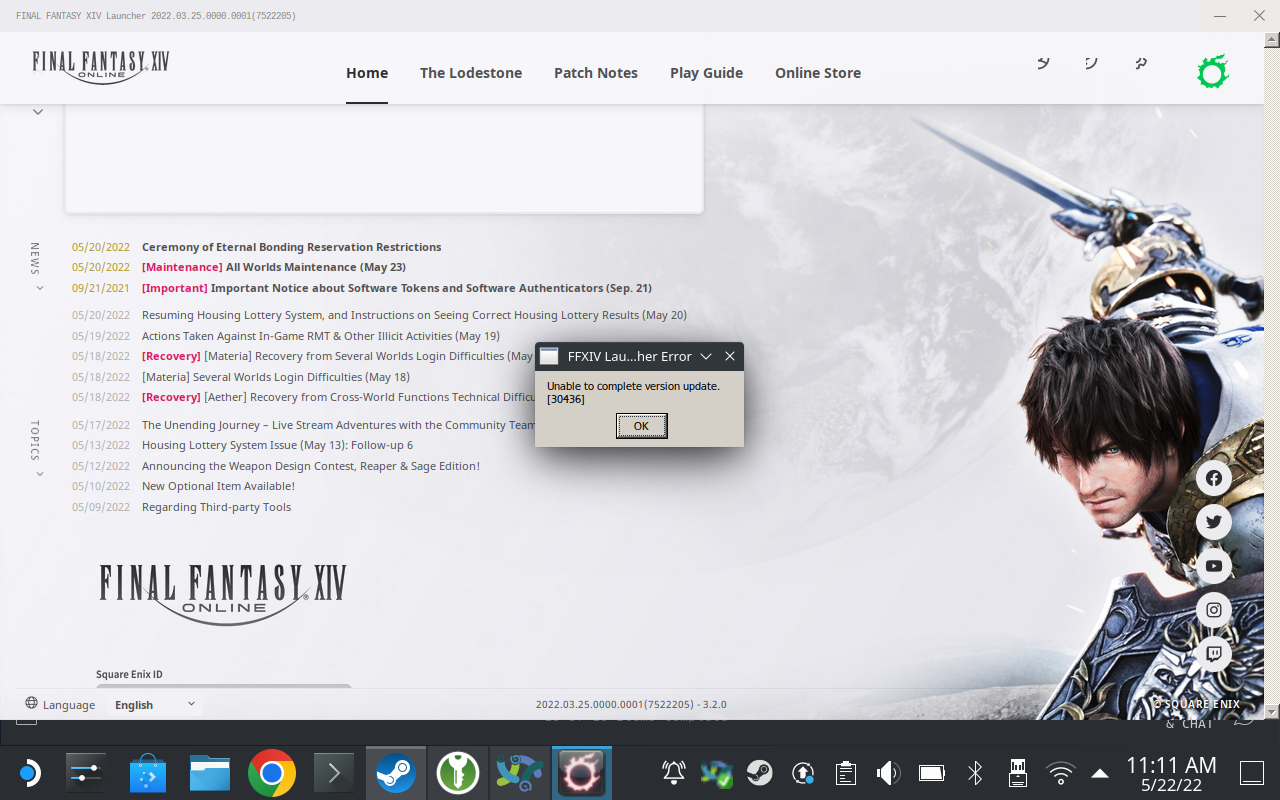


I wanted to do a full reinstall with a clean environment to test how things work for myself and I ran into error messages not wanting to stay on the screen. Going into FFXIV_BOOT.cfg and changing Browser to 1 appears to let them stay so that I can see exactly what was going wrong (in my case, it was a free space error), so I wanted to pass along this information in case it might help someone with other launcher-related issues. You might get different results with different browser values.
Edit: Also of note is that there's a difference between how the launcher reacts when I press enter to login vs when I click the Play button. Pressing enter crashes the launcher with no error message, but clicking the Play button lets it work. I'll see if I can grab a log for the former and edit this again to add it once I get it.
Edit 2: Sorry. I meant to go back the next day and get the log, but my sub expired overnight and I won't be able to recharge it until about a week into next month.
I tried changing Browser and it didn't change anything for my crash, nor has clicking vs hitting enter (I'd remembered that issue and tried before). I don't know if it might make any difference, but I have OTP set as well and enter that with login.
okay now there is some progress with latest (experimental-bleeding-edge), I can now launch the game (instead of a crash) but I get now stuck when I choose a server ...it just keeps loading forever
here is the log: steam-39210.log
Launcher appears to be working for me after the latest Experimental update. Still renders incorrectly, but functions without crashing.
okay now there is some progress with latest (experimental-bleeding-edge), I can now launch the game (instead of a crash) but I get now stuck when I choose a server ...it just keeps loading forever
@ahjolinna I don't know if this is the cause or not, but it looks like it's repeatedly failing to load $HOME/.local/share/Steam/steamapps/common/Proton - Experimental/files/lib64/wine/x86_64-unix/wineopenxr.dll.so. You might wanna verify Proton Experimental's files in Steam to correct any missing/corrupt files and then try again. (In the Library page, just search for "Proton Experimental" and you can right click and select its Properties and verify the files just like any game.)
okay now there is some progress with latest (experimental-bleeding-edge), I can now launch the game (instead of a crash) but I get now stuck when I choose a server ...it just keeps loading forever
@ahjolinna I don't know if this is the cause or not, but it looks like it's repeatedly failing to load
$HOME/.local/share/Steam/steamapps/common/Proton - Experimental/files/lib64/wine/x86_64-unix/wineopenxr.dll.so. You might wanna verify Proton Experimental's files in Steam to correct any missing/corrupt files and then try again. (In the Library page, just search for "Proton Experimental" and you can right click and select its Properties and verify the files just like any game.)
well, when I had that original launch/crash issue, I decided to reinstall (uninstall and then reinstall) proton-experimental...now when I notice your mentioned error I noticed that steam had just updated my proton and now the game works just fine, so I don't know if the issue was resolved by because of the update or my proton was broken previously ....but I don't really care at least the game works for me now, yay
here is the log just for fun :D
steam-39210.log
If anybody else experiences error 30436, try switching to the classic FFXIV launcher, it's the only way it works for me.
I'm running into this exact issue, but how did you change to the classic launcher? It's not an option in the settings menu for me.
Edit: Found this buried in a YouTube comment section, if you click Login you're likely to get the 30426 error, however if you type in your password and hit R2 for Enter, it doesn't give the error and installs. Wacky, but it worked for me.
If anybody else experiences error 30436, try switching to the classic FFXIV launcher, it's the only way it works for me.
The classic launcher still works? I've not gotten it running, BrowserType nowdays seems to be ignored, and the old launcher won't come up at all anymore.
To use the old launcher the setting is Browser 1, but this won't work for steam users.
To use the old launcher the setting is Browser 1, but this won't work for steam users.
Ah, that's why, I had Browser to 1 too, but it was ignored all the way it seems. He does not set it to "2" which would probably be the default, but it keeps it at "1" and still uses the new launcher.
I will say that while the old browser is ignored for Steam users, Browser 1 still has an effect even for Steam users. It continued to display the new launcher for me, but as I said up above, it allowed the launcher to properly display error messages without just immediately closing on me. So there is still a potential use, even for Steam users.
The game has been impossible to run for me for the last 4 months in my original setup: streaming over LAN to my living room TV via Steam Link on my Raspberry Pi/Apple TV. Since the last experimental fix the game actually launches, but Steam Link's BPM zooms into the launcher window in such a way that interaction is impossible and text is outside the zoomed area.
The launcher has been rendering correctly for me for a bit now. I guess that issue requiring scrolling has been fixed. Nice!
The side-by-side issue appears solved, yes, but there's still several issues left.
For one, there's a scroll bar on the right side that isn't there in the Windows version.
Second, the icons in the top-right are still offset.
And third, the banner images aren't showing.
Still, those are relatively minor in comparison. Glad to see things are progressing. It's impressive that people have even gotten this far, tbh, so thank you, everyone, for all your hard work.
The latest release of Proton (7.0-3) declares the new launcher as working:
https://github.com/ValveSoftware/Proton/releases/tag/proton-7.0-3
Fix the new Final Fantasy XIV Online launcher.
Yes, that means the changes we've been talking about that made the launcher work (aside from remaining non-essential issues mentioned above) and made it so you don't have to scroll down anymore have been brought in from Proton Experimental into the latest version of Proton (non-experimental).
It appears that the launcher is once again broken with patch 6.2 (following update this morning, on Proton 7.0-4) -- can anyone confirm that?
It appears that the launcher is once again broken with patch 6.2 (following update this morning, on Proton 7.0-4) -- can anyone confirm that?
Yep, can confirm
It appears that the launcher is once again broken with patch 6.2 (following update this morning, on Proton 7.0-4) -- can anyone confirm that?
Confirming also, the old version of the launcher still works but obviously that's not an option if you're using a steam account. So the game is essential unplayable via Steam again.
Happily, I was able to download the XIVLauncher flatpak and point it at my existing Steam installation and config folders. It applied the update, applied FMV cutscene fixes (time will tell if this breaks the Steam install later) and seems to have launched and started the game fine.
The only issue seems to be when I exit, Steam gets stuck in "Stopping" and has to be restarted. (It needed to be run with process visibility I think.)
Edit: unfortunately, playing with flatpak XIVLauncher isn't feasible for me. It misses a lot of keyboard inputs for some reason which makes it unplayable :(
Edit: Setting the env var XMODIFIERS="@im=null" seems to have resolved this now.
Happily, I was able to download the XIVLauncher flatpak
From whence? The version I got from flathub appears to have a problem downloading the fmv fix-zip and fails for me
Oh, it failed the first few times for me too. I just kept retrying till it worked I think.
Maybe this thread will have some solutions if not? https://www.reddit.com/r/SteamDeck/comments/wamfs1/having_a_frustrating_time_getting_ffxiv/
Hm, does not appear to work for me.
Upstream kindly detailed a manual fix, of which I had missed the last step while reverse engineering:
https://github.com/goatcorp/FFXIVQuickLauncher/issues/1102#issuecomment-1223978453
Final Fantasy XIV Online (39210)
Issue transferred from https://github.com/ValveSoftware/Proton/issues/6116.
@iam-Ore posted on 2022-08-23T10:46:24:
Compatibility Report
- Name of the game with compatibility issues: Final Fantasy XIV Online
- Steam AppID of the game: 39210
System Information
- GPU: Nvidia GeForce GTX 1050 Ti
- Driver/LLVM version: 4.6.0 NVIDIA 515.65.01 (NVML Version: 11.515.65.01)
- Kernel version: 5.19.2-arch1-1
- Window Manager: Xfwm4
- Link to full system information report as Gist:
- Proton version: Experimental (Tried 7.0-4 as well)
I confirm:
- [x] that I haven't found an existing compatibility report for this game.
- [x] that I have checked whether there are updates for my system available.
Symptoms
Game launches just fine but the launcher just displays ffxiv's logo and it remains stuck there, I even tried changing browser in FFXIV_BOOT.cfg to 1 but that didn't work out:
Reproduction
@DanielR-I commented on 2022-08-23T11:11:25:
I am also experiencing the exact same issue... tried experimental, 7.0-4, and 6.3-8
I also tried disabling the default "General" settings for (1) Steam Overlay and (2) Desktop Game Theatre with SteamVR
Operating System: Manjaro Linux
KDE Plasma Version: 5.24.6
Kernel Version: 5.15.60-1-MANJARO (64-bit)
Graphics Platform: X11
Processors: 12 × AMD Ryzen 5 5600X 6-Core Processor
Memory: 31.3 GiB of RAM
Graphics Processor: AMD Radeon RX 6800 XT
@jdfthetech commented on 2022-08-23T11:23:02:
duplicated issue
experimental and 7.0.4
Tested on a windows machine and the launcher has some bugs where it thinks it's already loaded and refreshes a few times so it appears to be some changes there.
Unfortunately, playing with flatpak XIVLauncher isn't feasible. It misses a lot of keyboard inputs for some reason which makes it unplayable :(
Edit: Setting the env var XMODIFIERS="@im=null" seems to have resolved this now.
I am also experiencing the freeze on splash screen issue with the FF XIV 6.2 update. Tired with Proton Experimental, 7.04, 6.3-8 and Proton GE.
OS: Arch Linux 64-bit
Kernel: 5.19.3-zen1
CPU: AMD Ryzen 1700
GPU: AMD Radeon RX6800
Driver: LLVM 14.06, DRM 3.27, Mesa 22.1.6
full Steam System Information
steam.txt
If anyone else has trouble with insufficient disk space and have to move the install to another drive, you'll want to use Flatseal:
https://flathub.org/apps/details/com.github.tchx84.Flatseal
and give XIVLauncher access to the drive you moved it to either with the "Filesystem > All System Files" permission (I tested this) or adding the directory to "Other files" (I haven't tested this yet).
Now I have to figure out how to get XIVLauncher working with Gamescope, which may also help with @audoh's problem, maybe.
Unfortunately, playing with flatpak XIVLauncher isn't feasible. It misses a lot of keyboard inputs for some reason which makes it unplayable :(
Try adding XMODIFIERS="@im=null" to the environment variables in Flatseal.
Basically, the Wine bundled with XIVLauncher has xim/ibus support whereas Proton does not, and it has some bugs that cause the issue. (It's also why Japanese text input works in vanilla wine but not on Proton. You will lose that support if you add the above override.)
I am also experiencing the freeze on splash screen issue with today's FF XIV 6.2 update.
Although the splash screen is stuck forever showing the logo, it is still possible to close out of the window and the program will exit "cleanly".
OS: Manjaro Linux 64-bit
Kernel: 5.18.17-1
Proton 7.0-4
DXVK: v1.10.3
Vulkan: 1.3.211
info: Device name: : AMD RADV NAVY_FLOUNDER
info: Driver version : 22.1.6
CPU: AMD Ryzen 7 5700G
GPU: AMD Radeon RX 6700 XT
I'm attaching a full log with PROTON_LOG=1. Note that while stuck on the logo, the log is printing:
333181.073:0148:014c:trace:seh:NtGetContextThread 0xfffffffe: eax=000000d8 ebx=00000001 ecx=40010006 edx=0152d80c esi=00000001 edi=0152f430
333181.073:0148:014c:trace:seh:NtGetContextThread 0xfffffffe: ebp=0152f548 esp=0152f3ec eip=7bc0bd9c cs=0023 ss=002b flags=00000246
333181.073:0148:014c:trace:seh:NtGetContextThread 0xfffffffe: ds=002b es=002b fs=0063 gs=006b
Then when I go to close the window, this is the next log lines:
333183.267:0110:0128:fixme:oleacc:find_class_data unhandled window class: L"Button"
333183.390:0110:0128:fixme:oleacc:find_class_data unhandled window class: L"Static"
333183.391:0110:0128:fixme:oleacc:find_class_data unhandled window class: L"Button"
If I could take a wild guess I would say it has something to do with the MSHTML browser based system this launcher uses.
EDIT: I don't use XIVLauncher because it doesn't work well with Steam Overlay and customized controllers, so unfortunately that's not a solution for me.
Everything had been going well for several patches now, and it had to break during one of their biggest patches to the game. Square pls.
It's art to use mshtml for a launcher, I do respect the art take on this approach, but from a human perspective I am disgusted and worried.
I actually came back because it worked without workarounds and today it's broken again, I just played yesterday... went to work, came back and then this.
Attached my log aswell, it behaves the same as @michaelbutler described, launches into a blank window and exits clean when closed.
steam-39210.log
I also tried xivlauncher, but this is just a mess on another level, I rather have the mshtml launcher working than using xivlauncher
Try adding XMODIFIERS="@im=null" to the environment variables in Flatseal.
Basically, the Wine bundled with XIVLauncher has xim/ibus support whereas Proton does not, and it has some bugs that cause the issue. (It's also why Japanese text input works in vanilla wine but not on Proton. You will lose that support if you add the above override.)
This solved the issue (thanks!), however I'm now finding XIVLauncher also has performance issues that kick in after playing for a little while and I'm having to restart the game every so often. Really annoying when it happens in the middle of a dungeon run. Hopefully the proper launcher is fixed quicker than the original fix took.
I've avoided the performance issues with XIVLauncher by having my launch script auto-kill the XIVLauncher process after the game has launched, though I'm aware doing so is not feasible for anyone who is using XIVLauncher for its intended purpose of using plugins.
I'm pushing a new build of XIVLauncher today that might fix this, you should give it a shot.
Will be on flathub in a while.
UPDATE: We ran into some issues with glibc, might break the new version on flathub for you - we're rebuilding our wine atm and I'll do another release asap.
I've avoided the performance issues with XIVLauncher by having my launch script auto-kill the XIVLauncher process after the game has launched, though I'm aware doing so is not feasible for anyone who is using XIVLauncher for its intended purpose of using plugins.
Doesn't seem to solve it for me. It's like an hour or so into playing, the game becomes choppy. I assume it's the wine version used, but I'm not sure which version Proton 7.0.4 uses.
Hello @audoh, I'm not particularly familiar with XIVLauncher, but it appears that running the game with it does not use Proton at all.
If this is the case, then any feedback related to it isn't particularly useful for the Proton devs and this project. Your performance issue should be discussed on a different medium (probably XIVLauncher's issue tracker).
Hello @audoh, I'm not particularly familiar with XIVLauncher, but it appears that running the game with it does not use Proton at all.
If this is the case, then any feedback related to it isn't particularly useful for the Proton devs and this project. Your performance issue should be discussed on a different medium (probably XIVLauncher's issue tracker).
Maybe so but pending a solution that makes Proton work at all, it figures that this topic would switch to workarounds in the meanwhile, as was the case after the launcher broke the first time. It isn't feedback so much as troubleshooting a stopgap solution.
I note the exact issue I'm having actually cropped up with Proton in the past and is mentioned early in this topic, but I haven't yet found what people did to fix it besides switch to Proton 4.2.
XIVLauncher (Flatpak and non flatpak) have input issues with my keyboard and mouse. The best experience, even better than windows, has been the normal out of the box experience on steam with proton (usually GE). I hope this is resolved again in the foreseeable future.
Looks like the FF14 6.2 launcher issue fix is well under way in the "beta" channels... switching proton experimental to use the beta "bleeding edge" version has finally allowed the launcher to (1) fully load the GUI, (2) patch the game from 6.1.to 6.2 after a successful login, (3) load up the server/character selector, and (4) load the character into the game.
So the fix appears to be well under way for a future "official" proton experimental update, or you can force yours to be on the "bleeding edge" channel if you want the game to work now. (note: I haven't put in the game time to know everything is okay, but getting this far is great progress!)
I played on the "Bleeding Edge" proton experimental for 6-ish hours tonight without issues, and before going to bed I noticed that an "official" proton experimental was released.
I've reverted off "bleeding edge" to this evenings new "official" proton experimental, and while I haven't gamed on it yet, I can confirm the launcher GUI loaded perfectly with it, I was able to log in, and went as far as the character selection screen before closing the game..
Confirmed as well, proton experimental launches the new FFXIV launcher with steam account linking just fine again. Rejoice!
All that again seems to suggest an issue with your dot net install as
"mono" is a tool for managing dot net stuff.
I would delete your prefix again, create a prefix again. And then before
starting FFXIV to start it for real, when you've switched to Proton
6.21-GE, or before, I would start steam via a terminal and start the game,
looking to see in the terminal if dotnet48 installs correctly.
Also it should be vcrun 2019 and not 2018 that's installed.
On Thu., Mar. 17, 2022, 11:49 p.m. Tiffany Parfait, <
@.***> wrote:
All results for error seem to say
[0000000000000294:] EXCEPTION handling: System.Net.WebException: The
remote server returned an error: (404) Not Found.I see the python file is supposed to install dotnet48 & vcrun2018, I'm
assuming I'm not supposed to attempt and install it myself (so i haven't).
Do tell me if I'm wrong on that, though, as I know that was a requirement
for when we were going off Lutris as well (though the script later also
ended up doing that itself).There is only one other error amongst this one error, repeated numerous
times throughout much of the whole thing actually:
[0000000000000294:] EXCEPTION handling: System.AggregateException: One or
more errors occurred. (The remote server returned an error: (404) Not
Found.)(prior to fixating on "294", it did this with "[00000198:]")Wait! There's also a boatload of this one, just repeated ad nausea in a
gigantic wall of it:[000000000000027c:] EXCEPTION handling: System.Security.Cryptography.CryptographicException:
MonoBtlsPkcs12.Importfailed.
[000000000000027c:] EXCEPTION handling: System.Security.Cryptography.CryptographicException:MonoBtlsPkcs12.Importfailed.
[000000000000027c:] EXCEPTION handling: System.Security.Cryptography.CryptographicException: Missing private keyThere is also this (which i have to censor):
[000000000000025c:] EXCEPTION handling: System.IO.FileNotFoundException: Could not load file or assembly 'Z:\home[MYHOMEHERE].local\share\Steam\compatibilitytools.d\Proton-6.21-GE-2\files\share\wine\mono\wine-mono-7.0.0\lib\mono\gac\PresentationFramework.classic\4.0.0.0__31bf3856ad364e35\en-US\PresentationFramework.Classic.resources.dll' or one of its dependencies.
19069.002:0258:025c:trace:mscoree:mono_assembly_preload_hook_fn "PresentationFramework.Classic.resources, Version=4.0.0.0, Culture=en, PublicKeyToken=31bf3856ad364e35"
[000000000000025c:] EXCEPTION handling: System.IO.FileNotFoundException: Could not load file or assembly 'Z:\home[MYHOMEHERE].local\share\Steam\compatibilitytools.d\Proton-6.21-GE-2\files\share\wine\mono\wine-mono-7.0.0\lib\mono\gac\PresentationFramework.classic\4.0.0.0__31bf3856ad364e35\en\PresentationFramework.Classic.resources.dll' or one of its dependencies.
19069.004:0258:025c:trace:seh:RtlGrowFunctionTable 0000000008A83890, 64
19069.004:0258:025c:trace:mscoree:mono_assembly_preload_hook_fn "PresentationFramework.Classic.resources, Version=4.0.0.0, Culture=en-US, PublicKeyToken=31bf3856ad364e35"
[000000000000025c:] EXCEPTION handling: System.IO.FileNotFoundException: Could not load file or assembly 'Z:\home[MYHOMEHERE].local\share\Steam\compatibilitytools.d\Proton-6.21-GE-2\files\share\wine\mono\wine-mono-7.0.0\lib\mono\gac\PresentationFramework.classic\4.0.0.0__31bf3856ad364e35\en-US\PresentationFramework.Classic.resources.dll' or one of its dependencies.
19069.006:0258:025c:trace:mscoree:mono_assembly_preload_hook_fn "PresentationFramework.Classic.resources, Version=4.0.0.0, Culture=en, PublicKeyToken=31bf3856ad364e35"
[000000000000025c:] EXCEPTION handling: System.IO.FileNotFoundException: Could not load file or assembly 'Z:\home[MYHOMEHERE].local\share\Steam\compatibilitytools.d\Proton-6.21-GE-2\files\share\wine\mono\wine-mono-7.0.0\lib\mono\gac\PresentationFramework.classic\4.0.0.0__31bf3856ad364e35\en\PresentationFramework.Classic.resources.dll' or one of its dependencies."Those are all 27 of the search results for err, and the only other
non-result error I could find. So, it must be something wrong with mono??
But I'm not quite sure what to do about that.Wait- no, this may be the main problem.
[000000000000025c:] EXCEPTION handling: System.IO.FileNotFoundException: Could not load file or assembly 'C:\users\steamuser\AppData\Local\XIVLauncher\app-6.2.19\en-US\XIVLauncher.resources.dll' or one of its dependencies.
19068.590:0258:025c:trace:mscoree:mono_assembly_preload_hook_fn "XIVLauncher.resources, Version=6.2.19.0, Culture=en, PublicKeyToken=null"
[000000000000025c:] EXCEPTION handling: System.IO.FileNotFoundException: Could not load file or assembly 'C:\users\steamuser\AppData\Local\XIVLauncher\app-6.2.19\en\XIVLauncher.resources.dll' or one of its dependencies.Seems to be having problems loading any of the files ending in name
.resources.dll, looking here. 59 results for "Could not".[0000000000000284:] EXCEPTION handling: System.IO.FileNotFoundException:
Could not find file
"C:\users\steamuser\AppData\Local\XIVLauncher\packages.betaId
- and also this.
To finish this off, this is the final exception before the thing pid
57952 != 57951, skipping destruction (fork without exec?)ed:19073.998:0258:025c:trace:mscoree:mono_assembly_preload_hook_fn "System.Windows.Controls.Ribbon, Version=4.0.0.0, Culture=neutral, PublicKeyToken=b77a5c561934e089"
[000000000000025c:] EXCEPTION handling: System.IO.FileNotFoundException: Could not load the file 'System.Windows.Controls.Ribbon, Version=4.0.0.0, Culture=neutral, PublicKeyToken=b77a5c561934e089'.
19073.999:0258:025c:trace:mscoree:mono_assembly_preload_hook_fn "System.Windows.Controls.Ribbon, Version=0.0.0.0, Culture=neutral, PublicKeyToken=b77a5c561934e089"
[000000000000025c:] EXCEPTION handling: System.IO.FileNotFoundException: Could not load the file 'System.Windows.Controls.Ribbon'.
[000000000000025c:] EXCEPTION handling: System.Xaml.XamlObjectWriterException: Provide value on 'System.Windows.Baml2006.TypeConverterMarkupExtension' threw an exception.
[000000000000025c:] EXCEPTION handling: System.Windows.Markup.XamlParseException: Provide value on 'System.Windows.Baml2006.TypeConverterMarkupExtension' threw an exception.
[000000000000025c:] EXCEPTION handling: System.Xaml.XamlObjectWriterException: Provide value on 'System.Windows.Markup.StaticResourceHolder' threw an exception.
[000000000000025c:] EXCEPTION handling: System.Windows.Markup.XamlParseException: Provide value on 'System.Windows.Baml2006.TypeConverterMarkupExtension' threw an exception.
[000000000000025c:] EXCEPTION handling: System.Xaml.XamlObjectWriterException: Provide value on 'System.Windows.Markup.StaticResourceHolder' threw an exception.
[000000000000025c:] EXCEPTION handling: System.Windows.Markup.XamlParseException: Provide value on 'System.Windows.Baml2006.TypeConverterMarkupExtension' threw an exception.
[000000000000025c:] EXCEPTION handling: System.Xaml.XamlObjectWriterException: The invocation of the constructor on type 'System.Windows.Controls.RichTextBox' that matches the specified binding constraints threw an exception.
[000000000000025c:] EXCEPTION handling: System.Windows.Markup.XamlParseException: Provide value on 'System.Windows.Baml2006.TypeConverterMarkupExtension' threw an exception.
19074.002:0258:025c:trace:seh:RtlGrowFunctionTable 000000000D9C3EF0, 164
19074.002:0258:0290:trace:seh:RtlGrowFunctionTable 000000000D9C3EF0, 165
19074.002:0258:025c:trace:seh:RtlGrowFunctionTable 000000000D9C3EF0, 166
19074.002:0258:025c:trace:seh:RtlGrowFunctionTable 000000000D9C3EF0, 167
[0000000000000290:] EXCEPTION handling: System.Windows.Markup.XamlParseException: Provide value on 'System.Windows.Baml2006.TypeConverterMarkupExtension' threw an exception.—
Reply to this email directly, view it on GitHub
https://github.com/ValveSoftware/Proton/issues/580#issuecomment-1072054919,
or unsubscribe
https://github.com/notifications/unsubscribe-auth/AINE65IJ52LUN2PZVDHGACLVAQKPZANCNFSM4FRR7KYQ
.
Triage notifications on the go with GitHub Mobile for iOS
https://apps.apple.com/app/apple-store/id1477376905?ct=notification-email&mt=8&pt=524675
or Android
https://play.google.com/store/apps/details?id=com.github.android&referrer=utm_campaign%3Dnotification-email%26utm_medium%3Demail%26utm_source%3Dgithub.You are receiving this because you commented.Message ID:
@.***>
Japanese IME on Proton Experimental in Final Fantasy XIV
Issue transferred from https://github.com/ValveSoftware/Proton/issues/6401.
@jeninto posted on 2022-12-21T03:42:02:
Running Proton Experimental on Steam Deck (beta channel).
The locale for the device is set to Japanese and have added the Japanese IME as an input method for the virtual keyboard in Game Mode settings. I'm able to type with the Japanese IME fine in Steam (search bar, etc.) with this method.
However in Final Fantasy XIV running on Proton Experimental (and earlier versions), while it is possible to bring up the virtual keyboard in the game with STEAM+X and switch the keyboard to Japanese, the resulting input out of the IME shows up as question marks (????) in the game.
Reproduction steps:
- Install FFXIV (the Windows installer) via Steam with Proton
- Launch the game
- Place the text cursor in the chat entry box
- Open the virtual keyboard (STEAM+X)
- Switch the virtual keyboard's input language to Japanese
- Type anything and press enter
- Close the keyboard
- Observe that the output is "???"
Researching this issue found similar reports on Twitter - https://twitter.com/search?q=ff14 steam deck 日本語入力&src=typed_query&f=top
There was a summary of issues relating to encoding here; https://gist.github.com/cfillion/4394c3b8cd051fb45721187053e92296
I followed the steps in that gist's solution for Problem 2 (setting HOST_LC_ALL to ja_JP.utf8), which successfully gets Proton to switch to Japanese locale - Wine system menus, etc. are shown in Japanese - but Japanese input is still broken in this mode. The same is also true for the script that is offered as a solution. In this case, text is output as garbage instead of ???s, double-byte input like "=g=x".
It might be possible to get around this by using the game's built-in keyboard according to this user? https://twitter.com/Vale_N14/status/1605043914750464000 (I actually didn't know such a keyboard was available)
Regarding Japanese IME in FFXIV, while the software keyboard seems to be totally broken outside of English use, I had more success with trying to make a hardware keyboard (wireless with USB dongle) work. At first I tried with ibus and Anthy as those are preinstalled, but had no luck here. However it seems to be possible to install the Fcitx input method framework with Mozc (for Japanese support) directly from the Discover store and it will be properly detected by FFXIV. I didn't spend much time playing with it, but it seems to be working correctly under Desktop Mode, at least from what I have seen.
It is possible to coax the input method to run under Gaming Mode as well (I run it via a script as it seems to be necessary to provide appropriate DISPLAY value [":1" for Gaming Mode from my initial observation] for the method to be available) and it is possible to switch between English and Mozc input methods with the default keybind after setting up the available methods in Desktop Mode.
However what is not working is the suggestion window that pops up during input, so it is not possible to choose appropriate option. It seems to be there, just not visible, and it can still be use to choose an option (albeit blindly).
As it works correctly when used from Desktop Mode (the list of suggestions is visible there under the same circumstances though it is always in the lower-left corner of the window), is this an issue that should be raised to Gamescope or may it be an interaction with yet another module?
As a side note, this behavior is the same between the game and the official launcher from what I have seen, so it may be verified with input in username field of the launcher, without the need to login into the game proper.
It seems that on-screen keyboard implementation has some problem with encoding or something, which was handled by Steam Client. (Maybe not tenfoot, I guess?)
Ibus was good since I can input CJK characters with external keyboard using args such as IM="ibus" QT_IM_MODULE="ibus" USEXIM=1 or something, I've already forgot.
It seems FFXIV has a built in Steam API ShowGamepadTextInput support which was only useable on Steam Service Account?
Looking for reports from Steam account players.
The latest Proton Experimental (1/12) fixes Japanese input with the virtual keyboard.
The IME is not engaged when switching the keyboard to Japanese, so there is no support for the in-game candidate list when converting to kanji. The virtual keyboard handles conversion and the output gets pasted into the chat box.
Also, I didn’t try a physical keyboard, though I have my doubts about that working because there is no IDE running in gamescope (I think?)
Replying to https://github.com/ValveSoftware/Proton/issues/580#issuecomment-1224562148
I have the same issue as well. Have you found a solution for this?
the game/launcher fails to launch, on both version of proton (7.0-6, experimental-bleeding or GE-Proton7-49)
here is the log steam-39210.log
my system spec:
             .;ldkO0000Okdl;.
         .;d00xl:^''''''^:ok00d;.            OS: openSUSE MicroOS
       .d00l'                'o00d.          Kernel: x86_64 Linux 6.1.12-1-default
     .d0K^'  Okxoc;:,.          ^O0d.        Uptime: 3h 21m
    .OVVAK0kOKKKKKKKKKKOxo:,      lKO.       Packages: Unknown
   ,0VVAKKKKKKKKKKKKK0P^,,,^dx:    ;00,      Shell: bash 5.2.15
  .OVVAKKKKKKKKKKKKKk'.oOPPb.'0k.   cKO.     Resolution: 3072x1728
  :KVAKKKKKKKKKKKKKK: kKx..dd lKd   'OK:     DE: KDE 5.103.0 / Plasma 5.27.0
  lKlKKKKKKKKKOx0KKKd ^0KKKO' kKKc   lKl     WM: KWin_wayland
  lKlKKKKKKKKKK;.;oOKx,..^..;kKKK0.  lKl     GTK Theme: Breeze [GTK2],  [GTK3]
  :KAlKKKKKKKKK0o;...^cdxxOK0O/^^'  .0K:     Icon Theme: Papirus-Dark
   kKAVKKKKKKKKKKKK0x;,,......,;od  lKP      Disk: 16T / 21T (75%)
   '0KAVKKKKKKKKKKKKKKKKKK00KKOo^  c00'      CPU: AMD Ryzen 7 5700G with Radeon Graphics @ 16x 4.3GHz
    'kKAVOxddxkOO00000Okxoc;''   .dKV'       GPU: NVIDIA GeForce RTX 3060 Ti
      l0Ko.                    .c00l'        RAM: 5594MiB / 15779MiB
       'l0Kk:.              .;xK0l'
          'lkK0xc;:,,,,:;odO0kl'
              '^:ldxkkkkxdl:^'
I've been having this issue for a while and apparently nobody noticed it or just can't be bothered to report: When streaming the game using Steam Link for Linux or iOS, the launcher is rendered in a window with the account information prompts, but it's zoomed in to the center of the window. This makes it impossible to read any other messages from the game like server maintenance which is very important. It also hides the UI, no buttons are shown so you can only interact pressing "Enter" on a keyboard, be it software or hardware.
Replying to https://github.com/ValveSoftware/Proton/issues/580#issuecomment-1439561199
okay I found the solution for my MicroOS issue or more exact SELinux issue
apparently I need to run this command: sudo setsebool selinuxuser_execmod 1 to get the game run and other (mmo) games that had the same issue
more about it here:
https://en.opensuse.org/Portal:MicroOS/Desktop#Steam_Proton,_Bottles,_WINE,_Lutris,_Android_Studio_emulator_not_working_from_flatpaks
In Archlinux Laptop environment, I make FFXIV be able to input Japanese.
Perhaps, following the step, you can use Japanese Input in game.
- Install gamemode, fcitx, fcitx-mozc and fcitx-configtool.
- fcitx's applet -> Configure -> Addon -> Check "Advanced" -> Input Textbox to "XIM" -> select "Fcitx XIM Frontend" and push "Configure" -> check the box.
- Restart fcitx.
- Open steam and set command to ffxivboot.exe
XMODIFIERS="@im=fcitx" gamemoderun %command% - Run game and you can input japanese!
ffxiv 'hydaelyn' intro video (the one with the blue crystal) that normally plays after a fresh install after you pick the datacenter no longer plays in current proton 8 bleeding edge. It used to play correctly in older proton 7 builds. The workaround has to be used again (Open FFXIV.cfg and change CutsceneMovieOpening from 0 to 1). You can test the bug by turning off steam cache, delete prefix, delete the cache for the game, then run the game, login, and choose a datacenter.
@GloriousEggroll Is it working again now? If not, could you upload the details of the setup where you are seeing the failure?
@GloriousEggroll Is it working again now? If not, could you upload the details of the setup where you are seeing the failure?
No unfortunately it's still broken.
- Go to the compatdata folder, delete the prefix for the game (39210).
- Go to the shadercache folder, delete the shadercache for the game (39210)
- In steam, go to Steam>Settings>Shader Pre-Caching and uncheck everything
- Make sure Proton Experimental is set to the Bleeding Edge branch
- In the steam game library, right click FFXIV>Properties>Compatibility. Select Proton Experimental
- Launch the game. Select a Datacenter. At this point it should hang at a black screen with a spinning loader in the bottom right.
The video that is supposed to play there is this one:
@GloriousEggroll Ah - I think I see the issue here. The video is provided by downloading the transcoded_video.foz from the Steam servers - I believe that if you disable Shader Pre-Caching entirely, it also disables the download of the transcoded video file in shadercache. If you don't have transcoded_video.foz for the game, then it will fail to play - we added the "test pattern"/SMPTE video that I'm sure you've seen in order to allow most games to gracefully pass an untranscoded video, but this doesn't fool every game.
It is a bit of a mystery even to me how to regain transcoded_video.foz once you have deleted it because "verify integrity of game files" does not work for this. I think you would have to re-enable shader precaching, and then hopefully Steam will know to redownload the transcoded_video.foz.
Just to verify - I would expect every Proton version (including ones that previously worked like 7.0-6 and 8.0-2) to now fail in the same way for you. If older versions are succeeding and this is indeed a regression, could you please grab a log of the failure with PROTON_LOG=+quartz,+strmbase,+strmbase_qc,+gstreamer,+amstream,+qcap,+qcap_v4l,+qedit,+mciqtz,+mci,+mfplat,+gstreamer,+evr,+dxva2,+wvmcore %command% because I'm clearly not able to reproduce here?
For future reference - there is actually an easier way to test this if you have already successfully selected a Datacenter 1x (which I only know because I've tested this video quite a bit haha). After you successfully select a data center (after getting transcoded_video.foz back obviously), another line will appear on the menu - "Movies & Title" and "Opening Movie" plays the same "hydaelyn" video. In all of my testing, that video behaves identically to when it is played when selecting a Data Center with a fresh prefix. I did delete the prefix just in case for this test though :)
Just to clarify this a bit further -- it broke near the end of the proton7 cycle before moving to 8. I know this because I have older versions of proton-ge which are based on proton 7 and do not patch anything related to quartz or media foundation. the last ge-proton7-55 build does not work, but older proton7-30 works fine. Unfortunately this makes it even harder to track down in official proton since there are no older builds available to test. What I -CAN- do however is try to determine which ge-proton build was the last known working, then provide you the proton-wine tag from that build, as it uses valve's wine. You should be able to then compile a build from that experimental tag. I'll post another update once I have more info. I also need to clarify that even though proton-ge uses a different ffmpeg build, at the time when it was working it -also- worked in standard valve-shipped proton, regardless of the ffmpeg changes and without the cache.
Alright, last working:
https://github.com/ValveSoftware/wine/tree/01cc18d8e4df3933076f425011c273f2b1714c6c
Tag:
experimental-wine-bleeding-edge-7.0-27562-20221024-p082fae-w01cc18-dae7643-v27072c
Proton tree:
https://github.com/ValveSoftware/Proton/tree/experimental-bleeding-edge-7.0-27562-20221024-p082fae-w01cc18-dae7643-v27072c
That was pulled from GE-Proton7-38, released Oct 24 2022.
About 12 days later on Nov 6, 2022 GE-Proton7-39 was released and it broke. It used valve wine commit:
https://github.com/ValveSoftware/wine/tree/e6ec77f80e044490abe962982bbc0e5148f76e05
Tag:
experimental-wine-bleeding-edge-7.0-28217-20221102-pfecfc5-we6ec77-d892f67-v4df366
Proton tree:
https://github.com/ValveSoftware/Proton/tree/experimental-bleeding-edge-7.0-28217-20221102-pfecfc5-we6ec77-d892f67-v4df366
Figured it out.
This:
https://github.com/ValveSoftware/wine/commit/d4e9a1996efc43c231ffd095fbde40bcbc429a01
Reverted this:
https://github.com/ValveSoftware/wine/commit/afb2a0c40f7e85fe2d261ce8b0eb939bcdcf3f19
Which blatantly states it was needed for FFXIV:
FFXIV dies on this, but works correctly if I just remove the check.
But per the revert comment it should have been fixed even with the check? :
This reverts commit https://github.com/ValveSoftware/wine/commit/afb2a0c40f7e85fe2d261ce8b0eb939bcdcf3f19.

This is no longer needed - fixed properly in the backports :-)
Anyway -- removing the check again allows the video to play, and it did -not- work in -any- builds past that, so my guess is it -wasn't- actually fixed in backports per the comment
did more digging and spoke to rbernon and ivyl about it -- also tested the working branch -- it does not play the video unless customized gstreamer + ffmpeg with wma codecs are enabled, which valve doesn't ship anyway. so while removing the check in question does fix the issue, it only does so if not using valve's official proton build since when using official the codecs are missing, and since it works with shader cache enabled it's not a priority.
Playing on Steam Deck. Playing with VRR enabled through the dock and the refresh rate is jumping all over the place. My TV's range is 48-120hz, but even if frame rate is floating right in the middle, the refresh rate jumps from 50 to 120 sporadically, causing horrible flickers and stuttering.
I did some digging and apparently this game has had issues with VRR/FreeSync on Windows too when playing on borderless or windowed. From what I've found, according to a post on Steam forums it's because the game uses DXGI_SWAP_EFFECT_DISCARD rather than DXGI_SWAP_EFFECT_FLIP_DISCARD. Is there a way that could be worked around to get VRR working properly on Linux? A workaround on Windows 10 is to use Special K so surely a proton or dxvk patch could fix it.
looking in dxvk's code, this seems unlikely as there is only one usage of both DXGI_SWAP_EFFECT_DISCARD and DXGI_SWAP_EFFECT_FLIP_DISCARD where they are treated the same.
Hm. I wonder why this game is the one with the issue then. I tried a different game and VRR works fine there, but it's using VKD3D rather than DXVK but I doubt that matters since Vulkan is handling it at the end of the day. I may mess with dxvk.conf later and see if I can get anything. In rare circumstances it'll work properly in game, but it'll easily start acting up again. The main menu and character select however does work much more often, for example if character select is at 103fps, TV will report the same refresh rate with not so frequent blips to 120hz and back.
you might have better luck forcing vsync on. the game has vsync controls in the settings, which seemed to work ok for me. i wrote a simple vulkan layer years ago to force vsync, which should also work if the game's implementation of vsync isn't good. however, you're probably better off trying to find someone else's implementation of the same since mine is old, unmaintained, and undocumented.
I usually run this with in-game vsync turned off and MESA_VK_WSI_PRESENT_MODE=fifo to force vsync and that has a more consistent frame rate for me.
I currently have an issue where the in-game clocks (local & server) show the wrong time.
My local timezone is Europe/Berlin and FFXIV currently believes that local time is 11:54 and server time 10:54. My actual local time is 12:54 and the actual server time 11:54.
$ timedatectl
               Local time: Di 2024-01-30 12:47:38 CET
           Universal time: Di 2024-01-30 11:47:38 UTC
                 RTC time: Di 2024-01-30 11:47:38
                Time zone: Europe/Berlin (CET, +0100)
System clock synchronized: yes
              NTP service: active
          RTC in local TZ: no
The fact that the game is reporting wrong server time has already caused me to be almost an hour late to a guild raid once, before I learned what went wrong. The incorrect local time is annoying but can just be disabled in the HUD.
Other players report that the in-game clocks are working for them, so I assume the issue is caused by playing on Linux through Proton.
(Using Proton Experimental, but the issue is not new.)
I had already thought that maybe the issue was caused by Linux systems using UTC for hardware time, while Windows stores local time, but calling sudo timedatectl set-local-rtc true and restarting the game didn't fix the issue.
(I have already changed back to UTC time on RTC since then due to a warning by timedatectl)
Does anyone know a way to fix this mismatch?
I'd argue that the XIV client showing wrong server time under any circumstances is a bug in XIV, but setting that aside...
I've never had any issues with timezones (albeit using vanilla Wine rather than Proton), though in my case, both local and server time are in the same time zone, UTC+9, so that may be hiding latent issues.
As a starting point, you could try setting your system timezone to UTC and see if that at least shows the correct server time. If so, as a workaround (and accepting that you wouldn't get correct local time in game) you could set the environment variable TZ=UTC in whatever method you use to start the XIV client. For example, as a shell command:
TZ=UTC wine ffxivboot64.exe
I spend a bit of time looking into this and you are correct that this is indeed a game bug (and can even be reproduced in Windows).
Time inside ffxiv is completely independent from the local time (with the exception of time zone information), which is retrieved from the packets the server sends.
The game converts this raw unix epoch timestamp in milliseconds to local time then with calling into the win32 GetTimeZoneInformation function, and passes this value (still in milliseconds) around.
When displaying the time, it then uses statically linked in msvcrt localtime, mktime64 and friends, to convert this timestamp to a struct tm and adjust back the timezone bias for server time.
The problem here is that these msvcrt functions part of the game binary will try to parse and interpret TZ if present (and if TZ contains something it doesn't understand it falls back to some American time and doesn't do a call into win32 GetTimeZoneInformation).
Wine also respects TZ though and is much more flexible in what it can understand (especially formats only used on UNIX-like systems).
This also well-documented by Microsoft:
localtime_s corrects for the local time zone if the user first sets the global environment variable TZ. When TZ is set, three other environment variables (_timezone, _daylight, and _tzname) are automatically set as well. If the TZ variable isn't set, localtime_s attempts to use the time zone information specified in the Date/Time application in Control Panel. If this information can't be obtained, PST8PDT, which signifies the Pacific time zone, is used by default. See _tzset for a description of these variables. TZ is a Microsoft extension and not part of the ANSI standard definition of localtime.
In other words if there is mismatch between what the C runtime of the game and the operating system (Windows or Wine) thinks the current timezone is, you get some funny offsets after some back and forth converting (and yes setting TZ to anything that is not your current timezone will also go absolutely haywire on Windows).
The correct fix on SEs side would be to either only use msvcrt or win32 for all time conversion operations and not a mixture of both (alternatively this problem also would not happen if msvcrt would have been dynamically linked, in which case it would also use Wines timezone parsing).
On a side note, since they are only using 32 bit for the unix epoch the game will also completely break in 2038, as it is now.
Thanks for the help, you two.
When setting system timezone to UTC didn't immediately help (probably because the previous setting was cached somewhere in ENV vars), I restarted the game with TZ=UTC %command% in the steam launch options, instead.
That didn't fix local time, but at least I seem to be shown the correct server time on Raiden (Light DC, Europe) now. For now, I have simply disabled local time from being shown in-game.
I had suspected that SE was doing some nonsense for this to be happening, but hadn't been sure if it simply lifted a subtle mistake in Proton to the surface or if it is entirely on their end. It is good to have a technical explanation and confirmation for it being a client-issue.
Will consider making a support ticket or official forum thread (not sure which yet). :wave:
Probably the easiest fix is to just unset TZ or set it to the empty string.
Final Fantasy XIV (39210) login broke
Issue transferred from https://github.com/ValveSoftware/Proton/issues/7586.
@amakelainen posted on 2024-03-19T13:23:19:
Compatibility Report
- Name of the game with compatibility issues: Final Fantasy XIV Online
- Steam AppID of the game: 39210
System Information
- GPU: RX 5700 XT
- Video driver version: Mesa 23.3.6
- Kernel version: 6.7.6-201.fsync.fc39.x86_64
- Link to full system information report as Gist: SysInfo
- Proton version: experimental
I confirm:
- [x] that I haven't found an existing compatibility report for this game.
- [x] that I have checked whether there are updates for my system available.
Symptoms
Login stopped working today after game update. Launcher pops out as usually but after filling passwd and otp -fields to login, launcher claims that i have no valid licence or subscription to platform i am using. But my sub is active and i can login from my kids windows machine with no problem. Was actually filling ticket to SE when find out steam deck user with same problem so decided to report it here. Sadly i dont have another machine with specs good enough to try another distro/install .
Reproduction
Start launcher enter passwd / and otp / and push Login
@kisak-valve This might not help you immediately, since it won't work with upstream Proton, but I managed to workaround that issue by using the staging HideWineExports patch.
(I used GE's proton and set HKCU\Software\Wine\HideWineExports="y".)
It looks like they've changed the ordering of the Mac/Steam platform checks & the Lutris installer has used this workaround for a while.
Replying to https://github.com/ValveSoftware/Proton/issues/580#issuecomment-2007484564
First founds I read is that the launcher thinks the platform is a Mac because the Wine version is exposed.
I couldn't try to edit the prefix to hide the Wine version, but currently the login worked and the update is in progress when using a 'wine-ge' proton (currently, GE-proton-8-31).
EDIT : I looked up the registry of the prefix, the HideWineExports stated above is also 'Y' for me.
@kisak-valve This might not help you immediately, since it won't work with upstream Proton, but I managed to workaround that issue by using the staging HideWineExports patch.
(I used GE's proton and set
HKCU\Software\Wine\HideWineExports="y".)It looks like they've changed the ordering of the Mac/Steam platform checks & the Lutris installer has used this workaround for a while.
This confused the hell out of me since I just changed my Steam account to the country I'm currently living in so I thought it was some kind of region locking. And to make things weirder I managed to log in but only shadowbringers was available
But now that you mention it I do have the Mac licenses up to shadowbringer so that totally makes sense.
Thank you for the reports! We are investigating this :)
Can confirm the same issue and fix for me.
To hide the wineExport I used the following command
WINEPREFIX=$HOME/.steam/root/steamapps/compatdata/39210/pfx winetricks hidewineexports=enable
Of course change the WINEPREFIX path to where your games prefix is installed.
I used GE-Proton8-9 and ran the command above before starting the game!
Hi folks! Square Enix updated their launcher again, and in my testing, my account is working again. hidewineexports/GE should no longer be needed :) Please let me know if you still are seeing any issues logging into your accounts.
Using this launch option to run the new DawnTtrail DLC benchmark via command substitution (after extracting it to the game folder), throws what seems to be .NET System.NotImplementedException errors:
eval $( echo PROTON_LOG=1 gamemoderun "%command%" | sed "s|boot/ffxivboot.exe'.*|ffxiv-dawntrail-bench/ffxiv-dawntrail-bench.exe'|") %command%
Log Snippet:
Unhandled Exception:
System.NotImplementedException: The method or operation is not implemented.
  at MS.Internal.Text.InternalEncoding.GetEncoding (System.Int32 codepage) [0x00001] in <d31f3a57049e4054ad4371f364def5bc>:0
  at System.Windows.Documents.RtfToXamlLexer..ctor (System.Byte[] rtfBytes) [0x00024] in <d31f3a57049e4054ad4371f364def5bc>:0
  at System.Windows.Documents.RtfToXamlReader.Initialize () [0x00001] in <d31f3a57049e4054ad4371f364def5bc>:0
  at System.Windows.Documents.RtfToXamlReader..ctor (System.String rtfString) [0x00020] in <d31f3a57049e4054ad4371f364def5bc>:0
  at System.Windows.Documents.XamlRtfConverter.ConvertRtfToXaml (System.String rtfContent) [0x0002b] in <d31f3a57049e4054ad4371f364def5bc>:0
  at System.Windows.Documents.TextEditorCopyPaste.ConvertRtfToXaml (System.String rtfContent) [0x0002e] in <d31f3a57049e4054ad4371f364def5bc>:0
  at System.Windows.Documents.TextRangeBase.Load (System.Windows.Documents.TextRange thisRange, System.IO.Stream stream, System.String dataFormat) [0x0013b] in <d31f3a57049e4054ad4371f364def5bc>:0
  at System.Windows.Documents.TextRange.LoadVirtual (System.IO.Stream stream, System.String dataFormat) [0x00001] in <d31f3a57049e4054ad4371f364def5bc>:0
  at System.Windows.Documents.TextRange.Load (System.IO.Stream stream, System.String dataFormat) [0x00001] in <d31f3a57049e4054ad4371f364def5bc>:0
  at ffxivbenchmarklanucher_proto.EURA_Dialog.SetEURA_Text (System.Int32 region_language) [0x0007e] in <2908f2e644704e9aaaa1e02e90544fff>:0
  at ffxivbenchmarklanucher_proto.EURA_Dialog.comboBox_lang_select_SelectionChanged (System.Object sender, System.Windows.Controls.SelectionChangedEventArgs e) [0x00024] in <2908f2e644704e9aaaa1e02e90544fff>:0
  at System.Windows.Controls.SelectionChangedEventArgs.InvokeEventHandler (System.Delegate genericHandler, System.Object genericTarget) [0x00008] in <d31f3a57049e4054ad4371f364def5bc>:0
  at System.Windows.RoutedEventArgs.InvokeHandler (System.Delegate handler, System.Object target) [0x0000a] in <c8543cf9ae2e4c3ea7ec30d842c3dd79>:0
  at System.Windows.RoutedEventHandlerInfo.InvokeHandler (System.Object target, System.Windows.RoutedEventArgs routedEventArgs) [0x00041] in <c8543cf9ae2e4c3ea7ec30d842c3dd79>:0
  at System.Windows.RouteItem.InvokeHandler (System.Windows.RoutedEventArgs routedEventArgs) [0x00001] in <c8543cf9ae2e4c3ea7ec30d842c3dd79>:0
  at System.Windows.EventRoute.InvokeHandlersImpl (System.Object source, System.Windows.RoutedEventArgs args, System.Boolean reRaised) [0x00137] in <c8543cf9ae2e4c3ea7ec30d842c3dd79>:0
  at System.Windows.EventRoute.InvokeHandlers (System.Object source, System.Windows.RoutedEventArgs args) [0x00001] in <c8543cf9ae2e4c3ea7ec30d842c3dd79>:0
  at System.Windows.UIElement.RaiseEventImpl (System.Windows.DependencyObject sender, System.Windows.RoutedEventArgs args) [0x00060] in <c8543cf9ae2e4c3ea7ec30d842c3dd79>:0
  at System.Windows.UIElement.RaiseEvent (System.Windows.RoutedEventArgs e) [0x0001c] in <c8543cf9ae2e4c3ea7ec30d842c3dd79>:0
  at System.Windows.Controls.Primitives.Selector.OnSelectionChanged (System.Windows.Controls.SelectionChangedEventArgs e) [0x00001] in <d31f3a57049e4054ad4371f364def5bc>:0
  at System.Windows.Controls.ComboBox.OnSelectionChanged (System.Windows.Controls.SelectionChangedEventArgs e) [0x00001] in <d31f3a57049e4054ad4371f364def5bc>:0
  at System.Windows.Controls.Primitives.Selector.InvokeSelectionChanged (System.Collections.Generic.List`1[T] unselectedInfos, System.Collections.Generic.List`1[T] selectedInfos) [0x00011] in <d31f3a57049e4054ad4371f364def5bc>:0
  at System.Windows.Controls.Primitives.Selector+SelectionChanger.End () [0x0006c] in <d31f3a57049e4054ad4371f364def5bc>:0
  at System.Windows.Controls.Primitives.Selector+SelectionChanger.SelectJustThisItem (System.Windows.Controls.ItemsControl+ItemInfo info, System.Boolean assumeInItemsCollection) [0x000a7] in <d31f3a57049e4054ad4371f364def5bc>:0
  at System.Windows.Controls.Primitives.Selector.OnSelectedIndexChanged (System.Windows.DependencyObject d, System.Windows.DependencyPropertyChangedEventArgs e) [0x00035] in <d31f3a57049e4054ad4371f364def5bc>:0
  at (wrapper delegate-invoke) <Module>.invoke_void_DependencyObject_DependencyPropertyChangedEventArgs(System.Windows.DependencyObject,System.Windows.DependencyPropertyChangedEventArgs)
  at System.Windows.DependencyObject.OnPropertyChanged (System.Windows.DependencyPropertyChangedEventArgs e) [0x00079] in <75de555cd62f40719584e76ba8a177cc>:0
  at System.Windows.FrameworkElement.OnPropertyChanged (System.Windows.DependencyPropertyChangedEventArgs e) [0x00010] in <d31f3a57049e4054ad4371f364def5bc>:0
  at System.Windows.DependencyObject.NotifyPropertyChange (System.Windows.DependencyPropertyChangedEventArgs args) [0x00001] in <75de555cd62f40719584e76ba8a177cc>:0
  at System.Windows.DependencyObject.UpdateEffectiveValue (System.Windows.EntryIndex entryIndex, System.Windows.DependencyProperty dp, System.Windows.PropertyMetadata metadata, System.Windows.EffectiveValueEntry oldEntry, System.Windows.EffectiveValueEntry& newEntry, System.Boolean coerceWithDeferredReference, System.Boolean coerceWithCurrentValue, System.Windows.OperationType operationType) [0x004fb] in <75de555cd62f40719584e76ba8a177cc>:0
  at System.Windows.DependencyObject.SetValueCommon (System.Windows.DependencyProperty dp, System.Object value, System.Windows.PropertyMetadata metadata, System.Boolean coerceWithDeferredReference, System.Boolean coerceWithCurrentValue, System.Windows.OperationType operationType, System.Boolean isInternal) [0x00339] in <75de555cd62f40719584e76ba8a177cc>:0
  at System.Windows.DependencyObject.SetValue (System.Windows.DependencyProperty dp, System.Object value) [0x00010] in <75de555cd62f40719584e76ba8a177cc>:0
  at System.Windows.Controls.Primitives.Selector.set_SelectedIndex (System.Int32 value) [0x00001] in <d31f3a57049e4054ad4371f364def5bc>:0
  at ffxivbenchmarklanucher_proto.EURA_Dialog.Initialize (System.Int32 language) [0x00017] in <2908f2e644704e9aaaa1e02e90544fff>:0
  at ffxivbenchmarklanucher_proto.App.OnStartup (System.Windows.StartupEventArgs e) [0x0018d] in <2908f2e644704e9aaaa1e02e90544fff>:0
  at System.Windows.Application.<.ctor>b__1_0 (System.Object unused) [0x00014] in <d31f3a57049e4054ad4371f364def5bc>:0
  at System.Windows.Threading.ExceptionWrapper.InternalRealCall (System.Delegate callback, System.Object args, System.Int32 numArgs) [0x000c6] in <75de555cd62f40719584e76ba8a177cc>:0
  at System.Windows.Threading.ExceptionWrapper.TryCatchWhen (System.Object source, System.Delegate callback, System.Object args, System.Int32 numArgs, System.Delegate catchHandler) [0x00004] in <75de555cd62f40719584e76ba8a177cc>:0
  at System.Windows.Threading.Dispatcher.WrappedInvoke (System.Delegate callback, System.Object args, System.Int32 numArgs, System.Delegate catchHandler) [0x00001] in <75de555cd62f40719584e76ba8a177cc>:0
  at System.Windows.Threading.DispatcherOperation.InvokeImpl () [0x00099] in <75de555cd62f40719584e76ba8a177cc>:0
  at System.Windows.Threading.DispatcherOperation.InvokeInSecurityContext (System.Object state) [0x00008] in <75de555cd62f40719584e76ba8a177cc>:0
  at System.Threading.ExecutionContext.RunInternal (System.Threading.ExecutionContext executionContext, System.Threading.ContextCallback callback, System.Object state, System.Boolean preserveSyncCtx) [0x00071] in <de4d51d88e3b4eea89a8d6a3a9854818>:0
  at System.Threading.ExecutionContext.Run (System.Threading.ExecutionContext executionContext, System.Threading.ContextCallback callback, System.Object state, System.Boolean preserveSyncCtx) [0x00000] in <de4d51d88e3b4eea89a8d6a3a9854818>:0
  at System.Threading.ExecutionContext.Run (System.Threading.ExecutionContext executionContext, System.Threading.ContextCallback callback, System.Object state) [0x0002b] in <de4d51d88e3b4eea89a8d6a3a9854818>:0
  at MS.Internal.CulturePreservingExecutionContext.Run (MS.Internal.CulturePreservingExecutionContext executionContext, System.Threading.ContextCallback callback, System.Object state) [0x00029] in <75de555cd62f40719584e76ba8a177cc>:0
  at System.Windows.Threading.DispatcherOperation.Invoke () [0x00016] in <75de555cd62f40719584e76ba8a177cc>:0
  at System.Windows.Threading.Dispatcher.ProcessQueue () [0x00114] in <75de555cd62f40719584e76ba8a177cc>:0
  at System.Windows.Threading.Dispatcher.WndProcHook (System.IntPtr hwnd, System.Int32 msg, System.IntPtr wParam, System.IntPtr lParam, System.Boolean& handled) [0x00061] in <75de555cd62f40719584e76ba8a177cc>:0
  at MS.Win32.HwndWrapper.WndProc (System.IntPtr hwnd, System.Int32 msg, System.IntPtr wParam, System.IntPtr lParam, System.Boolean& handled) [0x0003a] in <75de555cd62f40719584e76ba8a177cc>:0
  at MS.Win32.HwndSubclass.DispatcherCallbackOperation (System.Object o) [0x00042] in <75de555cd62f40719584e76ba8a177cc>:0
  at System.Windows.Threading.ExceptionWrapper.InternalRealCall (System.Delegate callback, System.Object args, System.Int32 numArgs) [0x000c6] in <75de555cd62f40719584e76ba8a177cc>:0
  at System.Windows.Threading.ExceptionWrapper.TryCatchWhen (System.Object source, System.Delegate callback, System.Object args, System.Int32 numArgs, System.Delegate catchHandler) [0x00004] in <75de555cd62f40719584e76ba8a177cc>:0
  at System.Windows.Threading.Dispatcher.WrappedInvoke (System.Delegate callback, System.Object args, System.Int32 numArgs, System.Delegate catchHandler) [0x00001] in <75de555cd62f40719584e76ba8a177cc>:0
  at System.Windows.Threading.Dispatcher.LegacyInvokeImpl (System.Windows.Threading.DispatcherPriority priority, System.TimeSpan timeout, System.Delegate method, System.Object args, System.Int32 numArgs) [0x000fc] in <75de555cd62f40719584e76ba8a177cc>:0
  at System.Windows.Threading.Dispatcher.Invoke (System.Windows.Threading.DispatcherPriority priority, System.Delegate method, System.Object arg) [0x00011] in <75de555cd62f40719584e76ba8a177cc>:0
  at MS.Win32.HwndSubclass.SubclassWndProc (System.IntPtr hwnd, System.Int32 msg, System.IntPtr wParam, System.IntPtr lParam) [0x00154] in <75de555cd62f40719584e76ba8a177cc>:0
  at (wrapper native-to-managed) MS.Win32.HwndSubclass.SubclassWndProc(intptr,int,intptr,intptr)
  at (wrapper managed-to-native) MS.Win32.UnsafeNativeMethods.DispatchMessage(System.Windows.Interop.MSG&)
  at System.Windows.Threading.Dispatcher.TranslateAndDispatchMessage (System.Windows.Interop.MSG& msg) [0x0001a] in <75de555cd62f40719584e76ba8a177cc>:0
  at System.Windows.Threading.Dispatcher.PushFrameImpl (System.Windows.Threading.DispatcherFrame frame) [0x0004c] in <75de555cd62f40719584e76ba8a177cc>:0
  at System.Windows.Threading.Dispatcher.PushFrame (System.Windows.Threading.DispatcherFrame frame) [0x00077] in <75de555cd62f40719584e76ba8a177cc>:0
  at System.Windows.Threading.Dispatcher.Run () [0x00006] in <75de555cd62f40719584e76ba8a177cc>:0
  at System.Windows.Application.RunDispatcher (System.Object ignore) [0x00023] in <d31f3a57049e4054ad4371f364def5bc>:0
  at System.Windows.Application.RunInternal (System.Windows.Window window) [0x0010d] in <d31f3a57049e4054ad4371f364def5bc>:0
  at System.Windows.Application.Run (System.Windows.Window window) [0x00008] in <d31f3a57049e4054ad4371f364def5bc>:0
  at System.Windows.Application.Run () [0x00009] in <d31f3a57049e4054ad4371f364def5bc>:0
  at ffxivbenchmarklanucher_proto.App.Main () [0x00005] in <2908f2e644704e9aaaa1e02e90544fff>:0
[ERROR] FATAL UNHANDLED EXCEPTION: System.NotImplementedException: The method or operation is not implemented.
  at MS.Internal.Text.InternalEncoding.GetEncoding (System.Int32 codepage) [0x00001] in <d31f3a57049e4054ad4371f364def5bc>:0
  at System.Windows.Documents.RtfToXamlLexer..ctor (System.Byte[] rtfBytes) [0x00024] in <d31f3a57049e4054ad4371f364def5bc>:0
  at System.Windows.Documents.RtfToXamlReader.Initialize () [0x00001] in <d31f3a57049e4054ad4371f364def5bc>:0
  at System.Windows.Documents.RtfToXamlReader..ctor (System.String rtfString) [0x00020] in <d31f3a57049e4054ad4371f364def5bc>:0
  at System.Windows.Documents.XamlRtfConverter.ConvertRtfToXaml (System.String rtfContent) [0x0002b] in <d31f3a57049e4054ad4371f364def5bc>:0
  at System.Windows.Documents.TextEditorCopyPaste.ConvertRtfToXaml (System.String rtfContent) [0x0002e] in <d31f3a57049e4054ad4371f364def5bc>:0
  at System.Windows.Documents.TextRangeBase.Load (System.Windows.Documents.TextRange thisRange, System.IO.Stream stream, System.String dataFormat) [0x0013b] in <d31f3a57049e4054ad4371f364def5bc>:0
  at System.Windows.Documents.TextRange.LoadVirtual (System.IO.Stream stream, System.String dataFormat) [0x00001] in <d31f3a57049e4054ad4371f364def5bc>:0
  at System.Windows.Documents.TextRange.Load (System.IO.Stream stream, System.String dataFormat) [0x00001] in <d31f3a57049e4054ad4371f364def5bc>:0
  at ffxivbenchmarklanucher_proto.EURA_Dialog.SetEURA_Text (System.Int32 region_language) [0x0007e] in <2908f2e644704e9aaaa1e02e90544fff>:0
  at ffxivbenchmarklanucher_proto.EURA_Dialog.comboBox_lang_select_SelectionChanged (System.Object sender, System.Windows.Controls.SelectionChangedEventArgs e) [0x00024] in <2908f2e644704e9aaaa1e02e90544fff>:0
  at System.Windows.Controls.SelectionChangedEventArgs.InvokeEventHandler (System.Delegate genericHandler, System.Object genericTarget) [0x00008] in <d31f3a57049e4054ad4371f364def5bc>:0
  at System.Windows.RoutedEventArgs.InvokeHandler (System.Delegate handler, System.Object target) [0x0000a] in <c8543cf9ae2e4c3ea7ec30d842c3dd79>:0
  at System.Windows.RoutedEventHandlerInfo.InvokeHandler (System.Object target, System.Windows.RoutedEventArgs routedEventArgs) [0x00041] in <c8543cf9ae2e4c3ea7ec30d842c3dd79>:0
  at System.Windows.RouteItem.InvokeHandler (System.Windows.RoutedEventArgs routedEventArgs) [0x00001] in <c8543cf9ae2e4c3ea7ec30d842c3dd79>:0
  at System.Windows.EventRoute.InvokeHandlersImpl (System.Object source, System.Windows.RoutedEventArgs args, System.Boolean reRaised) [0x00137] in <c8543cf9ae2e4c3ea7ec30d842c3dd79>:0
  at System.Windows.EventRoute.InvokeHandlers (System.Object source, System.Windows.RoutedEventArgs args) [0x00001] in <c8543cf9ae2e4c3ea7ec30d842c3dd79>:0
  at System.Windows.UIElement.RaiseEventImpl (System.Windows.DependencyObject sender, System.Windows.RoutedEventArgs args) [0x00060] in <c8543cf9ae2e4c3ea7ec30d842c3dd79>:0
  at System.Windows.UIElement.RaiseEvent (System.Windows.RoutedEventArgs e) [0x0001c] in <c8543cf9ae2e4c3ea7ec30d842c3dd79>:0
  at System.Windows.Controls.Primitives.Selector.OnSelectionChanged (System.Windows.Controls.SelectionChangedEventArgs e) [0x00001] in <d31f3a57049e4054ad4371f364def5bc>:0
  at System.Windows.Controls.ComboBox.OnSelectionChanged (System.Windows.Controls.SelectionChangedEventArgs e) [0x00001] in <d31f3a57049e4054ad4371f364def5bc>:0
  at System.Windows.Controls.Primitives.Selector.InvokeSelectionChanged (System.Collections.Generic.List`1[T] unselectedInfos, System.Collections.Generic.List`1[T] selectedInfos) [0x00011] in <d31f3a57049e4054ad4371f364def5bc>:0
  at System.Windows.Controls.Primitives.Selector+SelectionChanger.End () [0x0006c] in <d31f3a57049e4054ad4371f364def5bc>:0
  at System.Windows.Controls.Primitives.Selector+SelectionChanger.SelectJustThisItem (System.Windows.Controls.ItemsControl+ItemInfo info, System.Boolean assumeInItemsCollection) [0x000a7] in <d31f3a57049e4054ad4371f364def5bc>:0
  at System.Windows.Controls.Primitives.Selector.OnSelectedIndexChanged (System.Windows.DependencyObject d, System.Windows.DependencyPropertyChangedEventArgs e) [0x00035] in <d31f3a57049e4054ad4371f364def5bc>:0
  at (wrapper delegate-invoke) <Module>.invoke_void_DependencyObject_DependencyPropertyChangedEventArgs(System.Windows.DependencyObject,System.Windows.DependencyPropertyChangedEventArgs)
  at System.Windows.DependencyObject.OnPropertyChanged (System.Windows.DependencyPropertyChangedEventArgs e) [0x00079] in <75de555cd62f40719584e76ba8a177cc>:0
  at System.Windows.FrameworkElement.OnPropertyChanged (System.Windows.DependencyPropertyChangedEventArgs e) [0x00010] in <d31f3a57049e4054ad4371f364def5bc>:0
  at System.Windows.DependencyObject.NotifyPropertyChange (System.Windows.DependencyPropertyChangedEventArgs args) [0x00001] in <75de555cd62f40719584e76ba8a177cc>:0
  at System.Windows.DependencyObject.UpdateEffectiveValue (System.Windows.EntryIndex entryIndex, System.Windows.DependencyProperty dp, System.Windows.PropertyMetadata metadata, System.Windows.EffectiveValueEntry oldEntry, System.Windows.EffectiveValueEntry& newEntry, System.Boolean coerceWithDeferredReference, System.Boolean coerceWithCurrentValue, System.Windows.OperationType operationType) [0x004fb] in <75de555cd62f40719584e76ba8a177cc>:0
  at System.Windows.DependencyObject.SetValueCommon (System.Windows.DependencyProperty dp, System.Object value, System.Windows.PropertyMetadata metadata, System.Boolean coerceWithDeferredReference, System.Boolean coerceWithCurrentValue, System.Windows.OperationType operationType, System.Boolean isInternal) [0x00339] in <75de555cd62f40719584e76ba8a177cc>:0
  at System.Windows.DependencyObject.SetValue (System.Windows.DependencyProperty dp, System.Object value) [0x00010] in <75de555cd62f40719584e76ba8a177cc>:0
  at System.Windows.Controls.Primitives.Selector.set_SelectedIndex (System.Int32 value) [0x00001] in <d31f3a57049e4054ad4371f364def5bc>:0
  at ffxivbenchmarklanucher_proto.EURA_Dialog.Initialize (System.Int32 language) [0x00017] in <2908f2e644704e9aaaa1e02e90544fff>:0
  at ffxivbenchmarklanucher_proto.App.OnStartup (System.Windows.StartupEventArgs e) [0x0018d] in <2908f2e644704e9aaaa1e02e90544fff>:0
  at System.Windows.Application.<.ctor>b__1_0 (System.Object unused) [0x00014] in <d31f3a57049e4054ad4371f364def5bc>:0
  at System.Windows.Threading.ExceptionWrapper.InternalRealCall (System.Delegate callback, System.Object args, System.Int32 numArgs) [0x000c6] in <75de555cd62f40719584e76ba8a177cc>:0
  at System.Windows.Threading.ExceptionWrapper.TryCatchWhen (System.Object source, System.Delegate callback, System.Object args, System.Int32 numArgs, System.Delegate catchHandler) [0x00004] in <75de555cd62f40719584e76ba8a177cc>:0
  at System.Windows.Threading.Dispatcher.WrappedInvoke (System.Delegate callback, System.Object args, System.Int32 numArgs, System.Delegate catchHandler) [0x00001] in <75de555cd62f40719584e76ba8a177cc>:0
  at System.Windows.Threading.DispatcherOperation.InvokeImpl () [0x00099] in <75de555cd62f40719584e76ba8a177cc>:0
  at System.Windows.Threading.DispatcherOperation.InvokeInSecurityContext (System.Object state) [0x00008] in <75de555cd62f40719584e76ba8a177cc>:0
  at System.Threading.ExecutionContext.RunInternal (System.Threading.ExecutionContext executionContext, System.Threading.ContextCallback callback, System.Object state, System.Boolean preserveSyncCtx) [0x00071] in <de4d51d88e3b4eea89a8d6a3a9854818>:0
  at System.Threading.ExecutionContext.Run (System.Threading.ExecutionContext executionContext, System.Threading.ContextCallback callback, System.Object state, System.Boolean preserveSyncCtx) [0x00000] in <de4d51d88e3b4eea89a8d6a3a9854818>:0
  at System.Threading.ExecutionContext.Run (System.Threading.ExecutionContext executionContext, System.Threading.ContextCallback callback, System.Object state) [0x0002b] in <de4d51d88e3b4eea89a8d6a3a9854818>:0
  at MS.Internal.CulturePreservingExecutionContext.Run (MS.Internal.CulturePreservingExecutionContext executionContext, System.Threading.ContextCallback callback, System.Object state) [0x00029] in <75de555cd62f40719584e76ba8a177cc>:0
  at System.Windows.Threading.DispatcherOperation.Invoke () [0x00016] in <75de555cd62f40719584e76ba8a177cc>:0
  at System.Windows.Threading.Dispatcher.ProcessQueue () [0x00114] in <75de555cd62f40719584e76ba8a177cc>:0
  at System.Windows.Threading.Dispatcher.WndProcHook (System.IntPtr hwnd, System.Int32 msg, System.IntPtr wParam, System.IntPtr lParam, System.Boolean& handled) [0x00061] in <75de555cd62f40719584e76ba8a177cc>:0
  at MS.Win32.HwndWrapper.WndProc (System.IntPtr hwnd, System.Int32 msg, System.IntPtr wParam, System.IntPtr lParam, System.Boolean& handled) [0x0003a] in <75de555cd62f40719584e76ba8a177cc>:0
  at MS.Win32.HwndSubclass.DispatcherCallbackOperation (System.Object o) [0x00042] in <75de555cd62f40719584e76ba8a177cc>:0
  at System.Windows.Threading.ExceptionWrapper.InternalRealCall (System.Delegate callback, System.Object args, System.Int32 numArgs) [0x000c6] in <75de555cd62f40719584e76ba8a177cc>:0
  at System.Windows.Threading.ExceptionWrapper.TryCatchWhen (System.Object source, System.Delegate callback, System.Object args, System.Int32 numArgs, System.Delegate catchHandler) [0x00004] in <75de555cd62f40719584e76ba8a177cc>:0
  at System.Windows.Threading.Dispatcher.WrappedInvoke (System.Delegate callback, System.Object args, System.Int32 numArgs, System.Delegate catchHandler) [0x00001] in <75de555cd62f40719584e76ba8a177cc>:0
  at System.Windows.Threading.Dispatcher.LegacyInvokeImpl (System.Windows.Threading.DispatcherPriority priority, System.TimeSpan timeout, System.Delegate method, System.Object args, System.Int32 numArgs) [0x000fc] in <75de555cd62f40719584e76ba8a177cc>:0
  at System.Windows.Threading.Dispatcher.Invoke (System.Windows.Threading.DispatcherPriority priority, System.Delegate method, System.Object arg) [0x00011] in <75de555cd62f40719584e76ba8a177cc>:0
  at MS.Win32.HwndSubclass.SubclassWndProc (System.IntPtr hwnd, System.Int32 msg, System.IntPtr wParam, System.IntPtr lParam) [0x00154] in <75de555cd62f40719584e76ba8a177cc>:0
  at (wrapper native-to-managed) MS.Win32.HwndSubclass.SubclassWndProc(intptr,int,intptr,intptr)
  at (wrapper managed-to-native) MS.Win32.UnsafeNativeMethods.DispatchMessage(System.Windows.Interop.MSG&)
  at System.Windows.Threading.Dispatcher.TranslateAndDispatchMessage (System.Windows.Interop.MSG& msg) [0x0001a] in <75de555cd62f40719584e76ba8a177cc>:0
  at System.Windows.Threading.Dispatcher.PushFrameImpl (System.Windows.Threading.DispatcherFrame frame) [0x0004c] in <75de555cd62f40719584e76ba8a177cc>:0
  at System.Windows.Threading.Dispatcher.PushFrame (System.Windows.Threading.DispatcherFrame frame) [0x00077] in <75de555cd62f40719584e76ba8a177cc>:0
  at System.Windows.Threading.Dispatcher.Run () [0x00006] in <75de555cd62f40719584e76ba8a177cc>:0
  at System.Windows.Application.RunDispatcher (System.Object ignore) [0x00023] in <d31f3a57049e4054ad4371f364def5bc>:0
  at System.Windows.Application.RunInternal (System.Windows.Window window) [0x0010d] in <d31f3a57049e4054ad4371f364def5bc>:0
  at System.Windows.Application.Run (System.Windows.Window window) [0x00008] in <d31f3a57049e4054ad4371f364def5bc>:0
  at System.Windows.Application.Run () [0x00009] in <d31f3a57049e4054ad4371f364def5bc>:0
103104.927:0130:0134:trace:mscoree:CorExitProcess (1)
103104.927:0130:0134:trace:mscoree:CLRMetaHost_ExitProcess 1
Using this launch option to run the new DawnTtrail DLC benchmark via command substitution (after extracting it to the game folder), throws what seems to be .NET
System.NotImplementedExceptionerrors:
Every benchmark since Shadowbringers has had this problem, and it's because wine-mono doesn't fully implement WPF. Not sure there's much that can be done here unless Valve wants to fork their own version of wine-mono as well.
For those unaware here is how you can run the benchmark: https://github.com/doitsujin/ffxiv-benchmark-launcher/
For those unaware here is how you can run the benchmark: https://github.com/doitsujin/ffxiv-benchmark-launcher/
That's just a python file... There isn't even a readme... Lol
pip install PyQt6
python ffxiv-benchmark.py
Lmao I'm not running pip install like that alongside my package manager so that it gets confused down the line; if it doesn't run in Proton or with Wine with a patch, it's not a big deal.
Pip blocks system-wide installs by default now for a reason.
Lmao I'm not running pip install like that alongside my package manager
python -m venv .venv
. ./.venv/bin/activate
It's just a qt application that runs ffxiv_dx11.exe wine with args.
Lmao I'm not running
pip installlike that alongside my package manager so that it gets confused down the line; if it doesn't run in Proton or with Wine with a patch, it's not a big deal. Pip blocks system-wide installs by default now for a reason.
Try apt install python3-pyqt6, then! Or whatever is the appropriate command for your package manager.
Also, note that if you're still using PyQt5, the script appears to perform just fine with it if you change the import lines appropriately.
[edit: Fixed package name to install - sorry for getting the wrong one before!]
Current Proton versions (I tested 8 and Experimental) requires you to edit steamapps/compatdata/39210/pfx/drive_c/users/steamuser/My Documents/My Games/FINAL FANTASY XIV - A Realm Reborn/FFXIV.cfg, and set CutsceneMovieOpening to 1 to be able to skip the intro movie when selecting a data center.
Funny enough, you can see the expansions movies without problems, so my guess is that it's a (legal?) codec issue.
@perroboc if you look at the game\movie folder, you can see the ex1 to ex4 folders are heavensward to endwalker, and those are straight up blink videos ".bk2"
while if you look at the ffxiv folder, it would seem that is using Windows Media Format SDK version 12 with WMV3 codec?
Yeah you can just straight up load them in vlc and it'll show you the video and the codec.
I am unable to view 00003.dat in vlc however. Could it be an encrypted video?
Edit: seems like the 00003 video is the coils cinematic.
@perroboc Do you have shadercache disabled? In order for the first to movies to play, you will need to enable shadercache.
@perroboc Do you have shadercache disabled? In order for the first to movies to play, you will need to enable shadercache.
Yep, I have shader cache disabled. Any chance to be able to see those videos in the future with shader cache disabled?
Compatibility Report
- Name of the game with compatibility issues: Final Fantasy 14
- Steam AppID of the game: 39210
System Information
- Distro: Gentoo (LLVM17 & OpenRC)
- GPU: Radeon RX 7800 XT
- Video driver version: Mesa 24.0.6 (LLVM 17.0.6, DRM 3.57)
- Kernel version: 6.9.0-rc6-tkg-eevdf-gentoo-llvm-zen2
- Link to full system information report: Gist
- Proton version: 9 Beta (9.0-1-rc2)
I confirm:
- [x] that I have checked whether there are updates for my system available.
Symptoms
When using Proton 9, clicking "Play" to launch the game via the launcher results in a regression(?) crash:
EDIT: Seems to be happening for me with Proton 8 too now, so I'm not sure what's going on
steam-39210 (Proton 8).log
Not sure if this is the reason?
warn:  DXGI: MakeWindowAssociation: Ignoring flags
warn:  D3D11DXGIDevice::QueryInterface: Unknown interface query
warn:  6543dbb6-1b48-42f5-ab82-e97ec74326f6
4465.611:03d8:03dc:fixme:driver:NtGdiDdDDIOpenAdapterFromHdc (0x11ec60): stub
4465.611:03d8:03dc:warn:seh:dispatch_exception backtrace: --- Exception 0xc0000005.
4465.611:03d8:03dc:trace:seh:dispatch_exception code=c0000005 flags=0 addr=00000002282C459A ip=2282c459a
4465.611:03d8:03dc:trace:seh:dispatch_exception  info[0]=0000000000000001
4465.611:03d8:03dc:trace:seh:dispatch_exception  info[1]=000074c1b7004000
4465.611:03d8:03dc:warn:seh:dispatch_exception EXCEPTION_ACCESS_VIOLATION exception (code=c0000005) raised
Reproduction
- Set the game to run with Proton 9
- Move the old prefix somewhere else, if there is already a previous one (optional because result is the same, but I did do this)
- Launch the game (launcher)
- Accept the license agreement
- Log in
- Click "Play"
- Receive error window a moment after the game window appears
@alasky17 This issue is actually a bit more severe than I initially thought; it happens regardless of the DX11 Proton game I run now, not just FFXIV
EDIT: I've narrowed down a related cause over here(?), but I get a process hang and a huge log for the game instead if I just wipe the shader cache and try again with Proton 9 (I actually had to kill the process to collect a different log so it doesn't balloon to GBs in size):
- steam-39210.log.gz
- Kernel: 6.8.9 (
pdsscheduler)
Really struggling to figure out how to get past these issues because I've still got a subscription I'm trying to use :skull_and_crossbones:
And Proton 8 crashes... :sob:
steam-39210.log
Hello @ThisNekoGuy, can you check if you're seeing https://gitlab.freedesktop.org/drm/amd/-/issues/3343? A quick test would be to reboot to an older kernel and see how the game behaves.
@kisak-valve That's odd because that issue indicates I would need to have Above 4G Decoding and Resizable Bar disabled (which I have enabled in my BIOS) so, if it is that issue, it might be that my system somehow isn't detecting that I do (and this wasn't an issue for me with kernel 6.7.12).
I'll try booting into a 6.6.28 and/or 6.5 kernel in a moment and see if it still happens.
@kisak-valve So, 6.6.28-pds doesn't have the issue... Going back to 6.7.12-pds wasn't an issue either...
Which leads me to suspect you're probably right, but also baffles me because I know I have both of those BIOS settings enabled to supposedly prevent the issue in the first place (unless there's kernel or other system configuration needed that I'm unaware of in the event having the BIOS settings themselves enabled isn't the only step)
Ah, one exception...
https://github.com/ValveSoftware/Proton/issues/580#issuecomment-2089268967
This also happens on 6.6.28-pds, but it's technically not the original issue(? - Could be wrong)
How I managed this one, under 6.6.28-pds was that I sat idle at the main menu and pressed ESC (I was trying to go back to the main menu - and yes, I personally play the idle videos by accident on a regular basis... Lol) while the idle videos were playing under Proton 9. The game hangs and massively balloons the proton log, forcing me to kill the process (Steam becomes unresponsive at the same time):
steam-39210.log.gz (new)
EDIT: ESC isn't necessarily the only way to trigger; just any attempt to skip it (like START on a controller) can trigger it
@kisak-valve Yes, it was that bug you mentioned; I got a patch for 6.8 that reverts the commit.
The other bug with game hanging I mentioned is unrelated. (I've also seen that same hang happen with Proton 9 and other games under different circumstances)
Also got a separate game freeze that behaves differently (and doesn't pollute the log) with Proton 9:
steam-39210 (game freeze).log
This one occurs when opening the Steam Overlay; audio continues but the issue is irrecoverable and also prevents Steam itself from being interacted with if I ALT+TAB to the client, forcing me to kill the process to escape.
EDIT: This one might be a one-off related to the reverted patch somehow; Red Hat released a proper fix patch and this overlay issue doesn't seem to occur with it, so that pretty much only leaves this (which I've occasionally observed in other games at unexpected times, like during loading, such as in Soulcalibur VI):
https://github.com/ValveSoftware/Proton/issues/580#issuecomment-2095386116
New patch, new launcher, new bugs.
- Proton 9.0-4: Installing WebView 2 on 9.0-4 and if the launcher starts to run in WebView2 results in this error:
Try to uninstall WebView2, and get greeted by NtLockFile I/O completion on lock not implemented yet. It is time to clean your wineprefix.
Launcher falls back to old launcher browser if WebView 2 fails to install (manually cancel or workaround cancel)
Create a new file at Documents/My Games/FINAL FANTASY XIV - A Realm Reborn/MicrosoftEdgeWebview2Setup.exe and make it as write-protected chmod 500 MicrosoftEdgeWebview2Setup.exe.
-
Experimental: WebView 2 successfully installs on startup, but results the launcher's webview to be a black screen.
-
Wine-10.6: Same as experimental, with errors such as:
07b0:err:combase:RoGetActivationFactory Failed to find library for L"Windows.Security.Authentication.Web.Core.WebAuthenticationCoreManager"
Installing this based from this comment https://www.reddit.com/r/winehq/comments/mebs72/comment/m7crh8d:
WINEPREFIX=/home/user/.local/share/Steam/steamapps/compatdata/39210 winetricks -q dotnet40 corefonts msxml6 riched20
and running
WINEPREFIX=/home/user/.local/share/Steam/steamapps/compatdata/39210 ffxivboot64.exe
will make it run as if it works (on wine).
Installing still doesn't work for experimental.
https://github.com/ValveSoftware/Proton/issues/8448#issuecomment-2682664385
This fixed it for me
Hi folks - @ThomasAunvik @c0r73x and anyone else hitting the failure with the new FFXIV Online webview2 launcher. First off - very nice workaround! I'd encourage you to save a backup of that prefix before potentially testing my request :)
There is currently a fix in experimental-bleeding-edge (which can be selected as a beta branch for Proton - Experimental) which is allowing the actual new FFXIV Online webview2 launcher to work, at least in my testing so far. If anyone has time to test this (with a fresh prefix that doesn't have the workaround), please let me know if you run into any new bugs :)
@alasky17 I just tested the launcher by adding it as a non steam game, latest proton experimental.
Edge web view installed without an error, however there is now a black screen. This method of running the game used to work fine in the past, before Tuesday's game update.
@lefty82 https://github.com/ValveSoftware/Proton/wiki/Proton-Versions#proton-bleeding-edge Were you using the bleeding-edge branch? The fix is not in the regular experimental build right now, only bleeding-edge.
Just enabled bleeding edge, per the instructions on that page. Webview installed correctly and I can confirm launcher works fine, I am also able to log in now.
Thank you for the help and your work in this.
[...]
There is currently a fix in experimental-bleeding-edge (which can be selected as a beta branch for Proton - Experimental) which is allowing the actual new FFXIV Online webview2 launcher to work, at least in my testing so far. If anyone has time to test this (with a fresh prefix that doesn't have the workaround), please let me know if you run into any new bugs :)
@alasky17
I was previously using normal Proton Experimental and switching to the "bleeding-edge" beta branch allowed the Launcher to start properly, where previously no window appeared at all.
There's a small quirk where while the mouse hovers above the launcher, the mouse can become invisible, but it still works. In case it's relevant, I'll state that I'm using KDE on Wayland.
Otherwise, the bleeding-edge branch has allowed me to start FF14 again without issue. Many thanks for commenting on it here.
I looked into this a little after reading a few comments above, and I ended up getting the launcher running on Heroic and bottles with the webview launcher on the current Proton 10-1 beta and Proton 9.
The easy solution is to run the experimental bleeding edge and doing exactly what the launcher tells you to do.
But if you're still interested/require the use an older version of proton/wine, you'll need to do two things:
- Install msedgewebview2
- Set the compatibility for msedgewebview2.exe to Windows 7. The current default of Windows 8.1 will result in a blacked-out launcher, but the experimental-bleeding edge build has this hack preconfigured (which is why it works)
If you're running Proton 10.0-1 beta, you can install webview2 when starting the launcher, then configure wine to use msedgewebview2 as Windows 7. You can use winecfg to do this, or alternatively run the registry editor, and set the Version key located in HKEY_CURRENT_USER\Software\Wine\AppDefaults\msedgewebview2.exe to win7
If you're running Proton 9 and its derivatives, webview2 becomes a fickle beast. Due to what I presume is a bug with that version of wine, you will need to install a very specific version of webview2 (109.0.1518.78). Trying to install any newer version (including the one the launcher downloads for you) results in the installer failing with error code 3. If you were to try and be sneaky by reverting to this older version of Wine/Proton after installing it on a newer one, webview2 will refuse to start with an error it "failed to initialize browser". Anyways, after you install webview2 109, configure the wine prefix to run msedgewebview2.exe under windows 7, like above.
Edit: The temp fix has been applied to the base proton experimental since April 30, 2025, and Proton-GE 10-1 that released on May 14, 2025.
Edit 2 (May 15): Tried on a new install, experimental still needs to be on the bleeding edge branch or the launcher will get stuck.
Today's update for the game has caused this issue with the launcher as shown in the included screenshot. It seems to affect both Steamdeck users and Desktop Linux users (I use a desktop pc)
There is currently a workaround that fixes this. It requires the use of a custom proton version, loading the wine settings menu, and hiding the wine version. Proton GE has the settings that support the use of that workaround.
This was also reported by some people at the official game forums and Steam forums:
https://forum.square-enix.com/ffxiv/threads/518701-steam-deck-7.25
https://steamcommunity.com/app/39210/discussions/0/599653789035666017/
The launcher appears to be working again out of the box with vanilla Proton. Some folks are suggesting it was a server-side check failing that's now passing.
I reverted the setting and it works fine now with regular Proton Experimental. It seems that the problem was indeed on their end.
Edit: Confirmation by them https://eu.finalfantasyxiv.com/lodestone/news/detail/bbcf09c3d618fb3f942c4c486fbfe942fd3f67b5
For me, it's still an issue. (Proton 10)
I'm on Linux desktop (not the Steam Deck), and I'm just stuck at the splash screen.
Assuming this is because of Wine/Proton being detected, that's ironic because I literally reported that to them about a year or two ago and they undid that within 48 hours... My hope is that they didn't do it again, but then also add an exception for the Steam Deck itself.
For me, it's still an issue. (Proton 10)
The workaround I've been using is to set BrowserType to 0 in FFXIV_BOOT.cfg (kinda like the old days!) and then chmod a-w FFXIV_BOOT.cfg to prevent the launcher updater from rewriting it (see here). The launcher itself will then use the old mshtml layout and let you log in normally, though sometimes the entire page blinks once after the game update check.
Obviously this won't work anymore if SE deletes the mshtml code, but at least it's something.
@ThisNekoGuy Hopefully this is fixed in Proton - Experimental (although it can always break again) -- could you try selecting that Proton version for the game to see if you can get a usable launcher?
I tried it with Proton Experimental and it throws an error.
It did get farther than with Proton 10 (though I had to wait a little while after the webview2 install), but doing nothing but just clicking play in Steam with it results in this:
@ThisNekoGuy I just tried this again today and the launcher is still working for me, although it did sit for a while on the logo first while the three dots in the bottom right kept moving. Maybe a reinstall would help?
Lately I've been having crashes that corrupt the whole prefix and only by hard rebooting and then erasing the 39210 directory in compatdata can I force the game to redownload the launcher and reinstall Edge WebView2 and then I can log back and go through the pleasure of redownloading my system and character settings.
Happens on Proton Experimental, Proton 10, Proton 9.0-4.
@lavadrop How long are you playing in a session before you get a crash? Any other hints about what might be triggering the crashes? If you could get a log with PROTON_LOG=1 %command%, that could give a hint at the crash as well. And if you are able to get a log, please also copy your system information from Steam (Steam -> Help -> System Information and Steam -> Help -> Steam Runtime Diagnostics) and put each in a gist, then include a link to the gists in this issue report.
@lavadrop How long are you playing in a session before you get a crash? Any other hints about what might be triggering the crashes? If you could get a log with PROTON_LOG=1 %command%, that could give a hint at the crash as well. And if you are able to get a log, please also copy your system information from Steam (Steam -> Help -> System Information and Steam -> Help -> Steam Runtime Diagnostics) and put each in a gist, then include a link to the gists in this issue report.
It has happened in the middle of a game after a couple of hours and it has also happened right after launching the game, between the Square Enix logo and the game's title screen.
I'm running it with logging enabled, shouldn't take long to get one.
Got it:
https://gist.github.com/lavadrop/24710e9cacf2a85d3a272c4e7078f48e
However, I can't add more files to the gist, I keep getting error 500 when creating new gists or appending the other files to this one. The other files are 15.1 Mb (proton log) and 5.2 Mb (System information)
Maybe this bug? https://bugs.winehq.org/show_bug.cgi?id=58794
@lavadrop Unfortunately there wasn't anything clear from your log. I can try to diagnose this further if you get:
- A log of the actual crash -- you will need to rename the log file after you get the crash or it will be overwritten by your next game launch.
- A log of the game failing to launch after the crash (before you remove the corrupted prefix)
- Compress and upload the corrupted prefix, hopefully you will be able to compress it small enough
FWIW - this behavior and the fact that it is not more widely reported is a sign that there might be something else going wrong with your system triggering this prefix corruption which would then lead to a crash potentially.
Make sharedgpures from winevulkan less restrictive in the processes handles it uses to duplicate handles
Issue transferred from https://github.com/ValveSoftware/wine/issues/304.
@xzn posted on 2025-12-16T23:46:13:
With Final Fantasy XIV December 16 2025 update,
when using OptiScaler dx11on12 mode (e.g. for XeSS or FSR4), before the update it was working,
presently it would crash with some d3d11 error, which can be traced to the following code failing with access denied error.
With the following suggested change the setup (OptiScaler dx11on12 with FFXIV) works again.
diff --git a/dlls/sharedgpures.sys/shared_resource.c b/dlls/sharedgpures.sys/shared_resource.c
index ad836662af0..3c20540bff8 100644
--- a/dlls/sharedgpures.sys/shared_resource.c
+++ b/dlls/sharedgpures.sys/shared_resource.c
@@ -51,7 +51,7 @@ static void *reference_client_handle(obj_handle_t handle)
     cid.UniqueProcess = PsGetCurrentProcessId();
     cid.UniqueThread = 0;

-    if (NtOpenProcess(&client_process, PROCESS_ALL_ACCESS, &attr, &cid) != STATUS_SUCCESS)
+    if (NtOpenProcess(&client_process, PROCESS_DUP_HANDLE, &attr, &cid) != STATUS_SUCCESS)
         return NULL;

     if (NtDuplicateObject(client_process, wine_server_ptr_handle(handle), NtCurrentProcess(), &kernel_handle,
@@ -226,7 +226,7 @@ static obj_handle_t open_client_handle(void *object)
     cid.UniqueProcess = PsGetCurrentProcessId();
     cid.UniqueThread = 0;

-    if (NtOpenProcess(&client_process, PROCESS_ALL_ACCESS, &attr, &cid) != STATUS_SUCCESS)
+    if (NtOpenProcess(&client_process, PROCESS_DUP_HANDLE, &attr, &cid) != STATUS_SUCCESS)
         return 0;

     if (ObOpenObjectByPointer(object, 0, NULL, GENERIC_ALL, NULL, KernelMode, &kernel_handle) != STATUS_SUCCESS)
I don't know anything about this but maybe the game update attempts to do some anti-cheat, since previously the setup works fine. Now the PROCESS_VM_WRITE permission is missing from the handle sharedgpures.sys tries to open. (So PROCESS_ALL_ACCESS fails.)
Apologies if I should've posted this in the FFXIV Proton issue, the change is more general though so hopefully here is more appropriate for feedback.
Proton versions
proton experimentalx32 2025-11proton 9.0-4x2 2025-11proton 10.0-1x1 2025-05ge-proton8-9x1 2024-03ge-proton7-38x1 2023-06ge-proton7-39x1 2023-06ge-proton7-55x1 2023-06ge-proton7-49x1 2023-02proton 6.21-ge-2x3 2022-10proton 4.2x13 2022-08proton 7.0x1 2022-08proton 7.0-4x4 2022-08proton 7.0-3x1 2022-06ge-proton7-6x1 2022-03proton 5.0x5 2022-03
Launch options
PROTON_LOG=1x6 2025-12WINEPREFIX=/home/user/.local/share/Steam/steamapps/compatdata/39210x1 2025-04WINEPREFIX=$HOME/.steam/root/steamapps/compatdata/39210/pfxx6 2024-03WINEPREFIXx1 2024-03MESA_VK_WSI_PRESENT_MODE=fifo`x1 2023-11PROTON_LOG=+quartz,+strmbase,+strmbase_qc,+gstreamer,+amstream,+qcap,+qcap_v4l,+qedit,+mciqtz,+mci,+mfplat,+gstreamer,+evr,+dxva2,+wvmcorex1 2023-06PROTON_LOG=1.x1 2022-08WINEPREFIX=`x1 2022-03DXVK_FRAME_RATE=30x1 2022-03DXVK_FRAME_RATE=30`x1 2022-03MANGOHUD=1`x1 2022-03PROTON_LOG=1"x1 2022-03WINEPREFIX="/path/to/prefix"x1 2022-03WINEPREFIX=${HOME}/.local/share/Steam/steamapps/compatdata/39210/pfxx1 2022-03WINE_VERSIONx1 2022-03
Launch lines
TZ=UTC %command%x1 2024-02XMODIFIERS="@im=fcitx" gamemoderun %command%x1 2023-05XL_WINEONLINUX=true DSSENH=n DXVK_FRAME_RATE=30 mangohud %command%x1 2022-03NOSTEAM=1 %command%x1 2022-03PULSE_LATENCY_MSEC=60 %command%x4 2019-04
Upstream links
- ValveSoftware/wine/issues/304x1 2025-12
- show_bug.cgi?id=58794x1 2025-12
- show_bug.cgi?id=48006x7 2025-06
- show_bug.cgi?id=56259x1 2025-05
- ValveSoftware/Proton/issues/8448x1 2025-04
- ValveSoftware/Proton/issues/6255x1 2024-05
- ValveSoftware/Proton/issues/7586x1 2024-03
- ValveSoftware/Proton/issues/6401x1 2022-12
- ValveSoftware/Proton/issues/6116x1 2022-08
- ValveSoftware/Proton/issues/5852x1 2022-05
- doitsujin/dxvk/issues/2438x1 2022-04
- ValveSoftware/Proton/issues/3316x1 2021-11
- show_bug.cgi?id=52015x1 2021-11
- show_bug.cgi?id=52112x1 2021-11
- doitsujin/dxvk/issues/1791x1 2020-10
DLLs
resources.dllx2 2022-10wineopenxr.dllx2 2022-05libcef.dllx17 2022-02lgpllibs.dllx1 2022-02mozglue.dllx1 2022-02nss3.dllx1 2022-02shcore.dllx1 2022-02version.dllx1 2022-02winevulkan.dllx1 2022-02wow64cpu.dllx1 2022-02xul.dllx1 2022-02d3d11.dllx4 2020-03dinput8.dllx2 2020-03wmadmod.dllx1 2019-09ntdll.dllx8 2019-09
Error codes
0xc0000005x1 2024-040x80090304x3 2022-03
Final Fantasy 14's installer (after Steam does it's own installing) doesn't have any fonts its seems, favoring [] over actual characters. Even the numbers, so its not that its trying to display Japanese characters and my system is missing them (which is not the case since I occasionally use them myself). Potential UTF-8 problem?