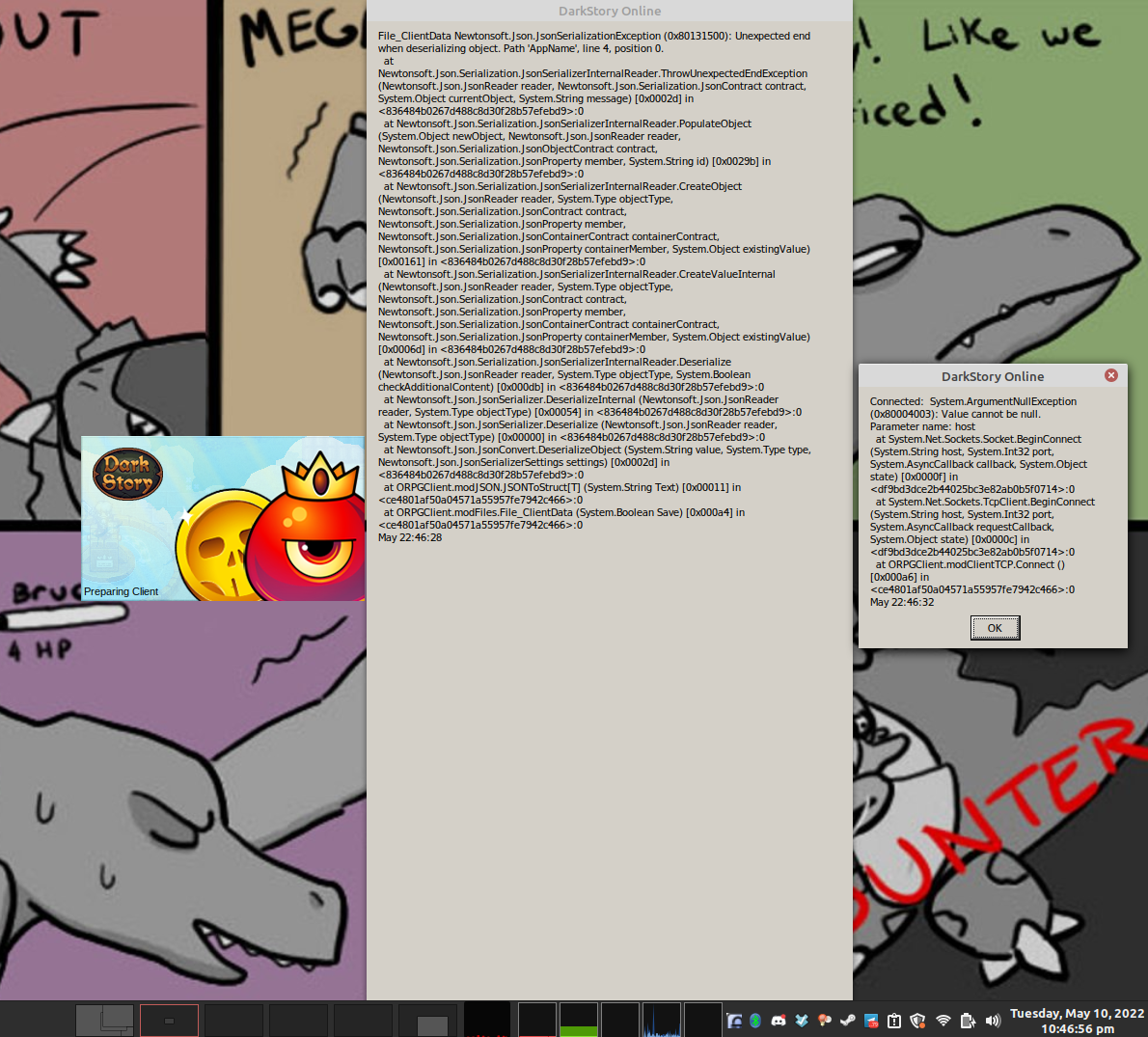
Seems to be a bug in Wine Mono's Microsoft.VisualBasic.dll - FileGetObject reads the length wrong when it tries to read a string.
I made a PR with a fix, and there should be a build with it here once the build process completes: https://github.com/madewokherd/wine-mono/actions/runs/2368917224
See https://github.com/redmcg/wine-mono/wiki#install-later-version for instructions on installing a custom Wine Mono build.
I did not try to log in, so there may be more problems. Microsoft.VisualBasic.dll isn't very mature right now.
This should be fixed in Wine Mono 7.3.0, available in Proton 7.0-3.
proton 7.0-3x1 2022-06ge-proton7-17x1 2022-05proton experimentalx1 2022-05visualbasic.dllx1 2022-05
Compatibility Report
System Information
I confirm:
Symptoms
When the game is started, shortly after the splash window appears, two error dialog boxes also appear (see below for a screenshot depicting these dialog boxes). When the two error dialog boxes are closed out, after a brief pause, the splash window disappears. The program produces no further observable behavior, but it remains running as a process and must be killed (such as by clicking the "Stop" button within the Steam client's UI).
Reproduction
The above behavior occurs consistently when running the game using Proton version 7.0-2 (as well as other Proton versions that I've tried, including Proton Experimental as of the time of this report; the latest third party fork GE-Proton7-17 also produces this behavior, too). This game's ProtonDB entry suggests that nobody else has managed to get this game working in Proton yet, either.
steam-1020780.log