AI: THE SOMNIUM FILES - nirvanA Initiative
hey! just a heads up, it works fine for me now (after resetting my switch a second time this morning, it pulled a shader update and is using proton 7.0-3)
no idea why it wasn't working earlier when I tried on multiple devices, but shrug
This now works for me, too. I switched from GE-Proton (where the movies were garbled) to 7.0-3, deleted Proton files from the Dev menu and now they display ok. Yay :-)
This game is weird, I'm having an issue on Steam Deck where X-Ray mode just show a white screen. However, this is only the case when playing in Game Mode. If I launch the game from desktop mode, everything works perfectly. Even in the new BPM which is just Deck UI, it has no issues. It's ONLY in game mode, regardless of what launcher settings I use.
I've found 2 others on Reddit who have had this issue and that's it, and I've tried Proton 7, Experimental, and even GE 7-21 and GE 7-48, all to no avail.
@ItsRogueRen Hello, just checking this is the X-Ray mode I should be looking for? (Sorry, I am not very familiar with this game)
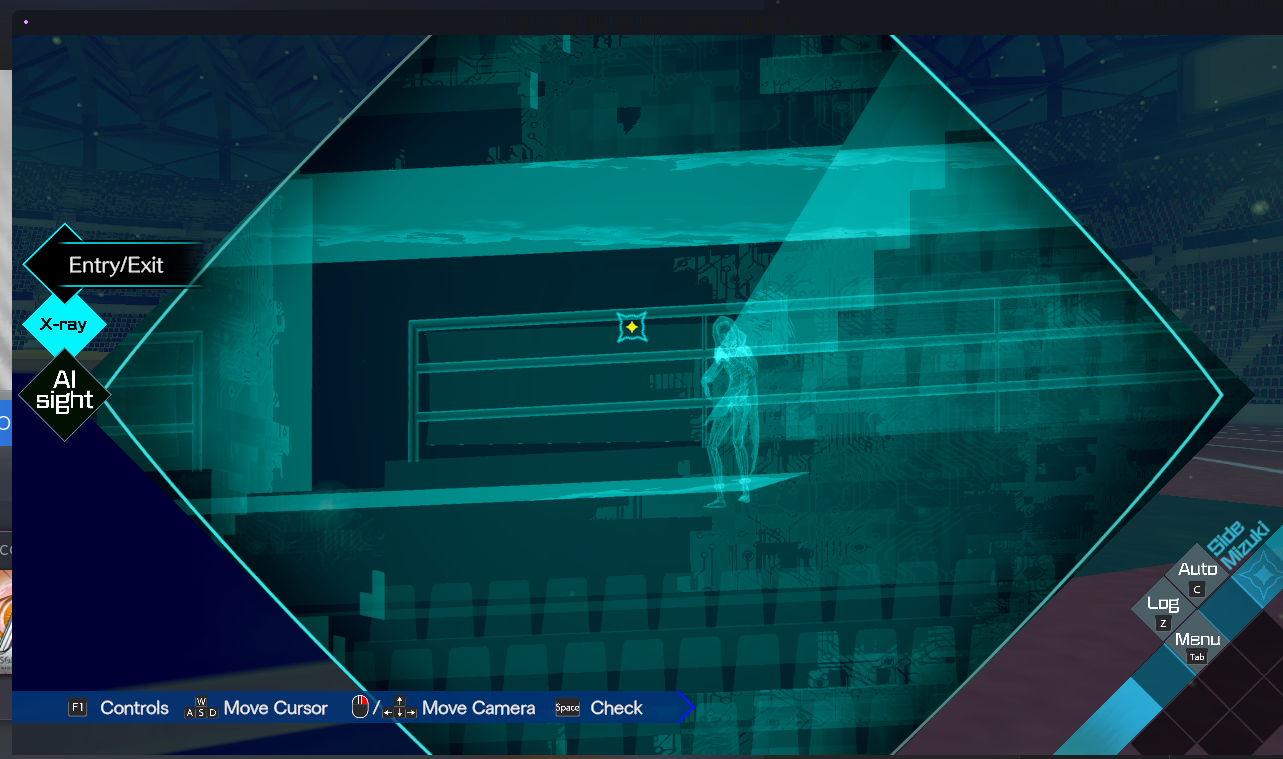
(I am running the game in Gamescope on my Desktop here to try and repro but it seems to work there, I will test on Deck next)
Replying to https://github.com/ValveSoftware/Proton/issues/5931#issuecomment-1421717089
Yes that's it, it seems to only happen in Game Mode on Steam Deck. I can have the X-Ray working just fine on Deck from Desktop mode or on my Linux desktop PC.
Okay, I tried Gamescope embedded as well on my desktop and it worked fine there too. Interesting.
I will try on Deck now, and see what I find.
Not able to reproduce here... Does it only happen at certain sections of the game?
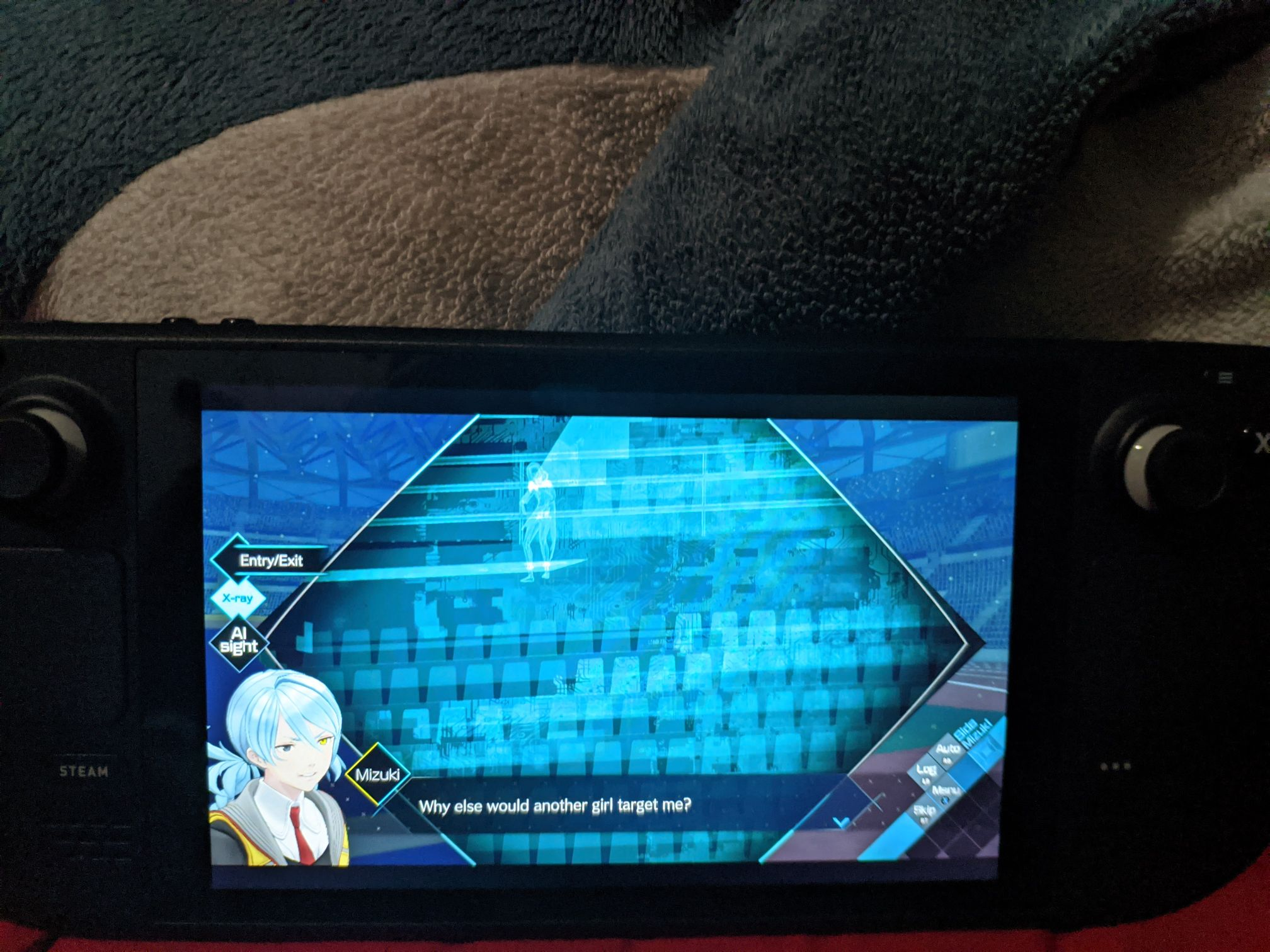
Maybe you could send a save file?
Replying to https://github.com/ValveSoftware/Proton/issues/5931#issuecomment-1421733985
It's happened to me at every point in the game where X-ray is used. If I load the same save file in desktop mode, suddenly it works as intended.
@ItsRogueRen I am using SteamOS Main right now (in the advanced channels), can you confirm to me which version of SteamOS you are using?
@ItsRogueRen I am using SteamOS Main right now (in the advanced channels), can you confirm to me which version of SteamOS you are using?
I'm on the stable channel, v3.4.4
Sorry, I still cannot reproduce the issue on Stable (3.4.4) . I tried in both fullscreen and windowed mode.
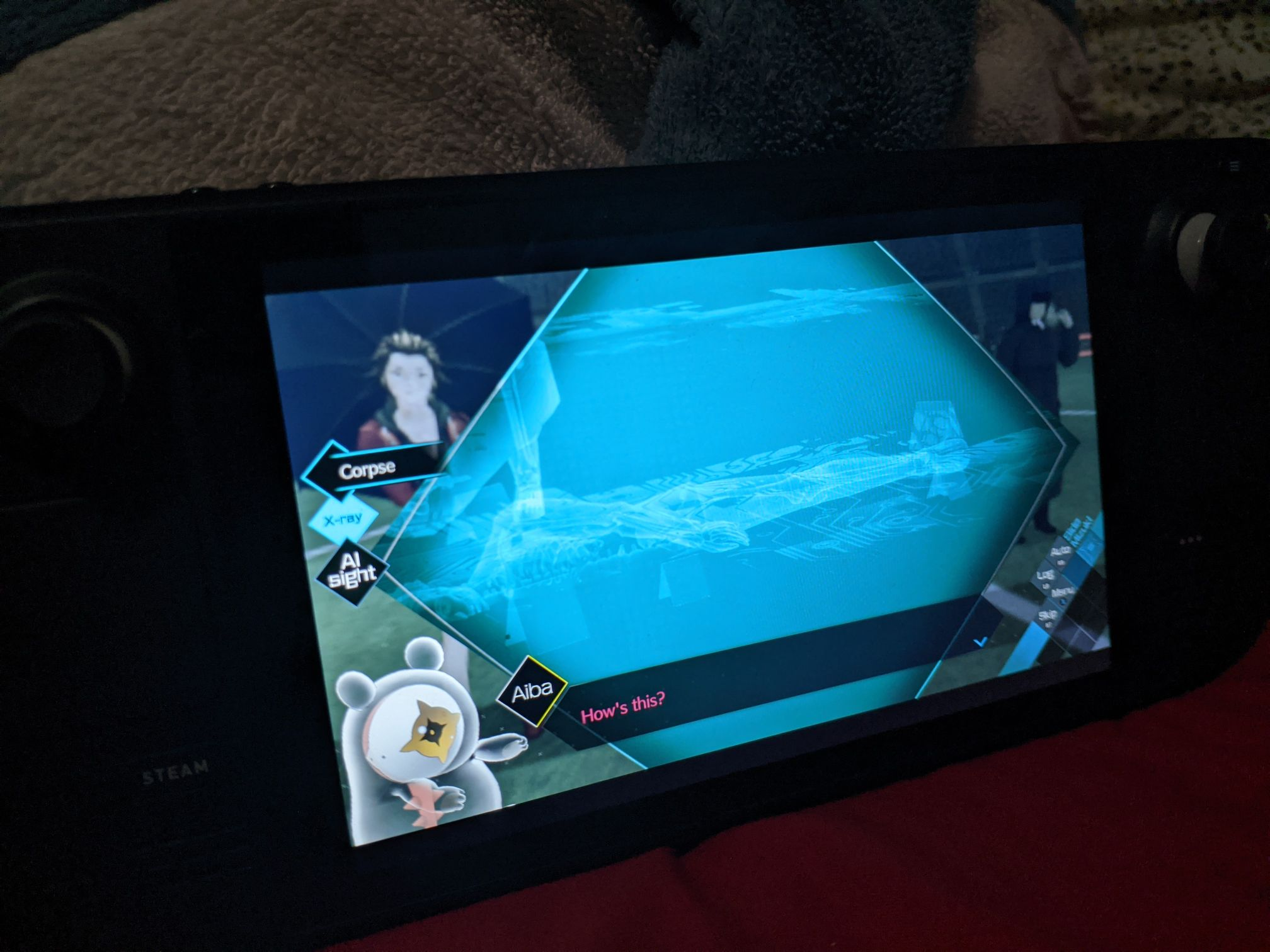
Replying to https://github.com/ValveSoftware/Proton/issues/5931#issuecomment-1421793597
This is what I get in game mode
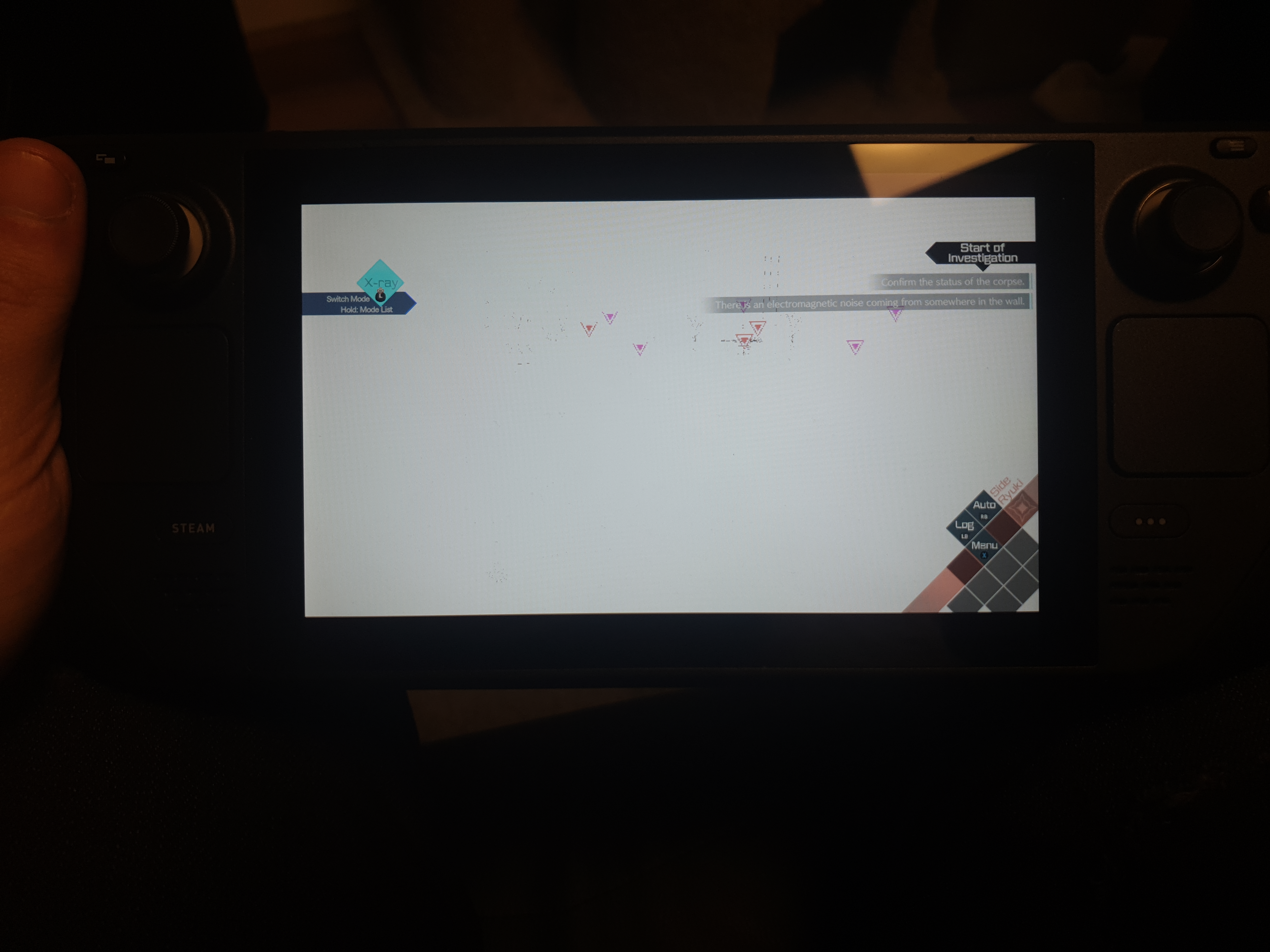
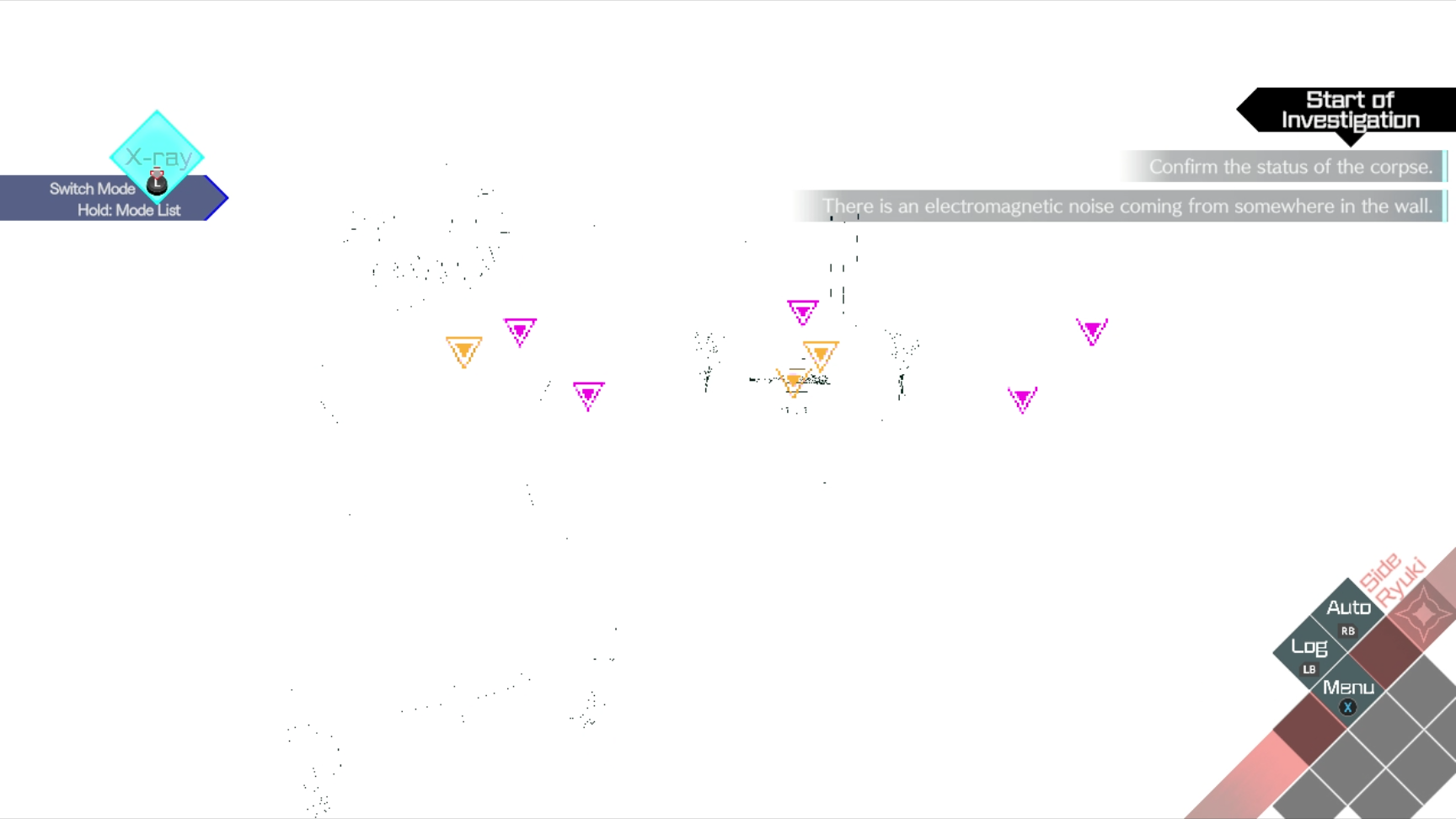
@ItsRogueRen I am using SteamOS Main right now (in the advanced channels), can you confirm to me which version of SteamOS you are using?
I'd be happy to share my save file, but I cannot for the life of me find where it's saved... Searching online has been fruitless for this as all I get is other game's save locations (that don't work for this game) or random spoilers for the game I want to avoid
Replying to https://github.com/ValveSoftware/Proton/issues/5931#issuecomment-1421733985
@Joshua-Ashton
I have manged to find what I think are the files for save data. Extract these to ~/.steam/steam/steamapps/compatdata/1449200/pfx/drive_c/users/steamuser/AppData/Local/SpikeChunsoft/AI Nirvana Initiative/ after making a backup of your versions
ai-nirvana-save.zip
Proton versions
proton 7.0-3x1 2022-06
Compatibility Report
System Information
Steam Deck, baybee
Also tested on my Desktop running Arch
I confirm:
Only gonna put the relevant part of the logs:
Symptoms
So, okay, here's the real reason I'm opening this issue: This only seems to impact some users. I have been harassing random game journalists on Twitter (and people over @ the AI Steam discussions) and it works perfectly fine on most people's steam decks.
But... It doesn't on mine. I get the colored bars screen (since the video cannot be played). I've tried everything. I have used several versions of Proton and Proton GE (the latest GE displays it, but distorted). I've used Experimental. I even wiped my Steam Deck, made a new user, logged into the Deck with that user, then family shared the game and logged out of my (main) user so that nothing was ever installed by me with that user.
Still no dice (the wipe was from installation media, too!)
The install on the wiped device was before installing anything else, too.
Here is a link from another user for exactly what it looks like.
Reproduction
Above answers that too. More than happy to provide ANY info. I'd love to dig deeper but I've already spent several hours on this and it'd be easiest if I just had a deck that it works on.