Persona 5 Royal
Proton log: steam-1687950.log, looks like due to kernel32.dll.CreateFileTransactedA not implemented.
wonder if someone who's playing on windows can upload their save to try to see if it can be bypassed temporarily?
Also upload the reproduction video:
https://user-images.githubusercontent.com/25173827/197120012-1e606756-50b3-4fd7-b23c-a94d0aef3ccf.mp4
The same issue. Proton GE also crashes
wonder if someone who's playing on windows can upload their save to try to see if it can be bypassed temporarily?
I think that's how it got it's "Verifed" status...
wonder if someone who's playing on windows can upload their save to try to see if it can be bypassed temporarily?
I don't have a Windows install, but I got past the system data screen on my Deck and then it worked on my desktop due to the cloud save. It still crashes on the desktop when editing the system data, e.g. when adjusting settings.
wonder if someone who's playing on windows can upload their save to try to see if it can be bypassed temporarily?
I don't have a Windows install, but I got past the system data screen on my Deck and then it worked on my desktop due to the cloud save. It still crashes on the desktop when editing the system data, e.g. when adjusting settings.
Does the game crash on save?
If it crashes trying to write the settings file, does it also crash when trying to save/load games?
Out of curiosity, for those with crash issues: are you loading the game from a filesystem with case sensitivity or case-folding support, and what filesystem are you using in general? I know the Deck formats microSD cards to use casefolding, but I don't really know if that's relevant here, or much about transactional NTFS operations in general beyond that they've been deprecated for a while.
@thojohns the games im playing are all installed on ext4 on my secondary nvme
wonder if someone who's playing on windows can upload their save to try to see if it can be bypassed temporarily?
I don't have a Windows install, but I got past the system data screen on my Deck and then it worked on my desktop due to the cloud save. It still crashes on the desktop when editing the system data, e.g. when adjusting settings.
Does the game crash on save?
Yep, just confirmed it. It appeared to try saving the system data first, so maybe it does that with each save, I'm not certain.
If it crashes trying to write the settings file, does it also crash when trying to save/load games?
Out of curiosity, for those with crash issues: are you loading the game from a filesystem with case sensitivity or case-folding support, and what filesystem are you using in general? I know the Deck formats microSD cards to use casefolding, but I don't really know if that's relevant here, or much about transactional NTFS operations in general beyond that they've been deprecated for a while.
I'm using an ext4 drive. As for case-folding, I don't appear to have it enabled from what I can tell.
sudo dumpe2fs -h /dev/sdd1 | grep 'Filesystem features'
dumpe2fs 1.46.5 (30-Dec-2021)
Filesystem features: has_journal ext_attr resize_inode dir_index filetype needs_recovery extent flex_bg sparse_super large_file huge_file dir_nlink extra_isize metadata_csum
If it crashes trying to write the settings file, does it also crash when trying to save/load games?
Out of curiosity, for those with crash issues: are you loading the game from a filesystem with case sensitivity or case-folding support, and what filesystem are you using in general? I know the Deck formats microSD cards to use casefolding, but I don't really know if that's relevant here, or much about transactional NTFS operations in general beyond that they've been deprecated for a while.
BTRFS for system partition (so I can have /home and / on one partition, but still separated)
Ext-4 for the HDD with the game installed
I'm no expert, and it's also going to be another 6-8 hours before I can even test the game at this rate, but seeing as the game crashes with what appears to be a filesystem-related error on a number of Linux devices, but (in most apparent cases) not on the Steam Deck, my gut instinct would be to get the game on something as close to possible as what the Deck's filesystem setup would be - in this case, an ext4 drive or partition with casefolding enabled.
I have no idea if that'd actually help, and even if it did there'd still be the issue of getting it to work as expected on other filesystems, but worst-case it's just one more possibility to rule out.
Just checked here, issue is still happening even in a ext4 drive with casefolding enabled
I redownload the whole Game to a Windows USB NTFS drive, and the crash persist.
Here is the log of this time: steam-1687950.log, the same error persist.
Guys, try not to launch it very frequently. After testing many Proton versions I've tried to start playing on Windows & then switch to Linux... and got 24h lock from Denuvo.
I'm having the same problem. If anyone has a fix let me know.
I was having the same issue, Arch system that's up-to-date and on an ext4 file system, but as others have reported on ProtonDB the game seems to launch fine after running it on a regular system. Either a Windows install or in my case with just a Steam Deck. Syncing through Steam's cloud let's it load perfectly fine afterwards for me.
I know it's not a fix that's within a Linux system itself necessarily but figured it's worth mentioning here. But that does beg the question of what the Deck is doing differently compared to regular Proton elsewhere?
Syncing through Steam's cloud let's it load perfectly fine afterwards for me.
I did the same and it seems to load fine too, but when I try to save, or just change some settings like the voice language, it crashes with the same error (CreateFileTransactedA not implemented).
If it actually works out-of-the-box on the Deck (can't try right now, I've been locked out by Denuvo), maybe it's because of some kernel option like Fsync? I don't think my desktop's current kernel supports it.
I saw some Windows users struggling with a crash on saving/file creation as well. Apparently their CPUs did not support AVX and/or SSE4.2, which is listed as requirements on the steam page. Could this be something (default) proton has issues with too?
at least for me on SteamDeck (beta preview) with proton-experimental (bleeding-edge) it worked just fine out-of-the-box
I was having the same issue, Arch system that's up-to-date and on an ext4 file system, but as others have reported on ProtonDB the game seems to launch fine after running it on a regular system. Either a Windows install or in my case with just a Steam Deck. Syncing through Steam's cloud let's it load perfectly fine afterwards for me.
I know it's not a fix that's within a Linux system itself necessarily but figured it's worth mentioning here. But that does beg the question of what the Deck is doing differently compared to regular Proton elsewhere?
Arch user also, with hardware comparable to the Deck. Do they maybe use the native libraries instead of the static ones Steam ships with? Probably a stretch but it is weird that it's not working on similar hardware and configs.
Could anyone with a SteamDeck run sudo dumpe2fs -h /dev/nvme0n1p1 | grep 'Filesystem features' (replacing nvme0n1p1 with the partition that the game is installed) just so we can figure out exactly what features SteamDeck's filesystem has enabled?
Could anyone with a SteamDeck run
sudo dumpe2fs -h /dev/nvme0n1p1 | grep 'Filesystem features'(replacing nvme0n1p1 with the partition that the game is installed) just so we can figure out exactly what features SteamDeck's filesystem has enabled?
I have a deck, but I don't have P5R install so it'll be a while to get it downloaded
UPDATE: should be installed in roughly an hour and a half from 1:30 EST
Could anyone with a SteamDeck run
sudo dumpe2fs -h /dev/nvme0n1p1 | grep 'Filesystem features'(replacing nvme0n1p1 with the partition that the game is installed) just so we can figure out exactly what features SteamDeck's filesystem has enabled?
I don't have the game (yet), but here are the features from the /home partition of my Steam Deck:
Filesystem features: has_journal ext_attr resize_inode dir_index filetype needs_recovery extent 64bit flex_bg sparse_super large_file huge_file dir_nlink extra_isize metadata_csum
Could anyone with a SteamDeck run
sudo dumpe2fs -h /dev/nvme0n1p1 | grep 'Filesystem features'(replacing nvme0n1p1 with the partition that the game is installed) just so we can figure out exactly what features SteamDeck's filesystem has enabled?
I compared my filesystem features with the ones @Steffo99 mentioned, I was only missing "64bit". Added that feature to mine and still get the same error: unimplemented function kernel32.dll.CreateFileTransactedA
I have the same features as @Steffo99 but cant run the game on Arch. Maybe it is not related to the partition features. Have anyone tried installing it on a NTFS partition (I had problems with this in the past)?
You could call this an actual game bug if it's really the CreateFileTransactedA function. Microsoft strongly discourages using this function and might even deprecate it. No reason to use it on a game port in 2022.
https://learn.microsoft.com/en-us/windows/win32/api/winbase/nf-winbase-createfiletransacteda
Now, I read on ProtonDB that someone is able to play the game on PC after starting with Steamdeck previously. The cloud savegame function probably syncs the created files to the PC. And instead of creating them, the game only accesses them then and this seems to work.
So maybe as a workaround: If someone with a steamdeck could post a screenshot of the savegame folder, the rest might be able to circumvent the crash for the time being.
Can anyone post a screenshot of the files created in
/home/<USERNAME>/.steam/root/steamapps/compatdata/1687950/pfx/drive_c/users/steamuser/Application Data/SEGA/P5R/Steam/<USERID>/savedata/
Replying to https://github.com/ValveSoftware/Proton/issues/6255#issuecomment-1287265955
From what I read this workaround only works as long as the game does not try to write anything to the disk. Trying to save the game made it crash nonetheless.
Replying to https://github.com/ValveSoftware/Proton/issues/6255#issuecomment-1287268918
So then what is the Steam Deck doing different from desktop Linux? If writing data is causing the crash, how are people not reporting issues on Steam Deck?
So then what is the Steam Deck doing different from desktop Linux? If writing data is causing the crash, how are people not reporting issues on Steam Deck?
Maybe the Steam Deck handles some 32-bit code execution differently. My Proton log says:
Unhandled exception: unimplemented function kernel32.dll.CreateFileTransactedA called in 64-bit code
Replying to https://github.com/ValveSoftware/Proton/issues/6255#issuecomment-1287275147
Idk what repositories the Steam Deck uses. Maybe valve released a patch before the game release. I don't own a Deck so I can't dig through the files to find anything useful. If anyone that is able to make the game run could search for the game ID (1687950) or some mention of CreateFileTransactedA in the internal files, it would be much appreciated.
Replying to https://github.com/ValveSoftware/Proton/issues/6255#issuecomment-1287280412
I'm installing the game on my deck as we speak, what all do I need to search for?
Update on my end: I jumped the gun too soon and apparently trying to load into my save from my Deck ends up just with the game closing itself, similar to the initial "system data" loading bug.
I figured that since I had got past that issue I wasn't going to have any issues past that. Whoops!
But yeah also willing to help debug everything, while it's likely a Denuvo issue that isn't to say we can't come up with some sort of fix. Likely? Probably not, but not impossible I suppose.
Let me know if you all need me to test something, happy to help where I can.
Replying to [#6255 (comment)](https://github.com/ValveSoftware/Proton/issues/6255#issuecomment-1287265955)
From what I read this workaround only works as long as the game does not try to write anything to the disk. Trying to save the game made it crash nonetheless.
I can confirm this.
I launched the game on my Steam Deck to get the save data, played on PC. I got to the point where I could save the game, it crashed and did not save my progress. Played through it again on Deck and it worked fine there.
Replying to [#6255 (comment)](https://github.com/ValveSoftware/Proton/issues/6255#issuecomment-1287280412)
It's a shot in the dark, but try something like locate 1687950 and grep -r --exclude-dir /proc --exclude-dir /dev --exclude-dir /tmp --exclude-dir /lost+found 1687950.
This will dump a lot of text with all mentions of folders, files and files that contain 1687950 (The game id). It is probably best to share it as a gist.
I also don't know how permissons work on the Steam Deck. Maybe you'll need to run the commands as root.
Another approach would be finding if there's any package installed that relates to game patches that comes directly from the Valve repository. It is hard trying to investigate a device that I don't own XD. Is there any /etc/pacman.conf that we can look at the repositories and filter the packages ?
I'll run this in a second
Apparently the packages for the Steam Deck comes from these repositories (although I'm not sure these are the official ones):
[jupiter-main]
Server = https://steamdeck-packages.steamos.cloud/archlinux-mirror/$repo/os/$arch
SigLevel = Never

[holo]
Server = https://steamdeck-packages.steamos.cloud/archlinux-mirror/$repo/os/$arch
SigLevel = Never

[core]
Server = https://steamdeck-packages.steamos.cloud/archlinux-mirror/$repo/os/$arch
SigLevel = Never

[extra]
Server = https://steamdeck-packages.steamos.cloud/archlinux-mirror/$repo/os/$arch
SigLevel = Never

#[community-testing]
#Include = /etc/pacman.d/mirrorlist

[community]
Server = https://steamdeck-packages.steamos.cloud/archlinux-mirror/$repo/os/$arch
SigLevel = Never

[multilib]
Server = https://steamdeck-packages.steamos.cloud/archlinux-mirror/$repo/os/$arch
SigLevel = Never
Maybe there's a package for game patches somewhere.
Is there a way to get a trace of all the Windows API calls the game makes, or at least see when CreateFileTransactedA is called? I'm curious to know if the call succeeds on the Deck, or if (somehow) the game doesn't even call it on the Deck and instead uses an alternative.
I'm downloading it now on my Deck and on my (NixOS) PC. I'd be happy to help debug however I can.
The game attempts to create a file at savedata/SYSTEM/SYSTEM.DAT with the CreateFileTransactedA call that's not implemented in Wine yet. Creating an empty file at that location only causes the game to get stuck in a "Save file corrupted" screen.
Someone who has access to both a Steam Deck, a normal PC and a lot of persistence (or Wine dev experience) could try running a fresh install of the game (no saved games) with WINEDEBUG="+relay", and checking if there's a difference in what kernel calls the game makes in each environment. For example, first run the game with PROTON_DUMP_DEBUG_COMMANDS=1 %command% in the launch options, then modify the file that is created in /tmp/proton_USERNAME/run to include WINEDEBUG='+relay' and finally run ./run to start the game.
It's a lot of lines to shuffle through however, so you might want to filter the very excessive calls. The closest I found is a section where a transaction is created with ktmw32.CreateTransaction, and the game then tries to use CreateFileTransactedA to no success:
0224:Ret  ktmw32.CreateTransaction() retval=00000001 ret=1402cec6c
0170:Ret  msvcrt.free() retval=00000001 ret=3590d18b8
0084:Ret  ntoskrnl.exe.memcpy() retval=03cf02a4 ret=1c9232943
006c:Ret  driver dispatch 000000031DF12AB0 (device=0000000003DC0060,irp=0000000000D60390) retval=00000103
0144:Ret  ntdll.RtlReleaseSRWLockExclusive() retval=ffffffff ret=359091e93
016c:Ret  ntdll.RtlReleaseSRWLockExclusive() retval=ffffffff ret=3590eae53
0090:Ret  msvcrt.memset() retval=0452f68c ret=17004b7bf
...
0224:Ret  ntdll.RtlAllocateHeap() retval=708b02d0 ret=1405b9984
0084:Call ntdll.RtlAllocateHeap(00280000,00000000,00000031) ret=17004b7bf
0170:Ret  ntdll.RtlReleaseSRWLockExclusive() retval=ffffffff ret=35910a6fe
0218:Call ntdll.RtlNtStatusToDosError(00000103) ret=7b020bd8
016c:Ret  ntdll.RtlReleaseSRWLockExclusive() retval=ffffffff ret=3590eae53
0144:Ret  ntdll.RtlInterlockedPopEntrySList() retval=00000000 ret=14036a696
0090:Ret  msvcrt.memcpy() retval=0452f68c ret=17004b7bf
wine: Call from 0000000170032048 to unimplemented function kernel32.dll.CreateFileTransactedA, aborting
Worth noting that I'm not a Wine developer, so I wouldn't know where to start even if a clear difference was found in the logs. CreateTransaction seems to be stubbed and doesn't do anything, though, so it would be interesting to see if it's called in the Deck environment at all. Maybe the game uses something else to save the files? Maybe start by looking at the section where the game starts reading the Roaming/SEGA/P5R/Steam/ID/savedata directory until the crash, and seeing if there's a difference there?
I also checked the Steam Deck compatibility profile for the game that can be parsed from ~/.steam/steam/appcache/appinfo.vdf or found on SteamDB), and according to it the recommended runtime for the game is proton-stable. So it doesn't look like the Steam Deck has a special build of Proton for this game specifically, though I can't check since I don't have a Steam Deck.
I don't know if this is related or not but, apparently, Steam Deck runs the games through something called SteamFS:
#!/usr/bin/env python3
'''
Run a Steam game through SteamFS.

Copyright (C) 2019,2020       Valve, Inc

This program can be distributed under the terms of the GNU GPL.
'''

import sys
import subprocess
import time
import logging
import contextlib
import os
import datetime
import argparse
import signal

from pathlib import Path
from typing import Sequence

# Maximum time to wait for mountpoint to come up and go down
TIMEOUT = 30

# Arguments that are passed through to SteamFS
PASSTHROUGH_ARGS = [
    ('--ondemand', bool),
    ('--download-blocksize', int),
    ('--cache-blocksize', int),
    ('--cachefile', str),
    ('--readahead-profile', str)
]

log = logging.getLogger(__name__)

def parse_args(argv):
    progname = os.path.basename(argv[0])
    parser = argparse.ArgumentParser(
        description='Run SteamFS and execute given program in the mountpoint.',
        usage=f'{progname} [--ondemand] <executable> -- [args..]')

    parser.add_argument('--no-bpf', action='store_true', default=False,
                        help='Disable BPF-based read logging.')
    parser.add_argument('executable', type=str,
                        help='Executable to run through SteamFS.')
    parser.add_argument('--logdir', type=str, default=os.path.expanduser('~/steamfs_logs/'),
                        help='Where to save read logs (default: ~/steamfs_logs)')
    parser.add_argument('--crashdir', type=str, default=os.path.expanduser('~/steamfs_logs/'),
                        help='Where to save crash logs (default: ~/steamfs_logs)')
    parser.add_argument('args', nargs='*',
                        help='Arguments to pass to executable.')

    for (arg, type_) in PASSTHROUGH_ARGS:
        if type_ == bool:
            parser.add_argument(
                arg, action='store_true', default=None, dest=arg,
                help='(passed through to SteamFS)')
        else:
            parser.add_argument(
                arg, type=type_, default=None, dest=arg,
                help='(passed through to SteamFS)')

    return parser.parse_args(argv[1:])


def get_win_exe(args: Sequence[str]) -> Path:
    '''Extract Windows binary name from Proton argument list.'''

    for (i, arg) in enumerate(args):
        if arg.startswith('-') or not arg.endswith('.exe'):
            continue
        p = Path(arg)
        if p.is_file():
            return p
    raise RuntimeError('Unable to find game path in Proton arguments: %r' % args)


def main(exit_stack, args):
    '''Start the game and return its runtime'''

    for path in (args.crashdir, args.logdir):
        if not os.path.exists(path):
            os.mkdir(path)

    if 'STEAM_COMPAT_INSTALL_PATH' in os.environ:
        mountpoint = Path(os.environ['STEAM_COMPAT_INSTALL_PATH'])
    else:
        # When using Proton, we have to account for the fact that Proton may be installed
        # in a different Steam library - and we want to use SteamFS for the one that
        # contains the game, not Proton.
        if args.executable.endswith('proton'):
            (mountpoint, _) = split_path(get_win_exe(args.args))
        else:
            (mountpoint, _) = split_path(Path(args.executable))
    log.info('Mountpoint is %s', mountpoint)

    cwd = os.getcwd()
    ofd = os.open(args.crashdir + datetime.datetime.now().strftime(
        '%Y-%m-%d_%H-%M-%S.log'), os.O_WRONLY | os.O_CREAT, mode=0o644)
    steamfs_cmdline = [find_program('fs/steamfs'), '--log-reads', '--crashdir',
                       args.crashdir, str(mountpoint), str(mountpoint)]
    subprocess_args = {'cwd': args.logdir}

    readahead_profile = getattr(args, '--readahead-profile')
    if readahead_profile and not args.no_bpf:
        setattr(args, '--readahead-profile', None)
    else:
        readahead_profile = None

    for (arg, type_) in PASSTHROUGH_ARGS:
        val = getattr(args, arg)
        if val is None:
            continue
        if type_ is bool and val:
            steamfs_cmdline.append(arg)
        else:
            steamfs_cmdline.append(arg)
            steamfs_cmdline.append(val)

    if getattr(args, '--ondemand'):
        subprocess_args['stderr'] = ofd
    else:
        subprocess_args['stderr'] = subprocess.STDOUT
        subprocess_args['stdout'] = ofd

    log.debug('Running %s', steamfs_cmdline)
    steamfs = subprocess.Popen(steamfs_cmdline, **subprocess_args)
    exit_stack.callback(unmount, steamfs, mountpoint)

    log.info("Waiting for mountpoint to come up...")
    wait_for_mount(steamfs, mountpoint)

    if not args.no_bpf:
        if readahead_profile:
            log.info("Starting kernel-based readahead helper...")
            bpf_process = subprocess.Popen(
                [ find_program('kernel_read_tracing/steamfs_readahead'),
                  readahead_profile, str(mountpoint) ],
                cwd=args.logdir)
            tracer_pid = wait_for_tracer(
                bpf_process, f'{args.logdir}/steamfs_readahead_{bpf_process.pid}.lck')
        else:
            log.info("Starting kernel-based read logger...")
            bpf_process = subprocess.Popen(
                [ find_program('kernel_read_tracing/steamfs_log_reads'),
                  str(mountpoint) ], cwd=args.logdir)
            tracer_pid = wait_for_tracer(
                bpf_process, f'{args.logdir}/steamfs_log_reads_{bpf_process.pid}.lck')
        exit_stack.callback(bpf_process.wait, TIMEOUT)

    cmdline = [ args.executable ] + args.args
    log.info("Executing %s...", cmdline)
    try:
        t1 = time.time()
        # Change into "current" directory, because this may now be in the
        # mountpoint.
        subprocess.run(cmdline, cwd=cwd)
        runtime = time.time() - t1
        log.info('Total runtime: %.3f seconds', runtime)
    finally:
        # Read logger must be started after mounting SteamFS, but does not w
        # terminates on its own until unmount. Therefore, terminate it manually
        if not args.no_bpf:
            log.info('Terminating kernel tracer...')
            try:
                os.kill(tracer_pid, signal.SIGINT)
            except ProcessLookupError:
                log.warning('Tracer has terminated already!?')

    return runtime


def wait_for_tracer(process: subprocess.Popen, path: str) -> int:
    elapsed = 0
    lckfile = Path(path)
    while not lckfile.exists():
        if process.poll() is not None:
            raise RuntimeError('Tracer terminated unexpectedly.')
        if elapsed > TIMEOUT:
            raise RuntimeError('Tracer did not come up.')
        time.sleep(0.1)
        elapsed += 0.1
    return int(lckfile.read_text())


def wait_for_mount(mount_process: subprocess.Popen,
                   mnt_dir: Path):
    elapsed = 0
    while not mnt_dir.is_mount():
        if mount_process.poll() is not None:
            raise RuntimeError('SteamFS terminated unexpectedly.')
        if elapsed > TIMEOUT:
            raise RuntimeError('Mountpoint did not come up.')
        time.sleep(0.1)
        elapsed += 0.1


def unmount(mount_process: subprocess.Popen,
            path: Path):

    # Some games start other processes that continue to access the mountpoint even after
    # the game has terminated.  Therefore, try a few times.
    log.info("Unmounting SteamFS...")
    elapsed = 0
    while True:
        # SteamFS may have been terminated, e.g. with Ctrl-C
        if not path.is_mount():
            break

        if subprocess.run(['fusermount3', '-u', path]).returncode == 0:
            break

        time.sleep(0.1)
        elapsed += 0.1
        if elapsed > TIMEOUT:
            log.error('Unable to unmount SteamFS - falling back to lazy unmount!')
            subprocess.run(['fusermount3', '-u', '-z', path])
            return

    # Give mount process a little while to terminate.
    elapsed = 0
    while mount_process.poll() is None:
        if elapsed > TIMEOUT:
            log.error('Timeout while waiting for SteamFS to terminate, continuing anyway...')
            return
        time.sleep(0.1)
        elapsed += 0.1


def find_program(relpath: str) -> str:
    '''Try to find *relpath* within build directory

    If we can find the build directory, return *relpath*
    within it. Otherwise, return the basename of *relpath*.
    '''

    basedir = Path(__file__).resolve().parent
    if (basedir / 'build.ninja').is_file():
        return str(basedir / relpath)
    else:
        return os.path.basename(relpath)


def split_path(path: Path):
    """Split *path* into <something>/SteamApps/common/<name> and remainder"""

    fpath = path.resolve()
    gamepath = fpath
    while gamepath != gamepath.parent:
        libpath = gamepath.parent.parent.parent
        if ((libpath / 'SteamApps/common').is_dir() or
            (libpath / 'steamapps/common').is_dir()):
            return (gamepath, fpath.relative_to(gamepath))
        gamepath = gamepath.parent
    raise RuntimeError("Unable to find game path")


if __name__ == '__main__':
    logging.basicConfig(level=logging.INFO)
    cwd = os.getcwd()
    args = parse_args(sys.argv)
    try:
        with contextlib.ExitStack() as exit_stack:
            runtime = main(exit_stack, args)
    except:
        log.exception('Error while running game through SteamFS')
        runtime = 0

    if runtime < 2:
        log.warning('Game did not start, or ran for less than 2 seconds. Attempting '
                    'to start without SteamFS')
        subprocess.run([ args.executable ] + args.args, cwd=cwd, check=False)
Replying to https://github.com/ValveSoftware/Proton/issues/6255#issuecomment-1287305855
Can verify the same thing happened with me. Game runs without issues on Deck, crashes when saving on Linux desktop.
The game attempts to create a file at
savedata/SYSTEM/SYSTEM.DATwith theCreateFileTransactedAcall that's not implemented in Wine yet. Creating an empty file at that location only causes the game to get stuck in a "Save file corrupted" screen.
Can confirm.
Is there a way to get a trace of all the Windows API calls the game makes, or at least see when CreateFileTransactedA is called? I'm curious to know if the call succeeds on the Deck, or if (somehow) the game doesn't even call it on the Deck and instead uses an alternative.
You can start Steam with the following command
WINEDEBUG=+all PROTON_LOG=1 steam
This will enable full Wine debugging log and write it to a file in your user's home folder. But be warned. When I tested it, booting the game took approx 5 minutes and after the crash the log file was 1GB large :)
Currently I can't imagine that the Steamdeck's filesystem is responsible for the game working. The crash is in Wine because of the missing implementation. So I'd think a patch applied to proton/wine is more likely.
I'm currently decompiling P5R.exe and will try to replace the system call.
Would you be willing to share an xDelta of the patch if it works?
Actually it might be something different. Before the game crashes, I see several calls to other CreateFile functions, like
9457.629904:0130:0218:warn:file:CreateFileW Unable to create file L"C:/users/steamuser/AppData/Roaming/SEGA/P5R/Steam/<userid>/savedata//SYSTEM/SYSTEM.DAT" (status c000003a)
This status code says "Path not found". And I'm very suspicious of the savedata//SYSTEM part. Maybe all other CreateFile functions fail and only then is the CreateFileTransacted called as last resort and crashes the game.
Maybe a corrupt path is the cause and SteamFS cleans this up before it hits Wine.
Replying to [#6255 (comment)](https://github.com/ValveSoftware/Proton/issues/6255#issuecomment-1287280412)
It's a shot in the dark, but try something like
locate 1687950andgrep -r --exclude-dir /proc --exclude-dir /dev --exclude-dir /tmp --exclude-dir /lost+found 1687950.
The list came out to 138k lines, but here's the output if you still want to give it a glance. I'm not sure what help it's going to be though if I'm being honest, since it's probably the same install that Steam goes through on desktop. Also not to mention (as far as I'm aware) you can't install programs via pacman, but there's still access to KDE's discover which includes flatpaks.
I don't know if this is related or not but, apparently, Steam Deck runs the games through something called SteamFS:
I'm not sure the specifics of SteamFS, but I know at the very least it formats micro SD cards to ext4. May be worth looking into, but no clue where to start for that one. Also don't think it would create some magic solution to the game working, like Johaine mentioned.
Actually it might be something different. Before the game crashes, I see several calls to other CreateFile functions, like
9457.629904:0130:0218:warn:file:CreateFileW Unable to create file L"C:/users/steamuser/AppData/Roaming/SEGA/P5R/Steam/<userid>/savedata//SYSTEM/SYSTEM.DAT" (status c000003a)This status code says "Path not found". And I'm very suspicious of the savedata//SYSTEM part. Maybe all other CreateFile functions fail and only then is the CreateFileTransacted called as last resort and crashes the game. Maybe a corrupt path is the cause and SteamFS cleans this up before it hits Wine.
Interesting, it sounds like you're onto something.
I got a trace of running it both on the Deck and on my desktop. Indeed, the CreateFileTransactedA function does not appear in the logs on the Deck. Nor does CreateTransaction. So something about how it's run on the Deck is bypassing the need to call the outdated CreateFileTransactedA function.
Replying to [#6255 (comment)](https://github.com/ValveSoftware/Proton/issues/6255#issuecomment-1287280412)
Weird, my gist has only ~3k lines and all of them contain the ID.
I'm currently compiling proton from source to see if it changes something.
Btw, I don't know a lot about reverse engineering to figure out what exactly SteamFS does. If anyone want to try it, you can find the package here.
It appears to be something non essential as it falls back to no SteamFS if it fails.
I'll try to implement this and submit a patch upstream (to wine's gitlab, can be backported from there), no promises tho
edit: should be easy, transactions are not supported in wine yet.
patch.txt
could someone try patching this onto proton (you might have to rebase it since this patch is built on upstream wine-git)
pls tell me if it doesn't work, I wrote it rather quickly so I could have messed something up slightly
How do I use this patch? I can try now if you want.
Looking at the output of strings P5R.exe, these functions might have to be stubbed as well:
CreateDirectoryTransactedA
CreateFileTransactedA
DeleteFileTransactedA
FindFirstFileTransactedA
GetFileAttributesTransactedA
RemoveDirectoryTransactedA
Looking at the output of
strings P5R.exe, these functions might have to be stubbed as well:CreateDirectoryTransactedA CreateFileTransactedA DeleteFileTransactedA FindFirstFileTransactedA GetFileAttributesTransactedA RemoveDirectoryTransactedA
oh well, time to grind
current status:
Completed, scroll down
How do I use this patch? I can try now if you want.
you use proton-ge and add it to the patch script it has
I don't know what that means.
Apparently it means experimental but whenever I try running the game in experimental Proton it says my system does not meet the minimum requirements.
~I don't know what that means.~
Apparently it means experimental but whenever I try running the game in experimental Proton it says my system does not meet the minimum requirements.
your nvidia/mesa drivers are out of date then
and what I meant is to clone proton-ge from git, then modify the patch script, install all the dependencies to build with, then build
@Johaine I'm not sure the savedata//SYSTEM/SYSTEM.DAT path is suspicious, as the Steam Deck saves to the same place (successfully, apparently).
I've created a gist with all the instances of the phrase SYSTEM.DAT in the Wine debug logs (with 3 lines of context around each match). The first file is the log from my desktop machine, and the second file is the log from the Steam Deck. I also see similar "path not found" messages in the Steam Deck logs.
If anyone has ideas on what I else I should be looking for in these logs, please let me know, I'd be happy to search for you. Combined, the logs are just under 2GB, so I might be able to upload them somewhere we can all look at them.
BTW, this is the file layout of the save data on the Steam Deck:
# In directory: /home/deck/.local/share/Steam/steamapps/compatdata/1687950/pfx/drive_c/steamuser/AppData/Roaming/SEGA/P5R
- Steam
    - <userid>
        - ScreenSetting.xml
        - savedata
            - steam_autocloud.vdf
            - SYSTEM
                - SYSTEM.DAT
Replying to https://github.com/ValveSoftware/Proton/issues/6255#issuecomment-1287447846
I kinda removed the trailing / character by editing P5R.exe, so now I have:
warn:file:CreateFileW Unable to create file L"C:/users/steamuser/AppData/Roaming/SEGA/P5R/Steam/<userid>/savedata/SYSTEM/SYSTEM.DAT"
Probably // is not the problem.
CreateFileW won't create directories. Has anyone tried creating the directories it wants, but not adding a SYSTEM.DAT to it?
It might be wrong permissions being set on the "...AppData/Roaming/SEGA/P5R/Steam" directory. Linux needs execute permissions to actually read the files and create on Unix filesystems, and NTFS doesn't have any comparable features. Should be "drwxr-xr-x".
CreateFileW won't create directories. Has anyone tried creating the directories it wants, but not adding a SYSTEM.DAT to it? It might be wrong permissions being set on the "...AppData/Roaming/SEGA/P5R/Steam" directory. Linux needs execute permissions to actually read the files and create on Unix filesystems, and NTFS doesn't have any comparable features. Should be "drwxr-xr-x".
I've created the SYSTEM directory and it has 775 on it (drwxrwxr-x).
I've created the SYSTEM directory and it has 775 on it (drwxrwxr-x).
That should be fine. The // wouldn't be a problem either. I'm suspicious about the <userid> tag in there, though. That string shouldn't be getting to the wine layer without the substitution already being made.
I've created the SYSTEM directory and it has 775 on it (drwxrwxr-x).
That should be fine. The // wouldn't be a problem either. I'm suspicious about the tag in there, though. That string shouldn't be getting to the wine layer without the substitution already being made.
I've replaced my id here with <userid> ;)
I may have missed it but before diving to the deep end, can we confirm that:
- Experimental on the Deck vs on Desktop is exactly the same binary? (shasums of wine binaries).
That would be strange if they would differ.
Mine is sha1 f602b302016ac9e02fcd485faee44f7265f603b1. Do not have steam deck, someone else needs to check.
Where can I find the wine binary? I can check the sha1 on my Deck.
Oh sorry, I missed that we are talking about wine binary, this was sha1 sum of P5R.exe.
Binaries shouldn't be different - there's multiple depots for Proton Experimental, but none that would be exclusive to the Deck.
Replying to https://github.com/ValveSoftware/Proton/issues/6255#issuecomment-1287443018
The game still crashes, but it gets farther using your patch:
Unhandled exception: unimplemented function kernel32.dll.GetFileAttributesTransactedA called in 64-bit code (0x0000000170030e60).
On Arch, I edited the proton-ge-custom PKGBUILD as follows:
- Replaced the PKGBUILD with this which adds the patch
- Add the wine patch into the root with the name
transacted.patch
After that, run makepkg as normal to build the package and pacman -U <file> to install it. Once the package is installed, Steam will find the compat tool named as "proton-ge-custom (Unsupported AUR package [native])".
I'll be logging off for the night and check again tomorrow.
Some progress:
P5R.exe calls CreateFileA and CreateFileW with the GENERIC_READ access flag and the OPEN_EXISTING flag. So those functions won't create the missing files. Instead CreateFileTransacted will be called, leading to a crash.
By patching the CreateFileA and *W functions with (GENERIC_READ | GENERIC_WRITE) and OPEN_ALWAYS flags, the crash disappears. I still have to manually create the "SYSTEM" folder. But even if the folder is empty, P5R will create the SYSTEM.DAT file and not crash
It seems it's unable to write anything to it as the file is empty and the "Data is corrupted" error appears.
And one other hint: I just tested the Proton Experimental bleeding-edge branch. That also doesn't work, still crashes the unpatched game.
Replying to https://github.com/ValveSoftware/Proton/issues/6255#issuecomment-1287491339
ok will continue working on it, I had a stomach ache for a little while (am fine now), am gonna start working on it again
According to the gist posted by @camtauxe, P5R.exe calls CreateFileW with GENERIC_WRITE on Steam Deck, after it fails to find the file using GENERIC_READ.
Replying to [#6255 (comment)](https://github.com/ValveSoftware/Proton/issues/6255#issuecomment-1287443018)
The game still crashes, but it gets farther using your patch:
Unhandled exception: unimplemented function kernel32.dll.GetFileAttributesTransactedA called in 64-bit code (0x0000000170030e60).
I have reproduced this result, applying @Etaash-mathamsetty's patch to the master branch of proton-ge-custom, and got the same error message (though with a different address, but that's to be expected, I think)
ok will continue working on it, I had a stomach ache for a little while, am gonna start working on it again
Do take care of yourself, please
By patching the CreateFileA and *W functions with (GENERIC_READ | GENERIC_WRITE) and OPEN_ALWAYS flags, the crash disappears. I still have to manually create the "SYSTEM" folder. But even if the folder is empty, P5R will create the SYSTEM.DAT file and not crash It seems it's unable to write anything to it as the file is empty and the "Data is corrupted" error appears.
Maybe your patched version will be happy if we give it a copy of good save data from the Steam Deck? I can supply a copy of SYSTEM.DAT from my Deck if you like. Though it might still fail to write to it if you try to save the game.
Replying to https://github.com/ValveSoftware/Proton/issues/6255#issuecomment-1287514779
here's the new patch
patch.txt
I did this one rather quickly as well, so please tell me if it's not working
here's the new patch patch.txt I did this one rather quickly as well, so please tell me if it's not working
Nice! Do I need to apply both this patch and your last one, or just this one?
here's the new patch patch.txt I did this one rather quickly as well, so please tell me if it's not working
Nice! Do I need to apply both this patch and your last one, or just this one?
just this one
How do I apply that to play the game?
If anyone's trying building proton from source, you might try the proton_7.0-rc branch instead of experimental. It's slightly more up-to-date.
By patching the CreateFileA and *W functions with (GENERIC_READ | GENERIC_WRITE) and OPEN_ALWAYS flags, the crash disappears. I still have to manually create the "SYSTEM" folder. But even if the folder is empty, P5R will create the SYSTEM.DAT file and not crash It seems it's unable to write anything to it as the file is empty and the "Data is corrupted" error appears.
Maybe your patched version will be happy if we give it a copy of good save data from the Steam Deck? I can supply a copy of
SYSTEM.DATfrom my Deck if you like. Though it might still fail to write to it if you try to save the game.
It's worth a shot, as maybe the SYSTEM.DAT file is the same, or at least close enough, to at least get the game running. Do we even know what's in it, or what role it plays?
Pretty sure system.dat handles in-game config settings as well as stuff that's not tied to a single save file, like the Thieves' Den stuff. No idea if it also contains the PC-specific settings like graphical and control options, or if those are stored in an external config file.
I'm rebuilding Proton-GE with the latest patch posted above, but given my laptop speed I expect someone else will be able to report back before I can.
@Matoking
Looking at the output of
strings P5R.exe, these functions might have to be stubbed as well:CreateDirectoryTransactedA CreateFileTransactedA DeleteFileTransactedA FindFirstFileTransactedA GetFileAttributesTransactedA RemoveDirectoryTransactedA
also thank you for this, it saved so much time (and I don't even own this game)
Sorry but how do you apply this patch? I'm SUPER hyped to get to playing.
Sorry but how do you apply this patch? I'm SUPPER hyped to get to playing.
You will need to rebuild Proton (or some variant, like Proton-GE or Proton-tkg) from source, against the latest version of wine. It's a time-consuming process, it's not guaranteed that the patch will actually work, and switching to this new version of Proton will count as one of your five daily Denuvo activations.
I'd wait a little while to get feedback from others about whether the patch actually works - not just whether it gets past the errors, but if it creates and loads save data correctly - and if it does, someone will likely upload a customized build of Proton.
OK thank you. :)
Sorry but how do you apply this patch? I'm SUPER hyped to get to playing.
You'll need to clone the proton-ge-custom repository, then follow the directions in the 'Building' section of the README. If the build succeeds, then you'll get a tar.gz file with the custom build which you can install by following the usual Installation Instructions
and switching to this new version of Proton will count as one of your five daily Denuvo activations
Speaking of...
Unfortunately I guess I'm done testing builds for the time being 🥲
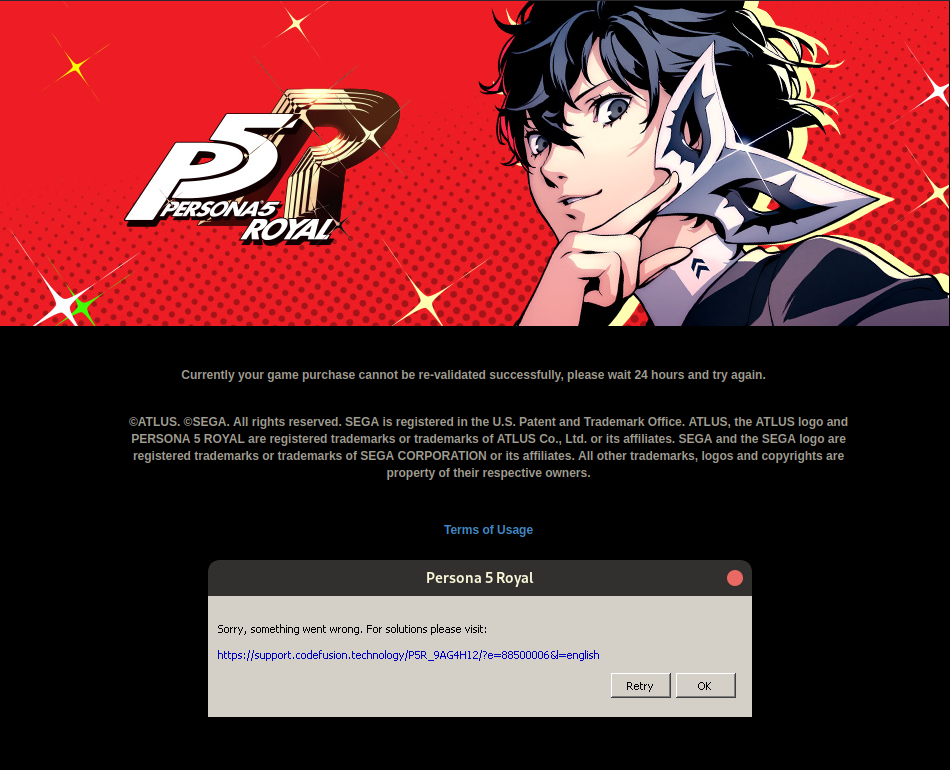
Replying to https://github.com/ValveSoftware/Proton/issues/6255#issuecomment-1287536750
Oh boy I might hit that, but in case I haven't... building now. Will report back.
EDIT: I have never used docker or podman or any container environment. Is there no way to build this, er, normally?
Early test of the patch looks good - 560B SYSTEM.DAT file seems to have been created successfully, got to the title, changed display settings, config file seems to have been written to. Still need to test whether it loads again properly and that normal DATAx.DAT files get created and read properly as well.
Proton-GE seems to require either Docker or podman; I don't think I had to containerize anything for wine-tkg but it's been a while since I've built that, no idea what kind of steps you have to jump through for proton-tkg either.
Replying to [#6255 (comment)](https://github.com/ValveSoftware/Proton/issues/6255#issuecomment-1287536750)
Oh boy I might hit that, but in case I haven't... building now. Will report back.
EDIT: I have never used docker or podman or any container environment. Is there no way to build this, er, normally?
Well, you probably just need to have docker/podman installed I guess ? At least that's what I am doing right now, but had little free space and have hit "no space left on the device" ^.^
Early test of the patch looks good - 560B SYSTEM.DAT file seems to have been created successfull, got to the title, changed display settings, config file seems to have been written to. Still need to test whether it loads again properly and that normal SAVEx.DAT files get created and read properly as well.
If it does, maybe someone could submit a PR for this patch to the wine repo.
Early test of the patch looks good - 560B SYSTEM.DAT file seems to have been created successfull, got to the title, changed display settings, config file seems to have been written to. Still need to test whether it loads again properly and that normal SAVEx.DAT files get created and read properly as well.
If it does, maybe someone could submit a PR for this patch at the wine repo.
They probably will not accept such patch, as it just redirects calls to other CreateFile functions, without taking the transaction into account. I am not familiar with winapi nor wine codebase, but this implementation probably does not do what the functions were supposed to do.
Replying to https://github.com/ValveSoftware/Proton/issues/6255#issuecomment-1287544121
transactions are not supported in wine atm, so it's a perfectly valid patch
Replying to [#6255 (comment)](https://github.com/ValveSoftware/Proton/issues/6255#issuecomment-1287536750)
Oh boy I might hit that, but in case I haven't... building now. Will report back.
EDIT: I have never used docker or podman or any container environment. Is there no way to build this, er, normally?Well, you probably just need to have docker/podman installed I guess ? At least that's what I am doing right now, but had little free space and have hit "no space left on the device" ^.^
I think I've got it going. Probably doing it 200% wrong, but still doing things, so we'll see what happens.
Rushed through the intro, saved the game, exited to the main menu, was able to load the save. No idea if there'll be further issues down the line, and I don't really know if the game really has any reason to rely on the transactional functionality that's being worked around here, but I'm going to say the patch serves its purpose.
I can upload the Proton build I compiled, but I have no idea if that's against the rules here, especially with it being a GE build rather than standard Proton. If anyone wants to build a standard, licence-friendly version of Proton with the patch I think it'd probably be appreciated, but as always be wary about downloading files from strangers on the internet.
@thojohns It's probably better to submit a PR to the wine repo so everyone can use it.
A patch against the latest release of Proton would be the best route, I think.
EDIT: @lucasssvaz idea is better. Who knows how many other games or apps might get fixed or pushed closer with this patch?
transactions are not supported in wine atm, so it's a perfectly valid patch
Those transaction functions are NTFS-specific, too, and deprecated since Windows Vista. Why Sega CS2 decided to use those functions in this day and age is a mystery.
I'm more interested in the fact that Steam Deck does not call these functions. Wonder what's the reason, unless they have if (steamDeck) { ... } in the code.
@thojohns It's probably better to submit a PR to the wine repo so everyone can use it.
I'll clean it up and submit it upstream, not at home right now tho, so I'll do it tomorrow
Am also gonna notify GE about it
@thojohns It's probably better to submit a PR to the wine repo so everyone can use it.
I'll clean it up and submit it upstream, not at home right now tho, so I'll do it tomorrow
Thank you for your help. A lot of people are looking forward to playing this, so it is very appreciated.
@Etaash-mathamsetty If there's no problem with you, I can open the PR so everyone can enjoy it ASAP.
Those transaction functions are NTFS-specific, too, and deprecated since Windows Vista. Why Sega CS2 decided to use those functions in this day and age is a mystery.
Some other testing above seemed to be point to the fact that those are fallback rather than initial call (on the SD, it also appears as unimplemented but the game does run without the "fake stubs").
It might be that the game tries to call the mystery function that works on the SD but fails on Desktop and uses the deprecated calls as a fallback.
But well, it's SEGA/ATLUS... you never know, this might have been their prime intent...
@thojohns It's probably better to submit a PR to the wine repo so everyone can use it.
I'll clean it up and submit it upstream, not at home right now tho, so I'll do it tomorrow Am also gonna notify GE about it
Nice, thank you. But as said, unless you actually RE the windows implementation completely, I'd think such a patch has more chance to end up in Experimental or GE/TKG.
The part that humors me, is the massive block in Microsoft's documentation that explicitly states the functions are depreciated, and should not be used. So what does ATLUS do?
Still waiting on docker to finish building. Confirmed at this point, but more data points is always useful.
@Etaash-mathamsetty If there's no problem with you, I can open the PR so everyone can enjoy it ASAP.
Open a PR in proton ge GitHub, not upstream
Also, Please credit me
@thojohns It's probably better to submit a PR to the wine repo so everyone can use it.
I'll clean it up and submit it upstream, not at home right now tho, so I'll do it tomorrow Am also gonna notify GE about it
Nice, thank you. But as said, unless you actually RE the windows implementation completely, I'd think such a patch has more chance to end up in Experimental or GE/TKG.
It's a semi-stub, not a full implementation (it's also not advertised as a full implementation), and they do accept those
@Etaash-mathamsetty If there's no problem with you, I can open the PR so everyone can enjoy it ASAP.
Open a PR in proton ge GitHub, not upstream Also, Please credit me
I suggest creating the commit with you as an author. From man git commit:
--author=<author>
    Override the commit author. Specify an explicit author using the standard A U Thor <[email protected]> format. Otherwise <author> is assumed to be a pattern and is used to search for an existing commit by that
    author (i.e. rev-list --all -i --author=<author>); the commit author is then copied from the first such commit found.
I'm lock out of the game but I made a build. I'll let you know if it works(tomorrow).
I'm more interested in the fact that Steam Deck does not call these functions. Wonder what's the reason, unless they have
if (steamDeck) { ... }in the code.
I'm super-curious about this too. But hey, this way all Wine users will get to enjoy some previously unimplemented, deprecated API functions!
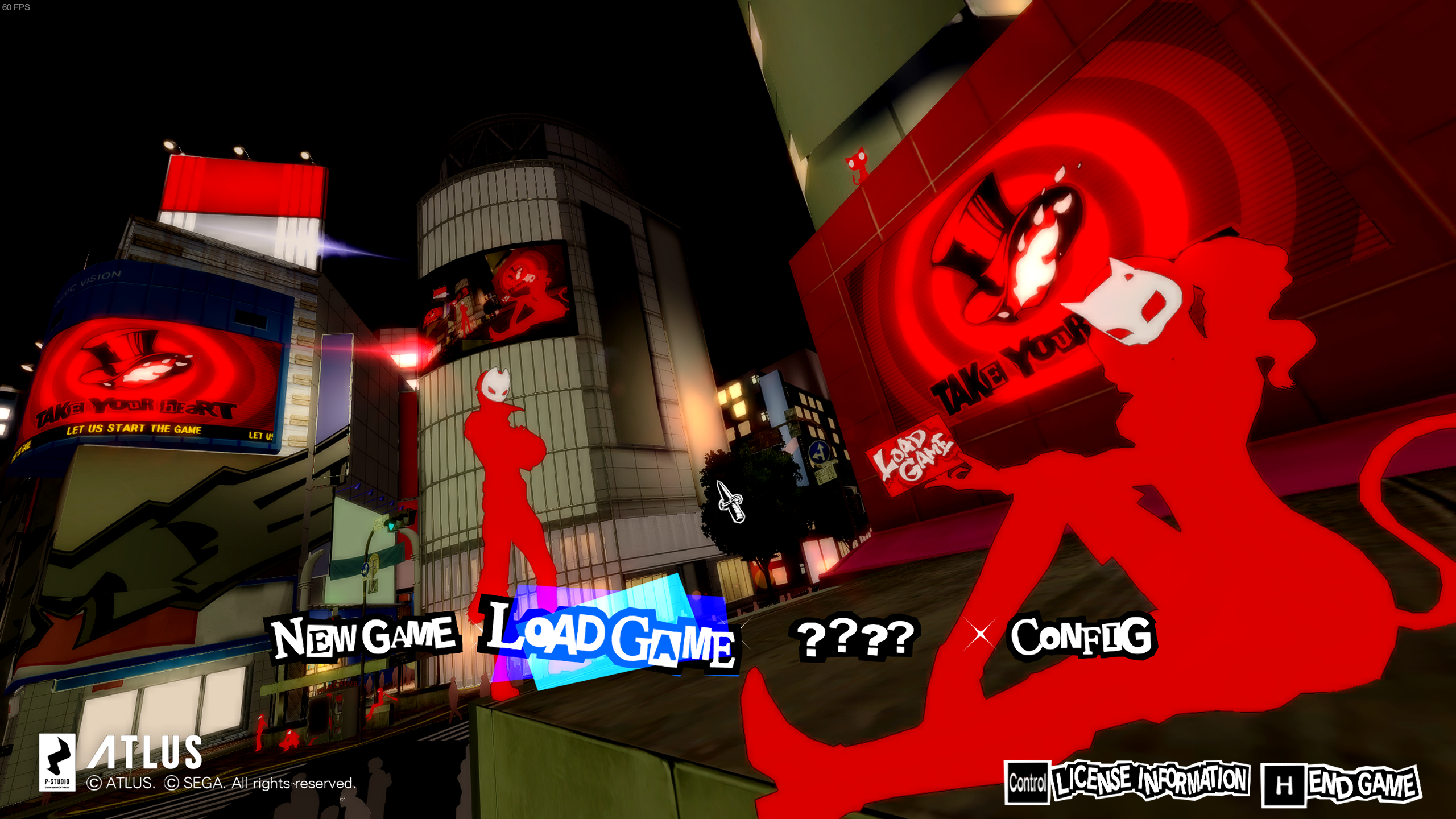
Second report: Got to main menu using @Etaash-mathamsetty's patch.
Ran into permissions issues near the end of the build. Trying to manually finish it, but barring that, I'll just wait for the PR to be merged. Thanks to everyone for their work and research, I can't wait to play this. If someone does have a pre-patched proton and doesn't mind dropping it somewhere, I would hugely appreciate it.
Ran into permissions issues near the end of the build. Trying to manually finish it, but barring that, I'll just wait for the PR to be merged. Thanks to everyone for their work and research, I can't wait to play this. If someone does have a pre-patched proton and doesn't mind dropping it somewhere, I would hugely appreciate it.
GE is now working on it
Ran into permissions issues near the end of the build. Trying to manually finish it, but barring that, I'll just wait for the PR to be merged. Thanks to everyone for their work and research, I can't wait to play this. If someone does have a pre-patched proton and doesn't mind dropping it somewhere, I would hugely appreciate it.
https://juszczak.me/p5r/master-local.tar.gz
This is my build of proton-ge master branch with @Etaash-mathamsetty's patch uploaded to personal server, I can't guarantee it will work for you nor it will stay there forever for download, but you are free to use it if you want.
$ md5sum build/build-master-local/master-local.tar.gz
4cce0d7bf4efe7d9f5e280d23dc9d9b1 build/build-master-local/master-local.tar.gz
Replying to https://github.com/ValveSoftware/Proton/issues/6255#issuecomment-1287573769
No dice, I'm afraid. Still crashing in the same spot, so hopefully the GE PR Will address that.
Replying to https://github.com/ValveSoftware/Proton/issues/6255#issuecomment-1287576325
After unpacking this in .steam/root/compatibilitytools.d, restarting steam and changing used proton version to this one?
Correct. Let me try one more time.
I've double checked that I can launch, load the save file, save it again and no crash happens on my pc. Game still works for me with this build. You may try to create the savedata/SYSTEM directory mentioned above, but I think I have removed the directory before launching P5R with the patch applied, so I don't know if it will help you.
Seems to be working now, thank you!
Anyone with a Deck (who isn't in Denuvo time-out) able to confirm that cloud saves work between the Deck and a Desktop with the patched Proton work as expected?
Replying to https://github.com/ValveSoftware/Proton/issues/6255#issuecomment-1287573769
How do I use this build of proton?
Anyone with a Deck (who isn't in Denuvo time-out) able to confirm that cloud saves work between the Deck and a Desktop with the patched Proton work as expected?
How do I install the patched Proton version? I have played some on Deck and have it installed on my PC as well
Replying to https://github.com/ValveSoftware/Proton/issues/6255#issuecomment-1287573769
Using this gives me a new error:
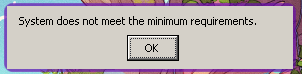
The game launches fine on stock Proton, but has the same issue with writing as everyone else's. I appreciate people working on this as much as they have, by the way!
Replying to https://github.com/ValveSoftware/Proton/issues/6255#issuecomment-1287592784
Im assuming you just strap it into the place where you put your other proton ge builds. (I forgot where lol)
Replying to https://github.com/ValveSoftware/Proton/issues/6255#issuecomment-1287598315
Update your Nvidia/mesa version (mesa 22+, I think Nvidia 510 or higher), i feel like a broken tape record because of the number of times I have to tell different people this lol (clarification: mostly on Reddit and discord, nobody on this thread is guilty)
Anyone with a Deck (who isn't in Denuvo time-out) able to confirm that cloud saves work between the Deck and a Desktop with the patched Proton work as expected?
How do I install the patched Proton version? I have played some on Deck and have it installed on my PC as well
Extract it to ~/.steam/root/compatabilitytools.d/ the same way you would with a GE build.
Update your Nvidia/mesa version (mesa 22+, I think Nvidia 510 or higher), i feel like a broken tape record because of the number of times I have to tell different people this lol
Can't, unfortunately -- it'll break my system. I'm stuck on 470. Apologies, though, I must have missed where you said that before.
Update your Nvidia/mesa version (mesa 22+, I think Nvidia 510 or higher), i feel like a broken tape record because of the number of times I have to tell different people this lol
Can't, unfortunately -- it'll break my system. I'm stuck on 470. Apologies, though, I must have missed where you said that before.
You might want to update soon (probably a distro swap or some other method) since proton 7.0-5 might stop working with your drivers
Opened the PR here with @Etaash-mathamsetty as author. Just needs to be merged and it can be built from source. Should be released for everyone on the next ProtonGE version.
Btw, I'm currently locked out of the game. Could someone test my fork just to make sure everything compiles and plays properly ?
Alright, logged 3 hours into the game without crashing. Plays great.
Replying to https://github.com/ValveSoftware/Proton/issues/6255#issuecomment-1287598850
.... And I am asking because I don't know where that is or what to do next. -_-
Replying to https://github.com/ValveSoftware/Proton/issues/6255#issuecomment-1287573769
The patch didn't work for me, crashed when loading my save file
Ryzen 5 3600
Nvidia GTX 980ti driver 515
Replying to https://github.com/ValveSoftware/Proton/issues/6255#issuecomment-1287573769
Thank you very much. I had tried other patched version's Proton, and it is the only one that which can work for me.
The game will not crash when create or loading save file, anything is OK now.
However, it look like will focus create a new system data when start up the game, no matter user are always sync save file from Windows or other system.
So if everyone already had a save file which created by other system, you may need to sync your save file manually, otherwise the save file will lose.
Here are my system information:
OS: Ubuntu 22.04.1 LTS (64 位元)
KERNEL: 5.15.0-52-generic
CPU: AMD Ryzen 5 3500X 6-Core
GPU: AMD Radeon RX 6600 XT (navi23, LLVM 14.0.6, DRM 3.46, 5.15.0-52-generic)
GPU DRIVER: 4.6 Mesa 22.2.2 - kisak-mesa
PPARAM: 16 GB
Replying to https://github.com/ValveSoftware/Proton/issues/6255#issuecomment-1287651864
Had you change the Proton version before starting the game ? You may need to change it via these step:
- Right click the game on your steam library, choose "properties".
- Click "Compatibility".
- Check "“Force the use…” box, then select the patched version: "master-local".
- Start the game again, everything will be OK now. But before use these patched proton, remember to backup your save, it may lose when it create a new system data.
I currently have a Steam Deck and Garuda Linux desktop. Both of which have btrfs for the file system where the game prefix is installed, so I don’t believe the file system is the main culprit. The desktop has the game data on an NTFS partition as well.
The Deck is able to play the game, including making save files and system data. The desktop crashes where everyone else is crashing: changing system settings, saving new data.
Replying to https://github.com/ValveSoftware/Proton/issues/6255#issuecomment-1287766548
Yes I did all of that, I'm re-extracting the proton build to see if something extracted wrong
I just tested my build and it worked. Good job everyone :smile:
Replying to https://github.com/ValveSoftware/Proton/issues/6255#issuecomment-1287766548
Where do I put the custom build to get it to show up in the list?
Replying to [#6255 (comment)](https://github.com/ValveSoftware/Proton/issues/6255#issuecomment-1287766548)
Where do I put the custom build to get it to show up in the list?
~/.steam/root/compatabilitytools.d/
Thank you everyone for helping with the fix. If this is the fastest commented issue until now? :D 140 comments in approx 24 hours.
I'll wait for the next release of Proton-GE and hope that the patch gets included. Still, I wonder if the Steamdeck receives some special proton build, hotfixes etc. that nobody has heard of. Would be interesting to know why it works there from the start.
And once again: An Atlus title needing special care to work. P4G was a neverending journey as well. Good that this seems to be a small fix.
I've managed to run the game without using a custom Proton build. It worked with Proton Experimental.
The game seems to use a different code path on the Deck.
I was already using the Deck branch of Steam client on desktop for the new UI (-gamepadui), so I've tried to run the game and it worked perfectly. Then I've switched to the regular Steam branch and the game crashed. Switched back to the Deck branch and it worked again.
So all you need to do is to switch to the Deck branch:
- Exit Steam
- Run
steam -steamdeck - Let the client update
- Check if Steam is on "Steam Deck Stable" or "Steam Deck Beta" branch in Settings > Account > Beta
Steam will revert to the regular branch if you launch it without the -steamdeck argument so you'll probably want to add it to Steam's .desktop file.
Replying to https://github.com/ValveSoftware/Proton/issues/6255#issuecomment-1287833522
GE told me that he will be working on the next build this weekend
@tkashkin Wow, that really solves it. Suddenly the existing Proton-GE 7-37 also works. Why does the game not take the same unimplemented Transaction functions when started like that? Does the SteamWorks integration transmit that information and did Atlus encounter this problem on the Deck prior to release and fixed it only when started on Steamdeck? Still seems questionable to use functions that Microsoft itself recommends against at all even if it works in Windows.
@kisak-valve Could you comment on that or check why the game behaves different on deck? If developers start implementing workarounds just for the Deck and those fixes are not applied to "normal" Linux users, this could lead to some annoying fragmentation in the future.
@tkashkin worked for me too ty!
Hello @Johaine, friendly reminder that I'm a moderator for Valve's issue tracker on Github, and not a Valve developer myself. I don't have any special insight into the game's behavior.
Hi @kisak-valve sorry that I involved the wrong person. How can/should I point this behaviour out to a developer? Open a separate issue? Mention someone else like ivyl? I thought you might be able to forward the question to the right person.
If my guess is right (maybe only Atlus can say that for sure) it's probably not a Proton issue itself but something like an issue with the guidelines for using the Steamworks SDK or something like that. Where can I go with my questions? Do you know?
Replying to https://github.com/ValveSoftware/Proton/issues/6255#issuecomment-1287835965
Isn't that UI limited to non-nvidia GPUs though?
Replying to https://github.com/ValveSoftware/Proton/issues/6255#issuecomment-1287851622
This is the right place for all feedback related to running Persona 5 Royal with Proton. You've already found the right place for that discussion.
Personally, I don't think it really matters in this case because the correct way forward is (almost) always for Proton/wine to grow support for the parts that are missing to run the game. Since @Etaash-mathamsetty wants to send their work upstream, that's the best case scenario for everyone. After that, pondering the potentially brittle / lost save data seems more interesting to investigate than why there is a Steam-running-in-Steam-Deck-mode specific behavior.
@ItsRogueRen You don't need to use the new UI, desktop client or Big Picture mode work as well.
You only need to switch Steam to the Deck branch and the game will use the working code path as it does on the Deck.
Personally, I don't think it really matters in this case because the correct way forward is (almost) always for Proton/wine to grow support for the parts that are missing to run the game. Since @Etaash-mathamsetty wants to send their work upstream, that's the best case scenario for everyone. After that, pondering the potentially brittle / lost save data seems more interesting to investigate than why there is a Steam-running-in-Steam-Deck-mode specific behavior.
Sorry, but I disagree. If the Deck has the potential to make some games run differently, we should at least be able to replicate that behavior on desktop. Who knows how many other crashes we could get because of it? And not just for P5R, but for any other game.
Now I wish that we could set it per game instead of the whole client. Changing it seems to have messed up the prefixes for all my other games :disappointed:
However, it look like will focus create a new system data when start up the game, no matter user are always sync save file from Windows or other system.
So if everyone already had a save file which created by other system, you may need to sync your save file manually, otherwise the save file will lose.
After that, pondering the potentially brittle / lost save data seems more interesting ...
This is concerning to me too. Can anyone provide more details on what's going wrong here? Does this happen every time you start it on a desktop? Or just the first time? Does the the newly-created save data overwrite what's in the Steam Cloud?
I'm still grounded by Denuvo, but I can test some more this evening.
Being able to switch between the Deck and my Desktop was the whole reason for getting P5R on Steam, so I'd be sad if it puts me at risk of losing my save-game.
Replying to https://github.com/ValveSoftware/Proton/issues/6255#issuecomment-1287858051
Well, @kisak-valve has a point. We got a stub implementation of a few new functions in wine now which brings us closer to supporting all the windows games on linux.
I wonder if this was the only steam deck specific code or there are more changes. For example, maybe -steamdeck code path could affect the performance of the game on linux and we could squeeze more fps.
Also, one has to wonder why they did the if steamdeck in the first place, instead of changing implementation. Windows would run anyway, so they could just use steam deck variant everywhere.
Replying to https://github.com/ValveSoftware/Proton/issues/6255#issuecomment-1287860733
I am not sure what's going on, but it just happen on first time on desktop. The newly-created save data will not overwrite the save in the Steam Cloud, so just move the old save data to the linux's save folder, everything should be OK.
Could someone test my fork just to make sure everything compiles and plays properly ?
@lucasssvaz I can confirm that it works, I just built and tried it successfully.
git clone --recurse-submodules https://github.com/lucasssvaz/proton-ge-custom.git -b feature/p5r_patch ./ge-proton-persona-5-royal-patch
./patches/protonprep-valve-staging.sh &> patchlog.txt
./patches/protonprep-valve-staging.sh &> patchlog.txt
mkdir build && cd build
../configure.sh --enable-ccache --build-name=GE-Proton7-37-p5r --container-engine=docker
make redist &> log
tar -xf GE-Proton7-37-p5r.tar.gz -C "${HOME}/.steam/root/compatibilitytools.d/"
Changing it seems to have messed up the prefixes for all my other games
How did it mess up your other prefixes? After you started the other games?
Well, kisak-valve has a point. We got a stub implementation of a few new functions in wine now which brings us closer to supporting all the windows games on linux.
Yeah, but in an ideal world, the developer would fix the game for everyone (Windows, Steamdeck, "normal" Linux) and not sweep it under the carpet (OR b) don't fix it and let Wine/Proton handle it through a patch.)
Proton/Wine will obviously be better with the not implemented functions not crashing the server/game. But I still don't like fixes by the developers that only hide the problem or make the cornercase smaller instead of solving it for good.
Replying to [#6255 (comment)](https://github.com/ValveSoftware/Proton/issues/6255#issuecomment-1287860733)
I am not sure what's going on, but it just happen on first time on desktop. The newly-created save data will not overwrite the save in the Steam Cloud, so just move the old save data to the linux's save folder, everything should be OK.
Did you per chance close P5R abruptly? I had one problem when we were testing the patch, where I've just killed the game and it had a problem with launching again. After removing the save directory (which seemed to be corrupted ?), playing and closing the game nicely, I had no more problems regarding save data. But I am launching it on one linux machine only, no steamdeck/windows sync.
Edit:
Well, it actually makes sense - we replaced the transactional file functions with normal file functions. So if the game tried to write anything and was killed, the save file could get corrupted. It would be nicer if Atlus would replace the transactional deprecated api with different implementation.
Just a note, when using the patched version of ProtonGE it would still crash at first (probably due to caching). I tried running with WINEDEBUG="+relay" to figure out the problem and this time I was able to get past that screen. I removed the WINEDEBUG and the game ran normally and I was able to play and save the game.
Later the game crashed after the first valvet room cutscene. I'll replay it and see if it happens again.
EDIT: It stopped working for some reason :(
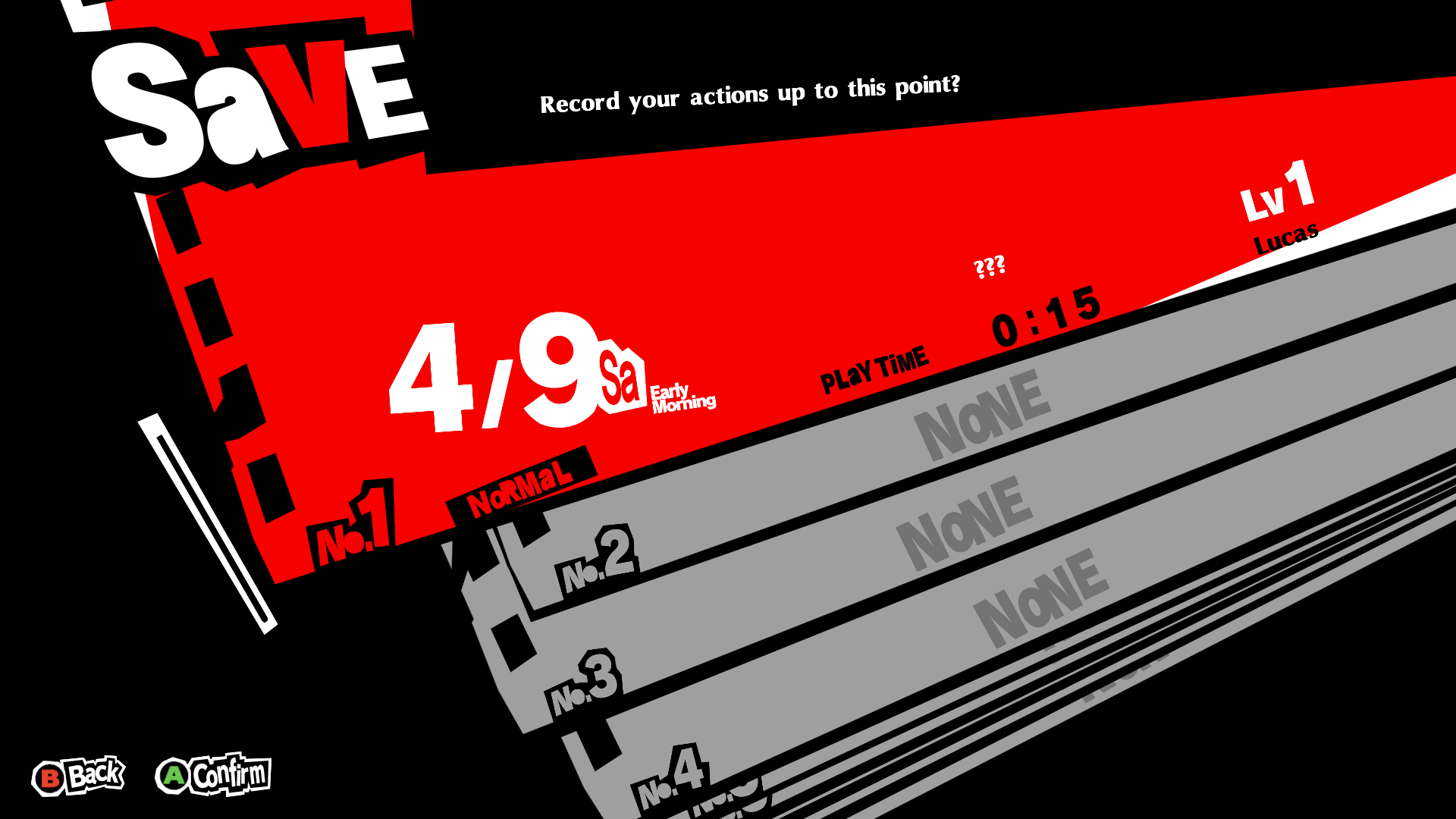
Personally, I don't think it really matters in this case because the correct way forward is (almost) always for Proton/wine to grow support for the parts that are missing to run the game. Since @Etaash-mathamsetty wants to send their work upstream, that's the best case scenario for everyone. After that, pondering the potentially brittle / lost save data seems more interesting to investigate than why there is a Steam-running-in-Steam-Deck-mode specific behavior.
I agree that the right way to proceed is to upstream a fix into Wine, but knowing exactly why the behavior differs specifically on the Steam Deck is also very important. It can help diagnose issues further down the line, and if it truly is the game's developers explicitly coding a different codepath for the Steam Deck, I think that should be heavily discouraged as potentially damaging to the Linux gaming ecosystem as a whole. As @osiox says, it could be even as small as minor performance improvements that desktop Linux users would be missing out on completely unknowingly.
cleaned up upstream mr: https://gitlab.winehq.org/wine/wine/-/merge_requests/1145
Changing it seems to have messed up the prefixes for all my other games
How did it mess up your other prefixes? After you started the other games?
Yeah, all the games I launched reinstalled everything on the prefix (like DirectX, MSVC runtimes...), as if playing for the first time. And then most games said that Steam Cloud was out of sync, and clicking on "Retry Sync" wouldn't do anything at all, saves wouldn't download. Also, a bunch of games tried to update to their Windows versions, which I don't really like because they run worse than the native ones on my computer.
It's probably because of something specific to my system, so it might not happen to everyone, but I'm back to the "normal" client and will wait until proton is fixed.
Replying to https://github.com/ValveSoftware/Proton/issues/6255#issuecomment-1287869492
In my case, I've got past the first velvet room cutscene without any crashes from starting new game. Did you have anything in the proton log or you had that turned off ?
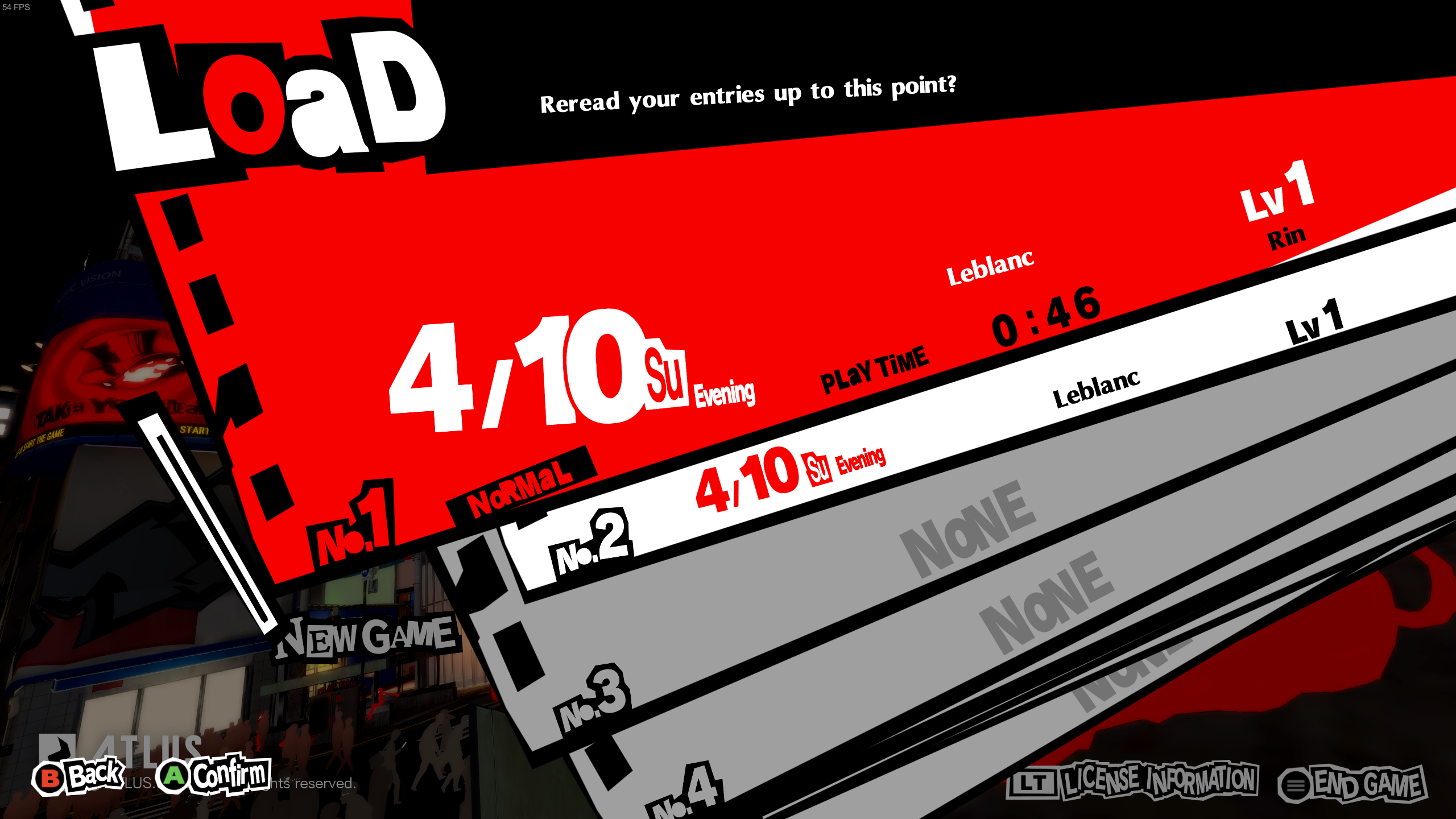
For some reason it stopped working for me 😢 It is crashing at the same point but with a different error:
0214:Call KERNEL32.WriteFile(00000014,14004b8c0,0000006b,0021f74c,00000000) ret=140022edf
0214:Call ntdll.NtWriteFile(00000014,00000000,00000000,00000000,0021f650,14004b8c0,0000006b,00000000,00000000) ret=7b022b7f
Unhandled exception: page fault on write access to 0x000000000000003c in 64-bit code (0x00007f17260f002e).
Does anyone knows a possible reason for this ? It might be something missing on my PC as everyone seems to be able to play properly now.
[...] knowing exactly why the behavior differs specifically on the Steam Deck is also very important.
@vickyorlo It is known that several games already use different code paths for the Steam Deck, as the Steamworks API has specific calls to tell if the game is running on a Deck or not. The problem at hand is not only "minor performance improvements" (which are targeted at the Deck anyway, and desktop users might not need those at all since they are not limited by the 15W total power package), but overall differences that could also hinder the desktop usage. For example Warframe runs in controller mode only if ran on a Deck, and there's no "Desktop Mode" that can change its behaviour. Similarly, Cyberpunk 2077 detects the Deck and enables the optimized graphics settings profile for it; and I believe it could be also used for advanced controller mapping (eg. the capacitive analog sticks, or the rear buttons on the Deck).
My wild guess is that ATLUS was preparing for TGS and they wanted to show P5R on the Deck to represent Steam gaming, so they hacked around a code path that worked fine on it just for that showcase, and then they kinda left that there.
PS: Of course Japanese companies are all after the Deck and nothing else; the console gaming market, especially of portable consoles, is huge there.
Replying to https://github.com/ValveSoftware/Proton/issues/6255#issuecomment-1287872330
that doesn't make sense, why would it crash on WriteFile? Maybe try deleting your prefix and checking the game files and the save file
Replying to [#6255 (comment)](https://github.com/ValveSoftware/Proton/issues/6255#issuecomment-1287872330)
that doesn't make sense, why would it crash on WriteFile? Maybe try deleting your prefix and checking the game files and the save file
I did that and now it works, thanks! I probably messed something up while testing different proton versions.
Replying to https://github.com/ValveSoftware/Proton/issues/6255#issuecomment-1287860733
I don't have a deck, so can't say anything there, but between running steam with
steam -steamdeck
and running normally, but with the patched proton GE, they seem to write to different files. I thought I lost my save when switching, but then got it back when I restarted steam in non -steamdeck mode. Situation could still be the same, though you should probably back up to make sure if you want to experiment. I could see it still being annoying when it comes to switching between steam deck and PC though.
So my Steam Deck save file is gone now after using the patched Proton version, and Steam Client cannot seem to resync the cloud save for some reason? I'm not in deck mode on the desktop client, its all defaults, so I have no idea why a proton version is blocking cloud saves?
As soon as I change to another proton version I can cloud sync again
Launching the game again with the patched proton gets rid of my save file
Replying to https://github.com/ValveSoftware/Proton/issues/6255#issuecomment-1287904677
Yep, I checked mine and this happened to me as well.
So my Steam Deck save file is gone now after using the patched Proton version, and Steam Client cannot seem to resync the cloud save for some reason?
I'm getting the same problem. When I try to sync, Steam's command-line output says: Failed to resolve path before download, but that's it.
Just like with @ItsRogueRen, the desktop client fails to sync, switching Proton versions allows it to sync, but switching back to the patch will overwrite and delete the save.
Replying to https://github.com/ValveSoftware/Proton/issues/6255#issuecomment-1287966017
I will also add the save persists on my Steam Deck just fine
I got a little more information about the steam cloud sync, but I don't know what to make of it.
I ran steam with the -fs_log and -console flag to get some more logging for filesystem operations and access to the steam client console (I learned about that from this gist). With that, I see two more messages in the output:
saving roaming config store to 'sharedconfig.vdf'
roaming config store 2 saved successfully
This appears whenever cloud saves for the game are enabled or disabled. The Failed to resolve path before download message is still there as well.
Going to the console, I tried commands like cloud_get_num_files and cloud_get_file_info which reported that there are 0 files in Persona 5's cloud save:
] cloud_get_num_files 1687950
Num files for 1687950: 0] cloud_sync_app 1687950

] cloud_get_file_info 1687950 0
File 0 for App 1687950: '', size = 0, root = -1
Running commands like cloud_sync_app and cloud_sync_up simply trigger the same Failed to resolve path before download message.
When I switch to another version of Proton, the cloud sync succeeds. However, cloud_get_num_files still reports 0 files.
@GloriousEggroll just handled the pull request, gg everyone!
https://github.com/GloriousEggroll/proton-ge-custom/commit/8a0e5db9899b0c78aceea0eb8163b2a9645a2f9c
It's very strange that switching Proton versions would affect whether cloud saving works. And it's not merely switching versions that allows it to sync. I switched to a different version of the same patched Proton build and the sync failed. Even after syncing succeeds, running on the patched Proton will still trigger the "Creating Save Data" screen and potentially clobber your save. Something about this patch has either broken (or more likely failed to fix) the game's ability to work with cloud saves.
I switched to a different version of the same patched Proton build and the sync failed. Even after syncing succeeds, running on the patched Proton will still trigger the "Creating Save Data" screen and potentially clobber your save.
It'd be good to know if Steam Cloud syncing of saves between Steam Deck (hardware) and Windows works. Then it'd be clarified if it's a problem with the game code or the Wine / Proton patch. Unfortunately I don't have a Steam Deck (yet), only a Windows VM for testing.
I switched to a different version of the same patched Proton build and the sync failed. Even after syncing succeeds, running on the patched Proton will still trigger the "Creating Save Data" screen and potentially clobber your save.
It'd be good to know if Steam Cloud syncing of saves between Steam Deck (hardware) and Windows works. Then it'd be clarified if it's a problem with the game code or the Wine / Proton patch. Unfortunately I don't have a Steam Deck (yet), only a Windows VM for testing.
I have a Windows PC I can use tomorrow to test with
I switched to a different version of the same patched Proton build and the sync failed. Even after syncing succeeds, running on the patched Proton will still trigger the "Creating Save Data" screen and potentially clobber your save.
It'd be good to know if Steam Cloud syncing of saves between Steam Deck (hardware) and Windows works. Then it'd be clarified if it's a problem with the game code or the Wine / Proton patch. Unfortunately I don't have a Steam Deck (yet), only a Windows VM for testing.
I haven't tested much, but between Windows and Deck seems to work fine for me.
Edit: Been testing more, no problems found while playing back and forth between both systems.
Could someone link a log with the patched proton? (With cloud sync from steam deck)
there are already some stubs for transacted functions in wine (which won't give the unimplemented function crash), so I would need to see the logs to check for it
It's very strange that switching Proton versions would affect whether cloud saving works. And it's not merely switching versions that allows it to sync. I switched to a different version of the same patched Proton build and the sync failed. Even after syncing succeeds, running on the patched Proton will still trigger the "Creating Save Data" screen and potentially clobber your save. Something about this patch has either broken (or more likely failed to fix) the game's ability to work with cloud saves.
I'm guessing this whole save file bug isn't anything the game programmers did, but something in the newer Steam SDK they used. It explains why the Steam Deck has a separate code path.
@Etaash-mathamsetty I've got a log of running the game and having it "overwrite" a cloud save. The whole log is 2GB, but I filtered it down to any mention of the freshly implemented functions or the SYSTEM.DAT file and put the result in a gist here.
Some details about the log:
- This is the actual command I ran to filter it:
grep -C 3 -E 'CreateFileTransacted|CreateDirectoryTransacted|CreateFileTransacted|DeleteFileTransacted|FindFirstFileTransacted|GetFileAttributesTransacted|RemoveDirectoryTransacted|SYSTEM\.DAT' - Before running this, I switched to a different Proton version (7.0-4) so that it could successfully download a cloud save from a day of playing normally on the Deck. I checked the sha256 of the save files and confirmed that the save file off my Deck was indeed downloaded onto my desktop.
- I switched back to the patched Proton and ran the game. When starting, the "Creating Save Data" screen appeared, and the local save data file was overwritten.
Replying to https://github.com/ValveSoftware/Proton/issues/6255#issuecomment-1288192935
the issue is that they are calling CreateFIleTransactedA with CREATE_ALWAYS, which always overwrites the file. Not sure why it's working on windows
Thanks for the log @camtauxe.
Could you please also post relevant excerpts from the following log?
grep 'AppID 1687950' ~/.local/share/Steam/logs/cloud_log.txt
@Etaash-mathamsetty
Maybe there is an error event in the Steamworks layer:
https://partner.steamgames.com/doc/features/cloud#debugging
@AnonLibre Okay, here's a gist with the log. Looking at the timestamps, this should cover everything I did around launching the game for the other log earlier today.
@AnonLibre Okay, here's a gist with the log. Looking at the timestamps, this should cover everything I did around launching the game for the other log earlier today.
I didn’t dig too far into the log, but I noticed it’s trying to save to the Steam userdata folder as opposed to the usual Windows/prefix %appdata% folder. That seems wrong
With the CreateFile patch, I could start the game, thanks!
However when the game ask me to sign my name, the keyboard doesn't work. The "D" and ` grave key are the only key responding.
Tried to set LANG=ja_JP.UTF-8 %command%, doesn't help.
Is there anyone got this problem either?
With the CreateFile patch, I could start the game, thanks!
However when the game ask me to sign my name, the keyboard doesn't work. The "D" and ` grave key are the only key responding.
Tried to set LANG=ja_JP.UTF-8 %command%, doesn't help.
Is there anyone got this problem either?
Don't mind, English version game world work. I'll name myself with English game, then switch back to Japanese.
patch is in upstream proton
FYI https://github.com/manueliglesiasgarcia/proton-ge-custom has a build of the latest Proton-GE master (containing the patch).
FYI @camtauxe @ItsRogueRen @outphase
While researching, I found this GitHub issue with the following quote from @TTimo:
https://github.com/ValveSoftware/SteamOS/issues/836#issuecomment-1230360602
Proton supports upgrading prefixes from an older version to a newer one.
From what you describe I think what's happening is that Proton deletes prefixes from newer versions it doesn't know about.
I don't think Proton will ever support downgrading prefixes. Maybe Steam should show a confirmation dialog rather than silently > deleting the newer prefix. This would be similar to how cloud sync prompts you if there is a conflict.
There may be a connection with the disappearing saves between Deck and desktop Steam.
I have changed the Proton version several times to provoke a cloud sync error in Steam (desktop, native, arch). The Proton switching (experimental and official) worked for me without any problems, the save games were restored.
As I said, I do not have a Deck, so I can't test further.
After deleting ~/.local/share/Steam/userdata/95663338/1687950 (95663338 being my Steam profile ID) the cloud save started working as intended for me, while using the patched Proton-GE build. Tested saving a few times between desktop and deck with no issues.
patch is in upstream proton
Thanks for everyone's contribution, issues close : )
GE-Proton7-38 Released
https://github.com/GloriousEggroll/proton-ge-custom/releases/tag/GE-Proton7-38
GE-Proton7-38 Released
I think it should also be possible to use proton experimental bleeding edge
Just tried this on Proton Experimental and it failed. GE-38 did work.
Looks like a new build hasn't been pushed yet.
Just tried this on Proton Experimental and it failed. GE-38 did work. Looks like a new build hasn't been pushed yet.
Just in case: bleeding-edge is a specific branch of Proton Experimental you first need to opt in to:
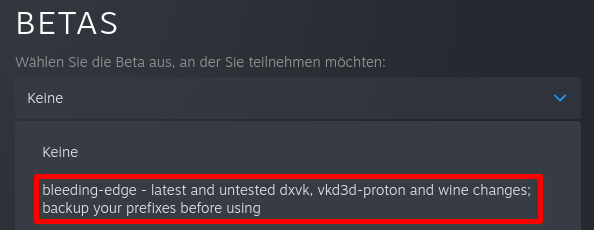
Ok. I'll just wait on it. GE is good for now.
Also, it should be possible to bring back PS4 saves, provided you have a modded one.
- https://github.com/zarroboogs/fiber-saveutil (https://github.com/DistantThunder/fiber-saveutil/tree/fix_linux_paramsfo -> my patched version because it won't work as is on Linux)
- Unfortunately, for the Raidou Kuzunoha DLC I couldn't make ReloadedII work in Proton nor could I statically patch the game's resource files per
- https://docs.shrinefox.com/getting-started/persona-5-royal-pc-mod-support/manually-installing-pc-mods
(It just won't start with a repacked file)
Replying to https://github.com/ValveSoftware/Proton/issues/6255#issuecomment-1291060281
How do I get this one? It's not on the list for me.
@kisak-valve
Compatibility Report
- Name of the game with compatibility issues: Persona 5 Royal
- Steam AppID of the game: 1687950
System Information
- GPU: AMD Radeon RX 7800 XT
- Video driver version: Mesa 24.0.6 (LLVM 17.0.6, DRM 3.57)
- Distro Type: Gentoo LLVM17
- Kernel version: 6.8.9-tkg-eevdf-gentoo-llvm-zen2
- Link to full system information report: Gist
- Proton version: 8.0-5
I confirm:
- [x] that I have checked whether there are updates for my system available.
Symptoms
Launching the game results in a crash after the game window appears that displays a black screen.
(Doesn't full-screen before crashing.)
EDIT:
It seems(?) using the eevdf kernel scheduler (6.6+ vanilla kernel default) is what makes this issue possible (for every game) somehow; when using the pds scheduler, the game runs. My entire Wayland Plasma 6 desktop crashed when I tried to alt-tab with the pds kernel, but the game does run this way.
Reproduction
- Launch the game
Proton versions
proton experimentalx7 2022-10ge-proton7-38x2 2022-10ge-proton7-37x1 2022-10proton 7.0-5x1 2022-10proton 7.0x1 2022-10
Launch options
WINEDEBUG="+relay"x2 2022-10WINEDEBUGx1 2022-10PROTON_LOG=1x1 2022-10WINEDEBUG=+allx1 2022-10STEAM_COMPAT_INSTALL_PATHx1 2022-10PROTON_DUMP_DEBUG_COMMANDS=1x1 2022-10WINEDEBUG='+relay'x1 2022-10
Launch lines
LANG=ja_JP.UTF-8 %command%x2 2022-10
Upstream links
- ValveSoftware/SteamOS/issues/836x1 2022-10
- GloriousEggroll/proton-ge-custom/pull/80x1 2022-10
DLLs
kernel32.dllx6 2022-10
Compatibility Report
System Information
https://gist.github.com/VergeDX/91ecefe73dabba0ff0ae97eff6a27d6f
I confirm:
Symptoms
Game window shows, after bottom right intro animation,
shows "GAME DATA" and loading, then the crash happens.
Reproduction
Simpliy click "Play Game".