After last Steam update Logitech G29 Wheel not working anymore in Proton
I noticed the same in ETS2 with my G29. Also in Dirt rally 2 the wheel is detected as an xbox 360/one controller if I use proton 7.0 but if I switch back to 6.3 it's working fine (7.0 worked in the morning just before I got the steam update). The same can be observed in ACC which worked before with proton 7.0 but not anymore, switching back to 6.3 works. Another thing I noticed is that yesterday steam didn't detect the wheel at all when I went into Settings->Controller but today it's detected as a PS controller there.
Yep I have the same or similar issue , same steam package version .... It's not limited to proton I think. Native Dirt 4 also does not work plus proton ACC and automobilista 2. Some buttons respond but no wheel or pedal input at all. Tested in oversteer so wheel working fine problem is confined to steam. Is detected as a PS3 controller in steam. Is working in 6.3.8 ... but I think this is a wider problem than proton.
I have the same issue with my G29 and f1 22, it is a steam client issue.
I have a similar issue.
My G29 doesn't work anymore in Dirt Rally 2.0.
The game now only recognizes it as a xbox360 controller.
EDIT:
For me it doesn't even work with Proton 6.3.8
I personally believe it's a steam issue judging by the fact that you don't even touch proton by the time the xbox 360 controller device is created in your system, and the guy above that mentioned it affects native titles.
For transparency, I transferred this issue report to the Proton issue tracker because of the feedback that Proton 6.3 is unaffected while Proton 7.0 is having an issue. In general, we want to track issues with games run with Proton in the Proton issue tracker.
It would be nice for a Proton dev to evaluate this issue first, and if they find that this is indeed a Steam client issue, they can give me a ping to transfer this issue report back to the steam-for-linux issue tracker.
Another weird thing is that proton-GE 7.38 used to work but the same proton-GE 7.38 now doesn't work (I tried f1 22 in particular)
Proton 7 and experimental used to work too before the steam client update. My best GUESS is that proton 6 and earlier do not rely on the the steam client to identify the controller, proton 7 and later does. The steam client is now misidentifying the G29 . This would explain why 6 works but 7, exp and native games (which previously worked fine) do not. .... I may be way off the mark , but fits what I'm seeing.
Ok a little more testing ACC in 6.3.8. Although the wheel and pedals are working the DPAD seems to be registering double presses.
Automoblilista 2 is still not working for me at all in 6.3.8
Same issue with ETS2 and G29
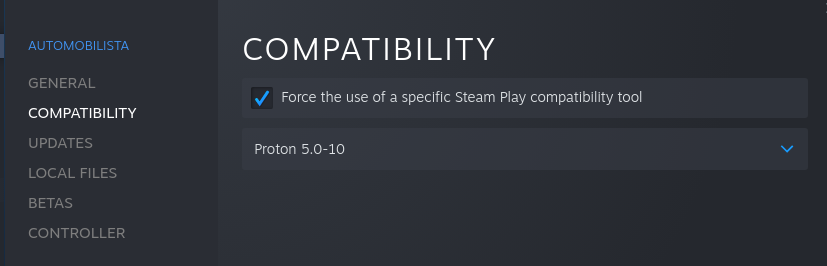
Same problem, but it works with Proton 5.0-10
With new proton versions if i run
./wine control joy.cpl
I can see that G29 is detected but the game don't detect.
With Proton 5.0-10 i cant run
./wine control joy.cpl
with errors:
Proton 5.0/dist/bin > ./wine control joy.cpl
wineserver: using server-side synchronization.
0064:err:module:load_so_dll failed to load .so lib "/run/media/moacirrf/Arquivos/steam/SteamLibrary/steamapps/common/Proton 5.0/dist/bin/../lib64/wine/winebus.sys.so": libudev.so.0: não é possível abrir arquivo compartilhado: Arquivo ou diretório inexistente
0064:err:ntoskrnl:ZwLoadDriver failed to create driver L"\Registry\Machine\System\CurrentControlSet\Services\winebus": c0000142
0034:fixme:service:scmdatabase_autostart_services Auto-start service L"winebus" failed to start: 1114
0024:err:module:load_so_dll failed to load .so lib "/run/media/moacirrf/Arquivos/steam/SteamLibrary/steamapps/common/Proton 5.0/dist/bin/../lib/wine/dinput8.dll.so": libSDL2-2.0.so.0: não é possível abrir arquivo compartilhado: Arquivo ou diretório inexistente
0024:err:module:import_dll Loading library dinput8.dll (which is needed by L"C:\windows\system32\joy.cpl") failed (error c000007a).
/run/me/m/Arquivos/steam/SteamLibrary/steamapps/common/Proton 5.0/dist/bin > ./wine winecfg.exe
wineserver: using server-side synchronization.
0064:err:module:load_so_dll failed to load .so lib "/run/media/moacirrf/Arquivos/steam/SteamLibrary/steamapps/common/Proton 5.0/dist/bin/../lib64/wine/winebus.sys.so": libudev.so.0: não é possível abrir arquivo compartilhado: Arquivo ou diretório inexistente
0064:err:ntoskrnl:ZwLoadDriver failed to create driver L"\Registry\Machine\System\CurrentControlSet\Services\winebus": c0000142
0034:fixme:service:scmdatabase_autostart_services Auto-start service L"winebus" failed to start: 1114
I take care to change the WINEPREFIX before run
wine control joy.cpl.
I have the same issue in DiRT Rally 2.0 as phil0x2e. I did not change anything, and at first my controls were very messed up (Square and Circle buttons switched, L2 being accelerate), and then the G29 was not recognized at all, instead being replaced with an X-Box 360 controller.
I did as much searching as I could, and found that when DiRT Rally 2.0 is launched, it creates a virtual X-Box 360 controller. Using 'sudo dmesg', I found when it was being created, and used jstest-gtk to find its location. Deleting the device after it was created did not solve the issue.
I tested this on Proton Experimental, Proton 7.0-4 and Proton 6.3-8. No change was found between any version.
Any Steam Controller/Steam Input settings changed made no difference.
To note, the G29 was detected as a Playstation 3 controller instead of a Logitech G29. I am not sure if this is relevant, but I'd like to be as thorough as possible.
Have the same problem with Automobilista 2. I tried proton 7 and 6.3 with the same results
When I connect my G29 I see a steam popup informing me that I connected a PS3 gamepad.
This might be the source of the issue: https://github.com/libsdl-org/SDL/commit/f2ce7c5fb25278af9b229efa55e94230a4ca0d51
It seems someone wanted to use the wheel as a PS game controller to play non-driving games.
It's not confirmed, I couldn't test it.
Edit: See also https://github.com/libsdl-org/SDL/commit/33a68f575f484723aa326f8a2d96f2b8a084da4a
@berarma The timeline seems a bit murky, when I look up the arch repos it says that sdl2 hasn't been updated since 2011-11-02/03(32 and 64 bit) and looking at the versions that commit was not even going to go to the version currently in the repos(2.24.2).
From what I see 2.26.0 is now in the testing repos, so hold your fingers for that update or someone could try the testing repo version if they got the time.
You might be onto something tho
@berarma The timeline seems a bit murky, when I look up the arch repos it says that sdl2 hasn't been updated since 2011-11-02/03(32 and 64 bit) and looking at the versions that commit was not even going to go to the version currently in the repos(2.24.2).
From what I see 2.26.0 is now in the testing repos, so hold your fingers for that update or someone could try the testing repo version if they got the time.
You might be onto something tho
Doesn't Steam/Proton ship its own libraries?
Checking the system information I posted initially it seems there's no override/pinning/loading of another sdl version
Can confirm that multiple games are showing the same behaviour on a fresh install, some seem to work when switching to G27 mode in Oversteer, but it's a non ideal workaround. As @berarma points out, the wheel suddenly appears as a PS3 controller, which was not eveng showing up on the steam settings up until this issue started.
I've updated my previous comment with another suspicious commit: https://github.com/libsdl-org/SDL/commit/33a68f575f484723aa326f8a2d96f2b8a084da4a
Is it possible the gamecontroller database has been backported to older SDL versions? I can see this definition in my libSDL files inside the steam folder, maybe because they're the latest version, but I'm not sure when are these used.
I'm not doing any claims, I know little about the way Steam/Proton links libraries, but I find this findings very suspicious. Take it cautiously and I hope someone can completely discard it or confirm it.
@berarma The timeline seems a bit murky, when I look up the arch repos it says that sdl2 hasn't been updated since 2011-11-02/03(32 and 64 bit) and looking at the versions that commit was not even going to go to the version currently in the repos(2.24.2).
From what I see 2.26.0 is now in the testing repos, so hold your fingers for that update or someone could try the testing repo version if they got the time.
You might be onto something tho
Hi guys, i tested with SDL 2.26.0 on Manjaro, still don't working with Proton 7.0.4, but works with Proton 5.0.
Games:
RFactor 2
City Car Driving
Can confirm that multiple games are showing the same behaviour on a fresh install, some seem to work when switching to G27 mode in Oversteer, but it's a non ideal workaround. As @berarma points out, the wheel suddenly appears as a PS3 controller, which was not eveng showing up on the steam settings up until this issue started.
Works in proton 7 when set to G27 emulation in oversteer in native games and proton ... not ideal
@berarma The timeline seems a bit murky, when I look up the arch repos it says that sdl2 hasn't been updated since 2011-11-02/03(32 and 64 bit) and looking at the versions that commit was not even going to go to the version currently in the repos(2.24.2).
From what I see 2.26.0 is now in the testing repos, so hold your fingers for that update or someone could try the testing repo version if they got the time.
You might be onto something tho
The following turns up in ~/.steam/debian-installation/config/config.vdf when I connect the G29
"SDL_GamepadBind" "03000000de280000ff11000001000000,Steam Virtual Gamepad,a:b0,b:b1,back:b6,dpdown:h0.4,dpleft:h0.8,dpright:h0.2,dpup:h0.1,guide:b8,leftshoulder:b4,leftstick:b9,lefttrigger:a2,leftx:a0,lefty:a1,rightshoulder:b5,rightstick:b10,righttrigger:a5,rightx:a3,righty:a4,start:b7,x:b2,y:b3,platform:Linux
03000000de280000fc11000001000000,Steam Controller,a:b0,b:b1,back:b6,dpdown:h0.4,dpleft:h0.8,dpright:h0.2,dpup:h0.1,guide:b8,leftshoulder:b4,leftstick:b9,lefttrigger:a2,leftx:a0,lefty:a1,rightshoulder:b5,rightstick:b10,righttrigger:a5,rightx:a3,righty:a4,start:b7,x:b2,y:b3,platform:Linux
030000006d0400004fc2000011010000,Logitech G29 Racing Wheel,a:b0,b:b2,back:b8,dpdown:h0.4,dpleft:h0.8,dpright:h0.2,dpup:h0.1,guide:b24,leftshoulder:b5,leftstick:b11,lefttrigger:b7,rightshoulder:b4,rightstick:b10,righttrigger:b6,start:b9,x:b1,y:b3,"
Can confirm that multiple games are showing the same behaviour on a fresh install, some seem to work when switching to G27 mode in Oversteer, but it's a non ideal workaround. As @berarma points out, the wheel suddenly appears as a PS3 controller, which was not eveng showing up on the steam settings up until this issue started.
Works in proton 7 when set to G27 emulation in oversteer in native games and proton ... not ideal
Definitely not ideal, F1 22 wanted me to select items in the menu by shifting in the 6th gear on the shifter lmao
What concerns me most is that there has been no communication from the developers as the problem is being resolved.
What concerns me most is that there has been no communication from the developers as the problem is being resolved.
I assume everything is at least acknowledged, kisak goes through issues very dilligently and triages them really well. There are many smaller components and many different priorities, and this problem in particular seems rather niche and probably more esoteric than we're led to believe.
It's much more of a healthier mindset to think that problems are looked at as soon as you post about them, cause it's actually the case more often than not.
In my case this means that I don't play anything, as 90% of my games are racing sims, which is why I'm so worried.
In my case this means that I don't play anything, as 90% of my games are racing sims, which is why I'm so worried.
Is working with proton 5, cant you use this version?
Simracing isn't a priority at all.
I've found some instances of libSDL inside the steam directory that have the changes I mentioned above.
Someone having this problem could try replacing these instances with another version. The other version that can be found is 2.24. It should be a good replacement.
I know games are supposed to use the system library but I guess that instance is used somewhere in Steam too.
Simracing isn't a priority at all.
I've found some instances of libSDL inside the steam directory that have the changes I mentioned above.
Someone having this problem could try replacing these instances with another version. The other version that can be found is 2.24. It should be a good replacement.
I know games are supposed to use the system library but I guess that instance is used somewhere in Steam too.
Running steam from the terminal outputs Compiled against SDL version 2.25.0 and linked against SDL version 2.25.0
LD_PRELOAD doesn't seem to work (it says wrong ELF class with both 32 and 64 bit libsdl2 and overriding the 32 bit one doesn't even seem to start)
BeamNG.drive don´t work if you open the game with Steam. I tested the Proton version and the Experimental Native version. If you open the native version without Steam, the game works as expected with the wheel. The problem is Steam.
@kisak-valve Does it make a significant difference if you move this issue back to steam-for-linux tracker?
I think @leillo1975 confirmed the issue is with steam
Also @leillo1975 I literally bought beamNG.drive 30 minutes ago too lol
Can confirm that the standalone version of Beam.NG doesn't have this issue. It's specific to Steam games, it seems
Today I've been able to run BeamNG on proton 6.3 and the native port from Steam. Both versions found the wheel, using Proton it worked right away from the start, in the native port it didn't and I couldn't map the inputs but it was recognized as a wheel. I'm using the beta version of Steam.
F1 22 works too with proton 6.3, steam input disabled both steam beta and not steam beta although it's a tad unstable(game crashes a lot)
Freshly installed Asetto Corsa with Proton 5.0 also works.
So unless the game is newer like F1 22, if one can lower the proton verison below 7 and disable steam input they should do so for now as a workaround
Can you (all) test by disabling steam overlay for the affected games ? (controller emulation / remapping is only injected through there)
Maybe they extended support to remap other controllers or your wheels are now included to be remapped by mistake.
Can you (all) test by disabling steam overlay for the affected games ? (controller emulation / remapping is only injected through there) Maybe they extended support to remap other controllers or your wheels are now included to be remapped by mistake.
Is it not the same as disabling steam input by override from the game's properties? But I will test that when I get the chance.
Is it not the same as disabling steam input by override from the game's properties? But I will test that when I get the chance.
Probably , but someone said there was still a controller mapping notification for him, this should not be happening.
I already had the steam overlay disabled in ACC, AMS2 and DIRT 4 (native). I can also confirm that the G29 is unusable in DIRT 5 (proton) regardless of proton version or oversteer compatibility settings.
Latest steam definitely writes the entry for the G29 ps3 controller into config.vdf (SDL Section) as it appears the SDL 2.26 repo. see my earlier post.
Downgrading the proton version to 6.x for F1 22 doesn't work for me. I've tried having steam input enabled and disabled and neither, so that workaround doesn't work.
Any progress to solve this issue? I can't use the steering wheel at all. It's very frustrating.
I concur with the issues above. All the same happened to me.
Looks like a fix should make it into Steam at some point.
See: https://github.com/libsdl-org/SDL/commit/3b318f981e61debdb5efea67ea09e453b6ea9e6b
Can anyone confirm the fix in the current Steam beta client?
Can anyone confirm the fix in the current Steam beta client?
I compiled SDL commenting this lines e replaced my system SDL and still not working with steam, but maybe i did something wrong.
Steam uses SDL of my system or it have his own SDL embedded?
Can anyone confirm the fix in the current Steam beta client?
I compiled SDL commenting this lines e replaced my system SDL and still not working with steam, but maybe i did something wrong. Steam uses SDL of my system or it have his own SDL embedded?
steam-native-runtime will use non-packaged libraries, ones on your system.
Can anyone confirm the fix in the current Steam beta client?
I compiled SDL commenting this lines e replaced my system SDL and still not working with steam, but maybe i did something wrong. Steam uses SDL of my system or it have his own SDL embedded?
steam-native-runtime will use non-packaged libraries, ones on your system.
I'm using flatpak version, I don't know if I'm using native version, I'll do some more tests tonight.
Thanks for the answer.
Can anyone confirm the fix in the current Steam beta client?
I have tried right now changing steam to beta mode, and apparently it still does not work,
Can anyone confirm the fix in the current Steam beta client?
Tested with Steam-Client beta right now, but it's the same behavior as described in my initial post.
- Steam-Client-Beta Nov 30 2022 17:04:29
- sdl2 version 2.26.0-1 installed in system (Arch)
Can anyone confirm the fix in the current Steam beta client?
I have tried right now changing steam to beta mode, and apparently it still does not work,
Can you give me more information?
- What controller are you using?
- What game are you playing?
- How does the controller show up in Steam?
- Is Steam still creating a virtual Xbox controller device for it?
Replying to https://github.com/ValveSoftware/Proton/issues/6323#issuecomment-1334163348
I tried it myself with the g29 wheel
So steam beta at the time of this comment still creates the virtual xbox controller
It's picked up with its own name instead of "ps3 controller"

But for instance f1 22 still detects the xbox controller device
With steam input enabled I can't get any input, but with it disabled there is an attempt at mapping buttons that are also present on a normal controller (buttons and paddles work, wheel and pedals do not.)
Exactly the same
Can anyone confirm the fix in the current Steam beta client?
I have tried right now changing steam to beta mode, and apparently it still does not work,
Can you give me more information?
* What controller are you using?

* What game are you playing?

* How does the controller show up in Steam?

* Is Steam still creating a virtual Xbox controller device for it?
Exactly the same behavior that describes @CatalinPuscoci in his reply. G29 with F1 22
What do you get if you do lsusb with the G29 controller connected?
Bus 001 Device 010: ID 046d:c24f Logitech, Inc. G29 Driving Force Racing Wheel [PS3]
What do you get if you do lsusb with the G29 controller connected?
Bus 001 Device 031: ID 046d:c24f Logitech, Inc. G29 Driving Force Racing Wheel [PS3]
@CatalinPuscoci, what drivers and software do you have installed to enable the G29 wheel?
@slouken I did not install anything in particular, the kernel just picked it up. I do make use of oversteer to limit its range when I play f1 22 in particular though.
@slouken I did not install anything in particular, the kernel just picked it up. I do make use of
oversteerto limit its range when I play f1 22 in particular though.
What is the output of sudo dmesg after you plug in the wheel?
The kernel never stopped detecting it correctly, it's only steam that interprets it as a PS3/Xbox controller
Output of sudo dmesg:
[15104.118860] usb 5-3: New USB device found, idVendor=046d, idProduct=c294, bcdDevice=13.50
[15104.118863] usb 5-3: New USB device strings: Mfr=1, Product=2, SerialNumber=0
[15104.118865] usb 5-3: Product: G29 Driving Force Racing Wheel
[15104.118866] usb 5-3: Manufacturer: Logitech
[15104.150971] input: Logitech G29 Driving Force Racing Wheel as /devices/pci0000:00/0000:00:08.1/0000:32:00.3/usb5/5-3/5-3:1.0/0003:046D:C294.000D/input/input21
[15104.151053] logitech 0003:046D:C294.000D: input,hidraw4: USB HID v1.00 Gamepad [Logitech G29 Driving Force Racing Wheel] on usb-0000:32:00.3-3/input0
[15104.171317] usb 5-3: USB disconnect, device number 10
[15104.726623] usb 5-3: new full-speed USB device number 11 using xhci_hcd
[15104.892861] usb 5-3: New USB device found, idVendor=046d, idProduct=c24f, bcdDevice=89.00
[15104.892864] usb 5-3: New USB device strings: Mfr=1, Product=2, SerialNumber=0
[15104.892865] usb 5-3: Product: G29 Driving Force Racing Wheel
[15104.892866] usb 5-3: Manufacturer: Logitech
[15104.910934] input: Logitech G29 Driving Force Racing Wheel as /devices/pci0000:00/0000:00:08.1/0000:32:00.3/usb5/5-3/5-3:1.0/0003:046D:C24F.000E/input/input22
[15104.911009] logitech 0003:046D:C24F.000E: input,hidraw4: USB HID v1.11 Joystick [Logitech G29 Driving Force Racing Wheel] on usb-0000:32:00.3-3/input0
[15104.911052] logitech 0003:046D:C24F.000E: Force feedback support for Logitech Gaming Wheels
Can you try the latest Steam beta update (dated today?)
Can you try the latest Steam beta update (dated today?)
No new beta since this last attempt
Still not working. Tested with Steam-Beta-Client Dec 1 2022 22:40:28
@slouken I did not install anything in particular, the kernel just picked it up. I do make use of
oversteerto limit its range when I play f1 22 in particular though.What is the output of
sudo dmesgafter you plug in the wheel?
also my dmesg here
[  +5.414516] usb 1-5: new full-speed USB device number 11 using xhci_hcd
[  +0.161144] usb 1-5: New USB device found, idVendor=046d, idProduct=c294, bcdDevice=13.50
[  +0.000008] usb 1-5: New USB device strings: Mfr=1, Product=2, SerialNumber=0
[  +0.000002] usb 1-5: Product: G29 Driving Force Racing Wheel
[  +0.000001] usb 1-5: Manufacturer: Logitech
[  +0.030188] input: Logitech G29 Driving Force Racing Wheel as /devices/pci0000:00/0000:00:01.2/0000:02:00.0/0000:03:08.0/0000:06:00.1/usb1/1-5/1-5:1.0/0003:046D:C294.0017/input/input47
[  +0.000103] logitech 0003:046D:C294.0017: input,hidraw14: USB HID v1.00 Gamepad [Logitech G29 Driving Force Racing Wheel] on usb-0000:06:00.1-5/input0
[  +0.012142] usb 1-5: USB disconnect, device number 11
[  +0.576407] usb 1-5: new full-speed USB device number 12 using xhci_hcd
[  +0.158176] usb 1-5: New USB device found, idVendor=046d, idProduct=c24f, bcdDevice=89.00
[  +0.000007] usb 1-5: New USB device strings: Mfr=1, Product=2, SerialNumber=0
[  +0.000002] usb 1-5: Product: G29 Driving Force Racing Wheel
[  +0.000002] usb 1-5: Manufacturer: Logitech
[  +0.016124] input: Logitech G29 Driving Force Racing Wheel as /devices/pci0000:00/0000:00:01.2/0000:02:00.0/0000:03:08.0/0000:06:00.1/usb1/1-5/1-5:1.0/0003:046D:C24F.0018/input/input48
[  +0.000266] logitech 0003:046D:C24F.0018: input,hidraw14: USB HID v1.11 Joystick [Logitech G29 Driving Force Racing Wheel] on usb-0000:06:00.1-5/input0
[  +0.000075] logitech 0003:046D:C24F.0018: Force feedback support for Logitech Gaming Wheels
[  +1.667831] input: Microsoft X-Box 360 pad 0 as /devices/virtual/input/input49
New update just dropped, but now the wheel isn't getting picked up by steam or games at all.
Edit: No more xbox 360 virtual device created systemwide, and the behaviour with steam input disabled is the same, controller buttons mapped to wheel buttons but no pedals or wheel
Steam does seem to acknowledge it in logs
  type: 046d c24f
  path: sdl://0
  serial_number:  - 0
  Manufacturer:
  Product:      Logitech G29 Driving Force Racing Wheel
  Release:      111
  Interface:    -1

ioctl (GFEATURE): Broken pipe
local (potentially out of sync) copy of roaming config loaded - 4441 bytes.
Local Device Found
  type: 046d c24f
  path: sdl://0
  serial_number:  - 0
  Manufacturer:
  Product:      Logitech G29 Driving Force Racing Wheel
  Release:      111
Interface: -1Can you try this:
- Unplug your G29 wheel
- Quit Steam
- Run steam from the terminal like this:
SDL_HIDAPI_IGNORE_DEVICES=0x046d/0xc24f steam - Plug in your G29 wheel
Can you try this:
- Unplug your G29 wheel
- Quit Steam
- Run steam from the terminal like this:
SDL_HIDAPI_IGNORE_DEVICES=0x046d/0xc24f steam- Plug in your G29 wheel
the wheel is still being detected as an xbox controller in DiRT Rally 2.0 on steam beta, proton experimental
If you've run SDL_HIDAPI_IGNORE_DEVICES=0x046d/0xc24f steam and the G29 is no longer showing in the Steam logs, then it sounds like we've isolated the issue to a Proton problem?
I have a G29 on order so I can try to reproduce this when it gets here.
my apologies, this is the output to the log when steam is launched with the command you listed
  type: 046d c24f
  path: sdl://0
  serial_number:  - 0
  Manufacturer:
  Product:      Logitech G29 Driving Force Racing Wheel
  Release:      111
  Interface:    -1
this appears when the G29 is plugged in
Okay, try this:
SDL_HIDAPI_IGNORE_DEVICES=0x046d/0xc24f SDL_GAMECONTROLLER_IGNORE_DEVICES=0x046d/0xc24f steam
Okay, try this:
SDL_HIDAPI_IGNORE_DEVICES=0x046d/0xc24f SDL_GAMECONTROLLER_IGNORE_DEVICES=0x046d/0xc24f steam
No longer shows up
it no longer shows up with the command SDL_GAMECONTROLLER_IGNORE_DEVICES=0x046d/0xc24f, but is not detected by proton/DiRT Rally 2.0 as well
If you've run
SDL_HIDAPI_IGNORE_DEVICES=0x046d/0xc24f steamand the G29 is no longer showing in the Steam logs, then it sounds like we've isolated the issue to a Proton problem?I have a G29 on order so I can try to reproduce this when it gets here.
If you want to crunch down on it faster I can take a few hours off tonight and do a live session of debugging
I'm now on build Dec 1 2022 1669935987
Running steam normally no change to DIRT 4 (Native NOT proton) Feral splash screen sees the G29 in game no controller shows up at all. ACC (proton) g29 shows up in game but same as before some buttons respond but no wheel or pedals.
running steam as follows SDL_HIDAPI_IGNORE_DEVICES=0x046d/0xc24f SDL_GAMECONTROLLER_IGNORE_DEVICES=0x046d/0xc24f steam
OR
SDL_GAMECONTROLLER_IGNORE_DEVICES=0x046d/0xc24f steam
DIRT 4 (Native) ... works perfectly all wheel features incl buttons wheel, pedals and FFB are working normally
ACC (proton) G29 does not show up in game at all.
running steam as follows: SDL_HIDAPI_IGNORE_DEVICES=0x046d/0xc24f steam
DIRT 4 (Native) Controller visible on feral splash screen but does not show up in game.
ACC (Proton) g29 shows up in game some buttons work but no wheel or pedals.
So SDL_GAMECONTROLLER_IGNORE_DEVICES=0x046d/0xc24f steam completely fixes native Dirt 4 but makes the controller invisible to ACC
Great info, thanks!
@mjdolanart, with the Dec 1 build of Steam, behavior should be equivalent with and without SDL_GAMECONTROLLER_IGNORE_DEVICES. Does the G29 show up in the Steam logs as a controller if you don't set SDL_GAMECONTROLLER_IGNORE_DEVICES?
@mjdolanart, with the Dec 1 build of Steam, behavior should be equivalent with and without SDL_GAMECONTROLLER_IGNORE_DEVICES. Does the G29 show up in the Steam logs as a controller if you don't set SDL_GAMECONTROLLER_IGNORE_DEVICES?
That's the case for myself, the environment variable was not needed
@slouken
On connecting the G29 I get:
Local Device Found
type: 046d c24f
path: sdl://0
serial_number: - 0
Manufacturer:
Product: Logitech G29 Driving Force Racing Wheel
Release: 111
Interface: -1
Installing breakpad exception handler for appid(steam)/version(1669935987)
Local Device Found
type: 046d c24f
path: sdl://0
serial_number: - 0
Manufacturer:
Product: Logitech G29 Driving Force Racing Wheel
Release: 111
Interface: -1
In config.vdf gamepad bind is written in as follows:
"SDL_GamepadBind" "03000000de280000ff11000001000000,Steam Virtual Gamepad,a:b0,b:b1,back:b6,dpdown:h0.4,dpleft:h0.8,dpright:h0.2,dpup:h0.1,guide:b8,leftshoulder:b4,leftstick:b9,lefttrigger:a2,leftx:a0,lefty:a1,rightshoulder:b5,rightstick:b10,righttrigger:a5,rightx:a3,righty:a4,start:b7,x:b2,y:b3,platform:Linux
03000000de280000fc11000001000000,Steam Controller,a:b0,b:b1,back:b6,dpdown:b14,dpleft:b15,dpright:b13,dpup:b12,guide:b8,leftshoulder:b4,leftstick:b9,lefttrigger:a2,leftx:a0,lefty:a1,rightshoulder:b5,rightstick:b10,righttrigger:a5,rightx:a3,righty:a4,start:b7,x:b2,y:b3,platform:Linux
030000006d0400004fc2000011010000,Logitech G29 Racing Wheel,a:b0,b:b2,back:b8,dpdown:h0.4,dpleft:h0.8,dpright:h0.2,dpup:h0.1,guide:b24,leftshoulder:b5,leftstick:b11,lefttrigger:b7,rightshoulder:b4,rightstick:b10,righttrigger:b6,start:b9,x:b1,y:b3,platform:Linux
,platform:Linux"
In "General Controller Settings" in the UI I have "No Controllers Detected" ...... it lies like a cheap watch :)
With SDL_GAMECONTROLLER_IGNORE_DEVICES. There are no log entries when connecting the G29 and if I remove the entry from config.vdf steam does not write it in;
"SDL_GamepadBind" "03000000de280000ff11000001000000,Steam Virtual Gamepad,a:b0,b:b1,back:b6,dpdown:h0.4,dpleft:h0.8,dpright:h0.2,dpup:h0.1,guide:b8,leftshoulder:b4,leftstick:b9,lefttrigger:a2,leftx:a0,lefty:a1,rightshoulder:b5,rightstick:b10,righttrigger:a5,rightx:a3,righty:a4,start:b7,x:b2,y:b3,platform:Linux
03000000de280000fc11000001000000,Steam Controller,a:b0,b:b1,back:b6,dpdown:b14,dpleft:b15,dpright:b13,dpup:b12,guide:b8,leftshoulder:b4,leftstick:b9,lefttrigger:a2,leftx:a0,lefty:a1,rightshoulder:b5,rightstick:b10,righttrigger:a5,rightx:a3,righty:a4,start:b7,x:b2,y:b3,platform:Linux"
Any update on this topic? We still don't have a workaround to be able to use our G29?
We have had the steering wheel unusable for 20 days.
@goarvic
For native linux games try starting steam from the terminal like this; SDL_GAMECONTROLLER_IGNORE_DEVICES steam
For proton games try using oversteer and set "G27" compatibility mode, wiggle the rotation range slider to make sure you get the full 900. You may have to map the buttons differently in game depending on the game.
Both the above work for me.
@goarvic asetto corsa works with proton 5 (with or without steam input, I don't remember)
Other games if you can get working with proton 6 or below you should be sort of good
@goarvic asetto corsa works with proton 5 (with or without steam input, I don't remember)
Other games if you can get working with proton 6 or below you should be sort of good
F1 22 doesnt work with Proton 5. From Proton 6 and newer it seems to work, but it does not detect the steering wheel.
@goarvic
For native linux games try starting steam from the terminal like this; SDL_GAMECONTROLLER_IGNORE_DEVICES steam
For proton games try using oversteer and set "G27" compatibility mode, wiggle the rotation range slider to make sure you get the full 900. You may have to map the buttons differently in game depending on the game.
Both the above work for me.
Using Oversteer in G27 mode, the steering wheel is recognized in F1 22. However the axes are not correctly mapped, and what's worse, the main axis (turning the steering wheel left or right) doesn't work.
@goarvic
Bummer ... workarounds work for AMS2 ACC and Dirt 4 but nothing works in Dirt 5 either ... we do need this fixed.
It is the first time in many years that I am considering buying a hard drive to install windows due to this problem.
Over 21 days with the steering wheel unusable and this thread seems dead. Incredible...
I imagine it's still being worked on, most of the information regarding the bug has been relayed out, and I'm sure this will see more activity when SDL gets more updates.
It is the first time in many years that I am considering buying a hard drive to install windows due to this problem.
Over 21 days with the steering wheel unusable and this thread seems dead. Incredible...
Are you trying with the Steam beta client and Proton 6.3-8?
Are you trying with the Steam beta client and Proton 6.3-8?
Yes. All tested.
It is the first time in many years that I am considering buying a hard drive to install windows due to this problem.
Over 21 days with the steering wheel unusable and this thread seems dead. Incredible...
It is certainly worrying that there is no solution after such a long time , and even more so that there is no communication or clarification on the current state of the bug.
It is the first time in many years that I am considering buying a hard drive to install windows due to this problem.
Over 21 days with the steering wheel unusable and this thread seems dead. Incredible...
Try to use Pronton 5.0-10, here Automobilista, RFactor 2, City Car Driving all works with Proton 5.0-10
It is the first time in many years that I am considering buying a hard drive to install windows due to this problem.
Over 21 days with the steering wheel unusable and this thread seems dead. Incredible...
Me too
Try to use Pronton 5.0-10, here Automobilista, RFactor 2, City Car Driving all works with Proton 5.0-10
As I said above, F1 22 doesn't work with proton < 6. And on proton 6 it doesn't work either.
Yeah, f1 22 is either really unstable or it outright doesn't work with proton 6
It is the first time in many years that I am considering buying a hard drive to install windows due to this problem.
Over 21 days with the steering wheel unusable and this thread seems dead. Incredible...It is certainly worrying that there is no solution after such a long time , and even more so that there is no communication or clarification on the current state of the bug.
This is the most frustrating without any doubt. If at least I had noticed some activity and I was aware that they are actively working on solving it, the frustration would be acceptable.
It is being worked on folks, don’t worry. The environment variables above work around both changes that were made in Steam recently, and since they don’t work, more investigation is necessary.
The Proton developers have two fixes that they are testing and I have a G29 ordered so I can test and reproduce this myself.
@slouken SDL_GAMECONTROLLER_IGNORE_DEVICES, DOES appear to work for native games, just not proton games
Try to use Pronton 5.0-10, here Automobilista, RFactor 2, City Car Driving all works with Proton 5.0-10
As I said above, F1 22 doesn't work with proton < 6. And on proton 6 it doesn't work either.
Now I read that F1 is not working with 5, sorry.
If it doesn't work with the old Proton versions that worked before, then it must be the runtime. Can't we install and use an older runtime?
If it doesn't work with the old Proton versions that worked before, then it must be the runtime. Can't we install and use an older runtime?
It's SDL that changed, and that's more tightly integrated with steam than the runtime
It is being worked on folks, don’t worry. The environment variables above work around both changes that were made in Steam recently, and since they don’t work, more investigation is necessary.
The Proton developers have two fixes that they are testing and I have a G29 ordered so I can test and reproduce this myself.
Thanks, we appreciate your work.
Okay, I have a working G29, and I need some help, since I've never played a racing game on Linux before.
I'm running Ubuntu 22.04, with Linux 5.16.20, and Steam with the latest beta, dated December 8th.
I have my wheel plugged into power, and set to PS3 mode. It shows up in dmesg with VID/PID 0x046d/0xc24f and has been picked up by the logitech driver which has created hidraw and input devices for it.
It's visible in evtest, and pressing the (X) button shows BTN_TRIGGER, and turning the wheel shows motion on the ABS_X axis.
If I run the latest SDL code from https://github.com/libsdl-org/SDL, testgamecontroller does not show it as a gamepad, and testjoystick shows the buttons and X axis as expected.
If I run Steam, it detects it in the log, but does not show up as a controller in the controller settings, as expected.
When I run Euro Truck Simulator 2, the native Linux version, I was able to map the wheel and it worked fine. I then switched the compatibility tool to Proton 7.0 and was able to map the wheel and it worked fine as well. For both configurations I used the simplest control scheme with the X axis for the wheel and D-Pad up and down for acceleration and braking.
Am I missing something, or is this fixed in today's beta client update?
Am I missing something, or is this fixed in today's beta client update?
I've tested right now with the latest version of the steam client (8th December) and it still doesn't work for the F1 2019 and F1 22 games, regardless of the version of proton being used (tested right now with Proton 6, 7 and experimental).
So it seems that, at least in those games (where it worked before) it still doesn't work.
Unfortunately my Linux system isn't powerful enough to run F1 22. I'll work on getting an upgrade next week, but in the meantime, can you describe how the wheel used to show up in those games and what happens now? Screenshots would be helpful, since I've never played them before.
Unfortunately my Linux system isn't powerful enough to run F1 22. I'll work on getting an upgrade next week, but in the meantime, can you describe how the wheel used to show up in those games and what happens now? Screenshots would be helpful, since I've never played them before.
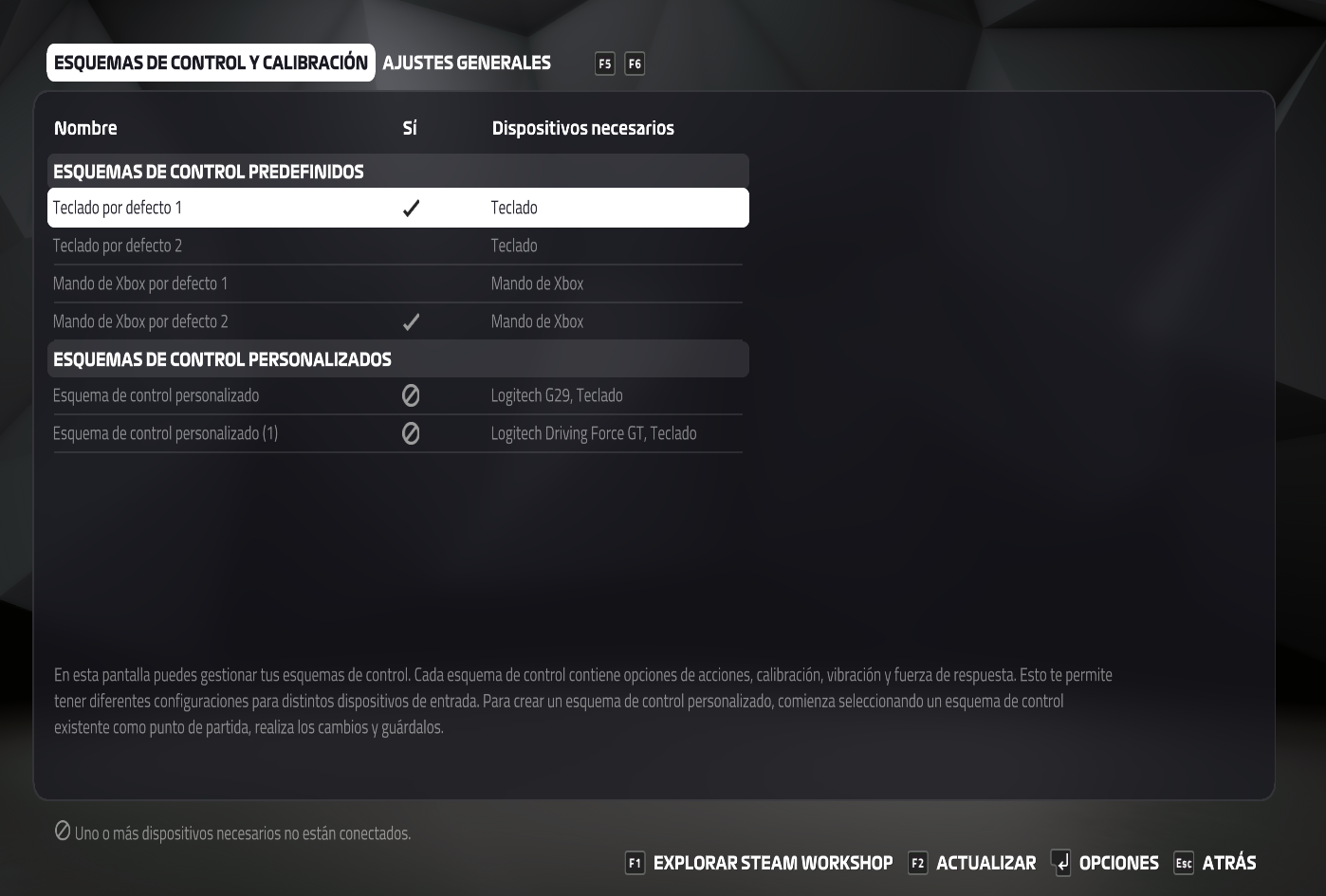
In both games, in settings/controller:
In F1 2019, when the wheel is connected, a control scheme for the G29 should appear available, which is currently showing as unavailable (when it was available I customized it, that's why it shows as unavailable, otherwise it wouldn't show up)
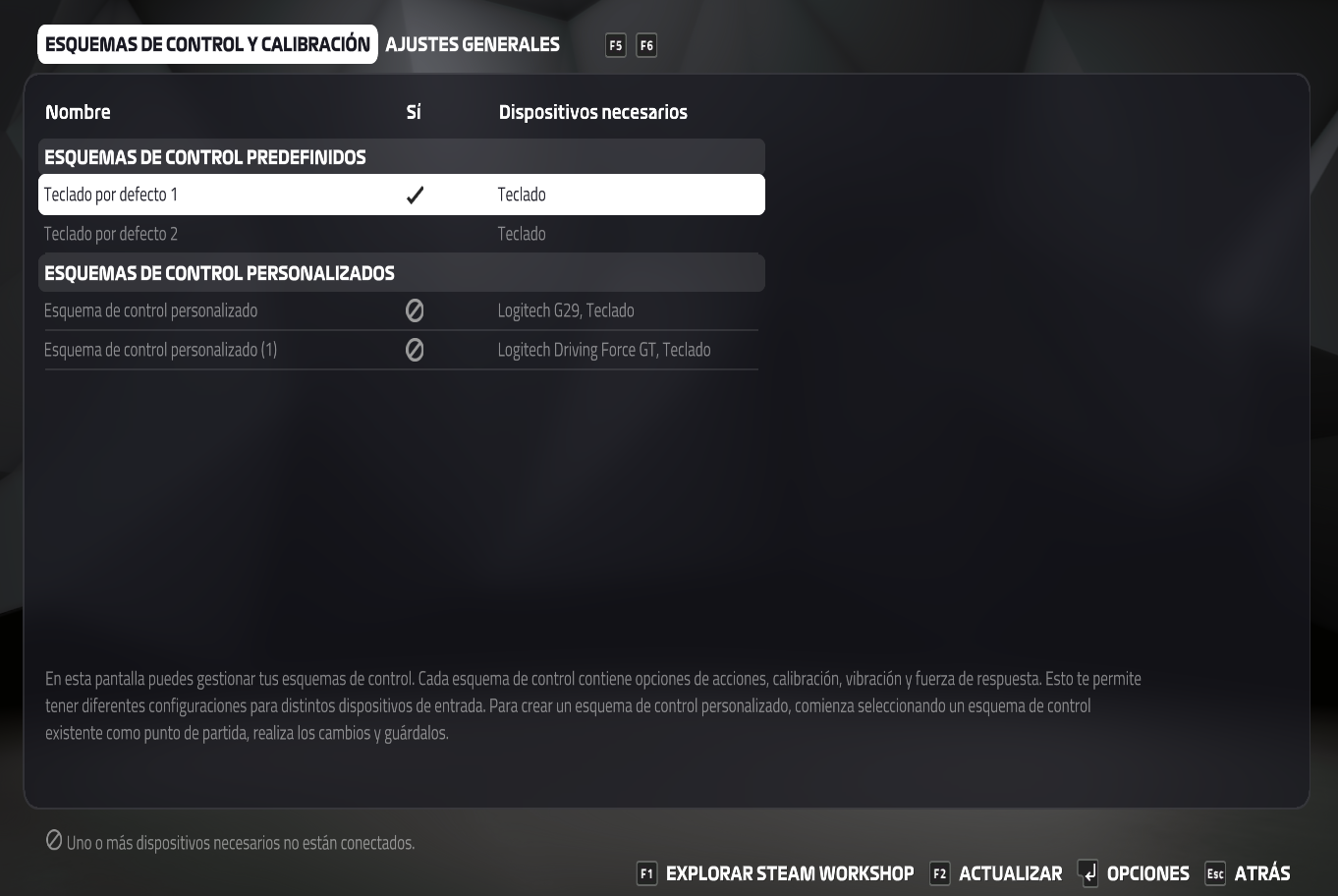
In F1 22 the behavior is similar. A control scheme for the G29 should be available, but only the keyboard is available.
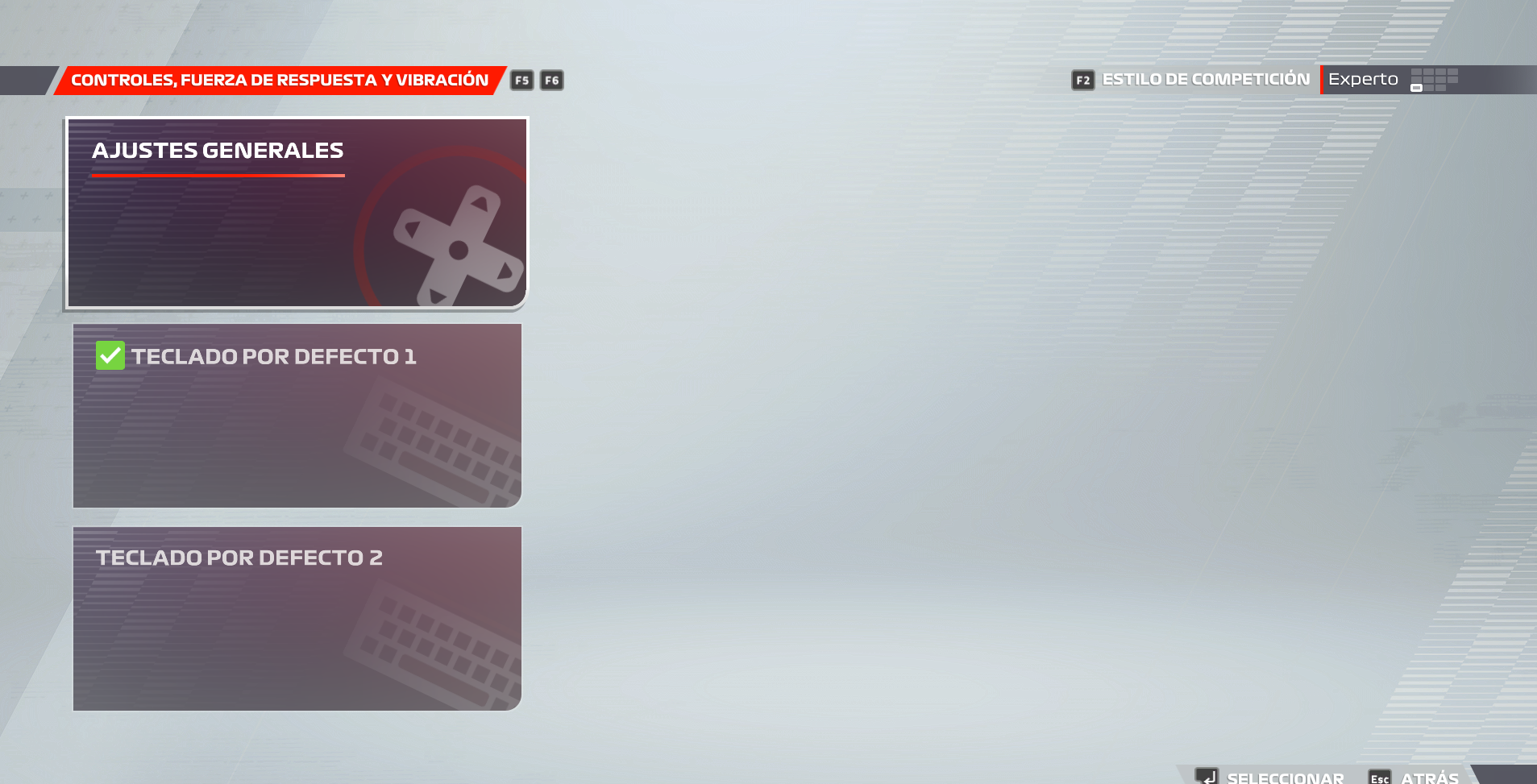
The images of the game are in Spanish, but I think it is not difficult to understand what appears. If you don't understand something, please let me know.
Okay, I was able to run F1 2019 on my laptop using Proton 7.0-5, and it worked great with the G29, having correct Playstation control prompts, force feedback and everything. I was even able to customize the standard G29 control template to compensate for not having the shifter attachment.
@goarvic, can you run evtest and see if you can get events from the G29 outside of Steam on your system? Are you seeing the G29 in the Steam logs?
It doesn't work in Dirt 2 and ACC either. Dirt2 input settings with proton6 and proton7 . In ACC and ETS2 there's no difference how the wheel shows up (as far as I remember), it just doesn't work [ACC proton6](https://imgur.com/BQYZjU5 ACC proton7). But there's something that I didn't see mentioned. There is an xinput gamepad device detected which wasn't there before. The wheel mapping shows like this, but if I try to remap the steering for ie. it doesn't do anything, so it's not recognizing the wheel moving.
No one mentioned farming sim 22 before and I'm not sure if this is related or some other issue because with FS22 there was an issue with the wheel way before the other games had any issue. With proton6 the wheel shows up correctly and does work. With proton7 it used to show up but not anymore, only an xinput gamepad shows up which I also noticed before but not before this issue started with the other games. But while the wheel showed up and the axis were detected it didn't work the way it should've. The way the wheel acted was that if you turn the wheel right, it's all ok but if turned to the left then ingame the wheel locked to the full right. The pedals were also messed up but figured the reason and the same was happening to the pedals as well. The reason why the wheel acted like this is that the range for the wheel is -32k +32k but in the game the range was basically detected from 0 - +32k so when the wheel was turning left and going into the negative the game reading got a buffer overflow (?) and read +32k instantly. Again, not sure if this has any possible relation with what we have in other games like other games instead of showing a "broken" axis, doesn't show them working at all.
evtest
`evtest /dev/input/event7
Input driver version is 1.0.1
Input device ID: bus 0x3 vendor 0x46d product 0xc24f version 0x111
Input device name: "Logitech G29 Driving Force Racing Wheel"
Supported events:
Event type 0 (EV_SYN)
Event type 1 (EV_KEY)
Event code 288 (BTN_TRIGGER)
Event code 289 (BTN_THUMB)
Event code 290 (BTN_THUMB2)
Event code 291 (BTN_TOP)
Event code 292 (BTN_TOP2)
Event code 293 (BTN_PINKIE)
Event code 294 (BTN_BASE)
Event code 295 (BTN_BASE2)
Event code 296 (BTN_BASE3)
Event code 297 (BTN_BASE4)
Event code 298 (BTN_BASE5)
Event code 299 (BTN_BASE6)
Event code 300 (?)
Event code 301 (?)
Event code 302 (?)
Event code 303 (BTN_DEAD)
Event code 704 (BTN_TRIGGER_HAPPY1)
Event code 705 (BTN_TRIGGER_HAPPY2)
Event code 706 (BTN_TRIGGER_HAPPY3)
Event code 707 (BTN_TRIGGER_HAPPY4)
Event code 708 (BTN_TRIGGER_HAPPY5)
Event code 709 (BTN_TRIGGER_HAPPY6)
Event code 710 (BTN_TRIGGER_HAPPY7)
Event code 711 (BTN_TRIGGER_HAPPY8)
Event code 712 (BTN_TRIGGER_HAPPY9)
Event type 3 (EV_ABS)
Event code 0 (ABS_X)
Value 32759
Min 0
Max 65535
Event code 1 (ABS_Y)
Value 255
Min 0
Max 255
Event code 2 (ABS_Z)
Value 255
Min 0
Max 255
Event code 5 (ABS_RZ)
Value 255
Min 0
Max 255
Event code 16 (ABS_HAT0X)
Value 0
Min -1
Max 1
Event code 17 (ABS_HAT0Y)
Value 0
Min -1
Max 1
Event type 4 (EV_MSC)
Event code 4 (MSC_SCAN)
Event type 21 (EV_FF)
Event code 80 (FF_RUMBLE)
Event code 81 (FF_PERIODIC)
Event code 82 (FF_CONSTANT)
Event code 83 (FF_SPRING)
Event code 84 (FF_FRICTION)
Event code 85 (FF_DAMPER)
Event code 87 (FF_RAMP)
Event code 88 (FF_SQUARE)
Event code 89 (FF_TRIANGLE)
Event code 90 (FF_SINE)
Event code 91 (FF_SAW_UP)
Event code 92 (FF_SAW_DOWN)
Event code 96 (FF_GAIN)
Event code 97 (FF_AUTOCENTER)
Properties:
Testing ... (interrupt to exit)
Event: time 1670572834.402861, type 3 (EV_ABS), code 0 (ABS_X), value 32757
Event: time 1670572834.402861, -------------- SYN_REPORT ------------
Event: time 1670572834.404859, type 3 (EV_ABS), code 0 (ABS_X), value 32754
Event: time 1670572834.404859, -------------- SYN_REPORT ------------
Event: time 1670572834.406860, type 3 (EV_ABS), code 0 (ABS_X), value 32753
Event: time 1670572834.406860, -------------- SYN_REPORT ------------
Event: time 1670572834.408859, type 3 (EV_ABS), code 0 (ABS_X), value 32752
Event: time 1670572834.408859, -------------- SYN_REPORT ------------
Event: time 1670572834.410859, type 3 (EV_ABS), code 0 (ABS_X), value 32749
Event: time 1670572834.410859, -------------- SYN_REPORT ------------
Event: time 1670572834.412858, type 3 (EV_ABS), code 0 (ABS_X), value 32745
Event: time 1670572834.412858, -------------- SYN_REPORT ------------
`
Steam logs
` (steam:47179): Gtk-WARNING **: 09:03:26.893: gtk_disable_setlocale() must be called before gtk_init()
Local Device Found
type: 046d c24f
path: sdl://0
serial_number: - 0
Manufacturer:
Product: Logitech G29 Driving Force Racing Wheel
Release: 111
Interface: -1
local (potentially out of sync) copy of roaming config loaded - 65295 bytes.
Installing breakpad exception handler for appid(steam)/version(1670474854)
Local Device Found
type: 046d c24f
path: sdl://0
serial_number: - 0
Manufacturer:
Product: Logitech G29 Driving Force Racing Wheel
Release: 111
Interface: -1
`
I just tried the G29 in PS4 mode, and like some others here, it was detected as an Xbox controller and didn't have any G29 game functionality.
For those of you who are having the G29 looking like an Xbox controller, can you unplug the controller from your computer, flip the switch at the top of the wheel from PS4 (on the right) to PS3 (on the left), and then plug it back in?
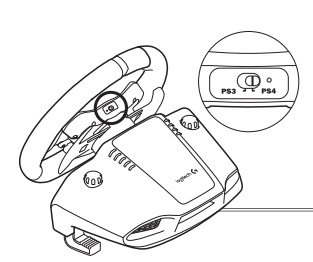
I just tried the G29 in PS4 mode, and like some others here, it was detected as an Xbox controller and didn't have any G29 game functionality.
For those of you who are having the G29 looking like an Xbox controller, can you unplug the controller from your computer, flip the switch at the top of the wheel from PS4 (on the right) to PS3 (on the left), and then plug it back in?
Mines on PS3 mode and did test to switch between the 2 before. PS4 never worked as far as I remember and I think even on windows you have to use the PS3 mode.
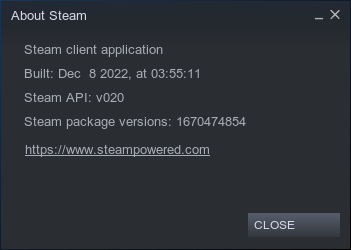
@rLy07, can you go to Steam Help -> About menu and verify that your Steam client is dated December 8th or newer? If not, can you go to Steam account settings, make sure you are opted into the beta and then go to Steam -> Check for Steam Client Updates...
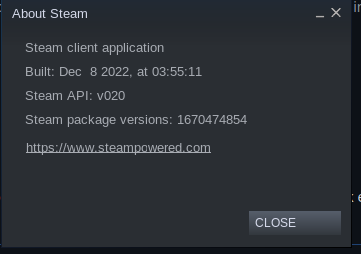
It's the newest beta.
@goarvic, can you run evtest and see if you can get events from the G29 outside of Steam on your system? Are you seeing the G29 in the Steam logs?
I've tried switching between ps3 and ps4 modes and turning the wheel on and off when I switch. Nothing works.
It seems to work normal and evtest picks up the events from the steering wheel.
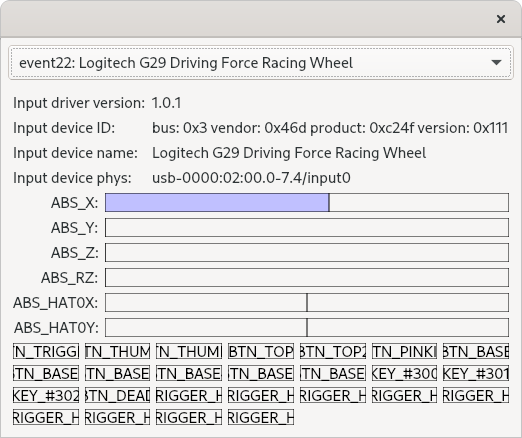
Running steam from console, I can see logs for G29:
(steam:9657): Gtk-WARNING **: 09:21:32.474: gtk_disable_setlocale() must be called before gtk_init()
Local Device Found
  type: 046d c24f
  path: sdl://0
  serial_number:  - 0
  Manufacturer:
  Product:      Logitech G29 Driving Force Racing Wheel
  Release:      111
  Interface:    -1

local (potentially out of sync) copy of roaming config loaded - 799 bytes.
Installing breakpad exception handler for appid(steam)/version(1670474854)
Installing breakpad exception handler for appid(steam)/version(1670474854)
roaming config store loaded successfully - 799 bytes.
migrating temporary roaming config store
Installing breakpad exception handler for appid(steam)/version(1670474854)
BRefreshApplicationsInLibrary 1: 0ms
Local Device Found
  type: 046d c24f
  path: sdl://0
  serial_number:  - 0
  Manufacturer:
  Product:      Logitech G29 Driving Force Racing Wheel
  Release:      111
  Interface:    -1
If I disabled the steam input for the game, now the steering wheel is recognized as an xbox controller:
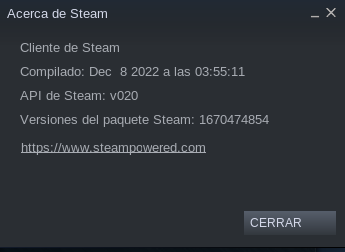
And yes, I am running the latest beta:
Interesting. For me, changing the Steam Input setting has no effect, which is as it should be, since Steam shouldn't be seeing the controller as a gamepad.
Out of curiosity, do you see the G29 in this output, while you're running F1 2019?
tr '\0' '\n' < /proc/$(ps ax | fgrep F1_2019 | fgrep Z: | awk '{print $1}')/environ | fgrep a:
If you do, can you quit Steam and edit ~/.steam/steam/config/config.vdf and remove the mapping lines at the section labeled "SDL_GamepadBind"?
Out of curiosity, do you see the G29 in this output, while you're running F1 2019?
This is what I see:
SDL_GAMECONTROLLERCONFIG=03000000de280000ff11000001000000,Steam Virtual Gamepad,a:b0,b:b1,back:b6,dpdown:h0.4,dpleft:h0.8,dpright:h0.2,dpup:h0.1,guide:b8,leftshoulder:b4,leftstick:b9,lefttrigger:a2,leftx:a0,lefty:a1,rightshoulder:b5,rightstick:b10,righttrigger:a5,rightx:a3,righty:a4,start:b7,x:b2,y:b3,platform:Linux
030000006d0400004fc2000011010000,Logitech G29 Racing Wheel,a:b0,b:b2,back:b8,dpdown:h0.4,dpleft:h0.8,dpright:h0.2,dpup:h0.1,guide:b24,leftshoulder:b5,leftstick:b11,lefttrigger:b7,rightshoulder:b4,rightstick:b10,righttrigger:b6,start:b9,x:b1,y:b3,platform:Linux
03000000de280000fc11000001000000,Steam Controller,a:b0,b:b1,back:b6,dpdown:b14,dpleft:b15,dpright:b13,dpup:b12,guide:b8,leftshoulder:b4,leftstick:b9,lefttrigger:a2,leftx:a0,lefty:a1,rightshoulder:b5,rightstick:b10,righttrigger:a5,rightx:a3,righty:a4,start:b7,x:b2,y:b3,platform:Linux
030000006d04000060c2000010010000,Logitech G29 Racing Wheel,a:b1,b:b2,back:b8,dpdown:h0.4,dpleft:h0.8,dpright:h0.2,dpup:h0.1,guide:b12,leftshoulder:b4,leftstick:b10,lefttrigger:b6,rightshoulder:b5,rightstick:b11,righttrigger:b7,start:b9,x:b0,y:b3,platform:Linux
030000006d04000094c2000000010000,Logitech G29 Driving Force Racing Wheel,a:b0,b:b1,x:b3,y:b4,back:b10,guide:b12,start:b11,leftshoulder:b6,rightshoulder:b7,dpup:h0.1,dpdown:h0.4,dpleft:h0.8,dpright:h0.2,leftx:a0,lefty:a1,lefttrigger:a2,righttrigger:a3,crc:4cf0,
Out of curiosity, do you see the G29 in this output, while you're running F1 2019?
This is what I see:
SDL_GAMECONTROLLERCONFIG=03000000de280000ff11000001000000,Steam Virtual Gamepad,a:b0,b:b1,back:b6,dpdown:h0.4,dpleft:h0.8,dpright:h0.2,dpup:h0.1,guide:b8,leftshoulder:b4,leftstick:b9,lefttrigger:a2,leftx:a0,lefty:a1,rightshoulder:b5,rightstick:b10,righttrigger:a5,rightx:a3,righty:a4,start:b7,x:b2,y:b3,platform:Linux
030000006d0400004fc2000011010000,Logitech G29 Racing Wheel,a:b0,b:b2,back:b8,dpdown:h0.4,dpleft:h0.8,dpright:h0.2,dpup:h0.1,guide:b24,leftshoulder:b5,leftstick:b11,lefttrigger:b7,rightshoulder:b4,rightstick:b10,righttrigger:b6,start:b9,x:b1,y:b3,platform:Linux
03000000de280000fc11000001000000,Steam Controller,a:b0,b:b1,back:b6,dpdown:b14,dpleft:b15,dpright:b13,dpup:b12,guide:b8,leftshoulder:b4,leftstick:b9,lefttrigger:a2,leftx:a0,lefty:a1,rightshoulder:b5,rightstick:b10,righttrigger:a5,rightx:a3,righty:a4,start:b7,x:b2,y:b3,platform:Linux
030000006d04000060c2000010010000,Logitech G29 Racing Wheel,a:b1,b:b2,back:b8,dpdown:h0.4,dpleft:h0.8,dpright:h0.2,dpup:h0.1,guide:b12,leftshoulder:b4,leftstick:b10,lefttrigger:b6,rightshoulder:b5,rightstick:b11,righttrigger:b7,start:b9,x:b0,y:b3,platform:Linux
030000006d04000094c2000000010000,Logitech G29 Driving Force Racing Wheel,a:b0,b:b1,x:b3,y:b4,back:b10,guide:b12,start:b11,leftshoulder:b6,rightshoulder:b7,dpup:h0.1,dpdown:h0.4,dpleft:h0.8,dpright:h0.2,leftx:a0,lefty:a1,lefttrigger:a2,righttrigger:a3,crc:4cf0,
Aha! Go ahead and quit Steam and delete the G29 line from ~/.steam/steam/config/config.vdf
FYI, the Proton developers are working on a change that will prevent this workaround from being needed, but it has to go through their lengthy Q/A and release process.
Aha! Go ahead and quit Steam and delete the G29 line from ~/.steam/steam/config/config.vdf
Done. But now the steering wheel is recognized as an xbox controller, both with xinput enabled and disabled
Aha! Go ahead and quit Steam and delete the G29 line from ~/.steam/steam/config/config.vdf
Done. But now the steering wheel is recognized as an xbox controller, both with xinput enabled and disabled
Are you still seeing the G29 in the tr command above?
Restarting steam automatically writes this entry on ~/.steam/steam/config/config.vdf:
"SDL_GamepadBind" "03000000de280000ff11000001000000,Steam Virtual Gamepad,a:b0,b:b1,back:b6,dpdown:h0.4,dpleft:h0.8,dpright:h0.2,dpup:h0.1,guide:b8, leftshoulder:b4,leftstick:b9,lefttrigger:a2,leftx:a0,lefty:a1,rightshoulder:b5,rightstick:b10,righttrigger:a5,rightx:a3,righty:a4,start:b7,x:b2,y: b3,platform:Linux
03000000de280000fc11000001000000,Steam Controller,a:b0,b:b1,back:b6,dpdown:h0.4,dpleft:h0.8,dpright:h0.2,dpup:h0.1,guide:b8,leftshoulder:b4,leftstick :b9,lefttrigger:a2,leftx:a0,lefty:a1,rightshoulder:b5,rightstick:b10,righttrigger:a5,rightx:a3,righty:a4,start:b7,x:b2,y:b3,"
That's fine, as long as it doesn't have the G29 controller in there.
Are you still seeing the G29 in the
trcommand above?
I'm seeing this now:
SDL_GAMECONTROLLERCONFIG=03000000de280000ff11000001000000,Steam Virtual Gamepad,a:b0,b:b1,back:b6,dpdown:h0.4,dpleft:h0.8,dpright:h0.2,dpup:h0.1,guide:b8,leftshoulder:b4,leftstick:b9,lefttrigger:a2,leftx:a0,lefty:a1,rightshoulder:b5,rightstick:b10,righttrigger:a5,rightx:a3,righty:a4,start:b7,x:b2,y:b3,platform:Linux
03000000de280000fc11000001000000,Steam Controller,a:b0,b:b1,back:b6,dpdown:h0.4,dpleft:h0.8,dpright:h0.2,dpup:h0.1,guide:b8,leftshoulder:b4,leftstick:b9,lefttrigger:a2,leftx:a0,lefty:a1,rightshoulder:b5,rightstick:b10,righttrigger:a5,rightx:a3,righty:a4,start:b7,x:b2,y:b3,
Out of curiosity, what do you get from this command while F1 2019 is running?
ps ax | fgrep winedevice.exe | fgrep C: | awk '{print $1}' | while read pid; do ls -l /proc/$pid/map_files | fgrep SDL; done
Followed through with the other games. In ACC and ETS2 the steering works (don't have the pedals plugged in at the moment so not sure about those) but it doesn't work in Dirt 2 and it's still an xbox controller. On the other hand there's a new issue for me. In Dirt 2 and ACC the dpad down becomes stuck and continuously cycling down in menu. In ETS2 it's slightly different because the mouse cursor starts to move down endlessly, but if the dpad is used there to move the mouse (which I didn't realized before..) then the issue is the same. I'm not seeing the G29 entry recreated in the /environ file.
While writing this gave it a try to switch between the proton versions. Going back to proton6 and then back to proton7 fixed the dpad issue and even fixed Dirt 2, it's not detected as G29 and steering works. In ETS2 however, as it doesn't start in proton6, going back to proton7 the wheel was shown as missing. Switching to proton experimental did fix this and even going back to proton7 the wheel showed up and steering works without the previous dpad issue.
Out of curiosity, what do you get from this command while F1 2019 is running?
This is what I get:
lr-------- 1 vickop vickop 64 dic  9 10:38 7f5798800000-7f579892d000 -> /home/vickop/.local/share/lutris/runners/wine/lutris-5.7-11-x86_64/lib64/libSDL2-2.0.so.0
lr-------- 1 vickop vickop 64 dic  9 10:38 7f579892d000-7f5798b2d000 -> /home/vickop/.local/share/lutris/runners/wine/lutris-5.7-11-x86_64/lib64/libSDL2-2.0.so.0
lr-------- 1 vickop vickop 64 dic  9 10:38 7f5798b2d000-7f5798b30000 -> /home/vickop/.local/share/lutris/runners/wine/lutris-5.7-11-x86_64/lib64/libSDL2-2.0.so.0
lr-------- 1 vickop vickop 64 dic  9 10:38 7f5798b30000-7f5798b36000 -> /home/vickop/.local/share/lutris/runners/wine/lutris-5.7-11-x86_64/lib64/libSDL2-2.0.so.0
lr-------- 1 vickop vickop 64 dic  9 10:38 7f3c18682000-7f3c186ac000 -> /usr/lib/x86_64-linux-gnu/libSDL2-2.0.so.0.2400.1
lr-------- 1 vickop vickop 64 dic  9 10:38 7f3c186ac000-7f3c187bd000 -> /usr/lib/x86_64-linux-gnu/libSDL2-2.0.so.0.2400.1
lr-------- 1 vickop vickop 64 dic  9 10:38 7f3c187bd000-7f3c18829000 -> /usr/lib/x86_64-linux-gnu/libSDL2-2.0.so.0.2400.1
lr-------- 1 vickop vickop 64 dic  9 10:38 7f3c18829000-7f3c1882a000 -> /usr/lib/x86_64-linux-gnu/libSDL2-2.0.so.0.2400.1
lr-------- 1 vickop vickop 64 dic  9 10:38 7f3c1882a000-7f3c18833000 -> /usr/lib/x86_64-linux-gnu/libSDL2-2.0.so.0.2400.1
lr-------- 1 vickop vickop 64 dic  9 10:38 7f3c18833000-7f3c1883a000 -> /usr/lib/x86_64-linux-gnu/libSDL2-2.0.so.0.2400.1
Followed through with the other games. In ACC and ETS2 the steering works (don't have the pedals plugged in at the moment so not sure about those) but it doesn't work in Dirt 2 and it's still an xbox controller. On the other hand there's a new issue for me. In Dirt 2 and ACC the dpad down becomes stuck and continuously cycling down in menu. In ETS2 it's slightly different because the mouse cursor starts to move down endlessly, but if the dpad is used there to move the mouse (which I didn't realized before..) then the issue is the same. I'm not seeing the G29 entry recreated in the /environ file. While writing this gave it a try to switch between the proton versions. Going back to proton6 and then back to proton7 fixed the dpad issue and even fixed Dirt 2, it's not detected as G29 and steering works. In ETS2 however, as it doesn't start in proton6, going back to proton7 the wheel was shown as missing. Switching to proton experimental did fix this and even going back to proton7 the wheel showed up and steering works without the previous dpad issue.
I wonder if switching Proton versions was updating them along with the Steam Linux Runtime - Soldier, which was pulling in a fixed SDL library.
Anyway, it's waaay past my bedtime. Thanks for all the help!
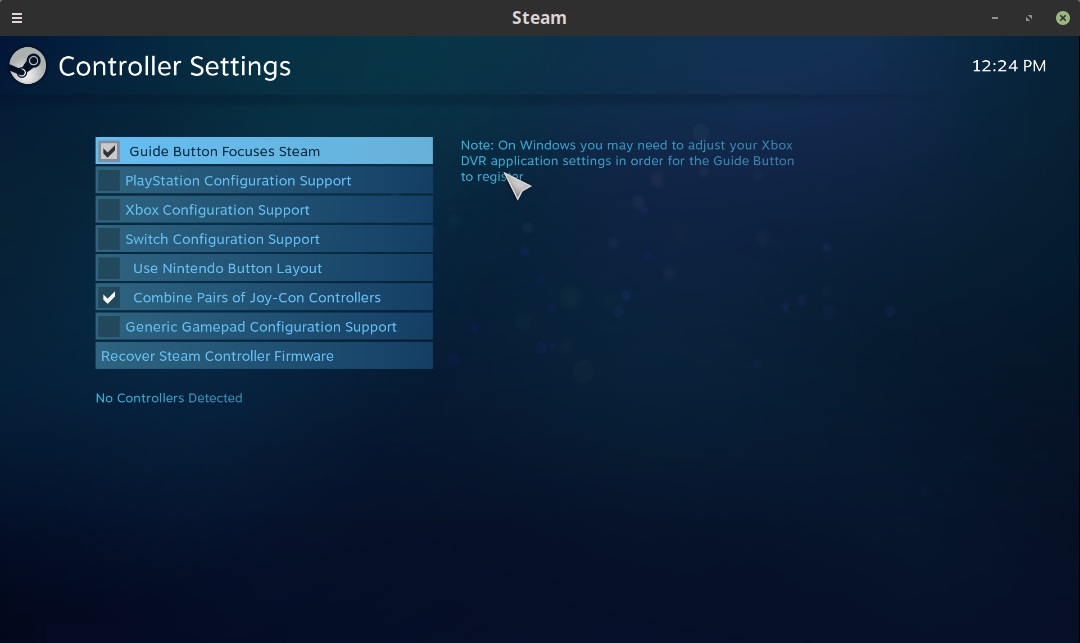
I can't confirm any changes in Euro Truck Simulator 2 with latest Steam Client Beta and using Proton 7.0-5:
Output from Terminal when starting Steam Client:
Local Device Found
  type: 046d c24f
  path: sdl://0
  serial_number:  - 0
  Manufacturer:
  Product:      Logitech G29 Driving Force Racing Wheel
  Release:      111
  Interface:    -1

Installing breakpad exception handler for appid(steam)/version(1670474854)
Local Device Found
  type: 046d c24f
  path: sdl://0
  serial_number:  - 0
  Manufacturer:
  Product:      Logitech G29 Driving Force Racing Wheel
  Release:      111
  Interface:    -1
Controller Settings:
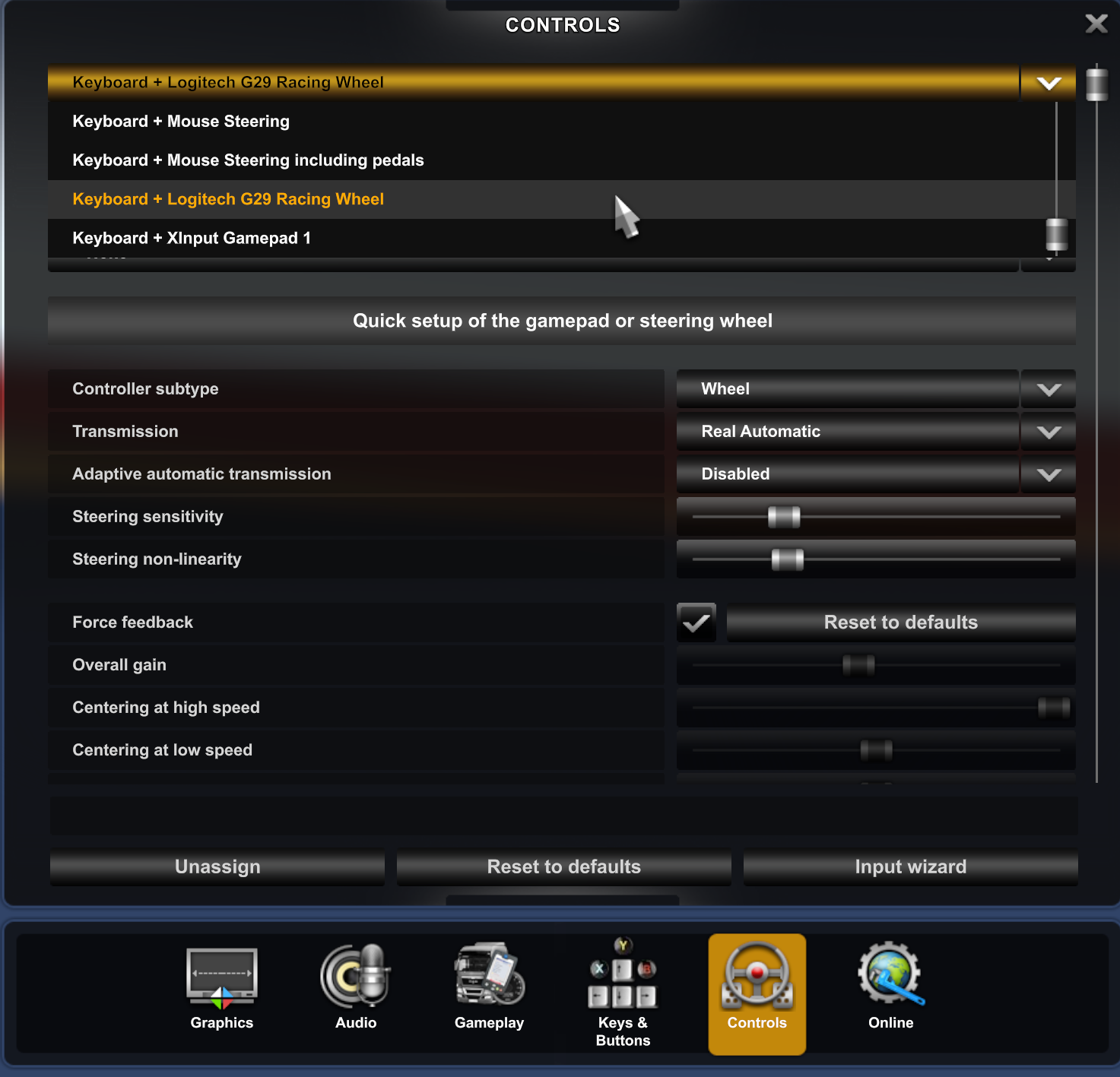
In Game, controls Menu shows Logitech G29 Racing Wheel and an additional Xinput Gamepad1 which was not present before this issue started. Also all force feedback settings are grayed out.
Steering axis don't react when turning wheel, acceleration, brake and clutch axis also don't react and are stuck at 50%:
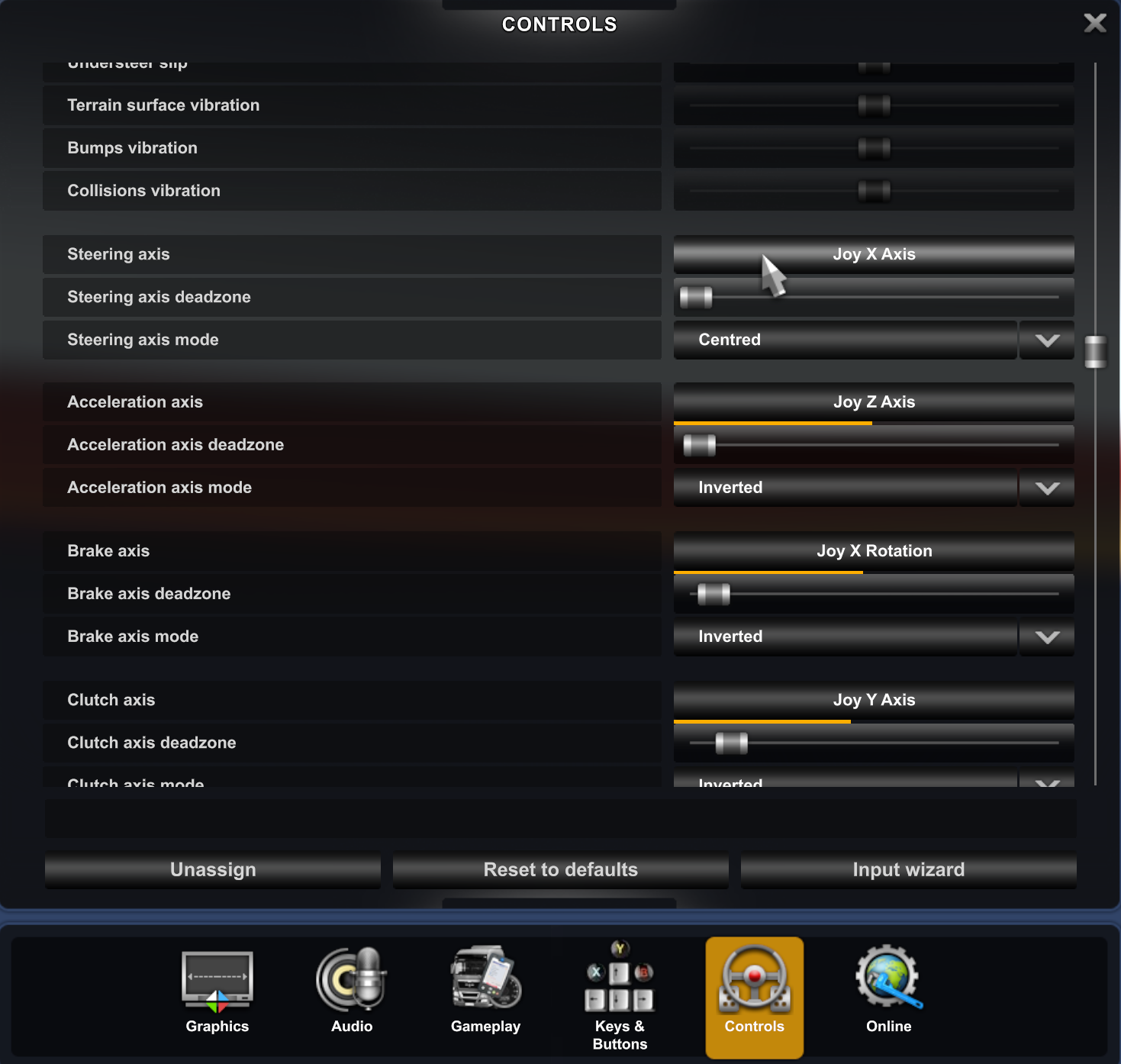
Linux native version of Euro Truck Simulator 2 is not affected, the wheel is working without any problems.
Replying to https://github.com/ValveSoftware/Proton/issues/6323#issuecomment-1344216034
Did you do the steps from above? Removing the G29 from ~/.steam/steam/config/config.vdf and restarting steam?
Only started working for me after I did that and the proton back and forth switches.
Did you do the steps from above? Removing the G29 from ~/.steam/steam/config/config.vdf and restarting steam? Only started working for me after I did that and the proton back and forth switches.
Yes you are right, when deleting config.vdf i get the same strange behavior with the continous moving down mousepointer. With the clutch pedal i can move the mousepointer upwards.
But force feedback settings are still grayed out.
Acceleration Axis is also not working properly - when released the bar is at 100% and when doing full throttle the bar moves from 0 - 50%
Yes you are right, when deleting config.vdf i get the same strange behavior with the continous moving down mousepointer. With the clutch pedal i can move the mousepointer upwards.
I believe this is because you've enabled the option for the controller to move the mouse. Disable that in the Settings and you should be fine.
Acceleration Axis is also not working properly - when released the bar is at 100% and when doing full throttle the bar moves from 0 - 50%
You need to invert the axis for that pedal. And you should play around with the dead zone as well to get the full range of motion.
Replying to https://github.com/ValveSoftware/Proton/issues/6323#issuecomment-1344331720
I didn't test the pedals at all so not sure if they are working properly. I'll probably test the rest tomorrow.
I did notice some issue with ffb in Dirt 2 menu where it shouldn't be any (or at least there was none before).
If you haven't done it, just switch to experimental start game and switch back (for ETS2, other games if it runs with proton6 you can switch to that) to fix the dpad issue. Maybe this also fixes the pedals and other mapping issues.
Replying to [#6323 (comment)](https://github.com/ValveSoftware/Proton/issues/6323#issuecomment-1344331720)
I didn't test the pedals at all so not sure if they are working properly. I'll probably test the rest tomorrow. I did notice some issue with ffb in Dirt 2 menu where it shouldn't be any (or at least there was none before).
If you haven't done it, just switch to experimental start game and switch back (for ETS2, other games if it runs with proton6 you can switch to that) to fix the dpad issue. Maybe this also fixes the pedals and other mapping issues.
Didn't work. Anyway, as my personal workaround, i recovered Steam installation from a backup to 18. Okt 2022 version, downgraded to sdl2-2.24.1-1 and blocked Steam connections in my router.
Didn't work. Anyway, as my personal workaround, i recovered Steam installation from a backup to 18. Okt 2022 version, downgraded to sdl2-2.24.1-1 and blocked Steam connections in my router.
That's interesting. What version was your system SDL package before the downgrade?
If you allow Steam to update from 18. Okt 2022 directly to today's beta build, without upgrading the system SDL version, does everything work again?
G29 should now be correctly recognized as a wheel in Proton Experimental bleeding-edge (beta branch of the Proton Experimental app). The change should make it into the very next experimental release. Let me know if there are still any problems.
Can confirm it's working in Euro Truck Simulator 2.
- Steam Client Beta
- Proton Experimental bleeding-edge
- Steam Linux Runtime - Soldier client_beta - use with Steam beta client
Automobilista 2 and F1 22 works great again with Experimental Bleeding Edge
Can also confirm it working on ETS2.
I did have the issue of the cursor being dragged to the bottom of the screen due to the Wheel and Pedals being registered as mouse input. Deleting the prefix for ETS2 and launching it again fixed it, in case anyone is having the same issue.
Of course, make sure you back up your saves before you do that, just in case.
EDIT:
- Steam Client Beta
- Proton Experimental (but 7.0-5 and GE-Proton-7-42 seemed to work fine too)
Got to test everything properly and all works in Dirt Rally 2 and ACC too. Thanks.
For me using beta build 1670661475 10 dec
Native Dirt 4 is completely fixed
Using proton experimental Bleeding Edge
AMS2 is fine with an odd jump in the menu when assigning pedals but otherwise no problems
ACC, the clutch pedal is vertical scrolling in menus, the steering is floaty with no FFB and the throttle pedal has gone nuts. Can anyone tell me where I'm going wrong? :)
Yeah. Apparently it works in F1 2019 . Thank you very much for the work!
Agggh! It seems to have been fixed in F1 2019, but in F1 22 it still appears as an xbox controller, and it also seems that the down button is always pressed. Does the same thing happen to anyone?
@goarvic That seems to be what I'm getting in ACC it's confused with the clutch pedal, as if the down button is being pressed.
@goarvic, do you have a line with "Logitech G29 Racing Wheel" in ~/.steam/steam/config/config.vdf?
If so, can you shut down Steam, edit the file to remove that line, and then restart Steam and see if that fixes it?
G29 should now be correctly recognized as a wheel in Proton Experimental bleeding-edge (beta branch of the Proton Experimental app). The change should make it into the very next experimental release. Let me know if there are still any problems.
Git tag: experimental-bleeding-edge-7.0-30763-20221209-pefc83c-wa7c5ae-dc0d843-v641b3d
With game Automobilista 1, all controls are detected well, but no forcefeedback.
if i run
export WINEPREFIX=../SteamLibrary/steamapps/compatdata/431600/pfx
and
.../compatibilitytools.d/redist/files/bin/wine control joy.cpl
I can test all forcefeedback with success, that means that wine is detecting G29 well and forcefeedback works, but the game can't use forcefeedback.
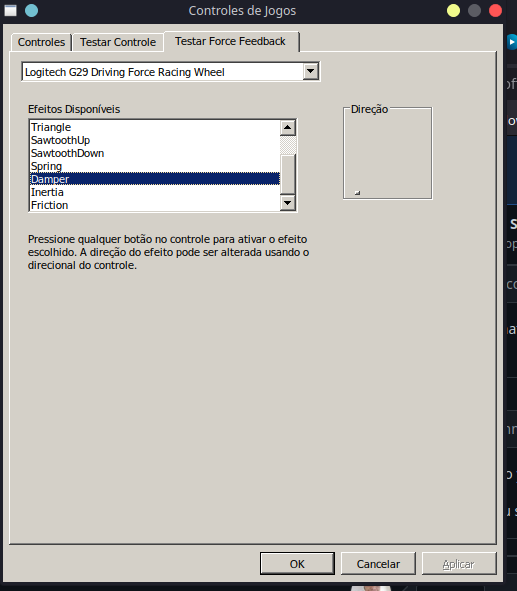
Thanks
Replying to https://github.com/ValveSoftware/Proton/issues/6323#issuecomment-1345454898
Did you have FFB before? Because this thread is for users that had the wheel working and then stopped in some recent Steam update.
@slouken
If so, can you shut down Steam, edit the file to remove that line, and then restart Steam and see if that fixes it?
There is no entry like this in the file (removed some days before) and it still doesn't work...
@goarvic @slouken
I solved all the remaining weirdness in ACC by deleting the compatdata folder for ACC then restarting ACC
I backed up the steamuser folder first to save my setups etc.
You might want to try that for F1 22
All the issues are resolved with beta build 1670661475 10 dec and using proton experimental Bleeding Edge
@mjdolanart
@goarvic @slouken I solved all the remaining weirdness in ACC by deleting the compatdata folder for ACC then restarting ACC I backed up the steamuser folder first to save my setups etc.
You might want to try that for F1 22
All the issues are resolved with beta build 1670661475 10 dec and using proton experimental Bleeding Edge
Yeah. I completely uninstalled the game and deleted its compatdata directory and it finally seems to work.
Thank you very much!
Starting the native BeamNG.drive within Steam (creating a launcher), the game does not detect the steering wheel. I guess it's only fixed in Proton's experimental for now.
Starting the native BeamNG.drive within Steam (creating a launcher), the game does not detect the steering wheel. I guess it's only fixed in Proton's experimental for now.
Are you on the latest beta of steam? ... works with native Dirt 4 no issues
It seems that at least in F1 games this bug has been fixed.
However, it had already been happening before, that the clutch pedal is incorrectly mapped and is switched with the accelerator axis. Although it can be remapped in the game options, this means that the replays always show the camera rotated.
I don't know if it would be interesting to take a look at it or maybe report on another issue.
Would it be possible to get a technical description what was wrong and how it was fixed?
Would it be possible to get a technical description what was wrong and how it was fixed?
SDL update added controller mappings for the wheel which means we could access it as a SDL_GameController in addition to SDL_Joystick. This broke our assumptions about what constitutes a controller and we had to revise them: https://github.com/ValveSoftware/wine/commit/a7c5ae9897fc7823480bc7d45caeaf5e02add621
Would it be possible to get a technical description what was wrong and how it was fixed?
SDL update added controller mappings for the wheel which means we could access it as a
SDL_GameControllerin addition toSDL_Joystick. This broke our assumptions about what constitutes a controller and we had to revise them: https://github.com/ValveSoftware/wine/commit/a7c5ae9897fc7823480bc7d45caeaf5e02add621
I don't think this change fixes anything. The functions to retrieve the joystick type on linux are useless. There's no methods to detect wheels. I think the fix comes from SDL itself.
Would it be possible to get a technical description what was wrong and how it was fixed?
SDL update added controller mappings for the wheel which means we could access it as a
SDL_GameControllerin addition toSDL_Joystick. This broke our assumptions about what constitutes a controller and we had to revise them: ValveSoftware/wine@a7c5ae9I don't think this change fixes anything. The functions to retrieve the joystick type on linux are useless. There's no methods to detect wheels. I think the fix comes from SDL itself.
They are not useless. SDL recognizes many VID PID combos and assigns type on that basis. See:
https://github.com/libsdl-org/SDL/blob/release-2.26.0/src/joystick/SDL_joystick.c#L2554
https://github.com/libsdl-org/SDL/blob/release-2.26.0/src/joystick/SDL_joystick.c#L2394
Replying to https://github.com/ValveSoftware/Proton/issues/6323#issuecomment-1356804533
Thanks @ivyl, and sorry. You're right. I was just assuming they were missing in the Linux backend after fast reading the code.
Is SDL updated automatically by the steam client? Is there any way to choose which SDL version is being used?
Can confirm - in BeamNG.drive G920 wheel works, but there's no Force Feedback device detected. On Proton 6.3-8 it works perfectly
Is SDL updated automatically by the steam client? Is there any way to choose which SDL version is being used?
It's part of the Steam Runtime, specifically Soldier, so it gets updated whenever the runtime gets an update.
https://gitlab.steamos.cloud/steamrt/steamrt/-/wikis/Soldier-release-notes
Not sure if related, but currently for me in ETS2 force feedback is completely broken with the G290.
The wheel just randomly turns and spins by itself with no input, constantly going from hard left lock to hard right lock, even when the game pauses. Tested ETS2 native and it worked fine, also worked correctly in Oversteer, jstest & ffcfstress. Issues only appear when running through proton
Not sure if related, but currently for me in ETS2 force feedback is completely broken with the G290.
The wheel just randomly turns and spins by itself with no input, constantly going from hard left lock to hard right lock, even when the game pauses. Tested ETS2 native and it worked fine, also worked correctly in Oversteer, jstest & ffcfstress. Issues only appear when running through proton
You have to invert the FFB in the game. It has happened in one of the latest updates.
Not sure if related, but currently for me in ETS2 force feedback is completely broken with the G290.
The wheel just randomly turns and spins by itself with no input, constantly going from hard left lock to hard right lock, even when the game pauses. Tested ETS2 native and it worked fine, also worked correctly in Oversteer, jstest & ffcfstress. Issues only appear when running through protonYou have to invert the FFB in the game. It has happened in one of the latest updates.
I thought something like that might be the case but never saw an option for it. Am I blind?
I don't remember the settings in ETS2. If it doesn't have an option to invert the FFB then you're out of luck using Proton unless you switch to an older version, maybe Proton 6 or 7.
I'm left wondering if this is a bug or not. Considering that previous Proton versions didn't need to invert the FFB and worked well with ETS2, same as native, it might be a regression in recent versions.
There's no option for it, and older versions of proton don't work with the game as it raises an error reporting it cannot detect the steam client. Looks like I'm stuck waiting for a patch
There's no option for it, and older versions of proton don't work with the game as it raises an error reporting it cannot detect the steam client. Looks like I'm stuck waiting for a patch
That's another error that shouldn't happen. IIRC, Proton 6 worked and it should still work.
Can you report it in the ETS2 issue?
I would like to change some of the bindings on my g29 but I cant acess the steam controller config as it says no controller detected. Steam logs says:
Local Device Found type: 046d c24f path: sdl://1 serial_number: - 0 Manufacturer: Product: Logitech G29 Driving Force Racing Wheel Release: 111 Interface: -1
Hello, it looks the original issue of this issue report was resolved some time ago.
If you're seeing issues with other wheels, please leave a note on the compatibility report of the game you're seeing the issue with.
Hello @Ftamino, Steam's Steam Input remapping sub-component is primarily oriented around gamepad controllers. Unfortunately, gaming wheels are out of scope for the set of hardware that's being targeted there.
Hello, it looks the original issue of this issue report was resolved some time ago.
If you're seeing issues with other wheels, please leave a note on the compatibility report of the game you're seeing the issue with.
Hello @Ftamino, Steam's Steam Input remapping sub-component is primarily oriented around gamepad controllers. Unfortunately, gaming wheels are out of scope for the set of hardware that's being targeted there.
Can you pin the fix or something? I can't quite understand what to do to fix the issue
At least for me it was not possible to fix. After having over 30h playtime just trying to fix it, I just used a windows installation only for forza. Some other games just randomly start working and then stop again
Proton versions
proton 6.3-8x4 2022-12proton experimentalx11 2022-12proton 7.0-5x2 2022-12proton 7.0x4 2022-12proton 5.0-10x4 2022-12proton 6.3x4 2022-11proton 5.0x3 2022-11proton 7.0-4x2 2022-11
Launch options
SDL_Gx7 2022-12SDL_Jx3 2022-12WINEPREFIX=../SteamLibrary/steamapps/compatdata/431600/pfx`x1 2022-12SDL_GAMECONTROLLERCONFIG=03000000de280000ff11000001000000,Steamx3 2022-12SDL_GAMECONTROLLER_IGNORE_DEVICESx6 2022-12SDL_HIDAPI_IGNORE_DEVICES=0x046d/0xc24fx7 2022-12SDL_GAMECONTROLLER_IGNORE_DEVICES=0x046d/0xc24fx3 2022-12SDL_GAMECONTROLLER_IGNORE_DEVICES=0x046d/0xc24f```,x1 2022-12WINEPREFIXx1 2022-11
Upstream links
- ValveSoftware/Proton/issues/1237x3 2022-12
- ValveSoftware/Proton/issues/3748x2 2022-12
- ValveSoftware/Proton/issues/5963x1 2022-12
DLLs
dinput8.dllx1 2022-11
Your system information
Steam client version:
NOV 17 2022 02:45:32
Steam-API: v020
Steam-Package-Version: 1668654564
Distribution: EndeavourOS (Arch)
Opted into Steam client beta?: No
Have you checked for system updates?: Yes
Please describe your issue in as much detail as possible:
After today's Steam Client update, my Logitech G29 Steering Wheel isn't working anymore in Euro Truck Simulator 2 (227300) when running with Proton 7.0-4.
In controller setup menu of the game, the wheel is recognized, but all buttons and axes are not responding.
When running game in native Linux version, the wheel works as it should.
steam-sysinfo.txt
steam-227300.log