Hi-Fi Rush
Hello @alosarjos, umip/SGDT log messages should be taken literally as a minor performance loss. They're not related to audio.
Please add PROTON_LOG=1 %command% to the game's launch options and attach the generated $HOME/steam-$APPID.log to this issue report as a file. (Proton logs compress well if needed.)
Elite Dangerous shows a similar behavior where sound channels seem to randomly drop out for seconds, e.g. music stops playing for a few seconds, or ships sounds (like thruster boost) are delayed by a few seconds or don't play at all. It looks like this is mostly related to the system being low on IO cache and the game is loading data from the file system (e.g. when loading assets after a jump or approaching a planet), and instead of blocking/stuttering gameplay, the game will just skip or delay audio.
I wonder if this is a similar thing in this game, and wine needs improvement to prioritize some IO. As an example, some Unreal Engine games are really slow at loading assets (e.g. Borderlands 3) and such games stutter a lot until loading is done, so there may be some bottleneck in wine. OTOH, I've never tried the games on Windows, so I cannot compare.
I partially fixed this by giving games more IO cache by running them inside a systemd slice with MemoryMin (protects against the game swapping), MemoryLow (protects against cache starvation), and MemoryHigh (protects against system resource starvation while the game is running).
Ended up finishing the game without reproducing it again :S
Compatibility Report
- Name of the game with compatibility issues: Hi-FI Rush
- Steam AppID of the game: 1817230
System Information
- GPU: RX 7900 XTX
- Driver/LLVM version: Mesa 23.3.4, LLVM 15.0.7
- Kernel version: 6.1.8-zen1-znver3-o3-pds
- Link to full system information report as Gist: https://gist.github.com/kzdixon/939144ca6c2c3a1928b90c38b0f05b59
- Proton version: 7.0-5, Experimental Bleeding-Edge, Proton GE 7-48
I confirm:
- [x] that I haven't found an existing compatibility report for this game.
- [x] that I have checked whether there are updates for my system available.
Symptoms
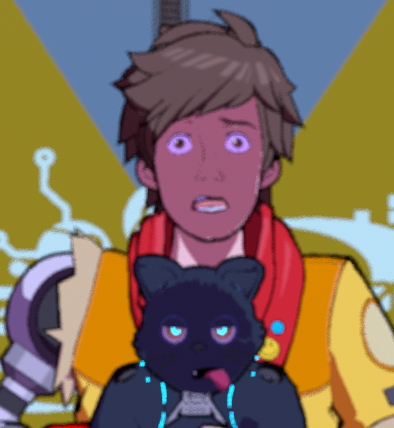
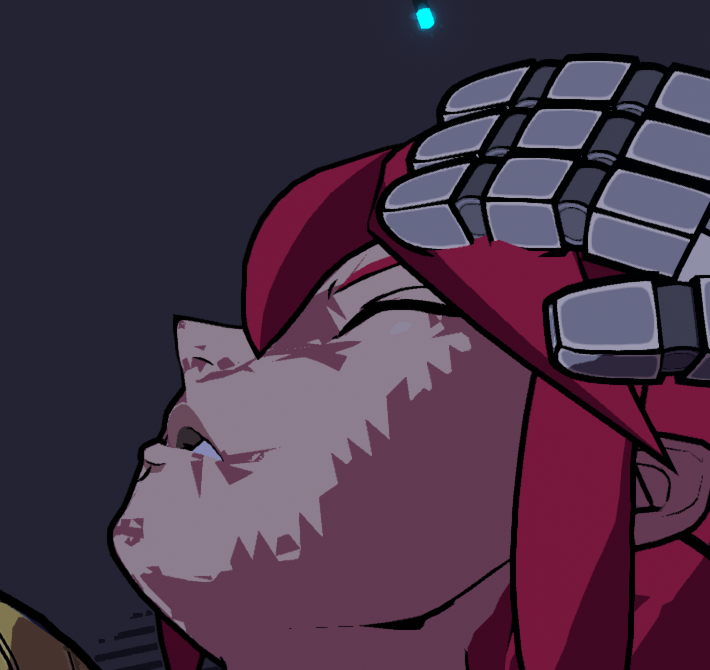
Face LODs seem to be causing issues with facial shadows. Slight difference in the "perfect distance from camera" where shadows actually work when swapping between Proton GE and Valve's standard Proton versions, but both are pretty busted.




Reproduction
Play the game via Proton on a 7900 XTX.
See that face shadows seem bugged, with slight clipping issues and variances based on camera distance/angle.
@kzdixon this is probably a RDNA3 exclusive issue, try RADV_DEBUG=nodcc,nohiz and open a Mesa bug report about it.
@mbriar will do; Those debug values do seem to get rid of the issue (at least from a cursory glance at the main menu models).
Mesa issue: https://gitlab.freedesktop.org/mesa/mesa/-/issues/8230
@kzdixon Can you try again with Mesa main from Git, please? I merged a fix for DCC on RDNA3, thanks!
Late responding to this issue, but in the mesa issue linked prior the bandaid fix to disable it for rdna3 worked fine.
The game runs great for me in max settings. Just a quick question.. Does anyone else have a lot of flicker with animations regardless of a few different proton versions used? Currently I'm running GE 7-51.. Everything else is fantastic but the flicker with animations, particularly cut scenes can get to my eyes :)
Hello @77boaz, please test the game's behavior with a mainline release of Proton. Also, please copy your system information from Steam (Steam -> Help -> System Information) and put it in a gist, then include a link to the gist in this issue report.
Thanks for the support! I checked the mainline release 7.0-6 as well as Experimental. The gameplay seems to run fine but the cut-scenes as mentioned above have a flash / choppy and/or ghosting to them. Here is a gist link to my system info...
https://gist.github.com/77boaz/a659d7a7357fbc1c731d740296487bce#file-gistfile1-txt
I'm still getting sound dropouts and the same errors with Proton 8: umip: Hi-Fi-RUSH.exe SGDT instruction cannot be used by applications. Will add a Proton log later.
Thanks for the support! I checked the mainline release 7.0-6 as well as Experimental. The gameplay seems to run fine but the cut-scenes as mentioned above have a flash / choppy and/or ghosting to them. Here is a gist link to my system info...
https://gist.github.com/77boaz/a659d7a7357fbc1c731d740296487bce#file-gistfile1-txt
I figured out how to get rid of my problem if anyone else sees this and wonders why or experiences the same. With my particular LG monitor, There's a specific option for Gaming Response Time. This was set to fastest. When knocking this down to anything lower than fastest, (even fast) gets rid of the white blur hurt the eyes look. Hope this helps
Proton versions
proton experimentalx1 2023-01
Launch options
RADV_DEBUG=nodcc,nohizx1 2023-02PROTON_LOG=1x1 2023-01
Compatibility Report
System Information
I confirm:
Symptoms
Sound mutes from time to time for a second or two, then it comes back.
Reproduction
Just playing the game, I haven't found any specific time between the mutes or a way to reproduce it manually. I'm suing Pipewire 0.3.64.
I was looking the journal logs to see if there was something, all I found it this:
This messages repeat a lot. Since it's the only game I've seen this happening I'm guessing it's something related to Proton and not Pipewire or my sistem