Wo Long: Fallen Dynasty Demo
Yep can confirm.
Cutscene is black, ESC to skip cutscene doesn't work, and audio of the cutscene is in slow motion.
The demo's appid is 2285240 for the record. @simonlui.
Can confirm. When you start or continue a game the screen will be black, audio is in slow motion and the skip button doesn't work.
- OS: Arch Linux
- GPU: NVIDIA GeForce RTX 3080 (525.89.02)
- Kernel: 6.1.12-zen1-1-zen
- Proton version: Proton Experimental [bleeding-edge]:
PROTON_LOG=1: steam-2285240.log.gz
Lots of d3dcompiler spew in the log, might be worth trying with native d3dcompiler_47 from winetricks.
Lots of d3dcompiler spew in the log, might be worth trying with native d3dcompiler_47 from winetricks.
doesn't fix it, but makes the log file a LOT smaller.
Looks video playback/mfplat related. Log with WINEDEBUG="+mfplat":
steam-2285240.zip
WINE_DO_NOT_CREATE_DXGI_DEVICE_MANAGER=1 doesn't help.
Looks video playback/mfplat related. Log with WINEDEBUG="+mfplat": steam-2285240.zip WINE_DO_NOT_CREATE_DXGI_DEVICE_MANAGER=1 doesn't help.
Guy1524 confirmed it on LGD and is working on it.
I want to add that this behavior can be replicated on Windows by not having the VP9 Media extensions from the Microsoft Store installed on the machine.
This works now on bleeding edge for me. As a side note, it has some intense shader-compilation related stuttering, but being a d3d12 game, i suspect that it's an issue on windows too. Otherwise it's working fine.
It works with Bleeding Edge as @mbriar said.
However there is an issue now when playing with mouse.
You need to move the mouse very fast in order for game to recognize camera movement.
If you move the mouse slowly, it won't recognize camera movement.
Here is the video of me demonstrating it:
Another user has tested it on Windows, and there the issue with mouse is present as well, however it's not as extreme as it is on Proton.
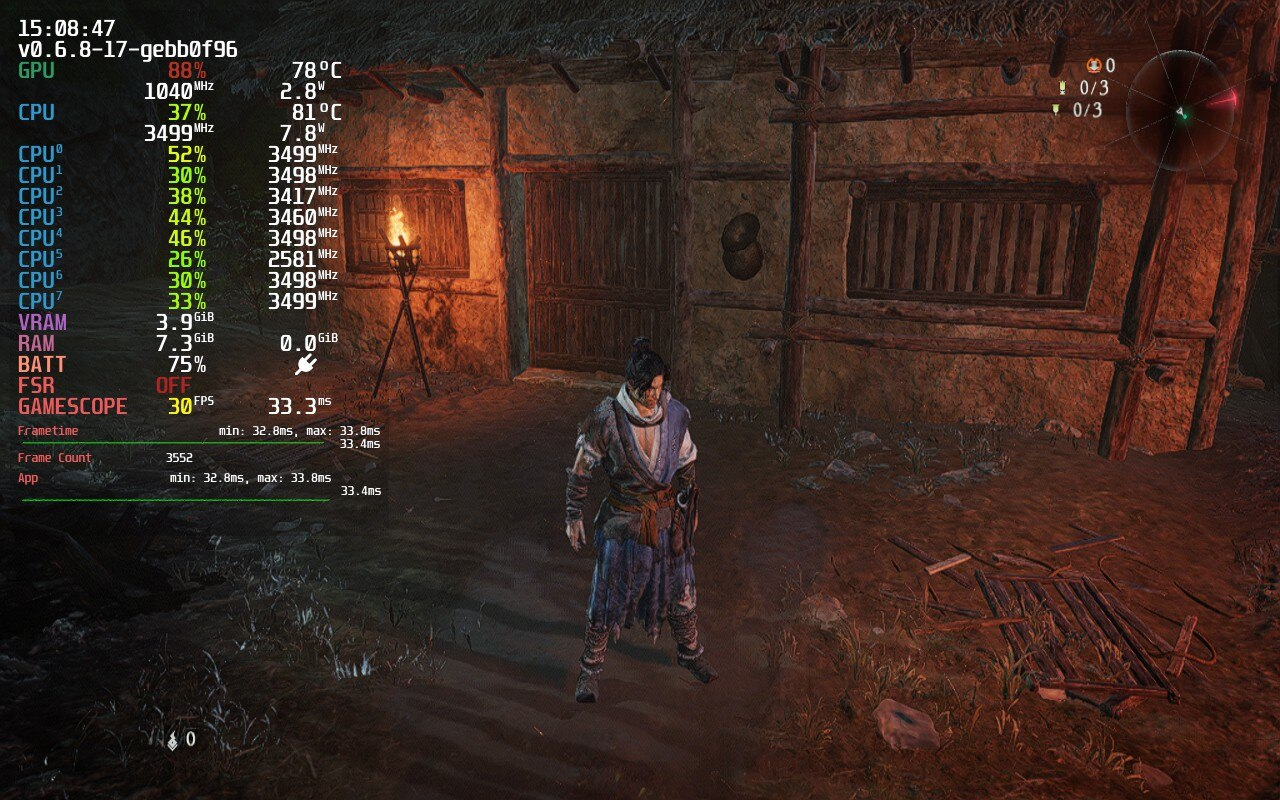
@mbriar Screen space reflections are bugged on Deck at least:
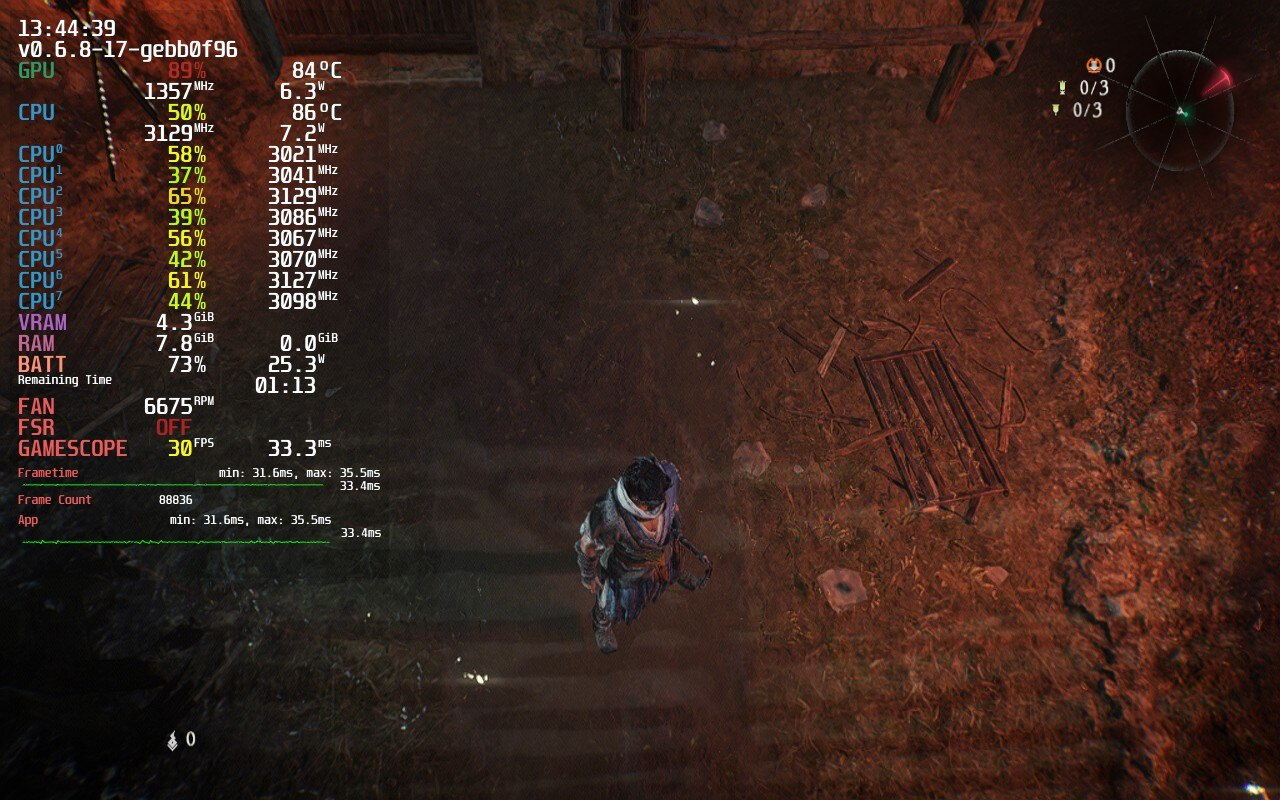
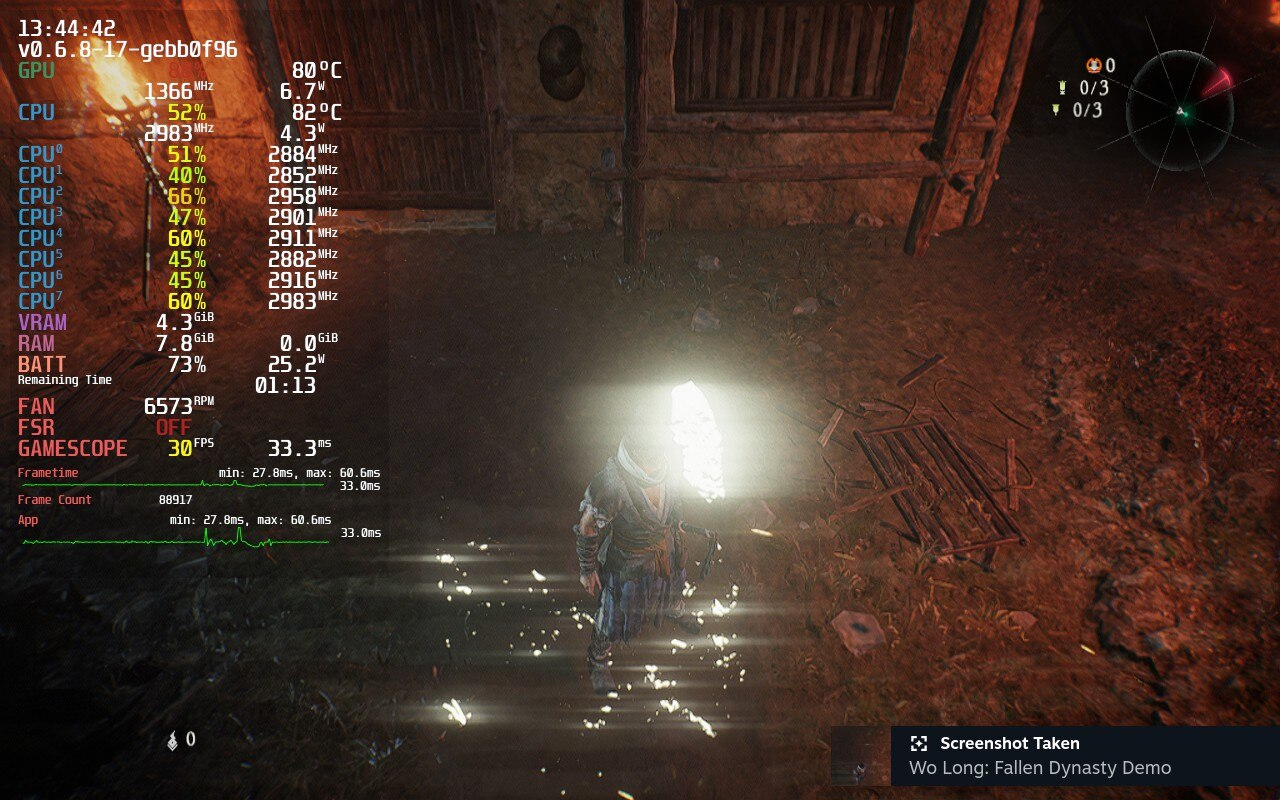
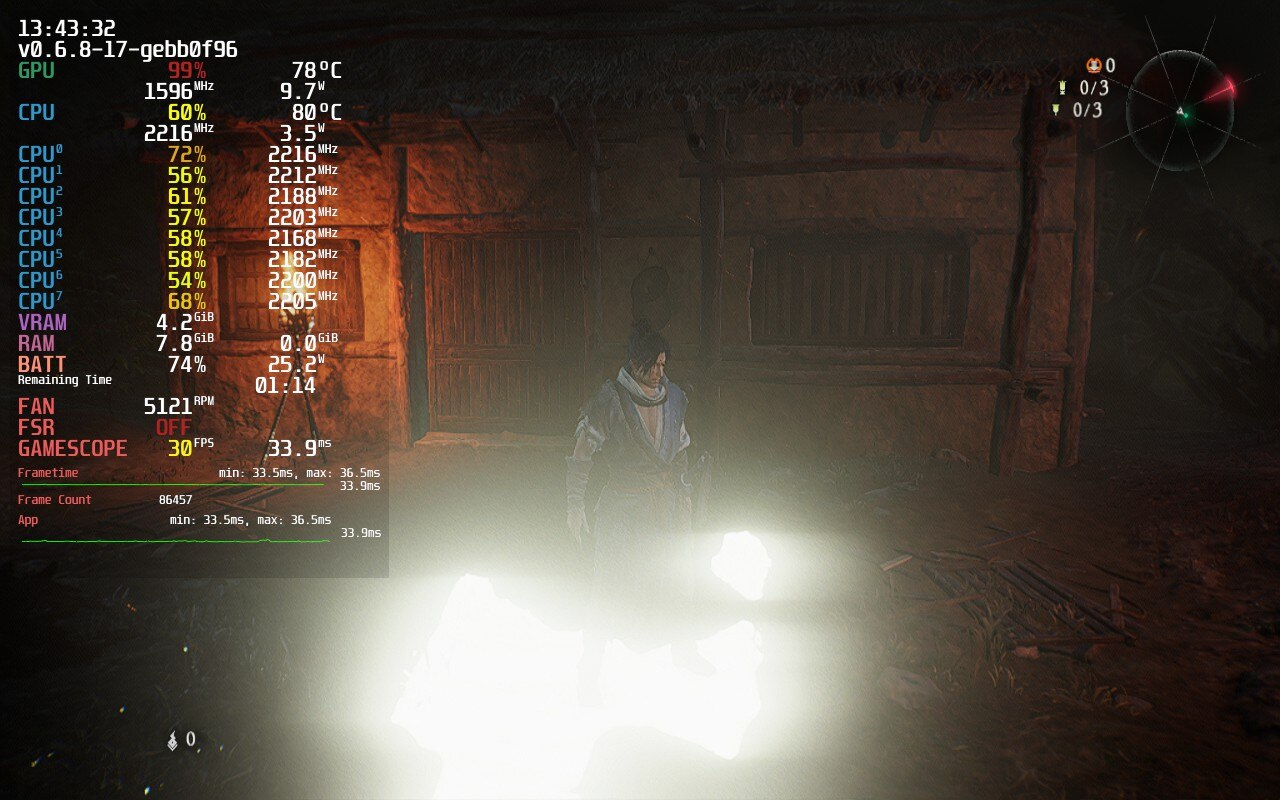
On Nvidia this is working correctly:
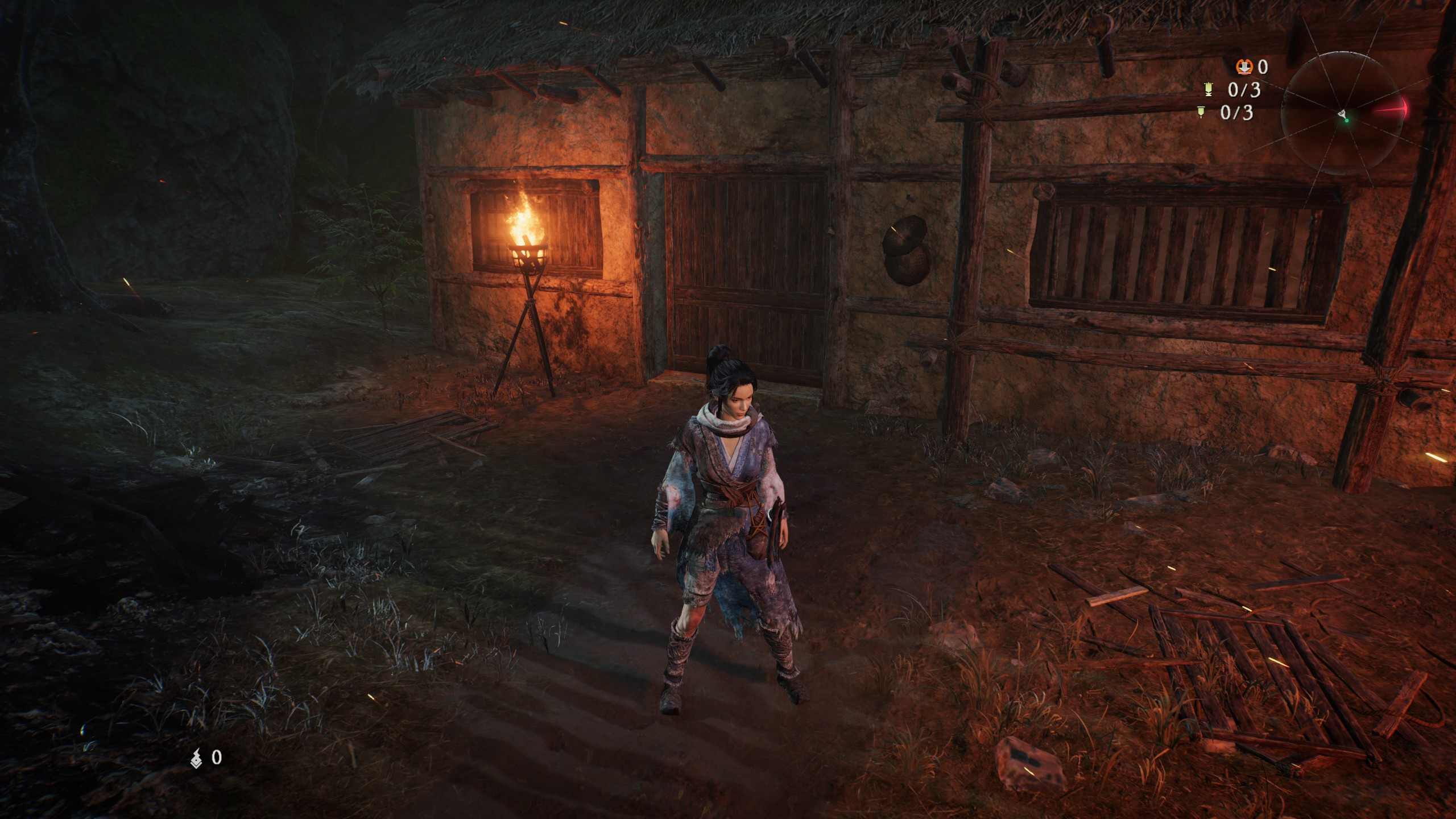
The reflections are working correctly for me on Mesa main 23.1.0-devel (git-8441d565ec) on a RX 6700 XT. The rendering is, however, very broken on Mesa 22.3.6. So I suspect a driver update will fix it on Steam Deck eventually.
The reflections are working correctly for me on Mesa main 23.1.0-devel (git-8441d565ec) on a RX 6700 XT. The rendering is, however, very broken on Mesa 22.3.6. So I suspect a driver update will fix it on Steam Deck eventually.
can confirm, switched over to "main" update channel on Deck:
It works with Bleeding Edge as @mbriar said. However there is an issue now when playing with mouse.
You need to move the mouse very fast in order for game to recognize camera movement. If you move the mouse slowly, it won't recognize camera movement.
Here is the video of me demonstrating it:
Another user has tested it on Windows, and there the issue with mouse is present as well, however it's not as extreme as it is on Proton.
This is, unfortunately, not an issue with Proton. The developers of the game put a kind of dead zone on the mouse input. The subreddit for this game has many people who have noticed this issue. So this is not something that will be fixable by Proton devs.
I compared the mouse behavior between windows and proton on my system, and while it is true that there is also a weird deadzone on windows, on proton it seems to be much more extreme (like 20x as bad) to the point that it's almost impossible to move the camera using the mouse.
I compared the mouse behavior between windows and proton on my system, and while it is true that there is also a weird deadzone on windows, on proton it seems to be much more extreme (like 20x as bad) to the point that it's almost impossible to move the camera using the mouse.
It is also movement based. If you move your mouse very slowly, in game camera won't move at all. If you speed up the mouse movement, camera will start to move slowly.
For me it cannot use my nvidia gpu and use intel igpu instead. VK_ICD_FILENAMES="/usr/share/vulkan/icd.d/nvidia_icd.json" and __NV_PRIME_RENDER_OFFLOAD=1 %command% not work either.
I also encountered a cloud sync issue, but that is probably not the game's fault (or Proton's).
Tracked here: https://github.com/ValveSoftware/steam-for-linux/issues/9244 maybe someone else can reproduce it.
I compared the mouse behavior between windows and proton on my system, and while it is true that there is also a weird deadzone on windows, on proton it seems to be much more extreme (like 20x as bad) to the point that it's almost impossible to move the camera using the mouse.
I haven't checked at all but it's possible this would be caused by Proton using accelerated mouse input all the time, including for Windows "rawinput" data, instead of passing Linux raw mouse movement through.
We considered changing this in the past, but it would technically cause a regression in every game using Windows rawinput messages, where mouse sensitivity would suddendly increase a lot. If this is truly an issue we might consider doing it anyway, as it better matches Windows behavior.
For me it cannot use my nvidia gpu and use intel igpu instead.
VK_ICD_FILENAMES="/usr/share/vulkan/icd.d/nvidia_icd.json"and__NV_PRIME_RENDER_OFFLOAD=1 %command%not work either.
Was facing the same issue, until I used optimus-manager to put my laptop into nvidia-only mode, and applied VK_ICD_FILENAMES, after which the demo launched just fine. However, it didn't get past the main menu, and froze and failed to play the opening cutscene, with the "dragon" audio playing in the background
@Sid127 I quitted and use desktop instead.
Had to disable the internal gpu of my i712700k via the bios boot menu for the game to launch, otherwise runs with minors fps issues using proton experimental bleeding edge.
@beltranbot good info!! thanks!!
I think the 'W' key getting stuck is this ibus issue that currently affects a lot of games.
The keys getting stuck is definitely the ibus issue, you can work around it temporarily by killing the ibus-daemon process.
Can we stop discussing about the full release game in the demo issue?
Discussion should be moved to the proper issue.
Closing the issue as the demo is no longer downloadable to the public and any relevant issue should pertain to the full game.
Proton versions
proton experimentalx3 2023-03
Launch options
WINEDEBUG="+mfplat"x2 2023-02WINE_DO_NOT_CREATE_DXGI_DEVICE_MANAGER=1x2 2023-02PROTON_LOG=1`:x1 2023-02
Launch lines
__NV_PRIME_RENDER_OFFLOAD=1 %command%x2 2023-03
Upstream links
- ValveSoftware/Proton/issues/6595x1 2023-03
- ValveSoftware/steam-for-linux/issues/9244x1 2023-03
Compatibility Report
System Information
I confirm:
https://gist.github.com/simonlui/b4dcd7134ea748c3ac0b9244eabc6e09
Symptoms
Do keep in mind I am reporting about an early game demo but there isn't any reason to believe this won't also extend into the full game. Game takes an abnormally long time to startup but will then load the main menu fine. But going into a new game, all you get is a black screen and audio presumably of a dragon growling with Escape key in the corner to skip but pressing Escape does nothing to skip. The growling does stop at some point after waiting long enough but nothing else happens, and the game is stuck on the black screen.
Anecdotally, it seems to happen also on my Steam Deck and I found one other report in the Steam discussion for the game collaborating my experience. Not sure what is going on, if this is supposed to be a cutscene introduction, then the video of said cutscene should be just fine as the video files in the archive folder when browsing the local files for the demo are all .vp9 files without audio so they should play just fine on Linux. I do need to sleep at this time but I will try and find time tomorrow to upload a Proton log from my Steam Deck too if needed.