Painkiller: Black Edition
Painkiller: Black Edition crash on startup patch for d9vk
Issue transferred from https://github.com/ValveSoftware/Proton/issues/3234.
@shoober420 posted on 2019-11-20T05:48:46:
Compatibility Report
- Name of the game with compatibility issues: Painkiller: Black Eidtion
- Steam AppID of the game: https://steamdb.info/app/39530/
System Information
- GPU: GTX 760
- Driver/LLVM version: NVIDIA 440.31
- Kernel version: 5.3.11
- https://gist.github.com/shoober420/1215c40214cf70e1fabb760b5bd2a341
- Proton version: 4.11-8
Symptoms
Painkiller: Black Edition crashes on startup using d9vk
Reproduction
Enable d9vk, and attempt to launch
More info here.
https://github.com/Joshua-Ashton/d9vk/issues/234
https://source.winehq.org/patches/data/167679
Compatibility Report
- Name of the game with compatibility issues: Painkiller: Black Edition
- Steam AppID of the game: https://steamdb.info/app/39530/
System Information
- GPU: GTX 760
- Driver/LLVM version: NVIDIA 440.44
- Kernel version: 5.4.15
- https://github.com/shoober420/linux-scripts/blob/main/home/shoober420/sysinfonvidia
- Proton version: 4.11-12
LOG:
steam-39530.log
Symptoms
Game runs good, but is restricted to lower resolutions, max being 1400x1050. When using WineD3D, the resolution choices are as they should be, as 2048x1536 is the max resolution. This only occurs when using D9VK.
Even when I manually force 2048x1536 in the “Painkiller Black Edition/Bin/config.ini”, by editing Cfg.Resolution = “2048X1536”, the game will still use 1400x1050 instead.
The game no longer crashes when using D9VK though, which is good.
Reproduction
Launch game using "PROTON_USE_D9VK=1"
Compatibility Report
- Name of the game with compatibility issues: Painkiller: Black Edition
- Steam AppID of the game: https://steamdb.info/app/39530/
System Information
- GPU: GTX 760
- Driver/LLVM version: NVIDIA 440.64
- Kernel version: 5.5.10
- https://github.com/shoober420/linux-scripts/blob/main/home/shoober420/sysinfonvidia
- Proton version: 5.0-4
LOG:
steam-39530.log
Symptoms
Game runs great, but is limted to 1280x1024 resolution. Im not sure if this is a thing on Windows, or else I would of did a Whitelist Request.
https://github.com/ValveSoftware/Proton/issues/3647
https://github.com/ValveSoftware/Proton/issues/3646
Like the other Painkiller games, fixme:vulkan:X11DRV_vkCreateWin32SurfaceKHR Application requires child window rendering, which is not implemented yet! is in the log, so something has gone awry. (https://bugs.winehq.org/show_bug.cgi?id=45277)
Hello
based on this comment https://bugs.winehq.org/show_bug.cgi?id=45277#c61, i did a retest.
System Information
- GPU: AMD Radeon RX 580
- Driver/LLVM version: Mesa 21.0.3
- Distro version: Arch Linux
- Link to full system information report as Gist:
- Proton version: experimental-6.3
Symptoms
- Most of the Game Window is not visible or it's too small. Depends on the In-Game Resolution you are using. See Screenshots.
Reproduction
- Start the Game.
Logs:
Screenshots:
-
In-Game Resolution DEFAULT:
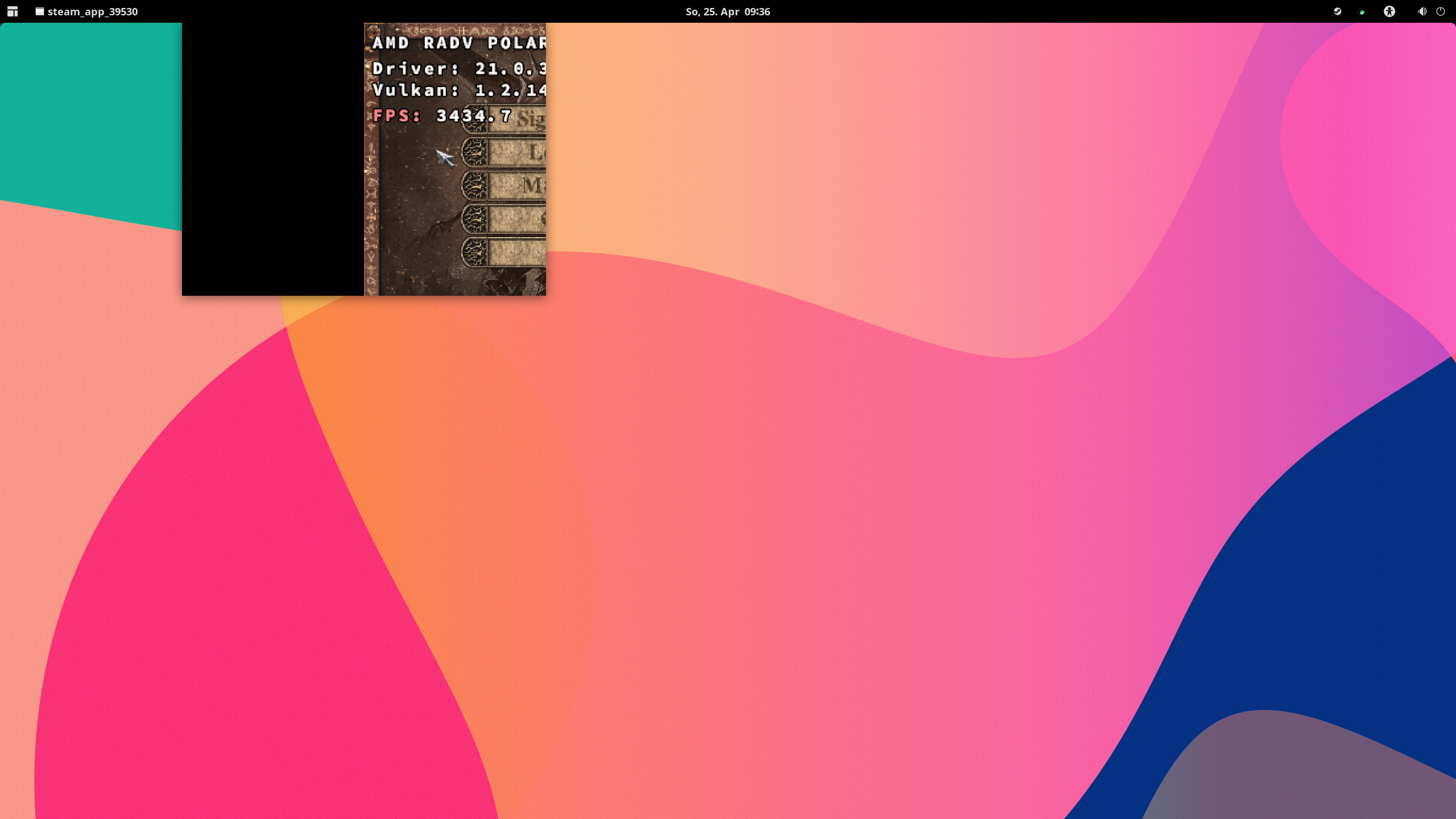
-
In-Game Resolution 2560x1440:
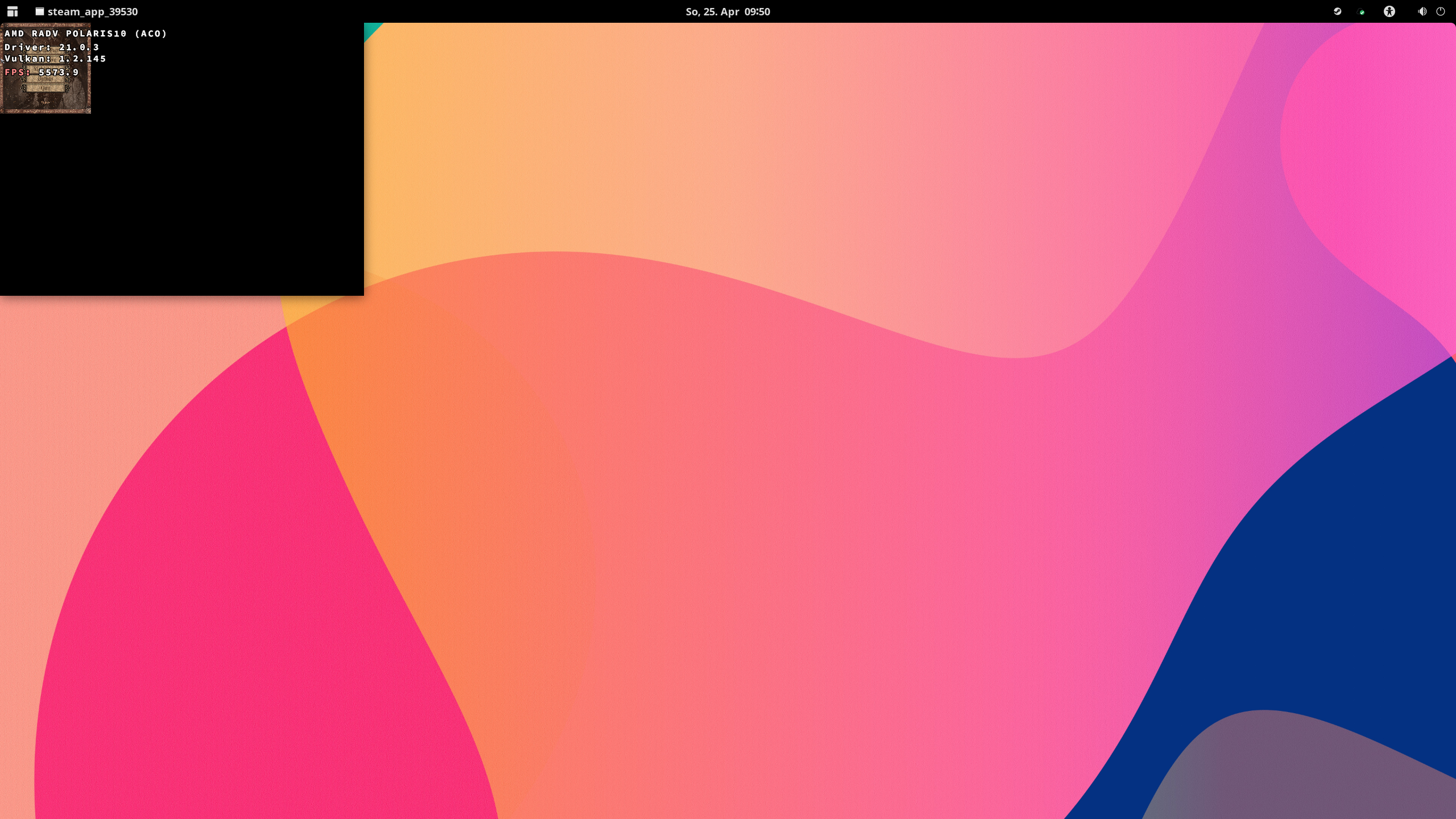
Note
Same for:
- Painkiller: Overdose https://github.com/ValveSoftware/Proton/issues/3646
- Painkiller: Resurrection https://github.com/ValveSoftware/Proton/issues/3647
All the Painkiller games on my oled deck save for Hell and Damnation seem to have a dxvk issue where the game just scales improperly, essentially rendering the game as a small box on the top left of the screen.
Launch options
PROTON_USE_D9VK=1"x1 2020-01
Upstream links
- show_bug.cgi?id=45277x2 2021-04
- ValveSoftware/Proton/issues/3646x2 2021-04
- ValveSoftware/Proton/issues/3647x2 2021-04
- ValveSoftware/Proton/issues/3234x1 2019-11
Played first level - everything was fine.