The Last of Us Part 1
Can confirm, 3080, either on hotfix or bleeding edge. Other typical things like PROTON_HIDE_NVIDIA_GPU=0 or VKD3D_CONFIG=dxr11 are fine.
Dunno if this is a proton bug or a game bug, but it only sees my card as having 6gb of vram, my card has 10gb.

There's something quite funny going from them boasting about day 1 deck compatibility to the unofficial label. Speaking of which I noticed the page doesn't actually make any mention of verification, what happened there?
Hello @urbenlegend, warn:debugstr:OutputDebugStringA "\n******************************************************************************\n*** ASSERTION: NVAPI_OK == status\n***\n*** Function: ndgi::Adapter::InitPerfInfo\n*** File: ndlib/render/ndgi/win/ndgi-adapter-table-win.cpp\n*** Line: 922\n*** Built: \n***********************"... looks like a possible line of interest in your log.
(Non-authoritative) It looks like this game uses DLSS 3.0? DLSS 3.0 is known to not work with Proton at this time.
@kisak-valve Is there no DLSS 2.0 fallback? AFAICT, other games (Spider-Man Miles Morales) have offered DLSS 3 (frame generation and all that) but they always had a mode that could still work on Nvidia 3xxx cards and below.
@Bitwolfies I am seeing something similar on my end except it's reporting 12GB of RAM when I have 24GB of RAM on my 3090.
Regarding NVAPI crash, I filed https://github.com/jp7677/dxvk-nvapi/issues/115 to track this on our side. Right now it expects NvAPI_GPU_GetGpuCoreCount to succeed which is implemented using NVML so it fails if wine-nvml is not installed in the prefix. And if it is installed, it then calls NvAPI_GPU_GetPstates20 which is not implemented at all.
(Non-authoritative) It looks like this game uses DLSS 3.0? DLSS 3.0 is known to not work with Proton at this time.
@kisak-valve I think we should be able to get DLSS 3.0 Super Resolution to work, it's only DLSS 3.0 Frame Generation that's currently not available on Linux.
The game opened with Proton Experimental, Proton 7.0-6 and HotFix, but not at the first try, but I think that I closed it on the "spinning coin" screen because it was taking too long.
Seeing friend with similiar GPU running on Windows the performance was also awful already on the configuration menus and on the title screen. The integrade shaders builder is really taking its time to finish, I'll wait and see if it improves.
None of the previous mentioned parameters made any difference , performance wise at first, but it seems that the Integrated Shaders Builder, with its very slow process, is improving. At least, now at 37%, the intro until the first zombie appears feels much better.
Mine: Core i7-10750H, RTX 2060 mobile 6GB, 16GB RAM, Fedora 38 Beta, Kernel 6.2.8-cbl (CachyOS LTO)
Friend's: Ryzen 5 3600, RTX 2060 Super 8GB, 16GBRAM, Windows 11
Also I forgot this that happens everytime I click play to open the game (AMD drivers??):

Hmm, anyone else not seeing enemy outlines in the "listen" mode? Makes stealth in this game kinda hard. I am not sure if this is a Linux specific bug as I don't have a Windows install to test currently.
Hmm, anyone else not seeing enemy outlines in the "listen" mode? Makes stealth in this game kinda hard. I am not sure if this is a Linux specific bug as I don't have a Windows install to test currently.
I did not either
After waiting the Integrated Shader Compiler, the frame times and FPS got much better. Just not the VRAM and RAM consumption.
On my case it improved from 10-21FPS on the title screen to 35-65FPS+ and improved a lot inside the game, but I am still at the lowest settings with almost my 6GB VRAM full.
Setting WINEDLLOVERRIDES="amd_ags_x64.dll=b" should show the correct amount of vram, and stop the pop up about out of date drivers for amdgpu users.
WINEDLLOVERRIDES="amd_ags_x64.dll=b"
Just stopped the message at the start, the amount still the same.

Setting
WINEDLLOVERRIDES="amd_ags_x64.dll=b"should show the correct amount of vram, and stop the pop up about out of date drivers for amdgpu users.
I can confirm this fixes both the driver update popup and the available VRAM for me, on the default Proton Hotfix, with an RX 6800 XT.
WINEDLLOVERRIDES="amd_ags_x64.dll=b" works to fix the vram and driver update for me as well, but it causes graphical glitches with the curtains in at the main menu.
I also have the same issue with the listening mode not showing outlines on moderate difficulty.
EDIT: Following this article it's possible that PROTON_ENABLE_NVAPI=1 PROTON_HIDE_NVIDIA_GPU=0 could help Nvidia users.
WINEDLLOVERRIDES="amd_ags_x64.dll=b"works to fix the vram and driver update for me as well, but it causes graphical glitches with the curtains in at the main menu.I also have the same issue with the listening mode not showing outlines on moderate difficulty.
EDIT: Following this article it's possible that
PROTON_ENABLE_NVAPI=1 PROTON_HIDE_NVIDIA_GPU=0could help Nvidia users.
Tried that earlier, hide fixes nothing and nvapi causes a crash.

I just can't start the game. With or without WINEDLLOVERRIDES="amd_ags_x64.dll=b", not with proton hotfix, proton experimental, 7.0-6 or GE. Here is a gist of my steam system information.
Hello @grumpy-guy, your system is configured to use AMDVLK and AMDGPU-Pro. Can you test how the game behaves with mesa/RADV?
Hello @kisak-valve, What if I had an Nvidia? more specifically a GTX 1050 Ti, is there anything I can do?
I have the same problem:
A GPU supporting D3D_FEATURE_LEVEL_12_0 or higher is required.
I am using the NVIDIA proprietary drivers
Playing for about 15-20 minutes usually results in the game freezing up with technicolored barf: 
Apologies for the phone pic, the issue doesn't get captured with screenshot tools for some reason.
Anyone else got awful load times? I have an NVME drive and loading the prologue takes upwards of 2 mins with all shaders compiled.
@Bitwolfies yes, even after shader compilation I still have to wait 1-2 minutes to get in-game from the main menu.
I just can't start the game. With or without
WINEDLLOVERRIDES="amd_ags_x64.dll=b", not with proton hotfix, proton experimental, 7.0-6 or GE. Here is a gist of my steam system information.
After today's update not just that happened as it said that the game was improperly closed. Which was not.
Latest Experimental bleeding edge should contain a fix for the game crashing when NVAPI is enabled. This should in turn allow DLSS to be used.
Interestingly, it appears that FPS drop to about 5 while DLSS is enabled and shaders are still being compiled in the menu. No idea why but hopefully it won't cause performance issues during actual gameplay.
Latest Experimental bleeding edge should contain a fix for the game crashing when NVAPI is enabled. This should in turn allow DLSS to be used.
Interestingly, it appears that FPS drop to about 5 while DLSS is enabled and shaders are still being compiled in the menu. No idea why but hopefully it won't cause performance issues during actual gameplay.
Tried it, still crashes. Unless it just has not been pushed out yet.
It's either that or Steam client didn't pick up the new version yet. In the meantime, you can take nvapi64.dll from the GitHub Actions artifacts here and replace Proton's library in Proton - Experimental/files/lib64/wine/nvapi/ with that one.
It's either that or Steam client didn't pick up the new version yet. In the meantime, you can take
nvapi64.dllfrom the GitHub Actions artifacts here and replace Proton's library inProton - Experimental/files/lib64/wine/nvapi/with that one.
Thats done it, experimental bleeding doesn't have it yet then.
Cool, I suppose we just need to wait a bit longer for that.
New NVAPI solves the vram issue, still whines about my driver though.

Latest Experimental bleeding edge should contain a fix for the game crashing when NVAPI is enabled. This should in turn allow DLSS to be used.
Interestingly, it appears that FPS drop to about 5 while DLSS is enabled and shaders are still being compiled in the menu. No idea why but hopefully it won't cause performance issues during actual gameplay.
For me its the other way, I disabled DLSS In the menu and it tanked it to 5 fps.
Using the new nvapi dll linked by @Saancreed works for me! DLSS works properly, VRAM amount is correctly reported, and I swear it runs much more stable than before. Not sure what got fixed, but instead of crashing every 15-20 minutes with technicolor barf on the screen I can now play for hours. There was one crash after playing for 2 hours but then it worked for another 3 hours before I had to stop playing. Now, the only glaring issue for me besides the long load times is the lack of enemy outlines in the "listen" mode.
EDIT: Nope, spoke too soon. Crashed again with technicolor barf.
Replying to https://github.com/ValveSoftware/Proton/issues/6653#issuecomment-1488579027
@kisak-valve:
Omg, I feel embarrassed, typical layer 8 problem. You were right, now everything is working like a charm.
Replying to https://github.com/ValveSoftware/Proton/issues/6653#issuecomment-1489805317
Can you post how you did these? I also get this error message
Replying to https://github.com/ValveSoftware/Proton/issues/6653#issuecomment-1489827395
I had all three vulkan implementations installed. amdvlk, vulkan-radeon and vulkan-amdgpu-pro. So I just uninstalled amdvlk and vulkan-amdgpu-pro.
Replying to https://github.com/ValveSoftware/Proton/issues/6653#issuecomment-1489834848
Ah okay. I hoped for working startoption :D
But thanks for the answer :)
Ah okay. I hoped for working startoption :D But thanks for the answer :)
You could try AMD_VULKAN_ICD=RADV and see if that works. As far as I understand this should force the use of radeon vulkan.
New NVAPI solves the vram issue, still whines about my driver though.
NVAPI has a environment variable to solve this. I have mine set to DXVK_NVAPI_DRIVER_VERSION=53141 to report driver version 531.41
Captured a Proton log for the crash that occurs a few minutes into the gameplay.
steam-1888930.zip
At one point I also saw this error message in journalctl right after a crash:
kernel: NVRM: Xid (PCI:0000:0c:00): 109, pid=7056, name=, Ch 000000d6, errorString CTX SWITCH TIMEOUT, Info 0x58c06b
Not sure if this is related or not.
Hello @urbenlegend, https://forums.developer.nvidia.com/t/multiple-cuda-rtx-vulkan-application-crashing-with-xid-13-109-errors/235459/41 might be relevant.
@urbenlegend @msmafra @dacioromero Thanks for reporting the issue.
The problem has been identified and a fix has been merged in upstream vkd3d-proton https://github.com/HansKristian-Work/vkd3d-proton/pull/1500
Hello @kisak-valve, What if I had an Nvidia? more specifically a GTX 1050 Ti, is there anything I can do? I have the same problem:
A GPU supporting D3D_FEATURE_LEVEL_12_0 or higher is required.
I am using the NVIDIA proprietary drivers
@TRuHa83 Hello, you have Pascal GPU and so you need add VKD3D_SHADER_MODEL=6_6 for launch the game. But performance will be verry bad (as usual).
Edit: Pascal GPU => GTX 10xx Series
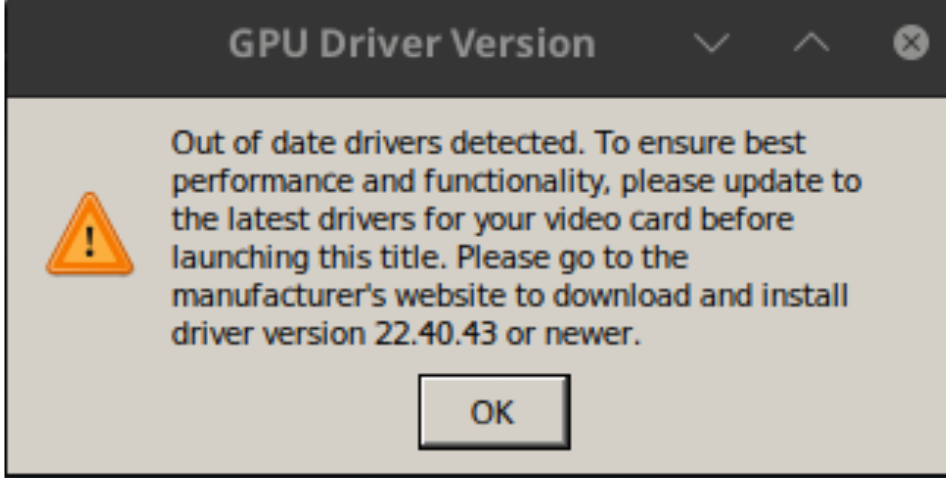
Please help I have this same error on my steamdeck. I have tried WINEDLLOVERRIDES="amd_ags_x64.dll=b
But it didn't work.
Any help you can give would be amazing.
@crowland1978 make sure you have %command% afterwards aswell if you didn't already. It's a thing Steam needs for us to tell that everything before it is not launch options supplied directly to the exe we are launching. Environment variables could be an example. You can also leave out the dll part.
So the below should work
WINEDLLOVERRIDES="amd_ags_x64=b" %command%
Thank you for your reply sorry I missed from my last post, I did have that already,
I have now tied it with and without the DLL. the still the same sadly.
The steamdeck GPU is a AMD Van Gogh if that helps. I really would love to understand all these commands.
Would you be able to add, in addition to the above, PROTON_LOG=1 and then attach the generated log steam-1888930.log from your users home folder here?
Edit:
And in regards to the WINEDLLOVERRIDES command then wine have a concept of builtin and native dll's.
builtin is when you tell wine to ignore any dll's either provided by the game in it's folder or installed in the wine prefix's Windows system folders, among other. It will instead use a version, if such exists, that wine itself ships. It will usually load these (afaiu) in the background through the wine software and not the actual files present on your drive in the prefix which are more for dummy purposes for software that want them present. When these haven't been overwritten with "native" versions they will also just direct the calls to the wine software itself.
native is the other way around and you tell it to use a dll that is not wines own version. Could be provided as a file along with the game or installed into the prefix through an installer. These are files have to be directly present in your prefix.
You can also mix them like WINEDLLOVERRIDES="amd_ags_x64=n,b would tell wine to first attempt to load the native version and if thats fails then load the builtin instead.
Oversimplified and the lower details might be different.
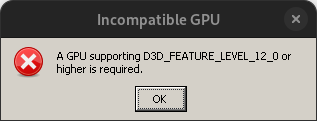
Just wanted to add that i was encountering this "Incompatible GPU" error (D3D_FEATURE_LEVEL_12_0) in Endevour OS but the game works fine in Manjaro. I did not go dive into why but my guess is that distros/steam installs use different vulcan drivers. Just my guess. I have an AMD RX6000 series.
Hi everyone on my steamdeck I typed PROTON_LOG=1 and it didn't work.
But when I type WINEDLLOVERRIDES="amd_ags_x64=b" %command%
I get glitches on the curtains and my vram usage is correct.
Is there anyway to fix the curtain glitches and when it calls problems later on in the game ?
Crashes on launch with Nvidia propietary drivers.
Hello. This is a issue with all Pascal cards and the game together with vkd3d-proton. On either Proton hotfix or experimental you can work around it with VKD3D_SHADER_MODEL=6_6, i don't know if it will have any issues ingame. Also note that Pascal can have bad performance with vkd3d-proton compared to newer cards.
@Odisej75 This should work fine with amd cards provided you are using the mesa radv driver. Amd's own Vulkan driver amdvlk or pro doesn't haven't all the required features for the feature levels needed. But you can also work around the error itself with env var above on those drivers if needed.
Replying to https://github.com/ValveSoftware/Proton/issues/6653#issuecomment-1492983277
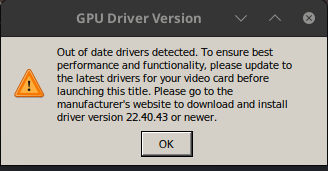
Thanks for the workaround, that makes the game launch with the caveat of the mensage below displaying.
@urbenlegend @msmafra @dacioromero Thanks for reporting the issue. The problem has been identified and a fix has been merged in upstream vkd3d-proton HansKristian-Work/vkd3d-proton#1500
@Blisto91 Thanks for the quick fix! Can confirm that the latest bleeding edge Proton Experimental correctly renders the enemy outlines. Still getting these repeated random crashes that happen when loading into the game and mid-game though.
Replying to https://github.com/ValveSoftware/Proton/issues/6653#issuecomment-1489045985
I think I have the same issue like @urbenlegend. The game runs perfectly most of the time, but occasionally I get a similar colored visual glitch as well as other weird effects that look a bit like an analog photograph with long exposure time being shaken (see attached images)
For me it was only one time accompanied with a full game crash, otherwise it's only the visual glitches, game still running smooth.
After some tinkering around I noticed that the whole occurrence seems to be in connection with usage of the in-game flashlight.
The visual glitches only appear when activating the flashlight (or having it activated already), completely disappearing when deactivating it again afterwards.
Is that maybe the same case for you too, @urbenlegend ?
It looks like the black box in the top-left corner is present in your glitch too.
I was able to capture some screenshots of the ones that look like the long exposure-type effects I mentioned:
Screenshots
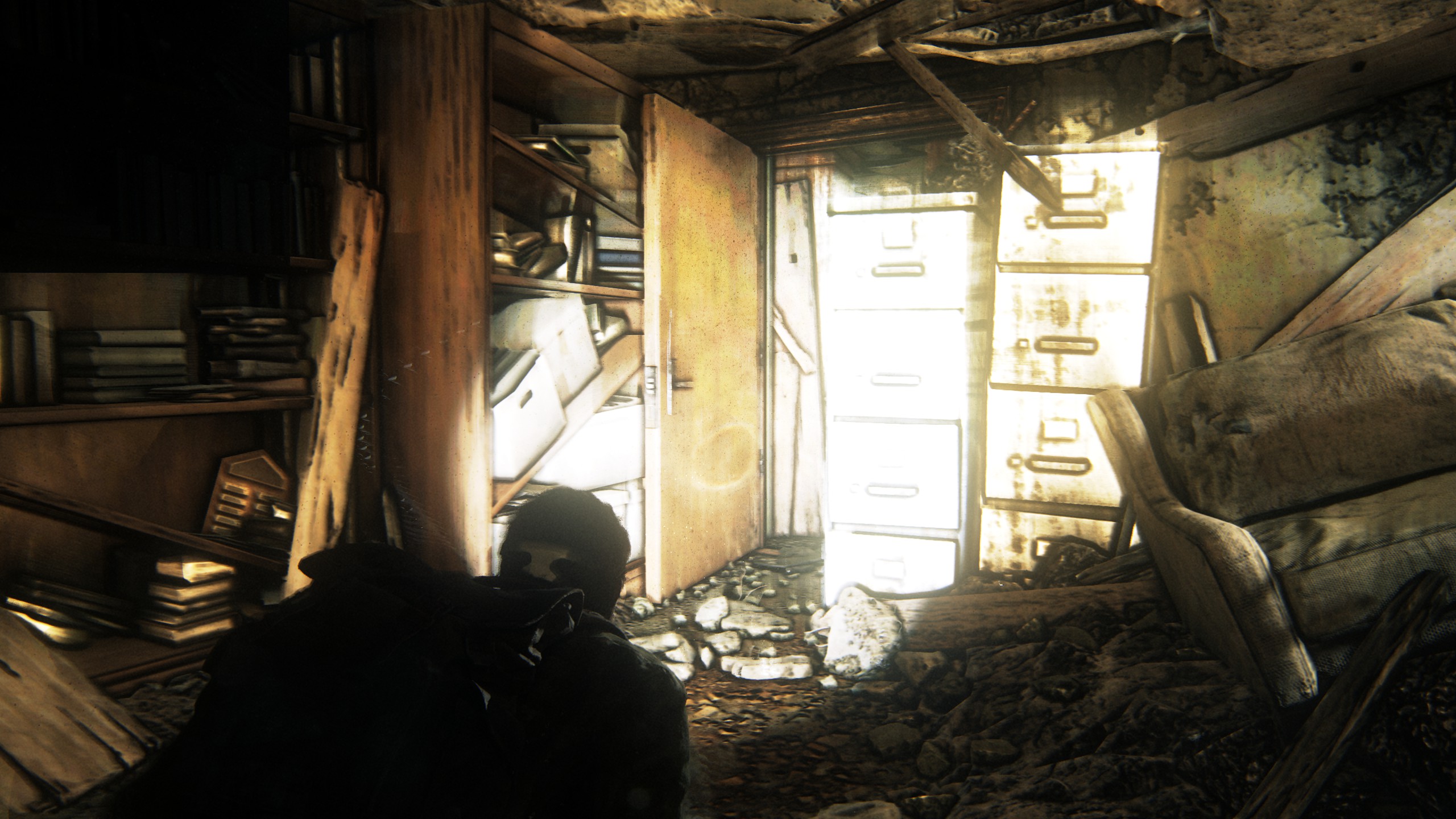
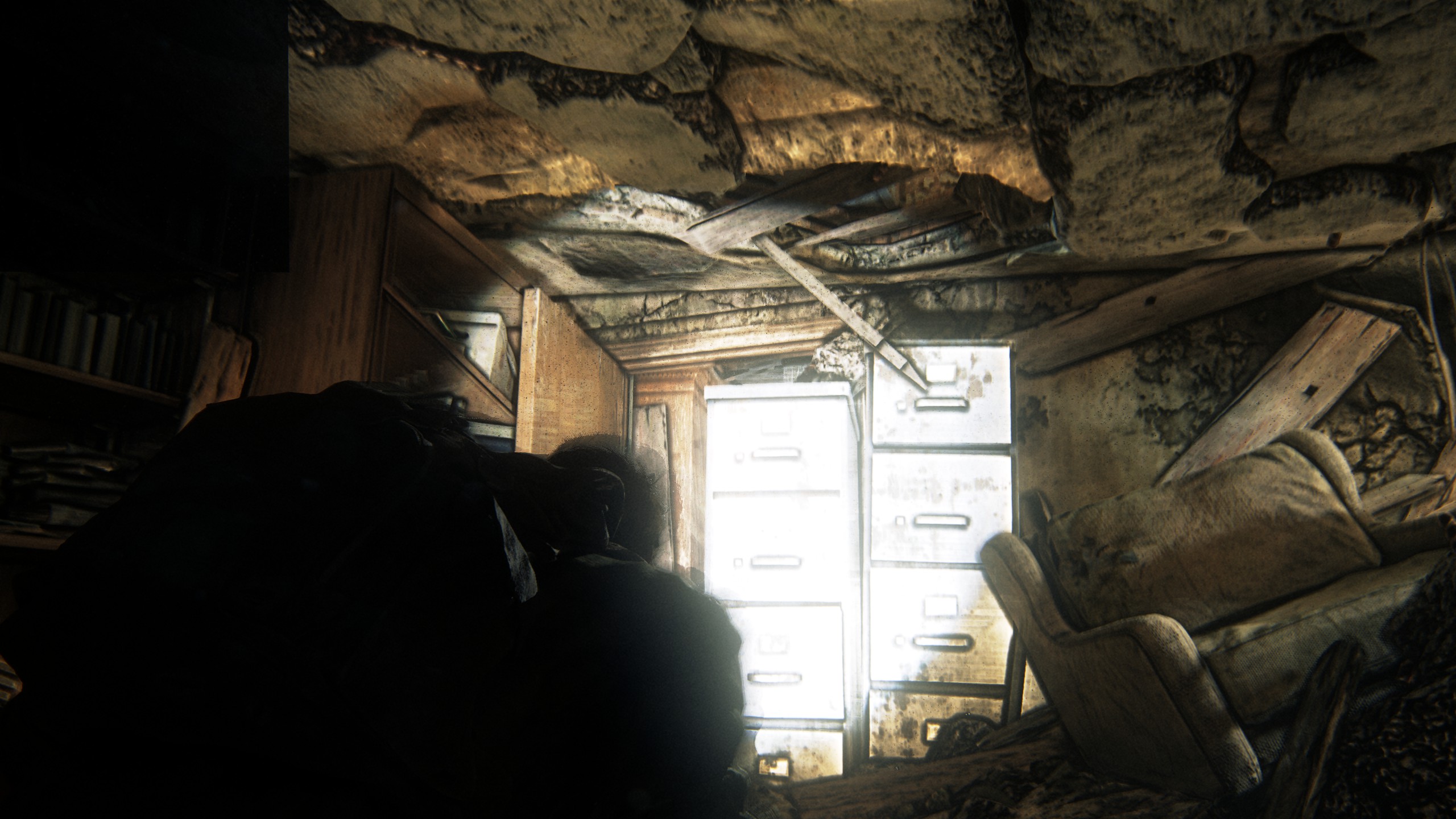
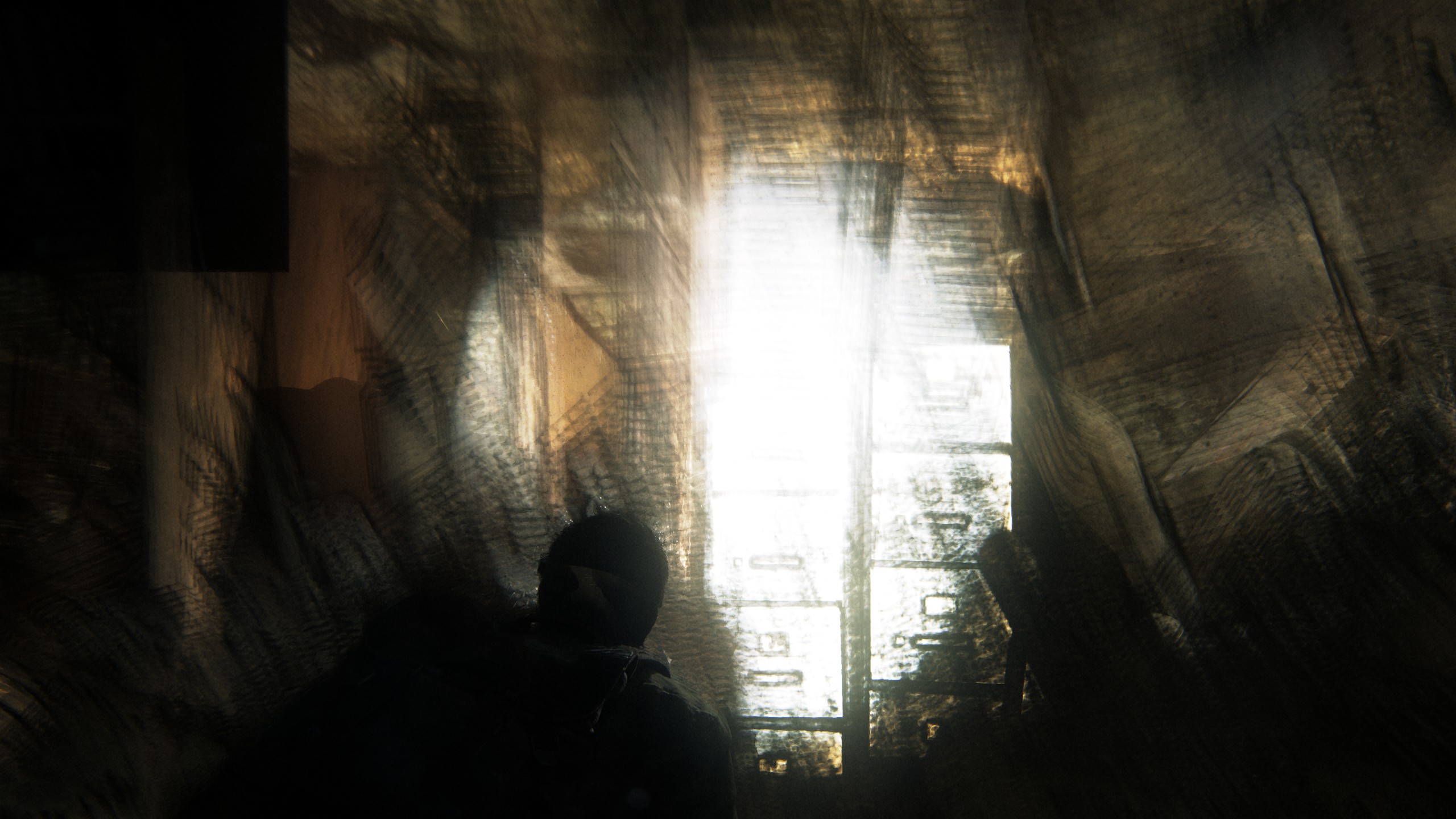
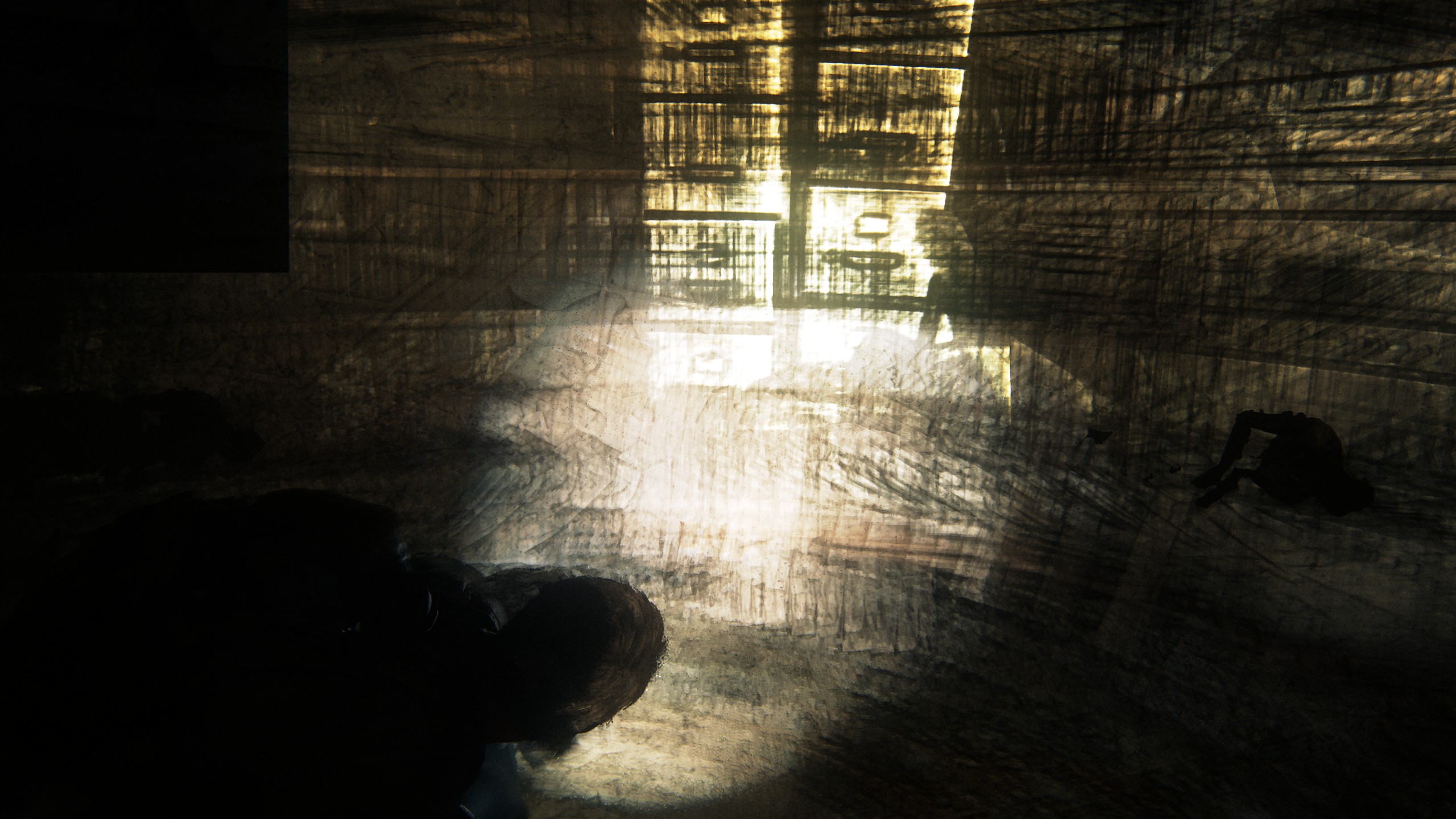
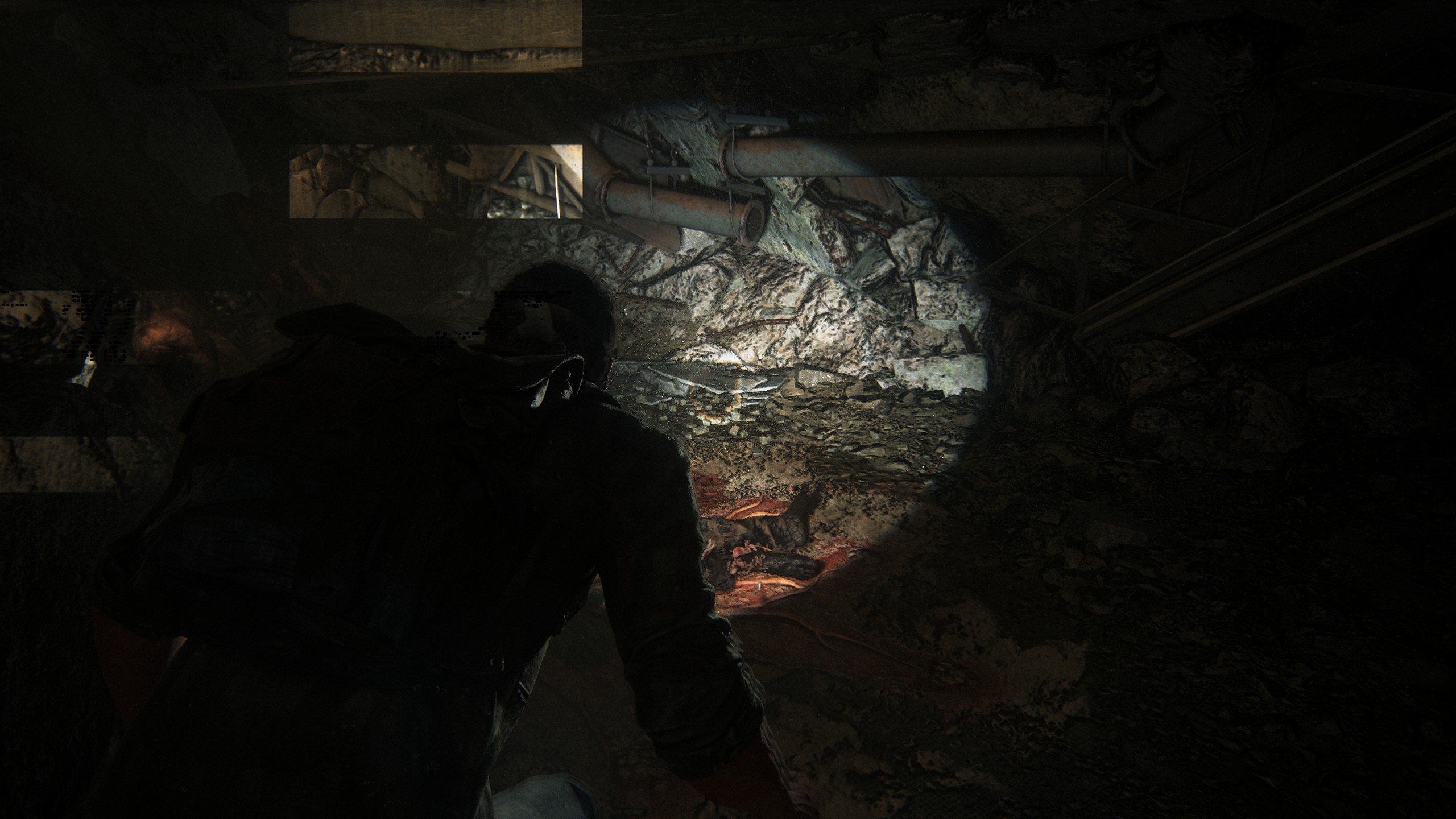
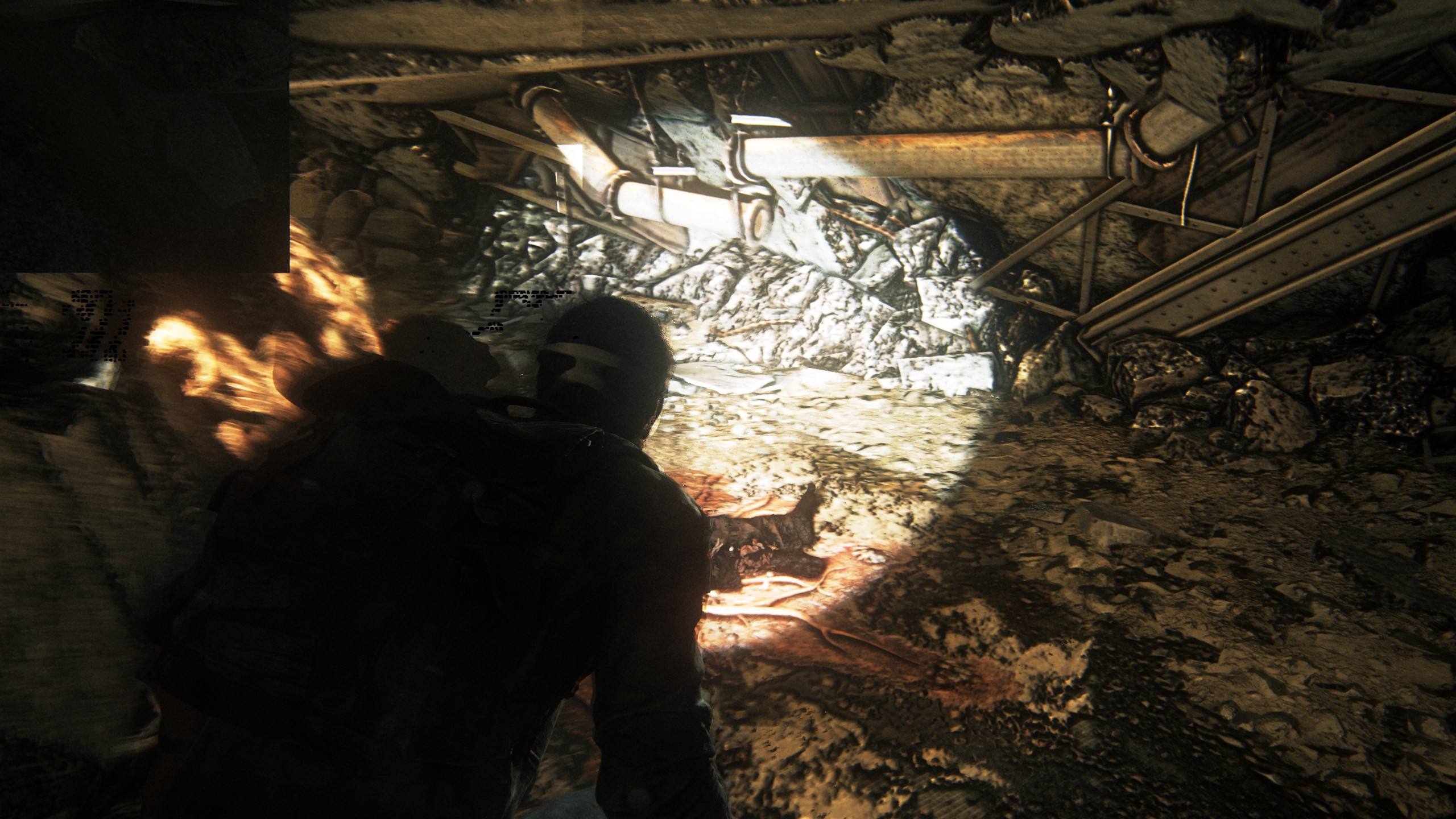
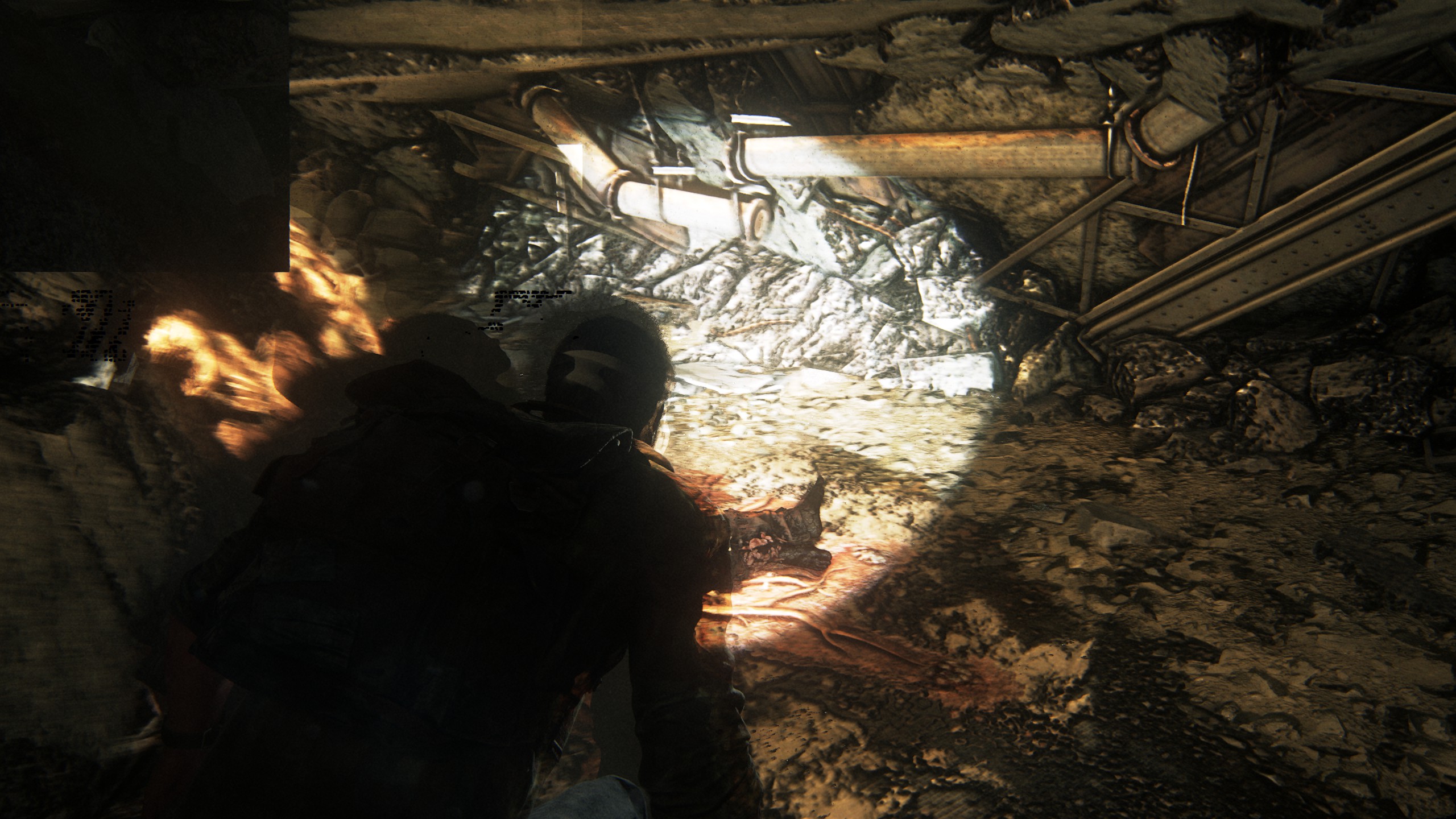
I sadly wasn't able to capture the other types of graphic glitches that occurred for me, but they seem to be related. (Magenta and green dots on all materials/grids, urbenlegends "technicolored barf", ...)
Technical Specs:
Kernel: 5.10.162-1
CPU: AMD Ryzen 7 3700X
RAM: 32GB
GPU: Nvidia RTX 2070 Super
Driver: Nvidia Proprietary 525.89.02
Proton: Running through steam with no forced version, so Steam picks from their current preferred version for this game, I guess. Currently that seems to be Proton Hotfix
Steam Launch Options: VKD3D_FEATURE_LEVEL=12_2 PROTON_HIDE_NVIDIA_GPU=0 gamemoderun %command%
(Issue still appears without PROTON_NVIDIA_HIDE_GPU)
The game is currently not enjoyable this way, so I hope someone can help identify this issue. If a PROTON_LOG=1 is needed, I can try to replicate this issue on one later.
@pxlkng The artifacts are not tied to the flashlight for me. Once it starts to happen, it usually crashes within half a minute, but occasionally it can power through. What settings are you running? Wondering if my crashes are because I am running on Ultra and it's just running low on VRAM or something.
@urbenlegend I'm running on Ultra (everything max), WQHD with no scaling. It runs at an average ~50/60fps with drops to 30/40fps in very complex areas. I haven't really progressed far yet (the first collapsed skyscraper outside), so it may get worse. Until now it has been totally playable and a smooth experience. The Graphics Settings menu also shows me I have an absolute of 12GB VRAM (GFX Card itself 8GB) and the game reports that on my settings a total of around ~8 GB is used.
If I'm not mistaken your Card has 24GB, I wouldn't think that can ever run out on this game. Aside from the visual glitches I haven't had any issues with the game and I feel like its really well optimized. All the people complaining on Steam probably didn't let the shaders compile.
Game still fails to start with PROTON_ENABLE_NVAPI=1 enabled with Proton Experimental (Bleeding Edge) also tried manually replacing the versions of nvapi from the artifacts in the dxvk-nvapi repo (https://github.com/jp7677/dxvk-nvapi/actions/workflows/artifacts.yml) and no luck with those either. Here are the proton logs, in case they're useful.
Crashes on launch with Nvidia propietary drivers.
steam-1888930.logHello. This is a issue with all Pascal cards and the game together with vkd3d-proton. On either Proton hotfix or experimental you can work around it with
VKD3D_SHADER_MODEL=6_6, i don't know if it will have any issues ingame. Also note that Pascal can have bad performance with vkd3d-proton compared to newer cards.
Thats if you can get it to work on pascal cards in the first place. While the above command allows the game to boot it has a nasty tendancy to crash during cutscenes, which given the type of game this is, might be a bit of a problem
Thats if you can get it to work on pascal cards in the first place. While the above command allows the game to boot it has a nasty tendancy to crash during cutscenes, which given the type of game this is, might be a bit of a problem
Yep, facing those as well
@pxlkng
Actually, you're right about the flashlights. Turning it off when the visual glitches occur will stop the glitching and actually stave off a potential crash. After a few minutes, I can turn them back on again and it will work fine for the next few minutes until the next visual glitch.
Originally, I didn't think the visual glitches were correlated because I could have sworn I saw them without the flashlight on, but then I realized that during certain cutscenes or even picking up random objects, Joel would automatically turn the flashlights on, so that could very well have happened during my testing before.
Hello @rcbevans, Proton: 1680281390 hotfix-31032023 in your log tells us you've configured the game to run with Proton's Hotfix build instead of Proton Experimental.
@kisak-valve You're totally right. I have Steam configured to force experimental by default for all games but for some reason I see in the info box for the game that it has forced Hotfix due to "Valve testing". Forcing experimental in the game properties, PROTON_ENABLE_NVAPI does indeed work.
Is there any discussion by NVIDIA for supporting frame generation under Linux? seems odd to not support it.
Is there any discussion by NVIDIA for supporting frame generation under Linux? seems odd to not support it.
As far as I can tell, no. NV contributing the code/driver update to allow DLSS 2 was a bit of an out of the blue move from them. If I had to guess frame creation on Linux, where there's two display stacks compared to Windows is probably a bit of a chore.
From what I understand they pull a lot of code over from windows anyway and frame generation is just another dll plugin to support. You can hot swap the versions out even, maybe there is some issues getting reflex detection to work which is part of the package.
Replying to https://github.com/ValveSoftware/Proton/issues/6653#issuecomment-1492162771
Hi @IroAlexis, would you happen to know if this is due to Proton or the NVIDIA Linux drivers? Just wondering what the possibility of a future fix is, if any. Thanks!
Replying to [#6653 (comment)](https://github.com/ValveSoftware/Proton/issues/6653#issuecomment-1492162771)
Hi @IroAlexis, would you happen to know if this is due to Proton or the NVIDIA Linux drivers? Just wondering what the possibility of a future fix is, if any. Thanks!
Hi @denerka, it is an hardware issue for Pascal GPUs. There is no hope for a future fix :( You can search on this issue with keyword "pascal gpu vkd3dproton linux"
As of patch 1.0.3, I am now getting this weird color flicker issue when first loading into a game. At certain camera angles, all of the game's visuals will disappear and be completely replaced by a series of rapidly flashing single-color frames. Here's a video showing the issue: https://youtu.be/GM0KCedZTsE
If I go into the settings and change the graphics preset from Ultra to High and then back to Ultra, it seems to be okay. The issue comes back when quitting the game and relaunching.
@urbenlegend
I was hoping that the graphical glitches got fixed with the new 1.0.3 update, especially since the patch notes included some fixes related to the flashlight and a note that NVIDIA-specific graphical glitches and crashes have been solved. But I just played a bit and it happened again. I also have some new screenshots since the ones I provided so far only show the burn-in effect, not the color-glitches:
(Notice how the HUD is unaffected by this)
Screenshots
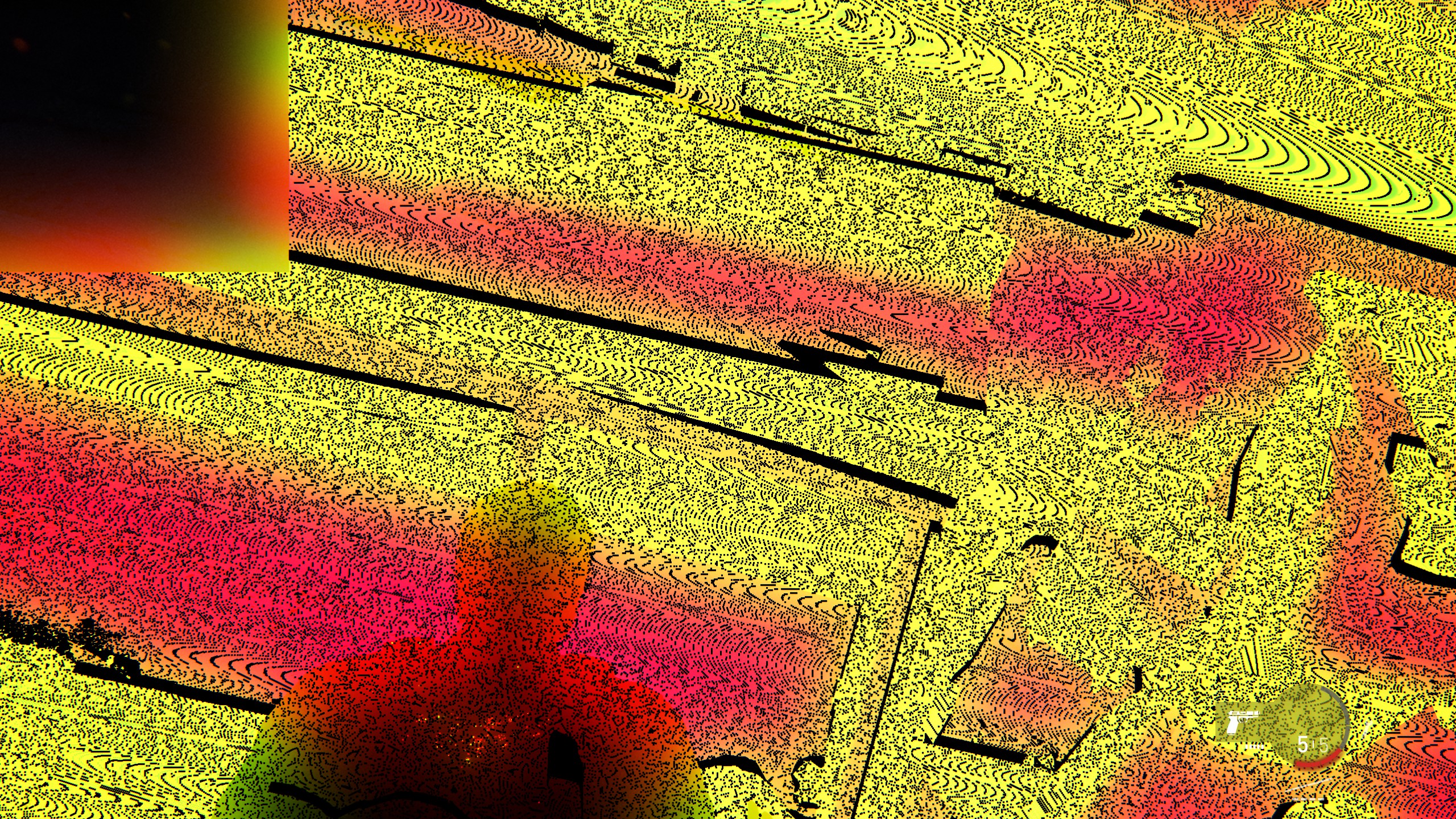
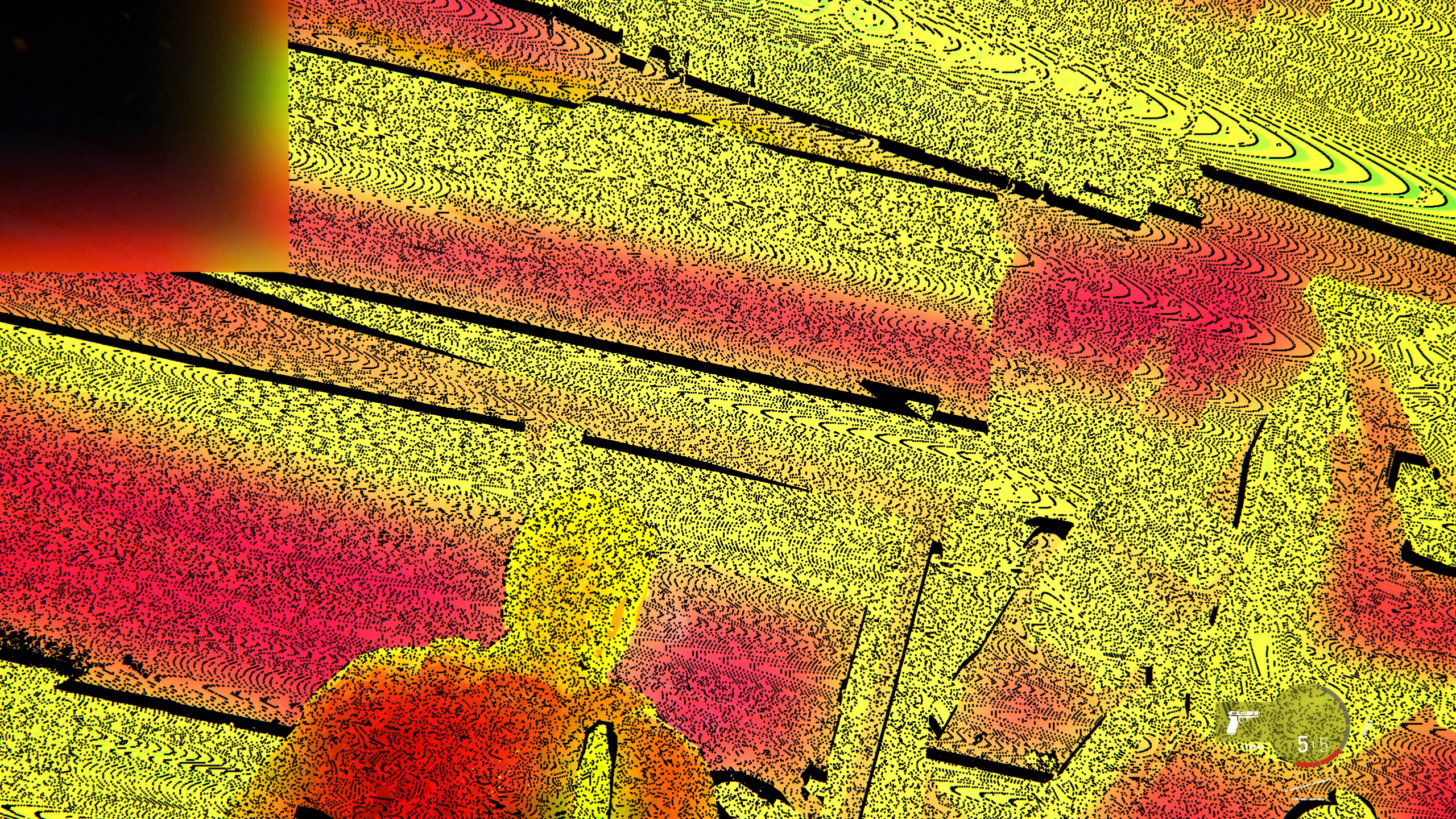
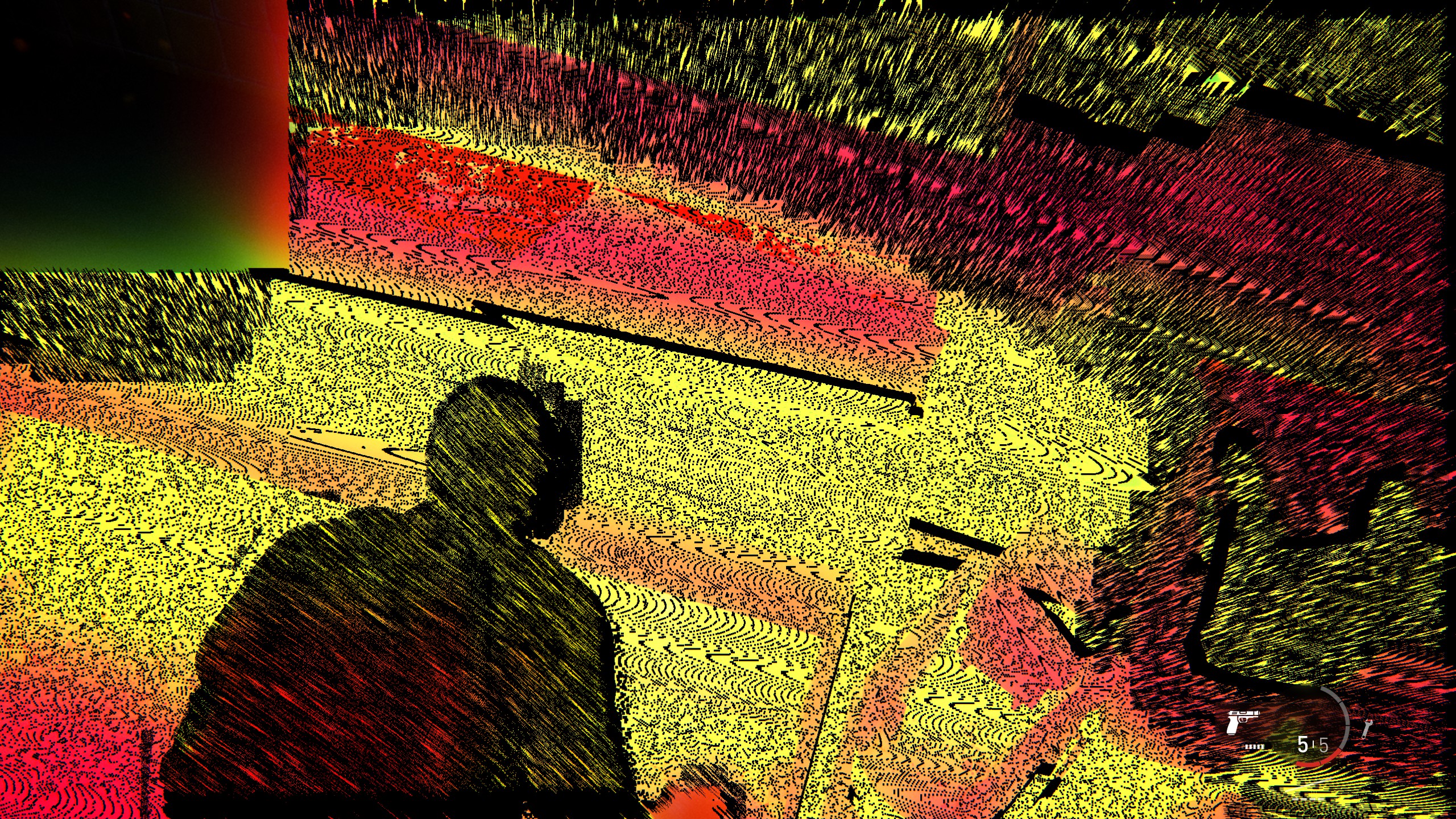
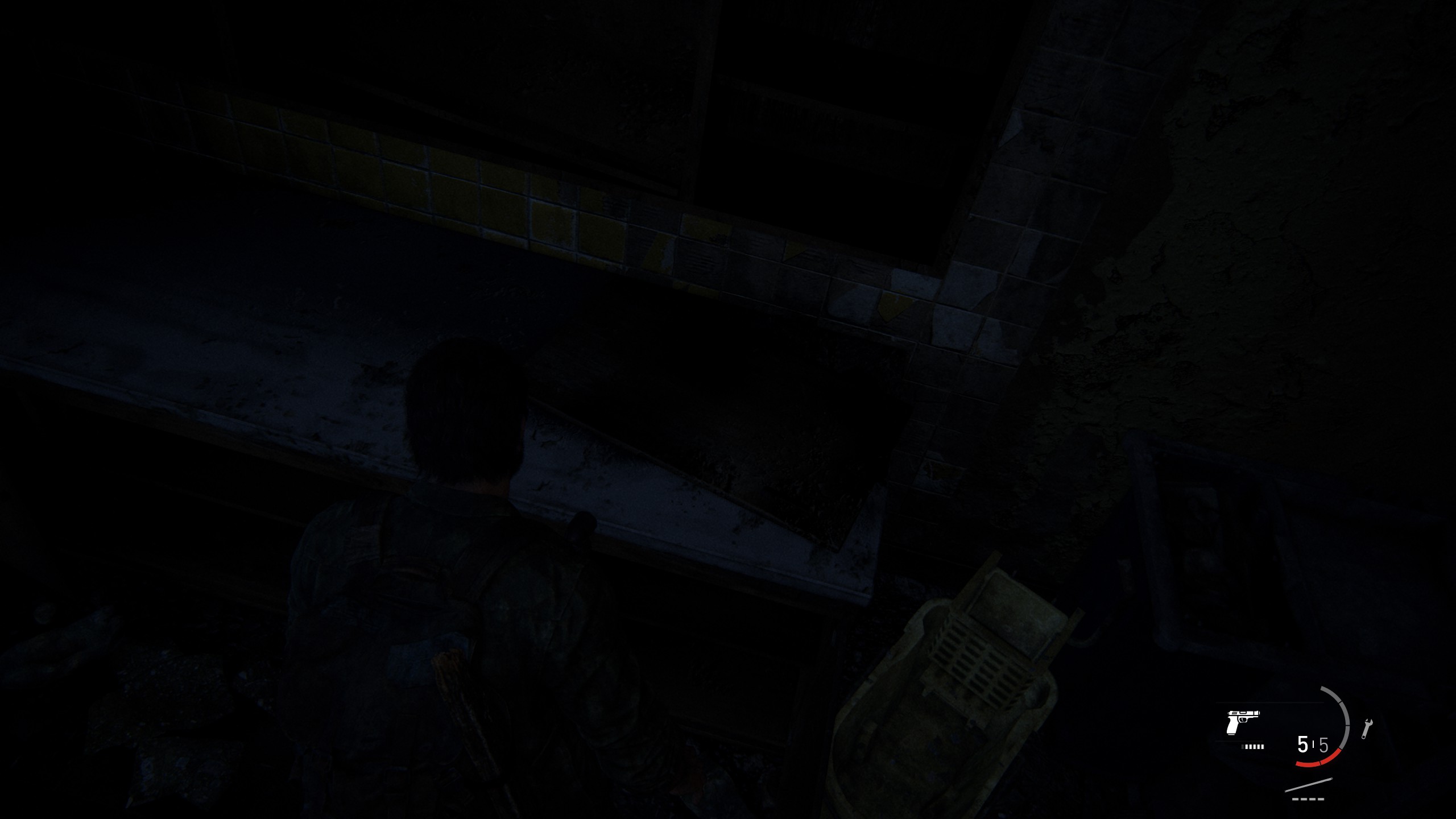
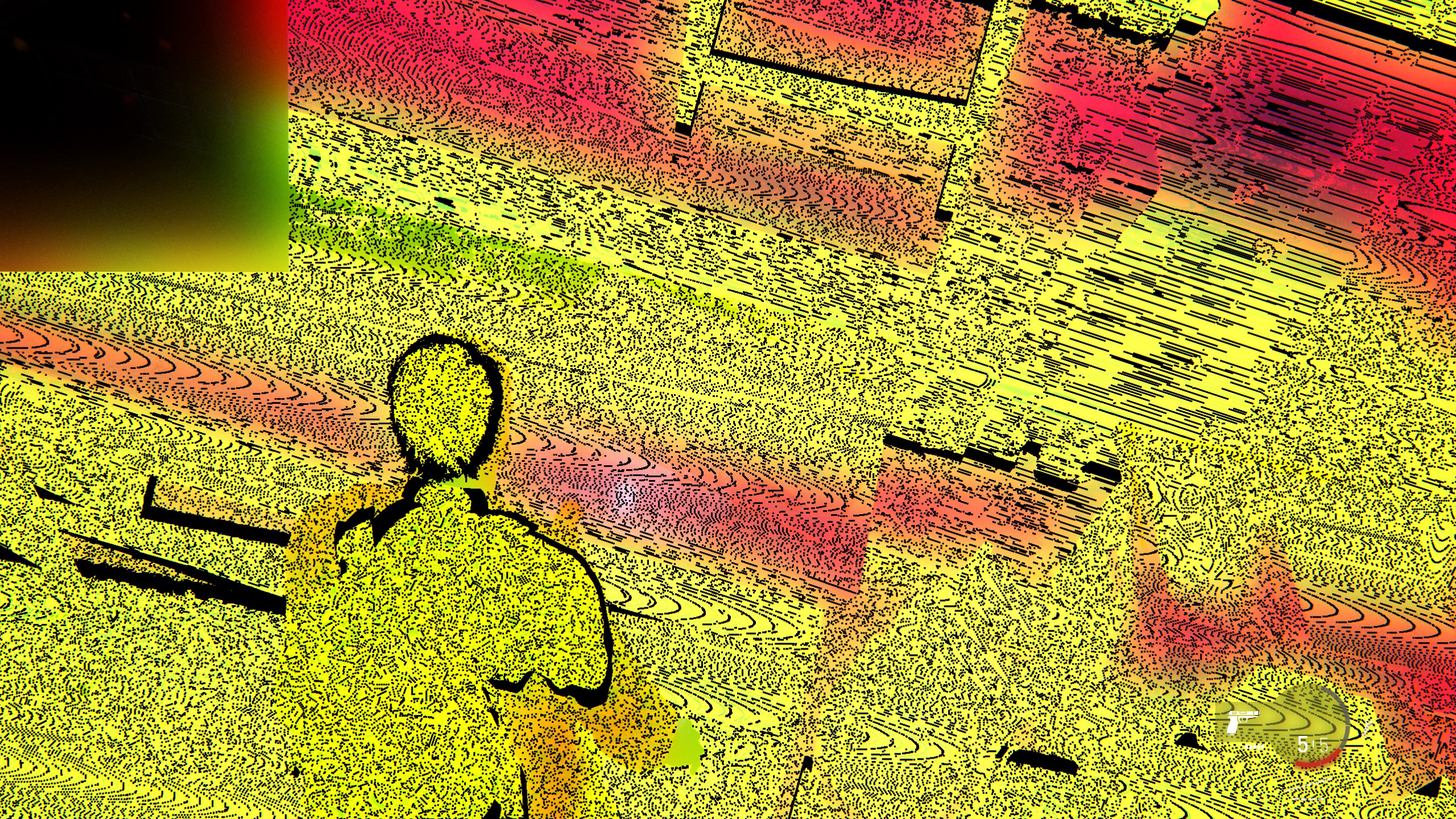
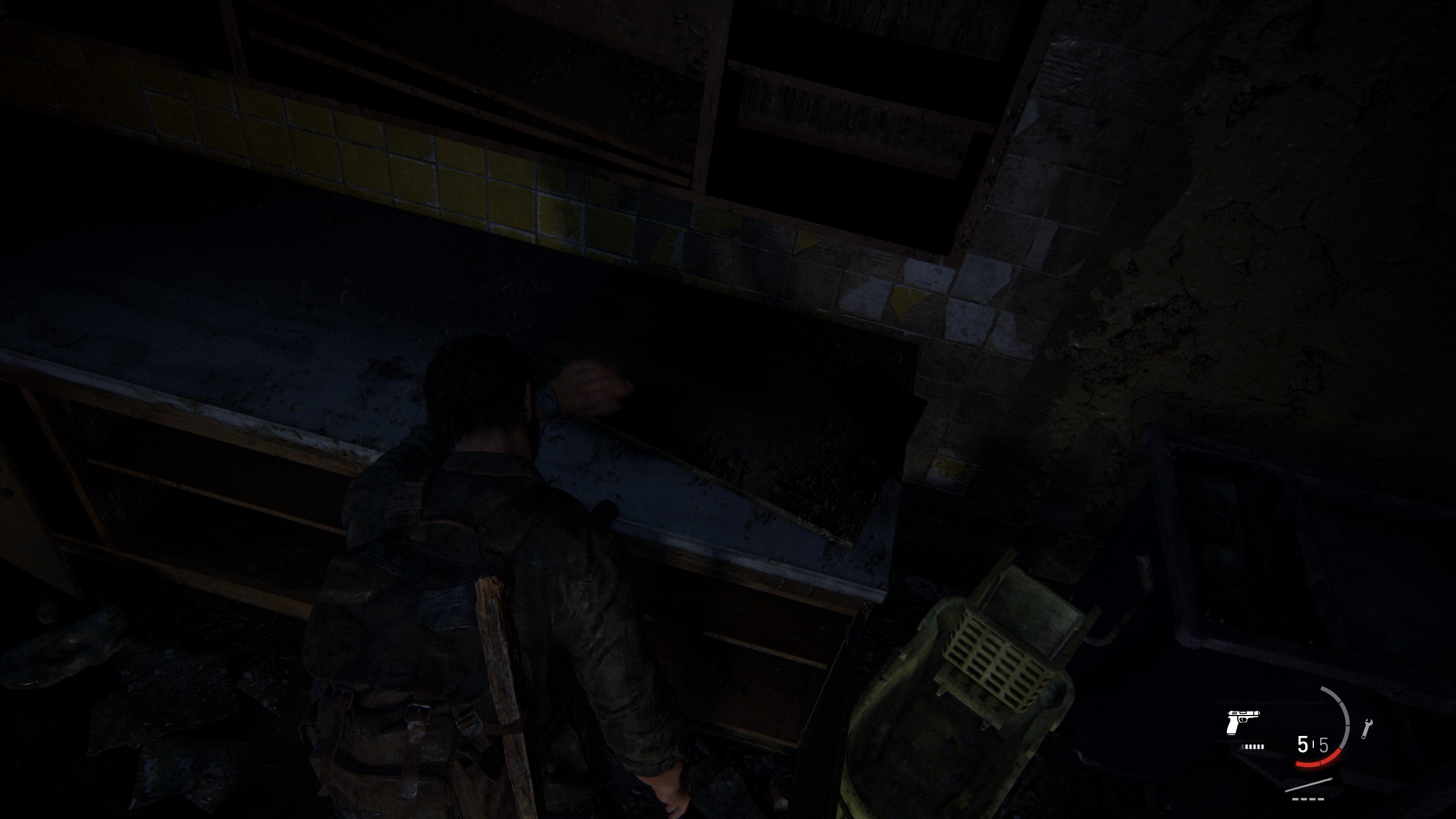
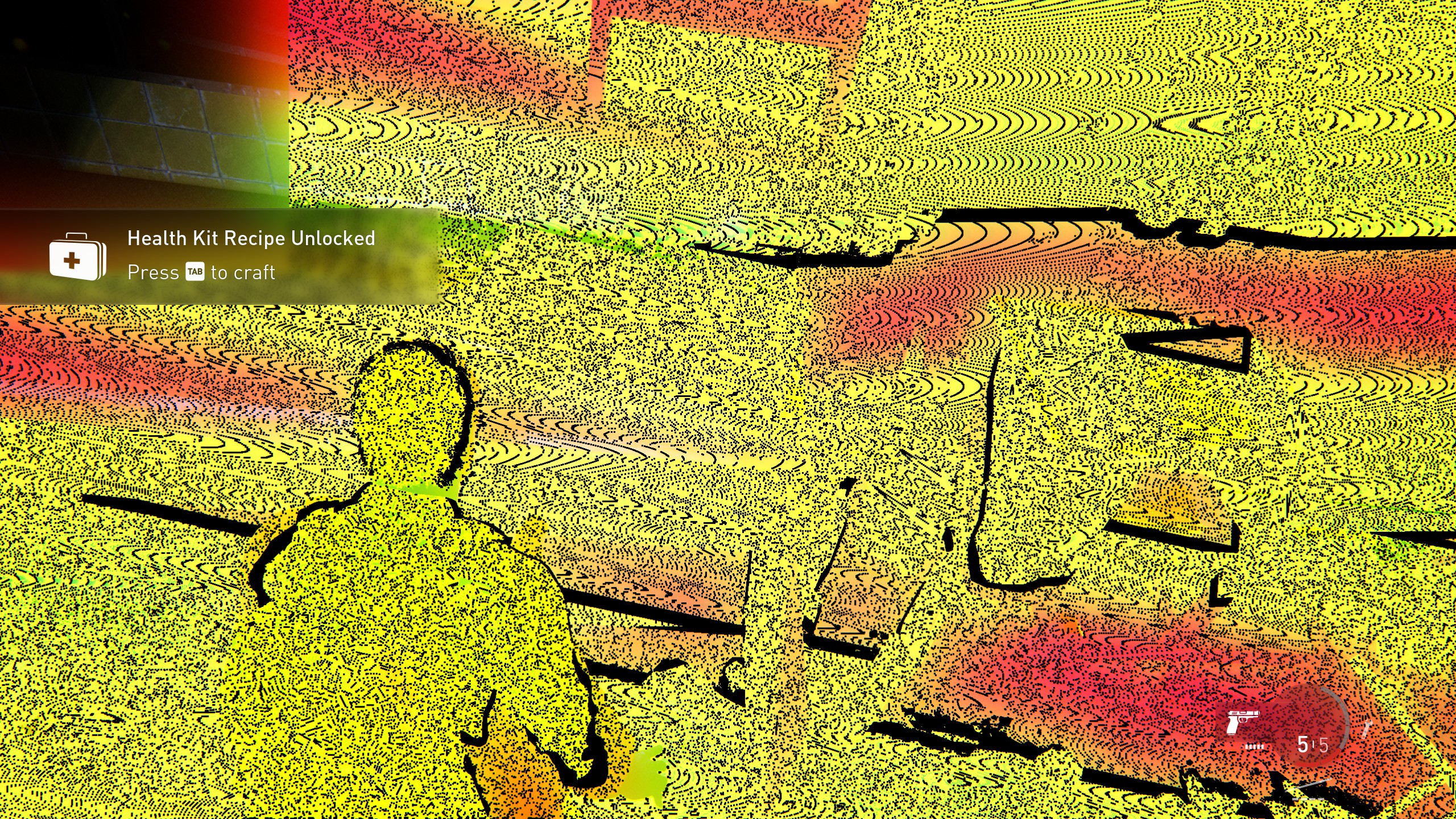
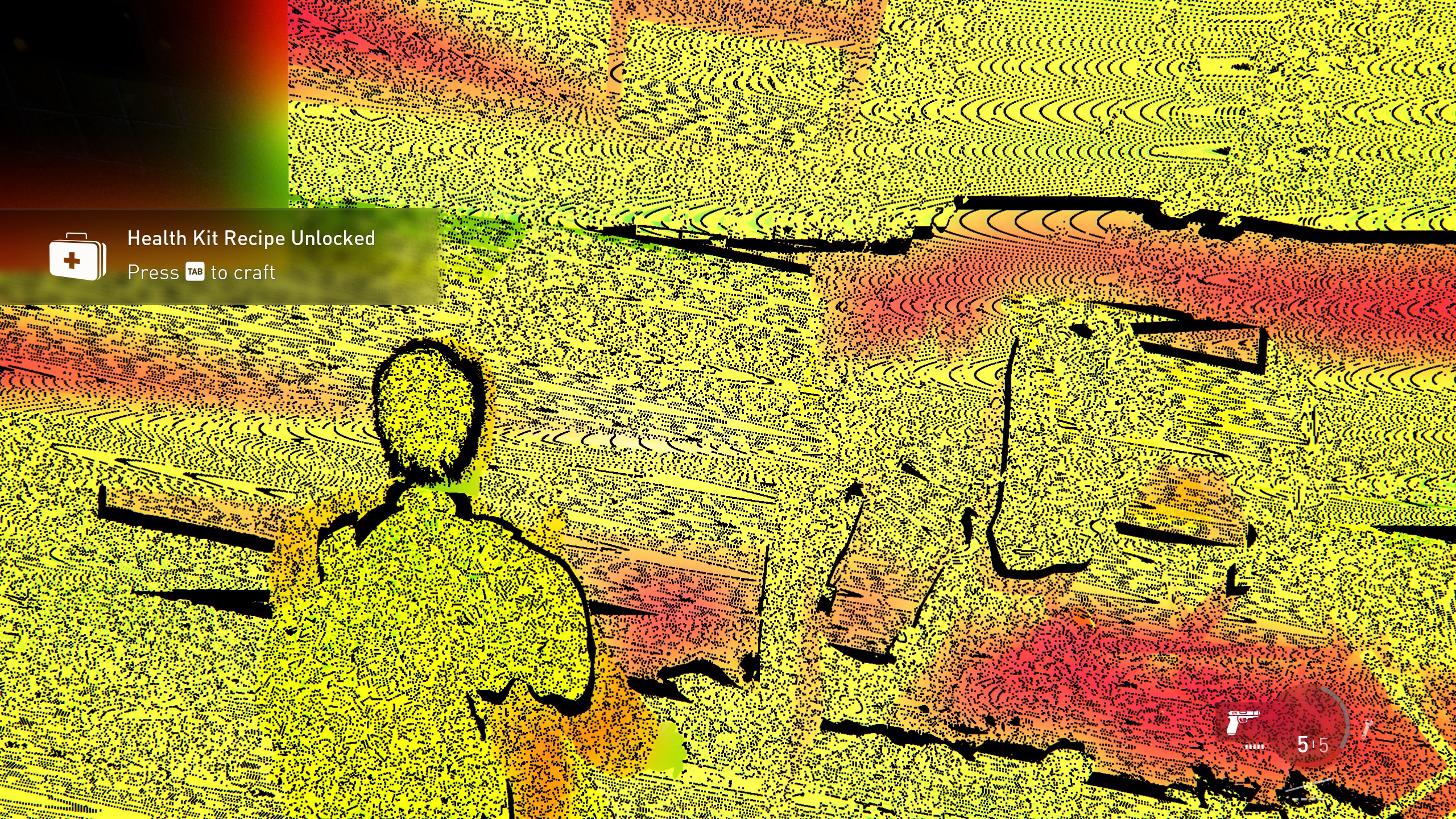
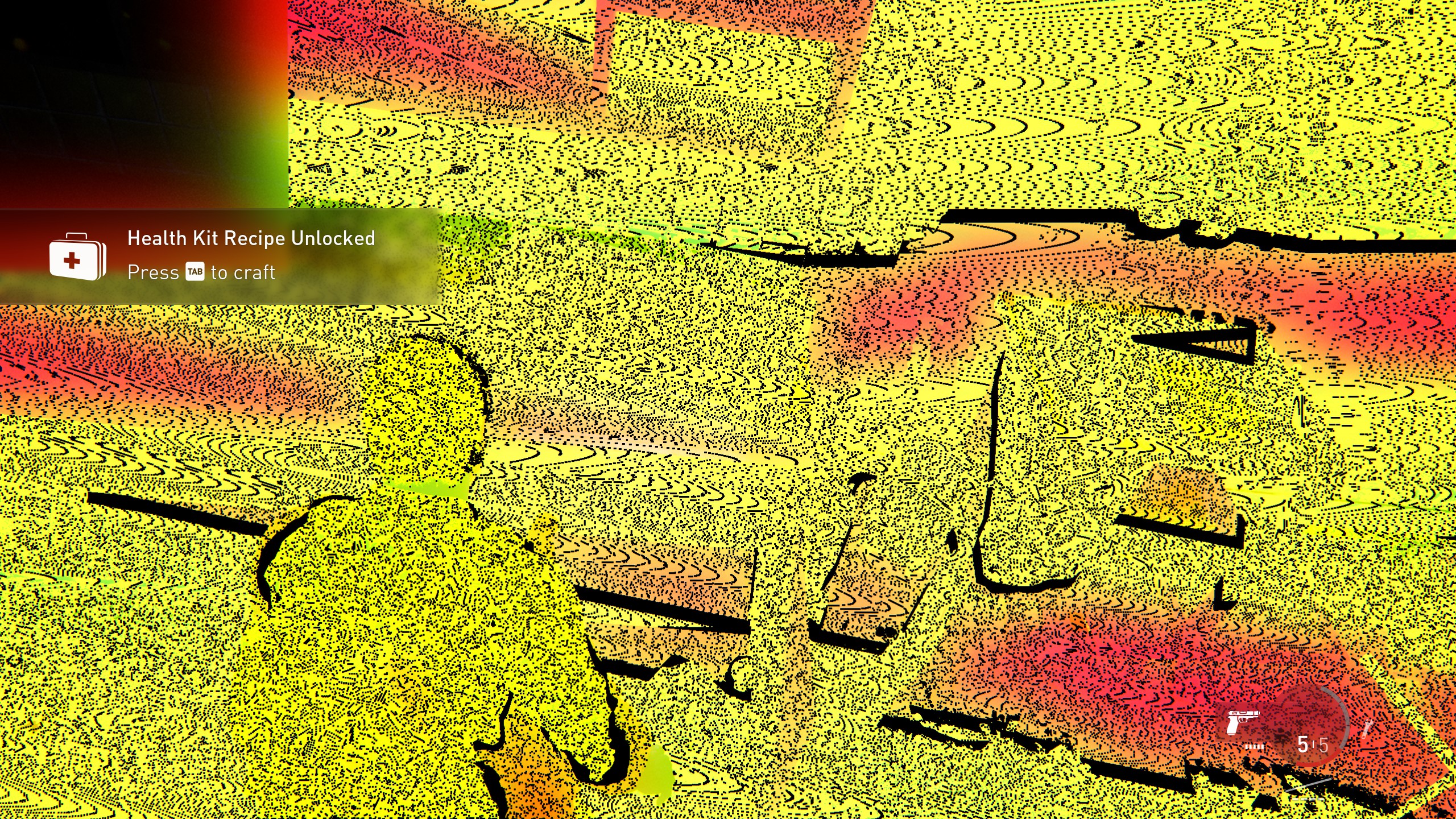
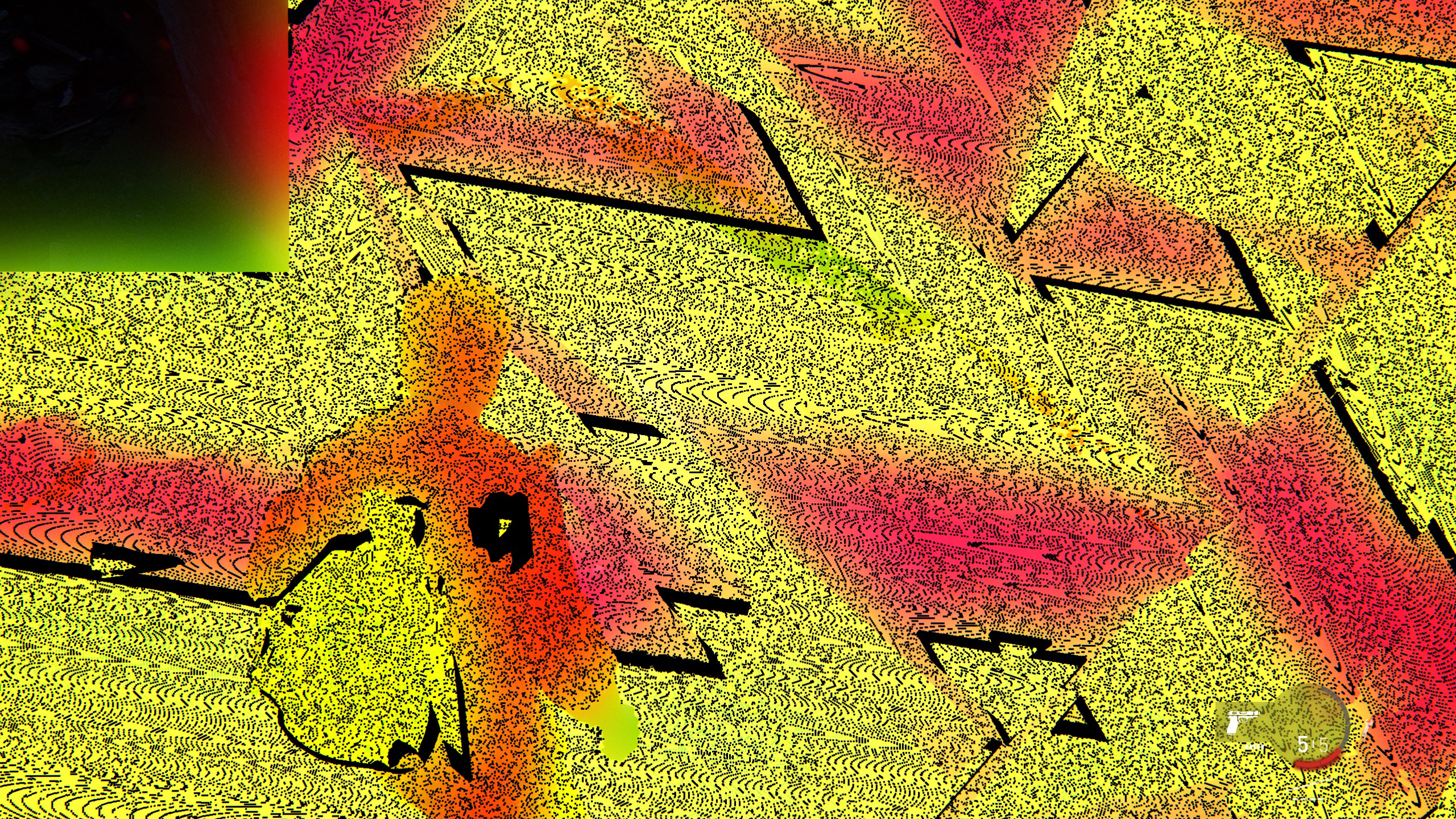
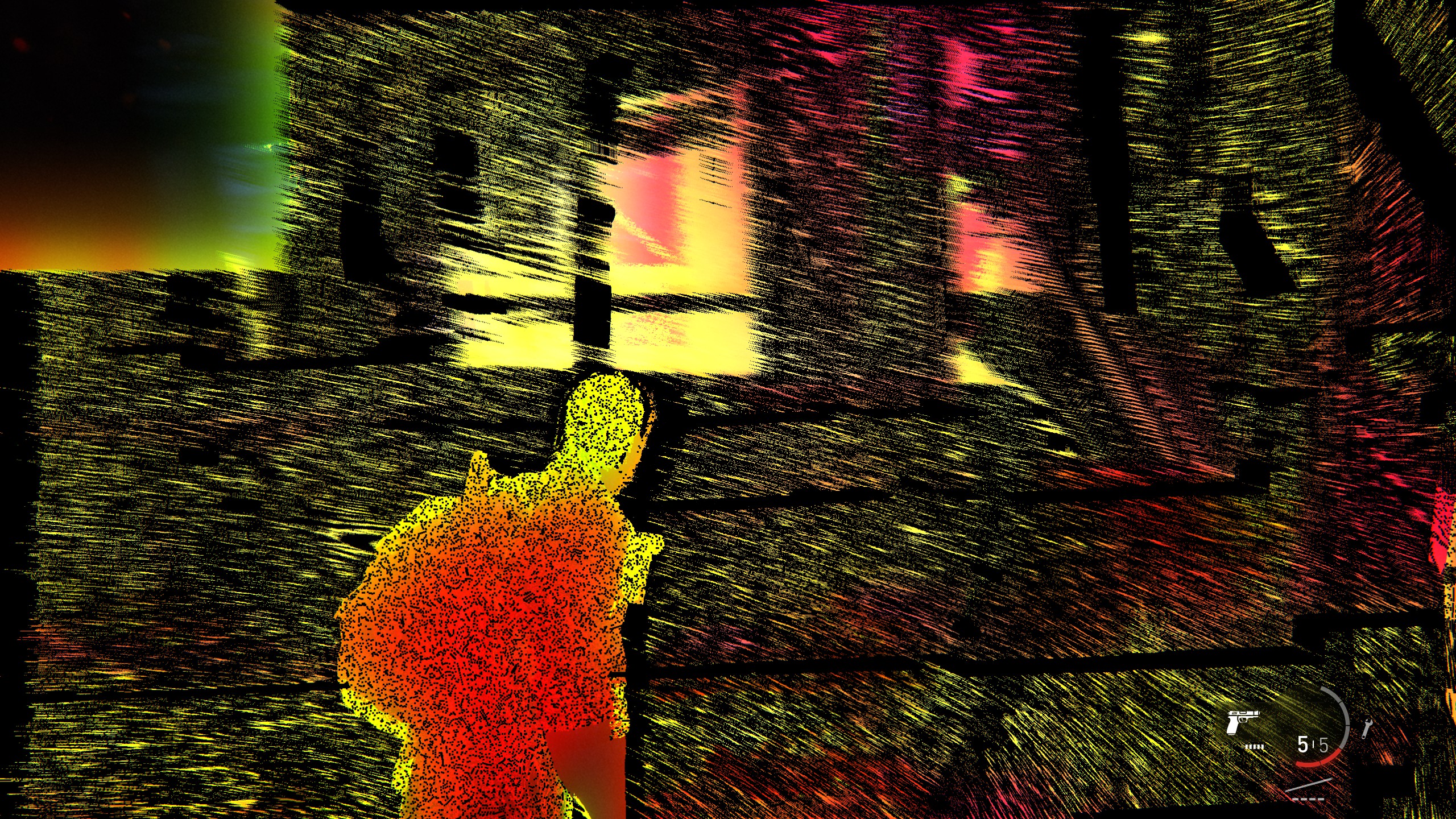
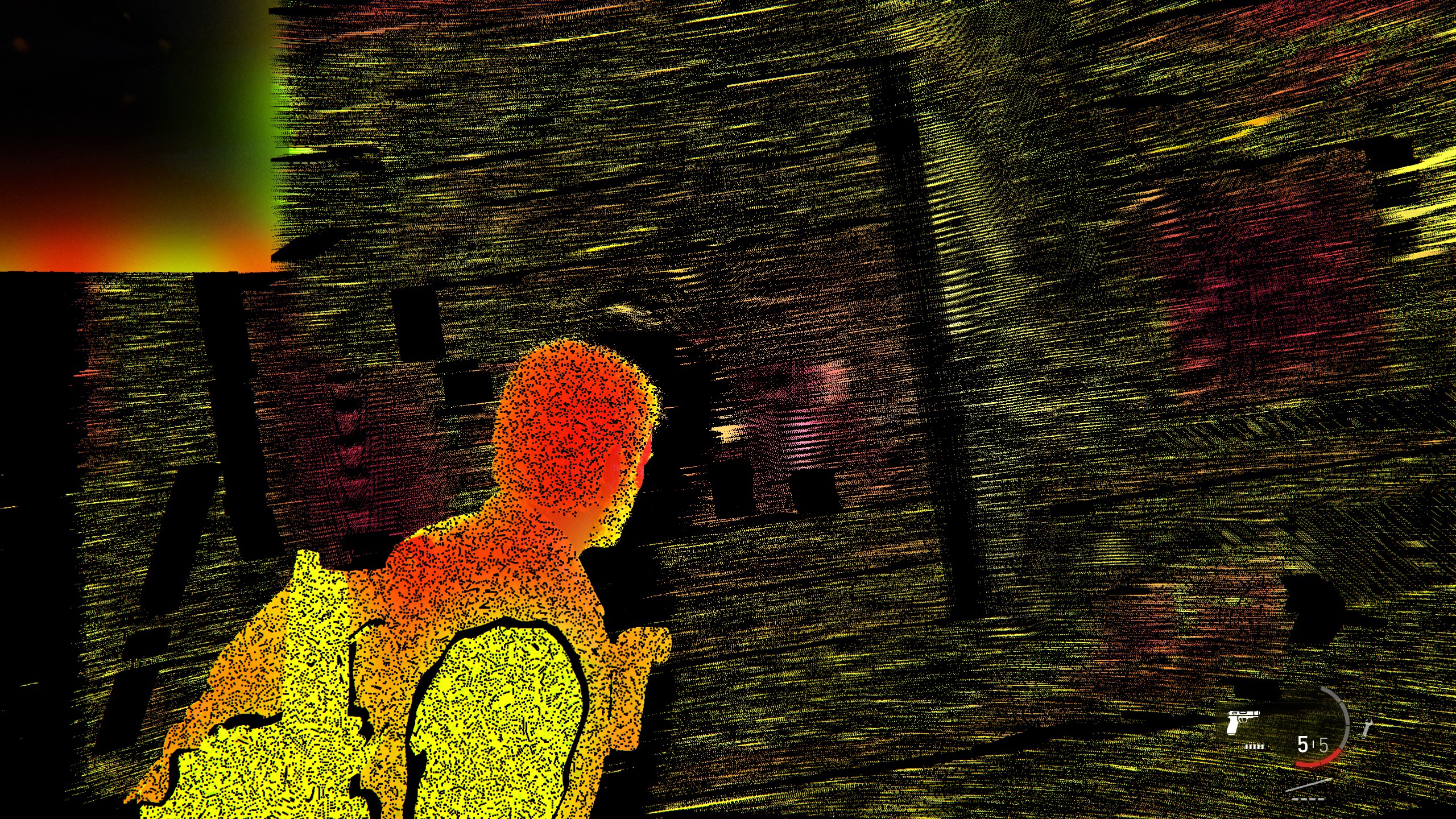
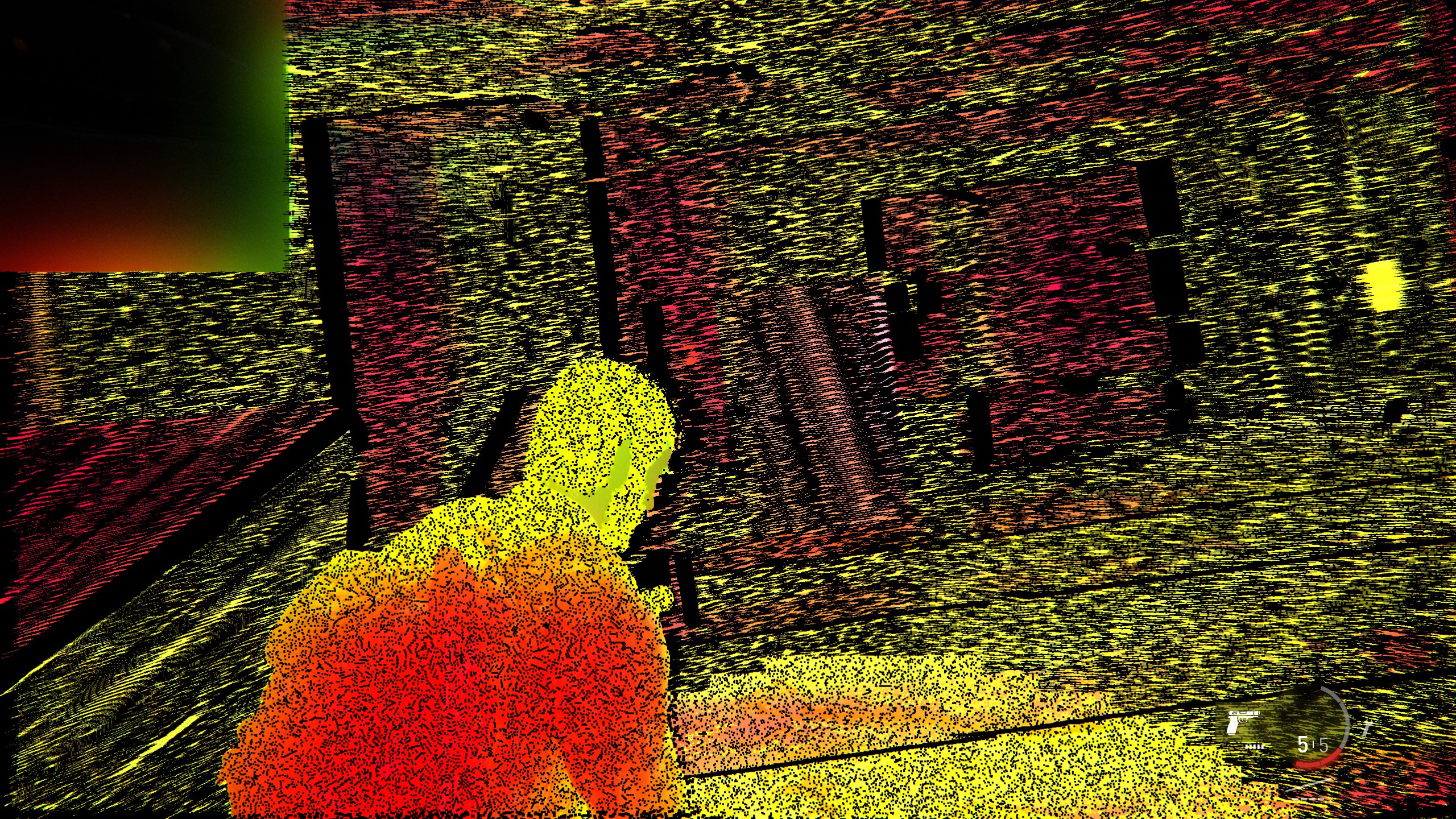
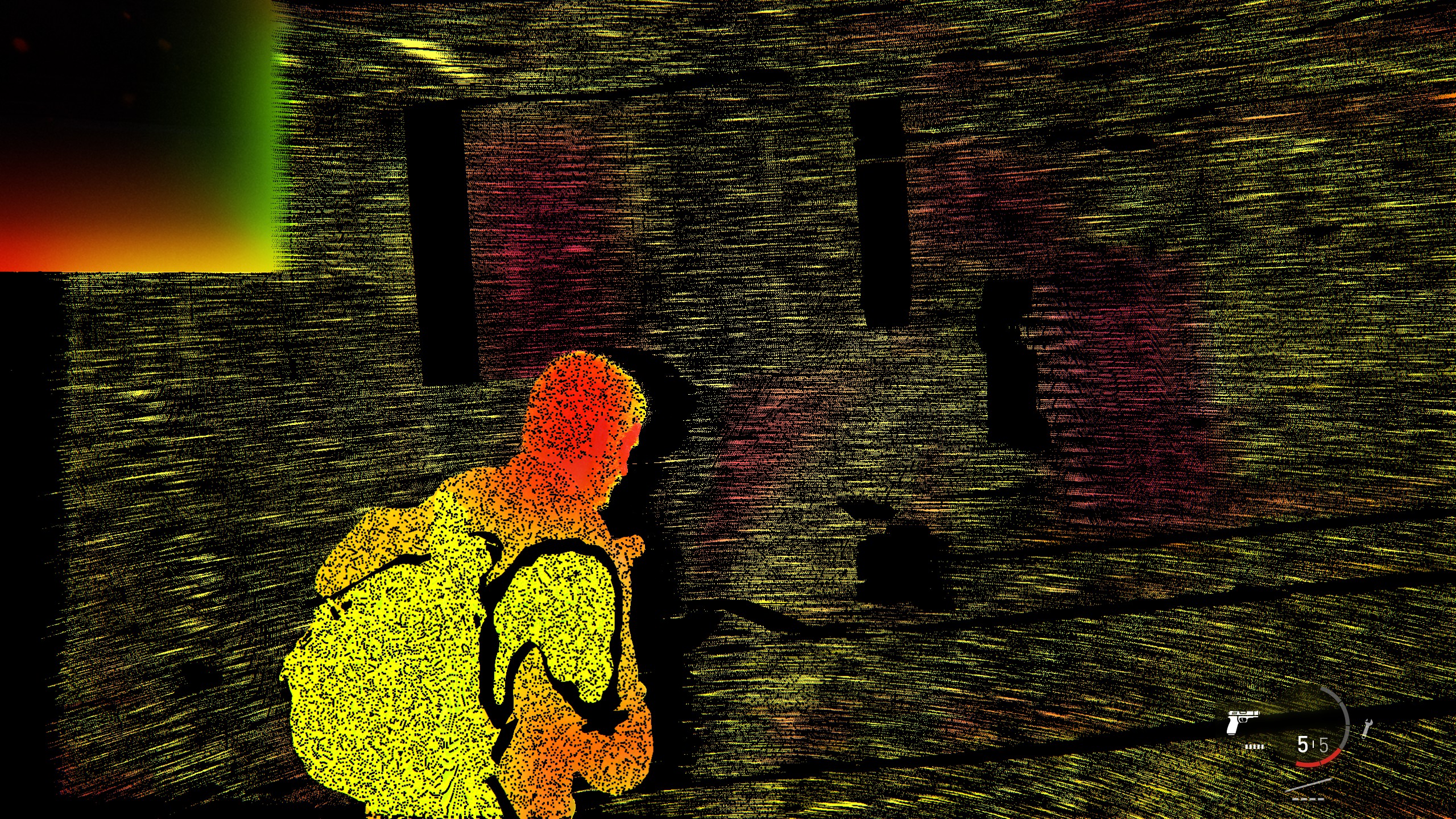
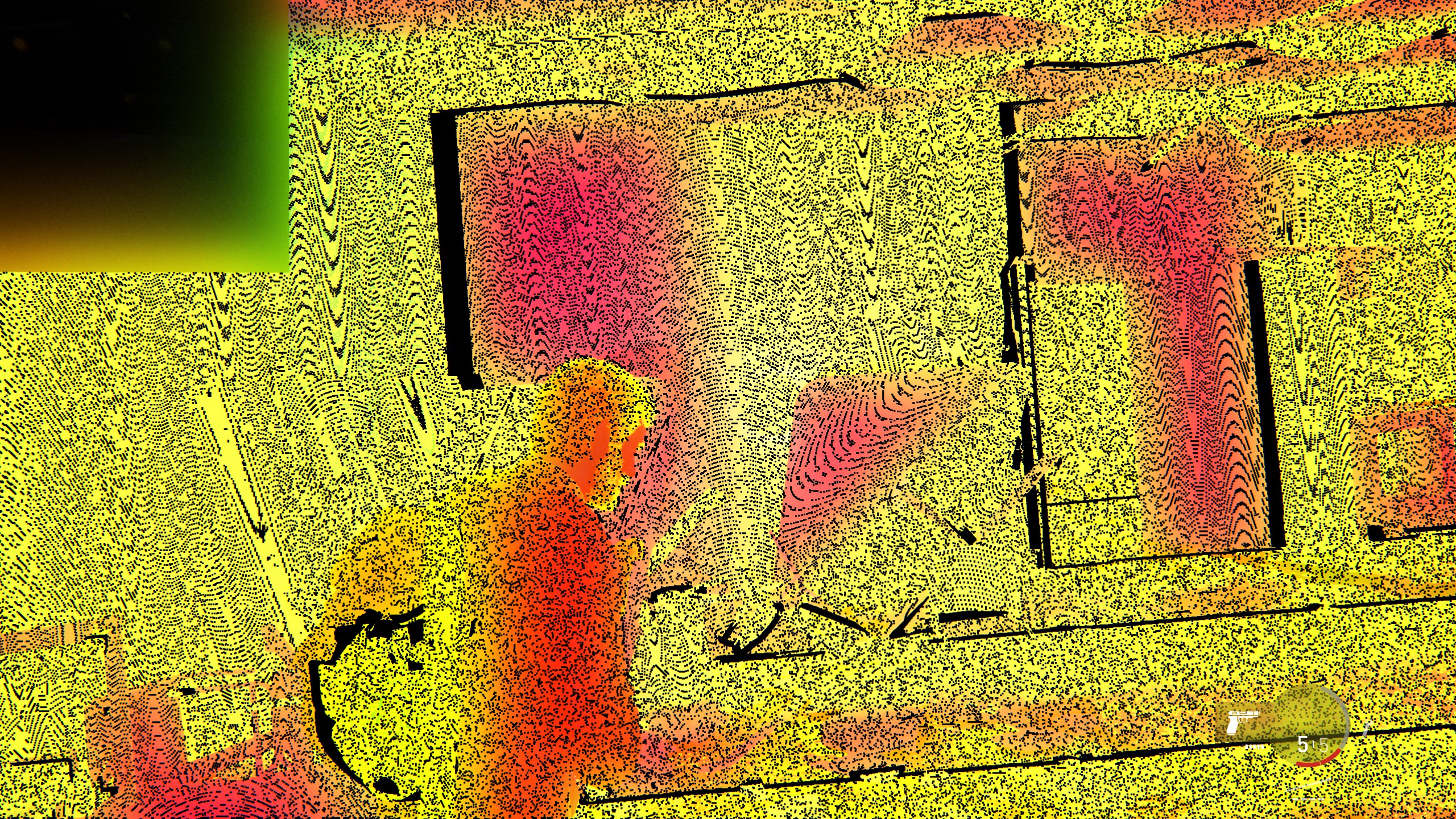
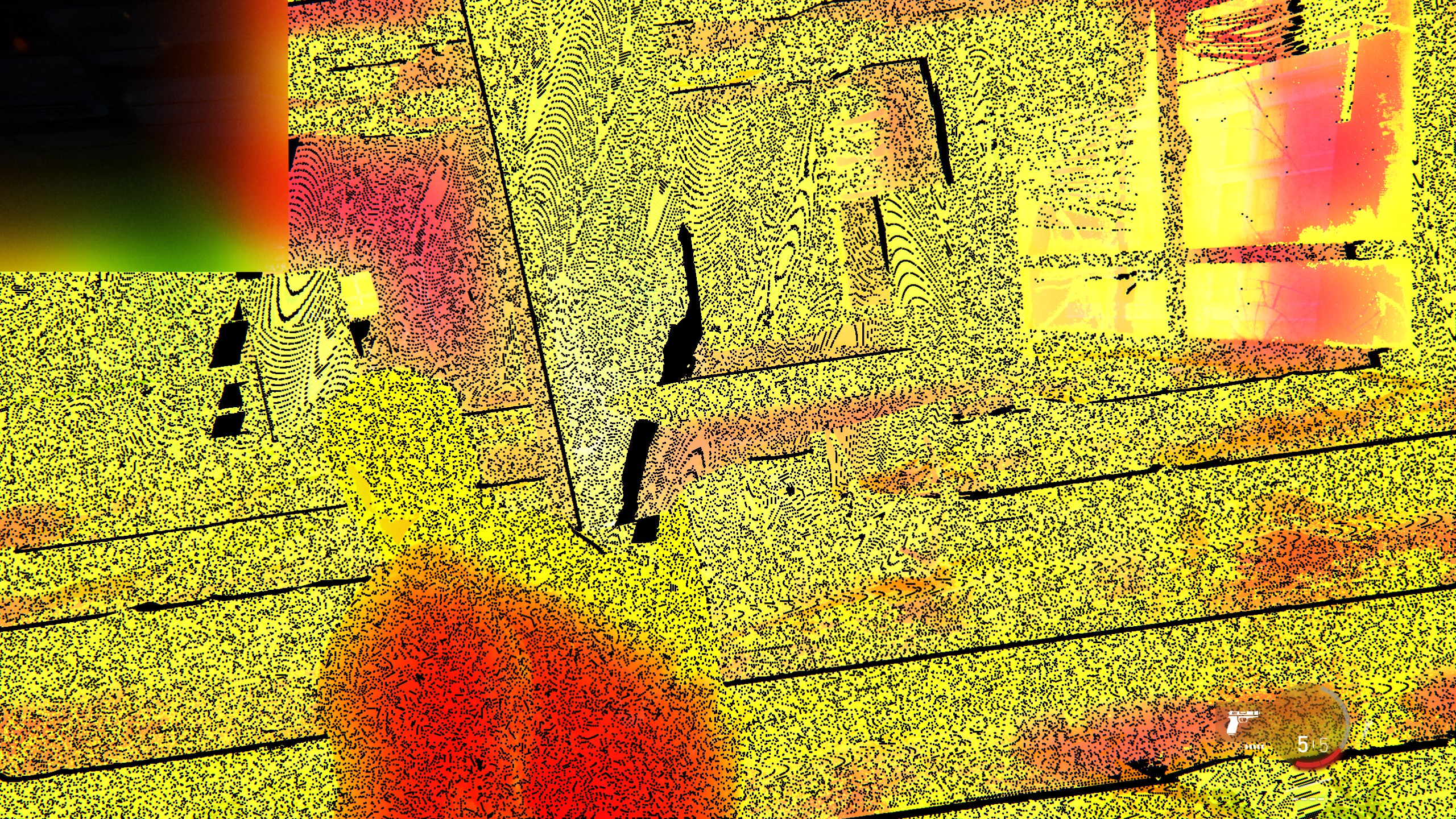
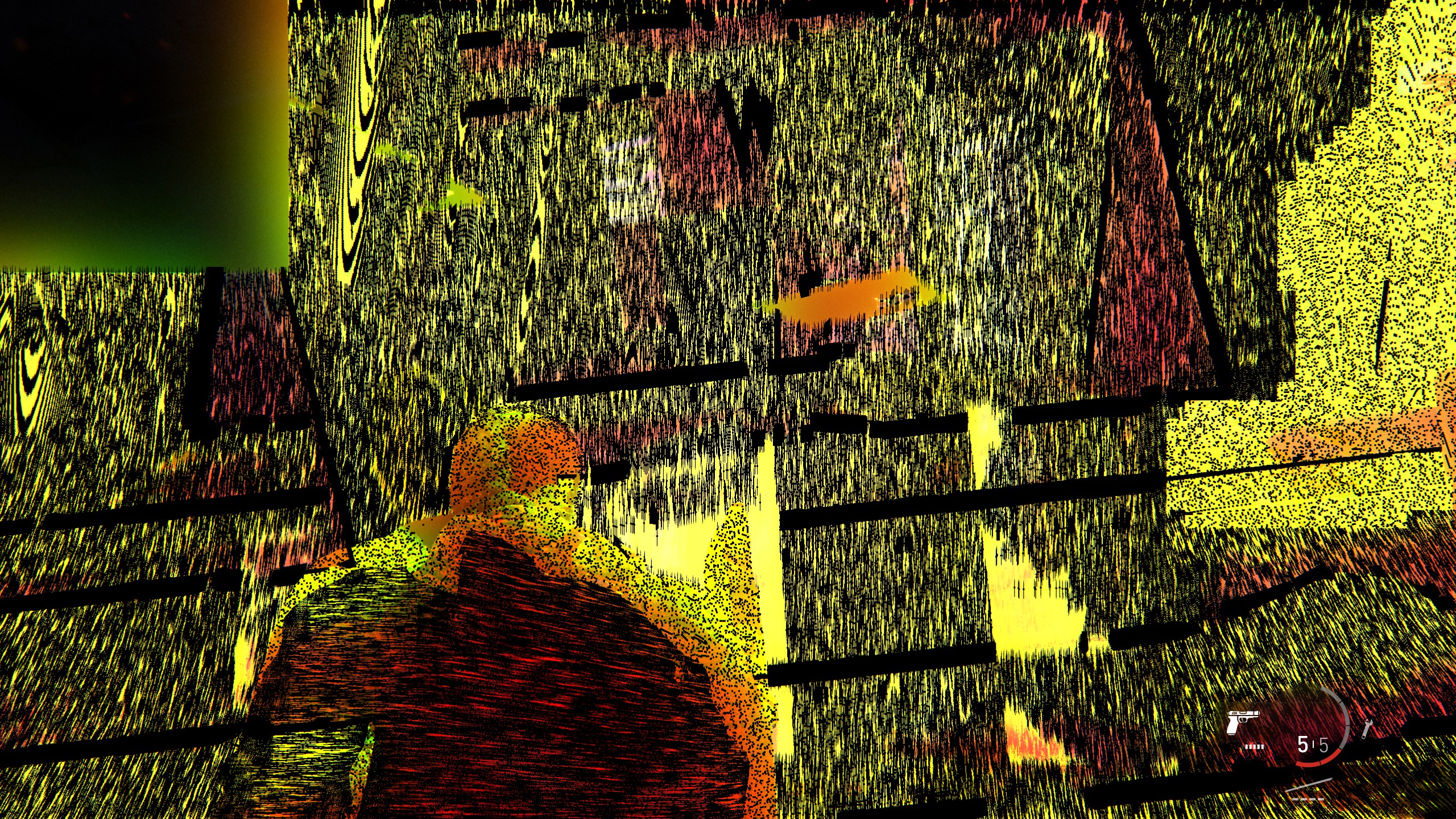
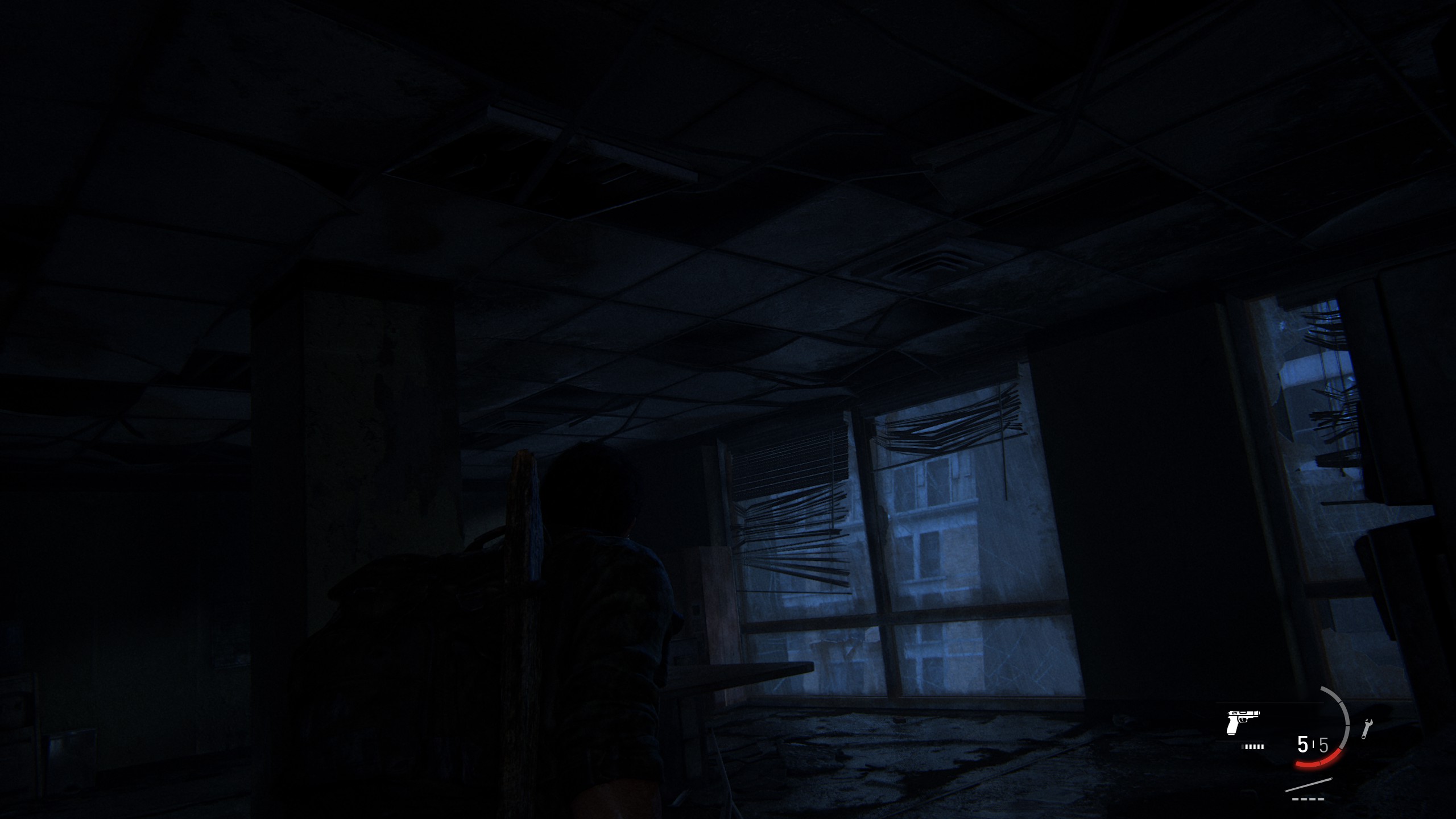
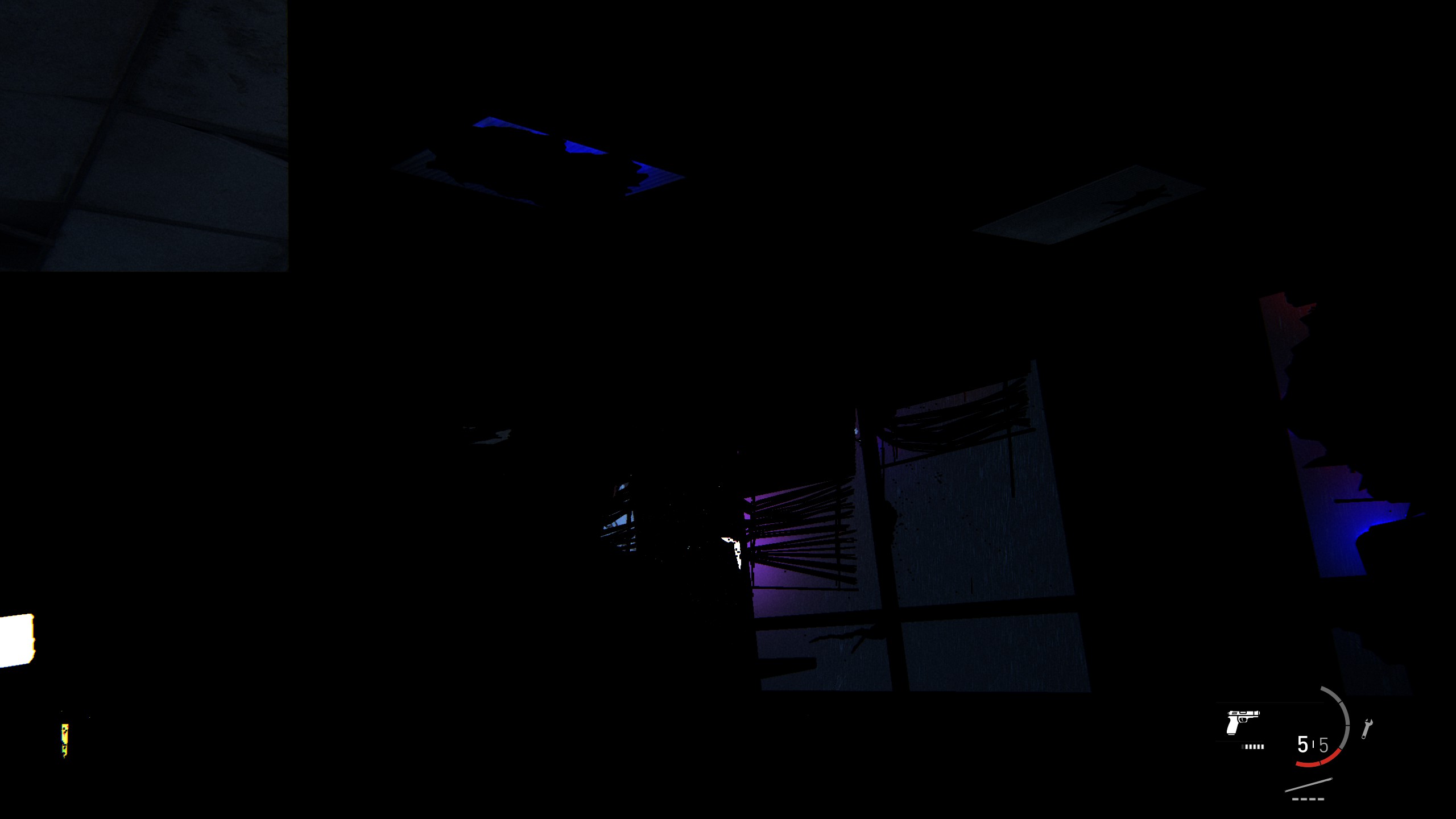
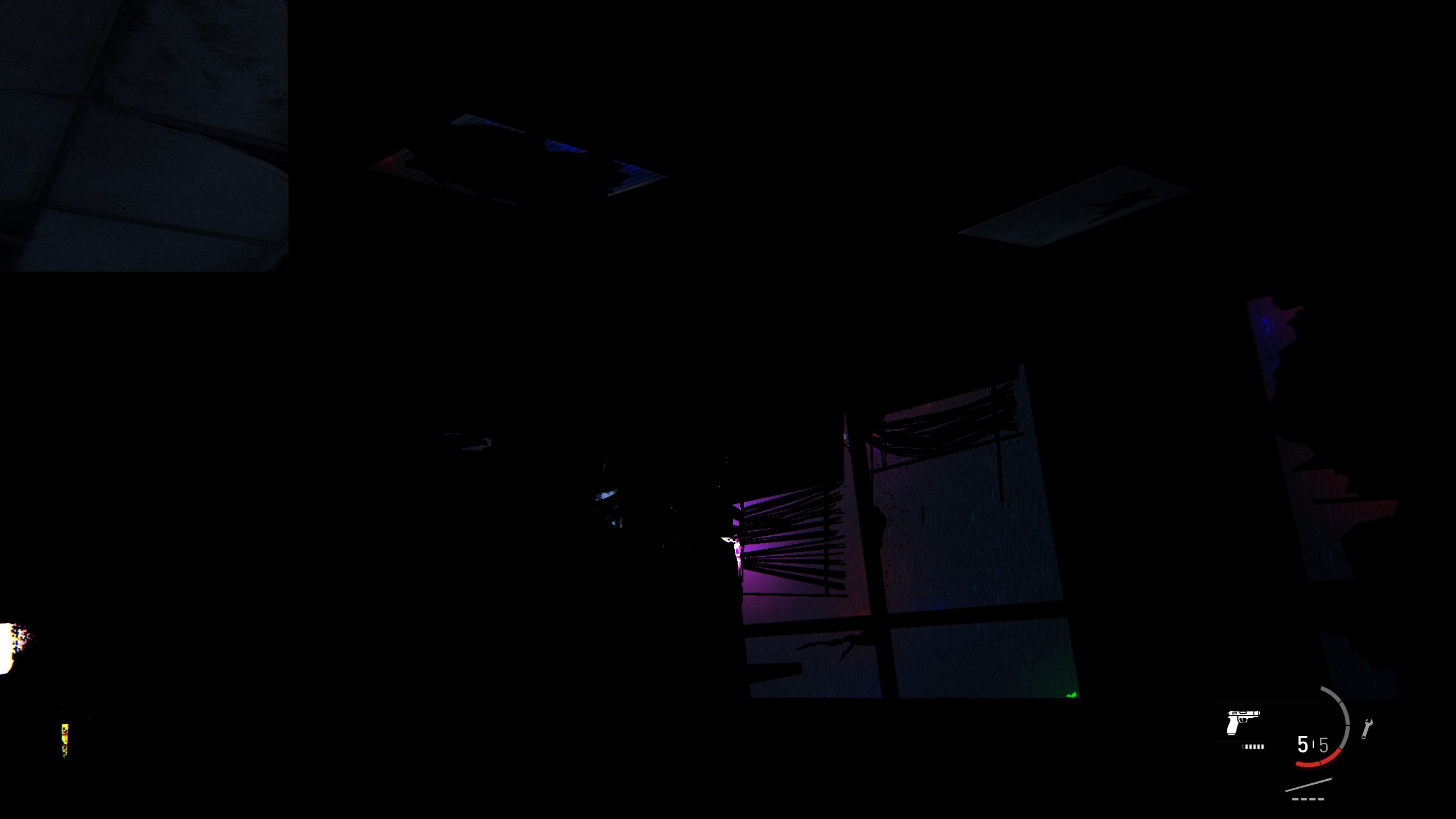
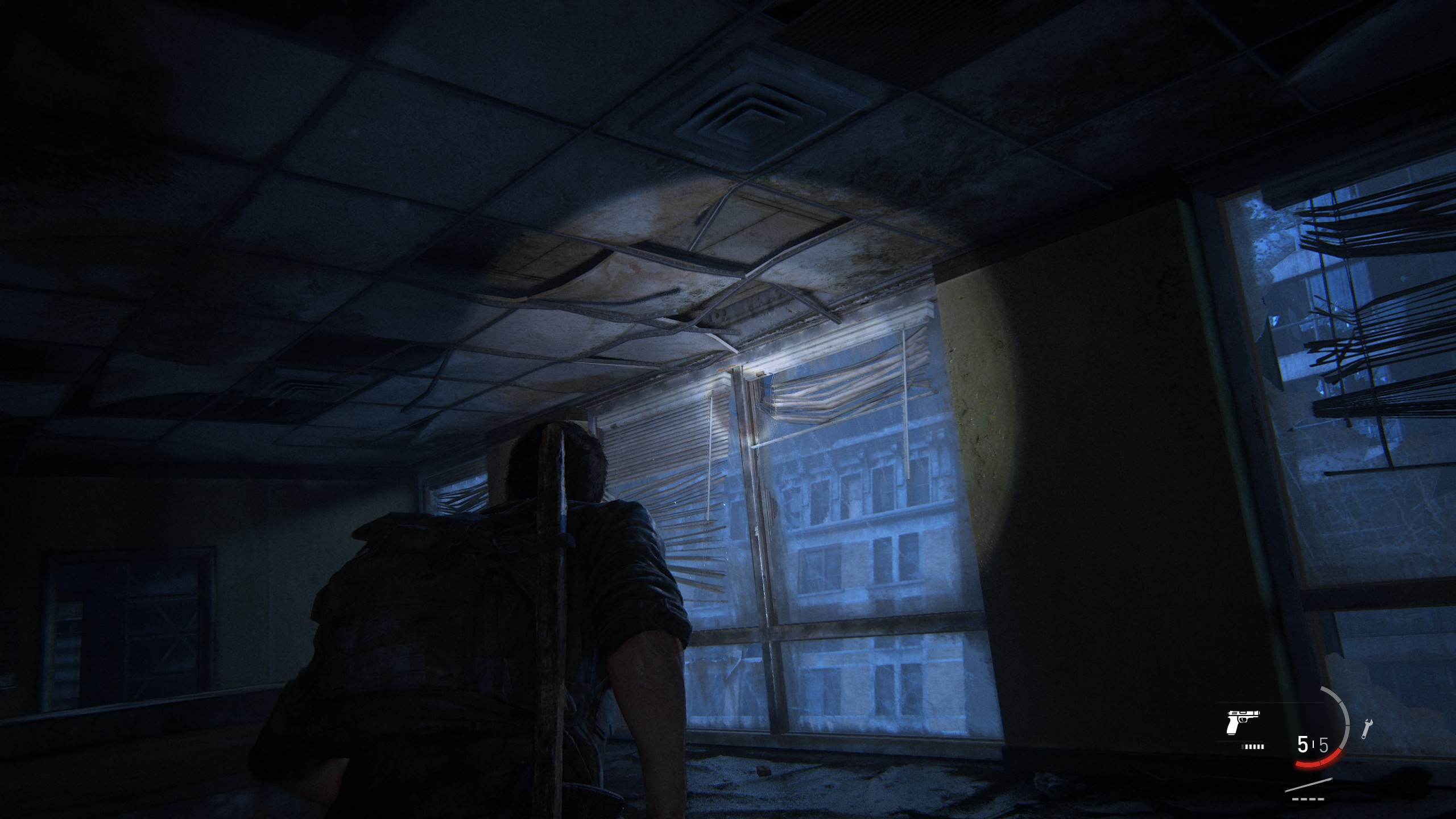
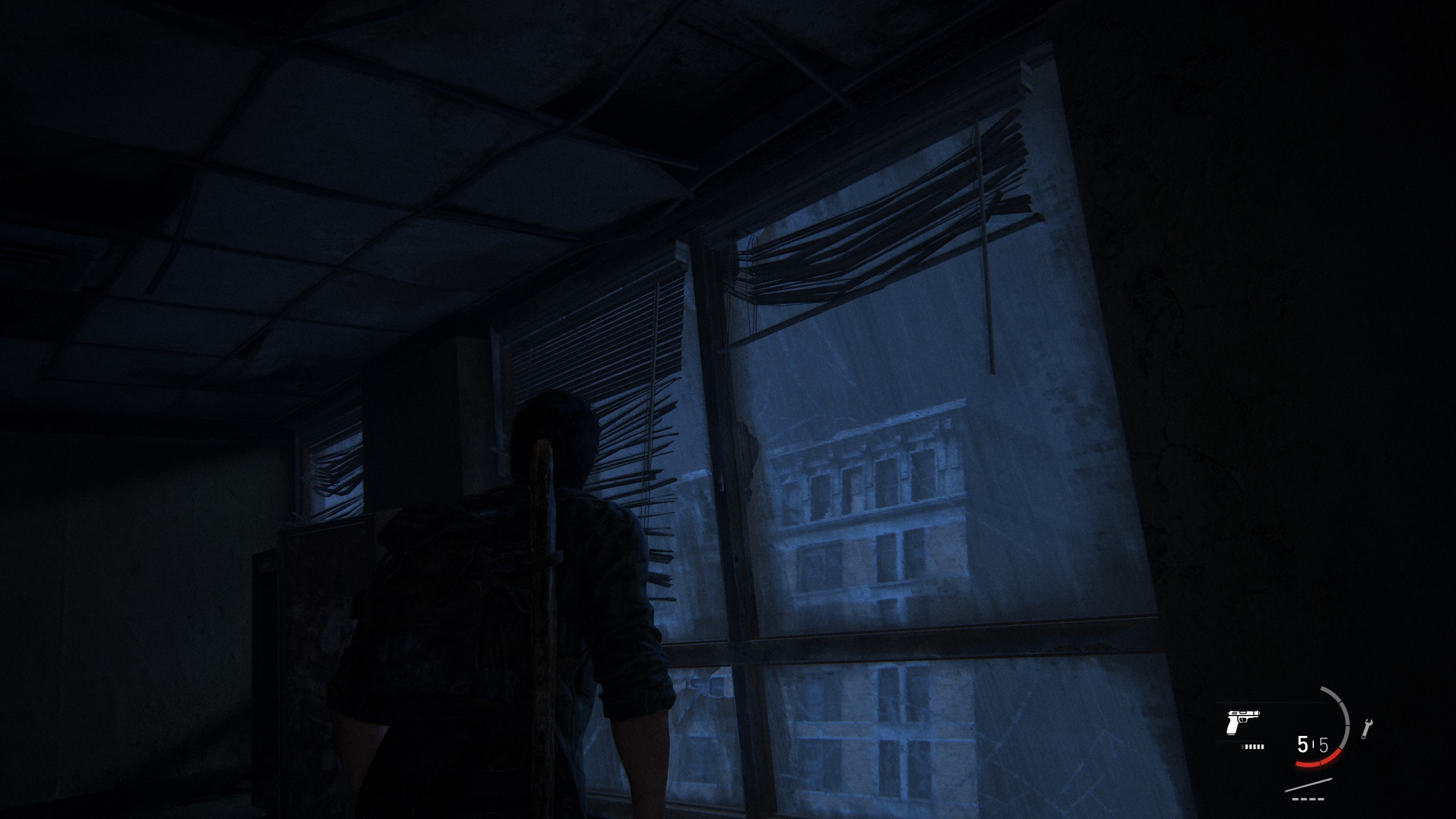
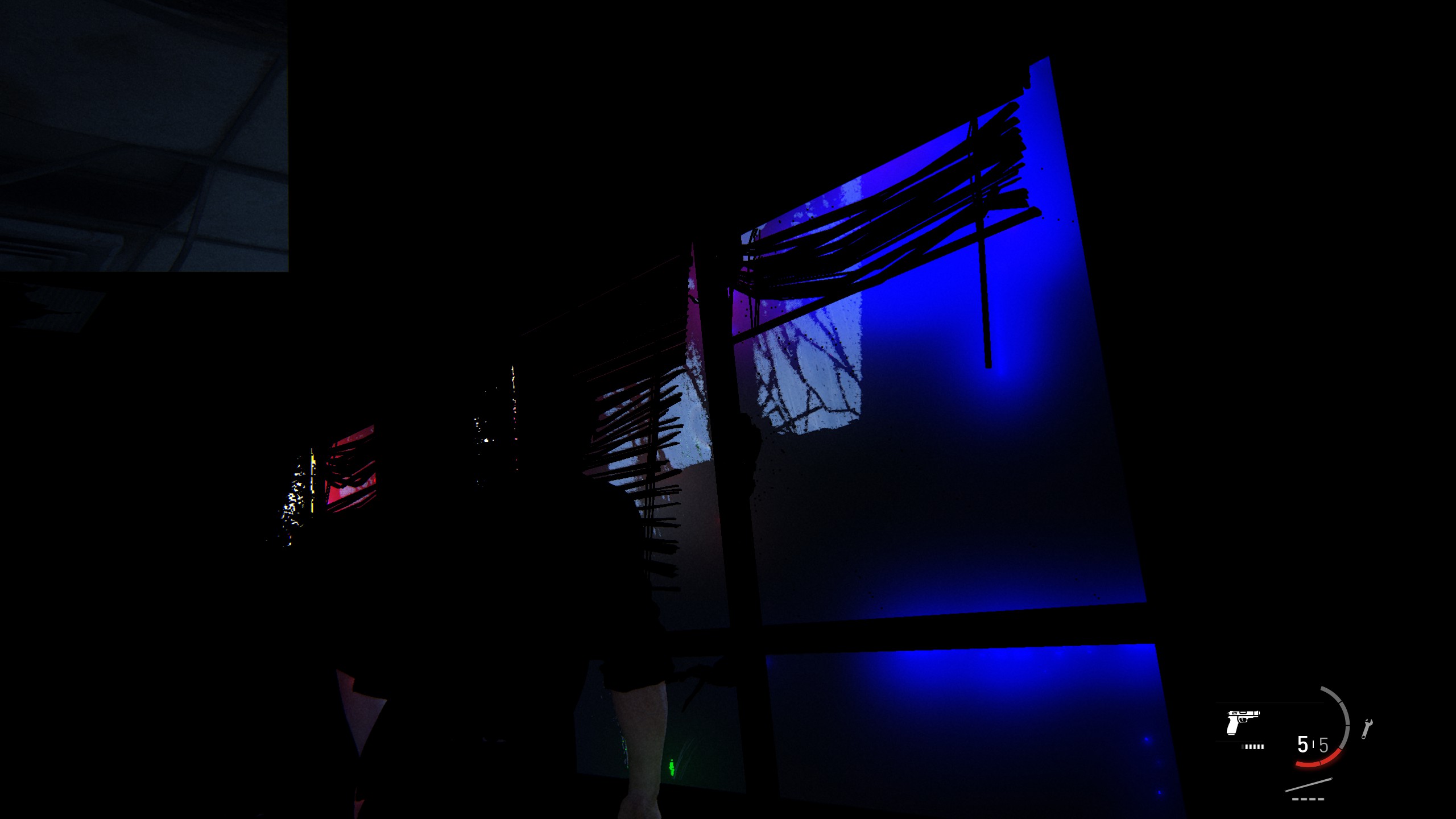
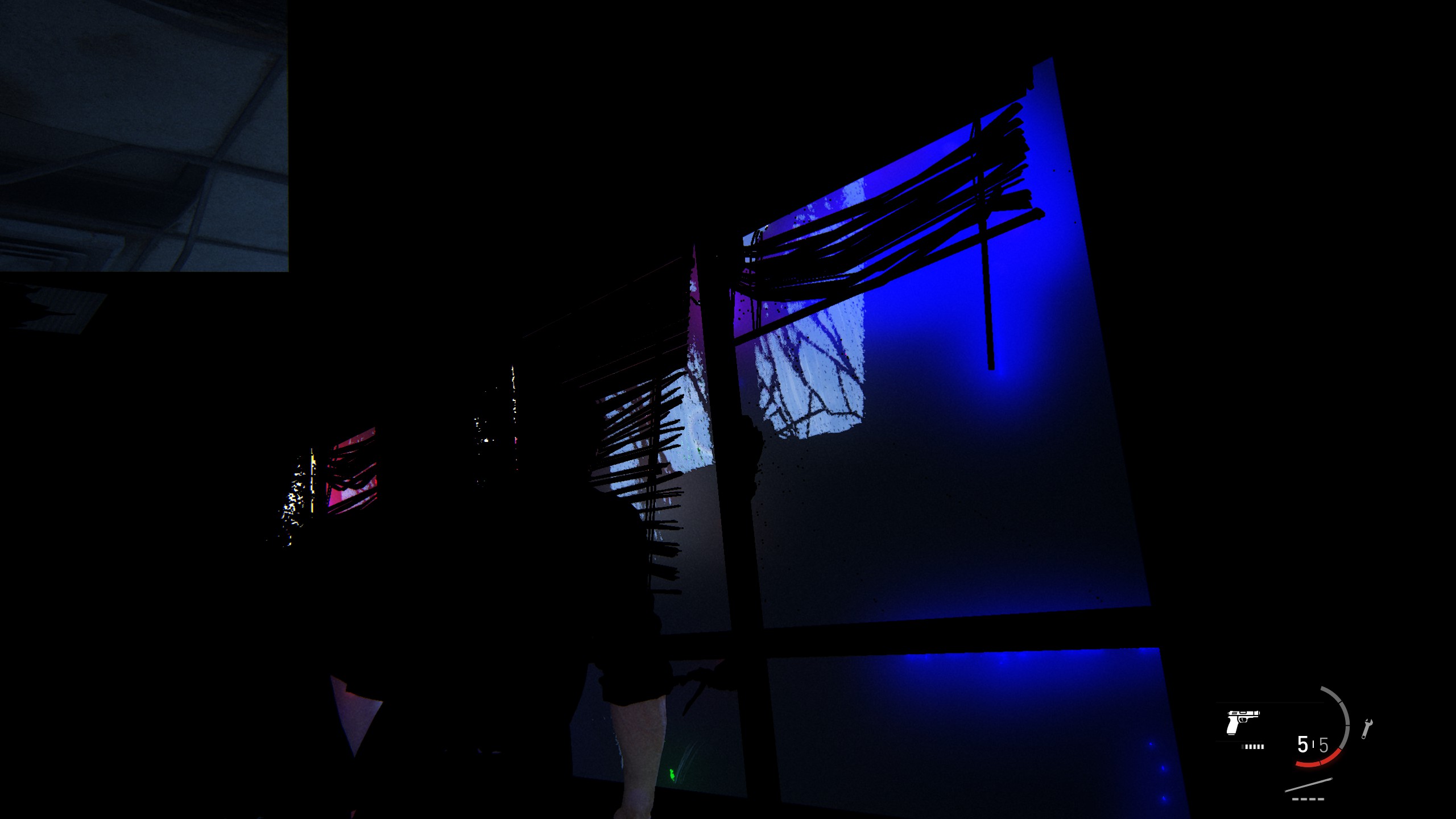
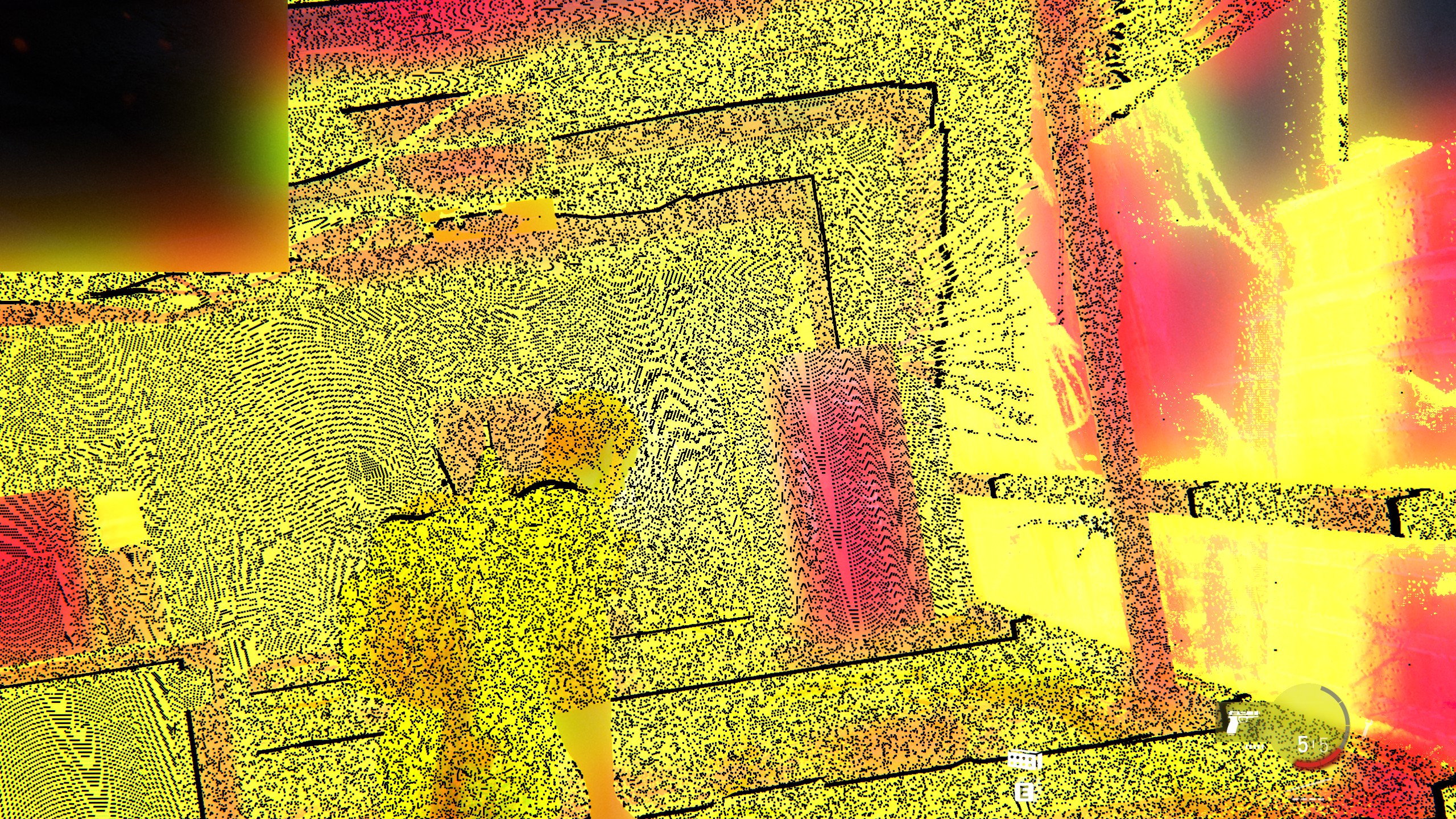
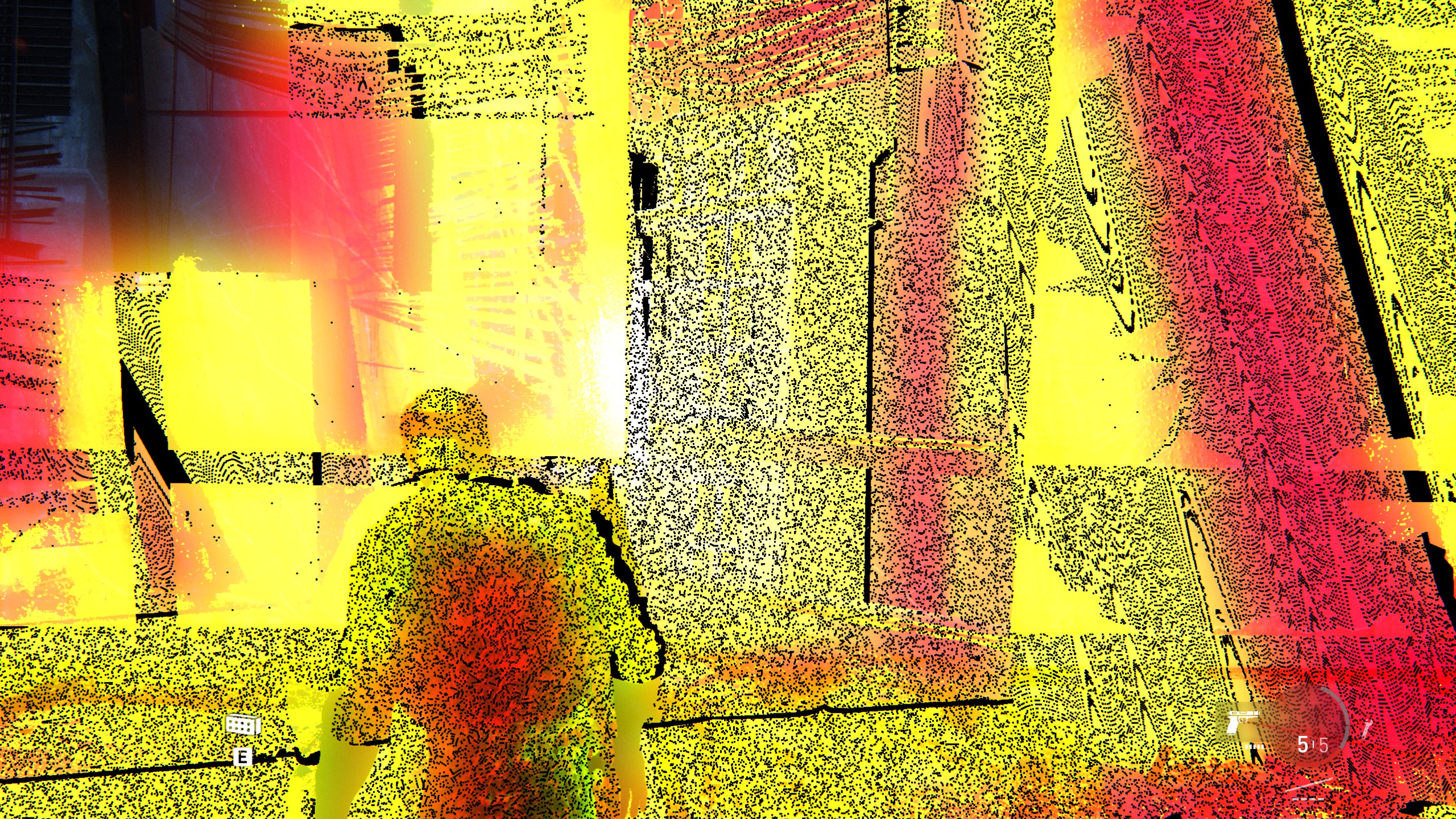
The glitches are still bound to flashlight usage for me and I also noticed that there are game regions where even extensive usage of the flashlight does not trigger these glitches and other regions where they appear almost immediately when activating the flashlight. So it appears that the level or player position (or environment) may also affect or influence this behavior. Additionally, I also noticed that player posture/camera angle/target of the flashlight may also be involved. I was able to reliably trigger these issues multiple times when crouching in a specific place so that the flashlight directly shines on the edge of a kitchen-drawer from close distance. Don't know what to make of this.
List of areas where I so far experienced the highest possibility of the glitches to appear:
Possible spoilers!
- On the way out of the military zone by the first occurrence of the spores. Joel and Tess go through a crawl space where they find the source of the spores - a dead individual with cordyceps.
- In the first half-collapsed skyscraper, after being attacked by a clicker in a cut-scene. The room after this is the one where I captured the screenshots above.
- The museum that comes after exiting the aforementioned skyscraper and barely escaping a horde of runners through a roll-up door. The issues came for me only in the second level of the building.
@urbenlegend
Are you still experiencing these same glitches or only the new single-color ones now?
I will check if the switching from Ultra to High and back to Ultra will work for me too.
@kisak-valve
Is there any possibility to understand why this happens? Is there anything I can do to trace/debug this issue?
So far nobody has really said anything to this. I would like to draw some attention to it. Some first assessments or thoughts about this? I am thankful for anyone that can help come closer to a solution.
And just speculating, is this likely to be a proton related issue, nvidia-driver related issue or a game related issue?
I already contacted the Naughty Dog support with a bug-report but of course (even though they at least kind of support it thanks to the Steam Deck) Linux/Proton compatibility is at the bottom of their priority-list.
I also checked my logs, one where no issues occurred and one where they occurred. I couldn't find anything of importance or any noticeable difference, though I don't really know that to look for. If someone needs my logs, I can provide them.
Interestingly enough it seems someone had a similar issue way back in 2013 with the original PS3 release:
https://www.youtube.com/watch?v=iXoiFfPEKxM
From the video description: "This is what happens in my game often when I use the flashlight or when there is bright lighting in the game. Then it freezes. It's almost unplayable."
It's very unlikely that there is any direct connection, given the fact that the original PS3 release is not only on a completely different operating system, using a completely different graphics API instead of DirectX and Vulkan, but is also not even the Remake version that is basically a complete overhaul - nor ported to PC. The similarity in the appearance and behavior of this glitch is still interesting though.
I'm trying to find more on that current flashlight glitch online.
@pxlkng Yes I am still getting those flashlight glitches in addition to the new ones shown in the video I just posted. There are definitely certain areas that seem to trigger the flashlight bug more, but often times, slightly repositioning the character or camera angle will get rid of it for a short while.
This is probably specific to Proton or Nvidia on Linux as I have not experienced this bug myself on Windows and I haven't heard of any AMD Linux users complaining about this bug either.
I have been playing through the game a bit yesterday on my 7900xtx to look in to a couple of other issues. I at least haven't experience anything like the above yet, neither the other times i played a bit.
@Blisto91 Good to know!
Yeah the most annoying bug is the Xid crash issue that @kisak-valve mentioned, so that's most likely on Nvidia's side of things.
For the flashlight bug or the single-color frame bug, perhaps Proton is revealing some Nvidia driver bugs as well?
As of patch 1.0.3, I am now getting this weird color flicker issue when first loading into a game. At certain camera angles, all of the game's visuals will disappear and be completely replaced by a series of rapidly flashing single-color frames. Here's a video showing the issue: https://youtu.be/GM0KCedZTsE
I finally got to the location you showed in the video. I haven't been able to reproduce on AMD.
There is another issue where you can get the terrain to disappear when you stand in specific spots and aim camera in specific direction. But that one is a game bug that also happens natively.
Well, regarding the dxvk-nvapi DLSS fix, if I use that the VRAM usage skyrockets, that's just with it being enabled in Proton with no changes to display/graphics settings in game.
Testing on Steam Deck with the latest update to the game 1.0.5, I'm still seeing it randomly fill up the RAM to about 14GB. This then causing it to stutter down to 1FPS and reboot the Steam Deck. The same issue as observed in God of War and Sons of the Forest.
Proton Log File:
steam-1888930.zip
That was on SteamOS Preview 3.4.8, Proton Hotfix (the version set by Valve).
Log file for Proton Experimental now too, same problems:
steam-1888930 (1) - experimental.zip
I'm seeing slow shader compilation. It seems to be mainly I/O bound (observations: the HD LED is constantly lit and the CPU usage graph shows largely baseline usage with some spikes), compiling about 1.2% of the total (for the main story) per minute.
VRAM is, as others have noted, reported as being 4GB less than is actually present. Using the DLL workaround, when I last checked it, resulted in some visible corruption – the net curtains on the menu screen are obviously affected (misrendering is patchy but blocky; looks tiling-related).
(Ryzen 3600, RX 6600 XT, Mesa 23.0.3; 16GB system RAM, spinning rust; using default Proton (hotfix).)
[Edit] Compilation time for v1.0.5:
70 minutes for the main story.
80 minutes in total.
This is faster by some 20 minutes than v1.0.4, assuming that it was a full compile (the cache directory was not removed first).
The game have very slow shader compilation ye. Tho radv ACO on Linux is actually impressively fast and much quicker than the native Windows AMD driver at compiling, at least last time i checked. Could be I/O bound on a HDD haven't checked that myself.
The corruption that happens with amd ags being set to builtin should be fixed in mesa (radv) 23.1. Once that have been out for a bit it Proton will likely set the dll as builtin by default.
The game have very slow shader compilation ye. Tho radv ACO on Linux is actually impressively fast and much quicker than the native Windows AMD driver at compiling, at least last time i checked. Could be I/O bound on a HDD haven't checked that myself.
The corruption that happens with amd ags being set to builtin should be fixed in mesa (radv) 23.1. Once that have been out for a bit it Proton will likely set the dll as builtin by default.
Most modern day hard drives are fast enough that I/O should not be an issue
Shader cache build: Basegame 6 minutes, Left Behind 3 minutes
- DeskMini X300
- Ryzen 5700G
- 2x8GB 3600MHz RAM
- Asus ROG RX6650XT (eGPU)
- SSD (sata)
- Arch Linux
- Sway WM (no DE)
- Proton Experimental
- Mesa 23.0.3
Every time I start the game I get the message for out of date driver
But the driver mentioned is the Windows version of the GPU driver.
https://www.nvidia.com/download/driverResults.aspx/204771/en-us/
I have a NVIDIA 3070 installed is version 530.41.03 using Proton Expiremental
Gist
I use:
Proton Experimental
Distribution: BigLinux
Kernel: 6.1.31-2-MANJARO
RAM: 16 GB
GPU Driver: NVIDIA 470.141.03
GPU: NVIDIA GeForce GTX 1070
CPU: Intel Core i7-4770 @ 3.900GHz
With the following command, the game opened and ran, but unfortunately, it froze at some point:
VKD3D_SHADER_MODEL=6_6 PROTON_HIDE_NVIDIA_GPU=0 PROTON_ENABLE_NVAPI=1 DXVK_NVAPI_DRIVER_VERSION=53161 DXVK_NVAPI_ALLOW_OTHER_DRIVERS=1 LFX=1 PROTON_FORCE_LARGE_ADDRESS_AWARE=true VKD3D_CONFIG=dxr11 VKD3D_FEATURE_LEVEL=12_2 DXVK_ASYNC=1 %command%
Hello @ruscher, Proton 8.0 and newer requires that video drivers provide Vulkan 1.3. The NVIDIA 470 series video driver provides Vulkan 1.2 and is too old for continued support by Proton. Please update your video driver.
@ruscher i dont think you need all those extra variables set
Hello @ruscher, Proton 8.0 and newer requires that video drivers provide Vulkan 1.3. The NVIDIA 470 series video driver provides Vulkan 1.2 and is too old for continued support by Proton. Please update your video driver.
inxi --graphics
Graphics:
Device-1: NVIDIA GP104 [GeForce GTX 1070] driver: nvidia v: 535.86.05
Device-2: Microsoft LifeCam HD-3000 driver: snd-usb-audio,uvcvideo
type: USB
Display: x11 server: X.Org v: 21.1.8 driver: X: loaded: nvidia
gpu: nvidia,nvidia-nvswitch resolution: 1: 2560x1080~60Hz 2: 1920x1080~60Hz
3: 1680x1050~60Hz
API: OpenGL v: 4.6.0 NVIDIA 535.86.05 renderer: NVIDIA GeForce GTX
1070/PCIe/SSE2
the workaround dll override for amd_ags_x64 causes constant frametime spikes and overall lower FPS, i tested with and without on the lowest settings.
not sure how to report this issue, it doesn't look like a regression within wine's amd_ags_x64 code but something specific to this game alone
@Hadrianneue Hi there.
Do you have a screenshot or video of how the spikes look vs without the override?
@Hadrianneue Hi there. Do you have a screenshot or video of how the spikes look vs without the override?
i couldn't capture a video right now, having trouble setting up obs.
using the lowest preset at 1080p to avoid bottlenecks (Ryzen 5 5600 + RX 6700 XT), game plays smoothly without the dll override, however i just figured that setting my monitor 60hz and enabling vsync does smooth the frametime graph while using the dll override.
however, this issue is only presented when using the dll override, i can run at any hz without frametime spikes without this dll override, framerate is also lower when unlocked.
I recently tried playing a game again with the necessary settings for my GPU, which is VKD3D_SHADER_MODEL=6_6, and I managed to get the game to start without any issues. However, after waiting for about an hour for shaders to compile, I noticed that the game was running at barely 1fps, even in the main menu. Initially, I thought this might be due to the shaders, but even after they finished compiling, the problem persisted. I tried lowering the resolution to the minimum, even down to 720p, but there was no improvement. The strange thing is that the audio in the game works perfectly; the issue is only with the image, which is moving at an extremely slow pace.
I'm wondering if this is normal for a game of this caliber, considering that my graphics card is a GTX 1050TI, which meets the recommended minimum requirements for the game. If that's the case, I'm starting to question the game's optimization, as I can run other demanding games like Red Dead Redemption 2 or Death Stranding, albeit with some known limitations. Does anyone have any suggestions for a solution, or is this the maximum performance I can expect from this game with my hardware?
@TRuHa83 @ruscher as stated in this message, performance on this cards generation (Pascal GPU or rather known as GTX 10XX Series) are verry poor. It's a hardware problem (no hope for fix)
Another bug with textures loading with big delay.
link to my video
https://www.youtube.com/watch?v=_48u89AJKA4
With Ultra graphics setting delay is longer, but in low without delay.
Also WINEDLLOVERRIDES="amd_ags_x64.dll=b" help to load textures more fast
Proton does ship with a builtin amd ags :slightly_smiling_face: https://github.com/ValveSoftware/wine/tree/experimental_8.0/dlls/amd_ags_x64
Edit: response to a deleted comment
So it seems last of us on deck literally locks texture settings away if it detects the decks APU. Steamdeck=0 does actually have an effect (exit to library became exit to desktop) but the graphics settings seem to lock when it sees the APU.
I spoofed another amd card and the game even commented about how the gpu has changed. But internally the game still lists the vangogh.
[Poton Experimental] The Last Of Us™ Part I
Issue transferred from https://github.com/ValveSoftware/Proton/issues/7297.
@tojestzart posted on 2023-11-29T18:18:45:
Compatibility Report
- Name of the game with compatibility issues: The Last Of Us™ Part I
- Steam AppID of the game: https://store.steampowered.com/app/1888930/The_Last_of_Us_Part_I/
System Information
- GPU: RTX3050m
- Video driver version: 535.129.03
- Kernel version: 6.5.0-13-generic
- Link to full system information report as Gist:
- Proton version: Proton Experimental
I confirm:
- [ ] that I haven't found an existing compatibility report for this game.
- [X] that I have checked whether there are updates for my system available.
Symptoms
Sometimes it runs game after fresh reboot , sometimes it doesnt
Reproduction
Run game
Wait
Nothing
Sometimes it runs game sometimes doesnt, whats the cause?
@tojestzart commented on 2023-11-29T18:19:30:
Hello @tojestzart, err:module:import_dll Library AVRT.dll (which is needed by L"Z:\\media\\lsd\\362CBBA642F61AA6\\SteamLibrary\\steamapps\\common\\The Last of Us Part I\\launcher.exe") not found looks like the line of interest from your Proton log.
Why that library is unreliably available is odd to say the least.
@kisak-valve thank you for helping me for second time and forwarding thread to main topic again. As far i renember it was something similar with access to some mounted file on other NVMe drive. (it was related to some dll of proton itself) And here is exactly the same. I will investigate in that way, because something is wrong definitley. Since repeating launch several times launches game (any any other game has standard in protondb website "GOLD" standard which i tried to run unsucesfully.)
Before i had problem with ssd drive and reported it to kernel.org itself thought issues will be gone.
https://bugzilla.kernel.org/show_bug.cgi?id=217664
https://github.com/ValveSoftware/Proton/issues/1410#issuecomment-1801872573 ???
steam-1888930.log
some new issue? I installed it specifically on the system partition to make sure it wont loose access to files somehow. Crashed during play and since then im not able to run it again.
My game just freezes all the time in just minutes in game.
System Information
GPU: RTX4070ti
Video driver version: 545.29.06
Kernel version: 6.6.3-200.fc39.x86_64
Proton version: Proton Experimental & GE-Proton8-25
Launch Options: PROTON_HIDE_NVIDIA_GPU=0 PROTON_ENABLE_NVAPI=1 gamemoderun %command%
@xPakrikx if you get lucky and game crashesh itself under proton then you should have crash report there, if not it will be proton related
Just like when previously specifying WINEDLLOVERRIDES="amd_ags_x64=b" , game's performance is now quite bad before e.g. the Capitol building game level. Getting only ~80fps with a 7800 XT & FSR 2 Q 1440p, which is much lower than without WINEDLLOVERRIDES="amd_ags_x64=b" or than on Windows.
@aufkrawall With which Proton version? And do you mean setting amd_ags_x64 as builtin raises the performance?
Proton Experimental, which apparently now sets WINEDLLOVERRIDES="amd_ags_x64=b" for the game (which unlocks texture quality settings, but on the other hand decreases performance).
@aufkrawall There were improvements made to Proton before we switched the default for this game that fixed the perf difference with amd_ags=b in our testing. It is interesting that you are still seeing a difference. In case you didn't figure this out already, you can easily switch between amd_ags=b and =n by using PROTON_ENABLE_AMD_AGS=0 %command% (to disable) or 1 to enable. I have a few things to ask to hopefully narrow down why you are still seeing a difference:
- Could you please copy your system information from Steam (Steam -> Help -> System Information and Steam -> Help -> Steam Runtime Diagnostics) and put each in a gist, then include a link to the gists in this issue report so that we can see the full system specs?
- Could you get a log with PROTON_LOG=+amd_ags %command% of running the game where you are seeing the lower performance?
- It sounds like it was only certain specific spots where the perf is lower - is this the case? If so, could you describe more fully the exact location where we should be looking and upload a save file that includes the area where you were seeing worse perf?
atually im stuck with fireflies logo, i can hear behind menu options but screen is stuck with logo, any workaround?
( https://www.youtube.com/watch?v=KrngQ6r8vto )
somebody uses MangoHud, why it not showing in game?
This is problem Proton or MangoHud? Other games don't have problems.
The MangoHUD issue seems to be specific to this title. I think it used to work not too long ago, if I'm not mistaken.
As for amd_ags_x64: Indeed, there is no performance differency anymore between PROTON_ENABLE_AMD_AGS=0 and =1 in Proton Experimental. Though the performance hit by RADV/VKD3D-Proton is a bit higher here than in many other titles: It's 83fps Linux vs. 97fps Windows.
@tojestzart Downgrade your driver to < 545.
This is the launch option I use to get MangoHUD working: echo mangohud "%command%" | sed 's/launcher.exe/tlou-i.exe/' | sh
@tojestzart Downgrade your driver to < 545.
tried to downgrade to 470 then game doesnt see nvidia card so i gave up straight away.
im on 535.146.02 (straight from nvidia drivers site) and encountered new error: Unable to load the Agility SDK. You may need to update your Windows OS, please check your Windows version for Agility SDK support.
EDIT: im finally running game after lots non understandable crashes and integration checks, it works even more fast than on windows!
@tojestzart I remember that error but I don't remember how it got solved. Anyway you probably shouldn't install the driver from their website but rather straight from Ubuntu itself (apt list '*nvidia-driver*').
For me it crashes before the game or at the intro (on driver >= 545): https://github.com/HansKristian-Work/vkd3d-proton/issues/1820
just played 2 mins and died and game crashed with no more possibility to start again
20480.745:0020:0110:err:xrandr:xrandr14_get_adapters Failed to get adapters
20480.774:0108:010c:err:xrandr:xrandr14_get_adapters Failed to get adapters
20480.774:0108:010c:err:xrandr:xrandr14_get_adapters Failed to get adapters
20481.185:013c:0140:err:module:import_dll Library OLEAUT32.dll (which is needed by L"Z:\\media\\lsd\\362CBBA642F61AA6\\SteamLibrary\\steamapps\\common\\The Last of Us Part I\\GFSDK_Aftermath_Lib.x64.dll") not found
20481.188:013c:0140:err:module:import_dll Library GFSDK_Aftermath_Lib.x64.dll (which is needed by L"Z:\\media\\lsd\\362CBBA642F61AA6\\SteamLibrary\\steamapps\\common\\The Last of Us Part I\\tlou-i.exe") not found
20481.190:013c:0140:err:module:import_dll Library IPHLPAPI.DLL (which is needed by L"Z:\\media\\lsd\\362CBBA642F61AA6\\SteamLibrary\\steamapps\\common\\The Last of Us Part I\\tlou-i.exe") not found
20481.210:013c:0140:err:module:import_dll Library IPHLPAPI.DLL (which is needed by L"Z:\\media\\lsd\\362CBBA642F61AA6\\SteamLibrary\\steamapps\\common\\The Last of Us Part I\\EOSSDK-Win64-Shipping.dll") not found
20481.214:013c:0140:err:module:import_dll Library EOSSDK-Win64-Shipping.dll (which is needed by L"Z:\\media\\lsd\\362CBBA642F61AA6\\SteamLibrary\\steamapps\\common\\The Last of Us Part I\\tlou-i.exe") not found
20481.223:013c:0140:err:module:LdrInitializeThunk Importing dlls for L"Z:\\media\\lsd\\362CBBA642F61AA6\\SteamLibrary\\steamapps\\common\\The Last of Us Part I\\tlou-i.exe" failed, status c0000135
20481.312:0134:0138:err:xrandr:xrandr14_get_adapters Failed to get adapters
20481.312:0134:0138:err:xrandr:xrandr14_get_adapters Failed to get adapters```That looks odd. It doesn't it help to verify the game?
Edit: what filesystem do you use?
Filesystem     Type     1K-blocks      Used Available Use% Mounted on
tmpfs          tmpfs      2394648      1964   2392684   1% /run
/dev/nvme0n1p4 ext4     143009948  33274688 102397892  25% /
tmpfs          tmpfs     11973224    481928  11491296   5% /dev/shm
tmpfs          tmpfs         5120        16      5104   1% /run/lock
efivarfs       efivarfs       148       128        16  90% /sys/firmware/efi/efivars
/dev/nvme0n1p1 vfat        258095     31726    226369  13% /boot/efi
tmpfs          tmpfs      2394644        92   2394552   1% /run/user/1000
/dev/nvme1n1p1 ntfs3    500106236 187052304 313053932  38% /media/lsd/362CBBA642F61AA6
nvme1 is SAMSUNG MZVLB512HBJQ-00000
nvme0 is samsung SSD 970 EVO Plus 1TB
Still i dont understand by myself why it loosing access to files is problem with NVME drivers or something beyond proton or what in case drive is mounted and that file exists?
I attached log after fresh reboot and mounting it has less errors for some reason.
Hello @tojestzart, Proton interacting with NTFS is known to be finicky. Can you test how the game behaves with a Linux native filesystem?
changed to nvidia card successfully then increased to medium game texture quality and amdgpu killed whole DE i landed with black screen with mouse pointer.
After reboot game doesnt want to run again.
https://gist.github.com/tojestzart/2e65c77c5db782187efc3a00a2652da7
steam-1888930.log
The Proton log hints towards an access violation (c0000005) in the NVIDIA driver warn:seh:handle_syscall_fault backtrace: --- Exception 0xc0000005 at 0x7f56f75785c4: /usr/lib/pressure-vessel/overrides/lib/x86_64-linux-gnu/libGLX_nvidia.so.0 + 0x9f5c4.
[SOLVED]
EDIT: @shelterx @kisak-valve Hi ! I have been able to solve it. I have manually installed the latest NVIDIA-driver 550.78
from here:
https://www.nvidia.com/download/driverResults.aspx/224350/en-us/
Now the effects of the bombs and the effects when shooting look great again.
Hi,
I have found that some effects do not appear, for example when you throw a nail bomb or smoke bomb, they do not produce smoke or any effect, just the physics around it works but as if nothing had been thrown.
anyone else? before there was no such problem (I have tried Proton 8.04 and hotfix versions) I have also updated the nvidia driver.
[The last of us Part I] Nail or smoke bomb effect-textures problem
Issue transferred from https://github.com/ValveSoftware/Proton/issues/7438.
@Hicks79 posted on 2024-01-24T15:17:40:
Compatibility Report
- Name of the game with compatibility issues:
- Steam AppID of the game: https://store.steampowered.com/app/1888930/The_Last_of_Us_Part_I/
System Information
-
GPU: NVIDIA GeForce RTX 2080 SUPER/PCIe/SSE2
-
Video driver version: nvidia 535.154.05 (I tried nvidia 525 but same Problem)
-
Kernel version: 4.15.0-220-generic (I tried 4.15.0-221-generic but same Problem)
-
Link to full system information report as Gist:
-
Proton version: Proton Hotfix (doesnt work with 8.x)
44812195fbd66a2843bd094724fe9c1e-9ade63595272879141d4e141f3e5a00629d66f00.zip -
With Proton 7.0-6 and 6.3-8 I receive the sdk agility problem
Update: I have noticed that it is not only the bombs but also when shooting, there is no visual effect of the shot.
NEW nVidia-Driver: 535.171.04
I confirm:
- [x ] that I haven't found an existing compatibility report for this game.
- [x ] that I have checked whether there are updates for my system available.
Symptoms
- Screenshot. Before without problems, now smoke or nail bombs have no textures (just a flash).
- there is no visual effect of the shot.
@kisak-valve any information about this bug, before there was no problem.
did integration check, then another different error xD
steam-1888930.log
Hi, I have found that some effects do not appear, for example when you throw a nail bomb or smoke bomb, they do not produce smoke or any effect, just the physics around it works but as if nothing had been thrown. anyone else? before there was no such problem (I have tried Proton 8.04 and hotfix versions) I have also updated the nvidia driver.
I think it's a bit unclear which version it used to work on? I can't test as I don't have any bombs yet, I haven't gotten around to play it for real yet. I'm asking because there could be 3 components causing the issue, proton version, vkd3d version and drivers.
Hi @shelterx thanks for your Time!
ich tried the driver nvidia 525 but same Problem. I have tried with other older versions of Proton (to force it not to run with Vulkan maybe?) but I get an error of the "sdk agility" problem.
Looks like I'm reproducing some of the launch issues that @tojestzart reported. I also have a dual GPU setup: a Raphael iGPU and an RTX 3070.
If I don't force dGPU with VK_ICD_FILENAMES, the game will launch on the iGPU, so that might explain some issues. If the game launches on the iGPU when I'm using the dGPU for display, the game will for some reason freeze immediately on the first few frames resulting in a white screen. Otherwise an iGPU launch is OK, but with poor performance (as expected for this GPU).
When I do specify VK_ICD_FILENAMES=/usr/share/vulkan/icd.d/nvidia_icd.json, the game will crash or freeze on the firefly/loading screen before getting in-game, sometime before the loading wheel in the bottom right corner appears. Game crashes to desktop usually happens after I delete the prefix, and after that it'll freeze instead, but it's always a crash in the Nvidia driver. This happens regardless of which GPU is running the display, so it doesn't seem to be a PRIME issue.
When I disabled the iGPU in the BIOS I had no issues getting in-game.
VKD3D_DEBUG=trace makes it not crash or freeze, so I couldn't get any debug output that way, so I got some logs with PROTON_LOG=+vulkan instead.
glxinfo summary with iGPU display
name of display: :0
display: :0  screen: 0
direct rendering: Yes
Extended renderer info (GLX_MESA_query_renderer):
    Vendor: AMD (0x1002)
    Device: AMD Radeon Graphics (radeonsi, raphael_mendocino, LLVM 16.0.6, DRM 3.56, 6.7.2-arch1-1) (0x164e)
    Version: 23.3.4
    Accelerated: yes
    Video memory: 512MB
    Unified memory: no
    Preferred profile: core (0x1)
    Max core profile version: 4.6
    Max compat profile version: 4.6
    Max GLES1 profile version: 1.1
    Max GLES[23] profile version: 3.2
Memory info (GL_ATI_meminfo):
    VBO free memory - total: 32 MB, largest block: 32 MB
    VBO free aux. memory - total: 30970 MB, largest block: 30970 MB
    Texture free memory - total: 32 MB, largest block: 32 MB
    Texture free aux. memory - total: 30970 MB, largest block: 30970 MB
    Renderbuffer free memory - total: 32 MB, largest block: 32 MB
    Renderbuffer free aux. memory - total: 30970 MB, largest block: 30970 MB
Memory info (GL_NVX_gpu_memory_info):
    Dedicated video memory: 512 MB
    Total available memory: 32229 MB
    Currently available dedicated video memory: 32 MB
OpenGL vendor string: AMD
OpenGL renderer string: AMD Radeon Graphics (radeonsi, raphael_mendocino, LLVM 16.0.6, DRM 3.56, 6.7.2-arch1-1)
OpenGL core profile version string: 4.6 (Core Profile) Mesa 23.3.4-arch1.2
OpenGL core profile shading language version string: 4.60
OpenGL core profile context flags: (none)
OpenGL core profile profile mask: core profile

OpenGL version string: 4.6 (Compatibility Profile) Mesa 23.3.4-arch1.2
OpenGL shading language version string: 4.60
OpenGL context flags: (none)
OpenGL profile mask: compatibility profile

OpenGL ES profile version string: OpenGL ES 3.2 Mesa 23.3.4-arch1.2
OpenGL ES profile shading language version string: OpenGL ES GLSL ES 3.20
glxinfo summary with dGPU display
name of display: :0
display: :0  screen: 0
direct rendering: Yes
Memory info (GL_NVX_gpu_memory_info):
    Dedicated video memory: 8192 MB
    Total available memory: 8192 MB
    Currently available dedicated video memory: 7404 MB
OpenGL vendor string: NVIDIA Corporation
OpenGL renderer string: NVIDIA GeForce RTX 3070/PCIe/SSE2
OpenGL core profile version string: 4.6.0 NVIDIA 550.40.07
OpenGL core profile shading language version string: 4.60 NVIDIA
OpenGL core profile context flags: (none)
OpenGL core profile profile mask: core profile

OpenGL version string: 4.6.0 NVIDIA 550.40.07
OpenGL shading language version string: 4.60 NVIDIA
OpenGL context flags: (none)
OpenGL profile mask: (none)

OpenGL ES profile version string: OpenGL ES 3.2 NVIDIA 550.40.07
OpenGL ES profile shading language version string: OpenGL ES GLSL ES 3.20
I also tried to launch with VKD3D_DISABLE_EXTENSIONS=VK_KHR_present_id,VK_KHR_present_wait, but that had no effect on the issue.
With proton experimental the game crashes on the main menu screen once shaders hit 91%.
Edit: Tried Proton 8.0.5, same result.
Hi @shelterx anything?
I have noticed that it is not only the bombs but also when shooting, there is no visual effect of the shot.
@kisak-valve
@Hicks79 shooting? I get a muzzle flash with the gun... also water splash when shooting at water.
@Hicks79 shooting? I get a muzzle flash with the gun... also water splash when shooting at water.
no flashes, only the physics one (the kick of the gun). But a month has passed and there is no solution. Before I had no problem.
no flashes, only the physics one (the kick of the gun). But a month has passed and there is no solution. Before I had no problem.
Try setting PROTON_ENABLE_NVAPI=1 %command% for the game (if you are on proton 9 beta and above it should be enabled by default tho'),
No, no change.
It's been a month, and they don't even give feedback if they work on it or not.
steam-1888930.log
now i have sensible log, formatted drive, and resized and started again, based on NVIDIA-SMI 550.54.14 , it still dies on xrandr with adapters, any workaround for this? I want to mention, nowadays steam is trying to force dedicated card to run at all price (which is good)
if i run with argument PROTON_LOG=1 %command%
[...]1668.728:0144:0238:warn:seh:dwarf_virtual_unwind backtrace: 0x74d3e89285fc: /usr/lib/pressure-vessel/overrides/lib/x86_64-linux-gnu/libc.so.6 + 0x1285fc. 1668.728:0144:0238:trace:unwind:execute_cfa_instructions 74d3e89285f5: DW_CFA_def_cfa %rsp, 8 1668.728:0144:0238:trace:unwind:execute_cfa_instructions 74d3e89285f5: DW_CFA_offset %rip, -8 1668.728:0144:0238:trace:unwind:dwarf_virtual_unwind fde 0x74d3e89eb8a0 len 10 personality (nil) lsda (nil) code 74d3e89285f5-74d3e8928606 1668.728:0144:0238:trace:unwind:execute_cfa_instructions 74d3e89285f5: DW_CFA_undefined %rip 1668.728:0144:0238:trace:unwind:dwarf_virtual_unwind next function rip=000074d3e89285fc 1668.728:0144:0238:trace:unwind:dwarf_virtual_unwind rax=0000000000000000 rbx=000074d3e8897870 rcx=000074d3e803df50 rdx=000074d321149730 1668.728:0144:0238:trace:unwind:dwarf_virtual_unwind rsi=0000000000000002 rdi=000074d32114d310 rbp=0000000000000000 rsp=00000001030e8bb8 1668.728:0144:0238:trace:unwind:dwarf_virtual_unwind r8=0000000000000000 r9=0000000000000000 r10=0000000000000000 r11=0000000000000000 1668.728:0144:0238:trace:unwind:dwarf_virtual_unwind r12=fffffffffffffb68 r13=0000000000000002 r14=00000001000ff880 r15=0000000102fa0000 1668.728:0144:0238:trace:unwind:dwarf_virtual_unwind function 74d3e89285fc base 0x74d3e89285f5 cie 0x74d3e89d2af0 len 14 id 0 version 1 aug 'zR' code_align 1 data_align -8 retaddr %rip 1668.728:0144:0238:warn:seh:dwarf_virtual_unwind backtrace: 0x74d3e89285fc: /usr/lib/pressure-vessel/overrides/lib/x86_64-linux-gnu/libc.so.6 + 0x1285fc. 1668.728:0144:0238:trace:unwind:execute_cfa_instructions 74d3e89285f5: DW_CFA_def_cfa %rsp, 8 1668.728:0144:0238:trace:unwind:execute_cfa_instructions 74d3e89285f5: DW_CFA_offset %rip, -8 1668.728:0144:0238:trace:unwind:dwarf_virtual_unwind fde 0x74d3e89eb8a0 len 10 personality (nil) lsda (nil) code 74d3e89285f5-74d3e8928606 1668.728:0144:0238:trace:unwind:execute_cfa_instructions 74d3e89285f5: DW_CFA_undefined %rip 1668.728:0144:0238:trace:unwind:dwarf_virtual_unwind next function rip=000074d3e89285fc 1668.728:0144:0238:trace:unwind:dwarf_virtual_unwind rax=0000000000000000 rbx=000074d3e8897870 rcx=000074d3e803df50 rdx=000074d321149730 1668.728:0144:0238:trace:unwind:dwarf_virtual_unwind rsi=0000000000000002 rdi=000074d32114d310 rbp=0000000000000000 rsp=00000001030e8bc0 1668.728:0144:0238:trace:unwind:dwarf_virtual_unwind r8=0000000000000000 r9=0000000000000000 r10=0000000000000000 r11=0000000000000000 1668.728:0144:0238:trace:unwind:dwarf_virtual_unwind r12=fffffffffffffb68 r13=0000000000000002 r14=00000001000ff880 r15=0000000102fa0000 1668.728:0144:0238:trace:unwind:dwarf_virtual_unwind function 74d3e89285fc base 0x74d3e89285f5 cie 0x74d3e89d2af0 len 14 id 0 version 1 aug 'zR' code_align 1 data_align -8 retaddr %rip [...]
it starts opening/ running untill i ran out of RAM, or creates infinite log file 3gb plus,
if i try to start without arguments it does nothing,
same with gamemoderun PROTON_HIDE_NVIDIA_GPU=0 PROTON_ENABLE_NVAPI=1 %command%
[SOLVED]
EDIT: @shelterx @kisak-valve Hi ! I have been able to solve it. I have manually installed the latest NVIDIA-driver 550.78 from here: https://www.nvidia.com/download/driverResults.aspx/224350/en-us/
That's great, maybe there were more fixes other than those mentioned.
FYI. it seems like the Nvidia Dev driver 550.40.61 fixes the shader crash that was present for a while, so if you get XID crashes in dmesg, try that driver.
Intel i7-4790K
GTX 1070
Ubuntu 22.04.4
Kernel: 6.5.0-41-generic
Driver: 550.90.07
Lutris: 0.5.17
The problem was solved by the variable "PROTON_HIDE_NVIDIA_GPU=1"
In this case, the AMD driver will appear in the game log "log.txt" :)))
AMD Driver Info
Version: 23.19
Software Version: 23.10.2
Driver Supported: YES
Downgrade Required: NO
PS The game launched and works without problems.
Replying to https://github.com/ValveSoftware/Proton/issues/6653#issuecomment-2181237933
I have the same GFX and unfortunately while the environment variable you use appears to fix the problem for me (the game launches), it still crashes somewhat randomly. Specific animations appear to trigger the crash somewhat reliably (such as throwing bottles). Are you sure you can actually play the game in full?
FYI. it seems like the Nvidia Dev driver 550.40.61 fixes the shader crash that was present for a while, so if you get XID crashes in dmesg, try that driver.
Quoting myself here, it is not fixed. I thought the issue was fixed with 2-3 different driver releases now but it seems like the game works when you have just installed the new driver and launch the game. When you launch the game a second time, it starts crashing after 10-30s and XID 109 appears in dmesg (Nvidia).
I have the same GFX and unfortunately while the environment variable you use appears to fix the problem for me (the game launches), it still crashes somewhat randomly. Specific animations appear to trigger the crash somewhat reliably (such as throwing bottles). Are you sure you can actually play the game in full?
I've already completed the main part of the game, I just have to go through the expansions. Over the entire period, there were several crashes in the game, but they were random and did not repeat in the same place. After restarting the game, it was possible to move further along the plot.
PS Sorry for my English, I translate via Google.
DRI_PRIME=1 VK_ICD_FILENAMES=/etc/vulkan/icd.d/nvidia_icd.json %command% (Kubuntu 24.04, 550.90.07)
it doesnt go any further than spinning coin, any ideas?, if i replace than json with path to amd it works.
DRI_PRIME=1 VK_ICD_FILENAMES=/etc/vulkan/icd.d/nvidia_icd.json %command%(Kubuntu 24.04, 550.90.07) it doesnt go any further than spinning coin, any ideas?, if i replace than json with path to amd it works.
A little bit of my actual video "The Last of Us: Part I" (GE-Proton9-7)
@tojestzart Does it help if you use DXVK_CONFIG="dxvk.hideIntegratedGraphics = True" as your launch options? That worked for me just now with 555.58.02, RTX 3070 and Raphael iGPU, when otherwise I couldn't launch with a clean prefix and the Nvidia ICD option by itself.
DRI_PRIME=0 VK_ICD_FILENAMES=/usr/share/vulkan/icd.d/radeon_icd.x86_64.json %command%
that was solution for me, game didnt want to run for some reason, so i forced this for first run in launch options(force integrated card), then removed, and changed to nvidia in game, and now it works on nvidia without any extra parameters and doesnt crash.
Hi,
I have seen that currently in protondb many people have the same error as me.
If I delete compatdata, TLOUS has no problem, the settings stay default (low).
here the log for NO crash:
steam-1888930_nocrash.log
If I modify the settings (high) then the next time I run the game it crashes while the game is loading.
here the log for CRASH:
steam-1888930_crash.log
I hope thats help
Edit: Driver NVIDIA- 550.90.07
Intel
Replying to https://github.com/ValveSoftware/Proton/issues/6653#issuecomment-2241049950
OPTIONS -> GRAPHICS - Check the amount of video memory....
Replying to [#6653 (comment)](https://github.com/ValveSoftware/Proton/issues/6653#issuecomment-2241049950)
OPTIONS -> GRAPHICS - Check the amount of video memory....
What does that have to do with it, before I could have it on high in ultra and with custom changes without any problem. Now any slightest change causes a crash.
i dont have any problem right now starting game, maybe i because i know trick to reset cards in game in case, but
my question is, does game keep brightness every run, or you need to increase every time?
Hi there,
The game has previously worked for me and since the patch seems to systematically report:
A GPU supporting D3D_FEATURE_LEVEL_12_0 or higher is required.
I have Nvidia proprietary drivers 555 and a 4070 SUPER, what happened?
I've tried forcing Proton = 8, 9, experimental as well as a number of magic incantations before %command% with zero success in removing this message, how did you all solve this issue?
Sound crackles in proton version 9.0-4
(The hotfix can't be used, because when the graphics are raised from low to high the game can't be started anymore).
I have tried to change and modify all kinds of options under “Sound”, but no effect.
Hello @Hicks79, happen to know if there was audio crackling with Proton 9.0-3?
With Proton 9.0-4 please add PROTON_LOG=1 %command% to the game's launch options and attach the generated $HOME/steam-$APPID.log to this issue report as a file. (Proton logs compress well if needed.) Also, please copy the contents of Steam Runtime Diagnostics from Steam (Steam -> Help -> Steam Runtime Diagnostics) and put it in a gist, then include a link to the gist in this issue report.
As an extra data point for a Proton dev to ponder, can you test how the game behaves with the old-media-source beta branch of Proton Experimental? Note for a Proton dev: The intent of this request is for comparison to experimental-9.0-20241022, not old-media-source vs new-media-source.
Hello @Hicks79, happen to know if there was audio crackling with Proton 9.0-3?
With Proton 9.0-4 please add
PROTON_LOG=1 %command%to the game's launch options and attach the generated $HOME/steam-$APPID.log to this issue report as a file. (Proton logs compress well if needed.) Also, please copy the contents of Steam Runtime Diagnostics from Steam (Steam->Help->Steam Runtime Diagnostics) and put it in a gist, then include a link to the gist in this issue report.As an extra data point for a Proton dev to ponder, can you test how the game behaves with the
old-media-sourcebeta branch of Proton Experimental? Note for a Proton dev: The intent of this request is for comparison to experimental-9.0-20241022, not old-media-source vs new-media-source.
Thanks so much @kisak-valve like always.
-
Here ProtonLog (because I have snap, I found it in HOME/snap/steam/common)
steam-1888930.log -
Steam Runtime Log:
https://gist.github.com/Hicks79/1f1d5dab8efcb31fdd3e9f34ecdb5794 -
unfortunately I do not see 9.0-3
Anything just tell me :)
@Hicks79 I uploaded Proton 9.0-3 here so that you can test it more easily :) https://www.codeweavers.com/xfer/alasky/proton-9/ (unlock code is "regression"). To test:
- Create a folder here: ~/.steam/steam/compatibilitytools.d (if you don't have one already)
- Drop the tar bundle in that folder and untar
- Reboot steam
- Proton 9.0-3 will be in your dropdown menu now.
Thanks for the help @alasky17
I can see 9.0-3 now (for the users with snap you can find compatibilitytools in HOME/snap/steam/common/.steam/steam/compatibilitytools.d)
Note: With 9.0-3 the sound works perfect. But there is some things:
I think with 9.0-3 there is the same problem as with the hotfix. The game loads at the beginning and crashes. This happens because i had changed the graphics (from low to high).
If I delete the compatdata/1888930 it is very likely that the game will start again (with low graphic effects).
- I let here the ProtonLog for the 9.0-3 (with the crash because the settings-graphics was changed before)
- I let here the ProtonLog for the 9.0-3 with NO crashes (because I backup/remove the compatdata/1888930, so the settings are in low again). But thats is the same behaviour that Hotfix-version I think).
steam-1888930.zip
I hope that helps. Let me now if you need something more :+1:
@Hicks79 Thank you for the info! I might have a lead on what change is causing this crackle. I have uploaded a build with the suspected commits reverted here: https://www.codeweavers.com/xfer/alasky/oldvsnew_media_source/ with the lock code "vtol". Could you try the new build (same method) to confirm if the crackling is gone or if it still behaves like 9.0-4?
@Hicks79 Thank you for the info! I might have a lead on what change is causing this crackle. I have uploaded a build with the suspected commits reverted here: https://www.codeweavers.com/xfer/alasky/oldvsnew_media_source/ with the lock code "vtol". Could you try the new build (same method) to confirm if the crackling is gone or if it still behaves like 9.0-4?
Hi @alasky17 thanks so much for the help.
You are a wizard.
I think the sound is perfect now and best of all the graphics are on “high” settings too and the game doesn't crash when execute.
The only thing I have noticed is that there are no more saved games and it seems as if the game is “clean” (like as if the game were running for the first time), maybe because in the version of proton that you have sent me have "clean" windows is installed.
I leave you a PROTON_LOG of this new version “revert-audio-crackle” in case you need it.
Anything else let me know and thank you very much.
PD: I'm curious what the audio problem was.
@Hicks79 Yay!!!!! I had a lot of help - @kisak-valve had heard the same regression with a different game and narrowed it down via some tedious bisect build testing. I'm glad this is the same issue - hopefully it is something we can resolve. The "blamed" change was some seemingly innocent tweaks to some in server/ntdll. No conclusions yet about why the changes are causing trouble for you.
Also - I'm not 100% sure why your saved games are missing ... ~my build should have behaved very similarly to when you upgraded/downgraded between 9.0-4 and the official 9.0-3 build.~ Edit: I misspoke - this build was based off experimental-9.0, although I still am unsure why your save is missing. However, it was obviously a custom build ... hopefully you didn't lose anything too important or time consuming! I can't remember off the top of my head the specifics of save files in The Last of Us and how they interact with version upgrades/downgrades/steam cloud save/etc.
Replying to https://github.com/ValveSoftware/Proton/issues/6653#issuecomment-2552432908
If a copy the info of "savedata" (from compacdata) from my backup (graphics high) (proton 9.0-4) and put it in this new compacdata/1888930 that proton "revert-audio-crackled" had create but without savedgames, like a "fresh" install)
then everything is as before (no audio cracked + high-settings)
@Hicks79 I'm glad you got the save data back! For what it is worth, I am not sure why the high settings are working for you although I'm happy to hear it. Since that build is based on experimental, perhaps there are some improvements in vkd3d-proton that are more recent than 9.0-4. In any case, we are planning to drop the problematic commits from 9.0-4 for now. I have uploaded the preliminary build to that same folder (called 9.0-4b) in case you want to test it, and I'm hoping to put it live by this weekend. Thank you again for the regression report and the testing!
Hi @alasky17 thanks you for your efforts.
I'm trying to understand what's happening now.
-
with the revert-audio-cracke branch version i was playing a little bit and I had saved some games.
To these saved-games I could always load the games and continue from the last time I had saved, all perfect. (but its true at the beginning I had to use my backup of the saved games (from my 9.0-4 branch) if not, all the game is empty/clean/fresh like a first installation) -
At first it seemed that this new version 9.0-4b was the right way to go, why? because it finds my saved games from 9.0-4, maybe because it is a branch of 9.04 and it has some functionality that loads the previous configuration correctly? I do not know unfortunately. But some strange things I have found:
- the reverse-audio-cracked version saved-games are not there (I don't know if this is the normal behaviour, because they are different branches, I think not, because one should test a game with different proton version to see if there is compatibility but keep the saved games.
- the second thing, seems like some strange reason saved games are not created. I mean, if I save the game at one point and then try to load it, I cant. Its missing. The game is not in steam cloud either.
- Here, PROTON_LOG from 9.0-4b
steam-1888930.log
I hope this information can help you.
From tomorrow I could only test in SteamDeck, but of course it would be a different environment. I don't know if in SD people have problems with the audio, I think so, but I'm not sure.
Anything let met know :)
Edit 1: now with "revert-audio-cracke" i cannot save games. It doesn't make sense, does it? Before I had no problem :/
Edit 2: it looks like the save game doesn't work in any version of proton (maybe some update in between?) Maybe a bug from TLOUS? There were problems with game saves some time ago, but NaughtyDog fixed it.
@Hicks79 The problematic commits are now reverted in experimental and 9.0-4c :) Regarding the weird saving issues you were having - that is still a mystery we are looking into.... As long as your saves are working for you, no need to keep messing around as I don't want you to break your good save :)
@Hicks79 The problematic commits are now reverted in experimental and 9.0-4c :) Regarding the weird saving issues you were having - that is still a mystery we are looking into.... As long as your saves are working for you, no need to keep messing around as I don't want you to break your good save :)
Thanks so much!
Edit:
@alasky17 with the experimental perfect:
- no audio problems, and
- one can also set the graphics to “high” without crashing the next time you run the game.
@Hicks79 As a side note - we figured out what was going wrong with the saves. It was related to my custom build not including "Proton" in the name and thus accidentally tripping up steam cloud save. So totally unrelated to anything else, and I'm glad everything is working for you now :)
Hi everyone.
I’m embarrassed with the game “Last of us Part 1 remastered” which does not launch on Steam on my Linux distribution (CachyOS). I have tried different versions of proton, a command to improve the performance in the launch option, an option to force Directx 11 too, but no way.
I have this error message : “You don’t have enough system and video memory to start the game”.
I have 32 Gb of RAM, an i7, SSD, a Geforce GTX 1060 6G, and it was working fine in Windows 10.
I have generated a log file (from Steam) :
718.060:0144:0148:err:seh:NtRaiseException Unhandled exception code c0000409 flags 1 addr 0x140ffb8d9
718.117:0160:0174:warn:seh:OutputDebugStringW L"[352:372:20250226,194555.608:INFO exception_handler_server.cc:635] Process close detected\n"
Would you have an idea ?
Siming
@siming1976 Game runs fine with cachyos but I think 6Gb VRAM is a bit low on the low side for the game under Linux Try adding PROTON_DISABLE_NVAPI=1 %command% to the games command line in steam and see if it helps, for this game it changes the memory allocations slightly.
Hi @shelterx , thanks. Indeed, it 's possible 6Gb VRAM is a bit low, I'm going to try with the option you have provided.
Hi. I've been able to launch the game with option PROTON_DISABLE_NVAPI=1 %command%
However, the game crashes at the first action cinematic when the Cooper broke and enter the house. It stucks.
My grahic card should be Ok as the VRAM was estimated in the options of the game at 7G used on 12G in total, I've also 32 Gb of RAM, i7-700 processor. And I have also tried with the lowest graphics configurations and resolution, but I have still the issue.
I still have the same issue as two years ago.
Now on Bazzite, with nvidia-open drivers 570.133.07, Linux 6.13.7-108.
On Proton Hotfix, Experimental or 9, no difference.
Hardware still the same, MSI GeForce RTX 2070 SUPER.
Occasionally there is an additional graphical glitch with extremely pixelated ambient shadows that only gets fixed by turning them off fully.
At this point, having been unable to play this game for two years, its getting really frustrating, especially due to there being virtually no info on this, whatsoever. It seems basically nobody else has this issue anymore except me. There are reports of similar issues from around release date, but everything is a deadend, and no recent reports I could find.
How can this be?
@urbenlegend were you ever able to fix those "technicolor barf" glitches?
Try the closed modules with GSP off
@pxlkng It doesn't happen to me anymore. The game works fine for me with the latest Proton Experimental and Nvidia drivers.
Ever since I am in the level "Hotel Lobby" I am getting sudden game freezes.
They happen on any graphics setting as far as I can tell (I normally play on a range of mid-high, but also have the game freezes on everything on low and even lower resolution), because I had a VRAM limitation in mind at first. But VRAM on everything low isnt anything near the 10GB my graphics card has. (I think it was hovering above 7,6Gb)
Not sure if thats the graphics driver change from a few days before, but all game previously no game freezes whatsoever.
$ nvidia-smi
Mon Aug 18 19:23:46 2025
+-----------------------------------------------------------------------------------------+
| NVIDIA-SMI 580.76.05              Driver Version: 580.76.05      CUDA Version: 13.0     |
+-----------------------------------------+------------------------+----------------------+
| GPU  Name                 Persistence-M | Bus-Id          Disp.A | Volatile Uncorr. ECC |
| Fan  Temp   Perf          Pwr:Usage/Cap |           Memory-Usage | GPU-Util  Compute M. |
|                                         |                        |               MIG M. |
|=========================================+========================+======================|
|   0  NVIDIA GeForce RTX 3080        Off |   00000000:01:00.0  On |                  N/A |
|  0%   44C    P8             49W /  370W |    1761MiB /  10240MiB |      0%      Default |
|                                         |                        |                  N/A |
+-----------------------------------------+------------------------+----------------------+

+-----------------------------------------------------------------------------------------+
| Processes:                                                                              |
|  GPU   GI   CI              PID   Type   Process name                        GPU Memory |
|        ID   ID                                                               Usage      |
|=========================================================================================|
|    0   N/A  N/A            1085      G   /usr/lib/Xorg                            74MiB |
|    0   N/A  N/A            1141      G   /usr/bin/kwin_wayland                   184MiB |
|    0   N/A  N/A            1216      G   /usr/bin/Xwayland                         4MiB |
|    0   N/A  N/A            1267    C+G   /usr/bin/plasmashell                    715MiB |
|    0   N/A  N/A            2051      G   /opt/discord/Discord                     99MiB |
|    0   N/A  N/A           10025    C+G   ...warpdotdev/warp-terminal/warp         64MiB |
|    0   N/A  N/A           13542      G   /usr/lib/firefox/firefox                291MiB |
+-----------------------------------------------------------------------------------------+
Here is the latest log with a game freezes just now.
Launch options: PROTON_LOG=1 PROTON_ENABLE_WAYLAND=1 PULSE_LATENCY_MSEC=60 LD_PRELOAD="" DXVK_FRAME_RATE=144 mangohud gamemoderun %command%
@pquerner this issue tracker is for upstream proton, so first make sure the issue happens outside GE's builds. Assuming it's not GE specific, how long does it usualy take for the game to freeze?
Thanks simifor, I will try clean proton next time I play.
The freezing happened to no clear patterns. Sometimes after 30 seconds ingame, sometimes 5 minutes.
Sometimes when I just moved stuff around in my inventory (equipped a bottle for example), sometimes just hiding behind cover, waiting for an enemy).
GE-Proton had no issue since playstart, but in this level.
(I beat the level today, with the same settings, so its not the level, nor the proton version. Something else, suddently and sometimes..)
I changed to proton experimental, and after the shader cache initialization (in the main menu) it almost immediately crashed after loading into the level.
I have just pressed "E" on this cart and moved it to me, when the game froze.
When I can get past that scene, the upcoming cutscene has been a game freeze 10 out of 10 times now.
steam-1888930.zip
(more logs)
steam-1888930.zip
This is on
DE: KDE Plasma 6.4.4
WM: KWin (Wayland)
Kernel: Linux 6.16.1-arch1-1
// Edit
Switched to Proton 9. After waiting in the main menu for shader compilation and then loading the last save point it worked without issues.
Same scene, worked first time. No issues, no freezes.
Here is more of that Proton 9 logfile, in case somethig is in there:
@pquerner Can you share your save files?
@pquerner Can you share your save files?
Heres is everything from the folder "[...]/compatdata/1888930/pfx/drive_c/users/steamuser/Saved Games/The Last of Us Part I/users/"
@pquerner I tried reproducing the issue. I loaded your save and loaded your settings. I moved the cart, then climed through that window, walked across the obstacles and watched the cutscene. It didn't freeze for me.
Proton Experimental Bleeding Edge (so vkd3d-Proton c54b9289a7c9469).
RTX 3090
Nvidia 575.64.05
Arch
Gnome Wayland
EDIT: I updated to Nvidia 580.76.05 to make sure it's not caused by that. Still works fine. I tried low settings, ultra settings and the settings you uploaded as part of your save game files. All of them play that cutscene through to the end without a hitch. It all works perfectly fine.
Thanks for testing on your setup!
Does my error log files give any hint of why it does for me perhaps?
Next time I play I try to peek at dmesg to see if anything is in there.
Sometimes things like this would happen to me with other games. Most of the issues were solved by limiting fps. It's a long shot but worth a try.
I am using NVIDIA prime with a RTX 4070 Super, alongside the integrated AMD GPU, sadly it only detects the AMD GPU, not the NVIDIA one. Is this a known issue?
Using NVIDIA driver 580.76.05
@chmanie I've seen a few nvidia users report that their cards sometimes stop being recognized by their system after suspending the system. If you're suffering from this you'd likely see some nvidia errors in the output of dmesg in which case you'll have to reboot your computer
@chmanie I've seen a few nvidia users report that their cards sometimes stop being recognized by their system after suspending the system. If you're suffering from this you'd likely see some nvidia errors in the output of
dmesgin which case you'll have to reboot your computer
Thank you, actually disabling the power management settings worked for me.
I do run into the same problem as people have reported here now, the game freezes in a cut scene. The sound is continuing but the image is frozen :(
I also the same problems people mentioned here and the steam forums: The game randomly freezes randomly but audio is running. The GPU usage drops to 0% and the frame is frozen. I have to stop the game via the steam button "Stop" (or what it is called). Sometimes I can play for half an hour, sometimes only a minute. I THINK it happens when an invisible level trigger is hit to load new stuff. The error mostly occurs when a cut scene starts playing or is playing a few seconds.
The VRAM is not maxed, I reduced graphics so it previews me a usage of 48%. CPU and GPU are not around 50-70% usage when the crash happens, RAM is only 12 of 32GB used. Game is running on an NVME. Graphics drivers are the newest, shaders are completly compiled (even the shader precompilation from steam). Reverified the game files, switching around proton versions - no real change. Experimental, hotfix, 10 beta, 9. No real change in the stability.
Game is running with PROTON_LOG=1 gamemoderun %command%.
This is the log.
My system:
➜  ~ fastfetch -l none
meldanor@meldanorpcarch
-----------------------
OS: Arch Linux x86_64
Host: B550 Steel Legend
Kernel: Linux 6.16.5-arch1-1
Uptime: 4 hours, 16 mins
Packages: 1391 (pacman), 55 (flatpak)
Shell: zsh 5.9
Display (VG27AQ1A): 2560x1440 in 27", 120 Hz [External] *
Display (VG27AQ1A): 2560x1440 in 27", 120 Hz [External]
DE: KDE Plasma 6.4.4
WM: KWin (Wayland)
WM Theme: Breeze
Theme: Breeze (Dark) [Qt], Breeze-Dark [GTK2], Breeze [GTK3/4]
Icons: breeze-dark [Qt], breeze-dark [GTK2/3/4]
Font: Noto Sans (10pt) [Qt], Noto Sans (10pt) [GTK2/3/4]
Cursor: breeze (24px)
Terminal: konsole 25.8.0
CPU: AMD Ryzen 7 5800X3D (16) @ 4.55 GHz
GPU: NVIDIA GeForce RTX 4070 Ti SUPER [Discrete]
Memory: 6.02 GiB / 31.26 GiB (19%)
Swap: 150.03 MiB / 48.00 GiB (0%)
Disk (/): 1.53 TiB / 1.82 TiB (84%) - btrfs <- disk the game is installed on
Disk (/mnt/local_storage): 944.50 GiB / 1.82 TiB (51%) - btrfs
Local IP (enp5s0): 192.168.1.138/24
Locale: de_DE.UTF-8

➜  ~ nvidia-smi
Mon Sep  8 20:49:56 2025
+-----------------------------------------------------------------------------------------+
| NVIDIA-SMI 580.82.07              Driver Version: 580.82.07      CUDA Version: 13.0     |
+-----------------------------------------+------------------------+----------------------+
| GPU  Name                 Persistence-M | Bus-Id          Disp.A | Volatile Uncorr. ECC |
| Fan  Temp   Perf          Pwr:Usage/Cap |           Memory-Usage | GPU-Util  Compute M. |
|                                         |                        |               MIG M. |
|=========================================+========================+======================|
|   0  NVIDIA GeForce RTX 4070 ...    Off |   00000000:06:00.0  On |                  N/A |
|  0%   47C    P8             22W /  285W |    1460MiB /  16376MiB |     25%      Default |
|                                         |                        |                  N/A |
+-----------------------------------------+------------------------+----------------------+

+-----------------------------------------------------------------------------------------+
| Processes:                                                                              |
|  GPU   GI   CI              PID   Type   Process name                        GPU Memory |
|        ID   ID                                                               Usage      |
|=========================================================================================|
|    0   N/A  N/A             781      G   /usr/lib/Xorg                            21MiB |
|    0   N/A  N/A             985      G   /usr/bin/ksecretd                         3MiB |
|    0   N/A  N/A            1021      G   /usr/bin/kwin_wayland                   151MiB |
|    0   N/A  N/A            1129      G   /usr/bin/Xwayland                         4MiB |
|    0   N/A  N/A            1163      G   /usr/bin/ksmserver                        3MiB |
|    0   N/A  N/A            1165      G   /usr/bin/kded6                            3MiB |
|    0   N/A  N/A            1182      G   /usr/bin/plasmashell                    200MiB |
|    0   N/A  N/A            1211      G   /usr/bin/kaccess                          3MiB |
|    0   N/A  N/A            1213      G   ...it-kde-authentication-agent-1          3MiB |
|    0   N/A  N/A            1221      G   /usr/lib/xdg-desktop-portal-kde           3MiB |
|    0   N/A  N/A            1423      G   /usr/bin/xwaylandvideobridge              3MiB |
|    0   N/A  N/A           11381      G   /usr/bin/kwalletd6                        3MiB |
|    0   N/A  N/A           33011      G   /usr/lib/firefox/firefox                268MiB |
|    0   N/A  N/A           33235      G   ...asma-browser-integration-host          3MiB |
|    0   N/A  N/A           53842      G   ...Ptr --variations-seed-version         70MiB |
|    0   N/A  N/A           54747      G   ...share/Steam/ubuntu12_32/steam          4MiB |
|    0   N/A  N/A           55019      G   ./steamwebhelper                         71MiB |
|    0   N/A  N/A           55042      G   ...am/ubuntu12_64/steamwebhelper        197MiB |
|    0   N/A  N/A           56524      G   /usr/bin/konsole                          3MiB |
|    0   N/A  N/A           56658      G   /usr/bin/dolphin                          3MiB |
+-----------------------------------------------------------------------------------------+
Fedora 42, Gnome 48, Nvidia Turing 2080 Super, Steam flatpak.
Encountered the same problem as Meldanor mentioned.
Exact same conditions, random frezees but audio plays and gpu usage drops to almost zero.
I also encountered this in The Sims 4, but for a lesser extend.
changing protons, dozens of launch parameters from protondb.com, window sessions, nothing worked.
While i was searching for a solution encountered these github issues from vk3d:
https://github.com/HansKristian-Work/vkd3d-proton/issues/2518
https://github.com/HansKristian-Work/vkd3d-proton/issues/2521
https://github.com/HansKristian-Work/vkd3d-proton/issues/1925
Which got me thinking to manually downgrade my driver version from Nvidia site (570.195.03) from packaged 580.x.x
And it worked, no more crashes in either of games. On this version of driver recently finished main story and started playing dlc Left Behind. Three whole days of testing, on latest beta version of Valve Proton 10-2 with Wayland lauch parameters.
Everything works, hope it helps someone.
Maybe this is only applicable to Turing and won't work on Ampere+
PS If you are on Fedora yourself don't try to install 570 version from repositories 570.133.07
There is incompabillity with recent kernels and akmods of this driver, it's doesn't build succesfully for me (6.16.9-200.fc42)
PSS After you change your driver don't forget to wipe your in game shaders (this can be done by simply changing proton version, doesn't matter from which to what) or else you will get the same yellow-red tripy frezees as in this comment:
https://github.com/ValveSoftware/Proton/issues/6653#issuecomment-1510466877
Failed to load Intel-specific libraries on The Last of Us Part 1
Issue transferred from https://github.com/ValveSoftware/Proton/issues/9271.
@QPCrummer posted on 2025-12-01T23:29:59:
Compatibility Report
- Name of the game with compatibility issues: The Last of Us Part 1
- Steam AppID of the game: 1888930
System Information
- GPU: Arc a770 (16GB)
- Video driver version: Mesa 25.0.7
- Kernel version: 6.14.0-36-generic
- OS: Linux Mint 22.2
- Proton version: 1763063551 proton-10.0-3
- https://gist.github.com/QPCrummer/e1f4e673f437b041f256cfbc1f9dc24f
I confirm:
- [x ] that I haven't found an existing compatibility report for this game.
- [x ] that I have checked whether there are updates for my system available.
Symptoms
The game appears to be trying to load Intel-specific drivers that are only available on Windows. This causes the game to either hang on starting or crash immediately after launching the game window.
Reproduction
Launch The Last of Us Part 1 on an Intel Arc a770 (though any Arc is likely to cause this). The game will create a window for less than a second and then immediately crash.
Hello @QPCrummer, https://gitlab.freedesktop.org/mesa/mesa/-/issues/12787 is more likely than your claim. Can you test how the game behaves with a newer point release of mesa from a PPA like kisak-mesa?
Hello @kisak-valve I tried your suggestion. I now have Mesa 25.3.0, however it seems to still crash when launching the game. Here are the logs from the latest launch https://gist.github.com/QPCrummer/bf976c58299197241f676533dc81c17c
For me the game freezews on Nvidia in the opening cutscene. I can still hear sound as other have reported but the only when I can close the game is by clicking on "X". Tried various Proton versions but nothing works. What could be the cause?
In my case the game crashes while in the loading screen, no matter what I do it will crash, using Debian 13 and Nvidia 1070TI https://gist.github.com/Klairm/798fcd2530beda9d6614d830bc8e1915
The Last of Us Part 1 Freezing
Issue transferred from https://github.com/ValveSoftware/Proton/issues/9339.
@bfaf posted on 2025-12-27T16:37:57:
Compatibility Report
- Name of the game with compatibility issues: The Last of Us Part 1
- Steam AppID of the game: 1888930
System Information
- GPU: Nvidia GeForce 3070 Ti Laptop
- Video driver version: Mesa 25.3.2, 580.119.02
- Kernel version: 6.18.2
- Link to full system information report as Gist: https://gist.github.com/bfaf/8256d78c6d74192d99a1fdc68a006f7f
- Proton version: Proton Experimental
I confirm:
- [ X ] that I haven't found an existing compatibility report for this game.
- [ X ] that I have checked whether there are updates for my system available.
Symptoms
The game freezes few seconds after starting a new game.
Reproduction
- Install the game
- Start new game
- Watch the first video and it will freeze in 10-30 seconds. The sound continues to play but not the video.
The crashes with Nvidia GPUs is probably an Nvidia driver issue (again), if it's anything like the previous crashes (i doubt it tho'), try waiting at the main menu for 2 minutes before starting the game.
Seems to work with Proton Hotfix BUT need to enable Nvidia DLSS on Quality settings. Also I set the graphics to Medium. If Nvidia DLSS is disabled then I see only black screen. The audio plays though.
My two cents when running this game
GPU: AMD Radeon RX 9060 XT 16GB
Driver/LLVM version: Kisak Mesa 25.3.3
Kernel version: 6.17 OEM on Ubuntu 24.04
Proton version: Hotfix and latest Proton GE
Everything seems to be fine, durring shader compilation on main screen is audio slightly crackling but that goes away after it's done. Main issue is with texture loading. Somehow are many object and characters loaded with low-resolution textures and after a few seconds will textures pop-in in full quality. It's the same on preset High or Ultra with or without FSR enabled.
Once are textured loaded, they don't stay on full resolution. I can run around the place and they keep pop in to full quality on random objects. This is especially annoying in cut scenes, where is camera switching durring some action.
@X6205 No issues here with hotfix, this is the first loading of the game after reinstalling it
https://github.com/user-attachments/assets/0fec955b-cb41-4a3c-9d50-2e2225b8ce66
This is with ultra preset at 2k, FSR 3.1 at quality preset, proton hotfix, 9060XT with mesa 25.3.3, and linux 6.18.5 with the game installed on a SSD.
Audio crackling often is a result of your cpu not being able to keep up with the load, and shaders are compiled by your cpu so that's likely why you have the crackling.
If you run the game again today, does the issue still happen? If yes, can you check your memory usage? Maybe you're running out.
After shaders are compiled, subtle background crackling is gone for good.
GPU: AMD Radeon RX 9060 XT 16GB
CPU: AMD Ryzen 5 7600X (12) @ 5.46 GHz
Driver/LLVM version: 4.6 Mesa 26.1.0-devel (git-248b818407)
Proton version: I tested with so many, Proton Hotfix, proton-cachyos (steam linux runtime), Proton Experimental, Proton 9.0-4, GE-Proton9-2, GE-Proton9-20, GE-Proton10-3, GE-Proton10-27, GE-Proton10-25.
I tested with so many lauch parameters too, but it does not matter. I keep having the freeze issue. I load a savefile from Left Behind or I start a new game and the game randomly freeze the image but i can hear it for while before i have to force quit. I have to add that, for me, it can be from 10 seconds to 5 minutes until the crash happens.
Somebody could please help me? I tried everything, caping the framerate to 40, 50 and 60, downgrading the graphics from Ultra to High, to Medium to Low and using a variety of configuration for he FSR
GPU: AMD Radeon RX 9070 XT 16GB
CPU: AMD Ryzen 5 5600X
DriverLLVM version: mesa 1:26.0.6-1
Kernel Version: 7.0.2-2-cachyos
Proton version: proton-cachyos 10.0-20260424
Launch options: PROTON_LOG=1 PROTON_ENABLE_WAYLAND=1 PROTON_ENABLE_HDR=1 ENABLE_HDR_WSI=1 PROTON_FSR4_UPGRADE=1 %command%
I'm on KDE 6.6.4, Wayland.
It freezes sometimes like 15 minutes in and sometimes 1 hour in. Only sound keeps playing. Once the GPU driver crashed and KWin had to restart too, but usually it only freezes/crashes.
Here are some trimmed logs of the crash. The first 10 000 rows and the last 40 000 rows.
Yeah same here, unfortunately I don’t have any logs. Usually it doesn’t crash the amdgpu driver, the game just freezes.
It happens on mesa main (2026-05-01) and vkd3d-proton git from the same date.
Also, question is, does it only hang/freeze with radv, does it hang with intel/nvidia? Does it hang in windows too?
I have only played the game back when Nvidia had issues with the game and now some with radv, I haven't played it in Windows at all.
This game seems to have a plethora of issues over the years even on Windows, with freezing being one of them.
I am happy to share the game is finally working for me! It doesn't freeze during cinematics. Before the image was simply freezing but the audio continued to play.
Graphics card: GeForce RTX 5090 Laptop
Graphics driver version: 610.43.02 (yes, it's a Beta driver)
Distro: CatchyOS
Kernel: 7.0.10-2-cachyos
DE: KDE Plasma 6.6.5
Proton version: Proton Hotfix (as of 30 May 2026)
Launch options: None
Follow-up: cross-checked with a native Linux title (Counter-Strike 2, no Proton involved) at identical settings and got the same periodic stall pattern, while Team Fortress 2 (native, simpler renderer) stayed clean. So this doesn't look like a Proton-specific issue for AppID 1888930 — more likely an RTX 5080 (Blackwell)/nvidia-open driver interaction with modern multi-queue renderers, that Proton titles happen to also hit. Filed in more detail at NVIDIA/open-gpu-kernel-modules#1260. Leaving this here in case it's useful context for anyone else hitting stutter on this title with recent Blackwell hardware.
Proton versions
proton hotfixx13 2026-05proton experimentalx21 2026-02proton 9.0-4x4 2026-02ge-proton10-25x1 2026-02ge-proton10-27x1 2026-02ge-proton10-3x1 2026-02ge-proton9-2x1 2026-02ge-proton9-20x1 2026-02proton 10.0-3x1 2025-12proton nextx1 2025-08proton 9.0-3x3 2024-12ge-proton9-7x1 2024-07proton 8.0x3 2024-02proton 8.04x2 2024-01proton 7.0-6x2 2024-01
Launch options
PROTON_LOG=1x7 2026-05PROTON_ENABLE_WAYLAND=1x2 2026-05PROTON_ENABLE_HDR=1x1 2026-05PROTON_FSR4_UPGRADE=1x1 2026-05DXVK_FRAME_RATE=144x1 2025-08PROTON_DISABLE_NVAPI=1x2 2025-02PROTON_LOGx2 2024-12DXVK_CONFIG="dxvk.hideIntegratedGraphics = True"x1 2024-07PROTON_HIDE_NVIDIA_GPU=1"x1 2024-06PROTON_ENABLE_NVAPI=1x8 2024-04PROTON_HIDE_NVIDIA_GPU=0x5 2024-04PROTON_LOG=+vulkan`x1 2024-01VKD3D_DEBUG=trace`x1 2024-01VKD3D_DISABLE_EXTENSIONS=VK_KHR_present_id,VK_KHR_present_wait`,x1 2024-01PROTON_ENABLE_AMD_AGS=0`x1 2023-12
Launch lines
PROTON_LOG=1 PROTON_ENABLE_WAYLAND=1 PROTON_ENABLE_HDR=1 ENABLE_HDR_WSI=1 PROTON_FSR4_UPGRADE=1 %command%x1 2026-05PROTON_LOG=1 PROTON_ENABLE_WAYLAND=1 PULSE_LATENCY_MSEC=60 LD_PRELOAD="" DXVK_FRAME_RATE=144 mangohud gamemoderun %command%x1 2025-08PROTON_DISABLE_NVAPI=1 %command%x2 2025-02DRI_PRIME=0 VK_ICD_FILENAMES=/usr/share/vulkan/icd.d/radeon_icd.x86_64.json %command%x1 2024-07DRI_PRIME=1 VK_ICD_FILENAMES=/etc/vulkan/icd.d/nvidia_icd.json %command%x2 2024-07gamemoderun PROTON_HIDE_NVIDIA_GPU=0 PROTON_ENABLE_NVAPI=1 %command%x1 2024-04PROTON_ENABLE_NVAPI=1 %command%x2 2024-02PROTON_ENABLE_AMD_AGS=0 %command%x1 2023-12PROTON_HIDE_NVIDIA_GPU=0 PROTON_ENABLE_NVAPI=1 gamemoderun %command%x1 2023-12VKD3D_SHADER_MODEL=6_6 PROTON_HIDE_NVIDIA_GPU=0 PROTON_ENABLE_NVAPI=1 DXVK_NVAPI_DRIVER_VERSION=53161 DXVK_NVAPI_ALLOW_OTHER_DRIVERS=1 LFX=1 PROTON_FORCE_LARGE_ADDRESS_AWARE=true VKD3D_CONFIG=dxr11 VKx1 2023-07VKD3D_FEATURE_LEVEL=12_2 PROTON_HIDE_NVIDIA_GPU=0 gamemoderun %command%x1 2023-04WINEDLLOVERRIDES="amd_ags_x64=b" %command%x2 2023-04
Upstream links
- ValveSoftware/Proton/issues/9339x1 2025-12
- ValveSoftware/Proton/issues/9271x1 2025-12
- HansKristian-Work/vkd3d-proton/issues/1925x1 2025-10
- HansKristian-Work/vkd3d-proton/issues/2518x1 2025-10
- HansKristian-Work/vkd3d-proton/issues/2521x1 2025-10
- ValveSoftware/Proton/issues/7438x1 2024-01
- HansKristian-Work/vkd3d-proton/issues/1820x1 2024-01
- ValveSoftware/Proton/issues/1410x1 2023-11
- ValveSoftware/Proton/issues/7297x1 2023-11
- ValveSoftware/Proton/issues/5511x1 2023-05
- ValveSoftware/Proton/issues/6559x1 2023-05
- HansKristian-Work/vkd3d-proton/pull/1500x2 2023-04
DLLs
eossdk-win64-shipping.dllx1 2024-01iphlpapi.dllx1 2024-01oleaut32.dllx1 2024-01x64.dllx1 2024-01avrt.dllx1 2023-11amd_ags_x64.dllx9 2023-09nvapi64.dllx2 2023-03
Error codes
0xc0000005x1 2024-01
Compatibility Report
System Information
I confirm:
Symptoms
Game crashes on start if
PROTON_ENABLE_NVAPI=1 %command%is specified in the launch options. Game successfully starts when it is omitted, but this means that DLSS can not be enabled.steam-1888930.log
Reproduction
PROTON_ENABLE_NVAPI=1 %command%to launch options.