STRANGER OF PARADISE FINAL FANTASY ORIGIN
Update: videos play with Proton GE.
Apparently the game boots to a black screen on Steam deck unless you use "WINEDLLOVERRIDES="amd_ags_x64=b" %command%" via launch options and use Proton GE. I don't have the game to test on my end, but i've been seeing others mention this around.
btw: looks like (at least) on Nvidia you also need PROTON_ENABLE_NVAPI=1 or it will not start (I have it enabled by default so didn't notice at first).
Apparently the game boots to a black screen on Steam deck unless you use "WINEDLLOVERRIDES="amd_ags_x64=b" %command%" via launch options and use Proton GE. I don't have the game to test on my end, but i've been seeing others mention this around.
I think this is correct, at least the WINEDLLOVERRIDES override. Proton GE is probably only needed for working videos.
Apparently the game boots to a black screen on Steam deck unless you use "WINEDLLOVERRIDES="amd_ags_x64=b" %command%" via launch options and use Proton GE. I don't have the game to test on my end, but i've been seeing others mention this around.
I am a steamdeck user and can confirm that with no launch arguments, Proton Latest, Proton Experimental, and Proton Hotfix all launch to black screen and then crash.
Apparently the game boots to a black screen on Steam deck unless you use "WINEDLLOVERRIDES="amd_ags_x64=b" %command%" via launch options and use Proton GE. I don't have the game to test on my end, but i've been seeing others mention this around.
I am a steamdeck user and can confirm that with no launch arguments, Proton Latest, Proton Experimental, and Proton Hotfix all launch to black screen and then crash.
Could you also run the game with "PROTON_LOG=1 %command%" and post it here since I can't really do it.
@waspennator
@waspennator
https://twitter.com/Plagman2/status/1644969062634749952
Apparently proton hotfix should have a fix for it.
This game isn't working at all for me on Proton Experimental (Bleeding-Edge), Proton 8, latest GE-8 or GE-7-55.
All I get is a black loading screen forever.
Specs:
OS: Gentoo Linux x86_64
Kernel: 6.4.0-zen1-znver4-o3-pds
CPU: AMD Ryzen 9 7950X3D
GPU: AMD ATI Radeon RX 7900 XTX
Memory: 64GB
I've only tried up to the first couple minutes after the first cutscene, but menus and gameplay seem to work great for me. The first cutscene, however, have this exciting effect (haven't played through to other cutscenes yet):
I've tried GE (8.6), experimental, and 8.0, all with the same effect when I set PROTON_ENABLE_NVAPI=1. Without PROTON_ENABLE_NVAPI, experimental and 8.0 both give me a similar effect to OP in cutscenes; GE does the same with/without.
OS: Arch
Kernel: 6.3.8-arch1-1
CPU: AMD 5950X
GPU: AMD 6900XT with in-tree amdgpu driver
Memory: 128GiB at 3600MT/s
PROTON_LOG seems uninteresting, but here it is just in case:
ERROR: ld.so: object '/home/mc/.local/share/Steam/ubuntu12_64/gameoverlayrenderer.so' from LD_PRELOAD cannot be preloaded (wrong ELF class: ELFCLASS64): ignored.
ERROR: ld.so: object '/home/mc/.local/share/Steam/ubuntu12_32/gameoverlayrenderer.so' from LD_PRELOAD cannot be preloaded (wrong ELF class: ELFCLASS32): ignored.
ERROR: ld.so: object '/home/mc/.local/share/Steam/ubuntu12_32/gameoverlayrenderer.so' from LD_PRELOAD cannot be preloaded (wrong ELF class: ELFCLASS32): ignored.
ERROR: ld.so: object '/home/mc/.local/share/Steam/ubuntu12_32/gameoverlayrenderer.so' from LD_PRELOAD cannot be preloaded (wrong ELF class: ELFCLASS32): ignored.
pressure-vessel-wrap[3501430]: W: Binding directories that are located under "/usr/" is not supported!
ProtonFixes[3501541] INFO: Running protonfixes
ProtonFixes[3501541] INFO: Running checks
ProtonFixes[3501541] INFO: All checks successful
ProtonFixes[3501541] INFO: Using global defaults for "STRANGER OF PARADISE FINAL FANTASY ORIGIN" (1358700)
ProtonFixes[3501541] INFO: No protonfix found for "STRANGER OF PARADISE FINAL FANTASY ORIGIN" (1358700)
Still stuck at black loading screen using the current default Proton version selected by Valve (Proton Hotfix, 1714138889 hotfix-20240426-di2-hfw-f4). Setting WINEDLLOVERRIDES=amd_ags_x64=b makes no difference.
GE-Proton9-4 works including video.
Fedora 38
CPU: Intel i5-8400
GPU: AMD RX 6600
Game loads endlessly after killing a boss when using proton 10+ including forks like proton GE. Switching to GE Proton 9-27 solves the issue.
Hello @neon-grim, using a mainline Proton build, please add PROTON_LOG=1 %command% to the game's launch options, reproduce the regression and attach the generated $HOME/steam-$APPID.log to this issue report as a file. (Proton logs compress well if needed.) Also, please note how the game behaves with Proton 9.0-4 and copy the contents of Steam Runtime Diagnostics from Steam (Steam -> Help -> Steam Runtime Diagnostics) and put it in a gist, then include a link to the gist in this issue report.
Hi @kisak-valve
Here are two logs "bad" is on proton10-bleeding-edge and "good" is on proton9.0-4
steam-1358700-bad.log
steam-1358700-good.log
To recreate the issue, just start a new game. The game at this point needs to play the opening video file (.wmv) but loads indefinitely on proton10.
those having issues related to videos, if you run this on your terminal steam steam://unlockh264/ and then launch the game afterwards, does the issue remain?
The issue has been fixed with Proton 10.0-2 (beta) and now works with bleeding-edge.
@kisak-valve should be able to remove the Regression label now.
Thanks for the quick fix!
Hmm the initial new game loads indefinitely, not sure about later saves, when cutscene is about to play probably. (proton10)
Proton9 works fine.
For those trying out proton10 with wine-wayland support, make sure wine-wayland is disabled or the frame rate will be very low with game running in slow mo. (for unofficial proton version with cutscene working)
Hello @xzn, please add PROTON_LOG=1 %command% to the game's launch options, rproduce the regression, and attach the generated $HOME/steam-$APPID.log to this issue report as a file. (Proton logs compress well if needed.) Also, please copy the contents of Steam Runtime Diagnostics from Steam (Steam -> Help -> Steam Runtime Diagnostics) and put it in a gist, then include a link to the gist in this issue report.
I'm using the EGS version through Lutris. With proton versions downloaded from steam as well as protonup-qt. I can add those env vars and upload the logs but not sure if it's valid?
If you don't mind though I can try through heroic game launcher with the log just in case it's something weird with lutris.
Artifacting in STRANGER OF PARADISE FINAL FANTASY ORIGIN
Issue transferred from https://github.com/ValveSoftware/Proton/issues/9662.
@corylowry12 posted on 2026-04-12T04:06:55:
Compatibility Report
- STRANGER OF PARADISE FINAL FANTASY ORIGIN
- App ID: 1358700
System Information
- GPU: RTX 5090
- Video driver version: 595.58.03
- Kernel version: Linux 6.19.12-1-cachyos
- Link to full system information report as Gist
- Proton version: 10.0-4
I confirm:
- [ ] that I haven't found an existing compatibility report for this game.
- [x] that I have checked whether there are updates for my system available.
Symptoms
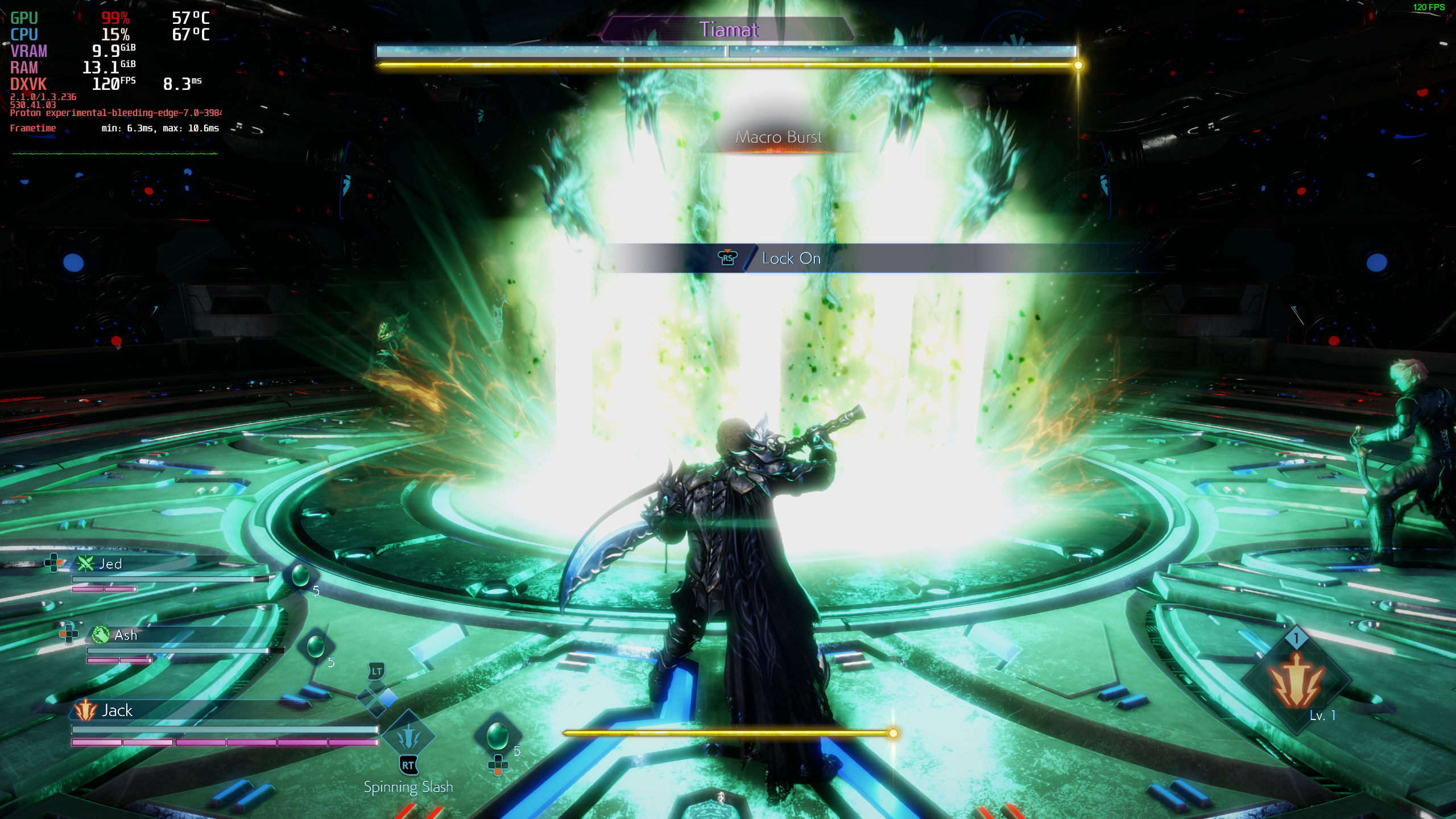
Artifacting in STRANGER OF PARADISE FINAL FANTASY ORIGIN and things seem like they render at low resolution
Reproduction
Open the game->play as normal->notice artifacting in shadows and hair, and low resolution textures
Proton versions
proton 10.0-2x1 2025-08proton9.0-4x1 2025-07proton 9.0-4x1 2025-07proton hotfixx4 2024-05ge-proton9-4x1 2024-05proton experimentalx4 2023-06
Launch options
PROTON_LOG=1x3 2025-08WINEDLLOVERRIDES=amd_ags_x64=b`x1 2024-05PROTON_ENABLE_NVAPIx1 2023-07PROTON_ENABLE_NVAPI=1`.x1 2023-07PROTON_LOGx1 2023-07WINEDLLOVERRIDES="amd_ags_x64=b"x4 2023-04PROTON_ENABLE_NVAPI=1`x1 2023-04WINEDLLOVERRIDESx1 2023-04
Launch lines
Upstream links
- ValveSoftware/Proton/issues/9662x1 2026-04
Compatibility Report
System Information
I confirm:
Proton log: steam-1358700.log
Symptoms
Videos don't play (probably mfplat memes since this is the same dev/engine as Nioh/Nioh 2/Wo Long).
When starting a new game or seeing a video:

The game itself seems to work:
Reproduction
Start a new game.