Far Cry
I'm getting a black screen when trying to start the campaign in full screen mode. It goes black right after the intro movie. If I start it in Windowed Mode it works fine, even if I switch back to fullscreen right after the level has been loaded.
@Holzhaus do you have any system info you can share?
https://gist.github.com/XakepSDK/8f11f0cbd4a8d1281d07ae772e67e2f0
Proton 3.7-3
Game works fine, but in one moment i found this. These artifacts disappear if i come closer to them / snipe through scope
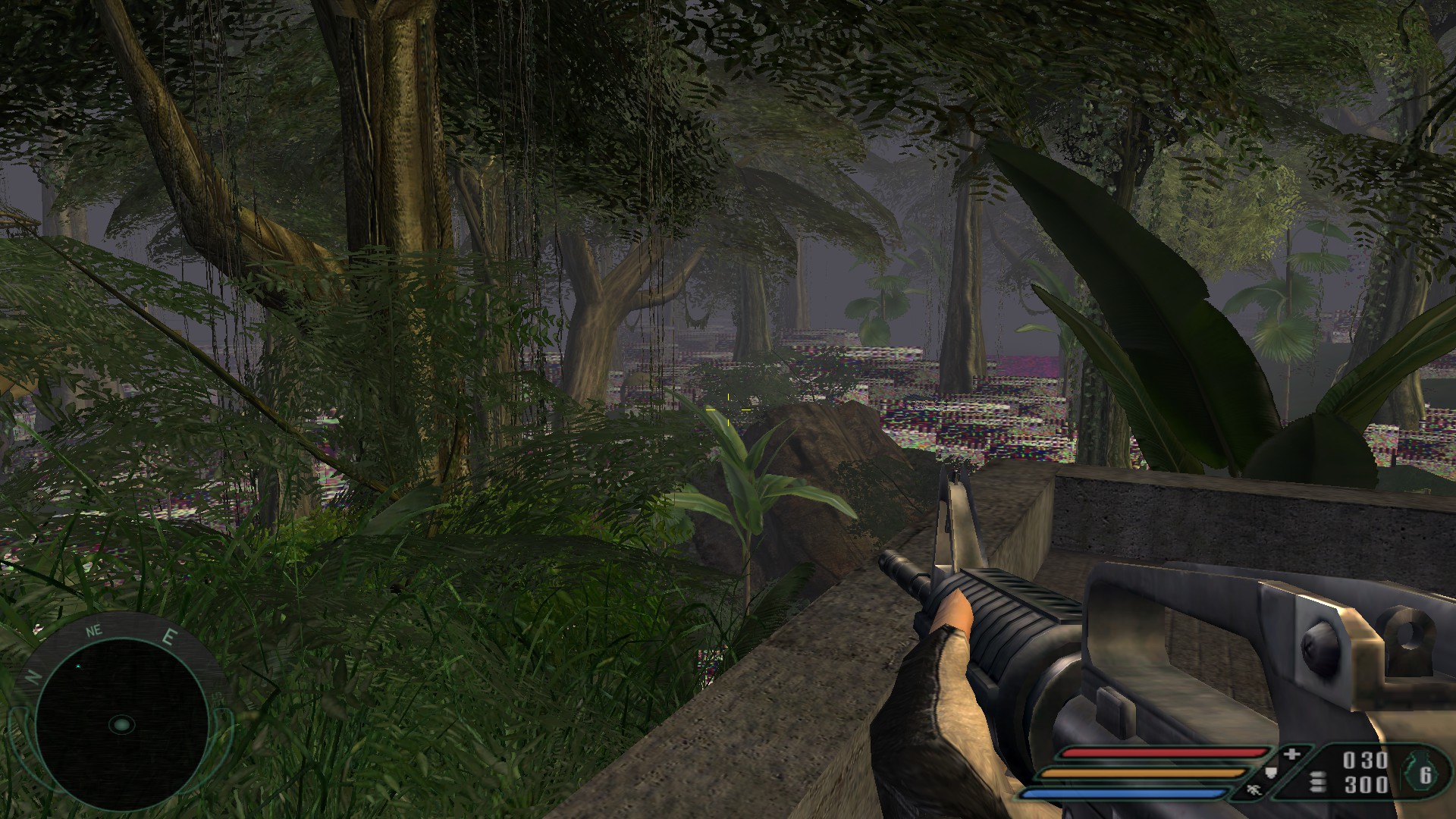
This 'bad' level works fine now, no artifacts. (i just started game again)
Works flawlessly for me as well with Proton 4.2-3 on Arch Linux (kernel: 5.0.9-lqx1-1-lqx-lqx), NVIDIA GeForce GTX 1070 (driver 418.52.05), Intel Core i7-4790K.
Works fine after setting "high" lighting setting ("very high" stuck on loading) but this game crashes after I try to use binocular:
<CRITICAL ERROR>
Exception: 0xC0000005, at Address: 0x0023:0x37001376
Exception Code: 0xC0000005
Exception Addr: 0x0023:0x37001376
Exception Module: <Unknown>
Exception Description: Attempt to read from address 0xFFFFFFFF


The memory could not be "read"
=============================================================================
19) function=0x37001376
18) function=0x7EB21DBC
17) function=0x7EB2234D
16) function=0x7EB24768
15) function=0x7DD80022
14) function=0x7DDF5965
13) function=0x7EB21DBC
12) function=0x7EB2234D
11) function=0x7EB24663
10) function=0x7EAEC053
 9) function=0x36515453
 8) function=0x330C0C32
 7) function=0x330BE880
 6) function=0x37001AA8
 5) function=0x37004093
 4) function=0x7B47FAF2
 3) function=0x7B481CEC
 2) function=0x7B47FAFE
 1) function=0x0
=============================================================================
Hello @antimech, please add PROTON_LOG=1 %command% to the game's launch options, reproduce the crash, and drag and drop the generated $HOME/steam-$APPID.log into the comment box. Also, can you check if the issue also happens with Proton 4.2?
@kisak-valve this one is a big one.
steam-13520.log
All video settings are set to very high (obviously, it's 2004 game) and some manually increased because graphical presets were not that agile back then.
Proton 4.2 doesn't even start.
The 64 bit version of Far Cry 1 doesn't boot with Proton, but runs fine on Windows with DXVK
Issue transferred from https://github.com/ValveSoftware/Proton/issues/7350.
@Deus-nsf posted on 2023-12-14T20:41:17:
I installed the 64 bit patch with protontricks using the Far Cry prefix (maybe that was a mistake?).
The patch installed correctly and the files are here, but while adding the 64 bit exe as a non steam game on windows works perfectly fine, even using dxvk, on the steam deck (didn't try desktop linux yet), the game just doesn't go somewhere, it just freezes at startup, but it doesn't crash...
I have no clue what is going wrong I'm sorry.
Yeah I even tried to pull my windows build and copy it directly on the deck with Proton compatibility, and it's the same story, 32 bit boots just fine, but 64 bit doesn't, and it's a pretty big issue as 64 bit performs significantly better.
Looking inside the log files comparing 32 vs 64 bit, the part that Proton cannot load correctly in 64 bit is the "MovieSystem initialization", so I'm not sure what I'm missing from something I could potentially install from Protontricks? I already tried general codecs but didn't have any luck with that, will investigate more...
EDIT: looks like it's related to being unable to read DivX codecs, but unfortunately those aren't available in Protontricks, only XVid which is different?
Far Cry 1 64 bit patch still won't work and I'm pretty sure why
Issue transferred from https://github.com/ValveSoftware/Proton/issues/9517.
@Deus-nsf posted on 2026-02-22T19:25:10:
It's the video codec, or the playback engine, or whatnot, it was changed with the 64bit version of the game (unfortunately?) and even with ProtonTricks by installing all available codecs, there's no way to make it work.
I'm pretty sure it's related to video codecs or video playback engine because when I compare the logs between the 32 and 64 bit version of the game initialization, they are the same logs but the 64 bit version stops right before the video playback initialization stuff of the 32 bit one.
It would be great to be able to have this, as the 64 bit patch offers much better CPU performance, something crucial for the Steam Deck... (yes some levels drop frames hard due to CPU bound situations).
Proton versions
proton 4.2x2 2019-12proton 4.2-3x1 2019-04proton 3.7-3x2 2018-08
Launch options
PROTON_LOG=1x1 2019-12
Upstream links
- ValveSoftware/Proton/issues/9517x1 2023-12
- ValveSoftware/Proton/issues/7350x1 2023-12
Error codes
0xc0000005x1 2019-12
Works flawlessly.
Specs: Proton 3.7-3, Ubuntu 18.04, NVIDIA Corporation G94GL [Quadro FX 1800] (rev a1)
Full specs: https://gist.github.com/adrianlshaw/13b21eae4d9ad3c6c79474396110feed
PS: I have not tested LAN multiplayer