Wreckfest
Ubuntu 18.04, Nvidia GTX 780Ti, Proton 3.7-4 Beta:
| Test | Result |
|---|---|
| Singleplayer | Working as expected |
| Local Co-op | Did not test |
| Online Multiplayer | Causes Wine to crash on selecting a match |
| Configuration | ... |
|---|---|
| Input | Xbox 360 controller |
| Controller works? | Yes |
I would have added a proton log of the Wine crash, but this log is 1.1 gigabytes in size. So uploading that would not be very convenient.
Ubuntu 18.04.1 LTS (64 bit), Geforce GTX 970, Proton 3.7-6 Beta:
| Test | Result |
|---|---|
| Starting the game in 32-bit mode | Steam loads the game for a while, then stops |
| Starting the game in 64-bit mode | Steam loads the game for a while, then stops |
Whitelist Request
- Name of the game to be whitelisted: Wreckfest
- Steam AppID of the game: 228380
System Information
- GPU: GTX 970
- Driver/LLVM version: NVIDIA 415.25
- Distro version: Ubuntu 16.04.5 LTS
- Link to full system information report as Gist
- Proton version: 3.16-6 Beta
I confirm:
- [x] that pressing the
Playbutton in the Steam client is sufficient. - [ ] that runtime config options are necessary to run the game.
- [ ] that no workarounds other than PROTON_* env variables are necessary.
Issues
- [x] I haven't experienced any issues.
- [ ] There are no issues left open for this game.
- [ ] Although I consider the gaming experience equal to Windows there are remaining issues.
Is anyone seeing an issue with this game and Proton 3.16-6 that would block it from being whitelisted?
Hi @kisak-valve.
What works now that didn't before:
- I was able to connect to a online multiplayer game now on Proton 3.16-6, whereas the game would crash out on trying to connect to a match on Proton 3.7-4 Beta.
Issue that might prevent whitelisting:
- The Proton/Wine wrapper crashes when exiting the game from the main menu. I need to manually shutdown the wine wrapper. The Gnome desktop session keeps running normally.
I'm running Ubuntu 18.10 now, with Nvidia 410.78 drivers. I'm not sure if the Proton log actually has the crash of the wrapper?
Gist: https://gist.github.com/HonkingGoose/32f5d065a2ea8d6d43024c9749cbb28c
Proton log 3.16-6: steam-228380.log
I'm a unsure of what's the recommended Nvidia driver branch nowadays for Proton. The 415 branch seems to have Vulkan things in it, the 396 branch is some kind of beta branch and 410 is mainline. So I'm getting confused as to what is the Nvidia driver branch I should be using to test things...
@kisak-valve
For me single player works with no issues in Wreckfest. But multiplayer does not.
It does open the server browser and populates the list, but then crashes when I click on any of the servers. I am on the other hand able to create a LAN server and start a game with bots with no issues.
Proton log: steam-228380.log
Hello @thepanu, your log has ...SteamLibrary/steamapps/common/Proton 3.7... which I read as Proton 3.7-8. Please retest with Proton 3.16-6.
@kisak-valve Thanks. That helped. Now it works. I think that I had a thinking error on my part "obviously 3.7-8 is newer than 3.16-6 as I had that version selected in the settings.
Switched to a whitelist request. For AMD gpu users, this game requires mesa 18.3.5 or newer for https://bugs.freedesktop.org/show_bug.cgi?id=109597.
Game will not start for me. I get the initial configuration screen and then a screen which says "Loading" for about a minute and then it just crashes out.
Log file :
steam-228380.log
Hello @Technomancer2, please copy your system information from Steam (Steam -> Help -> System Information) and put it in a gist, then include a link to the gist in this issue report.
Anyone else unable to join multiplayer races?
I get into the lobby, but setting myself ready does not ready me up. It holds that light green colour text colour and not full green. It works on windows.
Anyone else unable to join multiplayer races?
@BieHDC Online multiplayer appears to work as expected (tested with Quick Match and Server Browser), can you add PROTON_LOG=1 %command% to the game's launch options and drag
and drop the generated $HOME/steam-228380.log into your issue report, danke.
System Information
- GPU: RTX 2060
- Driver/LLVM version: NVIDIA 430.40
- Kernel version: 5.0.0-25-generic
- Link to full system information report as Gist
- Proton version: 4.11-3
I found a problem with my Logitech G29 wheel. If I use the last version of Proton (4.11-6) the game works but the wheel is not correctly calibrated. In the central position the wheel is turned to the right. When you test the wheel in configuration you can see taht something goes wrong. In adittion to that Force Feedback don't work.
If I downgrade Proton to 4.2-9, everything works ok, the wheel is calibrated correctly and FFB works great. I think this is a very clear regression
Wreckfest crashes with full system freeze
Issue transferred from https://github.com/ValveSoftware/Proton/issues/3192.
@mroote posted on 2019-11-05T01:08:38:
Compatibility Report
- Name of the game with compatibility issues: Wreckfest
- Steam AppID of the game: 228380
System Information
- GPU: GTX 1060
- Driver/LLVM version: 435.21
- Kernel version: 5.3.8-arch1-1
- Link to full system information report as Gist: https://gist.github.com/mroote/1b47f9a6d3c624204453de5819062db2
- Proton version: 4.11-7
I confirm:
- [ X ] that I haven't found an existing compatibility report for this game.
- [ X ] that I have checked whether there are updates for my system available.
Symptoms
The game will completely freeze my desktop with no ability to alt-tab or make any actions on the system like switch window sessions. I can only recover with a reboot to get back to the normal desktop.
The only error I can see being logged in the system logs are regarding a fault with the video card but I haven't found anything else that seems to stand out as causing this issue.
Nov 04 19:10:07 ghost kernel: NVRM: Xid (PCI:0000:01:00): 31, pid=647, Ch 00000043, intr 10000000. MMU Fault: ENGINE GRAPHICS GPCCLIENT_T1_4 faulted @ 0x5fff_55b17000. Fault is of type FAULT_PDE ACCESS_TYPE_READ
I found a problem with my Logitech G29 wheel. If I use the last version of Proton (4.11-6) the game works but the wheel is not correctly calibrated. In the central position the wheel is turned to the right. When you test the wheel in configuration you can see taht something goes wrong. In adittion to that Force Feedback don't work.
If I downgrade Proton to 4.2-9, everything works ok, the wheel is calibrated correctly and FFB works great. I think this is a very clear regression
New version of Proton (4.11-8) stills breaking Force Feedback in this and a lot of racing games. Other games like:
-Project Cars 2
-Project Cars 1
-GT Legends
-RACE 07
Just an update for https://github.com/ValveSoftware/Proton/issues/758#issuecomment-549619246. I seem to have resolved this issue by uninstalling the game and reinstalling. Must be some kind of corruption issue but reinstalling seems to have worked as it has not frozen for a few sessions now.
Game does not start for me, I have tried:
- Steam Linux Runtime - Error:
error occured while updating Wreckfest (invalid app configuration) - Proton 4.11-9 (32bit, 64bit, 64bit w/o mods) - game doesn't start
steam-228380.log for 64bit - Proton 4.2-9 (32bit, 64bit, 64bit w/o mods) - Error:
no available graphics adapter(s) found - Proton 3.16-9 (32bit, 64bit, 64bit w/o mods) - Error:
no available graphics adapter(s) found - Proton 3.7-8 (32bit, 64bit, 64bit w/o mods) - Error:
no available graphics adapter(s) found
System Info
- Full info gist
- OS: Ubuntu 18.04.3 LTS
- KERNEL: 5.0.0-36-generic
- CPU: Intel Core i5-2500K @ 3.30GHz
- GPU: AMD BONAIRE (R7 260x)
- GPU DRIVER: 4.5 Mesa 19.1.2 - padoka PPA
- RAM: 16 GB
Hello @penguinpowernz, you have a Sea Islands (CIK) generation AMD card, and Linux uses the radeon kernel module by default with this generation. The radeon kernel module is not compatible with Vulkan. Please give https://github.com/ValveSoftware/Proton/wiki/For-AMD-users-having-issues-with-non-OpenGL-games a read.
Thank you @kisak-valve it works great now, even multiplayer and PS3 sixaxis controller.
I found a problem with my Logitech G29 wheel. If I use the last version of Proton (4.11-6) the game works but the wheel is not correctly calibrated. In the central position the wheel is turned to the right. When you test the wheel in configuration you can see taht something goes wrong. In adittion to that Force Feedback don't work.
If I downgrade Proton to 4.2-9, everything works ok, the wheel is calibrated correctly and FFB works great. I think this is a very clear regression
The same problem stills on 4.11-9. If total degrees are a segment, the center is in 80% of this segment instead of 50%.
Just noticed Wreckfest now has only a quarter of the speed it used to run at. In Windows I can run it at 100fps+ on Ultra, while in Linux it now only runs at 20-30fps, I used to get close to Windows fps, not sure when this happened as I've been wrapped up in work.
True for both fedora (5.3.16 kernel, 440 nvidia) and Ubuntu (5.4.5 kernel, 440 nvidia). Other games I run with Proton work swell still.
Update:
Have tried with either/both ESYNC and FSYNC disabled. Tried 32bit. Various versions of Proton including GE. The difference between Windows and Proton on the same settings preset (Ultra) and a demolition derby with 24 cars is 100fps on Windows vs 15fps on Proton.
Visually the game looks perfect. Just runs ultra slow on ultra. I must not have noticed earlier because I was running it on high with free-sync monitor so it felt smooth. I only recently decided to compare performance vs Windows.
Update2:
Changing resolution to lower doesn't help. Seems to have same FPS limits. Performance is related to what's on screen for example all 24 cars == ~20fps, do a U-turn and fps goes to 30-40fps.. Still a far cry from Windows performance. Decreasing graphics options gains fps, but still, it would be good to get the same performance level at the same graphics levels.
Performance seems lower for me also, though i didn't even know it since i don't use Windows.
i'm getting 55-60 FPS when all 24 cars are in view at the start of the race, but actual racing its usually 90-120 FPS... it sounds good on paper, but looking at the windows perf in youtube it seems like ~2x worse perf:
Example: https://www.youtube.com/watch?v=xP6tsC82kAA
Now i have GTX 1080Ti (440.43.01), Ryzen 3700X and kernel 5.4.2 pds+fsync
I also run similar settings as in this video. 2560x1440 all maxed, except i have MSAA 4x and FXAA off. He only has GTX 1070Ti there and a i7 6700K. Rest is same
Ofc we cannot hope to get windows perf, but at least 80-90% of the perf shouldn't be a issue i think.
Ofc i don't complain, cause i can enjoy the game with pretty OK framerates, but its seems its still nowhere where it should be.
Anyone else having issues getting controllers working again? PS4 controller used to work without isses but now I can't get the game to recognize it. Steam does find and it works in other games.
I found a problem with my Logitech G29 wheel. If I use the last version of Proton (4.11-6) the game works but the wheel is not correctly calibrated. In the central position the wheel is turned to the right. When you test the wheel in configuration you can see taht something goes wrong. In adittion to that Force Feedback don't work.
If I downgrade Proton to 4.2-9, everything works ok, the wheel is calibrated correctly and FFB works great. I think this is a very clear regression
steam-228380.logThe same problem stills on 4.11-9. If total degrees are a segment, the center is in 80% of this segment instead of 50%.
With Proton 5.0-2 this problem is not corrected. To play this game is nedded to use Proton 4.2-9
Still appalling performance in Proton. Windows still averages 100fps with all 24 cars in view, at Ultra settings, while I get 25-30fps in Proton.
Anyone else having issues getting controllers working again? PS4 controller used to work without isses but now I can't get the game to recognize it. Steam does find and it works in other games.
I'm having the same issue. It doesn't seem to recognize my PS4 controller though it works in other Proton games. I tried changing the controller to be a generic xbox in the steam settings but none of the changes seemed to make a difference in detecting the controller.
Nvidia drivers 440.66.07 (beta) which includes fixes for Doom: Eternal:
Added a workaround for Linux Steam Play title DOOM Eternal, which overrides application requested memory locations, to ensure performance-critical resources be placed in video memory [Linux]
boosted performance in Wreckfest by maybe double. It's still half of what I get in Windows with:
- 24 cars on screen
- Ultra settings
- Fairfield demolition
I also have an issue where if I don't have g-sync enabled, then the steam overlay FPS counter seems to show a cap of half my max refresh rate (50 for 100hz screen), and it never seems to dip below 33fps. G-sync enabled appears to allow higher fps, and also never dips below 33fps. Because of this I'm quite uncertain of the actual impact or fps accuracy, but the game is feeling very smooth.
The difference between 30fps in my previous comment and the 33fps in this comment is extremely noticeable. I couldn't even hint at what may be happening here.
Just compared with Windows again with the above details and I get ~77fps in Windows fairly consistently with GPU@100% and CPU@~90%, while Linux fluctuates between 30-60fps with GPU@100% and CPU@~50%,
Just tried 440.66.08 beta nvidia driver:
- Improve performance of large host-visible VkDeviceMemory allocations
- Fixed YCbCr copy of multi-plane images
One of these fixes seems to have bumped performance in Wreckfest a bit more over the last *.07 Doom specific patch. Getting perhaps half of Windows performance in that game now (where it was about 1/4 before, then maybe 2/5 with the D:E patch).
440.66.08 looks like it reaches or surpasses Windows in some cases, with a minimum framerate of 45. It now feels very very smooth.
I got a further boost of a few frames by turning off vsync. Seems to float around 50fps now. And for whatever reason, turning vsync off had a pretty massive impact depending on which screen I was running on:
- laptop screen @ 240hz = 30fps, lots of frame time spikes
- laptop screen @ 60hz = 60-140fps, still frame time spikes
- laptop screen no vsync = 60-170fps, smooth as silk
- 3440-1440 ultrawide @ 100hz = 25-70fps, frame time spikes
- 3440-1440 ultrawide no vsync = 50-90fps, smooth as silk
laptop screen is 1920-1080
Also of note is when vsync was on the start of any new screen (like menu, track intro, race) seemed to be 30fps or so, and loads of frame time spiking, after ~20 seconds fps increased by 20-30fps but was still spiking.
I don't know if any of those observations are driver related. The D:E specific driver absolutely did increase performance though.
Re: vsync issues above, this appears to be an Nvidia driver issue per link
I found a problem with my Logitech G29 wheel. If I use the last version of Proton (4.11-6) the game works but the wheel is not correctly calibrated. In the central position the wheel is turned to the right (approximately at 80%, when the correct position must be 50%). When you test the wheel in configuration you can see that something goes wrong. In addittion to that Force Feedback don't work.
If I downgrade Proton to 4.2-9, everything works ok, the wheel is calibrated correctly and FFB works great. I think this is a very clear regression
@aeikum , this problem (calibration) remains from 4.11 and stills on 5.0-6. Is needed to use Proton 4.2 to play this game with a wheel. Can you take a look?
@leillo1975 I've tested this with my G25 and 5.0-6, and I haven't experienced any calibration issues like you describe. Does this happen in other games?
Also, force feedback is working for me. I did recently find a kernel bug which was causing force feedback to not work on many games, and I'm running with the fix for that. I would try it out: https://git.kernel.org/pub/scm/linux/kernel/git/dtor/input.git/commit/?h=for-linus&id=09264098ff153f60866039d60b31d39b66f55a31
This not happen in another games, only on this. If I use Proton 4.2 don't have this problem. I use a G29 Wheel.
Is there a way to test that patch without compiling the kernel?
No, you'll need to recompile your kernel to test the patch. If it would be easier to recompile SDL2, someone previously figured out a workaround in SDL that's posted here: https://github.com/ValveSoftware/Proton/issues/2366#issuecomment-528539637
Log file for my most recent run.
'noesync', 'nofsync' neither of these made any discernible difference to performance. Actual performance using the same Ultra quality settings in Windows results in 1/3 of performance under Linux, usually only when there is a lot on-screen (like 20+ cars && scenery).
Really no one can take a look to the Logitech Wheel regression? If someone don't understand what is the problem I recorded this video:
https://youtu.be/pWm-RKW8baM
Really no one can take a look to the Logitech Wheel regression? If someone don't understand what is the problem I recorded this video:
https://youtu.be/pWm-RKW8baM
My apologies, is my fault. A friend recommended Proton-GE to me because it works well for him and the same thing kept happening to me. But if it happens with official Proton and GE, I think it will be a configuration problem, right? I reset all the controls and redefined all the buttons and axles and now it works correctly. It's obvious that between versions 4.2 and 4.12 something changed in Proton with the way of detecting the steering wheels.
SORRY
Nvidia driver 450.57 appears to almost double performance from what it was:
- 450.51, Ultra quality, 24 cars demolition = ~30fps
- 450.57, Ultra quality, 24 cars demolition = ~60fps
Windows however still gets 70-100fps, usually close to 100fps constant. But this is still a nice improvement and the game is much, much more playable.
EDIT:
Just a very rough comparison to Windows here:
- Windows: min ~60fps, max 100fps, avg 75fps (vsync on)
- Linux : min ~55fps, max ~80fps, avg 65fps (vsync on)
Windows frame rate is all over the show while in Linux it appears much more stable.
My comment above here is with the specs below, and on the external 1440p screen.
[luke@zephyrus]$ neofetch
             /////////////                luke@zephyrus
         /////////////////////            -------------
      ///////*767////////////////         OS: Pop!_OS 20.04 LTS x86_64
    //////7676767676*//////////////       Host: Zephyrus S GX502GW_GX502GW 1.0
   /////76767//7676767//////////////      Kernel: 5.6.19-050619-lowlatency
  /////767676///*76767///////////////     Uptime: 33 mins
 ///////767676///76767.///7676*///////    Packages: 2315 (dpkg), 29 (flatpak)
/////////767676//76767///767676////////   Shell: bash 5.0.16
//////////76767676767////76767/////////   Resolution: 3440x1440, 1920x1080
///////////76767676//////7676//////////   DE: GNOME
////////////,7676,///////767///////////   WM: Mutter
/////////////*7676///////76////////////   WM Theme: Pop
///////////////7676////////////////////   Theme: Pop [GTK2/3]
 ///////////////7676///767////////////    Icons: Pop [GTK2/3]
  //////////////////////'////////////     Terminal: gnome-terminal
   //////.7676767676767676767,//////      CPU: Intel i7-9750H (12) @ 4.500GHz
    /////767676767676767676767/////       GPU: NVIDIA GeForce RTX 2070 Mobile
      ///////////////////////////         GPU: Intel UHD Graphics 630
         /////////////////////            Memory: 5461MiB / 31964MiB
             /////////////
EDIT2: Also compared to results here the FPS on laptop screen is: min 90fps, max 140fps, avg 100fps. Haven't compared 1080p against windows yet.
Unsure what in the previous comment was causing the performance issue. Might never find out.
In any case, using Proton 5.13 requires PROTON_HIDE_NVIDIA_GPU=1 for Nvidia powered PC. With this the game runs very very well.
Game won't launch on Proton 5.13-1, but it works fine on Proton 5.0-9.
Hello @zdzc, can you also include a Proton 5.13-1 log?
Huh, apparently Proton doesn't produce a log while running the game with Proton 5.13-1, so I uploaded the wrong log version. Here's my Steam log when I tried to run the game.
Unsure what in the previous comment was causing the performance issue. Might never find out.
In any case, using Proton 5.13 requires
PROTON_HIDE_NVIDIA_GPU=1for Nvidia powered PC. With this the game runs very very well.
Ignore this. It seems that Android ADB is the root cause of a whole lot of issues (including waking the GPU when running on a laptop with prime-offload mode)
@zdzc Can you have Steam verify the Proton 5.13 files (right-click Proton 5.13, choose Properties, and then select Verify Files on the Local Files tab), and then try restarting the Steam client? I think it may have gotten confused when installing 5.13.
@aeikum I already tried verifying game file and reinstalling, but the game still won't launch. I tried Proton 5.13 with other games and it doesn't work as well.
There's this error message that always appear when I'm using Proton 5.13.
/bin/sh: /home/zdzc/.local/share/Steam/steamapps/common/Wreckfest/Wreckfest_x64.exe: cannot execute binary file: Exec format error
Yeah that indicates it can't find either Proton or the Steam Linux Runtime - Soldier application. It's trying to run the Windows executable directly, which obviously won't work. I'm not sure how Steam would get in this state.
I see, I tried reinstalling Steam Linux Runtime -Soldier as well, but the game is still borked. I guess I will keep using Proton 5.0.9 in the meantime.
I'm confirming that on a clean Linux install, PROTON_HIDE_NVIDIA_GPU=1 is definitely required for Nvidia based systems to get full performance (5.13+)
A bit of warning: Wreckfest's data cleaner decided to delete all files on my computer when I started it today (proton 5.13.6).
Luckily it started with my steam library and I killed it before it got to vital files.
I had this before roughly one year ago and lost all my local media files. Back then I did not understand what caused it. Today I have proof - the data cleaner log of what was deleted.
It looks like the data cleaner recursively walks all directories that it finds to be responsible for and - of course - does not know about symbolic links and follows them too. E.g.
Deleted: data\stefan\steam\steamapps\common\proton - experimental\dist\share\default_pfx\dosdevices\z:\data\stefan\steam\steamapps\common\proton - experimental\dist\share\default_pfx\dosdevices\z:\home\stefan\.config\chromium\default\favicons
@StefanTT Holy moly. Is the game still being actively developed? Someone should report that to the devs. If they're being careless, I'm sure they can nuke important stuff on Windows as well.
Windows is probably not affected - I am quite confident that the cause is the symbolic links that it finds.
But yes, it's quite a killer.
What's confusing to me is how it's getting to those symlinks and why it thinks it owns those files. From the game's perspective, it "owns" stuff in SteamLibrary/steamapps/common/Game/ and presumably some game-specific subfolder in SteamLibrary/steamapps/compatdata/228380/pfx/drive_c/.... How is it getting into dosdevices from either of those paths? Why is it exploring the Proton Experimental folder, as shown in the filepath you gave?
This is what makes me think they might be being careless. They shouldn't be deleting stuff unless they're super certain they're in the right place.
Maybe I made a symlink somewhere in the Wreckfest directories back then when I played around with a dedicated server and mods. Unfortunately I wiped the steam installation afterwards to start over with a clean directory, therefore I cannot tell for sure.
How it went to the other directories is not visible from the log. The data cleaner only deletes files, no directories.
Yeah, if you're symlinking out of their files to somewhere higher up the tree, I can see that happening. I'm super nervous about trying to investigate this :) Guess it'll need a new unix user account!
I can give you the log but besides 200k+ delete lines of various files there seems to be not much information in it. A pity that I already deleted the stuff :-(
It looks like the Enhanced Lighting and and Visual Effects Update on the 30th of June made the performances drastically drop on Linux. For example at the start of a race I'm getting well over 100 fps with graphic settings to the max on Windows, and below 60fps with graphics a notch below in Linux.
This is not on-par with DXVK performances in other titles, and changing resolution has little effect on performances, so I suspect there could be something that can be done about it.
Unsure what the issue is for me now.. Since the last game update versions of proton from 5.13 onwards run at a terribly slow pace (10-12fps!), while proton 5.0 gets me back to 60fps.
Tried both wayland and xorg, different compositors like weston, openbox etc. Nvidia drivers are 470.63.x. Fedora 34..
Wreckfest Create Server Crash Fedora 34
Issue transferred from https://github.com/ValveSoftware/Proton/issues/5204.
@goshansp posted on 2021-10-07T15:20:49:
Since around upgrading from Fedora33->34 (on three boxes) Wreckfest on all systems shows same behavior when creating a server, a crash to desktop. Singleplayer and Online work without issue.
https://gist.github.com/goshansp/579f65974f47a6c76ff4aee50421960e
Re-Installation of Steam and different Proton-Versions exhibit identical behavior. Any advice highly appreciated.
It appears to be the shadows that cause slowdown.
System:
CPU:       Info: 16-Core model: AMD Ryzen 9 5950X bits: 64 type: MT MCP cache: L2: 8 MiB
           Speed: 2881 MHz min/max: 2200/3400 MHz
Graphics:  Device-1: NVIDIA GA104 [GeForce RTX 3060 Ti Lite Hash Rate] driver: nvidia v: 470.74
           Display: x11 server: X.Org 1.20.11 driver: loaded: nvidia unloaded: fbdev,modesetting,nouveau,vesa
           resolution: 3440x1440~100Hz
           OpenGL: renderer: NVIDIA GeForce RTX 3060 Ti/PCIe/SSE2 v: 4.6.0 NVIDIA 470.74
Settings overall: High, 25 cars
- Shadows high: 30fps
- Shadows low: 50fps
- Shadows off: 100fps (limited by vsync)
The game does not run on AMD GPU. Even with newer Mesa than 18+. Crashes on startup and from reading ProtonDB, there are no Radeon users claiming this works out of the box, only Nvidia users.
Computer Information:
Manufacturer: Unknown
Model: Unknown
Form Factor: Desktop
No Touch Input Detected
Processor Information:
CPU Vendor: AuthenticAMD
CPU Brand: AMD Ryzen 5 3600 6-Core Processor
CPU Family: 0x17
CPU Model: 0x71
CPU Stepping: 0x0
CPU Type: 0x0
Speed: 4208 Mhz
12 logical processors
6 physical processors
HyperThreading: Supported
FCMOV: Supported
SSE2: Supported
SSE3: Supported
SSSE3: Supported
SSE4a: Supported
SSE41: Supported
SSE42: Supported
AES: Supported
AVX: Supported
AVX2: Supported
AVX512F: Unsupported
AVX512PF: Unsupported
AVX512ER: Unsupported
AVX512CD: Unsupported
AVX512VNNI: Unsupported
SHA: Supported
CMPXCHG16B: Supported
LAHF/SAHF: Supported
PrefetchW: Unsupported
Operating System Version:
Description: Freedesktop.org 21.08.4 (Flatpak runtime) (64 bit)
Kernel Name: Linux
Kernel Version: 5.11.0-38-generic
X Server Vendor: The X.Org Foundation
X Server Release: 12011000
X Window Manager: Mutter(Gala)
Steam Runtime Version: steam-runtime_0.20210906.1
Video Card:
Driver: AMD AMD Radeon RX 5700 XT (NAVI10, DRM 3.40.0, 5.11.0-38-generic, LLVM 12.0.1)
Driver Version: 4.6 (Compatibility Profile) Mesa 21.2.2 (git-15c8aeef1d)
OpenGL Version: 4.6
Desktop Color Depth: 24 bits per pixel
Monitor Refresh Rate: 59 Hz
VendorID: 0x1002
DeviceID: 0x731f
Revision Not Detected
Number of Monitors: 1
Number of Logical Video Cards: 1
Primary Display Resolution: 3440 x 1440
Desktop Resolution: 3440 x 1440
Primary Display Size: 31.38" x 13.11" (33.98" diag)
79.7cm x 33.3cm (86.3cm diag)
Primary VRAM: 8192 MB
Sound card:
Audio device: ATI R6xx HDMI
Memory:
RAM: 32031 Mb
VR Hardware:
VR Headset: None detected
Miscellaneous:
UI Language: English
LANG: en_US.UTF-8
Total Hard Disk Space Available: 1920792 Mb
Largest Free Hard Disk Block: 1756023 Mb
Storage:
Number of SSDs: 0
SSD sizes: %s1
Number of HDDs: 0
HDD sizes: %s1
"LD_* scout runtime" information:
{
"can-write-uinput" : false,
"steam-installation" : {
"path" : "/home/andri/.var/app/com.valvesoftware.Steam/.local/share/Steam",
"data_path" : "/home/andri/.var/app/com.valvesoftware.Steam/.local/share/Steam",
"bin32_path" : "/home/andri/.var/app/com.valvesoftware.Steam/.local/share/Steam/ubuntu12_32",
"steamscript_path" : "/app/bin/steam",
"steamscript_version" : "1.0.0.72",
"issues" : [
]
},
"runtime" : {
"path" : "/home/andri/.var/app/com.valvesoftware.Steam/.local/share/Steam/ubuntu12_32/steam-runtime",
"version" : "0.20210906.1",
"issues" : [
],
"pinned_libs_32" : {
"list" : [
"pinned_libs_32/has_pins",
"pinned_libs_32/libcurl.so.3 -> libcurl.so.4",
"pinned_libs_32/libcurl.so.4 -> $STEAM_RUNTIME/usr/lib/i386-linux-gnu/libcurl.so.4.2.0",
"pinned_libs_32/libdbus-1.so.3 -> $STEAM_RUNTIME/lib/i386-linux-gnu/libdbus-1.so.3.5.8",
"pinned_libs_32/system_libcurl.so.4",
"pinned_libs_32/system_libdbus-1.so.3"
]
},
"pinned_libs_64" : {
"list" : [
"pinned_libs_64/has_pins",
"pinned_libs_64/libcurl.so.3 -> libcurl.so.4",
"pinned_libs_64/libcurl.so.4 -> $STEAM_RUNTIME/usr/lib/x86_64-linux-gnu/libcurl.so.4.2.0",
"pinned_libs_64/system_libcurl.so.4"
]
}
},
"os-release" : {
"id" : "org.freedesktop.platform",
"name" : "Freedesktop.org",
"pretty_name" : "Freedesktop.org 21.08.4 (Flatpak runtime)",
"version_id" : "21.08.4"
},
"container" : {
"type" : "flatpak",
"flatpak_version" : "1.10.2",
"host" : {
"path" : "/run/host",
"os-release" : {
"id" : "elementary",
"id_like" : [
"ubuntu",
"debian"
],
"name" : "elementary OS",
"pretty_name" : "elementary OS 6 Odin",
"version_id" : "6",
"version_codename" : "odin"
}
}
},
"driver_environment" : [
"DISPLAY=:99.0",
"GST_PLUGIN_SYSTEM_PATH=/app/lib/gstreamer-1.0:/app/lib32/gstreamer-1.0:/usr/lib/extensions/gstreamer-1.0:/usr/lib/x86_64-linux-gnu/gstreamer-1.0:/usr/lib/i386-linux-gnu/gstreamer-1.0",
"LD_LIBRARY_PATH=/home/andri/.var/app/com.valvesoftware.Steam/.local/share/Steam/ubuntu12_32:/home/andri/.var/app/com.valvesoftware.Steam/.local/share/Steam/ubuntu12_32/panorama:/home/andri/.var/app/com.valvesoftware.Steam/.local/share/Steam/ubuntu12_32/steam-runtime/pinned_libs_32:/home/andri/.var/app/com.valvesoftware.Steam/.local/share/Steam/ubuntu12_32/steam-runtime/pinned_libs_64:/app/lib/i386-linux-gnu/GL/default/lib:/app/lib32:/app/lib/i386-linux-gnu:/lib64:/app/lib:/usr/lib/x86_64-linux-gnu/GL/default/lib:/usr/lib/x86_64-linux-gnu/openh264/extra:/usr/lib/x86_64-linux-gnu:/home/andri/.var/app/com.valvesoftware.Steam/.local/share/Steam/ubuntu12_32/steam-runtime/lib/i386-linux-gnu:/home/andri/.var/app/com.valvesoftware.Steam/.local/share/Steam/ubuntu12_32/steam-runtime/usr/lib/i386-linux-gnu:/home/andri/.var/app/com.valvesoftware.Steam/.local/share/Steam/ubuntu12_32/steam-runtime/lib/x86_64-linux-gnu:/home/andri/.var/app/com.valvesoftware.Steam/.local/share/Steam/ubuntu12_32/steam-runtime/usr/lib/x86_64-linux-gnu:/home/andri/.var/app/com.valvesoftware.Steam/.local/share/Steam/ubuntu12_32/steam-runtime/lib:/home/andri/.var/app/com.valvesoftware.Steam/.local/share/Steam/ubuntu12_32/steam-runtime/usr/lib",
"PULSE_CLIENTCONFIG=/run/user/1000/pulse/config",
"PULSE_SERVER=unix:/run/user/1000/pulse/native",
"SDL_GAMECONTROLLERCONFIG=03000000de280000ff11000001000000,Steam Virtual Gamepad,a:b0,b:b1,back:b6,dpdown:h0.4,dpleft:h0.8,dpright:h0.2,dpup:h0.1,guide:b8,leftshoulder:b4,leftstick:b9,lefttrigger:a2,leftx:a0,lefty:a1,rightshoulder:b5,rightstick:b10,righttrigger:a5,rightx:a3,righty:a4,start:b7,x:b2,y:b3,\n03000000de280000fc11000001000000,Steam Controller,a:b0,b:b1,back:b6,dpdown:b14,dpleft:b15,dpright:b13,dpup:b12,guide:b8,leftshoulder:b4,leftstick:b9,lefttrigger:a2,leftx:a0,lefty:a1,rightshoulder:b5,rightstick:b10,righttrigger:a5,rightx:a3,righty:a4,start:b7,x:b2,y:b3,",
"SSL_CERT_DIR=/etc/ssl/certs",
"XDG_RUNTIME_DIR=/run/user/1000"
],
"architectures" : {
"i386-linux-gnu" : {
"can-run" : true,
"libdl-LIB" : "lib/i386-linux-gnu",
"libdl-PLATFORM" : "i686",
"runtime-linker" : {
"path" : "/lib/ld-linux.so.2",
"resolved" : "/app/lib/i386-linux-gnu/ld-2.33.so"
},
"library-issues-summary" : [
"cannot-load"
],
"library-details" : {
"libitm.so.1" : {
"messages" : [
"Unable to find the library: /app/lib/i386-linux-gnu/libitm.so.1: undefined symbol: __gxx_personality_v0"
],
"soname" : null,
"path" : null,
"issues" : [
"cannot-load"
],
"exit-status" : 1
}
},
"graphics-details" : {
"x11/vulkan" : {
"messages" : [
"WARNING: lavapipe is not a conformant vulkan implementation, testing use only."
],
"renderer" : "AMD RADV NAVI10",
"version" : "1.2.182 (device 0x1002:0x731f) (driver 21.2.2)",
"devices" : [
{
"name" : "AMD RADV NAVI10",
"api-version" : "1.2.182",
"driver-version" : "21.2.2",
"vendor-id" : "0x1002",
"device-id" : "0x731f",
"type" : "discrete-gpu"
},
{
"name" : "llvmpipe (LLVM 12.0.1, 256 bits)",
"api-version" : "1.1.182",
"driver-version" : "0.0.1",
"vendor-id" : "0x10005",
"device-id" : "0",
"type" : "cpu",
"issues" : [
"software-rendering"
]
}
]
},
"x11/vdpau" : {
"messages" : [
"Failed to open VDPAU backend libvdpau_radeonsi.so: cannot open shared object file: No such file or directory",
"vdp_device_create_x11 (display, screen, &device, &vdp_get_proc_address) failed: 1"
],
"renderer" : null,
"version" : null,
"issues" : [
"cannot-draw"
],
"exit-status" : 1
},
"x11/vaapi" : {
"messages" : [
"libva info: VA-API version 1.12.0",
"libva info: Trying to open /usr/lib/i386-linux-gnu/dri/radeonsi_drv_video.so",
"libva info: Trying to open /usr/lib/i386-linux-gnu/dri/intel-vaapi-driver/radeonsi_drv_video.so",
"libva info: Trying to open /usr/lib/i386-linux-gnu/GL/lib/dri/radeonsi_drv_video.so",
"libva info: Found init function __vaDriverInit_1_12",
"libva info: va_openDriver() returns 0",
"Testing H264Main decoding"
],
"renderer" : "Mesa Gallium driver 21.2.2 for AMD Radeon RX 5700 XT (NAVI10, DRM 3.40.0, 5.11.0-38-generic, LLVM 12.0.1)\n",
"version" : null
},
"glx/gl" : {
"renderer" : "AMD Radeon RX 5700 XT (NAVI10, DRM 3.40.0, 5.11.0-38-generic, LLVM 12.0.1)",
"version" : "4.6 (Compatibility Profile) Mesa 21.2.2 (git-15c8aeef1d)",
"library-vendor" : "glvnd"
},
"egl_x11/gl" : {
"renderer" : "AMD Radeon RX 5700 XT (NAVI10, DRM 3.40.0, 5.11.0-38-generic, LLVM 12.0.1)",
"version" : "4.6 (Compatibility Profile) Mesa 21.2.2 (git-15c8aeef1d)",
"library-vendor" : "glvnd"
},
"egl_x11/glesv2" : {
"renderer" : "AMD Radeon RX 5700 XT (NAVI10, DRM 3.40.0, 5.11.0-38-generic, LLVM 12.0.1)",
"version" : "OpenGL ES 3.2 Mesa 21.2.2 (git-15c8aeef1d)",
"library-vendor" : "glvnd"
}
},
"dri_drivers" : [
{
"library_path" : "/usr/lib/i386-linux-gnu/GL/lib/dri/crocus_dri.so"
},
{
"library_path" : "/usr/lib/i386-linux-gnu/GL/lib/dri/i830_dri.so"
},
{
"library_path" : "/usr/lib/i386-linux-gnu/GL/lib/dri/i915_dri.so"
},
{
"library_path" : "/usr/lib/i386-linux-gnu/GL/lib/dri/i965_dri.so"
},
{
"library_path" : "/usr/lib/i386-linux-gnu/GL/lib/dri/iris_dri.so"
},
{
"library_path" : "/usr/lib/i386-linux-gnu/GL/lib/dri/kms_swrast_dri.so"
},
{
"library_path" : "/usr/lib/i386-linux-gnu/GL/lib/dri/libgallium_dri.so"
},
{
"library_path" : "/usr/lib/i386-linux-gnu/GL/lib/dri/nouveau_dri.so"
},
{
"library_path" : "/usr/lib/i386-linux-gnu/GL/lib/dri/nouveau_vieux_dri.so"
},
{
"library_path" : "/usr/lib/i386-linux-gnu/GL/lib/dri/r200_dri.so"
},
{
"library_path" : "/usr/lib/i386-linux-gnu/GL/lib/dri/r300_dri.so"
},
{
"library_path" : "/usr/lib/i386-linux-gnu/GL/lib/dri/r600_dri.so"
},
{
"library_path" : "/usr/lib/i386-linux-gnu/GL/lib/dri/radeon_dri.so"
},
{
"library_path" : "/usr/lib/i386-linux-gnu/GL/lib/dri/radeonsi_dri.so"
},
{
"library_path" : "/usr/lib/i386-linux-gnu/GL/lib/dri/swrast_dri.so"
},
{
"library_path" : "/usr/lib/i386-linux-gnu/GL/lib/dri/virtio_gpu_dri.so"
},
{
"library_path" : "/usr/lib/i386-linux-gnu/GL/lib/dri/vmwgfx_dri.so"
},
{
"library_path" : "/usr/lib/i386-linux-gnu/GL/lib/dri/zink_dri.so"
},
{
"library_path" : "/app/lib/i386-linux-gnu/GL/default/lib/dri/crocus_dri.so",
"is_extra" : true
},
{
"library_path" : "/app/lib/i386-linux-gnu/GL/default/lib/dri/i830_dri.so",
"is_extra" : true
},
{
"library_path" : "/app/lib/i386-linux-gnu/GL/default/lib/dri/i915_dri.so",
"is_extra" : true
},
{
"library_path" : "/app/lib/i386-linux-gnu/GL/default/lib/dri/i965_dri.so",
"is_extra" : true
},
{
"library_path" : "/app/lib/i386-linux-gnu/GL/default/lib/dri/iris_dri.so",
"is_extra" : true
},
{
"library_path" : "/app/lib/i386-linux-gnu/GL/default/lib/dri/kms_swrast_dri.so",
"is_extra" : true
},
{
"library_path" : "/app/lib/i386-linux-gnu/GL/default/lib/dri/libgallium_dri.so",
"is_extra" : true
},
{
"library_path" : "/app/lib/i386-linux-gnu/GL/default/lib/dri/nouveau_dri.so",
"is_extra" : true
},
{
"library_path" : "/app/lib/i386-linux-gnu/GL/default/lib/dri/nouveau_vieux_dri.so",
"is_extra" : true
},
{
"library_path" : "/app/lib/i386-linux-gnu/GL/default/lib/dri/r200_dri.so",
"is_extra" : true
},
{
"library_path" : "/app/lib/i386-linux-gnu/GL/default/lib/dri/r300_dri.so",
"is_extra" : true
},
{
"library_path" : "/app/lib/i386-linux-gnu/GL/default/lib/dri/r600_dri.so",
"is_extra" : true
},
{
"library_path" : "/app/lib/i386-linux-gnu/GL/default/lib/dri/radeon_dri.so",
"is_extra" : true
},
{
"library_path" : "/app/lib/i386-linux-gnu/GL/default/lib/dri/radeonsi_dri.so",
"is_extra" : true
},
{
"library_path" : "/app/lib/i386-linux-gnu/GL/default/lib/dri/swrast_dri.so",
"is_extra" : true
},
{
"library_path" : "/app/lib/i386-linux-gnu/GL/default/lib/dri/virtio_gpu_dri.so",
"is_extra" : true
},
{
"library_path" : "/app/lib/i386-linux-gnu/GL/default/lib/dri/vmwgfx_dri.so",
"is_extra" : true
},
{
"library_path" : "/app/lib/i386-linux-gnu/GL/default/lib/dri/zink_dri.so",
"is_extra" : true
}
],
"va-api_drivers" : [
{
"library_path" : "/usr/lib/i386-linux-gnu/GL/lib/dri/libgallium_drv_video.so"
},
{
"library_path" : "/usr/lib/i386-linux-gnu/GL/lib/dri/nouveau_drv_video.so"
},
{
"library_path" : "/usr/lib/i386-linux-gnu/GL/lib/dri/r600_drv_video.so"
},
{
"library_path" : "/usr/lib/i386-linux-gnu/GL/lib/dri/radeonsi_drv_video.so"
},
{
"library_path" : "/home/andri/.var/app/com.valvesoftware.Steam/.local/share/Steam/ubuntu12_32/steam-runtime/usr/lib/i386-linux-gnu/dri/dummy_drv_video.so",
"is_extra" : true
}
],
"vdpau_drivers" : [
{
"library_path" : "/app/lib/i386-linux-gnu/vdpau/libvdpau_trace.so.1",
"library_link" : "libvdpau_trace.so.1.0.0"
}
],
"glx_drivers" : [
{
"library_soname" : "libGLX_indirect.so.0",
"library_path" : "/app/lib/i386-linux-gnu/GL/default/lib/libGLX_mesa.so.0.0.0"
},
{
"library_soname" : "libGLX_mesa.so.0",
"library_path" : "/app/lib/i386-linux-gnu/GL/default/lib/libGLX_mesa.so.0.0.0"
}
]
},
"x86_64-linux-gnu" : {
"can-run" : true,
"libdl-LIB" : "lib/x86_64-linux-gnu",
"libdl-PLATFORM" : "x86_64",
"runtime-linker" : {
"path" : "/lib64/ld-linux-x86-64.so.2",
"resolved" : "/usr/lib/x86_64-linux-gnu/ld-2.33.so"
},
"library-issues-summary" : [
"cannot-load"
],
"library-details" : {
"libitm.so.1" : {
"messages" : [
"Unable to find the library: /usr/lib/x86_64-linux-gnu/libitm.so.1: undefined symbol: __gxx_personality_v0"
],
"soname" : null,
"path" : null,
"issues" : [
"cannot-load"
],
"exit-status" : 1
}
},
"graphics-details" : {
"x11/vulkan" : {
"messages" : [
"WARNING: lavapipe is not a conformant vulkan implementation, testing use only."
],
"renderer" : "AMD RADV NAVI10",
"version" : "1.2.182 (device 0x1002:0x731f) (driver 21.2.2)",
"devices" : [
{
"name" : "AMD RADV NAVI10",
"api-version" : "1.2.182",
"driver-version" : "21.2.2",
"vendor-id" : "0x1002",
"device-id" : "0x731f",
"type" : "discrete-gpu"
},
{
"name" : "llvmpipe (LLVM 12.0.1, 256 bits)",
"api-version" : "1.1.182",
"driver-version" : "0.0.1",
"vendor-id" : "0x10005",
"device-id" : "0",
"type" : "cpu",
"issues" : [
"software-rendering"
]
}
]
},
"x11/vdpau" : {
"messages" : [
"Failed to open VDPAU backend libvdpau_radeonsi.so: cannot open shared object file: No such file or directory",
"vdp_device_create_x11 (display, screen, &device, &vdp_get_proc_address) failed: 1"
],
"renderer" : null,
"version" : null,
"issues" : [
"cannot-draw"
],
"exit-status" : 1
},
"x11/vaapi" : {
"messages" : [
"libva info: VA-API version 1.12.0",
"libva info: Trying to open /usr/lib/x86_64-linux-gnu/dri/radeonsi_drv_video.so",
"libva info: Trying to open /usr/lib/x86_64-linux-gnu/dri/intel-vaapi-driver/radeonsi_drv_video.so",
"libva info: Trying to open /usr/lib/x86_64-linux-gnu/GL/lib/dri/radeonsi_drv_video.so",
"libva info: Found init function __vaDriverInit_1_12",
"libva info: va_openDriver() returns 0",
"Testing H264Main decoding"
],
"renderer" : "Mesa Gallium driver 21.2.2 for AMD Radeon RX 5700 XT (NAVI10, DRM 3.40.0, 5.11.0-38-generic, LLVM 12.0.1)\n",
"version" : null
},
"glx/gl" : {
"renderer" : "AMD Radeon RX 5700 XT (NAVI10, DRM 3.40.0, 5.11.0-38-generic, LLVM 12.0.1)",
"version" : "4.6 (Compatibility Profile) Mesa 21.2.2 (git-15c8aeef1d)",
"library-vendor" : "glvnd"
},
"egl_x11/gl" : {
"renderer" : "AMD Radeon RX 5700 XT (NAVI10, DRM 3.40.0, 5.11.0-38-generic, LLVM 12.0.1)",
"version" : "4.6 (Compatibility Profile) Mesa 21.2.2 (git-15c8aeef1d)",
"library-vendor" : "glvnd"
},
"egl_x11/glesv2" : {
"renderer" : "AMD Radeon RX 5700 XT (NAVI10, DRM 3.40.0, 5.11.0-38-generic, LLVM 12.0.1)",
"version" : "OpenGL ES 3.2 Mesa 21.2.2 (git-15c8aeef1d)",
"library-vendor" : "glvnd"
}
},
"dri_drivers" : [
{
"library_path" : "/usr/lib/x86_64-linux-gnu/GL/lib/dri/crocus_dri.so"
},
{
"library_path" : "/usr/lib/x86_64-linux-gnu/GL/lib/dri/i830_dri.so"
},
{
"library_path" : "/usr/lib/x86_64-linux-gnu/GL/lib/dri/i915_dri.so"
},
{
"library_path" : "/usr/lib/x86_64-linux-gnu/GL/lib/dri/i965_dri.so"
},
{
"library_path" : "/usr/lib/x86_64-linux-gnu/GL/lib/dri/iris_dri.so"
},
{
"library_path" : "/usr/lib/x86_64-linux-gnu/GL/lib/dri/kms_swrast_dri.so"
},
{
"library_path" : "/usr/lib/x86_64-linux-gnu/GL/lib/dri/libgallium_dri.so"
},
{
"library_path" : "/usr/lib/x86_64-linux-gnu/GL/lib/dri/nouveau_dri.so"
},
{
"library_path" : "/usr/lib/x86_64-linux-gnu/GL/lib/dri/nouveau_vieux_dri.so"
},
{
"library_path" : "/usr/lib/x86_64-linux-gnu/GL/lib/dri/r200_dri.so"
},
{
"library_path" : "/usr/lib/x86_64-linux-gnu/GL/lib/dri/r300_dri.so"
},
{
"library_path" : "/usr/lib/x86_64-linux-gnu/GL/lib/dri/r600_dri.so"
},
{
"library_path" : "/usr/lib/x86_64-linux-gnu/GL/lib/dri/radeon_dri.so"
},
{
"library_path" : "/usr/lib/x86_64-linux-gnu/GL/lib/dri/radeonsi_dri.so"
},
{
"library_path" : "/usr/lib/x86_64-linux-gnu/GL/lib/dri/swrast_dri.so"
},
{
"library_path" : "/usr/lib/x86_64-linux-gnu/GL/lib/dri/virtio_gpu_dri.so"
},
{
"library_path" : "/usr/lib/x86_64-linux-gnu/GL/lib/dri/vmwgfx_dri.so"
},
{
"library_path" : "/usr/lib/x86_64-linux-gnu/GL/lib/dri/zink_dri.so"
},
{
"library_path" : "/usr/lib/x86_64-linux-gnu/GL/default/lib/dri/crocus_dri.so",
"is_extra" : true
},
{
"library_path" : "/usr/lib/x86_64-linux-gnu/GL/default/lib/dri/i830_dri.so",
"is_extra" : true
},
{
"library_path" : "/usr/lib/x86_64-linux-gnu/GL/default/lib/dri/i915_dri.so",
"is_extra" : true
},
{
"library_path" : "/usr/lib/x86_64-linux-gnu/GL/default/lib/dri/i965_dri.so",
"is_extra" : true
},
{
"library_path" : "/usr/lib/x86_64-linux-gnu/GL/default/lib/dri/iris_dri.so",
"is_extra" : true
},
{
"library_path" : "/usr/lib/x86_64-linux-gnu/GL/default/lib/dri/kms_swrast_dri.so",
"is_extra" : true
},
{
"library_path" : "/usr/lib/x86_64-linux-gnu/GL/default/lib/dri/libgallium_dri.so",
"is_extra" : true
},
{
"library_path" : "/usr/lib/x86_64-linux-gnu/GL/default/lib/dri/nouveau_dri.so",
"is_extra" : true
},
{
"library_path" : "/usr/lib/x86_64-linux-gnu/GL/default/lib/dri/nouveau_vieux_dri.so",
"is_extra" : true
},
{
"library_path" : "/usr/lib/x86_64-linux-gnu/GL/default/lib/dri/r200_dri.so",
"is_extra" : true
},
{
"library_path" : "/usr/lib/x86_64-linux-gnu/GL/default/lib/dri/r300_dri.so",
"is_extra" : true
},
{
"library_path" : "/usr/lib/x86_64-linux-gnu/GL/default/lib/dri/r600_dri.so",
"is_extra" : true
},
{
"library_path" : "/usr/lib/x86_64-linux-gnu/GL/default/lib/dri/radeon_dri.so",
"is_extra" : true
},
{
"library_path" : "/usr/lib/x86_64-linux-gnu/GL/default/lib/dri/radeonsi_dri.so",
"is_extra" : true
},
{
"library_path" : "/usr/lib/x86_64-linux-gnu/GL/default/lib/dri/swrast_dri.so",
"is_extra" : true
},
{
"library_path" : "/usr/lib/x86_64-linux-gnu/GL/default/lib/dri/virtio_gpu_dri.so",
"is_extra" : true
},
{
"library_path" : "/usr/lib/x86_64-linux-gnu/GL/default/lib/dri/vmwgfx_dri.so",
"is_extra" : true
},
{
"library_path" : "/usr/lib/x86_64-linux-gnu/GL/default/lib/dri/zink_dri.so",
"is_extra" : true
}
],
"va-api_drivers" : [
{
"library_path" : "/usr/lib/x86_64-linux-gnu/GL/lib/dri/libgallium_drv_video.so"
},
{
"library_path" : "/usr/lib/x86_64-linux-gnu/GL/lib/dri/nouveau_drv_video.so"
},
{
"library_path" : "/usr/lib/x86_64-linux-gnu/GL/lib/dri/r600_drv_video.so"
},
{
"library_path" : "/usr/lib/x86_64-linux-gnu/GL/lib/dri/radeonsi_drv_video.so"
},
{
"library_path" : "/home/andri/.var/app/com.valvesoftware.Steam/.local/share/Steam/ubuntu12_32/steam-runtime/usr/lib/x86_64-linux-gnu/dri/dummy_drv_video.so",
"is_extra" : true
}
],
"vdpau_drivers" : [
{
"library_path" : "/usr/lib/x86_64-linux-gnu/vdpau/libvdpau_trace.so.1",
"library_link" : "libvdpau_trace.so.1.0.0"
}
],
"glx_drivers" : [
{
"library_soname" : "libGLX_indirect.so.0",
"library_path" : "/usr/lib/x86_64-linux-gnu/GL/default/lib/libGLX_mesa.so.0.0.0"
},
{
"library_soname" : "libGLX_mesa.so.0",
"library_path" : "/usr/lib/x86_64-linux-gnu/GL/default/lib/libGLX_mesa.so.0.0.0"
}
]
}
},
"locale-issues" : [
"i18n-supported-missing"
],
"locales" : {
"<default>" : {
"resulting-name" : "LC_CTYPE=en_US.UTF-8;LC_NUMERIC=C;LC_TIME=en_US.UTF-8;LC_COLLATE=C;LC_MONETARY=C;LC_MESSAGES=en_US.UTF-8;LC_PAPER=en_US.UTF-8;LC_NAME=C;LC_ADDRESS=C;LC_TELEPHONE=C;LC_MEASUREMENT=C;LC_IDENTIFICATION=en_US.UTF-8",
"charset" : "UTF-8",
"is_utf8" : true
},
"C" : {
"resulting-name" : "C",
"charset" : "ANSI_X3.4-1968",
"is_utf8" : false
},
"C.UTF-8" : {
"resulting-name" : "C.UTF-8",
"charset" : "UTF-8",
"is_utf8" : true
},
"en_US.UTF-8" : {
"resulting-name" : "en_US.UTF-8",
"charset" : "UTF-8",
"is_utf8" : true
}
},
"egl" : {
"icds" : [
{
"json_path" : "/usr/lib/i386-linux-gnu/GL/glvnd/egl_vendor.d/50_mesa.json",
"library_path" : "libEGL_mesa.so.0",
"issues" : [
"duplicated"
]
},
{
"json_path" : "/usr/lib/x86_64-linux-gnu/GL/glvnd/egl_vendor.d/50_mesa.json",
"library_path" : "libEGL_mesa.so.0",
"issues" : [
"duplicated"
]
}
]
},
"vulkan" : {
"icds" : [
{
"json_path" : "/usr/lib/x86_64-linux-gnu/GL/vulkan/icd.d/lvp_icd.x86_64.json",
"library_path" : "/usr/lib/x86_64-linux-gnu/GL/default/lib/libvulkan_lvp.so",
"api_version" : "1.1.182",
"issues" : [
]
},
{
"json_path" : "/usr/lib/x86_64-linux-gnu/GL/vulkan/icd.d/intel_icd.x86_64.json",
"library_path" : "/usr/lib/x86_64-linux-gnu/GL/default/lib/libvulkan_intel.so",
"api_version" : "1.2.182",
"issues" : [
]
},
{
"json_path" : "/usr/lib/x86_64-linux-gnu/GL/vulkan/icd.d/virtio_icd.x86_64.json",
"library_path" : "/usr/lib/x86_64-linux-gnu/GL/default/lib/libvulkan_virtio.so",
"api_version" : "1.2.182",
"issues" : [
]
},
{
"json_path" : "/usr/lib/x86_64-linux-gnu/GL/vulkan/icd.d/radeon_icd.x86_64.json",
"library_path" : "/usr/lib/x86_64-linux-gnu/GL/default/lib/libvulkan_radeon.so",
"api_version" : "1.2.182",
"issues" : [
]
},
{
"json_path" : "/usr/lib/i386-linux-gnu/GL/vulkan/icd.d/lvp_icd.i686.json",
"library_path" : "/usr/lib/i386-linux-gnu/GL/default/lib/libvulkan_lvp.so",
"api_version" : "1.1.182",
"issues" : [
]
},
{
"json_path" : "/usr/lib/i386-linux-gnu/GL/vulkan/icd.d/virtio_icd.i686.json",
"library_path" : "/usr/lib/i386-linux-gnu/GL/default/lib/libvulkan_virtio.so",
"api_version" : "1.2.182",
"issues" : [
]
},
{
"json_path" : "/usr/lib/i386-linux-gnu/GL/vulkan/icd.d/intel_icd.i686.json",
"library_path" : "/usr/lib/i386-linux-gnu/GL/default/lib/libvulkan_intel.so",
"api_version" : "1.2.182",
"issues" : [
]
},
{
"json_path" : "/usr/lib/i386-linux-gnu/GL/vulkan/icd.d/radeon_icd.i686.json",
"library_path" : "/usr/lib/i386-linux-gnu/GL/default/lib/libvulkan_radeon.so",
"api_version" : "1.2.182",
"issues" : [
]
}
],
"explicit_layers" : [
{
"json_path" : "/usr/lib/x86_64-linux-gnu/GL/vulkan/explicit_layer.d/VkLayer_MESA_overlay.json",
"name" : "VK_LAYER_MESA_overlay",
"description" : "Mesa Overlay layer",
"type" : "GLOBAL",
"api_version" : "1.1.73",
"implementation_version" : "1",
"library_path" : "libVkLayer_MESA_overlay.so",
"issues" : [
"duplicated"
]
},
{
"json_path" : "/usr/lib/i386-linux-gnu/GL/vulkan/explicit_layer.d/VkLayer_MESA_overlay.json",
"name" : "VK_LAYER_MESA_overlay",
"description" : "Mesa Overlay layer",
"type" : "GLOBAL",
"api_version" : "1.1.73",
"implementation_version" : "1",
"library_path" : "libVkLayer_MESA_overlay.so",
"issues" : [
"duplicated"
]
},
{
"json_path" : "/usr/share/vulkan/explicit_layer.d/VkLayer_khronos_validation.json",
"name" : "VK_LAYER_KHRONOS_validation",
"description" : "Khronos Validation Layer",
"type" : "GLOBAL",
"api_version" : "1.2.189",
"implementation_version" : "1",
"library_path" : "libVkLayer_khronos_validation.so",
"issues" : [
]
}
],
"implicit_layers" : [
{
"json_path" : "/usr/lib/x86_64-linux-gnu/GL/vulkan/implicit_layer.d/VkLayer_MESA_device_select.json",
"name" : "VK_LAYER_MESA_device_select",
"description" : "Linux device selection layer",
"type" : "GLOBAL",
"api_version" : "1.2.73",
"implementation_version" : "1",
"library_path" : "libVkLayer_MESA_device_select.so",
"issues" : [
"duplicated"
]
},
{
"json_path" : "/usr/lib/i386-linux-gnu/GL/vulkan/implicit_layer.d/VkLayer_MESA_device_select.json",
"name" : "VK_LAYER_MESA_device_select",
"description" : "Linux device selection layer",
"type" : "GLOBAL",
"api_version" : "1.2.73",
"implementation_version" : "1",
"library_path" : "libVkLayer_MESA_device_select.so",
"issues" : [
"duplicated"
]
},
{
"json_path" : "/home/andri/.var/app/com.valvesoftware.Steam/.local/share/vulkan/implicit_layer.d/steamfossilize_i386.json",
"name" : "VK_LAYER_VALVE_steam_fossilize_32",
"description" : "Steam Pipeline Caching Layer",
"type" : "GLOBAL",
"api_version" : "1.2.136",
"implementation_version" : "1",
"library_path" : "/home/andri/.var/app/com.valvesoftware.Steam/.local/share/Steam/ubuntu12_32/libVkLayer_steam_fossilize.so",
"issues" : [
]
},
{
"json_path" : "/home/andri/.var/app/com.valvesoftware.Steam/.local/share/vulkan/implicit_layer.d/steamfossilize_x86_64.json",
"name" : "VK_LAYER_VALVE_steam_fossilize_64",
"description" : "Steam Pipeline Caching Layer",
"type" : "GLOBAL",
"api_version" : "1.2.136",
"implementation_version" : "1",
"library_path" : "/home/andri/.var/app/com.valvesoftware.Steam/.local/share/Steam/ubuntu12_64/libVkLayer_steam_fossilize.so",
"issues" : [
"duplicated"
]
},
{
"json_path" : "/home/andri/.var/app/com.valvesoftware.Steam/.local/share/vulkan/implicit_layer.d/steamoverlay_i386.json",
"name" : "VK_LAYER_VALVE_steam_overlay_32",
"description" : "Steam Overlay Layer",
"type" : "GLOBAL",
"api_version" : "1.2.136",
"implementation_version" : "1",
"library_path" : "/home/andri/.var/app/com.valvesoftware.Steam/.local/share/Steam/ubuntu12_32/steamoverlayvulkanlayer.so",
"issues" : [
]
},
{
"json_path" : "/home/andri/.var/app/com.valvesoftware.Steam/.local/share/vulkan/implicit_layer.d/steamoverlay_x86_64.json",
"name" : "VK_LAYER_VALVE_steam_overlay_64",
"description" : "Steam Overlay Layer",
"type" : "GLOBAL",
"api_version" : "1.2.136",
"implementation_version" : "1",
"library_path" : "/home/andri/.var/app/com.valvesoftware.Steam/.local/share/Steam/ubuntu12_64/steamoverlayvulkanlayer.so",
"issues" : [
"duplicated"
]
},
{
"json_path" : "/home/andri/.local/share/vulkan/implicit_layer.d/steamfossilize_i386.json",
"name" : "VK_LAYER_VALVE_steam_fossilize_32",
"description" : "Steam Pipeline Caching Layer",
"type" : "GLOBAL",
"api_version" : "1.2.136",
"implementation_version" : "1",
"library_path" : "/home/andri/.var/app/com.valvesoftware.Steam/.local/share/Steam/ubuntu12_32/libVkLayer_steam_fossilize.so",
"issues" : [
]
},
{
"json_path" : "/home/andri/.local/share/vulkan/implicit_layer.d/steamfossilize_x86_64.json",
"name" : "VK_LAYER_VALVE_steam_fossilize_64",
"description" : "Steam Pipeline Caching Layer",
"type" : "GLOBAL",
"api_version" : "1.2.136",
"implementation_version" : "1",
"library_path" : "/home/andri/.var/app/com.valvesoftware.Steam/.local/share/Steam/ubuntu12_64/libVkLayer_steam_fossilize.so",
"issues" : [
"duplicated"
]
},
{
"json_path" : "/home/andri/.local/share/vulkan/implicit_layer.d/steamoverlay_i386.json",
"name" : "VK_LAYER_VALVE_steam_overlay_32",
"description" : "Steam Overlay Layer",
"type" : "GLOBAL",
"api_version" : "1.2.136",
"implementation_version" : "1",
"library_path" : "/home/andri/.var/app/com.valvesoftware.Steam/.local/share/Steam/ubuntu12_32/steamoverlayvulkanlayer.so",
"issues" : [
]
},
{
"json_path" : "/home/andri/.local/share/vulkan/implicit_layer.d/steamoverlay_x86_64.json",
"name" : "VK_LAYER_VALVE_steam_overlay_64",
"description" : "Steam Overlay Layer",
"type" : "GLOBAL",
"api_version" : "1.2.136",
"implementation_version" : "1",
"library_path" : "/home/andri/.var/app/com.valvesoftware.Steam/.local/share/Steam/ubuntu12_64/steamoverlayvulkanlayer.so",
"issues" : [
"duplicated"
]
}
]
},
"desktop-entries" : [
{
"id" : "com.valvesoftware.Steam.desktop",
"commandline" : "/app/bin/steam-wrapper %U",
"filename" : "/app/share/applications/com.valvesoftware.Steam.desktop",
"default_steam_uri_handler" : false,
"steam_uri_handler" : false
}
],
"xdg-portals" : {
"details" : {
"interfaces" : {
"org.freedesktop.portal.OpenURI" : {
"available" : true,
"version" : 3
},
"org.freedesktop.portal.Email" : {
"available" : true,
"version" : 3
}
}
},
"issues" : [
]
},
"cpu-features" : {
"x86-64" : true,
"sse3" : true,
"cmpxchg16b" : true
}
}
"scout runtime container" is not installed.
CClientJobGatherRuntimeInformation: container read output failed
Replying to https://github.com/ValveSoftware/Proton/issues/758#issuecomment-937924831
I've had the same issue, but with Proton Experimental on Fedora 35 hosting a server works for me now.
I can confirm that hosting a server works again on Fedora 35 / Experimental - Thank's so much @Obiuzera for the hint, you are a hero!
Okay so I have 3 PC.
- Desktop custom build,
- ASUS GA401QM
- ASUS GX502GW
On the GA401QM I get full performance in Wreckfest. On the other two I don't, it's more like a 5th of the full performance I'd expect and nothing much really seems to budge it, and I've no idea why.
The nvidia-bug-report for each is:
nvidia-bug-report-dekstop-wayland.log.gz
nvidia-bug-report-desktop-xorg.log.gz
nvidia-bug-report-ga401qm-wayland.log.gz
nvidia-bug-report-ga401qm-xorg.log.gz
nvidia-bug-report-gx502gw.log.gz
There are likely some small differences between each due to me trying many different things to try and work out why one does not function like the other (kernel, nvidia version).
steam-ga401qm.log
steam-gx502gw.log
steam-desktop.log
There seems to be a performance regression with Proton 7.0-1 and Proton Experimental.
To reproduce it, drift with your car and the fps will drop dramatically. From a somewhat stable 60 fps it drops to 40-35 fps.
With Proton 6.3-8 instead I'm always getting a stable 60-58 fps.
I tried to place the DXVK dlls from Proton 6.3 into Proton Experimental, but the performance regression was not fixed. So it doesn't seem like a DXVK issue.
Please let me know if you need more information or logs.
Hello @RyuzakiKK, please add PROTON_LOG=1 %command% to the game's launch options, reproduce the regression, and attach the generated $HOME/steam-$APPID.log to this issue report as a file. (Proton logs compress well if needed.) Also, please copy your system information from Steam (Steam -> Help -> System Information) and put it in a gist, then include a link to the gist in this issue report.
@kisak-valve This is the log using Proton Experimental:
steam-228380.log
Wreckfest Online Tournament mode not loading
Issue transferred from https://github.com/ValveSoftware/Proton/issues/5712.
@bludvig1 posted on 2022-03-23T08:44:14:
Compatibility Report
- Name of the game with compatibility issues: Wreckfest
- Steam AppID of the game: 228380
System Information
- GPU: RX 580
- Driver/LLVM version: Mesa 21.3.7 / LLVM 13.0.1
- Kernel version: 5.15.30-1-lts
- Link to full system information: Gist
- Proton version: 7.0-1
I confirm:
- [x] that I haven't found an existing compatibility report for this game.
- [x] that I have checked whether there are updates for my system available.
Symptoms
Wreckfest Online Tournament mode not loading
Additional information:
-Tournament mode worked with Proton 5.0-10
-With the latest Wreckfest Getaway Chase Tournament Update the game is not loading anymore with Proton 5.0-10, the game only loads with Proton 7.0-1 now
-I have checked with Wreckfest developers on their Discord support to make sure that my game files and my Steam Cloud game profile is not corrupted
-I did a full Wreckfest re-install, verified all the game files
-I have created a clean game profile within the game (fresh start with no career progress) but it did not helped
-Online multiplayer works without any problems
-There is nothing blocking the game at the network level (Firewall, etc.)
-The Tournament mode works on Steam + native Windows 10 OS
Reproduction
- Launch Wreckfest
- Click on the 'Tournament' in the Main Menu
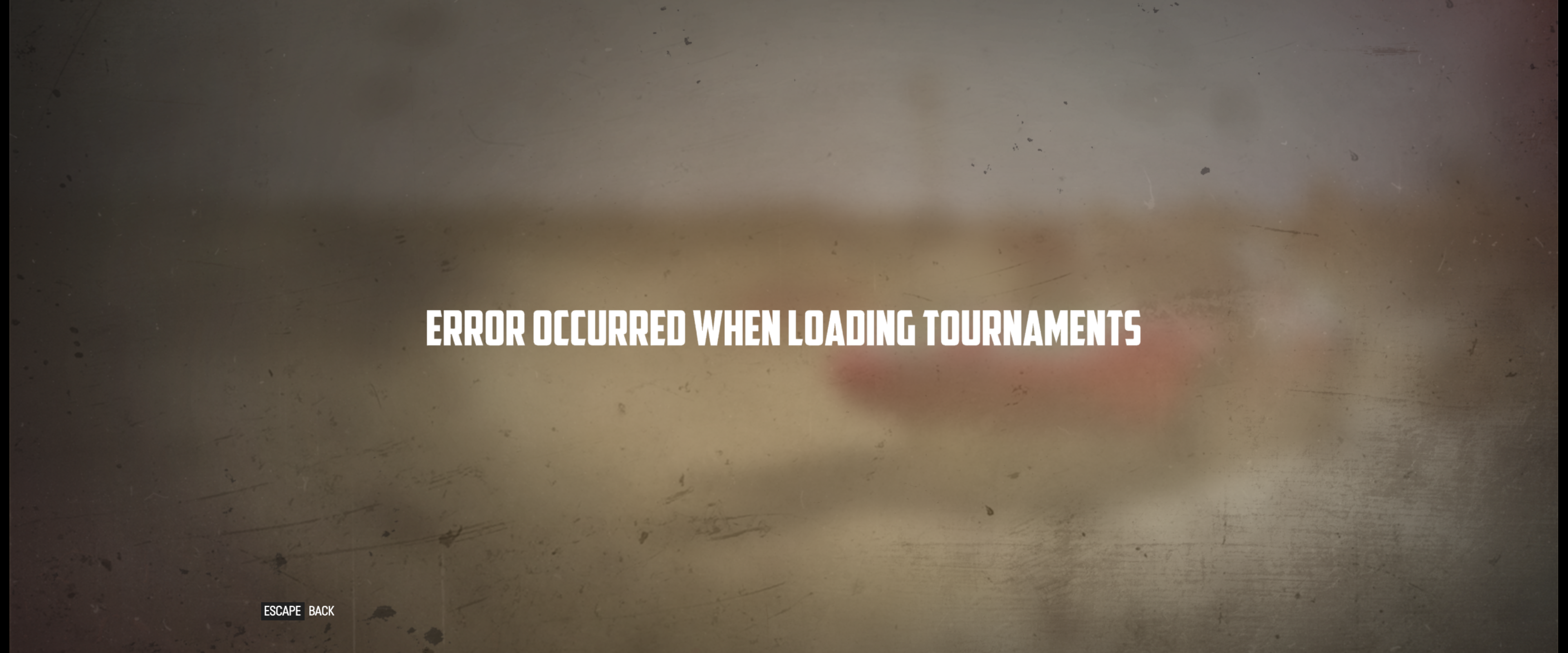
- Game stucked on 'Loading Tournaments..' screen
- After a few minutes / retries the following appears: 'Error occured while loading tournaments'
5.0-10_steam-228380.log
5.13-6_steam-228380.log
6.3-8_steam-228380.log
7.0-1_steam-228380.log
Screenshots


A follow up for https://github.com/ValveSoftware/Proton/issues/758#issuecomment-1019566678
The issue I had was that Nvidia resizeable BAR was not enabled in my bios.
This being enabled is the difference between 30fps on all gfx settings, and 120fps on ultra.
After some time (when I've actually had time) I think the key points are:
-
I have two laptops with RTX30xx, these have resizable bar enabled and run Wreckfest at close/equal to Windows.
-
I have a desktop with RTX3060, performance was very poor until I enabled resizable bar
-
I have a laptop with RTX2070, this machine runs poorly, the fps at high with max cars is always 30fps. This is the very same fps I got with the desktop with resizable bar disabled
-
The RTX2070 laptop runs wreckfest in Windows at same performance as the RTX30xx laptops with linux
So it all comes down to resizable bar? I don't know why that would cause such a vast difference, or why the RTX2070 laptop runs Wreckfest in windows so well.
With no resizable bar, the FPS is 30fps regardless of the card or machine.
Can confirm the resizable BAR effect.
If I enable CSM - that disables ReBAR, then I boot in BIOS mode, dmesg shows "BAR=256M", and Wreckfest is sluggish AF when there's more than a couple cars on the screen. Steam fps counter shows 26fps but it's way lower than that, feels more like 10fps. Disabling shadows improves it a bit but not significantly.
But if I disable CSM and enable ReBAR, boot in UEFI mode - dmesg shows "BAR=8192M" and Wreckfest runs at smooth 1080p60fps at max settings.
Also as a side note, fps drop without ReBAR is most significant if I have 2nd monitor connected. I know multi-monitor support in Linux is not perfect, but both screens are set to the same resolution and refresh rate, and it happens even if I connect two outputs on a GPU into two inputs of the same monitor.
System specs: Ryzen 2700, Radeon 6600XT, Linux Mint 21, kernel 5.15.0-56-generic, Steam Beta version 1671501303, Proton 7.0-5.
Has anyone else issues with people joining a server that got created via the multiplayer menu? I created a server and at first it seems to work fine, but after the server is created, no one can join the created server. All necessary ports are configured in my router and it worked till some bigger multiplayer update got released. Joining other servers works fine.
System Information
- GPU: AMD RX Vega 56
- Driver/LLVM version: Mesa 23.0.1 with RADV
- Kernel version: 6.2.11
- Proton version: 7.0-6
Does anyone else have issues with microstuttering when VSync is disabled? On my system with an Vega 56 and Mesa 23.0.2 the game is not smooth, even though the framerate is mostly above 100. With VSync, everything is smooth. I use Fedora 38 with Gnome 44 as Desktop. The native Steam package and the Flatpak have the same issue for me.
Has anyone else issues with people joining a server that got created via the multiplayer menu? I created a server and at first it seems to work fine, but after the server is created, no one can join the created server. All necessary ports are configured in my router and it worked till some bigger multiplayer update got released. Joining other servers works fine.
Yes, I've been having the same issue. If memory serves right, this started with the following update: https://store.steampowered.com/news/app/228380/view/3459355897500013606?l=english
This also affects hosting a LAN server.
I am using the flatpak version of Steam. The issue first occurred while I was still on Fedora 36 and persisted through the updates to Fedora 37 and now 38. I've also tried using different proton versions to no avail.
Does anyone else have issues with microstuttering when VSync is disabled? On my system with an Vega 56 and Mesa 23.0.2 the game is not smooth, even though the framerate is mostly above 100. With VSync, everything is smooth. I use Fedora 38 with Gnome 44 as Desktop. The native Steam package and the Flatpak have the same issue for me.
It seems that this is an issue with the amdgpu driver introduced in linux kernel 6.2:
https://bugzilla.redhat.com/show_bug.cgi?id=2188449
https://gitlab.freedesktop.org/drm/amd/-/issues/2516
Any help would be appreciated!
Attempting to open the overlay or taking a screenshot results in a crash:
Assertion failed: !status && "vkQueuePresentKHR", file ../src-wine/dlls/winevulkan/loader_thunks.c, line 5517

The futex facility returned an unexpected error code.
wine client error:1c4: write: Bad file descriptor
This is with Proton 8.0 and amdgpu.
The crash actually also seems to happen randomly while playing, but not too often.
Confirming 3060 ti / 5700x3d performance was very bad on bazzite (30 fps) until I enabled Resizable Bar.
Don't know how it even became disabled. Maybe because I messed up the MOK for secure boot on install.
Something has regressed and the game is not launching currently. I've tried verifying the files, reinstalling the game, different Proton versions, I've booted with older kernel..
I can see game executable starting, but no window opens and nothing else happens.
Edit: following line in the log is something new, haven't seen this before with any game:
2123.678:0098:00a4:err:ntoskrnl:ZwLoadDriver failed to create driver L"\\Registry\\Machine\\System\\CurrentControlSet\\Services\\winebth": c0000142
Edit: never mind, looks like problem has something to do with Mesa 25.1.0, reverting to 25.0.7 fixes the problem and game starts again.
Replying to https://github.com/ValveSoftware/Proton/issues/758#issuecomment-1527097095
Has there been no improvement at all to this issue in the past three years? I've spent hours at this point trying to figure out why Wreckfest on Linux is seemingly incapable of actually hosting a listen server (even just for LAN!). I've attempted every fix under the sun to no avail. Install vcrun2022 in the prefix, verify no conflicting port assignments, disabling the system's firewall altogether just to eliminate a possible cause.. nothing. The server is visible to other clients on the network but just times out if you attempt to connect to it. There seem to be absolutely no mentions of this on protondb, so I kind of feel like I'm taking crazy pills on this one. I've tried this on both Linux Mint on my desktop and my Steam Deck, both exhibit the exact same behavior. I dual boot to Windows so I can actually play with my buddy, and it just works.
I should clarify that this is specifically about hosting a listen server and having other clients connect to it. FWIW, the game on linux does have issues with not being able to see listen servers hosted on windows clients, but I seemed to fix this by enabling the firewall rules in windows to allow responding to local pings. After that change to the windows client, I was able to see and connect to a listen server hosted on the windows client.
Proton versions
proton 8.0x1 2023-10proton 7.0-5x1 2022-12proton 7.0-1x2 2022-03proton 5.0-10x1 2022-03proton experimentalx4 2022-02proton 6.3x1 2022-02proton 6.3-8x1 2022-02proton 5.0x2 2021-09proton 5.13x5 2021-02proton 5.13-1x3 2020-10proton 5.0-9x1 2020-10proton 4.2x2 2020-04proton 4.2-9x2 2020-02proton 5.0-2x1 2020-02proton 3.7-8x2 2019-11
Launch options
PROTON_LOG=1x2 2022-02SDL_GAMECONTROLLERCONFIG=03000000de280000ff11000001000000,Steamx1 2021-11PROTON_HIDE_NVIDIA_GPU=1`x3 2021-01
Upstream links
- ValveSoftware/Proton/issues/5712x1 2022-03
- ValveSoftware/Proton/issues/5204x1 2021-10
- ValveSoftware/Proton/issues/2366x1 2020-05
- ValveSoftware/Proton/issues/1212x1 2019-11
- ValveSoftware/Proton/issues/244x1 2019-11
- ValveSoftware/Proton/issues/2728x1 2019-11
- ValveSoftware/Proton/issues/3194x1 2019-11
- ValveSoftware/Proton/issues/908x1 2019-11
- ValveSoftware/Proton/issues/3192x1 2019-11
Ubuntu 16.04, NVIDIA GTX 970, Proton 3.7-4 Beta:
Steam System Information
^ Using Server Browser causes application freeze
^^ Default graphics preset is Custom