Resident Evil 4
The retail disc version works on Proton to. I never used an x360 gamepad though.
Arch Linux 4.18.5-arch1-1-ARCH
Intel Integrated Graphics
Hello @lobobear7, please copy your system information from steam (Steam -> Help -> System Information) and put it in a gist, then include a link to the gist in this issue report.
This happens to me too.
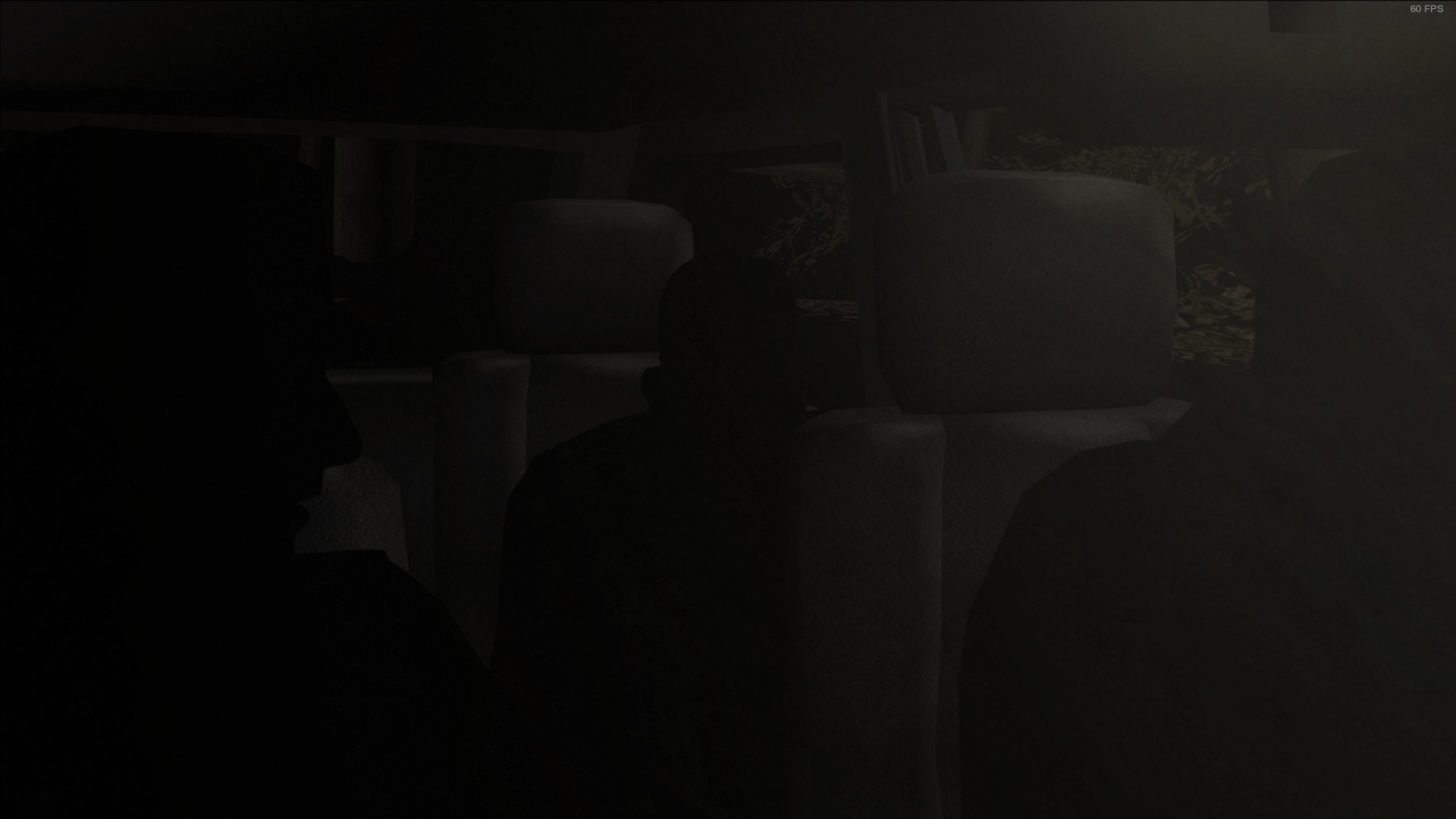

My system
Informações do computador:
Fabricante: Unknown
Modelo: Unknown
Tipo: Computador de secretária
Sem input táctil
Informação do processador:
Fabricante do CPU: GenuineIntel
Marca do CPU: Intel(R) Core(TM) i5-3470 CPU @ 3.20GHz
Família do CPU: 0x6
Modelo do CPU: 0x3a
Versão do CPU: 0x9
Tipo do CPU: 0x0
Velocidade: 3600 Mhz
4 processadores lógicos
4 processadores físicos
HyperThreading: Não suportado
FCMOV: Suportado
SSE2: Suportado
SSE3: Suportado
SSSE3: Suportado
SSE4a: Não suportado
SSE41: Suportado
SSE42: Suportado
AES: Suportado
AVX: Suportado
CMPXCHG16B: Suportado
LAHF/SAHF: Suportado
PrefetchW: Não suportado
Versão do Sistema Operativo:
Ubuntu 18.04.1 LTS (64 bits)
Nome do Kernel: Linux
Versão do Kernel: 4.15.0-34-generic
Editora de Servidor X: The X.Org Foundation
Versão de Servidor X: 11906000
Gestor de janelas X: GNOME Shell
Versão Runtime do Steam: steam-runtime-beta-release_2018-06-14
Placa gráfica:
Driver: X.Org AMD Radeon (TM) RX 470 Graphics (POLARIS10, DRM 3.23.0, 4.15.0-34-generic, LLVM 8.0.0)
Versão do driver: 4.5 (Compatibility Profile) Mesa 18.3.0-devel - padoka PPA
Versão do OpenGL: 4.5
Profundidade de cor do ambiente de trabalho: 24 bits/pixel
Taxa de Atualização do Monitor: 60 Hz
Código do fabricante: 0x1002
Código do dispositivo: 0x67df
Revisão não detetada
Número de monitores: 1
Número de placas gráficas lógicas: 1
Resolução do monitor principal: 1920 x 1080
Resolução do ambiente de trabalho: 1920 x 1080
Tamanho do monitor principal: 20.08" x 11.42" (23.07" diag)
51.0cm x 29.0cm (58.6cm diag)
VRAM principal: 4096 MB
Placa de som:
Dispositivo de áudio: VIA VT1708S
Memória:
RAM: 7911 Mb
Diversos:
Idioma da interface: Português (Portugal)
Idioma: pt_PT.UTF-8
Espaço total disponível em disco: 460828 Mb
Maior bloco livre no disco rígido: 282752 Mb
Headset de R.V.: Nenhum encontrado
Relatórios de falha recentes:
same here, problems with texture
Same issue with Proton 3.16-1 on Nvidia 410.66 drivers. This issue also happens with WINE. I believe this is a DX9 game also so Proton and Wine don't really diverge much here compared to newer games, maybe if VK9 ever lands this would be fixed?
@kisak-valve Requesting an XAudio2 label for this game... (this one's XACT too)
Proton 3.16-7, NVIDIA 396. The problem is still there.
I reported this upstream with wine a while back also btw, this is not a Proton specific issue:
This game renders properly with the aid of D9VK release 0.11. Using Proton 4.2-4.
It encounters consistent slowdown in some areas, (From exactly 60 FPS to exactly 15 FPS)
and I can't determine why. Otherwise, looks great.
I'm noticing issues in this game either with or without D9VK though - trying to shoot and look with the mouse at the same time causes frame drops, and moving directly left or right with a gamepad is almost impossible. I can record videos of these phenomena if required.

System info: https://pastebin.com/ieMLRL4m
- GPU: RX VEGA 56
- Driver/LLVM version: Mesa 19.2.0-devel/9.0.0
- Kernel version: 5.1.2-050102-lowlatency
- Distro version: Linux Mint 19.1 Tessa (64 bit) (Cinnamon Desktop)
- Proton version: 4.2-4
- Full system information: system_info.txt
I can confirm out of the box the game is playable but graphics are not correctly rendered

media_info.txt
steam-254700.log
✔ Switching between desktop and game works
✔ Videos work (videos are MPEG-PS, MPEG-1 Video + Audio)
The game works correctly when using wine with this patch: https://bugs.winehq.org/attachment.cgi?id=63649
Hello @vitalykorotkov, can you make a pull request for that patch? For easy reference, the patch is from https://bugs.winehq.org/show_bug.cgi?id=46336#c8.
Hello @vitalykorotkov, can you make a pull request for that patch? For easy reference, the patch is from https://bugs.winehq.org/show_bug.cgi?id=46336#c8.
@kisak-valve hi i create a pull request with this patch you can add please
I'm not sure if it's the game itself or Proton, but after I Alt+Tab to desktop and back to the game, Leon starts moving like I'm tapping forward key, not holding. Only restarting the application helps. I'm using Logitech F710 controller.
To people with slowdowns on d9vk: turn anti-aliasing off. There are still slowdowns with AA off, but not so heavy.
Proton 4.11-1, PROTON_D9VK_ENABLED=1, virtual desktop through winecfg. Currently working perfectly, as far as I can tell. Minor stutters, but perfect rendering and no control issues. Will test with the HD mod later.
The deed is done! It now works flawlessly with the PROTON_D9VK_ENABLED flag. re4HD works too.
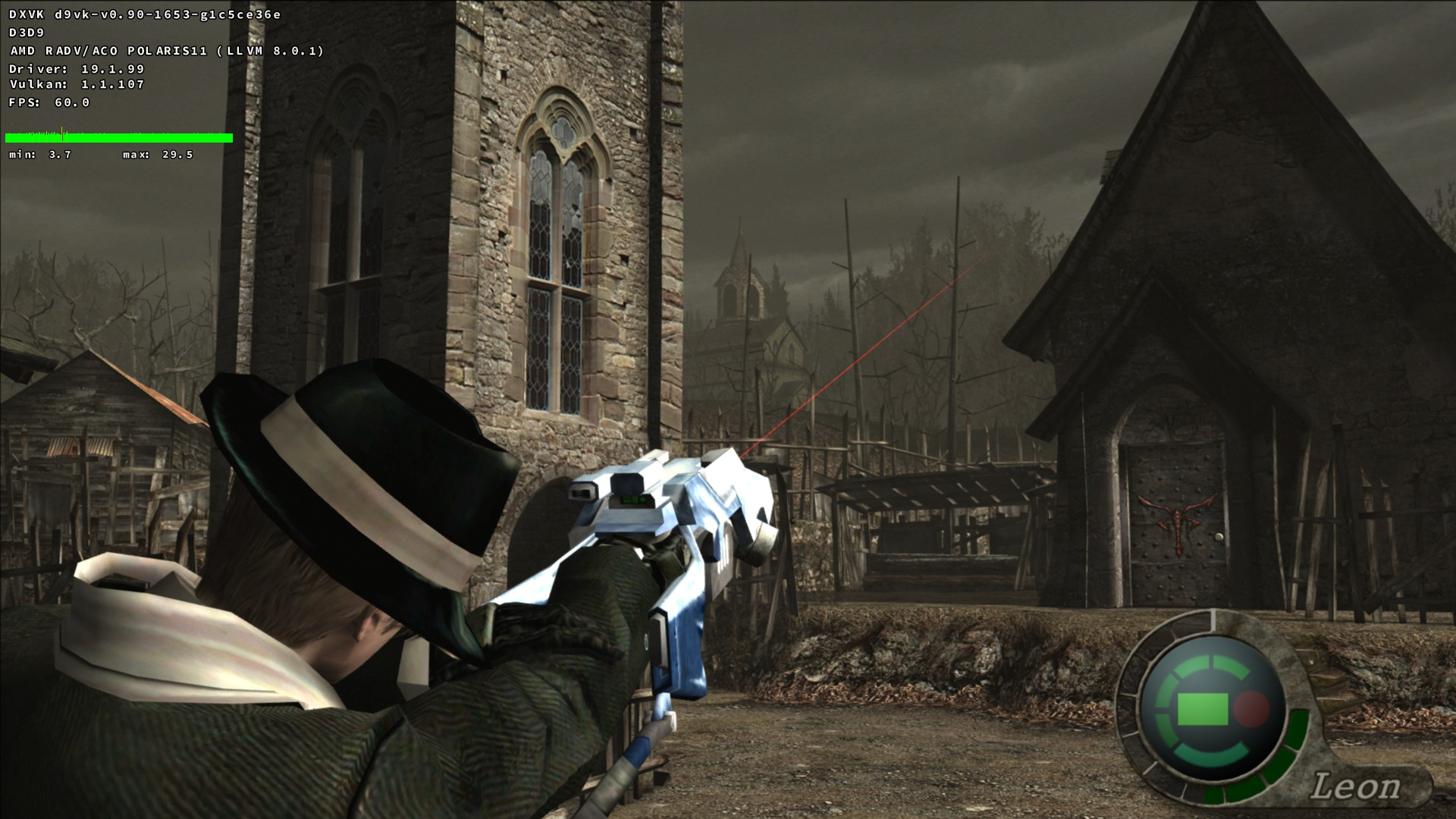
The deed is done! It now works flawlessly with the PROTON_D9VK_ENABLED flag. re4HD works too.
hi how you may to working, i put PROTON_D9VK_ENABLED=1 %command% and disable vsync and hd and same issue with black textures
This all being said, there's an issue exclusive to Proton 4.11-1 where the screen is black unless the game runs in a virtual desktop. This wouldn't be a problem except that Steam Input doesn't work through a Wine virtual desktop, and I'd quite like to use Steam Input to enable turbo buttons for the miserable QTEs. Hotpatch pls
hi how you may to working, i put
PROTON_D9VK_ENABLED=1 %command%and disable vsync and hd and same issue with black textures
Make sure you're using Proton 4.11-1 with a Wine virtual desktop. Proton 4.9 doesn't have PROTON_D9VK_ENABLED support.
hi how you may to working, i put
PROTON_D9VK_ENABLED=1 %command%and disable vsync and hd and same issue with black texturesMake sure you're using Proton 4.11-1 with a Wine virtual desktop. Proton 4.9 doesn't have PROTON_D9VK_ENABLED support.
yes i execute in wine 4.11.1 but nothing
hi how you may to working, i put
PROTON_D9VK_ENABLED=1 %command%and disable vsync and hd and same issue with black texturesMake sure you're using Proton 4.11-1 with a Wine virtual desktop. Proton 4.9 doesn't have PROTON_D9VK_ENABLED support.
yes i execute in wine 4.11.1 but nothing
You should be using Proton, Wine alone doesn't have D9VK. Also, per the documentation the flag is PROTON_USE_D9VK, not PROTON_D9VK_ENABLED
hi how you may to working, i put
PROTON_D9VK_ENABLED=1 %command%and disable vsync and hd and same issue with black texturesMake sure you're using Proton 4.11-1 with a Wine virtual desktop. Proton 4.9 doesn't have PROTON_D9VK_ENABLED support.
yes i execute in wine 4.11.1 but nothing
You should be using Proton, Wine alone doesn't have D9VK. Also, per the documentation the flag is
PROTON_USE_D9VK, notPROTON_D9VK_ENABLED
yes thanks my mistake, is this PROTON_USE_D9VK, my partner comment other and obviously never work, thanks very much
You should be using Proton, Wine alone doesn't have D9VK. Also, per the documentation the flag is
PROTON_USE_D9VK, notPROTON_D9VK_ENABLED
Ah, yes. Sorry for the accidental misdirection there. I've been building D9VK from scratch for months so I didn't really pay attention to what the new Proton flag was called. I'll be more careful next time.
System Information
- GPU: RX VEGA 56
- GPU Driver: Mesa ACO 19.1.0+aco+git1564747450-10690f8d9e6-1bionic1 (Valves PPA)
- Kernel version: 5.2.5-050205-lowlatency
- Distro version: Linux Mint 19.1 Tessa (64 bit) (Cinnamon Desktop)
- Proton version: 4.11-1
- System information: system_info.txt
Retest Compatibility Report
The game out of the box has the same problem as before with black textures. With D9VK both with ACO and LLVM the game launches to a black screen and then crashes.
steam-254700.log
steam-254700-d9vk-aco.log
steam-254700-d9vk-llvm.log
Latest Proton revision fixes the black screen bug on my system. Steam Input is still screwed to hell and back, however. See #2963
System Information
- GPU: RX VEGA 56
- GPU Driver: 19.1.0+aco+git1565281340-ea03ec56ed1-1bionic1 (Valves PPA)
- Kernel version: 5.2.7-050207-lowlatency
- Distro version: Linux Mint 19.2 Tina (64 bit) (Cinnamon)
- Proton version: 4.11-2
Retest Compatibility Report
Success! :tada:
Game works with D9VK now without any issues, performance is also a stable 60fps (only tried with ACO) with maxed settings at 2560x1600 resolution.
steam-254700.log
system_info.txt

Possible fix if you experience freezes after some seemingly random amount of playtime, like I did
TL;DR: Try using the launch options PROTON_USE_D9VK=1 PROTON_NO_ESYNC=1 %command%.
Enabling D9VK did fix the graphical and slowdown issues for me, as it has done for others in this thread.
However, the game would freeze, seemingly at random, after some playtime, necessitating killing the game process. This rendered the game essentially unplayable when it became impossible to reach a new save point before the game would freeze.
The solution for me was to also disable esync in addition to enabling D9VK, using the launch options PROTON_USE_D9VK=1 PROTON_NO_ESYNC=1 %command%.
It might be worth noting that I have Resident Evil 4 and Proton 4.11 installed on an NTFS disk separate from the Steam installation itself on Linux on an ext4 disk (I followed this guide). Making NTFS disks work in conjunction with Proton can be a challenge in itself and I am not sure if my problem was related to this fact or not.
Hopefully this can be of help to anyone else with a similar problem. I have not yet experienced any apparent downside to disabling esync for this game on my system.
System Information
- GPU: GeForce GTX 650 Ti Boost
- GPU Driver: NVIDIA-Linux-x86_64-430.40
- Kernel version: 4.12.14-lp151.28.13-default
- Distro version: openSUSE Leap 15.1 (64 bit)
- Proton version: 4.11-3
Although it seems playable I still have mouse problems, mainly with the PRL (Plaga removal laser). Since this weapon is a charge weapon, when you press both Right + Left mouse buttons and try to aim, the aim get stuck.
Also, holding left click without aiming freezes camera.
So, seems the problem solved. For the first time in a long time I tried to run Resident Evil 4 on the latest version of Proton 4.11 and everything works fine without D9VK.
Thank you for your work! :)
Isn't mouse input still broken?
There is a problem with the simultaneous pressing of the left and right mouse buttons. Sometimes it works, sometimes it doesn't. I switched the firing button to the keyboard. The problem remained in QTE scenes, but in General it is comfortable to play.
Ideally, I would like to transfer all control to the keyboard, as in the old port
Compatibility Report
- Name of the game with compatibility issues: resident evil 4 / biohazard 4
- Steam AppID of the game: https://steamdb.info/app/254700/
System Information
- GPU: GTX 760
- Driver/LLVM version: NVIDIA 440.44
- Kernel version: 5.4.15
- https://github.com/shoober420/linux-scripts/blob/main/home/shoober420/sysinfonvidia
- Proton version: 4.11-12
LOG:
steam-254700.log
Symptoms
Black screen on launch, had to hard kill it
Proton 5 seems to fix mouse issues :)
Compatibility Report
- Name of the game with compatibility issues: Resident Evil 4
- Steam AppID of the game: 254700
System Information
- GPU: AMD Radeon RX 580
- Driver/LLVM version: Mesa 20.1.6
- Distro version: Arch Linux
- Link to full system information report as Gist: https://gist.github.com/springwurm/10b9ae03c39ad871ce714f01ea4bc384
- Proton version: 5.0-9
I confirm:
- [ ] that I haven't found an existing compatibility report for this game.
- [X] that I have checked whether there are updates for my system available.
Symptoms
- For a split Second, a black Window appears.
Reproduction
- Click Play
Logs
Resident Evil 4(UHD Edition) Crashing during gameplay
Issue transferred from https://github.com/ValveSoftware/Proton/issues/4228.
@minilandl posted on 2020-09-29T16:27:22:
Compatibility Report
- Resident Evil 4(UHD Edition)
- 254700
System Information
- Distro: Arch Linux
- GPU: 750ti
- Driver/LLVM version: nvidia 455.23.04
- Kernel version: 5.8.12-zen1-1-zen
- Link to full system information report as Gist:
- Proton version: 5.9-GE-5-ST
I confirm:
- [ ] that I haven't found an existing compatibility report for this game.
- [x] that I have checked whether there are updates for my system available.
Symptoms
Resident Evil 4 will eventually crash during gameplay. This is mitigated slightly by installing either faudio in GE or switching to proton 5.0.9 however certain sounds such as reloading of weapons down play and audio in general inst as good breaking immersion
Reproduction
start the game it will eventually crash
Related Issues
https://github.com/ValveSoftware/Proton/issues/890
Logs
After Further testing I have been able to resolve the audio issues using Proton GE-6 install faudio using protontricks
protontricks 254700 faudio then add the following DLL overides WINEDLLOVERRIDES="xaudio2_7=n,b" as well as PROTON_NO_ESYNC=1 this seems to resolve the crashing issues and was able to continue playing without issues
Audio issues I was experiencing were due to my outputs being incorrect in pulseaudio ~this issue can be closed~
Compatibility Report
* Name of the game with compatibility issues: Resident Evil 4

* Steam AppID of the game: 254700
System Information
* GPU: AMD Radeon RX 580

* Driver/LLVM version: Mesa 20.1.6

* Distro version: Arch Linux

* Link to full system information report as Gist: https://gist.github.com/springwurm/10b9ae03c39ad871ce714f01ea4bc384

* Proton version: 5.0-9
I confirm:
* [ ]  that I haven't found an existing compatibility report for this game.

* [x]  that I have checked whether there are updates for my system available.
Symptoms
* For a split Second, a black Window appears.Reproduction
* Click PlayLogs
* [steam-254700_wined3d.log](https://github.com/ValveSoftware/Proton/files/5146673/steam-254700_wined3d.log)

* [steam-254700_nofsync.log](https://github.com/ValveSoftware/Proton/files/5146674/steam-254700_nofsync.log)

* [steam-254700_noesync.log](https://github.com/ValveSoftware/Proton/files/5146675/steam-254700_noesync.log)

* [steam-254700_no_forcelgadd.log](https://github.com/ValveSoftware/Proton/files/5146676/steam-254700_no_forcelgadd.log)

* [steam-254700_forcelgadd.log](https://github.com/ValveSoftware/Proton/files/5146677/steam-254700_forcelgadd.log)

* [steam-254700_5.11-GE-1-MF.log](https://github.com/ValveSoftware/Proton/files/5146678/steam-254700_5.11-GE-1-MF.log)

* [steam-254700_5.9-GE-5-ST.log](https://github.com/ValveSoftware/Proton/files/5146679/steam-254700_5.9-GE-5-ST.log)
I removed my WINEPREFIX Directory and now the Games works for me. (Proton 5.13.2)
Haven't had any issues with audio, but when playing with a controller and alt-tabbing out of the game controller analog stick movement is very stuttery when returning to the game ( cannot walk/run forward, will take one step, stop take another step and same with turning around).
RESIDENT EVIL 4 crashes on wineserver
Issue transferred from https://github.com/ValveSoftware/Proton/issues/4841.
@kassindornelles posted on 2021-05-21T04:44:42:
Compatibility Report
- Name of the game with compatibility issues: Resident Evil 4
- Steam AppID of the game: 254700
System Information
- Linux Distro: Fedora 34 Workstation (Steam from Fedora repo)
- GPU: AMD® Radeon(tm) vega 11 graphics
- Driver/LLVM version: Mesa 21.0.3
- Kernel version: 5.11.21-300.fc34.x86_64
- Link to full system information report as Gist: https://gist.github.com/kassindornelles/c83a100af1a93030f6913b3ce9bcbfb8
- Proton version: Proton Experimental
I confirm:
- [y] that I haven't found an existing compatibility report for this game.
- [y] that I have checked whether there are updates for my system available.
Symptoms
it crashes on wineserver after a long play session, it crashed exacly in the water hall map (https://residentevil.fandom.com/wiki/Water_hall)
[10527.265421] snd_hda_intel 0000:06:00.6: azx_get_response timeout, switching to polling mode: last cmd=0x00a70503
[13436.563472] perf: interrupt took too long (2533 > 2500), lowering kernel.perf_event_max_sample_rate to 78000
[13961.681344] perf: interrupt took too long (3196 > 3166), lowering kernel.perf_event_max_sample_rate to 62000
[15299.827979] perf: interrupt took too long (4000 > 3995), lowering kernel.perf_event_max_sample_rate to 50000
[17331.388242] nf_conntrack: default automatic helper assignment has been turned off for security reasons and CT-based  firewall rule not found. Use the iptables CT target to attach helpers instead.
[22962.874657] hrtimer: interrupt took 305118 ns
[27900.395975] show_signal_msg: 3 callbacks suppressed
[27900.395978] wineserver[28384]: segfault at f ip 000000000043d82b sp 00007fff59a25f50 error 6 in wineserver[403000+57000]
[27900.395990] Code: 4c 89 e7 48 89 c5 e8 b4 00 fe ff 4c 89 e7 48 89 83 60 02 00 00 e8 05 42 fe ff 48 8b 83 68 02 00 00 48 85 c0 74 1c 66 0f ef c0 <48> c7 40 10 00 00 00 00 0f 11 00 48 8b 83 68 02 00 00 8b 53 70 89
Reproduction
play the game from start to water hall map
Also a note: mouse input is pretty much broken, when you are holding mouse 1 to aim it eats the input and then boom, you are not aiming anymore :shrug:
that's on proton experimental.
edit1: tried Proton 6.3-4 and the game didnt crashed in the water hall room and mouse input was working perfectly well.
Hi. I also have a problem with the black texture in the game. My system specifications are as follows. Please help me
win11
12600k
32gb ram
uhd770
I have no problem with the frame in the game, my only problem is the black texture
Hello @bahrayniwin11, you've come across the issue tracker for a Steam play compatibility tool called Proton. Proton allows users to run Windows-based games on Linux.
Your system isn't using this compatibility tool and any feedback you find here is unrelated to your issue. You might have better luck with Steam's community forums or contact the game dev(s) directly for support.
Unfortunately, nowhere in the net do they provide proper guidance on this problem. However, thank you
This game has a Proton 8 regression. With RE4Tweaks, the F1 menu does not accept mouse input. Also, when you hold right click to aim, mouse movement no longer works.
Downgrading to Proton 7 fixes both issues.
In the Separate Ways campaign, pre-rendered video cutscenes about 90-95% of the time play audio only, showing a black screen.
This issue is inherited by all Proton forks that I have tried (proton-cachyos, proton-ge)
- GPU: Nvidia GeForce RTX 4060
- Video driver version: 580.76.05
- Kernel version: 6.16.4-2-cachyos
- Proton version: Hotfix and Experimental
Game save file savegame00.tar.gz
PROTON_LOG="+mfplat,+quartz,+wmvcore,+wmadec,+dmo" steam-254700.tar.gz
Proton versions
proton experimentalx2 2021-05proton 6.3-4x1 2021-05proton 5.13x1 2020-11proton 5.0x1 2020-09proton 4.11x2 2019-09proton 4.11-1x6 2019-08proton 4.9x4 2019-08proton 4.2-4x1 2019-05proton 3.16-7x1 2019-02proton 3.16-1x1 2018-10
Launch options
PROTON_LOG="+mfplat,+quartz,+wmvcore,+wmadec,+dmo"x1 2025-09WINEPREFIXx1 2020-11PROTON_NO_ESYNC=1x2 2020-10WINEDLLOVERRIDES="xaudio2_7=n,b"x1 2020-10PROTON_USE_D9VK=1x1 2019-08PROTON_D9VK_ENABLEDx7 2019-08PROTON_USE_D9VKx3 2019-08PROTON_D9VK_ENABLED=1x5 2019-08PROTON_D9VK_ENABLED=1,x1 2019-07
Launch lines
PROTON_USE_D9VK=1 PROTON_NO_ESYNC=1 %command%x1 2019-08PROTON_D9VK_ENABLED=1 %command%x5 2019-08
Upstream links
- ValveSoftware/Proton/issues/4841x1 2021-05
- ValveSoftware/Proton/issues/4228x1 2020-09
- show_bug.cgi?id=46336x3 2019-06
The game launches without using launch options. It performs at max settings at 1080p with minor stutter. Works with an Xbox 360 gamepad. The only problem is that the lighting is all bugged in gameplay, cutscenes, and the items menu regardless of shadow quality or texture option.
Ubuntu Mate 16.04
I7 6700k
EVGA GTX 970
16gb DDR4 RAM