SoulWorker
This game runs flawlessly for me as well.
Ubuntu 18.04 LTS
AMD A10-6700 APU with Radeon(tm) HD Graphics / Asus GeForce GTX 750 TI
Proton 4.2-4
This game crashes / freezes very often on Linux recently.
Moreover the window restoration (alt+tab) or settings changes in Rucco, Candus, Grace, Ruin, Dipluce is very slow, up to 10 seconds; D6, Golden Citadel, Grasscover Camp is OK.
NVIDIA GTX 1080Ti (440.82)
Proton 5.0-7
Hello @zaps166, please add PROTON_LOG=1 %command% to the game's launch options, reproduce the crash, and drag and drop the generated $HOME/steam-$APPID.log into the comment box.
Crash: 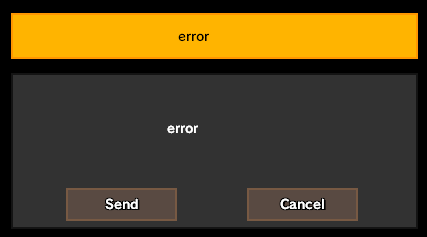
Log: steam-630100.log
I used DXVK 1.7 in Proton (replace files), but it still crashes.
On Windows game crash happens very rare, but on Linux is unplayable.
Thanks, can you test if using PROTON_USE_WINED3D=1 %command% in the game's launch options has an effect?
PROTON_USE_WINED3D=1 I can try again, but the game scene becomes black after longer OpenGL gameplay.
@kisak-valve Thanks for your response.
With PROTON_USE_WINED3D=1 the game runs, but the performance is terrible, it drops below 10FPS. After a few loading screens the UI is still visible, but the game scene is black (need to change the video mode in game settings and go back). Also there are some minor bugs in graphics using OpenGL. The slow window restoration also happens in some places in game (like in Vulkan mode). The game also crashed after longer gameplay.
The same on Proton 5.0-8 rc1 and 4.11-13 with PROTON_USE_D9VK=1.
All my previous posts are obsolete, game worked excellent last month on 5.0-9. It probably started to work better after some game updates (or also Linux updates?). The second problem was the libstrangle I used which freezes games.
After game update (08 September 2020), the game doesn't start. I've got this (tried a few Proton versions including 5.0-9):

Game now works very stable with wine staging 5.16, windows steam, DXVK 1.7.1.
Hello @zaps166, err:steamclient:create_win_interface Don't recognize interface name: SteamUser021 looks like the line of interest from the log. Related: #3886
Hello @kisak-valve, thanks for your response. I tried unofficial build with implementation of SteamUser021 - proton-5.0-7-alyx-2.tar.gz - game runs :)

There are 3 places in game which crashes all the time (Primal at 42 HP, Holly Ground EP 4 with main quest and Unholy Sanatorium EP 4 with main quest). All crashes happen after the cutscene which is weird, because all places in game has cutscenes and only these 3 have a crash. Proton version doesn't matter.
I can see in log file that address is NULL.
@kisak-valve Is it any way to get more accurate crash log (I think the game uses custom crash handler for crash reporter)?
Proton versions
proton 5.0-7x2 2020-09proton 5.0-8x1 2020-06proton 4.2-4x1 2019-05proton 3.7-4x1 2018-08
Launch options
PROTON_USE_D9VK=1`.x1 2020-06PROTON_USE_WINED3D=1`x2 2020-06PROTON_USE_WINED3D=1x1 2020-06PROTON_LOG=1x1 2020-06
Launch lines
PROTON_USE_WINED3D=1 %command%x1 2020-06
Arch Linux (Kernel 4.18.5-arch1-1-ARCH)
i5-3470 / GTX 970
NVIDIA 396.54
Proton 3.7-4 Beta
System Info