Found another symptom to go with this. While this quirk state is occurring, the GPU utilization by SteamVR Home is barely more than the vrcompositor freewheeling by itself. On my test box, radeontop reports vrcompositor by itself uses about a third of the GPU and adding SteamVR Home in the quirk state puts overall GPU utilization between a third and half. It did not exceed 50%.
I have noticed poor performance with Reprojection on Beta 1.3.4.
In 1.2.10, VRChat will drop from 90 to 45 and it is playable, if a little sucky (due to running at 45 FPS...).
In 1.3.4-BETA, as soon as the game drops below 90 FPS, it will start to fall lower and lower. Initially, the reprojection seems to work great (the game runs at 45 FPS, but feels like 90). However, over time, the FPS will drop more and more and more, from 45 to 30 to 15 to 11-12.
If I look back to an area that gives me 90 FPS after hitting very low FPS (10-12) and holding there for a bit, the game won't immediately go back to 90 FPS. It seems to slowly climb out of the hole it dug, and get back to 90. If I just briefly look into the low FPS area and only wait for the FPS to drop a bit under normal and look back, it will recover much more quickly.
It almost seems like reprojection is being applied multiple times or something weird like that.
Currently running Mesa 18.3.2.
I just re-tested with Beta 1.3.7 and my issue appears to no longer be present. SteamVR reports Async Reprojection off, however subjectively the game feels much smoother when it dips into the 45 FPS range than on 1.2.10.
I've experimented a bit more with my poor performance issue, and found that it is related to vrcompositor-launcher having CAP_SYS_NICE=eip.
If I setcap on the file to CAP_SYS_NICE=
then games run fine.
If I setcap to CAP_SYS_NICE=eip
then games run terribly.
Just wanted to report in on this again:
With SteamVR 1.7.1, an R9 3900X, a Radeon VII, Kernel 5.2.6 (Debian), and Mesa 19.1.2, I still see this issue.
Giving CAP_SYS_NICE=eip results in games that otherwise hit a solid 120 FPS on my Index (like Audica and Beat Saber) start to stutter and run poorly. Taking it away fixes the problem.
With SteamVR Beta 1.7.2, this seems to be almost fixed.
The empty loading grid still has a lot of jitters and stutters, but as soon as you get in a game, or open the dashboard, they go away.
In games that only maintain 60FPS in 120hz mode without Async reprojection (VRChat), I don't notice any significant problems. There is a slight jitter, but it's not bad, and not nearly what it was before in previous experiences with async reprojection issues. I've also noticed VRChat seems to actually be capable of hitting 120FPS at times now, where it never would before.
I've noticed an interesting behavior. If I leave my headset in a single place, getting ~60 FPS and reprojecting, and let it sit until the screen turns off, my frametimes drop. Suddenly the game will run at 120FPS, and if I pick my headset up and put it back on, it keeps running at 120FPS for a short period. Eventually it drops back down to 60.
Hi @Goofybud16
Can you open a new issue for the remaining jitters. If possible, can you also paste the output of perf top and a gpuvis capture.
To take a gpuvis capture:
Thanks.
P.S. to enable/disable async you can edit the steamvr section of ~/.steam/steam/config/steamvr.vrsettings instead of adding/removing CAP_SYS_NICE from vrcompositor-launcher.
   "steamvr" : {
      "enableLinuxVulkanAsync" : true
   }
Nothing extracted yet.
Your system information
Please describe your issue in as much detail as possible:
Async reprojection causes the game engine frame rate to massively bog down. For example, this is while running SteamVR Home and looking around in the summit default home scene with my RX 480.
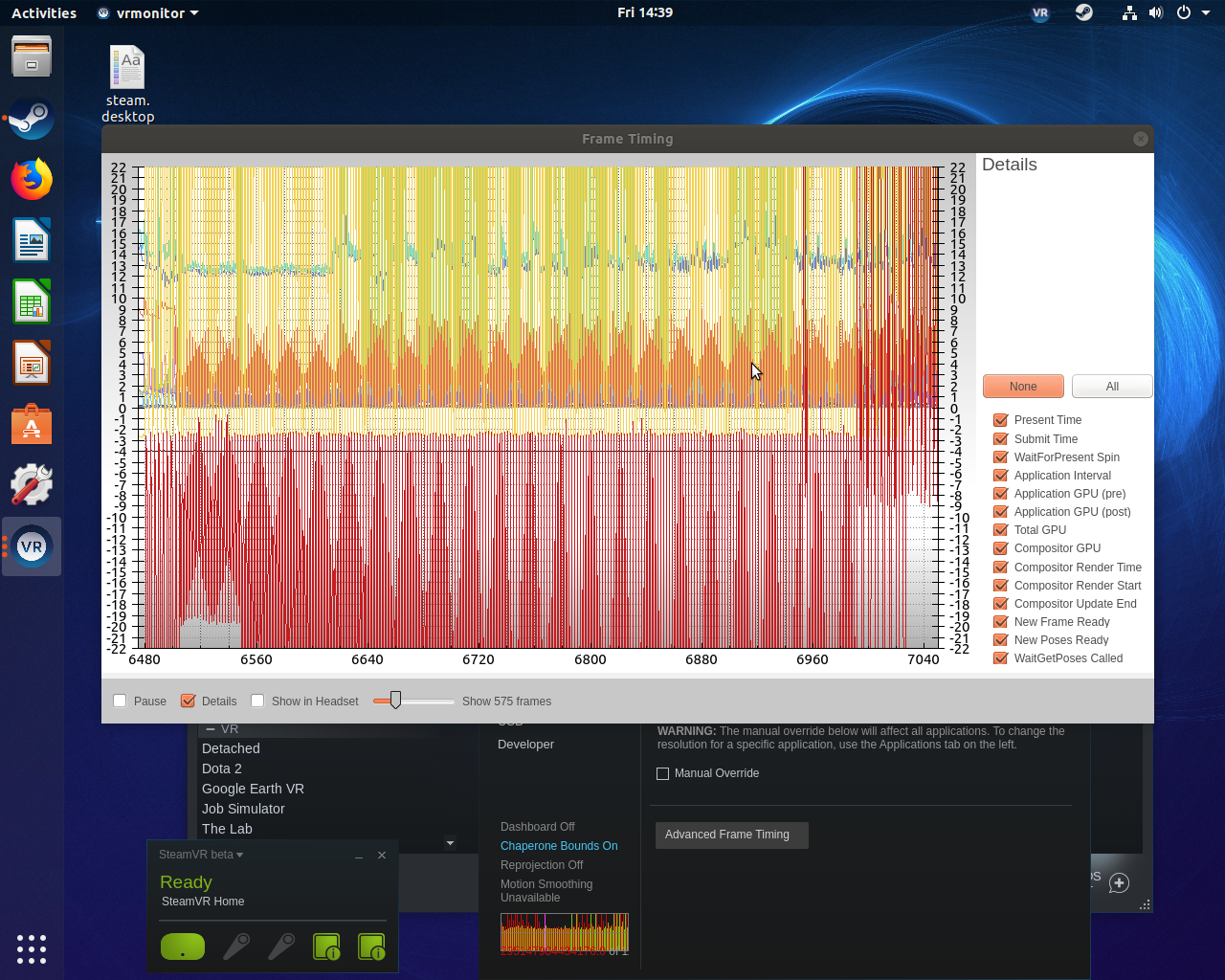
While in this condition, looking around is reasonably smooth, but the engine refresh rate feels like it has single digit fps.
If I disable async reprojection by removing the permission bypass patch from the kernel or if I switch SteamVR to the non-beta branch, then this issue does not happen.
Talos Principle has a frame timing around 5ms on the test box, and is not affected.
Steps for reproducing this issue: