[PERF] Poor Performance and Audio Crackling on Radeon RX 580 After Fresh Reinstall of Ubuntu Studio 10 Xfce [SOLVED]
Use radv, not amdvlk.
@ChristophHaag
Use radv, not amdvlk.
a a a (This comment is making me want to really install arch instead of gaming with ubuntu)
Okay, please correct me if I'm wrong. What you call amdvlk in the arch realm is known as cd /home/kawanerio/amdgpu-pro-21.30-1290604-ubuntu-20.04/ && ./amdgpu-install or basically amdgpu-install in the Debian realm, and what you call radv is equivalent to libvulkan1 mesa-vulkan-drivers vulkan-utils in the Debian realm, right? And in order to work with the latest Mesa Drivers for Vulkan on an ubuntu machine, I should probably enable oibaf's Updated Open Graphics Drivers PPA via add-apt-repository ppa:oibaf/graphics-drivers and then installing the said Vulkan Packages thru sudo apt install libvulkan1 mesa-vulkan-drivers vulkan-utils, correct?
And because I don't want multiple (and possibly conflicting) drivers, along with the fact that I don't want amdgpu-pro-installed drivers, I should probably uninstall the drivers I got from amdgpu-install via cd /home/kawanerio/amdgpu-pro-21.30-1290604-ubuntu-20.04/ && ./amdgpu-install --uninstall (or maybe amdgpu-install --uninstall) before doing anything else, yes?
So, here's what I did.
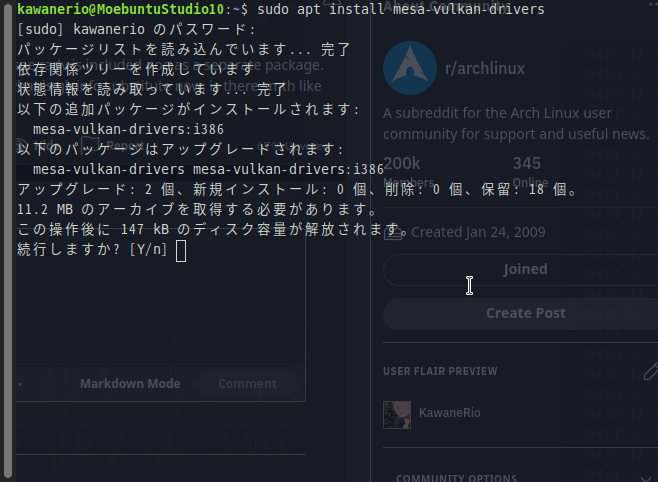
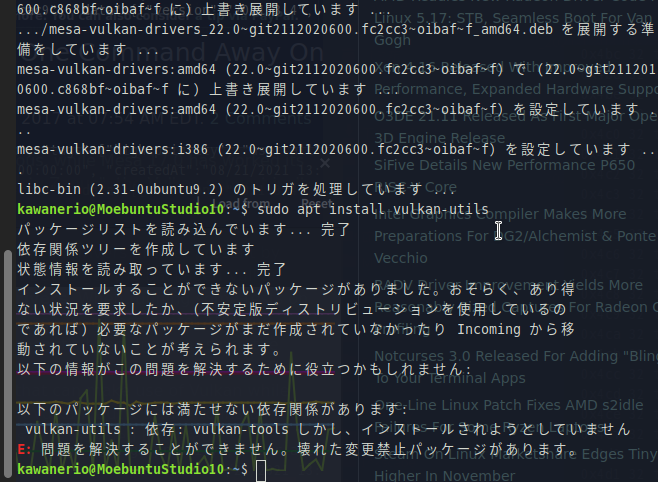
0. Not knowing any better, I ran a `sudo apt install mesa-vulkan-drivers` and *tried* installing `vulkan-utils`, but failed due to the fact that I have `vulkan-tools` installed already.
sudo apt install mesa-vulkan-drivers
sudo apt install vulkan-utils
- Uninstall Proprietary AMDGPU Drivers that I got from AMD. Goto
cd /home/kawanerio/amdgpu-pro-21.30-1290604-ubuntu-20.04/and
1.2. run `./amdgpu-install --uninstall`
./amdgpu-install --uninstall
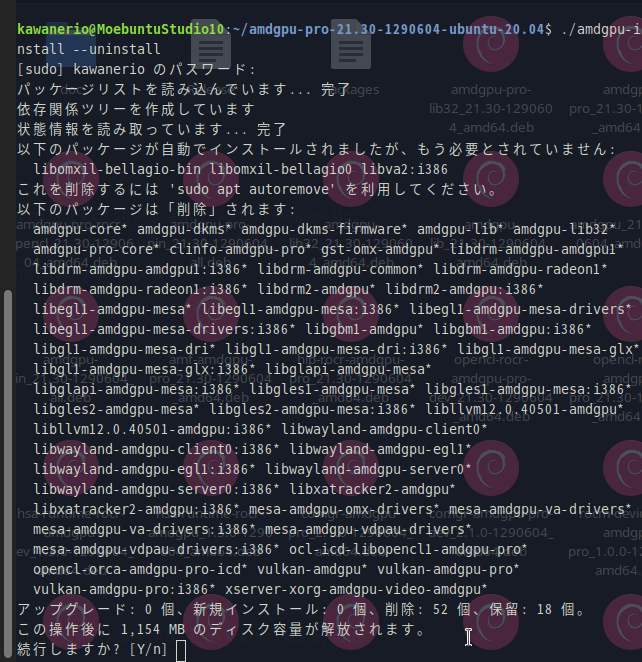
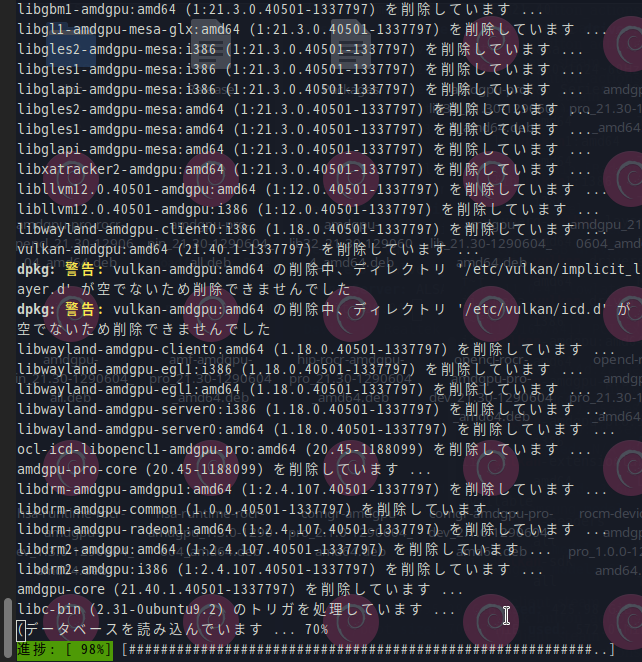
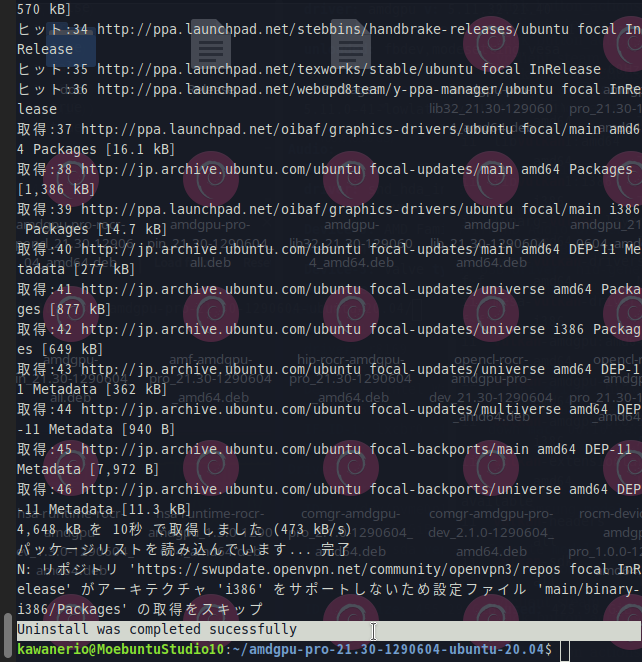
Uninstall was completed successfully
2. As soon as I uninstalled 1154MB worth of drivers, the Ubuntu Software Application popped up to me saying that I should update my Mesa Vulkan Graphics Drivers, like, **now**. So I complied.

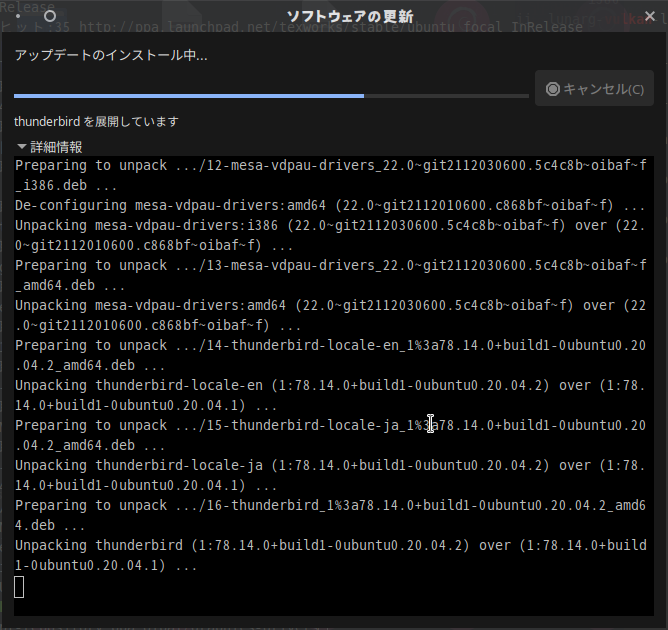
Do I want to install Mesa Vulkan Graphics Drivers? Ye. Install now.
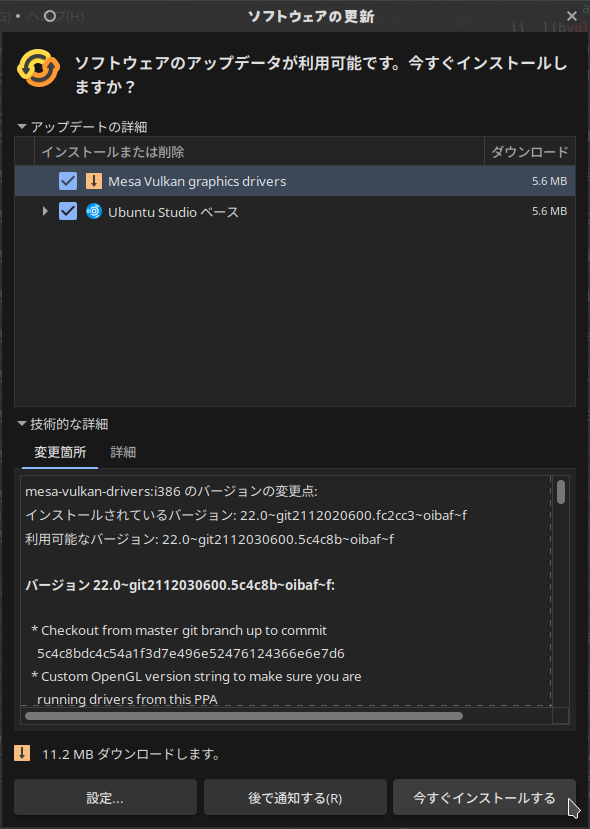
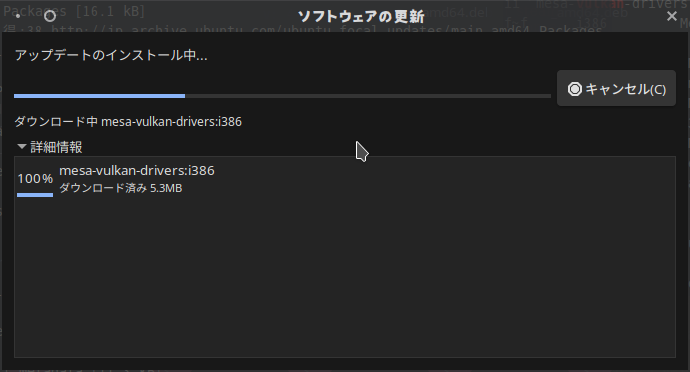
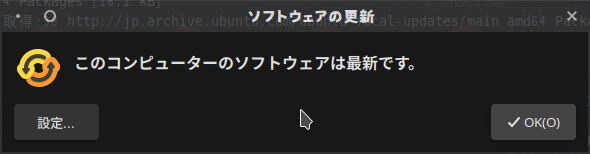
All done! My Ubuntu is Up-to-Date!
3. Although I'm certain I've already did this in the past, I enabled oibaf's *Updated Open Graphics Drivers* PPA via `add-apt-repository ppa:oibaf/graphics-drivers`
oibaf's Updated Open Graphics Drivers PPA
add-apt-repository ppa:oibaf/graphics-drivers and press Enter to continue.

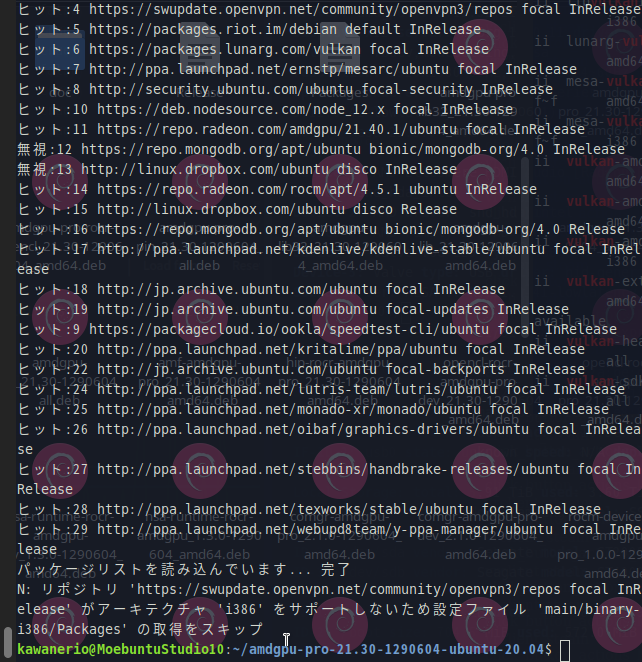
4. `sudo apt update`; `sudo apt upgrade`; `sudo apt autoremove`
sudo apt update
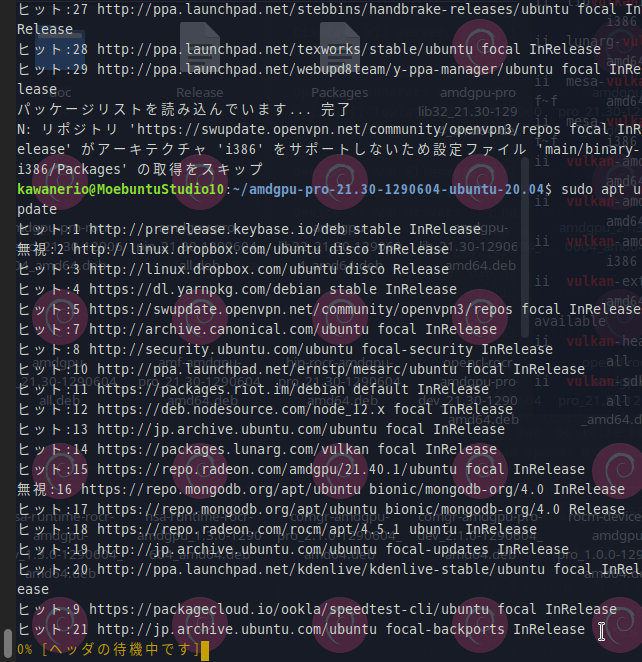
sudo apt upgrade
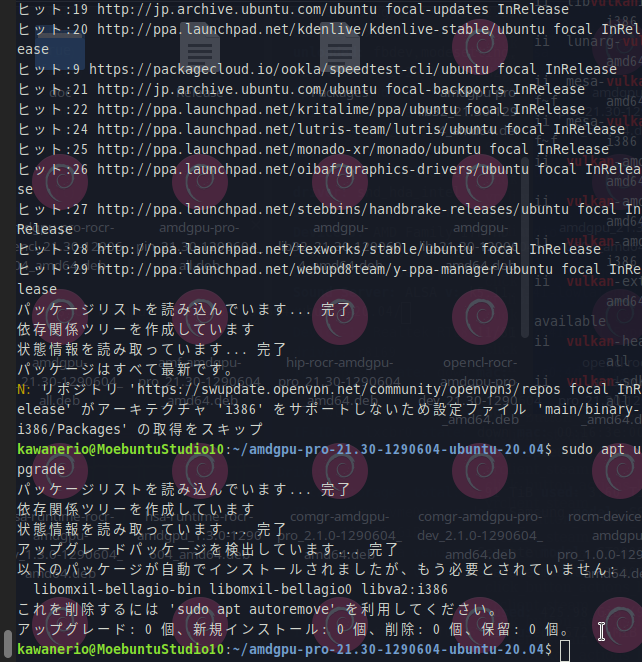
sudo apt autoremove
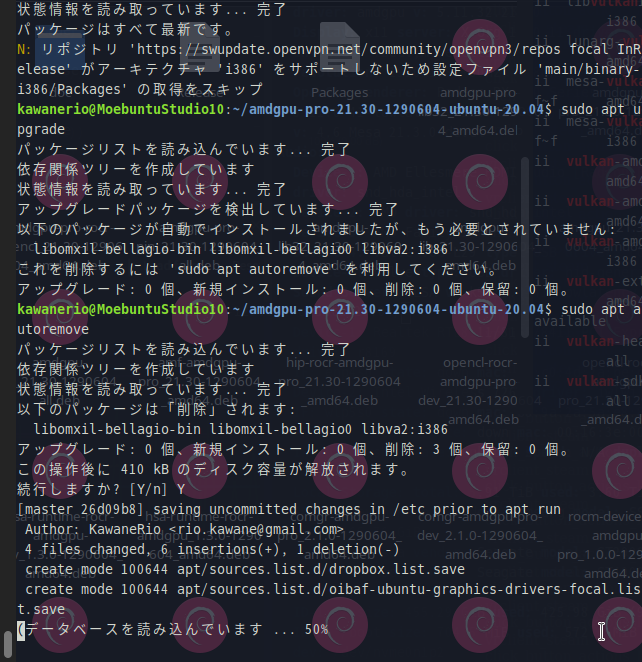
5. Install the Vulkan Packages: `sudo apt install libvulkan1 mesa-vulkan-drivers vulkan-utils`
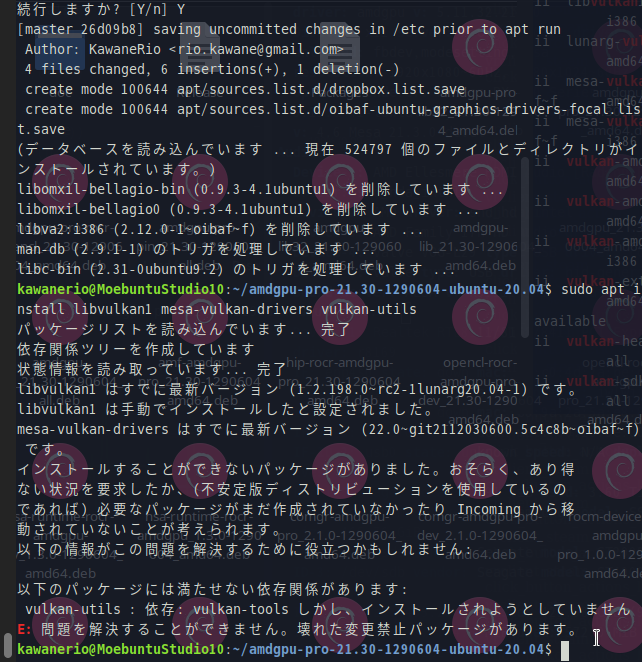
reboot
7. Open SteamVR and see if it's IT'S WORKING?!

7.1. Nothing was projected onto the HMD. I closed SteamVR and opened it again.
7.2. Direct Display was shown on the Desktop, but still nothing on the HMD. Restart the Headset.
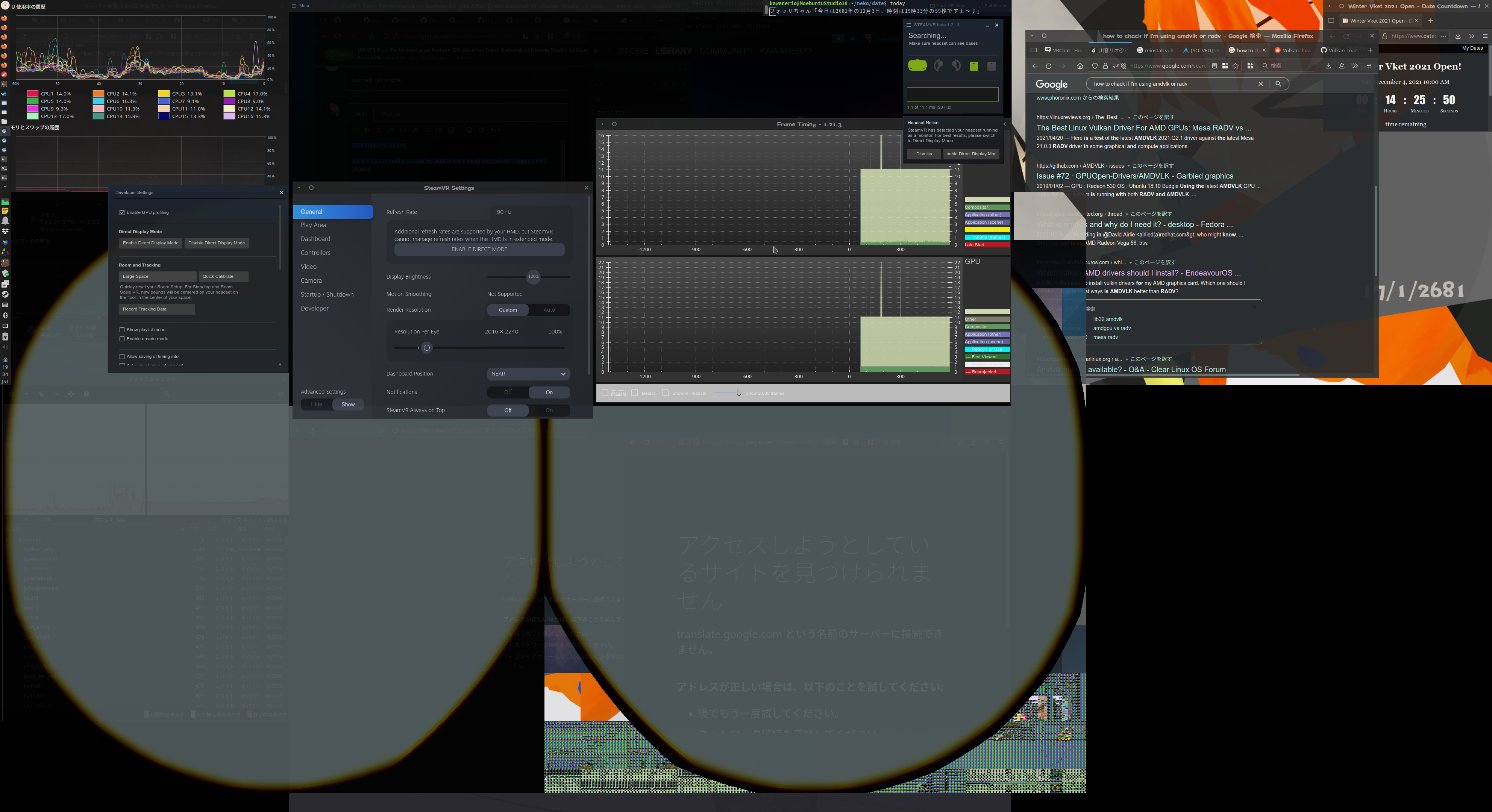
7.3. IT WORKED!! I HAVE FRAMES!

Thoughts
@ChristophHaag Thank you so much for your four words of wisdom.
The performance and especially the graphics has seen a great improvement since uninstalling the AMD Drivers and completely switching to use Vulkan. However, the choppy audio and occasional speaker muting issue is still present as soon as SteamVR is started. Perhaps the audio issue may have something to do with ALSA/Pulseaudio. I wonder if this issue can be addressed by installing pipewire... Are there anyone that has had/is having an issue with choppy audio and occasional sound clipping? Any help is tremendously appreciated.
I will now attach some system reports from this new environment.
System Info
- Distribution:
Ubuntu 20.04.3 LTS (Focal Fossa) - SteamVR version: Tested with
[1.21.3] - Steam client version:
Built Dec 2 2021, at 07:36:11 - Opted into Steam client beta?:
Yes - Graphics driver version:
vulkaninfo | grep driverInfo
ERROR: [Loader Message] Code 0 : loader_get_json: Failed to open JSON file amd_icd64.json
ERROR: [Loader Message] Code 0 : loader_get_json: Failed to open JSON file amd_icd32.json
ERROR: [Loader Message] Code 0 : loader_get_json: Failed to open JSON file amd_icd64.json
WARNING: [Loader Message] Code 0 : terminator_CreateInstance: Failed to CreateInstance in ICD 2.  Skipping ICD.
WARNING: lavapipe is not a conformant vulkan implementation, testing use only.
WARNING: lavapipe is not a conformant vulkan implementation, testing use only.
	driverInfo         = Mesa 22.0.0-devel (git-5c4c8bd 2021-12-03 focal-oibaf-ppa)
	driverInfo                                           = Mesa 22.0.0-devel (git-5c4c8bd 2021-12-03 focal-oibaf-ppa)
	driverInfo         = Mesa 22.0.0-devel (git-5c4c8bd 2021-12-03 focal-oibaf-ppa) (LLVM 13.0.0)
	driverInfo                                           = Mesa 22.0.0-devel (git-5c4c8bd 2021-12-03 focal-oibaf-ppa) (LLVM 13.0.0)
wait... what now...?
Gist for SteamVR System Report
Performance Data
All these data were taken when I'm just sitting in my home world not doing anything [in VRChat].
sudo perf top >radv_steamvr_perftop.log
gisvis: radv_sitting_in_vrchat_home.trace
Screenshots
Folded for convenience
Me sitting in my home world, not doing anything:

Me going to world where there's people:
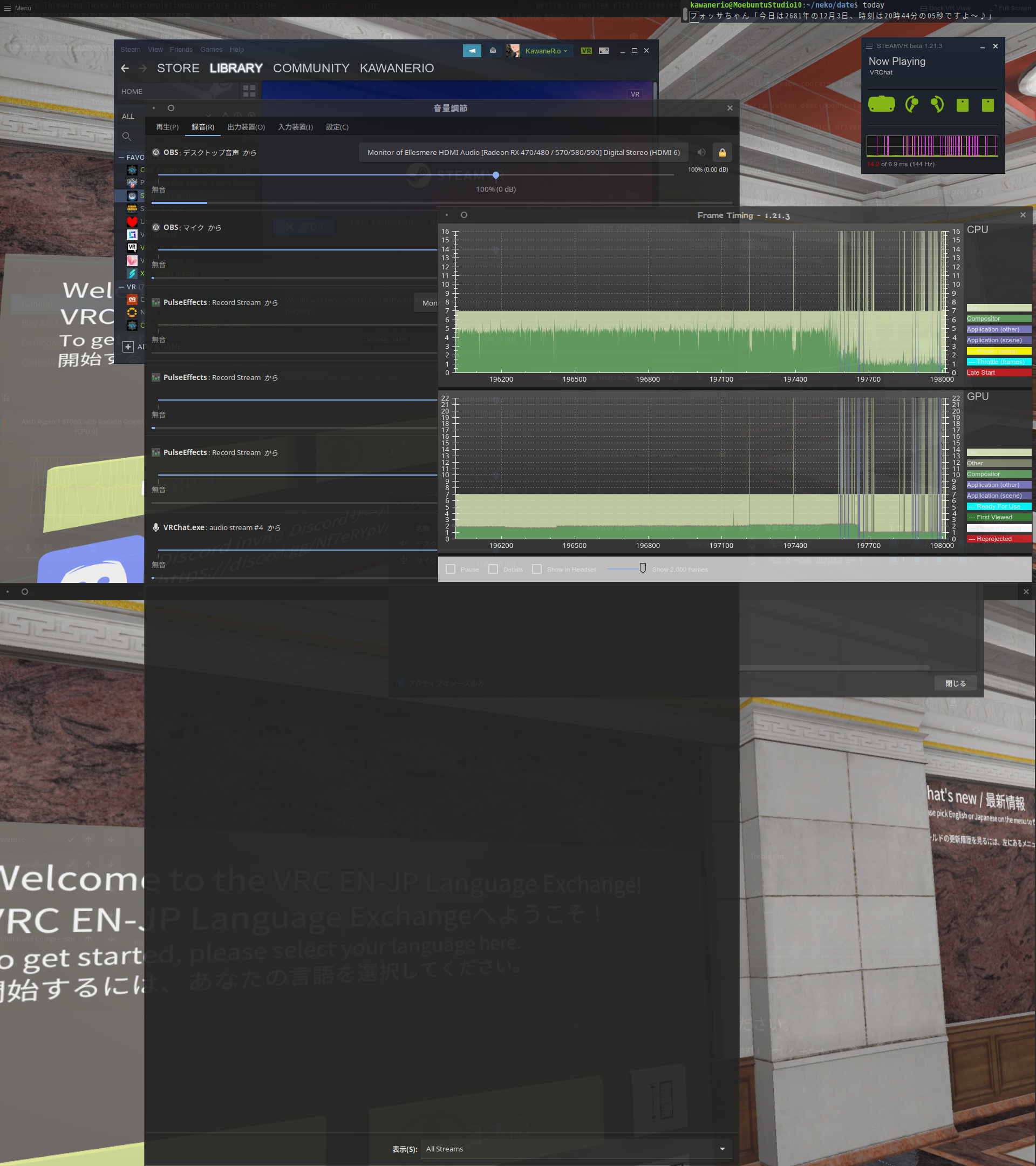
Me, interacting with 10+ people within an instance:
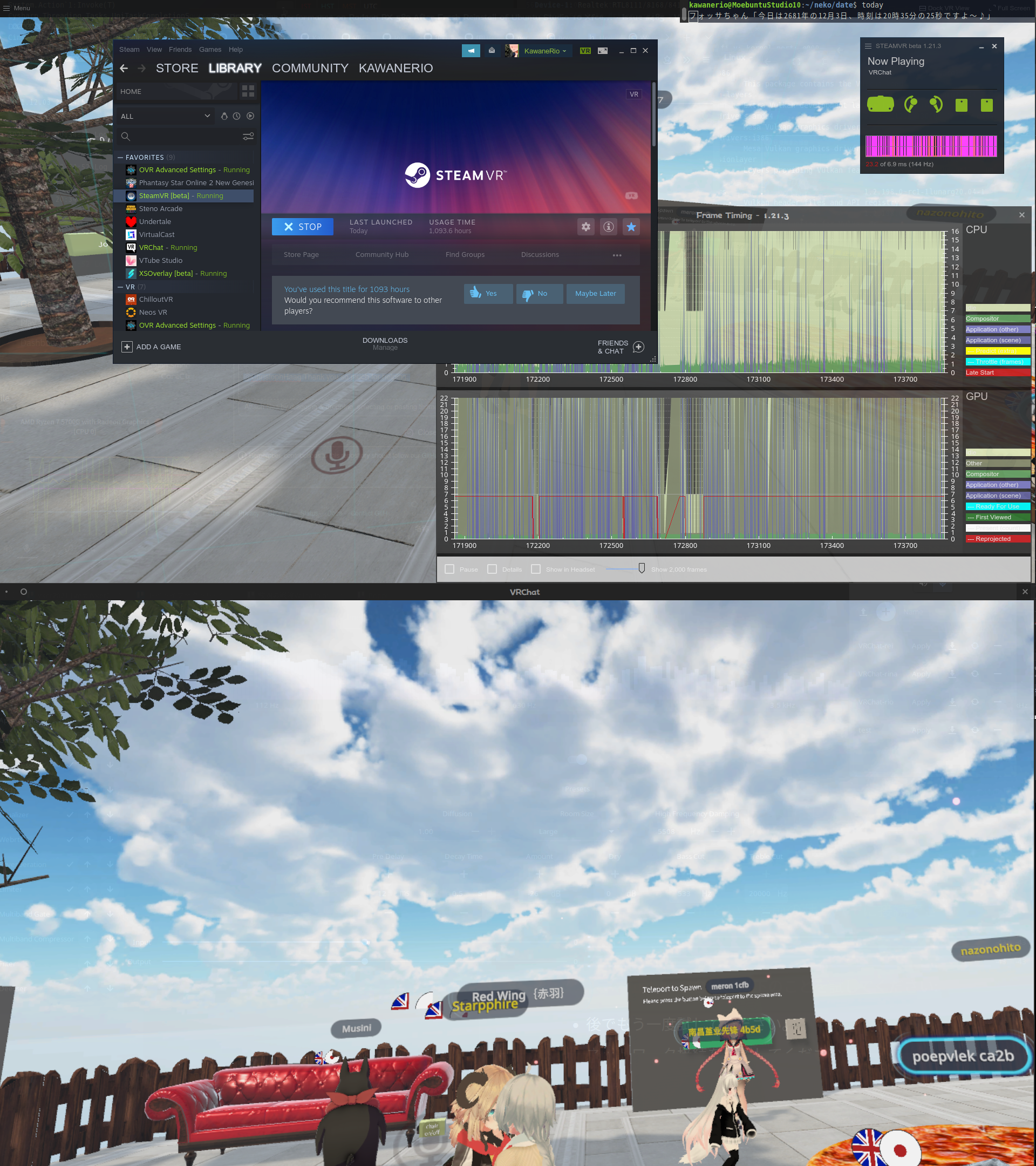
(VRChat says I had 20FPS, but it felt like 10)
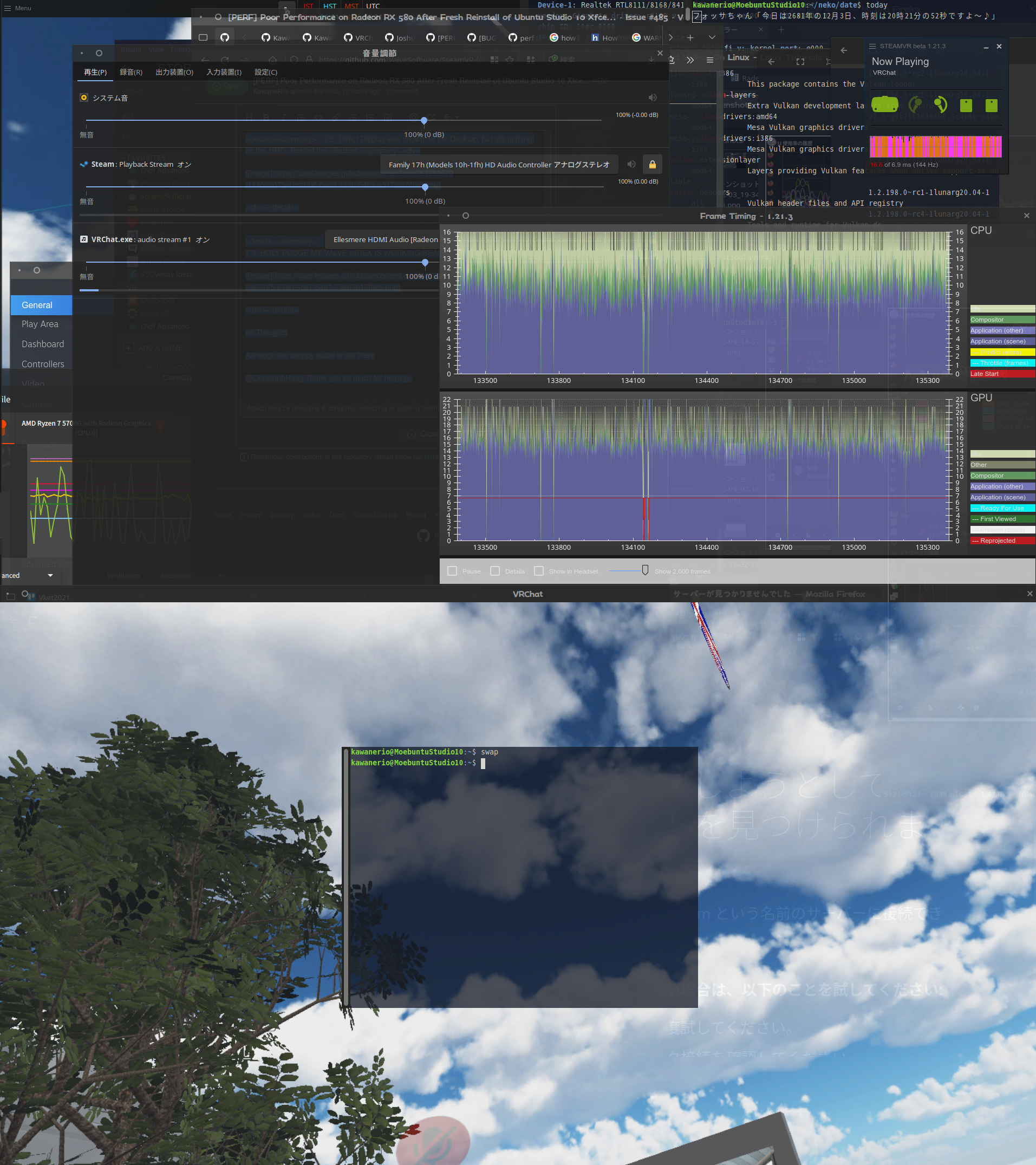
gisvis:
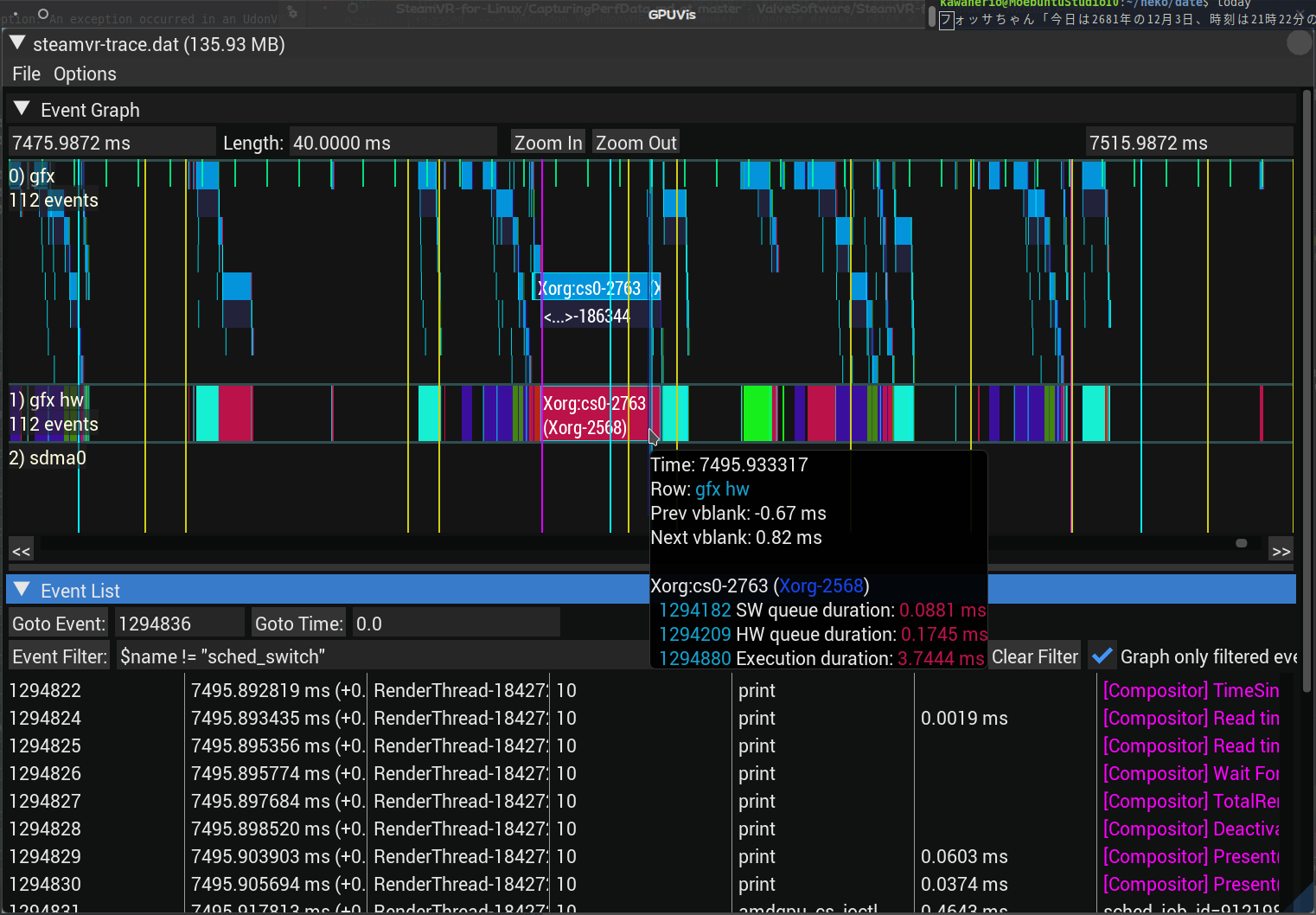
TL;DR
Thanks to Christoph, I have more Frames but Audio still choppy me no happy:(
Reference
Could this be a cable issue........??
https://steamcommunity.com/app/250820/discussions/2/1639793203769723823/
All right. This is a cable issue.
I've tested playing VRChat with my Bluetooth Earphones and had zero problems hearing everyone in instances with 30+ people. On top of that, I am starting to notice RGB crosshatch grains in the dark areas of HMD Display. Considering the symptoms I have from the audio side along with the visual imperfections, combined with the fact that OBS is picking up all the sound outputs just fine from VRChat, I have concluded that this audio crackling is a case of Bad HMD Cable.
Since the Graphics are, more or less, working fine now, I am closing this issue as all the problems has been identified: The poor performance was due to the usage of amdgpu-install drivers, which was fixed by amdgpu-install --uninstall, and installation of libvulkan1 mesa-vulkan-drivers vulkan-utils, and the audio, which turned out to be hardware fault (bad cable).
Thank you for your time reading and have a good LinuxVR life:)
I could have been slightly less verbose.
amdvlk and amdgpu-pro's vulkan driver aren't exactly the same, but they are closely related. amdvlk is amd's open source vulkan driver and amdgpu-pro contains a variant of that driver with a few closed source extras.
radv is a vulkan driver for AMD gpus that was written by mesa developers independently. At this time it seems like it's hugely preferred by Valve. SteamVR for example will only work correctly on radv, not on amdvlk or amdgpu-pro.
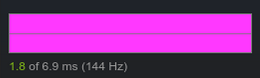
This is a definitive sign of running SteamVR with amdvlk or amdgpu-pro. I am not 100% sure but I think what is happening is that the vulkan driver syncs to the refresh rate of the monitor SteamVR is running on, not the actual refresh rate of the VR headset's display.
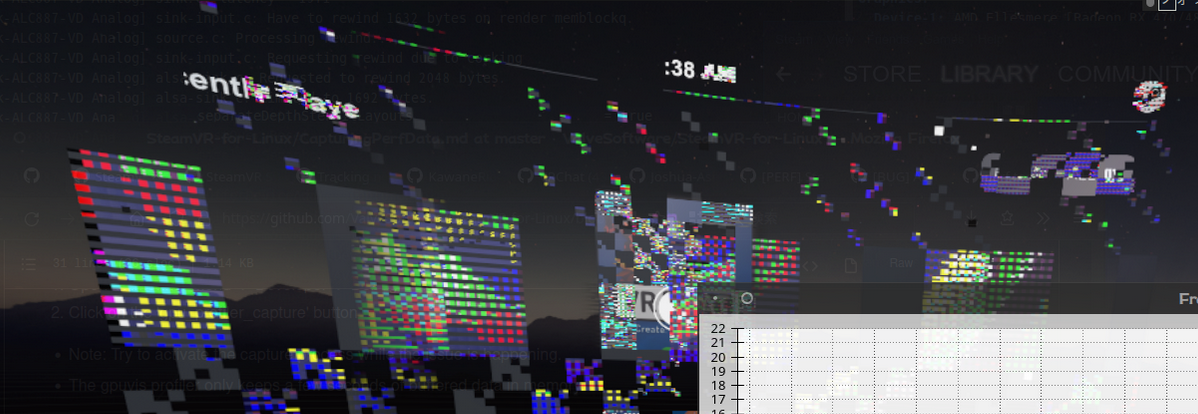
This happens because the dashboard is rendered with OpenGL. The way it works is that the vulkan driver creates a vulkan texture with optimal tiling. Then an OpenGL texture is created in such a way that it uses the same video memory as the vulkan texture. This import into OpenGL does not work correctly when the vulkan driver in question is amdvlk/amdgpu-pro and the OpenGL driver is mesa's radeonsi. I don't know if it can work with amdgpu-pro's OpenGL driver but I suspect not. SteamVR needs to run with radv for this kind of texture sharing to work.
Generally the advise is not to use amdgpu-pro unless you need it.
I am starting to notice RGB crosshatch grains
I've seen this RGB noise on and off on older GPUs, but not on my current GPU. Try another port on the GPU maybe.
I use Pipewire + PULSE_LATENCY_MSEC=50 %command% launch option to fix the audio crackling and stopping. It
might not be the cable, just that the GPU audio device requires a larger buffer than other sound devices, like your headset.
Proton versions
proton 5.13-6x1 2021-12proton experimentalx1 2021-12
Launch lines
PULSE_LATENCY_MSEC=50 %command%x1 2021-12
I didn't know where to write this, but I'll write it here.
I've recently did a fresh reinstall of my Operating System and since then, I have this issue where performance is, um... not so great.
Granted the hardware is not exactly identical, but I should, theoretically, or have at least expected, to get better performance, not worse.
Synopsis
I have performed a Hardware Upgrade in hopes of a better SteamVR experience. On my
Gigabyte X570 UDMotherboard, I have replaced my oldAMD Ryzen 5 3600for a newAMD Ryzen 7 5700G, and increased my memory by swapping out a pair of8GB Corsair Vengeance LPXfor a new pair of16GB Corsair Vengeance LPX. All the other hardware remained the same including theAMD Radeon Sapphire RX 580 8GB. Then I upgraded my Operating System and reinstalled Steam. SteamVR works. And I'm grateful for that. However, as my avarice takes over, I wish SteamVR had better performance.Summary
CPU:
AMD Ryzen 5 3600→AMD Ryzen 7 5700GRAM:
36GB→48GBGPU:
AMD Radeon Sapphire RX 580 8GB(same)Motherboard:
Gigabyte X570 UD(same)Kernel:
5.4.0-84-lowlatency→5.11.0-41-lowlatencyContext
Before Hardware Upgrade
Back when I was using
linux 5.4.0-*kernel, I could play VRChat rather fine with some occasional pink stripes (display error) showing up on my SteamVR.However, for the most part, everything was fine.
This is the type of graph I expect from playing VRChat on a RX 580
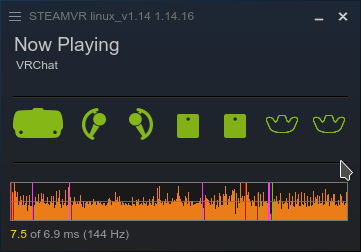
Despite the Glitchy Cyberpunk Overlay Graphics, the performance is unaffected.
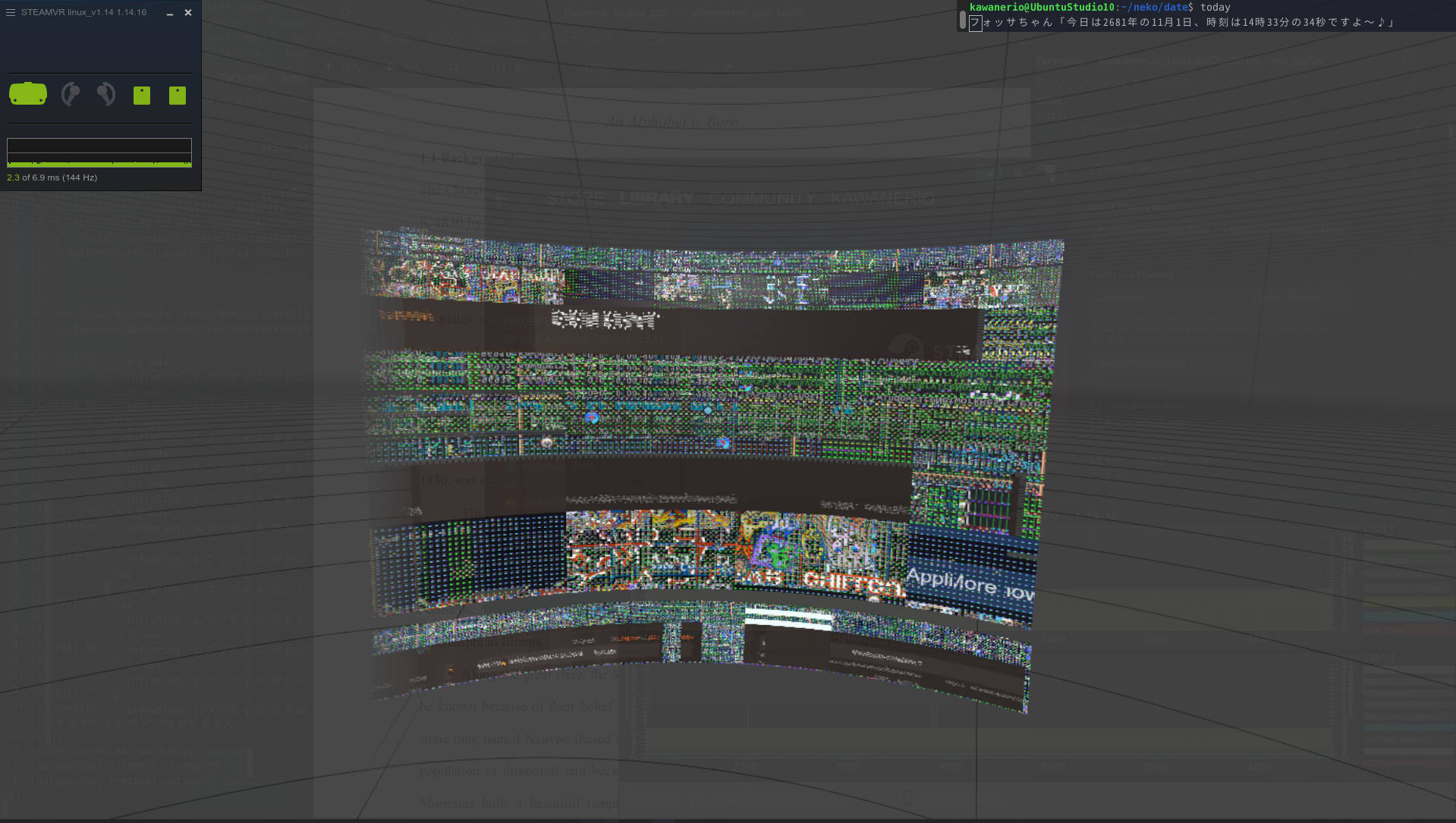
My SteamVR System Report from 2021/10/7
https://gist.github.com/KawaneRio/1669e18a7b4af4197ea88f173c3798bc
After Hardware Upgrade
BIOS Update Required
PC does not POST
After upgrading my CPU from Ryzen 5 3600 to Ryzen 7 5700G, the first thing I've noticed was that my PC would not start, or POST. After a bit of research, it turns out that my Motherboard
Gigabyte X570 UD (rev 1.0)did not in fact support myRyzen 7 5700Guntil 2021/07/13. Since my BIOS was never once updated after my purchase from 2020, my BIOS version wasF1. I needed to at least upgrade my BIOS to versionF35to get my PC to POST with my Ryzen 7 5700G.Thankfully, I did not have to buy another CPU because Gigabyte X570 UD supports Q-Flash Plus. By formatting my 8GB USB Thumbstick to FAT32 format and decompressing the aforementioned binaries onto it, then renaming the
.binfile toGIGABYTE.binand sticking the USB stick into the white USB slot that saysBIOS USBon the backside of my PC, then pushing the little black button underneath that saysQ-Flash Plusfor a few seconds and waiting for several minutes, I had successfully installed BIOS versionF35onto myGigabyte X570 UDmotherboard without having to purchase another CPU.Then my PC booted. With the new
Ryzen 7 5700GCPU,Radeon RX 580GPU, and the48145MiBof Memory showing up onneofetch, everything seemed fine and there was peace... But not for long.GUI Freeze, Safe Graphics Freeze, LiveUSB Freeze, and Memtest86+ Freeze
Memtest86+ on Ubuntu 20.04 LTS turns out to be the culprit
After upgrading my RAM from 32GB to 48GB, My OS would boot... but then completely just freeze after a few minutes. I've tried Booting in Safe Graphics Mode and tried booting from LiveUSBs but... nothing. My machine would seemingly boot fine, but then just freeze a few minutes in, regardless of activity.
After several days of disconnecting/reconnecting a bunch of Display Cables, and countless nights of rebooting and testing with different BIOS settings (enabling/disabling CSM, SVM, Secure Boot, etc...), my PC just stopped loading DE's and would just throw me into the CLI.
The good news was, though, the CLI would not freeze.
I had initially suspected that what I had was a faulty RAM, since my Memtest86+ was freezing at 9% or 54% on first test. every. single. time.
However. I didn't have a faulty RAM. What I [also] had was a faulty memtest.
To be specific, a latest bug that exists specifically in Ubuntu 20.04 LTS's version of memtest86+...
https://bugs.launchpad.net/ubuntu/+source/memtest86+/+bug/1876157
at this point I'm beginning to hate my life.and doing a fresh reinstallation of my Ubuntu Studio (Xfce) with
linux 5.11.0kernel, alongside a complete reinstall of Steam, things were never the same.Screenshot of "SteamVR has encountered a critical error."
To Reproduce
Steps to reproduce the behavior:
F36e1.2.
reboot1.3. add
GRUB_CMDLINE_LINUX="iommu=soft"to/etc/default/grubandsudo update-grub1.4. Enable SVM via
M.I.T. > Advanced Frequency Settings > Advanced CPU Settings > SVM Modein the BIOS1.5. Change
IOMMUsetting fromAUTOtoEnabledin the BIOS1.6.
reboot2.1. Wipe Everything out from the SSD and install Ubuntu Studio 10 Xfce. Do Not Reboot.
2.2.
tar --extract --verbose --keep-old-files --file /media/ubuntu-studio/onikamasu4/backup.tar.gz --directory /media/ubuntu-studio/1*******-****-****-****-************/2.3. After
taris decompressed on the freshly installed system,reboot3. `sudo chmod ugo+wx /media/kawanerio/onikamasu4/` to fix permission for external drive.
sudo chmod ugo+wx /media/kawanerio/onikamasu4/4. Open Blender and see if OpenCL is available... it is!
5. `sudo apt upgrade`; `sudo apt autoremove`; `sudo apt update`
sudo apt upgradesudo apt autoremovesudo apt update6.1. Open Steam and see if I can play SteamVR... nope:(
cd amdgpu-pro-21.30-1290604-ubuntu-20.04/7.1.
./amdgpu-install --uninstall7.2
sudo apt autoremoveandsudo apt update7.4
./amdgpu-install --opencl=legacy,rocr --no-dkms7.5
sudo apt autoremove;sudo apt update;sudo apt upgrade; andsudo apt update7.9
rebootusr/sbin/setcapas superuser.error [307]. Tried withProton ExperimentalandProton 5.13-6but with no luck. The SteamVR version islinux_v1.14 1.14.16.sudo mv /usr/share/vulkan/icd.d/intel_icd.x86_64.json /usr/share/vulkan/icd.d/intel_icd.x86_64.json.disabledbut SteamVR is still not working.sudo apt install linux-lowlatency-steamvr-20.04andsudo apt install mesa-vulkan-drivers mesa-vulkan-drivers:i386(this was around the time where I just started running commands without knowing what exactly they do)13.1. Ubuntu Software gives me a warning about how it could not install
amdgpu-dkmsand the distribution upgrade process was aborted.sudo apt autoremove→libllvm12.0-amdgpuandlibllvm12.0-amdgpu:i386will be removed.14.1
Y.Expected behavior
System Information
Ubuntu 20.04.3 LTS (Focal Fossa)[1.20.4]and[1.21.3]Built Dec 2 2021, at 07:36:11Yesvulkaninfo | grep driverInfo...wait, what?
I mean,
vulkaninfoworks fine... here'svulkaninfo > vulkaninfo.logfrom 2021/12/03... Here are the relevant snippets:...okay. maybe maybe there's a tiny chance that my Vulkan Drivers are not installed properly...
Gist for SteamVR System Information:
SteamVR 1.20.4
SteamVR 1.21.3
Performance Data
AMD Ryzen 7 5700G with Radeon GraphicsRadeon RX 580 Series (POLARIS10 DRM 3.43.0 5.11.0-41-lowlatency LLVM 12.0.1) v: 4.6 Mesa 21.3.0-develScreenshots of Frame Timing 1.21.3
Sound would occasionally cut off and on as soon as I start SteamVR. There would constantly be a lot of unpleasant "choppy" noise (The Japanese onomatopoeia for this specific noise is ブチブチ), although the frames seem to be okay, despite the horrid magenta display error seen on VRMonitor. All the Overlays, including the Steam logo that comes up when I'm using the controllers, are glitched up.
Detail View. I'm just sitting in my SteamVR void not doing anything. Frames seem fine. SteamVR Home is Disabled for good.
When I play VRChat, that's when things get a bit heavy. Just sitting in my Home World with VRChat telling me I have 90 FPS certainly does not feel like I'm getting anywhere near 90 FPS at all.
Detail View. Just sitting in my Home World not doing anything.
Now, actually going to other worlds, seeing particles and mirrors, that's when VRChat becomes very difficult to enjoy. This is just me, by myself and nobody else, going to vket3 Neo-Shibuya.
Detail View.
Screenshot of Steamvr-trace
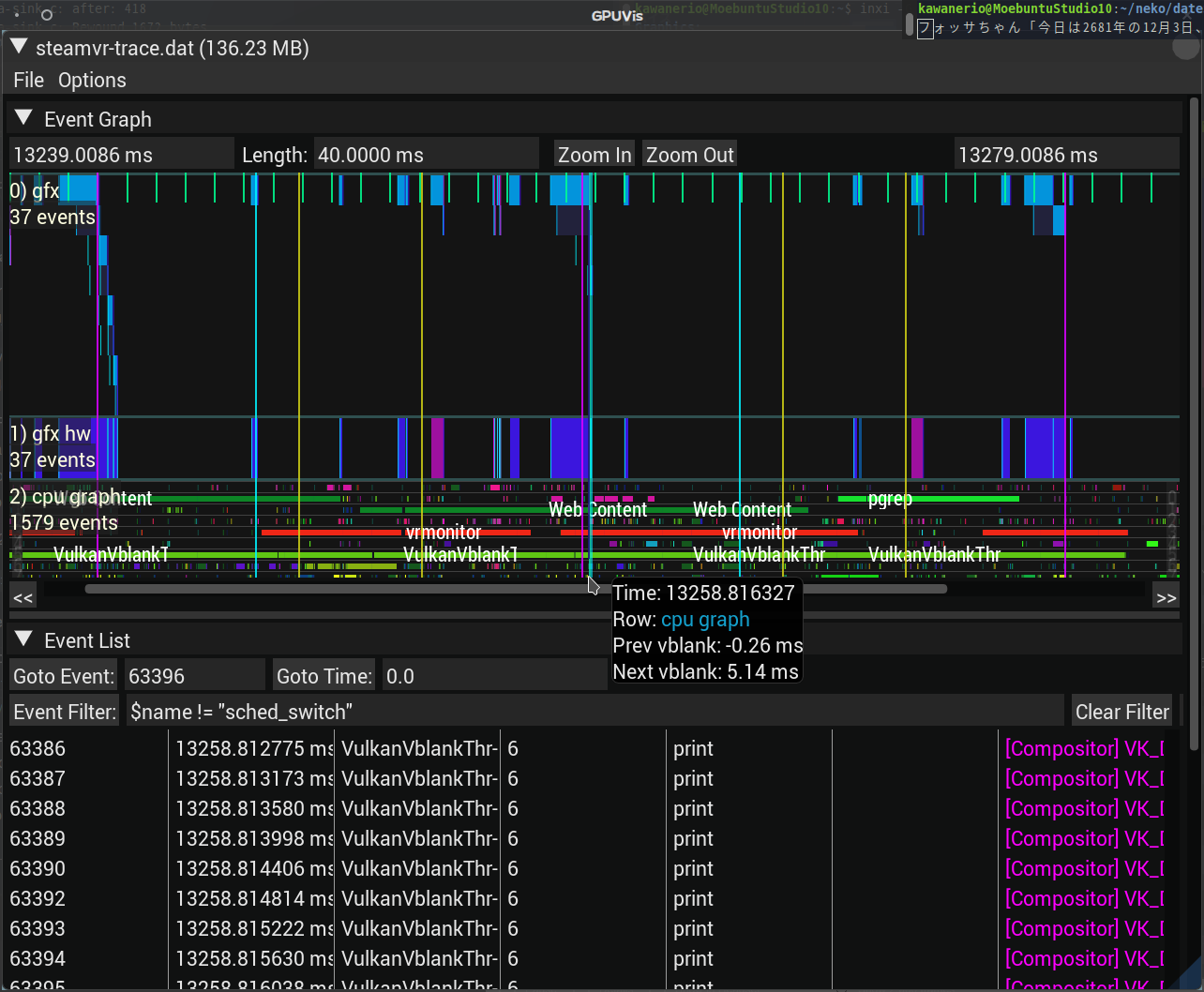
TL;DR
My HMD is slow and has super-choppy audio. I can't enjoy VR because I can't hear people half the time. I didn't have this problem last month. I sad.
Note: Commenters who are also experiencing this issue are encouraged to include the "System Information" and "Perf Data" sections in their replies. [See instructions]