Hstorically, exporting textures from Vulkan on amdvlk and importing them into OpenGL on radeonsi has not been working properly and that's what always caused this corruption, for example
https://github.com/ValveSoftware/SteamVR-for-Linux/issues/377
https://github.com/ValveSoftware/SteamVR-for-Linux/issues/512
Running SteamVR on radv should give you a better experiencein general too.
radv has always been giving me error 307 so far, which is why I stuck with amdvlk, but I'll see if I can get it to work
With RADV OpenGL is working correctly now. The reason SteamVR had trouble with RADV was LLVM getting loaded both from the steam runtime directory and from the amdgpu directory, which caused the compositor to abort (this was only visible when running the compositor in gdb).
Nothing extracted yet.
Describe the bug
With OpenGL applications, the image in the HMD as well as in VR View is heavily corrupted. In the desktop mirror of the application, everything looks normal. Tested with both the hellovr_opengl sample and vivecraft. hellovr_vulkan does not show any issues. The performance graph and system overlay are also affected
To Reproduce
Steps to reproduce the behavior:
Expected behavior
A normal image without artefacts, as seen in the desktop mirror of hellovr_opengl
System Information (please complete the following information):
Built: Feb 14 2023, at 00:47:47Screenshots
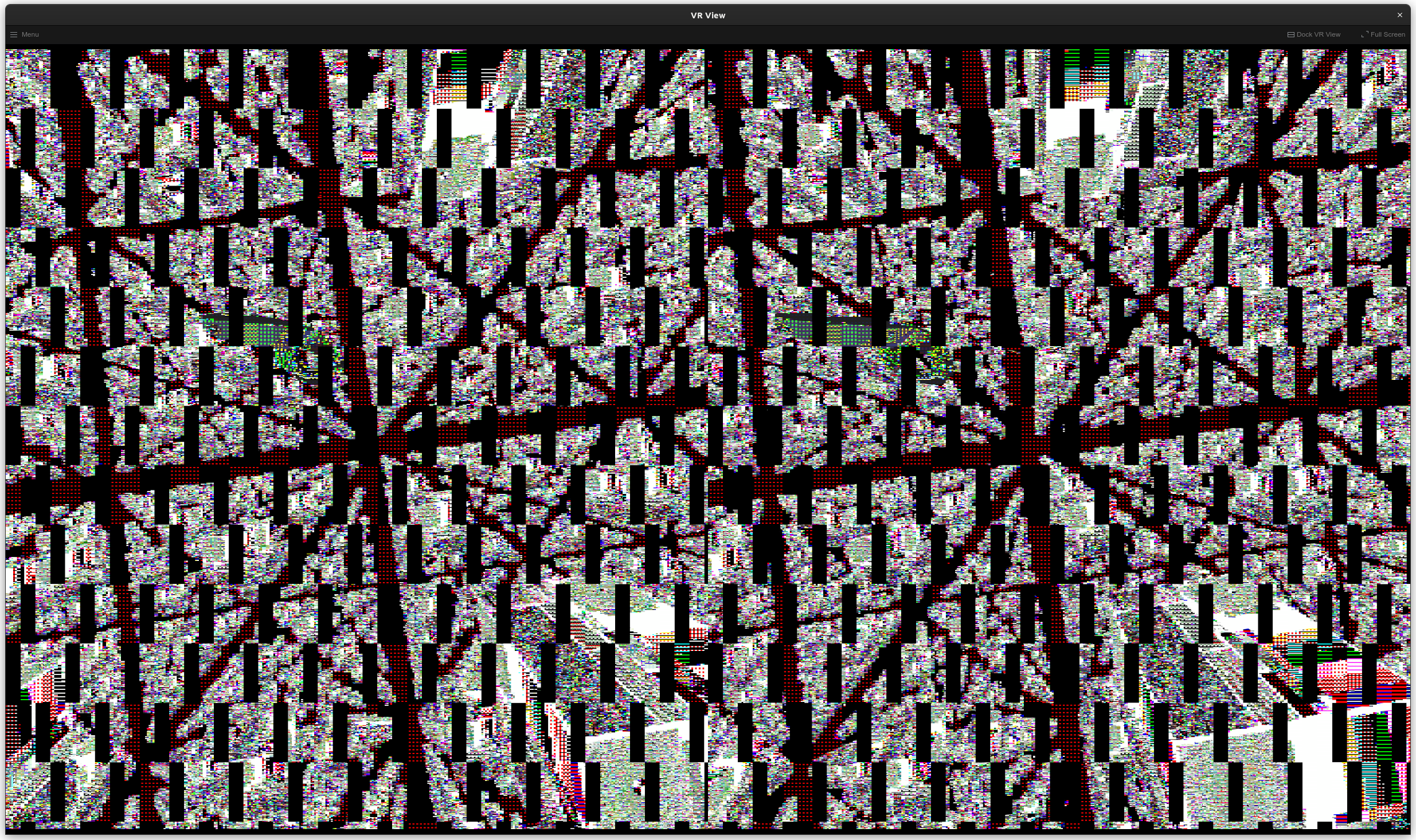
The textured parts of the cubes flimmer, but the black squares and the red pattern are static.
Additional context
Similar corruption sometimes occurs in other OpenGL based programs, however, when it does, it only appears for one frame and does not show a static pattern like this case.
On the same system, inside a distrobox container running fedora 36, the same issue does not appear, so this is not a hardware issue.
Note: Commenters who are also experiencing this issue are encouraged to include the "System Information" section in their replies.