Steam fails to print receipt after a purchase
Same for me.
Same here, running ARCH Linux x64
I have the same problem and was able to reproduce it.
System information:
Operating System Version:
    Ubuntu 12.04.1 LTS (64 bit)
    Kernel Name:  Linux
    Kernel Version:  3.2.0-35-generic
    X Server vendor:  The X.Org Foundation
    X Server release:  11103000
I was also able to reproduce it.
I'm running Gnome 3.4.2, with CUPS 1.5.3.
Operating System Version:
    Ubuntu 12.04.1 LTS (32 bit)
    Kernel Name:  Linux
    Kernel Version:  3.2.0-35-generic
    X Server vendor:  The X.Org Foundation
    X Server release:  11103000
same bug here using unity
CEF doesn't have printing support for Linux. The CEF team may add this in the future.
Here's the print feature ticket for CEF3:
http://code.google.com/p/chromiumembedded/issues/detail?id=505
It's being worked on right now, but needs more developers to get it done. It has a design doc & architecture under review. Once implemented, Valve would have to update their build to use CEF3, also. So, this is sort of progressing.
I'd surely like to be able to print my receipts.
Printing support has been added to CEF3 in 2013. Can you fix print function in Steam Client now?
+1
...or at least remove the button, so users (me) will not spend time searching for unavailable solutions.
Printing is still not possible.
7 years later and this essential function is still not working.
I get "The selected printer is not available or not installed correctly. Check your printer or try selecting another printer."
Having a fallback to save as PDF would be really handy, VALVe. :/
8 years later: Still not working!

Would it be so difficult to use the pdf printer as fallback or even open the printer selection/settings dialog?
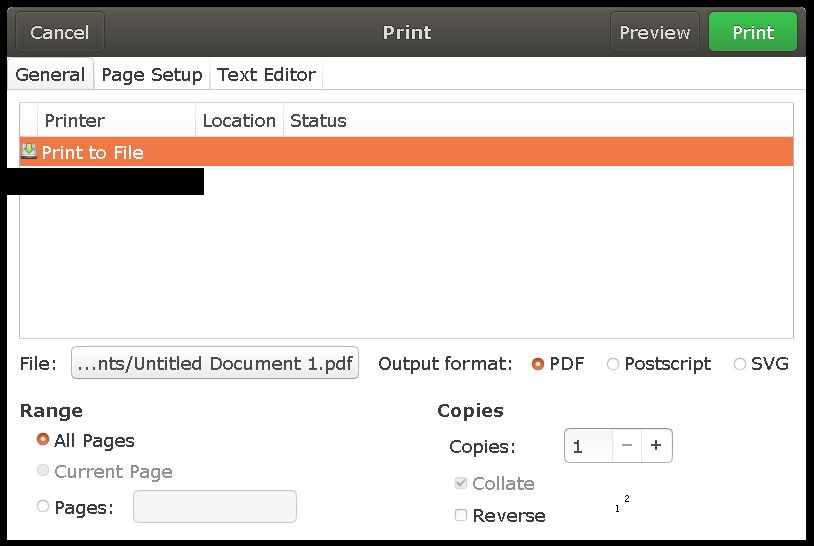
As of November 7th 2021 this issue still persists. Got it in popOS 21.04 when trying to print a receipt.
issue still exists. It doesn't even give me a drop down to select printer or even better print to pdf!
issue still exists. will the function be implemented at some point?
i have steam beta
Over 10 years later, and still not working. How about at least adding the ability to create a PDF? Or just open a browser window with the receipt so we can print it from there?
Nothing extracted yet.
Whenever I purchase a game, I am greeted with the confirmation dialog as usual, but the print button does nothing. I get the following error in the terminal:
[1221/140553:ERROR:browser_impl_gtk.cc(191)] Not implemented reached in void CefBrowserImpl::UIT_PrintPages(WebKit::WebFrame*)
I'm running KDE 4.8.5, and I'm set up for printing through CUPS 1.5.3.
Operating System Version:
Ubuntu 12.04.1 LTS (64 bit)
Kernel Name: Linux
Kernel Version: 3.5.0-18-generic
X Server vendor: The X.Org Foundation
X Server release: 11203000