[Feature Request] Nintendo Switch Pro Controller Configuration Support
Reviewed this in #steamlug on IRC also and was recommended to look at the SDL controllerdb file - added a bug there as well with the mappings generated by Steam:
Another update: libsdl has added the mappings I pulled from Steam, so this issue should resolve itself whenever the next SDL release happens and is pulled into Steam.
It may also be useful to keep this open as a feature request for full PS4-style support though, with motion control and proper LED support. The Switch is selling extremely well and could quickly be a popular controller for users.
As much as I hate the Xbox360 mapping, I feel weird having A,B,X,Y all inverted...
Is everyone ok with that?
Maybe I am the only one here arguing, huhu, here's my mapping instead (made via antimicro):
050000007e0500000920000001000000,Pro Controller,platform:Linux,a:b1,b:b0,x:b3,y:b2,back:b8,start:b9,guide:b12,leftshoulder:b4,rightshoulder:b5,leftstick:b10,rightstick:b11,leftx:a0,lefty:a1,rightx:a2,righty:a3,lefttrigger:b6,righttrigger:b7,dpup:h0.1,dpleft:h0.8,dpdown:h0.4,dpright:h0.2,
Does it work now in latest Steam?
Does it work now in latest Steam?
Yes, it works. Bluetooth and play. It follows Xbox 360 mappings so each button and stick is working, except the Capture button since 360 doesn't have an equivalent button. Since it follows 360 mapping, expect menus like Big Picture to work differently from a Nintendo fan thought it would.
Pro Controller's B for accept, go in (360's A)
Pro Controller's A for reject, go back (360's B)
X, Y are also inverted...
Steam seems to ignore "Guide button focuses Steam" so if you have Steam in the background and you are playing non-Steam game like Dolphin, pressing Home button ended up causing Steam to go into foreground.
Like on Windows, there's no rumble, no plug and play through wired, no NFC and motion controls obviously. Player number LED still flashes left and right when connected.
Unlike on Windows, you can't calibrate the sticks easily on Linux, so something you need to think about.
Unlike on Windows, you can't calibrate the sticks easily on Linux, so something you need to think about.
That's something that still bothers me. In some games where you can "run" with the analog sticks from a 360, you can just "walk" with the ones from the Switch Pro Controller.
In Windows this can be solved by calibrating the controller ones but in Linux? Especially Ubuntu (which I'm using)?
Support for the Switch Pro Controller has been added to the Steam Client Beta, but I can't get Steam to recognize my controller.
I have my controller connected over bluetooth via the KDE Bluetooth System Settings Module provided by Bluedevil:

In the KDE Joystick System Settings Module, inputs from the controller are displayed:
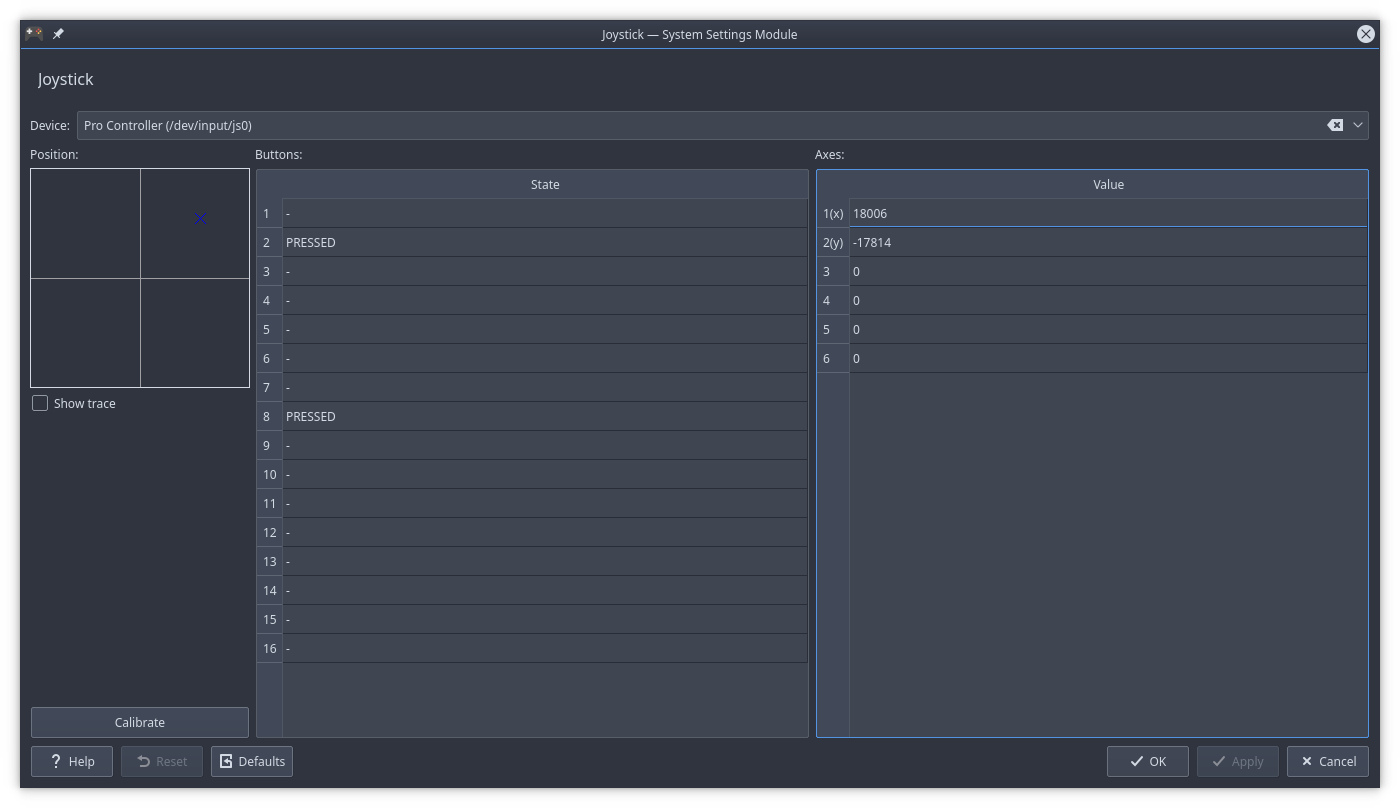
However, in the Steam controller settings, the Pro Controller is not detected:

Before this update, I was able to use the Pro Controller in Rocket League, but currently neither Steam Big Picture nor Rocket League are detecting it.
I haven't been able to test the Pro Controller connected via wired, because I haven't been able to get it connected that way.
System Info:
- Steam client version:
May 2, 2018, at 00:52:28 - Distribution: Arch Linux
- Opted into Steam client beta: Yes
With this rule, we were able to use it wired:
# Nintendo Switch Pro Controller over USB hidraw
KERNEL=="hidraw*", ATTRS{idVendor}=="057e", ATTRS{idProduct}=="2009", MODE="0666"
However, there is an issue with analog stick support in the current Steam build that should be solved tomorrow. No success over Bluetooth yet on my end, but you will most likely need this rule:
# Nintendo Switch Pro Controller over bluetooth hidraw
KERNEL=="hidraw*", KERNELS=="*057E:2009*", MODE="0666"
I'm having the same issue as CodingKoopa with my wireless controller. I'm using Solus Linux, so it isn't just a distro thing.
No success over Bluetooth yet on my end, but you will most likely need this rule:
That rule doesn't fix it. Here's the udevadm monitor log, if it helps:
KERNEL[305.566082] add      /devices/pci0000:00/0000:00:01.3/0000:03:00.0/usb1/1-4/1-4:1.0/bluetooth/hci0/hci0:11 (bluetooth)
UDEV  [305.567943] add      /devices/pci0000:00/0000:00:01.3/0000:03:00.0/usb1/1-4/1-4:1.0/bluetooth/hci0/hci0:11 (bluetooth)
KERNEL[307.822315] add      /devices/pci0000:00/0000:00:01.3/0000:03:00.0/usb1/1-4/1-4:1.0/bluetooth/hci0/hci0:11/0005:057E:2009.0008 (hid)
KERNEL[307.822382] add      /devices/pci0000:00/0000:00:01.3/0000:03:00.0/usb1/1-4/1-4:1.0/bluetooth/hci0/hci0:11/0005:057E:2009.0008/input/input20 (input)
KERNEL[307.823522] add      /devices/pci0000:00/0000:00:01.3/0000:03:00.0/usb1/1-4/1-4:1.0/bluetooth/hci0/hci0:11/0005:057E:2009.0008/input/input20/event19 (input)
KERNEL[307.823562] add      /devices/pci0000:00/0000:00:01.3/0000:03:00.0/usb1/1-4/1-4:1.0/bluetooth/hci0/hci0:11/0005:057E:2009.0008/input/input20/js0 (input)
KERNEL[307.823576] add      /devices/pci0000:00/0000:00:01.3/0000:03:00.0/usb1/1-4/1-4:1.0/bluetooth/hci0/hci0:11/0005:057E:2009.0008/hidraw/hidraw6 (hidraw)
KERNEL[307.823601] bind     /devices/pci0000:00/0000:00:01.3/0000:03:00.0/usb1/1-4/1-4:1.0/bluetooth/hci0/hci0:11/0005:057E:2009.0008 (hid)
UDEV  [307.824868] add      /devices/pci0000:00/0000:00:01.3/0000:03:00.0/usb1/1-4/1-4:1.0/bluetooth/hci0/hci0:11/0005:057E:2009.0008 (hid)
UDEV  [307.827385] add      /devices/pci0000:00/0000:00:01.3/0000:03:00.0/usb1/1-4/1-4:1.0/bluetooth/hci0/hci0:11/0005:057E:2009.0008/input/input20 (input)
UDEV  [307.827419] add      /devices/pci0000:00/0000:00:01.3/0000:03:00.0/usb1/1-4/1-4:1.0/bluetooth/hci0/hci0:11/0005:057E:2009.0008/hidraw/hidraw6 (hidraw)
UDEV  [307.829387] add      /devices/pci0000:00/0000:00:01.3/0000:03:00.0/usb1/1-4/1-4:1.0/bluetooth/hci0/hci0:11/0005:057E:2009.0008/input/input20/js0 (input)
UDEV  [307.888372] add      /devices/pci0000:00/0000:00:01.3/0000:03:00.0/usb1/1-4/1-4:1.0/bluetooth/hci0/hci0:11/0005:057E:2009.0008/input/input20/event19 (input)
UDEV  [307.891181] bind     /devices/pci0000:00/0000:00:01.3/0000:03:00.0/usb1/1-4/1-4:1.0/bluetooth/hci0/hci0:11/0005:057E:2009.0008 (hid)
Those first two bluetooth lines were logged as soon as I pressed the Connect button in the Bluedevil tray, before the controller was actually synced. When the connection actually finished, then the rest of the lines were logged.
This is the output of sudo udevadm test /devices/pci0000:00/0000:00:01.3/0000:03:00.0/usb1/1-4/1-4:1.0/bluetooth/hci0/hci0:11/0005:057E:2009.0008/hidraw/hidraw6 (Where that sysfs path is from the first udev hidraw entry from the above log.), truncated to have the other rules trimmed out:
calling: test
version 238
This program is for debugging only, it does not run any program
specified by a RUN key. It may show incorrect results, because
some values may be different, or not available at a simulation run.

Load module index
Parsed configuration file /usr/lib/systemd/network/99-default.link
Created link configuration context.
Reading rules file: /usr/lib/udev/rules.d/10-dm.rules
Reading rules file: /etc/udev/rules.d/10-nintendo-switch-pro-controller.rules
Reading rules file: /usr/lib/udev/rules.d/11-dm-lvm.rules
# SNIP
Reading rules file: /usr/lib/udev/rules.d/99-systemd.rules
rules contain 196608 bytes tokens (16384 * 12 bytes), 31223 bytes strings
22244 strings (184495 bytes), 19485 de-duplicated (156032 bytes), 2760 trie nodes used
MODE 0666 /etc/udev/rules.d/10-nintendo-switch-pro-controller.rules:2
handling device node '/dev/hidraw6', devnum=c241:6, mode=0666, uid=0, gid=0
preserve permissions /dev/hidraw6, 020666, uid=0, gid=0
preserve already existing symlink '/dev/char/241:6' to '../hidraw6'
ACTION=add
DEVNAME=/dev/hidraw6
DEVPATH=/devices/pci0000:00/0000:00:01.3/0000:03:00.0/usb1/1-4/1-4:1.0/bluetooth/hci0/hci0:11/0005:057E:2009.0008/hidraw/hidraw6
MAJOR=241
MINOR=6
SUBSYSTEM=hidraw
USEC_INITIALIZED=740736527
Unload module index
Unloaded link configuration context.
Going off of this log, it does seem that everyone is being granted r/w permissions.
Today's Beta build should fix the bug with analog sticks.
The new May 3 2018, at 17:23:24 build fixed Bluetooth Pro Controller support for me, works perfectly now.
The controller works but, in a partially unrelated issue, I can't get it to work with a game running under Wine. Steam refused to load it not matter what options I gave for a shortcut.
Is there any way to keep the controller in game mode always, so that other programs will recognize it as an Xbox controller?
Same problem here.
I found out how to get desktop control to work. Go to desktop configuration and then the select template option. The regular gamepad option is still there.
When i connect pro controller by bluetooth it appear in jstest
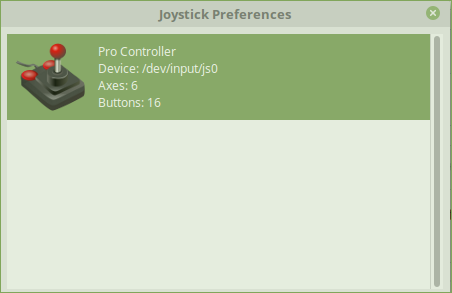
but steam don't see it

Maybe steam need special udev rule for pro controller?
My system Linux Mint 18.3 (Ubuntu 16.04)
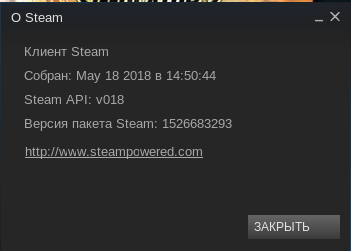
Steam installed by .deb from official site version 10.0.0.54
steam version:
Yes, can you try adding these udev rules?
# Nintendo Switch Pro Controller over USB hidraw
KERNEL=="hidraw*", ATTRS{idVendor}=="057e", ATTRS{idProduct}=="2009", MODE="0666"

# Nintendo Switch Pro Controller over bluetooth hidraw
KERNEL=="hidraw*", KERNELS=="*057E:2009*", MODE="0666"
@Plagman yes it works thanks. Tested usb and bluetooth.
UPD
But in some games left stick doesn't work :( For example stardew valley. But it works well in other games.
I'm unable to get the Switch Pro Controller working. I don't have any Bluetooth capability on this computer, so I've had to try using USB, but no matter what I do, Steam won't recognize it. I've tried installing steam-devices, I've tried disconnecting it from the Switch to avoid accidentally turning the Switch on, I've tried different USB ports... nothing works.
- Steam client version (build number or date): Sep 1 2018, package version 1535768746
- Distribution (e.g. Ubuntu): Ubuntu 18.04.1 (64 bit)
- Opted into Steam client beta?: [Yes/No] Yes
- Have you checked for system updates?: [Yes/No] Yes
Local Device Found
  type: 057e 2009
  path: 0003:0010:00
  serial_number:  - 0
  Manufacturer:
  Product:
  Release:      200
  Interface:    0

Unable to open local device: 0003:0010:00
It works for me now after some update.
Closing as the feature request was implemented.
Nothing extracted yet.
The Switch Pro Controller is natively recognized as X-Input and works under Bluetooth, however if I enable the new 'Generic Gamepad Configuration Support' feature my button mappings are gone and the controller no longer works in the Big Picture interface.
I'm not sure exactly what would be needed, but this is what I'm able to get out of udevadm:
And just to clarify, the controller works fine in Big Picture with the legacy mapping system, this just does not work with games that are Xbox or PS controllers only (Such as Mad Max).