steam://open/newforyou does not work with notify about changes unchecked
Hello @GUiHKX, there appears to be some other factor involved to cause this issue. I was not able to reproduce this issue on my Arch test box, among other test boxes.
Please copy your system information from steam (Steam -> Help -> System Information) and put it in a gist, then include a link to the gist in this issue report.
Sorry, I forgot about that! But it won't be needed anymore, I know what is causing this.
If you go to Settings > Interface and untick the option "Notify me about additions or changes to my games, new releases, and upcoming releases", the Update news option in the menu will stop working.
This is a cross-platform issue.
This doesn't work at all wether I have ticked or unticked the setting "Notify me about additions or changes to my games, new releases, and upcoming releases".
I can confirm this is still the case.
And can you try now? Apparently it now works (see the link above in my issue).
Still nothing. When the option is unticked, the news popup does not appear.
what Steam version?
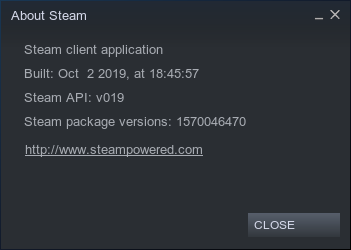
Ok nevermind yes with the option unticked I too don't have the popup.
Before with or without the option ticked I had nothing. Now it half works, when the option is ticked you're right.
This seems to be fixed.
Confirming it's fixed. Tested on:
Steam Version:  1687015240
Steam Client Build Date:  Sat, Jun 17 11:53 UTC -03:00
Steam Web Build Date:  Fri, Jun 16 21:51 UTC -03:00
Steam API Version:  SteamClient020
Nothing extracted yet.
Your system information
Please describe your issue in as much detail as possible:
The "Update News" option located in the "View" menu does nothing when clicked on. Plus, clicking that option makes the entire menu kind of freeze, so you have to open the "View" menu again to unfreeze it.
Steps for reproducing this issue: