Have you checked for system updates?: [Yes/No] Yes
Please describe your issue in as much detail as possible:
Describe what you expected should happen and what did happen. Please link any large code pastes as a Github Gist
*What i expected should happen
if i remember correctly, i should get a login window that has all my info filled in already and i just push the login button to log into steam (with remember password checked)
*What Did/Does happen
After i shutdown/restart the computer and launch Steam, it seems to have forgotten all about me and i get a window like this, every single time
heres the wierd thing,
if i just close that window, and launch steam a second time, steam comes up, no login window and im already logged in looking at my library
if i dont close that window, and click "login to existing account", i get a login window with all the login info username password and remember password check box all blank, (even though i have always had the remember password box checked before) it looks like this
even if i type in all my info and recheck remember password, and hit login (which does log me into steam just fine like normal), next time i reboot/restart it will be the same
window and if i push "login to existing account", it will be the same blank login box
Steps for reproducing this issue:
im not sure if this issue is reproducible for everyone or just something bugged on my computer, id have to reinstall mint 17.3 and reinstall steam to find that out, but for me the reproducible steps are
Shutdown or reboot computer
launch steam
either
A. close this window
and re-launch steam a second time and im already logged in looking at my library in steam
OR
B. click "login to existing account" and get a blank login window
and type in all my info AGAIN and push login
I mainly just thought i should report the fact that im auto logging into steam by closing the login window? (i dont know what to call this window, im naming it "phil")
, it seems like a bug and perhaps even a security issue IDK, and it took me a long time to figure out that i didnt have to click "existing account" and type my entire login info EVERY TIME, actually it was an accident when i discovered i could just close the phil window and relaunch steam again and just be logged in
first time posting anything on github so bear with me
if anyone needs any files or diagnostic codes or any other info from my computer that will help you to figure this out, just ask me (and tell me the steps of how to do it)
oh one more important note, this does not happen if i disable steamguard, it just logs me in, i believe with no login window, (but i cant post in forums with steamguard off so i turned it back on)
BarcodeZero
Your system information
Steam client version (build number or date):
Built: Oct 30 2017, at 19:09:46
Steam API: v017
Steam package versions: 1509425745
Distribution (e.g. Ubuntu):
cat /etc/*-release
DISTRIB_ID=LinuxMint
DISTRIB_RELEASE=17.3
DISTRIB_CODENAME=rosa
DISTRIB_DESCRIPTION="Linux Mint 17.3 Rosa"
NAME="Ubuntu"
VERSION="14.04.5 LTS, Trusty Tahr"
ID=ubuntu
ID_LIKE=debian
PRETTY_NAME="Ubuntu 14.04.5 LTS"
VERSION_ID="14.04"
HOME_URL="http://www.ubuntu.com/"
SUPPORT_URL="http://help.ubuntu.com/"
BUG_REPORT_URL="http://bugs.launchpad.net/ubuntu/"
Opted into Steam client beta?: [Yes/No] N0
Have you checked for system updates?: [Yes/No] Yes
Please describe your issue in as much detail as possible:
Describe what you expected should happen and what did happen. Please link any large code pastes as a Github Gist
*What i expected should happen
if i remember correctly, i should get a login window that has all my info filled in already and i just push the login button to log into steam (with remember password checked)
*What Did/Does happen
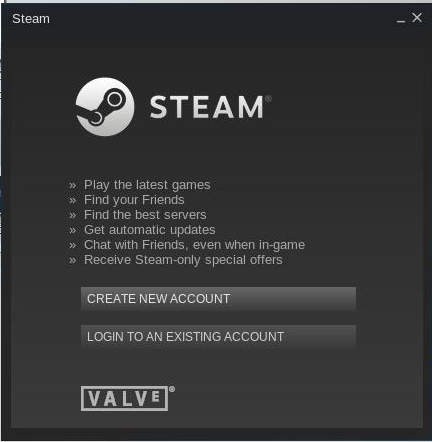
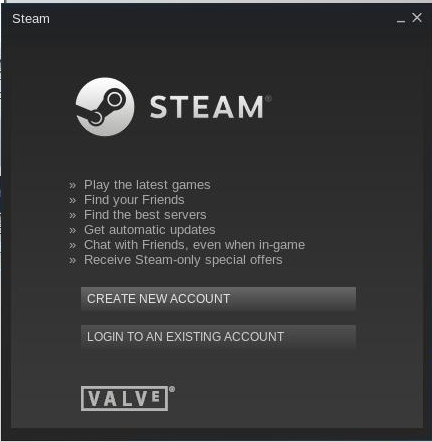
After i shutdown/restart the computer and launch Steam, it seems to have forgotten all about me and i get a window like this, every single time
heres the wierd thing,
if i just close that window, and launch steam a second time, steam comes up, no login window and im already logged in looking at my library
if i dont close that window, and click "login to existing account", i get a login window with all the login info username password and remember password check box all blank, (even though i have always had the remember password box checked before) it looks like this

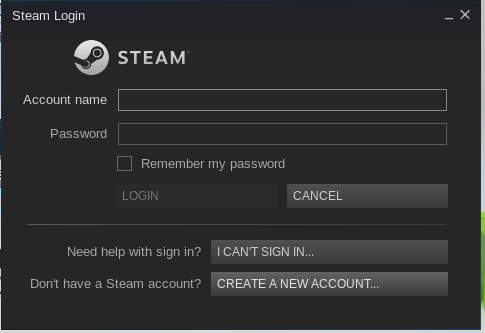
even if i type in all my info and recheck remember password, and hit login (which does log me into steam just fine like normal), next time i reboot/restart it will be the same
window and if i push "login to existing account", it will be the same blank login box
Steps for reproducing this issue:
im not sure if this issue is reproducible for everyone or just something bugged on my computer, id have to reinstall mint 17.3 and reinstall steam to find that out, but for me the reproducible steps are
A. close this window
and re-launch steam a second time and im already logged in looking at my library in steam
OR
B. click "login to existing account" and get a blank login window
and type in all my info AGAIN and push login
I mainly just thought i should report the fact that im auto logging into steam by closing the login window? (i dont know what to call this window, im naming it "phil")
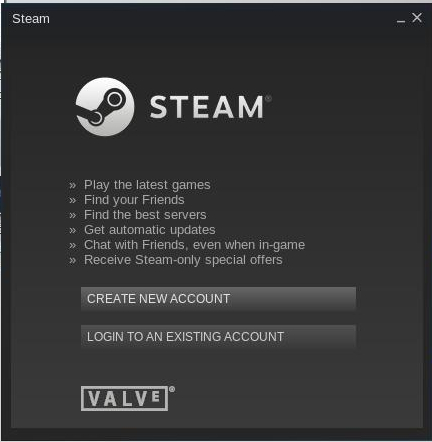
, it seems like a bug and perhaps even a security issue IDK, and it took me a long time to figure out that i didnt have to click "existing account" and type my entire login info EVERY TIME, actually it was an accident when i discovered i could just close the phil window and relaunch steam again and just be logged in
first time posting anything on github so bear with me
if anyone needs any files or diagnostic codes or any other info from my computer that will help you to figure this out, just ask me (and tell me the steps of how to do it)
oh one more important note, this does not happen if i disable steamguard, it just logs me in, i believe with no login window, (but i cant post in forums with steamguard off so i turned it back on)
BarcodeZero