Rocket League- Misplaced Steam Overlay
It's been like this since the game came out to Linux AFAIR
@r3pek Than it is really sad when you think how much time passed since release and still broken
Have the same issue. This might need to be fix by the rocket league devs.
@TheSIlentLink Rocket League devs won't fix it until someone who uses " SteamOS " prove them it is the same on there too.
Because when you report a bug to them , they say they only support SteamOS , Linux support is in beta.
That is where @Plagman comes in.
Which means that a fix from them is extremely unlikely seeing as SteamOS uses big picture mode and that has a different overlay.
@TheSIlentLink Or Valve Linux devs can add a workaround for this app , exclusively. Since everygame has a unique app id , that won't cause a mess. No need to set it as a global SO exception , just for that app.
Looks like this is a Steam bug in any case, so I wouldn't bother the Psyonix guys with it; thanks for the report.
@Plagman No problem.
Hi @Plagman
Besides that issue still exists , looks like it also affects Steam Link Android app too. I assume Steam Link app captures game streaming via Steam Overlay because until pressing Shift+Tab ( opening full overlay ) it make game streamed like this :
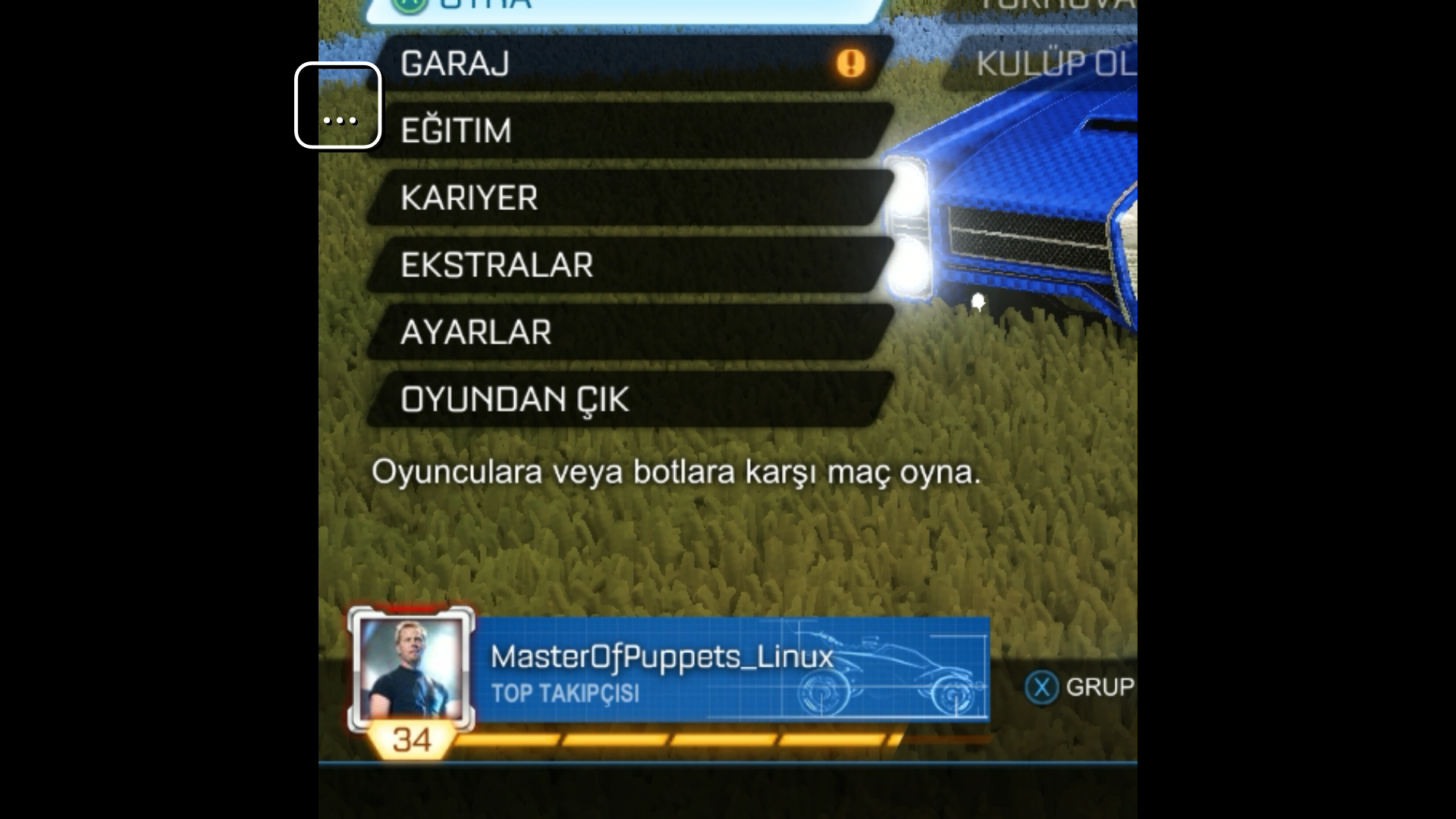
After doing Shift+Tab workaround:
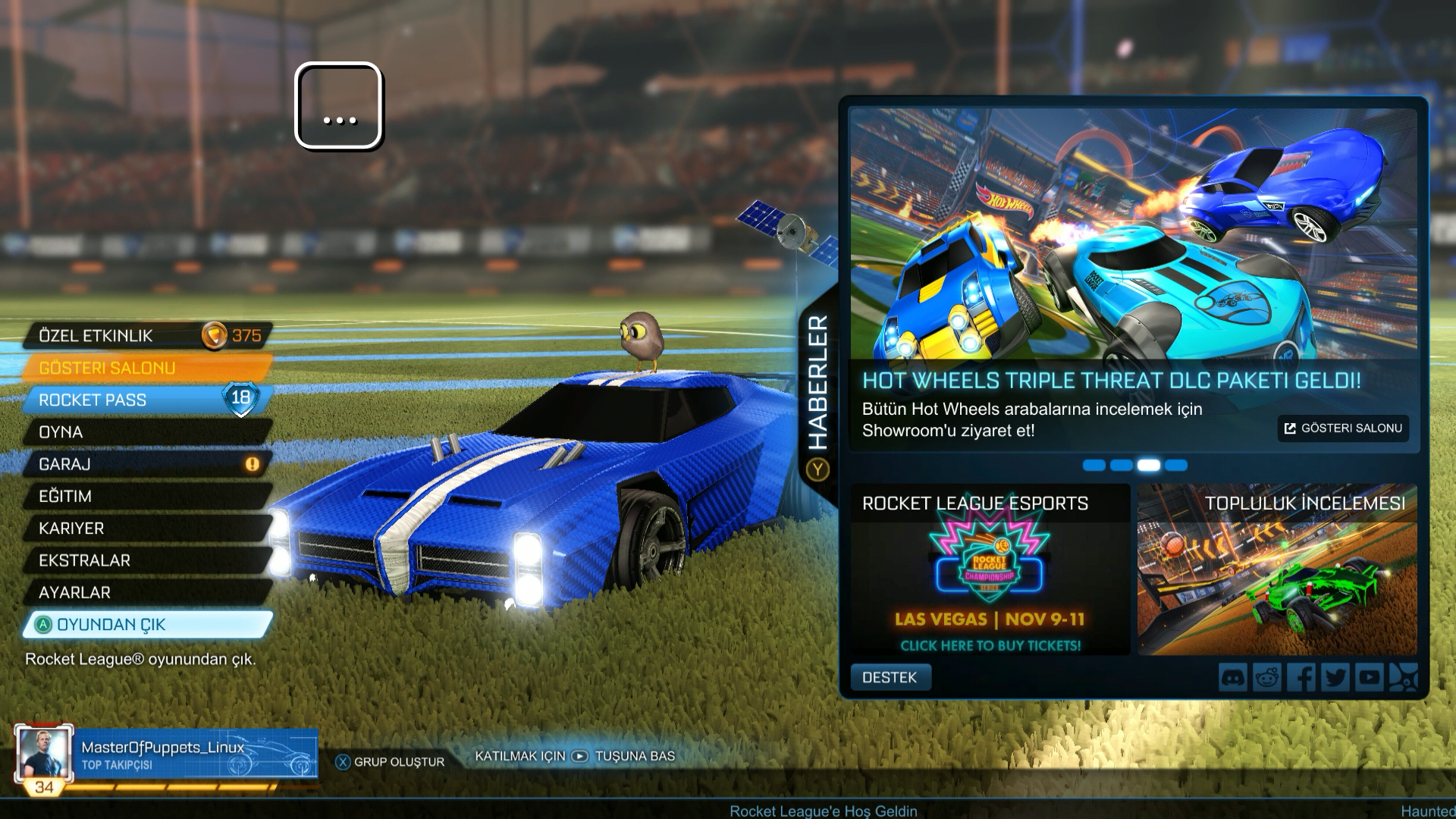
Also another game is suffering from this.
LISA- A native Linux game
When you hit F1 for options , Steam Overlay collapses into lower left corner of screen.
Shift+Tab is the same workaround.
Problem still exists.
I can confirm the issue here too. It happens with both radeonsi and iris drivers.
Issue still exists , latest Steam client beta.
Since native version of this game won't get any future updates ( ended Linux and Mac support ) , i'm closing this. I refunded this game and don't have chance to test if it has the same issue with Proton ( probably not ).
Closing.
Nothing extracted yet.
Your system information
i7 7700 HQ
Gtx 1050 - Nvidia 396.24.02 driver
Kernel 4.15
Please describe your issue in as much detail as possible:
Steam Overlay is misplaced with Rocket League on Linux. Until you alt-tab the game or going Shift-tab to see full Steam overlay, it stays like this.
Steps for reproducing this issue: