Nvidia cuda 10 installer missing 32 bit support
Hello @AlexRouSg, in detail, please explain the steps you took to install the nvidia driver. If you used nvidia's installer, I think you need to have libc6-i386 installed before installing the nvidia driver.
I used the official deb installer from https://developer.nvidia.com/cuda-downloads?target_os=Linux&target_arch=x86_64&target_distro=Ubuntu&target_version=1804
CUDA 10 uses gcc 7 btw.
From what I've found, glXChooseVisual happens when the x86 drivers are not installed, however 410 does not support x86 anymore so they cannot be installed.
Also normal ogl applications work so drivers are working.
I got confirmation from someone that nvidia 410.57 works fine with steam, so for some reason the nvidia installer did not put 32 bit support on your system or is otherwise broken.
Ahhh, apparently the .run installer includes a 32 bit compatibility layer.
I'm having the exact same problem, except I'm on standard Ubuntu18.04. Also used the deb installer from their site. Can you confirm that the .run installer fixed the issue for you?
EDIT:
Using the .run installer worked for me as well. Also works with drivers 410.48.
Yes steam and all 32 bit ogl applications work only with the .run installer.
Installing with the .run installer is tricky cause you need to blacklist the nouveau drive and boot into non gui mode (init 3) before running the installer.
Same issue here.
Installed CUDA 10 and NVIDIA driver is now 410.48. Launch Steam then immediately pops up "glXChooseVisual failed".
OS: Ubuntu 18.04 with apt updated to the latest.
Steam Laucher: 1.0.0.56
CUDA 10 was installed using:
- Operating System: Linux
- Architecture: x86_64
- Distribution: Ubuntu
- Version: 18.04
- Installer Type: deb (network)
Can Steam switch to 64-bit instead of 32-bit to fix this issue?
Also interested in this issue. Same setup as @uframer. Would be great if Steam was 64-bit. My particular issue is that I'm setting up a machine with nvidia-docker and there they recommend using the package manager. I mean, it's generally recommended to use the package manager to keep yourself out of problems. Would love to see the package manager version changed appropriately, hopefully for 10.1 or whatever comes next.
Can Steam switch to 64-bit instead of 32-bit to fix this issue?
While it would avoid this particular error, any game that's also using 32-bit binaries (and that's likely going to be a lot if not all of of them?) is going to fail in the same manner. This is really a bug in NVIDIA's packaging.
@kisak-valve Replying to your comment over at #5884, do you know if there's an issue tracking this on either Ubuntu or NVIDIA's issue tracker that we could reference/check? Looks like there are quite a few people who are running into this, and maybe if we all voiced our issues they would fix it.
@71mb0 did you install the driver together with the .run file? I saw many people not recommending using the driver that is packaged with CUDA, but instead installing the packaged one.
@darthdeus
I have the same issue. I updated Ubuntu 16.04 into Ubuntu 18.04 last week and steam stopepd working.
So i uninstall cuda 10 and use the cuda 9.2 run file (cuda_9.2.148_396.37_linux.run, Ubuntu 17.10) to install cuda 9.2 with nvidia driver-396.
Steam worked now. Graphics driver work smoothly without any problems.
Detail is at : https://www.pugetsystems.com/labs/hpc/How-to-install-CUDA-9-2-on-Ubuntu-18-04-1184/#step-2-get-the-right-nvidia-driver-installed
@gachiemchiep Thanks! I just tried it as well and it works :)
For anyone finding this issue in despair, here's what I did:
# get rid of the packaged thingies
sudo apt purge nvidia\*
sudo apt purge cuda\*
then go to the official CUDA toolkit download page, get the local runfile, and follow the manual for installing. I didn't follow the blog posted above because I need CUDA 10.0, but it was all simple. The steps are basically:
- remove existing nvidia drivers
- install dependencies
- disable nouveau
- reboot & run
sudo init 3 - install
sudo ./cuda-....run sudo reboot- profit :)
God it would have been really helpful to know that CUDA would break Steam.
Noted by @LouisCyfer in #6113, the Cuda 10.1 / 418.39 .deb package is also affected.
Hi Folks!
Ty @kisak-valve for linking!
I have figured this driver is pretty much working with CUDA 10.0.130 and binary driver 32bit libs for ubuntu 16.04. I assume 18.04 might just be ok with this too because the version of the CUDA and driver releases are the same.
cuda-repo-ubuntu1604-10-0-local-10.0.130-410.48_1.0-1_amd64
hope this helps anyone.
Also interested in this issue. Same setup as @uframer. Would be great if Steam was 64-bit. My particular issue is that I'm setting up a machine with nvidia-docker and there they recommend using the package manager. I mean, it's generally recommended to use the package manager to keep yourself out of problems. Would love to see the package manager version changed appropriately, hopefully for 10.1 or whatever comes next.
I am using Cuda10.1, still have this problem
For anyone wondering sudo apt install libnvidia-gl-418:i386 should work
For anyone wondering
sudo apt install libnvidia-gl-418:i386should work
$ sudo apt install libnvidia-gl-418:i386
Reading package lists... Done
Building dependency tree
Reading state information... Done
Package libnvidia-gl-418:i386 is not available, but is referred to by another package.
This may mean that the package is missing, has been obsoleted, or
is only available from another source
However the following packages replace it:
  libnvidia-common-418

E: Package 'libnvidia-gl-418:i386' has no installation candidate
and:
$ LC_ALL=C apt install libnvidia-common-418
Reading package lists... Done
Building dependency tree
Reading state information... Done
libnvidia-common-418 is already the newest version (418.39-0ubuntu1).
0 upgraded, 0 newly installed, 0 to remove and 0 not upgraded.
Looks like nvidia is giving steam users "cudas" 🐞🐞🐞, downgrading the 10.1 18.04 build to the 10.0 build...will post results shortly.
Success.
10.0 available here https://developer.nvidia.com/cuda-toolkit-archive
Same issue here.
Installed CUDA 10 and NVIDIA driver is now 410.48. Launch Steam then immediately pops up "glXChooseVisual failed".
OS: Ubuntu 18.04 with apt updated to the latest.
Steam Laucher: 1.0.0.56
CUDA 10 was installed using:
- Operating System: Linux
- Architecture: x86_64
- Distribution: Ubuntu
- Version: 18.04
- Installer Type: deb (network)
这么看做cuda开发的steamer真的多..现在又J8凉了..你解决了么?
Success.
10.0 available here https://developer.nvidia.com/cuda-toolkit-archive
Y don't steam support 64bits ?Y we have to use older and lower cuda 10.0? Shit valve.valve's developer eat shit everyday?steam still not support well at iPhone X that released 600 days ago.?wtf steam
I don't use steam but have some wine applications that require 32 bit support. It appears that this problem only happens if you install the graphic driver with the cuda-driver package from Nvidia. You can install the driver with the .run file but it is a pain and kind of risky..
An alternative painless way for Ubuntu users would be to grab the driver from the graphic driver ppa. Nvidia-418 will satisfy Cuda's requirement (cuda-10.1 or cuda-10.0 or below) and provides 32 bit compatibility
https://launchpad.net/~graphics-drivers/+archive/ubuntu/ppa
@Anveena
For the moment may as well stick to cuda 10.0, the 32 bit driver support issue can be fixed with driver ppa (for Ubuntu) but cuda-10.1 breaks a whole bunch of other things as well (e.g tensorflow for people who use cuda for Machine Learning)
I'm using cuda 9.1 and nvidia 410.48 and also have this problem.
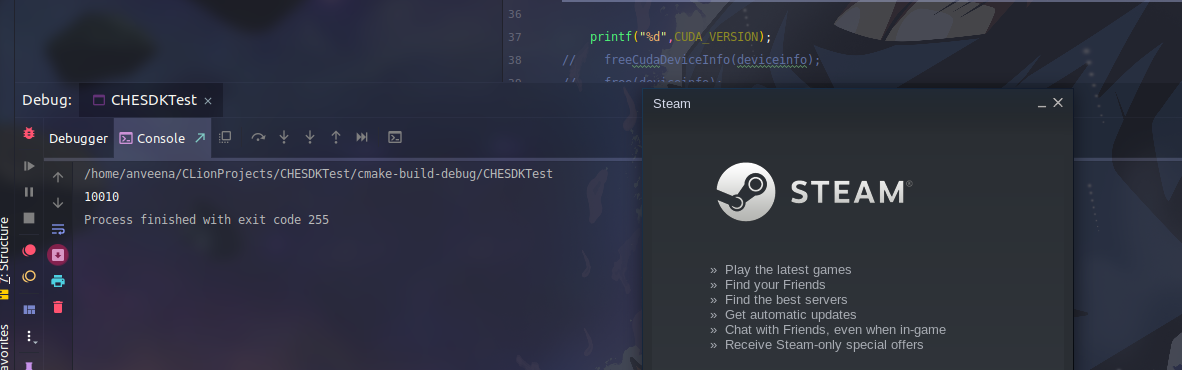
try this:
sudo add-apt-repository ppa:graphics-drivers/ppa
sudo apt update
sudo apt upgrade
//may should reboot?
sudo apt --fix-broken install
//may should reboot?
sudo apt install libnvidia-gl-418:i386
All works well.Let's play dota!
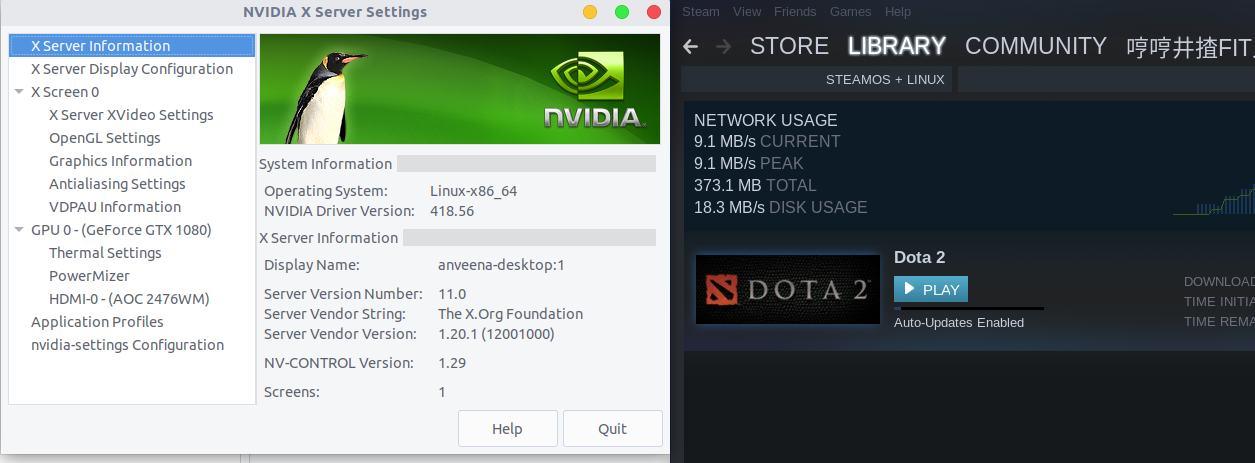
It's really working!!
A solution less-likely to cause issues with your package manager is to install the drivers from the Nvidia PPA and then install cuda toolkit from the runfile instead of your package manager. The primary drawback is lack of automatic updates, but it doesn't seem that the toolkits very update often anyway.
I also hit this issue on a system with cuda 10.1. I really wish these driver and CUDA updates didn't periodically break either my CUDA install or my steam install...
@Anveena You are my hero!
@Anveena I am using CUDA 10 with drivers 418.67 - any suggestions without breaking the system?
Kind Regards (and no I cant reinstall everything or upgrade to 430.x - this special configuration of libraries is necessary for some CUDA and cuDNN software to work.)
I also need to use CUDA, the solution presented above does not solve the problem. It's a workaround for anyone that does not need CUDA....
@romanovzky The workaround presented earlier does work with CUDA https://github.com/ValveSoftware/steam-for-linux/issues/5778#issuecomment-461861324
TensorFlow makes me download nvidia-driver-410 (which sets up as 418.56 but then) nvidia-driver-418 from their repo installs which is 418.67 not 418.56 because libcuDNN7 needs >=418.67 - if I try to downgrade - well the system would remove all CUDA 10 packages and ensorFlow related stuff - any tips? I got a ppa with a driver ready just cant downgrade to one (or upgrade nvidia-driver-430 which has 430.14 atm – nothing would break if I could upgrade to 430.14 - every function pointer and entrypoint would still work) - i tried every apt command possible it still didnt wanna let me change the display driver.
Thanks for your help
Kind Regards
PS: any apt-get wizard please help me get this working with nvidia-driver-430 or nvidia-driver-418(418.56 32-bit support one) but please without a runfile - I can mess up my system myself. Thank you so much in advance!
@omen23
Which cuda? I have cuda-10.0 with nvidia-418.56 and libcuDNN7. If you uninstall the cuda meta-package (or cuda-10.0 or whichever) then you can install nvidia-418.56. Afterwards just reinstall all the cuda-x-x packages one by one that you have removed when removing the cuda meta-package. The trick is NOT to install the cuda meta-package which would pull in the cuda-driver without 32 bit support, but install the actual packages one by one.
This is very easy if you have the synaptic package manager and use the gui to just check the packages and install. If you use the terminal then it is painful since there are a lot of packages with complicated names.
P.S the newest cuda is cuda-10.1, but it breaks many things including tensorflow so I assume you are on <= cuda-10.0
why is the terminal a pain?
I just copy all the packages that will be removed and install them later on - thanks bro - for reminding me that its a meta-package.
Regards
sudo apt-get remove cuda-10-0
[sudo] password for
Sorry, try again.
[sudo] password for
Reading package lists... Done
Building dependency tree
Reading state information... Done
The following packages were automatically installed and are no longer required:
  cuda-command-line-tools-10-0 cuda-compiler-10-0 cuda-cufft-10-0 cuda-cufft-dev-10-0 cuda-cuobjdump-10-0 cuda-cupti-10-0 cuda-curand-10-0
  cuda-curand-dev-10-0 cuda-cusolver-10-0 cuda-cusolver-dev-10-0 cuda-cusparse-10-0 cuda-cusparse-dev-10-0 cuda-demo-suite-10-0 cuda-documentation-10-0
  cuda-drivers cuda-gdb-10-0 cuda-gpu-library-advisor-10-0 cuda-libraries-10-0 cuda-libraries-dev-10-0 cuda-memcheck-10-0 cuda-misc-headers-10-0
  cuda-npp-10-0 cuda-npp-dev-10-0 cuda-nsight-10-0 cuda-nsight-compute-10-0 cuda-nvcc-10-0 cuda-nvdisasm-10-0 cuda-nvgraph-10-0 cuda-nvgraph-dev-10-0
  cuda-nvjpeg-10-0 cuda-nvjpeg-dev-10-0 cuda-nvml-dev-10-0 cuda-nvprof-10-0 cuda-nvprune-10-0 cuda-nvrtc-10-0 cuda-nvrtc-dev-10-0 cuda-nvtx-10-0
  cuda-nvvp-10-0 cuda-runtime-10-0 cuda-samples-10-0 cuda-toolkit-10-0 cuda-tools-10-0 cuda-visual-tools-10-0 nvidia-modprobe
Use 'sudo apt autoremove' to remove them.
The following packages will be REMOVED:
  cuda-10-0
0 upgraded, 0 newly installed, 1 to remove and 9 not upgraded.
After this operation, 25,6 kB disk space will be freed.
Do you want to continue? [Y/n]
(Reading database ... 321919 files and directories currently installed.)
Removing cuda-10-0 (10.0.130-1) ...
so if it is a metapackage it is NOT needed for cuda-10-0 to work
lol actually I saw that all of them are meta packages even cuda-10-0-runtime and cuda-drivers i removed them and upgraded to 430.14 works flawlessly
CUDA 10.0 and Steam again on one machine FeelsGoodMan
Kind Regards
I have to agree ...
The only good thing apt-cache show ... works exactly if not even better ... but I was too lazy diving into the whole CUDA thing.. I just need TensorFlow to work and like to play games from time to time .. I was steam beta tester, sill havent gotten completely tired of cstrike. :P
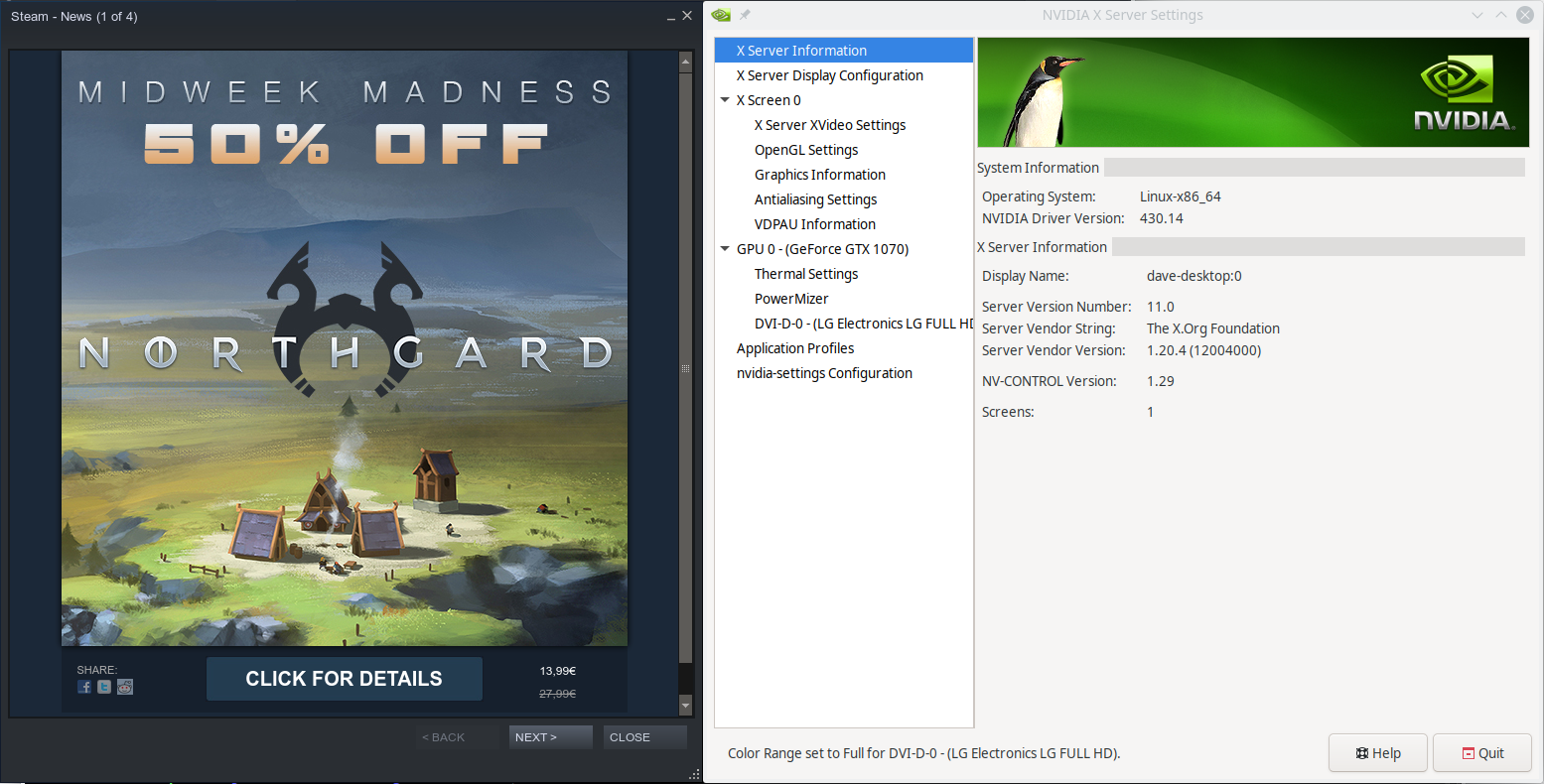

Laptop with MX150, installed CUDA 10.1 from nvidia local .deb on fresh Lubuntu 18.04 and steam doesn't start:
libGL error: No matching fbConfigs or visuals found libGL error: failed to load driver: swrast SteamUpdateUI: An X Error occurred X Error of failed request: BadValue (integer parameter out of range for operation)
Attempted to install from .run file as suggested, resulting in a black screen. As suggested from the nvidia-linux installation guide I tried to run nvida-xconfig to generate a xorg.conf in my /etc/X11, however I still got a black screen. The guide refers to manually edit the xorg.conf but I don't know where to start.
In the end since I need cuda I reverted to the deb installer. Please fix!
I thought I fixed the issue but have been getting the same problems when I tried to reinstall Nvidia and CUDA
I took this to the NVIDIA forums and this is what worked for me in order to get CUDA working with TensorFlow and be able to run steam:
First, purge nvidia-*
- Add
ppa:graphics-drivers/ppa - Install
cuda-repofrom here (choose the version you want, I use CUDA 10.0, alternatively you can usewget/curlhere) - Install
machine-learning-repofrom here - Install driver from ppa (in my case nvidia-430)
- Install cuda-toolkit NOT cuda
- Install cudnn if not automatically installed
The important part is to install cuda-toolkit and not cuda package. I guess that we all made the mistake of following TensorFlow's installation guide, which is outdated and breaks steam compatibility.
Hope this helps
I took this to the NVIDIA forums and this is what worked for me in order to get CUDA working with TensorFlow and be able to run steam:
First,
purge nvidia-** Add `ppa:graphics-drivers/ppa` * Install `cuda-repo` from [here](https://developer.nvidia.com/cuda-toolkit) (choose the version you want, I use CUDA 10.0, alternatively you can use `wget/curl` [here](https://developer.download.nvidia.com/compute/cuda/repos/ubuntu1804/x86_64/)) * Install `machine-learning-repo` from [here](http://developer.download.nvidia.com/compute/machine-learning/repos/ubuntu1804/x86_64/) * Install driver from ppa (in my case nvidia-430) * **Install cuda-toolkit NOT cuda** * Install cudnn if not automatically installedThe important part is to install
cuda-toolkitand notcudapackage. I guess that we all made the mistake of following TensorFlow's installation guide, which is outdated and breaks steam compatibility.Hope this helps
Hi romanovzky, I'd like to try this solution!
In the second step I have to follow the entire instructions provided from the nvidia package?
I mean:
`sudo dpkg -i cuda-repo-ubuntu1804-10-1-local-10.1.168-418.67_1.0-1_amd64.deb`
`sudo apt-key add /var/cuda-repo-<version>/7fa2af80.pub`
`sudo apt-get update`
`sudo apt-get install cuda`
Or I have to change somenthing? Thanks
I read the discussion on the nvidia forum, and I tried to first install the graphics driver from ppa and then attempt the cuda-toolkit.
However when trying to boot with nvidia-driver-430,418,410 xorg starts, but by doing nvidia-smi it says the driver is inactive... Tried to prime-select nvidia but it says its already selected...
I don't know, but maybe this is related to my MX150 being an optimus card =/
Anyone with optimus has the same experience?
This was performed on Lubuntu 18.04 with an MX150 Optimus GPU:
okay, seems that there's a weird bug with nvidia prime that makes nvidia-smi fail. To fix it you just need to do the following:
- sudo prime-select intel
- reboot
- sudo prime-select nvidia
- reboot
After that the driver will work and nvidia-smi will show the GPU working.
So I was able to install the 430 driver from ppa and then cuda-toolkit from the CUDA 10.0 deb (10.1 works as well but I need 10.0 for pytorch). Now steam works, and pytorch with cuda10 as well.
This is what I did:
- sudo apt remove --purge nvidia*
- sudo apt remove --purge cuda*
- reboot
- Add ppa:graphics-drivers/ppa
- download .deb for CUDA 10.0 local from https://developer.nvidia.com/cuda-toolkit-archive
- cd ~/Downloads
- sudo dpkg -i cuda-repo-ubuntu1804-10-0-local-10.0.130-410.48_1.0-1_amd64.deb
- sudo apt-key add /var/cuda-repo-10-0-local-10.0.130-410.48/7fa2af80.pub
- sudo apt-get update
- install driver from ppa: sudo apt install nvidia-driver-430
- install `machine-learning-repo` from [here](http://developer.download.nvidia.com/compute/machine/learning/repos/ubuntu1804/x86_64/)
- sudo apt update
- sudo apt install cuda-toolkit-10-0
- sudo apt install nvidia-cuda-toolkit
- reboot
- if nvidia-smi doesn't work perform the fix above
- Success!
Thanks to @romanovzky and the guys from nvidia forum
Sorry for the late reply, happy you made it work! I don't have dual GPU so I wouldn't have been able to help you anyway :)
Ubuntu 18.04:
1. sudo add-apt-repository ppa:graphics-drivers/ppa
2. Run "nvidia-settings" and check your Nvidia driver major version. Mine, for instance, is: NVIDIA Driver Version: 430.26 (so, 430)
3. sudo apt install libnvidia-gl-{{MAJOR VERSION NUMBER}}:i386

My command ended up being this, for instance: sudo apt install libnvidia-gl-430:i386
But Steam, seriously, 32 bits....??
@Luc45 thank you, that fixes the problem.
I hope valve will develop a x86 emulator for games which won't run with a x86_64 steam.
I mean the same worked for 16 bit games.
Just a matter of time and money.
Ubuntu 18.04:
1. sudo add-apt-repository ppa:graphics-drivers/ppa
2. Run "nvidia-settings" and check your Nvidia driver major version. Mine, for instance, is: NVIDIA Driver Version: 430.26 (so, 430)
3. sudo apt install libnvidia-gl-{{MAJOR VERSION NUMBER}}:i386

My command ended up being this, for instance: sudo apt install libnvidia-gl-430:i386
But Steam, seriously, 32 bits....??
When I try these scripts. It says that it will remove my previous cuda toolkit, which is installed in x64 version. So if you don't want to reinstall x64 cuda toolkit again, be careful to do that.
https://developer.nvidia.com/cuda-10.0-download-archive
This was performed on Lubuntu 18.04 with an MX150 Optimus GPU:
okay, seems that there's a weird bug with nvidia prime that makes nvidia-smi fail. To fix it you just need to do the following:
1. sudo prime-select intel

2. reboot

3. sudo prime-select nvidia

4. reboot
   After that the driver will work and nvidia-smi will show the GPU working.
   So I was able to install the 430 driver from ppa  and then cuda-toolkit from the CUDA 10.0 deb (10.1 works as well but I need 10.0 for pytorch). Now steam works, and pytorch with cuda10 as well.
This is what I did:
- sudo apt remove --purge nvidia*
- sudo apt remove --purge cuda*
- reboot
- Add ppa:graphics-drivers/ppa
- download .deb for CUDA 10.0 local from https://developer.nvidia.com/cuda-toolkit-archive
- cd ~/Downloads
- sudo dpkg -i cuda-repo-ubuntu1804-10-0-local-10.0.130-410.48_1.0-1_amd64.deb
- sudo apt-key add /var/cuda-repo-10-0-local-10.0.130-410.48/7fa2af80.pub
- sudo apt-get update
- install driver from ppa: sudo apt install nvidia-driver-430
- install `machine-learning-repo` from [here](http://developer.download.nvidia.com/compute/machine/learning/repos/ubuntu1804/x86_64/)
- sudo apt update
- sudo apt install cuda-toolkit-10-0
- sudo apt install nvidia-cuda-toolkit
- reboot
- if nvidia-smi doesn't work perform the fix above
- Success!
Thanks to @romanovzky and the guys from nvidia forum
thanks works for me but i want to simplify for ubuntu 18-04
sudo apt remove --purge nvidia\*
sudo apt purge --purge cuda\*
wget https://developer.nvidia.com/compute/cuda/10.0/Prod/local_installers/cuda-repo-ubuntu1804-10-0-local-10.0.130-410.48_1.0-1_amd64
sudo dpkg -i cuda-repo-ubuntu1804-10-0-local-10.0.130-410.48_1.0-1_amd64
sudo apt install nvidia-driver-430
sudo apt-key add /var/cuda-repo-10-0-local-10.0.130-410.48/7fa2af80.pub
sudo apt update
sudo apt install cuda-toolkit-10-0
sudo apt install nvidia-cuda-toolkit
sudo apt install libnvidia-gl-430:i386
sudo apt autoremove
sudo reboot now
Ubuntu 18.04:
1. sudo add-apt-repository ppa:graphics-drivers/ppa
2. Run "nvidia-settings" and check your Nvidia driver major version. Mine, for instance, is: NVIDIA Driver Version: 430.26 (so, 430)
3. sudo apt install libnvidia-gl-{{MAJOR VERSION NUMBER}}:i386

My command ended up being this, for instance: sudo apt install libnvidia-gl-430:i386
But Steam, seriously, 32 bits....??
That works, no cuda installation needed.
try this:
sudo add-apt-repository ppa:graphics-drivers/ppa
sudo apt update
sudo apt upgrade
//may should reboot?
sudo apt --fix-broken install
//may should reboot?
sudo apt install libnvidia-gl-418:i386
All works well.Let's play dota!
It's really working!!
Seems to be working.
Here is what it looks like on my end:
bunny@Lovely:~$ sudo add-apt-repository ppa:graphics-drivers/ppa
You are about to add the following PPA:
Fresh drivers from upstream, currently shipping Nvidia.Current Status
Current long-lived branch release:
nvidia-430(430.40)
...
More info: https://launchpad.net/\~graphics-drivers/+archive/ubuntu/ppa
Press Enter to continue or Ctrl+C to cancel
...
apt update; apt upgrade
...
bunny@Lovely:~$ apt-cache search libnvidia-gl
libnvidia-gl-390 - NVIDIA OpenGL/GLX/EGL/GLES GLVND libraries and Vulkan ICD
libnvidia-gl-410 - NVIDIA OpenGL/GLX/EGL/GLES GLVND libraries and Vulkan ICD
libnvidia-gl-415 - NVIDIA OpenGL/GLX/EGL/GLES GLVND libraries and Vulkan ICD
libnvidia-gl-418 - Transitional package for libnvidia-gl-430
libnvidia-gl-430 - NVIDIA OpenGL/GLX/EGL/GLES GLVND libraries and Vulkan ICD
nvidia-340 - NVIDIA binary driver - version 340.107
bunny@Lovely:~$ apt install libnvidia-gl-430:i386
Reading package lists... Done
Building dependency tree
Reading state information... Done
The following package was automatically installed and is no longer required:
libnvidia-cfg1-418
Use 'sudo apt autoremove' to remove it.
The following NEW packages will be installed:
libnvidia-gl-430:i386
0 upgraded, 1 newly installed, 0 to remove and 0 not upgraded.
Need to get 17.3 MB of archives.
After this operation, 72.0 MB of additional disk space will be used.
Get:1 http://ppa.launchpad.net/graphics-drivers/ppa/ubuntu bionic/main i386 libnvidia-gl-430 i386 430.40-0ubuntu0~gpu18.04.1 [17.3 MB]
Fetched 17.3 MB in 1min 9s (252 kB/s)
Selecting previously unselected package libnvidia-gl-430:i386.
(Reading database ... 466685 files and directories currently installed.)
Preparing to unpack .../libnvidia-gl-430_430.40-0ubuntu0~gpu18.04.1_i386.deb ...
Unpacking libnvidia-gl-430:i386 (430.40-0ubuntu0~gpu18.04.1) ...
Setting up libnvidia-gl-430:i386 (430.40-0ubuntu0~gpu18.04.1) ...
Processing triggers for libc-bin (2.27-3ubuntu1) ...
bunny@Lovely:~$ apt list --installed | grep -i cuda
WARNING: apt does not have a stable CLI interface. Use with caution in scripts.
cuda/now 10.1.243-1 amd64 [installed,local]
So CUDA 10.1 is still installed from earlier (cuDNN too) and I have nvidia-430 installed and libnvidia-gl-430:i386 installed fine with no conflict.
Has anyone been able to install CUDA via the package manager while keeping steam working?
Yes, some months ago was a bit tricky because of these issues with the
cuda+driver support, but by playing with the driver (be prepared to X
crashes and at some points a full reinstall) you can make It work once for
all. Now I dont know if it's any better
Il ven 13 set 2019, 20:00 Robert Rose [email protected] ha scritto:
Has anyone been able to install CUDA via the package manager while keeping
steam working?—
You are receiving this because you are subscribed to this thread.
Reply to this email directly, view it on GitHub
https://github.com/ValveSoftware/steam-for-linux/issues/5778?email_source=notifications&email_token=AHLQAQN533ZD2VFAVY2E56DQJPIKPA5CNFSM4FWWU4YKYY3PNVWWK3TUL52HS4DFVREXG43VMVBW63LNMVXHJKTDN5WW2ZLOORPWSZGOD6VYH7A#issuecomment-531334140,
or mute the thread
https://github.com/notifications/unsubscribe-auth/AHLQAQP2YL4OG4ZT3NL5LJTQJPIKPANCNFSM4FWWU4YA
.
For anyone wondering
sudo apt install libnvidia-gl-418:i386should work
It works for me, thank you!
A reboot is required after install or steam will hangs on Installing breakpad exception handler for appid(steam)/version(xxx).
I just encountered this issue. apt install libnvidia-gl-418:i386 fixed it and did not disrupt my essential cuda install.
:~# apt install libnvidia-gl-418:i386
Reading package lists... Done
Building dependency tree
Reading state information... Done
The following packages were automatically installed and are no longer required:
  libayatana-appindicator1 libayatana-indicator7 linux-headers-4.15.0-64 linux-headers-4.15.0-64-generic linux-image-4.15.0-64-generic
  linux-modules-4.15.0-64-generic linux-modules-extra-4.15.0-64-generic
Use 'apt autoremove' to remove them.
The following additional packages will be installed:
  libnvidia-gl-430:i386
The following NEW packages will be installed:
  libnvidia-gl-418:i386 libnvidia-gl-430:i386
0 upgraded, 2 newly installed, 0 to remove and 0 not upgraded.
Has anyone been able to get it to work with cuda 10.1 network deb install. Manually installing the 418:i386 driver removes my existing cuda 10.1 install. Removing it is not an option as I need it for tensorflow.
Is there a docker container or something available for steam?
The steam flatpak seems to work, even with the latest Nvidia drivers and cuda installation. This is on linux mint 19.2.
I didn't get the 440 driver to work with Lubuntu 18.04 because it doesn't have an "i386" package. The 435 driver did work:
apt install nvidia-driver-435 libnvidia-gl-435:i386
440 works here on my 18.04
But I use the nvidia PPA
440 works here on my 18.04
But I use the nvidia PPA
off course it works, what is missing is the 32bit libraries compatibility for older programs (like steam and a lot of games).
In fact the 440 driver shuld not be used for gaming, just for cuda developments (only 64 bit)
Weird.
I have installed the 32bit 440 package here.
I don't have 32bit package listed as available via apt.
Oh
I did explicitly apt install libnvidia-gl-440:i386
You use the ppa https://launchpad.net/~graphics-drivers/+archive/ubuntu/ppa?field.series_filter=bionic and Ubuntu bionic?
Be careful, nvidia still sometimes releases buggy drivers where 32b libs are replaced with 64b libs:
example with 418.87:
$ ldconfig -p | grep libGL
libGL.so.1 (libc6,x86-64) => /usr/lib32/nvidia-418/libGL.so.1
libGL.so.1 (libc6,x86-64) => /usr/lib32/libGL.so.1
libGL.so.1 (libc6,x86-64) => /usr/lib/nvidia-418/libGL.so.1
libGL.so.1 (libc6,x86-64) => /lib32/libGL.so.1
libGL.so (libc6,x86-64) => /usr/lib32/nvidia-418/libGL.so
libGL.so (libc6,x86-64) => /usr/lib/x86_64-linux-gnu/libGL.so
libGL.so (libc6,x86-64) => /usr/lib/nvidia-418/libGL.so
libGL.so (libc6,x86-64) => /lib32/libGL.so
See all libs are 64b, even in the lib32 folder.
440.33 seems better:
$ ldconfig -p | grep libGL.so
libGL.so.1 (libc6,x86-64) => /usr/lib/nvidia-440/libGL.so.1
libGL.so.1 (libc6) => /usr/lib32/nvidia-440/libGL.so.1
libGL.so (libc6,x86-64) => /usr/lib/x86_64-linux-gnu/libGL.so
libGL.so (libc6,x86-64) => /usr/lib/nvidia-440/libGL.so
libGL.so (libc6) => /usr/lib32/nvidia-440/libGL.so
Ok guys,
just to be clear:
we are speaking about the 440.33 available here:
http://developer.download.nvidia.com/compute/cuda/repos/ubuntu1804/x86_64/
this packaged driver, is missing the i386 packages, so it is not ok to run steam
Throwing in my voice here too. I have the 440.33.01 driver installed via the CUDA repo. Steam fails to start with the following output:
libGL error: No matching fbConfigs or visuals found
libGL error: failed to load driver: swrast
Installing breakpad exception handler for appid(steam)/version(1578700296)
Installing breakpad exception handler for appid(steam)/version(1578700296)
libGL error: No matching fbConfigs or visuals found
libGL error: failed to load driver: swrast
Steam: An X Error occurred
X Error of failed request:  GLXBadContext
Major opcode of failed request:  151
Serial number of failed request:  45
xerror_handler: X failed, continuing
Running Ubuntu 18.04.1 and upgraded the kernel to the latest supported 5.0.0-37-generic.
Installing a different driver is not possible as doing so causes issues with the package management of the CUDA libraries and I need CUDA to be stable over anything Steam related. I've installed the 435 driver and was able to get Steam working, but then my CUDA install was removed. Yes I could manually hold packages, but the network/repo install of CUDA seems to have the 440 driver set as an absolute dependency. So if I install 435 then CUDA gets removed. If I then re-install CUDA then the driver gets upgraded to 440. And I do not want to manually wrangle the packages simply because of the extra work that requires when trying to update things in the future.
cbstryker, the driver you are using have not implemented the 32bit libraries needed by Steam.
With Ubuntu 18.04 your best option is to use the driver nvidia-driver-435 that is in the repo bionic-updates.
If you want the latest driver use the nvidia ppa https://launchpad.net/~graphics-drivers/+archive/ubuntu/ppa
You mean 440
because I can still run steam and play games with it.
MartinX3, you wrote few lines above you are using the PPA to get latest driver. In the bionic-updates repo there is the 435
@ScaMar please look again into your shared link
cbstryker, the driver you are using have not implemented the 32bit libraries needed by Steam.
With Ubuntu 18.04 your best option is to use the driver nvidia-driver-435 that is in the repo bionic-updates.
If you want the latest driver use the nvidia ppa https://launchpad.net/~graphics-drivers/+archive/ubuntu/ppa
So I thought I would give this a try (again) and see if I can get CUDA working with the 435 drivers. Lo and behold, I now have Steam working and the entire CUDA framework is trashed (again) on my system. No Matter what I try (selectively installing packages one-by-one) I will eventually get to the point where one of the final pieces of the CUDA libraries will demand the 440 drivers, and there's nothing I can do about it (aside from using the non-net install of the CUDA libraries).
sudo apt install cuda-runtime-10-1
Reading package lists... Done
Building dependency tree
Reading state information... Done
The following package was automatically installed and is no longer required:
  libnvidia-common-435
Use 'sudo apt autoremove' to remove it.
The following additional packages will be installed:
  cuda-drivers libnvidia-cfg1-440 libnvidia-compute-440 libnvidia-decode-440 libnvidia-encode-440 libnvidia-fbc1-440 libnvidia-gl-440 libnvidia-ifr1-440
  nvidia-compute-utils-440 nvidia-dkms-440 nvidia-driver-440 nvidia-kernel-common-440 nvidia-kernel-source-440 nvidia-utils-440
  xserver-xorg-video-nvidia-440
Recommended packages:
  libnvidia-compute-440:i386 libnvidia-decode-440:i386 libnvidia-encode-440:i386 libnvidia-ifr1-440:i386 libnvidia-fbc1-440:i386 libnvidia-gl-440:i386
The following packages will be REMOVED:
  libnvidia-cfg1-435 libnvidia-compute-435 libnvidia-compute-435:i386 libnvidia-decode-435 libnvidia-decode-435:i386 libnvidia-encode-435
  libnvidia-encode-435:i386 libnvidia-fbc1-435 libnvidia-fbc1-435:i386 libnvidia-gl-435 libnvidia-gl-435:i386 libnvidia-ifr1-435 libnvidia-ifr1-435:i386
  nvidia-compute-utils-435 nvidia-dkms-435 nvidia-driver-435 nvidia-kernel-common-435 nvidia-kernel-source-435 nvidia-utils-435
  xserver-xorg-video-nvidia-435
The following NEW packages will be installed:
  cuda-drivers cuda-runtime-10-1 libnvidia-cfg1-440 libnvidia-compute-440 libnvidia-decode-440 libnvidia-encode-440 libnvidia-fbc1-440 libnvidia-gl-440
  libnvidia-ifr1-440 nvidia-compute-utils-440 nvidia-dkms-440 nvidia-driver-440 nvidia-kernel-common-440 nvidia-kernel-source-440 nvidia-utils-440
  xserver-xorg-video-nvidia-440
0 upgraded, 16 newly installed, 20 to remove and 0 not upgraded.
Any more ideas? I don't mean to be snarky, but I've already tried all of what you said before you said it and explained it in my previous post.
@ScaMar please look again into your shared link
My bad i'm not understanding.
My link is to PPA in order to install latest codec (that is 440.44 in CUDA repo there is the 440.33)
Alternative to run steam is to use the 435 driver, available in the default repo for bionic.
@cbstryker you can try the PPA driver that is 440, then check for CUDA framework
@ScaMar please look again into your shared link
My bad i'm not understanding.
My link is to PPA in order to install latest codec (that is 440.44 in CUDA repo there is the 440.33)
Alternative to run steam is to use the 435 driver, available in the default repo for bionic.
My bad, I did read your message wrong
Sorry
Ok, so I've managed to get around all of this. I've wasted my entire day as a result. Here's the order of all things I did to get everything working again (Steam and all CUDA stuff):
- sudo apt purge cuda*
- sudo apt purge nvidia*
(remove any TensorRT and CUDnn libraries also) - reboot
- Install Nvidia drivers PPA
- sudo apt install nvidia-driver-440
- reboot
- add the CUDA repo
- sudo apt install cuda-toolkit-10-1 cuda-tools-10-1 cuda-compiler-10-1 cuda-libraries-10-1 cuda-libraries-dev-10-1
This install all the cuda libraries minus the drivers, there are a few meta packages that install the driver also, and doing so will give you a version that Steam cannot use. Refer to this page: https://docs.nvidia.com/cuda/cuda-installation-guide-linux/index.html#package-manager-metas - sudo apt install ~/Downloads//libcudnn7_7.6.5.32-1+cuda10.1_amd64.deb
- sudo apt install ~/Downloads/libcudnn7-dev_7.6.5.32-1+cuda10.1_amd64.deb
- sudo apt install ~/Downloads/libcudnn7_7.6.5.32-1+cuda10.1_amd64.deb
- sudo apt install tensorrt libnvinfer-dev python3-libnvinfer-dev uff-converter-tf
To say the least, this was a very frustrating experience. I hope this helps anyone else facing the same issue.
So I'm trying to understand the current status of this issue and what can be done. I'm going to summarize what I have learned here, but please tell me if I've got anything wrong.
Current status: Basically, CUDA 10 and steam don't work together, at least not out of the box. Installing the CUDA 10 metapackage replaces any previously installed nvidia driver with a version that lacks the 32 bit libraries steam requries. Trying to install the needed libraries, like libnvidia-gl:i386 causes apt to complain about this new driver, which it wants to remove it to install libnvidia-gl:i386
Potential workarounds:
- install and use CUDA 9 instead
- pick and choose what you need from CUDA so as to avoid the metapackage, as @cbstryker demonstrated above
- install CUDA with the .run file from nvidia's website
It seems that installing CUDA with the .run file is the fastest and most straightforward solution, but I understand the many would prefer to use apt.
So I'm trying to understand the current status of this issue and what can be done. I'm going to summarize what I have learned here, but please tell me if I've got anything wrong.
Current status: Basically, CUDA 10 and steam don't work together, at least not out of the box. Installing the CUDA 10 metapackage replaces any previously installed nvidia driver with a version that lacks the 32 bit libraries steam requries. Trying to install the needed libraries, like
libnvidia-gl:i386causes apt to complain about this new driver, which it wants to remove it to installlibnvidia-gl:i386Potential workarounds:
- install and use CUDA 9 instead
- pick and choose what you need from CUDA so as to avoid the metapackage, as @cbstryker demonstrated above
- install CUDA with the .run file from nvidia's website
It seems that installing CUDA with the .run file is the fastest and most straightforward solution, but I understand the many would prefer to use apt.
Actually, I would suggest that using apt is the fastest and cleanest. You can think of the cuda-10 metapackage as a metapackage for the other metapackages (not really though). Basically, selecting the other metapackages that I listed in my post gives you everything you need for CUDA. CUDA doesn't care which driver you're using our how you installed it as long as it meets the minimum version (which I think is 418 right now).
Using apt also gives you the fastest security updates.
@cbstryker I'm trying to follow your instructions. I just finished step 6, and I'm trying to get steam working before installing CUDA. Running steam produces the error GLXBadContext. Okay, I'll try to manually install 32 bit libraries. However, aptitude complains when running sudo apt install libnvidia-gl:i386:
The following packages will be REMOVED:
  libnvidia-gl-440 libnvidia-ifr1-440 nvidia-driver-440
The following NEW packages will be installed:
  libnvidia-gl-440:i386
0 upgraded, 1 newly installed, 3 to remove and 8 not upgraded.
can you confirm that you got steam to work with nvidia-driver-440?
I ended up using the flatpak distribution of steam and that fixed my problems. I have nvidia-driver-440 installed as well as cuda-10-1 and CUDA works in addition to steam.
I commented in this thread 10 months ago and I'm still amazed that you guys are still fighting with this. I ended up removing steam because I play games very rarely and hadn't tried to make it work since then. I used Gentoo for more than 15 years and I've never had such problems that I have in Ubuntu for the last 2 years I'm using it.
I commented in this thread 10 months ago and I'm still amazed that you guys are still fighting with this. I ended up removing steam because I play games very rarely and hadn't tried to make it work since then. I used Gentoo for more than 15 years and I've never had such problems that I have in Ubuntu for the last 2 years I'm using it.
Barking up the wrong tree here. This is not a Ubuntu issue but the way Nvidia removed 32 support from the driver in its CUDA repo. If you don't use the driver from that repo problem solved (either just use the repo for cuda or install cuda locally and install the driver from Ubuntu's ppa)
It is Ubuntu issue from my perspective because it is stuck on archaic driver versions and updates are so rare. I wouldn't use nVidia's local installer because package managers are better at cleaning after deintallations. And don't get me started on the whole stupidity of deb's dependency hell when package versions are so strictly tied to other packages versions.
@beew using the driver from Ubuntu ppa broke steam in my case. I installed the driver from the Ubuntu ppa, and I did not install anything from the CUDA repo, just to be sure, and steam still would not launch.
Edit: actually, now that I think about it, since I have both repos in sources.list, I am not totally sure it didn't just pull the driver from the CUDA repo when I thought I was using the ubuntu ppa....
It is Ubuntu issue from my perspective because it is stuck on archaic driver versions and updates are so rare. I wouldn't use nVidia's local installer because package managers are better at cleaning after deintallations. And don't get me started on the whole stupidity of deb's dependency hell when package versions are so strictly tied to other packages versions.
Install the Nvidia PPA and you'll have the latest driver.
@beew using the driver from Ubuntu ppa broke steam in my case. I installed the driver from the Ubuntu ppa, and I did not install anything from the CUDA repo, just to be sure, and steam still would not launch.
Edit: actually, now that I think about it, since I have both repos in sources.list, I am not totally sure it didn't just pull the driver from the CUDA repo when I thought I was using the ubuntu ppa....
You probably have some left over configurations. If you haven't already, do a complete purge of all Nvidia and CUDA packages. Then install the drivers from the PPA (usually nvidia-drivers-4xx). The CUDA drivers are "cuda-drivers", or something similar. However, if you install any of the CUDA metapackages it will remove the PPA driver.
The .run file of 440 driver itself includes the 32bit part. It even pops out to ask whether you want to install the 32bit part. But not the driver included in the cuda10.2 .run file. So my solution is to install this standalone driver first. Then install the cuda .run file, but uncheck the driver part. The cuda installation will warn you about driver version must be greater than 440, but that's OK. This way, both steam and cuda are happy.
I purged all cuda stuffs from Nvidia's repo, Installed driver from graphic driver ppa to get 32 bit support then installed cuda with the .run file locally. It is simple and everything works.
Nvidia's repo is a pain. first it removed 32 bit support in the driver update for cuda 10.0 (32 bit still supported by the driver, just not for the one packaged in the cuda repo (why??). Then it updated cuda to 10.1 and broke tensorflow and almost everything else that used cuda since it renamed and moved files from where they used to be (why??!!).
Nvidia doesn't care about compatibility downstream and its repo upgrades first instance it releases a new version. If you downgrade cuda you have to pin a lot of packages.. If you pin them in synaptic but forget to pin them in apt next time sudo apt upgrade will upgrade them nonetheless, then again downgrade and remove/install a bunch of stuffs. After a while bunch of things may get out of sync (I don't like pinning packages)
P.S. another option is like fenguerobian above (install both driver and cuda with .run files, one after the other, though I suspect you don't need two step, install cuda with .run file will install the driver if you agree, and it will probably has 32 bit support because my understanding is that 32 bit is only removed in the cuda repo) , but installing driver with .run file is pita, especially when you have a kernel upgrade, I think it is a lot easier to use the ppa for driver.
If you use the .run installer and enable DKMS you won't need to reinstall the drivers on a kernel upgrade, at least on ubuntu even with HWE kernels (5.3). (not sure how it reacts with other distros/kernels)
For anyone wondering
sudo apt install libnvidia-gl-418:i386should work
I've got the following stack:
Ubuntu 18.04
Nvidia driver version 440
Cuda 10.2
I've had issues with steam not starting since I upgraded my driver from 396 to 440.
I just followed the suggestion in the quoted post and it worked. Though, I still don't understand why installing 418:i386 worked with the installed driver version 440. Some hidden magic happened I guess but I am happy that steam is now working. Thanks for the help.
Hey all.
The problem seems to be that the nvidia cuda repository contains nvidia driver and libraries with the version 440.64.00 while the graphic driver ppa has the version 440.64-0... The latter is consider to be LESS than the former (note the period in the first where there is a dash in the latter). The cuda-drivers require a version >= 440.64.00, so that fails.
I worked around this using 'equivs':
sudo apt install equivs
Create a file ns-control with the following content:
Section: non-free/libs
Priority: optional
Homepage: https://developer.nvidia.com/cuda-downloads?target_os=Linux&target_arch=x86_64&target_distro=Ubuntu&target_version=1804&target_type=debnetwork
Standards-Version: 3.9.2

Package: cuda-nvidia-equivs
Version: 10.2.440.64
Maintainer: Carlo Wood <[email protected]>

Depends: nvidia-driver-440 (= 440.64-0ubuntu0~0.18.04.1),
 libnvidia-compute-440 (>= 440.64),
 libnvidia-decode-440 (>= 440.64),
 libnvidia-encode-440 (>= 440.64),
 libnvidia-fbc1-440 (>= 440.64),
 libnvidia-gl-440 (>= 440.64),
 libnvidia-ifr1-440 (>= 440.64),
 nvidia-compute-utils-440 (>= 440.64),
 nvidia-dkms-440 (>= 440.64),
 nvidia-kernel-source-440 (>= 440.64),
 nvidia-utils-440 (>= 440.64),
 xserver-xorg-video-nvidia-440 (>= 440.64)

Provides: nvidia-driver-440 (= 440.64.00),
 libnvidia-compute-440 (= 440.64.00),
 libnvidia-decode-440 (= 440.64.00),
 libnvidia-encode-440 (= 440.64.00),
 libnvidia-fbc1-440 (= 440.64.00),
 libnvidia-gl-440 (= 440.64.00),
 libnvidia-ifr1-440 (= 440.64.00),
 nvidia-compute-utils-440 (= 440.64.00),
 nvidia-dkms-440 (= 440.64.00),
 nvidia-kernel-source-440 (= 440.64.00),
 nvidia-utils-440 (= 440.64.00),
 xserver-xorg-video-nvidia-440 (= 440.64.00)

Architecture: amd64
Multi-Arch: same
Description: A meta package to fool apt into installing cuda from nvidia.
 See the Homepage URL for instructions to install the latest cuda.
 However the last line (actually installing cuda) will fail (assuming
 you have 'deb http://ppa.launchpad.net/graphics-drivers/ppa/ubuntu bionic main'
 in /etc/apt/sources.list.d/graphics-drivers-ubuntu-ppa-bionic.list
 .
 The reason for that failure is that nvidia's cuda repository
 also comes with the nvidia driver and libraries, but requires
 a version that is not satisfied by graphics-drivers-ubuntu-ppa.
 .
 This meta package adds a workaround for this broken dependency,
 hopefully causing the drivers to not be installed, but still be
 satisfied so that cuda will install.
Then run
equivs-build ns-control
sudo dpkg -i cuda-nvidia-equivs_10.2.440.64_amd64.deb
Edit /etc/apt/preferences.d/cuda-repository-pin-600
and change the Pin-Priority from 600 to 450, because we
want to keep the normal ubuntu debs if possible.
And now finally this will work,
sudo apt install cuda
Hey all.
The problem seems to be that the nvidia cuda repository contains nvidia driver and libraries with the version 440.64.00 while the graphic driver ppa has the version 440.64-0... The latter is consider to be LESS than the former (note the period in the first where there is a dash in the latter). The cuda-drivers require a version >= 440.64.00, so that fails.I worked around this using 'equivs':
sudo apt install equivsCreate a file
ns-controlwith the following content:Section: non-free/libs Priority: optional Homepage: https://developer.nvidia.com/cuda-downloads?target_os=Linux&target_arch=x86_64&target_distro=Ubuntu&target_version=1804&target_type=debnetwork Standards-Version: 3.9.2 Package: cuda-nvidia-equivs Version: 10.2.440.64 Maintainer: Carlo Wood <[email protected]> Depends: nvidia-driver-440 (= 440.64-0ubuntu0~0.18.04.1), libnvidia-compute-440 (>= 440.64), libnvidia-decode-440 (>= 440.64), libnvidia-encode-440 (>= 440.64), libnvidia-fbc1-440 (>= 440.64), libnvidia-gl-440 (>= 440.64), libnvidia-ifr1-440 (>= 440.64), nvidia-compute-utils-440 (>= 440.64), nvidia-dkms-440 (>= 440.64), nvidia-kernel-source-440 (>= 440.64), nvidia-utils-440 (>= 440.64), xserver-xorg-video-nvidia-440 (>= 440.64) Provides: nvidia-driver-440 (= 440.64.00), libnvidia-compute-440 (= 440.64.00), libnvidia-decode-440 (= 440.64.00), libnvidia-encode-440 (= 440.64.00), libnvidia-fbc1-440 (= 440.64.00), libnvidia-gl-440 (= 440.64.00), libnvidia-ifr1-440 (= 440.64.00), nvidia-compute-utils-440 (= 440.64.00), nvidia-dkms-440 (= 440.64.00), nvidia-kernel-source-440 (= 440.64.00), nvidia-utils-440 (= 440.64.00), xserver-xorg-video-nvidia-440 (= 440.64.00) Architecture: amd64 Multi-Arch: same Description: A meta package to fool apt into installing cuda from nvidia. See the Homepage URL for instructions to install the latest cuda. However the last line (actually installing cuda) will fail (assuming you have 'deb http://ppa.launchpad.net/graphics-drivers/ppa/ubuntu bionic main' in /etc/apt/sources.list.d/graphics-drivers-ubuntu-ppa-bionic.list . The reason for that failure is that nvidia's cuda repository also comes with the nvidia driver and libraries, but requires a version that is not satisfied by graphics-drivers-ubuntu-ppa. . This meta package adds a workaround for this broken dependency, hopefully causing the drivers to not be installed, but still be satisfied so that cuda will install.Then run
equivs-build ns-control
sudo dpkg -i cuda-nvidia-equivs_10.2.440.64_amd64.debAnd now finally this will work,
sudo apt install cuda
While this is a creative solution. It's overkill. Install the Nvidia drivers from the distro repo, or from the graphics driver PPA. Then to install CUDA just install the following meta-packages:
cuda-toolkit-10-1
cuda-tools-10-1
cuda-compiler-10-1
cuda-libraries-10-1
cuda-libraries-dev-10-1
These are the exact same as if you install "cuda" or "cuda-10-x" except it does not include the drivers.
Well.. not really. For a start you install 10-1 instead of 10-2.
Well.. not really. For a start you install 10-1 instead of 10-2.
Then install 10-2 or 10-0 or whichever your heart desires. The point is that this is cleanest method with the least amount of overhead.
@cbstryker nice trick
Ok, I agree. I wish I had seen your answer (https://github.com/ValveSoftware/steam-for-linux/issues/5778#issuecomment-575334890) before. I'll try it next upgrade.
The .run file of 440 driver itself includes the 32bit part. It even pops out to ask whether you want to install the 32bit part. But not the driver included in the cuda10.2 .run file. So my solution is to install this standalone driver first. Then install the cuda .run file, but uncheck the driver part. The cuda installation will warn you about driver version must be greater than 440, but that's OK. This way, both steam and cuda are happy.
This is the solution that worked for me. Least commands and trouble.
I made a slight modification to the solution provided by @cbstryker in comment to get steam to work with Ubuntu 18.04 and nvidia driver 440.
The PPA version of nvidia-drivers-440 did not install the 32-Bit parts required by steam. I first purged the existing nvidia and cuda packages, installed the standalone driver using the .run file enabling 32-bit parts and DKMS then went to step 7 in the specified comment.
That made everything work.
I also tried the installation of steam from flatpak. Using everything from the PPAs the flatpak installation also worked but it gave me glx errors with CS GO so I switched to my mentioned solution.
I made this Gist which creates a working environment with CUDA 10.0 + Nvidia driver 440 and also Steam works. With a plus, this Gist installs TensorRT 6 and CUDNN 7.6.5.
https://gist.github.com/meetnick/b17a1b1d13a2b31e0740bdd68027f386
NOTICE: This Gist is mainly focused on ML environment with PyTorch and TensorFlow using GPU. So if you don't want these, please DIY by change it to fit your needs.
Pretty much the same as @meetnick, but uses only apt-installed packages for both CUDA and drivers:
https://gist.github.com/valgur/fcd72fcdf5db81a826f8ff9802621d75
Installing the cuda-toolkit-10-x instead of cuda-10-x meta-package and the Nvidia drivers from graphics-drivers PPA is a simple fix for this problem. The only difference between these two packages is that the toolkit one does not add a dependency for cuda-drivers, which blocks the installation of the normal Nvidia drivers with 32-bit support.
For anyone wondering
sudo apt install libnvidia-gl-418:i386should workI've got the following stack:
Ubuntu 18.04
Nvidia driver version 440
Cuda 10.2I've had issues with steam not starting since I upgraded my driver from 396 to 440.
I just followed the suggestion in the quoted post and it worked. Though, I still don't understand why installing 418:i386 worked with the installed driver version 440. Some hidden magic happened I guess but I am happy that steam is now working. Thanks for the help.
And this doesn't remove your CUDA - 10.2? You sure?
@valgur I think there is one thing still missing though. You should also create a file, say
/etc/apt/preferences.d/cuda-repository-pin-450 with the contents
Package: *
Pin: release l=NVIDIA CUDA
Pin-Priority: 450
Otherwise driver packages in nvidia's repository might be installed over the ones in graphics-drivers which is not what you want. In fact they already are no? Nvidia has versions like "440.64.00-0ubuntu1" which is considered to be larger than graphics-drivers version "440.64-0ubuntu0~0.18.04.2".
Have a look at apt-cache policy nvidia-driver-440
None of the solutions above worked for me, the .run installer failed with an unspecified error, and for some reason I wasn't able to select the PPA driver. However, the flatpak version of steam worked perfectly for me, with a normal .deb installation of CUDA 10.2 and the corresponding driver. I'm trying a couple of different games now to verify.
God it would have been really helpful to know that CUDA would break Steam.
Lik this if you cri everytim
I made a slight modification to the solution provided by @cbstryker in comment to get steam to work with Ubuntu 18.04 and nvidia driver 440.
The PPA version of nvidia-drivers-440 did not install the 32-Bit parts required by steam. I first purged the existing nvidia and cuda packages, installed the standalone driver using the
.runfile enabling 32-bit parts and DKMS then went to step 7 in the specified comment.That made everything work.
I also tried the installation of steam from flatpak. Using everything from the PPAs the flatpak installation also worked but it gave me glx errors with CS GO so I switched to my mentioned solution.
Pour one out please for my fellow lost souls
https://github.com/mkrupczak3/Linux-Hall-of-Shame/blob/master/README.md
WTF, Who marked me as spam? This is a concerned developer expressing frustration in an appropriate way.
If your house was on fire, wouldn't you be hollering about it?
Because I spent most of yesterday working on this dumpster fire of so called "software".
I know it's really not valve's fault (here's looking at you NVIDIA), but still excruciatingly frustrating:
https://github.com/mkrupczak3/Linux-Hall-of-Shame/blob/master/README.md
Holy fucking shit, this thread is from 2018 and it's still a major pain in my ass:
This appears to be resolved - I'm on driver 440, was able to apt install libnvidia-gl-440:i386, now steam starts up and runs. I guess the packaging issues got resolved upstream?
as today, this problem is still there, you can install libnvidia-gl-440:i386 but it will remove the non i386 version.
as today, this problem is still there, you can install libnvidia-gl-440:i386 but it will remove the non i386 version.
This does not appear to be the case, at least for my install. After installing :i386, I still have the amd64 versions.
$ sudo dpkg -l | grep -iE nvidia | grep -ie 440
ii  libnvidia-cfg1-440:amd64              440.82-0ubuntu0~0.18.04.1                        amd64        NVIDIA binary OpenGL/GLX configuration library
ii  libnvidia-common-440                  440.82-0ubuntu0~0.18.04.1                        all          Shared files used by the NVIDIA libraries
ii  libnvidia-compute-440:amd64           440.82-0ubuntu0~0.18.04.1                        amd64        NVIDIA libcompute package
ii  libnvidia-decode-440:amd64            440.82-0ubuntu0~0.18.04.1                        amd64        NVIDIA Video Decoding runtime libraries
ii  libnvidia-encode-440:amd64            440.82-0ubuntu0~0.18.04.1                        amd64        NVENC Video Encoding runtime library
ii  libnvidia-extra-440:amd64             440.82-0ubuntu0~0.18.04.1                        amd64        Extra libraries for the NVIDIA driver
ii  libnvidia-fbc1-440:amd64              440.82-0ubuntu0~0.18.04.1                        amd64        NVIDIA OpenGL-based Framebuffer Capture runtime library
ii  libnvidia-gl-440:amd64                440.82-0ubuntu0~0.18.04.1                        amd64        NVIDIA OpenGL/GLX/EGL/GLES GLVND libraries and Vulkan ICD
ii  libnvidia-gl-440:i386                 440.82-0ubuntu0~0.18.04.1                        i386         NVIDIA OpenGL/GLX/EGL/GLES GLVND libraries and Vulkan ICD
ii  libnvidia-ifr1-440:amd64              440.82-0ubuntu0~0.18.04.1                        amd64        NVIDIA OpenGL-based Inband Frame Readback runtime library
ii  nvidia-compute-utils-440              440.82-0ubuntu0~0.18.04.1                        amd64        NVIDIA compute utilities
ii  nvidia-dkms-440                       440.82-0ubuntu0~0.18.04.1                        amd64        NVIDIA DKMS package
ii  nvidia-driver-440                     440.82-0ubuntu0~0.18.04.1                        amd64        NVIDIA driver metapackage
ii  nvidia-kernel-common-440              440.82-0ubuntu0~0.18.04.1                        amd64        Shared files used with the kernel module
ii  nvidia-kernel-source-440              440.82-0ubuntu0~0.18.04.1                        amd64        NVIDIA kernel source package
ii  nvidia-settings                       440.64-0ubuntu0~0.18.04.1                        amd64        Tool for configuring the NVIDIA graphics driver
ii  nvidia-utils-440                      440.82-0ubuntu0~0.18.04.1                        amd64        NVIDIA driver support binaries
ii  xserver-xorg-video-nvidia-440         440.82-0ubuntu0~0.18.04.1                        amd64        NVIDIA binary Xorg driver
as today, this problem is still there, you can install libnvidia-gl-440:i386 but it will remove the non i386 version.
This does not appear to be the case, at least for my install. After installing :i386, I still have the amd64 versions.
$ sudo dpkg -l | grep -iE nvidia | grep -ie 440
ii  libnvidia-cfg1-440:amd64              440.82-0ubuntu0~0.18.04.1                        amd64        NVIDIA binary OpenGL/GLX configuration library
ii  libnvidia-common-440                  440.82-0ubuntu0~0.18.04.1                        all          Shared files used by the NVIDIA libraries
ii  libnvidia-compute-440:amd64           440.82-0ubuntu0~0.18.04.1                        amd64        NVIDIA libcompute package
ii  libnvidia-decode-440:amd64            440.82-0ubuntu0~0.18.04.1                        amd64        NVIDIA Video Decoding runtime libraries
ii  libnvidia-encode-440:amd64            440.82-0ubuntu0~0.18.04.1                        amd64        NVENC Video Encoding runtime library
ii  libnvidia-extra-440:amd64             440.82-0ubuntu0~0.18.04.1                        amd64        Extra libraries for the NVIDIA driver
ii  libnvidia-fbc1-440:amd64              440.82-0ubuntu0~0.18.04.1                        amd64        NVIDIA OpenGL-based Framebuffer Capture runtime library
ii  libnvidia-gl-440:amd64                440.82-0ubuntu0~0.18.04.1                        amd64        NVIDIA OpenGL/GLX/EGL/GLES GLVND libraries and Vulkan ICD
ii  libnvidia-gl-440:i386                 440.82-0ubuntu0~0.18.04.1                        i386         NVIDIA OpenGL/GLX/EGL/GLES GLVND libraries and Vulkan ICD
ii  libnvidia-ifr1-440:amd64              440.82-0ubuntu0~0.18.04.1                        amd64        NVIDIA OpenGL-based Inband Frame Readback runtime library
ii  nvidia-compute-utils-440              440.82-0ubuntu0~0.18.04.1                        amd64        NVIDIA compute utilities
ii  nvidia-dkms-440                       440.82-0ubuntu0~0.18.04.1                        amd64        NVIDIA DKMS package
ii  nvidia-driver-440                     440.82-0ubuntu0~0.18.04.1                        amd64        NVIDIA driver metapackage
ii  nvidia-kernel-common-440              440.82-0ubuntu0~0.18.04.1                        amd64        Shared files used with the kernel module
ii  nvidia-kernel-source-440              440.82-0ubuntu0~0.18.04.1                        amd64        NVIDIA kernel source package
ii  nvidia-settings                       440.64-0ubuntu0~0.18.04.1                        amd64        Tool for configuring the NVIDIA graphics driver
ii  nvidia-utils-440                      440.82-0ubuntu0~0.18.04.1                        amd64        NVIDIA driver support binaries
ii  xserver-xorg-video-nvidia-440         440.82-0ubuntu0~0.18.04.1                        amd64        NVIDIA binary Xorg driver
Strange, i'm using kde neon. I just used the script by @meetnick (and it works), so i can't do testing anymore.
@akesterson Even my installer still notifies me that it'll remove the non i386 version if I install it. But there seems to be some update in the Steam, as it has now given me a more specific list of missing drivers:
libXtst.so.6
libpulse.so.0
libva.so.2
libbz2.so.1.0
libvdpau.so.1
libva.so.2
libva-x11.so.2
I will try to install them and see if it works. Though apt can't search any of them as is, and when I search only the root name (say libxtst,libpulse) I am overwhelmed by the options.
@akesterson Even my installer still notifies me that it'll remove the non i386 version if I install it. But there seems to be some update in the Steam, as it has now given me a more specific list of missing drivers:
libXtst.so.6
libpulse.so.0
libva.so.2
libbz2.so.1.0
libvdpau.so.1
libva.so.2
libva-x11.so.2I will try to install them and see if it works. Though apt can't search any of them as is, and when I search only the root name (say libxtst,libpulse) I am overwhelmed by the options.
I should provide the relevant specs I have rn.
Ubuntu 18.04.4 (amd64)
NVIDIA-SMI 440.33.01 Driver Version: 440.33.01 CUDA Version: 10.2
GeForce MX110/PCIe/SSE2
For anyone wondering
sudo apt install libnvidia-gl-418:i386should work
sudo apt install libnvidia-gl-440:i386 worked for me! :smile:
I still couldn't install the 32-bit version for 440 without removing the 64-bit version.
You should also create a file, say
/etc/apt/preferences.d/cuda-repository-pin-450with the contentsPackage: * Pin: release l=NVIDIA CUDA Pin-Priority: 450
This fixes the issue for me on Ubuntu 18.04.4.
On a fresh install of Lubuntu 20.04
sudo apt install libnvidia-gl-440:i386 nvidia-driver-440
works fine.
I am so happy to have found this thread. I've spent months reinstalling Nvidia drivers along with CUDA.
For when I downgrade to Nvidia 435 steam and wine work but CUDA breaks for TensorFlow on Ubuntu 18.04.
sudo apt install libnvidia-gl-440:i38
Throws
Reading package lists... Done
Building dependency tree
Reading state information... Done
E: Unable to locate package libnvidia-gl-440:i38
sudo apt install libnvidia-gl-440:i38
@ccostel I think it should be:
sudo apt install libnvidia-gl-440:i386
I'm just making a note here, because it took me a while to understand this problem: Steam currently will not work if you have CUDA 11 installed.
This is because CUDA 11 requires at least Nvidia driver version 450, which is currently only available in Nvidia's CUDA repository, and the CUDA repository does not include i386 versions of the drivers. When you have, say libnvidia-gl-440 and libnvidia-gl-440:i386 installed, the former comes from the CUDA repo whereas the latter probably comes from the graphics-drivers PPA (see apt-cache policy libnvidia-gl-440{,:i386}). Currently, the 450 driver isn't available in the graphics-drivers PPA, so there's no i386 version, and therefore you cannot currently use Steam with the 450 driver.
This should hopefully (aiui) sort itself out once the 450 driver lands in the graphics-drivers PPA and an i386 version becomes available.
Hi @kisak-valve,
Your software, combined with this unholy abomination that is the NVIDIA "driver" software, has forced me to give up both video-games and even made me re-consider wanting to touch graphics cards for a while.
I've also been rethinking life. I'm not happy with all the choices I've made that have brought me here.
I apologize for my snark earlier, but I think either running the command @r-barnes mentioned, using the Ubuntu GUI to set my graphics drivers, or maybe a steam software update fixed it for me!
I'm overjoyed!
I've been back to playing some videogames. Hopefully I'll still be able to dork with neural nets soon.
I wish I knew exactly what it was that fixed it, but I'm happy to at least have it working.
Thanks to all of you kind souls for making the world of Linux graphics drivers slightly less horrifying (if only by a little bit).
fwiw, nvidia-graphics-drivers-450 has now landed in the graphics-drivers PPA, so sudo apt install libnvidia-gl-450:i386 should now work. (if you've installed CUDA, you might need to tweak your apt preferences at /etc/apt/preferences.d/cuda-repository-pin-600 to convince apt that it's ok to use the driver from the graphics-drivers PPA instead of the one from the CUDA repo.)
(if you've installed CUDA, you might need to tweak your apt preferences at
/etc/apt/preferences.d/cuda-repository-pin-600to convince apt that it's ok to use the driver from the graphics-drivers PPA instead of the one from the CUDA repo.)
@sersorrel Could you clarify this a bit more? This is exactly what I just ran into, I have CUDA installed but when I try to install libnvidia-gl-450:i386 from the graphics-drivers PPA it wants to remove CUDA as well as the driver dependencies of CUDA. How would I tweak the preferences such that they can coexist? Here's my /etc/apt/preferences.d/cuda-repository-pin-600:
Package: nsight-compute
Pin: origin *ubuntu.com*
Pin-Priority: -1

Package: nsight-systems
Pin: origin *ubuntu.com*
Pin-Priority: -1

Package: *
Pin: release l=NVIDIA CUDA
Pin-Priority: 600
@MarioIshac sure – I solved the problem by creating /etc/apt/preferences.d/nvidia-drivers with the following contents:
Package: *
Pin: release o=LP-PPA-graphics-drivers
Pin-Priority: 601
though fwiw, that has resulted in all the graphics drivers coming from the graphics-drivers PPA, so I don't know if CUDA apps will still work if you do this. (I think this is because the CUDA repo and the PPA currently have different versions of the 450 driver – iirc, the CUDA repo and the PPA used to include packages with the same version number (and a Pin-Priority: 501 was enough to convince apt that CUDA's libnvidia-gl-... and the PPA's libnvidia-gl-...:i386 could coexist), but that doesn't seem to be the case at the moment.)
I just solved the problem by accident.
I have googled all day and confirm that the Nvidia driver is the culprit. Steam still can't launch after trying to install 32-bit libs. Finally, I decide to install the newest Nvidia driver using the .run file. In the process of installing the driver, it can also install 32-bit support but gives me a warning Unable to determine the path to install the libglvnd EGL vendor library config files. Check that you have pkg-config and the libglvnd development libraries installed, or specify a path with --glvnd-egl-config-path.
Then I install these two libs by sudo apt install pkg-config libglvnd-dev and re-run the .run file to reinstall the driver. After reboot, reinstall steam and it can work normally.
I wish this can also help you.
OS: Ubuntu 18.04
Nvidia driver: 450.66
CUDA: v10.1.243
I just solved the problem by accident.
I have googled all day and confirm that the Nvidia driver is the culprit. Steam still can't launch after trying to install 32-bit libs. Finally, I decide to install the newest Nvidia driver using the.runfile. In the process of installing the driver, it can also install 32-bit support but gives me a warningUnable to determine the path to install the libglvnd EGL vendor library config files. Check that you have pkg-config and the libglvnd development libraries installed, or specify a path with --glvnd-egl-config-path.
Then I install these two libs bysudo apt install pkg-config libglvnd-devand re-run the.runfile to reinstall the driver. After reboot, reinstall steam and it can work normally.
I wish this can also help you.OS: Ubuntu 18.04
Nvidia driver: 450.66
CUDA: v10.1.243
Nice! I'll have to try this.
Damn. What a mess this platform has been. This is why I still can't recommend Linux to normal humans
Damn. What a mess this platform has been. This is why I still can't recommend Linux to normal humans
This is a mess only on release based distros like Ubuntu. On rolling-release distros this never occurs.
@karolgrudzinski
Released-based or not, the contract with users should be that MAJOR VERSION RELEASES are SUPPOSED TO WORK. That's why they're major, long term support releases!
Also, this has nothing to do with the released-based distribution scheme! The problem is just that none of these people talk to each-other (or even test their products), and they all write terrible software!
I've had an excellent experience using Manjaro (Arch Linux), and will probably switch over to that instead of upgrading from 18.04 to the horrendous 20.04.
This problem is not unique to release based distros like Ubuntu though. I use many flavours of Linux in my livelyhood, and the core problem remains in the Linux ecosystem: end users are forgotten and treated as second class citizens.
This bit-level package hacking crap in the terminal should be completely unecessary for my theoretical snot-nosed nephew to play Minecraft on his theoretical cheap Ubuntu laptop.
Or Among Us, Terarria, Portal, or TF2 if you will, because those are all actually on Steam, and someone with less than expert knowledge of how to mangle computers and Linux packages might feasibly want to use their computer with free and open source software (because they're a cheap bastard, like me).
I went to school for this and have been dorking with this all my life. It's important to always keep in mind though: most people haven't, and are deathly scared of this stuff or get very frustrated trying!
On Pop!_OS 20.04, I managed to get steam running on my Nvidia card by running sudo apt install libnvidia-gl-455:i386. Now steam and games launched from it are now properly using the Nvidia card in Hybrid graphics mode (I've not tested pure Nvidia graphics mode yet, though steam was simply refusing to run in that mode yesterday). Even works with multi-monitors with hybrid graphics, though there seems to be some pretty minor performance issues in the game i tested (Dragon's Dogma: Dark Arisen on proton).
OS: Pop! OS 20.04
Nvidia driver: 455.28
CUDA: 11.1
Does anyone know how to solve this on Centos 8?
Trying to install the 32-bit drivers seems to require getting rid of the 64 bit drivers for me on Ubuntu.
$ sudo apt-get install libnvidia-gl-450:i386
Reading package lists... Done
Building dependency tree
Reading state information... Done
The following packages were automatically installed and are no longer required:
  libnvidia-cfg1-450 libnvidia-decode-450 libnvidia-encode-450 libnvidia-extra-450 libnvidia-fbc1-450 libxnvctrl0 nvidia-compute-utils-450 nvidia-dkms-450 nvidia-kernel-common-450
  nvidia-kernel-source-450 nvidia-prime nvidia-settings nvidia-utils-450 screen-resolution-extra xserver-xorg-video-nvidia-450
Use 'sudo apt autoremove' to remove them.
The following packages will be REMOVED:
  libnvidia-gl-450 libnvidia-ifr1-450 nvidia-driver-450
The following NEW packages will be installed:
  libnvidia-gl-450:i386
0 upgraded, 1 newly installed, 3 to remove and 0 not upgraded.
Need to get 17.2 MB of archives.
After this operation, 147 MB disk space will be freed.
Do you want to continue? [Y/n] n
Abort.
and
$ sudo apt-get install libnvidia-gl-450:i386  nvidia-driver-450
Reading package lists... Done
Building dependency tree
Reading state information... Done
nvidia-driver-450 is already the newest version (450.80.02-0ubuntu1).
Some packages could not be installed. This may mean that you have
requested an impossible situation or if you are using the unstable
distribution that some required packages have not yet been created
or been moved out of Incoming.
The following information may help resolve the situation:

The following packages have unmet dependencies:
 libnvidia-gl-450 : Breaks: libnvidia-gl-450:i386 (!= 450.80.02-0ubuntu1) but 450.80.02-0ubuntu0.20.04.2 is to be installed
 libnvidia-gl-450:i386 : Breaks: libnvidia-gl-450 (!= 450.80.02-0ubuntu0.20.04.2) but 450.80.02-0ubuntu1 is to be installed
E: Error, pkgProblemResolver::Resolve generated breaks, this may be caused by held packages.
it might be possible to coax apt into finding a solution it's happy with, if you tell it the version of libnvidia-gl-450 and libnvidia-gl-450:i386 you want to end up with, but it may also be possible that this just doesn't work any more. looking at apt policy libnvidia-gl-450 and apt policy libnvidia-gl-450:i386 will probably be helpful.
It appears at this time with CUDA 11 (which require nvidia drivers 455) that you can't run steam due to the nonexistent 32bit runtime required. Is that correct?
@gwindes i was able to find 32-bit lib drivers for 450 version while i have CUDA 11 too. On my CentOS 8. And steam works fine now.
@payalord did it uninstall the 64bit libraries as part of that? On Linux Mint 20 (Ubuntu 20.04) when I install the 32bit drivers it uninstalls CUDA 11. Others seem to have that same issue in this thread.
Looking at the graphics-drivers PPA looks like drivers 455 are coming soon: https://bugs.launchpad.net/ubuntu/+source/nvidia-graphics-drivers-455/+bug/1902093
They've been built but doesn't look included in the PPA just yet. So hopefully that will fix things :crossed_fingers: so CUDA 11 doesn't get uninstalled and allow the 32bit runtime as well as 64bit runtime as others have mentioned the graphics-drivers PPA builds seem to support that.
@gwindes no on my centos 8 both 32 bit and 64bit now installed fine along with functional CUDA 11 as i know.
Can Steam switch to 64-bit instead of 32-bit to fix this issue?
While it would avoid this particular error, any game that's also using 32-bit binaries (and that's likely going to be a lot if not all of of them?) is going to fail in the same manner. This is really a bug in NVIDIA's packaging.
Couldn't Steam build a 32-bit VM into the package solely for those games?
It appears that a lot of 32-bit support is getting fully dropped. Including *buntu. I think, going forth from 20.04, the *buntu platforms will no longer support 32-bit machines. It's only a fair shake away from dropping 32-bit libraries as well. Then we will have to run a VM; so why not start including it now?
Just my 2 cents. Because this is lame. Moving versions around and spending hours on hacky implementations really isn't something I can do too easily. I've tuned everything for Rapids / CUDA development for my current system with bleeding edge drivers. Dropping back to 410 would be more than painful for me.
@ikmckenz Hey, you haven't upgraded from a previous version of ubuntu in the past, have ya?
Basically, from what I'm guessing (since it was the case for me) you have other repos that gave you a newer version of nvidia-drivers-450 (455 in my case), and the i386 doesn't match up. Check out the apt policy of both of em, and try to find a matching version. Might need a driver reinstall but thats a small price :)
Is there a fix for Ubuntu 20.04 with Cuda 11.2 - driver version 460? I don't see the package libnvidia-gl-460:i386
@ryandgoldenberg1 The 460 driver is still in beta; the runfile seems to come with 32-bit libraries, but you need to have the i386 architecture added (dpkg --add-architecture i386), libglvnd-dev and at least libc6:i386 installed, + possibly also libxtst6:i386 libxrandr2:i386 libgtk2.0-0:i386 libsm6:i386 libpulse0:i386 ffmpeg:i386. Once those are on your system, a clean install of the 460 beta driver from runfile, including the 32 bit libraries, followed by a clean steam install from apt should work. (at least it seems to work for me so far; I could not say whether all of the above :i386 libs are needed or just the libc6:i386 is enough; for my system, the key was to install the 460 beta driver after all the i386 libs.).
For everybody who uses CUDA for development or any other platform/hardware intensive GPU applications; I'd like to share a "fix" (if you want to call it that) that has allowed me to both run Steam and run CUDA11.x with the 460.x.
STEP 1: Get rid of everything CUDA/NVIDIA
# apt remove and purge everything cuda / nvidia
sudo apt remove --auto-remove --purge "*cuda*" "cublas*" "nsight*"
sudo apt remove --auto-remove --purge "*nvidia*"
sudo apt-get autoclean

# update mlocate database and run separate searches for nvidia and cuda
sudo updatedb
sudo mlocate cuda
sudo mlocate nvidia

# remove any additional leftover configuration files and/or directories as you see fit
STEP 2: Download the latest video card driver from NVIDIA
After download is complete, logout of your session and kill any other sessions that would be using the video driver, aka: that have an active desktop running (don't shut down - just logout)
STEP 3: Open a new TTY session
Ctl+Alt+F3 for TTY3
login through the shell and install the new NVIDIA driver
PREEMPTIVE NOTE!: When the NVIDIA installer asks you if you want the 32bit binaries installed along with the 64s, YOU SAY YES!!!
chmod 777 NVIDIA-Linux-x86_64-460.39.run
./NVIDIA-Linux-x86_64-460.39.run
STEP 4: Prep and install the "Docker + DevEnv" container from NVIDIA's RAPIDS getting started page: https://rapids.ai/start.html
Or - if you're running the latest Docker, and you're ok with all RAPIDS 0.17 packages with BlazingSQL on Ubuntu 18.04 with Python 3.8 and CUDA 11.0 ... then just run this:
docker pull rapidsai/rapidsai-dev:0.17-cuda11.0-devel-ubuntu18.04-py3.8
docker run --gpus all --rm -it -p 8888:8888 -p 8787:8787 -p 8786:8786 \
    rapidsai/rapidsai-dev:0.17-cuda11.0-devel-ubuntu18.04-py3.8
If you're using docker-nvidia2 or docker ce 18, replace 'docker run --gpus all' with 'docker run --runtime=nvidia'
STEP 5: Enjoy the fact that you can now run Steam on your machine and a docker container that's capable of running your GPU metal with cutting edge CUDA and RAPIDS dev framework at the same time without a single dag-nippin' problem.
So hey, rock on us! :)
Another workaround I found was (for -460 in this example), in a new directory:
apt show libnvidia-gl-460:amd64
Then copy the value of Version, in my case 460.32.03-0ubuntu1.
Using that version, take off everything beyond the - and type apt download libnvidia-gl-460:i386=460.32.03- and press tab to autocomplete the available version, in my case it came up as 460.32.03-0ubuntu0.20.04.1, so I run:
apt download libnvidia-gl-460:i386=460.32.03-0ubuntu0.20.04.1
dpkg-deb -R ./libnvidia-gl-* ./unpacked
Edit ./unpacked/DEBIAN/control and remove the Conflicts line and, if present, libnvidia-gl or similar from the Replaces line. Update the Version line to match the one you got from libnvidia-gl-460:amd64.
dpkg-deb -b unpacked ./libnvidia-gl-noconflict.deb
sudo dpkg -i ./libnvidia-gl-noconflict.deb
sudo apt install -f
A word of warning, this will cause your apt to be confused about this package, but you can always dpkg -r libnvidia-gl-460:i386 and apt install -f to fix it in the future.
Just an idea, there is multiarch support on debian.
      dpkg --add-architecture i386
      apt update
Then try to install it.
https://wiki.debian.org/Multiarch/HOWTO
Just an idea, there is multiarch support on debian.
      dpkg --add-architecture i386
      apt update
Then try to install it.
https://wiki.debian.org/Multiarch/HOWTO
Probably won't work, because driver and libs versions get messed up when cuda repo is in the system. In my case on 20.04 installing :i386 disabled the driver and prevented :amd64 from being installed. Purging cuda along with it's repository makes it possible to install both architecture's libs again, but now you can't use CUDA :|. I think the cleanest workaround right now is proposed by @CreationTribe by using Rapids docker image for now.
I don't like installers spewing files all over my file system, so I used the approach described by @CreationTribe in a VirtualBox VM, installed the driver there and copied only the necessary files to my real system. Now I have CUDA (installed from the Nvidia repository) and Steam working on driver 465.19.01!
I put the binaries in a repository <Link removed by moderator> ... they need to be copied to /usr/lib32
In fact, the appropriate files can be obtained by using the extract only option provided by the installer e.g. ./NVIDIA-Linux-x86_64-460.73.01.run -x
This is probably safer than installing libraries not from official sources. The appropriate files seem to be:
/usr/lib32/libEGL*
/usr/lib32/libGLESv*
/usr/lib32/libGLX*
/usr/lib32/libnvidia-egl*
/usr/lib32/libnvidia-gl*
/usr/lib32/libnvidia-glcore*
/usr/lib32/libnvidia-tls*
Hello @TimSC, the repo you linked is legally problematic and has been removed. See section 2.1.3 at https://www.nvidia.com/content/DriverDownload-March2009/licence.php?lang=us.
Improved instructions:
I have CUDA (installed from the Nvidia repository) and Steam working on driver 465.19.01! The appropriate files can be obtained by using the extract only option provided by the installer e.g. ./NVIDIA-Linux-x86_64-465.19.01.run -x
The i386 library files are in a folder named "32". This is probably safer than installing libraries not from official sources. The appropriate files seem to be:
/usr/lib32/libEGL*
/usr/lib32/libGLESv*
/usr/lib32/libGLX*
/usr/lib32/libnvidia-egl*
/usr/lib32/libnvidia-gl*
/usr/lib32/libnvidia-tls*
Obviously, the library files have to match the installed driver version. There are some symlinks that should be created:
cd /usr/lib32
sudo ln -s libEGL_nvidia.so.465.19.01 libEGL_nvidia.so.0
sudo ln -s libGLESv1_CM_nvidia.so.465.19.01 libGLESv1_CM_nvidia.so.1
sudo ln -s libGLESv2_nvidia.so.465.19.01 libGLESv2_nvidia.so.2
sudo ln -s libGLX_nvidia.so.465.19.01 libGLX_indirect.so.0
sudo ln -s libGLX_nvidia.so.465.19.01 libGLX_nvidia.so.0
You will probably need to run this for the system to detect the new libraries:
sudo ldconfig
Hello @TimSC, the repo you linked is legally problematic and has been removed. See section 2.1.3 at https://www.nvidia.com/content/DriverDownload-March2009/licence.php?lang=us.
😿
Keep fighting the good fight
@forest-hermit Sorry to hear that. I must have missed a step... A guess you are getting the GLXBadContext error if you start steam in a terminal?
@forest-hermit Sorry to hear that. I must have missed a step... A guess you are getting the GLXBadContext error if you start steam in a terminal?
Sorry, was my fault, your instructions are perfect, I had two ultra dumb moments, first I downloaded a slightly different driver version, and the second try I copy paste your commands for link creation without checking your driver version was also different to mine. So hurried to delete my comment but was too late.
Thank you very much.
First of all, thank you for the solution! I had to make an additional step in order to make it work, that is adding to my libc.conf the path to the 32bit files mentioned in @TimSC comment and then sudo ldconfig. Not my idea, see here (different problem but same solution): https://askubuntu.com/questions/313173/why-are-my-32bit-opengl-libraries-pointing-to-mesa-instead-of-nvidia-and-how-do
It seems that 32 bit support works as long as you install the nvidia driver in any way other than through Nvidia's cuda repository. There are many ways to do that: Ubuntu's standard repository, graphic driver ppa, the stand alone .run file and similar for other Linux distros, so no need to go through some obscure hacks. I don't recommend the cuda repo anyway since downstream (e.g tensorflow) always lags behind nvidia's release so almost every cuda update will break something, I would rather be in control of when to upgrade cuda then leaving it to nividia (you can apt pin but you have to pin many packages and selectively upgrade but soon your sources may be out of sync, too ugly and complicated to maintain)
My setup is to install cuda locally with the tar file and then install the graphic driver from the graphic driver ppa. Everything works.
Usually, I used to install 460 drivers through the repository developer.download.nvidia.com/compute/cuda/repos/ubuntu1804/x86_64 and there was no i386 support.
Today I install it through repository http://ru.archive.ubuntu.com/ubuntu and both amd64 and i386 were automatically installed and worked.
@ mkaskov had the same issue with the 470 series, removing the cuda repo (temporarily?), then reinstall the drivers, it worked
How to make it work with CUDA drivers:
Download the i386 deb package:
apt download libnvidia-gl-470:i386
decompress downloaded file, and from the archive copy everything from:
usr/lib/i386-linux-gnu
into:
~/.steam/ubuntu12_32
Here Screenshot how I did it with mc program:
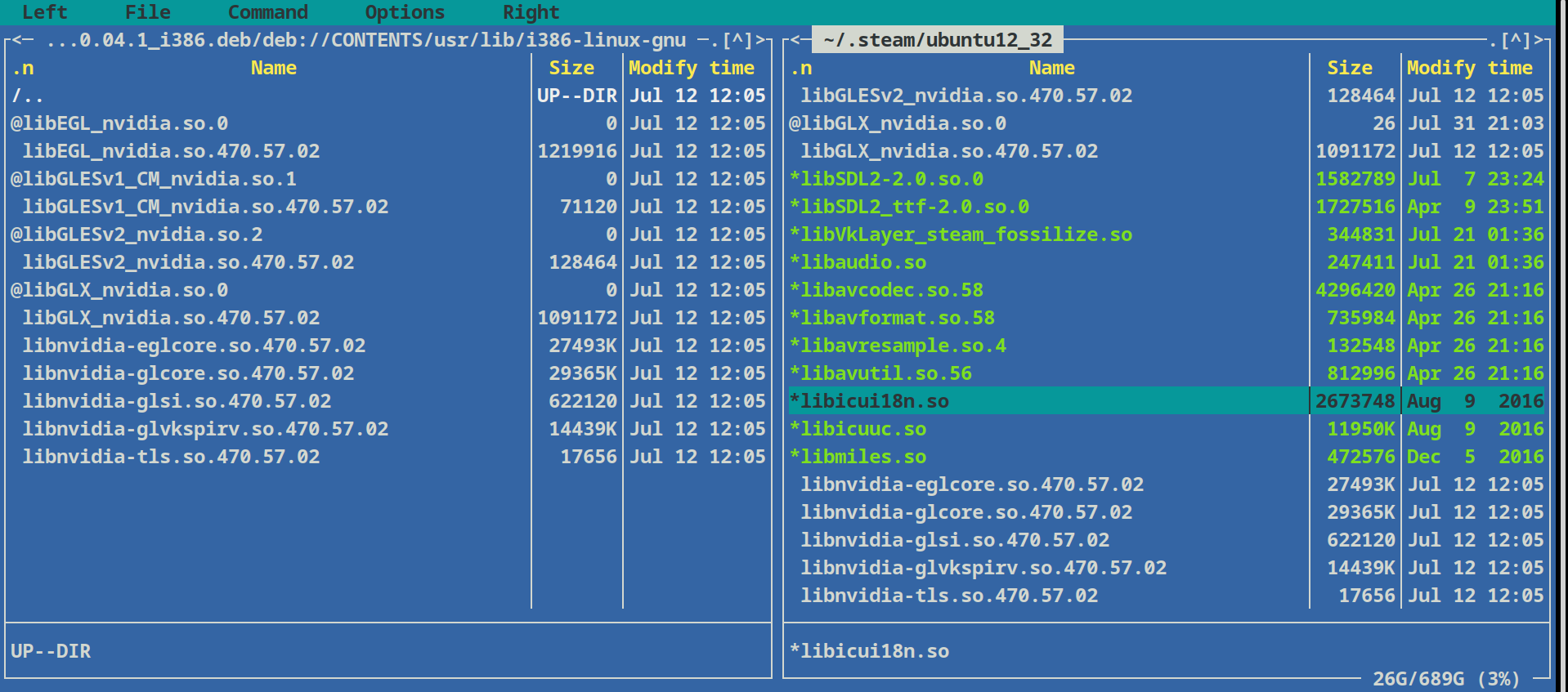
Hello @bluszcz, that's going to be very brittle. The nVidia proprietary driver requires that the running kernel module, 32 bit userspace libraries, and 64 bit userspace libraries have exactly the same version to work properly. Most of the time, nVidia bundles a different driver version with their CUDA driver bundle than is in the mainline release. It's a rare coincidence that the Ubuntu repositories have the same version as the CUDA PPA.
Hello @kisak-valve, yes, this is not a permanent solution, and yes, it assumes that packages are available.
However, this works with this assumptions, when comparing to apt install libnvidia-gl-470:i386 which removes cuda driver.
Actually, with apt pinnnig it can be a permanent solution ;)
Hello @kisak-valve, yes, this is not a permanent solution, and yes, it assumes that packages are available.
However, this works with this assumptions, when comparing to apt install libnvidia-gl-470:i386 which removes cuda driver.
Actually, with apt pinnnig it can be a permanent solution ;)
Actually you don't have to install the driver from the cuda repo. Install it from a number of apt repos ( Ubuntu standard repo, graphic driver ppa, even system 76's ppa , which I think would work even if you don't have a system76 computer) All of these versions support 32 bits. Then install CUDA in your home with Nvidia's install script (you can skip the driver) and symblink to /usr/local/cuda as explained in the documentation.
Problem solved.
I don't understand why people have to twist themselves into a pretzel for this.
@beew Sometimes CUDA depends on a driver version that is not in the standard apt repo. It depends on the whims of Nvidia.
Sometimes CUDA depends on a driver version that is not in the standard apt repo. It depends on the whims of Nvidia.
I never encountered that situation. If you install cuda without the driver (it is only possible if you install with the install script of course, with .deb this won't work) it would complain that your installation is incomplete after the install, or prompt you to install its driver and remove yours. Just ignore them. Cuda works.
Yes, in order to support cuda version x you need a driver with version >= y etc, but you can find the high enough version usually in the graphic driver ppa if the official ubuntu repo doesn't have it. In my experience (I used to use Nvidia's cuda repo) the cuda repo's driver version is lower than the graphic driver ppa's. AFAIK the driver version will never be too high, it only causes problems if it is too low so there is no problem. In any case using bleeding edge cuda is probably a bad idea as it usually breaks things downstream (e.g tensorflow)
Replying to https://github.com/ValveSoftware/steam-for-linux/issues/5778#issuecomment-890391987
This seems to be a solution. Also just running sudo apt install libnvidia-gl-470:i386 could work. It did for me at least.
How is this issue still active! Can the maintainers please fix this issue or tell us how to fix it ☠️
@gachiemchiep Thanks! I just tried it as well and it works :)
For anyone finding this issue in despair, here's what I did:
# get rid of the packaged thingies
sudo apt purge nvidia\*
sudo apt purge cuda\*
then go to the official CUDA toolkit download page, get the local runfile, and follow the manual for installing. I didn't follow the blog posted above because I need CUDA 10.0, but it was all simple. The steps are basically:
- remove existing nvidia drivers
- install dependencies
- disable nouveau
- reboot & run
sudo init 3- install
sudo ./cuda-....runsudo reboot- profit :)
Please do not run these steps blindly!
Replying to https://github.com/ValveSoftware/steam-for-linux/issues/5778#issuecomment-906808573
You don't need to install the driver if you install cuda with the local installer. It is a lot easier to install the driver from Ubuntu's repository or the graphic driver ppa and then run the local installer for cuda and don't install a driver. I said that it works from n posts ago and I don't know why peoplle are still struggling with this with complex workarounds.
Replying to https://github.com/ValveSoftware/steam-for-linux/issues/5778#issuecomment-906808573
You don't need to install the driver if you install cuda with the local installer. It is a lot easier to install the driver from Ubuntu's repository or the graphic driver ppa and then run the local installer for cuda and don't install a driver. I said that it works from n posts ago and I don't know why peoplle are still struggling with this with complex workarounds.
+1 for using the Ubuntu "software and updates" utility for managing drivers
I can switch between various driver versions with ease. Works much better than NVIDIA's Linux install scripts
Also why I'm sticking with Ubuntu in the near future. NVIDIA's driver support is first class with this distro, not so much for most others
I don't understand why people have to twist themselves into a pretzel for this.
If it helps, drivers in Ubuntu are usually delayed when comparing to the ones available directly from NVIDIA. New versions improves stability (critical when you are using Blender Cycles with NVIDIA'a Optix ;) and sometimes performance as well <3
Cheers.
I don't understand why people have to twist themselves into a pretzel for this.
If it helps, drivers in Ubuntu are usually delayed when comparing to the ones available directly from NVIDIA. New versions improves stability (critical when you are using Blender Cycles with NVIDIA'a Optix ;) and sometimes performance as well <3
Cheers.
Actually the graphic driver ppa is always up to date.
Morever the most update cuda from Nvidia's cuda repository almost always breaks downstream compatibility (e.g tensorflow, pytorch etc) and it is the opposite to stability. If you don't use cuda then you don't have to worry about it but then you if you do it is all the more reason not to install from Nvidia's repo which always pushes the newest version.
Actually the graphic driver ppa is always up to date.
lol.
Nvidia has 470.82, PPA has 470.74.
In PPA i do not see 495.
This gets funny dude.
I wouldn't twist myself to a pretzel for a minor version update. I am sure quite a few people looking for a solution would agree. If you want to tear your hair out be my guest. LOL
@beew Moving from 470 to 495 isn't a minor version update.
470.87 is just pushed to the graphic driver ppa today. It is also in the pop!_os ppa and you don't need a system76 computer or running pop!_os to install it, as already noted above. Is waiting a few days so big a deal?
I am not sure why it is important to get 495 the first moment it is released, 470 is the production branch and 495 is the 'new feature branch', it will probably be available in the ppa in due time. If you are eager to test new features at the cost of breaking your system then you are supposedly a pro and can always install with the .run file so stop complaining that you can't do it the easy way.
I could be wrong, but the biggest new feature for 495 is wayland support. There are still tons of things that you can't do on Wayland and the only DE that provides full wayland support is gnome. I am not going to ditch x for my working machines any time soon so Wayland support is quite secondary for me that this point. I am fairly sure that I am not alone on this.
So we have established that the Ubuntu PPA is sometimes behind the Nvidia repository for drivers.
@beew I might need to install a version that is newer than the Ubuntu PPA because sometimes the CUDA in the Nvidia repository requires a driver that is only in the Nvidia repository (or available in the binary installer). Yes, I'm aware that you have not encountered that situation.
For example, CUDA 11.5 in the Nvidia repository depends on driver 495.29 (at least as far as the repository packages are concerned, at the time of writing) Of course, installing CUDA or drivers from a local binary source allows more flexibility (as you pointed out beew).
Decided to try my hand at this again a year later.
I recently updated the drivers to 495.29.05 and CUDA to 11.5 as the GA release of Python CUDA is something I'd like to utilize more. I utilized the installer here (Ubuntu): https://developer.nvidia.com/cuda-downloads?target_os=Linux&target_arch=x86_64&Distribution=Ubuntu&target_version=20.04&target_type=deb_local
My understanding is since 495.x isn't available via package manager and it would have to match the drivers exactly from Nvidia that I would need to find the i386 version of 495.29.05 in order to try and get this to work.
Does anyone know if nvidia packages i386 drivers with their installer at all? If so where might be able to find them? I'm thinking about attempting @bluszcz solution https://github.com/ValveSoftware/steam-for-linux/issues/5778#issuecomment-890391987 despite being brittle seems like it's the only way possible if you're looking to use the latest toolkit.
A potential different solution would be to not use the packaged driver version of 495 and instead downgrade to 470 and install the 470:i386 driver too. Seems like it may be possible given CUDA 11.5.x has a minimum driver version of 450.80.02 re: https://docs.nvidia.com/cuda/cuda-toolkit-release-notes/index.html
Looks like 495 will be getting added to Ubuntu soon. Maybe if this gets added we can utilize the drivers from the ppa.
https://bugs.launchpad.net/ubuntu/+source/nvidia-graphics-drivers-495/+bug/1948025
@gwindes
Cuda 11.5 doesn't require driver 495, anything >= 450.80.02 would work, so 470 is definitely sufficient. https://docs.nvidia.com/cuda/cuda-toolkit-release-notes/index.html. The 495 requirement is an artifact of Nvidia's packaging, just like the missing 32 bit support from the driver installed from Nvidia's cuda deb repo. That's why I don't use it.
Your can install cuda 11.5 locally (without sudo) with the .run file without installing the driver (assuming you already have 470 or something sufficiently high installed)
Installing cuda locally is optimal actually because this way you can keep multiple versions of cuda and switch by just making symlinks and installing cuda locally is definitely not harder than the "brittle solution" that is, well, brittle.
I don't know what you use pycuda for but I use these for ML and neither tensorflow nor pytorch support cuda 11.5 so for me it is useless (so if I were using the cuda repo it will break everything by upgrading cuda to 11.5 even if I don't care about 32 bit support)
Only the Nvidia drivers packaged in its cuda repo are missing 32 bit support. 32 bit support is present if you get the drivers through any other means (ppas, the run file, standard repo) So like I said, I don't really understand why people are having such a hard time.
this solution works for me. I hope it can help you
Manual inspection of the newer Ubuntu LTS folders at https://developer.download.nvidia.com/compute/cuda/repos/ reveals that NVIDIA has started building libnvidia-gl-###:i386 packages in their third party repositories for the 510 series driver and newer.
Any further repo issues should be directed as the repo maintainers.
Upstream links
- ValveSoftware/steam-for-linux/issues/5778x10 2021-10
Your system information
Please describe your issue in as much detail as possible:
Describe what you expected should happen and what did happen. Please link any large code pastes as a Github Gist
Installed cuda 10 which uses Nvidia driver 410 which dropped support for x86
Steam then refuses to start with the typical glXChooseVisual error
Steps for reproducing this issue: