Please describe your issue in as much detail as possible:
When I start Dead Cells, the audio plays through my monitor speakers via HDMI. This was to be expected. However I usually change this to an alternate output device to play through a line out into my headphones. This has worked with all games and apps thus far. Pulse handles the output device on an app by app basis.
For some reason I cannot select the other listed output device (Builtin Audio Analog Stereo, my headphones) for Dead Cells. It refuses to be selected. Is the game missing something like a library that allows the audio to be handled that way? Is it a Steam Client issue? I don't know, but I don't think it is Pulse that is the issue. Like I said, every other game and app has behaved well and allowed me to switch output devices.
I've found that this is also broken with the Steam Overlay when using the Steam Music Player. I cannot select "Builtin Audio Analog Stereo" or any other device to play music through my headphones with either the "gameoverlayui" or "steam" Playback Streams. They are stuck on my HDMI device. This used to work fine, perhaps on my laptop. But I see no reason why it should not be selectable and work just the same on a desktop.
Steps for reproducing this issue:
Start Dead Cells or the Steam Music Player
Alt + Tab to the pulse audio volume control app
Notice the app listed, but the inability to select a different audio output device.
Your system information
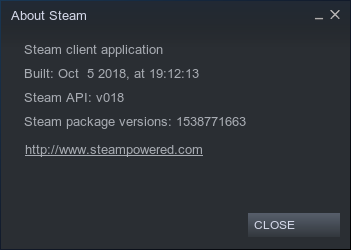
Steam client version (build number or date):
Distribution (e.g. Ubuntu): Ubuntu 18.04
Opted into Steam client beta?: [Yes]
Have you checked for system updates?: [Yes]
Please describe your issue in as much detail as possible:
When I start Dead Cells, the audio plays through my monitor speakers via HDMI. This was to be expected. However I usually change this to an alternate output device to play through a line out into my headphones. This has worked with all games and apps thus far. Pulse handles the output device on an app by app basis.
For some reason I cannot select the other listed output device (Builtin Audio Analog Stereo, my headphones) for Dead Cells. It refuses to be selected. Is the game missing something like a library that allows the audio to be handled that way? Is it a Steam Client issue? I don't know, but I don't think it is Pulse that is the issue. Like I said, every other game and app has behaved well and allowed me to switch output devices.
I've found that this is also broken with the Steam Overlay when using the Steam Music Player. I cannot select "Builtin Audio Analog Stereo" or any other device to play music through my headphones with either the "gameoverlayui" or "steam" Playback Streams. They are stuck on my HDMI device. This used to work fine, perhaps on my laptop. But I see no reason why it should not be selectable and work just the same on a desktop.
Steps for reproducing this issue: