Fractional DPI scaling on Linux (125% etc)
Can confirm this on Ubuntu 18.04.2 KDE with 14'' 1080p laptop screen.
Confirmed on Arch Linux. Gnome 3.32 just support fractional scaling recently, however it is still flagged as 'experimental'. Other gtk apps in gnome will follow dconf configuration "org.gnome.desktop.interface text-scaling-factor" for font size scaling. Maybe the development team could use the similar approach on Gnome?
I've got dual boot with Windows because of this issue, almost makes me want to give up my 4K monitor!
As a user with a 4k monitor I can confirm that while 2x scaling makes things clearer, it's just too big on my 27" screen. Almost every other application under KDE Neon supports fractional scaling just fine using X11, it would be nice to have feature parity with Windows users and support fractional scaling under Steam on Linux.
Although the Steam client is using gtk but does not use the system text scaling or sizes. It uses its own skin and css for text
The only solution is to use double size GDK scaling for the time being. It still looks better than other applications that are double size.
The new Steam UI scales on my 4K monitor, this is no longer an issue for me.
It scales...At 2x, which looks absolutely huge - In fact it looks horrible enough that I prefer no scaling at all.
sigh, windows wins again.
Hi, although I set text and icons to enabled, steam is still barely readable with 150% and 125%.
should this be fixed by now, or where is my mistake?
Pop!_Os 19.10
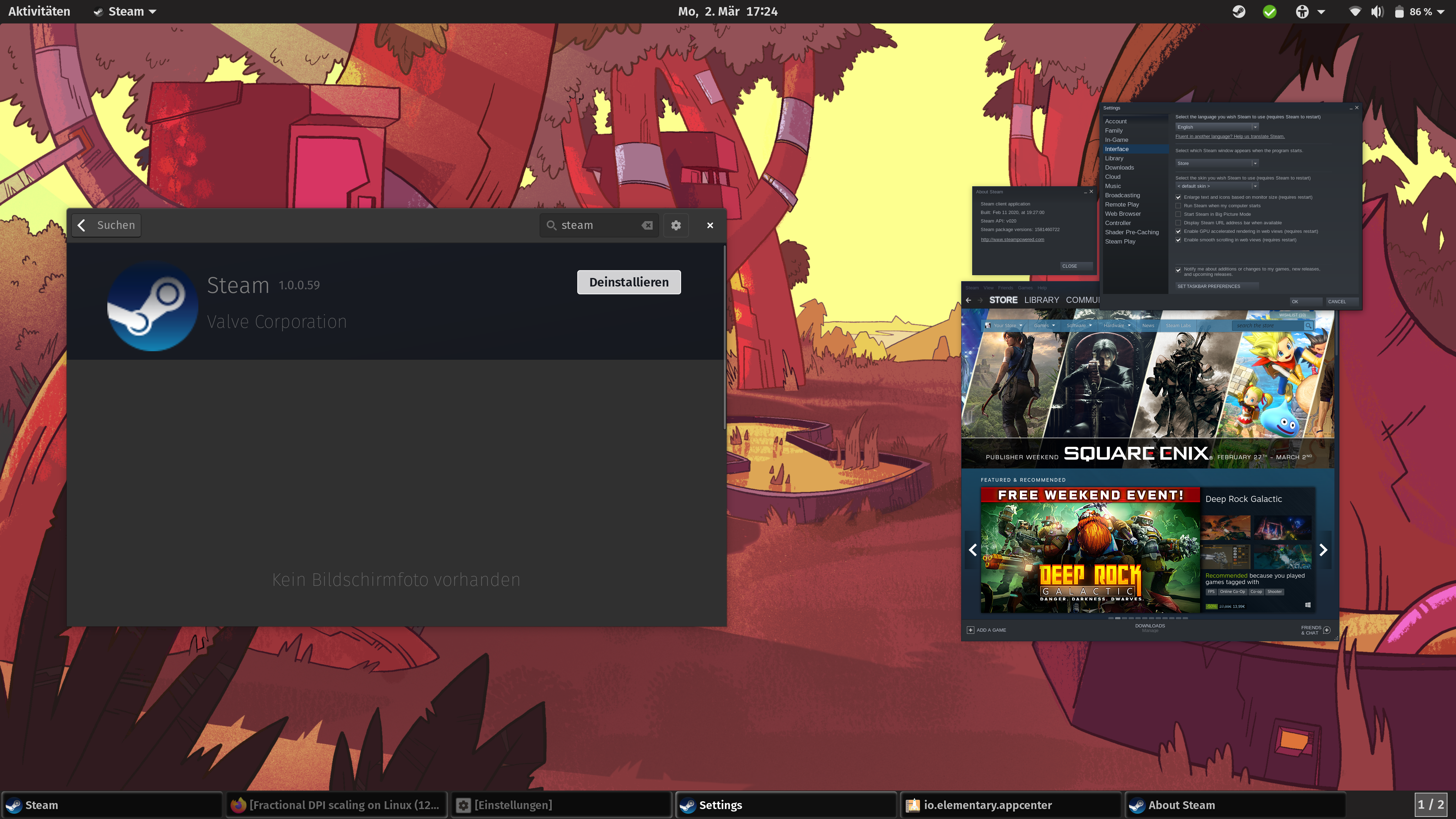
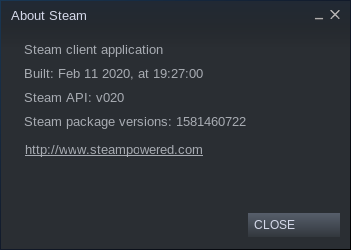
Okay, GDK_SCALE=2x steam or GDK_SCALE=3x steam in terminal has helped me.
how can I always start steam like this without going through the terminal?
Thanks
I just want steam to have a %125/133/150 scaling options.
@Bondarz to start Steam with 2x scale all the time you should edit its desktop entry:
~/.local/share/application/steam.desktop
Exec=GDK_SCALE=2 steam-runtime -console -silent %U
Fractional scaling at 100% on a 720p TV
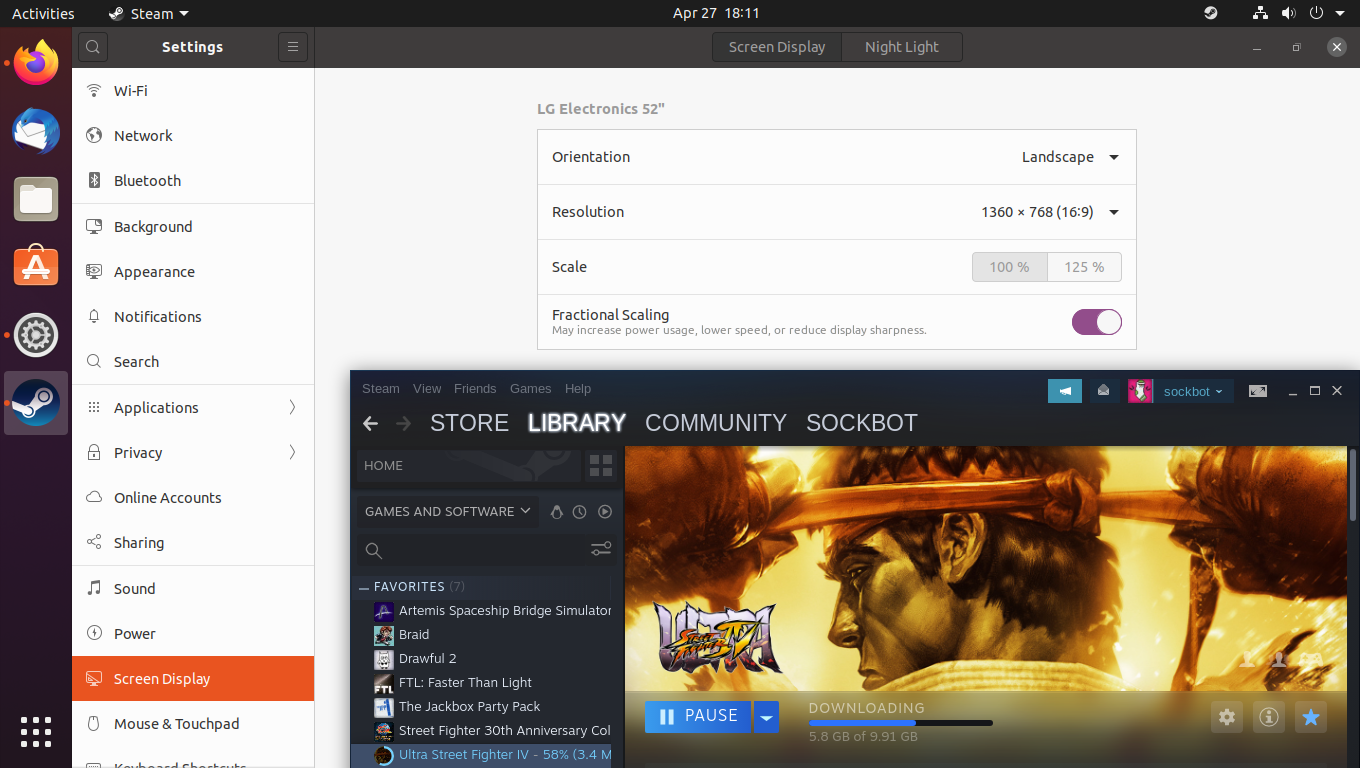
Fractional scaling at 125% on a 720p TV (The fonts should be scaling larger, not smaller)

Maybe you can try GDK_SCALE=2, might compensate for the reduction in size. I haven't see this myself because I use Plasma as my main desktop.
An important clarification should be made on this thread. Looks like op's request is specifically Linux with Xorg, (and not Linux with Wayland).
Would you mind editing the title? This is specific to that environment. Proper support for scaling on other Linux setups are completely unrelated, and all the workarounds and information provided here are Xorg-specific.
An important clarification should be made on this thread. Looks like op's request is specifically Linux with Xorg, (and not Linux with Wayland).
Would you mind editing the title? This is specific to that environment. Proper support for scaling on other Linux setups are completely unrelated, and all the workarounds and information provided here are Xorg-specific.
I would gladly change the title but apparently I can't
Still waiting for this, I run my 4k monitors at 150% scaling (144 DPI) and steam is pretty much the only application I use that doesn't respect the scaling factor and launches at 200% scaling (192 DPI) which makes it look giant in comparison to everything else, it's extremely annoying. Steam's fractional scaling works perfectly on windows so I don't see why fractional scaling can't also work on Linux given that integer scaling is already supported.
Same problem for me.
Im on KDE Plasma 5.20.2 with a 14" 1920x1080p screen, either everything is too small (100% scaling) or the steam window doesn't fit in the screen (200%).
Still waiting for this to get fix.
@LEONIDAS-0117 seemed to be the case. at 200% only big monitor can fit steam window
Bumping this annoying issue. Hope it'll get fixed soon.
Edit: GDK_SCALE=2x steam
Bumping this annoying issue. Hope it'll get fixed soon.
Edit:
GDK_SCALE=2x steamdoesn't even work for me!
GDK_SCALE only accepts integer values, therefor "2x" will be ignored. If you want an application to be scaled to 200% use GDK_SCALE=2 instead.
Bumping this annoying issue. Hope it'll get fixed soon.
Edit:GDK_SCALE=2x steamdoesn't even work for me!
GDK_SCALEonly accepts integer values, therefor "2x" will be ignored. If you want an application to be scaled to 200% useGDK_SCALE=2instead.
Oops, that makes sense! Copied from this post which must have mistakenly added the Xs. They might want to edit their post for less confusion.
Edit: It still doesn't work for me though..
I don't see why Steam cannot do fractional scaling, since it is a internet browser. It doesn't need to use system GTK scaling. Chrome and Firefox has its own fractional scaling. I am sure Steam uses Webkit.
On a 4k monitor, 2x scaling becomes 1080p screen space which is way too big. You need 5120x2880 resolution to have 2x scaling with same screen space as 2560x1440
Same problem on Ubuntu 20.04. Scale set to 125% and the text in Steam client is totally unreadable.

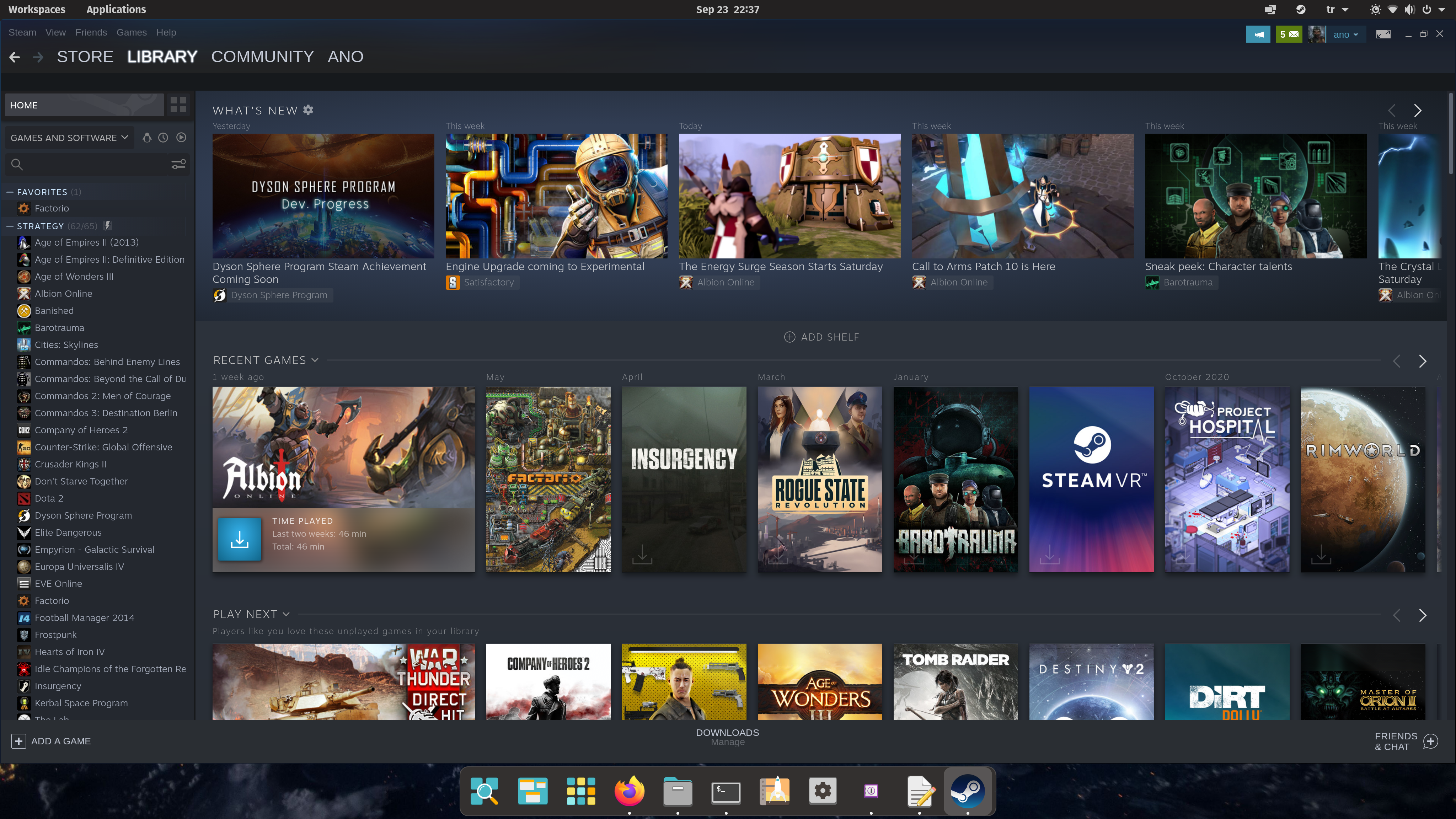
(Steam client and a normal browser for compare)
I've been suffering from this issue, too :(
There is a workaround, though (at least in GNU/Linux) - run it via GDK_SCALE=2 steam and it's OK, mostly.
But, best option (most reliable) for me is simply change desktop resolution back to default fractional scaling 200% and only then run Steam.
That is the way I solved this issue for me (Dual Screen, both 4K and fraction scaling on 175% with KDE):
Global (For all GDK based applications): /etc/environment (reboot needed?)
GDK_SCALE=2 <- Must be an integer
GDK_DPI_SCALE=0.5 <- Maybe you have to fiddle around with this value to increase or decrease the font size
Or just for the steam application by changing: /usr/share/applications/steam.desktop
Change line "Exec=" to:
Exec=GDK_SCALE=2 GDK_DPI_SCALE=0.5 steam steam://open/friends
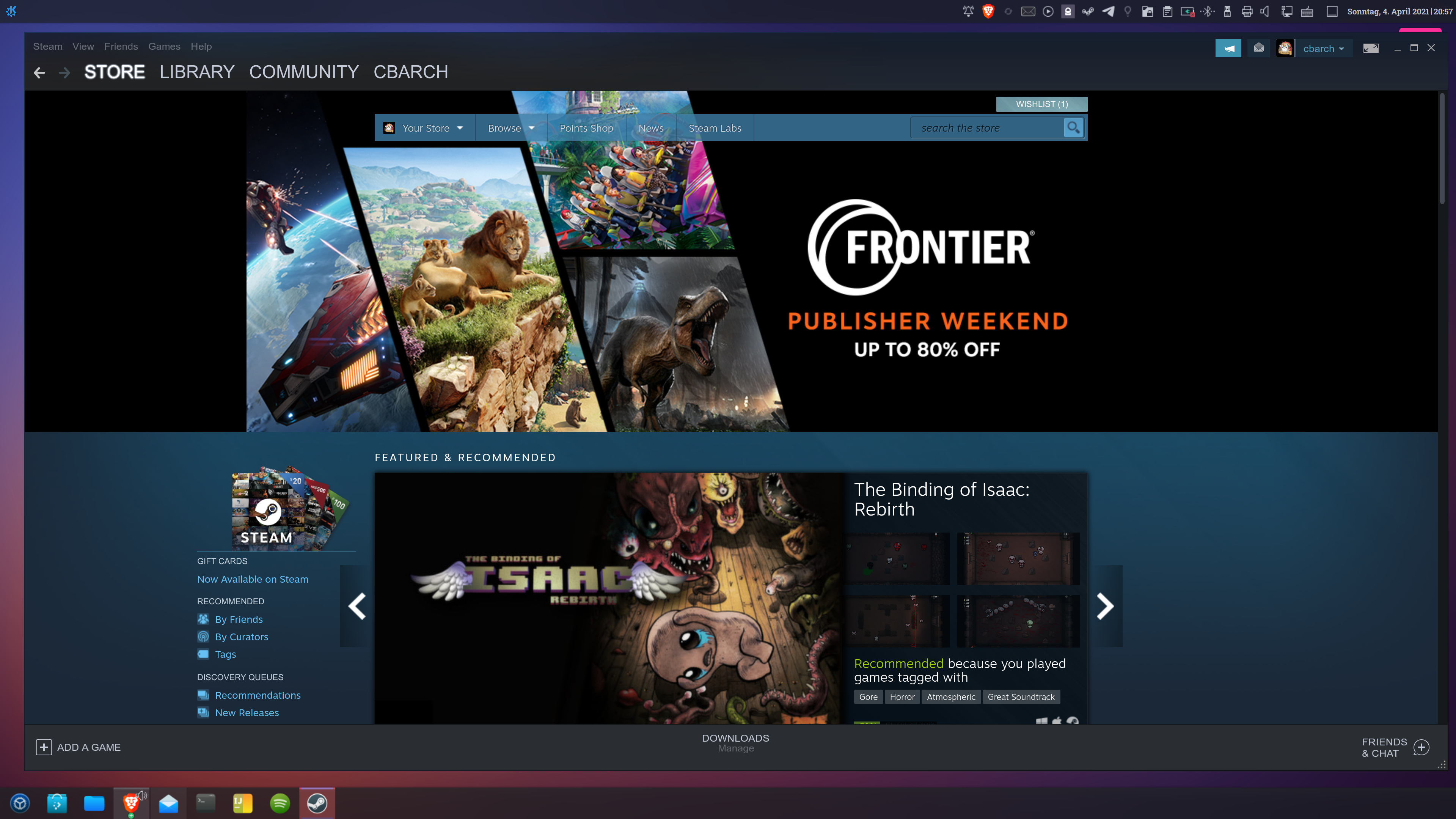
@belgrid GDK_DPI_SCALE does nothing on my system (Arch with KDE)
At this point I've mostly gotten used to running it at 2x even though it looks stupidly huge on my 4k monitor. Still waiting for proper fractional scaling though. At this point, Steam is the only application left on my system that doesn't support fractional scaling.
I'd recommend switching to Wayland session with it running in XWayland, but the Steam window is a tad blurry and currently also have this issue which is annoying to deal with. Might be worth it for some though.
@7RST1 I could not set other than 100 or 200% scaling in Wayland, both unusable, I do need like 150% for my display...
@7RST1 I could not set other than 100 or 200% scaling in Wayland, both unusable, I do need like 150% for my display...
It is possible to enable fractional scaling for Wayland. I'm using 100% and 150% across my two displays and it's working fine, except the non-Wayland windows are a tad blurry on the 150% scaled display. I recommend this setup, I just cannot find the article I used to enable fractional scaling.
@7RST1 I could not set other than 100 or 200% scaling in Wayland, both unusable, I do need like 150% for my display...
It is possible to enable fractional scaling for Wayland. I'm using 100% and 150% across my two displays and it's working fine, except the non-Wayland windows are a tad blurry on the 150% scaled display. I recommend this setup, I just cannot find the article I used to enable fractional scaling.
I was told to use the FONT DPI for scaling on Wayland (at least with plasma) which resolves the blur issue. If that still exists.
Really hope Valve can add in a 125 / 133 / 150 percent scale option.
I use XOrg because atm Wayland still has a few outstanding issues, and also I need display gamma control which is not present for plasma.
Moving over to Pop_OS 21.04 tonight. Steam with fractional scaling 125 runs so small I can't actually read most of it (38" 3840x1600). With fractional scaling off / 100% Steam actually looks normal but I have problems reading anything with the fonts this small.
exporting GDK_SCALE = 2 for Steam with fractional scaling 125% works ... except running it from the command line set up a new steam profile (which I need to go find and delete now). I'm sure I'll figure out the right way to export the scaling = 2 bit, but this is overall a really bad experience.
Just add a scaling factor setting in the Steam app itself. It's hard to find with tiny fonts but would only need to be found once. Given the age of this issue I'm kinda surprised it hasn't been worked around yet.
Given the way this version of Pop_OS is using the steam flatpak, the .local/share/app directory doesn't exist and the exec command in the bin_steam.sh script is also different than the workarounds I've found show. I'll update this with a Pop_OS decent version of the GDK_SCALE export soon as I find one.
UPDATE: I ended up finding Flatseal on https://flathub.org/apps/details/com.github.tchx84.Flatseal ... installed it and added GDK_SCALE=2 to the Environment > Variables section. That works.
For those using Flatpak, there's a simple command to permanently set variables for a given application:
flatpak override --user --env=VARIABLE1=VALUE1 --env=VARIABLE2=VALUE2 APPLICATION_ID
(If you have only one variable to set, remove the second --env argument.)
So for Steam, you would execute this:
flatpak override --user --env=GDK_SCALE=2 com.valvesoftware.Steam
Or:
flatpak override --user --env=GTK_SCALE=2 --env=GDK_DPI_SCALE=0.5 com.valvesoftware.Steam
(You can remove the --user argument on the above commands to change settings for a flatpak across all users, but that's probably not what you want to do.)
Personally, I use the former command to set the scaling to 200% because I'm blind as a bat.
EDIT: That is, if you don't feel like installing Flatseal...
However, it seems that some games still don't like fractional scaling, such as Portal 2 (unfortunately). Here's how you can reset Flatpak's overrides for Steam:
flatpak override --user --reset com.valvesoftware.Steam
I just want a %150 option, atm we only have %100 and %200.
With so many gaming laptops switching to 2560x1440 screens, this really needs to be implemented soon. 2x scaling is obnoxious on that resolution, but 1x is uncomfortably small.
I can only agree with everyone else, please add this functionality. Let me use 1.5 or sth simmilar.
PLEASE LET FRACTIONAL DPI SCALING COME TRUE!
I think GDK_DPI_SCALE= has some influence.
Folks, I don't think it will help to keep replying with +1 on this issue thread.
Looks like it's fine now with the latest version of Steam on Ubuntu 22.04
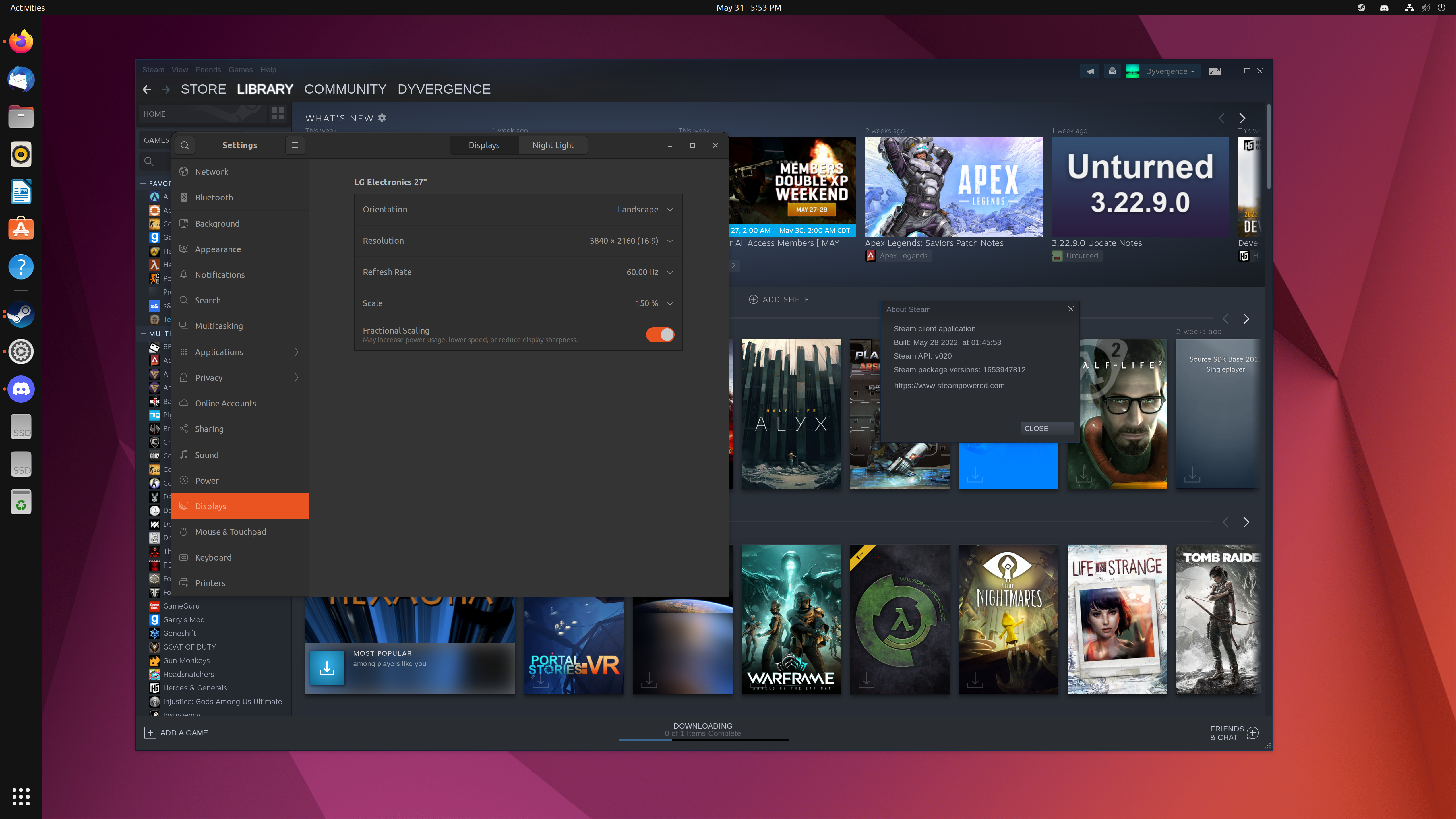
That's because Gnome is able to fake fractional scaling. It works by rendering your entire screen at 200% with a higher resolution (2880p in your case) and then downsamples it so the size is 150%. That's why it says "May increase power usage, lower speed and reduce display sharpness" because the entire screen is being run through a image resizing filter instead of being rendered natively at the screen's resolution.
It's better then nothing since at least all of the UI is the correct size but if Steam for Linux supported fractional scaling like it already does on Windows then it could just render at native resolution with the correct size instead of the desktop environment essentially having to use a hack to make it work.
This also happens to me on KDE Neon, I would love a fix for this.
I'm not sure if this will help anyone but this is what worked for me on Linux Mint 20.3 Una, XFCE edition on a Surface Pro 4.
I installed steam using apt.
Noticed that the scaling with or without the enlarge text/elements option enabled was about to make me blind.
I added steam to favourites in the Whisker menu, right clicked on the favourites shortcut and changed the "Command" section;
FROM:
sh -c 'STEAM_FRAME_FORCE_CLOSE=1 steam' %U
TO:
env GDK_SCALE=2 sh -c 'STEAM_FRAME_FORCE_CLOSE=1 steam' %U
This issue is about fractional DPI scaling i.e. 1.3 and you use 2 which, of course, works just fine. The problem is that 2 is too much on 2k displays and 1 is too little and there's no in-between for Steam specifically. It works fine in other programs like Chrome or file browser.
This issue is about fractional DPI scaling i.e.
1.3and you use2which, of course, works just fine. The problem is that 2 is too much on 2k displays and 1 is too little and there's no in-between for Steam specifically. It works fine in other programs like Chrome or file browser.
And it works fine in the Windows version of Steam which is even more frustrating
Yeah Linux desktop has plenty of shortcomings which are trying to be resolved with Wayland, but that is far from ready IN MY OPINION at least as a power-desktop-users/gaming standpoint as many applications still have scaling issues or performance issues under Wayland.
I can't get any of my games to perform nicely under Wayland and I have a 6800xt, the frames just skip and are not smooth, looks terrible.
Maybe that is just Plasma5 being trash and I need to be using Gnome Wayland? but that brings up another critical issue with Wayland, there is only like 3 DE's that actually are pushing for pull WL support so yeah... when you dig into it deep, wayland has a LONG way to go. (unless of cause you do very low tier gaming/workstation stuff, then its mostly fine)
PS. SteamOS-3 I believe uses some sort of combination of xorg and wayland with its gamescope tool.
At this point in time I think it would be best to focus on getting fractional scaling regarding Steam working on X11 as opposed to Wayland considering Wayland is still in a state of perpetual beta. I use X11 and fractional scaling under KDE and my desktop is as smooth as butter, with Steam basically being one of the only applications that doesn't work with fractional scaling. Having said that: It's been running for so long now at it's current scaling that I've become used to it.
@Bulletdust X11 fractional scaling is toolkit dependent. Scales under KDE, Gtk apps don't scale. Scales under GNOME, Qt apps don't scale. If Steam is complete Gtk, will not scale under KDE, and same other way round. Steam appears to be using Gtk2 in the steamui.so, but doesn't scale properly. For now just use steam double scaling. The worst issue is Proton or native games don't work under fractional scaling. Need to scale to 100% before starting any game
@jarrard Wayland has way more problems than Xorg, It is not compatible with Nvidia drivers, apps has blurry text, games won't work. Don't use GNOME or KDE Wayland, it doesn't resolve anything. Xorg is still the best option for a long time.
@Bulletdust X11 fractional scaling is toolkit dependent. Scales under KDE, Gtk apps don't scale. Scales under GNOME, Qt apps don't scale. If Steam is complete Gtk, will not scale under KDE, and same other way round. Steam appears to be using Gtk2 in the steamui.so, but doesn't scale properly. For now just use steam double scaling. The worst issue is Proton or native games don't work under fractional scaling. Need to scale to 100% before starting any game
I have no problem with playing games and fractional scaling. Using KDE Neon, X11 and Nvidia hardware/drivers everything works perfectly with no need to change scaling at all. It's literally just set and forget, I haven't changed my scaling preferences since installing KDE about three years ago.
Edit: I also have absolutely no problem regarding Gtk apps and fractional scaling. Gtk apps scale fine with no blurring.
Yeah not sure what that comment is about, Proton games work perfectly fine with fractional scaling enabled in KDE.
I wouldn't be surprised if the Gnome version of "fractional scaling" did break games though, since that's a hack and not real fractional scaling.
@kisak-valve It's been four years since I reported this issue. Could we at least get confirmation on whether this is planned?
Are you waiting for something specific to happen so this gets implemented or...? We'd love some communication on this, if possible
@jarrard Wayland has way more problems than Xorg, It is not compatible with Nvidia drivers, apps has blurry text, games won't work. Don't use GNOME or KDE Wayland, it doesn't resolve anything. Xorg is still the best option for a long time.
To get Wayland working on NVIDIA cards you need EGLStreams library installed. But yes it isn't ideal, but only some apps are blurry and games do work but are slower from my testing.
None of the Linux desktops use real scaling, it is an Xorg limitation. Almost all the apps are X11, not all the apps have wayland support yet. They work through Xwayland not the same as Wayland. That is why you have Wayland but still have problems. Apps blurry, or crash because is going through Xwayland.
Well I'm running X11 and both Qt and Gtk apps are scaling perfectly using fractional scaling, as far as I can tell it's only Steam that refuses to scale when using fractional scaling.
In fact, my experience with scaling under KDE Neon is actually better than my experience with scaling under Windows 10. It's not uncommon to occasionally open an application under Windows 10 only to find text blurry and not scaled ideally. This just doesn't happen under KDE Neon.
Is there any current workaround to get fractional scaling at the moment?
Crazy how this hasn't been fixed yet it's been 5+ years. Wack.
this issue has been in my bookmarks for the past 2 years. I check it every few weeks and it’s ridiculous that there’s been literally zero progress
@wesleynw it's better to just subscribe to it via e-mail (in case you aren't using github regularly). But this is off-topic and doesn't contribute to solving the issue.
Most DE's don't have it figured out yet, especially wayland.
Most DE's don't have it figured out yet, especially wayland.
Seeing as every single other application I use on a daily basis is scaled correctly, I think it’s Valve’s fault not the DE.
Since full Wayland support is a bigger fish, would adding a scale launch param that is also passed to the embedded webview work as a both an easy and good-enough solution that people could use on X11/XWayland? Electron apps deal with the problem similarly - either with a scale option as a setting or a launch param like --force-device-scale-factor. Valve pls.
Seeing as every single other application I use on a daily basis is scaled correctly, I think it’s Valve’s fault not the DE.
Feel free to TLDR this... but...
Yeah I think Plasma X11 has it down packed pretty well. Gnome X11 is not too bad either. But both are quite sketchy in Wayland and often just increasing font scaling is best method but not all apps behave.
Biggest issue is we have GTK2-3, QT3-4-5-6, and some other app toolkits that are all configured differently or have different limits to scaling or how its done.
What Valve could do is render a up res-the app window and just downscale it to whatever the user wants. Some apps do this already I've read. Wouldn't chew to much in resources since it only happen when window is open and focused perhaps..
There are lots of solutions, another is to have uniform font scaling which if setup correctly can automatically change UI sizes but then you must scale all icons with it and you run in with low resolution assets being scaled to high (hence the down res option I think could be easiest).
Either way Valve don't want to deal with it..Windows has global scaling but its not always producing good results for Steam, also I run at 4k have 125% scaling on which is good for me but steam still scales too small, I need 150 or above to get it bigger...
Steam window scaling and customization just needs a major rewrite.. They have the big picture mode down packed I think, except for maybe some usability improvements which they've been doing because of Steam Deck.
--force-device-scale-factor
and/or add a option in the Settings somewhere to let user select 100-200 at %10 increment scaling.
Benefit ALL platforms! Ditch the old tick box that "automatically" scales things.
Lets not forget non of this scaling exists under Windows either at least in my testing.
Sorry but this just isn't true. Steam has full and proper fractional scaling support on Windows so the ability for the UI to scale this way is clearly in their codebase, it just isn't made available to use on Linux.
Just to lay this misconception to rest here are some screenshots which show it in action on Windows:
1080p at 100%
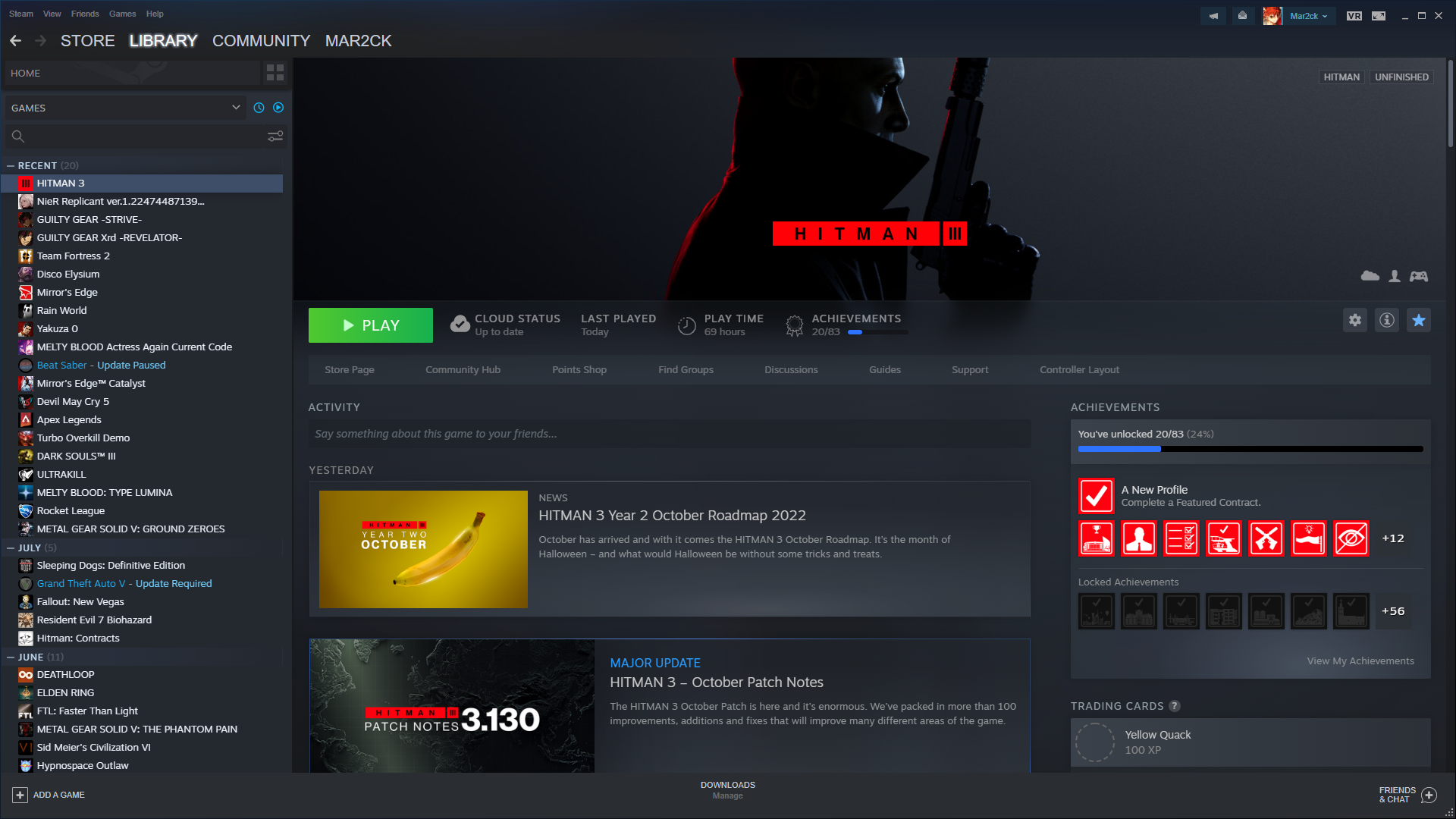
1080p at 125%
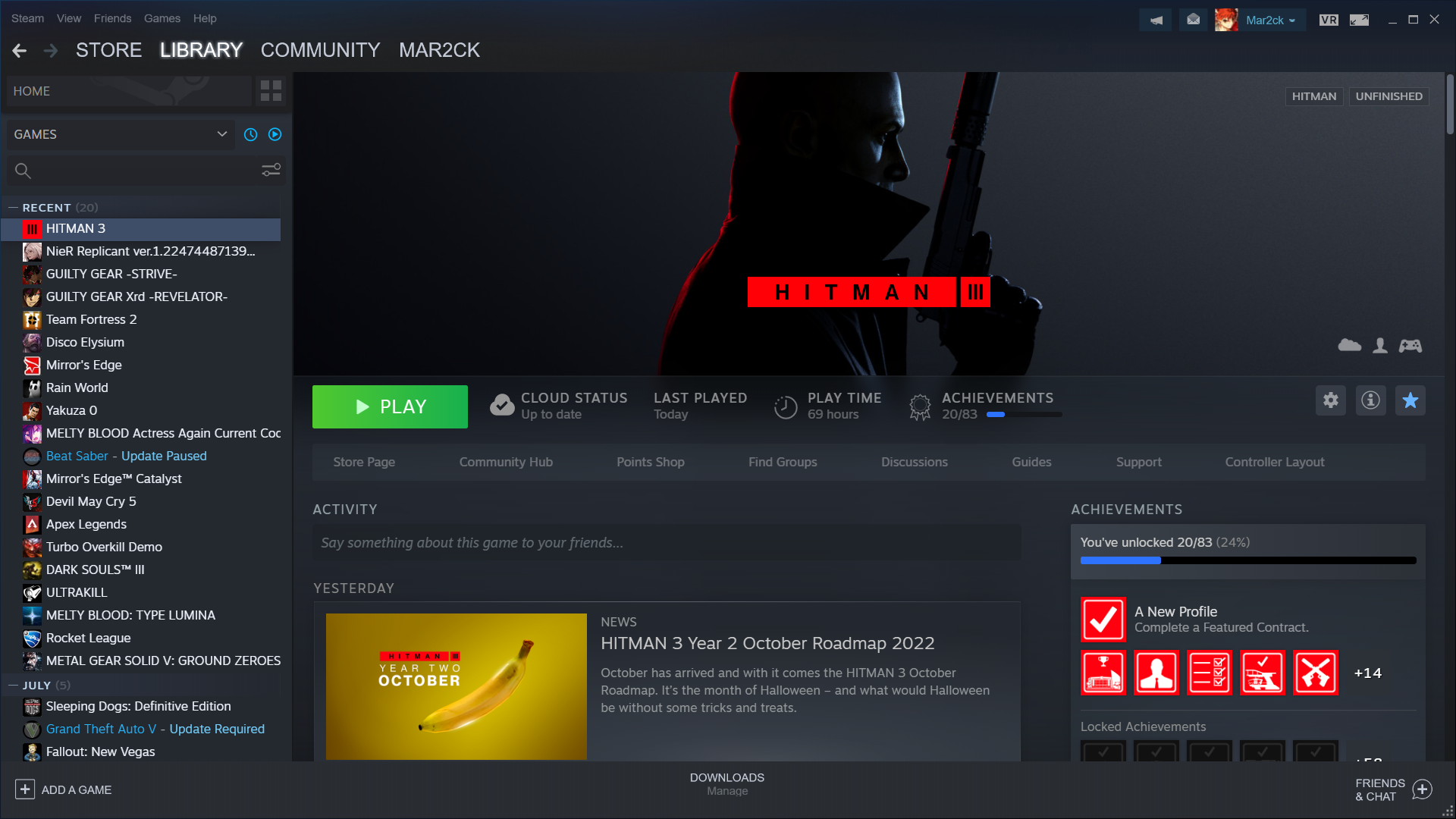
1080p at 150%
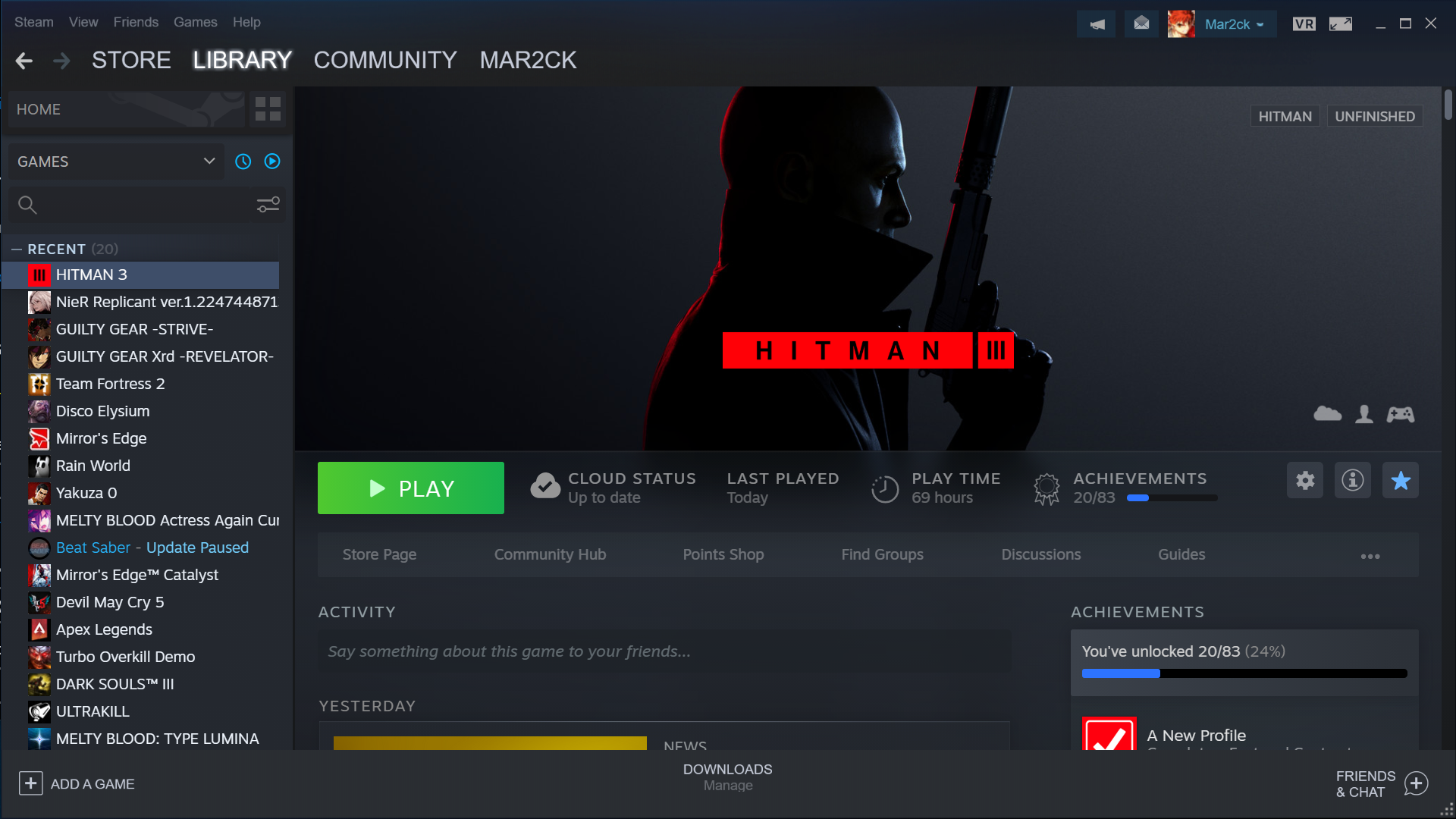
Sorry but this just isn't true.
I mistyped sorry. I meant it didn't work well for anything below 150%
The recent gamepadui beta updates seem to have broken how scaling works when using GDK_SCALE=2; Text for games in the library now refuse to scale and and UI elements that used to scale with the env var now have the upper third of the window become unusable.
Steam's UI is in a very sour state at 4k on a 27" monitor now on Linux, as setting GDK_SCALE=2 was the closest workaround thanks to a lack of support for the fractional scaling equivalent of this env var.
Still waiting for a fix on this one...
Still waiting too...
One day...
it's sad how Valve intends Steam to succeed on Linux and to make gaming consoles out of Steam + Linux but the DPI scaling is literally nonexistant. Did anyone try to use Steam on a big TV to play games with a controller on Linux? without GDK_SCALE , chat text and achievements are unreadable, and the old Big Picture that worked better than the one being betatested now, is very unstable on my system, which means, if I run without Big Picture, I literally can't even read the achievements I get.
This should be the highest on a priority list, it just breaks the experience and gives Linux such a bad rep.
I think the code responsible for UI scaling on Steam is already there, but not being used! Look:
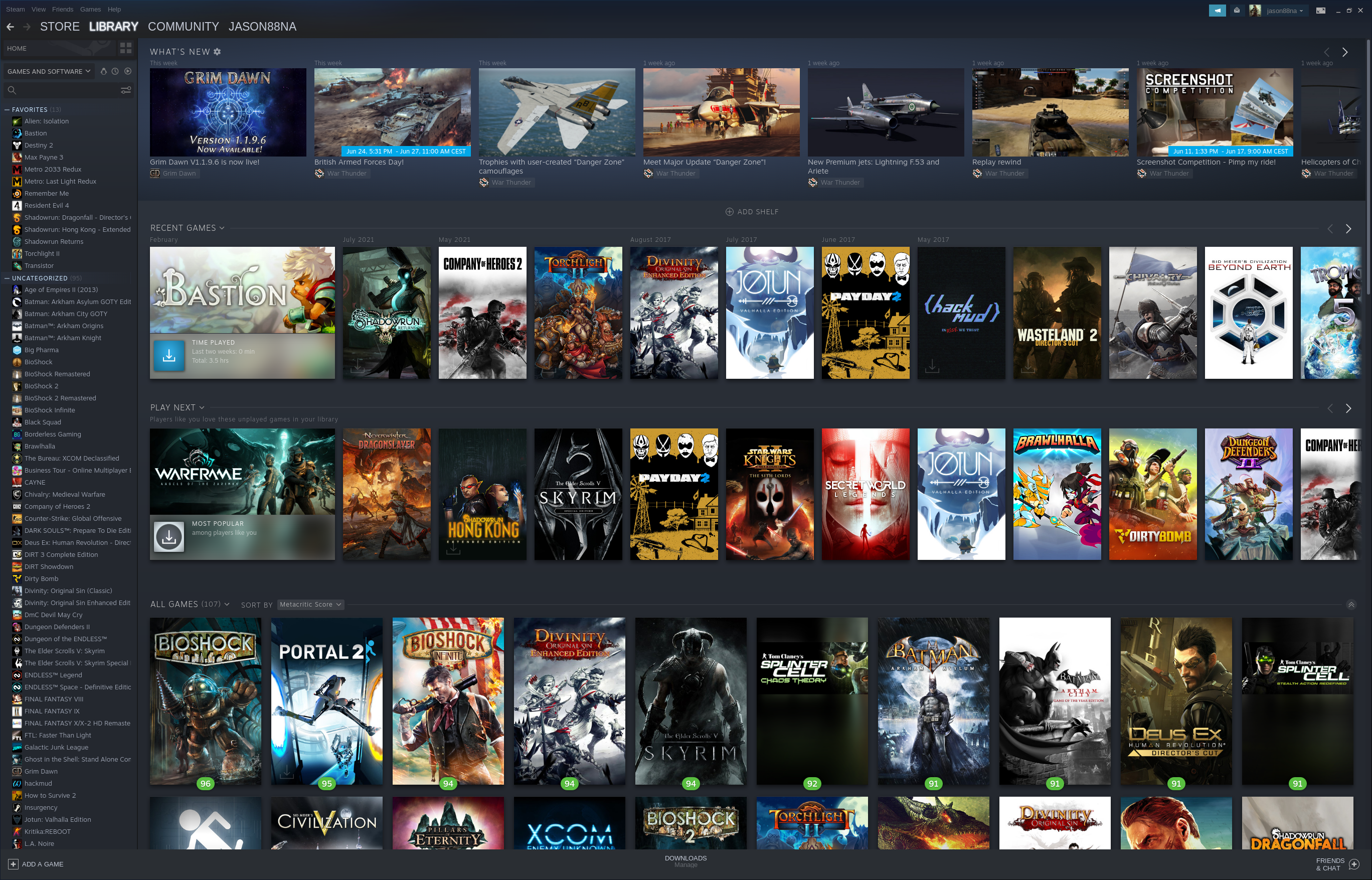
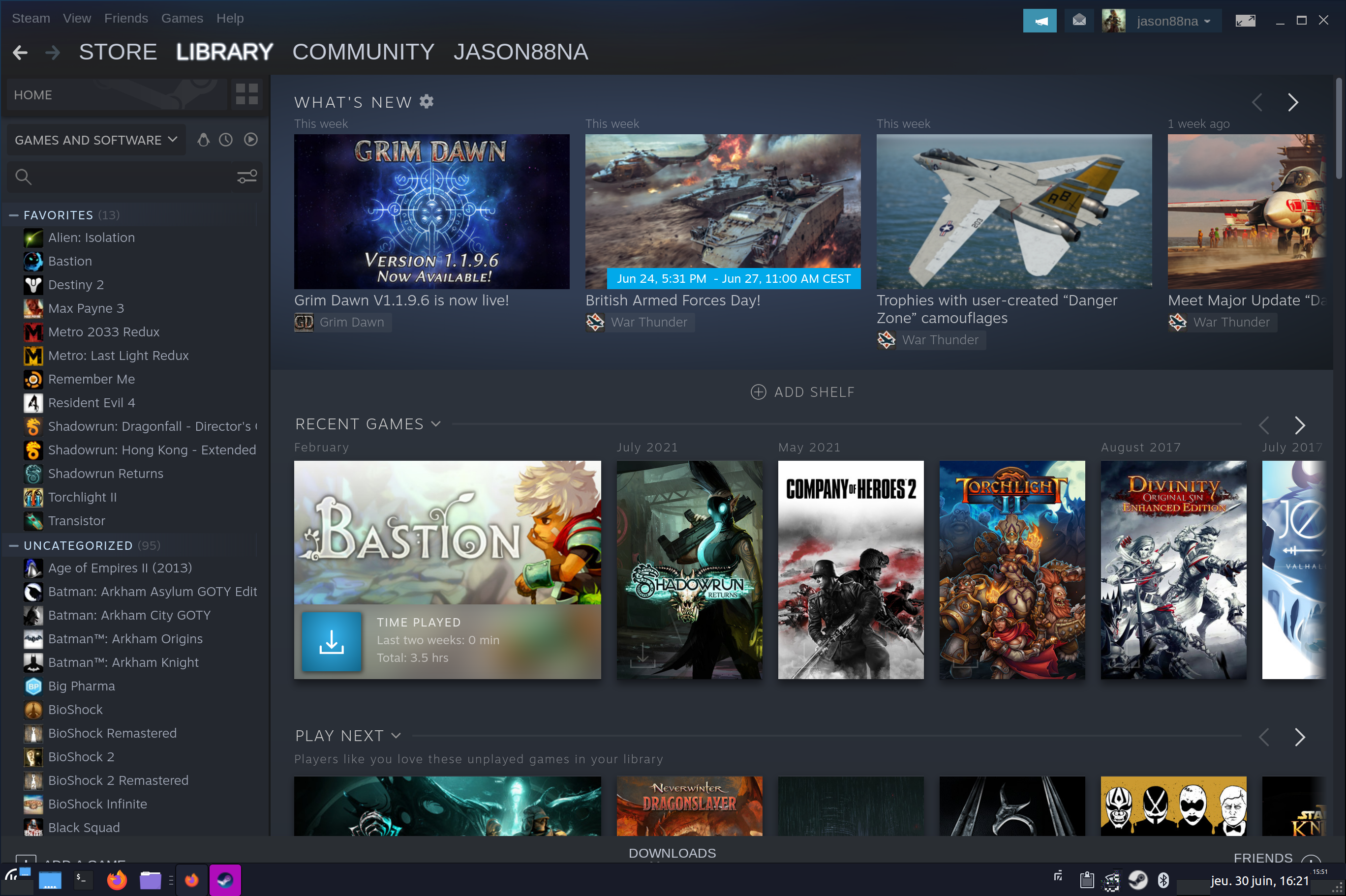
I have a laptop with arch linux + xfce, manually adjusted to have 150% UI scale. by default, steam won't scale the UI (first screenshot), but as soon as I go to the new GamepadUI, the detachable friends + chat window gets scaled by 150% correctly (second screenshot). But the most surprising thing is the fact that after exiting the GamepadUI, for a second almost the entire UI of regular steam also gets scaled by 150% correctly (third screenshot).
Fun fact: The way almost everything scales on my OS is because I changed my font DPI to 140. Telegram, firefox, gimp, discord and etc are scaling well that way. KDE Plasma also does the same way.
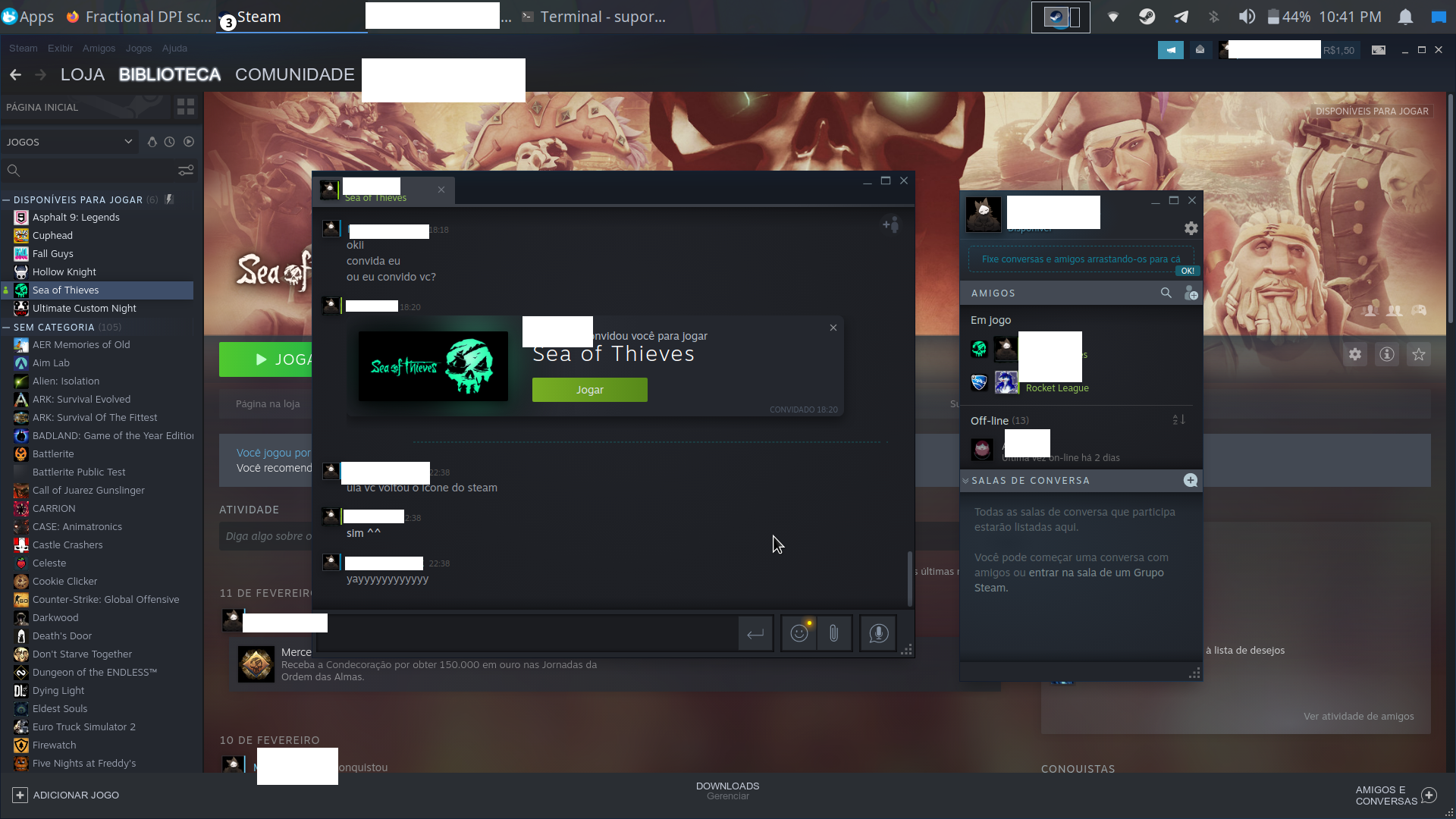
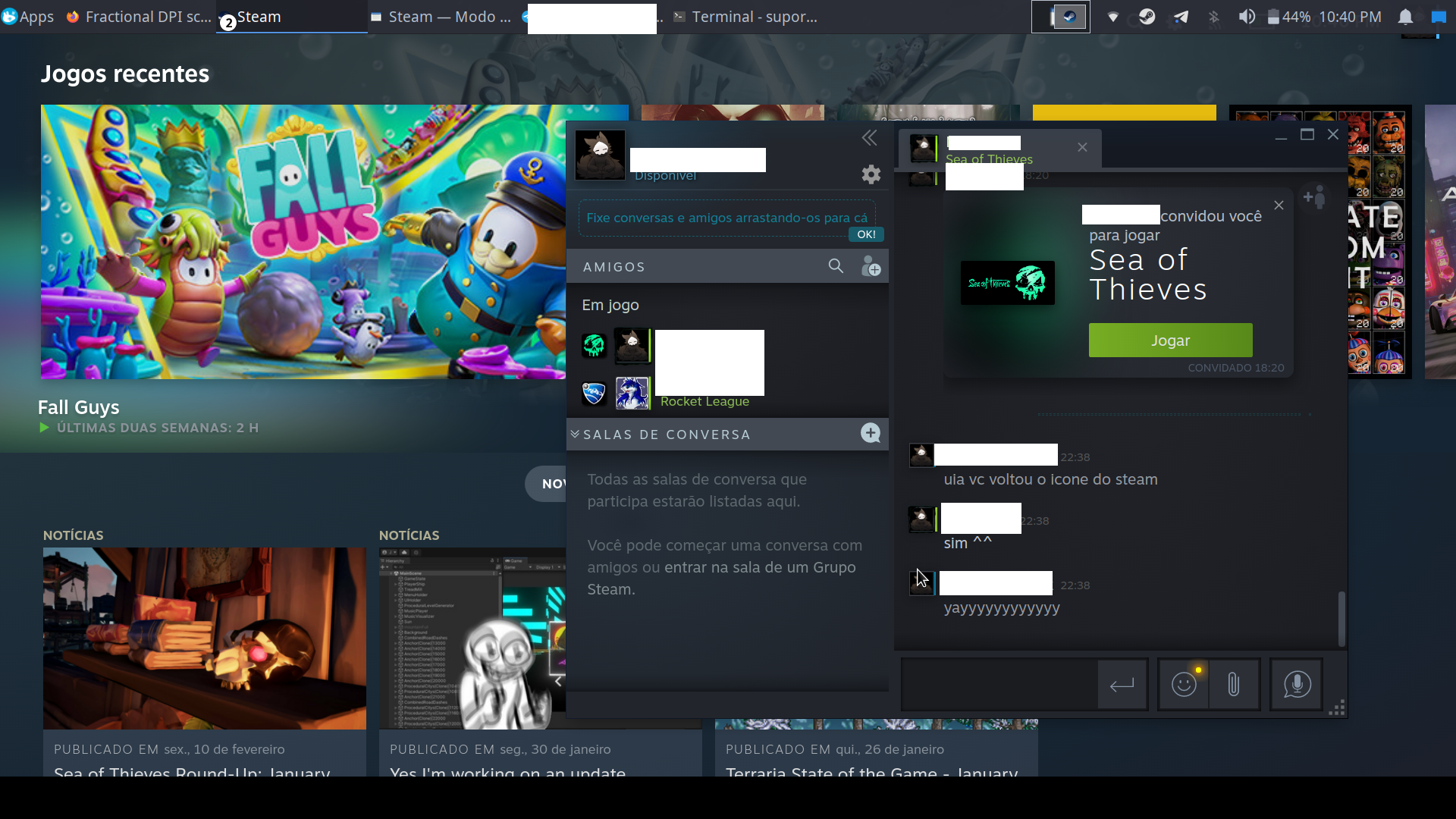
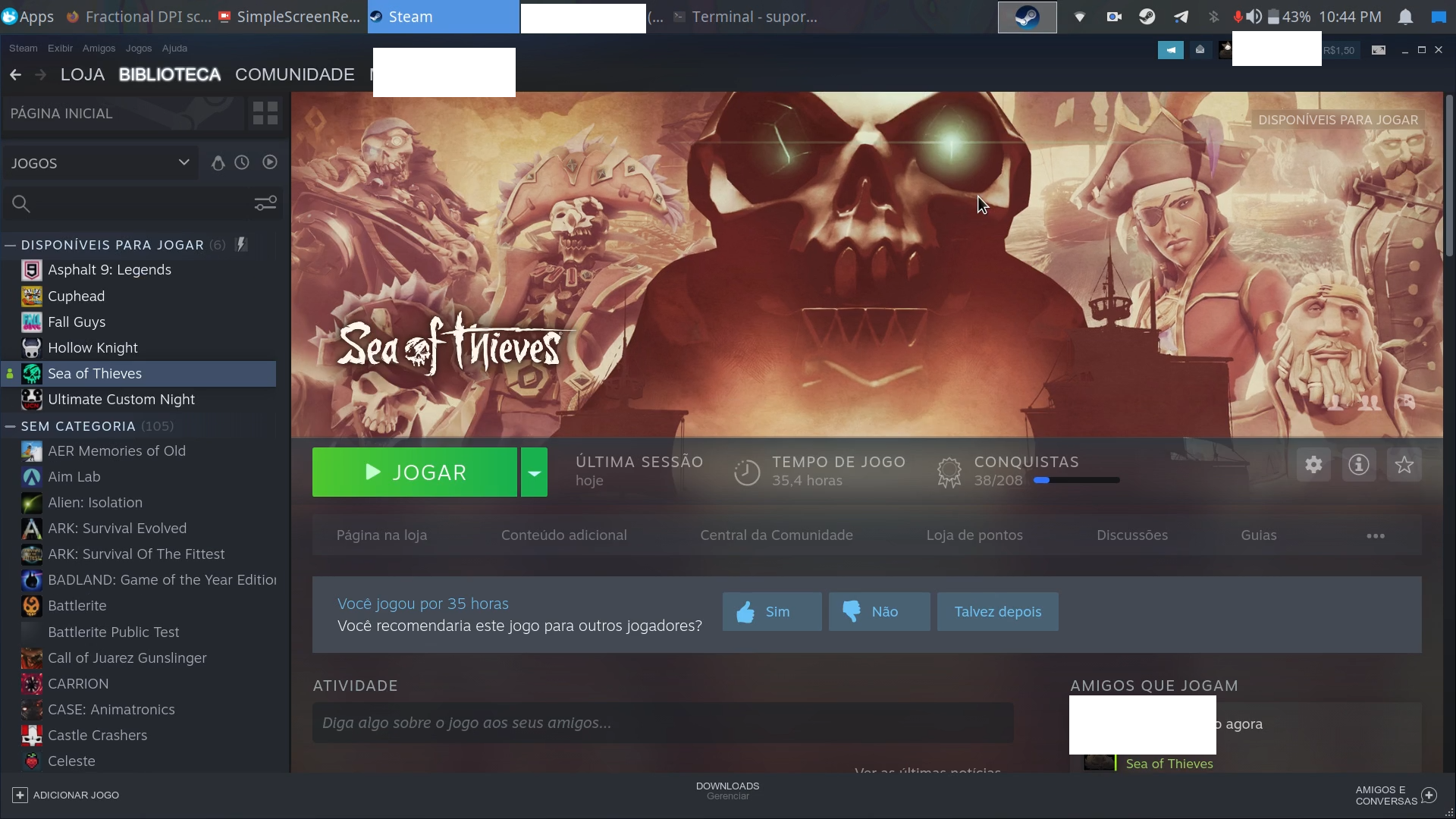
Looks like the latest beta update broke GDK_SCALE again for me on the normal Steam UIs. Small mode seems scaled still.
Yup. It also broke the webkit.css trick as well. Valve, how can you as a company be so innovative and future-focused, yet fall so flat when is comes to UI accessibility?
Would be good to have GDK_SCALE=1.5 or 1.25 or 1.75.
I know it only accepts integer values but WHY
@y4my4my4m that's probably because GTK doesnt support fractional scaling at the moment. I don't know why they prefered to use gtk instead of qt.
I am just now realizing the irony here that SteamOS runs KDE.
@rubin110 kde plasma has improved a lot since the time they implemented GDK_SCALE and I guess that's why they're using now
It is not Steam problem, or any app problem. GTK does not have fractional scaling, cannot be fixed. Xorg does not scale either, also cannot be fixed. That is why they develop the Wayland
It is not just the GTK or QT problem, It is because Linux display does not have scaling or only have partial working scaling. If using the GNOME and Nvidia you have GPU scaling, but not all of the apps work, Steam still does not scale even it is GTK.
you can't just scale GTK. because if you run QT apps in GNOME, it does not scale. You need to adjust both scaling individually which is not ideal. You can conclude scaling is broken in Linux, until you wait for all the Wayland issues are resolved.
Most DE's don't have it figured out yet, especially wayland.
Seeing as every single other application I use on a daily basis is scaled correctly, I think it’s Valve’s fault not the DE.
Steam uses GTK, It is GTK's fault and Xorg fault, not Valve. If using QT same problem. Because both toolkits are independent, either doesn't work in GNOME or doesn't work in KDE.
@howdev considering all that you said, steam should scale itself based on the font's DPI. firefox/chrome and all kde applications scales well with that, and these applications changes the size of the elements too, not just text. That's how kde plasma supports fractional scaling over x11 and this is very similar on windows too
@myghi63 those are workaround, you can't expect app developers to fix something related to the system and not the app itself. The real problem which has already been acknowledged is the display server. Firefox and Chrome does not scale, when you did not turn on desktop scaling, apps cannot tell when you need to scale, that is display server's job.
People don't have to change Font DPI to scale. I didn't change font dpi, what happens then? it doesn't scale. It is clear that the scaling function should be done by display server.
Tried the new beta that dropped today. Nice snappy new UI-- too bad the "Scale text and icons..." option STILL doesn't respect the desktop scaling options. No difference regardless of it being on or off. Back to Stable for me...
It's not too snappy anymore, if you get 4 times of the intended amount of content displayed. If i resize the window to a quarter, yeah, then it's snappy again, but i still can't read anything (especially non highlighted light-gray on dark-gray text) because everything is just waaay too small without working scaling on a 32" 4k.
It is probably completely unusable on much smaller 4k screens.
Since no one mentioned it yet the GDK_SCALE equivalent for Qt/KDE is QT_SCALE_FACTOR (QT_SCREEN_SCALE_FACTORS for multiple monitors) and unlike GDK_SCALE it does support fractional values. Since it's just an environment variable, there's nothing stopping Steam or any other program from respecting it even if running under Gnome for example.
Edit: This is about how Steam should implement fractional scaling on X11 when they finally get around to it
QT_SCALE_FACTOR doesn't work either, unfortunately.
GDK_SCALE=2 steam is working for me on the snap of Steam (not on the deb or flatpak versions). I'm running Pop!OS 22.04, X11, Gnome 42.5, with system-wide fractional scaling set at 1.25.
It looks like the newest beta is supposed to fix this with -forcedesktopscaling but it always crashes whenever I use the option set to anything other then 1.
steam -forcedesktopscaling 1.25:
steam.sh[54010]: Running Steam on neon 22.04 64-bit
steam.sh[54010]: STEAM_RUNTIME is enabled automatically
setup.sh[55094]: Steam runtime environment up-to-date!
steam.sh[54010]: Steam client's requirements are satisfied
[2023-05-05 23:56:19] Startup - updater built May  5 2023 18:02:32
[2023-05-05 23:56:19] Startup - Steam Client launched with: '/home/marc/.local/share/Steam/ubuntu12_32/steam' '-forcedesktopscaling' '1.25'
[2023-05-05 23:56:19] Opted in to client beta 'publicbeta' via beta file
You are in the 'publicbeta' client beta.
05/05 23:56:19 Init: Installing breakpad exception handler for appid(steam)/version(1683314987)/tid(55194)
[2023-05-05 23:56:19] Loading cached metrics from disk (/home/marc/.local/share/Steam/package/steam_client_metrics.bin)
[2023-05-05 23:56:19] Using the following download hosts for Public, Realm steamglobal
[2023-05-05 23:56:19] 1. https://client-update.akamai.steamstatic.com, /, Realm 'steamglobal', weight was 1000, source = 'update_hosts_cached.vdf'
[2023-05-05 23:56:19] 2. https://cdn.cloudflare.steamstatic.com, /client/, Realm 'steamglobal', weight was 1, source = 'update_hosts_cached.vdf'
[2023-05-05 23:56:19] 3. http://media.steampowered.com, /client/, Realm 'steamglobal', weight was 1, source = 'baked in'
[2023-05-05 23:56:19] Verifying installation...
[2023-05-05 23:56:19] Verification complete
Loaded SDL version 3.0.0-1471-gb6ca36022
XRRGetOutputInfo Workaround: initialized with override: 0 real: 0xf3e719c0
XRRGetCrtcInfo Workaround: initialized with override: 0 real: 0xf3e701f0
GetWin32Stats: display was not open yet, good
ComputeStartupMode: found registry default startup mode: 0
Switching to desktopui, since -vgui was not specified
steamwebhelper.sh[55199]: Runtime for steamwebhelper: defaulting to /home/marc/.local/share/Steam/ubuntu12_64/steam-runtime-heavy
steamwebhelper.sh[55199]: glibc >= 2.34, partially disabling sandbox until CEF supports clone3()
Warning: failed to set thread priority: set failed for 8: -1: setpriority() failed
Warning: failed to set thread priority: set failed for priority 8
Warning: support for elevated priorities is most likely unavailable, suppressing future warnings
Warning: failed to set thread priority: set failed for 8: -1: setpriority() failed
Warning: failed to set thread priority: set failed for 8: -1: setpriority() failed
CAppInfoCacheReadFromDiskThread took 138 milliseconds to initialize
src/clientdll/user.cpp (8148) : Calling GetUserConfigFolder before we know our SteamID
src/clientdll/user.cpp (8148) : Calling GetUserConfigFolder before we know our SteamID
assert_20230505235620_24.dmp[55320]: Uploading dump (out-of-process)
/tmp/dumps/assert_20230505235620_24.dmp
Failed to init SteamVR because it isn't installed

(steam:55194): Gtk-WARNING **: 23:56:21.205: gtk_disable_setlocale() must be called before gtk_init()
/usr/share/themes/Breeze/gtk-2.0/widgets/entry:70: error: unexpected identifier 'direction', expected character '}'

(steam:55194): Gtk-WARNING **: 23:56:21.209: Unable to locate theme engine in module_path: "adwaita",
/usr/share/themes/Breeze/gtk-2.0/widgets/styles:36: error: invalid string constant "combobox_entry", expected valid string constant
Local Device Found
  type: 2f24 00f7
  path: sdl://1
  serial_number:  - 0
  Manufacturer:
  Product:      Generic X-Box pad
  Release:      101
  Interface:    -1

!! Steam controller device opened for index 0.
local (potentially out of sync) copy of roaming config loaded - 34981 bytes.
!! Controller 0 attributes:
  Type: 30
  ProductID: 247
  Serial: 2f24-f7-76622b0
  Capabilities: 001843ff
  Firmware Version: 0
  Firmware Build Time: 2147483647 (Tue, 19 Jan 2038 03:14:07 GMT)
  Bootloader Build Time: 2147483647 (Tue, 19 Jan 2038 03:14:07 GMT)
Loaded Config for Local Selection Path for App ID 413090, Controller 0: controller_base/bigpicture_gamepad.vdf
Loaded Config for Local Selection Path for App ID 413090, Controller 0: controller_base/bigpicture_gamepad.vdf
Loaded Config for Local Selection Path for App ID 769, Controller 0: controller_base/basicui_gamepad.vdf
Loaded Config for Last Resort Path for App ID 769, Controller 0: /home/marc/.local/share/Steam//controller_base/basicui_gamepad.vdf
Loaded Config for Local Selection Path for App ID 413090, Controller 0: controller_base/bigpicture_gamepad.vdf
Loaded Config for Local Override Path for App ID 413080, Controller 0: /home/marc/.local/share/Steam//controller_base/empty.vdf
assert_20230505235620_24.dmp[55320]: Finished uploading minidump (out-of-process): success = yes
assert_20230505235620_24.dmp[55320]: response: CrashID=bp-feb82ba5-334e-4df0-847e-7f7bc2230505
assert_20230505235620_24.dmp[55320]: file ''/tmp/dumps/assert_20230505235620_24.dmp'', upload yes: ''CrashID=bp-feb82ba5-334e-4df0-847e-7f7bc2230505''

(steam:55194): GLib-GObject-CRITICAL **: 23:56:31.038: g_object_unref: assertion 'G_IS_OBJECT (object)' failed

(steam:55194): GLib-GObject-CRITICAL **: 23:56:31.039: g_object_unref: assertion 'G_IS_OBJECT (object)' failed
[2023-05-05 23:56:31] Shutdown
System info:
OS: KDE Neon 5.27 (Ubuntu Jammy)
Kernel: 5.19.0-41
GPU: NVIDIA GTX 1660 Ti (Driver: 525.105.17)
Desktop: KDE Plasma X11
Edit: Even GDK_SCALE=2 steam causes a crash for me now.
Yeah, same here. At best any combination of GDK_SCALE and/or -forcedesktopscaling still comes up tiny, or is just straight-up crashes. Dreams, crushed.
KDE | Kernel 6.2 | Nvidia GTX 3060Ti 530.41.03 | 32GB RAM | Ryzen 3700X
I don't want to disregard those experiencing crashes, but I do want to add some more data points since it the latest beta client partially works for me:
My laptop is AMD integrated, NVIDIA discrete. I use prime render offloading to use the discrete GPU. I usually run Steam on integrated and change launch options for games.
When Steam (beta) is launched on integrated:
- Global GDK setting is not respected
- GDK_SCALE environment variable is not respected
-forcedesktopscalingworks for fractional scaling! Progress!
When launched on discrete (e.g. prime-run steam), it doesn't crash, but none of the options work at all; not even for whole number scaling.
$ gsettings get org.gnome.desktop.interface text-scaling-factor
1.25
Not sure what's relevant, but some system info:
KDE Plasma 5.27.4 | X Server 1.21.1.8 | Arch Linux - Kernel 6.2.13 | mesa 23.0.3 | nvidia 530.41.03
I thought I would never see this day.
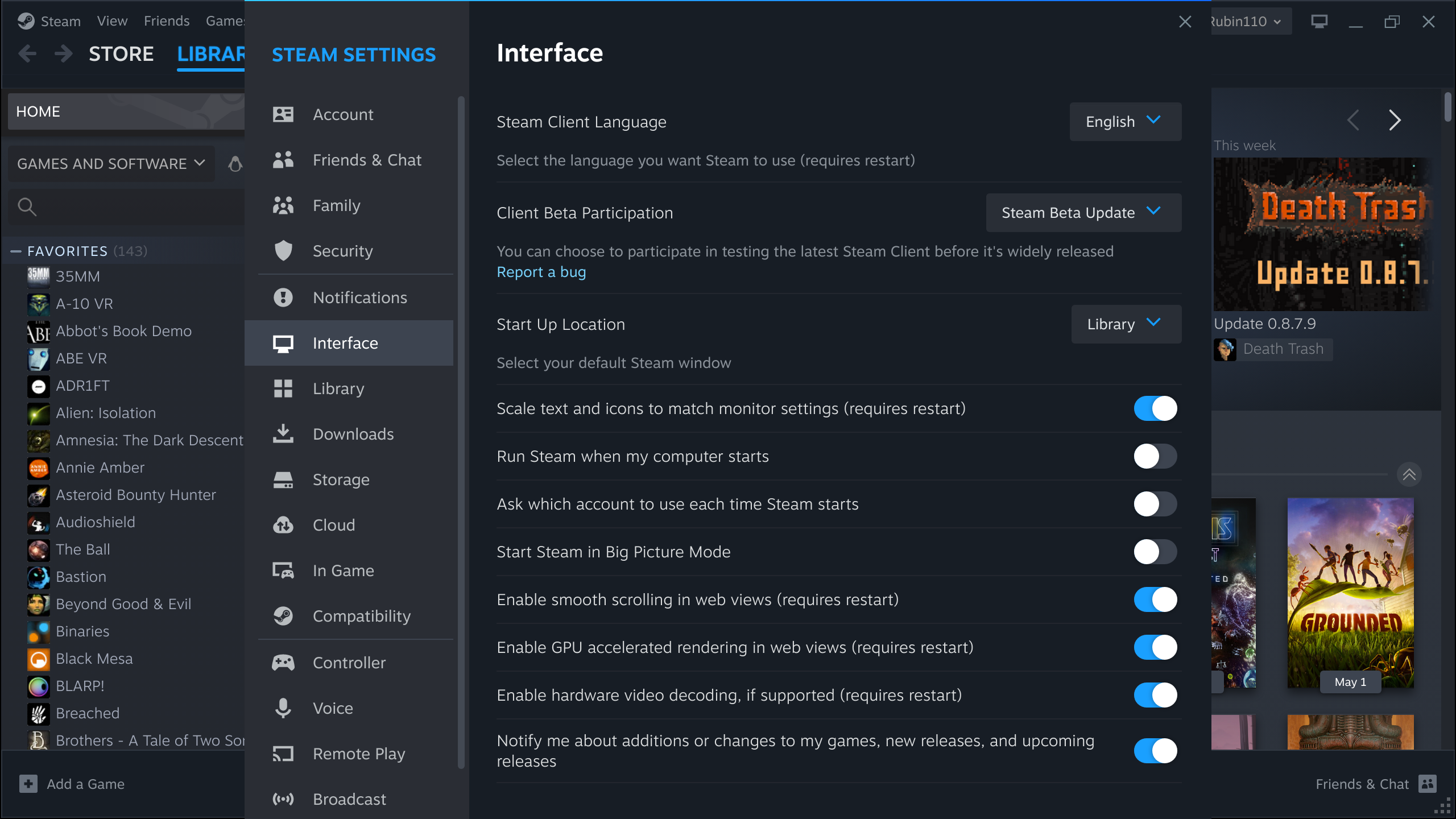
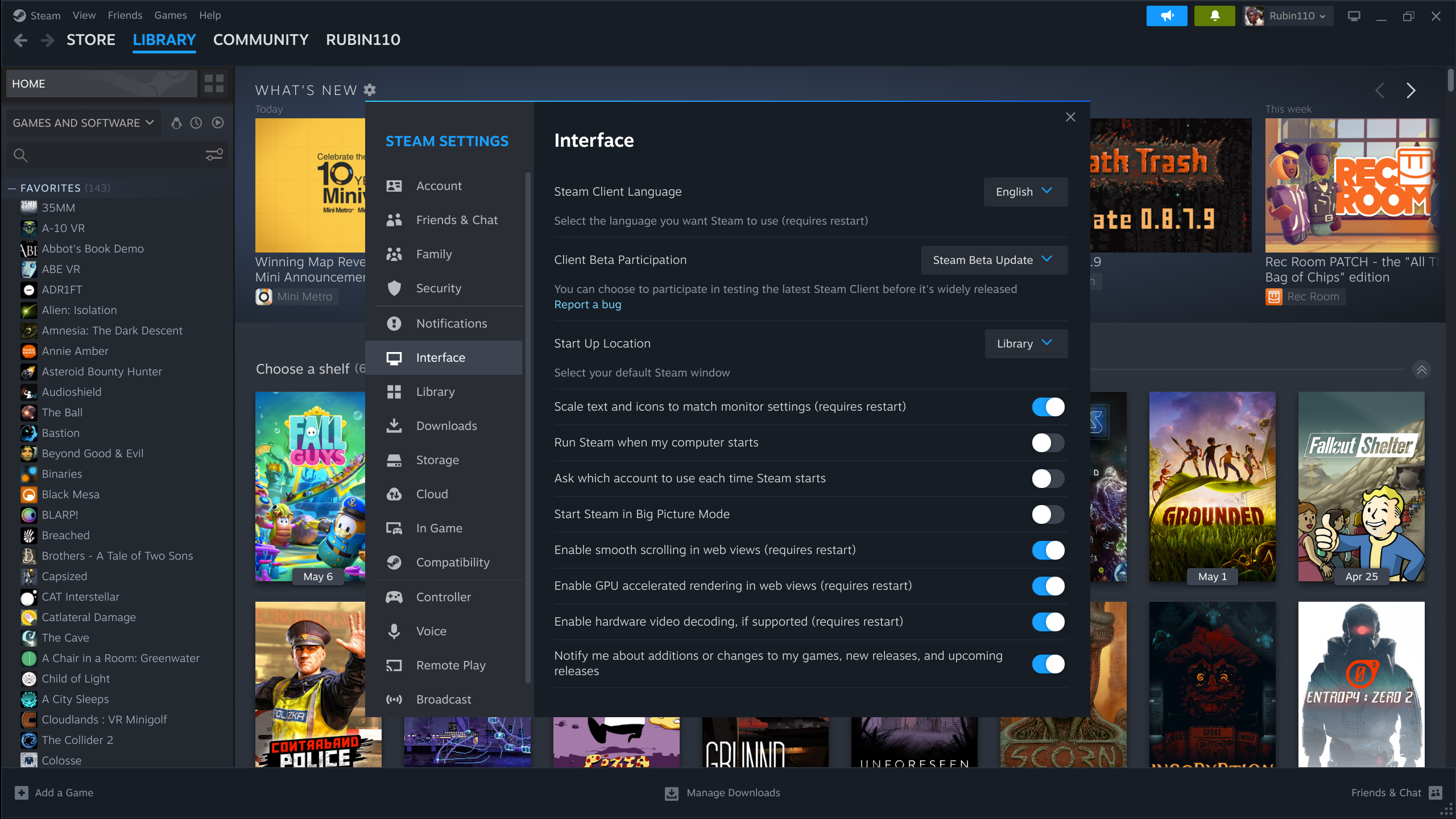
-forcedesktopscaling 1.5 works for me, no crashes. I have not done a deep dive of the UI to see if anything would cause a crash. Switching over to big picture there is a moment where scaling on the app drops down to 1, but once you exit big picture it restores back. Big picture looks fine. I imagine through some usage bouncing between big picture and the normal window I might find some poor reflow/redraw issues there, but I never use big picture on this laptop.
Maximized, without -forcedesktopscaling 1.5:
Maximized, with -forcedesktopscaling 1.5:
Debian Sid
linux-image-amd64 6.1.0
xserver-xorg-core 21.1.7
KDE plasma-desktop 5.27.2.2
Steam version 1683314987
org.gnome.desktop.interface text-scaling-factor 1.5
KDE screen scaling 150%
Intel UHD 620 on a ThinkPad T480s:
$ glxinfo | grep -i "vendor\|rendering"
direct rendering: Yes
server glx vendor string: SGI
client glx vendor string: Mesa Project and SGI
    Vendor: Intel (0x8086)
OpenGL vendor string: Intel
My eyes no longer bleed from a massive UI, they now shed tears of joy.
I'm getting weird behaviors with any browser window, like the store or community. I cannot click on any objections, or even get a finger pointing hyperlink cursor. This seems to happen more frequently when I have the window maximized.
I'm using flatpak steam so maybe -forcedesktopscaling 1.5 doesn't work in that example.
I can pass the command with "" or '' around it and according to console readout it is passed to steam, but it doesn't care. Scaling remains small.
Please make forcedesktopscaling and option in UI. Setting it in CLI is annoying.
For real, Valve. I love you, but please stop guessing what your users want and practice some Human Centered Design. Let us easily configure scaling ourselves from the Settings UI so everyone can adjust things to what's right for their particular situation. (After making the scaling actually WORK, of course.)
I'm not affiliated with Valve.
@boniek83 @mmatis please note that this command line option is currently available in a beta release, not a production release. I imagine (and found myself) that there will be plenty of bugs arising that will need fixing before this feature is available to production users. As per general software development processes around the globe, options like this will get the functionality implemented and validated with test builds first, before design comes in for UI help (even if it's a simple toggle switch) to get it polished for production users.
Thank you for that cogent explanation of software development. :-) Unfortunately, it doesn't change the fact that Valve (and MANY gaming companies) have a pattern of making design choices that, at worst, exclude customers with disabilities. I'm sure this is not intentional. It's difficult to see things from someone else's view when you are engaged in the act of creating something cool. This issue has been ongoing in one form or another since 2018, so I don't feel particularly guilty about passionately advocating for it.
I get the same crash as the others with scaling >1 by GDK_SCALE or -forcedesktopscaling.
GLib-GObject-CRITICAL **: 21:47:55.114: g_object_unref: assertion 'G_IS_OBJECT (object)' failed
Also using NVIDIA exclusively (no hybrid) like the folks who previously commented so I suspect there's a correlation.
Fedora 37, Plasma 5.27.4.1, X11, NVIDIA 530.41.03.
Would be easier if Steam just render at 2x then scaled down to fractional values below that.
I believe that is how gnome is handling their fractional scaling now instead of trying to upscale a lower resolution image or do UI font adjustments in between.
Also I have tested this forcedesktopscaling under Wayland yet, perhaps it just doesn't play nice with X11.
(NOTE: current NVIDIA drivers fail on screens above 75hz when logging into Plasma, could be a Plasma & RTX model cards specific bug.. hard to tell. Bug/Issue reports have been made about it)
Would be easier if Steam just upscaled to 2x then scaled down to fractional values below that.
Why? That method just results in a blurry image whilst also having unnecessarily higher power usage. Steam has proper fractional scaling and it's better for it.
Edit: Render at 2x and downscale to fractional is the method I'm talking about.
Why? That method just results in a blurry image whilst also having unnecessarily higher power usage. Steam has proper fractional scaling and I'm glad.
Yeah I didn't mean upscale to 2x I mean goto 2x UI rendering. I used wrong word.
Can confirm that as of the most recent beta the new -forcedesktopscaling start parameter WORKS on KDE+X11+Nvidia. My eyes and I are so damn happy right now! Thank you, Valve!
Can confirm that as of the most recent beta the new
Is that the sneak peak beta?
EDIT: Yep works now, nice. Splash screen gets cut off with 1.5 but UI is nice size for 4k.
Works for me too now, no longer crashing at startup with -forcedesktopscaling other than 1.
I like it at 1.75 now on a 4k 27" display.
Currently I have to use the parameter. It doesn't seem to detect the global scaling setting (Plasma) or GDK_SCALE env var for me and will just launch with regular 1x scale.
using steam -forcedesktopscaling 1.25 with the sneak peek beta on Mint/Cinnamon does not work.
Yep. Broken once again as of the May 19th beta.
Yeah I don't use beta atm as there are lots of little bugs with it.
Also some UI oversight where they actually end up making things worse such as having multiple download libraries and the names being wrong or all the same making it hard to identify which library is which...
Hope it doesn't get released anytime soon as it needs a lot of work.
Yeah, newest beta crashes again if I specify -forcedesktopscaling with anything but 1
May 30th beta no longer crashing on NVIDIA/X11 with -forcedesktopscaling ›1. Let's hope they don't break it again.
Two remaining issues with scaling for me - 1. when exiting out of big picture mode, the regular UI is scaled more than before launching BPM and 2. I have to use -forcedesktopscaling or GDK_SCALE as the desktop global scaling setting is not honored (Plasma 5.27.5).
Scaling now works using -forcedesktopscaling so thank you to the person at Valve who finally fixed this issue!
However it seems like the command line argument is necessary, even with org.gnome.desktop.interface/text-scaling-factor set to 1.25 Steam still opens at 100% scaling so the fix isn't automatic like it should be.
I've found that if you use -forcedesktopscaling 1, enter big picture mode and then exit it: then and only then will the value set in org.gnome.desktop.interface/text-scaling-factor be used to scale the interface. So the code that uses this value is in there but it's only working on Big Picture exit but not on startup.
This also leads to a bug where on Big Picture exit, the values specified in -forcedesktopscaling and org.gnome.desktop.interface/text-scaling-factor get used together. So since I have both set to 1.25, the UI becomes scaled to 150% only after exiting Big Picture.
Edit: This bug is being tracked at #9565 for anyone interested
The release just went out: Using -frocedesktopscaling 1.5 is great for getting the client to scale well but now while ingame the overlay is overscaled and almost too big to be usable...
Can you check the following: launch Steam without -forcedesktopscaling, enter and exit Big Picture mode, and then check the scaling of Desktop mode and in-game overlay?
Can you check the following: launch Steam without
-forcedesktopscaling, enter and exit Big Picture mode, and then check the scaling of Desktop mode and in-game overlay?
Steam Version:  1686779606
Steam Client Build Date:  Wed, Jun 14 16:18 UTC -08:00
Steam Web Build Date:  Wed, Jun 14 17:41 UTC -08:00
Steam API Version:  SteamClient020
This is without GDK_SCALE=2 set in the desktop file anymore (also launching steam directly via cmdline):
- Initial launch is too small to use.
- Big Screen Mode is usable/looks normal.
- Exiting Big Screen Mode returns to the same too-small-to-use size of the client.
- In-Game Overlay is a usable size and looks normal.
I'm using a 4k monitor for reference. Also using i3wm as my DE/WM.
.profile:
export QT_QPA_PLATFORMTHEME=qt5ct
export QT_SCALE_FACTOR=1
export QT_AUTO_SCREEN_SCALE_FACTOR=0
export QT_FONT_DPI=148
export XDG_CONFIG_HOME=~/.config
export __GL_SYNC_TO_VBLANK=1
export __GL_SYNC_DISPLAY_DEVICE=DisplayPort-0
export GDK_SCALE=1
export GDK_DPI_SCALE=1.5
export DOTNET_CLI_TELEMETRY_OPTOUT=1
export WINEESYNC=1
export WINEFSYNC=1
export RADV_PERFTEST=rt,sam
export VKD3D_CONFIG=dxr11
@Mar2ck thank you for a CLI option hint!
I've created /usr/local/bin/steam with this content (to not hardcode 1.5 or other value):
#!/usr/bin/bash

/usr/bin/steam -forcedesktopscaling $(dc -e "2k $(xrdb -q | grep Xft.dpi | cut -f 2) 96 / p") "$@"
My problem expressed in https://github.com/ValveSoftware/steam-for-linux/issues/5908#issuecomment-1592124712, https://github.com/ValveSoftware/steam-for-linux/issues/5908#issuecomment-1593235983 has been resolved.
On Fedora:
steam -forcedesktopscaling 2 does not change scaling in the rpmfusion version.
flatpak run com.valvesoftware.Steam -forcedesktopscaling 2 does change scaling in the flatpak version.
Closing as the basic functionality has been implemented. Any follow up issues should be tracked separately.
@Mar2ck thank you for a CLI option hint!
I've created /usr/local/bin/steam with this content (to not hardcode 1.5 or other value):
#!/usr/bin/bash

/usr/bin/steam -forcedesktopscaling $(dc -e "2k $(xrdb -q | grep Xft.dpi | cut -f 2) 96 / p")
Use $@ to repass the params of the script to the wrapped script when given:
#!/usr/bin/bash

/usr/bin/steam -forcedesktopscaling $(dc -e "2k $(xrdb -q | grep Xft.dpi | cut -f 2) 96 / p") $@
Also, consider using 2 (or another integer) instead of $(dc -e "2k $(xrdb -q | grep Xft.dpi | cut -f 2) 96 / p") if it did not work because the command is not evaluating to an integer and instead to 2.00in my case.
The steam path might have to be modified in the desktop files, for it to open with the correct scale. It can be found at ~/.local/share/applications, where you might find a steam.desktop file, update the path of the script on the file to point to the one we created at /usr/local/bin/steam
Use
$@to repass the params of the script to the wrapped script when given:
Yes, you're right, should've added that, small fix: "$@"
#!/usr/bin/bash

/usr/bin/steam -forcedesktopscaling $(dc -e "2k $(xrdb -q | grep Xft.dpi | cut -f 2) 96 / p") "$@"
Also, consider using
2(or another integer) instead of$(dc -e "2k $(xrdb -q | grep Xft.dpi | cut -f 2) 96 / p")if it did not work because the command is not evaluating to an integer and instead to2.00in my case.
That was intentional: -forcedesktopscaling accepts non-integer values and in my case I have 1.25x/1.5x scaling screens. So it should work fine with any of 2.00, 1.50, 1.25.
with option -forcedesktopscaling some games crash
Dead Island 2
Launch options
RADV_PERFTEST=rt,samx1 2023-06VKD3D_CONFIG=dxr11x1 2023-06WINEESYNC=1x1 2023-06WINEFSYNC=1x1 2023-06__GL_SYNC_DISPLAY_DEVICE=DisplayPort-0x1 2023-06__GL_SYNC_TO_VBLANK=1x1 2023-06
EDIT: I'm using Xorg
Your system information
Please describe your issue in as much detail as possible:
On Windows, DPI scaling can be set to 125%, 150%, etc. On Linux you can only do 200%, there's no middle ground. Other programs such as Chrome handle fractional scaling fine on Linux.
Steps for reproducing this issue: