several steam runtime libraries not getting used on first run
Hello @thrisp, does any 32 bit opengl application like glxinfo from mesa-utils:i386 work?
What video card / driver version are you using? swrast is mesa's slower software renderer and usually is tried as a last ditch attempt to try to software render opengl.
@kisak-valve
glxinfo works, outputs a lot of information
ubuntu-drivers devices 8:10PM
== /sys/devices/pci0000:00/0000:00:02.0/0000:01:00.0 ==
modalias : pci:v000010DEd0000128Bsv00001462sd00008C93bc03sc00i00
vendor : NVIDIA Corporation
model : GK208B [GeForce GT 710]
driver : nvidia-driver-390 - distro non-free recommended
driver : xserver-xorg-video-nouveau - distro free builtin
I'm going to guess you tried the 64 bit variant (instead of 32 bit) of glxinfo and you're using the nvidia proprietary driver.
Please check if you have libnvidia-gl-390:i386 installed with something like apt policy libnvidia-gl-390:i386 and install it with sudo apt install libnvidia-gl-390:i386 if it is not already.
ok correct, i just ran glxinfo without regard to seeking out the 32 bit variant my mistake
I installed libnvidia-gl-390:i386, steam is now downloading its update
then gives this message:
You are missing the following 32-bit libraries, and Steam may not run:
libXtst.so.6
libXrandr.so.2
libgobject-2.0.so.0
libglib-2.0.so.0
libgio-2.0.so.0
libgtk-x11-2.0.so.0
libpulse.so.0
libgdk_pixbuf-2.0.so.0
libva.so.1
libbz2.so.1.0
libvdpau.so.1
libva.so.1
libva-x11.so.1
then the message following it is:
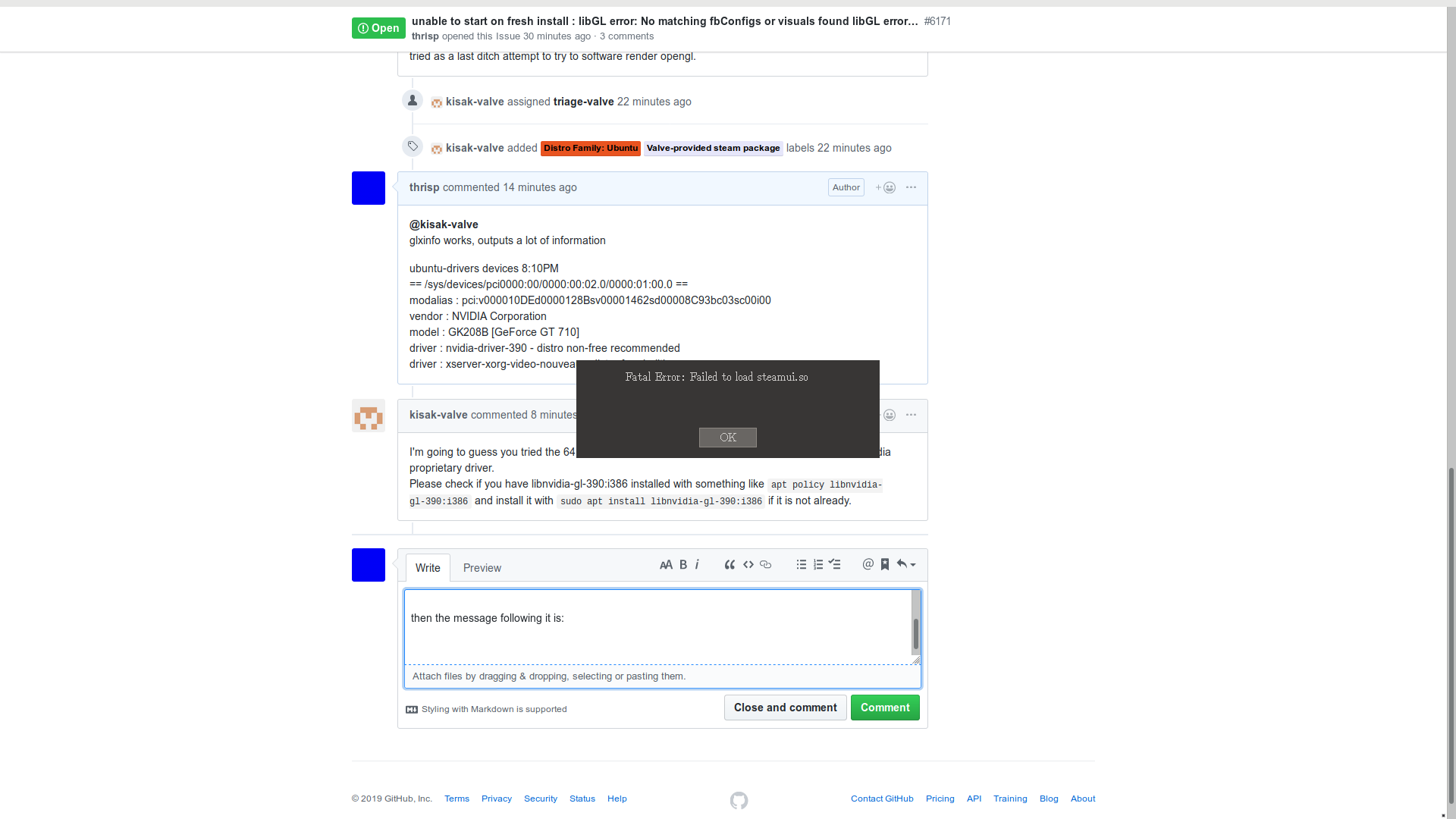
installing the i386 version of libxtst removed that from the list.....so i'll try to do that first for all there
These libraries should be provided by the Steam runtime, so it sounds like something went wrong during Steam's bootstrap. Can you attach ~/.local/share/Steam/logs/bootstrap_log.txt to this issue report and you can try steam --reset or move/remove ~/.local/share/Steam and ~/.steam to re-bootstrap Steam.
bootstrap_log:
it just goes back to doing the same after removing ~/.local/share/Steam and rebootstrapping
By any chance did you try to use the distro-provided steam package before trying the Valve-provided steam package?
@kisak-valve no, I went to the valve provided package first and have not installed the distro provided package
OK, so after everything yesterday, when I went to troubleshoot this issue again, no problem.
There is no issue -- Steam loaded with no errors.
The only difference that I can reason on the surface is I logged out and into my session.
Nothing extracted yet.
Your system information
steam_latest.deb
Distribution (e.g. Ubuntu):
lubuntu 18.10
Opted into Steam client beta?: [Yes/No]
no chance to
Have you checked for system updates?: [Yes/No]
yes
Please describe your issue in as much detail as possible:
Describe what you expected should happen and what did happen. Please link any large code pastes as a Github Gist
I am unable to load steam with a fresh install
Steps for reproducing this issue:
LIBGL_DEBUG=verbose steam
get the following
Setting up Steam content in /home/.../.local/share/Steam
Running Steam on ubuntu 18.10 64-bit
STEAM_RUNTIME is disabled by the user
Installing breakpad exception handler for appid(steam)/version(0)
libGL: screen 0 does not appear to be DRI2 capable
libGL: OpenDriver: trying /usr/lib/i386-linux-gnu/dri/tls/swrast_dri.so
libGL: OpenDriver: trying /usr/lib/i386-linux-gnu/dri/swrast_dri.so
libGL: Can't open configuration file /home/.../.drirc: No such file or directory.
libGL: Can't open configuration file /home/.../.drirc: No such file or directory.
libGL error: No matching fbConfigs or visuals found
libGL error: failed to load driver: swrast
searching these errors tosses up a bunch of stuff from 4 years ago, none of the tried fixes work