built-in browser doesn't work
Hello @mtmkls, please copy your system information from Steam (Steam -> Help -> System Information) and put it in a gist, then include a link to the gist in this issue report.
Not a debian specific also in opensuse.. Its impossible to type or click the shift tab stuff is broken also on fedora
Here is the System Info from my Ubuntu 16.04 where the browser also doesn't work, stays black
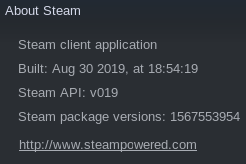
Edit 2019-09-08: I since have found out that I had an ordering problem in ld.so.conf.d. Once I made sure that libGLdispatch.so.0.0.0 is first loaded from the top-level /usr/lib and /usr/lib32 (provided by ubuntu 18.04's libglvnd0, for which I downloaded the .deb file, and ran dpkg -i), the browser now works. So my problem is probably completely unrelated to this issue. Feel free to discard my comment.
Is there an update on this? It kills the friends and chat windows too.
I also noticed that when I log into the client, I become online on steamcommunity for a moment, then I'm offline again even though the client is running. I think this is also caused by the built-in browser component not working.
Hello @mtmkls, are you still experiencing this issue on an up to date system?
The current version doesn't have this issue. It got fixed a few months after I opened this report, I just forgot to close it. Thanks for the reminder.
Nothing extracted yet.
Your system information
Please describe your issue in as much detail as possible:
Describe what you expected should happen and what did happen. Please link any large code pastes as a Github Gist
Steps for reproducing this issue:
dmesg is flooded with this:
[ 2125.315338] traps: Chrome_IOThread[12456] general protection fault ip:7fbf2690f8c2 sp:7fbf12c4f2f8 error:0 in libcef.so[7fbf25bde000+60d1000]
[ 2135.470823] traps: steamwebhelper[12478] general protection fault ip:7f8988fe48c2 sp:7ffdd5c74e38 error:0 in libcef.so[7f89882b3000+60d1000]
[ 2145.594680] traps: Chrome_IOThread[12532] general protection fault ip:7f27b01d58c2 sp:7f279c5152f8 error:0 in libcef.so[7f27af4a4000+60d1000]
[ 2155.805654] traps: Chrome_IOThread[12573] general protection fault ip:7f86de7818c2 sp:7f86caac12f8 error:0 in libcef.so[7f86dda50000+60d1000]
[ 2165.888414] traps: Chrome_IOThread[12610] general protection fault ip:7fb0fbe738c2 sp:7fb0e81b32f8 error:0 in libcef.so[7fb0fb142000+60d1000]