there is no sign of proton being enabled in new library
It also does not give any indication to which version it will install; native or Proton.
It also doesn't show which version of Proton is used by which game anymore.
new steam library is now in stable branch and i don't see this issue fixed ?
I am not a big fan of the new library but I could get use to it.
But it is just annoying that I don't see if I am starting the game with proton or not. You don't even get the pop-up that your are playing a not supported title through proton.
But it is just annoying that I don't see if I am starting the game with proton or not. You don't even get the pop-up that your are playing a not supported title through proton.
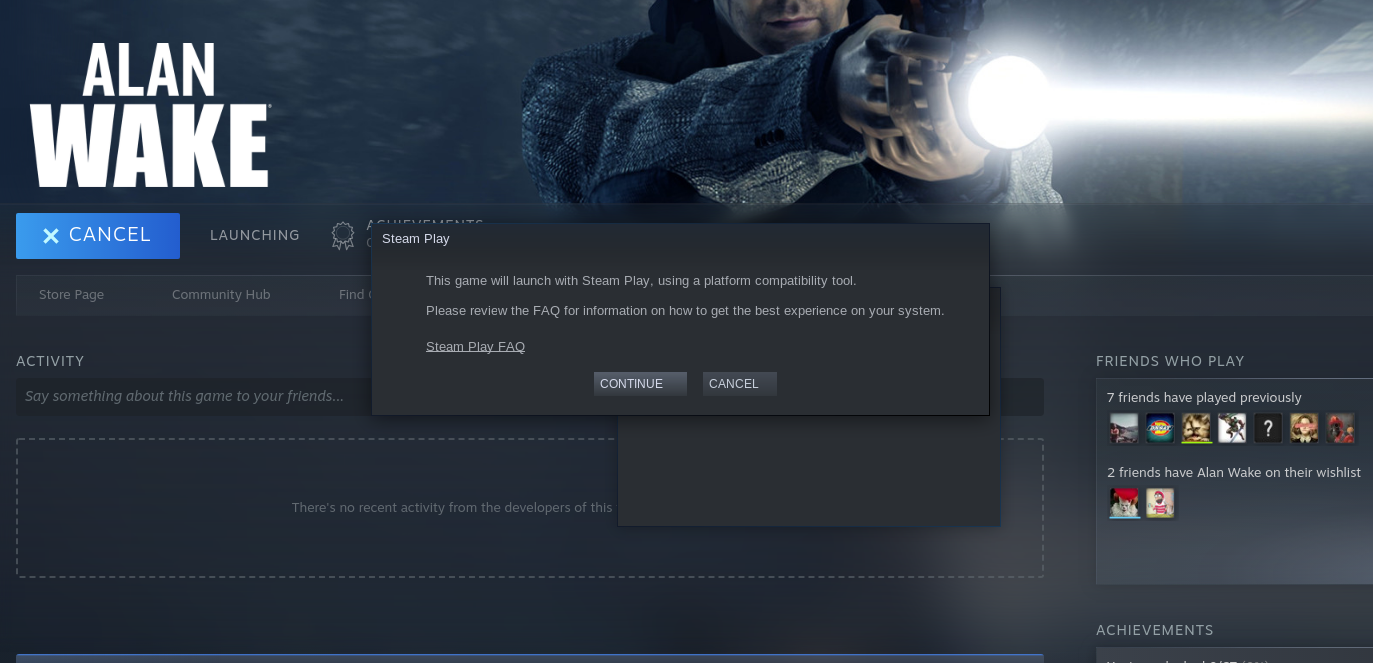
Yes you still do. It only appears the first time you start a game via Proton though, as it always has been.
Proof:
@Newbie13XD You are right about the first time. But on the old UI there was next to the play button some text telling you you are using x.x.x version of proton to run this game.
Plz fix
I can't understand how such a regression is still exists. Amazing
It is there now. On a game's page, click the I to pull out the extra info.
It is there now. On a game's page, click the I to pull out the extra info.
ok but i wish it was somewhere here, previous library was much more clean
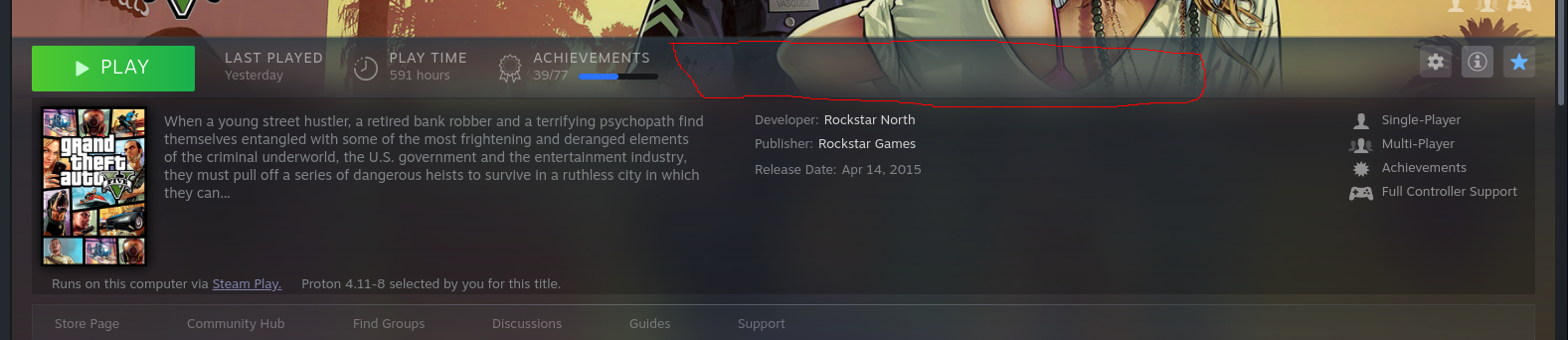
Could (I) be made a shortcut/hotkey?
It's a bit tedious to check with the mouse.
Nothing extracted yet.
Your system information
Please describe your issue in as much detail as possible:
there is no sign of proton being enabled in new library
Steps for reproducing this issue: