New Library Beta Update: 14GB Memory Leak steamwebhelper
This seems to happen if "Enable GPU accelerated rendering in web views" is enabled. Recommend disabling it for now in Settings -> Interface.
Also affected, it kept growing on my system until it had used all 15.6GB of available RAM and 2GB swap. It didn't exit, locked my computer up until I killed it.
I did have that enabled. This shouldn't come as a surprise considering Chromium/Chrome developers don't believe GPU hardware acceleration is stable enough to be the default because Linux drivers aren't ready.
I'm fairly certain most know the issue isn't with Linux graphics drivers (i.e., If that were the case no games would exist for the platform). A Chromium specific issue is their fault. mpv, retroarch, & VLC are fine examples of hardware accelerated applications which are stable on Linux.
This leak also affects some but not all game pages in the new library. For example the Mafia III page is affected but the Iron Fury one is not.
Disabling GPU acceleration as suggested is a working work-around for the issue.
I've found that enabling Steam > Settings > Library > Low Bandwidth Mode is ~also a possible workaround for~ delaying this when related to game pages.
To reproduce the issue on a game page:
- Open htop and sort by memory
- Select any game that has lots of community content.
- Instantly notice CPU usage go up.
- Wait a few more minutes. Do absolutely nothing while waiting.
To recover from this state:
- Force quit steam.
- Run as root:
swapoff -a ; swapon -a
Edit: Just found out that enabling low bandwidth mode just delays the issue.
I don't have to restart the Steam client to get my memory back. Switching to another unaffected page will free the memory again after a few seconds.
Also affected by the same, when it initially appeared just over a week ago, enabling the low performance mode settings appeared to remedy this, however, just received another update and simply after restarting the client, the issue presented itself again.
Edit: disabling GPU accelerations seems to have alleviated the issue here too.
This issue is also affecting me.
I am using the beta client on Manjaro.
Disabling Hardware acceleration seems to fix it though.
Hello, per "Fixed a steamwebhelper memory leak impacting Mac and Linux users and some Windows overlay browser usage if GPU acceleration for web views was on" in the 2019-09-30 Steam client beta update, please update the beta client, re-enable Enable GPU accelerated rendering in web views, and retest this issue.
The memory leak seems to be gone with GPU accelerated rendering on as of the latest update, though after leaving Steam to idle in the library for ~90+ minutes it does seem to visually freeze a lot and use more memory than it did in the first ~30 min, but it does free the memory occasionally so it doesn't appear to be a memory leak.
Edit: Doing it with GPU acceleration off seems unpleasant regardless so might not be GPU-related.
Indeed, this issue seems fixed by the latest update. If nobody has this issue resurface in the next day; I'll close this. Two of my computers are using GPU acceleration thus far without memory leaks (one a Ryzen 7 2700U laptop & the other my RX 480 desktop).
Still happens. Click each one games from the library.
@xDShot Do you use Nvidia graphics? Could you give more thorough, reproducible instructions?
I've been trying for the last ten minutes to deliberately trigger a memory leak by clicking on every game in my library & scrolling through some community content. I couldn't cause another memory leak after the 2019-09-30 update. Can anyone else reproduce this memory leak with the 2019-09-30 update?
Nope, leak is completely gone for me
As others have noted, still needs performance improvements but the memory leak seems gone.
Radeon RX 550 Series (POLARIS11, DRM 3.33.0, 5.3.1-arch1-1-ARCH, LLVM 8.0.1) mesa 19.2.0. Might test later with nvidia card.

Each time I click games in library, all memory values increase. Maybe I just dumb and it's cached memory, but looks suspicious...
@xDShot Bug is closed, but just wanted to tell you that ~800MB Resident Memory looks about right for steamwebhelper, and nothing to worry about. All other values also look fine. The fact that is growing everytime you click is also not something to worry about, unless it starts going into few GB territory (Resident Memory column), and you are running out of memory overall in the system.
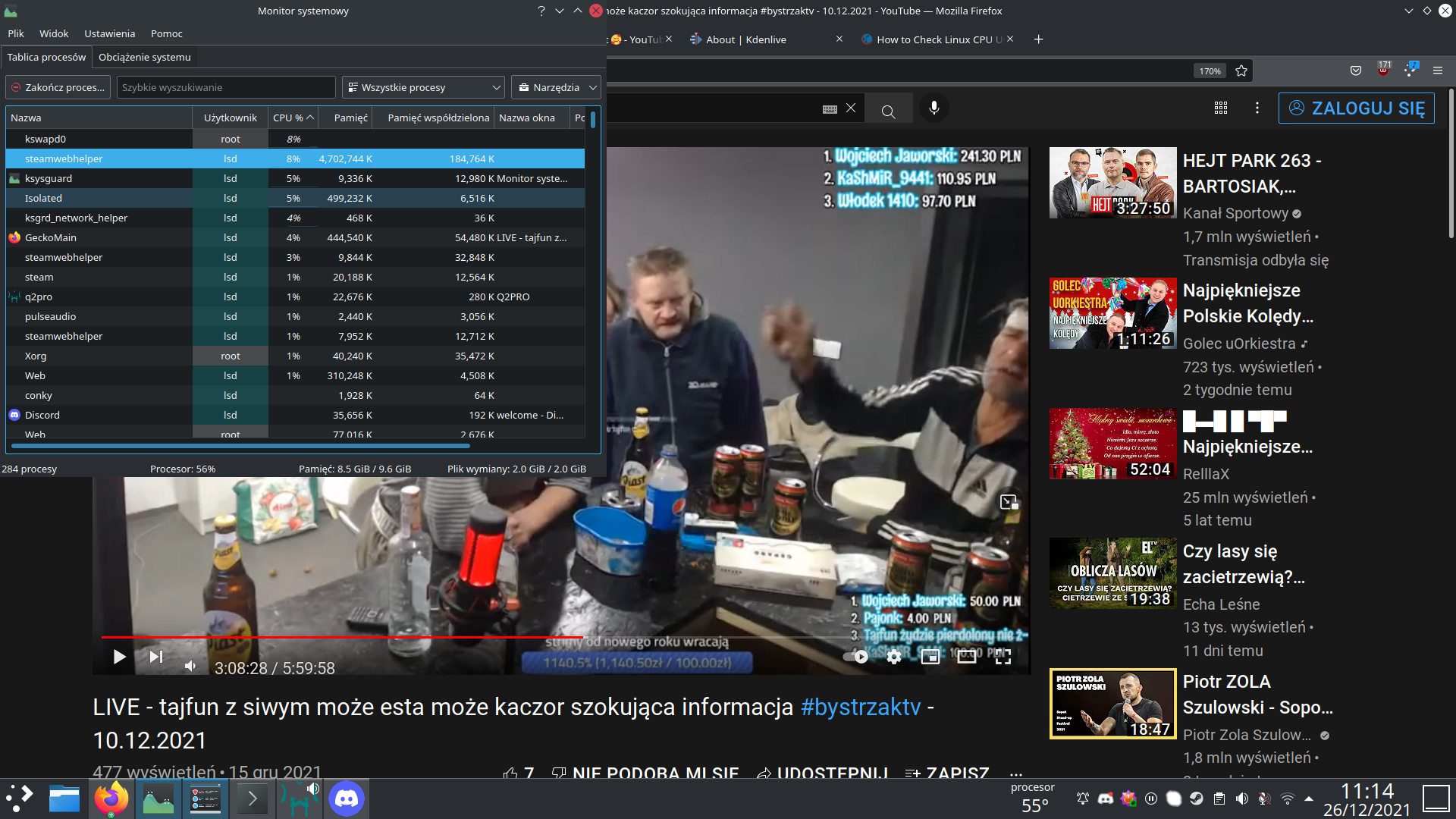
Same. built 16 dec 2021
https://pastebin.com/tj5WiY7W
Day by day getting fatter, dont know why now 1.6 gb
Nothing extracted yet.
Your system information
Please describe your issue in as much detail as possible:
steamwebhelper was eating more than 14GB of RAM & growing. I killed the process and steam returned to normal (for now). It brought my system to its knees.
Steps for reproducing this issue: