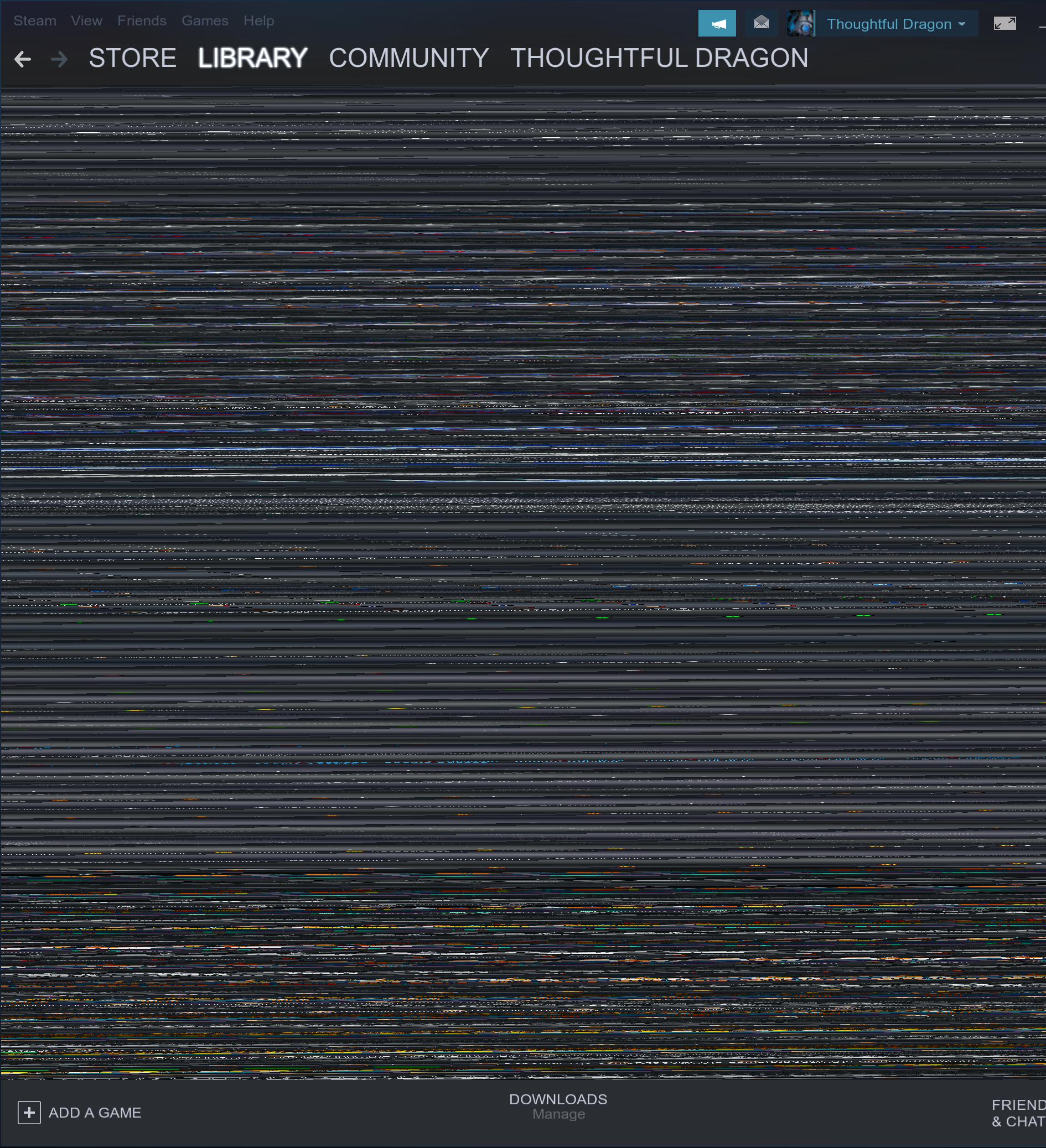
steam view becomes corrupted when resizing in a tiling window manager
Hello @dindybutts, please copy your system information from Steam (Steam -> Help -> System Information) and put it in a gist, then include a link to the gist in this issue report.
sorry @kisak-valve, i must've missed that, i'll post it here and in the original post
https://gist.github.com/dindybutts/8b1b9c793a4c59059c8e52f30241b825
Same on arch linux, kde kwin, hw accel enabled
Same issue. amdgpu driver.
System info: https://gist.github.com/arutemii/0b7d9055fde85e3d2748ae6d6c1bd84c
Same happens to me now with the latest beta (1571675610) when HW Acceleration is enabled, and also introduced a huge VRAM memory leak. I'm currently at 2861MiB usage for one steamwebhelper process.
Basically, whenever I resize a Window, easiest to reproduce is the chat window, the VRAM usage rises more and more, classic memory leak.
https://gist.github.com/NoXPhasma/73ea701d945c09ed10dfdd2072d07985
Same happens on Manjaro/Ubuntu with KDE Kwin HW accel, it's when the library window size gets below a certain width. Not even needing to tile to see this occur.
Ah, It's good to see it's not just a tiling window manager problem, I doubt valve would fix a bug in steam just for the few who use TWMs
But since it's not related to TWMs but actual window rendering, they will.
Reproduced on Arch Linux with Awesome WM.
System info
Latest beta (1572045180) update fixed the corruption for me and by that also the VRAM memory leak.
edit
Scratch that last part, it's still filling the the GPU memory, just a bit slower than before. Maybe it's related to the nvidia 440.26 beta driver.
Latest beta update fixed the corruption, but the VRAM memory leak when resizing window is still present. (I'm on amd, so it's probably not related to the nvidia driver)
VRAM memory leak is also happening on my end too. Latest beta client.
Nothing extracted yet.
Your system information
Please describe your issue in as much detail as possible:
When resizing the steam window with hardware acceleration on in a tiling window manager via opening the friend list (or any other window) the window becomes corrupted, see below for an example of this happening
Steps for reproducing this issue:
System Information
https://gist.github.com/dindybutts/8b1b9c793a4c59059c8e52f30241b825