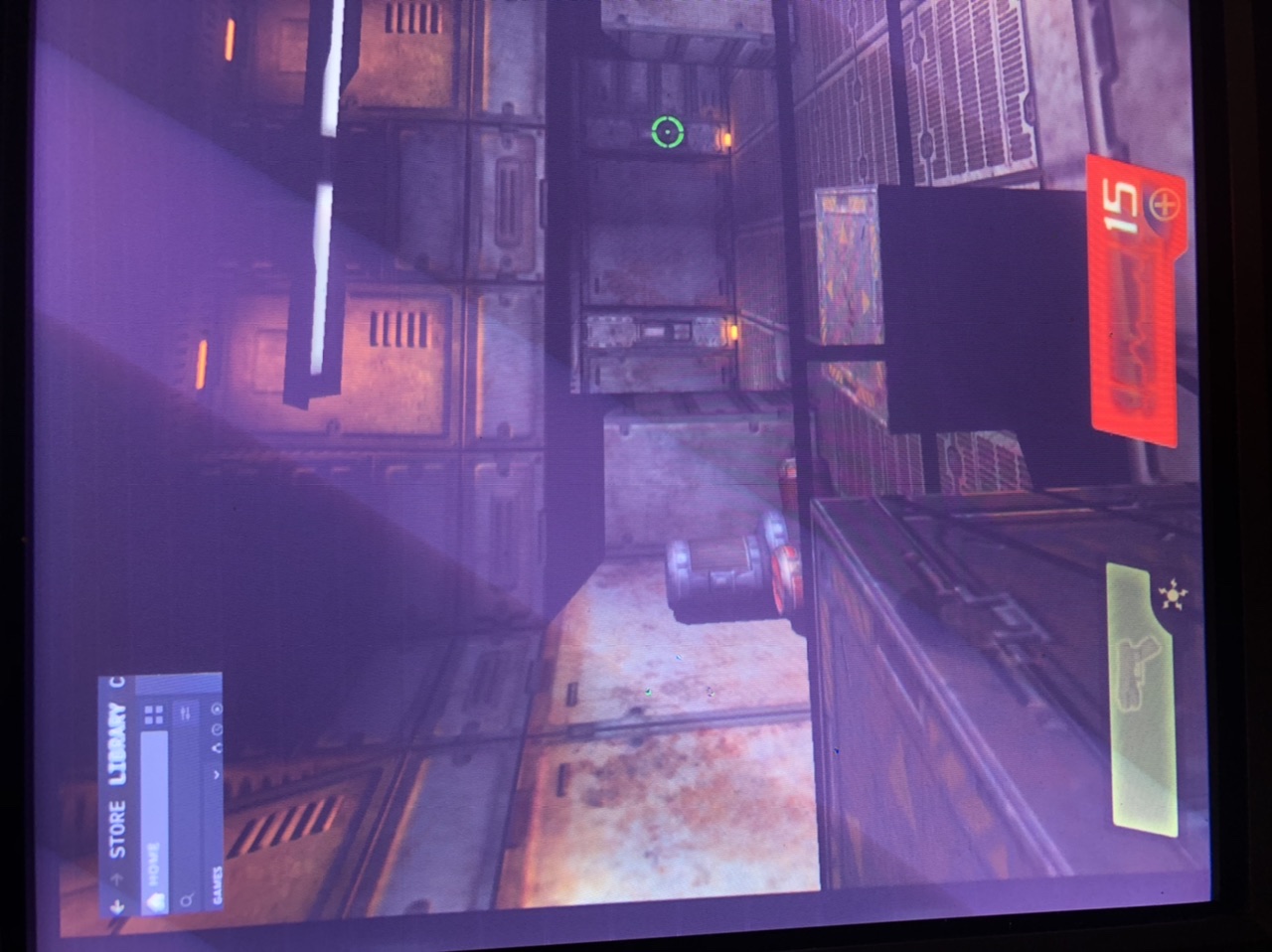
Steam GUI still visible in game
Hello @shoober420, next time you encounter this, can you run xwininfo, click on the uninitialized window, and copy/paste the output as a reference to ponder.
Also, please copy your system information from Steam (Steam -> Help -> System Information) and put it in a gist, then include a link to the gist in this issue report.
Will do sir, when I get home from work.
Here goes my system information. I forgot to post it.
https://gist.github.com/shoober420/1215c40214cf70e1fabb760b5bd2a341
So I just downloaded the new Nov 1 2019 Steam build. I was trying to invoke the bug earlier to no success. I noticed Steam did have some GUI updates, so I'll try and trigger it and post the results.
I was testing this recently with the new beta updates, and it doesn't seem to happen anymore. I've been using the new "Small Mode" anyway, both are very sleek.
This happened again...
When opening the Steam menu, it redraws the area and fixes itself.
This was with the most recent Nov 11 2019 Steam build. Next time it happens, I’ll post debug information.
Finally found some time to do this. I've been all over the place, doing things. So I got the xwininfo here, and some more pics. It effects all desktop screens (1-9).
I must mention that opening up the "Steam" menu in the top left corner will fix the bug, and the window will disappear like normal.

I just was able to get the xwininfo for Steam itself when this bug is happening.
I havent seen this happen for quite some time. Closing for now.
I'm not sure what exactly triggers this to happen, but the STEAM GUI will have a section oh it stuck on the screen. Its just about identical to the bug I posted a while ago.
https://github.com/ValveSoftware/steam-for-linux/issues/4496
Maybe mousing over the search bar causes it, or opening up the menus at the top. I also should mention I'm using GPU accelerated web views. Sometimes reopening the menu will fix it from being stuck on screen.
Steps for reproducing this issue: