Incorrect button mapping for Sony DS4 over Steam Link from Android
Based on what I could read of the HTML5 API, it seems the API provides a "standard" mapping for controllers that it manages to identify (with vendor ID and such).
https://developer.mozilla.org/en-US/docs/Web/API/Gamepad_API/Using_the_Gamepad_API
Controllers not recognized by the API must be mapped by the game explicitly. So I guess it has to do with Steam Link creating an input device on the host that is not in the list of known controllers of the HTML5 API.
Any suggestion on how I could get more information on that input device to confirm this?
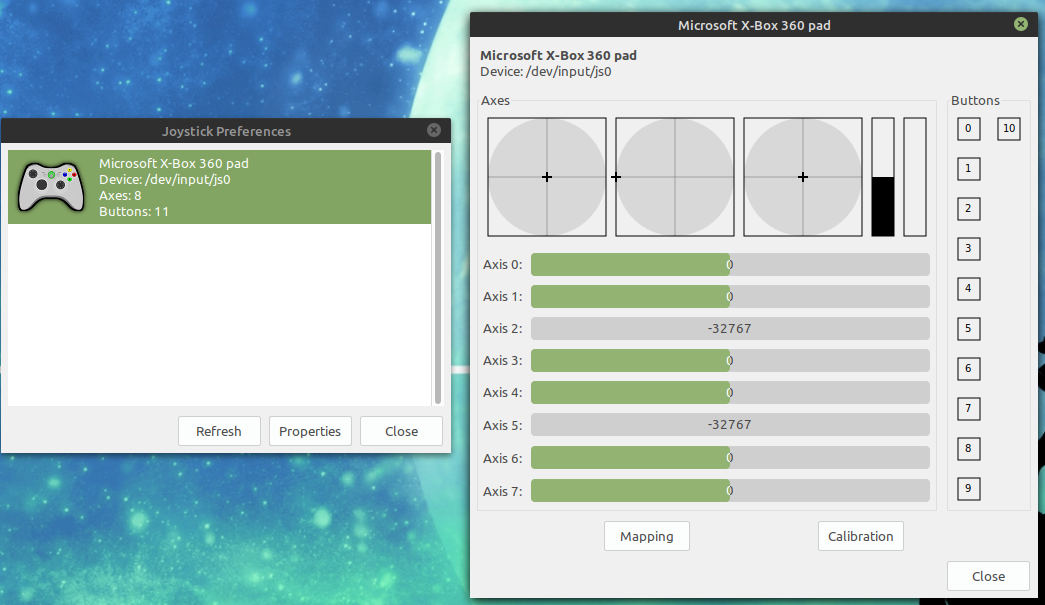
Here is what I get if I run jstest-gtk on the host with Steam Link running and the controller paired with the tablet on Bluetooth:
It I then plug in the controller directly to the host via USB I get:
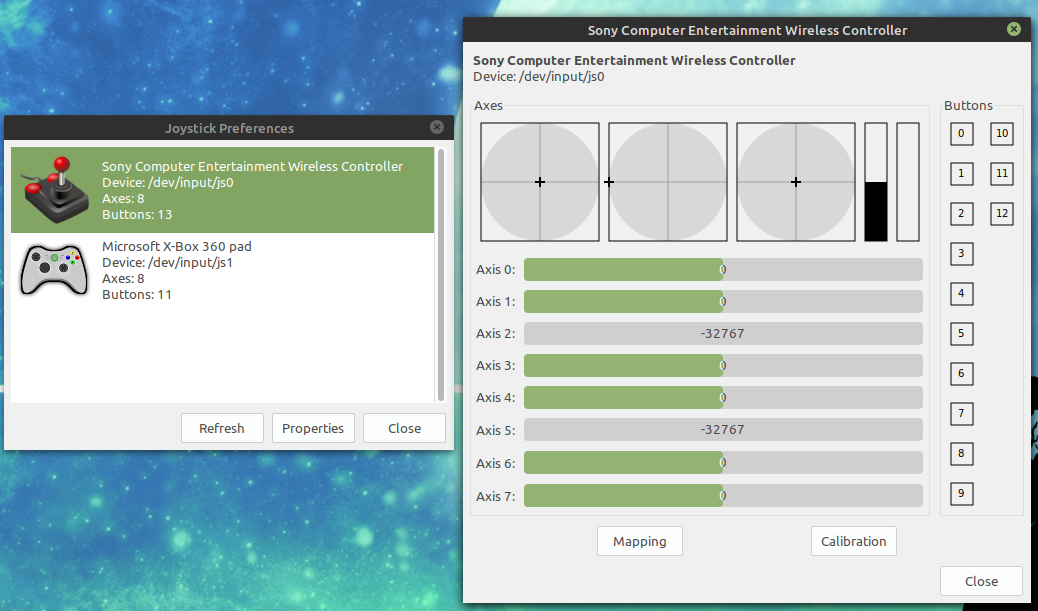
NB: I do not have an XBox controller. It is a fake device created by Steam (if I close Steam, the device disappears).
In that last setup, I can get the HTML5 Gamepad Tester webpage to recognize the controller as "054c-05c4-Sony Computer Entertainment Wireless Controller". Paired to the tablet, I can also get it recognized in the tablet's browser as just "android" (but it all works). However through Steam Link (on the host browser) it does not register at all, even if I launch CrossCode and Alt+Tab to the webpage.
Update: just checked the issue also happens when the controller is connected to the tablet via an on-the-go USB cable, so the problem is not related to Bluetooth.
Nothing extracted yet.
Your system information
Please describe your issue in as much detail as possible:
I have the following setup:
I have just started trying to play my games on the tablet using that setup. I am able to connect to Steam on the host machine using the Android Steam Link app. The controller is correctly recognized, in that I can use it to navigate in Steam Big Picture menus and use the controller in two other games I have currently installed (Hollow Knight and Celeste). However, for one of the games (Cross Code) the button mapping is incorrect, which makes the game unplayable (the game does not allow remapping buttons). In particular, while the left analog stick is mapped correctly, the right analog stick and the d-pad are non-functional (the d-pad doesn't seem to do anything, and the right analog stick seems to only register vertical movements, and only as "full up" or "full down", with no in-between). Connecting the DS4 directly to the host via USB works flawlessly (all the buttons are mapped as expected and I can play the game). Unfortunately I do not own a Windows license, so I cannot check if the problem also occurs with a Windows host.
Exploring the Cross Code discussion on Steam, it seems their game uses the HTML5 controller API and they have no control over button mapping. I do not know of any other game making use of that API, so I cannot test if this HTML5 API is the culprit. When I open html5gamepad.com on the tablet (in it's native browser, not through Steam Link), all the mappings are correct. When I try to open that same page through the Link, it says no controller detected.
Steps for reproducing this issue: