Apt is blocking 32 bit mesa on ChromeOS's Debian container
Hello @saum22, what guide are you using? Did the guide you used cover enabling 32 bit support for debian like the "How to Enable 32bit Support" section of https://linuxconfig.org/how-to-install-steam-with-steam-play-on-debian-10-buster?
Please check if those packages are available from your package manager with something like apt policy libgl1-mesa-dri:i386 libgl1-mesa-glx:i386.
oh. ok, I'll do that
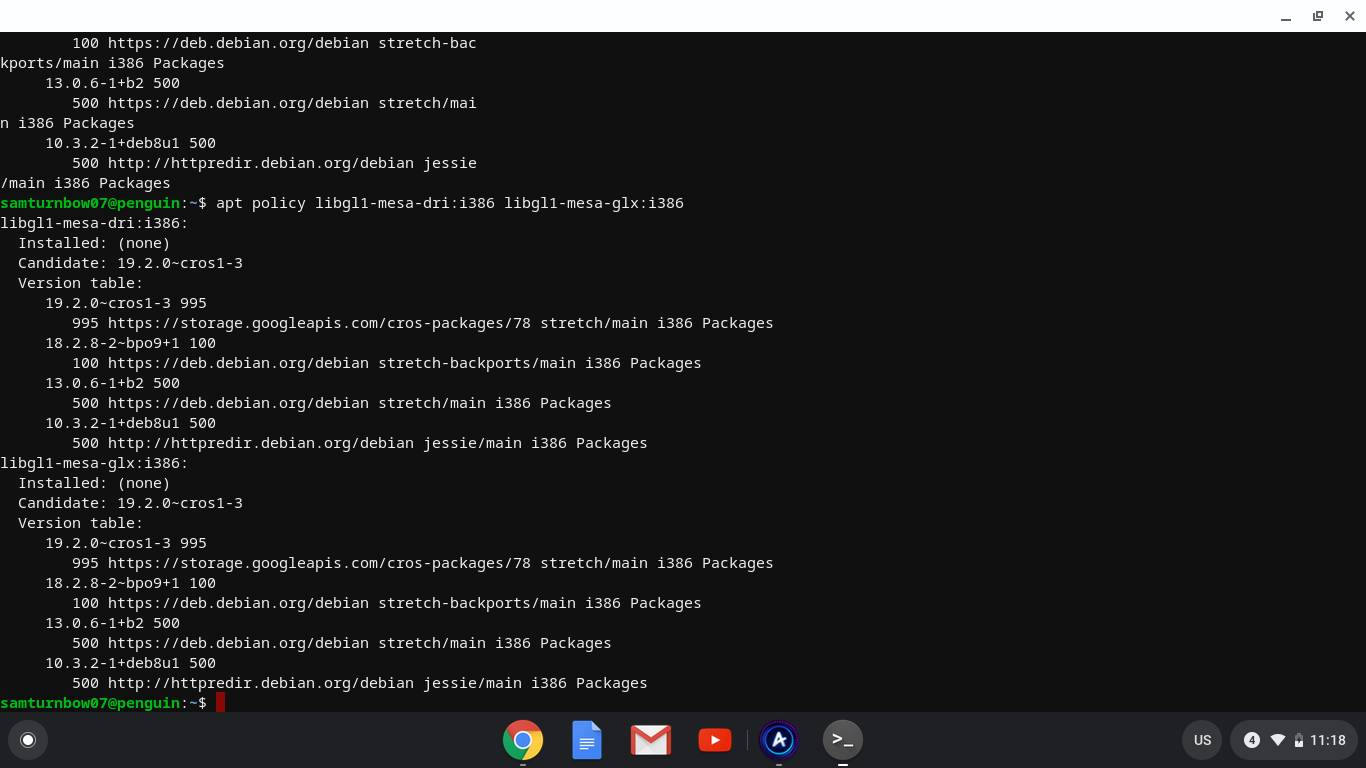
What does this mean
also the debian command dosen't work for me
(deb, I mean.)
It's telling you that there's 4 versions available, but none are installed.
Debian requires that 64 bit and 32 bit package variants have exactly the same version. Maybe try sudo apt install libgl1-mesa-glx libgl1-mesa-glx:i386 to tell apt to install both variants at the same time? Note: DO NOT let it proceed if it tells you that it wants to remove a large set of packages.
Okay!

That didn't work
Apt is trying to tell you that it's trying to select mesa 13.0 for 64 bit and mesa 19.2 for 32 bit and mixing versions is not allowed by debian, which is why it's not letting you proceed.
How do I solve that?
I'm not seeing an obvious reason why the newer 64 bit mesa from stretch-backports and cros-packages are missing.
Is the system up to date? Please run:
sudo apt update
sudo apt upgrade
then check what packages are available with apt policy libgl1-mesa-glx libgl1-mesa-glx:i386.
Still fails.
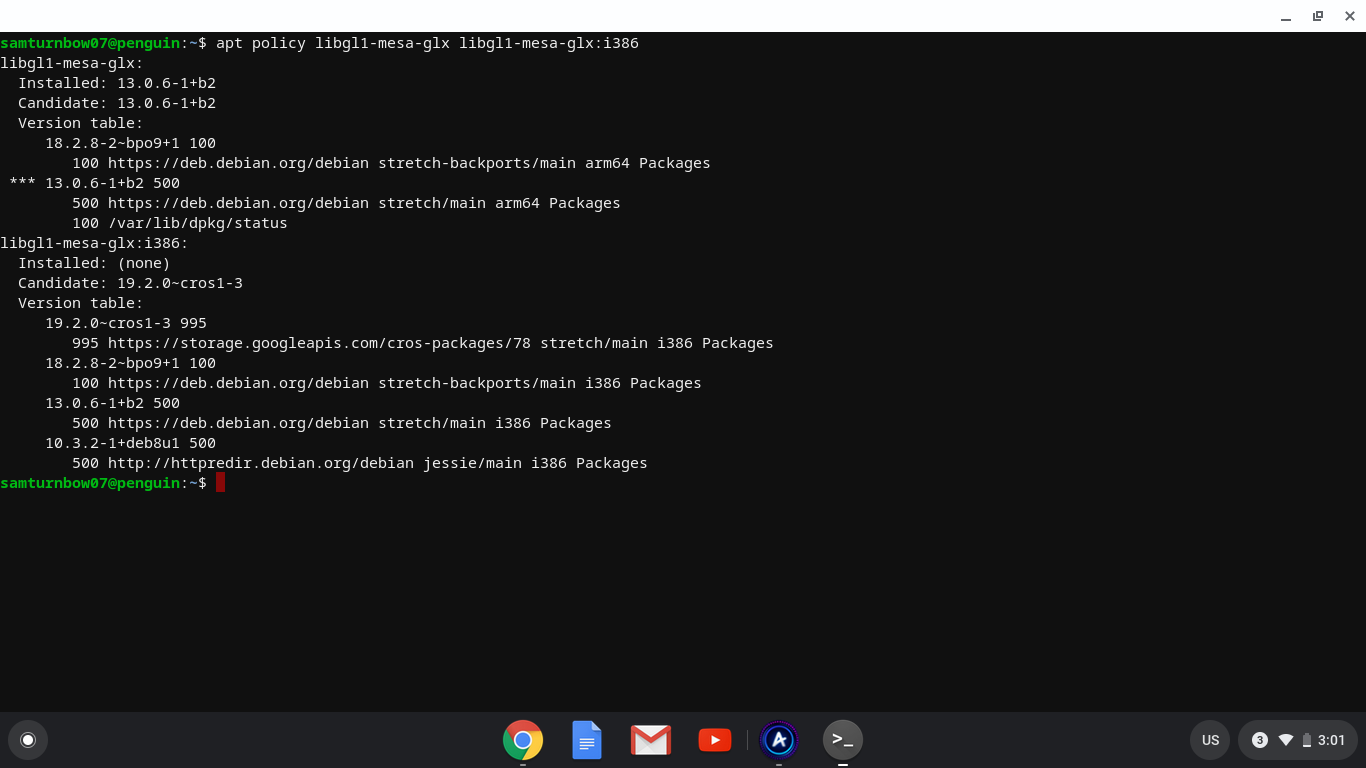
wat
@saum22, unfortunately, that tells us of a bigger problem. Your Chrome device is ARM-based, and is not supported on Linux. This is indicated by the installed mesa version being an arm64 package instead of an amd64 package. X86 and ARM processors have completely different instruction sets and can not share code. No games on Steam are compiled for ARM processors.
There's a feature request to support ARM-based linux installs at #4061.
Nothing extracted yet.
Your system information
Please describe your issue in as much detail as possible:
Describe what you expected should happen and what did happen. Please link any large code pastes as a Github Gist
Steps for reproducing this issue: