Steam client version (build number or date):
Built: Dec 12 2019, at 22:37:09
Distribution (e.g. Ubuntu):
Kubuntu 19.10
Opted into Steam client beta?: [Yes/No]
Yes
Have you checked for system updates?: [Yes/No]
Yes
Please describe your issue in as much detail as possible:
I have two laptops and a desktop. All three computers are running Kubuntu 19.10 (desktop and laptop in question) or Pop_OS! (the other laptop). On one laptop when trying to use remote play to play games from the desktop I get weird static on the video stream. Here is an example:
This only happens on the one laptop. The other laptop plays fine. This happens for every game. It happens on WiFi and on ethernet. It happens if I stream from the desktop or the other laptop. Streaming from this laptop to either the good laptop or the desktop works fine.
The laptop is running a AMD Ryzen 5 3500U with Vega 8 graphics. I have tried the stock drivers that come with Kubuntu (Mesa 19.3), drivers from the Padoka PPA (Mesa 20), and the Oibaf PPA (Mesa 20). All three driver versions have the same issue.
The good laptop is using an Intel i5 5300u running the latest Padoka drivers).
Tried enabling/disabling the hardware decode option but no difference. "Beautiful", "Balanced", "Fast" quality option had no effect.
Your system information
Steam client version (build number or date):
Built: Dec 12 2019, at 22:37:09
Distribution (e.g. Ubuntu):
Kubuntu 19.10
Opted into Steam client beta?: [Yes/No]
Yes
Have you checked for system updates?: [Yes/No]
Yes
Please describe your issue in as much detail as possible:
I have two laptops and a desktop. All three computers are running Kubuntu 19.10 (desktop and laptop in question) or Pop_OS! (the other laptop). On one laptop when trying to use remote play to play games from the desktop I get weird static on the video stream. Here is an example:
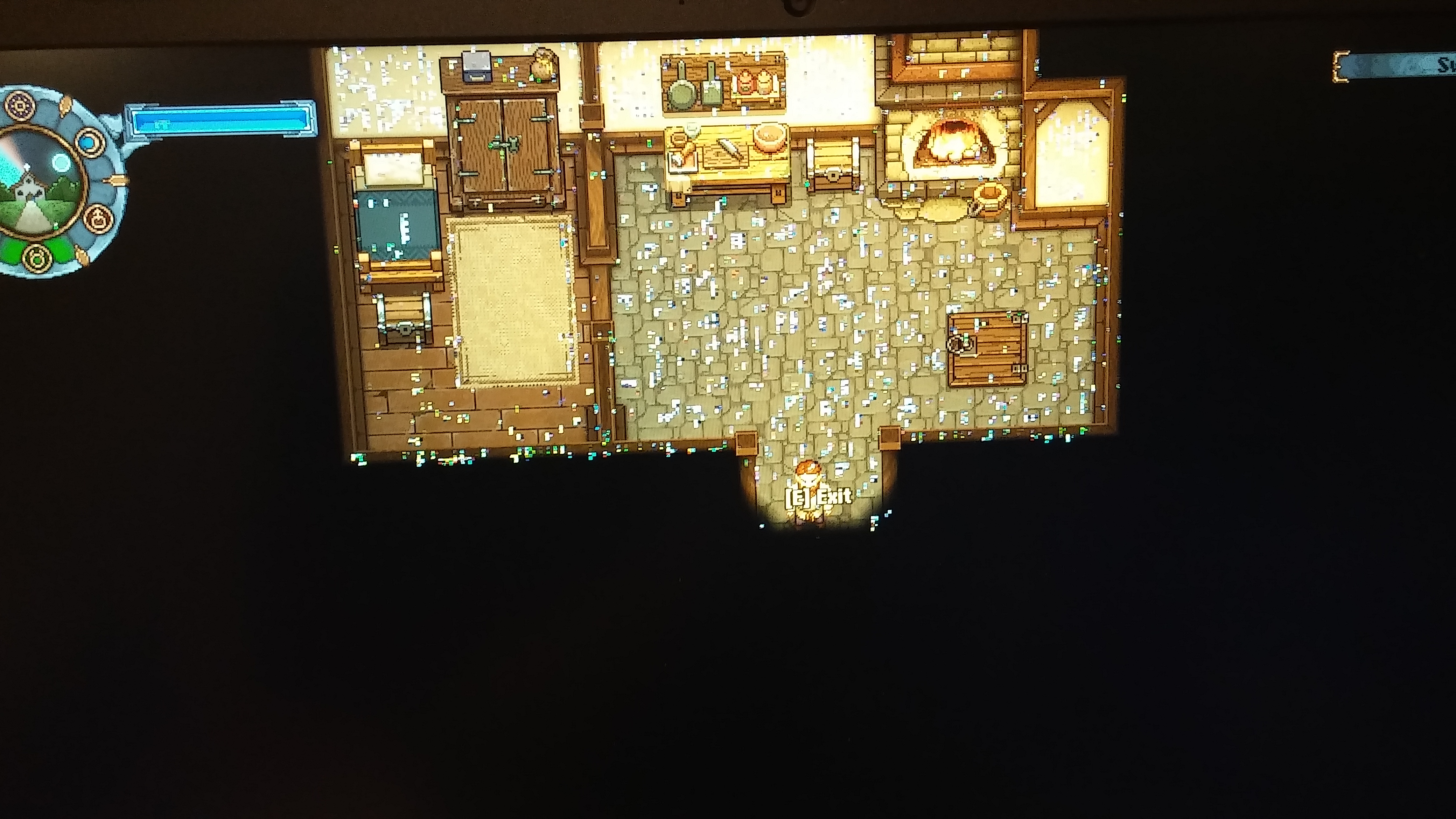
This only happens on the one laptop. The other laptop plays fine. This happens for every game. It happens on WiFi and on ethernet. It happens if I stream from the desktop or the other laptop. Streaming from this laptop to either the good laptop or the desktop works fine.
The laptop is running a AMD Ryzen 5 3500U with Vega 8 graphics. I have tried the stock drivers that come with Kubuntu (Mesa 19.3), drivers from the Padoka PPA (Mesa 20), and the Oibaf PPA (Mesa 20). All three driver versions have the same issue.
The good laptop is using an Intel i5 5300u running the latest Padoka drivers).
Tried enabling/disabling the hardware decode option but no difference. "Beautiful", "Balanced", "Fast" quality option had no effect.
Steps for reproducing this issue: